
Legacy-model availability changes as models are retired. The list shown in workspace settings and the model picker is the source of truth for currently available legacy models. API availability is managed separately.
For more information, please refer to our article: Retiring GPT-4o and other ChatGPT models
Enterprise and Edu workspaces use the current models available to their plan. If a workflow still depends on an older model, admins can enable any legacy models that remain available during the transition period.
Legacy models, when available, appear only after an admin enables legacy model access. The exact list can vary by workspace and over time:
Models listed in Workspace settings
Models shown in the member's model picker
Models can be removed as retirement windows close
A legacy model appears in the picker only while it remains available and legacy model access is enabled for the workspace.
Retired models no longer appear in the ChatGPT model picker. Existing conversations may move to a newer supported model. API availability is managed separately.
Please note that legacy models are still subject to credits and limits.
Enabling access to your workspace
ChatGPT workspace admins can enable access to legacy models in the workspace admin settings.
To enable:
Click on your profile icon on the bottom-right of the screen.
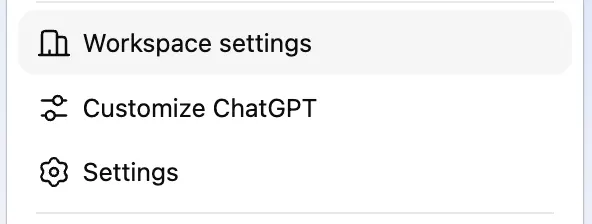
Select Workspace settings in the pop-up menu.
Under Models, toggle on Enable legacy models to enable access to legacy models in your workspace.
Once legacy models have been enabled, they will appear in the model selector for users in your workspace.