How does voice dictation work?
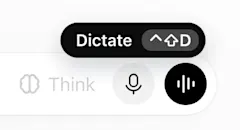
Select the microphone icon (Dictate) to record a message. ChatGPT sends the audio to our models for transcription. You can edit the text before you send it.
On the web, select Start Voice to start a voice conversation.
How long do you retain audio from dictation?
Audio from dictation will be retained for as long as the chat is part of your chat history. When you delete the chat, we’ll also delete the associated audio clip within 30 days unless we need to keep it for security or legal reasons or if you previously shared your audio with us to train our models and the audio clip was previously disassociated from your account.
Do you train on audio from voice dictation?
If you are a consumer user and have chosen to share audio to improve our models, we may train on audio from dictation.
By default, we do not train on any inputs or outputs from our products for business users. Please see our Enterprise Privacy page for information on how we handle business data.
How can I stop sharing audio from dictation?
You can stop sharing through the data controls page in your ChatGPT settings. Turn off Include your audio recordings, or turn off Improve the model for everyone. Note that this will stop sharing all audio across dictation and voice chat.