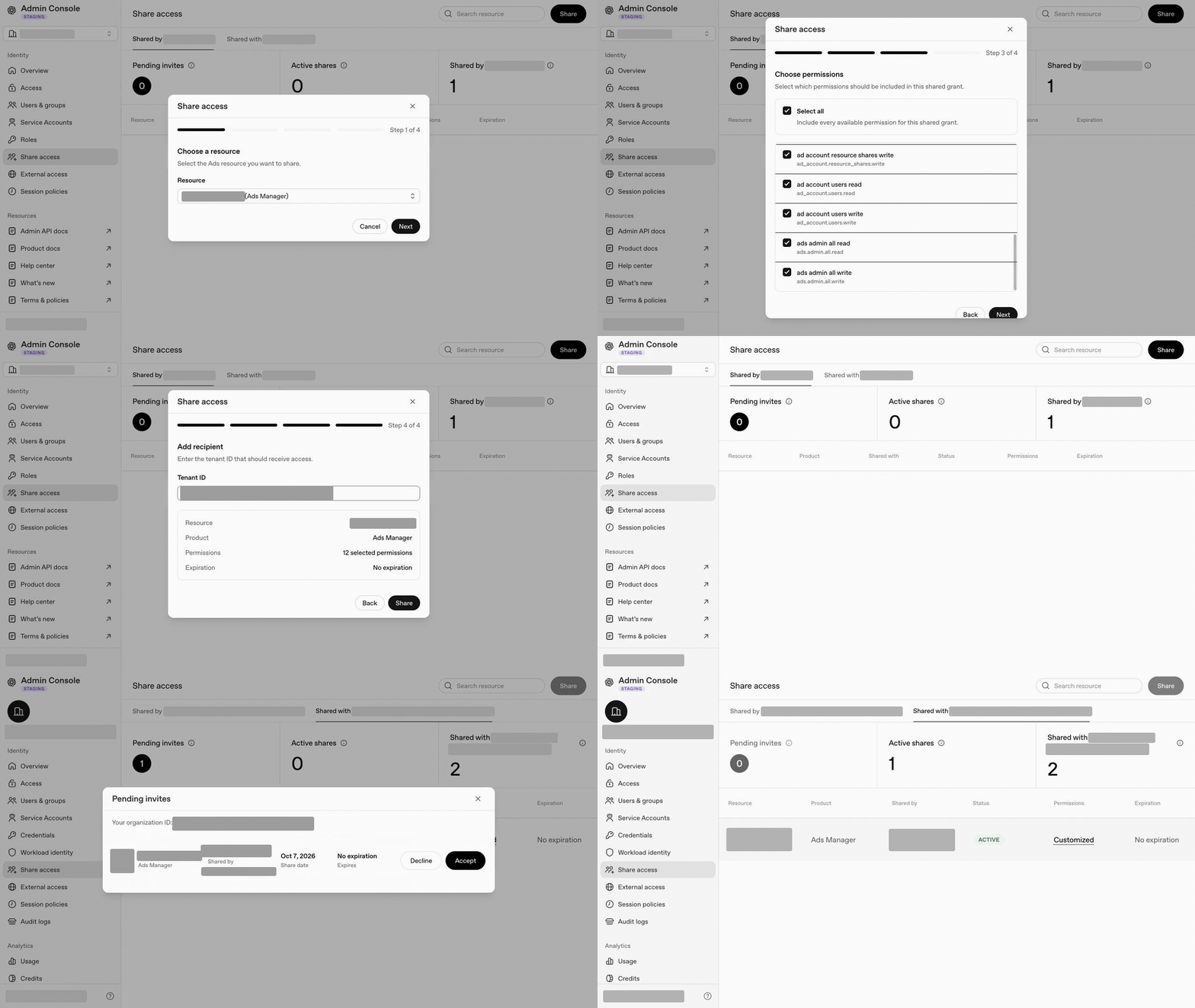
You can give an agency or another organization access to an existing ad account while keeping the account under your organization. A Global Admin for the organization that owns the ad account sends the share. A Global Admin at the receiving organization can accept the share. Each person needs an account role before they can use it.
Find your Global Admin
In Ads Manager, open the ad account and go to Settings → Users. If available, select the Sharing help button to see your organization’s Global Admins. Contact one of the Global Admins listed and send them the ad account name, the receiving organization’s Tenant ID, and whether they need to view reports or manage campaigns. You can also ask your IT team who manages your organization in Admin Console.
Get the receiving organization’s Tenant ID
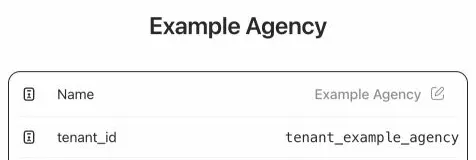
If you’re the admin at the receiving organization, sign in to Admin Console and select your organization. Open your profile menu in the lower-left corner and select Edit tenant. Copy the value next to tenant_id (starts with tenant_) and send it to the Global Admin at the organization sharing the ad account.
Send a share
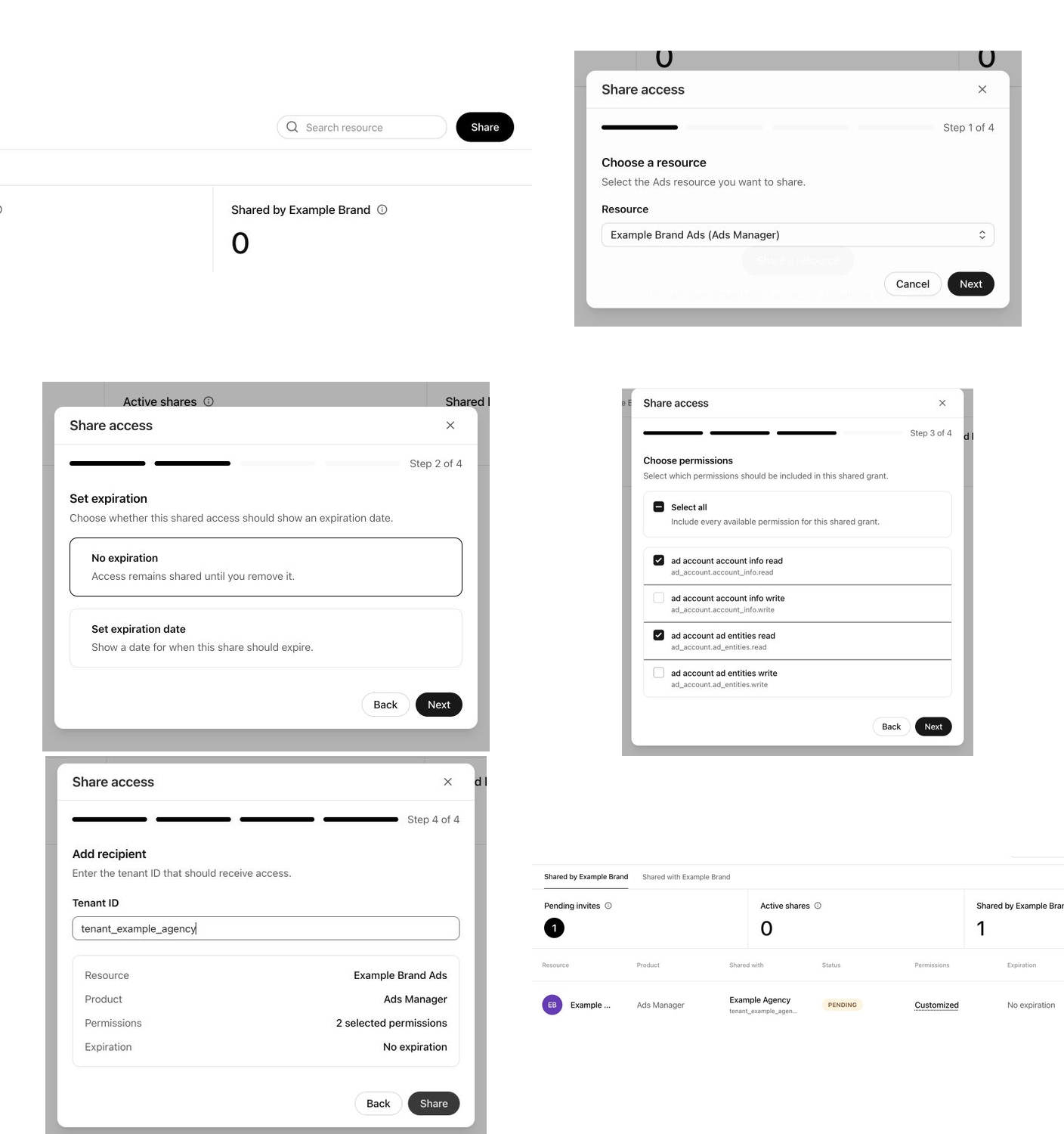
In Admin Console, select the organization that owns the ad account. Open Global settings → Share access and select Share. Open Share access
Choose the ad account, set an expiration date if needed, and select the permissions to share. For read-only access, select only the read permissions.
Enter the receiving organization’s Tenant ID. Confirm the account, permissions, and expiration, then select Share. Once sent, the share appears in Pending invites. The total time depends on when the receiving admin accepts it and assigns roles.
Accept the share and give people access
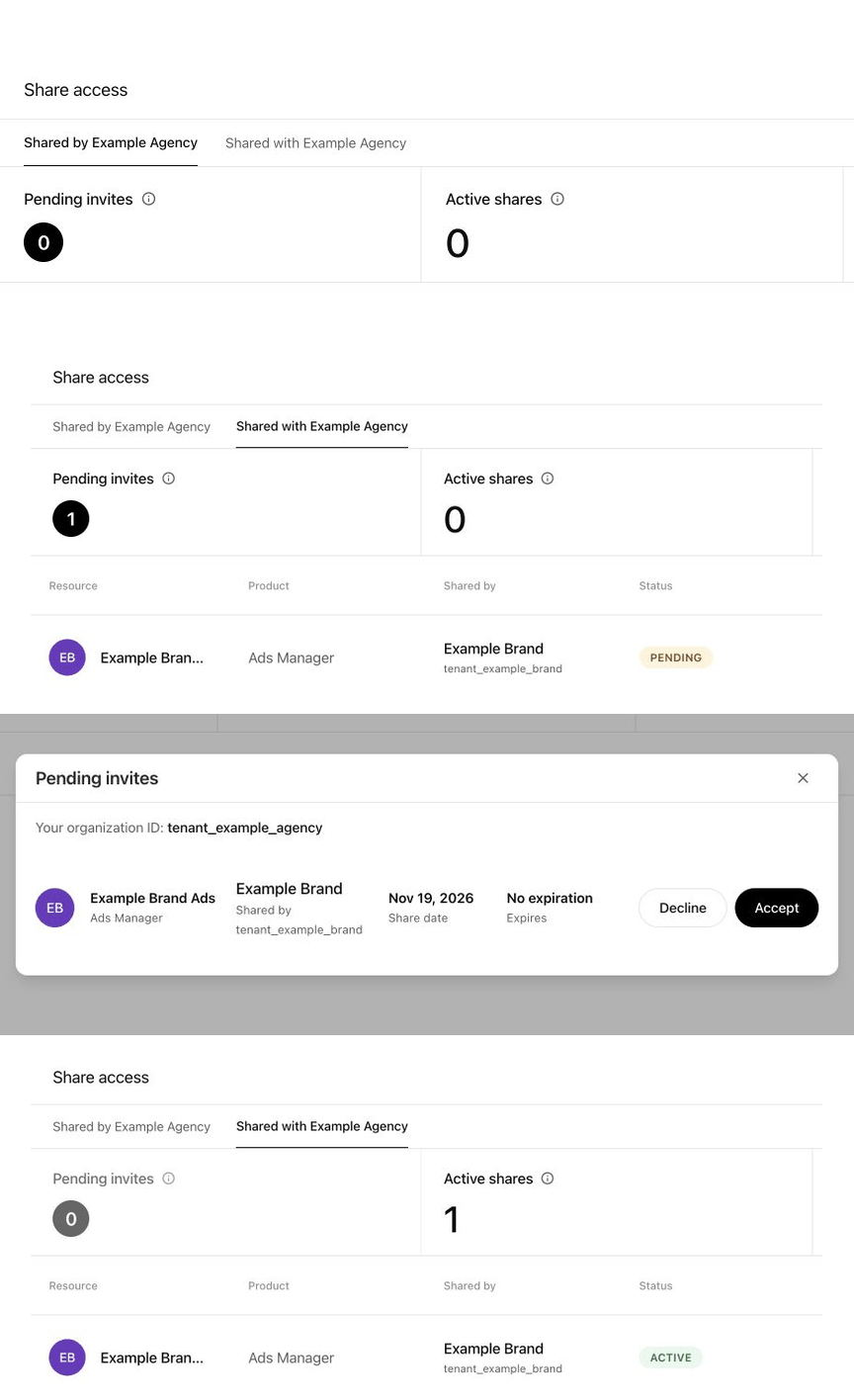
In Admin Console, select the receiving organization and go to Share access → Shared with [organization name] → Pending invites.
Review the account, sender, permissions, and expiration. Select Accept.
Open Users & groups for the shared ad account, where available, and assign each person a role. Use Viewer to view campaigns and reports. Assign Admin only when the person needs to manage campaigns or account access and the share includes the required permissions. See Ads Manager account roles. For help assigning the first user, contact OpenAI Support.
Ask each person to sign in with the work email associated with the receiving organization and confirm they can open the shared account. Open Ads Manager
Send and accept a share in Admin Console