OpenAI
页面内容为机器翻译。查看英文原文

如何启动聊天栏

使用 macOS 应用即时向 ChatGPT 提问任何问题

更新于:7 days ago

你可以使用聊天栏即时向 ChatGPT 提问任何问题、上传文件、截屏或拍照。默认情况下,要使用键盘打开聊天栏,请按 ⌥+Space:
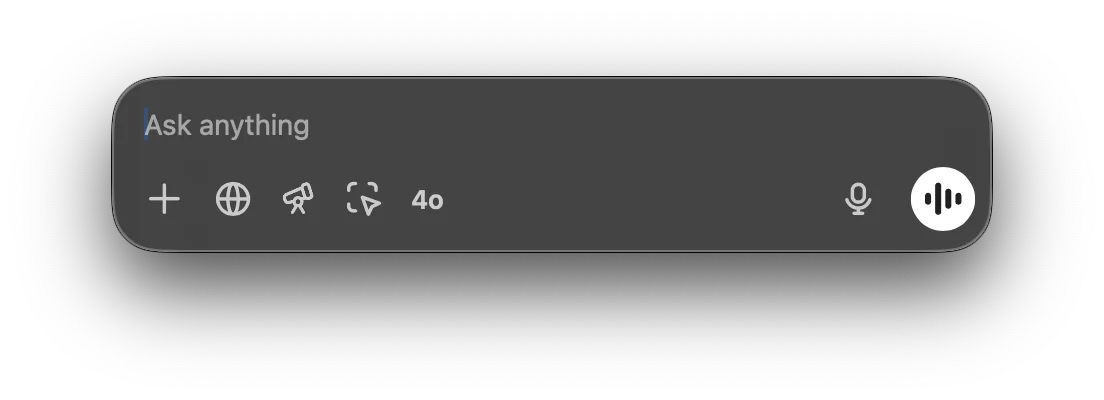
Chat Bar input field with Ask anything placeholder and voice mode button

你可以点击并拖动聊天栏窗口,将其移动到桌面上的任意位置,也可以从菜单栏图标打开聊天栏:
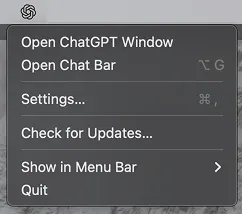
ChatGPT desktop app menu with Open Chat Bar option

你可以直接在聊天栏中与 ChatGPT 开始新对话。要提交你的提示,请点击箭头或按 Return 键。

Chat Bar prompt field with a typed question and quick action icons including 4o and voice input

开始新对话时,你可以点击加号来附加文件、添加照片、截屏或拍照:

Chat Bar plus menu opened with Upload File, Upload Photo, and Take Screenshot options

你可以直接从启动器开始对话,请求对 CSV 文件进行数据分析,或询问有关已附加图片的问题。

Chat Bar with data-report.csv attached and the prompt Can you summarize this report?

你可以在设置菜单中更改聊天栏快捷键:

Chat Bar settings with the keyboard shortcut set to Option+Space

这篇文章对你有帮助吗?