OpenAI
此頁面由機器翻譯。查看原文英文文章

如何啟動聊天列

使用 macOS app 即時向 ChatGPT 發問任何問題

更新日期:5 days ago

你可以使用 Chat Bar 即時向 ChatGPT 詢問任何問題、上載檔案、擷取螢幕截圖或拍照。根據預設,如要使用鍵盤開啟 Chat Bar,請按 ⌥+Space:
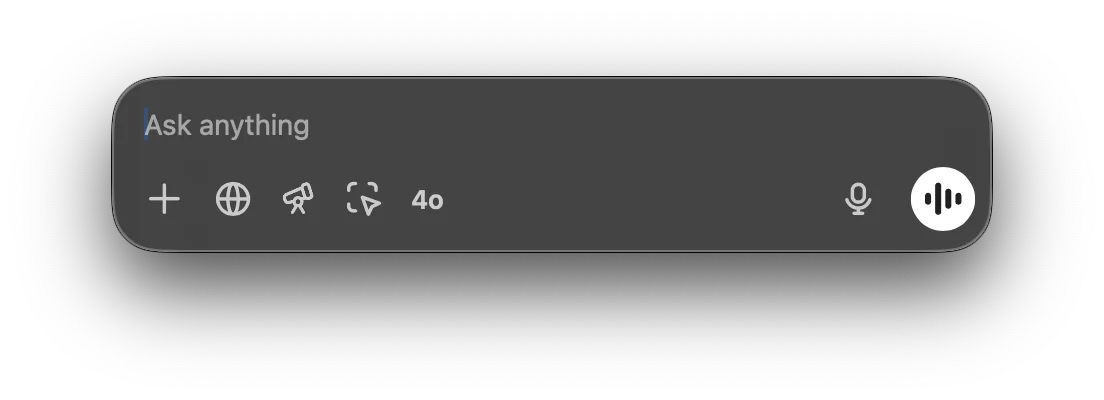
Chat Bar input field with Ask anything placeholder and voice mode button

你可以按住並拖曳 Chat Bar 視窗至桌面上任何位置,也可以從選單列圖示開啟 Chat Bar:
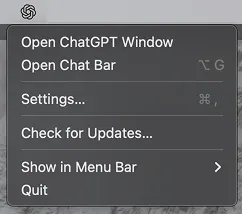
ChatGPT desktop app menu with Open Chat Bar option

你可以直接在 Chat Bar 中與 ChatGPT 開始新對話。如要提交提示詞,請點擊箭咀或按 Return 鍵。

Chat Bar prompt field with a typed question and quick action icons including 4o and voice input

開始新對話時,你可以點擊加號來附加檔案、相片、擷取螢幕截圖或拍照:

Chat Bar plus menu opened with Upload File, Upload Photo, and Take Screenshot options

你可以直接從啟動器開始對話,要求分析 CSV 檔案的數據,或就附加的圖片提出問題。

Chat Bar with data-report.csv attached and the prompt Can you summarize this report?

你可以在設定選單中更改 Chat Bar 快捷鍵:

Chat Bar settings with the keyboard shortcut set to Option+Space

這篇文章對你有幫助嗎?