
Health is rolling out to eligible ChatGPT users. If you don't see Health in ChatGPT, it may not be available for your account yet.
Overview and access
What is Health in ChatGPT?
Understanding your health often means piecing together information from patient portals, medical records, apps, and wearables. That can make it difficult to see the full picture and keep track of what has changed. Health in ChatGPT brings together the information you choose to connect, helping you understand it in context and follow changes over time without repeatedly gathering, uploading, or explaining the same details.
With your permission, ChatGPT can use relevant information you’ve connected in Health, including Apple Health and supported medical records, to provide responses informed by your specific details. You can ask ChatGPT to compare a new result with prior tests, summarize what has changed since your last appointment, or explore how changes in sleep, activity, and workouts relate to your routine.
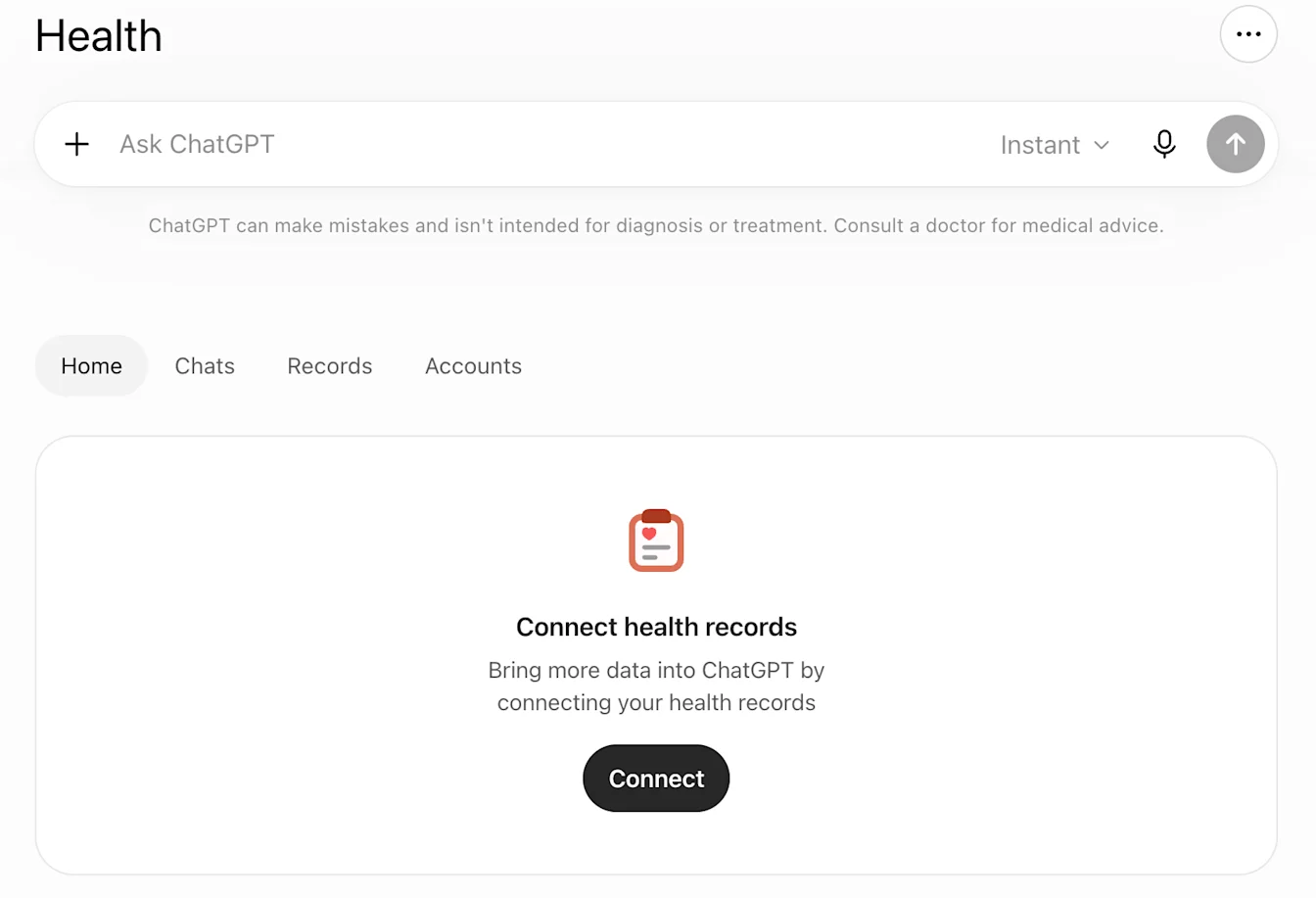
Health is designed to support, not replace, medical care and is not intended for diagnosis or treatment. For urgent symptoms or emergencies, seek immediate professional help.
Who can use Health?
Health is available to eligible, logged-in ChatGPT Free, Go, Plus, and Pro users in the U.S. who are age 18 or older. It is supported on Web and iOS. We’re rolling it out gradually, so some eligible users may not see it right away.
Connecting Apple Health requires an iPhone.
How do I get started?
You can ask health questions in ChatGPT without connecting anything. To use Health and get responses grounded in your own data, you can choose to connect Apple Health, supported medical records from U.S. hospital systems, One Medical, or Function Health.
Open Health from the ChatGPT sidebar. You may need to tap on the “More” menu to see it.
Select Connect Health or Get started.
Choose to connect Apple Health, Medical Records, or another supported source.
Follow the sign-in and permission steps.
Wait for your data to sync. Syncing may take a few minutes or longer for large histories.
Update or add current conditions, medications, and family history.
Once your data is synced, you can ask questions anywhere in ChatGPT.
The Health tab is your home base for connecting and managing your accounts, seeing recent data and trends, exploring suggested prompts, browsing synced records, and returning to past health conversations.
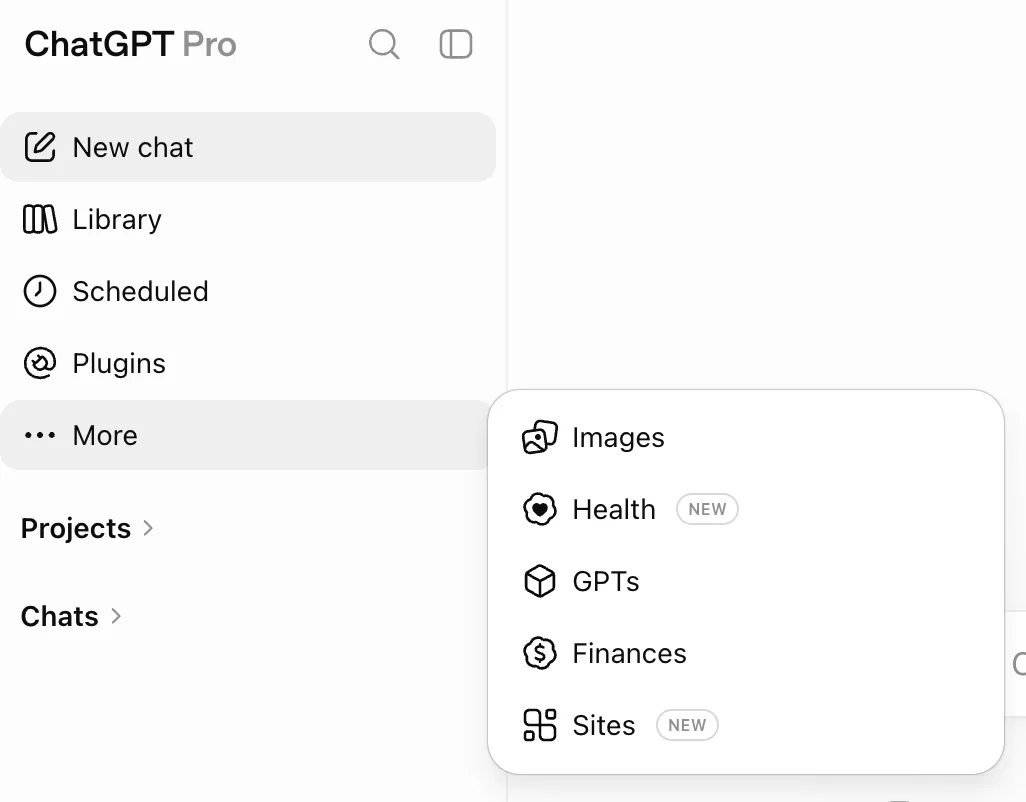
I used an earlier Health experience. Where are my old chats and files?
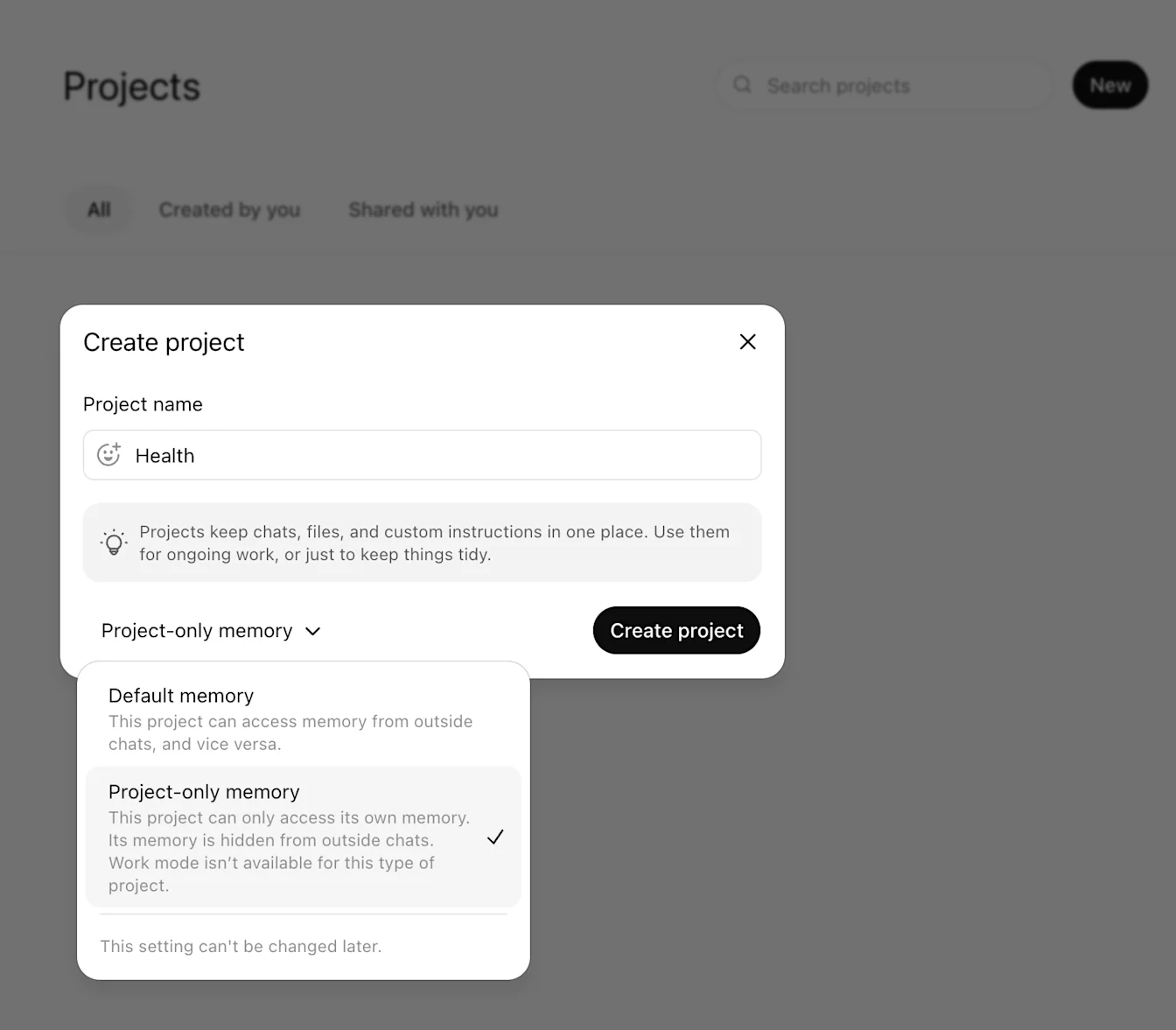
Your earlier Health chats and uploaded files remain in a Health Project under Projects in the ChatGPT sidebar and may be pinned for easy access. This project retains the segmented controls of the legacy Health experience. For example, memories in the Health Project are contained to that project and cannot be used to personalize your chats elsewhere in ChatGPT.
The Health Project is separate from the new Health tab. Your old chats and files do not move into the new Health tab automatically.
Connecting health information to ChatGPT
What data sources can I connect?
Currently, you can connect the following accounts with Health in ChatGPT:
Apple Health (iOS mobile only)
Supported U.S. provider portals
One Medical and Function Health
Availability varies by provider and app. You can connect more than one account, and you can always add or remove accounts from the Health tab.
How do I connect Medical Records?
When you first connect Health from the Health tab, you will be guided through the process to connect medical records, if you choose.
Afterward, you can add additional accounts by navigating to Health → Accounts → Add account, search for your provider, and complete the provider sign-in and consent steps.
If your provider is not available, you can request that we add them by contacting Support through the Help Center with the provider name. Do not include medical information in your message.
The connected Health experience is intended for your own records. If you need to explore someone else’s information, use a separate account or a separate project with project-only memory and uploaded files.
How do I connect Apple Health?
When you first connect Health from the Health tab, if you are on the latest ChatGPT iOS app you will be guided through the process to connect Apple Health, if you choose.
Afterward, you can connect Apple Health in the ChatGPT iOS app by navigating to Health → the “...” menu in the upper right hand corner → Apple Health, then choose the data categories you want to share.
How do I connect a fitness app, nutrition app, or wearable, like Whoop or Oura?
If you use a wearable, fitness app, or nutrition app (like WHOOP, Oura, Garmin, Strava, or MyFitnessPal) that connects to Apple Health, make sure it’s set up to share data with Apple Health.
Once you connect Apple Health to ChatGPT, ChatGPT can use the information that app makes available through Apple Health, when you allow it. Information available to ChatGPT varies by app and metric, and some proprietary scores may not transfer.
WHOOP
WHOOP connects to ChatGPT through Apple Health.
To enable sync from WHOOP to Apple Health:
Open the WHOOP app, then navigate to the More menu.
Select App Settings, then tap Integrations.
Select Apple Health at the top of the page.
Tap Connect, choose the data you want to share, then tap Allow.
Learn more about WHOOP’s Apple Health integration
Oura
Oura connects to ChatGPT through Apple Health.
To enable sync from Oura to Apple Health:
Tap the menu icon in the upper-left corner of the Oura app’s home screen.
Tap Settings, then tap Apple Health under Data Sharing.
Enable Connect to Health.
Learn more about Oura’s Apple Health integration
Garmin
Garmin connects to ChatGPT through Apple Health.
To enable sync from Garmin to Apple Health:
Select More in the Garmin Connect app.
Tap Settings, then Connected Apps.
Select Apple Health under Available Apps.
Select Connect with Apple Health.
Learn more about Garmin’s Apple Health integration
For other apps that connect to Apple Health, open your iPhone Settings > Apps > Health > Data Access & Devices. Select the app, then choose the data you’d like to share with Apple Health.
Using Health in conversations
When will ChatGPT use data connected in Health?
Once your data is synced in Health, you can ask questions using that data anywhere in ChatGPT. When relevant and when you allow it, ChatGPT may use data connected in Health to personalize a response. For example, Health may use connected data to explain recent labs, prepare questions for an appointment, understand sleep and activity trends, or find a restaurant that accommodates an allergy.
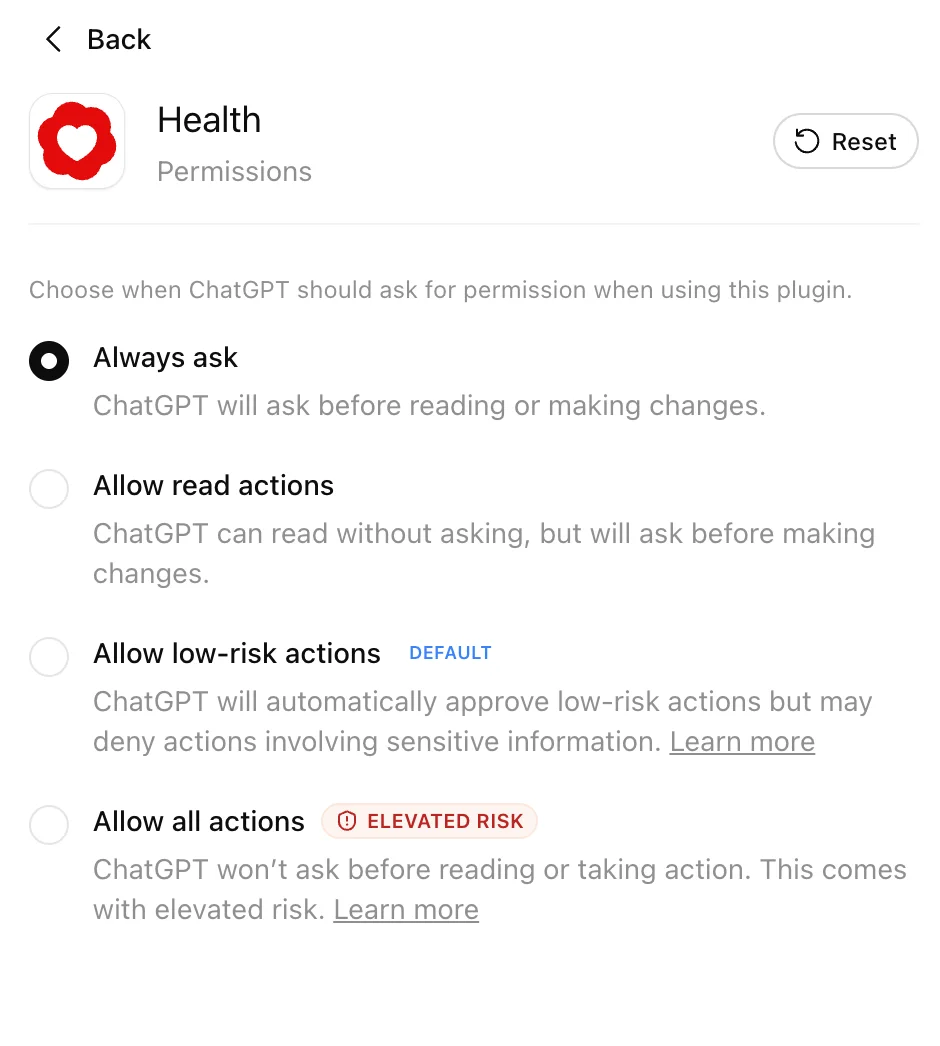
By default, ChatGPT asks for permission before using connected Health data to personalize a response. You can approve an individual request or choose to allow all. You can change permissions later in Settings → Plugins → Health.
If ChatGPT does not use the data connected in Health when you expect it to, you can add ‘@Health’ to your message to indicate that you’d like to use Health to personalize a response.
How do I review or update conditions, medications, and family history?
When you first connect Health from the Health tab, you will be guided through the process to review and update conditions, medications and family history.
Afterward, you can make additional updates by navigating to Health, select the “...” menu in the upper right hand corner, then choose Active Conditions, Current Medications, or Family History.
You can confirm information from synced records, mark a condition or medication as no longer current, and add missing information.
Updates help ChatGPT understand your current context. ChatGPT cannot change records held by your provider or stored in Apple Health.
Can Health conversations create memories?
Yes. When memory is on, conversations that use Health can create memories to personalize future chats. For example, if you tell ChatGPT that you’re working on improving your sleep because you have an early work schedule, it can keep that goal in mind in future conversations about your sleep patterns or daily routine. Memories are not created directly from data synced in Health.
If you’d like to have a conversation without creating memories, you can use Temporary Chat or turn memory off in Settings → Personalization.
If you want to keep your Health memories separate from other kinds of memories in ChatGPT, you may consider creating a separate project for Health conversations and turning on project-specific memory.
Privacy and data controls
Is data connected in Health used to train models or target ads?
No. Connected medical records and Apple Health information, and conversations that use it, are not used to train our foundation models or target ads, regardless of the model-training setting you choose for ChatGPT. Conversations that do not use data connected in Health follow your standard ChatGPT model-training setting choices, which you can change at any time in Settings > Data Controls.
How is my data protected?
Health is built with layered privacy and security safeguards. All chats in ChatGPT are encrypted by default at rest and in transit, and information connected in Health receives additional encryption protections.
Connected medical records and Apple Health information, and conversations that use it, are not used to train our foundation models or target ads, regardless of the model-training setting you choose for ChatGPT.
You decide what accounts to connect and when ChatGPT can use the information connected in Health. By default, ChatGPT asks for permission before using connected medical records and Apple Health information to personalize a response. You can approve each request or choose to always allow access, which turns off these permission prompts.
You can disconnect your Health information at any time. Disconnect accounts at any time in Health > Accounts. When you do, data synced from that source is deleted from OpenAI’s systems within 30 days. Information already included in your ChatGPT conversation history remains until you delete those conversations.
Additional safeguards help protect sensitive sharing. Before ChatGPT takes an action in another connected plugin that could disclose Health information, like sending your running partner a training plan based on your Apple Health data, additional safeguards help check that the sharing matches your request. For some sensitive actions, ChatGPT may ask you to confirm before proceeding. We also test these safeguards through dedicated red-team exercises focused on connected information in Health and use the findings to strengthen our protections.
Your data connected in Health is subject to our Health Privacy Notice.
How do I disconnect connected accounts?
To disconnect medical records:
Navigate to Health
Click on the Accounts tab
Click “...” next to the account you would like to disconnect
Click “Remove account”
To disconnect Apple Health:
Navigate to Health
Click on the “...” icon in the upper right hand corner
Click “Apple Health”
Click “Disconnect”
Once you disconnect or remove an account it may take a few seconds for the Accounts screen to reflect the change. After you disconnect an account, the synced data will be deleted from our systems within 30 days.
What happens when I disconnect an account?
You can disconnect your connected medical records and/or Apple Health at any time. Disconnect accounts in Health → Accounts. When you disconnect an account, data synced from that source is deleted from OpenAI’s systems within 30 days. Information already included in your ChatGPT conversation history remains until you delete those conversations.
Troubleshooting
What should I do if Health is missing from the sidebar?
Health is available to eligible, logged-in ChatGPT Free, Go, Plus, and Pro users in the U.S. who are age 18 or older. It is supported on Web and iOS on versions of ChatGPT 1.2026.188 or later.
If you’re registered in the U.S. but you still cannot access health, our systems may have predicted you are under 18. You can verify your age so ChatGPT can confirm that you meet Health’s age requirement. This may make Health available for your account.
It may take a few weeks to roll out to all eligible users.
Why doesn’t ChatGPT show the same metrics I see in apps like Strava or Oura?
ChatGPT only sees information that the app shares through Apple Health or another connected source. Some app-specific metrics, for example a sleep score or leaderboard position, may not be shared or may be calculated differently.
Why didn’t ChatGPT use my data connected in Health in a conversation?
ChatGPT may use data connected in Health to personalize a response when relevant and when you allow it. To make it more likely that information connected in Health will be used in a chat, you can add @Health to your message.
FAQ
Does Health work with Voice mode or Codex?
Voice mode does not currently support connected apps or plugins, including Health. Learn more.
Health is not supported in Codex at this time.
Can ChatGPT write information back to Apple Health or another connected health app?
No. ChatGPT can only read from connected medical records and Apple Health information. ChatGPT cannot update the connected records.
Is Health HIPAA-eligible?
Health in ChatGPT is not intended for clinical or covered-entity use and does not offer a Business Associate Agreement.
If you are a HIPAA covered entity (like a healthcare provider or insurer) or a business associate of a covered entity, we offer ChatGPT for Healthcare and ChatGPT for Clinicians, which support HIPAA compliance and can be used in clinical settings.