
ChatGPT workspace agents can be deployed to Slack, allowing users to interact with agents in Slack.
As an admin, enabling Slack deployment requires completion of three steps:
Add the Workspace Agents in Slack app in ChatGPT
Add the ChatGPT Agents app in Slack
Enable group management for all users in Slack settings
This page documents the process needed to enable Slack deployment as an admin. This admin setup only makes Slack deployment available for the workspace; each agent's Slack channel and reply behavior are configured later when that agent is added to Slack.
Pre-requisites
Your Slack workspace must allow installation of the ChatGPT Agents app for Slack
You must be using a paid Slack plan
You must have a Business, Edu, or Enterprise ChatGPT account.
Enabling the Workspace Agents in Slack app in ChatGPT
Install the Workspace agents in Slack app from ChatGPT workspace settings, then enable the app for your workspace.
To open the Apps page from Admin console, select the intended ChatGPT workspace, open Plugins, and select Manage Legacy Apps.
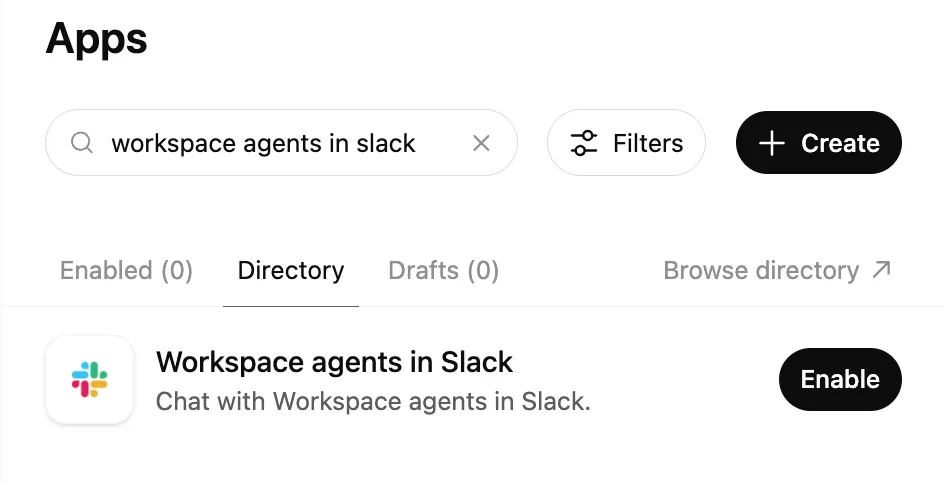
This is an additional ChatGPT app that must be enabled alongside the regular Slack app in ChatGPT.
Enabling the ChatGPT Agents app in Slack
Install the ChatGPT Agents app in Slack by clicking this link. You will be required to sign into your ChatGPT account if you haven’t already signed in. You will be presented with the add ChatGPT Agents to Slack modal, shown below. Review the information presented and click Continue to Slack to proceed.
You will then be directed to the Slack authentication flow, where you can review and grant the app the required permissions. Depending on your workspace settings, this may require an approval from a Slack admin.
Note that if your Slack workspace uses Slack Enterprise Grid, you need to follow these instructions to create the required org-level Slack approval and workspace-level Slack connection.
Enable anyone to create user groups in Slack settings
Slack user group management must be enabled for all Slack users in order to use workspace agents in Slack. This is because workspace agents create a user group to @mention each agent that is deployed to Slack.
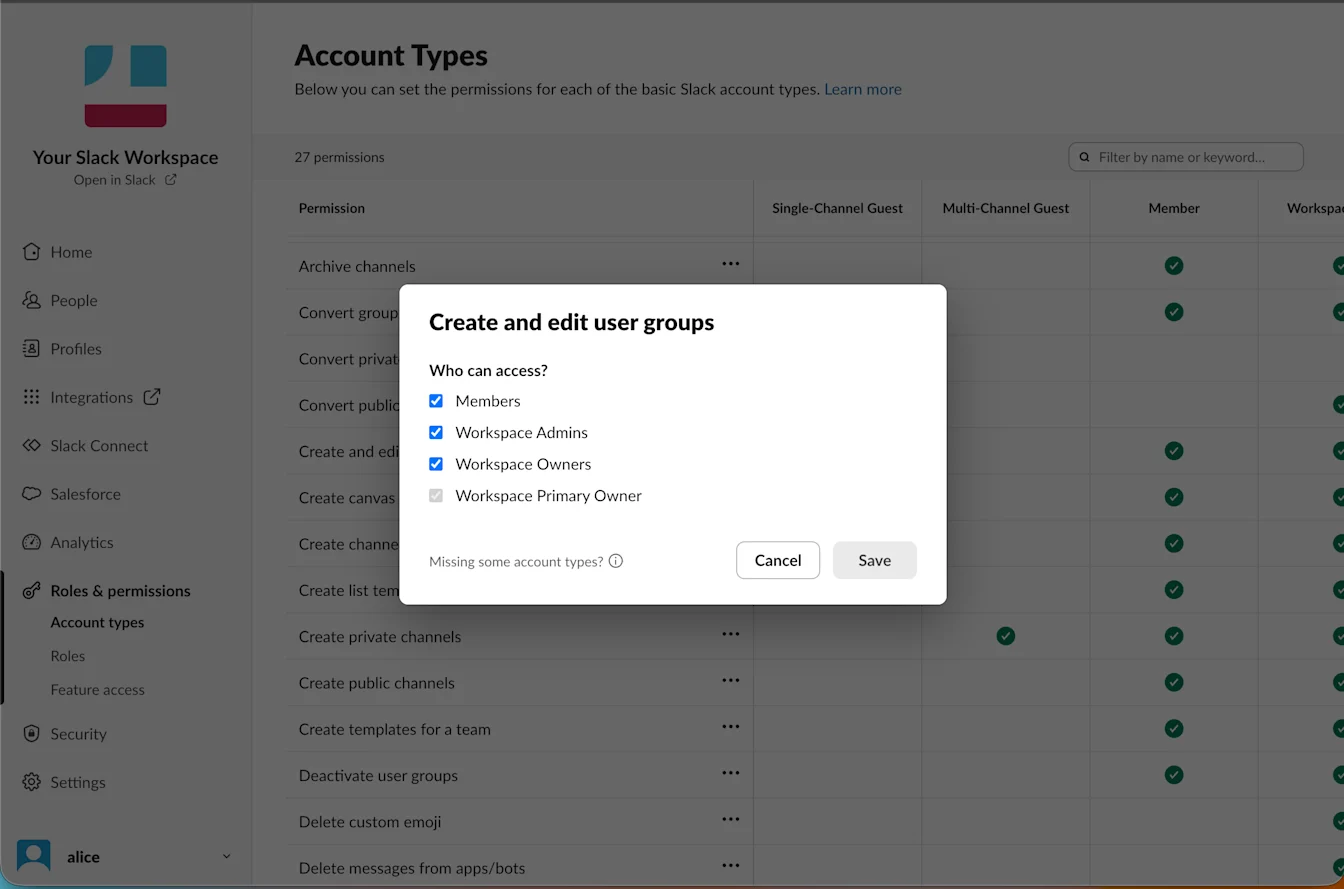
To enable user group management, follow these instructions in the Slack help center.