
Who can make these changes?
Only workspace owners can update the workspace name or upload a custom image (e.g., your company’s logo).
How to edit your workspace name or image
Click your profile icon in the upper-right corner of the screen.
Select Workspace Settings from the dropdown menu.
Hover over your workspace’s name — an Edit icon will appear.
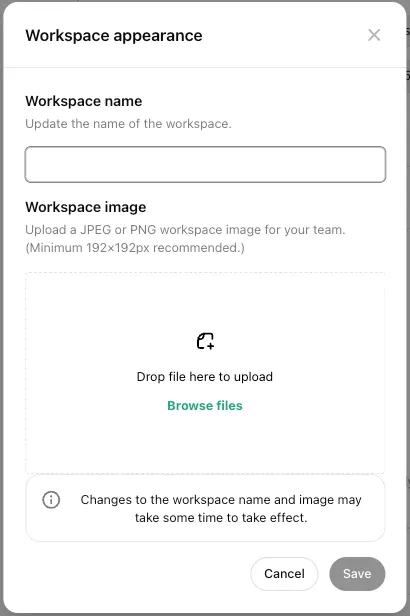
Click the Edit icon to open a modal.
In the modal, you can:
Update your Workspace name
Upload or change your Workspace image
Click Save to apply your changes.
Tips
Workspace images must meet supported format and size requirements.
Changes apply across all team members' views.