
በአስተዳዳሪ የሚተዳደር ማዋቀር በመጠቀም Google Workspaceዎን ከChatGPT ጋር ለማገናኘት፣ መጀመሪያ በGoogle የአስተዳዳሪ ኮንሶሎች ውስጥ መዳረሻ ያዋቅራሉ፦
ለGoogle Drive፣ ተጠቃሚዎች እና ቡድኖች የንባብ-ብቻ መዳረሻ ያለው የአገልግሎት መለያ ይፍጠሩ።
ይህ የአገልግሎት መለያ ከChatGPT የስራ ቦታዎ ጋር በተያያዘው በተመሳሳይ Google መለያ ስር እንዲፈጠር በጥብቅ ይመከራል። በChatGPT የስራ ቦታ ውስጥ ያሉ መለያዎች በGoogle Workspace ውስጥ ከሚጠቀሙት የተለየ የኢሜይል ዶሜን ካላቸው፣ ይህን ኮኔክተር ለተጠቃሚዎችዎ ለማንቃት መከተል ያለብዎት ተጨማሪ ደረጃዎች አሉ።
የአገልግሎት መለያው በስሙ የሚሰራበትን የአስተዳዳሪ መለያ ይፍጠሩ።
ከዚያ ማዋቀሩን በChatGPT የአስተዳዳሪ ኮንሶል ውስጥ ያጠናቅቁ፦
የአገልግሎት መለያውን የግል ቁልፍ ይጫኑ (ከGoogle የመጣ የJSON ፋይል)
የአስተዳዳሪ መለያውን ይግለጹ (ምስክርነቶች አያስፈልጉም)።
የሚመሳሰሉ ፋይሎችን ይምረጡ እና ወደ ግንኙነቱ መዳረሻ የሚኖራቸውን ተጠቃሚዎች ይምረጡ።
ይህ መመሪያ እነዚህን 6 ደረጃዎች አንድ በአንድ ያሳያል።
የአገልግሎት መለያ ማዋቀር
ወደ console.cloud.google.com ይሂዱ።
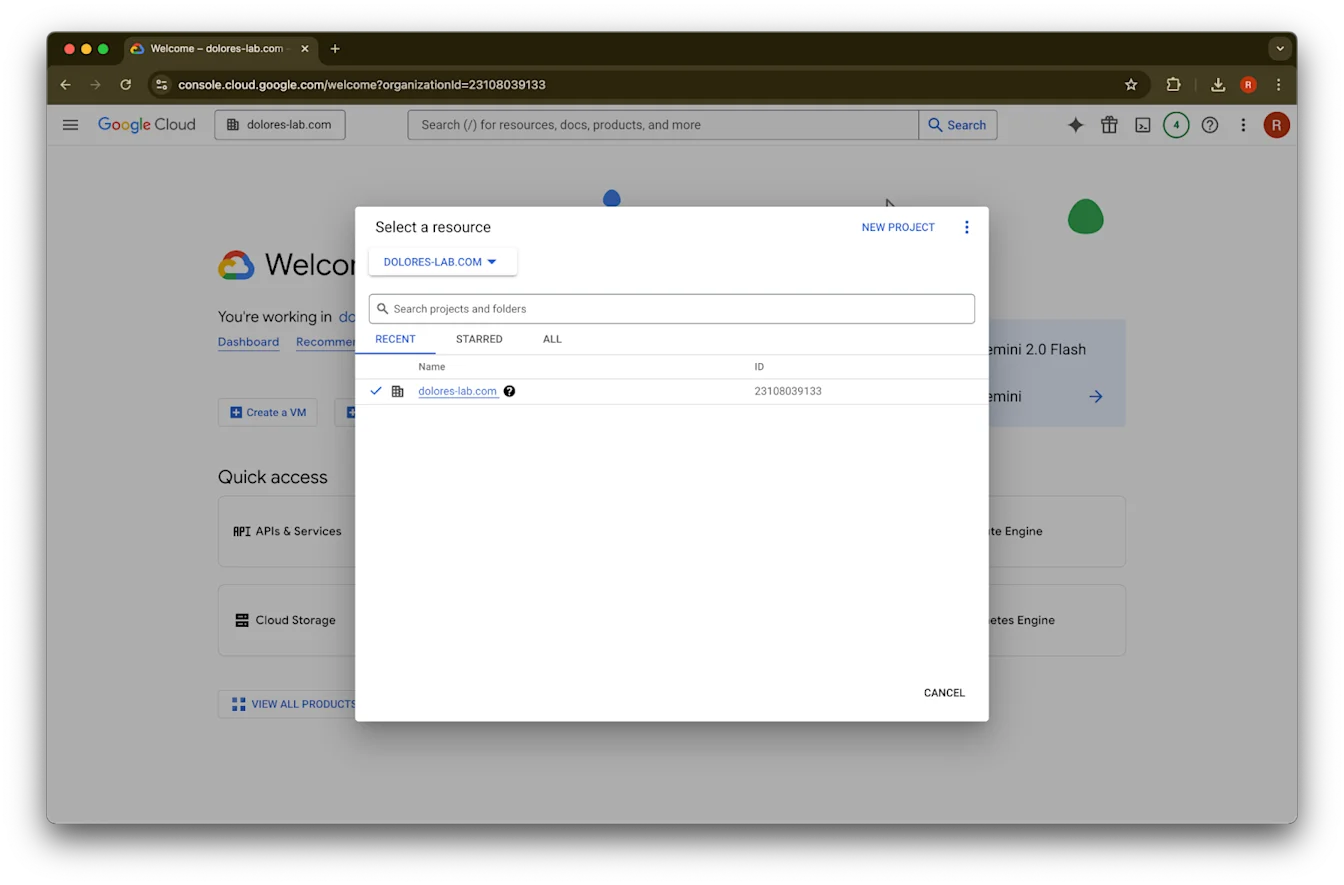
የፕሮጀክቶች ተቆልቋይ ምናሌን ጠቅ ያድርጉ።ምስልከChatGPT የስራ ቦታዎ ጋር ተያይዞ ካለው ጋር በተመሳሳይ Google workspace ውስጥ እንደገቡ ያረጋግጡ (ከChatGPT የስራ ቦታዎ ጋር የተያያዘ Google workspace ከሌለዎት እና በሁለቱ መካከል የተለያዩ ኢሜይሎች ካሉዎት፣ ተጨማሪ ደረጃዎችን መከተል ይኖርብዎታል፤ አለበለዚያ ተጠቃሚዎችዎ የGoogle Drive የተመሳሰሉ ኮኔክተሮችን መጠቀም ላይችሉ ይችላሉ)።
አዲስ ፕሮጀክት ይምረጡ
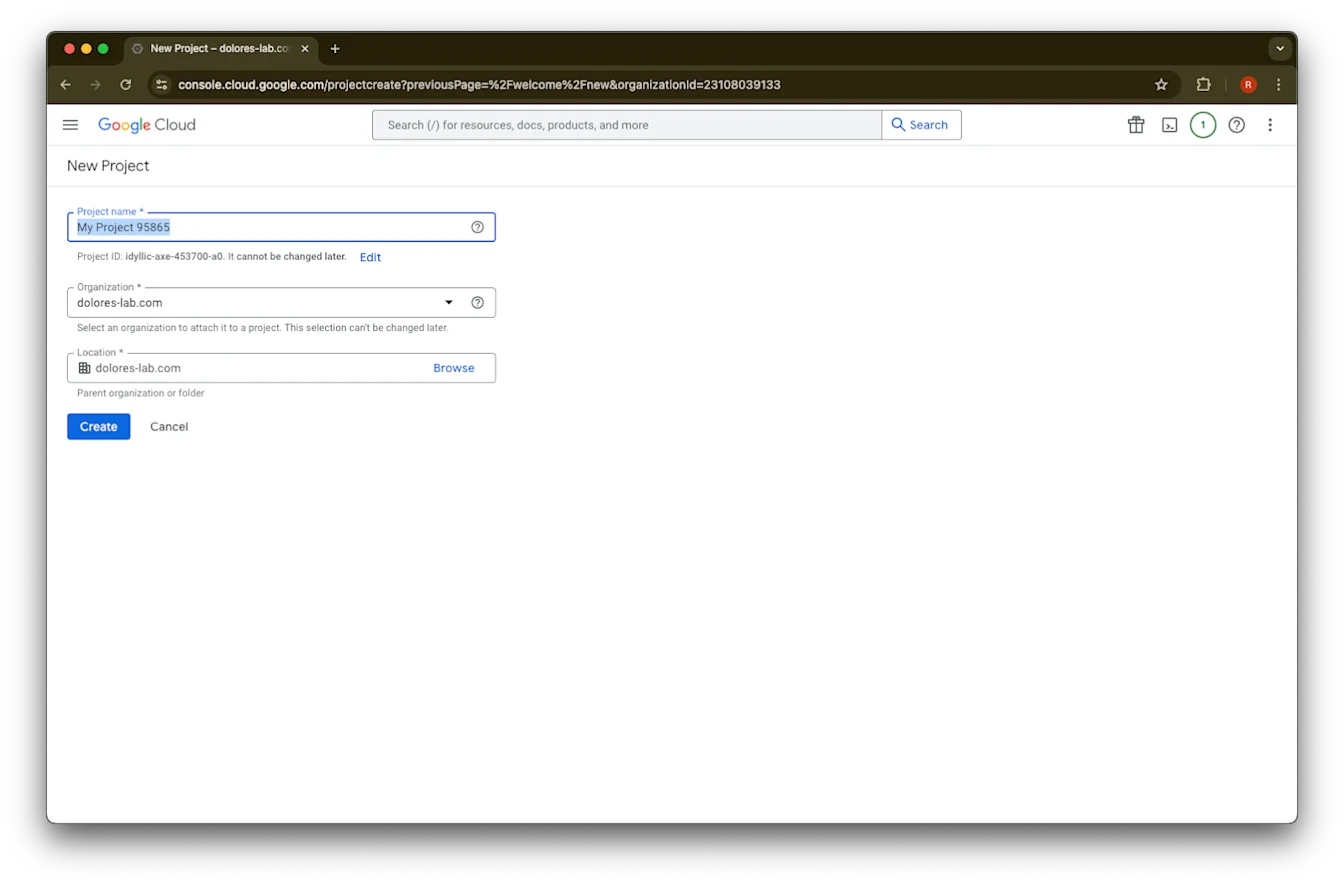
የፕሮጀክት ስም ያስገቡ
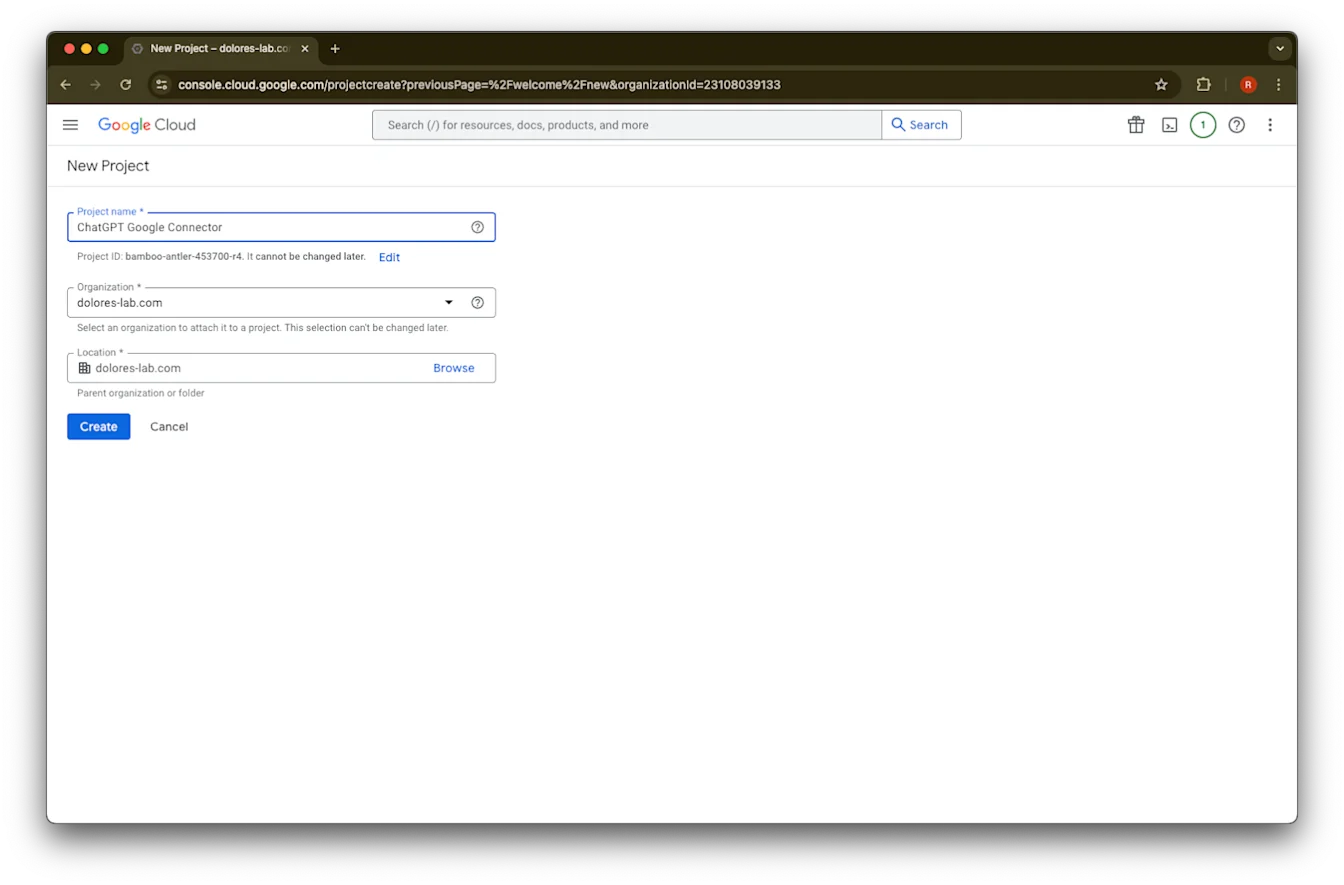
ፕሮጀክቱን ይፍጠሩ
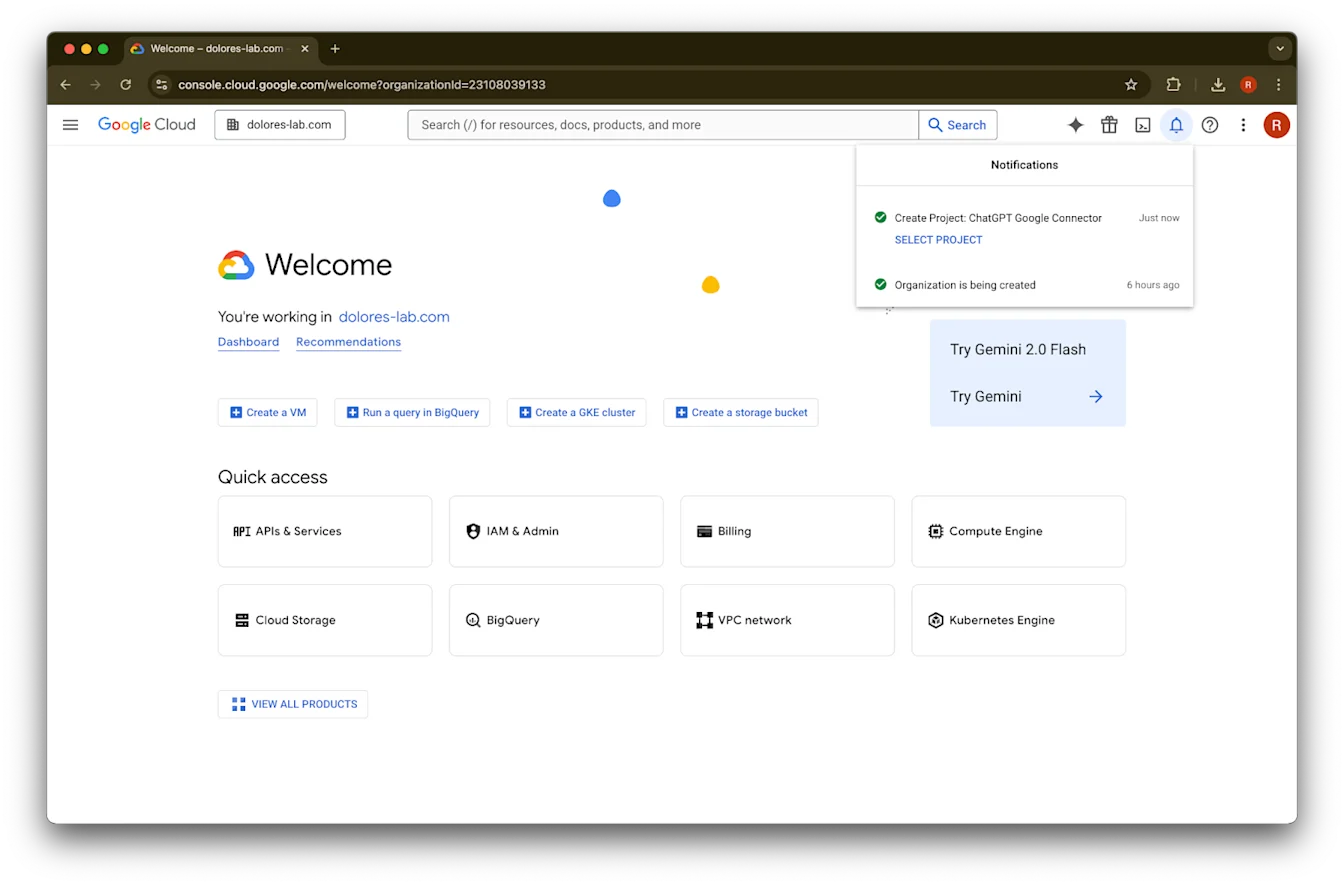
ፕሮጀክቱ እስኪፈጠር ድረስ ይጠብቁ፣ ከዚያ ፕሮጀክት ምረጥ ላይ ጠቅ ያድርጉ
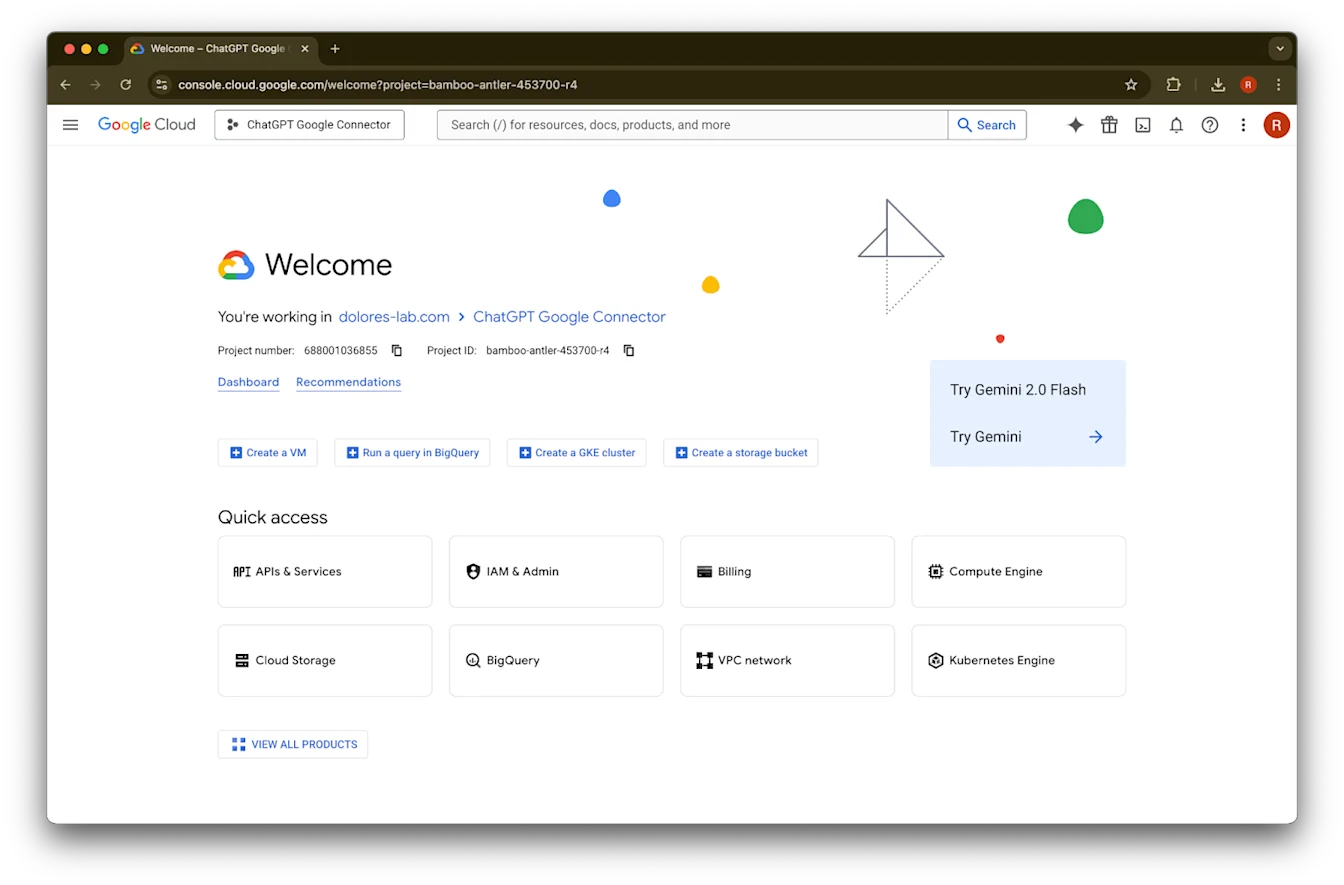
APIs & Services ላይ ጠቅ ያድርጉ
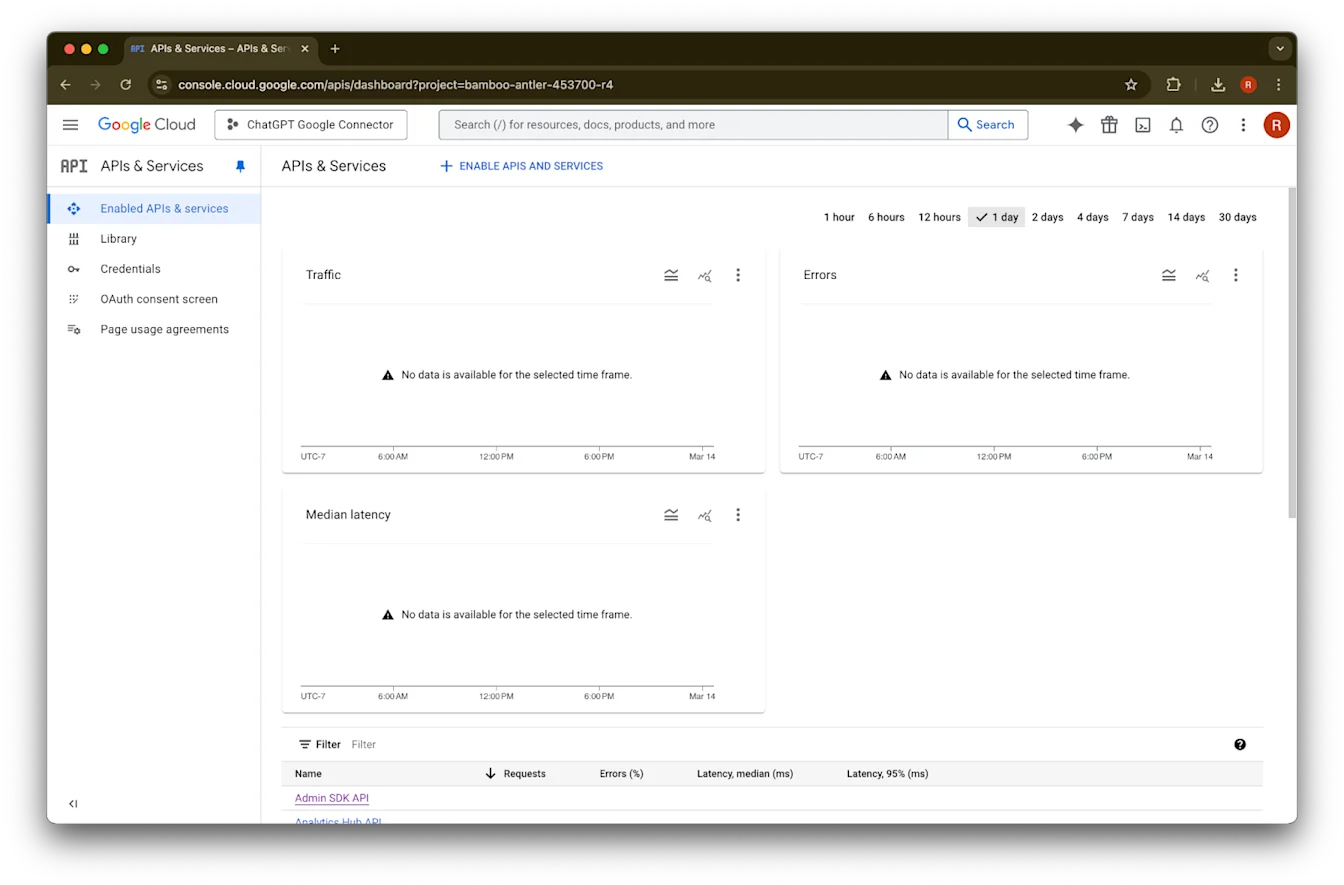
Library ላይ ጠቅ ያድርጉ
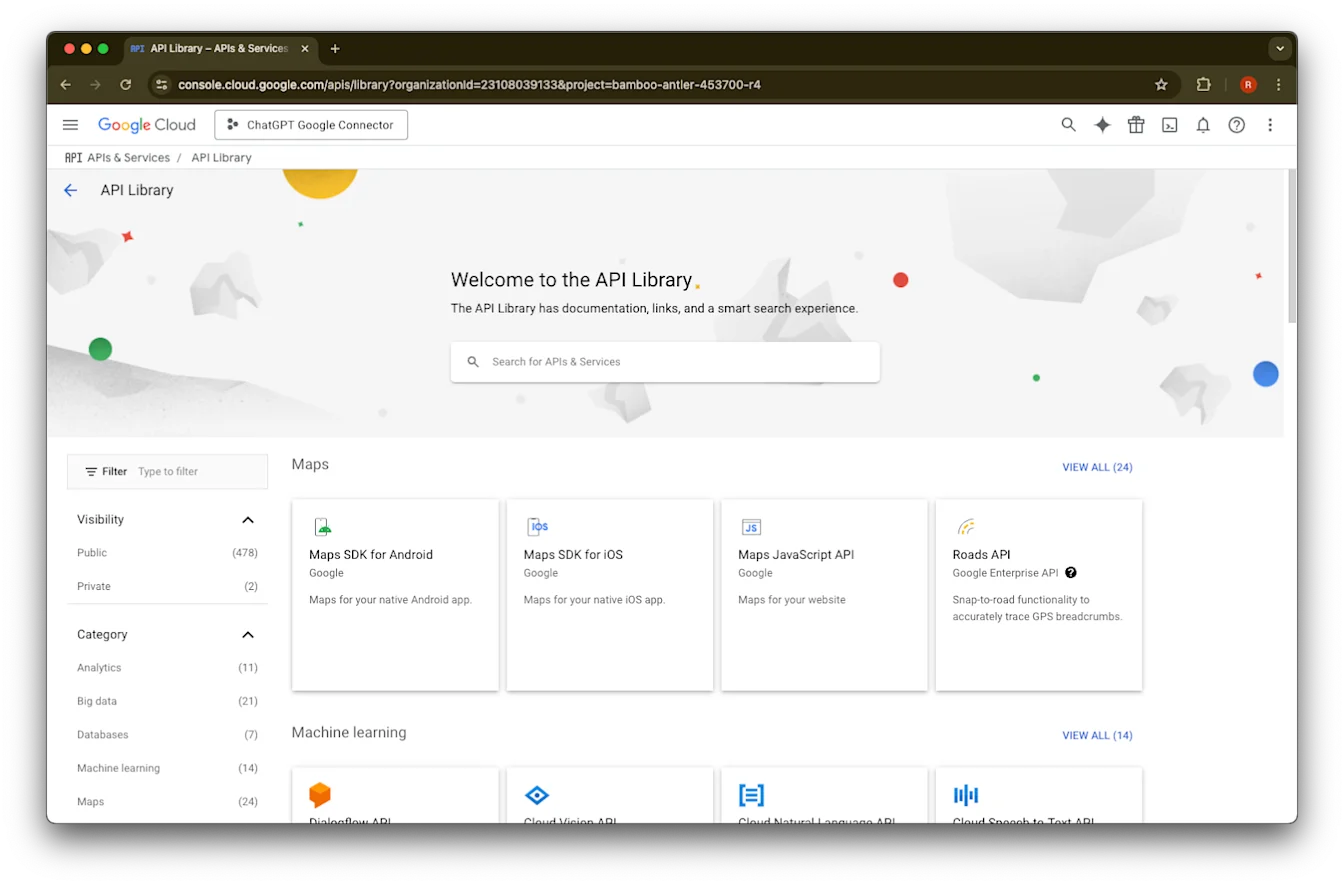
አሁን የፍለጋ ሳጥን በመጠቀም ሶስት APIs እንጨምራለን
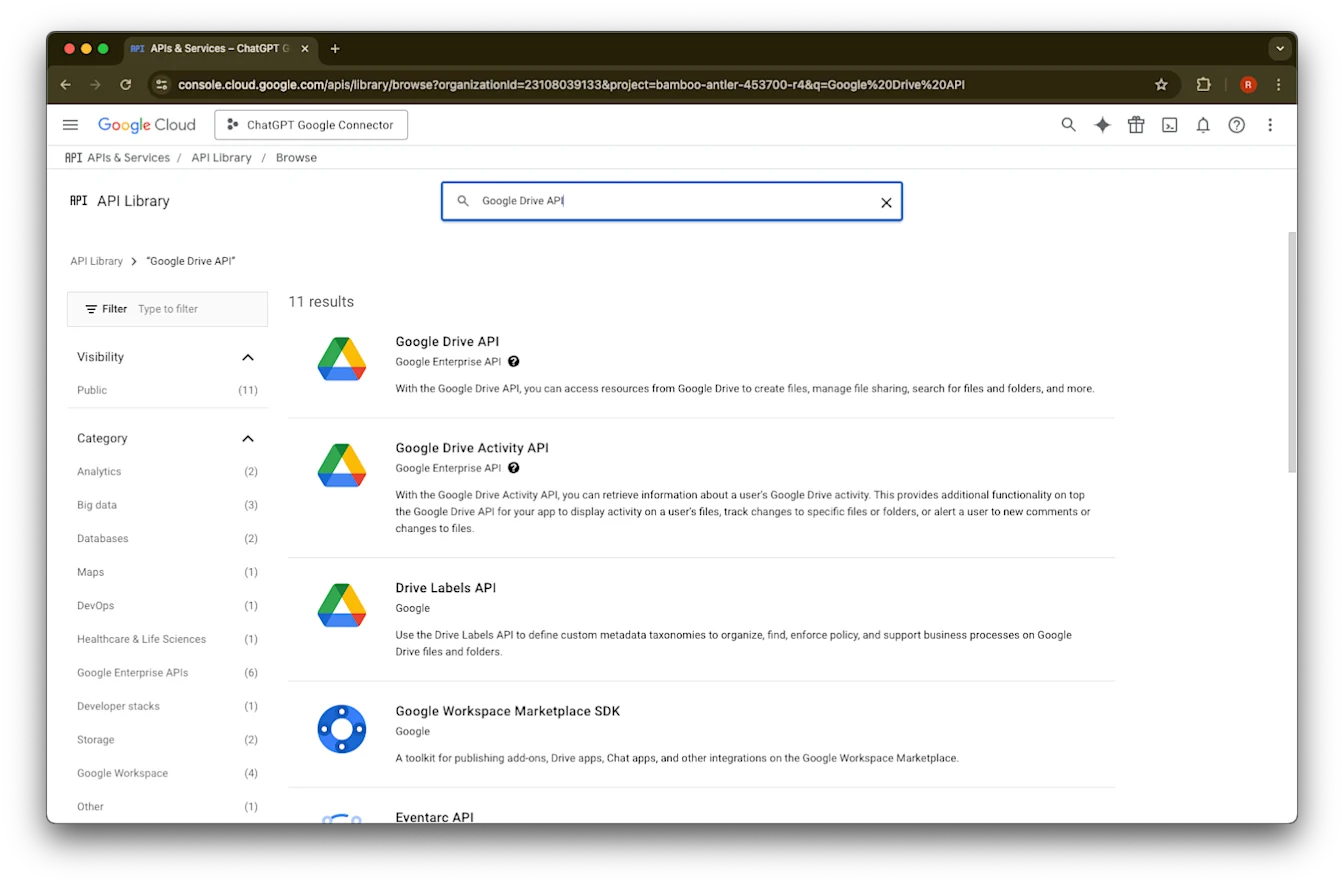
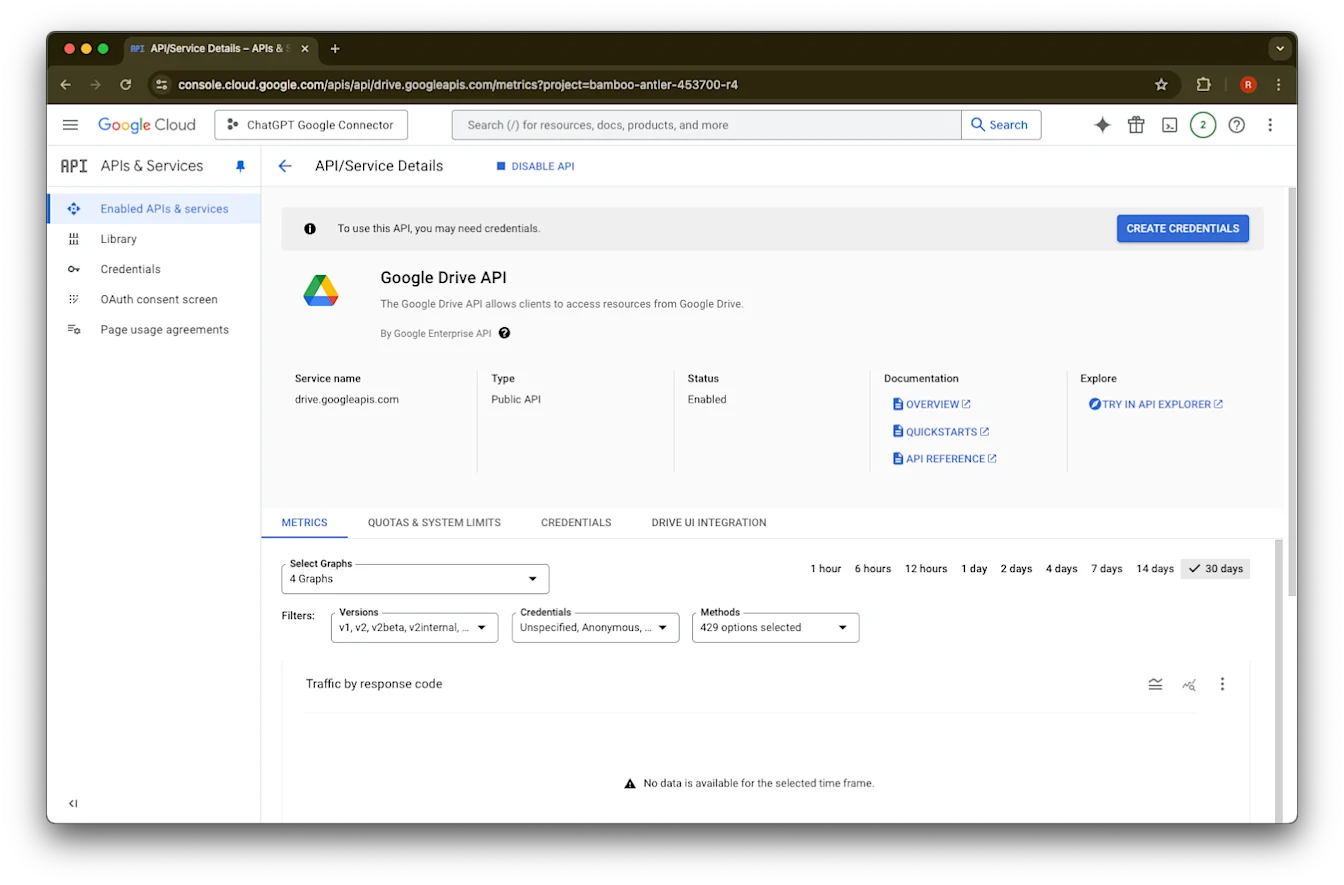
Google Drive APIን ፈልገው ይምረጡ
Enable ላይ ጠቅ ያድርጉ
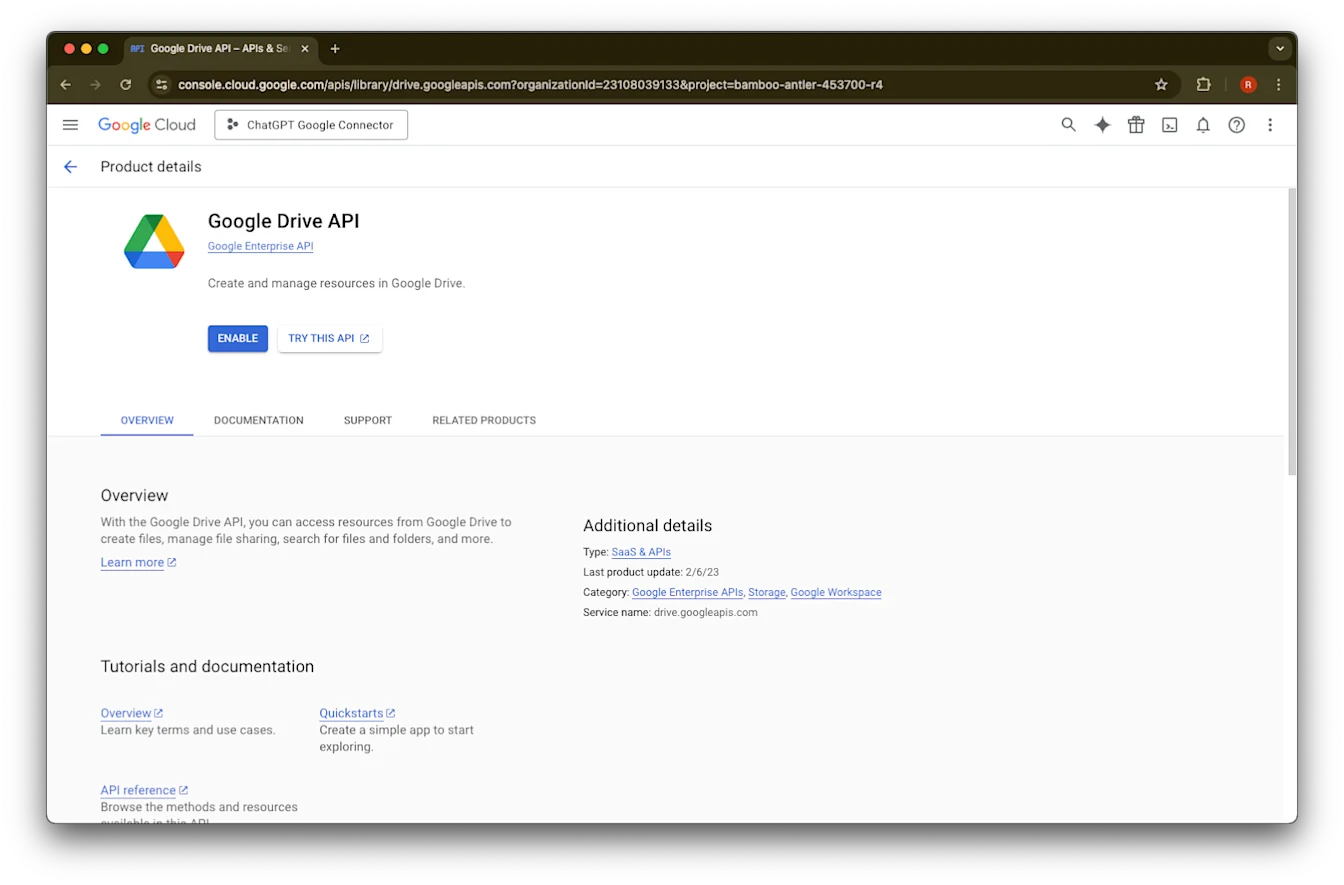
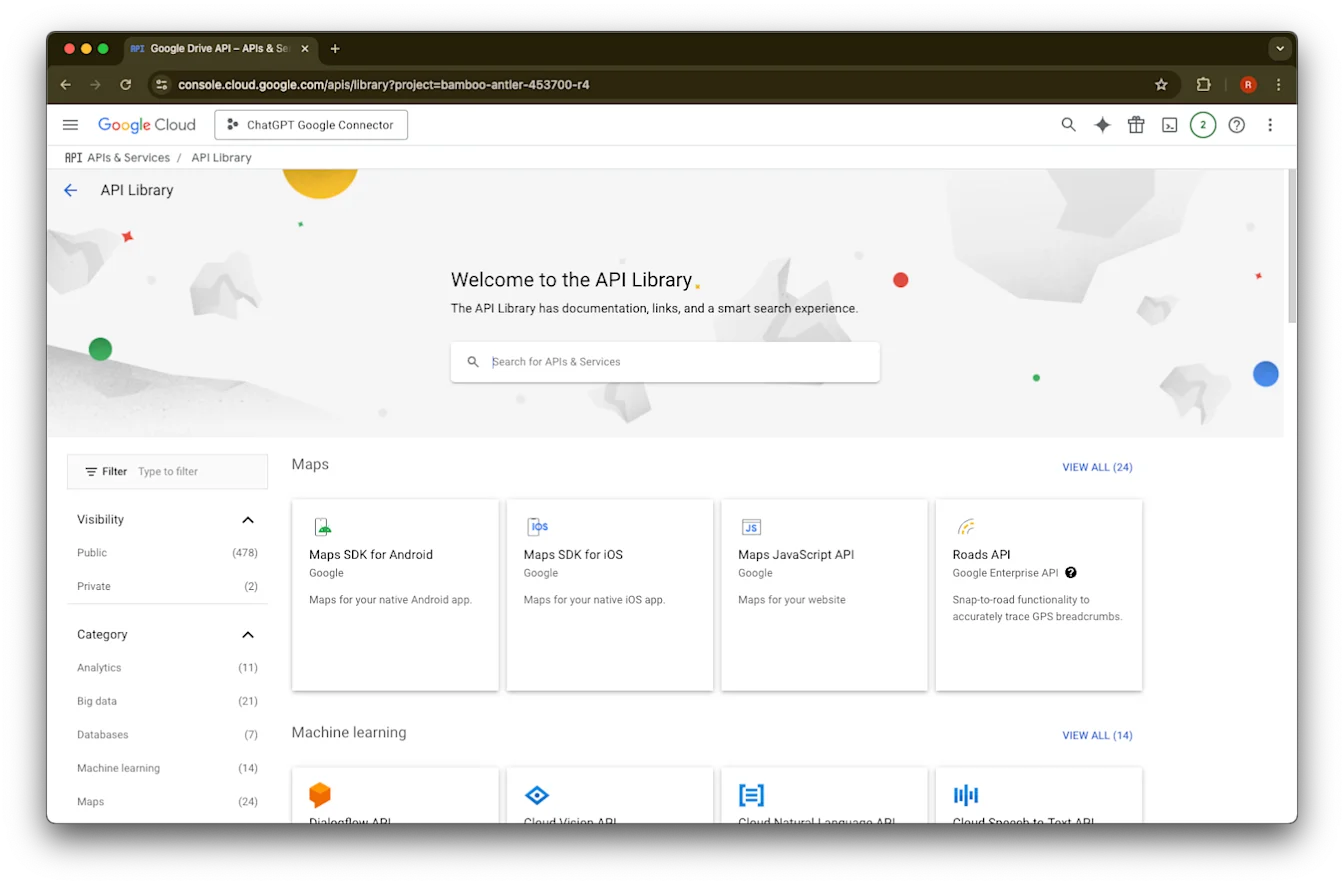
Library ላይ ጠቅ ያድርጉ
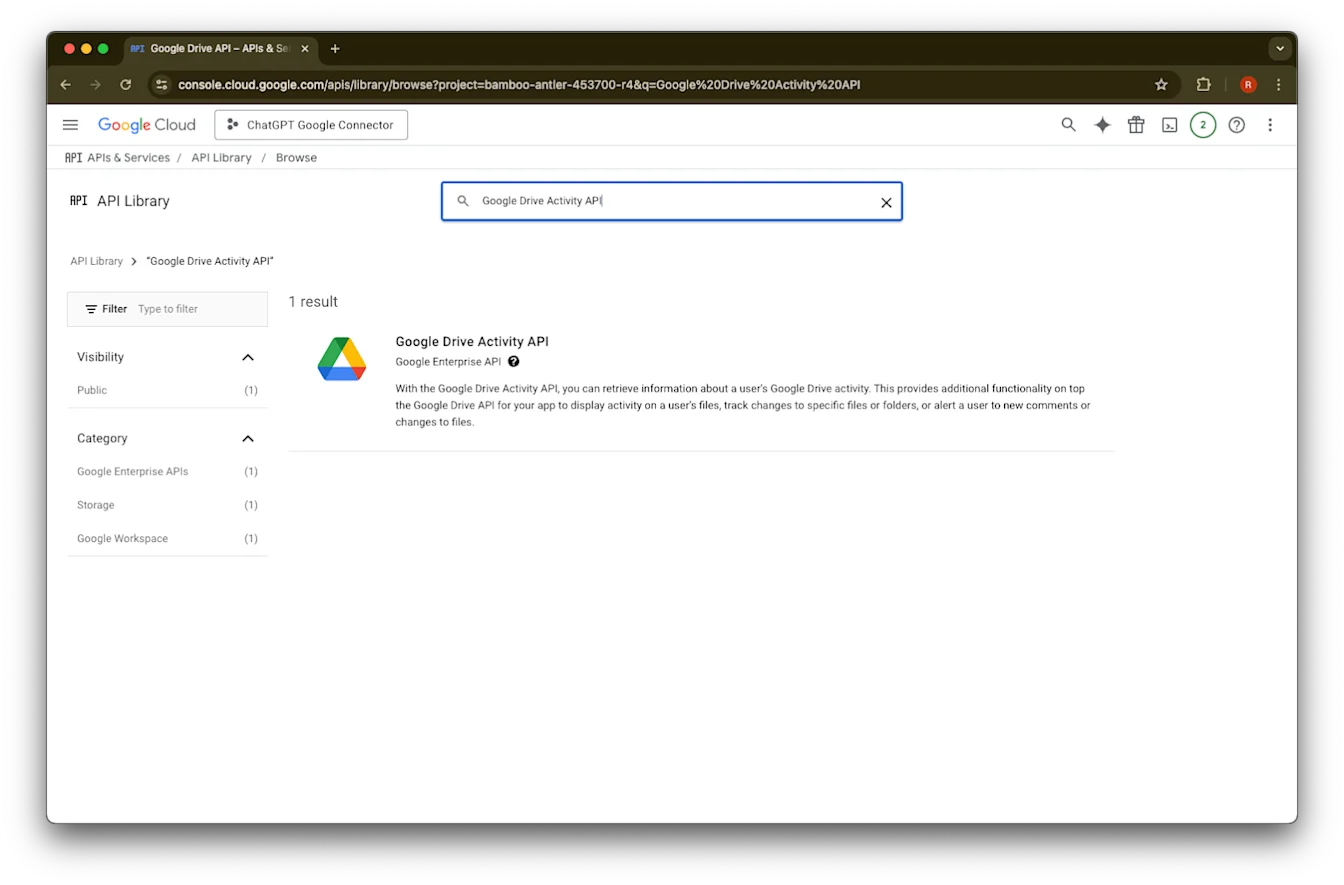
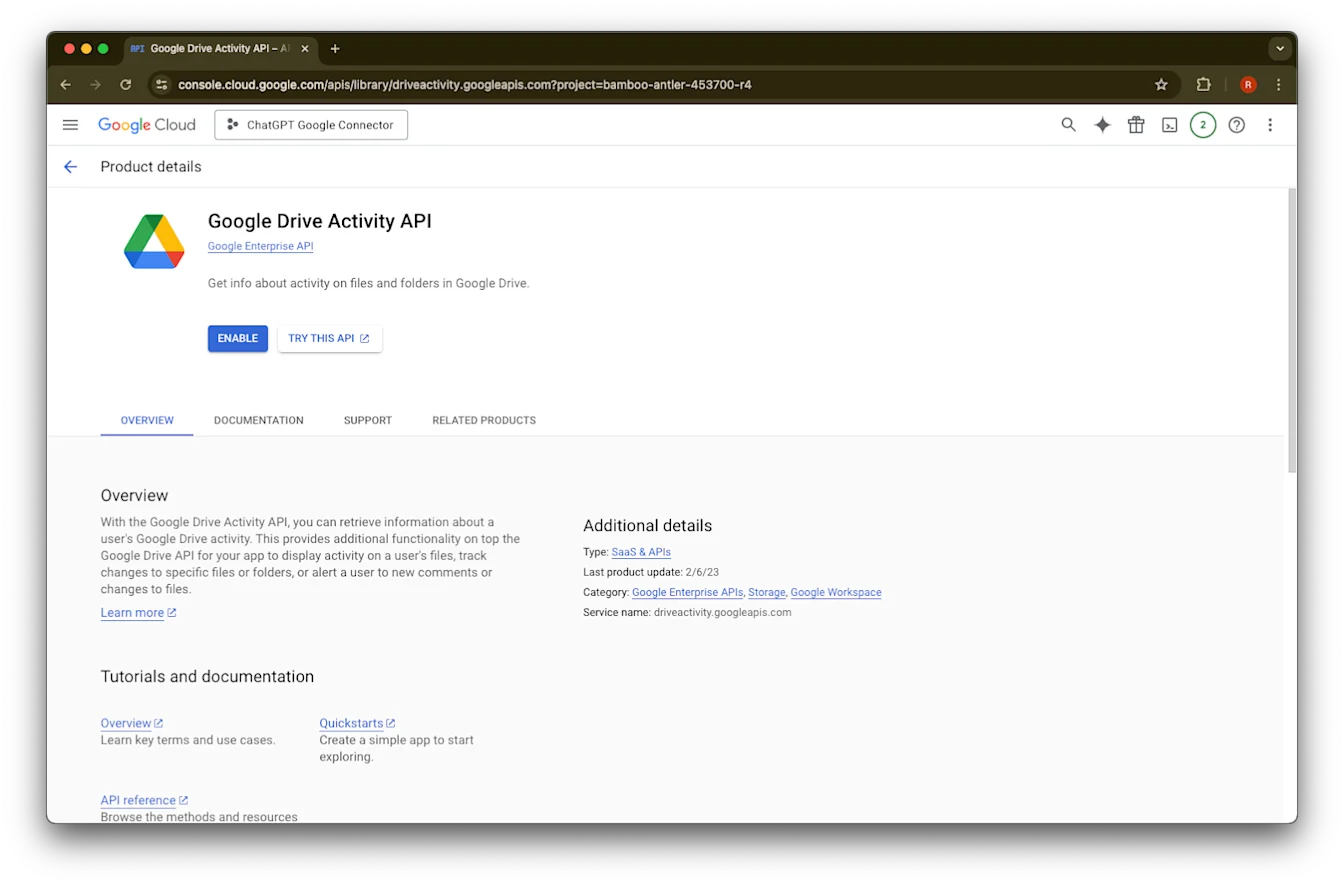
Google Drive Activityን ይፈልጉ
Google Drive Activity API ይምረጡ
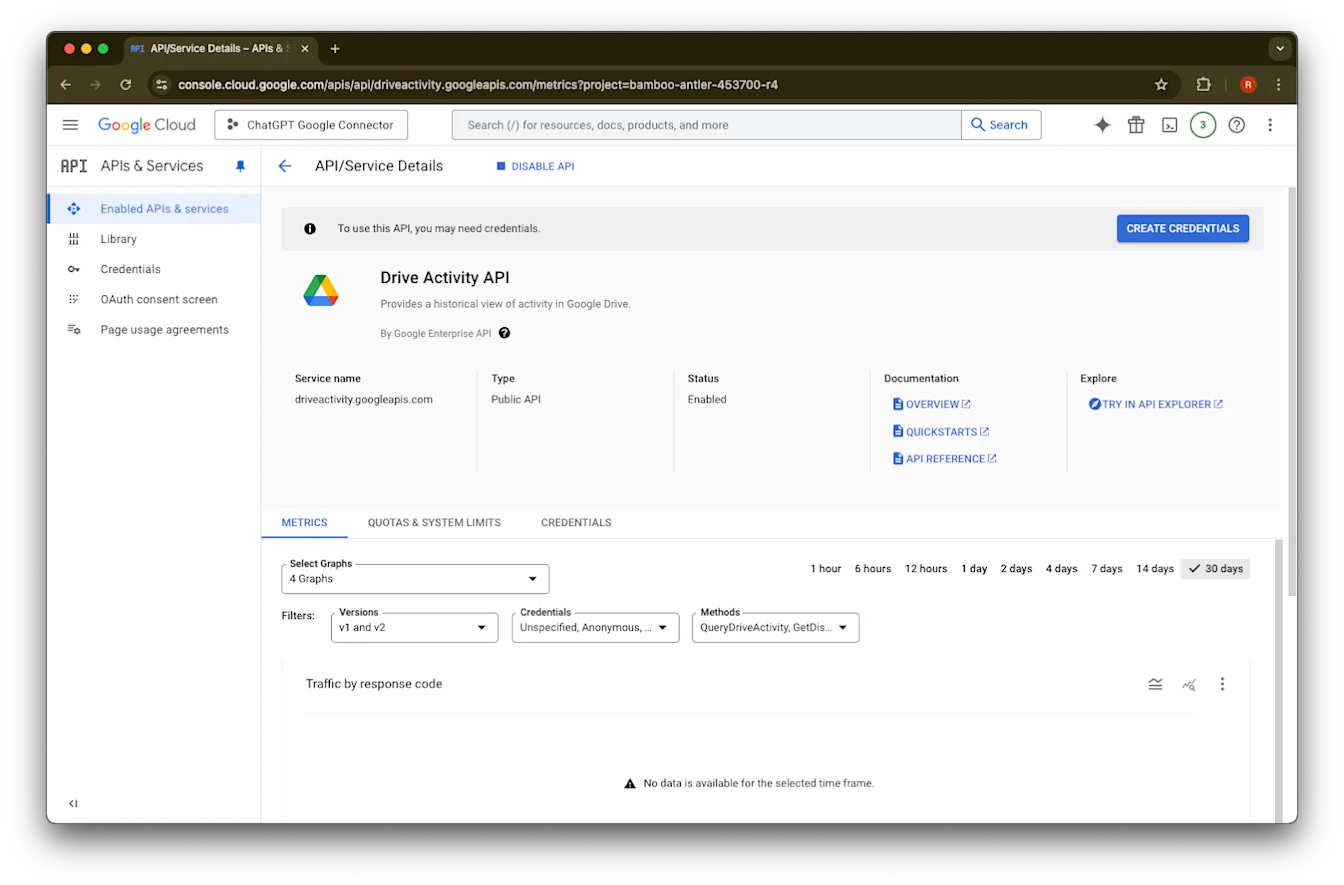
Enable ላይ ጠቅ ያድርጉ
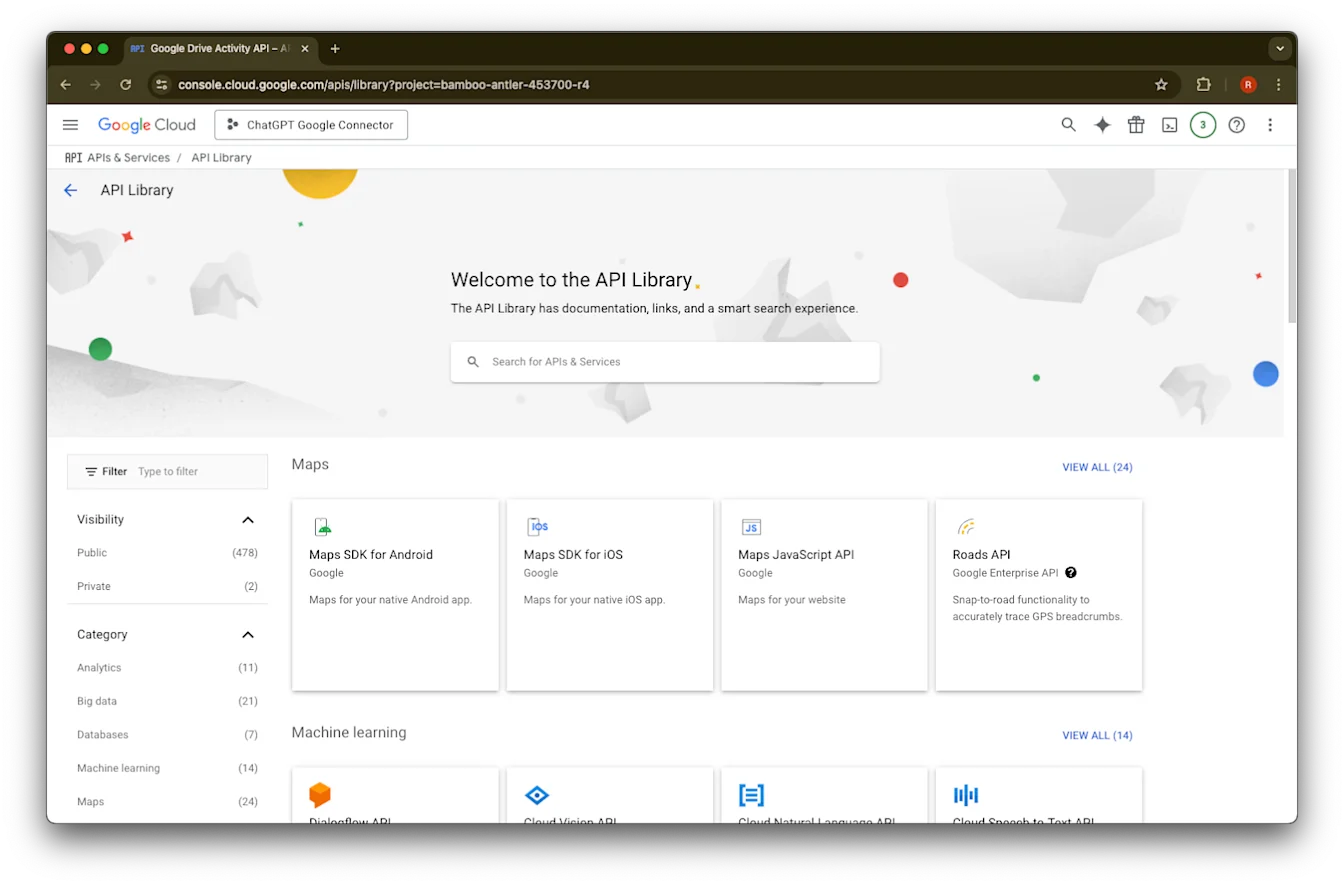
Library ላይ ጠቅ ያድርጉ
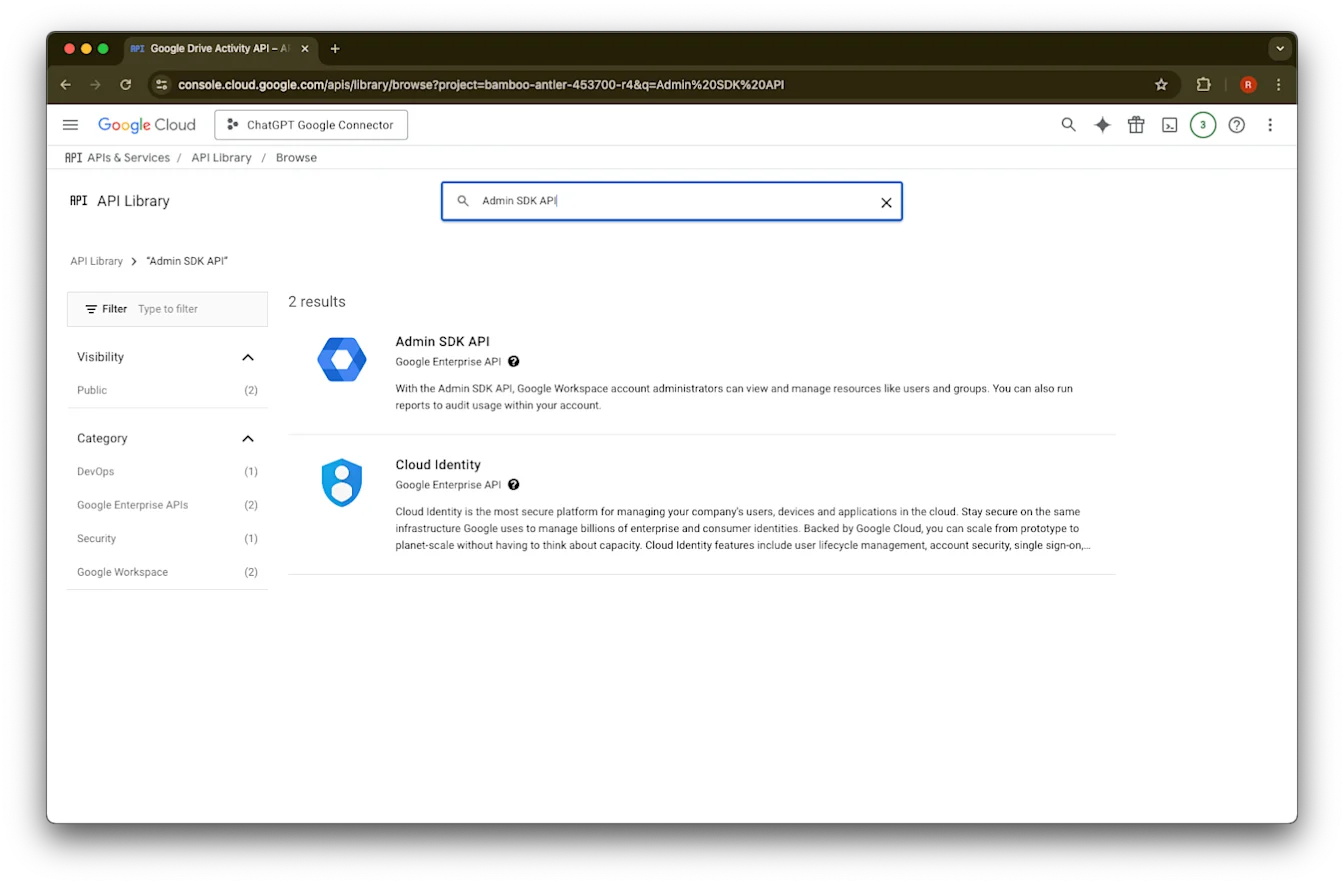
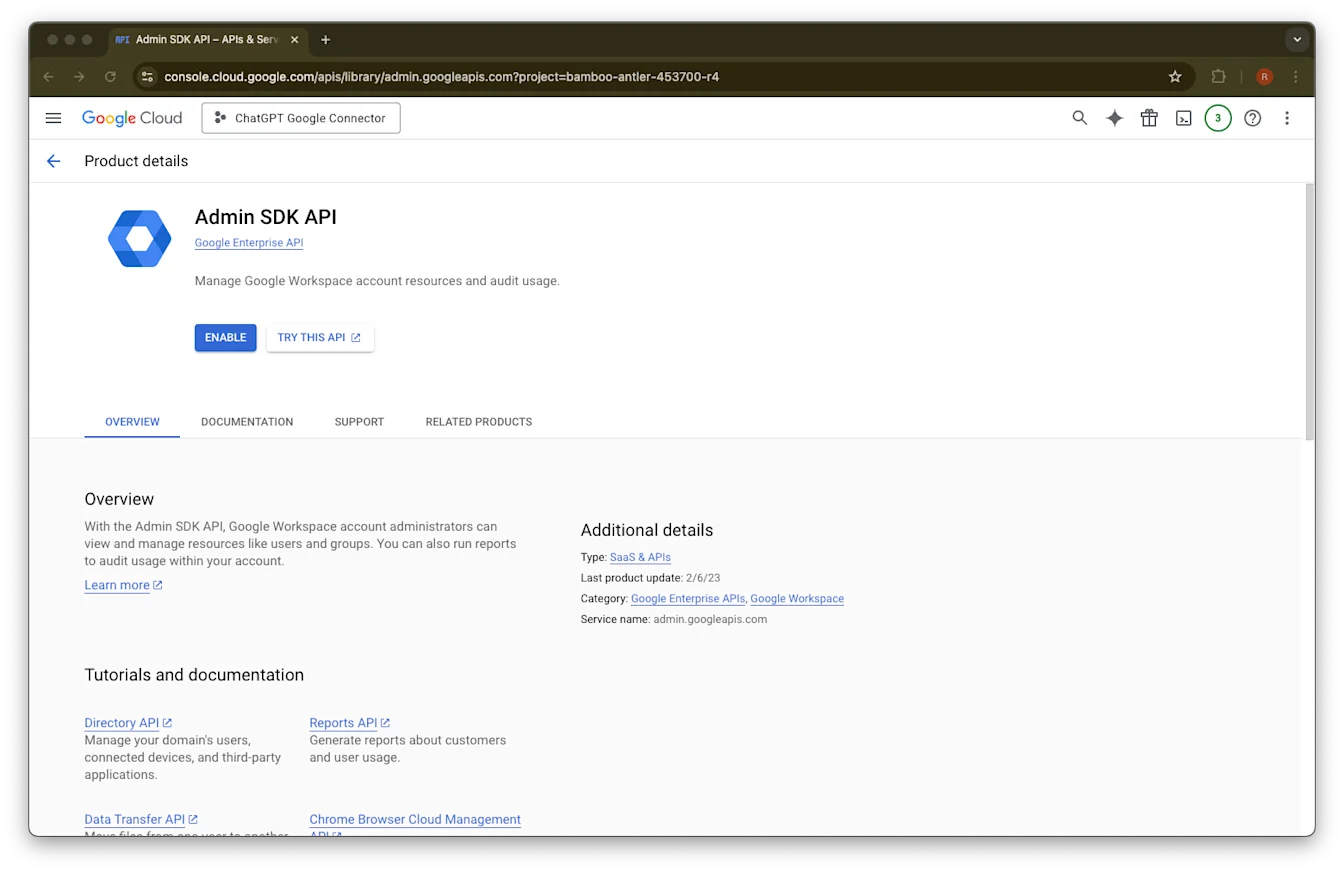
Admin SDK APIን ይፈልጉ
Admin SDK API ይምረጡ
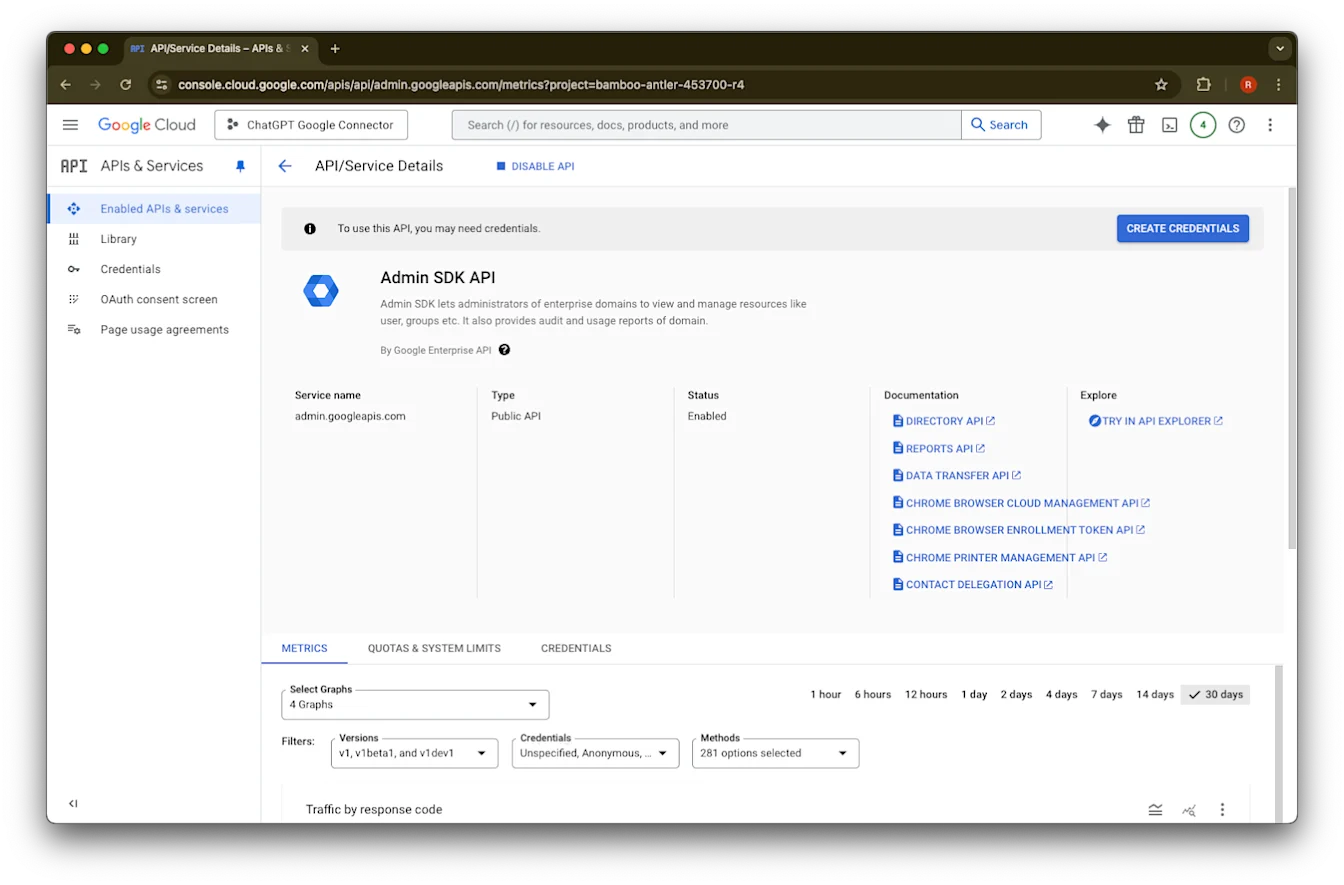
Enable ላይ ጠቅ ያድርጉ
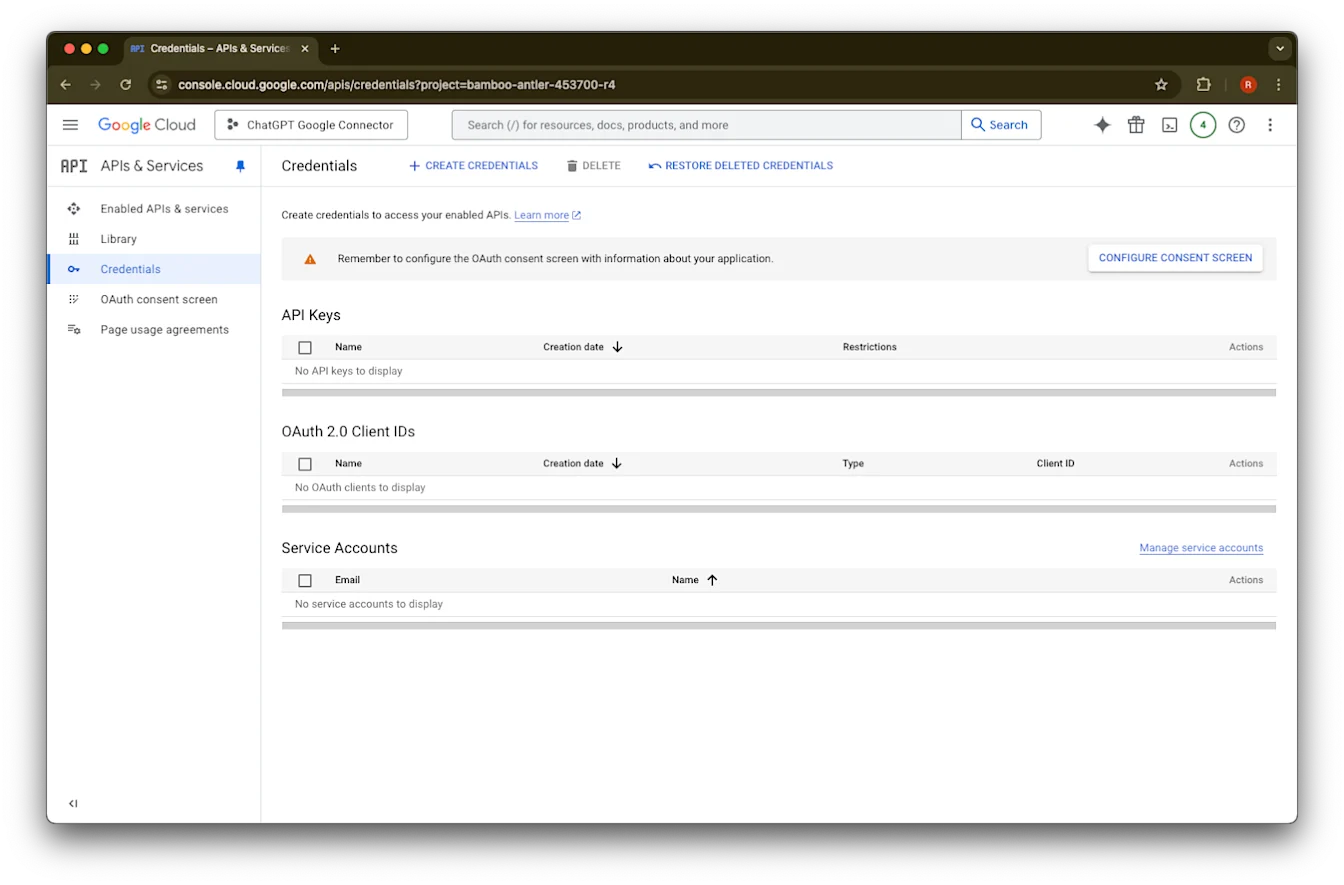
Credentials ላይ ጠቅ ያድርጉ
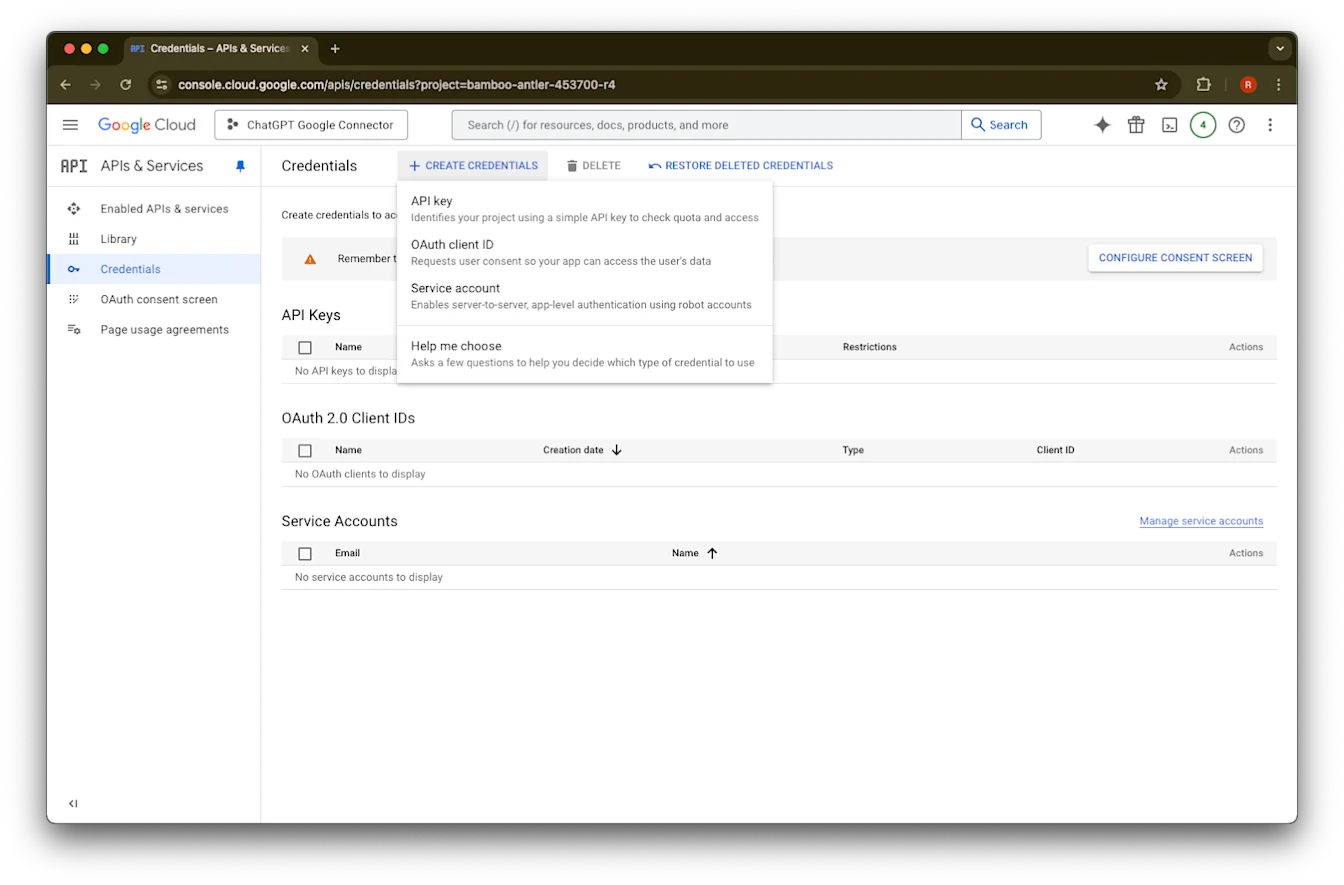
Create Credentials ላይ ጠቅ ያድርጉ
Service account ላይ ጠቅ ያድርጉ
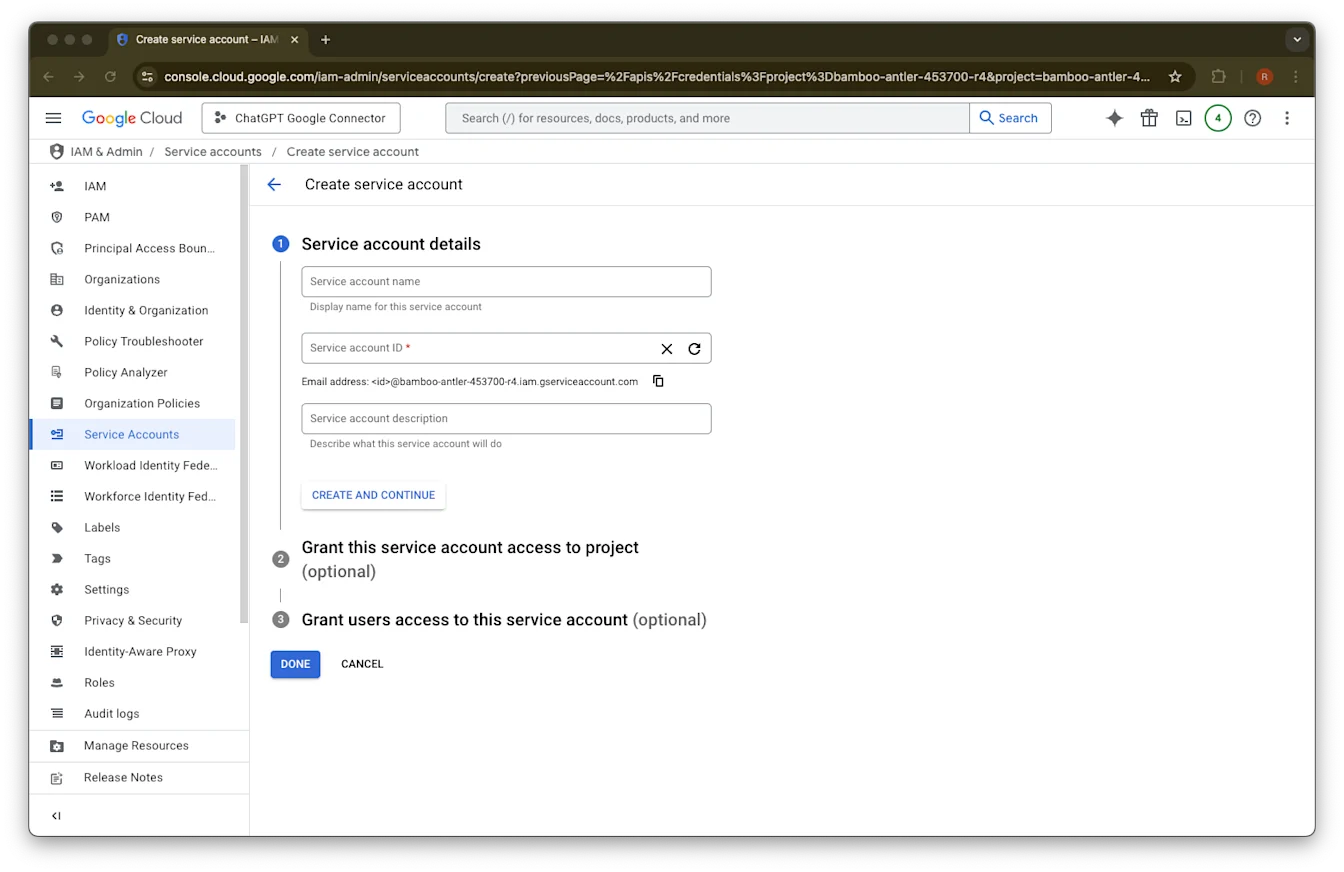
ለዚህ የአገልግሎት መለያ የመረጡትን ስም እና መግለጫ ያቅርቡ
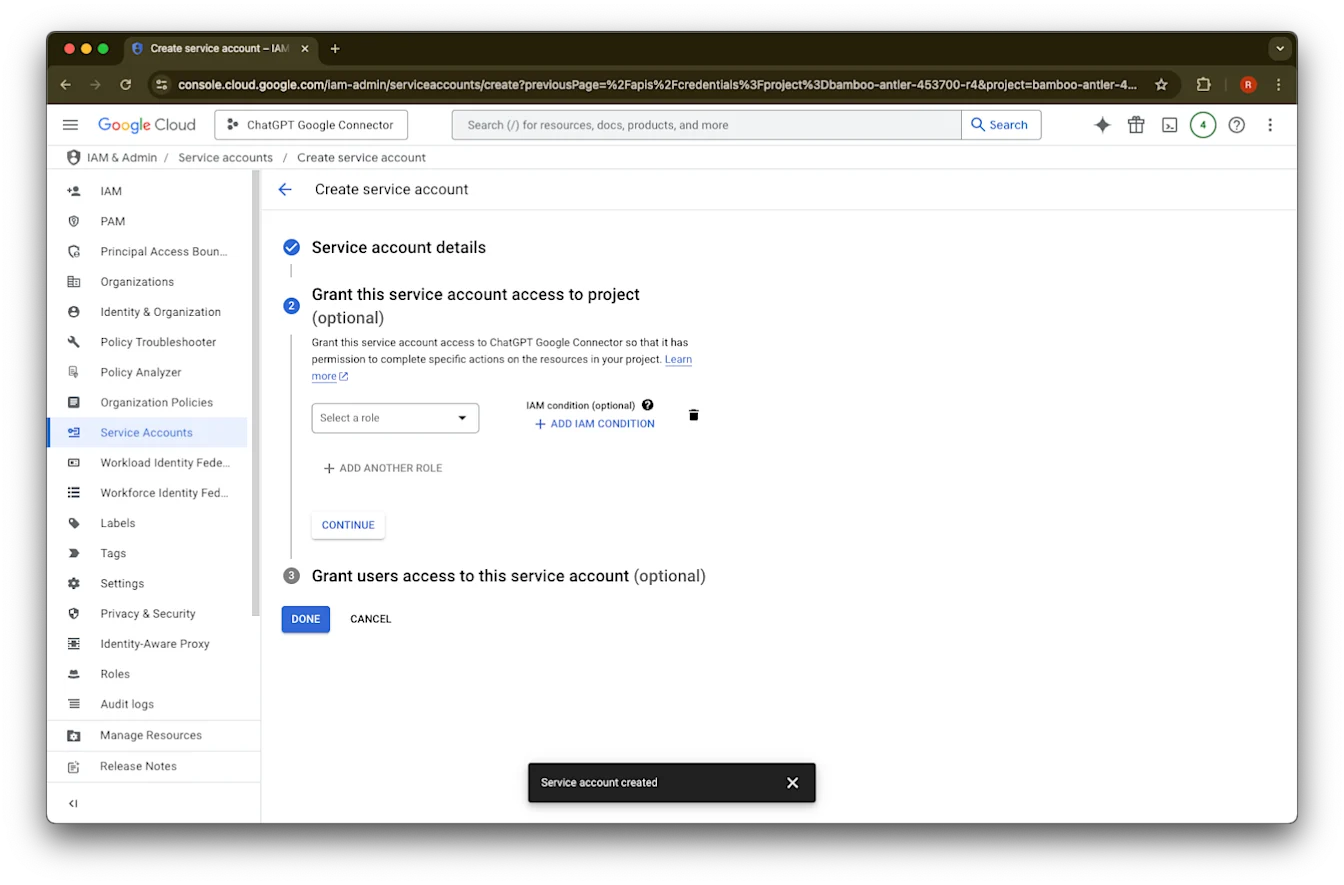
(አማራጭ) ሚና መመደብ ይችላሉ - ይህ በChatGPT አያስፈልግም።
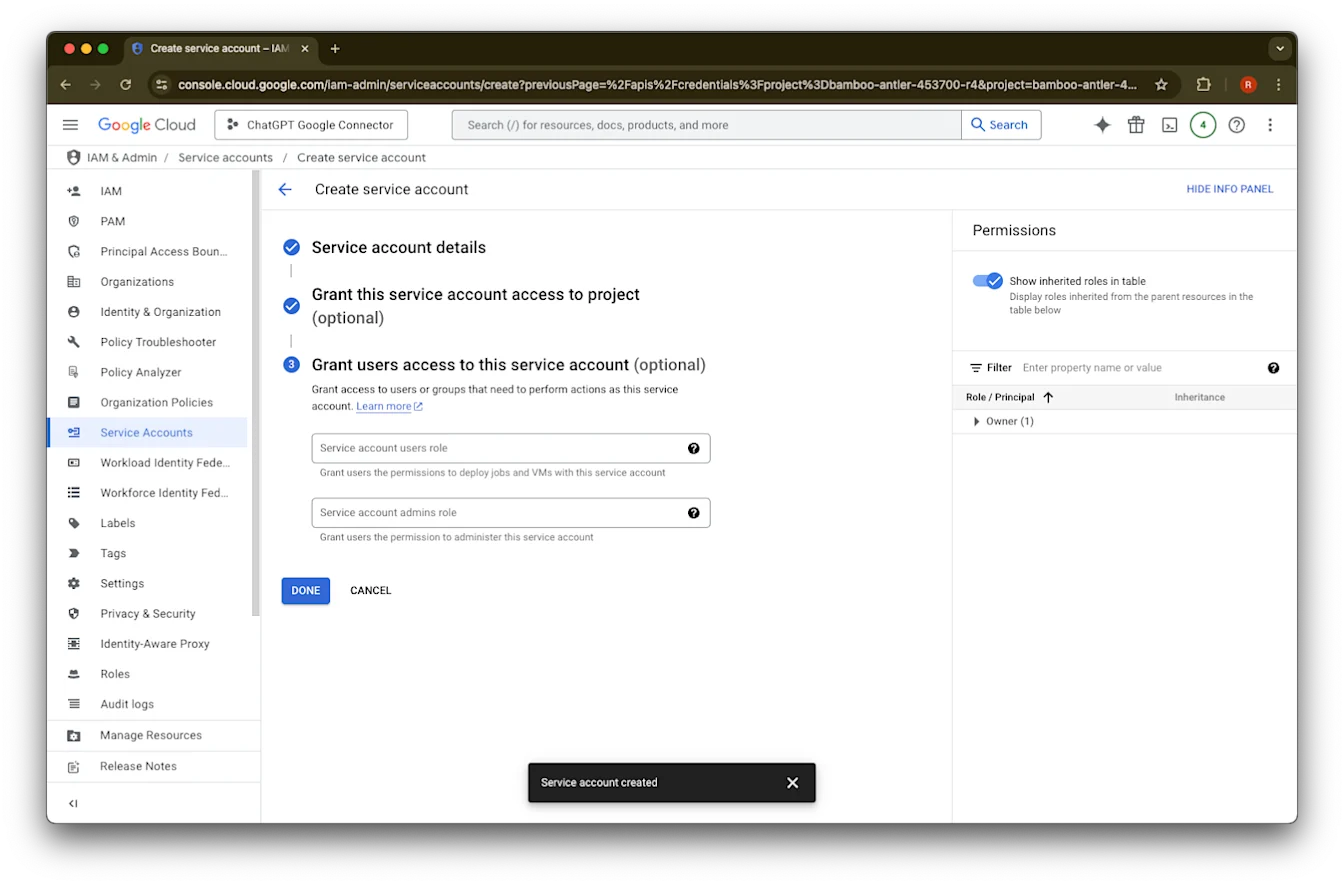
(አማራጭ) ለአገልግሎት መለያው መዳረሻ መስጠት ይችላሉ - ይህ በChatGPT አያስፈልግም።
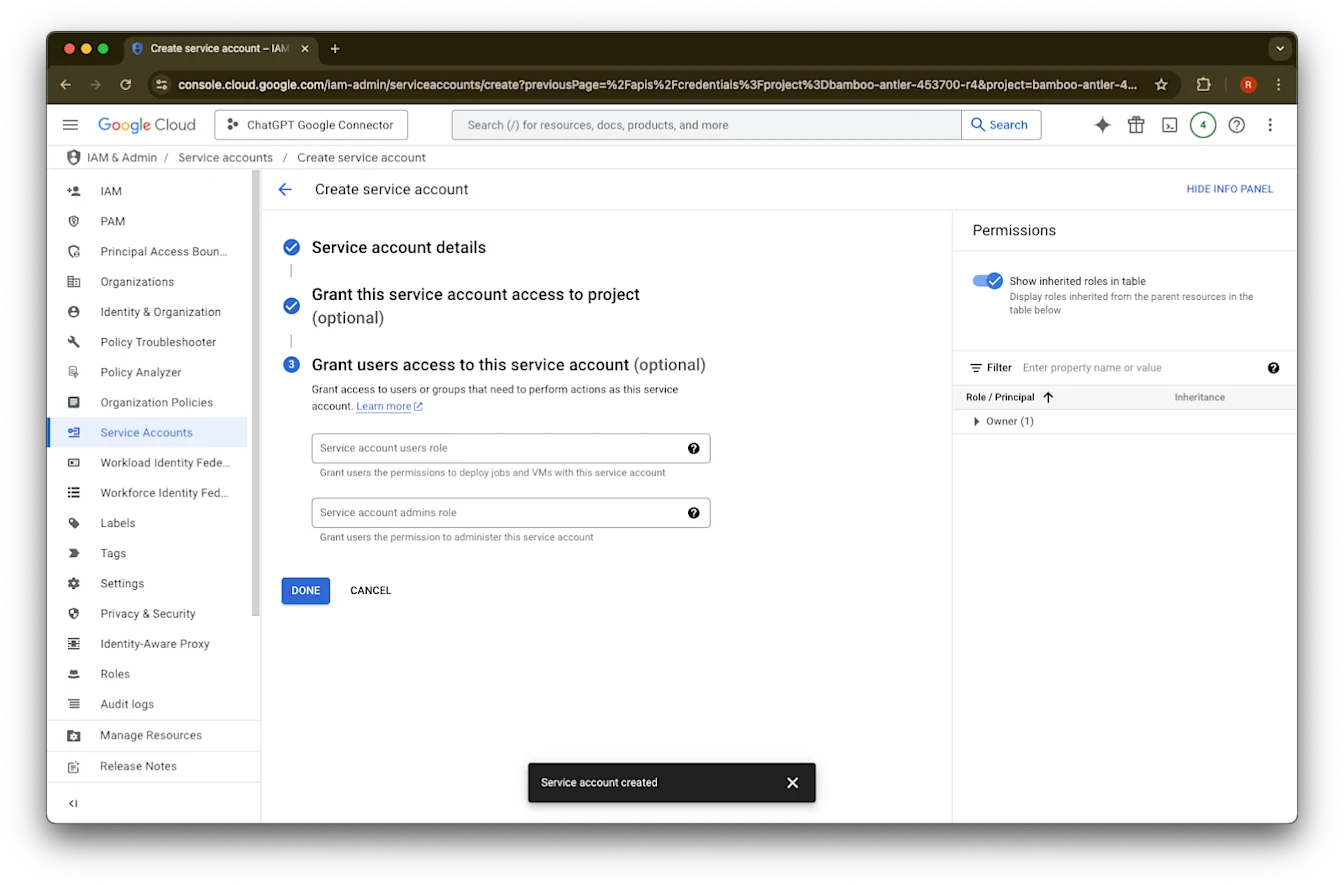
Done ላይ ጠቅ ያድርጉ።
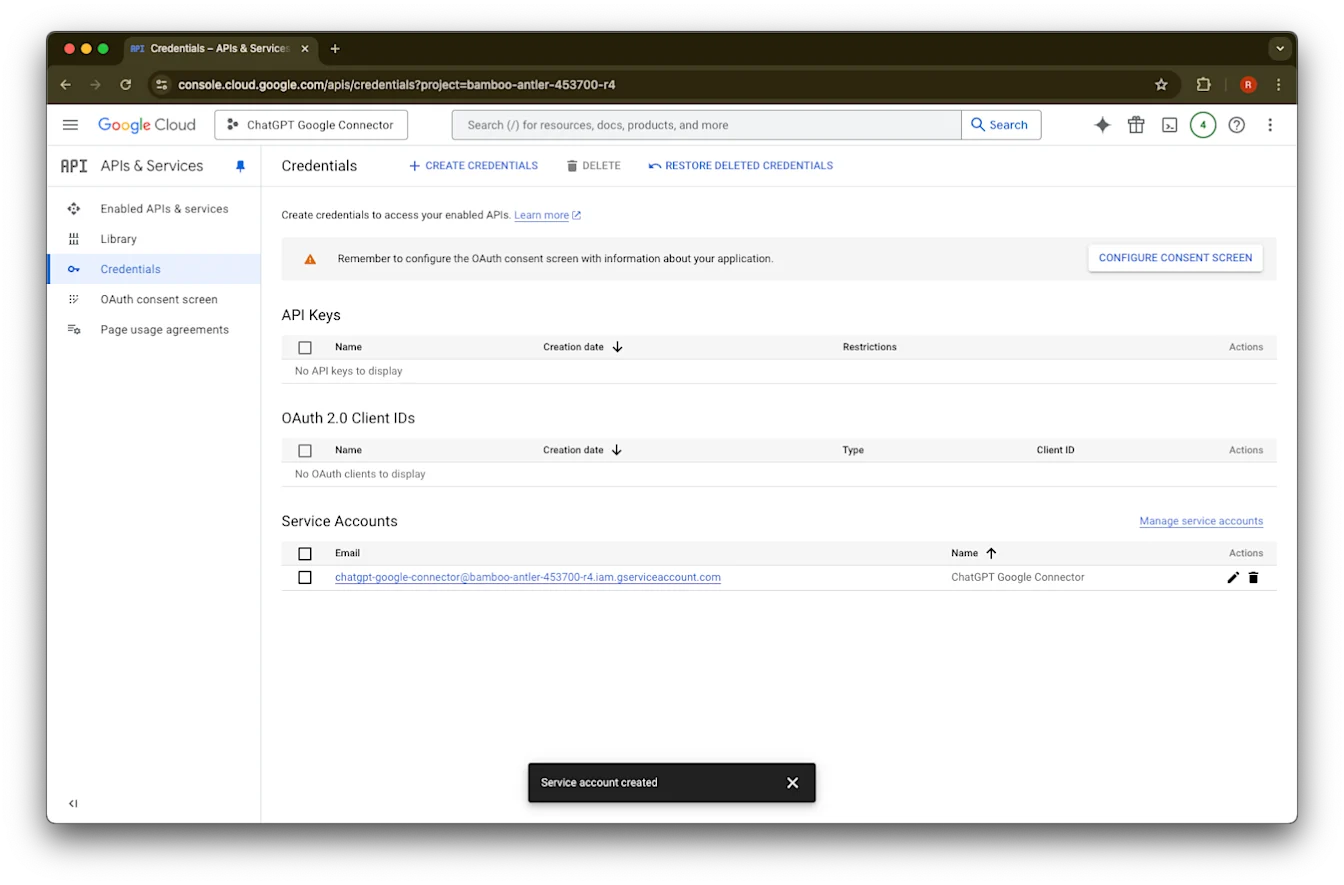
አሁን የተፈጠረውን የአገልግሎት መለያ ጠቅ ያድርጉ።
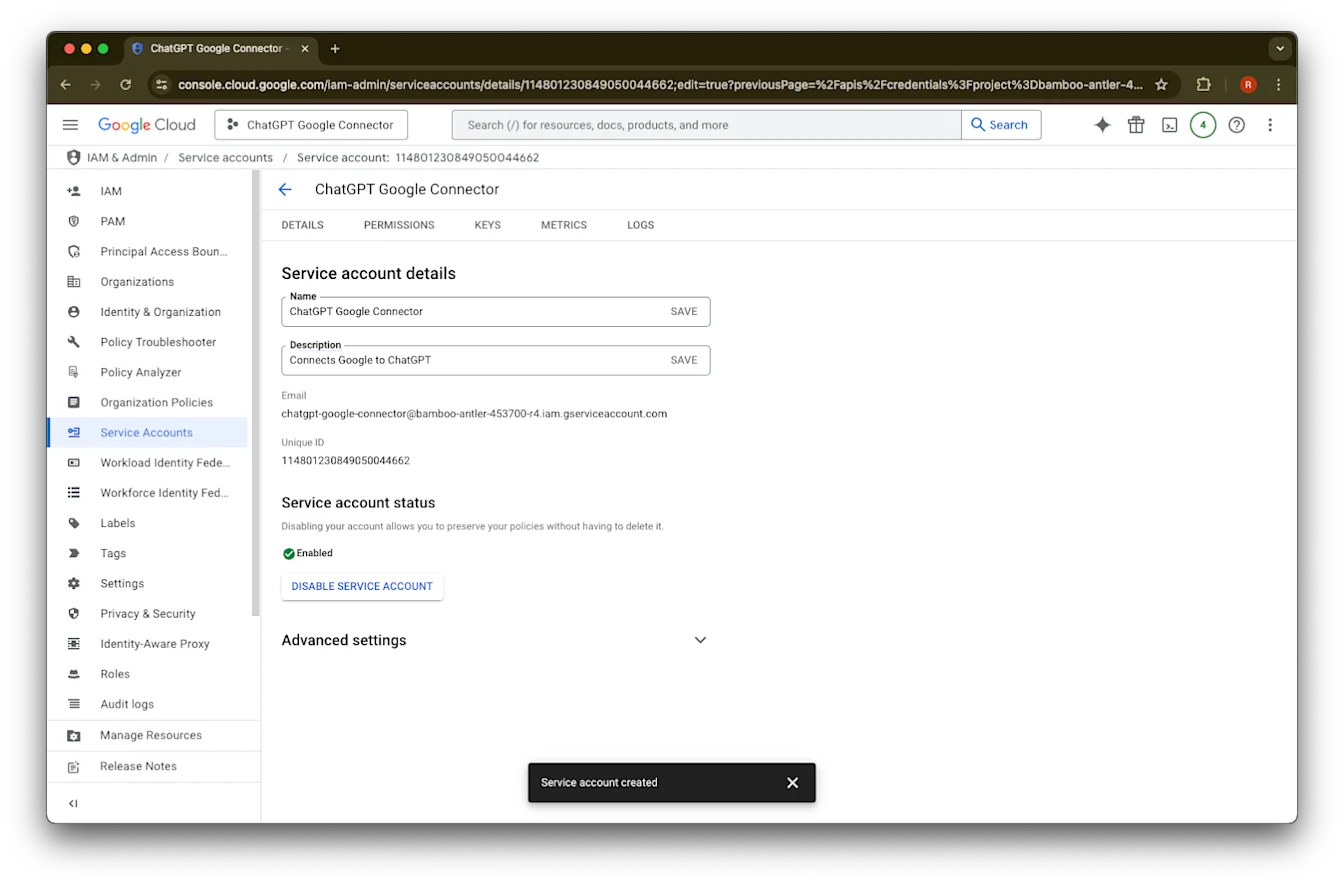
keys. ላይ ጠቅ ያድርጉ
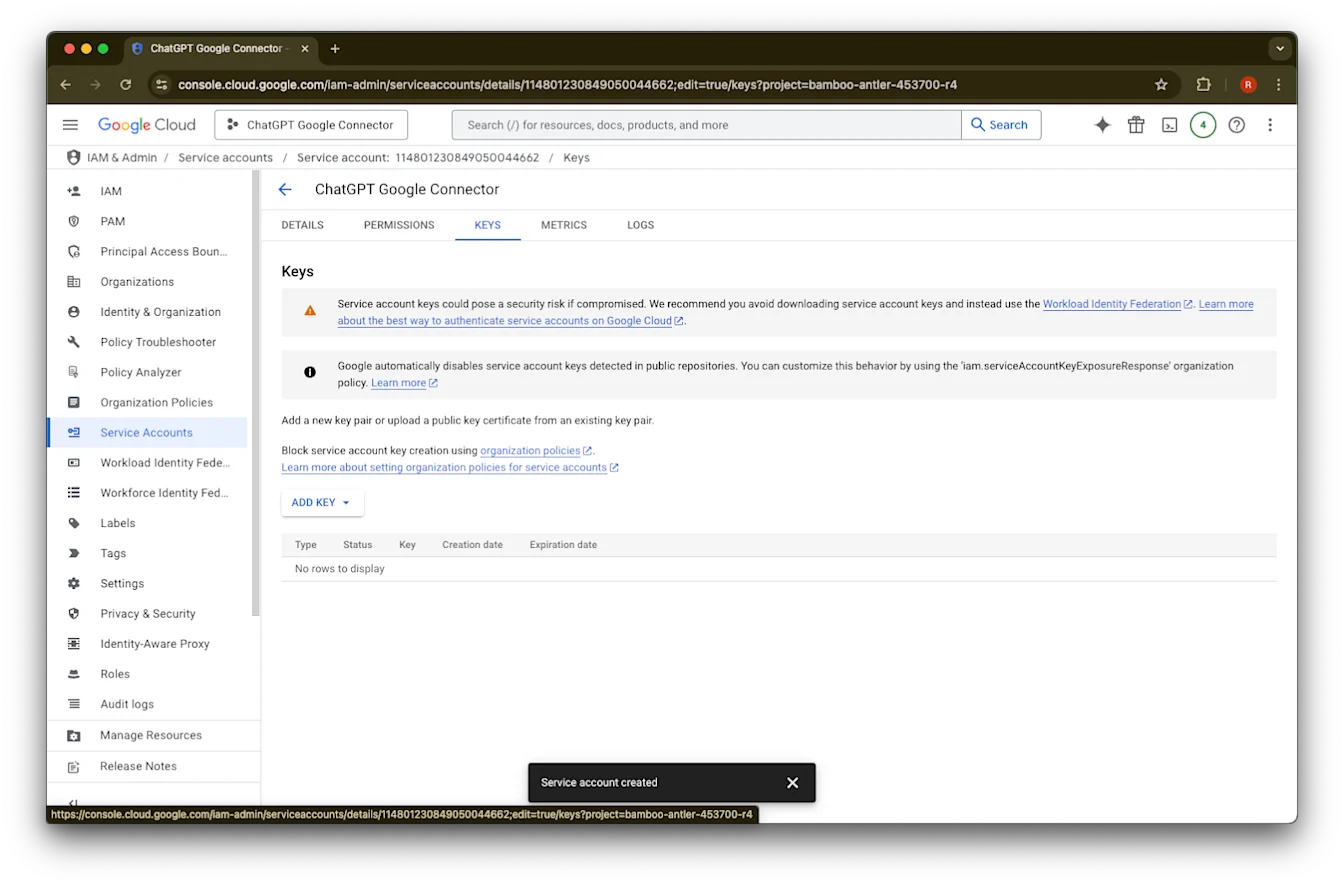
Add Key ላይ ጠቅ ያድርጉ
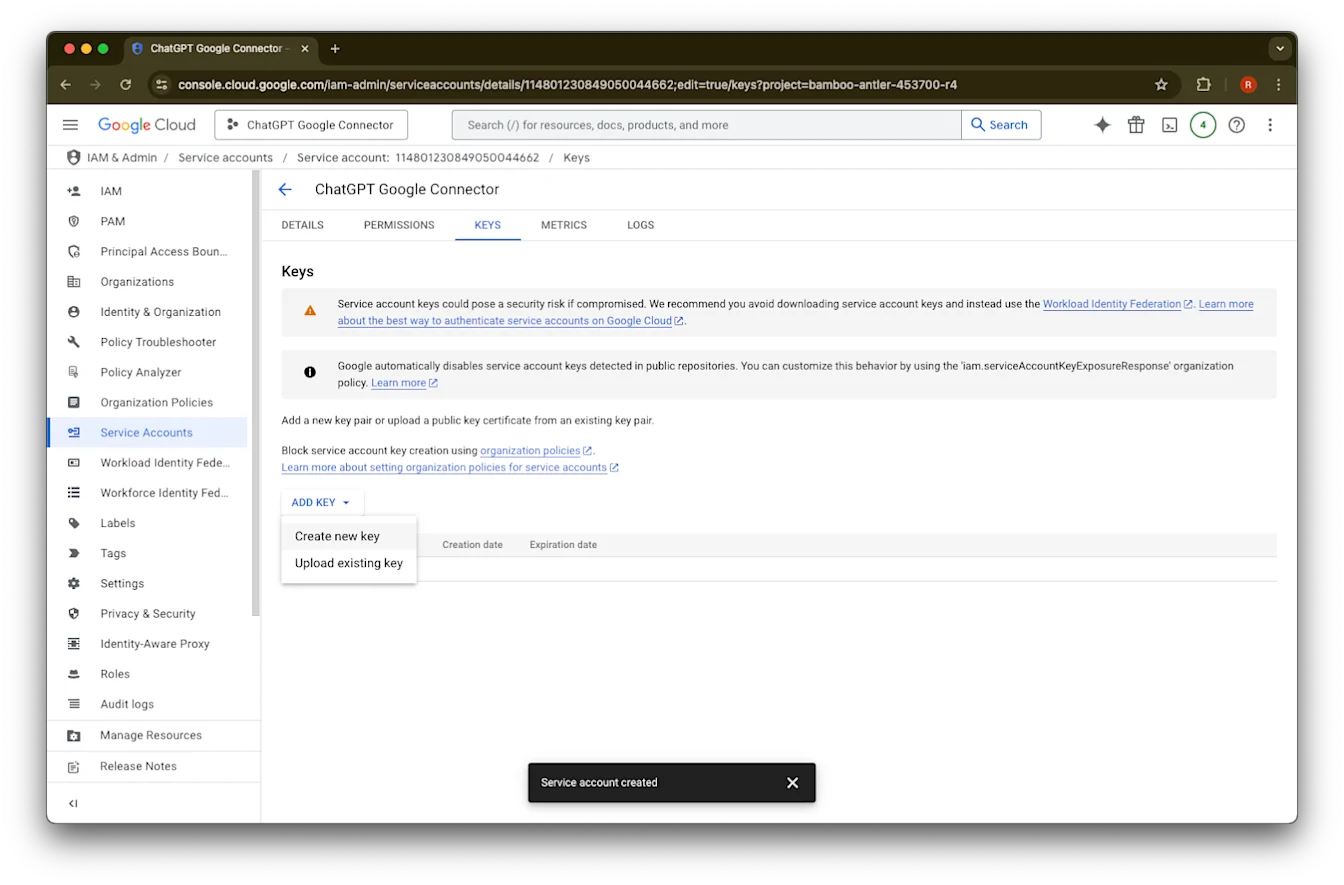
Create new key ላይ ጠቅ ያድርጉ
ነባሪውን የJSON ቁልፍ አይነት ይተዉ እና Create ላይ ጠቅ ያድርጉ
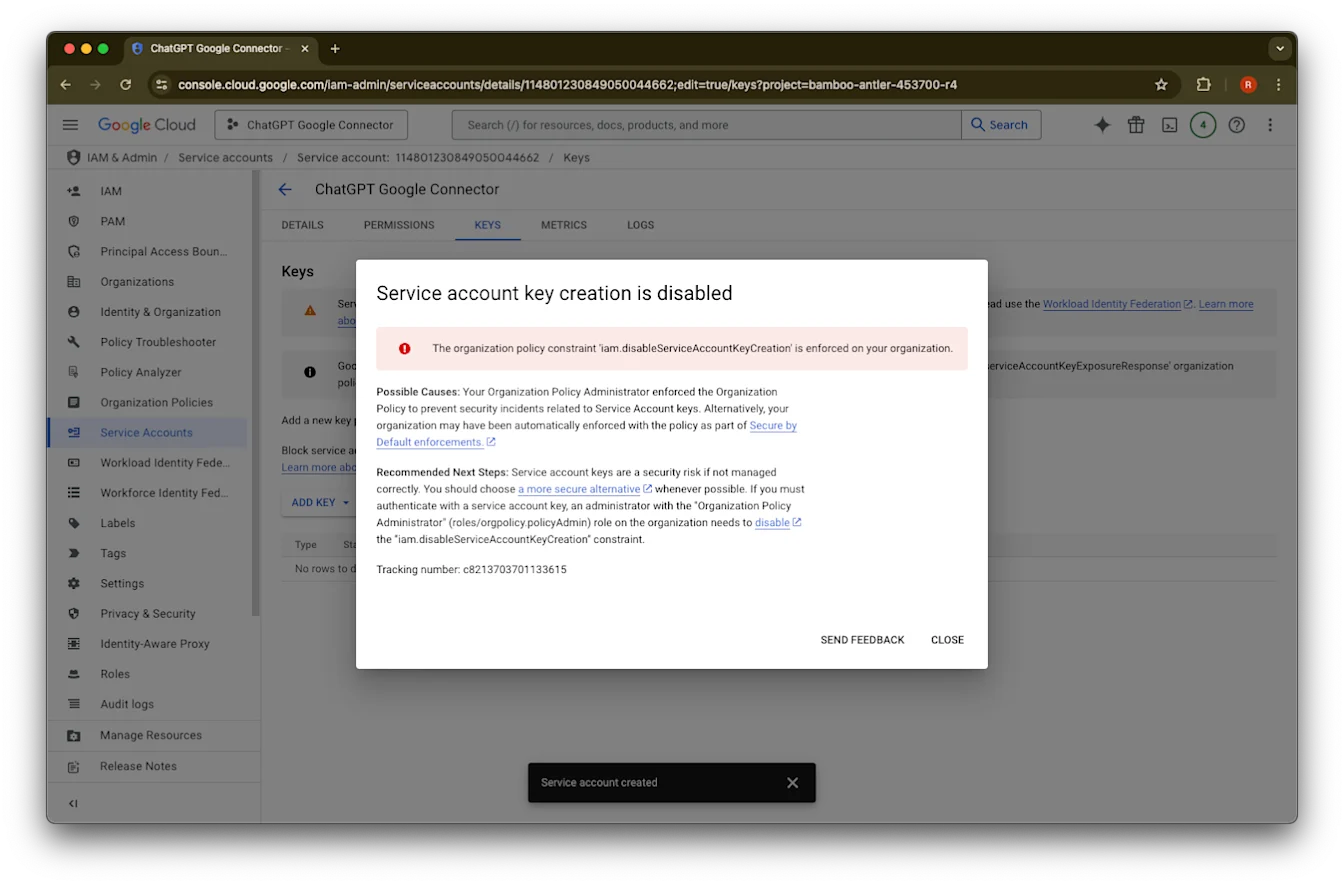
“Service account key creation is disabled” የሚል የስህተት መልእክት ካዩ፣ ፍጥረቱን ለማንቃት እነዚህን ደረጃዎች ይከተሉ።
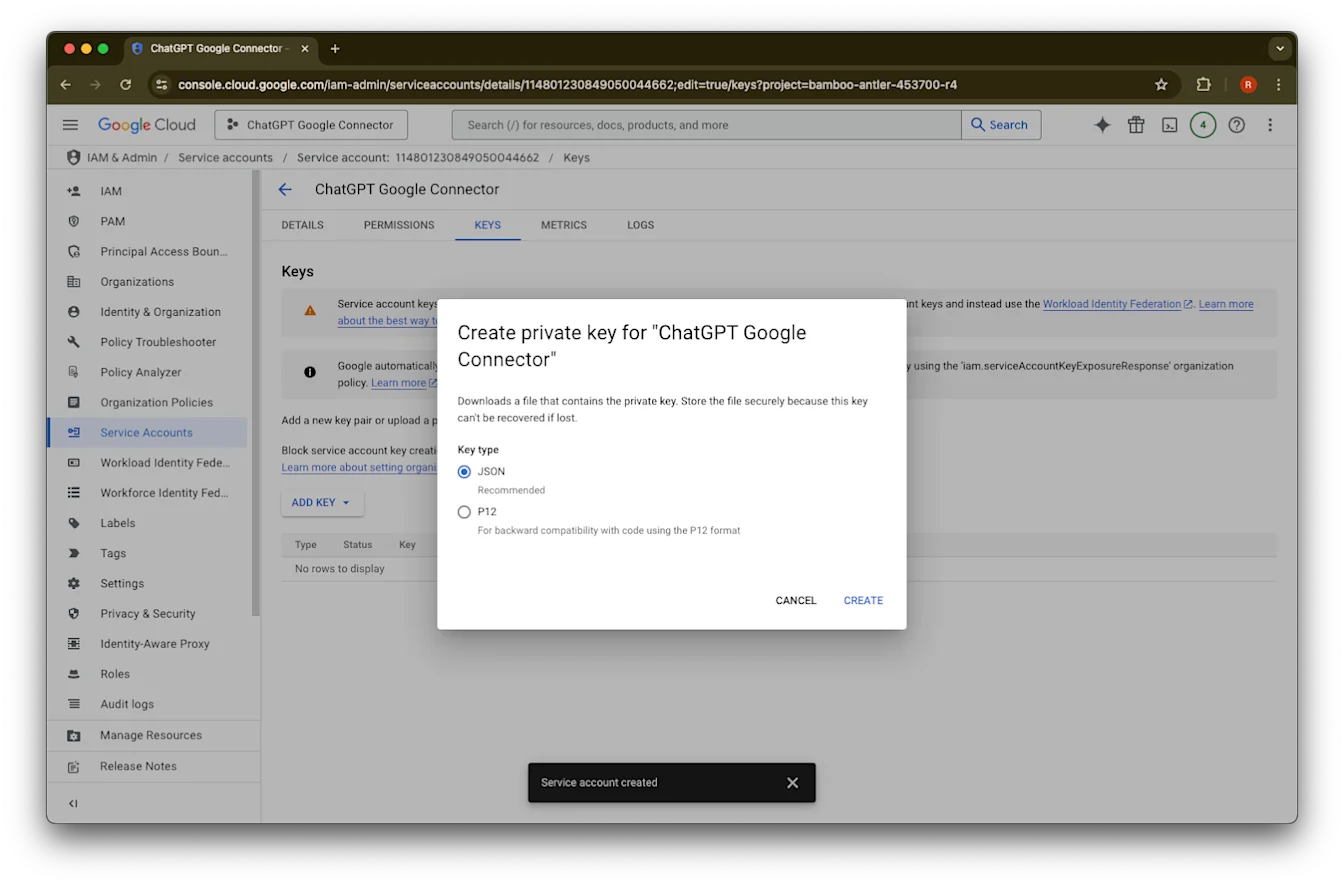
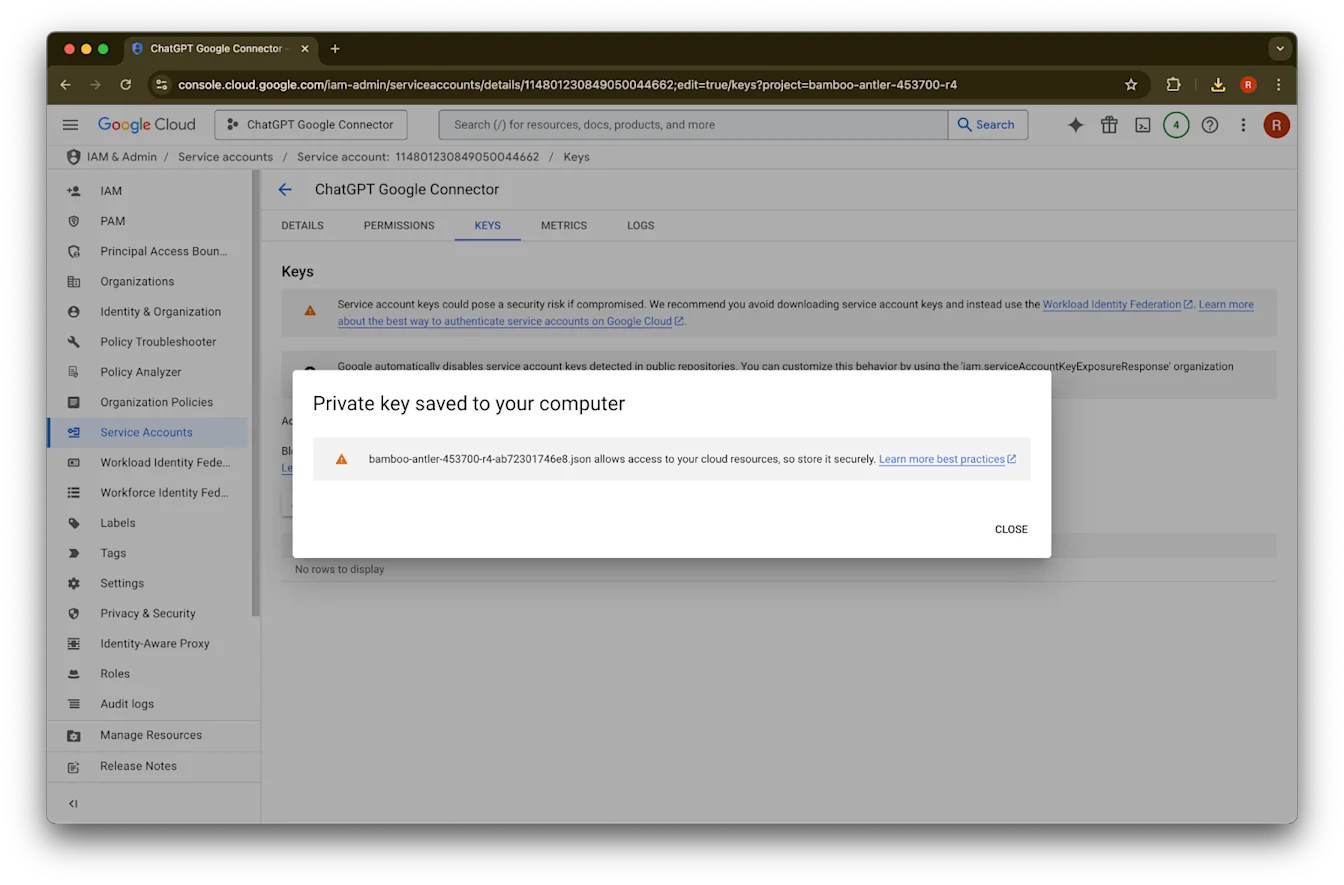
Close ላይ ጠቅ ያድርጉ። ቁልፉ አሁን ወደ ኮምፒውተርዎ ወርዷል። በኋላ ይህንን ወደ ChatGPT የአስተዳዳሪ ኮንሶል ይጭናሉ።
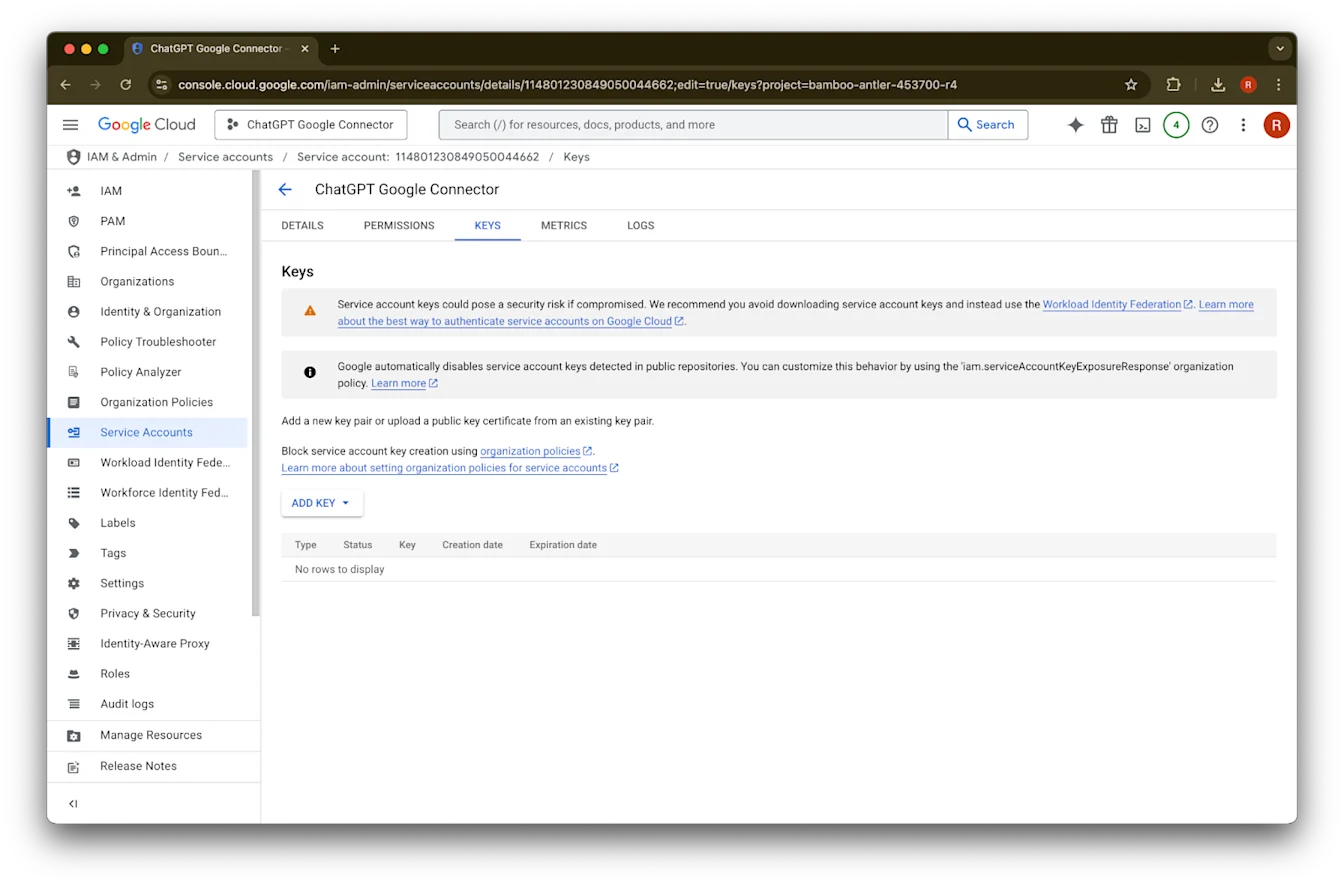
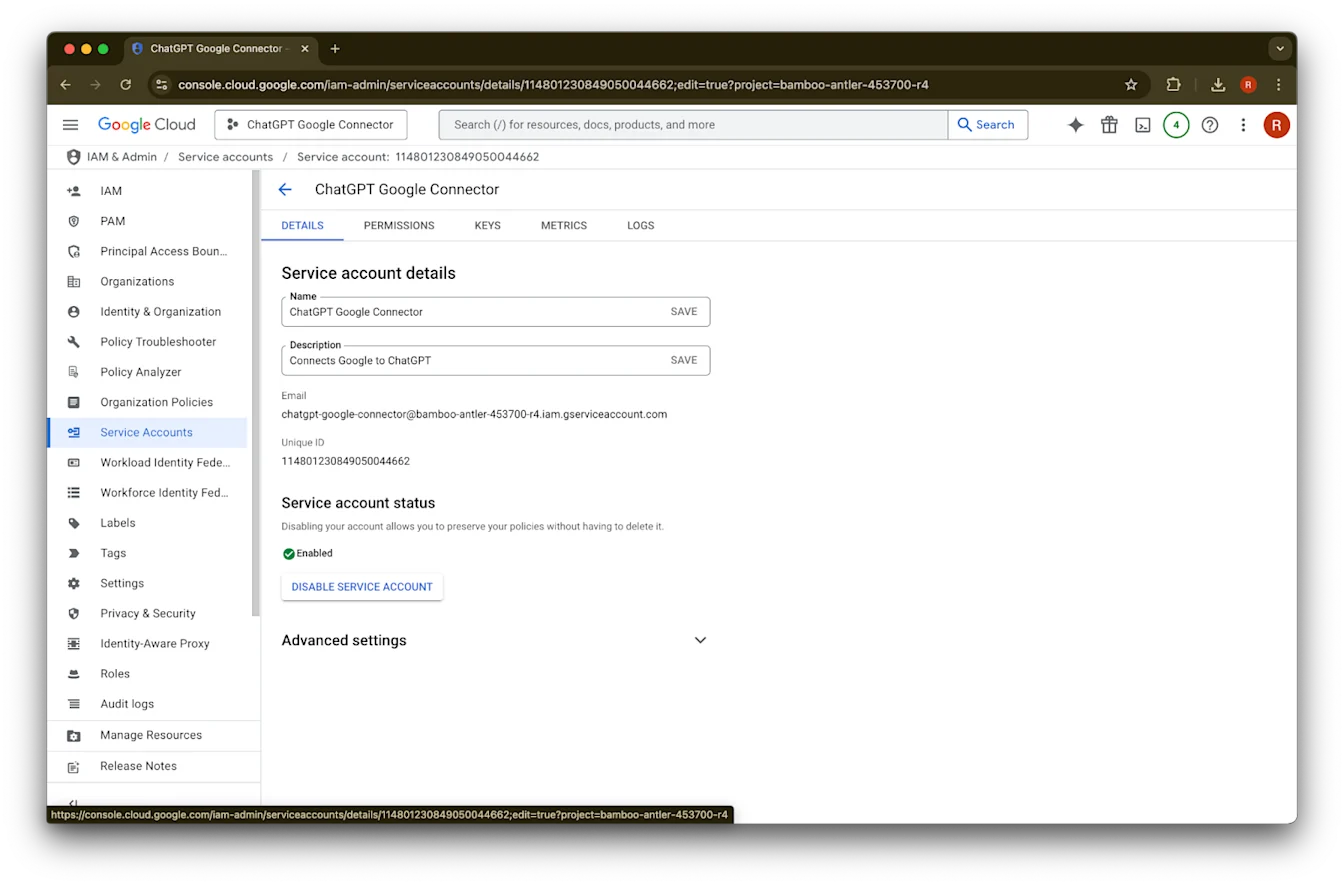
details ላይ ጠቅ ያድርጉ
Unique IDን ልብ ይበሉ። ይህ በደረጃ 42 ውስጥ ያስፈልጋል።
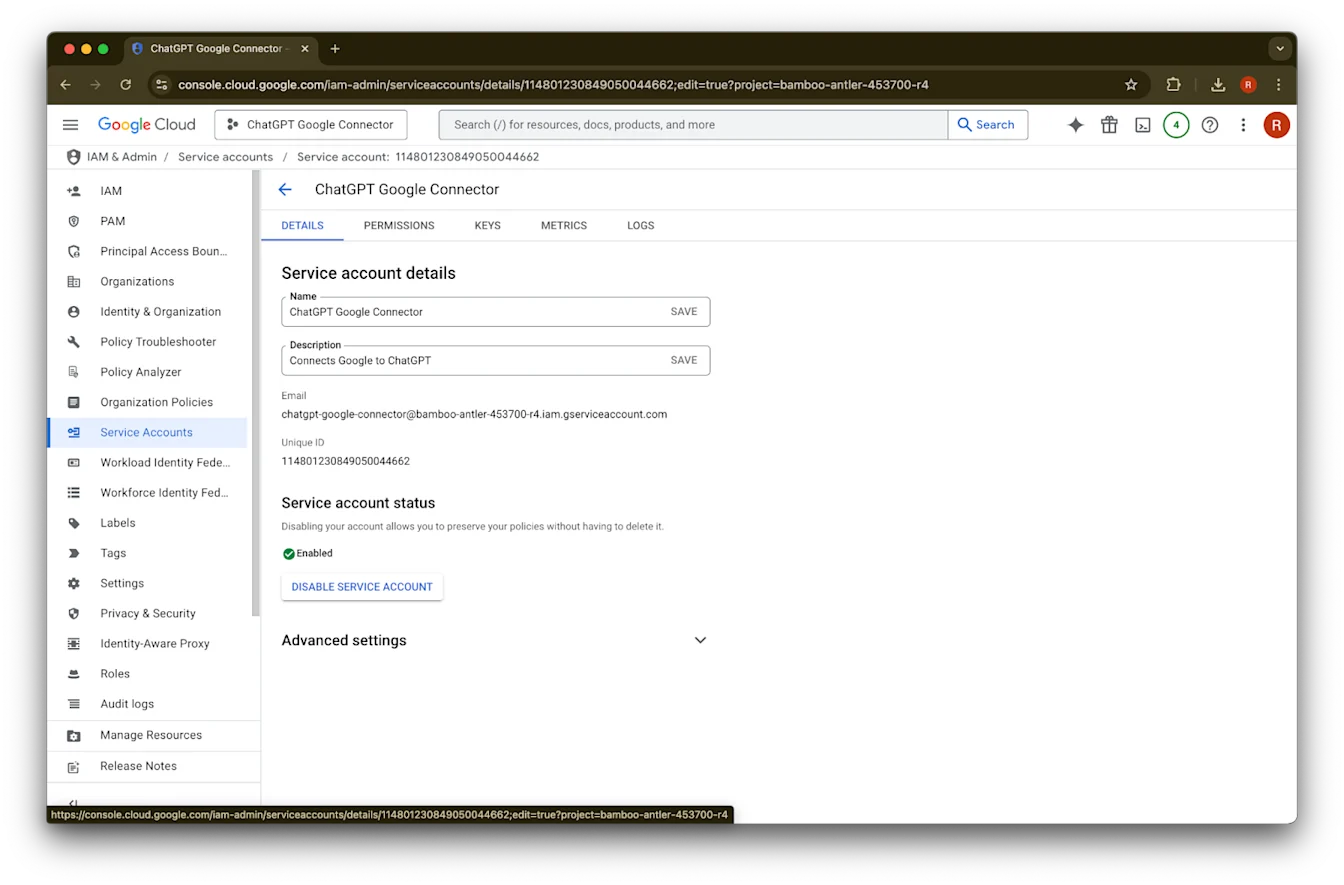
Advanced settingsን ያስፋፉ
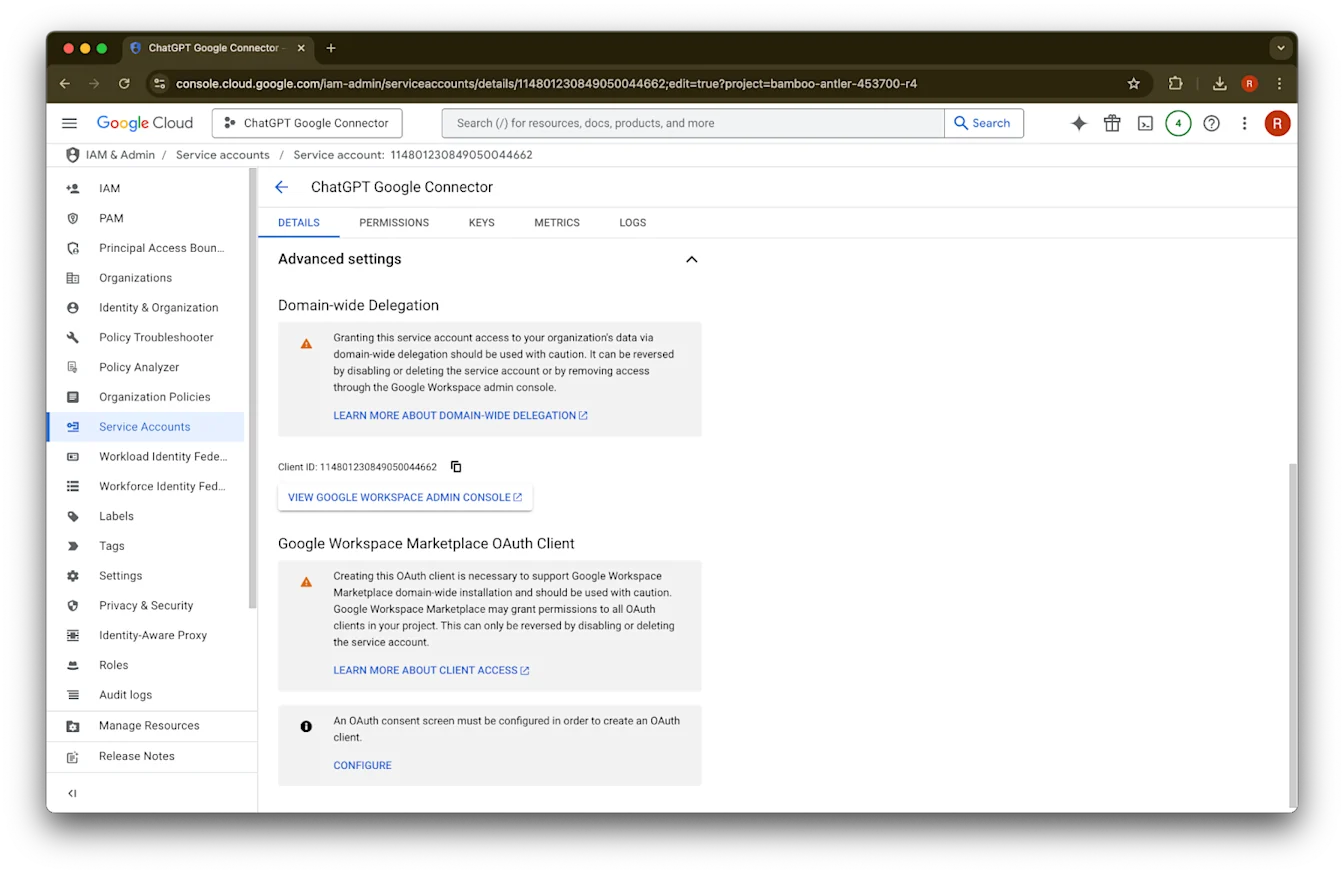
ወደ ታች ያሸብልሉ እና View Google Workspace Admin Console ላይ ጠቅ ያድርጉ። የGoogle Workspace ኮንሶል በአዲስ ትር ይከፈታል።
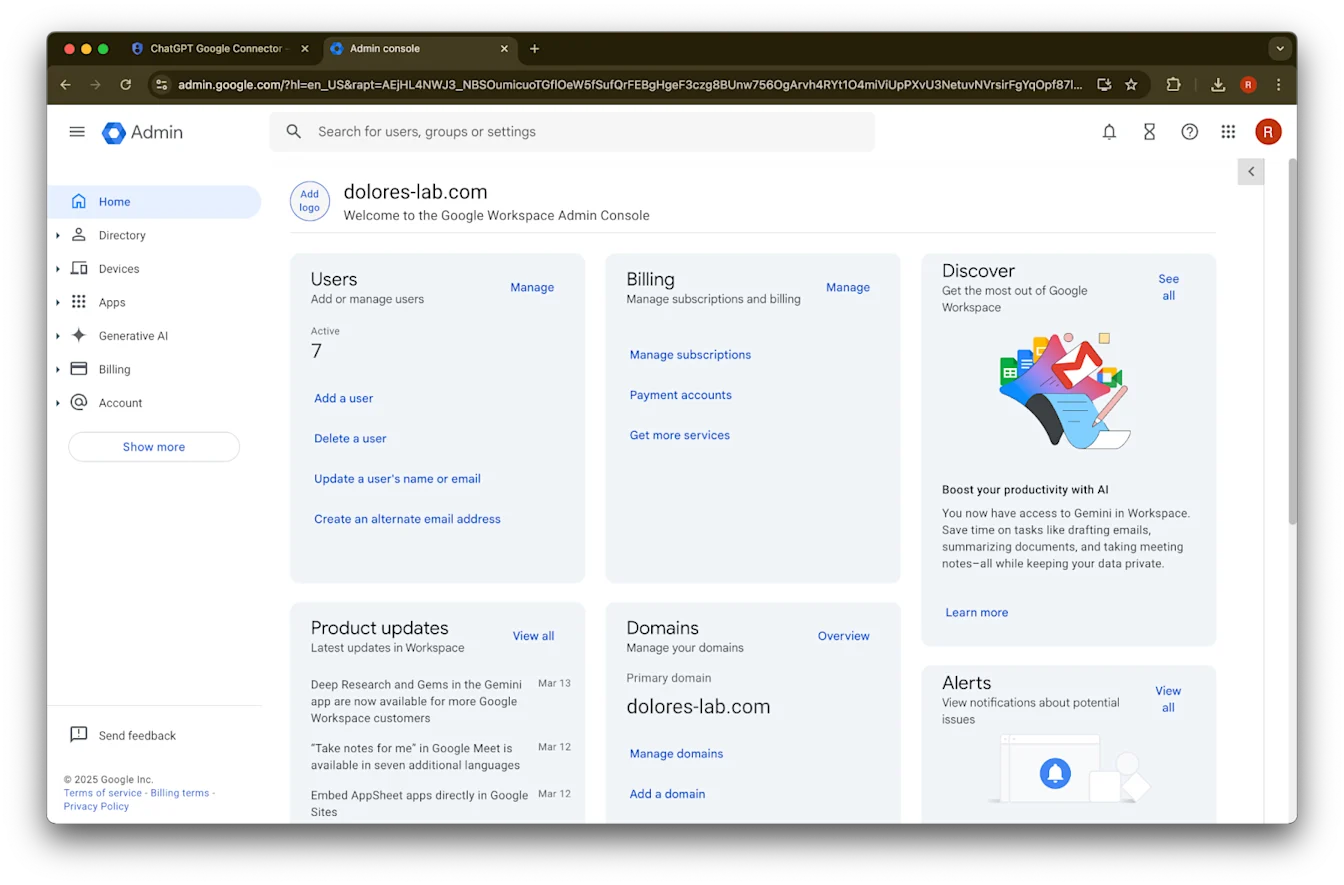
Show more ላይ ጠቅ ያድርጉ
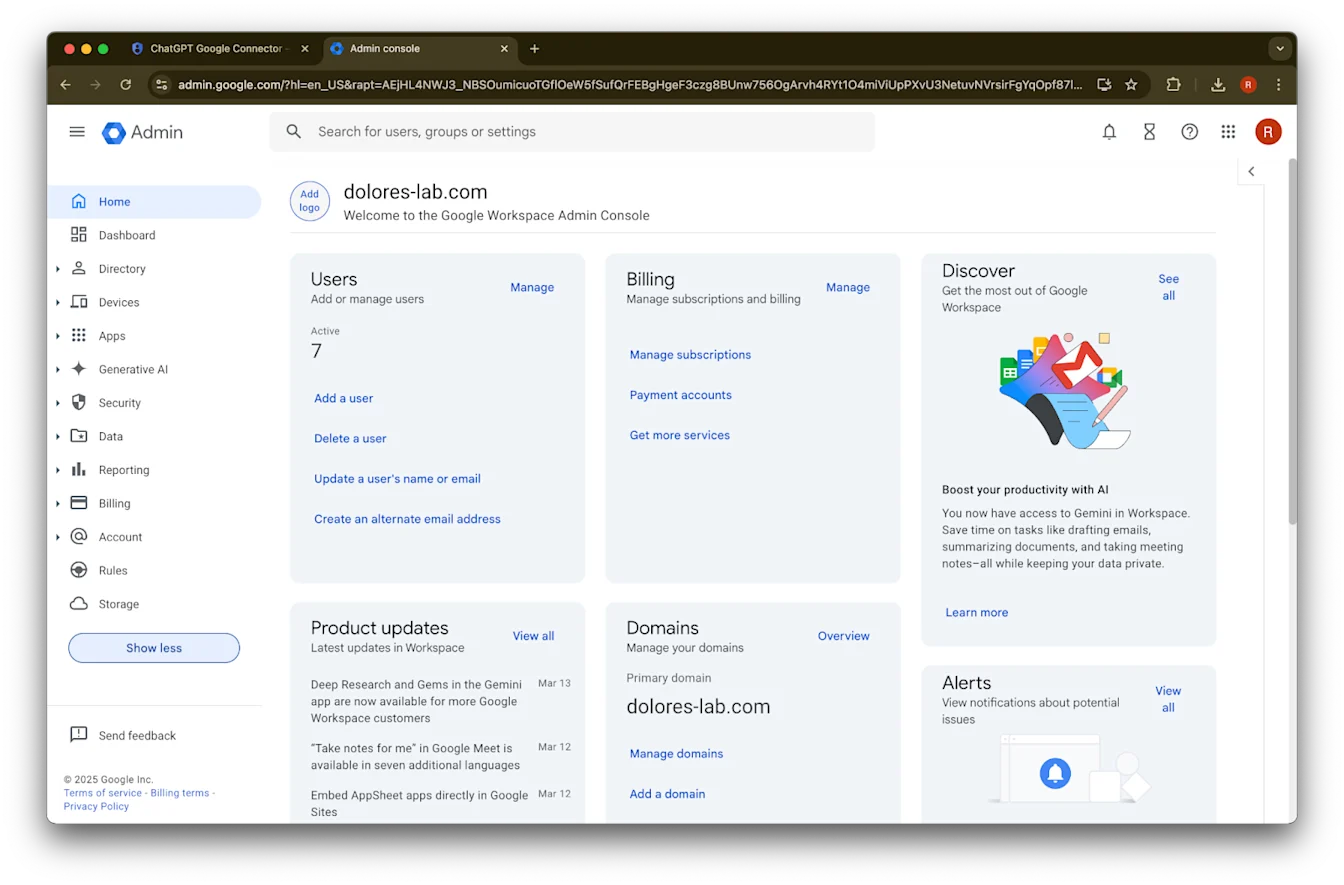
የSecurity ክፍልን ያስፋፉ
የAccess and data controls ክፍልን ያስፋፉ
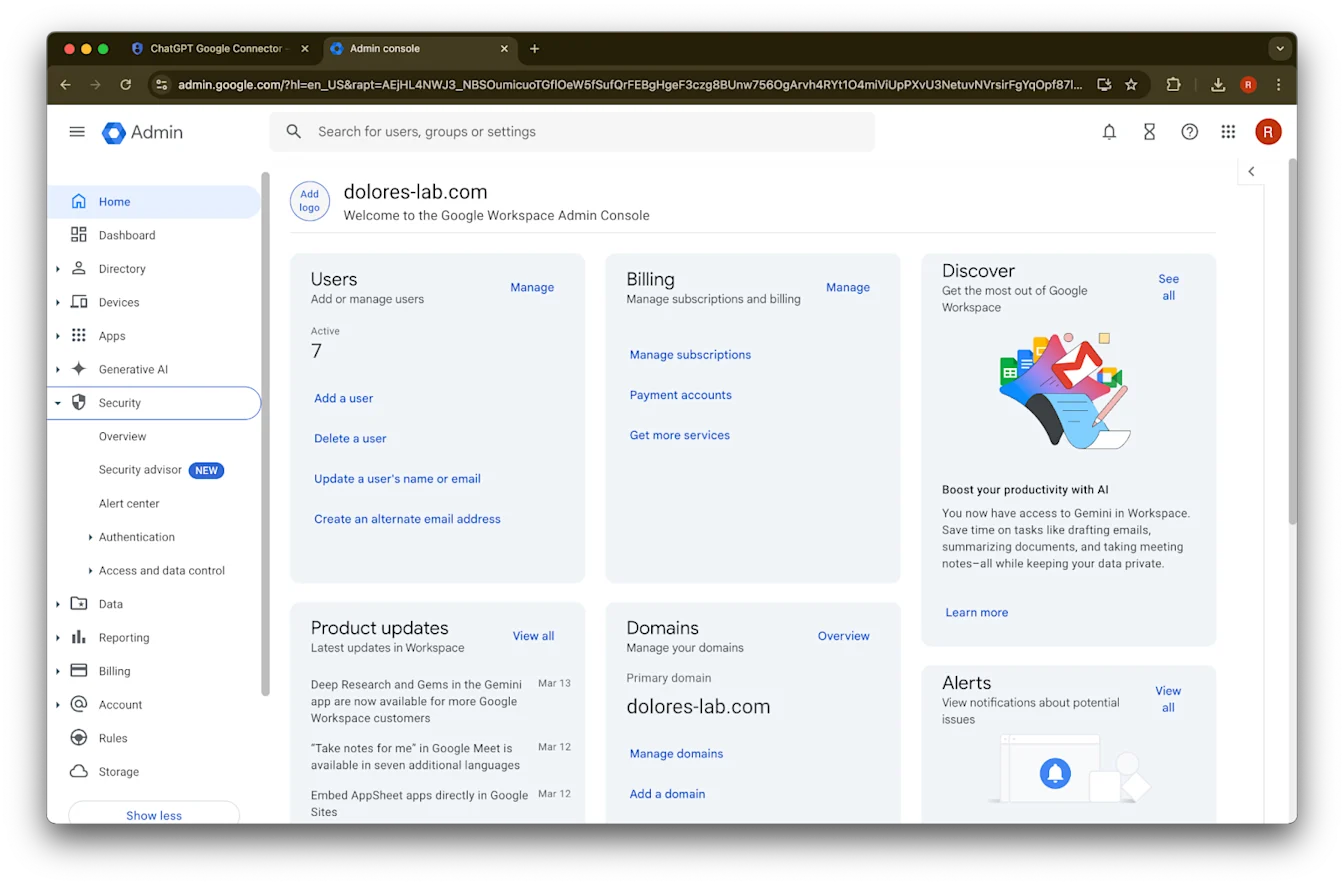
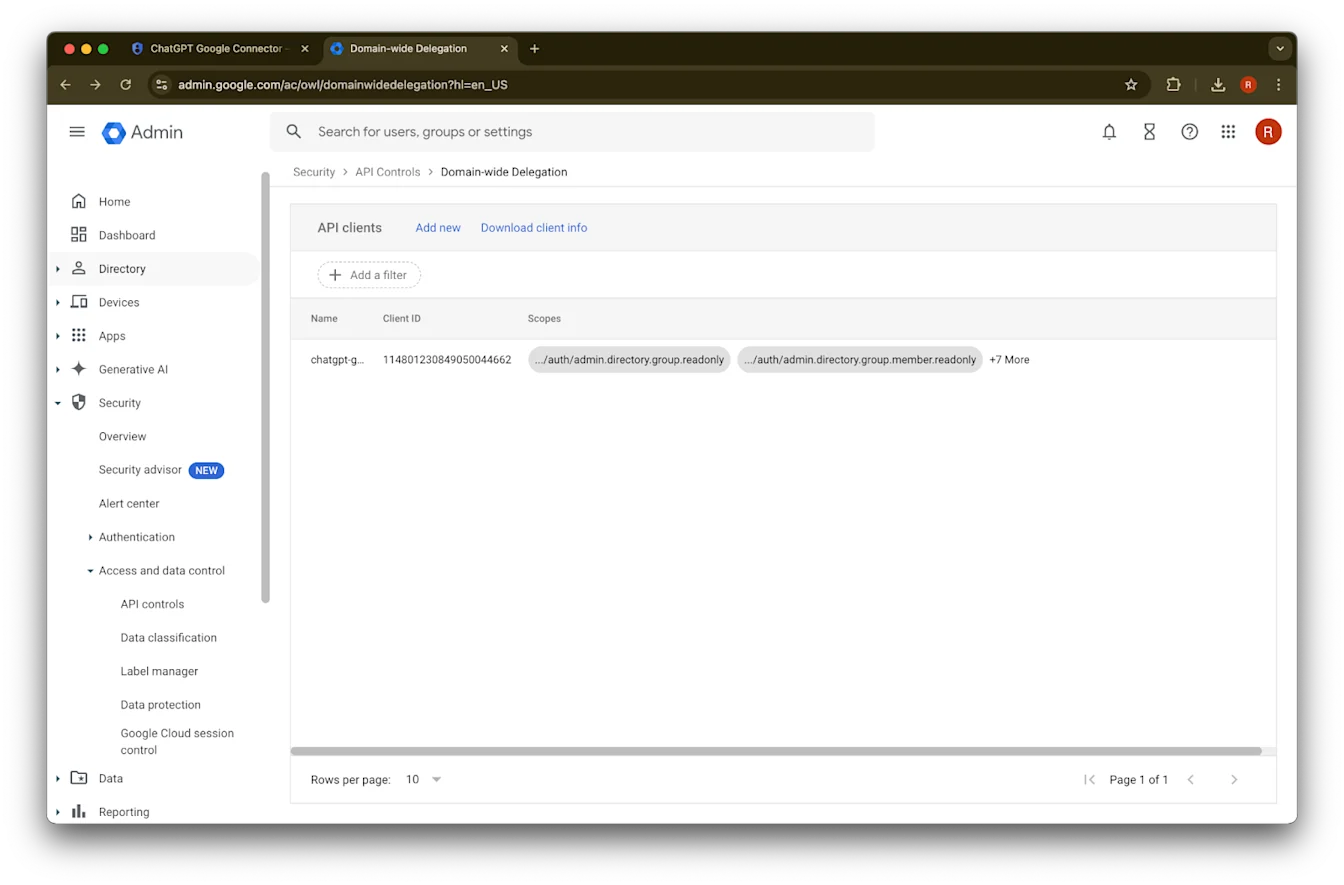
የAPI controls ክፍል ላይ ጠቅ ያድርጉ
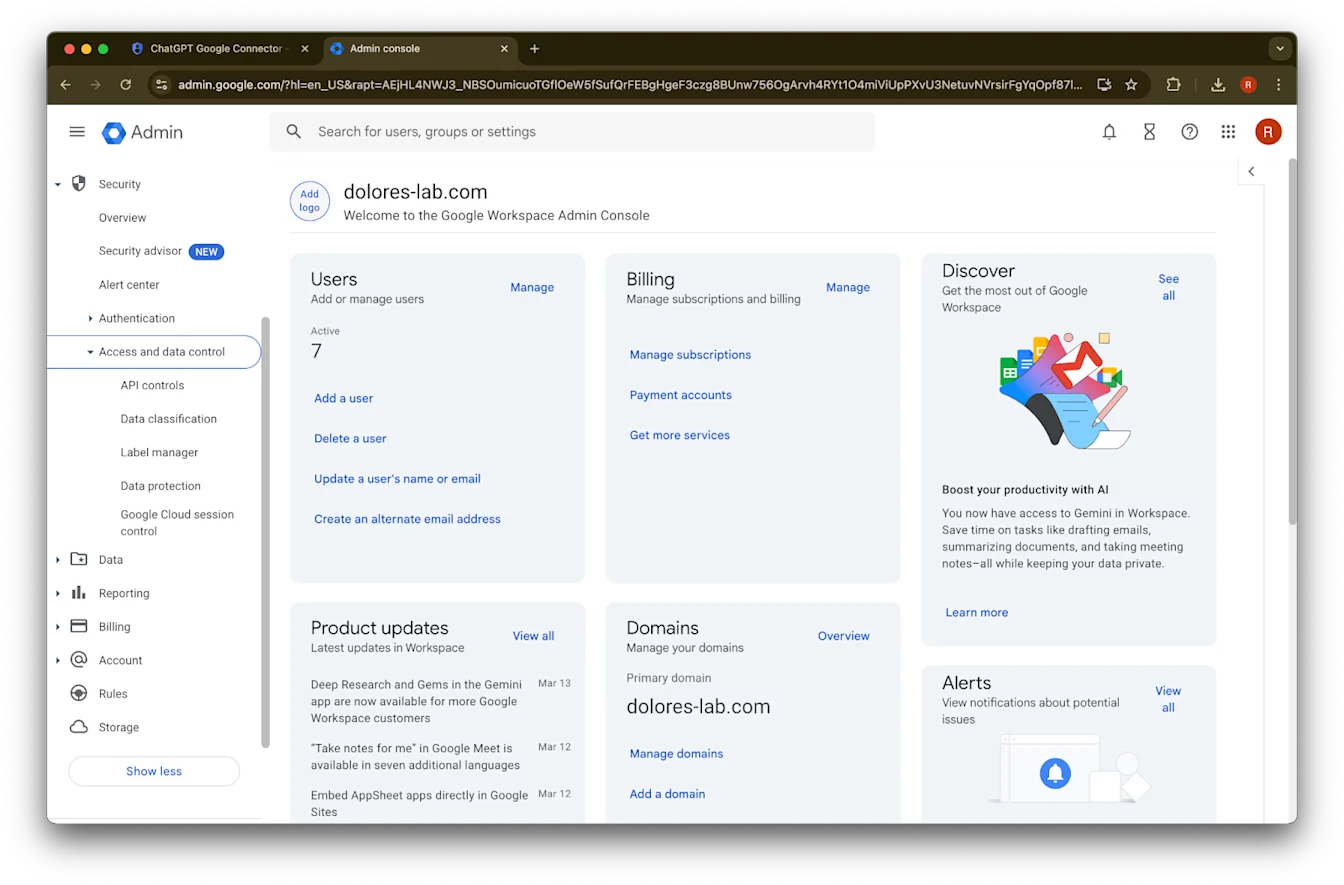
Manage Domain Wide Delegation ላይ ጠቅ ያድርጉ
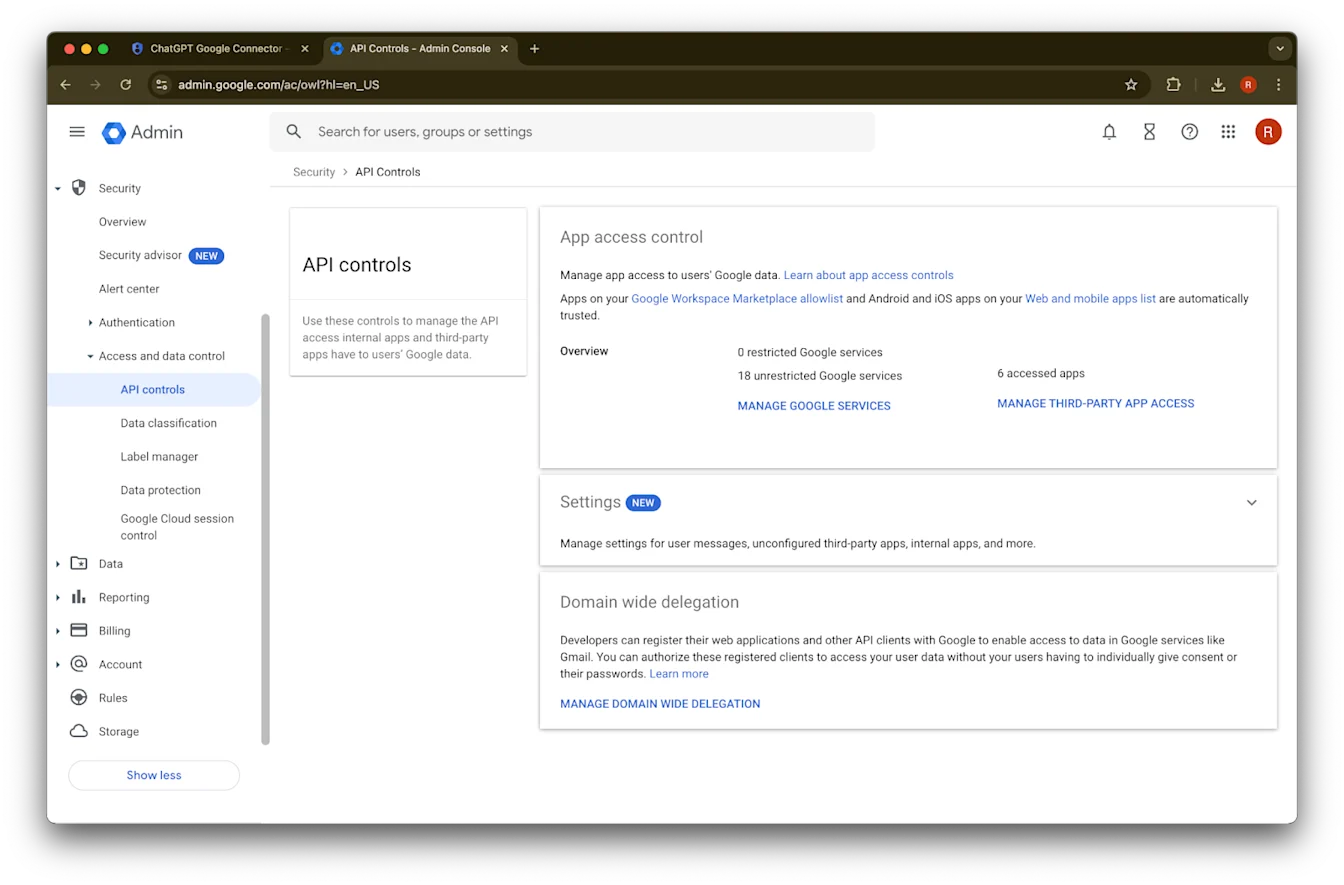
Add new ላይ ጠቅ ያድርጉ
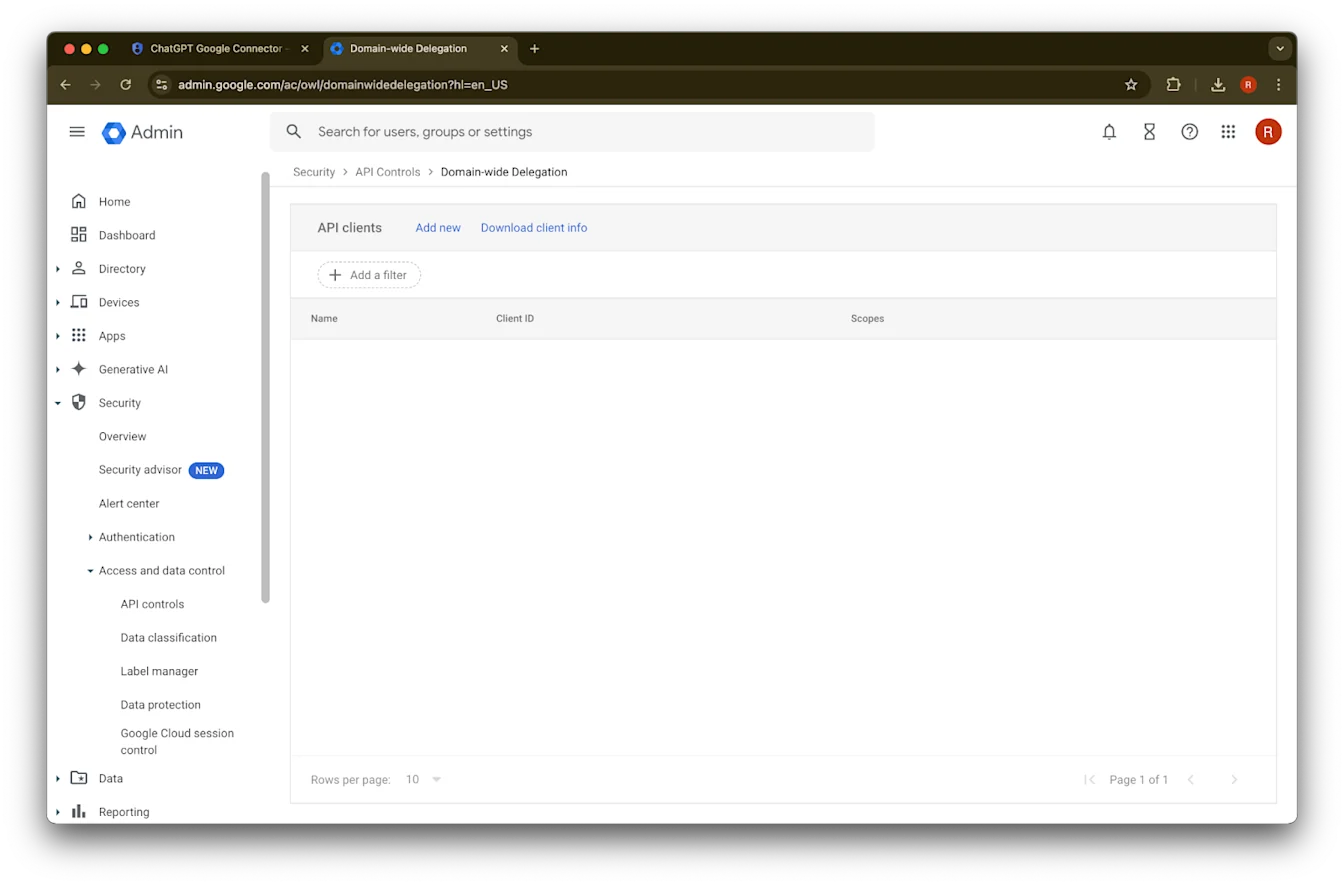
ቀደም ሲል የተመዘገበውን Unique ID ለዚህ Client ID እሴት ይጠቀሙ
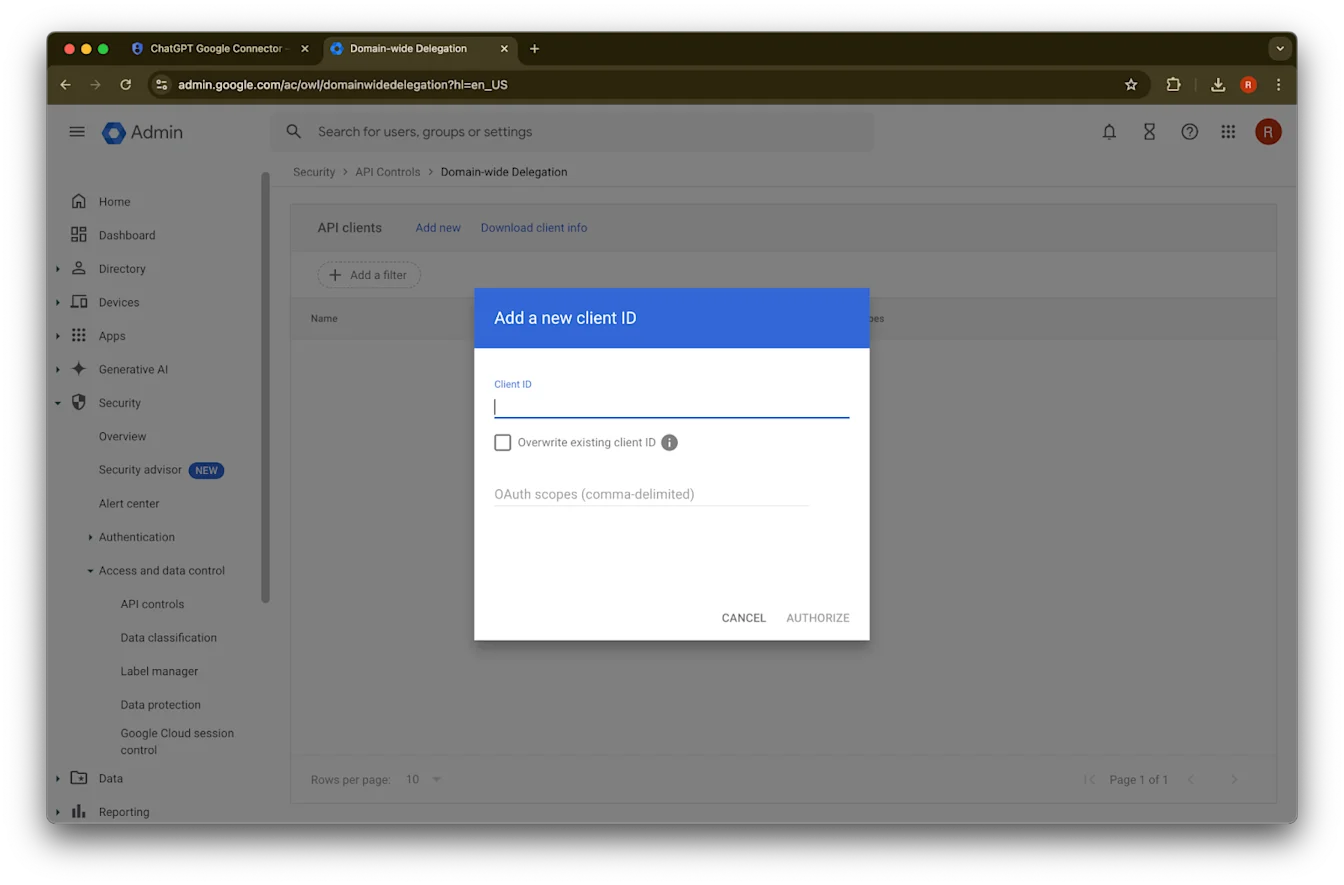
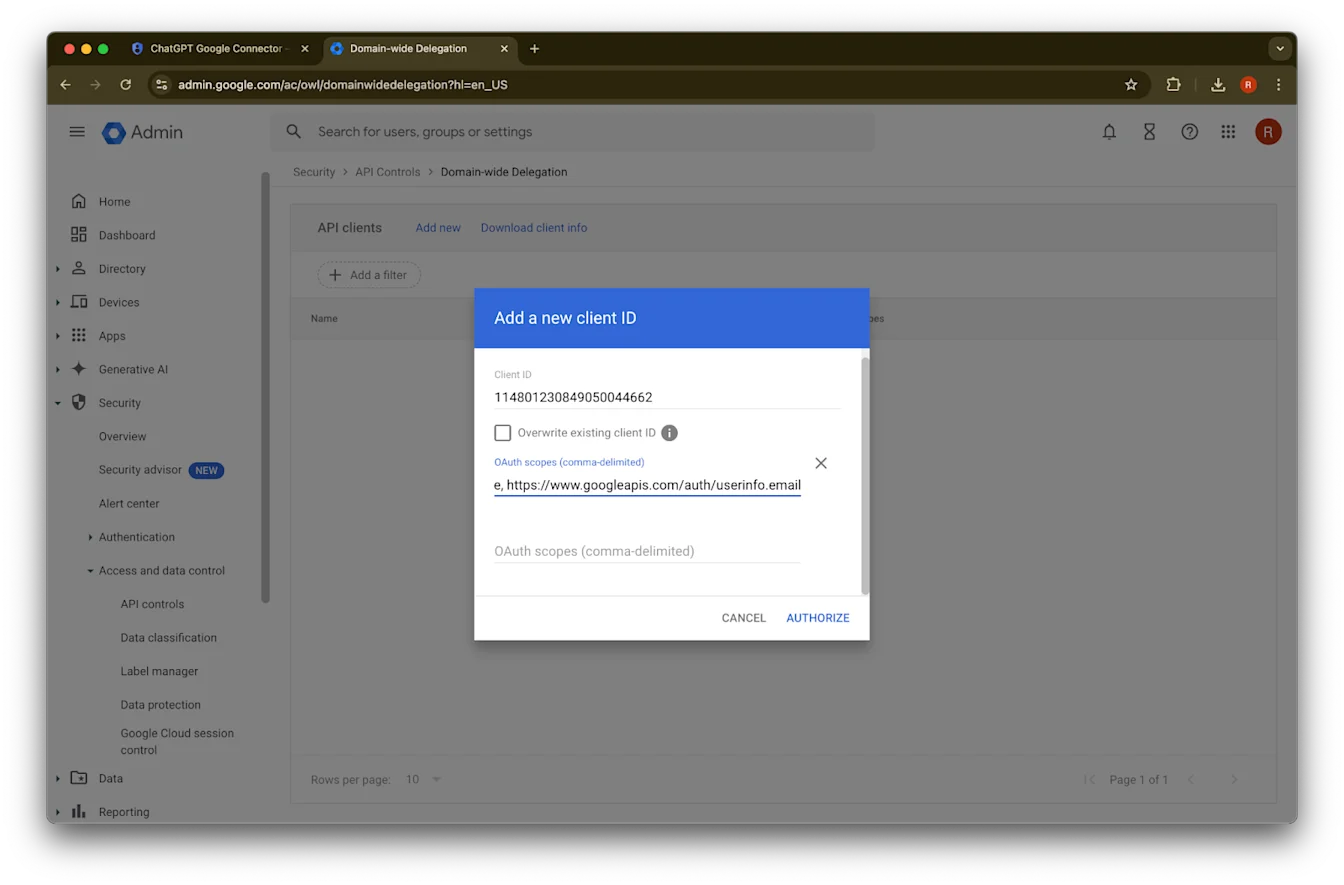
ለOAuth scopes፣ መቅዳትና መለጠፍ የሚያስፈልጉዎትን የሚከተሉትን በኮማ የተለዩ የauth scopes እሴቶች ይመልከቱ፦
https://www.googleapis.com/auth/admin.directory.group.readonly, https://www.googleapis.com/auth/admin.directory.group.member.readonly, https://www.googleapis.com/auth/admin.directory.user.readonly, https://www.googleapis.com/auth/admin.directory.user.alias.readonly, https://www.googleapis.com/auth/drive.activity.readonly, https://www.googleapis.com/auth/drive.metadata.readonly, https://www.googleapis.com/auth/drive.readonly, https://www.googleapis.com/auth/userinfo.profile, https://www.googleapis.com/auth/userinfo.email| ወሰን | ማመዛዘን |
| admin.directory.group.readonly | በቡድን ላይ የተመሰረቱ ፈቃዶችን ተፈጻሚ ማድረግ |
| admin.directory.group.member.readonly | በቡድን ላይ የተመሰረቱ ፈቃዶችን ተፈጻሚ ማድረግ |
| admin.directory.user.alias.readonly | ተጠቃሚው በተለዋጭ ስም በኩል ፈቃድ የተሰጠው ሁኔታዎችን መያዝ |
| drive.activity.readonly | በፋይሎች ላይ ለውጦች ሲከሰቱ ለመገለጽ |
| drive.metadata.readonly | የፋይል ይዘትን እና ተያያዥ ሜታዳታን ማመሳሰል (ለምሳሌ፦ መጨረሻ የተሻሻለበት ቀን) |
| drive.readonly | የፋይል ይዘትን እና ተያያዥ ሜታዳታን ማመሳሰል (ለምሳሌ፦ መጨረሻ የተሻሻለበት ቀን) |
| userinfo.profile | ፋይሎችን የምናመሳስልላቸውን ተጠቃሚዎች መወሰን |
| userinfo.email | ፋይሎችን የምናመሳስልላቸውን ተጠቃሚዎች መወሰን |
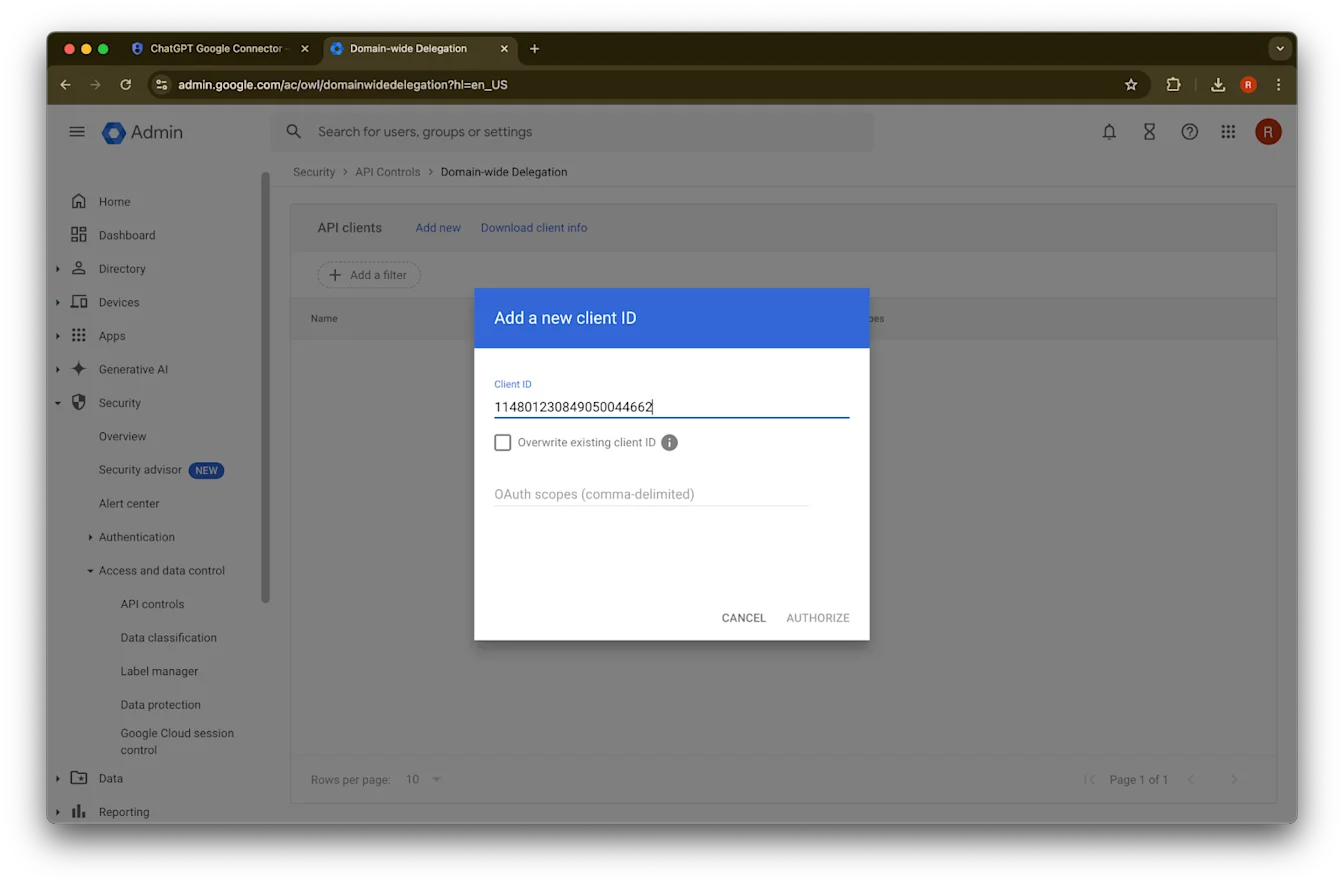
45. Authorize ላይ ጠቅ ያድርጉ
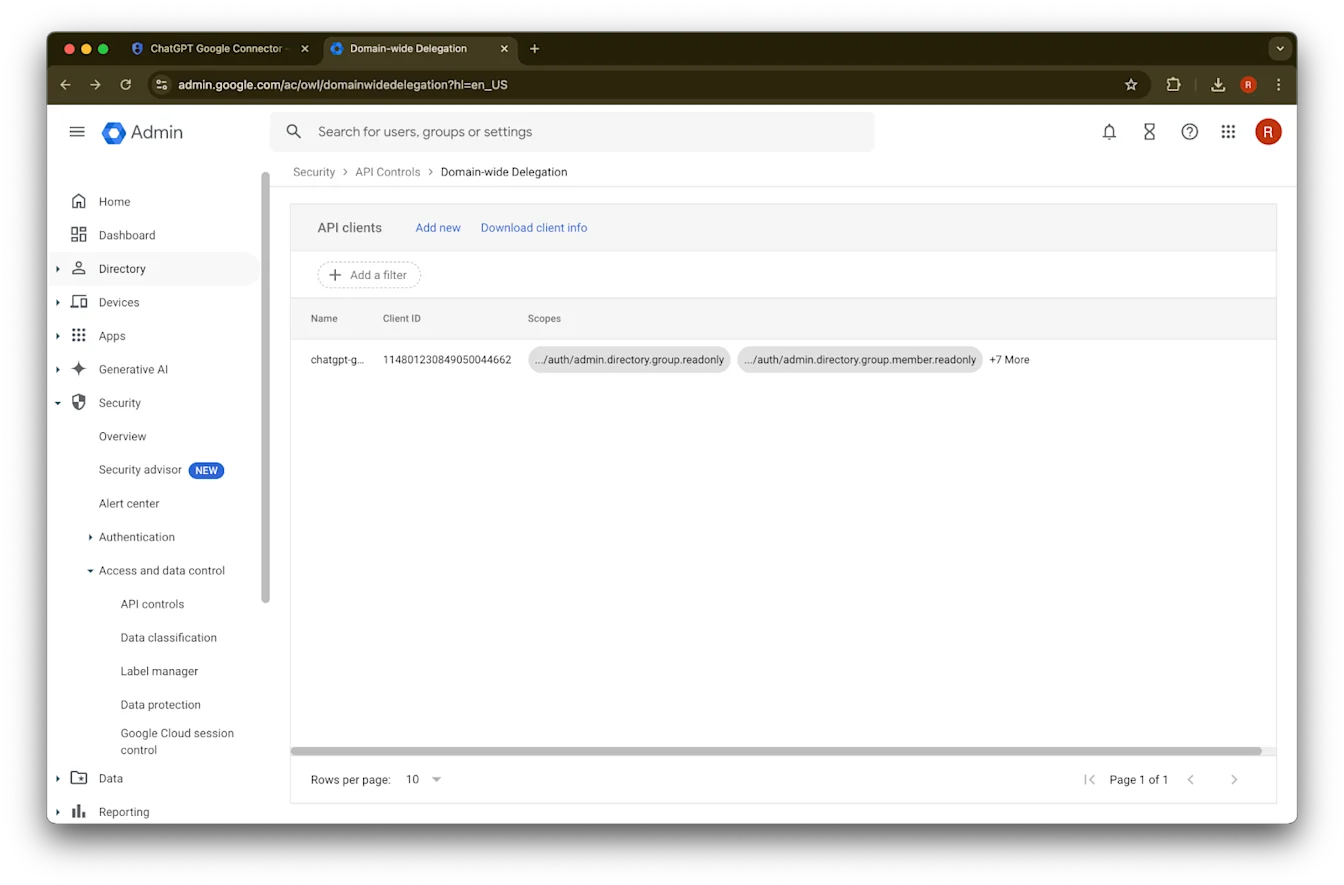
46. ተሳክቷል!
የአስተዳዳሪ መለያ ማዋቀር
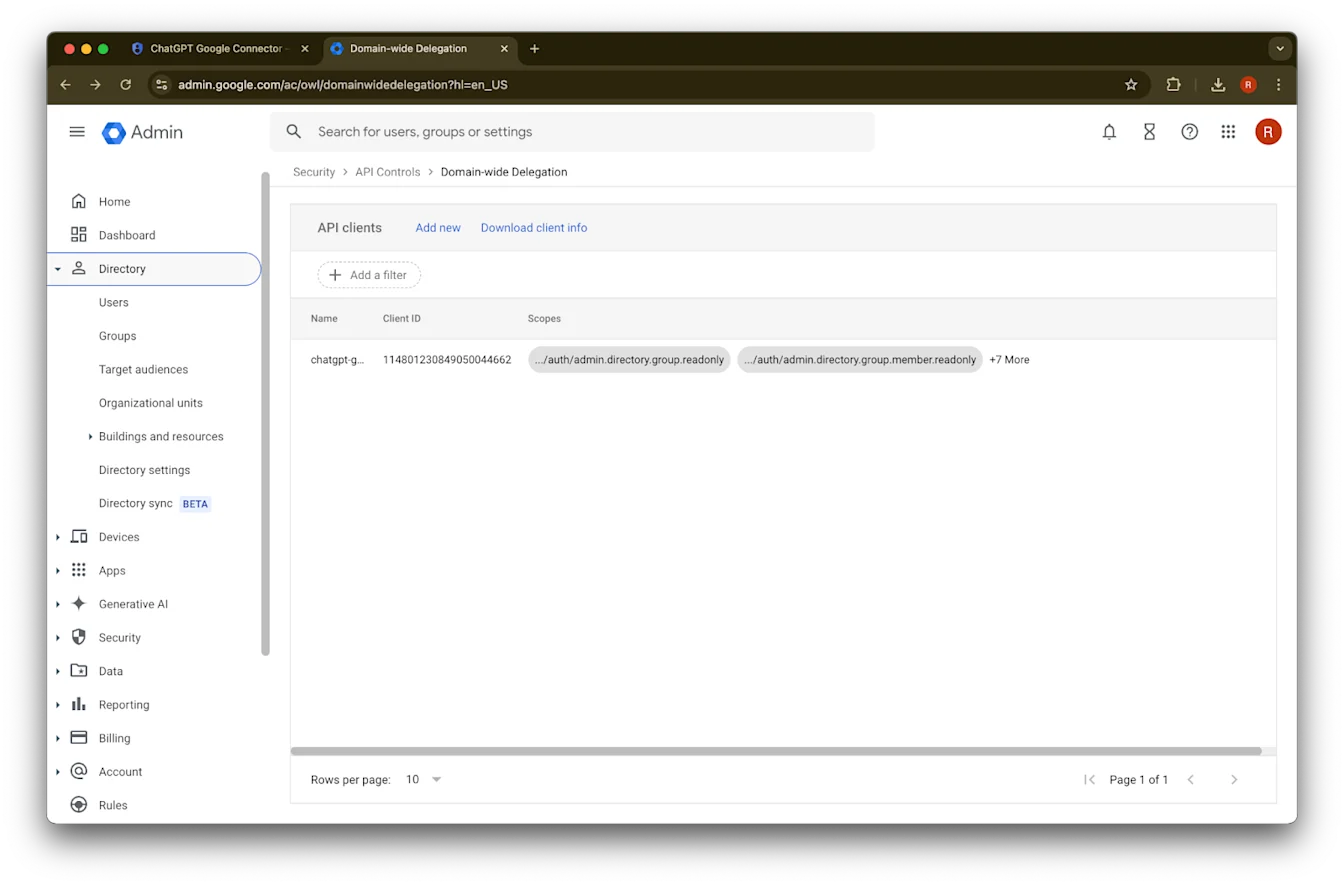
Directoryን ያስፋፉ
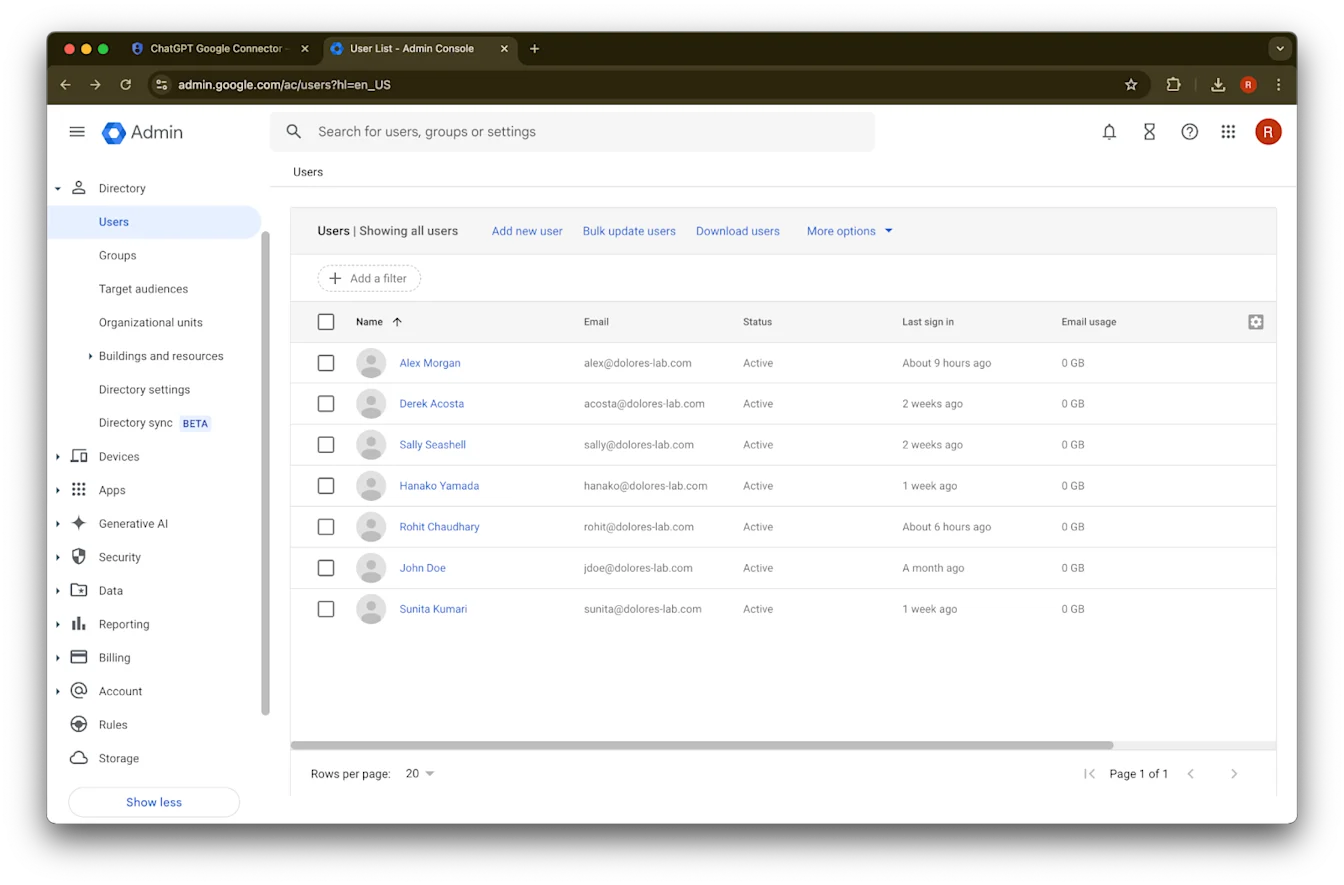
Users ላይ ጠቅ ያድርጉ
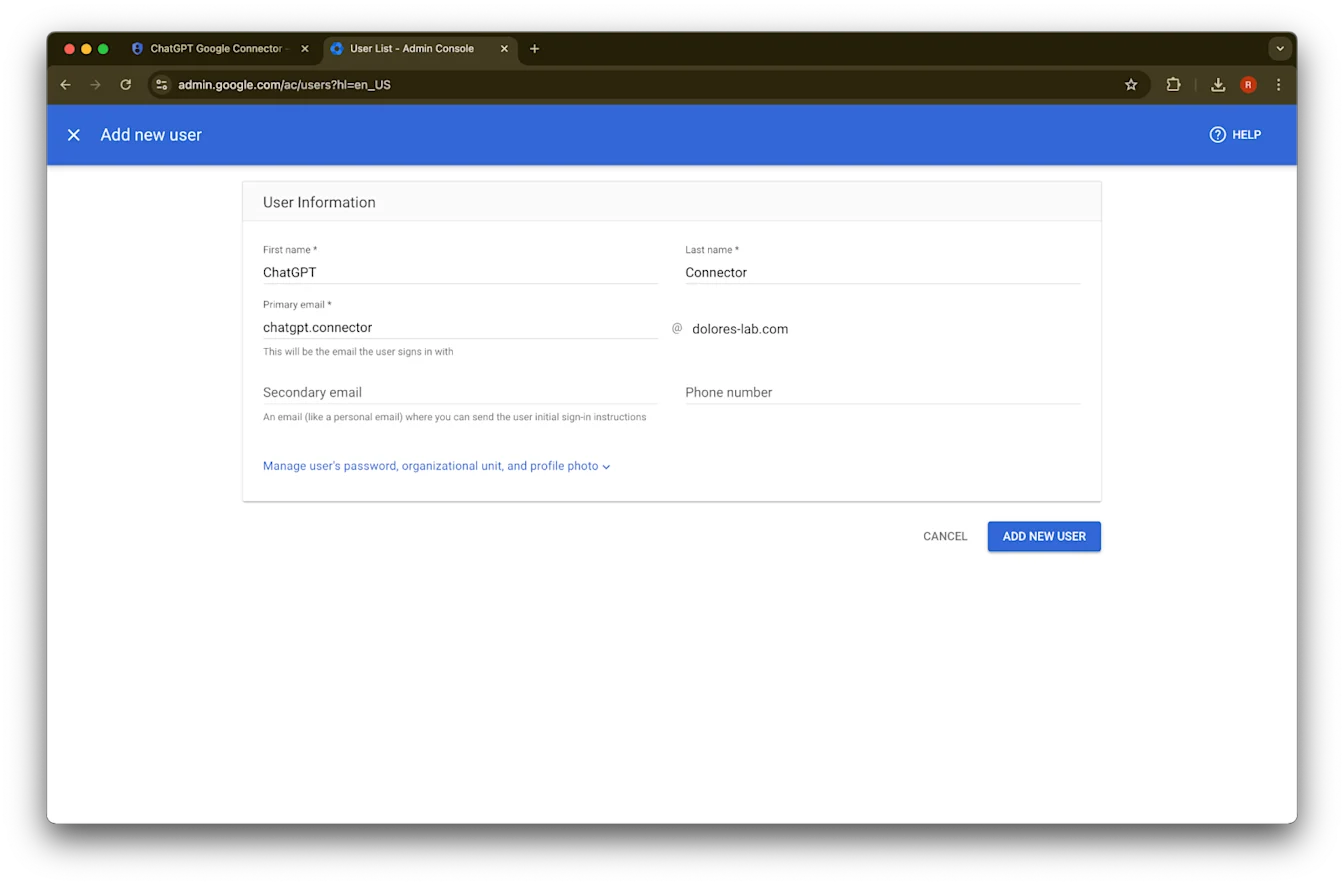
የመረጡትን የመጀመሪያ ስም፣ የአያት ስም እና ዋና ኢሜይል አድራሻ ያቅርቡ
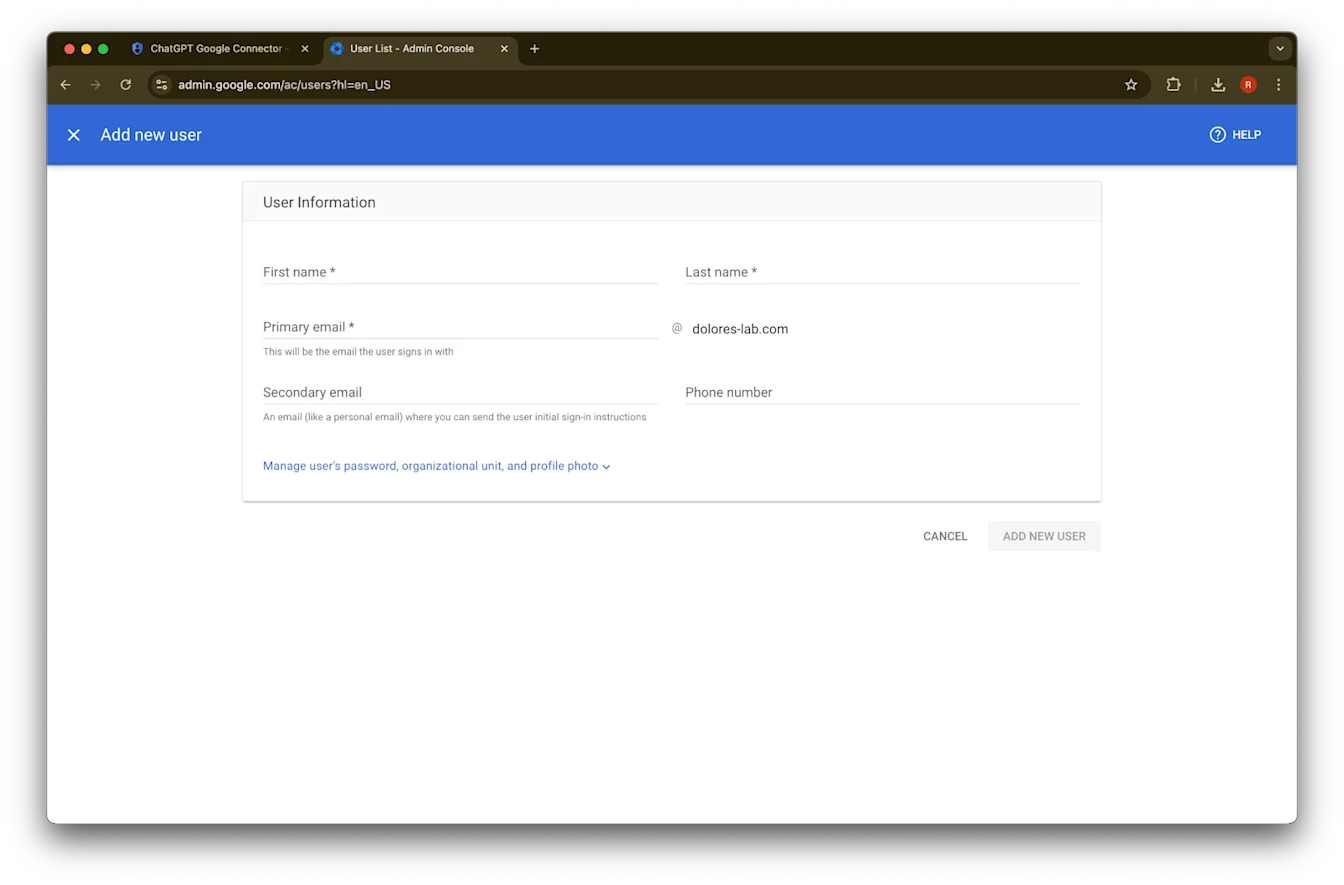
Add new user ላይ ጠቅ ያድርጉ
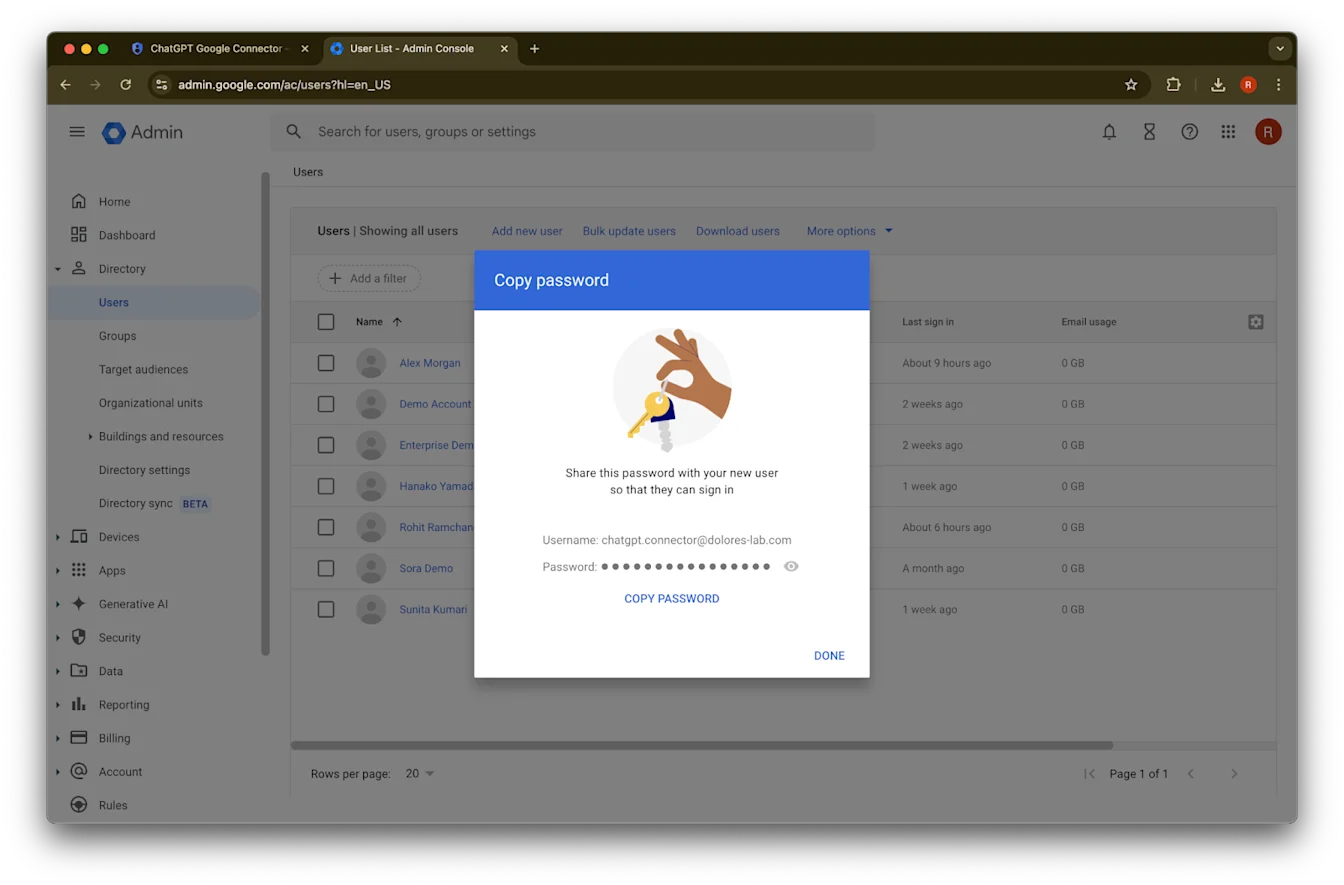
(አማራጭ) እነዚህን ምስክርነቶች ይመዝግቡ። ChatGPT እነዚህን ምስክርነቶች አያስፈልገውም።
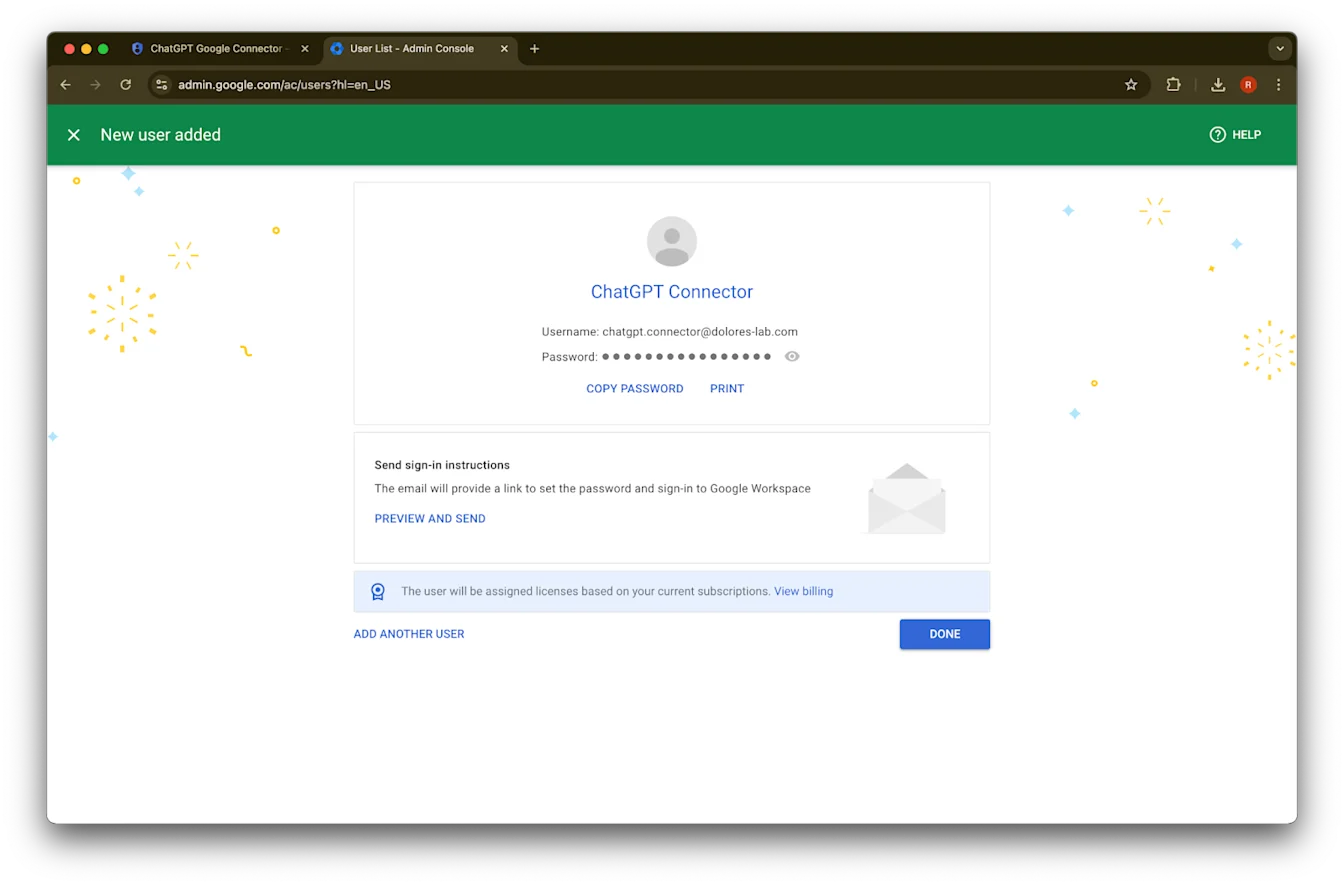
Done ላይ ጠቅ ያድርጉ።
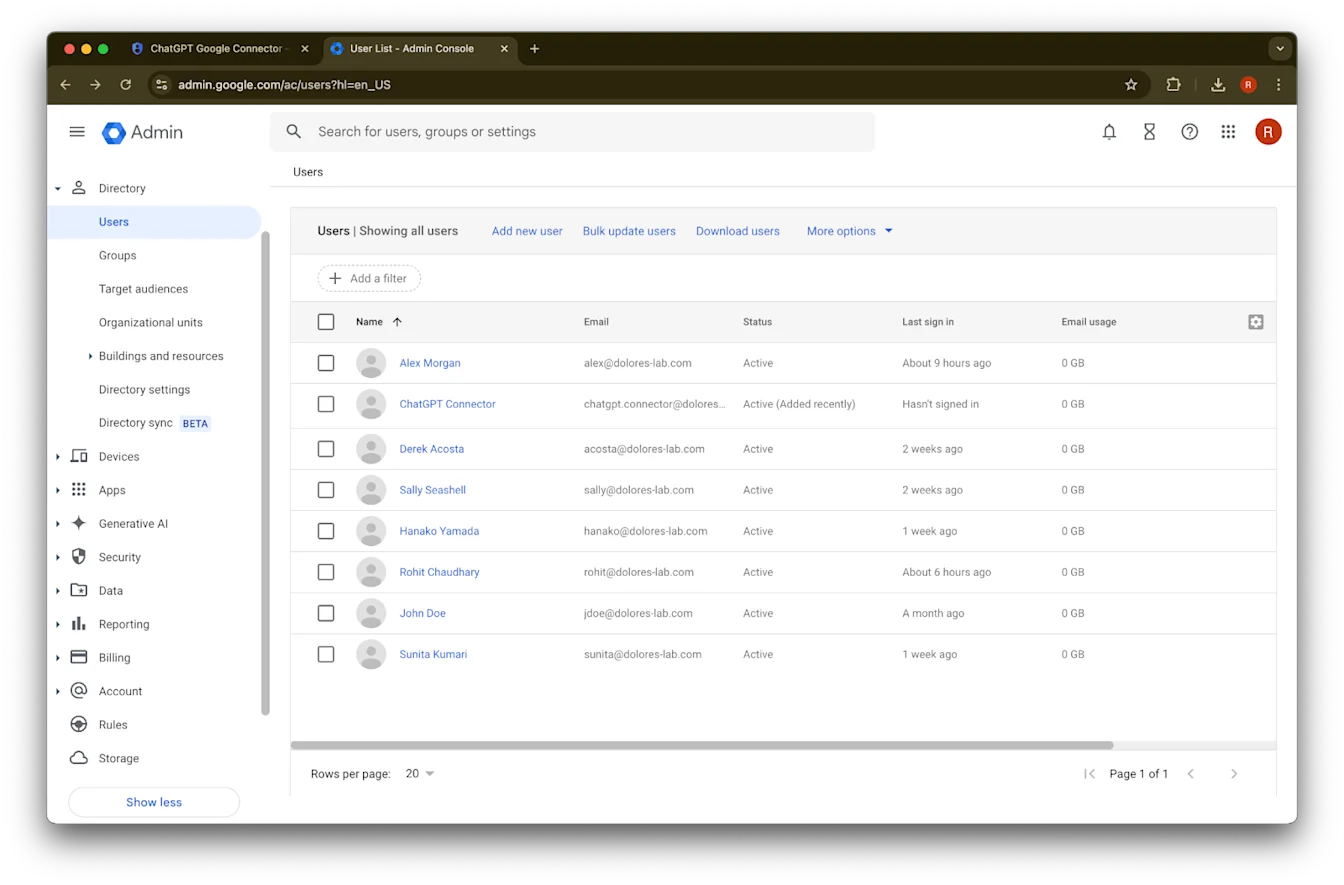
አሁን የፈጠሩትን መለያ ጠቅ ያድርጉ። በዝርዝሩ ውስጥ ካልታየ፣ ገጹን ያድሱ ወይም ካሽና ኩኪዎችዎን ያጽዱ እና እንደገና ይሞክሩ።
assign roles ላይ ጠቅ ያድርጉ።
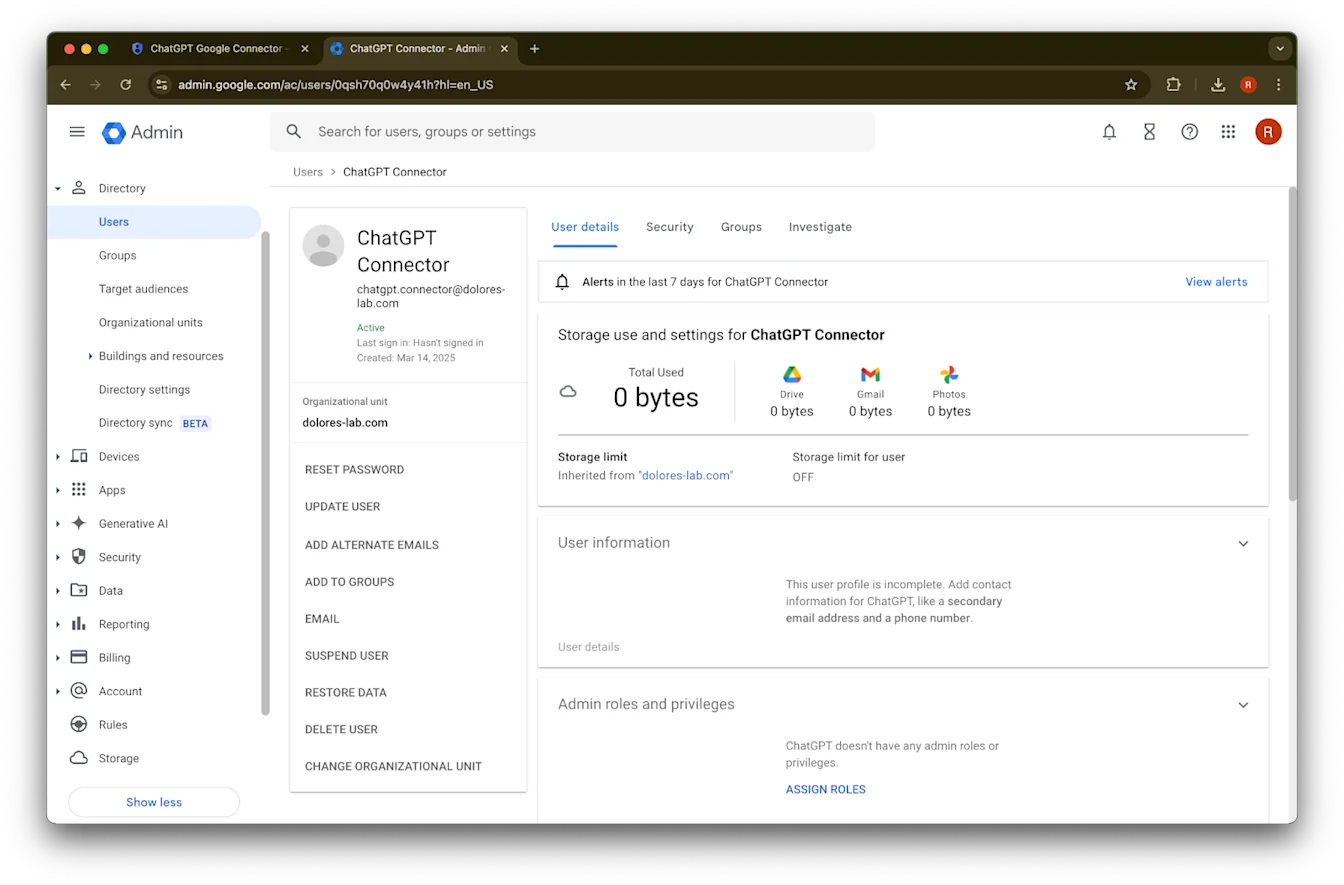
የGroups Reader, User Management Admin, እና Storage Admin ሚናዎችን ያብሩ።
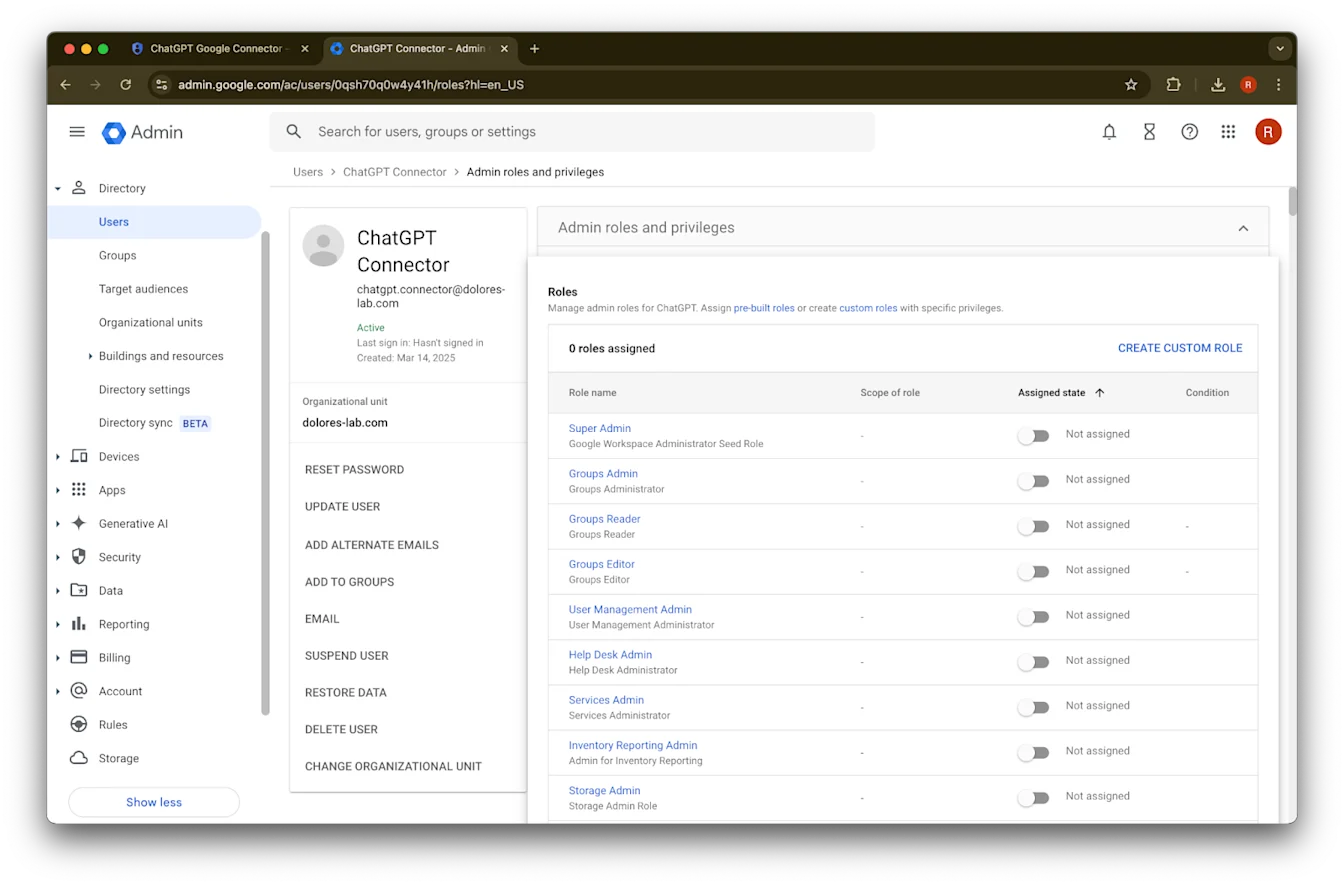
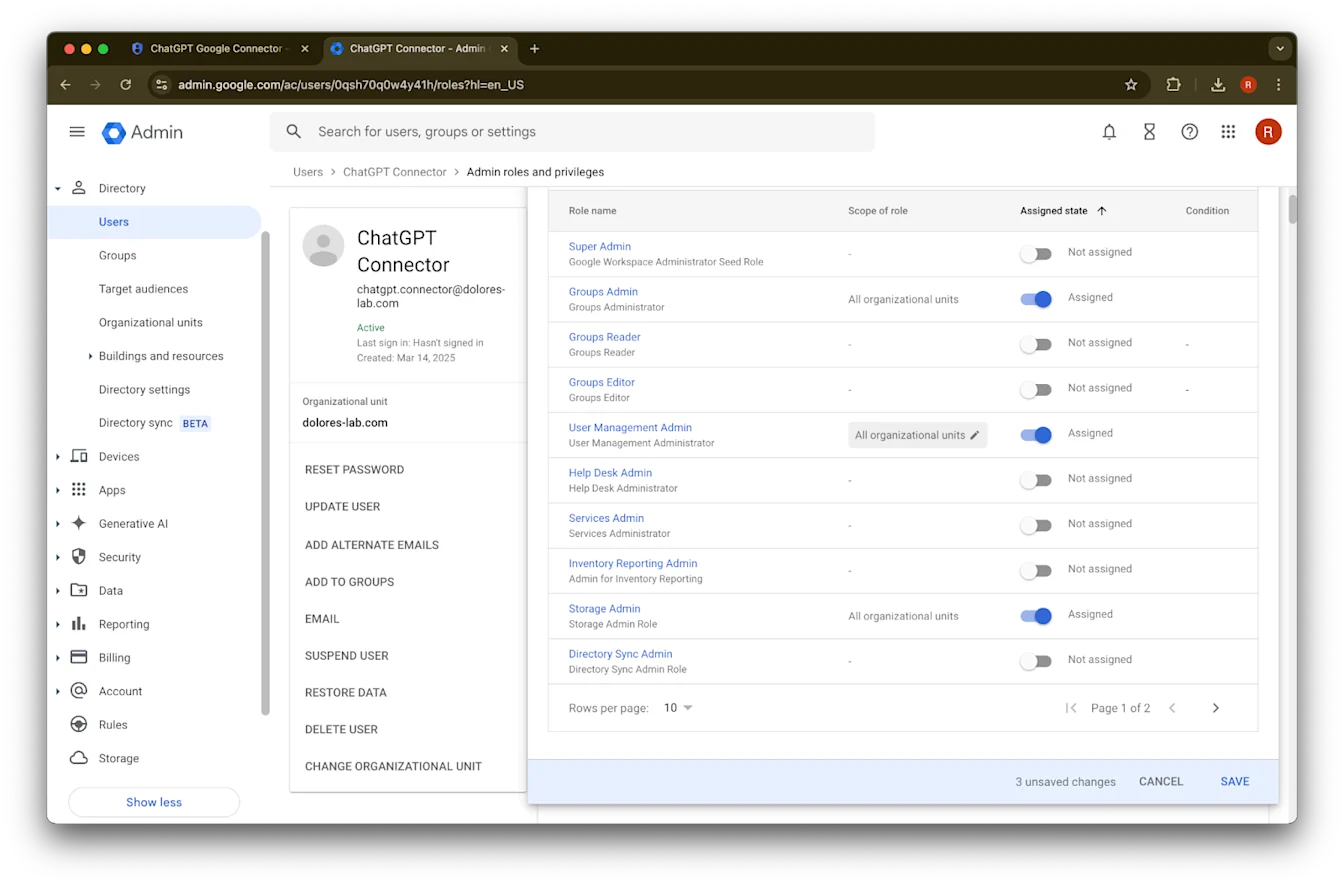
ወደ ታች ያሸብልሉ እና Save. ላይ ጠቅ ያድርጉ የአስተዳዳሪ መለያው አሁን በተሳካ ሁኔታ ተፈጥሮ ተዋቅሯል።
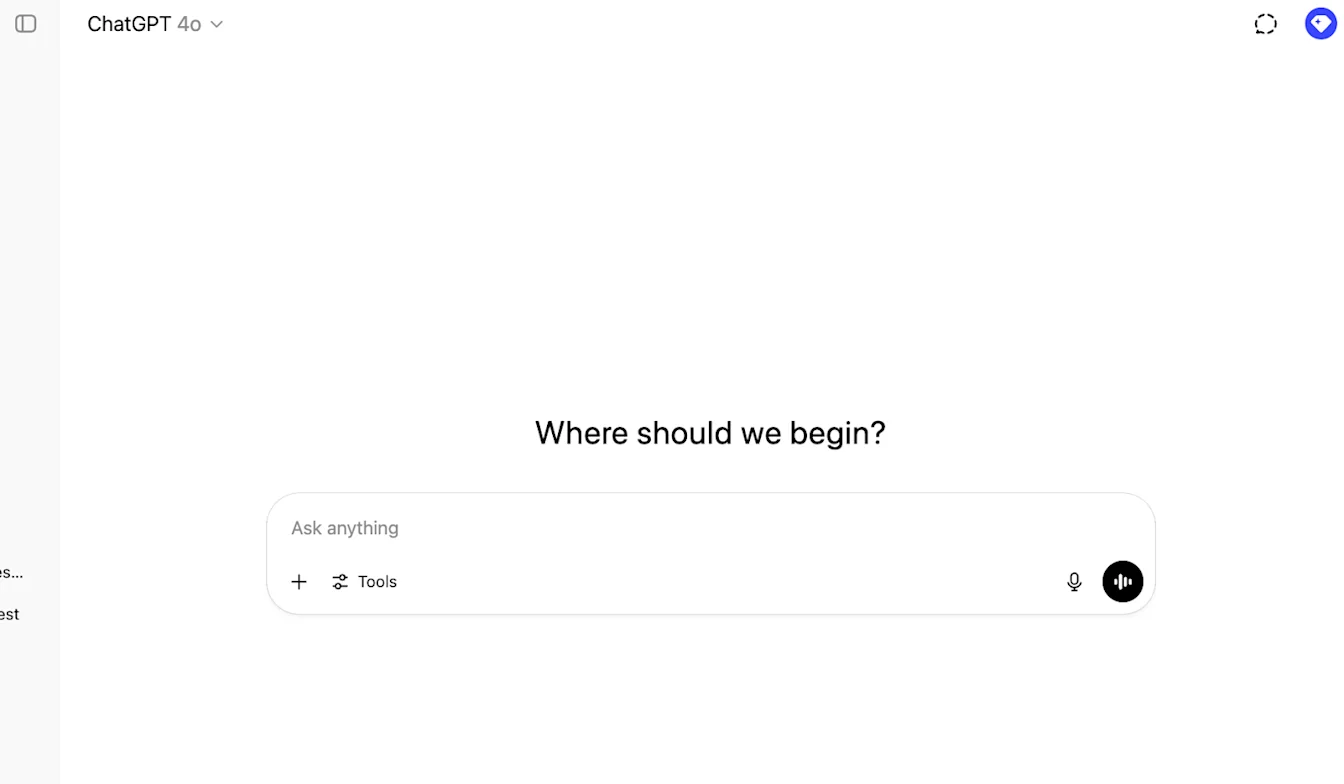
በChatGPT የአስተዳዳሪ ኮንሶል ላይ ማዋቀሩን ማጠናቀቅ
ወደ ChatGPT ይሂዱ እና በገጹ የላይኛው ቀኝ ጥግ ላይ ያለውን የመገለጫ አዶ ጠቅ ያድርጉ።
የስራ ቦታ አስተዳድር ላይ ጠቅ ያድርጉ
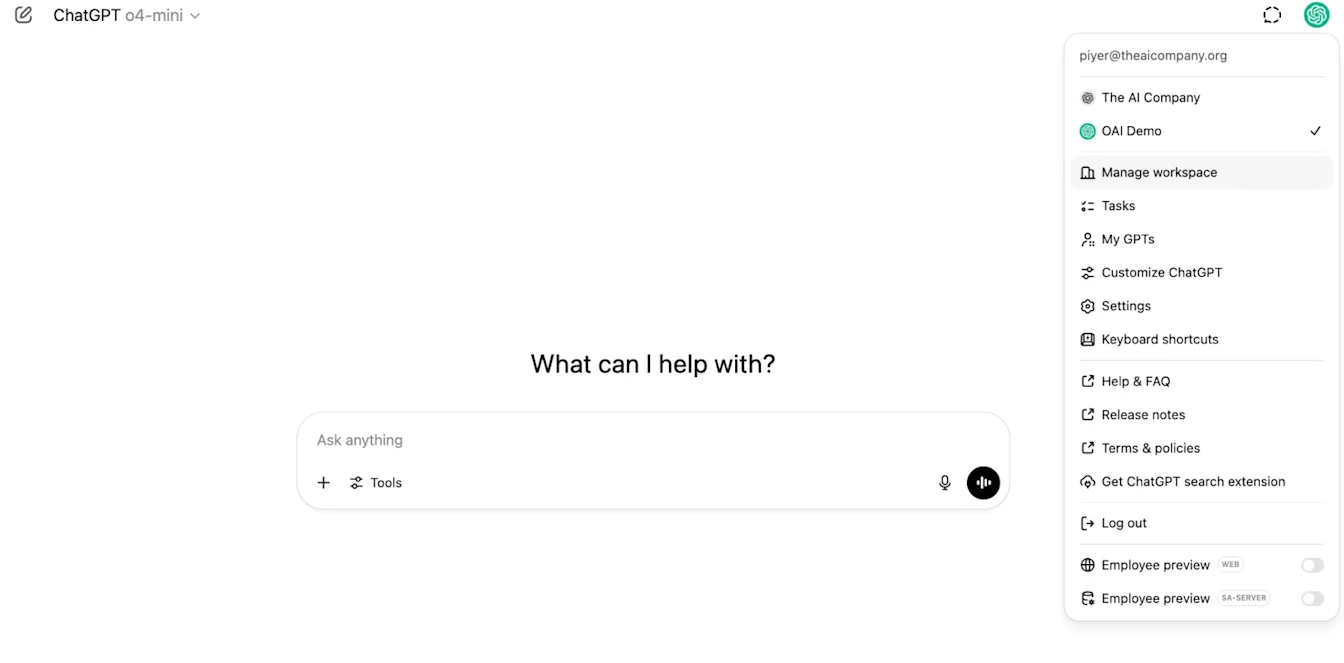
ግንኙነቶች ላይ፣ ከዚያ በ‘የተመሳሰሉ ኮኔክተሮች’ ስር → አንቃ ማመሳሰል ላይ ጠቅ ያድርጉ
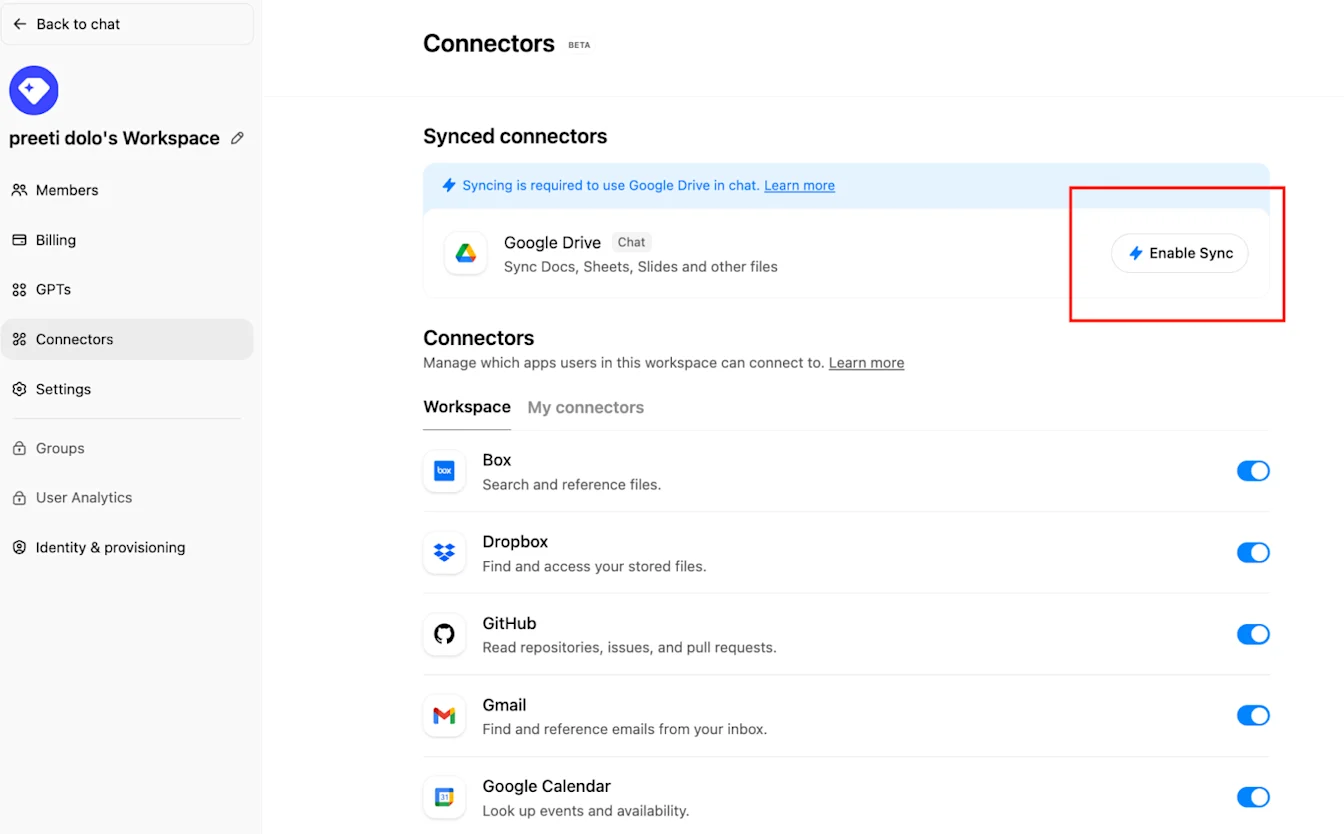
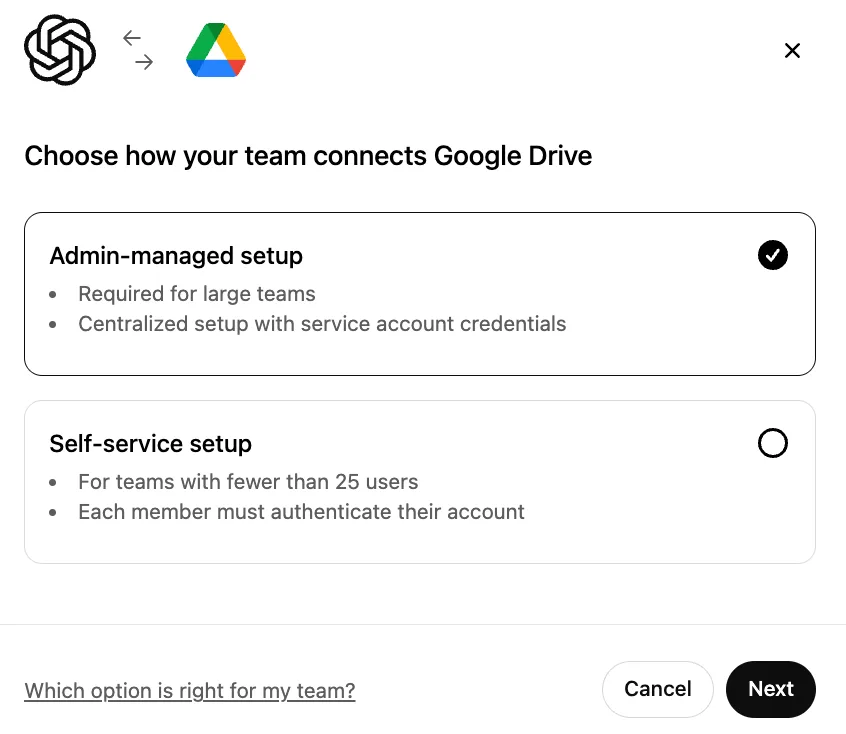
በአስተዳዳሪ የሚተዳደር መመረጡን ያረጋግጡ እና ቀጣይ ላይ ጠቅ ያድርጉ
የማሳያ ስም ይተይቡ። የGoogle Workspaceዎን ስም እንዲጠቀሙ እንመክራለን።
እባክዎ በአሁኑ ጊዜ የግንኙነትዎን ስም መቀየር እንደማንደግፍ ያስተውሉ።
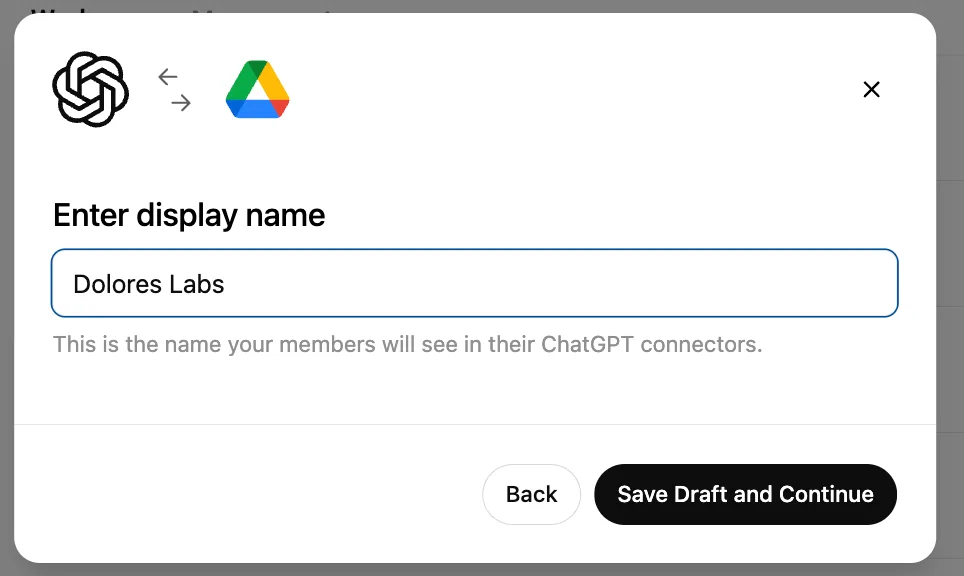
ረቂቅን አስቀምጥ እና ቀጥል ላይ ጠቅ ያድርጉ
ቁልፍ ጫን ላይ ጠቅ ያድርጉ። ከላይ የአገልግሎት መለያውን እንደማዋቀር አካል ያወረዱትን ቁልፍ የሆነውን የJSON ፋይል ይምረጡ። ይህ ቁልፍ ትክክል መሆኑን ያረጋግጡ
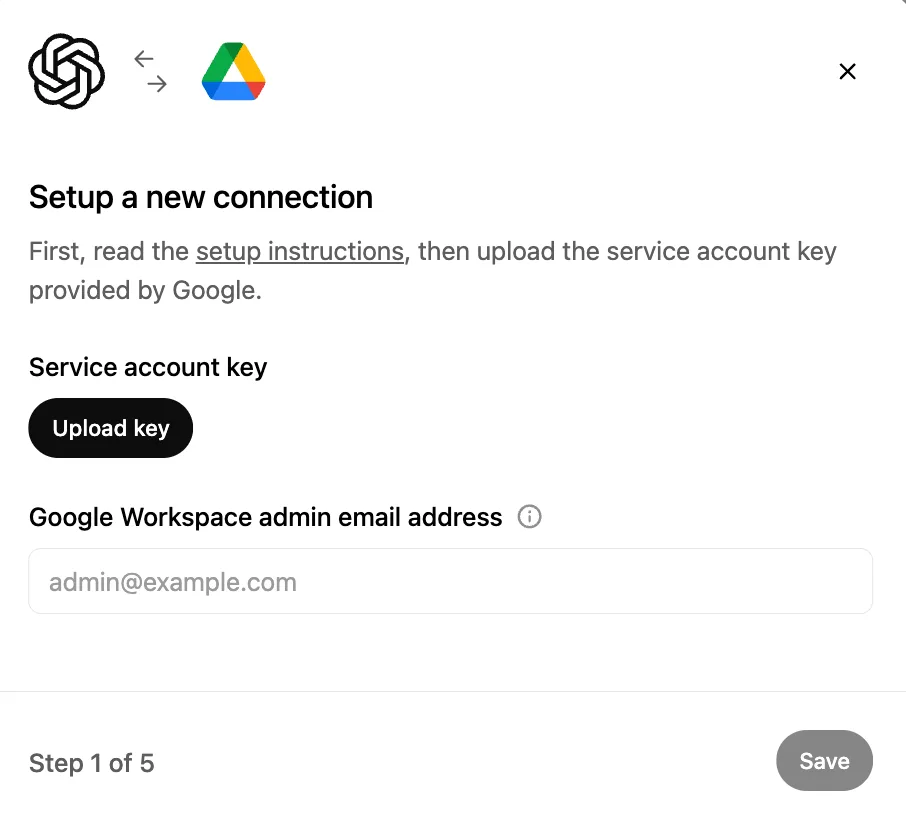
የአስተዳዳሪ ኢሜይል አድራሻ ይተይቡ። ይህ ቀደም ሲል የፈጠሩት የአስተዳዳሪ መለያ ነው።
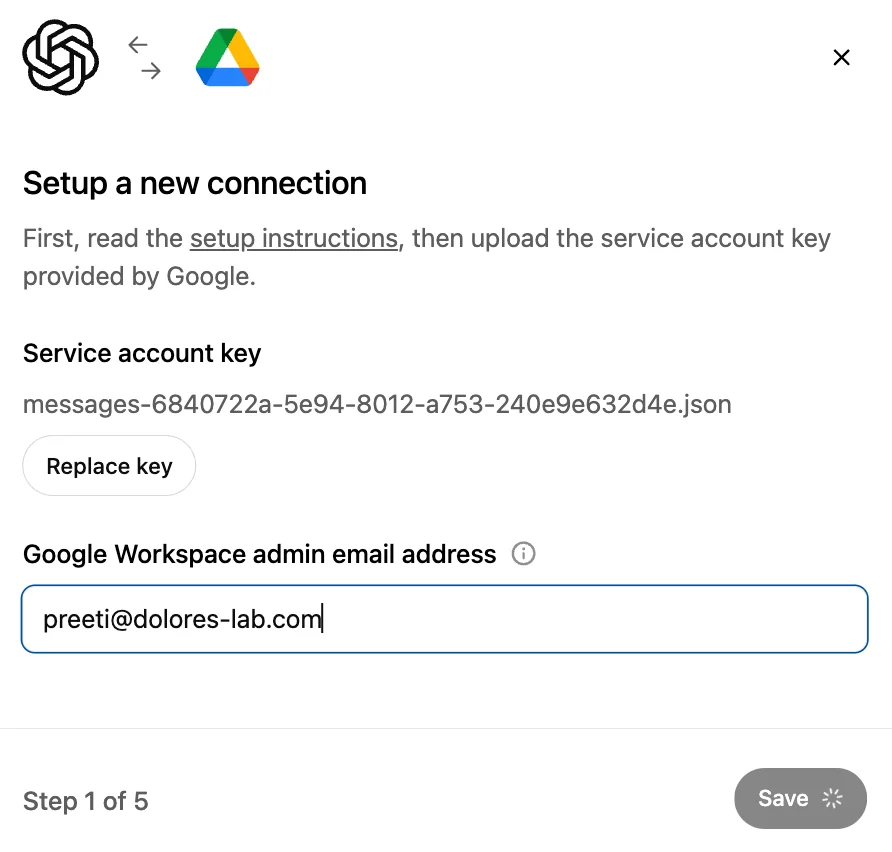
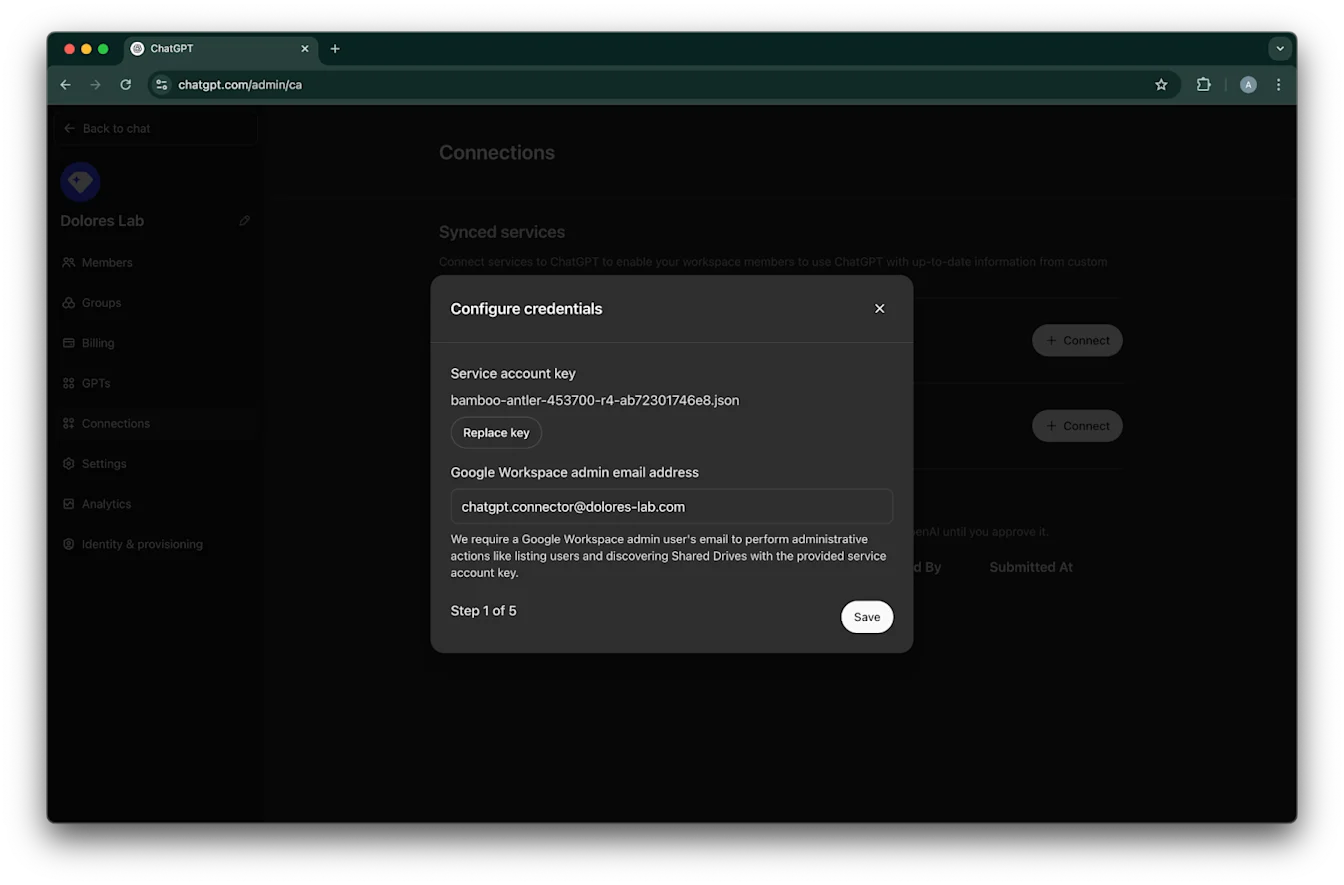
አስቀምጥ። ላይ ጠቅ ያድርጉ
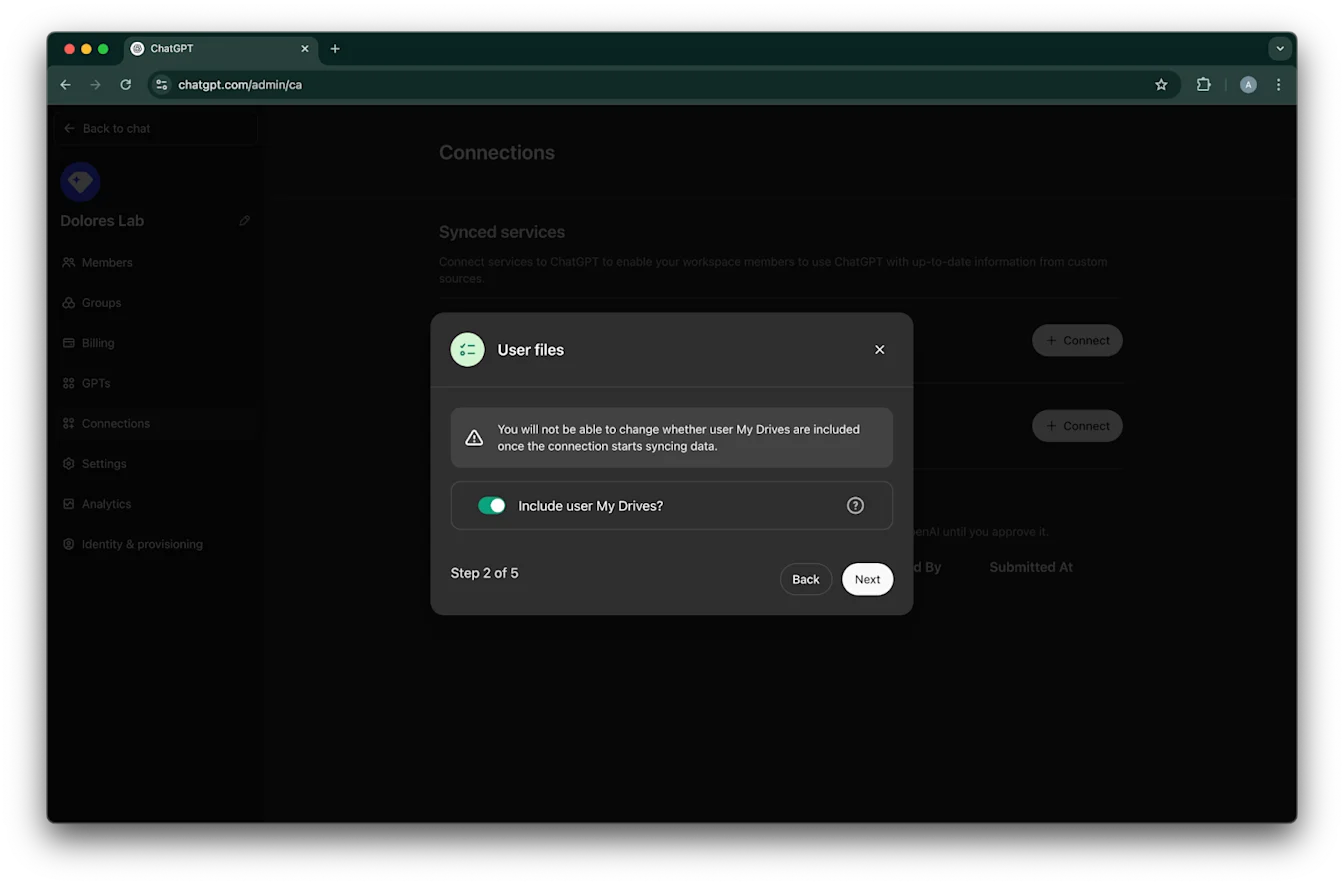
በሁሉም ተጠቃሚዎችዎ My Drives ውስጥ ያሉ ፋይሎች እንዲካተቱ ከፈለጉ ይምረጡ።
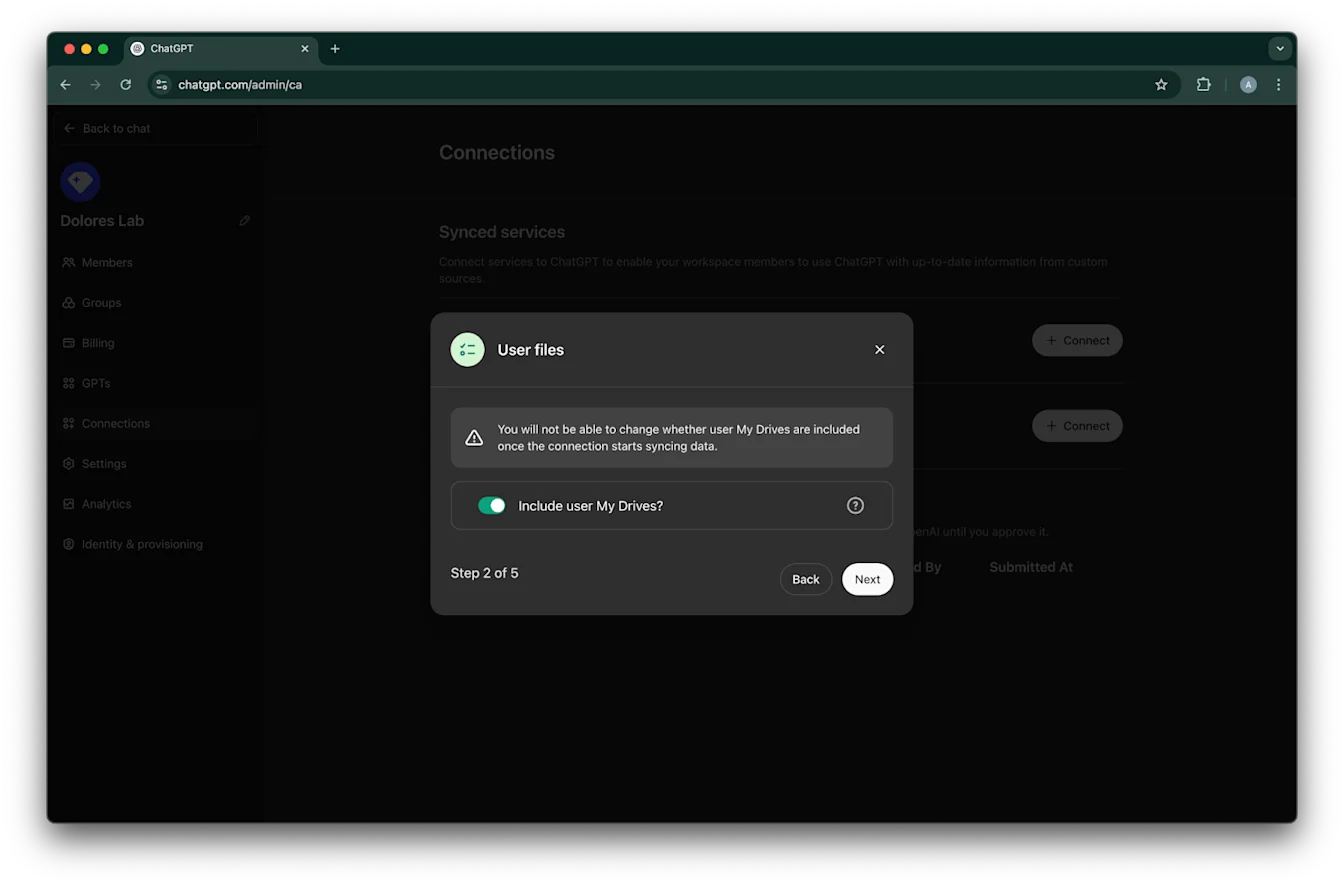
ቀጣይ ላይ ጠቅ ያድርጉ
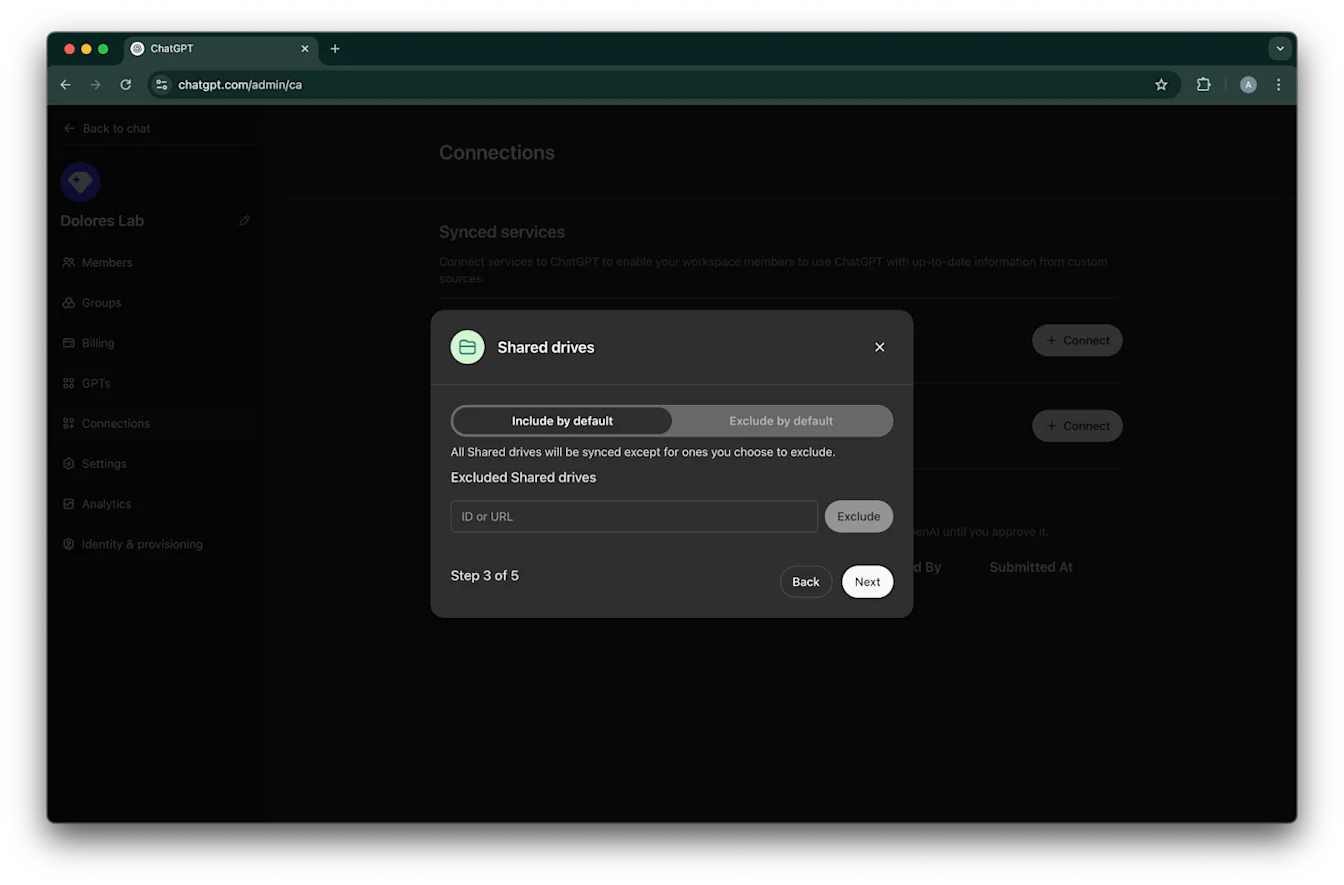
የተጋሩ drives እንዴት እንደሚተዳደሩ ይምረጡ። የሚከተሉትን ሶስት ሁኔታዎች እንደግፋለን፦
ሁሉንም የተጋሩ drives ማካተት ከፈለጉ፣ በነባሪ አካትት ይምረጡ እና የሚወገዱ የተጋሩ drive IDዎችን አይጨምሩ
አብዛኛዎቹን የተጋሩ drives ማካተት ከፈለጉ፣ በነባሪ አካትት ይምረጡ እና ማስወገድ የሚፈልጉትን የተጋሩ drives IDዎች ያክሉ
አብዛኛዎቹን የተጋሩ drives ማስወገድ ከፈለጉ፣ በነባሪ አስወግድ ይምረጡ እና ማካተት የሚፈልጉትን የተጋሩ drives IDዎች ያክሉ
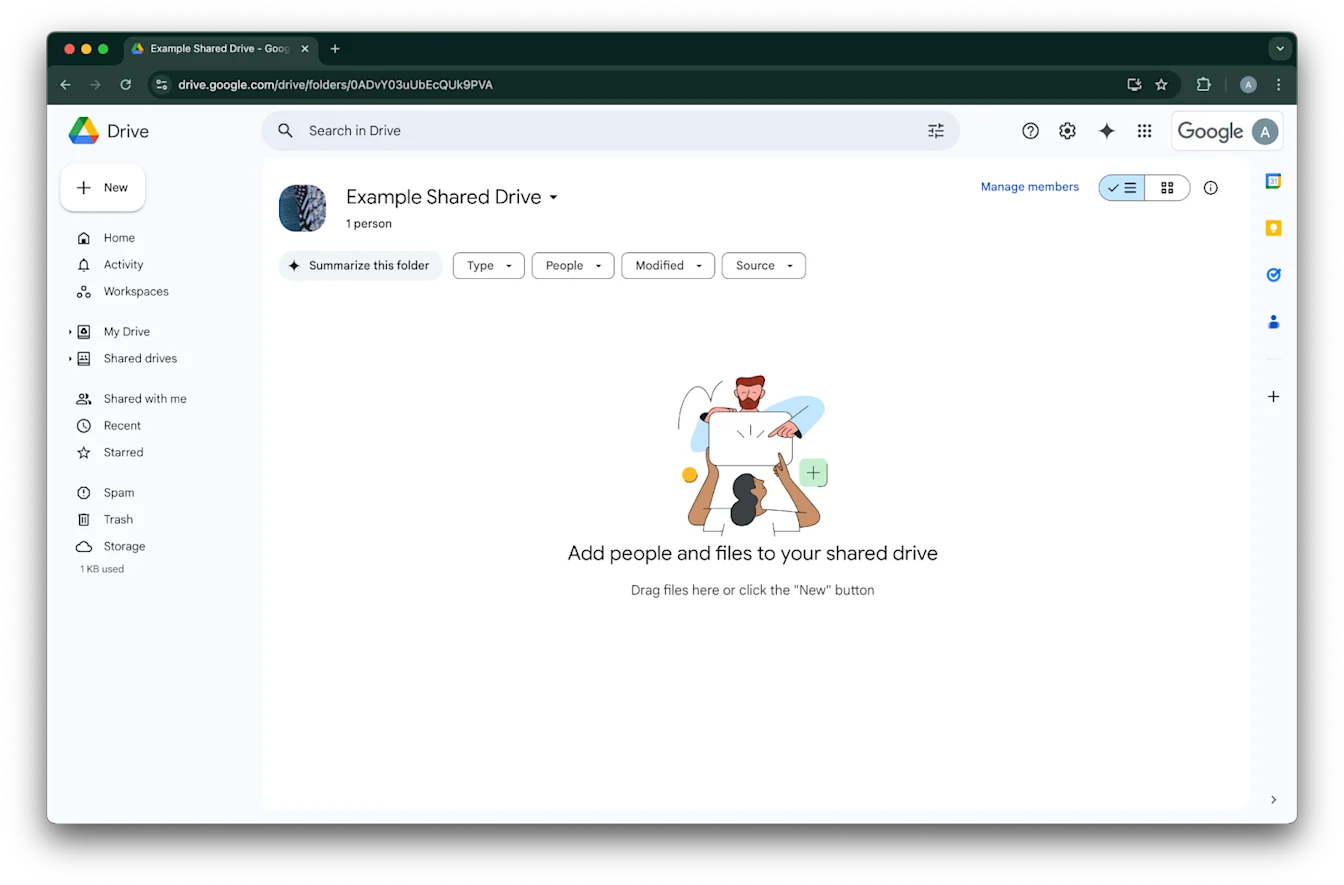
የተጋራ drive IDን ለመፈለግ፣ በድር አሳሽ ውስጥ ወደዚያ ይሂዱ። የURL የመጨረሻው ክፍል የተጋራ drive ID ነው።
በሚከተለው ምሳሌ፣ እሱ 0ADvY03uUbEcQUk9PVA ነው።
ቀጣይ ላይ ጠቅ ያድርጉ
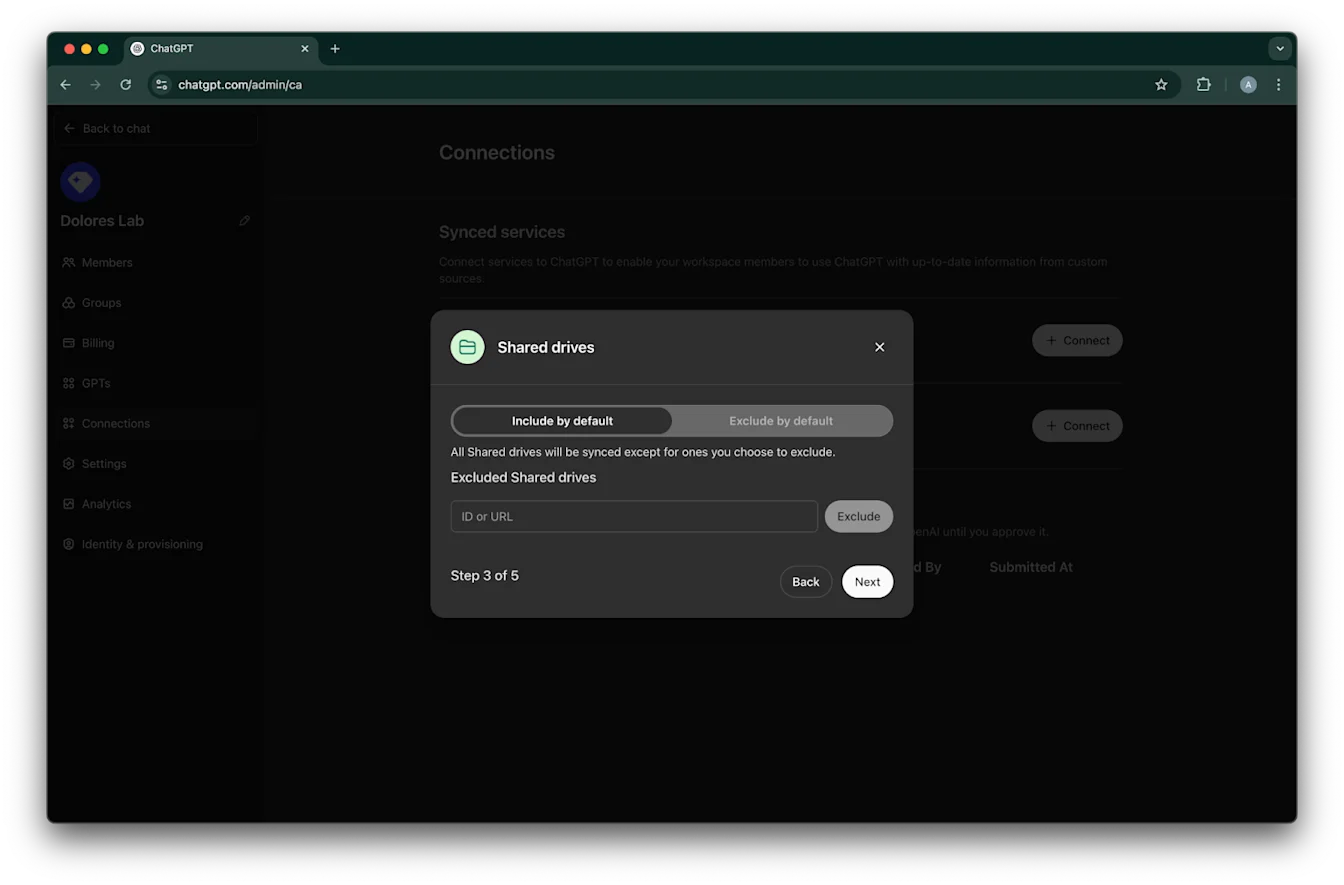
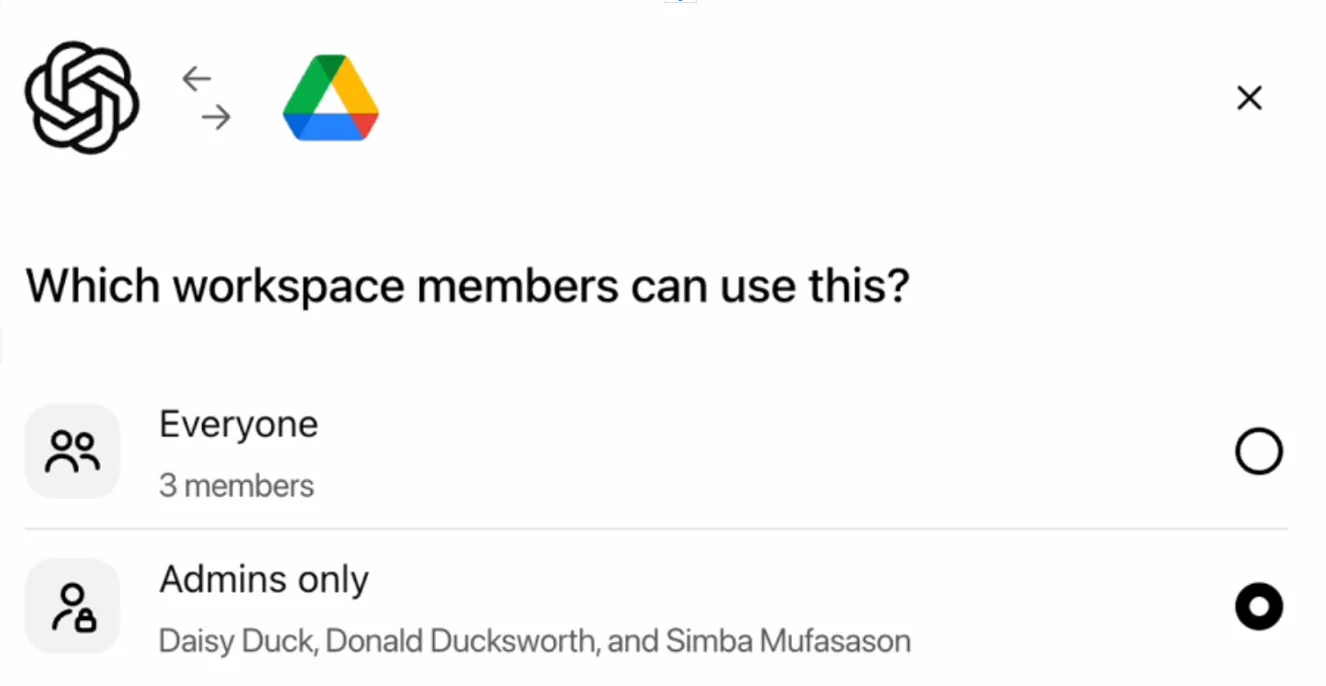
ለGoogle Drive ግንኙነት መዳረሻ ማን ሊኖረው እንደሚገባ ይምረጡ። የChatGPT የስራ ቦታ አስተዳዳሪዎችን ብቻ መምረጥ ወይም ለሁሉም ማንቃት ይችላሉ። ለሁሉም ከተነቃ፣ ወደ የስራ ቦታው የሚጨመሩ አዲስ ተጠቃሚዎች በራስ-ሰር ይካተታሉ።
ማመሳሰል ጀምር ላይ ጠቅ ያድርጉ
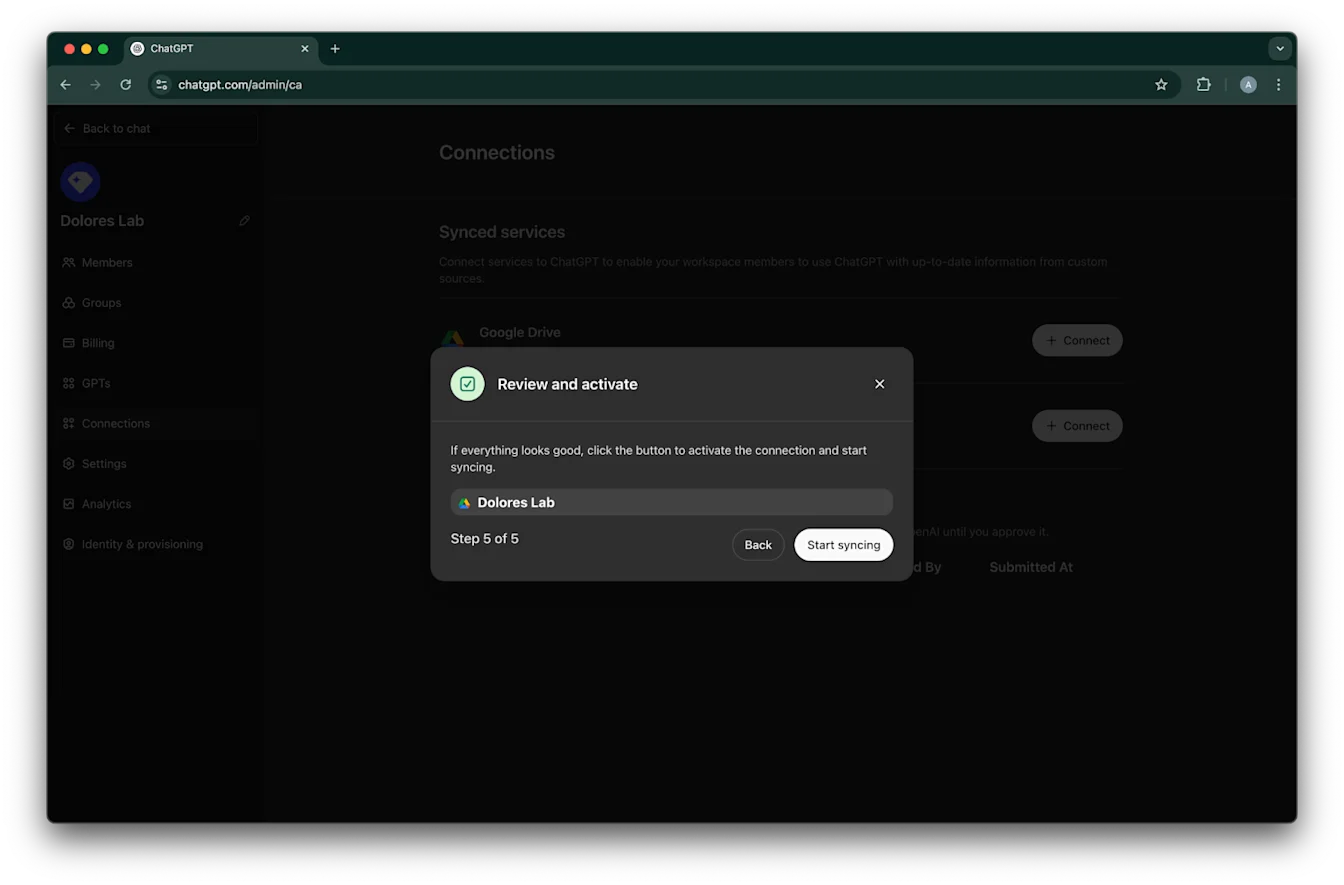
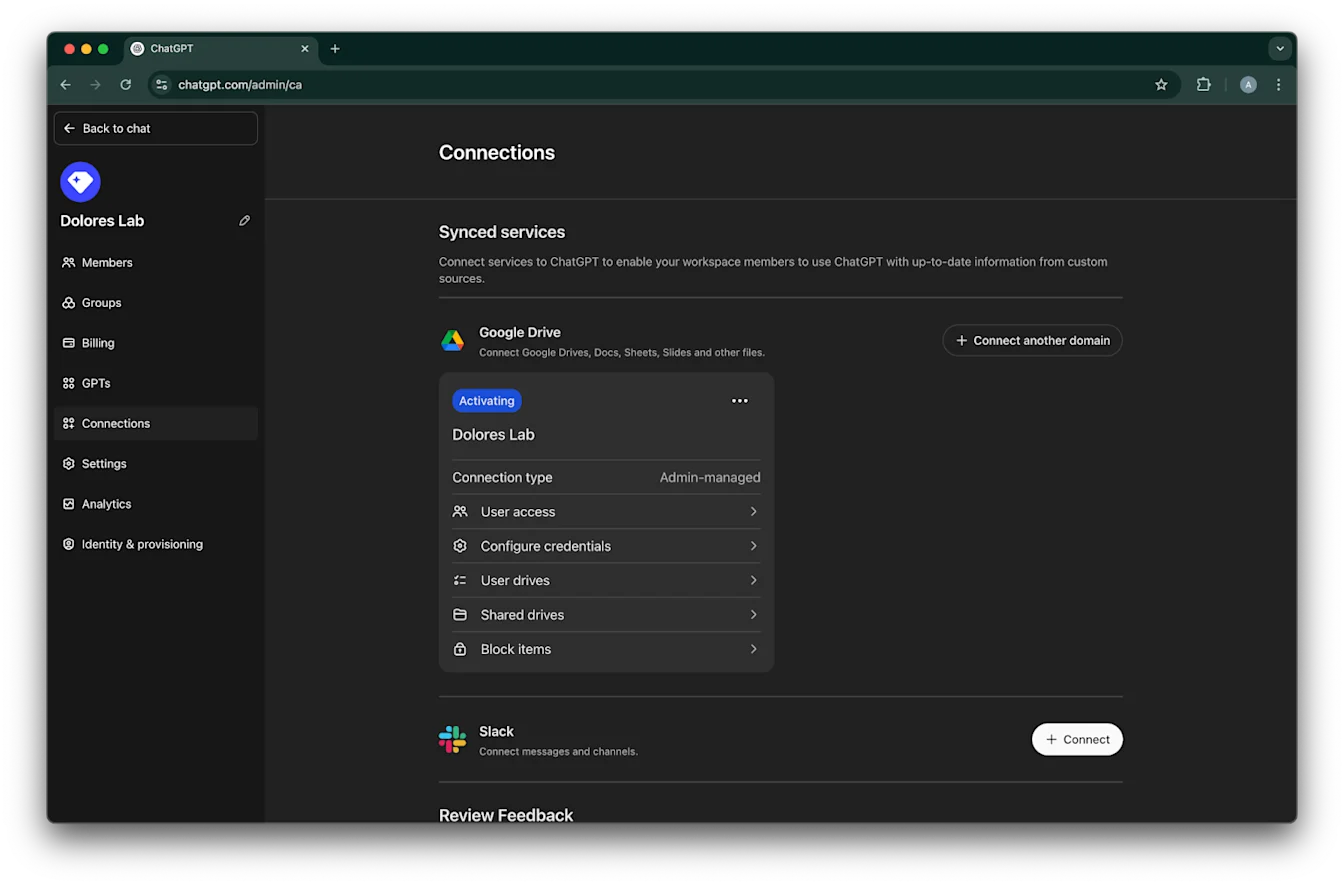
የGoogle Drive ግንኙነትዎ አሁን በተሳካ ሁኔታ ተፈጥሯል!
እባክዎ ያስተውሉ፣ ምንም እንኳ ማመሳሰል ወዲያውኑ ቢጀምርም፣ በቅንብሮችዎ መሰረት በተካተቱት የፋይሎች ብዛት ላይ በመመስረት ለመጠናቀቅ ከሰዓታት እስከ ቀናት ሊወስድ ይችላል። ባለፉት 30 ቀናት ውስጥ የታከሉ/የተስተካከሉ ፋይሎች ማመሳሰል ከጨረሱ በኋላ፣ ኮኔክተሩ ለነቃላቸው ተጠቃሚዎች ይገኛል።
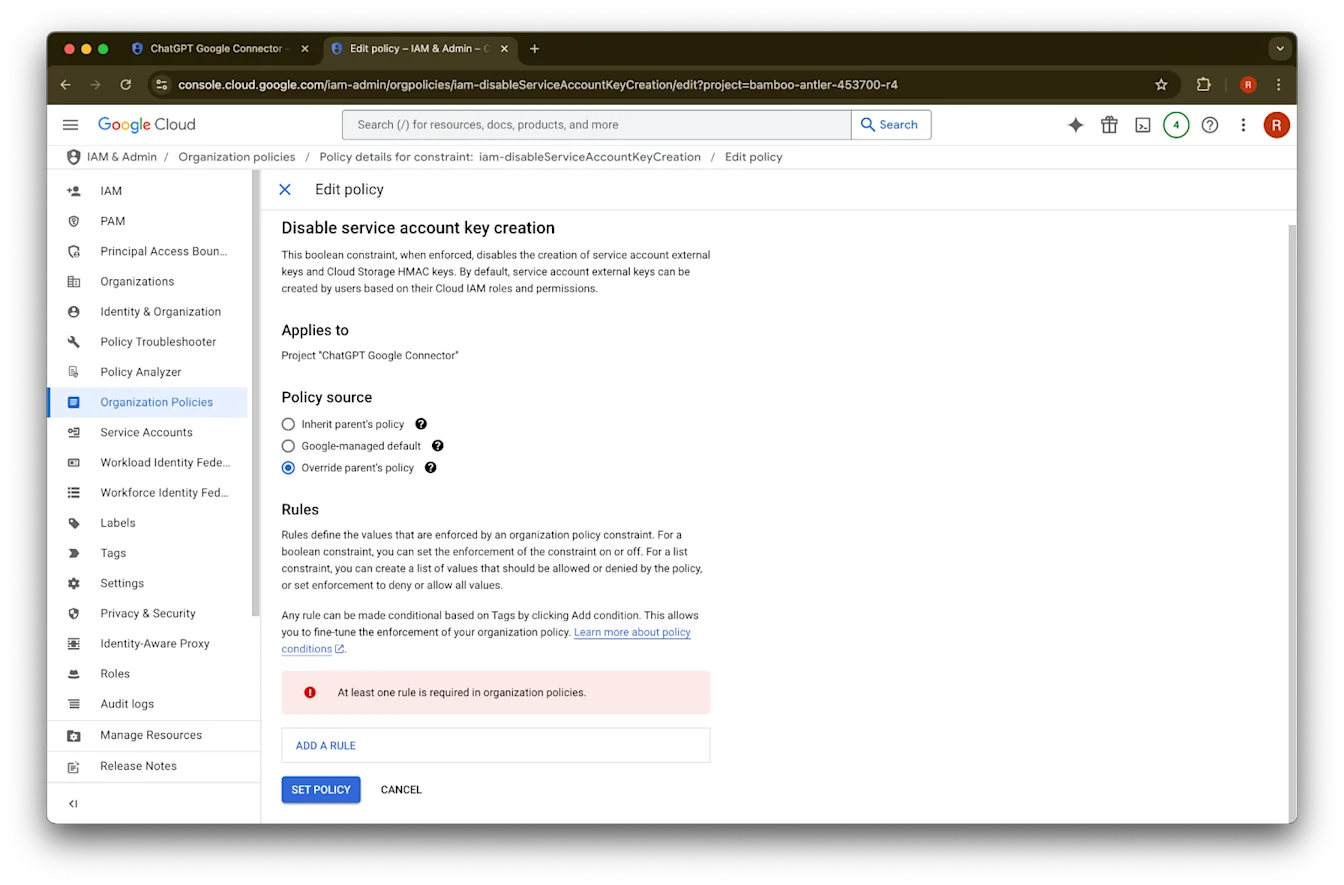
የአገልግሎት መለያ ቁልፍ መፍጠርን ማንቃት
የሚከተለውን ስህተት ከተቀበሉ፣ ለዚህ ልዩ ፕሮጀክት የአገልግሎት መለያ መፍጠርን ማንቃት ያስፈልግዎታል፦
የድርጅት ፖሊሲ ገደብ ‘iam.disableServiceAccountKeyCreation’ በድርጅትዎ ላይ ተፈጻሚ ሆኗል።
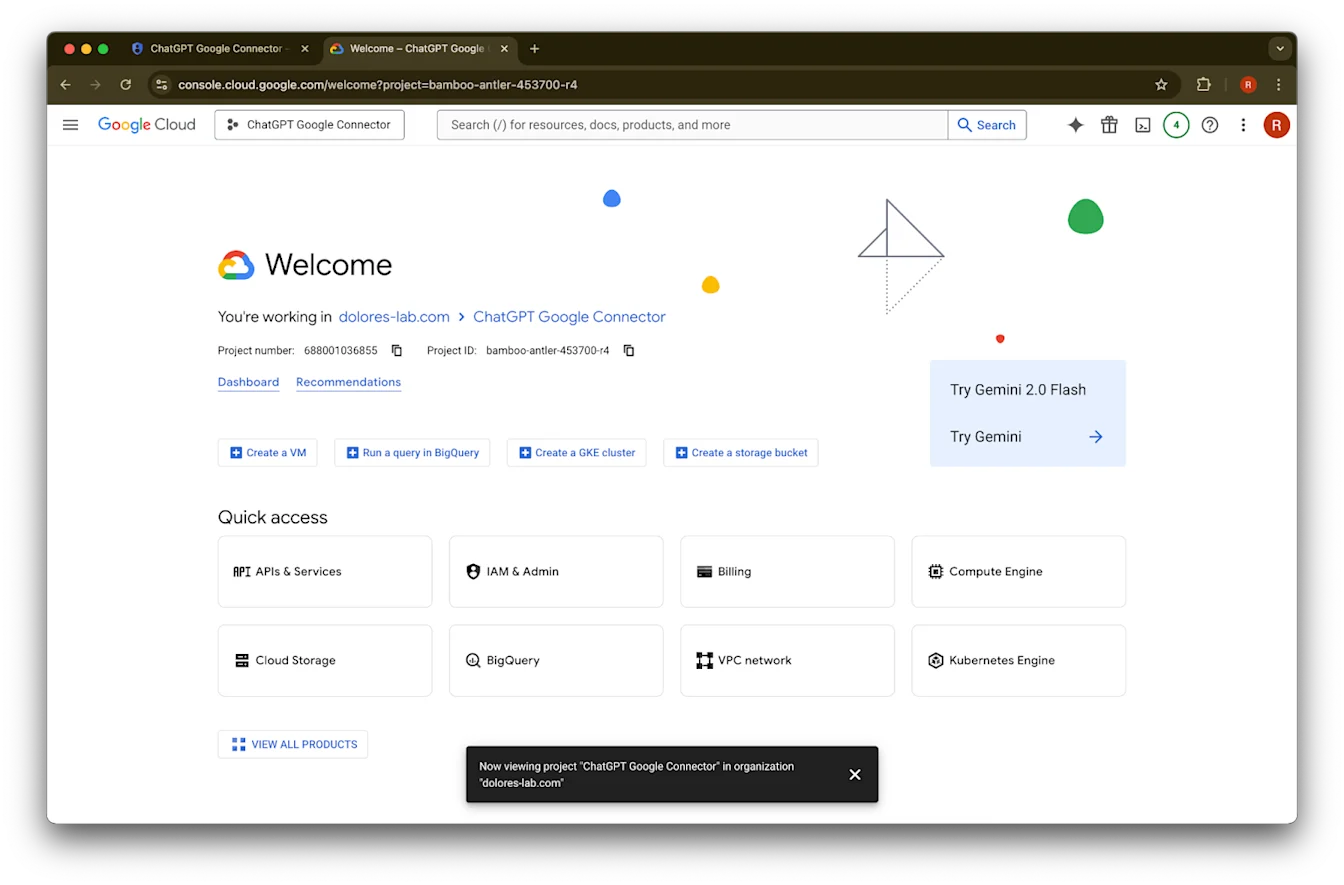
አዲስ ትር ይክፈቱ እና ወደ console.cloud.google.com ይሂዱ። የተመረጠው ፕሮጀክት አስቀድመው የመረጡት መሆኑን ያረጋግጡ።
በላይኛው ግራ ጥግ ላይ ያለውን የምናሌ አዶ ጠቅ ያድርጉ።
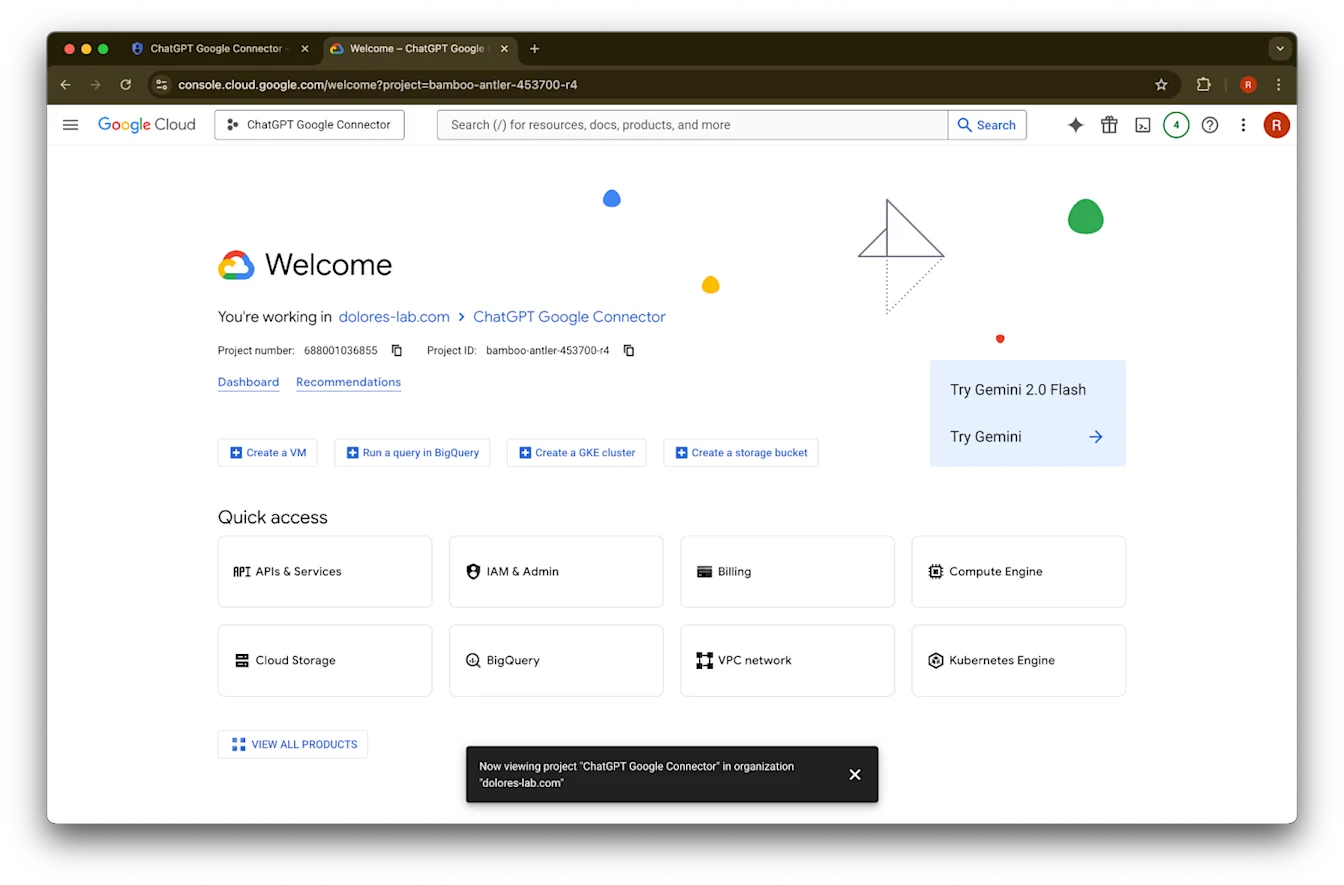
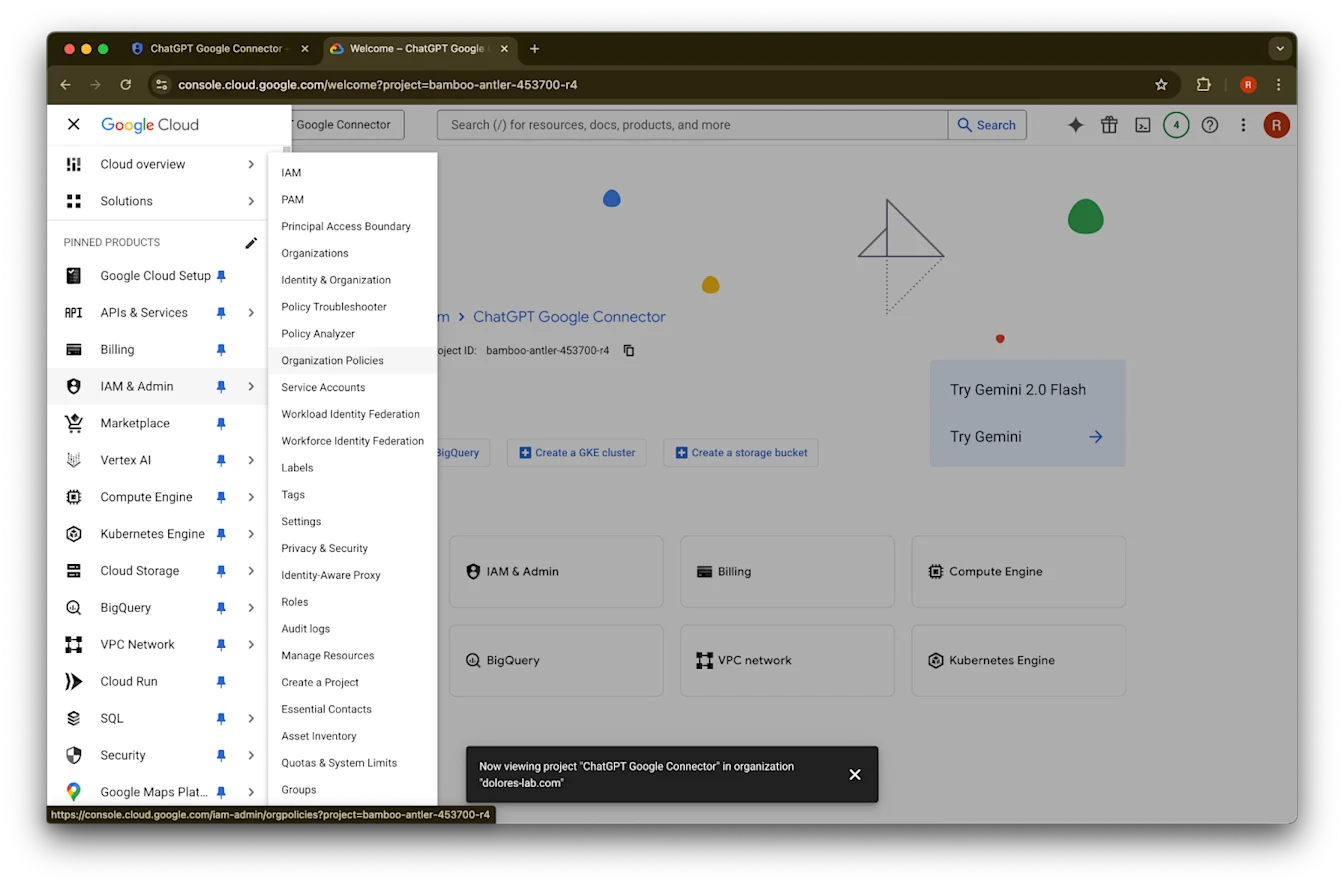
በIAM & Admin ላይ ያንዣብቡ
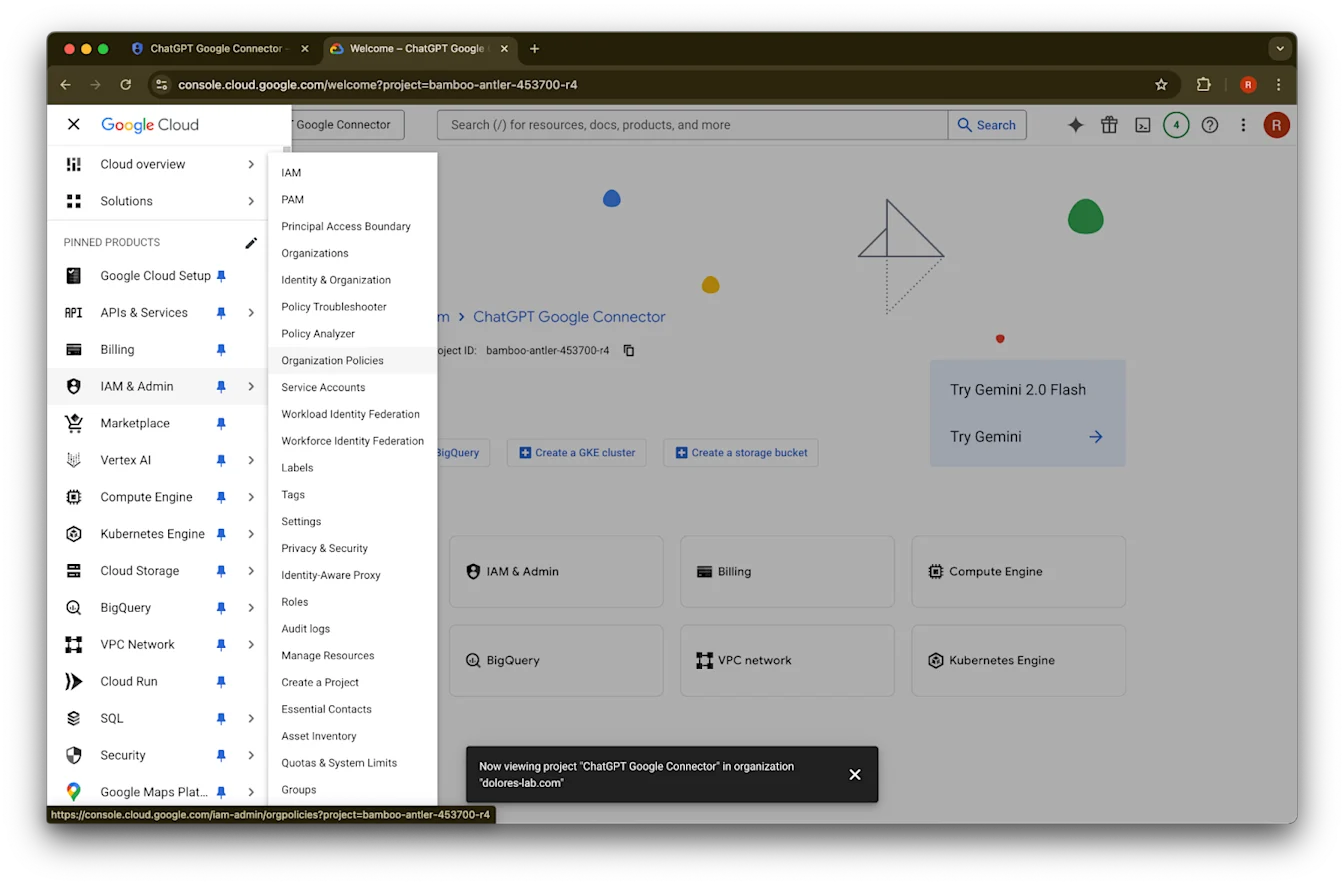
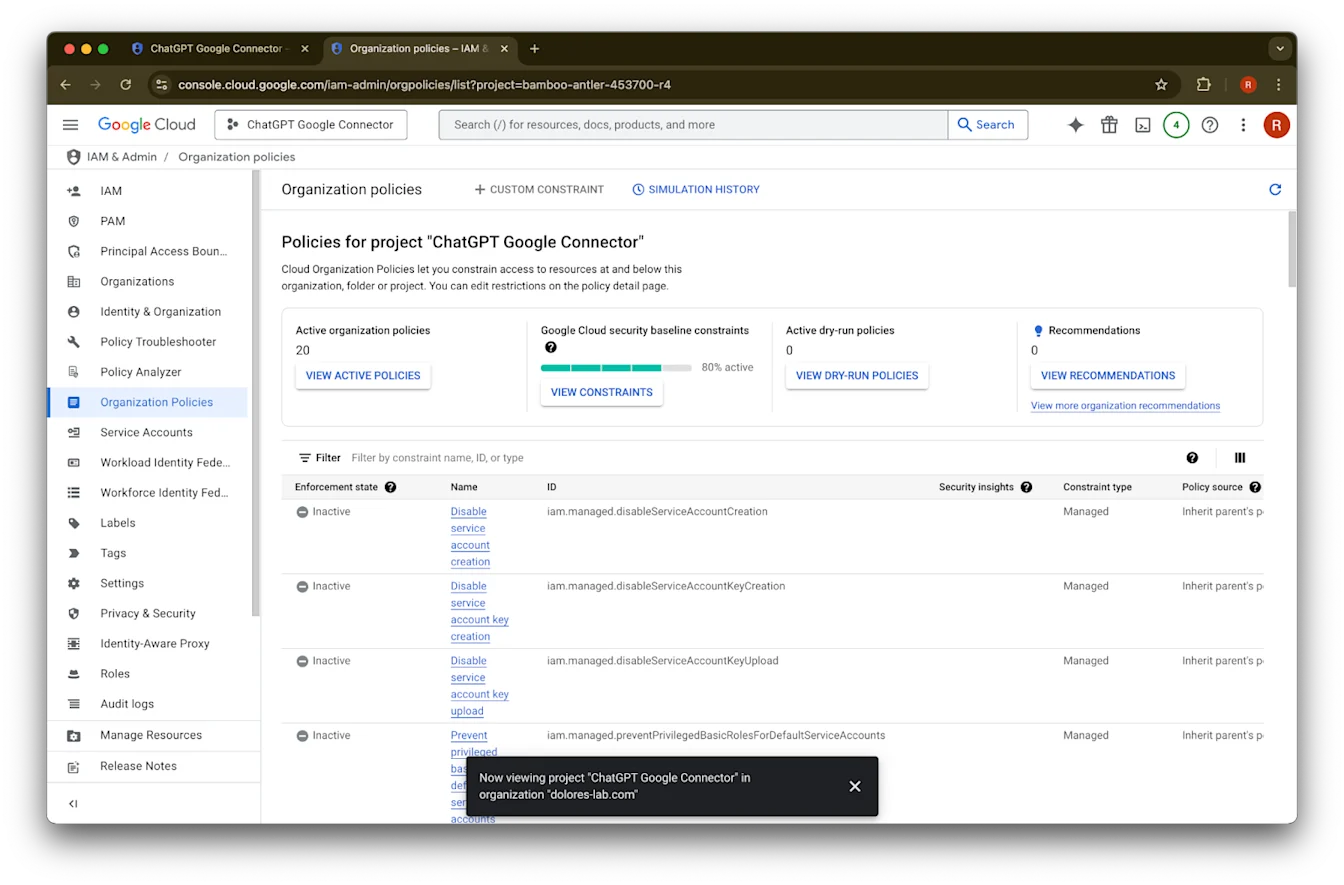
Organizational Policies ላይ ጠቅ ያድርጉ
iam.disableServiceAccountKeyCreationን ይፈልጉ
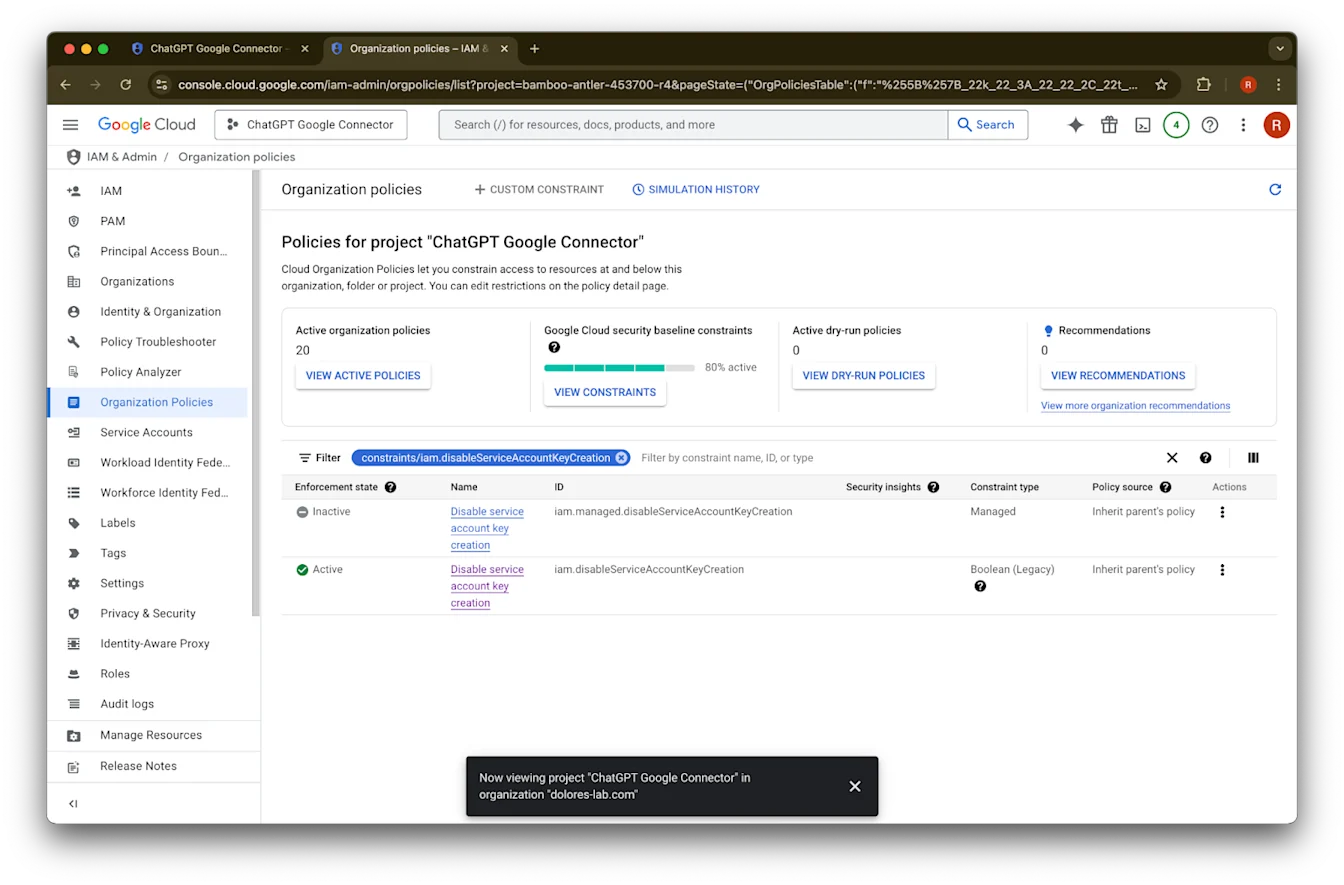
ለconstraints/iam.disableServiceAccountKeyCreation ውጤቱን ጠቅ ያድርጉ
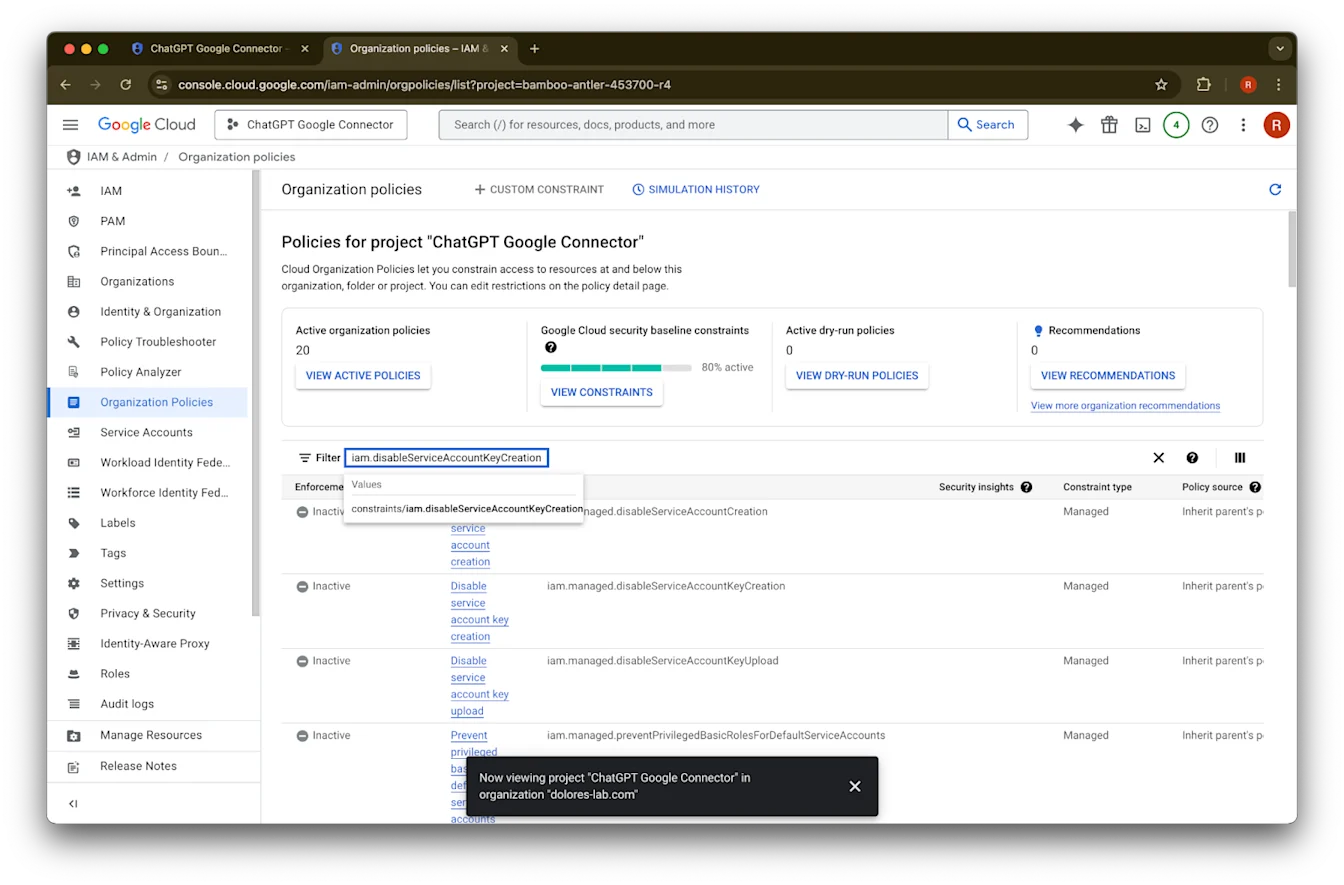
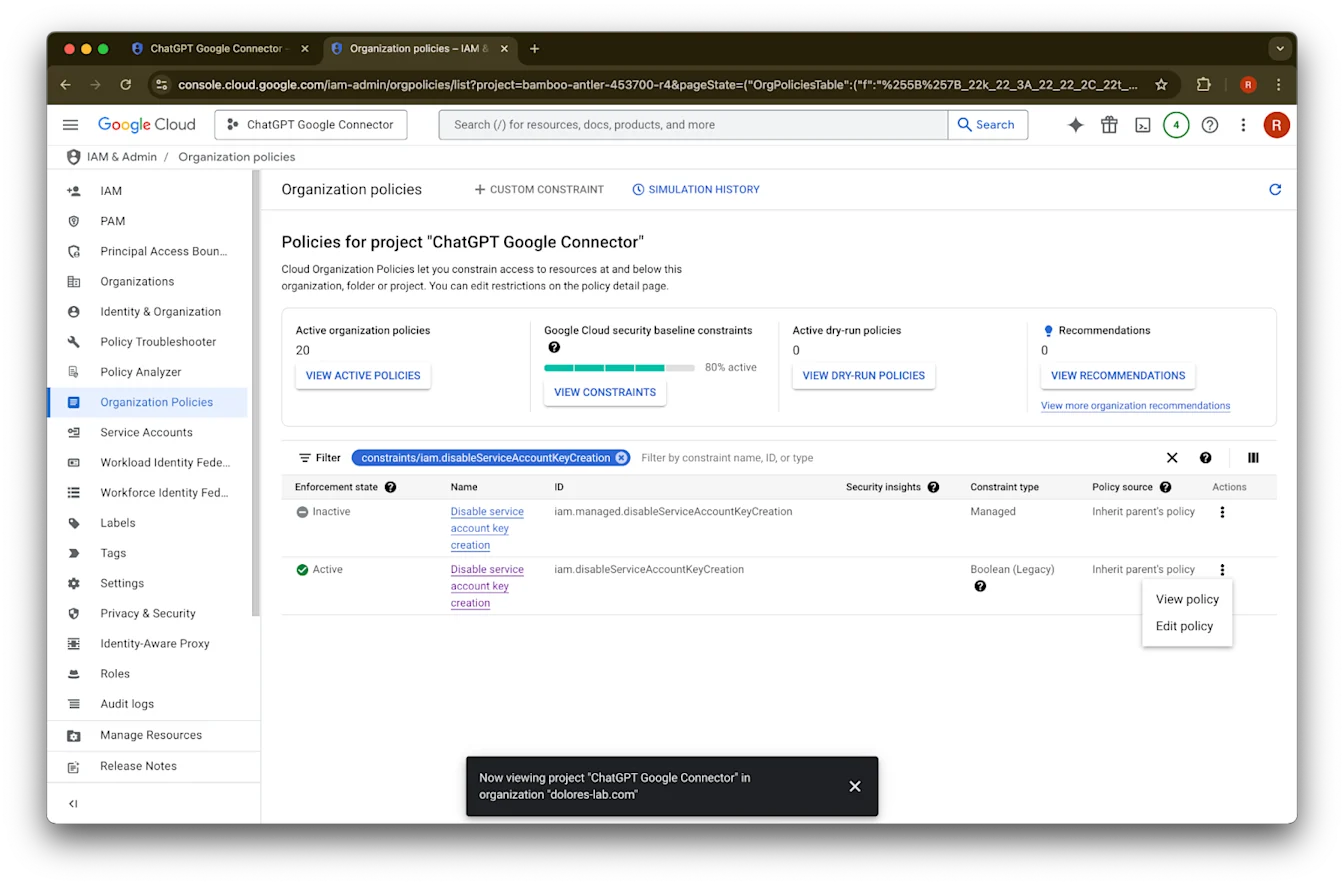
iam.disableServiceAccountKeyCreation ID ያለው ረድፍ ላይ ያለውን … ጠቅ ያድርጉ
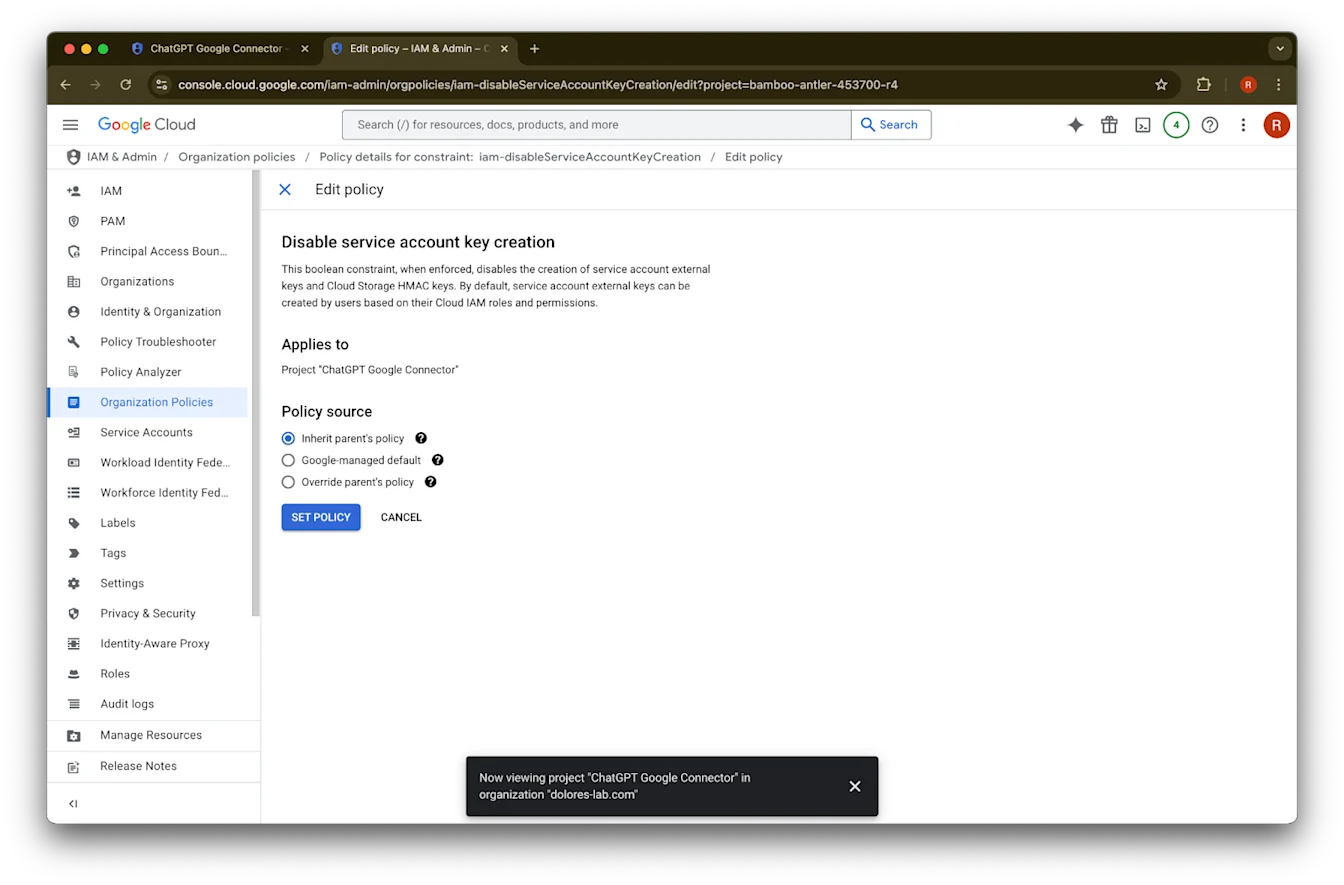
Edit policy ላይ ጠቅ ያድርጉ። Edit policy የተሰናከለ ከሆነ፣ የOrganization Policy Administrator መሆን ያስፈልግዎታል።
Override parent’s policy ላይ ጠቅ ያድርጉ
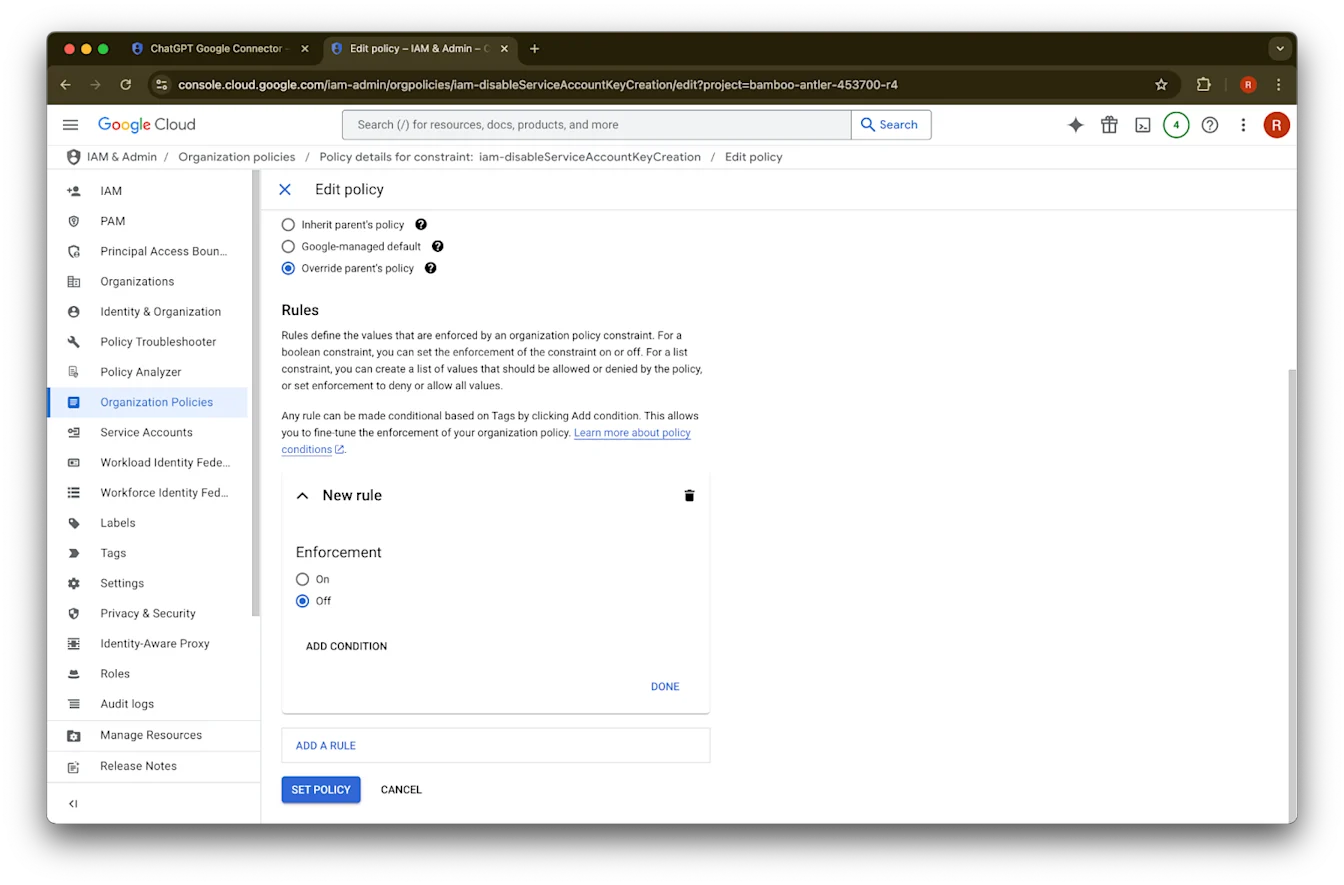
Add a rule ላይ ጠቅ ያድርጉ
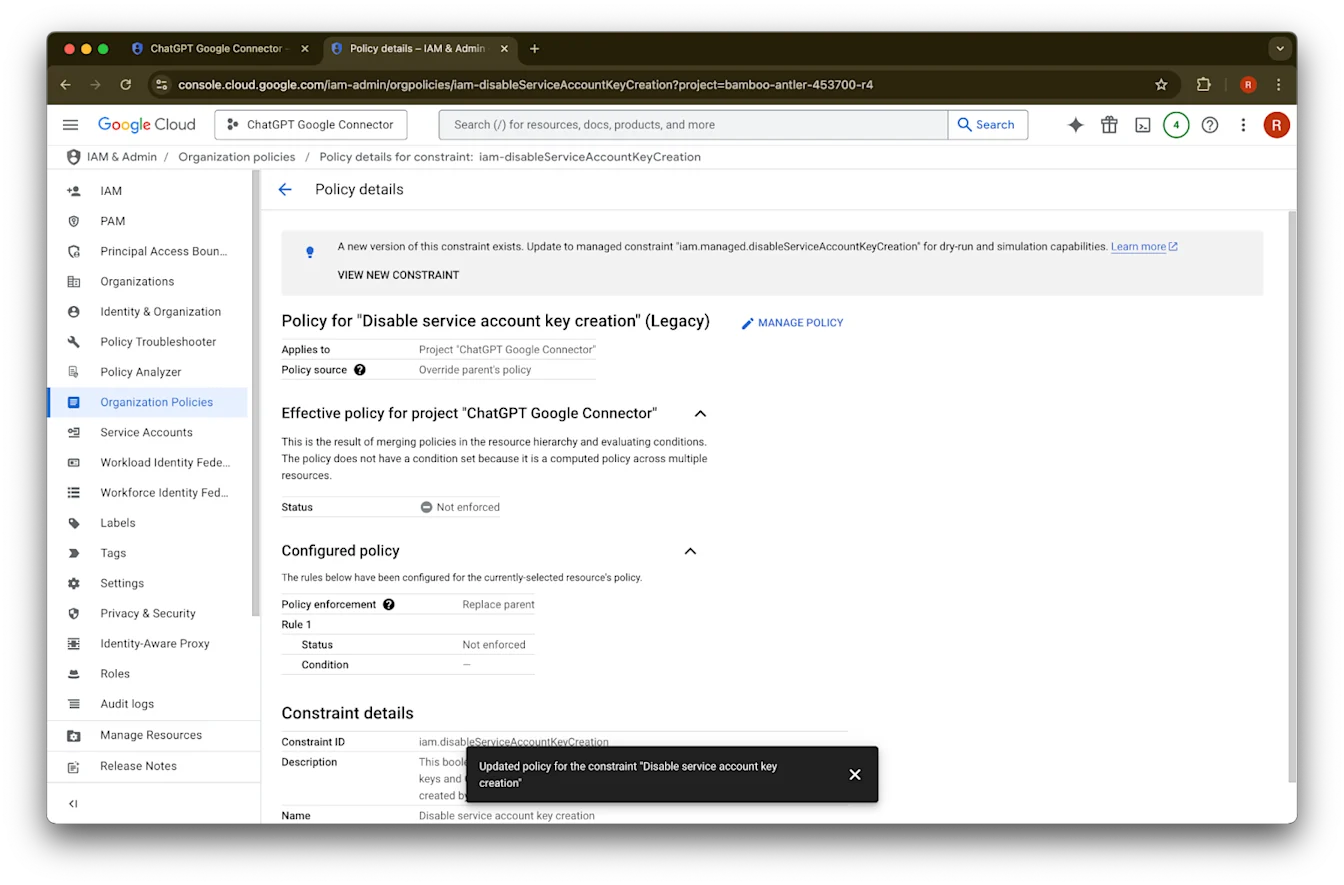
Set Policy ላይ ጠቅ ያድርጉ
አሁን የአገልግሎት መለያ ቁልፍ መፍጠር ይችላሉ። ይህ ማንቃት ተፈጻሚ ለመሆን ብዙ ደቂቃዎች ሊወስድ ይችላል።
የOrganization Policy Administrator መሆን
ወደ console.cloud.google.com ይሂዱ እና የፕሮጀክት/ድርጅት መምረጫ ላይ ጠቅ ያድርጉ
ድርጅትዎ ላይ ጠቅ ያድርጉ
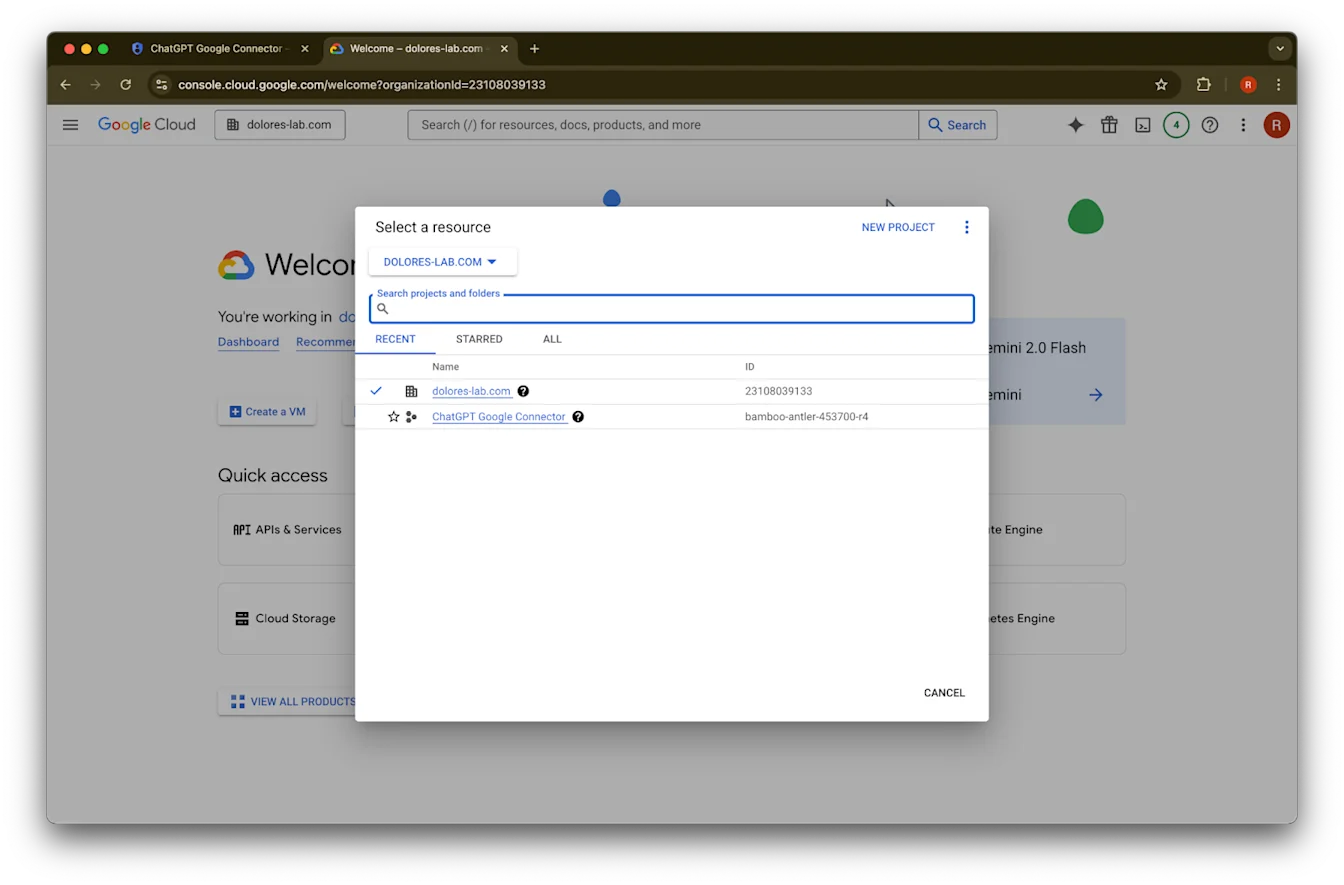
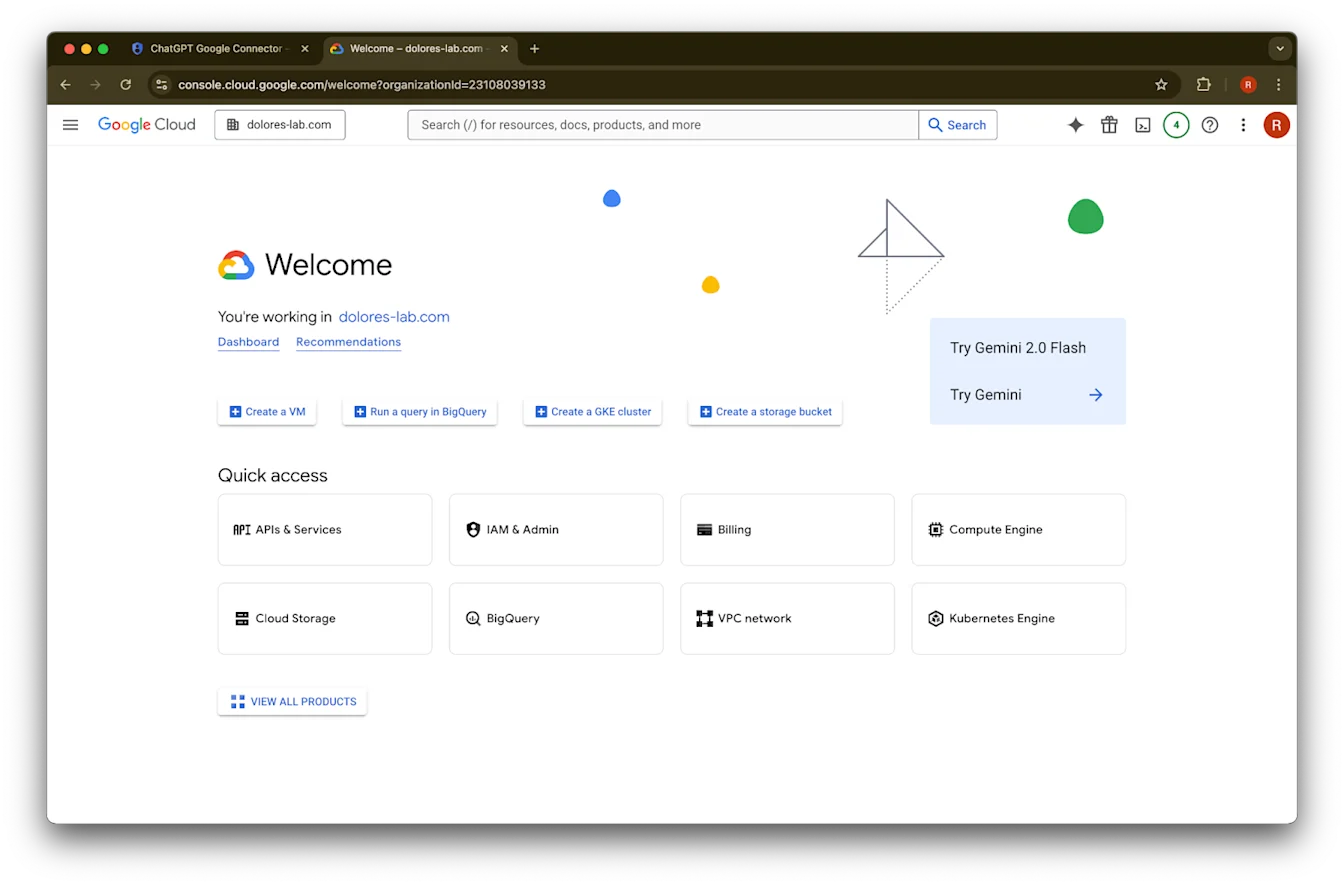
በላይኛው-ግራ ጥግ ላይ ያለውን የምናሌ አዶ ጠቅ ያድርጉ
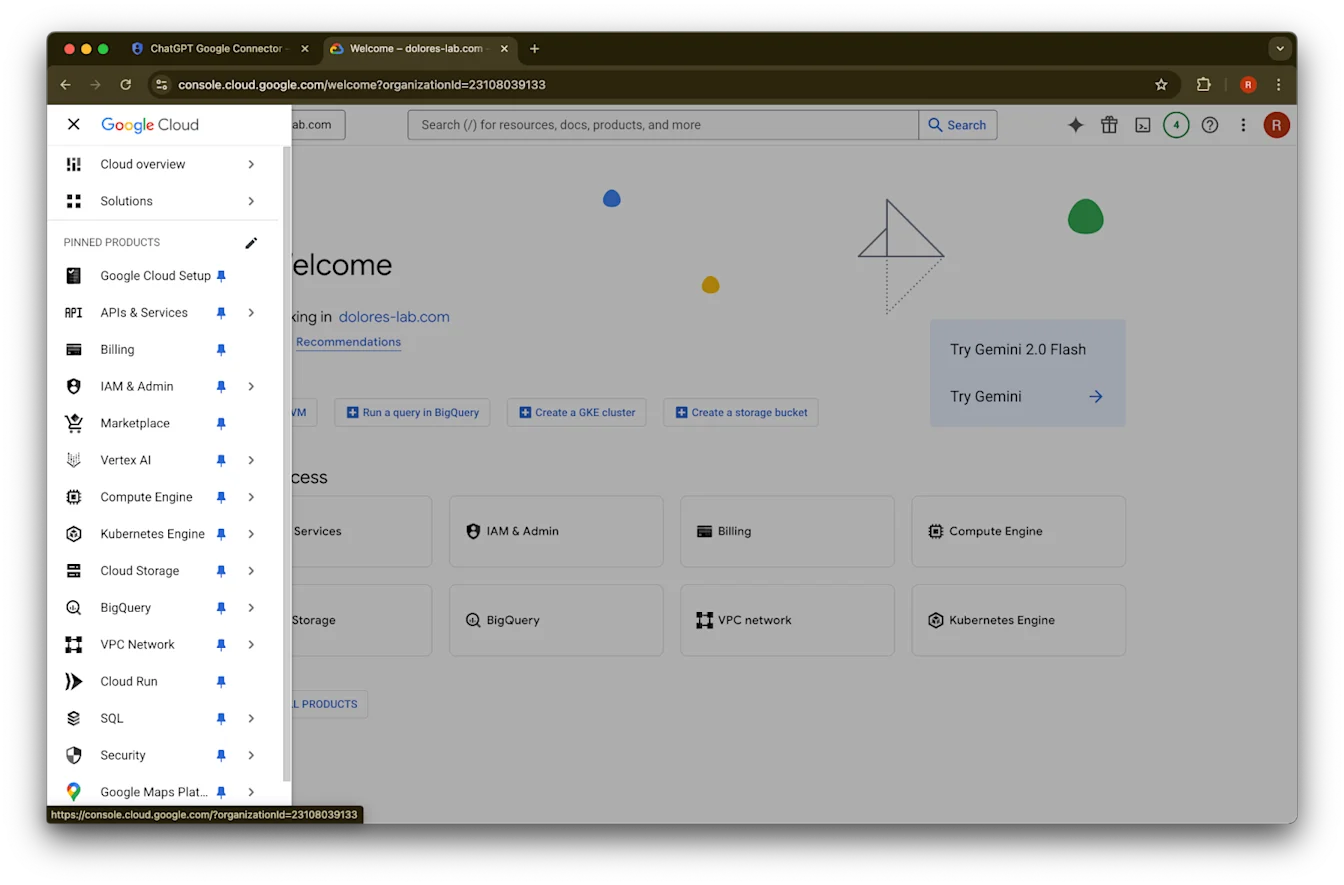
በIAM & Admin ላይ ያንዣብቡ
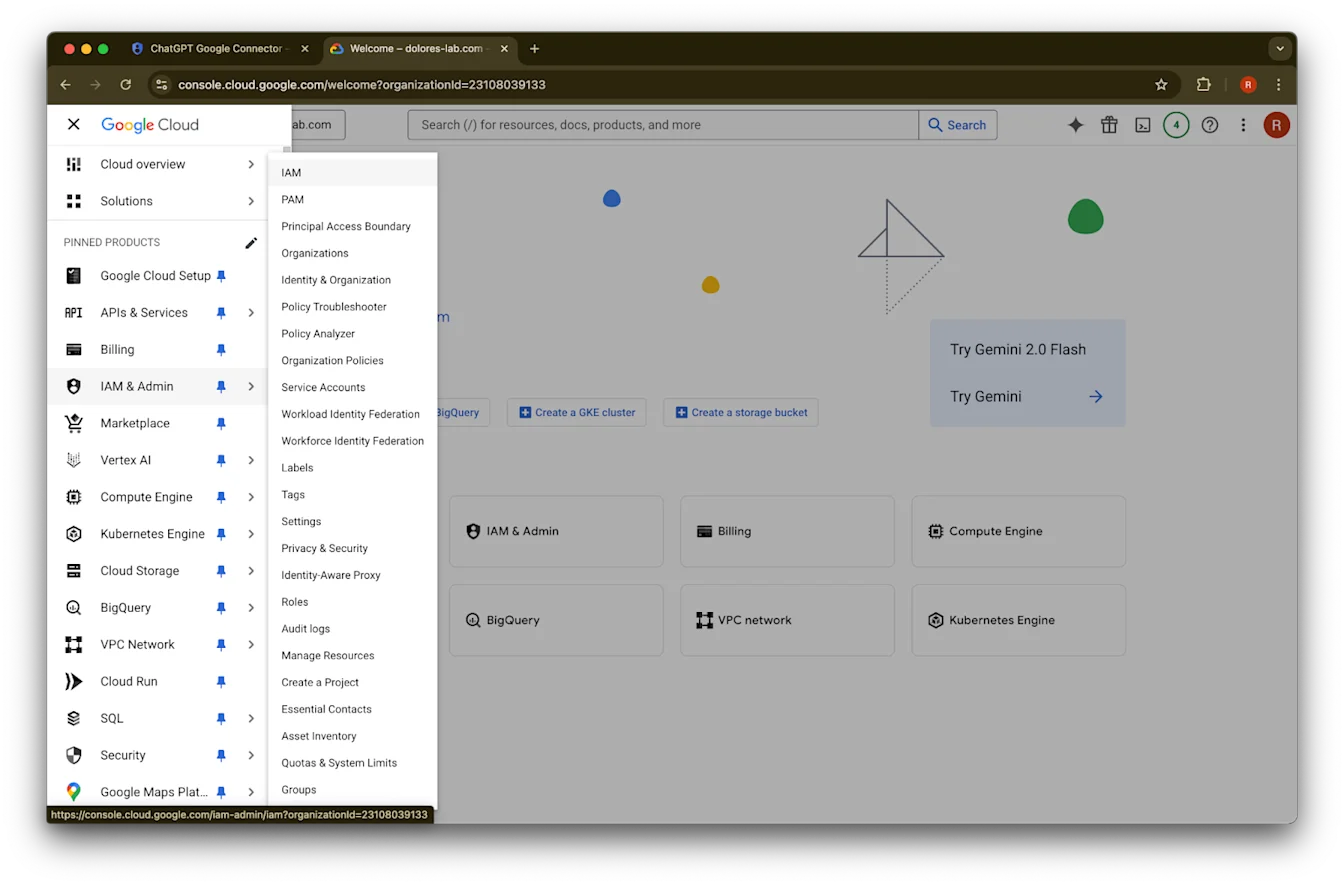
IAM ላይ ጠቅ ያድርጉ
ለመለያዎ ያለውን እርሳስ ጠቅ ያድርጉ
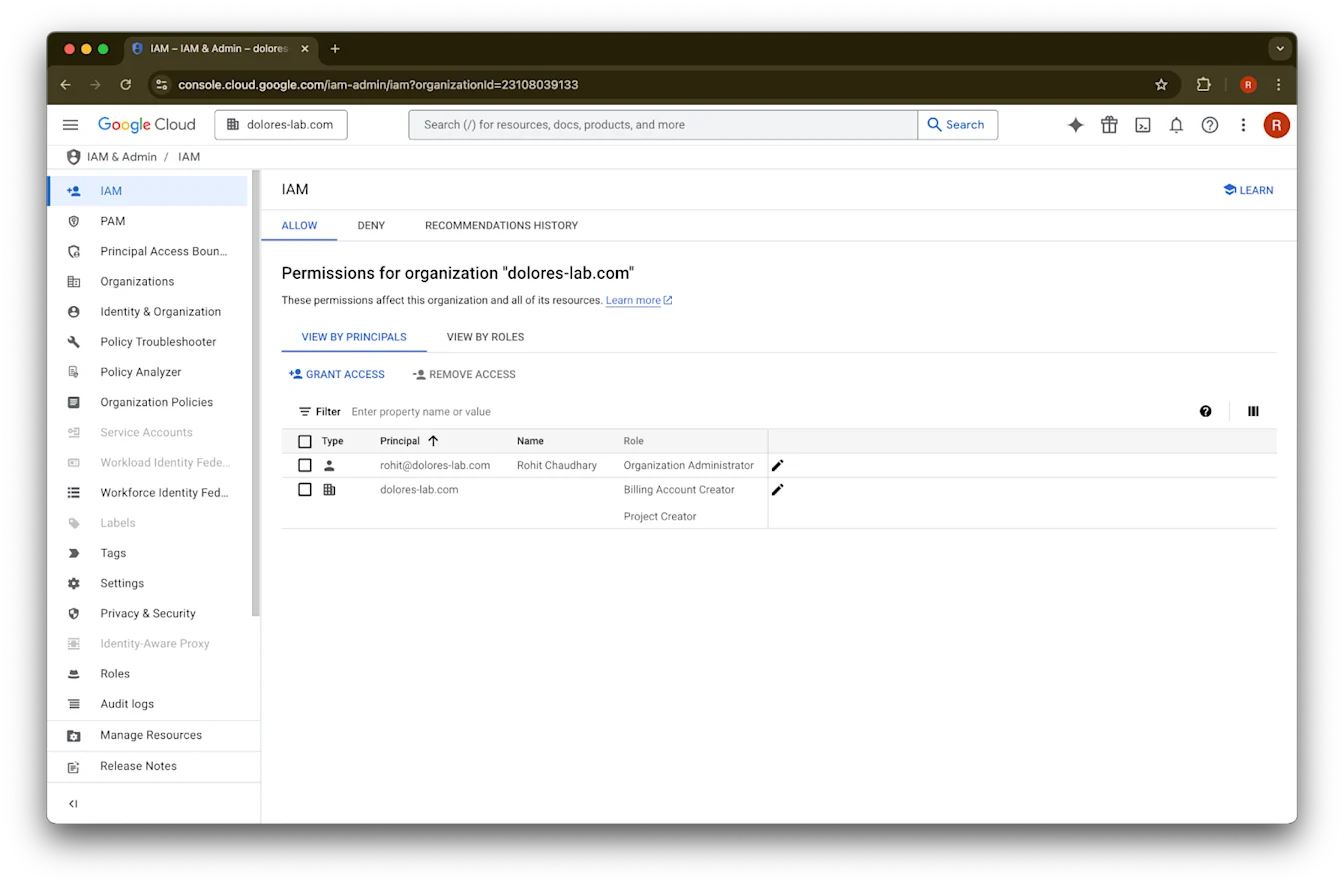
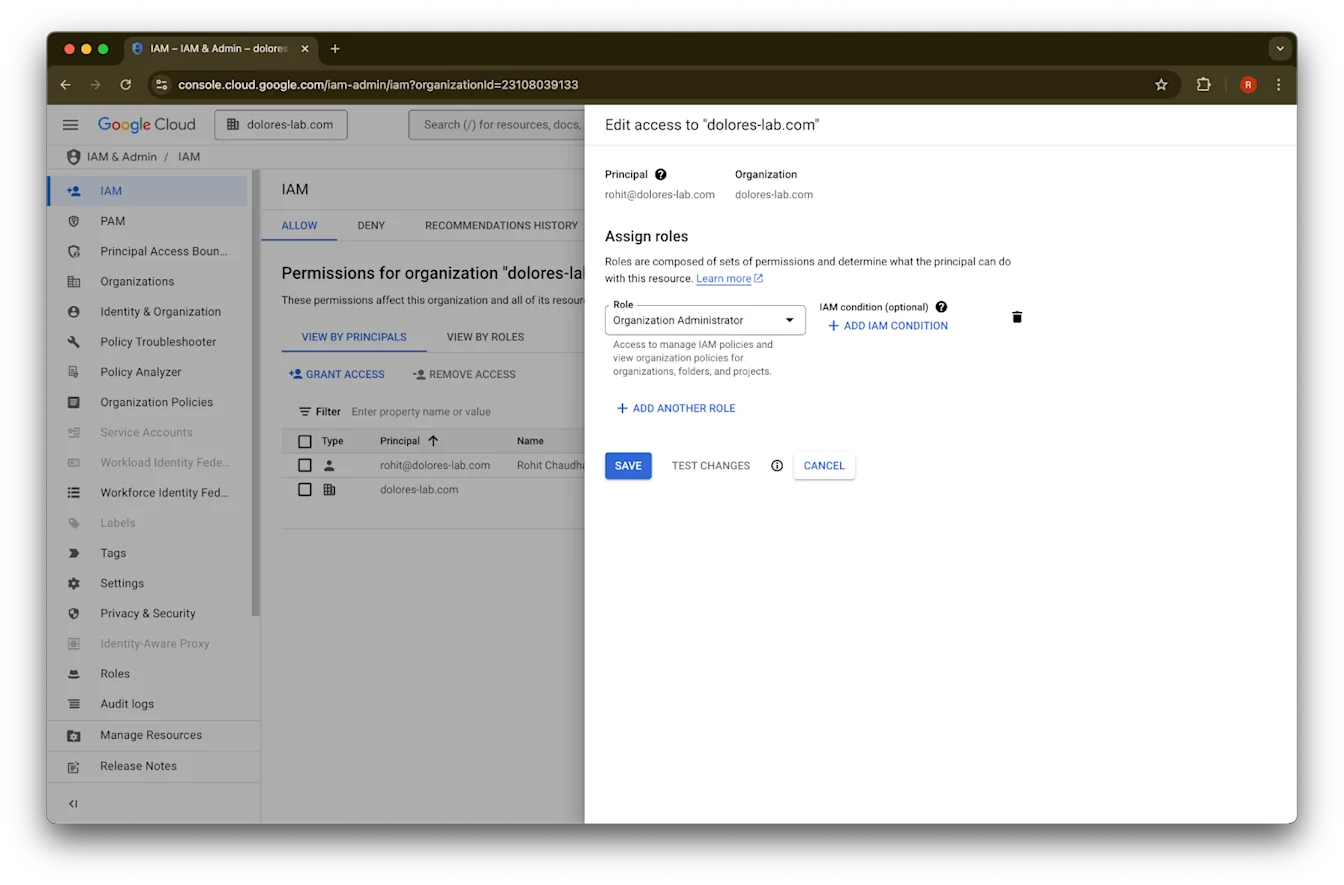
Add Another Role ላይ ጠቅ ያድርጉ
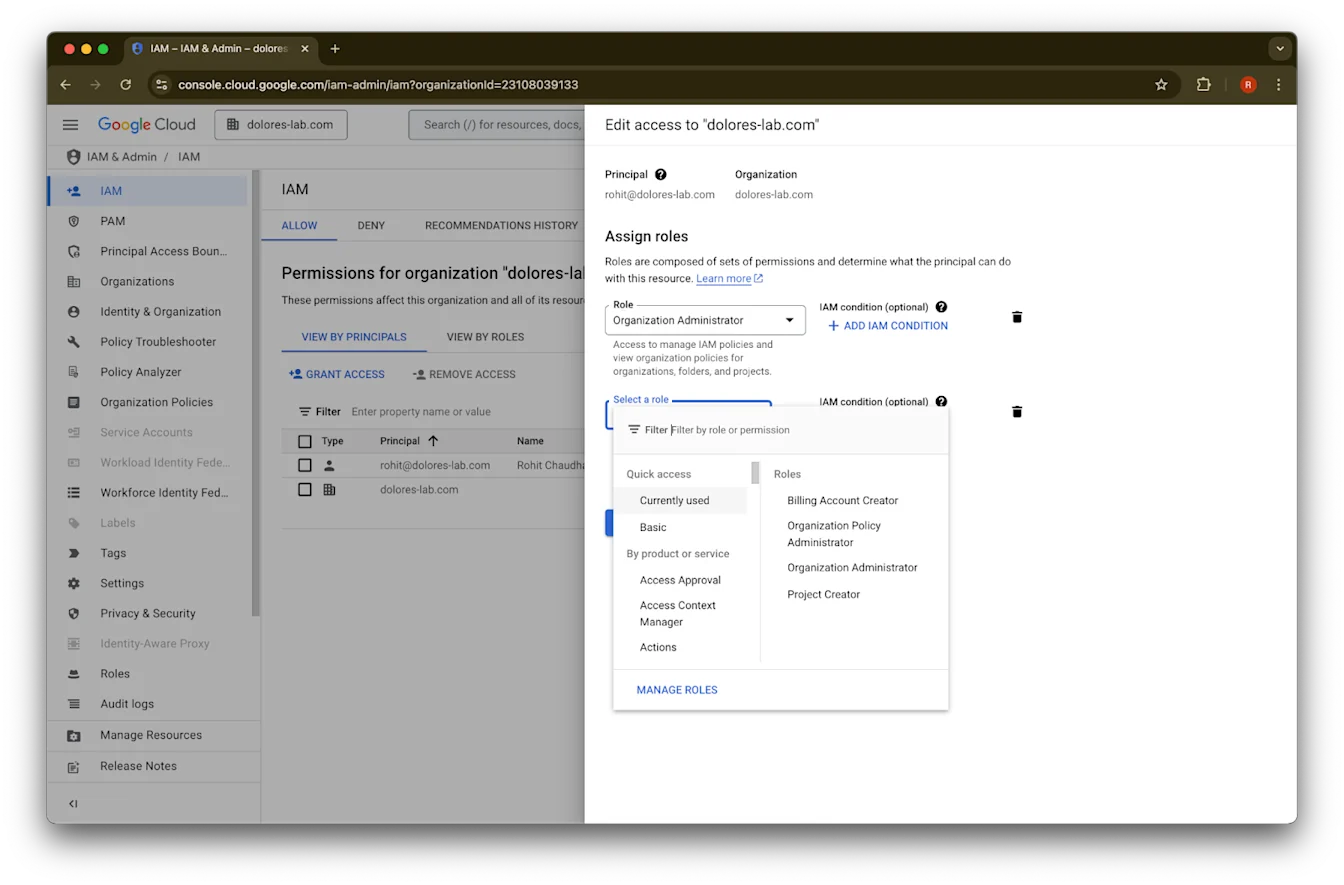
Organization Policy Administratorን ይፈልጉ
Organization Policy Administrator ላይ ጠቅ ያድርጉ
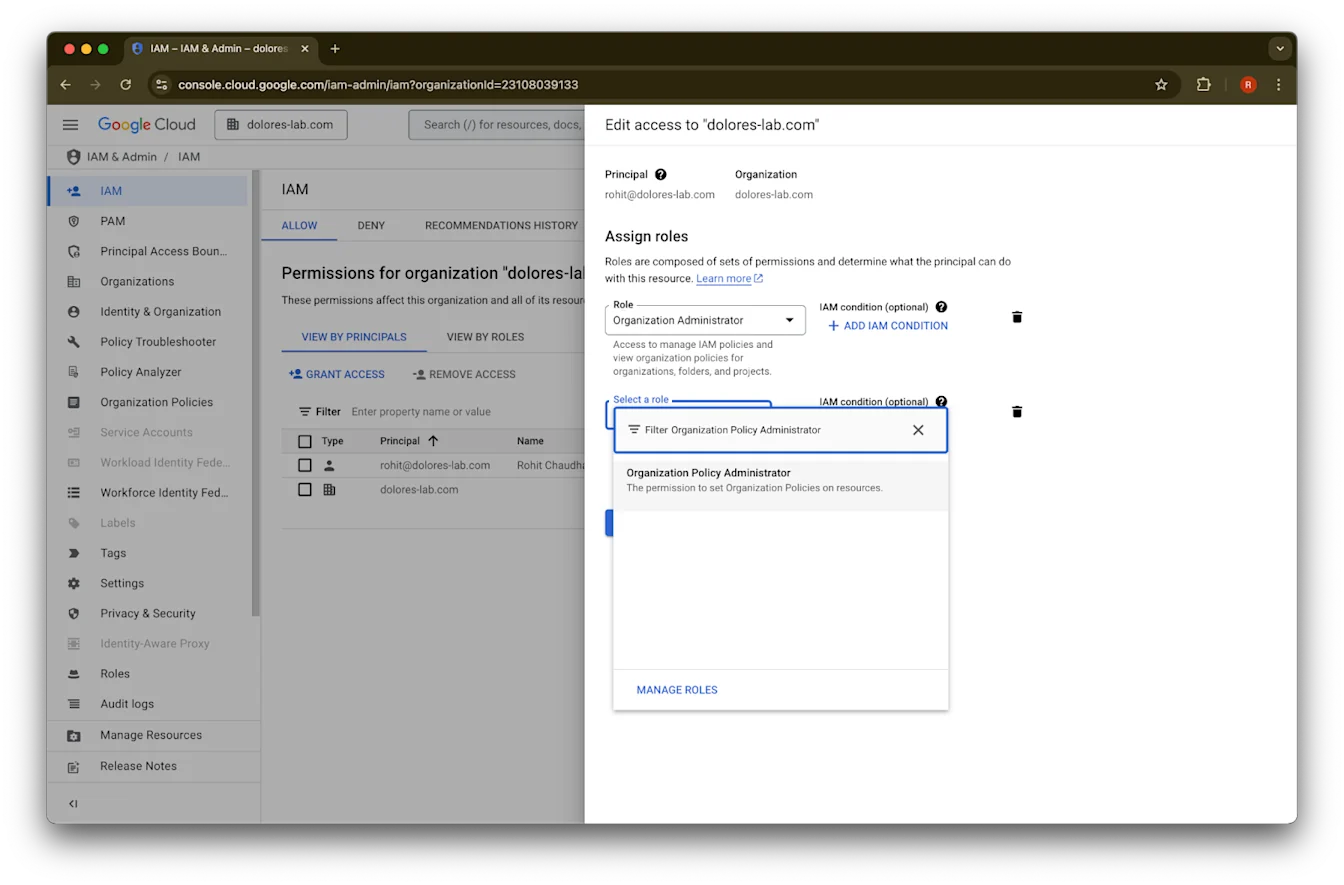
Save ላይ ጠቅ ያድርጉ
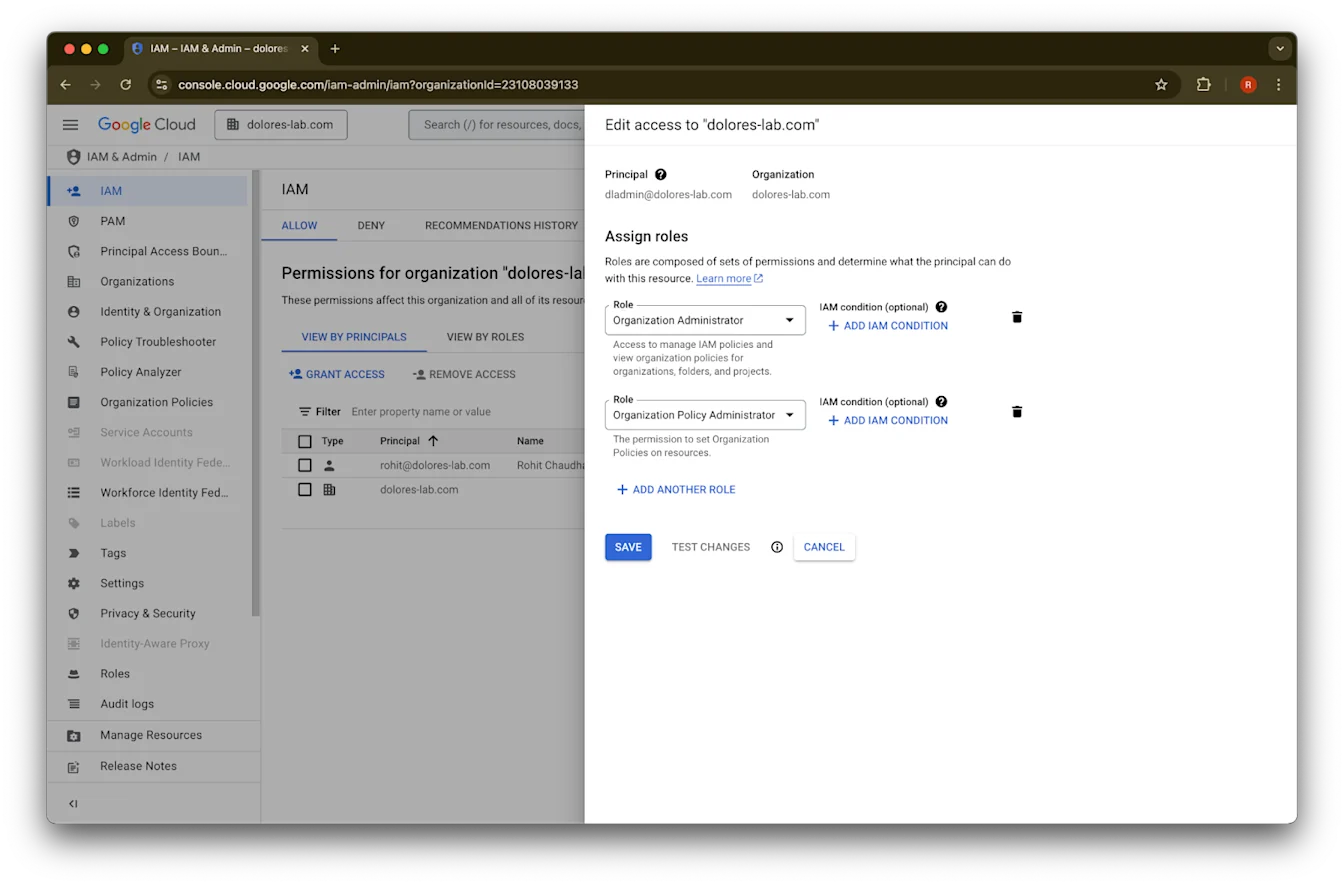
መለያዎ አሁን የአገልግሎት መለያ ቁልፍ መፍጠርን ለማንቃት ፈቃድ አለው። ይህ ተፈጻሚ ለመሆን ብዙ ደቂቃዎች ሊወስድ ይችላል።
ለGoogle Workspace እና ChatGPT የተለያዩ የኢሜይል መለያዎችን ለመጠበቅ የGoogle ኢሜይል ተለዋጭ ስም መጠቀም
Google Workspaceን ከChatGPT የስራ ቦታዎ ጋር ለGoogle Drive የተመሳሰሉ ኮኔክተሮች በአስተዳዳሪ የሚተዳደር ማዋቀር በመጠቀም የሚያገናኙ አስተዳዳሪ ከሆኑ፣ እና ድርጅትዎ ለChatGPT እና Google Workspace የተለያዩ የኢሜይል ዶሜኖች የሚጠቀም ከሆነ፣ ተጠቃሚዎች የGoogle Drive የተመሳሰሉ ኮኔክተሮችን በተሳካ ሁኔታ መድረስ እንዲችሉ ለማረጋገጥ ተጨማሪ ደረጃዎችን መውሰድ ያስፈልግዎታል።
ምክር: በሚቻልበት ጊዜ ለሁለቱም Google Workspace እና ChatGPT መለያዎች ተመሳሳይ ዋና የኢሜይል አድራሻዎችን ይጠቀሙ።
ይህ የማይቻል ከሆነ፣ ከChatGPT የመግቢያ ኢሜይል ጋር የሚዛመድ የGoogle Workspace ኢሜይል alias ለማቀናበር ከታች ያሉትን መመሪያዎች ይከተሉ።
የGoogle Workspace ተለዋጭ ስም ለማከል ደረጃዎች
የእያንዳንዱ ተጠቃሚ ChatGPT ኢሜይል ከGoogle Workspace መለያቸው ጋር መገናኘት እንዲችል ለማረጋገጥ በGoogle Admin Console ውስጥ እነዚህን ደረጃዎች ይከተሉ፦
ወደ Admin Console ይሂዱ። ወደ፦ Directory > Users ይሂዱ
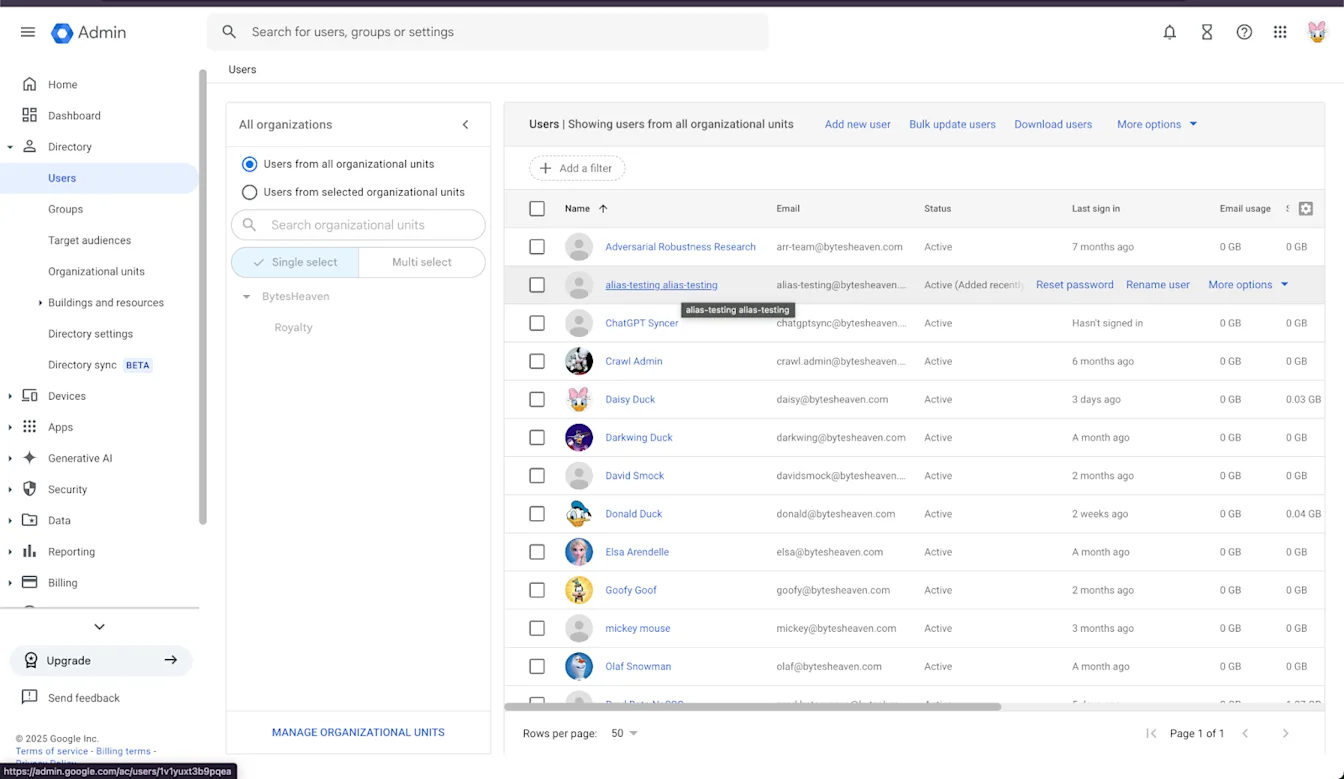
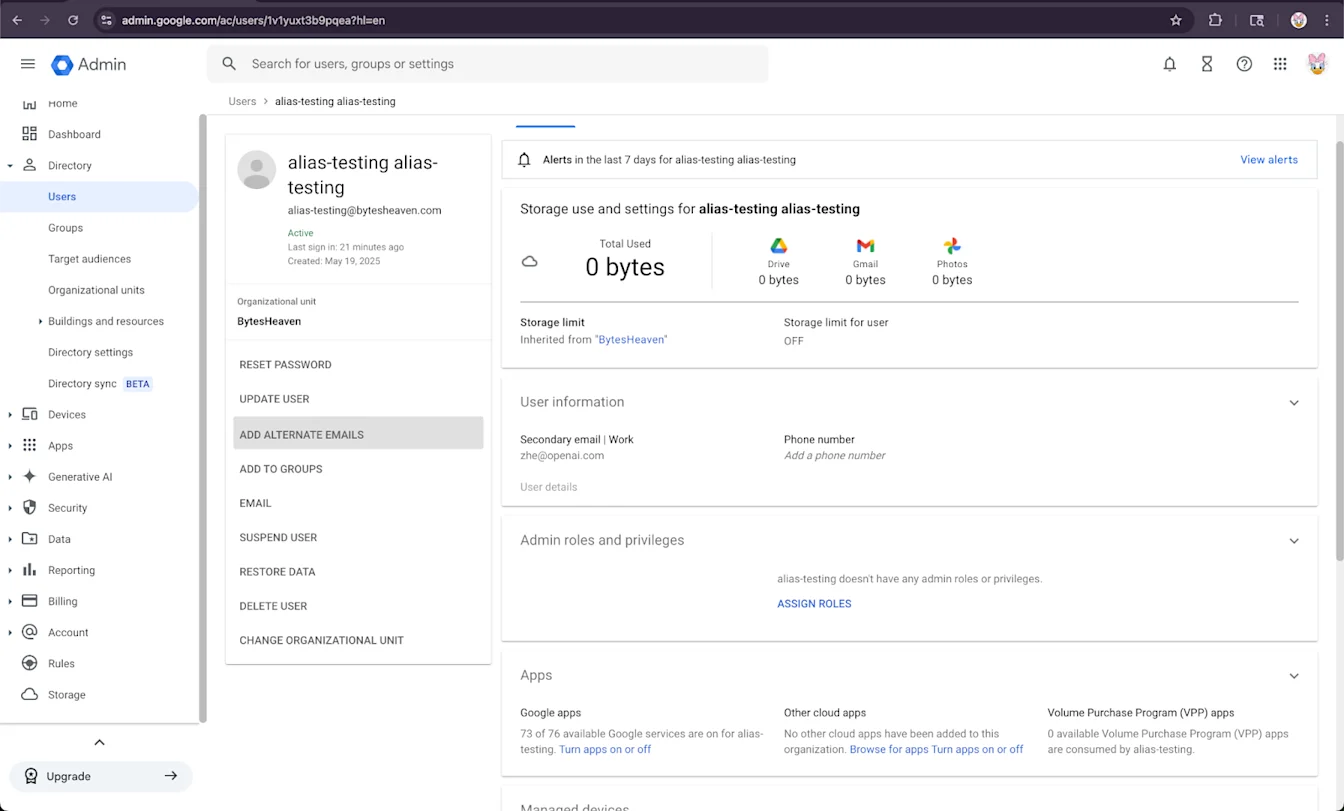
ተጠቃሚ ይምረጡ፣ ከዚያ “ተለዋጭ ኢሜይሎችን አክል”።
ተለዋጭ ኢሜይል ያክሉ። ከተጠቃሚው ChatGPT መለያ ጋር እንደሚዛመድ ያረጋግጡ።
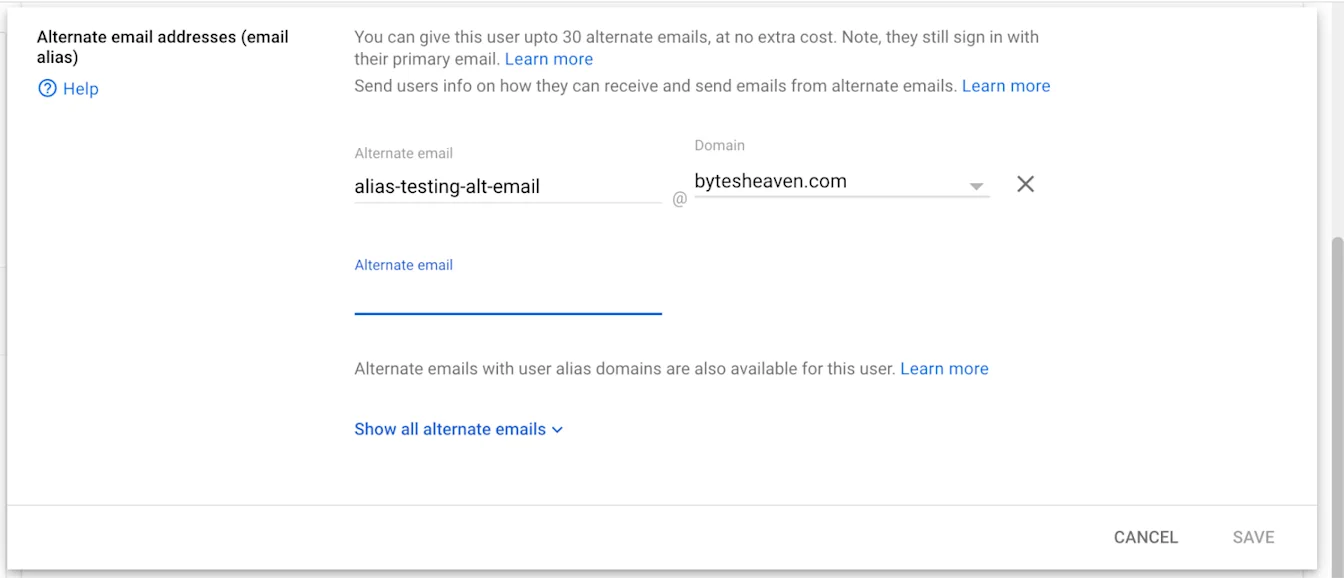
አስቀምጥ ይምረጡ
---
የሚታወቁ ገደቦች
የግል የኢሜይል አድራሻዎች አይደገፉም
ተጠቃሚዎች በግል አድራሻዎች (ለምሳሌ example@gmail.com) ChatGPT ከተመዘገቡ ከGoogle Workspace ጋር መገናኘት አይችሉም። ይህ ቅንብር አይደገፍም እና የድርጅቱ ውስጣዊ ውሂብ ከድርጅቱ ውጭ እንዲደረስበት ስለሚያስችል የደህንነት አደጋ ያመጣል።
የGmail "+" aliases አይደገፉም
Gmail ተጠቃሚዎች በአድራሻቸው ላይ "+" በመጨመር aliases እንዲፈጥሩ ያስችላል (ለምሳሌ user+alias@gmail.com)። ይህ ዓይነት aliasing ከGoogle Drive synced connectors ጋር አይሰራም። alias በGoogle Workspace ውስጥ በግልጽ ሁኔታ መቅናት አለበት።
የተለመደ የስህተት መልእክት
የኢሜይል አድራሻዎች በትክክል ካልተገናኙ፣ ተጠቃሚዎች ይህን መልእክት ሊያጋጥማቸው ይችላል፦ “መለያዎን ከGoogle Drive ጋር ማገናኘት አልቻልንም። ተጨማሪ ለመማር ጠቅ ያድርጉ።”
ተጠቃሚዎች ይህን መልእክት ከተቀበሉ፣ በዚህ ሰነድ ውስጥ ያሉትን ደረጃዎች ይገምግሙ እና በትክክል መከተላቸውን ያረጋግጡ። ተጨማሪ እገዛ ካስፈለገ፣ እባክዎ የድጋፍ ቡድናችንን ያግኙ።