
Introducing Premium seats for ChatGPT Business. Premium seats cost $100 per user per month when billed annually, or $125 per user per month when billed monthly. Premium includes 5x more usage than Standard seats, no 5-hour usage limit, and the flexibility to mix, assign, and reassign seat types – all within one secure, centrally managed workspace.
Additionally, we’ve updated the way seats are used in ChatGPT Business. You can purchase Standard or Premium seats to allocate capacity for your workspace, and then assign them to different users, as needed. You can also switch users across seats, add capacity, or remove capacity.
Overview
Open the ChatGPT Business signup page in a web browser, then follow these steps.
Sign in with the account you want to use.
If plan options appear, choose Business.
Review your seats, billing frequency, payment details, and total before completing checkout.
Follow the prompts to finish setup and invite teammates.
ChatGPT Business is a self-serve plan for teams with centrally managed members, seats, and billing. Read more about ChatGPT Business in our overview article.
If your company already has a Business workspace, ask a workspace owner for an invitation and accept it with the email address it was sent to. If you want to renew or reactivate an existing workspace, use that workspace’s billing or reactivation options; creating another workspace does not restore its subscription or data. The billing and membership guides under Next Steps explain these options. You can start a new Business workspace with Standard or Premium ChatGPT seats. When you create a new Business account, you must add at least two paid seats. For example, one standard seat and one premium seat satisfy this minimum. During checkout you can select monthly billing or an annual plan, along with an initial number of seats.
When you sign up for ChatGPT Business, you will get access to a ChatGPT Business workspace and the owner role. Read our article on managing workspaces, including workspace roles, inviting members, and other workspace settings.
After completing your purchase and logging into your workspace, you can invite teammates, by role and seat type.
Note: ChatGPT Business workspaces created before June 24, 2026 had access to a specific legacy Codex seat type. This is not applicable to any workspaces that did not add this seat type before this date. To learn more, review our article Managing legacy Codex seats in ChatGPT Business.
Choose paid seat capacity
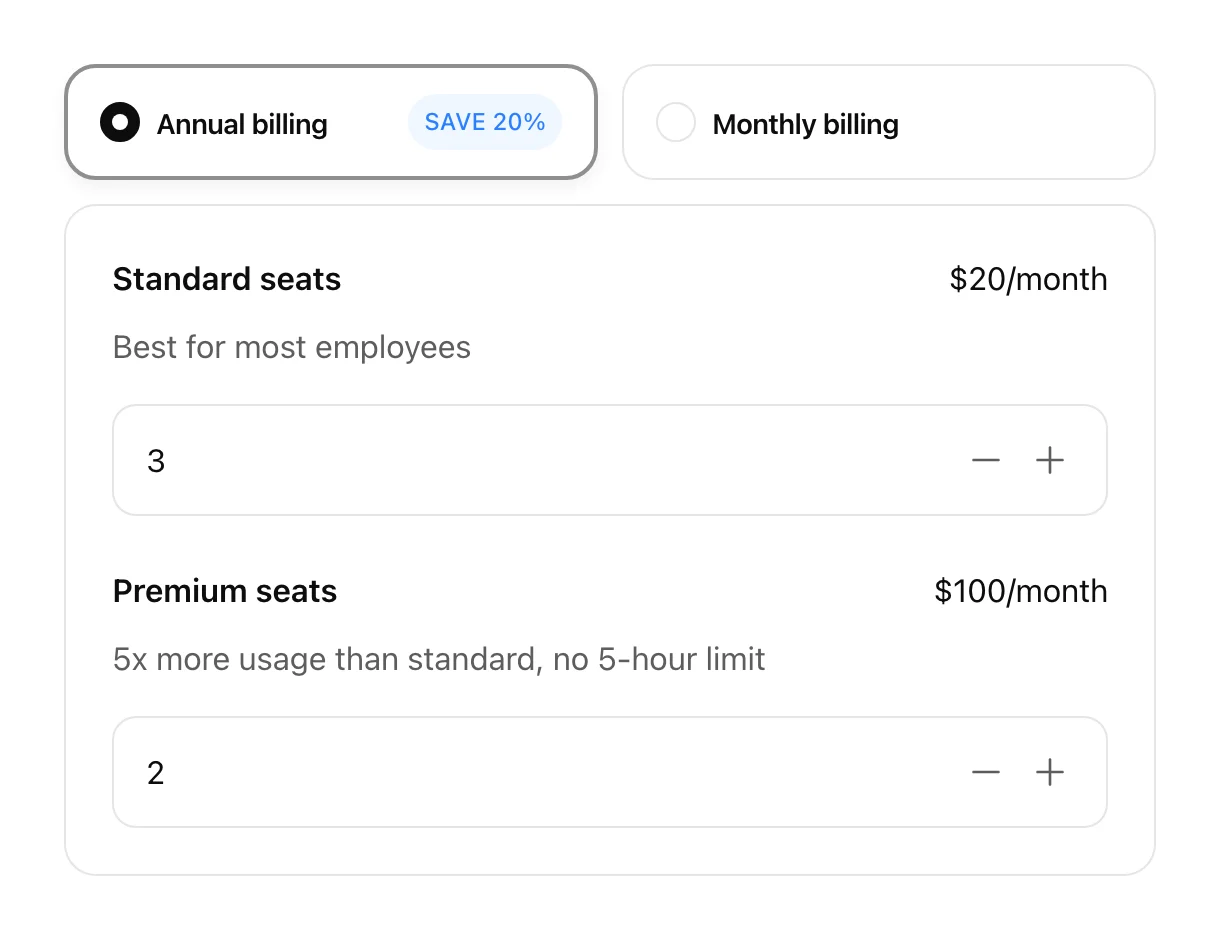
During ChatGPT Business signup, choose the paid seat capacity and billing frequency shown at checkout. Seat quantity and seat type are different: buying additional Standard seats does not upgrade your own seat to Premium. If you need Premium access, choose or request a Premium seat. Standard seats are $20 per month billed annually, or $25 per month billed monthly, with Premium seats costing $100 per month billed annually, or $125 per month billed monthly.
After signup, Workspace Owners can add mixed paid seat capacity from Workspace settings > Billing and assign seats from Workspace settings > Members. New capacity and upgrades are charged immediately on a prorated basis after confirmation.
A minimum of two paid Standard and Premium seats is required, and both seat types count toward the 200-seat limit. Review your seat types, billing cadence, and total before confirming your purchase.
Next Steps
After signup, decide whether to keep your personal workspace separate or merge its content into Business. Joining Business does not automatically migrate your content or cancel your personal subscription. If you choose to merge, review the migration guide below for supported content, access changes, and subscription handling, including the Apple App Store and Google Play exceptions. Other Business members do not automatically see your private chats; you choose what to share. Use these guides to manage your workspace:
• Managing billing and seats in ChatGPT Business
• Managing members, seat types, and roles in ChatGPT Business
• Migrating your personal workspace to ChatGPT Business or Enterprise
• Managing credits and spend controls in ChatGPT Business