
Kempen menentukan keseluruhan objektif dan belanjawan pengiklanan anda dalam Pengurus Iklan. Kempen yang baik menghimpunkan kumpulan iklan dan iklan yang menyokong matlamat perniagaan yang sama.
Setiap kempen mengandungi:
Tajuk kempen
Objektif
Peristiwa penukaran (untuk kempen dengan objektif Penukaran)
Belanjawan
Tarikh mula dan tamat
Negara untuk disasarkan
Platform untuk disasarkan (pilihan)
Khalayak tersuai untuk disertakan atau dikecualikan (pilihan)
Pilih objektif kempen
Objektif kempen menentukan cara harga iklan anda ditetapkan dan cara penayangan dioptimumkan. Pilih Tontonan (CPM), Klik (CPC) atau Penukaran.
Tontonan (CPM): Paling sesuai untuk memaksimumkan keterlihatan dan pendedahan. Anda membayar bagi setiap 1,000 paparan iklan.
Klik (CPC): Paling sesuai untuk menggalakkan pengguna mengklik ke laman web atau produk anda. Anda membayar bagi setiap klik yang sah.
Penukaran: Paling sesuai untuk pengoptimuman bagi mencapai peristiwa penukaran yang dipilih dan disokong. Pilih kaedah pengebilan: klik yang sah (oCPC), dengan caj bagi setiap klik yang sah, atau paparan iklan (oCPM), dengan caj bagi setiap 1,000 paparan iklan. Anda tidak membayar bagi setiap penukaran.
Untuk kelayakan, penyediaan dan butiran lanjut, lihat Kempen yang Dioptimumkan untuk Penukaran.
Tetapkan bajet anda
Bajet kempen mengawal jumlah yang anda sanggup belanjakan untuk semua iklan dalam kempen tersebut. Semasa mencipta kempen, pilih sama ada bajet keseluruhan kempen atau bajet harian.
Semasa menetapkan bajet anda:
Bajet keseluruhan kempen: Tetapkan jumlah yang ingin anda belanjakan sepanjang tempoh kempen. Pilihan ini memberikan kawalan yang lebih ketat terhadap jumlah perbelanjaan.
Bajet harian: Tetapkan purata perbelanjaan kempen yang anda inginkan sehari dalam tempoh 7 hari. Ini ialah sasaran penayangan, jadi perbelanjaan sebenar pada sesuatu hari mungkin lebih tinggi atau lebih rendah daripada jumlah yang dipilih. Jika perbelanjaan penayangan kurang daripada bajet harian pada hari tertentu, baki yang tidak digunakan boleh digunakan kemudian dalam tempoh 7 hari yang sama. Perbelanjaan harian tidak akan melebihi dua kali bajet harian yang anda pilih, dan perbelanjaan sepanjang tempoh 7 hari yang berkenaan tidak akan melebihi tujuh kali bajet harian tersebut, tertakluk pada pengiraan prorata yang berkenaan apabila bajet berubah. Lihat Bajet Harian untuk butiran lanjut. Bajet harian minimum semasa berbeza mengikut mata wang pengebilan akaun iklan anda. Lihat jadual Perbelanjaan minimum kempen di bawah untuk jumlah yang berkenaan. Minggu bajet bermula pada hari Ahad hingga Sabtu mengikut zon waktu akaun iklan anda. Penayangan tidak semestinya sekata dalam sehari atau sepanjang minggu. Jika kempen menghabiskan peruntukan mingguannya lebih awal, penayangan mungkin terhenti sehingga minggu bajet berikutnya walaupun kempen masih ditandai sebagai aktif.
Agihkan perbelanjaan yang dirancang antara kempen mengikut keutamaan, dan laraskan jumlah bajet dari semasa ke semasa apabila anda mengenal pasti kempen yang berprestasi terbaik. Jika anda baru menggunakan platform ini, kami mengesyorkan anda bermula dengan bajet harian supaya anda dapat memantau penayangan dan prestasi sebelum beralih kepada bajet keseluruhan kempen.
Pilih tarikh mula dan tamat
Tarikh mula dan tamat kempen menentukan tempoh iklan anda layak disiarkan.
Apabila mencipta kempen pertama, anda mungkin tidak melihat pilihan untuk memilih tarikh mula atau tamat sebelum penerbitan. Tetapan ini tersedia apabila anda mengedit kempen selepas kempen dicipta, serta apabila anda mencipta kempen seterusnya.
Jika anda memerlukan iklan bermula pada tarikh tertentu, jangan terbitkan kempen semata-mata untuk mengakses tetapan ini. Iklan anda mungkin mula disiarkan sebelum anda sempat menetapkan jadual.
Bagi iklan yang dicipta semasa pendaftaran, notis persediaan awal di bawah menjelaskan bahawa iklan boleh mula disiarkan selepas semakan. Kelulusan, kesediaan akaun, pengebilan, status kempen, bajet dan jadual menentukan sama ada iklan boleh disiarkan. Jika anda memerlukan tarikh mula yang lebih lewat, ikuti panduan di atas sebelum menerbitkan kempen.
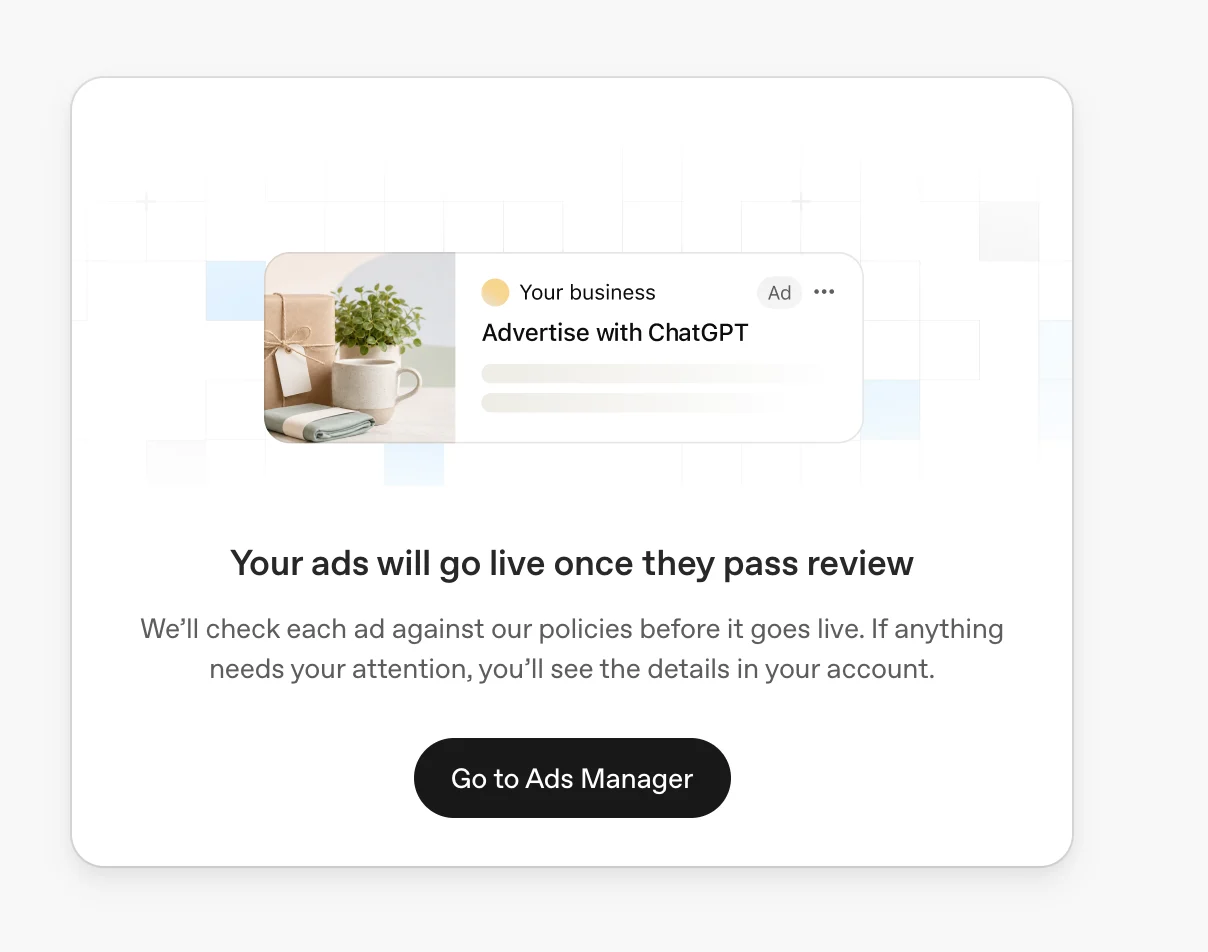
Contoh notis persediaan awal: “Iklan anda akan mula disiarkan setelah lulus semakan.” Iklan boleh mula ditayangkan selepas diluluskan apabila syarat akaun, pengebilan dan kempen juga dipenuhi.
Semasa memilih tarikh:
Berikan masa yang mencukupi untuk kempen mula mendapat sambutan dan mengumpulkan data prestasi yang bermakna. Kempen boleh dijeda atau dilaraskan pada bila-bila masa kemudian.
Pertimbangkan faktor bermusim, termasuk produk bermusim, pelancaran baharu, promosi, cuti atau kempen lain yang perlu dijalankan pada waktu tertentu.
Selaraskan masa pelaksanaan kempen dengan bajet pemasaran dan matlamat perniagaan anda secara keseluruhan.
Pilih negara sasaran
Penyasaran negara menentukan tempat iklan anda layak dipaparkan.
Untuk menyasarkan Amerika Syarikat sahaja, pilih Amerika Syarikat secara khusus dalam lokasi kempen anda. Mengecualikan negara lain sahaja tidak mengehadkan penayangan kepada Amerika Syarikat.
Penyasaran antarabangsa untuk akaun layan diri baharu
Sesetengah akaun iklan layan diri baharu pada mulanya hanya boleh mengiklan di negara asalnya, iaitu negara yang dikaitkan dengan akaun iklan tersebut. Memilih negara lain tidak membatalkan sekatan ini.
Akaun anda layak secara automatik untuk mengiklan di negara lain yang disokong setelah pengesahan identiti diluluskan dan anda mencapai jumlah perbelanjaan pengiklanan yang diperlukan melalui kempen yang dijalankan di negara asal anda. Mencipta kempen atau menetapkan bajet sahaja tidak mencukupi. Syarat penayangan kempen yang biasa masih terpakai.
Mengapa Pengurus Iklan menyatakan tiada negara sasaran yang layak
Lokasi yang anda pilih tidak merangkumi negara tempat akaun anda dibenarkan mengiklan pada masa ini. Semak lokasi yang disertakan dan juga yang dikecualikan. Kempen aktif atau iklan yang diluluskan tidak membatalkan sekatan negara bagi akaun anda.
Pengurus Iklan mungkin menghalang penerbitan atau pengaktifan apabila tiada lagi lokasi yang layak. Menyimpan draf tidak mengesahkan bahawa kempen boleh menayangkan iklan. Pilih lokasi yang dibenarkan hanya jika lokasi itu sesuai untuk perniagaan anda. Jika amaran bercanggah dengan tetapan anda, hubungi Sokongan dengan memberikan butiran kempen dan tangkapan skrin.
Pilih platform sasaran
Gunakan penyasaran platform untuk memilih tempat kempen anda boleh menayangkan iklan. Dalam dialog Kempen, pilih satu atau lebih platform yang disokong: Aplikasi Android, Web Android, Web desktop, Aplikasi iOS atau Web iOS. Dalam Wawasan, bahagikan mengikut Platform untuk melihat hasil bagi setiap satu daripada lima platform tersebut.
Pilih khalayak tersuai untuk disertakan atau dikecualikan
Bagi kempen yang menyasarkan EEA atau Switzerland, elakkan penggunaan khalayak tersuai selagi pemperibadian iklan tidak tersedia di sana. Penyasaran melalui penyertaan memerlukan sekurang-kurangnya 25,000 pengguna yang dipadankan; pengecualian boleh menggunakan khalayak yang lebih kecil. Anda boleh menambah, mengalih keluar atau menggantikan ahli khalayak tanpa mencipta semula khalayak atau mengkonfigurasi semula kempen.
Untuk menyertakan atau mengecualikan khalayak tersuai dalam kempen, lihat Sediakan Khalayak Tersuai untuk kempen anda.
Amalan terbaik
Susun kempen berdasarkan matlamat atau inisiatif perniagaan yang berbeza.
Gunakan kempen berasingan untuk objektif, wilayah atau kategori produk yang mempunyai perbezaan ketara.
Gunakan nama kempen yang jelas dan konsisten untuk memudahkan pelaporan dan pengurusan.
Cipta beberapa kumpulan iklan dalam setiap kempen untuk menguji tema, tawaran nilai atau pendekatan penyampaian mesej yang berbeza.
Soalan lazim tentang penyediaan kempen
Bolehkah saya menukar objektif kempen selepas kempen dicipta?
Objektif kempen menentukan penetapan harga dan pengoptimuman. Jika anda memerlukan objektif yang berbeza, cipta kempen baharu dengan objektif yang anda inginkan dan bukannya mengedit kempen sedia ada untuk menukar objektifnya.
Bolehkah saya mengklon kempen dengan objektif yang sama?
Klon Kempen mencipta kempen baharu dengan objektif yang berbeza atau model pengebilan lain yang disokong. Pada masa ini, ciri tersebut tidak menyokong penduaan kempen dengan mengekalkan kedua-duanya tanpa perubahan. Contohnya, anda tidak boleh mengklon kempen Klik menjadi kempen Klik yang lain.
Untuk mencipta kempen lain dengan objektif yang sama, pilih Cipta > Cipta kempen, pilih objektif yang anda inginkan, kemudian masukkan tetapan kempen, kumpulan iklan dan iklan secara manual.
Bolehkah saya menukar jenis bajet selepas kempen dicipta?
Anda boleh melaraskan jumlah bajet yang disokong dari semasa ke semasa, tetapi sesetengah perubahan jenis bajet tidak boleh dibuat asal. Contohnya, jika anda menukar bajet keseluruhan kempen kepada bajet harian, anda tidak boleh menukar kempen itu kembali kepada bajet keseluruhan kempen. Jika jenis bajet tidak betul, cipta kempen baharu dengan tetapan yang betul.
Bolehkah saya menyasarkan negeri, bandar, pasaran atau poskod?
Kempen suapan produk baharu menyokong penyasaran dan pengecualian geografi pada peringkat negara sahaja. Kempen suapan produk sedia ada tidak diubah secara automatik, jadi pilihan terdahulu bagi kawasan yang lebih kecil daripada negara mungkin kekal, tetapi pilihan baharu pada peringkat tersebut tidak boleh ditambah. Untuk kempen lain, boleh. Selain penyasaran negara, anda boleh menyasarkan lokasi yang disokong seperti negeri atau wilayah, bandar, pasaran dan poskod jika tersedia. Ketersediaan lokasi mungkin berbeza mengikut negara. Cari lokasi semasa menyediakan kempen untuk melihat pilihan yang tersedia untuk anda.
Untuk memilih sebahagian daripada katalog produk anda, gunakan metadata suapan tersuai dan penapis produk kumpulan iklan. Lihat Cipta Kempen daripada Suapan Produk.
Mengapa kempen saya tidak menayangkan iklan?
Pastikan pengesahan dan pengebilan akaun iklan anda telah lengkap, kempen dan iklan aktif, hari ini termasuk dalam tempoh kempen, serta iklan telah selesai disemak. Untuk panduan penyelesaian masalah, lihat Penyelesaian Masalah.
Langkah seterusnya
Selepas mencipta kempen, anda boleh:
Perbelanjaan minimum kempen
| Mata wang pengebilan | Bajet harian minimum |
|---|---|
| AED | 65 AED |
| AUD | 25 AUD |
| BRL | 40 BRL |
| CAD | 25 CAD |
| CHF | 20 CHF |
| CLP | 3,750 CLP |
| COP | 10,000 COP |
| CZK | 350 CZK |
| DKK | 110 DKK |
| EUR | 15 EUR |
| GBP | 15 GBP |
| HUF | 5,500 HUF |
| IDR | 90,000.00 IDR |
| ILS | 60 ILS |
| INR | 725 INR |
| JPY | 2,500 JPY |
| KRW | 25,000 KRW |
| KZT | 1,375 KZT |
| MXN | 150 MXN |
| MYR | 35.00 MYR |
| NGN | 3,250 NGN |
| NOK | 160 NOK |
| NZD | 25 NZD |
| PEN | 13 PEN |
| PHP | 300.00 PHP |
| PKR | 2,100 PKR |
| PLN | 65 PLN |
| QAR | 60 QAR |
| RON | 80 RON |
| SAR | 50 SAR |
| SEK | 175 SEK |
| SGD | 25.00 SGD |
| THB | 205.00 THB |
| TWD | 360.00 TWD |
| USD | 25 USD |
| VND | 120,000 VND |
| ZAR | 83 ZAR |