
作为自行订阅 ChatGPT 的客户,您可以直接从内嵌的账单门户获取以往的发票。根据您订阅的是 Plus / Pro 还是 Business,相关入口在账户设置中的位置可能略有不同。
如需获取 Apple 或 Google 订阅的相关发票,请参阅这篇文章。
Plus / Pro
前往设置 > 账户页面,然后点击付款 > 管理:
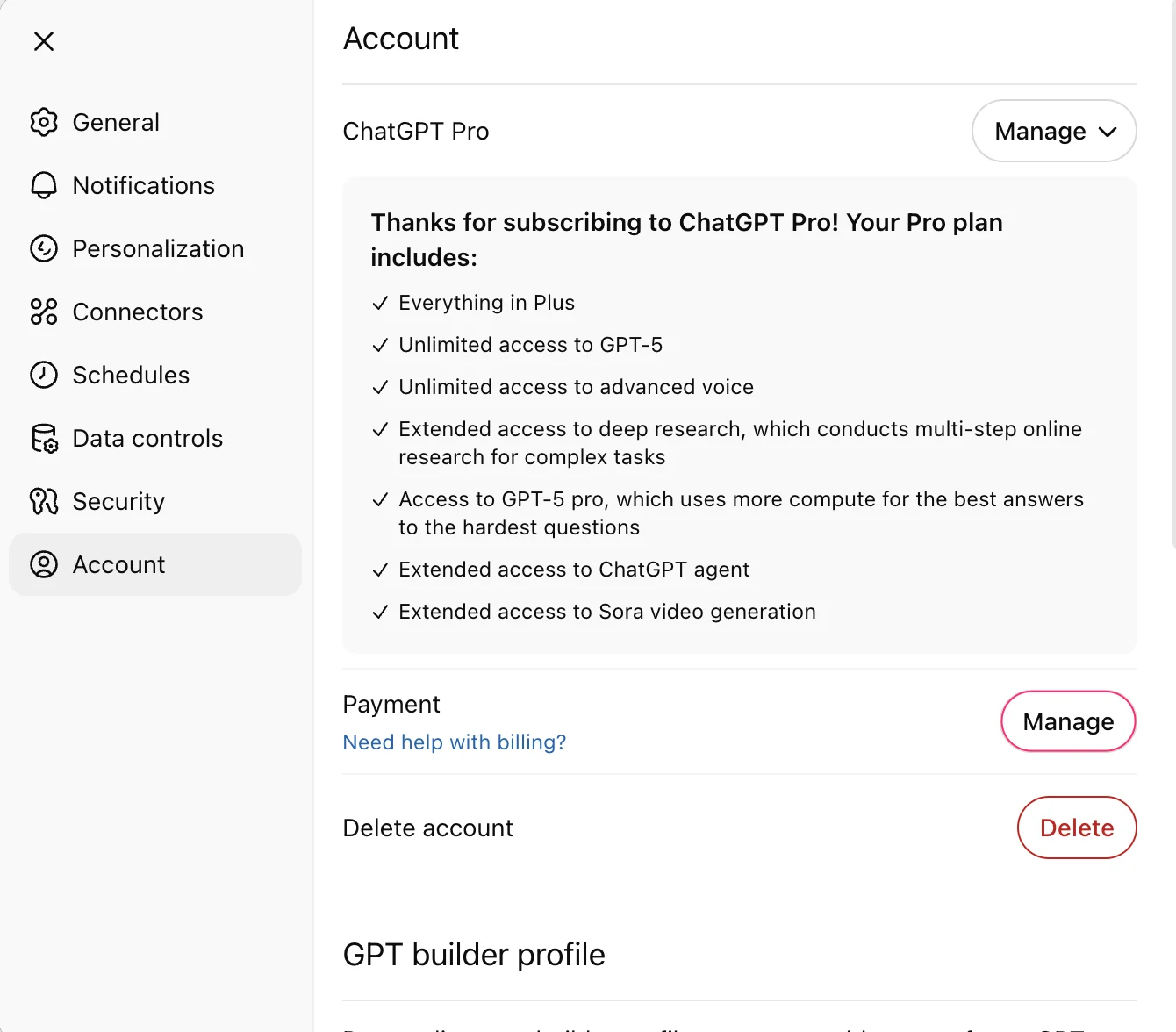
在客户账单门户的发票历史记录部分,您可以下载以往发票的副本:

问题排查:如果发票历史记录部分缺失或为空,请确认您登录的是正确的 ChatGPT 账户或工作空间。通过 Apple App Store 或 Google Play 订阅的收据不会显示在这里,请改为查看应用商店的购买记录。如果切换账户或查看应用商店收据后仍找不到发票,请确认您使用的是正确的账户或工作空间,并使用您的账户电子邮箱联系 OpenAI 支持团队。
Business
前往工作空间设置,选择“账单”,然后选择发票,即可查看该工作空间或账户的可用发票。如果没有显示任何发票,请确认您是正确工作空间或账户的所有者,并且确实存在发票记录。如果仍找不到发票,请使用您的账户电子邮箱联系 OpenAI 支持团队。

同样,点击“管理套餐 > 付款方式”也会进入客户账单门户,您可以在其中查看以往的发票。

工作空间已停用或无法访问账单?
如果您是工作空间所有者但无法打开“账单”,请联系支持团队,以获取查找以往发票的帮助。请提供您的账户电子邮箱、工作空间名称或 ID(如已知)、所需的账单周期,以及任何以往的发票编号。请说明工作空间是否已停用,以及您无法访问哪个账单页面。