
October 16, 2026
Create and collaborate on slides in ChatGPT
ChatGPT Slides lets you create presentations and keep working on them with your team in Space. Start from a conversation, files, or an outline, or share an example deck to guide the style and layout.
Create and refine. Edit text, images, shapes, and charts directly, or ask ChatGPT to make changes. Generate custom images or add your own.
Work together. Invite teammates to edit the same deck in real time and leave shared comments.
Present or export. Present directly from ChatGPT. On the web, export to PowerPoint, PDF, or Google Slides. In the desktop app, open your deck in PowerPoint or Keynote when those apps are installed.
Slides is rolling out to eligible Pro, Business, and Enterprise users with Space access on the web and in the desktop app. To get started, ask ChatGPT in Work to create a presentation in Space.
Updates to GPT-6 Pro model in ChatGPT
GPT-6 Pro in the chat tab now offers:
Faster responses
Improved use of plugins and tools to carry out tasks.
Multiple agents that can work on different parts of a task in parallel. You can follow their progress in the conversation and open completed tasks to see what each agent did.
This update is rolling out to eligible Pro users in ChatGPT. Availability in managed workspaces depends on workspace settings and rollout eligibility.
October 15, 2026
GPT-Live-1.1 and new voices in ChatGPT
We’re rolling out GPT-Live-1.1 and GPT-Live-1.1 Quip, a mini version of the model, in ChatGPT Voice, with more natural accents across languages. Live also uses a wider range of short phrases to let you know when it’s searching.
New Live voices include options for French, German, Hindi, Japanese, Korean, and Mexican Spanish, plus Bubbie in English. The voices you see may vary by region and account.
To choose a voice, open Settings > Voice, then select Voice.
For more information, see: ChatGPT Voice.
Applications for the Rosalind Academic Plan
The Rosalind Academic Plan helps eligible academic labs use ChatGPT for life sciences research. Approved labs can receive up to 30 ChatGPT Business Standard seats at no cost for up to 12 months, with GPT-Rosalind access subject to trusted-access approval.
Applications are now open to labs at U.S. universities. If you’re a principal investigator or lab lead, apply on behalf of your lab. Applying doesn’t give your lab immediate access. After approval, follow the instructions to set up your workspace and enable access for approved members. Labs covered by an OpenAI Enterprise agreement should use their university’s access process. For eligibility and setup details, see: Rosalind Academic Plan.
Site limits (Plus and Pro)
There is no longer a fixed limit on the number of Sites you can create. Usage and storage limits continue to apply.
For usage and limits, see: Creating and using ChatGPT Sites.
October 9, 2026
Composer predictions in Codex
Composer predictions, available in beta, suggests your next message based on the conversation in your current Codex thread. After Codex responds, a suggestion may appear in the message box. Press Tab to accept it, then review or edit it before sending. Accepting a suggestion doesn’t send it automatically.
The beta is available to personal ChatGPT Pro users aged 18 and older in all supported regions, in the latest Codex desktop app. It supports local and SSH threads using GPT-6 Astra or GPT-6.1 Sol. Predictions are on by default; turn off Show predictions in the Composer section of General settings. During the beta, generating predictions doesn’t count toward Codex usage limits or consume credits. Messages you send, including accepted predictions, follow normal Codex usage limits and billing.
Read more: Composer predictions in Codex
October 7, 2026
GPT-6 and Intelligent UI in ChatGPT
We’re introducing GPT-6 with Intelligent UI in ChatGPT. ChatGPT can now combine text, visuals, and interactive elements to fit your question, from side-by-side comparisons and diagrams to tools you can use directly in the conversation, such as calculators, bill splitters, and games. It can choose the format automatically, and still use a simple text answer when that works best.
GPT-6 can also begin answering while it continues to think or use tools, then add more findings without another prompt. You can start reading before the full answer is ready.
The rollout starts globally today for Plus, Pro, Business, and Enterprise in the Chat tab, and expands to Free and Go starting tomorrow. Enterprise availability depends on workspace admin settings.
Plus, Pro, Business, and Enterprise use GPT-6 Sol; Free and Go use GPT-6 Luna. Intelligent UI is available from Instant through Extra High reasoning. The Pro reasoning option continues to use GPT-6 Astra and doesn’t support Intelligent UI. The models powering Work and Codex aren’t changing with this release.
October 6, 2026
Audio uploads in ChatGPT
Upload audio files to ChatGPT to create transcripts, summarize recordings, and ask questions about their contents. You can turn a meeting, interview, or lecture into structured notes or a follow-up email draft. To get started, attach a supported audio file to a conversation and describe what you need.
Audio uploads are available with paid ChatGPT subscriptions and workspaces. Availability may vary by workspace settings, region, client version, and model. Transcripts may contain errors, and performance may vary across languages.
For more information, see: Uploading files and audio to ChatGPT.
October 2, 2026
Finances expands to Free and Go users
Finances in ChatGPT is rolling out to Free and Go users in the U.S. on web, iOS, and Android. You can securely connect your financial accounts to find ways to save, understand your spending, and make sense of your investments, with answers grounded in your finances.
October 1, 2026
New ways to shop in ChatGPT
See how clothes and accessories could look on you and save your favorites for later.
Virtually try on clothing and accessories: A “Try on” button will appear on product listings for clothes and accessories in ChatGPT. Select it, then take or upload a selfie to generate a virtual try-on with ChatGPT Images. Your reference photo is saved for future try-ons. You can change or delete it in Settings → Personalization → Reference photos.
Save your finds: Save any product to Favorites or create a folder to organize your finds in your ChatGPT Library.
Available in ChatGPT on mobile and web.
Scan notes and documents more easily with ChatGPT camera
It’s now easier to bring your notes and documents into ChatGPT on your phone. Capture multiple pages in a row, and ChatGPT automatically combines them into a single PDF, ready to upload to your chat.
To get started, open the camera in ChatGPT, tap the three-dot menu, and select Scan. Rolling out on iOS.
September 29, 2026
A new Pro plan with Astra Ultrafast
We’re introducing Pro 500, a new $500/month plan with the highest included usage of the Pro plans and access to Astra Ultrafast in ChatGPT Work and Codex. Select Ultrafast in the model picker to use a faster service tier for GPT-6 Astra. It uses your included allowance first, then your credit balance after that allowance is used.
Among Pro plans, Ultrafast is available only with Pro 500. Buying credits on Pro 100 or Pro 200 does not unlock it. Pro 500 subscriptions are available through ChatGPT on the web at launch.
Learn more about ChatGPT Pro tiers.
Codex Cloud
Codex Cloud lets you start and continue coding tasks from desktop, web, or mobile using reusable environments with your project’s repositories, tools, and dependencies. Each task gets its own isolated workspace, and tasks can continue while your computer is asleep. In managed workspaces, your workspace’s Codex cloud-access settings apply.
To connect repositories and prepare an environment, see: Set up and configure Codex Cloud. For availability and usage, see: Using Codex with your ChatGPT plan.
Create and collaborate on Pages
Turn a conversation into a Page, start from a template, or begin writing directly in Space. Edit the text yourself or ask ChatGPT to revise it, add charts, or create interactive content. Collaborators can work on the same Page and leave comments, with each person using their own ChatGPT.
Pages follow Space’s availability and sharing settings. Sharing a Page does not give other people access to your private chats or memory; information added to the Page is visible to people who can view it.
Creating, editing, and scheduling Sites
Site owners and editors on Plus and Pro can select Edit site from a published Site in a desktop browser to continue editing in ChatGPT, review changes, and publish when ready.
Site owners can also create recurring cloud schedules from Automations. These updates are available where Sites is supported. Learn more about creating and managing Sites.
GPT-6.1 Sol in ChatGPT Work and Codex
GPT-6.1 Sol improves on GPT-6 Sol in agentic coding, computer use, and professional work. We’re rolling it out in ChatGPT Work and Codex, starting with Pro users and expanding to Plus, Business, Enterprise, and Edu. Enterprise and Edu workspace owners can enable model access in Workspace settings > Permissions & roles, on the Workspace tab or through a custom role. Learn how to manage model access with role-based access control.
For availability and model selection, see: ChatGPT Work and Codex.
Meet your dot
We’re introducing dots: always-on agents in ChatGPT that can take on ongoing work and keep making progress between conversations. Give your dot a goal, connect the apps it needs, and define what it can do on its own. Powered by GPT-6 Astra, your dot has its own cloud computer and can bring results back for your review.
Dots are rolling out gradually to eligible Pro and Business Premium users aged 18 and older in supported markets. Pro access excludes the European Economic Area, Switzerland, and the UK at launch. Enterprise access is a beta and is off by default. Create your dot in the ChatGPT desktop app or on desktop web.
For the next month, dots usage won’t count toward eligible Pro, Business, and Enterprise users’ plan allowances. After this period, we’ll share usage terms for each plan.
Learn more about getting started with your dot.
Meetings plugin
We’re making it easier to bring meeting context into ChatGPT so you can act on next steps faster. The Meetings plugin takes notes for you based on what’s said in the meeting and saves personalized summaries with action items in ChatGPT Space. You can keep them private or share them with your team, then ask ChatGPT to update a project plan or draft a follow-up.
Audio is deleted once your notes are ready and can’t be accessed or replayed. Available in beta in the ChatGPT desktop app on macOS to Pro and Business users, with Enterprise coming soon. Learn more.
Organize your work in ChatGPT Space
Space brings your Pages, files, and related work together in ChatGPT. Create a space for a project, add the material you need, and share it with other people so you can keep building on the same work. Space replaces Library for accounts with access; your existing Projects remain separate.
Available to eligible Pro, Business, and Enterprise users in the ChatGPT desktop app and on the web. Sharing in managed workspaces follows your organization’s settings; Enterprise sharing is an opt-in preview.
Pro 200 subscriptions
Pro 200 is available for new subscriptions again at $200/month.
Included usage allowances are changing. Users affected by these changes will receive an email with additional details. The monthly price remains $200.
Learn more about Pro plans and existing subscriptions.
Review pull requests with Codex
Use Code Review in Codex to read pull-request summaries and diffs, review findings, and discuss changes. Open a pull request, inspect the changes, and ask Codex to explain a section or help address a potential issue before sharing feedback.
Available through the Code Review plugin on supported desktop and web experiences. Access to a repository follows your connected account and workspace permissions.
Learn more about Code Review.
Scan repositories with Codex Security Cloud
Codex Security Cloud can scan GitHub repositories on demand or on a schedule, while ongoing checks review new commits. Codex investigates findings, removes duplicates, and prepares proposed fixes for review. Scans run in the cloud and can continue after you close your laptop.
Access requires the applicable workspace permissions, repository setup, and billing configuration. Existing Codex Security customers opt in before paid usage. This feature provides access to Daybreak Blue models only within Codex Security Cloud.
Learn more about setting up Codex Security Cloud.
Share your profile and showcase your Sites
Your ChatGPT profile now brings together your bio, activity, and Sites you choose to showcase. Personal profiles are private by default. You can make yours public and share its link with other people signed in to ChatGPT. Shared profiles do not show conversation titles or content.
Profile sharing and the Sites showcase are available on web and desktop. In Business workspaces, administrators control whether coworkers can view workspace profiles. Enterprise access is coming later.
Learn more about shareable profiles.
Sign in to other products with ChatGPT
You can use your ChatGPT account to sign in to participating products without creating another password. The product receives your name, email address, and profile picture if you have one. Signing in does not share your ChatGPT conversations or memory; you approve any additional access separately.
Available to signed-in ChatGPT users, subject to organization settings. Sign-in access is separate from permission to use your ChatGPT plan allowance.
Learn more about Sign in with ChatGPT.
Start automations from connected-app events
Supported plugins can use MCP events to start an automation when something changes in a connected app. Describe what you want ChatGPT to follow and what it should do with matching updates—for example, prepare a summary when new information arrives in a channel you have asked it to monitor.
The connected account must have access to the event and any information used by the task.
Learn more about connected apps in ChatGPT.
Use your ChatGPT allowance in participating apps
Eligible Plus and Pro users can authorize participating apps to use their ChatGPT model allowance without creating an API key. Choose which apps can use your allowance and set an app-specific limit. Usage counts toward your existing plan allowance; connecting an app does not add more usage.
This is a limited preview with participating integrations. Using purchased credits requires a separate opt-in. A partner may still charge for its own product or services.
Learn more about using your ChatGPT allowance in other apps.
Work with interactive plugin extensions
Plugins can now include interactive panels, sidebar views, and viewers or editors for supported file types. Work with an app alongside your conversation, select the information you want ChatGPT to use, or complete a form provided by the plugin.
Plugins still require their applicable account connections and workspace permissions.
Learn more about plugins in ChatGPT and Codex.
September 28, 2026
Explore your health data with personalized summaries
You can now select a chart, metric, or record in the Health tab to get personalized explanations and insights based on your connected health information.
September 25, 2026
Security history in ChatGPT
We’re introducing security history, a new way to review recent security activity for your OpenAI account. You can see sign-ins, sign-outs, and changes to multi-factor authentication (MFA), passkeys, and other security settings. Events include the time, location, and device details. Some details may be approximate or unavailable.
To view your history in ChatGPT on the web, go to Settings > Security and login, then select Security history. For help reviewing unfamiliar activity and securing your account, see: Keeping your OpenAI account secure.
September 23, 2026
Use plugins in Voice and get work done by speaking
Live now supports plugins on web, iOS, and Android. You can use the plugins and connected apps available to your account during a Voice conversation and follow written responses in the chat.
Voice is also available in Work on web and mobile. Ask it to create documents, presentations, and spreadsheets, use connected apps, or work in a browser. When you end a Voice call in Work, an unfinished task can continue in text.
Free and Go users can use Voice in Chat with the plugins their plan supports. Voice in Work requires both Voice and Work access. Existing app connections, permissions, and usage limits apply.
Learn more: ChatGPT Voice.
September 22, 2026
GPT-6 Sol and Luna in Work and Codex
We’re introducing GPT-6 Sol and GPT-6 Luna in ChatGPT Work and Codex. These models are separate from the models available in Chat.
Codex desktop keeps the model you selected manually.
Available models and reasoning effort options depend on your plan and workspace settings.
Learn more about ChatGPT Work and Codex.
Create flashcards in ChatGPT
You can now create interactive flashcards in ChatGPT. Ask for flashcards on a topic you want to learn, or upload your notes and ask ChatGPT to turn them into flashcards.
Tap a card to flip it, then select ✔️ if you know the answer or ❌ to practice it again later. Shuffle your cards to practice in a different order.
Flashcards are automatically saved in your library. To practice again, open them there or ask ChatGPT to review them back.
Available on mobile and web for all ChatGPT plans.
September 21, 2026
Credit scores in Finances
You can now track your credit score in ChatGPT. Securely connect your Experian® credit report and VantageScore® 3.0 credit score to get personalized insights into what’s affecting your score and how it relates to your finances and goals.
Your score and report update monthly, and credit monitoring can alert you to important changes, such as a new inquiry, account, or address. Your Experian connection is separate from your bank accounts, so you can use the credit-score feature without connecting accounts through Plaid.
This feature is rolling out in Finances to Plus and Pro users in the U.S. on web, iOS, and Android. Some eligible users may not see it right away.
Learn more about Finances in ChatGPT.
Privacy Center in ChatGPT
Privacy Center is rolling out to signed-in ChatGPT Free, Go, Plus, and Pro users. It brings together information about chat privacy, memory, personalization, data use, connected apps, and account security, with links to the settings that manage them. Your privacy controls remain in ChatGPT Settings.
On the web, open your account menu, select Help, then select Privacy Center. On mobile, open Settings, then select Privacy Center on iOS or Privacy center on Android. Available options depend on your plan, region, and workspace settings.
Learn more: Privacy Center in ChatGPT
September 17, 2026
ChatGPT for Word
ChatGPT is now available in Microsoft Word. You can draft from notes, summarize a document, revise selected text, and adjust headings and formatting from the ChatGPT sidebar. Word joins Excel and PowerPoint through the same Microsoft add-in.
ChatGPT for Word is available on all ChatGPT plans, including Free. Your plan’s token limits apply, and Word draws from the shared usage allowance for Codex and other premium features on plans that include it.
To get started, install the ChatGPT add-in from Microsoft Marketplace, open ChatGPT in Word, and sign in.
Connect multiple accounts to plugins in ChatGPT
You can now connect multiple accounts to plugins in ChatGPT, expanding support beyond Gmail, Google Calendar, and Google Contacts. Bring your personal and work accounts into the same conversation, so ChatGPT can help you find information and get things done across your personal and work accounts. Available on all ChatGPT plans across web, mobile, and desktop.
September 14, 2026
Updated permissions for new Health connections
For new Health plugin connections, ChatGPT will now default to each user’s global plugins permissions setting.
If you make no changes to your Plugins settings, the default permission setting is “Allow low-risk actions.” This means that once you’ve connected your information in Health, ChatGPT can use it when relevant without asking for permission each time, unless you are attempting a sensitive action, such as asking ChatGPT to email a training plan based on your data to a running partner. This change reflects what we’ve seen from users: more than 70% of Health users already choose to allow ChatGPT to use data connected in Health without asking for permission each time.
You can change your Health permissions anytime in Settings → Plugins → Health. Learn more about how we keep Health data private and secure.
Changes to automatic switching to thinking in ChatGPT (Plus and Pro)
We’re retiring automatic switching from Instant to Thinking (reasoning) for ChatGPT Plus and Pro users globally. You can still select an available option in the model picker to give ChatGPT more time to think or reason.
We’re also removing the Higher intelligence setting from ChatGPT on the web for these plans. ChatGPT can still switch automatically for safety purposes.
For more information, see: GPT-5.6 and GPT-6 Pro in ChatGPT.
September 11, 2026
Planned custom GPT retirement and migration to plugins
We’re planning to retire custom GPTs across ChatGPT plans and provide a migration path to plugins, which can combine reusable instructions with connected apps. You can continue using existing GPTs until the retirement date that applies to you, subject to your permissions.
To prepare, review the GPTs you rely on and identify their creators and anyone who needs access. When migration becomes available, test migrated plugins and review sharing. Timing and availability may vary by plan and workspace; follow applicable notices and learn more about the planned retirement.
September 10, 2026
Data plugin in ChatGPT Work and Codex
The Data plugin helps you analyze connected business data in ChatGPT Work and Codex. Ask a business question, investigate changes, or create an interactive dashboard or report. You can refine the analysis with follow-up questions and bring in your team’s metric definitions and other business context.
To get started, install Data from the plugin directory, then start a conversation with @Data. Connected sources may require setup or authorization, and queries use your connected account’s existing permissions. Learn more.
Box, Dropbox, and SharePoint are now in Library
Box, Dropbox, and SharePoint now join Google Drive in ChatGPT Library. Once connected, you can browse and search available files and folders, then add the files you need to a conversation through Add from Library or @mentions—without uploading them again. You can review supported file previews beside the conversation and follow citations back to the source as you work.
When you’re working with a file, you can now keep Box, Dropbox, and SharePoint files open beside the conversation while asking ChatGPT to summarize, analyze, compare, or create something new from them. You can also select a folder and ask ChatGPT to work across the files it contains. Your content stays connected to their original source, so it’s easy to return to the original.
Availability
Box, Dropbox, and SharePoint integrations are now rolling out to Go, Plus, Pro, Business, Edu, Healthcare and Enterprise users on the web in both Chat and Work. Existing file permissions and workspace controls apply. Mobile support will follow.
Rolling out to Plus, Pro, Enterprise, Edu, Healthcare and Business users on the web in both the Chat and Work toggles. Mobile support will follow.
September 9, 2026
Updated models and usage limits in ChatGPT Voice
ChatGPT Voice can now use GPT-5.6 or GPT-6 Astra when it needs to search or reason through harder questions. Choose your model and reasoning effort using the same controls as text chat. Available models and their usage limits depend on your plan.
We’re also simplifying GPT-Live daily usage limits:
Go: Up to 3 hours with GPT-Live-1 mini, replacing GPT-Live-1 access.
Plus: Up to 3 hours with GPT-Live-1.
Pro ($100/month): Up to 15 hours with GPT-Live-1.
Pro ($200/month): Unlimited GPT-Live-1 usage.
Plus and Pro no longer switch to GPT-Live mini after reaching a Voice limit.
With these updates, the separate Instant/Medium/High Voice intelligence levels are deprecated.
Learn more: https://help.openai.com/en/articles/20001274-chatgpt-voice
Share files and folders from your Library
Library sharing lets you share files and folders in ChatGPT, choose who can access them, and work with shared content directly in your conversations.
What’s new
Share with specific people. Invite recipients and assign Viewer or Editor access.
Share across your workspace. Make content available to everyone in your workspace.
Manage access. Review who has access, change permissions, or remove access from the sharing dialog.
Find and use shared content. Access items in Shared with me and use shared files in conversations with ChatGPT.
Shared folders and ownership
Files uploaded to a shared folder belong to the folder’s owner. The person who uploaded each file is still recorded.
If you upload a file to someone else’s shared folder and they later remove your folder access, the file stays in their folder and you lose access to it.
September 8, 2026
ChatGPT Images 2.5: new ways to create and edit
ChatGPT Images 2.5 brings sharper details, more precise editing, and faster image generation. We’re also introducing new ways to create and share:
Start from a template. Open Images → Templates, choose a template, and customize the details. ChatGPT may ask follow-up questions to help refine your request.
Turn a sketch into an image. On mobile, type @ in the message box and select Sketch. Draw your idea, then describe the image you want to create.
Edit and comment. On mobile, open a generated image full-screen to edit it or add comments to tell ChatGPT what you’d like to change..
Share a prompt. Share the prompt for a generated image so others can create their own version.
Some users will also see animated dots and a Snake game while images are generated. The loading experience varies by platform and rollout; Snake isn’t available in Work mode.
Templates are not yet available in Work mode. Existing image-generation limits are unchanged.
September 3, 2026
Introducing GPT-6 Astra
Today we’re introducing GPT-6 Astra, with improvements in coding, research, computer use, and complex, multi-step work. Astra can create documents, spreadsheets, and presentations that follow your templates and instructions, and adapt when you add requirements or change direction.
Access is rolling out to a limited set of organizations. Astra is not yet generally available. Broader availability is planned over the coming days.
Astra includes additional safety monitoring to look for cases where agents may not have interpreted your instructions correctly. If a potential case is detected, the conversation may be paused or stopped as a precaution for you to review and decide how to proceed.
Zendesk & OneNote Plugins in ChatGPT and Codex [Beta]
Today, we added the Zendesk and OneNote plugins in the Plugin directory. The Zendesk plugin helps teams review support tickets and customer history, find relevant knowledge, and prepare replies in ChatGPT and Codex. Members connect their own Zendesk accounts to work with the support information they can access.
The OneNote plugin helps you find and summarize notes, gather decisions and action items, and create or update notes through supported actions in ChatGPT and Codex.
Read more: Zendesk Plugin, OneNote Plugin.
Share Sites with people outside your workspace
Eligible Site owners can now share a live ChatGPT Site with named people outside their workspace, without making the Site public. External viewers can use the shared Site but cannot edit or publish it.
To share, open the Site, select Share, enter the recipient’s email, and save their viewer access. The recipient signs in with the account that was granted access. You can review or remove viewers in the Site’s sharing controls. Learn more in Creating and managing ChatGPT Sites.
September 1, 2026
Healthcare Public Data in ChatGPT for Clinicians
Eligible ChatGPT for Clinicians users in the United States can now use Healthcare Public Data in ChatGPT. The plugin brings together nine apps for searching public healthcare sources, including biomedical research, clinical trials, medication information, Medicare data, and provider records.
To get started, install the plugin from the Plugin directory, then connect the apps you want to use. These apps are read-only and do not access patient charts. Do not include protected health information in searches sent to public sources.
For details, see: Using Healthcare Public Data in ChatGPT and Codex.
August 31, 2026
Create and share personalized sticker packs
Turn an idea or a photo into a set of stickers you can use in your messages.
Start with a prompt or template. Ask ChatGPT to make a sticker pack, or choose a sticker template from the home screen or Images.
Share your stickers in messaging apps. Download your pack or add it to iMessage or WhatsApp on supported devices.
Available to all ChatGPT users on mobile globally. Update the ChatGPT app to see the new experience.
See Live voice content on your Lock Screen
Content from a Live voice conversation can now appear on your iPhone’s Lock Screen and, on iPhones with Dynamic Island, in the Dynamic Island.
Follow along outside the app. Live Activities can show content from your voice conversation while you use another app or your phone is locked.
To continue a Voice conversation outside ChatGPT, turn on Background conversations in Settings → Voice.
Learn more about ChatGPT Voice.
Use website tools in the desktop browser
ChatGPT Work and Codex can now use tools that supported websites provide directly in the desktop app’s built-in browser.
Work directly with a website’s tools. ChatGPT can discover tools for your task without a separate connection. Select the arrow in the address bar to see the tools a page provides.
Site tools use WebMCP and require a supported account, model, and webpage. They are available in the built-in desktop browser, not through the Chrome extension. Existing website-access and sensitive-action confirmations still apply.
Use the browser extension in more browsers
The ChatGPT browser extension now supports Microsoft Edge, Brave, Opera, and Vivaldi.
Bring your browser into Work and Codex. Mention open tabs to use them as context, or ask ChatGPT to complete a browser task from the desktop app.
Side chat is available in Edge, Brave, and Vivaldi. Opera supports tab mentions and browser control, but not side chat. Update the desktop app before setup; availability depends on your workspace settings.
Set up the ChatGPT browser extension.
Improved pronunciation help in ChatGPT
When you ask how to pronounce a word or phrase, you can now tap to hear it aloud and see a phonetic breakdown
August 28, 2026
Connect multiple Google accounts to ChatGPT
You can now connect multiple accounts for Gmail, Google Calendar, and Google Contacts plugins in ChatGPT, bringing your personal and work accounts into the same conversation. Ask ChatGPT to check your calendars together when planning your day or find emails across your connected inboxes.
Available globally on supported Plus, Pro, Business, and Enterprise plans across web, desktop, iOS, and Android.
August 27, 2026
More controls in temporary chat
We’re rolling out new controls in temporary chat. You can now choose to personalize responses in a temporary chat with memory, plugins, and custom instructions from your regular chat settings. You can also choose to save a temporary chat.
How it works
Personalized: When you create a temporary chat, you can choose to have personalized responses. Personalized temporary chats can use your memories, custom instructions, and plugins to tailor responses. They do not create new memories and remain out of your chat history unless you save them. Personalization can be set only when you start a temporary chat and cannot be changed after the conversation begins.
Non-personalized: By default, temporary chats are not personalized. Non-personalized temporary chats do not use memory, custom instructions, or plugins, and they do not create new memories.
Saving a temporary chat: When a conversation becomes useful for the future, you can add it to your chat history. Saving converts it into a regular chat, so it then follows your account-level personalization settings and model-improvement preferences. For example, if you have memory enabled and save a temporary chat, this will become part of your chat history and can be referenced to personalized future responses.
August 25, 2026
Scheduled tasks can respond to app updates and be shared
Scheduled tasks in ChatGPT Work can use webhooks to respond when something changes in a supported app, helping you keep work moving without repeatedly checking for updates. You can also share a task so someone else can review and customize it, connect their own apps, and schedule an independent copy.
Supported webhooks include new Gmail messages, Slack channel messages, and GitHub pull request activity.
Create webhook-triggered tasks
Plus and Pro users can ask Work on web, iOS, and Android to respond when a new Gmail message arrives, a Slack channel receives a message, or a GitHub pull request changes. For example, ask ChatGPT to summarize an email announcing that registration has opened, or draft next steps after a client shares feedback in Slack. Add @ChatGPT to each monitored Slack channel. Actions that require approval pause until you review them.
Share scheduled tasks
Free, Go, Plus, and Pro users can share scheduled tasks. Recipients can review and customize the instructions and, when applicable, the schedule, connect their own apps, and create an independent copy. Running a shared webhook-triggered task requires access to Work and the recipient’s own connected app.
Scheduled tasks for Free users
Free users can create up to three active scheduled tasks. Tasks can run once or recur no more than once per day using flexible scheduling windows. Free and Go users cannot create webhook-triggered tasks.
For more information, see: Scheduled tasks in ChatGPT.
ChatGPT Work can now complete tasks on signed-in websites
ChatGPT Work’s browser on web and mobile can also help you get tasks done on some websites that require you to sign in—so you can hand off a task and step away while it keeps working.
To get started, just ask ChatGPT Work to complete your task. If a website allows authentication, ChatGPT will surface the login screen so you can securely enter your credentials. You may also need to enter a security code. Once you’re signed in, ChatGPT can continue working. Your session may remain signed in for future tasks, so you don’t have to log in again every time. ChatGPT Work’s browser supports the use of password managers for simple, safe login. ChatGPT cannot see your username or password, and they are never seen by the model or used in model training. ChatGPT does not store your username or passwords. You can delete your browsing history from all sites or one site individually at any time from Settings > Cloud browser > Browser data.
You can now ask ChatGPT Work to do things like:
Figure out utilities for a new apartment and sign up for the right plan
Book a DMV appointment or fill out your passport renewal forms
Check X-ray and bloodwork costs through your insurance portal
Find profiles of people that fit your job description and are open to work
You stay in control of which websites ChatGPT Work can access, and it will always ask for confirmation before consequential actions, such as completing a reservation or payment.
Authentication in ChatGPT Work’s browser is available for Plus and Pro plans.
August 21, 2026
Improved plugin discovery on web and mobile
Updated plugin recommendations make it easier to find tools people continue to use.
Find more useful plugins. Rankings now prioritize plugins people keep using after installation, helping relevant options surface across ChatGPT on web and mobile.
Plugin availability depends on your plan, region, and workspace settings. Desktop is not included in this update.
Learn more about plugins in ChatGPT and Codex.
More time-aware answers
ChatGPT now has a better sense of your local time during a conversation.
Get answers that fit your time of day. ChatGPT can better account for your local time when responding to time-sensitive questions.
Faster long conversations on the web
Long conversations now load more efficiently in ChatGPT on the web.
Open longer chats without the wait. ChatGPT loads messages in smaller sections instead of retrieving the entire conversation at once.
Interactive content appears sooner on the web
Interactive content generated by ChatGPT can now begin appearing while it is still being created.
See interactive content sooner. Interactive experiences now appear progressively in the conversation instead of waiting until the full experience is ready.
Updates to ChatGPT on iOS
Recent photos are easier to reach, and connection-status messages are clearer.
Attach recent photos faster. Press and hold the + button to open your recent photos, then choose one to add to your conversation.
See clearer connection updates. ChatGPT now tells you when it is waiting for an internet connection.
Available in the ChatGPT app for iOS. Access to recent photos requires permission to access your photos.
Updates to ChatGPT on Android
Generated images are easier to view, and your recent conversations are easier to browse.
See generated images at full width. Images you create in ChatGPT now fill the width of the conversation.
Keep recent chats easier to browse. Your sidebar now shows up to eight recent conversations.
Available in the ChatGPT app for Android, version 1.2026.216 or later.
August 20, 2026
Codex and ChatGPT feature updates
Choose a new URL for a ChatGPT Site. Site owners on Plus and Pro can change an existing Site’s ChatGPT-hosted URL without redeploying it. The previous address redirects to the new URL, including routes and query parameters, while custom domains remain separate and unchanged. In the Site’s settings, select Change URL. Learn more about creating and managing ChatGPT Sites.
Use Apple Messages from Codex and ChatGPT Work. On Apple silicon Macs, the Apple Messages plugin in the ChatGPT desktop app can read and search iMessage, SMS, and RCS conversations and prepare or send messages through Messages. By default, ChatGPT asks the user to approve the message and recipients before sending. Learn more about the Apple Messages plugin.
Use Computer History in more regions. Computer History is now available in the EEA, Switzerland, and the United Kingdom for Pro users in the ChatGPT desktop app on macOS. It is off by default and requires Memories. Learn more about Computer History.
Share a read-only snapshot of a Codex chat. Personal share links can be opened by anyone with the link. A snapshot is static and does not include tool calls or shell input and output. Codex redacts known secret patterns, but users should review the snapshot because sensitive paths, diffs, images, or other content may remain. Learn more about sharing a Codex chat.
Keep pinned chats in sync. Pinned chats now stay in sync between the ChatGPT desktop app and iOS when you use the same Codex account. Android is not included in this release. Learn more about organizing projects and chats.
August 14, 2026
ChatGPT app experience updates
We’ve made it easier to study with interactive quizzes, manage project memory, and move between typing, dictation, and desktop work.
Learning, Projects, and personalized suggestions
Practice with interactive quizzes. Ask ChatGPT to quiz you on a topic and answer questions directly in your conversation. Available to all consumer ChatGPT plans and Edu plans on web and mobile.
Change an existing project’s memory setting. For eligible unshared projects, switch between default and project-only memory without starting a new project. Shared projects remain project-only.
Get suggestions that fit how you use ChatGPT. Eligible paid users can see homepage suggestions based on their conversation history and connected tools.
Web
Use Think on Free and Go. Select Think on the web when you want ChatGPT to reason through a harder question.
Android
Switch between typing and dictation. The dictation button stays available after you add text or attachments, so you can continue building the same message.
See suggestions that stay in sync. Composer suggestions update as you type or delete text.
Keep typing with a physical keyboard. Connected keyboards keep the composer focused, preventing interruptions while you write.
Linux desktop
Use ChatGPT and Codex on Linux. The desktop app is now available globally in public preview on Ubuntu 24.04 LTS and 26.04 LTS, Debian 13, and Fedora 43 and 44.
Work in the built-in browser or Chrome. Browser actions are available in the Linux app; controlling other desktop apps is not yet supported.
Edit memory settings for existing projects
You can now change a project’s memory setting after you create it. Open the project, select the three-dot menu, choose Project settings, and select Default memory or Project-only memory under Memory.
With project-only memory, ChatGPT can use conversations from the same project for context, but it won’t reference memories or conversations from outside the project. Information from the project is also kept out of memory used in chats outside the project.Changes may take a few hours to take effect.
This update is available on all ChatGPT plans. Shared projects continue to use project-only memory and cannot be switched to default memory. ChatGPT Work is not available in projects using project-only memory.
Learn more about Projects in ChatGPT.
August 13, 2026
Google Drive is now in Library
If you have the Google Drive plugin connected, you can now see and browse your Google Drive files and folders directly from Library, including items shared directly with you. You can also quickly pull up a Drive file from the composer or with @mentions and add it to any chat—without uploading it again.
When you’re working with a file, you can now keep Google Docs, Sheets, and Slides open beside the conversation while asking ChatGPT to summarize, analyze, compare, or create something new from them. You can also select a folder and ask ChatGPT to work across the files it contains. Your content stays connected to Drive, so it’s easy to return to the original. Where supported and authorized, ChatGPT can update the source file directly.
Availability
The initial experience includes My Drive and files and folders shared directly with you; Shared Drives aren’t included yet. Some Google Drive editing and collaboration features aren’t yet available in ChatGPT.
Rolling out to Plus, Pro, Enterprise, Edu, Healthcare and Business users on the web in both the Chat and Work toggles. Mobile support will follow.
Computer History for macOS
Computer History is an optional feature in the ChatGPT macOS app that lets ChatGPT and Codex reference selected activity from apps and websites, helping users continue work without re-explaining every detail. It records interaction events—not screenshots, screen recordings, microphone input, or system audio—and private browsing is not included.
Computer History is off by default and available to Pro, Business, and Enterprise users. Business and Enterprise admins must grant access before members can opt in. Users can pause Computer History, choose included apps and sites, and inspect or delete timeline items. Note that Computer History is not currently available in the EEA, UK or Switzerland.
August 10, 2026
Restaurant reservations in ChatGPT
ChatGPT can now help you find available restaurant reservations with OpenTable, Resy, and Yelp.
Ask in the chat and include where and when you’d like to eat, your party size, and any preferences, such as cuisine, budget, dietary needs, or atmosphere. You’ll see available reservation times directly in the response. You can also ask follow-up questions to narrow your options or check a specific restaurant. When you find a time that works, select it to book it.
Rolling out across all ChatGPT plans on mobile, web, and desktop. Reservations are available globally with OpenTable and in the US with Resy and in the US and Canada with Yelp. ChatGPT Work does not include restaurant reservation search.
August 7, 2026
ChatGPT app experience updates
We’ve made it easier to bring documents and saved files into your conversations, find what you need, and pick up where you left off.
Writing, files, and search
Keep your formatting when you paste. On the web, text copied from Google Docs or another ChatGPT conversation keeps its headings, bold text, links, and lists, both while you’re writing and after you send your message.
Add saved files without uploading them again. Open the composer menu on the web, select Add from library, and choose a file you’ve already saved.
Select several Library items at once. On the web, drag across multiple files or folders to select them together.
Find folders, files, and past conversations faster. Search now includes folders and matches conversation titles across web, iOS, and Android. On the web, you can also search within Library to find your saved files.
Get answers that stay closer to your documents. ChatGPT makes better use of information in attached files when you ask it to summarize a document, find specific details, review material, or draft from a source.
Use an updated composer when signed out. The signed-out experience on the web now includes a cleaner, unified composer menu.
iOS and Android
Safeguards for background Voice conversations. On mobile, ChatGPT can recognize when a background Voice conversation no longer seems active, check whether you’re still there, and end the session if you don’t respond. You can turn off Background conversations at any time in Settings → Voice.
iOS
Dictate with fewer interruptions. If dictation fails because of a connection issue or timeout, ChatGPT automatically retries once, helping you finish recording without starting over.
Pick up completed answers without the replay. When you return to a conversation, completed answers now appear without slowly replaying as though they’re still being generated.
Android
Start Voice conversations faster. Improved connection times make it quicker to begin a Voice conversation with ChatGPT.
ChatGPT Work on the web
See your Work usage at a glance. Eligible users on personal plans and ChatGPT Business can see their remaining Work usage in the sidebar. Available credit options depend on your account and workspace permissions.
Files and Projects in ChatGPT Voice
GPT-Live in ChatGPT Voice now supports file uploads and Projects. You can now upload files in a voice conversation and analyze its contents or ask questions. You can also use voice in Projects, referencing recent project chats, sources, and project instructions.
Learn more about ChatGPT Voice.
August 6, 2026
Updates to GPT‑5.6 in ChatGPT
Plus and Pro users can now use an updated GPT‑5.6 Sol in ChatGPT with more reliable facts, more focused answers, and a new slider to choose how much thought ChatGPT puts into a response.
GPT‑5.6 Luna will become the default model for Free and Go users this week. Starting next week, they’ll also have unlimited text chats and access to a new Think button for harder questions (subject to abuse guardrails). Limits will still apply for file uploads, images and other tools.
This release applies to the chat experience in ChatGPT. Work and Codex are not changing as part of this release.
August 4, 2026
Large pastes are now handled as attachments for all plans
Starting today for ChatGPT Enterprise and Education users, long pastes are handled differently in ChatGPT.
If you paste more than 10k characters into the composer, ChatGPT will automatically convert the content into an attachment instead of inserting it directly into the text field. This keeps the composer cleaner and helps prevent large pastes from consuming your entire context window.
You can still move the content back into the message at any time by clicking on Show in text field to convert the attachment back to a direct paste.
This is already available to users on all other plans.
New education plugins for students and educators
Three new plugins for ChatGPT Work and Codex help students and educators work with their own course materials, connected tools, and institution-approved apps.
College Student: Create study guides, practice quizzes, flashcards, and interactive explanations using the materials you’re already studying.
College Educator: Develop syllabi, course materials, assessments, and interactive learning resources, including content for a learning management system.
K–12 Educator: Plan lessons, create classroom resources, adapt materials for different learners, and develop interactive visuals.
The plugins are available through ChatGPT Edu and ChatGPT for Teachers district deployments. Schools and institutions control which tools and permissions are available.
July 31, 2026
Retiring the DALL·E GPT
On August 30, 2026, we’re retiring the official DALL·E GPT in ChatGPT. We encourage you to download any images you want to keep before then.
To continue creating or editing images, use ChatGPT Images. User-created GPTs with image generation enabled are not affected.
Learn more in Images in ChatGPT.
July 29, 2026
ChatGPT for Academic Researchers
Research rarely happens alone. ChatGPT for Academic Researchers gives faculty and postdoctoral researchers the ability to apply for 12 months of complimentary access to a dedicated ChatGPT workspace for a small, verified team. Each workspace supports up to five members and includes business data protections and ChatGPT Pro-level usage limits, helping researchers collaborate while keeping team research in its own workspace.
To apply, researchers sign in with an institutional email, verify their affiliation through SheerID, and share a qualifying paper and a short description of their intended research use. Approved applicants complete a $0 checkout with a valid card, create the workspace, and can invite up to four verified collaborators from the same institution. Researchers at existing ChatGPT Edu institutions can still apply, but when approved, follow an institution-managed Edu route instead. The program covers ChatGPT access, not API credits.
Read the full eligibility and program details in ChatGPT for Academic Researchers.
Sign in with ChatGPT
We’re beginning to roll out Sign in with ChatGPT across select plugins and partner sites, starting with Airtable, GitLab, HubSpot, Notion, Supabase, and Vercel.
When you connect a supported app from the plugin directory ChatGPT, you can use Sign in with ChatGPT to create or link an account with that service in fewer steps. On participating partner sites, you can also choose ‘Sign in with ChatGPT’ to create or access your account.
This means less time on account setup and an easier way to start working with these tools from ChatGPT and Codex.
When you sign in, only your name, email, and profile picture (if you have one) are shared with the partner. You’ll still separately review and approve the access each plugin receives.
July 23, 2026
Health in ChatGPT
We’re starting to roll out a new health experience in ChatGPT. Logged-in Free, Go, Plus, and Pro users in the United States who are 18 or older can securely connect supported health records and Apple Health data, see a dashboard of their health information, and ask questions grounded in their personal health context.
Available on web and iOS, Health lets you view lab results, medications, activity, sleep, and other health information in one place. You can ask questions directly in ChatGPT or use the Health tab to explore trends, prepare for appointments, understand test results, track wellness goals, and think through questions to discuss with a healthcare professional. The experience builds on feedback from early testers and gives you control over what you connect and when ChatGPT can use it.
Health is built with layered privacy and security safeguards. Connected medical records and Apple Health information, and conversations that use it, are not used to train our foundation models or target ads.
ChatGPT Health is designed to support, not replace, medical care and is not intended for diagnosis or treatment.
Learn more in our help article Health in ChatGPT and our blog Launching Health in ChatGPT.
ChatGPT Voice in Work and Codex on desktop
ChatGPT Voice is now available in Work and Codex in the ChatGPT desktop app. Start a new task in Voice to speak naturally, interrupt, and ask Voice to start or coordinate work using the tools and permissions available to the selected experience.
Learn more about ChatGPT Voice and pricing and limits.
July 16, 2026
ChatGPT desktop app experience updates
We’ve updated the ChatGPT desktop app to make it easier to choose between Chat and Work, find your conversations and Projects, and continue Work across devices. These updates are now live for all plans on macOS and Windows.
macOS and Windows
A clearer desktop layout: A global switcher lets you choose between ChatGPT and Codex. In ChatGPT, choose Chat for quick questions and conversational help, or Work to complete tasks end to end.
Unified Recents: Chat and Work conversations now appear together in Recents, where you can sort, filter, and pin them.
Projects in the desktop app: Your existing ChatGPT Projects now appear in the app. You can start a Chat conversation inside a Project or begin a Work thread using Project context.
Continue Work across devices: Cloud Work conversations now sync across web, mobile, and desktop, so you can start on one surface and continue on another. Local conversations stay on your computer.
Codex remains unchanged: As part of this update, Codex remains a separate view, and its workflows and history are unchanged. Quick Chats remain available for fast conversations.
July 15, 2026
Increased custom instructions limit
We’re increasing the character limit for custom instructions in ChatGPT. Plus, Pro, Enterprise, Business, and Education users can now save up to 5,000 characters, up from 1,500, giving them more room to customize ChatGPT’s response style and behavior.
July 14, 2026
Search across chats, projects, and files is now supercharged.
We’ve rolled out a new way to search your chats, projects, images, and documents in ChatGPT on web, iOS, and Android. You can quickly find past chats, projects, images, and documents from one place.
Start searching from the ChatGPT sidebar to find what you need across everything, or use filters to narrow results by content type. Select a result to open the chat, project, or file directly in ChatGPT.
Available on all ChatGPT plans globally.
July 13, 2026
ChatGPT returns to WhatsApp in the EEA
ChatGPT is available again on WhatsApp in the European Economic Area (EEA). You can get started without a ChatGPT account by messaging the verified 1-800-CHATGPT contact at +1-800-242-8478.
On WhatsApp, you can message ChatGPT, upload images, send voice notes, create images, and use ChatGPT in many languages. Linking your ChatGPT account is optional and provides higher usage limits.
Availability is based on the country code associated with your WhatsApp number and may roll out gradually. Usage limits apply.
ChatGPT is also available on Kakao in South Korea and Viber in supported markets.
July 9, 2026
Introducing ChatGPT Work
ChatGPT Work is an agent for longer, more involved tasks. It can research and analyze information, work across connected apps and files, and create finished documents, spreadsheets, presentations, reports, and Sites. You can follow its progress, answer questions, change direction, and approve important actions as it works.
Work can also keep projects moving through Scheduled Tasks that run once, repeat on a schedule or trigger, or monitor for changes.
On web and mobile, Work is rolling out to paid plans except Free and Go. Pro, Pro Lite, Enterprise, and Edu users receive access first; Plus and Business users will follow over the coming days. Work is available in all supported regions.
On web and mobile, Enterprise and Edu workspaces have a two-week preview period. Work is off by default during the preview, and admins can opt out before it turns on automatically at the end of the preview.
We’re also replacing the App Directory with the Plugin Directory. Existing app connections are unaffected. Plugins can package skills, apps, and app templates for specific workflows, and are available from ChatGPT on web and desktop, including Work and Codex.
Learn more about ChatGPT Work and Codex.
Learn more about plugins and the new plugin directory.
Skills are now generally available
Enterprise and Edu users can find skills under Plugins in the sidebar, on the Skills tab in the Plugin Directory.
The new ChatGPT desktop app brings Chat, Work, and Codex together
The new ChatGPT desktop app is available globally for macOS and Windows. It combines Chat for questions and conversation, Work for research and finished deliverables, and Codex for software development in one app.
On desktop, Work can use local files and desktop apps with your permission. The built-in browser lets ChatGPT gather information from websites and work with supported web-based tools and files. Codex also adds inline editing within diffs, pull-request review in the side panel, faster computer use, and support for multiple repositories in one project.
If you already use the Codex app, update it as usual to move to the new ChatGPT desktop app. If you use the previous ChatGPT desktop app, follow the prompt in the app to download the new version. The previous app may remain installed as ChatGPT Classic. ChatGPT Classic continues to receive model updates, bug fixes, security patches, and support for its existing Enterprise capabilities, while new agent features such as Work and Codex are available in the new app.
Learn more about moving to the new ChatGPT desktop app.
Introducing ChatGPT Sites in public beta
ChatGPT Sites lets you turn your work or ideas into an interactive website or lightweight app without leaving ChatGPT. You can create dashboards, project trackers, launch calendars, prototypes, internal portals, and reports, then preview and refine the result with ChatGPT before sharing it.
Business and Enterprise customers already have access to Sites. Starting today, they can also publish Sites publicly and share them with anyone through a URL, expanding Sites beyond people in their workspace.
To create a Site, start in ChatGPT Work on the web or in Work or Codex in the ChatGPT desktop app. Describe what you want to build, add any relevant content, files, data, links, or constraints, and review the private preview before publishing.
In Enterprise workspaces, public publishing is off by default and must be enabled by an admin. Sites is also rolling out in public beta to Pro, Pro Lite, and Edu users, with Plus users following over the coming days. Sites is not available on Free or Go plans. Public publishing and the expanded beta rollout are not available in the EEA, Switzerland, or the United Kingdom at launch.
Learn more about creating and managing ChatGPT Sites.
Retiring group chats in ChatGPT
Beginning July 9, users on web, iOS, and Android will no longer be able to create new group chats, turn existing conversations into group chats, or join a group chat through an invite link.
Existing group chats will remain available and can continue to be used for now. When an existing group chat becomes read-only, users will retain access to the messages, files, and images already shared there. Individual ChatGPT conversations are unaffected.
Retiring Atlas
We’re deprecating Atlas as we bring browser-based agentic capabilities into ChatGPT and Codex. Atlas is scheduled to stop working on August 9, 2026.
We want to make this transition as easy as possible. Before then, move any Atlas data you want to keep. Atlas browser data, including bookmarks, open tabs, and browser history, will not transfer automatically. You can export your cookies and passwords to the ChatGPT desktop app and your bookmarks to Chrome. Be sure to save any important pages or URLs from your open tabs and browser history before August 9.
Your ChatGPT conversation history is separate and will remain available in ChatGPT, subject to your plan, workspace settings, and account access.
We’re building on what we learned from Atlas to bring a more capable browser experience to ChatGPT, including multiple tabs, downloads, improved navigation, and account login support where available. For deeper browser-based agentic work, try the ChatGPT desktop app. For help while browsing in Chrome, try the ChatGPT Chrome extension or sidebar, where available.
You can learn more about moving off Atlas in our Help Center article.
July 8, 2026
Introducing GPT-Live-1 in ChatGPT Voice
We’re rolling out a new ChatGPT Voice experience. ChatGPT Voice is now powered by GPT-Live-1 for paid users and GPT-Live-1 mini for Free users. Both models can listen and speak at the same time, making turn-taking and interruptions feel more natural.
GPT-Live-1 works inside a ChatGPT chat, with spoken responses appearing alongside streamed text. It can use web search and memory, show visual results through supported widgets, and work with text and images in the same conversation.
GPT-Live-1 is rolling out across consumer plans, including Free, on chatgpt.com and the ChatGPT iOS and Android apps in supported regions. It is not available in ChatGPT Business, Enterprise, or Edu workspaces at launch. GPT-Live-1 does not support video or screen sharing at this time; eligible subscribers can continue using those capabilities with Advanced Voice Mode.
July 6, 2026
GPT-5.5 Instant Mini in ChatGPT
We’re rolling out GPT-5.5 Instant Mini in ChatGPT. It replaces GPT-5.3 Instant Mini as the fallback model users reach after hitting their GPT-5.5 Instant or Auto rate limits. Because it serves as a fallback, it won’t appear in the model picker. This update does not affect the API or Codex.
Compared with GPT-5.3 Instant Mini, GPT-5.5 Instant Mini better tracks evolving user intent, calibrates tone, and avoids repetitive or overly structured responses. Testing also showed stronger personalization and fewer factual issues.
ChatGPT for PowerPoint is now generally available
ChatGPT for PowerPoint is now generally available globally. From a sidebar in Microsoft PowerPoint, you can create new slides and decks, revise existing presentations, ask questions about a deck’s story and structure, and use Skills and apps to work with repeatable workflows and connected sources. Slides remain editable in PowerPoint, although advanced edits and template matching may still require review.
The add-in is available to Free, Go, Plus, Pro, Business, Enterprise, ChatGPT Edu, and K-12 users, subject to plan limits and workspace settings. Install it from Microsoft Marketplace, sign in with your eligible ChatGPT account, and review important claims, numbers, and slide changes before sharing. Learn more about ChatGPT for PowerPoint.
June 26, 2026
Personal finance in ChatGPT expands to Plus users and Android
The personal finance experience in ChatGPT is rolling out to Plus users in the U.S. on web and iOS. It is also now available on Android for Pro and Plus users in the U.S.
Eligible users can securely connect supported financial accounts, view a dashboard of their finances, and ask ChatGPT questions grounded in their financial context
Improved dictation in ChatGPT
We’re rolling out a new speech-to-text model for dictation in ChatGPT across all plans. This is a behind-the-scenes update, so there are no changes to how you use dictation.
The update improves transcription accuracy across languages and accents, including when multilingual speakers mix or switch between languages. Evaluations showed gains in Japanese, Korean, Chinese, Urdu, Vietnamese, accented English, and long-form Spanish, French, Italian, and Portuguese.
Dictation is also more robust in noisy public spaces and workplace environments, with quiet or whispered speech, and when transcribing combinations of letters and numbers.
In our ChatGPT dictation evaluations, word error rate—a standard measure of transcription accuracy—was at least 10% lower for top languages tested than with the previous production model.
Retiring GPT-4.5
As of June 26, 2026, GPT-4.5 is no longer available in ChatGPT, including for custom GPTs. Existing conversations that used GPT-4.5 can continue with GPT-5.5.
This retirement was previously announced on May 28, 2026. It applies to ChatGPT only; there are no changes to the API.
June 25, 2026
Codex Remote GA and DigitalOcean plugin
Codex Remote is now generally available on all ChatGPT plans. From the ChatGPT mobile app, users can start or continue work on a connected Mac or Windows host, review progress, and approve actions from their phone. Remote Control now uses authenticated one-to-one QR pairing between each supported mobile device and each host. Connections used since June 8 remain paired; older inactive connections need to pair again. Signing out turns off Remote Control without removing existing pairings.
The new DigitalOcean Droplet Workspace plugin lets Codex provision a DigitalOcean Droplet, configure SSH access, and connect it to the Codex app as a remote workspace. Users should update the ChatGPT mobile app and Codex app to the latest versions before connecting. Learn more about using Codex with a ChatGPT plan.
June 24, 2026
GPT-5.5 Instant Update
We’re updating GPT-5.5 Instant, our most-used model in ChatGPT, to improve conversational quality—especially when users are making a decision, asking for advice, planning something, researching options, or shopping.
The model is better at identifying the underlying goal behind a question and carrying context across multiple turns. It also follows complex instructions more reliably: when a request includes several constraints or requirements, responses are more likely to address all of them and clearly explain why a recommendation is a good fit.
When users add constraints, clarify what they mean, or push back on an answer, the model should adapt more effectively instead of repeating its original approach.
Shopping and local business queries should also feel more useful. The model makes better use of location context to surface relevant nearby options and can bring together product recommendations, business information, and images more coherently when those elements are helpful.
Overall, responses should feel more tasteful and cohesive. Formatting is less templated and more intentionally designed, with greater creativity alongside better restraint.
June 22, 2026
Large pastes are now handled as attachments for more plans
Starting today for ChatGPT Free and Go users, long pastes are handled differently in ChatGPT.
If you paste more than 10k characters into the composer, ChatGPT will automatically convert the content into an attachment instead of inserting it directly into the text field. This keeps the composer cleaner and helps prevent large pastes from consuming your entire context window.
You can still move the content back into the message at any time by clicking on Show in text field to convert the attachment back to a direct paste.
This is already available to ChatGPT Plus, Pro, and Business users. Previously if you sent more than 5k characters it was sent as an attachment. The threshold has now also been raised to 10k characters.
June 18, 2026
ChatGPT app experience updates
ChatGPT now has more ways to help with common questions, from pronunciation guidance to World Cup updates. It’s also smoother to use, with easier chat organization and sharing, more control over connected apps, and faster photo uploads on iOS, and more.
Web, iOS, and Android
Help with pronunciations: ChatGPT can now include text and audio pronunciation guidance for words in more than 60 languages. Ask how to pronounce a word and ChatGPT can explain it with both audio and text in the conversation.
World Cup updates: ChatGPT can now help you follow the tournament in a more conversational way. Ask about schedules, matchups, teams and players, country storylines, predictions, and what different match outcomes mean. Get started at chatgpt.com/football.
App permission controls: You can now choose when ChatGPT asks before using connected apps. Set ChatGPT to always ask, ask before making changes, or only ask before important changes. Manage preferences in Settings > Apps.
Web
Easier pinning and sidebar organization: It’s now easier to keep important work close in ChatGPT. You can pin chats and projects directly from the sidebar, and your Pinned section now includes both chats and projects. You can also organize Recents as one combined list, or group chats by project so related work stays together.
Easier conversation sharing: Sharing a conversation is now faster, with a one-click flow that no longer opens a separate pop-up.
Create a note from a response: Highlight text in a ChatGPT response and choose ‘Start writing’ to keep working on it, or save it to your Library to come back to later.
iOS
Improved camera and photo uploads: Taking and uploading photos in ChatGPT on iOS is now faster and smoother, making it easier to add images to your conversations.
Android
Long-press send to choose a model: Android users on paid plans can now long-press the send button to choose a model for a one-off message without changing their default model.
Updated composer and tools menu: The composer in Android now has inline mentions, and an updated menu for Plugins.
Record & Replay in Codex
Record & Replay is a new Codex app feature for macOS that lets eligible users demonstrate a workflow once and turn it into a reusable skill. It is useful for repetitive workflows or tasks that are easier to show than describe, such as creating a configured issue, publishing a video, or downloading a recurring report.
Record & Replay requires Computer Use to be available and enabled, and initial availability excludes the European Union, UK and Switzerland. Learn more in the Record & Replay guide.
June 17, 2026
Scheduled tasks in ChatGPT
With scheduled tasks, users can ask ChatGPT to send reminders, handle recurring work, or monitor things for them. This update makes tasks easier to find and manage, faster and more reliable, with more useful notifications.
What’s changing
A new Scheduled page, discoverable in the sidebar, gives users one place to view active tasks, see when they’ll run next, and pause, resume, edit, or delete them.
All tasks are faster and more reliable.
Users can schedule work for specific times or broader windows, such as morning, afternoon, or evening.
Monitoring tasks can search the web and check connected apps for changes and notify users only when there is something worth reporting.
Availability and limits
Rolling out to Plus, Pro, Business, and Enterprise users.
Active task limits vary by tier.
Tasks cannot run more than once per hour, and unattended tasks may automatically pause after a period of inactivity.
Update on Pulse
Pulse is being sunset as proactive updates move into scheduled tasks. Pro users will continue to have access for 14 days from today. To keep receiving daily updates, you can ask ChatGPT to schedule a daily briefing based on your interests and past chats.
June 12, 2026
Retiring GPT-5.2 models
As of June 12, 2026, GPT-5.2 models are no longer available in ChatGPT.
This applies to GPT-5.2 Instant, GPT-5.2 Thinking, and GPT-5.2 Pro. Existing conversations that used GPT-5.2 will automatically continue on the corresponding GPT-5.5 model. GPT-5.5 models remain available in ChatGPT.
This retirement was previously announced with the release of GPT-5.3 Instant. Models will generally remain available in ChatGPT for 90 days after a successor is released.
Additional controls for memory summary
You can now delete the memories shown on your memory summary page and turn memory off by selecting “Delete and turn off memory” from the three-dot menu. This does not delete your past chats. If you turn memory back on later, ChatGPT may create new memories from chats that remain in your chat history. This control is available to all ChatGPT users on the web and rolling out on mobile soon.
To make changes to your memory summary, you can:
Type what you want changed into the text box at the bottom of the memory summary, and it will update accordingly.
Highlight any text in the memory summary to make a specific correction.
If you don’t want information from a chat to be used to personalize responses, you can turn off memory or use Temporary Chat. Temporary Chats don’t use existing memories or create new memories.
Memory updates, including memory summary, are still rolling out across ChatGPT plans and countries. You’ll be notified in ChatGPT when memory updates are available to you.
June 11, 2026
Codex updates
We’ve made several Codex updates, including:
Eligible Plus and Pro users now have rate-limit reset banking, including one free reset at launch and the ability to send referral invitations from within the Codex app. When an eligible recipient sends their first Codex message, both people receive a banked rate-limit reset. Banked resets are usable for 30 days after they are granted. Learn more in Invite friends and coworkers and review the current terms.
This release also adds Developer mode for Browser use in Chrome and the Codex in-app browser. Developer mode gives Codex controlled Chrome DevTools Protocol access so it can profile JavaScript, inspect console output and network traffic, review page state such as the DOM and applied styles, and diagnose live browser issues. The feature is off by default - users can toggle the feature from Codex app settings.
Other changes in this release include the /init command for generating an AGENTS.md project-instructions scaffold, customizable macOS Dock icons, an Unread chats section in the command menu, and clearer usage-limit errors with plan and workspace guidance, including reset timing when available. Learn more.
June 10, 2026
Simplified controls in the model picker
We’re updating the model picker to make it easier to choose the balance of speed and reasoning effort that works best for your task.
The model picker now has the following simplified options:
Instant
Medium
High
Extra High [Pro plans only]
Pro Standard [Pro plans only]
Pro Extended [Pro plans only]
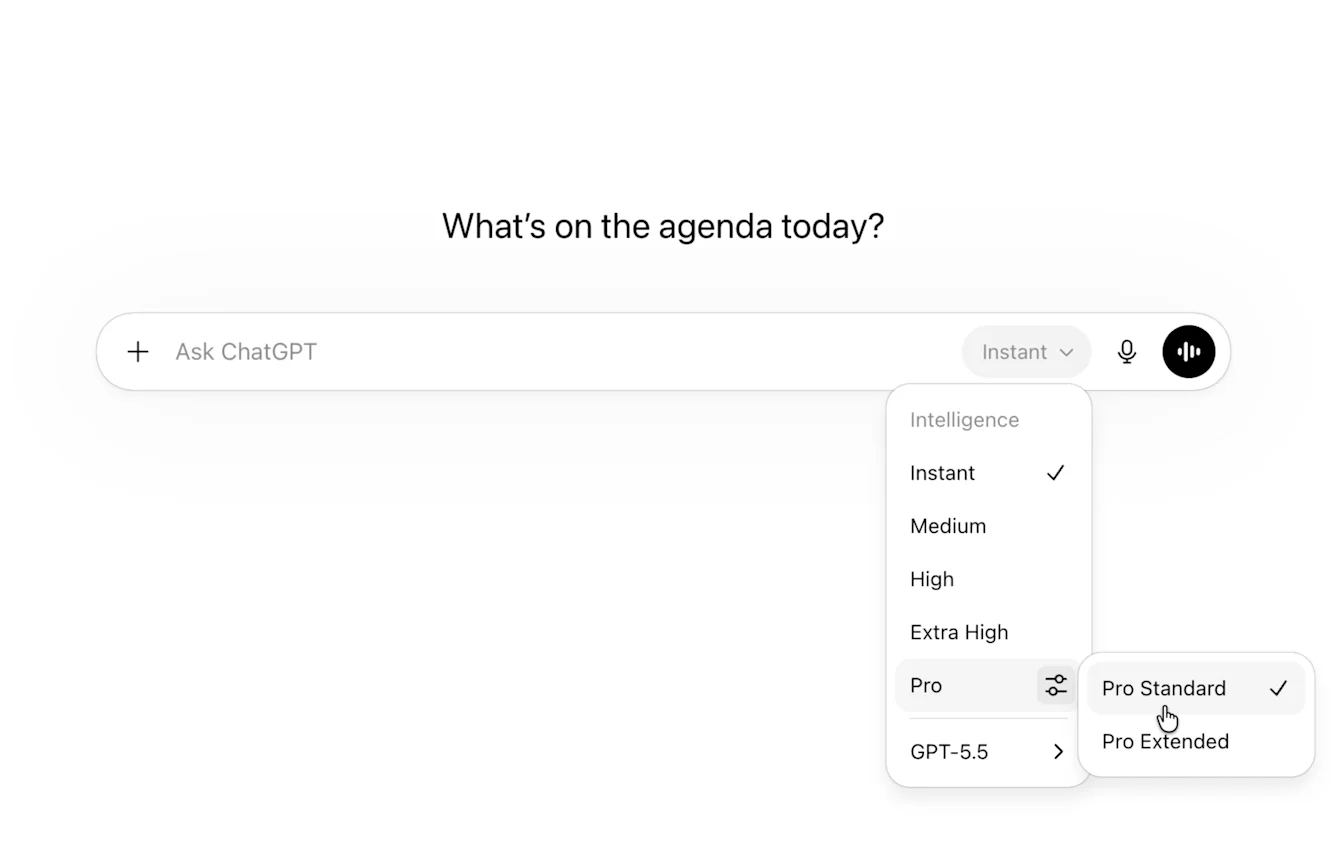
On iOS and Android, you can find the picker at the top of the conversation. On web, it appears directly in the message composer.
Users have the ability to decide whether Instant auto-switches to Medium for higher reasoning when required. You can turn this on or off in General > Settings.
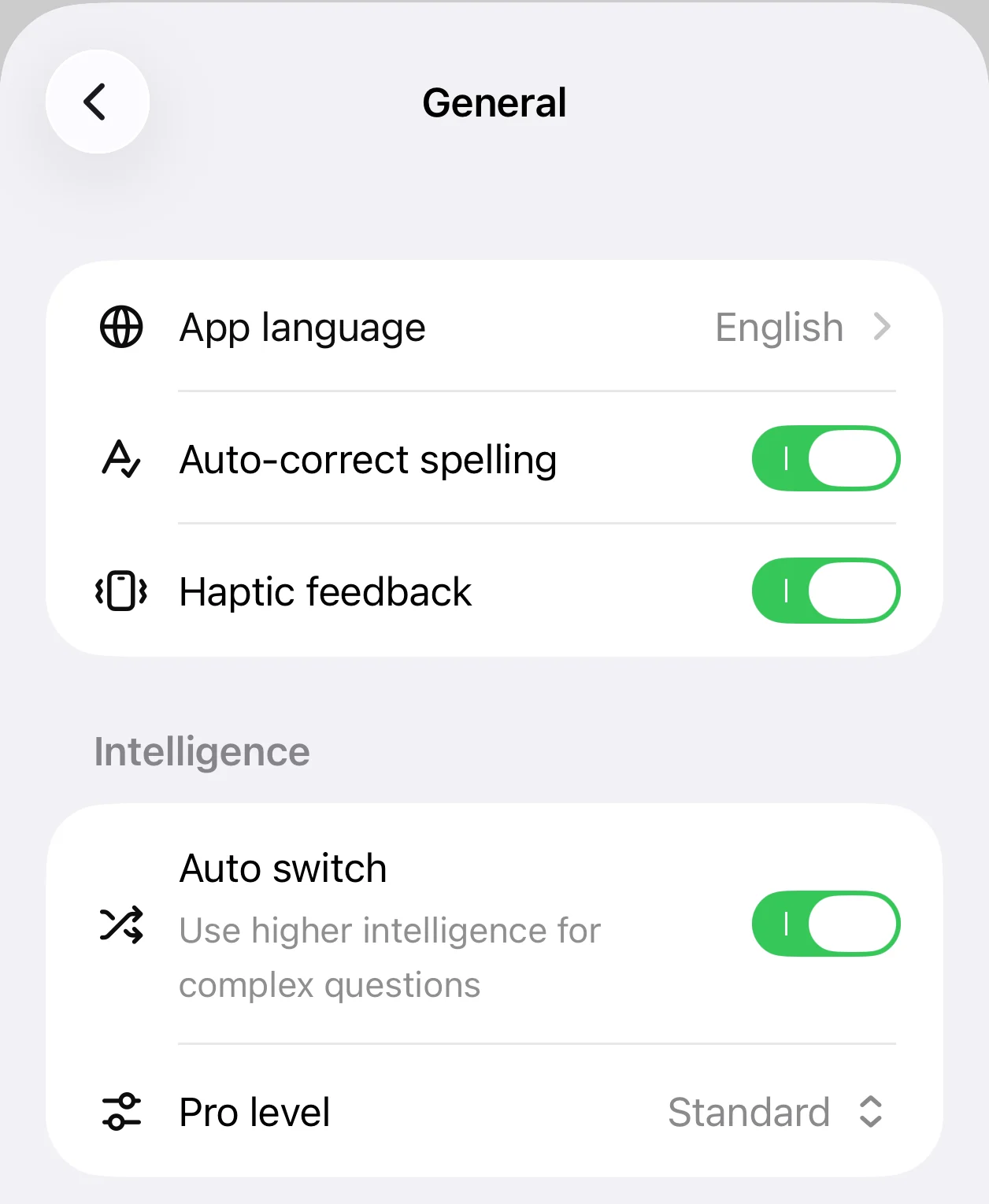
What changed from the previous model picker:
Thinking Standard is now Medium, Thinking Extended is now High, and Thinking Heavy is now Extra High. Pro Standard and Pro Extended remain available under Pro. Thinking Light is no longer available.
| Old | New |
|---|---|
| Instant | Instant |
| Thinking - Light | [removed] |
| Thinking - Standard | Medium |
| Thinking - Extended | High |
| Thinking - Heavy | Extra High |
| Pro Standard | Pro Standard |
| Pro Extended | Pro Extended |
Availability
These model picker updates are rolling out to Plus and Pro users on web, iOS, and Android globally today.
June 8, 2026
ChatGPT app experience updates
Improvement to charts, table of contents and full screen writing. Also fixes long-standing issues around editing messages with attachments, and various other bug fixes.
Web, iOS, and Android
Interactive charts in answers: ChatGPT can now turn some answers into rich and interactive bar, line, pie, and scatter charts directly in the conversation. Ask for a chart, or ChatGPT may include one when it helps make trends and comparisons easier to understand.
Web
Table of contents in longer conversations: Conversations longer than five responses can now include a table of contents, so you can scan sections and jump to the part you need.
Full-screen writing blocks for longer-form work: Writing blocks now cover long-form writing use cases, including essays, PRDs, reports, blog posts, notes, and other document work. Longer writing can now open in a focused full-screen editor. You can save your document to the Library, so you can find, reuse, or edit documents later. The experience also adds a wider document layout, cleaner titles, a table of contents for long documents, download support, undo and redo fixes, improved save behavior, and clearer loading states.
Send an email directly from within a chat: If you’ve connected Gmail or Outlook, you can now ask ChatGPT to draft and send emails directly from the same conversation. ChatGPT will create a draft and you can choose to send it without leaving ChatGPT. Sending emails is available on the web for users on Plus, Pro, Business, and Enterprise plans with Gmail or Outlook connected.
iOS
Edit messages with attachments: You can now edit messages that include attachments, so you can revise your prompt without starting over.
Long-press send to choose a model: Users on paid plans can now long-press the send button to choose a model for a one-off message without changing their default model.
Autocorrection applies before sending: Last-second auto-corrections now automatically apply before your message is sent to avoid typos.
Immediate image previews after sending: When you upload an image on iOS, ChatGPT used to show a gray box after you sent your message. Now it shows the preview right away so that it’s clear which photo you sent.
Cleaned up logged-out mobile web experience: Logged-out users now see a composer in the middle of the screen to avoid being blocked by popups. The sidebar has also been simplified.
Android
Cleaner edit-message flow: Android now makes it clearer when you’re editing a previous message.
June 4, 2026
Memory that stays more up to date
We’ve upgraded memory so ChatGPT can better keep your context up to date, helping responses stay more relevant. This makes memory more useful by reducing stale or contradictory saved memories and helps ChatGPT better understand your preferences, goals, and ongoing work. You can review the memories that ChatGPT may use to personalize responses through sources or in your memory summary.
Memories are now updated automatically, with ChatGPT keeping track of the details it determines are most important so it can continue building on the context you’ve already shared. If you prefer to revert to the legacy saved memories system, go to Settings > Memory > Saved memories.
This update is rolling out to Plus and Pro users in the US today. To access it on iOS or Android, update your ChatGPT app to the latest version. We’ll expand to Free and Go plans and additional countries over the next few weeks. Users will receive an in-product notice when the update becomes available to them. For Plus and Pro users, ChatGPT can also remember more useful context, with twice as much memory capacity.
Lockdown Mode is now available to all logged-in users
Lockdown Mode is now available to all logged-in users across account types and workspaces. It is an optional opt-in advanced security setting that limits access to the web and external services to help reduce the risk of data exfiltration from prompt injection attacks.
When Lockdown Mode is on, ChatGPT restricts network-enabled capabilities such as live web browsing, deep research, agent mode, file downloads, and some web-derived image support. Personal users can turn it on from Settings > Security. Workspace admins can configure access for members through workspace settings and role-based access controls.
Learn more: Lockdown Mode
Rolling out ads in the UK
We're beginning to roll out ads for users on Free and Go plans in the UK. Plus, Pro, Business, Enterprise, and Education plans will remain ad-free.
June 2, 2026
Active account session controls
We’re rolling out Active sessions, a new security feature in ChatGPT that helps users review sessions associated with their account and sign out of sessions they don’t recognize.
Users can now:
Review first-party OpenAI sessions from Settings > Security > Active sessions, with available details such as device, app, approximate location, sign-in time, trusted-device status, and whether it is the current session
Log out of individual sessions or all sessions from Active sessions
Active sessions shows sessions known through session management, including ChatGPT, Codex, and API Platform sessions where available. It does not manage third-party app sessions, connected apps, Sign in with ChatGPT sessions used only for third-party services, or Codex CLI sessions.
Learn more: Managing active sessions in ChatGPT
June 1, 2026
Find live jobs and format your resume in ChatGPT
ChatGPT can now help with more of the job search process, from finding relevant live roles to tailoring a resume for a specific opportunity.
When you search for jobs, ChatGPT can surface live listings and freelance opportunities from sources like Indeed, Upwork, Appcast, and across the web. Results are personalized using your experience, skills, and goals to highlight roles that may be a strong fit. You can follow links to apply directly on the source sites.
You can now also upload or create a resume in ChatGPT, tailor it to a specific role, and download it in a polished, professional format.
Availability:
Job search: Available to users in the U.S. on Free, Go, Plus, and Pro plans
Resume formatting: Available in English globally on the web for all plans
May 29, 2026
Codex updates: Computer use and remote control for Windows, usage profiles
Codex now supports Computer Use on Windows in the Codex app, so eligible users can ask Codex to see, click, and type in Windows applications while they test, debug, and refine what they are building. Users can start work on a Windows machine and use ChatGPT on iOS or Android, or Codex on Mac, to check progress, continue the thread, respond to prompts, and steer work while away from the desk; the Windows machine remains the host for project files, shell, app server, and local context.
This release also includes infrastructure updates that improve responsiveness and in-app browser speed, stability, and web compatibility, plus Codex Profiles for eligible users to see their Codex identity, activity over time, profile details, usage stats, and token activity. Computer Use on Windows is unavailable in the European Economic Area, the United Kingdom, and Switzerland at launch.
Learn more: Computer Use, Remote control, Profiles.
May 28, 2026
GPT-5.5 Instant Update
We’re updating GPT-5.5 Instant in ChatGPT and the API to improve response style and quality. It’s now easier to read, more natural in everyday conversations, and better paced in practical help tasks, with fewer overly long or bullet-heavy responses.
With this update, canvas will no longer be available in GPT-5.5 Instant or GPT-5.5 Thinking. Writing and coding functionality is now supported directly in chat responses through writing blocks and code blocks. Paid users can continue using canvas for a limited time through legacy models until those models are sunset.
Retiring OpenAI o3 and GPT-4.5
Today, we’re continuing to retire older models with limited usage in ChatGPT so we can better serve our newer, most capable models. OpenAI o3 will be retired from ChatGPT on August 26, 2026 following a 90-day sunset period, and GPT-4.5 will be retired from ChatGPT on June 26, 2026 following a 30-day sunset period. These models are currently available to paid users only via model settings. These changes apply to ChatGPT only; there are no changes to the API.
May 21, 2026
Codex updates: richer context, goal mode, browser improvements, and remote locked use
Codex now has more ways to understand your work context and keep longer tasks moving:
Appshots in the Codex app on macOS let you attach an app window to a Codex thread with a hotkey, including a screenshot and available text, so Codex can understand what you are looking at without a long setup prompt.
Goal mode is generally available across the Codex app, IDE extension, and CLI, so you can define an outcome and success criteria and let Codex keep working toward it.
In-app browser annotations support more precise styling feedback for browser-based and frontend work.
Locked computer use lets eligible Mac Computer Use users keep Codex working remotely and securely after the Mac locks, subject to existing Computer Use regional constraints.
Browser use improvements include advanced annotation mode, faster asset extraction, read-only JavaScript context, tab grouping usability, less Chrome extension tab clutter, and reliability improvements.
Learn more: Appshots, Goal mode, locked computer use, in-app browser annotations, and config reference.
May 15, 2026
Personal finances in ChatGPT
We’re starting to roll out a new personal finance experience in ChatGPT. Pro users in the United States can securely connect supported financial accounts, see a dashboard of where their money is going, and ask questions grounded in their financial context.
Available on web and iOS, Finances lets you view spending, bills, subscriptions, net worth, and investment information in one place. You can ask questions directly in ChatGPT or use the Finances page to explore insights, review upcoming payments, track recurring charges, and think through budgets, savings goals, debt payoff, and other financial decisions.
Users can connect accounts through Plaid. This experience is rolling out gradually, so some eligible users may not see it right away.
ChatGPT can help users understand and plan, but it cannot move money, pay bills, place trades, file taxes, or act as a financial, legal, tax, or investment adviser.
May 14, 2026
Codex remote access from the ChatGPT mobile app
Codex is now available in preview in the ChatGPT mobile app, so you can stay connected to active work from your phone while Codex continues running on the connected Mac host. From mobile, you can start or continue threads, answer questions, change direction, approve actions, review what Codex found, and move across connected hosts without stepping away from the work. That means you can keep an investigation moving, make a decision when Codex reaches a fork, or spin up a new idea before you are back at your desk. You can currently connect your phone to Codex running on macOS.
The mobile experience loads live context from the machine where Codex is operating, including project context, approvals, plugins, screenshots, terminal output, diffs, and test results. Codex in the ChatGPT mobile app is rolling out on iOS and Android across all plans, including Free and Go, in supported regions. To try it, update both the ChatGPT mobile app and the Codex app on macOS. Setup starts in the Codex App on the host and continues in ChatGPT after scanning a QR code; the host must remain awake, online, and running Codex for remote access to continue.
Learn more in Remote connections.
File library expands to Free and Go users, with storage management
File library is expanding to Free and Go users, including to users in the European Economic Area (EEA) making it easier to find, reuse, and build on files you upload or create in ChatGPT. You can add recent files from the composer, browse saved files in Library, and ask ChatGPT about files you’ve used before, like “What should I know about the document I uploaded yesterday?”
We’re also introducing storage management across plans. Storage includes files you upload and files created in ChatGPT, including documents, spreadsheets, presentations, and images. Limits vary by plan:
Generated images will continue to appear in the Images tab.
Storage management is currently available on web and you can access it from Settings > Storage; you can also delete files directly from Library.
Files remain in your Library until you delete them. Files uploaded in Temporary Chat aren’t saved to Library.
Library and ‘Recent files’ in the composer are supported on web, iOS, and Android. Learn more about File storage and Library in ChatGPT.
May 12, 2026
More images in answers for Free users
Free users in ChatGPT will now see more inline images from the web to help make visual topics easier to understand, including well-known people, places, and products. When visuals can add clarity, images may appear alongside relevant parts of an answer. You can click any image to view it at its original size and see source attribution.
This is rolling out globally on web and iOS to Free users for responses using 5.5-Instant.
May 7, 2026
Trusted contact in ChatGPT
Over the coming weeks, we'll be rolling out trusted contact, an optional safety feature for adults with personal ChatGPT accounts.
Trusted contact in ChatGPT helps you connect with a person you trust if you need additional support. You may choose your trusted contact in settings, and ChatGPT will send them an invitation to participate. Once they accept, if automated systems and trained reviewers detect you may be talking about suicide in a way that signals a serious safety concern, ChatGPT may notify your trusted contact and encourage them to check in with you.
Trusted contact is available for eligible users with personal ChatGPT accounts in supported regions. It is not available for Business, Enterprise, or Edu workspaces.
For more information about this feature and eligibility requirements, see Trusted contact in ChatGPT and our blog post.
May 5, 2026
Memory sources and more personalized responses in ChatGPT
Starting today, we’re rolling out memory improvements to ChatGPT Plus and Pro users that make responses more personalized, useful, and continuous over time. ChatGPT can now better pull in relevant context from your past chats, saved memories, and, where available, files and connected Gmail app to offer more tailored ideas, recommendations, and next steps. It is also faster at searching past conversations to find the right context, so you don’t have to repeat yourself as often.
We’re also introducing memory sources across all ChatGPT consumer plans, so you can see what information helped personalize a response and make edits if something is no longer relevant. Tap the Sources icon below the response to view relevant saved memories, past chats, and custom instructions. Plus and Pro users may also see files in their library and referenced emails from a connected Gmail account. If something is outdated or no longer relevant, you can correct it, delete it, or mark it as not relevant. Memory sources may not show every factor that shaped a response, and we’ll keep improving this view to make it more comprehensive over time. Memory sources are rolling out on the web and coming to mobile soon.
These updates are designed to make personalization more useful while keeping you in control. Memory sources are only shown within your account experience, and if you share a chat, those sources are not shown in the shared chat. You can delete chats, use temporary chats that do not use or update memory or appear in history, turn off memory, disconnect apps anytime, and manage whether your content is used to help improve our models.
GPT-5.5 Instant in ChatGPT
We’re rolling out GPT-5.5 Instant as ChatGPT’s new default model. It replaces GPT-5.3 Instant for all ChatGPT users and improves everyday answers across accuracy, clarity and conciseness, image understanding, STEM questions, and when ChatGPT decides to search the web.
GPT-5.5 Instant is more factually reliable, especially for prompts where accuracy matters most. It also gives tighter, more direct answers without losing useful details, asks fewer unnecessary follow-up questions, and reduces clutter like overformatting and gratuitous emojis.
For Plus and Pro users using ChatGPT on web, GPT-5.5 Instant can more effectively use context from past chats, files, and Gmail, when connected, to make responses more relevant. This can help ChatGPT tailor suggestions, pick up ongoing work, and reduce the need to repeat context across conversations.
GPT-5.5 Instant is rolling out starting today to all ChatGPT users. Paid users can continue using GPT-5.3 Instant for three months through model configuration settings before it is retired.
ChatGPT for Excel and Google Sheets
ChatGPT for Excel and Google Sheets is now available globally, bringing ChatGPT into a sidebar in Microsoft Excel and Google Sheets so you can build, update, and understand spreadsheets in place. It can help with trackers, budgets, formulas, multi-tab files, scenario work, and spreadsheet cleanup, and supports Skills and apps where available.
Free and Go include limited usage; Plus and Pro use the same agentic usage limits as Codex. You can purchase additional credits if you need to go beyond plan limits.
Install ChatGPT for Excel from Microsoft Marketplace or ChatGPT from Google Workspace Marketplace, then sign in with an eligible ChatGPT account. Review outputs before relying on formulas or analysis. Learn more.
April 30, 2026
Advanced Account Security in ChatGPT
We’re rolling out Advanced Account Security, an optional setting for personal ChatGPT accounts that adds stronger sign-in requirements and stricter account safeguards to help reduce the risk of ATO (account take over), unauthorized access, and data exposure.
With Advanced Account Security enabled, ChatGPT uses stronger sign-in methods like passkeys or compatible security keys and turns off weaker paths like password sign-in, email/SMS sign-in codes, and email-based account recovery. It also adds recovery keys, shorter active sessions, login notifications, and session management controls, giving users more protection and visibility across their account.
Because these protections are stricter, recovery is also stricter. Users should save their recovery keys and keep access to their enrolled passkeys or security keys. If access to all sign-in methods and recovery keys is lost, access to the account may be lost.
Learn more: Advanced Account Security
April 28, 2026
Easier model selection in ChatGPT
We’re making it easier to choose the right model before you send a message. Model selection now appears in the composer, so you can find and switch models from the same place where you write your prompt.
We’re also moving thinking effort controls into the model picker. When you choose a Thinking or Pro model, you can select the level of thinking effort directly from the model picker.
This update is available on web to ChatGPT users on Plus, Pro, and Business plans.
April 22, 2026
Fast answers in ChatGPT
Sometimes, you just want the right answer as quickly as possible. We’re rolling out Fast answers, a quicker way to get responses to common information-seeking questions in ChatGPT, like “Show me the Seven Wonders of the World” or “Which football team has the most super bowl titles?”
When your question doesn’t require a personalized response and ChatGPT has a high-confidence answer ready, it can now respond faster while still providing a useful, in-depth answer. Fast answers do not reference your past chats or memory.
Fast answers are available globally on web, iOS, and Android for logged in and logged out users across plans. If you prefer ChatGPT to always generate personalized answers, you can turn Fast answers off anytime in Personalization settings.
We’ll continue expanding Fast answers to more kinds of questions over time.
ChatGPT for Clinicians
We’re launching ChatGPT for Clinicians, a free version of ChatGPT for verified clinicians in the United States. It’s designed to support real clinical work at the time of care, including evidence review, documentation, and medical research, with trusted clinical search, citations, reusable skills, deep research across medical literature, and support for earning CME credits on eligible clinical questions.
If you already have a ChatGPT account, you can use that same account to sign up. After signup, ChatGPT for Clinicians appears as a separate workspace under the same login, and your existing ChatGPT workspace remains available.
For more information, please see our help article ChatGPT for Clinicians or our blog post Making ChatGPT better for clinicians.
April 21, 2026
ChatGPT Images 2.0 in ChatGPT
We’re introducing ChatGPT Images 2.0, our new image generation model in ChatGPT. ChatGPT Images 2.0 is available on all ChatGPT plans.
We’re also introducing images with thinking. When given more time to think, it can plan and refine image outputs before generating them.
Images with thinking is available on all paid ChatGPT plans. It is available when you select Thinking and Pro models.
April 16, 2026
Rolling out ads in Australia, New Zealand, and Canada
We're beginning to roll out ads for users on Free and Go plans in Australia, New Zealand, and Canada. Plus, Pro, Business, Enterprise, and Education plans do not have ads.
April 9, 2026
GPT-5.3 Instant mini in ChatGPT
Today, we’re releasing GPT-5.3 Instant Mini in ChatGPT. It replaces GPT-5 Instant Mini as the fallback model users reach after hitting their rate limits for GPT-5.3 Instant. Because it serves as a fallback, it won’t appear in the model picker.
Compared with GPT-5 Instant Mini, GPT-5.3 Instant Mini feels more natural in conversation, with stronger writing and contextual awareness throughout chats. It outperforms GPT-5 Instant Mini across a range of use cases.
New Pro plan options
We’re introducing a new $100/month Pro plan and updating how Codex usage works across Plus and Pro.
Pro ($100/month): Built for longer, high-intensity Codex sessions. It includes unlimited access to GPT-5.4, access to GPT-5.4 Pro, and, for a limited time, up to 10x more Codex usage than Plus (up from 5X standard usage allowance).
Pro ($200/month): Our highest-usage option remains available and continues on its current Codex promotion through May 31.
Plus ($20/month): Plus remains best for steady, day-to-day use. As the temporary Codex promotion on Plus ends, we’re rebalancing Plus usage to support more sessions across the week, rather than longer, high-intensity sessions on a single day.
You can upgrade, switch, or cancel your plan from Settings > My Plan or from the Pricing page.
April 8, 2026
Outlook shared mailboxes and calendars in ChatGPT
The Outlook Email and Calendar apps for ChatGPT can now help with delegated or shared Outlook resources, when you have access. You can ask ChatGPT to read messages from a shared mailbox, browse its folders, mark mail read or unread, move messages, or send plain-text email from or on behalf of that mailbox. For shared Outlook calendars, ChatGPT can help create, update, RSVP to, cancel, delete, or add small attachments to events.
To use this, connect the Outlook Email or Outlook Calendar app and provide the exact shared mailbox address or target calendar when asking ChatGPT. Availability may depend on your Microsoft permissions and workspace app settings. Learn more.
April 2, 2026
ChatGPT in Apple CarPlay
We’re rolling out ChatGPT in CarPlay, giving you access to a hands-free ChatGPT experience while on-the-go. If you have iOS 26.4 or newer and are connected to a supported car, you can start new voice conversations with ChatGPT directly from the CarPlay interface. You can also resume existing conversations you were having using voice mode in the ChatGPT mobile app. Learn more.
March 27, 2026
Updated Box, Notion, Linear, and Dropbox apps
We’re rolling out updated Box, Notion, Linear, and Dropbox apps in ChatGPT. These updates add new app actions, including new write capabilities where supported, and bring the latest app experience into ChatGPT.
If you already use these apps in ChatGPT, reconnect the app to start using the updated experience. Existing sync functionality (Pro users only) for these apps is not affected.
March 26, 2026
A simplified sidebar on mobile
To give you more space to view your most critical chats and projects, the sidebar menu is now simplified on iOS and Android. ChatGPT experiences available to you based on your plan and usage—like Images, Codex, Pulse, and Apps—now appear in a horizontal bar above your chats and projects.
Location Sharing
Users can now choose to share their device location so ChatGPT can provide more relevant information, such as local recommendations, news, and weather. Sharing your device location is completely optional and off until you choose to enable it. You can update device location sharing in Settings > Data Controls at any time.
Enabling location sharing will also enable precise location. Precise location means ChatGPT can use your device’s specific location, such as an exact address, to provide more tailored results. For example, if you ask “what are the best coffee shops near me?”, ChatGPT can use your precise location to provide more relevant nearby results. On mobile devices, you can choose to toggle off precise location separately while keeping approximate device location sharing on for additional control.
ChatGPT deletes precise location data after it’s used to provide a more relevant response. If ChatGPT’s response includes information related to your specific location, such as the names of nearby restaurants or maps, that information becomes part of your conversation like any other response and will remain in your chat history unless you delete the conversation.
Parents who have set up parental controls can choose to disable device location sharing for their teen.
Rolling out to all ChatGPT consumer plans on iOS, Android, and web.
Plugins in Codex
Codex now includes a curated plugins directory that lets users discover, install, and use packaged workflows built from apps and skills directly in Codex. Plugins are installable bundles for reusable Codex workflows, making it easier to share the same setup across projects or teams. Plugins can package skills, optional app integrations, and MCP server configurations in a single place. Learn more.
March 25, 2026
Large pastes are now handled as attachments
Starting today for ChatGPT Plus, Pro, and Business users, long pastes are handled differently in ChatGPT.
If you paste more than 5k characters into the composer, ChatGPT will automatically convert the content into an attachment instead of inserting it directly into the text field. This keeps the composer cleaner and helps prevent large pastes from consuming your entire context window.
You can still move the content back into the message at any time by clicking on Show in text field to convert the attachment back to a direct paste.
Google Drive app unification
Google’s file connectors in ChatGPT are now unified under Google Drive, providing a single app experience for interacting with your Google Docs, Sheets and Slides on Google Drive.
If you’re a new user, you can connect to the Google Drive app in ChatGPT to use Google Drive, Docs, Sheets, and Slides actions, removing the need to install and authenticate separate Google file apps. If you’ve already connected to the separate apps in the past, they will continue to work as normal. You can also reconnect the Google Drive app to get the new actions - ChatGPT will switch over once you’ve done the reconnection.
For Pro users, Google Drive sync behavior is unchanged. Read more.
March 24, 2026
Shopping updates in ChatGPT
We’ve improved shopping in ChatGPT to make it easier to discover, compare, and decide on products.
Product results are now more visually rich, with improved detail and relevance. You can browse products in chat, refine results through conversation, and upload images to find similar items. Products can also be compared side by side with key details such as price, reviews, and features, making it easier to compare without opening multiple tabs.
We’ve also improved product data coverage, freshness, and speed so results are more up to date and useful. These improvements are rolling out to all ChatGPT users this week.
These updates improve how ChatGPT retrieves and presents product information from merchants and other providers using the Agentic Commerce Protocol (ACP).
March 23, 2026
File Library in ChatGPT
Now, it’s easier to find, reuse, and build on your files over time. When you upload or create a file—whether it’s a PDF, spreadsheet, image, or more—it’s automatically saved to your Library. Generated images will continue to appear in the Images tab.
You can quickly reference files in a chat using recent files in the composer, or browse everything you’ve uploaded in the Library tab in the sidebar. You can also ask ChatGPT about files you’ve saved (“What should I know about the document I uploaded yesterday?”)
Library is available on web only. ‘Recent files’ in the composer and file search in ChatGPT are supported on iOS and Android.
Files remain in your Library until you delete them. Files uploaded in Temporary Chat are not saved to your Library.
Availability: Rolling out globally for Plus, Pro, and Business users, coming soon to users in the European Economic Area, Switzerland, and the United Kingdom.
March 20, 2026
Codex for Students
Codex for Students is now available for verified university students in the United States and Canada. Eligible students can claim $100 in ChatGPT credits, or 2,500 credits, to extend Codex usage beyond the limits included in ChatGPT Free, Go, Plus, and Pro.
To get started, students sign in at chatgpt.com/codex/students and complete student verification through SheerID with their university email. Credits are applied automatically to the student's personal workspace, can be used in Codex, are not API credits, and expire 12 months after the grant date. Learn more.
March 19, 2026
Legacy deep research mode deprecation notice
The legacy deep research mode will be removed on Thursday, March 26, 2026. This change only affects the legacy mode; the current deep research experience will remain unchanged.
Historical conversations and results will remain accessible.
To learn more about deep research, see: Deep research in ChatGPT.
March 18, 2026
GPT-5.4 mini in ChatGPT
We’re rolling out GPT-5.4 mini in ChatGPT. GPT-5.4 mini is available to Free and Go users via the “Thinking” feature in the + menu. For all other users, GPT-5.4 mini is available as a rate limit fallback for GPT-5.4 Thinking.
For Plus, Pro, and other paid users, GPT-5.4 mini will be used as a fallback for GPT-5.4 Thinking when rate limits are reached, helping with continued access to reasoning capabilities during high usage. Enterprise customers will retain the option to default Auto routing to GPT-5.4 mini, if preferred.
GPT-5.4 mini will not appear as a selectable model in the model picker. Learn more in our blog post.
March 17, 2026
Updates to the model picker in ChatGPT
We’ve simplified the model picker to make it easier to choose the right level of reasoning.
Users on Plus, Pro, Business, Enterprise, and Edu accounts will see a set of model options depending on their plan, including:
Instant – fast responses for everyday questions
Thinking – deeper reasoning for more complex tasks
Pro – the most advanced reasoning models
The Auto functionality can be accessed by clicking Configure in the model picker menu and choosing "Auto-switch to Thinking.” This setting will automatically be on if your last chat was set to Auto.
Configure more advanced settings
If you want more control, click Configure to:
Turn automatic switching between Instant and Thinking on or off
Access legacy models
Set thinking effort when Thinking or Pro is selected
We’ve also simplified the retry menu, making it easier to regenerate responses with Thinking or Pro models by clicking on the three dots underneath the response.
Sunsetting the “Nerdy” base style
We’re sunsetting the preset Nerdy base style to simplify options and improve response quality. Users who selected it will be moved to the default personality. You can manage personality settings anytime in ChatGPT under Settings → Personalization.
March 16, 2026
GPT-5.3 Instant update
We’re rolling out an update to GPT-5.3 Instant that improves follow-up tone and reduces teaser-style phrasing in responses (e.g., “If you want…”, “You’ll never believe…”, “I can tell you these three things that…”).
March 11, 2026
Retiring GPT-5.1 models
As of March 11, 2026, GPT-5.1 models are no longer available in ChatGPT.
This applies to GPT-5.1 Instant, GPT-5.1 Thinking, and GPT-5.1 Pro. Existing conversations that used GPT-5.1 will automatically continue on the corresponding current model: GPT-5.3 Instant, GPT-5.4 Thinking, or GPT-5.4 Pro.
March 10, 2026
Interactive learning for math and science
When you ask ChatGPT about certain topics, it can now present an interactive visual module that lets you experiment with formulas and variables in real time. Adjust inputs, manipulate equations, and instantly see how changes affect graphs and outcomes—turning abstract concepts into something you can explore directly.
Interactive learning launches with 70+ math and science topics, including concepts like the Pythagorean theorem, ideal gas law, circle area, and lens equations.
This feature builds on other learning tools in ChatGPT, like study mode and quizzes, designed to help students work through problems step by step and strengthen understanding.
Try asking:
“Help me understand the Pythagorean theorem.”
“Explain how PV = nRT works.”
“How do I find the area of a circle?”
Availability: Rolling out to all logged-in ChatGPT users across consumer and business plans.
Auto top-up for flexible usage credits
Eligible ChatGPT Plus and Pro users can now turn on auto top-up for credits used with Codex and Sora. Auto top-up automatically replenishes your shared credit balance when it falls below the minimum balance you choose, using your default payment method on file to purchase only the amount needed to reach your target balance.
You can manage auto top-up from Codex Settings → Usage Dashboard. Auto top-up applies to the same shared credit balance used across supported features like Codex and Sora, and if your balance is already below your selected minimum when you turn it on, a top-up may happen right away. Learn more: Using Credits for Flexible Usage in ChatGPT (Free/Go/Plus/Pro) & Sora.
March 5, 2026
GPT-5.4 Thinking in ChatGPT
GPT‑5.4 brings together the best of our recent advances in reasoning, coding, and agentic workflows into a single frontier model. It incorporates the industry-leading coding capabilities of GPT‑5.3‑Codex while improving how the model works across tools, software environments, and professional tasks involving spreadsheets, presentations, and documents. The result is a model that gets complex real work done accurately, effectively, and efficiently—delivering what you asked for with less back and forth.
In ChatGPT, GPT‑5.4 Thinking can now provide an upfront plan of its thinking, so you can adjust course mid-response while it’s working, and arrive at a final output that’s more closely aligned with what you need without additional turns. GPT‑5.4 Thinking improves deep web research, particularly for highly specific queries, while better maintaining context for questions that require longer thinking. GPT‑5.4 Thinking also has improved context window management that supports its ability to think for longer. Together, these improvements mean higher-quality answers that arrive faster and stay relevant to the task at hand.
March 4, 2026
Codex app on Windows
The Codex app is now available on Windows for ChatGPT plans that include Codex. The app gives users a Windows desktop surface for running multiple Codex agents in parallel, with isolated worktrees and reviewable diffs that can be edited, discarded, or turned into a pull request.
Users can sign in with ChatGPT from the app and keep work moving across the app, CLI, and IDE without switching between tools for every task. Learn more: Using Codex with your ChatGPT plan.
March 3, 2026
GPT-5.3 Instant Update
GPT‑5.3 Instant delivers more accurate answers, richer and better-contextualized results when searching the web, and reduces unnecessary dead ends, caveats, and overly declarative phrasing that can interrupt the flow of conversation.
This update focuses on the parts of the ChatGPT experience people feel every day: tone, relevance, and conversational flow. These are nuanced problems that don’t always show up in benchmarks, but shape whether ChatGPT feels helpful or frustrating. GPT‑5.3 Instant directly reflects user feedback in these areas.
February 27, 2026
ChatGPT Web and Android updates: Edit image prompts, share faster, and smoother conversations
Web
Edit messages with images. You can now edit messages that include image attachments, so you don’t have to start over to adjust your prompt or regenerate results.
Open search results in a new tab. Cmd+click in the search panel now opens results in a new tab, making it easier to explore without losing your place.
Faster sharing. Sharing chats is now easier and faster, with a quicker-loading share menu.
Export visuals from Code Blocks. Flowcharts, diagrams, and data visualizations created in Code Blocks can now be exported as images for easy reuse.
Android
Automatic scroll to latest message. Existing conversations now automatically scroll to the bottom, so you can jump right back in.
Faster sidebar actions. Sidebar interactions, such as renaming chats, are now faster and more responsive.
Improved dictation visuals. Dictation now has a clearer, more streamlined interface that keeps your text visible and updates as you speak.
Keyboard opens automatically when attaching files. The keyboard now opens automatically after you attach a file, helping you continue your message seamlessly.
Bug fixes
Fixed increased message streaming errors in GPT-5.2 Thinking
Fixed a flicker affecting the Voice Mode button when opening a conversation
Sidebar actions on mobile web no longer stick while scrolling
February 25, 2026
Add sources to your projects from anywhere
Projects now make it easy to build a living knowledge base by adding sources wherever your context already lives; from apps, conversations, or quick text inputs.
Sources from apps: Paste a link to a Slack channel or Google Drive file or folder to add it directly as a project source.
Additionally, use connected apps directly in chats.
Sources from chats: Save useful ChatGPT responses into your project so great outputs become reusable knowledge.
Ad-hoc text sources: Paste notes, briefs, or reference material directly to capture context instantly.
Learn more about projects in ChatGPT.
February 20, 2026
Expanded context window for Thinking
ChatGPT now has a total context window length of 256k tokens (128k input and 128k max output) when you manually select Thinking. Previously it was 196k total tokens.
February 19, 2026
Interactive Code Blocks in ChatGPT
We improved Code Blocks in ChatGPT to make them more interactive.
You can write, edit, and preview your code in ChatGPT, all in one
place:
Write and edit text in-line
Preview diagrams and mini apps directly in chat
Review code in split-screen views
February 13, 2026
Retiring GPT-4o and other legacy models
As previously announced, we have retired GPT-4o, GPT-4.1, GPT-4.1 mini, and OpenAI o4-mini from ChatGPT. We are also retiring GPT-5 (Instant and Thinking), as previously announced. There are no API changes at this time. For details, see our blog post and Help Center.
ChatGPT updates: Better file uploads, easier copying, and more reliable long chats
Web
Attach up to 20 files in a single message. You can now upload up to 20 files at once (previously 10), making it easier to analyze document sets, compare multiple files, or provide broader context in a single message.
Expanded file type support. We now support additional text and code file formats, improving compatibility with source files, logs, configuration files, and other structured text.
Cleaner “Select All” behavior (Cmd+A). Cmd+A now selects only the conversation content, excluding surrounding interface elements for cleaner copying and sharing of chat transcripts.
Android
Quick tools in the composer. A new quick-tools menu in the message composer makes common actions easier to access.
Simplified composer. The message composer has been streamlined to reduce visual complexity and make it easier to focus on your message.
iOS
Performance improvements. We’ve made multiple performance enhancements to improve responsiveness and overall speed throughout the app.
Web, iOS, and Android
Improved reliability for long “Thinking” chats. We've reduced interruption rates in longer “Thinking” chats through infrastructure improvements.
February 12, 2026
ChatGPT Voice Update
We’re making an update to ChatGPT Voice that improves its ability to follow user instructions, and usage of tools like web search to provide better responses. This update applies to the version of Voice primarily used by those on the free ChatGPT plan, and by Plus users when limits are reached for the main model.
February 10, 2026
Updates to deep research
We’re introducing improvements to deep research in ChatGPT to help produce more accurate, credible reports with greater control. You can now focus research on specific websites and a larger collection of connected apps as trusted sources.
A redesigned sidebar entry point and fullscreen report view make it easier to start, review, and manage research in one place. Create and edit a research plan before it begins, and track progress with the ability to adjust direction mid-run.
Rolling out throughout today to Plus and Pro users, with Free and Go users following in the coming days.
For more information, please refer to our help center article: Deep research in ChatGPT
GPT-5.2 Instant Update
We’re making an update to GPT-5.2 Instant in ChatGPT and the API that improves response style and quality.
Users should notice responses that are more measured and grounded in tone, in a way that’s more contextually appropriate to the conversation. The model also tends to output clearer, more relevant answers to advice-seeking and how-to questions, more reliably placing the most important info upfront.
February 9, 2026
Testing ads in ChatGPT (Free, Go)
We’re beginning to roll out a test for ads in ChatGPT in the U.S. for logged-in adults on the Free and Go tiers. Plus, Pro, Business, Enterprise, and Education plans do not have ads. The test will be a subset of users to start. We will expand over the coming weeks as we learn from this test.
ChatGPT’s answers are generated independently from advertising. Answers are optimized based on what’s most helpful to you. When you see an ad, they are always clearly labeled as sponsored and visually separated from the organic answer.
Ads are shown using information that stays within ChatGPT and is not shared with advertisers. This includes what you’re discussing, how you interact with ads (such as ads you hide or engage with), and your past chats and memories, if you have ads personalization enabled. You’re in control of this experience: you can dismiss ads, share feedback, learn how and why you’re being shown an ad, delete your ad data with one tap, and manage ad personalization at any time.
Advertisers never see your chats or personal details and receive only aggregated performance information, like impressions and clicks. During the test, ads do not appear in chats about sensitive topics or regulated topics, including health, mental health, or politics, and are not shown to users who tell us or we predict are under 18.
February 4, 2026
Update on thinking time settings for GPT-5.2 Thinking in ChatGPT
Jan 10, 2026: We lowered the Standard and Light thinking time as we observed users prefer faster responses. As part of this update, the Extended thinking setting for GPT-5.2 was unintentionally changed to be lower which we have now fixed.
February 3, 2026: We made another small reduction to Standard thinking time based on testing.
February 4, 2026: We’re restoring the Extended thinking level for GPT-5.2 Thinking to its prior setting, correcting the inadvertent reduction from January. Extended is now back to its prior level.
We periodically adjust the default thinking time for our reasoning models. These changes are based on ongoing experiments to find the best balance between answer quality and response speed for users.
The thinking level toggle introduced in September 2025 gives users more choice beyond Standard, allowing them to select the right thinking level for their question—whether they want lighter, faster responses or more extended reasoning when depth and accuracy matter more.
Thinking time is not directly comparable across different models. Each model is tuned independently to what works best for users. We’ll continue to adjust these settings as models evolve, and will keep giving users clear controls when there are meaningful tradeoffs to choose from.
February 2, 2026
Introducing the Codex app
Today we’re releasing the Codex app for macOS, a command center for managing multiple coding agents in parallel. The app lets you run long‑horizon and background tasks, review clean diffs from isolated worktrees, see agent progress and decisions, and execute reusable skills and automations.
Available with ChatGPT plans that include Codex, with a limited‑time promo: Free and Go can try Codex with included limits, while Plus and Pro users get 2x Codex rate limits.
Get started by downloading the macOS app, and learn more about Codex.
January 30, 2026
More visual responses
Responses in ChatGPT are now more visual and easier to scan.
For everyday questions, responses may include at-a-glance visuals—like checking your team’s latest stats, converting units, or doing a quick calculation.
Answers now also highlight important people, places, products, and ideas. You can tap any highlight to open a side panel with key facts and trusted sources, making it easy to understand the context without asking follow-up questions.
Rolling out globally on iOS, Android, web.
January 29, 2026
Retiring GPT-4o and other legacy models
On February 13, 2026, alongside the previously announced retirement of GPT‑5 (Instant and Thinking), we will retire GPT‑4o, GPT‑4.1, GPT‑4.1 mini, and OpenAI o4-mini from ChatGPT. In the API, there are no changes at this time. For more, see our blog post or help center.
January 26, 2026
Improvements to search response quality in Voice
We’ve improved search responses in ChatGPT Voice to deliver more complete, up-to-date answers, including better access to shopping results.
January 22, 2026
5.2 Personality System Prompt Update
We’re updating GPT-5.2 Instant’s default personality to be more conversational and better at adapting its tone contextually, making exchanges feel smoother and more natural. You can still select a different base style and tone for ChatGPT, along with tuning characteristics like warmth and emoji use, within the Personalization menu in settings.
January 20, 2026
Voice Updates
We’re making an update to ChatGPT Voice for paid users that improves its ability to follow user instructions, as well as fixes a bug where Voice can sometimes repeat back custom instructions.
Rolling out age prediction
We're rolling out an age prediction model on ChatGPT consumer plans to help determine whether an account likely belongs to someone under 18, so we can apply the right experience and safeguards for teens.
The model looks at a combination of behavioral and account-level signals, including how long an account has existed, typical times of day when someone is active, usage patterns over time, and a user’s stated age.
If an adult is placed in the under-18 experience by mistake, they can quickly verify their age with a selfie through Persona, a verification service available in Settings > Account. Users can check whether safeguards have been added and verify at any time.
January 15, 2026
Improved memory for finding details from past chats (Plus & Pro)
When reference chat history is enabled, ChatGPT can now more reliably find specific details from your past chats when you ask. Any past chat used to answer your question now appears as a source so you can open and review the original context.
This memory improvement is now available for Plus and Pro users globally.
January 12, 2026
Dictation Updates
We’re improving our dictation capabilities in ChatGPT for all logged-in users, significantly reducing empty transcriptions and improving accuracy.
January 7, 2026
Health in ChatGPT
We’re starting to roll out Health, a dedicated space in ChatGPT for health and wellness conversations. You can securely connect medical records, Apple Health and supported wellness apps so answers can be grounded in your own data. Health is designed to help you navigate medical care, not replace it. Health conversations, memory, and files are kept separate from the rest of ChatGPT and are not used to train our foundation models.
Health appears as a new space in the ChatGPT sidebar. If you ask a health-related question in a regular chat, ChatGPT may also suggest continuing in Health. If you’re interested in getting access as it becomes available, you can sign up for the waitlist. We’re starting by providing access to a small group of early users to learn and continue refining the experience. At launch, Health is available on web and iOS, with Android coming soon to ChatGPT Free, Go, Plus, and Pro users in supported countries (excluding the EEA, Switzerland, and the UK).
Learn more in the blog or help center article.
December 22, 2025
Your Year with ChatGPT
Today we’re rolling out Your Year with ChatGPT, an optional, personalized end-of-year experience that reflects on how you interacted with ChatGPT in 2025. It highlights high-level themes from your conversations and includes summary statistics about your usage over the year.
This experience is rolling out gradually throughout the day, so it may not be available to everyone immediately. It’s available to Free, Plus, and Pro users in the United States, the United Kingdom, Canada, Australia, and New Zealand as well as Go, Plus, and Pro users in India, and is not available on Business, Enterprise, or Edu plans.
To see Your Year with ChatGPT, Memory and Reference Chat History must be turned on, and you must meet a minimum activity threshold. If you have very limited activity, you’ll only see basic chat statistics.
At launch, this experience is available in English in the United States, United Kingdom, Canada, Australia, and New Zealand.
December 19, 2025
New detailed characteristic controls
In addition to selecting a base style and tone preset—like candid and friendly—you can now adjust specific characteristics individually. From the ‘personalization’ pane in settings, you can adjust ChatGPT to:
Be more or less warm
Be more or less enthusiastic
Use more or fewer headers & lists
Use more or fewer emojis
December 18, 2025
Introducing the app directory in ChatGPT
You can now browse and add approved apps in the new app directory. Apps let you work with your tools and data directly inside a conversation—from interactive in-chat experiences to secure connections that allow ChatGPT to search and reference information from third-party services.
As part of this update, connectors now appear in the directory as apps, making it easier to manage all your tools in one place. References across the Help Center have been updated to reflect this new terminology.
Apps are available to all logged-in ChatGPT users, with availability and functionality varying by plan and region. Some apps or capabilities may not be available in certain regions or may require specific plan tiers.
Additionally, developers can submit apps for review and publication in the app directory, making approved apps available to a broader set of ChatGPT users.
Pinned chats in ChatGPT
You can now pin chats to the top of your list for quick access to important conversations. Pinned chats are available on iOS, Android, Web, and Atlas. On web, hover over a chat in the left-hand sidebar, click ⋯, and select Pin chat. On mobile, long-press a chat and select Pin chat.
December 17, 2025
Tasks are now in Pulse
Tasks let you set up automated prompts that ChatGPT can run for you.
You can now manage all your tasks directly in Pulse:
See all tasks in one place in Pulse.
Create tasks in chat or in Pulse—whatever’s easier in the moment.
Edit and review tasks in Pulse anytime after you create them. Please note that Pulse is only available in ChatGPT Pro.
December 16, 2025
ChatGPT Images on Web and Mobile (iOS & Android)
We’ve introduced a new and improved version of ChatGPT Images, powered by our best image generation model yet. With ChatGPT Images, precise instruction following and editing makes AI image creation not just more fun, but meaningfully more useful—from everyday edits to creative transformations.
All images you create with ChatGPT are automatically saved under My images at https://chatgpt.com/images, giving you a single place to browse, revisit, and reuse your work without having to sift through past conversations.
Learn more about ChatGPT Images in our ChatGPT Images FAQ.
Available on Free, Go, Plus, Edu, and Pro plans. Business and Enterprise are coming soon!
December 11, 2025
Voice on macOS desktop app is retiring (effective January 15, 2026)
We’re retiring the Voice experience in the ChatGPT macOS app on January 15, 2026. This change allows us to focus on more unified and improved voice experiences across our apps.
Voice will continue to be available on chatgpt.com, iOS, Android, and Windows app.
No other ChatGPT features on macOS are affected.
December 11, 2025
Today, we’re releasing GPT-5.2, the next upgrade to the GPT-5 series. GPT-5.2 is smarter and more useful for both work and learning—while remaining just as enjoyable to talk to. As with GPT-5.1, we’re continuing to improve our main models for everyone on a regular basis to make them more useful and enjoyable to use.
GPT-5.2 Instant is a fast yet powerful workhorse for everyday work and learning, with clear improvements in info-seeking questions, how-tos and walk-throughs, technical writing, and translation, all while retaining the warmer, more conversational tone introduced in GPT-5.1 Instant. Early testers noted its more clearly structured explanations where important info is highlighted upfront. It’s also more effective at supporting studying and skill-building, as well as offering clearer job and career guidance.
GPT-5.2 Thinking solves harder work tasks more effectively and with more polish—particularly in spreadsheet formatting and financial modeling, alongside improvements in slideshow creation. Early testing showed gains in coding, summarizing long documents, answering questions about uploaded files, walking through complex math and logic step by step, and helping with planning and decision-making with clearer structure and thoughtful detail.
GPT-5.2 Pro is our smartest and most trustworthy model yet for difficult questions where a higher-quality answer is worth the wait. In early testing, it shows fewer major errors and stronger performance across complex domains like programming.
All three models (Instant, Thinking, and Pro) have a new knowledge cutoff of August 2025. For users, this means GPT-5.2 starts with a more current understanding of the world, so answers are more accurate and useful, with more relevant examples and context, even before turning to web search.
Read our blog for more details on examples and evals.
Update for free and Go users: We’re removing automatic model switching for reasoning in ChatGPT. Previously, some questions were automatically routed to the Thinking model when ChatGPT determined it might help. To maximize choice, free users will now use GPT-5.2 Instant by default, and can still choose to use reasoning anytime by selecting Thinking from the tools menu in the message composer.
November 25, 2025
An improved Voice interface: the audio you know, with text and visuals when you need them.
We’re making ChatGPT Voice a seamless part of the ChatGPT experience, so you can use voice right inside the chat interface you already use every day—no separate mode required.
Many of you have asked for a more flexible Voice experience—now, you can speak, listen, and see your conversation at the same time. Answers will be spoken alongside streamed text, image search results, widgets (maps, weather, etc.) and more—right in the same chat thread.
This makes voice chats clearer, richer and more contextual by pairing spoken answers with visual context. You can:
Follow along with typed answers as you listen
See visual search results like images, charts, and map cards in real time
Refer back to earlier messages without interrupting the conversation
Type back when you can’t talk and still get a Voice response
Share photos to discuss them out loud
This means Voice can better adapt to your day and meet you where you are, whether you're practicing a language and seeing words spelled out, need to refer to a measurement while cooking hands-free, or talking through a chart or code sample where visuals help.
This update is rolling out to all users globally on the ChatGPT mobile app and chatgpt.com. If you prefer the original Voice experience, you can switch back anytime by going to Settings and turning on “Separate mode” under Voice Mode. We’ll continue listening and refining this experience as we build toward Voice interactions that are both integrated and immersive.
November 24, 2025
Shopping research in ChatGPT
Shopping research is a new interactive experience that helps you find the right products without doing all the research yourself. Describe what you need—like a quiet cordless vacuum for a small apartment, a gift for a four‑year‑old who loves art, or a way to choose between three bikes—and ChatGPT will ask clarifying questions, research deeply across the internet, review quality sources, and build on ChatGPT’s understanding of you from past conversations and memory to return a personalized buyer’s guide with options, tradeoffs, and links to buy.
ChatGPT learns what you like through an interactive interface allowing you to guide the research based on your real-time feedback.
Shopping research is available on ChatGPT Web, iOS, and Android for logged‑in Free, Go, Plus, and Pro users. To help with holiday shopping, we’re making usage nearly unlimited across plans through the season. To learn more, visit the blog.
November 21, 2025
More images in answers
ChatGPT now adds more inline images from the web to help you quickly understand topics like well-known people, places, and products. When visuals can add clarity, you’ll see images placed beside the relevant paragraph. You can click on any of the images to see them in original dimensions and with the source attribution.
These improvements are gradually rolling out globally across all ChatGPT plans, on web, iOS, and Android for responses using GPT 5.1.
November 20, 2025
Instant Checkout now rolling out to Shopify merchants
You can now find and buy from Shopify merchants starting with Spanx, Skims, and Glossier through Instant Checkout in ChatGPT.
When a product from a Shopify merchant supports Instant Checkout, you can complete the purchase right in the chat with a quick confirmation of your shipping and payment details.
Instant Checkout is available for logged in Plus, Pro, and Free users in the US.
November 19, 2025
GPT-5.1 Pro: Clearer, more capable answers for complex work
Today we’re updating GPT-5 Pro to GPT-5.1 Pro. In early testing, users consistently preferred GPT-5.1 Pro over GPT-5 Pro, rating it especially highly for writing help, data science, and business questions. Testers highlighted the model’s improved clarity, relevance, and structure in its responses.
GPT-5.1 Pro is rolling out today for all ChatGPT Pro users and is available in the model picker. GPT-5 Pro will remain available as a legacy model for 90 days before being retired.
November 13, 2025
Group chats in ChatGPT
We’re piloting group chats so you can bring people - and ChatGPT - into the same conversation. Plan trips, make decisions, and collaborate on projects together while ChatGPT helps search, summarize, generate content, and keep everyone on the same page.
Group chats are starting to roll out on ChatGPT Web, iOS, and Android in New Zealand, Japan, South Korea, and Taiwan. We’ll use early feedback from this pilot to improve the experience and inform how we expand to more regions and plans over time. To learn more visit the blog.
November 12, 2025
GPT-5.1 in ChatGPT
We’re updating GPT-5 to GPT-5.1 Instant and GPT-5.1 Thinking, making answers both smarter and more conversational. GPT-5.1 Instant now uses light adaptive reasoning for tougher questions while staying fast, and GPT-5.1 Thinking adapts its thinking time more precisely for complex tasks with clearer, less jargony responses.
GPT-5.1 Auto continues to route each query to the best model, and GPT-5 models remain available for three months under the Legacy models dropdown so you can compare and transition at your own pace.
GPT-5.1 Instant and Thinking are rolling out first to paid (Pro, Plus, Go, Business) users, then to free and logged-out users, with Enterprise and Edu getting a temporary early-access toggle; GPT-5.1 will also be available soon in the API as gpt-5.1-chat-latest (Instant) and gpt-5.1 (Thinking).
New tone and personalization controls
We’re updating ChatGPT’s tone controls so it’s easier to make responses sound the way you prefer. You can now choose from updated presets like Default, Friendly, Efficient, Professional, Candid, and Quirky (with Cynical and Nerdy still available), and we’re experimenting with more granular controls over how concise, warm, or scannable responses are, plus how often emojis appear.
Changes you make in Personalization now apply across all chats immediately (including existing conversations), and GPT-5.1 models follow your custom instructions and style preferences more reliably.
November 7, 2025
Personality and custom instructions now apply to all chats
Previously, changes you made to your ChatGPT personality or custom instructions only applied to new conversations. Starting today, updates you make in Settings → Personalization are applied immediately across all chats (including existing conversations!) so your experience stays consistent everywhere without needing to start a new thread.
November 5, 2025
Interrupt ChatGPT
You can now interrupt long-running queries (such as deep research or GPT-5 Pro) to refine what you’re asking—no restart required or progress lost. For example, if you're researching the perfect bookshelf and suddenly remember that your wall is 72" wide and you can't drill into it, you can simply add that information midstream by clicking “update” in the sidebar and sending the new information as a message. The model will adjust its approach based on your new requirements.
November 3, 2025
ChatGPT Go Promo - India
Eligible customers in India can now get 12 months of ChatGPT Go at no cost. New users can redeem now on ChatGPT web or the Android app (Google Play). The Apple App Store option arrives next week - no promo code is required for redemption.
Available to users in India who are new, on the free plan, or are current ChatGPT Go subscribers - one redemption per account. Requires a payment method (credit card or UPI).
If you have an existing ChatGPT Go membership, we may be able to automatically add the promotion for you at the end of your current billing cycle - review ChatGPT Go Promotion (India) for more details.
Update: as of January 21, 2026, the promo has ended
October 30, 2025
ChatGPT Go expansion
We're excited to announce that ChatGPT Go, our low cost subscription plan, is now available in 8 additional countries in Europe, bringing total coverage to 98 countries. The new countries we added are Austria, Czech Republic, Denmark, Norway, Poland, Portugal, Spain and Sweden.
For an affordable price, ChatGPT Go provides everything included in the Free plan, and:
More messages, larger file uploads, and expanded image generation
Access to advanced data analysis
Longer memory for more personalized responses
Available on web, mobile (iOS & Android), and desktop (macOS & Windows).
Learn more about ChatGPT Go.
Credits for Flexible Usage for Codex and Sora
Today we’re introducing ways to purchase additional usage in products like Codex and Sora. If you hit your included limits, you can seamlessly buy more credits right in the Codex dashboard or buy more video generations in the Sora app to keep going. Learn more in our article: Using Credits for Flexible Usage in ChatGPT (Free/Go/Plus/Pro) & Sora.
October 29, 2025
ChatGPT Pulse on Web
ChatGPT Pulse is now available on web and rolling out to Atlas for Pro users.
With Pulse, ChatGPT can do asynchronous research on your behalf once a day based on your past chats, memory, and feedback to help you get things done. The research is delivered to you proactively the next day as a series of visual summaries that you can scan at a glance, expand for more detail, save for later, or ask follow up questions.
October 28, 2025
ChatGPT Go now available in Brazil
We're launching ChatGPT Go, our low cost subscription plan, in Brazil. ChatGPT Go provides everything included in the Free plan, and:
More messages, larger file uploads, and expanded image generation
Access to advanced data analysis
Longer memory for more personalized responses
Available on web, mobile (iOS & Android), and desktop (macOS & Windows).
Learn more about ChatGPT Go.
October 23, 2025
Shared projects
Starting today, project sharing is available to all ChatGPT users, including for Free, Plus, Pro, and Go users globally on web, iOS, and Android.
ChatGPT can draw from anything in the shared project – including chats, uploaded files and custom instructions – so responses are informed by your group's internal knowledge, and you can pick up where others left off.
Shared projects are ideal for:
Group work: Upload notes, proposals, and contracts so collaborators can draft deliverables faster and stay in sync.
Content creation: Apply project-specific instructions to keep tone and style consistent across contributors.
Reporting: Store datasets and reports in one project, and return each week to generate updates without starting over.
Research: Keep transcripts, survey results, and market research in one place, so anyone in the project can query and build on the findings.
Project owners can choose to share a project with “Only those invited” or “Anyone with a link,” and can change visibility settings at any time including switching back to invite-only. The following collaboration limits apply:
Pro users: up to 40 files and 100 collaborators
Plus and Go users: up to 25 files and 10 collaborators
Free users: up to 5 files and 5 collaborators
October 22, 2025
We’re updating the model for signed-out users to GPT-5 Instant, giving more people access to higher-quality responses by default. See here to learn more about the intelligence of GPT-5.
October 15, 2025
ChatGPT can now automatically manage saved memories so it’s even better at remembering what’s important to you.
ChatGPT now manages saved memories automatically by keeping the most relevant details prioritized and moving less important ones to the background. This helps prevent saved memories from reaching capacity and helps avoid “memory full” state in your ChatGPT account.
To decide which memories stay top of mind, ChatGPT considers factors such as how recent a detail is and how often you talk about a topic. You can now also search your saved memories more easily and sort them by newest or oldest.
You’re always in control: you can turn off automatic memory management at any time, and you can see which memories are currently top of mind and choose to prioritize or deprioritize any specific memory yourself in settings. You can also view and restore prior versions of saved memories.
These updates are designed to make saved memory feel seamless, reliable, and easy to manage. We’re beginning to roll this out to Plus and Pro users globally on the web.
October 14, 2025
ChatGPT Go expansion
We're excited to announce that ChatGPT Go, our low cost subscription plan, is now available in 71 additional countries, bringing total coverage to 89 countries.
For an affordable price, ChatGPT Go provides everything included in the Free plan, and:
More messages, larger file uploads, and expanded image generation
Access to advanced data analysis
Longer memory for more personalized responses
Available on web, mobile (iOS & Android), and desktop (macOS & Windows).
Note: In Cambodia, Laos, and Nepal, ChatGPT Go subscriptions aren’t available in the iOS app currently. Web and Android subscriptions remain available.
Learn more about ChatGPT Go.
October 13, 2025
Slack connector and app
We’re rolling out two new ways to bring Slack and ChatGPT together: a connector that brings your Slack context into ChatGPT, and a ChatGPT app for Slack – an integration that enables you to chat with ChatGPT from inside Slack.
With the ChatGPT app for Slack, you can chat one-on-one with ChatGPT in a dedicated Slack sidebar – a space to ask questions, summarize long threads into action items, draft replies, and search messages and files you already have access to. Chats you start in Slack also appear in your ChatGPT sidebar, so it’s easy to pick up later from web or mobile. Semantic search is supported for Slack customers with AI enabled on Business+ or Enterprise+ plans; all other plans use keyword search.
With the ChatGPT connector for Slack, you can securely bring in context from your Slack channels and DMs, making responses more helpful. Available in chat, Deep Research, and Agent Mode. Users can enable from Settings > Apps & Connectors.
Both app and connector are available to Plus, Pro, Business and Enterprise/Edu customers. Additionally, the ChatGPT app for Slack requires a paid Slack account; availability and workspace installation may depend on your Slack workspace settings.
Installing the app requires the connector to be enabled for your account.
Visit the ChatGPT app for Slack page to get started with installation.
October 9, 2025
Adding Notion & Linear synced connectors
We're adding Notion and Linear as synced connectors (for Pro users), so you can securely bring Notion pages and Linear issues/discussions into Chat for fast answers and summaries. You can enable sync for Notion and Linear from your Connector settings (connect to Notion or Linear if you haven’t already, first). Once synced, ChatGPT will automatically reference the indexed content when relevant. Learn more about synced connectors.
October 8, 2025
ChatGPT Go expansion
We're excited to announce that ChatGPT Go, our low cost subscription plan, is now available in 16 additional countries. For an affordable price, ChatGPT Go provides everything included in the Free plan, and:
More messages, larger file uploads, and expanded image generation
Access to advanced data analysis
Longer memory for more personalized responses
Available on web, mobile (iOS & Android), and desktop (macOS & Windows).
Note: In Cambodia, Laos, and Nepal, ChatGPT Go subscriptions aren’t available in the iOS app currently. Web and Android subscriptions remain available.
Learn more about ChatGPT Go.
October 6, 2025
Updates to Codex
We’re rolling out new Codex capabilities to help teams work and build better: Codex now works in Slack, and supports programmatic control through the Codex SDK. Additionally, we've updated Codex rates.
For more information, review our Help Center article on Codex, and the Codex developer documentation.
October 3, 2025
Updating GPT-5
We’re updating GPT-5 Instant to better recognize and support people in moments of distress.
The model is trained to more accurately detect and respond to potential signs of mental and emotional distress. These updates were guided by mental health experts, and help ChatGPT de-escalate conversations and point people to real-world crisis resources when appropriate, while still using language that feels supportive and grounding.
As we shared in a recent blog, we've been using our real-time router to direct sensitive parts of conversations—such as those showing signs of acute distress—to reasoning models. GPT-5 Instant now performs just as well as GPT-5 Thinking on these types of questions. When GPT-5 Auto or a non-reasoning model is selected, we'll instead route these conversations to GPT-5 Instant to more quickly provide helpful and beneficial responses. ChatGPT will continue to tell users which model is active when asked.
This update to GPT-5 Instant is starting to roll out to ChatGPT users today. We’re continuing to work on improvements and will keep updating the model to make it smarter and safer over time.
September 29, 2025
Parental Controls
We’re rolling out parental controls globally in ChatGPT to help families guide how ChatGPT works in their homes. Available starting on the web today, mobile soon.
To set up parental controls, a parent or guardian sends an invite to their teen to connect accounts. After the teen accepts, the parent can manage the teen’s settings from their own account. Teens can also invite a parent to connect.
Once a teen is connected to a parent’s account, they automatically receive additional content protections, such as reduced graphic content and viral challenges. Parents will have the option to turn this setting off if they choose, but teen users cannot make changes.
Parents don’t have access to their teen’s conversations, except in rare cases where our system and trained reviewers detect possible signs of serious safety risk, parents may be notified — but only with the information needed to support their teen’s safety. Parents can choose if they’d like to be contacted by email, SMS, push notification, or all three.
Parents can adjust certain features, set time limits, and add safeguards that work for their family including:
Set quiet hours, or specific times when ChatGPT can’t be used.
Turn off voice mode, to remove the option to use voice mode in ChatGPT.
Turn off memory, so ChatGPT won’t save and use memories when responding.
Remove image generation, so ChatGPT won’t have the ability to create or edit images.
Opt out of model training, so their teen’s conversations won’t be used to improve models powering ChatGPT and Sora.
Introducing Instant Checkout and the Agentic Commerce Protocol
We’re introducing Instant Checkout in ChatGPT and the Agentic Commerce Protocol that powers it, built with Stripe.
ChatGPT can help you find anything on the web and now with Instant Checkout, you can seamlessly buy directly from the merchant, right in chat. Starting today, U.S. ChatGPT Plus, Pro, and Free users can buy directly from U.S. Etsy sellers through ChatGPT, with over 1 million Shopify merchants, like Glossier, SKIMS, Spanx and Vuori, coming soon.
Instant Checkout
Instant Checkout makes it easy to go from chat to checkout in just a few taps.
Ask ChatGPT a shopping question and it finds organic, unsponsored product results from across the web.
Choose an item and ChatGPT shows where to buy, ranking merchants by factors like inventory, price, quality, primary seller status, and Instant Checkout availability.
If Instant Checkout is offered, tap Buy, confirm shipping and payment details, and pay in one tap with your card on file or other express pay options.
If Instant Checkout isn’t available, ChatGPT provides a direct link so you can purchase from the merchant’s site.
You’re in control at all times and give explicit confirmation to purchase. Payment goes directly from you to the merchant, not through OpenAI. Learn more about Instant Checkout.
Agentic Commerce Protocol
The Agentic Commerce Protocol (ACP) gives merchants and developers a way to build agentic commerce experiences that work with their current systems and connect them with 700M+ weekly active users on ChatGPT.
If you’re a merchant and want to add Instant Checkout in ChatGPT, apply on our merchant page. We’ll be accepting and onboarding merchants on a rolling basis.
Developers can start exploring the Agentic Commerce Protocol documentation and example implementations on GitHub.
September 25, 2025
Introducing ChatGPT Pulse for Pro users
We’re launching an early preview of ChatGPT pulse for Pro users on iOS and Android. This is a new experience where ChatGPT can now proactively deliver personalized, focused updates for you once a day. These updates are based on asynchronous research ChatGPT can do on your behalf overnight, synthesizing information from your memory, chat history, and direct feedback to learn what’s most relevant to you.
Updates are delivered once a day as visual summaries you can scan at a glance or dive deeper into. Each topic opens into more detail where you can ask follow-up questions. You can shape what shows up in pulse with a quick thumbs up or down, or by using curate to tell ChatGPT what you’d like to see.
If you ask for something new in the evening, we aim to include it the next morning, though exact timing may vary. Pulse refreshes daily, and you can save any item into a chat to keep it.
As a preview, pulse has some limitations. It aims to show you what’s most relevant and useful but you may still see suggestions that miss the mark. For example, you may get tips for a project you already completed. You can guide what shows up by telling ChatGPT directly. It remembers your feedback for next time and improves as it learns from real use.
It requires saved memory and chat history to be turned on, and you can switch pulse off anytime in settings. See ChatGPT Pulse.
September 22, 2025
ChatGPT Go now available in Indonesia
We're launching ChatGPT Go, our low cost subscription plan, in Indonesia.
For Rp 75.000/month, ChatGPT Go provides everything included in the Free plan, and:
More messages, larger file uploads, and expanded image generation
Access to advanced data analysis
Longer memory for more personalized responses
Available on web, mobile (iOS & Android), and desktop (macOS & Windows).
Learn more about ChatGPT Go.
September 18, 2025
Voice Updates
We’re improving the quality and latency of responses of the version of Advanced Voice powered by GPT-4o mini.
September 17, 2025
Toggle thinking time in the message composer
What’s new
We’re giving Plus, Business, and Pro users more control over how long GPT-5 thinks before responding. You can now choose the level of reasoning time, so you can decide whether you want a quicker answer or more in-depth reasoning for your task.
How it works
When you select GPT-5 with Thinking in ChatGPT, you’ll see a new thinking time toggle in the message composer.
Standard (new default, balancing speed and intelligence) and Extended (the previous default for Plus) are available to all Plus, Business users
Pro users get two additional options: Light (snappiest) and Heavy (deeper reasoning).
All queries default to Standard unless you choose to change it. Once you choose a different thinking time, your preference is saved and used for future queries until you switch again.
Why we’re making this change
We’ve heard from some of you that GPT-5 Thinking’s answers can take longer than you’d like. Now you can decide what you need in the moment:
Light / Standard → quicker answers that still apply reasoning, balancing speed and intelligence.
Extended / Heavy → more time for deeper, more comprehensive responses when the stakes are higher or the question is more difficult.
What’s next
The thinking-time toggle is live today on chatgpt.com. Settings you choose on the web won’t yet sync to mobile, but we’ll bring this control to our iOS and Android apps in the coming weeks.
September 16, 2025
Improvements to search in ChatGPT
We’ve made further improvements to search in ChatGPT, making results more accurate, reliable, and useful.
Factuality: Fewer hallucinations, improving answer quality.
Shopping: Search is better at detecting shopping intent, showing products when you want them and keeping results focused when you don’t.
Formatting: Answers are better formatted for quick understanding without losing detail or quality.
September 15, 2025
Personalization settings are now in Settings
Personalization no longer opens in a separate modal. You can manage personalization, choose a ChatGPT personality, add custom instructions, and update Memory directly in Settings → Personalization.
Updates to Codex (Plus/Pro) - Introducing GPT-5-Codex
We’re adding GPT-5-codex, a GPT-5 variant optimized for agentic coding in Codex. It’s available everywhere you use Codex: default for cloud tasks and code review, and selectable for local workflows via the Codex CLI and IDE extension. Use GPT-5-codex for coding-focused work in Codex, or Codex-like environments; use GPT-5 for general, non-coding tasks. Please review the announcement blog for more information.
Note: GPT-5-Codex is not currently supported in ChatGPT or the API.
To learn more about Codex, visit the developers site as well as our general help article: Using Codex with your ChatGPT plan.
September 9, 2025
ChatGPT Voice Update
Last month we announced that everyone now has access to Advanced Voice Mode, with usage expanded from minutes per day to hours for Free users, and near-unlimited use for Plus.
We also shared that Standard Voice Mode would be retired following a 30-day sunset period. We’ve heard feedback that Standard Voice is special to some folks, and we want to make sure the transition feels right. To that end, we’re keeping Standard Voice available while we address some feedback from its users about Advanced Voice.
Stay tuned—more improvements to Voice are coming soon.
September 4, 2025
Branch conversations on web
You can now branch conversations in ChatGPT, making it easier to explore different directions without losing your original thread. Hover over a message, click More actions (⋯), and select Branch in new chat to start a separate conversation from that point.
This feature is available today for all logged-in users on web.
September 3, 2025
Projects Now Available on ChatGPT Free Tier
Projects bring your chats and files into one place, helping you stay focused and get things done. They’re now available on our Free tier, with up to 5 file uploads per project.
We’ve also updated file uploads on paid tiers: Plus, Go, and Edu support up to 25 files per project. Pro, Business, and Enterprise support up to 40 files per project.
New customization options are available for all plans, including colors and icons, to help keep your projects organized.
Learn more about projects in ChatGPT.
August 27, 2025
Updates to Codex (Plus/Pro)
Starting today, Codex works with you everywhere you build—in your terminal or IDE, on the web, in GitHub, and even from the ChatGPT iOS app. Your ChatGPT account connects it all, so you can work seamlessly between your local environment and Codex’s cloud without losing state.
We’re excited to introduce the latest Codex updates:
IDE Extension: The new extension brings codex into VS Code, Cursor, and other VS Code forks, so that you can seamlessly preview local changes and edit code
Sign in with ChatGPT: Available in both the IDE and CLI, eliminating API key setup and providing access directly through your existing ChatGPT plan
Seamless Local ↔ Cloud Handoff: Developers can pair with Codex locally and then delegate tasks to the cloud to execute asynchronously without losing state
Upgraded Codex CLI: Refreshed UI, new commands, and bug fixes
Code reviews in GitHub: Set up Codex to automatically review new PRs in a repo, or mention @codex in PRs to get reviews and suggested fixes
Additionally, all product information and updates for Codex moving forward will be announced on our new site: developers.openai.com/codex.
We invite you to explore the site for more details on these new features, as well as guides on how to get started.
To learn more about Codex, visit the new developers site as well as our general help article: Using Codex with your ChatGPT plan.
August 22, 2025
Project-only memory
An improvement to projects is now available. When creating a project, users have the option to enable project-only memory.
With project-only memory enabled, ChatGPT can use other conversations in that project for additional context, and won’t use your saved memories from outside the project to shape responses. Additionally, it won’t carry anything from the project into future chats outside of the project.
This creates a focused, self-contained space, which is useful for long-running or sensitive work where you want ChatGPT to stay anchored to that project’s tone, context, and history.
Note:
Personal Memory must be enabled to utilize this feature.
Settings -> Personalization -> Memory
This feature will initially only be available on the ChatGPT website and Windows app. Support for mobile (iOS and Android) and macOS app will follow in the coming weeks.
Learn more about memory in projects.
August 18, 2025
Introducing ChatGPT Go
We’re launching ChatGPT Go, a new low-cost subscription plan. This will initially be available for users in India only.
For ₹399/month (GST included), ChatGPT Go provides everything included in the Free plan, and:
More messages, larger file uploads, and expanded image generation
Access to advanced data analysis
Longer memory for more personalized responses
Available on web, mobile (iOS & Android), and desktop (macOS & Windows).
ChatGPT Go is geo-restricted to India at launch, and is able to be subscribed to by credit card or UPI.
Learn more about ChatGPT Go.
August 15, 2025
GPT-5 Updates
We’re making GPT-5’s default personality warmer and more familiar. This is in response to user feedback that the initial version of GPT-5 came across as too reserved and professional. The differences in personality should feel subtle but create a noticeably more approachable ChatGPT experience.
Warmth here means small acknowledgements that make interactions feel more personable — for example, “Good question,” “Great start,” or briefly recognizing the user’s circumstances when relevant. This is different from sycophancy, which we define as excessive flattery that can feel insincere. You can find more about our learnings on reducing sycophancy here.
This update does not show an increase in sycophancy compared to the previous personality of GPT-5, measured by the same internal evals we ran and detailed in our system card. Teaching models to be warm without being sycophantic is an ongoing research challenge, and we will continue iterating to get this right. More updates are coming soon.
August 13, 2025
Gmail, Google Calendar, and Google Contacts Connectors in ChatGPT (Plus)
Gmail, Google Calendar, and Google Contacts Connectors in ChatGPT are now available to Plus users globally. Access will be granted to users throughout today.
This was previously made available to Pro users on August 12, 2025.
Learn more about connectors.
August 12, 2025
GPT-5 Updates
You can now choose between “Auto”, “Fast”, and “Thinking” for GPT-5. Most users will want Auto, but the additional control will be useful for some people.
ChatGPT Plus users now have 3,000 messages/week with GPT-5 Thinking, and then extra capacity on GPT-5 Thinking mini after that limit. The context limit for GPT-5 Thinking is 196k tokens. We may have to update rate limits over time depending on usage.
4o is back in the model picker for all paid users by default. Paid users also now have a “Show additional models” toggle in ChatGPT web settings which will add models like o3, o4-mini, 4.1, and GPT-5 Thinking mini. 4.5 is only available to Pro users due to GPUs.
Gmail, Google Calendar, and Google Contacts Connectors in ChatGPT (Pro)
Gmail, Google Calendar, and Google Contacts are now available to connect and use in chat. Once you enable them, ChatGPT will automatically reference them when relevant, making it faster and easier to bring information from these tools into your conversations without having to manually select them each time.
This capability is part of GPT-5 and will begin rolling out to Pro users globally this week, followed by Plus, Team, Enterprise, and Edu plans in the coming weeks. To enable, visit Settings → Connectors→ Connect on the application.
If you already have Gmail or Google Calendar enabled for deep research, you can now also use them in chat. To use them in deep research, you will still need to enable each connector separately and select it every time you start a new deep research request.
Learn more about connectors.
August 11, 2025
Additional connectors for Plus and Pro
Now connect even more tools in ChatGPT for useful, relevant responses in chat.
The following connectors are now available to search by chat in addition to deep research.
Plus: Box, Canva, Dropbox, HubSpot, Notion, Microsoft SharePoint, and Microsoft Teams
Pro: Microsoft Teams and GitHub
Rollout begins today, and all eligible accounts will have access in the coming days.
To enable, visit Settings → Connectors→ Connect on the application. Note that connectors are still in beta and defaulted off for Enterprise & Edu plans. Admins can enable them for their workspace in Settings.
Note: Connectors for Plus/Pro plans are not available in EEA, Switzerland, and the UK.
August 8, 2025
Image generation update to ChatGPT Free
We're rolling out a small update to image generation for ChatGPT Free tier users that makes its performance more efficient.
August 7, 2025
GPT-5
GPT-5 is slowly rolling out to all users on ChatGPT Plus, Pro, Team, and Free plans worldwide across web, mobile, and desktop. GPT-5 will be available to ChatGPT Enterprise and Edu plans soon.
GPT-5 in ChatGPT is our next flagship model and the new default for all logged-in users. It simplifies ChatGPT to a single auto-switching system that brings together the best of our previous models into a smart, fast model.
GPT-5 is available to all ChatGPT Tiers. Users on Paid tiers - Plus, Pro, and Team - have access to the model picker, which enables you to manually select GPT-5 or GPT-5 Thinking. Pro and Team tier users have access to GPT-5 Thinking Pro, which takes a bit longer to think but delivers the accuracy you need for complex tasks.
Learn more about GPT-5 in ChatGPT.
Personalities
You can now choose from four distinct personalities or use the Default personality in your Customize ChatGPT settings. Default is the standard ChatGPT style: clear, neutral, and adaptable. The other personalities each have their own style and tone, described below.
Cynic – Sarcastic and dry, delivers blunt help with wit. Often teases, but provides direct, practical answers when it matters.
Robot – Precise, efficient, and emotionless, delivering direct answers without extra words.
Listener – Warm and laid-back, reflecting your thoughts back with calm clarity and light wit.
Nerd – Playful and curious, explaining concepts clearly while celebrating knowledge and discovery.
Please note that these personalities will not apply to Voice mode.
Accent Colors
You can now set an accent color that applies to elements in ChatGPT, including your conversation bubbles, the Voice button, and highlighted text.
On web: Click your profile icon at the bottom left, select Settings, go to the General tab, and choose an option from the Accent color drop-down.
On mobile (iOS and Android): Tap your profile icon at the bottom, go to Personalization, then select Color Scheme to pick your accent color.
ChatGPT Voice updates
Today we’re rolling out improvements to Voice Mode to make it more accessible and useful for everyone. It also now works with custom GPTs. We’re expanding access with near-unlimited use for Plus users and hours each day for Free users. To simplify the experience, Standard Voice Mode will be retired in 30 days, unifying all users onto our latest voice experience.
For paid users, Voice now adapts to your instructions, adjusting its speaking style (length, speed, tone, and more) to fit the moment.
July 29, 2025
Study Mode
Study mode is currently available to users in Free, Plus, Pro, and Teams plans globally and will expand to Edu plans in the coming weeks. Study mode works with any model available in ChatGPT on iOS, Android, web, and desktop.
Study mode is a new learning experience in ChatGPT designed to help you build a deeper understanding of any topic. When you turn it on, ChatGPT will ask interactive questions to understand your goals and skill level, then work with you to reach the answer together.
With Study mode enabled, ChatGPT can:
Guide understanding with Socratic-style questions.
Break concepts into easy to follow sections starting simple and adding complexity as you progress.
Personalize responses based on your past chats if memory is on, using examples and tips tailored to you.
Check your understanding with open-ended prompts and feedback.
Work with your materials by referencing images or PDFs you upload.
You can enable study mode at any time by selecting Tools in the prompt window and choosing Study and learn from the drop‑down menu or go to chatgpt.com/studymode.
Study mode is powered by custom system instructions and can have some inconsistent behavior and mistakes across conversations. We plan on training this behavior directly into our main models once we’ve learned what works best through iteration and user feedback.
Learn more about study mode.
July 24, 2025
Canva and Notion connectors (Pro)
Pro users can now connect to Canva and Notion for both chat search and deep research.
Note this feature is currently limited to users located outside of the EEA, Switzerland, and the UK.
Learn more about connectors.
Chat search for HubSpot and custom connectors (MCP) (Pro)
Pro users can now utilize chat search with HubSpot and custom connectors (MCP) in addition to deep research.
Note this feature is currently limited to users located outside of the EEA, Switzerland, and the UK.
Learn more about connectors, as well as how to create a custom connector using MCP.
July 17, 2025
Updates to Advanced Voice Mode for Free tier users
The Advanced Voice upgrades we announced on June 7th are now rolling out to ChatGPT free users too. With the same improvements available to paid users, ChatGPT sounds more natural and expressive, and can translate more effectively. Rate limits for free users stay the same.
July 16, 2025
Record mode in ChatGPT macOS desktop app (Plus)
Record mode is now available to ChatGPT Plus users globally in the macOS desktop app.
Record live conversations like team meetings or voice notes, and turn those into an editable summary in canvas.
Available on the macOS desktop app only.
Learn more about record mode.
Note: Record mode originally rolled out to Team users on June 4, and Enterprise & Edu plans on June 18.
June 24, 2025
Chat search connectors (Pro)
Pro users are now able to use chat search connectors (in addition to deep research connectors) for the following integrations: Dropbox, Box, Google Drive (synced and non-synced), Microsoft OneDrive (Business), Microsoft SharePoint.
Note this feature is currently limited to users located outside of the EEA, Switzerland, and the UK.
Learn more about Connectors.
Project file limit increased (Pro)
Projects can now support 40 uploaded files, up from 20, for Pro users.
June 18, 2025
ChatGPT record mode
Capture meetings, brainstorms, or voice notes. Launching today for Pro, Enterprise, and Edu users. Previously launched for Team users on June 4, 2025.
ChatGPT will transcribe, summarize, and turn them into helpful outputs like follow-ups, plans, or even code.
Available on the macOS desktop app only.
Learn more about ChatGPT Record.
June 16, 2025
Expanded Model Support for Custom GPTs
Enterprise and Edu users can also now choose from the full set of ChatGPT models (GPT-4o, o3, o4-mini and more) when building Custom GPTs. This was launched to Plus, Pro and Team users earlier this month.
Key details:
GPTs without Custom Actions can use the model picker to select from all models available to the user.
GPTs with Custom Actions currently support GPT-4o and 4.1
Available on web for users on all paid plans (Plus, Pro Team, Enterprise, Edu).
June 13, 2025
Improvements to the ChatGPT search response quality
We’ve upgraded ChatGPT search for all users to provide even more comprehensive, up-to-date responses. In testing, we found users preferred these search improvements over our previous search experience.
Improved quality
Smarter responses that are more intelligent, are better at understanding what you’re asking, and provide more comprehensive answers.
Handles longer conversational contexts, allowing better intelligence in longer conversations.
Improved search capability and instruction following
More robust ability to follow instructions, especially in longer conversations, significantly reducing repetitive responses.
Capability to run multiple searches automatically for complex or difficult questions.
Search the web using an image you’ve uploaded.
Known limitations
Users may notice longer responses with this new search experience.
In some cases, a “chain of thought” reasoning will show up unexpectedly for simple queries. A fix for this is rolling out to users shortly.
ChatGPT may still make occasional mistakes - please double check responses.
June 12, 2025
Expanded Model Support for Custom GPTs
Creators can now choose from the full set of ChatGPT models (GPT-4o, o3, o4-mini and more) when building Custom GPTs—making it easier to fine-tune performance for different tasks, industries, and workflows. Creators can also set a recommended model to guide users.
Key details:
GPTs without Custom Actions can use the model picker to select from all models available to the user.
GPTs with Custom Actions currently support GPT-4o and 4.1
Available on web for users on Plus, Pro and Team plans.
Enterprise and Edu rollout coming soon.

Adding More Capabilities to Projects
Starting today, we’re adding several updates to projects in ChatGPT to help you do more focused work. These updates are available for Plus, Pro, and Team users.
Deep research and voice mode support
Improvements to memory to reference past chats in a project*
Sharing chats from projects
Starting a new project directly from a chat
Upload files and access model selector on mobile
Learn more about projects.
*Memory improvements are available for Plus and Pro users.
June 10, 2025
Today, we're launching OpenAI o3-pro—available now for Pro users in ChatGPT and in our API.
Like o1-pro, o3-pro is a version of our most intelligent model, o3, designed to think longer and provide the most reliable responses. Since the launch of o1-pro, users have favored this model for domains such as math, science, and coding—areas where o3-pro continues to excel, as shown in academic evaluations. Like o3, o3-pro has access to tools that make ChatGPT useful—it can search the web, analyze files, reason about visual inputs, use Python, personalize responses using memory, and more. Because o3-pro has access to tools, responses typically take longer than o1-pro to complete. We recommend using it for challenging questions where reliability matters more than speed, and waiting a few minutes is worth the tradeoff.
In expert evaluations, reviewers consistently prefer o3-pro over o3 in every tested category and especially in key domains like science, education, programming, business, and writing help. Reviewers also rated o3-pro consistently higher for clarity, comprehensiveness, instruction-following, and accuracy.
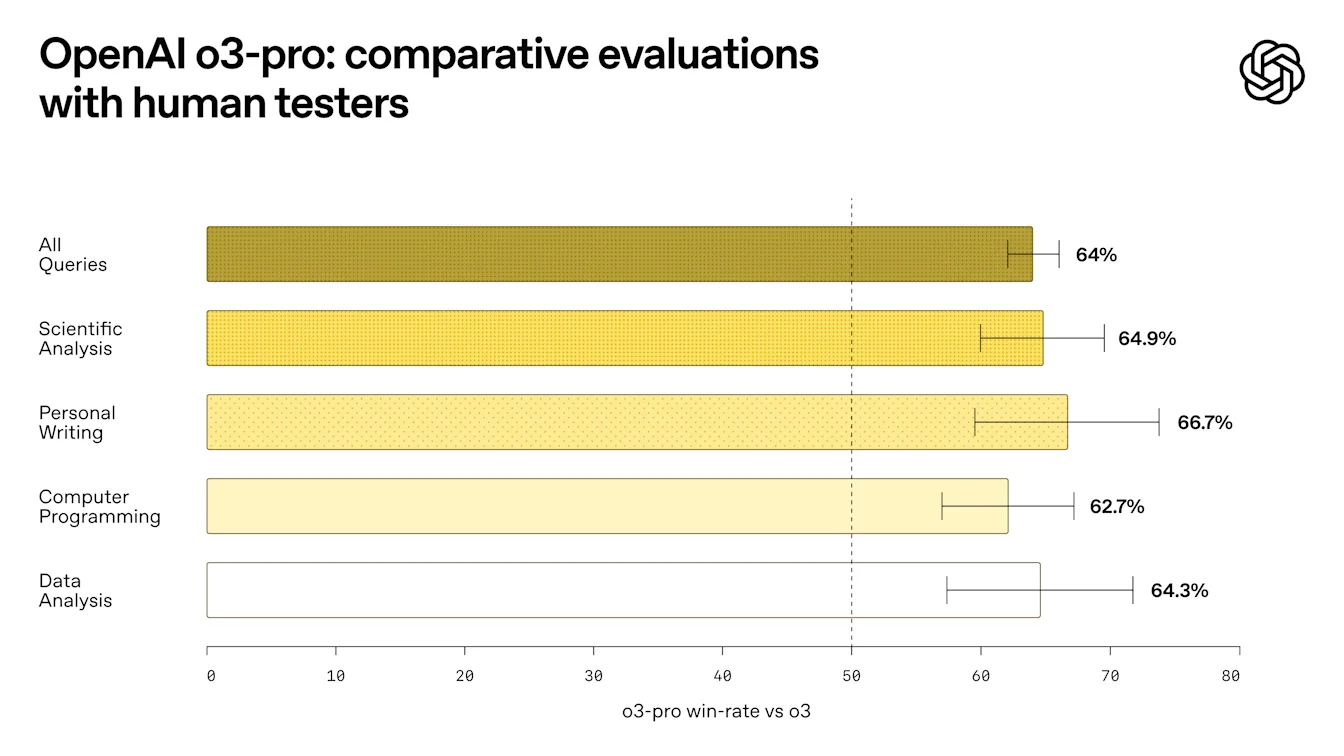
Academic evaluations show that o3-pro consistently outperforms both o1-pro and o3.
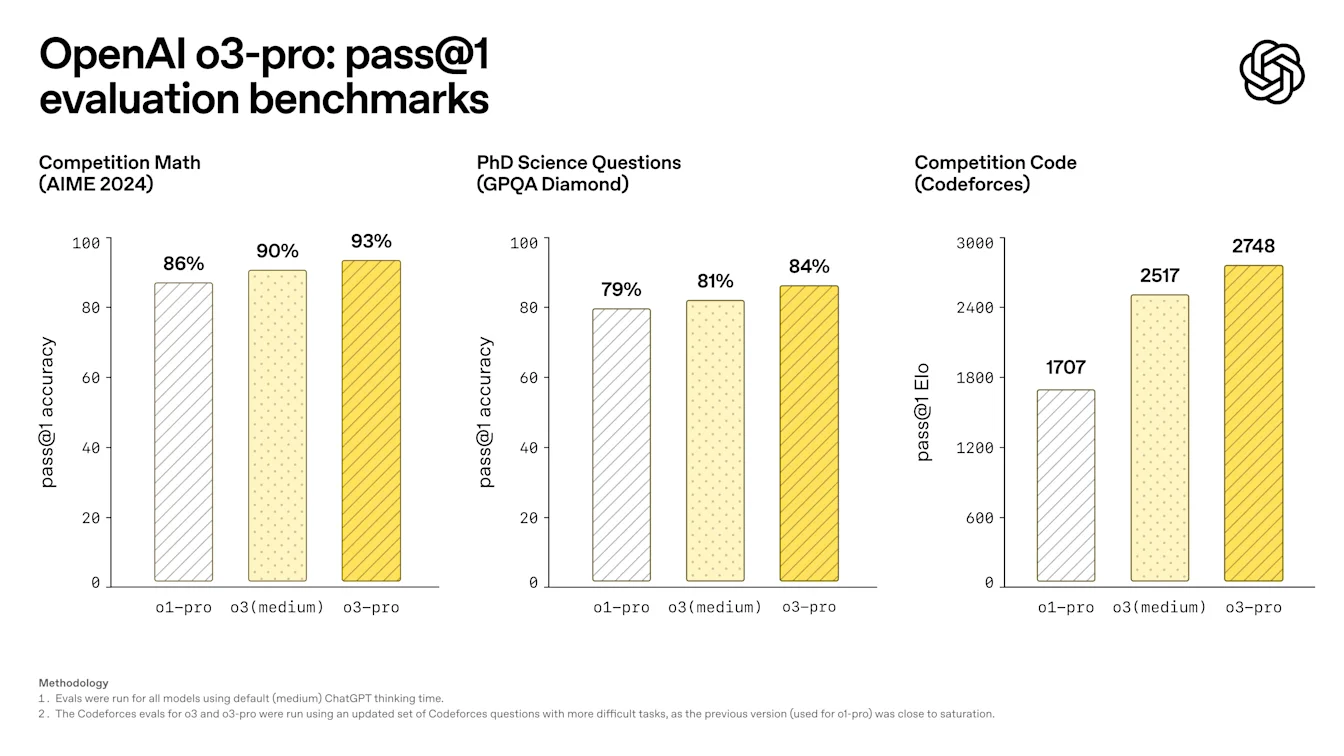
To assess the key strength of o3-pro, we once again use our rigorous "4/4 reliability" evaluation, where a model is considered successful only if it correctly answers a question in all four attempts, not just one:
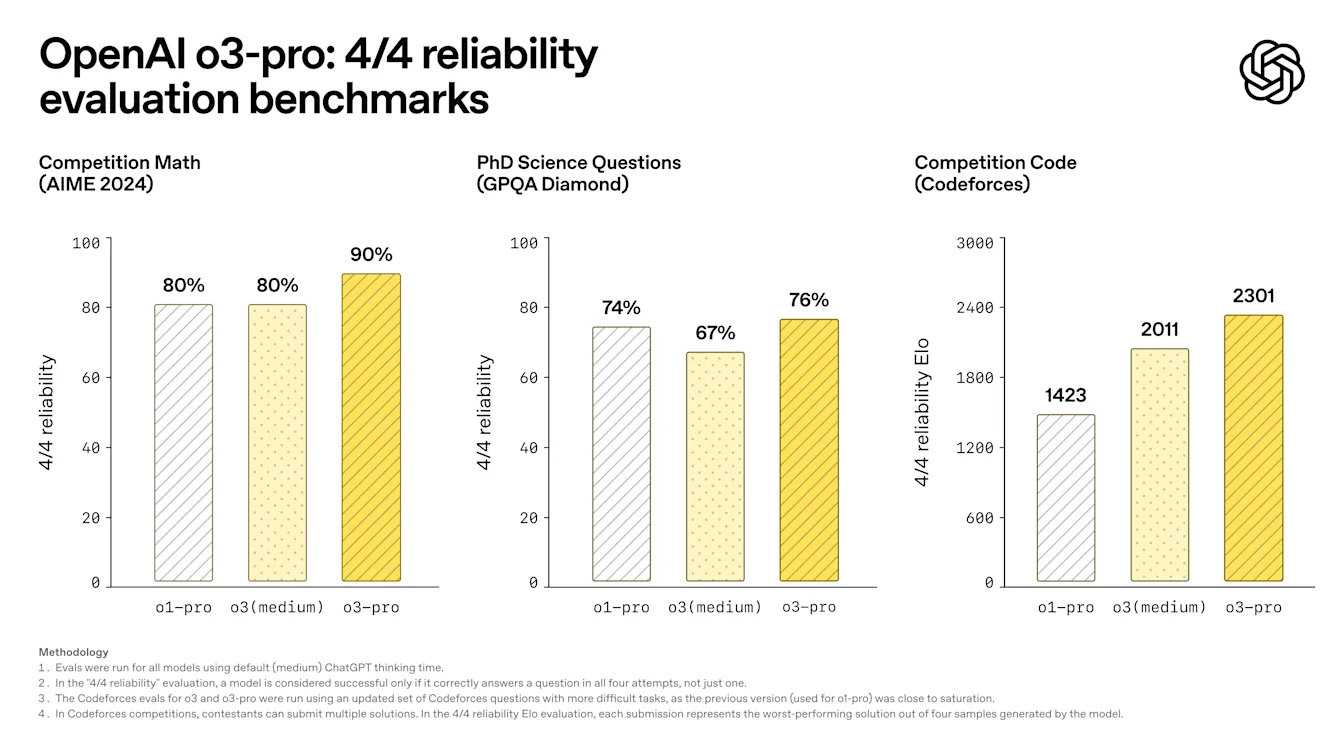
o3-pro is available in the model picker for Pro and Team users starting today, replacing o1-pro. Enterprise and Edu users will get access the week after.
As o3-pro uses the same underlying model as o3, full safety details can be found in the o3 system card.
Limitations
At the moment, temporary chats are disabled for o3-pro as we resolve a technical issue.
Image generation is not supported within o3-pro—please use GPT-4o, OpenAI o3, or OpenAI o4-mini to generate images.
Canvas is also currently not supported within o3-pro.
June 7, 2025
Updates to Advanced Voice Mode for paid users
We're upgrading Advanced Voice in ChatGPT for paid users with significant enhancements in intonation and naturalness, making interactions feel more fluid and human-like. When we first launched Advanced Voice, it represented a leap forward in AI speech—now, it speaks even more naturally, with subtler intonation, realistic cadence (including pauses and emphases), and more on-point expressiveness for certain emotions including empathy, sarcasm, and more.
Voice also now offers intuitive and effective language translation. Just ask Voice to translate between languages, and it will continue translating throughout your conversation until you tell it to stop or switch. It’s ready to translate whenever you need it—whether you're asking for directions in Italy or chatting with a colleague from the Tokyo office. For example, at a restaurant in Brazil, Voice can translate your English sentences into Portuguese, and the waiter’s Portuguese responses back into English—making conversations effortless, no matter where you are or who you're speaking with.
This upgrade to Advanced Voice is available for all paid users across markets and platforms—just tap the Voice icon in the message composer to get started.
This update is in addition to improvements we made earlier this year to ensure fewer interruptions and improved accents.
Known Limitations
In testing, we've observed that this update may occasionally cause minor decreases in audio quality, including unexpected variations in tone and pitch. These issues are more noticeable with certain voice options. We expect to improve audio consistency over time.
Additionally, rare hallucinations in Voice Mode persist with this update, resulting in unintended sounds resembling ads, gibberish, or background music. We are actively investigating these issues and working toward a solution.
June 4, 2025
Connectors in beta for deep research (Plus, Pro, Team, Enterprise, Edu)
ChatGPT Team, Enterprise, and Edu customers globally can use connectors in deep research, as well as Pro and Plus users (excluding users in Switzerland, EEA, and the UK) to generate long-form, cited responses that include your company’s internal tools.
Supported connectors: Google Drive, SharePoint, Dropbox, Box, Outlook, Gmail, Google Calendar, Linear, GitHub, HubSpot, and Teams
Combines internal + web sources for synthesis
Learn more about Connectors in ChatGPT.
Custom connectors via Model Context Protocol (Pro, Team, Enterprise, Edu)
Admins and users can now build and deploy custom connectors to proprietary systems using Model Context Protocol (MCP).
Requires a remote MCP server
Available only in deep research
Admin-published connectors appear in the connector list for all users
Learn more about building custom connectors with MCP. For Team, Enterprise, and Edu plans, only admins can build and deploy custom connectors.
June 3, 2025
Memory is now more comprehensive for Free users
Memory improvements are starting to roll out to Free users. In addition to the saved memories that were there before, ChatGPT now references your recent conversations to deliver responses that feel more relevant and tailored to you.
Free users must be logged in and on up-to-date apps (iOS/Android v1.2025.147+).
Opt‑in reminders
Free users in EEA (EU + UK), Switzerland, Norway, Iceland, or Liechtenstein will see a prompt to enable this setting or can visit Settings > Personalization > Memory > Reference chat history to enable.
Outside the European regions listed above, all Free users that have memory enabled will receive the upgrade automatically.
You can turn off memory anytime in settings. Learn more in our Memory FAQ.
May 15, 2025
Dropbox connector for deep research for Plus/Pro/Team
ChatGPT deep research with Dropbox is available globally to Team users. It is also gradually rolling out to Plus and Pro users, except for those in the EEA, Switzerland, and the UK. Enterprise user access will be announced at a later date.
See: Connect apps to ChatGPT deep research
GitHub connector for deep research
The GitHub connector is now available globally to Plus/Pro/Team users, including those in the EEA, Switzerland, and the UK.
May 14, 2025
Releasing GPT-4.1 in ChatGPT for all paid users
Since its launch in the API in April, GPT-4.1 has become a favorite among developers—by popular demand, we’re making it available directly in ChatGPT.
GPT-4.1 is a specialized model that excels at coding tasks. Compared to GPT-4o, it's even stronger at precise instruction following and web development tasks, and offers an alternative to OpenAI o3 and OpenAI o4-mini for simpler, everyday coding needs.
Starting today, Plus, Pro, and Team users can access GPT-4.1 via the "more models" dropdown in the model picker. Enterprise and Edu users will get access in the coming weeks. GPT-4.1 has the same rate limits as GPT-4o for paid users.
Introducing GPT-4.1 mini, replacing GPT-4o mini, in ChatGPT for all users
GPT-4.1 mini is a fast, capable, and efficient small model, delivering significant improvements compared to GPT-4o mini—in instruction-following, coding, and overall intelligence. Starting today, GPT-4.1 mini replaces GPT-4o mini in the model picker under "more models" for paid users, and will serve as the fallback model for free users once they reach their GPT-4o usage limits. Rate limits remain the same.
Evals for GPT-4.1 and GPT-4.1 mini were originally shared in the blog post accompanying their API release. They also went through standard safety evaluations. Detailed results are available in the newly launched Safety Evaluations Hub.
May 12, 2025
Microsoft SharePoint and OneDrive connector for deep research for Plus/Pro/Team
ChatGPT deep research with SharePoint and OneDrive is available globally to Team users. It is also gradually rolling out to Plus and Pro users, except for those in the EEA, Switzerland, and the UK. Enterprise user access will be announced at a later date.
See: Connecting SharePoint and Microsoft OneDrive to ChatGPT deep research
Export Deep Research as PDF for Plus/Pro/Team
You can now export your deep research reports as well-formatted PDFs—complete with tables, images, linked citations, and sources.
To use, click the share icon and select 'Download as PDF.' It works for both new and past reports.
May 8, 2025
GitHub connector for deep research for Plus/Pro/Team
ChatGPT deep research with GitHub is available globally to Team users. It is also gradually rolling out to Plus and Pro users, except for those in the EEA, Switzerland, and the UK. Enterprise user access will be announced at a later date.
See: Connecting GitHub to ChatGPT deep research.
Enhanced Memory in ChatGPT (including EU) on Plus/Pro
Enhanced memory rolling out to all Plus and Pro users (including the EU). The new memory features are available in the EEA (EU + UK), Switzerland, Norway, Iceland, or Liechtenstein. These features are OFF by default and must be enabled in Settings > Personalization > Reference Chat History.
Plan differences
• Saved memories and Chat history are offered only to Plus and Pro accounts.
• Free‑tier users have access to Saved memories only.
Opt‑in reminders
• Outside the European regions listed above, all Plus and Pro accounts that have memory enabled will receive the upgrade automatically.
• If you previously opted out of memory, ChatGPT will not reference past conversations unless you opt back in.
See Memory FAQ.
May 6, 2025
Mobile UI (iOS/Android) changing on Free/Plus/Pro plans
We've removed the row of individual tool icons from the mobile composer and replaced it with the new sliders‑style icon to open the Skills menu; tapping that button opens a bottom‑sheet menu where users can choose tools like Create an image or Search the web.
No tools are deprecated—access is simply consolidated to clear space and reduce on‑screen clutter.
May 1, 2025
Sunsetting Monday GPT
Launched on April 1 as a one-month surprise, our “Monday” personality (available in both voice and text) has now been sunset. We hope you enjoyed Monday's irreverent style, and we’re already working on new personalities for future use. Please stay tuned for what’s next!
April 29, 2025
Updates to GPT-4o
We've reverted the most recent update to GPT-4o due to issues with overly agreeable responses (sycophancy).
We’re actively working on further improvements. For more details, check out our blog post explaining what happened and our initial findings, and this blog post where we expand on what we missed with sycophancy and the changes we're going to make going forward.
April 25, 2025
Improvements to GPT-4o
We’re making additional improvements to GPT-4o, optimizing when it saves memories and enhancing problem-solving capabilities for STEM. We’ve also made subtle changes to the way it responds, making it more proactive and better at guiding conversations toward productive outcomes. We think these updates help GPT-4o feel more intuitive and effective across a variety of tasks–we hope you agree!
April 16, 2025
o3 and o4-mini in ChatGPT
Today, we’re releasing OpenAI o3 and o4-mini, the latest in our o-series of models trained to think for longer before responding. These are the smartest models we’ve released to date, representing a step change in ChatGPT's capabilities for everyone from curious users to advanced researchers. For the first time, our reasoning models can agentically use and combine every tool within ChatGPT—this includes searching the web, analyzing uploaded files and other data with Python, reasoning deeply about visual inputs, and even generating images. Critically, these models are trained to reason about when and how to use tools to produce detailed and thoughtful answers in the right output formats, typically in under a minute, to solve more complex problems. This allows them to tackle multi-faceted questions more effectively, a step toward a more agentic ChatGPT that can independently execute tasks on your behalf. The combined power of state-of-the-art reasoning with full tool access translates into significantly stronger performance across academic benchmarks and real-world tasks, setting a new standard in both intelligence and usefulness.
Memory with Search
ChatGPT can also use memories to inform search queries when ChatGPT searches the web using third-party search providers. Learn more about search.
April 15, 2025
ChatGPT Image Library
All images you create with ChatGPT are now automatically saved to a new Library in the sidebar, giving you one place to browse, revisit, and reuse your work without digging through past conversations. The Library is rolling out today on Web, iOS, and Android for Free, Plus, and Pro users (Enterprise / Edu support coming soon). For now, it displays images generated with 4o Image Generation while we backfill older creations, and you can remove an image by deleting the conversation where it was made.
April 10, 2025
Sunsetting GPT‑4 in ChatGPT
Effective April 30, 2025, GPT‑4 will be retired from ChatGPT and fully replaced by GPT‑4o.
GPT‑4o is our newer, natively multimodal model. In head‑to‑head evaluations it consistently surpasses GPT‑4 in writing, coding, STEM, and more.
Recent upgrades have further improved GPT‑4o’s instruction following, problem solving, and conversational flow, making it a natural successor to GPT‑4.
GPT-4 will still be available in the API.
GPT‑4 marked a pivotal moment in ChatGPT’s evolution. We’re grateful for the breakthroughs it enabled and for the feedback that helped shape its successor. GPT‑4o builds on that foundation to deliver even greater capability, consistency, and creativity.
March 27, 2025
Improvements to GPT-4o
We’ve made improvements to GPT-4o—it now feels more intuitive, creative, and collaborative, with enhanced instruction-following, smarter coding capabilities, and a clearer communication style.
Smarter problem-solving in STEM and coding:
GPT-4o has further improved its capability to tackle complex technical and coding problems. It now generates cleaner, simpler frontend code, more accurately thinks through existing code to identify necessary changes, and consistently produces coding outputs that successfully compile and run, streamlining your coding workflows.
Enhanced instruction-following and formatting accuracy:
GPT-4o is now more adept at following detailed instructions, especially for prompts containing multiple or complex requests. It improves on generating outputs according to the format requested and achieves higher accuracy in classification tasks.
“Fuzzy” improvements:
Early testers say that the model seems to better understand the implied intent behind their prompts, especially when it comes to creative and collaborative tasks. It’s also slightly more concise and clear, using fewer markdown hierarchies and emojis for responses that are easier to read, less cluttered, and more focused. We're curious to see if our users also find this to be the case.
This model is now available in ChatGPT and in the API as the newest snapshot of chatgpt-4o-latest. We plan to bring these improvements to a dated model in the API in the coming weeks.
March 18, 2025
We have been working on a variety of usability and performance improvements and bug fixes across Web, Android, and iOS. Below are a small number of specific callouts. For updates on the ChatGPT macOS app, please see this page.
Web and the Windows desktop app
1. In-line message error retries: If you encounter a message error, you can retry or just continue chatting in the same conversation.
2. o1 and o3-mini now offer Python-powered data analysis in ChatGPT: You can now ask these models to perform tasks like running regressions on test data, visualizing complex business metrics, and conducting scenario-based simulations.
3. Conversation Drafts: Unsubmitted messages in your message prompt will now be saved.
4. New UI for Temporary Chats: We’ve made accessing and viewing these private conversations more clear.
Android App
1. Increased the default size for in‐line generated images.
2. More clear and private Incognito keyboard for Temporary Chats.
iOS App
1. Improved table-copying functionality out of ChatGPT responses on iOS and macOS.
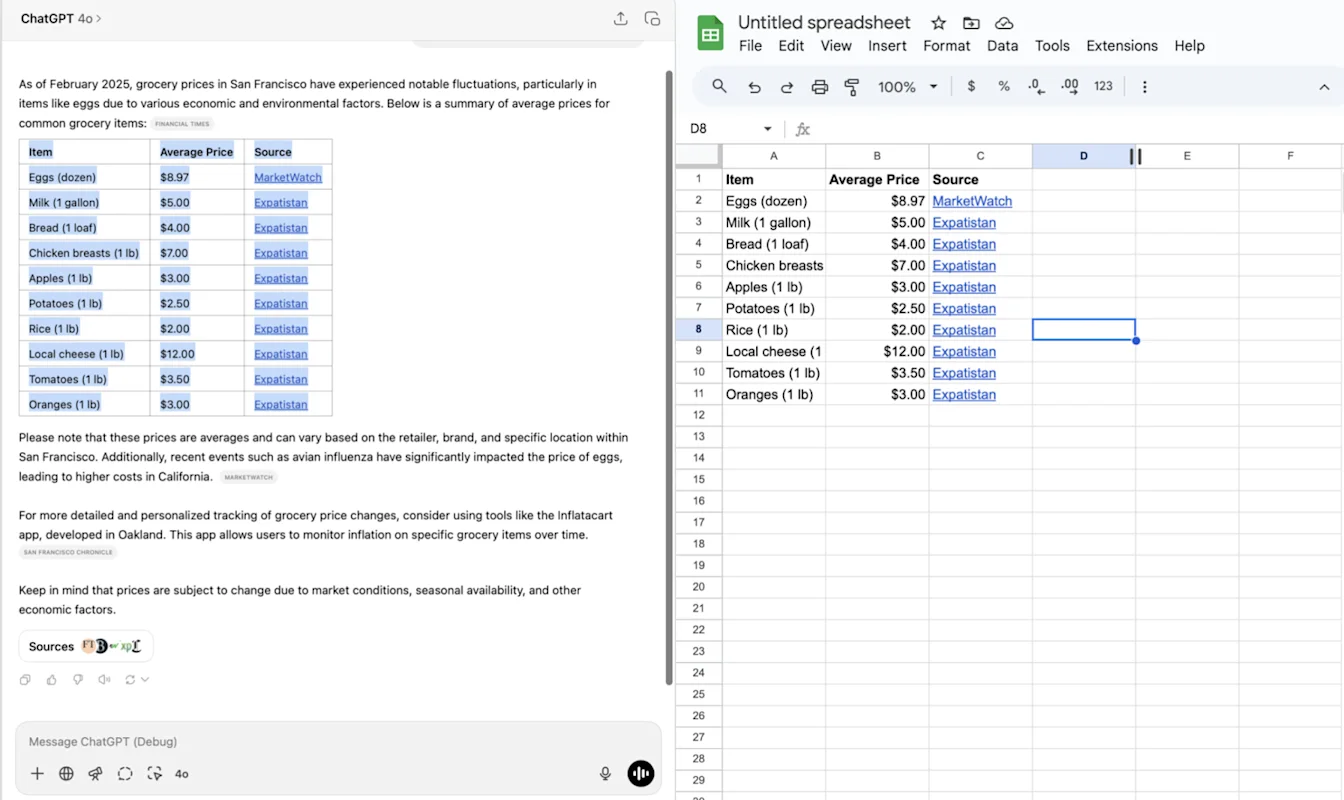
2. Added long press on your message to open menu actions: Copy, Edit.
3. Improved response display of nested blockquote content.
4. Improved display and faster streaming of conversations and message menu actions.
February 28, 2025
General
iOS
Long press to select text on iOS and moved the message quick actions to always be visible below the message:
2. Bug fixes and small improvements in the 1.2025.056 iOS release.
3. A setting to allow users to auto-submit transcriptions.
1. OFF by default.
Android
Improved error handling for Play Integrity errors.
February 21, 2025
1. iOS widget (see below):
2. Text selection improvements: you can now select text across horizontal rulers. 3. Performance improvements: Improved model header loading behavior. Conversation history and GPTs show up faster. 4. Bug fix for logged-out users: 401s when dismissing tooltips. 401s logging out users on Android.
February 14, 2025
Set ChatGPT as default search engine in Safari.
Confirmation dialog for logging out (iOS, web).
Improved Android conversation parsing performance.
iOS performance fixes.
Updated launch animations and composer design on Android.
Whisper (ChatGPT's voice-to-text feature) now shows a text preview of dictated text after recording:
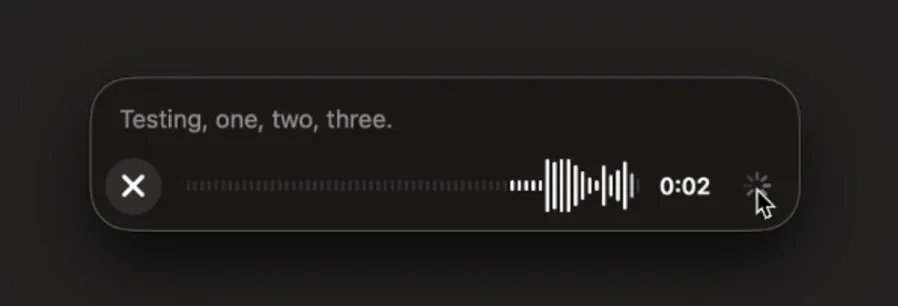
February 6, 2025
Canvas sharing
Users can now share a Canvas asset such as rendered React/HTML code, document, or code with another user, similar to how you share a conversation. You can do this from the Canvas toolbar when Canvas is open.

For more details about the canvas feature in ChatGPT, check out the following Help Center article!
January 17, 2025
More personalization in Custom Instructions
We've updated custom instructions to make it easier to customize how ChatGPT responds to you. With the new UI, you can tell ChatGPT the traits you want it to have, how you want it to talk to you, and any rules you want it to follow.
If you're already using custom instructions, this won't change your current settings.
The new UI is rolling out now on http://chatgpt.com and desktop on Windows, and is coming to mobile and desktop on macOS in the next few weeks. Available soon to ChatGPT users in the EU, Norway, Iceland, Liechtenstein, and Switzerland.
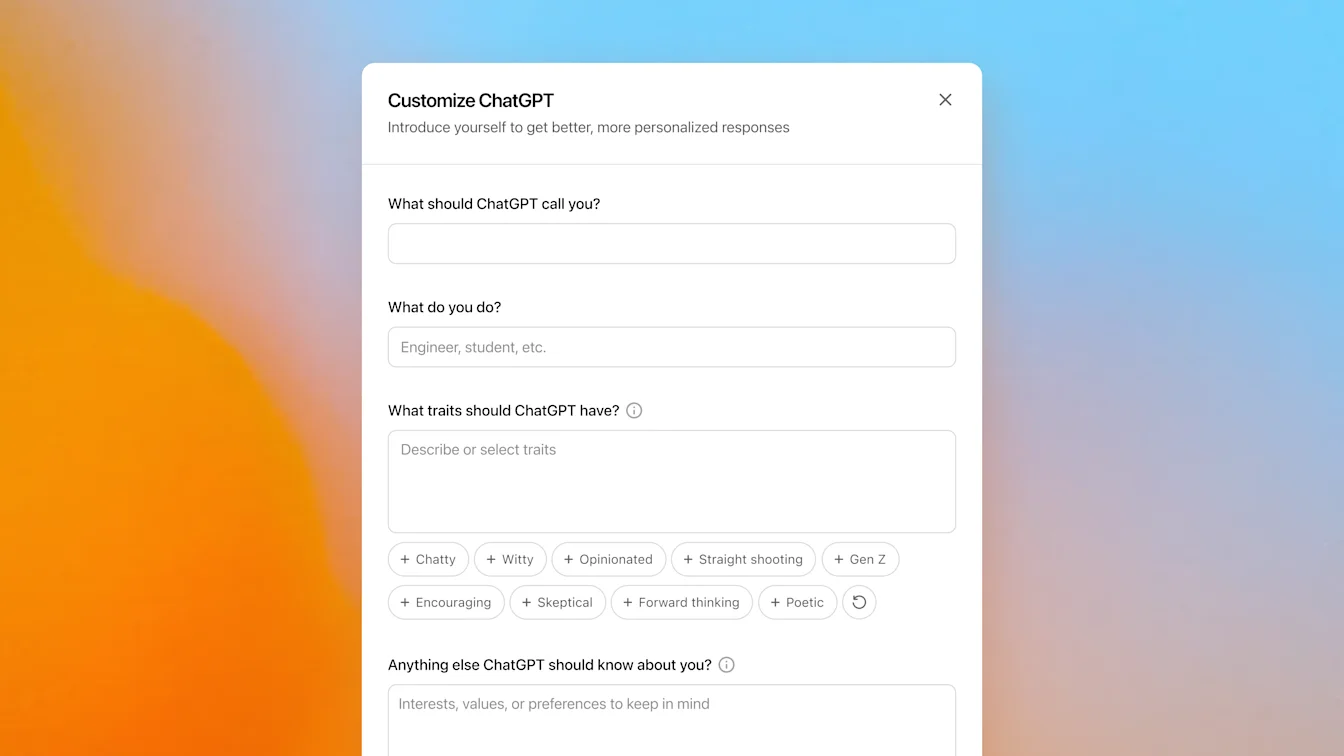
January 15, 2025
Import from Chat into Canvas
Edit a full model response in Canvas
Edit a code block in Canvas
Web only (no desktop or mobile in this release).
January 14, 2025
Scheduled tasks in ChatGPT
Today we’re rolling out a beta version of tasks—a new way to ask ChatGPT to do things for you at a future time. Whether it's one-time reminders or recurring actions, tell ChatGPT what you need and when, and it will automatically take care of it.
Scheduled tasks is in early beta for Plus, Pro, and Teams. Eventually this will be available to anyone with a ChatGPT account.
For details see Scheduled tasks in ChatGPT.
December 13, 2024
Projects in ChatGPT
Projects provide a new way to group files and chats for personal use, simplifying the management of work that involves multiple chats. You can set custom instructions and upload files in your Projects, and any conversations in your Project share context with your uploaded files and custom instructions. Chats in Projects use GPT-4o and support the following features:
Canvas
Advanced data analysis
DALL•E
Search
ChatGPT Projects are available to all Plus, Team, and Pro users.
Dec 12, 2024
Santa Voice and Video and Screen Share in Voice Chats
Today we started rolling out two updates to voice mode in ChatGPT:
Santa voice: You can now chat with Santa in ChatGPT! Until early January, you can find Santa in the list of available voices in settings or by tapping on a snowflake icon. We are rolling out Santa globally to all logged in users today, and you can chat with Santa everywhere you use voice mode.
The first time you chat with Santa, your advanced voice limit will reset one time. So, if you’ve already used up your advanced voice limit for the day or the month (based on your subscription plan), you can still chat with Santa for the first time using advanced voice.
Video and screenshare: In our latest mobile apps, we are starting to roll out real-time video, screen share, and image upload capabilities in advanced voice. We expect to complete this rollout to all Team and most Plus and Pro users, except for those in the European Union, Switzerland, Iceland, Norway, and Liechtenstein, over the next week. Video and screen share are subject to daily usage limits for all plans, and image uploads are subject to ChatGPT vision message limits.
Use the controls at the bottom of the screen, like the camera button below, to get started. You can find screen share and image upload controls under the “...” menu at the bottom of the screen.

Dec 10, 2024
Canvas
Today we made Canvas available in 4o by default for all users, Free and Paid. Additionally, we launched a number of new capabilities for canvas, including:
Canvas in GPTs: Canvas can now be used with GPTs when enabled in the GPT creator. This toggle will be enabled for newly created GPTs by default.
Python code execution: You can now execute Python code in a canvas. ChatGPT will take a pass on fixing bugs in your code and provide comments on errors.
Canvas shortcut: You can now paste content into ChatGPT and instantly open it in canvas via a shortcut in the upper right corner of the composer.
Canvas in Toolbox: Canvas has been added as an option in the toolbox.
Nov 22, 2024
Updates to the ChatGPT Web experience
We are rolling out the following updates over the next two weeks to all ChatGPT users.
Sidebar redesign
New floating mode added with soft dismiss behavior
Recent conversations are now limited in the sidebar, with an unlimited infinite scroll flyout for all conversations
Recent GPTs & Pinned GPTs are now displayed below conversations
Settings are now always in the bottom of the sidebar
A small settings icon was added in larger viewports when the sidebar is not open
New transitions were added to create a more immersive feel
Other updates for ChatGPT on Web
The core underpinnings of the site were revamped, offering much better support for a larger variety of devices and sizes
Initiating a new conversation now scrolls it into view at the top of the screen
Initiating a new conversation no longer auto scrolls to the bottom while the message is generating
The sidebar when pinned can now stay open with an active Canvas if enough space is available
A new composer bar layout now fades content underneath it as you scroll with an updated look & feel
The new chat button has been moved to the left of the Model Picker to be easier to access
The system icon in conversations has been removed to make additional horizontal space
DALL-E focused view has an updated layout
GPT Creator has an updated layout
Improved Mobile Web Experience
The experience with the on-screen keyboard on mobile devices has been greatly improved across iOS & Android devices
The new sidebar is always in floating mode and auto closes when switching threads
We no longer focus the composer on mobile web when switching conversations
An issue causing scroll to get stuck in certain situations should be resolved
Nov 19, 2024
Advanced Voice for ChatGPT Web
Starting today, we’re beginning to roll out Advanced Voice Mode on web (already available on mobile and desktop apps). You can now start a voice chat on chatgpt.com on your desktop and have real-time, natural conversations with ChatGPT while doing tasks like shopping, planning, writing, and brainstorming.
We’re starting to roll out to all paid (Plus, Team, Enterprise, and Edu) users today, and expect it to take a few days.
Aug 8, 2024
DALL·E 3 for ChatGPT Free users
We’re rolling out the ability for ChatGPT Free users to create up to two images per day with DALL·E 3.
Just ask ChatGPT to create an image for a slide deck, personalize a card for a friend, or show you what something looks like.
July 18, 2024
Introducing GPT-4o mini
We’re introducing GPT-4o mini, the most capable and cost-efficient small model available today. GPT-4o mini surpasses GPT-3.5 Turbo and other small models on academic benchmarks across both textual intelligence and multimodal reasoning and supports the same range of languages as GPT-4o. It also demonstrates strong performance in function calling, which can enable developers to build applications that fetch data or take actions with external systems, and improved long-context performance compared to GPT-3.5 Turbo.
You can read more about GPT-4o mini in the blog announcement here.
May 16, 2024
Improvements to data analysis in ChatGPT
Today, we’re starting to roll out enhancements to data analysis:
Upload the latest file versions directly from Google Drive, Microsoft OneDrive Personal, and Microsoft OneDrive including SharePoint
Interact with tables and charts in a new expandable view
Customize and download presentation-ready charts and documents
Data analysis improvements are available in our new flagship model, GPT-4o, for ChatGPT Plus, Team, and Enterprise users.
May 13, 2024
Introducing GPT-4o
GPT-4o is our newest flagship model that provides GPT-4-level intelligence that is much faster and improves on its capabilities across text, voice, and vision. Currently, only the new text and image capabilities have been rolled out. You can read more about the announcement here.
Plus users will have a message limit that is up to 5x greater than free users, and Team and Enterprise users will have even higher limits.
Apr 29, 2024
Memory is now available to Plus users
Memory is now available to all ChatGPT Plus users, except in Europe Korea where we will be rolling it out soon. Using Memory is easy: just start a new chat and tell ChatGPT anything you’d like it to remember.
Memory can be turned on or off in settings. Team, Enterprise, and GPTs to come.
Apr 1, 2024
Start using ChatGPT instantly
We’re making it easier for people to experience the benefits of AI without needing to sign up. Starting today, you can use ChatGPT instantly, without needing to sign-up. We're rolling this out gradually, with the aim to make AI accessible to anyone curious about its capabilities.
Feb 13, 2024
Memory and new controls for ChatGPT
We’re testing memory with ChatGPT. Remembering things you discuss across all chats saves you from having to repeat information and makes future conversations more helpful.
You're in control of ChatGPT's memory. You can explicitly tell it to remember something, ask it what it remembers, and tell it to forget conversationally or through settings. You can also turn it off entirely.
We are rolling out to a small portion of ChatGPT free and Plus users this week to learn how useful it is. We will share plans for a broader roll out soon.
You can read more about memory and controls here.
Jan 10, 2024
Introducing the GPT Store and ChatGPT Team plan
Discover what’s trending in the GPT Store
The store features a diverse range of GPTs developed by our partners and the community. Browse popular and trending GPTs on the community leaderboard, with categories like DALL·E, writing, research, programming, education, and lifestyle.
Explore GPTs at chatgpt.com/gpts.
Use ChatGPT alongside your team
We’re launching a new ChatGPT plan for teams of all sizes, which provides a secure, collaborative workspace to get the most out of ChatGPT at work.
ChatGPT Team offers access to our advanced models like GPT-4 and DALL·E 3, and tools like Advanced Data Analysis. It additionally includes a dedicated collaborative workspace for your team and admin tools for team management. As with ChatGPT Enterprise, you own and control your business data — we do not train on your business data or conversations, and our models don’t learn from your usage. More details on our data privacy practices can be found on our privacy page and Trust Portal.
You can learn more about the ChatGPT Team plan here.
November 21, 2023
ChatGPT with voice is available to all users
ChatGPT with voice is now available to all free users. Download the app on your phone and tap the headphones icon to start a conversation.
November 6, 2023
Introducing GPTs
You can now create custom versions of ChatGPT that combine instructions, extra knowledge, and any combination of skills. Learn more here.
We’re rolling out custom versions of ChatGPT that you can create for a specific purpose—called GPTs. GPTs are a new way for anyone to create a tailored version of ChatGPT to be more helpful in their daily life, at specific tasks, at work, or at home—and then share that creation with others. For example, GPTs can help you learn the rules to any board game, help teach your kids math, or design stickers.
Plus and Enterprise users can start creating GPTs this week. Later this month, we’ll launch the GPT Store, so people can feature and make money from their GPTs. We plan to offer GPTs to more users soon.
October 17, 2023
Browsing is now out of beta
Browsing, which we re-launched a few weeks ago, is moving out of beta.
Plus and Enterprise users no longer need to switch the beta toggle to use browse, and are able to choose "Browse with Bing" from the GPT-4 model selector.
October 16, 2023
DALL·E 3 is now rolling out in beta
We’ve integrated DALL·E 3 with ChatGPT, allowing it to respond to your requests with images. From a simple sentence to a detailed paragraph, ask ChatGPT what you want to see and it will translate your ideas into exceptionally accurate images.
To use DALL·E 3 on both web and mobile, choose DALL·E 3 in the selector under GPT-4. The message limit may vary based on capacity.
September 27, 2023
Browsing is rolling back out to Plus users
Browsing is rolling out to all Plus users. ChatGPT can now browse the internet to provide you with current and authoritative information, complete with direct links to sources. It is no longer limited to data before September 2021.
To try it out, enable Browsing in your beta features setting.
Click on 'Profile & Settings’
Select 'Beta features'
Toggle on ‘Browse with Bing’
Choose Browse with Bing in the selector under GPT-4.
September 25, 2023
New voice and image capabilities in ChatGPT
We are beginning to roll out new voice and image capabilities in ChatGPT. They offer a new, more intuitive type of interface by allowing you to have a voice conversation or show ChatGPT what you’re talking about. Learn more here.
Voice (Beta) is now rolling out to Plus users on iOS and Android
You can now use voice to engage in a back-and-forth conversation with your assistant. Speak with it on the go, request a bedtime story, or settle a dinner table debate.
To get started with voice, head to Settings → New Features on the mobile app and opt into voice conversations. Then, tap the headphone button located in the top-right corner of the home screen and choose your preferred voice out of five different voices.
Image input will be generally available to Plus users on all platforms
You can now show ChatGPT one or more images. Troubleshoot why your grill won’t start, explore the contents of your fridge to plan a meal, or analyze a complex graph for work-related data. To focus on a specific part of the image, you can use the drawing tool in our mobile app.
To get started, tap the photo button to capture or choose an image. You can also discuss multiple images or use our drawing tool to guide your assistant.
September 11, 2023
ChatGPT language support - Alpha on web
ChatGPT now supports a limited selection of languages in the interface:
Chinese (zh-Hans)
Chinese (zh-TW)
French (fr-FR)
German (de-DE)
Italian (it-IT)
Japanese (ja-JP)
Portuguese (pt-BR)
Russian (ru-RU)
Spanish (es-ES)
If you've configured your browser to use one of these supported languages, you'll see a banner in ChatGPT that enables you to switch your language settings. You can deactivate this option at any time through the settings menu.
This feature is in alpha, requires opting in, and currently can only be used on the web at chatgpt.com. Learn more here.
August 28, 2023
Introducing ChatGPT Enterprise
Today we’re launching ChatGPT Enterprise, which offers enterprise-grade security and privacy, unlimited higher-speed GPT-4 access, longer context windows for processing longer inputs, advanced data analysis capabilities, customization options, and much more.
ChatGPT Enterprise also provides unlimited access to Advanced Data Analysis, previously known as Code Interpreter.
Learn more on our website and connect with our sales team to get started.
August 21, 2023
Custom instructions are now available to users in the EU & UK
Custom instructions are now available to users in the European Union United Kingdom.
To add your instructions:
Click on your name
Select ‘Custom instructions’
August 9, 2023
Custom instructions are now available to free users
Custom instructions are now available to ChatGPT users on the free plan, except for in the EU UK where we will be rolling it out soon!
Customize your interactions with ChatGPT by providing specific details and guidelines for your chats.
To add your instructions:
Click on your name
Select ‘Custom instructions’
August 3, 2023
Updates to ChatGPT
We’re rolling out a bunch of small updates to improve the ChatGPT experience. Shipping over the next week:
1. Prompt examples: A blank page can be intimidating. At the beginning of a new chat, you’ll now see examples to help you get started.
2. Suggested replies: Go deeper with a click. ChatGPT now suggests relevant ways to continue your conversation.
3. GPT-4 by default, finally: When starting a new chat as a Plus user, ChatGPT will remember your previously selected model — no more defaulting back to GPT-3.5.
4. Upload multiple files: You can now ask ChatGPT to analyze data and generate insights across multiple files. This is available with the Code Interpreter beta for all Plus users.
5. Stay logged in: You’ll no longer be logged out every 2 weeks! When you do need to log in, you’ll be greeted with a much more welcoming page.
6. Keyboard shortcuts: Work faster with shortcuts, like ⌘ (Ctrl) + Shift + ; to copy last code block. Try ⌘ (Ctrl) + / to see the complete list.
July 25, 2023
Introducing the ChatGPT app for Android
ChatGPT for Android is now available for download in the United States, India, Bangladesh, and Brazil from the Google Play Store.
We plan to expand the rollout to additional countries over the next week. You can track the Android rollout here.
July 20, 2023
Custom instructions are rolling out in beta
We’re starting to roll out custom instructions, giving you more control over ChatGPT’s responses. Set your preferences once, and they’ll steer future conversations. You can read more about custom instructions in the blogpost here.
Custom instructions are available to all Plus users and expanding to all users in the coming weeks.
To enable beta features:
Click on 'Profile & Settings’
Select 'Beta features'
Toggle on 'Custom instructions'
To add your instructions:
Click on your name
Select ‘Custom instructions’
This feature is not yet available in the UK and EU.
July 19, 2023
Higher message limits for GPT-4
We're doubling the number of messages ChatGPT Plus customers can send with GPT-4. Rolling out over the next week, the new message limit will be 40 every 3 hours.
July 6, 2023
Code interpreter is now rolling out in beta on web
We’re rolling out code interpreter to all ChatGPT Plus users over the next week.
It lets ChatGPT run code, optionally with access to files you've uploaded. You can ask ChatGPT to analyze data, create charts, edit files, perform math, etc.
We’ll be making these features accessible to Plus users on the web via the beta panel in your settings over the course of the next week.
To enable code interpreter:
Click on your name
Select beta features from your settings
Toggle on the beta features you’d like to try
July 3, 2023
Browsing is temporarily disabled
We've learned that the browsing beta can occasionally display content in ways we don't want, e.g. if a user specifically asks for a URL's full text, it may inadvertently fulfill this request. We are temporarily disabling Browse while we fix this.
June 22, 2023
Browsing and search on mobile
We’ve made two updates to the mobile ChatGPT app:
Browsing: Plus users can now use Browsing to get comprehensive answers and current insights on events and information that extend beyond the model's original training data. To try it out, enable Browsing in the “new features” section of your app settings. Then select GPT-4 in the model switcher and choose “Browse with Bing” in the drop-down.
Search History Improvements: Tapping on a search result takes you directly to the respective point in the conversation.
May 24, 2023
iOS app available in more countries, shared links in alpha, Bing Plugin, disable history on iOS
ChatGPT app for iOS in more countries
Good news! We’re expanding availability of the ChatGPT app for iOS to more countries and regions. Users in 11 countries can now download the ChatGPT app in the Apple App Store including the United States: Albania, Croatia, France, Germany, Ireland, Jamaica, Korea, New Zealand, Nicaragua, Nigeria, and the United Kingdom.
We will continue to roll out to more countries and regions in the coming weeks. You can track the iOS app rollout here.
Shared Links
We're excited to introduce a new feature: shared links. This feature allows you to create and share your ChatGPT conversations with others. Recipients of your shared link can either view the conversation or copy it to their own chats to continue the thread. This feature is currently rolling out to a small set of testers in alpha, with plans to expand to all users (including free) in the upcoming weeks.
To share your conversations:
Click on the thread you’d like to share
Select the “Share” button
Click on “Copy Link”
Learn more.
Bing Plugin
Browse with Bing. We’ve integrated the browsing feature - currently in beta for paid users - more deeply with Bing. You can now click into queries that the model is performing. We look forward to expanding the integration soon.
Disable chat history on iOS
You can now disable your chat history on iOS. Conversations started on your device when chat history is disabled won’t be used to improve our models, won’t appear in your history on your other devices, and will only be stored for 30 days. Similar to the functionality on the web, this setting does not sync across browsers or devices. Learn more.
May 12, 2023
Web browsing and Plugins are now rolling out in beta
If you are a ChatGPT Plus user, enjoy early access to experimental new features, which may change during development. We’ll be making these features accessible via a new beta panel in your settings, which is rolling out to all Plus users over the course of the next week.
Once the beta panel rolls out to you, you’ll be able to try two new features:
Web browsing: Try a new version of ChatGPT that knows when and how to browse the internet to answer questions about recent topics and events.
Plugins: Try a new version of ChatGPT that knows when and how to use third-party plugins that you enable.
To use third-party plugins, follow these instructions:
Navigate to https://chatgpt.com/
Select “Plugins” from the model switcher
In the “Plugins” dropdown, click “Plugin Store” to install and enable new plugins
To enable beta features:
Click on 'Profile & Settings'
Select 'Beta features'
Toggle on the features you’d like to try
For more information on our rollout process, please check out the article here.
In addition to the beta panel, users can now choose to continue generating a message beyond the maximum token limit. Each continuation counts towards the message allowance.
May 3, 2023
Updates to ChatGPT
We’ve made several updates to ChatGPT! Here's what's new:
You can now turn off chat history and export your data from the ChatGPT settings. Conversations that are started when chat history is disabled won’t be used to train and improve our models, and won’t appear in the history sidebar.
We are deprecating the Legacy (GPT-3.5) model on May 10th. Users will be able to continue their existing conversations with this model, but new messages will use the default model.
March 23, 2023
Introducing plugins in ChatGPT
We are announcing experimental support for AI plugins in ChatGPT — tools designed specifically for language models. Plugins can help ChatGPT access up-to-date information, run computations, or use third-party services. You can learn more about plugins here.
Today, we will begin extending plugin access to users and developers from our waitlist. The plugins we are rolling out with are:
Browsing: An experimental model that knows when and how to browse the internet
Code Interpreter: An experimental ChatGPT model that can use Python, and handles uploads and downloads
Third-party plugins: An experimental model that knows when and how to use external plugins.
You can join the waitlist to try plugins here:
March 14, 2023
Announcing GPT-4 in ChatGPT
We’re excited to bring GPT-4, our latest model, to our ChatGPT Plus subscribers.
GPT-4 has enhanced capabilities in:
Advanced reasoning
Complex instructions
More creativity
To give every Plus subscriber a chance to try the model, we'll dynamically adjust the cap for GPT-4 usage based on demand. You can learn more about GPT-4 here.
For this release, there are no updates to free accounts.
Feb 13, 2023
Updates to ChatGPT
We’ve made several updates to ChatGPT! Here's what's new:
We’ve updated performance of the ChatGPT model on our free plan in order to serve more users.
Based on user feedback, we are now defaulting Plus users to a faster version of ChatGPT, formerly known as “Turbo”. We’ll keep the previous version around for a while.
We rolled out the ability to purchase ChatGPT Plus internationally.
Feb 9 2023
Introducing ChatGPT Plus
As we recently announced, our Plus plan comes with early access to new, experimental features. We are beginning to roll out the ability for Plus users to choose between different versions of ChatGPT:
Default: the standard ChatGPT model
Turbo: optimized for speed (alpha)
Version selection is made easy with a dedicated dropdown menu at the top of the page. Depending on feedback, we may roll out this feature (or just Turbo) to all users soon.
Jan 30, 2023
Factuality and mathematical improvements
We’ve upgraded the ChatGPT model with improved factuality and mathematical capabilities.
Jan 9, 2023
Updates to ChatGPT
We're excited to announce several updates to ChatGPT! Here's what's new:
We made more improvements to the ChatGPT model! It should be generally better across a wide range of topics and has improved factuality.
Stop generating: Based on your feedback, we've added the ability to stop generating ChatGPT's response
Dec 15, 2022
Performance updates to ChatGPT
We're excited to announce several updates to ChatGPT! Here's what's new:
General performance: Among other improvements, users will notice that ChatGPT is now less likely to refuse to answer questions.
Conversation history: You’ll soon be able to view past conversations with ChatGPT, rename your saved conversations and delete the ones you don’t want to keep. We are gradually rolling out this feature.
Daily limit: To ensure a high-quality experience for all ChatGPT users, we are experimenting with a daily message cap. If you’re included in this group, you’ll be presented with an option to extend your access by providing feedback to ChatGPT.
To see if you’re using the updated version, look for “ChatGPT Dec 15 Version” at the bottom of the screen.