
2026 年 5 月 21 日
Codex 更新:更豐富上下文、目標模式、瀏覽器改進及遠端鎖定使用
Codex 現有更多方式理解你的工作上下文,並讓較長任務持續推進:
macOS 上 Codex 應用程式中的 Appshots 可讓你透過快捷鍵把應用程式視窗附加到 Codex 對話串中,連同截圖及可用文字一併提供,讓 Codex 無需冗長設定提示詞也能理解你正在查看甚麼。
目標模式現已在 Codex 應用程式、IDE 擴充功能及 CLI 中全面推出,讓你可定義目標結果及成功條件,並讓 Codex 持續朝該方向工作。
應用程式內瀏覽器註釋 支援更精確的樣式回饋,特別適用於以瀏覽器為基礎及前端工作。
鎖定的電腦使用 讓符合資格的 Mac Computer Use 用戶可在 Mac 鎖定後,仍讓 Codex 以遠端及安全方式繼續工作,惟仍受現有 Computer Use 地區限制約束。
瀏覽器使用改進 包括進階註釋模式、更快的資產擷取、唯讀 JavaScript 上下文、分頁分組易用性、較少 Chrome 擴充功能分頁雜亂,以及可靠性提升。
了解更多:Appshots、目標模式、鎖定的電腦使用、應用程式內瀏覽器註釋 及 設定參考。
2026 年 5 月 15 日
ChatGPT 中的個人財務
我們正開始在 ChatGPT 推出全新的個人財務體驗。美國的 Pro 用戶可安全連接支援的財務帳戶,查看資金流向儀表板,並提出基於其財務情況的問題。
Finances 適用於網頁及 iOS,可讓你在同一位置查看支出、帳單、訂閱、資產淨值及投資資訊。你可直接在 ChatGPT 中提問,或使用 Finances 頁面探索洞見、查看即將到來的付款、追蹤定期收費,並思考預算、儲蓄目標、還債及其他財務決策。
用戶可透過 Plaid 連接帳戶。此體驗會逐步推出,因此部分合資格用戶未必能即時看到。
ChatGPT 可協助用戶理解及規劃,但無法轉移資金、支付帳單、進行交易、報稅,亦不能作為財務、法律、稅務或投資顧問。
2026 年 5 月 14 日
透過 ChatGPT 手機應用程式遠端存取 Codex
Codex 現已於 ChatGPT 手機應用程式中以預覽版形式提供,讓你在手機上保持連接進行中的工作,同時 Codex 繼續在已連接的 Mac 主機上運行。透過手機,你可開始或延續對話串、回答問題、改變方向、批准操作、查看 Codex 的發現,並在不同已連接主機之間切換,而無需離開工作流程。這代表你可在離開辦公桌期間繼續推進調查,在 Codex 走到分支點時作決定,或在返回桌前先展開新想法。目前你可把手機連接至在 macOS 上運行的 Codex。
手機體驗會載入 Codex 運作機器上的即時上下文,包括專案上下文、批准項目、外掛程式、截圖、終端機輸出、差異及測試結果。ChatGPT 手機應用程式中的 Codex 正於支援地區向 iOS 和 Android 的所有方案推出,包括 Free 及 Go。如要試用,請同時更新 ChatGPT 手機應用程式及 macOS 上的 Codex 應用程式。設定會先在主機上的 Codex App 開始,然後於掃描 QR code 後在 ChatGPT 中繼續;主機必須保持喚醒、連線及運行 Codex,遠端存取方可持續。
請在遠端連線了解更多。
檔案庫擴展至 Free 及 Go 用戶,並加入儲存管理
檔案庫正擴展至 Free 及 Go 用戶,包括歐洲經濟區(EEA)用戶,讓你更容易尋找、重用及延續使用在 ChatGPT 中上載或建立的檔案。你可從訊息輸入框加入最近檔案、在檔案庫瀏覽已儲存檔案,並向 ChatGPT 詢問你之前使用過的檔案,例如「我昨天上載的文件有甚麼需要知道?」」
我們亦正於各方案推出儲存管理功能。儲存空間包括你上載的檔案及在 ChatGPT 中建立的檔案,包括文件、試算表、簡報及圖片。各方案限制如下:
已生成的圖片會繼續顯示於「圖像」分頁。
儲存管理目前只限網頁版,可從 Settings > Storage 存取;你亦可直接在檔案庫中刪除檔案。
檔案會一直保留在你的檔案庫中,直到你將其刪除。在暫存對話中上載的檔案不會儲存到檔案庫。
檔案庫及訊息輸入框中的「最近檔案」支援網頁、iOS 及 Android。進一步了解 ChatGPT 中的檔案儲存與檔案庫。
2026 年 5 月 12 日
Free 用戶答案中加入更多圖片
ChatGPT 的 Free 用戶現在會看到更多來自網頁的內嵌圖片,協助更容易理解視覺主題,包括知名人物、地點及產品。當視覺內容有助提升清晰度時,圖片可能會顯示於答案相關部分旁邊。你可點擊任何圖片,以原始大小查看並顯示來源標註。
此功能正於網頁及 iOS 向全球 Free 用戶推出,適用於使用 5.5-Instant 的回應。
2026 年 5 月 7 日
ChatGPT 中的可信聯絡人
在未來數週內,我們將逐步推出可信聯絡人,這是一項供個人 ChatGPT 帳戶成年用戶使用的可選安全功能。
ChatGPT 中的可信聯絡人可在你需要額外支援時,協助你聯絡你信任的人。你可在設定中選擇可信聯絡人,而 ChatGPT 會向對方發送參與邀請。對方接受後,如自動系統及受訓審核人員偵測到你可能正以顯示嚴重安全疑慮的方式談及自殺,ChatGPT 或會通知你的可信聯絡人,並鼓勵對方主動關心你。
可信聯絡人適用於支援地區內、合資格並使用個人 ChatGPT 帳戶的用戶。此功能不適用於 Business、Enterprise 或 Edu 工作區。
如欲了解此功能及資格要求的更多資訊,請參閱 ChatGPT 中的可信聯絡人及我們的網誌文章。
2026 年 5 月 5 日
ChatGPT 中的記憶來源與更個人化的回應
由今天起,我們正向 ChatGPT Plus 及 Pro 用戶推出記憶改進,令回應隨時間變得更個人化、更有用,並更具延續性。ChatGPT 現可更有效地從你過往聊天、已儲存記憶,以及在可用情況下從檔案及已連接的 Gmail 應用程式擷取相關上下文,提供更貼合你的想法、建議及下一步。它亦能更快搜尋過往對話以找到正確上下文,讓你無需經常重複說明。
我們亦正向所有 ChatGPT 消費者方案推出記憶來源功能,讓你可查看哪些資訊有助個人化回應,並在某些內容不再相關時作出編輯。點按回應下方的 Sources 圖示,即可查看相關的已儲存記憶、過往聊天及自訂指示。Plus 及 Pro 用戶亦可能看到其檔案庫中的檔案,以及來自已連接 Gmail 帳戶的已引用電郵。如果某些內容已過時或不再相關,你可更正、刪除,或標記為不相關。記憶來源未必會顯示塑造回應的所有因素,我們會持續改進此檢視,令它隨時間更完整。記憶來源正於網頁版推出,手機版即將支援。
這些更新旨在令個人化更有用,同時讓你保持控制權。記憶來源只會顯示於你自己的帳戶體驗中;如你分享聊天,這些來源不會顯示於共享聊天內。你可刪除聊天、使用不會使用或更新記憶且不會出現在記錄中的暫存對話、關閉記憶、隨時中斷應用程式連接,並管理你的內容是否用於幫助改進我們的模型。
ChatGPT 中的 GPT-5.5 Instant
我們正推出 GPT-5.5 Instant 作為 ChatGPT 的新預設模型。它將取代所有 ChatGPT 用戶使用的 GPT-5.3 Instant,並在準確度、清晰度與精簡度、圖像理解、STEM 問題,以及 ChatGPT 決定搜尋網頁時的表現上,提升日常答案品質。
GPT-5.5 Instant 在事實可靠性方面更佳,尤其在準確度最重要的提示詞上。它亦能提供更緊湊、更直接的答案而不失有用細節,減少不必要的追問,並降低過度格式化及多餘表情符號等雜訊。
對於在網頁版使用 chatgpt 的 Plus 及 Pro 用戶,如已連接,GPT-5.5 Instant 可更有效利用過往聊天、檔案及 Gmail 的上下文,使回應更相關。這可幫助 ChatGPT 更貼合你的需求提出建議、承接進行中的工作,並減少在不同對話中重複提供上下文的需要。
GPT-5.5 Instant 今日起開始向所有 ChatGPT 用戶推出。付費用戶可在模型設定中繼續使用 GPT-5.3 Instant 三個月,之後才會退役。
Excel 與 Google Sheets 版 ChatGPT
Excel 與 Google Sheets 版 ChatGPT 現已於全球推出,將 ChatGPT 帶到 Microsoft Excel 及 Google Sheets 的側邊欄中,讓你可直接在試算表內建立、更新及理解內容。它可協助處理追蹤表、預算、公式、多分頁檔案、情境分析及試算表清理,並在可用情況下支援 Skills 及應用程式。
Free 及 Go 包含有限用量;Plus 及 Pro 則採用與 Codex 相同的智能代理使用限制。如需超出方案限額,你可購買額外點數。
請從 Microsoft Marketplace 安裝 Excel 版 ChatGPT,或從 Google Workspace Marketplace 安裝 ChatGPT,然後使用符合資格的 ChatGPT 帳戶登入。在依賴公式或分析結果前,請先檢視輸出內容。了解更多。
2026 年 4 月 30 日
ChatGPT 中的進階帳戶安全
我們正推出進階帳戶安全,這是個人 ChatGPT 帳戶的可選設定,透過加入更嚴格的登入要求及更嚴密的帳戶防護措施,協助降低 ATO(帳戶接管)、未經授權存取及資料外洩的風險。
啟用進階帳戶安全後,ChatGPT 會使用更強的登入方式,例如 passkeys 或相容的安全金鑰,並關閉較弱的方式,如密碼登入、電郵/SMS 登入驗證碼及以電郵為基礎的帳戶復原。此功能亦會加入復原金鑰、較短的有效工作階段、登入通知及工作階段管理控制,為用戶的帳戶提供更多保障與可見度。
由於這些保護措施更嚴格,復原程序亦會更嚴格。用戶應保存復原金鑰,並保留對已註冊 passkeys 或安全金鑰的存取權。如果失去所有登入方式及復原金鑰,便可能無法再存取帳戶。
了解更多:進階帳戶安全
2026 年 4 月 28 日
在 ChatGPT 中更輕鬆選擇模型
我們正讓你在發送訊息前更容易選擇合適模型。模型選擇現會顯示於訊息輸入框中,因此你可在撰寫提示詞的同一位置查找及切換模型。
我們亦正把思考力度控制移至模型選擇器中。當你選擇 Thinking 或 Pro 模型時,可直接在模型選擇器中選擇思考力度等級。
此更新現已於網頁版向 Plus、Pro 及 Business 方案的 ChatGPT 用戶提供。
2026 年 4 月 22 日
ChatGPT 中的快速答案
有時候,你只是想盡快得到正確答案。我們正推出快速答案,讓你在 ChatGPT 中更快獲得常見資訊查詢問題的回應,例如「列出世界七大奇蹟」或「哪支美式足球隊贏得最多超級碗冠軍?」」
當你的問題不需要個人化回應,而 ChatGPT 已準備好高信心答案時,現在便可更快回應,同時仍提供有用而深入的答案。快速答案不會引用你的過往聊天或記憶。
快速答案現已於網頁、iOS 及 Android 向全球已登入及未登入、各方案用戶提供。如果你希望 ChatGPT 一律生成個人化答案,可隨時在 Personalization 設定中關閉快速答案。
我們會持續把快速答案擴展至更多類型的問題。
臨床醫護人員版 ChatGPT
我們正推出 臨床醫護人員版 ChatGPT,這是面向美國經驗證臨床醫護人員的免費 ChatGPT 版本。它旨在支援實際臨床工作,包括照護當下的證據審查、文件記錄及醫學研究,並提供可信臨床搜尋、引用、可重用技能、跨醫學文獻的深度研究,以及支援就合資格臨床問題獲取 CME 學分。
如果你已有 ChatGPT 帳戶,可使用同一帳戶註冊。註冊後,臨床醫護人員版 ChatGPT 會在同一登入下顯示為獨立工作區,而你現有的 ChatGPT 工作區仍會保留。
更多資訊請參閱我們的說明文章 臨床醫護人員版 ChatGPT 或網誌文章 讓 ChatGPT 更適合臨床醫護人員。
2026 年 4 月 21 日
ChatGPT 中嘅 ChatGPT Images 2.0
我哋推出 ChatGPT Images 2.0,即係 ChatGPT 入面全新嘅圖像生成模型。ChatGPT Images 2.0 適用於所有 ChatGPT 方案。
我哋亦推出 帶思考嘅圖像。當有更多時間思考時,佢可以喺生成之前先規劃同微調圖像輸出。
帶思考嘅圖像 適用於所有付費 ChatGPT 方案。當你選擇 Thinking 同 Pro 模型時即可使用。
2026 年 4 月 16 日
正向澳洲、紐西蘭同加拿大推出廣告
我哋開始向澳洲、紐西蘭同加拿大嘅 Free 同 Go 方案用戶逐步推出廣告。Plus、Pro、Business、Enterprise 同 Education 方案都唔會有廣告。
2026 年 4 月 9 日
ChatGPT 中嘅 GPT-5.3 Instant mini
今日,我哋喺 ChatGPT 推出 GPT-5.3 Instant Mini 。當用戶達到 GPT-5.3 Instant 嘅速率限制後,佢會取代 GPT-5 Instant Mini 成為備援模型。由於佢屬於備援用途,所以唔會顯示喺模型選擇器中。
相比 GPT-5 Instant Mini,GPT-5.3 Instant Mini 喺對話中感覺更自然,喺整個聊天過程中有更強嘅寫作能力同脈絡感知。佢喺多種使用情境下都勝過 GPT-5 Instant Mini。
全新 Pro 方案選項
我哋正推出全新每月 100 美元嘅 Pro 方案,並更新 Codex 喺 Plus 同 Pro 之間嘅使用方式。
Pro(每月 100 美元):專為更長時間、高強度嘅 Codex 工作階段而設。包括無限使用 GPT-5.4、可使用 GPT-5.4 Pro,以及限時享有最多比 Plus 多 10 倍嘅 Codex 用量(由原本 5 倍標準用量提升)。
Pro(每月 200 美元):我哋最高用量選項會繼續提供,並維持現有 Codex 推廣直至 5 月 31 日。
Plus(每月 20 美元):Plus 仍然最適合穩定、日常使用。隨住 Plus 上臨時 Codex 推廣結束,我哋正重新平衡 Plus 用量,支援一星期內更多工作階段,而唔係集中喺單日較長、高強度嘅工作階段。
你可以喺 Settings > My Plan 或定價頁面升級、切換或取消方案。
2026 年 4 月 8 日
ChatGPT 中的 Outlook 共用信箱與日曆
當你擁有存取權限時,ChatGPT 的 Outlook 電郵與日曆應用程式現可協助處理受委派或共用的 Outlook 資源。你可要求 ChatGPT 讀取共用信箱中的訊息、瀏覽資料夾、將郵件標示為已讀或未讀、移動訊息,或以該信箱名義/代表該信箱發送純文字電郵。對於共用 Outlook 日曆,ChatGPT 可協助建立、更新、回覆出席、取消、刪除活動,或為活動加入小型附件。
如要使用此功能,請連接 Outlook 電郵或 Outlook 日曆應用程式,並在向 ChatGPT 提問時提供確切的共用信箱地址或目標日曆。能否使用此功能可能取決於你的 Microsoft 權限及工作區應用程式設定。了解更多。
2026 年 4 月 2 日
Apple CarPlay 中的 ChatGPT
我們正於 CarPlay 推出 ChatGPT,讓你在外出時可使用免提的 ChatGPT 體驗。如果你使用 iOS 26.4 或以上版本,並連接至支援的汽車,便可直接從 CarPlay 介面開始與 ChatGPT 進行全新語音對話。你亦可繼續在 ChatGPT 手機應用程式中透過語音模式進行中的現有對話。了解更多。
2026 年 3 月 27 日
更新 Box、Notion、Linear 及 Dropbox 應用程式
我們正於 ChatGPT 推出更新版的 Box、Notion、Linear 及 Dropbox 應用程式。這些更新加入新應用程式操作,包括在支援情況下新增寫入功能,並把最新應用程式體驗帶到 ChatGPT。
如果你已在 ChatGPT 使用這些應用程式,請重新連接應用程式,以開始使用更新後的體驗。這些應用程式現有的同步功能(僅限 Pro 用戶)不受影響。
2026 年 3 月 26 日
手機版更簡化的側邊欄
為讓你有更多空間查看最重要的聊天與專案,側邊欄選單現已於 iOS 及 Android 簡化。根據你的方案及使用情況可用的 ChatGPT 體驗——例如圖像、Codex、Pulse 及應用程式——現會顯示於聊天及專案上方的橫向列中。
位置分享
用戶現在可選擇分享裝置位置,讓 ChatGPT 提供更相關的資訊,例如本地推薦、新聞及天氣。分享裝置位置完全屬自選功能,在你選擇啟用前會保持關閉。你可隨時在 Settings > Data Controls 更新裝置位置分享設定。
啟用位置分享亦會同時啟用精確位置。精確位置代表 ChatGPT 可使用裝置的具體位置,例如準確地址,以提供更貼切的結果。例如,如果你問「我附近最好的咖啡店有哪些?」」,ChatGPT 可使用你的精確位置提供更相關的附近結果。在手機裝置上,你可另外關閉精確位置,同時保留約略裝置位置分享,以獲得額外控制。
ChatGPT 會在用於提供更相關回應後刪除精確位置資料。如果 ChatGPT 的回應包含與你特定位置相關的資訊,例如附近餐廳名稱或地圖,該資訊便會像其他回應一樣成為你對話的一部分,除非你刪除該對話,否則會保留在聊天記錄中。
已設定家長控制的家長可選擇為其青少年停用裝置位置分享。
正向 iOS、Android 及網頁版的所有 ChatGPT 消費者方案推出。
Codex 中的外掛程式
Codex 現加入精選外掛程式目錄,讓用戶可直接在 Codex 中探索、安裝及使用由應用程式與技能建立的封裝工作流程。外掛程式是可安裝套件,用於可重用的 Codex 工作流程,讓你更容易在不同專案或團隊之間分享相同設定。外掛程式可在單一位置封裝技能、可選應用程式整合,以及 MCP 伺服器設定。了解更多。
2026 年 3 月 25 日
大型貼上內容現會作為附件處理
由今天起,ChatGPT Plus、Pro 及 Business 用戶在 ChatGPT 中貼上長篇內容時,處理方式將有所不同。
如果你在訊息輸入框貼上超過 5k 個字元,ChatGPT 會自動把內容轉換為附件,而非直接插入文字欄位。這可令訊息輸入框更整潔,並有助避免大型貼上內容耗用整個上下文視窗。
你仍可隨時按一下 Show in text field,把附件重新轉換為直接貼上的內容,移回訊息中。
Google Drive 應用程式整合
Google 在 ChatGPT 中的檔案連接器現已統一整合至 Google Drive,提供單一應用程式體驗,讓你可在 Google Drive 上與 Google Docs、Sheets 及 Slides 互動。
如果你是新用戶,可在 ChatGPT 中連接 Google Drive 應用程式,以使用 Google Drive、Docs、Sheets 及 Slides 操作,而無需安裝及驗證獨立的 Google 檔案應用程式。如果你過往已連接獨立應用程式,它們會繼續如常運作。你亦可重新連接 Google Drive 應用程式以取得新操作——完成重新連接後,ChatGPT 便會切換過去。
對 Pro 用戶而言,Google Drive 同步行為維持不變。閱讀更多。
2026 年 3 月 24 日
ChatGPT 購物更新
我哋已改善 ChatGPT 中嘅購物體驗,令你更容易發掘、比較同決定產品。
產品結果而家視覺上更豐富,細節同相關性亦有所提升。你可以喺聊天中瀏覽產品,透過對話細化結果,亦可以上載圖片尋找相似商品。產品亦可按價格、評價同功能等關鍵資料並排比較,令你唔使開多個分頁都可以更容易比較。
我哋亦改善咗產品資料覆蓋範圍、更新速度同整體反應,令結果更即時同更有用。呢啲改進會喺本星期向所有 ChatGPT 用戶逐步推出。
呢啲更新改善咗 ChatGPT 透過 Agentic Commerce Protocol(ACP)從商戶及其他供應商擷取同展示產品資訊嘅方式。
2026 年 3 月 23 日
ChatGPT 中的檔案庫
而家,要隨時間更輕鬆搵返、重用同延續使用你嘅檔案。當你上載或建立檔案——無論係 PDF、試算表、圖片或其他——都會自動儲存到你嘅檔案庫。生成嘅圖片會繼續顯示喺「圖片」分頁。
你可以喺對話中用輸入框內嘅最近檔案快速引用檔案,或者喺側邊欄嘅「檔案庫」分頁瀏覽你上載過嘅所有內容。你亦都可以向 ChatGPT 查詢你已儲存嘅檔案(「我琴日上載嗰份文件,有咩係我應該知道?」)
檔案庫暫時只限網頁版提供。輸入框內嘅「最近檔案」同 ChatGPT 內嘅檔案搜尋就支援 iOS 同 Android。
檔案會一直保留喺你嘅檔案庫,直到你刪除為止。喺暫存對話中上載嘅檔案唔會儲存到你嘅檔案庫。
供應情況:正向全球 Plus、Pro 同 Business 用戶逐步推出,歐洲經濟區、瑞士同英國嘅用戶將會快將推出。
2026 年 3 月 20 日
學生版 Codex
學生版 Codex 現已向美國及加拿大經驗證的大學生提供。合資格學生可領取價值 100 美元的 ChatGPT 點數,或 2,500 點,用於將 Codex 使用量延伸至超出 ChatGPT Free、Go、Plus 及 Pro 所包含的限額。
要開始使用,學生可在 chatgpt.com/codex/students 登入,並以其大學電郵透過 SheerID 完成學生身分驗證。點數會自動套用至學生的個人工作區,可在 Codex 中使用,並非 API 點數,且會於授予日期 12 個月後到期。了解更多。
2026 年 3 月 19 日
舊版深度研究模式停用通知
舊版深度研究模式將於 2026 年 3 月 26 日(星期四)移除。此變更只影響舊版模式;現行深度研究體驗將維持不變。
過往對話及結果仍可存取。
如欲進一步了解深度研究,請參閱:ChatGPT 深度研究。
2026年3月18日
ChatGPT 中的 GPT-5.4 mini
我們正於 ChatGPT 推出 GPT-5.4 mini。Free 和 Go 用戶可透過 + 選單中的「Thinking」功能使用 GPT-5.4 mini。對於所有其他用戶,GPT-5.4 mini 是 GPT-5.4 Thinking 的速率限制後備模型。
Plus、Pro 和其他付費用戶達到 GPT-5.4 Thinking 速率限制後,會以 GPT-5.4 mini 作為後備,協助在大量使用期間繼續存取推理功能。Enterprise 客戶如有需要,仍可選擇讓 Auto 路由預設使用 GPT-5.4 mini。
GPT-5.4 mini 不會在模型選擇器中顯示為可選模型。詳情請參閱我們的網誌文章。
2026 年 3 月 17 日
ChatGPT 中模型選擇器更新
我哋簡化咗模型選擇器,令你更容易揀選合適嘅推理層級。
Plus、Pro、Business、Enterprise 同 Edu 帳戶用戶,會視乎方案見到一組模型選項,包括:
Instant – 適合日常問題嘅快速回應
Thinking – 適合較複雜任務嘅更深入推理
Pro – 最先進嘅推理模型
你可以按模型選擇器選單中嘅 Configure ,並揀選「Auto-switch to Thinking」以使用 Auto 功能。如果你上一個聊天設為 Auto,呢個設定會自動開啟。
設定更進階選項
如果你想有更多控制,可以按 Configure 去:
開啟或關閉 Instant 同 Thinking 之間自動切換
存取 舊版模型
當選擇 Thinking 或 Pro 時設定 思考強度
我哋亦簡化咗 重試選單,令你更容易透過點按回應下方嘅三點,以 Thinking 或 Pro 模型重新生成回應。
停用「Nerdy」基本風格
我哋將停用預設 Nerdy 基本風格,以簡化選項並提升回應質素。已選擇此風格嘅用戶會轉為使用預設個性。你可以隨時喺 ChatGPT 內「設定 → 個人化」管理個性設定。
2026 年 3 月 16 日
GPT-5.3 Instant 更新
我哋正逐步推出 GPT-5.3 Instant 更新,改善追問時嘅語氣,並減少回應中帶預告風格嘅措辭(例如「If you want…」、「You’ll never believe…」、「I can tell you these three things that…」)。
2026 年 3 月 11 日
停用 GPT-5.1 模型
由 2026 年 3 月 11 日起,GPT-5.1 模型已不再於 ChatGPT 提供。
呢項安排適用於 GPT-5.1 Instant、GPT-5.1 Thinking 同 GPT-5.1 Pro。原本使用 GPT-5.1 嘅現有對話,會自動繼續使用相應嘅現行模型:GPT-5.3 Instant、GPT-5.4 Thinking 或 GPT-5.4 Pro。
2026 年 3 月 10 日
數學與科學互動學習
當你向 ChatGPT 詢問某些主題時,它現在可呈現互動視覺模組,讓你即時試驗公式與變數。調整輸入值、操作方程式,並即時查看變化如何影響圖表與結果——把抽象概念轉化為可直接探索的內容。
互動學習推出時涵蓋70 多個數學與科學主題,包括畢達哥拉斯定理、理想氣體定律、圓面積及透鏡方程等概念。
此功能建基於 ChatGPT 的其他學習工具,例如學習模式及測驗,旨在幫助學生逐步解題並加深理解。
試試這樣問:
「幫我理解畢達哥拉斯定理。」
「解釋 PV = nRT 的運作方式。」
「我怎樣求圓的面積?」”
適用範圍:正向所有已登入的 ChatGPT 用戶推出,涵蓋消費者及商業方案。
彈性用量點數自動充值
合資格的 ChatGPT Plus 及 Pro 用戶現在可為用於 Codex 及 Sora 的點數開啟自動充值。自動充值會在共享點數餘額低於你所選的最低餘額時,自動使用你預設的付款方式購買所需數量,令餘額回升至目標水平。
你可於 Codex Settings → Usage Dashboard 管理自動充值。自動充值適用於 Codex 及 Sora 等支援功能所共用的同一點數餘額;若你啟用時餘額已低於所選最低水平,系統可能會立即充值。了解更多:Using Credits for Flexible Usage in ChatGPT (Free/Go/Plus/Pro) & Sora。
2026 年 3 月 5 日
ChatGPT 中的 GPT-5.4 Thinking
GPT‑5.4 將我們近期在推理、編碼及智能代理工作流程方面的最佳進展整合為單一前沿模型。它融合了 GPT‑5.3‑Codex 業界領先的編碼能力,同時改進模型在工具、軟件環境,以及涉及試算表、簡報和文件的專業任務中的表現。結果是一個能準確、有效率且高效率地完成複雜真實工作的模型——以更少來回溝通便能交付你所要求的內容。
在 ChatGPT 中,GPT‑5.4 Thinking 現可預先提供其思考計劃,讓你在運作期間於回應途中調整方向,並在無需額外互動回合的情況下,得出更貼合你需要的最終輸出。GPT‑5.4 Thinking 改進了深度網頁研究,尤其對高度特定的查詢更有幫助,同時對需要較長時間思考的問題亦能更好地維持上下文。GPT‑5.4 Thinking 亦改善了上下文視窗管理,進一步支援其長時間思考能力。綜合而言,這些改進代表更高質素的答案能更快到達,並持續貼合當前任務。
2026 年 3 月 4 日
Windows 版 Codex 應用程式
Codex 應用程式現已於 Windows 推出,適用於包含 Codex 的 ChatGPT 方案。此應用程式為用戶提供 Windows 桌面介面,可並行執行多個 Codex 智能代理,並配備隔離 worktree 與可審閱的差異,這些差異可被編輯、捨棄或轉為拉取請求。
用戶可在應用程式中使用 ChatGPT 登入,並在應用程式、CLI 及 IDE 之間保持工作流暢,而無需為每項任務在工具間切換。了解更多:Using Codex with your ChatGPT plan。
2026 年 3 月 3 日
GPT-5.3 Instant 更新
GPT‑5.3 Instant 提供更準確答案、喺搜尋網頁時帶來更豐富同更切合脈絡嘅結果,並減少唔必要嘅死胡同、保留字眼,以及過度武斷嘅措辭,避免打斷對話流暢度。
呢次更新聚焦喺大家每日都會感受到嘅 ChatGPT 體驗部分:語氣、相關性同對話流暢度。呢啲都係細膩問題,未必一定會反映喺基準測試上,但卻會決定 ChatGPT 令人覺得有幫助定係令人沮喪。GPT‑5.3 Instant 直接反映咗用戶喺呢啲方面嘅回饋。
2026年2月27日
ChatGPT 網頁版及 Android 更新:編輯圖像提示詞、更快分享及更流暢對話
網頁版
編輯附有圖像的訊息。你現在可以編輯包含圖像附件的訊息,因此調整提示詞或重新生成結果時無須從頭開始。
在新分頁開啟搜尋結果。現在於搜尋面板中按 Cmd 並點擊,即可在新分頁開啟結果,方便你繼續探索而不會失去原來位置。
更快分享。分享對話現在更簡單快捷,分享選單的載入速度亦有所提升。
從程式碼區塊匯出視覺內容。現在可將程式碼區塊所建立的流程圖、圖表及數據視覺化內容匯出為圖像,方便重用。
Android
自動捲動至最新訊息。現有對話現在會自動捲動至底部,讓你立即繼續對話。
更快的側邊欄操作。重新命名對話等側邊欄操作現在更快、反應更靈敏。
改善聽寫介面。聽寫現在採用更清晰精簡的介面,會保持顯示文字,並隨你說話即時更新。
附加檔案時自動開啟鍵盤。附加檔案後,鍵盤現在會自動開啟,讓你順暢地繼續撰寫訊息。
錯誤修正
修正 GPT-5.2 Thinking 訊息串流錯誤增加的問題
修正開啟對話時語音模式按鈕閃爍的問題
流動網頁版的側邊欄操作不再於捲動時卡住
2026 年 2 月 25 日
隨時隨地為專案加入來源
專案現在讓你可從上下文原本所在之處加入來源,輕鬆建立可持續更新的知識庫;無論來自應用程式、對話,還是快速文字輸入。
來自應用程式的來源:貼上 Slack 頻道、Google Drive 檔案或資料夾連結,即可直接加入為專案來源。
此外,亦可直接在聊天中使用已連接的應用程式。
來自聊天的來源:把有用的 ChatGPT 回應儲存到專案中,讓優質輸出成為可重用知識。
臨時文字來源:直接貼上筆記、簡報摘要或參考資料,即時記錄上下文。
進一步了解 ChatGPT 中的專案。
2026 年 2 月 20 日
Thinking 擴展上下文視窗
當你手動選擇 Thinking 時,ChatGPT 而家總上下文視窗長度為 256k token(128k 輸入同 128k 最大輸出)。之前總共係 196k token。
2026 年 2 月 19 日
ChatGPT 中嘅互動式 Code Blocks
我哋改良咗 ChatGPT 中嘅 Code Blocks,令佢更具互動性。
你可以喺 ChatGPT 同一個地方編寫、編輯同預覽你嘅程式碼:
直接行內編寫及編輯文字
直接喺聊天中預覽圖表同迷你 app
以分割畫面檢視程式碼
2026 年 2 月 13 日
停用 GPT-4o 及其他舊版模型
正如早前公告所述,我們已從 ChatGPT 停用 GPT-4o、GPT-4.1、GPT-4.1 mini 及 OpenAI o4-mini。我們亦正停用 GPT-5(Instant 及 Thinking), 正如早前公告所述。目前 API 沒有任何變更。詳情請參閱我們的網誌文章及說明中心。
ChatGPT 更新:更佳檔案上載、更方便複製,以及更可靠的長對話
網頁版
單一訊息最多可附加 20 個檔案。你現可一次上載多達 20 個檔案(以往為 10 個),更方便分析文件組合、比較多個檔案,或於同一訊息中提供更廣泛的上下文。
擴展檔案類型支援。我們現支援更多文字及程式碼檔案格式,提升對原始檔、日誌、設定檔及其他結構化文字的兼容性。
更整潔的「全選」行為(Cmd+A)。Cmd+A 現只會選取對話內容,不包括周邊介面元素,令複製及分享聊天記錄更整潔。
Android
訊息輸入框中的快捷工具。訊息輸入框中的全新快捷工具選單,令常用操作更易使用。
簡化訊息輸入框。訊息輸入框現已精簡,以減少視覺複雜度,讓你更專注於訊息本身。
iOS
效能改進。我們已作出多項效能提升,以改善整個應用程式的反應速度及整體速度。
網頁版、iOS 及 Android
提升長篇「Thinking」對話的可靠性。我們透過基礎設施改進,降低了較長「Thinking」對話中的中斷率。
2026 年 2 月 12 日
ChatGPT 語音更新
我哋正為 ChatGPT Voice 作出更新,提升佢遵循用戶指示嘅能力,並改善使用網頁搜尋等工具以提供更佳回應。呢項更新適用於主要供 ChatGPT 免費方案用戶使用嘅語音版本,以及 Plus 用戶喺主要模型達到限額後所使用嘅版本。
2026 年 2 月 10 日
深度研究更新
我們正為 ChatGPT 中的深度研究推出改進,協助產生更準確、更可信,且更具控制性的報告。你現在可把研究聚焦於特定網站,以及更大範圍的已連接應用程式集合,作為可信來源。
重新設計的側邊欄入口及全螢幕報告檢視,讓你更容易在同一位置開始、檢閱及管理研究。你可在研究開始前建立及編輯研究計劃,並在執行期間追蹤進度及中途調整方向。
今天內正向 Plus 及 Pro 用戶推出,Free 及 Go 用戶將於未來數日跟進。
更多資訊請參閱我們的說明中心文章:ChatGPT 中的深度研究
GPT-5.2 Instant 更新
我們正為 ChatGPT 及 API 中的 GPT-5.2 Instant 推出更新,以改善回應風格及質素。
用戶應會感受到回應語氣更審慎、更踏實,並更符合對話的上下文。此模型亦傾向為尋求建議及操作說明類問題提供更清晰、更相關的答案,並更可靠地把最重要資訊置於前面。
2026 年 2 月 9 日
測試 ChatGPT 廣告(Free、Go)
我哋開始喺美國,向已登入嘅成年 Free 同 Go 方案用戶逐步推出 ChatGPT 廣告測試。Plus、Pro、Business、Enterprise 同 Education 方案都唔會有廣告。初期只會向部分用戶進行測試。隨住我哋從測試中學習,未來幾星期會逐步擴展。
ChatGPT 嘅回答會獨立於廣告生成。回答會根據對你最有幫助嘅內容作優化。當你見到廣告時,佢哋一定會清楚標示為贊助內容,並喺視覺上同自然回答分開。
廣告會使用留喺 ChatGPT 內、而唔會同廣告商分享嘅資訊顯示。呢啲資訊包括你正討論嘅內容、你點樣同廣告互動(例如你隱藏或點擊嘅廣告),以及你過往聊天同記憶(如果你已啟用廣告個人化)。你可以自行控制呢個體驗:你可以關閉廣告、提供意見、了解點解會向你顯示某個廣告、一按刪除你嘅廣告資料,並可隨時管理廣告個人化。
廣告商永遠都睇唔到你嘅聊天或個人資料,只會收到匯總後嘅成效資訊,例如曝光次數同點擊次數。測試期間,廣告唔會出現喺涉及敏感或受規管主題嘅聊天中,包括健康、精神健康或政治,亦唔會顯示俾向我哋表明或由我哋預測為未滿 18 歲嘅用戶。
2026 年 2 月 4 日
有關 ChatGPT 中 GPT-5.2 Thinking 思考時間設定的更新
2026 年 1 月 10 日:我們觀察到用戶偏好較快回應,因此下調了 Standard 及 Light 的思考時間。作為這次更新的一部分,GPT-5.2 的 Extended 思考設定曾被無意間調低,現已修正。
2026 年 2 月 3 日:我們根據測試結果,再次小幅下調了 Standard 的思考時間。
2026 年 2 月 4 日:我們正把 GPT-5.2 Thinking 的 Extended 思考層級恢復至先前設定,修正 1 月時的無意下調。Extended 現已恢復至先前水平。
我們會定期調整推理模型的預設思考時間。這些改動是基於持續進行的實驗,以找出對用戶而言,答案質素與回應速度之間的最佳平衡。
於 2025 年 9 月推出的思考層級切換,讓用戶在 Standard 之外有更多選擇,可根據問題選擇合適的思考層級——無論想要較輕量、較快速的回應,還是當深度與準確度更重要時選擇更長時間的推理。
不同模型之間的思考時間不能直接比較。每個模型都會獨立調校至最適合用戶的狀態。隨着模型演進,我們會繼續調整這些設定,並在存在有意義取捨時,持續為用戶提供清晰控制選項。
2026 年 2 月 2 日
推出 Codex 應用程式
今天我們推出 MacOS 版 Codex 應用程式,這是一個可並行管理多個編碼智能代理的指揮中心。此應用程式可讓你執行長周期及背景任務、檢視來自隔離 worktree 的乾淨差異、查看智能代理進度與決策,並執行可重用技能及自動化流程。
適用於包含 Codex 的 ChatGPT 方案,並附限時推廣:Free 及 Go 可在方案限額內試用 Codex,而 Plus 及 Pro 用戶可獲 2 倍 Codex 速率限制。
請下載 macOS 應用程式開始使用,並了解更多有關 Codex 的資訊。
2026 年 1 月 30 日
更多視覺化回應
ChatGPT 中嘅回應而家更具視覺效果,亦更易快速瀏覽。
對於日常問題,回應可能會包含一目了然嘅視覺內容——例如查看你球隊最新數據、換算單位,或者做快速計算。
答案而家亦會重點標示重要人物、地點、產品同概念。你可以點按任何標示,開啟側邊面板查看關鍵事實同可信來源,無需再問後續問題都可以輕鬆了解背景。
正喺 iOS、Android 同網頁版向全球逐步推出。
2026 年 1 月 29 日
停用 GPT-4o 及其他舊版模型
於 2026 年 2 月 13 日,連同早前已宣布停用的 GPT‑5(Instant 及 Thinking),我們將從 ChatGPT 停用 GPT‑4o、GPT‑4.1、GPT‑4.1 mini 及 OpenAI o4-mini。API 目前沒有任何變更。詳情請參閱我們的網誌文章或說明中心。
2026 年 1 月 26 日
改善 Voice 中搜尋回應質素
我哋改善咗 ChatGPT Voice 中嘅搜尋回應,提供更完整、更新嘅答案,包括更好地存取購物結果。
2026 年 1 月 22 日
5.2 個性系統提示更新
我哋正更新 GPT-5.2 Instant 嘅預設個性,令佢更有對話感,並更擅長按脈絡調整語氣,令交流感覺更順暢、更自然。你仍然可以喺設定中嘅「個人化」選單內,為 ChatGPT 選擇唔同基本風格同語氣,並調整例如溫暖程度同 emoji 使用等特性。
2026 年 1 月 20 日
語音更新
我哋正為付費用戶更新 ChatGPT Voice,提升佢遵循用戶指示嘅能力,並修正一個 bug,解決 Voice 有時會重複讀出自訂指示嘅問題。
逐步推出年齡預測
我哋正喺 ChatGPT 消費者方案中逐步推出年齡預測模型,幫助判斷某個帳戶係咪好可能屬於 18 歲以下人士,從而為青少年套用合適體驗同保障措施。
呢個模型會參考行為同帳戶層面訊號嘅組合,包括帳戶已存在幾耐、一般活躍時段、長時間使用模式,以及用戶自行申報年齡。
如果成人被錯誤歸類到 18 歲以下體驗,佢哋可以透過 Persona(設定 > 帳戶中提供嘅驗證服務)用自拍快速驗證年齡。用戶可以隨時查看係咪已加上保障措施,並隨時進行驗證。
2026 年 1 月 15 日
改善記憶功能,助你從過往聊天中搵返細節(Plus & Pro)
當啟用參考聊天記錄時,ChatGPT 而家可以更可靠咁喺你提出問題時,從過往聊天中搵返特定細節。任何用作回答你問題嘅過往聊天,而家都會顯示為來源,方便你開啟並查看原本脈絡。
呢項記憶改進現已向全球 Plus 同 Pro 用戶提供。
2026 年 1 月 12 日
聽寫更新
我哋正改善 ChatGPT 嘅聽寫功能,面向所有已登入用戶,大幅減少空白轉錄,並提升準確度。
2026 年 1 月 7 日
ChatGPT 中的健康功能
我們正開始推出 Health,這是 ChatGPT 中專為健康與身心對話而設的空間。你可安全連接醫療紀錄、Apple Health 及支援的健康應用程式,讓答案可根據你自己的數據提供。Health 的設計是協助你應對醫療照護,而非取而代之。Health 對話、記憶及檔案會與 ChatGPT 其他部分分開保存,且不會用於訓練我們的基礎模型。
Health 會作為 ChatGPT 側邊欄中的新空間出現。如果你在一般聊天中提出健康相關問題,ChatGPT 亦可能建議你改到 Health 繼續。如果你希望在功能可用時獲得存取權,可登記等候名單。我們會先向少量早期用戶提供存取權,以持續學習並改進此體驗。在推出時,Health 適用於網頁及 iOS,Android 即將推出,供支援國家的ChatGPT Free、Go、Plus 及 Pro 用戶使用(不包括 EEA、瑞士及英國)。
2025 年 12 月 22 日
你與 ChatGPT 嘅 2025 回顧
今日我哋正逐步推出 你與 ChatGPT 嘅 2025 回顧,呢個係可選擇嘅個人化年終體驗,回顧你喺 2025 年點樣同 ChatGPT 互動。內容會重點整理你對話中嘅高層次主題,亦包括你全年使用情況嘅摘要統計資料。
呢個體驗會喺今日內逐步推出,所以未必所有人即時都會見到。適用於美國、英國、加拿大、澳洲同紐西蘭嘅 Free、Plus 同 Pro 用戶,以及印度嘅 Go、Plus 同 Pro 用戶;Business、Enterprise 同 Edu 方案則未有提供。
要查看 你與 ChatGPT 嘅 2025 回顧,必須開啟記憶同參考聊天記錄,並且達到最低活動門檻。如果你活動非常有限,只會見到基本聊天統計資料。
推出初期,呢個體驗只會喺美國、英國、加拿大、澳洲同紐西蘭以英文提供。
2025 年 12 月 19 日
全新詳細特性控制
除咗可以揀選基本風格同語氣預設——例如 candid 同 friendly——你而家仲可以逐項調整特定特性。喺設定中嘅「personalization」面板,你可以將 ChatGPT 調整為:
更溫暖或更冷靜
更有熱情或較少熱情
使用更多或更少標題及清單
使用更多或更少 emoji
2025 年 12 月 18 日
在 ChatGPT 中推出應用程式目錄
你現在可在全新的應用程式目錄中瀏覽並加入已核准的應用程式。應用程式讓你可直接在對話中使用工具與資料——從互動式聊天內體驗,到安全連接讓 ChatGPT 可搜尋及引用第三方服務中的資訊。
作為此更新的一部分,連接器現會以應用程式形式顯示於目錄中,讓你更容易在同一位置管理所有工具。說明中心中的相關用語已更新,以反映這項新術語。
應用程式適用於所有已登入的 ChatGPT 用戶,惟供應情況及功能會因方案及地區而有所不同。部分應用程式或功能可能無法於某些地區提供,或可能需要特定方案等級。
此外,開發者現可提交應用程式以供審核及發布至應用程式目錄,讓獲核准應用程式可供更多 ChatGPT 用戶使用。
ChatGPT 中的已釘選聊天
你現在可把聊天釘選到清單頂部,方便快速存取重要對話。已釘選聊天適用於 iOS、Android、Web 及 Atlas。在網頁版中,把滑鼠移到左側邊欄的聊天上,點擊 ⋯,然後選擇 Pin chat。在手機版中,長按聊天並選擇 Pin chat。
2025 年 12 月 17 日
任務現已整合至 Pulse
任務可讓你設定自動化提示詞,交由 ChatGPT 為你執行。
你現在可直接在 Pulse 中管理所有任務:
在 Pulse 中於同一位置查看所有任務。
可在聊天或 Pulse 中建立任務——視乎當下何者更方便。
建立後可隨時在 Pulse 中編輯及檢視任務。
請注意,Pulse 僅適用於 ChatGPT Pro。
2025 年 12 月 16 日
網頁及手機版(iOS 及 Android)的 ChatGPT 圖像
我們推出了全新改良版的 ChatGPT 圖像,由我們迄今最強的圖像生成模型驅動。透過 ChatGPT 圖像,精準遵循指示及編輯功能讓 AI 圖像創作不但更有趣,亦真正更實用——從日常編輯到創意轉換皆然。
你用 ChatGPT 建立的所有圖片都會自動儲存到 https://chatgpt.com/images 的 My images 下,讓你可集中瀏覽、回看及重用作品,而無需翻查過往對話。
請參閱我們的ChatGPT 圖像常見問題,了解更多有關 ChatGPT 圖像的資訊。
適用於 Free、Go、Plus、Edu 及 Pro 方案。Business 及 Enterprise 即將推出!
2025 年 12 月 11 日
macOS 桌面應用程式中的語音功能即將停用(於 2026 年 1 月 15 日生效)
我們將於 2026 年 1 月 15 日停用 ChatGPT macOS 應用程式中的語音體驗。此變更讓我們可專注於在各應用程式中提供更統一及更佳的語音體驗。
語音功能將繼續適用於 chatgpt.com、iOS、Android 及 Windows 應用程式。
macOS 上的其他 ChatGPT 功能不受影響。
2025 年 12 月 11 日
今天,我們推出 GPT-5.2,這是 GPT-5 系列的下一次升級。GPT-5.2 在工作與學習方面更聰明、更實用——同時仍保留與它對話的樂趣。與 GPT-5.1 一樣,我們會持續定期改進供所有人使用的主要模型,令它們更實用且更有使用樂趣。
GPT-5.2 Instant 是一個快速而強大的日常工作與學習主力模型,在資訊查詢、操作說明與逐步教學、技術寫作及翻譯方面都有明顯改進,同時保留 GPT-5.1 Instant 引入的更溫暖、更具對話感的語氣。早期測試者指出,其解說結構更清晰,重要資訊會更明確地置於前面。它亦更有效支援學習及技能建立,並提供更清晰的求職與職涯指引。
GPT-5.2 Thinking 在較困難的工作任務上解決問題更有效,且表現更成熟——特別是在試算表格式及財務建模方面,同時簡報建立也有所提升。早期測試顯示,它在編碼、摘要長篇文件、回答上載檔案相關問題、逐步講解複雜數學與邏輯,以及以更清晰結構和周詳細節協助規劃與決策方面均有進步。
GPT-5.2 Pro 是我們迄今最聰明、最可信的模型,特別適合值得等待更高質素答案的困難問題。在早期測試中,它顯示較少重大錯誤,並在程式設計等複雜領域有更強表現。
三個模型(Instant、Thinking 及 Pro)的知識截止日期均更新至 2025 年 8 月。對用戶而言,這代表 GPT-5.2 在未使用網頁搜尋前,已具備更貼近當前世界的理解,因此答案更準確、更實用,例子與上下文亦更相關。
請閱讀我們的網誌,了解更多範例及評估結果。
給 Free 及 Go 用戶的更新:我們正移除 ChatGPT 中推理的自動模型切換功能。此前,當 ChatGPT 認為有幫助時,部分問題會自動路由至 Thinking 模型。為了最大化選擇權,免費用戶現將預設使用 GPT-5.2 Instant,並仍可隨時透過訊息輸入框中的工具選單選擇 Thinking 來使用推理。
November 25, 2025
An improved Voice interface: the audio you know, with text and visuals when you need them.
We’re making ChatGPT Voice a seamless part of the ChatGPT experience, so you can use voice right inside the chat interface you already use every day—no separate mode required.
Many of you have asked for a more flexible Voice experience—now, you can speak, listen, and see your conversation at the same time. Answers will be spoken alongside streamed text, image search results, widgets (maps, weather, etc.) and more—right in the same chat thread.
This makes voice chats clearer, richer and more contextual by pairing spoken answers with visual context. You can:
Follow along with typed answers as you listen
See visual search results like images, charts, and map cards in real time
Refer back to earlier messages without interrupting the conversation
Type back when you can’t talk and still get a Voice response
Share photos to discuss them out loud
This means Voice can better adapt to your day and meet you where you are, whether you're practicing a language and seeing words spelled out, need to refer to a measurement while cooking hands-free, or talking through a chart or code sample where visuals help.
This update is rolling out to all users globally on the ChatGPT mobile app and chatgpt.com. If you prefer the original Voice experience, you can switch back anytime by going to Settings and turning on “Separate mode” under Voice Mode. We’ll continue listening and refining this experience as we build toward Voice interactions that are both integrated and immersive.
November 24, 2025
Shopping research in ChatGPT
Shopping research is a new interactive experience that helps you find the right products without doing all the research yourself. Describe what you need—like a quiet cordless vacuum for a small apartment, a gift for a four‑year‑old who loves art, or a way to choose between three bikes—and ChatGPT will ask clarifying questions, research deeply across the internet, review quality sources, and build on ChatGPT’s understanding of you from past conversations and memory to return a personalized buyer’s guide with options, tradeoffs, and links to buy.
ChatGPT learns what you like through an interactive interface allowing you to guide the research based on your real-time feedback.
Shopping research is available on ChatGPT Web, iOS, and Android for logged‑in Free, Go, Plus, and Pro users. To help with holiday shopping, we’re making usage nearly unlimited across plans through the season. To learn more, visit the blog.
November 21, 2025
More images in answers
ChatGPT now adds more inline images from the web to help you quickly understand topics like well-known people, places, and products. When visuals can add clarity, you’ll see images placed beside the relevant paragraph. You can click on any of the images to see them in original dimensions and with the source attribution.
These improvements are gradually rolling out globally across all ChatGPT plans, on web, iOS, and Android for responses using GPT 5.1.
November 20, 2025
Instant Checkout now rolling out to Shopify merchants
You can now find and buy from Shopify merchants starting with Spanx, Skims, and Glossier through Instant Checkout in ChatGPT.
When a product from a Shopify merchant supports Instant Checkout, you can complete the purchase right in the
chat with a quick confirmation of your shipping and payment details.
Instant Checkout is available for logged in Plus, Pro, and Free users in the US.
November 19, 2025
GPT-5.1 Pro: Clearer, more capable answers for complex work
Today we’re updating GPT-5 Pro to GPT-5.1 Pro. In early testing, users consistently preferred GPT-5.1 Pro over GPT-5 Pro, rating it especially highly for writing help, data science, and business questions. Testers highlighted the model’s improved clarity, relevance, and structure in its responses.
GPT-5.1 Pro is rolling out today for all ChatGPT Pro users and is available in the model picker. GPT-5 Pro will remain available as a legacy model for 90 days before being retired.
November 13, 2025
Group chats in ChatGPT
We’re piloting group chats so you can bring people - and ChatGPT - into the same conversation. Plan trips, make decisions, and collaborate on projects together while ChatGPT helps search, summarize, generate content, and keep everyone on the same page.
Group chats are starting to roll out on ChatGPT Web, iOS, and Android in New Zealand, Japan, South Korea, and Taiwan. We’ll use early feedback from this pilot to improve the experience and inform how we expand to more regions and plans over time. To learn more visit the blog.
November 12, 2025
GPT-5.1 in ChatGPT
We’re updating GPT-5 to GPT-5.1 Instant and GPT-5.1 Thinking, making answers both smarter and more conversational. GPT-5.1 Instant now uses light adaptive reasoning for tougher questions while staying fast, and GPT-5.1 Thinking adapts its thinking time more precisely for complex tasks with clearer, less jargony responses.
GPT-5.1 Auto continues to route each query to the best model, and GPT-5 models remain available for three months under the Legacy models dropdown so you can compare and transition at your own pace.
GPT-5.1 Instant and Thinking are rolling out first to paid (Pro, Plus, Go, Business) users, then to free and logged-out users, with Enterprise and Edu getting a temporary early-access toggle; GPT-5.1 will also be available soon in the API as gpt-5.1-chat-latest (Instant) and gpt-5.1 (Thinking).
New tone and personalization controls
We’re updating ChatGPT’s tone controls so it’s easier to make responses sound the way you prefer. You can now choose from updated presets like Default, Friendly, Efficient, Professional, Candid, and Quirky (with Cynical and Nerdy still available), and we’re experimenting with more granular controls over how concise, warm, or scannable responses are, plus how often emojis appear.
Changes you make in Personalization now apply across all chats immediately (including existing conversations), and GPT-5.1 models follow your custom instructions and style preferences more reliably.
November 7, 2025
Personality and custom instructions now apply to all chats
Previously, changes you made to your ChatGPT personality or custom instructions only applied to new conversations. Starting today, updates you make in Settings → Personalization are applied immediately across all chats (including existing conversations!) so your experience stays consistent everywhere without needing to start a new thread.
November 5, 2025
Interrupt ChatGPT
You can now interrupt long-running queries (such as deep research or GPT-5 Pro) to refine what you’re asking—no restart required or progress lost. For example, if you're researching the perfect bookshelf and suddenly remember that your wall is 72" wide and you can't drill into it, you can simply add that information midstream by clicking “update” in the sidebar and sending the new information as a message. The model will adjust its approach based on your new requirements.
November 3, 2025
ChatGPT Go Promo - India
Eligible customers in India can get now get 12 months of ChatGPT Go at no cost. new New users can redeem now on ChatGPT web or the Android app (Google Play). The Apple App Store option arrives next week - no promo code is required for redemption.
Available to users in India who are new, on the free plan, or are current ChatGPT Go subscribers - one redemption per account. Requires a payment method (credit card or UPI).
If you have an existing ChatGPT Go membership, we may be able to automatically add the promotion for you at the end of your current billing cycle - review ChatGPT Go Promotion (India) for more details.
Update: as of January 21, 2026, the promo has ended
October 30, 2025
ChatGPT Go expansion
We're excited to announce that ChatGPT Go, our low cost subscription plan, is now available in 8 additional countries in Europe, bringing total coverage to 98 countries. The new countries we added are Austria, Czech Republic, Denmark, Norway, Poland, Portugal, Spain and Sweden.
For an affordable price, ChatGPT Go provides everything included in the Free plan, and:
More messages, larger file uploads, and expanded image generation
Access to advanced data analysis
Longer memory for more personalized responses
Available on web, mobile (iOS & Android), and desktop (macOS & Windows).
Learn more about ChatGPT Go.
Credits for Flexible Usage for Codex and Sora
Today we’re introducing ways to purchase additional usage in products like Codex and Sora. If you hit your included limits, you can seamlessly buy more credits right in the Codex dashboard or buy more video generations in the Sora app to keep going. Learn more in our article: Using Credits for Flexible Usage in ChatGPT (Free/Go/Plus/Pro) & Sora.
October 29, 2025
ChatGPT Pulse on Web
ChatGPT Pulse is now available on web and rolling out to Atlas for Pro users.
With Pulse, ChatGPT can do asynchronous research on your behalf once a day based on your past chats, memory, and feedback to help you get things done. The research is delivered to you proactively the next day as a series of visual summaries that you can scan at a glance, expand for more detail, save for later, or ask follow up questions.
October 28, 2025
ChatGPT Go now available in Brazil
We're launching ChatGPT Go, our low cost subscription plan, in Brazil. ChatGPT Go provides everything included in the Free plan, and:
More messages, larger file uploads, and expanded image generation
Access to advanced data analysis
Longer memory for more personalized responses
Available on web, mobile (iOS & Android), and desktop (macOS & Windows).
Learn more about ChatGPT Go.
October 23, 2025
Shared projects
Starting today, project sharing is available to all ChatGPT users, including for Free, Plus, Pro, and Go users globally on web, iOS, and Android.
ChatGPT can draw from anything in the shared project – including chats, uploaded files and custom instructions – so responses are informed by your group's internal knowledge, and you can pick up where others left off.
Shared projects are ideal for:
Group work: Upload notes, proposals, and contracts so collaborators can draft deliverables faster and stay in sync.
Content creation: Apply project-specific instructions to keep tone and style consistent across contributors.
Reporting: Store datasets and reports in one project, and return each week to generate updates without starting over.
Research: Keep transcripts, survey results, and market research in one place, so anyone in the project can query and build on the findings.
Project owners can choose to share a project with “Only those invited” or “Anyone with a link,” and can change visibility settings at any time including switching back to invite-only. The following collaboration limits apply:
Pro users: up to 40 files and 100 collaborators
Plus and Go users: up to 25 files and 10 collaborators
Free users: up to 5 files and 5 collaborators
October 22, 2025
We’re updating the model for signed-out users to GPT-5 Instant, giving more people access to higher-quality responses by default. See here to learn more about the intelligence of GPT-5.
October 15, 2025
ChatGPT can now automatically manage saved memories so it’s even better at remembering what’s important to you.
ChatGPT now manages saved memories automatically by keeping the most relevant details prioritized and moving less important ones to the background. This helps prevent saved memories from reaching capacity and helps avoid “memory full” state in your ChatGPT account.
To decide which memories stay top of mind, ChatGPT considers factors such as how recent a detail is and how often you talk about a topic. You can now also search your saved memories more easily and sort them by newest or oldest.
You’re always in control: you can turn off automatic memory management at any time, and you can see which memories are currently top of mind and choose to prioritize or deprioritize any specific memory yourself in settings. You can also view and restore prior versions of saved memories.
These updates are designed to make saved memory feel seamless, reliable, and easy to manage. We’re beginning to roll this out to Plus and Pro users globally on the web.
October 14, 2025
ChatGPT Go expansion
We're excited to announce that ChatGPT Go, our low cost subscription plan, is now available in 71 additional countries, bringing total coverage to 89 countries.
For an affordable price, ChatGPT Go provides everything included in the Free plan, and:
More messages, larger file uploads, and expanded image generation
Access to advanced data analysis
Longer memory for more personalized responses
Available on web, mobile (iOS & Android), and desktop (macOS & Windows).
Note: In Cambodia, Laos, and Nepal, ChatGPT Go subscriptions aren’t available in the iOS app currently. Web and Android subscriptions remain available.
Learn more about ChatGPT Go.
October 13, 2025
Slack connector and app
We’re rolling out two new ways to bring Slack and ChatGPT together: a connector that brings your Slack context into ChatGPT, and a ChatGPT app for Slack – an integration that enables you to chat with ChatGPT from inside Slack.
With the ChatGPT app for Slack, you can chat one-on-one with ChatGPT in a dedicated Slack sidebar – a space to ask questions, summarize long threads into action items, draft replies, and search messages and files you already have access to. Chats you start in Slack also appear in your ChatGPT sidebar, so it’s easy to pick up later from web or mobile. Semantic search is supported for Slack customers with AI enabled on Business+ or Enterprise+ plans; all other plans use keyword search.
With the ChatGPT connector for Slack, you can securely bring in context from your Slack channels and DMs, making responses more helpful Available in chat, Deep Research, and Agent Mode. Users can enable from Settings > Apps & Connectors.
Both app and connector are available to Plus, Pro, Business and Enterprise/Edu customers. Additionally, the ChatGPT app for Slack requires a paid Slack account; availability and workspace installation may depend on your Slack workspace settings.
Installing the app requires the connector to be enabled for your account.
Visit the ChatGPT app for Slack page to get started with installation.
October 9, 2025
Adding Notion & Linear synced connectors
We're adding Notion and Linear as synced connectors (for Pro users), so you can securely bring Notion pages and Linear issues/discussions into Chat for fast answers and summaries. You can enable sync for Notion and Linear from your Connector settings (connect to Notion or Linear if you haven’t already, first). Once synced, ChatGPT will automatically reference the indexed content when relevant. Learn more about synced connectors.
October 8, 2025
ChatGPT Go expansion
We're excited to announce that ChatGPT Go, our low cost subscription plan, is now available in 16 additional countries. For an affordable price, ChatGPT Go provides everything included in the Free plan, and:
More messages, larger file uploads, and expanded image generation
Access to advanced data analysis
Longer memory for more personalized responses
Available on web, mobile (iOS & Android), and desktop (macOS & Windows).
Note: In Cambodia, Laos, and Nepal, ChatGPT Go subscriptions aren’t available in the iOS app currently. Web and Android subscriptions remain available.
Learn more about ChatGPT Go.
October 6, 2025
Updates to Codex
We’re rolling out new Codex capabilities to help teams work and build better: Codex now works in Slack, and supports programmatic control through the Codex SDK. Additionally, we've updated Codex rates.
For more information, review our Help Center article on Codex, and the Codex developer documentation.
October 3, 2025
Updating GPT-5
We’re updating GPT-5 Instant to better recognize and support people in moments of distress.
The model is trained to more accurately detect and respond to potential signs of mental and emotional distress. These updates were guided by mental health experts, and help ChatGPT de-escalate conversations and point people to real-world crisis resources when appropriate, while still using language that feels supportive and grounding.
As we shared in a recent blog, we've been using our real-time router to direct sensitive parts of conversations—such as those showing signs of acute distress—to reasoning models. GPT-5 Instant now performs just as well as GPT-5 Thinking on these types of questions. When GPT-5 Auto or a non-reasoning model is selected, we'll instead route these conversations to GPT-5 Instant to more quickly provide helpful and beneficial responses. ChatGPT will continue to tell users which model is active when asked.
This update to GPT-5 Instant is starting to roll out to ChatGPT users today. We’re continuing to work on improvements and will keep updating the model to make it smarter and safer over time.
September 29, 2025
Parental Controls
We’re rolling out parental controls globally in ChatGPT to help families guide how ChatGPT works in their homes. Available starting on the web today, mobile soon.
To set up parental controls, a parent or guardian sends an invite to their teen to connect accounts. After the teen accepts, the parent can manage the teen’s settings from their own account. Teens can also invite a parent to connect.
Once a teen is connected to a parent’s account, they automatically receive additional content protections, such as reduced graphic content and viral challenges. Parents will have the option to turn this setting off if they choose, but teen users cannot make changes.
Parents don’t have access to their teen’s conversations, except in rare cases where our system and trained reviewers detect possible signs of serious safety risk, parents may be notified — but only with the information needed to support their teen’s safety. Parents can choose if they’d like to be contacted by email, SMS, push notification, or all three.
Parents can adjust certain features, set time limits, and add safeguards that work for their family including:
Set quiet hours, or specific times when ChatGPT can’t be used.
Turn off voice mode, to remove the option to use voice mode in ChatGPT.
Turn off memory, so ChatGPT won’t save and use memories when responding.
Remove image generation, so ChatGPT won’t have the ability to create or edit images.
Opt out of model training, so their teen’s conversations won’t be used to improve models powering ChatGPT and Sora.
Introducing Instant Checkout and the Agentic Commerce Protocol
We’re introducing Instant Checkout in ChatGPT and the Agentic Commerce Protocol that powers it, built with Stripe.
ChatGPT can help you find anything on the web and now with Instant Checkout, you can seamlessly buy directly from the merchant, right in chat. Starting today, U.S. ChatGPT Plus, Pro, and Free users can buy directly from U.S. Etsy sellers through ChatGPT, with over 1 million Shopify merchants, like Glossier, SKIMS, Spanx and Vuori, coming soon.
Instant Checkout
Instant Checkout makes it easy to go from chat to checkout in just a few taps.
Ask ChatGPT a shopping question and it finds organic, unsponsored product results from across the web.
Choose an item and ChatGPT shows where to buy, ranking merchants by factors like inventory, price, quality, primary seller status, and Instant Checkout availability.
If Instant Checkout is offered, tap Buy, confirm shipping and payment details, and pay in one tap with your card on file or other express pay options.
If Instant Checkout isn’t available, ChatGPT provides a direct link so you can purchase from the merchant’s site.
You’re in control at all times and give explicit confirmation to purchase. Payment goes directly from you to the merchant, not through OpenAI. Learn more about Instant Checkout.
Agentic Commerce Protocol
The Agentic Commerce Protocol (ACP) gives merchants and developers a way to build agentic commerce experiences that work with their current systems and connect them with 700M+ weekly active users on ChatGPT.
If you’re a merchant and want to add Instant Checkout in ChatGPT, apply on our merchant page. We’ll be accepting and onboarding merchants on a rolling basis.
Developers can start exploring the Agentic Commerce Protocol documentation and example implementations on GitHub.
September 25, 2025
Introducing ChatGPT Pulse for Pro users
We’re launching an early preview of ChatGPT pulse for Pro users on iOS and Android. This is a new experience where ChatGPT can now proactively deliver personalized, focused updates for you once a day. These updates are based on asynchronous research ChatGPT can do on your behalf overnight, synthesizing information from your memory, chat history, and direct feedback to learn what’s most relevant to you.
Updates are delivered once a day as visual summaries you can scan at a glance or dive deeper into. Each topic opens into more detail where you can ask follow-up questions. You can shape what shows up in pulse with a quick thumbs up or down, or by using curate to tell ChatGPT what you’d like to see.
If you ask for something new in the evening, we aim to include it the next morning, though exact timing may vary. Pulse refreshes daily, and you can save any item into a chat to keep it.
As a preview, pulse has some limitations. It aims to show you what’s most relevant and useful but you may still see suggestions that miss the mark. For example, you may get tips for a project you already completed. You can guide what shows up by telling ChatGPT directly. It remembers your feedback for next time and improves as it learns from real use.
It requires saved memory and chat history to be turned on, and you can switch pulse off anytime in settings. See ChatGPT Pulse.
September 22, 2025
ChatGPT Go now available in Indonesia
We're launching ChatGPT Go, our low cost subscription plan, in Indonesia.
For Rp 75.000/month, ChatGPT Go provides everything included in the Free plan, and:
More messages, larger file uploads, and expanded image generation
Access to advanced data analysis
Longer memory for more personalized responses
Available on web, mobile (iOS & Android), and desktop (macOS & Windows).
Learn more about ChatGPT Go.
September 18, 2025
Voice Updates
We’re improving the quality and latency of responses of the version of Advanced Voice powered by GPT-4o mini.
September 17, 2025
Toggle thinking time in the message composer
What’s new
We’re giving Plus, Business, and Pro users more control over how long GPT-5 thinks before responding. You can now choose the level of reasoning time, so you can decide whether you want a quicker answer or more in-depth reasoning for your task.
How it works
When you select GPT-5 with Thinking in ChatGPT, you’ll see a new thinking time toggle in the message composer.
Standard (new default, balancing speed and intelligence) and Extended (the previous default for Plus) are available to all Plus, Business users
Pro users get two additional options: Light (snappiest) and Heavy (deeper reasoning).
All queries default to Standard unless you choose to change it. Once you choose a different thinking time, your preference is saved and used for future queries until you switch again.
Why we’re making this change
We’ve heard from some of you that GPT-5 Thinking’s answers can take longer than you’d like. Now you can decide what you need in the moment:
Light / Standard → quicker answers that still apply reasoning, balancing speed and intelligence.
Extended / Heavy → more time for deeper, more comprehensive responses when the stakes are higher or the question is more difficult.
What’s next
The thinking-time toggle is live today on chatgpt.com. Settings you choose on the web won’t yet sync to mobile, but we’ll bring this control to our iOS and Android apps in the coming weeks.
September 16, 2025
Improvements to search in ChatGPT
We’ve made further improvements to search in ChatGPT, making results more accurate, reliable, and useful.
Factuality: Fewer hallucinations, improving answer quality.
Shopping: Search is better at detecting shopping intent, showing products when you want them and keeping results focused when you don’t.
Formatting: Answers are better formatted for quick understanding without losing detail or quality.
September 15, 2025
Personalization settings are now in Settings
Personalization no longer opens in a separate modal. You can manage personalization, choose a ChatGPT personality, add custom instructions, and update Memory directly in Settings → Personalization.
Updates to Codex (Plus/Pro) - Introducing GPT-5-Codex
We’re adding GPT-5-codex, a GPT-5 variant optimized for agentic coding in Codex. It’s available everywhere you use Codex: default for cloud tasks and code review, and selectable for local workflows via the Codex CLI and IDE extension. Use GPT-5-codex for coding-focused work in Codex, or Codex-like environments; use GPT-5 for general, non-coding tasks. Please review the announcement blog for more information.
Note: GPT-5-Codex is not currently supported in ChatGPT or the API.
To learn more about Codex, visit the developers site as well as our general help article: Using Codex with your ChatGPT plan.
September 9, 2025
ChatGPT Voice Update
Last month we announced that everyone now has access to Advanced Voice Mode, with usage expanded from minutes per day to hours for Free users, and near-unlimited use for Plus.
We also shared that Standard Voice Mode would be retired following a 30-day sunset period. We’ve heard feedback that Standard Voice is special to some folks, and we want to make sure the transition feels right. To that end, we’re keeping Standard Voice available while we address some feedback from its users about Advanced Voice.
Stay tuned—more improvements to Voice are coming soon.
September 4, 2025
Branch conversations on web
You can now branch conversations in ChatGPT, making it easier to explore different directions without losing your original thread. Hover over a message, click More actions (⋯), and select Branch in new chat to start a separate conversation from that point.
This feature is available today for all logged-in users on web.
September 3, 2025
Projects Now Available on ChatGPT Free Tier
Projects bring your chats and files into one place, helping you stay focused and get things done. They’re now available on our Free tier, with up to 5 file uploads per project.
We’ve also updated file uploads on paid tiers: Plus, Go, and Edu support up to 25 files per project. Pro, Business, and Enterprise support up to 40 files per project.
New customization options are available for all plans, including colors and icons, to help keep your projects organized.
Learn more about projects in ChatGPT.
August 27, 2025
Updates to Codex (Plus/Pro)
Starting today, Codex works with you everywhere you build—in your terminal or IDE, on the web, in GitHub, and even from the ChatGPT iOS app. Your ChatGPT account connects it all, so you can work seamlessly between your local environment and Codex’s cloud without losing state.
We’re excited to introduce the latest Codex updates:
IDE Extension: The new extension brings codex into VS Code, Cursor, and other VS Code forks, so that you can seamlessly preview local changes and edit code
Sign in with ChatGPT: Available in both the IDE and CLI, eliminating API key setup and providing access directly through your existing ChatGPT plan
Seamless Local ↔ Cloud Handoff: Developers can pair with Codex locally and then delegate tasks to the cloud to execute asynchronously without losing state
Upgraded Codex CLI: Refreshed UI, new commands, and bug fixes
Code reviews in GitHub: Set up Codex to automatically review new PRs in a repo, or mention @codex in PRs to get reviews and suggested fixes
Additionally, all product information and updates for Codex moving forward will be announced on our new site: developers.openai.com/codex.
We invite you to explore the site for more details on these new features, as well as guides on how to get started.
To learn more about Codex, visit the new developers site as well as our general help article: Using Codex with your ChatGPT plan.
August 22, 2025
Project-only memory
An improvement to projects is now available. When creating a project, users have the option to enable project-only memory.
With project-only memory enabled, ChatGPT can use other conversations in that project for additional context, and won’t use your saved memories from outside the project to shape responses. Additionally, it won’t carry anything from the project into future chats outside of the project.
This creates a focused, self-contained space, which is useful for long-running or sensitive work where you want ChatGPT to stay anchored to that project’s tone, context, and history.
Note:
Personal Memory must be enabled to utilize this feature.
Settings -> Personalization -> Memory
This feature will initially only be available on the ChatGPT website and Windows app. Support for mobile (iOS and Android) and macOS app will follow in the coming weeks.
Learn more about memory in projects.
August 18, 2025
Introducing ChatGPT Go
We’re launching ChatGPT Go, a new low-cost subscription plan. This will initially be available for users in India only.
For ₹399/month (GST included), ChatGPT Go provides everything included in the Free plan, and:
More messages, larger file uploads, and expanded image generation
Access to advanced data analysis
Longer memory for more personalized responses
Available on web, mobile (iOS & Android), and desktop (macOS & Windows).
ChatGPT Go is geo-restricted to India at launch, and is able to be subscribed to by credit card or UPI.
Learn more about ChatGPT Go.
August 15, 2025
GPT-5 Updates
We’re making GPT-5’s default personality warmer and more familiar. This is in response to user feedback that the initial version of GPT-5 came across as too reserved and professional. The differences in personality should feel subtle but create a noticeably more approachable ChatGPT experience.
Warmth here means small acknowledgements that make interactions feel more personable — for example, “Good question,” “Great start,” or briefly recognizing the user’s circumstances when relevant. This is different from sycophancy, which we define as excessive flattery that can feel insincere. You can find more about our learnings on reducing sycophancy here.
This update does not show an increase in sycophancy compared to the previous personality of GPT-5, measured by the same internal evals we ran and detailed in our system card. Teaching models to be warm without being sycophantic is an ongoing research challenge, and we will continue iterating to get this right. More updates are coming soon.
August 13, 2025
Gmail, Google Calendar, and Google Contacts Connectors in ChatGPT (Plus)
Gmail, Google Calendar, and Google Contacts Connectors in ChatGPT are now available to Plus users globally. Access will be granted to users throughout today.
This was previously made available to Pro users on August 12, 2025.
Learn more about connectors.
August 12, 2025
GPT-5 Updates
You can now choose between “Auto”, “Fast”, and “Thinking” for GPT-5. Most users will want Auto, but the additional control will be useful for some people.
ChatGPT Plus users now have 3,000 messages/week with GPT-5 Thinking, and then extra capacity on GPT-5 Thinking mini after that limit. The context limit for GPT-5 Thinking is 196k tokens. We may have to update rate limits over time depending on usage.
4o is back in the model picker for all paid users by default. Paid users also now have a “Show additional models” toggle in ChatGPT web settings which will add models like o3, o4-mini, 4.1, and GPT-5 Thinking mini. 4.5 is only available to Pro users due to GPUs.
Gmail, Google Calendar, and Google Contacts Connectors in ChatGPT (Pro)
Gmail, Google Calendar, and Google Contacts are now available to connect and use in chat. Once you enable them, ChatGPT will automatically reference them when relevant, making it faster and easier to bring information from these tools into your conversations without having to manually select them each time.
This capability is part of GPT-5 and will begin rolling out to Pro users globally this week, followed by Plus, Team, Enterprise, and Edu plans in the coming weeks. To enable, visit Settings → Connectors→ Connect on the application.
If you already have Gmail or Google Calendar enabled for deep research, you can now also use them in chat. To use them in deep research, you will still need to enable each connector separately and select it every time you start a new deep research request.
Learn more about connectors.
August 11, 2025
Additional connectors for Plus and Pro
Now connect even more tools in ChatGPT for useful, relevant responses in chat.
The following connectors are now available to search by chat in addition to deep research.
Plus: Box, Canva, Dropbox, HubSpot, Notion, Microsoft SharePoint, and Microsoft Teams
Pro: Microsoft Teams and Github
Rollout begins today, and all eligible accounts will have access in the coming days.
To enable, visit Settings → Connectors→ Connect on the application. Note that connectors are still in beta and defaulted off for Enterprise & Edu plans. Admins can enable them for their workspace in Settings.
Note: Connectors for Plus/Pro plans are not available in EEA, Switzerland, and the UK.
August 8, 2025
Image generation update to ChatGPT Free
We're rolling out a small update to image generation for ChatGPT Free tier users that makes its performance more efficient.
August 7, 2025
GPT-5
GPT-5 is slowly rolling out to all users on ChatGPT Plus, Pro, Team, and Free plans worldwide across web, mobile, and desktop. GPT-5 will be available to ChatGPT Enterprise and Edu plans soon.
GPT-5 in ChatGPT is our next flagship model and the new default for all logged-in users. It simplifies ChatGPT to a single auto-switching system that brings together the best of our previous models into a smart, fast model.
GPT-5 is available to all ChatGPT Tiers. Users on Paid tiers - Plus, Pro, and Team - have access to the model picker, which enables you to manually select GPT-5 or GPT-5 Thinking. Pro and Team tier users have access to GPT-5 Thinking Pro, which takes a bit longer to think but delivers the accuracy you need for complex tasks.
Learn more about GPT-5 in ChatGPT.
Personalities
You can now choose from four distinct personalities or use the Default personality in your Customize ChatGPT settings. Default is the standard ChatGPT style: clear, neutral, and adaptable. The other personalities each have their own style and tone, described below.
Cynic – Sarcastic and dry, delivers blunt help with wit. Often teases, but provides direct, practical answers when it matters.
Robot – Precise, efficient, and emotionless, delivering direct answers without extra words.
Listener – Warm and laid-back, reflecting your thoughts back with calm clarity and light wit.
Nerd – Playful and curious, explaining concepts clearly while celebrating knowledge and discovery.
Please note that these personalities will not apply to Voice mode.
Accent Colors
You can now set an accent color that applies to elements in ChatGPT, including your conversation bubbles, the Voice button, and highlighted text.
On web: Click your profile icon at the bottom left, select Settings, go to the General tab, and choose an option from the Accent color drop-down.
On mobile (iOS and Android): Tap your profile icon at the bottom, go to Personalization, then select Color Scheme to pick your accent color.
ChatGPT Voice updates
Today we’re rolling out improvements to Voice Mode to make it more accessible and useful for everyone. It also now works with custom GPTs. We’re expanding access with near-unlimited use for Plus users and hours each day for Free users. To simplify the experience, Standard Voice Mode will be retired in 30 days, unifying all users onto our latest voice experience.
For paid users, Voice now adapts to your instructions, adjusting its speaking style (length, speed, tone, and more) to fit the moment.
July 29, 2025
Study Mode
Study mode is currently available to users in Free, Plus, Pro, and Teams plans globally and will expand to Edu plans in the coming weeks. Study mode works with any model available in ChatGPT on iOS, Android, web, and desktop.
Study mode is a new learning experience in ChatGPT designed to help you build a deeper understanding of any topic. When you turn it on, ChatGPT will ask interactive questions to understand your goals and skill level, then work with you to reach the answer together.
With Study mode enabled, ChatGPT can:
Guide understanding with Socratic-style questions.
Break concepts into easy to follow sections starting simple and adding complexity as you progress.
Personalize responses based on your past chats if memory is on, using examples and tips tailored to you.
Check your understanding with open-ended prompts and feedback.
Work with your materials by referencing images or PDFs you upload.
You can enable study mode at any time by selecting Tools in the prompt window and choosing Study and learn from the drop‑down menu or go to chatgpt.com/studymode.
Study mode is powered by custom system instructions and can have some inconsistent behavior and mistakes across conversations. We plan on training this behavior directly into our main models once we’ve learned what works best through iteration and user feedback.
July 24, 2025
Canva and Notion connectors (Pro)
Pro users can now connect to Canva and Notion for both chat search and deep research.
Note this feature is currently limited to users located outside of the EEA, Switzerland, and the UK.
Learn more about connectors.
Chat search for HubSpot and custom connectors (MCP) (Pro)
Pro users can now utilize chat search with HubSpot and custom connectors (MCP) in addition to deep research.
Note this feature is currently limited to users located outside of the EEA, Switzerland, and the UK.
Learn more about connectors, as well as how to create a custom connector using MCP.
July 17, 2025
Updates to Advanced Voice Mode for Free tier users
The Advanced Voice upgrades we announced on June 7th are now rolling out to ChatGPT free users too. With the same improvements available to paid users, ChatGPT sounds more natural and expressive, and can translate more effectively. Rate limits for free users stay the same.
July 16, 2025
Record mode in ChatGPT macOS desktop app (Plus)
Record mode is now available to ChatGPT Plus users globally in the macOS desktop app.
Record live conversations like team meetings or voice notes, and turn those into an editable summary in canvas.
Available on the macOS desktop app only.
Learn more about record mode.
Note: Record mode originally rolled out to Team users on June 4, and Enterprise & Edu plans on June 18.
June 24, 2025
Chat search connectors (Pro)
Pro users are now able to use chat search connectors (in addition to deep research connectors) for the following integrations: Dropbox, Box, Google Drive (synced and non-synced), Microsoft OneDrive (Business), Microsoft SharePoint.
Note this feature is currently limited to users located outside of the EEA, Switzerland, and the UK.
Learn more about Connectors.
Project file limit increased (Pro)
Projects can now support 40 uploaded files, up from 20, for Pro users.
June 18, 2025
ChatGPT record mode
Capture meetings, brainstorms, or voice notes. Launching today for Pro, Enterprise, and Edu users. Previously launched for Team users on June 4, 2025.
ChatGPT will transcribe, summarize, and turn them into helpful outputs like follow-ups, plans, or even code.
Available on the macOS desktop app only.
Learn more about ChatGPT Record.
June 16, 2025
Expanded Model Support for Custom GPTs
Enterprise and Edu users can also now choose from the full set of ChatGPT models (GPT-4o, o3, o4-mini and more) when building Custom GPTs. This was launched to Plus, Pro and Team users earlier this month.
Key details:
GPTs without Custom Actions can use the model picker to select from all models available to the user.
GPTs with Custom Actions currently support GPT-4o and 4.1
Available on web for users on all paid plans (Plus, Pro Team, Enterprise, Edu).
June 13, 2025
Improvements to the ChatGPT search response quality
We’ve upgraded ChatGPT search for all users to provide even more comprehensive, up-to-date responses. In testing, we found users preferred these search improvements over our previous search experience.
Improved quality
Smarter responses that are more intelligent, are better at understanding what you’re asking, and provide more comprehensive answers.
Handles longer conversational contexts, allowing better intelligence in longer conversations.
Improved search capability and instruction following
More robust ability to follow instructions, especially in longer conversations, significantly reducing repetitive responses.
Capability to run multiple searches automatically for complex or difficult questions.
Search the web using an image you’ve uploaded.
Known limitations
Users may notice longer responses with this new search experience.
In some cases, a “chain of thought” reasoning will show up unexpectedly for simple queries. A fix for this is rolling out to users shortly.
ChatGPT may still make occasional mistakes - please double check responses.
June 12, 2025
Expanded Model Support for Custom GPTs
Creators can now choose from the full set of ChatGPT models (GPT-4o, o3, o4-mini and more) when building Custom GPTs—making it easier to fine-tune performance for different tasks, industries, and workflows. Creators can also set a recommended model to guide users.
Key details:
GPTs without Custom Actions can use the model picker to select from all models available to the user.
GPTs with Custom Actions currently support GPT-4o and 4.1
Available on web for users on Plus, Pro and Team plans.
Enterprise and Edu rollout coming soon.

Adding More Capabilities to Projects
Starting today, we’re adding several updates to projects in ChatGPT to help you do more focused work. These updates are available for Plus, Pro, and Team users.
Deep research and voice mode support
Improvements to memory to reference past chats in a project*
Sharing chats from projects
Starting a new project directly from a chat
Upload files and access model selector on mobile
Learn more about projects.
*Memory improvements are available for Plus and Pro users.
June 10, 2025
Today, we're launching OpenAI o3-pro—available now for Pro users in ChatGPT and in our API.
Like o1-pro, o3-pro is a version of our most intelligent model, o3, designed to think longer and provide the most reliable responses. Since the launch of o1-pro, users have favored this model for domains such as math, science, and coding—areas where o3-pro continues to excel, as shown in academic evaluations. Like o3, o3-pro has access to tools that make ChatGPT useful—it can search the web, analyze files, reason about visual inputs, use Python, personalize responses using memory, and more. Because o3-pro has access to tools, responses typically take longer than o1-pro to complete. We recommend using it for challenging questions where reliability matters more than speed, and waiting a few minutes is worth the tradeoff.
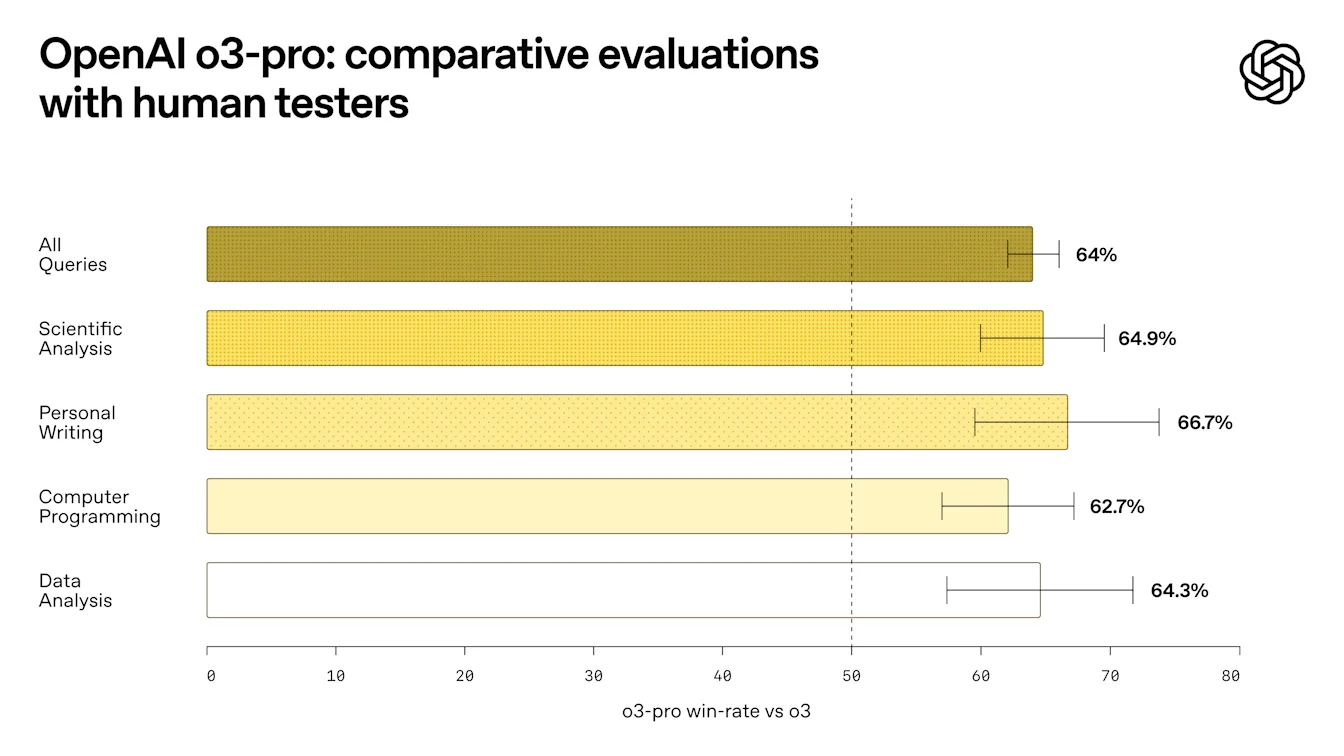
In expert evaluations, reviewers consistently prefer o3-pro over o3 in every tested category and especially in key domains like science, education, programming, business, and writing help. Reviewers also rated o3-pro consistently higher for clarity, comprehensiveness, instruction-following, and accuracy.
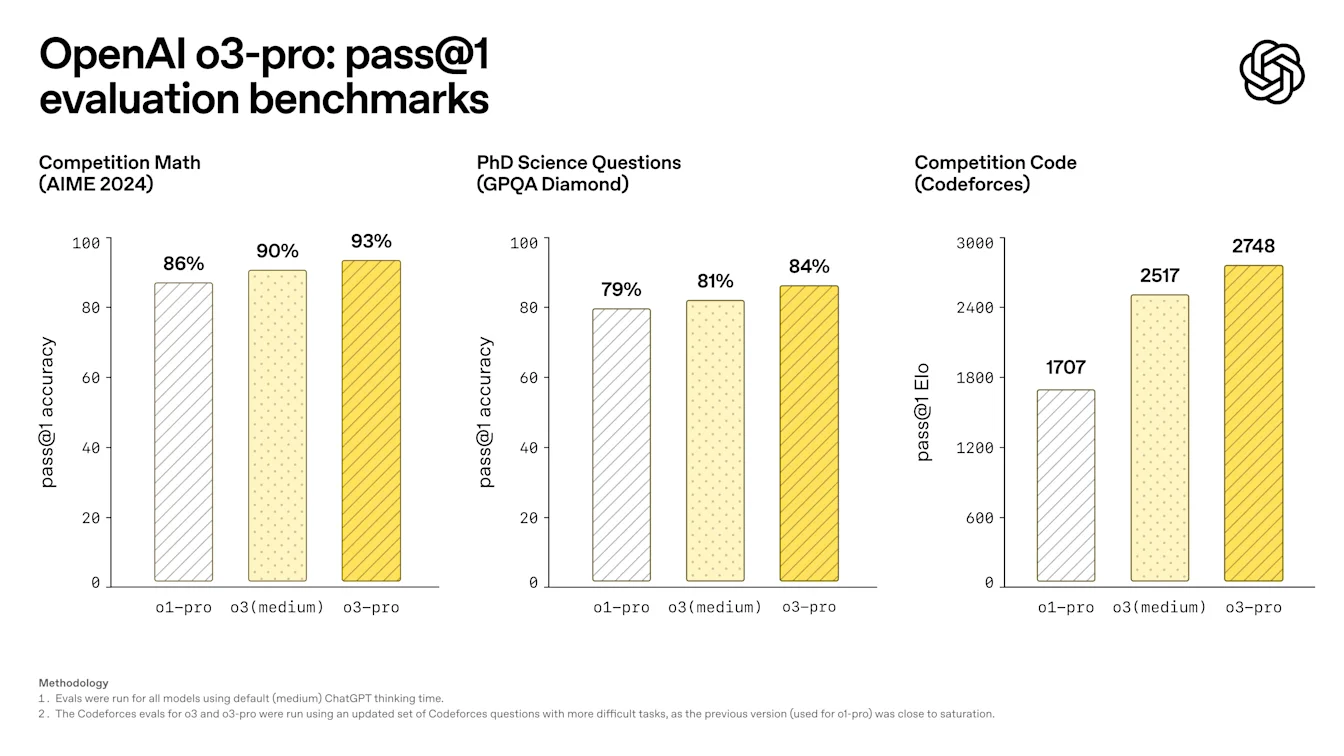
Academic evaluations show that o3-pro consistently outperforms both o1-pro and o3.
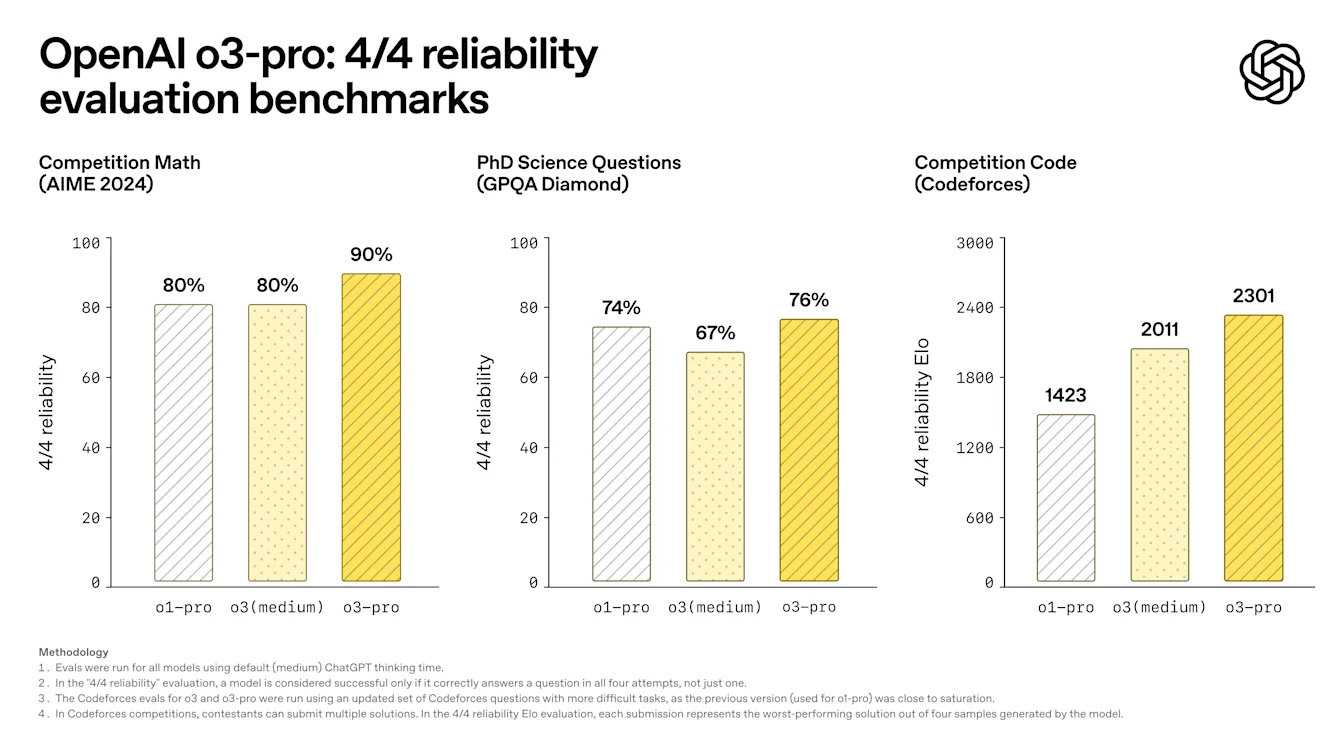
To assess the key strength of o3-pro, we once again use our rigorous "4/4 reliability" evaluation, where a model is considered successful only if it correctly answers a question in all four attempts, not just one:
o3-pro is available in the model picker for Pro and Team users starting today, replacing o1-pro. Enterprise and Edu users will get access the week after.
As o3-pro uses the same underlying model as o3, full safety details can be found in the o3 system card.
Limitations
At the moment, temporary chats are disabled for o3-pro as we resolve a technical issue.
Image generation is not supported within o3-pro—please use GPT-4o, OpenAI o3, or OpenAI o4-mini to generate images.
Canvas is also currently not supported within o3-pro.
June 7, 2025
Updates to Advanced Voice Mode for paid users
We're upgrading Advanced Voice in ChatGPT for paid users with significant enhancements in intonation and naturalness, making interactions feel more fluid and human-like. When we first launched Advanced Voice, it represented a leap forward in AI speech—now, it speaks even more naturally, with subtler intonation, realistic cadence (including pauses and emphases), and more on-point expressiveness for certain emotions including empathy, sarcasm, and more.
Voice also now offers intuitive and effective language translation. Just ask Voice to translate between languages, and it will continue translating throughout your conversation until you tell it to stop or switch. It’s ready to translate whenever you need it—whether you're asking for directions in Italy or chatting with a colleague from the Tokyo office. For example, at a restaurant in Brazil, Voice can translate your English sentences into Portuguese, and the waiter’s Portuguese responses back into English—making conversations effortless, no matter where you are or who you're speaking with.
This upgrade to Advanced Voice is available for all paid users across markets and platforms—just tap the Voice icon in the message composer to get started.
This update is in addition to improvements we made earlier this year to ensure fewer interruptions and improved accents.
Known Limitations
In testing, we've observed that this update may occasionally cause minor decreases in audio quality, including unexpected variations in tone and pitch. These issues are more noticeable with certain voice options. We expect to improve audio consistency over time.
Additionally, rare hallucinations in Voice Mode persist with this update, resulting in unintended sounds resembling ads, gibberish, or background music. We are actively investigating these issues and working toward a solution.
June 4, 2025
Connectors in beta for deep research (Plus, Pro, Team, Enterprise, Edu)
ChatGPT Team, Enterprise, and Edu customers globally can use connectors in deep research, as well as Pro and Plus users (excluding users in Switzerland, EEA, and the UK) to generate long-form, cited responses that include your company’s internal tools.
Supported connectors: Google Drive, SharePoint, Dropbox, Box, Outlook, Gmail, Google Calendar, Linear, GitHub, HubSpot, and Teams
Combines internal + web sources for synthesis
Learn more about Connectors in ChatGPT.
Custom connectors via Model Context Protocol (Pro, Team, Enterprise, Edu)
Admins and users can now build and deploy custom connectors to proprietary systems using Model Context Protocol (MCP).
Requires a remote MCP server
Available only in deep research
Admin-published connectors appear in the connector list for all users
Learn more about building custom connectors with MCP. For Team, Enterprise, and Edu plans, only admins can build and deploy custom connectors.
June 3, 2025
Memory is now more comprehensive for Free users
Memory improvements are starting to roll out to Free users. In addition to the saved memories that were there before, ChatGPT now references your recent conversations to deliver responses that feel more relevant and tailored to you.
Free users must be logged in and on up-to-date apps (iOS/Android v1.2025.147+).
Opt‑in reminders
Free users in EEA (EU + UK), Switzerland, Norway, Iceland, or Liechtenstein will see a prompt to enable this setting or can visit Settings > Personalization > Memory > Reference chat history to enable.
Outside the European regions listed above, all Free users that have memory enabled will receive the upgrade automatically.
You can turn off memory anytime in settings. Learn more in our Memory FAQ.
May 15, 2025
Dropbox connector for deep research for Plus/Pro/Team
ChatGPT deep research with Dropbox is available globally to Team users. It is also gradually rolling out to Plus and Pro users, except for those in the EEA, Switzerland, and the UK. Enterprise user access will be announced at a later date.
See: Connect apps to ChatGPT deep research
GitHub connector for deep research
The GitHub connector is now available globally to Plus/Pro/Team users, including those in the EEA, Switzerland, and the UK.
May 14, 2025
Releasing GPT-4.1 in ChatGPT for all paid users
Since its launch in the API in April, GPT-4.1 has become a favorite among developers—by popular demand, we’re making it available directly in ChatGPT.
GPT-4.1 is a specialized model that excels at coding tasks. Compared to GPT-4o, it's even stronger at precise instruction following and web development tasks, and offers an alternative to OpenAI o3 and OpenAI o4-mini for simpler, everyday coding needs.
Starting today, Plus, Pro, and Team users can access GPT-4.1 via the "more models" dropdown in the model picker. Enterprise and Edu users will get access in the coming weeks. GPT-4.1 has the same rate limits as GPT-4o for paid users.
Introducing GPT-4.1 mini, replacing GPT-4o mini, in ChatGPT for all users
GPT-4.1 mini is a fast, capable, and efficient small model, delivering significant improvements compared to GPT-4o mini—in instruction-following, coding, and overall intelligence. Starting today, GPT-4.1 mini replaces GPT-4o mini in the model picker under "more models" for paid users, and will serve as the fallback model for free users once they reach their GPT-4o usage limits. Rate limits remain the same.
Evals for GPT-4.1 and GPT-4.1 mini were originally shared in the blog post accompanying their API release. They also went through standard safety evaluations. Detailed results are available in the newly launched Safety Evaluations Hub.
May 12, 2025
Microsoft Sharepoint and OneDrive connector for deep research for Plus/Pro/Team
ChatGPT deep research with Sharepoint and OneDrive is available globally to Team users. It is also gradually rolling out to Plus and Pro users, except for those in the EEA, Switzerland, and the UK. Enterprise user access will be announced at a later date.
See: Connecting SharePoint and Microsoft OneDrive to ChatGPT deep research
Export Deep Research as PDF for Plus/Pro/Team
You can now export your deep research reports as well-formatted PDFs—complete with tables, images, linked citations, and sources.
To use, click the share icon and select 'Download as PDF.' It works for both new and past reports.
May 8, 2025
GitHub connector for deep research for Plus/Pro/Team
ChatGPT deep research with GitHub is available globally to Team users. It is also gradually rolling out to Plus and Pro users, except for those in the EEA, Switzerland, and the UK. Enterprise user access will be announced at a later date.
See: Connecting GitHub to ChatGPT deep research.
Enhanced Memory in ChatGPT (including EU) on Plus/Pro
Enhanced memory rolling out to all Plus and Pro users (including the EU). The new memory features are available in the EEA (EU + UK), Switzerland, Norway, Iceland, or Liechtenstein. These features are OFF by default and must be enabled in Settings > Personalization > Reference Chat History.
Plan differences
• Saved memories and Chat history are offered only to Plus and Pro accounts.
• Free‑tier users have access to Saved memories only.
Opt‑in reminders
• Outside the European regions listed above, all Plus and Pro accounts that have memory enabled will receive the upgrade automatically.
• If you previously opted out of memory, ChatGPT will not reference past conversations unless you opt back in.
See Memory FAQ.
May 6, 2025
Mobile UI (iOS/Android) changing on Free/Plus/Pro plans
We've removed the row of individual tool icons from the mobile composer and replaces it with the new sliders‑style icon to open the Skills menu; tapping that button opens a bottom‑sheet menu where users can choose tools like Create an image or Search the web.
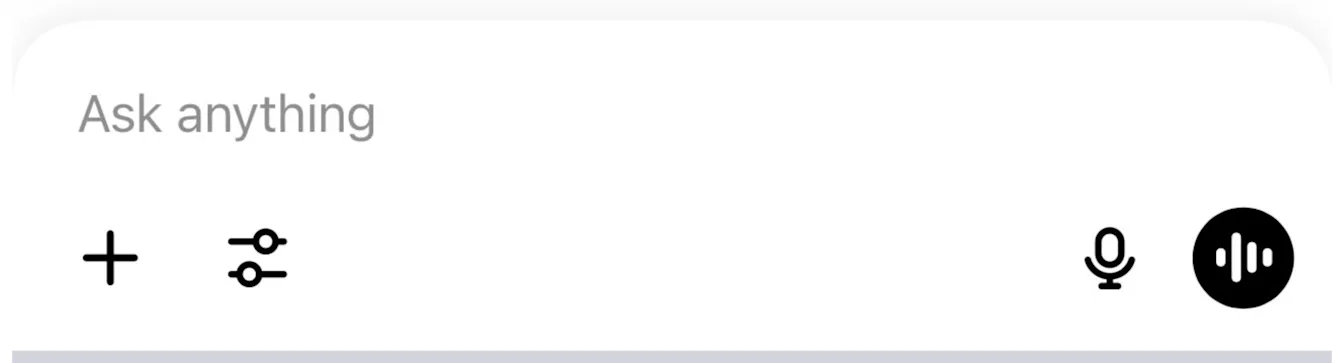
No tools are deprecated—access is simply consolidated to clear space and reduce on‑screen clutter.
May 1, 2025
Sunsetting Monday GPT
Launched on April 1 as a one-month surprise, our “Monday” personality (available in both voice and text) has now been sunset. We hope you enjoyed Monday's irreverent style, and we’re already working on new personalities for future use. Please stay tuned for what’s next!
April 29, 2025
Updates to GPT-4o
We've reverted the most recent update to GPT-4o due to issues with overly agreeable responses (sycophancy).
We’re actively working on further improvements. For more details, check out our blog post explaining what happened and our initial findings, and this blog post where we expand on what we missed with sycophancy and the changes we're going to make going forward.
April 25, 2025
Improvements to GPT-4o
We’re making additional improvements to GPT-4o, optimizing when it saves memories and enhancing problem-solving capabilities for STEM. We’ve also made subtle changes to the way it responds, making it more proactive and better at guiding conversations toward productive outcomes. We think these updates help GPT-4o feel more intuitive and effective across a variety of tasks–we hope you agree!
April 16, 2025
o3 and o4-mini in ChatGPT
Today, we’re releasing OpenAI o3 and o4-mini, the latest in our o-series of models trained to think for longer before responding. These are the smartest models we’ve released to date, representing a step change in ChatGPT's capabilities for everyone from curious users to advanced researchers. For the first time, our reasoning models can agentically use and combine every tool within ChatGPT—this includes searching the web, analyzing uploaded files and other data with Python, reasoning deeply about visual inputs, and even generating images. Critically, these models are trained to reason about when and how to use tools to produce detailed and thoughtful answers in the right output formats, typically in under a minute, to solve more complex problems. This allows them to tackle multi-faceted questions more effectively, a step toward a more agentic ChatGPT that can independently execute tasks on your behalf. The combined power of state-of-the-art reasoning with full tool access translates into significantly stronger performance across academic benchmarks and real-world tasks, setting a new standard in both intelligence and usefulness.
Memory with Search
ChatGPT can also use memories to inform search queries when ChatGPT searches the web using third-party search providers. Learn more about search.
April 15, 2025
ChatGPT Image Library
All images you create with ChatGPT are now automatically saved to a new Library in the sidebar, giving you one place to browse, revisit, and reuse your work without digging through past conversations. The Library is rolling out today on Web, iOS, and Android for Free, Plus, and Pro users (Enterprise / Edu support coming soon). For now, it displays images generated with 4o Image Generation while we backfill older creations, and you can remove an image by deleting the conversation where it was made.
April 10, 2025
Sunsetting GPT‑4 in ChatGPT
Effective April 30, 2025, GPT‑4 will be retired from ChatGPT and fully replaced by GPT‑4o.
GPT‑4o is our newer, natively multimodal model. In head‑to‑head evaluations it consistently surpasses GPT‑4 in writing, coding, STEM, and more.
Recent upgrades have further improved GPT‑4o’s instruction following, problem solving, and conversational flow, making it a natural successor to GPT‑4.
GPT-4 will still be available in the API.
GPT‑4 marked a pivotal moment in ChatGPT’s evolution. We’re grateful for the breakthroughs it enabled and for the feedback that helped shape its successor. GPT‑4o builds on that foundation to deliver even greater capability, consistency, and creativity.
March 27, 2025
Improvements to GPT-4o
We’ve made improvements to GPT-4o—it now feels more intuitive, creative, and collaborative, with enhanced instruction-following, smarter coding capabilities, and a clearer communication style.
Smarter problem-solving in STEM and coding:
GPT-4o has further improved its capability to tackle complex technical and coding problems. It now generates cleaner, simpler frontend code, more accurately thinks through existing code to identify necessary changes, and consistently produces coding outputs that successfully compile and run, streamlining your coding workflows.
Enhanced instruction-following and formatting accuracy:
GPT-4o is now more adept at following detailed instructions, especially for prompts containing multiple or complex requests. It improves on generating outputs according to the format requested and achieves higher accuracy in classification tasks.
“Fuzzy” improvements:
Early testers say that the model seems to better understand the implied intent behind their prompts, especially when it comes to creative and collaborative tasks. It’s also slightly more concise and clear, using fewer markdown hierarchies and emojis for responses that are easier to read, less cluttered, and more focused. We're curious to see if our users also find this to be the case.
This model is now available in ChatGPT and in the API as the newest snapshot of chatgpt-4o-latest. We plan to bring these improvements to a dated model in the API in the coming weeks.
March 18, 2025
We have been working on a variety of usability and performance improvements and bug fixes across Web, Android, and iOS. Below are a small number of specific callouts. For updates on the ChatGPT macOS app, please see this page.
Web and the Windows desktop app
1. In-line message error retries: If you encounter a message error, you can retry or just continue chatting in the same conversation.
2. o1 and o3-mini now offer Python-powered data analysis in ChatGPT: You can now ask these models to perform tasks like running regressions on test data, visualizing complex business metrics, and conducting scenario-based simulations.
3. Conversation Drafts: Unsubmitted messages in your message prompt will now be saved.
4. New UI for Temporary Chats: We’ve made accessing and viewing these private conversations more clear.
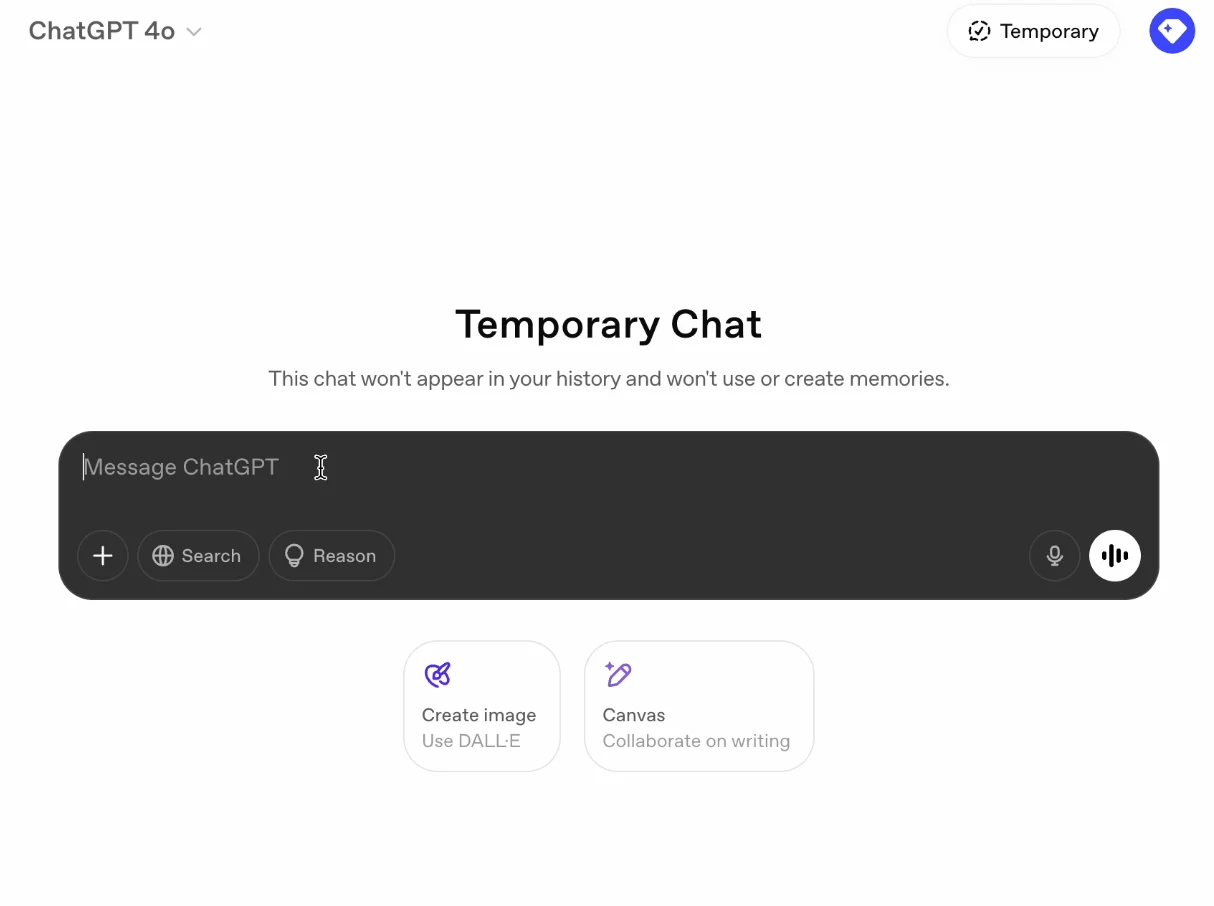
Android App
1. Increased the default size for in‐line generated images.
2. More clear and private Incognito keyboard for Temporary Chats.
iOS App
1. Improved table-copying functionality out of ChatGPT responses on iOS and macOS.
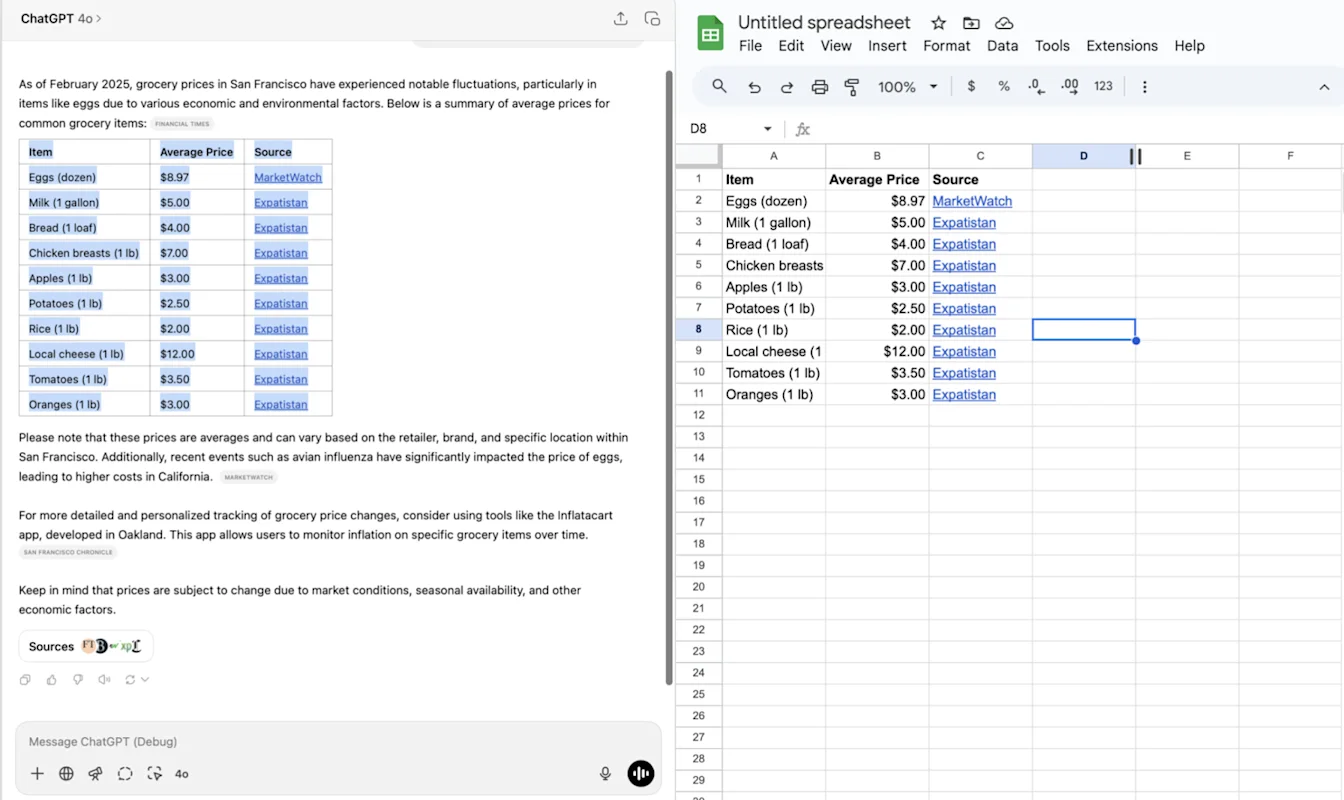
2. Added long press on your message to open menu actions: Copy, Edit.
3. Improved response display of nested blockquote content.
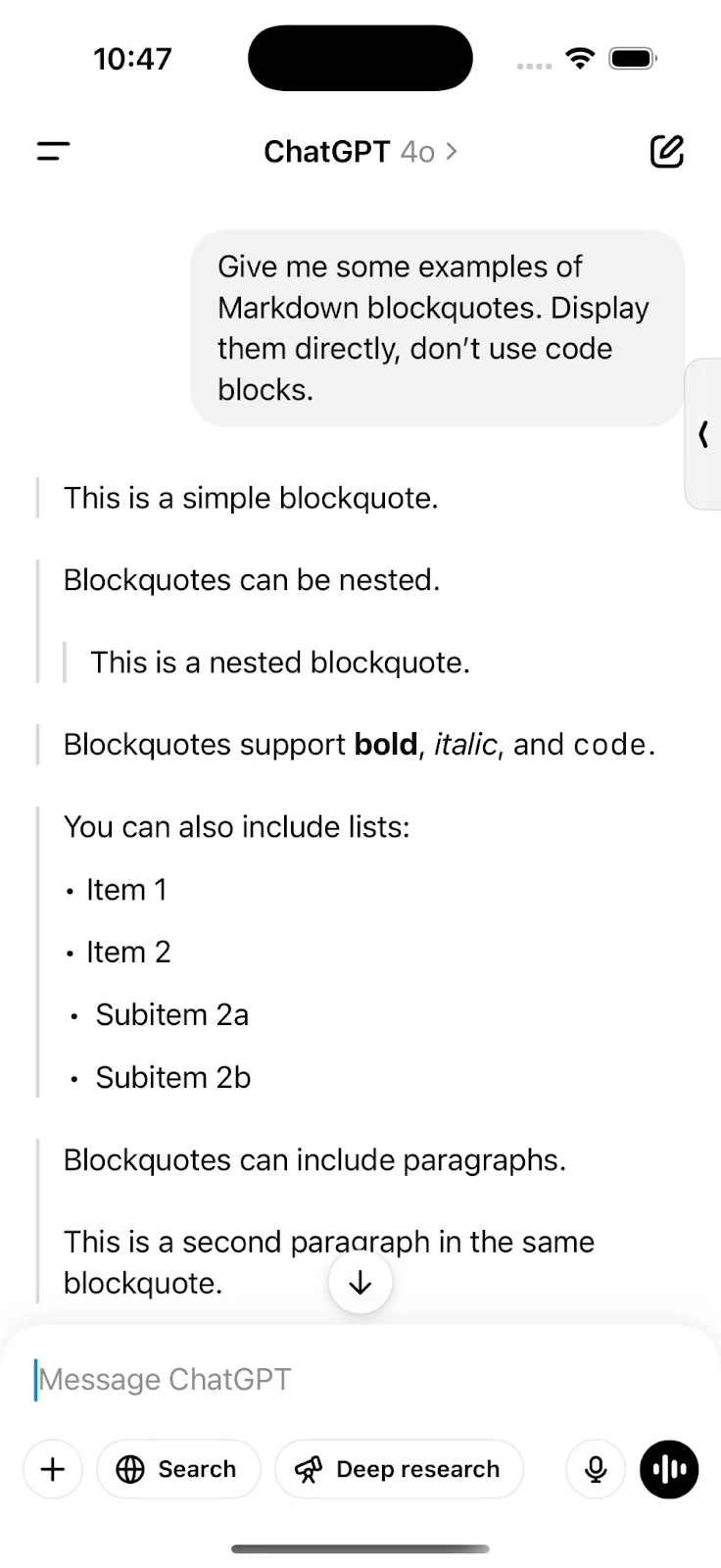
4. Improved display and faster streaming of conversations and message menu actions.
February 28, 2025
General
GPT-4.5 was released to users on the Pro plan in ChatGPT.
The temporary chat icon is now in top bar to make the temporary chat experience more accessible and clear.
iOS
Long press to select text on iOS and moved the message quick actions to always be visible below the message:
Bug fixes and small improvements in the 1.2025.056 iOS release.
A setting to allow users to auto-submit transcriptions.
OFF by default.
Android
Improved error handling for Play Integrity errors.
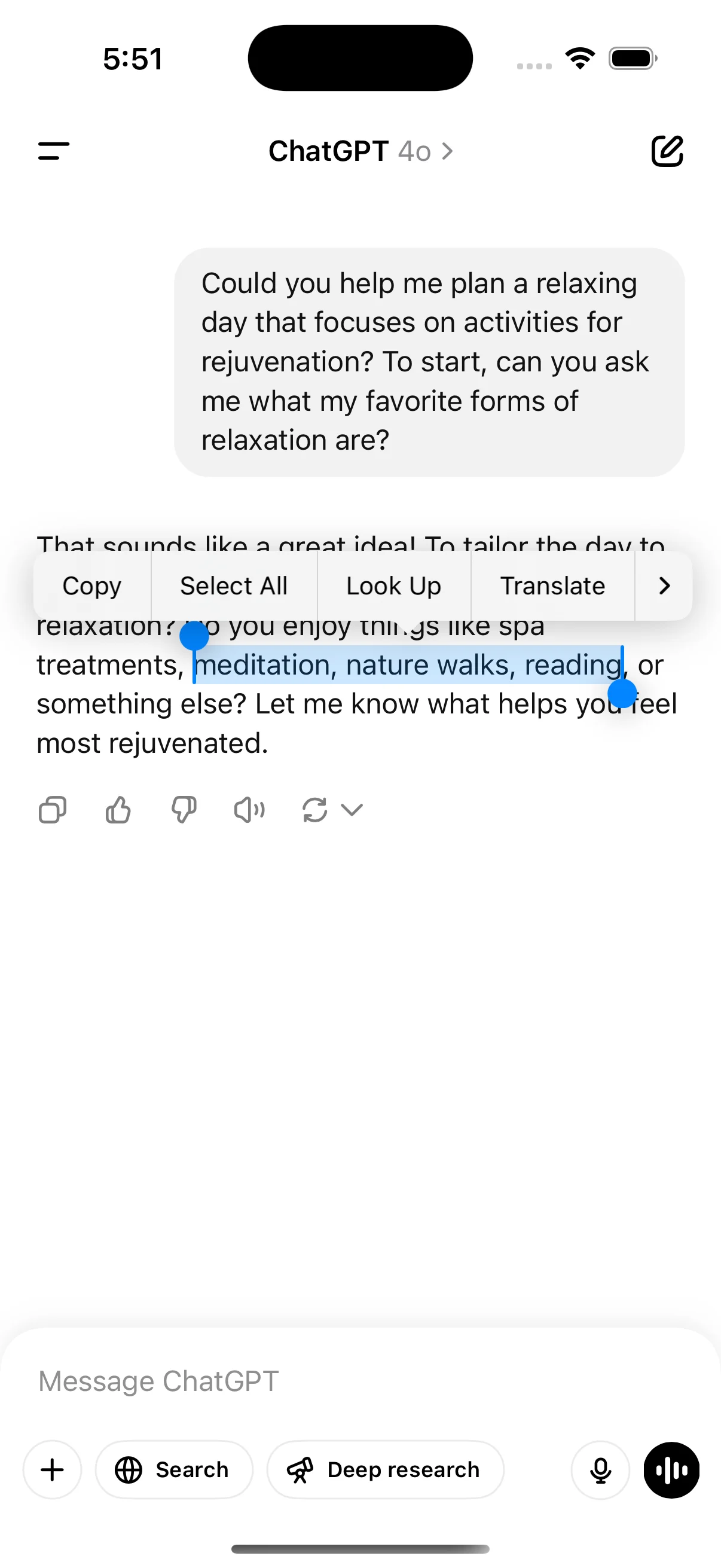
February 21, 2025
1. iOS widget (see below):
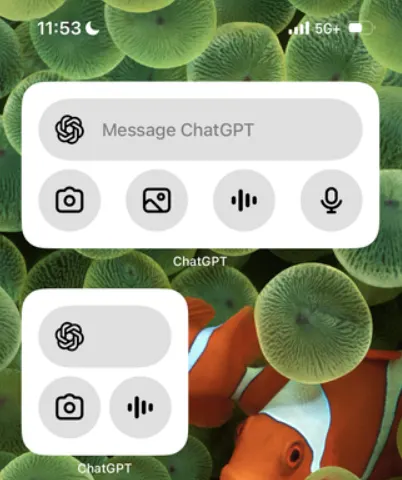
2. Text selection improvements: you can now select text across horizontal rulers.3. Performance improvements: Improved model header loading behavior. Conversation history and GPTs show up faster.4. Bug fix for logged-out users: 401s when dismissing tooltips 401s logging out users on Android.
February 14, 2025
Set ChatGPT as default search engine in Safari.
Confirmation dialog for logging out (iOS, web).
Improved Android conversation parsing performance.
iOS performance fixes.
Updated launch animations and composer design on Android.
Whisper (ChatGPT's voice-to-text feature) now shows a text preview of dictated text after recording:
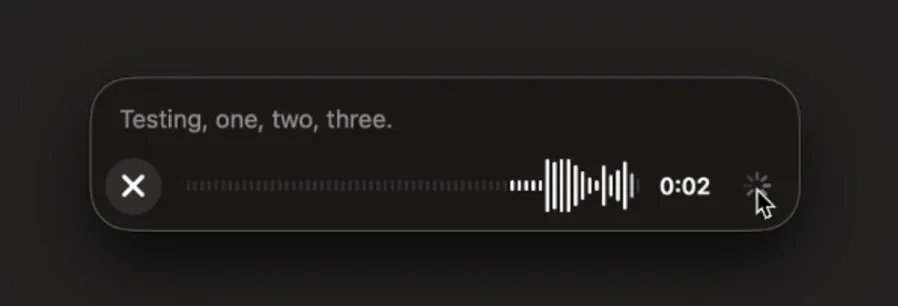
February 6, 2025
Canvas sharing
Users can now share a Canvas asset such as rendered React/HTML code, document, or code with another user, similar to how you share a conversation. You can do this from the Canvas toolbar when Canvas is open.

For more details about the canvas feature in ChatGPT, check out the following Help Center article!
January 17, 2025
More personalization in Custom Instructions
We've updated custom instructions to make it easier to customize how ChatGPT responds to you. With the new UI, you can tell ChatGPT the traits you want it to have, how you want it to talk to you, and any rules you want it to follow.
If you're already using custom instructions, this won't change your current settings.
The new UI is rolling out now on http://chatgpt.com and desktop on Windows, and is coming to mobile and desktop on MacOS in the next few weeks. Available soon to ChatGPT users in the EU, Norway, Iceland, Liechtenstein, and Switzerland.
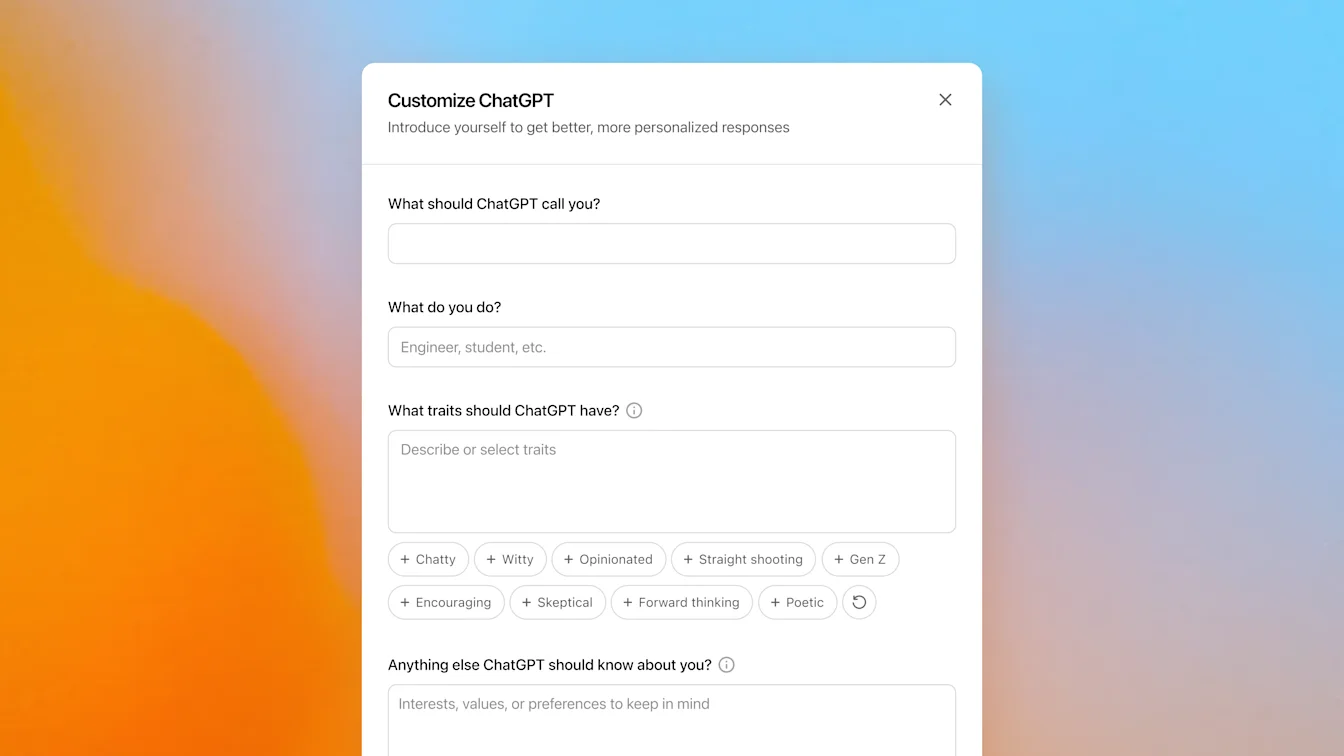
January 15, 2025
Import from Chat into Canvas
Edit a full model response in Canvas
Edit a code block in Canvas
Web only (no desktop or mobile in this release).
January 14, 2025
Scheduled tasks in ChatGPT
Today we’re rolling out a beta version of tasks—a new way to ask ChatGPT to do things for you at a future time. Whether it's one-time reminders or recurring actions, tell ChatGPT what you need and when, and it will automatically take care of it.
Scheduled tasks is in early beta for Plus, Pro, and Teams. Eventually this will be available to anyone with a ChatGPT account.
For details see Scheduled tasks in ChatGPT.
2024 年 12 月 13 日
ChatGPT 中嘅 Projects
Projects 提供一種全新方式,將檔案同聊天整合分組作個人使用,簡化涉及多個聊天嘅工作管理。你可以喺 Projects 中設定自訂指示同上載檔案,而你專案內嘅任何對話都會同已上載檔案及自訂指示共用脈絡。Projects 中嘅聊天使用 GPT-4o,並支援以下功能:
畫布
進階數據分析
DALL•E
搜尋
ChatGPT Projects 已向所有 Plus、Team 同 Pro 用戶提供。
2024 年 12 月 12 日
Santa 語音,以及語音聊天中嘅影片與畫面分享
今日我哋開始向 ChatGPT 中嘅語音模式推出兩項更新:
Santa 語音:你而家可以喺 ChatGPT 同 Santa 傾偈!直至 1 月初,你可以喺設定中嘅可用語音清單,或者透過點按雪花圖示搵到 Santa。今日我哋正向全球所有已登入用戶推出 Santa,而你可以喺所有使用語音模式嘅地方同 Santa 對話。
第一次同 Santa 對話時,你嘅進階語音限額會重設一次。所以,就算你今日或今個月(視乎你訂閱方案)已經用晒進階語音限額,你仍然可以首次使用進階語音同 Santa 對話。
影片與畫面分享:喺我哋最新流動 app 中,我哋開始喺進階語音推出即時影片、畫面分享同圖片上載功能。我哋預期會喺未來一星期內,向所有 Team 用戶,以及大部分 Plus 同 Pro 用戶完成推出,但唔包括位於歐盟、瑞士、冰島、挪威同列支敦士登嘅用戶。影片同畫面分享受所有方案每日使用限制約束,而圖片上載則受 ChatGPT 視覺訊息限制約束。
使用畫面底部嘅控制項(例如下面嘅相機按鈕)即可開始。你可以喺畫面底部嘅「...」選單中搵到畫面分享同圖片上載控制項。

2024 年 12 月 10 日
畫布
今日我哋已將畫布預設開放俾 4o 中嘅所有用戶使用,包括免費同付費用戶。另外,我哋亦為畫布推出咗多項新功能,包括:
GPT 中使用畫布:只要喺 GPT 建立工具中啟用,畫布而家就可以同 GPT 一齊使用。對於新建立嘅 GPT,呢個切換選項會預設啟用。
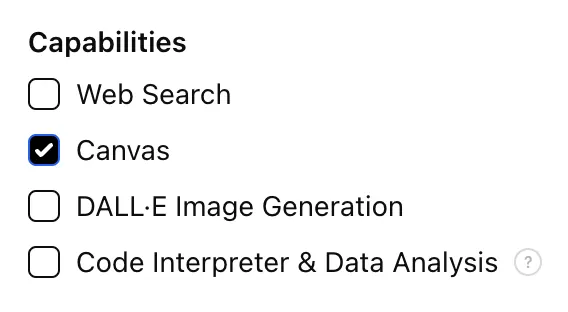
Python 程式碼執行:你而家可以喺畫布中執行 Python 程式碼。ChatGPT 會嘗試修正你程式碼中嘅 bug,並就錯誤提供註解。
畫布捷徑:你而家可以將內容貼入 ChatGPT,並透過輸入框右上角嘅捷徑即時喺畫布中開啟。
工具箱中嘅畫布:畫布已加入成為工具箱中嘅一個選項。
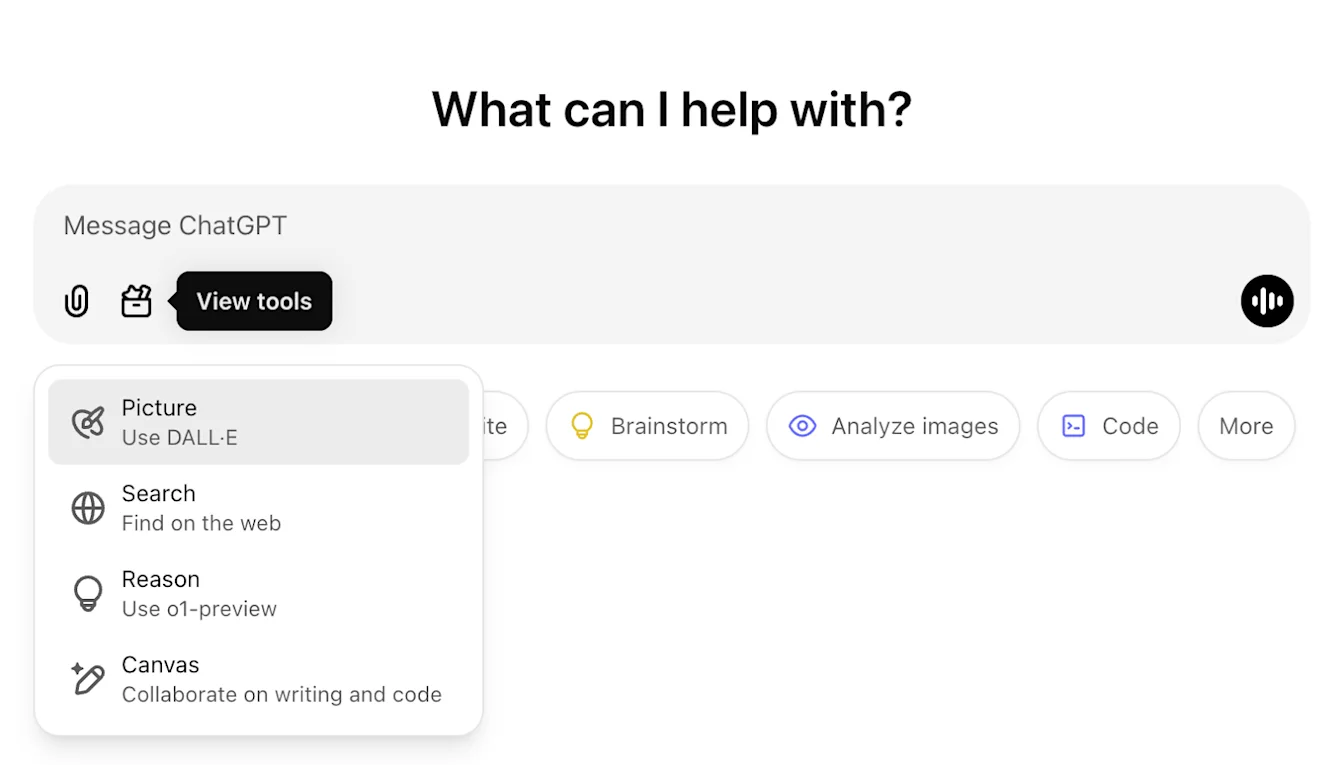
2024 年 11 月 22 日
ChatGPT 網頁體驗更新
我哋會喺未來兩星期內,向所有 ChatGPT 用戶推出以下更新。
側邊欄重新設計
新增浮動模式,並加入柔和關閉行為
最近對話而家會喺側邊欄顯示有限數量,而所有對話則可透過無限滾動展開檢視
最近 GPT 同已固定嘅 GPT 而家會顯示喺對話下方
設定而家會一直顯示喺側邊欄底部
當側邊欄未打開時,喺較大視窗中會新增一個細小設定圖示
新增轉場效果,帶來更具沉浸感嘅感覺
ChatGPT 網頁版其他更新
網站底層核心已重整,對更多裝置同畫面尺寸提供更佳支援
開始新對話時,而家會自動捲動到畫面頂部顯示
開始新對話時,喺訊息生成期間唔再自動捲到最底
如有足夠空間,已固定嘅側邊欄而家可喺有啟用中嘅畫布時保持開啟
新輸入框列版面而家會喺你捲動時淡化下方內容,並帶來更新後嘅觀感
新聊天按鈕已移到模型選擇器左邊,令存取更方便
對話中嘅系統圖示已移除,以騰出更多水平空間
Dall-E 專注檢視已更新版面
GPT Creator 已更新版面
改善流動網頁體驗
流動裝置上嘅螢幕鍵盤體驗已喺 iOS 及 Android 裝置大幅改善
新側邊欄會一直以浮動模式顯示,並喺切換對話串時自動關閉
我哋唔再喺流動網頁切換對話時自動聚焦輸入框
導致某些情況下捲動卡住嘅問題應已解決
2024 年 11 月 19 日
適用於 ChatGPT 網頁版嘅進階語音
由今日開始,我哋開始喺網頁版逐步推出進階語音模式(流動版同桌面 app 已可使用)。你而家可以喺桌面電腦上於 chatgpt.com 開始語音對話,並喺購物、規劃、寫作同腦力激盪等任務期間,與 ChatGPT 進行即時、自然嘅對話。
我哋今日開始向所有付費用戶(Plus、Team、Enterprise 同 Edu)逐步推出,預計需要幾日時間。
2024 年 8 月 8 日
ChatGPT 免費用戶可使用 DALL·E 3
我哋正逐步推出功能,令 ChatGPT 免費用戶每日最多可用 DALL·E 3 建立兩張圖片。
你只需要叫 ChatGPT 為簡報建立圖片、為朋友個人化卡片,或者展示某樣嘢睇落係點。
2024 年 7 月 18 日
推出 GPT-4o mini
我哋推出 GPT-4o mini,係目前最強大而且最具成本效益嘅小型模型。GPT-4o mini 喺文字智能同多模態推理學術基準上都超越 GPT-3.5 Turbo 及其他小型模型,並支援與 GPT-4o 相同範圍嘅語言。佢喺函數調用方面亦表現出色,令開發者可以建立可向外部系統擷取資料或執行動作嘅應用程式,並比 GPT-3.5 Turbo 提供更佳嘅長上下文表現。
你可以喺呢度閱讀更多關於 GPT-4o mini 嘅網誌公告。
2024 年 5 月 16 日
改善 ChatGPT 中嘅數據分析
今日,我哋開始逐步推出數據分析增強功能:
可直接由 Google Drive、Microsoft OneDrive Personal 同 Microsoft OneDrive(包括 Sharepoint)上載最新版本檔案
可以喺全新可展開檢視中與表格同圖表互動
可自訂及下載適合簡報使用嘅圖表同文件
數據分析改進已喺我哋全新旗艦模型 GPT-4o 中,提供俾 ChatGPT Plus、Team 同 Enterprise 用戶。
2024 年 5 月 13 日
推出 GPT-4o
GPT-4o 係我哋最新旗艦模型,提供達到 GPT-4 級別但快得多嘅智能,並喺文字、語音同視覺能力上都有提升。目前只推出咗新文字同圖像功能。你可以喺呢度閱讀更多有關公告內容。
Plus 用戶嘅訊息限制會最多比免費用戶高 5 倍,而 Team 同 Enterprise 用戶將會有更高限制。
2024 年 4 月 29 日
記憶現已向 Plus 用戶提供
記憶而家已向所有 ChatGPT Plus 用戶提供,歐洲同韓國除外,我哋好快會喺呢啲地區推出。使用記憶好簡單:只要開始一個新聊天,並告訴 ChatGPT 任何你想佢記住嘅事情。
你可以喺設定中開啟或關閉記憶。Team、Enterprise 同 GPTs 即將推出。
2024 年 4 月 1 日
立即開始使用 ChatGPT
我哋正令更多人體驗 AI 好處變得更容易,唔需要先註冊。由今日開始,你可以即時使用 ChatGPT,無需註冊。我哋會逐步推出,希望令對 AI 能力感到好奇嘅任何人都能接觸得到。
2024 年 2 月 13 日
ChatGPT 嘅記憶同新控制選項
我哋正測試 ChatGPT 記憶功能。記住你喺所有對話中討論過嘅事情,可令你唔使重複資料,並令未來對話更有幫助。
你可以自行控制 ChatGPT 嘅記憶。你可以明確要求佢記住某樣嘢、問佢記得啲乜,並可以喺對話中或透過設定叫佢忘記。你亦可以完全關閉呢個功能。
今個星期我哋正向少量 ChatGPT 免費同 Plus 用戶逐步推出,以了解其實用程度。我哋好快會分享更大規模推出嘅計劃。
你可以喺呢度閱讀更多關於記憶同控制選項。
2024 年 1 月 10 日
推出 GPT 商店同 ChatGPT Team 方案
探索 GPT 商店熱門趨勢
商店收錄由我哋合作夥伴同社群開發嘅多款 GPT。你可以喺社群排行榜瀏覽受歡迎同熱門 GPT,類別包括 DALL·E、寫作、研究、程式設計、教育同生活風格。
可喺 chatgpt.com/gpts 探索 GPT。
與你嘅團隊一齊使用 ChatGPT
我哋正推出全新 ChatGPT 方案,適合各種規模團隊使用,提供安全、可協作嘅工作區,幫你喺工作中充分發揮 ChatGPT 優勢。
ChatGPT Team 提供我哋進階模型(例如 GPT-4 同 DALL·E 3)以及進階數據分析等工具嘅使用權,另外仲包括專屬協作工作區同團隊管理員工具。正如 ChatGPT Enterprise 一樣,你擁有並控制你嘅業務數據——我哋唔會用你嘅業務數據或對話作訓練,我哋嘅模型亦唔會從你嘅使用中學習。更多有關數據私隱做法嘅詳情,可於我哋嘅私隱頁面同信任入口網站查看。
你可以喺呢度了解更多 ChatGPT Team 方案。
November 21, 2023
ChatGPT with voice is available to all users
ChatGPT with voice is now available to all free users. Download the app on your phone and tap the headphones icon to start a conversation.
November 6, 2023
Introducing GPTs
You can now create custom versions of ChatGPT that combine instructions, extra knowledge, and any combination of skills. Learn more here.
We’re rolling out custom versions of ChatGPT that you can create for a specific purpose—called GPTs. GPTs are a new way for anyone to create a tailored version of ChatGPT to be more helpful in their daily life, at specific tasks, at work, or at home—and then share that creation with others. For example, GPTs can help you learn the rules to any board game, help teach your kids math, or design stickers.
Plus and Enterprise users can start creating GPTs this week. Later this month, we’ll launch the GPT Store, so people can feature and make money from their GPTs. We plan to offer GPTs to more users soon.
October 17, 2023
Browsing is now out of beta
Browsing, which we re-launched a few weeks ago, is moving out of beta.
Plus and Enterprise users no longer need to switch the beta toggle to use browse, and are able to choose "Browse with Bing" from the GPT-4 model selector.
October 16, 2023
DALL·E 3 is now rolling out in beta
We’ve integrated DALL·E 3 with ChatGPT, allowing it to respond to your requests with images. From a simple sentence to a detailed paragraph, ask ChatGPT what you want to see and it will translate your ideas into exceptionally accurate images.
To use DALL·E 3 on both web and mobile, choose DALL·E 3 in the selector under GPT-4. The message limit may vary based on capacity.
September 27, 2023
Browsing is rolling back out to Plus users
Browsing is rolling out to all Plus users. ChatGPT can now browse the internet to provide you with current and authoritative information, complete with direct links to sources. It is no longer limited to data before September 2021.
To try it out, enable Browsing in your beta features setting.
Click on 'Profile & Settings’
Select 'Beta features'
Toggle on ‘Browse with Bing’
Choose Browse with Bing in the selector under GPT-4.
September 25, 2023
New voice and image capabilities in ChatGPT
We are beginning to roll out new voice and image capabilities in ChatGPT. They offer a new, more intuitive type of interface by allowing you to have a voice conversation or show ChatGPT what you’re talking about. Learn more here.
Voice (Beta) is now rolling out to Plus users on iOS and Android
You can now use voice to engage in a back-and-forth conversation with your assistant. Speak with it on the go, request a bedtime story, or settle a dinner table debate.
To get started with voice, head to Settings → New Features on the mobile app and opt into voice conversations. Then, tap the headphone button located in the top-right corner of the home screen and choose your preferred voice out of five different voices.
Image input will be generally available to Plus users on all platforms
You can now show ChatGPT one or more images. Troubleshoot why your grill won’t start, explore the contents of your fridge to plan a meal, or analyze a complex graph for work-related data. To focus on a specific part of the image, you can use the drawing tool in our mobile app.
To get started, tap the photo button to capture or choose an image. You can also discuss multiple images or use our drawing tool to guide your assistant.
September 11, 2023
ChatGPT language support - Alpha on web
ChatGPT now supports a limited selection of languages in the interface:
Chinese (zh-Hans)
Chinese (zh-TW)
French (fr-FR)
German (de-DE)
Italian (it-IT)
Japanese (ja-JP)
Portuguese (pt-BR)
Russian (ru-RU)
Spanish (es-ES)
If you've configured your browser to use one of these supported languages, you'll see a banner in ChatGPT that enables you to switch your language settings. You can deactivate this option at any time through the settings menu.
This feature is in alpha, requires opting in, and currently can only be used on the web at chatgpt.com. Learn more here.
August 28, 2023
Introducing ChatGPT Enterprise
Today we’re launching ChatGPT Enterprise, which offers enterprise-grade security and privacy, unlimited higher-speed GPT-4 access, longer context windows for processing longer inputs, advanced data analysis capabilities, customization options, and much more.
ChatGPT Enterprise also provides unlimited access to Advanced Data Analysis, previously known as Code Interpreter.
Learn more on our website and connect with our sales team to get started.
August 21, 2023
Custom instructions are now available to users in the EU & UK
Custom instructions are now available to users in the European Union United Kingdom.
To add your instructions:
Click on your name
Select ‘Custom instructions’
August 9, 2023
Custom instructions are now available to free users
Custom instructions are now available to ChatGPT users on the free plan, except for in the EU UK where we will be rolling it out soon!
Customize your interactions with ChatGPT by providing specific details and guidelines for your chats.
To add your instructions:
Click on your name
Select ‘Custom instructions’
August 3, 2023
Updates to ChatGPT
We’re rolling out a bunch of small updates to improve the ChatGPT experience. Shipping over the next week:
1. Prompt examples: A blank page can be intimidating. At the beginning of a new chat, you’ll now see examples to help you get started.
2. Suggested replies: Go deeper with a click. ChatGPT now suggests relevant ways to continue your conversation.
3. GPT-4 by default, finally: When starting a new chat as a Plus user, ChatGPT will remember your previously selected model — no more defaulting back to GPT-3.5.
4. Upload multiple files: You can now ask ChatGPT to analyze data and generate insights across multiple files. This is available with the Code Interpreter beta for all Plus users.
5. Stay logged in: You’ll no longer be logged out every 2 weeks! When you do need to log in, you’ll be greeted with a much more welcoming page.
6. Keyboard shortcuts: Work faster with shortcuts, like ⌘ (Ctrl) + Shift + ; to copy last code block. Try ⌘ (Ctrl) + / to see the complete list.
July 25, 2023
Introducing the ChatGPT app for Android
ChatGPT for Android is now available for download in the United States, India, Bangladesh, and Brazil from the Google Play Store.
We plan to expand the rollout to additional countries over the next week. You can track the Android rollout here.
July 20, 2023
Custom instructions are rolling out in beta
We’re starting to roll out custom instructions, giving you more control over ChatGPT’s responses. Set your preferences once, and they’ll steer future conversations. You can read more about custom instructions in the blogpost here.
Custom instructions are available to all Plus users and expanding to all users in the coming weeks.
To enable beta features:
Click on 'Profile & Settings’
Select 'Beta features'
Toggle on 'Custom instructions'
To add your instructions:
Click on your name
Select ‘Custom instructions’
This feature is not yet available in the UK and EU.
July 19, 2023
Higher message limits for GPT-4
We're doubling the number of messages ChatGPT Plus customers can send with GPT-4. Rolling out over the next week, the new message limit will be 40 every 3 hours.
July 6, 2023
Code interpreter is now rolling out in beta on web
We’re rolling out code interpreter to all ChatGPT Plus users over the next week.
It lets ChatGPT run code, optionally with access to files you've uploaded. You can ask ChatGPT to analyze data, create charts, edit files, perform math, etc.
We’ll be making these features accessible to Plus users on the web via the beta panel in your settings over the course of the next week.
To enable code interpreter:
Click on your name
Select beta features from your settings
Toggle on the beta features you’d like to try
July 3, 2023
Browsing is temporarily disabled
We've learned that the browsing beta can occasionally display content in ways we don't want, e.g. if a user specifically asks for a URL's full text, it may inadvertently fulfill this request. We are temporarily disabling Browse while we fix this.
June 22, 2023
Browsing and search on mobile
We’ve made two updates to the mobile ChatGPT app:
Browsing: Plus users can now use Browsing to get comprehensive answers and current insights on events and information that extend beyond the model's original training data. To try it out, enable Browsing in the “new features” section of your app settings. Then select GPT-4 in the model switcher and choose “Browse with Bing” in the drop-down.
Search History Improvements: Tapping on a search result takes you directly to the respective point in the conversation.
May 24, 2023
iOS app available in more countries, shared links in alpha, Bing Plugin, disable history on iOS
ChatGPT app for iOS in more countries
Good news! We’re expanding availability of the ChatGPT app for iOS to more countries and regions. Users in 11 countries can now download the ChatGPT app in the Apple App Store including the United States: Albania, Croatia, France, Germany, Ireland, Jamaica, Korea, New Zealand, Nicaragua, Nigeria, and the United Kingdom.
We will continue to roll out to more countries and regions in the coming weeks. You can track the iOS app rollout here.
Shared Links
We're excited to introduce a new feature: shared links. This feature allows you to create and share your ChatGPT conversations with others. Recipients of your shared link can either view the conversation or copy it to their own chats to continue the thread. This feature is currently rolling out to a small set of testers in alpha, with plans to expand to all users (including free) in the upcoming weeks.
To share your conversations:
Click on the thread you’d like to share
Select the “Share” button
Click on “Copy Link”
Learn more.
Bing Plugin
Browse with Bing. We’ve integrated the browsing feature - currently in beta for paid users - more deeply with Bing. You can now click into queries that the model is performing. We look forward to expanding the integration soon.
Disable chat history on iOS
You can now disable your chat history on iOS. Conversations started on your device when chat history is disabled won’t be used to improve our models, won’t appear in your history on your other devices, and will only be stored for 30 days. Similar to the functionality on the web, this setting does not sync across browsers or devices. Learn more.
May 12, 2023
Web browsing and Plugins are now rolling out in beta
If you are a ChatGPT Plus user, enjoy early access to experimental new features, which may change during development. We’ll be making these features accessible via a new beta panel in your settings, which is rolling out to all Plus users over the course of the next week.
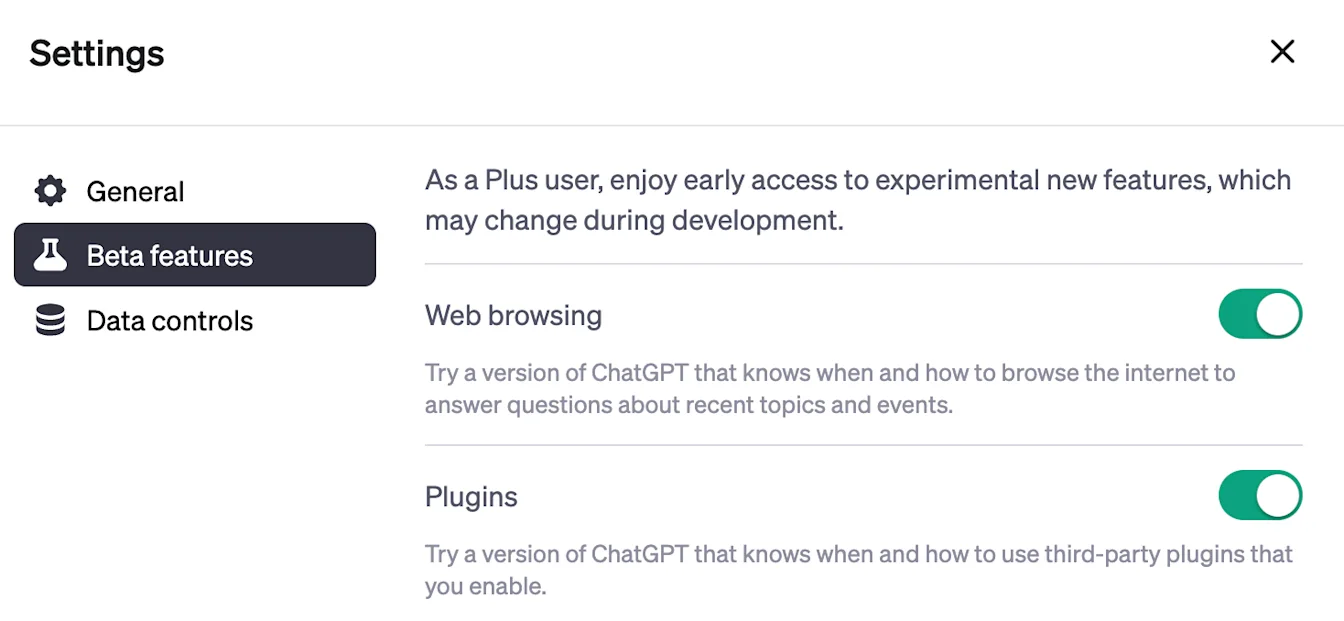
Once the beta panel rolls out to you, you’ll be able to try two new features:
Web browsing: Try a new version of ChatGPT that knows when and how to browse the internet to answer questions about recent topics and events.
Plugins: Try a new version of ChatGPT that knows when and how to use third-party plugins that you enable.
To use third-party plugins, follow these instructions:
Navigate to https://chatgpt.com/
Select “Plugins” from the model switcher
In the “Plugins” dropdown, click “Plugin Store” to install and enable new plugins
To enable beta features:
Click on 'Profile & Settings'
Select 'Beta features'
Toggle on the features you’d like to try
For more information on our rollout process, please check out the article here.
In addition to the beta panel, users can now choose to continue generating a message beyond the maximum token limit. Each continuation counts towards the message allowance.
May 3, 2023
Updates to ChatGPT
We’ve made several updates to ChatGPT! Here's what's new:
You can now turn off chat history and export your data from the ChatGPT settings. Conversations that are started when chat history is disabled won’t be used to train and improve our models, and won’t appear in the history sidebar.
We are deprecating the Legacy (GPT-3.5) model on May 10th. Users will be able to continue their existing conversations with this model, but new messages will use the default model.
March 23, 2023
Introducing plugins in ChatGPT
We are announcing experimental support for AI plugins in ChatGPT — tools designed specifically for language models. Plugins can help ChatGPT access up-to-date information, run computations, or use third-party services. You can learn more about plugins here.
Today, we will begin extending plugin access to users and developers from our waitlist. The plugins we are rolling out with are:
Browsing: An experimental model that knows when and how to browse the internet
Code Interpreter: An experimental ChatGPT model that can use Python, and handles uploads and downloads
Third-party plugins: An experimental model that knows when and how to use external plugins.
You can join the waitlist to try plugins here:
March 14, 2023
Announcing GPT-4 in ChatGPT
We’re excited to bring GPT-4, our latest model, to our ChatGPT Plus subscribers.
GPT-4 has enhanced capabilities in:
Advanced reasoning
Complex instructions
More creativity
To give every Plus subscriber a chance to try the model, we'll dynamically adjust the cap for GPT-4 usage based on demand. You can learn more about GPT-4 here.
For this release, there are no updates to free accounts.
Feb 13, 2023
Updates to ChatGPT
We’ve made several updates to ChatGPT! Here's what's new:
We’ve updated performance of the ChatGPT model on our free plan in order to serve more users.
Based on user feedback, we are now defaulting Plus users to a faster version of ChatGPT, formerly known as “Turbo”. We’ll keep the previous version around for a while.
We rolled out the ability to purchase ChatGPT Plus internationally.
Feb 9 2023
Introducing ChatGPT Plus
As we recently announced, our Plus plan comes with early access to new, experimental features. We are beginning to roll out a way for Plus users the ability to choose between different versions of ChatGPT:
Default: the standard ChatGPT model
Turbo: optimized for speed (alpha)
Version selection is made easy with a dedicated dropdown menu at the top of the page. Depending on feedback, we may roll out this feature (or just Turbo) to all users soon.
Jan 30, 2023
Factuality and mathematical improvements
We’ve upgraded the ChatGPT model with improved factuality and mathematical capabilities.
Jan 9, 2023
Updates to ChatGPT
We're excited to announce several updates to ChatGPT! Here's what's new:
We made more improvements to the ChatGPT model! It should be generally better across a wide range of topics and has improved factuality.
Stop generating: Based on your feedback, we've added the ability to stop generating ChatGPT's response
Dec 15, 2022
Performance updates to ChatGPT
We're excited to announce several updates to ChatGPT! Here's what's new:
General performance: Among other improvements, users will notice that ChatGPT is now less likely to refuse to answer questions.
Conversation history: You’ll soon be able to view past conversations with ChatGPT, rename your saved conversations and delete the ones you don’t want to keep. We are gradually rolling out this feature.
Daily limit: To ensure a high-quality experience for all ChatGPT users, we are experimenting with a daily message cap. If you’re included in this group, you’ll be presented with an option to extend your access by providing feedback to ChatGPT.
To see if you’re using the updated version, look for “ChatGPT Dec 15 Version” at the bottom of the screen.