
26 มิถุนายน 2026
การเงินส่วนบุคคลใน ChatGPT ขยายสู่ผู้ใช้ Plus และ Android
ประสบการณ์การเงินส่วนบุคคลใน ChatGPT กำลังทยอยเปิดให้ผู้ใช้ Plus ในสหรัฐฯ บนเว็บและ iOS ตอนนี้ยังพร้อมใช้งานบน Android สำหรับผู้ใช้ Pro และ Plus ในสหรัฐฯ
ผู้ใช้ที่มีสิทธิ์สามารถเชื่อมต่อบัญชีการเงินที่รองรับอย่างปลอดภัย ดูแดชบอร์ดการเงิน และถามคำถาม ChatGPT ที่อิงบริบททางการเงินของตน
การถอดคำพูดที่ดีขึ้นใน ChatGPT
เรากำลังทยอยเปิดโมเดลเสียงเป็นข้อความใหม่สำหรับการถอดคำพูดใน ChatGPT ในทุกแพ็กเกจ นี่เป็นอัปเดตเบื้องหลัง จึงไม่มีการเปลี่ยนแปลงวิธีใช้การถอดคำพูดของคุณ
อัปเดตนี้ปรับปรุงความแม่นยำของการถอดเสียงข้ามภาษาและสำเนียง รวมถึงเมื่อผู้พูดหลายภาษาผสมหรือสลับภาษา การประเมินแสดงผลดีขึ้นในภาษาญี่ปุ่น เกาหลี จีน อูรดู เวียดนาม อังกฤษมีสำเนียง และภาษาสเปน ฝรั่งเศส อิตาลี และโปรตุเกสแบบยาว
การถอดคำพูดยังแข็งแกร่งขึ้นในพื้นที่สาธารณะและสภาพแวดล้อมทำงานที่มีเสียงรบกวน กับเสียงเบาหรือกระซิบ และเมื่อถอดชุดตัวอักษรกับตัวเลขผสมกัน
ในการประเมินการถอดคำพูดของ ChatGPT อัตราคำผิด ซึ่งเป็นมาตรวัดมาตรฐานของความแม่นยำในการถอดเสียง ต่ำกว่าโมเดลใช้งานจริงก่อนหน้าอย่างน้อย 10% สำหรับภาษาหลักที่ทดสอบ
เลิกให้บริการ GPT-4.5
ตั้งแต่ 26 มิถุนายน 2026 เป็นต้นไป GPT-4.5 จะไม่พร้อมใช้งานใน ChatGPT อีกต่อไป รวมถึงสำหรับ GPT แบบปรับแต่งเอง บทสนทนาเดิมที่ใช้ GPT-4.5 สามารถดำเนินต่อด้วย GPT-5.5
การเลิกให้บริการนี้เคยประกาศไว้เมื่อ 28 พฤษภาคม 2026 มีผลกับ ChatGPT เท่านั้น ไม่มีการเปลี่ยนแปลง API
25 มิถุนายน 2026
Codex Remote พร้อมใช้งานทั่วไปและปลั๊กอิน DigitalOcean
Codex Remote พร้อมใช้งานทั่วไปในทุกแพ็กเกจ ChatGPT แล้ว จากแอป ChatGPT มือถือ ผู้ใช้สามารถเริ่มหรือทำงานต่อบนโฮสต์ Mac หรือ Windows ที่เชื่อมต่อ ตรวจสอบความคืบหน้า และอนุมัติการกระทำจากโทรศัพท์ ตอนนี้ Remote Control ใช้การจับคู่ QR แบบยืนยันตัวตนหนึ่งต่อหนึ่งระหว่างอุปกรณ์มือถือที่รองรับแต่ละเครื่องกับโฮสต์แต่ละเครื่อง การเชื่อมต่อที่ใช้ตั้งแต่ 8 มิถุนายนยังคงจับคู่ไว้ ส่วนการเชื่อมต่อเก่าที่ไม่ได้ใช้งานต้องจับคู่อีกครั้ง การออกจากระบบจะปิด Remote Control โดยไม่ลบการจับคู่เดิม
ปลั๊กอิน DigitalOcean Droplet Workspace ใหม่ให้ Codex จัดเตรียม DigitalOcean Droplet กำหนดค่า SSH access และเชื่อมต่อกับแอป Codex เป็นเวิร์กสเปซระยะไกล ผู้ใช้ควรอัปเดตแอป ChatGPT มือถือและแอป Codex เป็นเวอร์ชันล่าสุดก่อนเชื่อมต่อ เรียนรู้เพิ่มเติมเกี่ยวกับการใช้ Codex กับแพ็กเกจ ChatGPT
24 มิถุนายน 2026
อัปเดต GPT-5.5 Instant
เรากำลังอัปเดต GPT-5.5 Instant โมเดลที่ใช้มากที่สุดใน ChatGPT เพื่อยกระดับคุณภาพการสนทนา โดยเฉพาะเมื่อผู้ใช้กำลังตัดสินใจ ขอคำแนะนำ วางแผน ค้นคว้าตัวเลือก หรือช้อปปิ้ง
โมเดลระบุเป้าหมายแฝงเบื้องหลังคำถามได้ดีขึ้น และคงบริบทข้ามหลายรอบการสนทนาได้ดีขึ้น ยังทำตามคำสั่งซับซ้อนได้เชื่อถือขึ้น: เมื่อคำขอมีข้อจำกัดหรือข้อกำหนดหลายข้อ คำตอบมีแนวโน้มจะครอบคลุมทั้งหมดและอธิบายชัดเจนว่าทำไมคำแนะนำจึงเหมาะสม
เมื่อผู้ใช้เพิ่มข้อจำกัด อธิบายความหมายเพิ่มเติม หรือโต้แย้งคำตอบ โมเดลควรปรับตัวได้ดีขึ้นแทนที่จะทำซ้ำแนวทางเดิม
คำถามเกี่ยวกับช้อปปิ้งและธุรกิจท้องถิ่นก็ควรรู้สึกมีประโยชน์มากขึ้น โมเดลใช้บริบทตำแหน่งได้ดีขึ้นเพื่อแสดงตัวเลือกใกล้เคียงที่เกี่ยวข้อง และรวมคำแนะนำสินค้า ข้อมูลธุรกิจ และรูปภาพได้สอดคล้องขึ้นเมื่อองค์ประกอบเหล่านั้นมีประโยชน์
โดยรวมแล้ว คำตอบควรรู้สึกมีรสนิยมและสอดประสานกันมากขึ้น การจัดรูปแบบดูเป็นแม่แบบน้อยลงและออกแบบอย่างตั้งใจมากขึ้น มีความสร้างสรรค์มากขึ้นควบคู่กับความพอดีที่ดีขึ้น
22 มิถุนายน 2026
ข้อความที่วางขนาดใหญ่จะถูกจัดการเป็นไฟล์แนบสำหรับแพ็กเกจเพิ่มเติมแล้ว
ตั้งแต่วันนี้ สำหรับผู้ใช้ ChatGPT Free และ Go การวางข้อความยาวใน ChatGPT จะถูกจัดการต่างออกไป
หากคุณวาง มากกว่า 10k ตัวอักษร ลงในช่องพิมพ์ข้อความ ChatGPT จะแปลงเนื้อหาเป็น ไฟล์แนบ โดยอัตโนมัติ แทนการแทรกลงในช่องข้อความโดยตรง วิธีนี้ช่วยให้ช่องพิมพ์ข้อความสะอาดขึ้น และช่วยป้องกันไม่ให้ข้อความที่วางขนาดใหญ่ใช้หน้าต่างบริบททั้งหมดของคุณ
คุณยังย้ายเนื้อหากลับเข้าไปในข้อความได้ทุกเมื่อโดยคลิก แสดงในช่องข้อความ เพื่อแปลงไฟล์แนบกลับเป็นการวางโดยตรง
ฟีเจอร์นี้พร้อมใช้งานสำหรับผู้ใช้ ChatGPT Plus, Pro และ Business แล้ว ก่อนหน้านี้ หากคุณส่งมากกว่า 5k ตัวอักษร จะถูกส่งเป็นไฟล์แนบ ตอนนี้เกณฑ์ดังกล่าวถูกเพิ่มเป็น 10k ตัวอักษรแล้ว
18 มิถุนายน 2026
อัปเดตประสบการณ์แอป ChatGPT
ตอนนี้ ChatGPT มีวิธีช่วยคำถามทั่วไปมากขึ้น ตั้งแต่คำแนะนำการออกเสียงไปจนถึงอัปเดตฟุตบอลโลก ยังใช้งานลื่นขึ้นด้วยการจัดระเบียบและแชร์แชตที่ง่ายขึ้น ควบคุมแอปที่เชื่อมต่อได้มากขึ้น อัปโหลดรูปภาพบน iOS เร็วขึ้น และอื่น ๆ
เว็บ, iOS และ Android
ช่วยเรื่องการออกเสียง: ตอนนี้ ChatGPT สามารถใส่คำแนะนำการออกเสียงแบบข้อความและเสียงสำหรับคำในกว่า 60 ภาษา ถามวิธีออกเสียงคำ แล้ว ChatGPT สามารถอธิบายด้วยทั้งเสียงและข้อความในบทสนทนา
อัปเดตฟุตบอลโลก: ตอนนี้ ChatGPT ช่วยให้คุณติดตามทัวร์นาเมนต์ในแบบสนทนาได้มากขึ้น ถามเกี่ยวกับตาราง แข่งขัน ทีมและผู้เล่น เรื่องราวของประเทศ การคาดการณ์ และความหมายของผลการแข่งขันต่าง ๆ เริ่มต้นที่ chatgpt.com/football
การควบคุมสิทธิ์แอป: ตอนนี้คุณเลือกได้ว่า ChatGPT ควรถามก่อนใช้แอปที่เชื่อมต่อเมื่อใด ตั้งให้ ChatGPT ถามเสมอ ถามก่อนเปลี่ยนแปลง หรือถามเฉพาะก่อนการเปลี่ยนแปลงสำคัญ จัดการความชอบได้ใน Settings > Apps
เว็บ
การปักหมุดและจัดระเบียบแถบด้านข้างที่ง่ายขึ้น: ตอนนี้การเก็บงานสำคัญไว้ใกล้ตัวใน ChatGPT ทำได้ง่ายขึ้น คุณปักหมุดแชตและโปรเจกต์ได้โดยตรงจากแถบด้านข้าง และส่วน Pinned ของคุณรวมทั้งแชตและโปรเจกต์แล้ว คุณยังจัด Recents เป็นรายการรวมเดียว หรือจัดกลุ่มแชตตามโปรเจกต์เพื่อให้งานที่เกี่ยวข้องอยู่ด้วยกันได้
แชร์บทสนทนาได้ง่ายขึ้น: การแชร์บทสนทนาเร็วขึ้นด้วยขั้นตอนคลิกเดียวที่ไม่เปิดป๊อปอัปแยกอีกต่อไป
สร้างโน้ตจากคำตอบ: ไฮไลต์ข้อความในคำตอบ ChatGPT แล้วเลือก ‘Start writing’ เพื่อทำต่อ หรือบันทึกลงคลังเพื่อกลับมาดูภายหลัง
iOS
ปรับปรุงกล้องและการอัปโหลดรูปภาพ: การถ่ายและอัปโหลดรูปใน ChatGPT บน iOS เร็วและลื่นขึ้น ทำให้เพิ่มรูปภาพในบทสนทนาได้ง่ายขึ้น
Android
กดส่งค้างเพื่อเลือกโมเดล: ผู้ใช้ Android ในแพ็กเกจชำระเงินสามารถกดปุ่มส่งค้างเพื่อเลือกโมเดลสำหรับข้อความครั้งเดียว โดยไม่เปลี่ยนโมเดลเริ่มต้น
ช่องพิมพ์ข้อความและเมนูเครื่องมือที่อัปเดต: ช่องพิมพ์ข้อความใน Android มีการกล่าวถึงแบบอินไลน์แล้ว และมีเมนู Plugins ที่อัปเดต
Record & Replay ใน Codex
Record & Replay เป็นฟีเจอร์ใหม่ของแอป Codex สำหรับ macOS ที่ให้ผู้ใช้ที่มีสิทธิ์สาธิตเวิร์กโฟลว์หนึ่งครั้งแล้วเปลี่ยนเป็น skill ที่ใช้ซ้ำได้ มีประโยชน์สำหรับเวิร์กโฟลว์หรืองานซ้ำ ๆ ที่แสดงให้ดูง่ายกว่าอธิบาย เช่น สร้าง issue ที่กำหนดค่าแล้ว เผยแพร่วิดีโอ หรือดาวน์โหลดรายงานประจำ
Record & Replay ต้องมีและเปิดใช้ Computer Use และความพร้อมใช้งานช่วงแรกไม่รวมสหภาพยุโรป สหราชอาณาจักร และสวิตเซอร์แลนด์ เรียนรู้เพิ่มเติมในคู่มือ Record & Replay
17 มิถุนายน 2026
งานที่ตั้งเวลาใน ChatGPT
ด้วยงานที่ตั้งเวลา ผู้ใช้สามารถขอให้ ChatGPT ส่งการเตือน จัดการงานประจำ หรือเฝ้าติดตามสิ่งต่าง ๆ ให้ได้ อัปเดตนี้ทำให้งานค้นหาและจัดการง่ายขึ้น เร็วขึ้น เชื่อถือได้ขึ้น พร้อมการแจ้งเตือนที่มีประโยชน์กว่าเดิม
สิ่งที่เปลี่ยนแปลง
หน้า Scheduled ใหม่ที่พบได้ในแถบด้านข้าง ให้ผู้ใช้ดูงานที่ใช้งานอยู่ ดูว่าจะรันครั้งถัดไปเมื่อใด และหยุดชั่วคราว ดำเนินต่อ แก้ไข หรือลบได้ในที่เดียว
งานทั้งหมดเร็วขึ้นและเชื่อถือได้มากขึ้น
ผู้ใช้ตั้งเวลางานเป็นเวลาที่ระบุหรือช่วงกว้าง ๆ เช่น เช้า บ่าย หรือเย็นได้
งานติดตามสามารถค้นหาเว็บและตรวจแอปที่เชื่อมต่อเพื่อดูการเปลี่ยนแปลง และแจ้งผู้ใช้เฉพาะเมื่อมีสิ่งที่ควรรายงาน
ความพร้อมใช้งานและขีดจำกัด
กำลังทยอยเปิดให้ผู้ใช้ Plus, Pro, Business และ Enterprise
ขีดจำกัดงานที่ใช้งานอยู่แตกต่างกันตามระดับแพ็กเกจ
งานไม่สามารถรันได้บ่อยกว่าหนึ่งครั้งต่อชั่วโมง และงานที่ไม่มีผู้ดูแลอาจหยุดชั่วคราวโดยอัตโนมัติหลังจากไม่มีการใช้งานระยะหนึ่ง
อัปเดตเกี่ยวกับ Pulse
Pulse กำลังจะถูกยุติเมื่ออัปเดตเชิงรุกย้ายไปอยู่ในงานที่ตั้งเวลา ผู้ใช้ Pro จะยังเข้าถึงได้อีก 14 วันนับจากวันนี้ หากต้องการรับอัปเดตรายวันต่อ คุณสามารถขอให้ ChatGPT ตั้งเวลาสรุปรายวันตามความสนใจและแชตก่อนหน้าของคุณ
12 มิถุนายน 2026
เลิกให้บริการโมเดล GPT-5.2
ตั้งแต่ 12 มิถุนายน 2026 เป็นต้นไป โมเดล GPT-5.2 จะไม่พร้อมใช้งานใน ChatGPT อีกต่อไป
มีผลกับ GPT-5.2 Instant, GPT-5.2 Thinking และ GPT-5.2 Pro บทสนทนาเดิมที่ใช้ GPT-5.2 จะดำเนินต่อโดยอัตโนมัติบนโมเดล GPT-5.5 ที่สอดคล้องกัน โมเดล GPT-5.5 ยังคงพร้อมใช้งานใน ChatGPT
การเลิกให้บริการนี้เคยประกาศไว้ก่อนหน้าในการเปิดตัว GPT-5.3 Instant โดยทั่วไปโมเดลจะยังพร้อมใช้งานใน ChatGPT เป็นเวลา 90 วันหลังจากรุ่นต่อมาเปิดตัว
การควบคุมเพิ่มเติมสำหรับสรุปความจำ
ตอนนี้คุณลบความจำที่แสดงในหน้าสรุปความจำและปิดความจำได้โดยเลือก “ลบและปิดความจำ” จากเมนูสามจุด การดำเนินการนี้ไม่ลบแชตก่อนหน้าของคุณ หากคุณเปิดความจำอีกครั้งภายหลัง ChatGPT อาจสร้างความจำใหม่จากแชตที่ยังอยู่ในประวัติแชตของคุณ การควบคุมนี้พร้อมใช้งานสำหรับผู้ใช้ ChatGPT ทุกคนบนเว็บ และจะทยอยเปิดบนมือถือเร็ว ๆ นี้
หากต้องการเปลี่ยนแปลงสรุปความจำ คุณสามารถ:
พิมพ์สิ่งที่ต้องการเปลี่ยนลงในช่องข้อความด้านล่างของสรุปความจำ แล้วระบบจะอัปเดตตามนั้น
ไฮไลต์ข้อความใดก็ได้ในสรุปความจำเพื่อแก้ไขเฉพาะจุด
หากคุณไม่ต้องการให้ข้อมูลจากแชตถูกใช้เพื่อปรับคำตอบให้เหมาะกับคุณ คุณสามารถปิดความจำหรือใช้แชตชั่วคราว แชตชั่วคราวจะไม่ใช้ความจำที่มีอยู่หรือสร้างความจำใหม่
อัปเดตความจำ รวมถึงสรุปความจำ ยังคงทยอยเปิดในแพ็กเกจและประเทศต่าง ๆ ของ ChatGPT คุณจะได้รับแจ้งใน ChatGPT เมื่ออัปเดตความจำพร้อมใช้งานสำหรับคุณ
11 มิถุนายน 2026
อัปเดต Codex
เราได้อัปเดต Codex หลายอย่าง ได้แก่:
ผู้ใช้ Plus และ Pro ที่มีสิทธิ์สามารถสะสมการรีเซ็ตลิมิตการใช้งานได้แล้ว รวมถึงรีเซ็ตฟรีหนึ่งครั้งเมื่อเปิดตัว และความสามารถส่งคำเชิญแนะนำจากในแอป Codex เมื่อผู้รับที่มีสิทธิ์ส่งข้อความ Codex ครั้งแรก ทั้งสองฝ่ายจะได้รับการรีเซ็ตลิมิตการใช้งานที่สะสมไว้ การรีเซ็ตที่สะสมไว้ใช้ได้ 30 วันหลังได้รับ เรียนรู้เพิ่มเติมใน เชิญเพื่อนและเพื่อนร่วมงาน และดูเงื่อนไขปัจจุบัน
รุ่นนี้ยังเพิ่ม โหมดนักพัฒนา สำหรับการใช้ Browser ใน Chrome และเบราว์เซอร์ภายในแอป Codex โหมดนักพัฒนาให้ Codex เข้าถึง Chrome DevTools Protocol แบบควบคุมได้ เพื่อโปรไฟล์ JavaScript ตรวจสอบเอาต์พุตคอนโซลและทราฟฟิกเครือข่าย ตรวจสภาพหน้า เช่น DOM และสไตล์ที่ใช้ และวินิจฉัยปัญหาเบราว์เซอร์สด ฟีเจอร์นี้ปิดเป็นค่าเริ่มต้น ผู้ใช้เปิด/ปิดได้จากการตั้งค่าแอป Codex
การเปลี่ยนแปลงอื่นในรุ่นนี้รวมถึงคำสั่ง /init สำหรับสร้างโครง AGENTS.md ของคำสั่งโปรเจกต์ ไอคอน Dock macOS ที่ปรับแต่งได้ ส่วน แชตที่ยังไม่ได้อ่าน ในเมนูคำสั่ง และข้อผิดพลาดลิมิตการใช้งานที่ชัดขึ้นพร้อมคำแนะนำแพ็กเกจและเวิร์กสเปซ รวมถึงเวลารีเซ็ตเมื่อมี เรียนรู้เพิ่มเติม
10 มิถุนายน 2026
การควบคุมที่เรียบง่ายขึ้นในตัวเลือกโมเดล
เรากำลังอัปเดตตัวเลือกโมเดลเพื่อให้เลือกสมดุลระหว่างความเร็วและความพยายามในการให้เหตุผลที่เหมาะกับงานของคุณได้ง่ายขึ้น
ตอนนี้ตัวเลือกโมเดลมีตัวเลือกที่เรียบง่ายดังนี้:
Instant
Medium
High
Extra High [เฉพาะแพ็กเกจ Pro]
Pro Standard [เฉพาะแพ็กเกจ Pro]
Pro Extended [เฉพาะแพ็กเกจ Pro]
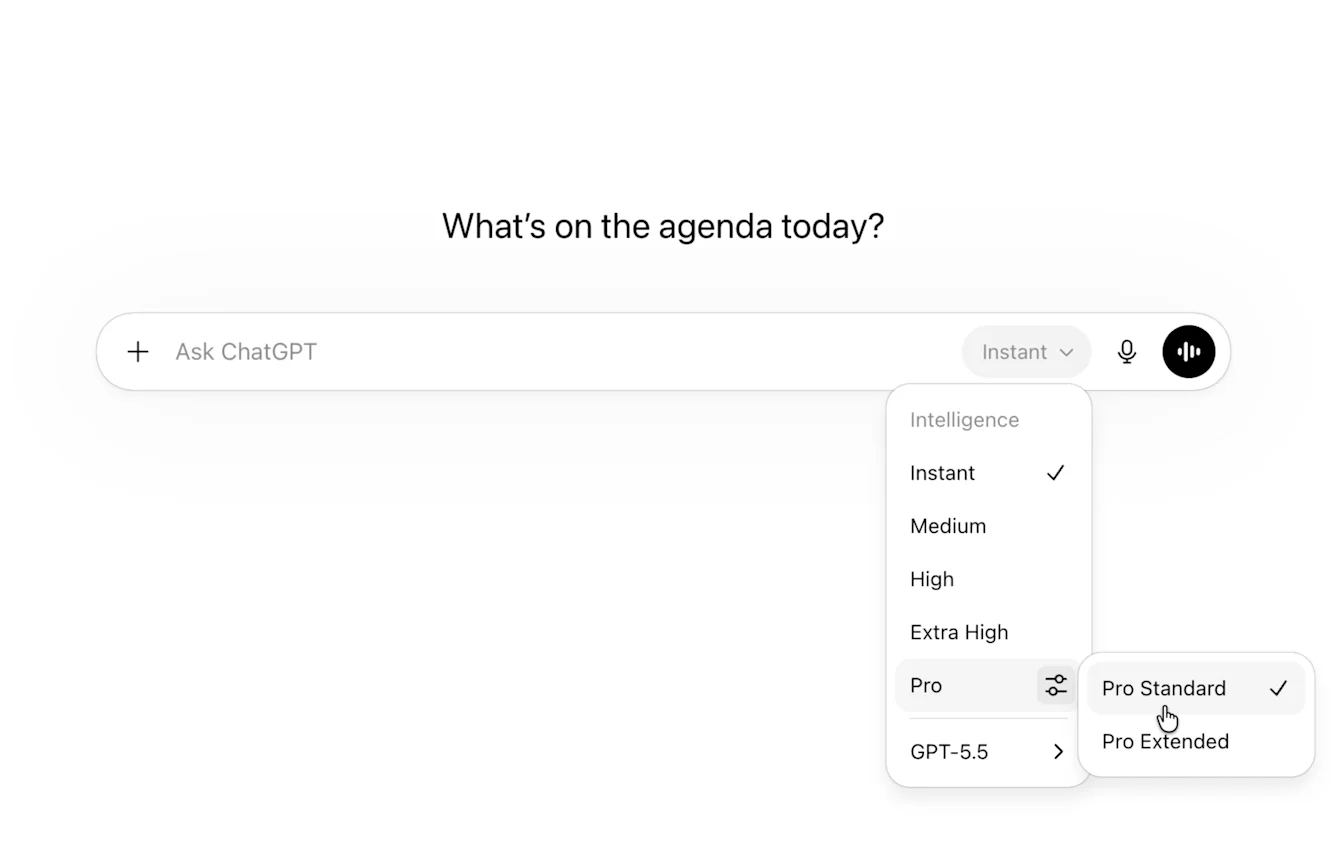
บน iOS และ Android คุณจะพบตัวเลือกที่ด้านบนของบทสนทนา บนเว็บ จะแสดงโดยตรงในช่องพิมพ์ข้อความ
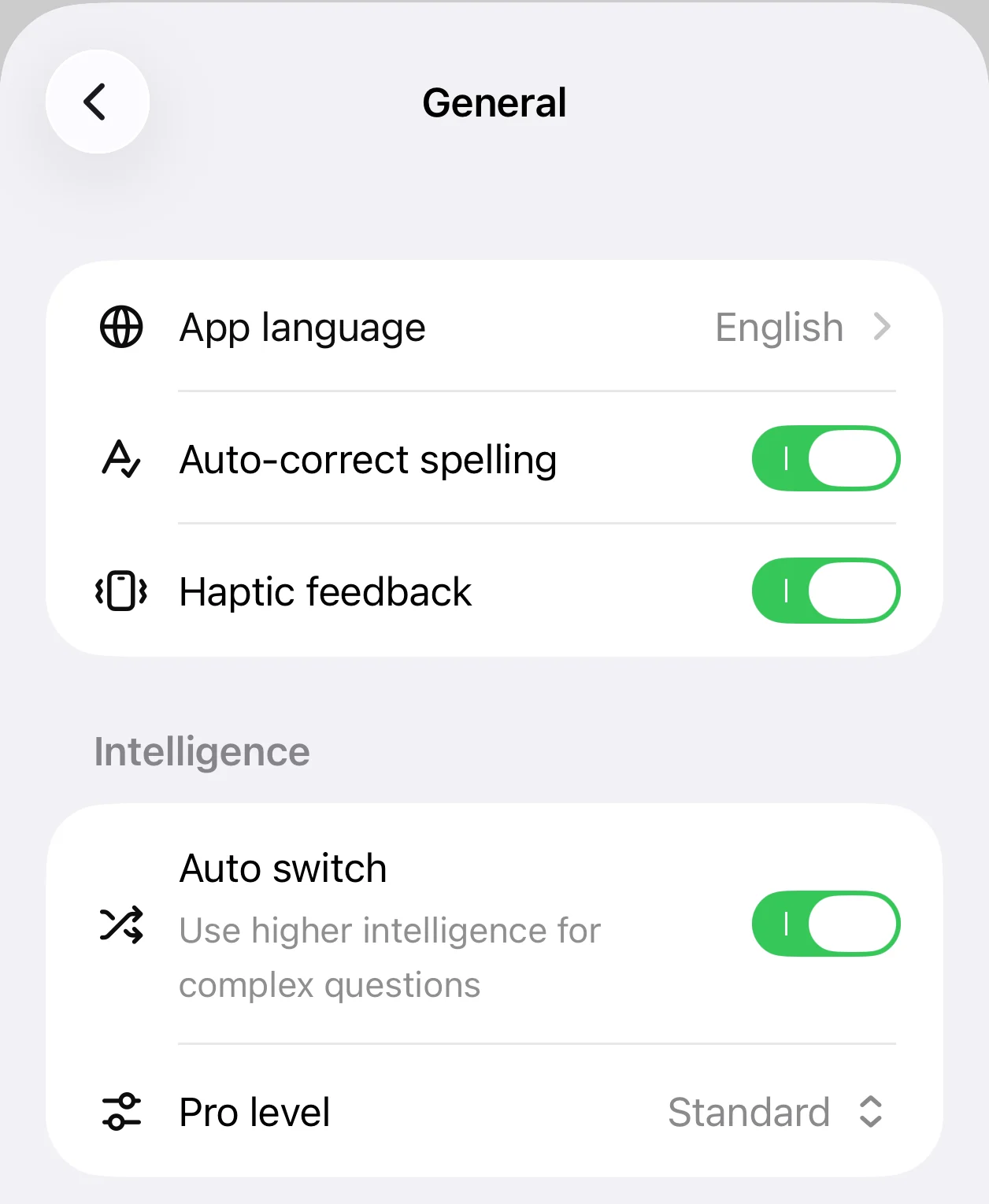
ผู้ใช้สามารถตัดสินใจได้ว่า Instant จะสลับอัตโนมัติไป Medium เพื่อการให้เหตุผลสูงขึ้นเมื่อจำเป็นหรือไม่ คุณเปิดหรือปิดได้ใน General > Settings
สิ่งที่เปลี่ยนจากตัวเลือกโมเดลก่อนหน้า:
Thinking Standard คือ Medium แล้ว, Thinking Extended คือ High แล้ว และ Thinking Heavy คือ Extra High แล้ว Pro Standard และ Pro Extended ยังคงพร้อมใช้งานภายใต้ Pro Thinking Light ไม่พร้อมใช้งานอีกต่อไป
| เดิม | ใหม่ |
|---|---|
| Instant | Instant |
| Thinking - Light | [นำออก] |
| Thinking - Standard | Medium |
| Thinking - Extended | High |
| Thinking - Heavy | Extra High |
| Pro Standard | Pro Standard |
| Pro Extended | Pro Extended |
ความพร้อมใช้งาน
อัปเดตตัวเลือกโมเดลเหล่านี้กำลังทยอยเปิดให้ผู้ใช้ Plus และ Pro บนเว็บ iOS และ Android ทั่วโลกวันนี้
8 มิถุนายน 2026
อัปเดตประสบการณ์แอป ChatGPT
ปรับปรุงแผนภูมิ สารบัญ และการเขียนแบบเต็มหน้าจอ รวมถึงแก้ปัญหาเรื้อรังเกี่ยวกับการแก้ไขข้อความที่มีไฟล์แนบ และแก้บั๊กอื่น ๆ หลายรายการ
เว็บ, iOS และ Android
แผนภูมิโต้ตอบในคำตอบ: ตอนนี้ ChatGPT สามารถเปลี่ยนคำตอบบางอย่างเป็นแผนภูมิแท่ง เส้น วงกลม และกระจายที่สมบูรณ์และโต้ตอบได้โดยตรงในบทสนทนา ขอแผนภูมิ หรือ ChatGPT อาจใส่แผนภูมิเมื่อช่วยให้เข้าใจแนวโน้มและการเปรียบเทียบได้ง่ายขึ้น
เว็บ
สารบัญในบทสนทนายาว: บทสนทนาที่ยาวกว่า 5 คำตอบสามารถมีสารบัญได้แล้ว เพื่อให้คุณสแกนหัวข้อและข้ามไปยังส่วนที่ต้องการ
บล็อกเขียนเต็มหน้าจอสำหรับงานยาว: บล็อกเขียนรองรับกรณีงานเขียนขนาดยาว เช่น เรียงความ PRD รายงาน บล็อกโพสต์ โน้ต และงานเอกสารอื่น ๆ งานเขียนยาวสามารถเปิดในตัวแก้ไขเต็มหน้าจอที่ช่วยให้โฟกัสได้แล้ว คุณบันทึกเอกสารลงในคลังได้ เพื่อค้นหา นำกลับมาใช้ หรือแก้ไขภายหลัง ประสบการณ์นี้ยังเพิ่มเลย์เอาต์เอกสารที่กว้างขึ้น ชื่อเรื่องที่สะอาดขึ้น สารบัญสำหรับเอกสารยาว รองรับการดาวน์โหลด แก้ไข undo/redo พฤติกรรมการบันทึกที่ดีขึ้น และสถานะโหลดที่ชัดขึ้น
ส่งอีเมลได้โดยตรงจากในแชต: หากคุณเชื่อมต่อ Gmail หรือ Outlook แล้ว ตอนนี้คุณขอให้ ChatGPT ร่างและส่งอีเมลได้โดยตรงจากบทสนทนาเดียวกัน ChatGPT จะสร้างร่าง และคุณเลือกส่งได้โดยไม่ต้องออกจาก ChatGPT การส่งอีเมลพร้อมใช้งานบนเว็บสำหรับผู้ใช้แพ็กเกจ Plus, Pro, Business และ Enterprise ที่เชื่อมต่อ Gmail หรือ Outlook
iOS
แก้ไขข้อความที่มีไฟล์แนบ: ตอนนี้คุณแก้ไขข้อความที่มีไฟล์แนบได้ จึงปรับพรอมต์ได้โดยไม่ต้องเริ่มใหม่
กดส่งค้างเพื่อเลือกโมเดล: ผู้ใช้แพ็กเกจชำระเงินสามารถกดปุ่มส่งค้างเพื่อเลือกโมเดลสำหรับข้อความครั้งเดียว โดยไม่เปลี่ยนโมเดลเริ่มต้น
ใช้การแก้ไขอัตโนมัติก่อนส่ง: การแก้ไขอัตโนมัติวินาทีสุดท้ายจะถูกใช้ก่อนส่งข้อความเพื่อหลีกเลี่ยงการพิมพ์ผิด
แสดงตัวอย่างรูปทันทีหลังส่ง: เมื่อคุณอัปโหลดรูปภาพบน iOS เดิม ChatGPT จะแสดงกล่องสีเทาหลังส่งข้อความ ตอนนี้จะแสดงตัวอย่างทันที เพื่อให้ชัดเจนว่าคุณส่งรูปใด
ปรับประสบการณ์เว็บมือถือสำหรับผู้ไม่ได้เข้าสู่ระบบให้สะอาดขึ้น: ผู้ใช้ที่ไม่ได้เข้าสู่ระบบจะเห็นช่องพิมพ์ข้อความกลางหน้าจอเพื่อไม่ให้ถูกป๊อปอัปบัง แถบด้านข้างก็ถูกทำให้ง่ายขึ้นด้วย
Android
ขั้นตอนแก้ไขข้อความที่ชัดขึ้น: Android ทำให้ชัดเจนขึ้นเมื่อคุณกำลังแก้ไขข้อความก่อนหน้า
4 มิถุนายน 2026
ความจำที่อัปเดตอยู่เสมอยิ่งขึ้น
เราได้อัปเกรดความจำเพื่อให้ ChatGPT รักษาบริบทของคุณให้เป็นปัจจุบันได้ดีขึ้น ช่วยให้คำตอบเกี่ยวข้องกับคุณมากขึ้น สิ่งนี้ทำให้ความจำมีประโยชน์ขึ้น โดยลดความจำที่บันทึกไว้ซึ่งล้าสมัยหรือขัดแย้งกัน และช่วยให้ ChatGPT เข้าใจความชอบ เป้าหมาย และงานที่กำลังดำเนินอยู่ของคุณได้ดีขึ้น คุณสามารถตรวจสอบความจำที่ ChatGPT อาจใช้เพื่อปรับคำตอบให้เหมาะกับคุณได้ผ่านแหล่งที่มาหรือในสรุปความจำของคุณ
ตอนนี้ความจำจะอัปเดตโดยอัตโนมัติ โดย ChatGPT จะติดตามรายละเอียดที่เห็นว่าสำคัญที่สุด เพื่อให้ต่อยอดจากบริบทที่คุณเคยแชร์ไว้ได้ต่อเนื่อง หากต้องการกลับไปใช้ระบบความจำที่บันทึกไว้แบบเดิม ให้ไปที่การตั้งค่า > ความจำ > ความจำที่บันทึกไว้
อัปเดตนี้เริ่มทยอยเปิดให้ผู้ใช้ Plus และ Pro ในสหรัฐฯ วันนี้ หากต้องการใช้งานบน iOS หรือ Android ให้อัปเดตแอป ChatGPT เป็นเวอร์ชันล่าสุด เราจะขยายไปยังแพ็กเกจ Free และ Go รวมถึงประเทศเพิ่มเติมในอีกไม่กี่สัปดาห์ข้างหน้า ผู้ใช้จะได้รับการแจ้งเตือนในผลิตภัณฑ์เมื่ออัปเดตพร้อมใช้งานสำหรับตน สำหรับผู้ใช้ Plus และ Pro ChatGPT ยังจำบริบทที่มีประโยชน์ได้มากขึ้น ด้วยความจุความจำเพิ่มเป็นสองเท่า
โหมดล็อกดาวน์พร้อมใช้งานแล้วสำหรับผู้ใช้ที่เข้าสู่ระบบทุกคน
โหมดล็อกดาวน์พร้อมใช้งานแล้วสำหรับผู้ใช้ที่เข้าสู่ระบบทุกคนในทุกประเภทบัญชีและเวิร์กสเปซ นี่คือการตั้งค่าความปลอดภัยขั้นสูงแบบเลือกเปิดใช้ ซึ่งจำกัดการเข้าถึงเว็บและบริการภายนอกเพื่อช่วยลดความเสี่ยงที่ข้อมูลจะรั่วไหลจากการโจมตีแบบการแทรกคำสั่ง
เมื่อเปิดโหมดล็อกดาวน์ ChatGPT จะจำกัดความสามารถที่ต้องใช้เครือข่าย เช่น การท่องเว็บสด การวิจัยเชิงลึก โหมดเอเจนต์ การดาวน์โหลดไฟล์ และการรองรับรูปภาพบางส่วนจากเว็บ ผู้ใช้ส่วนบุคคลเปิดใช้งานได้จากการตั้งค่า > ความปลอดภัย ผู้ดูแลเวิร์กสเปซสามารถกำหนดการเข้าถึงให้สมาชิกได้ผ่านการตั้งค่าเวิร์กสเปซและการควบคุมการเข้าถึงตามบทบาท
เรียนรู้เพิ่มเติม: โหมดล็อกดาวน์
เริ่มทยอยแสดงโฆษณาในสหราชอาณาจักร
เรากำลังเริ่มทยอยแสดงโฆษณาสำหรับผู้ใช้แพ็กเกจ Free และ Go ในสหราชอาณาจักร แพ็กเกจ Plus, Pro, Business, Enterprise และ Education จะยังไม่มีโฆษณา
2 มิถุนายน 2026
การควบคุมเซสชันบัญชีที่ใช้งานอยู่
เรากำลังทยอยเปิด เซสชันที่ใช้งานอยู่ ฟีเจอร์ความปลอดภัยใหม่ใน ChatGPT ที่ช่วยให้ผู้ใช้ตรวจสอบเซสชันที่เกี่ยวข้องกับบัญชีและออกจากเซสชันที่ไม่รู้จัก
ตอนนี้ผู้ใช้สามารถ:
ตรวจสอบเซสชัน OpenAI โดยตรงจาก Settings > Security > Active sessions พร้อมรายละเอียดที่มี เช่น อุปกรณ์ แอป ตำแหน่งโดยประมาณ เวลาเข้าสู่ระบบ สถานะอุปกรณ์ที่เชื่อถือได้ และระบุว่าเป็นเซสชันปัจจุบันหรือไม่
ออกจากระบบแต่ละเซสชันหรือทุกเซสชันจาก Active sessions
Active sessions แสดงเซสชันที่รู้ผ่านการจัดการเซสชัน รวมถึงเซสชัน ChatGPT, Codex และแพลตฟอร์ม API เมื่อมีให้ใช้งาน ไม่จัดการเซสชันแอปบุคคลที่สาม แอปที่เชื่อมต่อ เซสชัน Sign in with ChatGPT ที่ใช้เฉพาะบริการบุคคลที่สาม หรือเซสชัน Codex CLI
เรียนรู้เพิ่มเติม: การจัดการเซสชันที่ใช้งานอยู่ใน ChatGPT
1 มิถุนายน 2026
ค้นหางานที่เปิดรับและจัดรูปแบบเรซูเม่ใน ChatGPT
ตอนนี้ ChatGPT ช่วยกระบวนการหางานได้มากขึ้น ตั้งแต่ค้นหาตำแหน่งที่เกี่ยวข้องซึ่งเปิดรับจริง ไปจนถึงปรับเรซูเม่ให้เหมาะกับโอกาสเฉพาะ
เมื่อคุณค้นหางาน ChatGPT สามารถแสดงประกาศงานและโอกาสฟรีแลนซ์ที่ยังเปิดรับจากแหล่งต่าง ๆ เช่น Indeed, Upwork, Appcast และทั่วเว็บ ผลลัพธ์จะปรับตามประสบการณ์ ทักษะ และเป้าหมายของคุณ เพื่อเน้นตำแหน่งที่อาจเหมาะกับคุณมาก คุณสามารถตามลิงก์ไปสมัครโดยตรงบนเว็บไซต์ต้นทาง
ตอนนี้คุณยังอัปโหลดหรือสร้างเรซูเม่ใน ChatGPT ปรับให้เหมาะกับตำแหน่งเฉพาะ และดาวน์โหลดในรูปแบบที่ดูดีและเป็นมืออาชีพได้
ความพร้อมใช้งาน:
ค้นหางาน: พร้อมใช้งานสำหรับผู้ใช้ในสหรัฐฯ บนแพ็กเกจ Free, Go, Plus และ Pro
จัดรูปแบบเรซูเม่: พร้อมใช้งานทั่วโลกเป็นภาษาอังกฤษบนเว็บสำหรับทุกแพ็กเกจ
29 พฤษภาคม 2026
อัปเดต Codex: Computer Use และการควบคุมระยะไกลสำหรับ Windows, โปรไฟล์การใช้งาน
ตอนนี้ Codex รองรับ Computer Use บน Windows ในแอป Codex เพื่อให้ผู้ใช้ที่มีสิทธิ์ขอให้ Codex เห็น คลิก และพิมพ์ในแอป Windows ระหว่างทดสอบ ดีบัก และปรับแต่งสิ่งที่กำลังสร้าง ผู้ใช้เริ่มงานบนเครื่อง Windows แล้วใช้ ChatGPT บน iOS หรือ Android หรือ Codex บน Mac เพื่อตรวจความคืบหน้า ทำเธรดต่อ ตอบพรอมต์ และกำกับงานขณะไม่อยู่ที่โต๊ะได้ โดยเครื่อง Windows ยังคงเป็นโฮสต์สำหรับไฟล์โปรเจกต์ shell, app server และบริบทในเครื่อง
รุ่นนี้ยังมีอัปเดตโครงสร้างพื้นฐานที่ปรับปรุงการตอบสนองและความเร็ว ความเสถียร และความเข้ากันได้เว็บของเบราว์เซอร์ในแอป รวมถึง Codex Profiles สำหรับผู้ใช้ที่มีสิทธิ์เพื่อดูตัวตน Codex กิจกรรมเมื่อเวลาผ่านไป รายละเอียดโปรไฟล์ สถิติการใช้งาน และกิจกรรม Token Computer Use บน Windows ยังไม่พร้อมใช้งานในเขตเศรษฐกิจยุโรป สหราชอาณาจักร และสวิตเซอร์แลนด์เมื่อเปิดตัว
เรียนรู้เพิ่มเติม: Computer Use, การควบคุมระยะไกล, Profiles
28 พฤษภาคม 2026
อัปเดต GPT-5.5 Instant
เรากำลังอัปเดต GPT-5.5 Instant ใน ChatGPT และ API เพื่อปรับปรุงสไตล์และคุณภาพคำตอบ ตอนนี้อ่านง่ายขึ้น เป็นธรรมชาติมากขึ้นในบทสนทนาทั่วไป และจังหวะดีขึ้นในงานช่วยเหลือเชิงปฏิบัติ โดยมีคำตอบที่ยาวเกินไปหรือเต็มไปด้วย bullet น้อยลง
ด้วยอัปเดตนี้ Canvas จะไม่พร้อมใช้งานใน GPT-5.5 Instant หรือ GPT-5.5 Thinking อีกต่อไป ตอนนี้รองรับความสามารถด้านการเขียนและเขียนโค้ดโดยตรงในคำตอบแชตผ่านบล็อกเขียนและบล็อกโค้ด ผู้ใช้แบบชำระเงินยังใช้ Canvas ได้ช่วงเวลาจำกัดผ่านโมเดลเดิมจนกว่าโมเดลเหล่านั้นจะยุติ
เลิกให้บริการ OpenAI o3 และ GPT-4.5
วันนี้เรายังคงเลิกให้บริการโมเดลเก่าที่มีการใช้งานจำกัดใน ChatGPT เพื่อให้เรารองรับโมเดลใหม่ที่มีความสามารถสูงสุดได้ดีขึ้น OpenAI o3 จะเลิกให้บริการจาก ChatGPT ในวันที่ 26 สิงหาคม 2026 หลังช่วงปิดตัว 90 วัน และ GPT-4.5 จะเลิกให้บริการจาก ChatGPT ในวันที่ 26 มิถุนายน 2026 หลังช่วงปิดตัว 30 วัน ขณะนี้โมเดลเหล่านี้พร้อมใช้งานเฉพาะผู้ใช้แบบชำระเงินผ่านการตั้งค่าโมเดลเท่านั้น การเปลี่ยนแปลงเหล่านี้มีผลกับ ChatGPT เท่านั้น ไม่มีการเปลี่ยนแปลง API
21 พฤษภาคม 2026
อัปเดต Codex: บริบทที่สมบูรณ์ขึ้น โหมดเป้าหมาย การปรับปรุงเบราว์เซอร์ และการใช้งานระยะไกลเมื่อเครื่องล็อก
ตอนนี้ Codex มีวิธีเข้าใจบริบทงานของคุณมากขึ้นและช่วยให้งานยาวเดินหน้าต่อ:
Appshots ในแอป Codex บน macOS ให้คุณแนบหน้าต่างแอปเข้ากับเธรด Codex ด้วยปุ่มลัด รวมถึงภาพหน้าจอและข้อความที่มี เพื่อให้ Codex เข้าใจสิ่งที่คุณกำลังดูโดยไม่ต้องตั้งค่าพรอมต์ยาว
โหมดเป้าหมาย พร้อมใช้งานทั่วไปในแอป Codex ส่วนขยาย IDE และ CLI เพื่อให้คุณกำหนดผลลัพธ์และเกณฑ์สำเร็จ แล้วให้ Codex ทำงานต่อไปสู่เป้าหมายนั้น
คำอธิบายประกอบในเบราว์เซอร์ภายในแอป รองรับความคิดเห็นด้านสไตล์ที่แม่นยำขึ้นสำหรับงานบนเบราว์เซอร์และ frontend
การใช้คอมพิวเตอร์ขณะล็อก ให้ผู้ใช้ Mac Computer Use ที่มีสิทธิ์ให้ Codex ทำงานต่อจากระยะไกลและปลอดภัยหลังจาก Mac ล็อก ภายใต้ข้อจำกัดภูมิภาค Computer Use ที่มีอยู่
การปรับปรุงการใช้เบราว์เซอร์ รวมถึงโหมดคำอธิบายประกอบขั้นสูง การดึง asset เร็วขึ้น บริบท JavaScript แบบอ่านอย่างเดียว การใช้งานกลุ่มแท็บดีขึ้น ลดความรกของแท็บส่วนขยาย Chrome และปรับปรุงความเชื่อถือได้
เรียนรู้เพิ่มเติม: Appshots, โหมดเป้าหมาย, การใช้คอมพิวเตอร์ขณะล็อก, คำอธิบายประกอบในเบราว์เซอร์ภายในแอป และอ้างอิงการกำหนดค่า
15 พฤษภาคม 2026
การเงินส่วนบุคคลใน ChatGPT
เรากำลังเริ่มทยอยเปิดประสบการณ์การเงินส่วนบุคคลใหม่ใน ChatGPT ผู้ใช้ Pro ในสหรัฐอเมริกาสามารถเชื่อมต่อบัญชีการเงินที่รองรับอย่างปลอดภัย ดูแดชบอร์ดว่าเงินไปที่ไหน และถามคำถามที่อิงบริบททางการเงินของตน
พร้อมใช้งานบนเว็บและ iOS โดย Finances ให้คุณดูการใช้จ่าย บิล การสมัครสมาชิก มูลค่าสุทธิ และข้อมูลการลงทุนในที่เดียว คุณถามคำถามได้โดยตรงใน ChatGPT หรือใช้หน้า Finances เพื่อสำรวจข้อมูลเชิงลึก ตรวจสอบการชำระเงินที่กำลังจะมาถึง ติดตามค่าใช้จ่ายประจำ และคิดเรื่องงบประมาณ เป้าหมายการออม การชำระหนี้ และการตัดสินใจทางการเงินอื่น ๆ
ผู้ใช้เชื่อมต่อบัญชีผ่าน Plaid ได้ ประสบการณ์นี้กำลังทยอยเปิด ดังนั้นผู้ใช้ที่มีสิทธิ์บางคนอาจยังไม่เห็นทันที
ChatGPT ช่วยผู้ใช้ทำความเข้าใจและวางแผนได้ แต่ไม่สามารถโอนเงิน จ่ายบิล ทำรายการซื้อขาย ยื่นภาษี หรือทำหน้าที่เป็นที่ปรึกษาทางการเงิน กฎหมาย ภาษี หรือการลงทุน
14 พฤษภาคม 2026
การเข้าถึง Codex ระยะไกลจากแอป ChatGPT มือถือ
Codex พร้อมใช้งานแบบพรีวิวในแอป ChatGPT มือถือแล้ว เพื่อให้คุณติดตามงานที่กำลังดำเนินอยู่จากโทรศัพท์ได้ ขณะที่ Codex ยังคงทำงานบนโฮสต์ Mac ที่เชื่อมต่อ จากมือถือ คุณเริ่มหรือทำเธรดต่อ ตอบคำถาม เปลี่ยนทิศทาง อนุมัติการกระทำ ตรวจสอบสิ่งที่ Codex พบ และย้ายระหว่างโฮสต์ที่เชื่อมต่อได้โดยไม่ต้องออกจากงาน นั่นหมายความว่าคุณทำให้การตรวจสอบดำเนินต่อ ตัดสินใจเมื่อ Codex ถึงจุดแยก หรือเริ่มไอเดียใหม่ก่อนกลับถึงโต๊ะได้ ขณะนี้คุณเชื่อมต่อโทรศัพท์กับ Codex ที่ทำงานบน macOS ได้
ประสบการณ์มือถือโหลดบริบทสดจากเครื่องที่ Codex ทำงานอยู่ รวมถึงบริบทโปรเจกต์ การอนุมัติ ปลั๊กอิน ภาพหน้าจอ เอาต์พุตเทอร์มินัล diff และผลทดสอบ Codex ในแอป ChatGPT มือถือกำลังทยอยเปิดบน iOS และ Android ในทุกแพ็กเกจ รวมถึง Free และ Go ในภูมิภาคที่รองรับ หากต้องการลองใช้ ให้อัปเดตทั้งแอป ChatGPT มือถือและแอป Codex บน macOS การตั้งค่าเริ่มในแอป Codex บนโฮสต์และดำเนินต่อใน ChatGPT หลังสแกน QR code โดยโฮสต์ต้องยังตื่น ออนไลน์ และรัน Codex อยู่เพื่อให้การเข้าถึงระยะไกลดำเนินต่อ
เรียนรู้เพิ่มเติมใน การเชื่อมต่อระยะไกล
คลังไฟล์ขยายสู่ผู้ใช้ Free และ Go พร้อมการจัดการพื้นที่เก็บข้อมูล
คลังไฟล์กำลังขยายสู่ผู้ใช้ Free และ Go รวมถึงผู้ใช้ในเขตเศรษฐกิจยุโรป (EEA) ทำให้ค้นหา นำกลับมาใช้ และต่อยอดไฟล์ที่คุณอัปโหลดหรือสร้างใน ChatGPT ได้ง่ายขึ้น คุณเพิ่มไฟล์ล่าสุดจากช่องพิมพ์ข้อความ เรียกดูไฟล์ที่บันทึกไว้ในคลัง และถาม ChatGPT เกี่ยวกับไฟล์ที่เคยใช้ได้ เช่น “ฉันควรรู้อะไรเกี่ยวกับเอกสารที่อัปโหลดเมื่อวาน”
เรายังแนะนำการจัดการพื้นที่เก็บข้อมูลในทุกแพ็กเกจ พื้นที่เก็บข้อมูลรวมไฟล์ที่คุณอัปโหลดและไฟล์ที่สร้างใน ChatGPT รวมถึงเอกสาร สเปรดชีต งานนำเสนอ และรูปภาพ ขีดจำกัดแตกต่างกันตามแพ็กเกจ:
รูปภาพที่สร้างขึ้นจะยังคงปรากฏในแท็บรูปภาพ
ขณะนี้การจัดการพื้นที่เก็บข้อมูลพร้อมใช้งานบนเว็บ และเข้าถึงได้จาก Settings > Storage; คุณยังลบไฟล์ได้โดยตรงจากคลัง
ไฟล์จะอยู่ในคลังของคุณจนกว่าคุณจะลบออก ไฟล์ที่อัปโหลดในแชตชั่วคราวจะไม่ถูกบันทึกลงในคลัง
คลังและ “ไฟล์ล่าสุด” ในช่องพิมพ์ข้อความรองรับบนเว็บ iOS และ Android เรียนรู้เพิ่มเติมเกี่ยวกับพื้นที่เก็บไฟล์และคลังใน ChatGPT
12 พฤษภาคม 2026
รูปภาพในคำตอบมากขึ้นสำหรับผู้ใช้ Free
ผู้ใช้ Free ใน ChatGPT จะเห็นรูปภาพแบบอินไลน์จากเว็บมากขึ้น เพื่อช่วยให้หัวข้อเชิงภาพเข้าใจง่ายขึ้น รวมถึงบุคคล สถานที่ และสินค้าที่เป็นที่รู้จัก เมื่อภาพช่วยให้ชัดเจนขึ้น รูปภาพอาจปรากฏข้างส่วนที่เกี่ยวข้องของคำตอบ คุณคลิกรูปภาพใดก็ได้เพื่อดูขนาดต้นฉบับและแหล่งที่มา
ฟีเจอร์นี้กำลังทยอยเปิดทั่วโลกบนเว็บและ iOS ให้ผู้ใช้ Free สำหรับคำตอบที่ใช้ 5.5-Instant
7 พฤษภาคม 2026
ผู้ติดต่อที่ไว้วางใจใน ChatGPT
ในอีกไม่กี่สัปดาห์ข้างหน้า เราจะทยอยเปิดผู้ติดต่อที่ไว้วางใจ ซึ่งเป็นฟีเจอร์ความปลอดภัยแบบเลือกใช้สำหรับผู้ใหญ่ที่มีบัญชี ChatGPT ส่วนบุคคล
ผู้ติดต่อที่ไว้วางใจใน ChatGPT ช่วยให้คุณเชื่อมต่อกับคนที่คุณไว้ใจ หากต้องการการสนับสนุนเพิ่มเติม คุณเลือกผู้ติดต่อที่ไว้วางใจได้ในการตั้งค่า และ ChatGPT จะส่งคำเชิญให้เขาเข้าร่วม เมื่อเขายอมรับ หากระบบอัตโนมัติและผู้ตรวจสอบที่ผ่านการฝึกตรวจพบว่าคุณอาจพูดถึงการฆ่าตัวตายในแบบที่บ่งชี้ข้อกังวลด้านความปลอดภัยร้ายแรง ChatGPT อาจแจ้งผู้ติดต่อที่ไว้วางใจของคุณและชวนให้เขาติดต่อหาคุณ
ผู้ติดต่อที่ไว้วางใจพร้อมใช้งานสำหรับผู้ใช้ที่มีสิทธิ์ซึ่งมีบัญชี ChatGPT ส่วนบุคคลในภูมิภาคที่รองรับ ไม่พร้อมใช้งานสำหรับเวิร์กสเปซ Business, Enterprise หรือ Edu
สำหรับข้อมูลเพิ่มเติมเกี่ยวกับฟีเจอร์นี้และข้อกำหนดคุณสมบัติ โปรดดู ผู้ติดต่อที่ไว้วางใจใน ChatGPT และบล็อกโพสต์ของเรา
5 พฤษภาคม 2026
แหล่งที่มาของความจำและคำตอบที่ปรับให้เหมาะกับคุณมากขึ้นใน ChatGPT
ตั้งแต่วันนี้ เรากำลังทยอยเปิดการปรับปรุงความจำให้ผู้ใช้ ChatGPT Plus และ Pro เพื่อให้คำตอบเฉพาะบุคคล มีประโยชน์ และต่อเนื่องมากขึ้นเมื่อเวลาผ่านไป ตอนนี้ ChatGPT ดึงบริบทที่เกี่ยวข้องจากแชตก่อนหน้า ความจำที่บันทึกไว้ และเมื่อมีให้ใช้งาน ไฟล์กับแอป Gmail ที่เชื่อมต่อได้ดีขึ้น เพื่อเสนอไอเดีย คำแนะนำ และขั้นตอนถัดไปที่เหมาะกับคุณมากขึ้น ยังค้นหาบทสนทนาก่อนหน้าเพื่อหาบริบทที่ถูกต้องได้เร็วขึ้น คุณจึงไม่ต้องพูดซ้ำบ่อยเท่าเดิม
เรายังแนะนำแหล่งที่มาของความจำในแพ็กเกจผู้บริโภค ChatGPT ทั้งหมด เพื่อให้คุณเห็นว่าข้อมูลใดช่วยปรับคำตอบให้เหมาะกับคุณ และแก้ไขได้หากบางอย่างไม่เกี่ยวข้องอีกต่อไป แตะไอคอน Sources ใต้คำตอบเพื่อดูความจำที่บันทึกไว้ แชตก่อนหน้า และคำสั่งแบบกำหนดเองที่เกี่ยวข้อง ผู้ใช้ Plus และ Pro อาจเห็นไฟล์ในคลังและอีเมลที่อ้างอิงจากบัญชี Gmail ที่เชื่อมต่อด้วย หากบางอย่างล้าสมัยหรือไม่เกี่ยวข้องอีกต่อไป คุณสามารถแก้ไข ลบ หรือทำเครื่องหมายว่าไม่เกี่ยวข้องได้ แหล่งที่มาของความจำอาจไม่แสดงทุกปัจจัยที่กำหนดคำตอบ และเราจะปรับปรุงมุมมองนี้ต่อไปให้ครอบคลุมยิ่งขึ้นเมื่อเวลาผ่านไป แหล่งที่มาของความจำกำลังทยอยเปิดบนเว็บและจะมาในมือถือเร็ว ๆ นี้
อัปเดตเหล่านี้ออกแบบมาเพื่อให้การปรับแต่งเฉพาะบุคคลมีประโยชน์ขึ้น โดยยังให้คุณควบคุมได้ แหล่งที่มาของความจำจะแสดงเฉพาะภายในประสบการณ์บัญชีของคุณ และหากคุณแชร์แชต แหล่งที่มาเหล่านั้นจะไม่แสดงในแชตที่แชร์ คุณสามารถลบแชต ใช้แชตชั่วคราวที่ไม่ใช้หรืออัปเดตความจำและไม่ปรากฏในประวัติ ปิดความจำ ยกเลิกการเชื่อมต่อแอปได้ทุกเมื่อ และจัดการว่าจะใช้เนื้อหาของคุณเพื่อช่วยปรับปรุงโมเดลของเราหรือไม่
GPT-5.5 Instant ใน ChatGPT
เรากำลังทยอยเปิด GPT-5.5 Instant เป็นโมเดลค่าเริ่มต้นใหม่ของ ChatGPT โมเดลนี้แทนที่ GPT-5.3 Instant สำหรับผู้ใช้ ChatGPT ทุกคน และปรับปรุงคำตอบประจำวันด้านความแม่นยำ ความชัดเจนและกระชับ การเข้าใจรูปภาพ คำถาม STEM และเวลาที่ ChatGPT ตัดสินใจค้นหาเว็บ
GPT-5.5 Instant เชื่อถือได้ด้านข้อเท็จจริงมากขึ้น โดยเฉพาะพรอมต์ที่ความถูกต้องสำคัญที่สุด ยังให้คำตอบที่กระชับและตรงขึ้นโดยไม่เสียรายละเอียดที่มีประโยชน์ ถามคำถามตามที่ไม่จำเป็นน้อยลง และลดความรก เช่น การจัดรูปแบบมากเกินไปและอีโมจิที่ไม่จำเป็น
สำหรับผู้ใช้ Plus และ Pro ที่ใช้ chatgpt บนเว็บ GPT-5.5 Instant สามารถใช้บริบทจากแชตก่อนหน้า ไฟล์ และ Gmail เมื่อเชื่อมต่อได้มีประสิทธิภาพขึ้น เพื่อให้คำตอบเกี่ยวข้องมากขึ้น สิ่งนี้ช่วยให้ ChatGPT ปรับคำแนะนำให้เหมาะกับคุณ ทำงานต่อจากงานที่ค้างไว้ และลดความจำเป็นต้องเล่าบริบทซ้ำข้ามบทสนทนา
GPT-5.5 Instant เริ่มทยอยเปิดตั้งแต่วันนี้สำหรับผู้ใช้ ChatGPT ทุกคน ผู้ใช้แบบชำระเงินยังใช้ GPT-5.3 Instant ต่อได้สามเดือนผ่านการตั้งค่าการกำหนดค่าโมเดลก่อนเลิกให้บริการ
ChatGPT สำหรับ Excel และ Google Sheets
ChatGPT สำหรับ Excel และ Google Sheets พร้อมใช้งานทั่วโลกแล้ว โดยนำ ChatGPT เข้าไปในแถบด้านข้างของ Microsoft Excel และ Google Sheets เพื่อให้คุณสร้าง อัปเดต และเข้าใจสเปรดชีตได้ในที่เดิม ช่วยได้กับตัวติดตาม งบประมาณ สูตร ไฟล์หลายแท็บ งานสถานการณ์จำลอง และการทำความสะอาดสเปรดชีต และรองรับ Skills กับแอปเมื่อพร้อมใช้งาน
Free และ Go มีการใช้งานแบบจำกัด ส่วน Plus และ Pro ใช้ลิมิตการใช้งานแบบเอเจนต์เดียวกับ Codex คุณสามารถซื้อเครดิตเพิ่มเติมได้หากต้องใช้เกินขีดจำกัดแพ็กเกจ
ติดตั้ง ChatGPT สำหรับ Excel จาก Microsoft Marketplace หรือ ChatGPT จาก Google Workspace Marketplace แล้วลงชื่อเข้าใช้ด้วยบัญชี ChatGPT ที่มีสิทธิ์ ตรวจทานผลลัพธ์ก่อนอาศัยสูตรหรือการวิเคราะห์ เรียนรู้เพิ่มเติม
30 เมษายน 2026
ความปลอดภัยขั้นสูงสำหรับบัญชีใน ChatGPT
เรากำลังทยอยเปิดความปลอดภัยขั้นสูงสำหรับบัญชี ซึ่งเป็นการตั้งค่าแบบเลือกใช้สำหรับบัญชี ChatGPT ส่วนบุคคลที่เพิ่มข้อกำหนดการลงชื่อเข้าใช้ที่แข็งแกร่งขึ้นและมาตรการปกป้องบัญชีที่เข้มงวดขึ้น เพื่อช่วยลดความเสี่ยงของ ATO (การยึดบัญชี) การเข้าถึงโดยไม่ได้รับอนุญาต และการเปิดเผยข้อมูล
เมื่อเปิดใช้ความปลอดภัยขั้นสูงสำหรับบัญชี ChatGPT จะใช้วิธีลงชื่อเข้าใช้ที่แข็งแกร่งขึ้น เช่น passkeys หรือกุญแจความปลอดภัยที่เข้ากันได้ และปิดช่องทางที่อ่อนแอกว่า เช่น การลงชื่อเข้าใช้ด้วยรหัสผ่าน โค้ดลงชื่อเข้าใช้ทางอีเมล/SMS และการกู้บัญชีผ่านอีเมล ยังเพิ่มกุญแจกู้คืน เซสชันที่ใช้งานสั้นลง การแจ้งเตือนการเข้าสู่ระบบ และการควบคุมการจัดการเซสชัน ให้ผู้ใช้มีการปกป้องและการมองเห็นทั่วบัญชีมากขึ้น
เนื่องจากการปกป้องเหล่านี้เข้มงวดขึ้น การกู้คืนจึงเข้มงวดขึ้นเช่นกัน ผู้ใช้ควรบันทึกกุญแจกู้คืนและรักษาการเข้าถึง passkeys หรือกุญแจความปลอดภัยที่ลงทะเบียนไว้ หากสูญเสียการเข้าถึงทุกวิธีลงชื่อเข้าใช้และกุญแจกู้คืน อาจสูญเสียการเข้าถึงบัญชี
เรียนรู้เพิ่มเติม: ความปลอดภัยขั้นสูงสำหรับบัญชี
28 เมษายน 2026
การเลือกโมเดลใน ChatGPT ที่ง่ายขึ้น
เรากำลังทำให้เลือกโมเดลที่เหมาะสมก่อนส่งข้อความได้ง่ายขึ้น ตอนนี้การเลือกโมเดลปรากฏในช่องพิมพ์ข้อความ คุณจึงค้นหาและสลับโมเดลได้จากที่เดียวกับที่เขียนพรอมต์
เรายังย้ายการควบคุมความพยายามในการคิดเข้าไปในตัวเลือกโมเดล เมื่อคุณเลือกโมเดล Thinking หรือ Pro คุณสามารถเลือกระดับความพยายามในการคิดได้โดยตรงจากตัวเลือกโมเดล
อัปเดตนี้พร้อมใช้งานบนเว็บสำหรับผู้ใช้ ChatGPT ในแพ็กเกจ Plus, Pro และ Business
22 เมษายน 2026
คำตอบเร็วใน ChatGPT
บางครั้งคุณก็แค่อยากได้คำตอบที่ถูกต้องให้เร็วที่สุด เรากำลังทยอยเปิด Fast answers วิธีที่เร็วขึ้นในการรับคำตอบสำหรับคำถามค้นหาข้อมูลทั่วไปใน ChatGPT เช่น “แสดงเจ็ดสิ่งมหัศจรรย์ของโลก” หรือ “ทีมฟุตบอลใดมีแชมป์ซูเปอร์โบวล์มากที่สุด”
เมื่อคำถามของคุณไม่ต้องการคำตอบเฉพาะบุคคล และ ChatGPT มีคำตอบที่มั่นใจสูงพร้อมอยู่แล้ว ตอนนี้สามารถตอบได้เร็วขึ้นแต่ยังให้คำตอบที่มีประโยชน์และลงลึก Fast answers ไม่อ้างอิงแชตก่อนหน้าหรือความจำของคุณ
Fast answers พร้อมใช้งานทั่วโลกบนเว็บ iOS และ Android สำหรับผู้ใช้ที่เข้าสู่ระบบและไม่ได้เข้าสู่ระบบในทุกแพ็กเกจ หากคุณต้องการให้ ChatGPT สร้างคำตอบเฉพาะบุคคลเสมอ คุณปิด Fast answers ได้ทุกเมื่อในการตั้งค่า Personalization
เราจะขยาย Fast answers ไปยังคำถามประเภทอื่น ๆ ต่อไปเมื่อเวลาผ่านไป
ChatGPT สำหรับแพทย์
เรากำลังเปิดตัว ChatGPT for Clinicians เวอร์ชันฟรีของ ChatGPT สำหรับแพทย์ที่ยืนยันแล้วในสหรัฐอเมริกา ออกแบบมาเพื่อสนับสนุนงานคลินิกจริง ณ จุดดูแลผู้ป่วย รวมถึงการทบทวนหลักฐาน การจัดทำเอกสาร และการวิจัยทางการแพทย์ พร้อมการค้นหาคลินิกที่เชื่อถือได้ การอ้างอิง skills ที่ใช้ซ้ำได้ การวิจัยเชิงลึกในวรรณกรรมการแพทย์ และการรองรับการรับเครดิต CME สำหรับคำถามคลินิกที่มีสิทธิ์
หากคุณมีบัญชี ChatGPT อยู่แล้ว คุณใช้บัญชีเดียวกันสมัครได้ หลังสมัคร ChatGPT for Clinicians จะปรากฏเป็นเวิร์กสเปซแยกภายใต้การเข้าสู่ระบบเดียวกัน และเวิร์กสเปซ ChatGPT เดิมของคุณยังใช้งานได้
สำหรับข้อมูลเพิ่มเติม โปรดดูบทความช่วยเหลือของเรา ChatGPT for Clinicians หรือบล็อกโพสต์ของเรา ทำให้ ChatGPT ดีขึ้นสำหรับแพทย์
21 เมษายน 2026
ChatGPT Images 2.0 ใน ChatGPT
เราขอแนะนำ ChatGPT Images 2.0 โมเดลการสร้างรูปภาพใหม่ของเราใน ChatGPT ChatGPT Images 2.0 พร้อมใช้งานในทุกแพ็กเกจ ChatGPT
เรายังแนะนำ รูปภาพพร้อมการคิด เมื่อมีเวลาคิดมากขึ้น ระบบสามารถวางแผนและปรับแต่งผลลัพธ์รูปภาพก่อนสร้างได้
รูปภาพพร้อมการคิด พร้อมใช้งานในแพ็กเกจ ChatGPT แบบชำระเงินทั้งหมด พร้อมใช้งานเมื่อคุณเลือกโมเดล Thinking และ Pro
16 เมษายน 2026
เริ่มทยอยแสดงโฆษณาในออสเตรเลีย นิวซีแลนด์ และแคนาดา
เรากำลังเริ่มทยอยแสดงโฆษณาสำหรับผู้ใช้แพ็กเกจ Free และ Go ในออสเตรเลีย นิวซีแลนด์ และแคนาดา แพ็กเกจ Plus, Pro, Business, Enterprise และ Education ไม่มีโฆษณา
9 เมษายน 2026
GPT-5.3 Instant mini ใน ChatGPT
วันนี้เราเปิดตัว GPT-5.3 Instant Mini ใน ChatGPT โมเดลนี้แทนที่ GPT-5 Instant Mini ในฐานะโมเดลสำรองที่ผู้ใช้จะไปถึงหลังชนลิมิตการใช้งานของ GPT-5.3 Instant เนื่องจากทำหน้าที่เป็นโมเดลสำรอง จึงจะไม่ปรากฏในตัวเลือกโมเดล
เมื่อเทียบกับ GPT-5 Instant Mini, GPT-5.3 Instant Mini ให้ความรู้สึกเป็นธรรมชาติกว่าในการสนทนา พร้อมงานเขียนและการรับรู้บริบทในแชตที่แข็งแกร่งขึ้น ทำผลงานดีกว่า GPT-5 Instant Mini ในกรณีใช้งานหลากหลาย
ตัวเลือกแพ็กเกจ Pro ใหม่
เรากำลังแนะนำแพ็กเกจ Pro ใหม่ $100/เดือน และอัปเดตวิธีการใช้งาน Codex ใน Plus และ Pro
Pro ($100/เดือน): สร้างมาสำหรับเซสชัน Codex ที่ยาวและใช้หนัก รวมการเข้าถึง GPT-5.4 แบบไม่จำกัด การเข้าถึง GPT-5.4 Pro และในช่วงเวลาจำกัด ใช้งาน Codex ได้มากกว่า Plus สูงสุด 10 เท่า (เพิ่มจากโควตามาตรฐาน 5 เท่า)
Pro ($200/เดือน): ตัวเลือกใช้งานสูงสุดของเรายังพร้อมใช้งาน และยังคงโปรโมชัน Codex ปัจจุบันถึง 31 พฤษภาคม
Plus ($20/เดือน): Plus ยังคงเหมาะที่สุดสำหรับการใช้งานประจำวันอย่างต่อเนื่อง เมื่อโปรโมชัน Codex ชั่วคราวบน Plus สิ้นสุดลง เรากำลังปรับสมดุลการใช้งาน Plus เพื่อรองรับเซสชันมากขึ้นตลอดสัปดาห์ แทนเซสชันที่ยาวและใช้หนักในวันเดียว
คุณสามารถอัปเกรด สลับ หรือยกเลิกแพ็กเกจได้จาก Settings > My Plan หรือจากหน้าราคา
8 เมษายน 2026
กล่องจดหมายและปฏิทิน Outlook ที่แชร์ใน ChatGPT
แอป Outlook Email และ Calendar สำหรับ ChatGPT สามารถช่วยจัดการทรัพยากร Outlook ที่มอบหมายหรือแชร์ได้แล้ว เมื่อคุณมีสิทธิ์เข้าถึง คุณขอให้ ChatGPT อ่านข้อความจากกล่องจดหมายที่แชร์ เรียกดูโฟลเดอร์ ทำเครื่องหมายอีเมลว่าอ่านแล้วหรือยังไม่อ่าน ย้ายข้อความ หรือส่งอีเมลข้อความล้วนจากหรือในนามของกล่องจดหมายนั้นได้ สำหรับปฏิทิน Outlook ที่แชร์ ChatGPT ช่วยสร้าง อัปเดต RSVP ยกเลิก ลบ หรือเพิ่มไฟล์แนบขนาดเล็กในกิจกรรมได้
หากต้องการใช้ ให้เชื่อมต่อแอป Outlook Email หรือ Outlook Calendar และระบุที่อยู่กล่องจดหมายที่แชร์หรือปฏิทินเป้าหมายให้ตรงเมื่อถาม ChatGPT ความพร้อมใช้งานอาจขึ้นอยู่กับสิทธิ์ Microsoft และการตั้งค่าแอปเวิร์กสเปซของคุณ เรียนรู้เพิ่มเติม
2 เมษายน 2026
ChatGPT ใน Apple CarPlay
เรากำลังทยอยเปิด ChatGPT ใน CarPlay ให้คุณเข้าถึงประสบการณ์ ChatGPT แบบไม่ใช้มือขณะเดินทาง หากคุณมี iOS 26.4 หรือใหม่กว่าและเชื่อมต่อกับรถที่รองรับ คุณเริ่มบทสนทนาเสียงใหม่กับ ChatGPT ได้โดยตรงจากอินเทอร์เฟซ CarPlay คุณยังกลับมาบทสนทนาเดิมที่คุยอยู่โดยใช้โหมดเสียงในแอป ChatGPT มือถือได้ เรียนรู้เพิ่มเติม
27 มีนาคม 2026
อัปเดตแอป Box, Notion, Linear และ Dropbox
เรากำลังทยอยเปิดแอป Box, Notion, Linear และ Dropbox ที่อัปเดตแล้วใน ChatGPT อัปเดตเหล่านี้เพิ่มการทำงานของแอปใหม่ รวมถึงความสามารถเขียนใหม่เมื่อรองรับ และนำประสบการณ์แอปล่าสุดเข้าสู่ ChatGPT
หากคุณใช้แอปเหล่านี้ใน ChatGPT อยู่แล้ว ให้เชื่อมต่อแอปใหม่เพื่อเริ่มใช้ประสบการณ์ที่อัปเดต ฟังก์ชันซิงก์เดิม (เฉพาะผู้ใช้ Pro) สำหรับแอปเหล่านี้ไม่ได้รับผลกระทบ
26 มีนาคม 2026
แถบด้านข้างบนมือถือที่เรียบง่ายขึ้น
เพื่อให้คุณมีพื้นที่ดูแชตและโปรเจกต์สำคัญมากขึ้น ตอนนี้เมนูแถบด้านข้างบน iOS และ Android ถูกทำให้ง่ายขึ้น ประสบการณ์ ChatGPT ที่คุณเข้าถึงได้ตามแพ็กเกจและการใช้งาน เช่น Images, Codex, Pulse และ Apps จะแสดงในแถบแนวนอนเหนือแชตและโปรเจกต์ของคุณ
การแชร์ตำแหน่ง
ตอนนี้ผู้ใช้เลือกแชร์ตำแหน่งอุปกรณ์ได้ เพื่อให้ ChatGPT ให้ข้อมูลที่เกี่ยวข้องมากขึ้น เช่น คำแนะนำท้องถิ่น ข่าว และสภาพอากาศ การแชร์ตำแหน่งอุปกรณ์เป็นทางเลือกทั้งหมดและปิดอยู่จนกว่าคุณจะเลือกเปิด คุณอัปเดตการแชร์ตำแหน่งอุปกรณ์ได้ทุกเมื่อใน Settings > Data Controls
การเปิดแชร์ตำแหน่งจะเปิดตำแหน่งที่แม่นยำด้วย ตำแหน่งที่แม่นยำหมายถึง ChatGPT สามารถใช้ตำแหน่งเฉพาะของอุปกรณ์คุณ เช่น ที่อยู่ที่แน่นอน เพื่อให้ผลลัพธ์เหมาะกับคุณมากขึ้น ตัวอย่างเช่น หากคุณถามว่า “ร้านกาแฟที่ดีที่สุดใกล้ฉันคือที่ไหน” ChatGPT สามารถใช้ตำแหน่งที่แม่นยำของคุณเพื่อให้ผลลัพธ์ใกล้เคียงที่เกี่ยวข้องมากขึ้น บนอุปกรณ์มือถือ คุณสามารถเลือกปิดเฉพาะตำแหน่งที่แม่นยำแยกต่างหาก ขณะยังเปิดแชร์ตำแหน่งอุปกรณ์โดยประมาณไว้เพื่อการควบคุมเพิ่มเติม
ChatGPT ลบข้อมูลตำแหน่งที่แม่นยำหลังใช้เพื่อให้คำตอบที่เกี่ยวข้องมากขึ้น หากคำตอบของ ChatGPT มีข้อมูลเกี่ยวกับตำแหน่งเฉพาะของคุณ เช่น ชื่อร้านอาหารใกล้เคียงหรือแผนที่ ข้อมูลนั้นจะกลายเป็นส่วนหนึ่งของบทสนทนาเหมือนคำตอบอื่น และจะอยู่ในประวัติแชตของคุณจนกว่าคุณจะลบบทสนทนา
ผู้ปกครองที่ตั้งค่าการควบคุมโดยผู้ปกครองสามารถเลือกปิดการแชร์ตำแหน่งอุปกรณ์สำหรับวัยรุ่นของตน
กำลังทยอยเปิดให้แพ็กเกจผู้บริโภค ChatGPT ทั้งหมดบน iOS, Android และเว็บ
Plugins ใน Codex
ตอนนี้ Codex มีไดเรกทอรีปลั๊กอินที่คัดสรรแล้ว ให้ผู้ใช้ค้นพบ ติดตั้ง และใช้เวิร์กโฟลว์แบบแพ็กเกจที่สร้างจากแอปและ skills ได้โดยตรงใน Codex ปลั๊กอินคือชุดติดตั้งสำหรับเวิร์กโฟลว์ Codex ที่ใช้ซ้ำได้ ทำให้แชร์การตั้งค่าเดียวกันข้ามโปรเจกต์หรือทีมได้ง่ายขึ้น ปลั๊กอินสามารถรวม skills การผสานรวมแอปเสริม และการกำหนดค่าเซิร์ฟเวอร์ MCP ไว้ในที่เดียว เรียนรู้เพิ่มเติม
25 มีนาคม 2026
ข้อความที่วางขนาดใหญ่จะถูกจัดการเป็นไฟล์แนบแล้ว
ตั้งแต่วันนี้ สำหรับผู้ใช้ ChatGPT Plus, Pro และ Business การวางข้อความยาวใน ChatGPT จะถูกจัดการต่างออกไป
หากคุณวาง มากกว่า 5k ตัวอักษร ลงในช่องพิมพ์ข้อความ ChatGPT จะแปลงเนื้อหาเป็น ไฟล์แนบ โดยอัตโนมัติ แทนการแทรกลงในช่องข้อความโดยตรง วิธีนี้ช่วยให้ช่องพิมพ์ข้อความสะอาดขึ้น และช่วยป้องกันไม่ให้ข้อความที่วางขนาดใหญ่ใช้หน้าต่างบริบททั้งหมดของคุณ
คุณยังย้ายเนื้อหากลับเข้าไปในข้อความได้ทุกเมื่อโดยคลิก แสดงในช่องข้อความ เพื่อแปลงไฟล์แนบกลับเป็นการวางโดยตรง
การรวมแอป Google Drive
ตัวเชื่อมต่อไฟล์ของ Google ใน ChatGPT ถูกรวมไว้ภายใต้ Google Drive แล้ว ให้ประสบการณ์แอปเดียวสำหรับโต้ตอบกับ Google Docs, Sheets และ Slides ของคุณบน Google Drive
หากคุณเป็นผู้ใช้ใหม่ คุณสามารถเชื่อมต่อแอป Google Drive ใน ChatGPT เพื่อใช้การทำงานของ Google Drive, Docs, Sheets และ Slides โดยไม่ต้องติดตั้งและยืนยันตัวตนแอปไฟล์ Google แยกกัน หากคุณเคยเชื่อมต่อแอปแยกไว้แล้วในอดีต แอปเหล่านั้นจะยังทำงานตามปกติ คุณยังเชื่อมต่อแอป Google Drive ใหม่เพื่อรับการทำงานใหม่ได้ โดย ChatGPT จะสลับไปใช้หลังจากคุณเชื่อมต่อใหม่แล้ว
สำหรับผู้ใช้ Pro พฤติกรรมการซิงก์ Google Drive ไม่เปลี่ยนแปลง อ่านเพิ่มเติม
24 มีนาคม 2026
อัปเดตช้อปปิ้งใน ChatGPT
เราได้ปรับปรุงการช้อปปิ้งใน ChatGPT เพื่อให้ค้นพบ เปรียบเทียบ และตัดสินใจเกี่ยวกับสินค้าได้ง่ายขึ้น
ผลลัพธ์สินค้ามีภาพสมบูรณ์ขึ้น พร้อมรายละเอียดและความเกี่ยวข้องที่ดีขึ้น คุณเรียกดูสินค้าในแชต ปรับผลลัพธ์ผ่านบทสนทนา และอัปโหลดรูปภาพเพื่อค้นหาสินค้าที่คล้ายกันได้ ยังเปรียบเทียบสินค้าเคียงข้างกันพร้อมรายละเอียดสำคัญ เช่น ราคา รีวิว และฟีเจอร์ ทำให้เปรียบเทียบได้ง่ายขึ้นโดยไม่ต้องเปิดหลายแท็บ
เรายังปรับปรุงความครอบคลุม ความสดใหม่ และความเร็วของข้อมูลสินค้า เพื่อให้ผลลัพธ์ทันสมัยและมีประโยชน์มากขึ้น การปรับปรุงเหล่านี้กำลังทยอยเปิดให้ผู้ใช้ ChatGPT ทุกคนในสัปดาห์นี้
อัปเดตเหล่านี้ปรับปรุงวิธีที่ ChatGPT ดึงและนำเสนอข้อมูลสินค้าจากผู้ค้าและผู้ให้บริการอื่น ๆ โดยใช้ Agentic Commerce Protocol (ACP)
23 มีนาคม 2026
คลังไฟล์ใน ChatGPT
ตอนนี้การค้นหา นำกลับมาใช้ และต่อยอดไฟล์ของคุณเมื่อเวลาผ่านไปทำได้ง่ายขึ้นแล้ว เมื่อคุณอัปโหลดหรือสร้างไฟล์ ไม่ว่าจะเป็น PDF สเปรดชีต รูปภาพ หรือไฟล์อื่น ๆ ไฟล์นั้นจะถูกบันทึกลงในคลังของคุณโดยอัตโนมัติ รูปภาพที่สร้างขึ้นจะยังคงปรากฏในแท็บรูปภาพ
คุณสามารถอ้างอิงไฟล์ในแชตได้อย่างรวดเร็วจากไฟล์ล่าสุดในช่องพิมพ์ข้อความ หรือเรียกดูทุกอย่างที่คุณอัปโหลดในแท็บคลังจากแถบด้านข้าง คุณยังถาม ChatGPT เกี่ยวกับไฟล์ที่บันทึกไว้ได้ด้วย เช่น “ฉันควรรู้อะไรเกี่ยวกับเอกสารที่อัปโหลดเมื่อวาน”
คลังพร้อมใช้งานบนเว็บเท่านั้น “ไฟล์ล่าสุด” ในช่องพิมพ์ข้อความและการค้นหาไฟล์ใน ChatGPT รองรับบน iOS และ Android
ไฟล์จะอยู่ในคลังของคุณจนกว่าคุณจะลบออก ไฟล์ที่อัปโหลดในแชตชั่วคราวจะไม่ถูกบันทึกลงในคลังของคุณ
ความพร้อมใช้งาน: กำลังทยอยเปิดให้ผู้ใช้ Plus, Pro และ Business ทั่วโลก และจะเปิดให้ผู้ใช้ในเขตเศรษฐกิจยุโรป สวิตเซอร์แลนด์ และสหราชอาณาจักรเร็ว ๆ นี้
20 มีนาคม 2026
Codex สำหรับนักศึกษา
Codex for Students พร้อมใช้งานแล้วสำหรับนักศึกษามหาวิทยาลัยที่ยืนยันตัวตนแล้วในสหรัฐอเมริกาและแคนาดา นักศึกษาที่มีสิทธิ์สามารถรับเครดิต ChatGPT มูลค่า $100 หรือ 2,500 เครดิต เพื่อขยายการใช้ Codex เกินขีดจำกัดที่รวมไว้ใน ChatGPT Free, Go, Plus และ Pro
เริ่มต้นได้โดยนักศึกษาลงชื่อเข้าใช้ที่ chatgpt.com/codex/students และยืนยันสถานะนักศึกษาผ่าน SheerID ด้วยอีเมลมหาวิทยาลัย เครดิตจะถูกใช้กับเวิร์กสเปซส่วนตัวของนักศึกษาโดยอัตโนมัติ ใช้ได้ใน Codex ไม่ใช่เครดิต API และหมดอายุ 12 เดือนหลังวันที่ได้รับ เรียนรู้เพิ่มเติม
19 มีนาคม 2026
ประกาศยกเลิกโหมดการวิจัยเชิงลึกแบบเดิม
โหมดการวิจัยเชิงลึกแบบเดิมจะถูกนำออกในวันพฤหัสบดีที่ 26 มีนาคม 2026 การเปลี่ยนแปลงนี้มีผลเฉพาะโหมดเดิม ส่วนประสบการณ์การวิจัยเชิงลึกปัจจุบันจะไม่เปลี่ยนแปลง
ยังคงเข้าถึงการสนทนาและผลลัพธ์ที่ผ่านมาได้
ดูข้อมูลเพิ่มเติมเกี่ยวกับการวิจัยเชิงลึกได้ที่ การวิจัยเชิงลึกใน ChatGPT
18 มีนาคม 2026
GPT-5.4 mini ใน ChatGPT
เรากำลังเปิดตัว GPT-5.4 mini ใน ChatGPT ผู้ใช้ Free และ Go เข้าถึง GPT-5.4 mini ได้ผ่านฟีเจอร์ “Thinking” ในเมนู + สำหรับผู้ใช้อื่นทั้งหมด GPT-5.4 mini พร้อมใช้เป็นโมเดลสำรองเมื่อ GPT-5.4 Thinking ถึงลิมิตการใช้งาน
สำหรับผู้ใช้ Plus, Pro และแบบชำระเงินอื่นๆ ระบบจะใช้ GPT-5.4 mini เป็นโมเดลสำรองของ GPT-5.4 Thinking เมื่อถึงลิมิต เพื่อให้ยังเข้าถึงความสามารถด้านการให้เหตุผลได้ในช่วงใช้งานสูง ลูกค้า Enterprise ยังเลือกให้การกำหนดเส้นทาง Auto ใช้ GPT-5.4 mini เป็นค่าเริ่มต้นได้หากต้องการ
GPT-5.4 mini จะไม่ปรากฏเป็นโมเดลที่เลือกได้ในตัวเลือกโมเดล ดูข้อมูลเพิ่มเติมในบล็อกโพสต์ของเรา
17 มีนาคม 2026
อัปเดตตัวเลือกโมเดลใน ChatGPT
เราได้ทำให้ตัวเลือกโมเดลง่ายขึ้น เพื่อให้เลือกระดับการให้เหตุผลที่เหมาะสมได้ง่ายขึ้น
ผู้ใช้บัญชี Plus, Pro, Business, Enterprise และ Edu จะเห็นชุดตัวเลือกโมเดลตามแพ็กเกจของตน รวมถึง:
Instant – คำตอบรวดเร็วสำหรับคำถามประจำวัน
Thinking – การให้เหตุผลลึกขึ้นสำหรับงานซับซ้อนมากขึ้น
Pro – โมเดลการให้เหตุผลที่ล้ำหน้าที่สุด
เข้าถึงฟังก์ชัน Auto ได้โดยคลิก Configure ในเมนูตัวเลือกโมเดล แล้วเลือก "Auto-switch to Thinking.” การตั้งค่านี้จะเปิดอัตโนมัติหากแชตล่าสุดของคุณตั้งเป็น Auto
กำหนดค่าการตั้งค่าขั้นสูงเพิ่มเติม
หากต้องการควบคุมมากขึ้น ให้คลิก Configure เพื่อ:
เปิดหรือปิด การสลับอัตโนมัติ ระหว่าง Instant และ Thinking
เข้าถึง โมเดลเดิม
ตั้งค่า ความพยายามในการคิด เมื่อเลือก Thinking หรือ Pro
เรายังทำให้ เมนูลองใหม่ เรียบง่ายขึ้น ทำให้สร้างคำตอบใหม่ด้วยโมเดล Thinking หรือ Pro ได้ง่ายขึ้นโดยคลิกจุดสามจุดใต้คำตอบ
ยุติสไตล์พื้นฐาน “Nerdy”
เรากำลังยุติสไตล์พื้นฐาน Nerdy แบบพรีเซ็ต เพื่อทำให้ตัวเลือกเรียบง่ายและปรับปรุงคุณภาพคำตอบ ผู้ใช้ที่เลือกไว้จะถูกย้ายไปใช้บุคลิกค่าเริ่มต้น คุณจัดการการตั้งค่าบุคลิกได้ทุกเมื่อใน ChatGPT ที่ Settings → Personalization
16 มีนาคม 2026
อัปเดต GPT-5.3 Instant
เรากำลังทยอยเปิดอัปเดต GPT-5.3 Instant ที่ปรับปรุงโทนคำถามต่อเนื่องและลดถ้อยคำแนว teaser ในคำตอบ เช่น “ถ้าคุณต้องการ…”, “คุณจะไม่เชื่อว่า…”, “ฉันบอกสามสิ่งนี้ได้ว่า…”
11 มีนาคม 2026
เลิกให้บริการโมเดล GPT-5.1
ตั้งแต่ 11 มีนาคม 2026 เป็นต้นไป โมเดล GPT-5.1 จะไม่พร้อมใช้งานใน ChatGPT อีกต่อไป
มีผลกับ GPT-5.1 Instant, GPT-5.1 Thinking และ GPT-5.1 Pro บทสนทนาเดิมที่ใช้ GPT-5.1 จะดำเนินต่อโดยอัตโนมัติบนโมเดลปัจจุบันที่สอดคล้องกัน: GPT-5.3 Instant, GPT-5.4 Thinking หรือ GPT-5.4 Pro
10 มีนาคม 2026
การเรียนรู้แบบโต้ตอบสำหรับคณิตศาสตร์และวิทยาศาสตร์
เมื่อคุณถาม ChatGPT เกี่ยวกับบางหัวข้อ ตอนนี้ระบบสามารถนำเสนอ โมดูลภาพแบบโต้ตอบ ที่ให้คุณทดลองสูตรและตัวแปรแบบเรียลไทม์ ปรับอินพุต จัดการสมการ และดูทันทีว่าการเปลี่ยนแปลงส่งผลต่อกราฟและผลลัพธ์อย่างไร เปลี่ยนแนวคิดนามธรรมให้เป็นสิ่งที่คุณสำรวจได้โดยตรง
การเรียนรู้แบบโต้ตอบเปิดตัวพร้อม หัวข้อคณิตศาสตร์และวิทยาศาสตร์กว่า 70 หัวข้อ รวมถึงแนวคิดอย่างทฤษฎีบทพีทาโกรัส กฎแก๊สอุดมคติ พื้นที่วงกลม และสมการเลนส์
ฟีเจอร์นี้ต่อยอดจากเครื่องมือเรียนรู้อื่นใน ChatGPT เช่น โหมดเรียนรู้ และ แบบทดสอบ ที่ออกแบบมาเพื่อช่วยนักเรียนแก้ปัญหาทีละขั้นและเสริมความเข้าใจ
ลองถามว่า:
“ช่วยให้ฉันเข้าใจทฤษฎีบทพีทาโกรัส”
“อธิบายว่า PV = nRT ทำงานอย่างไร”
“ฉันจะหาพื้นที่วงกลมได้อย่างไร”
ความพร้อมใช้งาน: กำลังทยอยเปิดให้ผู้ใช้ ChatGPT ที่เข้าสู่ระบบทุกคนในแพ็กเกจผู้บริโภคและธุรกิจ
เติมเงินอัตโนมัติสำหรับเครดิตการใช้งานแบบยืดหยุ่น
ผู้ใช้ ChatGPT Plus และ Pro ที่มีสิทธิ์สามารถเปิดเติมเงินอัตโนมัติสำหรับเครดิตที่ใช้กับ Codex และ Sora ได้แล้ว การเติมเงินอัตโนมัติจะเติมยอดเครดิตรวมของคุณเมื่อยอดต่ำกว่าขั้นต่ำที่คุณเลือก โดยใช้วิธีชำระเงินเริ่มต้นที่บันทึกไว้เพื่อซื้อเฉพาะจำนวนที่จำเป็นให้ถึงยอดเป้าหมาย
คุณจัดการเติมเงินอัตโนมัติได้จาก Codex Settings → Usage Dashboard การเติมเงินอัตโนมัติใช้กับยอดเครดิตรวมเดียวกันที่ใช้ร่วมกับฟีเจอร์ที่รองรับ เช่น Codex และ Sora และหากยอดของคุณต่ำกว่าขั้นต่ำที่เลือกอยู่แล้วเมื่อเปิดใช้ อาจมีการเติมเงินทันที เรียนรู้เพิ่มเติม: การใช้เครดิตสำหรับการใช้งานแบบยืดหยุ่นใน ChatGPT (Free/Go/Plus/Pro) & Sora
5 มีนาคม 2026
GPT-5.4 Thinking ใน ChatGPT
GPT‑5.4 รวมสิ่งที่ดีที่สุดจากความก้าวหน้าล่าสุดของเราในด้านการให้เหตุผล การเขียนโค้ด และเวิร์กโฟลว์แบบเอเจนต์ไว้ในโมเดลระดับแนวหน้าหนึ่งเดียว ผสานความสามารถเขียนโค้ดระดับนำอุตสาหกรรมของ GPT‑5.3‑Codex พร้อมปรับปรุงวิธีที่โมเดลทำงานกับเครื่องมือ สภาพแวดล้อมซอฟต์แวร์ และงานมืออาชีพที่เกี่ยวกับสเปรดชีต งานนำเสนอ และเอกสาร ผลลัพธ์คือโมเดลที่ทำงานจริงที่ซับซ้อนให้เสร็จได้อย่างแม่นยำ มีประสิทธิผล และมีประสิทธิภาพ โดยส่งมอบสิ่งที่คุณขอด้วยการโต้ตอบกลับไปมาน้อยลง
ใน ChatGPT, GPT‑5.4 Thinking สามารถให้แผนความคิดล่วงหน้า เพื่อให้คุณปรับทิศทางระหว่างคำตอบขณะระบบกำลังทำงาน, และได้ผลลัพธ์สุดท้ายที่สอดคล้องกับสิ่งที่ต้องการมากขึ้นโดยไม่ต้องถามเพิ่ม GPT‑5.4 Thinking ปรับปรุง การวิจัยเว็บเชิงลึก โดยเฉพาะคำถามที่เฉพาะเจาะจงมาก พร้อมทั้ง รักษาบริบทได้ดีขึ้น สำหรับคำถามที่ต้องคิดนาน GPT‑5.4 Thinking ยังปรับปรุงการจัดการหน้าต่างบริบท ซึ่งสนับสนุนความสามารถในการคิดได้นานขึ้น เมื่อรวมกัน การปรับปรุงเหล่านี้หมายถึงคำตอบคุณภาพสูงขึ้นที่มาถึงเร็วขึ้นและยังคงเกี่ยวข้องกับงานตรงหน้า
4 มีนาคม 2026
แอป Codex บน Windows
แอป Codex พร้อมใช้งานบน Windows แล้วสำหรับแพ็กเกจ ChatGPT ที่มี Codex แอปมอบพื้นที่เดสก์ท็อป Windows ให้ผู้ใช้รันเอเจนต์ Codex หลายตัวพร้อมกัน โดยมี worktree แยกและ diff ที่ตรวจทานได้ ซึ่งสามารถแก้ไข ทิ้ง หรือเปลี่ยนเป็น pull request ได้
ผู้ใช้ลงชื่อเข้าใช้ด้วย ChatGPT จากแอปและทำงานต่อเนื่องข้ามแอป CLI และ IDE ได้โดยไม่ต้องสลับเครื่องมือสำหรับทุกงาน เรียนรู้เพิ่มเติม: การใช้ Codex กับแพ็กเกจ ChatGPT ของคุณ
3 มีนาคม 2026
อัปเดต GPT-5.3 Instant
GPT‑5.3 Instant ให้คำตอบแม่นยำขึ้น ผลลัพธ์ที่สมบูรณ์และมีบริบทดีขึ้นเมื่อค้นหาเว็บ และลดทางตัน คำเตือน และถ้อยคำสรุปหนักแน่นเกินจำเป็นที่อาจขัดจังหวะการสนทนา
อัปเดตนี้มุ่งเน้นส่วนของประสบการณ์ ChatGPT ที่ผู้คนรู้สึกได้ทุกวัน ได้แก่ โทน ความเกี่ยวข้อง และการไหลของบทสนทนา นี่เป็นปัญหาที่ละเอียดอ่อนซึ่งไม่ได้ปรากฏใน benchmark เสมอไป แต่กำหนดว่า ChatGPT รู้สึกช่วยได้หรือน่าหงุดหงิด GPT‑5.3 Instant สะท้อนความคิดเห็นผู้ใช้ในด้านเหล่านี้โดยตรง
27 กุมภาพันธ์ 2026
อัปเดต ChatGPT บนเว็บและ Android: แก้ไขพรอมต์รูปภาพ แชร์ได้เร็วขึ้น และสนทนาได้ลื่นไหลกว่าเดิม
เว็บ
แก้ไขข้อความที่มีรูปภาพ ตอนนี้คุณแก้ไขข้อความที่แนบรูปภาพได้แล้ว จึงไม่ต้องเริ่มใหม่เมื่อต้องการปรับพรอมต์หรือสร้างผลลัพธ์อีกครั้ง
เปิดผลการค้นหาในแท็บใหม่ ตอนนี้การกด Cmd+คลิกในแผงค้นหาจะเปิดผลลัพธ์ในแท็บใหม่ ช่วยให้สำรวจต่อได้ง่ายโดยไม่เสียตำแหน่งเดิม
แชร์ได้เร็วขึ้น การแชร์แชตทำได้ง่ายและรวดเร็วขึ้นด้วยเมนูแชร์ที่โหลดไวกว่าเดิม
ส่งออกภาพจาก Code Blocks ตอนนี้คุณส่งออกผังงาน แผนภาพ และภาพแสดงข้อมูลที่สร้างใน Code Blocks เป็นรูปภาพเพื่อนำไปใช้ซ้ำได้ง่ายๆ
Android
เลื่อนไปยังข้อความล่าสุดโดยอัตโนมัติ ตอนนี้บทสนทนาเดิมจะเลื่อนไปด้านล่างโดยอัตโนมัติ คุณจึงกลับมาสนทนาต่อได้ทันที
ใช้คำสั่งในแถบด้านข้างได้เร็วขึ้น การดำเนินการในแถบด้านข้าง เช่น การเปลี่ยนชื่อแชต ทำได้เร็วและตอบสนองดียิ่งขึ้น
ปรับปรุงภาพการป้อนตามคำบอก การป้อนตามคำบอกมีอินเทอร์เฟซที่ชัดเจนและกระชับขึ้น โดยแสดงข้อความของคุณไว้และอัปเดตขณะที่คุณพูด
เปิดแป้นพิมพ์อัตโนมัติเมื่อแนบไฟล์ ตอนนี้แป้นพิมพ์จะเปิดโดยอัตโนมัติหลังจากคุณแนบไฟล์ เพื่อให้พิมพ์ข้อความต่อได้อย่างราบรื่น
การแก้ไขข้อบกพร่อง
แก้ไขข้อผิดพลาดในการสตรีมข้อความที่เพิ่มขึ้นใน GPT-5.2 Thinking
แก้ไขปุ่มโหมดเสียงที่กะพริบเมื่อเปิดบทสนทนา
คำสั่งในแถบด้านข้างบนเว็บบนอุปกรณ์เคลื่อนที่จะไม่ค้างขณะเลื่อนอีกต่อไป
25 กุมภาพันธ์ 2026
เพิ่มแหล่งข้อมูลลงในโปรเจกต์จากทุกที่
ตอนนี้โปรเจกต์ช่วยให้สร้างฐานความรู้ที่มีชีวิตได้ง่ายขึ้น โดยเพิ่มแหล่งข้อมูลจากที่ที่บริบทของคุณอยู่แล้ว ไม่ว่าจะเป็นแอป บทสนทนา หรือการป้อนข้อความด่วน
แหล่งข้อมูลจากแอป: วางลิงก์ช่อง Slack หรือไฟล์/โฟลเดอร์ Google Drive เพื่อเพิ่มเป็นแหล่งข้อมูลโปรเจกต์โดยตรง
นอกจากนี้ ใช้แอปที่เชื่อมต่อได้โดยตรงในแชต
แหล่งข้อมูลจากแชต: บันทึกคำตอบ ChatGPT ที่มีประโยชน์ลงในโปรเจกต์ เพื่อให้ผลลัพธ์ดี ๆ กลายเป็นความรู้ที่ใช้ซ้ำได้
แหล่งข้อความเฉพาะกิจ: วางโน้ต brief หรือเอกสารอ้างอิงโดยตรงเพื่อเก็บบริบททันที
เรียนรู้เพิ่มเติมเกี่ยวกับโปรเจกต์ใน ChatGPT
20 กุมภาพันธ์ 2026
หน้าต่างบริบทที่ขยายขึ้นสำหรับ Thinking
ตอนนี้ ChatGPT มีหน้าต่างบริบทรวม 256k Token (อินพุต 128k และเอาต์พุตสูงสุด 128k) เมื่อคุณเลือก Thinking ด้วยตนเอง ก่อนหน้านี้รวมอยู่ที่ 196k Token
19 กุมภาพันธ์ 2026
Code Blocks แบบโต้ตอบใน ChatGPT
เราได้ปรับปรุง Code Blocks ใน ChatGPT ให้โต้ตอบได้มากขึ้น
คุณเขียน แก้ไข และดูตัวอย่างโค้ดใน ChatGPT ได้ทั้งหมดใน
ที่เดียว:
เขียนและแก้ไขข้อความแบบอินไลน์
ดูตัวอย่างไดอะแกรมและมินิแอปได้โดยตรงในแชต
ตรวจทานโค้ดในมุมมองแบ่งหน้าจอ
13 กุมภาพันธ์ 2026
เลิกให้บริการ GPT-4o และโมเดลเดิมอื่น ๆ
ตามที่ประกาศไว้ก่อนหน้า เราได้เลิกให้บริการ GPT-4o, GPT-4.1, GPT-4.1 mini และ OpenAI o4-mini จาก ChatGPT แล้ว เรายังเลิกให้บริการ GPT-5 (Instant และ Thinking) ตามที่ประกาศไว้ก่อนหน้า ขณะนี้ไม่มีการเปลี่ยนแปลง API ดูรายละเอียดได้ในบล็อกโพสต์และศูนย์ช่วยเหลือของเรา
อัปเดต ChatGPT: อัปโหลดไฟล์ดีขึ้น คัดลอกง่ายขึ้น และแชตยาวเชื่อถือได้มากขึ้น
เว็บ
แนบไฟล์ได้สูงสุด 20 ไฟล์ในข้อความเดียว ตอนนี้คุณอัปโหลดได้สูงสุด 20 ไฟล์พร้อมกัน (เดิม 10) ทำให้วิเคราะห์ชุดเอกสาร เปรียบเทียบหลายไฟล์ หรือให้บริบทกว้างขึ้นในข้อความเดียวได้ง่ายขึ้น
รองรับประเภทไฟล์มากขึ้น ตอนนี้เรารองรับรูปแบบไฟล์ข้อความและโค้ดเพิ่มเติม เพิ่มความเข้ากันได้กับไฟล์ซอร์ส ล็อก ไฟล์กำหนดค่า และข้อความมีโครงสร้างอื่น ๆ
พฤติกรรม “เลือกทั้งหมด” (Cmd+A) ที่สะอาดขึ้น ตอนนี้ Cmd+A จะเลือกเฉพาะเนื้อหาบทสนทนา ไม่รวมองค์ประกอบอินเทอร์เฟซรอบข้าง เพื่อคัดลอกและแชร์บันทึกแชตได้สะอาดขึ้น
Android
เครื่องมือด่วนในช่องพิมพ์ข้อความ เมนูเครื่องมือด่วนใหม่ในช่องพิมพ์ข้อความช่วยให้เข้าถึงการทำงานทั่วไปได้ง่ายขึ้น
ช่องพิมพ์ข้อความที่เรียบง่ายขึ้น ช่องพิมพ์ข้อความถูกปรับให้กระชับ ลดความซับซ้อนทางภาพ และช่วยให้จดจ่อกับข้อความได้ง่ายขึ้น
iOS
การปรับปรุงประสิทธิภาพ เราได้ปรับปรุงประสิทธิภาพหลายด้านเพื่อเพิ่มการตอบสนองและความเร็วโดยรวมทั่วทั้งแอป
เว็บ, iOS และ Android
ความเชื่อถือได้ดีขึ้นสำหรับแชต “Thinking” ที่ยาว เราได้ลดอัตราการหยุดชะงักในแชต “Thinking” ที่ยาวขึ้นผ่านการปรับปรุงโครงสร้างพื้นฐาน
12 กุมภาพันธ์ 2026
อัปเดต ChatGPT Voice
เรากำลังอัปเดต ChatGPT Voice เพื่อให้ทำตามคำสั่งผู้ใช้ได้ดีขึ้น และใช้เครื่องมืออย่างการค้นหาเว็บเพื่อให้คำตอบดีขึ้น อัปเดตนี้ใช้กับ Voice เวอร์ชันที่ผู้ใช้แพ็กเกจ ChatGPT ฟรีใช้เป็นหลัก และผู้ใช้ Plus ใช้เมื่อถึงลิมิตของโมเดลหลัก
10 กุมภาพันธ์ 2026
อัปเดตการวิจัยเชิงลึก
เรากำลังแนะนำการปรับปรุงการวิจัยเชิงลึกใน ChatGPT เพื่อช่วยสร้างรายงานที่แม่นยำและน่าเชื่อถือขึ้น พร้อมการควบคุมมากขึ้น ตอนนี้คุณโฟกัสการวิจัยไปยังเว็บไซต์เฉพาะและชุดแอปที่เชื่อมต่อขนาดใหญ่ขึ้นในฐานะแหล่งข้อมูลที่เชื่อถือได้
จุดเริ่มในแถบด้านข้างที่ออกแบบใหม่และมุมมองรายงานเต็มหน้าจอทำให้เริ่ม ตรวจทาน และจัดการการวิจัยในที่เดียวได้ง่ายขึ้น สร้างและแก้ไขแผนการวิจัยก่อนเริ่ม และติดตามความคืบหน้าพร้อมความสามารถปรับทิศทางระหว่างการทำงาน
ทยอยเปิดตลอดวันนี้ให้ผู้ใช้ Plus และ Pro โดยผู้ใช้ Free และ Go จะตามมาในอีกไม่กี่วันข้างหน้า
สำหรับข้อมูลเพิ่มเติม โปรดดูบทความศูนย์ช่วยเหลือของเรา: การวิจัยเชิงลึกใน ChatGPT
อัปเดต GPT-5.2 Instant
เรากำลังอัปเดต GPT-5.2 Instant ใน ChatGPT และ API เพื่อปรับปรุงสไตล์และคุณภาพคำตอบ
ผู้ใช้ควรสังเกตคำตอบที่มีโทนสุขุมและยึดโยงกับบริบทมากขึ้น ในแบบที่เหมาะกับบทสนทนามากกว่า โมเดลยังมักให้คำตอบที่ชัดเจนและเกี่ยวข้องมากขึ้นสำหรับคำถามขอคำแนะนำและวิธีทำ โดยวางข้อมูลสำคัญที่สุดไว้ด้านหน้าได้เชื่อถือขึ้น
9 กุมภาพันธ์ 2026
ทดสอบโฆษณาใน ChatGPT (Free, Go)
เรากำลังเริ่มทยอยเปิดการทดสอบโฆษณาใน ChatGPT ในสหรัฐฯ สำหรับผู้ใหญ่ที่เข้าสู่ระบบในระดับ Free และ Go แพ็กเกจ Plus, Pro, Business, Enterprise และ Education ไม่มีโฆษณา การทดสอบจะเริ่มกับผู้ใช้บางส่วนก่อน เราจะขยายในอีกไม่กี่สัปดาห์ข้างหน้าเมื่อเรียนรู้จากการทดสอบนี้
คำตอบของ ChatGPT สร้างขึ้นแยกจากการโฆษณา คำตอบได้รับการปรับให้เหมาะตามสิ่งที่เป็นประโยชน์ต่อคุณที่สุด เมื่อคุณเห็นโฆษณา โฆษณาจะมีป้ายกำกับชัดเจนเสมอว่าได้รับการสนับสนุน และแยกภาพออกจากคำตอบออร์แกนิก
โฆษณาแสดงโดยใช้ข้อมูลที่อยู่ภายใน ChatGPT และไม่แชร์กับผู้ลงโฆษณา รวมถึงสิ่งที่คุณกำลังพูดคุย วิธีที่คุณโต้ตอบกับโฆษณา เช่น โฆษณาที่คุณซ่อนหรือมีปฏิสัมพันธ์ด้วย และแชตกับความจำที่ผ่านมา หากคุณเปิดการปรับโฆษณาให้เหมาะกับคุณ คุณควบคุมประสบการณ์นี้ได้: ปิดโฆษณา แชร์ความคิดเห็น เรียนรู้ว่าโฆษณาถูกแสดงอย่างไรและทำไม ลบข้อมูลโฆษณาของคุณด้วยแตะเดียว และจัดการการปรับโฆษณาให้เหมาะกับคุณได้ทุกเมื่อ
ผู้ลงโฆษณาจะไม่เห็นแชตหรือรายละเอียดส่วนตัวของคุณ และได้รับเฉพาะข้อมูลประสิทธิภาพแบบรวม เช่น การแสดงผลและการคลิก ระหว่างการทดสอบ โฆษณาจะไม่ปรากฏในแชตเกี่ยวกับหัวข้ออ่อนไหวหรือหัวข้อที่อยู่ภายใต้กฎระเบียบ รวมถึงสุขภาพ สุขภาพจิต หรือการเมือง และจะไม่แสดงต่อผู้ใช้ที่บอกเราหรือเราคาดการณ์ว่าอายุต่ำกว่า 18 ปี
4 กุมภาพันธ์ 2026
อัปเดตการตั้งค่าเวลาคิดสำหรับ GPT-5.2 Thinking ใน ChatGPT
10 ม.ค. 2026: เราลดเวลาคิด Standard และ Light ลง เนื่องจากเห็นว่าผู้ใช้ชอบคำตอบที่เร็วขึ้น ในอัปเดตนี้ การตั้งค่าคิด Extended สำหรับ GPT-5.2 ถูกลดลงโดยไม่ตั้งใจ ซึ่งเราได้แก้ไขแล้ว
3 กุมภาพันธ์ 2026: เราลดเวลาคิด Standard ลงเล็กน้อยอีกครั้งตามการทดสอบ
4 กุมภาพันธ์ 2026: เรากำลังกู้คืนระดับการคิด Extended สำหรับ GPT-5.2 Thinking เป็นการตั้งค่าก่อนหน้า เพื่อแก้การลดลงโดยไม่ตั้งใจจากเดือนมกราคม ตอนนี้ Extended กลับสู่ระดับเดิมแล้ว
เราปรับเวลาคิดเริ่มต้นสำหรับโมเดลการให้เหตุผลเป็นระยะ การเปลี่ยนแปลงเหล่านี้อิงจากการทดลองต่อเนื่องเพื่อหาสมดุลที่ดีที่สุดระหว่างคุณภาพคำตอบและความเร็วในการตอบสำหรับผู้ใช้
ตัวสลับระดับการคิด ที่เปิดตัวในเดือนกันยายน 2025 ให้ผู้ใช้มีตัวเลือกมากกว่า Standard โดยเลือกระดับการคิดที่เหมาะกับคำถาม ไม่ว่าจะต้องการคำตอบที่เบาและเร็วกว่า หรือการให้เหตุผลที่ยาวขึ้นเมื่อความลึกและความแม่นยำสำคัญกว่า
เวลาคิดไม่สามารถเปรียบเทียบโดยตรงระหว่างโมเดลต่าง ๆ ได้ แต่ละโมเดลถูกปรับแต่งแยกกันตามสิ่งที่ดีที่สุดสำหรับผู้ใช้ เราจะปรับการตั้งค่าเหล่านี้ต่อไปเมื่อโมเดลพัฒนา และจะยังให้ผู้ใช้มีการควบคุมที่ชัดเจนเมื่อมีข้อแลกเปลี่ยนที่มีความหมายให้เลือก
2 กุมภาพันธ์ 2026
ขอแนะนำแอป Codex
วันนี้เราเปิดตัวแอป Codex สำหรับ MacOS ซึ่งเป็นศูนย์บัญชาการสำหรับจัดการเอเจนต์เขียนโค้ดหลายตัวพร้อมกัน แอปให้คุณรันงานระยะยาวและงานเบื้องหลัง ตรวจสอบ diff ที่สะอาดจาก worktree แยก ดูความคืบหน้าและการตัดสินใจของเอเจนต์ และรัน skills กับ automation ที่ใช้ซ้ำได้
พร้อมใช้งานกับแพ็กเกจ ChatGPT ที่มี Codex พร้อมโปรโมชันเวลาจำกัด: Free และ Go ทดลอง Codex ได้ภายใต้ลิมิตที่รวมไว้ ส่วนผู้ใช้ Plus และ Pro ได้ลิมิต Codex เพิ่ม 2 เท่า
เริ่มต้นโดยดาวน์โหลดแอป macOS และเรียนรู้เพิ่มเติมเกี่ยวกับ Codex
30 มกราคม 2026
คำตอบแบบภาพมากขึ้น
คำตอบใน ChatGPT มีภาพมากขึ้นและสแกนอ่านง่ายขึ้นแล้ว
สำหรับคำถามประจำวัน คำตอบอาจมีภาพสรุปเร็ว เช่น ตรวจสถิติล่าสุดของทีมคุณ แปลงหน่วย หรือคำนวณเร็ว ๆ
ตอนนี้คำตอบยังไฮไลต์บุคคล สถานที่ สินค้า และแนวคิดสำคัญด้วย คุณแตะไฮไลต์ใดก็ได้เพื่อเปิดแผงด้านข้างที่มีข้อเท็จจริงสำคัญและแหล่งข้อมูลที่เชื่อถือได้ ทำให้เข้าใจบริบทได้ง่ายโดยไม่ต้องถามต่อ
กำลังทยอยเปิดทั่วโลกบน iOS, Android และเว็บ
29 มกราคม 2026
เลิกให้บริการ GPT-4o และโมเดลเดิมอื่น ๆ
ในวันที่ 13 กุมภาพันธ์ 2026 ควบคู่กับการเลิกให้บริการที่ประกาศไว้ก่อนหน้าของ GPT‑5 (Instant และ Thinking) เราจะเลิกให้บริการ GPT‑4o, GPT‑4.1, GPT‑4.1 mini และ OpenAI o4-mini จาก ChatGPT ใน API ขณะนี้ไม่มีการเปลี่ยนแปลง ดูเพิ่มเติมได้ในบล็อกโพสต์หรือศูนย์ช่วยเหลือของเรา
26 มกราคม 2026
การปรับปรุงคุณภาพคำตอบการค้นหาใน Voice
เราได้ปรับปรุงคำตอบการค้นหาใน ChatGPT Voice เพื่อให้คำตอบครบถ้วนและทันสมัยขึ้น รวมถึงเข้าถึงผลลัพธ์ช้อปปิ้งได้ดีขึ้น
22 มกราคม 2026
อัปเดตพรอมต์ระบบบุคลิก 5.2
เรากำลังอัปเดตบุคลิกค่าเริ่มต้นของ GPT-5.2 Instant ให้เป็นบทสนทนามากขึ้นและปรับโทนตามบริบทได้ดีขึ้น ทำให้การแลกเปลี่ยนลื่นไหลและเป็นธรรมชาติมากขึ้น คุณยังเลือกสไตล์พื้นฐานและโทนแบบอื่นสำหรับ ChatGPT ได้ รวมถึงปรับลักษณะอย่างความอบอุ่นและการใช้อีโมจิ ในเมนู Personalization ของการตั้งค่า
20 มกราคม 2026
อัปเดต Voice
เรากำลังอัปเดต ChatGPT Voice สำหรับผู้ใช้แบบชำระเงิน เพื่อให้ทำตามคำสั่งผู้ใช้ได้ดีขึ้น รวมถึงแก้บั๊กที่ Voice บางครั้งอาจทวนคำสั่งแบบกำหนดเองกลับมา
ทยอยเปิดการคาดการณ์อายุ
เรากำลังทยอยเปิดโมเดลคาดการณ์อายุในแพ็กเกจผู้บริโภค ChatGPT เพื่อช่วยระบุว่าบัญชีน่าจะเป็นของผู้ที่อายุต่ำกว่า 18 หรือไม่ เพื่อให้เราใช้ประสบการณ์และมาตรการปกป้องที่เหมาะสมสำหรับวัยรุ่น
โมเดลพิจารณาสัญญาณเชิงพฤติกรรมและระดับบัญชีร่วมกัน เช่น ระยะเวลาที่บัญชีมีอยู่ ช่วงเวลาของวันที่มักใช้งาน รูปแบบการใช้งานเมื่อเวลาผ่านไป และอายุที่ผู้ใช้ระบุ
หากผู้ใหญ่ถูกจัดเข้าในประสบการณ์อายุต่ำกว่า 18 โดยผิดพลาด สามารถยืนยันอายุได้อย่างรวดเร็วด้วย selfie ผ่าน Persona ซึ่งเป็นบริการยืนยันตัวตนที่มีใน Settings > Account ผู้ใช้สามารถตรวจสอบว่ามีการเพิ่มมาตรการปกป้องหรือไม่ และยืนยันได้ทุกเมื่อ
15 มกราคม 2026
ความจำที่ดีขึ้นสำหรับค้นหารายละเอียดจากแชตก่อนหน้า (Plus & Pro)
เมื่อเปิดการอ้างอิงประวัติแชต ChatGPT สามารถค้นหารายละเอียดเฉพาะจากแชตก่อนหน้าของคุณได้เชื่อถือมากขึ้นเมื่อคุณถาม แชตก่อนหน้าที่ใช้ตอบคำถามของคุณจะแสดงเป็นแหล่งที่มา เพื่อให้คุณเปิดและตรวจสอบบริบทต้นฉบับได้
การปรับปรุงความจำนี้พร้อมใช้งานสำหรับผู้ใช้ Plus และ Pro ทั่วโลกแล้ว
12 มกราคม 2026
อัปเดตการถอดคำพูด
เรากำลังปรับปรุงความสามารถการถอดคำพูดใน ChatGPT สำหรับผู้ใช้ที่เข้าสู่ระบบทุกคน โดยลดการถอดเสียงว่างเปล่าอย่างมากและเพิ่มความแม่นยำ
7 มกราคม 2026
สุขภาพใน ChatGPT
เรากำลังเริ่มทยอยเปิด สุขภาพ พื้นที่เฉพาะใน ChatGPT สำหรับบทสนทนาด้านสุขภาพและสุขภาวะ คุณสามารถเชื่อมต่อเวชระเบียน Apple Health และแอปสุขภาวะที่รองรับได้อย่างปลอดภัย เพื่อให้คำตอบอิงข้อมูลของคุณเอง สุขภาพออกแบบมาเพื่อช่วยคุณนำทางการดูแลทางการแพทย์ ไม่ใช่แทนที่การดูแลนั้น บทสนทนา ความจำ และไฟล์ในสุขภาพถูกแยกจากส่วนที่เหลือของ ChatGPT และไม่ใช้ฝึกโมเดลพื้นฐานของเรา
สุขภาพปรากฏเป็นพื้นที่ใหม่ในแถบด้านข้าง ChatGPT หากคุณถามคำถามเกี่ยวกับสุขภาพในแชตปกติ ChatGPT อาจแนะนำให้คุยต่อในสุขภาพด้วย หากคุณสนใจรับสิทธิ์เข้าถึงเมื่อพร้อมใช้งาน คุณสมัครรายชื่อรอได้ เราจะเริ่มโดยให้ผู้ใช้ช่วงแรกกลุ่มเล็กเข้าถึง เพื่อเรียนรู้และปรับปรุงประสบการณ์ต่อไป เมื่อเปิดตัว สุขภาพพร้อมใช้งานบน เว็บและ iOS โดย Android จะตามมาเร็ว ๆ นี้สำหรับ ผู้ใช้ ChatGPT Free, Go, Plus และ Pro ในประเทศที่รองรับ (ยกเว้น EEA สวิตเซอร์แลนด์ และสหราชอาณาจักร)
เรียนรู้เพิ่มเติมในบล็อกหรือบทความศูนย์ช่วยเหลือ
22 ธันวาคม 2025
ปีของคุณกับ ChatGPT
วันนี้เรากำลังทยอยเปิด ปีของคุณกับ ChatGPT ประสบการณ์สิ้นปีแบบเลือกใช้และเฉพาะบุคคล ที่สะท้อนว่าคุณโต้ตอบกับ ChatGPT อย่างไรในปี 2025 โดยเน้นธีมระดับสูงจากบทสนทนาของคุณและรวมสถิติสรุปการใช้งานตลอดปี
ประสบการณ์นี้กำลังทยอยเปิดตลอดทั้งวัน จึงอาจยังไม่พร้อมใช้งานสำหรับทุกคนทันที พร้อมใช้งานสำหรับผู้ใช้ Free, Plus และ Pro ในสหรัฐอเมริกา สหราชอาณาจักร แคนาดา ออสเตรเลีย และนิวซีแลนด์ รวมถึงผู้ใช้ Go, Plus และ Pro ในอินเดีย และไม่พร้อมใช้งานในแพ็กเกจ Business, Enterprise หรือ Edu
หากต้องการดู ปีของคุณกับ ChatGPT ต้องเปิดความจำและการอ้างอิงประวัติแชต และคุณต้องมีระดับกิจกรรมขั้นต่ำ หากคุณมีกิจกรรมน้อยมาก คุณจะเห็นเฉพาะสถิติแชตพื้นฐาน
เมื่อเปิดตัว ประสบการณ์นี้พร้อมใช้งานเป็นภาษาอังกฤษในสหรัฐอเมริกา สหราชอาณาจักร แคนาดา ออสเตรเลีย และนิวซีแลนด์
19 ธันวาคม 2025
การควบคุมลักษณะอย่างละเอียดใหม่
นอกจากเลือกสไตล์พื้นฐานและพรีเซ็ตโทน เช่น ตรงไปตรงมาและเป็นมิตร ตอนนี้คุณปรับลักษณะเฉพาะทีละรายการได้แล้ว จากแผง ‘personalization’ ในการตั้งค่า คุณปรับ ChatGPT ให้:
อบอุ่นมากขึ้นหรือน้อยลง
กระตือรือร้นมากขึ้นหรือน้อยลง
ใช้หัวข้อและรายการมากขึ้นหรือน้อยลง
ใช้อีโมจิมากขึ้นหรือน้อยลง
18 ธันวาคม 2025
ขอแนะนำไดเรกทอรีแอปใน ChatGPT
ตอนนี้คุณเรียกดูและเพิ่มแอปที่ได้รับอนุมัติได้ในไดเรกทอรีแอปใหม่ แอปให้คุณทำงานกับเครื่องมือและข้อมูลของคุณได้โดยตรงในบทสนทนา ตั้งแต่ประสบการณ์โต้ตอบในแชตไปจนถึงการเชื่อมต่อที่ปลอดภัยซึ่งให้ ChatGPT ค้นหาและอ้างอิงข้อมูลจากบริการบุคคลที่สาม
ในอัปเดตนี้ ตัวเชื่อมต่อจะแสดงในไดเรกทอรีเป็นแอป ทำให้จัดการเครื่องมือทั้งหมดในที่เดียวได้ง่ายขึ้น การอ้างอิงในศูนย์ช่วยเหลือได้รับการอัปเดตเพื่อสะท้อนคำศัพท์ใหม่นี้
แอปพร้อมใช้งานสำหรับผู้ใช้ ChatGPT ที่เข้าสู่ระบบทุกคน โดยความพร้อมใช้งานและฟังก์ชันแตกต่างกันตามแพ็กเกจและภูมิภาค บางแอปหรือความสามารถอาจไม่พร้อมใช้งานในบางภูมิภาค หรืออาจต้องใช้ระดับแพ็กเกจเฉพาะ
นอกจากนี้ นักพัฒนาสามารถส่งแอปเพื่อให้ตรวจสอบและเผยแพร่ในไดเรกทอรีแอป ทำให้แอปที่ได้รับอนุมัติพร้อมใช้งานกับผู้ใช้ ChatGPT วงกว้างขึ้น
แชตที่ปักหมุดใน ChatGPT
ตอนนี้คุณปักหมุดแชตไว้บนสุดของรายการเพื่อเข้าถึงบทสนทนาสำคัญได้อย่างรวดเร็ว แชตที่ปักหมุดพร้อมใช้งานบน iOS, Android, Web และ Atlas บนเว็บ ให้วางเมาส์เหนือแชตในแถบด้านซ้าย คลิก ⋯ แล้วเลือก Pin chat บนมือถือ กดแชตค้างแล้วเลือก Pin chat
17 ธันวาคม 2025
Tasks อยู่ใน Pulse แล้ว
Tasks ให้คุณตั้งค่าพรอมต์อัตโนมัติที่ ChatGPT รันให้คุณได้
ตอนนี้คุณจัดการ Tasks ทั้งหมดได้โดยตรงใน Pulse:
ดู Tasks ทั้งหมดใน Pulse ในที่เดียว
สร้าง Tasks ในแชตหรือใน Pulse แล้วแต่ว่าช่วงนั้นอะไรสะดวกกว่า
แก้ไขและตรวจทาน Tasks ใน Pulse ได้ทุกเมื่อหลังสร้าง
โปรดทราบว่า Pulse พร้อมใช้งานเฉพาะใน ChatGPT Pro
16 ธันวาคม 2025
ChatGPT Images บนเว็บและมือถือ (iOS & Android)
เราได้เปิดตัว ChatGPT Images เวอร์ชันใหม่และดียิ่งขึ้น ซึ่งขับเคลื่อนโดยโมเดลการสร้างรูปภาพที่ดีที่สุดของเราจนถึงตอนนี้ ด้วย ChatGPT Images การทำตามคำสั่งและการแก้ไขที่แม่นยำทำให้การสร้างภาพด้วย AI ไม่เพียงสนุกขึ้น แต่มีประโยชน์จริงมากขึ้น ตั้งแต่การแก้ไขประจำวันไปจนถึงการแปลงผลงานเชิงสร้างสรรค์
รูปภาพทั้งหมดที่คุณสร้างด้วย ChatGPT จะถูกบันทึกอัตโนมัติใต้ My images ที่ https://chatgpt.com/images ให้คุณมีที่เดียวสำหรับเรียกดู กลับมาดู และนำงานกลับมาใช้โดยไม่ต้องค้นในบทสนทนาเก่า
เรียนรู้เพิ่มเติมเกี่ยวกับ ChatGPT Images ในคำถามที่พบบ่อยเกี่ยวกับ ChatGPT Imagesของเรา
พร้อมใช้งานในแพ็กเกจ Free, Go, Plus, Edu และ Pro Business และ Enterprise จะมาเร็ว ๆ นี้!
11 ธันวาคม 2025
Voice บนแอปเดสก์ท็อป macOS จะเลิกให้บริการ (มีผล 15 มกราคม 2026)
เรากำลังเลิกให้บริการประสบการณ์ Voice ในแอป ChatGPT macOS วันที่ 15 มกราคม 2026 การเปลี่ยนแปลงนี้ช่วยให้เรามุ่งเน้นประสบการณ์เสียงที่เป็นหนึ่งเดียวและดีขึ้นในแอปของเรา
Voice จะยังพร้อมใช้งานบน chatgpt.com, iOS, Android และแอป Windows
ฟีเจอร์ ChatGPT อื่นบน macOS ไม่ได้รับผลกระทบ
11 ธันวาคม 2025
วันนี้เราเปิดตัว GPT-5.2 การอัปเกรดถัดไปของซีรีส์ GPT-5 GPT-5.2 ฉลาดและมีประโยชน์มากขึ้นทั้งสำหรับงานและการเรียนรู้ ขณะเดียวกันยังคุยสนุกเช่นเดิม เช่นเดียวกับ GPT-5.1 เราจะปรับปรุงโมเดลหลักของเราเป็นประจำสำหรับทุกคนต่อไป เพื่อให้ใช้งานได้มีประโยชน์และเพลิดเพลินขึ้น
GPT-5.2 Instant เป็นโมเดลหลักที่เร็วแต่ทรงพลังสำหรับงานและการเรียนรู้ประจำวัน โดยมีการปรับปรุงชัดเจนในคำถามค้นหาข้อมูล วิธีทำและคำแนะนำทีละขั้น งานเขียนเทคนิค และการแปล พร้อมรักษาโทนอบอุ่นและเป็นบทสนทนาที่เปิดตัวใน GPT-5.1 Instant ผู้ทดสอบช่วงแรกสังเกตว่าคำอธิบายมีโครงสร้างชัดเจนขึ้น โดยข้อมูลสำคัญถูกเน้นไว้ด้านหน้า ยังมีประสิทธิภาพขึ้นในการสนับสนุนการเรียนและพัฒนาทักษะ รวมถึงให้คำแนะนำงานและอาชีพที่ชัดขึ้น
GPT-5.2 Thinking แก้ปัญหางานที่ยากขึ้นได้มีประสิทธิภาพและประณีตขึ้น โดยเฉพาะการจัดรูปแบบสเปรดชีตและโมเดลการเงิน พร้อมการปรับปรุงในการสร้างสไลด์โชว์ การทดสอบช่วงแรกแสดงผลดีขึ้นในงานเขียนโค้ด สรุปเอกสารยาว ตอบคำถามเกี่ยวกับไฟล์ที่อัปโหลด อธิบายคณิตศาสตร์และตรรกะซับซ้อนทีละขั้น และช่วยวางแผนกับตัดสินใจด้วยโครงสร้างที่ชัดและรายละเอียดรอบคอบ
GPT-5.2 Pro คือโมเดลที่ฉลาดและน่าเชื่อถือที่สุดของเราจนถึงตอนนี้สำหรับคำถามยากที่คำตอบคุณภาพสูงคุ้มค่ากับการรอ ในการทดสอบช่วงแรก มีข้อผิดพลาดสำคัญน้อยลงและประสิทธิภาพแข็งแกร่งขึ้นในโดเมนซับซ้อน เช่น การเขียนโปรแกรม
ทั้งสามโมเดล (Instant, Thinking และ Pro) มีวันที่ตัดความรู้ใหม่เป็นสิงหาคม 2025 สำหรับผู้ใช้ หมายความว่า GPT-5.2 เริ่มด้วยความเข้าใจโลกที่ทันสมัยขึ้น คำตอบจึงแม่นยำและมีประโยชน์ขึ้น พร้อมตัวอย่างและบริบทที่เกี่ยวข้องมากขึ้น แม้ก่อนใช้การค้นหาเว็บ
อ่านบล็อกของเราเพื่อดูรายละเอียดเพิ่มเติมเกี่ยวกับตัวอย่างและการประเมิน
อัปเดตสำหรับผู้ใช้ free และ Go: เรากำลังนำการสลับโมเดลอัตโนมัติสำหรับการให้เหตุผลใน ChatGPT ออก ก่อนหน้านี้ บางคำถามถูกส่งไปยังโมเดล Thinking โดยอัตโนมัติเมื่อ ChatGPT เห็นว่าอาจช่วยได้ เพื่อเพิ่มทางเลือกสูงสุด ผู้ใช้ฟรีจะใช้ GPT-5.2 Instant เป็นค่าเริ่มต้น และยังเลือกใช้การให้เหตุผลได้ทุกเมื่อโดยเลือก Thinking จากเมนูเครื่องมือในช่องพิมพ์ข้อความ
November 25, 2025
An improved Voice interface: the audio you know, with text and visuals when you need them.
We’re making ChatGPT Voice a seamless part of the ChatGPT experience, so you can use voice right inside the chat interface you already use every day—no separate mode required.
Many of you have asked for a more flexible Voice experience—now, you can speak, listen, and see your conversation at the same time. Answers will be spoken alongside streamed text, image search results, widgets (maps, weather, etc.) and more—right in the same chat thread.
This makes voice chats clearer, richer and more contextual by pairing spoken answers with visual context. You can:
Follow along with typed answers as you listen
See visual search results like images, charts, and map cards in real time
Refer back to earlier messages without interrupting the conversation
Type back when you can’t talk and still get a Voice response
Share photos to discuss them out loud
This means Voice can better adapt to your day and meet you where you are, whether you're practicing a language and seeing words spelled out, need to refer to a measurement while cooking hands-free, or talking through a chart or code sample where visuals help.
This update is rolling out to all users globally on the ChatGPT mobile app and chatgpt.com. If you prefer the original Voice experience, you can switch back anytime by going to Settings and turning on “Separate mode” under Voice Mode. We’ll continue listening and refining this experience as we build toward Voice interactions that are both integrated and immersive.
November 24, 2025
Shopping research in ChatGPT
Shopping research is a new interactive experience that helps you find the right products without doing all the research yourself. Describe what you need—like a quiet cordless vacuum for a small apartment, a gift for a four‑year‑old who loves art, or a way to choose between three bikes—and ChatGPT will ask clarifying questions, research deeply across the internet, review quality sources, and build on ChatGPT’s understanding of you from past conversations and memory to return a personalized buyer’s guide with options, tradeoffs, and links to buy.
ChatGPT learns what you like through an interactive interface allowing you to guide the research based on your real-time feedback.
Shopping research is available on ChatGPT Web, iOS, and Android for logged‑in Free, Go, Plus, and Pro users. To help with holiday shopping, we’re making usage nearly unlimited across plans through the season. To learn more, visit the blog.
November 21, 2025
More images in answers
ChatGPT now adds more inline images from the web to help you quickly understand topics like well-known people, places, and products. When visuals can add clarity, you’ll see images placed beside the relevant paragraph. You can click on any of the images to see them in original dimensions and with the source attribution.
These improvements are gradually rolling out globally across all ChatGPT plans, on web, iOS, and Android for responses using GPT 5.1.
November 20, 2025
Instant Checkout now rolling out to Shopify merchants
You can now find and buy from Shopify merchants starting with Spanx, Skims, and Glossier through Instant Checkout in ChatGPT.
When a product from a Shopify merchant supports Instant Checkout, you can complete the purchase right in the
chat with a quick confirmation of your shipping and payment details.
Instant Checkout is available for logged in Plus, Pro, and Free users in the US.
November 19, 2025
GPT-5.1 Pro: Clearer, more capable answers for complex work
Today we’re updating GPT-5 Pro to GPT-5.1 Pro. In early testing, users consistently preferred GPT-5.1 Pro over GPT-5 Pro, rating it especially highly for writing help, data science, and business questions. Testers highlighted the model’s improved clarity, relevance, and structure in its responses.
GPT-5.1 Pro is rolling out today for all ChatGPT Pro users and is available in the model picker. GPT-5 Pro will remain available as a legacy model for 90 days before being retired.
November 13, 2025
Group chats in ChatGPT
We’re piloting group chats so you can bring people - and ChatGPT - into the same conversation. Plan trips, make decisions, and collaborate on projects together while ChatGPT helps search, summarize, generate content, and keep everyone on the same page.
Group chats are starting to roll out on ChatGPT Web, iOS, and Android in New Zealand, Japan, South Korea, and Taiwan. We’ll use early feedback from this pilot to improve the experience and inform how we expand to more regions and plans over time. To learn more visit the blog.
November 12, 2025
GPT-5.1 in ChatGPT
We’re updating GPT-5 to GPT-5.1 Instant and GPT-5.1 Thinking, making answers both smarter and more conversational. GPT-5.1 Instant now uses light adaptive reasoning for tougher questions while staying fast, and GPT-5.1 Thinking adapts its thinking time more precisely for complex tasks with clearer, less jargony responses.
GPT-5.1 Auto continues to route each query to the best model, and GPT-5 models remain available for three months under the Legacy models dropdown so you can compare and transition at your own pace.
GPT-5.1 Instant and Thinking are rolling out first to paid (Pro, Plus, Go, Business) users, then to free and logged-out users, with Enterprise and Edu getting a temporary early-access toggle; GPT-5.1 will also be available soon in the API as gpt-5.1-chat-latest (Instant) and gpt-5.1 (Thinking).
New tone and personalization controls
We’re updating ChatGPT’s tone controls so it’s easier to make responses sound the way you prefer. You can now choose from updated presets like Default, Friendly, Efficient, Professional, Candid, and Quirky (with Cynical and Nerdy still available), and we’re experimenting with more granular controls over how concise, warm, or scannable responses are, plus how often emojis appear.
Changes you make in Personalization now apply across all chats immediately (including existing conversations), and GPT-5.1 models follow your custom instructions and style preferences more reliably.
November 7, 2025
Personality and custom instructions now apply to all chats
Previously, changes you made to your ChatGPT personality or custom instructions only applied to new conversations. Starting today, updates you make in Settings → Personalization are applied immediately across all chats (including existing conversations!) so your experience stays consistent everywhere without needing to start a new thread.
November 5, 2025
Interrupt ChatGPT
You can now interrupt long-running queries (such as deep research or GPT-5 Pro) to refine what you’re asking—no restart required or progress lost. For example, if you're researching the perfect bookshelf and suddenly remember that your wall is 72" wide and you can't drill into it, you can simply add that information midstream by clicking “update” in the sidebar and sending the new information as a message. The model will adjust its approach based on your new requirements.
November 3, 2025
ChatGPT Go Promo - India
Eligible customers in India can get now get 12 months of ChatGPT Go at no cost. new New users can redeem now on ChatGPT web or the Android app (Google Play). The Apple App Store option arrives next week - no promo code is required for redemption.
Available to users in India who are new, on the free plan, or are current ChatGPT Go subscribers - one redemption per account. Requires a payment method (credit card or UPI).
If you have an existing ChatGPT Go membership, we may be able to automatically add the promotion for you at the end of your current billing cycle - review ChatGPT Go Promotion (India) for more details.
Update: as of January 21, 2026, the promo has ended
October 30, 2025
ChatGPT Go expansion
We're excited to announce that ChatGPT Go, our low cost subscription plan, is now available in 8 additional countries in Europe, bringing total coverage to 98 countries. The new countries we added are Austria, Czech Republic, Denmark, Norway, Poland, Portugal, Spain and Sweden.
For an affordable price, ChatGPT Go provides everything included in the Free plan, and:
More messages, larger file uploads, and expanded image generation
Access to advanced data analysis
Longer memory for more personalized responses
Available on web, mobile (iOS & Android), and desktop (macOS & Windows).
Learn more about ChatGPT Go.
Credits for Flexible Usage for Codex and Sora
Today we’re introducing ways to purchase additional usage in products like Codex and Sora. If you hit your included limits, you can seamlessly buy more credits right in the Codex dashboard or buy more video generations in the Sora app to keep going. Learn more in our article: Using Credits for Flexible Usage in ChatGPT (Free/Go/Plus/Pro) & Sora.
October 29, 2025
ChatGPT Pulse on Web
ChatGPT Pulse is now available on web and rolling out to Atlas for Pro users.
With Pulse, ChatGPT can do asynchronous research on your behalf once a day based on your past chats, memory, and feedback to help you get things done. The research is delivered to you proactively the next day as a series of visual summaries that you can scan at a glance, expand for more detail, save for later, or ask follow up questions.
October 28, 2025
ChatGPT Go now available in Brazil
We're launching ChatGPT Go, our low cost subscription plan, in Brazil. ChatGPT Go provides everything included in the Free plan, and:
More messages, larger file uploads, and expanded image generation
Access to advanced data analysis
Longer memory for more personalized responses
Available on web, mobile (iOS & Android), and desktop (macOS & Windows).
Learn more about ChatGPT Go.
October 23, 2025
Shared projects
Starting today, project sharing is available to all ChatGPT users, including for Free, Plus, Pro, and Go users globally on web, iOS, and Android.
ChatGPT can draw from anything in the shared project – including chats, uploaded files and custom instructions – so responses are informed by your group's internal knowledge, and you can pick up where others left off.
Shared projects are ideal for:
Group work: Upload notes, proposals, and contracts so collaborators can draft deliverables faster and stay in sync.
Content creation: Apply project-specific instructions to keep tone and style consistent across contributors.
Reporting: Store datasets and reports in one project, and return each week to generate updates without starting over.
Research: Keep transcripts, survey results, and market research in one place, so anyone in the project can query and build on the findings.
Project owners can choose to share a project with “Only those invited” or “Anyone with a link,” and can change visibility settings at any time including switching back to invite-only. The following collaboration limits apply:
Pro users: up to 40 files and 100 collaborators
Plus and Go users: up to 25 files and 10 collaborators
Free users: up to 5 files and 5 collaborators
October 22, 2025
We’re updating the model for signed-out users to GPT-5 Instant, giving more people access to higher-quality responses by default. See here to learn more about the intelligence of GPT-5.
October 15, 2025
ChatGPT can now automatically manage saved memories so it’s even better at remembering what’s important to you.
ChatGPT now manages saved memories automatically by keeping the most relevant details prioritized and moving less important ones to the background. This helps prevent saved memories from reaching capacity and helps avoid “memory full” state in your ChatGPT account.
To decide which memories stay top of mind, ChatGPT considers factors such as how recent a detail is and how often you talk about a topic. You can now also search your saved memories more easily and sort them by newest or oldest.
You’re always in control: you can turn off automatic memory management at any time, and you can see which memories are currently top of mind and choose to prioritize or deprioritize any specific memory yourself in settings. You can also view and restore prior versions of saved memories.
These updates are designed to make saved memory feel seamless, reliable, and easy to manage. We’re beginning to roll this out to Plus and Pro users globally on the web.
October 14, 2025
ChatGPT Go expansion
We're excited to announce that ChatGPT Go, our low cost subscription plan, is now available in 71 additional countries, bringing total coverage to 89 countries.
For an affordable price, ChatGPT Go provides everything included in the Free plan, and:
More messages, larger file uploads, and expanded image generation
Access to advanced data analysis
Longer memory for more personalized responses
Available on web, mobile (iOS & Android), and desktop (macOS & Windows).
Note: In Cambodia, Laos, and Nepal, ChatGPT Go subscriptions aren’t available in the iOS app currently. Web and Android subscriptions remain available.
Learn more about ChatGPT Go.
October 13, 2025
Slack connector and app
We’re rolling out two new ways to bring Slack and ChatGPT together: a connector that brings your Slack context into ChatGPT, and a ChatGPT app for Slack – an integration that enables you to chat with ChatGPT from inside Slack.
With the ChatGPT app for Slack, you can chat one-on-one with ChatGPT in a dedicated Slack sidebar – a space to ask questions, summarize long threads into action items, draft replies, and search messages and files you already have access to. Chats you start in Slack also appear in your ChatGPT sidebar, so it’s easy to pick up later from web or mobile. Semantic search is supported for Slack customers with AI enabled on Business+ or Enterprise+ plans; all other plans use keyword search.
With the ChatGPT connector for Slack, you can securely bring in context from your Slack channels and DMs, making responses more helpful Available in chat, Deep Research, and Agent Mode. Users can enable from Settings > Apps & Connectors.
Both app and connector are available to Plus, Pro, Business and Enterprise/Edu customers. Additionally, the ChatGPT app for Slack requires a paid Slack account; availability and workspace installation may depend on your Slack workspace settings.
Installing the app requires the connector to be enabled for your account.
Visit the ChatGPT app for Slack page to get started with installation.
October 9, 2025
Adding Notion & Linear synced connectors
We're adding Notion and Linear as synced connectors (for Pro users), so you can securely bring Notion pages and Linear issues/discussions into Chat for fast answers and summaries. You can enable sync for Notion and Linear from your Connector settings (connect to Notion or Linear if you haven’t already, first). Once synced, ChatGPT will automatically reference the indexed content when relevant. Learn more about synced connectors.
October 8, 2025
ChatGPT Go expansion
We're excited to announce that ChatGPT Go, our low cost subscription plan, is now available in 16 additional countries. For an affordable price, ChatGPT Go provides everything included in the Free plan, and:
More messages, larger file uploads, and expanded image generation
Access to advanced data analysis
Longer memory for more personalized responses
Available on web, mobile (iOS & Android), and desktop (macOS & Windows).
Note: In Cambodia, Laos, and Nepal, ChatGPT Go subscriptions aren’t available in the iOS app currently. Web and Android subscriptions remain available.
Learn more about ChatGPT Go.
October 6, 2025
Updates to Codex
We’re rolling out new Codex capabilities to help teams work and build better: Codex now works in Slack, and supports programmatic control through the Codex SDK. Additionally, we've updated Codex rates.
For more information, review our Help Center article on Codex, and the Codex developer documentation.
October 3, 2025
Updating GPT-5
We’re updating GPT-5 Instant to better recognize and support people in moments of distress.
The model is trained to more accurately detect and respond to potential signs of mental and emotional distress. These updates were guided by mental health experts, and help ChatGPT de-escalate conversations and point people to real-world crisis resources when appropriate, while still using language that feels supportive and grounding.
As we shared in a recent blog, we've been using our real-time router to direct sensitive parts of conversations—such as those showing signs of acute distress—to reasoning models. GPT-5 Instant now performs just as well as GPT-5 Thinking on these types of questions. When GPT-5 Auto or a non-reasoning model is selected, we'll instead route these conversations to GPT-5 Instant to more quickly provide helpful and beneficial responses. ChatGPT will continue to tell users which model is active when asked.
This update to GPT-5 Instant is starting to roll out to ChatGPT users today. We’re continuing to work on improvements and will keep updating the model to make it smarter and safer over time.
September 29, 2025
Parental Controls
We’re rolling out parental controls globally in ChatGPT to help families guide how ChatGPT works in their homes. Available starting on the web today, mobile soon.
To set up parental controls, a parent or guardian sends an invite to their teen to connect accounts. After the teen accepts, the parent can manage the teen’s settings from their own account. Teens can also invite a parent to connect.
Once a teen is connected to a parent’s account, they automatically receive additional content protections, such as reduced graphic content and viral challenges. Parents will have the option to turn this setting off if they choose, but teen users cannot make changes.
Parents don’t have access to their teen’s conversations, except in rare cases where our system and trained reviewers detect possible signs of serious safety risk, parents may be notified — but only with the information needed to support their teen’s safety. Parents can choose if they’d like to be contacted by email, SMS, push notification, or all three.
Parents can adjust certain features, set time limits, and add safeguards that work for their family including:
Set quiet hours, or specific times when ChatGPT can’t be used.
Turn off voice mode, to remove the option to use voice mode in ChatGPT.
Turn off memory, so ChatGPT won’t save and use memories when responding.
Remove image generation, so ChatGPT won’t have the ability to create or edit images.
Opt out of model training, so their teen’s conversations won’t be used to improve models powering ChatGPT and Sora.
Introducing Instant Checkout and the Agentic Commerce Protocol
We’re introducing Instant Checkout in ChatGPT and the Agentic Commerce Protocol that powers it, built with Stripe.
ChatGPT can help you find anything on the web and now with Instant Checkout, you can seamlessly buy directly from the merchant, right in chat. Starting today, U.S. ChatGPT Plus, Pro, and Free users can buy directly from U.S. Etsy sellers through ChatGPT, with over 1 million Shopify merchants, like Glossier, SKIMS, Spanx and Vuori, coming soon.
Instant Checkout
Instant Checkout makes it easy to go from chat to checkout in just a few taps.
Ask ChatGPT a shopping question and it finds organic, unsponsored product results from across the web.
Choose an item and ChatGPT shows where to buy, ranking merchants by factors like inventory, price, quality, primary seller status, and Instant Checkout availability.
If Instant Checkout is offered, tap Buy, confirm shipping and payment details, and pay in one tap with your card on file or other express pay options.
If Instant Checkout isn’t available, ChatGPT provides a direct link so you can purchase from the merchant’s site.
You’re in control at all times and give explicit confirmation to purchase. Payment goes directly from you to the merchant, not through OpenAI. Learn more about Instant Checkout.
Agentic Commerce Protocol
The Agentic Commerce Protocol (ACP) gives merchants and developers a way to build agentic commerce experiences that work with their current systems and connect them with 700M+ weekly active users on ChatGPT.
If you’re a merchant and want to add Instant Checkout in ChatGPT, apply on our merchant page. We’ll be accepting and onboarding merchants on a rolling basis.
Developers can start exploring the Agentic Commerce Protocol documentation and example implementations on GitHub.
September 25, 2025
Introducing ChatGPT Pulse for Pro users
We’re launching an early preview of ChatGPT pulse for Pro users on iOS and Android. This is a new experience where ChatGPT can now proactively deliver personalized, focused updates for you once a day. These updates are based on asynchronous research ChatGPT can do on your behalf overnight, synthesizing information from your memory, chat history, and direct feedback to learn what’s most relevant to you.
Updates are delivered once a day as visual summaries you can scan at a glance or dive deeper into. Each topic opens into more detail where you can ask follow-up questions. You can shape what shows up in pulse with a quick thumbs up or down, or by using curate to tell ChatGPT what you’d like to see.
If you ask for something new in the evening, we aim to include it the next morning, though exact timing may vary. Pulse refreshes daily, and you can save any item into a chat to keep it.
As a preview, pulse has some limitations. It aims to show you what’s most relevant and useful but you may still see suggestions that miss the mark. For example, you may get tips for a project you already completed. You can guide what shows up by telling ChatGPT directly. It remembers your feedback for next time and improves as it learns from real use.
It requires saved memory and chat history to be turned on, and you can switch pulse off anytime in settings. See ChatGPT Pulse.
September 22, 2025
ChatGPT Go now available in Indonesia
We're launching ChatGPT Go, our low cost subscription plan, in Indonesia.
For Rp 75.000/month, ChatGPT Go provides everything included in the Free plan, and:
More messages, larger file uploads, and expanded image generation
Access to advanced data analysis
Longer memory for more personalized responses
Available on web, mobile (iOS & Android), and desktop (macOS & Windows).
Learn more about ChatGPT Go.
September 18, 2025
Voice Updates
We’re improving the quality and latency of responses of the version of Advanced Voice powered by GPT-4o mini.
September 17, 2025
Toggle thinking time in the message composer
What’s new
We’re giving Plus, Business, and Pro users more control over how long GPT-5 thinks before responding. You can now choose the level of reasoning time, so you can decide whether you want a quicker answer or more in-depth reasoning for your task.
How it works
When you select GPT-5 with Thinking in ChatGPT, you’ll see a new thinking time toggle in the message composer.
Standard (new default, balancing speed and intelligence) and Extended (the previous default for Plus) are available to all Plus, Business users
Pro users get two additional options: Light (snappiest) and Heavy (deeper reasoning).
All queries default to Standard unless you choose to change it. Once you choose a different thinking time, your preference is saved and used for future queries until you switch again.
Why we’re making this change
We’ve heard from some of you that GPT-5 Thinking’s answers can take longer than you’d like. Now you can decide what you need in the moment:
Light / Standard → quicker answers that still apply reasoning, balancing speed and intelligence.
Extended / Heavy → more time for deeper, more comprehensive responses when the stakes are higher or the question is more difficult.
What’s next
The thinking-time toggle is live today on chatgpt.com. Settings you choose on the web won’t yet sync to mobile, but we’ll bring this control to our iOS and Android apps in the coming weeks.
September 16, 2025
Improvements to search in ChatGPT
We’ve made further improvements to search in ChatGPT, making results more accurate, reliable, and useful.
Factuality: Fewer hallucinations, improving answer quality.
Shopping: Search is better at detecting shopping intent, showing products when you want them and keeping results focused when you don’t.
Formatting: Answers are better formatted for quick understanding without losing detail or quality.
September 15, 2025
Personalization settings are now in Settings
Personalization no longer opens in a separate modal. You can manage personalization, choose a ChatGPT personality, add custom instructions, and update Memory directly in Settings → Personalization.
Updates to Codex (Plus/Pro) - Introducing GPT-5-Codex
We’re adding GPT-5-codex, a GPT-5 variant optimized for agentic coding in Codex. It’s available everywhere you use Codex: default for cloud tasks and code review, and selectable for local workflows via the Codex CLI and IDE extension. Use GPT-5-codex for coding-focused work in Codex, or Codex-like environments; use GPT-5 for general, non-coding tasks. Please review the announcement blog for more information.
Note: GPT-5-Codex is not currently supported in ChatGPT or the API.
To learn more about Codex, visit the developers site as well as our general help article: Using Codex with your ChatGPT plan.
September 9, 2025
ChatGPT Voice Update
Last month we announced that everyone now has access to Advanced Voice Mode, with usage expanded from minutes per day to hours for Free users, and near-unlimited use for Plus.
We also shared that Standard Voice Mode would be retired following a 30-day sunset period. We’ve heard feedback that Standard Voice is special to some folks, and we want to make sure the transition feels right. To that end, we’re keeping Standard Voice available while we address some feedback from its users about Advanced Voice.
Stay tuned—more improvements to Voice are coming soon.
September 4, 2025
Branch conversations on web
You can now branch conversations in ChatGPT, making it easier to explore different directions without losing your original thread. Hover over a message, click More actions (⋯), and select Branch in new chat to start a separate conversation from that point.
This feature is available today for all logged-in users on web.
September 3, 2025
Projects Now Available on ChatGPT Free Tier
Projects bring your chats and files into one place, helping you stay focused and get things done. They’re now available on our Free tier, with up to 5 file uploads per project.
We’ve also updated file uploads on paid tiers: Plus, Go, and Edu support up to 25 files per project. Pro, Business, and Enterprise support up to 40 files per project.
New customization options are available for all plans, including colors and icons, to help keep your projects organized.
Learn more about projects in ChatGPT.
August 27, 2025
Updates to Codex (Plus/Pro)
Starting today, Codex works with you everywhere you build—in your terminal or IDE, on the web, in GitHub, and even from the ChatGPT iOS app. Your ChatGPT account connects it all, so you can work seamlessly between your local environment and Codex’s cloud without losing state.
We’re excited to introduce the latest Codex updates:
IDE Extension: The new extension brings codex into VS Code, Cursor, and other VS Code forks, so that you can seamlessly preview local changes and edit code
Sign in with ChatGPT: Available in both the IDE and CLI, eliminating API key setup and providing access directly through your existing ChatGPT plan
Seamless Local ↔ Cloud Handoff: Developers can pair with Codex locally and then delegate tasks to the cloud to execute asynchronously without losing state
Upgraded Codex CLI: Refreshed UI, new commands, and bug fixes
Code reviews in GitHub: Set up Codex to automatically review new PRs in a repo, or mention @codex in PRs to get reviews and suggested fixes
Additionally, all product information and updates for Codex moving forward will be announced on our new site: developers.openai.com/codex.
We invite you to explore the site for more details on these new features, as well as guides on how to get started.
To learn more about Codex, visit the new developers site as well as our general help article: Using Codex with your ChatGPT plan.
August 22, 2025
Project-only memory
An improvement to projects is now available. When creating a project, users have the option to enable project-only memory.
With project-only memory enabled, ChatGPT can use other conversations in that project for additional context, and won’t use your saved memories from outside the project to shape responses. Additionally, it won’t carry anything from the project into future chats outside of the project.
This creates a focused, self-contained space, which is useful for long-running or sensitive work where you want ChatGPT to stay anchored to that project’s tone, context, and history.
Note:
Personal Memory must be enabled to utilize this feature.
Settings -> Personalization -> Memory
This feature will initially only be available on the ChatGPT website and Windows app. Support for mobile (iOS and Android) and macOS app will follow in the coming weeks.
Learn more about memory in projects.
August 18, 2025
Introducing ChatGPT Go
We’re launching ChatGPT Go, a new low-cost subscription plan. This will initially be available for users in India only.
For ₹399/month (GST included), ChatGPT Go provides everything included in the Free plan, and:
More messages, larger file uploads, and expanded image generation
Access to advanced data analysis
Longer memory for more personalized responses
Available on web, mobile (iOS & Android), and desktop (macOS & Windows).
ChatGPT Go is geo-restricted to India at launch, and is able to be subscribed to by credit card or UPI.
Learn more about ChatGPT Go.
August 15, 2025
GPT-5 Updates
We’re making GPT-5’s default personality warmer and more familiar. This is in response to user feedback that the initial version of GPT-5 came across as too reserved and professional. The differences in personality should feel subtle but create a noticeably more approachable ChatGPT experience.
Warmth here means small acknowledgements that make interactions feel more personable — for example, “Good question,” “Great start,” or briefly recognizing the user’s circumstances when relevant. This is different from sycophancy, which we define as excessive flattery that can feel insincere. You can find more about our learnings on reducing sycophancy here.
This update does not show an increase in sycophancy compared to the previous personality of GPT-5, measured by the same internal evals we ran and detailed in our system card. Teaching models to be warm without being sycophantic is an ongoing research challenge, and we will continue iterating to get this right. More updates are coming soon.
August 13, 2025
Gmail, Google Calendar, and Google Contacts Connectors in ChatGPT (Plus)
Gmail, Google Calendar, and Google Contacts Connectors in ChatGPT are now available to Plus users globally. Access will be granted to users throughout today.
This was previously made available to Pro users on August 12, 2025.
Learn more about connectors.
August 12, 2025
GPT-5 Updates
You can now choose between “Auto”, “Fast”, and “Thinking” for GPT-5. Most users will want Auto, but the additional control will be useful for some people.
ChatGPT Plus users now have 3,000 messages/week with GPT-5 Thinking, and then extra capacity on GPT-5 Thinking mini after that limit. The context limit for GPT-5 Thinking is 196k tokens. We may have to update rate limits over time depending on usage.
4o is back in the model picker for all paid users by default. Paid users also now have a “Show additional models” toggle in ChatGPT web settings which will add models like o3, o4-mini, 4.1, and GPT-5 Thinking mini. 4.5 is only available to Pro users due to GPUs.
Gmail, Google Calendar, and Google Contacts Connectors in ChatGPT (Pro)
Gmail, Google Calendar, and Google Contacts are now available to connect and use in chat. Once you enable them, ChatGPT will automatically reference them when relevant, making it faster and easier to bring information from these tools into your conversations without having to manually select them each time.
This capability is part of GPT-5 and will begin rolling out to Pro users globally this week, followed by Plus, Team, Enterprise, and Edu plans in the coming weeks. To enable, visit Settings → Connectors→ Connect on the application.
If you already have Gmail or Google Calendar enabled for deep research, you can now also use them in chat. To use them in deep research, you will still need to enable each connector separately and select it every time you start a new deep research request.
Learn more about connectors.
August 11, 2025
Additional connectors for Plus and Pro
Now connect even more tools in ChatGPT for useful, relevant responses in chat.
The following connectors are now available to search by chat in addition to deep research.
Plus: Box, Canva, Dropbox, HubSpot, Notion, Microsoft SharePoint, and Microsoft Teams
Pro: Microsoft Teams and Github
Rollout begins today, and all eligible accounts will have access in the coming days.
To enable, visit Settings → Connectors→ Connect on the application. Note that connectors are still in beta and defaulted off for Enterprise & Edu plans. Admins can enable them for their workspace in Settings.
Note: Connectors for Plus/Pro plans are not available in EEA, Switzerland, and the UK.
August 8, 2025
Image generation update to ChatGPT Free
We're rolling out a small update to image generation for ChatGPT Free tier users that makes its performance more efficient.
August 7, 2025
GPT-5
GPT-5 is slowly rolling out to all users on ChatGPT Plus, Pro, Team, and Free plans worldwide across web, mobile, and desktop. GPT-5 will be available to ChatGPT Enterprise and Edu plans soon.
GPT-5 in ChatGPT is our next flagship model and the new default for all logged-in users. It simplifies ChatGPT to a single auto-switching system that brings together the best of our previous models into a smart, fast model.
GPT-5 is available to all ChatGPT Tiers. Users on Paid tiers - Plus, Pro, and Team - have access to the model picker, which enables you to manually select GPT-5 or GPT-5 Thinking. Pro and Team tier users have access to GPT-5 Thinking Pro, which takes a bit longer to think but delivers the accuracy you need for complex tasks.
Learn more about GPT-5 in ChatGPT.
Personalities
You can now choose from four distinct personalities or use the Default personality in your Customize ChatGPT settings. Default is the standard ChatGPT style: clear, neutral, and adaptable. The other personalities each have their own style and tone, described below.
Cynic – Sarcastic and dry, delivers blunt help with wit. Often teases, but provides direct, practical answers when it matters.
Robot – Precise, efficient, and emotionless, delivering direct answers without extra words.
Listener – Warm and laid-back, reflecting your thoughts back with calm clarity and light wit.
Nerd – Playful and curious, explaining concepts clearly while celebrating knowledge and discovery.
Please note that these personalities will not apply to Voice mode.
Accent Colors
You can now set an accent color that applies to elements in ChatGPT, including your conversation bubbles, the Voice button, and highlighted text.
On web: Click your profile icon at the bottom left, select Settings, go to the General tab, and choose an option from the Accent color drop-down.
On mobile (iOS and Android): Tap your profile icon at the bottom, go to Personalization, then select Color Scheme to pick your accent color.
ChatGPT Voice updates
Today we’re rolling out improvements to Voice Mode to make it more accessible and useful for everyone. It also now works with custom GPTs. We’re expanding access with near-unlimited use for Plus users and hours each day for Free users. To simplify the experience, Standard Voice Mode will be retired in 30 days, unifying all users onto our latest voice experience.
For paid users, Voice now adapts to your instructions, adjusting its speaking style (length, speed, tone, and more) to fit the moment.
July 29, 2025
Study Mode
Study mode is currently available to users in Free, Plus, Pro, and Teams plans globally and will expand to Edu plans in the coming weeks. Study mode works with any model available in ChatGPT on iOS, Android, web, and desktop.
Study mode is a new learning experience in ChatGPT designed to help you build a deeper understanding of any topic. When you turn it on, ChatGPT will ask interactive questions to understand your goals and skill level, then work with you to reach the answer together.
With Study mode enabled, ChatGPT can:
Guide understanding with Socratic-style questions.
Break concepts into easy to follow sections starting simple and adding complexity as you progress.
Personalize responses based on your past chats if memory is on, using examples and tips tailored to you.
Check your understanding with open-ended prompts and feedback.
Work with your materials by referencing images or PDFs you upload.
You can enable study mode at any time by selecting Tools in the prompt window and choosing Study and learn from the drop‑down menu or go to chatgpt.com/studymode.
Study mode is powered by custom system instructions and can have some inconsistent behavior and mistakes across conversations. We plan on training this behavior directly into our main models once we’ve learned what works best through iteration and user feedback.
July 24, 2025
Canva and Notion connectors (Pro)
Pro users can now connect to Canva and Notion for both chat search and deep research.
Note this feature is currently limited to users located outside of the EEA, Switzerland, and the UK.
Learn more about connectors.
Chat search for HubSpot and custom connectors (MCP) (Pro)
Pro users can now utilize chat search with HubSpot and custom connectors (MCP) in addition to deep research.
Note this feature is currently limited to users located outside of the EEA, Switzerland, and the UK.
Learn more about connectors, as well as how to create a custom connector using MCP.
July 17, 2025
Updates to Advanced Voice Mode for Free tier users
The Advanced Voice upgrades we announced on June 7th are now rolling out to ChatGPT free users too. With the same improvements available to paid users, ChatGPT sounds more natural and expressive, and can translate more effectively. Rate limits for free users stay the same.
July 16, 2025
Record mode in ChatGPT macOS desktop app (Plus)
Record mode is now available to ChatGPT Plus users globally in the macOS desktop app.
Record live conversations like team meetings or voice notes, and turn those into an editable summary in canvas.
Available on the macOS desktop app only.
Learn more about record mode.
Note: Record mode originally rolled out to Team users on June 4, and Enterprise & Edu plans on June 18.
June 24, 2025
Chat search connectors (Pro)
Pro users are now able to use chat search connectors (in addition to deep research connectors) for the following integrations: Dropbox, Box, Google Drive (synced and non-synced), Microsoft OneDrive (Business), Microsoft SharePoint.
Note this feature is currently limited to users located outside of the EEA, Switzerland, and the UK.
Learn more about Connectors.
Project file limit increased (Pro)
Projects can now support 40 uploaded files, up from 20, for Pro users.
June 18, 2025
ChatGPT record mode
Capture meetings, brainstorms, or voice notes. Launching today for Pro, Enterprise, and Edu users. Previously launched for Team users on June 4, 2025.
ChatGPT will transcribe, summarize, and turn them into helpful outputs like follow-ups, plans, or even code.
Available on the macOS desktop app only.
Learn more about ChatGPT Record.
June 16, 2025
Expanded Model Support for Custom GPTs
Enterprise and Edu users can also now choose from the full set of ChatGPT models (GPT-4o, o3, o4-mini and more) when building Custom GPTs. This was launched to Plus, Pro and Team users earlier this month.
Key details:
GPTs without Custom Actions can use the model picker to select from all models available to the user.
GPTs with Custom Actions currently support GPT-4o and 4.1
Available on web for users on all paid plans (Plus, Pro Team, Enterprise, Edu).
June 13, 2025
Improvements to the ChatGPT search response quality
We’ve upgraded ChatGPT search for all users to provide even more comprehensive, up-to-date responses. In testing, we found users preferred these search improvements over our previous search experience.
Improved quality
Smarter responses that are more intelligent, are better at understanding what you’re asking, and provide more comprehensive answers.
Handles longer conversational contexts, allowing better intelligence in longer conversations.
Improved search capability and instruction following
More robust ability to follow instructions, especially in longer conversations, significantly reducing repetitive responses.
Capability to run multiple searches automatically for complex or difficult questions.
Search the web using an image you’ve uploaded.
Known limitations
Users may notice longer responses with this new search experience.
In some cases, a “chain of thought” reasoning will show up unexpectedly for simple queries. A fix for this is rolling out to users shortly.
ChatGPT may still make occasional mistakes - please double check responses.
June 12, 2025
Expanded Model Support for Custom GPTs
Creators can now choose from the full set of ChatGPT models (GPT-4o, o3, o4-mini and more) when building Custom GPTs—making it easier to fine-tune performance for different tasks, industries, and workflows. Creators can also set a recommended model to guide users.
Key details:
GPTs without Custom Actions can use the model picker to select from all models available to the user.
GPTs with Custom Actions currently support GPT-4o and 4.1
Available on web for users on Plus, Pro and Team plans.
Enterprise and Edu rollout coming soon.

Adding More Capabilities to Projects
Starting today, we’re adding several updates to projects in ChatGPT to help you do more focused work. These updates are available for Plus, Pro, and Team users.
Deep research and voice mode support
Improvements to memory to reference past chats in a project*
Sharing chats from projects
Starting a new project directly from a chat
Upload files and access model selector on mobile
Learn more about projects.
*Memory improvements are available for Plus and Pro users.
June 10, 2025
Today, we're launching OpenAI o3-pro—available now for Pro users in ChatGPT and in our API.
Like o1-pro, o3-pro is a version of our most intelligent model, o3, designed to think longer and provide the most reliable responses. Since the launch of o1-pro, users have favored this model for domains such as math, science, and coding—areas where o3-pro continues to excel, as shown in academic evaluations. Like o3, o3-pro has access to tools that make ChatGPT useful—it can search the web, analyze files, reason about visual inputs, use Python, personalize responses using memory, and more. Because o3-pro has access to tools, responses typically take longer than o1-pro to complete. We recommend using it for challenging questions where reliability matters more than speed, and waiting a few minutes is worth the tradeoff.
In expert evaluations, reviewers consistently prefer o3-pro over o3 in every tested category and especially in key domains like science, education, programming, business, and writing help. Reviewers also rated o3-pro consistently higher for clarity, comprehensiveness, instruction-following, and accuracy.
Academic evaluations show that o3-pro consistently outperforms both o1-pro and o3.
To assess the key strength of o3-pro, we once again use our rigorous "4/4 reliability" evaluation, where a model is considered successful only if it correctly answers a question in all four attempts, not just one:
o3-pro is available in the model picker for Pro and Team users starting today, replacing o1-pro. Enterprise and Edu users will get access the week after.
As o3-pro uses the same underlying model as o3, full safety details can be found in the o3 system card.
Limitations
At the moment, temporary chats are disabled for o3-pro as we resolve a technical issue.
Image generation is not supported within o3-pro—please use GPT-4o, OpenAI o3, or OpenAI o4-mini to generate images.
Canvas is also currently not supported within o3-pro.
June 7, 2025
Updates to Advanced Voice Mode for paid users
We're upgrading Advanced Voice in ChatGPT for paid users with significant enhancements in intonation and naturalness, making interactions feel more fluid and human-like. When we first launched Advanced Voice, it represented a leap forward in AI speech—now, it speaks even more naturally, with subtler intonation, realistic cadence (including pauses and emphases), and more on-point expressiveness for certain emotions including empathy, sarcasm, and more.
Voice also now offers intuitive and effective language translation. Just ask Voice to translate between languages, and it will continue translating throughout your conversation until you tell it to stop or switch. It’s ready to translate whenever you need it—whether you're asking for directions in Italy or chatting with a colleague from the Tokyo office. For example, at a restaurant in Brazil, Voice can translate your English sentences into Portuguese, and the waiter’s Portuguese responses back into English—making conversations effortless, no matter where you are or who you're speaking with.
This upgrade to Advanced Voice is available for all paid users across markets and platforms—just tap the Voice icon in the message composer to get started.
This update is in addition to improvements we made earlier this year to ensure fewer interruptions and improved accents.
Known Limitations
In testing, we've observed that this update may occasionally cause minor decreases in audio quality, including unexpected variations in tone and pitch. These issues are more noticeable with certain voice options. We expect to improve audio consistency over time.
Additionally, rare hallucinations in Voice Mode persist with this update, resulting in unintended sounds resembling ads, gibberish, or background music. We are actively investigating these issues and working toward a solution.
June 4, 2025
Connectors in beta for deep research (Plus, Pro, Team, Enterprise, Edu)
ChatGPT Team, Enterprise, and Edu customers globally can use connectors in deep research, as well as Pro and Plus users (excluding users in Switzerland, EEA, and the UK) to generate long-form, cited responses that include your company’s internal tools.
Supported connectors: Google Drive, SharePoint, Dropbox, Box, Outlook, Gmail, Google Calendar, Linear, GitHub, HubSpot, and Teams
Combines internal + web sources for synthesis
Learn more about Connectors in ChatGPT.
Custom connectors via Model Context Protocol (Pro, Team, Enterprise, Edu)
Admins and users can now build and deploy custom connectors to proprietary systems using Model Context Protocol (MCP).
Requires a remote MCP server
Available only in deep research
Admin-published connectors appear in the connector list for all users
Learn more about building custom connectors with MCP. For Team, Enterprise, and Edu plans, only admins can build and deploy custom connectors.
June 3, 2025
Memory is now more comprehensive for Free users
Memory improvements are starting to roll out to Free users. In addition to the saved memories that were there before, ChatGPT now references your recent conversations to deliver responses that feel more relevant and tailored to you.
Free users must be logged in and on up-to-date apps (iOS/Android v1.2025.147+).
Opt‑in reminders
Free users in EEA (EU + UK), Switzerland, Norway, Iceland, or Liechtenstein will see a prompt to enable this setting or can visit Settings > Personalization > Memory > Reference chat history to enable.
Outside the European regions listed above, all Free users that have memory enabled will receive the upgrade automatically.
You can turn off memory anytime in settings. Learn more in our Memory FAQ.
May 15, 2025
Dropbox connector for deep research for Plus/Pro/Team
ChatGPT deep research with Dropbox is available globally to Team users. It is also gradually rolling out to Plus and Pro users, except for those in the EEA, Switzerland, and the UK. Enterprise user access will be announced at a later date.
See: Connect apps to ChatGPT deep research
GitHub connector for deep research
The GitHub connector is now available globally to Plus/Pro/Team users, including those in the EEA, Switzerland, and the UK.
May 14, 2025
Releasing GPT-4.1 in ChatGPT for all paid users
Since its launch in the API in April, GPT-4.1 has become a favorite among developers—by popular demand, we’re making it available directly in ChatGPT.
GPT-4.1 is a specialized model that excels at coding tasks. Compared to GPT-4o, it's even stronger at precise instruction following and web development tasks, and offers an alternative to OpenAI o3 and OpenAI o4-mini for simpler, everyday coding needs.
Starting today, Plus, Pro, and Team users can access GPT-4.1 via the "more models" dropdown in the model picker. Enterprise and Edu users will get access in the coming weeks. GPT-4.1 has the same rate limits as GPT-4o for paid users.
Introducing GPT-4.1 mini, replacing GPT-4o mini, in ChatGPT for all users
GPT-4.1 mini is a fast, capable, and efficient small model, delivering significant improvements compared to GPT-4o mini—in instruction-following, coding, and overall intelligence. Starting today, GPT-4.1 mini replaces GPT-4o mini in the model picker under "more models" for paid users, and will serve as the fallback model for free users once they reach their GPT-4o usage limits. Rate limits remain the same.
Evals for GPT-4.1 and GPT-4.1 mini were originally shared in the blog post accompanying their API release. They also went through standard safety evaluations. Detailed results are available in the newly launched Safety Evaluations Hub.
May 12, 2025
Microsoft Sharepoint and OneDrive connector for deep research for Plus/Pro/Team
ChatGPT deep research with Sharepoint and OneDrive is available globally to Team users. It is also gradually rolling out to Plus and Pro users, except for those in the EEA, Switzerland, and the UK. Enterprise user access will be announced at a later date.
See: Connecting SharePoint and Microsoft OneDrive to ChatGPT deep research
Export Deep Research as PDF for Plus/Pro/Team
You can now export your deep research reports as well-formatted PDFs—complete with tables, images, linked citations, and sources.
To use, click the share icon and select 'Download as PDF.' It works for both new and past reports.
May 8, 2025
GitHub connector for deep research for Plus/Pro/Team
ChatGPT deep research with GitHub is available globally to Team users. It is also gradually rolling out to Plus and Pro users, except for those in the EEA, Switzerland, and the UK. Enterprise user access will be announced at a later date.
See: Connecting GitHub to ChatGPT deep research.
Enhanced Memory in ChatGPT (including EU) on Plus/Pro
Enhanced memory rolling out to all Plus and Pro users (including the EU). The new memory features are available in the EEA (EU + UK), Switzerland, Norway, Iceland, or Liechtenstein. These features are OFF by default and must be enabled in Settings > Personalization > Reference Chat History.
Plan differences
• Saved memories and Chat history are offered only to Plus and Pro accounts.
• Free‑tier users have access to Saved memories only.
Opt‑in reminders
• Outside the European regions listed above, all Plus and Pro accounts that have memory enabled will receive the upgrade automatically.
• If you previously opted out of memory, ChatGPT will not reference past conversations unless you opt back in.
See Memory FAQ.
May 6, 2025
Mobile UI (iOS/Android) changing on Free/Plus/Pro plans
We've removed the row of individual tool icons from the mobile composer and replaces it with the new sliders‑style icon to open the Skills menu; tapping that button opens a bottom‑sheet menu where users can choose tools like Create an image or Search the web.
No tools are deprecated—access is simply consolidated to clear space and reduce on‑screen clutter.
May 1, 2025
Sunsetting Monday GPT
Launched on April 1 as a one-month surprise, our “Monday” personality (available in both voice and text) has now been sunset. We hope you enjoyed Monday's irreverent style, and we’re already working on new personalities for future use. Please stay tuned for what’s next!
April 29, 2025
Updates to GPT-4o
We've reverted the most recent update to GPT-4o due to issues with overly agreeable responses (sycophancy).
We’re actively working on further improvements. For more details, check out our blog post explaining what happened and our initial findings, and this blog post where we expand on what we missed with sycophancy and the changes we're going to make going forward.
April 25, 2025
Improvements to GPT-4o
We’re making additional improvements to GPT-4o, optimizing when it saves memories and enhancing problem-solving capabilities for STEM. We’ve also made subtle changes to the way it responds, making it more proactive and better at guiding conversations toward productive outcomes. We think these updates help GPT-4o feel more intuitive and effective across a variety of tasks–we hope you agree!
April 16, 2025
o3 and o4-mini in ChatGPT
Today, we’re releasing OpenAI o3 and o4-mini, the latest in our o-series of models trained to think for longer before responding. These are the smartest models we’ve released to date, representing a step change in ChatGPT's capabilities for everyone from curious users to advanced researchers. For the first time, our reasoning models can agentically use and combine every tool within ChatGPT—this includes searching the web, analyzing uploaded files and other data with Python, reasoning deeply about visual inputs, and even generating images. Critically, these models are trained to reason about when and how to use tools to produce detailed and thoughtful answers in the right output formats, typically in under a minute, to solve more complex problems. This allows them to tackle multi-faceted questions more effectively, a step toward a more agentic ChatGPT that can independently execute tasks on your behalf. The combined power of state-of-the-art reasoning with full tool access translates into significantly stronger performance across academic benchmarks and real-world tasks, setting a new standard in both intelligence and usefulness.
Memory with Search
ChatGPT can also use memories to inform search queries when ChatGPT searches the web using third-party search providers. Learn more about search.
April 15, 2025
ChatGPT Image Library
All images you create with ChatGPT are now automatically saved to a new Library in the sidebar, giving you one place to browse, revisit, and reuse your work without digging through past conversations. The Library is rolling out today on Web, iOS, and Android for Free, Plus, and Pro users (Enterprise / Edu support coming soon). For now, it displays images generated with 4o Image Generation while we backfill older creations, and you can remove an image by deleting the conversation where it was made.
April 10, 2025
Sunsetting GPT‑4 in ChatGPT
Effective April 30, 2025, GPT‑4 will be retired from ChatGPT and fully replaced by GPT‑4o.
GPT‑4o is our newer, natively multimodal model. In head‑to‑head evaluations it consistently surpasses GPT‑4 in writing, coding, STEM, and more.
Recent upgrades have further improved GPT‑4o’s instruction following, problem solving, and conversational flow, making it a natural successor to GPT‑4.
GPT-4 will still be available in the API.
GPT‑4 marked a pivotal moment in ChatGPT’s evolution. We’re grateful for the breakthroughs it enabled and for the feedback that helped shape its successor. GPT‑4o builds on that foundation to deliver even greater capability, consistency, and creativity.
March 27, 2025
Improvements to GPT-4o
We’ve made improvements to GPT-4o—it now feels more intuitive, creative, and collaborative, with enhanced instruction-following, smarter coding capabilities, and a clearer communication style.
Smarter problem-solving in STEM and coding:
GPT-4o has further improved its capability to tackle complex technical and coding problems. It now generates cleaner, simpler frontend code, more accurately thinks through existing code to identify necessary changes, and consistently produces coding outputs that successfully compile and run, streamlining your coding workflows.
Enhanced instruction-following and formatting accuracy:
GPT-4o is now more adept at following detailed instructions, especially for prompts containing multiple or complex requests. It improves on generating outputs according to the format requested and achieves higher accuracy in classification tasks.
“Fuzzy” improvements:
Early testers say that the model seems to better understand the implied intent behind their prompts, especially when it comes to creative and collaborative tasks. It’s also slightly more concise and clear, using fewer markdown hierarchies and emojis for responses that are easier to read, less cluttered, and more focused. We're curious to see if our users also find this to be the case.
This model is now available in ChatGPT and in the API as the newest snapshot of chatgpt-4o-latest. We plan to bring these improvements to a dated model in the API in the coming weeks.
March 18, 2025
We have been working on a variety of usability and performance improvements and bug fixes across Web, Android, and iOS. Below are a small number of specific callouts. For updates on the ChatGPT macOS app, please see this page.
Web and the Windows desktop app
1. In-line message error retries: If you encounter a message error, you can retry or just continue chatting in the same conversation.
2. o1 and o3-mini now offer Python-powered data analysis in ChatGPT: You can now ask these models to perform tasks like running regressions on test data, visualizing complex business metrics, and conducting scenario-based simulations.
3. Conversation Drafts: Unsubmitted messages in your message prompt will now be saved.
4. New UI for Temporary Chats: We’ve made accessing and viewing these private conversations more clear.
Android App
1. Increased the default size for in‐line generated images.
2. More clear and private Incognito keyboard for Temporary Chats.
iOS App
1. Improved table-copying functionality out of ChatGPT responses on iOS and macOS.
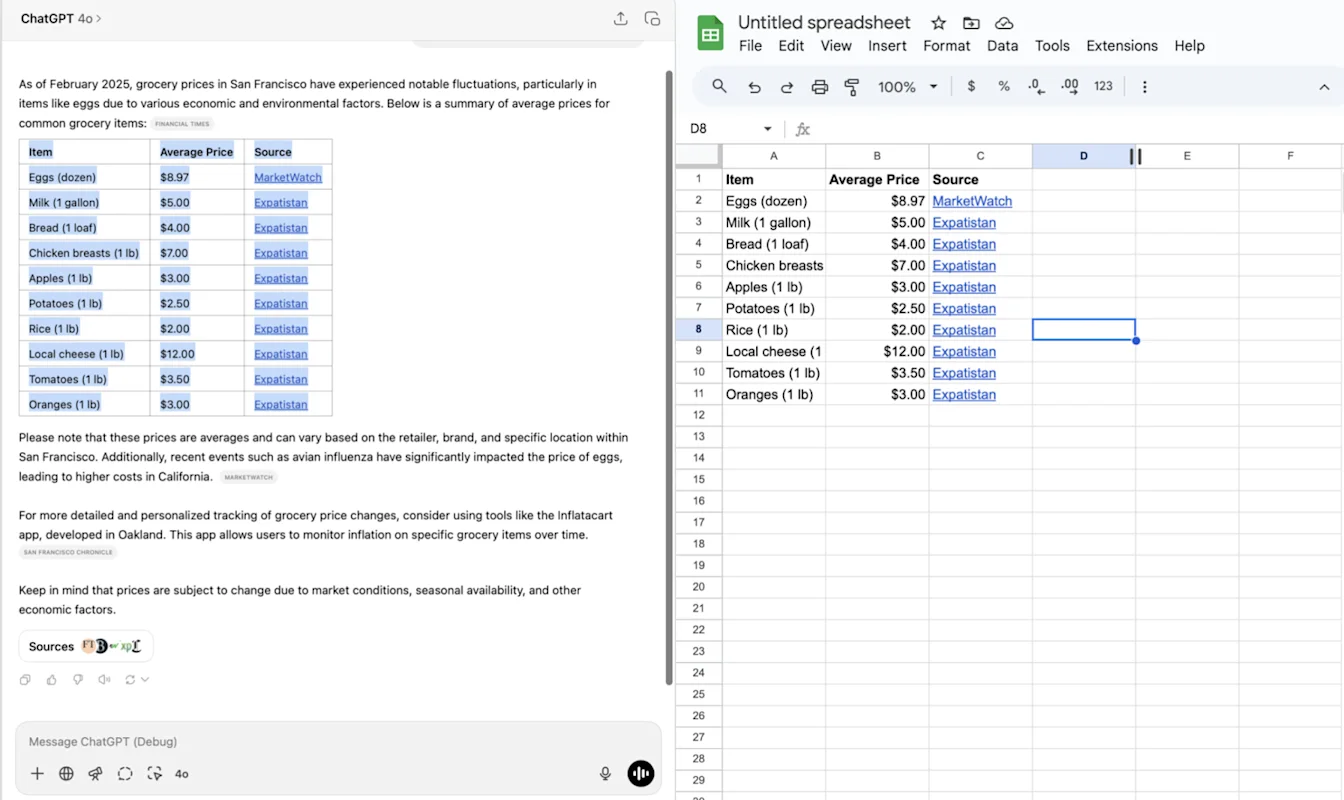
2. Added long press on your message to open menu actions: Copy, Edit.
3. Improved response display of nested blockquote content.
4. Improved display and faster streaming of conversations and message menu actions.
February 28, 2025
General
GPT-4.5 was released to users on the Pro plan in ChatGPT.
The temporary chat icon is now in top bar to make the temporary chat experience more accessible and clear.
iOS
Long press to select text on iOS and moved the message quick actions to always be visible below the message:
Bug fixes and small improvements in the 1.2025.056 iOS release.
A setting to allow users to auto-submit transcriptions.
OFF by default.
Android
Improved error handling for Play Integrity errors.
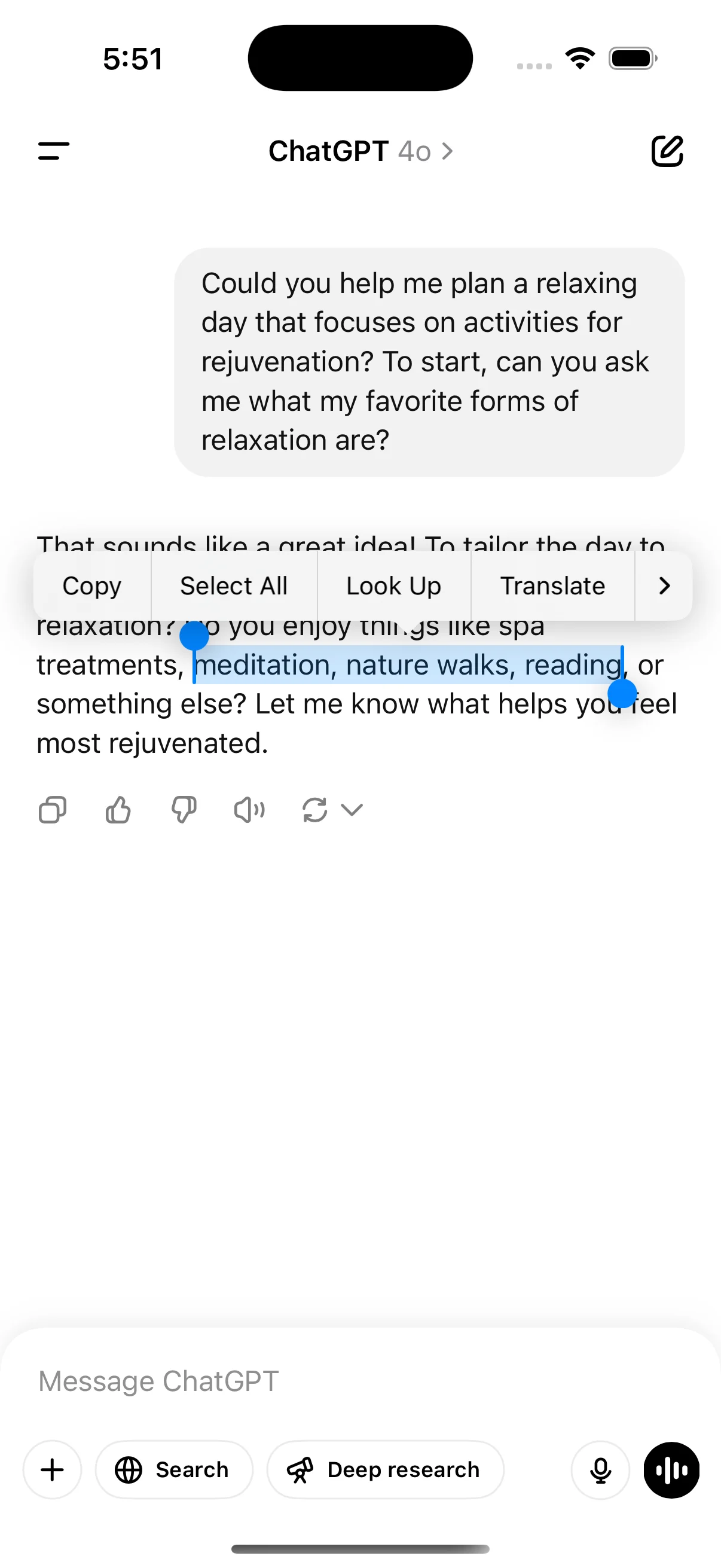
February 21, 2025
1. iOS widget (see below):
2. Text selection improvements: you can now select text across horizontal rulers.3. Performance improvements: Improved model header loading behavior. Conversation history and GPTs show up faster.4. Bug fix for logged-out users: 401s when dismissing tooltips 401s logging out users on Android.
February 14, 2025
Set ChatGPT as default search engine in Safari.
Confirmation dialog for logging out (iOS, web).
Improved Android conversation parsing performance.
iOS performance fixes.
Updated launch animations and composer design on Android.
Whisper (ChatGPT's voice-to-text feature) now shows a text preview of dictated text after recording:
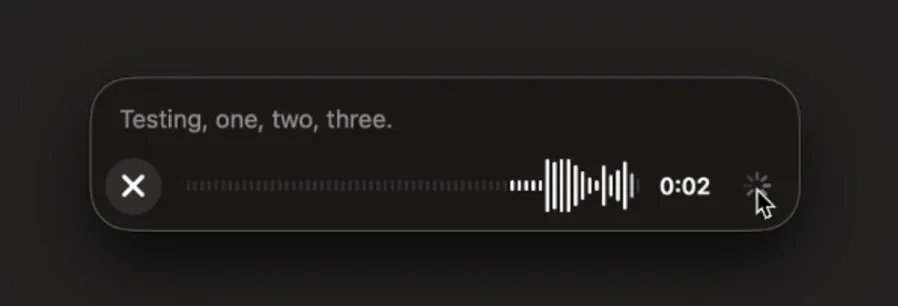
February 6, 2025
Canvas sharing
Users can now share a Canvas asset such as rendered React/HTML code, document, or code with another user, similar to how you share a conversation. You can do this from the Canvas toolbar when Canvas is open.
For more details about the canvas feature in ChatGPT, check out the following Help Center article!
January 17, 2025
More personalization in Custom Instructions
We've updated custom instructions to make it easier to customize how ChatGPT responds to you. With the new UI, you can tell ChatGPT the traits you want it to have, how you want it to talk to you, and any rules you want it to follow.
If you're already using custom instructions, this won't change your current settings.
The new UI is rolling out now on http://chatgpt.com and desktop on Windows, and is coming to mobile and desktop on MacOS in the next few weeks. Available soon to ChatGPT users in the EU, Norway, Iceland, Liechtenstein, and Switzerland.
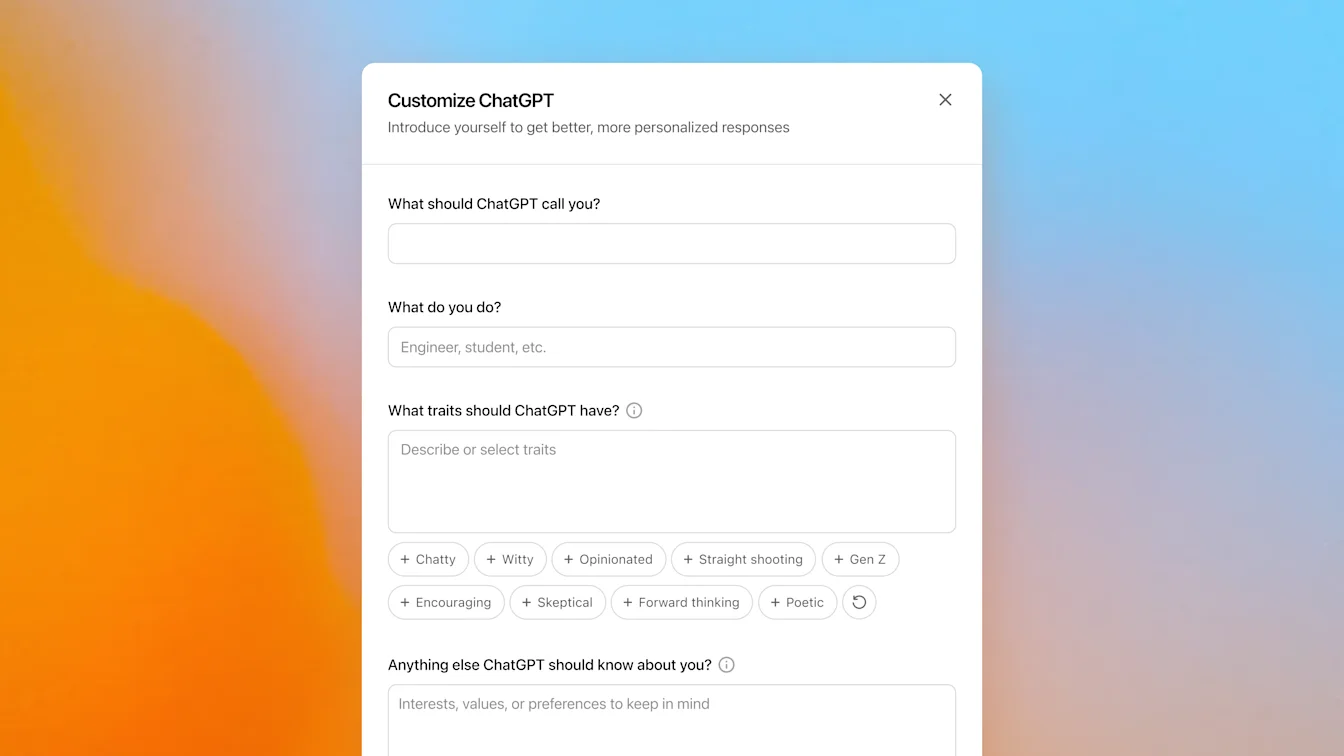
January 15, 2025
Import from Chat into Canvas
Edit a full model response in Canvas
Edit a code block in Canvas
Web only (no desktop or mobile in this release).
January 14, 2025
Scheduled tasks in ChatGPT
Today we’re rolling out a beta version of tasks—a new way to ask ChatGPT to do things for you at a future time. Whether it's one-time reminders or recurring actions, tell ChatGPT what you need and when, and it will automatically take care of it.
Scheduled tasks is in early beta for Plus, Pro, and Teams. Eventually this will be available to anyone with a ChatGPT account.
For details see Scheduled tasks in ChatGPT.
13 ธันวาคม 2024
โปรเจกต์ใน ChatGPT
โปรเจกต์เป็นวิธีใหม่ในการจัดกลุ่มไฟล์และแชตสำหรับการใช้งานส่วนตัว ทำให้จัดการงานที่มีหลายแชตได้ง่ายขึ้น คุณตั้งค่าคำสั่งแบบกำหนดเองและอัปโหลดไฟล์ในโปรเจกต์ได้ และบทสนทนาใด ๆ ในโปรเจกต์ของคุณจะแชร์บริบทกับไฟล์ที่อัปโหลดและคำสั่งแบบกำหนดเอง แชตในโปรเจกต์ใช้ GPT-4o และรองรับฟีเจอร์ต่อไปนี้:
Canvas
การวิเคราะห์ข้อมูลขั้นสูง
DALL•E
ค้นหา
ChatGPT Projects พร้อมใช้งานสำหรับผู้ใช้ Plus, Team และ Pro ทุกคน
12 ธ.ค. 2024
เสียงซานตา วิดีโอ และการแชร์หน้าจอในแชตด้วยเสียง
วันนี้เราเริ่มทยอยเปิดอัปเดตสองอย่างให้โหมดเสียงใน ChatGPT:
เสียงซานตา: ตอนนี้คุณแชตกับซานตาใน ChatGPT ได้แล้ว! จนถึงต้นเดือนมกราคม คุณจะพบซานตาในรายการเสียงที่มีในการตั้งค่า หรือแตะไอคอนเกล็ดหิมะ วันนี้เรากำลังทยอยเปิดซานตาทั่วโลกให้ผู้ใช้ที่เข้าสู่ระบบทุกคน และคุณแชตกับซานตาได้ทุกที่ที่ใช้โหมดเสียง
ครั้งแรกที่คุณแชตกับซานตา ลิมิตโหมดเสียงขั้นสูงของคุณจะรีเซ็ตหนึ่งครั้ง ดังนั้น หากคุณใช้ลิมิตโหมดเสียงขั้นสูงของวันหรือเดือนหมดแล้ว (ตามแพ็กเกจสมัครสมาชิก) คุณยังแชตกับซานตาครั้งแรกด้วยเสียงขั้นสูงได้
วิดีโอและแชร์หน้าจอ: ในแอปมือถือเวอร์ชันล่าสุด เราเริ่มทยอยเปิดความสามารถวิดีโอเรียลไทม์ แชร์หน้าจอ และอัปโหลดรูปภาพในเสียงขั้นสูง เราคาดว่าจะเปิดให้ผู้ใช้ Team ทั้งหมดและผู้ใช้ Plus กับ Pro ส่วนใหญ่ ยกเว้นผู้ที่อยู่ในสหภาพยุโรป สวิตเซอร์แลนด์ ไอซ์แลนด์ นอร์เวย์ และลิกเตนสไตน์ ภายในสัปดาห์หน้า วิดีโอและแชร์หน้าจออยู่ภายใต้ลิมิตการใช้งานรายวันของทุกแพ็กเกจ และการอัปโหลดรูปภาพอยู่ภายใต้ลิมิตข้อความ vision ของ ChatGPT
ใช้ตัวควบคุมด้านล่างหน้าจอ เช่น ปุ่มกล้องด้านล่าง เพื่อเริ่มต้น คุณจะพบตัวควบคุมการแชร์หน้าจอและอัปโหลดรูปภาพในเมนู “...” ที่ด้านล่างหน้าจอ

10 ธ.ค. 2024
Canvas
วันนี้เราเปิดให้ Canvas ใช้งานใน 4o เป็นค่าเริ่มต้นสำหรับผู้ใช้ทุกคน ทั้ง Free และ Paid นอกจากนี้ เรายังเปิดตัวความสามารถใหม่หลายอย่างสำหรับ Canvas ได้แก่:
Canvas ใน GPTs: ตอนนี้ใช้ Canvas กับ GPTs ได้เมื่อเปิดใช้ในตัวสร้าง GPT ตัวสลับนี้จะเปิดเป็นค่าเริ่มต้นสำหรับ GPTs ที่สร้างใหม่
การรันโค้ด Python: ตอนนี้คุณรันโค้ด Python ใน Canvas ได้ ChatGPT จะลองแก้บั๊กในโค้ดของคุณและให้ความคิดเห็นเกี่ยวกับข้อผิดพลาด
ทางลัด Canvas: ตอนนี้คุณวางเนื้อหาใน ChatGPT และเปิดใน Canvas ได้ทันทีผ่านทางลัดมุมขวาบนของช่องพิมพ์ข้อความ
Canvas ใน Toolbox: เพิ่ม Canvas เป็นตัวเลือกในกล่องเครื่องมือแล้ว
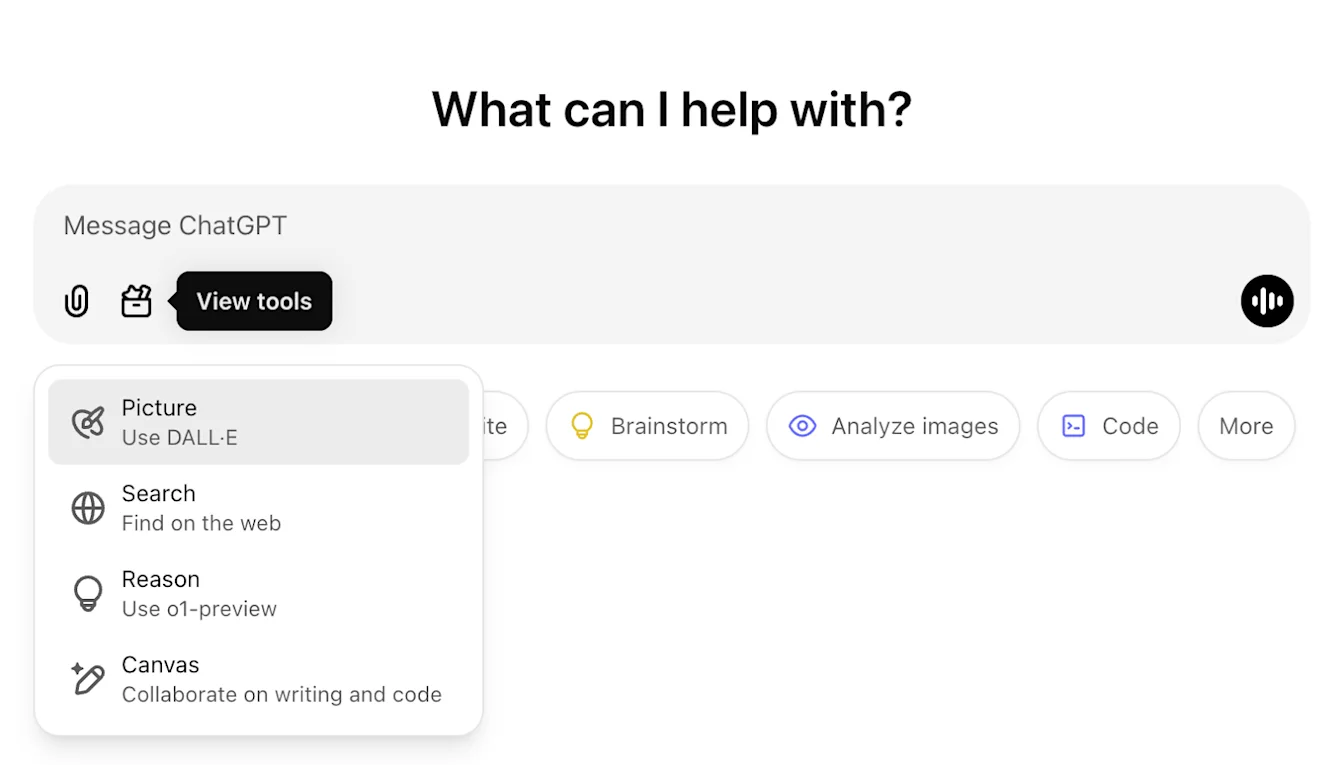
22 พ.ย. 2024
อัปเดตประสบการณ์ ChatGPT Web
เรากำลังทยอยเปิดอัปเดตต่อไปนี้ให้ผู้ใช้ ChatGPT ทุกคนในสองสัปดาห์ข้างหน้า
ออกแบบแถบด้านข้างใหม่
เพิ่มโหมดลอยใหม่พร้อมพฤติกรรมปิดแบบนุ่มนวล
บทสนทนาล่าสุดในแถบด้านข้างถูกจำกัดจำนวน พร้อม flyout เลื่อนต่อเนื่องไม่จำกัดสำหรับบทสนทนาทั้งหมด
GPTs ล่าสุดและ GPT ที่ปักหมุดจะแสดงใต้บทสนทนาแล้ว
ตอนนี้ Settings อยู่ด้านล่างของแถบด้านข้างเสมอ
เพิ่มไอคอนการตั้งค่าขนาดเล็กในหน้าจอใหญ่เมื่อแถบด้านข้างไม่เปิด
เพิ่มทรานซิชันใหม่เพื่อให้รู้สึกดื่มด่ำขึ้น
อัปเดตอื่นสำหรับ ChatGPT บนเว็บ
โครงสร้างหลักของไซต์ได้รับการปรับปรุงใหม่ รองรับอุปกรณ์และขนาดหน้าจอที่หลากหลายได้ดีขึ้นมาก
เมื่อเริ่มบทสนทนาใหม่ ตอนนี้จะเลื่อนให้ปรากฏที่ด้านบนของหน้าจอ
เมื่อเริ่มบทสนทนาใหม่ จะไม่เลื่อนลงล่างอัตโนมัติขณะสร้างข้อความอีกต่อไป
แถบด้านข้างเมื่อปักไว้สามารถค้างเปิดพร้อม Canvas ที่ใช้งานอยู่ได้ หากมีพื้นที่เพียงพอ
เลย์เอาต์แถบช่องพิมพ์ข้อความใหม่จะทำให้เนื้อหาด้านใต้ค่อย ๆ จางเมื่อคุณเลื่อน พร้อมรูปลักษณ์และความรู้สึกที่อัปเดต
ปุ่มแชตใหม่ถูกย้ายไปไว้ซ้ายของ Model Picker เพื่อให้เข้าถึงง่ายขึ้น
ไอคอนระบบในบทสนทนาถูกลบออกเพื่อเพิ่มพื้นที่แนวนอน
มุมมองเน้น Dall-E มีเลย์เอาต์ที่อัปเดต
GPT Creator มีเลย์เอาต์ที่อัปเดต
ประสบการณ์เว็บมือถือที่ดีขึ้น
ประสบการณ์ใช้งานคีย์บอร์ดบนหน้าจอบนอุปกรณ์มือถือได้รับการปรับปรุงอย่างมากทั้งบน iOS & Android
แถบด้านข้างใหม่อยู่ในโหมดลอยเสมอและปิดอัตโนมัติเมื่อสลับเธรด
เราจะไม่โฟกัสช่องพิมพ์ข้อความบนเว็บมือถือเมื่อสลับบทสนทนาอีกต่อไป
ปัญหาที่ทำให้การเลื่อนค้างในบางสถานการณ์ควรถูกแก้ไขแล้ว
19 พ.ย. 2024
Advanced Voice สำหรับ ChatGPT Web
ตั้งแต่วันนี้ เราเริ่มทยอยเปิดโหมดเสียงขั้นสูงบนเว็บ (พร้อมใช้งานแล้วบนแอปมือถือและเดสก์ท็อป) ตอนนี้คุณเริ่มแชตด้วยเสียงบน chatgpt.com บนเดสก์ท็อป และสนทนากับ ChatGPT แบบเรียลไทม์เป็นธรรมชาติได้ขณะทำงาน เช่น ช้อปปิ้ง วางแผน เขียน และระดมความคิด
เราเริ่มทยอยเปิดให้ผู้ใช้แบบชำระเงินทั้งหมด (Plus, Team, Enterprise และ Edu) วันนี้ และคาดว่าจะใช้เวลาสองสามวัน
8 ส.ค. 2024
DALL·E 3 สำหรับผู้ใช้ ChatGPT Free
เรากำลังทยอยเปิดให้ผู้ใช้ ChatGPT Free สร้างรูปภาพได้สูงสุดสองรูปต่อวันด้วย DALL·E 3
เพียงขอให้ ChatGPT สร้างรูปสำหรับชุดสไลด์ ปรับแต่งการ์ดให้เพื่อน หรือแสดงว่าสิ่งหนึ่งมีหน้าตาอย่างไร
18 กรกฎาคม 2024
ขอแนะนำ GPT-4o mini
เราขอแนะนำ GPT-4o mini โมเดลขนาดเล็กที่มีความสามารถสูงและคุ้มค่าที่สุดในวันนี้ GPT-4o mini เหนือกว่า GPT-3.5 Turbo และโมเดลขนาดเล็กอื่น ๆ ใน benchmark ทางวิชาการ ทั้งด้านความฉลาดด้านข้อความและการให้เหตุผลหลายรูปแบบ และรองรับช่วงภาษาเดียวกับ GPT-4o ยังแสดงประสิทธิภาพสูงใน Function Calling ซึ่งช่วยให้นักพัฒนาสร้างแอปที่ดึงข้อมูลหรือทำงานกับระบบภายนอกได้ และมีประสิทธิภาพบริบทยาวดีขึ้นเมื่อเทียบกับ GPT-3.5 Turbo
คุณอ่านเพิ่มเติมเกี่ยวกับ GPT-4o mini ได้ในประกาศบล็อกที่นี่
16 พฤษภาคม 2024
การปรับปรุงการวิเคราะห์ข้อมูลใน ChatGPT
วันนี้เราเริ่มทยอยเปิดการปรับปรุงการวิเคราะห์ข้อมูล:
อัปโหลดไฟล์เวอร์ชันล่าสุดโดยตรงจาก Google Drive, Microsoft OneDrive Personal และ Microsoft OneDrive รวมถึง Sharepoint
โต้ตอบกับตารางและแผนภูมิในมุมมองขยายใหม่
ปรับแต่งและดาวน์โหลดแผนภูมิและเอกสารที่พร้อมนำเสนอ
การปรับปรุงการวิเคราะห์ข้อมูลพร้อมใช้งานในโมเดลหลักใหม่ของเรา GPT-4o สำหรับผู้ใช้ ChatGPT Plus, Team และ Enterprise
13 พฤษภาคม 2024
ขอแนะนำ GPT-4o
GPT-4o คือโมเดลหลักล่าสุดของเรา ที่ให้ความฉลาดระดับ GPT-4 แต่เร็วขึ้นมาก และปรับปรุงความสามารถทั้งด้านข้อความ เสียง และภาพ ขณะนี้เปิดตัวเฉพาะความสามารถข้อความและรูปภาพใหม่แล้ว คุณอ่านเพิ่มเติมเกี่ยวกับประกาศได้ที่นี่
ผู้ใช้ Plus จะมีลิมิตข้อความมากกว่าผู้ใช้ฟรีสูงสุด 5 เท่า และผู้ใช้ Team กับ Enterprise จะมีลิมิตสูงกว่านั้น
29 เม.ย. 2024
ความจำพร้อมใช้งานสำหรับผู้ใช้ Plus แล้ว
ความจำพร้อมใช้งานสำหรับผู้ใช้ ChatGPT Plus ทุกคนแล้ว ยกเว้นยุโรปและเกาหลี ซึ่งเราจะทยอยเปิดเร็ว ๆ นี้ การใช้ความจำง่ายมาก: เพียงเริ่มแชตใหม่และบอก ChatGPT ว่าต้องการให้จำอะไร
เปิดหรือปิดความจำได้ในการตั้งค่า Team, Enterprise และ GPTs จะตามมา
1 เม.ย. 2024
เริ่มใช้ ChatGPT ได้ทันที
เรากำลังทำให้ผู้คนสัมผัสประโยชน์ของ AI ได้ง่ายขึ้นโดยไม่ต้องสมัครบัญชี ตั้งแต่วันนี้ คุณใช้ ChatGPT ได้ทันทีโดยไม่ต้องสมัคร เรากำลังทยอยเปิด โดยมีเป้าหมายให้ AI เข้าถึงได้สำหรับทุกคนที่สนใจความสามารถของมัน
13 ก.พ. 2024
ความจำและการควบคุมใหม่สำหรับ ChatGPT
เรากำลังทดสอบความจำกับ ChatGPT การจดจำสิ่งที่คุณพูดคุยข้ามทุกแชตช่วยให้คุณไม่ต้องพูดข้อมูลซ้ำ และทำให้บทสนทนาในอนาคตมีประโยชน์มากขึ้น
คุณเป็นผู้ควบคุมความจำของ ChatGPT คุณสามารถบอกให้จำบางอย่าง ถามว่ามันจำอะไร และบอกให้ลืมผ่านบทสนทนาหรือผ่านการตั้งค่าได้ คุณยังปิดทั้งหมดได้ด้วย
เรากำลังทยอยเปิดให้ผู้ใช้ ChatGPT ฟรีและ Plus กลุ่มเล็ก ๆ ในสัปดาห์นี้ เพื่อเรียนรู้ว่ามีประโยชน์เพียงใด เราจะแชร์แผนการเปิดใช้งานที่กว้างขึ้นเร็ว ๆ นี้
คุณอ่านเพิ่มเติมเกี่ยวกับความจำและการควบคุมได้ที่นี่
10 ม.ค. 2024
ขอแนะนำ GPT Store และแพ็กเกจ ChatGPT Team
ค้นพบสิ่งที่กำลังนิยมใน GPT Store
สโตร์มี GPTs หลากหลายที่พัฒนาโดยพาร์ทเนอร์และชุมชนของเรา เรียกดู GPTs ยอดนิยมและกำลังมาแรงบนกระดานจัดอันดับชุมชน พร้อมหมวดหมู่ เช่น DALL·E การเขียน การวิจัย การเขียนโปรแกรม การศึกษา และไลฟ์สไตล์
สำรวจ GPTs ได้ที่ chatgpt.com/gpts
ใช้ ChatGPT ร่วมกับทีมของคุณ
เรากำลังเปิดตัวแพ็กเกจ ChatGPT ใหม่สำหรับทีมทุกขนาด ซึ่งมอบเวิร์กสเปซที่ปลอดภัยและทำงานร่วมกันได้เพื่อใช้ประโยชน์สูงสุดจาก ChatGPT ในที่ทำงาน
ChatGPT Team ให้เข้าถึงโมเดลขั้นสูงของเรา เช่น GPT-4 และ DALL·E 3 รวมถึงเครื่องมืออย่างการวิเคราะห์ข้อมูลขั้นสูง ยังรวมเวิร์กสเปซสำหรับการทำงานร่วมกันโดยเฉพาะสำหรับทีมของคุณ และเครื่องมือผู้ดูแลสำหรับจัดการทีม เช่นเดียวกับ ChatGPT Enterprise คุณเป็นเจ้าของและควบคุมข้อมูลธุรกิจของคุณ เราไม่ฝึกโมเดลจากข้อมูลธุรกิจหรือบทสนทนาของคุณ และโมเดลของเราไม่เรียนรู้จากการใช้งานของคุณ ดูรายละเอียดเพิ่มเติมเกี่ยวกับแนวทางความเป็นส่วนตัวของข้อมูลได้ในหน้าความเป็นส่วนตัวและพอร์ทัลความปลอดภัยของเรา
คุณเรียนรู้เพิ่มเติมเกี่ยวกับแพ็กเกจ ChatGPT Team ได้ที่นี่
November 21, 2023
ChatGPT with voice is available to all users
ChatGPT with voice is now available to all free users. Download the app on your phone and tap the headphones icon to start a conversation.
November 6, 2023
Introducing GPTs
You can now create custom versions of ChatGPT that combine instructions, extra knowledge, and any combination of skills. Learn more here.
We’re rolling out custom versions of ChatGPT that you can create for a specific purpose—called GPTs. GPTs are a new way for anyone to create a tailored version of ChatGPT to be more helpful in their daily life, at specific tasks, at work, or at home—and then share that creation with others. For example, GPTs can help you learn the rules to any board game, help teach your kids math, or design stickers.
Plus and Enterprise users can start creating GPTs this week. Later this month, we’ll launch the GPT Store, so people can feature and make money from their GPTs. We plan to offer GPTs to more users soon.
October 17, 2023
Browsing is now out of beta
Browsing, which we re-launched a few weeks ago, is moving out of beta.
Plus and Enterprise users no longer need to switch the beta toggle to use browse, and are able to choose "Browse with Bing" from the GPT-4 model selector.
October 16, 2023
DALL·E 3 is now rolling out in beta
We’ve integrated DALL·E 3 with ChatGPT, allowing it to respond to your requests with images. From a simple sentence to a detailed paragraph, ask ChatGPT what you want to see and it will translate your ideas into exceptionally accurate images.
To use DALL·E 3 on both web and mobile, choose DALL·E 3 in the selector under GPT-4. The message limit may vary based on capacity.
September 27, 2023
Browsing is rolling back out to Plus users
Browsing is rolling out to all Plus users. ChatGPT can now browse the internet to provide you with current and authoritative information, complete with direct links to sources. It is no longer limited to data before September 2021.
To try it out, enable Browsing in your beta features setting.
Click on 'Profile & Settings’
Select 'Beta features'
Toggle on ‘Browse with Bing’
Choose Browse with Bing in the selector under GPT-4.
September 25, 2023
New voice and image capabilities in ChatGPT
We are beginning to roll out new voice and image capabilities in ChatGPT. They offer a new, more intuitive type of interface by allowing you to have a voice conversation or show ChatGPT what you’re talking about. Learn more here.
Voice (Beta) is now rolling out to Plus users on iOS and Android
You can now use voice to engage in a back-and-forth conversation with your assistant. Speak with it on the go, request a bedtime story, or settle a dinner table debate.
To get started with voice, head to Settings → New Features on the mobile app and opt into voice conversations. Then, tap the headphone button located in the top-right corner of the home screen and choose your preferred voice out of five different voices.
Image input will be generally available to Plus users on all platforms
You can now show ChatGPT one or more images. Troubleshoot why your grill won’t start, explore the contents of your fridge to plan a meal, or analyze a complex graph for work-related data. To focus on a specific part of the image, you can use the drawing tool in our mobile app.
To get started, tap the photo button to capture or choose an image. You can also discuss multiple images or use our drawing tool to guide your assistant.
September 11, 2023
ChatGPT language support - Alpha on web
ChatGPT now supports a limited selection of languages in the interface:
Chinese (zh-Hans)
Chinese (zh-TW)
French (fr-FR)
German (de-DE)
Italian (it-IT)
Japanese (ja-JP)
Portuguese (pt-BR)
Russian (ru-RU)
Spanish (es-ES)
If you've configured your browser to use one of these supported languages, you'll see a banner in ChatGPT that enables you to switch your language settings. You can deactivate this option at any time through the settings menu.
This feature is in alpha, requires opting in, and currently can only be used on the web at chatgpt.com. Learn more here.
August 28, 2023
Introducing ChatGPT Enterprise
Today we’re launching ChatGPT Enterprise, which offers enterprise-grade security and privacy, unlimited higher-speed GPT-4 access, longer context windows for processing longer inputs, advanced data analysis capabilities, customization options, and much more.
ChatGPT Enterprise also provides unlimited access to Advanced Data Analysis, previously known as Code Interpreter.
Learn more on our website and connect with our sales team to get started.
August 21, 2023
Custom instructions are now available to users in the EU & UK
Custom instructions are now available to users in the European Union United Kingdom.
To add your instructions:
Click on your name
Select ‘Custom instructions’
August 9, 2023
Custom instructions are now available to free users
Custom instructions are now available to ChatGPT users on the free plan, except for in the EU UK where we will be rolling it out soon!
Customize your interactions with ChatGPT by providing specific details and guidelines for your chats.
To add your instructions:
Click on your name
Select ‘Custom instructions’
August 3, 2023
Updates to ChatGPT
We’re rolling out a bunch of small updates to improve the ChatGPT experience. Shipping over the next week:
1. Prompt examples: A blank page can be intimidating. At the beginning of a new chat, you’ll now see examples to help you get started.
2. Suggested replies: Go deeper with a click. ChatGPT now suggests relevant ways to continue your conversation.
3. GPT-4 by default, finally: When starting a new chat as a Plus user, ChatGPT will remember your previously selected model — no more defaulting back to GPT-3.5.
4. Upload multiple files: You can now ask ChatGPT to analyze data and generate insights across multiple files. This is available with the Code Interpreter beta for all Plus users.
5. Stay logged in: You’ll no longer be logged out every 2 weeks! When you do need to log in, you’ll be greeted with a much more welcoming page.
6. Keyboard shortcuts: Work faster with shortcuts, like ⌘ (Ctrl) + Shift + ; to copy last code block. Try ⌘ (Ctrl) + / to see the complete list.
July 25, 2023
Introducing the ChatGPT app for Android
ChatGPT for Android is now available for download in the United States, India, Bangladesh, and Brazil from the Google Play Store.
We plan to expand the rollout to additional countries over the next week. You can track the Android rollout here.
July 20, 2023
Custom instructions are rolling out in beta
We’re starting to roll out custom instructions, giving you more control over ChatGPT’s responses. Set your preferences once, and they’ll steer future conversations. You can read more about custom instructions in the blogpost here.
Custom instructions are available to all Plus users and expanding to all users in the coming weeks.
To enable beta features:
Click on 'Profile & Settings’
Select 'Beta features'
Toggle on 'Custom instructions'
To add your instructions:
Click on your name
Select ‘Custom instructions’
This feature is not yet available in the UK and EU.
July 19, 2023
Higher message limits for GPT-4
We're doubling the number of messages ChatGPT Plus customers can send with GPT-4. Rolling out over the next week, the new message limit will be 40 every 3 hours.
July 6, 2023
Code interpreter is now rolling out in beta on web
We’re rolling out code interpreter to all ChatGPT Plus users over the next week.
It lets ChatGPT run code, optionally with access to files you've uploaded. You can ask ChatGPT to analyze data, create charts, edit files, perform math, etc.
We’ll be making these features accessible to Plus users on the web via the beta panel in your settings over the course of the next week.
To enable code interpreter:
Click on your name
Select beta features from your settings
Toggle on the beta features you’d like to try
July 3, 2023
Browsing is temporarily disabled
We've learned that the browsing beta can occasionally display content in ways we don't want, e.g. if a user specifically asks for a URL's full text, it may inadvertently fulfill this request. We are temporarily disabling Browse while we fix this.
June 22, 2023
Browsing and search on mobile
We’ve made two updates to the mobile ChatGPT app:
Browsing: Plus users can now use Browsing to get comprehensive answers and current insights on events and information that extend beyond the model's original training data. To try it out, enable Browsing in the “new features” section of your app settings. Then select GPT-4 in the model switcher and choose “Browse with Bing” in the drop-down.
Search History Improvements: Tapping on a search result takes you directly to the respective point in the conversation.
May 24, 2023
iOS app available in more countries, shared links in alpha, Bing Plugin, disable history on iOS
ChatGPT app for iOS in more countries
Good news! We’re expanding availability of the ChatGPT app for iOS to more countries and regions. Users in 11 countries can now download the ChatGPT app in the Apple App Store including the United States: Albania, Croatia, France, Germany, Ireland, Jamaica, Korea, New Zealand, Nicaragua, Nigeria, and the United Kingdom.
We will continue to roll out to more countries and regions in the coming weeks. You can track the iOS app rollout here.
Shared Links
We're excited to introduce a new feature: shared links. This feature allows you to create and share your ChatGPT conversations with others. Recipients of your shared link can either view the conversation or copy it to their own chats to continue the thread. This feature is currently rolling out to a small set of testers in alpha, with plans to expand to all users (including free) in the upcoming weeks.
To share your conversations:
Click on the thread you’d like to share
Select the “Share” button
Click on “Copy Link”
Learn more.
Bing Plugin
Browse with Bing. We’ve integrated the browsing feature - currently in beta for paid users - more deeply with Bing. You can now click into queries that the model is performing. We look forward to expanding the integration soon.
Disable chat history on iOS
You can now disable your chat history on iOS. Conversations started on your device when chat history is disabled won’t be used to improve our models, won’t appear in your history on your other devices, and will only be stored for 30 days. Similar to the functionality on the web, this setting does not sync across browsers or devices. Learn more.
May 12, 2023
Web browsing and Plugins are now rolling out in beta
If you are a ChatGPT Plus user, enjoy early access to experimental new features, which may change during development. We’ll be making these features accessible via a new beta panel in your settings, which is rolling out to all Plus users over the course of the next week.
Once the beta panel rolls out to you, you’ll be able to try two new features:
Web browsing: Try a new version of ChatGPT that knows when and how to browse the internet to answer questions about recent topics and events.
Plugins: Try a new version of ChatGPT that knows when and how to use third-party plugins that you enable.
To use third-party plugins, follow these instructions:
Navigate to https://chatgpt.com/
Select “Plugins” from the model switcher
In the “Plugins” dropdown, click “Plugin Store” to install and enable new plugins
To enable beta features:
Click on 'Profile & Settings'
Select 'Beta features'
Toggle on the features you’d like to try
For more information on our rollout process, please check out the article here.
In addition to the beta panel, users can now choose to continue generating a message beyond the maximum token limit. Each continuation counts towards the message allowance.
May 3, 2023
Updates to ChatGPT
We’ve made several updates to ChatGPT! Here's what's new:
You can now turn off chat history and export your data from the ChatGPT settings. Conversations that are started when chat history is disabled won’t be used to train and improve our models, and won’t appear in the history sidebar.
We are deprecating the Legacy (GPT-3.5) model on May 10th. Users will be able to continue their existing conversations with this model, but new messages will use the default model.
March 23, 2023
Introducing plugins in ChatGPT
We are announcing experimental support for AI plugins in ChatGPT — tools designed specifically for language models. Plugins can help ChatGPT access up-to-date information, run computations, or use third-party services. You can learn more about plugins here.
Today, we will begin extending plugin access to users and developers from our waitlist. The plugins we are rolling out with are:
Browsing: An experimental model that knows when and how to browse the internet
Code Interpreter: An experimental ChatGPT model that can use Python, and handles uploads and downloads
Third-party plugins: An experimental model that knows when and how to use external plugins.
You can join the waitlist to try plugins here:
March 14, 2023
Announcing GPT-4 in ChatGPT
We’re excited to bring GPT-4, our latest model, to our ChatGPT Plus subscribers.
GPT-4 has enhanced capabilities in:
Advanced reasoning
Complex instructions
More creativity
To give every Plus subscriber a chance to try the model, we'll dynamically adjust the cap for GPT-4 usage based on demand. You can learn more about GPT-4 here.
For this release, there are no updates to free accounts.
Feb 13, 2023
Updates to ChatGPT
We’ve made several updates to ChatGPT! Here's what's new:
We’ve updated performance of the ChatGPT model on our free plan in order to serve more users.
Based on user feedback, we are now defaulting Plus users to a faster version of ChatGPT, formerly known as “Turbo”. We’ll keep the previous version around for a while.
We rolled out the ability to purchase ChatGPT Plus internationally.
Feb 9 2023
Introducing ChatGPT Plus
As we recently announced, our Plus plan comes with early access to new, experimental features. We are beginning to roll out a way for Plus users the ability to choose between different versions of ChatGPT:
Default: the standard ChatGPT model
Turbo: optimized for speed (alpha)
Version selection is made easy with a dedicated dropdown menu at the top of the page. Depending on feedback, we may roll out this feature (or just Turbo) to all users soon.
Jan 30, 2023
Factuality and mathematical improvements
We’ve upgraded the ChatGPT model with improved factuality and mathematical capabilities.
Jan 9, 2023
Updates to ChatGPT
We're excited to announce several updates to ChatGPT! Here's what's new:
We made more improvements to the ChatGPT model! It should be generally better across a wide range of topics and has improved factuality.
Stop generating: Based on your feedback, we've added the ability to stop generating ChatGPT's response
Dec 15, 2022
Performance updates to ChatGPT
We're excited to announce several updates to ChatGPT! Here's what's new:
General performance: Among other improvements, users will notice that ChatGPT is now less likely to refuse to answer questions.
Conversation history: You’ll soon be able to view past conversations with ChatGPT, rename your saved conversations and delete the ones you don’t want to keep. We are gradually rolling out this feature.
Daily limit: To ensure a high-quality experience for all ChatGPT users, we are experimenting with a daily message cap. If you’re included in this group, you’ll be presented with an option to extend your access by providing feedback to ChatGPT.
To see if you’re using the updated version, look for “ChatGPT Dec 15 Version” at the bottom of the screen.