
2026 წლის 28 აგვისტო
პლაგინების მარკეტპლეისების იმპორტი და სინქრონიზაცია GitHub-იდან
სამუშაო სივრცის ადმინისტრატორებსა და მფლობელებს შეუძლიათ, საჯარო ან პირადი GitHub-რეპოზიტორიუმებიდან ცენტრალიზებულად გაავრცელონ პლაგინების მარკეტპლეისები და ყოველდღიური ავტომატური სინქრონიზაციით პლაგინები განახლებული შეინარჩუნონ. დასაწყებად გადადით სამუშაო სივრცის პარამეტრები > პლაგინები და აირჩიეთ დამატება > მარკეტპლეისის იმპორტი, ხოლო მარკეტპლეისის განახლების მოთხოვნისთვის აირჩიეთ ახლავე სინქრონიზაცია.
ადმინისტრატორები და მფლობელები სამუშაო სივრცის პარამეტრებიდან მართავენ ინსტალაციის პოლიტიკას შესაბამისი როლებისთვის და აპებზე წვდომის მოთხოვნებს. რეპოზიტორიუმის პოლიტიკის მნიშვნელობები ამ პარამეტრებს არ ანაცვლებს; აპის ნებართვები და ავთენტიფიკაციის მოთხოვნები კვლავ მოქმედებს. იხილეთ დამატებითი ინფორმაცია მარკეტპლეისის დაყენების შესახებ და გაეცანით მხარდაჭერილ ფორმატებსა და კონფიგურაციას.
2026 წლის 27 აგვისტო
იდენტობის ცენტრალიზებული მართვა ადმინისტრატორის კონსოლში
ChatGPT Enterprise-ისა და Edu-ს შესაბამის მომხმარებლებს ახლა სამუშაო სივრცისა და იდენტობის მეტი პარამეტრის მართვა შეუძლიათ ადმინისტრატორის კონსოლში:
მართეთ სამუშაო სივრცის წევრები, ჯგუფები, როლები, ნებართვები და ზოგადი პარამეტრები.
მომხმარებლებისა და ჯგუფების ერთჯერადად სინქრონიზაცია მოახდინეთ ცენტრალიზებული, მთელი ტენანტის მასშტაბით მოქმედი SCIM-ის მეშვეობით, შემდეგ კი ჯგუფები მხარდაჭერილ ChatGPT-ის სამუშაო სივრცეებს ან Ads-ის ანგარიშებს მიანიჭეთ.
სადაც ხელმისაწვდომია, მართეთ Ads-ის ანგარიშების მომხმარებლები და როლები.
სამუშაო სივრცის დონეზე არსებული SCIM-ის კონფიგურაციები კვლავ მხარდაჭერილია.
დამატებითი ინფორმაცია: ტენანტის მართვა ადმინისტრატორის კონსოლში და SCIM-ის მეშვეობით რესურსების გამოყოფა და მართვა.
მოდელებზე წვდომის კონტროლი, სამუშაო სივრცის პარამეტრები და Windows-ის გაუმჯობესებები
გამოვუშვით რამდენიმე გაუმჯობესება, რომლებიც Enterprise/Edu-ს სამუშაო სივრცეებს ეხება:
მოდელებზე წვდომის კონტროლის საშუალებები სამუშაო სივრცის მფლობელებს მხარდაჭერილ მოდელებზე წვდომის მართვის შესაძლებლობას აძლევს სამუშაო სივრცისა და როლის დონეზე.
მომხმარებლები, ჯგუფები, როლები, ნებართვები და ზოგადი პარამეტრები ახლა ადმინისტრატორის კონსოლშია. ისინი კვლავ ხელმისაწვდომია სამუშაო სივრცის პარამეტრებში, ხოლო არსებულ ჩანართებზე დაწკაპუნებით ადმინისტრატორის კონსოლში გადახვალთ. არსებული ნებართვები კვლავ მოქმედებს. დამატებითი ინფორმაციისთვის იხილეთ: როლებზე დაფუძნებული წვდომის კონტროლი და სამუშაო სივრცის პარამეტრები.
Windows-ზე Codex-ის გაუმჯობესებები მოიცავს
codex doctorდიაგნოსტიკას, Windows-იდან სხვა მოწყობილობების დისტანციურ მართვას და სასურველი Linux-დისტრიბუციის არჩევას, როდესაც რამდენიმე WSL-დისტრიბუციაა დაყენებული. მართულ მოწყობილობებზე საჭიროა MDM-ის მეშვეობით ადმინისტრატორის მიერ დამტკიცებული ვერსია. ხელმისაწვდომობა დამოკიდებულია თქვენს სამუშაო სივრცესა და აპის ვერსიაზე. დამატებითი ინფორმაციისთვის იხილეთ: Codex.
2026 წლის 25 აგვისტო
გაზიარებული დაგეგმილი და ვებჰუკით გააქტიურებული დავალებები
Enterprise-ის, Edu-სა და ChatGPT ჯანდაცვის სექტორისთვის სამუშაო სივრცეების წევრებს შეუძლიათ თავიანთ სამუშაო სივრცეში გააზიარონ მორგებადი დაგეგმილი დავალებები. ადმინისტრატორებს ასევე შეუძლიათ მუშაობის რეჟიმში ჩართონ ვებჰუკით გააქტიურებული დავალებები, რათა დამტკიცებულმა აპებმა შესაბამისი განახლებები განმეორებითი ხელით შემოწმების გარეშე აჩვენონ. ChatGPT-ში ჯანდაცვის სექტორისთვის ამ დავალებებზე ბიზნესპარტნიორობის შეთანხმება (BAA) არ ვრცელდება და მათი გამოყენება დაცული სამედიცინო ინფორმაციის (PHI) გადასაცემად, შესანახად ან დასამუშავებლად დაუშვებელია.
მხარდაჭერილ ვებჰუკებს შორისაა Gmail-ის ახალი წერილები, Slack-ის არხის შეტყობინებები და GitHub-ის pull request-ებთან დაკავშირებული აქტივობა.
ვებჰუკით გააქტიურებული დავალებების შექმნა
უფლებამოსილ წევრებს შეუძლიათ ვებსაიტზე, iOS-სა და Android-ზე მუშაობის რეჟიმს სთხოვონ, რეაგირება მოახდინოს Gmail-ის ახალ წერილზე, Slack-ის არხის შეტყობინებაზე ან GitHub-ის pull request-ის მხარდაჭერილ მოვლენაზე. მაგალითად, სთხოვეთ ChatGPT-ს, შეაჯამოს Slack-ში მიღებული კლიენტების გამოხმაურება ან მოამზადოს შემდეგი ნაბიჯები GitHub-ის pull request-ის შეცვლის შემდეგ. წევრებს მუშაობის რეჟიმსა და დამტკიცებულ აპზე წვდომა სჭირდებათ. თითოეულ მონიტორინგის ქვეშ მყოფ Slack-ის არხს დაამატეთ @ChatGPT. Enterprise-ის, Edu-სა და ChatGPT ჯანდაცვის სექტორისთვის ადმინისტრატორებმა ჯერ უნდა ჩართონ „მოვლენით გააქტიურებული დაგეგმილი დავალებების დაშვება“ სექციაში „ნებართვები & როლები > მუშაობა“. ნაგულისხმევად ეს ნებართვა გამორთულია.
დაგეგმილი დავალებების გაზიარება
უფლებამოსილ წევრებს შეუძლიათ დაგეგმილი ან ვებჰუკით გააქტიურებული დავალებები გაუზიარონ იმავე სამუშაო სივრცის სხვა წევრებს, რომლებსაც შეუძლიათ ინსტრუქციების და, საჭიროების შემთხვევაში, განრიგის გადახედვა და მორგება. ადმინისტრატორები გაზიარებას მართავენ პარამეტრით ჩატებისა და დაგეგმილი დავალებების გაზიარება სამუშაო სივრცეში. ვებჰუკით გააქტიურებული ასლის დასაგეგმად ასევე საჭიროა მოვლენით გააქტიურებული დაგეგმილი დავალებების დაშვება, მუშაობის რეჟიმზე წვდომა და მიმღების მიერ დამტკიცებული დაკავშირებული აპი.
დამატებითი ინფორმაციისთვის იხილეთ: დაგეგმილი დავალებები ChatGPT-ში.
2026 წლის 20 აგვისტო
Enterprise ფუნქციების განახლებები
სამუშაო სივრცის მფლობელებსა და ადმინისტრატორებს შეუძლიათ, ახალი, სამუშაო სივრცის მასშტაბით მოქმედი ადმინისტრირების API-ების მეშვეობით მოსაწვევებისა და წევრების მართვა ავტომატიზებული გახადონ. მოსაწვევების API-ები მხარს უჭერს მოსაწვევების სიის ნახვას, მიღებას, შექმნას, ხელახლა გაგზავნასა და წაშლას. მომხმარებლების API-ები მიღებული წევრების მონაცემების მოპოვების საშუალებას იძლევა, სამუშაო სივრცის მფლობელებს კი ასევე შეუძლიათ ჩაშენებული როლების ან ადგილების განახლება და სამუშაო სივრცის წევრობის გაუქმება. SCIM-ით მართული ცვლილებები კვლავ იდენტობის პროვაიდერის მეშვეობით ხორციელდება და ბოლო მფლობელის დაცვის წესები ძალაში რჩება. დაყენებისა და ნებართვების შესახებ იხილეთ ადმინისტრატორის გასაღებების მართვა. საბოლოო წერტილების მისამართებისა და სქემების შესახებ იხილეთ ადმინისტრირების API-ის ცნობარი.
გლობალური ადმინისტრატორის კონსოლი ახლა უფრო მკაფიოდ აჩვენებს, რომელ ტენანტში ან სამუშაო სივრცეში მუშაობთ, და მხარდაჭერილ გვერდებს სამუშაო სივრცისთვის სპეციფიკურ URL-ებს ამატებს. სამუშაო სივრცის წევრებს შეუძლიათ მხოლოდ საკუთარი აქტივობის ანალიტიკის ნახვა, ხოლო სხვადასხვა მომხმარებლის მონაცემების ერთობლივი ხედები კვლავ მხოლოდ უფლებამოსილი როლებისთვისაა ხელმისაწვდომი. ChatGPT-ის სამუშაო სივრცის პარამეტრები ამჟამინდელ მდებარეობაზე რჩება. შეიტყვეთ მეტი გლობალური ადმინისტრატორის კონსოლის შესახებ.
პირადი ანალიტიკა მხარდაჭერილია მუშაობისა და Codex-ისთვის შესაბამის Enterprise და Edu სამუშაო სივრცეებში. მას შემდეგ, რაც ადმინისტრატორი პლაგინს ჩართავს, წევრებს შეუძლიათ მისი ინსტალაცია ChatGPT Desktop-ში და კითხვების დასმა მათ ავტორიზებულ იდენტობასთან დაკავშირებული აქტივობისა და სამუშაო სივრცის კონფიდენციალურობით დაცული, აგრეგირებული ტენდენციების შესახებ. ის მხოლოდ წაკითხვის რეჟიმში მუშაობს და ვერ აჩვენებს სხვა მომხმარებლის ინდივიდუალურ აქტივობას ან სხვა სამუშაო სივრცის მონაცემებს. შეიტყვეთ მეტი პირადი ანალიტიკის შესახებ.
ითანამშრომლეთ ChatGPT-ის საიტებზე (მხოლოდ Enterprise). Enterprise სამუშაო სივრცეებში საიტის მფლობელებს რედაქტორებად იმავე სამუშაო სივრცის აქტიური წევრების დამატება შეუძლიათ. რედაქტორებს შეუძლიათ საიტის განახლება და შენახვა, ხოლო მფლობელის მიერ მისი პირველად გამოქვეყნების შემდეგ — მომდევნო ვერსიების იმავე საიტის URL-ზე გამოქვეყნება. მფლობელები ინარჩუნებენ კონტროლს გაზიარებაზე, საიტის პარამეტრებზე, ანალიტიკაზე, მფლობელობაზე, ვერსიის აღდგენასა და რედაქტორების წვდომაზე. ერთობლივი რედაქტირებისთვის გამოიყენება საიტების არსებული სამუშაო სივრცის მართვის საშუალებები და ცალკე RBAC გადამრთველი არ ემატება; საჯაროდ გამოქვეყნება ნაგულისხმევად კვლავ გამორთულია და მას ადმინისტრატორი აკონტროლებს. შეიტყვეთ მეტი თქვენი სამუშაო სივრცისთვის ChatGPT-ის საიტების მართვის შესახებ.
გამოიყენეთ Apple Messages Codex-იდან და ChatGPT მუშაობიდან. Apple-ის პროცესორიან Mac-ებზე ChatGPT-ის დესკტოპ აპში Apple Messages-ის პლაგინს შეუძლია iMessage-ის, SMS-ისა და RCS-ის საუბრების წაკითხვა და მათში ძიება, ასევე Messages-ის მეშვეობით შეტყობინებების მომზადება ან გაგზავნა. ნაგულისხმევად, გაგზავნამდე ChatGPT მომხმარებელს სთხოვს შეტყობინებისა და მიმღებების დადასტურებას. მართული სამუშაო სივრცის ადმინისტრატორებს Apple Messages-ის გამორთვა კომპიუტერის გამოყენების არსებული მართვის საშუალებით შეუძლიათ. შეიტყვეთ მეტი Apple Messages-ის პლაგინის შესახებ.
გამოიყენეთ კომპიუტერის ისტორია მეტ რეგიონში (მხოლოდ Enterprise). კომპიუტერის ისტორია ახლა ხელმისაწვდომია ევროპის ეკონომიკურ ზონაში, შვეიცარიასა და გაერთიანებულ სამეფოში Enterprise მომხმარებლებისთვის macOS-ზე მოქმედ ChatGPT-ის დესკტოპ აპში. ის ნაგულისხმევად გამორთულია, საჭიროებს მეხსიერებას და წევრის მიერ ჩართვამდე სამუშაო სივრცის ადმინისტრატორმა უნდა გაააქტიუროს. შეიტყვეთ მეტი კომპიუტერის ისტორიის შესახებ.
გააზიარეთ Codex-ის ჩატის მხოლოდ წასაკითხი ასლი. სამუშაო სივრცეში გასაზიარებელი ბმულები ხელმისაწვდომია მხოლოდ იმავე სამუშაო სივრცის ავტორიზებული წევრებისთვის, რომელშიც შეიქმნა, ადმინისტრატორებს კი ამ ბმულების გამორთვა შეუძლიათ. ასლი არ განახლდება, როდესაც თავდაპირველი ჩატი იცვლება. Codex ფარავს საიდუმლო მონაცემების ცნობილ შაბლონებს, თუმცა მომხმარებლებმა ასლი მაინც უნდა შეამოწმონ, რადგან მასში შეიძლება დარჩეს კონფიდენციალური მისამართები, განსხვავებები, სურათები ან სხვა შიგთავსი. შეიტყვეთ მეტი Codex-ის ჩატის გაზიარების შესახებ.
გაიტანეთ საჯარო პლაგინების კატალოგი. ChatGPT Enterprise-ის შესაბამისი სამუშაო სივრცეების მფლობელებსა და ადმინისტრატორებს CSV-ის გატანა შეუძლიათ მენიუდან ადმინისტრირება > პლაგინები > საჯარო > CSV-ის გატანა. გატანილი მონაცემები შესაძლოა 48 საათამდე დაძველებული იყოს და არ შეიცავს სამუშაო სივრცეში შექმნილ პლაგინებს. შეიტყვეთ მეტი საჯარო კატალოგის გატანის შესახებ.
August 13, 2026
Chat model defaults
Workspace owners and admins can configure the starting Chat model and reasoning level from Workspace settings > Models. Owners and admins can apply an admin default or allow User’s last choice for new chats - note that defaults do not grant access to unavailable models or override enforced workspace requirements.
The ChatGPT Desktop app should be upgraded to version 26.812.10818 or later for the new controls to take effect.
Updated model picker for Enterprise and Edu
Members in the Enterprise/Edu workspaces have updated model-picker and composer experience. The picker makes the available intelligence choices easier to compare while preserving workspace model availability and access controls.
Audit logs in the Global Admin Console
Workspace owners and admins can now review supported audit events from the Global Admin Console. Access and event coverage depend on the selected workspace and admin role. Read more.
Additive role-based access controls
Workspace owners in Enterprise and Edu workspaces can now configure eligible permissions in ordinary custom roles with Default, On, or Off. Default inherits the workspace setting, On explicitly grants the permission, and Off explicitly denies access. ChatGPT evaluates all applicable ordinary roles together: at least one role must grant the permission, and an explicit Off in any applicable role prevents access. Lockdown Mode is evaluated separately and can further restrict network-enabled capabilities. Learn more about role-based access controls.
Work and Codex usage and cost data
Members of eligible Enterprise workspaces with credit-based billing can review per-chat lifetime credit usage across Work and Codex. Usage figures and estimated costs are planning aids and are not invoices. Members can also review monthly usage and history from the Usage & billing tab in ChatGPT Desktop. Regular Chat usage is not included. This feature requires ChatGPT Desktop version 26.812.10818 or later. Read more.
Personal Analytics plugin
The Personal Analytics plugin is available for eligible workspaces. After a workspace owner or admin enables the plugin, members can install it in ChatGPT Desktop and ask questions about their own Work and Codex activity and available aggregated workspace trends. Read more.
Codex service accounts
Eligible workspaces can create non-human service accounts for Codex automation. Workspace owners and admins can assign roles and groups, configure plugins, share account management, and issue scoped access tokens for CI runners and scheduled jobs. Read more.
Windows desktop performance improvements
The ChatGPT desktop app for Windows includes performance improvements. These improvements require ChatGPT Desktop version 26.803.41515 or later.
Computer History for ChatGPT Enterprise
Computer History is an optional feature in the ChatGPT macOS app that lets Enterprise members bring context from selected apps and websites into ChatGPT and Codex. It records interaction events—not screenshots, screen recordings, microphone input, or system audio—and private browsing is not included.
Computer History is off by default, and Enterprise admins can grant access by role before each member chooses whether to opt in. Members can pause Computer History, choose included apps and sites, and inspect or delete timeline items. Note that Computer History is not currently available in the EEA, UK or Switzerland.
2026 წლის 10 აგვისტო
დაკავშირებული აპების ინდივიდუალური მომხმარებლის სინქრონიზაციის შეწყვეტა
10 აგვისტოდან ახალი, ინდივიდუალურად ავტორიზებული სინქრონიზაციის კავშირები აღარ იქნება ხელმისაწვდომი. 14 აგვისტოს არსებული ინდივიდუალური მომხმარებლის სინქრონიზაციის კავშირები გაითიშება და დაკავშირებული სინქრონიზებული მონაცემების წაშლა დაიწყება. ადმინისტრატორის მიერ მართულ სინქრონიზაციას ცვლილება არ ეხება. 14 აგვისტომდე შეამოწმეთ თქვენი სამუშაო სივრცის კონექტორების პარამეტრები და საჭიროებისამებრ შეასრულეთ შემდეგი მოქმედებები:
| კონექტორი | ადმინისტრატორის სავალდებულო მოქმედება |
|---|---|
| Google Drive | ჩართეთ Google Drive-ის პლაგინი. თუ სინქრონიზებული ცოდნა გჭირდებათ, გამართეთ ადმინისტრატორის მიერ მართული Google Drive სინქრონიზაცია დომენის მასშტაბის დელეგირებით. |
| SharePoint | ჩართეთ SharePoint-ის პლაგინი. თუ სინქრონიზებული ცოდნა გჭირდებათ, გამართეთ ადმინისტრატორის სინქრონიზაცია. |
| GitHub | ჩართეთ არასინქრონიზებული GitHub პლაგინი. |
| GitLab Issues | შემცვლელი პლაგინის ხელმისაწვდომობის შესახებ მალე გაცნობებთ. |
| Azure Boards (Azure DevOps) | შემცვლელი პლაგინის ხელმისაწვდომობის შესახებ მალე გაცნობებთ. |
| Basecamp | შემცვლელი პლაგინის ხელმისაწვდომობის შესახებ მალე გაცნობებთ. |
| Help Scout | განსაზღვრეთ დაზარალებული მომხმარებლები და სამუშაო პროცესები და აცნობეთ მათ, რომ სინქრონიზებული წვდომა დასრულდება. შემცვლელის შესათავაზებლად პარტნიორთან აქტიურად ვმუშაობთ. |
| Zoho Desk | განსაზღვრეთ დაზარალებული მომხმარებლები და სამუშაო პროცესები და აცნობეთ მათ, რომ სინქრონიზებული წვდომა დასრულდება. შემცვლელის შესათავაზებლად პარტნიორთან აქტიურად ვმუშაობთ. |
| Teamwork | განსაზღვრეთ დაზარალებული მომხმარებლები და სამუშაო პროცესები და აცნობეთ მათ, რომ სინქრონიზებული წვდომა დასრულდება. შემცვლელის შესათავაზებლად პარტნიორთან აქტიურად ვმუშაობთ. |
| Aha! | განსაზღვრეთ დაზარალებული მომხმარებლები და სამუშაო პროცესები და აცნობეთ მათ, რომ სინქრონიზებული წვდომა დასრულდება. შემცვლელის შესათავაზებლად პარტნიორთან აქტიურად ვმუშაობთ. |
| Zoho CRM | განსაზღვრეთ დაზარალებული მომხმარებლები და სამუშაო პროცესები და აცნობეთ მათ, რომ სინქრონიზებული წვდომა დასრულდება. შემცვლელის შესათავაზებლად პარტნიორთან აქტიურად ვმუშაობთ. |
| Pipedrive | განსაზღვრეთ დაზარალებული მომხმარებლები და სამუშაო პროცესები და აცნობეთ მათ, რომ სინქრონიზებული წვდომა დასრულდება. შემცვლელის შესათავაზებლად პარტნიორთან აქტიურად ვმუშაობთ. |
2026 წლის 7 აგვისტო
ფაილები და პროექტები ChatGPT-ის ხმოვან რეჟიმში
GPT-Live ChatGPT-ის ხმოვან რეჟიმში ახლა ფაილების ატვირთვასა და პროექტებს უჭერს მხარს. ახლა ხმოვანი საუბრისას შეგიძლიათ ფაილები ატვირთოთ, მათი შიგთავსი გააანალიზოთ ან კითხვები დასვათ. ხმის გამოყენება პროექტებშიც შეგიძლიათ, ბოლო პროექტის ჩატებზე, წყაროებსა და პროექტის ინსტრუქციებზე მითითებით.
Live ახლა ნაგულისხმევი ხმოვანი გამოცდილებაა
Enterprise-ის, Edu-სა და Healthcare-ის სამუშაო სივრცეებში Live ახლა ნაგულისხმევი ხმოვანი გამოცდილებაა, როცა სამუშაო სივრცის მფლობელი ხმას ჩართავს — მოდელებზე ადრეული წვდომის პარამეტრის ჩართვა აღარ არის საჭირო. სამუშაო სივრცის მფლობელებს ხმის გამორთვა შეუძლიათ სამუშაო სივრცის პარამეტრებში ხმის გათიშვით.
გაიგეთ მეტი ChatGPT-ის ხმოვანი რეჟიმის შესახებ.
2026 წლის 6 აგვისტო
დესკტოპის აპის განახლებების ახალი კონტროლები
ChatGPT Enterprise-ის, ChatGPT ჯანდაცვის სექტორისთვის და ChatGPT Edu-ს ადმინისტრატორებს ახლა შეუძლიათ ChatGPT-ის დესკტოპის აპში შიდა განახლებების გამორთვა მხარდაჭერილ macOS-ისა და Windows-ის ვერსიებზე. ეს ორგანიზაციებს საშუალებას აძლევს, ახალი გამოშვებები მომხმარებლებამდე მისვლამდე განიხილონ და დამტკიცებული ვერსიები მოწყობილობების მართვის არსებული პროცესით დანერგონ.
აპის ჩაშენებული განმაახლებელი ნაგულისხმევად ჩართული რჩება. ორგანიზაციები, რომლებიც მას გამორთავს, პასუხისმგებელია ახალი გამოშვებებისა და უსაფრთხოების შესწორებების დროულად დანერგვაზე; OpenAI არ უზრუნველყოფს ვერსიის ფიქსირებას, ცალკე სტაბილურ გამოშვების არხს ან ძველი ვერსიების გახანგრძლივებულ მხარდაჭერას. გაიგეთ მეტი.
2026 წლის 4 აგვისტო
დიდი ჩასმული ტექსტები ახლა ყველა გეგმაში დანართებად მუშავდება
დღეიდან ChatGPT Enterprise-ისა და Education-ის მომხმარებლებისთვის გრძელი ჩასმული ტექსტები ChatGPT-ში სხვაგვარად დამუშავდება.
თუ შემდგენელში 10 ათასზე მეტ სიმბოლოს ჩასვამთ, ChatGPT შიგთავსს ტექსტურ ველში პირდაპირ ჩასმის ნაცვლად ავტომატურად დანართად გარდაქმნის. ეს შემდგენელს მოწესრიგებულს ტოვებს და ხელს უშლის დიდ ჩასმულ ტექსტს მთელი კონტექსტური ფანჯრის დაკავებაში.
შიგთავსის შეტყობინებაში დაბრუნება ნებისმიერ დროს შეგიძლიათ: დააწკაპუნეთ ტექსტურ ველში ჩვენებაზე, რათა დანართი ისევ პირდაპირ ჩასმულ ტექსტად გარდაიქმნას.
ეს უკვე ხელმისაწვდომია ყველა სხვა გეგმის მომხმარებლებისთვის.
სასწავლო დანამატები სწავლებისა და სწავლისთვის
ChatGPT Edu-ს სამუშაო სივრცეებს ახლა ChatGPT მუშაობასა და Codex-ში სამი მართვადი დანამატი აქვთ: უმაღლესი სასწავლებლის პედაგოგი, K–12-ის პედაგოგი და უმაღლესი სასწავლებლის სტუდენტი. ChatGPT for Teachers-ის სამუშაო სივრცეებს, რომლებსაც რაიონის დომენის მოთხოვნით მართავენ, აქვთ წვდომა K–12-ის პედაგოგზე. ეს დანამატები პედაგოგებს ეხმარება სასწავლო მასალებზე დაფუძნებული გაკვეთილების, შეფასებებისა და კომუნიკაციების შექმნაში, სტუდენტებს კი — სასწავლო გეგმების შედგენასა და კურსის ცნებების პრაქტიკაში დამუშავებაში.
უმაღლესი სასწავლებლის პედაგოგი: ეხმარება აკადემიურ პერსონალს კურსებისა და სილაბუსების შექმნასა და განახლებაში, ინტერაქციული სასწავლო მასალებისა და მულტიმედიური შეფასებების მომზადებაში, მრავალფეროვან მოსწავლეებზე მასალების მორგებასა და LMS-ისთვის შიგთავსის შეფუთვაში.
K–12-ის პედაგოგი: მასწავლებლებს ეხმარება გაკვეთილის მასალების, დავალებების, შეფასების რუბრიკებისა და სასწავლო რესურსების შექმნაში; Learning Commons-ის კონტექსტით მასალები რეგიონულ სტანდარტებსა და სასწავლო პროგრესს შეესაბამება.
უმაღლესი სასწავლებლის სტუდენტი: სტუდენტებს ეხმარება კურსის მასალებისა და სასწავლო მიზნის გამოყენებით მიიღონ წყაროებზე დაფუძნებული განმარტებები, მართვადი პრაქტიკა, სასწავლო გეგმები, ტესტები, ბარათები და ვიზუალური ახსნა.
დანამატები ხელმისაწვდომია დანამატების კატალოგში, თუმცა ნაგულისხმევად დაყენებული არ არის. გაითვალისწინეთ, რომ ეს დანამატები Enterprise ანგარიშებისთვის ხელმისაწვდომი არ არის. სამუშაო სივრცის ადმინისტრატორებს დანამატების ხელმისაწვდომობისა და ნებართვების მართვა შეუძლიათ. დამატებითი ინფორმაცია იხილეთ სტატიაში დანამატები ChatGPT-სა და Codex-ში.
გამოყენების ლიმიტების ყოველკვირეულიდან ყოველთვიურზე გადატანა
სამუშაო სივრცის მფლობელებს ახლა შეუძლიათ „ნებართვებსა და როლებში“ განსაზღვრული ყოველკვირეული ლიმიტები მარტივად გადაიტანონ ყოველთვიურ ლიმიტებზე. გახსენით სამუშაო სივრცის პარამეტრები → ნებართვები და როლები, აირჩიეთ ნებისმიერი როლი, ჩადით ყოველკვირეულ ლიმიტებამდე, აირჩიეთ გადატანა და დაადასტურეთ. ნებისმიერი როლიდან გადატანის დაწყება სამუშაო სივრცეში დარჩენილ ყველა როლზე დაფუძნებულ ყოველკვირეულ ლიმიტს გადაიტანს და სამუშაო სივრცის ზომის მიხედვით შეიძლება რამდენიმე წუთი დასჭირდეს.
15 აგვისტოს ChatGPT Enterprise-ის დარჩენილი სამუშაო სივრცეები, რომლებიც ჯერ კიდევ ყოველკვირეულ როლებზე დაფუძნებულ ხარჯვის ლიმიტებს იყენებენ, ავტომატურად გადავა ყოველთვიურ გამოყენების ლიმიტებზე. გაიგეთ მეტი გამოყენების ლიმიტებისა და გადაჭარბებული გამოყენების მართვის შესახებ.
2026 წლის 23 ივლისი
ChatGPT-ის უფრო ბუნებრივი ხმოვანი გამოცდილება
ChatGPT-ის ხმოვანი რეჟიმი Enterprise-ისა და Edu-ს სამუშაო სივრცეებში ორი განსხვავებული გამოცდილებით ინერგება:
ხმა ჩატში: აწარმოეთ ბუნებრივი, რეალურ დროში საუბრები კითხვების დასასმელად, იდეების მოსაფიქრებლად და შესასწავლად. GPT-Live-ზე დაფუძნებული ხმა ჩატში მხარს უჭერს შეწყვეტას, შემდგომ კითხვებსა და, სადაც ხელმისაწვდომია, ვებძიების მსგავს შესაძლებლობებს. ის ხელმისაწვდომია დესკტოპის ჩატში და მხარდაჭერილ ვებ, iOS და Android გამოცდილებებში.
ხმა მუშაობასა და Codex-ში: დესკტოპის აპიდან დაწყებული, ChatGPT-ის ხმოვან რეჟიმს შეუძლია თქვენი კომპიუტერის მართვა და სამუშაოს კოორდინაცია რამდენიმე აგენტს, აქტიურ საუბარსა და პროექტს შორის. გამოიყენეთ იგი ამოცანების დასაწყებად, პროგრესის შესამოწმებლად, სამუშაოს შესაწყვეტად ან მიმართულების შესაცვლელად და განახლებების მისაღებად, სანამ ამოცანები ფონურად გრძელდება. ხელმისაწვდომია macOS-სა და Windows-ზე, დაწყვილებული iOS დისტანციური წვდომით. მუშაობასა და Codex-ში დამოუკიდებელი ხმოვანი რეჟიმი ვებსა და მობილურზე ხელმისაწვდომი არ არის.
პირველი ორი კვირის განმავლობაში, სანამ წევრები ხმის პარამეტრებში Live-ს აირჩევენ, სამუშაო სივრცის მფლობელებმა უნდა ჩართონ როგორც ხმა, ისე მოდელებზე ადრეული წვდომა. არსებული გაუმჯობესებული ხმის საუბრები ამ პერიოდში Live-ზე ავტომატურად არ გადავა.
ადრეული წვდომის პერიოდის შემდეგ Live ნაგულისხმევი ხმოვანი გამოცდილება გახდება იმ სამუშაო სივრცეებისთვის, სადაც ხმა ჩართულია. სამუშაო სივრცის მფლობელებს ხმის მთლიანად გამორთვა ხმის გათიშვით შეუძლიათ.
მოქნილი ფასების მქონე სამუშაო სივრცეებში ხმა ჩატში წუთში 5 კრედიტს იყენებს. კრედიტებზე დაფუძნებულ Enterprise სამუშაო სივრცეებში ხმა მუშაობასა და Codex-ში წუთში დაახლოებით 6 კრედიტს იყენებს. ძველი Enterprise სამუშაო სივრცეები ყოველ ხუთსაათიან პერიოდში მოიცავს ხმის ერთ საათს, Voice Mini-ის ორ საათსა და მუშაობასა და Codex-ში ხმის დაახლოებით 45 წუთს. მუშაობის ან Codex-ის მეშვეობით გადაცემული ამოცანები სტანდარტული ტარიფებით არსებულ საერთო გამოყენების მარაგს იყენებს.
გაიგეთ მეტი ChatGPT-ის ხმოვანი რეჟიმისა და Business-ის, Enterprise-ისა და Edu-ს ხმოვანი რეჟიმის ფასების შესახებ.
ChatGPT მუშაობის ჩართვა
ChatGPT/Edu Enterprise-ის სამუშაო სივრცეებში მუშაობა წევრებისთვის ნაგულისხმევად ჩართულია, თუ სამუშაო სივრცის მფლობელი ან ადმინისტრატორი არ გამორთავს. სამუშაო სივრცის პარამეტრები და როლებზე დაფუძნებული წვდომის კონტროლები კვლავ განსაზღვრავს თითოეული წევრის წვდომას, მათ შორის საწარმოო გასაღებების მართვის მქონე შესაბამის Enterprise სამუშაო სივრცეებში.
გაიგეთ მეტი სტატიებში ChatGPT მუშაობა და Codex და სამუშაო სივრცის პარამეტრების მართვა ChatGPT Enterprise-ში.
მოდელების ნაგულისხმევი პარამეტრები
სამუშაო სივრცის პარამეტრებში → მოდელები სამუშაო სივრცის მფლობელებსა და ადმინისტრატორებს შეუძლიათ მუშაობისა და Codex-ის საწყისი მოდელის, მსჯელობის დონის, სიჩქარისა და ახალი ჩატის ქცევის დაყენება. ეს პარამეტრები საწყის გამოცდილებას განსაზღვრავს. ისინი მიუწვდომელ მოდელებზე წვდომას არ ანიჭებს და არ ცვლის ხელმისაწვდომი მოდელების კონტროლებს, როლებზე დაფუძნებულ წვდომას ან სამუშაო სივრცის სავალდებულო მოთხოვნებს.
გაიგეთ მეტი სტატიებში სამუშაო სივრცის პარამეტრების მართვა ChatGPT Enterprise-ში და ChatGPT მუშაობა და Codex.
გამოყენების ლიმიტები
გამოყენების ლიმიტები სამუშაო სივრცის პარამეტრებიდან გლობალური ადმინისტრირების კონსოლში გადაგვაქვს. მფლობელებსა და ადმინისტრატორებს შეუძლიათ სამუშაო სივრცის ნაგულისხმევი პარამეტრის დაყენება, ჯგუფებისა და მომხმარებლების გამონაკლისების შექმნა, მოქმედი ლიმიტების განხილვა და მეტი გამოყენების მოთხოვნების მართვა. მენიუში გამოყენების ლიმიტები → სამუშაო სივრცე ადმინისტრატორებს შეუძლიათ დატოვონ ნაგულისხმევი ყოველთვიური პერიოდი, რომელიც ყოველი კალენდარული თვის პირველ დღეს UTC-ით განულდება, ან, თუ ხელმისაწვდომია, აირჩიონ ბილინგის ციკლთან გასწორება.
გაიგეთ მეტი სტატიებში გამოყენების ლიმიტებისა და გადაჭარბებული გამოყენების მართვა და გლობალური ადმინისტრირების კონსოლი.
გამოყენების შეფასებები და ჯგუფების ანალიტიკა
შესაბამისი სამუშაო სივრცეებისთვის კრედიტების გვერდით სავარაუდო დოლარის ღირებულებები შეიძლება გამოჩნდეს ანალიტიკაში, ბილინგში, გამოყენების ლიმიტების რედაქტორებში, ხარჯების API-სა და Codex-ის ანალიტიკის API-ში. შეფასებები არჩეული სამუშაო სივრცის გადაჭარბებული გამოყენების ტარიფს იყენებს და დაგეგმვისთვისაა განკუთვნილი. ბილინგი → ინვოისები კვლავ დარიცხული თანხების წყაროა. ანალიტიკის რეიტინგები ახლა ასევე მოიცავს ჯგუფების ჩანართს, სადაც მონაცემები ჯგუფის დონეზე პროდუქტით, აღრიცხვადი ერთეულითა და მოდელითაა დაყოფილი.
გაიგეთ მეტი სტატიებში გლობალური ადმინისტრირების კონსოლი და სამუშაო სივრცის ანალიტიკა.
2026 წლის 22 ივლისი
OpenAI Presence-ისა და AI სატელეფონო მხარდაჭერის განახლებები
OpenAI Presence ახლა შეზღუდული საყოველთაო ხელმისაწვდომობითაა წარმოდგენილი, როგორც მართული პლატფორმა ორგანიზაციებისთვის, რომლებიც დიდი მოცულობის სამუშაო პროცესებისთვის მართულ AI აგენტებს ქმნის და ამუშავებს. Presence მხარს უჭერს ხმოვან ან ჩატის დანერგვებს გამოცდის, ნებართვების, მონიტორინგისა და ადამიანთან ესკალაციის კონტროლებით. ხელმისაწვდომობა დამოკიდებულია სამუშაო პროცესის შესაბამისობაზე, დანერგვის მზადყოფნასა და მიწოდების შესაძლებლობაზე. წვდომის განსახილველად დაუკავშირდით OpenAI-ის ანგარიშის გუნდს. გაიგეთ მეტი OpenAI Presence-ის შესახებ.
AI სატელეფონო მხარდაჭერა, რომელიც OpenAI Presence-ს იყენებს, ექსპერიმენტული აღარ არის. აშშ-ის, კანადისა და ავსტრალიის მომხმარებლებს შეუძლიათ ChatGPT ანგარიშის გარეშე დარეკონ პროდუქტის, ანგარიშისა და პრობლემების მოგვარების ჩვეულებრივ საკითხებზე. ამ ავტომატიზებულ მხარდაჭერის არხს არ შეუძლია ანგარიშების ან მოთხოვნების წარდგენა, მომხმარებლის ცოცხალ აგენტთან დაკავშირება, ესკალაციის ან ანგარიშის განხილვის დაწყება ან შემდგომი პასუხის გარანტირება. გაიგეთ მეტი AI სატელეფონო მხარდაჭერის შესახებ.
2026 წლის 16 ივლისი
გაფართოებული ადმინისტრირების API-ები და ანალიტიკა
ადმინისტრატორებს ახლა შეუძლიათ გლობალური ადმინისტრირების კონსოლში, მენიუდან რწმუნებათა მონაცემები > ადმინისტრატორის გასაღებები, სამუშაო სივრცის მასშტაბის ადმინისტრატორის გასაღებების შექმნა და მართვა. ეს გასაღებები მუშაობს ChatGPT-ისა და Codex-ის მხარდაჭერილ ადმინისტრირების API-ებთან ჯგუფების მართვისთვის, ხარჯვის კონტროლის API-სთვის, ხარჯების ანგარიშგებისა და ანალიტიკისთვის. ხელმისაწვდომი ნებართვები ადმინისტრატორის სამუშაო სივრცის როლზეა დამოკიდებული, ხოლო ადმინისტრატორის გასაღებები მოდელის გამოთვლისთვის ვერ გამოიყენება.
გლობალური ადმინისტრირების კონსოლი ახლა კრედიტებისა და Codex-ის ანალიტიკის 120-დღიან ისტორიას მოიცავს. ხარჯვის კონტროლები და გამოყენების ლიმიტების ჩანართი ChatGPT-ში რჩება და გლობალური ადმინისტრირების კონსოლის ამ გამოშვებაში არ შედის. ადმინისტრატორებს გამოყენების ლიმიტების, მათ შორის, სადაც ხელმისაწვდომია, „ლიმიტის გარეშე“ ვარიანტის, მართვა კვლავ შეუძლიათ მენიუდან სამუშაო სივრცის პარამეტრები → გამოყენების ლიმიტები. გაიგეთ მეტი სტატიებში გამოყენების ლიმიტებისა და გადაჭარბებული გამოყენების მართვა ChatGPT Enterprise-სა და Edu-ში და გლობალური ადმინისტრირების კონსოლი.
ChatGPT-ის დესკტოპის აპის გამოცდილების განახლებები
ChatGPT-ის დესკტოპის აპი განვაახლეთ, რათა ჩატსა და მუშაობას შორის არჩევა, საუბრებისა და პროექტების პოვნა და მუშაობის სხვადასხვა მოწყობილობაზე გაგრძელება უფრო ადვილი იყოს. ეს განახლებები ახლა ყველა გეგმისთვის ხელმისაწვდომია macOS-სა და Windows-ზე.
macOS და Windows
უფრო მკაფიო დესკტოპის განლაგება: გლობალური გადამრთველი ChatGPT-სა და Codex-ს შორის არჩევის საშუალებას გაძლევთ. ChatGPT-ში სწრაფი კითხვებისა და სასაუბრო დახმარებისთვის აირჩიეთ ჩატი, ხოლო ამოცანების თავიდან ბოლომდე შესასრულებლად — მუშაობა.
გაერთიანებული ბოლო ელემენტები: ჩატისა და მუშაობის საუბრები ახლა ერთად ჩანს „ბოლო ელემენტებში“, სადაც მათი დალაგება, გაფილტვრა და ჩამაგრება შეგიძლიათ.
პროექტები დესკტოპის აპში: თქვენი არსებული ChatGPT პროექტები ახლა აპშიც გამოჩნდება. შეგიძლიათ პროექტის შიგნით ჩატის საუბარი დაიწყოთ ან პროექტის კონტექსტით მუშაობის თემა გახსნათ.
მუშაობის გაგრძელება სხვადასხვა მოწყობილობაზე: ღრუბლოვანი მუშაობის საუბრები ახლა სინქრონიზდება ვებს, მობილურსა და დესკტოპს შორის, ამიტომ ერთ ზედაპირზე დაწყებული საქმე მეორეზე შეგიძლიათ განაგრძოთ. ადგილობრივი საუბრები თქვენს კომპიუტერზე რჩება.
Codex უცვლელი რჩება: ამ განახლების ფარგლებში Codex ცალკე ხედად რჩება, ხოლო მისი სამუშაო პროცესები და ისტორია არ იცვლება. სწრაფი ჩატები კვლავ ხელმისაწვდომია მოკლე საუბრებისთვის.
სამუშაო სივრცის კონტროლები არ იცვლება: არსებული წვდომის ნებართვები, უსაფრთხოების პარამეტრები, მართვა და ხარჯვის კონტროლები უცვლელია.
2026 წლის 15 ივლისი
სინქრონიზაციის მქონე აპები ახლა EKM სამუშაო სივრცეებს უჭერს მხარს
სინქრონიზაციის მქონე აპები ახლა ხელმისაწვდომია ChatGPT Enterprise-ისა და Edu-ს სამუშაო სივრცეებისთვის, რომლებშიც საწარმოო გასაღებების მართვა (EKM) ჩართულია. ეს განახლება სინქრონიზაციის მქონე ყველა აპზე ვრცელდება.
მეტის გასაგებად იხილეთ ChatGPT-ის სინქრონიზაციის მქონე აპები და OpenAI-ის საწარმოო გასაღებების მართვის (EKM) მიმოხილვა.
2026 წლის 9 ივლისი
გაიცანით ChatGPT მუშაობა
ChatGPT მუშაობა ხანგრძლივი და უფრო ჩართული ამოცანების აგენტია. მას შეუძლია ინფორმაციის კვლევა და ანალიზი, დაკავშირებულ აპებსა და ფაილებში მუშაობა და დასრულებული დოკუმენტების, ცხრილების, პრეზენტაციების, ანგარიშებისა და საიტების შექმნა. მუშაობისას შეგიძლიათ მის პროგრესს თვალი ადევნოთ, კითხვებს უპასუხოთ, მიმართულება შეცვალოთ და მნიშვნელოვანი მოქმედებები დაამტკიცოთ.
მუშაობას ასევე შეუძლია პროექტების წინსვლა დაგეგმილი ამოცანებით, რომლებიც ერთხელ, განრიგით ან ტრიგერით მეორდება ან ცვლილებებს აკვირდება.
ვებსა და მობილურზე მუშაობა ინერგება ყველა ფასიან გეგმაზე, გარდა Free-ისა და Go-სი. წვდომას პირველად Pro-ს, Pro Lite-ის, Enterprise-ისა და Edu-ს მომხმარებლები მიიღებენ; Plus-ისა და Business-ის მომხმარებლები — მომდევნო დღეებში. მუშაობა ხელმისაწვდომია ყველა მხარდაჭერილ რეგიონში.
ვებსა და მობილურზე Enterprise-ისა და Edu-ს სამუშაო სივრცეებს ორკვირიანი წინასწარი წვდომის პერიოდი ექნებათ. წინასწარი წვდომისას მუშაობა ნაგულისხმევად გამორთულია, ხოლო ადმინისტრატორებს შეუძლიათ უარი თქვან, სანამ პერიოდის ბოლოს ის ავტომატურად ჩაირთვება.
აპების კატალოგსაც დანამატების კატალოგით ვანაცვლებთ. არსებულ აპის კავშირებს ცვლილება არ ეხება. დანამატებს კონკრეტული სამუშაო პროცესებისთვის უნარების, აპებისა და აპის შაბლონების გაერთიანება შეუძლია და ისინი ხელმისაწვდომია ChatGPT-იდან ვებსა და დესკტოპზე, მათ შორის მუშაობასა და Codex-ში.
გაიგეთ მეტი ChatGPT მუშაობისა და Codex-ის შესახებ.
გაიგეთ მეტი დანამატებისა და ახალი დანამატების კატალოგის შესახებ.
უნარები ახლა საყოველთაოდ ხელმისაწვდომია
Enterprise-ისა და Edu-ს მომხმარებლებს უნარების პოვნა შეუძლიათ გვერდითი ზოლის „დანამატებში“, დანამატების კატალოგის „უნარების“ ჩანართზე.
ახალი ChatGPT-ის დესკტოპის აპი აერთიანებს ჩატს, მუშაობასა და Codex-ს
ახალი ChatGPT-ის დესკტოპის აპი გლობალურად ხელმისაწვდომია macOS-სა და Windows-ზე. ის ერთ აპში აერთიანებს ჩატს კითხვებისა და საუბრებისთვის, მუშაობას კვლევისა და დასრულებული შედეგებისთვის და Codex-ს პროგრამული უზრუნველყოფის შესაქმნელად.
დესკტოპზე მუშაობას თქვენი ნებართვით ადგილობრივი ფაილებისა და დესკტოპის აპების გამოყენება შეუძლია. ჩაშენებული ბრაუზერი ChatGPT-ს საშუალებას აძლევს, ინფორმაცია ვებსაიტებიდან მოიპოვოს და მხარდაჭერილ ვებხელსაწყოებსა და ფაილებთან იმუშაოს. Codex ასევე ამატებს განსხვავებებში ტექსტშივე რედაქტირებას, გვერდით პანელში pull request-ის განხილვას, კომპიუტერის უფრო სწრაფ გამოყენებასა და ერთ პროექტში რამდენიმე საცავის მხარდაჭერას.
თუ უკვე იყენებთ Codex აპს, ახალ ChatGPT-ის დესკტოპის აპზე გადასასვლელად ჩვეულებრივ განაახლეთ. თუ ChatGPT-ის წინა დესკტოპის აპს იყენებთ, ახალი ვერსიის ჩამოსატვირთად აპში მოცემულ მოთხოვნას მიჰყევით. წინა აპი შეიძლება ChatGPT Classic-ის სახელით დარჩეს დაყენებული. ChatGPT Classic კვლავ მიიღებს მოდელების განახლებებს, შეცდომებისა და უსაფრთხოების შესწორებებს და არსებული Enterprise შესაძლებლობების მხარდაჭერას, ხოლო მუშაობისა და Codex-ის მსგავსი ახალი აგენტური ფუნქციები ახალ აპში იქნება ხელმისაწვდომი.
გაიგეთ მეტი ChatGPT-ის ახალ დესკტოპის აპზე გადასვლის შესახებ.
გაიცანით ChatGPT Sites საჯარო ბეტაში
ChatGPT Sites საშუალებას გაძლევთ, ChatGPT-იდან გაუსვლელად სამუშაო ან იდეები ინტერაქციულ ვებსაიტად ან მსუბუქ აპად გარდაქმნათ. შეგიძლიათ შექმნათ დაფები, პროექტის ტრეკერები, გამოშვების კალენდრები, პროტოტიპები, შიდა პორტალები და ანგარიშები, შემდეგ კი გაზიარებამდე შედეგი ChatGPT-ით წინასწარ ნახოთ და დახვეწოთ.
Business-ისა და Enterprise-ის მომხმარებლებს საიტებზე წვდომა უკვე აქვთ. დღეიდან მათ ასევე შეუძლიათ საიტების საჯაროდ გამოქვეყნება და URL-ით ნებისმიერისთვის გაზიარება, რაც საიტების წვდომას სამუშაო სივრცის ფარგლებს გარეთ აფართოებს.
საიტის შესაქმნელად დაიწყეთ ChatGPT მუშაობაში ვებზე ან მუშაობასა თუ Codex-ში ChatGPT-ის დესკტოპის აპში. აღწერეთ, რისი შექმნა გსურთ, დაამატეთ შესაბამისი შიგთავსი, ფაილები, მონაცემები, ბმულები ან შეზღუდვები და გამოქვეყნებამდე კერძო წინასწარ ხედს გადახედეთ.
Enterprise სამუშაო სივრცეებში საჯარო გამოქვეყნება ნაგულისხმევად გამორთულია და ადმინისტრატორმა უნდა ჩართოს. Sites საჯარო ბეტაში ასევე ინერგება Pro-ს, Pro Lite-ისა და Edu-ს მომხმარებლებისთვის, ხოლო Plus-ის მომხმარებლები მას მომდევნო დღეებში მიიღებენ. Sites ხელმისაწვდომი არ არის Free ან Go გეგმებზე. გამოშვებისას საჯარო გამოქვეყნება და გაფართოებული ბეტა დანერგვა ხელმისაწვდომი არ არის EEA-ში, შვეიცარიასა და გაერთიანებულ სამეფოში.
გაიგეთ მეტი ChatGPT Sites-ის შექმნისა და მართვის შესახებ.
ჯგუფური ჩატების გაუქმება ChatGPT-ში
9 ივლისიდან ვების, iOS-ისა და Android-ის მომხმარებლები ვეღარ შექმნიან ახალ ჯგუფურ ჩატებს, არსებულ საუბრებს ჯგუფურ ჩატებად ვეღარ გარდაქმნიან და მოწვევის ბმულით ჯგუფურ ჩატს ვეღარ შეუერთდებიან.
არსებული ჯგუფური ჩატები ჯერ ხელმისაწვდომი დარჩება და მათი გამოყენება გაგრძელდება. როცა არსებული ჯგუფური ჩატი მხოლოდ წაკითხვის რეჟიმში გადავა, მომხმარებლებს იქ უკვე გაზიარებულ შეტყობინებებზე, ფაილებსა და სურათებზე წვდომა შეუნარჩუნდებათ. ChatGPT-ის ინდივიდუალურ საუბრებს ცვლილება არ ეხება.
Atlas-ის გაუქმება
Atlas-ს ვაუქმებთ, რადგან ბრაუზერზე დაფუძნებული აგენტური შესაძლებლობები ChatGPT-სა და Codex-ში გადაგვაქვს. Atlas-ის მუშაობის შეწყვეტა დაგეგმილია 2026 წლის 9 აგვისტოს.
გვსურს, ეს გადასვლა მაქსიმალურად მარტივი იყოს. მანამდე გადაიტანეთ Atlas-ის ყველა მონაცემი, რომლის შენახვაც გსურთ. Atlas-ის ბრაუზერის მონაცემები, მათ შორის სანიშნეები, ღია ჩანართები და ბრაუზერის ისტორია, ავტომატურად არ გადაიტანება. ქუქიებისა და პაროლების ექსპორტი ChatGPT-ის დესკტოპის აპში შეგიძლიათ, სანიშნეების კი — Chrome-ში. 9 აგვისტომდე აუცილებლად შეინახეთ ყველა მნიშვნელოვანი გვერდი ან URL ღია ჩანართებიდან და ბრაუზერის ისტორიიდან.
თქვენი ChatGPT-ის საუბრების ისტორია განცალკევებულია და ChatGPT-ში დარჩება ხელმისაწვდომი თქვენი გეგმის, სამუშაო სივრცის პარამეტრებისა და ანგარიშზე წვდომის შესაბამისად.
Atlas-იდან მიღებულ გამოცდილებას ვიყენებთ ChatGPT-ში უფრო ძლიერი ბრაუზერის შესაქმნელად, მათ შორის რამდენიმე ჩანართით, ჩამოტვირთვებით, გაუმჯობესებული ნავიგაციითა და, სადაც ხელმისაწვდომია, ანგარიშში შესვლის მხარდაჭერით. ბრაუზერზე დაფუძნებული უფრო ღრმა აგენტური სამუშაოსთვის სცადეთ ChatGPT-ის დესკტოპის აპი. Chrome-ში დათვალიერებისას დახმარებისთვის სცადეთ ChatGPT-ის Chrome გაფართოება ან გვერდითი ზოლი, სადაც ხელმისაწვდომია.
Atlas-იდან გადასვლის შესახებ მეტი შეგიძლიათ შეიტყოთ ჩვენს დახმარების ცენტრის სტატიაში.
2026 წლის 6 ივლისი PowerPoint-ისთვის განკუთვნილი ChatGPT ახლა საყოველთაოდ ხელმისაწვდომია
PowerPoint-ისთვის განკუთვნილი ChatGPT ახლა საყოველთაოდ ხელმისაწვდომია Enterprise-ისა და Edu-ს სამუშაო სივრცეებისთვის. მომხმარებლებს შეუძლიათ უშუალოდ Microsoft PowerPoint-ში შექმნან და შეცვალონ რედაქტირებადი პრეზენტაციები, გააანალიზონ პრეზენტაციის თხრობა და სტრუქტურა და ავტორიზებული წყაროებიდან სამუშაოდ დამტკიცებული უნარები და აპები გამოიყენონ. მოწინავე რედაქტირებასა და შაბლონის დამთხვევას შეიძლება კვლავ დასჭირდეს გადამოწმება.
ადმინისტრატორებს დამატების ჩართვა შეუძლიათ სამუშაო სივრცის პარამეტრებიდან ან Microsoft 365-ით დანერგვა, მათ შორის, სადაც საჭიროა, RBAC-ზე დაფუძნებული წვდომით. შესაბამის სამუშაო სივრცეებში PowerPoint-ისთვის განკუთვნილი ChatGPT მხარს უჭერს სამუშაო სივრცის პოლიტიკის აღსრულებას, წყაროებზე განსაზღვრული მოცულობის წვდომას, მოთხოვნებისა და პასუხებისთვის შესაბამისობის API-ის დაფარვას, ევროკავშირში გამოთვლის ადგილმდებარეობასა და საწარმოო გასაღებების მართვას. გაიგეთ მეტი PowerPoint-ისთვის განკუთვნილი ChatGPT-ის შესახებ.
Excel/Sheets-ისა და სამუშაო სივრცის აგენტის ფასები
ChatGPT for Excel/Sheets-ის ამოცანები Enterprise-ისა და Edu-ს სამუშაო სივრცეებში ახლა ტოკენებზე დაფუძნებულ კრედიტების ფასებს იყენებს. სამუშაო სივრცის აგენტის გაშვებებიც Enterprise სამუშაო სივრცეებში ტოკენებზე დაფუძნებულ კრედიტების ფასებს იყენებს. კრედიტების გამოყენება ფიქსირებული ღირებულების ნაცვლად ეფუძნება შემავალ ტოკენებს, ქეშირებულ შემავალ ტოკენებსა და გამომავალ ტოკენებს.
PowerPoint-ისთვის განკუთვნილი ChatGPT Enterprise-ის მომხმარებლებისთვის 2026 წლის 6 აგვისტომდე უფასო რჩება. ამის შემდეგ დაიწყება დარიცხვა იმავე ტოკენებზე დაფუძნებული ფასების მოდელით, რომელსაც ChatGPT for Excel/Sheets იყენებს. გაიგეთ მეტი ChatGPT-ის სატარიფო ბარათში.
2026 წლის 26 ივნისი
გამარტივებული კონტროლები მოდელების ამომრჩევში
ვნერგავთ განახლებულ მოდელების ამომრჩევს ChatGPT Enterprise-ისა და Edu-სთვის ვებზე, iOS-სა და Android-ზე. ის ამარტივებს ამოცანისთვის სიჩქარესა და მსჯელობის ძალისხმევას შორის საუკეთესო ბალანსის არჩევას, სამუშაო სივრცისთვის ხელმისაწვდომი ძირითადი მოდელების შეცვლის გარეშე.
ამომრჩევი ახლა მოიცავს:
მყისიერი
საშუალო
მაღალი
ძალიან მაღალი
სტანდარტული Pro
გაფართოებული Pro
საშუალო ცვლის Thinking Standard-ს, მაღალი — Thinking Extended-ს, ხოლო ძალიან მაღალი — Thinking Heavy-ს. სტანდარტული Pro და გაფართოებული Pro კვლავ GPT-5.5 Pro-ს იყენებს. Thinking Light აღარ არის ხელმისაწვდომი.
ექვსივე ვარიანტი ხელმისაწვდომია Enterprise-ისა და Edu-ს სამუშაო სივრცეებისთვის, სამუშაო სივრცის წვდომის პარამეტრების შესაბამისად. მსჯელობის მოდელზე წვდომა მართავს საშუალოს, მაღალსა და ძალიან მაღალს. Pro მოდელზე წვდომა მართავს სტანდარტულ Pro-სა და გაფართოებულ Pro-ს. წევრისთვის მიუწვდომელი ვარიანტები ამომრჩევში დამალულია.
პარამეტრი Auto Router-ის Thinking mini-ზე გადამისამართება უცვლელია და კვლავ მხოლოდ ავტომატურ მსჯელობაზე ვრცელდება. iOS-სა და Android-ზე ამომრჩევი საუბრის ზედა ნაწილში ჩანს. ვებზე ის შეტყობინების შემდგენელში ჩანს.
დანამატების ადმინისტრაციული კონტროლები ChatGPT Enterprise-ისა და Edu-სთვის
სამუშაო სივრცის ადმინისტრატორებსა და მფლობელებს ახლა დანამატების მართვა შეუძლიათ მენიუდან სამუშაო სივრცის პარამეტრები > დანამატები. ეს გვერდი დანამატების აღმოჩენასა და მართვას ერთ ზედაპირზე აერთიანებს და მოიცავს ძიებასა და ფილტრებს სტატუსის, დაყენების პოლიტიკის, როლების, კატეგორიისა და კატალოგის მიხედვით. გარდა ამისა, სამუშაო სივრცის მფლობელებს შეუძლიათ დანამატები ჩართონ ან გამორთონ მთელი სამუშაო სივრცისთვის ან არჩეული როლებისთვის მენიუდან სამუშაო სივრცის პარამეტრები > ნებართვები და როლები.
ადმინისტრატორებსა და მფლობელებს შეუძლიათ განსაზღვრონ, დანამატები წევრებმა უნდა დააყენონ თუ ნაგულისხმევად იყოს დაყენებული — მთელი სამუშაო სივრცისთვის ან კონკრეტული როლებისთვის. ადმინისტრატორებს ასევე შეუძლიათ ნახონ, რომელ აპებს იყენებს დანამატი, და ამ ხედიდან მართონ იგი. გაიგეთ მეტი: დანამატები Codex-ში
2026 წლის 25 ივნისი
მეხსიერების გაუმჯობესება ChatGPT Enterprise-ისა და Edu-სთვის
ვნერგავთ გაუმჯობესებულ მეხსიერებას ChatGPT Enterprise-ისა და Edu-სთვის. ჩართული მეხსიერებით ChatGPT-ს შეუძლია წინა ჩატების შესაბამისი კონტექსტი გამოიყენოს, რათა მეხსიერება აქტუალური იყოს და სამუშაოს ცვლილებასთან ერთად პასუხები უფრო რელევანტური გახდეს, ნაცვლად მხოლოდ ხელით შენახულ დეტალებზე დაყრდნობისა.
მომხმარებლებს ახლა შეუძლიათ:
გადახედონ მეხსიერების შეჯამებას, რომელიც აჩვენებს ინფორმაციას, რომელსაც ChatGPT პასუხების პერსონალიზებისთვის შეიძლება იყენებდეს.
პერსონალიზებული პასუხების ქვემოთ იხილონ წყაროები და შესაბამისი კონტექსტი მეხსიერებიდან, წინა ჩატებიდან და მორგებული ინსტრუქციებიდან.
შეასწორონ მეხსიერება, წაშალონ მითითებული ჩატი, წყარო არარელევანტურად მონიშნონ, გამორთონ მეხსიერება ან ძველ შენახულ მოგონებებს დაუბრუნდნენ.
მეხსიერების შეჯამება შესაბამისი კონტექსტის ზოგადი ხედია და შეიძლება არ მოიცავდეს ყველაფერს, რისი დამახსოვრება ან გამოყენებაც ChatGPT-ს შეუძლია.
ChatGPT Enterprise-ისთვის გაუმჯობესებული გამოცდილება დაახლოებით ორკვირიანი ადრეული წვდომის პერიოდით დაიწყება. ადრეული წვდომისას ადმინისტრატორებს სამუშაო სივრცის პარამეტრებში „გაუმჯობესებული მეხსიერების გამოყენების“ ჩართვა შეუძლიათ. ადრეული წვდომის შემდეგ შესაბამის სამუშაო სივრცეებში ის ნაგულისხმევად ჩაირთვება, თუ ადმინისტრატორი უარს არ იტყვის. ადმინისტრატორებსა და მომხმარებლებს შეუძლიათ ძველ შენახულ მოგონებებზე დაბრუნება.
ეს განახლება Codex-ის მეხსიერებას არ ეხება. მხოლოდ პროექტის მეხსიერება კვლავ თითოეული პროექტის ფარგლებში რჩება და პროექტის გარეთ არსებულ მოგონებებსა თუ საუბრებს არ იყენებს. ეს გაუმჯობესებები დამატებითი საფასურის გარეშეა ხელმისაწვდომი.
გაიგეთ მეტი ChatGPT-ის მეხსიერების ამ გაუმჯობესებების საფუძვლად არსებული კვლევის შესახებ.
Codex Remote-ის საყოველთაო ხელმისაწვდომობა და DigitalOcean-ის სამუშაო სივრცეები
Codex Remote ახლა საყოველთაოდ ხელმისაწვდომია ChatGPT Enterprise-ისა და Edu-ს სამუშაო სივრცეების მომხმარებლებისთვის. ChatGPT-ის მობილური აპიდან მომხმარებლებს შეუძლიათ დაკავშირებულ Mac ან Windows ჰოსტზე სამუშაოს დაწყება ან გაგრძელება, პროგრესის განხილვა და მოქმედებების ტელეფონიდან დამტკიცება. დისტანციური მართვა ახლა თითოეულ მხარდაჭერილ მობილურ მოწყობილობასა და ჰოსტს შორის ავთენტიფიცირებულ ერთ-ერთზე QR დაწყვილებას იყენებს. 8 ივნისის შემდეგ გამოყენებული კავშირები დაწყვილებული რჩება; უფრო ძველი არააქტიური კავშირები ხელახლა უნდა დაწყვილდეს. ანგარიშიდან გასვლა დისტანციურ მართვას არსებული დაწყვილებების წაშლის გარეშე თიშავს.
ახალი DigitalOcean Droplet Workspace დანამატიც ხელმისაწვდომია ChatGPT Enterprise-ისა და Edu-ს მომხმარებლებისთვის. ის Codex-ს საშუალებას აძლევს, გამოყოს DigitalOcean Droplet, გამართოს SSH წვდომა და დისტანციურ სამუშაო სივრცედ Codex აპს დაუკავშიროს. დაკავშირებამდე მომხმარებლებმა ChatGPT-ის მობილური აპი და Codex აპი უახლეს ვერსიებამდე უნდა განაახლონ. გაიგეთ მეტი ChatGPT გეგმით Codex-ის გამოყენების შესახებ.
2026 წლის 19 ივნისი
Slack კონექტორის მოქმედებები და OAuth მოცულობების დამტკიცება
Enterprise-ისა და Edu-ს სამუშაო სივრცეებს ახლა ChatGPT-ში Slack კონექტორის მოქმედებების ჩართვა შეუძლიათ. Slack-ში ძიების გარდა, როცა კონექტორი და შესაბამისი მოქმედებები ჩართულია, ChatGPT-ს შეუძლია მხარდაჭერილი მოქმედებების შესრულება, მაგალითად არხზე შეერთება, შეხსენების შექმნა, ფაილის ატვირთვა ან მომხმარებლის Slack პროფილის განახლება.
ადმინისტრატორებს ChatGPT-ის „აპებში“ Slack-ის განხილვა და ხელმისაწვდომი მოქმედებების სამართავად მოქმედებების კონტროლის გამოყენება შეუძლიათ. ზოგ მოქმედებას შეიძლება დამატებითი Slack OAuth მოცულობები ან Slack სამუშაო სივრცისა თუ Enterprise Grid-ის ადმინისტრატორის დამტკიცება დასჭირდეს. Slack-ის არსებული შესაძლებლობები, რომლებსაც ახალი მოცულობები არ სჭირდება, დამატებითი მოცულობების დაუმტკიცებლობის შემთხვევაშიც მუშაობას განაგრძობს. გაიგეთ მეტი ChatGPT-ის Slack აპის სტატიაში.
2026 წლის 18 ივნისი
გამოყენების ლიმიტები, გლობალური ადმინისტრირების კონსოლის ბილინგი და ანალიტიკა
Enterprise-ისა და Edu-ს ადმინისტრატორებს ახლა კრედიტების გამოყენების სამართავად და ბილინგთან დაკავშირებული აქტივობის გადასახედად ახალი ხელსაწყოები აქვთ. სამუშაო სივრცის პარამეტრებში გამოყენების ლიმიტები ადმინისტრატორებსა და მფლობელებს საშუალებას აძლევს, სამუშაო სივრცის, ჯგუფისა და მომხმარებლის მიხედვით დააწესონ კრედიტების ყოველთვიური ლიმიტები, განიხილონ გაზრდის მოთხოვნები და „ნებართვებსა და როლებში“ არსებული ყოველკვირეული ლიმიტები გადაიტანონ.
შესაბამისი სამუშაო სივრცეებისთვის გლობალური ადმინისტრირების კონსოლი ახლა ასევე მოიცავს განახლებულ ანალიტიკისა და ბილინგის განყოფილებებს: კრედიტების ანალიტიკას, Codex-ისა და ChatGPT-ის გამოყენების ხედებს, გეგმის დეტალებს, კრედიტების ნაშთებს, გრანტების აქტივობას, ინვოისებს, გამოყენების გაფრთხილებებსა და გადაჭარბების ლიმიტის პარამეტრებს. ადმინისტრატორებს, მფლობელებსა და ანალიტიკის დამთვალიერებლებს შეუძლიათ გამოყენების მონაცემების ნახვა და სხვადასხვა ფუნქციისა თუ ჭრილის მიხედვით ექსპორტი, მათ შორის Codex-ისა და ChatGPT-ის მიერ გამოყენებული კრედიტების, მომხმარებლებისა და აგენტების რეიტინგებისა და ფუნქციების მიხედვით დაყოფილი გამოყენების.
გაიგეთ მეტი: გამოყენების ლიმიტების დაყენება ChatGPT Enterprise-სა და Edu-ში, გლობალური ადმინისტრირების კონსოლი.
ჩაწერა და გამეორება Codex-ში
ჩაწერა და გამეორება macOS-ის Codex აპის ახალი ფუნქციაა, რომელიც შესაბამის Enterprise-ისა და Edu-ს მომხმარებლებს საშუალებას აძლევს, სამუშაო პროცესი ერთხელ აჩვენონ და მრავალჯერად უნარად გარდაქმნან. ის განკუთვნილია სტაბილური, განმეორებადი პროცესებისთვის, რომელთა ჩვენება აღწერაზე მარტივია. შექმნილ უნარს მოგვიანებით შეუძლია Codex-ს მსგავსი ამოცანების შესრულებაში უხელმძღვანელოს ხელმისაწვდომი ხელსაწყოებით, როგორიცაა კომპიუტერის გამოყენება, ბრაუზერის მოქმედებები და დაყენებული დანამატები.
ჩაწერა და გამეორება მოითხოვს, რომ კომპიუტერის გამოყენება ხელმისაწვდომი და ჩართული იყოს; საწყისი ხელმისაწვდომობა არ მოიცავს ევროკავშირს, გაერთიანებულ სამეფოსა და შვეიცარიას. Codex-ის მართულ დანერგვებში კომპიუტერის გამოყენების გამორთვა ასევე თიშავს ჩაწერასა და გამეორებას და მასთან დაკავშირებულ ჩართვის პროცესებს. გაიგეთ მეტი ჩაწერისა და გამეორების სახელმძღვანელოში.
2026 წლის 17 ივნისი
მონაცემების ექსპორტი ChatGPT Edu-ს სამუშაო სივრცეებისთვის
ChatGPT Edu-ს იმ სამუშაო სივრცეების წევრებს, რომლებსაც მონაცემთა ადგილმდებარეობის კონფიგურაცია არ აქვთ, ახლა შეუძლიათ სამუშაო სივრცის მონაცემების ექსპორტი, თუ ადმინისტრატორი ჩართავს მონაცემების ექსპორტს. წევრებს შეუძლიათ ექსპორტი მოითხოვონ მენიუდან პარამეტრები > მონაცემთა კონტროლები, მიღებული ელფოსტიდან ჩამოტვირთონ და თანდართული საუბრის JSON საცნობაროდ პირად ChatGPT ანგარიშში ახალ საუბარში ატვირთონ.
მონაცემების ექსპორტი ნაგულისხმევად გამორთულია და პარამეტრი სამუშაო სივრცის ყველა წევრზე ვრცელდება. გაიგეთ მეტი.
2026 წლის 11 ივნისი
ბიბლიოთეკა Enterprise, Edu და Healthcare სამუშაო სივრცეებისთვის
ბიბლიოთეკა ეტაპობრივად ემატება Enterprise, Edu და Healthcare სამუშაო სივრცეებს და წევრებს ChatGPT-ში ატვირთული ან შექმნილი ფაილების მოსაძებნად და ხელახლა გამოსაყენებლად სპეციალურ ადგილს სთავაზობს. ბიბლიოთეკაში შენახულ ფაილებზე ვრცელდება სამუშაო სივრცის შენახვის პოლიტიკა.
სამუშაო სივრცის მფლობელებს შეუძლიათ მართონ, პასუხის გაცემისას ავტომატურად მიმართავს თუ არა ChatGPT ბიბლიოთეკის ფაილებს. ავტომატური მიმართვის გამორთვა ბიბლიოთეკას არ შლის და წევრებს ფაილების დამოუკიდებლად დათვალიერებაში, ძიებაში, გახსნასა თუ მიმაგრებაში ხელს არ უშლის. Healthcare სამუშაო სივრცეებში ავტომატური მიმართვა ნაგულისხმევად გამორთულია.
ბიბლიოთეკის ფაილების ექსპორტისა და წაშლისთვის ხელმისაწვდომია ბიბლიოთეკისთვის განკუთვნილი შესაბამისობის API-ის საბოლოო წერტილებიც. ბიბლიოთეკას არ შემოაქვს გარე გაზიარების ან მრავალმომხმარებლიანი თანამშრომლობის ახალი საშუალებები.
შეიტყვეთ მეტი ChatGPT-ში ფაილების შენახვისა და ბიბლიოთეკის შესახებ.
გლობალური ადმინისტრატორის კონსოლის განახლებები
Cloud Console ახლა შეიცავს „ChatGPT-ით შესვლისთვის“ გარე აპებზე წვდომის მართვის საშუალებებს. ადმინისტრატორებს შეუძლიათ ორგანიზაციისთვის გარე აპებზე წვდომის ჩართვა ან გამორთვა, წევრების მიერ გამოყენებამდე აპების დამტკიცების მოთხოვნა და ცალკეული აპების დამტკიცება ან გამორთვა.
Codex-ის განახლებები
გამოვუშვით Codex-ის რამდენიმე განახლება, მათ შორის:
კომპიუტერის გამოყენება Windows-ზე Enterprise გეგმებისთვის. იხილეთ კომპიუტერის გამოყენება, მართული კონფიგურაცია და კონფიგურაციის ცნობარი.
დეველოპერის რეჟიმი Chrome-ში ბრაუზერის გამოყენებისა და Codex-ის შიდა ბრაუზერისთვის, სადაც ხელმისაწვდომია. დეველოპერის რეჟიმი Codex-ს Chrome DevTools Protocol-ზე (CDP) კონტროლირებულ წვდომას აძლევს წარმადობის პროფილირებისა და ქსელური ტრაფიკის, კონსოლის გამოტანის, შესრულების დროის შეცდომების, DOM-ის მდგომარეობისა და გამოყენებული სტილების სიღრმისეული გამართვისთვის. ფუნქცია მომხმარებლის დონეზე ნაგულისხმევად გამორთულია და მისი ჩართვა Codex აპის პარამეტრებიდან შეიძლება. ადმინისტრატორებსა და მფლობელებს ფუნქციის გამორთვა შეუძლიათ თავიანთი სამუშაო სივრცის Codex cloud-ის პარამეტრებში, პანელიდან პოლიტიკა და კონფიგურაციები. შეიტყვეთ მეტი.
გამოშვებას ასევე ემატება /init აპის შეტყობინების შემდგენელში AGENTS.md ჩარჩოს შესაქმნელად, Windows-ზე კომპიუტერის გამოყენებისთვის თითოეული აპის წვდომის ცალკე მართვა, გამოყენების ლიმიტის უფრო მკაფიო შეცდომები სამუშაო სივრცის მითითებებითა და, სადაც შესაძლებელია, განულების დროით, ასევე ახალი განყოფილება წაუკითხავი ჩატები ბრძანებების მენიუში. შეიტყვეთ მეტი.
2026 წლის 8 ივნისი
აპის ნებართვები დაკავშირებული აპებისთვის
სამუშაო სივრცის ადმინისტრატორებს ახლა, სადაც ხელმისაწვდომია, შეუძლიათ აპის ნებართვებით განსაზღვრონ, როდის უნდა ჰკითხოს ChatGPT-მ წევრებს დაკავშირებული აპების გამოყენებამდე. ადმინისტრატორებს შეუძლიათ სამუშაო სივრცისთვის საერთო ნაგულისხმევი პარამეტრი დააყენონ და ცალკეული აპებისთვის განსხვავებული ნებართვა აირჩიონ, მათ შორის ყოველთვის კითხვა, ნებისმიერი ცვლილება და მნიშვნელოვანი მოქმედებები.
მნიშვნელოვანი მოქმედებები ნაგულისხმევი ვარიანტია. ის ChatGPT-ს აპებიდან ავტომატურად წაკითხვის უფლებას აძლევს, თუმცა თანხმობას ითხოვს მოქმედებებამდე, რომლებმაც შეიძლება ChatGPT-ის გარეთ მნიშვნელოვანი გავლენა მოახდინოს, მგრძნობიარე ინფორმაცია გაამჟღავნოს ან რთულად გასაუქმებელი იყოს. სადაც ხელმისაწვდომია, აპის ნებართვები მოქმედებაზე თანხმობის წინა პარამეტრს ცვლის, ხოლო აპზე წვდომა, RBAC და მოქმედებების კონტროლი ცალკე ადმინისტრაციულ კონტროლებად რჩება.
გაიგეთ მეტი: აპები ChatGPT-ში; ადმინისტრაციული კონტროლები, უსაფრთხოება და შესაბამისობა აპებში.
2026 წლის 5 ივნისი
პლაგინების გაზიარება Enterprise სამუშაო სივრცეებისთვის
პლაგინების გაზიარება ახლა Codex-ში შესაბამისი ChatGPT Enterprise სამუშაო სივრცეებისთვის ნაგულისხმევად ხელმისაწვდომია. მომხმარებლებს შეუძლიათ ლოკალური პლაგინები თავიანთ სამუშაო სივრცეს გაუზიარონ, რათა გუნდის წევრებმა ისინი Codex-ის პლაგინების კატალოგიდან დააინსტალირონ და გამოიყენონ.
სამუშაო სივრცის ადმინისტრატორებს პლაგინების გაზიარების გამორთვა requirements.toml-ში, MDM-ის ან ღრუბლიდან მართული კონფიგურაციის გამოყენებით შეუძლიათ. შეიტყვეთ მეტი: გაუზიარეთ ლოკალური პლაგინი თქვენს სამუშაო სივრცეს.
2026 წლის 2 ივნისი
შექმენით და განათავსეთ შიდა სამუშაო სივრცის აპები საიტებით
ChatGPT Sites ახლა წინასწარი გადახედვის სახით ხელმისაწვდომია შესაბამის ChatGPT Enterprise და Edu სამუშაო სივრცეებში. პლაგინის სახით ხელმისაწვდომი ფუნქციით მომხმარებლებს შეუძლიათ Codex-ს სთხოვონ მსუბუქი, სრული სტეკის JavaScript/TypeScript ვებაპების შექმნა, დახვეწა და განთავსება ჰოსტინგის URL-ებით, „ChatGPT-ით შესვლით“ და მონაცემთა/ფაილების საცავით, ხოლო წვდომა სამუშაო სივრცის შიგნით დარჩება.
ChatGPT Sites Enterprise/Edu სამუშაო სივრცეებისთვის ნაგულისხმევად გამორთულია — ადმინისტრატორებსა და მფლობელებს მისი ჩართვისა და წვდომის მართვა სამუშაო სივრცის პარამეტრებითა და RBAC-ით შეუძლიათ. ChatGPT Sites-ის ჩართვა შესაძლებელია მენიუდან სამუშაო სივრცის პარამეტრები > ნებართვები და როლები. ადმინისტრატორებსა და მფლობელებს გამოქვეყნებული საიტების გამორთვა შეუძლიათ **სამუშაო სივრცის პარამეტრები > საიტები.
**შექმნის, განთავსების, შენახვის, წვდომისა და შეზღუდვების დეტალებისთვის იხილეთ Codex Sites-ის დეველოპერის სახელმძღვანელო.
როლებზე მორგებული პლაგინები Codex-ში
მხარდაჭერილ ChatGPT Enterprise სამუშაო სივრცეებში Codex-ს ეტაპობრივად ემატება როლებზე მორგებული პლაგინები. პირველ ნაკრებში შედის გაყიდვები, მონაცემთა ანალიტიკა, პროდუქტის დიზაინი, კრეატიული წარმოება, საინვესტიციო საბანკო საქმე და საჯარო კომპანიების აქციებში ინვესტირება. ეს პლაგინები აერთიანებს როლისთვის საჭირო უნარებს, აპების ინტეგრაციებს, საწყის მოთხოვნებსა და სამუშაო პროცესის მითითებებს, რათა გუნდებმა Codex გამოიყენონ გაყიდვებისთვის მოსამზადებლად, ანალიტიკისა და დაფებისთვის, პროტოტიპების, კრეატიული მასალებისა და ფინანსური კვლევისთვის.
ამ გამოშვებას ასევე ემატება 66 ერთაპიანი პლაგინი, რომლებიც Codex-ში ხელმისაწვდომ ინტეგრაციებს აფართოებს, მათ შორის Databricks, Salesforce, Hex და Clay. მომხმარებლებს ხელმისაწვდომი პლაგინების დამატება Codex-ის პლაგინების კატალოგიდან შეუძლიათ, ხოლო Codex მათ გამართვის დასრულებაში დაეხმარება. სამუშაო სივრცის ადმინისტრატორები აპების ძირითად ნებართვებს სამუშაო სივრცის პარამეტრებში მართავენ. ზოგი სამუშაო პროცესისთვის, მაგალითად მონაცემთა ანალიტიკაში Databricks-ის ან Snowflake-ის გამოყენებისას, შესაძლოა ადმინისტრატორებმა კონექტორი მანამდე გამართონ, სანამ მომხმარებლები პლაგინს გამოიყენებენ.
შეიტყვეთ მეტი: პლაგინები Codex-ში.
ანგარიშის აქტიური სესიების მართვა
ChatGPT-ში ეტაპობრივად ვუშვებთ უსაფრთხოების ახალ ფუნქციას — აქტიურ სესიებს, რომელიც მომხმარებლებს ანგარიშთან დაკავშირებული სესიების შემოწმებასა და უცნობი სესიებიდან გასვლაში ეხმარება. ხელმისაწვდომობა: ფუნქცია მიუწვდომელია ორგანიზაციის SSO შესვლასთან, მათ შორის SAML-სა ან OIDC-სთან, დაკავშირებული ანგარიშებისთვის. ეს შეიძლება მაშინაც ვრცელდებოდეს, როცა ორგანიზაცია ყოველ შესვლაზე SSO-ს არ მოითხოვს ან მომხმარებელი მიმდინარე სესიაში სხვა გზით შევიდა.
წვდომის მქონე მომხმარებლებს ახლა შეუძლიათ:
OpenAI-ის უშუალო სესიების ნახვა მენიუდან პარამეტრები > უსაფრთხოება > აქტიური სესიები, ხელმისაწვდომი დეტალებით, როგორიცაა მოწყობილობა, აპი, სავარაუდო მდებარეობა, შესვლის დრო, სანდო მოწყობილობის სტატუსი და არის თუ არა ეს მიმდინარე სესია.
ცალკეული ან ყველა სესიიდან გასვლა განყოფილებიდან აქტიური სესიები
„აქტიური სესიები“ აჩვენებს სესიების მართვისთვის ცნობილ სესიებს, მათ შორის ChatGPT-ის, Codex-ისა და, სადაც ხელმისაწვდომია, API-პლატფორმის სესიებს. ის არ მართავს მესამე მხარის აპების სესიებს, დაკავშირებულ აპებს, მხოლოდ მესამე მხარის სერვისებისთვის გამოყენებულ „ChatGPT-ით შესვლის“ სესიებს ან Codex CLI-ის სესიებს.
შეიტყვეთ მეტი: აქტიური სესიების მართვა ChatGPT-ში
2026 წლის 29 მაისი
Codex-ის განახლებები: კომპიუტერის გამოყენება და დისტანციური მართვა Windows-ზე, GitHub Enterprise აპის შაბლონის მხარდაჭერა
Codex აპში Codex ახლა Windows-ზე კომპიუტერის გამოყენებას უჭერს მხარს. Codex-ზე წვდომის მქონე მომხმარებლებს შეუძლიათ კომპიუტერის გამოყენებით Codex-ს Windows აპების დანახვის, დაწკაპუნებისა და ტექსტის აკრეფის საშუალება მისცენ. დისტანციური მართვით მომხმარებლებს Windows-ის სამუშაო პროცესების გაგრძელება ასევე შეუძლიათ ChatGPT-იდან iOS-სა თუ Android-ზე ან Codex-იდან Mac-ზე, რათა სამუშაო მაგიდიდან მოშორებით შეამოწმონ პროგრესი, უპასუხონ მოთხოვნებს და მიმართულება მართონ; ამ დროს Windows კომპიუტერი პროექტის ფაილების, გარსის, აპსერვერისა და ადგილობრივი კონტექსტის ჰოსტად რჩება.
Windows-ზე კომპიუტერის გამოყენება და დისტანციური მართვა Enterprise-ის მომხმარებლებისთვის ნაგულისხმევად გამორთულია. ჩასართავად დაუკავშირდით OpenAI-ის ანგარიშის წარმომადგენელს ადრეული წვდომის პროგრამაში ჩასართავად.
მომხმარებლის მიერ ჰოსტირებული GitHub Enterprise Server-ის საცავებისთვის სამუშაო სივრცის ადმინისტრატორებს შეუძლიათ ChatGPT-ის აპის შაბლონიდან GitHub Enterprise აპის გამართვა და გამოქვეყნება, რათა Codex-მა სამუშაო სივრცისთვის სპეციფიკური კონექტორი გამოიყენოს Codex Web-ის, კოდის განხილვისა და უსაფრთხოების განხილვისთვის.
გაიგეთ მეტი: კომპიუტერის გამოყენება, დისტანციური მართვა, GitHub Enterprise აპის შაბლონის გამართვა ChatGPT-ში.
2026 წლის 28 მაისი
ChatGPT-ის სამუშაო სივრცის აგენტების ახალი მართვის საშუალებები და შესაძლებლობები
Enterprise-სა და Edu-ში ChatGPT-ის სამუშაო სივრცის აგენტებისთვის ეტაპობრივად ვუშვებთ მოდელების, ადმინისტრირების, აპებზე წვდომისა და პასუხების ახალ შესაძლებლობებს.
სამუშაო სივრცის აგენტები ახლა მხარს უჭერს:
GPT-5.5-სა და მსჯელობის ძალისხმევის მართვას: აგენტის შექმნისას შემქმნელებს შეუძლიათ აირჩიონ GPT-5.5 და განსაზღვრონ აგენტის მიერ გამოყენებული მსჯელობის ძალისხმევა. ასევე გავაუმჯობესეთ ყველა აგენტის პასუხის სიჩქარე.
როლებზე დაფუძნებულ გამოქვეყნების ნებართვებს: სამუშაო სივრცის ადმინისტრატორებს შეუძლიათ მართონ, რომელ როლებს შეუძლიათ აგენტების საერთო სამუშაო სივრცის კატალოგში გამოქვეყნება.
აგენტის ნაბიჯ-ნაბიჯ გამართვას: ChatGPT ახლა გამართვის კითხვებს სვამს, რათა მომხმარებლებს სასარგებლო აგენტების უფრო სწრაფად შექმნაში დაეხმაროს.
ხმოვან გამოტანას: აგენტებს ახლა პასუხის ნაწილად აუდიოფაილების შექმნა შეუძლიათ.
Slack-ის თემებში უფრო გონივრულ პასუხებს: Slack-ში გამოყენებულ აგენტებს საწყისი მოხსენიების შემდეგ თემაში შესაბამის მომდევნო შეტყობინებებზე პასუხი შეუძლიათ. შემქმნელებს შეუძლიათ აირჩიონ, აგენტმა შესაბამის თემის შეტყობინებებს უპასუხოს თუ მხოლოდ მოხსენიებისას.
აპის შაბლონები GitHub Enterprise-ის, Snowflake-ისა და Databricks-ისთვის
Enterprise და Edu გეგმების სამუშაო სივრცის ადმინისტრატორებსა და მფლობელებს ახლა ChatGPT-ის აპის შაბლონებით GitHub Enterprise-ის, Snowflake-ისა და Databricks-ისთვის სამუშაო სივრცეზე მორგებული აპების შექმნა შეუძლიათ. აპის შაბლონები ადმინისტრატორებს წევრებისთვის აპის გამოქვეყნებამდე პროვაიდერისთვის სპეციფიკური კონფიგურაციის ნაბიჯ-ნაბიჯ გამართვას სთავაზობს, მათ შორის OAuth ავტორიზაციის მონაცემებს, უკუგამოძახების URL-ებს, ვებჰუკის დეტალებს, მართული MCP სერვერის URL-ებსა და სამუშაო სივრცის წვდომის მართვას.
გამოიყენეთ ახალი გამართვის სახელმძღვანელოები აპის შაბლონების ზოგადი პროცესისა და თითოეული პროვაიდერის ნაბიჯების გასაგებად: ChatGPT-ის აპის შაბლონები, GitHub Enterprise აპის შაბლონი, Snowflake აპის შაბლონი და Databricks აპის შაბლონი.
გამოქვეყნების შემდეგ ადმინისტრატორებს მიღებული აპის მართვა შეუძლიათ მენიუდან სამუშაო სივრცის პარამეტრები > აპები > ჩართული, მათ შორის როლების წვდომის, მოქმედებების მართვისა და მოქმედების დადასტურების.
2026 წლის 22 მაისი
სამუშაო სივრცის აგენტები ახლა საყოველთაოდ ხელმისაწვდომია ChatGPT Business-ში, Enterprise-სა და Edu-ში.
სამუშაო სივრცის აგენტები გუნდებს ხელსაწყოებში ერთობლივად მეტი საქმის შესრულებაში ეხმარება. მათ შეუძლია დამოუკიდებლად მართონ მთელი სამუშაო პროცესები, მიჰყვნენ გუნდის პროცესებს და გუნდში გაზიარდნენ, რათა ერთხელ შექმნილი გადაწყვეტა ყველამ ერთად გამოიყენოს.
ასევე დავამატეთ ახალი ადმინისტრაციული კონტროლები და ხილვადობა:
აგენტების შემქმნელებს შეუძლიათ დამცავი შეზღუდვები დააყენონ იმ მოქმედებებზე, რომელთა შესრულებაც აგენტებს სამუშაო სივრცეში ჩართული თითოეული აპისთვის შეუძლია.
Business-ის, Enterprise-ისა და Edu-ს ადმინისტრატორებს სამუშაო სივრცის აგენტების აქტივობისა და გამოყენების ნახვა შეუძლიათ
.
სამუშაო სივრცის აგენტების უფასო პერიოდი 2026 წლის 6 ივლისამდე გავახანგრძლივეთ. კრედიტებზე დაფუძნებული ფასები ამ თარიღიდან ამოქმედდება. (რედაქტირებულია)
2026 წლის 21 მაისი
Codex-ის განახლებები: მიზნის რეჟიმი, ბრაუზერის გაუმჯობესებები, დისტანციური მუშაობა დაბლოკილ მოწყობილობაზე, ადმინისტრაციული ანალიტიკა და პლაგინების გაზიარების სტატუსი
Codex ახლა Enterprise და Edu მომხმარებლებს ხანგრძლივ მიზნებზე მუშაობისა და ბრაუზერში დახვეწის მეტ საშუალებას აძლევს, შესაბამის ადმინისტრატორებს კი გამოყენების განახლებულ ანალიტიკას სთავაზობს:
macOS აპში Appshots მომხმარებლებს საშუალებას აძლევს, ცხელი კლავიშით Codex-ის თემას აპის ფანჯარა დაურთონ, ეკრანის სურათთან და ხელმისაწვდომ ტექსტთან ერთად. Appshots დღეს ხელმისაწვდომია ChatGPT Edu ანგარიშებისთვის; ChatGPT Enterprise ანგარიშების მხარდაჭერა მალე დაემატება.
მიზნის რეჟიმი ფართოდ ხელმისაწვდომია Codex აპში, IDE გაფართოებასა და CLI-ში, ამიტომ მომხმარებლებს შეუძლიათ განსაზღვრონ შედეგი და წარმატების კრიტერიუმები და Codex-ს მიზნის მისაღწევად მუშაობის გაგრძელება მიანდონ.
შიდა ბრაუზერის ანოტაციები ბრაუზერზე დაფუძნებული და ფრონტენდის სამუშაოებისთვის სტილის შესახებ უფრო ზუსტ უკუკავშირს უზრუნველყოფს.
დაბლოკილი კომპიუტერის გამოყენება მომხმარებლებს საშუალებას აძლევს, Mac-ის დაბლოკვის შემდეგაც Codex-მა დისტანციურად და უსაფრთხოდ განაგრძოს მუშაობა, არსებული რეგიონული შეზღუდვების გათვალისწინებით. ადმინისტრატორებსა და მფლობელებს ამ ფუნქციის გამორთვა Codex cloud-ში, პოლიტიკისა და კონფიგურაციების პარამეტრში remote_computer_use = false-ის მითითებით შეუძლიათ. დეტალებისთვის იხილეთ კონფიგურაციის ცნობარი.
ბრაუზერის გამოყენების გაუმჯობესებებს ემატება ანოტაციების გაფართოებული რეჟიმი, მასალების უფრო სწრაფი ამოღება, მხოლოდ წაკითხვადი JavaScript კონტექსტი, ჩანართების დაჯგუფების უკეთესი გამოყენებადობა, Chrome გაფართოების ჩანართების ნაკლები გადატვირთულობა და საიმედოობის გაუმჯობესებები.
გლობალური ადმინისტრატორის კონსოლი ახლა Enterprise ადმინისტრატორებისთვის Codex-ის ანალიტიკას შეიცავს: აქტიურ მომხმარებლებს, კრედიტებსა და ტოკენებს, თემებსა და სვლებს, მომხმარებელთა რეიტინგებს, პლაგინების გამოყენებას, მიღებული კოდის ხაზებს, მოდელების გამოყენებასა და კონსოლთან შესაბამის ინტერფეისს.
პლაგინების გაზიარება გუნდებს საშუალებას აძლევს, ლოკალურად შექმნილი პლაგინები Codex აპიდან სამუშაო სივრცის წევრებს გაუზიარონ. პლაგინების გაზიარება ChatGPT Enterprise-ისთვის ნაგულისხმევად გამორთულია — ფუნქციის ჩართვის დეტალებისთვის დაუკავშირდით OpenAI-ში თქვენს საკონტაქტო პირს. ChatGPT Edu ანგარიშებისთვის პლაგინების გაზიარება ნაგულისხმევად ჩართულია.
შეიტყვეთ მეტი: მიზნის რეჟიმი, დაბლოკილი კომპიუტერის გამოყენება, შიდა ბრაუზერის ანოტაციები და პლაგინების გაზიარება.
სამუშაო სივრცის აგენტები ახლა ფართოდ ხელმისაწვდომია ChatGPT Business, Enterprise და Edu-ში.
სამუშაო სივრცის აგენტები გუნდებს სხვადასხვა ხელსაწყოში ერთობლივად მეტი საქმის შესრულებაში ეხმარება. მათ შეუძლიათ დამოუკიდებლად მართონ მთლიანი სამუშაო პროცესები, დაიცვან გუნდის წესები და გაზიარდნენ გუნდში, რათა ერთხელ შექმნილი გადაწყვეტა ყველამ ერთად გამოიყენოს.
ასევე დავამატეთ ადმინისტრირების ახალი მართვის საშუალებები და ხილვადობა:
აგენტების შემქმნელებს შეუძლიათ თითოეული სამუშაო სივრცეში ჩართული აპისთვის განსაზღვრონ, რომელი მოქმედებების შესრულება შეუძლიათ აგენტებს.
Business, Enterprise და Edu ადმინისტრატორებს სამუშაო სივრცის აგენტების აქტივობისა და გამოყენების ნახვა შეუძლიათ
ადმინისტრატორის კონსოლში.
სამუშაო სივრცის აგენტების უფასო პერიოდი 2026 წლის 6 ივლისამდე გავახანგრძლივეთ. კრედიტებზე დაფუძნებული ფასები ამ თარიღიდან ამოქმედდება.
2026 წლის 18 მაისი
ბეტას ნიშანი წაიშალა აპების კატალოგიდან და აპის შექმნის პროცესიდან
ბეტას ნიშანი წავშალეთ ChatGPT-ის აპების კატალოგიდან ვებსა და დესკტოპზე, ასევე ახალი აპის შექმნის პროცესიდან.
ეს მხოლოდ მონიშვნის განახლებაა. ის არ ცვლის აპების კატალოგის გამოცდილებას, აპების შექმნის პროცესებს, დეველოპერის რეჟიმის შესაძლებლობებს ან დეველოპერის რეჟიმის მაღალი რისკის შესახებ არსებულ მითითებებს.
2026 წლის 15 მაისი
Microsoft Teams აპი ადმინისტრატორის მიერ მართული სინქრონიზაციით ChatGPT-ში
Microsoft Teams აპი ადმინისტრატორის მიერ მართული სინქრონიზაციით ახლა ხელმისაწვდომია შესაბამისი ChatGPT Enterprise-ისა და Edu-ს სამუშაო სივრცეებისთვის. მფლობელებსა და ადმინისტრატორებს შეუძლიათ Microsoft Teams ერთხელ დააკავშირონ მთელ სამუშაო სივრცესთან, რათა ChatGPT-მ გამოიყენოს Teams-ის მხარდაჭერილი შეტყობინებები და საუბრის მეტამონაცემები, რომლებზეც წევრებს უკვე აქვთ წვდომა.
მფლობელებსა და ადმინისტრატორებს სინქრონიზაციის ჩართვა შეუძლიათ სამუშაო სივრცის პარამეტრებიდან → აპები; შემდეგ შეუძლიათ მოცულობის ამომრჩევით და Microsoft Purview-ის მგრძნობელობის ნიშნის არასავალდებულო ფილტრით განსაზღვრონ Teams-ის ჩასართავი შიგთავსი და „თქვენს გუნდში დანერგვით“ გაავრცელონ. სინქრონიზებული გამოცდილება მხოლოდ წაკითხვისთვისაა, გამართვის შემდეგ სრულად შევსებას შეიძლება დრო დასჭირდეს და ჩვეულებრივი თვითმომსახურების Microsoft Teams აპისგან განცალკევებული რჩება.
2026 წლის 14 მაისი
Codex-ის დისტანციური წვდომა და წვდომის ტოკენები ავტომატიზაციისთვის
Codex ახლა ChatGPT-ის მობილური აპიდან დისტანციურ წვდომას უჭერს მხარს, რაც მომხმარებლებს საშუალებას აძლევს, ხანგრძლივ სამუშაოსთან კავშირი შეინარჩუნონ, უპასუხონ კითხვებს, შესრულებას მიმართულება შეუცვალონ, მოქმედებები დაამტკიცონ, შედეგები განიხილონ და დაკავშირებულ ჰოსტებს შორის გადაერთონ, სანამ Codex ძირითად Mac ჰოსტზე ან დაკავშირებულ დისტანციურ გარემოში მუშაობას განაგრძობს. მობილური გამოცდილება ამ გარემოს მიმდინარე მდგომარეობას აჩვენებს, მათ შორის პროექტის კონტექსტს, დამტკიცებებს, ეკრანის ანაბეჭდებს, ტერმინალის გამოტანას, განსხვავებებსა და ტესტის შედეგებს. Enterprise სამუშაო სივრცეებს ასევე შეუძლია Codex-ის წვდომის ტოკენები გამოიყენოს სანდო, არაინტერაქციული ადგილობრივი სამუშაო პროცესებისთვის, რომლებსაც ChatGPT-ის სამუშაო სივრცის იდენტობა და საწარმოო კონტროლები ბრაუზერით შესვლის გარეშე სჭირდება.
გამოსაცდელად განაახლეთ როგორც ChatGPT-ის მობილური აპი, ისე Codex აპი macOS-ზე. მობილურის გამართვას შეიძლება დასჭირდეს სამუშაო სივრცეში ჩართული დისტანციური მართვის წვდომა და მოიცავდეს SSO-ს, მრავალფაქტორიან ავთენტიფიკაციას ან passkey-ის ნაბიჯებს.
გარდა ამისა, წვდომის ტოკენები ხელმისაწვდომია ChatGPT Enterprise-ის სამუშაო სივრცეებისთვის: ადმინისტრატორებს შეუძლიათ სამუშაო სივრცის დონის ხელმისაწვდომობის მართვა, ნებადართული როლების წევრებს — საკუთარი ტოკენების შექმნა, ხოლო მართვის ზედაპირებზე, სადაც ხელმისაწვდომია, წვდომის ტოკენების აქტივობა აისახება.
დისტანციური მართვა ნაგულისხმევად გამორთულია და ადმინისტრატორებსა და მფლობელებს მისი ჩართვა სამუშაო სივრცის პარამეტრებიდან შეუძლიათ.
გაიგეთ მეტი: დისტანციური კავშირები, წვდომის ტოკენები, ადმინისტრატორის გამართვა და მართვა.
2026 წლის 7 მაისი
ChatGPT-ის სამუშაო სივრცის აგენტები ახლა EKM-ის მქონე Enterprise სამუშაო სივრცეებს უჭერს მხარს
ChatGPT-ის სამუშაო სივრცის აგენტები ახლა ხელმისაწვდომია საწარმოო გასაღებების მართვის (EKM) მქონე შესაბამისი ChatGPT Enterprise სამუშაო სივრცეებისთვის.
სამუშაო სივრცის აგენტები ორგანიზაციებს საშუალებას აძლევს, შექმნან და გამოიყენონ აგენტები განმეორებადი ამოცანებისა და ბიზნესპროცესებისთვის დაკავშირებულ აპებში, მათ შორის ChatGPT-სა და Slack-ში. აგენტების შექმნა შესაძლებელია შაბლონებიდან ან ნულიდან; გამოქვეყნებამდე მათი გადახედვა, სამუშაო სივრცეში გაზიარება და განრიგით გაშვებაც შეიძლება.
შესაბამის EKM სამუშაო სივრცეებს ახლა შეუძლიათ სამუშაო სივრცის აგენტების შექმნა და გამოყენება, მხარდაჭერილი ხელსაწყოებისა და აპების დაკავშირება, უნარების, ფაილებისა და მორგებული MCP სერვერების დამატება, განმეორებადი გაშვებების დაგეგმვა, აგენტების დაკავშირებულ Slack არხებში გამოყენება და ვერსიების ისტორიისა და ანალიტიკის ნახვა.
სამუშაო სივრცის აგენტები კვლავ ნაგულისხმევად გამორთულია. ადმინისტრატორებს შეუძლიათ ადმინისტრაციული კონტროლებით შესაბამის სამუშაო სივრცეებში აგენტების შექმნის, გამოქვეყნებისა და Slack-ში გამოყენების ჩართვა.
2026 წლის 6 მაისი
ChatGPT for Intune iOS-ისა და iPadOS-ისთვის
ChatGPT for Intune Apple App Store-ში დავამატეთ. ChatGPT for Intune ცალკე iOS აპია ChatGPT Enterprise ორგანიზაციებისთვის, რომლებიც მობილურ წვდომას Microsoft Intune-ისა და Microsoft Entra-ს მეშვეობით მართავენ. აპი IT გუნდებს საშუალებას აძლევს, Microsoft-ის აპების დაცვისა და პირობითი წვდომის პოლიტიკა ChatGPT-ის iOS და iPadOS მობილურ გამოცდილებაზე გამოიყენონ.
ChatGPT for Intune მხოლოდ Enterprise ანგარიშებისთვისაა ხელმისაწვდომი და გამოყენებამდე ორგანიზაციის OpenAI-ში ჩართვას მოითხოვს. ჩართვის დასაწყებად Enterprise-ის მფლობელები და ადმინისტრატორები უნდა დაუკავშირდნენ თავიანთ OpenAI ანგარიშის დირექტორს, შემდეგ კი გაშვებამდე Microsoft Entra-სა და Intune-ის საჭირო პარამეტრები გამართონ.
ორგანიზაციის ჩართვის შემდეგ მომხმარებლებს შეუძლიათ აპი Apple App Store-იდან ჩამოტვირთონ და Microsoft-ის კორპორაციული ავთენტიფიკაციით შევიდნენ. დამატებითი ინფორმაცია იხილეთ გვერდზე ChatGPT for Intune-ის გამართვა.
მოდელის უფრო მარტივად არჩევა ChatGPT-ში
შეტყობინების გაგზავნამდე შესაბამისი მოდელის არჩევას ვამარტივებთ. მოდელის არჩევანი ახლა შეტყობინების შემდგენელში ჩანს, ამიტომ მოდელების მოძებნა და გადართვა მოთხოვნის დაწერის ადგილიდანვე შეგიძლიათ.
აზროვნების ძალისხმევის მართვის საშუალებებიც მოდელების ამომრჩევში გადაგვაქვს. Thinking ან Pro მოდელის არჩევისას აზროვნების ძალისხმევის დონის არჩევა პირდაპირ მოდელების ამომრჩევიდან შეგიძლიათ.
ანალიტიკა და აგენტები გლობალური ადმინისტრატორის კონსოლში
გლობალური ადმინისტრატორის კონსოლი ახლა ანალიტიკისა და აგენტების ახალ განყოფილებებს შეიცავს. ანალიტიკა ადმინისტრატორებს დანერგვისა და გამოყენების ერთიან ხედს აძლევს: აქტიური მომხმარებლებისა და შეტყობინებების აქტივობის ტენდენციებს, ასევე GPT-ების, პროექტების, უნარების, მომხმარებლების, ხელსაწყოებთან და კონექტორებთან ურთიერთქმედებისა და სამუშაო სივრცის მდგომარეობის დეტალურ ანალიზს.
აგენტები ადმინისტრატორებს ორგანიზაციის სამუშაო სივრცის აგენტების ერთიან ხედს აძლევს. ადმინისტრატორებს შეუძლიათ აგენტი გახსნან და შეამოწმონ ისეთი დეტალები, როგორიცაა აგენტის ID, ბოლო აქტივობა, დაკავშირებული აპები, მეხსიერების ფაილები, განრიგები და აგენტის ანალიტიკა — უნიკალური მომხმარებლები და დროში გაშვებები — ან რედაქტირებისთვის Builder-ში გადავიდნენ. სამუშაო სივრცის მფლობელებს ამ ხედებზე წვდომა გლობალური ადმინისტრატორის კონსოლიდან შეუძლიათ. შეიტყვეთ მეტი.
2026 წლის 5 მაისი
ChatGPT Excel-ისა და Google Sheets-ისთვის
ChatGPT Excel-ისა და Google Sheets-ისთვის ახლა გლობალურად ხელმისაწვდომია Enterprise-ის, Edu-სა და K-12-ის სამუშაო სივრცეებისთვის. ის Excel-სა და Google Sheets-ში ამატებს ცხრილებისთვის განკუთვნილ ChatGPT-ის გვერდით ზოლს, რომლითაც მრავალჩანართიანი ცხრილების შექმნა, განახლება, ახსნა და განხილვა შეიძლება. სადაც ხელმისაწვდომია, ის მხარს უჭერს უნარებსა და აპებს, რათა ცხრილებთან მუშაობა დამტკიცებულ ფაილებს, სისტემებსა და მონაცემთა წყაროებს დაეფუძნოს.
Enterprise-ის, Edu-სა და K-12-ის მომხმარებლებს უფასო წინასწარი წვდომა 2026 წლის 2 ივნისამდე ექნებათ; შემდეგ გამოყენებაზე კრედიტებისა და გამოყენების პირობები გავრცელდება. გამოცდილება მხარს უჭერს სამუშაო სივრცის კონტროლებს, მათ შორის RBAC-ს, სადაც ხელმისაწვდომია მონაცემებისა და გამოთვლის ადგილმდებარეობას, საწარმოო გასაღებების მართვასა და შესაბამისობის API-ის დაფარვას. ადმინისტრატორებს ChatGPT-ის Excel-ისა და Sheets-ისთვის ჩართვა სამუშაო სივრცის პარამეტრებიდან შეუძლიათ. გაიგეთ მეტი.
2026 წლის 30 აპრილი
ადმინისტრატორის მიერ მართული SharePoint სინქრონიზაციის განახლებები
ადმინისტრატორის მიერ მართული სინქრონიზაციის ვარიანტისთვის „განათავსეთ თქვენი გუნდისთვის“ ChatGPT SharePoint აპის სფეროს მოთხოვნები დელეგირებული სფეროებიდან Microsoft-ის აპის სფეროებზე გადაგვაქვს. მიგრაცია ChatGPT-ს ეხმარება არჩეული SharePoint შიგთავსის სინქრონიზაციასა და SharePoint-ის ნებართვების, მათ შორის ძველი SharePoint საიტის ჯგუფების წევრობის, შეფასებაში ისე, რომ მხოლოდ გამართვის შემსრულებელი ადმინისტრატორისთვის ხილულ ფაილებზე არ იყოს დამოკიდებული. ამასთან, ადმინისტრატორებსა და მფლობელებს აპის პარამეტრებიდან Microsoft Purview-ის სენსიტიურობის იარლიყების კონფიგურაცია შეუძლიათ.
ახალი ფუნქციების გასააქტიურებლად ეს ახალი სფეროები Microsoft Entra-ს ადმინისტრატორმა უნდა დაამტკიცოს. ახალი ფუნქციების მისაღებად ადმინისტრატორებსა და მფლობელებს SharePoint აპის ხელახლა ავტორიზაცია მარტივად შეუძლიათ: გადადით სამუშაო სივრცის პარამეტრები > აპები და ხედის ზედა ნაწილში იპოვეთ მოთხოვნა „ხელახლა დააკავშირეთ SharePoint უკეთესი სინქრონიზაციისთვის“, ან მოძებნეთ SharePoint აპი და დააწკაპუნეთ ღილაკზე „საჭიროა ხელახალი ავტორიზაცია“. ამით აღარ დაგჭირდებათ კავშირის გაწყვეტა და ხელახლა დაკავშირება, რაც ინდექსის ხელახალ სინქრონიზაციას გამოიწვევდა.
შეიტყვეთ მეტი ChatGPT-ის SharePoint აპის შესახებ და დამატებითი ინფორმაციისთვის იხილეთ ადმინისტრატორის მიერ მართული სინქრონიზაციის ვარიანტის ხშირად დასმული კითხვები.
2026 წლის 22 აპრილი
ChatGPT-ის სამუშაო სივრცის აგენტები Enterprise-ისა და Business-ისთვის
ChatGPT-ის სამუშაო სივრცის აგენტები მომდევნო რამდენიმე კვირის განმავლობაში ეტაპობრივად ინერგება ChatGPT Business-ისა და Enterprise-ის სამუშაო სივრცეებში.
სამუშაო სივრცის აგენტები ორგანიზაციებს საშუალებას აძლევს, განმეორებადი ამოცანებისთვის შექმნან და გამოიყენონ აგენტები, ყველა დაკავშირებული აპით ბიზნესპროცესები ავტომატიზონ და ისინი ChatGPT-სა და/ან Slack-ში გაუშვან. სამუშაო სივრცის აგენტების შექმნა, გამოქვეყნებამდე გადახედვა, სამუშაო სივრცეში გაზიარება და განრიგით გაშვება შესაძლებელია.
შესაბამის სამუშაო სივრცეებს ახლა შეუძლიათ:
აგენტების შაბლონებიდან ან ნულიდან შექმნა.
აგენტების დაკავშირება ისეთ ხელსაწყოებსა და აპებთან, როგორიცაა Google Drive, Google Calendar, Slack და SharePoint.
უნარების, ფაილებისა და მორგებული MCP სერვერების დამატება.
აგენტების პირადად, ბმულით ან სამუშაო სივრცის კატალოგში გაზიარება.
ChatGPT-ში განმეორებადი გაშვებების დაგეგმვა.
აგენტების გამოყენება დაკავშირებულ Slack არხებში.
აგენტების ვერსიების ისტორიისა და ანალიტიკის ნახვა.
სამუშაო სივრცის ადმინისტრატორებს ასევე შეუძლიათ ადმინისტრაციული კონტროლებით მართონ აგენტების შექმნაზე, გამოქვეყნებასა და Slack-ში გამოყენებაზე წვდომა. გამოშვებისას ChatGPT-ის სამუშაო სივრცის აგენტები ნაგულისხმევად გამორთულია, ხოლო ადმინისტრატორებს შესაბამისი სამუშაო სივრცეებისთვის მათი ჩართვა შეუძლიათ.
შენიშვნა: გამოშვებისას ChatGPT-ის სამუშაო სივრცის აგენტები EKM-ის მქონე ChatGPT Enterprise სამუშაო სივრცეებისთვის ხელმისაწვდომი არ არის.
მონაცემთა ადგილმდებარეობა სინქრონიზაციის მქონე აპებისთვის იაპონიაში
სინქრონიზაციის მქონე ყველა აპი ახლა იაპონიაში მხარს უჭერს რეგიონშივე მონაცემთა ადგილმდებარეობას ChatGPT Enterprise/Edu-ს სამუშაო სივრცეებისთვის. მანამდე იაპონიაში სინქრონიზაციის მქონე აპების მონაცემთა ადგილმდებარეობა მხოლოდ Google Drive-ითა და GitHub-ით შემოიფარგლებოდა. ეს გამოშვება იაპონიაში მონაცემთა ადგილმდებარეობის მხარდაჭერას ყველა სინქრონიზაციის კონექტორზე აფართოებს. გაიგეთ მეტი მონაცემთა ადგილმდებარეობის შესახებ.
2026 წლის 9 აპრილი
GPT-5.3 Instant mini ChatGPT-ში
დღეს ChatGPT-ში ვუშვებთ GPT-5.3 Instant Mini-ს. ის GPT-5 Instant Mini-ს ჩაანაცვლებს სარეზერვო მოდელად, რომელზეც მომხმარებლები GPT-5.3 Instant-ის მოთხოვნების ლიმიტის ამოწურვის შემდეგ გადავლენ. რადგან ის სარეზერვო მოდელია, მოდელების ამომრჩევში არ გამოჩნდება.
GPT-5 Instant Mini-სთან შედარებით, GPT-5.3 Instant Mini საუბრისას უფრო ბუნებრივია, უკეთ წერს და ჩატების განმავლობაში კონტექსტს უკეთ აღიქვამს. გამოყენების მრავალ სცენარში ის GPT-5 Instant Mini-ს აღემატება.
გაზიარების პროცესებში SCIM ჯგუფების აღმოჩენადობის მართვა
სამუშაო სივრცის მფლობელებს ახლა შეუძლიათ მართონ, გამოჩნდება თუ არა SCIM-ით მართული ჯგუფები პროექტებისა და GPT-ების გაზიარების პროცესებში. ახალი პარამეტრი აღმოჩენადი სამუშაო სივრცის მომხმარებლებისთვის ხელმისაწვდომია განყოფილებაში იდენტობა და უზრუნველყოფა > დირექტორიის სინქრონიზაცია (SCIM) და არსებული ქცევის შესანარჩუნებლად ნაგულისხმევად ჩართულია.
როცა ეს პარამეტრი გამორთულია:
SCIM-ით მართული ჯგუფები გაზიარების პროცესებში აღარ გამოჩნდება.
თუ პროექტი ან GPT უკვე გაზიარებულია SCIM-ით მართულ ერთ ან მეტ ჯგუფთან, პროექტის ან GPT-ის შემდეგი განახლებისას ეს ჯგუფები გაზიარების სიიდან წაიშლება.
ეს პარამეტრი ამცირებს შემთხვევით ზედმეტად გაზიარების რისკს და უზრუნველყოფს, რომ ჯგუფებზე დაფუძნებული გაზიარება ცენტრალიზებულად მართულ წვდომის პოლიტიკას შეესაბამებოდეს.
დამატებითი ინფორმაციისთვის იხილეთ: SCIM ინტეგრაციის ხშირად დასმული კითხვები.
2026 წლის 8 აპრილი
Outlook-ის გაზიარებული საფოსტო ყუთისა და კალენდრის მოქმედებები
Outlook Email-ისა და Calendar-ის აპები ChatGPT-ისთვის ახლა გუნდებისთვის უფრო მეტ დელეგირებულ Outlook სამუშაო პროცესს უჭერს მხარს. Microsoft-ის შესაბამისი ნებართვებით მომხმარებლებს შეუძლიათ ChatGPT-ს სთხოვონ გაზიარებული საფოსტო ყუთის შეტყობინებების ჩამოთვლა და წაკითხვა, საქაღალდეების დათვალიერება, გაზიარებული წერილების წაკითხულად ან წაუკითხავად მონიშვნა, გადატანა და გაზიარებული საფოსტო ყუთიდან ან მისი სახელით უბრალო ტექსტური ელფოსტის გაგზავნა. ChatGPT-ს ასევე შეუძლია გაზიარებულ Outlook კალენდრებში ღონისძიებების შექმნა, განახლება, მათზე პასუხი, გაუქმება, წაშლა და მცირე ფაილების მიმაგრება.
სამუშაო სივრცის მფლობელებმა და ადმინისტრატორებმა ახალი მოქმედებების ჩართვამდე უნდა განიხილონ Microsoft Entra-ს ნებართვები, RBAC წვდომა და Outlook აპის მოქმედებების კონტროლები. მომხმარებლებს, რომლებსაც Outlook ადრე ჰქონდათ დაკავშირებული, სამუშაო სივრცეში ახალი მოქმედებების ჩართვის შემდეგ შეიძლება ხელახლა დაკავშირება დასჭირდეთ; შესაძლოა საჭირო იყოს Microsoft Entra-ს დამტკიცებაც. გაიგეთ მეტი.
2026 წლის 2 აპრილი
Codex-ის ახალი ადგილები ChatGPT Enterprise-ში
ChatGPT Enterprise-ისთვის შემოგვაქვს ახალი ადგილის ტიპი: Codex ადგილი, რომელიც მოქნილ ფასებს ეფუძნება. Codex ადგილები მხოლოდ Codex-ზე წვდომას უზრუნველყოფს — ისინი არ მოიცავს ChatGPT-ის სამუშაო სივრცეზე წვდომას და მომხმარებელზე ყოველთვიური ფიქსირებული ღირებულება არ აქვს. Codex-ის გამოყენება სამუშაო სივრცის კრედიტებს მოითხოვს, ხოლო სტანდარტული ChatGPT ადგილები კვლავ მოიცავს ChatGPT-სა და Codex-ს საბაზისო წვდომით და სურვილისამებრ მოქნილი ფასებით ჩართული მოთხოვნების ლიმიტების ზემოთ გამოყენებისთვის.
Codex ადგილისა და ადგილის ტიპების ქცევის შესახებ მეტი წაიკითხეთ აქ. წევრების მართვის, SCIM უზრუნველყოფისა და წევრის ადგილის ტიპის შეცვლის შესახებ იხილეთ წევრების, ადგილის ტიპების, როლებისა და წვდომის მართვა ChatGPT Enterprise-ში.
ასევე განვაახლეთ Codex-ის სატარიფო ბარათი. ChatGPT Enterprise-ის ახალი სამუშაო სივრცეები ტოკენებზე დაფუძნებულ ტარიფებს იყენებს, ხოლო არსებული Enterprise და ახალი თუ არსებული ChatGPT Edu, ChatGPT for Teachers და ChatGPT ჯანდაცვის სექტორისთვის სამუშაო სივრცეები მიგრაციამდე ძველ, შეტყობინებებზე დაფუძნებულ ტარიფებზე რჩება. თუ ახალ ტარიფებსა ან მიგრაციის ვადებზე კითხვები გაქვთ, დაუკავშირდით OpenAI-ის წარმომადგენელს.
2026 წლის 27 მარტი
Box, Notion, Linear და Dropbox აპების განახლება
ChatGPT Enterprise-სა და Edu-ში ეტაპობრივად ვუშვებთ განახლებულ Box, Notion, Linear და Dropbox აპებს. ეს განახლებები აპებს ახალ მოქმედებებს, მათ შორის მხარდაჭერის შემთხვევაში ჩაწერის ახალ შესაძლებლობებს, ამატებს და ChatGPT-ში აპების უახლეს გამოცდილებას შემოაქვს.
ახალი აპები ნაგულისხმევად გამორთულია. სამუშაო სივრცის ადმინისტრატორებსა და მფლობელებს აპისა და მისი მოქმედებების ნახვა შეუძლიათ მენიუში სამუშაო სივრცის პარამეტრები > აპები, რათა თავიანთი სამუშაო სივრცის საჭიროებების შესაბამისი ვარიანტები ჩართონ. ახალ მოქმედებებს, მაგალითად ჩაწერას, შესაძლოა განახლებული მოქმედების სფეროები ახლდეს. ადმინისტრატორებმა და მფლობელებმა დეტალებისთვის უნდა შეამოწმონ Box, Notion, Linear და Dropbox აპების გვერდები და საჭირო სფეროები ავტორიზონ. ახალ მომხმარებლებს შესაძლოა ამ აპებთან დაკავშირება ვერ შეეძლოთ, სანამ სფეროების ავტორიზაცია არ დასრულდება ან მოქმედებები ავტორიზებული სფეროების შესაბამისად არ ჩაირთვება ან გამოირთვება.
წევრებს, რომლებსაც ეს აპები ადრე ჰქონდათ დაკავშირებული, განახლებული გამოცდილების გამოსაყენებლად ადმინისტრატორის შემოწმების შემდეგ შესაძლოა მათი ხელახლა დაკავშირება დასჭირდეთ.
დაამატეთ წყაროები პროექტებს ნებისმიერი ადგილიდან
აპებიდან, საუბრებიდან და სწრაფი ტექსტური ჩანაწერებიდან წყაროების დამატებით პროექტები ახლა განახლებადი ცოდნის ბაზის შექმნას ამარტივებს. შეგიძლიათ ჩასვათ Slack არხის ან Google Drive-ის ფაილისა თუ საქაღალდის ბმული და პირდაპირ პროექტის წყაროდ დაამატოთ, ChatGPT-ის სასარგებლო პასუხები პროექტში შეინახოთ, რათა კარგი შედეგები მრავალჯერად ცოდნად აქციოთ, და ჩანაწერები, ბრიფები ან საცნობარო მასალა პირდაპირ პროექტში ჩასვათ.
Enterprise და Edu სამუშაო სივრცეებში აპებზე წვდომა სამუშაო სივრცის მართვის წესებს ექვემდებარება. ადმინისტრატორებსა და მფლობელებს აპების ხელმისაწვდომობის მართვა შეუძლიათ მენიუდან სამუშაო სივრცის პარამეტრები > აპები, ხოლო კონკრეტული როლებისთვის აპებზე წვდომის მისანიჭებლად — RBAC-ის გამოყენება. შეიტყვეთ მეტი ChatGPT-ის პროექტების შესახებ.
2026 წლის 26 მარტი
დანამატები Codex-ში
Codex ახლა მოიცავს შერჩეული დანამატების კატალოგს, სადაც მომხმარებლებს შეუძლიათ პირდაპირ Codex-ში აღმოაჩინონ, დააყენონ და გამოიყენონ აპებისა და უნარებისგან შექმნილი შეფუთული სამუშაო პროცესები. დანამატები Codex-ის მრავალჯერადი სამუშაო პროცესების დასაყენებელი პაკეტებია, რომლებიც ერთნაირი გამართვის პროექტებსა თუ გუნდებში გაზიარებას ამარტივებს. დანამატებს შეუძლია ერთ ადგილას გააერთიანოს უნარები, არასავალდებულო აპის ინტეგრაციები და MCP სერვერის კონფიგურაციები. გაიგეთ მეტი.
დანამატებზე წვდომა სამუშაო სივრცის აპების კონტროლებს ემორჩილება. Enterprise-ისა და Edu-ს ადმინისტრატორებს ჩართული აპების მართვა შეუძლიათ მენიუდან სამუშაო სივრცის პარამეტრები → აპები, ხოლო კონკრეტული როლებისთვის აპებზე წვდომის მისანიჭებლად — RBAC-ის გამოყენება.
2026 წლის 25 მარტი
Google Drive-ის კონექტორების გაერთიანება
ChatGPT-ში Google-ის ფაილების კონექტორები ახლა Google Drive-ის ქვეშაა გაერთიანებული და Google Drive-ზე არსებულ Google Docs, Sheets და Slides ფაილებთან ურთიერთქმედებისთვის ერთიან აპს გთავაზობთ.
Google Drive-ის ახალი მოქმედებები Enterprise/Edu სამუშაო სივრცეებისთვის ნაგულისხმევად გამორთულია. ადმინისტრატორებსა და მფლობელებს მოქმედებების ნახვა და მართვა შეუძლიათ მენიუდან სამუშაო სივრცის პარამეტრები > აპები. იპოვეთ Google Drive-ის ჩანაწერი და დააწკაპუნეთ მოქმედებების მართვაზე.
Google Drive, Docs, Sheets და Slides აპების არსებულ მომხმარებლებს ცვლილება არ შეეხებათ — ადრე დაკავშირებული აპები მუშაობას განაგრძობს. ადმინისტრატორების ან მფლობელების მიერ ახალი მოქმედებების ჩართვის შემდეგ არსებულ მომხმარებლებს ChatGPT-ში ახალი მოქმედებების გამოსაყენებლად შეუძლიათ Google Drive აპი ხელახლა დააკავშირონ. ახალ მომხმარებლებს Docs, Sheets და Slides მოქმედებების გამოსაყენებლად მხოლოდ Google Drive აპთან დაკავშირება შეუძლიათ; ცალკეული აპების დაკავშირება საჭირო აღარ არის.
Google Workspace-ის ადმინისტრატორებს შესაძლოა აპის მოქმედებების შესაბამისი Google-ის სფეროების ხელახლა ავტორიზაცია დასჭირდეთ, წინააღმდეგ შემთხვევაში მომხმარებლებს დაკავშირებისას შეცდომები შეხვდებათ. წაიკითხეთ მეტი.
2026 წლის 20 მარტი
ზეგავლენის გამოკითხვების განახლებები სამუშაო სივრცის ანალიტიკაში
ChatGPT Edu
Enterprise-ის გარდა, ზეგავლენის გამოკითხვები ახლა ChatGPT Edu-სთვისაც ხელმისაწვდომია, Edu-სთვის განკუთვნილი კითხვების ნაკრებით.
ექსპორტი
ზეგავლენის გამოკითხვის შედეგების ექსპორტი ახლა შესაძლებელია.
ადმინისტრატორის მიერ შექმნილი გამოკითხვები
სამუშაო სივრცის მფლობელებს ახლა ადმინისტრატორის მიერ შექმნილი გამოკითხვის გაშვება ზეგავლენის ჩანართიდან შეუძლიათ. OpenAI-ის მიერ შექმნილი რეგულარული გამოკითხვებისგან განსხვავებით, ეს გამოკითხვები მფლობელებს საშუალებას აძლევს, თავიანთ სამუშაო სივრცეში ზეგავლენის გამოკითხვა მოთხოვნისამებრ გაუშვან.
გაითვალისწინეთ, რომ მორგებული კითხვებისა და პასუხების ნაკრებები ამჟამად მხარდაჭერილი არ არის.
გამოკითხვის დაწყების თარიღის ცვლილება
OpenAI-ის მიერ შექმნილი ზეგავლენის გამოკითხვები ადრე გამოცხადებული 2026 წლის 26 მარტის ნაცვლად 2026 წლის 31 მარტს ან მოგვიანებით დაიწყება.
ზეგავლენის გამოკითხვების შესახებ დამატებითი ინფორმაციისთვის იხილეთ: ზეგავლენის გამოკითხვების მართვა სამუშაო სივრცის ანალიტიკაში.
2026 წლის 19 მარტი
სიღრმისეული კვლევის ძველი რეჟიმის გაუქმების შეტყობინება
სიღრმისეული კვლევის ძველი რეჟიმი 2026 წლის 26 მარტს, ხუთშაბათს, წაიშლება. ცვლილება მხოლოდ ძველ რეჟიმს ეხება; სიღრმისეული კვლევის მიმდინარე გამოცდილება უცვლელი დარჩება.
წინა საუბრები და შედეგები კვლავ ხელმისაწვდომი იქნება.
სიღრმისეული კვლევის შესახებ მეტის გასაგებად იხილეთ: სიღრმისეული კვლევა ChatGPT-ში.
2026 წლის 18 მარტი
GPT-5.4 mini ChatGPT-ში
ChatGPT-ში GPT-5.4 mini-ს ვნერგავთ. GPT-5.4 mini Free-ისა და Go-ს მომხმარებლებისთვის ხელმისაწვდომია + მენიუს „Thinking“ ფუნქციით. ყველა სხვა მომხმარებლისთვის GPT-5.4 mini GPT-5.4 Thinking-ის მოთხოვნების ლიმიტის სარეზერვო მოდელადაა ხელმისაწვდომი.
Plus-ის, Pro-სა და სხვა ფასიანი მომხმარებლებისთვის GPT-5.4 mini მოთხოვნების ლიმიტის მიღწევისას GPT-5.4 Thinking-ის სარეზერვო მოდელი იქნება, რათა მაღალი გამოყენების დროს მსჯელობის შესაძლებლობებზე წვდომა გაგრძელდეს. Enterprise-ის მომხმარებლებს კვლავ შეეძლებათ სურვილისამებრ Auto მარშრუტიზაციის ნაგულისხმევად GPT-5.4 mini-ზე დაყენება.
GPT-5.4 mini მოდელების ამომრჩევში ასარჩევ მოდელად არ გამოჩნდება. გაიგეთ მეტი ჩვენს ბლოგპოსტში.
2026 წლის 17 მარტი
ChatGPT-ის მოდელების ამომრჩევის განახლებები
მოდელების ამომრჩევი გავამარტივეთ, რათა მსჯელობის შესაბამისი დონის არჩევა უფრო ადვილი იყოს.
Plus, Pro, Business, Enterprise და Edu ანგარიშების მომხმარებლები თავიანთი გეგმის მიხედვით მოდელების სხვადასხვა ვარიანტს იხილავენ, მათ შორის:
მყისიერი — სწრაფი პასუხები ყოველდღიურ კითხვებზე
Thinking — უფრო ღრმა მსჯელობა რთული ამოცანებისთვის
Pro — მსჯელობის ყველაზე მოწინავე მოდელები
ავტომატურ ფუნქციაზე წვდომისთვის მოდელების ამომრჩევის მენიუში დააწკაპუნეთ კონფიგურაციაზე და აირჩიეთ „Thinking-ზე ავტომატურად გადართვა“. თუ ბოლო ჩატში ავტომატური რეჟიმი გქონდათ არჩეული, ეს პარამეტრი ავტომატურად ჩაირთვება.
უფრო გაფართოებული პარამეტრების კონფიგურაცია
მეტი კონტროლისთვის დააწკაპუნეთ კონფიგურაციაზე, რათა:
ჩართოთ ან გამორთოთ ავტომატური გადართვა მყისიერ და Thinking რეჟიმებს შორის
მიიღოთ წვდომა ძველ მოდელებზე
Thinking-ის ან Pro-ს არჩევისას დააყენოთ აზროვნების ძალისხმევა
ასევე გავამარტივეთ ხელახლა ცდის მენიუ: პასუხის ქვემოთ სამ წერტილზე დაწკაპუნებით პასუხების Thinking ან Pro მოდელებით ხელახლა გენერირება ახლა უფრო ადვილია.
2026 წლის 13 მარტი
ჩაწერის მოქმედებები Google-ისა და Microsoft-ის აპებისთვის ChatGPT-ში
ChatGPT-ში Google-ისა და Microsoft-ის აპების მოქმედების სფეროები და მოქმედებები ჩაწერის მხარდაჭერით განვაახლეთ. ახლა შეგიძლიათ გამოიყენოთ ისეთი აპები, როგორიცაა Microsoft Outlook ელფოსტის მონახაზების მოსამზადებლად, Google Docs და Sheets დოკუმენტებისა თუ ცხრილების შესაქმნელად და შესაბამისი კალენდრის აპები შეხვედრების დასაგეგმად.
ჩაწერის მოქმედებები ნაგულისხმევად გამორთული რჩება, სანამ სამუშაო სივრცის ადმინისტრატორები მათ თითოეული აპისთვის არ ჩართავენ მენიუდან პარამეტრები > აპები > მოქმედებების მართვა. Microsoft-ის აპებისთვის ზოგ მომხმარებელს შესაძლოა ასევე დასჭირდეს Microsoft Entra-ს ადმინისტრატორის თანხმობა განახლებულ სფეროებზე, სანამ ახალი მომხმარებლები წარმატებით დაკავშირებას შეძლებენ. შეიტყვეთ მეტი დახმარების ცენტრში: აპები ChatGPT-ში, Microsoft Outlook აპი ChatGPT-ისთვის, Microsoft Calendar აპი ChatGPT-ისთვის და Microsoft Teams აპი ChatGPT-ისთვის.
2026 წლის 12 მარტი
სამუშაო სივრცის ანალიტიკა
ChatGPT Enterprise-სა და Edu-სთვის ახლა ხელმისაწვდომია განახლებული ანალიტიკური გამოცდილება სახელწოდებით სამუშაო სივრცის ანალიტიკა. მომხმარებლის ანალიტიკის შემცვლელი სამუშაო სივრცის ანალიტიკა სამუშაო სივრცის დონის მონაცემებს გვთავაზობს, რათა ადმინისტრატორებმა გაიგონ დანერგვის, ჩართულობისა და ორგანიზაციაში გუნდების მიერ ChatGPT-ის გამოყენების შესახებ.
ძირითადი სიახლეები:
განახლებული ანალიტიკური გამოცდილება: განახლებული ვიზუალური გაფორმება და ნავიგაცია, მათ შორის ახალი ჩანართები გუნდების მიერ ChatGPT-ის გამოყენებისა და მიღებული შედეგების ანალიზით.
საორიენტაციო მაჩვენებლებთან შედარება: შეადარეთ დანერგვისა და ჩართულობის მეტრიკები ინდუსტრიის მედიანას.
ზეგავლენა: მომხმარებლებისთვის გაგზავნილი გამოკითხვებით გაიგეთ თვითშეფასებული შედეგები, როგორიცაა პროდუქტიულობა, დაზოგილი დრო, სამუშაოს ხარისხი და სამუშაოთი კმაყოფილება.
ამოცანების ანალიზი: იხილეთ ChatGPT-ში მუშაობის აგრეგირებული ტენდენციები, მათ შორის ამოცანების კატეგორიები და საუბრის თემები.
ამასთან, მომხმარებლის ახალი ტიპი — ანალიტიკის დამთვალიერებელი — სამუშაო სივრცის შერჩეულ წევრებს მფლობელებსა და ადმინისტრატორებთან ერთად სამუშაო სივრცის ანალიტიკის ნახვის საშუალებას აძლევს.
შენიშვნა:* ამოცანების ანალიზი და მომხმარებლებისთვის დარიგებული ზეგავლენის გამოკითხვები *ნაგულისხმევად ჩართულია.* სამუშაო სივრცის ადმინისტრატორებსა და მფლობელებს შეუძლიათ ერთ ან ორივე ფუნქციაზე უარის თქმა. სამუშაო სივრცეებს თავდაპირველი გამოშვებიდან უარის სათქმელად *დაახლოებით 2 კვირა ექნებათ*, რის შემდეგაც გამოკითხვები შესაძლოა მომხმარებლებს გაეგზავნოს.
დამატებითი ინფორმაციისა და სამუშაო სივრცის ანალიტიკის* ფუნქციის მიმოხილვისთვის იხილეთ: სამუშაო სივრცის ანალიტიკა ChatGPT Enterprise-ისა და Edu-სთვის.
ამ ანალიზის პრაქტიკაში გამოყენების გზებისთვის — სამუშაო გეგმები, დანერგვის ღონისძიებები და მხარდამჭერთა პროგრამები — იხილეთ Academy-ის სახელმძღვანელო: ChatGPT Enterprise-ის სამუშაო სივრცის ანალიტიკის სახელმძღვანელო.
2026 წლის 11 მარტი
Microsoft-ის აპების განახლებული მოცულობები
დამატებითი მოქმედებების მხარდასაჭერად განვაახლეთ Outlook Calendar, Outlook Email, Microsoft SharePoint და Microsoft Teams აპების მიერ მოთხოვნილი მოცულობები. ახალი მომხმარებლების დაკავშირებამდე Microsoft Entra-ს ადმინისტრატორებმა აპების განახლებული მოცულობები უნდა განიხილონ და დაამტკიცონ; წინააღმდეგ შემთხვევაში მომხმარებლებს დაკავშირების პრობლემები შეიძლება შეხვდეთ.
გაითვალისწინეთ, რომ ახალი მოცულობები ამ აპებისთვის ახალ მოქმედებებს, მათ შორის ჩაწერის მოქმედებებს, ავტომატურად არ ხდის ხელმისაწვდომს და არ რთავს. სამუშაო სივრცის ადმინისტრატორებმა და მფლობელებმა ხელმისაწვდომი აპის მოქმედებები უნდა განიხილონ: იპოვონ აპი მენიუში სამუშაო სივრცის პარამეტრები > აპები და დააწკაპუნონ მოქმედებების მართვაზე.
ხელმისაწვდომობისას ახალი მოქმედებები ნაგულისხმევად გამორთულია; ადმინისტრატორებსა და მფლობელებს შეუძლიათ ისინი განიხილონ და, თუ სამუშაო სივრცისთვის მიზანშეწონილია, ჩართონ.
GPT-5.1 მოდელების გაუქმება
2026 წლის 11 მარტიდან GPT-5.1 მოდელები ChatGPT-ში აღარ არის ხელმისაწვდომი.
ეს ეხება GPT-5.1 Instant-ს, GPT-5.1 Thinking-სა და GPT-5.1 Pro-ს. GPT-5.1-ის გამოყენებული არსებული საუბრები ავტომატურად გაგრძელდება შესაბამის მიმდინარე მოდელზე: GPT-5.3 Instant-ზე, GPT-5.4 Thinking-ზე ან GPT-5.4 Pro-ზე.
2026 წლის 6 მარტი
უნარების ბეტა ChatGPT Enterprise-ისა და Edu-სთვის
წარმოგიდგენთ უნარებს — ახალ გზას, რომლითაც გუნდები გამოცდილ სამუშაო პროცესებს მრავალჯერად ინსტრუქციებად გარდაქმნის, რომლებსაც ChatGPT ავტომატურად გამოიყენებს. უნარები განსაზღვრავს, როდის უნდა გამოიყენოს ChatGPT-მ სამუშაო პროცესი, რა ნაბიჯებს მიჰყვეს და რა ფორმატით წარმოადგინოს შედეგი, რათა გუნდებმა ყველა მოთხოვნაში ერთი და იმავე ინსტრუქციების გამეორების გარეშე თანმიმდევრული შედეგები მიიღონ.
უნარების გაზიარება შესაძლებელია მთელ სამუშაო სივრცეში და საჭიროებისას ისინი საუბარში ავტომატურად გამოიყენება. Enterprise-სა და Edu-ში ადმინისტრატორებს როლებზე დაფუძნებული კონტროლებით შეუძლიათ მართონ, ვის შეუძლია უნარების შექმნა, გაზიარება და დაყენება. უნარები ამჟამად ბეტა რეჟიმშია და Enterprise-ისა და Edu-ს სამუშაო სივრცეებში ნაგულისხმევად გამორთულია. ადმინისტრატორებს მათი ჩართვა ნებისმიერ დროს შეუძლიათ.
2026 წლის 4 მარტი
Codex აპი Windows-ზე
Codex აპი ახლა Windows-ზე ხელმისაწვდომია ChatGPT Enterprise-ისა და Edu-ს იმ სამუშაო სივრცეებისთვის, რომლებიც Codex-ს მოიცავს. წევრებს Windows-ის დესკტოპიდან რამდენიმე Codex აგენტის პარალელურად გაშვება შეუძლიათ, იზოლირებული სამუშაო ხეებითა და განსახილველი განსხვავებებით, რომლებიც CLI-სა და IDE-ში Codex-თან თავსებადი რჩება.
ადმინისტრატორებს აპისთვის ცალკე, სპეციფიკური ნებართვების გამართვა არ სჭირდებათ. ადგილობრივ გამოყენებას კვლავ Codex Local-ის ნებართვები მართავს, ხოლო აპიდან და Codex-ის სხვა ღრუბლოვანი ზედაპირებიდან ღრუბელში გადაცემულ ამოცანებს — Codex Cloud-ის ნებართვები. გაიგეთ მეტი: Codex-ის გამოყენება თქვენი ChatGPT გეგმით.
2026 წლის 3 მარტი
GPT-5.3 Instant-ის განახლება
GPT‑5.3 Instant უფრო ზუსტ პასუხებსა და ვებძიებისას უფრო მდიდარ, უკეთ კონტექსტუალიზებულ შედეგებს იძლევა და ამცირებს ზედმეტ ჩიხებს, დათქმებსა და მეტისმეტად კატეგორიულ ფორმულირებებს, რომლებმაც შეიძლება საუბრის დინება შეაფერხოს. GPT-5.3 Instant ChatGPT Enterprise-ისა და Edu-ს სამუშაო სივრცეებში ნაგულისხმევად გამორთულია. ადმინისტრატორებს მისი ჩართვა შეუძლიათ სამუშაო სივრცის პარამეტრების „მოდელების“ განყოფილებაში მოდელებზე ადრეული წვდომის გადამრთველით.
ეს განახლება ChatGPT-ის ყოველდღიურად ყველაზე შესამჩნევ ნაწილებზეა ორიენტირებული: ტონზე, რელევანტურობასა და საუბრის დინებაზე. ეს ნიუანსური საკითხები ბენჩმარკებში ყოველთვის არ ჩანს, თუმცა განსაზღვრავს, ChatGPT სასარგებლოდ აღიქმება თუ გამაღიზიანებლად. GPT‑5.3 Instant ამ საკითხებზე მომხმარებელთა უკუკავშირს უშუალოდ ასახავს.
2026 წლის 27 თებერვალი
ChatGPT-ის ვებსა და Android-ში განახლებები: სურათიანი მოთხოვნების რედაქტირება, უფრო სწრაფი გაზიარება და გამართული საუბრები
ვები
სურათიანი შეტყობინებების რედაქტირება. ახლა შეგიძლიათ სურათის დანართის შემცველი შეტყობინებების რედაქტირება, ამიტომ მოთხოვნის შესაცვლელად ან შედეგების ხელახლა გენერირებისთვის თავიდან დაწყება აღარ მოგიწევთ.
ძიების შედეგების ახალ ჩანართში გახსნა. ძიების პანელში Cmd+დაწკაპუნებით შედეგი ახლა ახალ ჩანართში იხსნება, რათა ძიება ადგილის დაკარგვის გარეშე გააგრძელოთ.
უფრო სწრაფი გაზიარება. უფრო სწრაფად ჩატვირთვადი გაზიარების მენიუს წყალობით, ჩატების გაზიარება ახლა უფრო მარტივი და სწრაფია.
ვიზუალური მასალის ექსპორტი კოდის ბლოკებიდან. კოდის ბლოკებში შექმნილი პროცესების სქემების, დიაგრამებისა და მონაცემთა ვიზუალიზაციების სურათებად ექსპორტი და ხელახლა გამოყენება უკვე შესაძლებელია.
Android
უახლეს შეტყობინებაზე ავტომატურად გადახვევა. არსებული საუბრები ახლა ავტომატურად ბოლოში გადადის, რათა საუბრის გაგრძელება მაშინვე შეძლოთ.
გვერდითი ზოლის უფრო სწრაფი მოქმედებები. გვერდით ზოლთან ურთიერთქმედება, მათ შორის ჩატების სახელის გადარქმევა, ახლა უფრო სწრაფი და რეაგირებადია.
კარნახის გაუმჯობესებული ვიზუალური გაფორმება. კარნახს ახლა უფრო მკაფიო და გამარტივებული ინტერფეისი აქვს, რომელიც ტექსტს ხილულს ტოვებს და საუბრისას განაახლებს.
ფაილის მიმაგრებისას კლავიატურა ავტომატურად იხსნება. ფაილის მიმაგრების შემდეგ კლავიატურა ახლა ავტომატურად იხსნება, რათა შეტყობინების წერა შეუფერხებლად გააგრძელოთ.
შეცდომების გამოსწორება
გამოსწორდა GPT-5.2 Thinking-ში შეტყობინებების ნაკადურად მიწოდების გახშირებული შეცდომები
გამოსწორდა საუბრის გახსნისას ხმოვანი რეჟიმის ღილაკის ციმციმი
მობილურ ვებში გვერდითი ზოლის მოქმედებები გადახვევისას აღარ იჭედება
2026 წლის 23 თებერვალი
პროექტები: ჩატებისა და წყაროების ჩანართები
პროექტებს ჩანართების ახალ განლაგებას ვუმატებთ, რათა წყაროებზე ჩატებთან ერთად მარტივად გქონდეთ წვდომა:
პროექტებს ახლა ორი ჩანართი აქვს: ჩატები და წყაროები
პროექტის ფაილები პროექტის პარამეტრებიდან წყაროების ჩანართში გადავიდა.
წყაროების ფაილები ახლა შეიძლება დალაგდეს უახლესის, უძველესის ან ანბანის მიხედვით.
2026 წლის 20 თებერვალი
მონაცემთა ადგილმდებარეობა Google Drive-ისა და GitHub-ის სინქრონიზაციის მქონე აპებისთვის
Google Drive-ისა და GitHub-ის სინქრონიზაციის მქონე აპები ახლა ChatGPT Enterprise/Edu-სთვის მხარს უჭერს რეგიონშივე მონაცემთა ადგილმდებარეობას ყველა მხარდაჭერილ რეგიონში. მანამდე ამ აპებისთვის მონაცემთა ადგილმდებარეობა მხოლოდ აშშ-ში იყო მხარდაჭერილი. ეს გამოშვება მოიცავს როგორც მომხმარებლის ავთენტიფიკაციით, ისე სამუშაო სივრცის ავთენტიფიკაციით Google Drive-ის სინქრონიზაციას. გაიგეთ მეტი მონაცემთა ადგილმდებარეობის შესახებ.
2026 წლის 19 თებერვალი
ძველი GPT-5 მოდელების გაუქმება
როგორც ადრე გამოვაცხადეთ, ასევე ვაუქმებთ GPT-5-ს (Instant და Thinking), როგორც ადრე იყო გამოცხადებული. ამ ეტაპზე API-ში ცვლილებები არ არის. დეტალებისთვის იხილეთ ჩვენი ბლოგპოსტი და დახმარების ცენტრი.
ინტერაქციული კოდის ბლოკები ChatGPT-ში
ChatGPT-ის კოდის ბლოკები უფრო ინტერაქციული გავხადეთ.
კოდის დაწერა, რედაქტირება და წინასწარ ნახვა შეგიძლიათ ერთ ადგილას, ChatGPT-ში:
ტექსტის უშუალოდ ადგილზე დაწერა და რედაქტირება
დიაგრამებისა და მცირე აპების პირდაპირ ჩატში წინასწარ ნახვა
კოდის განხილვა გაყოფილი ეკრანის ხედებში
2026 წლის 10 თებერვალი
სიღრმისეული კვლევის განახლებები
ChatGPT-ის სიღრმისეულ კვლევას ვაუმჯობესებთ, რათა მეტი კონტროლით უფრო ზუსტი და სანდო ანგარიშები შექმნას. ახლა შეგიძლიათ კვლევა კონკრეტულ ვებსაიტებსა და დაკავშირებული აპების უფრო დიდ ნაკრებზე გაამახვილოთ, როგორც სანდო წყაროებზე.
განახლებული გვერდითი ზოლის საწყისი წერტილი და ანგარიშის სრულეკრანიანი ხედი კვლევის ერთ ადგილას დაწყებას, განხილვასა და მართვას ამარტივებს. კვლევის დაწყებამდე შექმენით და დაარედაქტირეთ გეგმა, შემდეგ კი თვალი ადევნეთ პროგრესს და პროცესშივე შეცვალეთ მიმართულება.
Enterprise-ისა და Edu-ს სამუშაო სივრცეებისთვის ეს განახლება არ ცვლის არსებულ როლებზე დაფუძნებული წვდომის კონტროლებს (RBAC) ან სიღრმისეული კვლევის ნაგულისხმევ კონფიგურაციას.
დამატებითი ინფორმაციისთვის იხილეთ დახმარების ცენტრის სტატია: სიღრმისეული კვლევა ChatGPT-ში
2026 წლის 2 თებერვალი
წარმოგიდგენთ Codex აპს
დღეს macOS-ისთვის ვუშვებთ Codex აპს — საკომანდო ცენტრს, რომელიც რამდენიმე პროგრამირების აგენტის პარალელურად მართვის საშუალებას გაძლევთ. აპი საშუალებას გაძლევთ, გაუშვათ ხანგრძლივი და ფონური ამოცანები, შეამოწმოთ იზოლირებული სამუშაო ხეებიდან მიღებული სუფთა განსხვავებები, ნახოთ აგენტის პროგრესი და გადაწყვეტილებები და შეასრულოთ მრავალჯერადი უნარები და ავტომატიზაციები.
Codex აპზე ვრცელდება იგივე ადმინისტრაციული მართვის საშუალებები, რაც ლოკალურ და ღრუბლოვან Codex-ზე. წევრებმა Codex აპის გამოსაყენებლად ლოკალური Codex უნდა ჩართონ. ადმინისტრატორებსა და მფლობელებს Codex-ზე წვდომის მართვა შეუძლიათ სამუშაო სივრცის პარამეტრებიდან -> ნებართვები და როლები, RBAC-ის მეშვეობით, ხოლო Codex-ის გამოყენების სამართავად და აღსარიცხად — შესაბამისობის API-ის გამოყენება.
შეზღუდული დროით, მოქნილი ფასების გარეშე Enterprise/Edu მომხმარებლები Codex-ის მოთხოვნების ორმაგ ლიმიტს მიიღებენ. მოქნილი ფასების მქონე Enterprise/Edu მომხმარებლებისთვის მოქმედებს სპეციალური შეთავაზება. დეტალებისთვის დაუკავშირდით გაყიდვების გუნდს.
დასაწყებად ჩამოტვირთეთ macOS აპი და შეიტყვეთ მეტი Codex-ის შესახებ.
2026 წლის 30 იანვარი
მეტი მოდელი მორგებული მოქმედებების მქონე GPT-ებისთვის
მორგებული მოქმედებების მქონე GPT-ებს ახლა მოდელების ამომრჩევში მეტი მოდელის გამოყენება შეუძლია, მათ შორის GPT-5.2 Instant-ისა და GPT-5.2 Thinking-ის. o-სერიისა და Pro მოდელები მორგებული მოქმედებებისთვის მხარდაჭერილი არ არის. მოდელების ხელმისაწვდომობა დამოკიდებულია იმაზე, რა ჩართო ადმინისტრატორმა თქვენს სამუშაო სივრცეში.
მანამდე მორგებული მოქმედებების მქონე GPT-ებს მხოლოდ GPT-4o-ს, GPT-4.1-ისა და GPT-5 Instant-ის გამოყენება შეეძლო.
2025 წლის 18 დეკემბერი
გაიცანით აპების კატალოგი ChatGPT-ში
ახლა შეგიძლიათ ახალ აპების კატალოგში დაათვალიეროთ და დაამატოთ დამტკიცებული აპები. აპები საშუალებას გაძლევთ ხელსაწყოებთან და მონაცემებთან უშუალოდ საუბარში იმუშაოთ — ინტერაქციული ჩატის გამოცდილებიდან უსაფრთხო კავშირებამდე, რომლებითაც ChatGPT მესამე მხარის სერვისებში ინფორმაციას მოძებნის და გამოიყენებს.
ამ განახლების ფარგლებში კონექტორები კატალოგში ახლა აპებად ჩანს, რაც ყველა ხელსაწყოს ერთ ადგილას მართვას ამარტივებს. დახმარების ცენტრში მითითებები ამ ახალი ტერმინოლოგიის შესაბამისად განახლდა.
ChatGPT Enterprise-სა და Edu-ში აპები ნაგულისხმევად გამორთულია. ადმინისტრატორებსა და მფლობელებს შეუძლიათ როლებზე დაფუძნებული წვდომის კონტროლებით განსაზღვრონ მომხმარებლებისთვის ხელმისაწვდომი აპები და სამუშაო სივრცის პარამეტრებიდან დაადგინონ, რა მოქმედებების შესრულება შეუძლია თითოეულ აპს.
აპები ხელმისაწვდომია ChatGPT-ში შესული ყველა მომხმარებლისთვის, თუმცა ხელმისაწვდომობა და ფუნქციები გეგმისა და რეგიონის მიხედვით განსხვავდება. ზოგი აპი ან შესაძლებლობა შესაძლოა გარკვეულ რეგიონებში (მათ შორის EEA-ში, გაერთიანებულ სამეფოში ან შვეიცარიაში) მიუწვდომელი იყოს ან კონკრეტულ გეგმას მოითხოვდეს.
გარდა ამისა, დეველოპერებს შეუძლიათ აპები განხილვისა და გამოქვეყნებისთვის წარადგინონ აპების კატალოგში, რათა დამტკიცებული აპები ChatGPT-ის მეტ მომხმარებელს გაუზიარონ.
2025 წლის 15 დეკემბერი
აპებისა და კონექტორების ადმინისტრაციული ინტერფეისის განახლება
ადმინისტრატორებისა და მფლობელებისთვის სამუშაო სივრცის პარამეტრებში აპებისა და კონექტორების განყოფილება უფრო მკაფიო განლაგებით განვაახლეთ: ჩანართები „ჩართული“, „ხელმისაწვდომი“ და „მონახაზი“; გამარტივებული სია; ძიება და ფილტრები; ასევე მასობრივი მოქმედებები, მაგალითად რამდენიმე აპის არჩევა როლების სამართავად ან გამოსართავად. მოქმედებების, მათ შორის მხარდაჭერის შემთხვევაში სინქრონიზაციის, ჩართვა ახლა უშუალოდ თითოეული კონექტორის ჩანაწერშია.
ხელმისაწვდომია ChatGPT Enterprise/Edu ადმინისტრატორებისთვის სამუშაო სივრცის პარამეტრებში. გაითვალისწინეთ, რომ Enterprise/Edu გეგმებზე აპები და კონექტორები ნაგულისხმევად გამორთულია — ჩართეთ კონექტორები ჩანართიდან ხელმისაწვდომი, გამართეთ სინქრონიზაცია და RBAC, და დააკონფიგურირეთ MCP მოქმედებები აპის ან კონექტორის მიხედვით.
წაიკითხეთ მეტი აპებისა და კონექტორების შესახებ.
2025 წლის 11 დეკემბერი
GPT-5.2 ადრეული წვდომით Enterprise-ისთვის
ამ კვირაში ვნერგავთ GPT-5.2-ს — პროფესიული ცოდნის სამუშაოსთვის ჩვენს ყველაზე უნარიან მოდელების სერიას, რომელიც უკეთ ქმნის სამუშაო მასალებს, მაგალითად ცხრილებს, უკეთ იყენებს ხელსაწყოებს და გრძელი კონტექსტიდან ინფორმაციას უკეთ იღებს. GPT-5.1-ის მსგავსად, ყველასთვის ჩვენს მთავარ მოდელებს რეგულარულად ვაუმჯობესებთ, რათა ისინი უფრო სასარგებლო და სასიამოვნო გამოსაყენებელი გახდეს.
GPT-5.2-ს Enterprise-ისა და Edu-ს სამუშაო სივრცეებისთვის ადრეული წვდომით ვუშვებთ, რაც ნიშნავს, რომ მისი ჩართვა ახლავე შეგიძლიათ სამუშაო სივრცის ადმინისტრირების პარამეტრებში, სადაც ძველ მოდელებზე წვდომაც იმართება. მორგებულ GPT-ებს GPT-5.2-ზე 2026 წლის 12 იანვარს გადავიყვანთ და GPT-ების შემქმნელებს რაც შეიძლება ადრე გადასვლას ვურჩევთ. გაიგეთ მეტი მორგებული GPT-ების შესახებ.
GPT-5.2-ის კრედიტების ღირებულება GPT-5-ის მსგავსი დარჩება. ფასების ინფორმაციისთვის იხილეთ მიმდინარე ChatGPT-ის სატარიფო ბარათი.
ChatGPT-ის შესაბამისობის API ახლა OpenAI Compliance Logs Platform-ის ნაწილია
OpenAI Compliance Logs Platform ახალი, ერთიანი გზაა საწარმოებისთვის დაკვირვებადობისა და შესაბამისობის მონაცემების შეუცვლელი, დროის ფანჯრებად დაყოფილი JSONL ჟურნალის ფაილებით საექსპორტოდ. შესაბამისობის ჟურნალების პლატფორმა ახლა ასევე ხელმისაწვდომია აუდიტის, ავთენტიფიკაციისა და Codex-ის ჟურნალებით.
ის უზრუნველყოფს გაუმჯობესებულ საიმედოობას, წუთების დონის დაყოვნებასა და მრავალ კატეგორიაში მონაცემების მიღების ერთიან ნიმუშს, მათ შორის ახალ ChatGPT-ის აუდიტისა და ავთენტიფიკაციის ჟურნალებსა და Codex-ის გამოყენების ჟურნალებს. ეს ჟურნალები სამუშაო სივრცეებში შეტანილი ცვლილებების აუდიტის, ავთენტიფიკაციის აქტივობების თვალყურის დევნებისა და Codex-ის გამოყენების გაგების საშუალებას იძლევა. გაიგეთ მეტი.
2025 წლის 3 დეკემბერი
Atlassian Rovo MCP კონექტორის დამატება
MCP კონექტორების სიას ვამატებთ Atlassian Rovo-ს, რომელსაც თქვენი Jira-ს, Compass-ისა და Confluence-ის ინფორმაცია ჩატებში შემოაქვს შესაბამისი პროექტის კონტექსტისთვის. კონექტორი საშუალებას გაძლევთ პირდაპირ ChatGPT-იდან შეასრულოთ Jira-ში მხარდაჭერილი ჩაწერის მოქმედებები, მაგალითად საკითხების შექმნა და სამუშაო პროცესების გაშვება, თქვენი მოთხოვნებისა და პროექტის მონაცემებში აღმოჩენილი ნიმუშების საფუძველზე. ყველა მოქმედება იწყება, მტკიცდება და სრულდება პირდაპირ ჩატში.
ადმინისტრატორებს მოქმედებებისა და კონექტორების სხვა ძირითადი ინფორმაციის განხილვა შეუძლიათ მენიუდან სამუშაო სივრცის პარამეტრები → აპები, ხოლო მომხმარებელთა ნებართვების დაყენება — RBAC-ით. მომხმარებლებს Atlassian Rovo-ს დამატება შეუძლიათ მენიუდან პარამეტრები → აპები და კონექტორები.
Atlassian Rovo-ს კონექტორი ხელმისაწვდომია Enterprise-ის, Edu-ს, Business-ის, Pro-სა და Plus-ის მომხმარებლებისთვის, რომელთა სამუშაო სივრცეშიც კონექტორები ჩართულია.
2025 წლის 25 ნოემბერი
მოდელების განახლებები Enterprise-ისა და Edu-სთვის
GPT-5.1 Instant ახლა ხელმისაწვდომია ChatGPT Enterprise-ისა და Edu-ს სამუშაო სივრცეების მოდელების ამომრჩევში, ხოლო GPT-5.1 Auto და GPT-5.1 Thinking ადრეული წვდომის ვარიანტებად აღარ არის ხელმისაწვდომი.
GPT-5.1 Pro ახლა Enterprise-ისა და Edu-სთვის ადრეული წვდომითაა ხელმისაწვდომი. ადმინისტრატორებსა და მფლობელებს წვდომის ჩართვა შეუძლიათ სამუშაო სივრცის პარამეტრებში. GPT-5.1 Pro განკუთვნილია უფრო რთული ამოცანებისთვის, რომლებშიც მეტი მსჯელობა სასარგებლოა.
Enterprise-სა და Edu-ში შექმნილი ახალი მორგებული GPT-ები ნაგულისხმევ მოდელად GPT-5.1-ს გამოიყენებს. არსებული მორგებული GPT-ები უცვლელი რჩება, ხოლო შემქმნელებს სხვა მოდელის არჩევა კვლავ შეუძლიათ — სამუშაო სივრცისა და როლისთვის ჩართული ვარიანტების მიხედვით.
2025 წლის 24 ნოემბერი
ახალი MCP კონექტორები დღეიდან ხელმისაწვდომია
ვნერგავთ პარტნიორების მიერ შექმნილ და OpenAI-ის მიერ განხილულ MCP წვდომის კონექტორების ახალ ნაკრებს, მათ შორის Amplitude, Fireflies, Vercel, Monday.com, Stripe, Hex, Egnyte, Alpaca, BioRender, Semrush და Jam.dev. ეს ხელმისაწვდომია Enterprise-ის, Edu-ს, Business-ის, Pro-სა და Plus-ის მომხმარებლებისთვის, რომელთა სამუშაო სივრცეშიც კონექტორები ჩართულია. ეს კონექტორები აფართოებს ხელსაწყოების ნაკრებს, რომელთა ChatGPT-ში გამოყენებაც მომხმარებლებს შეუძლიათ, და ეტაპობრივად სხვა კონექტორებიც დაემატება.
დღეს გამოშვებული კონექტორები MCP-ით შექმნილი წვდომის კონექტორებია, რომლებიც მომხმარებლის კითხვისას შიგთავსს იღებს. ადმინისტრატორები კონექტორებზე წვდომას კვლავ RBAC-ით მართავენ. კონექტორები Enterprise გეგმებზე ნაგულისხმევად გამორთული, ხოლო Business გეგმებზე ჩართული რჩება.
ადმინისტრატორებს ამ კონექტორების მოქმედებებისა და სხვა ძირითადი ინფორმაციის განხილვა შეუძლიათ მენიუდან სამუშაო სივრცის პარამეტრები → აპები.
2025 წლის 19 ნოემბერი
მორგებული კონექტორები კომპანიის ცოდნაში
დღეიდან კომპანიის ცოდნა ძიებისა და მიღების ფუნქციის მქონე მორგებულ MCP კონექტორებს დაუჭერს მხარს. ამ კრიტერიუმების შესაბამისი და თქვენი ორგანიზაციისთვის ჩართული მორგებული კონექტორები ნებადართული მომხმარებლებისთვის კომპანიის ცოდნის ფუნქციაში გამოჩნდება, რაც თქვენს გუნდს უფრო სრულ, ზუსტ და კომპანიისთვის სპეციფიკურ კონტექსტს მისცემს.
ადმინისტრატორებსა და მფლობელებს მორგებულ კონექტორებზე წვდომის მართვა კვლავ შეუძლიათ სამუშაო სივრცის პარამეტრებში RBAC-ის მეშვეობით.
შეიტყვეთ მეტი კომპანიის ცოდნისა და მორგებული MCP კონექტორების შესახებ.
2025 წლის 12 ნოემბერი
GPT-5.1 ChatGPT-ში
GPT-5-ს GPT-5.1 Instant-სა და GPT-5.1 Thinking-ზე ვაახლებთ, რათა პასუხები უფრო ჭკვიანიც იყოს და სასაუბროც. GPT-5.1 Instant რთული კითხვებისთვის ახლა მსუბუქ ადაპტაციურ მსჯელობას იყენებს და სწრაფი რჩება, ხოლო GPT-5.1 Thinking რთულ ამოცანებზე ფიქრის დროს უფრო ზუსტად არეგულირებს და უფრო მკაფიო, ნაკლებად ჟარგონულ პასუხებს იძლევა.
GPT-5.1 Auto კვლავ თითოეულ მოთხოვნას საუკეთესო მოდელთან მიმართავს, ხოლო GPT-5 მოდელები სამი თვის განმავლობაში დარჩება ხელმისაწვდომი „ძველი მოდელების“ ჩამოსაშლელ მენიუში, რათა შეადაროთ და თქვენთვის სასურველი ტემპით გადახვიდეთ.
გაითვალისწინეთ, რომ ChatGPT Enterprise-ის სამუშაო სივრცეებში GPT-5.1-ზე წვდომა ნაგულისხმევად გამორთულია. ადმინისტრატორებსა და მფლობელებს წვდომის ჩართვა შეუძლიათ სამუშაო სივრცის პარამეტრებში.
2025 წლის 13 ნოემბერი
აპები და Apps SDK ახლა ხელმისაწვდომია Enterprise/Edu გეგმებისთვის
ChatGPT Enterprise/Edu-ს მომხმარებლებს ახლა ChatGPT-ის აპებზე ექნებათ წვდომა. აპები მოიცავს ინტერაქციულ ინტერფეისებს — მაგალითად, პრეზენტაციებს, რუკებსა და დასაკრავ სიებს — რომლებიც ბუნებრივ ენაზე რეაგირებს და თქვენს საუბარს ერგება. შეგიძლიათ დაიწყოთ პუნქტებიანი მონახაზით და Canva-ს პროფესიულ პრეზენტაციად გარდაქმნა სთხოვოთ, ან უხეში ესკიზი FigJam-ის დიაგრამად აქციოთ — ChatGPT-იდან გაუსვლელად.
ჩვენი საპილოტე პარტნიორები — მათ შორის Figma, Canva, Booking.com, Coursera, Expedia, Spotify და Zillow — Enterprise/Edu-ს მომხმარებლებისთვის ხელმისაწვდომი იქნება იმ ბაზრებზე, სადაც მათი სერვისები მუშაობს. თავდაპირველად მხარდაჭერილი იქნება ინგლისური, მოგვიანებით კი მეტი აპი დაემატება.
ასევე შეგიძლიათ საკუთარი აპები შექმნათ Apps SDK-ით, შემდეგ კი დეველოპერის რეჟიმის გამოყენებით გამოცადოთ და თქვენს გუნდში დანერგოთ. დასაწყებად გაეცანით დოკუმენტაციას. გაიგეთ მეტი: აპები ChatGPT-ში და Apps SDK და შექმნა Apps SDK-ით
სინქრონიზებული კონექტორების განახლებები
ChatGPT Enterprise/Edu-ს სამუშაო სივრცეებს ახლა შეუძლიათ გამოიყენონ ChatGPT-ის კონექტორები Azure Boards-ისთვის, Basecamp-ისთვის და Zoho CRM-ისთვის. ისინი უფრო სწრაფ და ხარისხიან პასუხებს იძლევა, განსაკუთრებით ცოდნაზე დატვირთულ მოთხოვნებზე, როგორიცაა სტრატეგიის შეჯამება, პოლიტიკის მოძიება და შიდა კვლევა.
Enterprise/Edu-ს სამუშაო სივრცეებში კონექტორები ნაგულისხმევად გამორთულია. ადმინისტრატორებსა და მფლობელებს კონკრეტული კონექტორების ჩართვა ნებისმიერ დროს შეუძლიათ სამუშაო სივრცის კონექტორების პარამეტრებიდან, ხოლო წვდომის გამართვა — RBAC-ით. ცალკეულ მომხმარებლებს სასურველი ჩართული კონექტორების დაკავშირება შეუძლიათ მენიუდან პარამეტრები > აპები და კონექტორები. ჩართვის შემდეგ ChatGPT საჭიროებისას ავტომატურად მიმართავს ინდექსირებულ შიგთავსს. კონექტორების გამოყენების შესახებ მეტი ინფორმაცია იხილეთ აქ.
2025 წლის 6 ნოემბერი
მორგებული კონექტორების მოქმედებების კონტროლი
ადმინისტრატორებსა და მფლობელებს ახლა შეუძლიათ მორგებული კონექტორების ცალკეული მოქმედებების ჩართვა ან გამორთვა (მაგალითად, წაკითხვის დაშვება, მაგრამ არა ჩაწერის) და მოქმედებების ხელით განახლება დეველოპერის ცვლილებების მისაღებად. ეს უფრო ზუსტ კონტროლს უზრუნველყოფს იმაზე, თუ რისი გაკეთება შეუძლიათ კონექტორებს ChatGPT-ში, და ახალი შესაძლებლობების დამატებისას განხილვას ამარტივებს. ეს კონტროლები იხილეთ მენიუში სამუშაო სივრცის პარამეტრები → კონექტორები → მოქმედებების მართვა ან გამოქვეყნებისას.
ხელმისაწვდომია ChatGPT Enterprise-ისა და Edu-ს სამუშაო სივრცეებისთვის, რომლებიც მორგებულ კონექტორებს იყენებს. გადამრთველები სამუშაო სივრცის დონეზე მოქმედებს; ახალი მოქმედებები დამტკიცებამდე ნაგულისხმევად გამორთულია, ხოლო შეცვლილი მოქმედებები წინა მდგომარეობას ინარჩუნებს. განახლების გამოსაყენებლად ადმინისტრატორი ან მფლობელი კონექტორს მომხმარებლის სახით უნდა დაუკავშირდეს.
გაიგეთ მეტი ამ კონტროლების შესახებ დახმარების ცენტრის სტატიაში.
2025 წლის 27 ოქტომბერი
სინქრონიზებული კონექტორების განახლებები
Enterprise-ისა და Edu-ს სამუშაო სივრცეებს ახლა შეუძლიათ გამოიყენონ ChatGPT-ის კონექტორები Aha!-სთვის, Asana-სთვის, ClickUp-ისთვის, GitLab Issues-ისთვის, Help Scout-ისთვის, Teamwork.com-ისთვის და Zoho Desk-ისთვის. სინქრონიზებული კონექტორები უფრო სწრაფ და ხარისხიან პასუხებს იძლევა, განსაკუთრებით ცოდნაზე დატვირთულ მოთხოვნებზე, როგორიცაა სტრატეგიის შეჯამება, პოლიტიკის მოძიება და შიდა კვლევა.
ადმინისტრატორებსა და მფლობელებს კონექტორების ჩართვა შეუძლიათ სამუშაო სივრცის კონექტორების პარამეტრებიდან, ხოლო მომხმარებელთა წვდომის გამართვა — RBAC-ით. კონექტორები ნაგულისხმევად გამორთული რჩება, სანამ ადმინისტრატორი ან მფლობელი არ ჩართავს. ცალკეულ მომხმარებლებს სასურველი ჩართული კონექტორების დაკავშირება შეუძლიათ მენიუდან პარამეტრები > აპები და კონექტორები. ჩართვის შემდეგ ChatGPT საჭიროებისას ავტომატურად მიმართავს ინდექსირებულ შიგთავსს. კონექტორების გამოყენების შესახებ მეტი ინფორმაცია იხილეთ აქ.
2025 წლის 23 ოქტომბერი
კომპანიის ცოდნა ChatGPT-ში
კომპანიის ცოდნა ყველა თქვენი დაკავშირებული ხელსაწყოდან კონტექსტის გაერთიანების ახალი გზაა. ის გაძლევთ თქვენს ბიზნესზე მორგებულ პასუხებს ციტირებებითა და აპებში არსებულ წყაროებზე ბმულებით (მაგალითად, Slack, SharePoint, Google Drive, GitHub, Notion, HubSpot, Zendesk, Azure DevOps, Asana და სხვა).
კომპანიის ცოდნა ითვალისწინებს კომპანიაში უკვე არსებულ ნებართვებს, ამიტომ ChatGPT-ს წვდომა აქვს მხოლოდ იმაზე, რისი ნახვის უფლებაც თითოეულ მომხმარებელს უკვე აქვს. ის თითოეული კონექტორისთვის ადმინისტრატორების მიერ განსაზღვრულ როლებზე დაფუძნებულ ნებართვებს მიჰყვება. ნაგულისხმევად OpenAI თქვენს მონაცემებზე არასოდეს წვრთნის მოდელებს. გაიგეთ მეტი OpenAI-ის საწარმოო დონის უსაფრთხოების, შესაბამისობისა და მონაცემთა კონფიდენციალურობის პროგრამების შესახებ.
ადმინისტრატორები კონექტორებს სამუშაო სივრცისთვის რთავენ და წვდომის მართვა RBAC-ით შეუძლიათ. კომპანიის ცოდნის სანახავად მომხმარებლისთვის მინიმუმ ერთი კონექტორი უნდა იყოს ჩართული.
გამოსაყენებლად დაიწყეთ ჩატი, შეტყობინების შემდგენელის ქვემოთ აირჩიეთ კომპანიის ცოდნა და დასვით კითხვა, რათა დამტკიცებული კონექტორებიდან ციტირებული შედეგები იხილოთ. დამატებითი ინფორმაცია იხილეთ ჩვენს დახმარების ცენტრის სტატიაში.
2025 წლის 17 ოქტომბერი
MCP კონექტორების შექმნა, ატვირთვა და გამოქვეყნება ChatGPT-ში [ბეტა]
ვნერგავთ Model Context Protocol-ის (MCP) სრულ მხარდაჭერას დეველოპერის რეჟიმით, რათა ორგანიზაციამ შექმნას, გამოცადოს და გამოაქვეყნოს MCP-ზე დაფუძნებული წაკითხვისა და ჩაწერის მქონე კონექტორები, რომლებითაც ChatGPT თქვენს ხელსაწყოებში მოქმედებებს შეასრულებს. დაიწყეთ სამუშაო პროცესები, შექმენით პროექტის მართვის ამოცანები, განაახლეთ CRM ან უფრო რთული ორკესტრირებისთვის კონექტორები გააერთიანეთ.
ადმინისტრატორებს შეუძლიათ კონექტორების განხილვა და სამუშაო სივრცეში გამოქვეყნება, ხოლო RBAC-ით განსაზღვრონ, ვის შეუძლია თითოეული კონექტორის შექმნა, გამოცდა და გამოყენება. შექმენით საკუთარი MCP კონექტორი ან ატვირთეთ სანდო მესამე მხარის კონექტორები.
გაიგეთ მეტი ჩვენს დახმარების ცენტრის სტატიაში.
2025 წლის 16 ოქტომბერი
განახლებული სამუშაო სივრცის პარამეტრები
სამუშაო სივრცის პარამეტრები განვაახლეთ, რათა ადმინისტრირება უფრო მკაფიო და სწრაფი გახდეს. ახალი ზოგადი ჩანართი ახლა ერთ ადგილას აერთიანებს სამუშაო სივრცის მორგებას — სახელს, ლოგოს, იერსახესა და სამუშაო სივრცის საერთო ინსტრუქციებს — და ამატებს AI პოლიტიკის მოდალურ ფანჯარას, რომელიც შეგიძლიათ ისე გამართოთ, რომ მომხმარებლებს პერიოდულად შეახსენოს ორგანიზაციის AI პოლიტიკა.
ნავიგაციაც გავამარტივეთ: იდენტობა და უზრუნველყოფა IP ნებადართულ სიებთან გავაერთიანეთ ახალ იდენტობისა და წვდომის ჩანართში, ხოლო „პარამეტრებსა და ნებართვებს“ სახელი შევუცვალეთ და ვუწოდეთ ნებართვები და როლები.
დეტალებისთვის იხილეთ სამუშაო სივრცის რომელი პარამეტრების მართვა შემიძლია.
საწარმოო გასაღებების მართვა (EKM)
საწარმოო გასაღებების მართვა (EKM) ახლა ხელმისაწვდომია Enterprise-ისა და Edu-ს მომხმარებლებისთვის. ეს შესაძლებლობა ორგანიზაციებს საშუალებას აძლევს, მომხმარებელთა მთელი შიგთავსი საკუთარი გარე გასაღებების მართვის სისტემით (KMS) დაშიფრონ, რაც მონაცემთა უსაფრთხოებასა და შესაბამისობაზე მეტ კონტროლს იძლევა.
EKM მხარს უჭერს ინტეგრაციას Google Cloud Platform-თან (GCP), Amazon Web Services-თან (AWS) და Microsoft Azure-თან.
დასაწყებად გაეცანით OpenAI-ის საწარმოო გასაღებების მართვის (EKM) მიმოხილვას.
გაითვალისწინეთ, რომ EKM თავდაპირველად ხელმისაწვდომი იქნება ChatGPT Enterprise-ისა და Edu-ს სამუშაო სივრცეებისთვის, ხოლო უახლოეს კვირებში — OpenAI API-სთვისაც.
2025 წლის 13 ოქტომბერი
წარმოგიდგენთ ChatGPT აპსა და კონექტორს Slack-ისთვის
Slack-ისა და ChatGPT-ის დასაკავშირებლად ორ ახალ საშუალებას ვუშვებთ: კონექტორს, რომელსაც Slack-ის კონტექსტი ChatGPT-ში გადააქვს, და ChatGPT აპს Slack-ისთვის — ინტეგრაციას, რომელიც Slack-იდან გაუსვლელად ChatGPT-სთან საუბრის საშუალებას გაძლევთ.
ChatGPT აპით Slack-ისთვის შეგიძლიათ ChatGPT-ს პირისპირ ესაუბროთ Slack-ის სპეციალურ გვერდით ზოლში — დასვათ კითხვები, გრძელი მიმოწერა სამოქმედო პუნქტებად შეაჯამოთ, პასუხები მოამზადოთ და მოძებნოთ შეტყობინებები თუ ფაილები, რომლებზეც უკვე გაქვთ წვდომა. Slack-ში დაწყებული ჩატები ChatGPT-ის გვერდით ზოლშიც გამოჩნდება, ამიტომ მოგვიანებით მათი გაგრძელება ვებიდან ან მობილურიდან მარტივია. სემანტიკური ძიება ხელმისაწვდომია Slack-ის მომხმარებლებისთვის, რომლებსაც Business+ ან Enterprise+ გეგმაზე AI ჩართული აქვთ; სხვა გეგმებზე გამოიყენება საკვანძო სიტყვებით ძიება.
ChatGPT-ის Slack კონექტორით, შეგიძლიათ უსაფრთხოდ გადაიტანოთ კონტექსტი Slack-ის არხებიდან და პირადი შეტყობინებებიდან, რაც პასუხებს უფრო სასარგებლოს გახდის. ხელმისაწვდომია ჩატში, სიღრმისეულ კვლევასა და აგენტის რეჟიმში. ადმინისტრატორებს კონექტორის ჩართვა შეუძლიათ სამუშაო სივრცის კონექტორების პარამეტრებიდან, ხოლო მომხმარებელთა წვდომის კონფიგურაცია — RBAC-ით. მომხმარებლებს კონექტორის ჩართვა შეუძლიათ მენიუდან პარამეტრები > აპები და კონექტორები.
აპიც და კონექტორიც ხელმისაწვდომია Plus, Pro, Business და Enterprise/Edu მომხმარებლებისთვის. ამასთან, ChatGPT აპი Slack-ისთვის მოითხოვს Slack-ის ფასიან ანგარიშს; ხელმისაწვდომობა და სამუშაო სივრცეში ინსტალაცია შესაძლოა Slack-ის სამუშაო სივრცის პარამეტრებზე იყოს დამოკიდებული.
აპის ინსტალაციისთვის თქვენს ანგარიშზე კონექტორი ჩართული უნდა იყოს.
ინსტალაციის დასაწყებად ეწვიეთ ChatGPT აპის Slack-ისთვის გვერდს.
ასევე დავამატეთ Intercom-ის სინქრონიზებული კონექტორი, რომელიც Intercom-ის მონაცემებზე — მათ შორის საუბრებზე, ბილეთებსა და დახმარების ცენტრის შიგთავსზე — წვდომისა და მათთან ურთიერთქმედების საშუალებას გაძლევთ.
2025 წლის 9 ოქტომბერი
კონექტორების განახლებები
Enterprise-ისა და Edu-ს სამუშაო სივრცეებს ახლა შეუძლიათ გამოიყენონ ადმინისტრატორის მიერ მართული სინქრონიზაციის კონექტორი SharePoint-ისთვის. ადმინისტრატორი ერთხელ ახდენს ავთენტიფიკაციას და კონექტორს მთელ სამუშაო სივრცეში ნერგავს — ფაილების ამომრჩევით ყველა საიტის ან კონკრეტული საქაღალდეების სინქრონიზაციას ირჩევს — ხოლო ChatGPT SharePoint-ის არსებულ ნებართვებს იცავს. მომხმარებლები ელფოსტით იდენტიფიცირდებიან და მხოლოდ უკვე ხელმისაწვდომ ფაილებს ხედავენ; თითოეული მომხმარებლისთვის ცალკე გამართვა საჭირო არ არის. კავშირების ჩართვა, განახლება ან წაშლა ნებისმიერ დროს შეიძლება. მეტი წაიკითხეთ დახმარების ცენტრის სტატიაში SharePoint-ის კონექტორი.
ასევე სინქრონიზებულ კონექტორებად ვამატებთ Notion-სა და Linear-ს, რათა გუნდებმა Notion-ის გვერდები და Linear-ის საკითხები თუ განხილვები უსაფრთხოდ შეიტანონ ჩატში სწრაფი პასუხებისა და შეჯამებებისთვის.
სამივე კონექტორი იმართება ChatGPT-ის სამუშაო სივრცის ადმინისტრატორის კონექტორების პარამეტრებში, სინქრონიზებული კონექტორების განყოფილებაში (RBAC მხარდაჭერილია). ჩართვის შემდეგ ChatGPT საჭიროებისას ავტომატურად მიმართავს ინდექსირებულ შიგთავსს.
2025 წლის 6 ოქტომბერი
Codex-ის განახლებები
გუნდებს უკეთ მუშაობასა და შექმნაში დასახმარებლად Codex-ის ახალ შესაძლებლობებს ვნერგავთ: Codex ახლა Slack-ში მუშაობს და Codex SDK-ით პროგრამულ მართვას უჭერს მხარს. ასევე დავამატეთ ახალი ადმინისტრაციული კონტროლები და ანალიტიკა, რათა სამუშაო სივრცის ადმინისტრატორებმა მართონ Codex Cloud-ის გარემოები, CLI/IDE-ის გამოყენებისთვის უსაფრთხო ნაგულისხმევი პარამეტრები დააყენონ და გაუმჯობესებული დაფებით გამოყენებას დააკვირდნენ. გარდა ამისა, Codex-ის ტარიფები განახლდა.
დამატებითი ინფორმაციისთვის გაეცანით დახმარების ცენტრის სტატიას Codex-ის შესახებ და Codex-ის დეველოპერის დოკუმენტაციას.
2025 წლის 3 ოქტომბერი
GPT-5 Auto მარშრუტიზაციის კონტროლი მსჯელობისთვის
მოქნილი ფასების მქონე Enterprise ორგანიზაციებს ახლა შეუძლიათ შეცვალონ, როგორ ამუშავებს GPT-5 Auto მსჯელობის მოთხოვნებს. ჩართვისას ეს მოთხოვნები GPT-5 Thinking-ის ნაცვლად GPT-5 Thinking Mini-ს მიემართება.
თუ თქვენს სამუშაო სივრცეს ან მორგებულ როლებს GPT-5 Thinking ჩართული აქვს, წევრებს მისი ხელით არჩევა მოდელების ამომრჩევიდან ნებისმიერ დროს შეუძლიათ.
ამ პარამეტრის ჩართვის შესახებ მეტი გაიგეთ სტატიაში ChatGPT Enterprise და Edu — მოდელები და ლიმიტები.
2025 წლის 25 სექტემბერი
გაიცანით პროექტების გაზიარება
დღეს ვაცხადებთ ChatGPT-ის პროექტების განახლებას. ახლა პროექტების სამუშაო სივრცის თანაგუნდელებთან გაზიარება და საერთო მიზნისთვის ChatGPT-ის პასუხების სამართავად ფაილებისა და ინსტრუქციების ერთად დამატება შეგიძლიათ. წევრებს შეუძლიათ პროექტის კონტექსტით ისაუბრონ, ახალი ინფორმაციის დამატებისას ერთიან ხედზე დარჩნენ და თანმიმდევრული ტონის მქონე სამუშაო შექმნან.
გაზიარებული პროექტები იდეალურია მიმდინარე სამუშაოებისთვის, როგორიცაა კლიენტების მართვა, შიგთავსის შექმნა, ანგარიშგება და კვლევა.
მოიწვიეთ სამუშაო სივრცის წევრები ინდივიდუალური ელფოსტით, ჯგუფური ელფოსტით ან გაზიარებული ბმულით. დაამატეთ ან წაშალეთ პროექტის წევრები, დააყენეთ წვდომის ნებართვები, შექმენით ახალი ჩატები, დაამატეთ ან წაშალეთ ფაილები და წევრებს არსებული ჩატების პროექტში გადატანის უფლება მიეცით. მეხსიერება მხოლოდ პროექტის ფარგლებშია, ამიტომ მგრძნობიარე მონაცემები უსაფრთხოდ პროექტში რჩება.
დამატებითი ინფორმაციისთვის იხილეთ დახმარების ცენტრის სტატია პროექტების გაზიარების შესახებ.
შენიშვნა: გაზიარებულ პროექტებს 2025 წლის 23 ოქტომბრამდე ოთხკვირიანი ადრეული წვდომის პერიოდი აქვს. ამ დროს ისინი ნაგულისხმევად გამორთულია. კონკრეტული როლებისთვის წვდომის ჩართვა ნებისმიერ დროს შეგიძლიათ როლებზე დაფუძნებული წვდომის კონტროლებით (RBAC), ან ფუნქცია მთელი სამუშაო სივრცისთვის პარამეტრებში გამორთული დატოვოთ. თუ არაფერს მოიმოქმედებთ, ადრეული წვდომის დასრულებისას ფუნქცია ყველასთვის ჩაირთვება თქვენ მიერ დაყენებული RBAC პარამეტრების შესაბამისად. გაიგეთ მეტი აქ.
2025 წლის 15 სექტემბერი
Codex-ის განახლებები
Codex-ს ვამატებთ GPT-5-codex-ს — აგენტური პროგრამირებისთვის ოპტიმიზებულ GPT-5 ვარიანტს. ის ხელმისაწვდომია ყველგან, სადაც Codex-ს იყენებთ: ნაგულისხმევად ღრუბლოვანი ამოცანებისა და კოდის განხილვისთვის, ხოლო ადგილობრივი სამუშაო პროცესებისთვის ასარჩევად Codex CLI-სა და IDE გაფართოებაში. Codex-ში ან Codex-ის მსგავს გარემოებში პროგრამირებაზე ორიენტირებული სამუშაოსთვის გამოიყენეთ GPT-5-codex, ხოლო ზოგადი, არაპროგრამირების ამოცანებისთვის — GPT-5. დამატებითი ინფორმაციისთვის გაეცანით განცხადების ბლოგპოსტს.
შენიშვნა: GPT-5-Codex ამჟამად ChatGPT-სა და API-ში მხარდაჭერილი არ არის.
Codex-ის შესახებ მეტის გასაგებად ეწვიეთ დეველოპერთა საიტს და ჩვენს ზოგად დახმარების სტატიას: Codex-ის გამოყენება თქვენი ChatGPT გეგმით.
2025 წლის 4 სექტემბერი
ვებსაიტების დაბლოკვა ChatGPT აგენტისთვის
Enterprise-ისა და Edu-ს სამუშაო სივრცის მფლობელებს ახლა შეუძლიათ მოითხოვონ კონკრეტული ვებსაიტების ან მთელი დომენების, მათ შორის ყველა ქვედომენის, დაბლოკვა ChatGPT აგენტის დათვალიერებისა და მოქმედებებისთვის.
თუ გსურთ სამუშაო სივრცისთვის დაბლოკვის სიის გამართვა, დაუკავშირდით OpenAI-ის ანგარიშის დირექტორს ან მომხმარებელთა წარმატების მენეჯერს.
თუ ანგარიშის გუნდი არ გყავთ, დაუკავშირდით OpenAI-ის მხარდაჭერას.
გაიგეთ მეტი ChatGPT აგენტისთვის ვებსაიტების დაბლოკვის შესახებ.
2025 წლის 3 სექტემბერი
SharePoint-ის სინქრონიზაციის კონექტორი
Enterprise და Edu სამუშაო სივრცეებს ახლა შეუძლიათ გამოიყენონ SharePoint-ის სინქრონიზებული კონექტორი, რომელიც წევრებს OneDrive-ისა და SharePoint-ის ფაილებიდან კითხვების უსაფრთხოდ დასმისა და პირდაპირ პასუხების მიღების საშუალებას აძლევს. კავშირების შექმნა, წაშლა ან შეცვლა ნებისმიერ დროს შეიძლება. ჩართვის შემდეგ ChatGPT საჭიროებისამებრ ავტომატურად მიმართავს თქვენს SharePoint-ის შიგთავსს.
ChatGPT Enterprise სამუშაო სივრცის ადმინისტრატორებმა SharePoint კონექტორსა და SharePoint-ის სინქრონიზაციის კონექტორზე წვდომა სამუშაო სივრცის ადმინისტრატორის კონექტორების პარამეტრებში უნდა ჩართონ. ამის ჩართვის შემდეგ თითოეულ მომხმარებელს საკუთარი ანგარიშის დაკავშირება SharePoint-ში OAuth პროცესით შესვლით შეუძლია. ადმინისტრატორებს წვდომის პარამეტრების დამატებითი კონფიგურაცია RBAC-ით შეუძლიათ.
შეიტყვეთ მეტი თქვენი სამუშაო სივრცისთვის SharePoint-ის სინქრონიზებული კონექტორის გამართვის შესახებ.
ნებადართული IP მისამართების სია
Enterprise და Edu სამუშაო სივრცეებს ახლა შეუძლიათ ნებადართული IP მისამართების სიის ჩართვა, რათა მართონ, რომელ IP მისამართებს ექნებათ ChatGPT-სა და შესაბამისობის API-ზე წვდომა. ჩართვისას წვდომა მხოლოდ თქვენ მიერ მითითებული IP მისამართებიდან იქნება ნებადართული. სიაში არშეტანილი IP მისამართიდან ნებისმიერი მოთხოვნა დაიბლოკება, მაშინაც კი, თუ მომხმარებელს მოქმედი ავტორიზაციის მონაცემები აქვს.
ეს ფუნქცია ChatGPT-ის ყველა საბოლოო წერტილზე ვრცელდება, მათ შორის ავტორიზებულ ფაილების ჩამოტვირთვასა და შესაბამისობის API-ის გასაღებებზე. შესაბამისობის API-ის ტრაფიკისთვის ნებადართული IP მისამართების სია ყოველთვის სავალდებულოა და მისი გამორთვა შეუძლებელია.
შენიშვნა: ნებადართული IP მისამართების სია მხოლოდ ChatGPT-ს ეხება. ის არ ვრცელდება API-პლატფორმაზე (platform.openai.com).
სამუშაო სივრცის მფლობელებსა და ადმინისტრატორებს სიების მართვა შეუძლიათ სამუშაო სივრცის პარამეტრების ახალ ჩანართში ნებადართული IP მისამართები.
ნებადართული IP მისამართების სიის გამართვისა და მართვის შესახებ იხილეთ ჩვენი სტატია: ნებადართული IP მისამართების სია ChatGPT-ისთვის
2025 წლის 28 აგვისტო
GitHub კონექტორზე წვდომა Enterprise-ისა და Edu-სთვის
Enterprise-ისა და Edu-ს სამუშაო სივრცეებს მთელ მსოფლიოში ახლა ChatGPT-ში GitHub-ის სიღრმისეული კვლევის კონექტორთან ერთად შეუძლიათ გამოიყენონ GitHub-ის სინქრონიზებული კონექტორი და ჩატის კონექტორი.
სინქრონიზებული კონექტორი წინასწარ აინდექსირებს თქვენი ორგანიზაციის GitHub საცავებს, რაც კოდის, კომიტებისა და pull request-ების შესახებ უფრო სწრაფ და ხარისხიან კონტექსტურ პასუხებს იძლევა; ამიტომ ხარისხის გასაუმჯობესებლად რეკომენდებული ვარიანტია.
გამართვის დეტალური ნაბიჯებისთვის, მათ შორის გარკვეული საცავების გამორიცხვის ინსტრუქციისთვის, იხილეთ GitHub-ის ChatGPT-თან დაკავშირება. კონექტორებზე წვდომის მართვა შესაძლებელია ChatGPT-ის კონექტორების RBAC კონტროლებით.
გაიგეთ მეტი კონექტორების შესახებ.
RBAC კონექტორებისთვის
როლებზე დაფუძნებული წვდომის კონტროლები (RBAC) ახლა კონექტორებზეც ვრცელდება. Enterprise-ისა და Edu-ს სამუშაო სივრცეებს შეუძლიათ კონექტორზე წვდომა პირდაპირ მორგებულ როლებს მიანიჭონ, რაც ადმინისტრატორებს გუნდებში ნებართვების უფრო მოქნილად მართვის საშუალებას აძლევს.
კონექტორებისთვის RBAC-ის გამართვის ნაბიჯების სანახავად იხილეთ სტატია: ადმინისტრაციული კონტროლები, უსაფრთხოება და შესაბამისობა კონექტორებში
გაიგეთ მეტი RBAC-ის შესახებ.
Gmail-ის, Google Calendar-ისა და Google Contacts-ის კონექტორები ChatGPT-ში
Gmail, Google Calendar და Google Contacts ახლა ჩატში დასაკავშირებლად და გამოსაყენებლად ხელმისაწვდომია. მათი ჩართვის შემდეგ ChatGPT საჭიროებისას ავტომატურად მიმართავს მათ, ამიტომ ამ ხელსაწყოებიდან ინფორმაციის საუბრებში შემოტანა უფრო სწრაფი და მარტივი იქნება და ყოველ ჯერზე ხელით არჩევა აღარ დაგჭირდებათ.
თუ Gmail ან Google Calendar უკვე ჩართული გაქვთ სიღრმისეული კვლევისთვის, ახლა მათი ჩატშიც გამოყენება შეგიძლიათ. სიღრმისეულ კვლევაში გამოსაყენებლად კვლავ საჭიროა თითოეული კონექტორის ცალკე ჩართვა და ყოველი ახალი სიღრმისეული კვლევის მოთხოვნისას არჩევა.
გაიგეთ მეტი კონექტორების შესახებ.
2025 წლის 27 აგვისტო
Codex-ის განახლებები
დღეიდან Codex თქვენთან ერთად მუშაობს ყველგან, სადაც ქმნით — ტერმინალში ან IDE-ში, ვებზე, GitHub-ში და ChatGPT-ის iOS აპშიც კი. თქვენი ChatGPT ანგარიში ყველაფერს აერთიანებს, ამიტომ ადგილობრივ გარემოსა და Codex-ის ღრუბელს შორის მდგომარეობის დაკარგვის გარეშე იმუშავებთ.
მოხარული ვართ, წარმოგიდგინოთ Codex-ის უახლესი განახლებები:
IDE გაფართოება: ახალ გაფართოებას Codex შემოაქვს VS Code-ში, Cursor-სა და VS Code-ის სხვა განშტოებებში, რათა ადგილობრივი ცვლილებები მარტივად გადახედოთ და კოდი დაარედაქტიროთ
ChatGPT-ით შესვლა: ხელმისაწვდომია IDE-სა და CLI-ში, გამორიცხავს API გასაღების გამართვას და წვდომას პირდაპირ არსებული ChatGPT გეგმით გაძლევთ
ადგილობრივსა და ღრუბელს შორის შეუფერხებელი გადაცემა: დეველოპერებს შეუძლიათ Codex-თან ადგილობრივად იმუშაონ, შემდეგ კი ამოცანები ღრუბელს გადასცენ მდგომარეობის დაკარგვის გარეშე ასინქრონულად შესასრულებლად
განახლებული Codex CLI: განახლებული ინტერფეისი, ახალი ბრძანებები და შეცდომების გასწორება
კოდის განხილვა GitHub-ში: გამართეთ Codex საცავში ახალი PR-ების ავტომატურად განსახილველად, ან მიმოხილვისა და შესწორებების რეკომენდაციების მისაღებად PR-ში ახსენეთ @codex
გარდა ამისა, Codex-ის შესახებ ყველა სამომავლო პროდუქტის ინფორმაცია და განახლება გამოცხადდება ჩვენს ახალ საიტზე: developers.openai.com/codex. Codex Enterprise-ის ადმინისტრატორის სახელმძღვანელოც ახლა ამ საიტზეა ხელმისაწვდომი: developers.openai.com/codex/chatgpt-enterprise
გეპატიჟებით, დაათვალიეროთ საიტი ამ ახალი ფუნქციების შესახებ მეტი ინფორმაციისა და დაწყების სახელმძღვანელოებისთვის.
Codex-ის შესახებ მეტის გასაგებად ეწვიეთ ახალ დეველოპერთა საიტს და ჩვენს ზოგად დახმარების სტატიას Codex-ის გამოყენება თქვენი ChatGPT გეგმით.
2025 წლის 22 აგვისტო
მხოლოდ პროექტის მეხსიერება
ახლა ხელმისაწვდომია პროექტების გაუმჯობესება. პროექტის შექმნისას მომხმარებლებს შეუძლიათ ჩართონ მხოლოდ პროექტის მეხსიერება.
ჩართული მხოლოდ პროექტის მეხსიერებით ChatGPT-ს შეუძლია დამატებითი კონტექსტისთვის იმავე პროექტის სხვა საუბრები გამოიყენოს, ხოლო პასუხების შესაქმნელად პროექტის გარეთ არსებულ თქვენს შენახულ მოგონებებს არ გამოიყენებს. ასევე, პროექტიდან ინფორმაციას პროექტის გარეთ მომავალ ჩატებში არ გადაიტანს.
ეს ქმნის ფოკუსირებულ, დამოუკიდებელ სივრცეს, რომელიც სასარგებლოა ხანგრძლივი ან მგრძნობიარე სამუშაოსთვის, როცა გსურთ ChatGPT პროექტის ტონს, კონტექსტსა და ისტორიას მიჰყვეს.
შენიშვნა:
ამ ფუნქციის გამოსაყენებლად პირადი მეხსიერება ჩართული უნდა იყოს.
პარამეტრები -> პერსონალიზება -> მეხსიერება
ამ ფუნქციის გამოსაყენებლად სამუშაო სივრცის მეხსიერება ჩართული უნდა იყოს.
სამუშაო სივრცის მფლობელებს მისი ჩართვა შეუძლიათ მენიუდან სამუშაო სივრცის პარამეტრები -> მეხსიერება
თავდაპირველად ფუნქცია ხელმისაწვდომი იქნება მხოლოდ ChatGPT-ის ვებსაიტსა და Windows აპში. მობილური მოწყობილობებისა (iOS და Android) და macOS აპის მხარდაჭერა მომდევნო კვირებში დაემატება.
გაიგეთ მეტი პროექტებში მეხსიერების შესახებ.
2025 წლის 14 აგვისტო
სწავლის რეჟიმი
სწავლის რეჟიმი ახლა ხელმისაწვდომია ChatGPT Enterprise-ის მომხმარებლებისთვის. სწავლის რეჟიმი მუშაობს ChatGPT-ში ხელმისაწვდომ ნებისმიერ მოდელთან iOS-ზე, Android-ზე, ვებსა და დესკტოპზე.
სწავლის რეჟიმი ChatGPT-ში სწავლის ახალი გამოცდილებაა, რომელიც ნებისმიერი თემის უფრო ღრმად გაგებაში გეხმარებათ. მისი ჩართვისას ChatGPT ინტერაქციული კითხვებით გაარკვევს თქვენს მიზნებსა და ცოდნის დონეს, შემდეგ კი პასუხამდე თქვენთან ერთად მივა.
ჩართული სწავლის რეჟიმით ChatGPT-ს შეუძლია:
სოკრატული სტილის კითხვებით გაგების გაღრმავება.
ცნებების მარტივ, გასაგებ ნაწილებად დაყოფა და წინსვლისას სირთულის თანდათან გაზრდა.
თუ მეხსიერება ჩართულია, წინა ჩატებზე დაყრდნობით პასუხების პერსონალიზება და თქვენზე მორგებული მაგალითებისა და რჩევების გამოყენება.
თქვენი გაგების შემოწმება ღია მოთხოვნებითა და უკუკავშირით.
თქვენს მასალებთან მუშაობა ატვირთულ სურათებსა და PDF-ებზე მითითებით.
სწავლის რეჟიმის ჩართვა ნებისმიერ დროს შეგიძლიათ: მოთხოვნის ფანჯარაში აირჩიეთ ხელსაწყოები, ჩამოსაშლელი მენიუდან — ისწავლე და გაიგე, ან გადადით chatgpt.com/studymode-ზე.
სწავლის რეჟიმი მორგებულ სისტემურ ინსტრუქციებს ეფუძნება, ამიტომ სხვადასხვა საუბარში შესაძლოა არათანმიმდევრულად იმუშაოს ან შეცდომები დაუშვას. იტერაციებითა და მომხმარებელთა უკუკავშირით საუკეთესო მიდგომის დადგენის შემდეგ ამ ქცევის უშუალოდ ჩვენს მთავარ მოდელებში გაწვრთნას ვგეგმავთ.
გაიგეთ მეტი სწავლის რეჟიმის შესახებ.
2025 წლის 12 აგვისტო
GPT-5
GPT-5 ChatGPT-ში ჩვენი შემდეგი ფლაგმანური მოდელია და სისტემაში შესული ყველა მომხმარებლისთვის ახალი ნაგულისხმევი მოდელი ხდება. ის ChatGPT-ს ამარტივებს ერთ ავტომატურად გადამრთველ სისტემად, რომელიც წინა მოდელების საუკეთესო თვისებებს აერთიანებს ჭკვიან და სწრაფ მოდელში.
ChatGPT Enterprise-ისა და Edu-ს სამუშაო სივრცეებს ძველი მოდელების ხელმისაწვდომობის მოქნილად მართვა შეუძლიათ. სამუშაო სივრცის ადმინისტრატორებს შეუძლიათ ადმინისტრირების პარამეტრებში მთელი სამუშაო სივრცისთვის ჩართონ დამატებითი ძველი მოდელები: GPT-4.1, GPT-4.5, OpenAI o3, o3-pro და o4-mini. ეს მოდელები კრედიტებს მოიხმარს, ამიტომ მათ ხელმისაწვდომობას ადმინისტრატორი მართავს.
გაიგეთ მეტი ChatGPT Enterprise-ის ლიმიტების შესახებ.
2025 წლის 11 აგვისტო
დამატებითი კონექტორები
ახლა ChatGPT-ში კიდევ უფრო მეტი ხელსაწყო დააკავშირეთ, რათა ჩატში სასარგებლო და შესაბამისი პასუხები მიიღოთ.
Microsoft Teams-ისა და Outlook-ის ელფოსტისა და კალენდრის კონექტორები ახლა სიღრმისეულ კვლევასთან ერთად ჩატის ძიებაშიც ხელმისაწვდომია.
ჩასართავად გადადით პარამეტრები → კონექტორები → აპის დაკავშირება. გაითვალისწინეთ, რომ კონექტორები ჯერ კიდევ ბეტა რეჟიმშია და Enterprise-ისა და Edu-ს გეგმებზე ნაგულისხმევად გამორთულია. ადმინისტრატორებს მათი სამუშაო სივრცისთვის ჩართვა შეუძლიათ პარამეტრებიდან.
გაიგეთ მეტი კონექტორების შესახებ.
2025 წლის 8 აგვისტო
ChatGPT აგენტი
ChatGPT აგენტი ახლა ხელმისაწვდომია Enterprise-ისა და Edu-ს გეგმებისთვის. მანამდე, 2025 წლის 17 ივლისს, ის Plus-ის, Pro-სა და Team-ის მომხმარებლებისთვის გახდა ხელმისაწვდომი.
ChatGPT აგენტი ChatGPT-ს საშუალებას აძლევს, თქვენი სახელით რთული ონლაინამოცანები შეასრულოს. ის შეუფერხებლად გადადის მსჯელობიდან მოქმედებაზე — ატარებს სიღრმისეულ კვლევას საჯარო ვებსაიტებში, ატვირთულ ფაილებსა და დაკავშირებულ მესამე მხარის წყაროებში, როგორიცაა ელფოსტა და დოკუმენტების საცავები, და ასრულებს მოქმედებებს, მაგალითად ფორმების შევსებასა და ცხრილების რედაქტირებას — ამასთან, კონტროლი თქვენთან რჩება.
გაიგეთ მეტი ChatGPT აგენტის ხშირად დასმულ კითხვებში.
2025 წლის 6 აგვისტო
სწავლის რეჟიმი
სწავლის რეჟიმი ახლა ხელმისაწვდომია ChatGPT Edu-ს მომხმარებლებისთვის. სწავლის რეჟიმი მუშაობს ChatGPT-ში ხელმისაწვდომ ნებისმიერ მოდელთან iOS-ზე, Android-ზე, ვებსა და დესკტოპზე.
სწავლის რეჟიმი ChatGPT-ში სწავლის ახალი გამოცდილებაა, რომელიც ნებისმიერი თემის უფრო ღრმად გაგებაში გეხმარებათ. მისი ჩართვისას ChatGPT ინტერაქციული კითხვებით გაარკვევს თქვენს მიზნებსა და ცოდნის დონეს, შემდეგ კი პასუხამდე თქვენთან ერთად მივა.
ჩართული სწავლის რეჟიმით ChatGPT-ს შეუძლია:
სოკრატული სტილის კითხვებით გაგების გაღრმავება.
ცნებების მარტივ, გასაგებ ნაწილებად დაყოფა და წინსვლისას სირთულის თანდათან გაზრდა.
თუ მეხსიერება ჩართულია, წინა ჩატებზე დაყრდნობით პასუხების პერსონალიზება და თქვენზე მორგებული მაგალითებისა და რჩევების გამოყენება.
თქვენი გაგების შემოწმება ღია მოთხოვნებითა და უკუკავშირით.
თქვენს მასალებთან მუშაობა ატვირთულ სურათებსა და PDF-ებზე მითითებით.
სწავლის რეჟიმის ჩართვა ნებისმიერ დროს შეგიძლიათ: მოთხოვნის ფანჯარაში აირჩიეთ ხელსაწყოები, ჩამოსაშლელი მენიუდან — ისწავლე და გაიგე, ან გადადით chatgpt.com/studymode-ზე.
სწავლის რეჟიმი მორგებულ სისტემურ ინსტრუქციებს ეფუძნება, ამიტომ სხვადასხვა საუბარში შესაძლოა არათანმიმდევრულად იმუშაოს ან შეცდომები დაუშვას. იტერაციებითა და მომხმარებელთა უკუკავშირით საუკეთესო მიდგომის დადგენის შემდეგ ამ ქცევის უშუალოდ ჩვენს მთავარ მოდელებში გაწვრთნას ვგეგმავთ.
გაიგეთ მეტი სწავლის რეჟიმის შესახებ.
2025 წლის 24 ივლისი
Canva-სა და Notion-ის კონექტორები
Enterprise-ისა და Edu-ს მომხმარებლებს ახლა Canva-სა და Notion-თან დაკავშირება შეუძლიათ როგორც ჩატის ძიებისთვის, ისე სიღრმისეული კვლევისთვის.
გაიგეთ მეტი კონექტორების, ასევე ადმინისტრატორთა კონტროლების, უსაფრთხოებისა და შესაბამისობის შესახებ.
ჩატის ძიება HubSpot-ისა და მორგებული კონექტორებისთვის (MCP)
Enterprise-ისა და Edu-ს მომხმარებლებს ახლა სიღრმისეულ კვლევასთან ერთად HubSpot-ისა და მორგებული კონექტორების (MCP) გამოყენება ჩატის ძიებაშიც შეუძლიათ.
გაიგეთ მეტი კონექტორების და MCP-ით მორგებული კონექტორის შექმნის შესახებ.
2025 წლის 17 ივლისი
ახალი როლებზე დაფუძნებული წვდომის კონტროლები („RBAC“) ადმინისტრირების პარამეტრებში
დღეიდან Enterprise/Edu-ს სამუშაო სივრცეებში ახალი როლებზე დაფუძნებული წვდომის კონტროლების დანერგვა იწყება.
სამუშაო სივრცის მფლობელები RBAC ფუნქციას მიიღებენ chatgpt.com/admin/settings-ზე, სადაც შეეძლებათ:
ნაგულისხმევი როლის დაყენება წევრებისთვის, რომლებსაც ერთი ან მეტი მორგებული როლი არ აქვთ მინიჭებული
დეტალური ნებართვების მქონე მორგებული როლების შექმნა, რომლებიც სამუშაო სივრცის ნაგულისხმევ როლს გადაწერს
ჯგუფებისთვის ერთი ან რამდენიმე მორგებული როლის მინიჭება
მორგებული როლების ერთიან ჩანართში ნახვა და მართვა
ფუნქცია ხელმისაწვდომი უნდა იყოს ყველა ჩვენს მხარდაჭერილ ქვეყანაში.
ყველა დეტალისთვის იხილეთ ჩვენი RBAC დახმარების სტატია.
2025 წლის 24 ივნისი
პრიორიტეტული დამუშავება API-ში
Enterprise API-ის მომხმარებლებისთვის ვუშვებთ პრიორიტეტულ დამუშავებას. პრიორიტეტული დამუშავება მასშტაბირების დონის მსგავს პრემიუმ დაყოვნებისა და უწყვეტი მუშაობის SLA-ებს გთავაზობთ, თუმცა მოქნილი, გამოყენების მიხედვით გადახდილი ფასებით და რესურსების წინასწარ გამოყოფის მოთხოვნის გარეშე. ის განკუთვნილია დაყოვნებისადმი მგრძნობიარე, მომხმარებელზე ორიენტირებული დატვირთვებისთვის, სადაც მუდმივად სწრაფი პასუხია მნიშვნელოვანი.
გამოშვებისას პრიორიტეტული დამუშავება ხელმისაწვდომია შემდეგი მოდელებისთვის:
GPT-4o, GPT-4o mini
GPT-4.1, GPT-4.1 mini, GPT-4.1 nano
o3
o4-mini
Enterprise-ის მომხმარებლებს შეუძლიათ პრიორიტეტული დამუშავება თითოეული მოთხოვნისთვის ცალ-ცალკე აირჩიონ service_tier="priority" პარამეტრით. გამოყენება მასშტაბირების დონის ვალდებულებებისგან განცალკევებით ირიცხება. ტრაფიკის სწრაფი ზრდისას წარმადობის დასაცავად მოქმედებს ზრდის სიჩქარის ლიმიტები.
გაიგეთ მეტი პრიორიტეტული დამუშავების შესახებ და წაიკითხეთ ჩვენი ხშირად დასმული კითხვები.
პროექტის ფაილების ლიმიტი გაიზარდა
Enterprise-ისა და Edu-ს მომხმარებლების პროექტები ახლა 40-მდე ატვირთულ ფაილს უჭერს მხარს, წინა 20-ფაილიანი ლიმიტის ნაცვლად.
2025 წლის 18 ივნისი
ჩაწერის რეჟიმი ChatGPT-ის macOS დესკტოპის აპში
ჩაიწერეთ შეხვედრები, იდეების განხილვები ან ხმოვანი ჩანაწერები.
ChatGPT მათ გაშიფრავს, შეაჯამებს და სასარგებლო შედეგებად — შემდგომ ნაბიჯებად, გეგმებად ან თუნდაც კოდად — გარდაქმნის.
ხელმისაწვდომია მხოლოდ macOS დესკტოპის აპში
ჩაწერის რეჟიმი ყველა Enterprise და Edu სამუშაო სივრცისთვის ნაგულისხმევად გამორთული იქნება და სამუშაო სივრცის მფლობელმა უნდა ჩართოს მენიუდან სამუშაო სივრცის პარამეტრები -> ჩაწერა.
შეიტყვეთ მეტი ChatGPT-ის ჩაწერის რეჟიმის შესახებ.
გაითვალისწინეთ, რომ ჩაწერის რეჟიმი Team მომხმარებლებისთვის 4 ივნისს გაეშვა. დღეიდან ის Enterprise და Edu გეგმებისთვისაც ჩართულია.
OpenAI o3-pro მოდელების ამომრჩევში o1-pro-ს ანაცვლებს
ChatGPT Enterprise და Edu მომხმარებლების მოდელების ამომრჩევში OpenAI o3-pro o1-pro-ს ჩაანაცვლებს. o3-pro ჩვენი უახლესი pro მოდელია, რომელიც რთულ სამეცნიერო, პროგრამირების, ბიზნესისა და განათლების საკითხებზე უკეთეს შედეგებს იძლევა.
მხარს უჭერს ვების დათვალიერებას, Python-ს, ფაილების ანალიზსა და სურათებზე მსჯელობას
არ უჭერს მხარს სურათის გენერირებას, canvas-ს ან დროებით ჩატებს. ამ ფუნქციებისთვის კვლავ გამოიყენეთ GPT-4o, o3 ან o4-mini
შეიტყვეთ მეტი o3-pro-ს შესახებ.
პროექტებისთვის მეტი შესაძლებლობის დამატება
ChatGPT-ის პროექტებს რამდენიმე განახლებას ვამატებთ, რათა უფრო მიზანმიმართულად მუშაობაში დაგეხმაროთ.
სიღრმისეული კვლევისა და ხმოვანი რეჟიმის მხარდაჭერა
პროექტებიდან ჩატების გაზიარება
ახალი პროექტის პირდაპირ ჩატიდან დაწყება
ფაილების ატვირთვა და მოდელების ამომრჩევზე წვდომა მობილურში
შეიტყვეთ მეტი ChatGPT-ის პროექტების შესახებ.
გაითვალისწინეთ, რომ ეს გაუმჯობესებები Plus, Pro და Team მომხმარებლებისთვის 12 ივნისს გაეშვა. დღეიდან ისინი Enterprise და Edu გეგმებისთვისაც ჩართულია.
მორგებული GPT-ები ყველა მოდელს უჭერს მხარს
მოქმედებების გარეშე მორგებული GPT-ები ChatGPT-ში ყველა ხელმისაწვდომ მოდელს დაუჭერს მხარს. GPT-ის შემქმნელებს შეუძლიათ თავიანთი GPT-ისთვის რეკომენდებული მოდელი განსაზღვრონ, ხოლო მომხმარებლებს გამოყენებისას მოდელების გადართვა შეეძლებათ.
მორგებული მოქმედებების მქონე GPT-ები კვლავ მხოლოდ GPT-4o-სა და GPT-4.1-ს დაუჭერს მხარს.
შეიტყვეთ მეტი GPT-ების შესახებ.
2025 წლის 16 ივნისი
მორგებული GPT-ებისთვის მოდელების გაფართოებული მხარდაჭერა
Enterprise-ისა და Edu-ს მომხმარებლებს მორგებული GPT-ების შექმნისას ახლა ChatGPT-ის მოდელების სრული ნაკრებიდან (GPT-4o, o3, o4-mini და სხვა) შეუძლიათ არჩევა, რაც სხვადასხვა ამოცანის, დარგისა და სამუშაო პროცესისთვის წარმადობის მორგებას ამარტივებს. შემქმნელებს მომხმარებლებისთვის რეკომენდებული მოდელის მითითებაც შეუძლიათ.
მთავარი დეტალები:
GPT-ებს მორგებული მოქმედებების გარეშე შეუძლიათ მოდელების ამომრჩევით მომხმარებლისთვის ხელმისაწვდომი ნებისმიერი მოდელი აირჩიონ.
GPT-ები მორგებული მოქმედებებით ამჟამად მხარს უჭერენ GPT-4o-სა და 4.1-ს
ხელმისაწვდომია ვებზე
2025 წლის 4 ივნისი
კონექტორები ChatGPT-ში (ბეტა)
მომხმარებლებს ახლა შეუძლიათ კონექტორების ჩართვა, რათა შიდა ხელსაწყოები და შიგთავსი ChatGPT-ში გამოიყენონ.
მხარდაჭერილი კონექტორები: Google Drive, SharePoint, Dropbox და Box
წვდომა რეალურ დროში, ტექსტშივე მოცემული ციტირებებით
კონექტორებზე წვდომას ადმინისტრატორები ადმინისტრირების პარამეტრებიდან მართავენ (ნაგულისხმევად გამორთულია)
გაიგეთ მეტი ChatGPT-ის კონექტორების შესახებ.
კონექტორები სიღრმისეულ კვლევაში (ბეტა)
გამოიყენეთ კონექტორები სიღრმისეულ კვლევაში, რათა თქვენი კომპანიის შიდა ხელსაწყოების გათვალისწინებით ვრცელი, ციტირებული პასუხები შექმნათ.
მხარდაჭერილი კონექტორები: Google Drive, SharePoint, Dropbox, Box, Outlook, Gmail, Google Calendar, Linear, GitHub, HubSpot და Teams
შიდა და ვებწყაროების გაერთიანება სინთეზისთვის
გაიგეთ მეტი ChatGPT-ის კონექტორების შესახებ.
Google Drive-ის სინქრონიზებული კონექტორი
სინქრონიზებული კონექტორი წინასწარ აინდექსირებს თქვენი ორგანიზაციის Drive-ის შიგთავსს, რაც სწრაფ და ხარისხიან კონტექსტურ პასუხებს უზრუნველყოფს.
სემანტიკური ძიება Docs-ში, Slides-ში, Sheets-ში და სხვა წყაროებში ChatGPT-იდან
მხარს უჭერს o4-mini-ს, o3-სა და GPT-4o-ს
ადმინისტრატორის მიერ მომხმარებლების მიხედვით მოცულობის განსაზღვრა
გაიგეთ მეტი Google Drive-ის სინქრონიზებული კონექტორის შესახებ.
მორგებული კონექტორები Model Context Protocol-ის მეშვეობით (ბეტა)
ადმინისტრატორებს ახლა შეუძლიათ Model Context Protocol-ის (MCP) გამოყენებით საკუთრივ სისტემებთან სამუშაო მორგებული კონექტორების შექმნა და დანერგვა.
საჭიროებს დისტანციურ MCP სერვერს
ხელმისაწვდომია მხოლოდ სიღრმისეულ კვლევაში
ადმინისტრატორის მიერ გამოქვეყნებული კონექტორები ყველა მომხმარებლის კონექტორთა სიაში გამოჩნდება
გაიგეთ მეტი MCP-ით მორგებული კონექტორების შექმნის შესახებ.
ახალი მოქნილი ფასები ChatGPT Enterprise გეგმებისთვის
Enterprise გეგმების მოქნილი ფასები ChatGPT-ის მოწინავე მოდელებსა და ფუნქციებზე კრედიტებით წვდომას ამატებს. Enterprise-ის სამუშაო სივრცეები კონტრაქტის დონეზე კრედიტების საერთო მარაგს ყიდულობენ. მოწინავე ფუნქციების გამოყენებისას სამუშაო სივრცის ყველა მომხმარებელი ამ საერთო მარაგს იყენებს. ინდივიდუალური მოთხოვნების ლიმიტები არ არსებობს. ყველა მომხმარებელს უნარჩუნდება შეუზღუდავი წვდომა ChatGPT-ის ძირითად მოდელებსა და ფუნქციებზე.
2025 წლის 29 მაისი
ვებშემდგენელის ინტერფეისის ცვლილებები
შემდგენელს ვამარტივებთ. „ძიებისთვის“, „სიღრმისეული კვლევისთვის“ და სხვა ფუნქციებისთვის ცალკე ღილაკების ნაცვლად ქვედა მარცხენა კუთხეში ახლა ერთი ხელსაწყოების ჩამოსაშლელი მენიუ გამოჩნდება.
ყველა იგივე შესაძლებლობა და ხელსაწყო კვლავ ხელმისაწვდომია — უბრალოდ ერთ მენიუში უფრო მოწესრიგებულად და ადვილად მისაწვდომად.
2025 წლის 22 მაისი
GPT-4.1-ის გამოშვება ChatGPT-ში
აპრილში API-ში გამოშვების შემდეგ GPT-4.1 დეველოპერების რჩეული გახდა — მომხმარებელთა მოთხოვნით მას ახლა პირდაპირ ChatGPT-ში ვამატებთ.
GPT-4.1 სპეციალიზებული მოდელია, რომელიც პროგრამირების ამოცანებში გამოირჩევა. GPT-4o-სთან შედარებით ის კიდევ უფრო ძლიერია ზუსტი ინსტრუქციების შესრულებასა და ვებდეველოპმენტში და პროგრამირების მარტივი, ყოველდღიური საჭიროებებისთვის OpenAI o3-ისა და OpenAI o4-mini-ის ალტერნატივას გთავაზობთ.
დღეიდან Enterprise-ისა და Edu-ს მომხმარებლებს GPT-4.1-ზე წვდომა მოდელების ამომრჩევის „მეტი მოდელის“ ჩამოსაშლელი მენიუდან შეუძლიათ. ფასიანი მომხმარებლებისთვის GPT-4.1-ს GPT-4o-ს მსგავსი მოთხოვნების ლიმიტები აქვს.
გაიცანით GPT-4.1 mini, რომელიც ChatGPT-ში GPT-4o mini-ს ანაცვლებს
GPT-4.1 mini სწრაფი, უნარიანი და ეფექტიანი პატარა მოდელია, რომელიც GPT-4o mini-სთან შედარებით მნიშვნელოვნად გაუმჯობესდა ინსტრუქციების შესრულებაში, პროგრამირებასა და საერთო ინტელექტში. ფასიანი მომხმარებლებისთვის GPT-4.1 mini მოდელების ამომრჩევის „მეტი მოდელის“ განყოფილებაში GPT-4o mini-ს ანაცვლებს, ხოლო უფასო მომხმარებლებისთვის GPT-4o-ს გამოყენების ლიმიტის მიღწევის შემდეგ სარეზერვო მოდელი იქნება. მოთხოვნების ლიმიტები უცვლელი რჩება.
GPT-4.1-ისა და GPT-4.1 mini-ის შეფასებები თავდაპირველად API-ის გამოშვების თანმხლებ ბლოგპოსტში გამოქვეყნდა. მათ ასევე გაიარეს უსაფრთხოების სტანდარტული შეფასებები. დეტალური შედეგები ხელმისაწვდომია ახლად გახსნილ უსაფრთხოების შეფასებების ცენტრში.
2025 წლის 15 მაისი
სიღრმისეული კვლევის PDF-ად ექსპორტი
ახლა სიღრმისეული კვლევის ანგარიშების კარგად ფორმატირებულ PDF-ებად ექსპორტი შეგიძლიათ — ცხრილებით, სურათებით, ბმულიანი ციტატებითა და წყაროებით.
გამოსაყენებლად დააწკაპუნეთ გაზიარების ხატულაზე და აირჩიეთ „PDF-ად ჩამოტვირთვა“. ფუნქცია მუშაობს როგორც ახალ, ისე ძველ ანგარიშებზე.
მობილური ინტერფეისის შეტყობინების შემდგენლის გაერთიანება (iOS/Android)
მობილური შეტყობინების შემდგენლიდან ცალკეული ხელსაწყოების ხატულების მწკრივი წავშალეთ და უნარების მენიუს გასახსნელად ახალი, სლაიდერების მსგავსი ხატულით ჩავანაცვლეთ; ღილაკზე შეხებით ქვედა მენიუ იხსნება, სადაც მომხმარებლებს შეუძლიათ აირჩიონ ისეთი ხელსაწყოები, როგორიცაა სურათის შექმნა ან ვებში ძიება.
არცერთი ხელსაწყო არ უქმდება — წვდომა მხოლოდ ერთიანდება სივრცის გასათავისუფლებლად და ეკრანზე გადატვირთულობის შესამცირებლად.
2025 წლის 8 მაისი
მომხმარებელთა ანალიტიკა ChatGPT-ში — საყოველთაო ხელმისაწვდომობა
განახლებული მომხმარებელთა ანალიტიკის დაფა ხელმისაწვდომია სამუშაო სივრცის მართვის კონსოლში, ანალიტიკის ჩანართზე. ის გამოყენების, დანერგვისა და ჩართულობის შესახებ თავდაპირველ ანალიტიკის ჩანართზე უფრო სრულ მონაცემებს იძლევა.
გაუმჯობესებული დაფა ადმინისტრატორებს აძლევს ორგანიზაციაში ChatGPT-ის გამოყენების ზოგად ხედს. გამოიყენეთ იგი დანერგვისა და ჩართულობის გასაზომად, პოპულარული ხელსაწყოებისა და GPT-ების გამოყენების ნიმუშების გასაგებად და გამოყენების შემთხვევებისა და მომხმარებელთა ტენდენციების გამოსავლენად.
იხილეთ მომხმარებელთა ანალიტიკა ChatGPT Enterprise-სა და Edu-ში და შესაბამისობის API და მომხმარებელთა ანალიტიკა ChatGPT Enterprise/Edu-ში.
2025 წლის 2 მაისი
4o სურათის გენერირება GPT-ებში
GPT-ებს ახლა შეუძლიათ ChatGPT-ის სურათების გენერირების შესაძლებლობებით მომხმარებლებისთვის მოთხოვნისამებრ სურათები შექმნან.
GPT-ის შემქმნელებს შეუძლიათ GPT რედაქტორის კონფიგურაციის განყოფილებაში, შესაძლებლობების ქვეშ, ჩართონ „4o სურათის გენერირება“.
2025 წლის 1 მაისი
სიღრმისეული კვლევა
მომხმარებლები, რომლებიც სტანდარტული სიღრმისეული კვლევის მოდელით ყოველთვიურ ლიმიტს — თვეში 10 ამოცანას — მიაღწევენ, იმავე თვეში ავტომატურად მიიღებენ 15 დამატებით მოთხოვნას ჩვენი მსუბუქი და ეკონომიური ვერსიით, სანამ ყოველთვიური ლიმიტი განულდება.
გაიგეთ მეტი სიღრმისეული კვლევის შესახებ.
ამოცანები o3-სა და o4-mini-ში
ახლა შეგიძლიათ შექმნათ დაგეგმილი ამოცანები, რომლებითაც ChatGPT o3-ისა და o4-mini-ის გამოყენებით ავტომატიზებულ მოთხოვნებს შეასრულებს და განრიგით პროაქტიულად დაგიკავშირდებათ. მოდელების ამომრჩევიდან წაიშალა ვარიანტი „ChatGPT დაგეგმილი ამოცანებით“.
გაიგეთ მეტი ChatGPT-ის დაგეგმილი ამოცანების შესახებ.
2025 წლის 24 აპრილი
o3 და o4-mini
o3-ისა და o4-mini / o4-mini-high-ის გამოშვებით ისინი ChatGPT-ში, შესაბამისად, ჩაანაცვლებენ o1-სა და o3-mini / o3-mini-high-ს.
OpenAI o3 ჩვენი ყველაზე მძლავრი მსჯელობის მოდელია, რომელიც ახალ ზღვარს ადგენს პროგრამირებაში, მათემატიკაში, მეცნიერებაში, ვიზუალურ აღქმასა და სხვა სფეროებში. ის ახალ SOTA შედეგს ადგენს ისეთ ბენჩმარკებზე, როგორიცაა Codeforces, SWE-bench (მოდელისთვის მორგებული სპეციალური ჩარჩოს შექმნის გარეშე) და MMMU. ის იდეალურია რთული კითხვებისთვის, რომლებიც მრავალმხრივ ანალიზს მოითხოვს და რომელთა პასუხიც შეიძლება მაშინვე აშკარა არ იყოს. ის განსაკუთრებით ძლიერია ვიზუალურ ამოცანებში, მაგალითად სურათების, დიაგრამებისა და გრაფიკის ანალიზში. გარე ექსპერტების შეფასებით, რთულ რეალურ ამოცანებზე o3 OpenAI o1-ზე 20 პროცენტით ნაკლებ სერიოზულ შეცდომას უშვებს და განსაკუთრებით გამოირჩევა პროგრამირებაში, ბიზნესსა და კონსალტინგში, ასევე შემოქმედებითი იდეების გენერირებაში. ადრეულმა გამომცდელებმა აღნიშნეს მისი ანალიტიკური სიმკაცრე, როგორც აზროვნების პარტნიორისა, და ახალი ჰიპოთეზების შექმნისა და კრიტიკულად შეფასების უნარი, განსაკუთრებით ბიოლოგიის, მათემატიკისა და ინჟინერიის სფეროებში.
OpenAI o4-mini სწრაფი და ეკონომიური მსჯელობისთვის ოპტიმიზებული პატარა მოდელია. თავისი ზომისა და ფასისთვის ის გამორჩეულ შედეგებს აჩვენებს, განსაკუთრებით მათემატიკაში, პროგრამირებასა და ვიზუალურ ამოცანებში. AIME 2024-ისა და 2025-ის ბენჩმარკებზე ის საუკეთესო შედეგის მქონე მოდელია. ექსპერტთა შეფასებებში ის თავის წინამორბედ o3‑mini-ს სჯობს როგორც არა-STEM ამოცანებში, ისე მონაცემთა მეცნიერების მსგავს სფეროებში. ეფექტიანობის წყალობით o4-mini o3-ზე მნიშვნელოვნად მაღალ გამოყენების ლიმიტებს უზრუნველყოფს, ამიტომ მსჯელობის საჭიროების მქონე დიდი მოცულობისა და მაღალი მწარმოებლურობის ამოცანებისთვის ძლიერი არჩევანია.
2025 წლის 10 აპრილი
ChatGPT Images
სურათის გენერირება GPT-4o-ში ახლა ყველა მომხმარებლისთვისაა ხელმისაწვდომი, როგორც ChatGPT-ის ნაგულისხმევი სურათების გენერატორი. მომხმარებლებს, რომლებსაც DALL·E-ის გამოყენების გაგრძელება ურჩევნიათ, მასზე წვდომა კვლავ DALL·E GPT-იდან ექნებათ.
ChatGPT-ით სურათების შესაქმნელად უბრალოდ სთხოვეთ მოდელს სასურველი დეტალების მქონე სურათის შექმნა ან შემდგენელში აირჩიეთ „სურათის შექმნა“. გაიგეთ მეტი.
2025 წლის 31 მარტი
მომხმარებელთა ანალიტიკა ChatGPT-ში — საჯარო ბეტა
განახლებული მომხმარებელთა ანალიტიკის დაფა ხელმისაწვდომია სამუშაო სივრცის მართვის კონსოლის ანალიტიკის ჩანართზე. ის გამოყენების, დანერგვისა და ჩართულობის შესახებ თავდაპირველ ანალიტიკის ჩანართზე უფრო სრულ მონაცემებს იძლევა.
გაუმჯობესებული დაფა ადმინისტრატორებს აძლევს ორგანიზაციაში ChatGPT-ის გამოყენების ზოგად ხედს. გამოიყენეთ იგი დანერგვისა და ჩართულობის გასაზომად, პოპულარული ხელსაწყოებისა და GPT-ების გამოყენების ნიმუშების გასაგებად და გამოყენების შემთხვევებისა და მომხმარებელთა ტენდენციების გამოსავლენად.
დეტალებისთვის იხილეთ მომხმარებელთა ანალიტიკა ChatGPT Enterprise-სა და Edu-ში (საჯარო ბეტა).
2025 წლის 20 მარტი
გაზიარებული პროექტების განახლება
ნახვისა და რედაქტირების წვდომის მქონე გაზიარებული პროექტების გამოშვებას დროებით ვაჩერებთ, რათა უფრო თანამშრომლური და მომხმარებლებისთვის ღირებული ვერსია შევქმნათ.
2025 წლის 13 მარტი
პროგრამირება „აპებთან მუშაობით“ macOS-ზე
IDE-ებთან მუშაობისას შეგიძლიათ ChatGPT-ს ღია ფაილების პირდაპირ რედაქტირება სთხოვოთ — კოპირება და ჩასმა საჭირო არ არის. რედაქტირების მოთხოვნისას ChatGPT შექმნის განსხვავებას, რომელსაც შეგიძლიათ გადახედოთ და გამოიყენოთ; ასევე ხელმისაწვდომია ცვლილებების ავტომატურად გამოყენება. განსხვავებების გაუქმება მარტივად შეიძლება ChatGPT-ის ინტერფეისიდან ან რედაქტორში CMD+Z-ის გამოყენებით.
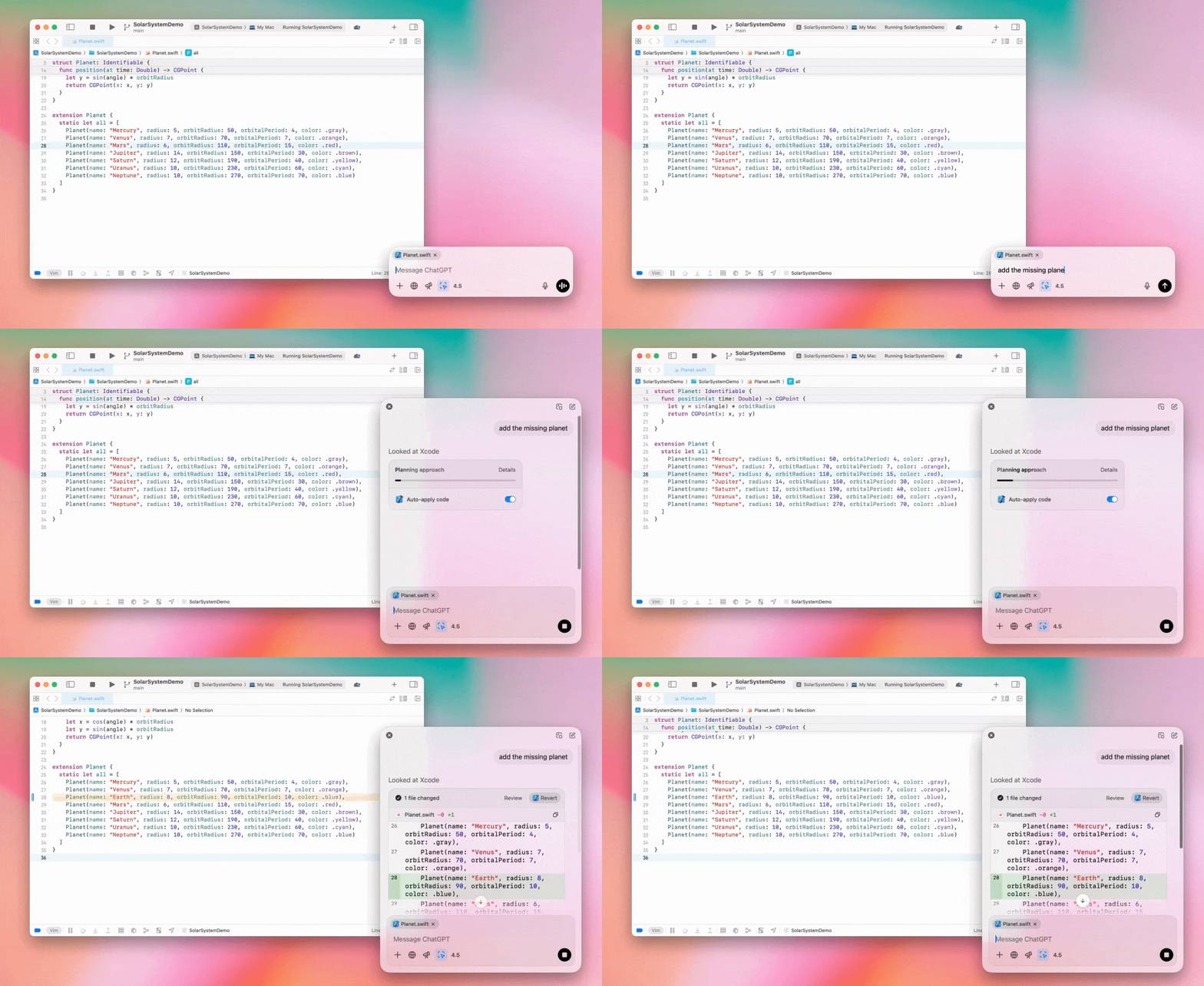
Enterprise-ის ადმინისტრატორებს შეუძლიათ ადმინისტრირების პარამეტრებში გამორთონ „აპებთან მუშაობის“ გადამრთველი და ეს ფუნქცია სამუშაო სივრცის წევრებისთვის გათიშონ.
GPT-4.5 ChatGPT-ში
2025 წლის 13 მარტიდან Enterprise-ისა და Edu-ს გეგმების მომხმარებლებს ChatGPT-ში ჩვენი GPT-4.5 მოდელის გამოყენება შეუძლიათ!
დეტალებისთვის იხილეთ GPT-4.5 ChatGPT-ში.
2025 წლის 10 მარტი
სიღრმისეული კვლევა ChatGPT-ის შესაბამისობის API-ში
2025 წლის 10 მარტიდან შესაბამისობის API-ის მომხმარებელი Enterprise კლიენტებისთვის ხელმისაწვდომ ვარიანტებს შორისაა:
მოძებნეთ „სიღრმისეული კვლევის გლობალური მოთხოვნა“.
პასუხში მოძებნეთ ხელსაწყოს სახელი {"tool_name":"deep_research"}.
2025 წლის 25 თებერვალი
სიღრმისეული კვლევა ChatGPT-ში
ChatGPT-ში სიღრმისეული კვლევა ახლა Enterprise გეგმის მომხმარებლებისთვისაც ხელმისაწვდომია.
სიღრმისეული კვლევა ChatGPT-ს საშუალებას აძლევს, პროფესიული თუ პირადი სამუშაოს შესასრულებლად ვები აგენტურად და ასინქრონულად დაათვალიეროს.
Enterprise და Edu მომხმარებლებს თვეში სიღრმისეული კვლევის 10 მოთხოვნა ექნებათ.
დეტალებისთვის იხილეთ სიღრმისეული კვლევის ხშირად დასმული კითხვები.
2025 წლის 13 თებერვალი
o1 pro რეჟიმი და o3-mini ChatGPT-ში
ChatGPT-ში o1 pro რეჟიმი ახლა Enterprise-ისთვის, ხოლო o3-mini — Enterprise Edu-სთვის არის ხელმისაწვდომი!
o3-mini: მოდელების ამომრჩევში OpenAI-ის o3-mini-მ o1-mini ჩაანაცვლა. ის უფრო ეკონომიურია და ნაკლები დაყოვნებით მოთხოვნების უფრო მაღალ ლიმიტებს გვთავაზობს. ეს მსჯელობის მოდელია და შესანიშნავად გამოდგება პროგრამირების, STEM-ისა და ლოგიკური ამოცანების გადასაჭრელად. o3-mini აჩვენებს თავის მსჯელობის ჯაჭვს და ვების დათვალიერებაც შეუძლია.
o1 pro რეჟიმი: ამ კვირიდან მოდელების ამომრჩევში ასევე ხელმისაწვდომია o1 pro რეჟიმი. სიზუსტესა და სიღრმეზე გათვლილი რეჟიმი განსაკუთრებით ძლიერია კვლევაში, ინჟინერიაში, ბიზნესსა და სამართალში — იდეალურია პროფესიონალებისთვის, რომლებიც ურთულეს ამოცანებს წყვეტენ. o1 pro რეჟიმს პრობლემის გააზრებას მეტი დრო დასჭირდება. ამიტომ პასუხის მიღებას შესაძლოა დრო დასჭირდეს. მაღალი გამოთვლითი დატვირთვის გამო თითოეული მომხმარებელი თვეში ხუთი მოთხოვნითაა შეზღუდული. ამოცანების უმეტესობისთვის o1, o3-mini ან GPT-4o კვლავ ოპტიმალური არჩევანი იქნება.
ფაილების ატვირთვის შესახებ
სურათები, დოკუმენტები და PDF-ები მხარდაჭერილია o1, o3-mini და o3-mini-high* მოდელებში. ელცხრილები (CSV/Excel) მხარდაჭერილი არ არის.*
o1 pro რეჟიმში მხოლოდ სურათებია მხარდაჭერილი. დოკუმენტები/PDF-ები და ელცხრილები (CSV/Excel) მხარდაჭერილი არ არის.
canvas-ის გაზიარება
ChatGPT Enterprise და Edu მომხმარებლებს ახლა შეუძლიათ canvas-ის მასალა, მაგალითად რენდერირებული React/HTML კოდი, დოკუმენტი ან კოდი, სხვა მომხმარებელს ისე გაუზიარონ, როგორც საუბარს. ამის გაკეთება canvas-ის გახსნისას მისი ხელსაწყოთა ზოლიდან შეგიძლიათ.
ChatGPT-ის canvas ფუნქციის შესახებ დეტალებისთვის იხილეთ დახმარების ცენტრის შესაბამისი სტატია!
2025 წლის 23 იანვარი
პროექტები
პროექტები ახლა ხელმისაწვდომია ყველა ფასიან გეგმაზე, მათ შორის Enterprise-სა და Edu-ზე.
დეტალებისთვის იხილეთ ChatGPT-ში პროექტების გამოყენება.
2025 წლის 16 იანვარი
ვიზუალური მოძიება (PDF-ები) ChatGPT Enterprise-ისთვის
ChatGPT Enterprise ახლა მხარს უჭერს PDF ფაილებში ჩაშენებული ვიზუალური მასალის — სურათების, გრაფიკების, დიაგრამებისა და სხვათა — წაკითხვასა და გაგებას. მომხმარებლებს შეუძლიათ PDF ატვირთონ, ხოლო ChatGPT ამ ფაილში არსებულ ტექსტსა და ვიზუალურ ელემენტებს განმარტავს.
დეტალებისთვის იხილეთ PDF-ებით ვიზუალური მოძიების ხშირად დასმული კითხვები.
2024 წლის 12 დეკემბერი
o1
დღეიდან ChatGPT Enterprise-ის ყველა მომხმარებელს მოდელების ამომრჩევიდან o1-ზე ექნება წვდომა, რომელიც o1-preview-ს ჩაანაცვლებს.
o1-ს ახლა შეუძლია ატვირთულ სურათებზე მსჯელობა, რაც ვიზუალური გამოსახულებების უფრო დეტალური და ზუსტი ანალიზითა და ახსნით ახალ გამოყენების შესაძლებლობებს ქმნის. მოდელი ასევე უფრო მოკლე მსჯელობისთვის გავწვრთენით, რის შედეგადაც o1-preview-სთან შედარებით უფრო სწრაფად პასუხობს.
2024 წლის 11 დეკემბერი
Apple Intelligence ChatGPT-ით
ChatGPT-ის ადმინისტრატორებს ახლა სამუშაო სივრცის ადმინისტრირების პარამეტრების „კავშირების“ განყოფილებაში Apple Intelligence-ზე წვდომის ჩართვა და გამორთვა შეუძლიათ.
თუ ეს პარამეტრი გამორთულია, მომხმარებლები OpenAI-ის რწმუნებათა მონაცემებით შესვლისას ChatGPT Enterprise/Edu-ს სამუშაო სივრცეს ვერ აირჩევენ.
2024 წლის 10 დეკემბერი
canvas
დღეს canvas ნაგულისხმევად ხელმისაწვდომი გავხადეთ 4o-ში ყველა მომხმარებლისთვის — როგორც უფასო, ისე ფასიანი გეგმის მქონეთათვის. გარდა ამისა, canvas-ს რამდენიმე ახალი შესაძლებლობა დავამატეთ, მათ შორის:
Canvas GPT-ებში: GPT-ის შემქმნელში ჩართვის შემდეგ canvas-ის გამოყენება უკვე GPT-ებთანაც შეგიძლიათ. ახლად შექმნილი GPT-ებისთვის ეს გადამრთველი ნაგულისხმევად ჩართული იქნება.
Python-ის კოდის შესრულება: ახლა Python-ის კოდის შესრულება canvas-ში შეგიძლიათ. ChatGPT შეეცდება თქვენს კოდში შეცდომების გამოსწორებას და მათ შესახებ კომენტარებს მოგაწვდით. გაითვალისწინეთ, რომ Python-ის შესრულებისას შესაძლოა გარე ქსელური მოთხოვნები გაიგზავნოს. Enterprise სამუშაო სივრცის ადმინისტრატორებს Python-ის კოდის შესრულების გამორთვა შეუძლიათ ადმინისტრატორის პარამეტრებში Canvas-ში კოდის შესრულების პარამეტრის გადართვით. Enterprise-ის ყველა ანგარიშისთვის ეს ნაგულისხმევად გამორთულია.
Canvas-ის მალსახმობი: ახლა შეგიძლიათ შიგთავსი ChatGPT-ში ჩასვათ და შეტყობინების ველის ზედა მარჯვენა კუთხეში განთავსებული მალსახმობით მყისიერად გახსნათ canvas-ში.
Canvas ხელსაწყოთა პანელში: canvas ხელსაწყოთა პანელს ერთ-ერთ ვარიანტად დაემატა.
სამუშაო სივრცის ადმინისტრატორებს ახლა შესაბამისობის API-ის გამოყენებით canvas-ის ტექსტური დოკუმენტების მიღება, ჩამონათვალის ნახვა და წაშლა შეუძლიათ.
გაითვალისწინეთ, რომ canvas-ის გასათიშად განკუთვნილი ადმინისტრატორის პარამეტრი წაიშალა, რადგან ეს ფუნქცია ბეტა-ვერსიაში აღარ არის. თუ ეს ფუნქცია ადრე გამორთული იყო, ამ პარამეტრს კვლავ გავითვალისწინებთ. დაუკავშირდით ჩვენს მხარდაჭერის გუნდს ამ გვერდის ქვედა მარჯვენა კუთხეში მდებარე ჩატის ღილაკის გამოყენებით.
2024 წლის 3 დეკემბერი
აპებთან მუშაობა macOS-ზე
ChatGPT-ს ახლა შეუძლია macOS-ზე „აპებთან მუშაობით“ თქვენი პროგრამირების აპებიდან შიგთავსის წაკითხვა და თქვენს სამუშაოზე მორგებული, უფრო ჭკვიანი და ზუსტი პასუხების გაცემა. გაიგეთ მეტი macOS-ზე აპებთან მუშაობის შესახებ.
Enterprise-ის ადმინისტრატორებს შეუძლიათ ადმინისტრირების პარამეტრებში გამორთონ „აპებთან მუშაობის“ გადამრთველი და ფუნქცია სამუშაო სივრცის წევრებისთვის გათიშონ.
2024 წლის 22 ნოემბერი
ChatGPT-ის ვებგამოცდილების განახლებები
მომდევნო ორი კვირის განმავლობაში ChatGPT-ის ყველა მომხმარებლისთვის შემდეგ განახლებებს ვუშვებთ.
გვერდითი ზოლის ახალი დიზაინი
დაემატა ახალი მცურავი რეჟიმი რბილი დახურვის ქცევით
გვერდით ზოლში ბოლო საუბრების რაოდენობა ახლა შეზღუდულია, ხოლო ყველა საუბრისთვის ხელმისაწვდომია უსასრულოდ გადასახვევი გამოსაშლელი სია
ბოლო და მიმაგრებული GPT-ები ახლა საუბრების ქვემოთ ჩანს
პარამეტრები ახლა ყოველთვის გვერდითი ზოლის ქვედა ნაწილშია
დიდ ხედებში, როცა გვერდითი ზოლი დახურულია, პარამეტრების პატარა ხატულა დაემატა
უფრო შთამბეჭდავი გამოცდილებისთვის ახალი გადასვლები დაემატა
ChatGPT-ის სხვა ვებგანახლებები
საიტის ძირითადი ინფრასტრუქტურა განახლდა და ახლა გაცილებით უკეთ უჭერს მხარს სხვადასხვა ზომისა და ტიპის მოწყობილობებს
ახალი საუბრის დაწყებისას ის ახლა ეკრანის ზედა ნაწილში ავტომატურად გამოჩნდება
ახალი საუბრის დაწყებისას შეტყობინების გენერირებისას გვერდი ბოლოში ავტომატურად აღარ გადადის
თუ სივრცე საკმარისია, მიმაგრებული გვერდითი ზოლი ახლა აქტიურ canvas-თან ერთად ღია შეიძლება დარჩეს
შეტყობინების შემდგენლის პანელის განახლებული განლაგება და იერსახე გადახვევისას მის ქვეშ არსებულ შიგთავსს თანდათან აბუნდოვანებს
უფრო მარტივი წვდომისთვის ახალი ჩატის ღილაკი მოდელების ამომრჩევის მარცხნივ გადავიდა
დამატებითი ჰორიზონტალური სივრცის გასათავისუფლებლად საუბრებიდან სისტემის ხატულა წაიშალა
DALL-E-ზე ორიენტირებულ ხედს განახლებული განლაგება აქვს
GPT შემქმნელს განახლებული განლაგება აქვს
გაუმჯობესებული მობილური ვებგამოცდილება
iOS და Android მოწყობილობებზე ეკრანულ კლავიატურასთან მუშაობა მნიშვნელოვნად გაუმჯობესდა
ახალი გვერდითი ზოლი ყოველთვის მცურავ რეჟიმშია და თემებს შორის გადართვისას ავტომატურად იხურება
მობილურ ვებში საუბრებს შორის გადართვისას შეტყობინების შემდგენელი ავტომატურად აღარ აქტიურდება
პრობლემა, რომელიც გარკვეულ შემთხვევებში გადახვევის გაჭედვას იწვევდა, გამოსწორებული უნდა იყოს
2024 წლის 20 ნოემბერი
GPT-4o-ს განახლება
GPT-4o განვაახლეთ ChatGPT-ის ყველა ფასიანი დონის მომხმარებლისთვის. GPT-4o-ს ამ განახლებაში წერის შესაძლებლობები გაუმჯობესდა: ტექსტი ახლა უფრო ბუნებრივია, აუდიტორიას უკეთ ითვალისწინებს და მეტად რელევანტური და იოლად წასაკითხია. ეს მოდელი ატვირთულ ფაილებთანაც უკეთ მუშაობს და უფრო ღრმა ანალიზსა და სრულ პასუხებს იძლევა.
2024 წლის 19 ნოემბერი
გაუმჯობესებული ხმა ChatGPT-ის ვებისთვის
დღეიდან ვებში გაუმჯობესებული ხმის რეჟიმის ეტაპობრივ გაშვებას ვიწყებთ; ის უკვე ხელმისაწვდომია მობილურ და დესკტოპის აპებში. მომხმარებლებს ახლა შეუძლიათ დესკტოპიდან chatgpt.com-ზე ხმოვანი ჩატი დაიწყონ და დაგეგმვის, წერისა თუ იდეების გენერირებისას ChatGPT-სთან რეალურ დროში ბუნებრივად ისაუბრონ.
2024 წლის 14 ნოემბერი
Windows აპი
გაუმჯობესებული Windows აპი ახლა Microsoft Store-ში ხელმისაწვდომია ChatGPT Enterprise-ისა და Edu-ს სამუშაო სივრცეებისთვის. ChatGPT-ის ვებგამოცდილებას შეჩვეულ მომხმარებლებს Windows აპის შეუფერხებლად ჩართვა შეუძლიათ კომპიუტერზე მიმდინარე ნებისმიერ საქმიანობაში.
ChatGPT-ის Windows აპზე მომხმარებელთა წვდომა Microsoft Store-ის აპებისთვის თქვენი IT ადმინისტრატორის პოლიტიკას დაემორჩილება. უახლოეს კვირებში IT ადმინისტრატორებს ასევე შეეძლებათ აპი თანამშრომელთა მოწყობილობებზე MDM/MAM-ით დანერგონ, ნაცვლად Store-იდან პირდაპირი ჩამოტვირთვის დაშვებისა.
როგორც ChatGPT Enterprise-ის ყველა გამოცდილებაში, მომხმარებლის ჩატის ისტორია დაცულია და OpenAI-ის სერვისების გასაუმჯობესებლად არ გამოიყენება.
გაიგეთ მეტი ChatGPT-ის Windows აპის შესახებ.