
28 Agosti 2026
Leta na ulandanishe masoko ya programu-jalizi kutoka GitHub
Wasimamizi na wamiliki wa eneokazi wanaweza kusambaza masoko ya programu-jalizi kutoka kwenye hifadhi za GitHub za umma au binafsi kwa pamoja na kusasisha programu-jalizi kiotomatiki kila siku. Ili kuanza, nenda kwenye Mipangilio ya eneokazi > Programu-jalizi kisha uchague Ongeza > Leta soko, au uchague Landanisha sasa kwenye soko ili kuomba lisasishwe.
Wasimamizi na wamiliki hudhibiti sera za usakinishaji kwa majukumu yanayostahiki na ufikiaji wa programu unaohitajika katika mipangilio ya eneokazi. Thamani za sera za uhifadhi hazibatilishi mipangilio hii, na ruhusa za programu pamoja na masharti ya uthibitishaji bado yanatumika. Pata maelezo zaidi kuhusu kusanidi soko na ukague miundo na usanidi unaotumika.
27 Agosti 2026
Usimamizi mkuu wa utambulisho katika Dashibodi ya Msimamizi
Wateja wanaostahiki wa ChatGPT Enterprise na ChatGPT Edu sasa wanaweza kudhibiti mipangilio zaidi ya eneokazi na utambulisho katika Dashibodi ya Msimamizi:
Dhibiti wanachama, vikundi, majukumu, ruhusa na mipangilio ya jumla ya eneokazi.
Landanisha watumiaji na vikundi mara moja kupitia SCIM kuu ya mpangaji mzima, kisha ukabidhi vikundi kwenye eneokazi za ChatGPT zinazotumika au akaunti za Ads.
Dhibiti watumiaji na majukumu ya akaunti za Ads, pale huduma hiyo inapopatikana.
Mipangilio iliyopo ya SCIM katika kiwango cha eneokazi bado inatumika.
Pata maelezo zaidi: Kudhibiti mpangaji wako katika Dashibodi ya Msimamizi na Utoaji na usimamizi wa SCIM.
Vidhibiti vya ufikiaji wa miundo, mipangilio ya eneokazi na maboresho ya Windows
Tumetoa maboresho kadhaa yanayoathiri eneokazi za Enterprise/Edu:
Vidhibiti vya ufikiaji wa miundo huwawezesha wamiliki wa eneokazi kudhibiti ufikiaji wa miundo inayotumika katika kiwango cha eneokazi na cha jukumu.
Mipangilio ya Watumiaji, Vikundi, Majukumu, Ruhusa na Jumla sasa iko kwenye dashibodi ya msimamizi—bado inapatikana katika Mipangilio ya eneokazi, na kubofya vichupo vilivyopo kutakupeleka kwenye dashibodi ya msimamizi. Ruhusa zilizopo bado zinatumika. Kwa maelezo zaidi, angalia: vidhibiti vya ufikiaji kulingana na majukumu na mipangilio ya eneokazi.
Maboresho ya Codex kwenye Windows yanajumuisha uchunguzi wa
codex doctor, Udhibiti wa Mbali kutoka Windows kwenda kwenye vifaa vingine, na kuchagua usambazaji wa Linux unaopendelewa wakati usambazaji kadhaa wa WSL umesakinishwa. Vifaa vinavyodhibitiwa vinahitaji toleo lililoidhinishwa na msimamizi kupitia MDM. Upatikanaji unategemea eneokazi lako na toleo la programu. Kwa maelezo zaidi, angalia: Codex.
25 Agosti 2026
Majukumu yaliyoratibiwa yanayoshirikiwa na yanayoanzishwa na webhook
Wanachama wa eneokazi za Enterprise, Edu na ChatGPT kwa Huduma za Afya wanaweza kushiriki majukumu yaliyoratibiwa yanayoweza kubinafsishwa katika eneokazi lao. Wasimamizi pia wanaweza kuwasha majukumu yanayoanzishwa na webhook katika Work ili programu zilizoidhinishwa ziweze kuonyesha masasisho husika bila ukaguzi wa mara kwa mara unaofanywa mwenyewe. Katika ChatGPT kwa Huduma za Afya, majukumu haya hayajumuishwi katika Mkataba wa Mshirika wa Biashara (BAA) na hayapaswi kutumiwa kutuma, kuhifadhi au kuchakata taarifa za afya zinazolindwa (PHI).
Webhook zinazotumika ni pamoja na ujumbe mpya wa Gmail, ujumbe wa vituo vya Slack na shughuli za pull request za GitHub.
Unda majukumu yanayoanzishwa na webhook
Wanachama wanaostahiki wanaweza kuiomba Work kwenye wavuti, iOS na Android ijibu ujumbe mpya wa Gmail, ujumbe wa kituo cha Slack au tukio linalotumika la pull request ya GitHub. Kwa mfano, iombe ChatGPT ifupishe maoni ya wateja kutoka Slack au iandae hatua zinazofuata baada ya mabadiliko kwenye pull request ya GitHub. Wanachama wanahitaji idhini ya kufikia Work na programu iliyoidhinishwa. Ongeza @ChatGPT katika kila kituo cha Slack kinachofuatiliwa. Wasimamizi wa Enterprise, Edu na ChatGPT kwa Huduma za Afya lazima kwanza wawashe Ruhusu majukumu yaliyoratibiwa yanayoanzishwa na matukio katika Ruhusa & majukumu > Work. Ruhusa hii imezimwa kwa chaguomsingi.
Shiriki majukumu yaliyoratibiwa
Wanachama wanaostahiki wanaweza kushiriki majukumu yaliyoratibiwa au yanayoanzishwa na webhook na wengine katika eneokazi lilelile, ambao wanaweza kukagua na kubinafsisha maagizo na, inapohitajika, ratiba. Wasimamizi hudhibiti ushiriki kupitia Shiriki gumzo na majukumu yaliyoratibiwa katika eneokazi. Kuratibu nakala inayoanzishwa na webhook pia kunahitaji Ruhusu majukumu yaliyoratibiwa yanayoanzishwa na matukio, idhini ya kufikia Work na programu iliyounganishwa ya mpokeaji mwenyewe iliyoidhinishwa.
Kwa maelezo zaidi, angalia: Majukumu yaliyoratibiwa katika ChatGPT.
20 Agosti 2026
Masasisho ya vipengele vya Enterprise
Wamiliki na wasimamizi wa eneokazi wanaweza kutumia API mpya za Msimamizi zinazohusu eneokazi ili kuendesha kiotomatiki usimamizi wa mialiko na wanachama. API za Mialiko zinasaidia kuorodhesha, kupata, kuunda, kutuma upya na kufuta mialiko. API za Watumiaji zinasaidia kupata wanachama waliokubali mwaliko na, kwa wamiliki wa eneokazi, kusasisha majukumu yaliyopo au nafasi na kuondoa uanachama wa eneokazi. Mabadiliko yanayodhibitiwa na SCIM yanaendelea kufanywa kupitia mtoa huduma wa utambulisho, na ulinzi wa mmiliki wa mwisho unaendelea kutumika. Kwa maelezo kuhusu usanidi na ruhusa, angalia Kudhibiti funguo za Msimamizi. Kwa njia na miundo ya miisho, angalia marejeleo ya API ya Msimamizi.
Dashibodi Kuu ya Msimamizi sasa inaonyesha kwa uwazi zaidi mpangaji au eneokazi unalotumia na inaongeza URL mahususi za eneokazi kwa kurasa zinazotumika. Wanachama wa eneokazi wanaweza kuona uchanganuzi wa shughuli zao pekee, huku mionekano ya shughuli za watumiaji mbalimbali ikiendelea kupatikana kwa majukumu yaliyoidhinishwa tu. Mipangilio ya Eneokazi la ChatGPT itaendelea kuwa katika sehemu ilipo sasa. Pata maelezo zaidi kuhusu Dashibodi Kuu ya Msimamizi.
Uchanganuzi Binafsi unatumika na Work na Codex katika eneokazi zinazostahiki za Enterprise na Edu. Baada ya msimamizi kuwasha programu-jalizi, wanachama wanaweza kuisakinisha kwenye ChatGPT Desktop na kuuliza kuhusu shughuli zinazohusishwa na utambulisho wao waliotumia kuingia pamoja na mwenendo wa jumla wa eneokazi unaolindwa kwa faragha. Inaweza kusoma tu na haiwezi kuonyesha shughuli binafsi za mtumiaji mwingine au data ya eneokazi lingine. Pata maelezo zaidi kuhusu Uchanganuzi Binafsi.
Shirikiana kwenye ChatGPT Sites (Enterprise pekee). Katika eneokazi za Enterprise, wamiliki wa Site wanaweza kuongeza wanachama hai wa eneokazi hilo kama wahariri. Wahariri wanaweza kusasisha na kuhifadhi Site na, baada ya mmiliki kuichapisha kwa mara ya kwanza, kuchapisha matoleo yanayofuata kwenye URL ileile ya Site. Wamiliki wanaendelea kudhibiti ushiriki, mipangilio ya Site, uchanganuzi, umiliki, urejeshaji wa matoleo na ufikiaji wa wahariri. Uhariri wa pamoja hutumia vidhibiti vilivyopo vya eneokazi la Sites na hauongezi kitufe tofauti cha RBAC; uchapishaji wa umma unaendelea kuzimwa kwa chaguomsingi na kudhibitiwa na msimamizi. Pata maelezo zaidi kuhusu kudhibiti ChatGPT Sites kwa eneokazi lako.
Tumia Apple Messages kutoka Codex na ChatGPT Work. Kwenye Mac zinazotumia Apple silicon, programu-jalizi ya Apple Messages katika programu ya ChatGPT ya kompyuta inaweza kusoma na kutafuta mazungumzo ya iMessage, SMS na RCS, na kuandaa au kutuma ujumbe kupitia Messages. Kwa chaguomsingi, ChatGPT humwomba mtumiaji aidhinishe ujumbe na wapokeaji kabla ya kutuma. Wasimamizi wa eneokazi zinazodhibitiwa wanaweza kuzima Apple Messages kupitia kidhibiti kilichopo cha Matumizi ya Kompyuta. Pata maelezo zaidi kuhusu programu-jalizi ya Apple Messages.
Tumia Historia ya Kompyuta katika maeneo zaidi (Enterprise pekee). Historia ya Kompyuta sasa inapatikana katika EEA, Uswisi na Uingereza kwa watumiaji wa Enterprise katika programu ya ChatGPT ya kompyuta kwenye macOS. Imezimwa kwa chaguomsingi, inahitaji Kumbukumbu, na lazima iwashwe na msimamizi wa eneokazi kabla ya mwanachama kujiunga kwa hiari. Pata maelezo zaidi kuhusu Historia ya Kompyuta.
Shiriki picha tuli ya mazungumzo ya Codex inayoweza kusomwa tu. Viungo vya kushiriki vya eneokazi vinapatikana tu kwa wanachama waliothibitishwa wa eneokazi vilikoundwa, na wasimamizi wanaweza kuzima viungo hivyo. Picha tuli haisasishwi mazungumzo asili yanapobadilika. Codex huficha mifumo inayojulikana ya siri, lakini watumiaji wanapaswa kukagua picha tuli kwa sababu njia nyeti, tofauti za faili, picha au maudhui mengine yanaweza kubaki. Pata maelezo zaidi kuhusu kushiriki mazungumzo ya Codex.
Hamisha katalogi ya umma ya programu-jalizi. Wamiliki na wasimamizi wanaostahiki wa eneokazi la ChatGPT Enterprise wanaweza kuhamisha CSV kutoka Msimamizi > Programu-jalizi > Umma > Hamisha CSV. Data iliyohamishwa inaweza kuwa ya hadi saa 48 zilizopita na haijumuishi programu-jalizi zilizoundwa kwenye eneokazi. Pata maelezo zaidi kuhusu kuhamisha katalogi ya umma.
August 13, 2026
Chat model defaults
Workspace owners and admins can configure the starting Chat model and reasoning level from Workspace settings > Models. Owners and admins can apply an admin default or allow User’s last choice for new chats - note that defaults do not grant access to unavailable models or override enforced workspace requirements.
The ChatGPT Desktop app should be upgraded to version 26.812.10818 or later for the new controls to take effect.
Updated model picker for Enterprise and Edu
Members in the Enterprise/Edu workspaces have updated model-picker and composer experience. The picker makes the available intelligence choices easier to compare while preserving workspace model availability and access controls.
Audit logs in the Global Admin Console
Workspace owners and admins can now review supported audit events from the Global Admin Console. Access and event coverage depend on the selected workspace and admin role. Read more.
Additive role-based access controls
Workspace owners in Enterprise and Edu workspaces can now configure eligible permissions in ordinary custom roles with Default, On, or Off. Default inherits the workspace setting, On explicitly grants the permission, and Off explicitly denies access. ChatGPT evaluates all applicable ordinary roles together: at least one role must grant the permission, and an explicit Off in any applicable role prevents access. Lockdown Mode is evaluated separately and can further restrict network-enabled capabilities. Learn more about role-based access controls.
Work and Codex usage and cost data
Members of eligible Enterprise workspaces with credit-based billing can review per-chat lifetime credit usage across Work and Codex. Usage figures and estimated costs are planning aids and are not invoices. Members can also review monthly usage and history from the Usage & billing tab in ChatGPT Desktop. Regular Chat usage is not included. This feature requires ChatGPT Desktop version 26.812.10818 or later. Read more.
Personal Analytics plugin
The Personal Analytics plugin is available for eligible workspaces. After a workspace owner or admin enables the plugin, members can install it in ChatGPT Desktop and ask questions about their own Work and Codex activity and available aggregated workspace trends. Read more.
Codex service accounts
Eligible workspaces can create non-human service accounts for Codex automation. Workspace owners and admins can assign roles and groups, configure plugins, share account management, and issue scoped access tokens for CI runners and scheduled jobs. Read more.
Windows desktop performance improvements
The ChatGPT desktop app for Windows includes performance improvements. These improvements require ChatGPT Desktop version 26.803.41515 or later.
Computer History for ChatGPT Enterprise
Computer History is an optional feature in the ChatGPT macOS app that lets Enterprise members bring context from selected apps and websites into ChatGPT and Codex. It records interaction events—not screenshots, screen recordings, microphone input, or system audio—and private browsing is not included.
Computer History is off by default, and Enterprise admins can grant access by role before each member chooses whether to opt in. Members can pause Computer History, choose included apps and sites, and inspect or delete timeline items. Note that Computer History is not currently available in the EEA, UK or Switzerland.
10 Agosti 2026
Kusitisha usawazishaji wa watumiaji binafsi kwa programu zilizounganishwa
Kuanzia tarehe 10 Agosti, miunganisho mipya ya usawazishaji iliyoidhinishwa na mtu binafsi haitapatikana tena. Tarehe 14 Agosti, miunganisho iliyopo ya usawazishaji wa watumiaji binafsi itazimwa, na ufutaji wa data iliyosawazishwa inayohusishwa utaanza. Usawazishaji unaodhibitiwa na msimamizi hauathiriki. Kufikia tarehe 14 Agosti, kagua mipangilio ya viunganishi vya eneokazi lako na uchukue hatua zifuatazo inapohitajika:
| Kiunganishi | Hatua inayohitajika ya msimamizi |
|---|---|
| Google Drive | Washa programu-jalizi ya Google Drive. Ikiwa maarifa yaliyosawazishwa yanahitajika, sanidi usawazishaji wa Google Drive unaodhibitiwa na msimamizi kwa kutumia ukabidhi wa kikoa kizima. |
| SharePoint | Washa programu-jalizi ya SharePoint. Ikiwa maarifa yaliyosawazishwa yanahitajika, sanidi usawazishaji wa msimamizi. |
| GitHub | Washa programu-jalizi ya GitHub isiyosawazishwa. |
| GitLab Issues | Tutawasilisha taarifa kuhusu upatikanaji wa programu-jalizi mbadala hivi karibuni. |
| Azure Boards (Azure DevOps) | Tutawasilisha taarifa kuhusu upatikanaji wa programu-jalizi mbadala hivi karibuni. |
| Basecamp | Tutawasilisha taarifa kuhusu upatikanaji wa programu-jalizi mbadala hivi karibuni. |
| Help Scout | Tambua watumiaji na mitiririko ya kazi iliyoathirika, na uwajulishe kuwa ufikiaji uliosawazishwa utaisha. Tunashirikiana kikamilifu na mshirika kutoa mbadala. |
| Zoho Desk | Tambua watumiaji na mitiririko ya kazi iliyoathirika, na uwajulishe kuwa ufikiaji uliosawazishwa utaisha. Tunashirikiana kikamilifu na mshirika kutoa mbadala. |
| Teamwork | Tambua watumiaji na mitiririko ya kazi iliyoathirika, na uwajulishe kuwa ufikiaji uliosawazishwa utaisha. Tunashirikiana kikamilifu na mshirika kutoa mbadala. |
| Aha! | Tambua watumiaji na mitiririko ya kazi iliyoathirika, na uwajulishe kuwa ufikiaji uliosawazishwa utaisha. Tunashirikiana kikamilifu na mshirika kutoa mbadala. |
| Zoho CRM | Tambua watumiaji na mitiririko ya kazi iliyoathirika, na uwajulishe kuwa ufikiaji uliosawazishwa utaisha. Tunashirikiana kikamilifu na mshirika kutoa mbadala. |
| Pipedrive | Tambua watumiaji na mitiririko ya kazi iliyoathirika, na uwajulishe kuwa ufikiaji uliosawazishwa utaisha. Tunashirikiana kikamilifu na mshirika kutoa mbadala. |
7 Agosti 2026
Faili na Miradi katika Zungumza na ChatGPT
GPT-Live katika Zungumza na ChatGPT sasa hutumia upakiaji wa faili na Miradi. Sasa unaweza kupakia faili katika mazungumzo ya sauti na kuchanganua maudhui yake au kuuliza maswali. Unaweza pia kutumia sauti katika Miradi, ukirejelea mazungumzo ya hivi karibuni ya mradi, vyanzo na maagizo ya mradi.
Live sasa ndiyo matumizi chaguomsingi ya Sauti
Kwa eneokazi za Enterprise, Edu na Huduma za Afya, Live sasa ndiyo matumizi chaguomsingi ya Sauti mmiliki wa eneokazi anapowasha Sauti—haihitaji tena kuwasha mpangilio wa Ufikiaji wa Mapema wa Muundo. Wamiliki wa eneokazi wanaweza kuzima Sauti kwa kuizima katika mipangilio ya eneokazi.
Pata maelezo zaidi kuhusu Zungumza na ChatGPT.
6 Agosti 2026
Vidhibiti vipya vya masasisho ya programu ya kompyuta
Wasimamizi wa ChatGPT Enterprise, ChatGPT kwa Huduma za Afya na ChatGPT Edu sasa wanaweza kuzima masasisho ya ndani ya programu kwa programu ya ChatGPT ya kompyuta kwenye matoleo yanayotumika ya macOS na Windows. Hii huruhusu mashirika kukagua matoleo mapya kabla ya watumiaji kuyapokea na kusambaza matoleo yaliyoidhinishwa kupitia mchakato wao wa sasa wa kudhibiti vifaa.
Kisasishaji kilichojengewa ndani ya programu kinaendelea kuwashwa kwa chaguomsingi. Mashirika yanayokizima yanawajibika kusambaza kwa haraka matoleo mapya na marekebisho ya usalama; OpenAI haitoi kufunga toleo, kituo tofauti cha matoleo thabiti wala usaidizi wa muda mrefu kwa matoleo ya zamani. Pata maelezo zaidi.
4 Agosti 2026
Maandishi marefu yanayobandikwa sasa hushughulikiwa kama viambatisho katika mipango yote
Kuanzia leo, kwa watumiaji wa ChatGPT Enterprise na Education, maandishi marefu yanayobandikwa yatashughulikiwa kwa njia tofauti katika ChatGPT.
Ukibandika zaidi ya herufi elfu 10 katika sehemu ya kuweka maandishi, ChatGPT itabadilisha maudhui hayo kiotomatiki kuwa kiambatisho badala ya kuyaingiza moja kwa moja katika sehemu ya maandishi. Hii huweka sehemu ya kuweka maandishi nadhifu na huzuia maandishi marefu kutumia dirisha lako lote la muktadha.
Bado unaweza kurudisha maudhui kwenye ujumbe wakati wowote kwa kubofya Onyesha katika sehemu ya maandishi ili kubadilisha kiambatisho kuwa maandishi yaliyobandikwa moja kwa moja.
Hii tayari inapatikana kwa watumiaji wa mipango mingine yote.
Programu-jalizi za elimu kwa kufundisha na kujifunza
Eneokazi za ChatGPT Edu sasa zinaweza kutumia programu-jalizi tatu zinazoongozwa katika ChatGPT Work na Codex: Mwalimu wa Chuo, Mwalimu wa K–12 na Mwanafunzi wa Chuo. Eneokazi za ChatGPT for Teachers zinazodhibitiwa kupitia dai la kikoa cha wilaya zinaweza kutumia Mwalimu wa K–12. Programu-jalizi hizi zinaweza kuwasaidia walimu kuunda masomo, tathmini na mawasiliano yanayotegemea nyenzo za kozi, na kuwasaidia wanafunzi wa vyuo kutengeneza mipango ya kusoma na kufanya mazoezi ya dhana za kozi.
Mwalimu wa Chuo: Huwasaidia wahadhiri kubuni na kusasisha kozi na silabasi, kuunda nyenzo shirikishi za kujifunzia na tathmini za medianuwai, kurekebisha nyenzo kwa wanafunzi mbalimbali na kuandaa maudhui kwa LMS yao.
Mwalimu wa K–12: Huwasaidia walimu kuunda nyenzo za masomo, kazi, rubriki na rasilimali za kufundishia, kwa kutumia muktadha wa Learning Commons ili kulinganisha nyenzo na viwango vya jimbo na hatua za maendeleo ya kujifunza.
Mwanafunzi wa Chuo: Huwasaidia wanafunzi kutumia nyenzo za kozi na Lengo la Kusoma kupata maelezo yanayotegemea vyanzo, mazoezi yanayoongozwa, mipango ya kusoma, maswali, kadi za kujifunzia na maelezo ya picha.
Programu-jalizi zinapatikana katika Saraka ya Programu-jalizi lakini hazisakinishwi kwa chaguomsingi. Kumbuka kwamba programu-jalizi hizi hazipatikani kwa akaunti za Enterprise. Wasimamizi wa eneokazi wanaweza kudhibiti upatikanaji na ruhusa za programu-jalizi. Pata maelezo zaidi katika Programu-jalizi katika ChatGPT na Codex.
Hamisha vikomo vya matumizi kutoka kila wiki hadi kila mwezi
Wamiliki wa eneokazi sasa wanaweza kuhamisha kwa urahisi vikomo vya kila wiki vilivyowekwa katika Ruhusa & majukumu viwe vikomo vya kila mwezi. Fungua Mipangilio ya eneokazi → Ruhusa & majukumu, chagua jukumu lolote, sogeza hadi Vikomo vya kila wiki, chagua Hamisha, kisha uthibitishe. Kuanzisha uhamishaji kutoka jukumu lolote huhamisha vikomo vyote vya kila wiki vinavyosalia kulingana na majukumu katika eneokazi, na kunaweza kuchukua dakika kadhaa kulingana na ukubwa wa eneokazi.
Tarehe 15 Agosti, eneokazi zilizosalia za ChatGPT Enterprise ambazo bado zinatumia vikomo vya matumizi ya kila wiki kulingana na majukumu zimeratibiwa kuhamishwa kiotomatiki hadi vikomo vya matumizi vya kila mwezi. Pata maelezo zaidi kuhusu kudhibiti vikomo vya matumizi na matumizi ya ziada.
23 Julai 2026
Matumizi ya asili zaidi ya Zungumza na ChatGPT
Zungumza na ChatGPT inaanza kutolewa kwa eneokazi za Enterprise na Edu ikiwa na matumizi mawili tofauti:
Sauti katika Chat: Fanya mazungumzo ya asili ya wakati halisi ili kuuliza maswali, kubuni mawazo na kuchunguza dhana. Ikiendeshwa na GPT-Live, Sauti katika Chat hutumia ukatizaji, maswali ya ufuatiliaji na uwezo kama utafutaji wa wavuti unapopatikana. Inapatikana katika Chat ya Kompyuta na matumizi yanayotumika ya wavuti, iOS na Android.
Sauti katika Work na Codex: Kuanzia programu ya kompyuta, Zungumza na ChatGPT inaweza kudhibiti kompyuta yako na kuratibu kazi katika mawakala wengi, mazungumzo yanayotumika na miradi. Itumie kuanzisha kazi, kukagua maendeleo, kukatiza au kubadili mwelekeo wa kazi, na kupokea masasisho huku kazi zikiendelea chinichini. Inapatikana kwenye macOS na Windows, ikiwa na ufikiaji wa mbali uliounganishwa wa iOS. Sauti ya pekee katika Work na Codex haipatikani kwenye wavuti au simu.
Kwa wiki mbili za kwanza, wamiliki wa eneokazi lazima wawashe Sauti na Ufikiaji wa Mapema wa Muundo kabla ya wanachama kuchagua Live katika mipangilio yao ya Sauti. Mazungumzo yaliyopo ya hali ya sauti mahiri hayatabadilika kiotomatiki hadi Live katika kipindi hiki.
Baada ya kipindi cha ufikiaji wa mapema, Live huwa matumizi chaguomsingi ya Sauti kwa eneokazi zenye Sauti iliyowashwa. Wamiliki wa eneokazi wanaweza kuzima Sauti kabisa kwa kuzima Sauti.
Kwa eneokazi zenye bei nyumbufu, Sauti katika Chat hutumia salio 5 kwa dakika. Sauti katika Work na Codex hutumia takriban salio 6 kwa dakika kwa eneokazi za Enterprise zinazotumia salio. Eneokazi za zamani za Enterprise zinajumuisha saa moja ya Sauti, saa mbili za Voice Mini na takriban dakika 45 za Sauti katika Work na Codex kwa kila kipindi cha saa tano. Kazi zinazokabidhiwa kupitia Work au Codex hutumia hifadhi iliyopo ya pamoja ya matumizi kwa viwango vya kawaida.
Pata maelezo zaidi kuhusu Zungumza na ChatGPT na bei ya Sauti kwa Business, Enterprise na Edu.
Uwezeshaji wa ChatGPT Work
Kwa eneokazi za ChatGPT Enterprise/Edu, Work imewashwa kwa chaguomsingi kwa wanachama isipokuwa mmiliki au msimamizi wa eneokazi aizime. Mipangilio ya eneokazi na vidhibiti vya ufikiaji kulingana na majukumu vinaendelea kuamua ufikiaji wa kila mwanachama, ikiwemo kwa eneokazi zinazostahiki za Enterprise zenye Enterprise Key Management iliyowashwa.
Pata maelezo zaidi katika ChatGPT Work na Codex na Kudhibiti mipangilio ya eneokazi katika ChatGPT Enterprise.
Chaguomsingi za miundo
Katika Mipangilio ya eneokazi → Miundo, wamiliki na wasimamizi wa eneokazi wanaweza kuweka muundo wa kuanzia, kiwango cha uwazaji, kasi na tabia ya mazungumzo mapya kwa Work na Codex. Mipangilio hii hufafanua matumizi ya kuanzia. Haitoi ufikiaji wa miundo isiyopatikana wala kuchukua nafasi ya vidhibiti vya miundo inayopatikana, ufikiaji kulingana na majukumu au mahitaji yanayotekelezwa ya eneokazi.
Pata maelezo zaidi katika Kudhibiti mipangilio ya eneokazi katika ChatGPT Enterprise na ChatGPT Work na Codex.
Vikomo vya matumizi
Tunahamisha Vikomo vya Matumizi kutoka Mipangilio ya eneokazi hadi Dashibodi Kuu ya Msimamizi. Wamiliki na wasimamizi wanaweza kuweka chaguomsingi ya eneokazi, kuunda mabadiliko kwa vikundi na watumiaji, kukagua vikomo vinavyotumika na kudhibiti maombi ya matumizi zaidi. Katika Vikomo vya matumizi → Eneokazi, wasimamizi wanaweza kudumisha kipindi chaguomsingi cha Kila mwezi, kinachowekwa upya siku ya kwanza ya kila mwezi wa kalenda kwa UTC, au kuchagua Kulingana na mzunguko wa malipo chaguo hilo linapopatikana.
Pata maelezo zaidi katika Dhibiti vikomo vya matumizi na matumizi ya ziada na Dashibodi Kuu ya Msimamizi.
Makadirio ya matumizi na uchanganuzi wa vikundi
Kwa eneokazi zinazostahiki, makadirio ya thamani ya dola yanaweza kuonekana kando ya salio katika Uchanganuzi, Malipo, vihariri vya vikomo vya matumizi, API ya Gharama na API ya uchanganuzi ya Codex. Makadirio hutumia kiwango cha matumizi ya ziada cha eneokazi lililochaguliwa na yanalenga kupanga. Malipo → Ankara inaendelea kuwa chanzo cha gharama zilizotolewa. Viwango vya Uchanganuzi sasa pia vina kichupo cha Vikundi chenye mgawanyo wa kiwango cha kikundi kwa bidhaa, kipengee kinachopimwa na muundo.
Pata maelezo zaidi katika Dashibodi Kuu ya Msimamizi na Uchanganuzi wa eneokazi.
22 Julai 2026
Masasisho ya OpenAI Presence na usaidizi wa simu wa AI
OpenAI Presence sasa inapatikana kwa jumla kwa kiwango kidogo kama jukwaa linalodhibitiwa kwa mashirika yanayounda na kuendesha mawakala wa AI wenye usimamizi kwa mitiririko yenye matumizi mengi. Presence hutumia usambazaji wa sauti au mazungumzo wenye vidhibiti vya majaribio, ruhusa, ufuatiliaji na uhamishaji kwa binadamu. Upatikanaji hutegemea ufaafu wa mtiririko wa kazi, utayari wa utekelezaji na uwezo wa utoaji. Wasiliana na timu yako ya akaunti ya OpenAI ili kujadili ufikiaji. Pata maelezo zaidi kuhusu OpenAI Presence.
Usaidizi wa simu wa AI, unaotumia OpenAI Presence, si wa majaribio tena. Watumiaji nchini Marekani, Kanada na Australia wanaweza kupiga simu bila akaunti ya ChatGPT kwa maswali ya kawaida kuhusu bidhaa, akaunti na utatuzi wa matatizo. Kituo hiki cha usaidizi wa kiotomatiki hakiwezi kuwasilisha ripoti au maombi, kuwaunganisha watumiaji na wakala wa moja kwa moja, kuanzisha uhamishaji au ukaguzi wa akaunti, wala kuhakikisha ufuatiliaji. Pata maelezo zaidi kuhusu usaidizi wa simu wa AI.
16 Julai 2026
API zaidi za Msimamizi na uchanganuzi
Wasimamizi sasa wanaweza kuunda na kudhibiti funguo za Msimamizi za kiwango cha eneokazi katika Dashibodi Kuu ya Msimamizi chini ya Vitambulisho > Funguo za Msimamizi. Funguo hizi hufanya kazi na API zinazotumika za usimamizi wa ChatGPT na Codex kwa udhibiti wa vikundi, API ya Vidhibiti vya Matumizi, ripoti za gharama na uchanganuzi. Ruhusa zinazopatikana hutegemea jukumu la msimamizi katika eneokazi, na funguo za Msimamizi haziwezi kutumiwa kwa uchakataji wa muundo.
Dashibodi Kuu ya Msimamizi sasa ina hadi siku 120 za historia ya uchanganuzi wa salio na Codex. Vidhibiti vya Matumizi na kichupo cha Vikomo vya matumizi vinaendelea kuwa katika ChatGPT na si sehemu ya uzinduzi huu wa Dashibodi Kuu ya Msimamizi. Wasimamizi wanaweza kuendelea kudhibiti vikomo vya matumizi, ikiwemo chaguo la Hakuna kikomo linapopatikana, kupitia Mipangilio ya eneokazi → Vikomo vya matumizi. Pata maelezo zaidi katika Dhibiti vikomo vya matumizi na matumizi ya ziada katika ChatGPT Enterprise na Edu na Dashibodi Kuu ya Msimamizi.
Masasisho ya matumizi ya programu ya ChatGPT ya kompyuta
Tumesasisha programu ya ChatGPT ya kompyuta ili kurahisisha kuchagua kati ya Chat na Work, kupata mazungumzo na Miradi yako, na kuendelea na Work kwenye vifaa mbalimbali. Masasisho haya sasa yanapatikana kwa mipango yote kwenye macOS na Windows.
macOS na Windows
Mpangilio wa kompyuta ulio wazi zaidi: Kibadilishaji kikuu hukuruhusu kuchagua kati ya ChatGPT na Codex. Katika ChatGPT, chagua Chat kwa maswali ya haraka na usaidizi wa mazungumzo, au Work ili kukamilisha kazi kuanzia mwanzo hadi mwisho.
Za Hivi Karibuni zilizounganishwa: Mazungumzo ya Chat na Work sasa huonekana pamoja katika Za Hivi Karibuni, ambapo unaweza kuyapanga, kuyachuja na kuyabandika.
Miradi katika programu ya kompyuta: Miradi yako iliyopo ya ChatGPT sasa huonekana katika programu. Unaweza kuanzisha mazungumzo ya Chat ndani ya Mradi au kuanza mjadala wa Work kwa kutumia muktadha wa Mradi.
Endelea na Work kwenye vifaa mbalimbali: Mazungumzo ya Work ya wingu sasa husawazishwa kwenye wavuti, simu na kompyuta, hivyo unaweza kuanza kwenye sehemu moja na kuendelea kwenye nyingine. Mazungumzo ya ndani hubaki kwenye kompyuta yako.
Codex haijabadilika: Kama sehemu ya sasisho hili, Codex inaendelea kuwa mwonekano tofauti, na mitiririko yake ya kazi na historia havijabadilika. Mazungumzo ya Haraka yanaendelea kupatikana kwa mazungumzo ya haraka.
Hakuna mabadiliko ya vidhibiti vya eneokazi: Ruhusa zilizopo za ufikiaji wa eneokazi, mipangilio ya usalama, usimamizi na vidhibiti vya matumizi havijabadilika.
15 Julai 2026
Programu zenye usawazishaji sasa hutumia eneokazi za EKM
Programu zenye usawazishaji sasa zinapatikana kwa eneokazi za ChatGPT Enterprise na Edu zenye Enterprise Key Management (EKM) iliyowashwa. Sasisho hili linatumika kwa programu zote zenye usawazishaji.
Ili kujifunza zaidi, angalia Programu za ChatGPT zenye usawazishaji na Muhtasari wa OpenAI Enterprise Key Management (EKM).
9 Julai 2026
Tunakuletea ChatGPT Work
ChatGPT Work ni wakala wa kazi ndefu na zinazohusisha mambo mengi zaidi. Inaweza kutafiti na kuchanganua taarifa, kufanya kazi katika programu na faili zilizounganishwa, na kuunda hati, lahajedwali, mawasilisho, ripoti na Sites zilizokamilika. Unaweza kufuatilia maendeleo yake, kujibu maswali, kubadilisha mwelekeo na kuidhinisha vitendo muhimu inapofanya kazi.
Work pia inaweza kuendeleza miradi kupitia Kazi Zilizoratibiwa zinazoendeshwa mara moja, kurudiwa kwa ratiba au kichochezi, au kufuatilia mabadiliko.
Kwenye wavuti na simu, Work inatolewa kwa mipango inayolipiwa isipokuwa Free na Go. Watumiaji wa Pro, Pro Lite, Enterprise na Edu watapata ufikiaji kwanza; watumiaji wa Plus na Business watafuata katika siku zijazo. Work inapatikana katika maeneo yote yanayotumika.
Kwenye wavuti na simu, eneokazi za Enterprise na Edu zina kipindi cha onyesho la awali cha wiki mbili. Work huzimwa kwa chaguomsingi wakati wa onyesho la awali, na wasimamizi wanaweza kuikataa kabla haijawashwa kiotomatiki mwishoni mwa kipindi hicho.
Pia tunabadilisha Saraka ya Programu kuwa Saraka ya Programu-jalizi. Miunganisho iliyopo ya programu haitaathirika. Programu-jalizi zinaweza kufungasha ujuzi, programu na violezo vya programu kwa mitiririko mahususi ya kazi, na zinapatikana kupitia ChatGPT kwenye wavuti na kompyuta, ikiwemo Work na Codex.
Pata maelezo zaidi kuhusu ChatGPT Work na Codex.
Pata maelezo zaidi kuhusu programu-jalizi na saraka mpya ya programu-jalizi.
Ujuzi sasa unapatikana kwa ujumla
Watumiaji wa Enterprise na Edu wanaweza kupata ujuzi chini ya Programu-jalizi katika upau wa pembeni, kwenye kichupo cha Ujuzi katika Saraka ya Programu-jalizi.
Programu mpya ya kompyuta ya ChatGPT inaunganisha Chat, Work na Codex
Programu mpya ya kompyuta ya ChatGPT inapatikana duniani kote kwa macOS na Windows. Inaunganisha Chat kwa maswali na mazungumzo, Work kwa utafiti na kazi zilizokamilika, na Codex kwa uundaji wa programu katika programu moja.
Kwenye kompyuta, Work inaweza kutumia faili za ndani na programu za kompyuta kwa ruhusa yako. Kivinjari kilichojengwa ndani huruhusu ChatGPT kukusanya taarifa kutoka tovuti na kutumia zana na faili zinazotumika za wavuti. Codex pia inaongeza uhariri wa ndani ya tofauti, ukaguzi wa pull request katika kidirisha cha pembeni, matumizi ya kompyuta yenye kasi zaidi na usaidizi wa hazina nyingi katika mradi mmoja.
Ikiwa tayari unatumia programu ya Codex, isasishe kama kawaida ili kuhamia programu mpya ya kompyuta ya ChatGPT. Ikiwa unatumia programu ya awali ya kompyuta ya ChatGPT, fuata dokezo ndani ya programu ili kupakua toleo jipya. Programu ya awali inaweza kubaki ikiwa imesakinishwa kama ChatGPT Classic. ChatGPT Classic itaendelea kupokea masasisho ya miundo, marekebisho ya hitilafu, viraka vya usalama na usaidizi wa uwezo wake uliopo wa Enterprise, huku vipengele vipya vya mawakala kama Work na Codex vikipatikana katika programu mpya.
Pata maelezo zaidi kuhusu kuhamia programu mpya ya kompyuta ya ChatGPT.
Tunakuletea ChatGPT Sites katika beta ya umma
ChatGPT Sites hukuruhusu kugeuza kazi au mawazo yako kuwa tovuti shirikishi au programu nyepesi bila kuondoka ChatGPT. Unaweza kuunda dashibodi, vifuatiliaji vya miradi, kalenda za uzinduzi, vielelezo, tovuti za ndani na ripoti, kisha kuhakiki na kuboresha matokeo kwa ChatGPT kabla ya kuyashiriki.
Wateja wa Business na Enterprise tayari wana ufikiaji wa Sites. Kuanzia leo, wanaweza pia kuchapisha Sites hadharani na kuzishiriki na mtu yeyote kupitia URL, hivyo kupanua Sites nje ya watu walio katika eneokazi lao.
Ili kuunda Site, anza katika ChatGPT Work kwenye wavuti au katika Work au Codex ndani ya programu ya kompyuta ya ChatGPT. Eleza unachotaka kuunda, ongeza maudhui, faili, data, viungo au vikwazo vinavyofaa, kisha ukague onyesho la faragha kabla ya kuchapisha.
Katika eneokazi za Enterprise, uchapishaji wa umma huzimwa kwa chaguomsingi na lazima uwashwe na msimamizi. Sites pia inatolewa katika beta ya umma kwa watumiaji wa Pro, Pro Lite na Edu, huku watumiaji wa Plus wakifuata katika siku zijazo. Sites haipatikani kwenye mipango ya Free au Go. Uchapishaji wa umma na upanuzi wa beta havipatikani katika EEA, Uswisi au Uingereza wakati wa uzinduzi.
Pata maelezo zaidi kuhusu kuunda na kudhibiti ChatGPT Sites.
Kusitisha Mazungumzo ya Kikundi katika ChatGPT
Kuanzia 9 Julai, watumiaji kwenye wavuti, iOS na Android hawataweza tena kuunda Mazungumzo mapya ya Kikundi, kugeuza mazungumzo yaliyopo kuwa Mazungumzo ya Kikundi au kujiunga kupitia kiungo cha mwaliko.
Mazungumzo ya Kikundi yaliyopo yataendelea kupatikana na yanaweza kuendelea kutumiwa kwa sasa. Mazungumzo ya Kikundi yaliyopo yanapowekwa kuwa ya kusoma pekee, watumiaji wataendelea kufikia ujumbe, faili na picha zilizoshirikiwa humo. Mazungumzo binafsi ya ChatGPT hayataathirika.
Kusitisha Atlas
Tunasitisha Atlas tunapoleta uwezo wa kiwakala unaotumia kivinjari katika ChatGPT na Codex. Atlas imepangwa kuacha kufanya kazi tarehe 9 Agosti 2026.
Tunataka kurahisisha mabadiliko haya kadiri iwezekanavyo. Kabla ya hapo, hamisha data yoyote ya Atlas unayotaka kuhifadhi. Data ya kivinjari cha Atlas, ikiwemo alamisho, vichupo vilivyofunguliwa na historia ya kuvinjari, haitahamishwa kiotomatiki. Unaweza kuhamisha vidakuzi na manenosiri yako hadi programu ya kompyuta ya ChatGPT, na alamisho zako hadi Chrome. Hakikisha umehifadhi kurasa au URL muhimu kutoka vichupo vyako vilivyofunguliwa na historia ya kuvinjari kabla ya 9 Agosti.
Historia yako ya mazungumzo ya ChatGPT ni tofauti na itaendelea kupatikana katika ChatGPT, kulingana na mpango wako, mipangilio ya eneokazi na ufikiaji wa akaunti.
Tunatumia tuliyojifunza kutoka Atlas kuleta hali bora zaidi ya kivinjari katika ChatGPT, ikiwemo vichupo vingi, upakuaji, urambazaji ulioboreshwa na usaidizi wa kuingia katika akaunti pale unapopatikana. Kwa kazi za kina za kiwakala zinazotumia kivinjari, jaribu programu ya kompyuta ya ChatGPT. Kwa usaidizi unapovinjari katika Chrome, jaribu kiendelezi au upau wa pembeni wa ChatGPT wa Chrome, pale unapopatikana.
Unaweza kupata maelezo zaidi kuhusu kuhamia kutoka Atlas katika makala yetu ya Kituo cha Usaidizi.
6 Julai 2026 ChatGPT for PowerPoint sasa inapatikana kwa jumla
ChatGPT for PowerPoint sasa inapatikana kwa jumla kwa eneokazi za Enterprise na Edu. Watumiaji wanaweza kuunda na kurekebisha mawasilisho yanayoharirika moja kwa moja katika Microsoft PowerPoint, kuchanganua simulizi na muundo wa wasilisho, na kutumia Ujuzi na programu zilizoidhinishwa kufanya kazi kwa kutumia vyanzo vilivyoruhusiwa. Mabadiliko mahiri na ulinganishaji wa violezo bado huenda yakahitaji kukaguliwa.
Wasimamizi wanaweza kuwasha programu-jalizi kupitia mipangilio ya eneokazi au kuisambaza kupitia Microsoft 365, ikiwemo ufikiaji wa RBAC inapohusika. Kwa eneokazi zinazostahiki, ChatGPT for PowerPoint hutumia utekelezaji wa sera za eneokazi, ufikiaji wa vyanzo wenye wigo, huduma ya API ya Uzingatiaji kwa madokezo na majibu, EU Inference Residency na Enterprise Key Management. Pata maelezo zaidi kuhusu ChatGPT for PowerPoint.
Bei za Excel/Sheets na Wakala wa Eneokazi
Kazi za ChatGPT kwa Excel/Sheets sasa hutumia bei ya salio kulingana na tokeni kwa eneokazi za Enterprise na Edu. Utekelezaji wa Wakala wa Eneokazi pia hutumia bei ya salio kulingana na tokeni kwa eneokazi za Enterprise. Matumizi ya salio hutegemea tokeni za ingizo, tokeni za ingizo zilizohifadhiwa na tokeni za matokeo badala ya gharama isiyobadilika ya salio.
ChatGPT for PowerPoint itaendelea kuwa bila malipo kwa wateja wa Enterprise hadi 6 Agosti 2026. Malipo yataanza baada ya tarehe hiyo kwa kutumia bei ileile ya tokeni kama ChatGPT kwa Excel/Sheets. Pata maelezo zaidi katika kadi ya viwango vya ChatGPT.
26 Juni 2026
Vidhibiti vilivyorahisishwa katika kichagua miundo
Tunatoa kichagua miundo kilichosasishwa kwa ChatGPT Enterprise na Edu kwenye wavuti, iOS na Android. Kinarahisisha kuchagua uwiano wa kasi na juhudi ya uwazaji unaofaa zaidi kwa kazi bila kubadilisha miundo inayopatikana kwa eneokazi.
Kichagua sasa kinajumuisha:
Ya haraka
Wastani
Juu
Juu Sana
Pro Standard
Pro Extended
Wastani inachukua nafasi ya Thinking Standard, Juu inachukua nafasi ya Thinking Extended, na Juu Sana inachukua nafasi ya Thinking Heavy. Pro Standard na Pro Extended zinaendelea kutumia GPT-5.5 Pro. Thinking Light haipatikani tena.
Chaguo zote sita zinapatikana kwa eneokazi za Enterprise na Edu, kulingana na mipangilio ya ufikiaji ya eneokazi. Ufikiaji wa Muundo wa Uwazaji hudhibiti Wastani, Juu na Juu Sana. Ufikiaji wa Muundo wa Pro hudhibiti Pro Standard na Pro Extended. Chaguo ambazo mwanachama hawezi kufikia hufichwa kwenye kichagua.
Mpangilio wa Elekeza Auto Router kwenye Thinking mini haujabadilika na unaendelea kutumika kwa uwazaji wa kiotomatiki pekee. Kwenye iOS na Android, kichagua huonekana juu ya mazungumzo. Kwenye wavuti, huonekana katika sehemu ya kuweka maandishi.
Vidhibiti vya msimamizi vya programu-jalizi kwa ChatGPT Enterprise na Edu
Wasimamizi na wamiliki wa eneokazi sasa wanaweza kudhibiti programu-jalizi kupitia Mipangilio ya eneokazi > Programu-jalizi. Ukurasa huu huleta ugunduzi na usimamizi wa programu-jalizi mahali pamoja, ukiwa na utafutaji na vichujio vya hali, sera ya usakinishaji, majukumu, aina na katalogi. Zaidi ya hayo, wamiliki wa eneokazi wanaweza kuwasha au kuzima programu-jalizi kwa eneokazi lao au majukumu maalum kupitia Mipangilio ya eneokazi > Ruhusa & Majukumu.
Wasimamizi na wamiliki wanaweza kuweka ikiwa programu-jalizi zinapatikana kwa wanachama kusakinisha au zinasakinishwa kwa chaguomsingi—kwa eneokazi au majukumu maalum. Wasimamizi pia wanaweza kuona programu zinazotumiwa na programu-jalizi na kuidhibiti kupitia mwonekano huu. Pata maelezo zaidi: Programu-jalizi katika Codex
25 Juni 2026
Maboresho ya Kumbukumbu kwa ChatGPT Enterprise na Edu
Tunatoa Kumbukumbu iliyoboreshwa kwa ChatGPT Enterprise na Edu. Kumbukumbu ikiwashwa, ChatGPT inaweza kutumia muktadha unaohusika kutoka mazungumzo ya awali ili kudumisha Kumbukumbu iliyosasishwa na kufanya majibu yafae zaidi kazi zinapobadilika, badala ya kutegemea tu maelezo yaliyohifadhiwa mwenyewe.
Watumiaji sasa wanaweza:
Kukagua muhtasari wa Kumbukumbu unaoonyesha taarifa ambazo ChatGPT inaweza kutumia kubinafsisha majibu.
Kuona Vyanzo chini ya majibu yaliyobinafsishwa ili kuona muktadha unaohusika kutoka Kumbukumbu, mazungumzo ya awali na maagizo maalum.
Kusahihisha Kumbukumbu, kufuta mazungumzo yaliyorejelewa, kuashiria chanzo kuwa hakihusiki, kuzima Kumbukumbu au kurudi kwenye Kumbukumbu zilizohifadhiwa za zamani.
Muhtasari wa Kumbukumbu ni mwonekano wa jumla wa muktadha unaohusika na huenda usijumuishe kila kitu ambacho ChatGPT inaweza kukumbuka au kurejelea.
Kwa ChatGPT Enterprise, matumizi yaliyoboreshwa yataanza na kipindi cha ufikiaji wa mapema cha takriban wiki mbili. Wakati wa ufikiaji wa mapema, wasimamizi wanaweza kuwasha Tumia Kumbukumbu iliyoboreshwa katika Mipangilio ya eneokazi. Baada ya ufikiaji wa mapema, itawashwa kwa chaguomsingi kwa eneokazi zinazostahiki isipokuwa msimamizi ajiondoe. Wasimamizi na watumiaji wanaweza kurudi kwenye Kumbukumbu zilizohifadhiwa za zamani.
Sasisho hili haliathiri Kumbukumbu ya Codex. Kumbukumbu ya mradi pekee huendelea kubaki ndani ya kila mradi na haitumii Kumbukumbu au mazungumzo kutoka nje ya mradi huo. Maboresho haya yanapatikana bila gharama ya ziada.
Pata maelezo zaidi kuhusu utafiti wa maboresho haya ya Kumbukumbu katika ChatGPT.
Upatikanaji wa jumla wa Codex Remote na eneokazi za DigitalOcean
Codex Remote sasa inapatikana kwa jumla kwa watumiaji wa eneokazi za ChatGPT Enterprise na Edu. Kutoka programu ya ChatGPT ya simu, watumiaji wanaweza kuanza au kuendelea na kazi kwenye seva mwenyeji ya Mac au Windows iliyounganishwa, kukagua maendeleo na kuidhinisha vitendo kutoka simu. Remote Control sasa hutumia uoanishaji salama wa QR wa kifaa kimoja kwa seva mwenyeji moja kati ya kila kifaa cha simu kinachotumika na kila seva mwenyeji. Miunganisho iliyotumiwa tangu 8 Juni itaendelea kuunganishwa; miunganisho ya zamani isiyotumika inahitaji kuoanishwa tena. Kuondoka kwenye akaunti huzima Remote Control bila kuondoa uoanishaji uliopo.
Programu-jalizi mpya ya DigitalOcean Droplet Workspace pia inapatikana kwa watumiaji wa ChatGPT Enterprise na Edu. Huruhusu Codex kutenga DigitalOcean Droplet, kusanidi ufikiaji wa SSH na kuiunganisha na programu ya Codex kama eneokazi la mbali. Watumiaji wanapaswa kusasisha programu ya ChatGPT ya simu na programu ya Codex hadi matoleo mapya zaidi kabla ya kuunganisha. Pata maelezo zaidi kuhusu kutumia Codex pamoja na mpango wa ChatGPT.
19 Juni 2026
Vitendo vya kiunganishi cha Slack na uidhinishaji wa wigo wa OAuth
Eneokazi za Enterprise na Edu sasa zinaweza kuwasha vitendo vya kiunganishi cha Slack katika ChatGPT. Pamoja na kutafuta Slack, ChatGPT inaweza kutekeleza vitendo vinavyotumika kama kujiunga na kituo, kuunda kikumbusho, kupakia faili au kusasisha wasifu wa Slack wa mtumiaji wakati kiunganishi na vitendo husika vimewashwa.
Wasimamizi wanaweza kukagua Slack chini ya Programu katika ChatGPT na kutumia Udhibiti wa vitendo kudhibiti vitendo vinavyopatikana. Baadhi ya vitendo vinaweza kuhitaji wigo zaidi wa Slack OAuth au idhini kutoka msimamizi wa eneokazi la Slack au Enterprise Grid. Uwezo uliopo wa Slack usiohitaji wigo mpya unaendelea kufanya kazi ikiwa wigo wa ziada haujaidhinishwa. Pata maelezo zaidi katika makala ya programu ya ChatGPT ya Slack.
18 Juni 2026
Vikomo vya matumizi, malipo na uchanganuzi wa Dashibodi Kuu ya Msimamizi
Wasimamizi wa Enterprise na Edu sasa wana zana mpya za kudhibiti matumizi ya salio na kukagua shughuli zinazohusiana na malipo. Vikomo vya matumizi katika Mipangilio ya eneokazi huwaruhusu wasimamizi na wamiliki kuweka vikomo vya salio vya kila mwezi kwa eneokazi, kikundi na mtumiaji, kukagua maombi ya kuongeza kikomo na kuhamisha vikomo vya sasa vya kila wiki katika Ruhusa & majukumu.
Dashibodi Kuu ya Msimamizi sasa pia ina sehemu zilizosasishwa za Uchanganuzi na Malipo kwa eneokazi zinazostahiki, zikiwemo uchanganuzi wa salio, mwonekano wa matumizi ya Codex na ChatGPT, maelezo ya mpango, salio lililosalia, shughuli za ruzuku, ankara, arifa za matumizi na mipangilio ya vikomo vya matumizi ya ziada. Wasimamizi, wamiliki na watazamaji wa uchanganuzi wanaweza kuona na kuhamisha data ya matumizi katika vipengele na vipimo mbalimbali, kama salio lililotumiwa na Codex na ChatGPT, viwango vya watumiaji na mawakala, na matumizi ya Codex na ChatGPT kwa kila kipengele.
Pata maelezo zaidi: Kuweka vikomo vya matumizi katika ChatGPT Enterprise na Edu, Dashibodi Kuu ya Msimamizi.
Rekodi & Cheza Tena katika Codex
Rekodi & Cheza Tena ni kipengele kipya cha programu ya Codex kwa macOS kinachowaruhusu watumiaji wanaostahiki wa Enterprise na Edu kuonyesha mtiririko wa kazi mara moja na kuugeuza kuwa ujuzi unaoweza kutumiwa tena. Kimeundwa kwa mitiririko thabiti na inayorudiwa ambayo ni rahisi kuonyesha kuliko kueleza, na ujuzi unaoundwa unaweza baadaye kuongoza Codex katika kazi zinazofanana kwa kutumia zana kama Computer Use, vitendo vya kivinjari na programu-jalizi zilizosakinishwa.
Rekodi & Cheza Tena inahitaji Computer Use ipatikane na iwashwe; upatikanaji wa kwanza haujumuishi Umoja wa Ulaya, Uingereza na Uswisi. Kwa usambazaji wa Codex unaodhibitiwa, kuzima Computer Use pia huzima Rekodi & Cheza Tena na michakato inayohusiana ya kuiwasha. Pata maelezo zaidi katika mwongozo wa Rekodi & Cheza Tena.
17 Juni 2026
Uhamishaji wa data kwa eneokazi za ChatGPT Edu
Wanachama wa eneokazi za ChatGPT Edu zisizo na usanidi wa hifadhi ya data sasa wanaweza kuhamisha data ya eneokazi yao msimamizi akiwasha Hamisha data. Wanachama wanaweza kuomba uhamishaji kupitia Mipangilio > Vidhibiti vya data, kupakua data kupitia barua pepe wanayopokea, na kupakia JSON ya mazungumzo kwenye mazungumzo mapya katika akaunti binafsi ya ChatGPT ili kuirejelea.
Uhamishaji wa data umezimwa kwa chaguomsingi, na mpangilio huu unawahusu wanachama wote wa eneokazi. Pata maelezo zaidi.
11 Juni 2026
Maktaba kwa eneokazi za Enterprise, Edu na Healthcare
Maktaba inaanza kutolewa kwa eneokazi za Enterprise, Edu na Healthcare, ikiwapa wanachama mahali maalum pa kupata na kutumia tena faili wanazopakia au kuunda katika ChatGPT. Faili zilizohifadhiwa kwenye Maktaba hufuata sera za uhifadhi za eneokazi.
Wamiliki wa eneokazi wanaweza kudhibiti iwapo ChatGPT itarejelea kiotomatiki faili za Maktaba inapojibu. Kuzima urejeleaji wa kiotomatiki hakuondoi Maktaba wala kuwazuia wanachama kuvinjari, kutafuta, kufungua au kuambatisha faili wenyewe. Kwa eneokazi za Healthcare, urejeleaji wa kiotomatiki umezimwa kwa chaguomsingi.
Ncha za API ya Uzingatiaji mahususi kwa Maktaba pia zinapatikana kwa kuhamisha na kufuta faili za Maktaba. Maktaba haileti ushiriki mpya wa nje au ushirikiano wa watumiaji wengi.
Pata maelezo zaidi kuhusu Hifadhi ya faili na Maktaba katika ChatGPT.
Masasisho ya dashibodi ya msimamizi wa kimataifa
Cloud Console sasa ina vidhibiti vya ufikiaji wa programu za nje kwa Ingia kwa ChatGPT. Wasimamizi wanaweza kuwasha au kuzima ufikiaji wa programu za nje kwa shirika, kuhitaji programu ziidhinishwe kabla ya kutumiwa na wanachama, na kuidhinisha au kuzima programu moja moja.
Masasisho ya Codex
Tumetoa masasisho kadhaa ya Codex, yakiwemo:
Computer Use kwa Windows kwa mipango ya Enterprise. Tazama Computer Use, Usanidi unaodhibitiwa na marejeleo ya usanidi.
Hali ya msanidi kwa matumizi ya Kivinjari katika Chrome na kivinjari cha ndani ya programu ya Codex, inapopatikana. Hali ya msanidi huiwezesha Codex kutumia ufikiaji unaodhibitiwa wa Chrome DevTools Protocol (CDP) kupima utendaji na kutatua kwa kina hitilafu za trafiki ya mtandao, matokeo ya dashibodi, hitilafu za wakati wa utekelezaji, hali ya DOM na mitindo iliyotumika. Kipengele hiki kimezimwa kwa chaguomsingi katika kiwango cha mtumiaji na kinaweza kuwashwa kupitia mipangilio ya programu ya Codex. Wasimamizi na wamiliki wanaweza kuzima kipengele hiki kwa eneokazi lao kupitia mipangilio ya Codex cloud kwa kufungua kidirisha cha Sera na Misanidi. Pata maelezo zaidi.
Toleo hili pia linaongeza /init katika sehemu ya kuweka maandishi ya programu ili kuzalisha kiunzi cha AGENTS.md, uwezo wa kusanidi vidhibiti vya ufikiaji kwa kila programu kwa Computer Use kwenye Windows, hitilafu zilizo wazi zaidi za vikomo vya matumizi zenye mwongozo wa eneokazi na muda wa kuweka upya unapopatikana, pamoja na sehemu mpya ya Mazungumzo ambayo hayajasomwa katika menyu ya amri. Pata maelezo zaidi.
8 Juni 2026
Ruhusa za programu kwa programu zilizounganishwa
Wasimamizi wa eneokazi sasa wanaweza kutumia Ruhusa za programu, zinapopatikana, kuchagua wakati ChatGPT inapaswa kuwauliza wanachama kabla ya kutumia programu zilizounganishwa. Wasimamizi wanaweza kuweka chaguomsingi ya eneokazi lote na kuchagua ruhusa tofauti kwa programu binafsi, kwa chaguo kama Uliza kila mara, Mabadiliko yoyote na Vitendo muhimu.
Vitendo muhimu ndiyo chaguomsingi na huruhusu ChatGPT kusoma kutoka programu kiotomatiki huku ikiomba ruhusa kabla ya vitendo vinavyoweza kuwa na athari kubwa nje ya ChatGPT, kufichua taarifa nyeti au kuwa vigumu kutenduliwa. Ruhusa za programu huchukua nafasi ya mpangilio wa awali wa Idhini ya kitendo zinapopatikana, huku ufikiaji wa programu, RBAC na Udhibiti wa kitendo zikiendelea kuwa vidhibiti tofauti vya msimamizi.
Pata maelezo zaidi: Programu katika ChatGPT; Vidhibiti vya Msimamizi, Usalama na Uzingatiaji katika programu.
5 Juni 2026
Kushiriki programu-jalizi kwa eneokazi za Enterprise
Kushiriki programu-jalizi sasa kunapatikana kwa chaguomsingi katika Codex kwa eneokazi zinazostahiki za ChatGPT Enterprise. Watumiaji wanaweza kushiriki programu-jalizi za ndani na eneokazi lao ili wenzao wazisakinishe na kuzitumia kutoka saraka ya programu-jalizi za Codex.
Wasimamizi wa eneokazi wanaweza kuzima kushiriki programu-jalizi katika requirements.toml kwa kutumia MDM au usanidi unaodhibitiwa kupitia wingu. Pata maelezo zaidi: Shiriki programu-jalizi ya ndani na eneokazi lako.
2 Juni 2026
Unda na usambaze programu za ndani za eneokazi kwa Sites
ChatGPT Sites sasa inapatikana kama onyesho la awali kwa eneokazi zinazostahiki za ChatGPT Enterprise na Edu. Kwa kuwa inapatikana kama programu-jalizi, watumiaji wanaweza kuiomba Codex iunde, iboreshe na isambaze programu nyepesi za wavuti za JavaScript/TypeScript za full-stack zenye URL za tovuti zinazopangishwa, ufikiaji wa Ingia kwa ChatGPT na hifadhi ya data/faili, huku ufikiaji ukibaki ndani ya eneokazi.
ChatGPT Sites imezimwa kwa chaguomsingi kwa eneokazi za Enterprise/Edu—wasimamizi na wamiliki wanaweza kudhibiti uwezeshaji na ufikiaji kupitia mipangilio ya eneokazi na RBAC. ChatGPT Sites inaweza kuwashwa kupitia Mipangilio ya eneokazi > Ruhusa na Majukumu. Wasimamizi na wamiliki wanaweza kuzima Sites zilizochapishwa kupitia **Mipangilio ya eneokazi > Sites.
**Kwa maelezo ya uundaji, usambazaji, hifadhi, ufikiaji na vikwazo, tazama mwongozo wa wasanidi wa Codex Sites.
Programu-jalizi mahususi kwa majukumu katika Codex
Programu-jalizi mahususi kwa majukumu zinaanza kutolewa katika Codex kwa eneokazi zinazotumika za ChatGPT Enterprise. Kundi hili la kwanza linajumuisha Mauzo, Uchanganuzi wa Data, Ubunifu wa Bidhaa, Uzalishaji wa Ubunifu, Benki za Uwekezaji na Uwekezaji katika Hisa za Umma. Programu-jalizi hizi hujumuisha ujuzi mahususi kwa jukumu, miunganisho ya programu, vidokeza vya kuanzia na mwongozo wa mtiririko wa kazi ili timu zitumie Codex kujiandaa kwa mauzo, uchanganuzi na dashibodi, miundo ya majaribio, nyenzo bunifu na utafiti wa kifedha.
Uzinduzi huu pia unaongeza programu-jalizi 66 za programu moja zinazopanua miunganisho inayopatikana katika Codex, ikiwemo zana kama Databricks, Salesforce, Hex na Clay. Watumiaji wanaweza kuongeza programu-jalizi zinazopatikana kutoka saraka ya programu-jalizi za Codex, na Codex inaweza kuwasaidia kukamilisha usanidi. Wasimamizi wa eneokazi hudhibiti ruhusa za msingi za programu katika mipangilio ya eneokazi. Kwa baadhi ya mitiririko ya kazi, kama kutumia Databricks au Snowflake katika Uchanganuzi wa Data, huenda wasimamizi wakahitaji kukamilisha usanidi wa kiunganishi kabla ya watumiaji kutumia programu-jalizi.
Pata maelezo zaidi: Programu-jalizi katika Codex.
Vidhibiti vya vipindi vinavyotumika vya akaunti
Tunaanza kutoa Vipindi vinavyotumika, kipengele kipya cha usalama katika ChatGPT kinachowasaidia watumiaji kukagua vipindi vinavyohusishwa na akaunti zao na kuondoka kwenye vipindi wasivyovitambua. Upatikanaji: Kipengele hiki hakipatikani kwa akaunti zilizounganishwa na kuingia kwa SSO kwa shirika, ikiwemo SAML au OIDC. Hili linaweza kutumika hata ikiwa shirika halihitaji SSO kwa kila kuingia, au ikiwa mtumiaji aliingia kwa njia nyingine katika kipindi chake cha sasa.
Watumiaji wenye ufikiaji sasa wanaweza:
Kukagua vipindi vya OpenAI kupitia Mipangilio > Usalama > Vipindi vinavyotumika, pamoja na maelezo yanayopatikana kama kifaa, programu, eneo la kukadiriwa, muda wa kuingia, hali ya kifaa kinachoaminika na iwapo ni kipindi cha sasa.
Kuondoka kwenye kipindi kimoja au vipindi vyote kupitia Vipindi vinavyotumika
Vipindi vinavyotumika huonyesha vipindi vinavyojulikana kupitia udhibiti wa vipindi, ikiwemo vipindi vya ChatGPT, Codex na Jukwaa la API vinapopatikana. Havidhibiti vipindi vya programu za wahusika wengine, programu zilizounganishwa, vipindi vya Ingia kwa ChatGPT vinavyotumiwa tu kwa huduma za wahusika wengine, au vipindi vya Codex CLI.
Pata maelezo zaidi: Kudhibiti vipindi vinavyotumika katika ChatGPT
29 Mei 2026
Masasisho ya Codex: Computer Use na udhibiti wa mbali kwa Windows, usaidizi wa kiolezo cha programu ya GitHub Enterprise
Codex sasa hutumia Computer Use kwenye Windows katika programu ya Codex. Watumiaji wenye ufikiaji wa Codex wanaweza kutumia Computer Use kuruhusu Codex kuona, kubofya na kuandika katika programu za Windows. Kwa udhibiti wa mbali, watumiaji wanaweza pia kuendelea na mitiririko ya kazi ya Windows kutoka ChatGPT kwenye iOS au Android, au kutoka Codex kwenye Mac, ili kukagua maendeleo, kujibu madokezo na kuelekeza kazi wakiwa mbali na dawati, huku kompyuta ya Windows ikiendelea kuwa seva mwenyeji wa faili za mradi, shell, seva ya programu na muktadha wa ndani.
Computer Use ya Windows na udhibiti wa mbali vimezimwa kwa chaguomsingi kwa watumiaji wa Enterprise. Ili kuviwasha, wasiliana na mwakilishi wako wa akaunti ya OpenAI ili uandikishwe katika ufikiaji wa mapema.
Kwa hifadhi za GitHub Enterprise Server zinazopangishwa na mteja, wasimamizi wa eneokazi wanaweza kusanidi na kuchapisha programu ya GitHub Enterprise kutoka kiolezo cha programu cha ChatGPT ili Codex itumie kiunganishi mahususi cha eneokazi kwa Codex Web, Ukaguzi wa Msimbo na Ukaguzi wa Usalama.
Pata maelezo zaidi: Computer Use, Udhibiti wa mbali, Sanidi kiolezo cha programu ya GitHub Enterprise katika ChatGPT.
28 Mei 2026
Vidhibiti na uwezo mpya kwa mawakala wa eneokazi la ChatGPT
Tunaanza kutoa uwezo mpya wa miundo, usimamizi, ufikiaji wa programu na majibu kwa mawakala wa eneokazi la ChatGPT katika Enterprise na Edu.
Mawakala wa eneokazi sasa wana uwezo wa:
GPT-5.5 na vidhibiti vya juhudi ya uwazaji: Wanapounda wakala, waundaji wanaweza kuchagua GPT-5.5 na kuweka juhudi ya uwazaji anayotumia wakala. Pia tumeboresha kasi ya majibu kwa mawakala wote.
Ruhusa za kuchapisha kulingana na majukumu: Wasimamizi wa eneokazi wanaweza kudhibiti majukumu yanayoweza kuchapisha mawakala kwenye saraka ya pamoja ya eneokazi.
Usanidi wa wakala wenye mwongozo: ChatGPT sasa huuliza maswali ya usanidi ili kuwasaidia watumiaji kuunda mawakala wenye manufaa kwa haraka zaidi.
Matokeo ya sauti: Mawakala sasa wanaweza kuunda faili za sauti kama sehemu ya majibu yao.
Majibu mahiri zaidi katika mijadala ya Slack: Mawakala wanaotumiwa katika Slack wanaweza kujibu ujumbe husika wa ufuatiliaji katika mjadala baada ya kutajwa mara ya kwanza. Waundaji wanaweza kuchagua iwapo wakala atajibu ujumbe husika wa mjadala au atajibu tu anapotajwa.
Violezo vya programu vya GitHub Enterprise, Snowflake na Databricks
Wasimamizi na wamiliki wa eneokazi kwenye mipango ya Enterprise na Edu sasa wanaweza kutumia violezo vya programu vya ChatGPT kuunda programu mahususi za eneokazi kwa GitHub Enterprise, Snowflake na Databricks. Violezo vya programu hutoa mtiririko wa usanidi wenye mwongozo kwa usanidi mahususi wa mtoa huduma, kama vitambulisho vya OAuth, URL za callback, maelezo ya webhook, URL za seva za MCP zinazodhibitiwa na vidhibiti vya ufikiaji wa eneokazi, kabla ya wasimamizi kuchapisha programu kwa wanachama.
Tumia miongozo mipya ya usanidi kuelewa mtiririko wa jumla wa violezo vya programu na hatua mahususi za kila kiolezo: Violezo vya programu vya ChatGPT, Kiolezo cha programu ya GitHub Enterprise, Kiolezo cha programu ya Snowflake, na Kiolezo cha programu ya Databricks.
Baada ya kuchapisha, wasimamizi wanaweza kudhibiti programu hiyo kupitia Mipangilio ya eneokazi > Programu > Zilizowashwa, ikiwemo ufikiaji wa majukumu, vidhibiti vya vitendo na uthibitishaji wa vitendo.
22 Mei 2026
Mawakala wa eneokazi sasa wanapatikana kwa jumla katika ChatGPT Business, Enterprise na Edu.
Mawakala wa eneokazi husaidia timu kufanya mengi zaidi pamoja katika zana mbalimbali. Wanaweza kusimamia mitiririko yote ya kazi wenyewe, kufuata michakato ya timu na kushirikiwa katika timu ili watu waunde mara moja na kutumia pamoja.
Pia tumeongeza vidhibiti vipya vya msimamizi na mwonekano:
Waundaji wa mawakala wanaweza kuweka ulinzi kuhusu vitendo ambavyo mawakala wanaweza kutekeleza kwa kila programu iliyowashwa katika eneokazi.
Wasimamizi wa Business, Enterprise na Edu wanaweza kuona shughuli na matumizi ya mawakala wa eneokazi katika
.
Tumeongeza kipindi cha bila malipo cha mawakala wa eneokazi hadi 6 Julai 2026. Bei inayotegemea salio itaanza tarehe hiyo. (imehaririwa)
21 Mei 2026
Masasisho ya Codex: hali ya lengo, maboresho ya kivinjari, matumizi ya mbali yaliyofungwa, uchanganuzi wa msimamizi na hali ya kushiriki programu-jalizi
Codex sasa inawapa watumiaji wa Enterprise na Edu njia zaidi za kufuatilia malengo ya muda mrefu na kuboresha kazi kwenye kivinjari, huku wasimamizi wanaostahiki wakipata uchanganuzi uliosasishwa wa matumizi:
Appshots katika programu ya macOS huwaruhusu watumiaji kuambatisha dirisha la programu kwenye mjadala wa Codex kwa hotkey, pamoja na picha ya skrini na maandishi yanayopatikana. Appshots zinapatikana kwa akaunti za ChatGPT Edu leo; uwezo wa akaunti za ChatGPT Enterprise utapatikana hivi karibuni.
Hali ya lengo sasa inapatikana kwa wote katika programu ya Codex, kiendelezi cha IDE na CLI, hivyo watumiaji wanaweza kubainisha matokeo na vigezo vya mafanikio na kuiruhusu Codex kuendelea kuyafanyia kazi.
Maelezo kwenye kivinjari cha ndani ya programu huwezesha maoni sahihi zaidi kuhusu mitindo kwa kazi za kivinjari na frontend.
Matumizi ya kompyuta iliyofungwa huwaruhusu watumiaji kuiweka Codex ikiendelea kufanya kazi kwa mbali na kwa usalama baada ya Mac kufungwa, kulingana na vikwazo vya eneo vilivyopo. Wasimamizi na wamiliki wanaweza kuzima kipengele hiki kwa kuweka remote_computer_use = false katika mpangilio wa Sera na Misanidi katika Codex cloud. Kagua marejeleo ya usanidi kwa maelezo zaidi.
Maboresho ya matumizi ya kivinjari yanaongeza hali mahiri ya maelezo, utoaji wa nyenzo kwa haraka, muktadha wa JavaScript wa kusoma pekee, urahisi wa kupanga vichupo, kupunguza msongamano wa vichupo vya viendelezi vya Chrome na maboresho ya utegemezi.
Dashibodi ya msimamizi wa kimataifa sasa ina uchanganuzi wa Codex kwa wasimamizi wa Enterprise, ukiwa na watumiaji wanaotumika, salio na tokeni, mijadala na zamu, viwango vya watumiaji, matumizi ya programu-jalizi, mistari ya msimbo iliyokubaliwa, matumizi ya miundo na kiolesura kinacholingana na dashibodi.
Kushiriki programu-jalizi huziwezesha timu kushiriki programu-jalizi zilizoundwa ndani na wanachama wa eneokazi kupitia programu ya Codex. Kushiriki programu-jalizi kumezimwa kwa chaguomsingi kwa ChatGPT Enterprise—wasiliana na mhusika wa akaunti yako ya OpenAI kwa maelezo ya kuwasha kipengele. Kwa akaunti za ChatGPT Edu, kushiriki programu-jalizi kumewashwa kwa chaguomsingi.
Pata maelezo zaidi: Hali ya lengo, matumizi ya kompyuta iliyofungwa, maelezo kwenye kivinjari cha ndani ya programu, na kushiriki programu-jalizi.
Mawakala wa eneokazi sasa wanapatikana kwa wote katika ChatGPT Business, Enterprise na Edu.
Mawakala wa eneokazi huzisaidia timu kufanya mengi zaidi pamoja kwenye zana mbalimbali. Wanaweza kusimamia mitiririko yote ya kazi wenyewe, kufuata taratibu za timu na kushirikiwa katika timu yako ili watu waunde mara moja na watumie pamoja.
Pia tumeongeza vidhibiti vipya na mwonekano kwa wasimamizi:
Waundaji wa mawakala wanaweza kuweka ulinzi kuhusu vitendo ambavyo mawakala wanaweza kufanya kwa kila programu iliyowashwa katika eneokazi lao.
Wasimamizi wa Business, Enterprise na Edu wanaweza kuona shughuli na matumizi ya mawakala wa eneokazi katika
dashibodi ya msimamizi.
Tumeongeza muda wa matumizi bila malipo wa mawakala wa eneokazi hadi tarehe 6 Julai 2026. Bei kulingana na salio itaanza tarehe hiyo.
18 Mei 2026
Lebo ya Beta imeondolewa kwenye Saraka ya Programu na mchakato wa kuunda programu
Tumeondoa lebo ya Beta kwenye Saraka ya Programu katika ChatGPT ya wavuti na kompyuta, na kwenye mchakato mpya wa kuunda programu.
Hili ni sasisho la lebo pekee. Halibadilishi matumizi ya Saraka ya Programu, mitiririko ya kuunda programu, uwezo wa hali ya msanidi wala mwongozo uliopo wa hatari kubwa kwa hali ya msanidi.
15 Mei 2026
Programu ya Microsoft Teams yenye usawazishaji unaodhibitiwa na msimamizi katika ChatGPT
Programu ya Microsoft Teams yenye usawazishaji unaodhibitiwa na msimamizi sasa inapatikana kwa eneokazi zinazostahiki za ChatGPT Enterprise na Edu. Wamiliki na wasimamizi wanaweza kuunganisha Microsoft Teams mara moja kwa eneokazi ili ChatGPT irejelee ujumbe na metadata za mazungumzo za Teams ambazo wanachama tayari wameruhusiwa kufikia.
Wamiliki na wasimamizi wanaweza kuwasha usawazishaji kupitia Mipangilio ya eneokazi → Programu, kuchagua maudhui ya Teams ya kujumuisha kwa kichagua wigo na kichujio cha hiari cha lebo za unyeti za Microsoft Purview, kisha kuyasambaza kupitia Sambaza kwa timu yako. Matumizi yaliyosawazishwa ni ya kusoma pekee, yanaweza kuchukua muda kujazwa kikamilifu baada ya usanidi, na yanaendelea kuwa tofauti na programu ya kawaida ya Microsoft Teams inayounganishwa na mtumiaji mwenyewe.
14 Mei 2026
Ufikiaji wa mbali wa Codex na tokeni za ufikiaji kwa otomatiki
Codex sasa hutumia ufikiaji wa mbali kutoka programu ya ChatGPT ya simu, hivyo kuruhusu watumiaji kuendelea kuunganishwa na kazi za muda mrefu, kujibu maswali, kubadili mwelekeo wa utekelezaji, kuidhinisha vitendo, kukagua matokeo na kubadilisha kati ya seva wenyeji zilizounganishwa huku Codex ikiendelea kufanya kazi kwenye Mac mwenyeji au mazingira ya mbali yaliyounganishwa. Matumizi ya simu huonyesha hali ya moja kwa moja kutoka mazingira hayo, ikiwemo muktadha wa mradi, idhini, picha za skrini, matokeo ya terminali, tofauti na matokeo ya majaribio. Eneokazi za Enterprise pia zinaweza kutumia tokeni za ufikiaji za Codex kwa mitiririko ya ndani inayoaminika na isiyohitaji mwingiliano ambayo inahitaji utambulisho wa eneokazi la ChatGPT na vidhibiti vya biashara bila kuingia kupitia kivinjari.
Ili kujaribu, sasisha programu ya ChatGPT ya simu na programu ya Codex kwenye macOS. Usanidi wa simu unaweza kuhitaji ufikiaji wa Remote Control uliowashwa na eneokazi na unaweza kujumuisha hatua za SSO, uthibitishaji wa vipengele vingi au passkey.
Zaidi ya hayo, tokeni za ufikiaji zinapatikana kwa eneokazi za ChatGPT Enterprise, huku wasimamizi wakiweza kudhibiti upatikanaji katika kiwango cha eneokazi, wanachama wenye majukumu yaliyoruhusiwa wakiunda tokeni zao, na sehemu za usimamizi zikionyesha shughuli za tokeni za ufikiaji zinapopatikana.
Udhibiti wa mbali umezimwa kwa chaguomsingi, na Wasimamizi/wamiliki wanaweza kuuwasha kupitia Mipangilio ya eneokazi.
Pata maelezo zaidi katika Miunganisho ya mbali, Tokeni za ufikiaji, Usanidi wa msimamizi na Usimamizi.
7 Mei 2026
Mawakala wa Eneokazi wa ChatGPT sasa wanatumika katika eneokazi za Enterprise zenye EKM
Mawakala wa eneokazi wa ChatGPT sasa wanapatikana kwa eneokazi zinazostahiki za ChatGPT Enterprise zenye Enterprise Key Management (EKM).
Mawakala wa eneokazi huruhusu mashirika kuunda na kutumia mawakala kwa kazi zinazojirudia na mitiririko ya biashara katika programu zilizounganishwa, ikiwemo ChatGPT na Slack. Mawakala wanaweza kuundwa kutoka violezo au kuanzia mwanzo, kuhakikiwa kabla ya kuchapishwa, kushirikiwa ndani ya eneokazi na kuendeshwa kwa ratiba.
Eneokazi zinazostahiki zenye EKM sasa zinaweza kuunda na kutumia mawakala wa eneokazi, kuunganisha zana na programu zinazotumika, kuongeza ujuzi, faili na seva maalum za MCP, kuratibu utekelezaji unaojirudia, kutumia mawakala katika vituo vya Slack vilivyounganishwa, na kuona historia ya matoleo na uchanganuzi.
Mawakala wa eneokazi wanaendelea kuzimwa kwa chaguomsingi. Wasimamizi wanaweza kuwasha uundaji, uchapishaji na matumizi ya Slack ya mawakala kwa eneokazi zinazostahiki kupitia vidhibiti vya msimamizi.
6 Mei 2026
ChatGPT for Intune kwa iOS na iPadOS
Tumeongeza ChatGPT for Intune kwenye Apple App Store. ChatGPT for Intune ni programu tofauti ya iOS kwa mashirika ya ChatGPT Enterprise yanayodhibiti ufikiaji wa simu kupitia Microsoft Intune na Microsoft Entra. Programu huiwezesha timu ya IT kutumia sera za ulinzi wa programu za Microsoft na sera za Ufikiaji wa Masharti katika matumizi ya ChatGPT kwenye iOS na iPadOS.
ChatGPT for Intune inapatikana kwa akaunti za Enterprise pekee na inahitaji shirika kusajiliwa na OpenAI kabla ya kuitumia. Wamiliki na wasimamizi wa Enterprise wanapaswa kuwasiliana na mkurugenzi wao wa akaunti wa OpenAI ili kuanza usajili, kisha wasanidi mipangilio inayohitajika ya Microsoft Entra na Intune kabla ya kuitoa.
Baada ya kusajiliwa, watumiaji wanaweza kupakua programu kutoka Apple App Store na kuingia kwa uthibitishaji wa Microsoft wa shirika. Pata maelezo zaidi katika Kusanidi ChatGPT for Intune.
Uteuzi rahisi wa miundo katika ChatGPT
Tunarahisisha kuchagua muundo unaofaa kabla ya kutuma ujumbe. Uteuzi wa muundo sasa unaonekana katika sehemu ya kuweka maandishi, ili uweze kupata na kubadilisha miundo mahali pale unapoandika dokeza lako.
Pia tunahamisha vidhibiti vya juhudi ya kufikiri hadi kwenye kiteua miundo. Unapochagua muundo wa Thinking au Pro, unaweza kuchagua kiwango cha juhudi ya kufikiri moja kwa moja kwenye kiteua miundo.
Uchanganuzi na Mawakala katika dashibodi ya msimamizi wa kimataifa
Dashibodi ya msimamizi wa kimataifa sasa ina maeneo mapya ya Uchanganuzi na Mawakala. Uchanganuzi huwapa wasimamizi mwonekano mmoja wa utumiaji na matumizi, ukiwa na mielekeo ya watumiaji wanaotumika na shughuli za ujumbe pamoja na maelezo ya GPT, miradi, ujuzi, watumiaji, mwingiliano wa zana, mwingiliano wa viunganishi na afya ya eneokazi.
Mawakala huwapa wasimamizi mwonekano mmoja wa mawakala wa eneokazi katika shirika zima. Wasimamizi wanaweza kufungua wakala ili kukagua maelezo kama Kitambulisho cha Wakala, shughuli za hivi karibuni, programu zilizounganishwa, faili za kumbukumbu, ratiba na uchanganuzi wa wakala kama watumiaji wa kipekee na idadi ya utekelezaji kadiri muda unavyopita, au kwenda kwenye Builder ili kumhariri. Wamiliki wa Eneokazi wanaweza kufikia mionekano hii kupitia dashibodi ya msimamizi wa kimataifa. Pata maelezo zaidi.
5 Mei 2026
ChatGPT kwa Excel na Google Sheets
ChatGPT kwa Excel na Google Sheets sasa inapatikana ulimwenguni kwa eneokazi za Enterprise, Edu na K-12, ikileta upau wa pembeni wa ChatGPT unaotumika moja kwa moja katika Excel na Google Sheets kwa kuunda, kusasisha, kueleza na kukagua lahajedwali zenye vichupo vingi. Inatumia Ujuzi na programu zinapopatikana ili kazi ya lahajedwali itegemee faili, mifumo na vyanzo vya data vilivyoidhinishwa.
Wateja wa Enterprise, Edu na K-12 wana onyesho la awali bila malipo hadi 2 Juni 2026; baada ya hapo, matumizi yatafuata masharti ya salio na matumizi. Matumizi haya yana vidhibiti vya eneokazi vikiwemo RBAC, hifadhi ya data na uchakataji inapopatikana, Enterprise Key Management na huduma ya API ya Uzingatiaji. Wasimamizi wanaweza kuwasha ChatGPT kwa Excel na Sheets kupitia mipangilio ya eneokazi. Pata maelezo zaidi.
30 Aprili 2026
Masasisho ya usawazishaji wa SharePoint unaodhibitiwa na msimamizi
Tunahamisha maombi ya mawanda ya programu ya ChatGPT SharePoint kutoka mawanda yaliyokabidhiwa hadi mawanda ya programu ya Microsoft, kwa chaguo la kusawazisha linalodhibitiwa na msimamizi la “Sambaza kwa timu yako”. Uhamishaji huu huisaidia ChatGPT kusawazisha maudhui yaliyochaguliwa ya SharePoint na kutathmini ruhusa za SharePoint, ikiwemo uanachama wa vikundi vya tovuti vya zamani vya SharePoint, bila kutegemea faili zinazoonekana kwa msimamizi aliyekamilisha usanidi pekee. Pia, wasimamizi na wamiliki wanaweza kusanidi lebo za unyeti wa Microsoft Purview kupitia mipangilio ya programu.
Mawanda haya mapya yatahitaji kuidhinishwa na msimamizi wa Microsoft Entra ili vipengele vipya viwashwe. Wasimamizi na wamiliki wanaweza kuidhinisha tena programu ya SharePoint kwa kwenda kwenye Mipangilio ya Eneokazi > Programu, na kutafuta dokezo “Unganisha tena SharePoint ili kuboresha usawazishaji” juu ya mwonekano, au kutafuta programu ya SharePoint na kubofya kitufe cha “Uidhinishaji upya unahitajika” ili kupata vipengele vipya. Hii huondoa haja ya kutenganisha na kuunganisha tena, jambo ambalo litasababisha faharasa kusawazishwa upya.
Pata maelezo zaidi kuhusu programu ya SharePoint katika ChatGPT, na ukague Maswali Yanayoulizwa Mara kwa Mara kuhusu chaguo la usawazishaji linalodhibitiwa na msimamizi.
22 Aprili 2026
Mawakala wa Eneokazi wa ChatGPT kwa Enterprise na Business
Mawakala wa eneokazi wa ChatGPT wataanza kutolewa hatua kwa hatua katika wiki chache zijazo kwa eneokazi za ChatGPT Business na Enterprise.
Mawakala wa Eneokazi huruhusu mashirika kuunda na kutumia mawakala kwa kazi zinazojirudia na kuendesha kiotomatiki mitiririko ya biashara kwa kutumia programu zote zilizounganishwa, na wanaweza kufanya kazi katika ChatGPT na/au Slack. Mawakala wa eneokazi wanaweza kuundwa, kuhakikiwa kabla ya kuchapishwa, kushirikiwa ndani ya eneokazi na kuendeshwa kwa ratiba.
Eneokazi zinazostahiki sasa zinaweza:
Kuunda mawakala kutoka violezo au kuanzia mwanzo.
Kuunganisha mawakala na zana na programu kama Google Drive, Google Calendar, Slack na SharePoint.
Kuongeza ujuzi, faili na seva maalum za MCP.
Kushiriki mawakala kwa faragha, kwa kiungo au katika saraka ya eneokazi.
Kuratibu utekelezaji unaojirudia katika ChatGPT.
Kutumia mawakala katika vituo vya Slack vilivyounganishwa.
Kuona historia ya matoleo na uchanganuzi wa mawakala.
Wasimamizi wa eneokazi pia wanaweza kudhibiti ufikiaji wa uundaji, uchapishaji na matumizi ya Slack ya mawakala kupitia vidhibiti vya msimamizi. Mawakala wa eneokazi wa ChatGPT wamezimwa kwa chaguomsingi wakati wa uzinduzi, na wasimamizi wanaweza kuwawasha kwa eneokazi zinazostahiki.
Kumbuka: Mawakala wa eneokazi wa ChatGPT hawapatikani kwa eneokazi za ChatGPT Enterprise zenye EKM wakati wa uzinduzi.
Hifadhi ya Data kwa programu zenye usawazishaji nchini Japani
Programu zote zenye usawazishaji sasa hutumia hifadhi ya data ndani ya eneo la Japani kwa eneokazi za ChatGPT Enterprise/Edu. Awali, nchini Japani, hifadhi ya data kwa programu zenye usawazishaji ilikuwa kwa Google Drive na GitHub pekee. Uzinduzi huu unapanua usaidizi wa hifadhi ya data nchini Japani kwa viunganishi vyote vya usawazishaji. Pata maelezo zaidi kuhusu hifadhi ya data.
9 Aprili 2026
GPT-5.3 Instant mini katika ChatGPT
Leo tunatoa GPT-5.3 Instant Mini katika ChatGPT. Inachukua nafasi ya GPT-5 Instant Mini kama muundo mbadala ambao watumiaji hufikia baada ya kufikisha vikomo vya maombi vya GPT-5.3 Instant. Kwa kuwa ni muundo mbadala, haitaonekana katika kiteua miundo.
Ikilinganishwa na GPT-5 Instant Mini, GPT-5.3 Instant Mini huzungumza kwa uhalisia zaidi, huandika vizuri zaidi na huelewa muktadha vizuri katika mazungumzo yote. Inaishinda GPT-5 Instant Mini katika hali mbalimbali za matumizi.
Dhibiti upatikanaji wa vikundi vya SCIM katika michakato ya kushiriki
Wamiliki wa eneokazi sasa wanaweza kudhibiti iwapo vikundi vinavyodhibitiwa na SCIM vinaweza kupatikana katika michakato ya kushiriki kama miradi na GPT. Mpangilio mpya wa Inaweza kupatikana na watumiaji wa eneokazi unapatikana chini ya Utambulisho na utoaji > Usawazishaji wa Saraka (SCIM) na umewashwa kwa chaguomsingi ili kuhifadhi tabia iliyopo.
Mpangilio huu ukizimwa:
Vikundi vinavyodhibitiwa na SCIM havitaonekana tena katika michakato ya kushiriki.
Ikiwa mradi au GPT tayari imeshirikiwa na kikundi kimoja au zaidi kinachodhibitiwa na SCIM, vikundi hivyo vitaondolewa kwenye orodha ya kushiriki mradi au GPT itakaposasishwa tena.
Mpangilio huu unaweza kupunguza kushiriki kupita kiasi bila kukusudia na kuhakikisha ushiriki kulingana na vikundi unaendelea kuambatana na sera za ufikiaji zinazodhibitiwa kwa pamoja.
Kwa maelezo zaidi, tazama: Maswali Yanayoulizwa Mara kwa Mara kuhusu Muunganisho wa SCIM.
8 Aprili 2026
Vitendo vya kisanduku cha barua na kalenda ya pamoja vya Outlook
Programu za Outlook Email na Calendar kwa ChatGPT sasa hutumia mitiririko zaidi ya Outlook iliyokabidhiwa kwa timu. Kwa ruhusa zinazofaa za Microsoft, watumiaji wanaweza kuiomba ChatGPT kuorodhesha na kusoma ujumbe wa kisanduku cha barua cha pamoja, kuvinjari folda zake, kuashiria barua za pamoja kuwa zimesomwa au hazijasomwa, kuhamisha ujumbe wa pamoja, na kutuma barua pepe ya maandishi tupu kutoka au kwa niaba ya kisanduku cha pamoja. ChatGPT pia inaweza kuunda, kusasisha, kujibu, kughairi, kufuta na kuambatisha faili ndogo kwenye matukio ya kalenda za Outlook zinazoshirikiwa.
Wamiliki na wasimamizi wa eneokazi wanapaswa kukagua ruhusa za Microsoft Entra, ufikiaji wa RBAC na vidhibiti vya vitendo vya programu ya Outlook kabla ya kuwasha vitendo vipya. Watumiaji waliounganisha Outlook awali huenda wakahitaji kuiunganisha tena baada ya eneokazi kuwasha vitendo vipya; idhini ya Microsoft Entra pia inaweza kuhitajika. Pata maelezo zaidi.
2 Aprili 2026
Nafasi mpya za Codex katika ChatGPT Enterprise
Tunatambulisha aina mpya ya nafasi kwa ChatGPT Enterprise: nafasi ya Codex inayotegemea bei nyumbufu. Nafasi za Codex hutoa ufikiaji wa Codex pekee—hazijumuishi ufikiaji wa eneokazi la ChatGPT na hazina gharama isiyobadilika kwa kila mtumiaji kwa mwezi. Kutumia Codex kunahitaji salio la eneokazi, huku nafasi za kawaida za ChatGPT zikiendelea kujumuisha ChatGPT na Codex zenye ufikiaji msingi na bei nyumbufu ya hiari kwa matumizi yanayozidi vikomo vya maombi vilivyojumuishwa.
Soma zaidi kuhusu nafasi ya Codex na tabia za aina za nafasi hapa. Kwa udhibiti wa wanachama, utoaji wa SCIM na jinsi ya kubadili aina ya nafasi ya mwanachama, angalia Kudhibiti wanachama, aina za nafasi, majukumu na ufikiaji katika ChatGPT Enterprise.
Pia tumesasisha Kadi ya Viwango vya Codex. Eneokazi mpya za ChatGPT Enterprise hutumia viwango vinavyotegemea tokeni, huku eneokazi zilizopo za Enterprise na mpya/zilizopo za ChatGPT Edu, ChatGPT for Teachers na ChatGPT kwa Huduma za Afya zikiendelea kutumia viwango vya zamani vinavyotegemea ujumbe hadi zihamishwe. Ukiwa na maswali kuhusu viwango vipya au muda wa uhamishaji, wasiliana na mwakilishi wako wa OpenAI.
27 Machi 2026
Programu zilizosasishwa za Box, Notion, Linear na Dropbox
Tunaanza kutoa programu zilizosasishwa za Box, Notion, Linear na Dropbox katika ChatGPT Enterprise na Edu. Masasisho haya yanaongeza vitendo vipya vya programu, ikiwemo uwezo mpya wa kuandika inapowezekana, na kuleta matumizi mapya zaidi ya programu katika ChatGPT.
Programu mpya zimezimwa kwa chaguomsingi, na wasimamizi/wamiliki wa eneokazi wanaweza kukagua programu na vitendo vyake katika Mipangilio ya eneokazi > Programu ili kuwasha vinavyolingana na mahitaji ya eneokazi lao. Vitendo vipya (kama vitendo vya kuandika) vinaweza kuhusisha mawanda yaliyosasishwa—wasimamizi/wamiliki wanapaswa kukagua kurasa za programu za Box, Notion, Linear na Dropbox kwa maelezo, na kuidhinisha mawanda yoyote yanayohitajika. Huenda watumiaji wapya wasiweze kuunganisha programu hizi hadi mawanda yaidhinishwe, au vitendo viwashwe/kuzimwa kulingana na mawanda yaliyoidhinishwa.
Wanachama waliounganisha programu hizi awali huenda wakahitaji kuziunganisha tena baada ya ukaguzi wa msimamizi ili waanze kutumia toleo lililosasishwa.
Ongeza vyanzo kwenye miradi yako ukiwa popote
Miradi sasa hurahisisha kuunda hazina ya maarifa inayoendelea kukua kwa kuongeza vyanzo kutoka programu, mazungumzo na maandishi mafupi. Unaweza kubandika kiungo cha kituo cha Slack au faili au folda ya Google Drive ili kukiongeza moja kwa moja kama chanzo cha mradi, kuhifadhi majibu muhimu ya ChatGPT katika mradi wako ili matokeo bora yawe maarifa yanayoweza kutumiwa tena, na kubandika madokezo, muhtasari au nyenzo za marejeleo moja kwa moja kwenye mradi.
Katika eneokazi za Enterprise na Edu, ufikiaji wa programu hufuata vidhibiti vya eneokazi. Wasimamizi na wamiliki wanaweza kudhibiti upatikanaji wa programu kupitia Mipangilio ya eneokazi > Programu, na kutumia RBAC kugawa ufikiaji wa programu kwa majukumu mahususi. Pata maelezo zaidi kuhusu miradi katika ChatGPT.
26 Machi 2026
Programu-jalizi katika Codex
Codex sasa ina saraka ya programu-jalizi zilizochaguliwa inayowaruhusu watumiaji kugundua, kusakinisha na kutumia mitiririko ya kazi iliyofungashwa iliyoundwa kutoka programu na ujuzi moja kwa moja katika Codex. Programu-jalizi ni vifurushi vinavyosakinishwa kwa mitiririko ya Codex inayoweza kutumiwa tena, hivyo kurahisisha kushiriki usanidi uleule katika miradi au timu. Programu-jalizi zinaweza kufungasha ujuzi, miunganisho ya hiari ya programu na usanidi wa seva za MCP mahali pamoja. Pata maelezo zaidi.
Ufikiaji wa programu-jalizi hufuata vidhibiti vya programu vya eneokazi. Wasimamizi wa Enterprise na Edu wanaweza kudhibiti programu zilizowashwa katika Mipangilio ya eneokazi → Programu, na kutumia RBAC kugawa ufikiaji wa programu kwa majukumu maalum.
25 Machi 2026
Kuunganisha viunganishi vya Google Drive
Viunganishi vya faili vya Google katika ChatGPT sasa vimeunganishwa chini ya Google Drive, vikitoa programu moja ya kutumia Google Docs, Sheets na Slides zako kwenye Google Drive.
Vitendo vipya vya Google Drive vimezimwa kwa chaguomsingi kwa eneokazi za Enterprise/Edu. Wasimamizi/wamiliki wanaweza kukagua na kudhibiti vitendo kupitia Mipangilio ya eneokazi > Programu. Tafuta kipengee cha Google Drive na ubofye Dhibiti vitendo.
Watumiaji waliopo wa programu za Google Drive, Docs, Sheets na Slides hawataathirika—programu zilizounganishwa awali zitaendelea kufanya kazi. Baada ya wasimamizi/wamiliki kuwasha vitendo vipya, watumiaji waliopo wanaweza kuunganisha tena programu ya Google Drive ili kuanza kutumia vitendo vipya ndani ya ChatGPT. Watumiaji wapya wanaweza kuunganisha programu ya Google Drive pekee ili kutumia vitendo vya Docs, Sheets na Slides, bila kuunganisha programu hizo kando.
Huenda wasimamizi wa Google Workspace wakahitaji kuidhinisha tena mawanda ya Google yanayolingana na vitendo vya programu—vinginevyo, watumiaji wanaweza kukumbana na hitilafu za muunganisho wanapojaribu kuunganisha. Soma zaidi.
20 Machi 2026
Masasisho ya tafiti za athari katika uchanganuzi wa eneokazi
ChatGPT Edu
Tafiti za athari sasa zinapatikana kwa ChatGPT Edu pamoja na Enterprise, zikiwa na maswali mahususi ya Edu.
Hamisha
Matokeo ya tafiti za athari sasa yanaweza kuhamishwa.
Tafiti zilizoundwa na msimamizi
Wamiliki wa eneokazi sasa wanaweza kuzindua utafiti ulioundwa na Msimamizi kutoka kwenye kichupo cha Athari. Tafiti hizi huwaruhusu wamiliki wa eneokazi kuanzisha utafiti wa athari kwa eneokazi lao wanapohitaji, tofauti na tafiti zilizoundwa na OpenAI zinazoratibiwa mara kwa mara.
Kumbuka kuwa maswali na majibu maalum hayatumiki kwa sasa.
Mabadiliko ya tarehe ya kuanza utafiti
Tafiti za athari zilizoundwa na OpenAI sasa zitaanza tarehe 31 Machi 2026 au baadaye, badala ya tarehe 26 Machi 2026 iliyotangazwa awali.
Kwa maelezo zaidi kuhusu tafiti za athari, tazama: Kudhibiti tafiti za athari katika uchanganuzi wa eneokazi.
19 Machi 2026
Notisi ya kuondolewa kwa hali ya zamani ya utafiti wa kina
Hali ya zamani ya utafiti wa kina itaondolewa Alhamisi, 26 Machi 2026. Badiliko hili linaathiri hali ya zamani pekee; hali ya sasa ya utafiti wa kina haitabadilika.
Mazungumzo na matokeo ya zamani yataendelea kupatikana.
Ili kupata maelezo zaidi kuhusu utafiti wa kina, angalia: Utafiti wa kina katika ChatGPT.
18 Machi 2026
GPT-5.4 mini katika ChatGPT
Tunatoa GPT-5.4 mini katika ChatGPT. GPT-5.4 mini inapatikana kwa watumiaji wa Free na Go kupitia kipengele cha “Thinking” katika menyu ya +. Kwa watumiaji wengine wote, GPT-5.4 mini inapatikana kama muundo mbadala wa GPT-5.4 Thinking kikomo cha maombi kikifikiwa.
Kwa watumiaji wa Plus, Pro na wengine wanaolipia, GPT-5.4 mini itatumika kama muundo mbadala wa GPT-5.4 Thinking vikomo vya maombi vikifikiwa, ili kudumisha ufikiaji wa uwezo wa uwazaji wakati wa matumizi makubwa. Wateja wa Enterprise wataendelea kuwa na chaguo la kuelekeza Auto kwenye GPT-5.4 mini kwa chaguomsingi wakipendelea.
GPT-5.4 mini haitaonekana kama muundo unaoweza kuchaguliwa katika kichagua miundo. Pata maelezo zaidi katika chapisho letu la blogu.
17 Machi 2026
Masasisho ya kiteua miundo katika ChatGPT
Tumerahisisha kiteua miundo ili iwe rahisi kuchagua kiwango sahihi cha uwazaji.
Watumiaji wa akaunti za Plus, Pro, Business, Enterprise na Edu wataona chaguo za miundo kulingana na mpango wao, zikiwemo:
Ya haraka – majibu ya haraka kwa maswali ya kila siku
Thinking – uwazaji wa kina kwa kazi changamano zaidi
Pro – miundo ya uwazaji iliyo mahiri zaidi
Kipengele cha Auto kinaweza kufikiwa kwa kubofya Sanidi katika menyu ya kiteua miundo na kuchagua “Badilisha kiotomatiki hadi Thinking.” Mpangilio huu utawashwa kiotomatiki ikiwa mazungumzo yako ya mwisho yaliwekwa kuwa Auto.
Sanidi mipangilio mahiri zaidi
Ukitaka udhibiti zaidi, bofya Sanidi ili:
Kuwasha au kuzima ubadilishaji wa kiotomatiki kati ya Ya haraka na Thinking
Kufikia miundo ya zamani
Kuweka juhudi ya kufikiri unapochagua Thinking au Pro
Pia tumerahisisha menyu ya kujaribu tena, hivyo ni rahisi kuzalisha majibu upya kwa miundo ya Thinking au Pro kwa kubofya nukta tatu zilizo chini ya jibu.
13 Machi 2026
Vitendo vya kuandika kwa Programu za Google na Microsoft katika ChatGPT
Tumesasisha mawanda na vitendo katika programu za Google na Microsoft katika ChatGPT ili kujumuisha vitendo vya kuandika. Sasa unaweza kutumia programu kama barua pepe ya Microsoft Outlook kukuandalia rasimu za barua pepe, Google Docs na Sheets kuunda lahajedwali au hati, au kupanga mikutano kwa kutumia programu husika za kalenda.
Vitendo vya kuandika hubaki vimezimwa kwa chaguomsingi hadi wasimamizi wa eneokazi waviwashe kwa kila programu kupitia Mipangilio > Programu > Dhibiti vitendo. Kwa programu za Microsoft, baadhi ya wateja huenda pia wakahitaji idhini ya msimamizi wa Microsoft Entra kwa mawanda yaliyosasishwa kabla ya watumiaji wapya kuunganisha kwa mafanikio. Pata maelezo zaidi katika Kituo cha Usaidizi: Programu katika ChatGPT, Programu ya Microsoft Outlook kwa ChatGPT, Programu ya Microsoft Calendar kwa ChatGPT, na Programu ya Microsoft Teams kwa ChatGPT.
12 Machi 2026
Uchanganuzi wa eneokazi
Mfumo ulioboreshwa wa uchanganuzi unaoitwa Uchanganuzi wa eneokazi sasa unapatikana kwa ChatGPT Enterprise na Edu. Uchanganuzi wa eneokazi, unaochukua nafasi ya Uchanganuzi wa watumiaji, unaanzisha uchanganuzi wa kiwango cha eneokazi ili kuwasaidia wasimamizi kuelewa utumiaji, ushiriki na jinsi timu zinavyotumia ChatGPT kote katika shirika.
Mambo muhimu:
Mfumo ulioboreshwa wa uchanganuzi: Vielelezo na urambazaji uliosasishwa, ikiwemo vichupo vipya vinavyoonyesha maarifa kuhusu jinsi timu zinavyotumia ChatGPT na matokeo inayotoa.
Ulinganisho wa viwango: Linganisha vipimo vya utumiaji na ushiriki na wastani wa sekta.
Athari: Elewa matokeo yaliyoripotiwa na watumiaji wenyewe, kama tija, muda uliookolewa, ubora wa kazi na kuridhika na kazi kupitia tafiti zinazotumwa kwa watumiaji.
Maarifa ya kazi: Tazama mifumo iliyojumlishwa ya kazi katika ChatGPT, ikiwemo aina za kazi na mada za mazungumzo.
Zaidi ya hayo, aina mpya ya mtumiaji, mtazamaji wa uchanganuzi, huwaruhusu wanachama walioteuliwa wa eneokazi kutazama uchanganuzi wa eneokazi pamoja na wamiliki na wasimamizi.
Kumbuka:* Maarifa ya Kazi na tafiti za athari zinazosambazwa kwa watumiaji *zimewashwa kwa chaguomsingi.* Wasimamizi na wamiliki wa eneokazi wanaweza kujiondoa kwenye kipengele kimoja au vyote viwili. Eneokazi *zitakuwa na takriban wiki 2 *tangu toleo la kwanza ili kujiondoa kabla ya tafiti kutumwa kwa watumiaji.
Kwa maelezo zaidi na muhtasari wa kipengele cha Uchanganuzi wa eneokazi*, tazama: Uchanganuzi wa eneokazi kwa ChatGPT Enterprise na Edu.
Kwa mwongozo wa jinsi ya kutumia maarifa haya kiutendaji (miongozo ya utekelezaji, mikakati ya uwezeshaji, programu za mabingwa), tazama mwongozo wetu wa Academy: Mwongozo wa uchanganuzi wa eneokazi la ChatGPT Enterprise.
11 Machi 2026
Wigo uliosasishwa wa programu za Microsoft
Tumesasisha wigo unaoombwa na programu za Outlook Calendar, Outlook Email, Microsoft SharePoint na Microsoft Teams ili kutumia vitendo zaidi. Wasimamizi wa Microsoft Entra watahitaji kukagua na kuidhinisha wigo uliosasishwa wa programu kabla ya watumiaji wapya kuunganisha; la sivyo, watumiaji wanaweza kupata matatizo ya muunganisho.
Kumbuka kuwa wigo mpya haufanyi vitendo vipya vya programu hizi vipatikane au kuwashwa kiotomatiki, ikiwemo vitendo vyovyote vya kuandika. Wasimamizi na wamiliki wa eneokazi watahitaji kukagua vitendo vya programu vinavyopatikana kwa kutafuta programu katika Mipangilio ya eneokazi > Programu, kisha kubofya Dhibiti vitendo.
Vitendo vipya vinapopatikana huzimwa kwa chaguomsingi—wasimamizi/wamiliki wanaweza kuvikagua kisha kuviwasha ikiwa vinafaa kwa eneokazi lao.
Kuondoa miundo ya GPT-5.1
Kuanzia 11 Machi 2026, miundo ya GPT-5.1 haipatikani tena katika ChatGPT.
Hii inahusu GPT-5.1 Instant, GPT-5.1 Thinking na GPT-5.1 Pro. Mazungumzo yaliyopo yaliyotumia GPT-5.1 yataendelea kiotomatiki kwenye muundo wa sasa unaolingana: GPT-5.3 Instant, GPT-5.4 Thinking au GPT-5.4 Pro.
6 Machi 2026
Beta ya Ujuzi kwa ChatGPT Enterprise na Edu
Tunatambulisha Ujuzi, njia mpya ya timu kubadilisha mitiririko iliyothibitishwa ya kazi kuwa maagizo yanayoweza kutumiwa tena ambayo ChatGPT inaweza kutumia kiotomatiki. Ujuzi hufafanua wakati wa kutumia mtiririko wa kazi, hatua za kufuata na muundo wa matokeo—ili timu zipate matokeo yanayolingana bila kurudia maagizo yaleyale katika kila dokeza.
Ujuzi unaweza kushirikiwa katika eneokazi na kutumiwa kiotomatiki katika mazungumzo unapohusika. Kwa Enterprise na Edu, wasimamizi wanaweza kudhibiti wanaoweza kuunda, kushiriki na kusakinisha ujuzi kwa vidhibiti kulingana na majukumu. Ujuzi uko katika beta kwa sasa na umezimwa kwa chaguomsingi kwa eneokazi za Enterprise na Edu. Wasimamizi wanaweza kuuwasha wakati wowote.
4 Machi 2026
Programu ya Codex kwenye Windows
Programu ya Codex sasa inapatikana kwenye Windows kwa eneokazi za ChatGPT Enterprise na Edu zinazojumuisha Codex. Wanachama wanaweza kuendesha mawakala wengi wa Codex kwa wakati mmoja kutoka eneo la kazi la Windows, kwa worktree zilizotengwa na tofauti zinazoweza kukaguliwa ambazo zinaendelea kushirikiana na Codex katika CLI na IDE.
Wasimamizi hawahitaji kuweka ruhusa tofauti mahususi kwa programu. Ruhusa za Codex Local zinaendelea kudhibiti matumizi ya ndani, na ruhusa za Codex Cloud hudhibiti kazi za wingu zinazokabidhiwa kutoka programu na sehemu nyingine za Codex zinazotegemea wingu. Pata maelezo zaidi: Kutumia Codex pamoja na mpango wako wa ChatGPT.
3 Machi 2026
Sasisho la GPT-5.3 Instant
GPT‑5.3 Instant hutoa majibu sahihi zaidi na matokeo yenye maelezo na muktadha bora wakati wa kutafuta wavuti, huku ikipunguza njia zisizo na manufaa, tahadhari zisizohitajika na kauli za uhakika kupita kiasi zinazoweza kukatiza mtiririko wa mazungumzo. GPT-5.3 Instant imezimwa kwa chaguomsingi kwa eneokazi za ChatGPT Enterprise na Edu—Wasimamizi wanaweza kuiwasha kupitia kibadilishaji cha Ufikiaji wa Mapema wa Muundo katika sehemu ya “Miundo” ya mipangilio ya eneokazi.
Sasisho hili linaangazia sehemu za matumizi ya ChatGPT ambazo watu huhisi kila siku: toni, umuhimu na mtiririko wa mazungumzo. Haya ni matatizo yenye undani ambayo hayaonekani kila mara kwenye vipimo, lakini huamua ikiwa ChatGPT inahisi kuwa yenye msaada au ya kukatisha tamaa. GPT‑5.3 Instant inaonyesha moja kwa moja maoni ya watumiaji katika maeneo haya.
27 Februari 2026
Masasisho ya ChatGPT Web na Android: Hariri vidokeza vya picha, shiriki haraka na uzungumze kwa urahisi zaidi
Wavuti
Hariri ujumbe wenye picha. Sasa unaweza kuhariri ujumbe wenye viambatisho vya picha, kwa hivyo huhitaji kuanza upya ili kurekebisha dokeza lako au kuzalisha matokeo upya.
Fungua matokeo ya utafutaji katika kichupo kipya. Cmd+click katika kidirisha cha utafutaji sasa hufungua matokeo katika kichupo kipya, hivyo kurahisisha uchunguzi bila kupoteza ulipofikia.
Kushiriki kwa haraka zaidi. Sasa ni rahisi na haraka zaidi kushiriki mazungumzo, kwa menyu ya kushiriki inayopakia upesi.
Hamisha vielelezo kutoka Code Blocks. Chati za mtiririko, michoro na vielelezo vya data vilivyoundwa katika Code Blocks sasa vinaweza kuhamishwa kama picha ili vitumiwe tena kwa urahisi.
Android
Kusogeza kiotomatiki hadi ujumbe wa hivi karibuni. Mazungumzo yaliyopo sasa husogezwa kiotomatiki hadi chini, ili uweze kuendelea moja kwa moja.
Vitendo vya haraka zaidi kwenye utepe wa pembeni. Matendo kwenye utepe wa pembeni, kama kubadilisha majina ya mazungumzo, sasa ni ya haraka na huitikia zaidi.
Mwonekano bora wa imla. Imla sasa ina kiolesura kilicho wazi na rahisi zaidi ambacho huweka maandishi yako yakionekana na kuyasasisha unapozungumza.
Kibodi hufunguka kiotomatiki unapoambatisha faili. Kibodi sasa hufunguka kiotomatiki baada ya kuambatisha faili, hivyo kukusaidia kuendelea kuandika ujumbe bila kukatizwa.
Marekebisho ya hitilafu
Tumerekebisha ongezeko la hitilafu za utiririshaji wa ujumbe katika GPT-5.2 Thinking
Tumerekebisha mmweko ulioathiri kitufe cha Hali ya Sauti wakati wa kufungua mazungumzo
Vitendo vya utepe wa pembeni kwenye wavuti ya simu havikwami tena wakati wa kusogeza
23 Februari 2026
Miradi: Vichupo vya Mazungumzo na Vyanzo
Tunasasisha miradi kwa mpangilio mpya wa vichupo ili ufikie vyanzo kwa urahisi pamoja na mazungumzo yako:
Miradi sasa ina vichupo viwili: Mazungumzo na Vyanzo
Faili za mradi zimehamishwa kutoka Mipangilio ya mradi hadi kichupo cha Vyanzo.
Faili katika Vyanzo sasa zinaweza kupangwa kwa Mpya zaidi, Kongwe zaidi au Kialfabeti.
20 Februari 2026
Hifadhi ya Data kwa programu za Google Drive na GitHub zenye usawazishaji
Programu za Google Drive na GitHub zenye usawazishaji sasa zinatumia hifadhi ya data ndani ya eneo kwa ChatGPT Enterprise/Edu katika maeneo yote yanayotumika ya hifadhi ya data. Awali, hifadhi ya data kwa programu hizi ilitumika Marekani pekee. Uzinduzi huu unajumuisha usawazishaji wa Google Drive unaothibitishwa na mtumiaji na unaothibitishwa na eneokazi. Pata maelezo zaidi kuhusu hifadhi ya data.
19 Februari 2026
Kuondoa miundo ya zamani ya GPT-5
Kama ilivyotangazwa awali, pia tunaondoa GPT-5 (Instant na Thinking), kama ilivyotangazwa awali. Hakuna mabadiliko ya API kwa sasa. Kwa maelezo, angalia chapisho letu la blogu na Kituo cha Usaidizi.
Code Blocks Shirikishi katika ChatGPT
Tumeboresha Code Blocks katika ChatGPT ili ziwe shirikishi zaidi.
Unaweza kuandika, kuhariri na kuhakiki msimbo wako katika ChatGPT, yote mahali
pamoja:
Andika na uhariri maandishi ndani ya mstari
Hakiki michoro na programu ndogo moja kwa moja katika mazungumzo
Kagua msimbo katika mionekano ya skrini iliyogawanywa
10 Februari 2026
Masasisho ya utafiti wa kina
Tunatambulisha maboresho ya utafiti wa kina katika ChatGPT ili kusaidia kutoa ripoti sahihi na za kuaminika zaidi kwa udhibiti mkubwa. Sasa unaweza kuelekeza utafiti kwenye tovuti maalum na mkusanyiko mkubwa zaidi wa programu zilizounganishwa kama vyanzo vinavyoaminika.
Sehemu mpya ya kuanzia katika upau wa pembeni na mwonekano wa ripoti wa skrini nzima hurahisisha kuanza, kukagua na kudhibiti utafiti mahali pamoja. Unda na uhariri mpango wa utafiti kabla ya kuanza, na ufuatilie maendeleo ukiwa na uwezo wa kubadili mwelekeo katikati ya utekelezaji.
Kwa eneokazi za Enterprise na Edu, sasisho hili halibadilishi vidhibiti vyako vya sasa vya ufikiaji kulingana na majukumu (RBAC) wala usanidi chaguomsingi wa utafiti wa kina.
Kwa maelezo zaidi, rejelea makala yetu ya kituo cha usaidizi: Utafiti wa kina katika ChatGPT
2 Februari 2026
Tunatambulisha programu ya Codex
Leo tunatoa programu ya Codex kwa macOS, kituo cha amri cha kudhibiti mawakala wengi wa usimbaji kwa wakati mmoja. Programu hukuwezesha kuendesha kazi za muda mrefu na za chinichini, kukagua difu safi kutoka worktree zilizotengwa, kuona maendeleo na maamuzi ya wakala, na kutekeleza ujuzi na otomatiki zinazoweza kutumiwa tena.
Programu ya Codex hutumia vidhibiti sawa vya msimamizi kama Codex local na Codex cloud. Ni lazima Codex local iwashwe ili wanachama watumie programu ya Codex. Wasimamizi/wamiliki wanaweza kudhibiti ufikiaji wa Codex kupitia Mipangilio ya eneokazi -> Ruhusa na majukumu, kwa kutumia RBAC, na kutumia API ya uzingatiaji kudhibiti na kurekodi matumizi ya Codex.
Kwa muda mfupi, watumiaji wa Enterprise/Edu wasio na bei inayobadilika watapata mara 2 ya vikomo vya maombi vya Codex. Watumiaji wa Enterprise/Edu wenye bei inayobadilika wanastahiki ofa maalum; wasiliana na mauzo upate maelezo zaidi.
Anza kwa kupakua programu ya macOS, na upate maelezo zaidi kuhusu Codex.
30 Januari 2026
Miundo zaidi kwa GPT zenye vitendo maalum
GPT zenye vitendo maalum sasa zinaweza kutumia miundo zaidi katika kichagua miundo, ikiwemo GPT-5.2 Instant na GPT-5.2 Thinking. Miundo ya mfululizo wa o na Pro haitumiki kwa vitendo maalum. Upatikanaji wa miundo unategemea kile ambacho msimamizi amewasha kwa eneokazi lako.
Awali, GPT zenye vitendo maalum zingeweza kutumia GPT-4o, GPT-4.1 na GPT-5 Instant pekee.
18 Desemba 2025
Tunakuletea saraka ya programu katika ChatGPT
Sasa unaweza kuvinjari na kuongeza programu zilizoidhinishwa katika saraka mpya ya programu. Programu hukuruhusu kufanya kazi na zana na data zako moja kwa moja ndani ya mazungumzo—kuanzia uzoefu shirikishi wa ndani ya mazungumzo hadi miunganisho salama inayoruhusu ChatGPT kutafuta na kurejelea taarifa kutoka huduma za washirika wengine.
Kama sehemu ya sasisho hili, viunganishi sasa vinaonekana kwenye saraka kama programu, hivyo kurahisisha kudhibiti zana zako zote mahali pamoja. Marejeo katika Kituo cha Usaidizi yamesasishwa ili kuonyesha istilahi hizi mpya.
Kwa ChatGPT Enterprise na Edu, programu zimezimwa kwa chaguomsingi. Wasimamizi na wamiliki wanaweza kudhibiti programu zinazopatikana kwa watumiaji kwa vidhibiti vya ufikiaji kulingana na majukumu, na kuweka vitendo ambavyo kila programu inaruhusiwa kutekeleza kupitia mipangilio ya eneokazi.
Programu zinapatikana kwa watumiaji wote wa ChatGPT walioingia katika akaunti, huku upatikanaji na utendaji ukitofautiana kulingana na mpango na eneo. Baadhi ya programu au uwezo huenda usipatikane katika maeneo fulani (ikiwemo EEA, GB au Uswisi) au unaweza kuhitaji viwango maalum vya mpango.
Zaidi ya hayo, wasanidi wanaweza kuwasilisha programu zikaguliwe na kuchapishwa katika saraka ya programu, hivyo kufanya programu zilizoidhinishwa zipatikane kwa watumiaji wengi zaidi wa ChatGPT.
15 Desemba 2025
Kiolesura kipya cha msimamizi cha Programu na viunganishi
Tumeboresha sehemu ya Programu na viunganishi katika Mipangilio ya eneokazi kwa wasimamizi na wamiliki kwa mpangilio ulio wazi zaidi: vichupo vya Zilizowashwa, Zinazopatikana na Rasimu; mwonekano rahisi wa orodha; utafutaji na vichujio; na vitendo vya pamoja kama kuchagua programu nyingi ili kudhibiti majukumu au kuzizima. Vitendo vya kuwezesha, ikiwemo usawazishaji unapowezekana, sasa vinapatikana moja kwa moja kwenye orodha ya kila kiunganishi.
Inapatikana kwa wasimamizi wa ChatGPT Enterprise/Edu katika Mipangilio ya eneokazi. Kumbuka kuwa Programu na viunganishi vimezimwa kwa chaguomsingi kwa mipango ya Enterprise/Edu—washa viunganishi kupitia kichupo cha Zinazopatikana, sanidi usawazishaji na RBAC, na usanidi vitendo vya MCP (kulingana na programu/kiunganishi).
Soma zaidi kuhusu programu na viunganishi.
11 Desemba 2025
GPT-5.2 katika Ufikiaji wa Mapema kwa Enterprise
Wiki hii tunatoa GPT-5.2, mfululizo wetu wa miundo wenye uwezo mkubwa zaidi hadi sasa kwa kazi za kitaalamu zinazotumia maarifa, ukiwa na uundaji bora wa matokeo ya kazi kama lahajedwali, matumizi ya zana na upataji wa muktadha mrefu. Kama GPT-5.1, tunaendelea kuboresha mara kwa mara miundo yetu mikuu kwa kila mtu ili iwe muhimu na ya kufurahisha zaidi kutumia.
Tunatoa GPT-5.2 kwa eneokazi za Enterprise na Edu katika Ufikiaji wa Mapema, kumaanisha unaweza kuiwasha sasa kwa eneokazi lako katika mipangilio ya msimamizi, ambapo unaweza pia kudhibiti ufikiaji wa miundo ya zamani. Tutahamisha GPT maalum hadi GPT-5.2 tarehe 12 Januari 2026, na tunapendekeza waundaji wa GPT wahame mapema iwezekanavyo. Pata maelezo zaidi kuhusu GPT maalum.
Salio la GPT-5.2 litaendelea kuwa sawa na GPT-5. Angalia kadi ya sasa ya viwango vya ChatGPT kwa taarifa za bei.
API ya Uzingatiaji ya ChatGPT sasa ni sehemu ya Jukwaa la Kumbukumbu za Uzingatiaji la OpenAI
Jukwaa la Kumbukumbu za Uzingatiaji la OpenAI ni njia mpya iliyounganishwa ya biashara kuhamisha data ya uangalizi na uzingatiaji kupitia faili za kumbukumbu za JSONL zisizobadilika na zenye vipindi maalum vya muda. Jukwaa la Kumbukumbu za Uzingatiaji sasa pia linapatikana kwa kumbukumbu za Ukaguzi, Uthibitishaji na Codex.
Husaidia kutoa uaminifu bora, ucheleweshaji wa dakika chache na muundo mmoja wa kuingiza data katika aina nyingi za kumbukumbu, ikiwemo Kumbukumbu mpya kabisa za Ukaguzi & Uthibitishaji za ChatGPT na Kumbukumbu za Matumizi ya Codex. Kumbukumbu hizi huwezesha kukagua mabadiliko yaliyofanywa katika eneokazi, kufuatilia shughuli za uthibitishaji na kuelewa matumizi ya Codex. Pata maelezo zaidi.
3 Desemba 2025
Kuongeza kiunganishi cha Atlassian Rovo MCP
Tunaongeza Atlassian Rovo kwenye orodha yetu ya viunganishi vya MCP, kinacholeta taarifa zako za Jira, Compass na Confluence ili kuongeza muktadha unaohusika wa mradi katika mazungumzo yako. Kiunganishi hiki hukuwezesha kuchukua vitendo vya kuandika vinavyotumika katika Jira moja kwa moja kutoka ChatGPT—kama kuunda masuala na kuanzisha mitiririko ya kazi—kulingana na unachoomba na mifumo iliyotambuliwa katika data ya mradi. Vitendo vyote huanzishwa, kuidhinishwa na kukamilishwa moja kwa moja katika mazungumzo.
Wasimamizi wanaweza kukagua Vitendo na taarifa nyingine za msingi kuhusu viunganishi katika Mipangilio ya eneokazi → Programu, na kuweka ruhusa za watumiaji kwa RBAC. Watumiaji wanaweza kuongeza Atlassian Rovo kupitia Mipangilio → Programu & Viunganishi.
Kiunganishi cha Atlassian Rovo kinapatikana kwa wateja wa Enterprise, Edu, Business, Pro na Plus ambao viunganishi vimewashwa kwa eneokazi lao.
25 Novemba 2025
Masasisho ya miundo kwa Enterprise na Edu
GPT-5.1 Instant sasa inapatikana katika kichagua miundo kwa eneokazi za ChatGPT Enterprise na Edu, na GPT-5.1 Auto pamoja na GPT-5.1 Thinking hazipatikani tena kama chaguo za Ufikiaji wa Mapema.
GPT-5.1 Pro sasa inapatikana katika Ufikiaji wa Mapema kwa Enterprise na Edu. Wasimamizi na wamiliki wanaweza kuwasha ufikiaji katika mipangilio ya eneokazi lako. GPT-5.1 Pro imekusudiwa kwa kazi changamano zaidi zinazofaidika na uwazaji zaidi.
GPT maalum mpya zinazoundwa katika Enterprise na Edu zitaanza kutumia GPT-5.1 kama muundo chaguomsingi. GPT maalum zilizopo hazibadiliki, na waundaji bado wanaweza kuchagua muundo tofauti (kulingana na kile kilichowashwa kwa eneokazi na jukumu).
24 Novemba 2025
Viunganishi vipya vya MCP vinavyopatikana leo
Tunatoa seti mpya ya viunganishi vya ufikiaji vya MCP vilivyoundwa na washirika na kukaguliwa na OpenAI, ikiwemo Amplitude, Fireflies, Vercel, Monday.com, Stripe, Hex, Egnyte, Alpaca, BioRender, Semrush na Jam.dev. Hivi vinapatikana kwa wateja wa Enterprise, Edu, Business, Pro na Plus ambao viunganishi vimewashwa kwa eneokazi lao. Viunganishi hivi vinapanua seti ya zana ambazo wateja wanaweza kuleta katika ChatGPT, na viunganishi zaidi vitaongezwa hatua kwa hatua.
Viunganishi vilivyotolewa leo ni viunganishi vya ufikiaji, ambavyo hupata maudhui mtumiaji anapouliza swali, na vimeundwa kwa MCP. Wasimamizi wanaendelea kudhibiti ufikiaji wa viunganishi kwa kutumia RBAC. Viunganishi vinaendelea kuzimwa kwa chaguomsingi kwa mipango ya Enterprise na kuwashwa kwa chaguomsingi kwa mipango ya Business.
Wasimamizi wanaweza kukagua Vitendo na taarifa nyingine za msingi kuhusu viunganishi hivi katika Mipangilio ya eneokazi → Programu.
19 Novemba 2025
Viunganishi maalum katika maarifa ya kampuni
Kuanzia leo, maarifa ya kampuni yatatumia viunganishi maalum vya MCP vyenye uwezo wa kutafuta/kuchukua. Viunganishi maalum vinavyokidhi vigezo hivi na vilivyowashwa kwa shirika lako vitaonekana katika matumizi ya maarifa ya kampuni kwa watumiaji walioruhusiwa, na kuipa timu yako muktadha kamili, sahihi na mahususi zaidi kwa kampuni inapotumia kipengele hiki.
Wasimamizi/wamiliki wanaweza kuendelea kudhibiti ufikiaji wa viunganishi maalum kupitia RBAC katika mipangilio ya eneokazi.
Pata maelezo zaidi kuhusu maarifa ya kampuni na viunganishi maalum vya MCP.
12 Novemba 2025
GPT-5.1 katika ChatGPT
Tunasasisha GPT-5 kuwa GPT-5.1 Instant na GPT-5.1 Thinking, ili majibu yawe mahiri zaidi na ya kimazungumzo zaidi. GPT-5.1 Instant sasa hutumia uwazaji mwepesi unaobadilika kwa maswali magumu huku ikibaki ya haraka, na GPT-5.1 Thinking hurekebisha muda wake wa kufikiri kwa usahihi zaidi kwa kazi changamano, ikiwa na majibu yaliyo wazi na yenye istilahi chache.
GPT-5.1 Auto inaendelea kuelekeza kila swali kwenye muundo unaofaa zaidi, na miundo ya GPT-5 itaendelea kupatikana kwa miezi mitatu katika menyu kunjuzi ya Miundo ya zamani ili uweze kulinganisha na kuhamia kwa kasi yako.
Kumbuka kuwa ufikiaji wa GPT-5.1 umezimwa kwa chaguomsingi kwa eneokazi za ChatGPT Enterprise. Wasimamizi na wamiliki wanaweza kuwasha ufikiaji katika mipangilio ya eneokazi.
13 Novemba 2025
Programu & Apps SDK sasa zinapatikana kwa mipango ya Enterprise/Edu
Wateja wa ChatGPT Enterprise/Edu sasa wataweza kufikia programu za ChatGPT. Programu zinajumuisha violesura shirikishi—kama mawasilisho, ramani na orodha za kucheza—vinavyoitikia lugha ya kawaida na kubadilika kulingana na mazungumzo yako. Unaweza kuanza na muhtasari wa vidokezo na kuiomba Canva iuunda kuwa wasilisho la kitaalamu, au kubadilisha mchoro wa awali kuwa mchoro wa FigJam—bila kuondoka ChatGPT.
Washirika wetu wa majaribio—kama Figma, Canva, Booking.com, Coursera, Expedia, Spotify na Zillow—watapatikana kwa wateja wa Enterprise/Edu katika masoko ambako huduma zao hutolewa, kuanzia kwa Kiingereza, huku programu zaidi zikija.
Unaweza pia kuunda programu zako kwa Apps SDK, kisha kuzijaribu na kuzisambaza kwa timu yako kupitia hali ya msanidi. Anza katika nyaraka. Pata maelezo zaidi: Programu katika ChatGPT na Apps SDK na Unda kwa Apps SDK
Masasisho ya Viunganishi Vilivyosawazishwa
Eneokazi za ChatGPT Enterprise/Edu sasa zinaweza kutumia viunganishi vya ChatGPT vya Azure Boards, Basecamp na Zoho CRM. Viunganishi hivi hutoa majibu ya haraka na bora zaidi—hasa kwa madokezo yenye maarifa mengi kama muhtasari wa mikakati, utafutaji wa sera na utafiti wa ndani.
Kwa eneokazi za Enterprise/Edu, viunganishi vimezimwa kwa chaguomsingi—wasimamizi na wamiliki wanaweza kuwasha viunganishi maalum wakati wowote katika Mipangilio ya viunganishi vya eneokazi, na kuweka ufikiaji kupitia RBAC. Watumiaji binafsi wanaweza kuunganisha viunganishi vilivyowashwa wanavyotaka kutumia kupitia Mipangilio > Programu & Viunganishi. Baada ya kuwashwa, ChatGPT itarejelea kiotomatiki maudhui yaliyowekwa kwenye faharasa yanapohusika. Pata maelezo zaidi kuhusu kutumia viunganishi hapa.
6 Novemba 2025
Vidhibiti vya vitendo vya viunganishi maalum
Wasimamizi na Wamiliki sasa wanaweza kuwasha au kuzima vitendo binafsi vya viunganishi maalum (kwa mfano, kuruhusu kusoma lakini si kuandika) na kuonyesha upya vitendo wao wenyewe ili kupata masasisho ya wasanidi. Hii huleta udhibiti wa kina zaidi wa kile ambacho viunganishi vinaweza kufanya katika ChatGPT na njia rahisi ya kukagua uwezo mpya wa kiunganishi unapoongezwa. Pata vidhibiti hivi katika Mipangilio ya eneokazi → Viunganishi → Dhibiti vitendo au wakati wa kuchapisha.
Vinapatikana kwa eneokazi za ChatGPT Enterprise na Edu zinazotumia viunganishi maalum. Vibadilishaji hutumika katika kiwango cha eneokazi; vitendo vipya huzimwa kwa chaguomsingi hadi viidhinishwe, na vitendo vilivyobadilishwa hudumisha hali yake ya awali. Ili kutumia Onyesha upya, msimamizi/mmiliki lazima aunganishe kiunganishi kama mtumiaji.
Pata maelezo zaidi kuhusu vidhibiti hivi katika makala yetu ya Kituo cha Usaidizi.
27 Oktoba 2025
Masasisho ya Viunganishi Vilivyosawazishwa
Eneokazi za Enterprise na Edu sasa zinaweza kutumia viunganishi vya ChatGPT vya Aha!, Asana, ClickUp, GitLab Issues, Help Scout, Teamwork.com na Zoho Desk. Viunganishi vilivyosawazishwa hutoa majibu ya haraka na bora zaidi—hasa kwa madokezo yenye maarifa mengi kama muhtasari wa mikakati, utafutaji wa sera na utafiti wa ndani.
Wasimamizi na Wamiliki wanaweza kuwasha viunganishi kupitia Mipangilio ya viunganishi vya eneokazi, na kusanidi ufikiaji wa watumiaji kwa kutumia RBAC. Viunganishi vinaendelea kuzimwa kwa chaguomsingi hadi Msimamizi au Mmiliki aviwake. Watumiaji binafsi wanaweza kuunganisha viunganishi vilivyowashwa wanavyotaka kutumia kupitia Mipangilio > Programu & Viunganishi. Baada ya kuwashwa, ChatGPT itarejelea kiotomatiki maudhui yaliyowekwa kwenye faharasa yanapohusika. Pata maelezo zaidi kuhusu kutumia viunganishi hapa.
23 Oktoba 2025
Maarifa ya kampuni katika ChatGPT
Maarifa ya kampuni ni njia mpya ya kuunganisha muktadha kutoka kwenye zana zako zilizounganishwa ili kupata majibu yanayoielewa biashara yako, yenye marejeo na viungo vya kurudi kwenye vyanzo katika programu zako (kwa mfano Slack, SharePoint, Google Drive, GitHub, Notion, HubSpot, Zendesk, Azure DevOps, Asana na nyinginezo).
Maarifa ya kampuni yanaheshimu ruhusa zilizopo za kampuni yako, kwa hivyo ChatGPT hupata tu taarifa ambazo kila mtumiaji tayari ameruhusiwa kuziona. Hufuata ruhusa kulingana na majukumu ambazo wasimamizi wameweka kwa kila kiunganishi. Kwa chaguomsingi, OpenAI haitumii kamwe data yako kufunza miundo. Pata maelezo zaidi kuhusu programu za OpenAI za usalama wa kiwango cha biashara, uzingatiaji na faragha ya data.
Wasimamizi huwasha viunganishi kwa eneokazi na wanaweza kudhibiti ufikiaji kwa RBAC. Angalau kiunganishi kimoja lazima kiwashwe ili mtumiaji aone maarifa ya kampuni.
Ili kuyatumia, anza mazungumzo, chagua maarifa ya kampuni chini ya sehemu ya kuweka maandishi, kisha uliza swali lako ili uone matokeo yenye marejeo kutoka viunganishi vilivyoidhinishwa. Pata maelezo zaidi katika makala yetu ya Kituo cha Usaidizi.
17 Oktoba 2025
Unda, pakia na uchapishe viunganishi vya MCP katika ChatGPT [Beta]
Tunatoa usaidizi kamili wa Model Context Protocol (MCP) wenye hali ya msanidi ili shirika lako liweze kuunda, kujaribu na kuchapisha viunganishi vinavyoendeshwa na MCP vyenye uwezo wa kusoma/kuandika unaoruhusu ChatGPT kuchukua hatua katika zana zako. Anzisha mitiririko ya kazi, unda kazi za usimamizi wa miradi, sasisha CRM yako au unganisha viunganishi kwa uratibu changamano zaidi.
Wasimamizi wanaweza kukagua na kuchapisha viunganishi katika eneokazi, na kutumia RBAC kudhibiti wanaoweza kuunda, kujaribu na kutumia kila kiunganishi. Unda kiunganishi chako cha MCP au pakia viunganishi vinavyoaminika vya washirika wengine.
Pata maelezo zaidi katika makala yetu ya Kituo cha Usaidizi.
16 Oktoba 2025
Mipangilio ya eneokazi iliyosasishwa
Tumesasisha Mipangilio ya eneokazi ili usimamizi uwe wazi na wa haraka zaidi. Kichupo kipya cha Jumla sasa huweka pamoja ubinafsishaji wa eneokazi (jina, nembo, mwonekano na maagizo ya eneokazi lote) na kuongeza kidirisha cha sera ya AI unachoweza kuweka ili kuwakumbusha watumiaji mara kwa mara kuhusu sera za AI za shirika lako.
Pia tumerahisisha uelekezaji kwa kuunganisha Utambulisho & utoaji na orodha za IP zinazoruhusiwa katika kichupo kipya cha Utambulisho & ufikiaji, na kubadili jina la Mipangilio & ruhusa kuwa Ruhusa & majukumu.
Angalia Ni mipangilio gani ya eneokazi ninayoweza kudhibiti kwa maelezo.
Enterprise Key Management (EKM)
Enterprise Key Management (EKM) sasa inapatikana kwa wateja wa Enterprise na Edu. Uwezo huu huruhusu mashirika kusimba kwa njia fiche maudhui yote ya wateja kwa kutumia Mfumo wao wa nje wa Kudhibiti Funguo (KMS), hivyo kuyapa mashirika udhibiti zaidi wa usalama wa data na uzingatiaji.
EKM hutumia miunganisho ya Google Cloud Platform (GCP), Amazon Web Services (AWS) na Microsoft Azure.
Soma Muhtasari wa OpenAI Enterprise Key Management (EKM) ili kuanza.
Kumbuka kuwa mwanzoni EKM itapatikana kwa eneokazi za ChatGPT Enterprise na Edu, na itapatikana kwa API ya OpenAI katika wiki zijazo.
13 Oktoba 2025
Tunatambulisha programu na kiunganishi cha ChatGPT kwa Slack
Tunaanza kutoa njia mbili mpya za kuunganisha Slack na ChatGPT: kiunganishi kinacholeta muktadha wako wa Slack kwenye ChatGPT, na programu ya ChatGPT kwa Slack—muunganisho unaokuwezesha kuzungumza na ChatGPT ukiwa ndani ya Slack.
Ukiwa na programu ya ChatGPT kwa Slack, unaweza kuzungumza moja kwa moja na ChatGPT katika utepe maalum wa pembeni wa Slack—nafasi ya kuuliza maswali, kufupisha mijadala mirefu kuwa hatua za kuchukua, kuandika rasimu za majibu na kutafuta ujumbe na faili unazoweza kufikia tayari. Mazungumzo unayoanzisha katika Slack pia huonekana kwenye utepe wako wa pembeni wa ChatGPT, hivyo ni rahisi kuyaendeleza baadaye kupitia wavuti au simu. Utafutaji wa kisemantiki unatumika kwa wateja wa Slack waliowasha AI kwenye mipango ya Business+ au Enterprise+; mipango mingine yote hutumia utafutaji wa maneno muhimu.
Ukiwa na kiunganishi cha ChatGPT kwa Slack, unaweza kuleta kwa usalama muktadha kutoka vituo na DM zako za Slack, hivyo kufanya majibu yawe yenye manufaa zaidi. Kinapatikana katika Chat, Utafiti wa Kina na Hali ya Wakala. Wasimamizi wanaweza kuwasha kiunganishi kupitia mipangilio ya viunganishi vya eneokazi, na kusanidi ufikiaji wa watumiaji kwa kutumia RBAC. Watumiaji wanaweza kuwasha kiunganishi kupitia Mipangilio > Programu na Viunganishi.
Programu na kiunganishi vinapatikana kwa wateja wa Plus, Pro, Business na Enterprise/Edu. Zaidi ya hayo, programu ya ChatGPT kwa Slack inahitaji akaunti ya Slack inayolipiwa; upatikanaji na usakinishaji kwenye eneokazi huenda ukategemea mipangilio ya eneokazi lako la Slack.
Ili kusakinisha programu, ni lazima kiunganishi kiwe kimewashwa kwa akaunti yako.
Tembelea ukurasa wa programu ya ChatGPT kwa Slack ili kuanza usakinishaji.
Pia tumeongeza kiunganishi kilichosawazishwa cha Intercom, kinachokuwezesha kufikia na kutumia data yako ya Intercom—ikiwemo mazungumzo, tiketi na maudhui ya kituo cha usaidizi.
9 Oktoba 2025
Masasisho ya Viunganishi
Eneokazi za Enterprise na Edu sasa zinaweza kutumia kiunganishi cha usawazishaji cha SharePoint kinachodhibitiwa na msimamizi. Wasimamizi huthibitisha utambulisho mara moja na kusambaza kwa eneokazi lote—wakichagua kusawazisha tovuti zote au folda maalum kupitia kichagua faili—huku ChatGPT ikitekeleza ruhusa zilizopo za SharePoint. Watumiaji hulinganishwa kwa barua pepe na huona tu faili ambazo tayari wanaweza kufikia, bila usanidi wa kila mtumiaji. Miunganisho inaweza kuwashwa, kusasishwa au kuondolewa wakati wowote. Soma zaidi katika makala yetu ya Kituo cha Usaidizi kuhusu Kiunganishi cha SharePoint.
Pia tunaongeza Notion na Linear kama viunganishi vilivyosawazishwa, ili timu ziweze kuleta kwa usalama kurasa za Notion na masuala/mijadala ya Linear katika Chat kwa majibu na muhtasari wa haraka.
Viunganishi vyote vitatu vinadhibitiwa katika Mipangilio ya viunganishi vya Msimamizi ya eneokazi la ChatGPT, katika sehemu ya Viunganishi vilivyosawazishwa (RBAC inatumika). Baada ya kuwashwa, ChatGPT itarejelea kiotomatiki maudhui yaliyowekwa kwenye faharasa yanapohusika.
6 Oktoba 2025
Masasisho ya Codex
Tunatoa uwezo mpya wa Codex ili kusaidia timu kufanya kazi na kuunda vizuri zaidi: Codex sasa hufanya kazi katika Slack, na inaweza kudhibitiwa kwa programu kupitia Codex SDK. Pia tumeongeza vidhibiti vipya vya msimamizi na uchanganuzi ili wasimamizi wa eneokazi waweze kudhibiti mazingira ya Codex Cloud, kuweka chaguomsingi salama za matumizi ya CLI/IDE na kufuatilia matumizi kwa dashibodi zilizoboreshwa. Zaidi ya hayo, viwango vya Codex vimesasishwa.
Kwa maelezo zaidi, soma makala yetu ya Kituo cha Usaidizi kuhusu Codex na nyaraka za Codex kwa wasanidi.
3 Oktoba 2025
Udhibiti wa uelekezaji wa GPT-5 Auto kwa uwazaji
Biashara zinazotumia bei nyumbufu sasa zinaweza kurekebisha jinsi GPT-5 Auto inavyoshughulikia maombi ya uwazaji. Ikiwashwa, maombi haya yataelekezwa kwenye GPT-5 Thinking Mini badala ya GPT-5 Thinking.
Ikiwa eneokazi au majukumu yako maalum yana GPT-5 Thinking iliyowashwa, wanachama bado wanaweza kuichagua wenyewe katika kichagua miundo wakati wowote.
Pata maelezo zaidi kuhusu kuwasha mpangilio huu katika ChatGPT Enterprise na Edu - Miundo & Vikomo.
25 Septemba 2025
Tunakuletea kushiriki miradi
Leo tunatangaza sasisho la miradi katika ChatGPT. Sasa unaweza kushiriki miradi na wenzako katika eneokazi, mkiongeza faili na maagizo pamoja ili kuelekeza majibu ya ChatGPT kwenye lengo la pamoja. Wanachama wanaweza kuzungumza kwa kutumia muktadha wa mradi ili waendelee kuelewana taarifa mpya zinapoongezwa na kuunda kazi yenye toni thabiti.
Miradi inayoshirikiwa inafaa kwa kazi endelevu kama usimamizi wa wateja, uundaji wa maudhui, utoaji wa ripoti na utafiti.
Alika wanachama wa eneokazi kwa barua pepe binafsi, barua pepe ya kikundi au kiungo cha pamoja. Ongeza/ondoa wanachama wa mradi, weka ruhusa za ufikiaji, unda mazungumzo mapya, ongeza/ondoa faili na uruhusu wanachama kuleta mazungumzo yaliyopo kwenye mradi. Kumbukumbu ni ya mradi pekee, hivyo data nyeti hubaki salama ndani ya mradi.
Kwa maelezo zaidi, angalia makala yetu ya kituo cha usaidizi kuhusu kushiriki miradi.
Kumbuka: Miradi inayoshirikiwa ina kipindi cha wiki 4 cha ufikiaji wa mapema hadi 23 Oktoba 2025. Imezimwa kwa chaguomsingi katika kipindi hiki. Unaweza kuwasha ufikiaji kwa majukumu maalum wakati wowote kwa vidhibiti vya ufikiaji kulingana na majukumu (RBAC), au kuendelea kuzima kipengele kwa eneokazi lote katika Mipangilio. Usipochukua hatua, kipengele kitawashwa kwa kila mtu ufikiaji wa mapema utakapomalizika, kwa kufuata mipangilio yoyote ya RBAC uliyoweka. Pata maelezo zaidi hapa.
15 Septemba 2025
Masasisho ya Codex
Tunaongeza GPT-5-codex, toleo la GPT-5 lililoboreshwa kwa usimbaji wa kiwakala katika Codex. Linapatikana kila mahali unapotumia Codex: ni chaguomsingi kwa kazi za wingu na ukaguzi wa msimbo, na linaweza kuchaguliwa kwa mitiririko ya ndani kupitia Codex CLI na kiendelezi cha IDE. Tumia GPT-5-codex kwa kazi zinazolenga usimbaji katika Codex au mazingira yanayofanana na Codex; tumia GPT-5 kwa kazi za jumla zisizo za usimbaji. Tafadhali soma blogu ya tangazo kwa maelezo zaidi.
Kumbuka: GPT-5-Codex haitumiki kwa sasa katika ChatGPT au API.
Ili kujifunza zaidi kuhusu Codex, tembelea tovuti ya wasanidi na makala yetu ya jumla ya usaidizi: Kutumia Codex pamoja na mpango wako wa ChatGPT.
4 Septemba 2025
Kuzuia tovuti kwa wakala wa ChatGPT
Wamiliki wa eneokazi za Enterprise na Edu sasa wanaweza kuomba tovuti maalum au vikoa kamili (ikiwemo vikoa vidogo vyote) vizuiwe katika kuvinjari na vitendo vya wakala wa ChatGPT.
Ukitaka orodha ya kuzuia iwekwe kwa eneokazi lako, wasiliana na Mkurugenzi wa Akaunti wa OpenAI au Meneja wa Mafanikio ya Wateja.
Ikiwa huna timu ya akaunti, tafadhali wasiliana na Usaidizi wa OpenAI.
Pata maelezo zaidi kuhusu kuzuia tovuti katika wakala wa ChatGPT.
3 Septemba 2025
Kiunganishi cha kusawazisha SharePoint
Eneokazi za Enterprise na Edu sasa zinaweza kutumia kiunganishi kilichosawazishwa cha SharePoint, kinachowawezesha wanachama wa eneokazi kuuliza maswali na kupata majibu moja kwa moja kutoka faili zao za OneDrive na SharePoint kwa usalama. Miunganisho inaweza kuundwa, kufutwa au kubadilishwa wakati wowote. Baada ya kuwashwa, ChatGPT itarejelea kiotomatiki maudhui yako ya SharePoint inapofaa.
Wasimamizi wa eneokazi la ChatGPT Enterprise lazima wawashe ufikiaji wa kiunganishi cha SharePoint na kiunganishi cha kusawazisha cha SharePoint katika mipangilio ya viunganishi vya Msimamizi ya eneokazi lao. Baada ya kuwashwa, kila mtumiaji anaweza kuunganisha akaunti yake kwa kuingia katika SharePoint kupitia mtiririko wa OAuth. Wasimamizi wanaweza kusanidi zaidi mipangilio ya ufikiaji kwa kutumia RBAC.
Pata maelezo zaidi kuhusu kusanidi kiunganishi kilichosawazishwa cha SharePoint kwa eneokazi lako.
Orodha ya IP zinazoruhusiwa
Eneokazi za Enterprise na Edu sasa zinaweza kuwasha orodha ya IP zinazoruhusiwa ili kudhibiti anwani za IP zinazoweza kufikia ChatGPT na API ya Uzingatiaji. Ikishawashwa, watumiaji kutoka IP ulizobainisha pekee ndio watakaoruhusiwa kufikia. Ombi lolote kutoka IP isiyoorodheshwa litazuiwa, hata kama mtumiaji ana vitambulisho halali.
Kipengele hiki kinatumika kwa ncha zote za ChatGPT, ikiwemo upakuaji wa faili ulioidhinishwa na funguo za API ya Uzingatiaji. Kwa trafiki ya API ya Uzingatiaji, orodha ya IP zinazoruhusiwa hutekelezwa kila wakati na haiwezi kuzimwa.
Kumbuka: Orodha ya IP zinazoruhusiwa ni mahususi kwa ChatGPT. Haitumiki kwa Jukwaa la API (platform.openai.com)
Wamiliki na wasimamizi wa eneokazi wanaweza kudhibiti orodha hizi katika kichupo kipya cha Mipangilio ya Eneokazi kinachoitwa Orodha ya IP zinazoruhusiwa.
Jifunze jinsi ya kusanidi na kudhibiti orodha ya IP zinazoruhusiwa katika makala yetu: Orodha ya IP zinazoruhusiwa kwa ChatGPT
28 Agosti 2025
Ufikiaji wa kiunganishi cha GitHub kwa Enterprise na Edu
Eneokazi za Enterprise na Edu ulimwenguni sasa zinaweza kutumia kiunganishi kilichosawazishwa na kiunganishi cha mazungumzo cha GitHub katika ChatGPT, pamoja na kiunganishi cha GitHub cha utafiti wa kina.
Kiunganishi kilichosawazishwa huweka hifadhi za GitHub za shirika lako kwenye faharasa mapema, hivyo kutoa majibu ya haraka na bora zaidi kulingana na muktadha kuhusu msimbo, commit na pull request—na kulifanya kuwa chaguo linalopendekezwa kwa ubora zaidi.
Kwa hatua za kina za usanidi, ikiwemo jinsi ya kuondoa hifadhi fulani, angalia Kuunganisha GitHub na ChatGPT. Ufikiaji wa viunganishi unaweza kudhibitiwa kupitia vidhibiti vya RBAC vya viunganishi vya ChatGPT.
Pata maelezo zaidi kuhusu viunganishi.
RBAC kwa viunganishi
Vidhibiti vya ufikiaji kulingana na majukumu (RBAC) sasa vinatumika pia kwa viunganishi. Eneokazi za Enterprise na Edu zinaweza kugawa ufikiaji wa viunganishi moja kwa moja kwa majukumu maalum, hivyo kuwapa wasimamizi unyumbufu zaidi katika kudhibiti ruhusa za timu.
Kwa mwongozo wa kuweka RBAC kwa viunganishi, rejelea makala yetu: Vidhibiti vya Msimamizi, Usalama na Uzingatiaji katika Viunganishi
Pata maelezo zaidi kuhusu RBAC.
Viunganishi vya Gmail, Google Calendar na Google Contacts katika ChatGPT
Gmail, Google Calendar na Google Contacts sasa zinaweza kuunganishwa na kutumiwa katika mazungumzo. Baada ya kuviwasha, ChatGPT itavirejelea kiotomatiki vinapohusika, hivyo kurahisisha na kuharakisha kuleta taarifa kutoka zana hizi katika mazungumzo yako bila kuvichagua kila mara.
Ikiwa tayari umewasha Gmail au Google Calendar kwa utafiti wa kina, sasa unaweza pia kuvitumia katika mazungumzo. Ili kuvitumia katika utafiti wa kina, bado utahitaji kuwasha kila kiunganishi kivyake na kukichagua kila unapoanzisha ombi jipya la utafiti wa kina.
Pata maelezo zaidi kuhusu viunganishi.
27 Agosti 2025
Masasisho ya Codex
Kuanzia leo, Codex hufanya kazi nawe kila mahali unapounda—katika terminali au IDE yako, kwenye wavuti, katika GitHub na hata kutoka programu ya ChatGPT ya iOS. Akaunti yako ya ChatGPT huunganisha kila kitu, hivyo unaweza kufanya kazi kwa urahisi kati ya mazingira yako ya ndani na wingu la Codex bila kupoteza hali.
Tunafurahi kutambulisha masasisho mapya zaidi ya Codex:
Kiendelezi cha IDE: Kiendelezi kipya huleta Codex katika VS Code, Cursor na matoleo mengine ya VS Code, ili uweze kuhakiki mabadiliko ya ndani na kuhariri msimbo kwa urahisi
Ingia kwa ChatGPT: Kinapatikana katika IDE na CLI, hivyo kuondoa usanidi wa ufunguo wa API na kutoa ufikiaji moja kwa moja kupitia mpango wako wa sasa wa ChatGPT
Uhamishaji Rahisi wa Ndani ↔ Wingu: Wasanidi wanaweza kushirikiana na Codex ndani ya kifaa kisha kukabidhi kazi kwenye wingu zitekelezwe bila kusubiri na bila kupoteza hali
Codex CLI Iliyoboreshwa: Kiolesura kilichosasishwa, amri mpya na marekebisho ya hitilafu
Ukaguzi wa msimbo katika GitHub: Weka Codex ikague kiotomatiki PR mpya katika hifadhi, au taja @codex katika PR ili upate ukaguzi na mapendekezo ya marekebisho
Zaidi ya hayo, kuanzia sasa taarifa na masasisho yote ya bidhaa ya Codex yatatangazwa kwenye tovuti yetu mpya: developers.openai.com/codex. Mwongozo wa Msimamizi wa Codex Enterprise sasa pia unapatikana kwenye tovuti hii: developers.openai.com/codex/chatgpt-enterprise
Tunakualika uchunguze tovuti ili upate maelezo zaidi kuhusu vipengele hivi vipya na miongozo ya kuanza.
Ili kujifunza zaidi kuhusu Codex, tembelea tovuti mpya ya wasanidi na makala yetu ya jumla ya usaidizi Kutumia Codex pamoja na mpango wako wa ChatGPT.
22 Agosti 2025
Kumbukumbu ya mradi pekee
Uboreshaji wa miradi sasa unapatikana. Wanapounda mradi, watumiaji wanaweza kuwasha kumbukumbu ya mradi pekee.
Kumbukumbu ya mradi pekee ikiwashwa, ChatGPT inaweza kutumia mazungumzo mengine katika mradi huo kupata muktadha zaidi, na haitatumia kumbukumbu zako zilizohifadhiwa kutoka nje ya mradi kuunda majibu. Pia haitahamisha chochote kutoka mradi huo hadi mazungumzo ya baadaye nje ya mradi.
Hii huunda nafasi inayolenga kazi moja na inayojitegemea, inayofaa kwa kazi za muda mrefu au nyeti unapotaka ChatGPT izingatie toni, muktadha na historia ya mradi huo.
Kumbuka:
Kumbukumbu Binafsi lazima iwashwe ili kutumia kipengele hiki.
Mipangilio -> Ubinafsishaji -> Kumbukumbu
Kumbukumbu ya Eneokazi lazima iwashwe ili kutumia kipengele hiki.
Wamiliki wa eneokazi wanaweza kuiwasha kupitia Mipangilio ya Eneokazi -> Kumbukumbu
Mwanzoni, kipengele hiki kitapatikana kwenye tovuti ya ChatGPT na programu ya Windows pekee. Usaidizi kwa simu (iOS na Android) na programu ya macOS utafuata katika wiki zijazo.
Pata maelezo zaidi kuhusu kumbukumbu katika miradi.
14 Agosti 2025
Hali ya Kusoma
Hali ya Kusoma sasa inapatikana kwa watumiaji wa ChatGPT Enterprise. Hali ya Kusoma hufanya kazi na muundo wowote unaopatikana katika ChatGPT kwenye iOS, Android, wavuti na kompyuta.
Hali ya Kusoma ni uzoefu mpya wa kujifunza katika ChatGPT ulioundwa kukusaidia kuelewa mada yoyote kwa kina zaidi. Ukiiwezesha, ChatGPT itakuuliza maswali shirikishi ili kuelewa malengo na kiwango chako cha ujuzi, kisha itashirikiana nawe kufikia jibu.
Hali ya Kusoma ikiwashwa, ChatGPT inaweza:
Kuongoza uelewa kwa maswali ya mtindo wa Kisokrati.
Kugawanya dhana katika sehemu rahisi kufuatilia, ikianzia mambo mepesi na kuongeza uchangamano unapoendelea.
Kubinafsisha majibu kulingana na mazungumzo yako ya awali ikiwa Kumbukumbu imewashwa, kwa kutumia mifano na vidokezo vinavyokufaa.
Kupima uelewa wako kwa madokezo ya majibu huru na maoni.
Kufanya kazi na nyenzo zako kwa kurejelea picha au PDF unazopakia.
Unaweza kuwasha Hali ya Kusoma wakati wowote kwa kuchagua Zana katika dirisha la dokeza na kisha Soma na ujifunze kwenye menyu kunjuzi, au uende kwenye chatgpt.com/studymode.
Hali ya Kusoma huendeshwa na maagizo maalum ya mfumo na inaweza kuwa na tabia zisizolingana au makosa katika mazungumzo mbalimbali. Tunapanga kufunza tabia hii moja kwa moja katika miundo yetu mikuu baada ya kujifunza kinachofanya kazi vizuri zaidi kupitia maboresho ya mara kwa mara na maoni ya watumiaji.
Pata maelezo zaidi kuhusu Hali ya Kusoma.
12 Agosti 2025
GPT-5
GPT-5 katika ChatGPT ndiyo muundo wetu mkuu unaofuata na chaguomsingi jipya kwa watumiaji wote walioingia katika akaunti. Inarahisisha ChatGPT kuwa mfumo mmoja unaobadilika kiotomatiki, unaounganisha ubora wa miundo yetu ya awali katika muundo mahiri na wa haraka.
Eneokazi za ChatGPT Enterprise na Edu zina unyumbufu wa kuamua jinsi miundo ya zamani inavyopatikana. Wasimamizi wa eneokazi wanaweza kuwasha miundo zaidi ya zamani (GPT-4.1, GPT-4.5, OpenAI o3, o3-pro na o4-mini) kwa eneokazi lote katika mipangilio ya msimamizi. Miundo hii hutumia salio, kwa hivyo upatikanaji hudhibitiwa na msimamizi.
Pata maelezo zaidi kuhusu vikomo vya ChatGPT Enterprise.
11 Agosti 2025
Viunganishi zaidi
Sasa unganisha zana zaidi katika ChatGPT ili kupata majibu muhimu na yanayohusika katika mazungumzo.
Viunganishi vya Microsoft Teams, Outlook Email na Calendar sasa vinapatikana kwa utafutaji katika mazungumzo pamoja na utafiti wa kina.
Ili kuwasha, nenda kwenye Mipangilio → Viunganishi→ Unganisha katika programu. Kumbuka kuwa viunganishi bado viko katika beta na vimezimwa kwa chaguomsingi kwa mipango ya Enterprise & Edu. Wasimamizi wanaweza kuviwasha kwa eneokazi lao katika Mipangilio.
Pata maelezo zaidi kuhusu viunganishi.
8 Agosti 2025
Wakala wa ChatGPT
Wakala wa ChatGPT sasa unapatikana kwa mipango ya Enterprise na Edu. Hapo awali ulipatikana kwa watumiaji wa Plus, Pro na Team tarehe 17 Julai 2025.
Wakala wa ChatGPT huruhusu ChatGPT kukamilisha kazi changamano za mtandaoni kwa niaba yako. Hubadilika kwa urahisi kati ya uwazaji na vitendo—ukifanya utafiti wa kina katika tovuti za umma, faili zilizopakiwa na vyanzo vya washirika wengine vilivyounganishwa (kama barua pepe na hifadhi za hati), na kutekeleza vitendo kama kujaza fomu na kuhariri lahajedwali—huku ukidumisha udhibiti.
Pata maelezo zaidi katika Maswali Yanayoulizwa Mara kwa Mara kuhusu wakala wa ChatGPT.
6 Agosti 2025
Hali ya Kusoma
Hali ya Kusoma sasa inapatikana kwa watumiaji wa ChatGPT Edu. Hali ya Kusoma hufanya kazi na muundo wowote unaopatikana katika ChatGPT kwenye iOS, Android, wavuti na kompyuta.
Hali ya Kusoma ni uzoefu mpya wa kujifunza katika ChatGPT ulioundwa kukusaidia kuelewa mada yoyote kwa kina zaidi. Ukiiwezesha, ChatGPT itakuuliza maswali shirikishi ili kuelewa malengo na kiwango chako cha ujuzi, kisha itashirikiana nawe kufikia jibu.
Hali ya Kusoma ikiwashwa, ChatGPT inaweza:
Kuongoza uelewa kwa maswali ya mtindo wa Kisokrati.
Kugawanya dhana katika sehemu rahisi kufuatilia, ikianzia mambo mepesi na kuongeza uchangamano unapoendelea.
Kubinafsisha majibu kulingana na mazungumzo yako ya awali ikiwa Kumbukumbu imewashwa, kwa kutumia mifano na vidokezo vinavyokufaa.
Kupima uelewa wako kwa madokezo ya majibu huru na maoni.
Kufanya kazi na nyenzo zako kwa kurejelea picha au PDF unazopakia.
Unaweza kuwasha Hali ya Kusoma wakati wowote kwa kuchagua Zana katika dirisha la dokeza na kisha Soma na ujifunze kwenye menyu kunjuzi, au uende kwenye chatgpt.com/studymode.
Hali ya Kusoma huendeshwa na maagizo maalum ya mfumo na inaweza kuwa na tabia zisizolingana au makosa katika mazungumzo mbalimbali. Tunapanga kufunza tabia hii moja kwa moja katika miundo yetu mikuu baada ya kujifunza kinachofanya kazi vizuri zaidi kupitia maboresho ya mara kwa mara na maoni ya watumiaji.
Pata maelezo zaidi kuhusu Hali ya Kusoma.
24 Julai 2025
Viunganishi vya Canva na Notion
Watumiaji wa Enterprise na Edu sasa wanaweza kuunganisha Canva na Notion kwa utafutaji wa mazungumzo na utafiti wa kina.
Pata maelezo zaidi kuhusu viunganishi, pamoja na vidhibiti, usalama na uzingatiaji kwa wasimamizi.
Utafutaji wa mazungumzo kwa HubSpot na viunganishi maalum (MCP)
Watumiaji wa Enterprise na Edu sasa wanaweza kutumia utafutaji wa mazungumzo na HubSpot na viunganishi maalum (MCP), pamoja na utafiti wa kina.
Pata maelezo zaidi kuhusu viunganishi na jinsi ya kuunda kiunganishi maalum kwa MCP.
17 Julai 2025
Vidhibiti vipya vya ufikiaji kulingana na majukumu ('RBAC') katika Mipangilio ya Msimamizi
Kuanzia leo, vidhibiti vipya vya ufikiaji kulingana na majukumu vitaanza kutolewa kwa eneokazi za Enterprise/Edu.
Wamiliki wa Eneokazi watapata uwezo wa RBAC katika chatgpt.com/admin/settings, ambapo wanaweza:
Kuweka jukumu chaguomsingi kwa wanachama ambao hawajapangiwa Jukumu moja au zaidi Maalum
Kuunda majukumu maalum yenye ruhusa za kina zinazochukua nafasi ya jukumu chaguomsingi la eneokazi
Kugawa Jukumu moja au mengi Maalum kwa Vikundi
Kuona na kudhibiti Majukumu Maalum katika kichupo kimoja
Nchi zetu zote zinazotumika zinapaswa kufikia kipengele hiki.
Kwa maelezo yote, angalia makala yetu ya usaidizi ya RBAC.
24 Juni 2025
Uchakataji wa Kipaumbele katika API
Tunazindua Uchakataji wa kipaumbele kwa watumiaji wa API ya Enterprise. Uchakataji wa kipaumbele hutoa SLA zilezile bora za muda wa kusubiri na upatikanaji kama Kiwango cha Kuongeza Uwezo, lakini kwa bei nyumbufu ya kulipia kadri unavyotumia na bila mahitaji ya kutenga rasilimali mapema. Umeundwa kwa kazi zinazoonekana kwa watumiaji na zinazohitaji muda mfupi wa kusubiri, ambapo muda wa majibu wa haraka na thabiti ni muhimu.
Wakati wa uzinduzi, Uchakataji wa kipaumbele unapatikana kwa miundo ifuatayo:
GPT-4o, GPT-4o mini
GPT-4.1, GPT-4.1 mini, GPT-4.1 nano
o3
o4-mini
Wateja wa Enterprise wanaweza kuchagua Uchakataji wa kipaumbele kwa kila ombi kwa kutumia kigezo cha service_tier="priority". Matumizi hutozwa tofauti na ahadi za Kiwango cha Kuongeza Uwezo. Vikomo vya kasi ya kuongeza trafiki hutumika kulinda utendaji wakati trafiki inapoongezeka haraka.
Pata maelezo zaidi kuhusu Uchakataji wa kipaumbele na usome Maswali yetu Yanayoulizwa Mara kwa Mara.
Kikomo cha faili za mradi kimeongezwa
Miradi ya watumiaji wa Enterprise na Edu sasa inaweza kuwa na hadi faili 40 zilizopakiwa, kutoka kikomo cha awali cha 20.
18 Juni 2025
Hali ya kurekodi katika programu ya mezani ya ChatGPT ya macOS
Nasa mikutano, vipindi vya kuchangia mawazo au madokezo ya sauti.
ChatGPT itayanukuu, kuyafupisha na kuyabadilisha kuwa matokeo muhimu kama hatua za ufuatiliaji, mipango au hata msimbo.
Inapatikana katika programu ya mezani ya macOS pekee
Hali ya kurekodi itazimwa kwa chaguomsingi kwa eneokazi zote za Enterprise na Edu, na lazima iwashwe na mmiliki wa eneokazi kupitia Mipangilio ya Eneokazi -> Rekodi.
Pata maelezo zaidi kuhusu hali ya kurekodi ya ChatGPT.
Kumbuka kuwa hali ya kurekodi ilianza kutolewa kwa watumiaji wa Team tarehe 4 Juni. Leo pia imewashwa kwa mipango ya Enterprise na Edu.
OpenAI o3-pro inachukua nafasi ya o1-pro katika kiteua miundo
OpenAI o3-pro itachukua nafasi ya o1-pro katika kiteua miundo kwa watumiaji wa ChatGPT Enterprise na Edu. o3-pro ni muundo wetu mpya zaidi wa pro, unaotoa utendaji bora zaidi kwa maswali changamano ya sayansi, upangaji programu, biashara na elimu.
Inatumia kuvinjari, Python, uchanganuzi wa faili na uwazaji wa picha
Haitumii uzalishaji wa picha, Canvas au mazungumzo ya muda. Endelea kutumia GPT-4o, o3 au o4-mini kwa vipengele hivyo
Pata maelezo zaidi kuhusu o3-pro.
Kuongeza Uwezo Zaidi kwenye Miradi
Tunaongeza masasisho kadhaa kwenye miradi katika ChatGPT ili kukusaidia kufanya kazi kwa umakini zaidi.
Uwezo wa utafiti wa kina na hali ya sauti
Kushiriki mazungumzo kutoka kwenye miradi
Kuanzisha mradi mpya moja kwa moja kutoka kwenye mazungumzo
Pakia faili na ufikie kiteua miundo kwenye simu
Pata maelezo zaidi kuhusu miradi katika ChatGPT.
Kumbuka kuwa maboresho haya yalianza kutolewa kwa watumiaji wa Plus, Pro na Team tarehe 12 Juni. Leo pia yamewashwa kwa mipango ya Enterprise na Edu.
GPT maalum zinatumia miundo yote
GPT maalum zisizo na vitendo zitatumia miundo yote inayopatikana katika ChatGPT. Waundaji wa GPT wanaweza kubainisha muundo unaopendekezwa kwa GPT yao, na watumiaji watakuwa na chaguo la kubadilisha miundo wanapoitumia.
GPT zenye vitendo maalum zitaendelea kutumia GPT-4o na GPT-4.1 pekee.
Pata maelezo zaidi kuhusu GPT.
16 Juni 2025
Usaidizi Zaidi wa Miundo kwa GPT Maalum
Watumiaji wa Enterprise na Edu sasa wanaweza kuchagua kutoka seti kamili ya miundo ya ChatGPT (GPT-4o, o3, o4-mini na mingine) wanapounda GPT Maalum—hivyo kurahisisha kuboresha utendaji kwa kazi, sekta na mitiririko tofauti ya kazi. Waundaji pia wanaweza kuweka muundo unaopendekezwa ili kuwaongoza watumiaji.
Maelezo muhimu:
GPT zisizo na Vitendo Maalum zinaweza kutumia kichagua miundo kuchagua kutoka miundo yote inayopatikana kwa mtumiaji.
GPT zenye Vitendo Maalum kwa sasa zinatumia GPT-4o na 4.1
Inapatikana kwenye wavuti
4 Juni 2025
Viunganishi katika ChatGPT (Beta)
Wateja sasa wanaweza kuwasha viunganishi ili kuleta zana na maudhui ya ndani katika ChatGPT.
Viunganishi vinavyotumika: Google Drive, SharePoint, Dropbox na Box
Ufikiaji wa wakati halisi wenye marejeo ndani ya maandishi
Wasimamizi hudhibiti ufikiaji wa viunganishi katika Mipangilio ya Msimamizi (vimezimwa kwa chaguomsingi)
Pata maelezo zaidi kuhusu Viunganishi katika ChatGPT.
Viunganishi katika utafiti wa kina (Beta)
Tumia viunganishi katika Utafiti wa Kina kuunda majibu marefu yenye marejeo yanayojumuisha zana za ndani za kampuni yako.
Viunganishi vinavyotumika: Google Drive, SharePoint, Dropbox, Box, Outlook, Gmail, Google Calendar, Linear, GitHub, HubSpot na Teams
Huunganisha vyanzo vya ndani na vya wavuti ili kutoa muhtasari
Pata maelezo zaidi kuhusu Viunganishi katika ChatGPT.
Kiunganishi kilichosawazishwa cha Google Drive
Kiunganishi kilichosawazishwa huweka maudhui ya Drive ya shirika lako kwenye faharasa mapema, hivyo kuwezesha majibu ya haraka na bora kulingana na muktadha.
Utafutaji wa kimaana katika Docs, Slides, Sheets na zaidi ndani ya ChatGPT
Hutumia o4-mini, o3 na GPT-4o
Wasimamizi wanaweza kuweka wigo kwa kila mtumiaji
Pata maelezo zaidi kuhusu kiunganishi kilichosawazishwa cha Google Drive.
Viunganishi maalum kupitia Model Context Protocol (Beta)
Wasimamizi sasa wanaweza kuunda na kusambaza viunganishi maalum kwa mifumo ya wamiliki kwa kutumia Model Context Protocol (MCP).
Inahitaji seva ya mbali ya MCP
Inapatikana katika utafiti wa kina pekee
Viunganishi vilivyochapishwa na msimamizi huonekana kwenye orodha ya viunganishi kwa watumiaji wote
Pata maelezo zaidi kuhusu kuunda viunganishi maalum kwa MCP.
Bei mpya nyumbufu kwa mipango ya ChatGPT Enterprise
Bei nyumbufu kwa mipango ya Enterprise huleta ufikiaji wa miundo na vipengele mahiri vya ChatGPT kwa kutumia salio. Eneokazi za Enterprise hununua hifadhi ya pamoja ya salio katika kiwango cha mkataba. Watumiaji wote katika eneokazi hutumia hifadhi hii wanapotumia vipengele mahiri. Hakuna vikomo vya maombi vya mtu binafsi. Watumiaji wote huendelea kufikia bila kikomo miundo na vipengele msingi vya ChatGPT.
29 Mei 2025
Mabadiliko ya Kiolesura cha Sehemu ya Kuweka Maandishi kwenye Wavuti
Tunarahisisha sehemu ya kuweka maandishi. Badala ya vitufe tofauti vya “Tafuta”, “Utafiti wa kina” na vingine, sasa utaona menyu moja kunjuzi ya Zana katika kona ya chini kushoto.
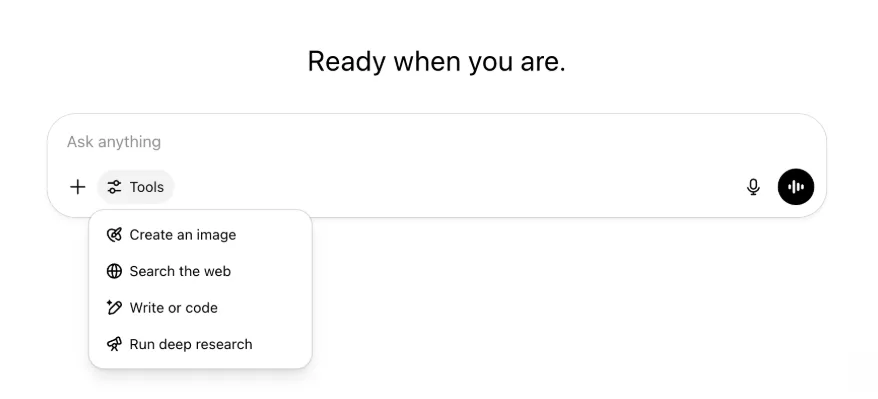
Uwezo na zana zote zilezile bado zipo—sasa zimepangwa vizuri na ni rahisi kufikiwa katika menyu moja.
22 Mei 2025
Tunatoa GPT-4.1 katika ChatGPT
Tangu kuzinduliwa kwake katika API mwezi Aprili, GPT-4.1 imependwa na wasanidi—kwa sababu ya mahitaji makubwa, tunaifanya ipatikane moja kwa moja katika ChatGPT.
GPT-4.1 ni muundo maalum unaofanya vizuri sana katika kazi za usimbaji. Ikilinganishwa na GPT-4o, ina nguvu zaidi katika kufuata maagizo kwa usahihi na kazi za uundaji wa wavuti, na ni mbadala wa OpenAI o3 na OpenAI o4-mini kwa mahitaji rahisi ya kila siku ya usimbaji.
Kuanzia leo, watumiaji wa Enterprise na Edu wanaweza kufikia GPT-4.1 kupitia menyu kunjuzi ya "miundo zaidi" katika kichagua miundo. GPT-4.1 ina vikomo vya maombi sawa na GPT-4o kwa watumiaji wanaolipia.
Tunakuletea GPT-4.1 mini, inayochukua nafasi ya GPT-4o mini katika ChatGPT
GPT-4.1 mini ni muundo mdogo wa haraka, wenye uwezo na ufanisi, unaotoa maboresho makubwa dhidi ya GPT-4o mini katika kufuata maagizo, usimbaji na akili kwa ujumla. GPT-4.1 mini inachukua nafasi ya GPT-4o mini katika kichagua miundo chini ya "miundo zaidi" kwa watumiaji wanaolipia, na itakuwa muundo mbadala kwa watumiaji wa bila malipo wakifikia vikomo vya matumizi vya GPT-4o. Vikomo vya maombi havijabadilika.
Tathmini za GPT-4.1 na GPT-4.1 mini zilishirikiwa awali katika chapisho la blogu lililoambatana na kutolewa kwake katika API. Pia zilipitia tathmini za kawaida za usalama. Matokeo ya kina yanapatikana katika Kituo kipya cha Tathmini za Usalama.
15 Mei 2025
Hamisha Utafiti wa Kina kama PDF
Sasa unaweza kuhamisha ripoti zako za utafiti wa kina kama PDF zilizopangiliwa vizuri—zikiwa na majedwali, picha, marejeo yenye viungo na vyanzo.
Ili kutumia, bofya aikoni ya kushiriki na uchague “Pakua kama PDF.” Hufanya kazi kwa ripoti mpya na za awali.
Kuunganisha Kiolesura cha Sehemu ya Kuweka Maandishi kwenye Simu (iOS/Android)
Tumeondoa safu ya aikoni za zana moja moja kwenye sehemu ya kuweka maandishi ya simu na kuweka aikoni mpya ya mtindo wa vitelezi inayofungua menyu ya Ujuzi; ukigusa kitufe hicho, menyu ya chini hufunguka na watumiaji wanaweza kuchagua zana kama Unda picha au Tafuta kwenye wavuti.
Hakuna zana inayositishwa—ufikiaji umeunganishwa tu ili kutoa nafasi na kupunguza msongamano kwenye skrini.
8 Mei 2025
Uchanganuzi wa Watumiaji katika ChatGPT - GA
Dashibodi iliyoboreshwa ya Uchanganuzi wa Watumiaji inaweza kufikiwa katika dashibodi ya Dhibiti eneokazi kwenye kichupo cha Uchanganuzi. Inatoa data pana zaidi kuhusu matumizi, ukubalifu na ushiriki kuliko kichupo cha awali cha uchanganuzi.
Dashibodi hii iliyoboreshwa huwapa Wasimamizi muhtasari wa jinsi ChatGPT inavyotumiwa katika shirika lako—itumie kufuatilia ukubalifu na ushiriki, kuelewa mifumo ya matumizi ya zana na GPT maarufu, na kutambua hali za matumizi na mitindo ya watumiaji.
Angalia Uchanganuzi wa Watumiaji wa ChatGPT Enterprise na Edu na API ya Uzingatiaji dhidi ya Uchanganuzi wa Watumiaji katika ChatGPT Enterprise/Edu.
2 Mei 2025
Uzalishaji wa Picha wa 4o katika GPT
GPT sasa zinaweza kutumia uwezo wa ChatGPT wa uzalishaji wa picha ili kuunda picha watumiaji wanapoomba.
Waundaji wa GPT wanaweza kuwasha "Uzalishaji wa Picha wa 4o" katika sehemu ya Sanidi ya kihariri cha GPT, chini ya Uwezo.
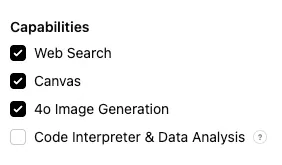
1 Mei 2025
Utafiti wa kina
Watumiaji wanaofikia kikomo chao cha kila mwezi (kazi 10 kwa mwezi) kwa muundo wa kawaida wa utafiti wa kina sasa watapata kiotomatiki maombi 15 zaidi kwa mwezi huo kwa kutumia toleo letu jepesi na nafuu hadi kikomo cha kila mwezi kiwekwe upya.
Pata maelezo zaidi kuhusu utafiti wa kina.
Kazi katika o3 na o4-mini
Sasa unaweza kuunda kazi zilizoratibiwa zinazowezesha ChatGPT kuendesha madokezo kiotomatiki na kuwasiliana nawe kwa ratiba kwa kutumia o3 na o4-mini. Chaguo la “ChatGPT yenye Kazi Zilizoratibiwa” katika kichagua miundo limeondolewa.
Pata maelezo zaidi kuhusu kazi zilizoratibiwa katika ChatGPT.
24 Aprili 2025
o3 na o4-mini
Kwa kuanzishwa kwa o3 na o4-mini / o4-mini-high, zitachukua nafasi ya o1 na o3-mini / o3-mini-high mtawalia katika ChatGPT.
OpenAI o3 ndiyo muundo wetu wenye nguvu zaidi wa uwazaji, unaosukuma mpaka katika usimbaji, hisabati, sayansi, utambuzi wa picha na zaidi. Unaweka kiwango kipya cha SOTA kwenye vipimo vikiwemo Codeforces, SWE-bench (bila kuunda muundo maalum wa kusaidia muundo huu) na MMMU. Unafaa kwa maswali changamano yanayohitaji uchanganuzi wa pande nyingi na ambayo majibu yake huenda yasionekane wazi mara moja. Unafanya vizuri hasa katika kazi za picha kama kuchanganua picha, chati na michoro. Katika tathmini za wataalamu wa nje, o3 hufanya makosa makubwa machache kwa asilimia 20 kuliko OpenAI o1 katika kazi ngumu za ulimwengu halisi—hasa katika upangaji programu, biashara/ushauri na ubunifu wa mawazo. Wajaribu wa awali walisisitiza umakini wake wa uchanganuzi kama mshirika wa kufikiri na uwezo wake wa kuunda na kutathmini kwa kina nadharia mpya—hasa katika biolojia, hisabati na uhandisi.
OpenAI o4-mini ni muundo mdogo ulioboreshwa kwa uwazaji wa haraka na nafuu—unatoa utendaji wa kuvutia ukizingatia ukubwa na gharama yake, hasa katika hisabati, usimbaji na kazi za picha. Ndiyo muundo wenye matokeo bora zaidi kwenye vipimo vya AIME 2024 na 2025. Katika tathmini za wataalamu, pia unaipita o3‑mini, mtangulizi wake, katika kazi zisizo za STEM na nyanja kama sayansi ya data. Kutokana na ufanisi wake, o4-mini ina vikomo vya matumizi vilivyo juu zaidi kuliko o3, hivyo ni chaguo bora kwa maswali mengi yanayohitaji utendaji wa juu na uwazaji.
10 Aprili 2025
ChatGPT Images
Uzalishaji wa picha katika GPT-4o sasa unapatikana kwa watumiaji wote kama kizalishaji chaguomsingi cha picha katika ChatGPT. Watumiaji wanaopendelea kuendelea kutumia DALL·E bado wanaweza kuifikia kupitia DALL·E GPT.
Unaweza kuunda picha kwa ChatGPT kwa kuiomba tu muundo utengeneze picha yenye maelezo unayotaka, au kwa kuchagua Unda picha katika sehemu ya kuweka maandishi. Pata maelezo zaidi.
31 Machi 2025
Uchanganuzi wa Watumiaji katika ChatGPT - beta ya umma
Dashibodi iliyoboreshwa ya Uchanganuzi wa Watumiaji inaweza kufikiwa katika dashibodi ya Dhibiti eneokazi kwenye kichupo cha Uchanganuzi. Inatoa data pana zaidi kuhusu matumizi, ukubalifu na ushiriki kuliko kichupo cha awali cha uchanganuzi.
Dashibodi hii iliyoboreshwa huwapa Wasimamizi muhtasari wa jinsi ChatGPT inavyotumiwa katika shirika lako—itumie kufuatilia ukubalifu na ushiriki, kuelewa mifumo ya matumizi ya zana na GPT maarufu, na kutambua hali za matumizi na mitindo ya watumiaji.
Angalia Uchanganuzi wa Watumiaji wa ChatGPT Enterprise na Edu (beta ya umma) kwa maelezo.
20 Machi 2025
Sasisho la Miradi Inayoshirikiwa
Tunaahirisha kuzindua miradi inayoshirikiwa yenye ufikiaji wa Kuona na Kuhariri ili tuweze kutengeneza toleo lenye ushirikiano zaidi litakalowafaa watumiaji.
13 Machi 2025
Usimbaji kwa Work with Apps kwenye macOS
Unapotumia IDE, unaweza kuiomba ChatGPT ihariri faili zilizo wazi moja kwa moja—bila kunakili na kubandika. Unapoomba uhariri, ChatGPT itaunda tofauti unayoweza kukagua na kutumia, na pia kuna chaguo la kutumia mabadiliko kiotomatiki. Ni rahisi kutengua tofauti katika kiolesura cha ChatGPT au kwa kutumia CMD+Z katika kihariri chako.
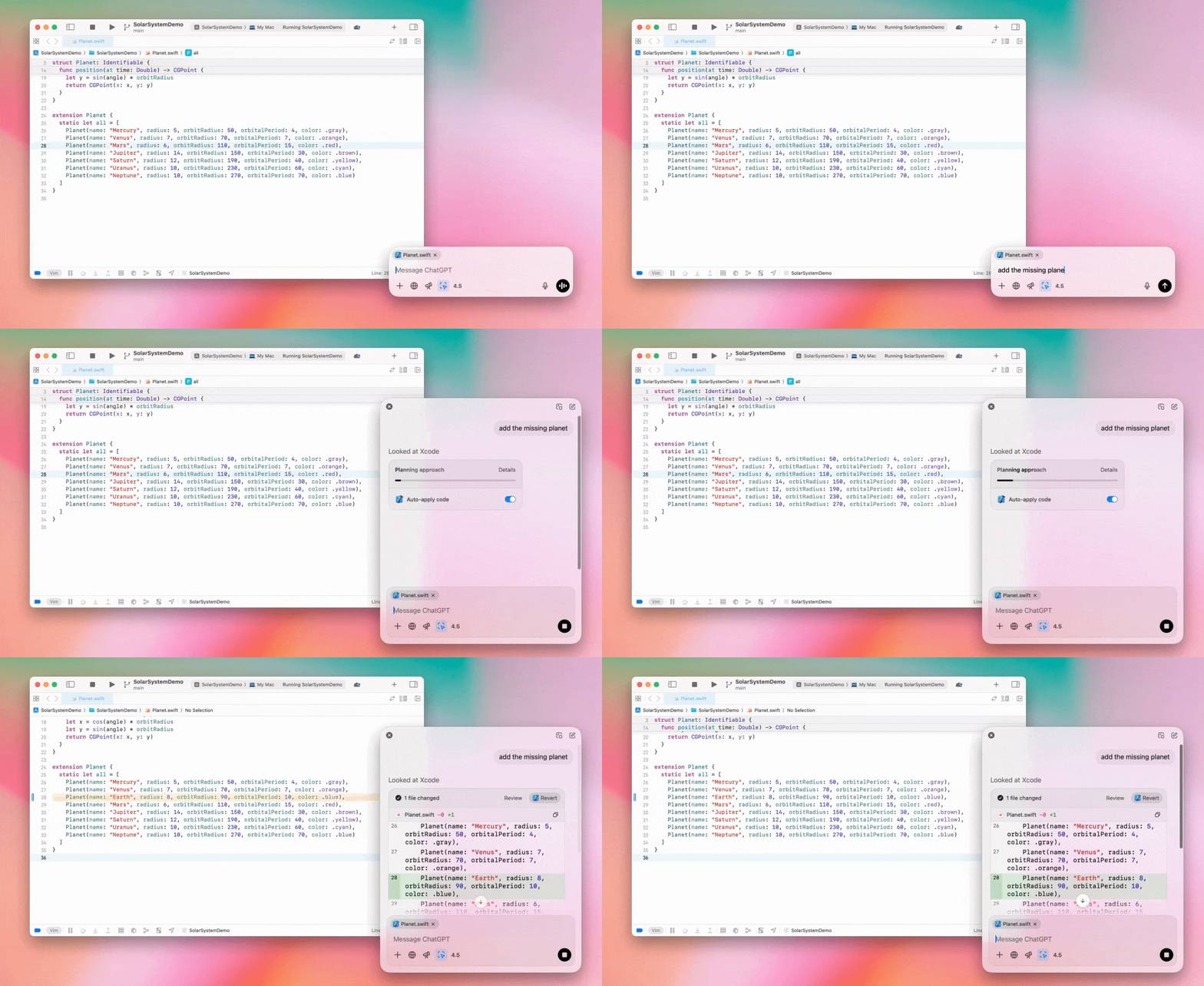
Wasimamizi wa Enterprise wanaweza kuzima kibadilishaji cha "Work with Apps" katika Mipangilio ya Msimamizi ili kulemaza uwezo huu kwa wanachama wa eneokazi.
GPT-4.5 katika ChatGPT
Kuanzia 13 Machi 2025, watumiaji wa mipango ya Enterprise na Edu sasa wanaweza kutumia muundo wetu wa GPT-4.5 katika ChatGPT!
Angalia GPT-4.5 katika ChatGPT kwa maelezo.
10 Machi 2025
Utafiti wa kina katika API ya Uzingatiaji ya ChatGPT
Kuanzia tarehe 10 Machi 2025, chaguo za wateja wa Enterprise wanaotumia API ya Uzingatiaji zinajumuisha:
Tafuta “dokeza la kimataifa la utafiti wa kina”.
Tafuta jina la zana katika jibu: {"tool_name":"deep_research"}.
25 Februari 2025
Utafiti wa kina katika ChatGPT
Utafiti wa kina katika ChatGPT sasa unapatikana kwa watumiaji wa mpango wa Enterprise.
Utafiti wa Kina huiwezesha ChatGPT kuvinjari wavuti kiwakala na bila kusubiri ili kukamilisha kazi yako ya kitaalamu au binafsi.
Watumiaji wa Enterprise na Edu watapata hoja 10 za utafiti wa kina kwa mwezi.
Tazama Maswali Yanayoulizwa Mara kwa Mara kuhusu utafiti wa kina kwa maelezo.
13 Februari 2025
hali ya o1 pro na o3-mini katika ChatGPT
Katika ChatGPT, hali ya o1 pro sasa inapatikana kwa Enterprise na o3-mini kwa Enterprise Edu!
o3-mini: OpenAI o3-mini imechukua nafasi ya o1-mini katika kiteua miundo. Ina gharama nafuu zaidi na hutoa vikomo vya juu vya maombi kwa ucheleweshaji mdogo. Ni muundo wa uwazaji, hivyo ni chaguo bora kwa usimbaji, STEM na kazi za kutatua matatizo kwa mantiki. o3-mini huonyesha mfululizo wake wa mawazo na inaweza kuvinjari wavuti.
hali ya o1 pro: Pia inapatikana katika kiteua miundo wiki hii ni hali ya o1 pro. Imeundwa kwa usahihi na kina, na hufanya vyema katika utafiti, uhandisi, biashara na sheria—inafaa kwa wataalamu wanaoshughulikia changamoto changamano sana. Hali ya o1 pro itachukua muda mrefu zaidi kufikiria tatizo. Kwa hivyo, majibu yanaweza kuchukua muda. Kwa sababu inahitaji uwezo mkubwa wa kompyuta, kila mtumiaji anawekewa kikomo cha hoja tano kwa mwezi. Kwa kazi nyingi, o1, o3-mini au GPT-4o zitaendelea kuwa chaguo bora.
Kuhusu: Upakiaji wa Faili
Picha, hati na PDF zinatumika katika miundo ya o1, o3-mini na o3-mini-high*. Hakuna lahajedwali (CSV/Excel).*
Picha pekee ndizo zinazotumika katika hali ya o1 pro. Hakuna hati/PDF wala lahajedwali (CSV/Excel).
Kushiriki Canvas
Watumiaji wa ChatGPT Enterprise na Edu sasa wanaweza kushiriki nyenzo ya Canvas kama msimbo uliotolewa wa React/HTML, hati au msimbo na mtumiaji mwingine, sawa na jinsi unavyoshiriki mazungumzo. Unaweza kufanya hivi kupitia upau wa zana wa Canvas wakati Canvas imefunguliwa.
Kwa maelezo zaidi kuhusu kipengele cha Canvas katika ChatGPT, soma makala ifuatayo ya Kituo cha Usaidizi!
23 Januari 2025
Miradi
Miradi sasa inapatikana kwa mipango yote ya kulipia, ikiwemo Enterprise na Edu.
Angalia Kutumia miradi katika ChatGPT kwa maelezo.
16 Januari 2025
Upataji wa Picha (PDF) kwa ChatGPT Enterprise
ChatGPT Enterprise sasa inaweza kusoma na kuelewa taswira (picha, grafu, michoro na kadhalika) zilizopachikwa katika faili za PDF. Watumiaji wanaweza kupakia PDF, na ChatGPT inaweza kufasiri maandishi na vipengele vyovyote vya picha ndani ya faili hiyo.
Kwa maelezo, angalia Maswali Yanayoulizwa Mara kwa Mara kuhusu Upataji wa Picha katika PDF.
12 Desemba 2024
o1
Kuanzia leo, wateja wote wa ChatGPT Enterprise wataweza kufikia o1 kupitia kichagua miundo, ikichukua nafasi ya o1-preview.
o1 sasa inaweza kutumiwa kuwazia picha zilizopakiwa, hivyo kufungua matumizi mapya kwa kuchanganua na kueleza taswira kwa kina na usahihi zaidi. Pia tumefunza muundo kuwa mfupi zaidi katika kufikiri, hivyo kutoa majibu haraka kuliko o1-preview.
11 Desemba 2024
Apple Intelligence pamoja na ChatGPT
Wasimamizi wa ChatGPT sasa wanaweza kuwasha na kuzima ufikiaji wa Apple Intelligence kupitia mipangilio ya msimamizi wa eneokazi, chini ya Miunganisho.
Mpangilio huu ukizimwa, watumiaji hawawezi kuchagua eneokazi lao la ChatGPT Enterprise/Edu wanapoingia kwa vitambulisho vyao vya OpenAI.
10 Desemba 2024
Canvas
Leo tumefanya Canvas ipatikane kwa chaguomsingi katika 4o kwa watumiaji wote, wa Bila Malipo na Wanaolipia. Zaidi ya hayo, tumezindua uwezo kadhaa mpya wa Canvas, ukiwemo:
Canvas katika GPT: Sasa Canvas inaweza kutumiwa na GPT inapowashwa katika zana ya kuunda GPT. Kigeuzi hiki kitawashwa kwa chaguomsingi kwa GPT mpya.
Utekelezaji wa msimbo wa Python: Sasa unaweza kutekeleza msimbo wa Python katika Canvas. ChatGPT itajaribu kurekebisha hitilafu katika msimbo wako na kutoa maoni kuhusu makosa. Tafadhali kumbuka kuwa kutekeleza Python kunaweza kutuma maombi kwa mitandao ya nje, na wasimamizi wa eneokazi za Enterprise wanaweza kuzima utekelezaji wa msimbo wa Python kwa kubadilisha mpangilio wa Utekelezaji wa msimbo wa Canvas katika Mipangilio ya msimamizi. Hii imezimwa kwa chaguomsingi katika akaunti zote za Enterprise.
Njia ya mkato ya Canvas: Sasa unaweza kubandika maudhui katika ChatGPT na kuyafungua papo hapo katika Canvas kupitia njia ya mkato iliyo kwenye kona ya juu kulia ya sehemu ya kuandika ujumbe.
Canvas katika Kikasha cha Zana: Canvas imeongezwa kama chaguo katika kikasha cha zana.
Sasa wasimamizi wa eneokazi wanaweza kutumia API ya Uzingatiaji kupata, kuorodhesha na kufuta hati za maandishi za Canvas.
Tafadhali kumbuka kuwa Mpangilio wa Msimamizi wa kuzima Canvas umeondolewa, kwa kuwa kipengele hiki hakiko tena katika toleo la beta. Ikiwa mpangilio huu ulikuwa umezimwa awali, tutaendelea kuuzingatia. Tafadhali wasiliana na timu yetu ya usaidizi kupitia kiputo cha gumzo kilicho kwenye kona ya chini kulia ya ukurasa huu.
3 Desemba 2024
Work with Apps kwenye macOS
ChatGPT sasa inaweza kusoma maudhui kutoka programu zako za usimbaji na kutoa majibu mahiri, sahihi na yanayolenga kazi yako kwa kutumia Work with Apps kwenye macOS. Pata maelezo zaidi kuhusu Work with Apps kwenye macOS.
Wasimamizi wa Enterprise wanaweza kuzima kibadilishaji cha "Work with Apps" katika Mipangilio ya Msimamizi ili kulemaza uwezo huu kwa wanachama wa eneokazi.
22 Novemba 2024
Masasisho ya matumizi ya ChatGPT Web
Tutatoa masasisho yafuatayo kwa watumiaji wote wa ChatGPT katika wiki mbili zijazo.
Muundo mpya wa utepe wa pembeni
Hali mpya inayoelea imeongezwa, yenye tabia ya kufungwa kwa urahisi
Mazungumzo ya hivi karibuni sasa yamewekewa kikomo kwenye utepe wa pembeni, huku kidirisha kinachofunguka chenye kusogeza bila kikomo kikionyesha mazungumzo yote
GPT za hivi karibuni na GPT Zilizobandikwa sasa zinaonyeshwa chini ya mazungumzo
Mipangilio sasa iko chini ya utepe wa pembeni kila wakati
Aikoni ndogo ya mipangilio imeongezwa kwenye skrini pana wakati utepe wa pembeni haujafunguliwa
Mibadiliko mipya imeongezwa ili kutoa hali ya kuzama zaidi katika matumizi
Masasisho mengine ya ChatGPT kwenye Wavuti
Misingi mikuu ya tovuti imeboreshwa, hivyo kutoa uwezo bora zaidi wa kutumia vifaa na ukubwa mbalimbali
Kuanzisha mazungumzo mapya sasa huyasogeza yaonekane juu ya skrini
Kuanzisha mazungumzo mapya hakusogezi tena kiotomatiki hadi chini wakati ujumbe unazalishwa
Utepe wa pembeni unapobandikwa sasa unaweza kubaki wazi huku Canvas ikitumika ikiwa kuna nafasi ya kutosha
Mpangilio mpya wa upau wa sehemu ya kuweka maandishi sasa hufifisha maudhui yaliyo chini yake unaposogeza, ukiwa na mwonekano na matumizi yaliyosasishwa
Kitufe cha mazungumzo mapya kimehamishwa kushoto mwa Kiteua Miundo ili kifikiwe kwa urahisi zaidi
Aikoni ya mfumo katika mazungumzo imeondolewa ili kuongeza nafasi ya mlalo
Mwonekano unaolenga DALL-E una mpangilio uliosasishwa
Kiunda GPT kina mpangilio uliosasishwa
Matumizi Bora ya Wavuti kwenye Simu
Matumizi ya kibodi ya skrini kwenye vifaa vya simu yameboreshwa sana katika vifaa vya iOS na Android
Utepe mpya wa pembeni huwa katika hali inayoelea kila wakati na hujifunga kiotomatiki unapobadilisha mijadala
Hatuelekezi tena kishale kwenye sehemu ya kuweka maandishi katika wavuti ya simu unapobadilisha mazungumzo
Tatizo lililofanya usogezaji kukwama katika hali fulani linapaswa kuwa limetatuliwa
20 Novemba 2024
Sasisho la GPT-4o
Tumesasisha GPT-4o kwa watumiaji wa ChatGPT katika viwango vyote vya kulipia. Sasisho hili la GPT-4o linajumuisha uwezo bora wa kuandika ambao sasa ni wa asili zaidi, unazingatia hadhira na umeboreshwa ili kuongeza umuhimu na urahisi wa kusoma. Muundo huu pia umeboreshwa katika kufanya kazi na faili zilizopakiwa, kwa kutoa ufahamu wa kina na majibu ya kina zaidi.
19 Novemba 2024
Sauti Mahiri kwa ChatGPT Web
Kuanzia leo, tunaanza kutoa hali ya sauti mahiri kwenye wavuti (tayari inapatikana katika programu za simu na mezani). Sasa watumiaji wanaweza kuanzisha mazungumzo ya sauti kwenye chatgpt.com kupitia kompyuta zao na kufanya mazungumzo ya kawaida ya wakati halisi na ChatGPT wanapotekeleza kazi kama kupanga, kuandika na kuchangia mawazo.
14 Novemba 2024
Programu ya Windows
Programu iliyoboreshwa ya Windows sasa inapatikana kupitia Microsoft Store kwa eneokazi za ChatGPT Enterprise na Edu. Watumiaji wa ChatGPT wanaofahamu matumizi yetu ya wavuti wanaweza kuunganisha programu ya Windows kwa urahisi katika chochote wanachofanya kwenye kompyuta.
Ufikiaji wa watumiaji kwa programu ya ChatGPT ya Windows utafuata sera za msimamizi wako wa IT kuhusu programu za Microsoft Store. Katika wiki zijazo, wasimamizi wa IT pia wataweza kusambaza programu kwenye vifaa vya wafanyakazi kupitia MDM/MAM badala ya kuruhusu upakuaji wa moja kwa moja kutoka Store.
Kama ilivyo kwa matumizi yote ya ChatGPT Enterprise, historia ya mazungumzo ya mtumiaji ni salama na haitatumika kuboresha huduma za OpenAI.
Pata maelezo zaidi kuhusu programu ya ChatGPT ya Windows.