
2026 թ. սեպտեմբերի 3
Zendesk և OneNote փլագինները ChatGPT-ում և Codex-ում [Բետա]
Այսօր Փլագինների գրացուցակում ավելացրել ենք Zendesk և OneNote փլագինները։ Zendesk փլագինն օգնում է թիմերին ChatGPT-ում և Codex-ում դիտարկել աջակցության հարցումները և հաճախորդների պատմությունը, գտնել համապատասխան տեղեկություններ ու պատրաստել պատասխաններ։ Անդամները միացնում են իրենց Zendesk հաշիվները՝ իրենց հասանելի աջակցության տեղեկությունների հետ աշխատելու համար։
OneNote փլագինն օգնում է գտնել և ամփոփել նշումները, հավաքել որոշումներն ու գործողությունների կետերը, ինչպես նաև ChatGPT-ում և Codex-ում աջակցվող գործողությունների միջոցով ստեղծել կամ թարմացնել նշումներ։
Կարդալ ավելին՝ Zendesk փլագին, OneNote փլագին։
Կայքերով կիսվեք ձեր աշխատատարածքից դուրս գտնվող մարդկանց հետ
Համապատասխան ChatGPT Enterprise աշխատատարածքներն այժմ կարող են Կայքերի սեփականատերերին թույլ տալ գործող Կայքերով կիսվել անունով նշված արտաքին դիտողների հետ։ Ստացողները մուտք են գործում այն հաշվով, որին հասանելիություն է տրվել, և կարող են դիտել համօգտագործվող Կայքը՝ առանց աշխատատարածքին միանալու։ Բացի այդ, դիտողի հասանելիությունը չի տալիս խմբագրման կամ հրապարակման իրավունքներ և Կայքը հանրային չի դարձնում։
Աշխատատարածքի սեփականատերերն ու ադմինները կարող են ընտրված դերերի համար թույլատրել հրավերներ՝ Աշխատատարածքի կարգավորումներ > Թույլտվություններ և դերեր բաժնում միացնելով Կայքեր և Թույլատրել անդամներին արտաքին այցելուներ հրավիրել կայքեր ընտրանքները։ Այս թույլտվությունը հանրային հրապարակումից անկախ է։ Կարգավորիչների մասին ավելին իմացեք «ChatGPT Կայքերի կառավարումը ձեր աշխատատարածքում» հոդվածում։
Բրաուզերի և համակարգչի օգտագործման ավելի լայն վերահսկողություն
Քաղաքականության նոր կարգավորումներն ընկերությունների ադմիններին ավելի լայն վերահսկողություն են տալիս աջակցվող աշխատասեղանի կլիենտներում բրաուզերների և բնիկ հավելվածների օգտագործման նկատմամբ։ Ադմինները կարող են սահմանել կայքերի լռելյայն կարգավորումներն ու բացառությունները, սահմանափակել վերբեռնումները, ներբեռնումները, բրաուզերի պատմությունը և մշակողների հասանելիությունը, ինչպես նաև կառավարել ավտոմատ ստուգումը, պահպանված հաստատումները և կայքերի հաստատումների վավերականության ժամկետը։ Բնիկ հավելվածների կանոններով կարելի է թույլատրել կամ արգելափակել macOS-ի և Windows-ի որոշակի հավելվածներ։ Ադմինները կարող են նաև սահմանափակել այլ բրաուզերից տվյալների ներմուծումը։
Եթե քաղաքականության խմբագրիչը հասանելի է, բացեք Codex-ի «Քաղաքականություններ և կազմաձևումներ» բաժինը և խմբագրեք քաղաքականության «Պահանջները»։ Կարգավորիչները գործում են աջակցվող կլիենտներում և հարթակներում։ Կայք կամ հավելված թույլատրելը չի շրջանցում այլ քաղաքականությունները կամ հաստատման հուշումները։ Իմացեք ավելին բրաուզերի և համակարգչի օգտագործման կառավարվող կարգավորիչների մասին։
2026 թ. սեպտեմբերի 1
Առողջապահական փլագիններ ChatGPT-ի և Codex-ի համար
Համապատասխան պահանջները բավարարող ChatGPT առողջապահության համար և HIPAA-ի աջակցությամբ ChatGPT Enterprise աշխատատարածքներն այժմ կարող են ChatGPT-ում և Codex-ում օգտագործել առողջապահական երկու փլագին՝
Առողջապահության հանրային տվյալներ. Որոնեք առողջապահության ինը հանրային աղբյուրներում՝ բժշկական հետազոտությունների, կլինիկական փորձարկումների, դեղերի մասին տեղեկությունների, Medicare-ի տվյալների և բուժծառայություն մատուցողների գրառումների համար։ Փլագինը նախատեսված է միայն տվյալները կարդալու համար և հասանելիություն չունի հիվանդների բժշկական քարտերին։
Epic. Դիտեք ձեր կազմակերպության Epic էլեկտրոնային առողջապահական գրառումներում առկա հիվանդների այն տվյալները, որոնց հասանելիության թույլտվություն ունեք։ Հասանելիությունը միայն կարդալու համար է և պահանջում է ադմինիստրատորի կազմաձևած Epic EHR հավելված, Epic-ի անհատական մուտքանուն և հիվանդների բժշկական քարտերի հասանելիության գործող թույլտվություններ։
Ադմինիստրատորները փլագինի հասանելիությունն ու հավելվածի մուտքի իրավունքը կառավարում են առանձին։ Հանրային առողջապահական աղբյուրներին ուղարկվող որոնման հարցումներում մի՛ ներառեք առողջության մասին պաշտպանված տեղեկություններ։ Նախքան Epic-ն առողջության մասին պաշտպանված տեղեկությունների հետ օգտագործելը՝ համոզվեք, որ ձեր կազմակերպությունն ունի Գործարար գործընկերոջ համապատասխան համաձայնագիր և աշխատատարածքի հաստատված կազմաձևում։
Իմանալ ավելին՝ Առողջապահության հանրային տվյալների օգտագործումը ChatGPT-ում և Codex-ում և Epic փլագինի օգտագործումը ChatGPT-ի և Codex-ի հետ։
2026 թ. օգոստոսի 28
Ներմուծեք և համաժամացրեք փլագինների մարքեթփլեյսները GitHub-ից
Աշխատատարածքի ադմինիստրատորներն ու սեփականատերերը կարող են կենտրոնացված ձևով տարածել փլագինների մարքեթփլեյսները GitHub-ի հանրային կամ մասնավոր պահոցներից և ամենօրյա ավտոմատ համաժամացմամբ թարմ պահել փլագինները։ Սկսելու համար անցեք Աշխատատարածքի կարգավորումներ > Փլագիններ և ընտրեք Ավելացնել > Ներմուծել մարքեթփլեյս, իսկ մարքեթփլեյսի թարմացում պահանջելու համար ընտրեք Համաժամացնել հիմա։
Ադմինիստրատորներն ու սեփականատերերն աշխատատարածքի կարգավորումներում վերահսկում են համապատասխան դերերի համար տեղադրման կանոնները և հավելվածների պահանջվող հասանելիությունը։ Պահոցի քաղաքականության արժեքները չեն վերագրում այս կարգավորումները, իսկ հավելվածների թույլտվությունների և նույնականացման պահանջները շարունակում են գործել։ Մարքեթփլեյսի կարգավորման մասին իմացեք ավելին և ծանոթացեք աջակցվող ձևաչափերին ու կազմաձևմանը։
2026 թ. օգոստոսի 27
Ինքնության կենտրոնացված կառավարում Ադմինիստրատորի վահանակում
Համապատասխան ChatGPT Enterprise և ChatGPT Edu հաճախորդներն այժմ կարող են աշխատատարածքի ու ինքնության ավելի շատ կարգավորումներ կառավարել Ադմինիստրատորի վահանակում՝
Կառավարեք աշխատատարածքի անդամներին, խմբերը, դերերը, թույլտվությունները և ընդհանուր կարգավորումները։
Օգտատերերին ու խմբերը մեկ անգամ համաժամացրեք ամբողջ կազմակերպության համար նախատեսված կենտրոնացված SCIM-ի միջոցով, ապա խմբերը նշանակեք աջակցվող ChatGPT աշխատատարածքներին կամ Ads հաշիվներին։
Հասանելիության դեպքում կառավարեք Ads հաշիվների օգտատերերին ու դերերը։
Աշխատատարածքի մակարդակի առկա SCIM կազմաձևումները շարունակում են աջակցվել։
Իմացեք ավելին՝ Կազմակերպության միջավայրի կառավարումն Ադմինիստրատորի վահանակում և SCIM-ի միջոցով տրամադրում և կառավարում։
Մոդելների հասանելիության վերահսկում, աշխատատարածքի կարգավորումներ և Windows-ի բարելավումներ
Մենք թողարկել ենք Enterprise/Edu աշխատատարածքներին վերաբերող մի քանի բարելավում՝
Մոդելների հասանելիության վերահսկման գործիքները թույլ են տալիս աշխատատարածքի սեփականատերերին կառավարել աջակցվող մոդելների հասանելիությունը՝ աշխատատարածքի և դերերի մակարդակով։
Օգտատերերի, խմբերի, դերերի, թույլտվությունների և ընդհանուր կարգավորումներն այժմ Ադմինիստրատորի վահանակում են։ Դրանք դեռ հասանելի են Աշխատատարածքի կարգավորումներում, իսկ առկա ներդիրների վրա սեղմելիս կտեղափոխվեք Ադմինիստրատորի վահանակ։ Առկա թույլտվությունները շարունակում են գործել։ Լրացուցիչ տեղեկությունների համար տե՛ս՝ դերերի վրա հիմնված հասանելիության վերահսկում և աշխատատարածքի կարգավորումներ։
Windows-ում Codex-ի բարելավումները ներառում են
codex doctorախտորոշումը, Windows-ից այլ սարքերի հեռակառավարումը և Linux-ի նախընտրելի դիստրիբուտիվի ընտրությունը, երբ տեղադրված են WSL-ի մի քանի դիստրիբուտիվներ։ Կառավարվող սարքերում անհրաժեշտ է MDM-ի միջոցով ստացված՝ ադմինիստրատորի հաստատած տարբերակ։ Հասանելիությունը կախված է ձեր աշխատատարածքից և հավելվածի տարբերակից։ Լրացուցիչ տեղեկությունների համար տե՛ս՝ Codex։
2026 թ. օգոստոսի 25
Համօգտագործվող պլանավորված և վեբհուկով գործարկվող առաջադրանքներ
Enterprise-ի, Edu-ի և ChatGPT առողջապահության համար աշխատատարածքների անդամները կարող են իրենց աշխատատարածքում համօգտագործել կարգավորվող պլանավորված առաջադրանքներ։ Ադմինները կարող են նաև Աշխատանքում միացնել վեբհուկով գործարկվող առաջադրանքները, որպեսզի հաստատված հավելվածները ներկայացնեն համապատասխան թարմացումները՝ առանց բազմակի ձեռքով ստուգումների։ ChatGPT առողջապահության համար ծառայությունում այս առաջադրանքները չեն կարգավորվում Գործարար գործընկերոջ համաձայնագրով (BAA) և չպետք է օգտագործվեն պաշտպանված առողջապահական տվյալներ (PHI) փոխանցելու, պահելու կամ մշակելու համար։
Աջակցվող վեբհուկները ներառում են Gmail-ի նոր նամակները, Slack-ի ալիքների հաղորդագրությունները և GitHub-ի pull request-ների գործողությունները։
Ստեղծեք վեբհուկով գործարկվող առաջադրանքներ
Իրավասու անդամները կարող են վեբում, iOS-ում և Android-ում Աշխատանքին հանձնարարել արձագանքել Gmail-ի նոր նամակին, Slack-ի ալիքի հաղորդագրությանը կամ GitHub-ի աջակցվող pull request իրադարձությանը։ Օրինակ՝ խնդրեք ChatGPT-ին ամփոփել Slack-ում հաճախորդների արձագանքները կամ GitHub-ի pull request-ի փոփոխությունից հետո նախապատրաստել հաջորդ քայլերը։ Անդամներին անհրաժեշտ է հասանելիություն Աշխատանքին և հաստատված հավելվածին։ Յուրաքանչյուր վերահսկվող Slack ալիքում ավելացրեք @ChatGPT-ին։ Enterprise-ի, Edu-ի և ChatGPT առողջապահության համար ծառայության ադմինները նախ պետք է միացնեն «Թույլատրել իրադարձությամբ գործարկվող պլանավորված առաջադրանքները» կարգավորումը՝ Թույլտվություններ & դերեր > Աշխատանք բաժնում։ Այս թույլտվությունը լռելյայն անջատված է։
Համօգտագործեք պլանավորված առաջադրանքները
Իրավասու անդամները կարող են պլանավորված կամ վեբհուկով գործարկվող առաջադրանքները համօգտագործել նույն աշխատատարածքի մյուս անդամների հետ, որոնք կարող են վերանայել ու հարմարեցնել հրահանգները և, անհրաժեշտության դեպքում, ժամանակացույցը։ Ադմինները համօգտագործումը կառավարում են Համօգտագործել զրույցներն ու պլանավորված առաջադրանքներն աշխատատարածքում կարգավորմամբ։ Վեբհուկով գործարկվող պատճենի պլանավորման համար անհրաժեշտ են նաև Թույլատրել իրադարձությամբ գործարկվող պլանավորված առաջադրանքները թույլտվությունը, Աշխատանք հասանելիությունը և ստացողի սեփական հաստատված կապակցված հավելվածը։
Լրացուցիչ տեղեկությունների համար տե՛ս՝ Պլանավորված առաջադրանքները ChatGPT-ում։
2026 թ. օգոստոսի 20
Enterprise գործառույթների թարմացումներ
Աշխատատարածքի սեփականատերերն ու ադմինիստրատորները կարող են օգտագործել աշխատատարածքի մակարդակով գործող նոր Admin API-ները՝ հրավերների և անդամների կառավարումն ավտոմատացնելու համար։ Հրավերների API-ները թույլ են տալիս ցուցակել, ստանալ, ստեղծել, կրկին ուղարկել և ջնջել հրավերները։ Օգտատերերի API-ները թույլ են տալիս ստանալ ընդունված անդամների տվյալները, իսկ աշխատատարածքի սեփականատերերին՝ թարմացնել ներկառուցված դերերը կամ տեղերը և հեռացնել անդամներին աշխատատարածքից։ SCIM-ի միջոցով կառավարվող փոփոխությունները շարունակում են կատարվել ինքնության մատակարարի միջոցով, և գործում են վերջին սեփականատիրոջը պաշտպանող սահմանափակումները։ Կարգավորման և թույլտվությունների մասին տե՛ս Admin բանալիների կառավարում բաժինը։ Վերջնակետերի ուղիների և սխեմաների մասին տե՛ս Admin API-ի տեղեկատուն։
Գլոբալ ադմինիստրատորի վահանակն այժմ ավելի հստակ է ցույց տալիս, թե որ տենանտում կամ աշխատատարածքում եք աշխատում, և աջակցվող էջերի համար ավելացնում է աշխատատարածքին հատուկ URL-ներ։ Աշխատատարածքի անդամները կարող են դիտել միայն իրենց գործունեության վերլուծական տվյալները, իսկ տարբեր օգտատերերի տվյալներ ներառող դիտումները հասանելի են միայն լիազորված դերերին։ ChatGPT-ի աշխատատարածքի կարգավորումները մնում են իրենց ներկայիս տեղում։ Իմացեք ավելին Գլոբալ ադմինիստրատորի վահանակի մասին։
Անձնական վերլուծությունն աջակցում է Աշխատանքին և Codex-ին համապատասխան Enterprise և Edu աշխատատարածքներում։ Ադմինիստրատորի կողմից փլագինը միացնելուց հետո անդամները կարող են այն տեղադրել ChatGPT Desktop-ում և հարցնել իրենց մուտք գործած ինքնության հետ կապված գործունեության ու աշխատատարածքի՝ գաղտնիությունը պաշտպանող ամփոփ միտումների մասին։ Այն նախատեսված է միայն դիտման համար և չի կարող ցուցադրել մեկ այլ օգտատիրոջ անհատական գործունեությունը կամ մեկ այլ աշխատատարածքի տվյալները։ Իմացեք ավելին Անձնական վերլուծության մասին։
Համագործակցեք ChatGPT-ի Կայքերում (միայն Enterprise)։ Enterprise աշխատատարածքներում Կայքի սեփականատերերը կարող են որպես խմբագիրներ ավելացնել նույն աշխատատարածքի ակտիվ անդամներին։ Խմբագիրները կարող են թարմացնել և պահպանել Կայքը, իսկ սեփականատիրոջ կողմից այն առաջին անգամ հրապարակվելուց հետո՝ հաջորդ տարբերակները հրապարակել Կայքի նույն URL-ով։ Սեփականատերերը շարունակում են վերահսկել համօգտագործումը, Կայքի կարգավորումները, վերլուծական տվյալները, սեփականության իրավունքը, տարբերակների վերականգնումը և խմբագիրների հասանելիությունը։ Համատեղ խմբագրումն օգտագործում է աշխատատարածքում Կայքերի կառավարման առկա կարգավորումները և RBAC-ի առանձին փոխարկիչ չի ավելացնում։ Հանրային հրապարակումը լռելյայն անջատված է մնում և կառավարվում է ադմինիստրատորի կողմից։ Իմացեք ավելին ձեր աշխատատարածքի ChatGPT Կայքերի կառավարման մասին։
Օգտագործեք Apple Messages-ը Codex-ից և ChatGPT Աշխատանքից։ Apple-ի պրոցեսորով Mac համակարգիչներում ChatGPT-ի համակարգչային հավելվածի Apple Messages փլագինը կարող է կարդալ և որոնել iMessage, SMS և RCS զրույցները, ինչպես նաև Messages-ի միջոցով պատրաստել կամ ուղարկել հաղորդագրություններ։ Լռելյայն ChatGPT-ն ուղարկելուց առաջ օգտատիրոջից խնդրում է հաստատել հաղորդագրությունն ու ստացողներին։ Կառավարվող աշխատատարածքների ադմինիստրատորները կարող են անջատել Apple Messages-ը «Համակարգչի օգտագործում» առկա կառավարման միջոցով։ Իմացեք ավելին Apple Messages փլագինի մասին։
Օգտագործեք Համակարգչի պատմությունն ավելի շատ տարածաշրջաններում (միայն Enterprise)։ Համակարգչի պատմությունն այժմ հասանելի է ԵՏՏ-ում, Շվեյցարիայում և Միացյալ Թագավորությունում՝ macOS-ի ChatGPT համակարգչային հավելվածն օգտագործող Enterprise օգտատերերին։ Այն լռելյայն անջատված է, պահանջում է Հիշողությունների գործառույթը և պետք է միացվի աշխատատարածքի ադմինիստրատորի կողմից, որից հետո անդամը կարող է համաձայնել օգտագործել այն։ Իմացեք ավելին Համակարգչի պատմության մասին։
Համօգտագործեք Codex զրույցի՝ միայն դիտման համար նախատեսված պատճենը։ Աշխատատարածքի համօգտագործման հղումները հասանելի են միայն սկզբնական աշխատատարածքի նույնականացված անդամներին, իսկ ադմինիստրատորները կարող են անջատել այդ հղումները։ Պատճենը չի թարմացվում, երբ սկզբնական զրույցը փոխվում է։ Codex-ը քողարկում է գաղտնի տվյալների հայտնի ձևանմուշները, սակայն օգտատերերը պետք է ստուգեն պատճենը, քանի որ դրանում կարող են մնալ զգայուն ուղիներ, տարբերություններ, պատկերներ կամ այլ բովանդակություն։ Իմացեք ավելին Codex զրույցը համօգտագործելու մասին։
Արտահանեք փլագինների հանրային կատալոգը։ ChatGPT Enterprise-ի համապատասխան աշխատատարածքների սեփականատերերն ու ադմինիստրատորները կարող են CSV արտահանել Admin > Plugins > Public > Export CSV բաժնից։ Արտահանված տվյալները կարող են մինչև 48 ժամվա հնության լինել և չեն ներառում աշխատատարածքում ստեղծված փլագինները։ Իմացեք ավելին հանրային կատալոգն արտահանելու մասին։
2026 թ. օգոստոսի 13
Զրույցի մոդելի լռելյայն կարգավորումներ
Աշխատատարածքի սեփականատերերն ու ադմինները կարող են Աշխատատարածքի կարգավորումներ > Մոդելներ բաժնում սահմանել Զրույցի սկզբնական մոդելն ու դատողության մակարդակը։ Սեփականատերերն ու ադմինները կարող են նոր զրույցների համար կիրառել ադմինի լռելյայն ընտրությունը կամ թույլատրել Օգտատիրոջ վերջին ընտրությունը։ Նկատի ունեցեք, որ լռելյայն կարգավորումները հասանելիություն չեն տալիս անհասանելի մոդելներին և չեն չեղարկում աշխատատարածքի պարտադիր պահանջները։
Նոր կարգավորիչները գործարկելու համար ChatGPT Desktop հավելվածը պետք է թարմացնել մինչև 26.812.10818 կամ ավելի նոր տարբերակ։
Enterprise-ի և Edu-ի մոդելների ընտրիչի թարմացում
Enterprise/Edu աշխատատարածքների անդամների համար թարմացվել են մոդելի ընտրիչն ու հաղորդագրություններ կազմողը։ Ընտրիչը հեշտացնում է հասանելի Բանականության տարբերակների համեմատությունը՝ միաժամանակ պահպանելով աշխատատարածքում մոդելների հասանելիությունն ու հասանելիության կարգավորիչները։
Աուդիտի գրանցամատյանները Գլոբալ ադմինիստրատորի վահանակում
Աշխատատարածքի սեփականատերերն ու ադմիններն այժմ կարող են Գլոբալ ադմինիստրատորի վահանակում դիտարկել աջակցվող աուդիտի իրադարձությունները։ Հասանելիությունն ու ընդգրկված իրադարձությունները կախված են ընտրված աշխատատարածքից և ադմինի դերից։ Կարդալ ավելին։
Դերերի վրա հիմնված հավելումային հասանելիության կարգավորիչներ
Enterprise և Edu աշխատատարածքների սեփականատերերն այժմ կարող են սովորական հատուկ դերերում համապատասխան թույլտվությունների համար ընտրել Լռելյայն, Միացված կամ Անջատված։ Լռելյայն ընտրանքը ժառանգում է աշխատատարածքի կարգավորումը, Միացված-ը բացահայտորեն տալիս է թույլտվությունը, իսկ Անջատված-ը մերժում է հասանելիությունը միայն այդ դերի միջոցով։ ChatGPT-ն բոլոր կիրառելի սովորական դերերը գնահատում է հավելումային սկզբունքով․ եթե որևէ դեր թույլտվություն է տալիս՝ բացահայտորեն կամ ժառանգելով աշխատատարածքի միացված կարգավորումը, անդամը պահպանում է հասանելիությունը։ Անջատված կարգավորումը մերժում է հասանելիությունը միայն այդ դերի միջոցով։ Եթե բոլոր կիրառելի դերերի համար ընտրված է Անջատված, հասանելիությունը մերժվում է։ Արգելափակման ռեժիմը գնահատվում է առանձին և կարող է լրացուցիչ սահմանափակել ցանցից օգտվող հնարավորությունները։ Իմացեք ավելին դերերի վրա հիմնված հասանելիության կարգավորիչների մասին։
Աշխատանքի և Codex-ի օգտագործման ու ծախսերի տվյալներ
Կրեդիտներով վճարում օգտագործող համապատասխան Enterprise աշխատատարածքների անդամները կարող են յուրաքանչյուր զրույցի համար դիտել Աշխատանքում և Codex-ում ողջ ընթացքում օգտագործված կրեդիտները։ Օգտագործման ցուցանիշներն ու ծախսերի գնահատականները նախատեսված են պլանավորման համար և հաշիվ-ապրանքագրեր չեն։ Անդամները կարող են նաև ChatGPT Desktop-ի Օգտագործում և վճարումներ ներդիրում դիտել ամսական օգտագործումն ու պատմությունը։ Զրույցի սովորական օգտագործումը ներառված չէ։ Այս գործառույթի համար անհրաժեշտ է ChatGPT Desktop-ի 26.812.10818 կամ ավելի նոր տարբերակը։ Կարդալ ավելին։
Անձնական վերլուծության փլագին
Անձնական վերլուծության փլագինը հասանելի է համապատասխան աշխատատարածքների համար։ Երբ աշխատատարածքի սեփականատերը կամ ադմինը միացնի փլագինը, անդամները կարող են այն տեղադրել ChatGPT Desktop-ում և հարցեր տալ Աշխատանքում ու Codex-ում իրենց գործունեության, ինչպես նաև աշխատատարածքի հասանելի համախմբված միտումների մասին։ Կարդալ ավելին։
Codex-ի ծառայողական հաշիվներ
Համապատասխան աշխատատարածքները կարող են Codex-ի ավտոմատացման համար ստեղծել ոչ մարդկային ծառայողական հաշիվներ։ Աշխատատարածքի սեփականատերերն ու ադմինները կարող են նշանակել դերեր և խմբեր, կազմաձևել փլագիններ, համատեղ կառավարել հաշիվը և CI գործարկիչների ու պլանավորված առաջադրանքների համար տրամադրել սահմանափակ ընդգրկմամբ հասանելիության թոքեններ։ Կարդալ ավելին։
Windows-ի աշխատասեղանի հավելվածի արտադրողականության բարելավումներ
Windows-ի ChatGPT աշխատասեղանի հավելվածում կատարվել են արտադրողականության բարելավումներ։ Այս բարելավումների համար անհրաժեշտ է ChatGPT Desktop-ի 26.803.41515 կամ ավելի նոր տարբերակը։
Համակարգչի պատմություն ChatGPT Enterprise-ի համար
«Համակարգչի պատմությունը» ChatGPT-ի macOS հավելվածի կամընտիր գործառույթ է, որը Enterprise-ի անդամներին թույլ է տալիս ընտրված հավելվածներից և կայքերից համատեքստ փոխանցել ChatGPT և Codex։ Այն գրանցում է փոխազդեցության իրադարձությունները, ոչ թե էկրանի պատկերներ, էկրանի տեսագրություններ, խոսափողի մուտք կամ համակարգի ձայն։ Մասնավոր զննարկումը չի ներառվում։
«Համակարգչի պատմությունը» լռելյայն անջատված է, և Enterprise-ի ադմինները կարող են ըստ դերի հասանելիություն տրամադրել, որից հետո յուրաքանչյուր անդամ ինքն է որոշում՝ միանա՞լ գործառույթին։ Անդամները կարող են դադարեցնել «Համակարգչի պատմությունը», ընտրել ներառվող հավելվածներն ու կայքերը, ինչպես նաև դիտել կամ ջնջել ժամանակագրության տարրերը։ Նկատի ունեցեք, որ «Համակարգչի պատմությունը» ներկայում հասանելի չէ ԵՏՏ-ում, ՄԹ-ում կամ Շվեյցարիայում։
2026 թ. օգոստոսի 10
Միացված հավելվածների անհատական օգտատիրոջ համաժամացման դադարեցում
Օգոստոսի 10-ից նոր անհատապես թույլատրված համաժամացման կապերն այլևս հասանելի չեն լինի։ Օգոստոսի 14-ին գործող անհատական օգտատերերի համաժամացման կապերը կանջատվեն, և կսկսվի դրանց հետ կապված համաժամացված տվյալների ջնջումը։ Ադմինիստրատորի կառավարվող համաժամացումը չի փոխվում։ Մինչև օգոստոսի 14-ը դիտարկեք աշխատատարածքի միակցիչների կարգավորումները և անհրաժեշտության դեպքում կատարեք հետևյալ գործողությունները՝
| Միակցիչ | Ադմինիստրատորի պահանջվող գործողություն |
|---|---|
| Google Drive | Միացրեք Google Drive փլագինը։ Եթե համաժամացված գիտելիք է պահանջվում, կազմաձևեք ադմինիստրատորի կառավարվող Google Drive համաժամացումը՝ տիրույթի մակարդակի պատվիրակմամբ։ |
| SharePoint | Միացրեք SharePoint փլագինը։ Եթե համաժամացված գիտելիք է պահանջվում, կազմաձևեք ադմինիստրատորի համաժամացումը։ |
| GitHub | Միացրեք չհամաժամացվող GitHub փլագինը։ |
| GitLab Issues | Փոխարինող փլագինի հասանելիության մասին շուտով կհայտնենք։ |
| Azure Boards (Azure DevOps) | Փոխարինող փլագինի հասանելիության մասին շուտով կհայտնենք։ |
| Basecamp | Փոխարինող փլագինի հասանելիության մասին շուտով կհայտնենք։ |
| Help Scout | Բացահայտեք ազդակիր օգտատերերին ու գործընթացները և տեղեկացրեք, որ համաժամացված հասանելիությունը կդադարեցվի։ Մենք ակտիվորեն աշխատում ենք գործընկերոջ հետ՝ փոխարինող տրամադրելու համար։ |
| Zoho Desk | Բացահայտեք ազդակիր օգտատերերին ու գործընթացները և տեղեկացրեք, որ համաժամացված հասանելիությունը կդադարեցվի։ Մենք ակտիվորեն աշխատում ենք գործընկերոջ հետ՝ փոխարինող տրամադրելու համար։ |
| Teamwork | Բացահայտեք ազդակիր օգտատերերին ու գործընթացները և տեղեկացրեք, որ համաժամացված հասանելիությունը կդադարեցվի։ Մենք ակտիվորեն աշխատում ենք գործընկերոջ հետ՝ փոխարինող տրամադրելու համար։ |
| Aha! | Բացահայտեք ազդակիր օգտատերերին ու գործընթացները և տեղեկացրեք, որ համաժամացված հասանելիությունը կդադարեցվի։ Մենք ակտիվորեն աշխատում ենք գործընկերոջ հետ՝ փոխարինող տրամադրելու համար։ |
| Zoho CRM | Բացահայտեք ազդակիր օգտատերերին ու գործընթացները և տեղեկացրեք, որ համաժամացված հասանելիությունը կդադարեցվի։ Մենք ակտիվորեն աշխատում ենք գործընկերոջ հետ՝ փոխարինող տրամադրելու համար։ |
| Pipedrive | Բացահայտեք ազդակիր օգտատերերին ու գործընթացները և տեղեկացրեք, որ համաժամացված հասանելիությունը կդադարեցվի։ Մենք ակտիվորեն աշխատում ենք գործընկերոջ հետ՝ փոխարինող տրամադրելու համար։ |
2026 թ. օգոստոսի 7
Ֆայլերն ու Նախագծերը ChatGPT Voice-ում
GPT-Live-ը ChatGPT Voice-ում այժմ աջակցում է ֆայլերի վերբեռնումն ու Նախագծերը։ Այժմ կարող եք ձայնային զրույցում ֆայլեր վերբեռնել և վերլուծել դրանց բովանդակությունը կամ հարցեր տալ։ Կարող եք նաև ձայնն օգտագործել Նախագծերում՝ հղվելով նախագծի վերջին զրույցներին, աղբյուրներին ու հրահանգներին։
Live-ն այժմ լռելյայն Voice փորձառությունն է
Enterprise, Edu և Healthcare աշխատատարածքներում Live-ն այժմ լռելյայն Voice փորձառությունն է, երբ սեփականատերը միացնում է Voice-ը․ Մոդելների վաղ հասանելիության կարգավորումն այլևս անհրաժեշտ չէ։ Աշխատատարածքի սեփականատերերը կարող են անջատել Voice-ը Աշխատատարածքի կարգավորումներում։
Իմանալ ավելին ChatGPT Voice-ի մասին։
2026 թ. օգոստոսի 6
Համակարգչային հավելվածի թարմացումների նոր վերահսկիչներ
ChatGPT Enterprise-ի, ChatGPT առողջապահության համար-ի և ChatGPT Edu-ի ադմինիստրատորներն այժմ աջակցվող macOS ու Windows տարբերակներում կարող են անջատել ChatGPT համակարգչային հավելվածի ներհավելվածային թարմացումները։ Սա կազմակերպություններին թույլ է տալիս նոր թողարկումները դիտարկել մինչև օգտատերերին տրամադրելը և հաստատված տարբերակները տեղակայել սարքերի կառավարման գործող գործընթացով։
Հավելվածի ներկառուցված թարմացնողը լռելյայն միացված է մնում։ Այն անջատող կազմակերպությունները պատասխանատու են նոր թողարկումներն ու անվտանգության ուղղումներն արագ տեղակայելու համար։ OpenAI-ը չի տրամադրում տարբերակի ամրագրում, առանձին կայուն թողարկման ալիք կամ հին տարբերակների երկարատև աջակցություն։ Իմանալ ավելին։
2026 թ. օգոստոսի 4
Մեծածավալ տեղադրումներն այժմ բոլոր պլաններում մշակվում են որպես կցորդներ
Այսօրվանից ChatGPT Enterprise և Education օգտատերերի երկար տեղադրումները ChatGPT-ում այլ կերպ են մշակվում։
Եթե կազմողի մեջ տեղադրեք ավելի քան 10 հազար նիշ, ChatGPT-ն բովանդակությունը տեքստային դաշտում ուղղակի տեղադրելու փոխարեն ավտոմատ կվերածի կցորդի։ Սա կազմողն ավելի մաքուր է պահում և թույլ չի տալիս, որ մեծածավալ տեղադրումը սպառի ամբողջ Համատեքստային պատուհանը։
Բովանդակությունը ցանկացած պահի կարող եք վերադարձնել հաղորդագրության մեջ՝ սեղմելով Ցուցադրել տեքստային դաշտում, և կցորդը կրկին դարձնել ուղղակի տեղադրում։
Սա արդեն հասանելի է մնացած բոլոր պլանների օգտատերերին։
Կրթական փլագիններ դասավանդման և ուսուցման համար
ChatGPT Edu աշխատատարածքներին այժմ ChatGPT Աշխատանքում և Codex-ում հասանելի են երեք ուղղորդվող փլագիններ՝ Բուհի դասախոս, Դպրոցի ուսուցիչ և Բուհի ուսանող։ Դպրոցական շրջանի տիրույթի հավակնությամբ կառավարվող ChatGPT for Teachers աշխատատարածքներին հասանելի է Դպրոցի ուսուցիչ փլագինը։ Այս փլագիններն օգնում են մանկավարժներին դասընթացի նյութերի հիման վրա ստեղծել դասեր, գնահատումներ ու հաղորդագրություններ, իսկ բուհերի ուսանողներին՝ կազմել ուսումնական պլաններ և վարժվել դասընթացի հասկացություններով։
Բուհի դասախոս․ օգնում է դասախոսներին մշակել ու թարմացնել դասընթացներն ու ծրագրերը, ստեղծել ինտերակտիվ ուսումնական նյութեր և մուլտիմեդիա գնահատումներ, նյութերը հարմարեցնել տարբեր սովորողներին և բովանդակությունը փաթեթավորել LMS-ի համար։
Դպրոցի ուսուցիչ․ օգնում է ստեղծել դասանյութեր, առաջադրանքներ, գնահատման չափանիշներ և ուսուցողական ռեսուրսներ՝ Learning Commons-ի համատեքստով՝ դրանք պետական չափորոշիչներին ու ուսումնական առաջընթացին համապատասխանեցնելու համար։
Բուհի ուսանող․ օգնում է դասընթացի նյութերի և Ուսման նպատակի միջոցով ստանալ աղբյուրների վրա հիմնված բացատրություններ, ուղղորդվող վարժանքներ, ուսումնական պլաններ, հարցաշարեր, քարտեր և տեսողական բացատրություններ։
Փլագինները հասանելի են Փլագինների գրացուցակում, բայց լռելյայն տեղադրված չեն։ Նկատի ունեցեք, որ այս փլագինները հասանելի չեն Enterprise հաշիվներին։ Աշխատատարածքի ադմինիստրատորները կարող են կառավարել փլագինների հասանելիությունն ու թույլտվությունները։ Ավելին՝ Փլագինները ChatGPT-ում և Codex-ում։
Օգտագործման շաբաթական սահմանաչափերից անցում ամսականների
Աշխատատարածքի սեփականատերերն այժմ կարող են «Թույլտվություններ և դերեր» բաժնում կազմաձևված շաբաթական սահմանաչափերը հեշտությամբ փոխարկել ամսականների։ Բացեք Աշխատատարածքի կարգավորումներ → Թույլտվություններ և դերեր, ընտրեք որևէ դեր, անցեք Շաբաթական սահմանաչափեր, ընտրեք Տեղափոխել և հաստատեք։ Ցանկացած դերից տեղափոխումը սկսելու դեպքում աշխատատարածքի բոլոր մնացած շաբաթական դերային սահմանաչափերը կտեղափոխվեն։ Կախված աշխատատարածքի չափից՝ դա կարող է մի քանի րոպե տևել։
Օգոստոսի 15-ին շաբաթական դերային ծախսերի սահմանաչափեր դեռ օգտագործող ChatGPT Enterprise աշխատատարածքները նախատեսվում է ավտոմատ փոխադրել ամսական օգտագործման սահմանաչափերի։ Իմանալ ավելին օգտագործման սահմանաչափերի և գերածախսերի կառավարման մասին։
2026 թ. հուլիսի 23
ChatGPT Voice-ի ավելի բնական փորձառություն
ChatGPT Voice-ը Enterprise և Edu աշխատատարածքներում հասանելի է դառնում երկու տարբեր փորձառությամբ՝
Voice-ը Զրույցում․ վարեք բնական, իրական ժամանակի զրույցներ՝ հարցեր տալու, գաղափարներ մշակելու և ուսումնասիրելու համար։ GPT-Live-ով աշխատող Voice-ը Զրույցում աջակցում է ընդհատումները, շարունակական հարցերը և հնարավորության դեպքում վեբ որոնման նման գործառույթները։ Այն հասանելի է համակարգչային Զրույցում և աջակցվող վեբ, iOS ու Android փորձառություններում։
Voice-ը Աշխատանքում և Codex-ում․ համակարգչային հավելվածից սկսած՝ ChatGPT Voice-ը կարող է կառավարել ձեր համակարգիչը և համակարգել աշխատանքը մի քանի ագենտների, ակտիվ զրույցների ու նախագծերի միջև։ Օգտագործեք այն առաջադրանքներ սկսելու, առաջընթացը ստուգելու, աշխատանքն ընդհատելու կամ վերաուղղորդելու և ֆոնային աշխատանքի ընթացքում թարմացումներ ստանալու համար։ Հասանելի է macOS-ում և Windows-ում՝ զուգավորված iOS հեռավար հասանելիությամբ։ Voice-ը Աշխատանքում և Codex-ում առանձին հասանելի չէ վեբում կամ բջջայինում։
Առաջին երկու շաբաթում սեփականատերերը պետք է միացնեն թե՛ Voice-ը, թե՛ Մոդելների վաղ հասանելիությունը, որպեսզի անդամները Voice-ի կարգավորումներում ընտրեն Live-ը։ Այս ընթացքում Ընդլայնված ձայնային ռեժիմի գործող զրույցներն ավտոմատ չեն անցնի Live-ի։
Վաղ հասանելիության շրջանից հետո Live-ը Voice-ը միացրած աշխատատարածքների լռելյայն Voice փորձառությունը կդառնա։ Աշխատատարածքի սեփականատերերը կարող են ամբողջությամբ անջատել Voice-ը՝ անջատելով Voice-ը։
Ճկուն գնագոյացմամբ աշխատատարածքներում Voice-ը Զրույցում մեկ րոպեի համար օգտագործում է 5 կրեդիտ։ Voice-ը Աշխատանքում և Codex-ում կրեդիտային Enterprise աշխատատարածքներում մեկ րոպեի համար օգտագործում է մոտ 6 կրեդիտ։ Հին Enterprise աշխատատարածքները յուրաքանչյուր հինգժամյա պատուհանում ներառում են Voice-ի մեկ ժամ, Voice Mini-ի երկու ժամ և Աշխատանքի ու Codex-ի Voice-ի մոտ 45 րոպե։ Աշխատանքի կամ Codex-ի միջոցով պատվիրակված առաջադրանքներն օգտագործում են գործող ընդհանուր պաշարը՝ ստանդարտ սակագներով։
Իմանալ ավելին ChatGPT Voice-ի և Business-ի, Enterprise-ի ու Edu-ի Voice գնագոյացման մասին։
ChatGPT Աշխատանքի միացում
ChatGPT Enterprise/Edu աշխատատարածքներում Աշխատանքը լռելյայն միացված է անդամների համար, եթե սեփականատերը կամ ադմինիստրատորը չի անջատում այն։ Աշխատատարածքի կարգավորումներն ու դերային հասանելիության վերահսկիչները շարունակում են որոշել յուրաքանչյուր անդամի հասանելիությունը, այդ թվում՝ Կորպորատիվ բանալիների կառավարումը միացրած իրավասու Enterprise աշխատատարածքներում։
Ավելին՝ ChatGPT Աշխատանք և Codex և Աշխատատարածքի կարգավորումների կառավարումը ChatGPT Enterprise-ում։
Մոդելների լռելյայն կարգավորումներ
Աշխատատարածքի կարգավորումներ → Մոդելներ բաժնում սեփականատերերն ու ադմինիստրատորները կարող են սահմանել Աշխատանքի և Codex-ի սկզբնական մոդելը, դատողության մակարդակը, արագությունն ու նոր զրույցի վարքագիծը։ Այս կարգավորումները սահմանում են սկզբնական փորձառությունը։ Դրանք հասանելիություն չեն տալիս անհասանելի մոդելներին և չեն փոխարինում մոդելների հասանելիության վերահսկիչներին, դերային հասանելիությանը կամ աշխատատարածքի պարտադիր պահանջներին։
Ավելին՝ Աշխատատարածքի կարգավորումների կառավարումը ChatGPT Enterprise-ում և ChatGPT Աշխատանք և Codex։
Օգտագործման սահմանաչափեր
Օգտագործման սահմանաչափերը Աշխատատարածքի կարգավորումներից տեղափոխում ենք Գլոբալ ադմինիստրատորի վահանակ։ Սեփականատերերն ու ադմինիստրատորները կարող են սահմանել աշխատատարածքի լռելյայն տարբերակ, ստեղծել խմբային ու անհատական բացառություններ, դիտարկել գործող սահմանաչափերը և կառավարել լրացուցիչ օգտագործման հարցումները։ Օգտագործման սահմանաչափեր → Աշխատատարածք բաժնում ադմինիստրատորները կարող են պահպանել լռելյայն Ամսական շրջանը, որը վերակայվում է յուրաքանչյուր օրացուցային ամսվա առաջին օրը՝ UTC-ով, կամ հնարավորության դեպքում ընտրել Վճարային ցիկլին համապատասխան տարբերակը։
Ավելին՝ Օգտագործման սահմանաչափերի և գերածախսերի կառավարում և Գլոբալ ադմինիստրատորի վահանակ։
Օգտագործման գնահատումներ և խմբերի վերլուծություն
Իրավասու աշխատատարածքներում գնահատված դոլարային արժեքները կարող են կրեդիտների կողքին ցուցադրվել Վերլուծությունում, Վճարումներում, սահմանաչափերի խմբագրիչներում, Cost API-ում և Codex-ի վերլուծության API-ում։ Գնահատումները կիրառում են ընտրված աշխատատարածքի գերածախսի սակագինը և նախատեսված են պլանավորման համար։ Վճարումներ → Հաշիվ-ապրանքագրեր բաժինը մնում է հաշվարկված գանձումների աղբյուրը։ Վերլուծության առաջատարների ցանկերն այժմ ներառում են նաև Խմբեր ներդիր՝ ըստ արտադրանքի, հաշվառվող միավորի և մոդելի խմբային բաժանումներով։
Ավելին՝ Գլոբալ ադմինիստրատորի վահանակ և Աշխատատարածքի վերլուծություն։
2026 թ. հուլիսի 22
OpenAI Presence-ի և AI հեռախոսային աջակցության թարմացումներ
OpenAI Presence-ն այժմ սահմանափակ ընդհանուր հասանելիությամբ մատուցվում է որպես կառավարվող հարթակ այն կազմակերպությունների համար, որոնք մեծածավալ գործընթացների համար ստեղծում ու գործարկում են վերահսկվող AI ագենտներ։ Presence-ն աջակցում է ձայնային կամ զրույցային տեղակայումներ՝ փորձարկման, թույլտվությունների, մշտադիտարկման և մարդկային միջամտության վերահսկիչներով։ Հասանելիությունը կախված է գործընթացի համապատասխանությունից, իրականացման պատրաստվածությունից և մատուցման կարողությունից։ Հասանելիությունը քննարկելու համար կապվեք OpenAI հաշվի ձեր թիմի հետ։ Իմանալ ավելին OpenAI Presence-ի մասին։
OpenAI Presence-ն օգտագործող AI հեռախոսային աջակցությունն այլևս փորձնական չէ։ ԱՄՆ-ի, Կանադայի և Ավստրալիայի օգտատերերը կարող են առանց ChatGPT հաշվի զանգահարել արտադրանքի, հաշվի և խնդիրների լուծման սովորական հարցերով։ Այս ավտոմատ աջակցման ալիքը չի կարող հաշվետվություններ կամ հարցումներ ներկայացնել, օգտատերերին կապել կենդանի ագենտի հետ, սկսել միջամտություն կամ հաշվի դիտարկում կամ երաշխավորել հետադարձ կապը։ Իմանալ ավելին AI հեռախոսային աջակցության մասին։
2026 թ. հուլիսի 16
Ընդլայնված Ադմինիստրատորի API-ներ և վերլուծություն
Ադմինիստրատորներն այժմ կարող են Գլոբալ ադմինիստրատորի վահանակի Հավատարմագրեր > Ադմինիստրատորի բանալիներ բաժնում ստեղծել ու կառավարել աշխատատարածքի շրջանակով Ադմինիստրատորի բանալիներ։ Այս բանալիներն աշխատում են խմբերի կառավարման, Ծախսերի վերահսկման API-ի, ծախսերի հաշվետվությունների և վերլուծության համար աջակցվող ChatGPT ու Codex կառավարման API-ների հետ։ Հասանելի թույլտվությունները կախված են ադմինիստրատորի աշխատատարածքի դերից, իսկ Ադմինիստրատորի բանալիները չեն կարող օգտագործվել մոդելի եզրահանգումների համար։
Գլոբալ ադմինիստրատորի վահանակն այժմ ներառում է կրեդիտների ու Codex-ի վերլուծության մինչև 120 օրվա պատմություն։ Ծախսերի վերահսկիչներն ու Օգտագործման սահմանաչափեր ներդիրը մնում են ChatGPT-ում և Գլոբալ ադմինիստրատորի վահանակի այս թողարկման մաս չեն։ Ադմինիստրատորները կարող են շարունակել օգտագործման սահմանաչափերը, այդ թվում՝ հնարավորության դեպքում «Առանց սահմանաչափի» տարբերակը, կառավարել Աշխատատարածքի կարգավորումներ → Օգտագործման սահմանաչափեր բաժնից։ Ավելին՝ Օգտագործման սահմանաչափերի և գերածախսերի կառավարումը ChatGPT Enterprise-ում և Edu-ում և Գլոբալ ադմինիստրատորի վահանակ։
ChatGPT համակարգչային հավելվածի փորձառության թարմացումներ
Թարմացրել ենք ChatGPT համակարգչային հավելվածը՝ Զրույցի և Աշխատանքի միջև ընտրությունը, զրույցներն ու Նախագծերը գտնելը և Աշխատանքն այլ սարքերում շարունակելը հեշտացնելու համար։ Այս թարմացումներն այժմ հասանելի են բոլոր պլաններին՝ macOS-ում և Windows-ում։
macOS և Windows
Ավելի պարզ համակարգչային դասավորություն․ ընդհանուր փոխարկիչը թույլ է տալիս ընտրել ChatGPT-ի և Codex-ի միջև։ ChatGPT-ում արագ հարցերի և զրույցային օգնության համար ընտրեք Զրույցը, իսկ առաջադրանքներն ամբողջությամբ կատարելու համար՝ Աշխատանքը։
Միավորված վերջինները․ Զրույցի և Աշխատանքի զրույցներն այժմ միասին են ցուցադրվում Վերջիններում, որտեղ կարող եք դրանք դասավորել, զտել ու ամրացնել։
Նախագծերը համակարգչային հավելվածում․ ChatGPT-ի ձեր գործող Նախագծերն այժմ ցուցադրվում են հավելվածում։ Կարող եք Նախագծում Զրույց սկսել կամ Նախագծի համատեքստով Աշխատանքի շղթա բացել։
Շարունակեք Աշխատանքը տարբեր սարքերում․ ամպային Աշխատանքի զրույցներն այժմ համաժամացվում են վեբում, բջջայինում և համակարգչում, որպեսզի մի միջերեսում սկսեք և մյուսում շարունակեք։ Տեղային զրույցները մնում են ձեր համակարգչում։
Codex-ը չի փոխվում․ այս թարմացումից հետո Codex-ը մնում է առանձին տեսք, իսկ դրա աշխատանքային գործընթացներն ու պատմությունը չեն փոխվում։ Արագ զրույցները շարունակում են հասանելի լինել արագ հաղորդակցության համար։
Աշխատատարածքի վերահսկիչների փոփոխություններ չկան․ գործող հասանելիության թույլտվությունները, անվտանգության կարգավորումները, կառավարումն ու ծախսերի վերահսկիչները չեն փոխվում։
2026 թ. հուլիսի 15
Համաժամացմամբ հավելվածներն այժմ աջակցում են EKM աշխատատարածքները
Համաժամացմամբ հավելվածներն այժմ հասանելի են Կորպորատիվ բանալիների կառավարումը (EKM) միացրած ChatGPT Enterprise և Edu աշխատատարածքներին։ Այս թարմացումը վերաբերում է համաժամացմամբ բոլոր հավելվածներին։
Ավելին իմանալու համար տեսեք ChatGPT-ի համաժամացմամբ հավելվածները և OpenAI-ի Կորպորատիվ բանալիների կառավարման (EKM) ակնարկը։
2026 թ. հուլիսի 9
Ներկայացնում ենք ChatGPT Աշխատանքը
ChatGPT Աշխատանքը երկար ու ավելի ներգրավված առաջադրանքների ագենտ է։ Այն կարող է ուսումնասիրել ու վերլուծել տեղեկությունը, աշխատել միացված հավելվածներում ու ֆայլերում և ստեղծել ավարտուն փաստաթղթեր, աղյուսակներ, շնորհանդեսներ, հաշվետվություններ ու Կայքեր։ Աշխատանքի ընթացքում կարող եք հետևել առաջընթացին, պատասխանել հարցերին, փոխել ուղղությունը և հաստատել կարևոր գործողությունները։
Աշխատանքը կարող է նաև նախագծերը շարունակել Պլանավորված առաջադրանքներով, որոնք գործարկվում են մեկ անգամ, կրկնվում ժամանակացույցով կամ ազդակով կամ հետևում փոփոխություններին։
Վեբում և բջջայինում Աշխատանքը հասանելի է դառնում բոլոր վճարովի պլաններին՝ բացի Free-ից և Go-ից։ Pro, Pro Lite, Enterprise և Edu օգտատերերը հասանելիություն են ստանում առաջինը, իսկ Plus և Business օգտատերերը՝ առաջիկա օրերին։ Աշխատանքը հասանելի է բոլոր աջակցվող տարածաշրջաններում։
Վեբում և բջջայինում Enterprise ու Edu աշխատատարածքներն ունեն երկշաբաթյա նախադիտման շրջան։ Նախադիտման ընթացքում Աշխատանքը լռելյայն անջատված է, և ադմինիստրատորները կարող են հրաժարվել մինչև դրա ավտոմատ միացումը նախադիտման ավարտին։
Հավելվածների գրացուցակը նաև փոխարինում ենք Փլագինների գրացուցակով։ Հավելվածների գործող կապերը չեն փոխվում։ Փլագինները կարող են որոշակի գործընթացների համար փաթեթավորել հմտություններ, հավելվածներ ու հավելվածների ձևանմուշներ և հասանելի են ChatGPT-ի վեբ ու համակարգչային տարբերակներում՝ ներառյալ Աշխատանքն ու Codex-ը։
Իմանալ ավելին ChatGPT Աշխատանքի և Codex-ի մասին։
Իմանալ ավելին փլագինների և նոր Փլագինների գրացուցակի մասին։
Հմտություններն այժմ ընդհանուր հասանելիությամբ են
Enterprise և Edu օգտատերերը հմտությունները կարող են գտնել կողագոտու Փլագինների ներքո՝ Փլագինների գրացուցակի Հմտություններ ներդիրում։
ChatGPT-ի նոր համակարգչային հավելվածը միավորում է Զրույցը, Աշխատանքը և Codex-ը
ChatGPT-ի նոր համակարգչային հավելվածն ամբողջ աշխարհում հասանելի է macOS-ի և Windows-ի համար։ Այն մեկ հավելվածում միավորում է Զրույցը՝ հարցերի ու հաղորդակցության համար, Աշխատանքը՝ ուսումնասիրությունների ու ավարտուն արդյունքների համար, և Codex-ը՝ ծրագրային մշակման համար։
Համակարգչում Աշխատանքը ձեր թույլտվությամբ կարող է օգտագործել տեղային ֆայլերն ու համակարգչային հավելվածները։ Ներկառուցված զննարկիչը ChatGPT-ին թույլ է տալիս կայքերից տեղեկություն հավաքել և աշխատել աջակցվող վեբ գործիքների ու ֆայլերի հետ։ Codex-ը նաև ավելացնում է տարբերությունների ներսում խմբագրում, կողային վահանակում pull request-ների դիտարկում, համակարգչի ավելի արագ օգտագործում և մեկ նախագծում մի քանի պահոցի աջակցություն։
Եթե արդեն օգտագործում եք Codex հավելվածը, սովորականի պես թարմացրեք այն՝ ChatGPT-ի նոր համակարգչային հավելվածին անցնելու համար։ Եթե օգտագործում եք ChatGPT-ի նախորդ համակարգչային հավելվածը, նոր տարբերակը ներբեռնելու համար հետևեք հավելվածի հուշմանը։ Նախորդ հավելվածը կարող է տեղադրված մնալ որպես ChatGPT Classic։ ChatGPT Classic-ը շարունակում է ստանալ մոդելների թարմացումներ, սխալների ուղղումներ, անվտանգության շտկումներ և գործող Enterprise հնարավորությունների աջակցություն, իսկ Աշխատանքի ու Codex-ի նման նոր ագենտային գործառույթները հասանելի են նոր հավելվածում։
Իմանալ ավելին ChatGPT-ի նոր համակարգչային հավելվածին անցնելու մասին։
Ներկայացնում ենք ChatGPT Sites-ը հանրային բետայում
ChatGPT Sites-ը թույլ է տալիս աշխատանքը կամ գաղափարները վերածել ինտերակտիվ կայքի կամ թեթև հավելվածի՝ առանց ChatGPT-ից դուրս գալու։ Կարող եք ստեղծել վահանակներ, նախագծերի հետագծիչներ, մեկնարկի օրացույցներ, նախատիպեր, ներքին պորտալներ ու հաշվետվություններ, ապա ChatGPT-ով նախադիտել և կատարելագործել արդյունքը՝ նախքան կիսելը։
Business և Enterprise հաճախորդներին Կայքերն արդեն հասանելի են։ Այսօրվանից նրանք կարող են Կայքերը նաև հրապարակայնորեն հրապարակել և URL-ով կիսել բոլորի հետ՝ հասանելիությունն ընդլայնելով աշխատատարածքից դուրս։
Կայք ստեղծելու համար սկսեք վեբի ChatGPT Աշխատանքից կամ ChatGPT համակարգչային հավելվածի Աշխատանքից կամ Codex-ից։ Նկարագրեք, թե ինչ եք ուզում ստեղծել, ավելացրեք համապատասխան բովանդակություն, ֆայլեր, տվյալներ, հղումներ կամ սահմանափակումներ և մինչև հրապարակումը դիտարկեք մասնավոր նախադիտումը։
Enterprise աշխատատարածքներում հրապարակային հրապարակումը լռելյայն անջատված է և պետք է միացվի ադմինիստրատորի կողմից։ Կայքերը հանրային բետայով հասանելի են դառնում նաև Pro, Pro Lite և Edu օգտատերերին, իսկ առաջիկա օրերին՝ Plus օգտատերերին։ Կայքերը հասանելի չեն Free կամ Go պլաններում։ Մեկնարկի պահին հրապարակային հրապարակումն ու ընդլայնված բետան հասանելի չեն ԵՏՏ-ում, Շվեյցարիայում կամ Միացյալ Թագավորությունում։
Իմանալ ավելին ChatGPT Sites-ի ստեղծման և կառավարման մասին։
ChatGPT-ի խմբային զրույցների դադարեցում
Հուլիսի 9-ից վեբի, iOS-ի և Android-ի օգտատերերն այլևս չեն կարողանա նոր խմբային զրույցներ ստեղծել, գործող զրույցները վերածել խմբայինների կամ հրավերի հղումով միանալ խմբային զրույցի։
Գործող խմբային զրույցներն առայժմ հասանելի կմնան և կարող են շարունակվել։ Երբ գործող խմբային զրույցը դառնա միայն ընթերցման համար, օգտատերերը կպահպանեն այնտեղ արդեն կիսված հաղորդագրությունների, ֆայլերի ու պատկերների հասանելիությունը։ ChatGPT-ի անհատական զրույցները չեն փոխվում։
Atlas-ի դադարեցում
Մենք դադարեցնում ենք Atlas-ը՝ զննարկչային ագենտային հնարավորությունները ChatGPT և Codex ներմուծելիս։ Atlas-ը նախատեսվում է անջատել 2026 թ. օգոստոսի 9-ին։
Ցանկանում ենք այս անցումը հնարավորինս հեշտ դարձնել։ Մինչ այդ տեղափոխեք Atlas-ի բոլոր տվյալները, որոնք ցանկանում եք պահել։ Atlas-ի զննարկչի տվյալները, այդ թվում՝ էջանիշները, բաց ներդիրներն ու զննարկման պատմությունը, ավտոմատ չեն փոխանցվի։ Կարող եք cookie-ներն ու գաղտնաբառերն արտահանել ChatGPT համակարգչային հավելված, իսկ էջանիշները՝ Chrome։ Մինչև օգոստոսի 9-ը անպայման պահեք բաց ներդիրների ու զննարկման պատմության կարևոր էջերը կամ URL-ները։
ChatGPT-ի զրույցների պատմությունն առանձին է և հասանելի կմնա ChatGPT-ում՝ ըստ պլանի, աշխատատարածքի կարգավորումների և հաշվի հասանելիության։
Atlas-ից սովորածի հիման վրա ChatGPT-ի համար ստեղծում ենք ավելի ունակ զննարկիչ՝ մի քանի ներդիրներով, ներբեռնումներով, բարելավված նավարկմամբ և հնարավորության դեպքում հաշիվ մուտք գործելու աջակցությամբ։ Ավելի խորքային զննարկչային ագենտային աշխատանքի համար փորձեք ChatGPT համակարգչային հավելվածը։ Chrome-ում զննելիս օգնության համար փորձեք ChatGPT Chrome ընդլայնումը կամ կողագոտին՝ որտեղ հասանելի է։
Atlas-ից անցնելու մասին ավելին կարող եք իմանալ Օգնության կենտրոնի մեր հոդվածում։
2026 թ. հուլիսի 6 ChatGPT for PowerPoint-ն այժմ ընդհանուր հասանելիությամբ է
ChatGPT for PowerPoint-ն այժմ ընդհանուր հասանելիությամբ է Enterprise և Edu աշխատատարածքների համար։ Օգտատերերը կարող են անմիջապես Microsoft PowerPoint-ում ստեղծել ու վերանայել խմբագրելի շնորհանդեսներ, վերլուծել սլայդաշարի պատումն ու կառուցվածքը և հաստատված Հմտություններով ու հավելվածներով աշխատել թույլատրված աղբյուրների հիման վրա։ Ընդլայնված խմբագրումներն ու ձևանմուշի համապատասխանեցումը դեռ կարող են վերանայում պահանջել։
Ադմինիստրատորները կարող են հավելումը միացնել աշխատատարածքի կարգավորումներից կամ տեղակայել Microsoft 365-ով՝ հնարավորության դեպքում նաև RBAC հասանելիությամբ։ Իրավասու աշխատատարածքներում ChatGPT for PowerPoint-ն աջակցում է աշխատատարածքի քաղաքականությունների կիրառումը, աղբյուրների սահմանափակ հասանելիությունը, հարցումների ու պատասխանների Համապատասխանության API ծածկույթը, ԵՄ-ում եզրահանգումների ռեզիդենտությունը և Կորպորատիվ բանալիների կառավարումը։ Իմանալ ավելին ChatGPT for PowerPoint-ի մասին։
Excel/Sheets-ի և Աշխատատարածքի ագենտի գնագոյացում
ChatGPT for Excel/Sheets-ի առաջադրանքներն այժմ Enterprise և Edu աշխատատարածքներում օգտագործում են թոքենների վրա հիմնված կրեդիտային գնագոյացում։ Enterprise աշխատատարածքներում Աշխատատարածքի ագենտի գործարկումները նույնպես օգտագործում են թոքենների վրա հիմնված կրեդիտային գնագոյացում։ Կրեդիտների օգտագործումը հիմնված է մուտքային թոքենների, քեշավորված մուտքային թոքենների և ելքային թոքենների վրա, ոչ թե կրեդիտների հաստատուն արժեքի։
ChatGPT for PowerPoint-ը Enterprise հաճախորդների համար անվճար կմնա մինչև 2026 թ. օգոստոսի 6-ը։ Դրանից հետո կգործի ChatGPT for Excel/Sheets-ի նույն թոքենային գնագոյացումը։ Ավելին՝ ChatGPT-ի սակագնային քարտում։
2026 թ. հունիսի 26
Պարզեցված վերահսկիչներ մոդելների ընտրիչում
Վեբում, iOS-ում և Android-ում թողարկում ենք թարմացված մոդելների ընտրիչ ChatGPT Enterprise-ի և Edu-ի համար։ Այն հեշտացնում է առաջադրանքի համար արագության և դատողության ջանքի լավագույն հավասարակշռության ընտրությունը՝ առանց աշխատատարածքին հասանելի հիմքում ընկած մոդելները փոխելու։
Ընտրիչն այժմ ներառում է՝
Ակնթարթային
Միջին
Հզոր
Գերհզոր
Ստանդարտ Pro
Ընդլայնված Pro
Միջինը փոխարինում է Thinking Standard-ին, Հզորը՝ Thinking Extended-ին, իսկ Գերհզորը՝ Thinking Heavy-ին։ Ստանդարտ Pro-ն և Ընդլայնված Pro-ն շարունակում են օգտագործել GPT-5.5 Pro-ն։ Thinking Light-ն այլևս հասանելի չէ։
Բոլոր վեց տարբերակները հասանելի են Enterprise և Edu աշխատատարածքներին՝ ըստ աշխատատարածքի հասանելիության կարգավորումների։ Հիմնավորման մոդելի հասանելիությունը կառավարում է Միջինը, Հզորը և Գերհզորը։ Pro մոդելի հասանելիությունը կառավարում է Ստանդարտ Pro-ն և Ընդլայնված Pro-ն։ Անդամին անհասանելի տարբերակները թաքցվում են ընտրիչից։
Auto Router-ը Thinking mini-ին վերաուղղորդել կարգավորումը չի փոխվել և շարունակում է կիրառվել միայն ավտոմատ դատողության համար։ iOS-ում և Android-ում ընտրիչը հայտնվում է զրույցի վերևում։ Վեբում այն հայտնվում է հաղորդագրություններ կազմողում։
Փլագինների ադմինիստրատիվ վերահսկիչներ ChatGPT Enterprise-ի և Edu-ի համար
Աշխատատարածքի ադմինիստրատորներն ու սեփականատերերն այժմ կարող են փլագինները կառավարել Աշխատատարածքի կարգավորումներ > Փլագիններ բաժնից։ Այս էջը մեկ վայրում է միավորում փլագինների որոնումն ու կառավարումը՝ ներառելով որոնում և զտիչներ ըստ կարգավիճակի, տեղադրման քաղաքականության, դերերի, կատեգորիայի և կատալոգի։ Բացի այդ, աշխատատարածքի սեփականատերերը կարող են փլագինները միացնել կամ անջատել ամբողջ աշխատատարածքի կամ ընտրված դերերի համար՝ Աշխատատարածքի կարգավորումներ > Թույլտվություններ և դերեր բաժնից։
Ադմինիստրատորներն ու սեփականատերերը կարող են սահմանել՝ արդյոք փլագինները հասանելի են անդամների տեղադրման համար, թե լռելյայն տեղադրված են ամբողջ աշխատատարածքի կամ որոշակի դերերի համար։ Ադմինիստրատորները նաև կարող են տեսնել փլագինի օգտագործած հավելվածները և այս տեսքից կառավարել փլագինը։ Ավելին՝ Փլագինները Codex-ում
2026 թ. հունիսի 25
Հիշողության բարելավումներ ChatGPT Enterprise-ի և Edu-ի համար
ChatGPT Enterprise-ի և Edu-ի համար թողարկում ենք բարելավված Հիշողությունը։ Երբ Հիշողությունը միացված է, ChatGPT-ն կարող է նախորդ զրույցների համապատասխան համատեքստով հիշողությունը թարմ պահել և աշխատանքի փոփոխություններին զուգընթաց պատասխաններն ավելի արդիական դարձնել՝ միայն ձեռքով պահված մանրամասներին ապավինելու փոխարեն։
Օգտատերերն այժմ կարող են՝
Դիտարկել հիշողության ամփոփումը, որը ցույց է տալիս՝ ChatGPT-ն ինչ տեղեկություն կարող է օգտագործել պատասխաններն անհատականացնելու համար։
Անհատականացված պատասխանների ներքևում դիտել Աղբյուրները՝ հիշողություններից, նախորդ զրույցներից և հատուկ հրահանգներից համապատասխան համատեքստը տեսնելու համար։
Ուղղել հիշողությունը, ջնջել հղված զրույցը, աղբյուրը նշել որպես ոչ համապատասխան, անջատել Հիշողությունը կամ վերադառնալ հին Պահված հիշողություններին։
Հիշողության ամփոփումը համապատասխան համատեքստի ընդհանուր տեսք է և կարող է չներառել այն ամենը, ինչ ChatGPT-ն կարող է հիշել կամ հղել։
ChatGPT Enterprise-ում բարելավված փորձառությունը կսկսվի մոտ երկու շաբաթ տևող վաղ հասանելիության շրջանից։ Վաղ հասանելիության ընթացքում ադմինիստրատորները կարող են Աշխատատարածքի կարգավորումներում միացնել «Օգտագործել բարելավված հիշողությունը»։ Վաղ հասանելիությունից հետո այն իրավասու աշխատատարածքներում լռելյայն կմիանա, եթե ադմինիստրատորը չհրաժարվի։ Ադմինիստրատորներն ու օգտատերերը կարող են վերադառնալ հին Պահված հիշողություններին։
Այս թարմացումը չի ազդում Codex-ի հիշողության վրա։ Միայն նախագծի հիշողությունը շարունակում է սահմանափակվել յուրաքանչյուր նախագծով և չի օգտագործում այդ նախագծից դուրս գտնվող հիշողություններն ու զրույցները։ Այս բարելավումները հասանելի են առանց լրացուցիչ վճարի։
ChatGPT-ի Հիշողության այս բարելավումների հիմքում ընկած ուսումնասիրության մասին իմացեք ավելին։
Codex Remote-ի ընդհանուր հասանելիություն և DigitalOcean աշխատատարածքներ
Codex Remote-ն այժմ ընդհանուր հասանելիությամբ է ChatGPT Enterprise և Edu աշխատատարածքների օգտատերերի համար։ ChatGPT-ի բջջային հավելվածից օգտատերերը կարող են սկսել կամ շարունակել աշխատանքը միացված Mac կամ Windows հոսթում, դիտարկել առաջընթացը և հեռախոսից հաստատել գործողությունները։ Հեռավար կառավարումն այժմ օգտագործում է նույնականացված մեկ-առ-մեկ QR զուգավորում յուրաքանչյուր աջակցվող բջջային սարքի և յուրաքանչյուր հոսթի միջև։ Հունիսի 8-ից օգտագործված կապերը զուգավորված են մնում, իսկ ավելի հին անգործուն կապերը պետք է կրկին զուգավորվեն։ Հաշվից դուրս գալն անջատում է Հեռավար կառավարումը՝ առանց գործող զուգավորումները հեռացնելու։
Նոր DigitalOcean Droplet Workspace փլագինը նույնպես հասանելի է ChatGPT Enterprise և Edu օգտատերերին։ Այն Codex-ին թույլ է տալիս ստեղծել DigitalOcean Droplet, կազմաձևել SSH հասանելիությունը և այն որպես հեռավար աշխատատարածք միացնել Codex հավելվածին։ Միանալուց առաջ օգտատերերը պետք է ChatGPT-ի բջջային հավելվածն ու Codex հավելվածը թարմացնեն վերջին տարբերակներով։ Իմանալ ավելին ChatGPT պլանով Codex օգտագործելու մասին։
2026 թ. հունիսի 19
Slack միակցիչի գործողություններ և OAuth շրջանակների հաստատումներ
Enterprise և Edu աշխատատարածքներն այժմ կարող են ChatGPT-ում միացնել Slack միակցիչի գործողությունները։ Slack-ում որոնելուց բացի՝ միակցիչն ու համապատասխան գործողությունները միացված լինելու դեպքում ChatGPT-ն կարող է կատարել աջակցվող գործողություններ՝ միանալ ալիքի, հիշեցում ստեղծել, ֆայլ վերբեռնել կամ թարմացնել օգտատիրոջ Slack պրոֆիլը։
Ադմինիստրատորները կարող են ChatGPT-ի Հավելվածներում դիտարկել Slack-ը և Գործողությունների կառավարմամբ կառավարել հասանելի գործողությունները։ Որոշ գործողություններ կարող են պահանջել Slack OAuth-ի լրացուցիչ շրջանակներ կամ Slack աշխատատարածքի կամ Enterprise Grid-ի ադմինիստրատորի հաստատում։ Slack-ի գործող հնարավորությունները, որոնք նոր շրջանակներ չեն պահանջում, շարունակում են աշխատել, եթե լրացուցիչ շրջանակները չեն հաստատվում։ Ավելին՝ ChatGPT-ի Slack հավելվածի հոդվածում։
2026 թ. հունիսի 18
Օգտագործման սահմանաչափեր, Գլոբալ ադմինիստրատորի վահանակի վճարումներ և վերլուծություն
Enterprise և Edu ադմինիստրատորներն այժմ կրեդիտների օգտագործումը կառավարելու և վճարումների հետ կապված գործունեությունը դիտարկելու նոր գործիքներ ունեն։ Աշխատատարածքի կարգավորումների Օգտագործման սահմանաչափերը ադմինիստրատորներին ու սեփականատերերին թույլ են տալիս ամսական կրեդիտային սահմանաչափեր սահմանել ըստ աշխատատարածքի, խմբի և օգտատիրոջ, դիտարկել բարձրացման հարցումները և «Թույլտվություններ և դերեր» բաժնի գործող շաբաթական սահմանաչափերից անցնել ամսականների։
Գլոբալ ադմինիստրատորի վահանակն իրավասու աշխատատարածքների համար այժմ ներառում է նաև թարմացված Վերլուծություն և Վճարումներ բաժիններ՝ կրեդիտների վերլուծությամբ, Codex-ի ու ChatGPT-ի օգտագործման դիտումներով, պլանի մանրամասներով, կրեդիտային մնացորդներով, հատկացումների գործունեությամբ, հաշիվ-ապրանքագրերով, օգտագործման ծանուցումներով և գերածախսի սահմանաչափերի կարգավորումներով։ Ադմինիստրատորները, սեփականատերերն ու վերլուծության դիտողները կարող են տեսնել և արտահանել օգտագործման տվյալները տարբեր գործառույթներով ու չափումներով, օրինակ՝ Codex-ի և ChatGPT-ի օգտագործած կրեդիտները, օգտատերերի ու ագենտների առաջատարների ցանկերը և ըստ գործառույթի բաժանված Codex-ի ու ChatGPT-ի օգտագործումը։
Ավելին՝ Օգտագործման սահմանաչափերի սահմանումը ChatGPT Enterprise-ում և Edu-ում, Գլոբալ ադմինիստրատորի վահանակ։
Գրանցում և վերարտադրում Codex-ում
Գրանցում և վերարտադրումը macOS-ի Codex հավելվածի նոր գործառույթ է, որով իրավասու Enterprise և Edu օգտատերերը կարող են մեկ անգամ ցուցադրել աշխատանքային գործընթացը և այն վերածել բազմակի օգտագործման հմտության։ Այն նախատեսված է կայուն, կրկնվող գործընթացների համար, որոնք ավելի հեշտ է ցույց տալ, քան նկարագրել։ Ստեղծված հմտությունը հետագայում կարող է Codex-ին ուղղորդել նմանատիպ առաջադրանքներում՝ հասանելի գործիքներով, օրինակ՝ Computer Use-ով, զննարկչի գործողություններով և տեղադրված փլագիններով։
Գրանցում և վերարտադրումը պահանջում է, որ Computer Use-ը հասանելի ու միացված լինի։ Սկզբնական հասանելիությունը չի ներառում Եվրամիությունը, ՄԹ-ն և Շվեյցարիան։ Codex-ի կառավարվող տեղակայումներում Computer Use-ի անջատումը նաև անջատում է Գրանցում և վերարտադրումն ու դրա միացման գործընթացները։ Ավելին՝ Գրանցում և վերարտադրում ուղեցույցում։
2026 թ. հունիսի 17
Տվյալների արտահանում ChatGPT Edu աշխատատարածքների համար
Տվյալների մշակման հավելվածի կազմաձևում չունեցող ChatGPT Edu աշխատատարածքների անդամներն այժմ կարող են արտահանել աշխատատարածքի իրենց տվյալները, երբ ադմինիստրատորը միացնում է Տվյալների արտահանումը։ Անդամները կարող են արտահանում պահանջել Կարգավորումներ > Տվյալների վերահսկիչներ բաժնից, այն ներբեռնել ստացված էլփոստից և ներառված զրույցի JSON-ը տեղեկանքի համար վերբեռնել անձնական ChatGPT հաշվի նոր զրույցում։
Տվյալների արտահանումը լռելյայն անջատված է, և կարգավորումը վերաբերում է աշխատատարածքի բոլոր անդամներին։ Իմանալ ավելին։
2026 թ. հունիսի 11
Գրադարան Enterprise, Edu և Healthcare աշխատատարածքների համար
Գրադարանը հասանելի է դառնում Enterprise, Edu և Healthcare աշխատատարածքներում՝ անդամներին տրամադրելով հատուկ վայր ChatGPT վերբեռնած կամ այնտեղ ստեղծած ֆայլերը գտնելու ու վերօգտագործելու համար։ Գրադարանում պահված ֆայլերը ենթարկվում են աշխատատարածքի պահպանման քաղաքականություններին։
Աշխատատարածքի սեփականատերերը կարող են կառավարել՝ արդյոք ChatGPT-ն պատասխանելիս ավտոմատ հղվում է Գրադարանի ֆայլերին։ Ավտոմատ հղումն անջատելը չի հեռացնում Գրադարանը և չի խանգարում անդամներին ինքնուրույն դիտել, որոնել, բացել կամ կցել ֆայլեր։ Healthcare աշխատատարածքներում ավտոմատ հղումը լռելյայն անջատված է։
Հասանելի են նաև Գրադարանին հատուկ Համապատասխանության API վերջնակետեր՝ Գրադարանի ֆայլերն արտահանելու և ջնջելու համար։ Գրադարանը չի ավելացնում արտաքին կիսման կամ բազմաօգտատեր համագործակցության նոր հնարավորություններ։
Իմանալ ավելին ChatGPT-ի ֆայլերի պահպանման և Գրադարանի մասին։
Գլոբալ ադմինիստրատորի վահանակի թարմացումներ
Cloud Console-ն այժմ ներառում է արտաքին հավելվածների հասանելիության վերահսկիչներ՝ ChatGPT-ով մուտք գործելու համար։ Ադմինիստրատորները կարող են կազմակերպության համար միացնել կամ անջատել արտաքին հավելվածների հասանելիությունը, պահանջել, որ հավելվածները հաստատվեն մինչև անդամների օգտագործումը, և հաստատել կամ անջատել առանձին հավելվածներ։
Codex-ի թարմացումներ
Թողարկել ենք Codex-ի մի քանի թարմացում, այդ թվում՝
Computer Use Windows-ի համար՝ Enterprise պլաններում։ Տեսեք Computer Use, Կառավարվող կազմաձևում և կազմաձևման տեղեկագիրքը։
Մշակողի ռեժիմ Chrome-ում և Codex-ի ներկառուցված զննարկչում Browser use-ի համար՝ որտեղ հասանելի է։ Մշակողի ռեժիմը Codex-ին թույլ է տալիս վերահսկվող Chrome DevTools Protocol (CDP) հասանելիություն օգտագործել՝ արդյունավետության պրոֆիլավորման և ցանցային հոսքի, վահանակի արտածման, կատարման սխալների, DOM վիճակի ու կիրառված ոճերի խորքային վրիպազերծման համար։ Գործառույթն օգտատիրոջ մակարդակով լռելյայն անջատված է և կարող է միացվել Codex հավելվածի կարգավորումներից։ Ադմինիստրատորներն ու սեփականատերերը կարող են աշխատատարածքի համար անջատել գործառույթը Codex ամպի կարգավորումներից՝ բացելով Քաղաքականություններ և կազմաձևումներ վահանակը։ Իմանալ ավելին։
Թողարկումը նաև հավելվածի կազմողում ավելացնում է /init՝ AGENTS.md կառուցվածք ստեղծելու համար, Windows-ի Computer Use-ի յուրաքանչյուր հավելվածի հասանելիության վերահսկիչների կազմաձևում, օգտագործման սահմանաչափերի ավելի պարզ սխալներ՝ աշխատատարածքի ցուցումներով և հնարավորության դեպքում վերակայման ժամանակով, ինչպես նաև հրամանների ընտրացանկի նոր Չընթերցված զրույցներ բաժին։ Իմանալ ավելին։
2026 թ. հունիսի 8
Միացված հավելվածների թույլտվություններ
Աշխատատարածքի ադմինիստրատորներն այժմ, որտեղ հասանելի է, կարող են Հավելվածների թույլտվություններով ընտրել, թե ChatGPT-ն երբ պետք է անդամներից թույլտվություն խնդրի միացված հավելվածներն օգտագործելուց առաջ։ Ադմինիստրատորները կարող են ամբողջ աշխատատարածքի համար լռելյայն տարբերակ սահմանել և առանձին հավելվածների համար ընտրել այլ թույլտվություն՝ Միշտ հարցնել, Ցանկացած փոփոխություն կամ Կարևոր գործողություններ։
Կարևոր գործողությունները լռելյայն տարբերակն է․ այն ChatGPT-ին թույլ է տալիս ավտոմատ կարդալ հավելվածներից, բայց նախապես հարցնում է այն գործողությունների համար, որոնք կարող են էական ազդեցություն ունենալ ChatGPT-ից դուրս, բացահայտել զգայուն տեղեկություն կամ դժվար հետարկվել։ Հավելվածների թույլտվությունները, որտեղ հասանելի են, փոխարինում են նախորդ «Գործողության համաձայնություն» կարգավորմանը, իսկ հավելվածի հասանելիությունը, RBAC-ն ու Գործողությունների կառավարումը մնում են առանձին ադմինիստրատիվ վերահսկիչներ։
Ավելին՝ Հավելվածները ChatGPT-ում, Ադմինիստրատորի վերահսկիչներ, անվտանգություն և համապատասխանություն հավելվածներում։
2026 թ. հունիսի 5
Փլագինների կիսում Enterprise աշխատատարածքների համար
Փլագինների կիսումն այժմ Codex-ում լռելյայն հասանելի է իրավասու ChatGPT Enterprise աշխատատարածքներին։ Օգտատերերը կարող են տեղային փլագիններով կիսվել իրենց աշխատատարածքում, որպեսզի թիմակիցները դրանք տեղադրեն ու օգտագործեն Codex-ի փլագինների գրացուցակից։
Աշխատատարածքի ադմինիստրատորները կարող են MDM-ի կամ ամպային կառավարվող կազմաձևման միջոցով անջատել փլագինների կիսումը requirements.toml-ում։ Ավելին՝ Տեղային փլագինով կիսվելը աշխատատարածքում։
2026 թ. հունիսի 2
Ստեղծեք և տեղակայեք աշխատատարածքի ներքին հավելվածներ Կայքերով
ChatGPT Sites-ն այժմ նախադիտմամբ հասանելի է իրավասու ChatGPT Enterprise և Edu աշխատատարածքներին։ Փլագինի միջոցով օգտատերերը կարող են Codex-ին խնդրել ստեղծել, կատարելագործել և տեղակայել թեթև ամբողջական JavaScript/TypeScript վեբ հավելվածներ՝ հոսթինգավորված կայքի URL-ներով, ChatGPT-ով մուտքով և տվյալների/ֆայլերի պահեստով՝ հասանելիությունը պահելով աշխատատարածքի ներսում։
ChatGPT Sites-ը Enterprise/Edu աշխատատարածքներում լռելյայն անջատված է։ Ադմինիստրատորներն ու սեփականատերերը կարող են միացումն ու հասանելիությունը կառավարել աշխատատարածքի կարգավորումներով և RBAC-ով։ ChatGPT Sites-ը կարելի է միացնել Աշխատատարածքի կարգավորումներ > Թույլտվություններ և դերեր բաժնից։ Ադմինիստրատորներն ու սեփականատերերը կարող են հրապարակված կայքերն անջատել **Աշխատատարածքի կարգավորումներ > Կայքեր բաժնից։
**Ստեղծման, տեղակայման, պահեստի, հասանելիության և սահմանափակումների մանրամասների համար տեսեք Codex Sites-ի մշակողի ուղեցույցը։
Դերին հատուկ փլագիններ Codex-ում
Դերին հատուկ փլագինները հասանելի են դառնում Codex-ում՝ աջակցվող ChatGPT Enterprise աշխատատարածքների համար։ Առաջին հավաքածուն ներառում է Վաճառք, Տվյալների վերլուծություն, Արտադրանքի դիզայն, Ստեղծագործական արտադրություն, Ներդրումային բանկային գործ և Հանրային բաժնետոմսերում ներդրում։ Այս փլագինները միավորում են դերին հատուկ հմտությունները, հավելվածների ինտեգրումները, մեկնարկային հարցումներն ու աշխատանքային գործընթացների ուղեցույցները, որպեսզի թիմերը Codex-ն օգտագործեն վաճառքի նախապատրաստման, վերլուծության ու վահանակների, նախատիպերի, ստեղծագործական նյութերի և ֆինանսական ուսումնասիրությունների համար։
Այս թողարկումը նաև ավելացնում է մեկ հավելվածով 66 փլագին, որոնք ընդլայնում են Codex-ի ինտեգրումները՝ ներառելով Databricks, Salesforce, Hex, Clay և այլ գործիքներ։ Օգտատերերը կարող են հասանելի փլագիններն ավելացնել Codex-ի փլագինների գրացուցակից, իսկ Codex-ը կօգնի ավարտել կազմաձևումը։ Աշխատատարածքի ադմինիստրատորները կառավարում են հիմքում ընկած հավելվածների թույլտվությունները աշխատատարածքի կարգավորումներում։ Որոշ գործընթացների դեպքում, օրինակ՝ Տվյալների վերլուծությունում Databricks կամ Snowflake օգտագործելիս, ադմինիստրատորները գուցե պետք է ավարտեն միակցիչի կազմաձևումը՝ նախքան օգտատերերը կկարողանան օգտագործել փլագինը։
Ավելին՝ Փլագինները Codex-ում։
Հաշվի ակտիվ աշխատաշրջանների վերահսկիչներ
Ներկայացնում ենք Ակտիվ աշխատաշրջանները՝ ChatGPT-ի անվտանգության նոր գործառույթ, որն օգնում է օգտատերերին դիտարկել իրենց հաշվին կապված աշխատաշրջանները և դուրս գալ անծանոթ աշխատաշրջաններից։ Հասանելիություն․ գործառույթը հասանելի չէ կազմակերպության SSO մուտքին, այդ թվում՝ SAML-ին կամ OIDC-ին կապված հաշիվների համար։ Սա կարող է կիրառվել նույնիսկ եթե կազմակերպությունը չի պահանջում SSO յուրաքանչյուր մուտքի համար, կամ օգտատերն ընթացիկ աշխատաշրջան մուտք է գործել այլ եղանակով։
Հասանելիություն ունեցող օգտատերերն այժմ կարող են՝
Դիտարկել OpenAI-ի սեփական աշխատաշրջանները Կարգավորումներ > Անվտանգություն > Ակտիվ աշխատաշրջաններ բաժնում՝ տեսնելով սարքը, հավելվածը, մոտավոր տեղադրությունը, մուտքի ժամը, վստահելի սարքի կարգավիճակը և արդյոք այն ընթացիկ աշխատաշրջանն է։
Դուրս գալ առանձին կամ բոլոր աշխատաշրջաններից Ակտիվ աշխատաշրջաններ բաժնում։
Ակտիվ աշխատաշրջանները ցուցադրում են աշխատաշրջանների կառավարմանը հայտնի աշխատաշրջանները, այդ թվում՝ ChatGPT-ի, Codex-ի և հնարավորության դեպքում API Platform-ի աշխատաշրջանները։ Այն չի կառավարում երրորդ կողմի հավելվածների աշխատաշրջանները, միացված հավելվածները, միայն երրորդ կողմի ծառայությունների համար օգտագործվող ChatGPT-ով մուտքի աշխատաշրջանները կամ Codex CLI աշխատաշրջանները։
Ավելին՝ Ակտիվ աշխատաշրջանների կառավարումը ChatGPT-ում
2026 թ. մայիսի 29
Codex-ի թարմացումներ․ Computer Use և հեռավար կառավարում Windows-ում, GitHub Enterprise հավելվածի ձևանմուշի աջակցություն
Codex հավելվածն այժմ Windows-ում աջակցում է Computer Use-ը։ Codex-ի հասանելիությամբ օգտատերերը Computer Use-ի միջոցով կարող են Codex-ին թույլ տալ տեսնել, սեղմել և մուտքագրել Windows հավելվածներում։ Հեռավար կառավարմամբ օգտատերերը կարող են Windows-ի աշխատանքային գործընթացները շարունակել iOS-ի կամ Android-ի ChatGPT-ից կամ Mac-ի Codex-ից՝ ստուգելով առաջընթացը, պատասխանելով հարցումներին և հեռակա ուղղորդելով աշխատանքը, մինչ Windows համակարգիչը մնում է նախագծի ֆայլերի, shell-ի, հավելվածի սերվերի և տեղային համատեքստի հոսթը։
Windows-ի Computer Use-ը և հեռավար կառավարումը Enterprise օգտատերերի համար լռելյայն անջատված են։ Միացնելու համար կապվեք OpenAI հաշվի ներկայացուցչի հետ՝ վաղ հասանելիությանը միանալու նպատակով։
Հաճախորդի կողմից հոսթինգավորված GitHub Enterprise Server պահոցների համար ադմինիստրատորները կարող են ChatGPT հավելվածի ձևանմուշից կազմաձևել ու հրապարակել GitHub Enterprise հավելված, որպեսզի Codex-ն օգտագործի աշխատատարածքին հատուկ միակցիչը Codex Web-ի, Code Review-ի և Security Review-ի համար։
Ավելին՝ Computer Use, Հեռավար կառավարում, GitHub Enterprise հավելվածի ձևանմուշի կազմաձևումը ChatGPT-ում։
2026 թ. մայիսի 28
ChatGPT աշխատատարածքի ագենտների նոր վերահսկիչներ ու հնարավորություններ
Enterprise-ում և Edu-ում ChatGPT աշխատատարածքի ագենտների համար թողարկում ենք նոր մոդելային, ադմինիստրատիվ, հավելվածային հասանելիության և պատասխանների հնարավորություններ։
Աշխատատարածքի ագենտներն այժմ աջակցում են՝
GPT-5.5 և դատողության ջանքի վերահսկիչներ․ ագենտ ստեղծելիս ստեղծողները կարող են ընտրել GPT-5.5-ը և սահմանել ագենտի դատողության ջանքը։ Բարելավել ենք նաև բոլոր ագենտների պատասխանների արագությունը։
Դերային հրապարակման թույլտվություններ․ ադմինիստրատորները կարող են կառավարել, թե որ դերերը կարող են ագենտներ հրապարակել աշխատատարածքի ընդհանուր գրացուցակում։
Ագենտի ուղղորդվող կազմաձևում․ ChatGPT-ն այժմ կազմաձևման հարցեր է տալիս՝ օգտատերերին օգնելով ավելի արագ օգտակար ագենտներ ստեղծել։
Ձայնային արտածում․ ագենտներն այժմ կարող են որպես պատասխանի մաս ձայնային ֆայլեր ստեղծել։
Ավելի խելացի պատասխաններ Slack շղթաներում․ Slack-ում օգտագործվող ագենտները սկզբնական հիշատակումից հետո կարող են պատասխանել շղթայի համապատասխան շարունակական հաղորդագրություններին։ Ստեղծողները կարող են ընտրել՝ ագենտը պատասխանում է շղթայի համապատասխան հաղորդագրությունների՞ն, թե՞ միայն իրեն հիշատակելիս։
Հավելվածների ձևանմուշներ GitHub Enterprise-ի, Snowflake-ի և Databricks-ի համար
Enterprise և Edu պլանների ադմինիստրատորներն ու սեփականատերերն այժմ ChatGPT հավելվածների ձևանմուշներով կարող են աշխատատարածքին հատուկ հավելվածներ ստեղծել GitHub Enterprise-ի, Snowflake-ի և Databricks-ի համար։ Հավելվածների ձևանմուշները տրամադրում են մատակարարին հատուկ կազմաձևման ուղղորդվող գործընթաց՝ OAuth հավատարմագրեր, հետադարձ կանչի URL-ներ, webhook-ի մանրամասներ, կառավարվող MCP սերվերի URL-ներ և աշխատատարածքի հասանելիության վերահսկիչներ, մինչև ադմինիստրատորները հավելվածը հրապարակեն անդամների համար։
Ընդհանուր ձևանմուշային գործընթացն ու յուրաքանչյուր մատակարարի քայլերը հասկանալու համար օգտագործեք նոր ուղեցույցները՝ ChatGPT հավելվածների ձևանմուշներ, GitHub Enterprise հավելվածի ձևանմուշ, Snowflake հավելվածի ձևանմուշ և Databricks հավելվածի ձևանմուշ։
Հրապարակումից հետո ադմինիստրատորները կարող են ստացված հավելվածը կառավարել Աշխատատարածքի կարգավորումներ > Հավելվածներ > Միացված բաժնից՝ ներառյալ դերային հասանելիությունը, գործողությունների վերահսկիչներն ու հաստատումը։
2026 թ. մայիսի 22
Աշխատատարածքի ագենտներն այժմ ընդհանուր հասանելիությամբ են ChatGPT Business-ում, Enterprise-ում և Edu-ում։
Աշխատատարածքի ագենտներն օգնում են թիմերին գործիքներով համատեղ ավելի շատ աշխատանք կատարել։ Դրանք կարող են ինքնուրույն վարել ամբողջական գործընթացներ, հետևել թիմի ընթացակարգերին և կիսվել թիմում, որպեսզի մարդիկ մեկ անգամ ստեղծեն ու միասին օգտագործեն։
Ավելացրել ենք նաև նոր ադմինիստրատիվ վերահսկիչներ ու տեսանելիություն՝
Ագենտ ստեղծողները կարող են սահմանափակումներ դնել աշխատատարածքում միացված յուրաքանչյուր հավելվածի համար ագենտների գործողությունների վրա։
Business, Enterprise և Edu ադմինիստրատորները կարող են աշխատատարածքի ագենտների գործունեությունն ու օգտագործումը դիտել
։
Աշխատատարածքի ագենտների անվճար շրջանը երկարացրել ենք մինչև 2026 թ. հուլիսի 6-ը։ Այդ օրը կսկսվի կրեդիտային գնագոյացումը։ (խմբագրված)
2026 թ. մայիսի 21
Codex-ի թարմացումներ․ նպատակային ռեժիմ, զննարկչի բարելավումներ, կողպված հեռավար օգտագործում, ադմինիստրատիվ վերլուծություն և փլագինների կիսման կարգավիճակ
Codex-ն այժմ Enterprise և Edu օգտատերերին երկարատև նպատակների ուղղությամբ աշխատելու և զննարկչում կատարելագործելու ավելի շատ միջոցներ է տալիս, իսկ իրավասու ադմինիստրատորները ստանում են օգտագործման թարմացված վերլուծություն՝
macOS հավելվածի Appshots-ը թույլ է տալիս ստեղնաշարի դյուրանցումով հավելվածի պատուհանը կցել Codex շղթային՝ ներառյալ էկրանի պատկերը և հասանելի տեքստը։ Appshots-ն այսօր հասանելի է ChatGPT Edu հաշիվներին, իսկ ChatGPT Enterprise հաշիվների աջակցությունը շուտով կավելանա։
Նպատակային ռեժիմն ընդհանուր հասանելիությամբ է Codex հավելվածում, IDE ընդլայնման մեջ և CLI-ում՝ թույլ տալով օգտատերերին սահմանել արդյունքն ու հաջողության չափանիշները և Codex-ին թողնել շարունակել աշխատանքը դրանց ուղղությամբ։
Ներհավելվածային զննարկչի նշումները վեբ և frontend աշխատանքի համար աջակցում են ոճերի վերաբերյալ ավելի ճշգրիտ արձագանքը։
Կողպված համակարգչի օգտագործումը թույլ է տալիս Codex-ին անվտանգ շարունակել հեռավար աշխատանքը Mac-ի կողպվելուց հետո՝ գործող տարածաշրջանային սահմանափակումների համաձայն։ Ադմինիստրատորներն ու սեփականատերերը կարող են այս գործառույթն անջատել՝ Codex ամպի Քաղաքականություններ և կազմաձևումներ կարգավորման մեջ սահմանելով remote_computer_use = false։ Մանրամասների համար դիտեք կազմաձևման տեղեկագիրքը։
Զննարկչի օգտագործման բարելավումները ավելացնում են նշումների առաջադեմ ռեժիմ, նյութերի ավելի արագ ստացում, միայն ընթերցման JavaScript համատեքստ, ներդիրների խմբավորման ավելի հարմար օգտագործում, Chrome ընդլայնման ներդիրների ավելի քիչ խառնաշփոթ և հուսալիության բարելավումներ։
Գլոբալ ադմինիստրատորի վահանակն այժմ Enterprise ադմինիստրատորների համար ներառում է Codex-ի վերլուծություն՝ ակտիվ օգտատերեր, կրեդիտներ ու թոքեններ, շղթաներ ու քայլեր, օգտատերերի առաջատարների ցանկեր, փլագինների օգտագործում, ընդունված կոդի տողեր, մոդելների օգտագործում և վահանակին համապատասխան միջերես։
Փլագինների կիսումը թիմերին թույլ է տալիս Codex հավելվածից աշխատատարածքի անդամների հետ կիսվել տեղային ստեղծված փլագիններով։ Փլագինների կիսումը ChatGPT Enterprise-ում լռելյայն անջատված է։ Գործառույթը միացնելու մանրամասների համար կապվեք OpenAI հաշվի ձեր կոնտակտի հետ։ ChatGPT Edu հաշիվներում փլագինների կիսումը լռելյայն միացված է։
Ավելին՝ Նպատակային ռեժիմ, կողպված համակարգչի օգտագործում, ներհավելվածային զննարկչի նշումներ և փլագինների կիսում։
Աշխատատարածքի ագենտներն այժմ ընդհանուր հասանելիությամբ են ChatGPT Business-ում, Enterprise-ում և Edu-ում։
Աշխատատարածքի ագենտներն օգնում են թիմերին գործիքներով համատեղ ավելի շատ աշխատանք կատարել։ Դրանք կարող են ինքնուրույն վարել ամբողջական գործընթացներ, հետևել թիմի ընթացակարգերին և կիսվել թիմում, որպեսզի մարդիկ մեկ անգամ ստեղծեն ու միասին օգտագործեն։
Ավելացրել ենք նաև նոր ադմինիստրատիվ վերահսկիչներ ու տեսանելիություն՝
Ագենտ ստեղծողները կարող են սահմանափակումներ դնել աշխատատարածքում միացված յուրաքանչյուր հավելվածի համար ագենտների գործողությունների վրա։
Business, Enterprise և Edu ադմինիստրատորները կարող են աշխատատարածքի ագենտների գործունեությունն ու օգտագործումը դիտել
ադմինիստրատորի վահանակում։
Աշխատատարածքի ագենտների անվճար շրջանը երկարացրել ենք մինչև 2026 թ. հուլիսի 6-ը։ Այդ օրը կսկսվի կրեդիտային գնագոյացումը։
2026 թ. մայիսի 18
Բետա պիտակը հեռացվել է Հավելվածների գրացուցակից և հավելվածի ստեղծման գործընթացից
Բետա պիտակը հեռացրել ենք ChatGPT-ի վեբ և համակարգչային Հավելվածների գրացուցակից ու նոր հավելվածի ստեղծման գործընթացից։
Սա միայն պիտակի թարմացում է։ Այն չի փոխում Հավելվածների գրացուցակի փորձառությունը, հավելվածների ստեղծման գործընթացները, մշակողի ռեժիմի հնարավորությունները կամ մշակողի ռեժիմի բարձր ռիսկի գործող ուղեցույցը։
2026 թ. մայիսի 15
Microsoft Teams հավելված՝ ադմինիստրատորի կառավարվող համաժամացմամբ ChatGPT-ում
Ադմինիստրատորի կառավարվող համաժամացմամբ Microsoft Teams հավելվածն այժմ հասանելի է իրավասու ChatGPT Enterprise և Edu աշխատատարածքներին։ Սեփականատերերն ու ադմինիստրատորները կարող են Microsoft Teams-ը մեկ անգամ միացնել ամբողջ աշխատատարածքի համար, որպեսզի ChatGPT-ն հղվի Teams-ի աջակցվող հաղորդագրություններին ու զրույցների մետատվյալներին, որոնք անդամներն արդեն դիտելու թույլտվություն ունեն։
Սեփականատերերն ու ադմինիստրատորները կարող են համաժամացումը միացնել Աշխատատարածքի կարգավորումներ → Հավելվածներ բաժնից, շրջանակի ընտրիչով և Microsoft Purview-ի զգայունության պիտակի լրացուցիչ զտիչով ընտրել ներառվող Teams բովանդակությունը, ապա տեղակայել այն «Տեղակայել ձեր թիմի համար» հրամանով։ Համաժամացված փորձառությունը միայն ընթերցման համար է, կազմաձևումից հետո դրա ամբողջական լրացումը կարող է ժամանակ պահանջել, և այն առանձին է մնում սովորական ինքնասպասարկվող Microsoft Teams հավելվածից։
2026 թ. մայիսի 14
Codex-ի հեռավար հասանելիություն և ավտոմատացման հասանելիության թոքեններ
Codex-ն այժմ աջակցում է ChatGPT-ի բջջային հավելվածից հեռավար հասանելիությունը՝ թույլ տալով օգտատերերին կապի մեջ մնալ երկարատև աշխատանքի հետ, պատասխանել հարցերին, վերաուղղորդել կատարումը, հաստատել գործողությունները, դիտարկել արդյունքները և փոխվել միացված հոսթերի միջև, մինչ Codex-ը շարունակում է աշխատել հիմքում ընկած Mac հոսթում կամ միացված հեռավար միջավայրում։ Բջջային փորձառությունը ցուցադրում է այդ միջավայրի ընթացիկ վիճակը՝ նախագծի համատեքստ, հաստատումներ, էկրանի պատկերներ, տերմինալի արտածում, տարբերություններ և փորձարկումների արդյունքներ։ Enterprise աշխատատարածքները նաև կարող են Codex-ի հասանելիության թոքեններ օգտագործել վստահելի, ոչ ինտերակտիվ տեղային գործընթացների համար, որոնք առանց զննարկիչով մուտքի պահանջում են ChatGPT աշխատատարածքի ինքնությունն ու կորպորատիվ վերահսկիչները։
Փորձելու համար թարմացրեք թե՛ ChatGPT-ի բջջային հավելվածը, թե՛ macOS-ի Codex հավելվածը։ Բջջային կազմաձևումը կարող է պահանջել աշխատատարածքում միացված Հեռավար կառավարման հասանելիություն և ներառել SSO, բազմագործոն նույնականացում կամ անցաբանալու քայլեր։
Բացի այդ, հասանելիության թոքենները հասանելի են ChatGPT Enterprise աշխատատարածքներին․ ադմինիստրատորները կարող են կառավարել աշխատատարածքի մակարդակի հասանելիությունը, թույլատրված դերերով անդամները՝ ստեղծել իրենց թոքենները, իսկ կառավարման միջերեսները հնարավորության դեպքում արտացոլում են թոքենների գործունեությունը։
Հեռավար կառավարումը լռելյայն անջատված է, և ադմինիստրատորները/սեփականատերերը կարող են այն միացնել Աշխատատարածքի կարգավորումներից։
Ավելին՝ Հեռավար կապեր, Հասանելիության թոքեններ, Ադմինիստրատորի կազմաձևում և Կառավարում։
2026 թ. մայիսի 7
ChatGPT-ի աշխատատարածքի ագենտներն այժմ աջակցում են EKM-ով Enterprise աշխատատարածքները
ChatGPT-ի աշխատատարածքի ագենտներն այժմ հասանելի են Կորպորատիվ բանալիների կառավարմամբ (EKM) իրավասու ChatGPT Enterprise աշխատատարածքներին։
Աշխատատարածքի ագենտները կազմակերպություններին թույլ են տալիս միացված հավելվածներում, այդ թվում՝ ChatGPT-ում և Slack-ում, ստեղծել ու օգտագործել ագենտներ կրկնվող առաջադրանքների և բիզնես գործընթացների համար։ Ագենտները կարելի է ստեղծել ձևանմուշներից կամ զրոյից, նախադիտել մինչև հրապարակումը, կիսել աշխատատարածքում և գործարկել ըստ ժամանակացույցի։
Իրավասու EKM աշխատատարածքներն այժմ կարող են ստեղծել ու օգտագործել աշխատատարածքի ագենտներ, միացնել աջակցվող գործիքներ ու հավելվածներ, ավելացնել հմտություններ, ֆայլեր և հատուկ MCP սերվերներ, պլանավորել կրկնվող գործարկումներ, ագենտներն օգտագործել միացված Slack ալիքներում և դիտել տարբերակների պատմությունն ու վերլուծությունը։
Աշխատատարածքի ագենտները լռելյայն մնում են անջատված։ Ադմինիստրատորները կարող են ադմինիստրատիվ վերահսկիչներով իրավասու աշխատատարածքների համար միացնել ագենտների ստեղծումը, հրապարակումը և Slack-ում օգտագործումը։
2026 թ. մայիսի 6
ChatGPT for Intune՝ iOS-ի և iPadOS-ի համար
ChatGPT for Intune-ն ավելացրել ենք Apple App Store-ում։ ChatGPT for Intune-ը ChatGPT Enterprise կազմակերպությունների առանձին iOS հավելված է, որոնք բջջային հասանելիությունը կառավարում են Microsoft Intune-ի և Microsoft Entra-ի միջոցով։ Հավելվածը ՏՏ թիմերին թույլ է տալիս Microsoft-ի հավելվածների պաշտպանության և Պայմանական հասանելիության քաղաքականությունները կիրառել ChatGPT-ի iOS ու iPadOS բջջային փորձառության նկատմամբ։
ChatGPT for Intune-ը հասանելի է միայն Enterprise հաշիվներին և օգտագործումից առաջ պահանջում է կազմակերպության գրանցում OpenAI-ում։ Enterprise սեփականատերերն ու ադմինիստրատորները գրանցումը սկսելու համար պետք է կապվեն OpenAI հաշվի տնօրենի հետ, ապա մինչև տեղակայումը կազմաձևեն Microsoft Entra-ի և Intune-ի անհրաժեշտ կարգավորումները։
Գրանցվելուց հետո օգտատերերը կարող են հավելվածը ներբեռնել Apple App Store-ից և մուտք գործել Microsoft-ի կորպորատիվ նույնականացմամբ։ Ավելին՝ ChatGPT for Intune-ի կազմաձևումը։
Մոդելի ավելի հեշտ ընտրություն ChatGPT-ում
Հեշտացնում ենք ճիշտ մոդելի ընտրությունը մինչև հաղորդագրությունն ուղարկելը։ Մոդելի ընտրությունն այժմ ցուցադրվում է կազմողում, որպեսզի մոդելները գտնեք ու փոխեք այնտեղ, որտեղ գրում եք ձեր հարցումը։
Մտածողության ջանքի վերահսկիչները նույնպես տեղափոխում ենք մոդելների ընտրիչ։ Thinking կամ Pro մոդել ընտրելիս մտածողության ջանքի մակարդակը կարող եք ընտրել անմիջապես մոդելների ընտրիչից։
Վերլուծությունն ու ագենտները Գլոբալ ադմինիստրատորի վահանակում
Գլոբալ ադմինիստրատորի վահանակն այժմ ներառում է նոր Վերլուծություն և Ագենտներ բաժիններ։ Վերլուծությունը ադմինիստրատորներին տալիս է ընդունման ու օգտագործման միասնական տեսք՝ ակտիվ օգտատերերի և հաղորդագրությունների միտումներով ու մանրամասներով GPT-ների, նախագծերի, հմտությունների, օգտատերերի, գործիքների ու միակցիչների փոխազդեցությունների և աշխատատարածքի վիճակի վերաբերյալ։
Ագենտները ադմինիստրատորներին տալիս է կազմակերպության աշխատատարածքի ագենտների միասնական տեսք։ Ադմինիստրատորները կարող են բացել ագենտը՝ Agent ID-ն, վերջին գործունեությունը, միացված հավելվածները, հիշողության ֆայլերը, ժամանակացույցերը և եզակի օգտատերերի ու ժամանակի ընթացքում գործարկումների նման վերլուծությունը դիտարկելու, կամ այն խմբագրելու համար Builder անցնելու նպատակով։ Աշխատատարածքի սեփականատերերը կարող են այս տեսքերը բացել Գլոբալ ադմինիստրատորի վահանակից։ Իմանալ ավելին։
2026 թ. մայիսի 5
ChatGPT Excel-ի և Google Sheets-ի համար
ChatGPT-ն Excel-ի և Google Sheets-ի համար այժմ ամբողջ աշխարհում հասանելի է Enterprise, Edu և K-12 աշխատատարածքներին՝ Excel-ում ու Google Sheets-ում տրամադրելով աղյուսակային միջավայրին բնորոշ ChatGPT կողագոտի՝ բազմաթերթ աղյուսակներ ստեղծելու, թարմացնելու, բացատրելու և դիտարկելու համար։ Այն հնարավորության դեպքում աջակցում է Հմտություններն ու հավելվածները, որպեսզի աղյուսակային աշխատանքը հիմնված լինի հաստատված ֆայլերի, համակարգերի և տվյալների աղբյուրների վրա։
Enterprise, Edu և K-12 հաճախորդները մինչև 2026 թ. հունիսի 2-ը կունենան անվճար նախադիտում, որից հետո օգտագործումը կենթարկվի կրեդիտների ու օգտագործման պայմաններին։ Փորձառությունն աջակցում է աշխատատարածքի վերահսկիչները՝ RBAC, հնարավորության դեպքում տվյալների և եզրահանգումների ռեզիդենտություն, Կորպորատիվ բանալիների կառավարում և Համապատասխանության API ծածկույթ։ Ադմինիստրատորները կարող են ChatGPT-ն Excel-ի և Sheets-ի համար միացնել աշխատատարածքի կարգավորումներից։ Իմանալ ավելին։
2026 թ. ապրիլի 30
Ադմինիստրատորի կառավարվող SharePoint համաժամացման թարմացումներ
Ադմինիստրատորի կառավարվող «Տեղակայել ձեր թիմի համար» համաժամացման տարբերակի համար ChatGPT-ի SharePoint հավելվածի շրջանակի հարցումները պատվիրակված շրջանակներից տեղափոխում ենք Microsoft-ի հավելվածային շրջանակներ։ Տեղափոխումն օգնում է ChatGPT-ին համաժամացնել ընտրված SharePoint բովանդակությունն ու գնահատել SharePoint թույլտվությունները, այդ թվում՝ հին SharePoint կայքերի խմբերի անդամակցությունը՝ չկախվելով միայն կազմաձևումն ավարտած ադմինիստրատորին տեսանելի ֆայլերից։ Բացի այդ, ադմինիստրատորներն ու սեփականատերերը կարող են հավելվածի կարգավորումներից կազմաձևել Microsoft Purview-ի զգայունության պիտակները։
Նոր գործառույթների ակտիվացման համար այս նոր շրջանակները պետք է հաստատվեն Microsoft Entra ադմինիստրատորի կողմից։ Ադմինիստրատորներն ու սեփականատերերը կարող են հեշտությամբ կրկին նույնականացնել SharePoint հավելվածը՝ անցնելով Աշխատատարածքի կարգավորումներ > Հավելվածներ և վերևում գտնելով «Կրկին միացրեք SharePoint-ը՝ ավելի լավ համաժամացման համար» հարցումը, կամ որոնելով SharePoint հավելվածն ու սեղմելով «Պահանջվում է կրկնակի նույնականացում» կոճակը։ Սա վերացնում է անջատելու և կրկին միացնելու կարիքը, որը կհանգեցներ ինդեքսի կրկնակի համաժամացման։
Իմանալ ավելին ChatGPT-ի SharePoint հավելվածի մասին և լրացուցիչ տեղեկությունների համար դիտել ադմինիստրատորի կառավարվող համաժամացման տարբերակի ՀՏՀ-ն։
2026 թ. ապրիլի 22
ChatGPT-ի աշխատատարածքի ագենտներ Enterprise-ի և Business-ի համար
ChatGPT-ի աշխատատարածքի ագենտներն առաջիկա շաբաթներին աստիճանաբար հասանելի կդառնան ChatGPT Business և Enterprise աշխատատարածքներին։
Աշխատատարածքի ագենտները կազմակերպություններին թույլ են տալիս ստեղծել ու օգտագործել ագենտներ կրկնվող առաջադրանքների և բիզնես գործընթացների ավտոմատացման համար՝ օգտվելով բոլոր միացված հավելվածներից և աշխատելով ChatGPT-ում և/կամ Slack-ում։ Աշխատատարածքի ագենտները կարելի է ստեղծել, նախադիտել մինչև հրապարակումը, կիսել աշխատատարածքում և գործարկել ըստ ժամանակացույցի։
Իրավասու աշխատատարածքներն այժմ կարող են՝
Ագենտներ ստեղծել ձևանմուշներից կամ զրոյից։
Ագենտներին միացնել Google Drive, Google Calendar, Slack, SharePoint և այլ գործիքներ ու հավելվածներ։
Ավելացնել հմտություններ, ֆայլեր և հատուկ MCP սերվերներ։
Ագենտներով կիսվել մասնավոր կերպով, հղումով կամ աշխատատարածքի գրացուցակում։
ChatGPT-ում պլանավորել կրկնվող գործարկումներ։
Ագենտներն օգտագործել միացված Slack ալիքներում։
Դիտել ագենտների տարբերակների պատմությունն ու վերլուծությունը։
Աշխատատարածքի ադմինիստրատորները կարող են ադմինիստրատիվ վերահսկիչներով կառավարել ագենտների ստեղծման, հրապարակման և Slack-ում օգտագործման հասանելիությունը։ ChatGPT աշխատատարածքի ագենտները մեկնարկի պահին լռելյայն անջատված են, և ադմինիստրատորները կարող են դրանք միացնել իրավասու աշխատատարածքների համար։
Նշում․ մեկնարկի պահին ChatGPT աշխատատարածքի ագենտները հասանելի չեն EKM-ով ChatGPT Enterprise աշխատատարածքներին։
Համաժամացմամբ հավելվածների տվյալների ռեզիդենտությունը Ճապոնիայում
Համաժամացմամբ բոլոր հավելվածներն այժմ ChatGPT Enterprise/Edu աշխատատարածքներում աջակցում են տվյալների տարածաշրջանային ռեզիդենտությունը Ճապոնիայում։ Նախկինում Ճապոնիայում համաժամացմամբ հավելվածների տվյալների ռեզիդենտությունն աջակցվում էր միայն Google Drive-ի և GitHub-ի համար։ Այս թողարկումը Ճապոնիայի տվյալների ռեզիդենտության աջակցությունը տարածում է համաժամացման բոլոր միակցիչների վրա։ Իմանալ ավելին տվյալների ռեզիդենտության մասին։
2026 թ. ապրիլի 9
GPT-5.3 Instant mini-ն ChatGPT-ում
Այսօր ChatGPT-ում թողարկում ենք GPT-5.3 Instant Mini-ն։ Այն GPT-5 Instant Mini-ին փոխարինում է որպես պահուստային մոդել, որին օգտատերերն անցնում են GPT-5.3 Instant-ի սահմանաչափերը լրացնելուց հետո։ Քանի որ այն պահուստային մոդել է, մոդելների ընտրիչում չի ցուցադրվի։
GPT-5 Instant Mini-ի համեմատ GPT-5.3 Instant Mini-ն զրույցներում ավելի բնական է՝ ավելի լավ գրելու կարողություններով և համատեքստի ընկալմամբ։ Այն կիրառման տարբեր դեպքերում գերազանցում է GPT-5 Instant Mini-ին։
Կառավարեք SCIM խմբերի հայտնաբերելիությունը կիսման գործընթացներում
Աշխատատարածքի սեփականատերերն այժմ կարող են կառավարել՝ արդյոք SCIM-ով կառավարվող խմբերը հայտնաբերելի են նախագծերի և GPT-ների նման կիսման գործընթացներում։ Նոր Հայտնաբերելի աշխատատարածքի օգտատերերի համար կարգավորումը հասանելի է Ինքնություն և տրամադրում > Գրացուցակի համաժամացում (SCIM) բաժնում և գործող վարքագիծը պահպանելու համար լռելյայն միացված է։
Երբ այս կարգավորումը անջատված է՝
SCIM-ով կառավարվող խմբերն այլևս չեն հայտնվի կիսման գործընթացներում։
Եթե նախագիծը կամ GPT-ն արդեն կիսված է SCIM-ով կառավարվող մեկ կամ մի քանի խմբերի հետ, հաջորդ թարմացման ժամանակ այդ խմբերը կհեռացվեն կիսման ցանկից։
Այս կարգավորումը նվազեցնում է պատահական չափից ավելի կիսումը և ապահովում, որ խմբային կիսումը համապատասխանի կենտրոնացված կառավարվող հասանելիության քաղաքականություններին։
Լրացուցիչ տեղեկությունների համար տեսեք՝ SCIM ինտեգրման ՀՏՀ։
2026 թ. ապրիլի 8
Outlook-ի համօգտագործվող փոստարկղի և օրացույցի գործողություններ
ChatGPT-ի Outlook Email և Calendar հավելվածներն այժմ աջակցում են թիմերի ավելի շատ պատվիրակված Outlook գործընթացներ։ Microsoft-ի ճիշտ թույլտվություններով օգտատերերը կարող են ChatGPT-ին խնդրել թվարկել ու կարդալ համօգտագործվող փոստարկղի հաղորդագրությունները, դիտել պանակները, նամակները նշել կարդացված կամ չկարդացված, տեղափոխել հաղորդագրությունները և պարզ տեքստով նամակ ուղարկել համօգտագործվող փոստարկղից կամ դրա անունից։ ChatGPT-ն նաև կարող է Outlook-ի համօգտագործվող օրացույցներում ստեղծել, թարմացնել, պատասխանել, չեղարկել ու ջնջել իրադարձություններ և դրանց փոքր ֆայլեր կցել։
Աշխատատարածքի սեփականատերերն ու ադմինիստրատորները նոր գործողությունները միացնելուց առաջ պետք է դիտարկեն Microsoft Entra թույլտվությունները, RBAC հասանելիությունը և Outlook հավելվածի գործողությունների վերահսկիչները։ Outlook-ը նախկինում միացրած օգտատերերը գուցե ստիպված լինեն այն կրկին միացնել, երբ աշխատատարածքը միացնի նոր գործողությունները։ Կարող է նաև պահանջվել Microsoft Entra-ի հաստատում։ Իմանալ ավելին։
2026 թ. ապրիլի 2
Codex-ի նոր տեղեր ChatGPT Enterprise-ում
ChatGPT Enterprise-ի համար ներկայացնում ենք տեղի նոր տեսակ՝ Codex տեղ, որը հիմնված է ճկուն գնագոյացման վրա։ Codex տեղերը հասանելիություն են տալիս միայն Codex-ին․ դրանք չեն ներառում ChatGPT աշխատատարածքի հասանելիություն և չունեն մեկ օգտատիրոջ համար ամսական հաստատուն արժեք։ Codex-ի օգտագործումը պահանջում է աշխատատարածքի կրեդիտներ, իսկ ChatGPT-ի ստանդարտ տեղերը շարունակում են ներառել ChatGPT-ն ու Codex-ը՝ բազային հասանելիությամբ և ներառված սահմանաչափերից դուրս օգտագործման ընտրովի ճկուն գնագոյացմամբ։
Codex տեղի և տեղերի տեսակների վարքագծի մասին ավելին կարդացեք այստեղ։ Անդամների կառավարման, SCIM տրամադրման և անդամի տեղի տեսակը փոխելու մասին տեսեք Անդամների, տեղերի տեսակների, դերերի և հասանելիության կառավարումը ChatGPT Enterprise-ում։
Թարմացրել ենք նաև Codex-ի սակագնային քարտը։ ChatGPT Enterprise-ի նոր աշխատատարածքներն օգտագործում են թոքենային սակագներ, իսկ գործող Enterprise և նոր/գործող ChatGPT Edu, ChatGPT for Teachers և ChatGPT առողջապահության համար աշխատատարածքները մինչև տեղափոխումը շարունակում են օգտվել հին՝ հաղորդագրությունների վրա հիմնված սակագներից։ Նոր սակագների կամ տեղափոխման ժամկետների վերաբերյալ հարցերի դեպքում կապվեք OpenAI-ի ձեր ներկայացուցչի հետ։
2026 թ. մարտի 27
Թարմացված Box, Notion, Linear և Dropbox հավելվածներ
ChatGPT Enterprise-ում և Edu-ում թողարկում ենք թարմացված Box, Notion, Linear և Dropbox հավելվածները։ Այս թարմացումներն ավելացնում են հավելվածների նոր գործողություններ, այդ թվում՝ աջակցվող դեպքերում գրելու հնարավորություններ, և ChatGPT են բերում հավելվածների վերջին փորձառությունը։
Նոր հավելվածները լռելյայն անջատված են։ Ադմինիստրատորները/սեփականատերերը կարող են հավելվածն ու դրա գործողությունները դիտարկել Աշխատատարածքի կարգավորումներ > Հավելվածներ բաժնում և միացնել աշխատատարածքի կարիքներին համապատասխանող տարբերակները։ Նոր գործողությունները, օրինակ՝ գրելու գործողությունները, կարող են թարմացված շրջանակներ պահանջել։ Ադմինիստրատորները/սեփականատերերը պետք է մանրամասների համար ստուգեն Box, Notion, Linear և Dropbox հավելվածների էջերը և թույլատրեն անհրաժեշտ շրջանակները։ Նոր օգտատերերը գուցե չկարողանան միացնել այս հավելվածները, մինչև շրջանակները չթույլատրվեն կամ գործողությունները թույլատրված շրջանակներին համապատասխան չմիացվեն/անջատվեն։
Այս հավելվածները նախկինում միացրած անդամները գուցե ստիպված լինեն ադմինիստրատորի դիտարկումից հետո կրկին միացնել հավելվածը՝ թարմացված փորձառությունն օգտագործելու համար։
Աղբյուրներ ավելացրեք նախագծերին ցանկացած վայրից
Նախագծերն այժմ հեշտացնում են շարունակաբար թարմացվող գիտելիքների բազայի ստեղծումը՝ հավելվածներից, զրույցներից և արագ տեքստային մուտքերից աղբյուրներ ավելացնելով։ Կարող եք Slack ալիքի կամ Google Drive-ի ֆայլի կամ պանակի հղումը տեղադրել՝ այն անմիջապես որպես նախագծի աղբյուր ավելացնելու, ChatGPT-ի օգտակար պատասխանները նախագծում պահել՝ որակյալ արդյունքները վերօգտագործվող գիտելիք դարձնելու, և նշումները, համառոտագրերն ու տեղեկատու նյութերն անմիջապես նախագծում տեղադրելու համար։
Enterprise և Edu աշխատատարածքներում հավելվածների հասանելիությունը հետևում է աշխատատարածքի վերահսկիչներին։ Ադմինիստրատորներն ու սեփականատերերը կարող են հավելվածների հասանելիությունը կառավարել Աշխատատարածքի կարգավորումներ > Հավելվածներ բաժնում և RBAC-ով հավելվածների հասանելիություն հատկացնել որոշակի դերերի։ Իմանալ ավելին ChatGPT-ի նախագծերի մասին։
2026 թ. մարտի 26
Փլագինները Codex-ում
Codex-ն այժմ ունի ընտրված փլագինների գրացուցակ, որտեղ օգտատերերը կարող են հենց Codex-ում գտնել, տեղադրել և օգտագործել հավելվածներից ու հմտություններից կազմված փաթեթավորված աշխատանքային գործընթացներ։ Փլագինները Codex-ի բազմակի օգտագործման գործընթացների տեղադրվող փաթեթներ են, որոնք հեշտացնում են նույն կազմաձևումը նախագծերի կամ թիմերի միջև կիսելը։ Փլագինները մեկ վայրում կարող են փաթեթավորել հմտություններ, հավելվածների ընտրովի ինտեգրումներ և MCP սերվերի կազմաձևումներ։ Իմանալ ավելին։
Փլագինների հասանելիությունը հետևում է աշխատատարածքի հավելվածների վերահսկիչներին։ Enterprise և Edu ադմինիստրատորները կարող են միացված հավելվածները կառավարել Աշխատատարածքի կարգավորումներ → Հավելվածներ բաժնում և RBAC-ով հավելվածների հասանելիություն հատկացնել որոշակի դերերի։
2026 թ. մարտի 25
Google Drive միակցիչների միավորում
ChatGPT-ում Google-ի ֆայլային միակցիչներն այժմ միավորված են Google Drive-ի ներքո՝ մեկ հավելվածային փորձառություն տրամադրելով Google Drive-ի ձեր Google Docs, Sheets և Slides նյութերի հետ աշխատելու համար։
Google Drive-ի նոր գործողությունները Enterprise/Edu աշխատատարածքներում լռելյայն անջատված են։ Ադմինիստրատորները/սեփականատերերը կարող են գործողությունները դիտարկել ու կառավարել Աշխատատարածքի կարգավորումներ > Հավելվածներ բաժնից։ Գտեք Google Drive-ը և սեղմեք Կառավարել գործողությունները։
Google Drive, Docs, Sheets և Slides հավելվածների գործող օգտատերերի համար փոփոխություն չկա․ նախկինում միացված հավելվածները շարունակում են աշխատել։ Ադմինիստրատորների/սեփականատերերի կողմից նոր գործողությունները միացնելուց հետո գործող օգտատերերը կարող են կրկին միացնել Google Drive հավելվածը՝ ChatGPT-ում նոր գործողություններն օգտագործելու համար։ Նոր օգտատերերը Docs, Sheets և Slides գործողություններն օգտագործելու համար կարող են միացնել միայն Google Drive հավելվածը՝ առանց առանձին հավելվածները միացնելու։
Google Workspace-ի ադմինիստրատորները գուցե պետք է կրկին թույլատրեն հավելվածի գործողություններին համապատասխան Google շրջանակները, հակառակ դեպքում օգտատերերը միանալիս կարող են սխալներ ստանալ։ Կարդալ ավելին։
2026 թ. մարտի 20
Ազդեցության հարցումների թարմացումներ աշխատատարածքի վերլուծությունում
ChatGPT Edu
Ազդեցության հարցումներն այժմ Enterprise-ից բացի հասանելի են նաև ChatGPT Edu-ում՝ Edu-ին հատուկ հարցաշարով։
Արտահանում
Ազդեցության հարցումների արդյունքներն այժմ կարելի է արտահանել։
Ադմինիստրատորի ստեղծած հարցումներ
Աշխատատարածքի սեփականատերերն այժմ Ազդեցություն ներդիրից կարող են գործարկել Ադմինիստրատորի ստեղծած հարցում։ Ի տարբերություն OpenAI-ի պարբերաբար նշանակվող հարցումների՝ այս հարցումները թույլ են տալիս սեփականատերերին ըստ պահանջի աշխատատարածքի համար ազդեցության հարցում գործարկել։
Նկատի ունեցեք, որ հատուկ հարցերի և պատասխանների հավաքածուներն այժմ չեն աջակցվում։
Հարցման մեկնարկի ամսաթվի փոփոխություն
OpenAI-ի ստեղծած ազդեցության հարցումներն այժմ նախկինում հայտարարված 2026 թ. մարտի 26-ի փոխարեն կսկսվեն 2026 թ. մարտի 31-ին կամ դրանից հետո։
Ազդեցության հարցումների մասին ավելին իմանալու համար տեսեք՝ Ազդեցության հարցումների կառավարումը աշխատատարածքի վերլուծությունում։
2026 թ. մարտի 19
Հին խորքային ուսումնասիրության ռեժիմի դադարեցման ծանուցում
Հին խորքային ուսումնասիրության ռեժիմը կհեռացվի 2026 թ. մարտի 26-ին՝ հինգշաբթի։ Փոփոխությունը վերաբերում է միայն հին ռեժիմին․ խորքային ուսումնասիրության ընթացիկ փորձառությունը չի փոխվի։
Նախորդ զրույցներն ու արդյունքները հասանելի կմնան։
Խորքային ուսումնասիրության մասին ավելին իմանալու համար տեսեք՝ Խորքային ուսումնասիրությունը ChatGPT-ում։
2026 թ. մարտի 18
GPT-5.4 mini-ն ChatGPT-ում
ChatGPT-ում թողարկում ենք GPT-5.4 mini-ն։ GPT-5.4 mini-ն Free և Go օգտատերերին հասանելի է + ընտրացանկի «Thinking» գործառույթով։ Մյուս բոլոր օգտատերերի համար GPT-5.4 mini-ն GPT-5.4 Thinking-ի պահուստային մոդելն է սահմանաչափը լրանալիս։
Plus, Pro և այլ վճարովի օգտատերերի համար GPT-5.4 mini-ն կօգտագործվի որպես GPT-5.4 Thinking-ի պահուստային մոդել սահմանաչափը լրանալիս՝ մեծ օգտագործման ժամանակ օգնելով պահպանել դատողության հնարավորությունների հասանելիությունը։ Enterprise հաճախորդները ցանկության դեպքում կպահպանեն Auto ուղղորդումը լռելյայն GPT-5.4 mini-ին փոխանցելու տարբերակը։
GPT-5.4 mini-ն մոդելների ընտրիչում չի ցուցադրվի որպես ընտրելի մոդել։ Ավելին՝ մեր բլոգային գրառման մեջ։
2026 թ. մարտի 17
ChatGPT-ի մոդելների ընտրիչի թարմացումներ
Պարզեցրել ենք մոդելների ընտրիչը, որպեսզի դատողության ճիշտ մակարդակն ընտրելն ավելի հեշտ լինի։
Plus, Pro, Business, Enterprise և Edu հաշիվների օգտատերերը, կախված պլանից, կտեսնեն մոդելների տարբերակներ, այդ թվում՝
Ակնթարթային՝ արագ պատասխաններ առօրյա հարցերին
Մտածող՝ ավելի խորքային դատողություն բարդ առաջադրանքների համար
Pro՝ ամենաառաջադեմ հիմնավորման մոդելները
Auto գործառույթը հասանելի է մոդելների ընտրիչում Կազմաձևել սեղմելով և «Ավտոմատ անցնել մտածողության» ընտրությամբ։ Եթե ձեր վերջին զրույցը Auto էր, այս կարգավորումն ավտոմատ միացված կլինի։
Կազմաձևեք ավելի առաջադեմ կարգավորումներ
Ավելի մեծ վերահսկողության համար սեղմեք Կազմաձևել՝
Միացնելու կամ անջատելու Ակնթարթայինի և Մտածողի միջև ավտոմատ փոխարկումը
Հասանելիություն ստանալու հին մոդելներին
Սահմանելու մտածողության ջանքը, երբ ընտրված է Մտածողը կամ Pro-ն
Պարզեցրել ենք նաև կրկնելու ընտրացանկը, որպեսզի պատասխանի տակ գտնվող երեք կետերը սեղմելով ավելի հեշտ լինի այն կրկին ստեղծել Մտածող կամ Pro մոդելներով։
2026 թ. մարտի 13
Գրելու գործողություններ Google և Microsoft հավելվածների համար ChatGPT-ում
Թարմացրել ենք ChatGPT-ի Google և Microsoft հավելվածների շրջանակներն ու գործողությունները՝ գրելու գործողությունների աջակցություն ավելացնելու համար։ Այժմ կարող եք Microsoft Outlook Email-ին խնդրել էլփոստերի սևագրեր կազմել, Google Docs-ին ու Sheets-ին՝ աղյուսակներ կամ փաստաթղթեր ստեղծել, իսկ համապատասխան օրացույցային հավելվածներին՝ հանդիպումներ նշանակել։
Գրելու գործողությունները լռելյայն անջատված են, մինչև ադմինիստրատորները յուրաքանչյուր հավելվածի համար դրանք միացնեն Կարգավորումներ > Հավելվածներ > Կառավարել գործողությունները բաժնում։ Microsoft հավելվածների դեպքում որոշ հաճախորդների համար նոր օգտատերերի հաջող միացումից առաջ կարող է անհրաժեշտ լինել թարմացված շրջանակների Microsoft Entra ադմինիստրատորի հաստատումը։ Ավելին՝ Օգնության կենտրոնում․ Հավելվածները ChatGPT-ում, Microsoft Outlook հավելվածը ChatGPT-ի համար, Microsoft Calendar հավելվածը ChatGPT-ի համար և Microsoft Teams հավելվածը ChatGPT-ի համար։
2026 թ. մարտի 12
Աշխատատարածքի վերլուծություն
Վերլուծության նորացված՝ Աշխատատարածքի վերլուծություն փորձառությունն այժմ հասանելի է ChatGPT Enterprise-ին և Edu-ին։ Օգտատերերի վերլուծությանը փոխարինող Աշխատատարածքի վերլուծությունն ավելացնում է աշխատատարածքի մակարդակի տվյալներ, որոնք ադմինիստրատորներին օգնում են հասկանալ ընդունումը, ներգրավվածությունը և կազմակերպությունում թիմերի կողմից ChatGPT-ի օգտագործումը։
Հիմնական առավելություններ՝
Վերլուծության նորացված փորձառություն․ թարմացված պատկերավորումներ ու նավարկում, այդ թվում՝ նոր ներդիրներ, որոնք ցույց են տալիս թիմերի կողմից ChatGPT-ի օգտագործման և ստացված արդյունքների վերաբերյալ եզրակացություններ։
Համեմատություն չափորոշիչների հետ․ համեմատեք ընդունման և ներգրավվածության չափանիշները ոլորտի միջինի հետ։
Ազդեցություն․ օգտատերերին ուղարկվող հարցումներով հասկացեք ինքնագնահատված արդյունքները՝ արտադրողականություն, խնայված ժամանակ, աշխատանքի որակ և աշխատանքից գոհունակություն։
Առաջադրանքների վերլուծություն․ դիտեք ChatGPT-ում աշխատանքի համախմբված օրինաչափությունները՝ ներառյալ առաջադրանքների կատեգորիաներն ու զրույցների թեմաները։
Բացի այդ, օգտատիրոջ նոր՝ վերլուծության դիտող տեսակը նշանակված անդամներին թույլ է տալիս սեփականատերերի ու ադմինիստրատորների հետ դիտել աշխատատարածքի վերլուծությունը։
Նշում․* Առաջադրանքների վերլուծությունն ու օգտատերերին ուղարկվող ազդեցության հարցումները *լռելյայն միացված են։* Ադմինիստրատորներն ու սեփականատերերը կարող են հրաժարվել դրանցից մեկից կամ երկուսից։ Աշխատատարածքները սկզբնական թողարկումից հետո *մոտ 2 շաբաթ կունենան*՝ հրաժարվելու համար, նախքան հարցումներն օգտատերերին ուղարկվելը։
Աշխատատարածքի վերլուծության գործառույթի մասին լրացուցիչ տեղեկությունների և ակնարկի համար* տեսեք՝ Աշխատատարածքի վերլուծությունը ChatGPT Enterprise-ի և Edu-ի համար։
Այս եզրակացությունների գործնական կիրառման ուղեցույցի համար՝ խաղագրքեր, ներդրման ծրագրեր, առաջատարների ծրագրեր, տեսեք Academy-ի մեր ուղեցույցը՝ ChatGPT Enterprise-ի աշխատատարածքի վերլուծության ուղեցույց։
2026 թ. մարտի 11
Թարմացված շրջանակներ Microsoft հավելվածների համար
Լրացուցիչ գործողություններ աջակցելու համար թարմացրել ենք Outlook Calendar, Outlook Email, Microsoft SharePoint և Microsoft Teams հավելվածների պահանջած շրջանակները։ Microsoft Entra ադմինիստրատորները պետք է դիտարկեն ու հաստատեն հավելվածների թարմացված շրջանակները մինչև նոր օգտատերերի միանալը, հակառակ դեպքում օգտատերերը կարող են կապի խնդիրներ ունենալ։
Նկատի ունեցեք, որ նոր շրջանակներն այս հավելվածների համար ավտոմատ չեն հասանելի դարձնում կամ միացնում նոր գործողությունները, այդ թվում՝ գրելու գործողությունները։ Աշխատատարածքի ադմինիստրատորներն ու սեփականատերերը պետք է հավելվածը գտնեն Աշխատատարածքի կարգավորումներ > Հավելվածներ բաժնում, ապա սեղմեն Կառավարել գործողությունները՝ հասանելի գործողությունները դիտարկելու համար։
Նոր գործողությունները հասանելի դառնալիս լռելյայն անջատված են։ Ադմինիստրատորները/սեփականատերերը կարող են դրանք դիտարկել և, եթե աշխատատարածքի համար նպատակահարմար են, միացնել։
GPT-5.1 մոդելների դադարեցում
2026 թ. մարտի 11-ից GPT-5.1 մոդելներն այլևս հասանելի չեն ChatGPT-ում։
Սա վերաբերում է GPT-5.1 Instant, GPT-5.1 Thinking և GPT-5.1 Pro մոդելներին։ GPT-5.1 օգտագործած գործող զրույցներն ավտոմատ կշարունակվեն համապատասխան ընթացիկ մոդելով՝ GPT-5.3 Instant, GPT-5.4 Thinking կամ GPT-5.4 Pro։
2026 թ. մարտի 6
Հմտությունների բետա՝ ChatGPT Enterprise-ի և Edu-ի համար
Ներկայացնում ենք Հմտությունները՝ թիմերի համար հաստատված աշխատանքային գործընթացները բազմակի օգտագործման հրահանգների վերածելու նոր միջոց, որոնք ChatGPT-ն կարող է ավտոմատ կիրառել։ Հմտությունները սահմանում են՝ երբ օգտագործել գործընթացը, ինչ քայլերի հետևել և արդյունքն ինչ ձևաչափով ներկայացնել, որպեսզի թիմերն առանց յուրաքանչյուր հարցման մեջ նույն հրահանգները կրկնելու ստանան հետևողական արդյունքներ։
Հմտություններով կարելի է կիսվել աշխատատարածքում, և համապատասխան դեպքերում դրանք ավտոմատ կկիրառվեն զրույցում։ Enterprise-ի և Edu-ի ադմինիստրատորները դերային վերահսկիչներով կարող են կառավարել, թե ով կարող է ստեղծել, կիսել և տեղադրել հմտություններ։ Հմտություններն այժմ բետա փուլում են և Enterprise ու Edu աշխատատարածքներում լռելյայն անջատված են։ Ադմինիստրատորները կարող են ցանկացած պահի միացնել դրանք։
2026 թ. մարտի 4
Codex հավելվածը Windows-ում
Codex հավելվածն այժմ Windows-ում հասանելի է Codex ներառող ChatGPT Enterprise և Edu աշխատատարածքներին։ Անդամները Windows համակարգչից կարող են զուգահեռ գործարկել մի քանի Codex ագենտներ՝ մեկուսացված աշխատանքային ծառերով և դիտարկելի տարբերություններով, որոնք շարունակում են համատեղելի լինել CLI-ի ու IDE-ի Codex-ի հետ։
Ադմինիստրատորները հավելվածի համար առանձին հատուկ թույլտվություններ կազմաձևելու կարիք չունեն։ Codex Local-ի թույլտվությունները շարունակում են կառավարել տեղային օգտագործումը, իսկ Codex Cloud-ի թույլտվությունները՝ հավելվածից և ամպային Codex-ի այլ միջերեսներից պատվիրակված ամպային առաջադրանքները։ Ավելին՝ Codex-ի օգտագործումը ձեր ChatGPT պլանով։
2026 թ. մարտի 3
GPT-5.3 Instant-ի թարմացում
GPT‑5.3 Instant-ը տալիս է ավելի ճշգրիտ պատասխաններ և վեբ որոնման ժամանակ՝ ավելի հարուստ ու լավ համատեքստավորված արդյունքներ, ինչպես նաև նվազեցնում է ավելորդ փակուղիները, վերապահումներն ու չափազանց կտրուկ ձևակերպումները, որոնք կարող են խաթարել զրույցի ընթացքը։ GPT-5.3 Instant-ը ChatGPT Enterprise և Edu աշխատատարածքներում լռելյայն անջատված է։ Ադմինիստրատորները կարող են այն միացնել աշխատատարածքի կարգավորումների «Մոդելներ» բաժնի Մոդելների վաղ հասանելիություն փոխարկիչով։
Այս թարմացումը կենտրոնանում է ChatGPT-ի փորձառության ամենօրյա կարևոր կողմերի վրա՝ տոն, արդիականություն և զրույցի սահունություն։ Սրանք նուրբ խնդիրներ են, որոնք միշտ չէ, որ երևում են չափորոշիչներում, բայց որոշում են՝ ChatGPT-ն օգտակա՞ր է թվում, թե՞ հիասթափեցնող։ GPT‑5.3 Instant-ն այս ոլորտներում ուղղակիորեն արտացոլում է օգտատերերի արձագանքները։
2026 թ. փետրվարի 27
ChatGPT-ի վեբ և Android թարմացումներ․ խմբագրեք պատկերներով հարցումները, ավելի արագ կիսվեք և վարեք ավելի սահուն զրույցներ
Վեբ
Խմբագրեք պատկերներով հաղորդագրությունները։ Այժմ կարող եք խմբագրել պատկերային կցորդներ պարունակող հաղորդագրությունները, որպեսզի հարցումը ճշգրտելու կամ արդյունքները կրկին ստեղծելու համար ստիպված չլինեք նորից սկսել։
Բացեք որոնման արդյունքները նոր ներդիրում։ Որոնման վահանակում Cmd+սեղմումն այժմ արդյունքները բացում է նոր ներդիրում՝ թույլ տալով ուսումնասիրել դրանք՝ առանց ընթացիկ տեղը կորցնելու։
Ավելի արագ կիսում։ Ավելի արագ բեռնվող կիսման ընտրացանկի շնորհիվ զրույցներով կիսվելն այժմ ավելի հեշտ ու արագ է։
Արտահանեք Code Blocks-ի տեսողական նյութերը։ Code Blocks-ում ստեղծված ընթացակարգային սխեմաները, գծապատկերներն ու տվյալների պատկերավորումները այժմ կարող են արտահանվել որպես պատկերներ՝ հեշտ վերօգտագործման համար։
Android
Ավտոմատ ոլորում դեպի վերջին հաղորդագրությունը։ Գործող զրույցներն այժմ ավտոմատ ոլորվում են ներքև, որպեսզի կարողանաք անմիջապես շարունակել։
Կողագոտու ավելի արագ գործողություններ։ Կողագոտու գործողությունները, օրինակ՝ զրույցների վերանվանումը, այժմ ավելի արագ ու արձագանքող են։
Բարելավված թելադրանքի տեսք։ Թելադրանքն այժմ ունի ավելի պարզ ու հարմար միջերես, որը տեքստը տեսանելի է պահում և թարմացնում խոսելիս։
Ֆայլ կցելիս ստեղնաշարն ավտոմատ է բացվում։ Ֆայլ կցելուց հետո ստեղնաշարն այժմ ավտոմատ է բացվում՝ օգնելով անխափան շարունակել հաղորդագրությունը։
Սխալների ուղղումներ
Ուղղվել են GPT-5.2 Thinking-ում հաղորդագրությունների հոսքային փոխանցման հաճախացած սխալները։
Ուղղվել է զրույց բացելիս Ձայնային ռեժիմի կոճակի թարթումը։
Բջջային վեբում կողագոտու գործողություններն այլևս չեն մնում էկրանին ոլորելիս։
2026 թ. փետրվարի 23
Նախագծեր․ Զրույցներ և Աղբյուրներ ներդիրներ
Նախագծերում ավելացնում ենք ներդիրներով նոր դասավորություն, որպեսզի զրույցների կողքին հեշտությամբ հասանելի լինեն աղբյուրները՝
Նախագծերն այժմ ունեն երկու ներդիր՝ Զրույցներ և Աղբյուրներ
Նախագծի ֆայլերը Նախագծի կարգավորումներից տեղափոխվել են Աղբյուրներ ներդիր։
Աղբյուրների ֆայլերն այժմ կարելի է դասավորել ըստ Նորագույնի, Հնագույնի կամ Այբբենական կարգի։
2026 թ. փետրվարի 20
Տվյալների մշակման հավելված Google Drive և GitHub համաժամացմամբ հավելվածների համար
Համաժամացմամբ Google Drive և GitHub հավելվածներն այժմ ChatGPT Enterprise/Edu-ում աջակցում են տվյալների տարածաշրջանային ռեզիդենտությունը բոլոր աջակցվող տարածաշրջաններում։ Նախկինում այս հավելվածների տվյալների ռեզիդենտությունն աջակցվում էր միայն ԱՄՆ-ում։ Այս թողարկումը ներառում է Google Drive-ի թե՛ օգտատիրոջ նույնականացմամբ, թե՛ աշխատատարածքի նույնականացմամբ համաժամացումը։ Իմանալ ավելին տվյալների ռեզիդենտության մասին։
2026 թ. փետրվարի 19
Հին GPT-5 մոդելների դադարեցում
Ինչպես նախկինում հայտարարել էինք, դադարեցնում ենք նաև GPT-5-ը (Instant և Thinking), ինչպես արդեն հայտարարվել էր։ Այս պահին API-ի փոփոխություններ չկան։ Մանրամասների համար տեսեք մեր բլոգային գրառումը և Օգնության կենտրոնը։
Ինտերակտիվ Code Blocks-ը ChatGPT-ում
Բարելավել ենք ChatGPT-ի Code Blocks-ը՝ դրանք ավելի ինտերակտիվ դարձնելու համար։
ChatGPT-ում կարող եք մեկ վայրում գրել, խմբագրել և նախադիտել կոդը՝
Գրել և ներտողային խմբագրել տեքստը
Գծապատկերներն ու փոքր հավելվածներն անմիջապես զրույցում նախադիտել
Կոդը դիտարկել բաժանված էկրանի տեսքով
2026 թ. փետրվարի 10
Խորքային ուսումնասիրության թարմացումներ
ChatGPT-ի խորքային ուսումնասիրության բարելավումները կօգնեն ավելի մեծ վերահսկողությամբ ստեղծել ճշգրիտ ու վստահելի հաշվետվություններ։ Այժմ ուսումնասիրությունը կարող եք կենտրոնացնել որոշակի կայքերի և միացված հավելվածների ավելի մեծ հավաքածուի վրա՝ որպես վստահելի աղբյուրներ։
Վերափոխված կողագոտու մեկնարկային կետն ու հաշվետվության լիաէկրան տեսքը հեշտացնում են ուսումնասիրությունը մեկ վայրից սկսելը, դիտարկելն ու կառավարելը։ Ստեղծեք և խմբագրեք ուսումնասիրության պլանը մինչև մեկնարկը, հետևեք առաջընթացին և ընթացքի կեսին փոխեք ուղղությունը։
Enterprise և Edu աշխատատարածքներում այս թարմացումը չի փոխում գործող դերային հասանելիության վերահսկիչները (RBAC) կամ խորքային ուսումնասիրության լռելյայն կազմաձևումը։
Լրացուցիչ տեղեկությունների համար տեսեք Օգնության կենտրոնի մեր հոդվածը՝ Խորքային ուսումնասիրությունը ChatGPT-ում։
2026 թ. փետրվարի 2
Ներկայացնում ենք Codex հավելվածը
Այսօր թողարկում ենք macOS-ի Codex հավելվածը՝ մի քանի կոդավորման ագենտներ զուգահեռ կառավարելու հրամանային կենտրոնը։ Հավելվածը թույլ է տալիս գործարկել երկարատև ու ֆոնային առաջադրանքներ, դիտարկել մեկուսացված աշխատանքային ծառերի հստակ տարբերությունները, հետևել ագենտների առաջընթացին ու որոշումներին և գործարկել բազմակի օգտագործման հմտություններ ու ավտոմատացումներ։
Codex հավելվածը ենթարկվում է նույն ադմինիստրատիվ վերահսկիչներին, ինչ Codex local-ը և Codex cloud-ը։ Անդամների կողմից Codex հավելվածն օգտագործելու համար Codex local-ը պետք է միացված լինի։ Ադմինիստրատորները/սեփականատերերը կարող են կառավարել Codex-ի հասանելիությունը Աշխատատարածքի կարգավորումներ -> Թույլտվություններ և դերեր բաժնից՝ RBAC-ով, և Codex-ի օգտագործումը կառավարելու ու գրանցելու համար կիրառել Համապատասխանության API-ն։
Սահմանափակ ժամանակով ճկուն գնագոյացում չունեցող Enterprise/Edu օգտատերերը ստանում են Codex-ի կրկնակի սահմանաչափեր։ Ճկուն գնագոյացմամբ Enterprise/Edu օգտատերերը կարող են օգտվել հատուկ առաջարկից․ ավելին իմանալու համար կապվեք վաճառքի բաժնի հետ։
Սկսելու համար ներբեռնեք macOS հավելվածը և ավելին իմացեք Codex-ի մասին։
2026 թ. հունվարի 30
Ավելի շատ մոդելներ հատուկ գործողություններով GPT-ների համար
Հատուկ գործողություններով GPT-ներն այժմ մոդելների ընտրիչում կարող են օգտագործել ավելի շատ մոդելներ, այդ թվում՝ GPT-5.2 Instant և GPT-5.2 Thinking։ o շարքի և Pro մոդելները չեն աջակցվում հատուկ գործողությունների համար։ Մոդելների հասանելիությունը կախված է այն բանից, թե ադմինիստրատորն ինչ է միացրել աշխատատարածքի համար։
Նախկինում հատուկ գործողություններով GPT-ները կարող էին օգտագործել միայն GPT-4o, GPT-4.1 և GPT-5 Instant։
2025 թ. դեկտեմբերի 18
Ներկայացնում ենք ChatGPT-ի հավելվածների գրացուցակը
Այժմ կարող եք նոր հավելվածների գրացուցակում դիտել և ավելացնել հաստատված հավելվածներ։ Հավելվածները թույլ են տալիս գործիքների ու տվյալների հետ աշխատել անմիջապես զրույցում՝ ներզրույցային ինտերակտիվ փորձառություններից մինչև անվտանգ կապեր, որոնց միջոցով ChatGPT-ն կարող է որոնել և հղվել երրորդ կողմի ծառայությունների տեղեկություններին։
Այս թարմացման շրջանակում միակցիչներն այժմ գրացուցակում ցուցադրվում են որպես հավելվածներ, ինչն ավելի է հեշտացնում բոլոր գործիքների կառավարումը մեկ վայրում։ Օգնության կենտրոնի հղումները թարմացվել են՝ նոր տերմինաբանությունն արտացոլելու համար։
ChatGPT Enterprise-ում և Edu-ում հավելվածները լռելյայն անջատված են։ Ադմինիստրատորներն ու սեփականատերերը դերային հասանելիության վերահսկիչներով կարող են կառավարել օգտատերերին հասանելի հավելվածները և աշխատատարածքի կարգավորումներում սահմանել յուրաքանչյուր հավելվածին թույլատրված գործողությունները։
Հավելվածները հասանելի են ChatGPT մուտք գործած բոլոր օգտատերերին, իսկ հասանելիությունն ու գործառույթները տարբերվում են ըստ պլանի և տարածաշրջանի։ Որոշ հավելվածներ կամ հնարավորություններ կարող են հասանելի չլինել որոշ տարածաշրջաններում (ներառյալ ԵՏՏ-ն, Մեծ Բրիտանիան կամ Շվեյցարիան) կամ պահանջել պլանի որոշակի մակարդակ։
Բացի այդ, մշակողները կարող են հավելվածներ ներկայացնել դիտարկման և հրապարակման համար հավելվածների գրացուցակում՝ հաստատված հավելվածները հասանելի դարձնելով ChatGPT-ի ավելի լայն օգտատերերի շրջանակին։
2025 թ. դեկտեմբերի 15
Հավելվածների և միակցիչների ադմինիստրատիվ միջերեսի թարմացում
Աշխատատարածքի կարգավորումների Հավելվածներ և միակցիչներ բաժինն ադմինիստրատորների ու սեփականատերերի համար թարմացրել ենք ավելի պարզ դասավորությամբ՝ Միացված, Հասանելի և Սևագիր ներդիրներ, պարզեցված ցանկ, որոնում ու զտիչներ և զանգվածային գործողություններ, օրինակ՝ մի քանի հավելված ընտրել՝ դերերը կառավարելու կամ դրանք անջատելու համար։ Գործողությունների, այդ թվում՝ աջակցվող դեպքերում համաժամացման միացումն այժմ կատարվում է անմիջապես յուրաքանչյուր միակցիչի էջում։
Հասանելի է ChatGPT Enterprise/Edu ադմինիստրատորներին Աշխատատարածքի կարգավորումներում։ Նկատի ունեցեք, որ Հավելվածներն ու միակցիչները Enterprise/Edu պլաններում լռելյայն անջատված են։ Միակցիչները միացրեք Հասանելի ներդիրից, կազմաձևեք համաժամացումը, RBAC-ն և MCP գործողությունները՝ կախված հավելվածից/միակցիչից։
Ավելին կարդացեք հավելվածների և միակցիչների մասին։
2025 թ. դեկտեմբերի 11
GPT-5.2-ի վաղ հասանելիություն Enterprise-ի համար
Այս շաբաթ թողարկում ենք GPT-5.2-ը՝ մասնագիտական գիտելիքահեն աշխատանքի համար մինչ այժմ ամենակարող մոդելների շարքը, որը բարելավում է աշխատանքային նյութերի, օրինակ՝ աղյուսակների ստեղծումը, գործիքների օգտագործումը և երկար համատեքստի որոնումը։ Ինչպես GPT-5.1-ի դեպքում, շարունակում ենք կանոնավոր բարելավել մեր հիմնական մոդելները բոլորի համար՝ դրանք ավելի օգտակար ու հաճելի դարձնելու նպատակով։
GPT-5.2-ը Enterprise և Edu աշխատատարածքներին թողարկում ենք Վաղ հասանելիությամբ, այսինքն՝ այն կարող եք հիմա միացնել ձեր աշխատատարածքի ադմինիստրատորի կարգավորումներում, որտեղ կարող եք նաև կառավարել հին մոդելների հասանելիությունը։ 2026 թ. հունվարի 12-ին հատուկ GPT-ները կփոխադրենք GPT-5.2-ի, և GPT ստեղծողներին խորհուրդ ենք տալիս հնարավորինս շուտ փոխարկել։ Իմանալ ավելին հատուկ GPT-ների մասին։
GPT-5.2-ի կրեդիտների արժեքը կմնա նույնը, ինչ GPT-5-ինը։ Գնային տեղեկությունների համար տեսեք ընթացիկ ChatGPT սակագնային քարտը։
ChatGPT Համապատասխանության API-ն այժմ OpenAI Compliance Logs Platform-ի մաս է
OpenAI Compliance Logs Platform-ը ձեռնարկությունների համար դիտարկելիության և համապատասխանության տվյալներն անփոփոխ, ժամանակային պատուհաններով JSONL մատյանային ֆայլերի միջոցով արտահանելու նոր միասնական միջոց է։ Compliance Logs Platform-ն այժմ հասանելի է նաև Աուդիտի, Նույնականացման և Codex-ի գրանցամատյաններով։
Այն ապահովում է ավելի բարձր հուսալիություն, րոպեների կարգի ուշացում և միանման ներմուծման ձևաչափ գրանցամատյանների մի քանի կատեգորիաների համար՝ ներառյալ ChatGPT-ի նոր Աուդիտի ու նույնականացման և Codex-ի օգտագործման գրանցամատյանները։ Այս գրանցամատյաններով կարելի է աուդիտի ենթարկել աշխատատարածքների փոփոխությունները, հետևել նույնականացման գործողություններին և հասկանալ Codex-ի օգտագործումը։ Իմանալ ավելին։
2025 թ. դեկտեմբերի 3
Atlassian Rovo MCP միակցիչի ավելացում
MCP միակցիչների մեր ցանկում ավելացնում ենք Atlassian Rovo-ն, որը Jira-ի, Compass-ի և Confluence-ի ձեր տեղեկությունը ներմուծում է զրույցներ՝ նախագծի համապատասխան համատեքստը տրամադրելու համար։ Այս միակցիչով կարող եք հենց ChatGPT-ից կատարել Jira-ի աջակցվող գրելու գործողություններ, օրինակ՝ խնդիրներ ստեղծել և աշխատանքային գործընթացներ գործարկել՝ ձեր հարցումների ու նախագծի տվյալներում հայտնաբերված օրինաչափությունների հիման վրա։ Բոլոր գործողությունները սկսվում, հաստատվում և ավարտվում են անմիջապես զրույցում։
Ադմինիստրատորները կարող են միակցիչների գործողություններն ու հիմնական այլ տեղեկությունները դիտարկել Աշխատատարածքի կարգավորումներ → Հավելվածներ բաժնում և օգտատերերի թույլտվությունները սահմանել RBAC-ով։ Օգտատերերը կարող են Atlassian Rovo-ն ավելացնել Կարգավորումներ → Հավելվածներ և միակցիչներ բաժնից։
Atlassian Rovo միակցիչը հասանելի է Enterprise, Edu, Business, Pro և Plus հաճախորդներին, որոնց աշխատատարածքում միակցիչները միացված են։
2025 թ. նոյեմբերի 25
Մոդելների թարմացումներ Enterprise-ի և Edu-ի համար
GPT-5.1 Instant-ն այժմ հասանելի է ChatGPT Enterprise և Edu աշխատատարածքների մոդելների ընտրիչում, իսկ GPT-5.1 Auto-ն և GPT-5.1 Thinking-ն այլևս հասանելի չեն որպես Վաղ հասանելիության տարբերակներ։
GPT-5.1 Pro-ն այժմ Վաղ հասանելիությամբ հասանելի է Enterprise-ին և Edu-ին։ Ադմինիստրատորներն ու սեփականատերերը կարող են հասանելիությունը միացնել աշխատատարածքի կարգավորումներում։ GPT-5.1 Pro-ն նախատեսված է ավելի բարդ առաջադրանքների համար, որոնցում օգտակար է լրացուցիչ դատողությունը։
Enterprise-ում և Edu-ում ստեղծված նոր հատուկ GPT-ները որպես լռելյայն մոդել կսկսեն օգտագործել GPT-5.1-ը։ Գործող հատուկ GPT-ները չեն փոխվում, իսկ ստեղծողները դեռ կարող են այլ մոդել ընտրել՝ կախված աշխատատարածքի և դերի համար միացված տարբերակներից։
2025 թ. նոյեմբերի 24
Այսօր հասանելի նոր MCP միակցիչներ
Թողարկում ենք գործընկերների ստեղծած և OpenAI-ի դիտարկած MCP հասանելիության միակցիչների նոր հավաքածու՝ ներառյալ Amplitude, Fireflies, Vercel, Monday.com, Stripe, Hex, Egnyte, Alpaca, BioRender, Semrush և Jam.dev։ Սա հասանելի է Enterprise, Edu, Business, Pro և Plus հաճախորդներին, որոնց աշխատատարածքում միակցիչները միացված են։ Այս միակցիչներն ընդլայնում են ChatGPT ներմուծվող գործիքների հավաքածուն, իսկ հետագայում պարբերաբար կավելացվեն նորերը։
Այսօր թողարկված միակցիչները MCP-ով ստեղծված հասանելիության միակցիչներ են, որոնք բովանդակություն են ստանում, երբ օգտատերը հարց է տալիս։ Ադմինիստրատորները շարունակում են միակցիչների հասանելիությունը կառավարել RBAC-ով։ Միակցիչները Enterprise պլաններում լռելյայն անջատված են, իսկ Business պլաններում՝ միացված։
Ադմինիստրատորները կարող են այս միակցիչների Գործողություններն ու հիմնական այլ տեղեկությունները դիտարկել Աշխատատարածքի կարգավորումներ → Հավելվածներ բաժնում։
2025 թ. նոյեմբերի 19
Հատուկ միակցիչները ընկերության գիտելիքներում
Այսօրվանից ընկերության գիտելիքները կաջակցեն որոնման/ստացման գործառույթով հատուկ MCP միակցիչներին։ Այս չափանիշներին համապատասխանող և ձեր կազմակերպության համար միացված հատուկ միակցիչները թույլատրված օգտատերերի համար կհայտնվեն ընկերության գիտելիքներում՝ թիմին տրամադրելով ավելի ամբողջական, ճշգրիտ ու ընկերությանը հատուկ համատեքստ։
Ադմինիստրատորները/սեփականատերերը կարող են շարունակել հատուկ միակցիչների հասանելիությունը կառավարել Աշխատատարածքի կարգավորումներում՝ RBAC-ով։
Իմանալ ավելին ընկերության գիտելիքների և հատուկ MCP միակցիչների մասին։
2025 թ. նոյեմբերի 12
GPT-5.1-ը ChatGPT-ում
GPT-5-ը թարմացնում ենք GPT-5.1 Instant-ի և GPT-5.1 Thinking-ի՝ պատասխանները դարձնելով և՛ ավելի խելացի, և՛ ավելի զրույցային։ GPT-5.1 Instant-ն այժմ բարդ հարցերի դեպքում կիրառում է թեթև հարմարվող դատողություն՝ պահպանելով արագությունը, իսկ GPT-5.1 Thinking-ը բարդ առաջադրանքների համար ավելի ճշգրիտ է հարմարեցնում մտածողության ժամանակը և տալիս ավելի պարզ, քիչ մասնագիտական ժարգոնով պատասխաններ։
GPT-5.1 Auto-ն շարունակում է յուրաքանչյուր հարցում ուղղորդել լավագույն մոդելին, իսկ GPT-5 մոդելները երեք ամիս հասանելի կմնան «Հին մոդելներ» բացվող ընտրացանկում, որպեսզի կարողանաք համեմատել և ձեր տեմպով անցում կատարել։
Նկատի ունեցեք, որ GPT-5.1-ի հասանելիությունը ChatGPT Enterprise աշխատատարածքներում լռելյայն անջատված է։ Ադմինիստրատորներն ու սեփականատերերը կարող են հասանելիությունը միացնել իրենց աշխատատարածքի կարգավորումներում։
2025 թ. նոյեմբերի 13
Հավելվածներն ու Apps SDK-ն այժմ հասանելի են Enterprise/Edu պլաններին
ChatGPT Enterprise/Edu հաճախորդներին այժմ հասանելի են ChatGPT-ի հավելվածները։ Հավելվածները ներառում են բնական լեզվին արձագանքող և զրույցին հարմարվող ինտերակտիվ միջերեսներ՝ շնորհանդեսներ, քարտեզներ և նվագացանկեր։ Կարող եք սկսել կետերով ուրվագծից և խնդրել Canva-ին այն դարձնել պրոֆեսիոնալ շնորհանդես կամ սևագիրը վերածել FigJam գծապատկերի՝ առանց ChatGPT-ից դուրս գալու։
Մեր փորձնական գործընկերները՝ Figma, Canva, Booking.com, Coursera, Expedia, Spotify, Zillow և այլք, հասանելի կլինեն Enterprise/Edu հաճախորդներին այն շուկաներում, որտեղ նրանց ծառայությունները մատուցվում են՝ սկզբում անգլերենով։ Հետագայում կավելանան նոր հավելվածներ։
Կարող եք նաև Apps SDK-ով ստեղծել ձեր հավելվածները, ապա մշակողի ռեժիմով փորձարկել և տեղակայել դրանք ձեր թիմի համար։ Սկսեք փաստաթղթերից։ Ավելին՝ Հավելվածները ChatGPT-ում և Apps SDK-ն ու Ստեղծում Apps SDK-ով
Համաժամացված միակցիչների թարմացումներ
ChatGPT Enterprise/Edu աշխատատարածքներն այժմ կարող են օգտագործել ChatGPT-ի միակցիչները Azure Boards-ի, Basecamp-ի և Zoho CRM-ի համար։ Դրանք ապահովում են ավելի արագ ու որակյալ պատասխաններ, հատկապես գիտելիքահեն հարցումների՝ ռազմավարության ամփոփումների, քաղաքականությունների որոնման և ներքին ուսումնասիրությունների դեպքում։
Enterprise/Edu աշխատատարածքներում միակցիչները լռելյայն անջատված են։ Ադմինիստրատորներն ու սեփականատերերը կարող են ցանկացած պահի միացնել որոշակի միակցիչներ Աշխատատարածքի միակցիչների կարգավորումներից և հասանելիությունը կազմաձևել RBAC-ով։ Առանձին օգտատերերը կարող են իրենց անհրաժեշտ միացված միակցիչները կապել Կարգավորումներ > Հավելվածներ և միակցիչներ բաժնից։ Միացնելուց հետո ChatGPT-ն անհրաժեշտության դեպքում ավտոմատ կհղվի ինդեքսավորված բովանդակությանը։ Միակցիչների օգտագործման մասին ավելին իմացեք այստեղ։
2025 թ. նոյեմբերի 6
Հատուկ միակցիչների գործողությունների վերահսկիչներ
Ադմինիստրատորներն ու սեփականատերերն այժմ կարող են միացնել կամ անջատել հատուկ միակցիչների առանձին գործողությունները (օրինակ՝ թույլատրել կարդալը, բայց ոչ գրելը) և ձեռքով թարմացնել գործողությունները՝ մշակողների փոփոխությունները ստանալու համար։ Սա թույլ է տալիս ավելի ճշգրիտ կառավարել, թե միակցիչները ինչ կարող են անել ChatGPT-ում, և պարզ ձևով դիտարկել նոր հնարավորությունները։ Այս վերահսկիչները գտեք Աշխատատարածքի կարգավորումներ → Միակցիչներ → Կառավարել գործողությունները բաժնում կամ հրապարակման ընթացքում։
Հասանելի է հատուկ միակցիչներ օգտագործող ChatGPT Enterprise և Edu աշխատատարածքներին։ Փոխարկիչները գործում են աշխատատարածքի մակարդակով․ նոր գործողությունները մինչև հաստատվելը լռելյայն անջատված են, իսկ փոփոխված գործողությունները պահպանում են նախորդ վիճակը։ Թարմացումն օգտագործելու համար ադմինիստրատորը/սեփականատերը պետք է որպես օգտատեր միանա միակցիչին։
Այս վերահսկիչների մասին ավելին իմացեք Օգնության կենտրոնի մեր հոդվածում։
2025 թ. հոկտեմբերի 27
Համաժամացված միակցիչների թարմացումներ
Enterprise և Edu աշխատատարածքներն այժմ կարող են օգտագործել ChatGPT միակցիչներ Aha!-ի համար, Asana, ClickUp, GitLab Issues, Help Scout, Teamwork.com և Zoho Desk։ Համաժամացված միակցիչներն ապահովում են ավելի արագ ու որակյալ պատասխաններ, հատկապես գիտելիքահեն հարցումների՝ ռազմավարության ամփոփումների, քաղաքականությունների որոնման և ներքին ուսումնասիրությունների դեպքում։
Ադմինիստրատորներն ու սեփականատերերը կարող են միակցիչները միացնել Աշխատատարածքի միակցիչների կարգավորումներից և օգտատերերի հասանելիությունը կազմաձևել RBAC-ով։ Միակցիչները լռելյայն անջատված են մնում, մինչև ադմինիստրատորը կամ սեփականատերը միացնի դրանք։ Առանձին օգտատերերը կարող են անհրաժեշտ միացված միակցիչները կապել Կարգավորումներ > Հավելվածներ և միակցիչներ բաժնից։ Միացնելուց հետո ChatGPT-ն անհրաժեշտության դեպքում ավտոմատ կհղվի ինդեքսավորված բովանդակությանը։ Միակցիչների օգտագործման մասին ավելին իմացեք այստեղ։
2025 թ. հոկտեմբերի 23
Ընկերության գիտելիքները ChatGPT-ում
Ընկերության գիտելիքները նոր միջոց են՝ ձեր բոլոր միացված գործիքներից համատեքստը համադրելու և ձեր բիզնեսը հաշվի առնող պատասխաններ ստանալու համար՝ մեջբերումներով ու հավելվածների սկզբնաղբյուրների հղումներով (օրինակ՝ Slack, SharePoint, Google Drive, GitHub, Notion, HubSpot, Zendesk, Azure DevOps, Asana և այլն)։
Ընկերության գիտելիքները պահպանում են ձեր ընկերության գործող թույլտվությունները, ուստի ChatGPT-ին հասանելի է միայն այն, ինչ յուրաքանչյուր օգտատեր արդեն իրավասու է դիտելու։ Այն հետևում է յուրաքանչյուր միակցիչի համար ադմինիստրատորների սահմանած դերային թույլտվություններին։ OpenAI-ը լռելյայն երբեք չի ուսուցանում մոդելները ձեր տվյալներով։ Իմանալ ավելին OpenAI-ի կորպորատիվ մակարդակի անվտանգության, համապատասխանության և տվյալների գաղտնիության ծրագրերի մասին։
Ադմինիստրատորները միացնում են աշխատատարածքի միակցիչները և կարող են կառավարել հասանելիությունը RBAC-ով։ Ընկերության գիտելիքները տեսնելու համար օգտատիրոջ համար պետք է առնվազն մեկ միակցիչ միացված լինի։
Այն օգտագործելու համար սկսեք զրույց, հաղորդագրություններ կազմողի ներքևում ընտրեք ընկերության գիտելիքները և տվեք ձեր հարցը՝ հաստատված միակցիչներից մեջբերված արդյունքներ տեսնելու համար։ Ավելին կարդացեք մեր Օգնության կենտրոնի հոդվածում։
2025 թ. հոկտեմբերի 17
Ստեղծեք, վերբեռնեք և հրապարակեք MCP միակցիչներ ChatGPT-ում [բետա]
Ներկայացնում ենք Model Context Protocol-ի (MCP) ամբողջական աջակցությունը մշակողի ռեժիմով, որպեսզի ձեր կազմակերպությունը կարողանա ստեղծել, փորձարկել և հրապարակել MCP-ով աշխատող կարդալու/գրելու հնարավորություններով միակցիչներ, որոնք ChatGPT-ին թույլ են տալիս գործողություններ կատարել ձեր գործիքներում։ Սկսեք աշխատանքային գործընթացներ, ստեղծեք նախագծերի կառավարման առաջադրանքներ, թարմացրեք CRM-ը կամ միավորեք միակցիչները՝ ավելի բարդ համակարգումների համար։
Ադմինիստրատորները կարող են դիտարկել և հրապարակել միակցիչներն աշխատատարածքում, ինչպես նաև RBAC-ով կառավարել, թե ով կարող է մշակել, փորձարկել և օգտագործել յուրաքանչյուր միակցիչ։ Ստեղծեք ձեր MCP միակցիչը կամ վերբեռնեք վստահելի երրորդ կողմերի միակցիչներ։
Ավելին՝ Օգնության կենտրոնի մեր հոդվածում։
2025 թ. հոկտեմբերի 16
Թարմացված Աշխատատարածքի կարգավորումներ
Մենք թարմացրել ենք Աշխատատարածքի կարգավորումները՝ կառավարումն ավելի պարզ ու արագ դարձնելու համար։ Նոր Ընդհանուր ներդիրն այժմ մեկտեղում է աշխատատարածքի հարմարեցումները (անուն, պատկերանշան, տեսք և ամբողջ աշխատատարածքի հրահանգներ) և ավելացնում է կազմաձևվող AI քաղաքականության պատուհան, որը պարբերաբար հիշեցնում է օգտատերերին կազմակերպության AI քաղաքականությունների մասին։
Պարզեցրել ենք նաև նավարկումը՝ Ինքնությունն ու տրամադրումը և IP թույլատրացանկերը միավորելով նոր Ինքնություն և հասանելիություն ներդիրում, իսկ Կարգավորումներ և թույլտվությունները վերանվանելով Թույլտվություններ և դերեր։
Մանրամասների համար տեսեք Աշխատատարածքի ո՞ր կարգավորումները կարող եմ կառավարել։
Կորպորատիվ բանալիների կառավարում (EKM)
Կորպորատիվ բանալիների կառավարումը (EKM) այժմ հասանելի է Enterprise և Edu հաճախորդներին։ Այս հնարավորությունը կազմակերպություններին թույլ է տալիս հաճախորդների ամբողջ բովանդակությունը գաղտնագրել իրենց արտաքին Բանալիների կառավարման համակարգով (KMS)՝ ավելի մեծ վերահսկողություն ստանալով տվյալների անվտանգության և համապատասխանության նկատմամբ։
EKM-ն աջակցում է Google Cloud Platform-ի (GCP), Amazon Web Services-ի (AWS) և Microsoft Azure-ի ինտեգրումները։
Սկսելու համար կարդացեք OpenAI-ի Կորպորատիվ բանալիների կառավարման (EKM) ակնարկը։
Նկատի ունեցեք, որ EKM-ն սկզբում հասանելի կլինի ChatGPT Enterprise և Edu աշխատատարածքներին, իսկ առաջիկա շաբաթներին՝ նաև OpenAI API-ին։
2025 թ. հոկտեմբերի 13
Ներկայացնում ենք ChatGPT հավելվածն ու Slack-ի միակցիչը
Ներկայացնում ենք Slack-ն ու ChatGPT-ն համատեղելու երկու նոր միջոց՝ միակցիչ, որը Slack-ի համատեքստը ներմուծում է ChatGPT, և ChatGPT հավելված Slack-ի համար՝ ինտեգրում, որով կարող եք ChatGPT-ի հետ զրուցել հենց Slack-ում։
Slack-ի ChatGPT հավելվածով կարող եք ChatGPT-ի հետ անհատապես զրուցել Slack-ի հատուկ կողագոտում՝ հարցեր տալ, երկար շղթաներն ամփոփել որպես գործողություններ, պատասխանների սևագրեր կազմել և որոնել ձեզ արդեն հասանելի հաղորդագրություններն ու ֆայլերը։ Slack-ում սկսած զրույցները նաև հայտնվում են ChatGPT-ի կողագոտում, ուստի հետագայում դրանք հեշտ է շարունակել վեբից կամ բջջայինից։ Իմաստային որոնումն աջակցվում է AI-ը միացված Business+ կամ Enterprise+ պլաններով Slack հաճախորդների համար, իսկ մյուս պլաններում կիրառվում է բանալի բառերով որոնում։
Slack-ի ChatGPT միակցիչով՝ կարող եք անվտանգ ներմուծել Slack ալիքների ու անձնական հաղորդագրությունների համատեքստը՝ պատասխաններն ավելի օգտակար դարձնելու համար։ Հասանելի է զրույցում, Խորքային ուսումնասիրությունում և Ագենտի ռեժիմում։ Ադմինիստրատորները կարող են միակցիչը միացնել Աշխատատարածքի միակցիչների կարգավորումներից և օգտատերերի հասանելիությունը կազմաձևել RBAC-ով։ Օգտատերերը կարող են միակցիչը միացնել Կարգավորումներ > Հավելվածներ և միակցիչներ բաժնից։
Թե՛ հավելվածը, թե՛ միակցիչը հասանելի են Plus, Pro, Business և Enterprise/Edu հաճախորդներին։ Բացի այդ, Slack-ի ChatGPT հավելվածը պահանջում է վճարովի Slack հաշիվ․ հասանելիությունն ու աշխատատարածքում տեղադրումը կարող են կախված լինել Slack աշխատատարածքի կարգավորումներից։
Հավելվածը տեղադրելու համար ձեր հաշվում միակցիչը պետք է միացված լինի։
Տեղադրումը սկսելու համար այցելեք Slack-ի ChatGPT հավելվածի էջը։
Ավելացրել ենք նաև Intercom-ի համաժամացված միակցիչը, որով կարող եք հասանելիություն ստանալ ձեր Intercom տվյալներին և աշխատել դրանց հետ՝ ներառյալ զրույցները, դիմումները և Օգնության կենտրոնի բովանդակությունը։
2025 թ. հոկտեմբերի 9
Միակցիչների թարմացումներ
Enterprise և Edu աշխատատարածքներն այժմ կարող են օգտագործել SharePoint-ի ադմինիստրատորի կառավարվող համաժամացման միակցիչը։ Ադմինիստրատորները մեկ անգամ նույնականացվում են և տեղակայում ամբողջ աշխատատարածքում՝ ֆայլերի ընտրիչով ընտրելով բոլոր կայքերի կամ որոշակի պանակների համաժամացումը, մինչդեռ ChatGPT-ն կիրառում է SharePoint-ի գործող թույլտվությունները։ Օգտատերերը համադրվում են էլփոստով և առանց անհատական կազմաձևման տեսնում են միայն իրենց արդեն հասանելի ֆայլերը։ Կապերը կարելի է ցանկացած պահի միացնել, թարմացնել կամ հեռացնել։ Ավելին կարդացեք Օգնության կենտրոնի SharePoint միակցիչի հոդվածում։
Որպես համաժամացված միակցիչներ ավելացնում ենք նաև Notion-ը և Linear-ը, որպեսզի թիմերը կարողանան Notion-ի էջերն ու Linear-ի խնդիրները/քննարկումները անվտանգ ներմուծել Զրույց՝ արագ պատասխանների և ամփոփումների համար։
Երեք միակցիչներն էլ կառավարվում են ChatGPT աշխատատարածքի Ադմինիստրատորի միակցիչների կարգավորումների Համաժամացված միակցիչներ բաժնում (RBAC-ի աջակցությամբ)։ Միացնելուց հետո ChatGPT-ն անհրաժեշտության դեպքում ավտոմատ կհղվի ինդեքսավորված բովանդակությանը։
2025 թ. հոկտեմբերի 6
Codex-ի թարմացումներ
Թիմերին ավելի արդյունավետ աշխատելու և ստեղծելու համար ներկայացնում ենք Codex-ի նոր հնարավորություններ․ Codex-ն այժմ աշխատում է Slack-ում և աջակցում է ծրագրային կառավարումը Codex SDK-ով։ Ավելացրել ենք նաև նոր ադմինիստրատիվ վերահսկիչներ ու վերլուծություն, որպեսզի ադմինիստրատորները կարողանան կառավարել Codex Cloud միջավայրերը, CLI/IDE օգտագործման համար անվտանգ լռելյայն կարգավորումներ սահմանել և բարելավված վահանակներով հետևել օգտագործմանը։ Բացի այդ, թարմացվել են Codex-ի սակագները։
Լրացուցիչ տեղեկությունների համար դիտեք Օգնության կենտրոնի Codex հոդվածը և Codex-ի մշակողների փաստաթղթերը։
2025 թ. հոկտեմբերի 3
GPT-5 Auto-ի դատողության ուղղորդման կառավարում
Ճկուն գնագոյացմամբ Enterprise կազմակերպություններն այժմ կարող են կարգավորել, թե GPT-5 Auto-ն ինչպես է մշակում դատողության հարցումները։ Միացնելու դեպքում այս հարցումները GPT-5 Thinking-ի փոխարեն կուղղորդվեն GPT-5 Thinking Mini-ին։
Եթե աշխատատարածքում կամ հատուկ դերերի համար GPT-5 Thinking-ը միացված է, անդամները ցանկացած պահի դեռ կարող են այն ձեռքով ընտրել մոդելների ընտրիչից։
Այս կարգավորումը միացնելու մասին ավելին իմացեք ChatGPT Enterprise և Edu․ մոդելներ և սահմանաչափեր հոդվածում։
2025 թ. սեպտեմբերի 25
Ներկայացնում ենք նախագծերի կիսումը
Այսօր հայտարարում ենք ChatGPT-ի նախագծերի թարմացման մասին։ Այժմ կարող եք նախագծերով կիսվել աշխատատարածքի թիմակիցների հետ՝ միասին ֆայլեր ու հրահանգներ ավելացնելով և ChatGPT-ի պատասխաններն ընդհանուր նպատակին ուղղորդելով։ Անդամները կարող են զրուցել նախագծի համատեքստով՝ նոր տեղեկությունների ավելացման ժամանակ նույն պատկերացումն ունենալու և նույն տոնով աշխատանք ստեղծելու համար։
Համօգտագործվող նախագծերը հարմար են շարունակական աշխատանքների համար՝ հաճախորդների կառավարում, բովանդակության ստեղծում, հաշվետվություններ և ուսումնասիրություններ։
Աշխատատարածքի անդամներին հրավիրեք անհատական կամ խմբային էլփոստով կամ ընդհանուր հղումով։ Ավելացրեք/հեռացրեք անդամներին, սահմանեք հասանելիության թույլտվություններ, ստեղծեք զրույցներ, ավելացրեք/հեռացրեք ֆայլեր և թույլ տվեք անդամներին գործող զրույցները տեղափոխել նախագիծ։ Հիշողությունը սահմանափակվում է նախագծով՝ զգայուն տվյալներն ապահով պահելով դրա ներսում։
Լրացուցիչ տեղեկությունների համար տեսեք Օգնության կենտրոնի նախագծերի կիսման հոդվածը։
Նշում․ Համօգտագործվող նախագծերը մինչև 2025 թ. հոկտեմբերի 23-ը ներառում են 4-շաբաթյա վաղ հասանելիության շրջան։ Այդ ընթացքում դրանք լռելյայն անջատված են։ Կարող եք RBAC-ով ցանկացած պահի հասանելիություն միացնել որոշակի դերերի համար կամ Կարգավորումներում անջատված պահել ամբողջ աշխատատարածքի համար։ Եթե ոչինչ չանեք, վաղ հասանելիության ավարտին գործառույթը կմիանա բոլորի համար՝ հետևելով ձեր սահմանած RBAC կարգավորումներին։ Ավելին՝ այստեղ։
2025 թ. սեպտեմբերի 15
Codex-ի թարմացումներ
Codex-ին ավելացնում ենք GPT-5-codex-ը՝ GPT-5-ի տարբերակ, որն օպտիմալացված է Ագենտային կոդավորման համար։ Այն հասանելի է Codex-ի օգտագործման բոլոր վայրերում՝ լռելյայն ամպային առաջադրանքների և կոդի դիտարկման համար, իսկ տեղային գործընթացներում ընտրելի է Codex CLI-ի ու IDE ընդլայնման միջոցով։ Codex-ում կամ նման միջավայրերում կոդավորմանը կենտրոնացած աշխատանքի համար օգտագործեք GPT-5-codex-ը, իսկ ընդհանուր ոչ կոդավորման առաջադրանքների համար՝ GPT-5-ը։ Լրացուցիչ տեղեկությունների համար դիտեք հայտարարության բլոգը։
Նշում․ GPT-5-Codex-ն այժմ չի աջակցվում ChatGPT-ում կամ API-ում։
Codex-ի մասին ավելին իմանալու համար այցելեք մշակողների կայքը և մեր ընդհանուր օգնության հոդվածը՝ Codex-ի օգտագործումը ձեր ChatGPT պլանով։
2025 թ. սեպտեմբերի 4
Կայքերի արգելափակում ChatGPT ագենտի համար
Enterprise և Edu աշխատատարածքների սեփականատերերն այժմ կարող են պահանջել, որ որոշակի կայքեր կամ ամբողջ տիրույթներ՝ ներառյալ բոլոր ենթատիրույթները, արգելափակվեն ChatGPT ագենտի զննարկման և գործողությունների համար։
Եթե ցանկանում եք աշխատատարածքի համար արգելափակման ցանկ կազմաձևել, կապվեք OpenAI հաշվի տնօրենի կամ Հաճախորդների հաջողության կառավարչի հետ։
Եթե հաշվի սպասարկման թիմ չունեք, կապվեք OpenAI-ի աջակցման ծառայության հետ։
Իմանալ ավելին ChatGPT ագենտի համար կայքերի արգելափակման մասին։
2025 թ. սեպտեմբերի 3
SharePoint-ի համաժամացման միակցիչ
Enterprise և Edu աշխատատարածքներն այժմ կարող են օգտագործել SharePoint-ի համաժամացված միակցիչը, որով անդամները կարող են անվտանգ հարցեր տալ և պատասխաններ ստանալ անմիջապես իրենց OneDrive և SharePoint ֆայլերից։ Կապերը կարելի է ցանկացած պահի ստեղծել, ջնջել կամ փոփոխել։ Միացնելուց հետո ChatGPT-ն անհրաժեշտության դեպքում ավտոմատ կհղվի ձեր SharePoint բովանդակությանը։
ChatGPT Enterprise աշխատատարածքի ադմինիստրատորները պետք է աշխատատարածքի Ադմինիստրատորի միակցիչների կարգավորումներում միացնեն SharePoint միակցիչի և SharePoint-ի համաժամացման միակցիչի հասանելիությունը։ Դրանից հետո յուրաքանչյուր օգտատեր կարող է OAuth գործընթացով SharePoint մուտք գործելով միացնել իր անհատական հաշիվը։ Ադմինիստրատորները կարող են հասանելիության կարգավորումները լրացուցիչ կազմաձևել RBAC-ով։
Իմանալ ավելին աշխատատարածքի համար SharePoint-ի համաժամացված միակցիչը կազմաձևելու մասին։
IP թույլատրացանկ
Enterprise և Edu աշխատատարածքներն այժմ կարող են միացնել IP թույլատրացանկը՝ կառավարելու, թե որ IP հասցեներից է հնարավոր հասանելիություն ստանալ ChatGPT-ին և Համապատասխանության API-ին։ Միացնելու դեպքում հասանելիություն կունենան միայն ձեր նշած IP-ներից օգտատերերը։ Ցանկում չներառված IP-ից ցանկացած հարցում կարգելափակվի, նույնիսկ եթե օգտատերն ունի վավեր հավատարմագրեր։
Գործառույթը վերաբերում է ChatGPT-ի բոլոր վերջնակետերին՝ ներառյալ նույնականացված ֆայլերի ներբեռնումները և Համապատասխանության API բանալիները։ Համապատասխանության API հոսքի համար IP թույլատրացանկը միշտ կիրառվում է և չի կարող անջատվել։
Նշում․ IP թույլատրացանկը հատուկ է ChatGPT-ին։ Այն չի վերաբերում API Platform-ին (platform.openai.com)։
Աշխատատարածքի սեփականատերերն ու ադմինիստրատորները կարող են թույլատրացանկերը կառավարել Աշխատատարածքի կարգավորումների նոր՝ IP թույլատրացանկ ներդիրում։
Մեր հոդվածում իմացեք՝ ինչպես կազմաձևել և կառավարել IP թույլատրացանկը․ IP թույլատրացանկ ChatGPT-ի համար
2025 թ. օգոստոսի 28
GitHub միակցիչի հասանելիություն Enterprise-ի և Edu-ի համար
Enterprise և Edu աշխատատարածքներն ամբողջ աշխարհում այժմ GitHub-ի խորքային ուսումնասիրության միակցիչից բացի կարող են ChatGPT-ում օգտագործել GitHub-ի համաժամացված միակցիչը և զրույցի միակցիչը։
Համաժամացված միակցիչը նախապես ինդեքսավորում է ձեր կազմակերպության GitHub պահոցները՝ ապահովելով կոդի, commit-ների և pull request-ների մասին ավելի արագ ու որակյալ համատեքստային պատասխաններ։ Այդ պատճառով այն առաջարկվող տարբերակն է։
Կարգավորման մանրամասն քայլերի, այդ թվում՝ որոշ պահոցներ բացառելու մասին տեսեք GitHub-ը ChatGPT-ին միացնելը։ Միակցիչների հասանելիությունը կարելի է կառավարել ChatGPT-ի միակցիչների RBAC վերահսկիչներով։
Իմանալ ավելին միակցիչների մասին։
RBAC միակցիչների համար
Դերային հասանելիության վերահսկիչներն (RBAC) այժմ տարածվում են նաև միակցիչների վրա։ Enterprise և Edu աշխատատարածքները կարող են միակցիչների հասանելիությունն անմիջապես հատկացնել հատուկ դերերին՝ ադմինիստրատորներին ավելի մեծ ճկունություն տալով թիմերի թույլտվությունները կառավարելիս։
Միակցիչների RBAC-ի կազմաձևման քայլերի համար տեսեք մեր հոդվածը՝ Ադմինիստրատորի վերահսկիչներ, անվտանգություն և համապատասխանություն միակցիչներում
Իմանալ ավելին RBAC-ի մասին։
Gmail-ի, Google Calendar-ի և Google Contacts-ի միակցիչները ChatGPT-ում
Gmail-ը, Google Calendar-ը և Google Contacts-ն այժմ կարելի է միացնել ու օգտագործել զրույցում։ Դրանք միացնելուց հետո ChatGPT-ն անհրաժեշտության դեպքում ավտոմատ կհղվի դրանց՝ գործիքներից տեղեկությունը զրույցներ ներմուծելը դարձնելով ավելի արագ ու հեշտ՝ առանց ամեն անգամ ձեռքով ընտրելու։
Եթե Gmail-ը կամ Google Calendar-ն արդեն միացրել եք խորքային ուսումնասիրության համար, այժմ դրանք կարող եք նաև օգտագործել զրույցում։ Խորքային ուսումնասիրությունում դրանք օգտագործելու համար դեռ պետք է յուրաքանչյուր միակցիչն առանձին միացնեք և ընտրեք ամեն նոր խորքային ուսումնասիրության հարցում սկսելիս։
Իմանալ ավելին միակցիչների մասին։
2025 թ. օգոստոսի 27
Codex-ի թարմացումներ
Այսօրվանից Codex-ն աշխատում է ձեզ հետ ամենուր, որտեղ ստեղծում եք՝ տերմինալում կամ IDE-ում, վեբում, GitHub-ում և նույնիսկ ChatGPT-ի iOS հավելվածում։ Ձեր ChatGPT հաշիվը միավորում է ամեն ինչ, որպեսզի կարողանաք առանց վիճակը կորցնելու անցնել տեղային միջավայրի և Codex ամպի միջև։
Ուրախ ենք ներկայացնել Codex-ի վերջին թարմացումները՝
IDE ընդլայնում․ նոր ընդլայնումը Codex-ը հասանելի է դարձնում VS Code-ում, Cursor-ում և VS Code-ի այլ տարբերակներում՝ տեղային փոփոխություններն անխափան նախադիտելու և կոդը խմբագրելու համար։
Մուտք ChatGPT-ով․ հասանելի է IDE-ում և CLI-ում՝ վերացնելով API բանալի կազմաձևելու անհրաժեշտությունը և հասանելիություն տրամադրելով անմիջապես ձեր գործող ChatGPT պլանի միջոցով։
Անխափան փոխանցում տեղային միջավայրի ↔ ամպի միջև․ մշակողները կարող են տեղային աշխատել Codex-ի հետ, ապա առաջադրանքներն ամպին պատվիրակել ասինխրոն կատարման համար՝ առանց վիճակը կորցնելու։
Թարմացված Codex CLI․ նորացված միջերես, նոր հրամաններ և սխալների ուղղումներ։
Կոդի դիտարկումներ GitHub-ում․ կազմաձևեք Codex-ը պահոցի նոր PR-ներն ավտոմատ դիտարկելու համար կամ PR-ներում նշեք @codex՝ դիտարկումներ և առաջարկվող ուղղումներ ստանալու նպատակով։
Այսուհետ Codex-ի արտադրանքի ամբողջ տեղեկությունն ու թարմացումները կհայտարարվեն մեր նոր կայքում՝ developers.openai.com/codex։ Codex Enterprise-ի ադմինիստրատորի ուղեցույցն այժմ նույնպես հասանելի է այս կայքում՝ developers.openai.com/codex/chatgpt-enterprise
Այցելեք կայք՝ նոր գործառույթների և սկսելու ուղեցույցների մասին լրացուցիչ մանրամասների համար։
Codex-ի մասին ավելին իմանալու համար այցելեք նոր մշակողների կայքը և մեր ընդհանուր օգնության հոդվածը՝ Codex-ի օգտագործումը ձեր ChatGPT պլանով։
2025 թ. օգոստոսի 22
Միայն նախագծի հիշողություն
Այժմ հասանելի է նախագծերի բարելավում։ Նախագիծ ստեղծելիս օգտատերերը կարող են միացնել միայն նախագծի հիշողությունը։
Միացված միայն նախագծի հիշողությամբ ChatGPT-ն կարող է լրացուցիչ համատեքստի համար օգտագործել այդ նախագծի մյուս զրույցները, սակայն պատասխանները ձևավորելիս չի օգտագործի նախագծից դուրս գտնվող ձեր պահված հիշողությունները։ Բացի այդ, այն նախագծից ոչինչ չի փոխանցի նախագծից դուրս հետագա զրույցներ։
Սա ստեղծում է կենտրոնացված, ինքնաբավ տարածք, որն օգտակար է երկարատև կամ զգայուն աշխատանքի համար, երբ ցանկանում եք, որ ChatGPT-ն հետևի տվյալ նախագծի տոնին, համատեքստին ու պատմությանը։
Նշում՝
Այս գործառույթն օգտագործելու համար Անձնական հիշողությունը պետք է միացված լինի։
Կարգավորումներ -> Անհատականացում -> Հիշողություն
Այս գործառույթն օգտագործելու համար Աշխատատարածքի հիշողությունը պետք է միացված լինի։
Աշխատատարածքի սեփականատերերը կարող են այն միացնել՝ Աշխատատարածքի կարգավորումներ -> Հիշողություն
Այս գործառույթը սկզբում հասանելի կլինի միայն ChatGPT-ի կայքում և Windows հավելվածում։ Բջջային (iOS և Android) ու macOS հավելվածների աջակցությունը կավելանա առաջիկա շաբաթներին։
Իմանալ ավելին նախագծերի հիշողության մասին։
2025 թ. օգոստոսի 14
Ուսման ռեժիմ
Ուսման ռեժիմն այժմ հասանելի է ChatGPT Enterprise-ի օգտատերերին։ Ուսման ռեժիմն աշխատում է ChatGPT-ում հասանելի ցանկացած մոդելի հետ՝ iOS-ում, Android-ում, վեբում և համակարգչային հավելվածում։
Ուսման ռեժիմը ChatGPT-ի ուսուցման նոր փորձառություն է, որը կօգնի ավելի խորությամբ հասկանալ ցանկացած թեմա։ Այն միացնելուց հետո ChatGPT-ն ինտերակտիվ հարցեր կտա՝ հասկանալու ձեր նպատակներն ու գիտելիքների մակարդակը, ապա ձեզ հետ միասին կհասնի պատասխանին։
Միացված Ուսման ռեժիմով ChatGPT-ն կարող է՝
Սոկրատյան ոճի հարցերով ուղղորդել ըմբռնումը։
Հասկացությունները բաժանել հեշտ ընկալվող բաժինների՝ սկսելով պարզից և աստիճանաբար բարդացնելով։
Եթե Հիշողությունը միացված է, անհատականացնել պատասխանները՝ նախորդ զրույցների հիման վրա ձեզ հարմարեցված օրինակներով ու խորհուրդներով։
Բաց հարցումներով և հետադարձ կապով ստուգել ձեր ըմբռնումը։
Աշխատել ձեր նյութերի հետ՝ հղում անելով վերբեռնված պատկերներին կամ PDF-ներին։
Ուսման ռեժիմը կարող եք ցանկացած պահի միացնել՝ հարցման պատուհանում ընտրելով Գործիքներ, բացվող ընտրացանկից՝ Սովորել և ուսումնասիրել, կամ այցելելով chatgpt.com/studymode։
Ուսման ռեժիմն աշխատում է հատուկ համակարգային հրահանգներով, ուստի տարբեր զրույցներում դրա վարքագիծը կարող է անհետևողական լինել կամ սխալներ պարունակել։ Փորձարկումների և օգտատերերի արձագանքների միջոցով լավագույն մոտեցումը պարզելուց հետո նախատեսում ենք այս վարքագիծն ուղղակիորեն ուսուցանել մեր հիմնական մոդելներին։
Իմանալ ավելին Ուսման ռեժիմի մասին։
2025 թ. օգոստոսի 12
GPT-5
GPT-5-ը ChatGPT-ում մեր հաջորդ ֆլագմանային մոդելն է և մուտք գործած բոլոր օգտատերերի նոր լռելյայն տարբերակը։ Այն պարզեցնում է ChatGPT-ն՝ դարձնելով մեկ ավտոմատ փոխարկվող համակարգ, որը նախորդ մոդելների լավագույն կողմերը միավորում է խելացի և արագ մոդելում։
ChatGPT Enterprise և Edu աշխատատարածքները կարող են ճկուն կերպով որոշել հին մոդելների հասանելիությունը։ Աշխատատարածքի ադմինիստրատորները կարող են իրենց ադմինիստրատորի կարգավորումներում ամբողջ աշխատատարածքի համար միացնել լրացուցիչ հին մոդելներ՝ GPT-4.1, GPT-4.5, OpenAI o3, o3-pro և o4-mini։ Այս մոդելները կրեդիտներ են սպառում, ուստի հասանելիությունը կառավարվում է ադմինիստրատորի մակարդակով։
Իմանալ ավելին ChatGPT Enterprise-ի սահմանաչափերի մասին։
2025 թ. օգոստոսի 11
Լրացուցիչ միակցիչներ
Այժմ ChatGPT-ում միացրեք ավելի շատ գործիքներ՝ զրույցում օգտակար ու համապատասխան պատասխաններ ստանալու համար։
Microsoft Teams-ի, Outlook էլփոստի և օրացույցի միակցիչներն այժմ խորքային ուսումնասիրությունից բացի հասանելի են զրույցի որոնման համար։
Միացնելու համար անցեք Կարգավորումներ → Միակցիչներ → հավելվածի Միացնել։ Նկատի ունեցեք, որ միակցիչները դեռ բետա փուլում են և Enterprise ու Edu պլաններում լռելյայն անջատված։ Ադմինիստրատորները կարող են դրանք աշխատատարածքի համար միացնել Կարգավորումներում։
Իմանալ ավելին միակցիչների մասին։
2025 թ. օգոստոսի 8
ChatGPT ագենտ
ChatGPT ագենտն այժմ հասանելի է Enterprise և Edu պլաններին։ Այն նախկինում՝ 2025 թ. հուլիսի 17-ին, հասանելի էր դարձել Plus, Pro և Team օգտատերերին։
ChatGPT ագենտը թույլ է տալիս ChatGPT-ին ձեր փոխարեն կատարել բարդ առցանց առաջադրանքներ։ Այն անխափան անցնում է դատողությունից գործողության՝ խորքային ուսումնասիրություն կատարելով հանրային կայքերում, վերբեռնված ֆայլերում ու երրորդ կողմի միացված աղբյուրներում (օրինակ՝ էլփոստ և փաստաթղթերի պահոցներ) և կատարելով գործողություններ, ինչպես ձևաթղթեր լրացնելն ու աղյուսակներ խմբագրելը՝ վերահսկողությունը թողնելով ձեզ։
Ավելին՝ ChatGPT ագենտի ՀՏՀ-ում։
2025 թ. օգոստոսի 6
Ուսման ռեժիմ
Ուսման ռեժիմն այժմ հասանելի է ChatGPT Edu-ի օգտատերերին։ Ուսման ռեժիմն աշխատում է ChatGPT-ում հասանելի ցանկացած մոդելի հետ՝ iOS-ում, Android-ում, վեբում և համակարգչային հավելվածում։
Ուսման ռեժիմը ChatGPT-ի ուսուցման նոր փորձառություն է, որը կօգնի ավելի խորությամբ հասկանալ ցանկացած թեմա։ Այն միացնելուց հետո ChatGPT-ն ինտերակտիվ հարցեր կտա՝ հասկանալու ձեր նպատակներն ու գիտելիքների մակարդակը, ապա ձեզ հետ միասին կհասնի պատասխանին։
Միացված Ուսման ռեժիմով ChatGPT-ն կարող է՝
Սոկրատյան ոճի հարցերով ուղղորդել ըմբռնումը։
Հասկացությունները բաժանել հեշտ ընկալվող բաժինների՝ սկսելով պարզից և աստիճանաբար բարդացնելով։
Եթե Հիշողությունը միացված է, անհատականացնել պատասխանները՝ նախորդ զրույցների հիման վրա ձեզ հարմարեցված օրինակներով ու խորհուրդներով։
Բաց հարցումներով և հետադարձ կապով ստուգել ձեր ըմբռնումը։
Աշխատել ձեր նյութերի հետ՝ հղում անելով վերբեռնված պատկերներին կամ PDF-ներին։
Ուսման ռեժիմը կարող եք ցանկացած պահի միացնել՝ հարցման պատուհանում ընտրելով Գործիքներ, բացվող ընտրացանկից՝ Սովորել և ուսումնասիրել, կամ այցելելով chatgpt.com/studymode։
Ուսման ռեժիմն աշխատում է հատուկ համակարգային հրահանգներով, ուստի տարբեր զրույցներում դրա վարքագիծը կարող է անհետևողական լինել կամ սխալներ պարունակել։ Փորձարկումների և օգտատերերի արձագանքների միջոցով լավագույն մոտեցումը պարզելուց հետո նախատեսում ենք այս վարքագիծն ուղղակիորեն ուսուցանել մեր հիմնական մոդելներին։
Իմանալ ավելին Ուսման ռեժիմի մասին։
2025 թ. հուլիսի 24
Canva և Notion միակցիչներ
Enterprise և Edu օգտատերերն այժմ կարող են Canva-ն ու Notion-ը միացնել թե՛ զրույցի որոնման, թե՛ խորքային ուսումնասիրության համար։
Իմանալ ավելին միակցիչների, ինչպես նաև ադմինիստրատորների վերահսկիչների, անվտանգության և համապատասխանության մասին։
Զրույցի որոնում HubSpot-ի և հատուկ միակցիչների (MCP) համար
Enterprise և Edu օգտատերերն այժմ խորքային ուսումնասիրությունից բացի կարող են զրույցի որոնումն օգտագործել HubSpot-ի և հատուկ միակցիչների (MCP) հետ։
Իմանալ ավելին միակցիչների և MCP-ով հատուկ միակցիչ ստեղծելու մասին։
2025 թ. հուլիսի 17
Նոր դերային հասանելիության վերահսկիչներ («RBAC») Ադմինիստրատորի կարգավորումներում
Այսօրվանից նոր դերային հասանելիության վերահսկիչները կսկսեն հասանելի դառնալ Enterprise/Edu աշխատատարածքներում։
Աշխատատարածքի սեփականատերերը chatgpt.com/admin/settings-ում կստանան RBAC գործառույթներ, որոնցով կարող են՝
Լռելյայն դեր սահմանել մեկ կամ մի քանի Հատուկ դեր չունեցող անդամների համար
Ստեղծել մանրամասն թույլտվություններով հատուկ դերեր, որոնք գերակայում են աշխատատարածքի լռելյայն դերին
Խմբերին հատկացնել մեկ կամ մի քանի Հատուկ դեր
Կենտրոնացված ներդիրում դիտել և կառավարել Հատուկ դերերը
Մեր բոլոր աջակցվող երկրները պետք է հասանելիություն ունենան այս գործառույթին։
Բոլոր մանրամասների համար տեսեք մեր RBAC օգնության հոդվածը։
2025 թ. հունիսի 24
Առաջնահերթ մշակում API-ում
Enterprise API օգտատերերի համար թողարկում ենք Առաջնահերթ մշակումը։ Առաջնահերթ մշակումն առաջարկում է նույն բարձրակարգ ուշացման և հասանելիության SLA-ները, ինչ Մասշտաբավորման մակարդակը, սակայն ճկուն՝ ըստ օգտագործման վճարմամբ և առանց նախապես ռեսուրս հատկացնելու պահանջի։ Այն նախատեսված է ուշացման նկատմամբ զգայուն, օգտատերերին սպասարկող ծանրաբեռնվածությունների համար, որտեղ կայուն արագ պատասխանները կարևոր են։
Մեկնարկի պահին Առաջնահերթ մշակումը հասանելի է հետևյալ մոդելների համար՝
GPT-4o, GPT-4o mini
GPT-4.1, GPT-4.1 mini, GPT-4.1 nano
o3
o4-mini
Enterprise հաճախորդները կարող են յուրաքանչյուր հարցման համար ընտրել Առաջնահերթ մշակումը՝ service_tier="priority" պարամետրով։ Օգտագործումը վճարվում է Մասշտաբավորման մակարդակի պարտավորություններից առանձին։ Հոսքի արագ աճի ժամանակ արդյունավետությունը պահպանելու համար կիրառվում են աճի տեմպի սահմանաչափեր։
Իմանալ ավելին Առաջնահերթ մշակման մասին և կարդալ մեր ՀՏՀ-ն։
Նախագծի ֆայլերի սահմանաչափն ավելացել է
Enterprise և Edu օգտատերերի Նախագծերն այժմ նախկին 20-ի փոխարեն աջակցում են մինչև 40 վերբեռնված ֆայլ։
2025 թ. հունիսի 18
Գրանցման ռեժիմը ChatGPT-ի macOS համակարգչային հավելվածում
Ձայնագրեք հանդիպումներ, մտքերի փոխանակումներ կամ ձայնային նշումներ։
ChatGPT-ն դրանք կվերծանի, կամփոփի և կվերածի օգտակար արդյունքների՝ հետագա քայլեր, պլաններ կամ նույնիսկ կոդ։
Հասանելի է միայն macOS համակարգչային հավելվածում
Գրանցման ռեժիմը բոլոր Enterprise և Edu աշխատատարածքներում լռելյայն անջատված կլինի և պետք է միացվի սեփականատիրոջ կողմից՝ Աշխատատարածքի կարգավորումներ -> Գրանցում բաժնում։
Իմանալ ավելին ChatGPT-ի գրանցման ռեժիմի մասին։
Նկատի ունեցեք, որ գրանցման ռեժիմը Team օգտատերերին հասանելի է դարձել հունիսի 4-ին։ Այսօր այն միացվել է նաև Enterprise և Edu պլանների համար։
OpenAI o3-pro-ն մոդելների ընտրիչում փոխարինում է o1-pro-ին
ChatGPT Enterprise և Edu օգտատերերի մոդելների ընտրիչում OpenAI o3-pro-ն կփոխարինի o1-pro-ին։ o3-pro-ն մեր վերջին pro մոդելն է, որն ավելի լավ արդյունքներ է տալիս գիտության, ծրագրավորման, բիզնեսի և կրթության բարդ հարցումների դեպքում։
Աջակցում է վեբ զննարկումը, Python-ը, ֆայլերի վերլուծությունն ու պատկերային դատողությունը
Չի աջակցում պատկերի գեներացումը, canvas-ը կամ ժամանակավոր զրույցները։ Այդ գործառույթների համար շարունակեք օգտագործել GPT-4o, o3 կամ o4-mini
Իմանալ ավելին o3-pro-ի մասին։
Նախագծերին ավելացնում ենք նոր հնարավորություններ
ChatGPT-ի նախագծերում ավելացնում ենք մի քանի թարմացում՝ ավելի կենտրոնացված աշխատանքի համար։
Խորքային ուսումնասիրության և ձայնային ռեժիմի աջակցություն
Նախագծերի զրույցների կիսում
Նոր նախագծի մեկնարկ անմիջապես զրույցից
Ֆայլերի վերբեռնում և մոդելների ընտրիչի հասանելիություն բջջայինում
Իմանալ ավելին ChatGPT-ի նախագծերի մասին։
Նկատի ունեցեք, որ այս բարելավումները Plus, Pro և Team օգտատերերին հասանելի են դարձել հունիսի 12-ին։ Այսօր դրանք միացվել են նաև Enterprise և Edu պլանների համար։
Հատուկ GPT-ներն աջակցում են բոլոր մոդելները
Առանց գործողությունների հատուկ GPT-ները կաջակցեն ChatGPT-ում հասանելի բոլոր մոդելները։ GPT ստեղծողները կարող են իրենց GPT-ի համար առաջարկվող մոդել սահմանել, իսկ օգտատերերը կարող են օգտագործման ընթացքում փոխել մոդելը։
Հատուկ գործողություններով GPT-ները կշարունակեն աջակցել միայն GPT-4o-ն և GPT-4.1-ը։
Իմանալ ավելին GPT-ների մասին։
2025 թ. հունիսի 16
Մոդելների ընդլայնված աջակցություն հատուկ GPT-ների համար
Enterprise և Edu օգտատերերն այժմ հատուկ GPT-ներ ստեղծելիս կարող են ընտրել ChatGPT-ի մոդելների ամբողջ հավաքածուից (GPT-4o, o3, o4-mini և այլն)՝ տարբեր առաջադրանքների, ոլորտների ու աշխատանքային գործընթացների համար արդյունավետությունն ավելի հեշտ ճշգրտելու նպատակով։ Ստեղծողները կարող են նաև օգտատերերի համար առաջարկվող մոդել սահմանել։
Հիմնական մանրամասներ՝
Առանց հատուկ գործողությունների GPT-ները մոդելների ընտրիչով կարող են ընտրել օգտատիրոջը հասանելի բոլոր մոդելներից։
Հատուկ գործողություններով GPT-ներն այժմ աջակցում են GPT-4o և 4.1 մոդելները։
Հասանելի է վեբում
2025 թ. հունիսի 4
Միակցիչները ChatGPT-ում (բետա)
Հաճախորդներն այժմ կարող են միացնել միակցիչներ՝ ներքին գործիքներն ու բովանդակությունը ChatGPT ներմուծելու համար։
Աջակցվող միակցիչներ՝ Google Drive, SharePoint, Dropbox և Box
Իրական ժամանակի հասանելիություն՝ ներկառուցված մեջբերումներով
Ադմինիստրատորները կառավարում են միակցիչների հասանելիությունը Ադմինիստրատորի կարգավորումներում (լռելյայն անջատված է)
Իմանալ ավելին ChatGPT-ի միակցիչների մասին։
Միակցիչները խորքային ուսումնասիրությունում (բետա)
Խորքային ուսումնասիրությունում օգտագործեք միակցիչներ՝ ձեր ընկերության ներքին գործիքները ներառող երկար, մեջբերված պատասխաններ ստեղծելու համար։
Աջակցվող միակցիչներ՝ Google Drive, SharePoint, Dropbox, Box, Outlook, Gmail, Google Calendar, Linear, GitHub, HubSpot և Teams
Համադրում է ներքին և վեբ աղբյուրները՝ համադրական վերլուծության համար
Իմանալ ավելին ChatGPT-ի միակցիչների մասին։
Google Drive-ի համաժամացված միակցիչ
Համաժամացված միակցիչը նախապես ինդեքսավորում է ձեր կազմակերպության Drive-ի բովանդակությունը՝ ապահովելով արագ և որակյալ համատեքստային պատասխաններ։
Իմաստային որոնում Docs-ում, Slides-ում, Sheets-ում և այլուր՝ ChatGPT-ից
Աջակցում է o4-mini, o3 և GPT-4o մոդելները
Ադմինիստրատորի կողմից շրջանակի սահմանում՝ ըստ օգտատիրոջ
Իմանալ ավելին Google Drive-ի համաժամացված միակցիչի մասին։
Հատուկ միակցիչներ Model Context Protocol-ի միջոցով (բետա)
Ադմինիստրատորներն այժմ կարող են Model Context Protocol-ի (MCP) միջոցով ստեղծել և տեղակայել սեփական համակարգերի հատուկ միակցիչներ։
Պահանջում է հեռավար MCP սերվեր
Հասանելի է միայն խորքային ուսումնասիրությունում
Ադմինիստրատորի հրապարակած միակցիչները հայտնվում են բոլոր օգտատերերի միակցիչների ցանկում
Իմանալ ավելին MCP-ով հատուկ միակցիչներ ստեղծելու մասին։
Նոր ճկուն գնագոյացում ChatGPT Enterprise պլանների համար
Enterprise պլանների ճկուն գնագոյացումը ներկայացնում է կրեդիտներով հասանելիություն ChatGPT-ի առաջադեմ մոդելներին ու գործառույթներին։ Enterprise աշխատատարածքները պայմանագրի մակարդակով գնում են կրեդիտների ընդհանուր պաշար։ Աշխատատարածքի բոլոր օգտատերերն առաջադեմ գործառույթներ օգտագործելիս օգտվում են այս պաշարից։ Անհատական սահմանաչափեր չկան։ Բոլոր օգտատերերը պահպանում են անսահմանափակ հասանելիությունը ChatGPT-ի հիմնական մոդելներին ու գործառույթներին։
2025 թ. մայիսի 29
Վեբ կազմողի միջերեսի փոփոխություններ
Մենք պարզեցնում ենք կազմողը։ «Որոնում», «Խորքային ուսումնասիրություն» և այլ առանձին կոճակների փոխարեն այժմ ներքևի ձախ անկյունում կտեսնեք մեկ Գործիքներ բացվող ընտրացանկ։
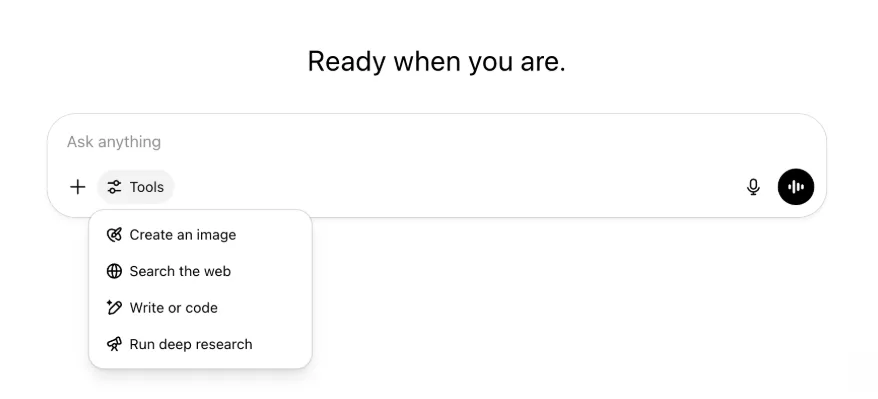
Բոլոր նույն հնարավորություններն ու գործիքները պահպանվել են, պարզապես այժմ ավելի կոկիկ են և հասանելի մեկ ընտրացանկից։
2025 թ. մայիսի 22
GPT-4.1-ի թողարկումը ChatGPT-ում
Ապրիլին API-ում թողարկվելուց հետո GPT-4.1-ը սիրվել է մշակողների կողմից։ Բազմաթիվ խնդրանքների համաձայն՝ այն անմիջապես հասանելի ենք դարձնում ChatGPT-ում։
GPT-4.1-ը մասնագիտացված մոդել է, որը գերազանցում է կոդավորման առաջադրանքներում։ GPT-4o-ի համեմատ այն ավելի ուժեղ է ճշգրիտ հրահանգներ կատարելու և վեբ մշակման առաջադրանքներում, ինչպես նաև պարզ, առօրյա կոդավորման կարիքների համար այլընտրանք է OpenAI o3-ին և OpenAI o4-mini-ին։
Այսօրվանից Enterprise և Edu օգտատերերը GPT-4.1-ին կարող են հասանելիություն ստանալ մոդելների ընտրիչի «ավելի շատ մոդելներ» բացվող ընտրացանկից։ Վճարովի օգտատերերի համար GPT-4.1-ն ունի նույն սահմանաչափերը, ինչ GPT-4o-ն։
Ներկայացնում ենք GPT-4.1 mini-ն, որը ChatGPT-ում փոխարինում է GPT-4o mini-ին
GPT-4.1 mini-ն արագ, ունակ և արդյունավետ փոքր մոդել է, որը GPT-4o mini-ի համեմատ զգալի բարելավումներ է առաջարկում հրահանգների կատարման, կոդավորման և ընդհանուր բանականության մեջ։ Վճարովի օգտատերերի մոդելների ընտրիչի «ավելի շատ մոդելներ» բաժնում GPT-4.1 mini-ն փոխարինում է GPT-4o mini-ին, իսկ անվճար օգտատերերի համար GPT-4o-ի սահմանաչափը լրանալուց հետո կծառայի որպես պահուստային մոդել։ Սահմանաչափերը չեն փոխվում։
GPT-4.1-ի և GPT-4.1 mini-ի գնահատումները սկզբում հրապարակվել էին դրանց API թողարկումն ուղեկցող բլոգային գրառման մեջ։ Դրանք անցել են նաև անվտանգության ստանդարտ գնահատումներ։ Մանրամասն արդյունքները հասանելի են նոր գործարկված Անվտանգության գնահատումների կենտրոնում։
2025 թ. մայիսի 15
Խորքային ուսումնասիրության արտահանում որպես PDF
Այժմ կարող եք խորքային ուսումնասիրության հաշվետվություններն արտահանել լավ ձևաչափված PDF-ներով՝ աղյուսակներով, պատկերներով, հղումներով մեջբերումներով ու աղբյուրներով։
Օգտագործելու համար սեղմեք կիսման պատկերակը և ընտրեք «Ներբեռնել որպես PDF»։ Այն աշխատում է թե՛ նոր, թե՛ նախորդ հաշվետվությունների համար։
Բջջային կազմողի միջերեսի միավորում (iOS/Android)
Բջջային կազմողից հեռացրել ենք գործիքների առանձին պատկերակների շարքը և այն փոխարինել նոր սահիչների ոճով պատկերակով, որը բացում է Հմտություններ ընտրացանկը։ Կոճակը սեղմելիս բացվում է ներքևի վահանակ, որտեղ կարելի է ընտրել «Ստեղծել պատկեր», «Որոնել վեբում» և այլ գործիքներ։

Ոչ մի գործիք չի դադարեցվում․ հասանելիությունը պարզապես միավորվել է՝ տարածք ազատելու և էկրանի խառնաշփոթը նվազեցնելու համար։
2025 թ. մայիսի 8
Օգտատերերի վերլուծությունը ChatGPT-ում՝ ընդհանուր հասանելիություն
Օգտատերերի վերլուծության նորացված վահանակը հասանելի է Կառավարել աշխատատարածքը վահանակի Վերլուծություն ներդիրում։ Այն օգտագործման, ընդունման և ներգրավվածության մասին ավելի համապարփակ տվյալներ է տրամադրում, քան սկզբնական վերլուծության ներդիրը։
Այս բարելավված վահանակն ադմինիստրատորներին տալիս է կազմակերպությունում ChatGPT-ի օգտագործման ընդհանուր պատկերը։ Դրանով կարող եք հետևել ընդունմանն ու ներգրավվածությանը, հասկանալ առաջատար գործիքների և GPT-ների օգտագործման օրինաչափությունները, բացահայտել կիրառման դեպքերն ու օգտատերերի միտումները։
Տեսեք Օգտատերերի վերլուծությունը ChatGPT Enterprise-ի և Edu-ի համար և Համապատասխանության API-ն՝ ընդդեմ օգտատերերի վերլուծության ChatGPT Enterprise/Edu-ում։
2025 թ. մայիսի 2
4o պատկերի գեներացում GPT-ներում
GPT-ներն այժմ կարող են օգտագործել ChatGPT-ի պատկերի գեներացման հնարավորությունները՝ օգտատերերի պահանջով պատկերներ ստեղծելու համար։
GPT ստեղծողները կարող են GPT խմբագրիչի Կազմաձևել բաժնի Հնարավորություններ ենթաբաժնում միացնել «4o պատկերի գեներացումը»։
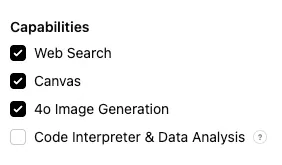
2025 թ. մայիսի 1
Խորքային ուսումնասիրություն
Ստանդարտ խորքային ուսումնասիրության մոդելի ամսական սահմանաչափին (ամսական 10 առաջադրանք) հասած օգտատերերն այժմ մինչև սահմանաչափի ամսական վերակայումը ավտոմատ կստանան ևս 15 հարցում՝ մեր թեթև ու ծախսարդյունավետ տարբերակով։
Իմանալ ավելին խորքային ուսումնասիրության մասին։
Առաջադրանքներ o3-ում և o4-mini-ում
Այժմ կարող եք ստեղծել պլանավորված առաջադրանքներ, որոնցով ChatGPT-ն o3-ի և o4-mini-ի միջոցով ավտոմատ հարցումներ կկատարի և ըստ ժամանակացույցի նախաձեռնողաբար կկապվի ձեզ հետ։ Մոդելների ընտրիչից հեռացվել է «ChatGPT պլանավորված առաջադրանքներով» տարբերակը։
Իմանալ ավելին ChatGPT-ի պլանավորված առաջադրանքների մասին։
2025 թ. ապրիլի 24
o3 և o4-mini
o3-ի և o4-mini / o4-mini-high-ի ներկայացմամբ դրանք ChatGPT-ում համապատասխանաբար կփոխարինեն o1-ին և o3-mini / o3-mini-high-ին։
OpenAI o3-ը մեր ամենահզոր հիմնավորման մոդելն է, որն առաջադեմ հնարավորություններ է ապահովում կոդավորման, մաթեմատիկայի, գիտության, տեսողական ընկալման և այլ ոլորտներում։ Այն նորագույն արդյունքներ է գրանցում Codeforces, SWE-bench (առանց մոդելին հատուկ կառուցվածք ստեղծելու), MMMU և այլ չափորոշիչներում։ Այն իդեալական է բազմակողմ վերլուծություն պահանջող բարդ հարցումների համար, որոնց պատասխաններն անմիջապես ակնհայտ չեն։ Այն հատկապես արդյունավետ է տեսողական առաջադրանքներում՝ պատկերների, գծապատկերների և գրաֆիկական նյութերի վերլուծության ժամանակ։ Արտաքին փորձագետների գնահատմամբ՝ բարդ իրական առաջադրանքներում o3-ը 20 տոկոսով պակաս էական սխալներ է գործում, քան OpenAI o1-ը՝ հատկապես գերազանցելով ծրագրավորման, բիզնեսի/խորհրդատվության և ստեղծագործ գաղափարների ոլորտներում։ Վաղ փորձարկողները կարևորել են դրա վերլուծական խստությունը՝ որպես մտածող գործընկեր, և նոր վարկածներ ստեղծելու ու քննադատաբար գնահատելու կարողությունը, հատկապես կենսաբանության, մաթեմատիկայի և ճարտարագիտության ոլորտներում։
OpenAI o4-mini-ն փոքր մոդել է՝ օպտիմալացված արագ և ծախսարդյունավետ դատողության համար։ Իր չափի ու արժեքի համեմատ այն բացառիկ արդյունքներ է ցուցաբերում, հատկապես մաթեմատիկայի, կոդավորման և տեսողական առաջադրանքներում։ Այն AIME 2024 և 2025 չափորոշիչներում լավագույն արդյունք գրանցած մոդելն է։ Փորձագիտական գնահատումներում այն նաև գերազանցում է իր նախորդին՝ o3-mini-ին, ոչ STEM առաջադրանքներում և այնպիսի ոլորտներում, ինչպիսին տվյալագիտությունն է։ Արդյունավետության շնորհիվ o4-mini-ն աջակցում է զգալիորեն ավելի բարձր օգտագործման սահմանաչափերի, քան o3-ը՝ դառնալով մեծ ծավալի ու բարձր թողունակության հզոր տարբերակ դատողություն պահանջող հարցերի համար։
2025 թ. ապրիլի 10
ChatGPT պատկերներ
GPT-4o-ի պատկերի գեներացումն այժմ հասանելի է բոլոր օգտատերերին՝ որպես ChatGPT-ի լռելյայն պատկեր ստեղծող։ DALL·E-ն շարունակել նախընտրող օգտատերերը դեռ կարող են այն օգտագործել DALL·E GPT-ի միջոցով։
ChatGPT-ով պատկեր ստեղծելու համար պարզապես խնդրեք մոդելին ստեղծել ձեր ուզած մանրամասներով պատկեր կամ կազմողում ընտրեք «Ստեղծել պատկեր» տարբերակը։ Իմանալ ավելին։
2025 թ. մարտի 31
Օգտատերերի վերլուծությունը ChatGPT-ում՝ հանրային բետա
Օգտատերերի վերլուծության նորացված վահանակը հասանելի է «Կառավարել աշխատատարածքը» վահանակի «Վերլուծություն» ներդիրում։ Այն օգտագործման, ընդունման և ներգրավվածության մասին ավելի համապարփակ տվյալներ է տրամադրում, քան սկզբնական վերլուծության ներդիրը։
Այս բարելավված վահանակն ադմինիստրատորներին տալիս է կազմակերպությունում ChatGPT-ի օգտագործման ընդհանուր պատկերը։ Դրանով կարող եք հետևել ընդունմանն ու ներգրավվածությանը, հասկանալ առաջատար գործիքների և GPT-ների օգտագործման օրինաչափությունները, բացահայտել կիրառման դեպքերն ու օգտատերերի միտումները։
Մանրամասների համար տեսեք Օգտատերերի վերլուծությունը ChatGPT Enterprise-ի և Edu-ի համար (հանրային բետա)։
2025 թ. մարտի 20
Համօգտագործվող նախագծերի թարմացում
Առայժմ չենք թողարկի դիտելու և խմբագրելու հասանելիությամբ համօգտագործվող նախագծերը, որպեսզի մշակենք օգտատերերի համար ավելի արժեքավոր ու համագործակցային տարբերակ։
2025 թ. մարտի 13
Կոդավորում «Աշխատել հավելվածների հետ» գործառույթով macOS-ում
IDE-ներով աշխատելիս կարող եք ChatGPT-ին խնդրել ուղղակիորեն խմբագրել բաց ֆայլերը՝ առանց պատճենելու և տեղադրելու։ Խմբագրում խնդրելիս ChatGPT-ն կստեղծի տարբերություն, որը կարող եք դիտարկել ու կիրառել։ Հնարավոր է նաև խմբագրումներն ավտոմատ կիրառել։ Տարբերությունները հեշտ է հետարկել ChatGPT-ի միջերեսում կամ խմբագրիչում CMD+Z-ով։
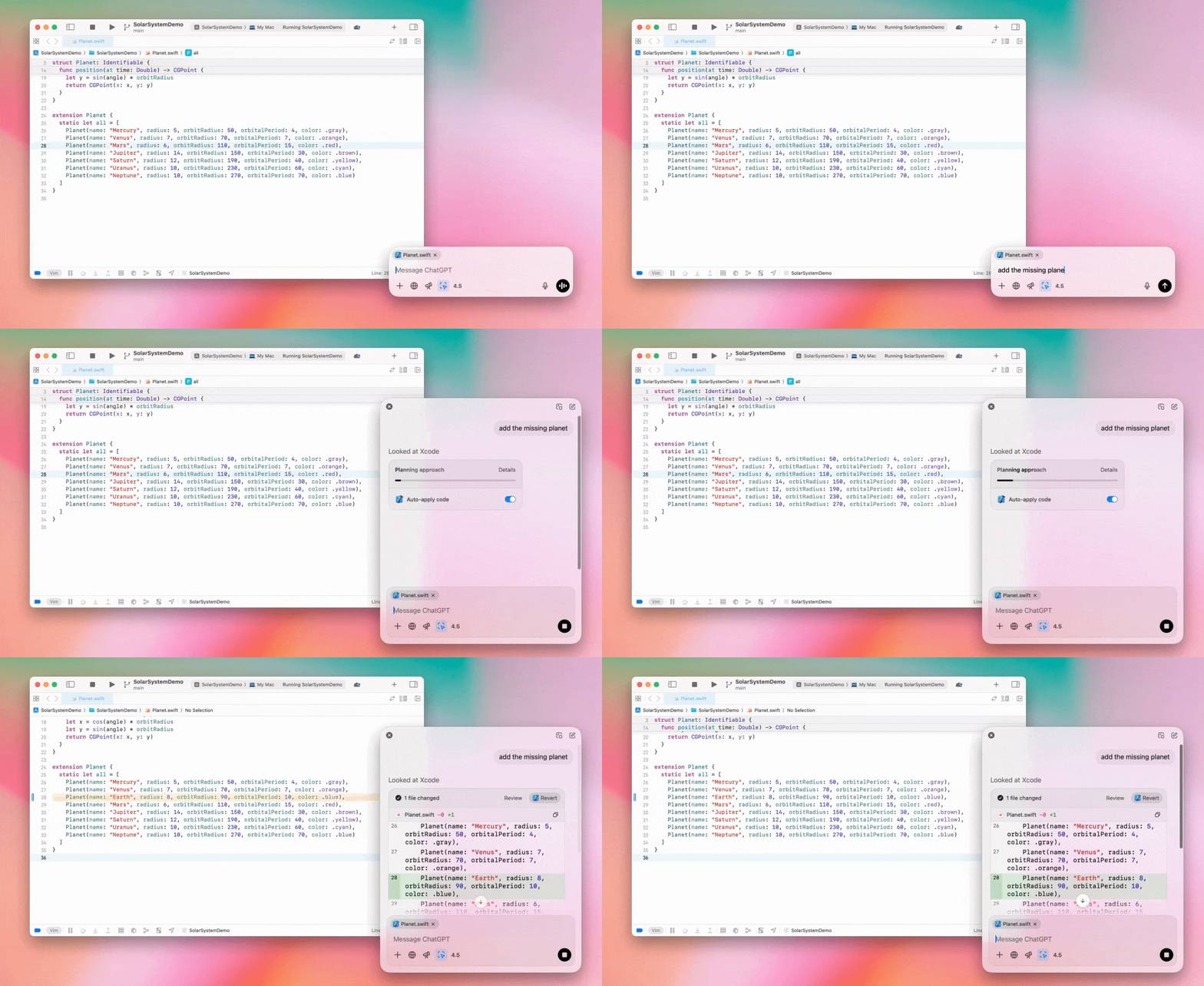
Enterprise ադմինիստրատորները կարող են Ադմինիստրատորի կարգավորումներում անջատել «Աշխատել հավելվածների հետ» փոխարկիչը՝ գործառույթն աշխատատարածքի անդամների համար անջատելու նպատակով։
GPT-4.5-ը ChatGPT-ում
2025 թ. մարտի 13-ից Enterprise և Edu պլանների օգտատերերը կարող են ChatGPT-ում օգտագործել մեր GPT-4.5 մոդելը։
Մանրամասների համար տեսեք GPT-4.5-ը ChatGPT-ում։
2025 թ. մարտի 10
Խորքային ուսումնասիրությունը ChatGPT-ի Համապատասխանության API-ում
2025 թ. մարտի 10-ից Համապատասխանության API օգտագործող Enterprise հաճախորդներին հասանելի են հետևյալ տարբերակները՝
Որոնել «խորքային ուսումնասիրության գլոբալ հարցումը»։
Պատասխանում որոնել գործիքի անունը՝ {"tool_name":"deep_research"}։
2025 թ. փետրվարի 25
Խորքային ուսումնասիրությունը ChatGPT-ում
ChatGPT-ում խորքային ուսումնասիրությունն այժմ հասանելի է Enterprise պլանի օգտատերերին։
Խորքային ուսումնասիրությունը ChatGPT-ին թույլ է տալիս ագենտային և ասինխրոն կերպով զննել վեբը՝ ձեր մասնագիտական կամ անձնական աշխատանքը կատարելու համար։
Enterprise և Edu օգտատերերն ամսական կունենան խորքային ուսումնասիրության 10 հարցում։
Մանրամասների համար տեսեք Խորքային ուսումնասիրության մեր ՀՏՀ-ն։
2025 թ. փետրվարի 13
o1 pro ռեժիմը և o3-mini-ն ChatGPT-ում
ChatGPT-ում o1 pro ռեժիմն այժմ հասանելի է Enterprise-ին, իսկ o3-mini-ն՝ Enterprise Edu-ին։
o3-mini․ OpenAI o3-mini-ն մոդելների ընտրիչում փոխարինել է o1-mini-ին։ Այն ավելի ծախսարդյունավետ է և ցածր ուշացմամբ առաջարկում է ավելի բարձր սահմանաչափեր։ Այն հիմնավորման մոդել է և հիանալի ընտրություն է կոդավորման, STEM ու տրամաբանական խնդիրների լուծման համար։ o3-mini-ն ցուցադրում է իր մտքերի շղթան և կարող է զննել վեբը։
o1 pro ռեժիմ․ այս շաբաթ մոդելների ընտրիչում հասանելի է նաև o1 pro ռեժիմը։ Ճշգրտության ու խորության համար ստեղծված այս ռեժիմը գերազանցում է հետազոտության, ճարտարագիտության, բիզնեսի և իրավունքի ոլորտներում՝ հարմար լինելով խիստ բարդ խնդիրներ լուծող մասնագետներին։ O1 pro ռեժիմը խնդիրն ավելի երկար կվերլուծի։ Հետևաբար պատասխանները կարող են ժամանակ պահանջել։ Հաշվողական բարձր պահանջների պատճառով յուրաքանչյուր օգտատիրոջ թույլատրվում է ամսական հինգ հարցում։ Առաջադրանքների մեծ մասի համար o1-ը, o3-mini-ն կամ GPT-4o-ն կմնան լավագույն ընտրությունները։
Ֆայլերի վերբեռնումների մասին
Պատկերները, փաստաթղթերն ու PDF-ներն աջակցվում են o1, o3-mini և o3-mini-high* մոդելներում։ Աղյուսակներ (CSV/Excel) չեն աջակցվում։*
o1 pro ռեժիմում աջակցվում են միայն պատկերները։ Փաստաթղթեր/PDF-ներ և աղյուսակներ (CSV/Excel) չեն աջակցվում։
Canvas-ի կիսում
ChatGPT Enterprise և Edu օգտատերերն այժմ կարող են այլ օգտատիրոջ հետ կիսվել Canvas նյութով, օրինակ՝ ցուցադրված React/HTML կոդով, փաստաթղթով կամ կոդով՝ զրույցի կիսման նման։ Դա կարող եք անել բաց Canvas-ի գործիքագոտուց։
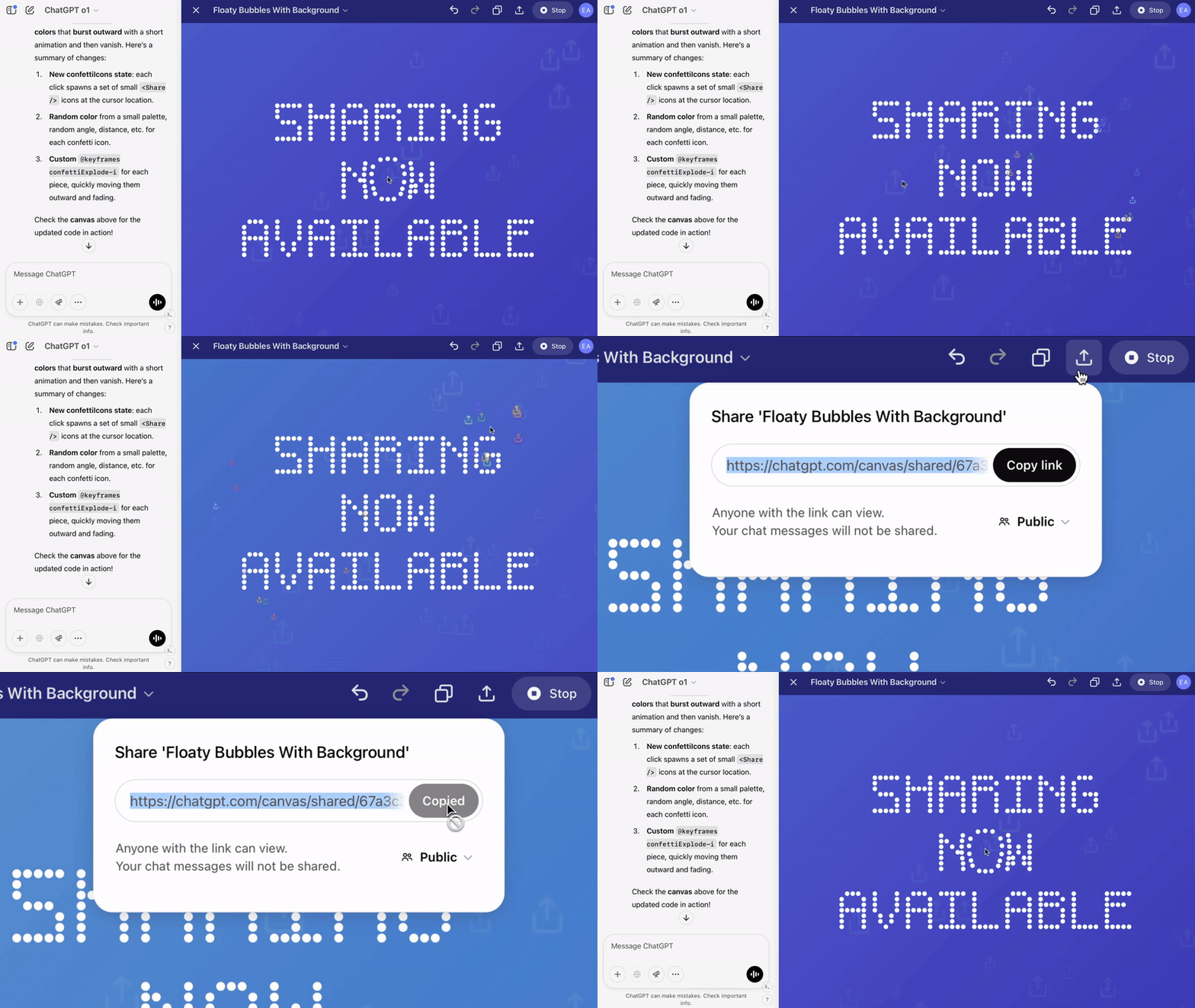
ChatGPT-ի canvas գործառույթի մասին լրացուցիչ մանրամասների համար դիտեք Օգնության կենտրոնի համապատասխան հոդվածը։
2025 թ. հունվարի 23
Նախագծեր
Նախագծերն այժմ հասանելի են բոլոր վճարովի պլաններին՝ ներառյալ Enterprise-ը և Edu-ն։
Մանրամասների համար տեսեք ChatGPT-ում նախագծերի օգտագործումը։
2025 թ. հունվարի 16
Տեսողական որոնում (PDF-ներ) ChatGPT Enterprise-ի համար
ChatGPT Enterprise-ն այժմ կարող է կարդալ և հասկանալ PDF ֆայլերում ներդրված տեսողական նյութերը՝ պատկերներ, գրաֆիկներ, գծապատկերներ և այլն։ Օգտատերերը կարող են PDF վերբեռնել, իսկ ChatGPT-ն կմեկնաբանի դրա տեքստն ու տեսողական տարրերը։
Մանրամասների համար տեսեք PDF-ների տեսողական որոնման ՀՏՀ-ն։
2024 թ. դեկտեմբերի 12
o1
Այսօրվանից ChatGPT Enterprise-ի բոլոր հաճախորդները մոդելների ընտրիչով կարող են հասանելիություն ստանալ o1-ին, որը փոխարինում է o1-preview-ին։
o1-ն այժմ կարող է դատողություն կատարել վերբեռնված պատկերների վերաբերյալ՝ ավելի մանրամասն ու ճշգրիտ վերլուծելով և բացատրելով տեսողական ներկայացումները։ Մոդելը նաև ուսուցանել ենք ավելի հակիրճ մտածելու համար, ինչի շնորհիվ այն o1-preview-ից արագ է պատասխանում։
2024 թ. դեկտեմբերի 11
Apple Intelligence-ը ChatGPT-ով
ChatGPT ադմինիստրատորներն այժմ աշխատատարածքի ադմինիստրատորի կարգավորումների «Կապեր» բաժնից կարող են միացնել ու անջատել Apple Intelligence-ի հասանելիությունը։
Եթե այս կարգավորումն անջատված է, օգտատերերը OpenAI-ի հավատարմագրերով մուտք գործելիս չեն կարող ընտրել ChatGPT Enterprise/Edu աշխատատարածքը։
2024 թ. դեկտեմբերի 10
canvas
Այսօր canvas-ը լռելյայն հասանելի դարձրինք 4o-ում բոլոր՝ անվճար և վճարովի օգտատերերին։ Բացի այդ, canvas-ի համար թողարկեցինք մի շարք նոր հնարավորություններ, այդ թվում՝
Canvas-ը GPT-ներում․ Canvas-ն այժմ կարող է օգտագործվել GPT-ների հետ, երբ միացված է GPT ստեղծողում։ Նոր ստեղծվող GPT-ներում այս փոխարկիչը լռելյայն միացված կլինի։
Python կոդի կատարում․ այժմ կարող եք Python կոդ կատարել canvas-ում։ ChatGPT-ն կփորձի ուղղել կոդի սխալները և մեկնաբանություններ կտա դրանց մասին։ Նկատի ունեցեք, որ Python-ի կատարումը կարող է արտաքին ցանցային հարցումներ ուղարկել, իսկ Enterprise աշխատատարածքների ադմինիստրատորները կարող են անջատել Python կոդի կատարումը՝ իրենց Ադմինիստրատորի կարգավորումներում անջատելով Canvas-ի կոդի կատարում կարգավորումը։ Սա բոլոր Enterprise հաշիվների համար լռելյայն անջատված է։
Canvas-ի դյուրանցում․ այժմ կարող եք բովանդակություն տեղադրել ChatGPT-ում և կազմողի վերևի աջ անկյան դյուրանցումով անմիջապես բացել այն canvas-ում։
Canvas-ը գործիքակազմում․ Canvas-ն ավելացվել է գործիքակազմի տարբերակների մեջ։
Աշխատատարածքի ադմինիստրատորներն այժմ կարող են Համապատասխանության API-ով ստանալ, թվարկել և ջնջել canvas-ի տեքստային փաստաթղթերը։
Նկատի ունեցեք, որ canvas-ն անջատելու Ադմինիստրատորի կարգավորումը հեռացվել է, քանի որ գործառույթն այլևս բետա չէ։ Եթե այն նախկինում անջատված էր, մենք կշարունակենք պահպանել այդ կարգավորումը։ Կապվեք մեր աջակցման թիմի հետ՝ օգտագործելով այս էջի ներքևի աջ անկյան զրույցի պղպջակը։
2024 թ. դեկտեմբերի 3
Աշխատել հավելվածների հետ macOS-ում
ChatGPT-ն այժմ «Աշխատել հավելվածների հետ» գործառույթով կարող է macOS-ում կարդալ ձեր կոդավորման հավելվածների բովանդակությունը՝ տրամադրելով ձեր աշխատանքին հարմարեցված ավելի խելացի ու ճշգրիտ պատասխաններ։ Իմանալ ավելին macOS-ում հավելվածների հետ աշխատելու մասին։
Enterprise ադմինիստրատորները կարող են Ադմինիստրատորի կարգավորումներում անջատել «Աշխատել հավելվածների հետ» փոխարկիչը՝ գործառույթն աշխատատարածքի անդամների համար անջատելու նպատակով։
2024 թ. նոյեմբերի 22
ChatGPT-ի վեբ փորձառության թարմացումներ
Առաջիկա երկու շաբաթվա ընթացքում ChatGPT-ի բոլոր օգտատերերին հասանելի կդարձնենք հետևյալ թարմացումները։
Կողագոտու վերափոխում
Ավելացվել է նոր լողացող ռեժիմ՝ մեղմ փակման վարքագծով
Կողագոտում վերջին զրույցների թիվն այժմ սահմանափակ է, իսկ բոլոր զրույցների համար հասանելի է անսահման ոլորմամբ բացվող վահանակ
Վերջին և ամրացված GPT-ներն այժմ ցուցադրվում են զրույցների ներքևում
Կարգավորումներն այժմ միշտ կողագոտու ներքևում են
Մեծ դիտման տարածքներում, երբ կողագոտին փակ է, ավելացվել է կարգավորումների փոքր պատկերակ
Ավելացվել են նոր անցումներ՝ ավելի ամբողջական զգացողության համար
ChatGPT-ի վեբ տարբերակի այլ թարմացումներ
Կայքի հիմնական կառուցվածքը վերափոխվել է՝ զգալիորեն բարելավելով տարբեր սարքերի ու չափերի աջակցությունը
Նոր զրույց սկսելիս այն այժմ ոլորվում և հայտնվում է էկրանի վերևում
Նոր զրույց սկսելիս հաղորդագրության ստեղծման ընթացքում էջն այլևս ավտոմատ չի ոլորվում ներքև
Բավարար տարածքի դեպքում ամրացված կողագոտին այժմ կարող է բաց մնալ ակտիվ canvas-ի հետ
Կազմողի նոր գոտու դասավորությունը ոլորելիս գունաթափում է դրա տակ գտնվող բովանդակությունը և ունի թարմացված տեսք
Ավելի հեշտ հասանելիության համար նոր զրույցի կոճակը տեղափոխվել է Մոդելների ընտրիչի ձախ կողմ
Լրացուցիչ հորիզոնական տարածք ազատելու համար զրույցներից հեռացվել է համակարգի պատկերակը
Թարմացվել է DALL-E-ին կենտրոնացած տեսքի դասավորությունը
Թարմացվել է GPT Creator-ի դասավորությունը
Բարելավված բջջային վեբ փորձառություն
iOS և Android սարքերում զգալիորեն բարելավվել է էկրանային ստեղնաշարի փորձառությունը
Նոր կողագոտին միշտ լողացող ռեժիմում է և շղթաները փոխելիս ավտոմատ փակվում է
Բջջային վեբում զրույցները փոխելիս կազմողն այլևս ավտոմատ չի ակտիվանում
Որոշ իրավիճակներում ոլորումը խափանող խնդիրը պետք է լուծված լինի
2024 թ. նոյեմբերի 20
GPT-4o-ի թարմացում
Մենք թարմացրել ենք GPT-4o-ն ChatGPT-ի բոլոր վճարովի մակարդակների օգտատերերի համար։ GPT-4o-ի այս թարմացումը բարելավում է գրելու կարողությունները՝ դարձնելով դրանք ավելի բնական, լսարանին համապատասխան և արդիականությունն ու ընթեռնելիությունը բարձրացնող։ Այս մոդելը նաև ավելի լավ է աշխատում վերբեռնված ֆայլերի հետ՝ տրամադրելով ավելի խորքային եզրակացություններ և մանրամասն պատասխաններ։
2024 թ. նոյեմբերի 19
Ընդլայնված ձայնային ռեժիմ ChatGPT-ի վեբ տարբերակում
Այսօրվանից սկսում ենք վեբում հասանելի դարձնել ընդլայնված ձայնային ռեժիմը, որն արդեն հասանելի է բջջային և համակարգչային հավելվածներում։ Այժմ օգտատերերը կարող են համակարգչից chatgpt.com-ում ձայնային զրույց սկսել և պլանավորելիս, գրելիս կամ գաղափարներ մշակելիս իրական ժամանակում բնական զրույցներ վարել ChatGPT-ի հետ։
2024 թ. նոյեմբերի 14
Windows հավելված
Բարելավված Windows հավելվածն այժմ Microsoft Store-ի միջոցով հասանելի է ChatGPT Enterprise և Edu աշխատատարածքներին։ ChatGPT-ի վեբ փորձառությանը ծանոթ օգտատերերը կարող են Windows հավելվածն անխափան ներառել համակարգչով կատարվող ցանկացած աշխատանքի մեջ։
ChatGPT-ի Windows հավելվածի օգտատիրոջ հասանելիությունը կհետևի Microsoft Store-ի հավելվածների վերաբերյալ ձեր ՏՏ ադմինիստրատորի քաղաքականություններին։ Առաջիկա շաբաթներին ՏՏ ադմինիստրատորները նաև կկարողանան հավելվածն աշխատակիցների սարքերում տեղակայել MDM/MAM-ով՝ Store-ից ուղղակի ներբեռնում թույլատրելու փոխարեն։
Ինչպես ChatGPT Enterprise-ի ցանկացած փորձառությունում, օգտատերերի զրույցների պատմությունն անվտանգ է և չի օգտագործվի OpenAI-ի ծառայությունները բարելավելու համար։
Իմանալ ավելին ChatGPT-ի Windows հավելվածի մասին։