
28 اگست 2026
GitHub سے پلگ اِن بازار درآمد اور ہم وقت ساز کریں
ورک اسپیس کے منتظمین اور مالکان، عوامی یا نجی GitHub ریپوزٹریز سے پلگ اِن بازاروں کو مرکزی طور پر تقسیم کر سکتے ہیں اور روزانہ خودکار ہم وقت سازی سے پلگ اِنز کو تازہ رکھ سکتے ہیں. شروع کرنے کے لیے ورک اسپیس کی ترتیبات > پلگ اِنز پر جائیں اور شامل کریں > بازار درآمد کریں منتخب کریں، یا تازہ کاری کی درخواست کے لیے کسی بازار پر ابھی ہم وقت ساز کریں منتخب کریں.
منتظمین اور مالکان، ورک اسپیس کی ترتیبات میں اہل کرداروں کے لیے تنصیب کی پالیسیاں اور مطلوبہ ایپ تک رسائی کنٹرول کرتے ہیں. ریپوزٹری کی پالیسی کی قدریں ان ترتیبات کو منسوخ نہیں کرتیں، اور ایپ کی اجازتوں اور توثیق کے تقاضوں کا اطلاق بدستور ہوتا ہے. بازار ترتیب دینے کے بارے میں مزید جانیں اور تائید شدہ فارمیٹس اور تشکیل کا جائزہ لیں.
27 اگست 2026
ایڈمن کنسول میں مرکزی شناختی نظم
اہل ChatGPT Enterprise اور ChatGPT Edu صارفین اب ایڈمن کنسول میں ورک اسپیس اور شناخت کی مزید ترتیبات کا نظم کر سکتے ہیں:
ورک اسپیس کے اراکین، گروپس، کرداروں، اجازتوں اور عمومی ترتیبات کا نظم کریں.
مرکزی اور پورے ٹیننٹ پر محیط SCIM کے ذریعے صارفین اور گروپس کو ایک بار ہم وقت ساز کریں، پھر گروپس کو تائید شدہ ChatGPT ورک اسپیسز یا اشتہاری اکاؤنٹس تفویض کریں.
جہاں دستیاب ہو، اشتہاری اکاؤنٹس کے صارفین اور کرداروں کا نظم کریں.
ورک اسپیس کی سطح پر موجود SCIM تشکیلات کی تائید برقرار ہے.
مزید جانیں: ایڈمن کنسول میں اپنے ٹیننٹ کا نظم اور SCIM فراہمی اور نظم.
ماڈل تک رسائی کے کنٹرولز، ورک اسپیس کی ترتیبات اور Windows میں بہتریاں
ہم نے ChatGPT Enterprise اور ChatGPT Edu ورک اسپیسز کو متاثر کرنے والی چند بہتریاں جاری کی ہیں:
ماڈل تک رسائی کے کنٹرولز، ورک اسپیس کے مالکان کو ورک اسپیس اور کردار کی سطح پر تائید شدہ ماڈلز تک رسائی کا نظم کرنے دیتے ہیں.
صارفین، گروپس، کردار، اجازتیں اور عمومی ترتیبات اب ایڈمن کنسول میں ہیں۔ یہ اب بھی ورک اسپیس کی ترتیبات میں دستیاب ہیں، اور موجودہ ٹیبز پر کلک کرنے سے آپ ایڈمن کنسول پر پہنچ جائیں گے. موجودہ اجازتوں کا اطلاق بدستور ہوتا ہے. مزید جاننے کے لیے دیکھیں: کردار پر مبنی رسائی کے کنٹرولز اور ورک اسپیس کی ترتیبات.
Windows پر Codex کی بہتریوں میں
codex doctorتشخیص، Windows سے دیگر آلات کا ریموٹ کنٹرول، اور متعدد WSL ڈسٹری بیوشنز نصب ہونے پر ترجیحی Linux ڈسٹری بیوشن کا انتخاب شامل ہے. منظم آلات کے لیے MDM کے ذریعے منتظم سے منظور شدہ بلڈ درکار ہے. دستیابی آپ کے ورک اسپیس اور ایپ کے بلڈ پر منحصر ہے. مزید جاننے کے لیے دیکھیں: Codex.
25 اگست، 2026
مشترکہ طے شدہ ٹاسکس اور ویب ہُک سے متحرک ہونے والے ٹاسکس
انٹرپرائز، ایجو اور ChatGPT for Healthcare کے ورک اسپیس اراکین اپنے ورک اسپیس میں حسب ضرورت طے شدہ ٹاسکس کا اشتراک کر سکتے ہیں. منتظمین کام میں ویب ہُک سے متحرک ہونے والے ٹاسکس بھی فعال کر سکتے ہیں، تاکہ منظور شدہ ایپس بار بار دستی طور پر جانچ کیے بغیر متعلقہ تازہ معلومات دکھا سکیں. ChatGPT for Healthcare میں یہ ٹاسکس کاروباری شراکت دار معاہدے (BAA) کے تحت شامل نہیں ہیں اور انہیں محفوظ صحت کی معلومات (PHI) منتقل، محفوظ یا پراسیس کرنے کے لیے استعمال نہیں کیا جانا چاہیے.
معاونت یافتہ ویب ہُکس میں Gmail کے نئے پیغامات، Slack چینل کے پیغامات اور GitHub کی pull request سرگرمی شامل ہیں.
ویب ہُک سے متحرک ہونے والے ٹاسکس بنائیں
اہل اراکین ویب، iOS اور Android پر کام سے کہہ سکتے ہیں کہ وہ Gmail کے نئے پیغام، Slack چینل کے پیغام یا GitHub کی معاونت یافتہ pull request سرگرمی پر کارروائی کرے. مثلاً، ChatGPT سے کہیں کہ وہ Slack سے موکل کی آرا کا خلاصہ پیش کرے یا GitHub کی pull request میں تبدیلی کے بعد اگلے اقدامات تیار کرے. اراکین کو کام اور منظور شدہ ایپ تک رسائی درکار ہے. نگرانی کیے جانے والے ہر Slack چینل میں @ChatGPT شامل کریں. انٹرپرائز، ایجو اور ChatGPT for Healthcare کے منتظمین کو پہلے اجازتیں اور کردار > کام میں واقعات سے متحرک ہونے والے طے شدہ ٹاسکس کی اجازت دیں فعال کرنا ہوگا. یہ اجازت بطور ڈیفالٹ غیر فعال ہوتی ہے.
طے شدہ ٹاسکس کا اشتراک کریں
اہل اراکین اسی ورک اسپیس میں دوسروں کے ساتھ طے شدہ یا ویب ہُک سے متحرک ہونے والے ٹاسکس کا اشتراک کر سکتے ہیں۔ وصول کنندگان ہدایات اور، جہاں قابل اطلاق ہو، شیڈول کا جائزہ لے کر انہیں حسب ضرورت بنا سکتے ہیں. منتظمین ورک اسپیس میں چیٹس اور طے شدہ ٹاسکس کا اشتراک کریں کے ذریعے اشتراک کو کنٹرول کرتے ہیں. ویب ہُک سے متحرک ہونے والی نقل کو شیڈول کرنے کے لیے واقعات سے متحرک ہونے والے طے شدہ ٹاسکس کی اجازت دیں، کام تک رسائی اور وصول کنندہ کی اپنی منظور شدہ منسلک ایپ بھی درکار ہے.
مزید معلومات کے لیے دیکھیں: ChatGPT میں طے شدہ ٹاسکس.
20 اگست، 2026
انٹرپرائز فیچر کی تازہ کاریاں
ورک اسپیس کے مالکان اور ایڈمنز، دعوت ناموں اور ارکان کا نظم خودکار بنانے کے لیے نئی ورک اسپیس مخصوص ایڈمن APIs استعمال کر سکتے ہیں. دعوت نامہ APIs کے ذریعے دعوت ناموں کی فہرست دیکھی، تفصیلات حاصل کی، نئے دعوت نامے بنائے، دوبارہ بھیجے اور حذف کیے جا سکتے ہیں. صارف APIs کے ذریعے دعوت قبول کرنے والے ارکان کی تفصیلات حاصل کی جا سکتی ہیں، جبکہ ورک اسپیس کے مالکان پہلے سے موجود کردار یا نشستیں تبدیل اور ورک اسپیس کی رکنیتیں ختم کر سکتے ہیں. SCIM کے زیر انتظام تبدیلیاں حسبِ معمول شناخت فراہم کنندہ کے ذریعے ہوتی ہیں، اور آخری مالک کے تحفظات نافذ رہتے ہیں. سیٹ اپ اور اجازتوں کے لیے ایڈمن کلیدوں کا نظم دیکھیں. اینڈپوائنٹ کے راستوں اور اسکیماز کے لیے ایڈمن API حوالہ دیکھیں.
عالمی ایڈمن کنسول اب زیادہ واضح طور پر بتاتا ہے کہ آپ کس کرایہ دار یا ورک اسپیس میں کام کر رہے ہیں، اور معاون صفحات کے لیے ورک اسپیس مخصوص URLs بھی فراہم کرتا ہے. ورک اسپیس کے ارکان صرف اپنی سرگرمی تک محدود تجزیات دیکھ سکتے ہیں، جبکہ متعدد صارفین پر مشتمل مناظر صرف مجاز کرداروں کو دستیاب رہیں گے. ChatGPT ورک اسپیس کی ترتیبات اپنی موجودہ جگہ پر ہی رہیں گی. عالمی ایڈمن کنسول کے بارے میں مزید جانیں.
اہل انٹرپرائز اور ایجو ورک اسپیسز میں ذاتی تجزیات، کام اور Codex کی معاونت کرتے ہیں. ایڈمن کے پلگ اِن فعال کرنے کے بعد، ارکان اسے ChatGPT ڈیسک ٹاپ میں نصب کر کے اپنی سائن اِن شناخت سے وابستہ سرگرمی اور رازداری سے محفوظ، مجموعی ورک اسپیس رجحانات کے بارے میں پوچھ سکتے ہیں. یہ صرف پڑھنے کے لیے ہے اور کسی دوسرے صارف کی انفرادی سرگرمی یا کسی دوسری ورک اسپیس کا ڈیٹا نہیں دکھا سکتا. ذاتی تجزیات کے بارے میں مزید جانیں.
ChatGPT سائٹس پر مل کر کام کریں، صرف انٹرپرائز کے لیے. انٹرپرائز ورک اسپیسز میں، سائٹ کے مالکان اسی ورک اسپیس کے فعال ارکان کو مدیر کے طور پر شامل کر سکتے ہیں. مدیر کسی سائٹ کو اپ ڈیٹ اور محفوظ کر سکتے ہیں، اور مالک کے پہلی بار شائع کرنے کے بعد اگلے ورژنز کو اسی سائٹ URL پر شائع کر سکتے ہیں. اشتراک، سائٹ کی ترتیبات، تجزیات، ملکیت، ورژن کی بحالی اور مدیر کی رسائی کا اختیار مالکان کے پاس رہتا ہے. مشترکہ تدوین میں سائٹس کے موجودہ ورک اسپیس کنٹرولز استعمال ہوتے ہیں اور اس کے لیے الگ RBAC ٹوگل شامل نہیں کیا گیا. عوامی اشاعت بطور ڈیفالٹ بند اور ایڈمن کے زیرِ اختیار رہتی ہے. اپنی ورک اسپیس کے لیے ChatGPT سائٹس کا نظم کرنے کے بارے میں مزید جانیں.
Codex اور ChatGPT کام سے ایپل میسجز استعمال کریں. ایپل سلیکون میک کمپیوٹرز پر ChatGPT ڈیسک ٹاپ ایپ کا ایپل میسجز پلگ اِن، iMessage، SMS اور RCS گفتگوؤں کو پڑھ اور تلاش کر سکتا ہے، اور میسجز کے ذریعے پیغامات تیار یا ارسال کر سکتا ہے. بطور ڈیفالٹ، ChatGPT پیغام بھیجنے سے پہلے صارف سے پیغام اور وصول کنندگان کی منظوری مانگتا ہے. منظم ورک اسپیس کے ایڈمنز، کمپیوٹر استعمال کے موجودہ کنٹرول کے ذریعے ایپل میسجز کو غیر فعال کر سکتے ہیں. ایپل میسجز پلگ اِن کے بارے میں مزید جانیں.
مزید خطوں میں کمپیوٹر ہسٹری استعمال کریں، صرف انٹرپرائز کے لیے. کمپیوٹر ہسٹری اب EEA، سوئٹزرلینڈ اور برطانیہ میں macOS پر ChatGPT ڈیسک ٹاپ ایپ استعمال کرنے والے انٹرپرائز صارفین کے لیے دستیاب ہے. یہ بطور ڈیفالٹ بند ہے، اس کے لیے یادداشتیں درکار ہیں، اور کسی رکن کے اسے اختیار کرنے سے پہلے ورک اسپیس ایڈمن کو اسے فعال کرنا ہوگا. کمپیوٹر ہسٹری کے بارے میں مزید جانیں.
Codex چیٹ کا صرف پڑھنے کے لیے اسنیپ شاٹ شیئر کریں. ورک اسپیس کے اشتراکی لنکس صرف اصل ورک اسپیس کے تصدیق شدہ ارکان تک محدود ہوتے ہیں، اور ایڈمنز انہیں بند کر سکتے ہیں. اصل چیٹ میں تبدیلی ہونے پر اسنیپ شاٹ اپ ڈیٹ نہیں ہوتا. Codex رازوں کے معلوم نمونوں کو چھپا دیتا ہے، لیکن صارفین کو اسنیپ شاٹ کا جائزہ لینا چاہیے کیونکہ حساس راستے، فرق، تصاویر یا دیگر مواد باقی رہ سکتا ہے. Codex چیٹ شیئر کرنے کے بارے میں مزید جانیں.
عوامی پلگ اِن کیٹلاگ برآمد کریں. اہل ChatGPT Enterprise ورک اسپیس کے مالکان اور ایڈمنز ایڈمن > پلگ اِنز > عوامی > CSV برآمد کریں سے CSV برآمد کر سکتے ہیں. برآمد شدہ ڈیٹا 48 گھنٹے تک پرانا ہو سکتا ہے اور اس میں ورک اسپیس میں بنائے گئے پلگ اِنز شامل نہیں ہوتے. عوامی کیٹلاگ برآمد کرنے کے بارے میں مزید جانیں.
August 13, 2026
Chat model defaults
Workspace owners and admins can configure the starting Chat model and reasoning level from Workspace settings > Models. Owners and admins can apply an admin default or allow User’s last choice for new chats - note that defaults do not grant access to unavailable models or override enforced workspace requirements.
The ChatGPT Desktop app should be upgraded to version 26.812.10818 or later for the new controls to take effect.
Updated model picker for Enterprise and Edu
Members in the Enterprise/Edu workspaces have updated model-picker and composer experience. The picker makes the available intelligence choices easier to compare while preserving workspace model availability and access controls.
Audit logs in the Global Admin Console
Workspace owners and admins can now review supported audit events from the Global Admin Console. Access and event coverage depend on the selected workspace and admin role. Read more.
Additive role-based access controls
Workspace owners in Enterprise and Edu workspaces can now configure eligible permissions in ordinary custom roles with Default, On, or Off. Default inherits the workspace setting, On explicitly grants the permission, and Off explicitly denies access. ChatGPT evaluates all applicable ordinary roles together: at least one role must grant the permission, and an explicit Off in any applicable role prevents access. Lockdown Mode is evaluated separately and can further restrict network-enabled capabilities. Learn more about role-based access controls.
Work and Codex usage and cost data
Members of eligible Enterprise workspaces with credit-based billing can review per-chat lifetime credit usage across Work and Codex. Usage figures and estimated costs are planning aids and are not invoices. Members can also review monthly usage and history from the Usage & billing tab in ChatGPT Desktop. Regular Chat usage is not included. This feature requires ChatGPT Desktop version 26.812.10818 or later. Read more.
Personal Analytics plugin
The Personal Analytics plugin is available for eligible workspaces. After a workspace owner or admin enables the plugin, members can install it in ChatGPT Desktop and ask questions about their own Work and Codex activity and available aggregated workspace trends. Read more.
Codex service accounts
Eligible workspaces can create non-human service accounts for Codex automation. Workspace owners and admins can assign roles and groups, configure plugins, share account management, and issue scoped access tokens for CI runners and scheduled jobs. Read more.
Windows desktop performance improvements
The ChatGPT desktop app for Windows includes performance improvements. These improvements require ChatGPT Desktop version 26.803.41515 or later.
Computer History for ChatGPT Enterprise
Computer History is an optional feature in the ChatGPT macOS app that lets Enterprise members bring context from selected apps and websites into ChatGPT and Codex. It records interaction events—not screenshots, screen recordings, microphone input, or system audio—and private browsing is not included.
Computer History is off by default, and Enterprise admins can grant access by role before each member chooses whether to opt in. Members can pause Computer History, choose included apps and sites, and inspect or delete timeline items. Note that Computer History is not currently available in the EEA, UK or Switzerland.
10 اگست، 2026
منسلک ایپس کے انفرادی صارف سنک کا خاتمہ
10 اگست سے انفرادی طور پر مجاز نئے سنک اتصالات دستیاب نہیں ہوں گے۔ 14 اگست کو موجودہ انفرادی صارف سنک اتصالات غیر فعال ہو جائیں گے اور متعلقہ سنک شدہ ڈیٹا حذف ہونا شروع ہوگا۔ منتظم کے زیر انتظام سنک متاثر نہیں ہوگا۔ 14 اگست تک اپنی ورک اسپیس کی کنیکٹر ترتیبات کا جائزہ لے کر حسب ضرورت درج ذیل اقدامات کریں:
| کنیکٹر | منتظم کا مطلوبہ اقدام |
|---|---|
| Google Drive | Google Drive پلگ اِن فعال کریں۔ اگر سنک شدہ علم درکار ہو تو پورے ڈومین کی تفویض کے ذریعے منتظم کے زیر انتظام Google Drive سنک تشکیل دیں۔ |
| SharePoint | SharePoint پلگ اِن فعال کریں۔ اگر سنک شدہ علم درکار ہو تو منتظم سنک تشکیل دیں۔ |
| GitHub | غیر سنک شدہ GitHub پلگ اِن فعال کریں۔ |
| GitLab مسائل | ہم جلد متبادل پلگ اِن کی دستیابی بتائیں گے۔ |
| Azure بورڈز (Azure DevOps) | ہم جلد متبادل پلگ اِن کی دستیابی بتائیں گے۔ |
| Basecamp | ہم جلد متبادل پلگ اِن کی دستیابی بتائیں گے۔ |
| Help Scout | متاثرہ صارفین اور کام کے بہاؤ شناخت کر کے انہیں بتائیں کہ سنک شدہ رسائی ختم ہو جائے گی۔ ہم متبادل فراہم کرنے کے لیے شراکت دار کے ساتھ سرگرمی سے کام کر رہے ہیں۔ |
| Zoho Desk | متاثرہ صارفین اور کام کے بہاؤ شناخت کر کے انہیں بتائیں کہ سنک شدہ رسائی ختم ہو جائے گی۔ ہم متبادل فراہم کرنے کے لیے شراکت دار کے ساتھ سرگرمی سے کام کر رہے ہیں۔ |
| Teamwork | متاثرہ صارفین اور کام کے بہاؤ شناخت کر کے انہیں بتائیں کہ سنک شدہ رسائی ختم ہو جائے گی۔ ہم متبادل فراہم کرنے کے لیے شراکت دار کے ساتھ سرگرمی سے کام کر رہے ہیں۔ |
| Aha! | متاثرہ صارفین اور کام کے بہاؤ شناخت کر کے انہیں بتائیں کہ سنک شدہ رسائی ختم ہو جائے گی۔ ہم متبادل فراہم کرنے کے لیے شراکت دار کے ساتھ سرگرمی سے کام کر رہے ہیں۔ |
| Zoho CRM | متاثرہ صارفین اور کام کے بہاؤ شناخت کر کے انہیں بتائیں کہ سنک شدہ رسائی ختم ہو جائے گی۔ ہم متبادل فراہم کرنے کے لیے شراکت دار کے ساتھ سرگرمی سے کام کر رہے ہیں۔ |
| Pipedrive | متاثرہ صارفین اور کام کے بہاؤ شناخت کر کے انہیں بتائیں کہ سنک شدہ رسائی ختم ہو جائے گی۔ ہم متبادل فراہم کرنے کے لیے شراکت دار کے ساتھ سرگرمی سے کام کر رہے ہیں۔ |
7 اگست، 2026
ChatGPT Voice میں فائلیں اور منصوبے
ChatGPT Voice میں GPT-Live اب فائل اپ لوڈ اور منصوبوں کی معاونت کرتا ہے. اب آپ صوتی گفتگو میں فائلیں اپ لوڈ کرکے ان کے مواد کا تجزیہ یا سوال کر سکتے ہیں. آپ منصوبوں میں بھی آواز استعمال کر سکتے ہیں، اور حالیہ منصوبہ چیٹس، ماخذوں اور ہدایات کا حوالہ دے سکتے ہیں.
Live اب ڈیفالٹ صوتی تجربہ ہے.
Enterprise، Edu اور Healthcare ورک اسپیسز میں مالک کے آواز فعال کرنے پر Live ڈیفالٹ صوتی تجربہ ہے، اور ابتدائی ماڈل رسائی ترتیب اب درکار نہیں. ورک اسپیس مالکان ترتیبات میں آواز بند کرکے اسے مکمل طور پر بند کر سکتے ہیں.
ChatGPT Voice کے بارے میں مزید جانیں.
6 اگست، 2026
ڈیسک ٹاپ ایپ تازہ کاریوں کے نئے ضوابط
ChatGPT Enterprise، ChatGPT for Healthcare اور ChatGPT Edu منتظمین اب معاون macOS اور Windows نسخوں پر ChatGPT ڈیسک ٹاپ ایپ کی اندرونی تازہ کاریاں بند کر سکتے ہیں. اس سے تنظیمیں صارفین کو نئے اجرا ملنے سے پہلے ان کا جائزہ اور منظور شدہ نسخے موجودہ آلہ انتظام عمل سے تعینات کر سکتی ہیں.
ایپ کا اندرونی تازہ کار بطور ڈیفالٹ فعال رہتا ہے. اسے بند کرنے والی تنظیمیں نئے اجرا اور حفاظتی اصلاحات فوراً تعینات کرنے کی ذمہ دار ہیں؛ OpenAI نسخہ مقفل کرنا، الگ مستحکم اجرا چینل یا پرانے نسخوں کی طویل معاونت نہیں دیتا. مزید جانیں.
4 اگست، 2026
تمام منصوبوں میں طویل چسپاں مواد اب منسلکہ کے طور پر سنبھالا جاتا ہے
آج سے ChatGPT Enterprise اور Education صارفین کے طویل چسپاں مواد کو ChatGPT میں مختلف طریقے سے سنبھالا جائے گا.
اگر آپ کمپوزر میں 10 ہزار سے زیادہ حروف چسپاں کریں تو ChatGPT مواد کو براہ راست متن کے خانے میں ڈالنے کے بجائے خودکار طور پر منسلکہ بنا دے گا. اس سے کمپوزر صاف رہتا ہے اور طویل متن کو پوری سیاق ونڈو استعمال کرنے سے روکنے میں مدد ملتی ہے.
آپ کسی بھی وقت متن کے خانے میں دکھائیں پر کلک کرکے منسلکہ کو دوبارہ براہ راست چسپاں مواد میں بدل سکتے ہیں.
یہ دیگر تمام منصوبوں کے صارفین کے لیے پہلے ہی دستیاب ہے.
تدریس اور تعلیم کے لیے تعلیمی پلگ انز
ChatGPT Edu ورک اسپیسز کو اب ChatGPT کام اور Codex میں تین رہنمائی والے پلگ انز دستیاب ہیں: کالج معلم، اسکول معلم اور کالج طالب علم. ضلعی ڈومین دعوے کے ذریعے منظم ChatGPT for Teachers ورک اسپیسز کو اسکول معلم دستیاب ہے. یہ پلگ انز اساتذہ کو نصابی مواد پر مبنی اسباق، جائزے اور مواصلات بنانے، اور کالج طلبہ کو مطالعاتی منصوبے اور نصابی تصورات کی مشق تیار کرنے میں مدد دیتے ہیں.
کالج معلم: اساتذہ کو نصاب اور کورس ڈیزائن یا تازہ کرنے، باہمی تعلیمی مواد اور کثیر ذرائع جائزے بنانے، مختلف طلبہ کے لیے مواد ڈھالنے اور LMS کے لیے پیک کرنے میں مدد دیتا ہے.
اسکول معلم: اساتذہ کو اسباق، تفویضات، پیمانے اور تدریسی وسائل بنانے میں مدد دیتا ہے، اور Learning Commons سیاق کے ذریعے مواد کو ریاستی معیارات اور تعلیمی پیش رفت سے ہم آہنگ کرتا ہے.
کالج طالب علم: نصابی مواد اور مطالعاتی ہدف کے ذریعے ماخذ پر مبنی وضاحتیں، رہنمائی والی مشق، مطالعاتی منصوبے، سوال نامے، یادداشتی کارڈ اور بصری وضاحتیں حاصل کرنے میں مدد دیتا ہے.
پلگ انز پلگ ان ڈائریکٹری میں دستیاب ہیں مگر بطور ڈیفالٹ نصب نہیں. یاد رہے کہ یہ پلگ انز Enterprise اکاؤنٹس کے لیے دستیاب نہیں. ورک اسپیس منتظمین پلگ ان کی دستیابی اور اجازتیں منظم کر سکتے ہیں. ChatGPT اور Codex میں پلگ انز میں مزید جانیں.
استعمال کی حدود کو ہفتہ وار سے ماہانہ منتقل کریں
ورک اسپیس مالکان اب اجازتیں اور کردار میں مقرر ہفتہ وار حدود کو آسانی سے ماہانہ حدود میں منتقل کر سکتے ہیں. ورک اسپیس ترتیبات → اجازتیں اور کردار کھولیں، کوئی کردار منتخب کریں، ہفتہ وار حدود تک جائیں، منتقل کریں چنیں اور تصدیق کریں. کسی بھی کردار سے منتقلی شروع کرنے پر ورک اسپیس کی باقی تمام ہفتہ وار کردار پر مبنی حدود منتقل ہو جاتی ہیں؛ ورک اسپیس کے حجم کے لحاظ سے اس میں کئی منٹ لگ سکتے ہیں.
15 اگست کو ہفتہ وار کردار پر مبنی خرچ کی حدود استعمال کرنے والی باقی ChatGPT Enterprise ورک اسپیسز خودکار طور پر ماہانہ استعمال کی حدود پر منتقل ہوں گی. استعمال کی حدود اور اضافی استعمال کے انتظام کے بارے میں مزید جانیں.
23 جولائی، 2026
زیادہ فطری ChatGPT Voice تجربہ
ChatGPT Voice دو الگ تجربات کے ساتھ Enterprise اور Edu ورک اسپیسز میں جاری ہو رہا ہے:
چیٹ میں آواز: سوال، خیالات اور کھوج کے لیے فطری، حقیقی وقت کی گفتگو کریں. GPT-Live سے چلنے والا چیٹ میں آواز، مداخلت، ضمنی سوالات اور دستیاب ہونے پر ویب تلاش جیسی صلاحیتوں کی معاونت کرتا ہے. یہ ڈیسک ٹاپ چیٹ اور معاون ویب، iOS اور Android تجربات میں دستیاب ہے.
کام اور Codex میں آواز: ڈیسک ٹاپ ایپ سے شروع ہو کر ChatGPT Voice آپ کا کمپیوٹر قابو اور متعدد ایجنٹس، فعال گفتگوؤں اور منصوبوں میں کام مربوط کر سکتا ہے. اسے کام شروع کرنے، پیش رفت دیکھنے، کام روکنے یا نئی سمت دینے اور پس منظر میں جاری کاموں کی تازہ معلومات لینے کے لیے استعمال کریں. macOS اور Windows پر، جوڑے ہوئے iOS دور دراز رسائی کے ساتھ دستیاب. کام اور Codex میں الگ آواز ویب یا موبائل پر دستیاب نہیں.
پہلے دو ہفتے ارکان کے صوتی ترتیبات میں Live منتخب کرنے سے پہلے مالکان کو آواز اور ابتدائی ماڈل رسائی دونوں فعال کرنا ہوں گے. اس مدت میں موجودہ ایڈوانسڈ وائس گفتگوئیں خودکار طور پر Live پر منتقل نہیں ہوں گی.
ابتدائی رسائی کے بعد آواز فعال ورک اسپیسز میں Live ڈیفالٹ صوتی تجربہ ہوگا. ورک اسپیس مالکان آواز بند کرکے اسے مکمل طور پر بند کر سکتے ہیں.
لچک دار قیمت والی ورک اسپیسز میں چیٹ کی آواز فی منٹ 5 کریڈٹس استعمال کرتی ہے. کام اور Codex کی آواز کریڈٹ پر مبنی Enterprise ورک اسپیسز میں تقریباً 6 کریڈٹس فی منٹ استعمال کرتی ہے. سابقہ Enterprise ورک اسپیسز میں ہر پانچ گھنٹے کی ونڈو میں ایک گھنٹہ آواز، دو گھنٹے Voice Mini اور تقریباً 45 منٹ کام اور Codex میں آواز شامل ہیں. کام یا Codex سے سپرد کردہ کام معیاری نرخ پر موجودہ مشترکہ استعمال ذخیرے سے لیتے ہیں.
ChatGPT Voice اور Business، Enterprise اور Edu کے لیے صوتی قیمت کے بارے میں مزید جانیں.
ChatGPT کام کی فعالیت
ChatGPT/Edu Enterprise ورک اسپیسز میں کام ارکان کے لیے بطور ڈیفالٹ فعال ہے، جب تک مالک یا منتظم اسے بند نہ کرے. ورک اسپیس ترتیبات اور کردار پر مبنی ضوابط ہر رکن کی رسائی طے کرتے رہیں گے، بشمول انٹرپرائز کلید انتظام والی اہل Enterprise ورک اسپیسز.
ChatGPT کام اور Codex اور ChatGPT Enterprise میں ورک اسپیس ترتیبات منظم کرنا میں مزید جانیں.
ماڈل ڈیفالٹس
ورک اسپیس ترتیبات → ماڈلز میں مالکان اور منتظمین کام اور Codex کے لیے ابتدائی ماڈل، ریزننگ سطح، رفتار اور نئی چیٹ رویہ مقرر کر سکتے ہیں. یہ ترتیبات ابتدائی تجربہ متعین کرتی ہیں. یہ غیر دستیاب ماڈلز کی رسائی نہیں دیتیں، نہ دستیاب ماڈل ضوابط، کردار پر مبنی رسائی یا نافذ ورک اسپیس تقاضوں کی جگہ لیتی ہیں.
ChatGPT Enterprise میں ورک اسپیس ترتیبات منظم کرنا اور ChatGPT کام اور Codex میں مزید جانیں.
استعمال کی حدود
ہم استعمال کی حدود کو ورک اسپیس ترتیبات سے عالمی انتظامی کنسول منتقل کر رہے ہیں. مالکان اور منتظمین ورک اسپیس ڈیفالٹ مقرر، گروپ اور صارف استثنا بنا، مؤثر حدود دیکھ اور مزید استعمال کی درخواستیں قابو کر سکتے ہیں. استعمال کی حدود → ورک اسپیس میں منتظمین ڈیفالٹ ماہانہ مدت رکھ سکتے ہیں، جو ہر تقویمی ماہ کی پہلی تاریخ UTC میں بحال ہوتی ہے، یا دستیاب ہونے پر بلنگ دور سے ہم آہنگ منتخب کر سکتے ہیں.
استعمال کی حدود اور اضافی استعمال منظم کریں اور عالمی انتظامی کنسول میں مزید جانیں.
استعمال تخمینے اور گروپ تجزیات
اہل ورک اسپیسز میں کریڈٹس کے ساتھ اندازاً ڈالر قدر تجزیات، بلنگ، حد مدیر، لاگت API اور Codex تجزیات API میں دکھائی دے سکتی ہے. تخمینے منتخب ورک اسپیس کے اضافی استعمال نرخ پر مبنی اور منصوبہ بندی کے لیے ہیں. بلنگ → رسیدیں جاری شدہ قیمتوں کا ماخذ رہتا ہے. تجزیات درجہ بندیوں میں اب گروپس ٹیب بھی ہے، جو مصنوعہ، پیمائش شدہ شے اور ماڈل کے لحاظ سے گروپ تفصیل دیتا ہے.
عالمی انتظامی کنسول اور ورک اسپیس تجزیات میں مزید جانیں.
22 جولائی، 2026
OpenAI Presence اور AI فون معاونت کی تازہ کاریاں
OpenAI Presence اب زیادہ حجم کے عملی طریقوں کے لیے منظم AI ایجنٹس بنانے اور چلانے والی تنظیموں کو محدود عمومی دستیابی میں منظم پلیٹ فارم کے طور پر دستیاب ہے. Presence آواز یا چیٹ تعیناتی، جانچ، اجازتوں، نگرانی اور انسانی منتقلی کے ضوابط کی معاونت کرتا ہے. دستیابی عملی طریقے کی مناسبت، نفاذ تیاری اور فراہمی صلاحیت پر منحصر ہے. رسائی پر بات کے لیے اپنی OpenAI اکاؤنٹ ٹیم سے رابطہ کریں. OpenAI Presence کے بارے میں مزید جانیں.
OpenAI Presence استعمال کرنے والی AI فون معاونت اب تجرباتی نہیں. امریکہ، کینیڈا اور آسٹریلیا کے صارف معمول کے مصنوعہ، اکاؤنٹ اور خرابی حل سوالات کے لیے ChatGPT اکاؤنٹ کے بغیر کال کر سکتے ہیں. یہ خودکار معاونت چینل رپورٹ یا درخواست جمع، زندہ ایجنٹ سے رابطہ، منتقلی یا اکاؤنٹ جائزہ شروع، یا ضمنی رابطے کی ضمانت نہیں دے سکتا. AI فون معاونت کے بارے میں مزید جانیں.
16 جولائی، 2026
توسیع شدہ انتظامی APIs اور تجزیات
منتظمین اب عالمی انتظامی کنسول میں اسناد > انتظامی کلیدوں کے تحت ورک اسپیس محدود انتظامی کلیدیں بنا اور منظم کر سکتے ہیں. یہ کلیدیں گروپ انتظام، خرچ ضوابط API، لاگت رپورٹنگ اور تجزیات کے لیے معاون ChatGPT اور Codex انتظامی APIs کے ساتھ کام کرتی ہیں. دستیاب اجازتیں منتظم کے ورک اسپیس کردار پر منحصر ہیں، اور انتظامی کلیدیں ماڈل استدلال کے لیے استعمال نہیں ہو سکتیں.
عالمی انتظامی کنسول میں اب کریڈٹس اور Codex تجزیات کی 120 دن تک کی تاریخ شامل ہے. خرچ ضوابط اور استعمال کی حدود ٹیب ChatGPT میں برقرار ہیں اور اس عالمی انتظامی کنسول اجرا کا حصہ نہیں. منتظمین ورک اسپیس ترتیبات → استعمال کی حدود سے حدود منظم کر سکتے ہیں، بشمول دستیاب ہونے پر کوئی حد نہیں اختیار. ChatGPT Enterprise اور Edu میں استعمال کی حدود اور اضافی استعمال منظم کریں اور عالمی انتظامی کنسول میں مزید جانیں.
ChatGPT ڈیسک ٹاپ ایپ تجربے کی تازہ کاریاں
ہم نے ChatGPT ڈیسک ٹاپ ایپ کو تازہ کیا ہے، تاکہ چیٹ اور کام میں انتخاب، گفتگوئیں اور منصوبے تلاش، اور آلات میں کام جاری رکھنا آسان ہو. یہ تازہ کاریاں اب macOS اور Windows پر تمام منصوبوں کے لیے دستیاب ہیں.
macOS اور Windows
واضح ڈیسک ٹاپ ترتیب: عمومی تبدیلی کار آپ کو ChatGPT اور Codex میں انتخاب دیتا ہے. ChatGPT میں فوری سوالات اور گفتگویی مدد کے لیے چیٹ، یا شروع سے آخر تک کام مکمل کرنے کے لیے کام منتخب کریں.
یکجا حالیہ: چیٹ اور کام گفتگوئیں اب حالیہ میں ساتھ دکھتی ہیں، جہاں انہیں ترتیب، فلٹر اور پن کیا جا سکتا ہے.
ڈیسک ٹاپ ایپ میں منصوبے: آپ کے موجودہ ChatGPT منصوبے اب ایپ میں دکھائی دیتے ہیں. آپ منصوبے کے اندر چیٹ گفتگو یا منصوبہ سیاق سے کام سلسلہ شروع کر سکتے ہیں.
آلات میں کام جاری رکھیں: کلاؤڈ کام گفتگوئیں اب ویب، موبائل اور ڈیسک ٹاپ میں ہم وقت ہوتی ہیں، تاکہ ایک جگہ شروع کرکے دوسری پر جاری رکھ سکیں. مقامی گفتگوئیں آپ کے کمپیوٹر پر رہتی ہیں.
Codex غیر تبدیل شدہ: اس تازہ کاری میں Codex الگ منظر ہے، اور اس کے عملی طریقے اور تاریخ تبدیل نہیں ہوئے. فوری چیٹس تیز گفتگو کے لیے دستیاب رہتی ہیں.
ورک اسپیس ضوابط میں کوئی تبدیلی نہیں: موجودہ رسائی اجازتیں، حفاظتی ترتیبات، نظم اور خرچ ضوابط غیر تبدیل شدہ ہیں.
15 جولائی، 2026
ہم وقت ایپس اب EKM ورک اسپیسز کی معاونت کرتی ہیں
ہم وقت ایپس اب انٹرپرائز کلید انتظام (EKM) فعال ChatGPT Enterprise اور Edu ورک اسپیسز کے لیے دستیاب ہیں. یہ تازہ کاری تمام ہم وقت ایپس پر لاگو ہوتی ہے.
مزید جاننے کے لیے ہم وقتی والی ChatGPT ایپس اور OpenAI انٹرپرائز کلید انتظام (EKM) جائزہ دیکھیں.
9 جولائی، 2026
ChatGPT کام کا تعارف
ChatGPT کام طویل اور پیچیدہ کاموں کا ایجنٹ ہے. یہ معلومات کی تحقیق و تجزیہ، منسلک ایپس اور فائلوں میں کام، اور مکمل دستاویزات، اسپریڈ شیٹس، پریزنٹیشنز، رپورٹس اور سائٹس بنا سکتا ہے. کام کے دوران آپ پیش رفت دیکھ، سوالوں کے جواب، سمت بدل اور اہم اقدامات منظور کر سکتے ہیں.
کام، ایک بار، شیڈول یا محرک پر بار بار چلنے، یا تبدیلیوں کی نگرانی کرنے والے طے شدہ کاموں سے پروجیکٹس جاری رکھ سکتا ہے.
ویب اور موبائل پر کام، مفت اور Go کے سوا بامعاوضہ پلانز کے لیے جاری ہو رہا ہے. ChatGPT Pro، Pro Lite، ChatGPT Enterprise اور Edu صارفین کو پہلے رسائی ملے گی؛ ChatGPT Plus اور ChatGPT Business اگلے دنوں میں آئیں گے. کام تمام معاون خطوں میں دستیاب ہے.
ویب اور موبائل پر ChatGPT Enterprise اور Edu ورک اسپیسز کو دو ہفتے کا پیش منظر ملتا ہے. پیش منظر میں کام بطور ڈیفالٹ بند ہے، اور آخر میں خود فعال ہونے سے پہلے منتظمین اسے رد کر سکتے ہیں.
ہم ایپ ڈائریکٹری کی جگہ پلگ اِن ڈائریکٹری بھی لا رہے ہیں. موجودہ ایپ کنکشن متاثر نہیں ہوں گے. پلگ اِنز مخصوص ورک فلوز کے لیے اسکلز، ایپس اور ایپ ٹیمپلیٹس پیک کر سکتے ہیں، اور کام و Codex سمیت ویب اور ڈیسک ٹاپ ChatGPT میں دستیاب ہیں.
ChatGPT کام اور Codex کے بارے میں مزید جانیں.
پلگ اِنز اور نئی پلگ اِن ڈائریکٹری کے بارے میں مزید جانیں.
اسکلز اب عمومی طور پر دستیاب ہیں
ChatGPT Enterprise اور Edu صارفین سائڈ بار میں پلگ اِنز کے تحت، پلگ اِن ڈائریکٹری کے اسکلز ٹیب میں اسکلز پا سکتے ہیں.
نئی ChatGPT ڈیسک ٹاپ ایپ چیٹ، کام اور Codex کو یکجا کرتی ہے
نئی ChatGPT ڈیسک ٹاپ ایپ دنیا بھر میں macOS اور Windows کے لیے دستیاب ہے. یہ سوال و گفتگو کے لیے چیٹ، تحقیق و مکمل نتائج کے لیے کام، اور سافٹ ویئر تیاری کے لیے Codex کو ایک ایپ میں ملاتی ہے.
ڈیسک ٹاپ پر کام آپ کی اجازت سے مقامی فائلیں اور ڈیسک ٹاپ ایپس استعمال کر سکتا ہے. اندرونی براؤزر ChatGPT کو ویب سائٹس سے معلومات لینے اور معاون ویب ٹولز و فائلوں کے ساتھ کام کرنے دیتا ہے. Codex میں فرق کے اندر ترمیم، سائڈ پینل میں پل ریکویسٹ جائزہ، تیز کمپیوٹر استعمال اور ایک پروجیکٹ میں متعدد مخازن کی معاونت بھی شامل ہے.
اگر Codex ایپ پہلے استعمال کرتے ہیں تو نئی ChatGPT ڈیسک ٹاپ ایپ پر جانے کے لیے اسے معمول کے مطابق اپ ڈیٹ کریں. اگر سابقہ ChatGPT ڈیسک ٹاپ ایپ استعمال کرتے ہیں تو نیا نسخہ ڈاؤن لوڈ کرنے کے لیے ایپ کا پرومپٹ اپنائیں. سابقہ ایپ ChatGPT Classic کے نام سے نصب رہ سکتی ہے. ChatGPT Classic کو ماڈل اپ ڈیٹس، خرابیوں کی اصلاح، حفاظتی پیچ اور موجودہ ChatGPT Enterprise صلاحیتوں کی معاونت ملتی رہے گی، جبکہ کام اور Codex جیسی نئی ایجنٹ خصوصیات نئی ایپ میں ہیں.
نئی ChatGPT ڈیسک ٹاپ ایپ پر منتقل ہونے کے بارے میں مزید جانیں.
عوامی بیٹا میں ChatGPT سائٹس کا تعارف
ChatGPT سائٹس آپ کو ChatGPT چھوڑے بغیر کام یا خیال کو تعاملی ویب سائٹ یا ہلکی ایپ میں بدلنے دیتی ہے. آپ ڈیش بورڈز، پروجیکٹ ٹریکرز، اجرا کیلنڈرز، نمونے، اندرونی پورٹلز اور رپورٹس بنا، پھر شیئر کرنے سے پہلے ChatGPT سے پیش منظر اور بہتری کر سکتے ہیں.
ChatGPT Business اور ChatGPT Enterprise صارفین کو سائٹس تک پہلے ہی رسائی ہے. آج سے وہ سائٹس عوامی طور پر شائع اور URL کے ذریعے کسی سے بھی شیئر کر سکتے ہیں، یوں سائٹس ورک اسپیس سے باہر بھی دستیاب ہوں گی.
سائٹ بنانے کے لیے ویب پر ChatGPT کام، یا ChatGPT ڈیسک ٹاپ ایپ میں کام یا Codex سے شروع کریں. جو بنانا ہے بیان کریں، متعلقہ مواد، فائلیں، ڈیٹا، لنکس یا پابندیاں شامل کریں، اور اشاعت سے پہلے نجی پیش منظر دیکھیں.
ChatGPT Enterprise ورک اسپیسز میں عوامی اشاعت بطور ڈیفالٹ بند ہے اور منتظم کو فعال کرنی ہوگی. سائٹس ChatGPT Pro، Pro Lite اور Edu صارفین کے لیے بھی عوامی بیٹا میں جاری ہے؛ ChatGPT Plus اگلے دنوں میں آئے گا. سائٹس مفت یا Go پلانز پر دستیاب نہیں ہے. آغاز پر عوامی اشاعت اور وسیع بیٹا اجرا EEA، سوئٹزرلینڈ یا برطانیہ میں دستیاب نہیں ہے.
ChatGPT سائٹس بنانے اور سنبھالنے کے بارے میں مزید جانیں.
ChatGPT میں گروپ چیٹس کی بندش
9 جولائی سے ویب، iOS اور Android صارفین نئی گروپ چیٹس نہیں بنا، موجودہ گفتگو کو گروپ چیٹ میں نہیں بدل، یا دعوتی لنک سے شامل نہیں ہو سکیں گے.
موجودہ گروپ چیٹس فی الحال دستیاب اور قابلِ استعمال رہیں گی. موجودہ گروپ چیٹ صرف مطالعہ ہونے پر صارف پہلے سے شیئر شدہ پیغامات، فائلوں اور تصاویر تک رسائی رکھیں گے. انفرادی ChatGPT گفتگوئیں متاثر نہیں ہوں گی.
Atlas کی بندش
براؤزر پر مبنی ایجنٹک صلاحیتیں ChatGPT اور Codex میں لانے کے ساتھ ہم Atlas بند کر رہے ہیں. Atlas کا کام 9 اگست، 2026 کو رکنا طے ہے.
ہم یہ منتقلی زیادہ سے زیادہ آسان بنانا چاہتے ہیں. اس سے پہلے مطلوبہ Atlas ڈیٹا منتقل کر لیں. بک مارکس، کھلے ٹیبز اور براؤزر تاریخ سمیت Atlas براؤزر ڈیٹا خود منتقل نہیں ہوگا. آپ کوکیز اور پاس ورڈز ChatGPT ڈیسک ٹاپ ایپ، اور بک مارکس Chrome میں برآمد کر سکتے ہیں. 9 اگست سے پہلے کھلے ٹیبز اور براؤزر تاریخ کے اہم صفحات یا URLs محفوظ کر لیں.
آپ کی ChatGPT گفتگو تاریخ الگ ہے اور پلان، ورک اسپیس ترتیبات اور اکاؤنٹ رسائی کے تحت ChatGPT میں دستیاب رہے گی.
Atlas سے سیکھے اسباق کی بنیاد پر ہم ChatGPT میں زیادہ قابل براؤزر تجربہ بنا رہے ہیں، جس میں متعدد ٹیبز، ڈاؤن لوڈز، بہتر سمت یابی اور جہاں دستیاب ہو اکاؤنٹ لاگ اِن معاونت شامل ہے. گہرے براؤزر پر مبنی ایجنٹک کام کے لیے ChatGPT ڈیسک ٹاپ ایپ آزمائیں. Chrome میں براؤزنگ مدد کے لیے، جہاں دستیاب ہو، ChatGPT Chrome ایکسٹینشن یا سائڈ بار آزمائیں.
Atlas سے منتقل ہونے کے بارے میں ہمارے ہیلپ سینٹر مضمون میں مزید جانیں.
6 جولائی، 2026 PowerPoint کے لیے ChatGPT اب عمومی طور پر دستیاب ہے
PowerPoint کے لیے ChatGPT اب Enterprise اور Edu ورک اسپیسز کے لیے عمومی طور پر دستیاب ہے. صارف Microsoft PowerPoint میں براہ راست قابل ترمیم پیشکشیں بنا اور بدل، پیشکش کی کہانی اور ساخت کا تجزیہ، اور منظور شدہ مہارتوں و ایپس سے مجاز ماخذوں پر کام کر سکتے ہیں. جدید ترامیم اور سانچے سے مطابقت کو اب بھی جائزہ درکار ہو سکتا ہے.
منتظمین ورک اسپیس ترتیبات سے اضافہ فعال یا Microsoft 365 سے تعینات کر سکتے ہیں، بشمول قابل اطلاق RBAC رسائی. اہل ورک اسپیسز میں PowerPoint کے لیے ChatGPT ورک اسپیس پالیسی نفاذ، محدود ماخذ رسائی، پرومپٹس و جوابات کے لیے کمپلائنس API، EU استدلال ریزیڈنسی اور انٹرپرائز کلید انتظام کی معاونت کرتا ہے. PowerPoint کے لیے ChatGPT کے بارے میں مزید جانیں.
Excel/Sheets اور ورک اسپیس ایجنٹ کی قیمت
Excel/Sheets کے لیے ChatGPT کام اب Enterprise اور Edu ورک اسپیسز میں ٹوکن پر مبنی کریڈٹ قیمت استعمال کرتے ہیں. ورک اسپیس ایجنٹ کے اجرا بھی Enterprise ورک اسپیسز میں ٹوکن پر مبنی کریڈٹ قیمت استعمال کرتے ہیں. کریڈٹ استعمال مقرر قیمت کے بجائے ان پٹ ٹوکنز، محفوظ ان پٹ ٹوکنز اور آؤٹ پٹ ٹوکنز پر مبنی ہے.
PowerPoint کے لیے ChatGPT، Enterprise صارفین کے لیے 6 اگست، 2026 تک مفت رہے گا. اس کے بعد Excel/Sheets کے لیے ChatGPT جیسے ٹوکن پر مبنی ماڈل کے تحت قیمت لگے گی. ChatGPT نرخ نامے میں مزید جانیں.
26 جون، 2026
ماڈل چننے والے میں آسان ضوابط
ہم ویب، iOS اور Android پر ChatGPT Enterprise اور Edu کے لیے تازہ ماڈل چننے والا جاری کر رہے ہیں. یہ ورک اسپیس کے بنیادی دستیاب ماڈلز بدلے بغیر کام کے لیے مناسب رفتار اور ریزننگ کوشش کا توازن منتخب کرنا آسان بناتا ہے.
چننے والے میں اب شامل ہیں:
فوری
اوسط
ہائی
ایکسٹرا ہائی
اسٹینڈرڈ Pro
توسیع شدہ Pro
اوسط، Thinking Standard کی؛ ہائی، Thinking Extended کی؛ اور ایکسٹرا ہائی، Thinking Heavy کی جگہ لیتا ہے. اسٹینڈرڈ Pro اور توسیع شدہ Pro، GPT-5.5 Pro استعمال کرتے رہیں گے. Thinking Light اب دستیاب نہیں.
ورک اسپیس رسائی ترتیبات کے مطابق تمام چھ اختیارات Enterprise اور Edu ورک اسپیسز کو دستیاب ہیں. ریزننگ ماڈل رسائی، اوسط، ہائی اور ایکسٹرا ہائی کو قابو کرتی ہے. Pro ماڈل رسائی، اسٹینڈرڈ Pro اور توسیع شدہ Pro کو قابو کرتی ہے. جو اختیارات رکن کے لیے قابل رسائی نہ ہوں، وہ چننے والے میں پوشیدہ رہتے ہیں.
خودکار راہ کار کو Thinking mini پر بھیجیں ترتیب تبدیل نہیں ہوئی اور صرف خودکار ریزننگ پر لاگو رہتی ہے. iOS اور Android پر چننے والا گفتگو کے اوپر دکھائی دیتا ہے. ویب پر یہ میسج کمپوزر میں دکھائی دیتا ہے.
ChatGPT Enterprise اور Edu پلگ انز کے انتظامی ضوابط
ورک اسپیس منتظمین اور مالکان اب ورک اسپیس ترتیبات > پلگ انز سے پلگ انز منظم کر سکتے ہیں. یہ صفحہ پلگ ان دریافت اور نظم کو ایک جگہ لاتا ہے، جس میں حیثیت، تنصیب پالیسی، کردار، زمرہ اور فہرست کے لیے تلاش اور فلٹر شامل ہیں. مزید یہ کہ مالکان ورک اسپیس ترتیبات > اجازتیں اور کردار سے پوری ورک اسپیس یا منتخب کرداروں کے لیے پلگ انز فعال یا بند کر سکتے ہیں.
منتظمین اور مالکان طے کر سکتے ہیں کہ پلگ انز ارکان کی تنصیب کے لیے دستیاب ہوں یا ورک اسپیس یا مخصوص کرداروں کے لیے بطور ڈیفالٹ نصب ہوں. منتظمین پلگ ان کی استعمال کردہ ایپس دیکھ اور اسی منظر سے پلگ ان منظم کر سکتے ہیں. مزید جانیں: Codex میں پلگ انز
25 جون، 2026
ChatGPT Enterprise اور Edu کے لیے میموری کی بہتریاں
ہم ChatGPT Enterprise اور Edu کے لیے بہتر میموری جاری کر رہے ہیں. میموری فعال ہونے پر ChatGPT صرف دستی محفوظ تفصیلات کے بجائے سابقہ چیٹس کا متعلقہ سیاق استعمال کر سکتا ہے، تاکہ کام بدلنے کے ساتھ میموری تازہ اور جواب زیادہ متعلقہ رہیں.
صارف اب یہ کر سکتے ہیں:
میموری خلاصہ دیکھیں، جو جواب ذاتی بنانے کے لیے ChatGPT کی ممکنہ استعمال شدہ معلومات دکھاتا ہے.
ذاتی جوابات کے نیچے ماخذ دیکھیں، تاکہ یادوں، سابقہ چیٹس اور حسب ضرورت ہدایات کا متعلقہ سیاق معلوم ہو.
میموری درست کریں، حوالہ شدہ چیٹ حذف کریں، ماخذ کو غیر متعلق نشان زد کریں، میموری بند کریں یا سابقہ محفوظ یادوں پر واپس جائیں.
میموری خلاصہ متعلقہ سیاق کا مجموعی منظر ہے اور اس میں ChatGPT کی یاد یا حوالہ کی ہر چیز شامل نہیں ہو سکتی.
ChatGPT Enterprise میں بہتر تجربہ تقریباً دو ہفتے کی ابتدائی رسائی سے شروع ہوگا. ابتدائی رسائی کے دوران منتظمین ورک اسپیس ترتیبات میں بہتر میموری استعمال کریں آن کر سکتے ہیں. ابتدائی رسائی کے بعد اہل ورک اسپیسز میں یہ بطور ڈیفالٹ آن ہوگا، جب تک منتظم انکار نہ کرے. منتظمین اور صارفین سابقہ محفوظ یادوں پر واپس جا سکتے ہیں.
یہ تازہ کاری Codex میموری کو متاثر نہیں کرتی. صرف منصوبے کی میموری ہر منصوبے کے اندر محدود رہتی ہے اور باہر کی یادیں یا گفتگوئیں استعمال نہیں کرتی. یہ بہتریاں بغیر اضافی قیمت دستیاب ہیں.
ChatGPT میں ان میموری بہتریوں کے پس پردہ تحقیق کے بارے میں مزید جانیں.
Codex Remote عمومی دستیابی اور DigitalOcean ورک اسپیسز
Codex Remote اب ChatGPT Enterprise اور Edu ورک اسپیس صارفین کے لیے عمومی طور پر دستیاب ہے. ChatGPT موبائل ایپ سے صارف منسلک Mac یا Windows میزبان پر کام شروع یا جاری، پیش رفت دیکھ اور فون سے ایکشنز منظور کر سکتے ہیں. دور دراز قابو اب ہر معاون موبائل آلے اور میزبان کے درمیان توثیق شدہ یک بہ یک QR جوڑی استعمال کرتا ہے. 8 جون سے استعمال شدہ روابط جوڑے رہیں گے؛ پرانے غیر فعال روابط کو دوبارہ جوڑنا ہوگا. سائن آؤٹ کرنے سے موجودہ جوڑیاں ہٹائے بغیر دور دراز قابو بند ہو جاتا ہے.
نیا DigitalOcean Droplet ورک اسپیس پلگ ان بھی ChatGPT Enterprise اور Edu صارفین کو دستیاب ہے. یہ Codex کو DigitalOcean Droplet فراہم، SSH رسائی ترتیب اور اسے دور دراز ورک اسپیس کے طور پر Codex ایپ سے جوڑنے دیتا ہے. صارفین جوڑنے سے پہلے ChatGPT موبائل ایپ اور Codex ایپ کو تازہ ترین نسخوں پر تازہ کریں. ChatGPT منصوبے کے ساتھ Codex استعمال کرنے کے بارے میں مزید جانیں.
19 جون، 2026
Slack کنیکٹر ایکشنز اور OAuth دائرہ منظوریاں
Enterprise اور Edu ورک اسپیسز اب ChatGPT میں Slack کنیکٹر ایکشنز فعال کر سکتی ہیں. Slack تلاش کے ساتھ، کنیکٹر اور متعلقہ ایکشنز فعال ہونے پر ChatGPT چینل میں شامل ہونے، یاد دہانی بنانے، فائل اپ لوڈ یا صارف کا Slack پروفائل تازہ کرنے جیسے معاون ایکشنز لے سکتا ہے.
منتظمین ChatGPT کی ایپس میں Slack دیکھ اور ایکشن قابو سے دستیاب ایکشنز منظم کر سکتے ہیں. کچھ ایکشنز کو اضافی Slack OAuth دائرے یا Slack ورک اسپیس یا Enterprise Grid منتظم کی منظوری درکار ہو سکتی ہے. اضافی دائرے منظور نہ ہونے پر بھی موجودہ Slack صلاحیتیں کام کرتی رہیں گی جنہیں نئے دائرے درکار نہیں. ChatGPT Slack ایپ مضمون میں مزید جانیں.
18 جون، 2026
استعمال کی حدود، عالمی انتظامی کنسول کی بلنگ اور تجزیات
Enterprise اور Edu منتظمین کے پاس اب کریڈٹس کے استعمال اور بلنگ سرگرمی کا جائزہ لینے کے نئے ٹولز ہیں. ورک اسپیس ترتیبات میں استعمال کی حدود سے منتظمین اور مالکان ورک اسپیس، گروپ اور صارف کے لحاظ سے ماہانہ کریڈٹ حدود مقرر، اضافے کی درخواستیں دیکھ اور اجازتیں اور کردار کی موجودہ ہفتہ وار حدود منتقل کر سکتے ہیں.
عالمی انتظامی کنسول میں اہل ورک اسپیسز کے لیے تازہ تجزیات اور بلنگ شعبے بھی شامل ہیں، جن میں کریڈٹ تجزیات، Codex اور ChatGPT استعمال، منصوبے کی تفصیلات، کریڈٹ بیلنس، عطیات، رسیدیں، انتباہات اور اضافی حد کی ترتیبات شامل ہیں. منتظمین، مالکان اور تجزیات ناظرین استعمال کا ڈیٹا دیکھ اور مختلف خصوصیات و جہتوں کے لحاظ سے برآمد کر سکتے ہیں، مثلاً Codex اور ChatGPT کے استعمال کردہ کریڈٹس، صارفین اور ایجنٹس کی درجہ بندیاں، اور خصوصیت کے لحاظ سے استعمال.
مزید جانیں: ChatGPT Enterprise اور Edu میں استعمال کی حدود مقرر کرنا، عالمی انتظامی کنسول.
Codex میں ریکارڈ اور اعادہ
ریکارڈ اور اعادہ macOS کے لیے Codex ایپ کی نئی خصوصیت ہے، جس سے اہل Enterprise اور Edu صارف ایک بار عملی طریقہ دکھا کر اسے دوبارہ قابل استعمال مہارت بنا سکتے ہیں. یہ مستحکم اور قابل تکرار عملی طریقوں کے لیے ہے جنہیں بیان کرنے سے دکھانا آسان ہو، اور بنائی گئی مہارت بعد میں کمپیوٹر استعمال، براؤزر ایکشنز اور نصب پلگ انز جیسے ٹولز سے مشابہ کاموں میں Codex کی رہنمائی کر سکتی ہے.
ریکارڈ اور اعادہ کے لیے کمپیوٹر استعمال کا دستیاب اور فعال ہونا ضروری ہے، اور ابتدائی دستیابی میں یورپی یونین، برطانیہ اور سوئٹزرلینڈ شامل نہیں. منظم Codex تعیناتیوں میں کمپیوٹر استعمال بند کرنے سے ریکارڈ اور اعادہ اور متعلقہ فعالی عمل بھی بند ہو جاتے ہیں. ریکارڈ اور اعادہ رہنما میں مزید جانیں.
17 جون، 2026
ChatGPT Edu ورک اسپیسز کے لیے ڈیٹا برآمد
ڈیٹا ریزیڈنسی ترتیب کے بغیر ChatGPT Edu ورک اسپیسز کے ارکان اب منتظم کے ڈیٹا برآمد فعال کرنے پر اپنا ورک اسپیس ڈیٹا برآمد کر سکتے ہیں. ارکان ترتیبات > ڈیٹا ضوابط سے برآمد کی درخواست، موصولہ ای میل سے فائل ڈاؤن لوڈ، اور شامل گفتگو JSON کو حوالہ کے لیے ذاتی ChatGPT اکاؤنٹ کی نئی گفتگو میں اپ لوڈ کر سکتے ہیں.
ڈیٹا برآمد بطور ڈیفالٹ بند ہے، اور یہ ترتیب تمام ورک اسپیس ارکان پر لاگو ہوتی ہے. مزید جانیں.
11 جون، 2026
Enterprise، Edu اور Healthcare ورک اسپیسز کے لیے لائبریری
لائبریری Enterprise، Edu اور Healthcare ورک اسپیسز میں متعارف ہو رہی ہے، جہاں اراکین ChatGPT میں اپ لوڈ یا تخلیق کردہ فائلیں تلاش اور دوبارہ استعمال کر سکتے ہیں۔ لائبریری میں محفوظ فائلیں ورک اسپیس کی برقرار رکھنے کی پالیسیوں پر عمل کرتی ہیں۔
ورک اسپیس مالکان کنٹرول کر سکتے ہیں کہ جواب دیتے وقت ChatGPT لائبریری فائلوں کا خودکار حوالہ دے یا نہیں۔ خودکار حوالہ بند کرنے سے لائبریری حذف نہیں ہوتی اور نہ اراکین کو خود فائلیں براؤز، تلاش، کھولنے یا منسلک کرنے سے روکا جاتا ہے۔ Healthcare ورک اسپیسز میں خودکار حوالہ بطور ڈیفالٹ بند ہے۔
لائبریری فائلیں برآمد اور حذف کرنے کے لیے لائبریری سے مخصوص کمپلائنس API اینڈ پوائنٹس بھی دستیاب ہیں۔ لائبریری کوئی نیا بیرونی اشتراک یا متعدد صارفین کا تعاون متعارف نہیں کرتی۔
ChatGPT میں فائل ذخیرہ اور لائبریری کے بارے میں مزید جانیں۔
عالمی منتظم کنسول کی اپ ڈیٹس
کلاؤڈ کنسول میں اب ChatGPT کے ذریعے سائن ان کے لیے بیرونی ایپ رسائی کے کنٹرولز شامل ہیں۔ منتظمین تنظیم کے لیے بیرونی ایپ رسائی چالو یا بند، استعمال سے پہلے منظوری لازم، اور انفرادی ایپس منظور یا غیر فعال کر سکتے ہیں۔
Codex اپ ڈیٹس
ہم نے Codex کی چند اپ ڈیٹس جاری کی ہیں، جن میں شامل ہیں:
Enterprise منصوبوں کے لیے Windows پر کمپیوٹر استعمال۔ کمپیوٹر استعمال، منظم تشکیل اور تشکیل کا حوالہ دیکھیں۔
جہاں دستیاب ہو، Chrome اور Codex کے درون ایپ براؤزر میں براؤزر استعمال کے لیے ڈیولپر موڈ۔ ڈیولپر موڈ Codex کو کارکردگی کی پروفائلنگ اور نیٹ ورک ٹریفک، کنسول آؤٹ پٹ، رن ٹائم خرابیوں، DOM حالت اور لاگو اسٹائلز کی گہری ڈیبگنگ کے لیے کنٹرول شدہ Chrome DevTools Protocol (CDP) رسائی دیتا ہے۔ یہ خصوصیت صارف کی سطح پر بطور ڈیفالٹ بند ہے اور Codex ایپ ترتیبات سے فعال کی جا سکتی ہے۔ منتظمین اور مالکان Codex کلاؤڈ ترتیبات میں پالیسیاں اور تشکیلات پین کے ذریعے اپنی ورک اسپیس کے لیے یہ خصوصیت بند کر سکتے ہیں۔ مزید جانیں۔
اس اجرا میں AGENTS.md کا ابتدائی ڈھانچہ بنانے کے لیے ایپ کمپوزر میں /init، Windows پر کمپیوٹر استعمال کے لیے فی ایپ رسائی کنٹرولز کی تشکیل، ورک اسپیس رہنمائی اور دستیاب ہونے پر ری سیٹ وقت کے ساتھ واضح استعمال حد کی خرابیاں، اور کمانڈ مینیو میں نیا نہ پڑھی گئی چیٹس حصہ بھی شامل ہے۔ مزید جانیں۔
8 جون، 2026
منسلک ایپس کے لیے ایپ اجازتیں
ورک اسپیس منتظمین اب دستیاب ہونے پر ایپ اجازتوں سے طے کر سکتے ہیں کہ ChatGPT منسلک ایپس استعمال کرنے سے پہلے ارکان سے کب پوچھے. منتظمین ورک اسپیس کا عمومی ڈیفالٹ اور انفرادی ایپس کے لیے مختلف اجازت مقرر کر سکتے ہیں، جیسے ہمیشہ پوچھیں، کوئی بھی تبدیلی اور اہم ایکشنز.
اہم ایکشنز ڈیفالٹ ہے؛ اس میں ChatGPT ایپس سے خودکار طور پر پڑھ سکتا ہے، مگر ChatGPT سے باہر نمایاں اثر، حساس معلومات ظاہر کرنے یا مشکل واپسی والے ایکشنز سے پہلے پوچھتا ہے. جہاں دستیاب ہوں، ایپ اجازتیں سابقہ ایکشن رضامندی ترتیب کی جگہ لیتی ہیں، جبکہ ایپ رسائی، RBAC اور ایکشن قابو الگ انتظامی ضوابط رہتے ہیں.
مزید جانیں: ChatGPT میں ایپس؛ ایپس میں انتظامی ضوابط، تحفظ اور ضابطہ بندی.
5 جون، 2026
Enterprise ورک اسپیسز کے لیے پلگ اِن اشتراک
Codex میں اہل ChatGPT Enterprise ورک اسپیسز کے لیے پلگ اِن اشتراک اب بطور ڈیفالٹ دستیاب ہے۔ صارفین مقامی پلگ اِنز اپنی ورک اسپیس کے ساتھ بانٹ سکتے ہیں، تاکہ ساتھی Codex پلگ اِن ڈائریکٹری سے انہیں نصب اور استعمال کر سکیں۔
ورک اسپیس منتظمین MDM یا کلاؤڈ کے زیر انتظام تشکیل کے ذریعے requirements.toml میں پلگ اِن اشتراک غیر فعال کر سکتے ہیں۔ مزید جانیں: اپنی ورک اسپیس کے ساتھ مقامی پلگ اِن بانٹیں۔
2 جون، 2026
سائٹس کے ساتھ اندرونی ورک اسپیس ایپس بنائیں اور تعینات کریں
ChatGPT سائٹس اب اہل ChatGPT Enterprise اور Edu ورک اسپیسز کے لیے پیش منظر میں دستیاب ہے۔ پلگ اِن کی صورت میں صارفین Codex سے ہلکی پھلکی مکمل اسٹیک JavaScript/TypeScript ویب ایپس بنانے، بہتر کرنے اور تعینات کرنے کو کہہ سکتے ہیں، جن میں ہوسٹ شدہ سائٹ URLs، ChatGPT کے ذریعے سائن ان، ڈیٹا/فائل ذخیرہ اور صرف ورک اسپیس کی داخلی رسائی شامل ہے۔
ChatGPT سائٹس Enterprise/Edu ورک اسپیسز کے لیے بطور ڈیفالٹ بند ہے؛ منتظمین اور مالکان ورک اسپیس ترتیبات اور RBAC سے فعالیت اور رسائی منظم کر سکتے ہیں۔ ChatGPT سائٹس کو ورک اسپیس ترتیبات > اجازتیں اور کردار سے فعال کیا جا سکتا ہے۔ منتظمین اور مالکان **ورک اسپیس ترتیبات > سائٹس سے شائع شدہ سائٹس غیر فعال کر سکتے ہیں۔
**تعمیر، تعیناتی، ذخیرہ، رسائی اور حدود کی تفصیلات کے لیے Codex سائٹس ڈیولپر رہنما دیکھیں۔
Codex میں کردار سے مخصوص پلگ اِنز
معاونت یافتہ ChatGPT Enterprise ورک اسپیسز کے لیے Codex میں کردار سے مخصوص پلگ اِنز متعارف ہو رہے ہیں۔ پہلے مجموعے میں فروخت، ڈیٹا تجزیات، مصنوعہ ڈیزائن، تخلیقی پیداوار، سرمایہ کاری بینکاری اور عوامی حصص میں سرمایہ کاری شامل ہیں۔ یہ پلگ اِنز کردار سے مخصوص مہارتیں، ایپ انضمام، ابتدائی پرومپٹس اور کام کے بہاؤ کی رہنمائی یکجا کرتے ہیں، تاکہ ٹیمیں Codex کو فروخت کی تیاری، تجزیات، ڈیش بورڈز، نمونوں، تخلیقی اثاثوں اور مالی تحقیق کے لیے استعمال کر سکیں۔
اس اجرا میں 66 واحد ایپ پلگ اِنز بھی شامل ہیں، جو Databricks، Salesforce، Hex اور Clay جیسے ٹولز سمیت Codex میں دستیاب انضمامات بڑھاتے ہیں۔ صارفین Codex پلگ اِن ڈائریکٹری سے دستیاب پلگ اِنز شامل کر سکتے ہیں، اور Codex ترتیب مکمل کرنے میں مدد دے سکتا ہے۔ ورک اسپیس منتظمین بنیادی ایپ اجازتیں ورک اسپیس ترتیبات میں کنٹرول کرتے ہیں۔ کچھ کام کے بہاؤ، مثلاً ڈیٹا تجزیات میں Databricks یا Snowflake کے استعمال کے لیے، صارفین کے پلگ اِن استعمال کرنے سے پہلے منتظمین کو کنیکٹر ترتیب مکمل کرنا پڑ سکتی ہے۔
مزید جانیں: Codex میں پلگ اِنز۔
فعال اکاؤنٹ سیشن کنٹرولز
ہم ChatGPT میں نئی حفاظتی خصوصیت فعال سیشنز متعارف کر رہے ہیں، جو صارفین کو اپنے اکاؤنٹ سے وابستہ سیشنز کا جائزہ لینے اور نامانوس سیشنز سے سائن آؤٹ کرنے دیتی ہے۔ دستیابی: یہ خصوصیت تنظیم کے SSO سائن ان، بشمول SAML یا OIDC، سے منسلک اکاؤنٹس کے لیے دستیاب نہیں ہے۔ یہ اس وقت بھی لاگو ہو سکتا ہے جب تنظیم ہر سائن ان کے لیے SSO لازم نہ کرے یا صارف نے موجودہ سیشن کے لیے کسی اور طریقے سے سائن ان کیا ہو۔
رسائی رکھنے والے صارفین اب یہ کر سکتے ہیں:
ترتیبات > حفاظت > فعال سیشنز سے OpenAI کے براہ راست سیشنز کا جائزہ، دستیاب تفصیلات مثلاً آلہ، ایپ، اندازاً مقام، سائن ان وقت، قابل اعتماد آلے کی حالت اور موجودہ سیشن ہونے کی معلومات کے ساتھ لیں۔
فعال سیشنز سے انفرادی یا تمام سیشنز سے لاگ آؤٹ کریں۔
فعال سیشنز، سیشن نظم کے ذریعے معلوم سیشنز دکھاتا ہے، جن میں دستیاب ہونے پر ChatGPT، Codex اور API پلیٹ فارم سیشنز شامل ہیں۔ یہ فریق ثالث ایپ سیشنز، منسلک ایپس، صرف فریق ثالث خدمات کے لیے استعمال ہونے والے ChatGPT کے ذریعے سائن ان سیشنز، یا Codex CLI سیشنز منظم نہیں کرتا۔
مزید جانیں: ChatGPT میں فعال سیشنز کا نظم
29 مئی، 2026
Codex تازہ کاریاں: Windows کے لیے کمپیوٹر استعمال اور دور دراز قابو، GitHub Enterprise ایپ سانچے کی معاونت
Codex اب Codex ایپ میں Windows پر کمپیوٹر استعمال کی معاونت کرتا ہے. Codex رسائی والے صارف کمپیوٹر استعمال سے Codex کو Windows ایپس دیکھنے، کلک کرنے اور ٹائپ کرنے دے سکتے ہیں. دور دراز قابو سے صارف iOS یا Android کے ChatGPT یا Mac کے Codex سے Windows عملی طریقے جاری، پیش رفت دیکھ، پرومپٹس کا جواب اور دور رہتے ہوئے سمت دے سکتے ہیں، جبکہ Windows مشین منصوبہ فائلوں، شیل، ایپ سرور اور مقامی سیاق کی میزبان رہتی ہے.
Windows کمپیوٹر استعمال اور دور دراز قابو Enterprise صارفین کے لیے بطور ڈیفالٹ بند ہیں. فعال کرنے کے لیے ابتدائی رسائی میں شمولیت کی خاطر اپنے OpenAI اکاؤنٹ نمائندے سے رابطہ کریں.
صارف کی میزبانی والے GitHub Enterprise Server مخازن کے لیے منتظمین ChatGPT ایپ سانچے سے GitHub Enterprise ایپ ترتیب اور شائع کر سکتے ہیں، تاکہ Codex مخصوص کنیکٹر کو Codex Web، کوڈ جائزہ اور حفاظتی جائزے کے لیے استعمال کرے.
مزید جانیں: کمپیوٹر استعمال، دور دراز قابو، ChatGPT میں GitHub Enterprise ایپ سانچہ ترتیب دیں.
28 مئی، 2026
ChatGPT ورک اسپیس ایجنٹس کے لیے نئے کنٹرولز اور صلاحیتیں
ہم Enterprise اور Edu میں ChatGPT ورک اسپیس ایجنٹس کے لیے نئے ماڈل، منتظم، ایپ رسائی اور جوابی صلاحیتیں متعارف کر رہے ہیں۔
ورک اسپیس ایجنٹس اب ان کی معاونت کرتے ہیں:
GPT-5.5 اور ریزننگ کوشش کے کنٹرولز: ایجنٹ بناتے وقت تخلیق کار GPT-5.5 منتخب اور ایجنٹ کی ریزننگ کوشش مقرر کر سکتے ہیں۔ ہم نے تمام ایجنٹس کے جواب کی رفتار بھی بہتر کی ہے۔
کردار پر مبنی اشاعت کی اجازتیں: ورک اسپیس منتظمین کنٹرول کر سکتے ہیں کہ کون سے کردار مشترکہ ورک اسپیس ڈائریکٹری میں ایجنٹس شائع کر سکیں۔
رہنمائی کے ساتھ ایجنٹ ترتیب: ChatGPT اب صارفین کو مفید ایجنٹس تیزی سے بنانے میں مدد کے لیے ترتیب کے سوالات پوچھتا ہے۔
صوتی آؤٹ پٹ: ایجنٹس اب اپنے جوابات کے حصے کے طور پر آڈیو فائلیں بنا سکتے ہیں۔
Slack تھریڈ کے زیادہ ذہین جوابات: Slack میں استعمال ہونے والے ایجنٹس ابتدائی ذکر کے بعد تھریڈ کے متعلقہ بعد کے پیغامات کا جواب دے سکتے ہیں۔ تخلیق کار منتخب کر سکتے ہیں کہ ایجنٹ متعلقہ تھریڈ پیغامات کا جواب دے یا صرف ذکر ہونے پر۔
GitHub Enterprise، Snowflake اور Databricks کے لیے ایپ سانچے
Enterprise اور Edu منصوبوں کے ورک اسپیس منتظمین اور مالکان اب ChatGPT ایپ سانچوں سے GitHub Enterprise، Snowflake اور Databricks کے لیے ورک اسپیس سے مخصوص ایپس بنا سکتے ہیں۔ ایپ سانچے فراہم کنندہ سے مخصوص تشکیل، مثلاً OAuth اسناد، کال بیک URLs، ویب ہُک تفصیلات، منظم MCP سرور URLs اور ورک اسپیس رسائی کنٹرولز، کے لیے رہنمائی شدہ ترتیب دیتے ہیں، جس کے بعد منتظمین ایپ اراکین کے لیے شائع کرتے ہیں۔
عمومی ایپ سانچہ عمل اور ہر فراہم کنندہ کے مراحل سمجھنے کے لیے نئی ترتیب رہنمائیں استعمال کریں: ChatGPT ایپ سانچے، GitHub Enterprise ایپ سانچہ، Snowflake ایپ سانچہ، اور Databricks ایپ سانچہ۔
اشاعت کے بعد منتظمین نتیجہ خیز ایپ کو ورک اسپیس ترتیبات > ایپس > فعال سے منظم کر سکتے ہیں، جس میں کردار رسائی، کارروائی کنٹرولز اور کارروائی کی تصدیق شامل ہے۔
22 مئی، 2026
ورک اسپیس ایجنٹس اب ChatGPT Business، Enterprise اور Edu میں عمومی طور پر دستیاب ہیں.
ورک اسپیس ایجنٹس ٹیموں کو ٹولز میں مل کر زیادہ کام کرنے میں مدد دیتے ہیں. وہ پورے عملی طریقے خود سنبھال، ٹیم عمل کی پیروی اور پوری ٹیم میں بانٹے جا سکتے ہیں، تاکہ ایک بار بنائیں اور مل کر استعمال کریں.
ہم نے نئے انتظامی ضوابط اور مرئیت بھی شامل کی ہے:
ایجنٹ ساز ہر فعال ایپ کے لیے ایجنٹ کے ممکنہ ایکشنز پر حفاظتی حدود مقرر کر سکتے ہیں.
Business، Enterprise اور Edu منتظمین ورک اسپیس ایجنٹ سرگرمی اور استعمال دیکھ سکتے ہیں:
.
ہم نے ورک اسپیس ایجنٹس کی مفت مدت 6 جولائی، 2026 تک بڑھا دی ہے. اس تاریخ سے کریڈٹ پر مبنی قیمت شروع ہوگی. (ترمیم شدہ)
21 مئی، 2026
Codex اپ ڈیٹس: ہدف موڈ، براؤزر بہتریاں، دور سے مقفل استعمال، منتظم تجزیات اور پلگ اِن اشتراک کی حالت
Codex اب Enterprise اور Edu صارفین کو طویل مدتی اہداف پر کام اور براؤزر میں مسلسل بہتری کے مزید طریقے دیتا ہے، جبکہ اہل منتظمین کو تازہ استعمال تجزیات ملتے ہیں:
macOS ایپ میں ایپ شاٹس صارفین کو ہاٹ کی کے ذریعے اسکرین شاٹ اور دستیاب متن سمیت ایپ ونڈو Codex تھریڈ سے منسلک کرنے دیتے ہیں۔ ایپ شاٹس آج ChatGPT Edu اکاؤنٹس کے لیے دستیاب ہیں؛ ChatGPT Enterprise اکاؤنٹس کی معاونت جلد آئے گی۔
ہدف موڈ Codex ایپ، IDE توسیع اور CLI میں عام طور پر دستیاب ہے، تاکہ صارفین نتیجہ اور کامیابی کے معیار مقرر کر کے Codex کو اس ہدف کی جانب کام جاری رکھنے دیں۔
درون ایپ براؤزر تشریحات براؤزر پر مبنی اور فرنٹ اینڈ کام کے لیے زیادہ درست اسٹائل آراء کی معاونت کرتی ہیں۔
مقفل کمپیوٹر استعمال صارفین کو علاقائی حدود کے تحت Mac مقفل ہونے کے بعد بھی Codex کو دور سے محفوظ طریقے سے کام جاری رکھنے دیتا ہے۔ منتظمین اور مالکان Codex کلاؤڈ کی پالیسیاں اور تشکیلات ترتیب میں remote_computer_use = false مقرر کر کے یہ خصوصیت بند کر سکتے ہیں۔ مزید تفصیلات کے لیے تشکیل کا حوالہ دیکھیں۔
براؤزر استعمال کی بہتریوں میں جدید تشریح موڈ، اثاثوں کا تیز حصول، صرف مطالعہ JavaScript سیاق، بہتر ٹیب گروپنگ، Chrome توسیع ٹیبز کی کم بھیڑ اور قابل اعتماد کارکردگی شامل ہیں۔
عالمی منتظم کنسول میں اب Enterprise منتظمین کے لیے Codex تجزیات شامل ہیں، جن میں فعال صارفین، کریڈٹس اور ٹوکنز، تھریڈز اور باریوں، صارف درجہ بندی، پلگ اِن استعمال، قبول شدہ کوڈ لائنیں، ماڈل استعمال اور کنسول سے ہم آہنگ UI شامل ہیں۔
پلگ اِن اشتراک ٹیموں کو Codex ایپ سے مقامی طور پر بنائے گئے پلگ اِنز ورک اسپیس اراکین کے ساتھ بانٹنے دیتا ہے۔ پلگ اِن اشتراک ChatGPT Enterprise کے لیے بطور ڈیفالٹ غیر فعال ہے؛ اسے فعال کرنے کی تفصیلات کے لیے اپنے OpenAI اکاؤنٹ رابطے سے بات کریں۔ ChatGPT Edu اکاؤنٹس کے لیے پلگ اِن اشتراک بطور ڈیفالٹ فعال ہے۔
مزید جانیں: ہدف موڈ، مقفل کمپیوٹر استعمال، درون ایپ براؤزر تشریحات، اور پلگ اِن اشتراک۔
ورک اسپیس ایجنٹس اب ChatGPT Business، Enterprise اور Edu میں عام طور پر دستیاب ہیں۔
ورک اسپیس ایجنٹس ٹیموں کو مختلف ٹولز میں مل کر زیادہ کام مکمل کرنے میں مدد دیتے ہیں۔ وہ پورے کام کے بہاؤ خود سنبھال سکتے ہیں، ٹیم کے عمل پر چل سکتے ہیں، اور پوری ٹیم کے ساتھ بانٹے جا سکتے ہیں تاکہ ایک بار بنائیں اور سب مل کر استعمال کریں۔
ہم نے نئے منتظم کنٹرولز اور مرئیت بھی شامل کی ہے:
ایجنٹ بنانے والے اپنی ورک اسپیس میں فعال ہر ایپ کے لیے ایجنٹ کی ممکنہ کارروائیوں پر حفاظتی حدود مقرر کر سکتے ہیں۔
Business، Enterprise اور Edu منتظمین ورک اسپیس ایجنٹ کی سرگرمی اور استعمال دیکھ سکتے ہیں:
منتظم کنسول میں۔
ہم نے ورک اسپیس ایجنٹس کی مفت مدت 6 جولائی، 2026 تک بڑھا دی ہے۔ کریڈٹ پر مبنی قیمت بندی اسی تاریخ سے شروع ہوگی۔
18 مئی، 2026
ایپس ڈائریکٹری اور ایپ تخلیق سے بیٹا لیبل ہٹا دیا گیا
ہم نے ویب اور ڈیسک ٹاپ ChatGPT کی ایپس ڈائریکٹری اور نئے ایپ تخلیقی عمل سے بیٹا لیبل ہٹا دیا ہے.
یہ صرف لیبل کی تازہ کاری ہے. اس سے ایپس ڈائریکٹری تجربہ، ایپ تخلیقی عملی طریقے، ڈیولپر موڈ صلاحیتیں یا اس کے بلند خطرے کی موجودہ رہنمائی نہیں بدلتی.
15 مئی، 2026
ChatGPT میں منتظم کے زیر انتظام ہم وقتی والی Microsoft Teams ایپ
منتظم کے زیر انتظام ہم وقتی والی Microsoft Teams ایپ اب اہل ChatGPT Enterprise اور Edu ورک اسپیسز کے لیے دستیاب ہے. مالکان اور منتظمین Microsoft Teams کو ورک اسپیس کے لیے ایک بار جوڑ سکتے ہیں، تاکہ ChatGPT ان معاون Teams پیغامات اور گفتگو میٹا ڈیٹا کا حوالہ دے سکے جن تک ارکان کو پہلے ہی اجازت ہے.
مالکان اور منتظمین ورک اسپیس ترتیبات → ایپس سے ہم وقتی فعال، دائرہ چننے والے اور اختیاری Microsoft Purview حساسیت لیبل فلٹر سے شامل Teams مواد منتخب، پھر اپنی ٹیم کو تعینات کریں کے ذریعے تعیناتی کر سکتے ہیں. ہم وقت تجربہ صرف پڑھنے کے لیے ہے، ترتیب کے بعد مکمل مواد آنے میں وقت لگ سکتا ہے، اور یہ عام خود خدمتی Microsoft Teams ایپ سے الگ رہتا ہے.
14 مئی، 2026
Codex دور دراز رسائی اور خودکاری کے رسائی ٹوکنز
Codex اب ChatGPT موبائل ایپ سے دور دراز رسائی کی معاونت کرتا ہے، تاکہ صارف طویل کام سے جڑے رہیں، سوالوں کے جواب، اجرا کی سمت بدل، ایکشنز منظور، نتائج دیکھ اور منسلک میزبانوں میں بدل سکیں، جبکہ Codex بنیادی Mac میزبان یا دور دراز ماحول میں کام جاری رکھے. موبائل تجربہ اس ماحول کی زندہ حالت دکھاتا ہے، بشمول منصوبہ سیاق، منظوریاں، اسکرین شاٹس، ٹرمینل اخراج، فرق اور جانچ نتائج. Enterprise ورک اسپیسز قابل اعتماد، غیر باہمی مقامی عملی طریقوں کے لیے Codex رسائی ٹوکنز بھی استعمال کر سکتی ہیں، جنہیں براؤزر سائن ان کے بغیر ChatGPT ورک اسپیس شناخت اور ضوابط درکار ہوں.
آزمانے کے لیے ChatGPT موبائل ایپ اور macOS Codex ایپ دونوں تازہ کریں. موبائل ترتیب کو ورک اسپیس فعال دور دراز قابو رسائی درکار ہو سکتی ہے، اور SSO، کثیر عاملی توثیق یا پاس کلید مراحل شامل ہو سکتے ہیں.
مزید یہ کہ ChatGPT Enterprise ورک اسپیسز کو رسائی ٹوکنز دستیاب ہیں؛ منتظمین ورک اسپیس دستیابی منظم، مجاز کردار والے ارکان اپنے ٹوکنز بنا، اور نظم سطحیں دستیاب ہونے پر ٹوکن سرگرمی دکھا سکتی ہیں.
دور دراز قابو بطور ڈیفالٹ بند ہے، اور منتظمین یا مالکان اسے ورک اسپیس ترتیبات سے فعال کر سکتے ہیں.
دور دراز روابط، رسائی ٹوکنز، انتظامی ترتیب اور نظم میں مزید جانیں.
7 مئی، 2026
ChatGPT ورک اسپیس ایجنٹس اب EKM والی Enterprise ورک اسپیسز کی معاونت کرتے ہیں
ChatGPT ورک اسپیس ایجنٹس اب انٹرپرائز کلید انتظام (EKM) والی اہل ChatGPT Enterprise ورک اسپیسز کو دستیاب ہیں.
ورک اسپیس ایجنٹس تنظیموں کو ChatGPT اور Slack سمیت منسلک ایپس میں دہرائے جانے والے کاموں اور کاروباری عملی طریقوں کے لیے ایجنٹس بنانے اور استعمال کرنے دیتے ہیں. ایجنٹس سانچوں سے یا ابتدا سے بنائے، اشاعت سے پہلے دیکھے، ورک اسپیس میں بانٹے اور مقررہ وقت پر چلائے جا سکتے ہیں.
اہل EKM ورک اسپیسز اب ایجنٹس بنا اور استعمال، معاون ٹولز و ایپس جوڑ، مہارتیں، فائلیں اور حسب ضرورت MCP سرورز شامل، تکراری اجرا مقرر، منسلک Slack چینلز میں ایجنٹس استعمال، اور نسخہ تاریخ و تجزیات دیکھ سکتی ہیں.
ورک اسپیس ایجنٹس بطور ڈیفالٹ بند رہتے ہیں. منتظمین اہل ورک اسپیسز کے لیے انتظامی ضوابط سے ایجنٹ تعمیر، اشاعت اور Slack استعمال فعال کر سکتے ہیں.
6 مئی، 2026
iOS اور iPadOS کے لیے ChatGPT برائے Intune
ہم نے ChatGPT برائے Intune کو Apple App Store میں شامل کر دیا ہے۔ ChatGPT برائے Intune ان ChatGPT Enterprise تنظیموں کے لیے الگ iOS ایپ ہے جو Microsoft Intune اور Microsoft Entra کے ذریعے موبائل رسائی کا نظم کرتی ہیں۔ یہ ایپ IT ٹیموں کو iOS اور iPadOS پر ChatGPT موبائل تجربے پر Microsoft ایپ تحفظ اور مشروط رسائی پالیسیاں لاگو کرنے دیتی ہے۔
ChatGPT برائے Intune صرف Enterprise اکاؤنٹس کے لیے دستیاب ہے اور استعمال سے پہلے OpenAI کے ساتھ تنظیمی شمولیت درکار ہے۔ Enterprise مالکان اور منتظمین شمولیت شروع کرنے کے لیے اپنے OpenAI اکاؤنٹ ڈائریکٹر سے رابطہ کریں، پھر اجرا سے پہلے مطلوبہ Microsoft Entra اور Intune ترتیبات تشکیل دیں۔
شمولیت کے بعد صارفین Apple App Store سے ایپ ڈاؤن لوڈ کر کے ادارہ جاتی Microsoft توثیق کے ساتھ سائن ان کر سکتے ہیں۔ ChatGPT برائے Intune ترتیب دینا میں مزید جانیں۔
ChatGPT میں آسان ماڈل انتخاب
ہم پیغام بھیجنے سے پہلے درست ماڈل کا انتخاب آسان بنا رہے ہیں۔ ماڈل انتخاب اب کمپوزر میں نظر آتا ہے، تاکہ آپ پرومپٹ لکھنے کی اسی جگہ سے ماڈلز تلاش اور تبدیل کر سکیں۔
ہم غور کی کوشش کے کنٹرولز بھی ماڈل منتخب کنندہ میں منتقل کر رہے ہیں۔ غور یا Pro ماڈل منتخب کرتے وقت آپ غور کی کوشش کی سطح براہ راست ماڈل منتخب کنندہ سے چن سکتے ہیں۔
عالمی منتظم کنسول میں تجزیات اور ایجنٹس
عالمی منتظم کنسول میں اب تجزیات اور ایجنٹس کے نئے حصے شامل ہیں۔ تجزیات منتظمین کو اپنانے اور استعمال کا یکجا منظر دیتا ہے، جس میں فعال صارفین اور پیغام سرگرمی کے رجحانات، نیز GPTs، منصوبوں، مہارتوں، صارفین، ٹول و کنیکٹر تعاملات اور ورک اسپیس صحت کی تفصیل شامل ہے۔
ایجنٹس منتظمین کو پوری تنظیم کے ورک اسپیس ایجنٹس کا یکجا منظر دیتا ہے۔ منتظمین کسی ایجنٹ کو کھول کر ایجنٹ ID، حالیہ سرگرمی، منسلک ایپس، میموری فائلیں، شیڈولز، منفرد صارفین اور وقت کے ساتھ چلائے گئے عمل جیسے تجزیات دیکھ سکتے ہیں، یا ترمیم کے لیے بلڈر میں جا سکتے ہیں۔ ورک اسپیس مالکان عالمی منتظم کنسول سے ان مناظر تک رسائی حاصل کر سکتے ہیں۔ مزید جانیں۔
5 مئی، 2026
Excel اور Google Sheets کے لیے ChatGPT
Excel اور Google Sheets کے لیے ChatGPT اب Enterprise، Edu اور اسکول ورک اسپیسز کے لیے دنیا بھر میں دستیاب ہے، اور کثیر ٹیب اسپریڈشیٹس بنانے، تازہ کرنے، سمجھانے اور جائزہ لینے کے لیے Excel و Google Sheets میں مقامی ChatGPT سائیڈ بار لاتا ہے. جہاں دستیاب ہوں، یہ مہارتوں اور ایپس کی معاونت کرتا ہے تاکہ اسپریڈشیٹ کا کام منظور شدہ فائلوں، نظاموں اور ڈیٹا ماخذوں پر مبنی ہو.
Enterprise، Edu اور اسکول صارفین کو 2 جون، 2026 تک مفت پیش منظر ملے گا؛ اس کے بعد استعمال کریڈٹس اور استعمال کی شرائط کے مطابق ہوگا. تجربہ RBAC، دستیاب ہونے پر ڈیٹا اور استدلال ریزیڈنسی، انٹرپرائز کلید انتظام اور کمپلائنس API سمیت ورک اسپیس ضوابط کی معاونت کرتا ہے. منتظمین ورک اسپیس ترتیبات سے Excel اور Sheets کے لیے ChatGPT فعال کر سکتے ہیں. مزید جانیں.
30 اپریل، 2026
منتظم کے زیر انتظام SharePoint سنک کی اپ ڈیٹس
ہم منتظم کے زیر انتظام ”اپنی ٹیم میں تعینات کریں“ سنک اختیار کے لیے ChatGPT SharePoint ایپ کی دائرۂ کار درخواستوں کو تفویض شدہ دائرۂ کار سے Microsoft ایپ دائرۂ کار میں منتقل کر رہے ہیں۔ یہ منتقلی ChatGPT کو منتخب SharePoint مواد سنک کرنے اور SharePoint اجازتوں، بشمول پرانے SharePoint سائٹ گروپ کی رکنیت، کا جائزہ لینے دیتی ہے، اور صرف ترتیب مکمل کرنے والے منتظم کو نظر آنے والی فائلوں پر انحصار نہیں رہتا۔ مزید یہ کہ منتظمین اور مالکان ایپ ترتیبات سے Microsoft Purview حساسیت کے لیبل تشکیل دے سکتے ہیں۔
نئی خصوصیات فعال ہونے کے لیے Microsoft Entra منتظم کو ان نئے دائرۂ کار کی منظوری دینی ہوگی۔ منتظمین اور مالکان ورک اسپیس ترتیبات > ایپس میں جا کر اوپر موجود پرومپٹ ”بہتر سنک کے لیے SharePoint دوبارہ منسلک کریں“ تلاش کر سکتے ہیں، یا SharePoint ایپ تلاش کر کے ”دوبارہ توثیق درکار ہے“ بٹن پر کلک کر کے ایپ کی آسانی سے دوبارہ توثیق اور نئی خصوصیات حاصل کر سکتے ہیں۔ اس سے اتصال منقطع کر کے دوبارہ جوڑنے کی ضرورت نہیں رہتی، جو اشاریے کی دوبارہ سنک کاری کا سبب بنتی ہے۔
ChatGPT میں SharePoint ایپ کے بارے میں مزید جانیں، اور منتظم کے زیر انتظام سنک اختیار کی مزید معلومات کے لیے عمومی سوالات دیکھیں۔
22 اپریل، 2026
Enterprise اور Business کے لیے ChatGPT ورک اسپیس ایجنٹس
ChatGPT ورک اسپیس ایجنٹس آئندہ چند ہفتوں میں بتدریج ChatGPT Business اور Enterprise ورک اسپیسز میں جاری ہو رہے ہیں.
ورک اسپیس ایجنٹس تنظیموں کو دہرائے جانے والے کاموں کے ایجنٹس بنانے اور تمام منسلک ایپس سے کاروباری عملی طریقے خودکار کرنے دیتے ہیں، اور ChatGPT یا Slack میں چل سکتے ہیں. ورک اسپیس ایجنٹس بنائے، اشاعت سے پہلے دیکھے، ورک اسپیس میں بانٹے اور مقرر وقت پر چلائے جا سکتے ہیں.
اہل ورک اسپیسز اب یہ کر سکتی ہیں:
سانچوں سے یا ابتدا سے ایجنٹس بنائیں.
ایجنٹس کو Google Drive، Google Calendar، Slack اور SharePoint جیسے ٹولز و ایپس سے جوڑیں.
مہارتیں، فائلیں اور حسب ضرورت MCP سرورز شامل کریں.
ایجنٹس نجی طور پر، ربط سے یا ورک اسپیس ڈائریکٹری میں بانٹیں.
ChatGPT میں تکراری اجرا مقرر کریں.
منسلک Slack چینلز میں ایجنٹس استعمال کریں.
ایجنٹس کی نسخہ تاریخ اور تجزیات دیکھیں.
منتظمین انتظامی ضوابط سے ایجنٹ تعمیر، اشاعت اور Slack استعمال کی رسائی منظم کر سکتے ہیں. اجرا کے وقت ChatGPT ورک اسپیس ایجنٹس بطور ڈیفالٹ بند ہیں، اور منتظمین اہل ورک اسپیسز کے لیے فعال کر سکتے ہیں.
نوٹ: اجرا کے وقت ChatGPT ورک اسپیس ایجنٹس EKM والی ChatGPT Enterprise ورک اسپیسز کے لیے دستیاب نہیں.
جاپان میں ہم وقت ایپس کے لیے ڈیٹا ریزیڈنسی
تمام ہم وقت ایپس اب جاپان میں ChatGPT Enterprise/Edu ورک اسپیسز کے لیے مقامی ڈیٹا ریزیڈنسی کی معاونت کرتی ہیں. پہلے جاپان میں ہم وقت ایپس کی ڈیٹا ریزیڈنسی صرف Google Drive اور GitHub تک محدود تھی. یہ اجرا جاپان کی ڈیٹا ریزیڈنسی معاونت تمام ہم وقت کنیکٹرز تک بڑھاتا ہے. ڈیٹا ریزیڈنسی کے بارے میں مزید جانیں.
9 اپریل، 2026
ChatGPT میں GPT-5.3 فوری منی
آج ہم ChatGPT میں GPT-5.3 فوری منی جاری کر رہے ہیں۔ یہ GPT-5 فوری منی کی جگہ وہ متبادل ماڈل ہوگا جو GPT-5.3 فوری کی ریٹ لمٹس پوری ہونے کے بعد صارفین کو ملتا ہے۔ متبادل ماڈل ہونے کی وجہ سے یہ ماڈل منتخب کنندہ میں نظر نہیں آئے گا۔
GPT-5 فوری منی کے مقابلے میں GPT-5.3 فوری منی گفتگو میں زیادہ فطری محسوس ہوتا ہے، اور پوری چیٹ میں تحریر اور سیاق کی آگاہی بہتر ہے۔ یہ مختلف استعمالات میں GPT-5 فوری منی سے بہتر کارکردگی دکھاتا ہے۔
اشتراک کے عمل میں SCIM گروپس کی قابل دریافت حالت کنٹرول کریں
ورک اسپیس مالکان اب کنٹرول کر سکتے ہیں کہ SCIM کے زیر انتظام گروپس منصوبوں اور GPTs جیسے اشتراک کے عمل میں قابل دریافت ہوں یا نہیں۔ نئی ترتیب ورک اسپیس صارفین کے لیے قابل دریافت، شناخت اور فراہمی > ڈائریکٹری سنک (SCIM) کے تحت دستیاب ہے اور موجودہ رویہ برقرار رکھنے کے لیے بطور ڈیفالٹ فعال ہے۔
جب یہ ترتیب غیر فعال ہو:
SCIM کے زیر انتظام گروپس اشتراک کے عمل میں مزید نظر نہیں آئیں گے۔
اگر کوئی منصوبہ یا GPT پہلے ہی ایک یا زیادہ SCIM کے زیر انتظام گروپس سے مشترک ہے تو اگلی بار منصوبہ یا GPT تازہ ہونے پر وہ گروپس اشتراک فہرست سے ہٹا دیے جائیں گے۔
یہ ترتیب حادثاتی حد سے زیادہ اشتراک کم کرتی اور گروپ پر مبنی اشتراک کو مرکزی طور پر منظم رسائی پالیسیوں کے مطابق رکھتی ہے۔
مزید معلومات کے لیے دیکھیں: SCIM انضمام کے عمومی سوالات۔
8 اپریل، 2026
Outlook مشترکہ میل بکس اور تقویم ایکشنز
ChatGPT کی Outlook Email اور Calendar ایپس اب ٹیموں کے مزید سپرد Outlook عملی طریقوں کی معاونت کرتی ہیں. درست Microsoft اجازتوں کے ساتھ صارف ChatGPT سے مشترکہ میل بکس پیغامات کی فہرست اور مطالعہ، فولڈرز دیکھنے، میل کو پڑھا یا نہ پڑھا نشان، پیغامات منتقل، اور مشترکہ میل بکس سے یا اس کی جانب سے سادہ متنی ای میل بھیجنے کو کہہ سکتے ہیں. ChatGPT مشترکہ Outlook تقاویم کے واقعات بنا، تازہ، جواب، منسوخ، حذف اور چھوٹی فائلیں منسلک بھی کر سکتا ہے.
مالکان اور منتظمین نئے ایکشنز فعال کرنے سے پہلے Microsoft Entra اجازتوں، RBAC رسائی اور Outlook ایپ ایکشن ضوابط کا جائزہ لیں. پہلے سے Outlook جوڑنے والے صارفین کو نئے ایکشنز فعال ہونے کے بعد دوبارہ جوڑنا پڑ سکتا ہے؛ Microsoft Entra منظوری بھی درکار ہو سکتی ہے. مزید جانیں.
2 اپریل، 2026
ChatGPT Enterprise میں نئی Codex نشستیں
ہم ChatGPT Enterprise کے لیے نئی نشست قسم پیش کر رہے ہیں: Codex نشست، جو لچک دار قیمت پر مبنی ہے. Codex نشست صرف Codex رسائی دیتی ہے؛ اس میں ChatGPT ورک اسپیس رسائی یا فی صارف مقرر ماہانہ قیمت شامل نہیں. Codex کے لیے ورک اسپیس کریڈٹس درکار ہیں، جبکہ معیاری ChatGPT نشستوں میں بنیادی ChatGPT و Codex رسائی اور شامل ریٹ لمٹس سے زائد استعمال کی اختیاری لچک دار قیمت رہتی ہے.
Codex نشست اور نشست قسم کے رویے کے بارے میں یہاں مزید پڑھیں. رکن انتظام، SCIM فراہمی اور نشست قسم بدلنے کے لیے ChatGPT Enterprise میں ارکان، نشست اقسام، کردار اور رسائی منظم کرنا دیکھیں.
ہم نے Codex نرخ نامہ بھی تازہ کیا ہے. نئی ChatGPT Enterprise ورک اسپیسز ٹوکن پر مبنی نرخ استعمال کرتی ہیں، جبکہ موجودہ Enterprise اور نئی یا موجودہ ChatGPT Edu، ChatGPT for Teachers اور ChatGPT for Healthcare ورک اسپیسز منتقلی تک سابقہ پیغام پر مبنی نرخ پر رہیں گی. نئے نرخ یا منتقلی وقت کے سوالات کے لیے اپنے OpenAI نمائندے سے رابطہ کریں.
27 مارچ، 2026
تازہ کردہ Box، Notion، Linear اور Dropbox ایپس
ہم ChatGPT Enterprise اور Edu میں تازہ کردہ Box، Notion، Linear اور Dropbox ایپس متعارف کر رہے ہیں۔ ان اپ ڈیٹس میں نئی ایپ کارروائیاں، معاونت یافتہ جگہوں پر نئی تحریری صلاحیتیں، اور ChatGPT میں تازہ ترین ایپ تجربہ شامل ہے۔
نئی ایپس بطور ڈیفالٹ غیر فعال ہیں، اور ورک اسپیس منتظمین/مالکان ورک اسپیس ترتیبات > ایپس میں ایپ اور اس کی کارروائیاں دیکھ کر اپنی ضروریات کے مطابق فعال کر سکتے ہیں۔ نئی کارروائیوں، مثلاً تحریری کارروائیوں، کے لیے تازہ دائرۂ کار درکار ہو سکتا ہے۔ منتظمین/مالکان تفصیلات کے لیے Box، Notion، Linear اور Dropbox ایپ صفحات دیکھیں اور مطلوبہ دائرۂ کار منظور کریں۔ نئے صارفین ان ایپس کو اس وقت تک منسلک نہیں کر سکیں گے جب تک دائرۂ کار کی منظوری مکمل نہ ہو یا مجاز دائرۂ کار کے مطابق کارروائیاں فعال/غیر فعال نہ ہوں۔
پہلے سے یہ ایپس منسلک رکھنے والے اراکین کو تازہ تجربہ استعمال کرنے کے لیے منتظم کے جائزے کے بعد دوبارہ منسلک کرنا پڑ سکتا ہے۔
کہیں سے بھی اپنے منصوبوں میں ذرائع شامل کریں
منصوبے اب ایپس، گفتگو اور فوری متنی اندراجات سے ذرائع شامل کر کے مسلسل تازہ رہنے والا علمی ذخیرہ بنانا آسان بناتے ہیں۔ آپ Slack چینل یا Google Drive فائل/فولڈر کا لنک چسپاں کر کے اسے براہ راست منصوبے کا ذریعہ بنا سکتے ہیں، مفید ChatGPT جوابات محفوظ کر کے دوبارہ قابل استعمال علم بنا سکتے ہیں، اور نوٹس، خلاصے یا حوالہ جاتی مواد براہ راست منصوبے میں چسپاں کر سکتے ہیں۔
Enterprise اور Edu ورک اسپیسز میں ایپ رسائی ورک اسپیس کنٹرولز کے مطابق ہوتی ہے۔ منتظمین اور مالکان ورک اسپیس ترتیبات > ایپس میں ایپ دستیابی منظم اور مخصوص کرداروں کو ایپ رسائی دینے کے لیے RBAC استعمال کر سکتے ہیں۔ ChatGPT میں منصوبوں کے بارے میں مزید جانیں۔
26 مارچ، 2026
Codex میں پلگ انز
Codex میں اب منتخب پلگ ان ڈائریکٹری شامل ہے، جس سے صارف ایپس اور مہارتوں سے بنے پیک شدہ عملی طریقے براہ راست Codex میں دریافت، نصب اور استعمال کر سکتے ہیں. پلگ انز دوبارہ قابل استعمال Codex عملی طریقوں کے قابل تنصیب مجموعے ہیں، جو منصوبوں یا ٹیموں میں ایک ہی ترتیب بانٹنا آسان کرتے ہیں. پلگ انز ایک جگہ مہارتیں، اختیاری ایپ انضمام اور MCP سرور ترتیبات پیک کر سکتے ہیں. مزید جانیں.
پلگ ان رسائی ورک اسپیس ایپ ضوابط کی پیروی کرتی ہے. Enterprise اور Edu منتظمین ورک اسپیس ترتیبات → ایپس میں فعال ایپس منظم اور RBAC سے مخصوص کرداروں کو ایپ رسائی دے سکتے ہیں.
25 مارچ، 2026
Google Drive کنیکٹرز کا انضمام
ChatGPT میں Google کے فائل کنیکٹرز اب Google Drive کے تحت یکجا ہیں، جو Google Drive پر موجود Google Docs، Sheets اور Slides سے تعامل کے لیے ایک ہی ایپ تجربہ فراہم کرتے ہیں۔
Google Drive کی نئی کارروائیاں Enterprise/Edu ورک اسپیسز کے لیے بطور ڈیفالٹ بند ہیں۔ منتظمین/مالکان ورک اسپیس ترتیبات > ایپس سے کارروائیوں کا جائزہ اور نظم کر سکتے ہیں۔ Google Drive کا اندراج تلاش کر کے کارروائیوں کا نظم پر کلک کریں۔
Google Drive، Docs، Sheets اور Slides ایپس کے موجودہ صارفین متاثر نہیں ہوں گے؛ پہلے سے منسلک ایپس کام کرتی رہیں گی۔ منتظمین/مالکان کی جانب سے نئی کارروائیاں فعال ہونے کے بعد، موجودہ صارفین انہیں ChatGPT میں استعمال کرنے کے لیے Google Drive ایپ دوبارہ منسلک کر سکتے ہیں۔ نئے صارفین Docs، Sheets اور Slides کی کارروائیاں استعمال کرنے کے لیے صرف Google Drive ایپ منسلک کر سکتے ہیں؛ الگ ایپس منسلک کرنے کی ضرورت نہیں۔
Google Workspace منتظمین کو ایپ کارروائیوں سے متعلق Google دائرۂ کار دوبارہ منظور کرنا پڑ سکتا ہے، ورنہ صارفین کو منسلک ہونے میں خرابیاں آ سکتی ہیں۔ مزید پڑھیں۔
20 مارچ، 2026
ورک اسپیس تجزیات میں اثرات کے سروے کی اپ ڈیٹس
ChatGPT Edu
اثرات کے سروے اب Enterprise کے علاوہ ChatGPT Edu کے لیے بھی Edu سے مخصوص سوالات کے ساتھ دستیاب ہیں۔
برآمد
اثرات کے سروے کے نتائج اب برآمد کیے جا سکتے ہیں۔
منتظم کے بنائے ہوئے سروے
ورک اسپیس مالکان اب اثرات ٹیب سے منتظم کا بنایا ہوا سروے شروع کر سکتے ہیں۔ باقاعدہ شیڈول والے OpenAI کے بنائے سرویز کے برعکس، یہ سروے ورک اسپیس مالکان کو ضرورت کے وقت اپنی ورک اسپیس کے لیے اثرات کا سروے شروع کرنے دیتے ہیں۔
نوٹ کریں کہ فی الحال حسب ضرورت سوال و جواب کے مجموعوں کی معاونت نہیں ہے۔
سروے کی آغاز تاریخ میں تبدیلی
OpenAI کے بنائے ہوئے اثرات کے سروے اب پہلے بتائی گئی 26 مارچ، 2026 کی بجائے 31 مارچ، 2026 یا اس کے بعد شروع ہوں گے۔
مزید جاننے کے لیے دیکھیں: ورک اسپیس تجزیات میں اثرات کے سرویز کا نظم۔
19 مارچ، 2026
پرانے ڈیپ ریسرچ موڈ کی بندش کا نوٹس
پرانا ڈیپ ریسرچ موڈ جمعرات، 26 مارچ، 2026 کو ہٹا دیا جائے گا. تبدیلی صرف پرانے موڈ پر ہے؛ موجودہ ڈیپ ریسرچ تجربہ نہیں بدلے گا.
پرانی گفتگوئیں اور نتائج قابلِ رسائی رہیں گے.
ڈیپ ریسرچ کے بارے میں مزید جاننے کے لیے دیکھیں: ChatGPT میں ڈیپ ریسرچ.
18 مارچ، 2026
ChatGPT میں GPT-5.4 mini
ہم ChatGPT میں GPT-5.4 mini جاری کر رہے ہیں. GPT-5.4 mini، Free اور Go صارفین کو + مینو کی "Thinking" خصوصیت سے دستیاب ہے. دیگر تمام صارفین کے لیے GPT-5.4 mini، GPT-5.4 Thinking کی ریٹ لمٹ پوری ہونے پر متبادل ہے.
Plus، Pro اور دیگر بامعاوضہ صارفین کی GPT-5.4 Thinking حد پوری ہونے پر GPT-5.4 mini متبادل ہوگا، تاکہ زیادہ استعمال میں ریزننگ صلاحیتیں جاری رہیں. Enterprise صارف چاہیں تو Auto راہ کاری کو GPT-5.4 mini پر ڈیفالٹ رکھنے کا اختیار برقرار رکھیں گے.
GPT-5.4 mini ماڈل چننے والے میں قابل انتخاب ماڈل کے طور پر نہیں دکھے گا. ہمارے بلاگ مضمون میں مزید جانیں.
17 مارچ، 2026
ChatGPT میں ماڈل منتخب کنندہ کی اپ ڈیٹس
ہم نے ماڈل منتخب کنندہ کو آسان بنایا ہے، تاکہ ریزننگ کی درست سطح منتخب کرنا سہل ہو۔
Plus، Pro، Business، Enterprise اور Edu اکاؤنٹس کے صارفین اپنے منصوبے کے مطابق ماڈل اختیارات دیکھیں گے، جن میں شامل ہیں:
فوری – روزمرہ سوالات کے فوری جوابات
غور – زیادہ پیچیدہ کاموں کے لیے گہری ریزننگ
Pro – جدید ترین ریزننگ ماڈلز
خودکار فعالیت تک ماڈل منتخب کنندہ مینیو میں تشکیل دیں پر کلک کر کے اور ”خودکار طور پر غور پر منتقل ہوں“ منتخب کر کے رسائی حاصل کی جا سکتی ہے۔ اگر آخری چیٹ خودکار پر تھی تو یہ ترتیب خودکار طور پر فعال ہوگی۔
مزید جدید ترتیبات تشکیل دیں
مزید کنٹرول کے لیے تشکیل دیں پر کلک کریں تاکہ:
فوری اور غور کے درمیان خودکار منتقلی چالو یا بند کریں۔
پرانے ماڈلز تک رسائی حاصل کریں۔
غور یا Pro منتخب ہونے پر غور کی کوشش مقرر کریں۔
ہم نے دوبارہ کوشش مینیو بھی آسان بنایا ہے؛ اب جواب کے نیچے تین نقطوں پر کلک کر کے غور یا Pro ماڈلز سے جواب دوبارہ بنانا آسان ہے۔
13 مارچ، 2026
ChatGPT میں Google اور Microsoft ایپس کے لیے تحریری کارروائیاں
ہم نے ChatGPT کی Google اور Microsoft ایپس میں دائرۂ کار اور کارروائیاں تازہ کر کے تحریری کارروائیوں کی معاونت شامل کی ہے۔ اب آپ Microsoft Outlook ای میل سے ای میل مسودے، Google Docs اور Sheets سے اسپریڈشیٹس یا دستاویزات، اور متعلقہ کیلنڈر ایپس سے ملاقاتیں ترتیب دے سکتے ہیں۔
تحریری کارروائیاں اس وقت تک بطور ڈیفالٹ غیر فعال رہیں گی جب تک ورک اسپیس منتظمین انہیں ہر ایپ کے لیے ترتیبات > ایپس > کارروائیوں کا نظم میں فعال نہ کریں۔ Microsoft ایپس کے لیے بعض صارفین کو نئے صارفین کے کامیاب اتصال سے پہلے تازہ دائرۂ کار کے لیے Microsoft Entra منتظم کی منظوری بھی درکار ہو سکتی ہے۔ ہیلپ سینٹر میں مزید جانیں: ChatGPT میں ایپس، ChatGPT کے لیے Microsoft Outlook ایپ، ChatGPT کے لیے Microsoft Calendar ایپ، اور ChatGPT کے لیے Microsoft Teams ایپ۔
12 مارچ، 2026
ورک اسپیس تجزیات
ورک اسپیس تجزیات کے نام سے تازہ تجزیاتی تجربہ اب ChatGPT Enterprise اور Edu کے لیے دستیاب ہے۔ صارف تجزیات کی جگہ ورک اسپیس تجزیات، ورک اسپیس سطح کے اعداد متعارف کرتا ہے تاکہ منتظمین اپنانے، شمولیت اور پوری تنظیم میں ٹیموں کے ChatGPT استعمال کو سمجھ سکیں۔
اہم نکات:
تازہ تجزیاتی تجربہ: تازہ مناظر اور نیویگیشن، جن میں نئے ٹیب شامل ہیں جو ٹیموں کے ChatGPT استعمال اور حاصل شدہ نتائج کی بصیرت دیتے ہیں۔
معیاری موازنہ: اپنانے اور شمولیت کے پیمانوں کا صنعتی اوسط سے موازنہ کریں۔
اثرات: صارفین کو بھیجے گئے سرویز کے ذریعے خود رپورٹ کردہ نتائج، مثلاً پیداواریت، بچا ہوا وقت، کام کا معیار اور اطمینان سمجھیں۔
کام کی بصیرتیں: ChatGPT میں کام کے مجموعی نمونے دیکھیں، جن میں کام کے زمرے اور گفتگو کے موضوعات شامل ہیں۔
مزید یہ کہ نئی صارف قسم، تجزیات ناظر، مقررہ ورک اسپیس اراکین کو مالکان اور منتظمین کے ساتھ ورک اسپیس تجزیات دیکھنے دیتی ہے۔
نوٹ:* کام کی بصیرتیں اور صارفین کو بھیجے جانے والے اثرات کے سروے *بطور ڈیفالٹ فعال ہیں۔* ورک اسپیس منتظمین اور مالکان ایک یا دونوں سے خارج ہو سکتے ہیں۔ ورک اسپیسز کے پاس *ابتدائی اجرا سے تقریباً 2 ہفتے ہوں گے* تاکہ صارفین کو سروے بھیجے جانے سے پہلے خارج ہو سکیں۔
ورک اسپیس تجزیات* خصوصیت کی مزید معلومات اور جائزے کے لیے دیکھیں: ChatGPT Enterprise اور Edu کے لیے ورک اسپیس تجزیات۔
ان بصیرتوں کو عملی شکل دینے کی رہنمائی، مثلاً عملی خاکے، فعالیت کے اقدامات اور نمائندہ پروگرامز، کے لیے ہماری اکیڈمی رہنما دیکھیں: ChatGPT Enterprise ورک اسپیس تجزیات رہنما۔
11 مارچ، 2026
Microsoft ایپس کے تازہ دائرے
ہم نے اضافی ایکشنز کی معاونت کے لیے Outlook Calendar، Outlook Email، Microsoft SharePoint اور Microsoft Teams ایپس کے مطلوبہ دائرے تازہ کیے ہیں. نئے صارفین کے اتصال سے پہلے Microsoft Entra منتظمین کو تازہ ایپ دائروں کا جائزہ اور منظوری دینی ہوگی، ورنہ اتصال کے مسائل ہو سکتے ہیں.
نئے دائرے ان ایپس کے نئے ایکشنز، بشمول تحریری ایکشنز، کو خودکار طور پر دستیاب یا فعال نہیں کرتے. منتظمین اور مالکان ورک اسپیس ترتیبات > ایپس میں ایپ تلاش کرکے ایکشنز منظم کریں پر کلک اور دستیاب ایکشنز کا جائزہ لیں گے.
نئے ایکشنز دستیاب ہونے پر بطور ڈیفالٹ بند ہوتے ہیں؛ منتظمین یا مالکان جائزے کے بعد مناسب ہونے پر فعال کر سکتے ہیں.
GPT-5.1 ماڈلز کی سبک دوشی
11 مارچ، 2026 سے GPT-5.1 ماڈلز ChatGPT میں دستیاب نہیں.
یہ GPT-5.1 فوری، GPT-5.1 Thinking اور GPT-5.1 Pro پر لاگو ہے. GPT-5.1 استعمال کرنے والی موجودہ گفتگوئیں خودکار طور پر متعلقہ موجودہ ماڈل GPT-5.3 فوری، GPT-5.4 Thinking یا GPT-5.4 Pro پر جاری رہیں گی.
6 مارچ، 2026
ChatGPT Enterprise اور Edu کے لیے مہارتیں بیٹا
ہم مہارتیں متعارف کرا رہے ہیں، جن سے ٹیمیں ثابت شدہ عملی طریقوں کو دوبارہ قابل استعمال ہدایات بنا سکتی ہیں، جنہیں ChatGPT خودکار طور پر لاگو کرے. مہارتیں بتاتی ہیں کہ عملی طریقہ کب استعمال ہو، کن مراحل کی پیروی کی جائے اور نتیجے کی شکل کیا ہو، تاکہ ہر پرومپٹ میں ایک ہی ہدایات دہرائے بغیر یکساں نتائج ملیں.
مہارتیں پوری ورک اسپیس میں بانٹی اور متعلقہ ہونے پر گفتگو میں خودکار طور پر لاگو کی جا سکتی ہیں. Enterprise اور Edu میں منتظمین کردار پر مبنی ضوابط سے طے کر سکتے ہیں کہ مہارتیں کون بنا، بانٹ اور نصب کر سکتا ہے. مہارتیں فی الحال بیٹا میں اور Enterprise و Edu ورک اسپیسز کے لیے بطور ڈیفالٹ بند ہیں. منتظمین انہیں کبھی بھی فعال کر سکتے ہیں.
4 مارچ، 2026
Windows پر Codex ایپ
Codex ایپ اب Codex والے ChatGPT Enterprise اور Edu ورک اسپیسز کے لیے Windows پر دستیاب ہے. ارکان Windows ڈیسک ٹاپ سے متعدد Codex ایجنٹس متوازی چلا سکتے ہیں، الگ ورک ٹریز اور قابل جائزہ فرقوں کے ساتھ، جو CLI اور IDE میں Codex کے ساتھ باہم قابل عمل رہتے ہیں.
منتظمین کو ایپ کے لیے الگ مخصوص اجازتیں مقرر کرنے کی ضرورت نہیں. Codex Local اجازتیں مقامی استعمال، جبکہ Codex Cloud اجازتیں ایپ اور دیگر کلاؤڈ Codex سطحوں سے سپرد کردہ کلاؤڈ کاموں کو قابو کرتی رہیں گی. مزید جانیں: اپنے ChatGPT منصوبے کے ساتھ Codex کا استعمال.
3 مارچ، 2026
GPT-5.3 فوری تازہ کاری
GPT-5.3 فوری زیادہ درست جوابات اور ویب تلاش میں زیادہ بھرپور و بہتر سیاق والے نتائج دیتا، اور غیر ضروری بند راستوں، احتیاطی نکات اور حد سے زیادہ قطعی لہجے کو کم کرتا ہے جو گفتگو کا بہاؤ توڑ سکتے ہیں. GPT-5.3 فوری، ChatGPT Enterprise اور Edu ورک اسپیسز میں بطور ڈیفالٹ بند ہے. منتظمین ورک اسپیس ترتیبات کے "ماڈلز" حصے میں ابتدائی ماڈل رسائی ٹوگل سے اسے فعال کر سکتے ہیں.
یہ تازہ کاری ChatGPT تجربے کے روزمرہ محسوس ہونے والے حصوں، یعنی لہجے، مطابقت اور گفتگو کے بہاؤ، پر مرکوز ہے. یہ باریک مسائل ہمیشہ معیارات میں ظاہر نہیں ہوتے، مگر طے کرتے ہیں کہ ChatGPT مددگار محسوس ہو یا پریشان کن. GPT-5.3 فوری ان شعبوں میں صارفین کی آرا کی براہ راست عکاسی کرتا ہے.
27 فروری، 2026
ChatGPT ویب اور Android اپ ڈیٹس: امیج پرومپٹس میں ترمیم، تیز تر اشتراک اور زیادہ رواں گفتگو
ویب
تصاویر والے پیغامات میں ترمیم کریں۔ اب آپ تصاویر منسلک کرنے والے پیغامات میں ترمیم کر سکتے ہیں، لہذا پرومپٹ بدلنے یا نتائج دوبارہ بنانے کے لیے نئے سرے سے آغاز نہیں کرنا پڑے گا۔
تلاش کے نتائج نئے ٹیب میں کھولیں۔ تلاش پینل میں Cmd+کلک اب نتیجہ نئے ٹیب میں کھولتا ہے، جس سے اپنی جگہ کھوئے بغیر دریافت کرنا آسان ہے۔
تیز تر اشتراک۔ زیادہ تیزی سے لوڈ ہونے والے اشتراک مینیو کے ساتھ چیٹس کا اشتراک اب آسان اور تیز ہے۔
کوڈ بلاکس سے بصری مواد برآمد کریں۔ کوڈ بلاکس میں بنائے گئے فلوچارٹس، خاکے اور ڈیٹا کی بصری پیشکشیں اب آسانی سے دوبارہ استعمال کے لیے تصاویر کے طور پر برآمد کی جا سکتی ہیں۔
Android
تازہ ترین پیغام تک خودکار اسکرول۔ موجودہ گفتگو اب خودکار طور پر نیچے تک اسکرول ہوتی ہے، تاکہ آپ فوراً وہیں سے جاری رکھ سکیں۔
سائیڈ بار کی تیز تر کارروائیاں۔ چیٹس کے نام بدلنے جیسی سائیڈ بار کارروائیاں اب زیادہ تیز اور جواب دہ ہیں۔
املا نویسی کے بہتر مناظر۔ املا نویسی کا انٹرفیس اب زیادہ واضح اور سادہ ہے، جو آپ کا متن دکھاتا اور بولتے وقت تازہ کرتا رہتا ہے۔
فائل منسلک کرتے وقت کی بورڈ خودکار طور پر کھلتا ہے۔ فائل منسلک کرنے کے بعد اب کی بورڈ خودکار طور پر کھلتا ہے، تاکہ آپ بلا رکاوٹ پیغام جاری رکھ سکیں۔
خرابیوں کی اصلاح
GPT-5.2 تھنکنگ میں پیغام اسٹریم کرنے کی بڑھی ہوئی خرابیوں کو درست کیا گیا۔
گفتگو کھولتے وقت وائس موڈ بٹن پر اثر انداز ہونے والی جھلملاہٹ درست کی گئی۔
موبائل ویب پر اسکرول کرتے وقت سائیڈ بار کارروائیاں اب اٹکتی نہیں ہیں۔
23 فروری، 2026
منصوبے: چیٹس اور ذرائع ٹیبز
ہم منصوبوں کو نئے ٹیب والے خاکے کے ساتھ تازہ کر رہے ہیں، تاکہ چیٹس کے ساتھ ذرائع تک بھی آسانی سے رسائی ہو:
منصوبوں میں اب دو ٹیب ہیں: چیٹس اور ذرائع۔
منصوبے کی فائلیں منصوبہ ترتیبات سے ذرائع ٹیب میں منتقل ہو گئی ہیں۔
ذرائع کی فائلیں اب تازہ ترین، قدیم ترین یا حروف تہجی کے لحاظ سے ترتیب دی جا سکتی ہیں۔
20 فروری، 2026
ہم وقتی والی Google Drive اور GitHub ایپس کے لیے ڈیٹا ریزیڈنسی
ہم وقتی والی Google Drive اور GitHub ایپس اب تمام معاون خطوں میں ChatGPT Enterprise/Edu کے لیے مقامی ڈیٹا ریزیڈنسی کی معاونت کرتی ہیں. پہلے ان ایپس کے لیے ڈیٹا ریزیڈنسی صرف امریکہ میں معاون تھی. اس اجرا میں Google Drive صارف توثیق اور ورک اسپیس توثیق ہم وقتی دونوں شامل ہیں. ڈیٹا ریزیڈنسی کے بارے میں مزید جانیں.
19 فروری، 2026
سابقہ GPT-5 ماڈلز کی سبک دوشی
جیسا پہلے اعلان ہوا، ہم GPT-5 (فوری اور Thinking) بھی سبک دوش کر رہے ہیں، جیسا پہلے اعلان ہوا. فی الحال API میں کوئی تبدیلی نہیں. تفصیلات کے لیے ہمارا بلاگ مضمون اور ہیلپ سینٹر دیکھیں.
ChatGPT میں باہمی کوڈ بلاکس
ہم نے ChatGPT کے کوڈ بلاکس کو زیادہ باہمی بنا دیا ہے.
آپ ChatGPT میں ایک ہی جگہ کوڈ لکھ، ترمیم اور پیش منظر دیکھ سکتے ہیں:
متن براہ راست لکھیں اور ترمیم کریں.
نقشوں اور چھوٹی ایپس کا پیش منظر چیٹ میں دیکھیں.
تقسیم شدہ اسکرین مناظر میں کوڈ کا جائزہ لیں.
10 فروری، 2026
ڈیپ ریسرچ کی تازہ کاریاں
ہم زیادہ قابو کے ساتھ مزید درست اور معتبر رپورٹس بنانے کے لیے ChatGPT میں ڈیپ ریسرچ بہتر کر رہے ہیں. اب آپ مخصوص ویب سائٹس اور منسلک ایپس کے بڑے مجموعے کو قابل اعتماد ماخذ بنا کر تحقیق مرکوز کر سکتے ہیں.
نیا سائیڈ بار داخلی مقام اور پوری اسکرین رپورٹ منظر ایک جگہ تحقیق شروع، جائزہ اور منظم کرنا آسان بناتے ہیں. تحقیق شروع ہونے سے پہلے منصوبہ بنائیں اور ترمیم کریں، اور دوران اجرا سمت بدلنے کے ساتھ پیش رفت دیکھیں.
Enterprise اور Edu ورک اسپیسز میں یہ تازہ کاری موجودہ کردار پر مبنی رسائی ضوابط (RBAC) یا ڈیفالٹ ڈیپ ریسرچ ترتیب نہیں بدلتی.
مزید معلومات کے لیے ہمارا ہیلپ سینٹر مضمون دیکھیں: ChatGPT میں ڈیپ ریسرچ
2 فروری، 2026
Codex ایپ کا تعارف
آج ہم macOS کے لیے Codex ایپ جاری کر رہے ہیں، جو متعدد کوڈنگ ایجنٹس کو بیک وقت منظم کرنے کا کمانڈ سینٹر ہے۔ یہ ایپ آپ کو طویل مدتی اور پس منظر کے کام چلانے، الگ تھلگ ورک ٹریز سے صاف فرق کا جائزہ لینے، ایجنٹ کی پیش رفت اور فیصلے دیکھنے، اور دوبارہ قابل استعمال مہارتیں اور خودکار عمل چلانے دیتی ہے۔
Codex ایپ وہی منتظم کنٹرولز استعمال کرتی ہے جو Codex لوکل اور Codex کلاؤڈ میں ہیں۔ اراکین کے Codex ایپ استعمال کرنے کے لیے Codex لوکل فعال ہونا ضروری ہے۔ منتظمین/مالکان ورک اسپیس کی ترتیبات -> اجازتیں اور کردار میں RBAC کے ذریعے Codex تک رسائی کنٹرول کر سکتے ہیں، اور Codex کے استعمال کا نظم اور اندراج کرنے کے لیے کمپلائنس API استعمال کر سکتے ہیں۔
محدود مدت کے لیے، لچک دار قیمت بندی کے بغیر Enterprise/Edu صارفین کو Codex کی ریٹ لمٹس دوگنی ملیں گی۔ لچک دار قیمت بندی والے Enterprise/Edu صارفین ایک خصوصی پیشکش کے اہل ہیں، مزید جاننے کے لیے فروخت کی ٹیم سے رابطہ کریں۔
macOS ایپ ڈاؤن لوڈ کر کے آغاز کریں، اور Codex کے بارے میں مزید جانیں۔
30 جنوری، 2026
حسب ضرورت ایکشنز والے GPTs کے لیے مزید ماڈلز
حسب ضرورت ایکشنز والے GPTs اب ماڈل چننے والے میں GPT-5.2 فوری اور GPT-5.2 Thinking سمیت مزید ماڈلز استعمال کر سکتے ہیں. o سلسلے اور Pro ماڈلز حسب ضرورت ایکشنز کے لیے معاون نہیں. ماڈل دستیابی آپ کے منتظم کے ورک اسپیس کے لیے فعال اختیارات پر منحصر ہے.
پہلے حسب ضرورت ایکشنز والے GPTs صرف GPT-4o، GPT-4.1 اور GPT-5 فوری استعمال کر سکتے تھے.
18 دسمبر، 2025
ChatGPT میں ایپ ڈائریکٹری کا تعارف
اب آپ نئی ایپ ڈائریکٹری میں منظور شدہ ایپس دیکھ اور شامل کر سکتے ہیں. ایپس آپ کو گفتگو کے اندر اپنے ٹولز اور ڈیٹا کے ساتھ کام کرنے دیتی ہیں، باہمی چیٹ تجربات سے محفوظ روابط تک، جن سے ChatGPT فریق ثالث خدمات کی معلومات تلاش اور حوالہ کر سکتا ہے.
اس تازہ کاری کے تحت کنیکٹرز اب ڈائریکٹری میں ایپس کے طور پر دکھائی دیتے ہیں، جس سے تمام ٹولز ایک جگہ منظم کرنا آسان ہے. ہیلپ سینٹر کے تمام حوالوں کو نئی اصطلاح کے مطابق تازہ کر دیا گیا ہے.
ChatGPT Enterprise اور Edu میں ایپس بطور ڈیفالٹ بند ہیں. منتظمین اور مالکان کردار پر مبنی رسائی ضوابط سے طے کر سکتے ہیں کہ صارفین کو کون سی ایپس دستیاب ہوں، اور ورک اسپیس ترتیبات سے ہر ایپ کے مجاز ایکشنز مقرر کر سکتے ہیں.
ایپس تمام لاگ ان ChatGPT صارفین کو دستیاب ہیں، البتہ دستیابی اور فعالیت منصوبے اور خطے کے لحاظ سے مختلف ہو سکتی ہے. کچھ ایپس یا صلاحیتیں بعض خطوں، بشمول EEA، برطانیہ یا سوئٹزرلینڈ، میں دستیاب نہیں ہو سکتیں یا مخصوص منصوبہ درکار ہو سکتا ہے.
مزید یہ کہ ڈیولپرز جائزے اور اشاعت کے لیے ایپس جمع کرا سکتے ہیں، جس سے منظور شدہ ایپس مزید ChatGPT صارفین کو دستیاب ہوں گی.
15 دسمبر، 2025
ایپس اور کنیکٹرز کے منتظم UI کی تازہ کاری
ہم نے منتظمین اور مالکان کے لیے ورک اسپیس ترتیبات میں ایپس اور کنیکٹرز حصہ واضح خاکے کے ساتھ تازہ کیا ہے: فعال، دستیاب اور مسودہ ٹیبز؛ سادہ فہرستی منظر؛ تلاش اور فلٹرز؛ اور متعدد ایپس منتخب کر کے کردار منظم یا غیر فعال کرنے جیسی اجتماعی کارروائیاں۔ معاونت یافتہ جگہوں پر سنک سمیت کارروائیاں فعال کرنا اب براہ راست ہر کنیکٹر کے اندراج میں موجود ہے۔
ChatGPT Enterprise/Edu منتظمین کے لیے ورک اسپیس ترتیبات میں دستیاب ہے۔ نوٹ کریں کہ Enterprise/Edu منصوبوں میں ایپس اور کنیکٹرز بطور ڈیفالٹ غیر فعال ہیں؛ دستیاب ٹیب سے کنیکٹرز فعال کریں، سنک اور RBAC ترتیب دیں، اور ایپ/کنیکٹر کے مطابق MCP کارروائیاں تشکیل دیں۔
ایپس اور کنیکٹرز کے بارے میں مزید پڑھیں۔
11 دسمبر، 2025
Enterprise کے لیے ابتدائی رسائی میں GPT-5.2
اس ہفتے ہم GPT-5.2 جاری کر رہے ہیں، جو پیشہ ورانہ علمی کام کے لیے اب تک کا سب سے قابل ماڈل سلسلہ ہے، اور اسپریڈشیٹس جیسے نتائج، ٹول استعمال اور طویل سیاق بازیافت بہتر کرتا ہے. GPT-5.1 کی طرح ہم اپنے مرکزی ماڈلز کو سب کے لیے باقاعدگی سے زیادہ مفید اور خوش گوار بنا رہے ہیں.
ہم GPT-5.2 کو Enterprise اور Edu ورک اسپیسز میں ابتدائی رسائی کے طور پر جاری کر رہے ہیں، یعنی آپ اسے ابھی انتظامی ترتیبات میں فعال اور سابقہ ماڈلز کی رسائی منظم کر سکتے ہیں. ہم 12 جنوری، 2026 کو حسب ضرورت GPTs کو GPT-5.2 پر منتقل کریں گے، اور تخلیق کاروں کو جلد از جلد تبدیلی کی سفارش کرتے ہیں. حسب ضرورت GPTs کے بارے میں مزید جانیں.
GPT-5.2 کے کریڈٹس GPT-5 جیسے رہیں گے. قیمت کے لیے موجودہ ChatGPT نرخ نامہ دیکھیں.
ChatGPT کمپلائنس API اب OpenAI کمپلائنس لاگز پلیٹ فارم کا حصہ ہے
OpenAI کمپلائنس لاگز پلیٹ فارم، ناقابل تبدیلی اور زمانی حصوں والی JSONL لاگ فائلوں سے مشاہداتی اور ضابطہ بندی ڈیٹا برآمد کرنے کا نیا یکجا طریقہ ہے. کمپلائنس لاگز پلیٹ فارم اب Audit، Auth اور Codex لاگز کے ساتھ بھی دستیاب ہے.
یہ بہتر اعتماد، منٹ سطح کی تاخیر اور متعدد لاگ زمروں میں یکساں اندراج انداز دیتا ہے، جن میں نئے ChatGPT جانچ و توثیق لاگز اور Codex استعمال لاگز شامل ہیں. ان لاگز سے ورک اسپیس تبدیلیوں کی جانچ، توثیقی سرگرمیوں کی نگرانی اور Codex استعمال سمجھا جا سکتا ہے. مزید جانیں.
3 دسمبر، 2025
Atlassian Rovo MCP کنیکٹر کا اضافہ
ہم MCP کنیکٹرز کی فہرست میں Atlassian Rovo شامل کر رہے ہیں، جو Jira، Compass اور Confluence معلومات لا کر چیٹس میں متعلقہ منصوبہ سیاق شامل کرتا ہے. یہ کنیکٹر آپ کی درخواست اور منصوبہ ڈیٹا میں شناخت شدہ اندازوں کی بنیاد پر ChatGPT سے براہ راست Jira میں معاون تحریری ایکشنز، جیسے مسائل بنانا اور عملی طریقے شروع کرنا، ممکن بناتا ہے. تمام ایکشنز چیٹ میں براہ راست شروع، منظور اور مکمل ہوتے ہیں.
منتظمین ورک اسپیس ترتیبات → ایپس میں ایکشنز اور دیگر بنیادی کنیکٹر معلومات دیکھ، اور RBAC سے صارف اجازتیں مقرر کر سکتے ہیں. صارف ترتیبات → ایپس اور کنیکٹرز سے Atlassian Rovo شامل کر سکتے ہیں.
Atlassian Rovo کنیکٹر ان Enterprise، Edu، Business، Pro اور Plus صارفین کو دستیاب ہے جن کی ورک اسپیس میں کنیکٹرز فعال ہیں.
25 نومبر، 2025
Enterprise اور Edu کے لیے ماڈل تازہ کاریاں
GPT-5.1 فوری اب ChatGPT Enterprise اور Edu ورک اسپیسز کے ماڈل چننے والے میں دستیاب ہے، جبکہ GPT-5.1 Auto اور GPT-5.1 Thinking اب ابتدائی رسائی اختیارات نہیں.
GPT-5.1 Pro اب Enterprise اور Edu کے لیے ابتدائی رسائی میں دستیاب ہے. منتظمین اور مالکان ورک اسپیس ترتیبات میں رسائی فعال کر سکتے ہیں. GPT-5.1 Pro زیادہ پیچیدہ کاموں کے لیے ہے جہاں زیادہ ریزننگ مفید ہو.
Enterprise اور Edu میں نئے حسب ضرورت GPTs اب GPT-5.1 کو ڈیفالٹ ماڈل کے طور پر استعمال کریں گے. موجودہ حسب ضرورت GPTs تبدیل نہیں ہوں گے، اور تخلیق کار اب بھی دوسرا ماڈل منتخب کر سکتے ہیں، ورک اسپیس اور کردار کے لیے فعال ماڈلز کے مطابق.
24 نومبر، 2025
نئے MCP کنیکٹرز آج دستیاب
ہم شراکت داروں کے بنائے اور OpenAI کے جائزہ شدہ MCP رسائی کنیکٹرز کا نیا مجموعہ جاری کر رہے ہیں، جن میں Amplitude، Fireflies، Vercel، Monday.com، Stripe، Hex، Egnyte، Alpaca، BioRender، Semrush اور Jam.dev شامل ہیں. یہ ان Enterprise، Edu، Business، Pro اور Plus صارفین کو دستیاب ہے جن کی ورک اسپیس میں کنیکٹرز فعال ہیں. یہ کنیکٹرز ChatGPT میں لائے جانے والے ٹولز بڑھاتے ہیں، اور مزید کنیکٹرز مسلسل شامل ہوں گے.
آج جاری کنیکٹرز رسائی کنیکٹرز ہیں، جو MCP سے بنے ہیں اور صارف کے سوال پر مواد لاتے ہیں. منتظمین RBAC سے کنیکٹر رسائی کا نظم جاری رکھتے ہیں. کنیکٹرز Enterprise منصوبوں میں بطور ڈیفالٹ بند اور Business منصوبوں میں فعال رہتے ہیں.
منتظمین ورک اسپیس ترتیبات → ایپس میں ایکشنز اور دیگر بنیادی کنیکٹر معلومات دیکھ سکتے ہیں.
19 نومبر، 2025
کمپنی کے علم میں حسب ضرورت کنیکٹرز
آج سے کمپنی کا علم تلاش/حصول کی فعالیت والے حسب ضرورت MCP کنیکٹرز کی معاونت کرے گا۔ ان معیاروں پر پورا اترنے والے اور آپ کی تنظیم کے لیے فعال حسب ضرورت کنیکٹرز مجاز صارفین کے کمپنی علم تجربے میں نظر آئیں گے، جس سے خصوصیت استعمال کرتے وقت آپ کی ٹیم کو زیادہ مکمل، درست اور کمپنی سے مخصوص سیاق ملے گا۔
منتظمین/مالکان ورک اسپیس ترتیبات میں RBAC کے ذریعے حسب ضرورت کنیکٹرز تک رسائی منظم کرتے رہ سکتے ہیں۔
کمپنی کے علم اور حسب ضرورت MCP کنیکٹرز کے بارے میں مزید جانیں۔
12 نومبر، 2025
ChatGPT میں GPT-5.1
ہم GPT-5 کو GPT-5.1 فوری اور GPT-5.1 Thinking میں تازہ کر رہے ہیں، جس سے جواب زیادہ ذہین اور گفتگو جیسے ہوں گے. GPT-5.1 فوری تیز رہتے ہوئے مشکل سوالات پر ہلکی موافق ریزننگ استعمال کرتا ہے، جبکہ GPT-5.1 Thinking پیچیدہ کاموں کے لیے فکری وقت زیادہ درست ڈھالتا اور واضح، کم اصطلاحی جواب دیتا ہے.
GPT-5.1 Auto ہر سوال کو بہترین ماڈل تک پہنچاتا رہے گا، اور GPT-5 ماڈلز تین ماہ تک سابقہ ماڈلز ڈراپ ڈاؤن میں دستیاب رہیں گے، تاکہ آپ اپنی رفتار سے موازنہ اور منتقلی کر سکیں.
یاد رہے کہ ChatGPT Enterprise ورک اسپیسز میں GPT-5.1 رسائی بطور ڈیفالٹ بند ہے. منتظمین اور مالکان ورک اسپیس ترتیبات میں رسائی فعال کر سکتے ہیں.
13 نومبر، 2025
ایپس اور Apps SDK اب Enterprise/Edu منصوبوں کے لیے دستیاب
ChatGPT Enterprise/Edu صارفین کو اب ChatGPT ایپس تک رسائی ملے گی. ایپس میں پیشکشوں، نقشوں اور نغماتی فہرستوں جیسے باہمی واسطے شامل ہیں، جو قدرتی زبان کا جواب دیتے اور گفتگو کے مطابق ڈھلتے ہیں. آپ نکاتی خاکے سے آغاز کرکے Canva سے اسے پیشہ ورانہ پیشکش بنانے، یا خام خاکے کو FigJam نقشے میں بدلنے کو کہہ سکتے ہیں، وہ بھی ChatGPT چھوڑے بغیر.
ہمارے آزمائشی شراکت دار، جیسے Figma، Canva، Booking.com، Coursera، Expedia، Spotify اور Zillow، ان بازاروں کے Enterprise/Edu صارفین کو دستیاب ہوں گے جہاں ان کی خدمات موجود ہیں؛ آغاز انگریزی سے ہوگا اور مزید ایپس آئیں گی.
آپ Apps SDK سے اپنی ایپس بھی بنا سکتے ہیں، پھر ڈیولپر موڈ کے ذریعے ٹیم کے لیے جانچ اور تعیناتی کر سکتے ہیں. دستاویزات سے آغاز کریں. مزید جانیں: ChatGPT میں ایپس اور Apps SDK اور Apps SDK سے بنائیں
ہم وقت کنیکٹر کی تازہ کاریاں
ChatGPT Enterprise/Edu ورک اسپیسز اب Azure Boards، Basecamp اور Zoho CRM کے ChatGPT کنیکٹرز استعمال کر سکتی ہیں. یہ بالخصوص حکمت عملی کے خلاصوں، پالیسی تلاش اور اندرونی تحقیق جیسے علمی پرومپٹس کے لیے تیز اور بہتر جوابات دیتے ہیں.
Enterprise/Edu ورک اسپیسز میں کنیکٹرز بطور ڈیفالٹ بند ہیں. منتظمین اور مالکان ورک اسپیس کنیکٹر ترتیبات سے مخصوص کنیکٹر فعال اور RBAC سے رسائی مقرر کر سکتے ہیں. انفرادی صارف ترتیبات > ایپس اور کنیکٹرز سے مطلوبہ فعال کنیکٹر جوڑ سکتے ہیں. فعال ہونے پر ChatGPT متعلقہ موقع پر خودکار طور پر اشاریہ شدہ مواد کا حوالہ دے گا. کنیکٹر استعمال کرنے کے بارے میں یہاں مزید جانیں.
6 نومبر، 2025
حسب ضرورت کنیکٹر ایکشن ضوابط
منتظمین اور مالکان اب حسب ضرورت کنیکٹرز کے انفرادی ایکشنز فعال یا بند کر سکتے ہیں، مثلاً پڑھنے کی اجازت مگر لکھنے کی نہیں، اور ڈیولپر تازہ کاریاں لینے کے لیے ایکشنز دستی طور پر تازہ کر سکتے ہیں. اس سے ChatGPT میں کنیکٹر کی صلاحیتوں پر باریک قابو اور نئی صلاحیتیں شامل ہونے پر آسان جائزے کا طریقہ ملتا ہے. یہ ضوابط ورک اسپیس ترتیبات → کنیکٹرز → ایکشنز منظم کریں یا اشاعت کے دوران ملیں گے.
حسب ضرورت کنیکٹرز استعمال کرنے والی ChatGPT Enterprise اور Edu ورک اسپیسز کے لیے دستیاب. ٹوگلز ورک اسپیس سطح پر لاگو ہوتے ہیں؛ نئے ایکشنز منظوری تک بطور ڈیفالٹ بند رہتے ہیں اور ترمیم شدہ ایکشنز اپنی سابقہ حالت برقرار رکھتے ہیں. تازہ کریں استعمال کرنے کے لیے منتظم یا مالک کو صارف کے طور پر کنیکٹر سے جڑنا ہوگا.
ہمارے ہیلپ سینٹر مضمون میں ان ضوابط کے بارے میں مزید جانیں.
27 اکتوبر، 2025
ہم وقت کنیکٹر تازہ کاریاں
Enterprise اور Edu ورک اسپیسز اب Aha! کے لیے ChatGPT کنیکٹرز استعمال کر سکتی ہیں.، Asana، ClickUp، GitLab Issues، Help Scout، Teamwork.com اور Zoho Desk. ہم وقت کنیکٹرز تیز اور بہتر جواب دیتے ہیں، خصوصاً حکمت عملی خلاصوں، پالیسی تلاش اور اندرونی تحقیق جیسے علمی پرومپٹس کے لیے.
منتظمین اور مالکان ورک اسپیس کنیکٹر ترتیبات سے کنیکٹرز فعال اور RBAC سے صارف رسائی مقرر کر سکتے ہیں. منتظم یا مالک کے فعال کرنے تک کنیکٹرز بطور ڈیفالٹ بند رہتے ہیں. انفرادی صارف ترتیبات > ایپس اور کنیکٹرز سے مطلوبہ فعال کنیکٹر جوڑ سکتے ہیں. فعال ہونے پر ChatGPT متعلقہ موقع پر خودکار طور پر اشاریہ شدہ مواد کا حوالہ دے گا. کنیکٹر استعمال کرنے کے بارے میں یہاں مزید جانیں.
23 اکتوبر، 2025
ChatGPT میں کمپنی کا علم
کمپنی کا علم آپ کے تمام منسلک ٹولز سے سیاق یکجا کرنے کا نیا طریقہ ہے، تاکہ آپ کے کاروبار سے واقف جوابات، حوالہ جات اور ایپس کے اصل ماخذوں کے روابط ملیں، مثلاً Slack، SharePoint، Google Drive، GitHub، Notion، HubSpot، Zendesk، Azure DevOps اور Asana.
کمپنی کا علم آپ کی موجودہ تنظیمی اجازتوں کا احترام کرتا ہے، اس لیے ChatGPT صرف وہی مواد دیکھ سکتا ہے جسے ہر صارف پہلے ہی دیکھنے کا مجاز ہے. یہ ہر کنیکٹر کے لیے منتظمین کی مقرر کردہ کردار پر مبنی اجازتوں کی پیروی کرتا ہے. OpenAI بطور ڈیفالٹ کبھی آپ کے ڈیٹا پر تربیت نہیں کرتا. OpenAI کے انٹرپرائز درجے کے تحفظ، ضابطہ بندی اور ڈیٹا رازداری پروگراموں کے بارے میں مزید جانیں.
منتظمین ورک اسپیس کے لیے کنیکٹرز فعال کرتے اور RBAC سے رسائی منظم کر سکتے ہیں. کمپنی کا علم دیکھنے کے لیے صارف کے واسطے کم از کم ایک کنیکٹر فعال ہونا ضروری ہے.
اسے استعمال کرنے کے لیے چیٹ شروع کریں، میسج کمپوزر کے نیچے کمپنی کا علم منتخب کریں اور منظور شدہ کنیکٹرز سے حوالہ شدہ نتائج دیکھنے کے لیے سوال پوچھیں. ہمارے ہیلپ سینٹر مضمون میں مزید جانیں.
17 اکتوبر، 2025
ChatGPT میں MCP کنیکٹرز بنائیں، اپ لوڈ کریں اور شائع کریں [بیٹا]
ہم ڈیولپر موڈ کے ساتھ مکمل Model Context Protocol (MCP) معاونت جاری کر رہے ہیں، تاکہ آپ کی تنظیم پڑھنے اور لکھنے کی صلاحیت والے MCP پر مبنی کنیکٹرز بنا، جانچ اور شائع کر سکے، جو ChatGPT کو ٹولز میں کارروائی کرنے دیں. عملی طریقے شروع کریں، منصوبہ انتظام کے کام بنائیں، CRM تازہ کریں یا پیچیدہ تنظیم کے لیے کنیکٹرز یکجا کریں.
منتظمین کنیکٹرز کا جائزہ لے کر ورک اسپیس میں شائع کر سکتے ہیں، اور RBAC سے قابو کر سکتے ہیں کہ ہر کنیکٹر کون بنا، جانچ اور استعمال کر سکتا ہے. اپنا MCP کنیکٹر بنائیں یا قابل اعتماد فریق ثالث کنیکٹرز اپ لوڈ کریں.
ہمارے ہیلپ سینٹر مضمون میں مزید جانیں.
16 اکتوبر، 2025
تازہ ورک اسپیس ترتیبات
ہم نے انتظام کو واضح اور تیز بنانے کے لیے ورک اسپیس ترتیبات تازہ کی ہیں. نیا عمومی ٹیب اب ورک اسپیس تخصیص، جیسے نام، لوگو، ظاہری شکل اور عمومی ہدایات، ایک جگہ رکھتا اور قابل ترتیب AI پالیسی مکالمہ شامل کرتا ہے، جو صارفین کو تنظیم کی AI پالیسیوں کی باقاعدہ یاد دہانی کرا سکتا ہے.
ہم نے شناخت اور فراہمی کو IP اجازت فہرستوں کے ساتھ نئے شناخت اور رسائی ٹیب میں یکجا، اور ترتیبات اور اجازتیں کا نام اجازتیں اور کردار رکھ کر سمت شناسی آسان کی ہے.
تفصیلات کے لیے میں اپنی ورک اسپیس کی کن ترتیبات کو قابو کر سکتا ہوں دیکھیں.
انٹرپرائز کلید انتظام (EKM)
انٹرپرائز کلید انتظام (EKM) اب Enterprise اور Edu صارفین کے لیے دستیاب ہے. اس صلاحیت سے تنظیمیں اپنے بیرونی کلید انتظام نظام (KMS) کے ذریعے تمام صارف مواد رمز بند کر سکتی ہیں، جس سے ڈیٹا تحفظ اور ضابطہ بندی پر زیادہ قابو ملتا ہے.
EKM، Google Cloud Platform (GCP)، Amazon Web Services (AWS) اور Microsoft Azure کے ساتھ انضمام کی معاونت کرتا ہے.
آغاز کے لیے ہمارا OpenAI انٹرپرائز کلید انتظام (EKM) جائزہ پڑھیں.
یاد رہے کہ EKM ابتدا میں ChatGPT Enterprise اور Edu ورک اسپیسز، اور آئندہ ہفتوں میں OpenAI API کے لیے دستیاب ہوگا.
13 اکتوبر، 2025
Slack کے لیے ChatGPT ایپ اور کنیکٹر کا تعارف
ہم Slack اور ChatGPT کو یکجا کرنے کے دو نئے طریقے متعارف کر رہے ہیں: ایک کنیکٹر جو آپ کے Slack سیاق کو ChatGPT میں لاتا ہے، اور Slack کے لیے ChatGPT ایپ، جو Slack کے اندر سے ChatGPT کے ساتھ چیٹ کرنے دیتی ہے۔
Slack کے لیے ChatGPT ایپ کے ساتھ آپ مخصوص Slack سائیڈ بار میں ChatGPT سے براہ راست چیٹ، سوالات، طویل تھریڈز کا عملی نکات میں خلاصہ، جوابات کا مسودہ، اور قابل رسائی پیغامات و فائلیں تلاش کر سکتے ہیں۔ Slack میں شروع کی گئی چیٹس آپ کی ChatGPT سائیڈ بار میں بھی نظر آتی ہیں، تاکہ بعد میں ویب یا موبائل سے جاری رکھنا آسان ہو۔ معنوی تلاش Business+ یا Enterprise+ منصوبوں پر AI فعال رکھنے والے Slack صارفین کے لیے دستیاب ہے؛ دیگر منصوبے کلیدی لفظ کی تلاش استعمال کرتے ہیں۔
Slack کے لیے ChatGPT کنیکٹر کے ساتھ آپ Slack چینلز اور براہ راست پیغامات کا سیاق محفوظ طریقے سے شامل کر کے جوابات کو مزید مفید بنا سکتے ہیں۔ چیٹ، ڈیپ ریسرچ اور ایجنٹ موڈ میں دستیاب ہے۔ منتظمین اپنی ورک اسپیس کنیکٹر ترتیبات سے کنیکٹر فعال اور RBAC کے ذریعے صارف رسائی ترتیب دے سکتے ہیں۔ صارفین ترتیبات > ایپس اور کنیکٹرز سے کنیکٹر فعال کر سکتے ہیں۔
ایپ اور کنیکٹر دونوں Plus، Pro، Business اور Enterprise/Edu صارفین کے لیے دستیاب ہیں۔ مزید یہ کہ Slack کے لیے ChatGPT ایپ کو بامعاوضہ Slack اکاؤنٹ درکار ہے؛ دستیابی اور ورک اسپیس تنصیب آپ کی Slack ورک اسپیس ترتیبات پر منحصر ہو سکتی ہے۔
ایپ کی تنصیب کے لیے آپ کے اکاؤنٹ پر کنیکٹر فعال ہونا ضروری ہے۔
تنصیب شروع کرنے کے لیے Slack کے لیے ChatGPT ایپ کا صفحہ دیکھیں۔
ہم نے Intercom سنک شدہ کنیکٹر بھی شامل کیا ہے، جو گفتگو، ٹکٹس اور ہیلپ سینٹر مواد سمیت آپ کے Intercom ڈیٹا تک رسائی اور تعامل کی سہولت دیتا ہے۔
9 اکتوبر، 2025
کنیکٹر تازہ کاریاں
Enterprise اور Edu ورک اسپیسز اب SharePoint کے لیے منتظم کے زیر انتظام ہم وقت کنیکٹر استعمال کر سکتی ہیں. منتظمین ایک بار تصدیق کرکے ورک اسپیس سطح پر تعینات کرتے ہیں، فائل چننے والے سے تمام سائٹس یا مخصوص فولڈرز ہم وقت کرتے ہیں، جبکہ ChatGPT موجودہ SharePoint اجازتیں نافذ کرتا ہے. صارفین ای میل سے ملائے جاتے اور صرف اپنی قابل رسائی فائلیں دیکھتے ہیں؛ فی صارف ترتیب درکار نہیں. روابط کبھی بھی فعال، تازہ یا حذف کیے جا سکتے ہیں. ہمارے SharePoint کنیکٹر ہیلپ سینٹر مضمون میں مزید پڑھیں.
ہم Notion اور Linear کو بھی ہم وقت کنیکٹرز کے طور پر شامل کر رہے ہیں، تاکہ ٹیمیں تیز جواب اور خلاصوں کے لیے Notion صفحات اور Linear مسائل یا مباحث چیٹ میں محفوظ طور پر لا سکیں.
تینوں کنیکٹرز ChatGPT ورک اسپیس کی انتظامی کنیکٹر ترتیبات کے ہم وقت کنیکٹرز حصے میں منظم ہوتے ہیں، اور RBAC معاون ہے. فعال ہونے پر ChatGPT متعلقہ موقع پر خودکار طور پر اشاریہ شدہ مواد کا حوالہ دے گا.
6 اکتوبر، 2025
Codex کی تازہ کاریاں
ہم ٹیموں کو بہتر کام اور تعمیر میں مدد دینے کے لیے نئی Codex صلاحیتیں جاری کر رہے ہیں: Codex اب Slack میں کام کرتا ہے اور Codex SDK سے برنامجی قابو کی معاونت کرتا ہے. ہم نے نئے انتظامی ضوابط اور تجزیات بھی شامل کیے ہیں، تاکہ ورک اسپیس منتظمین Codex Cloud ماحول منظم، CLI/IDE استعمال کے محفوظ ڈیفالٹس مقرر اور بہتر ڈیش بورڈز سے استعمال دیکھ سکیں. مزید یہ کہ Codex نرخ تازہ کیے گئے ہیں.
مزید معلومات کے لیے Codex پر ہمارا ہیلپ سینٹر مضمون اور Codex ڈیولپر دستاویزات دیکھیں.
3 اکتوبر، 2025
ریزننگ کے لیے GPT-5 Auto راہ کاری قابو
لچک دار قیمت والی Enterprises اب طے کر سکتی ہیں کہ GPT-5 Auto ریزننگ درخواستیں کیسے سنبھالے. فعال ہونے پر یہ درخواستیں GPT-5 Thinking کے بجائے GPT-5 Thinking Mini کو جائیں گی.
اگر ورک اسپیس یا حسب ضرورت کرداروں میں GPT-5 Thinking فعال ہے تو ارکان اسے کبھی بھی ماڈل چننے والے سے دستی طور پر منتخب کر سکتے ہیں.
اس ترتیب کو فعال کرنے کے بارے میں ChatGPT Enterprise اور Edu - ماڈلز اور حدود میں مزید جانیں.
25 ستمبر، 2025
منصوبہ اشتراک کا تعارف
آج ہم ChatGPT کے منصوبوں کی تازہ کاری پیش کر رہے ہیں. اب آپ ورک اسپیس ساتھیوں سے منصوبے بانٹ، فائلیں اور ہدایات مل کر شامل، اور ChatGPT جوابات کو مشترکہ ہدف کی سمت دے سکتے ہیں. نئی معلومات کے ساتھ ارکان منصوبہ سیاق میں چیٹ کرکے ہم آہنگ اور یکساں لہجے کا کام بنا سکتے ہیں.
مشترکہ منصوبے صارف انتظام، مواد تخلیق، رپورٹنگ اور تحقیق جیسے جاری کام کے لیے موزوں ہیں.
ارکان کو انفرادی ای میل، گروپ ای میل یا مشترکہ ربط سے مدعو کریں. ارکان شامل یا حذف، رسائی اجازتیں مقرر، نئی چیٹس بنا، فائلیں شامل یا حذف اور ارکان کو موجودہ چیٹس منصوبے میں لانے دیں. میموری صرف منصوبے تک ہے، اس لیے حساس ڈیٹا محفوظ طور پر اندر رہتا ہے.
مزید معلومات کے لیے منصوبہ اشتراک پر ہیلپ سینٹر مضمون دیکھیں.
نوٹ: مشترکہ منصوبوں کی 23 اکتوبر، 2025 تک 4 ہفتے کی ابتدائی رسائی ہے. اس دوران یہ بطور ڈیفالٹ بند ہیں. آپ RBAC سے مخصوص کرداروں کے لیے رسائی فعال یا ترتیبات میں پوری ورک اسپیس کے لیے بند رکھ سکتے ہیں. کچھ نہ کرنے پر ابتدائی رسائی ختم ہوتے ہی، موجودہ RBAC ترتیبات کے مطابق، خصوصیت سب کے لیے فعال ہو جائے گی. مزید یہاں جانیں.
15 ستمبر، 2025
Codex کی تازہ کاریاں
ہم Codex میں ایجنٹک کوڈنگ کے لیے بہتر GPT-5 کی قسم GPT-5-codex شامل کر رہے ہیں. یہ Codex کے ہر استعمال میں دستیاب ہے: کلاؤڈ کاموں اور کوڈ جائزے کے لیے ڈیفالٹ، اور Codex CLI و IDE توسیع سے مقامی عملی طریقوں کے لیے قابل انتخاب. Codex یا مشابہ ماحول میں کوڈنگ مرکوز کام کے لیے GPT-5-codex، اور عمومی غیر کوڈنگ کاموں کے لیے GPT-5 استعمال کریں. مزید معلومات کے لیے اعلانیہ بلاگ دیکھیں.
نوٹ: GPT-5-Codex فی الحال ChatGPT یا API میں معاون نہیں.
Codex کے بارے میں مزید جاننے کے لیے ڈیولپرز سائٹ اور عمومی مدد مضمون اپنے ChatGPT منصوبے کے ساتھ Codex کا استعمال دیکھیں.
4 ستمبر، 2025
ChatGPT ایجنٹ کے لیے ویب سائٹ روکنا
Enterprise اور Edu ورک اسپیس مالکان اب ChatGPT ایجنٹ کی براؤزنگ اور ایکشنز میں مخصوص ویب سائٹس یا تمام ذیلی ڈومینز سمیت پورے ڈومین روکنے کی درخواست کر سکتے ہیں.
اپنی ورک اسپیس کے لیے ممنوعہ فہرست مقرر کرانے کو اپنے OpenAI اکاؤنٹ ڈائریکٹر یا صارف کامیابی منتظم سے رابطہ کریں.
اگر آپ کے پاس اکاؤنٹ ٹیم نہیں تو OpenAI معاونت سے رابطہ کریں.
ChatGPT ایجنٹ میں ویب سائٹ روکنے کے بارے میں مزید جانیں.
3 ستمبر، 2025
SharePoint سنک کنیکٹر
Enterprise اور Edu ورک اسپیسز اب SharePoint سنک شدہ کنیکٹر استعمال کر سکتی ہیں، جو اراکین کو اپنی OneDrive اور SharePoint فائلوں سے محفوظ طریقے سے براہ راست سوال اور جواب لینے دیتا ہے۔ اتصالات کسی بھی وقت بنائے، حذف یا تبدیل کیے جا سکتے ہیں۔ فعال ہونے کے بعد ChatGPT ضرورت کے مطابق خودکار طور پر آپ کے SharePoint مواد کا حوالہ دے گا۔
ChatGPT Enterprise ورک اسپیس منتظمین کو اپنی ورک اسپیس کی منتظم کنیکٹر ترتیبات میں SharePoint کنیکٹر اور SharePoint سنک کنیکٹر تک رسائی فعال کرنا ہوگی۔ فعال ہونے کے بعد ہر صارف OAuth عمل کے ذریعے SharePoint میں سائن ان کر کے اپنا انفرادی اکاؤنٹ منسلک کر سکتا ہے۔ منتظمین RBAC کے ذریعے رسائی ترتیبات مزید تشکیل دے سکتے ہیں۔
اپنی ورک اسپیس کے لیے SharePoint سنک شدہ کنیکٹر ترتیب دینے کے بارے میں مزید جانیں۔
IP اجازت فہرست
Enterprise اور Edu ورک اسپیسز اب IP اجازت فہرست فعال کر کے کنٹرول کر سکتی ہیں کہ کون سے IP پتے ChatGPT اور کمپلائنس API تک رسائی پائیں۔ فعال ہونے پر صرف آپ کے بتائے ہوئے IPs کے صارفین کو رسائی ملے گی۔ غیر فہرست شدہ IP سے ہر درخواست مسدود ہوگی، چاہے صارف کی اسناد درست ہوں۔
یہ خصوصیت تمام ChatGPT اینڈ پوائنٹس پر لاگو ہوتی ہے، بشمول تصدیق شدہ فائل ڈاؤن لوڈز اور کمپلائنس API کلیدیں۔ کمپلائنس API ٹریفک کے لیے IP اجازت فہرست ہمیشہ نافذ رہتی ہے اور بند نہیں کی جا سکتی۔
نوٹ: IP اجازت فہرست صرف ChatGPT کے لیے ہے۔ یہ API پلیٹ فارم (platform.openai.com) پر لاگو نہیں ہوتی۔
ورک اسپیس مالکان اور منتظمین ورک اسپیس ترتیبات میں IP اجازت فہرست کے نئے ٹیب سے فہرستیں منظم کر سکتے ہیں۔
ہمارے مضمون میں IP اجازت فہرست ترتیب دینا اور منظم کرنا سیکھیں: ChatGPT کے لیے IP اجازت فہرست۔
28 اگست، 2025
Enterprise اور Edu کے لیے GitHub کنیکٹر رسائی
دنیا بھر کی Enterprise اور Edu ورک اسپیسز اب GitHub ڈیپ ریسرچ کنیکٹر کے ساتھ ChatGPT میں GitHub ہم وقت کنیکٹر اور چیٹ کنیکٹر بھی استعمال کر سکتی ہیں.
ہم وقت کنیکٹر آپ کی تنظیم کے GitHub مخازن کو پہلے سے اشاریہ بناتا ہے، جس سے کوڈ، کمٹس اور پل درخواستوں پر تیز اور بہتر سیاقی جواب ملتے ہیں، اسی لیے بہتر معیار کے لیے یہی تجویز کیا جاتا ہے.
کچھ مخازن خارج کرنے سمیت تفصیلی ترتیب کے لیے GitHub کو ChatGPT سے جوڑنا دیکھیں. کنیکٹرز کی رسائی ChatGPT کے کنیکٹرز کے RBAC ضوابط سے منظم ہو سکتی ہے.
کنیکٹرز کے بارے میں مزید جانیں.
کنیکٹرز کے لیے RBAC
کردار پر مبنی رسائی ضوابط (RBAC) اب کنیکٹرز پر بھی لاگو ہوتے ہیں. Enterprise اور Edu ورک اسپیسز کنیکٹر رسائی براہ راست حسب ضرورت کرداروں کو دے سکتی ہیں، جس سے منتظمین کو ٹیموں کی اجازتیں منظم کرنے میں زیادہ لچک ملتی ہے.
کنیکٹرز کے لیے RBAC ترتیب دینے کی رہنمائی کے لیے کنیکٹرز میں انتظامی ضوابط، تحفظ اور ضابطہ بندی دیکھیں.
RBAC کے بارے میں مزید جانیں.
ChatGPT میں Gmail، Google Calendar اور Google Contacts کنیکٹرز
Gmail، Google Calendar اور Google Contacts اب چیٹ میں جوڑنے اور استعمال کرنے کے لیے دستیاب ہیں. فعال کرنے کے بعد ChatGPT متعلقہ موقع پر خود ان کا حوالہ دے گا، لہٰذا ہر بار دستی انتخاب کے بغیر ان ٹولز کی معلومات گفتگو میں لانا تیز اور آسان ہوگا.
اگر Gmail یا Google Calendar پہلے سے ڈیپ ریسرچ کے لیے فعال ہے تو اب انہیں چیٹ میں بھی استعمال کر سکتے ہیں. ڈیپ ریسرچ میں استعمال کے لیے ہر کنیکٹر الگ فعال اور ہر نئی ڈیپ ریسرچ درخواست شروع کرتے وقت منتخب کرنا ہوگا.
کنیکٹرز کے بارے میں مزید جانیں.
27 اگست، 2025
Codex کی تازہ کاریاں
آج سے Codex ہر جگہ آپ کے ساتھ کام کرتا ہے: ٹرمینل یا IDE، ویب، GitHub اور ChatGPT iOS ایپ میں بھی. آپ کا ChatGPT اکاؤنٹ سب کو جوڑتا ہے، لہٰذا حالت کھوئے بغیر مقامی ماحول اور Codex کلاؤڈ کے درمیان بلا رکاوٹ کام کر سکتے ہیں.
ہم Codex کی تازہ ترین خصوصیات پیش کرتے ہوئے پُرجوش ہیں:
IDE توسیع: نئی توسیع Codex کو VS Code، Cursor اور دیگر VS Code شاخوں میں لاتی ہے، تاکہ مقامی تبدیلیاں دیکھنا اور کوڈ میں ترمیم آسان ہو.
ChatGPT سے سائن ان: IDE اور CLI دونوں میں دستیاب، API کلید کی ترتیب ختم کرتا اور موجودہ ChatGPT منصوبے سے براہ راست رسائی دیتا ہے.
مقامی ↔ کلاؤڈ بلا رکاوٹ منتقلی: ڈیولپرز مقامی طور پر Codex کے ساتھ کام کرکے، حالت کھوئے بغیر کام کلاؤڈ کو غیر ہم وقت اجرا کے لیے دے سکتے ہیں.
بہتر Codex CLI: تازہ صارف واسطہ، نئے احکامات اور خرابیوں کی اصلاح.
GitHub میں کوڈ جائزے: مخزن میں نئے PRs کے خودکار جائزے کے لیے Codex مقرر کریں، یا جائزے اور مجوزہ اصلاحات کے لیے PRs میں @codex کا ذکر کریں.
آئندہ Codex کی تمام مصنوعات معلومات اور تازہ کاریاں ہماری نئی سائٹ پر جاری ہوں گی: developers.openai.com/codex. Codex Enterprise انتظامی رہنما بھی اب اس سائٹ پر دستیاب ہے: developers.openai.com/codex/chatgpt-enterprise
ان نئی خصوصیات اور آغاز کے رہنماؤں کی مزید تفصیلات کے لیے سائٹ دیکھیں.
Codex کے بارے میں مزید جاننے کے لیے نئی ڈیولپرز سائٹ اور عمومی مدد مضمون اپنے ChatGPT منصوبے کے ساتھ Codex کا استعمال دیکھیں.
22 اگست، 2025
صرف منصوبے کی میموری
منصوبوں کی ایک بہتری اب دستیاب ہے. منصوبہ بناتے وقت صارفین صرف منصوبے کی میموری فعال کر سکتے ہیں.
صرف منصوبے کی میموری فعال ہونے پر ChatGPT اضافی سیاق کے لیے اسی منصوبے کی دوسری گفتگوئیں استعمال کر سکتا ہے، مگر جواب بنانے کے لیے منصوبے سے باہر کی محفوظ یادیں استعمال نہیں کرے گا. مزید یہ کہ منصوبے کی کوئی چیز باہر کی آئندہ چیٹس میں منتقل نہیں ہوگی.
اس سے مرکوز اور خود کفیل جگہ بنتی ہے، جو طویل یا حساس کام کے لیے مفید ہے جہاں آپ چاہتے ہیں کہ ChatGPT اسی منصوبے کے لہجے، سیاق اور تاریخ تک محدود رہے.
نوٹ:
یہ خصوصیت استعمال کرنے کے لیے ذاتی میموری فعال ہونا ضروری ہے.
ترتیبات -> ذاتی نوعیت -> میموری
یہ خصوصیت استعمال کرنے کے لیے ورک اسپیس میموری فعال ہونا ضروری ہے.
ورک اسپیس مالکان اسے ورک اسپیس ترتیبات -> میموری سے فعال کر سکتے ہیں.
یہ خصوصیت ابتدا میں صرف ChatGPT ویب سائٹ اور Windows ایپ پر دستیاب ہوگی. موبائل (iOS اور Android) اور macOS ایپ کی معاونت آئندہ ہفتوں میں آئے گی.
منصوبوں میں میموری کے بارے میں مزید جانیں.
14 اگست، 2025
اسٹڈی موڈ
اسٹڈی موڈ اب ChatGPT Enterprise صارفین کے لیے دستیاب ہے. اسٹڈی موڈ iOS، Android، ویب اور ڈیسک ٹاپ پر ChatGPT میں دستیاب کسی بھی ماڈل کے ساتھ کام کرتا ہے.
اسٹڈی موڈ ChatGPT میں سیکھنے کا نیا تجربہ ہے، جو کسی بھی موضوع کی گہری سمجھ بنانے میں مدد کے لیے تیار کیا گیا ہے. اسے آن کرنے پر ChatGPT آپ کے اہداف اور مہارت کی سطح سمجھنے کے لیے باہمی سوالات پوچھے گا، پھر جواب تک پہنچنے میں آپ کے ساتھ کام کرے گا.
اسٹڈی موڈ فعال ہونے پر ChatGPT یہ کر سکتا ہے:
سقراطی طرز کے سوالات سے سمجھ کی رہنمائی کرنا.
تصورات کو آسان حصوں میں تقسیم کرنا، ابتدا سادہ رکھنا اور پیش رفت کے ساتھ پیچیدگی بڑھانا.
میموری آن ہونے پر سابقہ چیٹس کی بنیاد پر، آپ کے مطابق مثالوں اور مشوروں کے ساتھ جوابات ذاتی بنانا.
کھلے پرومپٹس اور آرا کے ذریعے آپ کی سمجھ جانچنا.
آپ کی اپ لوڈ کردہ تصاویر یا PDFs کا حوالہ دے کر مواد کے ساتھ کام کرنا.
آپ پرومپٹ ونڈو میں ٹولز منتخب کرکے، ڈراپ ڈاؤن مینو سے مطالعہ اور سیکھیں چن کر، یا chatgpt.com/studymode پر جا کر کبھی بھی اسٹڈی موڈ فعال کر سکتے ہیں.
اسٹڈی موڈ حسب ضرورت سسٹم ہدایات سے چلتا ہے، اس لیے مختلف گفتگوؤں میں اس کا رویہ غیر یکساں اور غلطیاں ممکن ہیں. تکراری بہتری اور صارف آرا سے بہترین طریقہ سیکھنے کے بعد ہم اس رویے کو براہ راست مرکزی ماڈلز میں تربیت دینے کا ارادہ رکھتے ہیں.
اسٹڈی موڈ کے بارے میں مزید جانیں.
12 اگست، 2025
GPT-5
ChatGPT میں GPT-5 ہمارا اگلا فلیگ شپ ماڈل اور تمام لاگ ان صارفین کے لیے نیا ڈیفالٹ ہے. یہ ہمارے سابقہ ماڈلز کی بہترین صلاحیتیں ایک ذہین اور تیز ماڈل میں یکجا کرنے والے واحد خودکار تبدیلی نظام کے ذریعے ChatGPT کو آسان بناتا ہے.
ChatGPT Enterprise اور Edu ورک اسپیسز میں سابقہ ماڈلز کی دستیابی لچک دار ہے. ورک اسپیس منتظمین اپنی انتظامی ترتیبات میں پوری ورک اسپیس کے لیے اضافی سابقہ ماڈلز GPT-4.1، GPT-4.5، OpenAI o3، o3-pro اور o4-mini فعال کر سکتے ہیں. یہ ماڈلز کریڈٹس استعمال کرتے ہیں، اس لیے دستیابی انتظامی سطح پر قابو ہوتی ہے.
ChatGPT Enterprise حدود کے بارے میں مزید جانیں.
11 اگست، 2025
اضافی کنیکٹرز
چیٹ میں مفید اور متعلقہ جوابات کے لیے اب ChatGPT میں مزید ٹولز جوڑیں.
Microsoft Teams، Outlook ای میل اور تقویم کنیکٹرز اب ڈیپ ریسرچ کے ساتھ چیٹ تلاش کے لیے بھی دستیاب ہیں.
فعال کرنے کے لیے ترتیبات → کنیکٹرز → ایپ پر جوڑیں جائیں. یاد رہے کنیکٹرز اب بھی بیٹا میں اور Enterprise و Edu منصوبوں میں بطور ڈیفالٹ بند ہیں. منتظمین انہیں ورک اسپیس کے لیے ترتیبات میں فعال کر سکتے ہیں.
کنیکٹرز کے بارے میں مزید جانیں.
8 اگست، 2025
ChatGPT ایجنٹ
ChatGPT ایجنٹ اب Enterprise اور Edu منصوبوں کے لیے دستیاب ہے. یہ پہلے 17 جولائی، 2025 کو Plus، Pro اور Team صارفین کو دستیاب ہوا تھا.
ChatGPT ایجنٹ آپ کی جانب سے پیچیدہ آن لائن کام مکمل کر سکتا ہے. یہ ریزننگ اور کارروائی میں بلا رکاوٹ بدلتا ہے، عوامی ویب سائٹس، اپ لوڈ فائلوں اور ای میل یا دستاویزی مخازن جیسے منسلک فریق ثالث ماخذوں میں گہری تحقیق کرتا، اور فارم بھرنے یا اسپریڈشیٹس میں ترمیم جیسے ایکشنز انجام دیتا ہے، جبکہ قابو آپ کے پاس رہتا ہے.
ChatGPT ایجنٹ عمومی سوالات میں مزید جانیں.
6 اگست، 2025
اسٹڈی موڈ
اسٹڈی موڈ اب ChatGPT Edu صارفین کے لیے دستیاب ہے. اسٹڈی موڈ iOS، Android، ویب اور ڈیسک ٹاپ پر ChatGPT میں دستیاب کسی بھی ماڈل کے ساتھ کام کرتا ہے.
اسٹڈی موڈ ChatGPT میں سیکھنے کا ایک نیا تجربہ ہے، جو کسی بھی موضوع کی گہری سمجھ پیدا کرنے میں آپ کی مدد کے لیے بنایا گیا ہے. اسے آن کرنے پر ChatGPT آپ کے اہداف اور مہارت کی سطح سمجھنے کے لیے باہمی سوالات پوچھے گا، پھر جواب تک پہنچنے میں آپ کے ساتھ کام کرے گا.
اسٹڈی موڈ فعال ہونے پر ChatGPT یہ کر سکتا ہے:
سقراطی طرز کے سوالات سے سمجھ کی رہنمائی کرنا.
تصورات کو آسان حصوں میں تقسیم کرنا، ابتدا سادہ رکھنا اور پیش رفت کے ساتھ پیچیدگی بڑھانا.
میموری آن ہونے پر آپ کی سابقہ چیٹس کی بنیاد پر، آپ کے مطابق مثالوں اور مشوروں کے ساتھ جوابات کو ذاتی بنانا.
کھلے پرومپٹس اور آرا کے ذریعے آپ کی سمجھ جانچنا.
آپ کی اپ لوڈ کردہ تصاویر یا PDFs کا حوالہ دے کر آپ کے مواد کے ساتھ کام کرنا.
آپ پرومپٹ ونڈو میں ٹولز منتخب کرکے، ڈراپ ڈاؤن مینو سے مطالعہ اور سیکھیں چن کر، یا chatgpt.com/studymode پر جا کر کبھی بھی اسٹڈی موڈ فعال کر سکتے ہیں.
اسٹڈی موڈ حسب ضرورت سسٹم ہدایات سے چلتا ہے، اس لیے مختلف گفتگوؤں میں اس کا رویہ غیر یکساں ہو سکتا ہے اور غلطیاں بھی ہو سکتی ہیں. تکراری بہتری اور صارفین کی آرا سے بہترین طریقہ سیکھنے کے بعد ہم اس رویے کو براہ راست اپنے مرکزی ماڈلز میں تربیت دینے کا ارادہ رکھتے ہیں.
اسٹڈی موڈ کے بارے میں مزید جانیں.
24 جولائی، 2025
Canva اور Notion کنیکٹرز
Enterprise اور Edu صارف اب چیٹ تلاش اور ڈیپ ریسرچ دونوں کے لیے Canva اور Notion سے جڑ سکتے ہیں.
کنیکٹرز اور منتظمین کے ضوابط، تحفظ اور ضابطہ بندی کے بارے میں مزید جانیں.
HubSpot اور حسب ضرورت کنیکٹرز (MCP) کے لیے چیٹ تلاش
Enterprise اور Edu صارفین اب ڈیپ ریسرچ کے ساتھ HubSpot اور حسب ضرورت کنیکٹرز (MCP) میں چیٹ تلاش بھی استعمال کر سکتے ہیں.
کنیکٹرز اور MCP سے حسب ضرورت کنیکٹر بنانے کے بارے میں مزید جانیں.
17 جولائی، 2025
انتظامی ترتیبات میں نئے کردار پر مبنی رسائی ضوابط ('RBAC')
آج سے نئے کردار پر مبنی رسائی ضوابط Enterprise/Edu ورک اسپیسز میں جاری ہونا شروع ہوں گے.
ورک اسپیس مالکان کو chatgpt.com/admin/settings میں RBAC فعالیت ملے گی، جہاں وہ:
ایک یا زیادہ حسب ضرورت کردار کے بغیر ارکان کے لیے ڈیفالٹ کردار مقرر کر سکتے ہیں.
باریک اجازتوں والے حسب ضرورت کردار بنا سکتے ہیں جو ورک اسپیس ڈیفالٹ کردار پر فوقیت رکھتے ہیں.
گروپس کو ایک یا متعدد حسب ضرورت کردار دے سکتے ہیں.
مرکزی ٹیب میں حسب ضرورت کردار دیکھ اور منظم کر سکتے ہیں.
ہمارے تمام معاون ممالک کو یہ خصوصیت دستیاب ہونی چاہیے.
مکمل تفصیل کے لیے ہمارا RBAC مدد مضمون دیکھیں.
24 جون، 2025
API میں ترجیحی عمل کاری
ہم Enterprise API صارفین کے لیے ترجیحی عمل کاری شروع کر رہے ہیں. ترجیحی عمل کاری اسکیل ٹیئر جیسے اعلیٰ تاخیر اور دستیابی SLA دیتی ہے، مگر لچک دار حسب استعمال قیمت اور بغیر فراہمی تقاضوں کے. یہ تاخیر حساس، صارف سامنے والے کام کے لیے ہے جہاں مستقل تیز جواب اہم ہوں.
اجرا کے وقت ترجیحی عمل کاری ان ماڈلز کے لیے دستیاب ہے:
GPT-4o، GPT-4o mini
GPT-4.1، GPT-4.1 mini، GPT-4.1 nano
o3
o4-mini
Enterprise صارف service_tier="priority" پیرامیٹر سے ہر درخواست کے لیے ترجیحی عمل کاری منتخب کر سکتے ہیں. استعمال کی بلنگ اسکیل ٹیئر وعدوں سے الگ ہوتی ہے. آمدورفت کے تیز اضافے میں کارکردگی محفوظ رکھنے کے لیے تدریجی ریٹ لمٹس لاگو ہیں.
ترجیحی عمل کاری کے بارے میں مزید جانیں اور ہمارے عمومی سوالات پڑھیں.
منصوبہ فائل کی حد بڑھ گئی
Enterprise اور Edu صارفین کے منصوبے اب سابقہ 20 کے بجائے 40 اپ لوڈ فائلوں کی معاونت کرتے ہیں.
18 جون، 2025
ChatGPT macOS ڈیسک ٹاپ ایپ میں Record موڈ
ملاقاتیں، خیالاتی نشستیں یا صوتی نوٹس محفوظ کریں۔
ChatGPT انہیں نقل، خلاصہ اور مفید نتائج، مثلاً بعد کے اقدامات، منصوبوں یا حتیٰ کہ کوڈ، میں تبدیل کرے گا۔
صرف macOS ڈیسک ٹاپ ایپ پر دستیاب ہے۔
Record موڈ تمام Enterprise اور Edu ورک اسپیسز کے لیے بطور ڈیفالٹ غیر فعال ہوگا، اور ورک اسپیس مالک کو ورک اسپیس ترتیبات -> ریکارڈ میں اسے فعال کرنا ہوگا۔
ChatGPT Record کے بارے میں مزید جانیں۔
نوٹ کریں کہ Record موڈ 4 جون کو Team صارفین کے لیے متعارف ہوا تھا۔ آج یہ Enterprise اور Edu منصوبوں کے لیے بھی فعال ہے۔
ماڈل منتخب کنندہ میں OpenAI o3-pro نے o1-pro کی جگہ لی
ChatGPT Enterprise اور Edu صارفین کے ماڈل منتخب کنندہ میں OpenAI o3-pro، o1-pro کی جگہ لے گا۔ o3-pro ہمارا تازہ ترین پیشہ ور ماڈل ہے، جو پیچیدہ سائنس، پروگرامنگ، کاروبار اور تعلیم کے سوالات میں بہتر کارکردگی دیتا ہے۔
براؤزنگ، Python، فائل تجزیے اور امیج ریزننگ کی معاونت کرتا ہے۔
امیج جنریشن، canvas یا عارضی چیٹس کی معاونت نہیں کرتا۔ ان خصوصیات کے لیے GPT-4o، o3 یا o4-mini استعمال کرتے رہیں۔
o3-pro کے بارے میں مزید جانیں۔
منصوبوں میں مزید صلاحیتوں کا اضافہ
ہم زیادہ توجہ سے کام کرنے میں مدد کے لیے ChatGPT کے منصوبوں میں کئی اپ ڈیٹس شامل کر رہے ہیں۔
ڈیپ ریسرچ اور وائس موڈ کی معاونت
منصوبوں سے چیٹس کا اشتراک
چیٹ سے براہ راست نیا منصوبہ شروع کرنا
موبائل پر فائلیں اپ لوڈ اور ماڈل منتخب کنندہ تک رسائی
ChatGPT میں منصوبوں کے بارے میں مزید جانیں۔
نوٹ کریں کہ یہ بہتریاں 12 جون کو Plus، Pro اور Team صارفین کے لیے متعارف ہوئی تھیں۔ آج یہ Enterprise اور Edu منصوبوں کے لیے بھی فعال ہیں۔
حسب ضرورت GPTs تمام ماڈلز کی معاونت کرتے ہیں
کارروائیوں کے بغیر حسب ضرورت GPTs، ChatGPT میں دستیاب تمام ماڈلز کی معاونت کریں گے۔ GPT تخلیق کار اپنے GPT کے لیے تجویز کردہ ماڈل مقرر کر سکتے ہیں، اور صارفین استعمال کے دوران ماڈل بدل سکیں گے۔
حسب ضرورت کارروائیوں والے GPTs صرف GPT-4o اور GPT-4.1 کی معاونت جاری رکھیں گے۔
GPTs کے بارے میں مزید جانیں۔
16 جون، 2025
حسب ضرورت GPTs کے لیے مزید ماڈلز کی معاونت
Enterprise اور Edu صارفین اب حسب ضرورت GPTs بناتے وقت ChatGPT ماڈلز کے مکمل مجموعے (GPT-4o، o3، o4-mini وغیرہ) میں سے انتخاب کر سکتے ہیں، جس سے مختلف کاموں، صنعتوں اور عملی طریقوں کے لیے کارکردگی بہتر بنانا آسان ہے. تخلیق کار صارفین کی رہنمائی کے لیے تجویز کردہ ماڈل بھی مقرر کر سکتے ہیں.
اہم تفصیلات:
حسب ضرورت ایکشنز کے بغیر GPTs ماڈل چننے والے سے صارف کے لیے دستیاب تمام ماڈلز منتخب کر سکتے ہیں.
حسب ضرورت ایکشنز والے GPTs فی الحال GPT-4o اور 4.1 کی معاونت کرتے ہیں.
ویب پر دستیاب ہے.
4 جون، 2025
ChatGPT میں کنیکٹرز (بیٹا)
صارفین اب اندرونی ٹولز اور مواد ChatGPT میں لانے کے لیے کنیکٹرز فعال کر سکتے ہیں.
معاون کنیکٹرز: Google Drive، SharePoint، Dropbox اور Box.
متن کے اندر حوالوں کے ساتھ حقیقی وقت کی رسائی.
منتظمین انتظامی ترتیبات میں کنیکٹر رسائی قابو کرتے ہیں، جو بطور ڈیفالٹ بند ہے.
ChatGPT میں کنیکٹرز کے بارے میں مزید جانیں.
ڈیپ ریسرچ میں کنیکٹرز (بیٹا)
اپنی کمپنی کے اندرونی ٹولز سمیت طویل، حوالہ شدہ جوابات بنانے کے لیے ڈیپ ریسرچ میں کنیکٹرز استعمال کریں.
معاون کنیکٹرز: Google Drive، SharePoint، Dropbox، Box، Outlook، Gmail، Google Calendar، Linear، GitHub، HubSpot اور Teams.
تجزیاتی خلاصے کے لیے اندرونی اور ویب ماخذ یکجا کرتا ہے.
ChatGPT میں کنیکٹرز کے بارے میں مزید جانیں.
Google Drive ہم وقت کنیکٹر
ہم وقت کنیکٹر آپ کی تنظیم کے Drive مواد کو پہلے ہی اشاریہ بناتا ہے، جس سے تیز اور اعلیٰ معیار کے سیاقی جوابات ممکن ہوتے ہیں.
ChatGPT میں Docs، Slides، Sheets وغیرہ میں معنوی تلاش.
o4-mini، o3 اور GPT-4o کی معاونت.
صارف کے لحاظ سے انتظامی دائرہ.
Google Drive ہم وقت کنیکٹر کے بارے میں مزید جانیں.
Model Context Protocol کے ذریعے حسب ضرورت کنیکٹرز (بیٹا)
منتظمین اب Model Context Protocol (MCP) سے ملکیتی نظاموں کے لیے حسب ضرورت کنیکٹرز بنا اور تعینات کر سکتے ہیں.
دور دراز MCP سرور درکار ہے.
صرف ڈیپ ریسرچ میں دستیاب.
منتظم کے شائع کردہ کنیکٹرز تمام صارفین کی کنیکٹر فہرست میں دکھائی دیتے ہیں.
MCP سے حسب ضرورت کنیکٹرز بنانے کے بارے میں مزید جانیں.
ChatGPT Enterprise منصوبوں کے لیے نئی لچک دار قیمت
Enterprise منصوبوں کی لچک دار قیمت جدید ChatGPT ماڈلز اور خصوصیات تک کریڈٹس پر مبنی رسائی دیتی ہے. Enterprise ورک اسپیسز معاہدے کی سطح پر مشترکہ کریڈٹ ذخیرہ خریدتی ہیں. ورک اسپیس کے تمام صارفین جدید خصوصیات استعمال کرتے وقت اسی ذخیرے سے کریڈٹس لیتے ہیں. انفرادی ریٹ لمٹس نہیں ہیں. تمام صارفین کو بنیادی ChatGPT ماڈلز اور خصوصیات تک لامحدود رسائی برقرار رہتی ہے.
29 مئی، 2025
ویب کمپوزر صارف واسطے کی تبدیلیاں
ہم کمپوزر کو سادہ بنا رہے ہیں. "تلاش"، "ڈیپ ریسرچ" وغیرہ کے الگ بٹنوں کے بجائے اب نیچے بائیں جانب ایک ٹولز ڈراپ ڈاؤن نظر آئے گا.
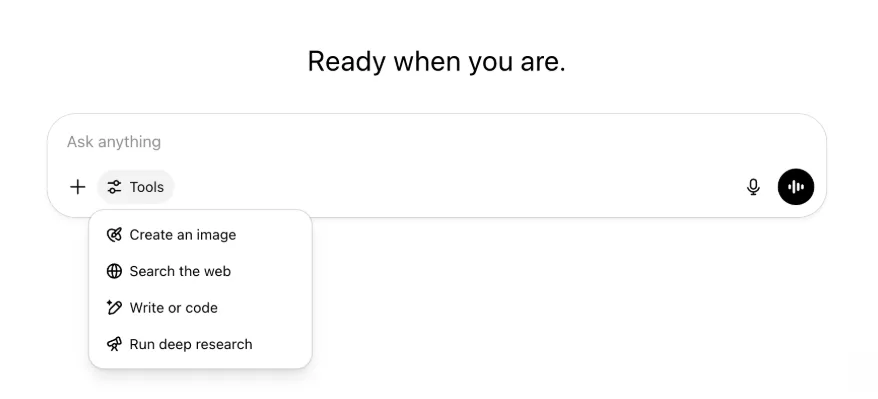
تمام وہی صلاحیتیں اور ٹولز موجود ہیں، بس ایک مینو میں زیادہ منظم اور آسانی سے قابل رسائی ہیں.
22 مئی، 2025
ChatGPT میں GPT-4.1 کا اجرا
اپریل میں API اجرا کے بعد GPT-4.1 ڈیولپرز کا پسندیدہ بن گیا؛ عام مطالبے پر ہم اسے براہ راست ChatGPT میں دستیاب کر رہے ہیں.
GPT-4.1 ایک مخصوص ماڈل ہے جو کوڈنگ کاموں میں بہترین ہے. GPT-4o کے مقابلے میں یہ درست ہدایات کی پیروی اور ویب ترقی میں زیادہ مضبوط ہے، اور روزمرہ کے سادہ کوڈنگ کاموں کے لیے OpenAI o3 اور OpenAI o4-mini کا متبادل ہے.
آج سے Enterprise اور Edu صارفین ماڈل چننے والے کے "مزید ماڈلز" ڈراپ ڈاؤن سے GPT-4.1 استعمال کر سکتے ہیں. بامعاوضہ صارفین کے لیے GPT-4.1 کی ریٹ لمٹس GPT-4o جیسی ہیں.
ChatGPT میں GPT-4o mini کی جگہ GPT-4.1 mini کا تعارف
GPT-4.1 mini ایک تیز، قابل اور مؤثر چھوٹا ماڈل ہے، جو ہدایات کی پیروی، کوڈنگ اور مجموعی انٹیلیجنس میں GPT-4o mini سے نمایاں بہتر ہے. GPT-4.1 mini بامعاوضہ صارفین کے ماڈل چننے والے میں "مزید ماڈلز" کے تحت GPT-4o mini کی جگہ لیتا ہے، اور مفت صارفین کی GPT-4o حد پوری ہونے پر متبادل ماڈل ہوگا. ریٹ لمٹس وہی رہیں گی.
GPT-4.1 اور GPT-4.1 mini کی جانچ ابتدا میں ان کے API اجرا کے ساتھ بلاگ مضمون میں بانٹی گئی تھی. ان کی معیاری حفاظتی جانچ بھی کی گئی. تفصیلی نتائج نئے حفاظتی جانچ مرکز میں دستیاب ہیں.
15 مئی، 2025
ڈیپ ریسرچ کو PDF کے طور پر برآمد کریں
اب آپ اپنی ڈیپ ریسرچ رپورٹس کو جدولوں، تصاویر، منسلک حوالوں اور ذرائع سمیت عمدہ انداز میں مرتب PDF کے طور پر برآمد کر سکتے ہیں۔
استعمال کے لیے اشتراک آئیکن پر کلک کر کے ”PDF کے طور پر ڈاؤن لوڈ کریں“ منتخب کریں۔ یہ نئی اور پرانی دونوں رپورٹس پر کام کرتا ہے۔
موبائل UI کمپوزر کا انضمام (iOS/Android)
ہم نے موبائل کمپوزر سے انفرادی ٹول آئیکنز کی قطار ہٹا کر مہارتیں مینیو کھولنے کے لیے نیا سلائیڈر طرز آئیکن شامل کیا ہے؛ بٹن دبانے پر نچلی شیٹ کا مینیو کھلتا ہے جہاں صارفین تصویر بنائیں یا ویب تلاش کریں جیسے ٹولز چن سکتے ہیں۔
کوئی ٹول ختم نہیں کیا گیا؛ جگہ خالی کرنے اور اسکرین کی بھیڑ کم کرنے کے لیے رسائی صرف یکجا کی گئی ہے۔
8 مئی، 2025
ChatGPT میں صارف تجزیات - عمومی دستیابی
نیا بنایا گیا صارف تجزیات ڈیش بورڈ ورک اسپیس منظم کریں کنسول کے تجزیات ٹیب میں دستیاب ہے. یہ اصل تجزیات ٹیب کے مقابلے میں استعمال، اختیار اور شمولیت کا زیادہ جامع ڈیٹا دیتا ہے.
یہ بہتر ڈیش بورڈ منتظمین کو پوری تنظیم میں ChatGPT کے استعمال کا مجموعی منظر دیتا ہے، تاکہ اختیار اور شمولیت دیکھی جا سکے، نمایاں ٹولز اور GPTs کے استعمال کے انداز سمجھے جائیں اور استعمال کے معاملات اور صارف رجحانات شناخت ہوں.
ChatGPT Enterprise اور Edu کے لیے صارف تجزیات اور ChatGPT Enterprise/Edu میں کمپلائنس API بمقابلہ صارف تجزیات دیکھیں.
2 مئی، 2025
GPTs میں 4o امیج جنریشن
GPTs اب ChatGPT کی امیج جنریشن صلاحیتوں سے صارفین کے مطالبے پر تصاویر بنا سکتے ہیں.
GPT تخلیق کار، GPT مدیر کے ترتیب دیں حصے میں صلاحیتیں کے تحت "4o امیج جنریشن" فعال کر سکتے ہیں.
1 مئی، 2025
ڈیپ ریسرچ
معیاری ڈیپ ریسرچ ماڈل کی ماہانہ حد، 10 کام، پوری کرنے والے صارفین کو حد بحال ہونے تک اسی ماہ ہمارے ہلکے اور کم خرچ نسخے سے مزید 15 درخواستیں خودکار طور پر ملیں گی.
ڈیپ ریسرچ کے بارے میں مزید جانیں.
o3 اور o4-mini میں کام
اب آپ مقررہ کام بنا سکتے ہیں، جن سے ChatGPT o3 اور o4-mini کے ساتھ خودکار پرومپٹس چلا اور مقررہ وقت پر پیشگی رابطہ کر سکتا ہے. ماڈل چننے والے سے "مقررہ کاموں والا ChatGPT" اختیار ہٹا دیا گیا ہے.
ChatGPT میں مقررہ کاموں کے بارے میں مزید جانیں.
24 اپریل، 2025
o3 اور o4-mini
o3 اور o4-mini / o4-mini-high متعارف ہونے کے بعد یہ ChatGPT میں بالترتیب o1 اور o3-mini / o3-mini-high کی جگہ لیں گے.
OpenAI o3 ہمارا طاقتور ترین ریزننگ ماڈل ہے، جو کوڈنگ، ریاضی، سائنس، بصری ادراک اور دیگر شعبوں میں جدید ترین حدود آگے بڑھاتا ہے. یہ Codeforces، SWE-bench اور MMMU سمیت معیارات پر نئی بہترین سطح قائم کرتا ہے، وہ بھی مخصوص ماڈل کا ڈھانچہ بنائے بغیر. یہ کثیر پہلو تجزیے والے پیچیدہ سوالات کے لیے موزوں ہے، جن کے جواب فوراً واضح نہ ہوں. یہ تصاویر، چارٹس اور گرافکس کے تجزیے جیسے بصری کاموں میں خاص طور پر مضبوط ہے. بیرونی ماہرین کی جانچ میں o3 نے مشکل حقیقی دنیا کے کاموں پر OpenAI o1 سے 20 فیصد کم بڑی غلطیاں کیں، خصوصاً پروگرامنگ، کاروبار یا مشاورت اور تخلیقی خیالات میں. ابتدائی آزمائش کنندگان نے فکری ساتھی کے طور پر اس کی تجزیاتی سختی اور بالخصوص حیاتیات، ریاضی اور انجینئرنگ میں نئے مفروضے بنانے اور تنقیدی جانچنے کی صلاحیت کو سراہا.
OpenAI o4-mini تیز اور کم خرچ ریزننگ کے لیے بہتر بنایا گیا چھوٹا ماڈل ہے، جو اپنے حجم اور لاگت کے لحاظ سے خصوصاً ریاضی، کوڈنگ اور بصری کاموں میں غیر معمولی کارکردگی دیتا ہے. یہ AIME 2024 اور 2025 پر بہترین معیاری کارکردگی والا ماڈل ہے. ماہرین کی جانچ میں یہ غیر STEM کاموں اور ڈیٹا سائنس جیسے شعبوں میں بھی اپنے پیش رو o3-mini سے بہتر ہے. اپنی کارکردگی کی وجہ سے o4-mini، o3 سے کہیں زیادہ استعمال کی حدود دیتا ہے، لہٰذا ریزننگ والے سوالات کے لیے زیادہ حجم اور تھروپٹ کا مضبوط انتخاب ہے.
10 اپریل، 2025
ChatGPT تصاویر
GPT-4o میں امیج جنریشن اب ChatGPT کے ڈیفالٹ تصویر ساز کے طور پر تمام صارفین کو دستیاب ہے. DALL·E جاری رکھنے والے صارفین اب بھی DALL·E GPT کے ذریعے اسے استعمال کر سکتے ہیں.
آپ ChatGPT سے مطلوبہ تفصیلات کے ساتھ تصویر بنانے کو کہہ کر، یا کمپوزر میں تصویر بنائیں اختیار منتخب کرکے تصاویر بنا سکتے ہیں. مزید جانیں.
31 مارچ، 2025
ChatGPT میں صارف تجزیات - عوامی بیٹا
تازہ بنایا گیا صارف تجزیات ڈیش بورڈ، ورک اسپیس منظم کریں کنسول کے تجزیات ٹیب میں دستیاب ہے. یہ اصل تجزیات ٹیب کے مقابلے میں استعمال، اختیار اور شمولیت کا زیادہ جامع ڈیٹا دیتا ہے.
یہ بہتر ڈیش بورڈ منتظمین کو پوری تنظیم میں ChatGPT کے استعمال کا مجموعی منظر دیتا ہے، تاکہ اختیار اور شمولیت دیکھی، نمایاں ٹولز اور GPTs کے استعمال کے انداز سمجھے، اور استعمال کے معاملات و صارف رجحانات شناخت کیے جا سکیں.
تفصیلات کے لیے ChatGPT Enterprise اور Edu کے صارف تجزیات (عوامی بیٹا) دیکھیں.
20 مارچ، 2025
مشترکہ منصوبوں کی تازہ کاری
ہم دیکھنے اور ترمیم کی رسائی والے مشترکہ منصوبوں کا اجرا مؤخر کر رہے ہیں، تاکہ صارفین کے لیے زیادہ مفید اور تعاونی نسخہ تیار کر سکیں.
13 مارچ، 2025
macOS پر ایپس کے ساتھ کام میں کوڈنگ
IDEs کے ساتھ کام کرتے وقت آپ ChatGPT سے کھلی فائلوں میں براہ راست ترمیم کہہ سکتے ہیں، نقل اور چسپاں کی ضرورت نہیں. ترمیم مانگنے پر ChatGPT ایسا فرق بنائے گا جس کا آپ جائزہ لے کر اطلاق کر سکتے ہیں، اور ترامیم خودکار طور پر لاگو کرنے کا اختیار بھی ہے. ChatGPT صارف واسطے میں یا مدیر میں CMD+Z سے فرق آسانی سے واپس کیے جا سکتے ہیں.
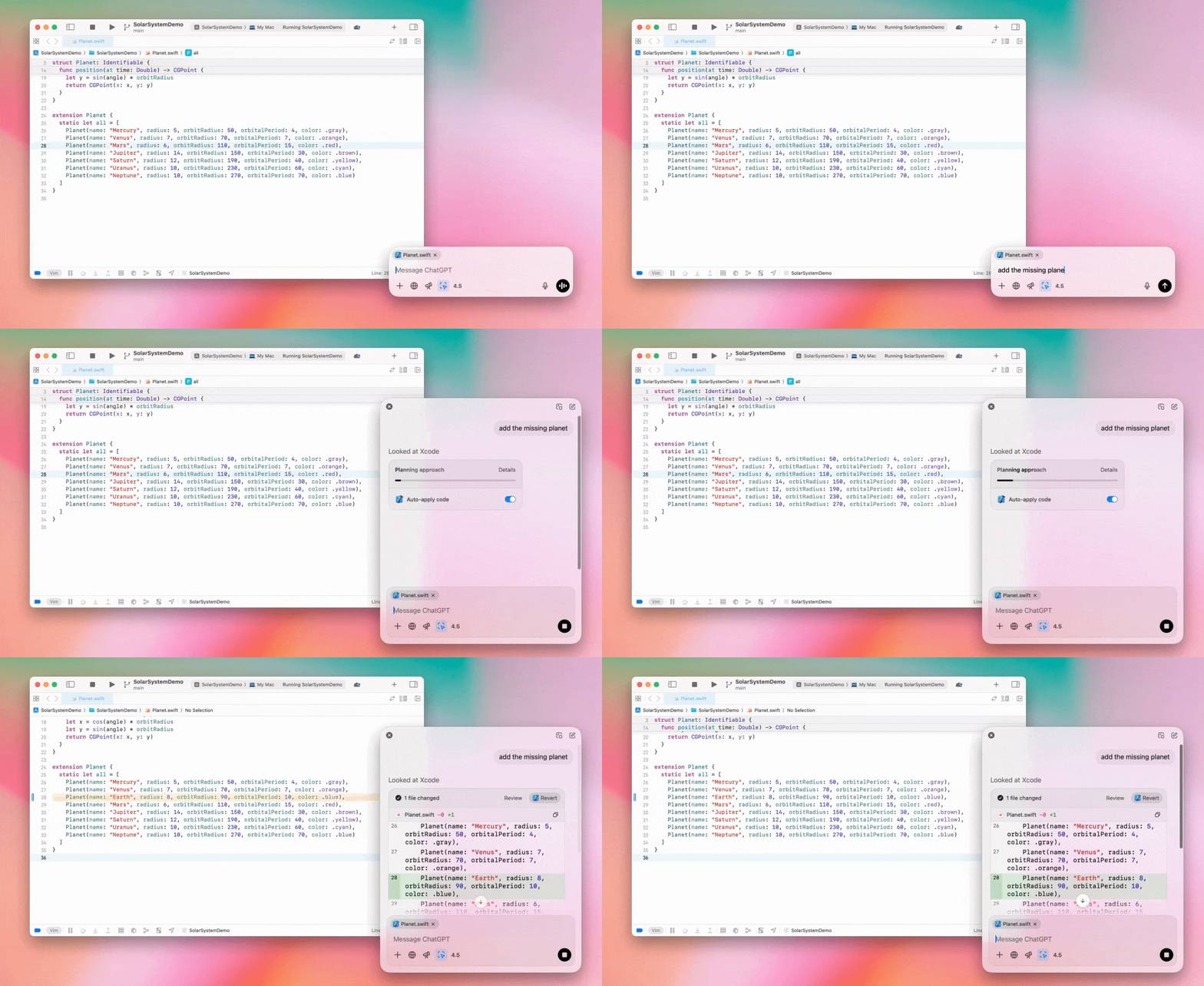
Enterprise منتظمین انتظامی ترتیبات میں "ایپس کے ساتھ کام" ٹوگل بند کرکے ورک اسپیس ارکان کے لیے یہ فعالیت بند کر سکتے ہیں.
ChatGPT میں GPT-4.5
13 مارچ، 2025 سے Enterprise اور Edu منصوبوں کے صارفین ChatGPT میں ہمارا GPT-4.5 ماڈل استعمال کر سکیں گے.
تفصیلات کے لیے ChatGPT میں GPT-4.5 دیکھیں.
10 مارچ، 2025
ChatGPT کمپلائنس API میں ڈیپ ریسرچ
10 مارچ، 2025 سے کمپلائنس API استعمال کرنے والے Enterprise صارفین کے اختیارات میں شامل ہیں:
"deep research global prompt" تلاش کریں۔
جواب میں ٹول کا نام تلاش کریں: {"tool_name":"deep_research"}۔
25 فروری، 2025
ChatGPT میں ڈیپ ریسرچ
ChatGPT میں ڈیپ ریسرچ اب Enterprise منصوبے کے صارفین کے لیے دستیاب ہے۔
ڈیپ ریسرچ ChatGPT کو آپ کا پیشہ ورانہ یا ذاتی کام مکمل کرنے کے لیے ایجنٹک انداز میں اور غیر ہم وقت طور پر ویب براؤز کرنے دیتی ہے۔
Enterprise اور Edu صارفین کو ماہانہ 10 ڈیپ ریسرچ سوالات ملیں گے۔
تفصیلات کے لیے ہمارے ڈیپ ریسرچ عمومی سوالات دیکھیں۔
13 فروری، 2025
ChatGPT میں o1 پرو موڈ اور o3-mini
ChatGPT میں o1 پرو موڈ اب Enterprise اور o3-mini، Enterprise Edu کے لیے دستیاب ہے۔
o3-mini: OpenAI o3-mini نے ماڈل منتخب کنندہ میں o1-mini کی جگہ لے لی ہے۔ یہ زیادہ کفایتی ہے اور کم تاخیر کے ساتھ زیادہ ریٹ لمٹس دیتا ہے۔ یہ ریزننگ ماڈل ہے، اس لیے کوڈنگ، STEM اور منطقی مسئلہ حل کرنے کے کاموں کے لیے بہترین انتخاب ہے۔ o3-mini اپنا سلسلۂ فکر دکھاتا اور ویب براؤز کر سکتا ہے۔
o1 پرو موڈ: اس ہفتے ماڈل منتخب کنندہ میں o1 پرو موڈ بھی دستیاب ہے۔ درستگی اور گہرائی کے لیے تیار کردہ یہ ماڈل تحقیق، انجینئرنگ، کاروبار اور قانون میں بہترین ہے، خصوصاً انتہائی پیچیدہ مسائل حل کرنے والے پیشہ ور افراد کے لیے۔ o1 پرو موڈ مسئلے پر غور کرنے میں زیادہ وقت لے گا۔ اس لیے جوابات میں کچھ وقت لگ سکتا ہے۔ زیادہ حسابی وسائل درکار ہونے کی وجہ سے ہر صارف ماہانہ پانچ سوالات تک محدود ہے۔ زیادہ تر کاموں کے لیے o1، o3-mini یا GPT-4o بہترین انتخاب رہیں گے۔
فائل اپ لوڈز کے بارے میں
تصاویر، دستاویزات اور PDFs کی معاونت o1، o3-mini اور o3-mini-high* ماڈلز میں ہے۔ اسپریڈشیٹس (CSV/Excel) کی معاونت نہیں ہے۔*
صرف تصاویر کی معاونت o1 پرو موڈ میں ہے۔ دستاویزات/PDFs اور اسپریڈشیٹس (CSV/Excel) کی معاونت نہیں ہے۔
canvas کا اشتراک
ChatGPT Enterprise اور Edu صارفین اب رینڈر شدہ React/HTML کوڈ، دستاویز یا کوڈ جیسے canvas اثاثے دوسرے صارف کے ساتھ اسی طرح بانٹ سکتے ہیں جیسے گفتگو بانٹتے ہیں۔ canvas کھلا ہونے پر آپ یہ کام canvas ٹول بار سے کر سکتے ہیں۔
ChatGPT میں canvas خصوصیت کی مزید تفصیلات کے لیے درج ذیل ہیلپ سینٹر مضمون دیکھیں۔
23 جنوری، 2025
منصوبے
منصوبے اب Enterprise اور Edu سمیت تمام بامعاوضہ منصوبوں کے لیے دستیاب ہیں.
تفصیلات کے لیے ChatGPT میں منصوبوں کا استعمال دیکھیں.
16 جنوری، 2025
ChatGPT Enterprise کے لیے بصری بازیافت (PDFs)
ChatGPT Enterprise اب PDF فائلوں میں شامل بصری مواد، جیسے تصاویر، گراف اور نقشے، پڑھ اور سمجھ سکتا ہے. صارف PDF اپ لوڈ کر سکتے ہیں، اور ChatGPT اس کے متن اور بصری عناصر کی تشریح کر سکتا ہے.
تفصیلات کے لیے PDFs کے ساتھ بصری بازیافت عمومی سوالات دیکھیں.
12 دسمبر، 2024
o1
آج سے تمام ChatGPT Enterprise صارفین ماڈل چننے والے سے o1 استعمال کر سکیں گے، جو o1-preview کی جگہ لے گا.
o1 اب اپ لوڈ تصاویر پر ریزننگ کر سکتا ہے، اور بصری نمائندگیوں کے زیادہ تفصیلی و درست تجزیے اور وضاحت سے نئے استعمال ممکن بناتا ہے. ہم نے ماڈل کو زیادہ مختصر سوچنے کی تربیت بھی دی ہے، جس سے o1-preview کے مقابلے میں جواب تیز ہیں.
11 دسمبر، 2024
ChatGPT کے ساتھ Apple Intelligence
ChatGPT منتظمین اب ورک اسپیس انتظامی ترتیبات میں روابط کے تحت Apple Intelligence رسائی فعال یا بند کر سکتے ہیں.
یہ ترتیب بند ہونے پر صارف OpenAI اسناد سے لاگ ان کرتے وقت اپنی ChatGPT Enterprise/Edu ورک اسپیس منتخب نہیں کر سکتے.
10 دسمبر، 2024
canvas
آج ہم نے تمام مفت اور بامعاوضہ صارفین کے لیے 4o میں canvas کو بطور ڈیفالٹ دستیاب کر دیا ہے. اس کے علاوہ، ہم نے canvas کے لیے کئی نئی صلاحیتیں متعارف کرائی ہیں، جن میں شامل ہیں:
GPTs میں canvas: اب GPT تخلیق کار میں فعال کیے جانے پر canvas کو GPTs کے ساتھ استعمال کیا جا سکتا ہے. نئے بنائے گئے GPTs کے لیے یہ اختیار بطور ڈیفالٹ فعال ہوگا.
Python کوڈ چلانا: اب آپ canvas میں Python کوڈ چلا سکتے ہیں. ChatGPT آپ کے کوڈ کی خرابیاں درست کرنے کی کوشش کرے گا اور غلطیوں پر تبصرے فراہم کرے گا. براہ کرم نوٹ کریں کہ Python چلانے سے بیرونی نیٹ ورک درخواستیں کی جا سکتی ہیں، اور انٹرپرائز ورک اسپیس کے منتظمین اپنی منتظم کی ترتیبات میں canvas کوڈ چلانے کی ترتیب کو تبدیل کر کے Python کوڈ چلانے کی سہولت غیر فعال کر سکتے ہیں. تمام انٹرپرائز اکاؤنٹس کے لیے یہ بطور ڈیفالٹ غیر فعال ہے.
canvas شارٹ کٹ: اب آپ ChatGPT میں مواد چسپاں کر کے میسج کمپوزر کے اوپری دائیں کونے میں موجود شارٹ کٹ کے ذریعے اسے فوراً canvas میں کھول سکتے ہیں.
ٹول باکس میں canvas: ٹول باکس میں canvas کو ایک اختیار کے طور پر شامل کر دیا گیا ہے.
ورک اسپیس کے منتظمین اب کمپلائنس API کے ذریعے canvas کی متنی دستاویزات حاصل، فہرست اور حذف کر سکتے ہیں.
براہ کرم نوٹ کریں کہ canvas کو غیر فعال کرنے والی منتظم کی ترتیب ہٹا دی گئی ہے، کیونکہ اب یہ خصوصیت بیٹا مرحلے سے باہر آ چکی ہے. اگر اسے پہلے غیر فعال کیا گیا تھا، تو ہم اس ترتیب کا اطلاق جاری رکھیں گے. براہ کرم اس صفحے کے نیچے دائیں کونے میں موجود چیٹ کے بلبلے کے ذریعے ہماری معاونتی ٹیم سے رابطہ کریں.
3 دسمبر، 2024
macOS پر ایپس کے ساتھ کام
ChatGPT اب macOS پر ایپس کے ساتھ کام کے ذریعے آپ کی کوڈنگ ایپس کا مواد پڑھ کر کام کے مطابق زیادہ ذہین اور درست جواب دے سکتا ہے. macOS پر ایپس کے ساتھ کام کے بارے میں مزید جانیں.
Enterprise منتظمین انتظامی ترتیبات میں "ایپس کے ساتھ کام" ٹوگل بند کرکے ورک اسپیس ارکان کے لیے یہ فعالیت بند کر سکتے ہیں.
22 نومبر، 2024
ChatGPT ویب تجربے کی اپ ڈیٹس
ہم اگلے دو ہفتوں میں تمام ChatGPT صارفین کے لیے درج ذیل اپ ڈیٹس متعارف کر رہے ہیں۔
سائیڈ بار کا نیا ڈیزائن
نرم انداز میں بند ہونے والے رویے کے ساتھ نیا تیرتا موڈ شامل کیا گیا۔
حالیہ گفتگو اب سائیڈ بار میں محدود ہے، جبکہ تمام گفتگو کے لیے لامحدود مسلسل اسکرول والا فلائی آؤٹ موجود ہے۔
حالیہ GPTs اور پن شدہ GPTs اب گفتگو کے نیچے دکھائے جاتے ہیں۔
ترتیبات اب ہمیشہ سائیڈ بار کے نچلے حصے میں ہیں۔
سائیڈ بار بند ہونے پر بڑے ویو پورٹس میں ترتیبات کا چھوٹا آئیکن شامل کیا گیا ہے۔
زیادہ دلکش احساس کے لیے نئی منتقلیاں شامل کی گئی ہیں۔
ویب پر ChatGPT کی دیگر اپ ڈیٹس
سائٹ کی بنیادی ساخت نئے سرے سے بنائی گئی ہے، جو زیادہ اقسام اور سائز کے آلات کو کہیں بہتر معاونت دیتی ہے۔
نئی گفتگو شروع کرنے پر اب وہ اسکرین کے اوپر دکھائی دینے تک اسکرول ہوتی ہے۔
نئی گفتگو شروع کرتے وقت پیغام بننے کے دوران اب خودکار طور پر نیچے اسکرول نہیں ہوتا۔
کافی جگہ دستیاب ہونے پر پن شدہ سائیڈ بار اب فعال canvas کے ساتھ کھلی رہ سکتی ہے۔
نئی شکل و احساس والا کمپوزر بار خاکہ اب اسکرول کرتے وقت اپنے نیچے موجود مواد کو مدھم کرتا ہے۔
آسان رسائی کے لیے نئی چیٹ کا بٹن ماڈل منتخب کنندہ کے بائیں منتقل کر دیا گیا ہے۔
مزید افقی جگہ بنانے کے لیے گفتگو سے سسٹم آئیکن ہٹا دیا گیا ہے۔
DALL-E پر مرکوز منظر کا خاکہ تازہ کیا گیا ہے۔
GPT تخلیق کار کا خاکہ تازہ کیا گیا ہے۔
بہتر موبائل ویب تجربہ
iOS اور Android موبائل آلات پر اسکرین کی بورڈ کا تجربہ نمایاں طور پر بہتر کیا گیا ہے۔
نئی سائیڈ بار ہمیشہ تیرتے موڈ میں رہتی اور تھریڈ بدلنے پر خودکار طور پر بند ہو جاتی ہے۔
موبائل ویب پر گفتگو بدلتے وقت اب کمپوزر پر توجہ مرکوز نہیں ہوتی۔
کچھ حالات میں اسکرول اٹکنے کا مسئلہ حل ہو جانا چاہیے۔
20 نومبر، 2024
GPT-4o کی تازہ کاری
ہم نے تمام بامعاوضہ درجوں کے ChatGPT صارفین کے لیے GPT-4o تازہ کر دیا ہے. اس تازہ کاری میں تحریری صلاحیتیں بہتر ہوئی ہیں، جو اب زیادہ فطری، سامعین سے آگاہ اور مطابقت و خواندگی بہتر بنانے کے مطابق ہیں. یہ ماڈل اپ لوڈ شدہ فائلوں کے ساتھ بھی بہتر کام کرتا اور زیادہ گہری بصیرت اور مفصل جواب دیتا ہے.
19 نومبر، 2024
ChatGPT ویب کے لیے ایڈوانسڈ وائس
آج سے ہم ویب پر ایڈوانسڈ وائس موڈ متعارف کرنا شروع کر رہے ہیں، جو پہلے ہی موبائل اور ڈیسک ٹاپ ایپس پر دستیاب ہے۔ صارفین اب اپنے ڈیسک ٹاپ پر chatgpt.com میں وائس چیٹ شروع کر کے منصوبہ بندی، تحریر اور خیالات پر غور جیسے کام کرتے ہوئے ChatGPT سے حقیقی وقت میں فطری گفتگو کر سکتے ہیں۔
14 نومبر، 2024
Windows ایپ
بہتر Windows ایپ اب ChatGPT Enterprise اور Edu ورک اسپیسز کے لیے Microsoft Store سے دستیاب ہے. ChatGPT کے ویب تجربے سے واقف صارف Windows ایپ کو کمپیوٹر پر اپنے کسی بھی کام میں بلا رکاوٹ شامل کر سکتے ہیں.
ChatGPT Windows ایپ تک صارف رسائی Microsoft Store ایپس کے لیے آپ کے IT منتظم کی پالیسیوں کے مطابق ہوگی. آئندہ ہفتوں میں IT منتظمین کو Store سے براہ راست ڈاؤن لوڈ کی اجازت دینے کے بجائے MDM/MAM کے ذریعے ملازمین کے آلات پر ایپ تعینات کرنے کا اختیار بھی ملے گا.
ہر ChatGPT Enterprise تجربے کی طرح صارف چیٹ تاریخ محفوظ ہے اور OpenAI کی خدمات بہتر بنانے کے لیے استعمال نہیں ہوگی.
ChatGPT Windows ایپ کے بارے میں مزید جانیں.