
2026. gada 3. septembris
Zendesk un OneNote spraudņi pakalpojumos ChatGPT un Codex [beta versija]
Šodien spraudņu katalogam pievienojām Zendesk un OneNote spraudņus. Zendesk spraudnis palīdz komandām pārskatīt atbalsta pieteikumus un klientu vēsturi, atrast noderīgu informāciju un sagatavot atbildes pakalpojumos ChatGPT un Codex. Dalībnieki pievieno savus Zendesk kontus, lai strādātu ar viņiem pieejamo atbalsta informāciju.
OneNote spraudnis palīdz atrast un apkopot piezīmes, apkopot lēmumus un veicamos uzdevumus, kā arī izveidot vai atjaunināt piezīmes, izmantojot ChatGPT un Codex atbalstītās darbības.
Uzziniet vairāk: Zendesk spraudnis, OneNote spraudnis.
Kopīgojiet Vietnes ar personām ārpus savas darbvietas
Atbilstošās ChatGPT Enterprise darbvietās vietņu īpašnieki tagad var kopīgot aktīvas Vietnes ar konkrētiem ārējiem skatītājiem. Saņēmēji pierakstās kontā, kuram piešķirta piekļuve, un var skatīt kopīgoto Vietni, nepievienojoties darbvietai. Turklāt skatītāja piekļuve nepiešķir rediģēšanas vai publicēšanas tiesības un nepadara Vietni publisku.
Darbvietu īpašnieki un administratori var atļaut uzaicinājumu sūtīšanu noteiktām lomām sadaļā Darbvietas iestatījumi > Atļaujas un lomas, iespējojot Vietnes un Atļaut dalībniekiem uzaicināt ārējus apmeklētājus uz vietnēm. Šī atļauja nav saistīta ar publisko publicēšanu. Uzziniet vairāk par vadīklām rakstā ChatGPT Vietņu pārvaldība darbvietā.
Plašākas pārlūkprogrammas un datora lietošanas pārvaldības iespējas
Jaunie politiku iestatījumi sniedz uzņēmumu administratoriem plašākas iespējas pārvaldīt pārlūkprogrammu un vietējo lietotņu izmantošanu atbalstītajos datora klientos. Administratori var iestatīt vietņu noklusējumus un izņēmumus, ierobežot augšupielādes, lejupielādes, pārlūkošanas vēsturi un izstrādātāju piekļuvi, kā arī pārvaldīt automātisko pārskatīšanu, saglabātos apstiprinājumus un vietņu apstiprinājumu derīguma ilgumu. Vietējo lietotņu noteikumi var atļaut vai bloķēt konkrētas macOS un Windows lietotnes. Administratori var arī ierobežot datu importēšanu no citas pārlūkprogrammas.
Ja ir pieejams politiku redaktors, atveriet sadaļu Codex politikas un konfigurācijas un rediģējiet politikas prasības. Vadīklas darbojas atbalstītajos klientos un platformās; vietnes vai lietotnes atļaušana neļauj apiet citas politikas vai apstiprinājuma uzvednes. Uzziniet vairāk par pārvaldītajām pārlūkprogrammas un datora lietošanas vadīklām.
2026. gada 1. septembris
Veselības aprūpes spraudņi ChatGPT un Codex
Atbilstošās ChatGPT veselības aprūpei un HIPAA prasībām pielāgotās ChatGPT Enterprise darbvietās tagad var izmantot divus veselības aprūpes spraudņus pakalpojumos ChatGPT un Codex:
Veselības aprūpes publiskie dati: meklējiet deviņos publiskos veselības aprūpes avotos medicīniskus pētījumus, klīniskos izmēģinājumus, informāciju par medikamentiem, Medicare datus un veselības aprūpes sniedzēju ierakstus. Spraudnis nodrošina tikai lasīšanas piekļuvi un nepiekļūst pacientu medicīniskajām kartēm.
Epic: pārskatiet atļauto pacientu informāciju savas organizācijas Epic elektronisko veselības ierakstu sistēmā. Piekļuve ir tikai lasāma, un tai nepieciešama administratora konfigurēta Epic EHR lietotne, individuāla pierakstīšanās Epic sistēmā un jau piešķirtas atļaujas piekļūt pacientu medicīniskajām kartēm.
Administratori atsevišķi pārvalda spraudņa pieejamību un piekļuvi lietotnei. Meklēšanas vaicājumos, kas tiek sūtīti publiskiem veselības aprūpes avotiem, neiekļaujiet aizsargātu veselības informāciju. Pirms izmantojat Epic ar aizsargātu veselības informāciju, pārliecinieties, ka jūsu organizācijai ir spēkā attiecīgs sadarbības partnera līgums un apstiprināta darbvietas konfigurācija.
Uzziniet vairāk: Veselības aprūpes publisko datu izmantošana pakalpojumos ChatGPT un Codex un Epic spraudņa izmantošana pakalpojumos ChatGPT un Codex.
2026. gada 28. augusts
Spraudņu katalogu importēšana un sinhronizēšana no GitHub
Darbvietu administratori un īpašnieki var centralizēti izplatīt spraudņu katalogus no publiskiem vai privātiem GitHub repozitorijiem un regulāri atjaunināt spraudņus, izmantojot automātisku sinhronizēšanu katru dienu. Lai sāktu darbu, atveriet Darbvietas iestatījumi > Spraudņi un atlasiet Pievienot > Importēt katalogu. Lai pieprasītu kataloga atjaunināšanu, atlasiet tajā Sinhronizēt tūlīt.
Administratori un īpašnieki darbvietas iestatījumos pārvalda instalēšanas politikas atbilstošajām lomām un nepieciešamo piekļuvi lietotnēm. Repozitorija politiku vērtības šos iestatījumus neaizstāj, un joprojām ir spēkā lietotņu atļaujas un autentifikācijas prasības. Uzziniet vairāk par kataloga iestatīšanu un skatiet atbalstītos formātus un konfigurāciju.
2026. gada 27. augusts
Centralizēta identitāšu pārvaldība administratora konsolē
Atbilstošie ChatGPT Enterprise un Edu klienti tagad var pārvaldīt vairāk darbvietu un identitāšu iestatījumu administratora konsolē:
Pārvaldiet darbvietas dalībniekus, grupas, lomas, atļaujas un vispārīgos iestatījumus.
Vienreiz sinhronizējiet lietotājus un grupas, izmantojot centralizētu, visam nomniekam paredzētu SCIM, un pēc tam piešķiriet grupas atbalstītajām ChatGPT darbvietām vai Ads kontiem.
Pārvaldiet Ads kontu lietotājus un lomas, kur šī iespēja ir pieejama.
Esošās darbvietas līmeņa SCIM konfigurācijas joprojām tiek atbalstītas.
Uzziniet vairāk: Nomnieka pārvaldība administratora konsolē un SCIM nodrošināšana un pārvaldība.
Modeļu piekļuves pārvaldība, darbvietas iestatījumi un Windows uzlabojumi
Esam ieviesuši vairākus uzlabojumus Enterprise/Edu darbvietām:
Modeļu piekļuves pārvaldība ļauj darbvietu īpašniekiem pārvaldīt piekļuvi atbalstītajiem modeļiem darbvietas un lomu līmenī.
Lietotāju, grupu, lomu, atļauju un vispārīgie iestatījumi tagad ir pieejami administratora konsolē. Tie joprojām ir pieejami arī darbvietas iestatījumos, un, noklikšķinot uz esošajām cilnēm, tiks atvērta administratora konsole. Esošās atļaujas joprojām ir spēkā. Plašāku informāciju skatiet sadaļās Uz lomām balstīta piekļuves pārvaldība un Darbvietas iestatījumi.
Codex uzlabojumi operētājsistēmā Windows ietver
codex doctordiagnostiku, attālo vadību no Windows uz citām ierīcēm un vēlamā Linux distributīva atlasi, ja ir instalēti vairāki WSL distributīvi. Pārvaldītajās ierīcēs ir nepieciešama administratora apstiprināta versija, kas izvietota, izmantojot MDM. Pieejamība ir atkarīga no jūsu darbvietas un lietotnes versijas. Plašāku informāciju skatiet sadaļā Codex.
2026. gada 25. augusts
Kopīgojami plānotie un tīmekļa aizķeres aktivizētie uzdevumi
ChatGPT Enterprise, ChatGPT Edu un ChatGPT veselības aprūpei darbvietu dalībnieki savā darbvietā var kopīgot pielāgojamus plānotos uzdevumus. Administratori var arī iespējot tīmekļa aizķeres aktivizētus uzdevumus režīmā Work, lai apstiprinātās lietotnes varētu parādīt aktuālos atjauninājumus bez atkārtotām manuālām pārbaudēm. Pakalpojumā ChatGPT veselības aprūpei uz šiem uzdevumiem neattiecas līgums ar darījumu partneri (Business Associate Agreement — BAA), un tos nedrīkst izmantot aizsargātas veselības informācijas (PHI) pārsūtīšanai, glabāšanai vai apstrādei.
Atbalstītās tīmekļa aizķeres ietver jaunus Gmail ziņojumus, Slack kanālu ziņojumus un GitHub pull request aktivitātes.
Tīmekļa aizķeres aktivizētu uzdevumu izveide
Tiesīgie dalībnieki tīmeklī, iOS un Android ierīcēs var lūgt režīmam Work reaģēt uz jaunu Gmail ziņojumu, Slack kanāla ziņojumu vai atbalstītu GitHub pull request notikumu. Piemēram, lūdziet ChatGPT apkopot klientu atsauksmes no Slack vai sagatavot turpmākās darbības pēc GitHub pull request izmaiņām. Dalībniekiem ir nepieciešama piekļuve režīmam Work un apstiprinātajai lietotnei. Pievienojiet @ChatGPT katram pārraudzītajam Slack kanālam. ChatGPT Enterprise, ChatGPT Edu un ChatGPT veselības aprūpei administratoriem vispirms jāiespējo iestatījums Atļaut notikumu aktivizētus plānotos uzdevumus sadaļā Atļaujas & lomas > Work. Pēc noklusējuma šī atļauja ir izslēgta.
Plānoto uzdevumu kopīgošana
Tiesīgie dalībnieki var kopīgot plānotos vai tīmekļa aizķeres aktivizētos uzdevumus ar citiem tās pašas darbvietas dalībniekiem, kuri var pārskatīt un pielāgot norādījumus un, ja attiecināms, grafiku. Administratori pārvalda kopīgošanu, izmantojot iestatījumu Kopīgot sarakstes un plānotos uzdevumus darbvietā. Lai ieplānotu tīmekļa aizķeres aktivizētu kopiju, nepieciešams arī iestatījums Atļaut notikumu aktivizētus plānotos uzdevumus, piekļuve režīmam Work un saņēmēja apstiprinātā savienotā lietotne.
Plašāku informāciju skatiet rakstā Plānotie uzdevumi pakalpojumā ChatGPT.
2026. gada 20. augusts
Enterprise funkciju atjauninājumi
Darbvietu īpašnieki un administratori var izmantot jaunas darbvietas līmeņa administrēšanas API, lai automatizētu ielūgumu un dalībnieku pārvaldību. Ielūgumu API ļauj skatīt sarakstu, izgūt, izveidot, atkārtoti nosūtīt un dzēst ielūgumus. Lietotāju API ļauj izgūt dalībniekus, kuri pieņēmuši ielūgumu, bet darbvietu īpašniekiem — arī mainīt iebūvētās lomas vai lietotāju vietas un noņemt dalību darbvietā. SCIM pārvaldītās izmaiņas joprojām veic identitātes nodrošinātājā, un ir spēkā pēdējā īpašnieka aizsardzība. Informāciju par iestatīšanu un atļaujām skatiet sadaļā Administratora atslēgu pārvaldība. Galapunktu ceļus un shēmas skatiet administrēšanas API uzziņu materiālā.
Globālajā administrēšanas konsolē tagad ir skaidrāk redzams, ar kuru nomnieku vai darbvietu strādājat, un atbalstītajām lapām ir pievienoti darbvietai specifiski URL. Darbvietas dalībnieki var skatīt tikai savas darbības analītiku, savukārt vairāku lietotāju darbību pārskati joprojām ir pieejami tikai pilnvarotām lomām. ChatGPT darbvietas iestatījumi paliek pašreizējā atrašanās vietā. Uzziniet vairāk par globālo administrēšanas konsoli.
Personīgā analītika atbalsta Work un Codex piemērotās Enterprise un Edu darbvietās. Kad administrators ir iespējojis spraudni, dalībnieki var to instalēt ChatGPT datora lietotnē un jautāt par darbībām, kas saistītas ar viņu pierakstīšanās identitāti, kā arī par privātumu aizsargājošām apkopotām darbvietas tendencēm. Šis rīks ir tikai lasāms un nevar parādīt cita lietotāja individuālās darbības vai citas darbvietas datus. Uzziniet vairāk par personīgo analītiku.
Sadarbojieties ChatGPT Vietnēs (tikai Enterprise). Enterprise darbvietās Vietnes īpašnieki kā redaktorus var pievienot aktīvus tās pašas darbvietas dalībniekus. Redaktori var atjaunināt un saglabāt Vietni un pēc tam, kad īpašnieks to pirmoreiz publicējis, publicēt jaunākas versijas tajā pašā Vietnes URL. Īpašnieki saglabā kontroli pār kopīgošanu, Vietnes iestatījumiem, analītiku, īpašumtiesībām, versiju atjaunošanu un redaktoru piekļuvi. Kopīgajā rediģēšanā tiek izmantotas esošās Vietņu darbvietas vadīklas un netiek pievienots atsevišķs RBAC slēdzis; publiska publicēšana pēc noklusējuma joprojām ir izslēgta un administratora pārvaldīta. Uzziniet vairāk par ChatGPT Vietņu pārvaldību savā darbvietā.
Izmantojiet Apple Messages no Codex un ChatGPT Work. Mac datoros ar Apple mikroshēmu Apple Messages spraudnis ChatGPT datora lietotnē var lasīt un meklēt iMessage, SMS un RCS sarunas, kā arī sagatavot vai nosūtīt ziņojumus, izmantojot Messages. Pēc noklusējuma ChatGPT pirms nosūtīšanas lūdz lietotājam apstiprināt ziņojumu un adresātus. Pārvaldītu darbvietu administratori var atspējot Apple Messages, izmantojot esošo Datora lietošanas vadīklu. Uzziniet vairāk par Apple Messages spraudni.
Izmantojiet Datora vēsturi vairākos reģionos (tikai Enterprise). Datora vēsture tagad ir pieejama Enterprise lietotājiem EEZ, Šveicē un Apvienotajā Karalistē ChatGPT datora lietotnē operētājsistēmā macOS. Pēc noklusējuma tā ir izslēgta, tai nepieciešama Atmiņa, un darbvietas administratoram tā jāiespējo, pirms dalībnieks var izvēlēties to lietot. Uzziniet vairāk par Datora vēsturi.
Kopīgojiet tikai lasāmu Codex sarakstes momentuzņēmumu. Darbvietas kopīgošanas saites ir pieejamas tikai autentificētiem sākotnējās darbvietas dalībniekiem, un administratori var tās izslēgt. Momentuzņēmums netiek atjaunināts, kad mainās sākotnējā sarakste. Codex aizklāj zināmus slepenas informācijas paraugus, taču lietotājiem jāpārskata momentuzņēmums, jo tajā var būt palikuši sensitīvi ceļi, atšķirību salīdzinājumi, attēli vai cits saturs. Uzziniet vairāk par Codex sarakstes kopīgošanu.
Eksportējiet publisko spraudņu katalogu. Atbilstošo ChatGPT Enterprise darbvietu īpašnieki un administratori var eksportēt CSV failu sadaļā Administrēšana > Spraudņi > Publiskie > Eksportēt CSV. Eksportētie dati var būt līdz 48 stundām veci, un tajos nav iekļauti darbvietā izveidotie spraudņi. Uzziniet vairāk par publiskā kataloga eksportēšanu.
2026. gada 13. augusts
Chat modeļa noklusējumi
Darbvietu īpašnieki un administratori var konfigurēt sākotnējo Chat modeli un spriestspējas līmeni sadaļā Darbvietas iestatījumi > Modeļi. Īpašnieki un administratori jaunām sarakstēm var lietot administratora noteikto noklusējumu vai atļaut opciju Lietotāja pēdējā izvēle. Ņemiet vērā, ka noklusējumi nepiešķir piekļuvi nepieejamiem modeļiem un neatceļ obligātās darbvietas prasības.
Lai jaunās vadīklas stātos spēkā, ChatGPT datora lietotne ir jāatjaunina uz versiju 26.812.10818 vai jaunāku.
Atjaunināts modeļu atlasītājs Enterprise un Edu darbvietām
Enterprise/Edu darbvietu dalībniekiem ir atjaunināta modeļu atlasīšanas un ziņojumu rakstīšanas saskarne. Atlasītājs ļauj vieglāk salīdzināt pieejamos domāšanas līmeņus, vienlaikus saglabājot darbvietas modeļu pieejamības un piekļuves vadīklas.
Audita žurnāli globālajā administratora konsolē
Darbvietu īpašnieki un administratori tagad var pārskatīt atbalstītos audita notikumus globālajā administratora konsolē. Piekļuve un pieejamo notikumu klāsts ir atkarīgs no atlasītās darbvietas un administratora lomas. Uzziniet vairāk.
Summējoša lomās balstīta piekļuves vadība
Enterprise un Edu darbvietu īpašnieki tagad var konfigurēt atbilstošās atļaujas parastajās pielāgotajās lomās, izvēloties Noklusējums, Ieslēgts vai Izslēgts. Noklusējums pārmanto darbvietas iestatījumu, Ieslēgts nepārprotami piešķir atļauju, bet Izslēgts liedz piekļuvi tikai ar attiecīgo lomu. ChatGPT visas piemērojamās parastās lomas izvērtē summējoši: ja kaut viena loma piešķir atļauju — tieši vai pārmantojot iespējotu darbvietas iestatījumu — dalībnieks saglabā piekļuvi. Iestatījums Izslēgts liedz piekļuvi tikai ar attiecīgo lomu. Ja visās piemērojamajās lomās ir iestatīts Izslēgts, piekļuve tiek liegta. Bloķēšanas režīms tiek izvērtēts atsevišķi un var vēl vairāk ierobežot funkcijas, kas izmanto tīklu. Uzziniet vairāk par lomās balstītu piekļuves vadību.
Work un Codex lietojuma un izmaksu dati
Atbilstošo Enterprise darbvietu dalībnieki, kuriem tiek izrakstīti rēķini pēc kredītu patēriņa, var pārskatīt katras sarakstes kopējo kredītu patēriņu pakalpojumos Work un Codex. Lietojuma dati un aplēstās izmaksas ir paredzētas plānošanai un nav rēķini. Dalībnieki var arī pārskatīt mēneša lietojumu un vēsturi ChatGPT Desktop cilnē Lietojums un norēķini. Parastais Chat lietojums nav iekļauts. Šai funkcijai nepieciešama ChatGPT Desktop versija 26.812.10818 vai jaunāka. Uzziniet vairāk.
Personiskās analītikas spraudnis
Personiskās analītikas spraudnis ir pieejams atbilstošajās darbvietās. Kad darbvietas īpašnieks vai administrators ir iespējojis spraudni, dalībnieki var to instalēt lietotnē ChatGPT Desktop un uzdot jautājumus par savām darbībām pakalpojumos Work un Codex, kā arī par pieejamajām apkopotajām darbvietas tendencēm. Uzziniet vairāk.
Codex pakalpojumu konti
Atbilstošās darbvietās var izveidot automatizācijai paredzētus Codex pakalpojumu kontus, kurus neizmanto cilvēki. Darbvietu īpašnieki un administratori var piešķirt lomas un grupas, konfigurēt spraudņus, kopīgi pārvaldīt kontus un izsniegt ierobežota tvēruma piekļuves tekstvienības CI izpildītājiem un ieplānotajiem darbiem. Uzziniet vairāk.
Windows datora lietotnes veiktspējas uzlabojumi
ChatGPT Windows datora lietotnē ir uzlabota veiktspēja. Šiem uzlabojumiem nepieciešama ChatGPT Desktop versija 26.803.41515 vai jaunāka.
Datora vēsture pakalpojumam ChatGPT Enterprise
Datora vēsture ir izvēles funkcija ChatGPT macOS lietotnē, kas Enterprise dalībniekiem ļauj izmantot atlasītu lietotņu un vietņu kontekstu pakalpojumos ChatGPT un Codex. Tā reģistrē mijiedarbības notikumus, nevis ekrānuzņēmumus, ekrāna ierakstus, mikrofona ievadi vai sistēmas audio, un privātā pārlūkošana netiek iekļauta.
Datora vēsture pēc noklusējuma ir izslēgta, un Enterprise administratori var piešķirt piekļuvi atbilstoši lomai, pirms katrs dalībnieks izvēlas to iespējot. Dalībnieki var apturēt Datora vēsturi, izvēlēties iekļaujamās lietotnes un vietnes, kā arī pārskatīt vai dzēst laika skalas vienumus. Ņemiet vērā, ka Datora vēsture pašlaik nav pieejama EEZ, Apvienotajā Karalistē un Šveicē.
2026. gada 10. augusts
Atsevišķu lietotāju sinhronizācijas pārtraukšana pievienotajām lietotnēm
No 10. augusta jauni individuāli autorizēti sinhronizācijas savienojumi vairs nebūs pieejami. 14. augustā esošie atsevišķu lietotāju sinhronizācijas savienojumi tiks atspējoti un sāksies saistīto sinhronizēto datu dzēšana. Administratoru pārvaldīto sinhronizāciju tas neietekmē. Līdz 14. augustam pārskatiet darbvietas savienotāju iestatījumus un vajadzības gadījumā veiciet tālāk norādītās darbības.
| Savienotājs | Nepieciešamā administratora darbība |
|---|---|
| Google Drive | Iespējojiet Google Drive spraudni. Ja vajadzīgas sinhronizētas zināšanas, konfigurējiet administratora pārvaldītu Google Drive sinhronizāciju, izmantojot domēna mēroga deleģēšanu. |
| SharePoint | Iespējojiet SharePoint spraudni. Ja vajadzīgas sinhronizētas zināšanas, konfigurējiet administratora sinhronizāciju. |
| GitHub | Iespējojiet nesinhronizēto GitHub spraudni. |
| GitLab Issues | Drīzumā informēsim par aizstājošā spraudņa pieejamību. |
| Azure Boards (Azure DevOps) | Drīzumā informēsim par aizstājošā spraudņa pieejamību. |
| Basecamp | Drīzumā informēsim par aizstājošā spraudņa pieejamību. |
| Help Scout | Nosakiet ietekmētos lietotājus un darbplūsmas un paziņojiet, ka sinhronizētā piekļuve tiks pārtraukta. Aktīvi sadarbojamies ar partneri, lai nodrošinātu aizstājēju. |
| Zoho Desk | Nosakiet ietekmētos lietotājus un darbplūsmas un paziņojiet, ka sinhronizētā piekļuve tiks pārtraukta. Aktīvi sadarbojamies ar partneri, lai nodrošinātu aizstājēju. |
| Teamwork | Nosakiet ietekmētos lietotājus un darbplūsmas un paziņojiet, ka sinhronizētā piekļuve tiks pārtraukta. Aktīvi sadarbojamies ar partneri, lai nodrošinātu aizstājēju. |
| Aha! | Nosakiet ietekmētos lietotājus un darbplūsmas un paziņojiet, ka sinhronizētā piekļuve tiks pārtraukta. Aktīvi sadarbojamies ar partneri, lai nodrošinātu aizstājēju. |
| Zoho CRM | Nosakiet ietekmētos lietotājus un darbplūsmas un paziņojiet, ka sinhronizētā piekļuve tiks pārtraukta. Aktīvi sadarbojamies ar partneri, lai nodrošinātu aizstājēju. |
| Pipedrive | Nosakiet ietekmētos lietotājus un darbplūsmas un paziņojiet, ka sinhronizētā piekļuve tiks pārtraukta. Aktīvi sadarbojamies ar partneri, lai nodrošinātu aizstājēju. |
2026. gada 7. augusts
Faili un projekti pakalpojumā ChatGPT Balss
GPT-Live pakalpojumā ChatGPT Balss tagad atbalsta failu augšupielādi un projektus. Tagad balss sarunā varat augšupielādēt failus un analizēt to saturu vai uzdot jautājumus. Varat izmantot balsi arī projektos, atsaucoties uz nesenajām projekta sarakstēm, avotiem un projekta instrukcijām.
Live tagad ir noklusējuma balss pieredze
Enterprise, Edu un veselības aprūpes darbvietās Live tagad ir noklusējuma balss pieredze, kad darbvietas īpašnieks iespējo funkciju Balss; iestatījums Agrīna piekļuve modeļiem vairs nav jāiespējo. Darbvietu īpašnieki var izslēgt funkciju Balss, atspējojot to darbvietas iestatījumos.
Uzziniet vairāk par ChatGPT Balss.
2026. gada 6. augusts
Jaunas datora lietotnes atjauninājumu vadīklas
ChatGPT Enterprise, ChatGPT veselības aprūpei un ChatGPT Edu administratori tagad var izslēgt ChatGPT datora lietotnes iekšējos atjauninājumus atbalstītajās macOS un Windows būvēs. Tas ļauj organizācijām pārskatīt jaunos laidienus pirms to saņem lietotāji un izvietot apstiprinātās versijas ar esošo ierīču pārvaldības procesu.
Lietotnē iebūvētais atjauninātājs pēc noklusējuma paliek iespējots. Organizācijas, kas to izslēdz, ir atbildīgas par savlaicīgu jaunu laidienu un drošības labojumu izvietošanu. OpenAI nenodrošina konkrētas versijas fiksēšanu, atsevišķu stabilo laidienu kanālu vai pagarinātu vecāku versiju atbalstu. Uzziniet vairāk.
2026. gada 4. augusts
Visos plānos lieli ielīmētā teksta apjomi tagad tiek apstrādāti kā pielikumi
No šodienas ChatGPT Enterprise un Education lietotāju ielīmētie garie teksti pakalpojumā ChatGPT tiek apstrādāti citādi.
Ja rakstītājā ielīmēsiet vairāk nekā 10 tūkstošus rakstzīmju, ChatGPT saturu automātiski pārveidos par pielikumu, nevis ievietos tieši teksta laukā. Tādējādi rakstītājs paliek pārskatāmāks un lieli ielīmētā teksta apjomi neaizņem visu konteksta logu.
Jebkurā laikā varat pārvietot saturu atpakaļ uz ziņojumu, noklikšķinot uz Rādīt teksta laukā, lai pielikumu atkal pārveidotu par tieši ielīmētu tekstu.
Šī iespēja jau ir pieejama visu pārējo plānu lietotājiem.
Izglītības spraudņi mācīšanai un mācībām
ChatGPT Edu darbvietām tagad ChatGPT Work un Codex ir pieejami trīs vadīti spraudņi: Augstskolas pasniedzējs, K–12 pedagogs un Augstskolas students. ChatGPT for Teachers darbvietām, kuras tiek pārvaldītas, piesaistot izglītības apgabala domēnu, ir pieejams K–12 pedagogs. Šie spraudņi palīdz pedagogiem veidot mācību materiālos balstītas stundas, vērtēšanas darbus un saziņas materiālus, bet augstskolu studentiem — izstrādāt mācību plānus un vingrināt kursā apgūtos jēdzienus.
Augstskolas pasniedzējs: palīdz docētājiem izstrādāt un atjaunināt kursus un mācību programmas, veidot interaktīvus mācību materiālus un multivides vērtējumus, pielāgot materiālus dažādiem izglītojamajiem un sagatavot saturu LMS sistēmai.
K–12 pedagogs: palīdz skolotājiem veidot stundu materiālus, uzdevumus, vērtēšanas kritērijus un mācību resursus, izmantojot Learning Commons kontekstu, lai materiālus saskaņotu ar valsts standartiem un mācību progresa posmiem.
Augstskolas students: palīdz studentiem izmantot kursa materiālus un mācību mērķi, lai saņemtu avotos balstītus skaidrojumus, vadītus vingrinājumus, mācību plānus, testus, atmiņas kartītes un vizuālus skaidrojumus.
Spraudņi ir pieejami spraudņu katalogā, taču pēc noklusējuma netiek instalēti. Ņemiet vērā, ka šie spraudņi Enterprise kontiem nav pieejami. Darbvietu administratori var pārvaldīt spraudņu pieejamību un atļaujas. Plašāka informācija: Spraudņi pakalpojumā ChatGPT un Codex.
Lietošanas ierobežojumu pāreja no nedēļas uz mēnesi
Darbvietu īpašnieki tagad var ērti pārveidot sadaļā Atļaujas un lomas konfigurētos nedēļas ierobežojumus par mēneša ierobežojumiem. Atveriet Darbvietas iestatījumi → Atļaujas un lomas, atlasiet jebkuru lomu, ritiniet līdz sadaļai Nedēļas ierobežojumi, izvēlieties Migrēt un apstipriniet. Sākot migrāciju no jebkuras lomas, tiek pārvietoti visi atlikušie darbvietas nedēļas ierobežojumi, kuru pamatā ir lomas. Atkarībā no darbvietas lieluma tas var ilgt vairākas minūtes.
15. augustā atlikušās ChatGPT Enterprise darbvietas, kurās joprojām tiek izmantoti uz lomām balstīti nedēļas tēriņu ierobežojumi, ir plānots automātiski pārcelt uz mēneša lietošanas ierobežojumiem. Uzziniet vairāk par lietošanas ierobežojumu un pārtēriņa pārvaldību.
2026. gada 23. jūlijs
Dabiskāka ChatGPT Balss pieredze
ChatGPT Balss tiek ieviesta Enterprise un Edu darbvietās ar divām atšķirīgām iespējām:
Balss režīmā Chat: dabiski sarunājieties reāllaikā, lai uzdotu jautājumus, kopīgi radītu idejas un tās izpētītu. GPT-Live nodrošinātais Balss režīmā Chat atbalsta pārtraukšanu, papildjautājumus un tādas iespējas kā meklēšana tīmeklī, kur tā pieejama. Tas ir pieejams datora Chat režīmā un atbalstītajās tīmekļa, iOS un Android versijās.
Balss režīmā Work un Codex: sākot ar datora lietotni, ChatGPT Balss var vadīt datoru un koordinēt darbu starp vairākiem aģentiem, aktīvām sarunām un projektiem. Izmantojiet to, lai sāktu uzdevumus, pārbaudītu progresu, pārtrauktu vai pārorientētu darbu un saņemtu atjauninājumus, kamēr uzdevumi turpinās fonā. Pieejams operētājsistēmās macOS un Windows ar pārī savienotu attālo piekļuvi no iOS. Atsevišķs Balss režīmā Work un Codex nav pieejams tīmeklī vai mobilajās ierīcēs.
Pirmajās divās nedēļās darbvietu īpašniekiem jāiespējo gan Balss, gan Agrīna piekļuve modeļiem, lai dalībnieki Balss iestatījumos varētu atlasīt Live. Šajā periodā esošās uzlabotā balss režīma sarunas netiks automātiski pārslēgtas uz Live.
Pēc agrīnās piekļuves perioda Live kļūs par noklusējuma balss pieredzi darbvietās, kurās iespējota funkcija Balss. Darbvietu īpašnieki var pilnībā izslēgt funkciju Balss, atspējojot Balss.
Darbvietās ar elastīgu cenu noteikšanu Balss režīmā Chat maksā 5 kredītus minūtē. Balss režīmā Work un Codex Enterprise darbvietās ar kredītu cenām izmanto aptuveni 6 kredītus minūtē. Mantotajās Enterprise darbvietās katrā piecu stundu periodā ir iekļauta viena stunda Balss, divas stundas Voice Mini un aptuveni 45 minūtes Balss režīmā Work un Codex. Ar Work vai Codex deleģētie uzdevumi izmanto esošo kopīgo lietojuma kopumu pēc standarta likmēm.
Uzziniet vairāk par ChatGPT Balss un Balss cenām Business, Enterprise un Edu plāniem.
ChatGPT Work iespējošana
ChatGPT Enterprise/Edu darbvietās Work dalībniekiem pēc noklusējuma ir iespējots, ja vien darbvietas īpašnieks vai administrators to neizslēdz. Darbvietas iestatījumi un lomās balstītās piekļuves vadīklas joprojām nosaka katra dalībnieka piekļuvi, tostarp atbilstošajās Enterprise darbvietās ar iespējotu uzņēmuma atslēgu pārvaldību.
Uzziniet vairāk rakstos ChatGPT Work un Codex un Darbvietas iestatījumu pārvaldība ChatGPT Enterprise.
Modeļu noklusējumi
Sadaļā Darbvietas iestatījumi → Modeļi darbvietu īpašnieki un administratori var iestatīt Work un Codex sākuma modeli, spriestspējas līmeni, ātrumu un jaunas sarakstes darbību. Šie iestatījumi nosaka sākotnējo pieredzi. Tie nepiešķir piekļuvi nepieejamiem modeļiem un neaizstāj pieejamo modeļu vadīklas, lomās balstītu piekļuvi vai obligātās darbvietas prasības.
Uzziniet vairāk rakstos Darbvietas iestatījumu pārvaldība ChatGPT Enterprise un ChatGPT Work un Codex.
Lietošanas ierobežojumi
Pārvietojam Lietošanas ierobežojumus no Darbvietas iestatījumiem uz globālo administratora konsoli. Īpašnieki un administratori var iestatīt darbvietas noklusējumu, izveidot izņēmumus grupām un lietotājiem, pārskatīt spēkā esošos ierobežojumus un pārvaldīt papildu lietojuma pieprasījumus. Sadaļā Lietošanas ierobežojumi → Darbvieta administratori var saglabāt noklusējuma periodu Mēnesis, kas tiek atiestatīts katra kalendārā mēneša pirmajā dienā pēc UTC laika, vai izvēlēties Saskaņots ar norēķinu ciklu, ja šī iespēja ir pieejama.
Uzziniet vairāk rakstos Lietošanas ierobežojumu un pārtēriņa pārvaldība un Globālā administratora konsole.
Lietojuma aplēses un grupu analītika
Atbilstošajās darbvietās līdzās kredītiem sadaļās Analītika, Norēķini, lietošanas ierobežojumu redaktoros, Izmaksu API un Codex analītikas API var būt redzamas aplēstās summas dolāros. Aplēsēs tiek izmantota atlasītās darbvietas pārtēriņa likme, un tās paredzētas plānošanai. Izrakstīto maksu avots joprojām ir sadaļa Norēķini → Rēķini. Analītikas līderu sarakstos tagad ir arī cilne Grupas ar grupu līmeņa sadalījumu pēc produkta, uzskaitītā vienuma un modeļa.
Uzziniet vairāk rakstos Globālā administratora konsole un Darbvietas analītika.
2026. gada 22. jūlijs
OpenAI Presence un MI atbalsta pa tālruni atjauninājumi
OpenAI Presence tagad ierobežotā vispārējā pieejamībā tiek piedāvāts kā pārvaldīta platforma organizācijām, kas veido un ekspluatē pārvaldītus MI aģentus liela apjoma darbplūsmām. Presence atbalsta balss vai sarakstes izvietojumus ar testēšanas, atļauju, pārraudzības un cilvēka iesaistes vadīklām. Pieejamība ir atkarīga no darbplūsmas piemērotības, ieviešanas gatavības un piegādes jaudas. Lai apspriestu piekļuvi, sazinieties ar savu OpenAI konta komandu. Uzziniet vairāk par OpenAI Presence.
MI atbalsts pa tālruni, kas izmanto OpenAI Presence, vairs nav eksperimentāls. Lietotāji ASV, Kanādā un Austrālijā var zvanīt bez ChatGPT konta, lai saņemtu atbildes uz ikdienas jautājumiem par produktu, kontu un problēmu novēršanu. Šis automatizētais atbalsta kanāls nevar iesniegt ziņojumus vai pieprasījumus, savienot lietotājus ar dzīvu aģentu, sākt eskalāciju vai konta pārskatīšanu vai garantēt turpmāku saziņu. Uzziniet vairāk par MI atbalstu pa tālruni.
2026. gada 16. jūlijs
Paplašinātas administratora API un analītika
Administratori tagad globālās administratora konsoles sadaļā Akreditācijas dati > Administratora atslēgas var izveidot un pārvaldīt darbvietai paredzētas administratora atslēgas. Šīs atslēgas darbojas ar atbalstītajām ChatGPT un Codex administrēšanas API grupu pārvaldībai, Tēriņu kontroles API, izmaksu pārskatiem un analītikai. Pieejamās atļaujas ir atkarīgas no administratora lomas darbvietā, un administratora atslēgas nevar izmantot modeļu inferencēm.
Globālajā administratora konsolē tagad ir pieejama līdz 120 dienām ilga kredītu un Codex analītikas vēsture. Tēriņu kontrole un cilne Lietošanas ierobežojumi joprojām atrodas ChatGPT un neietilpst šajā globālās administratora konsoles laidienā. Administratori joprojām var pārvaldīt lietošanas ierobežojumus, tostarp opciju Bez ierobežojuma, kur tā ir pieejama, sadaļā Darbvietas iestatījumi → Lietošanas ierobežojumi. Uzziniet vairāk rakstos Lietošanas ierobežojumu un pārtēriņa pārvaldība ChatGPT Enterprise un Edu un Globālā administratora konsole.
ChatGPT datora lietotnes pieredzes atjauninājumi
Esam atjauninājuši ChatGPT datora lietotni, lai būtu vieglāk izvēlēties starp Chat un Work, atrast sarunas un projektus, kā arī turpināt Work dažādās ierīcēs. Šie atjauninājumi tagad ir pieejami visiem plāniem operētājsistēmās macOS un Windows.
macOS un Windows
Skaidrāks datora izkārtojums: globāls pārslēdzējs ļauj izvēlēties starp ChatGPT un Codex. Pakalpojumā ChatGPT izvēlieties Chat ātriem jautājumiem un palīdzībai sarunas formā vai Work — pilnīgai uzdevumu izpildei.
Vienota sadaļa Nesenie: Chat un Work sarunas tagad ir kopā sadaļā Nesenie, kur tās var kārtot, filtrēt un piespraust.
Projekti datora lietotnē: jūsu esošie ChatGPT projekti tagad ir redzami lietotnē. Projektā varat sākt Chat sarunu vai Work pavedienu, izmantojot projekta kontekstu.
Turpiniet Work dažādās ierīcēs: mākoņa Work sarunas tagad tiek sinhronizētas tīmeklī, mobilajās ierīcēs un datorā, lai darbu varētu sākt vienā saskarnē un turpināt citā. Lokālās sarunas paliek jūsu datorā.
Codex nemainās: šajā atjauninājumā Codex joprojām ir atsevišķs skats, un tā darbplūsmas un vēsture nemainās. Ātrajām sarunām joprojām ir pieejamas Quick Chats.
Darbvietas vadīklas nemainās: esošās darbvietas piekļuves atļaujas, drošības iestatījumi, pārvaldība un tēriņu kontrole nemainās.
2026. gada 15. jūlijs
Lietotnes ar sinhronizāciju tagad atbalsta EKM darbvietas
Lietotnes ar sinhronizāciju tagad ir pieejamas ChatGPT Enterprise un Edu darbvietām, kurās iespējota uzņēmuma atslēgu pārvaldība (EKM). Šis atjauninājums attiecas uz visām lietotnēm ar sinhronizāciju.
Plašāku informāciju skatiet rakstos ChatGPT lietotnes ar sinhronizāciju un OpenAI uzņēmuma atslēgu pārvaldības (EKM) pārskats.
2026. gada 9. jūlijs
Iepazīstinām ar ChatGPT Work
ChatGPT Work ir aģents ilgākiem un sarežģītākiem uzdevumiem. Tas var pētīt un analizēt informāciju, strādāt ar savienotām lietotnēm un failiem, kā arī izveidot gatavus dokumentus, izklājlapas, prezentācijas, pārskatus un Vietnes. Darba laikā varat sekot tā progresam, atbildēt uz jautājumiem, mainīt virzienu un apstiprināt svarīgas darbības.
Work var arī virzīt projektus uz priekšu ar ieplānotiem uzdevumiem, kas tiek izpildīti vienreiz, atkārtoti pēc grafika vai aktivizētāja vai pārrauga izmaiņas.
Work tiek ieviests tīmeklī un mobilajās ierīcēs visiem maksas plāniem, izņemot Free un Go. Vispirms piekļuvi saņem Pro, Pro Lite, Enterprise un Edu lietotāji; Plus un Business lietotāji to saņems tuvākajās dienās. Work ir pieejams visos atbalstītajos reģionos.
Enterprise un Edu darbvietām tīmeklī un mobilajās ierīcēs ir pieejams divu nedēļu priekšskatījuma periods. Priekšskatījuma laikā Work pēc noklusējuma ir izslēgts, un administratori var atteikties, pirms priekšskatījuma beigās tas tiek automātiski ieslēgts.
Lietotņu katalogu aizstājam arī ar spraudņu katalogu. Esošie lietotņu savienojumi netiek ietekmēti. Spraudņos var apvienot prasmes, lietotnes un lietotņu veidnes konkrētām darbplūsmām, un tie ir pieejami ChatGPT tīmekļa un darbvirsmas versijās, tostarp Work un Codex.
Uzziniet vairāk par ChatGPT Work un Codex.
Uzziniet vairāk par spraudņiem un jauno spraudņu katalogu.
Prasmes tagad ir vispārēji pieejamas
Enterprise un Edu lietotāji prasmes var atrast sānjoslas sadaļā Spraudņi, spraudņu kataloga cilnē Prasmes.
Jaunā ChatGPT darbvirsmas lietotne apvieno Chat, Work un Codex
Jaunā ChatGPT darbvirsmas lietotne operētājsistēmām macOS un Windows ir pieejama visā pasaulē. Vienā lietotnē tā apvieno Chat jautājumiem un sarunām, Work izpētei un gatavu materiālu veidošanai un Codex programmatūras izstrādei.
Darbvirsmā Work ar jūsu atļauju var izmantot vietējos failus un darbvirsmas lietotnes. Iebūvētais pārlūks ļauj ChatGPT iegūt informāciju no vietnēm un strādāt ar atbalstītiem tīmekļa rīkiem un failiem. Codex pievienota arī iekļauta rediģēšana izmaiņu skatā, izmaiņu pieprasījumu pārskatīšana sānu panelī, ātrāka datora lietošana un vairāku repozitoriju atbalsts vienā projektā.
Ja jau izmantojat Codex lietotni, atjauniniet to kā parasti, lai pārietu uz jauno ChatGPT darbvirsmas lietotni. Ja izmantojat iepriekšējo ChatGPT darbvirsmas lietotni, izpildiet lietotnē redzamo uzvedni, lai lejupielādētu jauno versiju. Iepriekšējā lietotne var palikt instalēta kā ChatGPT Classic. ChatGPT Classic turpinās saņemt modeļu atjauninājumus, kļūdu labojumus, drošības ielāpus un atbalstu esošajām Enterprise iespējām, savukārt jaunas aģentu funkcijas, piemēram, Work un Codex, būs pieejamas jaunajā lietotnē.
Uzziniet vairāk par pāreju uz jauno ChatGPT darbvirsmas lietotni.
Iepazīstinām ar ChatGPT Sites publisko beta versiju
ChatGPT Sites ļauj pārvērst darbu vai idejas interaktīvā vietnē vai nelielā lietotnē, neizejot no ChatGPT. Varat izveidot informācijas paneļus, projektu uzraudzības rīkus, palaišanas kalendārus, prototipus, iekšējos portālus un pārskatus, pēc tam priekšskatīt un pilnveidot rezultātu ar ChatGPT un tikai tad to kopīgot.
Business un Enterprise klientiem jau ir piekļuve Vietnēm. No šodienas Vietnes var arī publicēt publiski un kopīgot ar ikvienu, izmantojot vietrādi URL, tādējādi padarot tās pieejamas ārpus darbvietas.
Lai izveidotu Vietni, sāciet darbu ChatGPT Work tīmekļa versijā vai režīmā Work vai Codex ChatGPT darbvirsmas lietotnē. Aprakstiet, ko vēlaties izveidot, pievienojiet atbilstošu saturu, failus, datus, saites vai ierobežojumus un pirms publicēšanas pārskatiet privāto priekšskatījumu.
Enterprise darbvietās publiska publicēšana pēc noklusējuma ir izslēgta, un tā jāiespējo administratoram. Vietņu publiskā beta versija tiek ieviesta arī Pro, Pro Lite un Edu lietotājiem, bet Plus lietotāji to saņems tuvākajās dienās. Vietnes nav pieejamas Free vai Go plānos. Izlaišanas brīdī publiska publicēšana un paplašinātā beta versija nav pieejama EEZ, Šveicē vai Apvienotajā Karalistē.
Uzziniet vairāk par ChatGPT Sites izveidi un pārvaldību.
Grupas sarakstes darbības pārtraukšana pakalpojumā ChatGPT
No 9. jūlija lietotāji tīmeklī, iOS un Android ierīcēs vairs nevarēs veidot jaunas grupas sarakstes, pārvērst esošās sarakstes par grupas sarakstēm vai pievienoties grupas sarakstei ar ielūguma saiti.
Esošās grupas sarakstes pagaidām paliks pieejamas un izmantojamas. Kad esoša grupas sarakste kļūs tikai lasāma, lietotāji saglabās piekļuvi tajā jau kopīgotajiem ziņojumiem, failiem un attēliem. Individuālās ChatGPT sarakstes netiek ietekmētas.
Atlas darbības pārtraukšana
Pārtraucam Atlas atbalstu, jo pārlūkā balstītas autonomās iespējas ieviešam pakalpojumos ChatGPT un Codex. Atlas darbību paredzēts pārtraukt 2026. gada 9. augustā.
Vēlamies šo pāreju padarīt pēc iespējas vienkāršāku. Līdz tam pārvietojiet visus Atlas datus, ko vēlaties saglabāt. Atlas pārlūka dati, tostarp grāmatzīmes, atvērtās cilnes un pārlūkošanas vēsture, netiks pārsūtīti automātiski. Sīkfailus un paroles varat eksportēt uz ChatGPT darbvirsmas lietotni, bet grāmatzīmes — uz Chrome. Līdz 9. augustam noteikti saglabājiet visas svarīgās lapas vai vietrāžus URL no atvērtajām cilnēm un pārlūkošanas vēstures.
Jūsu ChatGPT sarakstu vēsture ir nošķirta un joprojām būs pieejama pakalpojumā ChatGPT atbilstoši jūsu plānam, darbvietas iestatījumiem un konta piekļuvei.
Izmantojam darbā ar Atlas gūto pieredzi, lai ChatGPT nodrošinātu jaudīgāku pārlūkošanu, tostarp vairākas cilnes, lejupielādes, uzlabotu navigāciju un konta pierakstīšanās atbalstu, kur tas ir pieejams. Padziļinātam autonomam darbam pārlūkā izmēģiniet ChatGPT darbvirsmas lietotni. Lai saņemtu palīdzību, pārlūkojot pārlūkā Chrome, izmēģiniet ChatGPT Chrome paplašinājumu vai sānjoslu, kur tie ir pieejami.
Plašāku informāciju par pāreju no Atlas skatiet mūsu Palīdzības centra rakstā.
2026. gada 6. jūlijs ChatGPT for PowerPoint tagad ir vispārēji pieejams
ChatGPT for PowerPoint tagad ir vispārēji pieejams Enterprise un Edu darbvietām. Lietotāji var veidot un pārskatīt rediģējamas prezentācijas tieši Microsoft PowerPoint, analizēt slaidu komplekta stāstījumu un struktūru, kā arī izmantot apstiprinātas Prasmes un lietotnes darbam ar atļautiem avotiem. Sarežģītiem labojumiem un veidņu saskaņošanai joprojām var būt vajadzīga pārskatīšana.
Administratori var iespējot pievienojumprogrammu darbvietas iestatījumos vai izvietot to ar Microsoft 365, tostarp vajadzības gadījumā izmantojot RBAC piekļuvi. Atbilstošās darbvietās ChatGPT for PowerPoint atbalsta darbvietas politiku piemērošanu, ierobežotu piekļuvi avotiem, Compliance API tvērumu uzvednēm un atbildēm, inferenču rezidenci ES un uzņēmuma atslēgu pārvaldību. Uzziniet vairāk par ChatGPT for PowerPoint.
Excel/Sheets un darbvietas aģentu cenas
ChatGPT for Excel/Sheets uzdevumiem Enterprise un Edu darbvietās tagad tiek piemērotas uz tekstvienībām balstītas kredītu cenas. Arī darbvietas aģentu izpildei Enterprise darbvietās tiek piemērotas uz tekstvienībām balstītas kredītu cenas. Kredītu lietojumu nosaka ievades tekstvienības, kešotās ievades tekstvienības un izvades tekstvienības, nevis fiksēta kredītu maksa.
ChatGPT for PowerPoint Enterprise klientiem būs bezmaksas līdz 2026. gada 6. augustam. Pēc tam tiks piemērota tā pati uz tekstvienībām balstītā cenu sistēma kā ChatGPT for Excel/Sheets. Uzziniet vairāk ChatGPT likmju kartē.
2026. gada 26. jūnijs
Vienkāršotas vadīklas modeļu atlasītājā
Ieviešam atjauninātu modeļu atlasītāju ChatGPT Enterprise un Edu tīmekļa, iOS un Android versijā. Tas ļauj vieglāk izvēlēties uzdevumam piemērotāko ātruma un spriestspējas intensitātes līdzsvaru, nemainot darbvietai pieejamos pamatmodeļus.
Atlasītājā tagad ir:
Tūlītējs
Vidējs
Augsts
Ļoti augsts
Pro standarts
Pro paplašinātais
Vidējs aizstāj Thinking Standard, Augsts aizstāj Thinking Extended, bet Ļoti augsts aizstāj Thinking Heavy. Pro standarts un Pro paplašinātais turpina izmantot GPT-5.5 Pro. Thinking Light vairs nav pieejams.
Visas sešas iespējas ir pieejamas Enterprise un Edu darbvietām atbilstoši darbvietas piekļuves iestatījumiem. Piekļuve spriestspējas modeļiem pārvalda līmeņus Vidējs, Augsts un Ļoti augsts. Piekļuve Pro modeļiem pārvalda Pro standarts un Pro paplašinātais. Dalībniekam nepieejamās iespējas atlasītājā tiek paslēptas.
Iestatījums Novirzīt Auto maršrutētāju uz Thinking mini nemainās un joprojām attiecas tikai uz automātisko spriestspēju. iOS un Android versijā atlasītājs ir redzams sarunas augšdaļā. Tīmekļa versijā tas ir redzams ziņojuma rakstītājā.
Spraudņu administratora vadīklas ChatGPT Enterprise un Edu
Darbvietu administratori un īpašnieki tagad var pārvaldīt spraudņus sadaļā Darbvietas iestatījumi > Spraudņi. Šajā lapā spraudņu atrašana un pārvaldība apvienota vienā saskarnē, tostarp pieejama meklēšana un filtri pēc statusa, instalēšanas politikas, lomām, kategorijas un kataloga. Turklāt darbvietu īpašnieki sadaļā Darbvietas iestatījumi > Atļaujas un lomas var iespējot vai atspējot spraudņus visai darbvietai vai atlasītām lomām.
Administratori un īpašnieki var noteikt, vai dalībnieki spraudņus var instalēt vai tie tiek instalēti pēc noklusējuma visai darbvietai vai konkrētām lomām. Administratori var arī skatīt spraudņa izmantotās lietotnes un pārvaldīt spraudni šajā skatā. Uzziniet vairāk: Spraudņi pakalpojumā Codex
2026. gada 25. jūnijs
Atmiņas uzlabojumi ChatGPT Enterprise un Edu
Ieviešam uzlabotu Atmiņu ChatGPT Enterprise un Edu. Kad Atmiņa ir iespējota, ChatGPT var izmantot būtisku iepriekšējo sarakstu kontekstu, lai atmiņa būtu aktuāla un atbildes mainīgajos darba apstākļos — atbilstošākas, nevis paļauties tikai uz manuāli saglabātām detaļām.
Lietotāji tagad var:
Pārskatīt atmiņas kopsavilkumu, kurā redzama informācija, ko ChatGPT var izmantot atbilžu personalizēšanai.
Zem personalizētajām atbildēm skatīt Avotus, lai redzētu būtisko kontekstu no atmiņām, iepriekšējām sarakstēm un pielāgotām instrukcijām.
Labot atmiņu, dzēst izmantoto saraksti, atzīmēt avotu kā nebūtisku, izslēgt Atmiņu vai atgriezties pie mantotajām Saglabātajām atmiņām.
Atmiņas kopsavilkums ir vispārīgs būtiskā konteksta pārskats, un tajā var nebūt iekļauts viss, ko ChatGPT var atcerēties vai izmantot.
ChatGPT Enterprise uzlabotā pieredze sāksies ar aptuveni divu nedēļu agrīnās piekļuves periodu. Agrīnās piekļuves laikā administratori Darbvietas iestatījumos var ieslēgt funkciju Izmantot uzlaboto atmiņu. Pēc agrīnās piekļuves tā atbilstošajās darbvietās tiks ieslēgta pēc noklusējuma, ja vien administrators neatteiksies. Administratori un lietotāji var atgriezties pie mantotajām Saglabātajām atmiņām.
Šis atjauninājums neietekmē Codex atmiņu. Tikai projekta atmiņa joprojām ir ierobežota ar attiecīgo projektu un neizmanto atmiņas vai sarunas ārpus tā. Šie uzlabojumi ir pieejami bez papildu maksas.
Uzziniet vairāk par izpēti, kas ir šo ChatGPT Atmiņas uzlabojumu pamatā.
Codex Remote vispārēja pieejamība un DigitalOcean darbvietas
Codex Remote tagad ir vispārēji pieejams ChatGPT Enterprise un Edu darbvietu lietotājiem. ChatGPT mobilajā lietotnē lietotāji var sākt vai turpināt darbu savienotā Mac vai Windows resursdatorā, pārskatīt progresu un apstiprināt darbības tālrunī. Attālā vadība tagad izmanto autentificētu individuālu QR savienošanu pārī starp katru atbalstīto mobilo ierīci un resursdatoru. Kopš 8. jūnija izmantotie savienojumi paliek pārī; vecāki neaktīvi savienojumi jāsavieno atkārtoti. Izrakstoties Attālā vadība tiek izslēgta, bet esošie pāri netiek noņemti.
Jaunais DigitalOcean Droplet Workspace spraudnis ir pieejams arī ChatGPT Enterprise un Edu lietotājiem. Tas ļauj Codex nodrošināt DigitalOcean Droplet, konfigurēt SSH piekļuvi un savienot to ar Codex lietotni kā attālu darbvietu. Pirms savienošanas lietotājiem jāatjaunina ChatGPT mobilā lietotne un Codex lietotne uz jaunāko versiju. Uzziniet vairāk par Codex izmantošanu ar ChatGPT plānu.
2026. gada 19. jūnijs
Slack savienotāja darbības un OAuth tvērumu apstiprinājumi
Enterprise un Edu darbvietas tagad var iespējot Slack savienotāja darbības pakalpojumā ChatGPT. Papildus meklēšanai Slack pakalpojumā ChatGPT var veikt atbalstītas darbības, piemēram, pievienoties kanālam, izveidot atgādinājumu, augšupielādēt failu vai atjaunināt lietotāja Slack profilu, ja savienotājs un attiecīgās darbības ir iespējotas.
Administratori var pārskatīt Slack ChatGPT sadaļā Lietotnes un izmantot Darbību kontroli, lai pārvaldītu pieejamās darbības. Dažām darbībām var būt vajadzīgi papildu Slack OAuth tvērumi vai Slack darbvietas vai Enterprise Grid administratora apstiprinājums. Esošās Slack iespējas, kurām nav vajadzīgi jaunie tvērumi, turpinās darboties arī tad, ja papildu tvērumi netiks apstiprināti. Plašāka informācija pieejama rakstā par ChatGPT Slack lietotni.
2026. gada 18. jūnijs
Lietošanas ierobežojumi, norēķini un analītika globālajā administratora konsolē
Enterprise un Edu administratoriem tagad ir jauni rīki kredītu lietojuma pārvaldībai un ar norēķiniem saistīto darbību pārskatīšanai. Darbvietas iestatījumu sadaļā Lietošanas ierobežojumi administratori un īpašnieki var iestatīt mēneša kredītu ierobežojumus darbvietām, grupām un lietotājiem, pārskatīt palielināšanas pieprasījumus un migrēt esošos nedēļas ierobežojumus no sadaļas Atļaujas un lomas.
Globālajā administratora konsolē atbilstošajām darbvietām tagad ir arī atjauninātas sadaļas Analītika un Norēķini, tostarp kredītu analītika, Codex un ChatGPT lietojuma pārskati, plāna informācija, kredītu atlikumi, piešķīrumu darbības, rēķini, lietojuma brīdinājumi un pārtēriņa ierobežojumu iestatījumi. Administratori, īpašnieki un analītikas skatītāji var skatīt lietojuma datus un eksportēt dažādu funkciju un dimensiju datus, piemēram, Codex un ChatGPT izmantotos kredītus, lietotāju un aģentu līderu sarakstus, kā arī Codex un ChatGPT lietojumu funkciju dalījumā.
Uzziniet vairāk: Lietošanas ierobežojumu iestatīšana ChatGPT Enterprise un Edu, Globālā administratora konsole.
Ierakstīšana un atkārtošana pakalpojumā Codex
Ierakstīšana un atkārtošana ir jauna macOS paredzētās Codex lietotnes funkcija, kas atbilstošajiem Enterprise un Edu lietotājiem ļauj vienreiz demonstrēt darbplūsmu un pārvērst to atkārtoti izmantojamā prasmē. Tā ir paredzēta stabilām un atkārtojamām darbplūsmām, kuras vieglāk parādīt nekā aprakstīt. Izveidotā prasme vēlāk var palīdzēt Codex veikt līdzīgus uzdevumus ar pieejamajiem rīkiem, piemēram, Computer Use, pārlūka darbībām un instalētajiem spraudņiem.
Ierakstīšanai un atkārtošanai jābūt pieejamai un iespējotai funkcijai Computer Use. Sākotnēji funkcija nav pieejama Eiropas Savienībā, Apvienotajā Karalistē un Šveicē. Pārvaldītos Codex izvietojumos, atspējojot Computer Use, tiek atspējota arī ierakstīšana un atkārtošana, kā arī saistītās iespējošanas darbplūsmas. Plašāka informācija pieejama Ierakstīšanas un atkārtošanas rokasgrāmatā.
2026. gada 17. jūnijs
Datu eksportēšana ChatGPT Edu darbvietās
ChatGPT Edu darbvietu dalībnieki bez datu rezidences vietas konfigurācijas tagad var eksportēt savus darbvietas datus, ja administrators iespējo funkciju Datu eksportēšana. Dalībnieki var pieprasīt eksportu sadaļā Iestatījumi > Datu vadīklas, lejupielādēt to no saņemtā e-pasta ziņojuma un atsaucei augšupielādēt iekļauto sarunu JSON failu jaunā sarunā personīgajā ChatGPT kontā.
Datu eksportēšana pēc noklusējuma ir izslēgta, un iestatījums attiecas uz visiem darbvietas dalībniekiem. Uzziniet vairāk.
2026. gada 11. jūnijs
Bibliotēka Enterprise, Edu un Healthcare darbvietām
Bibliotēka tiek ieviesta Enterprise, Edu un Healthcare darbvietās, nodrošinot dalībniekiem īpašu vietu, kur atrast un atkārtoti izmantot failus, ko viņi augšupielādējuši vai izveidojuši pakalpojumā ChatGPT. Uz bibliotēkā saglabātajiem failiem attiecas darbvietas glabāšanas politikas.
Darbvietu īpašnieki var noteikt, vai ChatGPT atbildēs automātiski izmanto bibliotēkas failus. Izslēdzot automātisko izmantošanu, bibliotēka netiek noņemta, un dalībnieki joprojām var paši pārlūkot, meklēt, atvērt un pievienot failus. Healthcare darbvietās automātiskā izmantošana pēc noklusējuma ir izslēgta.
Bibliotēkas failu eksportēšanai un dzēšanai ir pieejami arī īpaši Compliance API galapunkti. Bibliotēka neievieš jaunas ārējās kopīgošanas vai vairāku lietotāju sadarbības iespējas.
Uzziniet vairāk par failu glabāšanu un bibliotēku pakalpojumā ChatGPT.
Globālās administratora konsoles atjauninājumi
Mākoņa konsolē tagad ir pieejamas ārējo lietotņu piekļuves vadīklas funkcijai Pierakstīties ar ChatGPT. Administratori var ieslēgt vai izslēgt ārējo lietotņu piekļuvi organizācijai, pieprasīt lietotņu apstiprināšanu pirms to lietošanas un apstiprināt vai atspējot atsevišķas lietotnes.
Codex atjauninājumi
Esam izlaiduši vairākus Codex atjauninājumus, tostarp:
Datora lietošana operētājsistēmā Windows Enterprise plāniem. Skatiet Datora lietošana, Pārvaldītā konfigurācija un konfigurācijas uzziņa.
Izstrādātāja režīms pārlūka lietošanai pārlūkā Chrome un Codex iebūvētajā pārlūkā, kur tas ir pieejams. Izstrādātāja režīms ļauj Codex izmantot kontrolētu piekļuvi Chrome DevTools Protocol (CDP), lai profilētu veiktspēju un padziļināti atkļūdotu tīkla datplūsmu, konsoles izvadi, izpildlaika kļūdas, DOM stāvokli un lietotos stilus. Lietotāja līmenī šī funkcija pēc noklusējuma ir izslēgta, un to var iespējot Codex lietotnes iestatījumos. Administratori un īpašnieki šo funkciju savai darbvietai var izslēgt sadaļā Codex mākoņa iestatījumi, atverot paneli Politikas un konfigurācijas. Uzzināt vairāk.
Šajā laidienā lietotnes ziņojuma rakstītājam pievienota arī komanda /init AGENTS.md sagataves ģenerēšanai, iespēja konfigurēt katras lietotnes piekļuvi datora lietošanai operētājsistēmā Windows, skaidrāki lietojuma ierobežojumu kļūdu paziņojumi ar darbvietas norādījumiem un atiestatīšanas laiku, ja tas pieejams, kā arī jauna sadaļa Nelasītās sarakstes komandu izvēlnē. Uzzināt vairāk.
2026. gada 8. jūnijs
Savienoto lietotņu atļaujas
Darbvietu administratori tagad var izmantot Lietotņu atļaujas, kur tās ir pieejamas, lai noteiktu, kad ChatGPT pirms savienoto lietotņu izmantošanas lūdz dalībnieku apstiprinājumu. Administratori var iestatīt visas darbvietas noklusējumu un izvēlēties atšķirīgu atļauju atsevišķām lietotnēm, izmantojot tādas iespējas kā Vienmēr jautāt, Jebkādas izmaiņas un Svarīgas darbības.
Svarīgas darbības ir noklusējuma iestatījums. Tas ļauj ChatGPT automātiski lasīt lietotņu datus, bet pirms darbībām, kas var būtiski ietekmēt vidi ārpus ChatGPT, atklāt sensitīvu informāciju vai būt grūti atsaucamas, tiek lūgts apstiprinājums. Lietotņu atļaujas, kur tās ir pieejamas, aizstāj iepriekšējo iestatījumu Piekrišana darbībām, bet lietotņu piekļuve, RBAC un Darbību kontrole joprojām ir atsevišķas administratora vadīklas.
Uzziniet vairāk: Lietotnes pakalpojumā ChatGPT; Administratora vadīklas, drošība un atbilstība lietotnēs.
2026. gada 5. jūnijs
Spraudņu kopīgošana Enterprise darbvietās
Spraudņu kopīgošana pakalpojumā Codex tagad pēc noklusējuma ir pieejama atbilstošām ChatGPT Enterprise darbvietām. Lietotāji var kopīgot lokālos spraudņus ar darbvietu, lai kolēģi tos varētu instalēt un izmantot no Codex spraudņu kataloga.
Darbvietu administratori var atspējot spraudņu kopīgošanu failā requirements.toml, izmantojot MDM vai mākoņa pārvaldītu konfigurāciju. Uzziniet vairāk: Lokāla spraudņa kopīgošana ar darbvietu.
2026. gada 2. jūnijs
Veidojiet un izvietojiet iekšējas darbvietas lietotnes ar Vietnēm
ChatGPT Vietnes tagad priekšskatījumā ir pieejamas atbilstošām ChatGPT Enterprise un Edu darbvietām. Izmantojot šo spraudni, lietotāji var lūgt Codex izveidot, pilnveidot un izvietot vienkāršas pilna steka JavaScript/TypeScript tīmekļa lietotnes ar mitinātu vietņu URL, piekļuvi funkcijai Pierakstīties ar ChatGPT un datu/failu krātuvi, saglabājot piekļuvi tikai darbvietā.
ChatGPT Vietnes Enterprise/Edu darbvietās pēc noklusējuma ir izslēgtas; administratori un īpašnieki var pārvaldīt iespējošanu un piekļuvi darbvietas iestatījumos un ar RBAC. ChatGPT Vietnes var iespējot sadaļā Darbvietas iestatījumi > Atļaujas un lomas. Administratori un īpašnieki var atspējot publicētās vietnes sadaļā **Darbvietas iestatījumi > Vietnes.
**Informāciju par izveidi, izvietošanu, glabāšanu, piekļuvi un ierobežojumiem skatiet Codex Vietņu izstrādātāju rokasgrāmatā.
Lomām pielāgoti spraudņi pakalpojumā Codex
Atbalstītajās ChatGPT Enterprise darbvietās pakāpeniski tiek ieviesti lomām pielāgoti Codex spraudņi. Pirmajā komplektā ietilpst pārdošana, datu analītika, produktu dizains, radošā ražošana, investīciju banku pakalpojumi un ieguldījumi publiskā kapitāla vērtspapīros. Šie spraudņi apvieno lomai pielāgotas prasmes, lietotņu integrācijas, sākuma uzvednes un darbplūsmu norādījumus, lai komandas varētu izmantot Codex pārdošanas sagatavošanai, analītikai un informācijas paneļiem, prototipiem, radošajiem materiāliem un finanšu izpētei.
Šajā laidienā pievienoti arī 66 vienas lietotnes spraudņi, kas paplašina Codex pieejamās integrācijas, tostarp ar Databricks, Salesforce, Hex un Clay. Lietotāji var pievienot pieejamos spraudņus no Codex spraudņu kataloga, un Codex var palīdzēt pabeigt iestatīšanu. Darbvietas administratori pārvalda pamatā esošās lietotņu atļaujas darbvietas iestatījumos. Dažām darbplūsmām, piemēram, Databricks vai Snowflake izmantošanai datu analītikā, administratoriem var būt jāpabeidz savienotāja iestatīšana, pirms lietotāji var izmantot spraudni.
Uzziniet vairāk: Spraudņi pakalpojumā Codex.
Aktīvo konta sesiju vadīklas
Ieviešam Aktīvās sesijas — jaunu ChatGPT drošības funkciju, kas palīdz lietotājiem pārskatīt ar kontu saistītās sesijas un izrakstīties no neatpazītām sesijām. Pieejamība: šī funkcija nav pieejama kontiem, kas saistīti ar organizācijas SSO pierakstīšanos, tostarp SAML vai OIDC. Tas var attiekties arī tad, ja organizācija nepieprasa SSO katrā pierakstīšanās reizē vai lietotājs pašreizējā sesijā ir pierakstījies citādi.
Lietotāji ar piekļuvi tagad var:
Pārskatīt OpenAI pirmās puses sesijas sadaļā Iestatījumi > Drošība > Aktīvās sesijas, tostarp pieejamo informāciju par ierīci, lietotni, aptuveno atrašanās vietu, pierakstīšanās laiku, uzticamas ierīces statusu un to, vai šī ir pašreizējā sesija.
Izrakstīties no atsevišķām vai visām sesijām sadaļā Aktīvās sesijas
Sadaļā Aktīvās sesijas tiek rādītas sesiju pārvaldībai zināmās sesijas, tostarp ChatGPT, Codex un API platformas sesijas, ja tās ir pieejamas. Tā nepārvalda trešo pušu lietotņu sesijas, pievienotās lietotnes, funkcijas Pierakstīties ar ChatGPT sesijas, ko izmanto tikai trešo pušu pakalpojumiem, vai Codex CLI sesijas.
Uzziniet vairāk: Aktīvo sesiju pārvaldība pakalpojumā ChatGPT
2026. gada 29. maijs
Codex atjauninājumi: Computer Use un attālā vadība operētājsistēmā Windows, GitHub Enterprise lietotnes veidnes atbalsts
Codex lietotnē tagad tiek atbalstīta Computer Use operētājsistēmā Windows. Lietotāji ar Codex piekļuvi var izmantot Computer Use, lai Codex redzētu, klikšķinātu un rakstītu Windows lietotnēs. Izmantojot attālo vadību, lietotāji var arī turpināt Windows darbplūsmas no ChatGPT iOS vai Android versijā vai no Codex Mac datorā, pārbaudīt progresu, atbildēt uz uzvednēm un vadīt darbu, neatrodoties pie galda, kamēr Windows dators joprojām mitina projekta failus, čaulu, lietotņu serveri un lokālo kontekstu.
Windows Computer Use un attālā vadība Enterprise lietotājiem pēc noklusējuma ir atspējota. Lai tās iespējotu, sazinieties ar savu OpenAI konta pārstāvi un piesakieties agrīnajai piekļuvei.
Klientu mitinātiem GitHub Enterprise Server repozitorijiem darbvietu administratori no ChatGPT lietotnes veidnes var iestatīt un publicēt GitHub Enterprise lietotni, lai Codex varētu izmantot darbvietai pielāgoto savienotāju Codex Web, koda pārskatīšanai un drošības pārskatīšanai.
Uzziniet vairāk: Computer Use, Attālā vadība, GitHub Enterprise lietotnes veidnes iestatīšana pakalpojumā ChatGPT.
2026. gada 28. maijs
Jaunas ChatGPT darbvietu aģentu vadīklas un iespējas
Enterprise un Edu vidē ieviešam jaunas modeļu, administrēšanas, lietotņu piekļuves un atbilžu iespējas ChatGPT darbvietu aģentiem.
Darbvietu aģenti tagad atbalsta:
GPT-5.5 un spriestspējas intensitātes vadīklas: veidojot aģentu, autori var izvēlēties GPT-5.5 un iestatīt aģenta izmantoto spriestspējas intensitāti. Esam uzlabojuši arī visu aģentu atbilžu ātrumu.
Lomās balstītas publicēšanas atļaujas: darbvietu administratori var noteikt, kuras lomas drīkst publicēt aģentus kopīgotajā darbvietas katalogā.
Vadīta aģenta iestatīšana: ChatGPT tagad uzdod iestatīšanas jautājumus, lai palīdzētu lietotājiem ātrāk izveidot noderīgus aģentus.
Runas izvade: aģenti tagad atbildēs var izveidot audiofailus.
Viedākas atbildes Slack pavedienos: Slack izmantotie aģenti pēc sākotnējās pieminēšanas var atbildēt uz atbilstošiem turpmākiem pavediena ziņojumiem. Autori var izvēlēties, vai aģents atbild uz atbilstošiem pavediena ziņojumiem vai tikai tad, kad tas ir pieminēts.
Lietotņu veidnes GitHub Enterprise, Snowflake un Databricks
Enterprise un Edu plānu darbvietu administratori un īpašnieki tagad var izmantot ChatGPT lietotņu veidnes, lai izveidotu darbvietai pielāgotas lietotnes GitHub Enterprise, Snowflake un Databricks. Lietotņu veidnes nodrošina vadītu iestatīšanas plūsmu pakalpojumu sniedzējam raksturīgai konfigurācijai, piemēram, OAuth akreditācijas datiem, atzvana URL, tīmekļa aizķeres informācijai, pārvaldītu MCP serveru URL un darbvietas piekļuves vadīklām, pirms administratori publicē lietotni dalībniekiem.
Izmantojiet jaunos iestatīšanas ceļvežus, lai izprastu vispārējo lietotņu veidņu plūsmu un katras veidnes īpašās darbības: ChatGPT lietotņu veidnes, GitHub Enterprise lietotnes veidne, Snowflake lietotnes veidne un Databricks lietotnes veidne.
Pēc publicēšanas administratori var pārvaldīt izveidoto lietotni sadaļā Darbvietas iestatījumi > Lietotnes > Iespējots, tostarp lomu piekļuvi, darbību vadīklas un darbību apstiprināšanu.
2026. gada 22. maijs
Darbvietas aģenti tagad ir vispārēji pieejami ChatGPT Business, Enterprise un Edu.
Darbvietas aģenti palīdz komandām kopīgi paveikt vairāk dažādos rīkos. Tie var patstāvīgi pārvaldīt veselas darbplūsmas, ievērot komandas procesus un tikt kopīgoti komandā, lai risinājums būtu jāizveido tikai vienreiz un to varētu izmantot visi.
Esam pievienojuši arī jaunas administratora vadīklas un pārskatāmību:
Aģentu veidotāji var iestatīt drošības ierobežojumus darbībām, ko aģenti drīkst veikt katrā darbvietā iespējotajā lietotnē.
Business, Enterprise un Edu administratori darbvietas aģentu aktivitāti un lietojumu var skatīt
.
Esam pagarinājuši darbvietas aģentu bezmaksas periodu līdz 2026. gada 6. jūlijam. Šajā datumā sāksies uz kredītiem balstīta cenu noteikšana. (rediģēts)
2026. gada 21. maijs
Codex atjauninājumi: mērķa režīms, pārlūka uzlabojumi, attāla lietošana bloķētā datorā, administratoru analītika un spraudņu kopīgošanas statuss
Codex tagad piedāvā Enterprise un Edu lietotājiem vairāk iespēju strādāt pie ilgstošākiem mērķiem un pilnveidot darbu pārlūkā, savukārt atbilstošie administratori saņem atjauninātu lietojuma analītiku:
Appshots macOS lietotnē ļauj lietotājiem ar karsto taustiņu pievienot Codex pavedienam lietotnes logu kopā ar ekrānuzņēmumu un pieejamo tekstu. Appshots jau ir pieejams ChatGPT Edu kontiem; ChatGPT Enterprise kontu atbalsts būs drīzumā.
Mērķa režīms ir vispārēji pieejams Codex lietotnē, IDE paplašinājumā un CLI, ļaujot lietotājiem definēt rezultātu un sekmju kritērijus un uzticēt Codex darbu to sasniegšanai.
Iebūvētā pārlūka anotācijas ļauj sniegt precīzākas atsauksmes par stilu pārlūkā veiktam un priekšgalsistēmu darbam.
Bloķēta datora lietošana ļauj Codex droši turpināt darbu attālināti pēc Mac bloķēšanas, ievērojot esošos reģionālos ierobežojumus. Administratori un īpašnieki šo funkciju var izslēgt, Codex mākoņa iestatījumā Politikas un konfigurācijas norādot remote_computer_use = false. Plašāku informāciju skatiet konfigurācijas uzziņā.
Pārlūka lietošanas uzlabojumi ietver paplašinātu anotāciju režīmu, ātrāku resursu izgūšanu, tikai lasāmu JavaScript kontekstu, ērtāku ciļņu grupēšanu, mazāku Chrome paplašinājuma ciļņu pārblīvētību un uzticamības uzlabojumus.
Globālā administratora konsole tagad ietver Codex analītiku Enterprise administratoriem: aktīvos lietotājus, kredītus un tekstvienības, pavedienus un sarunas gājienus, lietotāju līderu sarakstus, spraudņu un modeļu lietojumu, pieņemtās koda rindas un konsolei pieskaņotu interfeisu.
Spraudņu kopīgošana ļauj komandām no Codex lietotnes kopīgot lokāli izveidotus spraudņus ar darbvietas dalībniekiem. Spraudņu kopīgošana pakalpojumā ChatGPT Enterprise pēc noklusējuma ir atspējota. Lai uzzinātu, kā iespējot šo funkciju, sazinieties ar savu OpenAI konta kontaktpersonu. ChatGPT Edu kontiem spraudņu kopīgošana pēc noklusējuma ir iespējota.
Uzziniet vairāk: Mērķa režīms, bloķēta datora lietošana, iebūvētā pārlūka anotācijas un spraudņu kopīgošana.
Darbvietu aģenti tagad ir vispārēji pieejami pakalpojumos ChatGPT Business, Enterprise un Edu.
Darbvietu aģenti palīdz komandām kopīgi paveikt vairāk dažādos rīkos. Tie var patstāvīgi uzņemties veselas darbplūsmas, ievērot komandas procesus un tikt kopīgoti visā komandā, lai vienreiz izveidoto varētu izmantot visi.
Esam pievienojuši arī jaunas administratoru vadīklas un pārskatāmību:
Aģentu veidotāji var noteikt drošības ierobežojumus darbībām, ko aģenti drīkst veikt katrā darbvietā iespējotajā lietotnē.
Business, Enterprise un Edu administratori var skatīt darbvietu aģentu aktivitāti un lietojumu
administratora konsolē.
Darbvietu aģentu bezmaksas periodu esam pagarinājuši līdz 2026. gada 6. jūlijam. Šajā datumā sāksies uz kredītiem balstīta cenu noteikšana.
2026. gada 18. maijs
Beta marķējums noņemts no Lietotņu kataloga un lietotņu izveides plūsmas
Esam noņēmuši Beta marķējumu no Lietotņu kataloga ChatGPT tīmekļa un datora versijā, kā arī no jaunās lietotņu izveides plūsmas.
Šīs ir tikai marķējuma izmaiņas. Tās nemaina Lietotņu kataloga pieredzi, lietotņu izveides darbplūsmas, izstrādātāja režīma iespējas vai esošos norādījumus par paaugstinātu risku izstrādātāja režīmā.
2026. gada 15. maijs
Microsoft Teams lietotne ar administratora pārvaldītu sinhronizāciju pakalpojumā ChatGPT
Microsoft Teams lietotne ar administratora pārvaldītu sinhronizāciju tagad ir pieejama atbilstošām ChatGPT Enterprise un Edu darbvietām. Īpašnieki un administratori var vienreiz savienot Microsoft Teams ar visu darbvietu, lai ChatGPT varētu izmantot atbalstītos Teams ziņojumus un sarunu metadatus, kuriem dalībniekiem jau ir piekļuves atļauja.
Īpašnieki un administratori var iespējot sinhronizāciju sadaļā Darbvietas iestatījumi → Lietotnes, ar tvēruma atlasītāju un neobligātu Microsoft Purview sensitivitātes etiķešu filtru izvēlēties iekļaujamo Teams saturu un pēc tam izvietot to, izmantojot funkciju Izvietot komandai. Sinhronizētā funkcija ir tikai lasāma, pēc iestatīšanas tās pilnīga aizpildīšana var aizņemt laiku, un tā darbojas atsevišķi no parastās pašapkalpošanās Microsoft Teams lietotnes.
2026. gada 14. maijs
Codex attālā piekļuve un piekļuves tekstvienības automatizācijai
Codex tagad atbalsta attālo piekļuvi no ChatGPT mobilās lietotnes, ļaujot lietotājiem saglabāt savienojumu ar ilgstošāku darbu, atbildēt uz jautājumiem, mainīt izpildes virzienu, apstiprināt darbības, pārskatīt rezultātus un pārslēgties starp savienotajiem resursdatoriem, kamēr Codex turpina darboties pamatā esošajā Mac resursdatorā vai savienotajā attālajā vidē. Mobilā pieredze rāda šīs vides reāllaika stāvokli, tostarp projekta kontekstu, apstiprinājumus, ekrānuzņēmumus, termināļa izvadi, atšķirības un testu rezultātus. Enterprise darbvietas var izmantot arī Codex piekļuves tekstvienības uzticamām, neinteraktīvām lokālām darbplūsmām, kurām vajadzīga ChatGPT darbvietas identitāte un uzņēmuma vadīklas bez pierakstīšanās pārlūkā.
Lai to izmēģinātu, atjauniniet gan ChatGPT mobilo lietotni, gan Codex lietotni operētājsistēmā macOS. Mobilajai iestatīšanai var būt vajadzīga darbvietā iespējota Attālās vadības piekļuve, kā arī SSO, daudzfaktoru autentifikācija vai piekļuves atslēgas darbības.
Piekļuves tekstvienības ir pieejamas arī ChatGPT Enterprise darbvietām: administratori var pārvaldīt pieejamību darbvietas līmenī, atļauto lomu dalībnieki var izveidot savas tekstvienības, un pārvaldības saskarnēs, kur pieejams, tiek atspoguļota piekļuves tekstvienību aktivitāte.
Attālā vadība pēc noklusējuma ir izslēgta, un administratori vai īpašnieki to var iespējot Darbvietas iestatījumos.
Uzziniet vairāk sadaļās Attālie savienojumi, Piekļuves tekstvienības, Administratora iestatīšana un Pārvaldība.
2026. gada 7. maijs
ChatGPT darbvietas aģenti tagad atbalsta Enterprise darbvietas ar EKM
ChatGPT darbvietas aģenti tagad ir pieejami atbilstošām ChatGPT Enterprise darbvietām ar uzņēmuma atslēgu pārvaldību (EKM).
Darbvietas aģenti ļauj organizācijām veidot un izmantot aģentus atkārtojamiem uzdevumiem un uzņēmējdarbības darbplūsmām savienotajās lietotnēs, tostarp ChatGPT un Slack. Aģentus var izveidot no veidnēm vai no jauna, priekšskatīt pirms publicēšanas, kopīgot darbvietā un darbināt pēc grafika.
Atbilstošās EKM darbvietas tagad var veidot un izmantot darbvietas aģentus, pievienot atbalstītos rīkus un lietotnes, prasmes, failus un pielāgotus MCP serverus, plānot atkārtotu izpildi, izmantot aģentus savienotajos Slack kanālos, kā arī skatīt versiju vēsturi un analītiku.
Darbvietas aģenti pēc noklusējuma joprojām ir izslēgti. Administratori ar administratora vadīklām var atbilstošajām darbvietām iespējot aģentu veidošanu, publicēšanu un lietošanu Slack.
2026. gada 6. maijs
ChatGPT for Intune operētājsistēmām iOS un iPadOS
Esam pievienojuši ChatGPT for Intune veikalā Apple App Store. ChatGPT for Intune ir atsevišķa iOS lietotne ChatGPT Enterprise organizācijām, kas pārvalda mobilo piekļuvi ar Microsoft Intune un Microsoft Entra. Lietotne ļauj IT komandām piemērot Microsoft lietotņu aizsardzības un nosacītās piekļuves politikas ChatGPT mobilajai videi iOS un iPadOS ierīcēs.
ChatGPT for Intune ir pieejams tikai Enterprise kontiem, un pirms lietošanas organizācijai jāveic ieviešana kopā ar OpenAI. Lai sāktu ieviešanu, Enterprise īpašniekiem un administratoriem jāsazinās ar savu OpenAI konta vadītāju un pēc tam pirms izvietošanas jākonfigurē vajadzīgie Microsoft Entra un Intune iestatījumi.
Pēc ieviešanas lietotāji var lejupielādēt lietotni no Apple App Store un pierakstīties ar uzņēmuma Microsoft autentifikāciju. Uzziniet vairāk rakstā ChatGPT for Intune iestatīšana.
Vienkāršāka modeļa izvēle pakalpojumā ChatGPT
Atvieglojam piemērotā modeļa izvēli pirms ziņojuma nosūtīšanas. Modeļa izvēle tagad ir pieejama ziņojuma rakstītājā, lai modeļus varētu atrast un pārslēgt turpat, kur rakstāt uzvedni.
Arī domāšanas intensitātes vadīklas pārvietojam uz modeļu atlasītāju. Izvēloties Domāšanas vai Pro modeli, domāšanas intensitātes līmeni var atlasīt tieši modeļu atlasītājā.
Analītika un aģenti globālajā administratora konsolē
Globālajā administratora konsolē tagad ir jaunas sadaļas Analītika un Aģenti. Analītika sniedz administratoriem vienotu pārskatu par ieviešanu un lietojumu, tostarp aktīvo lietotāju un ziņojumu aktivitātes tendences un detalizētu informāciju par GPT, projektiem, prasmēm, lietotājiem, mijiedarbību ar rīkiem un savienotājiem un darbvietas stāvokli.
Sadaļa Aģenti sniedz administratoriem vienotu pārskatu par organizācijas darbvietu aģentiem. Administratori var atvērt aģentu, lai pārskatītu aģenta ID, nesenās darbības, pievienotās lietotnes, atmiņas failus, grafikus un aģenta analītiku, piemēram, unikālos lietotājus un izpildes laika gaitā, vai pāriet uz Veidotāju, lai to rediģētu. Darbvietu īpašnieki šiem skatiem var piekļūt globālajā administratora konsolē. Uzzināt vairāk.
2026. gada 5. maijs
ChatGPT for Excel un Google Sheets
ChatGPT for Excel un Google Sheets tagad ir pieejams visā pasaulē Enterprise, Edu un K-12 darbvietām, nodrošinot Excel un Google Sheets integrētu ChatGPT sānjoslu vairāku ciļņu izklājlapu veidošanai, atjaunināšanai, skaidrošanai un pārskatīšanai. Tas atbalsta Prasmes un lietotnes, kur tās ir pieejamas, lai darbs ar izklājlapām varētu balstīties apstiprinātos failos, sistēmās un datu avotos.
Enterprise, Edu un K-12 klientiem līdz 2026. gada 2. jūnijam ir pieejams bezmaksas priekšskatījums; pēc tam lietojumam tiks piemēroti kredītu un lietošanas noteikumi. Risinājums atbalsta darbvietas vadīklas, tostarp RBAC, datu un inferenču rezidenci, kur tā ir pieejama, uzņēmuma atslēgu pārvaldību un Compliance API tvērumu. Administratori var iespējot ChatGPT for Excel un Sheets darbvietas iestatījumos. Uzziniet vairāk.
2026. gada 30. aprīlis
Administratoru pārvaldītās SharePoint sinhronizācijas atjauninājumi
Administratoru pārvaldītajai sinhronizācijas opcijai „Izvietot savai komandai” migrējam ChatGPT SharePoint lietotnes tvērumu pieprasījumus no deleģētiem tvērumiem uz Microsoft lietotņu tvērumiem. Migrācija palīdz ChatGPT sinhronizēt atlasīto SharePoint saturu un izvērtēt SharePoint atļaujas, tostarp dalību mantotajās SharePoint vietņu grupās, nepaļaujoties tikai uz failiem, ko redz iestatīšanu pabeigušais administrators. Turklāt administratori un īpašnieki lietotnes iestatījumos var konfigurēt Microsoft Purview sensitivitātes etiķetes.
Lai jaunais funkciju komplekts kļūtu aktīvs, jaunie tvērumi jāapstiprina Microsoft Entra administratoram. Administratori un īpašnieki var ērti atkārtoti autentificēt SharePoint lietotni, atverot sadaļu Darbvietas iestatījumi > Lietotnes un skata augšdaļā atrodot uzvedni „Atkārtoti pievienojiet SharePoint labākai sinhronizācijai”, vai sameklējot SharePoint lietotni un noklikšķinot uz pogas „Nepieciešama atkārtota autentifikācija”, lai iegūtu jauno funkciju komplektu. Tādējādi lietotne nav jāatvieno un jāpievieno no jauna, kas izraisītu atkārtotu indeksa sinhronizāciju.
Uzziniet vairāk par SharePoint lietotni pakalpojumā ChatGPT un skatiet bieži uzdotos jautājumus par administratoru pārvaldīto sinhronizācijas opciju.
2026. gada 22. aprīlis
ChatGPT darbvietas aģenti Enterprise un Business darbvietām
Nākamo nedēļu laikā ChatGPT darbvietas aģenti tiks pakāpeniski ieviesti ChatGPT Business un Enterprise darbvietās.
Darbvietas aģenti ļauj organizācijām veidot un izmantot aģentus atkārtojamiem uzdevumiem un automatizēt uzņēmējdarbības darbplūsmas, izmantojot visas savienotās lietotnes, kā arī darboties ChatGPT un/vai Slack. Darbvietas aģentus var izveidot, priekšskatīt pirms publicēšanas, kopīgot darbvietā un darbināt pēc grafika.
Atbilstošās darbvietas tagad var:
Izveidot aģentus no veidnēm vai pilnīgi no jauna.
Savienot aģentus ar tādiem rīkiem un lietotnēm kā Google Drive, Google Calendar, Slack un SharePoint.
Pievienot prasmes, failus un pielāgotus MCP serverus.
Kopīgot aģentus privāti, ar saiti vai darbvietas katalogā.
Ieplānot atkārtotu izpildi pakalpojumā ChatGPT.
Izmantot aģentus savienotajos Slack kanālos.
Skatīt aģentu versiju vēsturi un analītiku.
Darbvietu administratori ar administratora vadīklām var pārvaldīt arī piekļuvi aģentu veidošanai, publicēšanai un lietošanai Slack. Izlaišanas brīdī ChatGPT darbvietas aģenti pēc noklusējuma ir izslēgti, un administratori tos var iespējot atbilstošajām darbvietām.
Piezīme. Izlaišanas brīdī ChatGPT darbvietas aģenti nav pieejami ChatGPT Enterprise darbvietām ar EKM.
Datu rezidences vieta lietotnēm ar sinhronizāciju Japānā
Visas lietotnes ar sinhronizāciju tagad atbalsta datu rezidences vietu Japānā ChatGPT Enterprise/Edu darbvietām. Iepriekš Japānā datu rezidences vieta lietotnēm ar sinhronizāciju bija pieejama tikai Google Drive un GitHub. Šis laidiens paplašina Japānas datu rezidences vietas atbalstu uz visiem sinhronizācijas savienotājiem. Uzziniet vairāk par datu rezidences vietu.
2026. gada 9. aprīlis
GPT-5.3 Instant mini pakalpojumā ChatGPT
Šodien pakalpojumā ChatGPT izlaižam GPT-5.3 Instant Mini. Tas aizstāj GPT-5 Instant Mini kā rezerves modeli, kuru lietotāji sasniedz pēc GPT-5.3 Instant darbības ierobežojumu sasniegšanas. Tā kā tas ir rezerves modelis, tas netiks rādīts modeļu atlasītājā.
Salīdzinājumā ar GPT-5 Instant Mini modelis GPT-5.3 Instant Mini sarunās šķiet dabiskāks, labāk raksta un visā sarakstes gaitā labāk izprot kontekstu. Dažādos lietošanas scenārijos tas pārspēj GPT-5 Instant Mini.
SCIM grupu atrodamības pārvaldība kopīgošanas plūsmās
Darbvietu īpašnieki tagad var noteikt, vai SCIM pārvaldītās grupas ir atrodamas kopīgošanas plūsmās, piemēram, projektos un GPT. Sadaļā Identitāte un nodrošināšana > Direktorija sinhronizācija (SCIM) ir pieejams jauns iestatījums Atrodama darbvietas lietotājiem, kas pēc noklusējuma ir iespējots, lai saglabātu līdzšinējo darbību.
Kad šis iestatījums ir atspējots:
SCIM pārvaldītās grupas kopīgošanas plūsmās vairs netiks rādītas.
Ja projekts vai GPT jau ir kopīgots ar vienu vai vairākām SCIM pārvaldītām grupām, nākamajā projekta vai GPT atjaunināšanas reizē šīs grupas tiks noņemtas no kopīgošanas saraksta.
Šis iestatījums palīdz mazināt nejaušas pārmērīgas kopīgošanas risku un nodrošina, ka kopīgošana ar grupām atbilst centralizēti pārvaldītajām piekļuves politikām.
Plašāku informāciju skatiet: Bieži uzdotie jautājumi par SCIM integrāciju.
2026. gada 8. aprīlis
Outlook kopīgoto pastkastu un kalendāru darbības
Outlook Email un Calendar lietotnes pakalpojumam ChatGPT tagad atbalsta vairāk komandām paredzētu deleģēto Outlook darbplūsmu. Ar atbilstošām Microsoft atļaujām lietotāji var lūgt ChatGPT uzskaitīt un lasīt kopīgās pastkastes ziņojumus, pārlūkot tās mapes, atzīmēt kopīgo pastu kā lasītu vai nelasītu, pārvietot kopīgos ziņojumus un nosūtīt vienkārša teksta e-pastu no kopīgās pastkastes vai tās vārdā. ChatGPT var arī veidot, atjaunināt, atbildēt uz, atcelt un dzēst notikumus kopīgajos Outlook kalendāros, kā arī pievienot tiem nelielus failus.
Pirms jaunpievienoto darbību iespējošanas darbvietu īpašniekiem un administratoriem jāpārskata Microsoft Entra atļaujas, RBAC piekļuve un Outlook lietotnes darbību vadīklas. Lietotājiem, kuri iepriekš savienojuši Outlook, pēc jauno darbību iespējošanas darbvietā var būt atkārtoti jāpievieno lietotne; var būt vajadzīgs arī Microsoft Entra apstiprinājums. Uzziniet vairāk.
2026. gada 2. aprīlis
Jaunas Codex licences ChatGPT Enterprise
Ieviešam jaunu ChatGPT Enterprise licences veidu: Codex licenci, kuras pamatā ir elastīga cenu noteikšana. Codex licences nodrošina piekļuvi tikai Codex — tās neietver piekļuvi ChatGPT darbvietai, un tām nav fiksētas mēneša maksas par lietotāju. Codex lietošanai vajadzīgi darbvietas kredīti, savukārt standarta ChatGPT licences joprojām ietver ChatGPT un Codex pamatpiekļuvi un neobligātu elastīgu cenu noteikšanu lietojumam virs iekļautajiem darbības ierobežojumiem.
Plašāku informāciju par Codex licenci un licenču veidu darbību skatiet šeit. Informāciju par dalībnieku pārvaldību, SCIM nodrošināšanu un dalībnieka licences veida maiņu skatiet rakstā Dalībnieku, licenču veidu, lomu un piekļuves pārvaldība ChatGPT Enterprise.
Esam atjauninājuši arī Codex likmju karti. Jaunajās ChatGPT Enterprise darbvietās tiek izmantotas uz tekstvienībām balstītas likmes, bet esošās Enterprise un jaunās vai esošās ChatGPT Edu, ChatGPT for Teachers un ChatGPT veselības aprūpei darbvietas līdz migrācijai turpina izmantot mantotās uz ziņojumiem balstītās likmes. Ja jums ir jautājumi par jaunajām likmēm vai migrācijas laiku, sazinieties ar savu OpenAI pārstāvi.
2026. gada 27. marts
Atjauninātas Box, Notion, Linear un Dropbox lietotnes
ChatGPT Enterprise un Edu vidē pakāpeniski ieviešam atjauninātas Box, Notion, Linear un Dropbox lietotnes. Šie atjauninājumi pievieno jaunas lietotņu darbības, tostarp jaunas rakstīšanas iespējas, kur tās tiek atbalstītas, un nodrošina jaunāko lietotņu lietošanas pieredzi pakalpojumā ChatGPT.
Jaunās lietotnes pēc noklusējuma ir atspējotas. Darbvietu administratori un īpašnieki var pārskatīt lietotni un tās darbības sadaļā Darbvietas iestatījumi > Lietotnes, lai iespējotu darbvietas vajadzībām atbilstošās. Jaunām darbībām, piemēram, rakstīšanas darbībām, var būt vajadzīgi atjaunināti tvērumi. Administratoriem un īpašniekiem jāskata Box, Notion, Linear un Dropbox lietotņu lapas un jāautorizē nepieciešamie tvērumi. Jauni lietotāji, iespējams, nevarēs pievienot šīs lietotnes, kamēr nebūs autorizēti tvērumi vai darbības nebūs iespējotas vai atspējotas atbilstoši autorizētajiem tvērumiem.
Lai sāktu izmantot atjaunināto pieredzi, dalībniekiem, kuri iepriekš pievienoja šīs lietotnes, pēc administratora pārbaudes tās var būt jāpievieno atkārtoti.
Pievienojiet projektiem avotus no jebkuras vietas
Tagad projektos var vieglāk izveidot pastāvīgi papildināmu zināšanu bāzi, pievienojot avotus no lietotnēm, sarunām un ātras teksta ievades. Varat ielīmēt saiti uz Slack kanālu vai Google Drive failu vai mapi, lai to uzreiz pievienotu kā projekta avotu, saglabāt noderīgas ChatGPT atbildes projektā atkārtotai izmantošanai un ielīmēt piezīmes, īsus aprakstus vai atsauces materiālus tieši projektā.
Enterprise un Edu darbvietās lietotņu piekļuve atbilst darbvietas vadīklām. Administratori un īpašnieki var pārvaldīt lietotņu pieejamību sadaļā Darbvietas iestatījumi > Lietotnes un izmantot RBAC, lai piešķirtu lietotņu piekļuvi konkrētām lomām. Uzziniet vairāk par projektiem pakalpojumā ChatGPT.
2026. gada 26. marts
Spraudņi pakalpojumā Codex
Codex tagad ietver atlasītu spraudņu katalogu, kurā lietotāji var atrast, instalēt un tieši Codex izmantot no lietotnēm un prasmēm veidotas, iepakotas darbplūsmas. Spraudņi ir instalējamas pakotnes atkārtoti izmantojamām Codex darbplūsmām, kas atvieglo vienas konfigurācijas kopīgošanu dažādos projektos vai komandās. Spraudņi vienuviet var apvienot prasmes, neobligātas lietotņu integrācijas un MCP serveru konfigurācijas. Uzziniet vairāk.
Spraudņu piekļuve atbilst darbvietas lietotņu vadīklām. Enterprise un Edu administratori var pārvaldīt iespējotās lietotnes sadaļā Darbvietas iestatījumi → Lietotnes un ar RBAC piešķirt piekļuvi lietotnēm konkrētām lomām.
2026. gada 25. marts
Google Drive savienotāju apvienošana
Google failu savienotāji pakalpojumā ChatGPT tagad ir apvienoti zem Google Drive, nodrošinot vienotu lietotni darbam ar Google Drive glabātajiem Google Docs, Sheets un Slides failiem.
Jaunās Google Drive darbības Enterprise/Edu darbvietās pēc noklusējuma ir izslēgtas. Administratori un īpašnieki var pārskatīt un pārvaldīt darbības sadaļā Darbvietas iestatījumi > Lietotnes. Atrodiet Google Drive ierakstu un noklikšķiniet uz Pārvaldīt darbības.
Esošos Google Drive, Docs, Sheets un Slides lietotņu lietotājus tas neietekmē — iepriekš pievienotās lietotnes turpina darboties. Kad administratori vai īpašnieki iespējo jaunās darbības, esošie lietotāji var atkārtoti pievienot Google Drive lietotni, lai sāktu tās izmantot pakalpojumā ChatGPT. Lai izmantotu Docs, Sheets un Slides darbības, jauniem lietotājiem jāpievieno tikai Google Drive lietotne, nevis atsevišķās lietotnes.
Google Workspace administratoriem var būt atkārtoti jāautorizē lietotņu darbībām atbilstošie Google tvērumi, citādi lietotājiem savienojuma izveides laikā var rasties kļūdas. Lasīt vairāk.
2026. gada 20. marts
Ietekmes aptauju atjauninājumi darbvietas analītikā
ChatGPT Edu
Ietekmes aptaujas tagad ir pieejamas ne tikai Enterprise, bet arī ChatGPT Edu, kuram izveidots īpašs jautājumu kopums.
Eksportēšana
Ietekmes aptauju rezultātus tagad var eksportēt.
Administratoru izveidotas aptaujas
Darbvietu īpašnieki tagad cilnē Ietekme var sākt administratora izveidotu aptauju. Atšķirībā no regulāri ieplānotajām OpenAI aptaujām šīs aptaujas ļauj darbvietu īpašniekiem pēc vajadzības sākt ietekmes aptauju savā darbvietā.
Pašlaik pielāgoti jautājumu un atbilžu kopumi netiek atbalstīti.
Aptaujas sākuma datuma maiņa
OpenAI izveidotās ietekmes aptaujas tagad sāksies 2026. gada 31. martā vai vēlāk, nevis iepriekš paziņotajā 2026. gada 26. martā.
Lai uzzinātu vairāk par ietekmes aptaujām, skatiet: Ietekmes aptauju pārvaldība darbvietas analītikā.
2026. gada 19. marts
Paziņojums par iepriekšējā dziļās izpētes režīma darbības pārtraukšanu
Iepriekšējais dziļās izpētes režīms tiks noņemts ceturtdien, 2026. gada 26. martā. Šīs izmaiņas ietekmē tikai iepriekšējo režīmu; pašreizējā dziļās izpētes funkcija nemainīsies.
Iepriekšējās sarakstes un rezultāti joprojām būs pieejami.
Lai uzzinātu vairāk par dziļo izpēti, skatiet: Dziļā izpēte pakalpojumā ChatGPT.
2026. gada 18. marts
GPT-5.4 mini pakalpojumā ChatGPT
Ieviešam GPT-5.4 mini pakalpojumā ChatGPT. GPT-5.4 mini ir pieejams Free un Go lietotājiem ar funkciju “Thinking” izvēlnē +. Visiem pārējiem lietotājiem GPT-5.4 mini ir pieejams kā GPT-5.4 Thinking rezerves modelis pēc darbības ierobežojumu sasniegšanas.
Plus, Pro un citiem maksas lietotājiem GPT-5.4 mini tiks izmantots kā GPT-5.4 Thinking rezerves modelis, sasniedzot darbības ierobežojumus, lai intensīva lietojuma laikā saglabātu piekļuvi spriestspējas iespējām. Enterprise klienti saglabās iespēju pēc izvēles iestatīt GPT-5.4 mini kā Auto maršrutēšanas noklusējumu.
GPT-5.4 mini modeļu atlasītājā nebūs pieejams kā atlasāms modelis. Plašāka informācija pieejama mūsu emuāra rakstā.
2026. gada 17. marts
ChatGPT modeļu atlasītāja atjauninājumi
Esam vienkāršojuši modeļu atlasītāju, lai būtu vieglāk izvēlēties piemērotu spriestspējas līmeni.
Plus, Pro, Business, Enterprise un Edu kontu lietotāji atkarībā no plāna redzēs vairākas modeļu opcijas, tostarp:
Tūlītējs — ātras atbildes uz ikdienas jautājumiem
Domāšana — padziļināta spriestspēja sarežģītākiem uzdevumiem
Pro — vismodernākie spriestspējas modeļi
Automātiskajai funkcijai var piekļūt, modeļu atlasītāja izvēlnē noklikšķinot uz Konfigurēt un izvēloties „Automātiski pārslēgties uz domāšanu”. Šis iestatījums tiks automātiski ieslēgts, ja pēdējā sarakstē bija izvēlēts režīms Automātiski.
Konfigurējiet papildu iestatījumus
Ja vēlaties plašākas vadības iespējas, noklikšķiniet uz Konfigurēt, lai:
Ieslēgtu vai izslēgtu automātisku pārslēgšanos starp Tūlītējs un Domāšana
Piekļūtu mantotajiem modeļiem
Iestatītu domāšanas intensitāti, kad izvēlēts Domāšana vai Pro
Esam vienkāršojuši arī atkārtošanas izvēlni, lai atbildes ar Domāšanas vai Pro modeļiem varētu vieglāk ģenerēt no jauna, noklikšķinot uz trim punktiem zem atbildes.
2026. gada 13. marts
Rakstīšanas darbības Google un Microsoft lietotnēs pakalpojumā ChatGPT
Esam atjauninājuši Google un Microsoft lietotņu tvērumus un darbības pakalpojumā ChatGPT, pievienojot rakstīšanas darbību atbalstu. Tagad varat izmantot tādas lietotnes kā Microsoft Outlook e-pasts, lai sagatavotu e-pasta ziņojumus, Google Docs un Sheets, lai izveidotu dokumentus vai izklājlapas, un attiecīgās kalendāra lietotnes, lai ieplānotu sapulces.
Rakstīšanas darbības pēc noklusējuma ir atspējotas, līdz darbvietas administratori tās katrai lietotnei iespējo sadaļā Iestatījumi > Lietotnes > Pārvaldīt darbības. Microsoft lietotnēm dažiem klientiem var būt vajadzīgs arī Microsoft Entra administratora apstiprinājums atjauninātajiem tvērumiem, lai jauni lietotāji varētu sekmīgi izveidot savienojumu. Uzziniet vairāk Palīdzības centrā: Lietotnes pakalpojumā ChatGPT, Microsoft Outlook lietotne pakalpojumam ChatGPT, Microsoft Calendar lietotne pakalpojumam ChatGPT un Microsoft Teams lietotne pakalpojumam ChatGPT.
2026. gada 12. marts
Darbvietas analītika
Atjauninātā analītikas pieredze Darbvietas analītika tagad ir pieejama ChatGPT Enterprise un Edu. Darbvietas analītika aizstāj Lietotāju analītiku un piedāvā darbvietas līmeņa analīzi, kas palīdz administratoriem izprast ChatGPT ieviešanu, iesaisti un komandu lietojumu visā organizācijā.
Galvenie jaunumi:
Atjaunināta analītikas pieredze: jauns vizuālais noformējums un navigācija, tostarp jaunas cilnes ar ieskatiem par komandu ChatGPT lietojumu un sasniegtajiem rezultātiem.
Salīdzinājumi ar etaloniem: salīdziniet ieviešanas un iesaistes rādītājus ar nozares mediānu.
Ietekme: lietotājiem nosūtītās aptaujās uzziniet viņu pašu vērtējumu par produktivitāti, ietaupīto laiku, darba kvalitāti un apmierinātību ar darbu.
Uzdevumu ieskati: skatiet apkopotus darba modeļus pakalpojumā ChatGPT, tostarp uzdevumu kategorijas un sarunu tēmas.
Turklāt jauns lietotāja tips — analītikas skatītājs — ļauj izraudzītiem darbvietas dalībniekiem kopā ar īpašniekiem un administratoriem skatīt darbvietas analītiku.
Piezīme.* Uzdevumu ieskati un lietotājiem izplatītās ietekmes aptaujas ir *iespējotas pēc noklusējuma.* Darbvietu administratori un īpašnieki var atteikties no vienas vai abām funkcijām. Darbvietām *būs aptuveni divas nedēļas *no sākotnējās izlaišanas, lai atteiktos, pirms lietotājiem var tikt nosūtītas aptaujas.
Plašāku informāciju un funkcijas Darbvietas analītika pārskatu* skatiet: Darbvietas analītika pakalpojumiem ChatGPT Enterprise un Edu.
Norādījumus par šo ieskatu praktisku izmantošanu — rīcības plāniem, ieviešanas pasākumiem un vēstnešu programmām — skatiet mūsu Academy ceļvedī: ChatGPT Enterprise darbvietas analītikas ceļvedis.
2026. gada 11. marts
Atjaunināti Microsoft lietotņu tvērumi
Esam atjauninājuši lietotņu Outlook Calendar, Outlook Email, Microsoft SharePoint un Microsoft Teams pieprasītos tvērumus, lai atbalstītu papildu darbības. Microsoft Entra administratoriem pirms jaunu lietotāju pievienošanās jāpārskata un jāapstiprina atjauninātie lietotņu tvērumi; pretējā gadījumā lietotājiem var rasties savienojuma problēmas.
Ņemiet vērā, ka jaunie tvērumi automātiski nepadara pieejamas un neiespējo jaunas šo lietotņu darbības, tostarp rakstīšanas darbības. Darbvietu administratoriem un īpašniekiem jāpārskata pieejamās lietotnes darbības, sadaļā Darbvietas iestatījumi > Lietotnes atrodot lietotnes ierakstu un pēc tam noklikšķinot uz Pārvaldīt darbības.
Kad jaunas darbības kļūst pieejamas, tās pēc noklusējuma ir atspējotas. Administratori un īpašnieki var tās pārskatīt un iespējot, ja tās ir piemērotas darbvietai.
GPT-5.1 modeļu darbības izbeigšana
No 2026. gada 11. marta GPT-5.1 modeļi vairs nav pieejami pakalpojumā ChatGPT.
Tas attiecas uz GPT-5.1 Instant, GPT-5.1 Thinking un GPT-5.1 Pro. Esošās sarunas, kurās tika izmantots GPT-5.1, automātiski turpināsies ar atbilstošo pašreizējo modeli: GPT-5.3 Instant, GPT-5.4 Thinking vai GPT-5.4 Pro.
2026. gada 6. marts
Prasmju beta versija ChatGPT Enterprise un Edu
Iepazīstinām ar Prasmēm — jaunu veidu, kā komandas var pārvērst pārbaudītas darbplūsmas atkārtoti izmantojamās instrukcijās, ko ChatGPT var lietot automātiski. Prasmes nosaka, kad izmantot darbplūsmu, kādas darbības veikt un kādā formātā sniegt rezultātu, lai komandas iegūtu konsekventus rezultātus, neatkārtojot vienas un tās pašas instrukcijas katrā uzvednē.
Prasmes var kopīgot visā darbvietā un automātiski lietot sarunā, kad tās ir būtiskas. Enterprise un Edu administratori ar lomās balstītām vadīklām var pārvaldīt, kuri lietotāji drīkst veidot, kopīgot un instalēt prasmes. Prasmes pašlaik ir beta versijā un Enterprise un Edu darbvietās pēc noklusējuma ir izslēgtas. Administratori tās var iespējot jebkurā laikā.
2026. gada 4. marts
Codex lietotne operētājsistēmai Windows
Codex lietotne tagad ir pieejama operētājsistēmā Windows tām ChatGPT Enterprise un Edu darbvietām, kuru plānā ir iekļauts Codex. Dalībnieki Windows darbvirsmas saskarnē var paralēli darbināt vairākus Codex aģentus ar izolētiem darba kokiem un pārskatāmām atšķirībām, kas joprojām ir sadarbspējīgas ar Codex CLI un IDE versiju.
Administratoriem nav jāiestata atsevišķas, tieši šai lietotnei paredzētas atļaujas. Codex Local atļaujas joprojām nosaka lokālo lietojumu, bet Codex Cloud atļaujas — lietotnē un citās mākoņa Codex saskarnēs deleģētos mākoņa uzdevumus. Uzziniet vairāk: Codex izmantošana ar ChatGPT plānu.
2026. gada 3. marts
GPT-5.3 Instant atjauninājums
GPT‑5.3 Instant sniedz precīzākas atbildes un bagātīgākus, labāk kontekstualizētus tīmekļa meklēšanas rezultātus, kā arī samazina nevajadzīgus strupceļus, atrunas un pārlieku kategorisku formulējumu, kas var traucēt sarunas plūdumu. GPT-5.3 Instant ChatGPT Enterprise un Edu darbvietās pēc noklusējuma ir izslēgts. Administratori to var iespējot Darbvietas iestatījumu sadaļā “Modeļi”, izmantojot slēdzi Agrīna piekļuve modeļiem.
Šajā atjauninājumā uzmanība pievērsta ikdienā visvairāk jūtamajām ChatGPT pieredzes daļām: tonim, atbilstībai un sarunas plūdumam. Tās ir niansētas problēmas, kas ne vienmēr parādās etalonuzdevumos, taču nosaka, vai ChatGPT šķiet noderīgs vai apgrūtinošs. GPT‑5.3 Instant tieši atspoguļo lietotāju atsauksmes par šīm jomām.
2026. gada 27. februāris
ChatGPT tīmekļa un Android versiju atjauninājumi: attēlu uzvedņu rediģēšana, ātrāka kopīgošana un raitākas sarunas
Tīmekļa versija
Rediģējiet ziņojumus ar attēliem. Tagad varat rediģēt ziņojumus ar pievienotiem attēliem, tāpēc, lai pielāgotu uzvedni vai ģenerētu rezultātus no jauna, nav jāsāk viss no sākuma.
Atveriet meklēšanas rezultātus jaunā cilnē. Nospiežot Cmd un noklikšķinot meklēšanas panelī, rezultāts tagad tiek atvērts jaunā cilnē, lai varētu ērti turpināt izpēti, nezaudējot pašreizējo vietu.
Ātrāka kopīgošana. Sarakstes tagad var kopīgot ērtāk un ātrāk, jo kopīgošanas izvēlne tiek ielādēta ātrāk.
Eksportējiet vizuālos materiālus no koda blokiem. Koda blokos izveidotās blokshēmas, diagrammas un datu vizualizācijas tagad var eksportēt kā attēlus ērtai atkārtotai izmantošanai.
Android
Automātiska ritināšana līdz jaunākajam ziņojumam. Atverot esošu sarunu, tā tagad automātiski tiek ritināta līdz apakšai, lai varētu uzreiz turpināt.
Ātrākas darbības sānjoslā. Darbības sānjoslā, piemēram, sarakstes pārdēvēšana, tagad ir ātrākas un reaģē labāk.
Uzlabots diktēšanas interfeiss. Diktēšanai tagad ir skaidrāks un vienkāršāks interfeiss, kurā teksts paliek redzams un tiek atjaunināts runāšanas laikā.
Pievienojot failus, tastatūra tiek atvērta automātiski. Pēc faila pievienošanas tastatūra tagad tiek atvērta automātiski, lai varētu netraucēti turpināt rakstīt ziņojumu.
Kļūdu labojumi
Novērsts palielināts ziņojumu straumēšanas kļūdu skaits modelī GPT-5.2 Thinking
Novērsta balss režīma pogas mirgošana, atverot sarunu
Mobilajā tīmekļa versijā sānjoslas darbības ritināšanas laikā vairs neiestrēgst
2026. gada 23. februāris
Projekti: cilnes Sarakstes un Avoti
Atjauninām projektus ar jaunu ciļņu izkārtojumu, lai līdzās sarakstēm varētu ērti piekļūt avotiem:
Projektos tagad ir divas cilnes: Sarakstes un Avoti
Projektu faili ir pārvietoti no Projekta iestatījumiem uz cilni Avoti.
Cilnes Avoti failus tagad var kārtot pēc jaunākajiem, vecākajiem vai alfabētiski.
2026. gada 20. februāris
Datu rezidences vieta Google Drive un GitHub lietotnēm ar sinhronizāciju
Google Drive un GitHub lietotnes ar sinhronizāciju tagad ChatGPT Enterprise/Edu atbalsta datu rezidences vietu attiecīgajā reģionā visos atbalstītajos datu rezidences vietas reģionos. Iepriekš datu rezidences vieta šīm lietotnēm tika atbalstīta tikai ASV. Šajā laidienā ir iekļauta gan Google Drive lietotāja autentificētā, gan darbvietas autentificētā sinhronizācija. Uzziniet vairāk par datu rezidences vietu.
2026. gada 19. februāris
Mantoto GPT-5 modeļu darbības izbeigšana
Kā iepriekš paziņots, izbeidzam arī GPT-5 (Instant un Thinking) darbību, kā iepriekš paziņots. Pašlaik API netiek mainīts. Plašāku informāciju skatiet mūsu emuāra rakstā un Palīdzības centrā.
Interaktīvi koda bloki pakalpojumā ChatGPT
Esam uzlabojuši ChatGPT koda blokus, padarot tos interaktīvākus.
Varat rakstīt, rediģēt un priekšskatīt kodu pakalpojumā ChatGPT — visu vienuviet:
Rakstīt un rediģēt tekstu tieši blokā
Priekšskatīt diagrammas un nelielas lietotnes tieši sarakstē
Pārskatīt kodu dalīta ekrāna skatā
2026. gada 10. februāris
Dziļās izpētes atjauninājumi
Ieviešam ChatGPT dziļās izpētes uzlabojumus, lai ar lielāku kontroli varētu veidot precīzākus un uzticamākus pārskatus. Tagad varat koncentrēt izpēti uz konkrētām tīmekļa vietnēm un plašāku savienoto lietotņu klāstu kā uzticamiem avotiem.
Pārveidots sākumpunkts sānjoslā un pilnekrāna pārskata skats atvieglo izpētes sākšanu, pārskatīšanu un pārvaldību vienuviet. Pirms izpētes sākšanas izveidojiet un rediģējiet plānu, sekojiet progresam un izpildes laikā pielāgojiet virzienu.
Enterprise un Edu darbvietām šis atjauninājums nemaina pašreizējās lomās balstītas piekļuves vadīklas (RBAC) vai dziļās izpētes noklusējuma konfigurāciju.
Plašāku informāciju skatiet mūsu Palīdzības centra rakstā Dziļā izpēte pakalpojumā ChatGPT.
2026. gada 2. februāris
Iepazīstinām ar Codex lietotni
Šodien izlaižam Codex lietotni operētājsistēmai macOS — vadības centru vairāku programmēšanas aģentu paralēlai pārvaldībai. Lietotnē var izpildīt ilgstošus un fona uzdevumus, pārskatīt skaidras izmaiņu starpības no izolētiem darba kokiem, sekot aģentu progresam un lēmumiem, kā arī izmantot atkārtoti lietojamas prasmes un automatizācijas.
Uz Codex lietotni attiecas tās pašas administratoru vadīklas, kas uz Codex lokālo un mākoņa versiju. Lai dalībnieki varētu izmantot Codex lietotni, jāiespējo Codex lokālā versija. Administratori un īpašnieki var pārvaldīt piekļuvi Codex sadaļā Darbvietas iestatījumi -> Atļaujas un lomas, izmantojot RBAC, kā arī pārvaldīt un reģistrēt Codex lietojumu ar Compliance API.
Ierobežotu laiku Enterprise/Edu lietotāji bez elastīgās cenu noteikšanas saņem divkāršus Codex darbības ierobežojumus. Enterprise/Edu lietotāji ar elastīgo cenu noteikšanu var izmantot īpašu akciju. Lai uzzinātu vairāk, sazinieties ar pārdošanas nodaļu.
Lai sāktu, lejupielādējiet macOS lietotni un uzziniet vairāk par Codex.
2026. gada 30. janvāris
Vairāk modeļu GPT ar pielāgotām darbībām
GPT ar pielāgotām darbībām modeļu atlasītājā tagad var izmantot vairāk modeļu, tostarp GPT-5.2 Instant un GPT-5.2 Thinking. o sērijas un Pro modeļi pielāgotām darbībām netiek atbalstīti. Modeļu pieejamība ir atkarīga no tā, ko administrators ir iespējojis jūsu darbvietai.
Iepriekš GPT ar pielāgotām darbībām varēja izmantot tikai GPT-4o, GPT-4.1 un GPT-5 Instant.
2025. gada 18. decembris
Iepazīstinām ar ChatGPT lietotņu katalogu
Tagad varat pārlūkot un pievienot apstiprinātas lietotnes jaunajā lietotņu katalogā. Lietotnes ļauj sarunā tieši izmantot jūsu rīkus un datus — no interaktīvām iespējām sarakstē līdz drošiem savienojumiem, kas ļauj ChatGPT meklēt un izmantot trešo pušu pakalpojumu informāciju.
Šā atjauninājuma ietvaros savienotāji tagad katalogā tiek rādīti kā lietotnes, lai visus rīkus būtu vieglāk pārvaldīt vienuviet. Atsauces visā Palīdzības centrā ir atjauninātas atbilstoši jaunajai terminoloģijai.
ChatGPT Enterprise un Edu lietotnes pēc noklusējuma ir atspējotas. Administratori un īpašnieki ar lomās balstītu piekļuves kontroli var noteikt, kuras lietotnes ir pieejamas lietotājiem, un sadaļā darbvietas iestatījumi norādīt, kādas darbības katra lietotne drīkst veikt.
Lietotnes ir pieejamas visiem ChatGPT lietotājiem, kuri ir pierakstījušies, taču pieejamība un funkcionalitāte atšķiras atkarībā no plāna un reģiona. Dažas lietotnes vai iespējas noteiktos reģionos, tostarp EEZ, Lielbritānijā vai Šveicē, var nebūt pieejamas vai var būt vajadzīgs konkrēts plāna līmenis.
Turklāt izstrādātāji var iesniegt lietotnes pārskatīšanai un publicēšanai lietotņu katalogā, tādējādi nodrošinot apstiprināto lietotņu pieejamību plašākam ChatGPT lietotāju lokam.
2025. gada 15. decembris
Atjaunināts lietotņu un savienotāju administratora interfeiss
Administratoriem un īpašniekiem esam pārveidojuši Darbvietas iestatījumu sadaļu Lietotnes un savienotāji, ieviešot skaidrāku izkārtojumu: cilnes Iespējots, Pieejams un Melnraksts, vienkāršotu saraksta skatu, meklēšanu un filtrus, kā arī lielapjoma darbības, piemēram, vairāku lietotņu atlasi lomu pārvaldībai vai atspējošanai. Darbību, tostarp sinhronizācijas, ja tā tiek atbalstīta, iespējošana tagad ir pieejama tieši katra savienotāja ierakstā.
Pieejams ChatGPT Enterprise/Edu administratoriem sadaļā Darbvietas iestatījumi. Ņemiet vērā, ka Enterprise/Edu plānos lietotnes un savienotāji pēc noklusējuma ir atspējoti. Iespējojiet savienotājus cilnē Pieejams, iestatiet sinhronizāciju un RBAC un konfigurējiet MCP darbības atkarībā no lietotnes vai savienotāja.
Lasiet vairāk par lietotnēm un savienotājiem.
2025. gada 11. decembris
GPT-5.2 agrīnajā piekļuvē Enterprise darbvietām
Šonedēļ ieviešam GPT-5.2 — līdz šim jaudīgāko modeļu sēriju profesionālam zināšanu darbam ar uzlabotu darba materiālu, piemēram, izklājlapu, veidošanu, rīku lietošanu un garāka konteksta izgūšanu. Tāpat kā GPT-5.1 gadījumā, mēs regulāri turpinām uzlabot galvenos modeļus visiem lietotājiem, lai tie būtu noderīgāki un patīkamāki.
Izlaižam GPT-5.2 Enterprise un Edu darbvietām agrīnajā piekļuvē. Tas nozīmē, ka varat to ieslēgt savai darbvietai jau tagad sadaļā administratora iestatījumi, kur varat pārvaldīt arī piekļuvi mantotajiem modeļiem. 2026. gada 12. janvārī pielāgotos GPT pārcelsim uz GPT-5.2, un iesakām GPT veidotājiem pāriet pēc iespējas drīzāk. Uzziniet vairāk par pielāgotajiem GPT.
GPT-5.2 kredītu izmaksas būs tādas pašas kā GPT-5. Informāciju par cenām skatiet pašreizējā ChatGPT likmju kartē.
ChatGPT Compliance API tagad ir daļa no OpenAI Atbilstības reģistru platformas
OpenAI Atbilstības reģistru platforma ir jauns, vienots veids, kā uzņēmumi var eksportēt novērojamības un atbilstības datus nemaināmos, laika intervālos sadalītos JSONL žurnālfailos. Atbilstības reģistru platformā tagad ir pieejami arī audita, autentifikācijas un Codex žurnāli.
Tā nodrošina uzlabotu uzticamību, dažu minūšu latentumu un vienotu datu ievades modeli vairākām žurnālu kategorijām, tostarp jaunajiem ChatGPT audita un autentifikācijas žurnāliem un Codex lietojuma žurnāliem. Šie žurnāli ļauj auditēt darbvietās veiktās izmaiņas, izsekot autentifikācijas darbībām un izprast Codex lietojumu. Uzziniet vairāk.
2025. gada 3. decembris
Atlassian Rovo MCP savienotāja pievienošana
MCP savienotāju sarakstam pievienojam Atlassian Rovo, kas izmanto Jira, Compass un Confluence informāciju, lai sarakstēm nodrošinātu būtisku projekta kontekstu. Šis savienotājs ļauj tieši no ChatGPT veikt atbalstītas rakstīšanas darbības Jira, piemēram, izveidot problēmas un aktivizēt darbplūsmas, pamatojoties uz jūsu pieprasījumu un projekta datos noteiktajiem modeļiem. Visas darbības tiek sāktas, apstiprinātas un pabeigtas tieši sarakstē.
Administratori savienotāju darbības un citu pamatinformāciju var pārskatīt sadaļā Darbvietas iestatījumi → Lietotnes un iestatīt lietotāju atļaujas ar RBAC. Lietotāji var pievienot Atlassian Rovo sadaļā Iestatījumi → Lietotnes un savienotāji.
Atlassian Rovo savienotājs ir pieejams Enterprise, Edu, Business, Pro un Plus klientiem, kuru darbvietā ir iespējoti savienotāji.
2025. gada 25. novembris
Modeļu atjauninājumi Enterprise un Edu darbvietām
GPT-5.1 Instant tagad ir pieejams ChatGPT Enterprise un Edu darbvietu modeļu atlasītājā, bet GPT-5.1 Auto un GPT-5.1 Thinking vairs nav pieejami kā agrīnās piekļuves iespējas.
GPT-5.1 Pro tagad agrīnajā piekļuvē ir pieejams Enterprise un Edu darbvietām. Administratori un īpašnieki var iespējot piekļuvi darbvietas iestatījumos. GPT-5.1 Pro ir paredzēts sarežģītākiem uzdevumiem, kuros noder padziļināta spriestspēja.
Jaunie Enterprise un Edu darbvietās izveidotie pielāgotie GPT pēc noklusējuma sāks izmantot GPT-5.1. Esošie pielāgotie GPT nemainās, un veidotāji joprojām var izvēlēties citu modeli atkarībā no tā, kas iespējots darbvietai un lomai.
2025. gada 24. novembris
Šodien pieejami jauni MCP savienotāji
Ieviešam jaunu partneru izstrādātu un OpenAI pārskatītu MCP piekļuves savienotāju komplektu, tostarp Amplitude, Fireflies, Vercel, Monday.com, Stripe, Hex, Egnyte, Alpaca, BioRender, Semrush un Jam.dev. Tas ir pieejams Enterprise, Edu, Business, Pro un Plus klientiem, kuru darbvietā ir iespējoti savienotāji. Šie savienotāji paplašina rīku klāstu, ko klienti var izmantot ChatGPT, un turpmāk regulāri tiks pievienoti citi savienotāji.
Šodien izlaistie savienotāji ir ar MCP veidoti piekļuves savienotāji, kas izgūst saturu, kad lietotājs uzdod jautājumu. Administratori joprojām pārvalda piekļuvi savienotājiem ar RBAC. Enterprise plānos savienotāji pēc noklusējuma ir izslēgti, bet Business plānos — ieslēgti.
Administratori šo savienotāju Darbības un citu pamatinformāciju var pārskatīt sadaļā Darbvietas iestatījumi → Lietotnes.
2025. gada 19. novembris
Pielāgoti savienotāji uzņēmuma zināšanās
No šodienas uzņēmuma zināšanas atbalsta pielāgotus MCP savienotājus ar meklēšanas un izgūšanas funkcionalitāti. Jūsu organizācijai iespējotie pielāgotie savienotāji, kas atbilst šiem kritērijiem, būs redzami uzņēmuma zināšanās lietotājiem ar attiecīgām atļaujām, nodrošinot komandai pilnīgāku, precīzāku un uzņēmumam atbilstošāku kontekstu.
Administratori un īpašnieki var turpināt pārvaldīt piekļuvi pielāgotajiem savienotājiem ar RBAC darbvietas iestatījumos.
Uzziniet vairāk par uzņēmuma zināšanām un pielāgotiem MCP savienotājiem.
2025. gada 12. novembris
GPT-5.1 pakalpojumā ChatGPT
Atjauninām GPT-5 uz GPT-5.1 Instant un GPT-5.1 Thinking, lai atbildes būtu gan gudrākas, gan sarunvalodīgākas. GPT-5.1 Instant tagad sarežģītākiem jautājumiem izmanto vieglu, adaptīvu spriestspēju, saglabājot ātrumu, savukārt GPT-5.1 Thinking precīzāk pielāgo domāšanas laiku sarežģītiem uzdevumiem un sniedz skaidrākas atbildes ar mazāk žargona.
GPT-5.1 Auto turpina novirzīt katru vaicājumu piemērotākajam modelim, bet GPT-5 modeļi trīs mēnešus būs pieejami nolaižamajā izvēlnē Mantotie modeļi, lai varētu tos salīdzināt un pāriet sev piemērotā tempā.
Ņemiet vērā, ka ChatGPT Enterprise darbvietās piekļuve GPT-5.1 pēc noklusējuma ir atspējota. Administratori un īpašnieki var iespējot piekļuvi savos darbvietas iestatījumos.
2025. gada 13. novembris
Lietotnes un Apps SDK tagad pieejami Enterprise/Edu plāniem
ChatGPT Enterprise/Edu klientiem tagad ir pieejamas ChatGPT lietotnes. Lietotnēs ir interaktīvas saskarnes, piemēram, prezentācijas, kartes un atskaņošanas saraksti, kas reaģē uz dabisko valodu un pielāgojas sarunai. Varat sākt ar aizzīmētu uzmetumu un lūgt Canva to pārvērst profesionālā prezentācijā vai aptuvenu skici pārveidot par FigJam diagrammu, nepametot ChatGPT.
Mūsu izmēģinājuma partneri, tostarp Figma, Canva, Booking.com, Coursera, Expedia, Spotify un Zillow, būs pieejami Enterprise/Edu klientiem tirgos, kuros tiek piedāvāti to pakalpojumi. Sākumā tie būs pieejami angļu valodā, un vēlāk tiks pievienotas citas lietotnes.
Varat arī izveidot savas lietotnes ar Apps SDK un pēc tam tās testēt un izvietot savai komandai, izmantojot izstrādātāja režīmu. Sāciet darbu, izmantojot dokumentāciju. Uzziniet vairāk: Lietotnes pakalpojumā ChatGPT un Apps SDK un Izstrāde ar Apps SDK
Sinhronizēto savienotāju atjauninājumi
ChatGPT Enterprise/Edu darbvietas tagad var izmantot ChatGPT savienotājus platformām Azure Boards, Basecamp un Zoho CRM. Šie savienotāji sniedz ātrākas un kvalitatīvākas atbildes, jo īpaši uz zināšanu ietilpīgām uzvednēm, piemēram, stratēģiju kopsavilkumiem, politiku meklējumiem un iekšējai izpētei.
Enterprise/Edu darbvietās savienotāji pēc noklusējuma ir atspējoti. Administratori un īpašnieki jebkurā laikā var iespējot konkrētus savienotājus sadaļā Darbvietas savienotāju iestatījumi un konfigurēt piekļuvi ar RBAC. Atsevišķi lietotāji var pievienot vajadzīgos iespējotos savienotājus sadaļā Iestatījumi > Lietotnes un savienotāji. Pēc iespējošanas ChatGPT automātiski izmantos indeksēto saturu, kad tas būs būtiski. Plašāku informāciju par savienotāju lietošanu skatiet šeit.
2025. gada 6. novembris
Pielāgoto savienotāju darbību vadīklas
Administratori un īpašnieki tagad var iespējot vai atspējot atsevišķas pielāgoto savienotāju darbības, piemēram, atļaut lasīšanu, bet ne rakstīšanu, kā arī manuāli atsvaidzināt darbības, lai saņemtu izstrādātāju atjauninājumus. Tas nodrošina precīzāku kontroli pār savienotāju darbībām pakalpojumā ChatGPT un vienkāršu pārskatīšanas procesu, kad savienotājam tiek pievienotas jaunas iespējas. Šīs vadīklas atradīsiet sadaļā Darbvietas iestatījumi → Savienotāji → Pārvaldīt darbības vai publicēšanas laikā.
Pieejams ChatGPT Enterprise un Edu darbvietām, kurās tiek izmantoti pielāgoti savienotāji. Slēdži darbojas darbvietas līmenī. Jaunas darbības pēc noklusējuma ir atspējotas līdz apstiprināšanai, bet mainītās darbības saglabā iepriekšējo stāvokli. Lai izmantotu funkciju Atsvaidzināt, administratoram vai īpašniekam kā lietotājam jāizveido savienojums ar savienotāju.
Uzziniet vairāk par šīm vadīklām mūsu Palīdzības centra rakstā.
2025. gada 27. oktobris
Sinhronizēto savienotāju atjauninājumi
Enterprise un Edu darbvietas tagad var izmantot ChatGPT savienotājus platformai Aha!, Asana, ClickUp, GitLab Issues, Help Scout, Teamwork.com un Zoho Desk. Sinhronizētie savienotāji sniedz ātrākas un kvalitatīvākas atbildes, jo īpaši uz zināšanu ietilpīgām uzvednēm, piemēram, stratēģiju kopsavilkumiem, politiku meklējumiem un iekšējai izpētei.
Administratori un īpašnieki var iespējot savienotājus sadaļā Darbvietas savienotāju iestatījumi un konfigurēt lietotāju piekļuvi ar RBAC. Savienotāji paliek izslēgti pēc noklusējuma, līdz administrators vai īpašnieks tos ieslēdz. Atsevišķi lietotāji var pievienot vajadzīgos iespējotos savienotājus sadaļā Iestatījumi > Lietotnes un savienotāji. Pēc iespējošanas ChatGPT automātiski izmantos indeksēto saturu, kad tas būs būtiski. Plašāku informāciju par savienotāju lietošanu skatiet šeit.
2025. gada 23. oktobris
Uzņēmuma zināšanas pakalpojumā ChatGPT
Uzņēmuma zināšanas ir jauns veids, kā apvienot kontekstu no visiem jūsu savienotajiem rīkiem, lai saņemtu jūsu uzņēmumu pārzinošas atbildes ar atsaucēm un saitēm uz avotiem lietotnēs, piemēram, Slack, SharePoint, Google Drive, GitHub, Notion, HubSpot, Zendesk, Azure DevOps, Asana un citās.
Uzņēmuma zināšanas ievēro uzņēmumā jau iestatītās atļaujas, tāpēc ChatGPT var piekļūt tikai tam, ko attiecīgais lietotājs jau drīkst skatīt. Tiek ievērotas administratoru katram savienotājam iestatītās lomās balstītās atļaujas. Pēc noklusējuma OpenAI nekad neizmanto jūsu datus apmācībai. Uzziniet vairāk par OpenAI uzņēmumu līmeņa drošības, atbilstības un datu konfidencialitātes programmām.
Administratori iespējo darbvietas savienotājus un var pārvaldīt piekļuvi, izmantojot RBAC. Lai lietotājs redzētu uzņēmuma zināšanas, jābūt iespējotam vismaz vienam savienotājam.
Lai šo funkciju izmantotu, sāciet saraksti, zem ziņojuma rakstītāja atlasiet uzņēmuma zināšanas un uzdodiet jautājumu, lai skatītu rezultātus ar atsaucēm no apstiprinātajiem savienotājiem. Plašāka informācija pieejama mūsu Palīdzības centra rakstā.
2025. gada 17. oktobris
MCP savienotāju veidošana, augšupielāde un publicēšana pakalpojumā ChatGPT [beta versija]
Ieviešam pilnu Model Context Protocol (MCP) atbalstu ar izstrādātāja režīmu, lai jūsu organizācija varētu veidot, testēt un publicēt MCP nodrošinātus savienotājus ar lasīšanas un rakstīšanas iespējām, kas ļauj ChatGPT veikt darbības jūsu rīkos. Sāciet darbplūsmas, veidojiet projektu pārvaldības uzdevumus, atjauniniet CRM vai apvienojiet savienotājus sarežģītākai procesu koordinēšanai.
Administratori var pārskatīt un publicēt savienotājus darbvietā un ar RBAC pārvaldīt, kuri lietotāji drīkst izstrādāt, testēt un izmantot katru savienotāju. Izveidojiet savu MCP savienotāju vai augšupielādējiet uzticamus trešo pušu savienotājus.
Plašāka informācija pieejama mūsu Palīdzības centra rakstā.
2025. gada 16. oktobris
Atjaunināti Darbvietas iestatījumi
Esam atjauninājuši Darbvietas iestatījumus, lai administrēšana būtu skaidrāka un ātrāka. Jaunajā cilnē Vispārīgi tagad vienuviet pieejama darbvietas pielāgošana — nosaukums, logotips, izskats un visas darbvietas instrukcijas —, kā arī konfigurējams MI politikas modālais logs, kas var periodiski atgādināt lietotājiem organizācijas MI politikas.
Esam arī vienkāršojuši navigāciju, apvienojot sadaļu Identitāte un nodrošināšana ar IP atļauto adrešu sarakstiem jaunā cilnē Identitāte un piekļuve un pārdēvējot sadaļu Iestatījumi un atļaujas par Atļaujas un lomas.
Plašāku informāciju skatiet rakstā Kādus darbvietas iestatījumus varu pārvaldīt savā darbvietā.
Uzņēmuma atslēgu pārvaldība (EKM)
Uzņēmuma atslēgu pārvaldība (EKM) tagad ir pieejama Enterprise un Edu klientiem. Šī iespēja ļauj organizācijām šifrēt visu klientu saturu ar savu ārējo atslēgu pārvaldības sistēmu (KMS), nodrošinot lielāku kontroli pār datu drošību un atbilstību.
EKM atbalsta integrāciju ar Google Cloud Platform (GCP), Amazon Web Services (AWS) un Microsoft Azure.
Lai sāktu darbu, izlasiet mūsu OpenAI uzņēmuma atslēgu pārvaldības (EKM) pārskatu.
Ņemiet vērā, ka sākotnēji EKM būs pieejama ChatGPT Enterprise un Edu darbvietām, bet nākamajās nedēļās — arī OpenAI API.
2025. gada 13. oktobris
Iepazīstinām ar ChatGPT lietotni un savienotāju platformai Slack
Ieviešam divus jaunus veidus, kā apvienot Slack un ChatGPT: savienotāju, kas nodrošina ChatGPT piekļuvi jūsu Slack kontekstam, un ChatGPT lietotni platformai Slack — integrāciju, ar kuru varat sarunāties ar ChatGPT tieši Slack vidē.
Izmantojot ChatGPT lietotni platformai Slack, varat sarunāties ar ChatGPT divatā īpašā Slack sānjoslā — uzdot jautājumus, apkopot garus pavedienus uzdevumu sarakstā, sagatavot atbildes un meklēt ziņojumus un failus, kuriem jums jau ir piekļuve. Slack sāktās sarakstes tiek rādītas arī ChatGPT sānjoslā, tāpēc vēlāk tās var ērti turpināt tīmekļa vai mobilajā versijā. Semantiskā meklēšana ir pieejama Slack klientiem, kuriem Business+ vai Enterprise+ plānā iespējots AI; visos pārējos plānos tiek izmantota atslēgvārdu meklēšana.
Izmantojot ChatGPT savienotāju platformai Slack, varat droši nodot ChatGPT kontekstu no saviem Slack kanāliem un privātajām ziņām, lai saņemtu noderīgākas atbildes. Pieejams sarakstē, dziļajā izpētē un aģenta režīmā. Administratori var iespējot savienotāju sadaļā Darbvietas savienotāju iestatījumi un konfigurēt lietotāju piekļuvi ar RBAC. Lietotāji savienotāju var iespējot sadaļā Iestatījumi > Lietotnes un savienotāji.
Gan lietotne, gan savienotājs ir pieejams Plus, Pro, Business un Enterprise/Edu klientiem. Turklāt ChatGPT lietotnei platformai Slack ir vajadzīgs maksas Slack konts; pieejamība un instalēšana darbvietā var būt atkarīga no Slack darbvietas iestatījumiem.
Lai instalētu lietotni, jūsu kontā jābūt iespējotam savienotājam.
Lai sāktu instalēšanu, apmeklējiet lapu ChatGPT lietotne platformai Slack.
Esam pievienojuši arī Intercom sinhronizēto savienotāju, ar kuru varat piekļūt saviem Intercom datiem un mijiedarboties ar tiem, tostarp sarunām, pieteikumiem un palīdzības centra saturam.
2025. gada 9. oktobris
Savienotāju atjauninājumi
Enterprise un Edu darbvietas tagad var izmantot administratora pārvaldītu SharePoint sinhronizācijas savienotāju. Administratori vienreiz autentificējas un izvieto savienojumu visā darbvietā, ar failu atlasītāju izvēloties sinhronizēt visas vietnes vai konkrētas mapes, bet ChatGPT ievēro esošās SharePoint atļaujas. Lietotāji tiek atpazīti pēc e-pasta adreses un redz tikai failus, kuriem viņiem jau ir piekļuve; katram lietotājam nekas nav jāiestata. Savienojumus jebkurā laikā var iespējot, atjaunināt vai noņemt. Plašāku informāciju skatiet mūsu Palīdzības centra rakstā par SharePoint savienotāju.
Pievienojam arī Notion un Linear kā sinhronizētos savienotājus, lai komandas varētu droši izmantot Notion lapas un Linear problēmas un diskusijas režīmā Chat un ātri saņemt atbildes un kopsavilkumus.
Visi trīs savienotāji tiek pārvaldīti ChatGPT darbvietas sadaļas Administratora savienotāju iestatījumi apakšsadaļā Sinhronizētie savienotāji (tiek atbalstīts RBAC). Pēc iespējošanas ChatGPT automātiski izmantos indeksēto saturu, kad tas būs būtiski.
2025. gada 6. oktobris
Codex atjauninājumi
Ieviešam jaunas Codex iespējas, kas palīdzēs komandām labāk strādāt un izstrādāt: Codex tagad darbojas Slack un atbalsta programmējamu vadību ar Codex SDK. Esam pievienojuši arī jaunas administratora vadīklas un analītiku, lai darbvietu administratori varētu pārvaldīt Codex Cloud vides, iestatīt drošus CLI/IDE lietojuma noklusējumus un pārraudzīt lietojumu uzlabotos informācijas paneļos. Turklāt ir atjauninātas Codex likmes.
Plašāku informāciju skatiet mūsu Palīdzības centra rakstā par Codex un Codex izstrādātāju dokumentācijā.
2025. gada 3. oktobris
GPT-5 Auto spriestspējas maršrutēšanas vadība
Enterprise darbvietas ar elastīgu cenu noteikšanu tagad var pielāgot, kā GPT-5 Auto apstrādā spriestspējas pieprasījumus. Kad šī funkcija ir iespējota, pieprasījumi tiek novirzīti uz GPT-5 Thinking Mini, nevis GPT-5 Thinking.
Ja darbvietai vai pielāgotajām lomām ir iespējots GPT-5 Thinking, dalībnieki to joprojām jebkurā laikā var manuāli atlasīt modeļu atlasītājā.
Uzziniet vairāk par šā iestatījuma iespējošanu rakstā ChatGPT Enterprise un Edu — modeļi un ierobežojumi.
2025. gada 25. septembris
Iepazīstinām ar projektu kopīgošanu
Šodien izziņojam ChatGPT projektu atjauninājumu. Tagad varat kopīgot projektus ar komandas biedriem darbvietā, kopīgi pievienojot failus un instrukcijas, lai virzītu ChatGPT atbildes uz kopīgu mērķi. Dalībnieki var sarunāties, izmantojot projekta kontekstu, lai, pievienojot jaunu informāciju, visi saglabātu vienotu izpratni un darbs būtu konsekvents pēc toņa.
Kopīgotie projekti ir lieliski piemēroti ilgstošam darbam, piemēram, klientu pārvaldībai, satura veidošanai, pārskatu sagatavošanai un izpētei.
Uzaiciniet darbvietas dalībniekus ar individuālu e-pasta adresi, grupas e-pastu vai kopīgotu saiti. Pievienojiet vai noņemiet projekta dalībniekus, iestatiet piekļuves atļaujas, veidojiet jaunas sarakstes, pievienojiet vai noņemiet failus un ļaujiet dalībniekiem projektā ievietot esošās sarakstes. Atmiņa darbojas tikai projektā, tāpēc sensitīvie dati paliek droši projekta robežās.
Plašāku informāciju skatiet mūsu Palīdzības centra rakstā par projektu kopīgošanu.
Piezīme. Kopīgajiem projektiem līdz 2025. gada 23. oktobrim ir četru nedēļu agrīnās piekļuves periods. Šajā laikā tie pēc noklusējuma ir izslēgti. Jebkurā laikā varat iespējot piekļuvi konkrētām lomām ar lomās balstītu piekļuves kontroli (RBAC) vai atstāt funkciju izslēgtu visai darbvietai sadaļā Iestatījumi. Ja neko nemainīsiet, pēc agrīnās piekļuves beigām funkcija tiks ieslēgta visiem, ievērojot iestatītās RBAC vadīklas. Uzziniet vairāk šeit.
2025. gada 15. septembris
Codex atjauninājumi
Pievienojam GPT-5-codex — GPT-5 variantu, kas optimizēts autonomajai programmēšanai pakalpojumā Codex. Tas ir pieejams visur, kur izmantojat Codex: kā noklusējums mākoņa uzdevumiem un koda pārskatīšanai, kā arī atlasāms lokālām darbplūsmām Codex CLI un IDE paplašinājumā. Izmantojiet GPT-5-codex programmēšanas darbam Codex vai līdzīgās vidēs, bet GPT-5 — vispārīgiem uzdevumiem, kas nav saistīti ar programmēšanu. Plašāku informāciju skatiet paziņojuma emuāra rakstā.
Piezīme. GPT-5-Codex pašlaik netiek atbalstīts pakalpojumā ChatGPT vai API.
Lai uzzinātu vairāk par Codex, apmeklējiet izstrādātāju vietni un mūsu vispārīgo palīdzības rakstu Codex izmantošana ar ChatGPT plānu.
2025. gada 4. septembris
Tīmekļa vietņu bloķēšana ChatGPT aģentam
Enterprise un Edu darbvietu īpašnieki tagad var pieprasīt bloķēt noteiktas tīmekļa vietnes vai veselus domēnus, tostarp visus apakšdomēnus, ChatGPT aģenta pārlūkošanai un darbībām.
Ja vēlaties savai darbvietai iestatīt bloķēto vietņu sarakstu, sazinieties ar OpenAI konta direktoru vai klientu panākumu vadītāju.
Ja jums nav konta apkalpošanas komandas, sazinieties ar OpenAI atbalsta dienestu.
Uzziniet vairāk par tīmekļa vietņu bloķēšanu ChatGPT aģentam.
2025. gada 3. septembris
SharePoint sinhronizētais savienotājs
Enterprise un Edu darbvietās tagad var izmantot SharePoint sinhronizēto savienotāju, kas ļauj dalībniekiem droši uzdot jautājumus un saņemt atbildes tieši no OneDrive un SharePoint failiem. Savienojumus jebkurā laikā var izveidot, dzēst vai mainīt. Pēc iespējošanas ChatGPT vajadzības gadījumā automātiski izmantos jūsu SharePoint saturu.
ChatGPT Enterprise darbvietu administratoriem savas darbvietas Administratora savienotāju iestatījumos jāiespējo piekļuve SharePoint savienotājam un SharePoint sinhronizētajam savienotājam. Kad tas ir iespējots, katrs lietotājs var pievienot savu kontu, pierakstoties pakalpojumā SharePoint ar OAuth plūsmu. Administratori var papildus konfigurēt piekļuves iestatījumus ar RBAC.
Uzziniet vairāk par SharePoint sinhronizētā savienotāja iestatīšanu darbvietai.
Atļauto IP adrešu saraksts
Enterprise un Edu darbvietās tagad var iespējot atļauto IP adrešu sarakstu, lai noteiktu, kuras IP adreses drīkst piekļūt ChatGPT un Compliance API. Kad tas ir iespējots, piekļuve tiek atļauta tikai lietotājiem no jūsu norādītajām IP adresēm. Ikviens pieprasījums no sarakstā neiekļautas IP adreses tiks bloķēts, pat ja lietotājam ir derīgi akreditācijas dati.
Šī funkcija attiecas uz visiem ChatGPT galapunktiem, tostarp autentificētām failu lejupielādēm un Compliance API atslēgām. Compliance API datplūsmai atļauto IP adrešu saraksts tiek piemērots vienmēr un to nevar izslēgt.
Piezīme. Atļauto IP adrešu saraksts attiecas tikai uz ChatGPT. Tas neattiecas uz API platformu (platform.openai.com).
Darbvietu īpašnieki un administratori var pārvaldīt atļauto adrešu sarakstus jaunajā Darbvietas iestatījumu cilnē Atļauto IP adrešu saraksts.
Uzziniet, kā iestatīt un pārvaldīt atļauto IP adrešu sarakstu, mūsu rakstā: Atļauto IP adrešu saraksts pakalpojumam ChatGPT
2025. gada 28. augusts
GitHub savienotāja piekļuve Enterprise un Edu darbvietām
Enterprise un Edu darbvietas visā pasaulē tagad ChatGPT var izmantot GitHub sinhronizēto savienotāju un sarakstes savienotāju papildus GitHub dziļās izpētes savienotājam.
Sinhronizētais savienotājs iepriekš indeksē organizācijas GitHub repozitorijus, nodrošinot ātrākas un kvalitatīvākas kontekstuālas atbildes par kodu, iesniegumiem un izmaiņu pieprasījumiem. Labākai kvalitātei ieteicams izmantot šo iespēju.
Detalizētus iestatīšanas norādījumus, tostarp informāciju par noteiktu repozitoriju izslēgšanu, skatiet rakstā GitHub savienošana ar ChatGPT. Piekļuvi savienotājiem var pārvaldīt ar ChatGPT savienotāju RBAC vadīklām.
Uzziniet vairāk par savienotājiem.
RBAC savienotājiem
Lomās balstīta piekļuves kontrole (RBAC) tagad attiecas arī uz savienotājiem. Enterprise un Edu darbvietas var piešķirt piekļuvi savienotājiem tieši pielāgotām lomām, sniedzot administratoriem lielāku elastību atļauju pārvaldībā dažādās komandās.
Norādījumus par RBAC konfigurēšanu savienotājiem skatiet rakstā Administratora vadīklas, drošība un atbilstība savienotājos.
Uzziniet vairāk par RBAC.
Gmail, Google Calendar un Google Contacts savienotāji pakalpojumā ChatGPT
Gmail, Google Calendar un Google Contacts tagad var pievienot un izmantot sarakstē. Pēc iespējošanas ChatGPT automātiski izmantos šos pakalpojumus, kad tie būs būtiski, lai informāciju no tiem varētu ātrāk un vienkāršāk iekļaut sarunās, katru reizi neveicot manuālu atlasi.
Ja Gmail vai Google Calendar jau ir iespējots dziļajai izpētei, tagad tos varat izmantot arī sarakstē. Lai tos izmantotu dziļajā izpētē, katrs savienotājs joprojām jāiespējo atsevišķi un jāatlasa ikreiz, kad sākat jaunu dziļās izpētes pieprasījumu.
Uzziniet vairāk par savienotājiem.
2025. gada 27. augusts
Codex atjauninājumi
No šodienas Codex palīdz visur, kur izstrādājat — terminālī vai IDE, tīmeklī, GitHub un pat ChatGPT iOS lietotnē. Jūsu ChatGPT konts visu savieno, lai varētu netraucēti pāriet no lokālās vides uz Codex mākoni, nezaudējot stāvokli.
Ar prieku iepazīstinām ar jaunākajiem Codex atjauninājumiem:
IDE paplašinājums: jaunais paplašinājums ievieš Codex programmās VS Code, Cursor un citās VS Code atvasinātās versijās, lai varētu ērti priekšskatīt lokālās izmaiņas un rediģēt kodu.
Ieiet ar ChatGPT: pieejams gan IDE, gan CLI, novērš vajadzību iestatīt API atslēgu un nodrošina tiešu piekļuvi ar esošo ChatGPT plānu.
Netraucēta pāreja starp lokālo vidi un mākoni: izstrādātāji var sadarboties ar Codex lokāli un pēc tam deleģēt uzdevumus mākonim asinhronai izpildei, nezaudējot stāvokli.
Uzlabots Codex CLI: atjaunināta lietotāja saskarne, jaunas komandas un kļūdu labojumi.
Koda pārskatīšana GitHub: iestatiet Codex automātiskai jauno izmaiņu pieprasījumu pārskatīšanai repozitorijā vai pieminiet @codex izmaiņu pieprasījumos, lai saņemtu pārskatus un ieteiktos labojumus.
Turpmāk visa Codex produktu informācija un atjauninājumi tiks publicēti mūsu jaunajā vietnē: developers.openai.com/codex. Šajā vietnē tagad ir pieejama arī Codex Enterprise administratora rokasgrāmata: developers.openai.com/codex/chatgpt-enterprise
Aicinām izpētīt vietni, lai uzzinātu vairāk par jaunajām funkcijām un iepazītos ar darba sākšanas rokasgrāmatām.
Lai uzzinātu vairāk par Codex, apmeklējiet jauno izstrādātāju vietni un mūsu vispārīgo palīdzības rakstu Codex izmantošana ar ChatGPT plānu.
2025. gada 22. augusts
Tikai projekta atmiņa
Tagad ir pieejams projektu uzlabojums. Veidojot projektu, lietotāji var iespējot tikai projekta atmiņu.
Ja ir iespējota tikai projekta atmiņa, ChatGPT papildu kontekstam var izmantot citas sarunas šajā projektā, taču atbilžu veidošanai neizmantos jūsu saglabātās atmiņas ārpus projekta. Turklāt nekāda projekta informācija netiks izmantota turpmākās sarakstēs ārpus šī projekta.
Tādējādi tiek izveidota mērķtiecīga, autonoma vide, kas noder ilgstošam vai sensitīvam darbam, kurā vēlaties, lai ChatGPT ievērotu attiecīgā projekta toni, kontekstu un vēsturi.
Piezīme.
Lai izmantotu šo funkciju, jābūt iespējotai Personīgajai atmiņai.
Iestatījumi -> Personalizēšana -> Atmiņa
Lai izmantotu šo funkciju, jābūt iespējotai Darbvietas atmiņai.
Darbvietu īpašnieki to var iespējot sadaļā Darbvietas iestatījumi -> Atmiņa.
Sākotnēji šī funkcija būs pieejama tikai ChatGPT tīmekļa vietnē un Windows lietotnē. Atbalsts mobilajām iOS un Android lietotnēm un macOS lietotnei tiks ieviests nākamajās nedēļās.
Uzziniet vairāk par atmiņu projektos.
2025. gada 14. augusts
Mācību režīms
Mācību režīms tagad ir pieejams ChatGPT Enterprise lietotājiem. Mācību režīms darbojas ar jebkuru ChatGPT pieejamo modeli iOS, Android, tīmekļa un datora versijā.
Mācību režīms ir jauna ChatGPT mācību pieredze, kas palīdz padziļināti izprast jebkuru tēmu. Kad to ieslēgsiet, ChatGPT uzdos interaktīvus jautājumus, lai izprastu jūsu mērķus un zināšanu līmeni, un pēc tam kopā ar jums nonāks pie atbildes.
Ja Mācību režīms ir ieslēgts, ChatGPT var:
Veicināt izpratni ar sokratiskās metodes jautājumiem.
Sadalīt jēdzienus viegli uztveramās sadaļās, sākot ar vienkāršo un pakāpeniski palielinot sarežģītību.
Ja Atmiņa ir ieslēgta, personalizēt atbildes, pamatojoties uz iepriekšējām sarakstēm un izmantojot jums pielāgotus piemērus un padomus.
Pārbaudīt jūsu izpratni ar atvērtām uzvednēm un atsauksmēm.
Strādāt ar jūsu materiāliem, izmantojot augšupielādētos attēlus vai PDF failus.
Mācību režīmu varat ieslēgt jebkurā laikā: uzvednes logā atlasiet Rīki un nolaižamajā izvēlnē izvēlieties Mācīties vai atveriet chatgpt.com/studymode.
Mācību režīma darbību nodrošina pielāgotas sistēmas instrukcijas, tāpēc dažādās sarunās tā var būt nevienmērīga un pieļaut kļūdas. Kad, pilnveidojot funkciju un saņemot lietotāju atsauksmes, būsim noskaidrojuši labāko pieeju, plānojam šo darbību iestrādāt tieši mūsu galvenajos modeļos.
Uzziniet vairāk par Mācību režīmu.
2025. gada 12. augusts
GPT-5
GPT-5 pakalpojumā ChatGPT ir mūsu nākamais pamatmodelis un jaunais noklusējuma modelis visiem lietotājiem, kuri ir pierakstījušies. Tas vienkāršo ChatGPT, apvienojot mūsu iepriekšējo modeļu labākās īpašības vienotā sistēmā, kas automātiski pārslēdzas, un nodrošinot gudru un ātru modeli.
ChatGPT Enterprise un Edu darbvietas var elastīgi noteikt mantoto modeļu pieejamību. Darbvietu administratori sadaļā administratora iestatījumi var iespējot papildu mantotos modeļus (GPT-4.1, GPT-4.5, OpenAI o3, o3-pro un o4-mini) visai darbvietai. Šie modeļi patērē kredītus, tāpēc to pieejamība tiek pārvaldīta administratora līmenī.
Uzziniet vairāk par ChatGPT Enterprise ierobežojumiem.
2025. gada 11. augusts
Papildu savienotāji
Tagad pievienojiet ChatGPT vēl vairāk rīku, lai sarakstē saņemtu noderīgas un atbilstošas atbildes.
Microsoft Teams, Outlook e-pasta un kalendāra savienotāji tagad papildus dziļajai izpētei ir pieejami meklēšanai sarakstē.
Lai tos iespējotu, atveriet Iestatījumi → Savienotāji un attiecīgajai lietotnei atlasiet Savienot. Ņemiet vērā, ka savienotāji joprojām ir beta versijā un Enterprise un Edu plānos pēc noklusējuma ir izslēgti. Administratori tos darbvietai var iespējot sadaļā Iestatījumi.
Uzziniet vairāk par savienotājiem.
2025. gada 8. augusts
ChatGPT aģents
ChatGPT aģents tagad ir pieejams Enterprise un Edu plāniem. Iepriekš, 2025. gada 17. jūlijā, tas kļuva pieejams Plus, Pro un Team lietotājiem.
ChatGPT aģents ļauj ChatGPT jūsu vietā izpildīt sarežģītus tiešsaistes uzdevumus. Tas netraucēti pārslēdzas starp spriestspēju un darbībām — veic padziļinātu izpēti publiskās tīmekļa vietnēs, augšupielādētajos failos un savienotajos trešo pušu avotos, piemēram, e-pastā un dokumentu krātuvēs, kā arī aizpilda veidlapas un rediģē izklājlapas, vienlaikus saglabājot jūsu kontroli.
Plašāka informācija pieejama sadaļā Bieži uzdotie jautājumi par ChatGPT aģentu.
2025. gada 6. augusts
Mācību režīms
Mācību režīms tagad ir pieejams ChatGPT Edu lietotājiem. Mācību režīms darbojas ar jebkuru ChatGPT pieejamo modeli iOS, Android, tīmekļa un datora versijā.
Mācību režīms ir jauna ChatGPT mācību pieredze, kas palīdz padziļināti izprast jebkuru tēmu. Kad to ieslēgsiet, ChatGPT uzdos interaktīvus jautājumus, lai izprastu jūsu mērķus un zināšanu līmeni, un pēc tam kopā ar jums nonāks pie atbildes.
Ja Mācību režīms ir ieslēgts, ChatGPT var:
Veicināt izpratni ar sokratiskās metodes jautājumiem.
Sadalīt jēdzienus viegli uztveramās sadaļās, sākot ar vienkāršo un pakāpeniski palielinot sarežģītību.
Ja Atmiņa ir ieslēgta, personalizēt atbildes, pamatojoties uz iepriekšējām sarakstēm un izmantojot jums pielāgotus piemērus un padomus.
Pārbaudīt jūsu izpratni ar atvērtām uzvednēm un atsauksmēm.
Strādāt ar jūsu materiāliem, izmantojot augšupielādētos attēlus vai PDF failus.
Mācību režīmu varat ieslēgt jebkurā laikā: uzvednes logā atlasiet Rīki un nolaižamajā izvēlnē izvēlieties Mācīties vai atveriet chatgpt.com/studymode.
Mācību režīma darbību nodrošina pielāgotas sistēmas instrukcijas, tāpēc dažādās sarunās tā var būt nevienmērīga un pieļaut kļūdas. Kad, pilnveidojot funkciju un saņemot lietotāju atsauksmes, būsim noskaidrojuši labāko pieeju, plānojam šo darbību iestrādāt tieši mūsu galvenajos modeļos.
Uzziniet vairāk par Mācību režīmu.
2025. gada 24. jūlijs
Canva un Notion savienotāji
Enterprise un Edu lietotāji tagad var savienot Canva un Notion gan meklēšanai sarakstē, gan dziļajai izpētei.
Uzziniet vairāk par savienotājiem, kā arī administratoru vadīklām, drošību un atbilstību.
Meklēšana sarakstē ar HubSpot un pielāgotiem savienotājiem (MCP)
Enterprise un Edu lietotāji tagad papildus dziļajai izpētei var izmantot meklēšanu sarakstē ar HubSpot un pielāgotajiem savienotājiem (MCP).
Uzziniet vairāk par savienotājiem un pielāgota savienotāja izveidi ar MCP.
2025. gada 17. jūlijs
Jaunas lomās balstītas piekļuves vadīklas (RBAC) administratora iestatījumos
No šodienas Enterprise/Edu darbvietās pakāpeniski tiks ieviestas jaunas lomās balstītas piekļuves vadīklas.
Darbvietu īpašnieki vietnē chatgpt.com/admin/settings iegūs RBAC funkcionalitāti, ar kuru varēs:
Iestatīt noklusējuma lomu dalībniekiem, kuriem nav piešķirta neviena pielāgotā loma
Izveidot pielāgotas lomas ar detalizētām atļaujām, kas aizstāj darbvietas noklusējuma lomu
Piešķirt grupām vienu vai vairākas pielāgotās lomas
Skatīt un pārvaldīt pielāgotās lomas centralizētā cilnē
Šai funkcijai jābūt pieejamai visās mūsu atbalstītajās valstīs.
Visu informāciju skatiet mūsu RBAC palīdzības rakstā.
2025. gada 24. jūnijs
Prioritārā apstrāde API
Ieviešam Prioritāro apstrādi Enterprise API lietotājiem. Prioritārā apstrāde piedāvā tādus pašus augstākās klases latentuma un darbspējas SLA kā Mēroga līmenis, bet ar elastīgu maksāšanu pēc lietojuma un bez resursu iepriekšējas nodrošināšanas prasībām. Tā paredzēta pret latentumu jutīgām, lietotājiem paredzētām darba slodzēm, kurās būtisks vienmērīgi īss atbildes laiks.
Izlaišanas brīdī Prioritārā apstrāde ir pieejama šādiem modeļiem:
GPT-4o, GPT-4o mini
GPT-4.1, GPT-4.1 mini, GPT-4.1 nano
o3
o4-mini
Enterprise klienti var atlasīt Prioritāro apstrādi katram pieprasījumam atsevišķi, izmantojot parametru service_tier="priority". Par lietojumu tiek izrakstīts rēķins atsevišķi no Mēroga līmeņa saistībām. Lai aizsargātu veiktspēju strauja datplūsmas pieauguma laikā, tiek piemēroti pieauguma darbības ierobežojumi.
Uzziniet vairāk par Prioritāro apstrādi un izlasiet bieži uzdotos jautājumus.
Palielināts projektu failu ierobežojums
Enterprise un Edu lietotāju projekti tagad atbalsta līdz 40 augšupielādētiem failiem iepriekšējo 20 vietā.
2025. gada 18. jūnijs
Ierakstīšanas režīms ChatGPT macOS darbvirsmas lietotnē
Ierakstiet sapulces, ideju apspriedes vai balss piezīmes.
ChatGPT tās transkribēs, apkopos un pārveidos noderīgos rezultātos, piemēram, turpmāko darbību sarakstā, plānos vai pat kodā.
Pieejams tikai macOS darbvirsmas lietotnē
Ierakstīšanas režīms visās Enterprise un Edu darbvietās pēc noklusējuma būs atspējots, un darbvietas īpašniekam tas jāiespējo sadaļā Darbvietas iestatījumi -> Ierakstīšana.
Uzziniet vairāk par ChatGPT ierakstīšanu.
Ņemiet vērā, ka ierakstīšanas režīms Team lietotājiem tika ieviests 4. jūnijā. No šodienas tas ir iespējots arī Enterprise un Edu plāniem.
OpenAI o3-pro modeļu atlasītājā aizstāj o1-pro
ChatGPT Enterprise un Edu lietotāju modeļu atlasītājā OpenAI o3-pro aizstās o1-pro. o3-pro ir mūsu jaunākais pro modelis, kas nodrošina labāku veiktspēju sarežģītos zinātnes, programmēšanas, uzņēmējdarbības un izglītības vaicājumos.
Atbalsta tīmekļa pārlūkošanu, Python, failu analīzi un spriešanu par attēliem
Neatbalsta attēlu ģenerēšanu, Canvas un pagaidu sarakstes. Šīm funkcijām turpiniet izmantot GPT-4o, o3 vai o4-mini
Uzziniet vairāk par o3-pro.
Plašākas projektu iespējas
Pievienojam vairākus ChatGPT projektu atjauninājumus, lai palīdzētu strādāt mērķtiecīgāk.
Dziļās izpētes un balss režīma atbalsts
Projektu sarakstu kopīgošana
Jauna projekta sākšana tieši no sarakstes
Failu augšupielāde un piekļuve modeļu atlasītājam mobilajā versijā
Uzziniet vairāk par projektiem pakalpojumā ChatGPT.
Ņemiet vērā, ka šie uzlabojumi Plus, Pro un Team lietotājiem tika ieviesti 12. jūnijā. No šodienas tie ir iespējoti arī Enterprise un Edu plāniem.
Pielāgotie GPT atbalsta visus modeļus
Pielāgotie GPT bez darbībām atbalstīs visus ChatGPT pieejamos modeļus. GPT veidotāji savam GPT var noteikt ieteicamo modeli, bet lietotāji tā lietošanas laikā varēs pārslēgt modeļus.
GPT ar pielāgotām darbībām turpinās atbalstīt tikai GPT-4o un GPT-4.1.
Uzziniet vairāk par GPT.
2025. gada 16. jūnijs
Plašāks modeļu atbalsts pielāgotajiem GPT
Veidojot pielāgotus GPT, Enterprise un Edu lietotāji tagad var izvēlēties no visa ChatGPT modeļu klāsta (GPT-4o, o3, o4-mini un citiem), tādējādi vieglāk pielāgojot veiktspēju dažādiem uzdevumiem, nozarēm un darbplūsmām. Veidotāji var arī iestatīt ieteicamo modeli, lai palīdzētu lietotājiem izvēlēties.
Svarīgākā informācija:
GPT bez pielāgotām darbībām modeļu atlasītājā var izvēlēties jebkuru lietotājam pieejamo modeli.
GPT ar pielāgotām darbībām pašlaik atbalsta GPT-4o un 4.1.
Pieejams tīmeklī
2025. gada 4. jūnijs
Savienotāji pakalpojumā ChatGPT (beta versija)
Klienti tagad var iespējot savienotājus, lai ChatGPT izmantotu iekšējos rīkus un saturu.
Atbalstītie savienotāji: Google Drive, SharePoint, Dropbox un Box
Reāllaika piekļuve ar atsaucēm tekstā
Administratori pārvalda piekļuvi savienotājiem administratora iestatījumos (pēc noklusējuma izslēgta)
Uzziniet vairāk par savienotājiem pakalpojumā ChatGPT.
Savienotāji dziļajā izpētē (beta versija)
Izmantojiet savienotājus dziļajā izpētē, lai veidotu izvērstas atbildes ar atsaucēm, iekļaujot uzņēmuma iekšējo rīku informāciju.
Atbalstītie savienotāji: Google Drive, SharePoint, Dropbox, Box, Outlook, Gmail, Google Calendar, Linear, GitHub, HubSpot un Teams
Apvieno iekšējos un tīmekļa avotus informācijas sintēzei
Uzziniet vairāk par savienotājiem pakalpojumā ChatGPT.
Google Drive sinhronizētais savienotājs
Sinhronizētais savienotājs iepriekš indeksē organizācijas Drive saturu, nodrošinot ātras un kvalitatīvas kontekstuālas atbildes.
Semantiskā meklēšana Docs, Slides, Sheets un citos pakalpojumos no ChatGPT
Atbalsta o4-mini, o3 un GPT-4o
Administratora noteikts tvērums katram lietotājam
Uzziniet vairāk par Google Drive sinhronizēto savienotāju.
Pielāgoti savienotāji, izmantojot Model Context Protocol (beta versija)
Administratori tagad var veidot un izvietot pielāgotus savienotājus patentētām sistēmām, izmantojot Model Context Protocol (MCP).
Nepieciešams attāls MCP serveris
Pieejams tikai dziļajā izpētē
Administratoru publicētie savienotāji ir redzami savienotāju sarakstā visiem lietotājiem
Uzziniet vairāk par pielāgotu savienotāju veidošanu ar MCP.
Jauna elastīga cenu noteikšana ChatGPT Enterprise plāniem
Elastīgā cenu noteikšana Enterprise plāniem ievieš uz kredītiem balstītu piekļuvi uzlabotiem ChatGPT modeļiem un funkcijām. Enterprise darbvietas līguma līmenī iegādājas kopīgu kredītu kopumu. Izmantojot uzlabotās funkcijas, visi darbvietas lietotāji patērē kredītus no šī kopuma. Atsevišķiem lietotājiem nav darbības ierobežojumu. Visi lietotāji saglabā neierobežotu piekļuvi ChatGPT pamatmodeļiem un funkcijām.
2025. gada 29. maijs
Tīmekļa rakstītāja saskarnes izmaiņas
Mēs vienkāršojam rakstītāju. Atsevišķu pogu “Meklēt”, “Dziļā izpēte” un citu vietā apakšējā kreisajā stūrī tagad būs viena nolaižamā izvēlne Rīki.
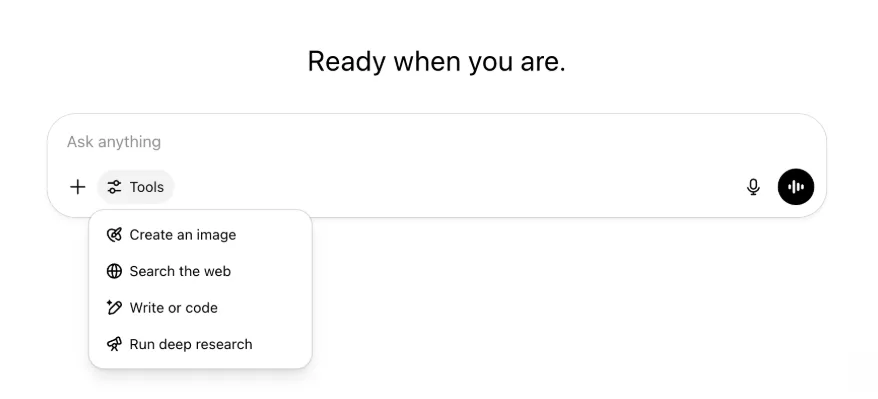
Visas līdzšinējās iespējas un rīki joprojām ir pieejami — tagad tie vienkārši ir pārskatāmāk sakārtoti vienā izvēlnē.
2025. gada 22. maijs
GPT-4.1 izlaišana pakalpojumā ChatGPT
Kopš GPT-4.1 izlaišanas API aprīlī tas ir kļuvis par izstrādātāju iecienītu modeli, tāpēc pēc plaša pieprasījuma padarām to pieejamu tieši ChatGPT.
GPT-4.1 ir specializēts modelis, kas īpaši labi veic programmēšanas uzdevumus. Salīdzinājumā ar GPT-4o tas vēl precīzāk izpilda norādījumus un labāk veic tīmekļa izstrādes uzdevumus, kā arī vienkāršākām ikdienas programmēšanas vajadzībām piedāvā alternatīvu OpenAI o3 un OpenAI o4-mini.
No šodienas Enterprise un Edu lietotāji GPT-4.1 var izmantot modeļu atlasītāja nolaižamajā izvēlnē “Vairāk modeļu”. Maksas lietotājiem GPT-4.1 darbības ierobežojumi ir tādi paši kā GPT-4o.
Iepazīstinām ar GPT-4.1 mini, kas pakalpojumā ChatGPT aizstāj GPT-4o mini
GPT-4.1 mini ir ātrs, jaudīgs un efektīvs mazais modelis, kas salīdzinājumā ar GPT-4o mini būtiski uzlabots norādījumu izpildē, programmēšanā un vispārējā intelektā. GPT-4.1 mini modeļu atlasītāja sadaļā “Vairāk modeļu” aizstāj GPT-4o mini maksas lietotājiem un kļūs par bezmaksas lietotāju rezerves modeli, kad viņi sasniegs GPT-4o lietošanas ierobežojumu. Darbības ierobežojumi nemainās.
GPT-4.1 un GPT-4.1 mini novērtējumi sākotnēji tika publicēti emuāra rakstā līdz ar to API izlaišanu. Tiem tika veikti arī standarta drošības novērtējumi. Detalizēti rezultāti pieejami jaunajā Drošības novērtējumu centrā.
2025. gada 15. maijs
Dziļās izpētes eksportēšana PDF formātā
Tagad dziļās izpētes pārskatus varat eksportēt labi noformētos PDF failos ar tabulām, attēliem, saistītām atsaucēm un avotiem.
Lai to izmantotu, noklikšķiniet uz kopīgošanas ikonas un izvēlieties „Lejupielādēt kā PDF”. Tas darbojas gan jauniem, gan iepriekšējiem pārskatiem.
Mobilā ziņojuma rakstītāja interfeisa apvienošana (iOS/Android)
No mobilā ziņojuma rakstītāja esam noņēmuši atsevišķu rīku ikonu rindu un aizstājuši to ar jaunu slīdņu stila ikonu, kas atver izvēlni Prasmes. Pieskaroties pogai, tiek atvērta apakšējā izvēlne, kur var izvēlēties tādus rīkus kā Izveidot attēlu vai Meklēt tīmeklī.
Neviens rīks netiek izņemts no aprites — piekļuve ir tikai apvienota, lai atbrīvotu vietu un mazinātu ekrāna pārblīvētību.
2025. gada 8. maijs
Lietotāju analītika pakalpojumā ChatGPT — vispārēja pieejamība
Atjaunotais Lietotāju analītikas informācijas panelis ir pieejams konsoles Pārvaldīt darbvietu cilnē Analītika. Tas sniedz visaptverošākus datus par lietojumu, ieviešanu un iesaisti nekā sākotnējā analītikas cilne.
Šis uzlabotais informācijas panelis sniedz administratoriem vispārīgu pārskatu par ChatGPT lietojumu organizācijā. Izmantojiet to, lai sekotu ieviešanai un iesaistei, izprastu populārāko rīku un GPT lietojuma tendences, kā arī noteiktu lietošanas scenārijus un lietotāju tendences.
Skatiet rakstus Lietotāju analītika ChatGPT Enterprise un Edu un Compliance API un lietotāju analītikas salīdzinājums ChatGPT Enterprise/Edu.
2025. gada 2. maijs
4o attēlu ģenerēšana GPT risinājumos
GPT tagad var izmantot ChatGPT attēlu ģenerēšanas iespējas, lai pēc pieprasījuma veidotu lietotājiem attēlus.
GPT veidotāji GPT redaktora sadaļas Konfigurēt apakšsadaļā Iespējas var iespējot “4o attēlu ģenerēšanu”.
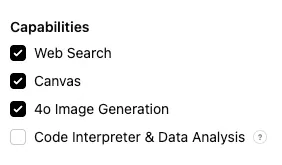
2025. gada 1. maijs
Dziļā izpēte
Lietotāji, kuri ar standarta dziļās izpētes modeli sasniedz mēneša ierobežojumu — 10 uzdevumus mēnesī —, automātiski saņems vēl 15 pieprasījumus attiecīgajā mēnesī ar mūsu vienkāršoto un izmaksu ziņā efektīvo versiju līdz mēneša ierobežojuma atiestatīšanai.
Uzziniet vairāk par dziļo izpēti.
Uzdevumi modeļos o3 un o4-mini
Tagad ar o3 un o4-mini varat veidot ieplānotus uzdevumus, kas ļauj ChatGPT izpildīt automatizētas uzvednes un pēc grafika proaktīvi ar jums sazināties. Opcija “ChatGPT ar ieplānotiem uzdevumiem” ir noņemta no modeļu atlasītāja.
Uzziniet vairāk par ieplānotiem uzdevumiem pakalpojumā ChatGPT.
2025. gada 24. aprīlis
o3 un o4-mini
Līdz ar o3 un o4-mini/o4-mini-high ieviešanu tie pakalpojumā ChatGPT attiecīgi aizstās o1 un o3-mini/o3-mini-high.
OpenAI o3 ir mūsu jaudīgākais spriestspējas modelis, kas paplašina tehnoloģiju robežas programmēšanā, matemātikā, zinātnē, vizuālajā uztverē un citās jomās. Tas sasniedz jaunus nozares labākos rezultātus tādos etalonuzdevumos kā Codeforces, SWE-bench (neveidojot īpašu modelim pielāgotu ietvaru) un MMMU. Tas ir lieliski piemērots sarežģītiem vaicājumiem, kuros vajadzīga daudzpusīga analīze un atbilde nav uzreiz acīmredzama. Tas īpaši labi veic vizuālus uzdevumus, piemēram, analizē attēlus, diagrammas un grafikus. Ārējo ekspertu vērtējumos o3 sarežģītos reālās pasaules uzdevumos pieļauj par 20 procentiem mazāk būtisku kļūdu nekā OpenAI o1, īpaši izceļoties programmēšanā, uzņēmējdarbībā un konsultācijās, kā arī radošu ideju izstrādē. Agrīnie testētāji uzsvēra tā analītisko stingrību domu apmaiņas partnera lomā un spēju izvirzīt un kritiski izvērtēt jaunas hipotēzes, jo īpaši bioloģijas, matemātikas un inženierzinātņu jomā.
OpenAI o4-mini ir mazāks modelis, kas optimizēts ātrai un izmaksu ziņā efektīvai spriestspējai. Ņemot vērā tā izmēru un izmaksas, modelis uzrāda izcilu veiktspēju, jo īpaši matemātikā, programmēšanā un vizuālos uzdevumos. Tas ir vislabākos rezultātus sasniegušais modelis AIME 2024 un 2025 etalonuzdevumos. Ekspertu vērtējumos tas pārspēj arī savu priekšteci o3-mini gan uzdevumos ārpus STEM, gan tādās jomās kā datu zinātne. Pateicoties efektivitātei, o4-mini atbalsta ievērojami augstākus lietošanas ierobežojumus nekā o3, tāpēc tas ir piemērots liela apjoma un augstas caurlaidspējas vaicājumiem, kuros noder spriestspēja.
2025. gada 10. aprīlis
ChatGPT Images
Attēlu ģenerēšana modelī GPT-4o tagad ir pieejama visiem lietotājiem kā ChatGPT noklusējuma attēlu ģenerators. Lietotāji, kuri vēlas turpināt izmantot DALL·E, tam joprojām var piekļūt ar DALL·E GPT.
Lai ģenerētu attēlus ar ChatGPT, vienkārši lūdziet modelim izveidot attēlu ar vēlamajām detaļām vai rakstītājā atlasiet opciju Izveidot attēlu. Uzziniet vairāk.
2025. gada 31. marts
Lietotāju analītika pakalpojumā ChatGPT — publiskā beta versija
Atjaunotais Lietotāju analītikas informācijas panelis ir pieejams konsoles Pārvaldīt darbvietu cilnē Analītika. Tas sniedz visaptverošākus datus par lietojumu, ieviešanu un iesaisti nekā sākotnējā analītikas cilne.
Šis uzlabotais informācijas panelis sniedz administratoriem vispārīgu pārskatu par ChatGPT lietojumu organizācijā. Izmantojiet to, lai sekotu ieviešanai un iesaistei, izprastu populārāko rīku un GPT lietojuma tendences, kā arī noteiktu lietošanas scenārijus un lietotāju tendences.
Plašāku informāciju skatiet rakstā Lietotāju analītika ChatGPT Enterprise un Edu (publiskā beta versija).
2025. gada 20. marts
Kopīgoto projektu atjauninājums
Atliekam kopīgoto projektu ar skatīšanas un rediģēšanas piekļuvi izlaišanu, lai varētu izstrādāt lietotājiem vērtīgāku un uz sadarbību vairāk orientētu versiju.
2025. gada 13. marts
Programmēšana ar Work with Apps operētājsistēmā macOS
Strādājot IDE, varat lūgt ChatGPT tieši rediģēt atvērtos failus — nekas nav jākopē un jāielīmē. Kad lūgsiet veikt labojumu, ChatGPT izveidos atšķirību pārskatu, ko varat pārskatīt un lietot; ir pieejama arī automātiska labojumu lietošana. Izmaiņas var viegli atsaukt ChatGPT saskarnē vai redaktorā nospiežot CMD+Z.
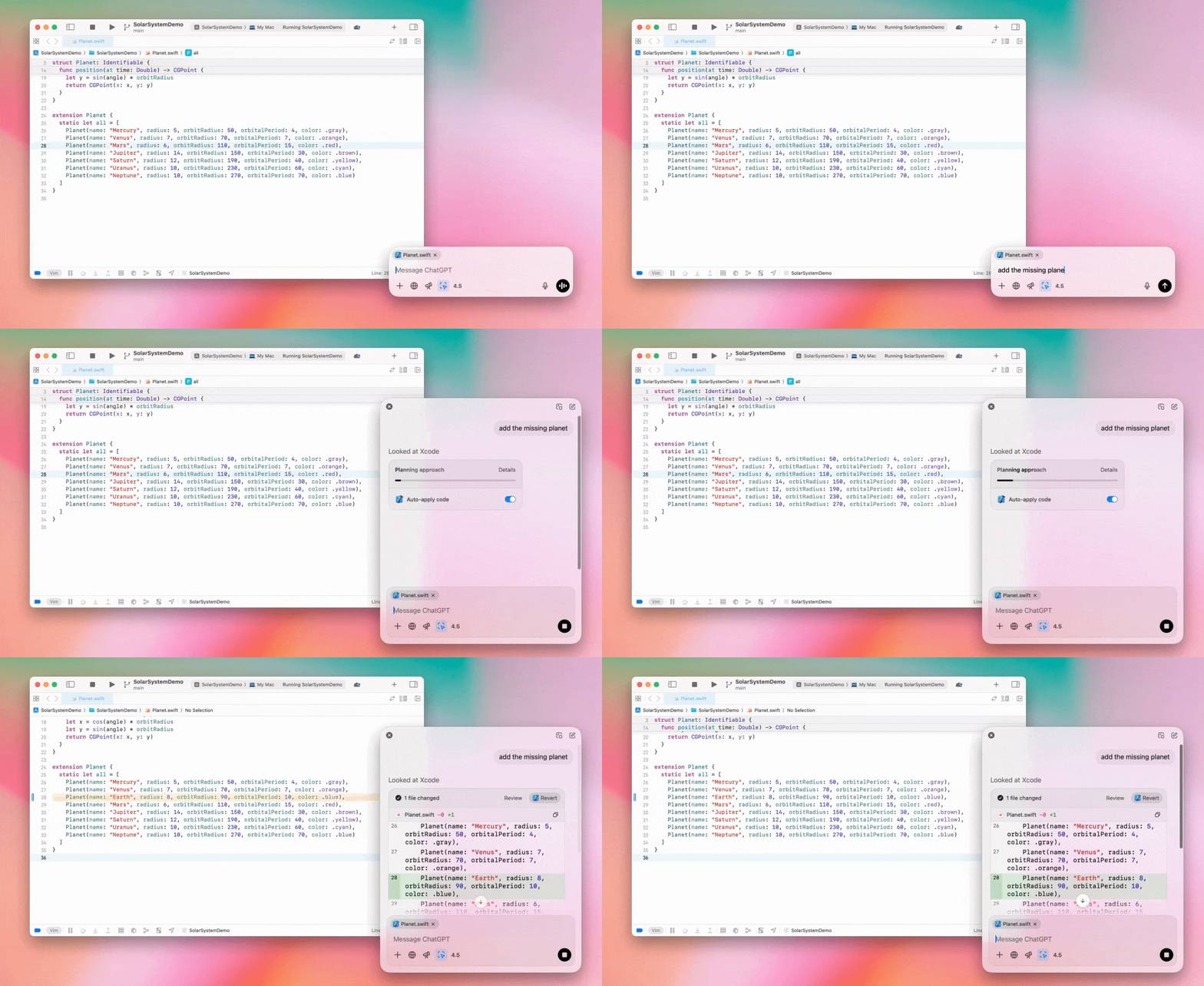
Enterprise administratori savos administratora iestatījumos var izslēgt slēdzi “Work with Apps”, lai atspējotu šo funkcionalitāti darbvietas dalībniekiem.
GPT-4.5 pakalpojumā ChatGPT
No 2025. gada 13. marta Enterprise un Edu plānu lietotāji pakalpojumā ChatGPT var izmantot mūsu GPT-4.5 modeli!
Plašāku informāciju skatiet sadaļā GPT-4.5 pakalpojumā ChatGPT.
2025. gada 10. marts
Dziļā izpēte ChatGPT Compliance API
No 2025. gada 10. marta Enterprise klientiem, kuri izmanto Compliance API, ir pieejamas šādas iespējas:
Meklējiet „dziļās izpētes globālo uzvedni”.
Atbildē meklējiet rīka nosaukumu {"tool_name":"deep_research"}.
2025. gada 25. februāris
Dziļā izpēte pakalpojumā ChatGPT
Dziļā izpēte pakalpojumā ChatGPT tagad ir pieejama Enterprise plāna lietotājiem.
Dziļā izpēte ļauj ChatGPT autonomi un asinhroni pārlūkot tīmekli, lai paveiktu jūsu profesionālos vai personiskos uzdevumus.
Enterprise un Edu lietotājiem būs pieejami 10 dziļās izpētes vaicājumi mēnesī.
Plašāku informāciju skatiet bieži uzdotajos jautājumos par dziļo izpēti.
2025. gada 13. februāris
o1 pro režīms un o3-mini pakalpojumā ChatGPT
Pakalpojumā ChatGPT o1 pro režīms tagad ir pieejams Enterprise, bet o3-mini — Enterprise Edu lietotājiem!
o3-mini: OpenAI o3-mini modeļu atlasītājā ir aizstājis o1-mini. Tas ir izmaksu ziņā efektīvāks un piedāvā augstākus darbības ierobežojumus ar mazāku latentumu. Tas ir spriestspējas modelis, tāpēc lieliski piemērots programmēšanai, STEM un loģisku problēmu risināšanai. o3-mini parāda savu domu gaitu un var pārlūkot tīmekli.
o1 pro režīms: šonedēļ modeļu atlasītājā būs pieejams arī o1 pro režīms. Tas ir izstrādāts precizitātei un padziļinātai analīzei un izceļas pētniecībā, inženierzinātnēs, uzņēmējdarbībā un tieslietās — lieliska izvēle profesionāļiem, kuri risina ļoti sarežģītus uzdevumus. o1 pro režīmam problēmas apdomāšanai būs vajadzīgs vairāk laika. Tāpēc atbildes var aizņemt kādu laiku. Lielās skaitļošanas slodzes dēļ katram lietotājam ir pieejami tikai pieci vaicājumi mēnesī. Lielākajai daļai uzdevumu optimālākā izvēle joprojām būs o1, o3-mini vai GPT-4o.
Par failu augšupielādi
Attēli, dokumenti un PDF faili tiek atbalstīti modeļos o1, o3-mini un o3-mini-high*. Izklājlapas (CSV/Excel) netiek atbalstītas.*
Režīmā o1 pro tiek atbalstīti tikai attēli. Dokumenti, PDF faili un izklājlapas (CSV/Excel) netiek atbalstīti.
Canvas kopīgošana
ChatGPT Enterprise un Edu lietotāji tagad var kopīgot Canvas materiālu, piemēram, atveidotu React/HTML kodu, dokumentu vai kodu, ar citu lietotāju līdzīgi kā sarunu. To var izdarīt Canvas rīkjoslā, kad Canvas ir atvērts.
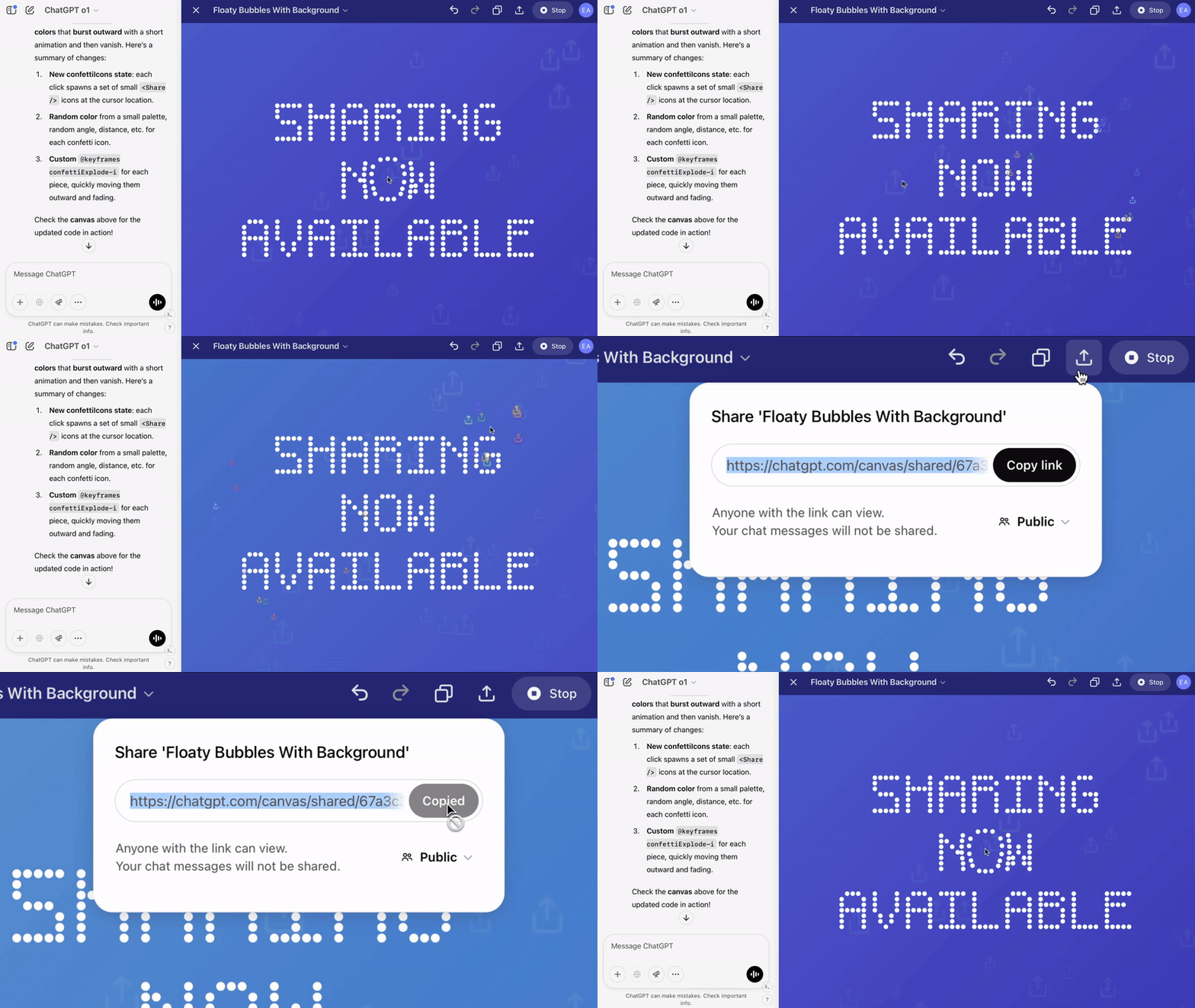
Plašāku informāciju par Canvas funkciju pakalpojumā ChatGPT skatiet attiecīgajā Palīdzības centra rakstā!
2025. gada 23. janvāris
Projekti
Projekti tagad ir pieejami visiem maksas plāniem, tostarp Enterprise un Edu.
Plašāku informāciju skatiet rakstā Projektu izmantošana pakalpojumā ChatGPT.
2025. gada 16. janvāris
Vizuālā izgūšana (PDF) ChatGPT Enterprise
ChatGPT Enterprise tagad var nolasīt un izprast PDF failos iegultus vizuālos elementus, piemēram, attēlus, grafikus un diagrammas. Lietotāji var augšupielādēt PDF failu, un ChatGPT var interpretēt gan tā tekstu, gan vizuālos elementus.
Plašāku informāciju skatiet bieži uzdotajos jautājumos par vizuālo izgūšanu PDF failos.
2024. gada 12. decembris
o1
No šodienas visi ChatGPT Enterprise klienti modeļu atlasītājā varēs piekļūt o1, kas aizstāj o1-preview.
o1 tagad var spriest par augšupielādētiem attēliem, paverot jaunas lietošanas iespējas ar detalizētāku un precīzāku vizuālo attēlojumu analīzi un skaidrošanu. Esam arī apmācījuši modeli domāt kodolīgāk, tāpēc atbildes tiek sniegtas ātrāk nekā ar o1-preview.
2024. gada 11. decembris
Apple Intelligence ar ChatGPT
ChatGPT administratori tagad darbvietas administratora iestatījumu sadaļā Savienojumi var iespējot un atspējot piekļuvi Apple Intelligence.
Ja šis iestatījums ir izslēgts, lietotāji, pierakstoties ar OpenAI akreditācijas datiem, nevar atlasīt savu ChatGPT Enterprise/Edu darbvietu.
2024. gada 10. decembris
Canvas
Šodien Canvas kļuva pēc noklusējuma pieejams ar 4o visiem bezmaksas un maksas lietotājiem. Turklāt ieviesām vairākas jaunas Canvas iespējas, tostarp:
Canvas GPT modeļos: tagad Canvas var izmantot ar GPT modeļiem, ja tas ir iespējots GPT veidotājā. Jaunizveidotajiem GPT modeļiem šis slēdzis būs iespējots pēc noklusējuma.
Python koda izpilde: tagad Canvas vidē var izpildīt Python kodu. ChatGPT mēģinās izlabot kļūdas jūsu kodā un sniegs komentārus par tām. Ņemiet vērā, ka Python koda izpildes laikā var tikt veikti ārējā tīkla pieprasījumi. Enterprise darbvietu administratori var atspējot Python koda izpildi savos administratora iestatījumos, izslēdzot iestatījumu Canvas koda izpilde. Visos Enterprise kontos šī iespēja pēc noklusējuma ir izslēgta.
Canvas saīsne: tagad varat ielīmēt saturu pakalpojumā ChatGPT un uzreiz atvērt to Canvas vidē, izmantojot saīsni ziņojuma rakstītāja augšējā labajā stūrī.
Canvas rīklodziņā: Canvas ir pievienots rīklodziņam kā viena no iespējām.
Darbvietu administratori tagad var izmantot Compliance API, lai iegūtu, uzskaitītu un dzēstu Canvas teksta dokumentus.
Ņemiet vērā, ka administratora iestatījums Canvas atspējošanai ir noņemts, jo šī funkcija vairs nav beta versijā. Ja šī funkcija iepriekš bija atspējota, mēs turpināsim ievērot šo iestatījumu. Lūdzu, sazinieties ar mūsu atbalsta komandu, izmantojot tērzēšanas burbuli šīs lapas apakšējā labajā stūrī.
2024. gada 3. decembris
Work with Apps operētājsistēmā macOS
Izmantojot Work with Apps operētājsistēmā macOS, ChatGPT tagad var lasīt jūsu programmēšanas lietotņu saturu un sniegt gudrākas, precīzākas un darbam pielāgotas atbildes. Uzziniet vairāk par Work with Apps operētājsistēmā macOS.
Enterprise administratori savos administratora iestatījumos var izslēgt slēdzi “Work with Apps”, lai atspējotu šo funkcionalitāti darbvietas dalībniekiem.
2024. gada 22. novembris
ChatGPT tīmekļa versijas atjauninājumi
Nākamo divu nedēļu laikā visiem ChatGPT lietotājiem ieviesīsim tālāk norādītos atjauninājumus.
Pārveidota sānjosla
Pievienots jauns peldošais režīms ar netraucētu aizvēršanu
Sānjoslā tagad tiek rādīts ierobežots neseno sarunu skaits, bet visas sarunas ir pieejamas iznirstošā skatā ar neierobežotu ritināšanu
Nesenie un piespraustie GPT tagad tiek rādīti zem sarunām
Iestatījumi tagad vienmēr atrodas sānjoslas apakšdaļā
Ja sānjosla nav atvērta, lielākos skatos tagad redzama maza iestatījumu ikona
Pievienotas jaunas pārejas, kas rada saistošāku pieredzi
Citi ChatGPT tīmekļa versijas atjauninājumi
Pārveidoti vietnes pamati, būtiski uzlabojot atbalstu plašākam ierīču un ekrānu izmēru klāstam
Sākot jaunu sarunu, tā tagad tiek ritināta ekrāna augšdaļā
Sākot jaunu sarunu, atbildes ģenerēšanas laikā skats vairs netiek automātiski ritināts uz leju
Ja ir pietiekami daudz vietas, piespraustā sānjosla tagad var palikt atvērta kopā ar aktīvu Canvas
Jaunajā ziņojuma rakstītāja joslas izkārtojumā ritinot zem tās esošais saturs pakāpeniski izgaist, un ir atjaunināts kopējais izskats
Lai jaunās sarakstes poga būtu vieglāk sasniedzama, tā pārvietota pa kreisi no modeļu atlasītāja
Lai atbrīvotu vairāk horizontālās vietas, no sarunām noņemta sistēmas ikona
Atjaunināts DALL-E specializētā skata izkārtojums
Atjaunināts GPT veidotāja izkārtojums
Uzlabota mobilā tīmekļa versija
Būtiski uzlabota ekrāntastatūras lietošana iOS un Android mobilajās ierīcēs
Jaunā sānjosla vienmēr darbojas peldošajā režīmā un automātiski aizveras, pārslēdzot sarunas
Pārslēdzot sarunas mobilajā tīmekļa versijā, fokuss vairs netiek automātiski pārvietots uz ziņojuma rakstītāju
Novērsta problēma, kuras dēļ noteiktās situācijās iestrēga ritināšana
2024. gada 20. novembris
GPT-4o atjauninājums
Esam atjauninājuši GPT-4o visu maksas līmeņu ChatGPT lietotājiem. Šajā GPT-4o atjauninājumā ir uzlabotas rakstīšanas spējas: teksts tagad ir dabiskāks, labāk pielāgots auditorijai, būtiskāks un vieglāk lasāms. Šis modelis arī labāk strādā ar augšupielādētiem failiem, sniedzot dziļāku ieskatu un pilnīgākas atbildes.
2024. gada 19. novembris
Uzlabotais balss režīms ChatGPT tīmekļa versijā
No šodienas sākam ieviest uzlaboto balss režīmu tīmeklī; tas jau ir pieejams mobilajās un darbvirsmas lietotnēs. Lietotāji tagad var sākt balss saraksti vietnē chatgpt.com savā datorā un reāllaikā dabiski sarunāties ar ChatGPT, plānojot, rakstot vai ģenerējot idejas.
2024. gada 14. novembris
Windows lietotne
Uzlabotā Windows lietotne tagad ir pieejama Microsoft Store veikalā ChatGPT Enterprise un Edu darbvietām. ChatGPT lietotāji, kuri pārzina tīmekļa versiju, var netraucēti iekļaut Windows lietotni visos datorā veiktajos darbos.
Lietotāju piekļuve ChatGPT Windows lietotnei būs atkarīga no jūsu IT administratora Microsoft Store lietotņu politikām. Nākamajās nedēļās IT administratori varēs arī izvietot lietotni darbinieku ierīcēs ar MDM/MAM, nevis atļaut tiešu lejupielādi no veikala.
Tāpat kā jebkurā ChatGPT Enterprise risinājumā, lietotāju sarakstes vēsture ir droša un netiks izmantota OpenAI pakalpojumu uzlabošanai.
Uzziniet vairāk par ChatGPT Windows lietotni.