
২৩ জুলাই, ২০২৬
আরও natural ChatGPT ভয়েস experience
ChatGPT ভয়েস Enterprise ও Edu ওয়ার্কস্পেসে দুইটি distinct experience সহ rollout হচ্ছে:
Voice in Chat: প্রশ্ন করা, brainstorm করা ও idea explore করার জন্য natural, real-time conversation করুন. GPT-Live দ্বারা powered, Voice in Chat interruption, follow-up question, এবং available হলে web search-এর মতো capability support করে. এটি Desktop Chat এবং supported web, iOS ও Android experience-এ available.
Voice in Work and Codex: Desktop app-এ শুরু করে, ChatGPT ভয়েস আপনার computer control করতে এবং multiple agents, active conversations ও projects জুড়ে কাজ coordinate করতে পারে. Task শুরু করা, progress check করা, কাজ interrupt বা redirect করা, এবং background-এ task চলতে থাকাকালে update পেতে এটি ব্যবহার করুন. macOS ও Windows-এ available, paired iOS remote access সহ. Standalone Voice in Work and Codex web বা mobile-এ available নয়.
প্রথম দুই সপ্তাহে, members তাদের Voice settings-এ Live select করার আগে workspace owner-দের Advanced voice capabilities এবং Early Model Access—দুটিই enable করতে হবে. Existing Advanced Voice conversation এই সময়ে automatically Live-এ switch করবে না.
Early access period-এর পর, Advanced voice capabilities enabled থাকা workspace-এর default Voice experience হবে Live. Workspace owner-রা Advanced voice capabilities disable করে Voice পুরোপুরি off করতে পারেন.
Flexible pricing থাকা workspace-এ, Voice in Chat প্রতি minute ৫ ক্রেডিট ব্যবহার করে. Credit-based Enterprise ওয়ার্কস্পেসে Voice in Work and Codex প্রতি minute আনুমানিক ৬ ক্রেডিট ব্যবহার করে. Legacy Enterprise ওয়ার্কস্পেসে প্রতি পাঁচ ঘণ্টার window-তে এক ঘণ্টা Voice, দুই ঘণ্টা Voice Mini, এবং আনুমানিক ৪৫ মিনিট Voice in Work and Codex অন্তর্ভুক্ত. Work বা Codex দিয়ে delegated task standard rate-এ existing shared usage pool থেকে draw করে.
ChatGPT ভয়েস এবং Business, Enterprise ও Edu-এর জন্য Voice pricing সম্পর্কে আরও জানুন.
ChatGPT কাজ enablement
ChatGPT/Edu Enterprise ওয়ার্কস্পেসের জন্য, workspace owner বা admin off না করলে কাজ members-দের জন্য default enabled. Workspace settings ও role-based access controls প্রতিটি member-এর access নির্ধারণ করতে থাকে, Enterprise Key Management enabled যোগ্য Enterprise ওয়ার্কস্পেসের ক্ষেত্রেও.
ChatGPT কাজ ও Codex এবং ChatGPT Enterprise-এ workspace settings manage করা-এ আরও জানুন.
Model defaults
Workspace settings → Models-এ, workspace owner ও admin-রা কাজ ও Codex-এর starting model, reasoning level, speed, এবং new-chat behavior set করতে পারেন. এই settings starting experience define করে. এগুলো unavailable মডেলে access দেয় না বা available-model controls, role-based access, বা enforced workspace requirement replace করে না.
ChatGPT Enterprise-এ workspace settings manage করা এবং ChatGPT কাজ ও Codex-এ আরও জানুন.
Usage limits
আমরা Usage Limits-কে Workspace settings থেকে Global Admin Console-এ move করছি. Owners ও admins workspace default set করতে, group ও user override create করতে, effective limit review করতে, এবং more usage request control করতে পারেন. Usage limits → Workspace-এ, admins default Monthly period রাখতে পারেন, যা UTC-তে প্রতিটি calendar month-এর প্রথম দিনে reset হয়, বা option available হলে Aligned to billing cycle choose করতে পারেন.
Usage limits ও overages manage করা এবং Global Admin Console-এ আরও জানুন.
Usage estimates ও group analytics
Eligible workspace-এর জন্য, Analytics, Billing, usage-limit editor, Cost API, এবং Codex analytics API-তে credits-এর পাশে estimated dollar value দেখা যেতে পারে. Estimate selected workspace-এর overage rate ব্যবহার করে এবং planning-এর জন্য. Billing → Invoices issued charge-এর source থাকে. Analytics leaderboards-এ এখন Groups tab-ও আছে, product, metered item ও model অনুযায়ী group-level breakdown সহ.
Global Admin Console এবং Workspace analytics-এ আরও জানুন.
July 22, 2026
OpenAI Presence and AI phone support updates
OpenAI Presence is now available in limited general availability as a managed platform for organizations building and operating governed AI agents for high-volume workflows. Presence supports voice or chat deployments with controls for testing, permissions, monitoring, and human escalation. Availability depends on workflow fit, implementation readiness, and delivery capacity. Contact your OpenAI account team to discuss access. Learn more about OpenAI Presence.
AI phone support, which uses OpenAI Presence, is no longer experimental. Users in the United States, Canada, and Australia can call without a ChatGPT account for routine product, account, and troubleshooting questions. This automated support channel cannot submit reports or requests, connect users with a live agent, initiate an escalation or account review, or guarantee follow-up. Learn more about AI phone support.
১৬ জুলাই, ২০২৬
Expanded Admin APIs ও analytics
Admins এখন Global Admin Console-এ Credentials > Admin keys-এর অধীনে workspace-scoped Admin key create ও manage করতে পারেন. এই keys group management, Spend Controls API, cost reporting ও analytics-এর জন্য supported ChatGPT ও Codex administration APIs-এর সঙ্গে কাজ করে. Available permission admin-এর workspace role-এর উপর নির্ভর করে, এবং Admin keys model inference-এর জন্য ব্যবহার করা যায় না.
Global Admin Console-এ এখন ১২০ দিন পর্যন্ত credit ও Codex analytics history থাকে. Spend Controls ও Usage limits tab ChatGPT-তেই থাকে এবং এই Global Admin Console launch-এর অংশ নয়. Admins Workspace settings → Usage limits থেকে No limit option available হলে তা-সহ usage limits manage করতে পারেন. ChatGPT Enterprise ও Edu-তে usage limits ও overage manage করা এবং Global Admin Console-এ আরও জানুন.
ChatGPT desktop app experience আপডেট
Chat ও কাজ-এর মধ্যে choose করা, আপনার conversations ও Projects খুঁজে পাওয়া, এবং device জুড়ে কাজ continue করা সহজ করতে আমরা ChatGPT desktop app update করেছি. এই update এখন macOS ও Windows-এ সব plan-এর জন্য live.
macOS ও Windows
আরও পরিষ্কার desktop layout: Global switcher আপনাকে ChatGPT ও Codex-এর মধ্যে choose করতে দেয়. ChatGPT-তে quick question ও conversational help-এর জন্য চ্যাট choose করুন, অথবা end to end task complete করতে কাজ choose করুন.
Unified Recents: চ্যাট ও কাজ conversation এখন Recents-এ একসঙ্গে দেখা যায়, যেখানে আপনি sort, filter ও pin করতে পারেন.
Desktop app-এ Projects: আপনার existing ChatGPT Projects এখন app-এ দেখা যায়. আপনি Project-এর মধ্যে Chat conversation শুরু করতে বা Project context ব্যবহার করে Work thread শুরু করতে পারেন.
Device জুড়ে কাজ continue করুন: Cloud Work conversation এখন web, mobile ও desktop জুড়ে sync হয়, যাতে এক surface-এ শুরু করে অন্যটিতে continue করতে পারেন. Local conversation আপনার computer-এ থাকে.
Codex অপরিবর্তিত থাকে: এই update-এর অংশ হিসেবে, Codex separate view হিসেবেই থাকে, এবং তার workflow ও history অপরিবর্তিত. Quick Chats fast conversation-এর জন্য available থাকে.
Workspace control-এ কোনো পরিবর্তন নেই: Existing workspace access permission, security setting, governance, এবং spend control অপরিবর্তিত.
১৫ জুলাই, ২০২৬
Sync সহ apps এখন EKM workspaces support করে
Sync সহ apps এখন Enterprise Key Management (EKM) enabled থাকা ChatGPT Enterprise ও Edu ওয়ার্কস্পেসের জন্য উপলভ্য. এই update sync সহ সব apps-এ apply করে.
আরও জানতে, sync সহ ChatGPT apps এবং OpenAI Enterprise Key Management (EKM) overview দেখুন.
৯ জুলাই, ২০২৬
ChatGPT কাজ পরিচয় করিয়ে দেওয়া হচ্ছে
ChatGPT কাজ দীর্ঘ, বেশি জড়িত টাস্কের জন্য একটি এজেন্ট. এটি তথ্য research ও analyze করতে, connected apps ও files জুড়ে কাজ করতে, এবং finished documents, spreadsheets, presentations, reports এবং সাইট তৈরি করতে পারে. এটি কাজ করার সময় আপনি progress follow করতে, questions answer করতে, direction change করতে এবং important actions approve করতে পারেন.
Work scheduled tasks-এর মাধ্যমে projects চলমান রাখতে পারে, যা একবার run করে, schedule বা trigger অনুযায়ী repeat করে, বা changes monitor করে.
Web ও mobile-এ, Work Free ও Go বাদে paid plans-এ roll out হচ্ছে. Pro, Pro Lite, Enterprise এবং Edu users প্রথমে access পাবেন; Plus ও Business users আগামী দিনগুলোতে পাবেন. Work সব supported regions-এ available.
Web ও mobile-এ, Enterprise ও Edu workspaces-এর দুই সপ্তাহের preview period রয়েছে. Preview চলাকালে Work default off থাকে, এবং preview শেষে automatically on হওয়ার আগে admins opt out করতে পারেন.
আমরা App Directory-কে Plugin Directory দিয়ে replace করছি. Existing app connections unaffected. Plugins নির্দিষ্ট workflows-এর জন্য skills, apps এবং app templates package করতে পারে, এবং ChatGPT on web ও desktop থেকে available, Work ও Codex সহ.
ChatGPT কাজ এবং Codex সম্পর্কে আরও জানুন.
Plugins এবং নতুন plugin directory সম্পর্কে আরও জানুন.
Skills এখন সাধারণভাবে উপলভ্য
Enterprise ও Edu users sidebar-এর Plugins-এর অধীনে, Plugin Directory-এর Skills tab-এ skills খুঁজে পাবেন.
নতুন ChatGPT desktop app Chat, Work এবং Codex-কে একসঙ্গে আনে
নতুন ChatGPT desktop app macOS ও Windows-এর জন্য বিশ্বব্যাপী available. এটি questions ও conversation-এর জন্য চ্যাট, research ও finished deliverables-এর জন্য কাজ, এবং software development-এর জন্য Codex-কে এক app-এ combines করে.
Desktop-এ, Work আপনার permission নিয়ে local files ও desktop apps ব্যবহার করতে পারে. Built-in browser ChatGPT-কে websites থেকে information gather করতে এবং supported web-based tools ও files-এর সঙ্গে কাজ করতে দেয়. Codex diff-এর মধ্যে inline editing, side panel-এ pull-request review, faster computer use এবং এক project-এ multiple repositories-এর support-ও যোগ করে.
আপনি যদি ইতিমধ্যে Codex app ব্যবহার করেন, নতুন ChatGPT desktop app-এ যেতে usualভাবে update করুন. আপনি যদি previous ChatGPT desktop app ব্যবহার করেন, new version download করতে app-এর prompt follow করুন. Previous app ChatGPT Classic হিসেবে installed থাকতে পারে. ChatGPT Classic model updates, bug fixes, security patches এবং existing Enterprise capabilities-এর support পেতে থাকে, আর Work ও Codex-এর মতো new agent features নতুন app-এ available.
নতুন ChatGPT desktop app-এ যাওয়া সম্পর্কে আরও জানুন.
Public beta-তে ChatGPT Sites পরিচয় করিয়ে দেওয়া হচ্ছে
ChatGPT Sites আপনাকে ChatGPT ছাড়াই আপনার কাজ বা idea-কে interactive website বা lightweight app-এ রূপ দিতে দেয়. আপনি dashboards, project trackers, launch calendars, prototypes, internal portals এবং reports তৈরি করতে পারেন, তারপর share করার আগে ChatGPT দিয়ে result preview ও refine করতে পারেন.
Business ও Enterprise customers ইতিমধ্যে Sites access পেয়েছেন. আজ থেকে, তারা Sites publicly publish করে URL-এর মাধ্যমে যেকোনো ব্যক্তির সঙ্গে share করতে পারবেন, ফলে Sites তাদের workspace-এর বাইরের মানুষদের কাছেও পৌঁছাবে.
Site তৈরি করতে web-এ ChatGPT Work থেকে বা ChatGPT desktop app-এ Work বা Codex থেকে শুরু করুন. আপনি কী build করতে চান তা describe করুন, relevant content, files, data, links বা constraints যোগ করুন, এবং publish করার আগে private preview review করুন.
Enterprise workspaces-এ public publishing default off থাকে এবং admin দ্বারা enabled হতে হবে. Sites public beta-তে Pro, Pro Lite এবং Edu users-এর জন্যও roll out হচ্ছে, Plus users আগামী দিনগুলোতে পাবেন. Sites Free বা Go plans-এ available নয়. Public publishing এবং expanded beta rollout launch-এর সময় EEA, Switzerland বা United Kingdom-এ available নয়.
ChatGPT Sites তৈরি ও পরিচালনা সম্পর্কে আরও জানুন.
ChatGPT-তে group chats অবসর নিচ্ছে
৯ জুলাই থেকে web, iOS এবং Android-এর users আর নতুন group chats তৈরি, existing conversations-কে group chats-এ রূপান্তর, বা invite link দিয়ে group chat-এ join করতে পারবেন না.
Existing group chats আপাতত available থাকবে এবং ব্যবহার করা যাবে. কোনো existing group chat read-only হলে, users সেখানে ইতিমধ্যে shared messages, files এবং images-এ access রাখবেন. Individual ChatGPT conversations unaffected.
Atlas অবসর নিচ্ছে
Browser-based agentic capabilities ChatGPT ও Codex-এ আনার সঙ্গে সঙ্গে আমরা Atlas deprecate করছি. Atlas ৯ আগস্ট, ২০২৬-এ কাজ বন্ধ করার জন্য scheduled.
আমরা এই transition যতটা সম্ভব সহজ করতে চাই. তার আগে, আপনি রাখতে চান এমন Atlas data সরিয়ে নিন. Bookmarks, open tabs এবং browser history সহ Atlas browser data automatically transfer হবে না. আপনি cookies ও passwords ChatGPT desktop app-এ এবং bookmarks Chrome-এ export করতে পারেন. ৯ আগস্টের আগে open tabs ও browser history থেকে গুরুত্বপূর্ণ pages বা URLs save করুন.
আপনার ChatGPT conversation history আলাদা এবং আপনার plan, workspace settings ও account access অনুযায়ী ChatGPT-তে available থাকবে.
Atlas থেকে যা শিখেছি তার ওপর ভিত্তি করে আমরা ChatGPT-তে আরও সক্ষম browser experience আনছি, multiple tabs, downloads, improved navigation এবং যেখানে available সেখানে account login support সহ. আরও গভীর browser-based agentic work-এর জন্য ChatGPT desktop app চেষ্টা করুন. Chrome-এ browse করার সময় help-এর জন্য ChatGPT Chrome extension বা sidebar চেষ্টা করুন, যেখানে available.
Atlas থেকে সরার বিষয়ে আমাদের Help Center article-এ আরও জানতে পারেন.
৬ জুলাই, ২০২৬ PowerPoint-এর জন্য ChatGPT এখন generally available
PowerPoint-এর জন্য ChatGPT এখন Enterprise ও Edu ওয়ার্কস্পেসের জন্য generally available. Users সরাসরি Microsoft PowerPoint-এ editable presentation create ও revise করতে, deck-এর narrative ও structure analyze করতে, এবং authorized source থেকে কাজ করতে approved Skills ও apps ব্যবহার করতে পারেন. Advanced edit ও template matching এখনও review require করতে পারে.
Admins workspace settings দিয়ে add-in enable করতে বা Microsoft 365 দিয়ে deploy করতে পারেন, applicable হলে RBAC-based access সহ. যোগ্য ওয়ার্কস্পেসের জন্য, PowerPoint-এর জন্য ChatGPT workspace policy enforcement, scoped source access, প্রম্পট ও response-এর কমপ্লায়েন্স API coverage, EU Inference Residency, এবং Enterprise Key Management support করে. PowerPoint-এর জন্য ChatGPT সম্পর্কে আরও জানুন.
Excel/Sheets ও Workspace Agent pricing
Excel/Sheets-এর জন্য ChatGPT task এখন Enterprise ও Edu ওয়ার্কস্পেসে token-based credit pricing ব্যবহার করে. Workspace Agent run-ও Enterprise ওয়ার্কস্পেসে token-based credit pricing ব্যবহার করে. Credit use fixed credit cost-এর বদলে input token, cached input token, এবং output token-এর উপর based.
PowerPoint-এর জন্য ChatGPT Enterprise customer-দের জন্য ৬ আগস্ট, ২০২৬ পর্যন্ত free থাকবে. সেই date-এর পর ChatGPT for Excel/Sheets-এর একই token-based pricing model অনুযায়ী charging শুরু হবে. ChatGPT rate card-এ আরও জানুন.
২৬ জুন, ২০২৬
Model picker-এ simplified controls
আমরা web, iOS ও Android-এ ChatGPT Enterprise ও Edu-এর জন্য updated model picker rollout করছি. Workspace-এ available underlying মডেল না বদলে task-এর জন্য speed ও reasoning effort-এর সঠিক balance choose করা এটি সহজ করে.
Picker-এ এখন আছে:
দ্রুত
মাঝারি
উচ্চ
অতি উচ্চ
Pro স্ট্যান্ডার্ড
Pro এক্সটেন্ডেড
মাঝারি Thinking Standard-কে replace করে, উচ্চ Thinking Extended-কে replace করে, এবং অতি উচ্চ Thinking Heavy-কে replace করে. Pro স্ট্যান্ডার্ড ও Pro এক্সটেন্ডেড GPT-5.5 Pro ব্যবহার করতে থাকে. Thinking Light আর উপলভ্য নয়.
Workspace access settings সাপেক্ষে Enterprise ও Edu ওয়ার্কস্পেসে ছয়টি option-ই উপলভ্য. Reasoning Model Access মাঝারি, উচ্চ ও অতি উচ্চ control করে. Pro Model Access Pro স্ট্যান্ডার্ড ও Pro এক্সটেন্ডেড control করে. Member access করতে না পারা option picker থেকে hidden থাকে.
Redirect Auto Router to Thinking mini setting অপরিবর্তিত এবং শুধু automatic reasoning-এ apply করতে থাকে. iOS ও Android-এ picker conversation-এর top-এ দেখা যায়. Web-এ এটি message composer-এ দেখা যায়.
ChatGPT Enterprise ও Edu-এর plugins-এর জন্য admin controls
Workspace admin ও owner-রা এখন Workspace settings > Plugins থেকে plugin manage করতে পারেন. এই page plugin discovery ও governance এক surface-এ আনে, status, installation policy, role, category ও catalog-এর search ও filter সহ. এছাড়া, workspace owner-রা Workspace settings > Permissions & Roles থেকে তাদের workspace বা select role-এর জন্য plugin enable বা disable করতে পারেন.
Admin ও owner-রা plugins member-দের install করার জন্য available হবে কি default installed থাকবে তা set করতে পারেন - workspace-এর জন্য বা specific role-এর জন্য. Admins plugin যে apps ব্যবহার করে তা view করতে এবং এই view থেকে plugin manage করতে পারেন. আরও জানুন: Codex-এ Plugins
২৫ জুন, ২০২৬
ChatGPT Enterprise ও Edu-এর জন্য Memory improvements
আমরা ChatGPT Enterprise ও Edu-এর জন্য improved memory rollout করছি. Memory enabled হলে, ChatGPT manually saved detail-এর উপরই শুধু rely না করে past chat থেকে relevant context ব্যবহার করে memory current রাখতে ও work পরিবর্তনের সঙ্গে response আরও relevant করতে পারে.
Users এখন পারেন:
ChatGPT response personalize করতে যে information use করতে পারে তা দেখানো memory summary review করতে.
Personalized response-এর নিচে Sources দেখে memories, past chat ও custom instruction থেকে relevant context দেখতে.
Memory correct করতে, referenced chat delete করতে, source not relevant হিসেবে mark করতে, memory off করতে, বা legacy Saved memories-এ ফিরে যেতে.
Memory summary relevant context-এর high-level view এবং ChatGPT যা remember বা reference করতে পারে সবকিছু include নাও করতে পারে.
ChatGPT Enterprise-এর জন্য improved experience প্রায় দুই সপ্তাহের early access period দিয়ে শুরু হবে. Early access চলাকালে, admins Workspace settings-এ Use improved memory on করতে পারেন. Early access-এর পর, কোনো admin opt out না করলে এটি eligible workspace-এ default on হবে. Admins ও users legacy Saved memories-এ switch back করতে পারেন.
এই update Codex memory প্রভাবিত করে না. Project-only memory প্রতিটি project-এর মধ্যে contained থাকে এবং সেই project-এর বাইরে থাকা memory বা conversation ব্যবহার করে না. এই improvementগুলো কোনো additional cost ছাড়া উপলভ্য.
ChatGPT-এ এই memory improvement-এর পেছনের research সম্পর্কে আরও জানুন.
Codex Remote GA ও DigitalOcean workspaces
Codex Remote এখন ChatGPT Enterprise ও Edu ওয়ার্কস্পেসের user-দের জন্য generally available. ChatGPT mobile app থেকে users connected Mac বা Windows host-এ কাজ শুরু বা continue করতে, progress review করতে এবং phone থেকে action approve করতে পারেন. Remote Control এখন প্রতিটি supported mobile device ও প্রতিটি host-এর মধ্যে authenticated one-to-one QR pairing ব্যবহার করে. ৮ জুন থেকে ব্যবহৃত connection paired থাকে; পুরনো inactive connection আবার pair করতে হবে. Sign out করলে existing pairing remove না করেই Remote Control off হয়.
নতুন DigitalOcean Droplet Workspace plugin ChatGPT Enterprise ও Edu user-দের জন্যও উপলভ্য. এটি Codex-কে DigitalOcean Droplet provision করতে, SSH access configure করতে, এবং Codex app-এ remote workspace হিসেবে connect করতে দেয়. Connect করার আগে users ChatGPT mobile app ও Codex app latest version-এ update করবেন. ChatGPT plan দিয়ে Codex ব্যবহার সম্পর্কে আরও জানুন.
১৯ জুন, ২০২৬
Slack connector actions ও OAuth scope approvals
Enterprise ও Edu ওয়ার্কস্পেস এখন ChatGPT-তে Slack connector actions enable করতে পারে. Slack search করার পাশাপাশি, connector ও relevant action enabled থাকলে ChatGPT channel join করা, reminder create করা, file upload করা, বা user-এর Slack profile update করার মতো supported action নিতে পারে.
Admins ChatGPT-তে Apps-এর অধীনে Slack review করতে এবং কোন action available হবে তা manage করতে Action control ব্যবহার করতে পারেন. কিছু action-এর জন্য অতিরিক্ত Slack OAuth scope বা Slack workspace বা Enterprise Grid admin-এর approval লাগতে পারে. নতুন scope approve না হলেও existing Slack capability, যেগুলো নতুন scope require করে না, কাজ চালিয়ে যায়. ChatGPT Slack app article-এ আরও জানুন.
১৮ জুন, ২০২৬
Usage limits, Global Admin Console বিলিং ও অ্যানালিটিক্স
Enterprise ও Edu অ্যাডমিনদের জন্য ক্রেডিট ব্যবহার পরিচালনা ও বিলিং-সম্পর্কিত কার্যকলাপ পর্যালোচনার নতুন টুল এখন আছে. ওয়ার্কস্পেস সেটিংসের Usage limits অ্যাডমিন ও মালিকদের ওয়ার্কস্পেস, গ্রুপ ও ব্যবহারকারী অনুযায়ী মাসিক ক্রেডিট সীমা নির্ধারণ, বৃদ্ধির অনুরোধ পর্যালোচনা এবং Permissions & roles-এর বিদ্যমান সাপ্তাহিক সীমা থেকে মাইগ্রেট করতে দেয়.
যোগ্য ওয়ার্কস্পেসের জন্য Global Admin Console-এ এখন আপডেটেড Analytics ও Billing এলাকা রয়েছে, যার মধ্যে ক্রেডিট অ্যানালিটিক্স, Codex ও ChatGPT ব্যবহারের ভিউ, প্ল্যানের বিস্তারিত, ক্রেডিট ব্যালেন্স, grant activity, invoice, usage alert এবং overage limit সেটিংস আছে. অ্যাডমিন, মালিক ও অ্যানালিটিক্স ভিউয়াররা usage data দেখতে এবং বিভিন্ন ফিচার ও মাত্রা জুড়ে data export করতে পারেন, যেমন Codex ও ChatGPT ব্যবহৃত ক্রেডিট, ব্যবহারকারী ও এজেন্টের leaderboard, এবং ফিচারভিত্তিক Codex ও ChatGPT ব্যবহার.
আরও জানুন: ChatGPT Enterprise ও Edu-তে usage limits সেট করা, Global Admin Console.
Codex-এ Record & Replay
Record & Replay macOS-এর জন্য Codex অ্যাপের নতুন ফিচার, যা যোগ্য Enterprise ও Edu ব্যবহারকারীদের একবার workflow দেখিয়ে সেটিকে পুনর্ব্যবহারযোগ্য skill-এ রূপ দিতে দেয়. এটি স্থিতিশীল, পুনরাবৃত্তিযোগ্য workflow-এর জন্য তৈরি, যা বর্ণনার চেয়ে দেখানো সহজ; তৈরি হওয়া skill পরে Computer Use, browser action ও ইনস্টল করা plugin-এর মতো উপলভ্য টুল দিয়ে Codex-কে অনুরূপ কাজে নির্দেশনা দিতে পারে.
Record & Replay-এর জন্য Computer Use উপলভ্য ও চালু থাকতে হবে, এবং প্রাথমিকভাবে ইউরোপীয় ইউনিয়ন, যুক্তরাজ্য ও সুইজারল্যান্ডে উপলভ্য নয়. Managed Codex deployment-এ Computer Use বন্ধ করলে Record & Replay এবং সংশ্লিষ্ট enablement flow-ও বন্ধ হয়. Record & Replay গাইডে আরও জানুন.
১৭ জুন, ২০২৬
ChatGPT Edu ওয়ার্কস্পেসের জন্য data export
ডাটা রেসিডেন্সি কনফিগারেশন ছাড়া ChatGPT Edu ওয়ার্কস্পেসের সদস্যরা এখন ওয়ার্কস্পেস অ্যাডমিন Data export চালু করলে তাদের ওয়ার্কস্পেস data export করতে পারেন. সদস্যরা Settings > Data controls থেকে export অনুরোধ করতে, পাওয়া ইমেল থেকে export ডাউনলোড করতে এবং অন্তর্ভুক্ত conversation JSON ব্যক্তিগত ChatGPT অ্যাকাউন্টের নতুন কথোপকথনে রেফারেন্সের জন্য আপলোড করতে পারেন.
Data export ডিফল্টভাবে বন্ধ, এবং সেটিংটি সব ওয়ার্কস্পেস সদস্যের ক্ষেত্রে প্রযোজ্য. আরও জানুন.
১১ জুন, ২০২৬
Enterprise, Edu ও Healthcare ওয়ার্কস্পেসের জন্য Library
Library Enterprise, Edu ও Healthcare ওয়ার্কস্পেসে rollout হচ্ছে, যেখানে members ChatGPT-তে upload করা বা তৈরি করা file খুঁজে ও reuse করার dedicated place পাবে. Library-তে saved file workspace retention policy অনুসরণ করে.
Workspace owner-রা ChatGPT response দেওয়ার সময় Library file automatically reference করবে কি না তা control করতে পারেন. Automatic referencing বন্ধ করলে Library remove হয় না বা members-দের browsing, searching, opening, বা নিজে file attach করা বন্ধ হয় না. Healthcare ওয়ার্কস্পেসে automatic referencing default off.
Library file export ও delete করার জন্য Library-specific কমপ্লায়েন্স API endpoint-ও উপলভ্য. Library নতুন external sharing বা multiplayer collaboration আনছে না.
ChatGPT-তে File storage ও Library সম্পর্কে আরও জানুন.
Global admin console আপডেট
Cloud Console-এ এখন Sign in with ChatGPT-এর জন্য external app access control আছে. অ্যাডমিনরা organization-এর জন্য external application access on বা off করতে, members ব্যবহার করার আগে application approval require করতে, এবং individual application approve বা disable করতে পারেন.
Codex আপডেট
আমরা কয়েকটি Codex update ship করেছি, যার মধ্যে আছে:
Enterprise plan-এর জন্য Windows-এ Computer Use. Computer Use, Managed configuration, এবং configuration reference দেখুন.
Chrome ও Codex in-app browser-এ Browser use-এর জন্য Developer mode, যেখানে উপলভ্য. Developer mode Codex-কে performance profiling এবং network traffic, console output, runtime error, DOM state ও applied style-এর deeper debugging-এর জন্য controlled Chrome DevTools Protocol (CDP) access ব্যবহার করতে দেয়. Featureটি user level-এ default off, এবং Codex app settings থেকে enable করা যায়. অ্যাডমিন ও মালিকরা Policies & Configurations pane access করে Codex cloud settings থেকে workspace-এর জন্য featureটি off করতে পারেন. আরও জানুন.
Release-এ আরও আছে app composer-এ AGENTS.md scaffold generate করার জন্য /init, Windows-এ Computer Use-এর per-app access control configure support, workspace guidance ও reset timing available থাকলে clearer usage-limit error, এবং command menu-তে নতুন Unread chats section. আরও জানুন.
৮ জুন, ২০২৬
Connected apps-এর জন্য app permission
Workspace admin-রা এখন যেখানে available, App permissions ব্যবহার করে connected apps ব্যবহারের আগে ChatGPT কখন member-দের জিজ্ঞেস করবে তা choose করতে পারেন. Admins workspace-wide default set করতে এবং individual app-এর জন্য ভিন্ন permission choose করতে পারেন, যেমন Always ask, Any changes, এবং Important actions.
Important actions default এবং ChatGPT-কে apps থেকে automatically read করতে দেয়, তবে ChatGPT-এর বাইরে meaningful effect ফেলতে পারে, sensitive information expose করতে পারে, বা undo করা কঠিন হতে পারে—এমন action-এর আগে জিজ্ঞেস করে. App permissions যেখানে available সেখানে আগের Action consent setting replace করে, তবে app access, RBAC ও Action control আলাদা admin control হিসেবে থাকে.
আরও জানুন: ChatGPT-এ Apps; Apps-এ Admin Controls, Security, and Compliance.
৫ জুন, ২০২৬
Enterprise workspaces-এর জন্য plugin sharing
Codex-এ eligible ChatGPT Enterprise ওয়ার্কস্পেসের জন্য plugin sharing এখন default available. Users তাদের workspace-এর সঙ্গে local plugin share করতে পারেন, যাতে teammates Codex plugin directory থেকে shared plugin install ও use করতে পারেন.
Workspace admins MDM বা cloud-managed configuration ব্যবহার করে requirements.toml-এ plugin sharing disable করতে পারেন. আরও জানুন: আপনার workspace-এর সঙ্গে local plugin share করুন.
২ জুন, ২০২৬
Sites দিয়ে internal workspace apps build ও deploy করুন
ChatGPT Sites এখন যোগ্য ChatGPT Enterprise ও Edu ওয়ার্কস্পেসের জন্য preview-তে উপলভ্য. Plugin হিসেবে available, users Codex-কে hosted site URL, Sign in with ChatGPT access, এবং data/file storage সহ lightweight full-stack JavaScript/TypeScript web apps create, iterate ও deploy করতে বলতে পারেন, access workspace-internal রেখে.
ChatGPT Sites Enterprise/Edu ওয়ার্কস্পেসে default off - admins ও owners workspace settings ও RBAC দিয়ে enablement ও access manage করতে পারেন. ChatGPT Sites Workspace settings > Permissions & Roles. থেকে enabled করা যায়. Admins ও owners published sites Workspace settings > Sites.
থেকে disable করতে পারেন. Build, deployment, storage, access ও limitation details-এর জন্য Codex Sites developer guide দেখুন.
Codex-এ role-specific plugins
Supported ChatGPT Enterprise ওয়ার্কস্পেসের জন্য Codex-এ role-specific plugin rollout হচ্ছে. এই প্রথম set-এ আছে Sales, Data Analytics, Product Design, Creative Production, Investment Banking, এবং Public Equity Investing. এই plugin-গুলো role-specific skill, app integration, starter প্রম্পট ও workflow guidance package করে, যাতে team Codex ব্যবহার করতে পারে sales prep, analytics ও dashboard, prototype, creative asset এবং financial research-এর জন্য.
এই launch আরও ৬৬টি single-app plugin যোগ করে, যা Codex-এ উপলভ্য integration expand করে, যেমন Databricks, Salesforce, Hex, ও Clay. Users Codex plugin directory থেকে available plugin add করতে পারেন, এবং Codex setup complete করতে সাহায্য করতে পারে. Workspace admin-রা workspace settings-এ underlying app permission control করেন. কিছু workflow-তে, যেমন Data Analytics-এ Databricks বা Snowflake ব্যবহার, users plugin ব্যবহার করার আগে admins-দের connector setup complete করতে হতে পারে.
আরও জানুন: Codex-এ Plugins.
Active account session controls
আমরা Active sessions rollout করছি, ChatGPT-এর নতুন security feature যা user-দের account-সংশ্লিষ্ট session review করতে এবং অচেনা session থেকে sign out করতে সাহায্য করে.
Availability: SAML বা OIDC সহ organization-এর SSO sign-in-এ linked account-এর জন্য এই feature উপলভ্য নয়. Organization প্রতিটি sign-in-এর জন্য SSO require না করলেও, বা user current session-এর জন্য অন্যভাবে sign in করলেও এটি apply করতে পারে.
Access থাকা users এখন পারেন:
Settings > Security > Active sessions থেকে first-party OpenAI session review করতে, device, app, approximate location, sign-in time, trusted-device status, এবং এটি current session কিনা—এমন উপলভ্য detail সহ.
Active sessions থেকে individual session বা সব session log out করতে
Active sessions session management দিয়ে জানা session দেখায়, যেখানে available সেখানে ChatGPT, Codex ও API প্ল্যাটফর্ম session সহ. এটি third-party app session, connected app, শুধুমাত্র third-party service-এর জন্য ব্যবহৃত Sign in with ChatGPT session, বা Codex CLI session manage করে না.
আরও জানুন: ChatGPT-এ active session manage করা
২৯ মে, ২০২৬
Codex updates: Windows-এর জন্য Computer use ও remote control, GitHub Enterprise app template support
Codex এখন Codex app-এ Windows-এ Computer Use support করে. Codex access থাকা users Computer Use দিয়ে Codex-কে Windows application-এ see, click ও type করতে দিতে পারেন. Remote control দিয়ে users iOS বা Android-এ ChatGPT থেকে, অথবা Mac-এ Codex থেকে Windows workflow continue করতে পারেন, progress check, প্রম্পটে respond এবং desk থেকে দূরে থাকলেও steer করতে পারেন, আর Windows machine project file, shell, app server ও local context-এর host থাকে.
Windows Computer Use ও remote control Enterprise user-দের জন্য default disabled. Enable করতে, early access-এ enrolled হতে আপনার OpenAI account representative-এর সঙ্গে যোগাযোগ করুন.
Customer-hosted GitHub Enterprise Server repository-এর জন্য, workspace admin-রা ChatGPT app template থেকে GitHub Enterprise app setup ও publish করতে পারেন, যাতে Codex Web, Code Review ও Security Review-এর জন্য workspace-specific connector ব্যবহার করতে পারে.
আরও জানুন: Computer Use, Remote control, ChatGPT-তে GitHub Enterprise app template setup করুন.
২৮ মে, ২০২৬
ChatGPT workspace agents-এর জন্য নতুন controls ও capabilities
আমরা Enterprise ও Edu-তে ChatGPT workspace agents-এর জন্য নতুন model, admin, app access ও response capability rollout করছি.
Workspace agents এখন support করে:
GPT-5.5 ও reasoning effort controls: Agent build করার সময় creator-রা GPT-5.5 choose করতে এবং agent যে reasoning effort ব্যবহার করবে তা set করতে পারেন. Agents জুড়ে response speed-ও আমরা improve করেছি.
Role-based publishing permissions: Workspace admin-রা কোন roles shared workspace directory-তে agents publish করতে পারবে তা control করতে পারেন.
Guided agent setup: ChatGPT এখন users-কে দ্রুত useful agents create করতে setup question জিজ্ঞেস করে.
Speech output: Agents এখন তাদের response-এর অংশ হিসেবে audio file create করতে পারে.
Smarter Slack thread replies: Slack-এ ব্যবহৃত agents initial mention-এর পর thread-এ relevant follow-up message-এ respond করতে পারে. Creators choose করতে পারেন agent relevant thread message-এ respond করবে, নাকি শুধু mention করা হলে.
GitHub Enterprise, Snowflake, ও Databricks-এর জন্য app templates
Enterprise ও Edu plan-এর workspace admins ও owners এখন GitHub Enterprise, Snowflake ও Databricks-এর জন্য workspace-specific apps create করতে ChatGPT app templates ব্যবহার করতে পারেন. App templates admins members-দের কাছে app publish করার আগে OAuth credentials, callback URLs, webhook details, managed MCP server URLs, এবং workspace access controls-এর মতো provider-specific configuration-এর guided setup flow দেয়.
General app-template flow ও প্রতিটি template-এর provider-specific step বুঝতে নতুন setup guide ব্যবহার করুন: ChatGPT app templates, GitHub Enterprise app template, Snowflake app template, এবং Databricks app template.
Publishing-এর পর, admins Workspace settings > Apps > Enabled থেকে resulting app manage করতে পারেন, role access, action controls, এবং action confirmation সহ.
২২ মে, ২০২৬
Workspace agents এখন ChatGPT Business, Enterprise ও Edu-তে generally available.
Workspace agents tools জুড়ে team-কে একসঙ্গে আরও কাজ শেষ করতে সাহায্য করে. এগুলো নিজে থেকে entire workflow own করতে পারে, team process follow করতে পারে, এবং আপনার team জুড়ে share করা যায় যাতে মানুষ একবার build করে একসঙ্গে use করতে পারে.
আমরা নতুন admin controls ও visibility-ও যোগ করেছি:
Agent builders তাদের workspace-এ enabled প্রতিটি app-এর জন্য agents কোন action নিতে পারে তার safeguard set করতে পারেন.
Business, Enterprise ও Edu admins workspace agent activity ও usage দেখতে পারেন
.
Workspace agents-এর free period আমরা ৬ জুলাই, ২০২৬ পর্যন্ত extend করেছি. Credit-based pricing সেই date-এ শুরু হবে. (সম্পাদিত)
২১ মে, ২০২৬
Codex updates: goal mode, browser improvements, remote locked use, admin analytics, এবং plugin sharing status
Codex এখন Enterprise ও Edu users-কে longer-running goal-এর দিকে কাজ করা ও browser-এ iterate করার আরও উপায় দেয়, আর eligible admins updated usage analytics পান:
macOS app-এ Appshots users-কে hotkey দিয়ে Codex thread-এ app window attach করতে দেয়, screenshot ও available text সহ. Appshots আজ ChatGPT Edu account-এর জন্য available, ChatGPT Enterprise account support শিগগির আসছে.
Goal mode Codex app, IDE extension ও CLI জুড়ে generally available, যাতে users outcome ও success criteria define করে Codex-কে তার দিকে কাজ চালিয়ে যেতে দিতে পারেন.
In-app browser annotations browser-based ও frontend work-এর জন্য আরও precise styling feedback support করে.
Locked computer use users-কে Mac lock হওয়ার পরও existing regional constraint সাপেক্ষে Codex-কে remotely ও securely কাজ চালিয়ে যেতে দেয়. Admins ও owners Codex cloud-এ Policies & Configurations setting-এ
remote_computer_use = falseset করে এই feature off করতে পারেন. আরও detail-এর জন্য configuration reference review করুন.Browser-use improvements advanced annotation mode, faster asset extraction, read-only JavaScript context, tab grouping usability, কম Chrome extension tab clutter, এবং reliability improvement যোগ করে.
Global admin console-এ এখন Enterprise admins-এর জন্য Codex analytics আছে, active users, credits ও tokens, threads ও turns, user leaderboards, plugin usage, accepted lines of code, model usage, এবং console-aligned UI সহ.
Plugin sharing team-কে Codex app থেকে workspace members-এর সঙ্গে locally built plugin share করতে দেয়. Plugin sharing ChatGPT Enterprise-এর জন্য default disabled - feature enable করার detail জানতে আপনার OpenAI account contact-এর সঙ্গে যোগাযোগ করুন. ChatGPT Edu account-এর জন্য plugin sharing default enabled.
আরও জানুন: Goal mode, locked computer use, in-app browser annotations, এবং plugin sharing.
Workspace agents এখন ChatGPT Business, Enterprise ও Edu-তে generally available.
Workspace agents tools জুড়ে team-কে একসঙ্গে আরও কাজ শেষ করতে সাহায্য করে. এগুলো নিজে থেকে entire workflow own করতে পারে, team process follow করতে পারে, এবং আপনার team জুড়ে share করা যায় যাতে মানুষ একবার build করে একসঙ্গে use করতে পারে.
আমরা নতুন admin controls ও visibility-ও যোগ করেছি:
Agent builders তাদের workspace-এ enabled প্রতিটি app-এর জন্য agents কোন action নিতে পারে তার safeguard set করতে পারেন.
Business, Enterprise ও Edu admins workspace agent activity ও usage দেখতে পারেন
Workspace agents-এর free period আমরা ৬ জুলাই, ২০২৬ পর্যন্ত extend করেছি. Credit-based pricing সেই date-এ শুরু হবে.
১৮ মে, ২০২৬
Apps Directory ও app creation flow থেকে Beta label সরানো হয়েছে
আমরা web ও desktop-এ ChatGPT-এর Apps Directory থেকে এবং নতুন app creation flow থেকে Beta label সরিয়েছি.
এটি শুধু labeling update. এটি Apps Directory experience, app creation workflow, dev mode capability, বা dev mode-এর existing elevated-risk guidance পরিবর্তন করে না.
১৫ মে, ২০২৬
ChatGPT-এ admin-managed sync সহ Microsoft Teams app
Admin-managed sync সহ Microsoft Teams app এখন যোগ্য ChatGPT Enterprise ও Edu ওয়ার্কস্পেসের জন্য উপলভ্য. Owner ও admin-রা workspace-এর জন্য একবার Microsoft Teams connect করতে পারেন, যাতে ChatGPT members-এর আগে থেকেই access permission থাকা supported Teams message ও conversation metadata reference করতে পারে.
Owner ও admin-রা Workspace settings → Apps থেকে sync enable করতে, scope picker ও optional Microsoft Purview sensitivity label filter দিয়ে কোন Teams content include হবে তা choose করতে, তারপর Deploy to your team দিয়ে deploy করতে পারেন. Synced experience read only, setup-এর পর fully populate হতে সময় লাগতে পারে, এবং regular self-service Microsoft Teams app থেকে আলাদা থাকে.
১৪ মে, ২০২৬
Codex remote access এবং automation-এর জন্য access tokens
Codex এখন ChatGPT mobile app থেকে remote access support করে, users-কে longer-running work-এর সঙ্গে connected থাকতে, question answer করতে, execution redirect করতে, action approve করতে, output review করতে, এবং connected host-এর মধ্যে switch করতে দেয়, যখন Codex underlying Mac host বা connected remote environment-এ operate করতে থাকে. Mobile experience সেই environment থেকে live state surface করে, project context, approvals, screenshots, terminal output, diffs ও test result সহ. Enterprise ওয়ার্কস্পেস trusted, non-interactive local workflow-এর জন্য Codex access tokens-ও ব্যবহার করতে পারে, যেখানে browser sign-in ছাড়াই ChatGPT workspace identity ও enterprise controls দরকার.
Try করতে, ChatGPT mobile app ও macOS-এর Codex app—দুটিই update করুন. Mobile setup-এ workspace-enabled Remote Control access প্রয়োজন হতে পারে এবং SSO, multi-factor authentication বা passkey step থাকতে পারে.
এছাড়া, ChatGPT Enterprise ওয়ার্কস্পেসের জন্য access tokens available, যেখানে admins workspace-level availability manage করতে পারেন, members permitted role ব্যবহার করে নিজস্ব token create করেন, এবং governance surface যেখানে available সেখানে access token activity reflect করে.
Remote control default off, এবং Admins/owners Workspace settings থেকে enable করতে পারেন.
Remote connections, Access tokens, Admin setup, এবং Governance-এ আরও জানুন.
৭ মে, ২০২৬
ChatGPT Workspace Agents এখন EKM সহ Enterprise ওয়ার্কস্পেস support করে
ChatGPT workspace agents এখন Enterprise Key Management (EKM) সহ যোগ্য ChatGPT Enterprise ওয়ার্কস্পেসে উপলভ্য.
Workspace agents organizations-কে ChatGPT ও Slack-সহ connected apps জুড়ে repeatable task ও business workflow-এর জন্য এজেন্ট build ও use করতে দেয়. Agents template থেকে বা scratch থেকে create করা, publishing-এর আগে preview করা, workspace-এর মধ্যে share করা, এবং schedule-এ run করা যায়.
যোগ্য EKM ওয়ার্কস্পেস এখন workspace agents create ও use করতে, supported tools ও apps connect করতে, skills, files ও custom MCP servers add করতে, recurring runs schedule করতে, connected Slack channels-এ agents use করতে এবং version history ও analytics view করতে পারে.
Workspace agents default off থাকে. Admins admin controls দিয়ে যোগ্য ওয়ার্কস্পেসের জন্য agent building, publishing ও Slack usage enable করতে পারেন.
৬ মে, ২০২৬
iOS ও iPadOS-এর জন্য ChatGPT for Intune
আমরা Apple app store-এ ChatGPT for Intune যোগ করেছি. ChatGPT for Intune হলো ChatGPT Enterprise organization-এর জন্য আলাদা iOS app, যারা Microsoft Intune ও Microsoft Entra দিয়ে mobile access management manage করে. Appটি IT team-কে iOS ও iPadOS-এ ChatGPT mobile experience-এ Microsoft app protection policy ও Conditional Access policy apply করতে দেয়.
ChatGPT for Intune শুধু Enterprise account-এর জন্য available এবং ব্যবহার করার আগে OpenAI-এর সঙ্গে organizational onboarding প্রয়োজন. Enterprise owner ও admin-দের onboarding শুরু করতে তাদের OpenAI account director-এর সঙ্গে যোগাযোগ করতে হবে, তারপর rollout-এর আগে প্রয়োজনীয় Microsoft Entra ও Intune settings configure করতে হবে.
Onboarded হলে, users Apple App Store থেকে app download করে enterprise Microsoft authentication দিয়ে sign in করতে পারেন. ChatGPT for Intune setup করা-এ আরও জানুন.
ChatGPT-এ সহজ model selection
Message পাঠানোর আগে সঠিক মডেল choose করা আমরা সহজ করছি. Model selection এখন composer-এ দেখা যায়, যাতে আপনি যেখানে প্রম্পট লেখেন সেখান থেকেই মডেল find ও switch করতে পারেন.
আমরা thinking effort controls-ও model picker-এ move করছি. Thinking বা Pro মডেল choose করলে, model picker থেকেই directly thinking effort level select করতে পারবেন.
Global admin console-এ Analytics ও Agents
Global admin console-এ এখন নতুন Analytics ও Agents area আছে. Analytics admins-কে adoption ও usage-এর consolidated view দেয়, active users ও message activity-এর trend view এবং GPTs, projects, skills, users, tool interactions, connector interactions ও workspace health-এর drilldown সহ.
Agents admins-কে organization জুড়ে workspace agents-এর consolidated view দেয়. Admins কোনো agent খুলে Agent ID, recent activity, connected apps, memory files, schedules, এবং unique users ও runs over time-এর মতো agent analytics review করতে, বা edit করতে Builder-এ যেতে পারেন. Workspace Owners global admin console থেকে এই view access করতে পারেন. আরও জানুন.
৫ মে, ২০২৬
Excel ও Google Sheets-এর জন্য ChatGPT
Excel ও Google Sheets-এর জন্য ChatGPT এখন Enterprise, Edu, ও K-12 ওয়ার্কস্পেসের জন্য global availability-তে আছে, multi-tab spreadsheet build, update, explain ও review করার জন্য Excel ও Google Sheets-এ spreadsheet-native ChatGPT sidebar আনে. যেখানে available, এটি Skills ও apps support করে, যাতে spreadsheet work approved file, system ও data source-এ grounded হতে পারে.
Enterprise, Edu ও K-12 customer-দের ২ জুন, ২০২৬ পর্যন্ত free preview আছে; এরপর usage credits ও usage terms অনুসরণ করবে. Experienceটি RBAC, available হলে data ও inference residency, Enterprise Key Management, এবং কমপ্লায়েন্স API coverage-সহ workspace control support করে. Admins workspace settings থেকে Excel ও Sheets-এর জন্য ChatGPT enable করতে পারেন. আরও জানুন.
৩০ এপ্রিল, ২০২৬
Admin-managed SharePoint sync আপডেট
Admin-managed "Deploy to your team" sync option-এর জন্য আমরা ChatGPT SharePoint app scope requests delegated scopes থেকে Microsoft application scopes-এ migrate করছি. Migration ChatGPT-কে selected SharePoint content sync করতে এবং legacy SharePoint site group membership সহ SharePoint permission evaluate করতে সাহায্য করে, setup complete করা admin-এর visible file-এর উপরই শুধু depend না করে. এছাড়া, admins ও owners app settings থেকে Microsoft Purview sensitivity label configure করতে পারেন.
নতুন feature set active হতে এই নতুন scope-গুলো Microsoft Entra admin দ্বারা approved হতে হবে. Admins ও owners Workspace Settings > Apps, -এ গিয়ে view-এর top-এ "Reconnect SharePoint for better syncing" prompt locate করে, অথবা SharePoint app search করে 'Re-auth required' button click করে নতুন feature set পেতে সুবিধাজনকভাবে SharePoint app re-authenticate করতে পারেন. এতে disconnect ও reconnect করার দরকার পড়ে না, যা index re-syncing ঘটাবে.
ChatGPT-এ SharePoint app সম্পর্কে আরও জানুন, এবং admin-managed sync option সম্পর্কে আরও তথ্যের জন্য FAQ review করুন.
২২ এপ্রিল, ২০২৬
Enterprise ও Business-এর জন্য ChatGPT Workspace Agents
ChatGPT workspace agents আগামী কয়েক সপ্তাহে ChatGPT Business ও Enterprise ওয়ার্কস্পেসে ধীরে ধীরে rollout হচ্ছে.
Workspace Agents organizations-কে repeatable task-এর জন্য agents build ও use করতে এবং আপনার সব connected apps কাজে লাগিয়ে business workflow automate করতে দেয়, এবং ChatGPT ও/বা Slack-এ run করতে পারে. Workspace agents create করা, publishing-এর আগে preview করা, workspace-এর মধ্যে share করা, এবং schedule-এ run করা যায়.
Eligible workspaces এখন পারে:
Template থেকে agents create করতে বা scratch থেকে build করতে.
Google Drive, Google Calendar, Slack ও SharePoint-এর মতো tools ও apps-এ agents connect করতে.
Skills, files এবং custom MCP servers add করতে.
Agents privately, link দিয়ে, বা workspace directory-তে share করতে.
ChatGPT-তে recurring runs schedule করতে.
Connected Slack channel-এ agents use করতে.
Agents-এর version history ও analytics view করতে.
Workspace admins admin controls দিয়ে agent building, publishing ও Slack usage access manage করতে পারেন. Launch-এর সময় ChatGPT workspace agents default off, এবং admins eligible workspace-এর জন্য enable করতে পারেন.
Note: Launch-এর সময় EKM সহ ChatGPT Enterprise ওয়ার্কস্পেসের জন্য ChatGPT workspace agents available নয়.
Japan-এ sync সহ apps-এর জন্য ডাটা রেসিডেন্সি
Sync সহ সব apps এখন ChatGPT Enterprise/Edu ওয়ার্কস্পেসের জন্য Japan-এ in-region ডাটা রেসিডেন্সি support করে. আগে Japan-এ sync সহ apps-এর ডাটা রেসিডেন্সি Google Drive ও GitHub-এ সীমিত ছিল. এই launch Japan data residency support সব sync connector-এ extend করে. ডাটা রেসিডেন্সি সম্পর্কে আরও জানুন.
৯ এপ্রিল, ২০২৬
ChatGPT-এ GPT-5.3 Instant mini
আজ আমরা ChatGPT-এ GPT-5.3 Instant Mini release করছি. Users GPT-5.3 Instant-এর সীমা hit করার পর যে fallback model-এ পৌঁছায়, এটি GPT-5 Instant Mini-কে replace করে. Fallback হিসেবে কাজ করায়, এটি model picker-এ দেখা যাবে না.
GPT-5 Instant Mini-এর তুলনায়, GPT-5.3 Instant Mini conversation-এ আরও natural লাগে, chat জুড়ে stronger writing ও contextual awareness সহ. বিভিন্ন use case-এ এটি GPT-5 Instant Mini-কে outperform করে.
Sharing flow-তে SCIM group discoverability control করুন
Workspace owner-রা এখন project ও GPTs-এর মতো sharing flow-তে SCIM-managed group discoverable হবে কি না তা control করতে পারেন. নতুন setting Discoverable by workspace users Identity & provisioning > Directory Sync (SCIM)-এর অধীনে available এবং existing behavior preserve করতে default enabled.
এই setting disabled হলে:
SCIM-managed group sharing flow-তে আর দেখা যাবে না .
কোনো project বা GPT ইতিমধ্যে এক বা একাধিক SCIM-managed group-এর সঙ্গে shared থাকলে, পরেরবার project বা GPT update হলে sharing list থেকে সেসব group remove হবে.
এই setting accidental oversharing কমাতে সাহায্য করতে পারে এবং group-based sharing centrally managed access policy-এর সঙ্গে aligned থাকে তা নিশ্চিত করে.
আরও তথ্যের জন্য দেখুন: SCIM Integration FAQ.
৮ এপ্রিল, ২০২৬
Outlook shared mailbox ও shared calendar actions
ChatGPT-এর জন্য Outlook Email ও Calendar apps এখন team-এর জন্য আরও delegated Outlook workflow support করে. সঠিক Microsoft permission থাকলে, users ChatGPT-কে shared mailbox message list ও read করতে, shared mailbox folder browse করতে, shared mail read বা unread mark করতে, shared message move করতে, এবং shared mailbox থেকে বা on behalf of plain-text email send করতে বলতে পারেন. ChatGPT shared Outlook calendar-এর event create, update, respond, cancel, delete এবং ছোট file attach-ও করতে পারে.
Workspace owners ও admins newly added action enable করার আগে Microsoft Entra permission, RBAC access, এবং Outlook app-এর action controls review করবেন. আগে Outlook connect করা users-দের workspace নতুন action enable করার পর reconnect করতে হতে পারে; Microsoft Entra approval-ও প্রয়োজন হতে পারে. আরও জানুন.
২ এপ্রিল, ২০২৬
ChatGPT Enterprise-এ নতুন Codex seats
আমরা ChatGPT Enterprise-এর জন্য নতুন seat type পরিচয় করাচ্ছি: Codex seat, flexible pricing-এর ভিত্তিতে. Codex seats শুধু Codex access দেয় - এতে ChatGPT workspace access অন্তর্ভুক্ত নয়, এবং প্রতি user প্রতি মাসে fixed cost নেই. Codex ব্যবহার করতে workspace credits প্রয়োজন, আর standard ChatGPT seats baseline access ও included rate limits-এর বাইরে usage-এর জন্য optional flexible pricing সহ ChatGPT ও Codex অন্তর্ভুক্ত রাখে.
Codex seat ও seat-type behavior সম্পর্কে এখানে আরও পড়ুন. Member management, SCIM provisioning, এবং member-এর seat type change করার উপায়ের জন্য দেখুন ChatGPT Enterprise-এ members, seat types, roles ও access manage করা.
আমরা Codex Rate Card-ও update করেছি. নতুন ChatGPT Enterprise ওয়ার্কস্পেস token-based rates ব্যবহার করে, আর existing Enterprise এবং new/existing ChatGPT Edu, ChatGPT for Teachers, ও হেলথকেয়ারের জন্য ChatGPT ওয়ার্কস্পেস migration পর্যন্ত legacy message-based rates-এ থাকবে. নতুন rate বা migration timing সম্পর্কে প্রশ্ন থাকলে, আপনার OpenAI representative-এর সঙ্গে যোগাযোগ করুন.
২৭ মার্চ, ২০২৬
Updated Box, Notion, Linear, এবং Dropbox apps
আমরা ChatGPT Enterprise ও Edu-তে updated Box, Notion, Linear, এবং Dropbox apps rollout করছি. এই update-গুলো supported হলে নতুন write capability সহ নতুন app action যোগ করে এবং latest app experience ChatGPT-এ আনে.
নতুন apps default disabled, এবং workspace admins/owners app এবং app-এর action Workspace settings > Apps -এ review করে workspace need অনুযায়ী enable করতে পারেন. নতুন action (যেমন write action) updated scope involve করতে পারে - admins/owners detail-এর জন্য Box, Notion, Linear, এবং Dropbox app page check করবেন, এবং প্রয়োজনীয় scope authorize করবেন. Scope authorization পূরণ না হওয়া পর্যন্ত, বা action authorized scope-এর সঙ্গে alignment রেখে enabled/disabled না করা পর্যন্ত নতুন users এই apps connect করতে নাও পারেন.
আগে এই apps connect করা members updated experience ব্যবহার শুরু করতে admin review-এর পর app reconnect করতে হতে পারে.
যেকোনো জায়গা থেকে আপনার projects-এ source add করুন
Projects এখন apps, conversations ও quick text input থেকে source add করে living knowledge base build করা সহজ করে. আপনি Slack channel বা Google Drive file/folder-এর link paste করে সরাসরি project source হিসেবে add করতে পারেন, useful ChatGPT response project-এ save করতে পারেন যাতে strong output reusable knowledge হয়, এবং note, brief বা reference material সরাসরি project-এ paste করতে পারেন.
Enterprise ও Edu ওয়ার্কস্পেসে app access workspace control অনুসরণ করে. Admins ও owners Workspace settings > Apps-এ app availability manage করতে পারেন, এবং specific role-এ app access assign করতে RBAC ব্যবহার করতে পারেন. ChatGPT-এ projects সম্পর্কে আরও জানুন.
২৬ মার্চ, ২০২৬
Codex-এ Plugins
Codex-এ এখন curated plugins directory আছে, যা users-কে apps ও skills থেকে তৈরি packaged workflow সরাসরি Codex-এ discover, install ও use করতে দেয়. Plugins reusable Codex workflow-এর installable bundle, project বা team জুড়ে একই setup share করা সহজ করে. Plugins এক জায়গায় skills, optional app integration, এবং MCP server configuration package করতে পারে. আরও জানুন.
Plugin access workspace app control অনুসরণ করে. Enterprise ও Edu admins Workspace settings → Apps-এ enabled apps manage করতে পারেন, এবং specific role-এ app access assign করতে RBAC ব্যবহার করতে পারেন.
২৫ মার্চ, ২০২৬
Google Drive connector unification
ChatGPT-তে Google-এর file connectors এখন Google Drive-এর অধীনে unified, Google Drive-এ আপনার Google Docs, Sheets ও Slides-এর সঙ্গে interact করার single app experience দেয়.
নতুন Google Drive actions Enterprise/Edu ওয়ার্কস্পেসে default off. Admins/owners Workspace settings > Apps. থেকে action review ও manage করতে পারেন. Google Drive entry locate করে Manage actions. click করুন.
Google Drive, Docs, Sheets ও Slides apps-এর existing user-রা unaffected - আগে connected apps কাজ চালিয়ে যাবে. Admins/owners নতুন action enable করার পর, existing user-রা ChatGPT-এর মধ্যে নতুন action ব্যবহার শুরু করতে Google Drive app reconnect করতে পারেন. New user-রা আলাদা apps connect না করেই Docs, Sheets ও Slides action use করতে শুধু Google Drive app connect করতে পারেন.
Google Workspace admins-দের app action-এর সঙ্গে related Google scope re-authorize করতে হতে পারে - না হলে users connect করার সময় connection error পেতে পারেন. আরও পড়ুন.
২০ মার্চ, ২০২৬
Workspace analytics-এ impact survey আপডেট
ChatGPT Edu
Enterprise-এর পাশাপাশি ChatGPT Edu-র জন্যও impact survey এখন উপলভ্য, Edu-specific প্রশ্ন সেটসহ.
Export
Impact survey result এখন export করা যায়.
Admin-created survey
ওয়ার্কস্পেস মালিকরা এখন Impact tab থেকে Admin-created survey launch করতে পারেন. নিয়মিত scheduled OpenAI-created survey-এর বিপরীতে, এই survey-গুলো ওয়ার্কস্পেস মালিকদের চাহিদামতো তাদের ওয়ার্কস্পেসের impact survey trigger করতে দেয়.
মনে রাখবেন, custom question ও answer set বর্তমানে supported নয়.
Survey start date পরিবর্তন
OpenAI-created impact survey এখন আগে জানানো ২৬ মার্চ, ২০২৬-এর বদলে ৩১ মার্চ, ২০২৬ বা তার পরে শুরু হবে.
Impact survey সম্পর্কে আরও জানতে দেখুন: Workspace analytics-এ impact survey পরিচালনা.
১৯ মার্চ, ২০২৬
Legacy deep research mode অবসানের নোটিশ
legacy deep research mode বৃহস্পতিবার, ২৬ মার্চ, ২০২৬-এ সরানো হবে. এই পরিবর্তন শুধু legacy mode-কে প্রভাবিত করে; বর্তমান ডীপ রিসার্চ অভিজ্ঞতা অপরিবর্তিত থাকবে.
পুরনো কথোপকথন ও ফলাফল অ্যাক্সেসযোগ্য থাকবে.
ডীপ রিসার্চ সম্পর্কে আরও জানতে দেখুন: ChatGPT-তে Deep research.
১৮ মার্চ, ২০২৬
ChatGPT-এ GPT-5.4 mini
আমরা ChatGPT-এ GPT-5.4 mini rollout করছি. GPT-5.4 mini Free ও Go users-এর জন্য + menu-এর “Thinking” feature দিয়ে available. অন্য সব user-এর জন্য, GPT-5.4 mini GPT-5.4 Thinking-এর rate limit fallback হিসেবে available.
Plus, Pro ও অন্যান্য paid users-এর জন্য, rate limit পৌঁছালে GPT-5.4 mini GPT-5.4 Thinking-এর fallback হিসেবে ব্যবহৃত হবে, high usage-এর সময় reasoning capability-তে continued access দিতে সাহায্য করে. Enterprise customers চাইলে Auto routing default GPT-5.4 mini-তে রাখার option retain করবে.
GPT-5.4 mini model picker-এ selectable মডেল হিসেবে দেখা যাবে না. আমাদের blog post-এ আরও জানুন.
১৭ মার্চ, ২০২৬
ChatGPT-এ model picker আপডেট
সঠিক reasoning level choose করা সহজ করতে আমরা model picker simplify করেছি.
Plus, Pro, Business, Enterprise ও Edu account-এর users তাদের plan অনুযায়ী model option set দেখবেন, যার মধ্যে আছে:
দ্রুত – everyday question-এর জন্য fast response
Thinking – আরও complex task-এর জন্য deeper reasoning
Pro – সবচেয়ে advanced reasoning মডেল
Auto functionality model picker menu-তে Configure click করে "Auto-switch to thinking” choose করলে access করা যায়. আপনার শেষ chat Auto-তে set থাকলে এই setting automatically on থাকবে.
আরও advanced setting configure করুন
আরও control চাইলে, Configure click করে:
দ্রুত ও Thinking-এর মধ্যে automatic switching on বা off করুন
legacy models access করুন
Thinking বা Pro selected হলে thinking effort set করুন
আমরা retry menu-ও simplify করেছি, response-এর নিচে three dots click করে Thinking বা Pro মডেল দিয়ে response regenerate করা সহজ করেছে.
১৩ মার্চ, ২০২৬
ChatGPT-এ Google ও Microsoft Apps-এর write actions
Write action support অন্তর্ভুক্ত করতে আমরা ChatGPT-তে Google ও Microsoft apps-এর scope ও action update করেছি. এখন Microsoft Outlook email-এর মতো app দিয়ে আপনার জন্য email draft, Google docs ও sheets দিয়ে spreadsheet বা doc create, বা respective calendar app দিয়ে meeting setup করতে পারেন.
Workspace admin-রা per app Settings > Apps > Manage actions-এ enable না করা পর্যন্ত write action default disabled থাকে. Microsoft apps-এর জন্য, new user successful connect করার আগে কিছু customer-এর updated scope-এর জন্য Microsoft Entra admin approval-ও লাগতে পারে. Help Center-এ আরও জানুন: ChatGPT-এ Apps, ChatGPT-এর জন্য Microsoft Outlook app, ChatGPT-এর জন্য Microsoft Calendar app, এবং ChatGPT-এর জন্য Microsoft Teams app.
১২ মার্চ, ২০২৬
Workspace analytics
Workspace analytics নামে refreshed analytics experience এখন ChatGPT Enterprise ও Edu-এর জন্য উপলভ্য. User analytics-কে replace করে Workspace analytics workspace-level analytics introduce করে, যাতে admin-রা adoption, engagement এবং organization জুড়ে team কীভাবে ChatGPT ব্যবহার করে তা বুঝতে পারেন.
Key highlights:
Refreshed analytics experience: Updated visual ও navigation, নতুন tab সহ যা team কীভাবে ChatGPT ব্যবহার করে এবং কী outcome দেয় তা surface করে.
Benchmark comparisons: Adoption ও engagement metric industry median-এর সঙ্গে compare করুন.
Impact: User-দের পাঠানো survey দিয়ে productivity, time saved, work quality ও work satisfaction-এর মতো self-reported outcome বুঝুন.
Note: Release-এর সময় Impact tab শুধু Enterprise ওয়ার্কস্পেসের জন্য enabled হবে (Edu নয়).
Task insights: ChatGPT-তে work-এর aggregated pattern দেখুন, task category ও conversation topic সহ.
এছাড়া, নতুন user type analytics viewer designated workspace members-কে workspace owner ও admin-দের পাশাপাশি workspace analytics view করতে দেয়.
Note: Task Insights এবং user-distributed impact surveys default enabled. Workspace admin ও owner-রা এই featureগুলোর এক বা দুটির opt out করতে পারেন. Initial release থেকে survey user-দের পাঠানোর আগে opt out করতে workspaces-এর প্রায় ২ সপ্তাহ সময় থাকবে.
Workspace analytics feature সম্পর্কে আরও তথ্য ও overview-এর জন্য দেখুন: ChatGPT Enterprise ও Edu-এর জন্য Workspace analytics.
এই insight operationalize করার guidance (playbook, enablement motion, champion program)-এর জন্য আমাদের Academy guide দেখুন: ChatGPT Enterprise workspace analytics guide.
১১ মার্চ, ২০২৬
Microsoft apps-এর updated scopes
Additional action support করতে আমরা Outlook Calendar, Outlook Email, Microsoft SharePoint এবং Microsoft Teams apps দ্বারা requested scope update করেছি. New user connect করার আগে Microsoft Entra admins-দের updated app scope review ও approve করতে হবে - না হলে users connection issue পেতে পারেন.
মনে রাখবেন, new scopes এসব apps-এর জন্য নতুন action (write action সহ) automatically available বা enable করে না. Workspace admins ও owners-দের Workspace settings > Apps-এ app entry locate করে, তারপর Manage actions click করে available app action review করতে হবে.
নতুন action available হলে default disabled থাকে - admins/owners review করে workspace-এর জন্য appropriate হলে action enable করতে পারেন.
GPT-5.1 মডেল retire করা হচ্ছে
১১ মার্চ, ২০২৬ থেকে GPT-5.1 মডেল আর ChatGPT-তে উপলভ্য নয়.
এটি GPT-5.1 Instant, GPT-5.1 Thinking, এবং GPT-5.1 Pro-তে apply করে. GPT-5.1 ব্যবহার করা existing conversation automatically corresponding current model-এ continue করবে: GPT-5.3 Instant, GPT-5.4 Thinking, বা GPT-5.4 Pro.
৬ মার্চ, ২০২৬
ChatGPT Enterprise ও Edu-এর জন্য Skills beta
আমরা Skills পরিচয় করাচ্ছি, team-দের proven workflow-কে reusable instruction-এ রূপ দেওয়ার নতুন উপায়, যা ChatGPT স্বয়ংক্রিয়ভাবে apply করতে পারে. Skills কখন workflow ব্যবহার করতে হবে, কোন step follow করতে হবে, এবং result-এর format define করে—ফলে team প্রতি প্রম্পটে একই instruction না দিয়েও consistent output পায়.
Skills একটি workspace জুড়ে share করা যায় এবং প্রাসঙ্গিক হলে conversation-এ automatically applied হয়. Enterprise ও Edu-তে, admin-রা role-based control ব্যবহার করে কে skill create, share ও install করতে পারবে তা manage করতে পারেন. Skills বর্তমানে beta-তে এবং Enterprise ও Edu ওয়ার্কস্পেসে default off. অ্যাডমিনরা যে কোনো সময় এগুলো enable করতে পারেন.
৪ মার্চ, ২০২৬
Windows-এ Codex অ্যাপ
Codex অন্তর্ভুক্ত ChatGPT Enterprise ও Edu ওয়ার্কস্পেসের জন্য Codex অ্যাপ এখন Windows-এ উপলভ্য. সদস্যরা Windows desktop surface থেকে একাধিক Codex এজেন্ট সমান্তরালে চালাতে পারেন, isolated worktree ও reviewable diff সহ, যা CLI ও IDE-তে Codex-এর সঙ্গে interoperable থাকে.
অ্যাডমিনদের অ্যাপের জন্য আলাদা app-specific permission সেট আপ করতে হবে না. Codex Local permission local usage নিয়ন্ত্রণ করতে থাকে, আর Codex Cloud permission অ্যাপ ও অন্যান্য cloud-based Codex surface থেকে delegated cloud task নিয়ন্ত্রণ করে. আরও জানুন: আপনার ChatGPT plan-এর সঙ্গে Codex ব্যবহার.
৩ মার্চ, ২০২৬
GPT-5.3 Instant আপডেট
GPT‑5.3 Instant আরও সঠিক উত্তর দেয়, web search করলে আরও সমৃদ্ধ ও ভালো context-সহ result দেয়, এবং conversation flow বাধাগ্রস্ত করতে পারে এমন অপ্রয়োজনীয় dead end, caveat ও অতিরিক্ত ঘোষণামূলক phrasing কমায়. ChatGPT Enterprise ও Edu ওয়ার্কস্পেসে GPT-5.3 Instant ডিফল্টভাবে বন্ধ থাকে - অ্যাডমিনরা ওয়ার্কস্পেস সেটিংসের “Models” section-এ Early Model Access toggle দিয়ে এটি চালু করতে পারেন.
এই আপডেট ChatGPT অভিজ্ঞতার দৈনন্দিন অনুভূত অংশগুলোতে কেন্দ্রীভূত: tone, relevance ও conversational flow. এসব সূক্ষ্ম সমস্যা benchmark-এ সবসময় ধরা পড়ে না, কিন্তু ChatGPT সহায়ক নাকি বিরক্তিকর মনে হবে তা নির্ধারণ করে. GPT‑5.3 Instant সরাসরি এসব ক্ষেত্রে user feedback প্রতিফলিত করে.
২৭ ফেব্রুয়ারি, ২০২৬
ChatGPT Web ও Android আপডেট: image prompt edit, দ্রুত share, এবং আরও মসৃণ কথোপকথন
Web
ছবিসহ message edit করুন. এখন image attachment থাকা message edit করতে পারবেন, তাই প্রম্পট ঠিক করতে বা result regenerate করতে নতুন করে শুরু করতে হবে না.
Search result নতুন tab-এ খুলুন. Search panel-এ Cmd+click এখন result নতুন tab-এ খোলে, ফলে জায়গা না হারিয়ে explore করা সহজ হয়.
দ্রুত sharing. দ্রুত load হওয়া share menu সহ chat share করা এখন আরও সহজ ও দ্রুত.
Code Blocks থেকে visual export করুন. Code Blocks-এ তৈরি flowchart, diagram ও data visualization এখন সহজে পুনর্ব্যবহারের জন্য image হিসেবে export করা যায়.
Android
সর্বশেষ message-এ automatic scroll. বিদ্যমান conversation এখন স্বয়ংক্রিয়ভাবে নিচে scroll করে, যাতে আপনি সহজেই আবার শুরু করতে পারেন.
দ্রুত sidebar action. Chat rename করার মতো sidebar interaction এখন দ্রুত ও বেশি responsive.
Dictation visual উন্নত. Dictation-এ এখন আরও পরিষ্কার, সহজ interface আছে, যা আপনার text দৃশ্যমান রাখে এবং আপনি বলার সঙ্গে update করে.
File attach করলে keyboard স্বয়ংক্রিয়ভাবে খোলে. File attach করার পর keyboard এখন নিজে থেকেই খোলে, যাতে আপনি seamless ভাবে message চালিয়ে যেতে পারেন.
Bug fix
GPT-5.2 Thinking-এ message streaming error বেড়ে যাওয়া ঠিক করা হয়েছে
Conversation খুললে Voice Mode button-এ flicker হওয়া ঠিক করা হয়েছে
Mobile web-এ scroll করার সময় sidebar action আর আটকে থাকে না
২৩ ফেব্রুয়ারি, ২০২৬
Projects: Chats ও Sources tabs
আমরা নতুন tabbed layout দিয়ে projects update করছি, যাতে আপনার chats-এর পাশাপাশি sources সহজে access করতে পারেন:
Projects-এ এখন দুটি tab: Chats ও Sources
Project files Project settings থেকে Sources tab-এ moved হয়েছে.
Sources-এর files এখন Newest, Oldest, বা Alphabetical অনুযায়ী sort করা যায়.
২০ ফেব্রুয়ারি, ২০২৬
Sync সহ Google Drive ও GitHub apps-এর জন্য ডাটা রেসিডেন্সি
Sync সহ Google Drive ও GitHub apps এখন সব supported data residency region-এ ChatGPT Enterprise/Edu-এর জন্য in-region ডাটা রেসিডেন্সি support করে. আগে, এই apps-এর ডাটা রেসিডেন্সি শুধু US-এ supported ছিল. এই launch-এ Google Drive user-auth sync ও workspace-auth sync—দুটিই অন্তর্ভুক্ত. ডাটা রেসিডেন্সি সম্পর্কে আরও জানুন.
১৯ ফেব্রুয়ারি, ২০২৬
GPT-5 legacy মডেল retire করা হচ্ছে
আগে ঘোষণা করা মতো, আমরা GPT-5 (Instant ও Thinking)-ও retire করছি, আগে ঘোষণা করা মতো. এই সময়ে API পরিবর্তন নেই. বিস্তারিত জানতে আমাদের blog post এবং Help Center দেখুন.
ChatGPT-এ Interactive Code Blocks
আমরা ChatGPT-তে Code Blocks আরও interactive করেছি.
আপনি ChatGPT-তে code লিখতে, edit করতে এবং preview করতে পারেন, সব এক
জায়গায়:
In-line text লিখুন ও edit করুন
Diagram ও mini app সরাসরি chat-এ preview করুন
Split-screen view-তে code review করুন
১০ ফেব্রুয়ারি, ২০২৬
ডীপ রিসার্চ আপডেট
আরও control সহ আরও accurate, credible report তৈরি করতে সাহায্য করার জন্য আমরা ChatGPT-এ ডীপ রিসার্চ-এ improvement আনছি. আপনি এখন trusted source হিসেবে নির্দিষ্ট website এবং connected apps-এর বড় collection-এ research focus করতে পারেন.
Redesigned sidebar entry point ও fullscreen report view এক জায়গায় research শুরু, review ও manage করা সহজ করে. শুরু হওয়ার আগে research plan create ও edit করুন, এবং mid-run direction adjust করার ability সহ progress track করুন.
Enterprise ও Edu ওয়ার্কস্পেসের জন্য, এই update আপনার current role-based access controls (RBAC) বা default ডীপ রিসার্চ configuration modify করে না.
আরও তথ্যের জন্য আমাদের help center article দেখুন: ChatGPT-এ ডীপ রিসার্চ
২ ফেব্রুয়ারি, ২০২৬
Codex অ্যাপের পরিচয়
আজ আমরা MacOS-এর জন্য Codex অ্যাপ প্রকাশ করছি, যা সমান্তরালে একাধিক কোডিং এজেন্ট পরিচালনার কমান্ড সেন্টার. অ্যাপটি আপনাকে দীর্ঘমেয়াদি ও ব্যাকগ্রাউন্ড কাজ চালাতে, আলাদা worktree থেকে পরিষ্কার diff পর্যালোচনা করতে, এজেন্টের অগ্রগতি ও সিদ্ধান্ত দেখতে এবং পুনর্ব্যবহারযোগ্য skill ও automation চালাতে দেয়.
Codex অ্যাপটি Codex local এবং Codex cloud-এর একই অ্যাডমিন কন্ট্রোল অনুসরণ করে. সদস্যদের Codex অ্যাপ ব্যবহার করতে Codex local চালু থাকতে হবে. অ্যাডমিন/মালিকরা ওয়ার্কস্পেস সেটিংস -> Permissions & roles থেকে RBAC সহ Codex অ্যাক্সেস নিয়ন্ত্রণ করতে পারেন এবং Codex ব্যবহারের ব্যবস্থাপনা ও লগ করার জন্য কমপ্লায়েন্স API ব্যবহার করতে পারেন.
সীমিত সময়ের জন্য, flexible pricing ছাড়া Enterprise/Edu ব্যবহারকারীরা ২ গুণ Codex সীমা পাবেন. Flexible pricing থাকা Enterprise/Edu ব্যবহারকারীরা বিশেষ প্রচারের জন্য যোগ্য; আরও জানতে সেলসের সঙ্গে যোগাযোগ করুন .
macOS অ্যাপ ডাউনলোড করে শুরু করুন, এবং Codex সম্পর্কে আরও জানুন.
৩০ জানুয়ারি, ২০২৬
Custom action সহ GPTs-এর জন্য আরও মডেল
Custom action সহ GPTs এখন model picker-এ GPT-5.2 Instant ও GPT-5.2 Thinking সহ আরও মডেল ব্যবহার করতে পারে. o-series ও Pro মডেল custom action-এর জন্য supported নয়. Model availability আপনার workspace-এর জন্য admin কী enabled করেছেন তার উপর নির্ভর করে.
আগে custom action সহ GPTs শুধু GPT-4o, GPT-4.1, এবং GPT-5 Instant ব্যবহার করতে পারত.
১৮ ডিসেম্বর ২০২৫
ChatGPT-এ app directory পরিচয় করানো হচ্ছে
আপনি এখন নতুন app directory-তে অনুমোদিত অ্যাপ ব্রাউজ ও যোগ করতে পারবেন. অ্যাপ আপনাকে কথোপকথনের ভেতরেই আপনার টুল ও ডাটা নিয়ে কাজ করতে দেয়—ইন্টারঅ্যাকটিভ ইন-চ্যাট অভিজ্ঞতা থেকে শুরু করে তৃতীয়-পক্ষ সেবা থেকে তথ্য খোঁজা ও রেফারেন্স করার নিরাপদ সংযোগ পর্যন্ত.
এই আপডেটের অংশ হিসেবে, connectors এখন directory-তে apps হিসেবে দেখা যায়, ফলে আপনার সব টুল এক জায়গায় পরিচালনা করা সহজ হয়. এই নতুন পরিভাষা প্রতিফলিত করতে Help Center জুড়ে রেফারেন্স আপডেট করা হয়েছে.
ChatGPT Enterprise ও Edu-তে অ্যাপ ডিফল্টভাবে বন্ধ থাকে. অ্যাডমিন ও মালিকরা role-based access control ব্যবহার করে কোন অ্যাপ ব্যবহারকারীদের জন্য উপলভ্য হবে তা নিয়ন্ত্রণ করতে এবং ওয়ার্কস্পেস সেটিংস থেকে প্রতিটি অ্যাপ কোন action নিতে পারবে তা সেট করতে পারেন.
লগ-ইন করা সব ChatGPT ব্যবহারকারীর জন্য অ্যাপ উপলভ্য, তবে উপলভ্যতা ও কার্যকারিতা প্ল্যান ও অঞ্চলভেদে ভিন্ন হতে পারে. কিছু অ্যাপ বা capability নির্দিষ্ট অঞ্চলে (EEA, GB বা সুইজারল্যান্ডসহ) উপলভ্য নাও হতে পারে বা নির্দিষ্ট plan tier প্রয়োজন হতে পারে.
এছাড়া, ডেভেলপাররা review ও publication-এর জন্য app directory-তে apps জমা দিতে পারেন, যাতে অনুমোদিত অ্যাপ আরও বিস্তৃত ChatGPT ব্যবহারকারীদের কাছে উপলভ্য হয়.
December 15, 2025
Apps & connectors admin UI refresh
We’ve refreshed the Apps & connectors section in Workspace settings for admins and owners with a clearer layout: tabs for Enabled, Available, and Draft; a streamlined list view; search and filters; and bulk actions like selecting multiple apps to manage roles or disable. Enabling actions, including sync where supported, now live directly in each connector’s listing.
Available to ChatGPT Enterprise/edu admins in Workspace settings. Note that Apps and connectors are disabled by default for Enterprise/Edu plans - enable connectors from the Available tab, setup sync, RBAC, and configure MCP actions (depending on app/connector).
Read more about apps and connectors.
December 11, 2025
GPT-5.2 in Early Access for Enterprise
This week, we’re rolling out GPT-5.2, the most capable model series yet for professional knowledge work with improved work artifact creation like spreadsheets, tool use and longer context retrieval. As with GPT-5.1, we’re continuing to improve our main models for everyone on a regular basis to make them more useful and enjoyable to use.
We’re releasing GPT-5.2 to Enterprise and Edu workspaces in Early Access, meaning you can turn it on now for your workspace in admin settings, where you can also manage access to legacy models. We’ll be transitioning custom GPTs to GPT-5.2 on January 12, 2026, and we recommend GPT creators switch as early as possible. Learn more about custom GPTs.
The credits for GPT-5.2 will remain the same as GPT-5. See the current ChatGPT rate card for pricing information.
The ChatGPT Compliance API is now part of the OpenAI Compliance Logs Platform
The OpenAI Compliance Logs Platform is a new, unified way for enterprises to export observability and compliance data via immutable, time-windowed JSONL log files. The Compliance Logs Platform is also now available with Audit, Auth, and Codex logs.
It helps deliver improved reliability, minutes-level latency, and a single ingestion pattern across multiple log categories, including the brand-new ChatGPT Audit & Authentication Logs and Codex Usage Logs. These logs make it possible to audit changes made to workspaces, track authentication activities, and understand Codex usage. Learn more.
December 3, 2025
Adding the Atlassian Rovo MCP connector
We’re adding Atlassian Rovo to our list of MCP connectors, which brings in your Jira, Compass, and Confluence information to bring relevant project context into your chats. This connector enables you to take supported write actions in Jira right from ChatGPT — such as creating issues and triggering workflows—based on what you request and on patterns identified in your project data. All actions are initiated, approved and completed directly in chat.
Admins can review actions and other basic information about the connectors in Workspace settings → Apps, and set user permissions using RBAC. Users can add the Atlassian Rovo from Settings → Apps & Connectors.
The Atlassian Rovo connector is available to Enterprise, Edu, Business, Pro and Plus customers with connectors enabled for their workspace.
November 25, 2025
Model updates for Enterprise and Edu
GPT-5.1 Instant is now live in the model picker for ChatGPT Enterprise and Edu workspaces, and GPT-5.1 Auto and GPT-5.1 Thinking are no longer available as Early Access options.
GPT-5.1 Pro is now available in Early Access for Enterprise and Edu. Admins and owners can enable access in your workspace's settings. GPT-5.1 Pro is intended for more complex tasks where more reasoning is helpful.
New custom GPTs created in Enterprise and Edu will begin using GPT-5.1 as the default model. Existing custom GPTs are unchanged, and creators can still select a different model (depending on what’s enabled for the workspace and role).
November 24, 2025
New MCP connectors available today
We’re rolling out a new set of MCP access connectors built by partners and reviewed by OpenAI, including Amplitude, Fireflies, Vercel, Monday.com, Stripe, Hex, Egnyte, Alpaca, BioRender, Semrush, and Jam.dev. This is available to Enterprise, Edu, Business, Pro and Plus customers with connectors enabled for their workspace. These connectors expand the set of tools customers can bring into ChatGPT and will be followed by additional connectors on a rolling basis.
The connectors released today are access connectors, which fetch content when a user asks a question, built using MCP. Admins continue to govern access to connectors using RBAC. Connectors remain default off for Enterprise plans, and default on for Business plans.
Admins can review Actions and other basic information about these connectors in Workspace settings → Apps.
November 19, 2025
Custom connectors in company knowledge
Starting today, company knowledge will support custom MCP connectors with search/fetch functionality. Custom connectors fitting this criteria that are enabled for your organization will appear in the company knowledge experience for allowed users, giving your team a more complete, accurate, and company-specific context when using the feature.
Admins/owners can continue to manage access to custom connectors through RBAC in Workspace settings.
Learn more about company knowledge and custom MCP connectors.
November 12, 2025
GPT-5.1 in ChatGPT
We’re updating GPT-5 to GPT-5.1 Instant and GPT-5.1 Thinking, making answers both smarter and more conversational. GPT-5.1 Instant now uses light adaptive reasoning for tougher questions while staying fast, and GPT-5.1 Thinking adapts its thinking time more precisely for complex tasks with clearer, less jargony responses.
GPT-5.1 Auto continues to route each query to the best model, and GPT-5 models remain available for three months under the Legacy models dropdown so you can compare and transition at your own pace.
Please note that access to GPT-5.1 is by default disabled for ChatGPT Enterprise workspaces. Admins and owners can enable access in their workspace settings.
November 13, 2025
Apps & Apps SDK now available to Enterprise/Edu plans
ChatGPT Enterprise/Edu customers will now have access to ChatGPT apps. Apps include interactive interfaces – like presentations, maps, and playlists – that respond to natural language and adapt to your conversation. You can start with a bulleted outline and ask Canva to turn it into a professional presentation, or turn a rough sketch into a FigJam diagram—all without leaving ChatGPT.
Our pilot partners—like Figma, Canva, Booking.com, Coursera, Expedia, Spotify, and Zillow—will be available to Enterprise/Edu customers in markets where their services are offered, starting in English, with more apps coming.
You can also build your own apps with the Apps SDK, then test and deploy it for your team using developer mode. Get started in the docs. Learn more: Apps in ChatGPT and the Apps SDK and Build with the Apps SDK
Synced Connector Updates
ChatGPT Enterprise/Edu workspaces can now use ChatGPT connectors for Azure Boards, Basecamp, and Zoho CRM These connectors deliver faster, higher-quality answers–especially for knowledge-heavy prompts like strategy summaries, policy lookups, and internal research.
For Enterprise/Edu workspaces, connectors are disabled by default— admins and owners can enable specific connectors at any time from their Workspace connectors settings, and configure connector access through RBAC. Individual users can connect enabled connectors they want to use from Settings > Apps & Connectors. Once enabled, ChatGPT will automatically reference the indexed content when relevant. Learn more about how to use connectors here.
November 6, 2025
Custom connector action controls
Admins and Owners can now enable or disable individual actions for custom connectors (e.g., to allow read but not write) and manually refresh actions to pick up developer updates. This brings finer control over what connectors can do in ChatGPT and a simple review path when new connector capabilities are added. Find these controls in Workspace Settings → Connectors → Manage actions or during publish.
Available to ChatGPT Enterprise and Edu workspaces using custom connectors. Toggles apply at the workspace level; new actions are disabled by default until approved and modified actions keep their prior state. To use Refresh, an admin/owner must connect to the connector as a user.
Learn more about these controls in our Help Center article.
October 27, 2025
Synced Connector Updates
Enterprise and Edu workspaces can now use ChatGPT connectors for Aha!, Asana, ClickUp, GitLab Issues, Help Scout, Teamwork.com, and Zoho Desk. Synced connectors deliver faster, higher-quality answers – especially for knowledge-heavy prompts like strategy summaries, policy lookups, and internal research.
Admins and Owners can enable connectors from their Workspace connectors settings, and can configure user access using RBAC. Connectors remain off by default until an Admin or Owner turns them on. Individual users can connect enabled connectors they want to use from Settings > Apps & Connectors. Once enabled, ChatGPT will automatically reference the indexed content when relevant. Learn more about how to use connectors here.
October 23, 2025
Company knowledge in ChatGPT
Company knowledge is a new way to bring together context from all your connected tools for answers that know your business, with citations and links back to sources from your apps (for example: Slack, SharePoint, Google Drive, GitHub, Notion, HubSpot, Zendesk, Azure DevOps, Asana, and more).
Company knowledge respects your existing company permissions, so ChatGPT only has access to what each user is already authorized to view. It follows the role-based permissions admins have set for each connector. OpenAI never trains on your data by default. Learn more about OpenAI's enterprise-grade security, compliance, and data privacy programs.
Admins enable connectors for the workspace and can manage access with RBAC. At least one connector must be enabled for a user to see company knowledge.
To use it, start a chat, select company knowledge under the message composer, and ask your question to see cited results from approved connectors. Learn more in our Help Center article.
October 17, 2025
Build, upload, and publish MCP connectors in ChatGPT [Beta]
We’re rolling out full Model Context Protocol (MCP) support with developer mode so your organization can build, test, and publish MCP-powered connectors with read/write capabilities that let ChatGPT take action in your tools. Kick off workflows, create project management tasks, update your CRM, or combine connectors for more complex orchestrations.
Admins can review and publish connectors to the workspace, and use RBAC to control who can develop, test, and use each connector. Build your own MCP connector, or upload trusted third party connectors.
Learn more in our Help Center article.
October 16, 2025
Updated Workspace settings
We’ve updated Workspace settings to make administration clearer and faster. A new General tab now centralizes workspace customization (name, logo, appearance, and workspace-wide instructions) and adds an AI policy modal you can configure to remind users of your organization’s AI policies on a recurring basis.
We’ve also streamlined navigation by combining Identity & provisioning with IP allowlists into a new Identity & access tab, and by renaming Settings & permissions to Permissions & roles.
See What workspace settings can I control for my workspace for details.
Enterprise Key Management (EKM)
Enterprise Key Management (EKM) is now available for Enterprise and Edu customers. This capability allows organizations to encrypt all customer content using their own external Key Management System (KMS), giving organizations greater control over data security and compliance.
EKM supports integrations with Google Cloud Platform (GCP), Amazon Web Services (AWS), and Microsoft Azure.
Read our OpenAI Enterprise Key Management (EKM) Overview to get started.
Note that EKM will be initially available for ChatGPT Enterprise and Edu workspaces, and will be available for the OpenAI API in the coming weeks.
October 13, 2025
Introducing the ChatGPT app & connector for Slack
We’re rolling out two new ways to bring Slack and ChatGPT together: a connector that brings your Slack context into ChatGPT, and a ChatGPT app for Slack – an integration that enables you to chat with ChatGPT from inside Slack.
With the ChatGPT app for Slack, you can chat one-on-one with ChatGPT in a dedicated Slack sidebar – a space to ask questions, summarize long threads into action items, draft replies, and search messages and files you already have access to. Chats you start in Slack also appear in your ChatGPT sidebar, so it’s easy to pick up later from web or mobile. Semantic search is supported for Slack customers with AI enabled on Business+ or Enterprise+ plans; all other plans use keyword search.
With the ChatGPT connector for Slack, you can securely bring in context from your Slack channels and DMs, making responses more helpful Available in chat, Deep Research, and Agent Mode. Admins can enable the connector from their Workspace connectors settings, and can configure user access by RBAC. Users can enable the connector from Settings > Apps & Connectors.
Both app and connector are available to Plus, Pro, Business and Enterprise/Edu customers. Additionally, the ChatGPT app for Slack requires a paid Slack account; availability and workspace installation may depend on your Slack workspace settings.
Installing the app requires the connector to be enabled for your account.
Visit the ChatGPT app for Slack page to get started with installation.
We additionally added the Intercom synced connector, which allows you access and interact with your Intercom data—including conversations, tickets, and help center content.
October 9, 2025
Connector Updates
Enterprise and Edu workspaces can now use an admin-managed sync connector for SharePoint. Admins authenticate once and deploy at workspace scale—choosing to sync all sites or specific folders via a file picker—while ChatGPT enforces existing SharePoint permissions. Users are matched by email and only see files they already have access to, with no per-user setup required. Connections can be enabled, updated, or removed at any time. Read more in our SharePoint Connector Help Center article.
We’re also adding Notion and Linear as synced connectors, so teams can securely bring Notion pages and Linear issues/discussions into Chat for fast answers and summaries.
All three connectors are managed in ChatGPT workspace Admin connectors settings in the Synced connectors section (RBAC supported). Once enabled, ChatGPT will automatically reference the indexed content when relevant.
October 6, 2025
Updates to Codex
We’re rolling out new Codex capabilities to help teams work and build better: Codex now works in Slack, and supports programmatic control through the Codex SDK. We’ve also added new admin controls and analytics so workspace admins can manage Codex Cloud environments, set safe defaults for CLI/IDE usage, and monitor usage with improved dashboards. Additionally, Codex rates have been updated.
For more information, review our Help Center article on Codex, and the Codex developer documentation.
October 3, 2025
GPT-5 Auto routing control for reasoning
Enterprises on flexible pricing can now adjust how GPT-5 Auto handles reasoning requests. When enabled, these requests will route to GPT-5 Thinking Mini instead of GPT-5 Thinking.
If your workspace or custom roles have GPT-5 Thinking enabled, members can still manually select it from the model picker at any time.
Learn more about how to enable this setting in ChatGPT Enterprise and Edu - Models & Limits.
September 25, 2025
Introducing project sharing
Today, we’re announcing an update to projects in ChatGPT. Now you can share projects with teammates in your workspace, adding files and instructions together to guide ChatGPT’s responses toward a shared goal. Members can chat with the project’s context to stay on the same page as new information gets added and create work that stays consistent in tone.
Shared projects are ideal for ongoing work like client management, content creation, reporting, and research.
Invite members in your workspace by individual email, group email, or shared link. Add/remove project members, set project access permissions, create new chats, add/remove files, and allow members to bring existing chats into the project. Memory is project-only, ensuring sensitive data stays safely within the project.
For more information, see our help center article on project sharing.
Note: Shared projects include a 4-week early access period until October 23, 2025. They’re off by default during this time. You can enable access for specific roles anytime with role-based access controls (RBAC), or keep the feature off for your entire workspace in Settings. If you take no action, the feature turns on for everyone when early access ends, following any RBAC settings you’ve set. Learn more here.
September 15, 2025
Updates to Codex
We’re adding GPT-5-codex, a GPT-5 variant optimized for agentic coding in Codex. It’s available everywhere you use Codex: default for cloud tasks and code review, and selectable for local workflows via the Codex CLI and IDE extension. Use GPT-5-codex for coding-focused work in Codex, or Codex-like environments; use GPT-5 for general, non-coding tasks. Please review the announcement blog for more information.
Note: GPT-5-Codex is not currently supported in ChatGPT or the API.
To learn more about Codex, visit the developers site as well as our general help article: Using Codex with your ChatGPT plan.
September 4, 2025
Website blocking for ChatGPT agent
Enterprise and Edu workspace owners can now request to block specific websites or entire domains (including all subdomains) from ChatGPT agent browsing and actions.
If you would like a blocklist set up for your workspace, contact your OpenAI Account Director or Customer Success Manager.
If you do not have an account team, please contact OpenAI Support.
Learn more about website blocking in ChatGPT agent.
September 3, 2025
Sharepoint sync connector
Enterprise and Edu workspaces can now use the Sharepoint synced connector, which enables workspace members to securely ask questions and get answers directly from their OneDrive and SharePoint files. Connections can be created, deleted, or modified at any time. Once enabled, ChatGPT will automatically reference your SharePoint content when relevant.
ChatGPT Enterprise workspace Admins must enable access to the Sharepoint connector and the Sharepoint sync connector in their workspace’s Admin connectors settings. Once this is enabled, each user can connect their individual account by signing in to SharePoint through an OAuth flow. Admins can further configure access settings with RBAC.
Learn more about setting up the Sharepoint synced connector for your workspace.
IP allowlisting
Enterprise and Edu workspaces can now enable IP allowlisting to control which IP addresses can access ChatGPT and the Compliance API. When enabled, only users from the IPs you specify will be allowed access. Any request from an unlisted IP will be blocked, even if the user has valid credentials.
This feature applies to all ChatGPT endpoints, including authenticated file downloads and Compliance API keys. For Compliance API traffic, IP Allowlisting is always enforced and cannot be turned off.
Note: IP Allowlisting is specific to ChatGPT. It does not apply to the API Platform (platform.openai.com)
Workspace owners and admins can manage allowlists in a new tab in Workspace Settings entitled IP allowlist.
Learn how to set up and manage IP allowlisting in our article: IP allowlisting for ChatGPT
August 28, 2025
GitHub connector access for Enterprise and Edu
Enterprise and Edu workspaces globally can now use the GitHub synced connector and chat connector in ChatGPT, in addition to the GitHub deep research connector.
The synced connector pre‑indexes your organization’s GitHub repositories, enabling faster and higher‑quality contextual responses about code, commits, and pull requests—making it the recommended option for improved quality.
For detailed setup steps, including how to exclude certain repositories, see Connecting GitHub to ChatGPT. Access to connectors can be managed through ChatGPT’s RBAC controls for connectors.
Learn more about connectors.
RBAC for connectors
Role-based access controls (RBAC) now extend to connectors. Enterprise and Edu workspaces can assign connector access directly to custom roles, giving admins greater flexibility when managing permissions across teams.
For a walkthrough on how to configure RBAC for connectors, please refer to our article here: Admin Controls, Security, and Compliance in Connectors
Learn more about RBAC.
Gmail, Google Calendar, and Google Contacts connectors in ChatGPT
Gmail, Google Calendar, and Google Contacts are now available to connect and use in chat. Once you enable them, ChatGPT will automatically reference them when relevant, making it faster and easier to bring information from these tools into your conversations without having to manually select them each time.
If you already have Gmail or Google Calendar enabled for deep research, you can now also use them in chat. To use them in deep research, you will still need to enable each connector separately and select it every time you start a new deep research request.
Learn more about connectors.
August 27, 2025
Updates to Codex
Starting today, Codex works with you everywhere you build—in your terminal or IDE, on the web, in GitHub, and even from the ChatGPT iOS app. Your ChatGPT account connects it all, so you can work seamlessly between your local environment and Codex’s cloud without losing state.
We’re excited to introduce the latest Codex updates:
IDE Extension: The new extension brings codex into VS Code, Cursor, and other VS Code forks, so that you can seamlessly preview local changes and edit code
Sign in with ChatGPT: Available in both the IDE and CLI, eliminating API key setup and providing access directly through your existing ChatGPT plan
Seamless Local ↔ Cloud Handoff: Developers can pair with Codex locally and then delegate tasks to the cloud to execute asynchronously without losing state
Upgraded Codex CLI: Refreshed UI, new commands, and bug fixes
Code reviews in GitHub: Set up Codex to automatically review new PRs in a repo, or mention @codex in PRs to get reviews and suggested fixes
Additionally, all product information and updates for Codex moving forward will be announced on our new site: developers.openai.com/codex. The Codex Enterprise Admin Guide is also now available on this site: developers.openai.com/codex/chatgpt-enterprise
We invite you to explore the site for more details on these new features, as well as guides on how to get started.
To learn more about Codex, visit the new developers site as well as our general help article Using Codex with your ChatGPT plan.
August 22, 2025
Project-only memory
An improvement to projects is now available. When creating a project, users have the option to enable project-only memory.
With project-only memory enabled, ChatGPT can use other conversations in that project for additional context, and won’t use your saved memories from outside the project to shape responses. Additionally, it won’t carry anything from the project into future chats outside of the project.
This creates a focused, self-contained space, which is useful for long-running or sensitive work where you want ChatGPT to stay anchored to that project’s tone, context, and history.
Note:
Personal Memory must be enabled to utilize this feature.
Settings -> Personalization -> Memory
Workspace Memory must be enabled to utilize this feature.
Workspace owners can enable this by Workspace Settings -> Memory
This feature will initially only be available on the ChatGPT website and Windows app. Support for mobile (iOS and Android) and macOS app will follow in the coming weeks.
Learn more about memory in projects.
August 14, 2025
Study Mode
Study mode is now available to ChatGPT Enterprise users. Study mode works with any model available in ChatGPT on iOS, Android, web, and desktop.
Study mode is a new learning experience in ChatGPT designed to help you build a deeper understanding of any topic. When you turn it on, ChatGPT will ask interactive questions to understand your goals and skill level, then work with you to reach the answer together.
With Study mode enabled, ChatGPT can:
Guide understanding with Socratic-style questions.
Break concepts into easy to follow sections starting simple and adding complexity as you progress.
Personalize responses based on your past chats if memory is on, using examples and tips tailored to you.
Check your understanding with open-ended prompts and feedback.
Work with your materials by referencing images or PDFs you upload.
You can enable study mode at any time by selecting Tools in the prompt window and choosing Study and learn from the drop‑down menu or go to chatgpt.com/studymode.
Study mode is powered by custom system instructions and can have some inconsistent behavior and mistakes across conversations. We plan on training this behavior directly into our main models once we’ve learned what works best through iteration and user feedback.
August 12, 2025
GPT-5
GPT-5 in ChatGPT is our next flagship model and the new default for all logged-in users. It simplifies ChatGPT to a single auto-switching system that brings together the best of our previous models into a smart, fast model.
ChatGPT Enterprise and Edu workspaces have flexibility in how legacy models are made available. Workspace admins can enable additional legacy models (GPT-4.1, GPT-4.5, OpenAI o3, o3-pro, and o4-mini) for the entire workspace in their admin settings. These models consume credits, so availability is controlled at the admin level.
Learn more about ChatGPT Enterprise limits.
August 11, 2025
Additional connectors
Now connect even more tools in ChatGPT for useful, relevant responses in chat.
Microsoft Teams, Outlook email and calendar connectors are now available to search by chat in addition to deep research.
To enable, visit Settings → Connectors→ Connect on the application. Note that connectors are still in beta and defaulted off for Enterprise & Edu plans. Admins can enable them for their workspace in Settings.
Learn more about connectors.
August 8, 2025
ChatGPT agent
ChatGPT agent is now available for Enterprise and Edu plans. This was previously made available to Plus, Pro, and Team users on July 17, 2025.
ChatGPT agent allows ChatGPT to complete complex online tasks on your behalf. It seamlessly switches between reasoning and action—conducting in-depth research across public websites, uploaded files, and connected third-party sources (like email and document repositories), and performing actions such as filling out forms and editing spreadsheets—all while keeping you in control.
Learn more in the ChatGPT agent FAQ.
August 6, 2025
Study Mode
Study mode is now available to ChatGPT Edu users. Study mode works with any model available in ChatGPT on iOS, Android, web, and desktop.
Study mode is a new learning experience in ChatGPT designed to help you build a deeper understanding of any topic. When you turn it on, ChatGPT will ask interactive questions to understand your goals and skill level, then work with you to reach the answer together.
With Study mode enabled, ChatGPT can:
Guide understanding with Socratic-style questions.
Break concepts into easy to follow sections starting simple and adding complexity as you progress.
Personalize responses based on your past chats if memory is on, using examples and tips tailored to you.
Check your understanding with open-ended prompts and feedback.
Work with your materials by referencing images or PDFs you upload.
You can enable study mode at any time by selecting Tools in the prompt window and choosing Study and learn from the drop‑down menu or go to chatgpt.com/studymode.
Study mode is powered by custom system instructions and can have some inconsistent behavior and mistakes across conversations. We plan on training this behavior directly into our main models once we’ve learned what works best through iteration and user feedback.
July 24, 2025
Canva and Notion connectors
Enterprise and Edu users can now connect to Canva and Notion for both chat search and deep research.
Learn more about connectors, as well as about controls, security, and compliance for admins.
Chat search for HubSpot and custom connectors (MCP)
Enterprise and Edu users can now utilize chat search with HubSpot and custom connectors (MCP) in addition to deep research.
Learn more about connectors, as well as how to create a custom connector using MCP.
July 17, 2025
New role-based access controls ('RBAC') in Admin Settings
Starting today, new role-based access controls will begin rolling out to Enterprise/Edu workspaces.
Workspace Owners will gain RBAC functionality within chatgpt.com/admin/settings where they can:
Set a default role for members who do not have one or more Custom Roles assigned
Create custom roles with granular permissions that override the workspace default role
Assign one or multiple Custom Roles to Groups
View and manage Custom Roles in a centralized tab
All of our supported countries should have access to this feature.
For all details see our RBAC help article.
June 24, 2025
Priority Processing in the API
We’re launching Priority processing for Enterprise API users. Priority processing offers the same premium latency and uptime SLAs as Scale Tier, but with flexible pay-as-you-go pricing and no provisioning requirements. It’s designed for latency-sensitive, user-facing workloads where consistently fast response times are important.
At launch, Priority processing is available for the following models:
GPT-4o, GPT-4o mini
GPT-4.1, GPT-4.1 mini, GPT-4.1 nano
o3
o4-mini
Enterprise customers can select Priority processing on a per-request basis using the service_tier="priority" parameter. Usage is billed separately from Scale Tier commitments. Ramp rate limits apply to protect performance during rapid traffic increases.
Learn more about Priority processing and read our FAQ.
Project file limit increased
Projects for Enterprise and Edu users now support up to 40 uploaded files, increased from the previous limit of 20.
June 18, 2025
Record mode in ChatGPT macOS desktop app
Capture meetings, brainstorms, or voice notes.
ChatGPT will transcribe, summarize, and turn them into helpful outputs like follow-ups, plans, or even code.
Available on the macOS desktop app only
Record mode will be disabled by default for all Enterprise and Edu workspaces, and must be enabled by a workspace owner under Workspace Settings -> Record.
Learn more about ChatGPT Record.
Note that record mode rolled out Team users on June 4. Today, it is also enabled for Enterprise and Edu plans.
OpenAI o3-pro replaces o1-pro in model picker
OpenAI o3-pro will replace o1-pro in the model picker for ChatGPT Enterprise and Edu users. o3-pro is our latest pro model, delivering stronger performance across complex science, programming, business, and education queries.
Supports browsing, Python, file analysis, and image reasoning
Does not support image generation, canvas, or temporary chats. Continue to use GPT-4o, o3, or o4-mini for those features
Learn more about o3-pro.
Adding More Capabilities to Projects
We’re adding several updates to projects in ChatGPT to help you do more focused work.
Deep research and voice mode support
Sharing chats from projects
Starting a new project directly from a chat
Upload files and access model selector on mobile
Learn more about projects in ChatGPT.
Note these improvements rolled out to Plus, Pro, and Team users on June 12. Today, they are also enabled for Enterprise and Edu plans.
Custom GPTs support all models
Custom GPTs without actions will support all available models in ChatGPT. GPT creators can define a recommended model for their GPT, and users will have the option to switch models while using it.
GPTs with custom actions will continue to support GPT-4o and GPT-4.1 only.
Learn more about GPTs.
June 16, 2025
Expanded Model Support for Custom GPTs
Enterprise and Edu users can now choose from the full set of ChatGPT models (GPT-4o, o3, o4-mini and more) when building Custom GPTs—making it easier to fine-tune performance for different tasks, industries, and workflows. Creators can also set a recommended model to guide users.
Key details:
GPTs without Custom Actions can use the model picker to select from all models available to the user.
GPTs with Custom Actions currently support GPT-4o and 4.1
Available on web
June 4, 2025
Connectors in ChatGPT (Beta)
Customers can now enable connectors to bring internal tools and content into ChatGPT.
Supported connectors: Google Drive, SharePoint, Dropbox, and Box
Real-time access with in-line citations
Admins control connector access in Admin Settings (off by default)
Learn more about Connectors in ChatGPT.
Connectors in deep research (Beta)
Use connectors in Deep Research to generate long-form, cited responses that include your company’s internal tools.
Supported connectors: Google Drive, SharePoint, Dropbox, Box, Outlook, Gmail, Google Calendar, Linear, GitHub, HubSpot, and Teams
Combines internal + web sources for synthesis
Learn more about Connectors in ChatGPT.
Google Drive synced connector
The synced connector indexes your organization’s Drive content in advance, enabling fast and high quality contextual responses.
Semantic search across Docs, Slides, Sheets, and more in ChatGPT
Supports o4-mini, o3, and GPT-4o
Admin scoping by user
Learn more about the Google Drive synced connector.
Custom connectors via Model Context Protocol (Beta)
Admins can now build and deploy custom connectors to proprietary systems using Model Context Protocol (MCP).
Requires a remote MCP server
Available only in deep research
Admin-published connectors appear in the connector list for all users
Learn more about building custom connectors with MCP.
New flexible pricing for ChatGPT Enterprise plans
Flexible pricing for Enterprise plans introduces credit-based access to advanced ChatGPT models and features. Enterprise workspaces purchase a shared credit pool at the contract level. All users in a workspace draw from this pool when using advanced features. There are no individual rate limits. All users retain unlimited access to core ChatGPT models and features.
May 29, 2025
Web Composer UI Changes
We’re streamlining the composer. Instead of separate buttons for “Search”, “Deep research”, and more, you’ll now see a single Tools dropdown in the lower-left corner.
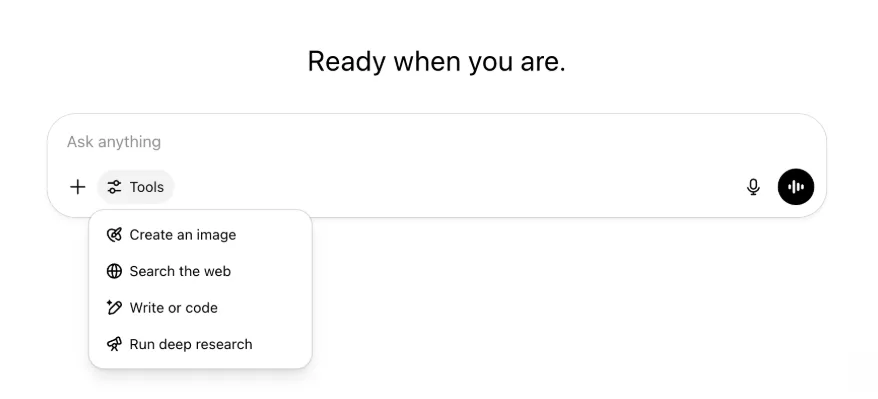
All the same capabilities and tools are still there—just tidier and easier to access in one menu.
May 22, 2025
Releasing GPT-4.1 in ChatGPT
Since its launch in the API in April, GPT-4.1 has become a favorite among developers—by popular demand, we’re making it available directly in ChatGPT.
GPT-4.1 is a specialized model that excels at coding tasks. Compared to GPT-4o, it's even stronger at precise instruction following and web development tasks, and offers an alternative to OpenAI o3 and OpenAI o4-mini for simpler, everyday coding needs.
Starting today, Enterprise and Edu users can access GPT-4.1 via the "more models" dropdown in the model picker. GPT-4.1 has the same rate limits as GPT-4o for paid users.
Introducing GPT-4.1 mini, replacing GPT-4o mini, in ChatGPT
GPT-4.1 mini is a fast, capable, and efficient small model, delivering significant improvements compared to GPT-4o mini—in instruction-following, coding, and overall intelligence. GPT-4.1 mini replaces GPT-4o mini in the model picker under "more models" for paid users, and will serve as the fallback model for free users once they reach their GPT-4o usage limits. Rate limits remain the same.
Evals for GPT-4.1 and GPT-4.1 mini were originally shared in the blog post accompanying their API release. They also went through standard safety evaluations. Detailed results are available in the newly launched Safety Evaluations Hub.
May 15, 2025
Export Deep Research as PDF
You can now export your deep research reports as well-formatted PDFs—complete with tables, images, linked citations, and sources.
To use, click the share icon and select 'Download as PDF.' It works for both new and past reports.
Mobile UI Composer Consolidation (iOS/Android)
We've removed the row of individual tool icons from the mobile composer and replaces it with the new sliders‑style icon to open the Skills menu; tapping that button opens a bottom‑sheet menu where users can choose tools like Create an image or Search the web.

No tools are deprecated—access is simply consolidated to clear space and reduce on‑screen clutter.
May 8, 2025
User Analytics in ChatGPT - GA
The revamped User Analytics dashboard can be accessed in the Manage workspace console in the Analytics tab. It provides more comprehensive data on usage, adoption, and engagement than the original analytics tab.
This improved dashboard gives Admins a high-level view of how ChatGPT is being used across your organization—use it to track adoption and engagement, understand usage patterns for top tools and GPTs, and identify use cases and user trends.
See User Analytics for ChatGPT Enterprise and Edu and Compliance API vs User Analytics in ChatGPT Enterprise/Edu.
May 2, 2025
4o Image Generation in GPTs
GPTs can now leverage ChatGPT’s image-generation capabilities to produce images on demand for users.
GPT creators can enable "4o Image Generation" in the Configure section of the GPT editor, under Capabilities.
May 1, 2025
Deep research
Users that reach their monthly limit (10 tasks/month) with the standard deep research model will now receive 15 additional requests automatically for that month with our lightweight, cost-effective version until the monthly limit resets.
Learn more about deep research.
Tasks in o3 and o4-mini
You can now create scheduled tasks that enable ChatGPT to run automated prompts and proactively reach out to you on a scheduled basis with o3 and o4-mini. The “ChatGPT with Schedules Tasks” option in the model selector has been removed.
Learn more about scheduled tasks in ChatGPT.
April 24, 2025
o3 and o4-mini
With the introduction of o3 and o4-mini / o4-mini-high, they will supersede o1 and o3-mini / o3-mini-high respectively within ChatGPT.
OpenAI o3 is our most powerful reasoning model that pushes the frontier across coding, math, science, visual perception, and more. It sets a new SOTA on benchmarks including Codeforces, SWE-bench (without building a custom model-specific scaffold), and MMMU. It’s ideal for complex queries requiring multi-faceted analysis and whose answers may not be immediately obvious. It performs especially strongly at visual tasks like analyzing images, charts, and graphics. In evaluations by external experts, o3 makes 20 percent fewer major errors than OpenAI o1 on difficult, real-world tasks—especially excelling in areas like programming, business/consulting, and creative ideation. Early testers highlighted its analytical rigor as a thought partner and emphasized its ability to generate and critically evaluate novel hypotheses—particularly within biology, math, and engineering contexts.
OpenAI o4-mini is a smaller model optimized for fast, cost-efficient reasoning—it achieves remarkable performance for its size and cost, particularly in math, coding, and visual tasks. It is the best-performing benchmarked model on AIME 2024 and 2025. In expert evaluations, it also outperforms its predecessor, o3‑mini, on non-STEM tasks as well as domains like data science. Thanks to its efficiency, o4-mini supports significantly higher usage limits than o3, making it a strong high-volume, high-throughput option for questions that benefit from reasoning.
April 10, 2025
ChatGPT images
Image generation in GPT-4o is now available to all users as the default image generator in ChatGPT. Users who prefer to continue with DALL·E can still access it through the DALL·E GPT.
You can generate images with ChatGPT by simply asking the model to create an image with the details you want, or by selecting the Create image option in the composer. Learn more.
March 31, 2025
User Analytics in ChatGPT - public beta
The revamped User Analytics dashboard can be accessed in the Manage workspace console in the Analytics tab. It provides more comprehensive data on usage, adoption, and engagement than the original analytics tab.
This improved dashboard gives Admins a high-level view of how ChatGPT is being used across your organization—use it to track adoption and engagement, understand usage patterns for top tools and GPTs, and identify use cases and user trends.
See User Analytics for ChatGPT Enterprise and Edu (public beta) for details.
March 20, 2025
Shared Projects Update
We’re holding off on launching shared projects with View and Edit access so that we can work on a more collaborative version that will be valuable to users.
March 13, 2025
Coding with Work with Apps on macOS
When working with IDEs, you can ask ChatGPT to edit open files directly—no copy-pasting required. When you ask for an edit, ChatGPT will generate a diff that you can review and apply, and there’s also an option to automatically apply edits. Diffs are easy to revert in the ChatGPT UI, or by using CMD+Z in your editor.
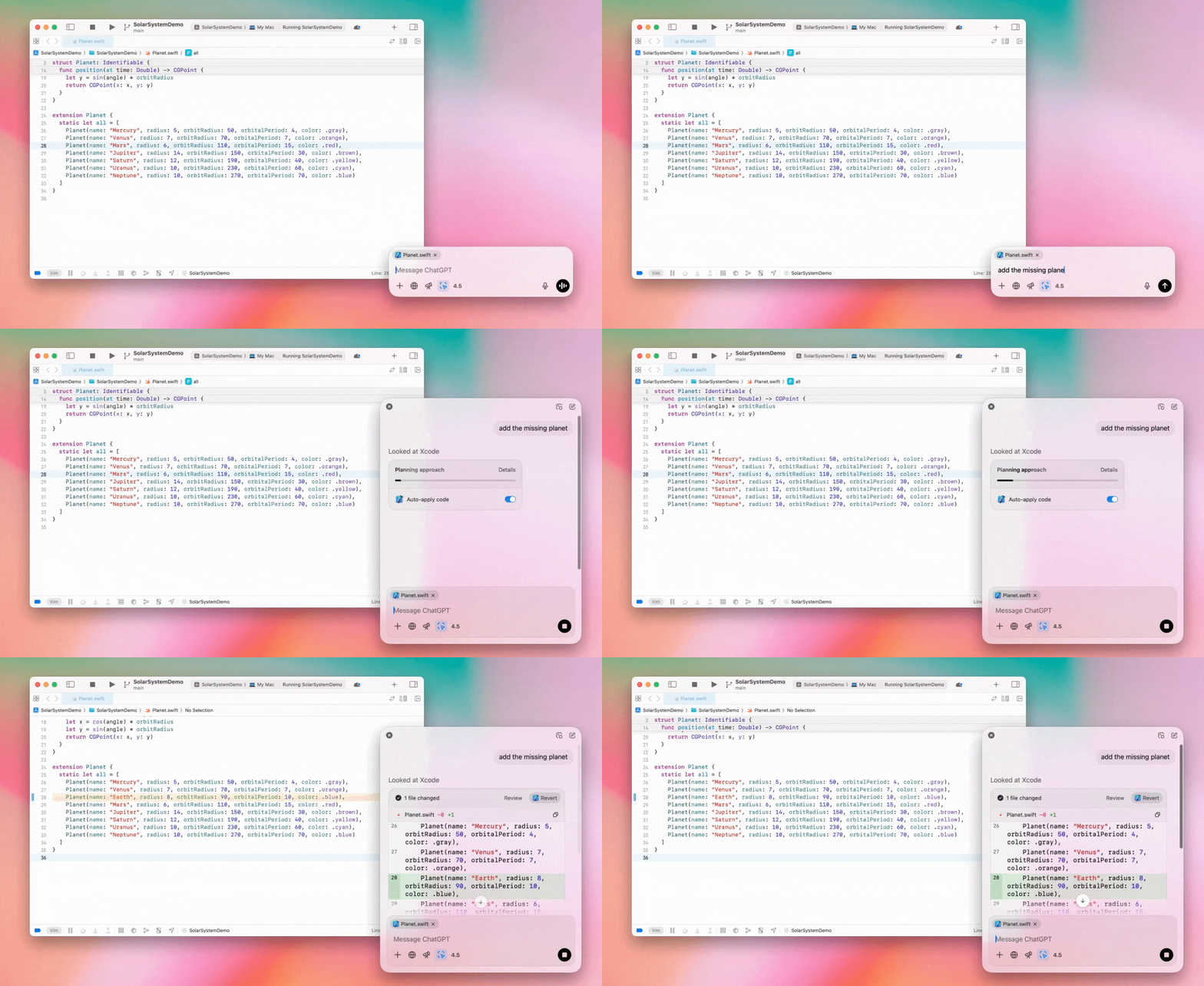
Enterprise admins can flip the "Work with Apps" toggle off in their Admin Settings to disable this functionality for their workspace members.
GPT-4.5 in ChatGPT
As of March 13, 2025, users in Enterprise and Edu plans will now be able to use our GPT-4.5 model in ChatGPT!
See GPT-4.5 in ChatGPT for details.
March 10, 2025
Deep research in Compliance API ChatGPT
As of March 10th, 2025, for Enterprise customers using the Compliance API your options include:
Search for the "deep research global prompt".
Look for the tool name in the response look for
{"tool_name":"deep_research"}.
February 25, 2025
Deep research in ChatGPT
In ChatGPT deep research is now available to users on the Enterprise plan.
Deep Research allows ChatGPT to agentically and asynchronously browse the web to complete your professional or personal work.
Enterprise, and Edu users will have 10 deep research queries per month.
See our Deep research FAQ for details.
February 13, 2025
o1 pro mode and o3-mini in ChatGPT
In ChatGPT o1 pro mode is now available to Enterprise and o3-mini to Enterprise Edu!
o3-mini: OpenAI o3-mini has replaced o1-mini in the model picker. It’s more cost effective and offers higher rate limits at lower latency. It’s a reasoning model, making it a great choice for coding, STEM, and logical problem-solving tasks. o3-mini shows its chain of thought, and can browse the web.
o1 pro mode: Also available in the model picker this week is o1 pro mode. Designed for accuracy and depth, it excels in research, engineering, business, and law—ideal for professionals tackling highly complex challenges. O1 pro mode will take longer to think through a problem. So responses can take some time. Due to its computational intensity, each user is limited to five queries per month. For most tasks, o1, o3-mini, or GPT-4o will remain optimal choices.
Re: File Uploads
Images, docs, and pdfs are supported in the o1, o3-mini, and o3-mini-high models. No spreadsheets (csv/excel).
Only images are supported in o1 pro mode. No docs/pdf and no spreadsheets (csv/excel).
Canvas Sharing
ChatGPT Enterprise and Edu users can now share a Canvas asset such as rendered React/HTML code, document, or code with another user, similar to how you share a conversation. You can do this from the Canvas toolbar when Canvas is open.
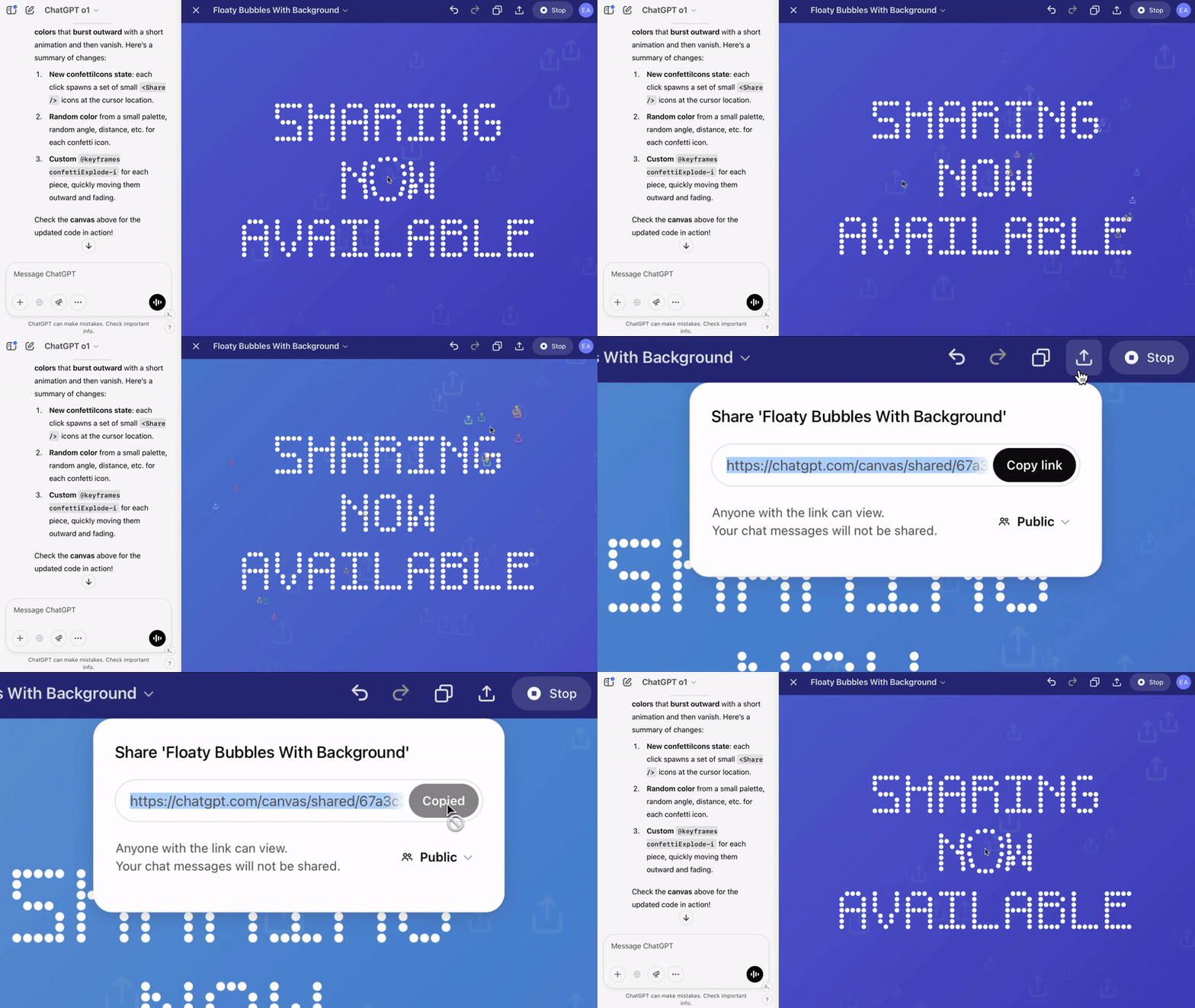
For more details about the canvas feature in ChatGPT, check out the following Help Center article!
January 23, 2025
Projects
Projects are now available for all paid plans including Enterprise and Edu.
See Using projects in ChatGPT for details.
January 16, 2025
Visual Retrieval (PDFs) for ChatGPT Enterprise
ChatGPT Enterprise now supports reading and understanding visuals (images, graphs, diagrams, etc.) embedded in PDF files. Users can upload a PDF, and ChatGPT can interpret the text and any visual elements within that file.
For details see Visual Retrieval with PDFs FAQ.
December 12, 2024
o1
Starting today, all ChatGPT Enterprise customers will be able to access o1 through the model selector, replacing o1-preview.
o1 can now be used to reason about image uploads, opening up new applications by analyzing and explaining visual representations with more detail and accuracy. We have also trained the model to be more concise in its thinking, resulting in faster response times than o1-preview.
December 11, 2024
Apple Intelligence with ChatGPT
ChatGPT admins can now enable and disable access to Apple Intelligence from their workspace admin settings, under Connections.
If this setting is toggled off, users cannot select their ChatGPT Enterprise/Edu workspace when logging in with their OpenAI credentials.
December 10, 2024
Canvas
Today we made Canvas available in 4o by default for all users, Free and Paid. Additionally, we launched a number of new capabilities for canvas, including:
Canvas in GPTs: Canvas can now be used with GPTs when enabled in the GPT creator. This toggle will be enabled for newly created GPTs by default.
Python code execution: You can now execute Python code in a canvas. ChatGPT will take a pass on fixing bugs in your code and provide comments on errors. Please note that executing Python can make external network requests, and Enterprise workspace admins can disable Python code execution by toggling the Canvas code execution setting in their Admin settings. This is turned off by default for all Enterprise accounts.
Canvas shortcut: You can now paste content into ChatGPT and instantly open it in canvas via a shortcut in the upper right corner of the composer.
Canvas in Toolbox: Canvas has been added as an option in the toolbox.
Workspace admins can now use the Compliance API to get, list, and delete canvas text documents.
Please note that the Admin Setting to disable canvas has been removed, as this feature is now out of beta. If this was previously disabled, we will continue to honor that setting. Please contact support@openai.com if you would like to update this setting for your Enterprise/Edu workspace
December 3, 2024
Work with Apps on macOS
ChatGPT can now read content from your coding apps, bringing you smarter, more accurate answers tailored to your work by using Work with Apps on macOS. Learn more about Work with Apps on macOS.
Enterprise admins can flip the "Work with Apps" toggle off in their Admin Settings to disable this functionality for their workspace members.
November 22, 2024
Updates to the ChatGPT Web experience
We are rolling out the following updates over the next two weeks to all ChatGPT users.
Sidebar redesign
New floating mode added with soft dismiss behavior
Recent conversations are now limited in the sidebar, with an unlimited infinite scroll flyout for all conversations
Recent GPTs & Pinned GPT's are now displayed below conversations
Settings are now always in the bottom of the sidebar
A small settings icon was added in larger viewports when the sidebar is not open
New transitions were added to create a more immersive feel
Other updates for ChatGPT on Web
The core underpinnings of the site were revamped, offering much better support for a larger variety of devices and sizes
Initiating a new conversation now scrolls it into view at the top of the screen
Initiating a new conversation no longer auto scrolls to the bottom while the message is generating
The sidebar when pinned can now stay open with an active Canvas if enough space is available
A new composer bar layout now fades content underneath it as you scroll with an updated look & feel
The new chat button has been moved to the left of the Model Picker to be easier to access
The system icon in conversations has been removed to make additional horizontal space
Dall-E focused view has an updated layout
GPT Creator has an updated layout
Improved Mobile Web Experience
The experience with the on-screen keyboard on mobile devices has been greatly improved across iOS & Android devices
The new sidebar is always in floating mode and auto closes when switching threads
We no longer focus the composer on mobile web when switching conversations
An issue causing scroll to get stuck in certain situations should be resolved
November 20, 2024
Update to GPT-4o
We’ve updated GPT-4o for ChatGPT users on all paid tiers. This update to GPT-4o includes improved writing capabilities that are now more natural, audience-aware, and tailored to improve relevance and readability. This model is also better at working with uploaded files, providing deeper insights and more thorough responses.
November 19, 2024
Advanced Voice for ChatGPT Web
Starting today, we’re beginning to roll out Advanced Voice Mode on web (already available on mobile and desktop apps). Users can now start a voice chat on chatgpt.com on their desktop and have real-time, natural conversations with ChatGPT while doing tasks like, planning, writing, and brainstorming.
November 14, 2024
Windows App
The improved Windows app is now available through the Microsoft Store for ChatGPT Enterprise and Edu workspaces. ChatGPT users that are familiar with our experience on the web can seamlessly integrate the Windows app into anything they’re doing on their computer.
User access to the ChatGPT Windows app will follow your IT admin’s policies for apps in the Microsoft Store. In the coming weeks, IT admins will also have the option to deploy the app to employee devices via MDM/MAM, rather than allowing direct downloads from the Store.
As with any ChatGPT Enterprise experience, user chat history is secure and will not be used to improve OpenAI's services.
Learn more about the ChatGPT Windows app.