
Setyembre 10, 2026
Data plugin sa ChatGPT Work at Codex
Tinutulungan ka ng Data plugin na suriin ang nakakonektang data ng negosyo sa ChatGPT Work at Codex. Magtanong tungkol sa negosyo, siyasatin ang mga pagbabago, o gumawa ng interactive na dashboard o ulat. Mapapahusay mo ang pagsusuri sa pamamagitan ng mga follow-up na tanong at pagdaragdag ng mga depinisyon ng metric ng iyong team at iba pang konteksto ng negosyo.
Maaaring piliin ng mga administrator ang Data sa Mga setting ng workspace > Mga plugin upang suriin ang patakaran sa pag-install nito at pamahalaan ang access ayon sa tungkulin o grupo. Maaaring mangailangan ng hiwalay na pag-set up ang mga plugin ng source ng data at ang mga app ng mga ito. Maaaring magsimula ang mga miyembro sa @Data; nalalapat ang mga pahintulot ng nakakonektang account at mga kontrol sa access ng workspace. Alamin pa.
Setyembre 9, 2026
Mga na-update na modelo at limitasyon sa paggamit sa ChatGPT Voice
Magagamit na ngayon ng ChatGPT Voice ang GPT-5.6 o GPT-6 Astra kapag kailangan nitong maghanap o mangatwiran sa mas mahihirap na tanong. Piliin ang iyong modelo at antas ng pangangatwiran gamit ang parehong mga kontrol sa text chat. Nakadepende sa iyong plan at mga setting ng workspace ang mga available na modelo at limitasyon sa paggamit ng mga ito.
Ina-update din namin ang presyo at mga pang-araw-araw na limitasyon sa paggamit ng GPT-Live:
Mga Enterprise workspace na may billing batay sa paggamit sa U.S. dollars: $0.05 kada minuto.
Mga Enterprise at Edu workspace na gumagamit ng credits: 1.25 credits kada minuto, mula sa dating 5 credits.
Mga legacy na Enterprise at Edu plan: Hanggang 3 oras sa GPT-Live-1, kapalit ng dating mga allowance sa Live at mini.
Hindi na lilipat sa GPT-Live mini ang mga legacy na Enterprise at Edu plan kapag naabot ang limitasyon sa Voice. Ang paggamit sa paghahanap at pangangatwiran ay hiwalay sa paggamit sa Voice at sumusunod sa karaniwang limitasyon at presyo ng napiling modelo.
Sa mga update na ito, hindi na gagamitin ang magkakahiwalay na antas ng Intelligence na Instant/Medium/Mataas para sa Voice.
Alamin pa: https://help.openai.com/en/articles/20001274-chatgpt-voice
Magbahagi ng mga file at folder mula sa iyong Library
Sa pagbabahagi sa Library, maaari kang magbahagi ng mga file at folder sa ChatGPT, pumili kung sino ang makaka-access sa mga ito, at direktang gamitin sa iyong mga pag-uusap ang nakabahaging content.
Ano ang bago
Magbahagi sa mga partikular na tao. Mag-imbita ng mga tatanggap at magtalaga ng access bilang Viewer o Editor.
Magbahagi sa buong workspace mo. Gawing available ang content sa lahat ng nasa iyong workspace.
Pamahalaan ang access. Sa dialog ng pagbabahagi, tingnan kung sino ang may access, baguhin ang mga pahintulot, o alisin ang access.
Hanapin at gamitin ang nakabahaging content. I-access ang mga item sa Ibinahagi sa akin at gamitin ang mga nakabahaging file sa mga pag-uusap sa ChatGPT.
Mga nakabahaging folder at pagmamay-ari
Ang mga file na in-upload sa isang nakabahaging folder ay pag-aari ng may-ari ng folder. Nakatala pa rin kung sino ang nag-upload ng bawat file.
Kung mag-a-upload ka ng file sa nakabahaging folder ng iba at aalisin nila sa kalaunan ang access mo sa folder, mananatili ang file sa folder nila at mawawalan ka ng access dito.
Mga kontrol ng admin sa workspace
Makokontrol ng mga admin kung makakagawa ang mga miyembro ng mga pagbabahagi sa Library o makakapagbago ng mga pahintulot sa pagbabahagi, gamit ang mga kontrol para sa workspace at mga default na grupo ayon sa tungkulin.
Kapag in-off ang pagbabahagi sa Library, hindi na makakagawa ng mga bagong pagbabahagi o makakapagbago ng mga pahintulot. Mananatiling naa-access ang kasalukuyang nakabahaging content, at maa-access pa rin ng mga miyembro ang content na ibinahagi sa kanila.
Malalimang pananaliksik sa ChatGPT Work at Codex
Tinutulungan ng malalimang pananaliksik sa Work ang mga miyembro na magsiyasat ng masasalimuot na tanong gamit ang web, mga file, at mga sinusuportahang awtorisadong app, at pagkatapos ay gumawa ng output na may mga citation na maaari nilang suriin at pahusayin. Maaaring i-type ng mga miyembrong may access sa Work/Codex ang @Deep Research o tahasang humiling ng malalimang pananaliksik sa web, desktop, iOS, o Android.
Pinamamahalaan ng mga admin ang pahintulot para sa malalimang pananaliksik sa Mga setting ng workspace → Mga pahintulot & tungkulin. Dapat ding naka-enable ang paghahanap sa web. Patuloy na nalalapat ang mga pahintulot sa workspace at mga nakakonektang source. Ginagamit ng malalimang pananaliksik ang kasalukuyang allowance o credits sa Work/Codex—hindi nagbabago ang mga limitasyon sa Chat. Alamin pa ang tungkol sa malalimang pananaliksik at mga kontrol sa workspace.
Setyembre 3, 2026
Mga Zendesk at OneNote Plugin sa ChatGPT at Codex [Beta]
Ngayong araw, idinagdag namin ang mga Zendesk at OneNote plugin sa direktoryo ng Plugin. Tinutulungan ng Zendesk plugin ang mga team na suriin ang mga support ticket at history ng customer, maghanap ng nauugnay na kaalaman, at maghanda ng mga tugon sa ChatGPT at Codex. Ikinokonekta ng mga miyembro ang sarili nilang Zendesk account para magamit ang impormasyon ng support na maa-access nila.
Tinutulungan ka ng OneNote plugin na maghanap at magbuod ng mga tala, tipunin ang mga desisyon at kailangang gawin, at gumawa o mag-update ng mga tala sa pamamagitan ng mga sinusuportahang pagkilos sa ChatGPT at Codex.
Magbasa pa: Zendesk Plugin, OneNote Plugin.
Magbahagi ng Sites sa mga taong wala sa iyong workspace
Maaari na ngayong payagan ng mga kwalipikadong workspace ng ChatGPT Enterprise ang mga may-ari ng Site na magbahagi ng mga live na Site sa mga pinangalanang external viewer. Magsa-sign in ang mga tatanggap gamit ang account na binigyan ng access at matitingnan nila ang ibinahaging Site nang hindi sumasali sa workspace. Bukod dito, ang access bilang viewer ay hindi nagbibigay ng karapatang mag-edit o mag-publish, at hindi nito ginagawang pampubliko ang Site.
Maaaring payagan ng mga may-ari at admin ng workspace ang mga imbitasyon para sa mga piling tungkulin sa Mga setting ng workspace > Mga pahintulot & tungkulin sa pamamagitan ng pag-enable sa Sites at Payagan ang mga miyembro na mag-imbita ng mga external na bisita sa mga site. Hiwalay ang pahintulot na ito sa pampublikong pag-publish. Alamin pa ang tungkol sa mga kontrol sa Pamamahala sa ChatGPT Sites para sa iyong workspace.
Higit na kontrol sa paggamit ng browser at computer
Binibigyan ng mga bagong setting ng patakaran ang mga enterprise admin ng higit na kontrol sa paggamit ng mga sinusuportahang desktop client sa mga browser at native app. Maaaring magtakda ang mga admin ng mga default at exception para sa website, limitahan ang mga pag-upload, pag-download, history ng browser, at access ng developer, at kontrolin ang awtomatikong pagsusuri, mga naka-save na pag-apruba, at tagal ng bisa ng mga pag-apruba sa site. Maaaring payagan o i-block ng mga panuntunan sa native app ang mga partikular na macOS at Windows app. Maaari ding limitahan ng mga admin ang pag-import ng data mula sa ibang browser.
Kung available ang editor ng patakaran, buksan ang Mga Patakaran at Configuration ng Codex at i-edit ang Mga Kinakailangan ng patakaran. Nalalapat ang mga kontrol sa mga sinusuportahang client at platform; hindi nalalampasan ng pagpapahintulot sa isang site o app ang iba pang patakaran o prompt ng pag-apruba. Alamin pa ang tungkol sa mga pinamamahalaang kontrol sa paggamit ng browser at computer.
Setyembre 1, 2026
Mga healthcare plugin para sa ChatGPT at Codex
Magagamit na ngayon ng mga kwalipikadong workspace ng ChatGPT para sa Healthcare at ChatGPT Enterprise na may HIPAA ang dalawang healthcare plugin sa ChatGPT at Codex:
Healthcare Public Data: Maghanap sa siyam na pampublikong source ng healthcare data para sa medikal na pananaliksik, mga klinikal na pagsubok, impormasyon tungkol sa gamot, data ng Medicare, at mga talaan ng healthcare provider. Read-only ang plugin at hindi nito ina-access ang mga chart ng pasyente.
Epic: Suriin ang awtorisadong impormasyon ng pasyente mula sa Epic electronic health record ng inyong organisasyon. Read-only ang access at nangangailangan ito ng Epic EHR app na na-configure ng administrator, sariling Epic sign-in, at umiiral na mga pahintulot sa chart ng pasyente.
Hiwalay na pinamamahalaan ng mga admin ang availability ng plugin at access sa app. Huwag magsama ng protektadong impormasyong pangkalusugan sa mga paghahanap na ipinapadala sa mga pampublikong source ng healthcare data. Bago gamitin ang Epic sa protektadong impormasyong pangkalusugan, tiyaking may naaangkop na Business Associate Agreement at aprubadong configuration ng workspace ang inyong organisasyon.
Matuto pa: Paggamit ng Healthcare Public Data sa ChatGPT at Codex at Paggamit ng Epic plugin sa ChatGPT at Codex.
Agosto 28, 2026
Mag-import at mag-sync ng mga marketplace ng plugin mula sa GitHub
Maaaring sentral na ipamahagi ng mga admin at may-ari ng workspace ang mga marketplace ng plugin mula sa mga pampubliko o pribadong GitHub repository at panatilihing napapanahon ang mga plugin sa pamamagitan ng awtomatikong pag-sync araw-araw. Para magsimula, pumunta sa Mga setting ng workspace > Mga Plugin at piliin ang Idagdag > Mag-import ng marketplace, o piliin ang I-sync ngayon sa isang marketplace para humiling ng update.
Kinokontrol ng mga admin at may-ari sa mga setting ng workspace ang mga patakaran sa pag-install para sa mga kwalipikadong tungkulin at ang kinakailangang access sa app. Hindi ino-override ng mga value ng patakaran ng repository ang mga setting na ito, at nalalapat pa rin ang mga pahintulot sa app at kinakailangan sa authentication. Matuto pa tungkol sa pag-set up ng marketplace at tingnan ang mga sinusuportahang format at configuration.
Agosto 27, 2026
Sentralisadong pamamahala ng identity sa Admin Console
Maaari na ngayong pamahalaan ng mga kwalipikadong customer ng ChatGPT Enterprise at Edu ang higit pang setting ng workspace at identity sa Admin Console:
Pamahalaan ang mga miyembro, grupo, tungkulin, pahintulot, at pangkalahatang setting ng workspace.
I-sync nang isang beses ang mga user at grupo sa pamamagitan ng sentralisadong SCIM para sa buong tenant, pagkatapos ay italaga ang mga grupo sa mga sinusuportahang ChatGPT workspace o Ads account.
Pamahalaan ang mga user at tungkulin para sa mga Ads account, kung available.
Patuloy na sinusuportahan ang mga kasalukuyang configuration ng SCIM sa antas ng workspace.
Matuto pa: Pamamahala sa iyong tenant sa Admin Console at Pag-provision at pamamahala ng SCIM.
Mga kontrol sa access sa modelo, setting ng workspace, at pagpapahusay sa Windows
Naglabas kami ng ilang pagpapahusay na nakakaapekto sa mga Enterprise/Edu workspace:
Sa pamamagitan ng mga kontrol sa access sa modelo, mapapamahalaan ng mga may-ari ng workspace ang access sa mga sinusuportahang modelo sa antas ng workspace at tungkulin.
Nasa Admin Console na ngayon ang mga setting ng Mga User, Grupo, Tungkulin, Pahintulot, at Pangkalahatan—available pa rin ang mga ito sa Mga setting ng workspace, at dadalhin ka sa Admin Console kapag nag-click ka sa mga kasalukuyang tab. Nalalapat pa rin ang mga kasalukuyang pahintulot. Para matuto pa, tingnan ang: mga kontrol sa access batay sa tungkulin at mga setting ng workspace.
Kasama sa mga pagpapahusay ng Codex sa Windows ang mga diagnostic ng
codex doctor, Remote Control mula sa Windows papunta sa iba pang device, at pagpili ng gustong Linux distribution kapag maraming WSL distribution ang naka-install. Kailangan ng mga pinamamahalaang device ang build na inaprubahan ng administrator sa pamamagitan ng MDM. Nakadepende ang availability sa iyong workspace at build ng app. Para matuto pa, tingnan ang: Codex.
Agosto 25, 2026
Mga nakabahaging nakaiskedyul na gawain at mga gawaing tini-trigger ng webhook
Maaaring magbahagi ang mga miyembro ng workspace ng Enterprise, Edu, at ChatGPT para sa Healthcare ng mga nako-customize na nakaiskedyul na gawain sa kanilang workspace. Maaari ding i-enable ng mga admin ang mga gawaing tini-trigger ng webhook sa Work para makapagpakita ang mga aprubadong app ng mahahalagang update nang hindi kailangang paulit-ulit na manu-manong magsuri. Sa ChatGPT para sa Healthcare, hindi saklaw ng Business Associate Agreement (BAA) ang mga gawaing ito at hindi dapat gamitin ang mga ito upang magpadala, mag-store, o magproseso ng protektadong impormasyong pangkalusugan (PHI).
Kabilang sa mga sinusuportahang webhook ang mga bagong mensahe sa Gmail, mga mensahe sa Slack channel, at aktibidad sa GitHub pull request.
Gumawa ng mga gawaing tini-trigger ng webhook
Maaaring hilingin ng mga kwalipikadong miyembro sa Work sa web, iOS, at Android na tumugon sa isang bagong mensahe sa Gmail, mensahe sa Slack channel, o sinusuportahang event ng GitHub pull request. Halimbawa, hilingin sa ChatGPT na ibuod ang feedback ng kliyente mula sa Slack o ihanda ang mga susunod na hakbang kapag nabago ang isang GitHub pull request. Kailangan ng mga miyembro ng access sa Work at sa aprubadong app. Idagdag ang @ChatGPT sa bawat sinusubaybayang Slack channel. Kailangan munang i-enable ng mga admin ng Enterprise, Edu, at ChatGPT para sa Healthcare ang Payagan ang mga nakaiskedyul na gawaing tini-trigger ng event sa Mga pahintulot & tungkulin > Work. Naka-off ang pahintulot na ito bilang default.
Magbahagi ng mga nakaiskedyul na gawain
Maaaring magbahagi ang mga kwalipikadong miyembro ng mga nakaiskedyul o tini-trigger ng webhook na gawain sa iba pang nasa parehong workspace. Maaari nilang suriin at i-customize ang mga tagubilin at, kung naaangkop, ang iskedyul. Kinokontrol ng mga admin ang pagbabahagi gamit ang Magbahagi ng mga chat at nakaiskedyul na gawain sa workspace. Upang mag-iskedyul ng kopyang tini-trigger ng webhook, kailangan din ang Payagan ang mga nakaiskedyul na gawaing tini-trigger ng event, access sa Work, at sariling aprubadong nakakonektang app ng tatanggap.
Para sa higit pang impormasyon, tingnan ang: Mga nakaiskedyul na gawain sa ChatGPT.
Agosto 20, 2026
Mga update sa feature ng Enterprise
Magagamit ng mga may-ari at admin ng workspace ang mga bagong Admin API na may saklaw sa workspace upang i-automate ang pangangasiwa ng imbitasyon at miyembro. Sinusuportahan ng mga Invitation API ang paglilista, pagkuha, paggawa, muling pagpapadala, at pagtanggal ng mga imbitasyon. Sinusuportahan ng mga User API ang pagkuha sa mga tinanggap na miyembro at, para sa mga may-ari ng workspace, pag-update sa mga built-in na tungkulin o seat at pag-alis ng mga membership sa workspace. Patuloy na ginagawa sa pamamagitan ng identity provider ang mga pagbabagong pinamamahalaan ng SCIM, at nalalapat ang mga proteksyon para sa huling may-ari. Para sa pag-set up at mga pahintulot, tingnan ang Pamamahala ng mga Admin key. Para sa mga path at schema ng endpoint, tingnan ang sanggunian sa Admin API.
Mas malinaw na ipinapakita ngayon ng Global Admin Console kung sa aling tenant o workspace ka gumagawa at nagdaragdag ito ng mga URL na partikular sa workspace para sa mga sinusuportahang page. Makikita ng mga miyembro ng workspace ang analytics na limitado sa sarili nilang aktibidad, habang nananatiling available lang sa mga awtorisadong tungkulin ang mga view na saklaw ang maraming user. Nananatili sa kasalukuyang lokasyon ang Mga Setting ng Workspace ng ChatGPT. Matuto pa tungkol sa Global Admin Console.
Sinusuportahan ng Personal Analytics ang Work at Codex para sa mga kuwalipikadong workspace ng Enterprise at Edu. Kapag na-enable ng admin ang plugin, mai-install ito ng mga miyembro sa ChatGPT Desktop at makapagtatanong tungkol sa aktibidad na nauugnay sa kanilang naka-sign-in na identity at mga pinagsama-samang trend ng workspace na protektado ang privacy. Read-only ito at hindi maipapakita ang indibidwal na aktibidad ng ibang user o ang data ng ibang workspace. Matuto pa tungkol sa Personal Analytics.
Makipagtulungan sa ChatGPT Sites (Enterprise lang). Sa mga Enterprise workspace, maaaring idagdag ng mga may-ari ng Site bilang editor ang mga aktibong miyembro ng parehong workspace. Maaaring mag-update at mag-save ng Site ang mga editor at, pagkatapos itong unang i-publish ng may-ari, i-publish ang mga susunod na bersyon sa parehong URL ng Site. Pinananatili ng mga may-ari ang kontrol sa pagbabahagi, mga setting ng Site, analytics, pagmamay-ari, pagpapanumbalik ng bersyon, at access ng editor. Ginagamit ng sabayang pag-edit ang mga kasalukuyang kontrol ng workspace sa Sites at hindi nagdaragdag ng hiwalay na toggle ng RBAC; nananatiling naka-off bilang default at kontrolado ng admin ang pampublikong pag-publish. Matuto pa tungkol sa pamamahala ng ChatGPT Sites para sa iyong workspace.
Gamitin ang Apple Messages mula sa Codex at ChatGPT Work. Sa mga Apple silicon Mac, mababasa at mahahanap ng Apple Messages plugin sa ChatGPT desktop app ang mga pag-uusap sa iMessage, SMS, at RCS at makapaghahanda o makapagpapadala ng mga mensahe sa Messages. Bilang default, hinihiling ng ChatGPT sa user na aprubahan ang mensahe at mga tatanggap bago ipadala. Maaaring i-disable ng mga admin ng pinamamahalaang workspace ang Apple Messages sa pamamagitan ng kasalukuyang kontrol ng Computer Use. Matuto pa tungkol sa Apple Messages plugin.
Gamitin ang Computer History sa mas maraming rehiyon (Enterprise lang). Available na ngayon ang Computer History sa EEA, Switzerland, at United Kingdom para sa mga Enterprise user sa ChatGPT desktop app sa macOS. Naka-off ito bilang default, nangangailangan ng Memories, at dapat i-enable ng admin ng workspace bago makapag-opt in ang miyembro. Matuto pa tungkol sa Computer History.
Magbahagi ng read-only na snapshot ng isang chat sa Codex. Limitado ang mga share link ng workspace sa mga authenticated na miyembro ng pinagmulan nitong workspace, at maaaring i-off ng mga admin ang mga share link ng workspace. Hindi nag-a-update ang snapshot kapag nagbago ang orihinal na chat. Inaalis ng Codex ang mga kilalang pattern ng secret, ngunit dapat suriin ng mga user ang snapshot dahil maaaring manatili ang mga sensitibong path, diff, larawan, o iba pang content. Matuto pa tungkol sa pagbabahagi ng chat sa Codex.
I-export ang pampublikong catalog ng plugin. Maaaring mag-export ng CSV ang mga kuwalipikadong may-ari at admin ng workspace ng ChatGPT Enterprise mula sa Admin > Mga Plugin > Pampubliko > I-export ang CSV. Maaaring hanggang 48 oras na ang edad ng export at hindi kasama ang mga plugin na ginawa ng workspace. Matuto pa tungkol sa pag-export ng pampublikong catalog.
Agosto 13, 2026
Mga default na modelo ng Chat
Maaaring i-configure ng mga may-ari at admin ng workspace ang panimulang modelo ng Chat at antas ng pangangatwiran sa Mga setting ng workspace > Mga Modelo. Maaaring maglapat ang mga may-ari at admin ng default ng admin o payagan ang Huling pinili ng user para sa mga bagong chat—tandaang hindi nagbibigay ang mga default ng access sa mga hindi available na modelo o sumasalungat sa mga ipinapatupad na kinakailangan ng workspace.
Dapat i-upgrade ang ChatGPT Desktop app sa bersyon 26.812.10818 o mas bago para magkabisa ang mga bagong kontrol.
Na-update na tagapili ng modelo para sa Enterprise at Edu
May na-update na tagapili ng modelo at composer ang mga miyembro sa mga Enterprise/Edu workspace. Pinapadali ng tagapili ang paghahambing sa mga available na opsyon sa Intelligence habang pinananatili ang availability ng modelo at mga kontrol sa access ng workspace.
Mga audit log sa Global Admin Console
Maaari na ngayong suriin ng mga may-ari at admin ng workspace ang mga sinusuportahang audit event mula sa Global Admin Console. Nakadepende ang access at saklaw ng event sa napiling workspace at tungkulin ng admin. Magbasa pa.
Pinagsama-samang mga kontrol sa access batay sa tungkulin
Maaari na ngayong i-configure ng mga may-ari ng Enterprise at Edu workspace ang mga kwalipikadong pahintulot sa mga karaniwang custom na tungkulin gamit ang Default, Naka-on, o Naka-off. Minamana ng Default ang setting ng workspace, tahasang ibinibigay ng Naka-on ang pahintulot, at sa tungkuling iyon lang tinatanggihan ng Naka-off ang access. Pinagsama-samang sinusuri ng ChatGPT ang lahat ng naaangkop na karaniwang tungkulin: kung nagbibigay ng pahintulot ang alinmang tungkulin, tahasan man o sa pagmamana ng naka-enable na setting ng workspace, mananatili ang access ng miyembro. Sa tungkuling iyon lang tinatanggihan ng setting na Naka-off ang access. Kung nakatakda sa Naka-off ang bawat naaangkop na tungkulin, tatanggihan ang access. Hiwalay na sinusuri ang Lockdown mode at maaari nitong higit pang limitahan ang mga kakayahang gumagamit ng network. Alamin pa ang tungkol sa mga kontrol sa access batay sa tungkulin.
Data ng paggamit at gastos sa Work at Codex
Maaaring suriin ng mga miyembro ng mga kwalipikadong Enterprise workspace na gumagamit ng pagsingil batay sa credits ang panghabambuhay na paggamit ng credits ng bawat chat sa Work at Codex. Mga pantulong sa pagpaplano lamang ang mga bilang ng paggamit at tinatayang gastos, at hindi mga invoice. Maaari ding suriin ng mga miyembro ang buwanang paggamit at history sa tab na Paggamit & pagsingil sa ChatGPT Desktop. Hindi kasama ang regular na paggamit ng Chat. Kailangan ng feature na ito ang ChatGPT Desktop na bersyon 26.812.10818 o mas bago. Magbasa pa.
Personal Analytics plugin
Available ang Personal Analytics plugin para sa mga kwalipikadong workspace. Kapag na-enable na ng may-ari o admin ng workspace ang plugin, maaari itong i-install ng mga miyembro sa ChatGPT Desktop at magtanong tungkol sa sarili nilang aktibidad sa Work at Codex at sa mga available na pinagsama-samang trend sa workspace. Magbasa pa.
Mga service account ng Codex
Maaaring gumawa ang mga kwalipikadong workspace ng mga service account na hindi para sa tao para sa automation ng Codex. Maaaring magtalaga ang mga may-ari at admin ng workspace ng mga tungkulin at grupo, mag-configure ng mga plugin, magbahagi ng pamamahala sa account, at mag-isyu ng mga access token na may limitadong saklaw para sa mga CI runner at naka-iskedyul na trabaho. Magbasa pa.
Mga pagpapahusay sa performance ng Windows desktop
May mga pagpapahusay sa performance ang ChatGPT desktop app para sa Windows. Kailangan ng mga pagpapahusay na ito ang ChatGPT Desktop na bersyon 26.803.41515 o mas bago.
History ng Computer para sa ChatGPT Enterprise
Ang History ng Computer ay opsyonal na feature sa ChatGPT macOS app na nagbibigay-daan sa mga miyembro ng Enterprise na magdala sa ChatGPT at Codex ng konteksto mula sa mga piling app at website. Nagre-record ito ng mga event ng pakikipag-ugnayan—hindi mga screenshot, screen recording, input ng mikropono, o system audio—at hindi kasama ang pribadong pag-browse.
Naka-off bilang default ang History ng Computer, at maaaring magbigay ang mga Enterprise admin ng access batay sa tungkulin bago piliin ng bawat miyembro kung sasali sila. Maaaring i-pause ng mga miyembro ang History ng Computer, piliin ang mga kasamang app at site, at suriin o i-delete ang mga item sa timeline. Tandaang hindi pa available sa EEA, UK, o Switzerland ang History ng Computer.
Agosto 10, 2026
Paghinto sa sync ng indibidwal na user para sa mga nakakonektang app
Simula Agosto 10, hindi na magiging available ang mga bagong koneksyon sa sync na indibidwal na inawtorisahan. Sa Agosto 14, madi-disable ang mga kasalukuyang koneksyon sa sync ng indibidwal na user, at magsisimula ang pagtanggal ng nauugnay na naka-sync na data. Hindi apektado ang sync na pinamamahalaan ng administrator. Pagsapit ng Agosto 14, suriin ang mga setting ng connector ng inyong workspace at gawin ang mga sumusunod na action kung naaangkop:
| Connector | Kinakailangang action ng admin |
|---|---|
| Google Drive | I-enable ang Google Drive plugin. Kung kailangan ang naka-sync na kaalaman, i-configure ang sync ng Google Drive na pinamamahalaan ng admin gamit ang domain-wide delegation. |
| SharePoint | I-enable ang SharePoint plugin. Kung kailangan ang naka-sync na kaalaman, i-configure ang admin sync. |
| GitHub | I-enable ang hindi naka-sync na GitHub plugin. |
| GitLab Issues | Iaabisuhan namin kayo sa lalong madaling panahon tungkol sa availability ng pamalit na plugin. |
| Azure Boards (Azure DevOps) | Iaabisuhan namin kayo sa lalong madaling panahon tungkol sa availability ng pamalit na plugin. |
| Basecamp | Iaabisuhan namin kayo sa lalong madaling panahon tungkol sa availability ng pamalit na plugin. |
| Help Scout | Tukuyin ang mga apektadong user at workflow, at ipaalam sa kanila na magtatapos ang naka-sync na access. Aktibo kaming nakikipagtulungan sa partner upang magbigay ng pamalit. |
| Zoho Desk | Tukuyin ang mga apektadong user at workflow, at ipaalam sa kanila na magtatapos ang naka-sync na access. Aktibo kaming nakikipagtulungan sa partner upang magbigay ng pamalit. |
| Teamwork | Tukuyin ang mga apektadong user at workflow, at ipaalam sa kanila na magtatapos ang naka-sync na access. Aktibo kaming nakikipagtulungan sa partner upang magbigay ng pamalit. |
| Aha! | Tukuyin ang mga apektadong user at workflow, at ipaalam sa kanila na magtatapos ang naka-sync na access. Aktibo kaming nakikipagtulungan sa partner upang magbigay ng pamalit. |
| Zoho CRM | Tukuyin ang mga apektadong user at workflow, at ipaalam sa kanila na magtatapos ang naka-sync na access. Aktibo kaming nakikipagtulungan sa partner upang magbigay ng pamalit. |
| Pipedrive | Tukuyin ang mga apektadong user at workflow, at ipaalam sa kanila na magtatapos ang naka-sync na access. Aktibo kaming nakikipagtulungan sa partner upang magbigay ng pamalit. |
Agosto 7, 2026
Mga File at Project sa ChatGPT Voice
Sinusuportahan na ngayon ng GPT-Live sa ChatGPT Voice ang pag-upload ng file at Mga Project. Maaari ka na ngayong mag-upload ng mga file sa isang pag-uusap sa boses at suriin ang content nito o magtanong. Maaari mo ring gamitin ang boses sa Mga Project, na tumutukoy sa mga kamakailang chat, source, at tagubilin ng project.
Live na ngayon ang default na karanasan sa Voice
Para sa mga workspace ng Enterprise, Edu, at Healthcare, Live na ngayon ang default na karanasan sa Voice kapag in-enable ng may-ari ng workspace ang Voice—hindi na kinakailangang i-enable ang setting na Maagang Access sa Modelo. Maaaring i-off ng mga may-ari ng workspace ang Voice sa pamamagitan ng pag-disable sa Voice sa mga setting ng workspace.
Matuto pa tungkol sa ChatGPT Voice.
Agosto 6, 2026
Mga bagong kontrol para sa mga update ng desktop app
Maaari na ngayong i-off ng mga admin ng ChatGPT Enterprise, ChatGPT para sa Healthcare, at ChatGPT Edu ang mga update sa loob ng app para sa ChatGPT desktop app sa mga sinusuportahang build ng macOS at Windows. Hinahayaan nito ang mga organisasyon na suriin ang mga bagong release bago matanggap ng mga user at i-deploy ang mga aprubadong bersyon sa pamamagitan ng kanilang kasalukuyang proseso sa pamamahala ng device.
Nananatiling naka-enable bilang default ang built-in na updater ng app. Responsable ang mga organisasyong mag-o-off nito sa agarang pag-deploy ng mga bagong release at pag-aayos sa seguridad; hindi nagbibigay ang OpenAI ng version pinning, hiwalay na stable release channel, o pinalawig na suporta para sa mga mas lumang bersyon. Matuto pa.
Agosto 4, 2026
Itinuturing na ngayong attachment ang mahahabang paste para sa lahat ng plan
Simula ngayon, ibang paraan na ang paggamit ng ChatGPT sa mahahabang paste para sa mga user ng ChatGPT Enterprise at Education.
Kung magpe-paste ka ng mahigit 10k character sa composer, awtomatikong iko-convert ng ChatGPT ang content bilang attachment sa halip na direktang ilagay ito sa text field. Pinananatili nitong mas malinis ang composer at nakatutulong na pigilan ang mahahabang paste na ubusin ang iyong buong context window.
Maaari mo pa ring ibalik ang content sa mensahe anumang oras sa pamamagitan ng pag-click sa Ipakita sa text field upang muling gawing direktang paste ang attachment.
Available na ito sa mga user ng lahat ng iba pang plan.
Mga plugin sa edukasyon para sa pagtuturo at pag-aaral
May access na ngayon ang mga workspace ng ChatGPT Edu sa tatlong may gabay na plugin sa ChatGPT Work at Codex: College Educator, K–12 Educator, at College Student. May access sa K–12 Educator ang mga workspace ng ChatGPT for Teachers na pinamamahalaan sa pamamagitan ng district domain claim. Matutulungan ng mga plugin na ito ang mga guro na gumawa ng mga aralin, pagtatasa, at komunikasyong nakabatay sa mga materyal ng kurso, at ang mga mag-aaral sa kolehiyo na bumuo ng plano sa pag-aaral at magsanay ng mga konsepto sa kurso.
College Educator: Tumutulong sa faculty na magdisenyo at mag-update ng mga kurso at syllabus, gumawa ng interaktibong materyal sa pag-aaral at multimedia assessment, iangkop ang mga materyal para sa iba't ibang mag-aaral, at ihanda ang content para sa kanilang LMS.
K–12 Educator: Tumutulong sa mga guro na gumawa ng materyal sa aralin, takdang-aralin, rubric, at kagamitang panturo, na may konteksto ng Learning Commons upang iayon ang mga materyal sa mga pamantayan ng estado at pag-unlad sa pag-aaral.
College Student: Tumutulong sa mga mag-aaral na gamitin ang mga materyal ng kurso at Study Goal upang makakuha ng mga paliwanag na nakabatay sa source, may gabay na pagsasanay, plano sa pag-aaral, quiz, flashcard, at biswal na paliwanag.
Available ang mga plugin sa Plugin Directory ngunit hindi naka-install bilang default. Tandaang hindi available ang mga plugin na ito sa mga Enterprise account. Mapapamahalaan ng mga admin ng workspace ang availability at mga pahintulot ng plugin. Matuto pa sa Mga Plugin sa ChatGPT at Codex.
Ilipat ang mga limitasyon sa paggamit mula lingguhan patungong buwanan
Madali nang maililipat ng mga may-ari ng workspace sa buwanang limitasyon ang mga lingguhang limitasyong naka-configure sa Mga Pahintulot at tungkulin. Buksan ang Mga setting ng workspace → Mga Pahintulot at tungkulin, pumili ng anumang tungkulin, mag-scroll sa Mga lingguhang limitasyon, piliin ang Ilipat, at kumpirmahin. Kapag sinimulan ang paglilipat mula sa anumang tungkulin, ililipat ang lahat ng natitirang lingguhang limitasyong batay sa tungkulin sa workspace at maaari itong tumagal nang ilang minuto, depende sa laki ng workspace.
Sa Agosto 15, nakatakdang awtomatikong ilipat sa buwanang limitasyon sa paggamit ang mga natitirang workspace ng ChatGPT Enterprise na gumagamit pa rin ng lingguhang limitasyon sa gastos batay sa tungkulin. Matuto pa tungkol sa pamamahala ng mga limitasyon sa paggamit at sobrang paggamit.
Hulyo 23, 2026
Mas natural na karanasan sa ChatGPT Voice
Inilulunsad ang ChatGPT Voice sa mga workspace ng Enterprise at Edu na may dalawang magkaibang karanasan:
Voice sa Chat: Magkaroon ng natural at real-time na pag-uusap upang magtanong, mag-brainstorm, at magsiyasat ng mga ideya. Pinapagana ng GPT-Live, sinusuportahan ng Voice sa Chat ang mga pagsingit, follow-up na tanong, at mga capability gaya ng paghahanap sa web kung available. Available ito sa Desktop Chat at sa mga sinusuportahang karanasan sa web, iOS, at Android.
Voice sa Work at Codex: Simula sa desktop app, makokontrol ng ChatGPT Voice ang iyong computer at mako-coordinate ang trabaho sa maraming agent, aktibong pag-uusap, at project. Gamitin ito upang magsimula ng mga gawain, tingnan ang progreso, huminto o magbago ng direksyon ng trabaho, at makatanggap ng mga update habang nagpapatuloy sa background ang mga gawain. Available sa macOS at Windows, na may nakapares na remote access sa iOS. Hindi available sa web o mobile ang standalone na Voice sa Work at Codex.
Sa unang dalawang linggo, dapat i-enable ng mga may-ari ng workspace ang Voice at Maagang Access sa Modelo bago mapili ng mga miyembro ang Live sa kanilang mga setting ng Voice. Hindi awtomatikong lilipat sa Live ang mga kasalukuyang pag-uusap sa Advanced Voice sa panahong ito.
Pagkatapos ng panahon ng maagang access, magiging default na karanasan sa Voice ang Live para sa mga workspace na may naka-enable na Voice. Maaaring ganap na i-off ng mga may-ari ng workspace ang Voice sa pamamagitan ng pag-disable sa Voice.
Para sa mga workspace na may flexible pricing, gumagamit ang Voice sa Chat ng 5 credits bawat minuto. Gumagamit ang Voice sa Work at Codex ng humigit-kumulang 6 credits bawat minuto para sa mga Enterprise workspace na nakabatay sa credits. Kasama sa mga legacy na Enterprise workspace ang isang oras ng Voice, dalawang oras ng Voice Mini, at humigit-kumulang 45 minuto ng Voice sa Work at Codex sa bawat limang oras na window. Kumukuha ang mga gawaing itinalaga sa pamamagitan ng Work o Codex mula sa kasalukuyang pinaghahatiang pool ng paggamit sa mga karaniwang rate.
Matuto pa tungkol sa ChatGPT Voice at pagpepresyo ng Voice para sa Business, Enterprise, at Edu.
Pag-enable sa ChatGPT Work
Para sa mga workspace ng ChatGPT/Edu Enterprise, naka-enable bilang default ang Work para sa mga miyembro maliban kung i-off ito ng may-ari o admin ng workspace. Patuloy na tinutukoy ng mga setting ng workspace at kontrol sa access na batay sa tungkulin ang access ng bawat miyembro, kabilang ang mga kuwalipikadong Enterprise workspace na may naka-enable na Enterprise Key Management.
Matuto pa sa ChatGPT Work at Codex at Pamamahala ng mga setting ng workspace sa ChatGPT Enterprise.
Mga default ng modelo
Sa Mga setting ng Workspace → Mga Modelo, maaaring itakda ng mga may-ari at admin ng workspace ang panimulang modelo, antas ng pangangatwiran, bilis, at gawi ng bagong chat para sa Work at Codex. Tinutukoy ng mga setting na ito ang panimulang karanasan. Hindi nagbibigay ang mga ito ng access sa mga hindi available na modelo o pumapalit sa mga kontrol sa available na modelo, access na batay sa tungkulin, o ipinapatupad na kinakailangan ng workspace.
Matuto pa sa Pamamahala ng mga setting ng workspace sa ChatGPT Enterprise at ChatGPT Work at Codex.
Mga limitasyon sa paggamit
Inililipat namin ang Mga Limitasyon sa Paggamit mula sa mga setting ng Workspace patungo sa Global Admin Console. Maaaring magtakda ang mga may-ari at admin ng default ng workspace, gumawa ng override para sa grupo at user, suriin ang mga umiiral na limitasyon, at kontrolin ang mga kahilingan para sa higit pang paggamit. Sa Mga limitasyon sa paggamit → Workspace, maaaring panatilihin ng mga admin ang default na Buwanang panahon, na nagre-reset sa unang araw ng bawat buwan sa kalendaryo sa UTC, o piliin ang Nakaayon sa billing cycle kapag available ang opsyong iyon.
Matuto pa sa Pamahalaan ang mga limitasyon sa paggamit at sobrang paggamit at Global Admin Console.
Mga pagtataya ng paggamit at analytics ng grupo
Para sa mga kuwalipikadong workspace, maaaring lumabas ang tinatayang halaga sa dolyar sa tabi ng credits sa Analytics, Billing, mga editor ng limitasyon sa paggamit, Cost API, at analytics API ng Codex. Ginagamit ng mga pagtataya ang rate sa sobrang paggamit ng napiling workspace at para sa pagpaplano lamang. Billing → Mga Invoice pa rin ang source para sa mga inisyung singil. May tab na rin ngayon na Mga Grupo ang mga leaderboard ng Analytics na may breakdown sa antas ng grupo ayon sa produkto, sinusukat na item, at modelo.
Matuto pa sa Global Admin Console at Analytics ng workspace.
Hulyo 22, 2026
Mga update sa OpenAI Presence at AI phone support
Available na ngayon ang OpenAI Presence sa limitadong pangkalahatang availability bilang pinamamahalaang platform para sa mga organisasyong bumubuo at nagpapatakbo ng mga pinamamahalaang AI agent para sa mga workflow na maraming volume. Sinusuportahan ng Presence ang mga deployment sa boses o chat na may mga kontrol para sa pagsubok, pahintulot, pagsubaybay, at pag-escalate sa tao. Nakadepende ang availability sa pagiging angkop ng workflow, kahandaan sa pagpapatupad, at kapasidad sa paghahatid. Makipag-ugnayan sa iyong OpenAI account team upang talakayin ang access. Matuto pa tungkol sa OpenAI Presence.
Hindi na experimental ang AI phone support, na gumagamit ng OpenAI Presence. Maaaring tumawag ang mga user sa United States, Canada, at Australia nang walang ChatGPT account para sa mga karaniwang tanong tungkol sa produkto, account, at pag-troubleshoot. Hindi makapagsusumite ang automated support channel na ito ng mga ulat o kahilingan, makapagkonekta ng mga user sa live na agent, makapagsimula ng escalation o pagsusuri ng account, o makagarantiya ng follow-up. Matuto pa tungkol sa AI phone support.
Hulyo 16, 2026
Pinalawak na mga Admin API at analytics
Maaari na ngayong gumawa at mamahala ang mga admin ng mga Admin key na may saklaw sa workspace sa Global Admin Console sa ilalim ng Mga Credential > Mga Admin key. Gumagana ang mga key na ito sa mga sinusuportahang administration API ng ChatGPT at Codex para sa pamamahala ng grupo, Spend Controls API, pag-uulat ng gastos, at analytics. Nakadepende ang mga available na pahintulot sa tungkulin ng admin sa workspace, at hindi magagamit ang mga Admin key para sa inference ng modelo.
Kasama na ngayon sa Global Admin Console ang hanggang 120 araw ng history ng analytics ng credits at Codex. Nananatili sa ChatGPT ang Spend Controls at tab na Mga limitasyon sa paggamit at hindi bahagi ng paglulunsad na ito ng Global Admin Console. Maaari pa ring pamahalaan ng mga admin ang mga limitasyon sa paggamit, kabilang ang opsyong Walang limitasyon kung available, mula sa Mga setting ng Workspace → Mga limitasyon sa paggamit. Matuto pa sa Pamahalaan ang mga limitasyon sa paggamit at sobrang paggamit sa ChatGPT Enterprise at Edu at Global Admin Console.
Mga update sa karanasan sa ChatGPT desktop app
Na-update namin ang ChatGPT desktop app upang mas madaling pumili sa pagitan ng Chat at Work, hanapin ang iyong mga pag-uusap at Project, at ipagpatuloy ang Work sa iba't ibang device. Live na ngayon ang mga update na ito para sa lahat ng plan sa macOS at Windows.
macOS at Windows
Mas malinaw na desktop layout: Hinahayaan ka ng global switcher na pumili sa pagitan ng ChatGPT at Codex. Sa ChatGPT, piliin ang Chat para sa mabilis na tanong at tulong sa pag-uusap, o Work upang tapusin ang mga gawain mula simula hanggang wakas.
Pinag-isang Mga Kamakailan: Magkasama nang lumalabas ang mga pag-uusap sa Chat at Work sa Mga Kamakailan, kung saan maaari mong isaayos, i-filter, at i-pin ang mga ito.
Mga Project sa desktop app: Lumalabas na ngayon sa app ang iyong mga kasalukuyang ChatGPT Project. Maaari kang magsimula ng pag-uusap sa Chat sa loob ng Project o magsimula ng thread sa Work gamit ang konteksto ng Project.
Ipagpatuloy ang Work sa iba't ibang device: Nagsi-sync na ngayon sa web, mobile, at desktop ang mga pag-uusap sa Cloud Work, kaya maaari kang magsimula sa isang surface at magpatuloy sa iba. Nananatili sa iyong computer ang mga lokal na pag-uusap.
Hindi nagbabago ang Codex: Bilang bahagi ng update na ito, nananatiling hiwalay na view ang Codex, at hindi nagbabago ang mga workflow at history nito. Available pa rin ang Mga Mabilisang Chat para sa mabilis na pag-uusap.
Walang pagbabago sa mga kontrol ng workspace: Hindi nagbabago ang kasalukuyang mga pahintulot sa access ng workspace, setting sa seguridad, pamamahala, at kontrol sa gastos.
Hulyo 15, 2026
Sinusuportahan na ng mga app na may sync ang mga EKM workspace
Available na ngayon ang mga app na may sync para sa mga workspace ng ChatGPT Enterprise at Edu na may naka-enable na Enterprise Key Management (EKM). Nalalapat ang update na ito sa lahat ng app na may sync.
Upang matuto pa, tingnan ang Mga ChatGPT app na may sync at Pangkalahatang-ideya ng OpenAI Enterprise Key Management (EKM).
Hulyo 9, 2026
Ipinapakilala ang ChatGPT Work
Ang ChatGPT Work ay agent para sa mas mahaba at mas masalimuot na gawain. Maaari itong magsaliksik at magsuri ng impormasyon, gumamit ng mga nakakonektang app at file, at gumawa ng mga tapos nang dokumento, spreadsheet, presentation, ulat, at Sites. Maaari mong subaybayan ang progreso nito, sagutin ang mga tanong, baguhin ang direksyon, at aprubahan ang mahahalagang action habang gumagawa ito.
Mapapanatili rin ng Work ang pag-usad ng mga project sa pamamagitan ng Mga Nakaiskedyul na Gawain na minsang tumatakbo, umuulit ayon sa iskedyul o trigger, o sumusubaybay ng mga pagbabago.
Sa web at mobile, inilulunsad ang Work sa mga bayad na plan maliban sa Free at Go. Unang makatatanggap ng access ang mga user ng Pro, Pro Lite, Enterprise, at Edu; susunod ang mga user ng Plus at Business sa mga darating na araw. Available ang Work sa lahat ng sinusuportahang rehiyon.
Sa web at mobile, may dalawang linggong preview period ang mga workspace ng Enterprise at Edu. Naka-off bilang default ang Work sa panahon ng preview, at maaaring mag-opt out ang mga admin bago ito awtomatikong mag-on sa pagtatapos ng preview.
Pinapalitan din namin ang Directory ng Mga App ng Directory ng Plugin. Hindi apektado ang mga kasalukuyang koneksyon ng app. Maaaring pagsamahin ng mga plugin ang mga skill, app, at template ng app para sa mga partikular na workflow, at available ang mga ito mula sa ChatGPT sa web at desktop, kabilang ang Work at Codex.
Matuto pa tungkol sa ChatGPT Work at Codex.
Matuto pa tungkol sa mga plugin at bagong directory ng plugin.
Pangkalahatang available na ngayon ang Skills
Makikita ng mga user ng Enterprise at Edu ang skills sa ilalim ng Mga Plugin sa sidebar, sa tab na Skills sa Directory ng Plugin.
Pinagsasama ng bagong ChatGPT desktop app ang Chat, Work, at Codex
Available sa buong mundo ang bagong ChatGPT desktop app para sa macOS at Windows. Pinagsasama nito sa iisang app ang Chat para sa mga tanong at pag-uusap, Work para sa pananaliksik at mga tapos na output, at Codex para sa software development.
Sa desktop, magagamit ng Work ang mga lokal na file at desktop app nang may pahintulot mo. Hinahayaan ng built-in na browser ang ChatGPT na kumuha ng impormasyon mula sa mga website at gumamit ng mga sinusuportahang web-based na tool at file. Nagdaragdag din ang Codex ng inline na pag-edit sa loob ng mga diff, pagsusuri ng pull request sa side panel, mas mabilis na computer use, at suporta sa maraming repository sa iisang project.
Kung ginagamit mo na ang Codex app, i-update ito gaya ng dati upang lumipat sa bagong ChatGPT desktop app. Kung ginagamit mo ang dating ChatGPT desktop app, sundin ang prompt sa app upang i-download ang bagong bersyon. Maaaring manatiling naka-install ang dating app bilang ChatGPT Classic. Patuloy na makatatanggap ang ChatGPT Classic ng mga update sa modelo, pag-aayos ng bug, security patch, at suporta sa mga kasalukuyang Enterprise capability nito, habang available sa bagong app ang mga bagong feature ng agent gaya ng Work at Codex.
Matuto pa tungkol sa paglipat sa bagong ChatGPT desktop app.
Ipinapakilala ang ChatGPT Sites sa pampublikong beta
Hinahayaan ka ng ChatGPT Sites na gawing interaktibong website o magaang app ang iyong trabaho o mga ideya nang hindi umaalis sa ChatGPT. Maaari kang gumawa ng mga dashboard, project tracker, launch calendar, prototype, panloob na portal, at ulat, at pagkatapos ay i-preview at pahusayin ang resulta gamit ang ChatGPT bago ito ibahagi.
May access na sa Sites ang mga customer ng Business at Enterprise. Simula ngayon, maaari na rin nilang i-publish sa publiko ang Sites at ibahagi ang mga ito kaninuman sa pamamagitan ng URL, kaya lumalawak ang Sites sa mga taong wala sa kanilang workspace.
Upang gumawa ng Site, magsimula sa ChatGPT Work sa web o sa Work o Codex sa ChatGPT desktop app. Ilarawan ang gusto mong buuin, magdagdag ng anumang may kaugnayang content, file, data, link, o limitasyon, at suriin ang pribadong preview bago i-publish.
Sa mga Enterprise workspace, naka-off bilang default ang pampublikong pag-publish at dapat itong i-enable ng admin. Inilulunsad din ang Sites sa pampublikong beta para sa mga user ng Pro, Pro Lite, at Edu, at susunod ang mga user ng Plus sa mga darating na araw. Hindi available ang Sites sa mga plan na Free o Go. Hindi available sa EEA, Switzerland, o United Kingdom sa paglulunsad ang pampublikong pag-publish at pinalawak na beta rollout.
Matuto pa tungkol sa paggawa at pamamahala ng ChatGPT Sites.
Paghinto sa mga Group Chat sa ChatGPT
Simula Hulyo 9, hindi na makagagawa ang mga user sa web, iOS, at Android ng mga bagong Group Chat, makagagawa ng Group Chat mula sa mga kasalukuyang pag-uusap, o makasasali sa Group Chat sa pamamagitan ng invite link.
Mananatiling available at magagamit muna sa ngayon ang mga kasalukuyang Group Chat. Kapag naging read-only ang kasalukuyang Group Chat, mananatili ang access ng mga user sa mga mensahe, file, at larawang naibahagi na roon. Hindi apektado ang mga indibidwal na pag-uusap sa ChatGPT.
Paghinto sa Atlas
Ihihinto namin ang Atlas habang dinadala namin ang mga agentic na capability na nakabatay sa browser sa ChatGPT at Codex. Nakatakdang huminto sa paggana ang Atlas sa Agosto 9, 2026.
Gusto naming gawing madali hangga't maaari ang paglipat na ito. Bago iyon, ilipat ang anumang data sa Atlas na gusto mong panatilihin. Hindi awtomatikong maililipat ang data ng Atlas browser, kabilang ang mga bookmark, bukas na tab, at history ng browser. Maaari mong i-export ang iyong cookies at password sa ChatGPT desktop app at ang iyong mga bookmark sa Chrome. Tiyaking i-save ang anumang mahalagang page o URL mula sa iyong mga bukas na tab at history ng browser bago ang Agosto 9.
Hiwalay ang history ng iyong pag-uusap sa ChatGPT at mananatiling available sa ChatGPT, alinsunod sa iyong plan, mga setting ng workspace, at access sa account.
Ginagamit namin ang mga natutuhan mula sa Atlas upang magdala ng mas mahusay na karanasan sa browser sa ChatGPT, kabilang ang maraming tab, pag-download, pinahusay na navigation, at suporta sa pag-log in sa account kung available. Para sa mas masusing agentic na gawaing nakabatay sa browser, subukan ang ChatGPT desktop app. Para sa tulong habang nagba-browse sa Chrome, subukan ang ChatGPT Chrome extension o sidebar, kung available.
Maaari kang matuto pa tungkol sa paglipat mula sa Atlas sa aming artikulo sa Help Center.
Hulyo 6, 2026 Pangkalahatang available na ngayon ang ChatGPT na pang PowerPoint
Pangkalahatang available na ngayon ang ChatGPT na pang PowerPoint para sa mga workspace ng Enterprise at Edu. Maaaring gumawa at magbago ang mga user ng nae-edit na presentation nang direkta sa Microsoft PowerPoint, suriin ang naratibo at istruktura ng deck, at gumamit ng mga aprubadong Skill at app upang gumawa mula sa mga awtorisadong source. Maaaring kailanganin pa ring suriin ang mga advanced na edit at pagtutugma ng template.
Maaaring i-enable ng mga admin ang add-in sa pamamagitan ng mga setting ng workspace o i-deploy ito sa Microsoft 365, kabilang ang access na batay sa RBAC kung naaangkop. Para sa mga kuwalipikadong workspace, sinusuportahan ng ChatGPT na pang PowerPoint ang pagpapatupad ng patakaran ng workspace, access sa source na may saklaw, saklaw ng API ng Pagsunod para sa mga prompt at sagot, EU Inference Residency, at Enterprise Key Management. Matuto pa tungkol sa ChatGPT na pang PowerPoint.
Pagpepresyo ng Excel/Sheets at Workspace Agent
Gumagamit na ngayon ang mga gawain ng ChatGPT para sa Excel/Sheets ng pagpepresyo ng credits na nakabatay sa token para sa mga workspace ng Enterprise at Edu. Gumagamit din ang mga run ng Workspace Agent ng pagpepresyo ng credits na nakabatay sa token para sa mga Enterprise workspace. Nakabatay ang paggamit ng credits sa mga input token, naka-cache na input token, at output token sa halip na sa nakapirming halaga ng credits.
Mananatiling libre ang ChatGPT na pang PowerPoint para sa mga Enterprise customer hanggang Agosto 6, 2026. Magsisimula ang pagsingil pagkatapos ng petsang iyon gamit ang parehong modelong nakabatay sa token gaya ng ChatGPT para sa Excel/Sheets. Matuto pa sa rate card ng ChatGPT.
Hunyo 26, 2026
Pinasimpleng mga kontrol sa model picker
Naglulunsad kami ng na-update na model picker para sa ChatGPT Enterprise at Edu sa web, iOS, at Android. Pinadadali nitong piliin ang balanse ng bilis at lakas ng pangangatwiran na pinakaangkop sa isang gawain nang hindi binabago ang mga pangunahing modelong available sa workspace.
Kasama na ngayon sa picker ang:
Instant
Medium
Mataas
Napakataas
Pro Standard
Pro Extended
Pinapalitan ng Medium ang Thinking Standard, pinapalitan ng Mataas ang Thinking Extended, at pinapalitan ng Napakataas ang Thinking Heavy. Patuloy na ginagamit ng Pro Standard at Pro Extended ang GPT-5.5 Pro. Hindi na available ang Thinking Light.
Available ang lahat ng anim na opsyon sa mga workspace ng Enterprise at Edu, alinsunod sa mga setting ng access ng workspace. Kinokontrol ng Access sa Nangangatwirang Modelo ang Medium, Mataas, at Napakataas. Kinokontrol ng Access sa Pro na Modelo ang Pro Standard at Pro Extended. Nakatago sa picker ang mga opsyong hindi maa-access ng isang miyembro.
Hindi nagbabago ang setting na Idirekta ang Auto Router sa Thinking mini at patuloy lang itong nalalapat sa awtomatikong pangangatwiran. Sa iOS at Android, lumalabas ang picker sa itaas ng pag-uusap. Sa web, lumalabas ito sa composer ng mensahe.
Mga admin control para sa mga plugin para sa ChatGPT Enterprise at Edu
Maaari na ngayong pamahalaan ng mga admin at may-ari ng workspace ang mga plugin mula sa Mga setting ng Workspace > Mga Plugin. Pinagsasama ng page na ito ang pagtuklas at pamamahala ng plugin sa iisang surface, kabilang ang paghahanap at mga filter para sa status, patakaran sa pag-install, tungkulin, kategorya, at catalog. Bukod dito, maaaring i-enable o i-disable ng mga may-ari ng workspace ang mga plugin para sa kanilang workspace o mga piling tungkulin mula sa Mga setting ng Workspace > Mga Pahintulot at Tungkulin.
Maaaring itakda ng mga admin at may-ari kung available ang mga plugin upang i-install ng mga miyembro o naka-install bilang default—para sa workspace o mga partikular na tungkulin. Makikita rin ng mga admin ang mga app na ginagamit ng plugin at mapapamahalaan ang plugin mula sa view na ito. Matuto pa: Mga Plugin sa Codex
Hunyo 25, 2026
Mga pagpapahusay sa Memory para sa ChatGPT Enterprise at Edu
Naglulunsad kami ng pinahusay na Memory para sa ChatGPT Enterprise at Edu. Kapag naka-enable ang Memory, magagamit ng ChatGPT ang may kaugnayang konteksto mula sa mga dating chat upang panatilihing napapanahon ang Memory at gawing mas may kaugnayan ang mga sagot habang nagbabago ang trabaho, sa halip na umasa lang sa mga detalyeng manu-manong na-save.
Magagawa na ngayon ng mga user na:
Suriin ang buod ng Memory na nagpapakita ng impormasyong maaaring gamitin ng ChatGPT upang i-personalize ang mga sagot.
Tingnan ang Mga Source sa ilalim ng mga personalized na sagot upang makita ang may kaugnayang konteksto mula sa mga Memory, dating chat, at custom na tagubilin.
Itama ang Memory, tanggalin ang tinukoy na chat, markahan ang source bilang hindi nauugnay, i-off ang Memory, o bumalik sa legacy na Mga naka-save na memory.
Ang buod ng Memory ay pangkalahatang pagtingin sa may kaugnayang konteksto at maaaring hindi kasama ang lahat ng kayang tandaan o tukuyin ng ChatGPT.
Para sa ChatGPT Enterprise, magsisimula ang pinahusay na karanasan sa panahon ng maagang access na humigit-kumulang dalawang linggo. Sa panahon ng maagang access, maaaring i-on ng mga admin ang Gumamit ng pinahusay na memory sa mga setting ng Workspace. Pagkatapos ng maagang access, naka-on ito bilang default para sa mga kuwalipikadong workspace maliban kung mag-opt out ang admin. Maaaring bumalik ang mga admin at user sa legacy na Mga naka-save na memory.
Hindi naaapektuhan ng update na ito ang Memory ng Codex. Nananatili sa bawat project ang memory na para lang sa project at hindi gumagamit ng mga memory o pag-uusap mula sa labas ng project na iyon. Available ang mga pagpapahusay na ito nang walang karagdagang bayad.
Matuto pa tungkol sa pananaliksik sa likod ng mga pagpapahusay na ito sa Memory sa ChatGPT.
Codex Remote GA at mga workspace ng DigitalOcean
Pangkalahatang available na ngayon ang Codex Remote sa mga user sa mga workspace ng ChatGPT Enterprise at Edu. Mula sa ChatGPT mobile app, maaaring magsimula o magpatuloy ang mga user ng gawain sa nakakonektang Mac o Windows host, suriin ang progreso, at aprubahan ang mga action mula sa kanilang telepono. Gumagamit na ngayon ang Remote Control ng authenticated na one-to-one na pagpapares ng QR sa pagitan ng bawat sinusuportahang mobile device at bawat host. Nananatiling nakapares ang mga koneksyong ginamit mula Hunyo 8; kailangang muling ipares ang mas lumang mga hindi aktibong koneksyon. Ino-off ng pag-sign out ang Remote Control nang hindi inaalis ang mga kasalukuyang pagpapares.
Available din sa mga user ng ChatGPT Enterprise at Edu ang bagong plugin ng DigitalOcean Droplet Workspace. Hinahayaan nitong mag-provision ang Codex ng DigitalOcean Droplet, mag-configure ng SSH access, at ikonekta ito sa Codex app bilang remote na workspace. Dapat i-update ng mga user ang ChatGPT mobile app at Codex app sa mga pinakabagong bersyon bago kumonekta. Matuto pa tungkol sa paggamit ng Codex kasama ng isang ChatGPT plan.
Hunyo 19, 2026
Mga action ng Slack connector at pag-apruba sa saklaw ng OAuth
Maaari na ngayong i-enable ng mga workspace ng Enterprise at Edu ang mga action ng Slack connector sa ChatGPT. Bukod sa paghahanap sa Slack, makagagawa ang ChatGPT ng mga sinusuportahang action gaya ng pagsali sa channel, paggawa ng paalala, pag-upload ng file, o pag-update sa Slack profile ng user kapag naka-enable ang connector at mga kaugnay na action.
Maaaring suriin ng mga admin ang Slack sa ilalim ng Mga App sa ChatGPT at gamitin ang Kontrol sa action upang pamahalaan kung aling mga action ang available. Maaaring mangailangan ang ilang action ng mga karagdagang saklaw ng Slack OAuth o pag-apruba mula sa admin ng Slack workspace o Enterprise Grid. Patuloy na gagana ang mga kasalukuyang capability ng Slack na hindi nangangailangan ng mga bagong saklaw kahit hindi aprubahan ang mga karagdagang saklaw. Matuto pa sa artikulo tungkol sa ChatGPT Slack app.
Hunyo 18, 2026
Mga limitasyon sa paggamit, billing at analytics ng Global Admin Console
May mga bagong tool na ngayon ang mga admin ng Enterprise at Edu para sa pamamahala ng paggamit ng credits at pagsusuri ng aktibidad na nauugnay sa billing. Hinahayaan ng Mga limitasyon sa paggamit sa mga setting ng Workspace ang mga admin at may-ari na magtakda ng buwanang limitasyon sa credits ayon sa workspace, grupo, at user, suriin ang mga kahilingang dagdagan ito, at lumipat mula sa mga kasalukuyang lingguhang limitasyon sa Mga Pahintulot at tungkulin.
Kasama na rin ngayon sa Global Admin Console ang mga na-update na bahagi ng Analytics at Billing para sa mga kuwalipikadong workspace, kabilang ang analytics ng credits, mga view ng paggamit ng Codex at ChatGPT, detalye ng plan, balanse ng credits, aktibidad ng grant, invoice, alerto sa paggamit, at mga setting ng limitasyon sa sobrang paggamit. Makikita at mae-export ng mga admin, may-ari, at analytics viewer ang data ng paggamit sa iba't ibang feature at dimensyon, gaya ng credits na ginamit ng Codex at ChatGPT, leaderboard ng mga user at agent, at paggamit ng Codex at ChatGPT ayon sa feature.
Matuto pa: Pagtatakda ng mga limitasyon sa paggamit sa ChatGPT Enterprise at Edu, Global Admin Console.
Record & Replay sa Codex
Ang Record & Replay ay bagong feature ng Codex app para sa macOS na nagbibigay-daan sa mga kuwalipikadong user ng Enterprise at Edu na ipakita nang isang beses ang workflow at gawin itong reusable na skill. Idinisenyo ito para sa matatag at nauulit na mga workflow na mas madaling ipakita kaysa ilarawan, at magagamit kalaunan ang nabuong skill upang gabayan ang Codex sa mga katulad na gawain gamit ang mga available na tool gaya ng Computer Use, mga action sa browser, at mga naka-install na plugin.
Kinakailangang available at naka-enable ang Computer Use para sa Record & Replay, at hindi kasama sa paunang availability ang European Union, UK, at Switzerland. Para sa mga pinamamahalaang deployment ng Codex, madi-disable din ang Record & Replay at mga kaugnay na enablement flow kapag na-disable ang Computer Use. Matuto pa sa gabay sa Record & Replay.
Hunyo 17, 2026
Pag-export ng data para sa mga workspace ng ChatGPT Edu
Maaari na ngayong i-export ng mga miyembro ng workspace ng ChatGPT Edu na walang configuration ng lokasyon ng data ang kanilang data sa workspace kapag in-enable ng admin ang Pag-export ng data. Maaaring humiling ang mga miyembro ng export mula sa Mga Setting > Mga kontrol sa data, i-download ang export mula sa email na matatanggap nila, at i-upload ang kasamang conversation JSON sa bagong pag-uusap sa personal na ChatGPT account bilang sanggunian.
Naka-off bilang default ang pag-export ng data, at nalalapat ang setting sa lahat ng miyembro ng workspace. Matuto pa.
Hunyo 11, 2026
Library para sa mga workspace ng Enterprise, Edu, at Healthcare
Inilulunsad ang Library sa mga workspace ng Enterprise, Edu, at Healthcare, na nagbibigay sa mga miyembro ng nakalaang lugar upang hanapin at muling gamitin ang mga file na ina-upload o ginagawa nila sa ChatGPT. Sinusunod ng mga file na naka-save sa Library ang mga patakaran sa retention ng workspace.
Makokontrol ng mga may-ari ng workspace kung awtomatikong tutukoy ang ChatGPT sa mga file sa Library kapag sumasagot. Hindi inaalis ng pag-off sa awtomatikong pagtukoy ang Library o pinipigilan ang mga miyembro na mag-browse, maghanap, magbukas, o mag-attach ng mga file nang sila mismo. Para sa mga workspace ng Healthcare, naka-off bilang default ang awtomatikong pagtukoy.
Available din ang mga endpoint ng API ng Pagsunod na partikular sa Library para sa pag-export at pagtanggal ng mga file sa Library. Hindi nagpapakilala ang Library ng bagong panlabas na pagbabahagi o multiplayer na pakikipagtulungan.
Matuto pa tungkol sa storage ng File at Library sa ChatGPT.
Mga update sa global admin console
Kasama na ngayon sa Cloud Console ang mga kontrol sa access sa panlabas na app para sa Mag-sign in gamit ang ChatGPT. Maaaring i-on o i-off ng mga admin ang access sa panlabas na application para sa organisasyon, atasan ang pag-apruba sa mga application bago magamit ng mga miyembro, at aprubahan o i-disable ang mga indibidwal na application.
Mga update sa Codex
Naglabas kami ng ilang update sa Codex, kabilang ang:
Computer Use para sa Windows para sa mga Enterprise plan. Tingnan ang Computer Use, Pinamamahalaang configuration, at ang sanggunian sa configuration.
Developer mode para sa paggamit ng Browser sa Chrome at sa browser sa loob ng Codex app, kung available. Hinahayaan ng developer mode ang Codex na gumamit ng kontroladong access sa Chrome DevTools Protocol (CDP) para sa performance profiling at mas malalim na pag-debug ng network traffic, console output, runtime error, DOM state, at inilapat na style. Naka-off bilang default ang feature sa antas ng user, at maaari itong i-enable mula sa mga setting ng Codex app. Maaaring i-off ng mga admin at may-ari ang feature para sa kanilang workspace mula sa mga setting ng Codex cloud sa pamamagitan ng pag-access sa pane na Mga Patakaran at Configuration. Matuto pa.
Idinaragdag din ng release ang /init sa composer ng app para bumuo ng AGENTS.md scaffold, suporta sa pag-configure ng access control ayon sa app para sa Computer Use sa Windows, mas malinaw na error sa limitasyon sa paggamit na may gabay sa workspace at oras ng pag-reset kapag available, at bagong seksyong Mga hindi pa nababasang chat sa command menu. Matuto pa.
Hunyo 8, 2026
Mga pahintulot ng app para sa mga nakakonektang app
Maaari na ngayong gamitin ng mga admin ng workspace ang Mga pahintulot ng app, kung available, upang piliin kung kailan hihingi ng pahintulot ang ChatGPT sa mga miyembro bago gumamit ng mga nakakonektang app. Maaaring magtakda ang mga admin ng default para sa buong workspace at pumili ng ibang pahintulot para sa mga indibidwal na app, na may mga opsyong gaya ng Palaging magtanong, Anumang pagbabago, at Mahahalagang action.
Mahahalagang action ang default at pinapayagan nitong awtomatikong magbasa ang ChatGPT mula sa mga app habang humihingi muna ng pahintulot bago ang mga action na maaaring magkaroon ng makabuluhang epekto sa labas ng ChatGPT, maglantad ng sensitibong impormasyon, o mahirap bawiin. Pinapalitan ng Mga pahintulot ng app ang dating setting na Pahintulot sa action kung available, habang nananatiling magkakahiwalay na admin control ang access sa app, RBAC, at Kontrol sa action.
Matuto pa: Mga App sa ChatGPT; Mga Kontrol ng Admin, Seguridad, at Pagsunod sa mga app.
Hunyo 5, 2026
Pagbabahagi ng plugin para sa mga Enterprise workspace
Available na bilang default ang pagbabahagi ng plugin para sa mga kuwalipikadong workspace ng ChatGPT Enterprise sa Codex. Maaaring ibahagi ng mga user ang mga lokal na plugin sa kanilang workspace upang ma-install at magamit ng mga teammate ang mga nakabahaging plugin mula sa directory ng plugin ng Codex.
Maaaring i-disable ng mga admin ng workspace ang pagbabahagi ng plugin sa requirements.toml gamit ang MDM o configuration na pinamamahalaan sa cloud. Matuto pa: Magbahagi ng lokal na plugin sa iyong workspace.
Hunyo 2, 2026
Bumuo at mag-deploy ng mga panloob na workspace app gamit ang Sites
Available na bilang preview ang ChatGPT Sites para sa mga kuwalipikadong workspace ng ChatGPT Enterprise at Edu. Available bilang plugin, maaaring hilingin ng mga user sa Codex na gumawa, paulit-ulit na pahusayin, at mag-deploy ng magaang full-stack na JavaScript/TypeScript web app na may mga naka-host na URL ng site, access sa Mag-sign in gamit ang ChatGPT, at storage ng data/file, habang pinananatiling panloob sa workspace ang access.
Naka-off bilang default ang ChatGPT Sites para sa mga workspace ng Enterprise/Edu—mapapamahalaan ng mga admin at may-ari ang pag-enable at access sa pamamagitan ng mga setting ng workspace at RBAC. Maaaring i-enable ang ChatGPT Sites mula sa Mga setting ng Workspace > Mga Pahintulot at Tungkulin. Maaaring i-disable ng mga admin at may-ari ang mga na-publish na site mula sa **Mga setting ng Workspace > Sites.
**Para sa mga detalye tungkol sa pagbuo, deployment, storage, access, at limitasyon, tingnan ang gabay ng developer sa Codex Sites.
Mga plugin na partikular sa tungkulin sa Codex
Inilulunsad ang mga plugin na partikular sa tungkulin sa Codex para sa mga sinusuportahang workspace ng ChatGPT Enterprise. Kasama sa unang hanay na ito ang Sales, Data Analytics, Product Design, Creative Production, Investment Banking, at Public Equity Investing. Pinagsasama ng mga plugin na ito ang mga skill na partikular sa tungkulin, integration ng app, panimulang prompt, at gabay sa workflow upang magamit ng mga team ang Codex para sa paghahanda sa sales, analytics at dashboard, prototype, creative asset, at pananaliksik sa pananalapi.
Nagdaragdag din ang paglulunsad na ito ng 66 na single-app plugin na nagpapalawak sa mga integration na available sa Codex, kabilang ang mga tool gaya ng Databricks, Salesforce, Hex, at Clay. Maaaring idagdag ng mga user ang mga available na plugin mula sa directory ng plugin ng Codex, at matutulungan sila ng Codex na tapusin ang pag-set up. Kinokontrol ng mga admin ng workspace ang mga pangunahing pahintulot ng app sa mga setting ng workspace. Para sa ilang workflow, gaya ng paggamit ng Databricks o Snowflake sa Data Analytics, maaaring kailangang kumpletuhin ng mga admin ang pag-set up ng connector bago magamit ng mga user ang plugin.
Matuto pa: Mga Plugin sa Codex.
Mga kontrol sa aktibong session ng account
Inilulunsad namin ang Mga aktibong session, isang bagong feature sa seguridad sa ChatGPT na tumutulong sa mga user na suriin ang mga session na nauugnay sa kanilang account at mag-sign out sa mga session na hindi nila nakikilala. Availability: Hindi available ang feature na ito para sa mga account na naka-link sa SSO sign-in ng isang organisasyon, kabilang ang SAML o OIDC. Maaari itong malapat kahit hindi inaatasan ng organisasyon ang SSO sa bawat pag-sign in, o kung gumamit ang user ng ibang paraan sa kasalukuyang session.
Magagawa na ngayon ng mga user na may access na:
Suriin ang mga first-party na session ng OpenAI mula sa Mga Setting > Seguridad > Mga aktibong session, kasama ang mga available na detalye gaya ng device, app, tinatayang lokasyon, oras ng pag-sign in, status ng pinagkakatiwalaang device, at kung ito ang kasalukuyang session.
Mag-log out sa mga indibidwal na session o lahat ng session mula sa Mga aktibong session
Ipinapakita ng Mga aktibong session ang mga session na kilala sa pamamagitan ng pamamahala ng session, kabilang ang mga session ng ChatGPT, Codex, at API Platform kung available. Hindi nito pinamamahalaan ang mga session ng third-party app, mga nakakonektang app, mga session ng Mag-sign in gamit ang ChatGPT na ginagamit lang para sa mga third-party na serbisyo, o mga session ng Codex CLI.
Matuto pa: Pamamahala ng mga aktibong session sa ChatGPT
Mayo 29, 2026
Mga update sa Codex: Computer use at remote control para sa Windows, suporta sa template ng GitHub Enterprise app
Sinusuportahan na ngayon ng Codex ang Computer Use sa Windows sa Codex app. Magagamit ng mga user na may access sa Codex ang Computer Use upang hayaang makita, i-click, at i-type ng Codex sa mga Windows application. Sa remote control, maipagpapatuloy din ng mga user ang mga Windows workflow mula sa ChatGPT sa iOS o Android, o mula sa Codex sa Mac, upang tingnan ang progreso, tumugon sa mga prompt, at gumabay habang malayo sa mesa, habang nananatiling host ang Windows machine para sa mga project file, shell, app server, at lokal na konteksto.
Naka-disable bilang default para sa mga Enterprise user ang Windows Computer Use at remote control. Upang i-enable, makipag-ugnayan sa iyong kinatawan ng OpenAI account upang maisama sa maagang access.
Para sa mga repository ng GitHub Enterprise Server na naka-host ng customer, maaaring mag-set up at mag-publish ang mga admin ng workspace ng GitHub Enterprise app mula sa template ng ChatGPT app upang magamit ng Codex ang connector na partikular sa workspace para sa Codex Web, Code Review, at Security Review.
Matuto pa: Computer Use, Remote control, I-set up ang template ng GitHub Enterprise app sa ChatGPT.
Mayo 28, 2026
Mga bagong kontrol at capability para sa mga workspace agent ng ChatGPT
Naglulunsad kami ng mga bagong capability sa modelo, admin, access sa app, at sagot para sa mga workspace agent ng ChatGPT sa Enterprise at Edu.
Sinusuportahan na ngayon ng mga workspace agent ang:
GPT-5.5 at mga kontrol sa lakas ng pangangatwiran: Kapag bumubuo ng agent, maaaring piliin ng mga creator ang GPT-5.5 at itakda ang lakas ng pangangatwirang ginagamit ng agent. Pinahusay din namin ang bilis ng sagot sa lahat ng agent.
Mga pahintulot sa pag-publish na batay sa tungkulin: Makokontrol ng mga admin ng workspace kung aling mga tungkulin ang maaaring mag-publish ng mga agent sa nakabahaging directory ng workspace.
May gabay na pag-set up ng agent: Nagtatanong na ngayon ang ChatGPT ng mga tanong sa pag-set up upang tulungan ang mga user na gumawa ng kapaki-pakinabang na agent nang mas mabilis.
Audio na output: Maaari na ngayong gumawa ang mga agent ng mga audio file bilang bahagi ng kanilang mga sagot.
Mas matalinong sagot sa thread ng Slack: Maaaring tumugon ang mga agent na ginagamit sa Slack sa may kaugnayang mga follow-up na mensahe sa isang thread pagkatapos ng unang pagbanggit. Maaaring piliin ng mga creator kung tutugon ang agent sa may kaugnayang mga mensahe sa thread o kapag binanggit lang ito.
Mga template ng app para sa GitHub Enterprise, Snowflake, at Databricks
Maaari na ngayong gumamit ang mga admin at may-ari ng workspace sa mga plan na Enterprise at Edu ng mga template ng ChatGPT app upang gumawa ng mga app na partikular sa workspace para sa GitHub Enterprise, Snowflake, at Databricks. Nagbibigay ang mga template ng app ng may gabay na flow sa pag-set up para sa configuration na partikular sa provider, gaya ng mga credential ng OAuth, callback URL, detalye ng webhook, URL ng pinamamahalaang MCP server, at mga kontrol sa access ng workspace bago i-publish ng mga admin ang app sa mga miyembro.
Gamitin ang mga bagong gabay sa pag-set up upang maunawaan ang pangkalahatang flow ng template ng app at mga hakbang na partikular sa provider para sa bawat template: Mga template ng ChatGPT app, Template ng GitHub Enterprise app, Template ng Snowflake app, at Template ng Databricks app.
Pagkatapos i-publish, mapapamahalaan ng mga admin ang nabuong app mula sa Mga setting ng Workspace > Mga App > Naka-enable, kabilang ang access sa tungkulin, mga kontrol sa action, at pagkumpirma ng action.
Mayo 22, 2026
Pangkalahatang available na ngayon ang mga workspace agent sa ChatGPT Business, Enterprise, at Edu.
Tinutulungan ng mga workspace agent ang mga team na mas marami pang magawa nang sama-sama sa iba't ibang tool. Maaari nilang pamahalaan nang mag-isa ang buong workflow, sundin ang mga proseso ng team, at ibahagi sa inyong team upang minsang bumuo at sama-samang gumamit ang mga tao.
Nagdagdag din kami ng mga bagong admin control at visibility:
Makapagtatakda ang mga builder ng agent ng mga safeguard sa mga action na magagawa ng mga agent para sa bawat app na naka-enable sa kanilang workspace.
Makikita ng mga admin ng Business, Enterprise, at Edu ang aktibidad at paggamit ng workspace agent sa
.
Pinalawig namin ang libreng panahon para sa mga workspace agent hanggang Hulyo 6, 2026. Magsisimula sa petsang iyon ang pagpepresyong nakabatay sa credits. (na-edit)
Mayo 21, 2026
Mga update sa Codex: goal mode, mga pagpapahusay sa browser, remote locked use, admin analytics, at status ng pagbabahagi ng plugin
Binibigyan na ngayon ng Codex ang mga user ng Enterprise at Edu ng mas maraming paraan upang gumawa tungo sa pangmatagalang layunin at paulit-ulit na magpahusay sa browser, habang nakatatanggap ang mga kuwalipikadong admin ng na-update na analytics ng paggamit:
Hinahayaan ng Appshots sa macOS app ang mga user na mag-attach ng window ng app sa isang thread ng Codex gamit ang hotkey, kabilang ang screenshot at available na text. Available ngayon ang Appshots para sa mga ChatGPT Edu account, at paparating ang suporta para sa mga ChatGPT Enterprise account.
Pangkalahatang available ang Goal mode sa Codex app, IDE extension, at CLI, upang matukoy ng mga user ang resulta at pamantayan ng tagumpay at hayaang patuloy na gumawa ang Codex tungo rito.
Sinusuportahan ng mga annotation sa browser sa loob ng app ang mas tumpak na feedback sa styling para sa gawaing nakabatay sa browser at frontend.
Hinahayaan ng Locked computer use ang mga user na panatilihing gumagawa ang Codex nang remote at secure pagkatapos ma-lock ang Mac, alinsunod sa mga kasalukuyang limitasyon ng rehiyon. Maaaring i-off ng mga admin at may-ari ang feature na ito sa pamamagitan ng pagtatakda ng remote_computer_use = false sa setting na Mga Patakaran at Configuration sa Codex cloud. Suriin ang sanggunian sa configuration para sa higit pang detalye.
Nagdaragdag ang mga pagpapahusay sa paggamit ng browser ng advanced na annotation mode, mas mabilis na pagkuha ng asset, read-only na konteksto ng JavaScript, mas madaling paggamit ng tab grouping, mas kaunting kalat mula sa mga tab ng Chrome extension, at mga pagpapahusay sa reliability.
Kasama na ngayon sa global admin console ang analytics ng Codex para sa mga Enterprise admin, na may mga aktibong user, credits at token, thread at turn, leaderboard ng user, paggamit ng plugin, tinanggap na linya ng code, paggamit ng modelo, at UI na naaayon sa console.
Hinahayaan ng pagbabahagi ng plugin ang mga team na magbahagi sa mga miyembro ng workspace ng mga lokal na ginawang plugin mula sa Codex app. Naka-disable bilang default ang pagbabahagi ng plugin para sa ChatGPT Enterprise—makipag-ugnayan sa iyong OpenAI account contact para sa mga detalye kung paano i-enable ang feature. Para sa mga ChatGPT Edu account, naka-enable bilang default ang pagbabahagi ng plugin.
Matuto pa: Goal mode, locked computer use, mga annotation sa browser sa loob ng app, at pagbabahagi ng plugin.
Pangkalahatang available na ngayon ang mga workspace agent sa ChatGPT Business, Enterprise, at Edu.
Tinutulungan ng mga workspace agent ang mga team na mas marami pang magawa nang sama-sama sa iba't ibang tool. Maaari nilang pamahalaan nang mag-isa ang buong workflow, sundin ang mga proseso ng team, at ibahagi sa inyong team upang minsang bumuo at sama-samang gumamit ang mga tao.
Nagdagdag din kami ng mga bagong admin control at visibility:
Makapagtatakda ang mga builder ng agent ng mga safeguard sa mga action na magagawa ng mga agent para sa bawat app na naka-enable sa kanilang workspace.
Makikita ng mga admin ng Business, Enterprise, at Edu ang aktibidad at paggamit ng workspace agent sa
admin console.
Pinalawig namin ang libreng panahon para sa mga workspace agent hanggang Hulyo 6, 2026. Magsisimula sa petsang iyon ang pagpepresyong nakabatay sa credits.
Mayo 18, 2026
Inalis ang label na Beta sa Directory ng Mga App at flow ng paggawa ng app
Inalis namin ang label na Beta sa Directory ng Mga App sa ChatGPT sa web at desktop, at sa bagong flow ng paggawa ng app.
Update lang ito sa label. Hindi nito binabago ang karanasan sa Directory ng Mga App, mga workflow sa paggawa ng app, mga capability ng dev mode, o ang kasalukuyang gabay sa mas mataas na panganib para sa dev mode.
Mayo 15, 2026
Microsoft Teams app na may sync na pinamamahalaan ng admin sa ChatGPT
Available na ngayon ang Microsoft Teams app na may sync na pinamamahalaan ng admin para sa mga kuwalipikadong workspace ng ChatGPT Enterprise at Edu. Maaaring ikonekta ng mga may-ari at admin ang Microsoft Teams nang isang beses para sa workspace upang matukoy ng ChatGPT ang mga sinusuportahang mensahe at metadata ng pag-uusap sa Teams na may pahintulot nang i-access ng mga miyembro.
Maaaring i-enable ng mga may-ari at admin ang sync mula sa Mga setting ng Workspace → Mga App, piliin kung aling content ng Teams ang isasama gamit ang scope picker at opsyonal na filter ng label ng sensitivity ng Microsoft Purview, at pagkatapos ay i-deploy ito sa pamamagitan ng I-deploy sa iyong team. Read-only ang naka-sync na karanasan, maaaring magtagal bago ganap na mapunan pagkatapos ng pag-set up, at nananatiling hiwalay sa regular na self-service na Microsoft Teams app.
Mayo 14, 2026
Remote access sa Codex at mga access token para sa automation
Sinusuportahan na ngayon ng Codex ang remote access mula sa ChatGPT mobile app, na nagbibigay-daan sa mga user na manatiling konektado sa pangmatagalang gawain, sumagot ng mga tanong, baguhin ang direksyon ng pagpapatakbo, aprubahan ang mga action, suriin ang mga output, at magpalit sa pagitan ng mga nakakonektang host habang patuloy na gumagana ang Codex sa pangunahing Mac host o nakakonektang remote na environment. Ipinapakita ng mobile na karanasan ang live na estado mula sa environment na iyon, kabilang ang konteksto ng project, mga pag-apruba, screenshot, terminal output, diff, at resulta ng pagsubok. Magagamit din ng mga Enterprise workspace ang mga access token ng Codex para sa pinagkakatiwalaan at hindi interaktibong lokal na workflow na nangangailangan ng identity ng ChatGPT workspace at mga Enterprise control nang walang pag-sign in sa browser.
Upang subukan ito, i-update ang ChatGPT mobile app at Codex app sa macOS. Maaaring mangailangan ang mobile setup ng access sa Remote Control na naka-enable sa workspace at maaaring may kasamang mga hakbang sa SSO, multi-factor authentication, o passkey.
Bukod dito, available ang mga access token para sa mga workspace ng ChatGPT Enterprise, kung saan mapapamahalaan ng mga admin ang availability sa antas ng workspace, makagagawa ang mga miyembrong may pinapayagang tungkulin ng sarili nilang mga token, at maipapakita ng mga governance surface ang aktibidad ng access token kung available.
Naka-off bilang default ang remote control, at maaari itong i-enable ng mga Admin/may-ari mula sa mga setting ng Workspace.
Matuto pa sa Mga remote na koneksyon, Mga access token, Pag-set up ng admin, at Pamamahala.
Mayo 7, 2026
Sinusuportahan na ng ChatGPT Workspace Agents ang mga Enterprise workspace na may EKM
Available na ngayon ang mga workspace agent ng ChatGPT sa mga kuwalipikadong workspace ng ChatGPT Enterprise na may Enterprise Key Management (EKM).
Hinahayaan ng mga workspace agent ang mga organisasyon na bumuo at gumamit ng mga agent para sa nauulit na gawain at workflow ng negosyo sa mga nakakonektang app, kabilang ang ChatGPT at Slack. Maaaring gumawa ng mga agent mula sa mga template o mula sa simula, i-preview bago i-publish, ibahagi sa loob ng workspace, at patakbuhin ayon sa iskedyul.
Maaari na ngayong gumawa at gumamit ng mga workspace agent ang mga kuwalipikadong EKM workspace, magkonekta ng mga sinusuportahang tool at app, magdagdag ng mga skill, file, at custom na MCP server, mag-iskedyul ng mga paulit-ulit na run, gumamit ng mga agent sa mga nakakonektang Slack channel, at tingnan ang history ng bersyon at analytics.
Nananatiling naka-off bilang default ang mga workspace agent. Maaaring i-enable ng mga admin ang pagbuo at pag-publish ng agent at paggamit sa Slack para sa mga kuwalipikadong workspace sa pamamagitan ng mga admin control.
Mayo 6, 2026
ChatGPT para sa Intune para sa iOS at iPadOS
Idinagdag namin ang ChatGPT para sa Intune sa Apple App Store. Ang ChatGPT para sa Intune ay hiwalay na iOS app para sa mga organisasyon ng ChatGPT Enterprise na namamahala ng mobile access sa pamamagitan ng Microsoft Intune at Microsoft Entra. Hinahayaan ng app ang mga IT team na ilapat ang mga patakaran sa proteksyon ng Microsoft app at Conditional Access sa karanasan sa ChatGPT mobile sa iOS at iPadOS.
Available lang ang ChatGPT para sa Intune sa mga Enterprise account at nangangailangan ng onboarding ng organisasyon sa OpenAI bago gamitin. Dapat makipag-ugnayan ang mga may-ari at admin ng Enterprise sa kanilang OpenAI account director upang simulan ang onboarding, at pagkatapos ay i-configure ang kinakailangang mga setting ng Microsoft Entra at Intune bago ilunsad.
Kapag na-onboard na, maaaring i-download ng mga user ang app mula sa Apple App Store at mag-sign in gamit ang enterprise Microsoft authentication. Matuto pa sa Pag-set up ng ChatGPT para sa Intune.
Mas madaling pagpili ng modelo sa ChatGPT
Pinadadali naming piliin ang tamang modelo bago ka magpadala ng mensahe. Lumalabas na ngayon sa composer ang pagpili ng modelo, kaya maaari kang maghanap at magpalit ng mga modelo sa parehong lugar kung saan mo isinusulat ang iyong prompt.
Inililipat din namin sa model picker ang mga kontrol sa lakas ng pag-iisip. Kapag pumili ka ng modelong Thinking o Pro, mapipili mo ang antas ng lakas ng pag-iisip nang direkta sa model picker.
Analytics at Mga Agent sa global admin console
Kasama na ngayon sa global admin console ang mga bagong bahagi ng Analytics at Mga Agent. Binibigyan ng Analytics ang mga admin ng pinagsama-samang view ng adoption at paggamit, na may mga trend view para sa mga aktibong user at aktibidad ng mensahe, pati mga drilldown para sa mga GPT, project, skill, user, interaksyon sa tool, interaksyon sa connector, at kalagayan ng workspace.
Binibigyan ng Mga Agent ang mga admin ng pinagsama-samang view ng mga workspace agent sa buong organisasyon. Maaaring magbukas ang mga admin ng agent upang suriin ang mga detalye gaya ng Agent ID, kamakailang aktibidad, nakakonektang app, memory file, iskedyul, at analytics ng agent gaya ng mga natatanging user at run sa paglipas ng panahon, o pumunta sa Builder upang i-edit ito. Maa-access ng Mga May-ari ng Workspace ang mga view na ito mula sa global admin console. Matuto pa.
Mayo 5, 2026
ChatGPT para sa Excel at Google Sheets
Available na sa buong mundo ang ChatGPT para sa Excel at Google Sheets para sa mga workspace ng Enterprise, Edu, at K-12, na nagdadala ng sidebar ng ChatGPT na native sa spreadsheet sa Excel at Google Sheets para sa pagbuo, pag-update, pagpapaliwanag, at pagsusuri ng mga spreadsheet na maraming tab. Sinusuportahan nito ang Skills at mga app kung available upang maibatay ang gawain sa spreadsheet sa mga aprubadong file, system, at source ng data.
May libreng preview ang mga customer ng Enterprise, Edu, at K-12 hanggang Hunyo 2, 2026; pagkatapos nito, susunod ang paggamit sa mga tuntunin sa credits at paggamit. Sinusuportahan ng karanasan ang mga kontrol ng workspace kabilang ang RBAC, lokasyon ng data at inference kung available, Enterprise Key Management, at saklaw ng API ng Pagsunod. Maaaring i-enable ng mga admin ang ChatGPT para sa Excel at Sheets mula sa mga setting ng workspace. Matuto pa.
Abril 30, 2026
Mga update sa sync ng SharePoint na pinamamahalaan ng admin
Inililipat namin ang mga kahilingan sa saklaw ng ChatGPT SharePoint app mula sa mga delegated scope patungo sa Microsoft application scope, para sa opsyon sa sync na pinamamahalaan ng admin na "I-deploy sa iyong team". Tinutulungan ng paglilipat ang ChatGPT na i-sync ang napiling content sa SharePoint at suriin ang mga pahintulot sa SharePoint, kabilang ang pagiging miyembro sa legacy na SharePoint site group, nang hindi lang nakadepende sa mga file na nakikita ng admin na kumumpleto sa pag-set up. Bukod dito, maaaring i-configure ng mga admin at may-ari ang mga label ng Microsoft Purview sensitivity mula sa mga setting ng app.
Kailangang aprubahan ng Microsoft Entra admin ang mga bagong saklaw na ito upang maging aktibo ang bagong hanay ng feature. Madaling muling makapag-a-authenticate ang mga admin at may-ari sa SharePoint app sa pamamagitan ng pagpunta sa Mga Setting ng Workspace > Mga App, at paghahanap sa prompt na "Ikonektang muli ang SharePoint para sa mas mahusay na pag-sync" sa itaas ng view, o sa paghahanap sa SharePoint app at pag-click sa button na 'Kailangan ang muling pag-authenticate' upang makuha ang bagong hanay ng feature. Iniiwasan nitong kailangang idiskonekta at muling ikonekta, na magiging sanhi ng muling pag-sync ng index.
Matuto pa tungkol sa SharePoint app sa ChatGPT, at suriin ang FAQ para sa opsyon sa sync na pinamamahalaan ng admin para sa higit pang impormasyon.
Abril 22, 2026
Mga Workspace Agent ng ChatGPT para sa Enterprise at Business
Unti-unting inilulunsad sa mga susunod na linggo ang mga workspace agent ng ChatGPT sa mga workspace ng ChatGPT Business at Enterprise.
Hinahayaan ng Mga Workspace Agent ang mga organisasyon na bumuo at gumamit ng mga agent para sa nauulit na gawain at i-automate ang mga workflow ng negosyo gamit ang lahat ng nakakonektang app, at maaari itong tumakbo sa ChatGPT at/o Slack. Maaaring gumawa ng mga workspace agent, i-preview bago i-publish, ibahagi sa loob ng workspace, at patakbuhin ayon sa iskedyul.
Magagawa na ngayon ng mga kuwalipikadong workspace na:
Gumawa ng mga agent mula sa mga template o bumuo mula sa simula.
Ikonekta ang mga agent sa mga tool at app gaya ng Google Drive, Google Calendar, Slack, at SharePoint.
Magdagdag ng mga skill, file, at custom na MCP server.
Ibahagi ang mga agent nang pribado, sa pamamagitan ng link, o sa directory ng workspace.
Mag-iskedyul ng mga paulit-ulit na run sa ChatGPT.
Gumamit ng mga agent sa mga nakakonektang Slack channel.
Tingnan ang history ng bersyon at analytics para sa mga agent.
Mapapamahalaan din ng mga admin ng workspace ang access sa pagbuo, pag-publish, at paggamit sa Slack ng agent sa pamamagitan ng mga admin control. Naka-off bilang default sa paglulunsad ang mga workspace agent ng ChatGPT, at maaaring i-enable ng mga admin ang mga ito para sa mga kuwalipikadong workspace.
Tandaan: Hindi available sa paglulunsad ang mga workspace agent ng ChatGPT para sa mga workspace ng ChatGPT Enterprise na may EKM.
Lokasyon ng Data para sa mga app na may sync sa Japan
Sinusuportahan na ngayon ng lahat ng app na may sync ang lokasyon ng data sa loob ng rehiyon sa Japan para sa mga workspace ng ChatGPT Enterprise/Edu. Dati, limitado sa Google Drive at GitHub ang lokasyon ng data para sa mga app na may sync sa Japan. Pinalalawak ng paglulunsad na ito ang suporta sa lokasyon ng data sa Japan sa lahat ng sync connector. Matuto pa tungkol sa lokasyon ng data.
Abril 9, 2026
GPT-5.3 Instant mini sa ChatGPT
Inilalabas namin ngayon ang GPT-5.3 Instant Mini sa ChatGPT. Pinapalitan nito ang GPT-5 Instant Mini bilang fallback na modelo na ginagamit ng mga user kapag naabot nila ang kanilang mga rate limit para sa GPT-5.3 Instant. Dahil nagsisilbi itong fallback, hindi ito lalabas sa model picker.
Kung ihahambing sa GPT-5 Instant Mini, mas natural sa pag-uusap ang GPT-5.3 Instant Mini, na may mas mahusay na pagsusulat at pag-unawa sa konteksto sa buong chat. Nalalampasan nito ang GPT-5 Instant Mini sa iba't ibang use case.
Kontrolin ang pagkakatuklas sa mga SCIM group sa mga flow ng pagbabahagi
Makokontrol na ngayon ng mga may-ari ng workspace kung matutuklasan ang mga grupong pinamamahalaan ng SCIM sa mga flow ng pagbabahagi gaya ng mga project at GPT. Available ang bagong setting na Matutuklasan ng mga user ng workspace sa ilalim ng Identity at provisioning > Directory Sync (SCIM) at naka-enable ito bilang default upang mapanatili ang kasalukuyang gawi.
Kapag naka-disable ang setting na ito:
Hindi na lalabas sa mga flow ng pagbabahagi ang mga grupong pinamamahalaan ng SCIM.
Kung nakabahagi na ang isang project o GPT sa isa o higit pang grupong pinamamahalaan ng SCIM, aalisin ang mga grupong iyon sa listahan ng pagbabahagi sa susunod na i-update ang project o GPT.
Makatutulong ang setting na ito na mabawasan ang hindi sinasadyang sobrang pagbabahagi at matiyak na nananatiling naaayon ang pagbabahaging batay sa grupo sa mga patakaran sa access na sentral na pinamamahalaan.
Para sa higit pang impormasyon, tingnan ang: FAQ sa SCIM Integration.
Abril 8, 2026
Mga action sa shared mailbox at shared calendar ng Outlook
Sinusuportahan na ngayon ng mga app ng Outlook Email at Calendar para sa ChatGPT ang mas maraming delegated na workflow ng Outlook para sa mga team. Gamit ang tamang mga pahintulot ng Microsoft, maaaring hilingin ng mga user sa ChatGPT na ilista at basahin ang mga mensahe sa shared mailbox, i-browse ang mga folder ng shared mailbox, markahang nabasa o hindi nabasa ang shared mail, ilipat ang mga shared na mensahe, at magpadala ng plain-text na email mula sa o sa ngalan ng shared mailbox. Maaari ring gumawa, mag-update, tumugon, magkansela, magtanggal, at mag-attach ng maliliit na file ang ChatGPT sa mga event sa mga shared na Outlook calendar.
Dapat suriin ng mga may-ari at admin ng workspace ang mga pahintulot ng Microsoft Entra, access sa RBAC, at mga kontrol sa action ng Outlook app bago i-enable ang mga bagong idinagdag na action. Maaaring kailangang muling ikonekta ng mga user na dating nagkonekta sa Outlook pagkatapos i-enable ng workspace ang mga bagong action; maaaring kailanganin din ang pag-apruba ng Microsoft Entra. Matuto pa.
Abril 2, 2026
Mga bagong Codex seat sa ChatGPT Enterprise
Ipinakikilala namin ang bagong uri ng seat para sa ChatGPT Enterprise: isang Codex seat na nakabatay sa flexible pricing. Access lang sa Codex ang ibinibigay ng mga Codex seat—hindi kasama ang access sa ChatGPT workspace, at walang nakapirming gastos bawat user bawat buwan. Nangangailangan ng credits ng workspace ang paggamit ng Codex, habang patuloy na kasama sa mga karaniwang ChatGPT seat ang ChatGPT at Codex na may baseline access at opsyonal na flexible pricing para sa paggamit na lampas sa kasamang mga rate limit.
Magbasa pa tungkol sa Codex seat at gawi ng uri ng seat dito. Para sa pamamahala ng miyembro, SCIM provisioning, at pagpapalit ng uri ng seat ng miyembro, tingnan ang Pamamahala ng mga miyembro, uri ng seat, tungkulin, at access sa ChatGPT Enterprise.
Na-update din namin ang Rate Card ng Codex. Gumagamit ang mga bagong workspace ng ChatGPT Enterprise ng mga rate na nakabatay sa token, habang patuloy na ginagamit ng mga kasalukuyang Enterprise at bago/kasalukuyang workspace ng ChatGPT Edu, ChatGPT for Teachers, at ChatGPT para sa Healthcare ang legacy na mga rate na nakabatay sa mensahe hanggang sa paglilipat. Kung mayroon kang mga tanong tungkol sa mga bagong rate o iskedyul ng paglilipat, makipag-ugnayan sa iyong kinatawan ng OpenAI.
Marso 27, 2026
Na-update na mga app ng Box, Notion, Linear, at Dropbox
Naglulunsad kami ng mga na-update na app ng Box, Notion, Linear, at Dropbox sa ChatGPT Enterprise at Edu. Nagdaragdag ang mga update na ito ng mga bagong action ng app, kabilang ang mga bagong kakayahan sa pagsulat kung sinusuportahan, at dinadala ang pinakabagong karanasan sa app sa ChatGPT.
Naka-disable bilang default ang mga bagong app, at maaaring suriin ng mga admin/may-ari ng workspace ang app at mga action nito sa Mga setting ng Workspace > Mga App upang i-enable ang mga naaayon sa pangangailangan ng kanilang workspace. Maaaring may kasamang mga na-update na saklaw ang mga bagong action (gaya ng mga action sa pagsulat)—dapat tingnan ng mga admin/may-ari ang mga page ng app ng Box, Notion, Linear, at Dropbox para sa mga detalye at awtorisahan ang anumang kinakailangang saklaw. Maaaring hindi maikonekta ng mga bagong user ang mga app na ito hanggang maaprubahan ang mga saklaw, o ma-enable/ma-disable ang mga action ayon sa mga awtorisadong saklaw.
Maaaring kailangang ikonektang muli ng mga miyembrong dating nagkonekta sa mga app na ito ang app pagkatapos ng pagsusuri ng admin upang masimulang gamitin ang na-update na karanasan.
Magdagdag ng mga source sa iyong mga project mula saanman
Pinadadali na ngayon ng Mga Project ang pagbuo ng patuloy na umuunlad na knowledge base sa pamamagitan ng pagdaragdag ng mga source mula sa mga app, pag-uusap, at mabilis na text input. Maaari kang mag-paste ng link sa Slack channel o Google Drive file o folder upang direktang idagdag ito bilang source ng project, mag-save ng kapaki-pakinabang na sagot ng ChatGPT sa iyong project upang maging reusable na kaalaman ang mahuhusay na output, at direktang mag-paste ng mga tala, brief, o sangguniang materyal sa project.
Sa mga workspace ng Enterprise at Edu, sumusunod ang access sa app sa mga kontrol ng workspace. Mapapamahalaan ng mga admin at may-ari ang availability ng app sa Mga setting ng Workspace > Mga App, at magagamit ang RBAC upang magtalaga ng access sa app sa mga partikular na tungkulin. Matuto pa tungkol sa mga project sa ChatGPT.
Marso 26, 2026
Mga Plugin sa Codex
May piniling directory ng plugin na ngayon ang Codex na nagbibigay-daan sa mga user na tumuklas, mag-install, at gumamit ng mga naka-package na workflow na binuo mula sa mga app at skill nang direkta sa Codex. Ang mga plugin ay mai-install na bundle para sa mga reusable na workflow ng Codex, kaya mas madaling ibahagi ang parehong pag-set up sa mga project o team. Maaaring pagsamahin ng mga plugin ang mga skill, opsyonal na integration ng app, at configuration ng MCP server sa iisang lugar. Matuto pa.
Sumusunod ang access sa plugin sa mga kontrol ng app sa workspace. Mapapamahalaan ng mga admin ng Enterprise at Edu ang mga naka-enable na app sa Mga setting ng Workspace → Mga App, at magagamit ang RBAC upang magtalaga ng access sa app sa mga partikular na tungkulin.
Marso 25, 2026
Pag-iisa ng Google Drive connector
Pinag-isa na ngayon sa Google Drive ang mga file connector ng Google sa ChatGPT, na nagbibigay ng iisang karanasan sa app para sa paggamit ng iyong Google Docs, Sheets, at Slides sa Google Drive.
Naka-off bilang default ang mga bagong action ng Google Drive para sa mga workspace ng Enterprise/Edu. Maaaring suriin at pamahalaan ng mga admin/may-ari ang mga action mula sa Mga setting ng Workspace > Mga App. Hanapin ang entry ng Google Drive at i-click ang Pamahalaan ang mga action.
Hindi apektado ang mga kasalukuyang user ng mga app ng Google Drive, Docs, Sheets, at Slides—patuloy na gagana ang mga dating nakakonektang app. Kapag na-enable ng mga admin/may-ari ang mga bagong action, maaaring muling ikonekta ng mga kasalukuyang user ang Google Drive app upang masimulang gamitin ang mga bagong action sa ChatGPT. Google Drive app lang ang kailangang ikonekta ng mga bagong user upang magamit ang mga action ng Docs, Sheets, at Slides, nang hindi kinakailangang ikonekta ang magkakahiwalay na app.
Maaaring kailangang muling awtorisahan ng mga admin ng Google Workspace ang mga saklaw ng Google na tumutugma sa mga action ng app—kung hindi, maaaring makaranas ang mga user ng mga error sa koneksyon kapag sinusubukang kumonekta. Magbasa pa.
Marso 20, 2026
Mga update sa impact survey sa analytics ng workspace
ChatGPT Edu
Available na ngayon ang mga impact survey para sa ChatGPT Edu bukod sa Enterprise, na may hanay ng mga tanong na partikular sa Edu.
I-export
Maaari na ngayong i-export ang mga resulta ng impact survey.
Mga survey na ginawa ng admin
Maaari na ngayong maglunsad ang mga may-ari ng workspace ng survey na Ginawa ng admin mula sa tab na Impact. Hinahayaan ng mga survey na ito ang mga may-ari ng workspace na magpasimula ng impact survey para sa kanilang workspace anumang oras, hindi tulad ng mga regular na nakaiskedyul na survey na ginawa ng OpenAI.
Tandaang hindi pa sinusuportahan sa ngayon ang mga custom na hanay ng tanong at sagot.
Pagbabago sa petsa ng pagsisimula ng survey
Magsisimula na ngayon ang mga impact survey na ginawa ng OpenAI sa o pagkatapos ng Marso 31, 2026 sa halip na sa naunang inanunsyong Marso 26, 2026.
Upang matuto pa tungkol sa mga impact survey, tingnan ang: Pamamahala ng mga impact survey sa analytics ng workspace.
Marso 19, 2026
Abiso sa paghinto ng legacy na mode ng malalimang pananaliksik
Aalisin ang legacy na mode ng malalimang pananaliksik sa Huwebes, Marso 26, 2026. Legacy mode lang ang maaapektuhan ng pagbabagong ito; hindi magbabago ang kasalukuyang karanasan sa malalimang pananaliksik.
Mananatiling maa-access ang mga dating pag-uusap at resulta.
Upang matuto pa tungkol sa malalimang pananaliksik, tingnan ang: Malalimang pananaliksik sa ChatGPT.
Marso 18, 2026
GPT-5.4 mini sa ChatGPT
Inilulunsad namin ang GPT-5.4 mini sa ChatGPT. Available ang GPT-5.4 mini sa mga user ng Free at Go sa pamamagitan ng feature na “Thinking” sa + menu. Para sa lahat ng iba pang user, available ang GPT-5.4 mini bilang fallback sa rate limit para sa GPT-5.4 Thinking.
Para sa Plus, Pro, at iba pang bayad na user, gagamitin ang GPT-5.4 mini bilang fallback para sa GPT-5.4 Thinking kapag naabot ang mga rate limit, upang makatulong na mapanatili ang access sa mga capability sa pangangatwiran sa panahon ng mataas na paggamit. Pananatilihin ng mga Enterprise customer ang opsyong gawing default ang Auto routing sa GPT-5.4 mini, kung nais.
Hindi lalabas ang GPT-5.4 mini bilang mapipiling modelo sa model picker. Matuto pa sa aming blog post.
Marso 17, 2026
Mga update sa model picker sa ChatGPT
Pinasimple namin ang model picker upang mas madaling piliin ang tamang antas ng pangangatwiran.
Makakakita ang mga user sa mga account na Plus, Pro, Business, Enterprise, at Edu ng hanay ng mga opsyon sa modelo depende sa kanilang plan, kabilang ang:
Instant – mabilis na sagot para sa pang-araw-araw na tanong
Thinking – mas malalim na pangangatwiran para sa mas komplikadong gawain
Pro – ang mga pinaka-advanced na nangangatwirang modelo
Maa-access ang Auto functionality sa pamamagitan ng pag-click sa I-configure sa menu ng model picker at pagpili sa “Awtomatikong lumipat sa thinking.” Awtomatikong naka-on ang setting na ito kung naka-Auto ang huli mong chat.
I-configure ang mas advanced na mga setting
Kung gusto mo ng higit na kontrol, i-click ang I-configure upang:
I-on o i-off ang awtomatikong pagpapalit sa pagitan ng Instant at Thinking
I-access ang mga legacy na modelo
Itakda ang lakas ng pag-iisip kapag napili ang Thinking o Pro
Pinasimple rin namin ang menu ng muling pagsubok, kaya mas madaling muling buuin ang mga sagot gamit ang mga modelong Thinking o Pro sa pamamagitan ng pag-click sa tatlong tuldok sa ilalim ng sagot.
Marso 13, 2026
Mga action sa pagsulat para sa Google at Microsoft Apps sa ChatGPT
Na-update namin ang mga saklaw at action sa mga Google at Microsoft app sa ChatGPT upang isama ang suporta sa mga action sa pagsulat. Maaari mo na ngayong gamitin ang mga app gaya ng Microsoft Outlook email upang bumalangkas ng email para sa iyo, Google Docs at Sheets upang gumawa ng spreadsheet o dokumento, o mag-set up ng mga meeting gamit ang kani-kanilang calendar app.
Nananatiling naka-disable bilang default ang mga action sa pagsulat hanggang i-enable ng mga admin ng workspace ang mga ito para sa bawat app sa Mga Setting > Mga App > Pamahalaan ang mga action. Para sa mga Microsoft app, maaaring kailanganin din ng ilang customer ang pag-apruba ng Microsoft Entra admin para sa mga na-update na saklaw bago matagumpay na makakonekta ang mga bagong user. Matuto pa sa Help Center: Mga App sa ChatGPT, Microsoft Outlook app para sa ChatGPT, Microsoft Calendar app para sa ChatGPT, at Microsoft Teams app para sa ChatGPT.
Marso 12, 2026
Analytics ng workspace
Available na ngayon para sa ChatGPT Enterprise at Edu ang pinahusay na karanasan sa analytics na tinatawag na Analytics ng workspace. Ipinakikilala ng Analytics ng workspace, na pumapalit sa Analytics ng user, ang analytics sa antas ng workspace upang tulungan ang mga admin na maunawaan ang adoption, engagement, at kung paano ginagamit ng mga team ang ChatGPT sa kanilang organisasyon.
Mahahalagang tampok:
Pinahusay na karanasan sa analytics: Na-update na mga visual at navigation, kabilang ang mga bagong tab na nagpapakita ng mga insight sa paggamit ng mga team sa ChatGPT at sa mga resultang naibibigay nito.
Mga paghahambing sa benchmark: Ihambing ang mga sukatan ng adoption at engagement sa median ng industriya.
Impact: Unawain ang mga resultang iniulat ng mga user, gaya ng pagiging produktibo, natipid na oras, kalidad ng trabaho, at kasiyahan sa trabaho sa pamamagitan ng mga survey na ipinadala sa mga user.
Mga insight sa gawain: Tingnan ang pinagsama-samang pattern ng trabaho sa ChatGPT, kabilang ang mga kategorya ng gawain at paksa ng pag-uusap.
Bukod dito, hinahayaan ng bagong uri ng user na analytics viewer ang mga itinalagang miyembro ng workspace na tingnan ang analytics ng workspace kasama ng mga may-ari at admin.
Tandaan:* Ang Mga Insight sa Gawain at mga impact survey na ipinapamahagi sa user ay *naka-enable bilang default.* Maaaring mag-opt out ang mga admin at may-ari ng workspace sa isa o parehong feature. Ang mga workspace ay *magkakaroon ng humigit-kumulang 2 linggo *mula sa paunang paglabas upang mag-opt out bago maipadala ang mga survey sa mga user.
Para sa higit pang impormasyon at pangkalahatang-ideya ng feature na Analytics ng workspace*, tingnan ang: Analytics ng workspace para sa ChatGPT Enterprise at Edu.
Para sa gabay kung paano isasagawa ang mga insight na ito (mga playbook, hakbang sa enablement, champion program), tingnan ang aming gabay sa Academy: Gabay sa analytics ng workspace ng ChatGPT Enterprise.
Marso 11, 2026
Na-update na mga saklaw para sa mga Microsoft app
Na-update namin ang mga saklaw na hinihingi ng mga app na Outlook Calendar, Outlook Email, Microsoft SharePoint, at Microsoft Teams upang suportahan ang mga karagdagang action. Kailangang suriin at aprubahan ng mga Microsoft Entra admin ang mga na-update na saklaw ng app bago kumonekta ang mga bagong user—kung hindi, maaaring makaranas ang mga user ng problema sa koneksyon.
Tandaang hindi awtomatikong ginagawang available (o ine-enable) ng mga bagong saklaw ang mga bagong action para sa mga app na ito (kabilang ang anumang action sa pagsulat). Kailangang suriin ng mga admin at may-ari ng workspace ang mga available na action ng app sa pamamagitan ng paghahanap sa entry ng app sa Mga setting ng Workspace > Mga App, at pagkatapos ay pag-click sa Pamahalaan ang mga action.
Kapag ginawang available, naka-disable bilang default ang mga bagong action—maaaring suriin at pagkatapos ay i-enable ng mga admin/may-ari ang mga action kung naaangkop sa kanilang workspace.
Paghinto sa mga modelong GPT-5.1
Simula Marso 11, 2026, hindi na available sa ChatGPT ang mga modelong GPT-5.1.
Nalalapat ito sa GPT-5.1 Instant, GPT-5.1 Thinking, at GPT-5.1 Pro. Awtomatikong magpapatuloy sa katumbas na kasalukuyang modelo ang mga kasalukuyang pag-uusap na gumamit ng GPT-5.1: GPT-5.3 Instant, GPT-5.4 Thinking, o GPT-5.4 Pro.
Marso 6, 2026
Skills beta para sa ChatGPT Enterprise at Edu
Ipinakikilala namin ang Skills, isang bagong paraan upang gawing reusable na tagubilin ng mga team ang mga subok na workflow na awtomatikong mailalapat ng ChatGPT. Tinutukoy ng Skills kung kailan gagamit ng workflow, ang mga hakbang na susundin, at ang format ng resulta—kaya nakatatanggap ang mga team ng pare-parehong output nang hindi inuulit ang parehong tagubilin sa bawat prompt.
Maaaring ibahagi ang Skills sa buong workspace at awtomatikong ilapat sa pag-uusap kapag may kaugnayan. Para sa Enterprise at Edu, mapapamahalaan ng mga admin kung sino ang maaaring gumawa, magbahagi, at mag-install ng skills gamit ang mga kontrol na batay sa tungkulin. Kasalukuyang beta ang Skills at naka-off bilang default para sa mga workspace ng Enterprise at Edu. Maaaring i-enable ng mga admin ang mga ito anumang oras.
Marso 4, 2026
Codex app sa Windows
Available na ngayon ang Codex app sa Windows para sa mga workspace ng ChatGPT Enterprise at Edu na may Codex. Maaaring magpatakbo ang mga miyembro ng maraming Codex agent nang sabay-sabay mula sa Windows desktop, na may magkakahiwalay na worktree at masusuring diff na nananatiling interoperable sa Codex sa CLI at IDE.
Hindi kailangang mag-set up ng mga admin ng hiwalay na pahintulot na partikular sa app. Patuloy na namamahala sa lokal na paggamit ang mga pahintulot ng Codex Local, at namamahala sa mga gawaing itinalaga sa cloud mula sa app at iba pang cloud-based na surface ng Codex ang mga pahintulot ng Codex Cloud. Matuto pa: Paggamit ng Codex kasama ng iyong ChatGPT plan.
Marso 3, 2026
Update sa GPT-5.3 Instant
Nagbibigay ang GPT‑5.3 Instant ng mas tumpak na sagot, mas mayaman at mas mahusay ang konteksto ng mga resulta kapag naghahanap sa web, at binabawasan ang mga hindi kailangang dead end, caveat, at sobrang deklaratibong pananalita na maaaring makasagabal sa daloy ng pag-uusap. Naka-off bilang default ang GPT-5.3 Instant para sa mga workspace ng ChatGPT Enterprise at Edu—maaari itong i-enable ng mga Admin sa pamamagitan ng toggle na Maagang Access sa Modelo sa seksyong “Mga Modelo” ng mga setting ng workspace.
Nakatuon ang update na ito sa mga bahagi ng karanasan sa ChatGPT na nararanasan ng mga tao araw-araw: tono, kaugnayan, at daloy ng pag-uusap. Masalimuot ang mga problemang ito at hindi palaging lumalabas sa mga benchmark, ngunit tinutukoy ng mga ito kung kapaki-pakinabang o nakabibigo ang ChatGPT. Direktang ipinapakita ng GPT‑5.3 Instant ang feedback ng mga user sa mga larangang ito.
Pebrero 27, 2026
Mga update sa ChatGPT Web at Android: I-edit ang mga prompt ng larawan, mas mabilis na magbahagi, at mas maayos na pag-uusap
Web
I-edit ang mga mensaheng may larawan. Maaari mo na ngayong i-edit ang mga mensaheng may attachment na larawan, kaya hindi mo kailangang magsimulang muli upang baguhin ang iyong prompt o muling bumuo ng mga resulta.
Buksan ang mga resulta ng paghahanap sa bagong tab. Binubuksan na ngayon ng Cmd+click sa search panel ang mga resulta sa bagong tab, kaya mas madaling mag-explore nang hindi nawawala sa kasalukuyang bahagi.
Mas mabilis na pagbabahagi. Mas madali at mas mabilis na ngayon ang pagbabahagi ng mga chat, na may mas mabilis mag-load na menu ng pagbabahagi.
I-export ang mga visual mula sa Mga Code Block. Maaari na ngayong i-export bilang mga larawan ang mga flowchart, diagram, at visualization ng data na ginawa sa Mga Code Block para madaling magamit muli.
Android
Awtomatikong mag-scroll sa pinakabagong mensahe. Awtomatiko nang nag-i-scroll sa ibaba ang mga kasalukuyang pag-uusap, kaya makababalik ka agad.
Mas mabilis na mga action sa sidebar. Mas mabilis at mas responsive na ngayon ang mga interaksyon sa sidebar, gaya ng pagpapalit ng pangalan ng mga chat.
Pinahusay na visual ng dictation. May mas malinaw at mas pinasimpleng interface na ngayon ang dictation na nagpapanatiling nakikita ang iyong text at nag-a-update habang nagsasalita ka.
Awtomatikong bumubukas ang keyboard kapag nag-a-attach ng mga file. Awtomatiko nang bumubukas ang keyboard pagkatapos mong mag-attach ng file, upang maipagpatuloy mo nang tuloy-tuloy ang iyong mensahe.
Mga pag-aayos ng bug
Inayos ang pagdami ng mga error sa pag-stream ng mensahe sa GPT-5.2 Thinking
Inayos ang pagkislap ng button ng Mode ng Boses kapag nagbubukas ng pag-uusap
Hindi na nananatiling nakadikit habang nag-i-scroll ang mga action sa sidebar sa mobile web
Pebrero 23, 2026
Mga Project: Mga tab na Mga Chat at Mga Source
Ina-update namin ang mga project gamit ang bagong layout na may mga tab upang madali mong ma-access ang mga source kasama ng iyong mga chat:
May dalawang tab na ngayon ang Mga Project: Mga Chat at Mga Source
Inilipat ang mga file ng project mula sa mga setting ng Project patungo sa tab na Mga Source.
Maaari nang isaayos ang mga file sa Mga Source ayon sa Pinakabago, Pinakaluma, o Alpabetiko.
Pebrero 20, 2026
Lokasyon ng Data para sa mga app ng Google Drive at GitHub na may sync
Sinusuportahan na ngayon ng mga app ng Google Drive at GitHub na may sync ang lokasyon ng data sa loob ng rehiyon para sa ChatGPT Enterprise/Edu sa lahat ng sinusuportahang rehiyon ng lokasyon ng data. Dati, sa US lang sinusuportahan ang lokasyon ng data para sa mga app na ito. Kasama sa paglulunsad na ito ang sync ng Google Drive na authenticated ng user at ng workspace. Matuto pa tungkol sa lokasyon ng data.
Pebrero 19, 2026
Paghinto sa mga legacy na modelo ng GPT-5
Gaya ng naunang inanunsyo, ihihinto rin namin ang GPT-5 (Instant at Thinking), gaya ng naunang inanunsyo. Walang pagbabago sa API sa ngayon. Para sa mga detalye, tingnan ang aming blog post at Help Center.
Mga Interaktibong Code Block sa ChatGPT
Pinahusay namin ang Mga Code Block sa ChatGPT upang maging mas interaktibo.
Maaari mong isulat, i-edit, at i-preview ang iyong code sa ChatGPT, lahat sa iisang
lugar:
Sumulat at mag-edit ng text nang inline
I-preview ang mga diagram at mini app nang direkta sa chat
Suriin ang code sa mga split-screen na view
Pebrero 10, 2026
Mga update sa malalimang pananaliksik
Ipinakikilala namin ang mga pagpapahusay sa malalimang pananaliksik sa ChatGPT upang makatulong na makagawa ng mas tumpak at mapagkakatiwalaang mga ulat na may higit na kontrol. Maaari mo na ngayong ituon ang pananaliksik sa mga partikular na website at mas malaking koleksyon ng mga nakakonektang app bilang mga pinagkakatiwalaang source.
Pinadadali ng binagong entry point sa sidebar at fullscreen na view ng ulat ang pagsisimula, pagsusuri, at pamamahala ng pananaliksik sa iisang lugar. Gumawa at mag-edit ng plano sa pananaliksik bago ito magsimula, at subaybayan ang progreso na may kakayahang baguhin ang direksyon habang tumatakbo.
Para sa mga workspace ng Enterprise at Edu, hindi binabago ng update na ito ang inyong kasalukuyang mga kontrol sa access na batay sa tungkulin (RBAC) o ang default na configuration ng malalimang pananaliksik.
Para sa higit pang impormasyon, sumangguni sa aming artikulo sa help center: Malalimang pananaliksik sa ChatGPT
Pebrero 2, 2026
Ipinapakilala ang Codex App
Inilalabas namin ngayon ang Codex app para sa macOS, isang command center para sa sabay-sabay na pamamahala ng maraming coding agent. Hinahayaan ka ng app na magpatakbo ng pangmatagalan at background na gawain, suriin ang malilinis na diff mula sa magkakahiwalay na worktree, makita ang progreso at mga pasya ng agent, at magsagawa ng mga reusable na skill at automation.
Sinusunod ng Codex app ang parehong admin control ng Codex local at Codex cloud. Dapat naka-enable ang Codex local upang magamit ng mga miyembro ang Codex app. Makokontrol ng mga admin/may-ari ang access sa Codex mula sa Mga setting ng workspace -> Mga Pahintulot at tungkulin, gamit ang RBAC, at magagamit ang API ng pagsunod upang pamahalaan at i-log ang paggamit ng Codex.
Sa limitadong panahon, makatatanggap ang mga user ng Enterprise/Edu na walang flexible pricing ng 2x na rate limit sa Codex. Kuwalipikado ang mga user ng Enterprise/Edu na may flexible pricing sa isang espesyal na promosyon; makipag-ugnayan sa sales upang matuto pa.
Magsimula sa pamamagitan ng pag-download ng macOS app, at matuto pa tungkol sa Codex.
Enero 30, 2026
Mas maraming modelo para sa mga GPT na may mga custom na action
Maaari na ngayong gumamit ang mga GPT na may mga custom na action ng mas maraming modelo sa model picker, kabilang ang GPT-5.2 Instant at GPT-5.2 Thinking. Hindi sinusuportahan ang mga modelong o-series at Pro para sa mga custom na action. Nakadepende ang availability ng modelo sa mga in-enable ng iyong admin para sa iyong workspace.
Dati, GPT-4o, GPT-4.1, at GPT-5 Instant lang ang magagamit ng mga GPT na may mga custom na action.
Disyembre 18, 2025
Ipinapakilala ang directory ng app sa ChatGPT
Maaari ka na ngayong mag-browse at magdagdag ng mga aprubadong app sa bagong directory ng app. Hinahayaan ka ng mga app na gamitin ang iyong mga tool at data nang direkta sa isang pag-uusap—mula sa mga interaktibong karanasan sa chat hanggang sa mga secure na koneksyong nagbibigay-daan sa ChatGPT na maghanap at tumukoy ng impormasyon mula sa mga third-party na serbisyo.
Bilang bahagi ng update na ito, lumalabas na ngayon sa directory ang mga connector bilang mga app, kaya mas madaling pamahalaan ang lahat ng iyong tool sa iisang lugar. Na-update ang mga pagbanggit sa buong Help Center upang ipakita ang bagong terminolohiyang ito.
Para sa ChatGPT Enterprise at Edu, naka-disable ang mga app bilang default. Makokontrol ng mga admin at may-ari kung aling mga app ang available sa mga user gamit ang mga kontrol sa access na batay sa tungkulin, at maitatakda nila kung aling mga action ang maaaring gawin ng bawat app sa pamamagitan ng mga setting ng workspace.
Available ang mga app sa lahat ng naka-sign-in na user ng ChatGPT, ngunit nag-iiba ang availability at functionality ayon sa plan at rehiyon. Maaaring hindi available sa ilang rehiyon ang ilang app o capability (kabilang ang EEA, GB, o Switzerland), o maaaring mangailangan ang mga ito ng partikular na antas ng plan.
Bukod dito, maaaring magsumite ang mga developer ng mga app para sa pagsusuri at pag-publish sa directory ng app, upang maging available ang mga aprubadong app sa mas maraming user ng ChatGPT.
Disyembre 15, 2025
Pinahusay na admin UI ng Mga App at connector
Pinahusay namin ang seksyong Mga App at connector sa mga setting ng Workspace para sa mga admin at may-ari, na may mas malinaw na layout: mga tab para sa Naka-enable, Available, at Draft; pinasimpleng list view; paghahanap at mga filter; at maramihang action gaya ng pagpili ng maraming app upang pamahalaan ang mga tungkulin o i-disable. Direkta nang nasa listing ng bawat connector ang pag-enable sa mga action, kabilang ang sync kung sinusuportahan.
Available sa mga admin ng ChatGPT Enterprise/Edu sa Mga setting ng Workspace. Tandaang naka-disable bilang default ang Mga App at connector para sa mga plan na Enterprise/Edu—i-enable ang mga connector mula sa tab na Available, mag-set up ng sync, RBAC, at i-configure ang mga MCP action (depende sa app/connector).
Magbasa pa tungkol sa mga app at mga connector.
Disyembre 11, 2025
GPT-5.2 sa Maagang Access para sa Enterprise
Ngayong linggo, inilulunsad namin ang GPT-5.2, ang pinakamahusay naming serye ng modelo sa ngayon para sa propesyonal na knowledge work, na may pinahusay na paggawa ng mga output gaya ng spreadsheet, paggamit ng tool, at pagkuha ng mas mahabang konteksto. Tulad ng GPT-5.1, patuloy naming regular na pinahuhusay ang aming mga pangunahing modelo para sa lahat upang gawing mas kapaki-pakinabang at kasiya-siyang gamitin ang mga ito.
Inilalabas namin ang GPT-5.2 sa mga workspace ng Enterprise at Edu sa Maagang Access, ibig sabihin, maaari mo na itong i-on para sa iyong workspace sa mga setting ng admin, kung saan mapapamahalaan mo rin ang access sa mga legacy na modelo. Ililipat namin ang mga custom GPT sa GPT-5.2 sa Enero 12, 2026, at inirerekomenda naming lumipat ang mga creator ng GPT sa lalong madaling panahon. Matuto pa tungkol sa mga custom GPT.
Mananatiling pareho sa GPT-5 ang credits para sa GPT-5.2. Tingnan ang kasalukuyang rate card ng ChatGPT para sa impormasyon sa pagpepresyo.
Bahagi na ngayon ng OpenAI Compliance Logs Platform ang API ng Pagsunod ng ChatGPT
Ang OpenAI Compliance Logs Platform ay bago at pinag-isang paraan para sa mga enterprise na mag-export ng observability at compliance data sa pamamagitan ng hindi nababagong JSONL log file na may takdang panahon. Available na rin ngayon ang Compliance Logs Platform na may mga log ng Audit, Auth, at Codex.
Nakatutulong itong maghatid ng pinahusay na reliability, latency na ilang minuto, at iisang pattern ng ingestion sa maraming kategorya ng log, kabilang ang bagong-bagong Mga Log ng Audit at Authentication ng ChatGPT at Mga Log ng Paggamit ng Codex. Ginagawang posible ng mga log na ito na i-audit ang mga pagbabagong ginawa sa mga workspace, subaybayan ang mga aktibidad sa authentication, at maunawaan ang paggamit ng Codex. Matuto pa.
Disyembre 3, 2025
Pagdaragdag ng Atlassian Rovo MCP connector
Idinaragdag namin ang Atlassian Rovo sa aming listahan ng mga MCP connector, na nagdadala ng inyong impormasyon sa Jira, Compass, at Confluence upang maisama ang may kaugnayang konteksto ng project sa inyong mga chat. Hinahayaan ka ng connector na ito na gumawa ng mga sinusuportahang action sa pagsulat sa Jira mula mismo sa ChatGPT—gaya ng paggawa ng mga issue at pagsisimula ng mga workflow—batay sa iyong kahilingan at sa mga pattern na natukoy sa data ng iyong project. Sinisimulan, inaaprubahan, at kinukumpleto nang direkta sa chat ang lahat ng action.
Maaaring suriin ng mga admin ang mga action at iba pang pangunahing impormasyon tungkol sa mga connector sa Mga setting ng Workspace → Mga App, at magtakda ng mga pahintulot ng user gamit ang RBAC. Maaaring idagdag ng mga user ang Atlassian Rovo mula sa Mga Setting → Mga App at Connector.
Available ang Atlassian Rovo connector sa mga customer ng Enterprise, Edu, Business, Pro, at Plus na may naka-enable na mga connector para sa kanilang workspace.
Nobyembre 25, 2025
Mga update sa modelo para sa Enterprise at Edu
Live na ngayon ang GPT-5.1 Instant sa model picker para sa mga workspace ng ChatGPT Enterprise at Edu, at hindi na available bilang mga opsyon sa Maagang Access ang GPT-5.1 Auto at GPT-5.1 Thinking.
Available na ngayon sa Maagang Access para sa Enterprise at Edu ang GPT-5.1 Pro. Maaaring i-enable ng mga admin at may-ari ang access sa mga setting ng inyong workspace. Nilalayon ang GPT-5.1 Pro para sa mas komplikadong gawain kung saan kapaki-pakinabang ang higit na pangangatwiran.
Magsisimulang gamitin ng mga bagong custom GPT na ginawa sa Enterprise at Edu ang GPT-5.1 bilang default na modelo. Hindi nagbabago ang mga kasalukuyang custom GPT, at maaari pa ring pumili ang mga creator ng ibang modelo (depende sa naka-enable para sa workspace at tungkulin).
Nobyembre 24, 2025
Mga bagong MCP connector na available ngayon
Naglulunsad kami ng bagong hanay ng mga MCP access connector na ginawa ng mga partner at sinuri ng OpenAI, kabilang ang Amplitude, Fireflies, Vercel, Monday.com, Stripe, Hex, Egnyte, Alpaca, BioRender, Semrush, at Jam.dev. Available ito sa mga customer ng Enterprise, Edu, Business, Pro, at Plus na may naka-enable na mga connector para sa kanilang workspace. Pinalalawak ng mga connector na ito ang hanay ng mga tool na maaaring dalhin ng mga customer sa ChatGPT, at susundan ang mga ito ng mga karagdagang connector nang tuloy-tuloy.
Ang mga connector na inilabas ngayon ay mga access connector, na kumukuha ng content kapag nagtanong ang user, at ginawa gamit ang MCP. Patuloy na pinamamahalaan ng mga admin ang access sa mga connector gamit ang RBAC. Nananatiling naka-off bilang default ang mga connector para sa mga Enterprise plan, at naka-on bilang default para sa mga Business plan.
Maaaring suriin ng mga admin ang Mga Action at iba pang pangunahing impormasyon tungkol sa mga connector na ito sa Mga setting ng Workspace → Mga App.
Nobyembre 19, 2025
Mga custom na connector sa kaalaman ng kumpanya
Simula ngayon, susuportahan ng kaalaman ng kumpanya ang mga custom na MCP connector na may functionality sa paghahanap/pagkuha. Lalabas sa karanasan sa kaalaman ng kumpanya para sa mga pinapayagang user ang mga custom na connector na tumutugon sa mga pamantayang ito at naka-enable para sa inyong organisasyon, kaya magkakaroon ang inyong team ng mas kumpleto, tumpak, at partikular sa kumpanya na konteksto kapag ginagamit ang feature.
Maaari pa ring pamahalaan ng mga admin/may-ari ang access sa mga custom na connector sa pamamagitan ng RBAC sa mga setting ng Workspace.
Matuto pa tungkol sa kaalaman ng kumpanya at mga custom na MCP connector.
Nobyembre 12, 2025
GPT-5.1 sa ChatGPT
Ina-update namin ang GPT-5 patungong GPT-5.1 Instant at GPT-5.1 Thinking, upang gawing mas matalino at mas conversational ang mga sagot. Gumagamit na ngayon ang GPT-5.1 Instant ng magaang adaptive na pangangatwiran para sa mas mahihirap na tanong habang nananatiling mabilis, at mas tumpak na inaangkop ng GPT-5.1 Thinking ang oras ng pag-iisip nito para sa mga komplikadong gawain, na may mas malinaw at hindi gaanong teknikal na mga sagot.
Patuloy na idinidirekta ng GPT-5.1 Auto ang bawat query sa pinakamahusay na modelo, at mananatiling available ang mga modelong GPT-5 sa loob ng tatlong buwan sa drop-down na Mga legacy na modelo upang maihambing at makalipat ka sa sarili mong bilis.
Pakitandaang naka-disable bilang default ang access sa GPT-5.1 para sa mga workspace ng ChatGPT Enterprise. Maaaring i-enable ng mga admin at may-ari ang access sa kanilang mga setting ng workspace.
Nobyembre 13, 2025
Available na ang Mga App at Apps SDK sa mga plan na Enterprise/Edu
Magkakaroon na ng access sa mga app ng ChatGPT ang mga customer ng ChatGPT Enterprise/Edu. Kasama sa mga app ang mga interaktibong interface—gaya ng presentation, mapa, at playlist—na tumutugon sa natural na wika at umaangkop sa inyong pag-uusap. Maaari kang magsimula sa isang bulleted outline at hilingin sa Canva na gawin itong propesyonal na presentation, o gawing FigJam diagram ang isang rough sketch—nang hindi umaalis sa ChatGPT.
Magiging available sa mga customer ng Enterprise/Edu ang aming mga pilot partner—gaya ng Figma, Canva, Booking.com, Coursera, Expedia, Spotify, at Zillow—sa mga market kung saan iniaalok ang kanilang mga serbisyo, simula sa English, at may paparating pang mga app.
Maaari ka ring bumuo ng sarili mong mga app gamit ang Apps SDK, at saka subukan at i-deploy ang mga ito para sa iyong team gamit ang developer mode. Magsimula sa dokumentasyon. Matuto pa: Mga App sa ChatGPT at ang Apps SDK at Bumuo gamit ang Apps SDK
Mga Update sa Naka-sync na Connector
Magagamit na ng mga workspace ng ChatGPT Enterprise/Edu ang mga connector ng ChatGPT para sa Azure Boards, Basecamp, at Zoho CRM. Nagbibigay ang mga connector na ito ng mas mabilis at mas de-kalidad na sagot—lalo na sa mga prompt na maraming kaalaman, gaya ng buod ng estratehiya, paghahanap ng patakaran, at panloob na pananaliksik.
Para sa mga workspace ng Enterprise/Edu, naka-disable ang mga connector bilang default—maaaring i-enable ng mga admin at may-ari ang mga partikular na connector anumang oras mula sa kanilang mga setting ng connector ng workspace, at i-configure ang access sa connector sa pamamagitan ng RBAC. Maikokonekta ng mga indibidwal na user ang mga naka-enable na connector na gusto nilang gamitin mula sa Mga Setting > Mga App at Connector. Kapag na-enable na, awtomatikong tutukoy ang ChatGPT sa naka-index na content kapag may kaugnayan. Matuto pa tungkol sa paggamit ng mga connector dito.
Nobyembre 6, 2025
Mga kontrol sa action ng custom na connector
Maaari na ngayong i-enable o i-disable ng mga Admin at May-ari ang mga indibidwal na action para sa mga custom na connector (hal., upang payagan ang pagbasa ngunit hindi ang pagsulat) at manu-manong i-refresh ang mga action upang makuha ang mga update ng developer. Nagbibigay ito ng mas pinong kontrol sa magagawa ng mga connector sa ChatGPT at simpleng paraan ng pagsusuri kapag may idinagdag na bagong capability sa connector. Makikita ang mga kontrol na ito sa Mga Setting ng Workspace → Mga Connector → Pamahalaan ang mga action o habang nagpa-publish.
Available sa mga workspace ng ChatGPT Enterprise at Edu na gumagamit ng mga custom na connector. Nalalapat ang mga toggle sa antas ng workspace; naka-disable bilang default ang mga bagong action hanggang maaprubahan, at pinananatili ng mga binagong action ang dati nilang estado. Upang magamit ang I-refresh, dapat kumonekta ang isang admin/may-ari sa connector bilang user.
Matuto pa tungkol sa mga kontrol na ito sa aming artikulo sa Help Center.
Oktubre 27, 2025
Mga Update sa Naka-sync na Connector
Magagamit na ngayon ng mga workspace ng Enterprise at Edu ang mga connector ng ChatGPT para sa Aha!, Asana, ClickUp, GitLab Issues, Help Scout, Teamwork.com, at Zoho Desk. Nagbibigay ang mga naka-sync na connector ng mas mabilis at mas de-kalidad na sagot—lalo na sa mga prompt na maraming kaalaman, gaya ng buod ng estratehiya, paghahanap ng patakaran, at panloob na pananaliksik.
Maaaring i-enable ng mga Admin at May-ari ang mga connector mula sa kanilang mga setting ng connector ng Workspace, at i-configure ang access ng user gamit ang RBAC. Nananatiling naka-off bilang default ang mga connector hanggang i-on ng Admin o May-ari. Maikokonekta ng mga indibidwal na user ang mga naka-enable na connector na gusto nilang gamitin mula sa Mga Setting > Mga App at Connector. Kapag na-enable na, awtomatikong tutukoy ang ChatGPT sa naka-index na content kapag may kaugnayan. Matuto pa tungkol sa paggamit ng mga connector dito.
Oktubre 23, 2025
Kaalaman ng kumpanya sa ChatGPT
Ang kaalaman ng kumpanya ay bagong paraan upang pagsama-samahin ang konteksto mula sa lahat ng iyong nakakonektang tool para sa mga sagot na nakauunawa sa iyong negosyo, na may mga citation at link pabalik sa mga source mula sa iyong mga app (halimbawa: Slack, SharePoint, Google Drive, GitHub, Notion, HubSpot, Zendesk, Azure DevOps, Asana, at iba pa).
Sinusunod ng kaalaman ng kumpanya ang mga kasalukuyang pahintulot ng iyong kumpanya, kaya ang maa-access lang ng ChatGPT ay ang awtorisado nang makita ng bawat user. Sinusunod nito ang mga pahintulot batay sa tungkulin na itinakda ng mga admin para sa bawat connector. Bilang default, hindi kailanman nagsasanay ang OpenAI gamit ang iyong data. Matuto pa tungkol sa mga enterprise-grade na programa ng OpenAI para sa seguridad, pagsunod, at privacy ng data.
Ine-enable ng mga admin ang mga connector para sa workspace at mapapamahalaan nila ang access gamit ang RBAC. Dapat may kahit isang naka-enable na connector upang makita ng isang user ang kaalaman ng kumpanya.
Upang gamitin ito, magsimula ng chat, piliin ang kaalaman ng kumpanya sa ilalim ng composer ng mensahe, at itanong ang iyong tanong upang makita ang mga resultang may citation mula sa mga aprubadong connector. Matuto pa sa aming artikulo sa Help Center.
Oktubre 17, 2025
Bumuo, mag-upload, at mag-publish ng mga MCP connector sa ChatGPT [Beta]
Inilulunsad namin ang buong suporta sa Model Context Protocol (MCP) na may developer mode upang makabuo, makasubok, at makapag-publish ang inyong organisasyon ng mga connector na pinapagana ng MCP at may kakayahang magbasa/magsulat, upang makagawa ang ChatGPT ng mga action sa inyong mga tool. Magsimula ng mga workflow, gumawa ng mga gawain sa project management, i-update ang inyong CRM, o pagsamahin ang mga connector para sa mas komplikadong orchestration.
Maaaring suriin at i-publish ng mga admin ang mga connector sa workspace, at gamitin ang RBAC upang kontrolin kung sino ang maaaring bumuo, sumubok, at gumamit ng bawat connector. Bumuo ng sarili mong MCP connector, o mag-upload ng mga pinagkakatiwalaang third-party na connector.
Matuto pa sa aming artikulo sa Help Center.
Oktubre 16, 2025
Na-update na mga setting ng Workspace
Na-update namin ang mga setting ng Workspace upang maging mas malinaw at mabilis ang pangangasiwa. Pinagsasama-sama na ngayon ng bagong tab na Pangkalahatan ang pag-customize ng workspace (pangalan, logo, hitsura, at mga tagubiling saklaw ang buong workspace) at nagdaragdag ng modal ng patakaran sa AI na maaari mong i-configure upang regular na paalalahanan ang mga user tungkol sa mga patakaran sa AI ng inyong organisasyon.
Pinasimple rin namin ang navigation sa pamamagitan ng pagsasama ng Identity at provisioning at mga IP allowlist sa bagong tab na Identity at access, at pagpapalit ng pangalan ng Mga Setting at pahintulot bilang Mga Pahintulot at tungkulin.
Tingnan ang Aling mga setting ng workspace ang maaari kong kontrolin para sa aking workspace para sa mga detalye.
Enterprise Key Management (EKM)
Available na ngayon ang Enterprise Key Management (EKM) para sa mga customer ng Enterprise at Edu. Binibigyang-daan ng capability na ito ang mga organisasyon na i-encrypt ang lahat ng content ng customer gamit ang sarili nilang panlabas na Key Management System (KMS), kaya mas malaki ang kontrol nila sa seguridad at pagsunod ng data.
Sinusuportahan ng EKM ang mga integration sa Google Cloud Platform (GCP), Amazon Web Services (AWS), at Microsoft Azure.
Basahin ang aming Pangkalahatang-ideya ng OpenAI Enterprise Key Management (EKM) upang magsimula.
Tandaang sa simula ay magiging available ang EKM para sa mga workspace ng ChatGPT Enterprise at Edu, at magiging available ito para sa OpenAI API sa mga darating na linggo.
Oktubre 13, 2025
Ipinapakilala ang ChatGPT app at connector para sa Slack
Naglulunsad kami ng dalawang bagong paraan upang pagsamahin ang Slack at ChatGPT: isang connector na nagdadala ng konteksto ng iyong Slack sa ChatGPT, at isang ChatGPT app para sa Slack—isang integration na nagbibigay-daan sa iyong makipag-chat sa ChatGPT mula mismo sa Slack.
Gamit ang ChatGPT app para sa Slack, maaari kang makipag-chat nang one-on-one sa ChatGPT sa isang nakalaang Slack sidebar—isang lugar para magtanong, ibuod ang mahahabang thread bilang mga action item, bumalangkas ng mga sagot, at maghanap sa mga mensahe at file na maa-access mo na. Lumalabas din sa iyong ChatGPT sidebar ang mga chat na sinimulan mo sa Slack, kaya madali mong maipagpapatuloy ang mga ito sa web o mobile. Sinusuportahan ang semantic search para sa mga customer ng Slack na may naka-enable na AI sa mga plan na Business+ o Enterprise+; keyword search ang ginagamit ng lahat ng iba pang plan.
Gamit ang ChatGPT connector para sa Slack, ligtas mong madadala ang konteksto mula sa iyong mga Slack channel at DM upang maging mas kapaki-pakinabang ang mga sagot. Available sa chat, Malalimang Pananaliksik, at Agent Mode. Maaaring i-enable ng mga admin ang connector mula sa kanilang mga setting ng connector ng Workspace, at i-configure ang access ng user sa pamamagitan ng RBAC. Maaaring i-enable ng mga user ang connector mula sa Mga Setting > Mga App at Connector.
Available ang app at connector sa mga customer ng Plus, Pro, Business, at Enterprise/Edu. Bukod dito, nangangailangan ang ChatGPT app para sa Slack ng bayad na Slack account; maaaring depende sa mga setting ng iyong Slack workspace ang availability at pag-install sa workspace.
Kinakailangang naka-enable ang connector para sa iyong account upang mai-install ang app.
Bisitahin ang page ng ChatGPT app para sa Slack upang simulan ang pag-install.
Idinagdag din namin ang naka-sync na connector ng Intercom, na nagbibigay-daan sa iyong i-access at gamitin ang iyong data sa Intercom—kabilang ang mga pag-uusap, ticket, at content ng help center.
Oktubre 9, 2025
Mga Update sa Connector
Magagamit na ngayon ng mga workspace ng Enterprise at Edu ang sync connector para sa SharePoint na pinamamahalaan ng admin. Isang beses lang nag-a-authenticate ang mga admin at nagde-deploy sa buong workspace—pinipiling i-sync ang lahat ng site o mga partikular na folder sa pamamagitan ng file picker—habang ipinapatupad ng ChatGPT ang mga kasalukuyang pahintulot ng SharePoint. Itinutugma ang mga user ayon sa email at makikita lang nila ang mga file na maa-access na nila, nang hindi nangangailangan ng pag-set up ng bawat user. Maaaring i-enable, i-update, o alisin ang mga koneksyon anumang oras. Magbasa pa sa aming artikulo sa Help Center tungkol sa SharePoint Connector.
Idinaragdag din namin ang Notion at Linear bilang mga naka-sync na connector, upang ligtas na madala ng mga team ang mga page ng Notion at mga issue/talakayan sa Linear sa Chat para sa mabilis na sagot at buod.
Pinamamahalaan ang tatlong connector sa mga setting ng Admin connector ng workspace ng ChatGPT sa seksyong Mga naka-sync na connector (sinusuportahan ang RBAC). Kapag na-enable na, awtomatikong tutukoy ang ChatGPT sa naka-index na content kapag may kaugnayan.
Oktubre 6, 2025
Mga Update sa Codex
Naglulunsad kami ng mga bagong capability ng Codex upang tulungan ang mga team na mas mahusay na gumawa at bumuo: gumagana na ngayon ang Codex sa Slack, at sinusuportahan nito ang programmatic na kontrol sa pamamagitan ng Codex SDK. Nagdagdag din kami ng mga bagong admin control at analytics upang mapamahalaan ng mga admin ng workspace ang mga environment ng Codex Cloud, makapagtakda ng ligtas na default para sa paggamit ng CLI/IDE, at masubaybayan ang paggamit gamit ang pinahusay na mga dashboard. Bukod dito, na-update ang mga rate ng Codex.
Para sa higit pang impormasyon, suriin ang aming artikulo sa Help Center tungkol sa Codex, at ang dokumentasyon ng developer ng Codex.
Oktubre 3, 2025
Kontrol sa Auto routing ng GPT-5 para sa pangangatwiran
Maaari na ngayong isaayos ng mga enterprise na may flexible pricing kung paano pinangangasiwaan ng GPT-5 Auto ang mga kahilingan sa pangangatwiran. Kapag naka-enable, ididirekta ang mga kahilingang ito sa GPT-5 Thinking Mini sa halip na sa GPT-5 Thinking.
Kung naka-enable ang GPT-5 Thinking sa iyong workspace o mga custom na tungkulin, maaari pa rin itong manu-manong piliin ng mga miyembro mula sa model picker anumang oras.
Matuto pa tungkol sa pag-enable ng setting na ito sa ChatGPT Enterprise at Edu - Mga Modelo at Limitasyon.
Setyembre 25, 2025
Ipinapakilala ang pagbabahagi ng project
Ngayon, inaanunsyo namin ang update sa mga project sa ChatGPT. Maaari ka nang magbahagi ng mga project sa mga teammate sa iyong workspace, at sabay-sabay na magdagdag ng mga file at tagubilin upang gabayan ang mga sagot ng ChatGPT tungo sa iisang layunin. Maaaring makipag-chat ang mga miyembro gamit ang konteksto ng project upang manatiling magkakaayon habang nadaragdagan ang bagong impormasyon at makagawa ng trabahong pare-pareho ang tono.
Mainam ang mga nakabahaging project para sa patuloy na gawain gaya ng pamamahala ng client, paggawa ng content, pag-uulat, at pananaliksik.
Mag-imbita ng mga miyembro sa iyong workspace sa pamamagitan ng indibidwal na email, group email, o nakabahaging link. Magdagdag/mag-alis ng mga miyembro ng project, magtakda ng mga pahintulot sa access ng project, gumawa ng mga bagong chat, magdagdag/mag-alis ng mga file, at payagan ang mga miyembro na dalhin sa project ang mga kasalukuyang chat. Para lang sa project ang Memory, kaya nananatiling ligtas sa loob ng project ang sensitibong data.
Para sa higit pang impormasyon, tingnan ang aming artikulo sa help center tungkol sa pagbabahagi ng project.
Tandaan: Kasama sa mga nakabahaging project ang 4 na linggong panahon ng maagang access hanggang Oktubre 23, 2025. Naka-off ang mga ito bilang default sa panahong ito. Maaari mong i-enable ang access para sa mga partikular na tungkulin anumang oras gamit ang mga kontrol sa access na batay sa tungkulin (RBAC), o panatilihing naka-off ang feature para sa buong workspace sa Mga Setting. Kung wala kang gagawin, mag-o-on ang feature para sa lahat kapag natapos ang maagang access, alinsunod sa anumang setting ng RBAC na itinakda mo. Matuto pa dito.
Setyembre 15, 2025
Mga Update sa Codex
Idinaragdag namin ang GPT-5-codex, isang variant ng GPT-5 na na-optimize para sa agentic coding sa Codex. Available ito saanman ginagamit mo ang Codex: default para sa mga gawain sa cloud at code review, at mapipili para sa mga lokal na workflow sa pamamagitan ng Codex CLI at IDE extension. Gamitin ang GPT-5-codex para sa gawaing nakatuon sa coding sa Codex o mga environment na katulad ng Codex; gamitin ang GPT-5 para sa pangkalahatang gawaing hindi coding. Pakisuri ang anunsyo sa blog para sa higit pang impormasyon.
Tandaan: Hindi pa sinusuportahan ang GPT-5-Codex sa ChatGPT o API.
Upang matuto pa tungkol sa Codex, bisitahin ang site ng mga developer at ang aming pangkalahatang artikulo ng tulong: Paggamit ng Codex kasama ng iyong ChatGPT plan.
Setyembre 4, 2025
Pag-block ng website para sa ChatGPT agent
Maaari na ngayong humiling ang mga may-ari ng workspace ng Enterprise at Edu na i-block ang mga partikular na website o buong domain (kabilang ang lahat ng subdomain) mula sa pag-browse at mga action ng ChatGPT agent.
Kung gusto mong mag-set up ng blocklist para sa iyong workspace, makipag-ugnayan sa iyong OpenAI Account Director o Customer Success Manager.
Kung wala kang account team, mangyaring makipag-ugnayan sa OpenAI Support.
Matuto pa tungkol sa pag-block ng website sa ChatGPT agent.
Setyembre 3, 2025
Sync connector ng SharePoint
Magagamit na ngayon ng mga workspace ng Enterprise at Edu ang naka-sync na connector ng SharePoint, na nagbibigay-daan sa mga miyembro ng workspace na ligtas na magtanong at makakuha ng mga sagot nang direkta mula sa kanilang mga file sa OneDrive at SharePoint. Maaaring gumawa, magtanggal, o magbago ng mga koneksyon anumang oras. Kapag na-enable na, awtomatikong tutukoy ang ChatGPT sa iyong content sa SharePoint kapag may kaugnayan.
Dapat i-enable ng mga Admin ng workspace ng ChatGPT Enterprise ang access sa SharePoint connector at SharePoint sync connector sa mga setting ng Admin connector ng kanilang workspace. Kapag na-enable na ito, maikokonekta ng bawat user ang kanilang indibidwal na account sa pamamagitan ng pag-sign in sa SharePoint gamit ang OAuth flow. Mas mako-configure pa ng mga admin ang mga setting ng access gamit ang RBAC.
Matuto pa tungkol sa pag-set up ng naka-sync na connector ng SharePoint para sa iyong workspace.
IP allowlisting
Maaari na ngayong i-enable ng mga workspace ng Enterprise at Edu ang IP allowlisting upang kontrolin kung aling mga IP address ang makaa-access sa ChatGPT at API ng Pagsunod. Kapag naka-enable, mga user lang mula sa mga IP na tinukoy mo ang papayagang maka-access. Iba-block ang anumang kahilingan mula sa hindi nakalistang IP, kahit may wastong credential ang user.
Nalalapat ang feature na ito sa lahat ng endpoint ng ChatGPT, kabilang ang mga authenticated na pag-download ng file at key ng API ng Pagsunod. Para sa traffic ng API ng Pagsunod, palaging ipinapatupad ang IP Allowlisting at hindi ito maaaring i-off.
Tandaan: Partikular ang IP Allowlisting sa ChatGPT. Hindi ito nalalapat sa API Platform (platform.openai.com)
Mapapamahalaan ng mga may-ari at admin ng workspace ang mga allowlist sa bagong tab sa Mga Setting ng Workspace na pinamagatang IP allowlist.
Alamin kung paano mag-set up at mamahala ng IP allowlisting sa aming artikulo: IP allowlisting para sa ChatGPT
Agosto 28, 2025
Access sa GitHub connector para sa Enterprise at Edu
Magagamit na ngayon ng mga workspace ng Enterprise at Edu sa buong mundo ang GitHub naka-sync na connector at chat connector sa ChatGPT, bukod sa GitHub connector para sa malalimang pananaliksik.
Paunang ini-index ng naka-sync na connector ang mga GitHub repository ng inyong organisasyon, kaya nagiging posible ang mas mabilis at mas de-kalidad na mga sagot na may konteksto tungkol sa code, commit, at pull request—kaya ito ang inirerekomendang opsyon para sa mas mahusay na kalidad.
Para sa detalyadong mga hakbang sa pag-set up, kabilang ang pagbubukod ng ilang repository, tingnan ang Pagkonekta ng GitHub sa ChatGPT. Mapapamahalaan ang access sa mga connector sa pamamagitan ng mga kontrol ng RBAC para sa mga connector ng ChatGPT.
Matuto pa tungkol sa mga connector.
RBAC para sa mga connector
Saklaw na rin ngayon ng mga kontrol sa access na batay sa tungkulin (RBAC) ang mga connector. Maaaring direktang magtalaga ang mga workspace ng Enterprise at Edu ng access sa connector sa mga custom na tungkulin, na nagbibigay sa mga admin ng higit na flexibility sa pamamahala ng mga pahintulot sa mga team.
Para sa walkthrough sa pag-configure ng RBAC para sa mga connector, sumangguni sa aming artikulo rito: Mga Kontrol ng Admin, Seguridad, at Pagsunod sa Mga Connector
Matuto pa tungkol sa RBAC.
Mga connector ng Gmail, Google Calendar, at Google Contacts sa ChatGPT
Maaari nang ikonekta at gamitin sa chat ang Gmail, Google Calendar, at Google Contacts. Kapag na-enable mo na ang mga ito, awtomatikong tutukoy ang ChatGPT sa mga ito kapag may kaugnayan, kaya mas mabilis at mas madaling maisama sa iyong mga pag-uusap ang impormasyon mula sa mga tool na ito nang hindi kailangang manu-manong piliin ang mga ito sa bawat pagkakataon.
Kung naka-enable na ang Gmail o Google Calendar para sa malalimang pananaliksik, magagamit mo na rin ang mga ito sa chat. Upang magamit ang mga ito sa malalimang pananaliksik, kailangan mo pa ring i-enable nang hiwalay ang bawat connector at piliin ito sa tuwing magsisimula ka ng bagong kahilingan sa malalimang pananaliksik.
Matuto pa tungkol sa mga connector.
Agosto 27, 2025
Mga Update sa Codex
Simula ngayon, katuwang mo ang Codex saan ka man bumubuo—sa iyong terminal o IDE, sa web, sa GitHub, at maging sa ChatGPT iOS app. Ikinokonekta ng iyong ChatGPT account ang lahat, kaya tuloy-tuloy kang makagagawa sa pagitan ng iyong lokal na environment at cloud ng Codex nang hindi nawawala ang estado.
Nasasabik kaming ipakilala ang pinakabagong mga update sa Codex:
Extension ng IDE: Dinadala ng bagong extension ang Codex sa VS Code, Cursor, at iba pang fork ng VS Code, upang tuloy-tuloy mong ma-preview ang mga lokal na pagbabago at ma-edit ang code
Mag-sign in gamit ang ChatGPT: Available sa IDE at CLI, kaya hindi na kailangang mag-set up ng API key at direktang makakakuha ng access sa pamamagitan ng iyong kasalukuyang ChatGPT plan
Tuloy-tuloy na Local ↔ Cloud Handoff: Maaaring makipagtulungan ang mga developer sa Codex nang lokal at pagkatapos ay italaga ang mga gawain sa cloud upang isagawa nang asynchronous nang hindi nawawala ang estado
Na-upgrade na Codex CLI: Pinahusay na UI, mga bagong command, at mga pag-aayos ng bug
Mga code review sa GitHub: I-set up ang Codex upang awtomatikong suriin ang mga bagong PR sa isang repo, o banggitin ang @codex sa mga PR upang makakuha ng review at mga mungkahing pag-aayos
Bukod dito, lahat ng impormasyon at update sa produkto para sa Codex ay iaanunsyo na sa aming bagong site: developers.openai.com/codex. Available na rin sa site na ito ang Gabay sa Admin ng Codex Enterprise: developers.openai.com/codex/chatgpt-enterprise
Inaanyayahan ka naming galugarin ang site para sa higit pang detalye tungkol sa mga bagong feature na ito, pati na mga gabay kung paano magsimula.
Upang matuto pa tungkol sa Codex, bisitahin ang bagong site ng mga developer at ang aming pangkalahatang artikulo ng tulong na Paggamit ng Codex kasama ng iyong ChatGPT plan.
Agosto 22, 2025
Memory na para lang sa project
Available na ang pagpapahusay sa mga project. Kapag gumagawa ng project, may opsyon ang mga user na i-enable ang memory na para lang sa project.
Kapag naka-enable ang memory na para lang sa project, magagamit ng ChatGPT ang iba pang pag-uusap sa project na iyon bilang karagdagang konteksto, at hindi nito gagamitin ang iyong mga naka-save na memory mula sa labas ng project upang hubugin ang mga sagot. Bukod dito, hindi nito dadalhin ang anumang bagay mula sa project sa mga susunod na chat sa labas ng project.
Lumilikha ito ng nakatuon at self-contained na espasyo, na kapaki-pakinabang para sa pangmatagalan o sensitibong gawaing nais mong manatiling nakabatay ang ChatGPT sa tono, konteksto, at history ng project na iyon.
Tandaan:
Dapat naka-enable ang Personal na Memory upang magamit ang feature na ito.
Mga Setting -> Personalization -> Memory
Dapat naka-enable ang Memory ng Workspace upang magamit ang feature na ito.
Maaari itong i-enable ng mga may-ari ng workspace sa Mga Setting ng Workspace -> Memory
Sa simula, magiging available lang ang feature na ito sa website ng ChatGPT at Windows app. Susunod ang suporta para sa mobile (iOS at Android) at macOS app sa mga darating na linggo.
Matuto pa tungkol sa memory sa mga project.
Agosto 14, 2025
Study Mode
Available na ang Study Mode sa mga user ng ChatGPT Enterprise. Gumagana ang Study Mode sa anumang modelong available sa ChatGPT sa iOS, Android, web, at desktop.
Ang Study Mode ay bagong karanasan sa pag-aaral sa ChatGPT na idinisenyong tulungan kang mas malalim na maunawaan ang anumang paksa. Kapag in-on mo ito, magtatanong ang ChatGPT ng mga interaktibong tanong upang maunawaan ang iyong mga layunin at antas ng kasanayan, at saka kayo magtutulungang makarating sa sagot.
Kapag naka-enable ang Study Mode, magagawa ng ChatGPT na:
Gabayan ang pag-unawa sa pamamagitan ng mga tanong na istilong Socratic.
Hatiin ang mga konsepto sa madaling sundang seksyon, mula sa simple at unti-unting nagiging mas masalimuot habang sumusulong ka.
I-personalize ang mga sagot batay sa mga dati mong chat kapag naka-on ang Memory, gamit ang mga halimbawa at tip na iniangkop sa iyo.
Suriin ang iyong pag-unawa gamit ang mga open-ended na prompt at feedback.
Gamitin ang iyong mga materyal sa pamamagitan ng pagtukoy sa mga larawan o PDF na ina-upload mo.
Maaari mong i-enable ang Study Mode anumang oras sa pamamagitan ng pagpili sa Mga Tool sa window ng prompt at sa Mag-aral at matuto sa drop-down menu, o pumunta sa chatgpt.com/studymode.
Pinapagana ang Study Mode ng mga custom na tagubilin ng system at maaari itong magkaroon ng pabago-bagong gawi at mga pagkakamali sa iba't ibang pag-uusap. Plano naming direktang sanayin ang gawi na ito sa aming mga pangunahing modelo kapag natukoy na namin ang pinakamabisang paraan sa pamamagitan ng paulit-ulit na pagpapahusay at feedback ng user.
Matuto pa tungkol sa Study Mode.
Agosto 12, 2025
GPT-5
Ang GPT-5 sa ChatGPT ang aming susunod na pangunahing modelo at bagong default para sa lahat ng naka-sign-in na user. Pinapasimple nito ang ChatGPT bilang iisang system na awtomatikong nagpapalit at pinagsasama ang pinakamahusay sa aming mga dating modelo sa isang matalino at mabilis na modelo.
May flexibility ang mga workspace ng ChatGPT Enterprise at Edu sa paraan ng pagbibigay ng mga legacy na modelo. Maaaring i-enable ng mga admin ng workspace ang mga karagdagang legacy na modelo (GPT-4.1, GPT-4.5, OpenAI o3, o3-pro, at o4-mini) para sa buong workspace sa kanilang mga setting ng admin. Gumagamit ng credits ang mga modelong ito, kaya kinokontrol ang availability sa antas ng admin.
Matuto pa tungkol sa mga limitasyon ng ChatGPT Enterprise.
Agosto 11, 2025
Mga karagdagang connector
Magkonekta na ngayon ng mas marami pang tool sa ChatGPT para sa kapaki-pakinabang at may kaugnayang mga sagot sa chat.
Maaari na ngayong hanapin sa chat ang mga connector ng Microsoft Teams, Outlook email, at calendar bukod sa malalimang pananaliksik.
Upang i-enable, pumunta sa Mga Setting → Mga Connector→ Kumonekta sa application. Tandaang beta pa rin ang mga connector at naka-off bilang default para sa mga plan na Enterprise at Edu. Maaaring i-enable ng mga admin ang mga ito para sa kanilang workspace sa Mga Setting.
Matuto pa tungkol sa mga connector.
Agosto 8, 2025
ChatGPT agent
Available na ngayon ang ChatGPT agent para sa mga plan na Enterprise at Edu. Dati itong ginawang available sa mga user ng Plus, Pro, at Team noong Hulyo 17, 2025.
Hinahayaan ng ChatGPT agent ang ChatGPT na tapusin para sa iyo ang mga komplikadong online na gawain. Tuloy-tuloy itong nagpapalit sa pagitan ng pangangatwiran at pagkilos—nagsasagawa ng masusing pananaliksik sa mga pampublikong website, na-upload na file, at nakakonektang third-party na source (gaya ng email at mga repository ng dokumento), at gumagawa ng mga action gaya ng pagsagot ng form at pag-edit ng spreadsheet—habang pinananatili ang iyong kontrol.
Matuto pa sa FAQ ng ChatGPT agent.
Agosto 6, 2025
Study Mode
Available na ang Study Mode sa mga user ng ChatGPT Edu. Gumagana ang Study Mode sa anumang modelong available sa ChatGPT sa iOS, Android, web, at desktop.
Ang Study Mode ay bagong karanasan sa pag-aaral sa ChatGPT na idinisenyong tulungan kang mas malalim na maunawaan ang anumang paksa. Kapag in-on mo ito, magtatanong ang ChatGPT ng mga interaktibong tanong upang maunawaan ang iyong mga layunin at antas ng kasanayan, at saka kayo magtutulungang makarating sa sagot.
Kapag naka-enable ang Study Mode, magagawa ng ChatGPT na:
Gabayan ang pag-unawa sa pamamagitan ng mga tanong na istilong Socratic.
Hatiin ang mga konsepto sa madaling sundang seksyon, mula sa simple at unti-unting nagiging mas masalimuot habang sumusulong ka.
I-personalize ang mga sagot batay sa mga dati mong chat kapag naka-on ang Memory, gamit ang mga halimbawa at tip na iniangkop sa iyo.
Suriin ang iyong pag-unawa gamit ang mga open-ended na prompt at feedback.
Gamitin ang iyong mga materyal sa pamamagitan ng pagtukoy sa mga larawan o PDF na ina-upload mo.
Maaari mong i-enable ang Study Mode anumang oras sa pamamagitan ng pagpili sa Mga Tool sa window ng prompt at sa Mag-aral at matuto sa drop-down menu, o pumunta sa chatgpt.com/studymode.
Pinapagana ang Study Mode ng mga custom na tagubilin ng system at maaari itong magkaroon ng pabago-bagong gawi at mga pagkakamali sa iba't ibang pag-uusap. Plano naming direktang sanayin ang gawi na ito sa aming mga pangunahing modelo kapag natukoy na namin ang pinakamabisang paraan sa pamamagitan ng paulit-ulit na pagpapahusay at feedback ng user.
Matuto pa tungkol sa Study Mode.
Hulyo 24, 2025
Mga connector ng Canva at Notion
Maaari na ngayong kumonekta ang mga user ng Enterprise at Edu sa Canva at Notion para sa paghahanap sa chat at malalimang pananaliksik.
Matuto pa tungkol sa mga connector, pati na sa mga kontrol, seguridad, at pagsunod para sa mga admin.
Paghahanap sa chat para sa HubSpot at mga custom na connector (MCP)
Maaari na ngayong gumamit ang mga user ng Enterprise at Edu ng paghahanap sa chat gamit ang HubSpot at mga custom na connector (MCP), bukod sa malalimang pananaliksik.
Matuto pa tungkol sa mga connector, pati na sa paggawa ng custom na connector gamit ang MCP.
Hulyo 17, 2025
Mga bagong kontrol sa access na batay sa tungkulin ('RBAC') sa Mga Setting ng Admin
Simula ngayon, magsisimulang ilunsad ang mga bagong kontrol sa access na batay sa tungkulin sa mga workspace ng Enterprise/Edu.
Magkakaroon ang Mga May-ari ng Workspace ng functionality ng RBAC sa chatgpt.com/admin/settings, kung saan maaari nilang:
Magtakda ng default na tungkulin para sa mga miyembrong walang isa o higit pang nakatalagang Custom na Tungkulin
Gumawa ng mga custom na tungkuling may detalyadong pahintulot na nag-o-override sa default na tungkulin ng workspace
Magtalaga ng isa o maraming Custom na Tungkulin sa Mga Grupo
Tingnan at pamahalaan ang Mga Custom na Tungkulin sa isang sentralisadong tab
Dapat magkaroon ng access sa feature na ito ang lahat ng aming sinusuportahang bansa.
Para sa lahat ng detalye, tingnan ang aming artikulo ng tulong tungkol sa RBAC.
Hunyo 24, 2025
Priority Processing sa API
Inilulunsad namin ang Priority processing para sa mga Enterprise API user. Nag-aalok ang Priority processing ng parehong premium na latency at uptime SLA gaya ng Antas ng Scale, ngunit may flexible na pay-as-you-go na pagpepresyo at walang kinakailangan sa provisioning. Idinisenyo ito para sa mga workload na nakaharap sa user at sensitibo sa latency, kung saan mahalaga ang tuloy-tuloy na mabilis na oras ng pagtugon.
Sa paglulunsad, available ang Priority processing para sa mga sumusunod na modelo:
GPT-4o, GPT-4o mini
GPT-4.1, GPT-4.1 mini, GPT-4.1 nano
o3
o4-mini
Maaaring piliin ng mga Enterprise customer ang Priority processing sa bawat kahilingan gamit ang parameter na service_tier="priority". Hiwalay na sinisingil ang paggamit mula sa mga commitment sa Antas ng Scale. Nalalapat ang mga limitasyon sa ramp rate upang protektahan ang performance kapag mabilis na tumataas ang traffic.
Matuto pa tungkol sa Priority processing at basahin ang aming FAQ.
Tinaasan ang limitasyon sa file ng project
Sinusuportahan na ngayon ng Mga Project para sa mga user ng Enterprise at Edu ang hanggang 40 na na-upload na file, mula sa dating limitasyong 20.
Hunyo 18, 2025
record mode sa ChatGPT macOS desktop app
Mag-record ng mga meeting, brainstorm, o voice note.
Ita-transcribe at ibubuod ng ChatGPT ang mga ito at gagawing kapaki-pakinabang na output gaya ng mga follow-up, plano, o maging code.
Available lang sa macOS desktop app
Naka-disable bilang default ang record mode para sa lahat ng workspace ng Enterprise at Edu, at dapat itong i-enable ng may-ari ng workspace sa Mga Setting ng Workspace -> Record.
Matuto pa tungkol sa ChatGPT Record.
Tandaang inilunsad ang record mode sa mga user ng Team noong Hunyo 4. Ngayon, naka-enable na rin ito para sa mga plan na Enterprise at Edu.
Papalitan ng OpenAI o3-pro ang o1-pro sa model picker
Papalitan ng OpenAI o3-pro ang o1-pro sa model picker para sa mga user ng ChatGPT Enterprise at Edu. Ang o3-pro ang aming pinakabagong pro na modelo, na naghahatid ng mas mahusay na performance sa mga komplikadong query sa agham, programming, negosyo, at edukasyon.
Sinusuportahan ang pag-browse, Python, pagsusuri ng file, at pangangatwiran sa larawan
Hindi sinusuportahan ang pag-generate ng larawan, canvas, o pansamantalang chat. Patuloy na gamitin ang GPT-4o, o3, o o4-mini para sa mga feature na iyon
Matuto pa tungkol sa o3-pro.
Pagdaragdag ng Higit Pang Capability sa Mga Project
Nagdaragdag kami ng ilang update sa mga project sa ChatGPT upang tulungan kang gumawa nang mas nakatuon.
Suporta sa malalimang pananaliksik at mode ng boses
Pagbabahagi ng mga chat mula sa mga project
Pagsisimula ng bagong project nang direkta mula sa chat
Mag-upload ng mga file at i-access ang model selector sa mobile
Matuto pa tungkol sa mga project sa ChatGPT.
Tandaang inilunsad ang mga pagpapahusay na ito sa mga user ng Plus, Pro, at Team noong Hunyo 12. Ngayon, naka-enable na rin ang mga ito para sa mga plan na Enterprise at Edu.
Sinusuportahan ng mga Custom GPT ang lahat ng modelo
Susuportahan ng mga Custom GPT na walang action ang lahat ng available na modelo sa ChatGPT. Maaaring tumukoy ang mga creator ng GPT ng inirerekomendang modelo para sa kanilang GPT, at magkakaroon ang mga user ng opsyong magpalit ng modelo habang ginagamit ito.
Patuloy na susuportahan ng mga GPT na may mga custom na action ang GPT-4o at GPT-4.1 lamang.
Matuto pa tungkol sa mga GPT.
Hunyo 16, 2025
Mas Malawak na Suporta sa Modelo para sa Mga Custom GPT
Maaari na ngayong pumili ang mga user ng Enterprise at Edu mula sa buong hanay ng mga modelo ng ChatGPT (GPT-4o, o3, o4-mini, at iba pa) kapag gumagawa ng Mga Custom GPT—kaya mas madaling iangkop ang performance sa iba't ibang gawain, industriya, at workflow. Maaari ring magtakda ang mga creator ng inirerekomendang modelo upang gabayan ang mga user.
Mahahalagang detalye:
Magagamit ng mga GPT na walang Mga Custom Action ang model picker upang pumili sa lahat ng modelong available sa user.
Kasalukuyang sinusuportahan ng mga GPT na may Mga Custom Action ang GPT-4o at 4.1
Available sa web
Hunyo 4, 2025
Mga Connector sa ChatGPT (Beta)
Maaari na ngayong i-enable ng mga customer ang mga connector upang dalhin sa ChatGPT ang mga panloob na tool at content.
Mga sinusuportahang connector: Google Drive, SharePoint, Dropbox, at Box
Real-time na access na may mga inline citation
Kinokontrol ng mga admin ang access sa connector sa Mga Setting ng Admin (naka-off bilang default)
Matuto pa tungkol sa Mga Connector sa ChatGPT.
Mga connector sa malalimang pananaliksik (Beta)
Gumamit ng mga connector sa Malalimang Pananaliksik upang bumuo ng mahahaba at may citation na sagot na kasama ang mga panloob na tool ng inyong kumpanya.
Mga sinusuportahang connector: Google Drive, SharePoint, Dropbox, Box, Outlook, Gmail, Google Calendar, Linear, GitHub, HubSpot, at Teams
Pinagsasama ang mga panloob at web source para sa synthesis
Matuto pa tungkol sa Mga Connector sa ChatGPT.
Naka-sync na connector ng Google Drive
Paunang ini-index ng naka-sync na connector ang content sa Drive ng inyong organisasyon, kaya nagiging posible ang mabilis at de-kalidad na mga sagot na may konteksto.
Semantic search sa Docs, Slides, Sheets, at iba pa sa ChatGPT
Sinusuportahan ang o4-mini, o3, at GPT-4o
Pagtatakda ng saklaw ng admin ayon sa user
Matuto pa tungkol sa naka-sync na connector ng Google Drive.
Mga custom na connector sa pamamagitan ng Model Context Protocol (Beta)
Maaari na ngayong bumuo at mag-deploy ang mga admin ng mga custom na connector sa mga proprietary system gamit ang Model Context Protocol (MCP).
Nangangailangan ng remote na MCP server
Available lang sa malalimang pananaliksik
Lumalabas sa listahan ng connector para sa lahat ng user ang mga connector na na-publish ng admin
Matuto pa tungkol sa pagbuo ng mga custom na connector gamit ang MCP.
Bagong flexible pricing para sa mga plan ng ChatGPT Enterprise
Ipinakikilala ng flexible pricing para sa mga Enterprise plan ang access na nakabatay sa credits sa mga advanced na modelo at feature ng ChatGPT. Bumibili ang mga Enterprise workspace ng pinaghahatiang pool ng credits sa antas ng kontrata. Kumukuha ang lahat ng user sa isang workspace mula sa pool na ito kapag gumagamit ng mga advanced na feature. Walang indibidwal na rate limit. Nananatili ang walang limitasyong access ng lahat ng user sa mga pangunahing modelo at feature ng ChatGPT.
Mayo 29, 2025
Mga Pagbabago sa UI ng Web Composer
Pinapasimple namin ang composer. Sa halip na magkakahiwalay na button para sa “Paghahanap,” “Malalimang pananaliksik,” at iba pa, makikita mo na ngayon ang iisang drop-down na Mga Tool sa kaliwang ibaba.
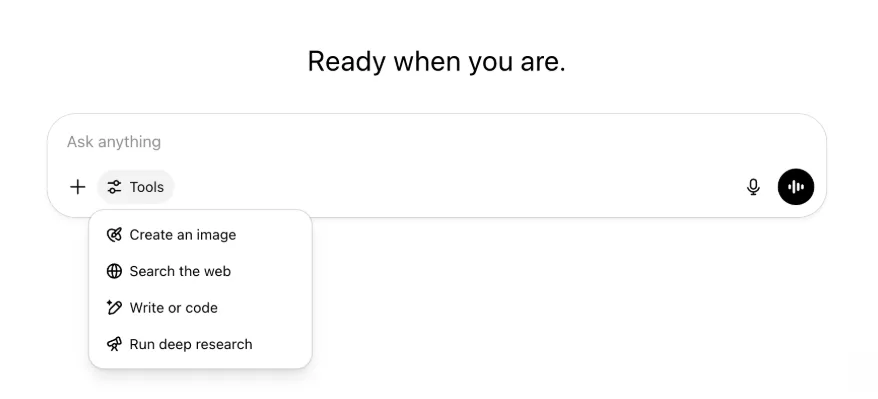
Naroon pa rin ang lahat ng parehong capability at tool—mas maayos lang at mas madaling ma-access sa iisang menu.
Mayo 22, 2025
Paglalabas ng GPT-4.1 sa ChatGPT
Mula nang ilunsad ito sa API noong Abril, naging paborito ng mga developer ang GPT-4.1—dahil sa maraming kahilingan, ginagawa namin itong direktang available sa ChatGPT.
Ang GPT-4.1 ay espesyalisadong modelo na napakahusay sa mga gawain sa coding. Kung ihahambing sa GPT-4o, mas mahusay pa ito sa tumpak na pagsunod sa mga tagubilin at mga gawain sa web development, at nag-aalok ng alternatibo sa OpenAI o3 at OpenAI o4-mini para sa mas simple at pang-araw-araw na pangangailangan sa coding.
Simula ngayon, maa-access ng mga user ng Enterprise at Edu ang GPT-4.1 sa pamamagitan ng drop-down na "higit pang mga modelo" sa model picker. Pareho ang rate limit ng GPT-4.1 at GPT-4o para sa mga bayad na user.
Ipinapakilala ang GPT-4.1 mini, na pumapalit sa GPT-4o mini, sa ChatGPT
Ang GPT-4.1 mini ay mabilis, mahusay, at episyenteng maliit na modelo, na nagbibigay ng malalaking pagpapahusay kumpara sa GPT-4o mini—sa pagsunod sa tagubilin, coding, at pangkalahatang Intelligence. Pinapalitan ng GPT-4.1 mini ang GPT-4o mini sa model picker sa ilalim ng "higit pang mga modelo" para sa mga bayad na user, at ito ang magsisilbing fallback na modelo para sa mga libreng user kapag naabot nila ang kanilang mga limitasyon sa paggamit ng GPT-4o. Hindi nagbabago ang mga rate limit.
Orihinal na ibinahagi ang mga eval para sa GPT-4.1 at GPT-4.1 mini sa blog post na kasama ng paglabas ng mga ito sa API. Sumailalim din ang mga ito sa mga karaniwang pagsusuri sa kaligtasan. Available ang mga detalyadong resulta sa bagong inilunsad na Hub ng Mga Pagsusuri sa Kaligtasan.
Mayo 15, 2025
I-export ang Malalimang Pananaliksik bilang PDF
Maaari mo na ngayong i-export ang iyong mga ulat sa malalimang pananaliksik bilang mahusay ang format na PDF—kumpleto sa mga table, larawan, naka-link na citation, at source.
Upang gamitin, i-click ang icon ng pagbabahagi at piliin ang 'I-download bilang PDF.' Gumagana ito sa mga bago at dating ulat.
Pagsasama-sama ng Mobile UI Composer (iOS/Android)
Inalis namin ang hanay ng mga indibidwal na icon ng tool sa mobile composer at pinalitan ito ng bagong icon na istilong slider upang buksan ang menu na Skills; kapag tina-tap ang button na iyon, bubukas ang bottom-sheet menu kung saan makapipili ang mga user ng mga tool gaya ng Gumawa ng larawan o Maghanap sa web.
Walang tool na ihihinto—pinagsama-sama lang ang access upang magkaroon ng espasyo at mabawasan ang kalat sa screen.
Mayo 8, 2025
Analytics ng User sa ChatGPT - GA
Maa-access ang binagong dashboard ng Analytics ng User sa console na Pamahalaan ang workspace, sa tab na Analytics. Nagbibigay ito ng mas komprehensibong data tungkol sa paggamit, adoption, at engagement kaysa sa orihinal na tab ng analytics.
Binibigyan ng pinahusay na dashboard na ito ang mga Admin ng pangkalahatang pagtingin sa paggamit ng ChatGPT sa inyong organisasyon—gamitin ito upang subaybayan ang adoption at engagement, maunawaan ang mga pattern ng paggamit ng mga pangunahing tool at GPT, at matukoy ang mga use case at trend ng user.
Tingnan ang Analytics ng User para sa ChatGPT Enterprise at Edu at API ng Pagsunod kumpara sa Analytics ng User sa ChatGPT Enterprise/Edu.
Mayo 2, 2025
Pag-generate ng Larawan ng 4o sa mga GPT
Magagamit na ngayon ng mga GPT ang mga capability sa pag-generate ng larawan ng ChatGPT upang gumawa ng mga larawan kapag hiniling ng mga user.
Maaaring i-enable ng mga creator ng GPT ang "Pag-generate ng Larawan ng 4o" sa seksyong I-configure ng GPT editor, sa ilalim ng Mga Capability.
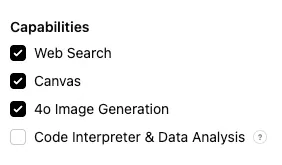
Mayo 1, 2025
Malalimang pananaliksik
Ang mga user na umabot sa kanilang buwanang limitasyon (10 gawain/buwan) gamit ang karaniwang modelo ng malalimang pananaliksik ay awtomatikong makatatanggap ng 15 karagdagang kahilingan para sa buwang iyon gamit ang aming magaang at matipid na bersyon hanggang mag-reset ang buwanang limitasyon.
Matuto pa tungkol sa malalimang pananaliksik.
Mga gawain sa o3 at o4-mini
Maaari ka na ngayong gumawa ng mga nakaiskedyul na gawain na nagbibigay-daan sa ChatGPT na magpatakbo ng mga automated na prompt at maagap na makipag-ugnayan sa iyo ayon sa iskedyul gamit ang o3 at o4-mini. Inalis na ang opsyong “ChatGPT na may Mga Nakaiskedyul na Gawain” sa model selector.
Matuto pa tungkol sa mga nakaiskedyul na gawain sa ChatGPT.
Abril 24, 2025
o3 at o4-mini
Sa pagpapakilala ng o3 at o4-mini / o4-mini-high, papalitan ng mga ito ang o1 at o3-mini / o3-mini-high sa ChatGPT.
Ang OpenAI o3 ang aming pinakamakapangyarihang nangangatwirang modelo na isinusulong ang frontier sa coding, matematika, agham, biswal na persepsyon, at iba pa. Nagtatakda ito ng bagong SOTA sa mga benchmark kabilang ang Codeforces, SWE-bench (nang hindi bumubuo ng custom na scaffold na partikular sa modelo), at MMMU. Mainam ito para sa mga komplikadong query na nangangailangan ng maraming uri ng pagsusuri at hindi agad malinaw ang mga sagot. Napakahusay nito lalo na sa mga biswal na gawain gaya ng pagsusuri ng mga larawan, chart, at graphic. Sa mga pagsusuri ng mga panlabas na eksperto, 20 porsiyentong mas kaunti ang malalaking pagkakamali ng o3 kaysa sa OpenAI o1 sa mahihirap at totoong gawain—partikular na mahusay sa programming, negosyo/consulting, at malikhaing pagbuo ng ideya. Binigyang-diin ng mga naunang tester ang mahigpit nitong pagsusuri bilang katuwang sa pag-iisip at ang kakayahan nitong bumuo at kritikal na suriin ang mga bagong hypothesis—lalo na sa biology, matematika, at engineering.
Ang OpenAI o4-mini ay mas maliit na modelong na-optimize para sa mabilis at matipid na pangangatwiran—kapansin-pansin ang performance nito para sa laki at gastos nito, lalo na sa matematika, coding, at mga biswal na gawain. Ito ang modelong may pinakamahusay na performance sa mga benchmark ng AIME 2024 at 2025. Sa mga pagsusuri ng eksperto, nalalampasan din nito ang nauna nitong o3-mini sa mga gawaing hindi STEM at sa mga larangang gaya ng data science. Dahil sa kahusayan nito, sinusuportahan ng o4-mini ang mas mataas na limitasyon sa paggamit kaysa sa o3, kaya mahusay itong opsyon para sa maraming tanong at mataas na throughput na nakikinabang sa pangangatwiran.
Abril 10, 2025
Mga Larawan ng ChatGPT
Available na sa lahat ng user ang pag-generate ng larawan sa GPT-4o bilang default na image generator sa ChatGPT. Maa-access pa rin ito sa pamamagitan ng DALL·E GPT ng mga user na mas gustong magpatuloy sa DALL·E.
Maaari kang mag-generate ng mga larawan gamit ang ChatGPT sa pamamagitan lang ng paghiling sa modelo na gumawa ng larawan na may mga detalyeng gusto mo, o sa pagpili sa opsyong Gumawa ng larawan sa composer. Matuto pa.
Marso 31, 2025
Analytics ng User sa ChatGPT - pampublikong beta
Maa-access ang binagong dashboard ng Analytics ng User sa console na Pamahalaan ang workspace, sa tab na Analytics. Nagbibigay ito ng mas komprehensibong data tungkol sa paggamit, adoption, at engagement kaysa sa orihinal na tab ng analytics.
Binibigyan ng pinahusay na dashboard na ito ang mga Admin ng pangkalahatang pagtingin sa paggamit ng ChatGPT sa inyong organisasyon—gamitin ito upang subaybayan ang adoption at engagement, maunawaan ang mga pattern ng paggamit ng mga pangunahing tool at GPT, at matukoy ang mga use case at trend ng user.
Tingnan ang Analytics ng User para sa ChatGPT Enterprise at Edu (pampublikong beta) para sa mga detalye.
Marso 20, 2025
Update sa Mga Nakabahaging Project
Ipinagpapaliban muna namin ang paglulunsad ng mga nakabahaging project na may access na Tingnan at I-edit upang makagawa kami ng mas collaborative na bersyong magiging mahalaga sa mga user.
Marso 13, 2025
Pag-code gamit ang Work with Apps sa macOS
Kapag gumagamit ng mga IDE, maaari mong hilingin sa ChatGPT na direktang i-edit ang mga bukas na file—hindi na kailangang mag-copy-paste. Kapag humiling ka ng pag-edit, bubuo ang ChatGPT ng diff na maaari mong suriin at ilapat, at mayroon ding opsyong awtomatikong ilapat ang mga edit. Madaling ibalik ang mga diff sa UI ng ChatGPT, o sa pamamagitan ng CMD+Z sa iyong editor.
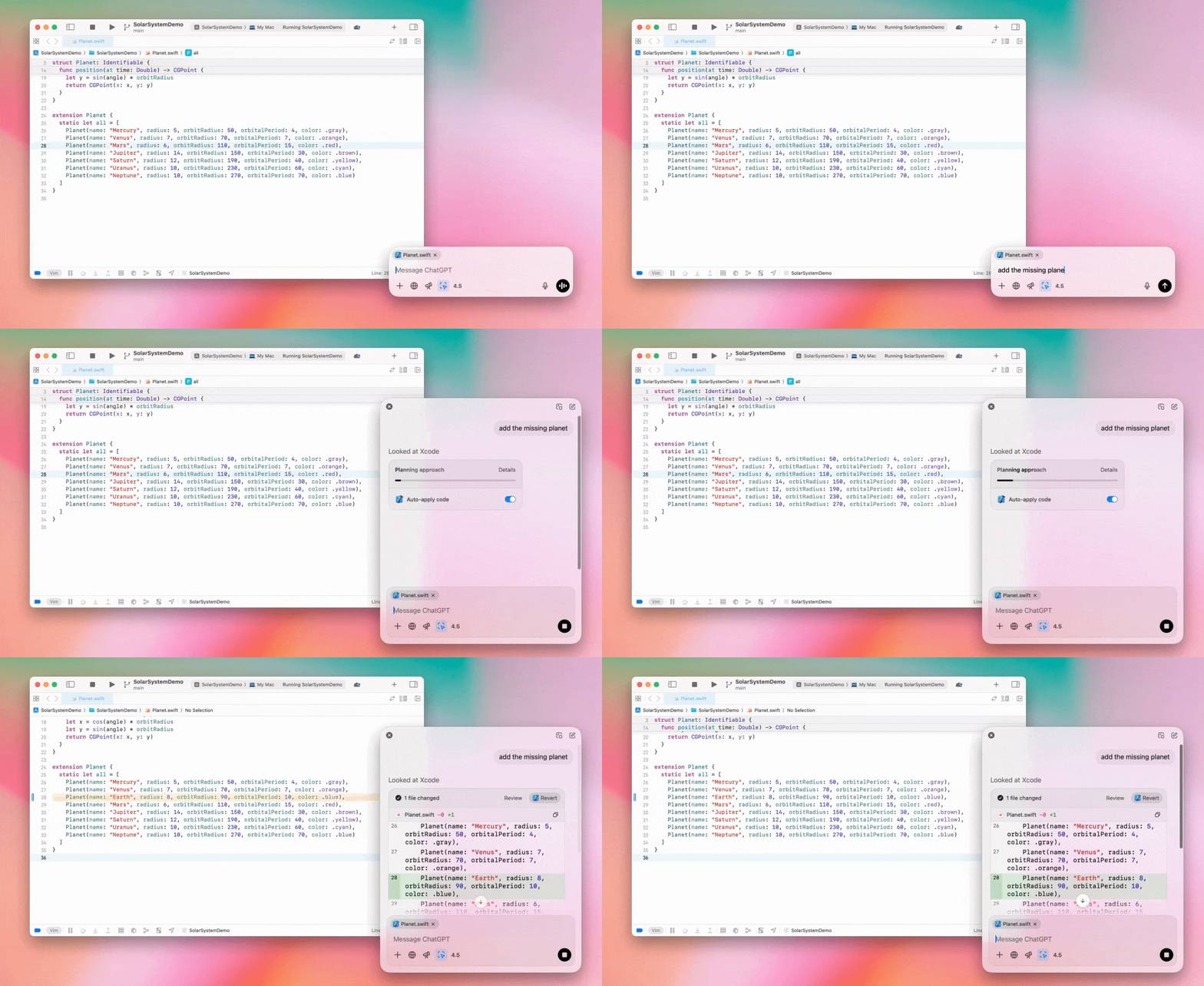
Maaaring i-off ng mga Enterprise admin ang toggle na "Work with Apps" sa kanilang Mga Setting ng Admin upang i-disable ang functionality na ito para sa mga miyembro ng workspace.
GPT-4.5 sa ChatGPT
Simula Marso 13, 2025, magagamit na ng mga user sa mga plan na Enterprise at Edu ang aming modelong GPT-4.5 sa ChatGPT!
Tingnan ang GPT-4.5 sa ChatGPT para sa mga detalye.
Marso 10, 2025
Malalimang pananaliksik sa API ng Pagsunod ng ChatGPT
Simula Marso 10, 2025, kabilang sa mga opsyon para sa mga Enterprise customer na gumagamit ng API ng Pagsunod ang:
Hanapin ang "global na prompt ng malalimang pananaliksik".
Hanapin ang pangalan ng tool sa sagot: {"tool_name":"deep_research"}.
Pebrero 25, 2025
Malalimang pananaliksik sa ChatGPT
Available na ngayon sa mga user ng Enterprise plan ang malalimang pananaliksik sa ChatGPT.
Binibigyang-daan ng Malalimang Pananaliksik ang ChatGPT na agentic at asynchronous na mag-browse sa web upang tapusin ang iyong propesyonal o personal na gawain.
Magkakaroon ang mga user ng Enterprise at Edu ng 10 query sa malalimang pananaliksik bawat buwan.
Tingnan ang aming FAQ sa Malalimang pananaliksik para sa mga detalye.
Pebrero 13, 2025
o1 pro mode at o3-mini sa ChatGPT
Available na ngayon sa ChatGPT ang o1 pro mode para sa Enterprise at ang o3-mini para sa Enterprise Edu!
o3-mini: Pinalitan ng OpenAI o3-mini ang o1-mini sa model picker. Mas matipid ito at nag-aalok ng mas matataas na rate limit na may mas mababang latency. Isa itong nangangatwirang modelo, kaya mahusay itong piliin para sa coding, STEM, at mga gawaing nangangailangan ng lohikal na paglutas ng problema. Ipinapakita ng o3-mini ang chain of thought nito at nakapagba-browse sa web.
o1 pro mode: Available din ngayong linggo sa model picker ang o1 pro mode. Idinisenyo para sa katumpakan at lalim, mahusay ito sa pananaliksik, engineering, negosyo, at batas—mainam para sa mga propesyonal na humaharap sa napakakomplikadong hamon. Mas matagal pag-iisipan ng o1 pro mode ang isang problema. Kaya maaaring magtagal ang mga sagot. Dahil sa matinding pangangailangan nito sa computation, limitado ang bawat user sa limang query bawat buwan. Para sa karamihan ng gawain, mananatiling pinakamainam na pagpipilian ang o1, o3-mini, o GPT-4o.
Tungkol sa Mga Pag-upload ng File
Sinusuportahan ang mga larawan, dokumento, at PDF sa mga modelong o1, o3-mini, at o3-mini-high*. Walang spreadsheet (CSV/Excel).*
Mga larawan lang ang sinusuportahan sa o1 pro mode. Walang dokumento/PDF at walang spreadsheet (CSV/Excel).
Pagbabahagi ng canvas
Maaari na ngayong magbahagi ang mga user ng ChatGPT Enterprise at Edu ng asset sa canvas gaya ng na-render na React/HTML code, dokumento, o code sa ibang user, katulad ng pagbabahagi ng pag-uusap. Magagawa mo ito mula sa toolbar ng canvas kapag bukas ang canvas.
Para sa higit pang detalye tungkol sa feature na canvas sa ChatGPT, tingnan ang sumusunod na artikulo sa Help Center!
Enero 23, 2025
Mga Project
Available na ngayon ang Mga Project para sa lahat ng bayad na plan kabilang ang Enterprise at Edu.
Tingnan ang Paggamit ng mga project sa ChatGPT para sa mga detalye.
Enero 16, 2025
Visual Retrieval (Mga PDF) para sa ChatGPT Enterprise
Sinusuportahan na ngayon ng ChatGPT Enterprise ang pagbabasa at pag-unawa sa mga visual (larawan, graph, diagram, atbp.) na naka-embed sa mga PDF file. Maaaring mag-upload ang mga user ng PDF, at maipapakahulugan ng ChatGPT ang text at anumang biswal na elemento sa loob ng file na iyon.
Para sa mga detalye, tingnan ang FAQ sa Visual Retrieval gamit ang mga PDF.
Disyembre 12, 2024
o1
Simula ngayon, maa-access ng lahat ng customer ng ChatGPT Enterprise ang o1 sa pamamagitan ng model selector, na pumapalit sa o1-preview.
Magagamit na ngayon ang o1 upang mangatwiran tungkol sa mga na-upload na larawan, na nagbubukas ng mga bagong application sa pamamagitan ng mas detalyado at tumpak na pagsusuri at pagpapaliwanag ng mga biswal na representasyon. Sinanay din namin ang modelo na maging mas maikli sa pag-iisip nito, kaya mas mabilis ang oras ng pagtugon kaysa sa o1-preview.
Disyembre 11, 2024
Apple Intelligence kasama ang ChatGPT
Maaari na ngayong i-enable at i-disable ng mga admin ng ChatGPT ang access sa Apple Intelligence mula sa mga setting ng admin ng kanilang workspace, sa ilalim ng Mga Koneksyon.
Kung naka-off ang setting na ito, hindi mapipili ng mga user ang kanilang workspace ng ChatGPT Enterprise/Edu kapag nagla-log in gamit ang kanilang mga credential sa OpenAI.
Disyembre 10, 2024
canvas
Ginawa naming available ngayon ang canvas sa 4o bilang default para sa lahat ng user, Libre at Bayad. Bukod dito, naglunsad kami ng ilang bagong capability para sa canvas, kabilang ang:
canvas sa mga GPT: Magagamit na ngayon ang canvas sa mga GPT kapag naka-enable sa creator ng GPT. Naka-enable bilang default ang toggle na ito para sa mga bagong gawang GPT.
Pagpapatakbo ng Python code: Maaari ka na ngayong magpatakbo ng Python code sa isang canvas. Susubukang ayusin ng ChatGPT ang mga bug sa iyong code at magbibigay ng mga komento tungkol sa mga error. Pakitandaang maaaring gumawa ng mga panlabas na kahilingan sa network ang pagpapatakbo ng Python, at maaaring i-disable ng mga admin ng Enterprise workspace ang pagpapatakbo ng Python code sa pamamagitan ng toggle na setting na Pagpapatakbo ng code sa canvas sa kanilang Mga setting ng admin. Naka-off ito bilang default para sa lahat ng Enterprise account.
Shortcut ng canvas: Maaari ka na ngayong mag-paste ng content sa ChatGPT at agad itong buksan sa canvas sa pamamagitan ng shortcut sa kanang itaas na sulok ng composer.
canvas sa Toolbox: Idinagdag ang canvas bilang opsyon sa toolbox.
Magagamit na ngayon ng mga admin ng workspace ang API ng Pagsunod upang kunin, ilista, at tanggalin ang mga text document sa canvas.
Pakitandaang inalis na ang Setting ng Admin upang i-disable ang canvas, dahil wala na sa beta ang feature na ito. Kung dati itong naka-disable, patuloy naming susundin ang setting na iyon. Mangyaring makipag-ugnayan sa aming support team gamit ang chat bubble sa kanang ibabang sulok ng page na ito.
Disyembre 3, 2024
Work with Apps sa macOS
Mababasa na ngayon ng ChatGPT ang content mula sa iyong mga coding app, na nagbibigay sa iyo ng mas matalino at tumpak na mga sagot na iniangkop sa iyong trabaho gamit ang Work with Apps sa macOS. Matuto pa tungkol sa Work with Apps sa macOS.
Maaaring i-off ng mga Enterprise admin ang toggle na "Work with Apps" sa kanilang Mga Setting ng Admin upang i-disable ang functionality na ito para sa mga miyembro ng workspace.
Nobyembre 22, 2024
Mga update sa karanasan sa ChatGPT Web
Ilulunsad namin sa susunod na dalawang linggo ang mga sumusunod na update para sa lahat ng user ng ChatGPT.
Bagong disenyo ng sidebar
Nagdagdag ng bagong floating mode na may banayad na dismiss behavior
Limitado na ngayon sa sidebar ang mga kamakailang pag-uusap, na may flyout na walang limitasyong infinite scroll para sa lahat ng pag-uusap
Lumalabas na ngayon sa ibaba ng mga pag-uusap ang Mga Kamakailang GPT at Mga Naka-pin na GPT
Palaging nasa ibaba na ngayon ng sidebar ang Mga Setting
Nagdagdag ng maliit na icon ng mga setting sa mas malalaking viewport kapag hindi nakabukas ang sidebar
Nagdagdag ng mga bagong transition upang gawing mas immersive ang karanasan
Iba pang update para sa ChatGPT sa Web
Binago ang mga pangunahing pundasyon ng site, na nagbibigay ng mas mahusay na suporta para sa mas maraming uri at laki ng device
Kapag nagsisimula ng bagong pag-uusap, nag-i-scroll na ito sa view sa itaas ng screen
Hindi na awtomatikong nag-i-scroll sa ibaba ang bagong pag-uusap habang binubuo ang mensahe
Kapag naka-pin, maaari nang manatiling bukas ang sidebar habang may aktibong canvas kung sapat ang espasyo
Pinapalamlam na ngayon ng bagong layout ng composer bar ang content sa ilalim nito habang nag-i-scroll ka, na may na-update na hitsura at pakiramdam
Inilipat sa kaliwa ng Model Picker ang button ng bagong chat upang mas madaling ma-access
Inalis ang system icon sa mga pag-uusap upang magkaroon ng karagdagang pahalang na espasyo
May na-update na layout ang view na nakatuon sa DALL-E
May na-update na layout ang GPT Creator
Pinahusay na Karanasan sa Mobile Web
Malaki ang ipinahusay sa karanasan sa on-screen keyboard sa mga mobile device sa iOS at Android
Palaging nasa floating mode ang bagong sidebar at awtomatikong nagsasara kapag nagpapalit ng thread
Hindi na namin awtomatikong itinutuon ang composer sa mobile web kapag nagpapalit ng pag-uusap
Dapat ay naayos na ang problemang nagiging sanhi upang ma-stuck ang pag-scroll sa ilang sitwasyon
Nobyembre 20, 2024
Update sa GPT-4o
Na-update namin ang GPT-4o para sa mga user ng ChatGPT sa lahat ng bayad na antas. Kasama sa update na ito sa GPT-4o ang pinahusay na kakayahan sa pagsusulat na mas natural na ngayon, isinasaalang-alang ang audience, at iniangkop upang mapahusay ang kaugnayan at pagiging madaling basahin. Mas mahusay din ang modelong ito sa paggamit ng mga na-upload na file, at nagbibigay ng mas malalalim na insight at mas masusing sagot.
Nobyembre 19, 2024
Advanced Voice para sa ChatGPT Web
Simula ngayon, unti-unti naming inilulunsad ang advanced na voice mode sa web (available na sa mobile at desktop app). Maaari na ngayong magsimula ang mga user ng voice chat sa chatgpt.com sa kanilang desktop at magkaroon ng real-time at natural na pag-uusap sa ChatGPT habang gumagawa ng mga gawaing gaya ng pagpaplano, pagsusulat, at brainstorming.
Nobyembre 14, 2024
Windows App
Available na ngayon sa Microsoft Store ang pinahusay na Windows app para sa mga workspace ng ChatGPT Enterprise at Edu. Madaling maisasama ng mga user ng ChatGPT na pamilyar sa aming karanasan sa web ang Windows app sa anumang ginagawa nila sa computer.
Susunod ang access ng user sa ChatGPT Windows app sa mga patakaran ng inyong IT admin para sa mga app sa Microsoft Store. Sa mga darating na linggo, magkakaroon din ang mga IT admin ng opsyong i-deploy ang app sa mga device ng empleyado sa pamamagitan ng MDM/MAM, sa halip na payagan ang direktang pag-download mula sa Store.
Tulad ng anumang karanasan sa ChatGPT Enterprise, secure ang history ng chat ng user at hindi ito gagamitin upang pahusayin ang mga serbisyo ng OpenAI.
Matuto pa tungkol sa ChatGPT Windows app.