
20 augustus 2026
Functie-updates voor Enterprise
Eigenaren en beheerders van werkruimten kunnen nieuwe Admin API's op werkruimteniveau gebruiken om uitnodigingen en ledenbeheer te automatiseren. Met de Invitation API's kunt u uitnodigingen weergeven, ophalen, maken, opnieuw verzenden en verwijderen. Met de User API's kunnen geaccepteerde leden worden opgehaald. Eigenaren van werkruimten kunnen ook ingebouwde rollen of gebruikersplaatsen bijwerken en werkruimtelidmaatschappen verwijderen. Wijzigingen die via SCIM worden beheerd, blijven via de identiteitsprovider verlopen. Ook blijft de laatste eigenaar beschermd. Zie Admin-sleutels beheren voor informatie over configuratie en machtigingen. Raadpleeg de Admin API-referentie voor endpointpaden en schema's.
In de Global Admin Console is nu duidelijker te zien in welke tenant of werkruimte u werkt. Ook zijn er werkruimtespecifieke URL's toegevoegd voor ondersteunde pagina's. Leden van een werkruimte kunnen analyses bekijken die beperkt zijn tot hun eigen activiteit. Overzichten van meerdere gebruikers blijven alleen beschikbaar voor bevoegde rollen. De instellingen van de ChatGPT-werkruimte blijven op hun huidige locatie staan. Meer informatie over de Global Admin Console.
Persoonlijke analyses ondersteunen Work en Codex voor in aanmerking komende Enterprise- en Edu-werkruimten. Nadat een beheerder de plug-in heeft ingeschakeld, kunnen leden deze in ChatGPT Desktop installeren en vragen stellen over activiteiten die aan hun aangemelde identiteit zijn gekoppeld en over privacybeschermde, geaggregeerde trends binnen de werkruimte. De functie is alleen-lezen en kan geen individuele activiteiten van een andere gebruiker of gegevens van een andere werkruimte tonen. Meer informatie over Persoonlijke analyses.
Samenwerken aan ChatGPT Sites (alleen Enterprise). In Enterprise-werkruimten kunnen eigenaren van een Site actieve leden van dezelfde werkruimte als editors toevoegen. Editors kunnen een Site bijwerken en opslaan. Nadat de eigenaar deze voor het eerst heeft gepubliceerd, kunnen zij latere versies naar dezelfde Site-URL publiceren. Eigenaren houden de controle over delen, Site-instellingen, analyses, eigendom, het herstellen van versies en editortoegang. Gezamenlijk bewerken maakt gebruik van de bestaande werkruimte-instellingen voor Sites en voegt geen afzonderlijke RBAC-schakelaar toe. Openbaar publiceren blijft standaard uitgeschakeld en wordt door beheerders beheerd. Meer informatie over het beheren van ChatGPT Sites voor uw werkruimte.
Gebruik Apple Berichten vanuit Codex en ChatGPT Work. Op Macs met Apple silicon kan de plug-in Apple Berichten in de ChatGPT-desktopapp gesprekken via iMessage, sms en RCS lezen en doorzoeken, en berichten opstellen of verzenden via Berichten. ChatGPT vraagt de gebruiker standaard om het bericht en de ontvangers goed te keuren voordat het wordt verzonden. Beheerders van beheerde werkruimten kunnen Apple Berichten uitschakelen via de bestaande instelling voor Computergebruik. Meer informatie over de plug-in Apple Berichten.
Gebruik Computergeschiedenis in meer regio's (alleen Enterprise). Computergeschiedenis is nu beschikbaar in de EER, Zwitserland en het Verenigd Koninkrijk voor Enterprise-gebruikers van de ChatGPT-desktopapp op macOS. De functie is standaard uitgeschakeld, vereist Geheugen en moet door een werkruimtebeheerder worden ingeschakeld voordat een lid zich ervoor kan aanmelden. Meer informatie over Computergeschiedenis.
Deel een alleen-lezen momentopname van een Codex-chat. Deellinks van een werkruimte zijn beperkt tot geverifieerde leden van de werkruimte waarin ze zijn gemaakt. Beheerders kunnen deze deellinks uitschakelen. Een momentopname wordt niet bijgewerkt wanneer de oorspronkelijke chat verandert. Codex maakt bekende patronen van geheime gegevens onleesbaar, maar gebruikers moeten de momentopname controleren omdat deze nog gevoelige paden, verschillen, afbeeldingen of andere inhoud kan bevatten. Meer informatie over het delen van een Codex-chat.
Exporteer de openbare plug-incatalogus. Eigenaren en beheerders van in aanmerking komende ChatGPT Enterprise-werkruimten kunnen een CSV exporteren via Beheer > Plug-ins > Openbaar > CSV exporteren. De export kan maximaal 48 uur oud zijn en bevat geen plug-ins die in de werkruimte zijn gemaakt. Meer informatie over het exporteren van de openbare catalogus.
August 13, 2026
Chat model defaults
Workspace owners and admins can configure the starting Chat model and reasoning level from Workspace settings > Models. Owners and admins can apply an admin default or allow User’s last choice for new chats - note that defaults do not grant access to unavailable models or override enforced workspace requirements.
The ChatGPT Desktop app should be upgraded to version 26.812.10818 or later for the new controls to take effect.
Updated model picker for Enterprise and Edu
Members in the Enterprise/Edu workspaces have updated model-picker and composer experience. The picker makes the available intelligence choices easier to compare while preserving workspace model availability and access controls.
Audit logs in the Global Admin Console
Workspace owners and admins can now review supported audit events from the Global Admin Console. Access and event coverage depend on the selected workspace and admin role. Read more.
Additive role-based access controls
Workspace owners in Enterprise and Edu workspaces can now configure eligible permissions in ordinary custom roles with Default, On, or Off. Default inherits the workspace setting, On explicitly grants the permission, and Off explicitly denies access. ChatGPT evaluates all applicable ordinary roles together: at least one role must grant the permission, and an explicit Off in any applicable role prevents access. Lockdown Mode is evaluated separately and can further restrict network-enabled capabilities. Learn more about role-based access controls.
Codex thread-level cost data
Members of eligible Enterprise workspaces with credit-based billing can review per-chat lifetime credit usage in Codex. Note that numbers present are estimates are planning aids and are not invoices. Members can also view their usage from the Settings pane in ChatGPT Desktop and by accessing the Usage & billing tab. This feature requires ChatGPT Desktop version 26.812.10818 or later. Read more.
Personal Analytics plugin
The Personal Analytics plugin is available for eligible workspaces. After a workspace owner or admin enables the plugin, members can install it in ChatGPT Desktop and ask questions about their own Codex activity and available aggregated workspace trends. Read more.
Codex service accounts
Eligible workspaces can create non-human service accounts for Codex automation. Workspace owners and admins can assign roles and groups, configure plugins, share account management, and issue scoped access tokens for CI runners and scheduled jobs. Read more.
Windows desktop performance improvements
The ChatGPT desktop app for Windows includes performance improvements. These improvements require ChatGPT Desktop version 26.803.41515 or later.
Computer History for ChatGPT Enterprise
Computer History is an optional feature in the ChatGPT macOS app that lets Enterprise members bring context from selected apps and websites into ChatGPT and Codex. It records interaction events—not screenshots, screen recordings, microphone input, or system audio—and private browsing is not included.
Computer History is off by default, and Enterprise admins can grant access by role before each member chooses whether to opt in. Members can pause Computer History, choose included apps and sites, and inspect or delete timeline items. Note that Computer History is not currently available in the EEA, UK or Switzerland.
10 augustus 2026
Beëindiging van synchronisatie voor afzonderlijke gebruikers bij gekoppelde apps
Vanaf 10 augustus kunnen geen nieuwe synchronisatieverbindingen meer worden gemaakt die afzonderlijk zijn geautoriseerd. Op 14 augustus worden bestaande synchronisatieverbindingen van afzonderlijke gebruikers uitgeschakeld en begint de verwijdering van de bijbehorende gesynchroniseerde gegevens. Door beheerders beheerde synchronisatie blijft ongewijzigd. Controleer uiterlijk 14 augustus de connectorinstellingen van je werkruimte en voer waar nodig de volgende acties uit:
| Connector | Vereiste beheerdersactie |
|---|---|
| Google Drive | Schakel de Google Drive-plug-in in. Als gesynchroniseerde kennis nodig is, configureer je door beheerders beheerde Google Drive-synchronisatie met delegatie voor het hele domein. |
| SharePoint | Schakel de SharePoint-plug-in in. Als gesynchroniseerde kennis nodig is, configureer je beheerderssynchronisatie. |
| GitHub | Schakel de niet-gesynchroniseerde GitHub-plug-in in. |
| GitLab Issues | We maken de beschikbaarheid van de vervangende plug-in binnenkort bekend. |
| Azure Boards (Azure DevOps) | We maken de beschikbaarheid van de vervangende plug-in binnenkort bekend. |
| Basecamp | We maken de beschikbaarheid van de vervangende plug-in binnenkort bekend. |
| Help Scout | Bepaal welke gebruikers en workflows worden getroffen en informeer hen dat de gesynchroniseerde toegang wordt beëindigd. We werken actief samen met de partner aan een vervanging. |
| Zoho Desk | Bepaal welke gebruikers en workflows worden getroffen en informeer hen dat de gesynchroniseerde toegang wordt beëindigd. We werken actief samen met de partner aan een vervanging. |
| Teamwork | Bepaal welke gebruikers en workflows worden getroffen en informeer hen dat de gesynchroniseerde toegang wordt beëindigd. We werken actief samen met de partner aan een vervanging. |
| Aha! | Bepaal welke gebruikers en workflows worden getroffen en informeer hen dat de gesynchroniseerde toegang wordt beëindigd. We werken actief samen met de partner aan een vervanging. |
| Zoho CRM | Bepaal welke gebruikers en workflows worden getroffen en informeer hen dat de gesynchroniseerde toegang wordt beëindigd. We werken actief samen met de partner aan een vervanging. |
| Pipedrive | Bepaal welke gebruikers en workflows worden getroffen en informeer hen dat de gesynchroniseerde toegang wordt beëindigd. We werken actief samen met de partner aan een vervanging. |
7 augustus 2026
Bestanden en Projecten in ChatGPT Voice
GPT-Live in ChatGPT Voice ondersteunt nu bestandsuploads en Projecten. Je kunt nu bestanden uploaden in een spraakgesprek en de inhoud analyseren of er vragen over stellen. Je kunt spraak ook in Projecten gebruiken en daarbij recente projectchats, bronnen en projectinstructies raadplegen.
Live is nu de standaardervaring voor Voice
Voor Enterprise-, Edu- en Healthcare-werkruimten is Live nu de standaardervaring voor Voice wanneer een werkruimte-eigenaar Voice inschakelt. Vroege modeltoegang hoeft niet meer te zijn ingeschakeld. Werkruimte-eigenaren kunnen Voice uitschakelen via Werkruimte-instellingen.
Lees meer over ChatGPT Voice.
6 augustus 2026
Nieuwe instellingen voor updates van de desktopapp
Beheerders van ChatGPT Enterprise, ChatGPT for Healthcare en ChatGPT Edu kunnen updates in de ChatGPT-desktopapp nu uitschakelen voor ondersteunde macOS- en Windows-builds. Zo kunnen organisaties nieuwe releases beoordelen voordat gebruikers ze ontvangen en goedgekeurde versies via hun bestaande apparaatbeheerproces implementeren.
De ingebouwde updater van de app blijft standaard ingeschakeld. Organisaties die deze uitschakelen, moeten nieuwe releases en beveiligingsoplossingen tijdig implementeren. OpenAI biedt geen vastzetten van versies, afzonderlijk stabiel releasekanaal of uitgebreide ondersteuning voor oudere versies. Meer informatie.
4 augustus 2026
Grote geplakte teksten worden nu bij alle abonnementen als bijlage verwerkt
Vanaf vandaag worden lange geplakte teksten voor gebruikers van ChatGPT Enterprise en Education anders verwerkt in ChatGPT.
Als je meer dan 10.000 tekens in het berichtvak plakt, zet ChatGPT de inhoud automatisch om in een bijlage in plaats van deze rechtstreeks in het tekstveld te plaatsen. Zo blijft het berichtvak overzichtelijk en voorkom je dat een grote geplakte tekst je hele contextvenster gebruikt.
Je kunt de inhoud altijd terugzetten in het bericht door op In tekstveld tonen te klikken. De bijlage wordt dan weer rechtstreeks geplakt.
Dit is al beschikbaar voor gebruikers van alle andere abonnementen.
Onderwijsplug-ins voor lesgeven en leren
ChatGPT Edu-werkruimten hebben nu toegang tot drie begeleide plug-ins in ChatGPT Work en Codex: Docent hoger onderwijs, Docent basis- en voortgezet onderwijs en Student hoger onderwijs. ChatGPT for Teachers-werkruimten die via een geclaimd schooldistrictdomein worden beheerd, hebben toegang tot Docent basis- en voortgezet onderwijs. Deze plug-ins helpen docenten lessen, toetsen en communicatie op basis van cursusmateriaal te maken, en studenten studieplannen op te stellen en cursusonderwerpen te oefenen.
Docent hoger onderwijs: Helpt docenten vakken en syllabi te ontwerpen en bij te werken, interactief lesmateriaal en multimediatoetsen te maken, materiaal aan diverse studenten aan te passen en inhoud voor hun LMS te verpakken.
Docent basis- en voortgezet onderwijs: Helpt docenten lesmateriaal, opdrachten, beoordelingsrubrieken en leermiddelen te maken, met Learning Commons-context om materiaal af te stemmen op onderwijsnormen en leerlijnen.
Student hoger onderwijs: Helpt studenten cursusmateriaal en een studiedoel te gebruiken voor uitleg met bronnen, begeleide oefeningen, studieplannen, quizzen, flashcards en visuele uitleg.
De plug-ins staan in de plug-inmap, maar worden niet standaard geïnstalleerd. Deze plug-ins zijn niet beschikbaar voor Enterprise-accounts. Werkruimtebeheerders kunnen de beschikbaarheid en rechten van plug-ins beheren. Lees meer in Plug-ins in ChatGPT en Codex.
Gebruikslimieten van wekelijks naar maandelijks migreren
Werkruimte-eigenaren kunnen wekelijkse limieten uit Rechten & rollen nu eenvoudig naar maandelijkse limieten migreren. Open Werkruimte-instellingen → Rechten & rollen, selecteer een rol, scrol naar Wekelijkse limieten, kies Migreren en bevestig. Als je de migratie vanuit een rol start, worden alle resterende wekelijkse rolgebaseerde limieten in de werkruimte overgezet. Dit kan afhankelijk van de werkruimte enkele minuten duren.
Op 15 augustus worden resterende ChatGPT Enterprise-werkruimten die nog wekelijkse rolgebaseerde bestedingslimieten gebruiken automatisch overgezet naar maandelijkse gebruikslimieten. Lees meer over het beheren van gebruikslimieten en overschrijdingen.
23 juli 2026
Een natuurlijkere ChatGPT Voice-ervaring
ChatGPT Voice wordt uitgerold naar Enterprise- en Edu-werkruimten met twee verschillende ervaringen:
Voice in Chat: Voer natuurlijke realtime gesprekken om vragen te stellen, te brainstormen en ideeën te verkennen. Voice in Chat wordt aangedreven door GPT-Live en ondersteunt onderbrekingen, vervolgvragen en waar beschikbaar mogelijkheden zoals zoeken op internet. Het is beschikbaar in Chat op desktop en in ondersteunde ervaringen op internet, iOS en Android.
Voice in Work en Codex: Vanuit de desktopapp kan ChatGPT Voice je computer bedienen en werk coördineren tussen meerdere agents, actieve gesprekken en projecten. Gebruik het om taken te starten, voortgang te controleren, werk te onderbreken of om te leiden en updates te ontvangen terwijl taken op de achtergrond doorgaan. Beschikbaar op macOS en Windows, met gekoppelde externe toegang via iOS. Zelfstandige Voice in Work en Codex is niet beschikbaar op internet of mobiel.
De eerste twee weken moeten werkruimte-eigenaren zowel Voice als Vroege modeltoegang inschakelen voordat leden Live kunnen selecteren in hun Voice-instellingen. Bestaande gesprekken in de geavanceerde spraakmodus schakelen tijdens deze periode niet automatisch over naar Live.
Na de periode voor vroege toegang wordt Live de standaardervaring voor Voice in werkruimten waarin Voice is ingeschakeld. Werkruimte-eigenaren kunnen Voice volledig uitschakelen door Voice uit te zetten.
Voor werkruimten met flexibele prijzen kost Voice in Chat 5 credits per minuut. Voice in Work en Codex kost ongeveer 6 credits per minuut voor Enterprise-werkruimten met creditprijzen. Verouderde Enterprise-werkruimten krijgen per venster van vijf uur één uur Voice, twee uur Voice Mini en ongeveer 45 minuten Voice in Work en Codex. Taken die via Work of Codex worden gedelegeerd, gebruiken tegen standaardtarieven de bestaande gedeelde gebruiksvoorraad.
Lees meer over ChatGPT Voice en Voice-prijzen voor Business, Enterprise en Edu.
ChatGPT Work inschakelen
Voor ChatGPT Enterprise-/Edu-werkruimten is Work standaard ingeschakeld voor leden, tenzij een werkruimte-eigenaar of -beheerder het uitschakelt. Werkruimte-instellingen en rolgebaseerd toegangsbeheer blijven de toegang van elk lid bepalen, ook voor geschikte Enterprise-werkruimten met Enterprise Key Management.
Lees meer in ChatGPT Work en Codex en Werkruimte-instellingen beheren in ChatGPT Enterprise.
Standaardmodellen
In Werkruimte-instellingen → Modellen kunnen werkruimte-eigenaren en -beheerders het startmodel, redeneerniveau, de snelheid en het gedrag van nieuwe chats voor Work en Codex instellen. Deze instellingen bepalen de startervaring. Ze geven geen toegang tot niet-beschikbare modellen en vervangen geen beheer van beschikbare modellen, rolgebaseerde toegang of afgedwongen werkruimtevereisten.
Lees meer in Werkruimte-instellingen beheren in ChatGPT Enterprise en ChatGPT Work en Codex.
Gebruikslimieten
We verplaatsen Gebruikslimieten van Werkruimte-instellingen naar de algemene beheerdersconsole. Eigenaren en beheerders kunnen een standaard voor de werkruimte instellen, uitzonderingen voor groepen en gebruikers maken, effectieve limieten bekijken en verzoeken om meer gebruik beheren. Onder Gebruikslimieten → Werkruimte kunnen beheerders de standaardperiode Maandelijks behouden, die op de eerste dag van elke kalendermaand om 00.00 UTC wordt gereset, of waar beschikbaar Afgestemd op factureringscyclus kiezen.
Lees meer in Gebruikslimieten en overschrijdingen beheren en Algemene beheerdersconsole.
Gebruiksschattingen en groepsanalyse
Voor geschikte werkruimten kunnen geschatte dollarbedragen naast credits verschijnen in Analyse, Facturering, editors voor gebruikslimieten, de Kosten-API en de Codex-analyse-API. Schattingen gebruiken het overschrijdingstarief van de geselecteerde werkruimte en zijn bedoeld voor planning. Facturering → Facturen blijft de bron voor opgelegde kosten. Analyseranglijsten bevatten nu ook een tabblad Groepen met uitsplitsingen op groepsniveau per product, gemeten item en model.
Lees meer in Algemene beheerdersconsole en Werkruimteanalyse.
22 juli 2026
Updates voor OpenAI Presence en telefonische AI-ondersteuning
OpenAI Presence is nu beperkt algemeen beschikbaar als beheerd platform voor organisaties die beheerde AI-agents bouwen en gebruiken voor workflows met grote volumes. Presence ondersteunt implementaties via spraak of chat, met beheer voor testen, rechten, monitoring en escalatie naar mensen. Beschikbaarheid hangt af van de geschiktheid van de workflow, implementatiegereedheid en leveringscapaciteit. Bespreek toegang met je OpenAI-accountteam. Lees meer over OpenAI Presence.
Telefonische AI-ondersteuning, die OpenAI Presence gebruikt, is niet langer experimenteel. Gebruikers in de Verenigde Staten, Canada en Australië kunnen zonder ChatGPT-account bellen voor gewone vragen over producten, accounts en probleemoplossing. Dit geautomatiseerde ondersteuningskanaal kan geen meldingen of verzoeken indienen, gebruikers met een menselijke agent verbinden, een escalatie of accountbeoordeling starten of opvolging garanderen. Lees meer over telefonische AI-ondersteuning.
16 juli 2026
Uitgebreide beheerders-API's en analyses
Beheerders kunnen nu werkruimtegebonden beheerderssleutels maken en beheren in de algemene beheerdersconsole onder Referenties > Beheerderssleutels. Deze sleutels werken met ondersteunde beheerders-API's van ChatGPT en Codex voor groepsbeheer, de API voor bestedingsbeheer, kostenrapportage en analyses. Beschikbare rechten hangen af van de werkruimterol van de beheerder. Beheerderssleutels kunnen niet voor modelinferentie worden gebruikt.
De algemene beheerdersconsole bevat nu maximaal 120 dagen geschiedenis voor credit- en Codex-analyses. Bestedingsbeheer en het tabblad Gebruikslimieten blijven in ChatGPT en maken geen deel uit van deze lancering van de algemene beheerdersconsole. Beheerders kunnen gebruikslimieten, inclusief waar beschikbaar de optie Geen limiet, blijven beheren via Werkruimte-instellingen → Gebruikslimieten. Lees meer in Gebruikslimieten en overschrijdingen beheren in ChatGPT Enterprise en Edu en Algemene beheerdersconsole.
Updates voor de ChatGPT-desktopervaring
We hebben de ChatGPT-desktopapp bijgewerkt, zodat je makkelijker kiest tussen Chat en Work, gesprekken en Projecten vindt en op verschillende apparaten verderwerkt in Work. Deze updates zijn nu beschikbaar voor alle abonnementen op macOS en Windows.
macOS en Windows
Duidelijkere desktopindeling: Met een algemene schakelaar kies je tussen ChatGPT en Codex. Kies in ChatGPT voor Chat voor snelle vragen en gesprekshulp, of Work om taken volledig uit te voeren.
Gecombineerd Recent: Gesprekken uit Chat en Work verschijnen nu samen onder Recent, waar je ze kunt sorteren, filteren en vastzetten.
Projecten in de desktopapp: Je bestaande ChatGPT-projecten verschijnen nu in de app. Je kunt een Chat-gesprek in een Project starten of een Work-thread beginnen met Projectcontext.
Op verschillende apparaten verderwerken in Work: Work-gesprekken in de cloud worden nu gesynchroniseerd tussen internet, mobiel en desktop, zodat je op het ene apparaat begint en op een ander doorgaat. Lokale gesprekken blijven op je computer.
Codex blijft ongewijzigd: Codex blijft een afzonderlijke weergave en de workflows en geschiedenis veranderen niet. Snelle chats blijven beschikbaar voor korte gesprekken.
Geen wijzigingen in werkruimtebeheer: Bestaande toegangsrechten, beveiligingsinstellingen, governance en bestedingsbeheer blijven ongewijzigd.
15 juli 2026
Apps met synchronisatie ondersteunen nu EKM-werkruimten
Apps met synchronisatie zijn nu beschikbaar voor ChatGPT Enterprise- en Edu-werkruimten waarin Enterprise Key Management (EKM) is ingeschakeld. Deze update geldt voor alle apps met synchronisatie.
Zie voor meer informatie ChatGPT-apps met synchronisatie en Overzicht van OpenAI Enterprise Key Management (EKM).
9 juli 2026
Introductie van ChatGPT Work
ChatGPT Work is een agent voor langere, complexere taken. Het kan informatie onderzoeken en analyseren, met gekoppelde apps en bestanden werken en voltooide documenten, spreadsheets, presentaties, rapporten en Sites maken. Tijdens het werk kun je de voortgang volgen, vragen beantwoorden, de koers wijzigen en belangrijke acties goedkeuren.
Work kan projecten ook in beweging houden met Geplande taken die eenmalig of volgens een planning of trigger worden uitgevoerd, of op wijzigingen letten.
Work wordt op het web en mobiel uitgerold naar betaalde abonnementen, behalve Free en Go. Gebruikers van Pro, Pro Lite, Enterprise en Edu krijgen eerst toegang. Plus- en Business-gebruikers volgen de komende dagen. Work is beschikbaar in alle ondersteunde regio's.
Enterprise- en Edu-werkruimten krijgen op het web en mobiel een previewperiode van twee weken. Work staat tijdens de preview standaard uit. Beheerders kunnen zich afmelden voordat de functie aan het einde van de preview automatisch wordt ingeschakeld.
We vervangen ook de appmap door de plug-inmap. Bestaande app-verbindingen blijven ongewijzigd. Plug-ins kunnen skills, apps en app-sjablonen voor specifieke workflows bundelen en zijn beschikbaar vanuit ChatGPT op het web en desktop, waaronder Work en Codex.
Lees meer over ChatGPT Work en Codex.
Lees meer over plug-ins en de nieuwe plug-inmap.
Skills zijn nu algemeen beschikbaar
Enterprise- en Edu-gebruikers vinden skills onder Plug-ins in de zijbalk, op het tabblad Skills in de plug-inmap.
De nieuwe ChatGPT-desktopapp brengt Chat, Work en Codex samen
De nieuwe ChatGPT-desktopapp is wereldwijd beschikbaar voor macOS en Windows. De app combineert Chat voor vragen en gesprekken, Work voor onderzoek en voltooide resultaten, en Codex voor softwareontwikkeling.
Op desktop kan Work met jouw toestemming lokale bestanden en desktopapps gebruiken. Met de ingebouwde browser kan ChatGPT informatie van websites verzamelen en werken met ondersteunde webtools en -bestanden. Codex voegt ook inline bewerken in diffs, beoordeling van pull requests in het zijpaneel, sneller computergebruik en ondersteuning voor meerdere repositories in één project toe.
Als je de Codex-app al gebruikt, werk je deze zoals gewoonlijk bij om over te stappen naar de nieuwe ChatGPT-desktopapp. Als je de vorige ChatGPT-desktopapp gebruikt, volg je de prompt in de app om de nieuwe versie te downloaden. De vorige app kan geïnstalleerd blijven als ChatGPT Classic. ChatGPT Classic blijft modelupdates, bugfixes, beveiligingspatches en ondersteuning voor bestaande Enterprise-mogelijkheden ontvangen. Nieuwe agentfuncties zoals Work en Codex zijn beschikbaar in de nieuwe app.
Lees meer over de overstap naar de nieuwe ChatGPT-desktopapp.
Introductie van ChatGPT Sites in openbare bèta
Met ChatGPT Sites zet je je werk of ideeën om in een interactieve website of lichte app zonder ChatGPT te verlaten. Je kunt dashboards, projecttrackers, lanceringskalenders, prototypes, interne portalen en rapporten maken en het resultaat met ChatGPT bekijken en verfijnen voordat je het deelt.
Business- en Enterprise-klanten hebben al toegang tot Sites. Vanaf vandaag kunnen zij Sites ook openbaar publiceren en via een URL met iedereen delen, dus ook met mensen buiten hun werkruimte.
Begin in ChatGPT Work op het web of in Work of Codex in de ChatGPT-desktopapp om een Site te maken. Beschrijf wat je wilt bouwen, voeg relevante content, bestanden, gegevens, links of beperkingen toe en bekijk de privépreview voordat je publiceert.
In Enterprise-werkruimten staat openbare publicatie standaard uit en moet een beheerder dit inschakelen. Sites wordt als openbare bèta ook uitgerold naar gebruikers van Pro, Pro Lite en Edu. Plus-gebruikers volgen de komende dagen. Sites is niet beschikbaar met Free- of Go-abonnementen. Openbaar publiceren en de uitgebreide bèta-uitrol zijn bij de lancering niet beschikbaar in de EER, Zwitserland of het Verenigd Koninkrijk.
Lees meer over het maken en beheren van ChatGPT Sites.
Groepschats in ChatGPT worden beëindigd
Vanaf 9 juli kunnen gebruikers op het web, iOS en Android geen nieuwe groepschats meer maken, bestaande gesprekken omzetten in groepschats of via een uitnodigingslink deelnemen aan een groepschat.
Bestaande groepschats blijven voorlopig beschikbaar en bruikbaar. Wanneer een bestaande groepschat alleen-lezen wordt, houden gebruikers toegang tot de berichten, bestanden en afbeeldingen die daar al zijn gedeeld. Individuele ChatGPT-gesprekken blijven ongewijzigd.
Atlas wordt beëindigd
We faseren Atlas uit nu we agentmogelijkheden in de browser naar ChatGPT en Codex brengen. Atlas stopt naar verwachting op 9 augustus 2026.
We willen deze overstap zo eenvoudig mogelijk maken. Verplaats vóór die datum alle Atlas-gegevens die je wilt bewaren. Browsergegevens van Atlas, waaronder bladwijzers, geopende tabbladen en browsergeschiedenis, worden niet automatisch overgezet. Je kunt je cookies en wachtwoorden exporteren naar de ChatGPT-desktopapp en je bladwijzers naar Chrome. Sla vóór 9 augustus belangrijke pagina's of URL's uit je geopende tabbladen en browsergeschiedenis op.
Je ChatGPT-gespreksgeschiedenis staat hiervan los en blijft beschikbaar in ChatGPT, afhankelijk van je abonnement, werkruimte-instellingen en accounttoegang.
We bouwen voort op wat we van Atlas hebben geleerd om ChatGPT een krachtigere browserervaring te geven, met onder meer meerdere tabbladen, downloads, betere navigatie en waar beschikbaar ondersteuning voor aanmelden bij accounts. Probeer de ChatGPT-desktopapp voor uitgebreider agentwerk in de browser. Probeer waar beschikbaar de ChatGPT-extensie of -zijbalk voor Chrome voor hulp tijdens het browsen.
Lees meer over de overstap van Atlas in ons helpcentrumartikel.
6 juli 2026 ChatGPT voor PowerPoint is nu algemeen beschikbaar
ChatGPT voor PowerPoint is nu algemeen beschikbaar voor Enterprise- en Edu-werkruimten. Gebruikers kunnen rechtstreeks in Microsoft PowerPoint bewerkbare presentaties maken en herzien, de verhaallijn en structuur analyseren en met goedgekeurde Skills en apps vanuit geautoriseerde bronnen werken. Geavanceerde bewerkingen en het afstemmen op sjablonen moeten mogelijk nog worden gecontroleerd.
Beheerders kunnen de invoegtoepassing inschakelen via Werkruimte-instellingen of implementeren via Microsoft 365, waar van toepassing met RBAC-toegang. Voor geschikte werkruimten ondersteunt ChatGPT voor PowerPoint handhaving van werkruimtebeleid, afgebakende brontoegang, Naleving-API-dekking voor prompts en antwoorden, EU-residentie voor inferentie en Enterprise Key Management. Lees meer over ChatGPT voor PowerPoint.
Prijzen voor Excel/Sheets en werkruimteagents
Taken in ChatGPT voor Excel/Sheets gebruiken nu tokengebaseerde creditprijzen voor Enterprise- en Edu-werkruimten. Uitvoeringen van werkruimteagents gebruiken voor Enterprise-werkruimten ook tokengebaseerde creditprijzen. Het creditgebruik is gebaseerd op invoertokens, gecachte invoertokens en uitvoertokens, in plaats van vaste creditkosten.
ChatGPT voor PowerPoint blijft voor Enterprise-klanten gratis tot en met 6 augustus 2026. Daarna geldt hetzelfde tokengebaseerde prijsmodel als voor ChatGPT voor Excel/Sheets. Lees meer in de ChatGPT-tarievenkaart.
26 juni 2026
Vereenvoudigde instellingen in de modelkiezer
We introduceren een bijgewerkte modelkiezer voor ChatGPT Enterprise en Edu op internet, iOS en Android. Hiermee kies je makkelijker de juiste balans tussen snelheid en redeneerinspanning voor een taak, zonder de onderliggende beschikbare modellen van een werkruimte te wijzigen.
De kiezer bevat nu:
Instant
Gemiddeld
Hoog
Zeer Hoog
Pro standaard
Pro uitgebreid
Gemiddeld vervangt Thinking Standard, Hoog vervangt Thinking Extended en Zeer Hoog vervangt Thinking Heavy. Pro standaard en Pro uitgebreid blijven GPT-5.5 Pro gebruiken. Thinking Light is niet meer beschikbaar.
Alle zes opties zijn beschikbaar voor Enterprise- en Edu-werkruimten, afhankelijk van de toegangsinstellingen van de werkruimte. Toegang tot redenerende modellen beheert Gemiddeld, Hoog en Zeer Hoog. Toegang tot Pro-modellen beheert Pro standaard en Pro uitgebreid. Opties waartoe een lid geen toegang heeft, worden niet in de kiezer getoond.
De instelling Automatische routering omleiden naar Thinking mini blijft ongewijzigd en geldt nog steeds alleen voor automatische redenering. Op iOS en Android staat de kiezer bovenaan het gesprek. Op internet staat deze in het berichtvak.
Beheerdersinstellingen voor plug-ins voor ChatGPT Enterprise en Edu
Werkruimtebeheerders en -eigenaren kunnen plug-ins nu beheren via Werkruimte-instellingen > Plug-ins. Deze pagina combineert het ontdekken en beheren van plug-ins, met zoekfuncties en filters voor status, installatiebeleid, rollen, categorie en catalogus. Daarnaast kunnen werkruimte-eigenaren plug-ins voor hun werkruimte of specifieke rollen in- of uitschakelen via Werkruimte-instellingen > Rechten & rollen.
Beheerders en eigenaren kunnen voor de werkruimte of specifieke rollen bepalen of leden plug-ins kunnen installeren of dat deze standaard zijn geïnstalleerd. Beheerders kunnen ook bekijken welke apps de plug-in gebruikt en de plug-in vanuit deze weergave beheren. Meer informatie: Plug-ins in Codex
25 juni 2026
Verbeteringen voor geheugen in ChatGPT Enterprise en Edu
We introduceren verbeterd geheugen voor ChatGPT Enterprise en Edu. Wanneer geheugen is ingeschakeld, kan ChatGPT relevante context uit eerdere chats gebruiken om het geheugen actueel te houden en antwoorden aan te passen wanneer het werk verandert, in plaats van alleen handmatig opgeslagen gegevens te gebruiken.
Gebruikers kunnen nu:
Een geheugensamenvatting bekijken met informatie die ChatGPT kan gebruiken om antwoorden te personaliseren.
Onder gepersonaliseerde antwoorden Bronnen bekijken om relevante context uit herinneringen, eerdere chats en aangepaste instructies te zien.
Geheugen corrigeren, een geraadpleegde chat verwijderen, een bron als niet relevant markeren, geheugen uitschakelen of terugkeren naar de verouderde Opgeslagen herinneringen.
De geheugensamenvatting is een algemeen overzicht van relevante context en bevat mogelijk niet alles wat ChatGPT kan onthouden of raadplegen.
Voor ChatGPT Enterprise begint de verbeterde ervaring met een periode voor vroege toegang van ongeveer twee weken. Tijdens vroege toegang kunnen beheerders Verbeterd geheugen gebruiken inschakelen in Werkruimte-instellingen. Na vroege toegang wordt dit standaard ingeschakeld voor geschikte werkruimten, tenzij een beheerder zich afmeldt. Beheerders en gebruikers kunnen terugschakelen naar de verouderde Opgeslagen herinneringen.
Deze update heeft geen invloed op het geheugen van Codex. Geheugen alleen voor projecten blijft beperkt tot elk project en gebruikt geen herinneringen of gesprekken van buiten dat project. Deze verbeteringen zijn zonder extra kosten beschikbaar.
Lees meer over het onderzoek achter deze geheugenverbeteringen in ChatGPT.
Codex Remote algemeen beschikbaar en DigitalOcean-werkruimten
Codex Remote is nu algemeen beschikbaar voor gebruikers in ChatGPT Enterprise- en Edu-werkruimten. Vanuit de mobiele ChatGPT-app kunnen gebruikers werk op een gekoppelde Mac- of Windows-host starten of voortzetten, de voortgang bekijken en acties vanaf hun telefoon goedkeuren. Afstandsbediening gebruikt nu geverifieerde één-op-éénkoppeling via QR-code tussen elk ondersteund mobiel apparaat en elke host. Verbindingen die sinds 8 juni zijn gebruikt, blijven gekoppeld. Oudere inactieve verbindingen moeten opnieuw worden gekoppeld. Afmelden schakelt Afstandsbediening uit zonder bestaande koppelingen te verwijderen.
De nieuwe plug-in DigitalOcean Droplet Workspace is ook beschikbaar voor ChatGPT Enterprise- en Edu-gebruikers. Hiermee kan Codex een DigitalOcean Droplet inrichten, SSH-toegang configureren en deze als externe werkruimte aan de Codex-app koppelen. Gebruikers moeten de mobiele ChatGPT-app en Codex-app bijwerken naar de nieuwste versies voordat ze verbinding maken. Lees meer over het gebruik van Codex met een ChatGPT-abonnement.
19 juni 2026
Slack-connectoracties en goedkeuring van OAuth-bereiken
Enterprise- en Edu-werkruimten kunnen nu Slack-connectoracties inschakelen in ChatGPT. Naast zoeken in Slack kan ChatGPT ondersteunde acties uitvoeren, zoals deelnemen aan een kanaal, een herinnering maken, een bestand uploaden of het Slack-profiel van een gebruiker bijwerken, wanneer de connector en relevante acties zijn ingeschakeld.
Beheerders kunnen Slack bekijken onder Apps in ChatGPT en met Actiebeheer bepalen welke acties beschikbaar zijn. Voor sommige acties zijn mogelijk extra Slack OAuth-bereiken of goedkeuring van een Slack-werkruimte- of Enterprise Grid-beheerder vereist. Bestaande Slack-mogelijkheden waarvoor de nieuwe bereiken niet nodig zijn, blijven werken als extra bereiken niet worden goedgekeurd. Lees meer in het artikel over de ChatGPT-app voor Slack.
18 juni 2026
Gebruikslimieten, facturering en analyse in de algemene beheerdersconsole
Enterprise- en Edu-beheerders hebben nu nieuwe tools om creditgebruik te beheren en factureringsactiviteiten te bekijken. Met Gebruikslimieten in Werkruimte-instellingen kunnen beheerders en eigenaren maandelijkse creditlimieten per werkruimte, groep en gebruiker instellen, verhogingsverzoeken beoordelen en bestaande wekelijkse limieten uit Rechten & rollen migreren.
De algemene beheerdersconsole bevat voor geschikte werkruimten ook bijgewerkte onderdelen Analyse en Facturering, waaronder creditanalyse, gebruiksoverzichten voor Codex en ChatGPT, abonnementsgegevens, creditsaldi, toekenningsactiviteiten, facturen, gebruiksmeldingen en instellingen voor overschrijdingslimieten. Beheerders, eigenaren en analyselezers kunnen gebruiksgegevens bekijken en exporteren voor verschillende functies en dimensies, zoals door Codex en ChatGPT gebruikte credits, ranglijsten van gebruikers en agents en gebruik per functie.
Meer informatie: Gebruikslimieten instellen in ChatGPT Enterprise en Edu, Algemene beheerdersconsole.
Opnemen & herhalen in Codex
Opnemen & herhalen is een nieuwe functie van de Codex-app voor macOS waarmee geschikte Enterprise- en Edu-gebruikers een workflow eenmaal kunnen voordoen en in een herbruikbare skill kunnen omzetten. De functie is bedoeld voor stabiele, herhaalbare workflows die makkelijker voor te doen dan te beschrijven zijn. De gemaakte skill kan Codex later door vergelijkbare taken leiden met tools zoals Computergebruik, browseracties en geïnstalleerde plug-ins.
Opnemen & herhalen vereist dat Computergebruik beschikbaar en ingeschakeld is. De functie is aanvankelijk niet beschikbaar in de Europese Unie, het Verenigd Koninkrijk en Zwitserland. Bij beheerde Codex-implementaties schakelt het uitschakelen van Computergebruik ook Opnemen & herhalen en bijbehorende activeringsprocessen uit. Lees meer in de handleiding voor Opnemen & herhalen.
17 juni 2026
Gegevensexport voor ChatGPT Edu-werkruimten
Leden van ChatGPT Edu-werkruimten zonder configuratie voor gegevensresidentie kunnen nu hun werkruimtegegevens exporteren wanneer een beheerder Gegevensexport inschakelt. Leden kunnen een export aanvragen via Instellingen > Gegevensbeheer, de export downloaden via de ontvangen e-mail en de meegeleverde JSON met gesprekken ter referentie uploaden naar een nieuw gesprek in een persoonlijk ChatGPT-account.
Gegevensexport is standaard uitgeschakeld en de instelling geldt voor alle werkruimteleden. Meer informatie.
11 juni 2026
Bibliotheek voor Enterprise-, Edu- en Healthcare-werkruimten
Bibliotheek wordt uitgerold naar Enterprise-, Edu- en Healthcare-werkruimten en biedt leden één centrale plek om bestanden te vinden en opnieuw te gebruiken die ze naar ChatGPT uploaden of daarin maken. Voor bestanden die in Bibliotheek worden opgeslagen, geldt het bewaarbeleid van de werkruimte.
Werkruimte-eigenaren kunnen bepalen of ChatGPT bij antwoorden automatisch naar bestanden in Bibliotheek verwijst. Als automatisch verwijzen wordt uitgeschakeld, wordt Bibliotheek niet verwijderd en kunnen leden nog steeds zelf door bestanden bladeren, bestanden zoeken, openen of bijvoegen. Voor Healthcare-werkruimten is automatisch verwijzen standaard uitgeschakeld.
Er zijn ook specifieke Naleving-API-eindpunten voor Bibliotheek beschikbaar om bibliotheekbestanden te exporteren en verwijderen. Bibliotheek voegt geen nieuwe mogelijkheden toe voor extern delen of samenwerking door meerdere gebruikers.
Lees meer over bestandsopslag en Bibliotheek in ChatGPT.
Updates voor de algemene beheerconsole
Cloud Console bevat nu instellingen voor toegang tot externe apps voor Inloggen met ChatGPT. Beheerders kunnen de toegang tot externe apps voor de organisatie in- of uitschakelen, vereisen dat apps worden goedgekeurd voordat leden ze kunnen gebruiken en afzonderlijke apps goedkeuren of uitschakelen.
Codex-updates
We hebben enkele updates voor Codex uitgebracht, waaronder:
Computergebruik voor Windows bij Enterprise-abonnementen. Bekijk Computergebruik, Beheerde configuratie en de configuratiereferentie.
Ontwikkelaarsmodus voor browsergebruik in Chrome en de ingebouwde browser van Codex, waar beschikbaar. Met de ontwikkelaarsmodus kan Codex via gecontroleerde toegang tot het Chrome DevTools Protocol (CDP) prestatieprofielen maken en netwerkverkeer, console-uitvoer, runtimefouten, de DOM-status en toegepaste stijlen grondiger debuggen. De functie is standaard uitgeschakeld op gebruikersniveau en kan worden ingeschakeld via de instellingen van de Codex-app. Beheerders en eigenaren kunnen de functie voor hun werkruimte uitschakelen via Codex-cloudinstellingen in het venster Beleid en configuraties. Lees meer.
Deze release voegt ook /init toe aan de berichteditor van de app om een AGENTS.md-basisstructuur te genereren, ondersteunt toegangsinstellingen per app voor Computergebruik op Windows, biedt duidelijkere fouten over gebruikslimieten met werkruimte-instructies en indien beschikbaar het tijdstip van resetten, en bevat een nieuwe sectie Ongelezen chats in het opdrachtmenu. Lees meer.
8 juni 2026
Apprechten voor gekoppelde apps
Werkruimtebeheerders kunnen nu, waar beschikbaar, met Apprechten bepalen wanneer ChatGPT leden om toestemming vraagt voordat gekoppelde apps worden gebruikt. Beheerders kunnen een standaardinstelling voor de hele werkruimte en afwijkende rechten per app instellen, met opties zoals Altijd vragen, Alle wijzigingen en Belangrijke acties.
Belangrijke acties is de standaard. ChatGPT mag apps automatisch lezen, maar vraagt toestemming voor acties die buiten ChatGPT merkbare gevolgen kunnen hebben, gevoelige informatie kunnen onthullen of moeilijk ongedaan te maken zijn. Apprechten vervangen waar beschikbaar de eerdere instelling Actietoestemming. Apptoegang, RBAC en Actiebeheer blijven afzonderlijke beheerdersinstellingen.
Meer informatie: Apps in ChatGPT; Beheerdersinstellingen, beveiliging en naleving in apps.
5 juni 2026
Plug-ins delen voor Enterprise-werkruimten
Het delen van plug-ins is nu standaard beschikbaar in Codex voor geschikte ChatGPT Enterprise-werkruimten. Gebruikers kunnen lokale plug-ins delen met hun werkruimte, zodat teamgenoten gedeelde plug-ins vanuit de Codex-plug-inmap kunnen installeren en gebruiken.
Werkruimtebeheerders kunnen het delen van plug-ins uitschakelen in requirements.toml via MDM of een in de cloud beheerde configuratie. Lees meer: Een lokale plug-in delen met je werkruimte.
2 juni 2026
Interne werkruimte-apps bouwen en implementeren met Sites
ChatGPT Sites is nu als preview beschikbaar voor in aanmerking komende ChatGPT Enterprise- en Edu-werkruimten. Via deze plug-in kunnen gebruikers Codex vragen om lichtgewicht full-stack JavaScript-/TypeScript-webapps te maken, verbeteren en implementeren, met gehoste site-URL's, toegang via Inloggen met ChatGPT en opslag van gegevens/bestanden, terwijl de toegang beperkt blijft tot de werkruimte.
ChatGPT Sites is standaard uitgeschakeld voor Enterprise-/Edu-werkruimten. Beheerders en eigenaren kunnen de inschakeling en toegang beheren via de werkruimte-instellingen en RBAC. ChatGPT Sites kan worden ingeschakeld via Werkruimte-instellingen > Machtigingen en rollen. Beheerders en eigenaren kunnen gepubliceerde sites uitschakelen via **Werkruimte-instellingen > Sites.
**Raadpleeg de ontwikkelaarshandleiding voor Codex Sites voor informatie over bouwen, implementatie, opslag, toegang en beperkingen.
Rolspecifieke plug-ins in Codex
Rolspecifieke plug-ins worden in Codex uitgerold voor ondersteunde ChatGPT Enterprise-werkruimten. Deze eerste reeks omvat Verkoop, Gegevensanalyse, Productontwerp, Creatieve productie, Investeringsbankieren en Beleggen in beursgenoteerde aandelen. Deze plug-ins bundelen rolspecifieke skills, app-integraties, startprompts en workflowrichtlijnen, zodat teams Codex kunnen gebruiken voor verkoopvoorbereiding, analyses en dashboards, prototypes, creatieve middelen en financieel onderzoek.
Deze lancering voegt ook 66 plug-ins voor één app toe die het aantal beschikbare integraties in Codex uitbreiden, waaronder tools als Databricks, Salesforce, Hex en Clay. Gebruikers kunnen beschikbare plug-ins toevoegen vanuit de Codex-plug-inmap en Codex kan helpen de configuratie te voltooien. Werkruimtebeheerders beheren de onderliggende app-machtigingen in de werkruimte-instellingen. Voor sommige workflows, zoals het gebruik van Databricks of Snowflake in Gegevensanalyse, moeten beheerders mogelijk eerst de connector configureren voordat gebruikers de plug-in kunnen gebruiken.
Lees meer: Plug-ins in Codex.
Instellingen voor actieve accountsessies
We introduceren Actieve sessies, een nieuwe beveiligingsfunctie in ChatGPT waarmee gebruikers de sessies van hun account kunnen bekijken en zich kunnen afmelden bij sessies die ze niet herkennen. Beschikbaarheid: deze functie is niet beschikbaar voor accounts die zijn gekoppeld aan de SSO-aanmelding van een organisatie, waaronder SAML en OIDC. Dit kan ook gelden als de organisatie niet voor elke aanmelding SSO vereist of als de gebruiker zich voor de huidige sessie op een andere manier heeft aangemeld.
Gebruikers met toegang kunnen nu:
Sessies van OpenAI zelf bekijken via Instellingen > Beveiliging > Actieve sessies, met beschikbare gegevens zoals apparaat, app, locatie bij benadering, aanmeldingstijd, status als vertrouwd apparaat en of het de huidige sessie is.
Afmelden bij afzonderlijke sessies of alle sessies via Actieve sessies
Actieve sessies toont sessies die via sessiebeheer bekend zijn, waaronder waar beschikbaar sessies van ChatGPT, Codex en het API-platform. De functie beheert geen sessies van apps van derden, gekoppelde apps, sessies van Inloggen met ChatGPT die uitsluitend voor externe diensten worden gebruikt of Codex CLI-sessies.
Lees meer: Actieve sessies beheren in ChatGPT
29 mei 2026
Codex-updates: computergebruik en afstandsbediening voor Windows, ondersteuning voor GitHub Enterprise-appsjablonen
Codex ondersteunt nu Computergebruik op Windows in de Codex-app. Gebruikers met Codex-toegang kunnen Computergebruik inzetten om Codex in Windows-applicaties te laten kijken, klikken en typen. Met afstandsbediening kunnen gebruikers Windows-workflows ook voortzetten vanuit ChatGPT op iOS of Android, of vanuit Codex op Mac. Ze kunnen op afstand de voortgang controleren, prompts beantwoorden en bijsturen, terwijl de Windows-computer als host blijft dienen voor projectbestanden, shell, appserver en lokale context.
Computergebruik en afstandsbediening op Windows zijn standaard uitgeschakeld voor Enterprise-gebruikers. Neem contact op met je OpenAI-accountvertegenwoordiger om vroege toegang te laten inschakelen.
Voor door klanten gehoste GitHub Enterprise Server-repository's kunnen werkruimtebeheerders vanuit het ChatGPT-appsjabloon een GitHub Enterprise-app instellen en publiceren, zodat Codex de werkruimtespecifieke connector kan gebruiken voor Codex Web, Codebeoordeling en Beveiligingsbeoordeling.
Meer informatie: Computergebruik, Afstandsbediening, Het GitHub Enterprise-appsjabloon instellen in ChatGPT.
28 mei 2026
Nieuwe instellingen en mogelijkheden voor ChatGPT-werkruimteagents
We introduceren nieuwe modellen, beheerdersinstellingen, app-toegang en antwoordmogelijkheden voor ChatGPT-werkruimteagents in Enterprise en Edu.
Werkruimteagents ondersteunen nu:
GPT-5.5 en instellingen voor redeneerinspanning: bij het bouwen van een agent kunnen makers GPT-5.5 kiezen en de redeneerinspanning van de agent instellen. We hebben ook de antwoordsnelheid van agents verbeterd.
Rolgebaseerde publicatiemachtigingen: werkruimtebeheerders kunnen bepalen welke rollen agents in de gedeelde werkruimtemap mogen publiceren.
Begeleide agentconfiguratie: ChatGPT stelt nu configuratievragen om gebruikers te helpen sneller nuttige agents te maken.
Spraakuitvoer: agents kunnen nu audiobestanden maken als onderdeel van hun antwoorden.
Slimmere antwoorden in Slack-threads: agents die in Slack worden gebruikt, kunnen na de eerste vermelding reageren op relevante vervolgberichten in een thread. Makers kunnen kiezen of een agent reageert op relevante berichten in een thread of alleen wanneer de agent wordt vermeld.
App-sjablonen voor GitHub Enterprise, Snowflake en Databricks
Werkruimtebeheerders en -eigenaren met Enterprise- en Edu-abonnementen kunnen nu ChatGPT-appsjablonen gebruiken om werkruimtespecifieke apps te maken voor GitHub Enterprise, Snowflake en Databricks. App-sjablonen bieden een begeleid configuratieproces voor providerspecifieke instellingen, zoals OAuth-aanmeldgegevens, callback-URL's, webhookgegevens, URL's van beheerde MCP-servers en toegangsinstellingen voor de werkruimte, voordat beheerders de app voor leden publiceren.
Gebruik de nieuwe configuratiehandleidingen voor uitleg over het algemene proces voor app-sjablonen en de providerspecifieke stappen voor elk sjabloon: ChatGPT-appsjablonen, App-sjabloon voor GitHub Enterprise, App-sjabloon voor Snowflake en App-sjabloon voor Databricks.
Na publicatie kunnen beheerders de resulterende app beheren via Werkruimte-instellingen > Apps > Ingeschakeld, waaronder roltoegang, actie-instellingen en actiebevestiging.
22 mei 2026
Werkruimteagents zijn nu algemeen beschikbaar in ChatGPT Business, Enterprise en Edu.
Werkruimteagents helpen teams samen meer te doen met verschillende tools. Ze kunnen zelfstandig volledige workflows uitvoeren, teamprocessen volgen en binnen het team worden gedeeld, zodat mensen eenmaal iets bouwen en het samen gebruiken.
We hebben ook nieuwe beheerdersinstellingen en zichtbaarheid toegevoegd:
Agentbouwers kunnen beveiligingen instellen voor de acties die agents per ingeschakelde app in hun werkruimte mogen uitvoeren.
Beheerders van Business, Enterprise en Edu kunnen activiteit en gebruik van werkruimteagents bekijken in de
.
We hebben de gratis periode voor werkruimteagents verlengd tot 6 juli 2026. Op die datum beginnen de op credits gebaseerde prijzen. (bewerkt)
21 mei 2026
Codex-updates: doelmodus, browserverbeteringen, beveiligd gebruik op afstand, beheerdersanalyses en status van het delen van plug-ins
Codex biedt Enterprise- en Edu-gebruikers nu meer manieren om aan langlopende doelen te werken en in de browser te itereren, terwijl geschikte beheerders bijgewerkte gebruiksanalyses krijgen:
Met Appshots in de macOS-app kunnen gebruikers via een sneltoets een appvenster aan een Codex-thread toevoegen, inclusief een schermafbeelding en beschikbare tekst. Appshots zijn nu beschikbaar voor ChatGPT Edu-accounts. Ondersteuning voor ChatGPT Enterprise-accounts volgt binnenkort.
De doelmodus is algemeen beschikbaar in de Codex-app, IDE-extensie en CLI. Gebruikers kunnen een resultaat en succescriteria definiëren en Codex eraan laten blijven werken.
Aantekeningen in de ingebouwde browser ondersteunen nauwkeurigere feedback op stijlen voor browser- en frontendwerk.
Met computergebruik bij vergrendeling kunnen gebruikers Codex veilig op afstand laten doorwerken nadat de Mac is vergrendeld, met inachtneming van bestaande regionale beperkingen. Beheerders en eigenaren kunnen deze functie uitschakelen door in de instelling Beleid en configuraties in Codex Cloud remote_computer_use = false in te stellen. Raadpleeg de configuratiereferentie voor meer informatie.
Verbeteringen voor browsergebruik voegen een geavanceerde aantekeningenmodus, snellere extractie van assets, alleen-lezen JavaScript-context, gebruiksvriendelijkere tabbladgroepering, minder rommel door tabbladen van Chrome-extensies en betrouwbaarheidsverbeteringen toe.
De algemene beheerconsole bevat nu Codex-analyses voor Enterprise-beheerders, met actieve gebruikers, credits en tokens, threads en beurten, ranglijsten van gebruikers, plug-ingebruik, geaccepteerde coderegels, modelgebruik en een interface die aansluit op de console.
Met plug-ins delen kunnen teams lokaal gebouwde plug-ins vanuit de Codex-app delen met werkruimteleden. Het delen van plug-ins is standaard uitgeschakeld voor ChatGPT Enterprise. Neem contact op met je OpenAI-accountcontactpersoon voor informatie over het inschakelen van de functie. Voor ChatGPT Edu-accounts is het delen van plug-ins standaard ingeschakeld.
Lees meer: Doelmodus, computergebruik bij vergrendeling, aantekeningen in de ingebouwde browser en plug-ins delen.
Werkruimteagents zijn nu algemeen beschikbaar in ChatGPT Business, Enterprise en Edu.
Werkruimteagents helpen teams samen meer gedaan te krijgen met verschillende tools. Ze kunnen zelfstandig volledige workflows uitvoeren, teamprocessen volgen en binnen je team worden gedeeld, zodat één persoon iets kan bouwen en iedereen het samen kan gebruiken.
We hebben ook nieuwe beheerdersinstellingen en meer inzicht toegevoegd:
Agentbouwers kunnen per app die in hun werkruimte is ingeschakeld beveiligingsregels instellen voor de acties die agents mogen uitvoeren.
Beheerders van Business, Enterprise en Edu kunnen de activiteit en het gebruik van werkruimteagents bekijken in de
beheerconsole.
We hebben de gratis periode voor werkruimteagents verlengd tot 6 juli 2026. Op die datum gaan prijzen op basis van credits in.
18 mei 2026
Bètalabel verwijderd uit de appmap en het proces voor het maken van apps
We hebben het bètalabel verwijderd uit de appmap in ChatGPT op internet en desktop, en uit het nieuwe proces voor het maken van apps.
Dit is alleen een wijziging van het label. De appmap, workflows voor het maken van apps, mogelijkheden van de ontwikkelaarsmodus en bestaande waarschuwingen voor verhoogde risico's in die modus veranderen niet.
15 mei 2026
Microsoft Teams-app met door beheerders beheerde synchronisatie in ChatGPT
De Microsoft Teams-app met door beheerders beheerde synchronisatie is nu beschikbaar voor geschikte ChatGPT Enterprise- en Edu-werkruimten. Eigenaren en beheerders kunnen Microsoft Teams eenmaal voor de werkruimte koppelen, zodat ChatGPT ondersteunde Teams-berichten en gespreksmetadata kan raadplegen waartoe leden al toegang hebben.
Eigenaren en beheerders kunnen synchronisatie inschakelen via Werkruimte-instellingen → Apps, met de bereikselectie en een optioneel filter voor Microsoft Purview-gevoeligheidslabels bepalen welke Teams-inhoud wordt opgenomen, en deze vervolgens implementeren via Implementeren voor je team. De gesynchroniseerde ervaring is alleen-lezen, kan na installatie enige tijd nodig hebben om volledig te worden gevuld en blijft gescheiden van de gewone Microsoft Teams-app met zelfbediening.
14 mei 2026
Externe Codex-toegang en toegangstokens voor automatisering
Codex ondersteunt nu externe toegang vanuit de mobiele ChatGPT-app. Gebruikers kunnen verbonden blijven met langdurig werk, vragen beantwoorden, de uitvoering omleiden, acties goedkeuren, resultaten beoordelen en tussen gekoppelde hosts wisselen terwijl Codex actief blijft op de onderliggende Mac-host of gekoppelde externe omgeving. De mobiele ervaring toont de actuele status uit die omgeving, waaronder projectcontext, goedkeuringen, schermafbeeldingen, terminaluitvoer, diffs en testresultaten. Enterprise-werkruimten kunnen ook Codex-toegangstokens gebruiken voor vertrouwde, niet-interactieve lokale workflows die ChatGPT-werkruimte-identiteit en Enterprise-beheer nodig hebben zonder inloggen via een browser.
Werk zowel de mobiele ChatGPT-app als de Codex-app op macOS bij om dit te proberen. Voor mobiele configuratie moet Afstandsbediening mogelijk voor de werkruimte zijn ingeschakeld en kunnen SSO, multifactorauthenticatie of toegangssleutelstappen vereist zijn.
Daarnaast zijn toegangstokens beschikbaar voor ChatGPT Enterprise-werkruimten. Beheerders kunnen de beschikbaarheid op werkruimteniveau beheren, leden met toegestane rollen kunnen eigen tokens maken en governanceweergaven tonen waar beschikbaar activiteit van toegangstokens.
Afstandsbediening is standaard uitgeschakeld. Beheerders/eigenaren kunnen deze inschakelen via Werkruimte-instellingen.
Lees meer in Externe verbindingen, Toegangstokens, Beheerdersconfiguratie en Governance.
7 mei 2026
ChatGPT-werkruimteagents ondersteunen nu Enterprise-werkruimten met EKM
ChatGPT-werkruimteagents zijn nu beschikbaar voor geschikte ChatGPT Enterprise-werkruimten met Enterprise Key Management (EKM).
Met werkruimteagents kunnen organisaties agents bouwen en gebruiken voor herhaalbare taken en bedrijfsworkflows in gekoppelde apps, waaronder ChatGPT en Slack. Agents kunnen vanuit sjablonen of vanaf nul worden gemaakt, vóór publicatie worden bekeken, binnen een werkruimte worden gedeeld en volgens een planning worden uitgevoerd.
Geschikte EKM-werkruimten kunnen nu werkruimteagents maken en gebruiken, ondersteunde tools en apps koppelen, skills, bestanden en aangepaste MCP-servers toevoegen, terugkerende uitvoeringen plannen, agents in gekoppelde Slack-kanalen gebruiken en versiegeschiedenis en analyses bekijken.
Werkruimteagents blijven standaard uitgeschakeld. Beheerders kunnen via beheerdersinstellingen het bouwen, publiceren en gebruik in Slack van agents inschakelen voor geschikte werkruimten.
6 mei 2026
ChatGPT voor Intune voor iOS en iPadOS
We hebben ChatGPT voor Intune toegevoegd aan de Apple App Store. ChatGPT voor Intune is een afzonderlijke iOS-app voor ChatGPT Enterprise-organisaties die de toegang tot mobiele apparaten beheren via Microsoft Intune en Microsoft Entra. Met de app kunnen IT-teams Microsoft-beleid voor app-beveiliging en voor voorwaardelijke toegang toepassen op de mobiele ChatGPT-ervaring op iOS en iPadOS.
ChatGPT voor Intune is alleen beschikbaar voor Enterprise-accounts en vereist vóór gebruik een onboardingtraject met OpenAI voor de organisatie. Enterprise-eigenaren en -beheerders moeten contact opnemen met hun accountdirecteur bij OpenAI om de onboarding te starten en daarna de vereiste instellingen voor Microsoft Entra en Intune configureren voordat de app wordt uitgerold.
Na de onboarding kunnen gebruikers de app downloaden uit de Apple App Store en zich aanmelden met Microsoft-verificatie voor ondernemingen. Lees meer in ChatGPT voor Intune instellen.
Makkelijker een model kiezen in ChatGPT
We maken het makkelijker om het juiste model te kiezen voordat je een bericht verstuurt. De modelkeuze staat nu in de berichteditor, zodat je modellen kunt zoeken en wisselen op dezelfde plek waar je je prompt schrijft.
We verplaatsen ook de instellingen voor denkinspanning naar de modelkiezer. Wanneer je een Thinking- of Pro-model kiest, kun je het niveau van de denkinspanning rechtstreeks in de modelkiezer selecteren.
Analyses en Agents in de algemene beheerconsole
De algemene beheerconsole bevat nu nieuwe gedeelten voor Analyses en Agents. Analyses biedt beheerders een gezamenlijk overzicht van acceptatie en gebruik, met trends voor actieve gebruikers en berichtactiviteit en details over GPT's, projecten, skills, gebruikers, toolinteracties, connectorinteracties en de gezondheid van de werkruimte.
Agents biedt beheerders een gezamenlijk overzicht van alle werkruimteagents in de organisatie. Beheerders kunnen een agent openen om gegevens te bekijken, zoals de agent-ID, recente activiteit, gekoppelde apps, geheugenbestanden, planningen en agentanalyses zoals unieke gebruikers en uitvoeringen in de loop van de tijd. Ook kunnen ze de agent in Builder bewerken. Werkruimte-eigenaren hebben via de algemene beheerconsole toegang tot deze weergaven. Lees meer.
5 mei 2026
ChatGPT voor Excel en Google Spreadsheets
ChatGPT voor Excel en Google Spreadsheets is nu wereldwijd beschikbaar voor Enterprise-, Edu- en K-12-werkruimten. Het brengt een ingebouwde ChatGPT-zijbalk naar Excel en Google Spreadsheets om spreadsheets met meerdere tabbladen te bouwen, bij te werken, uit te leggen en te beoordelen. Het ondersteunt Skills en apps waar beschikbaar, zodat spreadsheetwerk kan worden gebaseerd op goedgekeurde bestanden, systemen en gegevensbronnen.
Enterprise-, Edu- en K-12-klanten krijgen tot en met 2 juni 2026 een gratis preview. Daarna gelden de voorwaarden voor credits en gebruik. De ervaring ondersteunt werkruimtebeheer, waaronder RBAC, gegevens- en inferentieresidentie waar beschikbaar, Enterprise Key Management en Naleving-API-dekking. Beheerders kunnen ChatGPT voor Excel en Sheets inschakelen via Werkruimte-instellingen. Meer informatie.
30 april 2026
Updates voor door beheerders beheerde SharePoint-synchronisatie
Voor de door beheerders beheerde synchronisatieoptie "Implementeren voor je team" migreren we de bereikaanvragen van de ChatGPT SharePoint-app van gedelegeerde bereiken naar Microsoft-app-bereiken. De migratie helpt ChatGPT geselecteerde SharePoint-inhoud te synchroniseren en SharePoint-machtigingen te beoordelen, waaronder lidmaatschap van oudere SharePoint-sitegroepen, zonder uitsluitend afhankelijk te zijn van bestanden die zichtbaar zijn voor de beheerder die de configuratie heeft voltooid. Daarnaast kunnen beheerders en eigenaren labels voor Microsoft Purview-gevoeligheid configureren via de app-instellingen.
Een Microsoft Entra-beheerder moet deze nieuwe bereiken goedkeuren voordat de nieuwe functies actief worden. Beheerders en eigenaren kunnen de SharePoint-app eenvoudig opnieuw verifiëren door naar Werkruimte-instellingen > Apps te gaan en bovenaan de melding "Koppel SharePoint opnieuw voor betere synchronisatie" te zoeken, of door de SharePoint-app te zoeken en op de knop "Nieuwe verificatie vereist" te klikken om de nieuwe functies te krijgen. Zo hoeft de verbinding niet te worden verbroken en opnieuw gemaakt, wat een nieuwe synchronisatie van de index zou veroorzaken.
Lees meer over de SharePoint-app in ChatGPT en bekijk de veelgestelde vragen voor meer informatie over de door beheerders beheerde synchronisatieoptie.
22 april 2026
ChatGPT-werkruimteagents voor Enterprise en Business
ChatGPT-werkruimteagents worden de komende weken geleidelijk uitgerold naar ChatGPT Business- en Enterprise-werkruimten.
Met werkruimteagents kunnen organisaties agents bouwen en gebruiken voor herhaalbare taken en bedrijfsworkflows automatiseren met gekoppelde apps. Ze kunnen in ChatGPT en/of Slack worden uitgevoerd. Werkruimteagents kunnen worden gemaakt, vóór publicatie worden bekeken, binnen een werkruimte worden gedeeld en volgens een planning worden uitgevoerd.
Geschikte werkruimten kunnen nu:
Agents vanuit sjablonen of vanaf nul maken.
Agents koppelen aan tools en apps zoals Google Drive, Google Agenda, Slack en SharePoint.
Skills, bestanden en aangepaste MCP-servers toevoegen.
Agents privé, via een link of in de werkruimtemap delen.
Terugkerende uitvoeringen plannen in ChatGPT.
Agents gebruiken in gekoppelde Slack-kanalen.
Versiegeschiedenis en analyses voor agents bekijken.
Werkruimtebeheerders kunnen toegang tot het bouwen en publiceren van agents en het gebruik in Slack beheren via beheerdersinstellingen. ChatGPT-werkruimteagents zijn bij de lancering standaard uitgeschakeld. Beheerders kunnen ze voor geschikte werkruimten inschakelen.
Opmerking: ChatGPT-werkruimteagents zijn bij de lancering niet beschikbaar voor ChatGPT Enterprise-werkruimten met EKM.
Gegevensresidentie voor apps met synchronisatie in Japan
Alle apps met synchronisatie ondersteunen nu gegevensresidentie binnen Japan voor ChatGPT Enterprise-/Edu-werkruimten. Voorheen was gegevensresidentie voor apps met synchronisatie in Japan beperkt tot Google Drive en GitHub. Deze lancering breidt ondersteuning voor gegevensresidentie in Japan uit naar alle synchronisatieconnectors. Lees meer over gegevensresidentie.
9 april 2026
GPT-5.3 Instant Mini in ChatGPT
Vandaag brengen we GPT-5.3 Instant Mini uit in ChatGPT. Het vervangt GPT-5 Instant Mini als reservemodel dat gebruikers krijgen nadat ze hun volumelimiet voor GPT-5.3 Instant hebben bereikt. Omdat het als reservemodel dient, verschijnt het niet in de modelkiezer.
Vergeleken met GPT-5 Instant Mini voelt GPT-5.3 Instant Mini natuurlijker aan in gesprekken, schrijft het beter en houdt het gedurende chats meer rekening met de context. Het presteert in uiteenlopende toepassingen beter dan GPT-5 Instant Mini.
Zichtbaarheid van SCIM-groepen in deelprocessen beheren
Werkruimte-eigenaren kunnen nu bepalen of via SCIM beheerde groepen vindbaar zijn in deelprocessen, zoals voor projecten en GPT's. De nieuwe instelling Vindbaar voor werkruimtegebruikers staat onder Identiteit en inrichting > Adreslijstsynchronisatie (SCIM) en is standaard ingeschakeld om het bestaande gedrag te behouden.
Als deze instelling is uitgeschakeld:
Via SCIM beheerde groepen worden niet meer weergegeven in deelprocessen.
Als een project of GPT al met een of meer via SCIM beheerde groepen is gedeeld, worden die groepen uit de deellijst verwijderd wanneer het project of de GPT de volgende keer wordt bijgewerkt.
Deze instelling kan onbedoeld te breed delen helpen voorkomen en zorgt ervoor dat delen op groepsbasis blijft aansluiten bij centraal beheerd toegangsbeleid.
Raadpleeg voor meer informatie: Veelgestelde vragen over SCIM-integratie.
8 april 2026
Acties voor gedeelde Outlook-postvakken en -agenda's
De Outlook-apps voor E-mail en Agenda in ChatGPT ondersteunen nu meer gedelegeerde Outlook-workflows voor teams. Met de juiste Microsoft-rechten kunnen gebruikers ChatGPT vragen berichten in gedeelde postvakken weer te geven en lezen, mappen te bekijken, gedeelde e-mail als gelezen of ongelezen te markeren, berichten te verplaatsen en platte-tekst-e-mail vanuit of namens een gedeeld postvak te verzenden. ChatGPT kan ook afspraken in gedeelde Outlook-agenda's maken, bijwerken, beantwoorden, annuleren en verwijderen, en kleine bestanden eraan toevoegen.
Werkruimte-eigenaren en -beheerders moeten Microsoft Entra-rechten, RBAC-toegang en het actiebeheer van de Outlook-app beoordelen voordat ze nieuwe acties inschakelen. Gebruikers die Outlook eerder hebben gekoppeld, moeten mogelijk opnieuw verbinding maken nadat de werkruimte de nieuwe acties inschakelt. Ook kan goedkeuring van Microsoft Entra vereist zijn. Meer informatie.
2 april 2026
Nieuwe Codex-licenties in ChatGPT Enterprise
We introduceren een nieuw licentietype voor ChatGPT Enterprise: een Codex-licentie op basis van flexibele prijzen. Codex-licenties geven alleen toegang tot Codex. Ze omvatten geen toegang tot een ChatGPT-werkruimte en hebben geen vaste kosten per gebruiker per maand. Voor gebruik van Codex zijn werkruimtecredits nodig. Standaard ChatGPT-licenties blijven ChatGPT en Codex omvatten met basistoegang en optionele flexibele prijzen voor gebruik boven de inbegrepen volumelimieten.
Lees hier meer over de Codex-licentie en het gedrag van licentietypen. Zie voor ledenbeheer, SCIM-inrichting en het wijzigen van het licentietype van een lid Leden, licentietypen, rollen en toegang beheren in ChatGPT Enterprise.
We hebben ook de Codex-tarievenkaart bijgewerkt. Nieuwe ChatGPT Enterprise-werkruimten gebruiken tokengebaseerde tarieven. Bestaande Enterprise- en nieuwe/bestaande werkruimten voor ChatGPT Edu, ChatGPT for Teachers en ChatGPT for Healthcare blijven tot de migratie de verouderde berichtgebaseerde tarieven gebruiken. Neem bij vragen over de nieuwe tarieven of migratieplanning contact op met je OpenAI-vertegenwoordiger.
27 maart 2026
Bijgewerkte apps voor Box, Notion, Linear en Dropbox
We introduceren bijgewerkte apps voor Box, Notion, Linear en Dropbox in ChatGPT Enterprise en Edu. Deze updates voegen nieuwe app-acties toe, waaronder waar ondersteund nieuwe schrijfmogelijkheden, en brengen de nieuwste app-ervaring naar ChatGPT.
De nieuwe apps zijn standaard uitgeschakeld. Werkruimtebeheerders/-eigenaren kunnen de app en de bijbehorende acties bekijken via Werkruimte-instellingen > Apps en de opties inschakelen die bij de behoeften van hun werkruimte passen. Voor nieuwe acties, zoals schrijfacties, kunnen bijgewerkte bereiken nodig zijn. Beheerders/eigenaren moeten de app-pagina's voor Box, Notion, Linear en Dropbox raadplegen en alle vereiste bereiken autoriseren. Nieuwe gebruikers kunnen deze apps mogelijk pas koppelen nadat de vereiste bereiken zijn geautoriseerd of acties overeenkomstig de geautoriseerde bereiken zijn in- of uitgeschakeld.
Leden die deze apps al hadden gekoppeld, moeten de app na beoordeling door de beheerder mogelijk opnieuw koppelen om de bijgewerkte ervaring te gebruiken.
Vanuit elke locatie bronnen aan je projecten toevoegen
Met Projecten kun je nu makkelijker een levende kennisbank opbouwen door bronnen uit apps en gesprekken en korte tekstinvoer toe te voegen. Je kunt een link naar een Slack-kanaal of een bestand of map in Google Drive plakken om deze rechtstreeks als projectbron toe te voegen, nuttige ChatGPT-antwoorden in je project opslaan zodat goede resultaten herbruikbare kennis worden, en notities, briefings of referentiemateriaal rechtstreeks in een project plakken.
In Enterprise- en Edu-werkruimten volgt de app-toegang de instellingen van de werkruimte. Beheerders en eigenaren kunnen de beschikbaarheid van apps beheren via Werkruimte-instellingen > Apps en met RBAC app-toegang aan specifieke rollen toewijzen. Lees meer over projecten in ChatGPT.
26 maart 2026
Plug-ins in Codex
Codex bevat nu een samengestelde plug-inmap waarmee gebruikers verpakte workflows uit apps en skills rechtstreeks in Codex kunnen ontdekken, installeren en gebruiken. Plug-ins zijn installeerbare bundels voor herbruikbare Codex-workflows, zodat dezelfde configuratie makkelijker tussen projecten en teams kan worden gedeeld. Plug-ins kunnen skills, optionele appintegraties en MCP-serverconfiguraties op één plek bundelen. Meer informatie.
Toegang tot plug-ins volgt het appbeheer van de werkruimte. Enterprise- en Edu-beheerders kunnen ingeschakelde apps beheren via Werkruimte-instellingen → Apps en met RBAC apptoegang aan specifieke rollen toewijzen.
25 maart 2026
Samenvoeging van Google Drive-connectors
De bestandsconnectors van Google in ChatGPT zijn nu samengevoegd onder Google Drive. Dit biedt één app-ervaring voor het werken met Google Documenten, Spreadsheets en Presentaties op Google Drive.
De nieuwe Google Drive-acties zijn standaard uitgeschakeld voor Enterprise-/Edu-werkruimten. Beheerders/eigenaren kunnen acties bekijken en beheren via Werkruimte-instellingen > Apps. Zoek Google Drive en klik op Acties beheren.
Bestaande gebruikers van de apps Google Drive, Documenten, Spreadsheets en Presentaties merken geen gevolgen: eerder gekoppelde apps blijven werken. Nadat beheerders/eigenaren de nieuwe acties hebben ingeschakeld, kunnen bestaande gebruikers de Google Drive-app opnieuw koppelen om de nieuwe acties in ChatGPT te gebruiken. Nieuwe gebruikers hoeven alleen de Google Drive-app te koppelen om acties voor Documenten, Spreadsheets en Presentaties te gebruiken, zonder de afzonderlijke apps te koppelen.
Beheerders van Google Workspace moeten de Google-bereiken voor app-acties mogelijk opnieuw autoriseren. Anders kunnen gebruikers verbindingsfouten krijgen wanneer ze verbinding proberen te maken. Lees meer.
20 maart 2026
Updates voor impactenquêtes in werkruimte-analyses
ChatGPT Edu
Impactenquêtes zijn nu naast Enterprise ook beschikbaar voor ChatGPT Edu, met een vragenreeks die specifiek op Edu is afgestemd.
Exporteren
De resultaten van impactenquêtes kunnen nu worden geëxporteerd.
Door beheerders gemaakte enquêtes
Werkruimte-eigenaren kunnen nu vanuit het tabblad Impact een door een beheerder gemaakte enquête starten. Hiermee kunnen werkruimte-eigenaren op verzoek een impactenquête voor hun werkruimte starten, in tegenstelling tot de regelmatig geplande enquêtes van OpenAI.
Aangepaste reeksen met vragen en antwoorden worden momenteel niet ondersteund.
Gewijzigde startdatum van enquêtes
Impactenquêtes van OpenAI beginnen nu op of na 31 maart 2026, in plaats van op de eerder gecommuniceerde datum 26 maart 2026.
Lees voor meer informatie over impactenquêtes: Impactenquêtes beheren in werkruimte-analyses.
19 maart 2026
Kennisgeving over het uitfaseren van de oude modus voor diepgaand onderzoek
De oude modus voor diepgaand onderzoek wordt op donderdag 26 maart 2026 verwijderd. Deze wijziging geldt alleen voor de oude modus; de huidige ervaring voor diepgaand onderzoek blijft ongewijzigd.
Eerdere gesprekken en resultaten blijven toegankelijk.
Lees voor meer informatie over diepgaand onderzoek: Diepgaand onderzoek in ChatGPT.
18 maart 2026
GPT-5.4 mini in ChatGPT
We introduceren GPT-5.4 mini in ChatGPT. GPT-5.4 mini is voor Free- en Go-gebruikers beschikbaar via de functie "Thinking" in het plusmenu. Voor alle andere gebruikers is GPT-5.4 mini beschikbaar als terugvalmodel wanneer de volumelimiet voor GPT-5.4 Thinking is bereikt.
Voor Plus-, Pro- en andere betalende gebruikers wordt GPT-5.4 mini als terugvalmodel voor GPT-5.4 Thinking gebruikt zodra volumelimieten zijn bereikt. Zo blijft toegang tot redeneermogelijkheden bij intensief gebruik beschikbaar. Enterprise-klanten behouden desgewenst de optie om Auto-routering standaard naar GPT-5.4 mini te sturen.
GPT-5.4 mini verschijnt niet als selecteerbaar model in de modelkiezer. Lees meer in ons blogbericht.
17 maart 2026
Updates voor de modelkiezer in ChatGPT
We hebben de modelkiezer vereenvoudigd, zodat je makkelijker het juiste redeneerniveau kunt kiezen.
Gebruikers met een Plus-, Pro-, Business-, Enterprise- of Edu-account zien afhankelijk van hun abonnement verschillende modelopties, waaronder:
Instant – snelle antwoorden op alledaagse vragen
Thinking – diepere redenering voor complexere taken
Pro – de meest geavanceerde redenerende modellen
Je vindt de automatische functie door in het menu van de modelkiezer op Configureren te klikken en "Automatisch overschakelen naar Thinking" te kiezen. Deze instelling staat automatisch aan als je vorige chat op Auto stond.
Meer geavanceerde instellingen configureren
Klik voor meer controle op Configureren om:
Automatisch overschakelen tussen Instant en Thinking in of uit te schakelen
Toegang te krijgen tot oudere modellen
De denkinspanning in te stellen wanneer Thinking of Pro is geselecteerd
We hebben ook het menu voor opnieuw proberen vereenvoudigd. Je kunt nu makkelijker antwoorden opnieuw genereren met Thinking- of Pro-modellen door onder het antwoord op de drie puntjes te klikken.
13 maart 2026
Schrijfacties voor Google- en Microsoft-apps in ChatGPT
We hebben de bereiken en acties in Google- en Microsoft-apps in ChatGPT bijgewerkt met ondersteuning voor schrijfacties. Je kunt nu apps zoals Microsoft Outlook-e-mail gebruiken om e-mails op te stellen, Google Documenten en Spreadsheets om documenten of spreadsheets te maken en de bijbehorende agenda-apps om vergaderingen te plannen.
Schrijfacties blijven standaard uitgeschakeld totdat werkruimtebeheerders ze per app inschakelen via Instellingen > Apps > Acties beheren. Voor Microsoft-apps moeten sommige klanten mogelijk ook goedkeuring van een Microsoft Entra-beheerder krijgen voor bijgewerkte bereiken voordat nieuwe gebruikers verbinding kunnen maken. Lees meer in het helpcentrum: Apps in ChatGPT, Microsoft Outlook-app voor ChatGPT, Microsoft Agenda-app voor ChatGPT en Microsoft Teams-app voor ChatGPT.
12 maart 2026
Werkruimte-analyses
Een vernieuwde analyse-ervaring met de naam Werkruimte-analyses is nu beschikbaar voor ChatGPT Enterprise en Edu. Werkruimte-analyses vervangt Gebruikersanalyses en biedt analyses op werkruimteniveau waarmee beheerders inzicht krijgen in de acceptatie, betrokkenheid en het gebruik van ChatGPT door teams in hun organisatie.
Belangrijkste verbeteringen:
Vernieuwde analyse-ervaring: bijgewerkte visualisaties en navigatie, waaronder nieuwe tabbladen met inzichten in hoe teams ChatGPT gebruiken en welke resultaten dit oplevert.
Benchmarkvergelijkingen: vergelijk cijfers over acceptatie en betrokkenheid met de mediaan in de sector.
Impact: krijg via enquêtes onder gebruikers inzicht in zelfgerapporteerde resultaten, zoals productiviteit, tijdsbesparing, werkkwaliteit en werktevredenheid.
Taakinzichten: bekijk geaggregeerde werkpatronen in ChatGPT, waaronder taakcategorieën en gespreksonderwerpen.
Daarnaast kunnen aangewezen werkruimteleden met het nieuwe gebruikerstype analyseviewer naast werkruimte-eigenaren en -beheerders de werkruimte-analyses bekijken.
Opmerking:* Taakinzichten en impactenquêtes die naar gebruikers worden gestuurd, zijn *standaard ingeschakeld.* Werkruimtebeheerders en -eigenaren kunnen een of beide functies uitschakelen. Werkruimten hebben vanaf de eerste release *ongeveer twee weken* om zich af te melden voordat enquêtes naar gebruikers kunnen worden gestuurd.
Raadpleeg voor meer informatie en een overzicht van de functie Werkruimte-analyses*: Werkruimte-analyses voor ChatGPT Enterprise en Edu.
Raadpleeg voor hulp bij het toepassen van deze inzichten, zoals draaiboeken, implementatietrajecten en ambassadeursprogramma's, onze Academy-handleiding: Handleiding voor werkruimte-analyses van ChatGPT Enterprise.
11 maart 2026
Bijgewerkte bereiken voor Microsoft-apps
We hebben de bereiken bijgewerkt die worden aangevraagd door de apps Outlook Agenda, Outlook E-mail, Microsoft SharePoint en Microsoft Teams, zodat ze extra acties ondersteunen. Microsoft Entra-beheerders moeten de bijgewerkte appbereiken beoordelen en goedkeuren voordat nieuwe gebruikers verbinding maken. Anders kunnen gebruikers verbindingsproblemen ondervinden.
De nieuwe bereiken maken nieuwe acties voor deze apps, waaronder schrijfacties, niet automatisch beschikbaar of ingeschakeld. Werkruimtebeheerders en -eigenaren moeten beschikbare appacties bekijken door de app te zoeken via Werkruimte-instellingen > Apps en vervolgens op Acties beheren te klikken.
Nieuwe acties zijn bij beschikbaarstelling standaard uitgeschakeld. Beheerders/eigenaren kunnen ze beoordelen en waar passend voor hun werkruimte inschakelen.
GPT-5.1-modellen buiten gebruik stellen
Vanaf 11 maart 2026 zijn GPT-5.1-modellen niet meer beschikbaar in ChatGPT.
Dit geldt voor GPT-5.1 Instant, GPT-5.1 Thinking en GPT-5.1 Pro. Bestaande gesprekken die GPT-5.1 gebruikten, gaan automatisch verder met het bijbehorende huidige model: GPT-5.3 Instant, GPT-5.4 Thinking of GPT-5.4 Pro.
6 maart 2026
Bèta van Skills voor ChatGPT Enterprise en Edu
We introduceren Skills, een nieuwe manier waarop teams bewezen workflows omzetten in herbruikbare instructies die ChatGPT automatisch kan toepassen. Skills bepalen wanneer een workflow moet worden gebruikt, welke stappen moeten worden gevolgd en hoe het resultaat wordt opgemaakt. Zo krijgen teams consistente resultaten zonder dezelfde instructies in elke prompt te herhalen.
Skills kunnen in een werkruimte worden gedeeld en wanneer relevant automatisch in gesprekken worden toegepast. Voor Enterprise en Edu kunnen beheerders met rolgebaseerd beheer bepalen wie skills mag maken, delen en installeren. Skills bevinden zich momenteel in bèta en zijn standaard uitgeschakeld voor Enterprise- en Edu-werkruimten. Beheerders kunnen ze altijd inschakelen.
4 maart 2026
Codex-app voor Windows
De Codex-app is nu beschikbaar op Windows voor ChatGPT Enterprise- en Edu-werkruimten met Codex. Leden kunnen vanaf een Windows-desktop meerdere Codex-agents parallel uitvoeren, met geïsoleerde worktrees en controleerbare diffs die compatibel blijven met Codex in de CLI en IDE.
Beheerders hoeven geen afzonderlijke app-specifieke rechten in te stellen. Codex Lokaal-rechten blijven het lokale gebruik bepalen. Codex Cloud-rechten regelen gedelegeerde cloudtaken vanuit de app en andere cloudinterfaces van Codex. Meer informatie: Codex gebruiken met je ChatGPT-abonnement.
3 maart 2026
Update voor GPT-5.3 Instant
GPT-5.3 Instant geeft nauwkeurigere antwoorden en rijkere, beter gecontextualiseerde internetzoekresultaten. Ook vermindert het onnodige doodlopende paden, voorbehouden en al te stellige formuleringen die de gespreksstroom kunnen verstoren. GPT-5.3 Instant is standaard uitgeschakeld voor ChatGPT Enterprise- en Edu-werkruimten. Beheerders kunnen het inschakelen met de schakelaar Vroege modeltoegang in het onderdeel "Modellen" van Werkruimte-instellingen.
Deze update richt zich op wat mensen dagelijks in ChatGPT ervaren: toon, relevantie en gespreksverloop. Dit zijn subtiele problemen die niet altijd in benchmarks zichtbaar zijn, maar wel bepalen of ChatGPT nuttig of frustrerend aanvoelt. GPT-5.3 Instant verwerkt gebruikersfeedback op deze gebieden rechtstreeks.
27 februari 2026
Updates voor ChatGPT op het web en Android: bewerk afbeeldingsprompts, deel sneller en voer soepelere gesprekken
Web
Berichten met afbeeldingen bewerken. Je kunt nu berichten met afbeeldingsbijlagen bewerken. Zo hoef je niet opnieuw te beginnen als je je prompt wilt aanpassen of nieuwe resultaten wilt genereren.
Zoekresultaten in een nieuw tabblad openen. Met Cmd+klik in het zoekvenster open je resultaten nu in een nieuw tabblad, zodat je makkelijker verder kunt zoeken zonder je plek kwijt te raken.
Sneller delen. Chats delen is nu makkelijker en sneller dankzij een deelmenu dat sneller wordt geladen.
Visualisaties uit Code Blocks exporteren. Stroomdiagrammen, diagrammen en datavisualisaties die in Code Blocks zijn gemaakt, kunnen nu als afbeelding worden geëxporteerd voor eenvoudig hergebruik.
Android
Automatisch naar het nieuwste bericht scrollen. Bestaande gesprekken scrollen nu automatisch naar beneden, zodat je meteen verder kunt.
Snellere acties in de zijbalk. Interacties in de zijbalk, zoals het hernoemen van chats, zijn nu sneller en reageren beter.
Verbeterde weergave voor dicteren. Dicteren heeft nu een duidelijkere, gestroomlijnde interface waarin je tekst zichtbaar blijft en tijdens het spreken wordt bijgewerkt.
Toetsenbord opent automatisch bij het bijvoegen van bestanden. Het toetsenbord opent nu automatisch nadat je een bestand hebt bijgevoegd, zodat je naadloos verder kunt met je bericht.
Opgeloste fouten
Een toename van fouten bij het streamen van berichten in GPT-5.2 Thinking is verholpen
Een flikkering van de knop Spraakmodus bij het openen van een gesprek is verholpen
Acties in de zijbalk van de mobiele website blijven tijdens het scrollen niet meer vastzitten
23 februari 2026
Projecten: tabbladen Chats en Bronnen
We geven Projecten een nieuwe indeling met tabbladen, zodat je naast je chats eenvoudig toegang hebt tot bronnen:
Projecten hebben nu twee tabbladen: Chats en Bronnen
Projectbestanden zijn verplaatst van Projectinstellingen naar het tabblad Bronnen.
Bestanden in Bronnen kunnen nu worden gesorteerd op Nieuwste, Oudste of Alfabetisch.
20 februari 2026
Gegevensresidentie voor Google Drive- en GitHub-apps met synchronisatie
Google Drive- en GitHub-apps met synchronisatie ondersteunen nu gegevensresidentie binnen de regio voor ChatGPT Enterprise/Edu in alle ondersteunde regio's voor gegevensresidentie. Voorheen werd gegevensresidentie voor deze apps alleen in de VS ondersteund. Deze lancering omvat zowel door gebruikers geverifieerde als door werkruimten geverifieerde Google Drive-synchronisatie. Lees meer over gegevensresidentie.
19 februari 2026
Verouderde GPT-5-modellen buiten gebruik stellen
Zoals eerder aangekondigd, stellen we ook GPT-5 (Instant en Thinking) buiten gebruik, zoals eerder aangekondigd. Er zijn momenteel geen wijzigingen in de API. Zie voor meer informatie ons blogbericht en helpcentrum.
Interactieve Codeblokken in ChatGPT
We hebben Codeblokken in ChatGPT interactiever gemaakt.
Je kunt code schrijven, bewerken en bekijken in ChatGPT, allemaal op één
plek:
Tekst inline schrijven en bewerken
Diagrammen en mini-apps rechtstreeks in de chat bekijken
Code beoordelen in gesplitste schermweergaven
10 februari 2026
Updates voor diepgaand onderzoek
We verbeteren diepgaand onderzoek in ChatGPT om nauwkeurigere, geloofwaardigere rapporten met meer controle te maken. Je kunt onderzoek nu richten op specifieke websites en een grotere verzameling gekoppelde apps als vertrouwde bronnen.
Met een vernieuwde ingang in de zijbalk en rapportweergave op volledig scherm kun je onderzoek makkelijker op één plek starten, beoordelen en beheren. Maak en bewerk vooraf een onderzoeksplan en volg de voortgang, waarbij je de richting tijdens de uitvoering kunt aanpassen.
Voor Enterprise- en Edu-werkruimten wijzigt deze update niets aan het huidige rolgebaseerde toegangsbeheer (RBAC) of de standaardconfiguratie voor diepgaand onderzoek.
Raadpleeg voor meer informatie ons helpcentrumartikel: Diepgaand onderzoek in ChatGPT
2 februari 2026
Introductie van de Codex-app
Vandaag brengen we de Codex-app voor macOS uit, een centrale plek om meerdere programmeeragents parallel te beheren. Met de app kun je langdurige taken en achtergrondtaken uitvoeren, overzichtelijke diffs uit geïsoleerde worktrees bekijken, de voortgang en beslissingen van agents volgen en herbruikbare skills en automatiseringen uitvoeren.
Voor de Codex-app gelden dezelfde beheerdersinstellingen als voor Codex lokaal en Codex in de cloud. Codex lokaal moet zijn ingeschakeld voordat leden de Codex-app kunnen gebruiken. Beheerders/eigenaren kunnen de toegang tot Codex beheren via Werkruimte-instellingen -> Machtigingen en rollen, met RBAC. Ook kunnen ze de Naleving-API gebruiken om het gebruik van Codex te beheren en vast te leggen.
Enterprise-/Edu-gebruikers zonder flexibele prijzen krijgen tijdelijk 2× hogere Codex-volumelimieten. Enterprise-/Edu-gebruikers met flexibele prijzen komen in aanmerking voor een speciale aanbieding. Neem contact op met Sales voor meer informatie.
Ga aan de slag door de macOS-app te downloaden en lees meer over Codex.
30 januari 2026
Meer modellen voor GPT's met aangepaste acties
GPT's met aangepaste acties kunnen nu meer modellen uit de modelkiezer gebruiken, waaronder GPT-5.2 Instant en GPT-5.2 Thinking. Modellen uit de o-serie en Pro-modellen ondersteunen geen aangepaste acties. De beschikbaarheid van modellen hangt af van wat je beheerder voor je werkruimte heeft ingeschakeld.
Voorheen konden GPT's met aangepaste acties alleen GPT-4o, GPT-4.1 en GPT-5 Instant gebruiken.
18 december 2025
Introductie van de appmap in ChatGPT
Je kunt nu goedgekeurde apps bekijken en toevoegen in de nieuwe appmap. Met apps werk je rechtstreeks in een gesprek met je tools en gegevens, van interactieve chatervaringen tot beveiligde verbindingen waarmee ChatGPT informatie uit diensten van derden kan zoeken en raadplegen.
Als onderdeel van deze update verschijnen connectors nu als apps in de map, zodat je al je tools makkelijker op één plek beheert. Verwijzingen in het helpcentrum zijn bijgewerkt met deze nieuwe terminologie.
Voor ChatGPT Enterprise en Edu zijn apps standaard uitgeschakeld. Beheerders en eigenaren kunnen met rolgebaseerd toegangsbeheer bepalen welke apps beschikbaar zijn en via werkruimte-instellingen instellen welke acties elke app mag uitvoeren.
Apps zijn beschikbaar voor alle ingelogde ChatGPT-gebruikers. Beschikbaarheid en functionaliteit verschillen per abonnement en regio. Sommige apps of mogelijkheden zijn mogelijk niet beschikbaar in bepaalde regio's, waaronder de EER, Groot-Brittannië en Zwitserland, of vereisen een specifiek abonnementsniveau.
Daarnaast kunnen ontwikkelaars apps indienen voor beoordeling en publicatie in de appmap, zodat goedgekeurde apps beschikbaar worden voor meer ChatGPT-gebruikers.
15 december 2025
Vernieuwde beheerdersinterface voor apps en connectors
We hebben het gedeelte Apps en connectors in Werkruimte-instellingen voor beheerders en eigenaren vernieuwd met een duidelijkere indeling: tabbladen voor Ingeschakeld, Beschikbaar en Concept; een gestroomlijnde lijstweergave; zoekfuncties en filters; en bulkacties zoals meerdere apps selecteren om rollen te beheren of apps uit te schakelen. Acties inschakelen, waaronder waar ondersteund synchronisatie, gebeurt nu rechtstreeks in de vermelding van elke connector.
Beschikbaar voor beheerders van ChatGPT Enterprise/Edu via Werkruimte-instellingen. Apps en connectors zijn standaard uitgeschakeld voor Enterprise-/Edu-abonnementen. Schakel connectors in via het tabblad Beschikbaar, stel synchronisatie en RBAC in en configureer MCP-acties, afhankelijk van de app/connector.
Lees meer over apps en connectors.
11 december 2025
GPT-5.2 via vroege toegang voor Enterprise
Deze week introduceren we GPT-5.2, onze krachtigste modelreeks tot nu toe voor professioneel kenniswerk, met verbeteringen voor het maken van werkproducten zoals spreadsheets, toolgebruik en het ophalen van langere context. Net als bij GPT-5.1 blijven we onze hoofdmodellen regelmatig voor iedereen verbeteren om ze nuttiger en prettiger in gebruik te maken.
We brengen GPT-5.2 uit voor Enterprise- en Edu-werkruimten via Vroege toegang. Je kunt het nu voor je werkruimte inschakelen via Beheerdersinstellingen, waar je ook toegang tot verouderde modellen beheert. Op 12 januari 2026 zetten we aangepaste GPT's over naar GPT-5.2. We raden GPT-makers aan zo vroeg mogelijk over te stappen. Lees meer over aangepaste GPT's.
GPT-5.2 blijft evenveel credits kosten als GPT-5. Bekijk de huidige ChatGPT-tarievenkaart voor prijsinformatie.
De ChatGPT Naleving-API maakt nu deel uit van de OpenAI Compliance Logs Platform
De OpenAI Compliance Logs Platform is een nieuwe, uniforme manier waarop ondernemingen waarneembaarheids- en nalevingsgegevens kunnen exporteren via onveranderlijke JSONL-logbestanden met tijdsvensters. De Compliance Logs Platform is nu ook beschikbaar met audit-, verificatie- en Codex-logboeken.
Het biedt betere betrouwbaarheid, vertraging op minuutniveau en één opnamepatroon voor meerdere logcategorieën, waaronder de nieuwe ChatGPT-logboeken voor audit en verificatie en Codex-gebruikslogboeken. Met deze logboeken kunnen wijzigingen in werkruimten worden gecontroleerd, verificatieactiviteiten worden gevolgd en Codex-gebruik worden begrepen. Meer informatie.
3 december 2025
De Atlassian Rovo MCP-connector toevoegen
We voegen Atlassian Rovo toe aan onze lijst met MCP-connectors. Deze brengt informatie uit Jira, Compass en Confluence naar je chats voor relevante projectcontext. Met deze connector kun je ondersteunde schrijfacties in Jira rechtstreeks vanuit ChatGPT uitvoeren, zoals problemen maken en workflows activeren, op basis van je verzoek en patronen in je projectgegevens. Alle acties worden rechtstreeks in de chat gestart, goedgekeurd en voltooid.
Beheerders kunnen acties en andere basisinformatie over de connectors bekijken via Werkruimte-instellingen → Apps en gebruikersrechten instellen met RBAC. Gebruikers kunnen Atlassian Rovo toevoegen via Instellingen → Apps & connectors.
De Atlassian Rovo-connector is beschikbaar voor Enterprise-, Edu-, Business-, Pro- en Plus-klanten met connectors ingeschakeld voor hun werkruimte.
25 november 2025
Modelupdates voor Enterprise en Edu
GPT-5.1 Instant is nu beschikbaar in de modelkiezer voor ChatGPT Enterprise- en Edu-werkruimten. GPT-5.1 Auto en GPT-5.1 Thinking zijn niet meer beschikbaar als opties voor vroege toegang.
GPT-5.1 Pro is nu via vroege toegang beschikbaar voor Enterprise en Edu. Beheerders en eigenaren kunnen toegang inschakelen via de instellingen van je werkruimte. GPT-5.1 Pro is bedoeld voor complexere taken waarbij extra redenering nuttig is.
Nieuwe aangepaste GPT's in Enterprise en Edu gaan GPT-5.1 als standaardmodel gebruiken. Bestaande aangepaste GPT's blijven ongewijzigd en makers kunnen nog steeds een ander model kiezen, afhankelijk van wat voor de werkruimte en rol is ingeschakeld.
24 november 2025
Nieuwe MCP-connectors vanaf vandaag beschikbaar
We introduceren een nieuwe reeks MCP-toegangsconnectors die door partners zijn gebouwd en door OpenAI zijn beoordeeld, waaronder Amplitude, Fireflies, Vercel, Monday.com, Stripe, Hex, Egnyte, Alpaca, BioRender, Semrush en Jam.dev. Dit is beschikbaar voor Enterprise-, Edu-, Business-, Pro- en Plus-klanten met connectors ingeschakeld voor hun werkruimte. Deze connectors breiden het aantal tools uit dat klanten in ChatGPT kunnen gebruiken. Er volgen regelmatig meer connectors.
De vandaag uitgebrachte connectors zijn toegangsconnectors, gebouwd met MCP, die inhoud ophalen wanneer een gebruiker een vraag stelt. Beheerders blijven connectortoegang beheren met RBAC. Connectors blijven standaard uitgeschakeld voor Enterprise-abonnementen en ingeschakeld voor Business-abonnementen.
Beheerders kunnen Acties en andere basisinformatie over deze connectors bekijken via Werkruimte-instellingen → Apps.
19 november 2025
Aangepaste connectors in bedrijfskennis
Vanaf vandaag ondersteunt bedrijfskennis aangepaste MCP-connectors met zoek- en ophaalfuncties. Aangepaste connectors die aan deze criteria voldoen en voor je organisatie zijn ingeschakeld, verschijnen voor bevoegde gebruikers in bedrijfskennis. Zo krijgt je team bij gebruik van de functie een completere, nauwkeurigere en bedrijfsspecifieke context.
Beheerders/eigenaren kunnen de toegang tot aangepaste connectors blijven beheren via RBAC in de werkruimte-instellingen.
Lees meer over bedrijfskennis en aangepaste MCP-connectors.
12 november 2025
GPT-5.1 in ChatGPT
We werken GPT-5 bij naar GPT-5.1 Instant en GPT-5.1 Thinking, zodat antwoorden slimmer én natuurlijker worden. GPT-5.1 Instant gebruikt nu lichte adaptieve redenering voor moeilijkere vragen zonder snelheid te verliezen. GPT-5.1 Thinking stemt de denktijd nauwkeuriger af op complexe taken en geeft duidelijkere antwoorden met minder jargon.
GPT-5.1 Auto stuurt elke vraag nog steeds naar het beste model. GPT-5-modellen blijven drie maanden beschikbaar onder Verouderde modellen, zodat je ze kunt vergelijken en in je eigen tempo kunt overstappen.
Toegang tot GPT-5.1 is standaard uitgeschakeld voor ChatGPT Enterprise-werkruimten. Beheerders en eigenaren kunnen toegang inschakelen via hun werkruimte-instellingen.
13 november 2025
Apps & Apps SDK nu beschikbaar voor Enterprise-/Edu-abonnementen
Klanten van ChatGPT Enterprise/Edu hebben nu toegang tot ChatGPT-apps. Apps bevatten interactieve interfaces, zoals presentaties, kaarten en afspeellijsten, die reageren op natuurlijke taal en zich aan je gesprek aanpassen. Je kunt beginnen met een opsomming en Canva vragen daar een professionele presentatie van te maken, of een ruwe schets omzetten in een FigJam-diagram, zonder ChatGPT te verlaten.
Onze proefpartners, waaronder Figma, Canva, Booking.com, Coursera, Expedia, Spotify en Zillow, worden in eerste instantie in het Engels beschikbaar voor Enterprise-/Edu-klanten in markten waar zij actief zijn. Meer apps volgen.
Je kunt ook eigen apps bouwen met de Apps SDK en deze vervolgens voor je team testen en implementeren via de ontwikkelaarsmodus. Ga aan de slag met de documentatie. Meer informatie: Apps in ChatGPT en de Apps SDK en Bouwen met de Apps SDK
Updates voor gesynchroniseerde connectors
ChatGPT Enterprise-/Edu-werkruimten kunnen nu ChatGPT-connectors gebruiken voor Azure Boards, Basecamp en Zoho CRM. Deze connectors leveren sneller betere antwoorden, vooral bij kennisintensieve prompts zoals strategiesamenvattingen, beleidszoekopdrachten en intern onderzoek.
Connectors zijn standaard uitgeschakeld voor Enterprise-/Edu-werkruimten. Beheerders en eigenaren kunnen specifieke connectors altijd inschakelen via Instellingen voor werkruimteconnectors en toegang configureren via RBAC. Gebruikers kunnen gewenste ingeschakelde connectors koppelen via Instellingen > Apps & connectors. Na inschakeling raadpleegt ChatGPT automatisch de geïndexeerde inhoud wanneer dat relevant is. Lees hier meer over het gebruik van connectors.
6 november 2025
Actiebeheer voor aangepaste connectors
Beheerders en eigenaren kunnen nu afzonderlijke acties voor aangepaste connectors in- of uitschakelen, bijvoorbeeld lezen toestaan maar schrijven niet, en acties handmatig vernieuwen om ontwikkelaarsupdates op te halen. Dit biedt nauwkeuriger beheer van wat connectors in ChatGPT kunnen doen en een eenvoudig beoordelingsproces wanneer nieuwe connectormogelijkheden worden toegevoegd. Je vindt deze instellingen onder Werkruimte-instellingen → Connectors → Acties beheren of tijdens het publiceren.
Beschikbaar voor ChatGPT Enterprise- en Edu-werkruimten die aangepaste connectors gebruiken. Schakelaars gelden voor de hele werkruimte. Nieuwe acties zijn standaard uitgeschakeld tot ze zijn goedgekeurd en gewijzigde acties behouden hun eerdere status. Voor Vernieuwen moet een beheerder/eigenaar als gebruiker verbinding maken met de connector.
Lees meer over deze instellingen in ons helpcentrumartikel.
27 oktober 2025
Updates voor gesynchroniseerde connectors
Enterprise- en Edu-werkruimten kunnen nu ChatGPT-connectors gebruiken voor Aha!, Asana, ClickUp, GitLab Issues, Help Scout, Teamwork.com en Zoho Desk. Gesynchroniseerde connectors leveren sneller betere antwoorden, vooral bij kennisintensieve prompts zoals strategiesamenvattingen, beleidszoekopdrachten en intern onderzoek.
Beheerders en eigenaren kunnen connectors inschakelen via Instellingen voor werkruimteconnectors en gebruikerstoegang configureren met RBAC. Connectors blijven standaard uitgeschakeld totdat een beheerder of eigenaar ze inschakelt. Gebruikers kunnen gewenste ingeschakelde connectors koppelen via Instellingen > Apps & connectors. Na inschakeling raadpleegt ChatGPT automatisch de geïndexeerde inhoud wanneer dat relevant is. Lees hier meer over het gebruik van connectors.
23 oktober 2025
Bedrijfskennis in ChatGPT
Bedrijfskennis is een nieuwe manier om context uit al je gekoppelde tools samen te brengen voor antwoorden die je bedrijf kennen, met bronvermeldingen en links naar bronnen uit je apps, zoals Slack, SharePoint, Google Drive, GitHub, Notion, HubSpot, Zendesk, Azure DevOps en Asana.
Bedrijfskennis respecteert je bestaande bedrijfsrechten. ChatGPT heeft dus alleen toegang tot wat elke gebruiker al mag bekijken. De functie volgt de rolgebaseerde rechten die beheerders voor elke connector hebben ingesteld. OpenAI traint standaard nooit met je gegevens. Lees meer over OpenAI's beveiligings-, nalevings- en gegevensprivacyprogramma's op ondernemingsniveau.
Beheerders schakelen connectors voor de werkruimte in en kunnen toegang beheren met RBAC. Er moet minstens één connector zijn ingeschakeld voordat een gebruiker bedrijfskennis kan zien.
Start een chat, selecteer bedrijfskennis onder het berichtvak en stel je vraag om resultaten met bronvermeldingen uit goedgekeurde connectors te zien. Lees meer in ons helpcentrumartikel.
17 oktober 2025
MCP-connectors bouwen, uploaden en publiceren in ChatGPT [bèta]
We introduceren volledige ondersteuning voor Model Context Protocol (MCP) met een ontwikkelaarsmodus. Daarmee kan je organisatie door MCP aangedreven connectors met lees- en schrijfmogelijkheden bouwen, testen en publiceren, zodat ChatGPT acties in je tools kan uitvoeren. Start workflows, maak projectbeheertaken, werk je CRM bij of combineer connectors voor complexere orkestraties.
Beheerders kunnen connectors beoordelen en in de werkruimte publiceren, en met RBAC bepalen wie elke connector mag ontwikkelen, testen en gebruiken. Bouw een eigen MCP-connector of upload vertrouwde connectors van derden.
Lees meer in ons helpcentrumartikel.
16 oktober 2025
Bijgewerkte werkruimte-instellingen
We hebben Werkruimte-instellingen bijgewerkt om beheer duidelijker en sneller te maken. Een nieuw tabblad Algemeen brengt werkruimteaanpassingen samen, zoals naam, logo, uiterlijk en werkruimtebrede instructies. Ook is er een configureerbaar AI-beleidsvenster dat gebruikers regelmatig aan het AI-beleid van je organisatie herinnert.
We hebben de navigatie vereenvoudigd door Identiteit & inrichting en IP-toestaanlijsten samen te voegen in een nieuw tabblad Identiteit & toegang, en Instellingen & rechten te hernoemen naar Rechten & rollen.
Zie Welke werkruimte-instellingen kan ik voor mijn werkruimte beheren? voor meer informatie.
Enterprise Key Management (EKM)
Enterprise Key Management (EKM) is nu beschikbaar voor Enterprise- en Edu-klanten. Hiermee kunnen organisaties alle klantinhoud versleutelen met hun eigen externe Key Management System (KMS), wat meer controle biedt over gegevensbeveiliging en naleving.
EKM ondersteunt integraties met Google Cloud Platform (GCP), Amazon Web Services (AWS) en Microsoft Azure.
Lees ons Overzicht van OpenAI Enterprise Key Management (EKM) om aan de slag te gaan.
EKM is aanvankelijk beschikbaar voor ChatGPT Enterprise- en Edu-werkruimten en wordt de komende weken beschikbaar voor de OpenAI-API.
13 oktober 2025
Introductie van de ChatGPT-app en -connector voor Slack
We introduceren twee nieuwe manieren om Slack en ChatGPT samen te gebruiken: een connector die je Slack-context naar ChatGPT haalt en een ChatGPT-app voor Slack, een integratie waarmee je vanuit Slack met ChatGPT kunt chatten.
Met de ChatGPT-app voor Slack kun je een-op-een chatten met ChatGPT in een speciale Slack-zijbalk. Daar kun je vragen stellen, lange threads samenvatten tot actiepunten, antwoorden opstellen en zoeken in berichten en bestanden waartoe je al toegang hebt. Chats die je in Slack begint, verschijnen ook in de zijbalk van ChatGPT, zodat je ze later eenvoudig op het web of mobiel kunt voortzetten. Semantisch zoeken wordt ondersteund voor Slack-klanten met ingeschakelde AI en een Business+- of Enterprise+-abonnement. Bij alle andere abonnementen wordt op trefwoorden gezocht.
Met de ChatGPT-connector voor Slack kun je veilig context uit je Slack-kanalen en privéberichten gebruiken, waardoor antwoorden nuttiger worden. Beschikbaar in Chat, diepgaand onderzoek en Agentmodus. Beheerders kunnen de connector inschakelen via Connectorinstellingen van de werkruimte en gebruikerstoegang configureren met RBAC. Gebruikers kunnen de connector inschakelen via Instellingen > Apps en connectors.
Zowel de app als de connector is beschikbaar voor klanten met Plus, Pro, Business en Enterprise/Edu. Voor de ChatGPT-app voor Slack is bovendien een betaald Slack-account vereist. De beschikbaarheid en installatie in de werkruimte kunnen afhangen van de instellingen van je Slack-werkruimte.
Om de app te installeren, moet de connector voor je account zijn ingeschakeld.
Ga naar de pagina ChatGPT-app voor Slack om met de installatie te beginnen.
Daarnaast hebben we de gesynchroniseerde Intercom-connector toegevoegd. Daarmee kun je je Intercom-gegevens openen en gebruiken, waaronder gesprekken, tickets en inhoud uit het helpcentrum.
9 oktober 2025
Connectorupdates
Enterprise- en Edu-werkruimten kunnen nu een door beheerders beheerde synchronisatieconnector voor SharePoint gebruiken. Beheerders verifiëren zich eenmaal en implementeren de connector voor de hele werkruimte. Ze kiezen via een bestandskiezer alle sites of specifieke mappen, terwijl ChatGPT bestaande SharePoint-rechten handhaaft. Gebruikers worden op e-mailadres gekoppeld en zien alleen bestanden waartoe ze al toegang hebben. Afzonderlijke installatie per gebruiker is niet nodig. Verbindingen kunnen altijd worden ingeschakeld, bijgewerkt of verwijderd. Lees meer in ons helpcentrumartikel over de SharePoint-connector.
We voegen ook Notion en Linear toe als gesynchroniseerde connectors, zodat teams veilig Notion-pagina's en Linear-problemen/-discussies naar Chat kunnen brengen voor snelle antwoorden en samenvattingen.
Alle drie de connectors worden beheerd via Beheerdersinstellingen voor connectors in de ChatGPT-werkruimte, onder Gesynchroniseerde connectors (met ondersteuning voor RBAC). Na inschakeling raadpleegt ChatGPT automatisch de geïndexeerde inhoud wanneer dat relevant is.
6 oktober 2025
Updates voor Codex
We introduceren nieuwe Codex-mogelijkheden waarmee teams beter kunnen werken en bouwen: Codex werkt nu in Slack en ondersteunt programmatische besturing via de Codex SDK. Ook hebben we nieuwe beheerdersinstellingen en analyses toegevoegd, zodat werkruimtebeheerders Codex Cloud-omgevingen kunnen beheren, veilige standaardwaarden voor CLI-/IDE-gebruik kunnen instellen en gebruik via verbeterde dashboards kunnen volgen. Daarnaast zijn de Codex-tarieven bijgewerkt.
Lees voor meer informatie ons helpcentrumartikel over Codex en de Codex-ontwikkelaarsdocumentatie.
3 oktober 2025
Beheer van GPT-5 Auto-routering voor redenering
Ondernemingen met flexibele prijzen kunnen nu aanpassen hoe GPT-5 Auto redeneerverzoeken verwerkt. Wanneer dit is ingeschakeld, worden deze verzoeken naar GPT-5 Thinking Mini gestuurd in plaats van GPT-5 Thinking.
Als GPT-5 Thinking voor je werkruimte of aangepaste rollen is ingeschakeld, kunnen leden het nog steeds altijd handmatig selecteren in de modelkiezer.
Lees meer over het inschakelen van deze instelling in ChatGPT Enterprise en Edu - Modellen & limieten.
25 september 2025
Introductie van projectdeling
Vandaag kondigen we een update aan voor projecten in ChatGPT. Je kunt projecten nu delen met teamgenoten in je werkruimte en samen bestanden en instructies toevoegen om de antwoorden van ChatGPT op een gezamenlijk doel af te stemmen. Leden kunnen chatten met de projectcontext, op de hoogte blijven wanneer nieuwe informatie wordt toegevoegd en werk maken met een consistente toon.
Gedeelde projecten zijn ideaal voor doorlopend werk zoals klantbeheer, inhoud maken, rapportage en onderzoek.
Nodig leden uit via een persoonlijk e-mailadres, groepsadres of gedeelde link. Voeg projectleden toe of verwijder ze, stel toegangsrechten in, maak chats, voeg bestanden toe of verwijder ze en laat leden bestaande chats naar het project brengen. Het geheugen geldt alleen voor het project, zodat gevoelige gegevens veilig binnen het project blijven.
Zie voor meer informatie ons helpcentrumartikel over projectdeling.
Opmerking: Voor gedeelde projecten geldt tot 23 oktober 2025 een periode voor vroege toegang van vier weken. Tijdens deze periode zijn ze standaard uitgeschakeld. Je kunt via rolgebaseerd toegangsbeheer (RBAC) altijd toegang voor specifieke rollen inschakelen of de functie voor je hele werkruimte uitgeschakeld laten in Instellingen. Als je niets doet, wordt de functie na vroege toegang voor iedereen ingeschakeld volgens je RBAC-instellingen. Lees hier meer.
15 september 2025
Updates voor Codex
We voegen GPT-5-codex toe, een GPT-5-variant die is geoptimaliseerd voor agentic programmeren in Codex. Het is overal beschikbaar waar je Codex gebruikt: standaard voor cloudtaken en codebeoordeling, en selecteerbaar voor lokale workflows via de Codex CLI en IDE-extensie. Gebruik GPT-5-codex voor programmeerwerk in Codex of vergelijkbare omgevingen, en GPT-5 voor algemene taken zonder programmeerwerk. Lees het aankondigingsblog voor meer informatie.
Opmerking: GPT-5-Codex wordt momenteel niet ondersteund in ChatGPT of de API.
Ga voor meer informatie over Codex naar de ontwikkelaarssite en ons algemene hulpartikel: Codex gebruiken met je ChatGPT-abonnement.
4 september 2025
Websites blokkeren voor de ChatGPT-agent
Eigenaren van Enterprise- en Edu-werkruimten kunnen nu verzoeken om specifieke websites of volledige domeinen, inclusief alle subdomeinen, te blokkeren voor browseactiviteiten en acties van de ChatGPT-agent.
Neem contact op met je OpenAI-accountdirecteur of Customer Success Manager als je een blokkeerlijst voor je werkruimte wilt instellen.
Heb je geen accountteam, neem dan contact op met OpenAI Support.
Lees meer over het blokkeren van websites in de ChatGPT-agent.
3 september 2025
SharePoint-synchronisatieconnector
Enterprise- en Edu-werkruimten kunnen nu de gesynchroniseerde SharePoint-connector gebruiken, waarmee werkruimteleden veilig vragen kunnen stellen en rechtstreeks antwoorden kunnen krijgen op basis van hun OneDrive- en SharePoint-bestanden. Verbindingen kunnen op elk moment worden gemaakt, verwijderd of gewijzigd. Na inschakeling verwijst ChatGPT automatisch naar je SharePoint-inhoud wanneer die relevant is.
Beheerders van ChatGPT Enterprise-werkruimten moeten de toegang tot de SharePoint-connector en de SharePoint-synchronisatieconnector inschakelen via de connectorinstellingen voor beheerders van hun werkruimte. Na inschakeling kan iedere gebruiker het eigen account koppelen door zich via een OAuth-proces aan te melden bij SharePoint. Beheerders kunnen de toegangsinstellingen verder configureren met RBAC.
Lees meer over het instellen van de gesynchroniseerde SharePoint-connector voor je werkruimte.
IP-toelatingslijst
Enterprise- en Edu-werkruimten kunnen nu een IP-toelatingslijst inschakelen om te bepalen welke IP-adressen toegang hebben tot ChatGPT en de Naleving-API. Na inschakeling krijgen alleen gebruikers vanaf de door jou opgegeven IP-adressen toegang. Elk verzoek vanaf een IP-adres dat niet op de lijst staat, wordt geblokkeerd, zelfs als de gebruiker geldige aanmeldgegevens heeft.
Deze functie geldt voor alle ChatGPT-eindpunten, waaronder geverifieerde bestandsdownloads en sleutels voor de Naleving-API. Voor verkeer naar de Naleving-API wordt de IP-toelatingslijst altijd afgedwongen en kan deze niet worden uitgeschakeld.
Opmerking: de IP-toelatingslijst geldt specifiek voor ChatGPT. Deze geldt niet voor het API-platform (platform.openai.com).
Werkruimte-eigenaren en -beheerders kunnen toelatingslijsten beheren via het nieuwe tabblad IP-toelatingslijst in Werkruimte-instellingen.
Lees in ons artikel hoe je een IP-toelatingslijst instelt en beheert: IP-toelatingslijst voor ChatGPT
28 augustus 2025
Toegang tot GitHub-connectors voor Enterprise en Edu
Enterprise- en Edu-werkruimten kunnen wereldwijd nu naast de GitHub-connector voor diepgaand onderzoek ook de gesynchroniseerde connector en chatconnector van GitHub in ChatGPT gebruiken.
De gesynchroniseerde connector indexeert de GitHub-repository's van je organisatie vooraf. Dit levert sneller betere contextuele antwoorden over code, commits en pull requests, en is daarom de aanbevolen optie voor hogere kwaliteit.
Zie GitHub verbinden met ChatGPT voor gedetailleerde installatiestappen, waaronder het uitsluiten van bepaalde repository's. Toegang tot connectors kan worden beheerd via de RBAC-instellingen voor connectors van ChatGPT.
Lees meer over connectors.
RBAC voor connectors
Rolgebaseerd toegangsbeheer (RBAC) geldt nu ook voor connectors. Enterprise- en Edu-werkruimten kunnen connectortoegang rechtstreeks aan aangepaste rollen toewijzen, waardoor beheerders rechten voor teams flexibeler kunnen beheren.
Zie voor een stapsgewijze uitleg over het configureren van RBAC voor connectors ons artikel: Beheerdersinstellingen, beveiliging en naleving in connectors
Lees meer over RBAC.
Connectors voor Gmail, Google Agenda en Google Contacten in ChatGPT
Gmail, Google Agenda en Google Contacten kunnen nu worden gekoppeld en in chats worden gebruikt. Na inschakeling raadpleegt ChatGPT ze automatisch wanneer dat relevant is. Zo voeg je informatie uit deze tools sneller en eenvoudiger aan gesprekken toe zonder ze telkens handmatig te selecteren.
Als Gmail of Google Agenda al is ingeschakeld voor diepgaand onderzoek, kun je deze nu ook in chats gebruiken. Voor gebruik in diepgaand onderzoek moet je elke connector nog steeds afzonderlijk inschakelen en bij elk nieuw verzoek selecteren.
Lees meer over connectors.
27 augustus 2025
Updates voor Codex
Vanaf vandaag werkt Codex overal met je mee: in je terminal of IDE, op internet, in GitHub en zelfs vanuit de ChatGPT-app voor iOS. Je ChatGPT-account verbindt alles, zodat je zonder statusverlies naadloos tussen je lokale omgeving en de Codex-cloud werkt.
Met plezier introduceren we de nieuwste Codex-updates:
IDE-extensie: De nieuwe extensie brengt Codex naar VS Code, Cursor en andere VS Code-varianten, zodat je lokale wijzigingen naadloos kunt bekijken en code kunt bewerken
Inloggen met ChatGPT: Beschikbaar in zowel de IDE als CLI. Je hoeft geen API-sleutel in te stellen en krijgt rechtstreeks toegang via je bestaande ChatGPT-abonnement
Naadloze overdracht lokaal ↔ cloud: Ontwikkelaars kunnen lokaal met Codex werken en taken daarna zonder statusverlies aan de cloud delegeren voor asynchrone uitvoering
Verbeterde Codex CLI: Vernieuwde interface, nieuwe opdrachten en probleemoplossingen
Codebeoordelingen in GitHub: Stel Codex in om nieuwe pull requests in een repository automatisch te beoordelen, of vermeld @codex in pull requests voor beoordelingen en voorgestelde oplossingen
Voortaan kondigen we alle productinformatie en updates voor Codex aan op onze nieuwe site: developers.openai.com/codex. De Codex Enterprise-beheerdershandleiding is nu ook beschikbaar op deze site: developers.openai.com/codex/chatgpt-enterprise
Bekijk de site voor meer informatie over deze nieuwe functies en handleidingen om aan de slag te gaan.
Ga voor meer informatie over Codex naar de nieuwe ontwikkelaarssite en ons algemene hulpartikel Codex gebruiken met je ChatGPT-abonnement.
22 augustus 2025
Geheugen alleen voor projecten
Er is nu een verbetering voor projecten beschikbaar. Bij het maken van een project kunnen gebruikers geheugen alleen voor projecten inschakelen.
Met geheugen alleen voor projecten ingeschakeld kan ChatGPT andere gesprekken in dat project als extra context gebruiken. Opgeslagen herinneringen van buiten het project worden niet gebruikt om antwoorden vorm te geven. Ook wordt niets uit het project meegenomen naar toekomstige chats buiten het project.
Dit creëert een gerichte, zelfstandige omgeving die nuttig is voor langdurig of gevoelig werk waarbij ChatGPT de toon, context en geschiedenis van het project moet blijven volgen.
Opmerking:
Persoonlijk geheugen moet zijn ingeschakeld om deze functie te gebruiken.
Instellingen -> Personalisatie -> Geheugen
Werkruimtegeheugen moet zijn ingeschakeld om deze functie te gebruiken.
Werkruimte-eigenaren kunnen dit inschakelen via Werkruimte-instellingen -> Geheugen
Deze functie is aanvankelijk alleen beschikbaar op de ChatGPT-website en in de Windows-app. Ondersteuning voor mobiel (iOS en Android) en de macOS-app volgt de komende weken.
Lees meer over geheugen in projecten.
14 augustus 2025
Leermodus
De Leermodus is nu beschikbaar voor gebruikers van ChatGPT Enterprise. De Leermodus werkt met elk model dat beschikbaar is in ChatGPT op iOS, Android, internet en desktop.
De Leermodus is een nieuwe leerervaring in ChatGPT waarmee je elk onderwerp beter leert begrijpen. Wanneer je deze inschakelt, stelt ChatGPT interactieve vragen om je doelen en vaardigheidsniveau te begrijpen. Daarna werken jullie samen naar het antwoord toe.
Met de Leermodus ingeschakeld kan ChatGPT:
Je inzicht vergroten met socratische vragen.
Begrippen opdelen in overzichtelijke delen die eenvoudig beginnen en gaandeweg complexer worden.
Antwoorden op basis van eerdere chats personaliseren als geheugen is ingeschakeld, met voorbeelden en tips op maat.
Je begrip toetsen met open prompts en feedback.
Met je materiaal werken door geüploade afbeeldingen of pdf's te raadplegen.
Je kunt de Leermodus altijd inschakelen door in het promptvenster Tools te selecteren en in het vervolgkeuzemenu Studeren en leren te kiezen, of door naar chatgpt.com/studymode te gaan.
De Leermodus werkt met aangepaste systeeminstructies en kan zich per gesprek soms inconsistent gedragen of fouten maken. Zodra we door iteratie en gebruikersfeedback weten wat het beste werkt, willen we dit gedrag rechtstreeks in onze hoofdmodellen trainen.
Meer informatie over de Leermodus.
12 augustus 2025
GPT-5
GPT-5 in ChatGPT is ons volgende vlaggenschipmodel en de nieuwe standaard voor alle ingelogde gebruikers. Het vereenvoudigt ChatGPT tot één automatisch schakelend systeem dat het beste van onze eerdere modellen samenbrengt in een slim, snel model.
ChatGPT Enterprise- en Edu-werkruimten kunnen flexibel bepalen hoe verouderde modellen beschikbaar worden gesteld. Werkruimtebeheerders kunnen in hun beheerdersinstellingen extra verouderde modellen (GPT-4.1, GPT-4.5, OpenAI o3, o3-pro en o4-mini) voor de hele werkruimte inschakelen. Deze modellen verbruiken credits. Daarom wordt de beschikbaarheid door beheerders geregeld.
Lees meer over de limieten van ChatGPT Enterprise.
11 augustus 2025
Extra connectors
Koppel nu nog meer tools in ChatGPT voor nuttige, relevante antwoorden in chats.
Connectors voor Microsoft Teams, Outlook E-mail en Agenda kunnen nu naast diepgaand onderzoek ook worden doorzocht vanuit chats.
Ga voor inschakeling naar Instellingen → Connectors → Verbinden bij de applicatie. Connectors bevinden zich nog in bèta en zijn standaard uitgeschakeld voor Enterprise- en Edu-abonnementen. Beheerders kunnen ze voor hun werkruimte inschakelen via Instellingen.
Lees meer over connectors.
8 augustus 2025
ChatGPT-agent
De ChatGPT-agent is nu beschikbaar voor Enterprise- en Edu-abonnementen. Deze was sinds 17 juli 2025 al beschikbaar voor gebruikers van Plus, Pro en Team.
Met de ChatGPT-agent kan ChatGPT namens jou complexe onlinetaken uitvoeren. De agent schakelt naadloos tussen redeneren en handelen. Hij voert diepgaand onderzoek uit op openbare websites, in geüploade bestanden en gekoppelde bronnen van derden, zoals e-mail- en documentopslag, en voert acties uit zoals formulieren invullen en spreadsheets bewerken, terwijl jij de controle houdt.
Lees meer in de veelgestelde vragen over de ChatGPT-agent.
6 augustus 2025
Leermodus
De Leermodus is nu beschikbaar voor gebruikers van ChatGPT Edu. De Leermodus werkt met elk model dat beschikbaar is in ChatGPT op iOS, Android, internet en desktop.
De Leermodus is een nieuwe leerervaring in ChatGPT waarmee je elk onderwerp beter leert begrijpen. Wanneer je deze inschakelt, stelt ChatGPT interactieve vragen om je doelen en vaardigheidsniveau te begrijpen. Daarna werken jullie samen naar het antwoord toe.
Met de Leermodus ingeschakeld kan ChatGPT:
Je inzicht vergroten met socratische vragen.
Begrippen opdelen in overzichtelijke delen die eenvoudig beginnen en gaandeweg complexer worden.
Antwoorden op basis van eerdere chats personaliseren als geheugen is ingeschakeld, met voorbeelden en tips op maat.
Je begrip toetsen met open prompts en feedback.
Met je materiaal werken door geüploade afbeeldingen of pdf's te raadplegen.
Je kunt de Leermodus altijd inschakelen door in het promptvenster Tools te selecteren en in het vervolgkeuzemenu Studeren en leren te kiezen, of door naar chatgpt.com/studymode te gaan.
De Leermodus werkt met aangepaste systeeminstructies en kan zich per gesprek soms inconsistent gedragen of fouten maken. Zodra we door iteratie en gebruikersfeedback weten wat het beste werkt, willen we dit gedrag rechtstreeks in onze hoofdmodellen trainen.
Meer informatie over de Leermodus.
24 juli 2025
Connectors voor Canva en Notion
Enterprise- en Edu-gebruikers kunnen nu Canva en Notion koppelen voor zowel zoeken in chats als diepgaand onderzoek.
Lees meer over connectors en over beheer, beveiliging en naleving voor beheerders.
Zoeken in chats voor HubSpot en aangepaste connectors (MCP)
Enterprise- en Edu-gebruikers kunnen naast diepgaand onderzoek nu ook zoeken in chats met HubSpot en aangepaste connectors (MCP).
Lees meer over connectors en het maken van een aangepaste connector met MCP.
17 juli 2025
Nieuw rolgebaseerd toegangsbeheer (RBAC) in Beheerdersinstellingen
Vanaf vandaag wordt nieuw rolgebaseerd toegangsbeheer uitgerold naar Enterprise-/Edu-werkruimten.
Werkruimte-eigenaren krijgen RBAC-functionaliteit in chatgpt.com/admin/settings, waarmee ze:
Een standaardrol instellen voor leden aan wie geen aangepaste rollen zijn toegewezen
Aangepaste rollen maken met gedetailleerde rechten die de standaardrol van de werkruimte overschrijven
Een of meer aangepaste rollen aan groepen toewijzen
Aangepaste rollen op één centraal tabblad bekijken en beheren
Deze functie moet beschikbaar zijn in al onze ondersteunde landen.
Zie ons hulpartikel over RBAC voor alle informatie.
24 juni 2025
Prioriteitsverwerking in de API
We introduceren Prioriteitsverwerking voor Enterprise API-gebruikers. Prioriteitsverwerking biedt dezelfde hoogwaardige SLA's voor latentie en beschikbaarheid als schaalniveau, maar met flexibele betaling per gebruik en zonder inrichtingsvereisten. Het is bedoeld voor latentiegevoelige, gebruikersgerichte workloads waarbij consistent snelle reactietijden belangrijk zijn.
Bij de lancering is Prioriteitsverwerking beschikbaar voor de volgende modellen:
GPT-4o, GPT-4o mini
GPT-4.1, GPT-4.1 mini, GPT-4.1 nano
o3
o4-mini
Enterprise-klanten kunnen Prioriteitsverwerking per verzoek selecteren met de parameter service_tier="priority". Gebruik wordt afzonderlijk van schaalniveauverplichtingen gefactureerd. Bij snelle verkeerstoenames gelden opschalingslimieten om de prestaties te beschermen.
Lees meer over Prioriteitsverwerking en bekijk onze veelgestelde vragen.
Bestandslimiet voor projecten verhoogd
Projecten voor Enterprise- en Edu-gebruikers ondersteunen nu maximaal 40 geüploade bestanden, tegenover 20 voorheen.
18 juni 2025
Opnamemodus in de ChatGPT-desktopapp voor macOS
Leg vergaderingen, brainstormsessies of spraaknotities vast.
ChatGPT transcribeert en vat ze samen en zet ze om in nuttige resultaten, zoals vervolgacties, plannen of zelfs code.
Alleen beschikbaar in de desktopapp voor macOS
De opnamemodus is standaard uitgeschakeld voor alle Enterprise- en Edu-werkruimten en moet door een werkruimte-eigenaar worden ingeschakeld via Werkruimte-instellingen -> Opnemen.
Lees meer over ChatGPT Opnemen.
De opnamemodus is op 4 juni uitgerold naar Team-gebruikers. Vanaf vandaag is deze ook ingeschakeld voor Enterprise- en Edu-abonnementen.
OpenAI o3-pro vervangt o1-pro in de modelkiezer
OpenAI o3-pro vervangt o1-pro in de modelkiezer voor gebruikers van ChatGPT Enterprise en Edu. o3-pro is ons nieuwste pro-model en presteert beter bij complexe vragen over wetenschap, programmeren, bedrijfsvoering en onderwijs.
Ondersteunt internetten, Python, bestandsanalyse en redeneren over afbeeldingen
Ondersteunt geen beeldgeneratie, Canvas of tijdelijke chats. Blijf voor die functies GPT-4o, o3 of o4-mini gebruiken
Lees meer over o3-pro.
Meer mogelijkheden voor Projecten
We voegen diverse updates toe aan projecten in ChatGPT om je te helpen gerichter te werken.
Ondersteuning voor diepgaand onderzoek en spraakmodus
Chats uit projecten delen
Rechtstreeks vanuit een chat een nieuw project starten
Bestanden uploaden en de modelkiezer openen op mobiel
Lees meer over projecten in ChatGPT.
Deze verbeteringen zijn op 12 juni uitgerold naar Plus-, Pro- en Team-gebruikers. Vanaf vandaag zijn ze ook ingeschakeld voor Enterprise- en Edu-abonnementen.
Aangepaste GPT's ondersteunen alle modellen
Aangepaste GPT's zonder acties ondersteunen alle beschikbare modellen in ChatGPT. GPT-makers kunnen een aanbevolen model voor hun GPT instellen en gebruikers kunnen tijdens het gebruik van model wisselen.
GPT's met aangepaste acties blijven alleen GPT-4o en GPT-4.1 ondersteunen.
Lees meer over GPT's.
16 juni 2025
Uitgebreidere modelondersteuning voor aangepaste GPT's
Gebruikers van Enterprise en Edu kunnen bij het bouwen van aangepaste GPT's nu kiezen uit alle ChatGPT-modellen (GPT-4o, o3, o4-mini en meer), zodat prestaties eenvoudiger zijn af te stemmen op verschillende taken, sectoren en workflows. Makers kunnen ook een aanbevolen model instellen om gebruikers te helpen kiezen.
Belangrijkste details:
GPT's zonder aangepaste acties kunnen via de modelkiezer alle voor de gebruiker beschikbare modellen selecteren.
GPT's met aangepaste acties ondersteunen momenteel GPT-4o en 4.1
Beschikbaar op internet
4 juni 2025
Connectors in ChatGPT (bèta)
Klanten kunnen nu connectors inschakelen om interne tools en inhoud naar ChatGPT te brengen.
Ondersteunde connectors: Google Drive, SharePoint, Dropbox en Box
Realtime toegang met inline bronvermeldingen
Beheerders beheren connectortoegang in Beheerdersinstellingen (standaard uitgeschakeld)
Lees meer over Connectors in ChatGPT.
Connectors in diepgaand onderzoek (bèta)
Gebruik connectors in diepgaand onderzoek om uitgebreide antwoorden met bronvermeldingen te maken waarin de interne tools van je bedrijf zijn opgenomen.
Ondersteunde connectors: Google Drive, SharePoint, Dropbox, Box, Outlook, Gmail, Google Agenda, Linear, GitHub, HubSpot en Teams
Combineert interne en internetbronnen voor synthese
Lees meer over Connectors in ChatGPT.
Gesynchroniseerde Google Drive-connector
De gesynchroniseerde connector indexeert de Drive-inhoud van je organisatie vooraf, wat snelle, hoogwaardige contextuele antwoorden mogelijk maakt.
Semantisch zoeken in Documenten, Presentaties, Spreadsheets en meer vanuit ChatGPT
Ondersteunt o4-mini, o3 en GPT-4o
Beheerders kunnen het bereik per gebruiker bepalen
Lees meer over de gesynchroniseerde Google Drive-connector.
Aangepaste connectors via Model Context Protocol (bèta)
Beheerders kunnen nu met Model Context Protocol (MCP) aangepaste connectors voor eigen systemen bouwen en implementeren.
Vereist een externe MCP-server
Alleen beschikbaar in diepgaand onderzoek
Door beheerders gepubliceerde connectors verschijnen voor alle gebruikers in de connectorlijst
Lees meer over het bouwen van aangepaste connectors met MCP.
Nieuwe flexibele prijzen voor ChatGPT Enterprise-abonnementen
Flexibele prijzen voor Enterprise-abonnementen bieden op credits gebaseerde toegang tot geavanceerde ChatGPT-modellen en -functies. Enterprise-werkruimten kopen op contractniveau een gedeelde creditvoorraad. Alle gebruikers in een werkruimte gebruiken deze voorraad wanneer ze geavanceerde functies inzetten. Er zijn geen afzonderlijke volumelimieten. Alle gebruikers behouden onbeperkte toegang tot de belangrijkste ChatGPT-modellen en -functies.
29 mei 2025
Wijzigingen in de webinterface van het berichtvak
We vereenvoudigen het berichtvak. In plaats van afzonderlijke knoppen voor "Zoeken", "Diepgaand onderzoek" en meer zie je linksonder nu één vervolgkeuzemenu Tools.
Alle functies en tools zijn er nog, maar staan overzichtelijker en toegankelijker in één menu.
22 mei 2025
GPT-4.1 uitbrengen in ChatGPT
Sinds de API-lancering in april is GPT-4.1 populair geworden onder ontwikkelaars. Op veler verzoek maken we het nu rechtstreeks beschikbaar in ChatGPT.
GPT-4.1 is een gespecialiseerd model dat uitblinkt in programmeertaken. Vergeleken met GPT-4o is het nog beter in het nauwkeurig volgen van instructies en webontwikkeling. Het biedt voor eenvoudig, dagelijks programmeerwerk een alternatief voor OpenAI o3 en OpenAI o4-mini.
Vanaf vandaag hebben Enterprise- en Edu-gebruikers via "Meer modellen" in de modelkiezer toegang tot GPT-4.1. GPT-4.1 heeft voor betalende gebruikers dezelfde volumelimieten als GPT-4o.
Introductie van GPT-4.1 mini als vervanger van GPT-4o mini in ChatGPT
GPT-4.1 mini is een snel, krachtig en efficiënt klein model dat aanzienlijk beter presteert dan GPT-4o mini bij het volgen van instructies, programmeren en algemene intelligentie. GPT-4.1 mini vervangt GPT-4o mini voor betalende gebruikers onder "Meer modellen" in de modelkiezer. Voor gratis gebruikers wordt het het terugvalmodel zodra ze hun GPT-4o-gebruikslimiet bereiken. De volumelimieten blijven gelijk.
Evaluaties voor GPT-4.1 en GPT-4.1 mini zijn oorspronkelijk gedeeld in het blogbericht bij hun API-release. Ze hebben ook de gebruikelijke veiligheidsevaluaties doorlopen. Gedetailleerde resultaten zijn beschikbaar in de nieuwe Hub voor veiligheidsevaluaties.
15 mei 2025
Diepgaand onderzoek exporteren als PDF
Je kunt rapporten van diepgaand onderzoek nu exporteren als netjes opgemaakte PDF's, compleet met tabellen, afbeeldingen, gekoppelde citaten en bronnen.
Klik op het deelpictogram en selecteer "Downloaden als PDF". Dit werkt voor zowel nieuwe als eerdere rapporten.
Gecombineerde mobiele berichteditor (iOS/Android)
We hebben de rij met afzonderlijke toolpictogrammen uit de mobiele berichteditor verwijderd en vervangen door een nieuw schuifregelaarsymbool waarmee je het menu Skills opent. Als je op die knop tikt, verschijnt onderaan een menu waarin gebruikers tools kunnen kiezen, zoals Een afbeelding maken of Zoeken op internet.

Er worden geen tools uitgefaseerd. De toegang is alleen samengevoegd om ruimte vrij te maken en de interface overzichtelijker te maken.
8 mei 2025
Gebruikersanalyse in ChatGPT - algemeen beschikbaar
Het vernieuwde dashboard Gebruikersanalyse is toegankelijk via het Werkruimte beheren-console op het tabblad Analyse. Het biedt uitgebreidere gegevens over gebruik, acceptatie en betrokkenheid dan het oorspronkelijke analysetabblad.
Dit verbeterde dashboard geeft beheerders een overzicht van het ChatGPT-gebruik in je organisatie. Gebruik het om acceptatie en betrokkenheid te volgen, gebruikspatronen van populaire tools en GPT's te begrijpen en gebruiksscenario's en gebruikerstrends te herkennen.
Zie Gebruikersanalyse voor ChatGPT Enterprise en Edu en Naleving-API versus Gebruikersanalyse in ChatGPT Enterprise/Edu.
2 mei 2025
4o-beeldgeneratie in GPT's
GPT's kunnen nu de mogelijkheden voor beeldgeneratie van ChatGPT gebruiken om op verzoek afbeeldingen voor gebruikers te maken.
GPT-makers kunnen "4o-beeldgeneratie" inschakelen onder Mogelijkheden in het onderdeel Configureren van de GPT-editor.
1 mei 2025
Diepgaand onderzoek
Gebruikers die met het standaardmodel voor diepgaand onderzoek hun maandlimiet van tien taken bereiken, krijgen die maand automatisch vijftien extra verzoeken met onze lichte, kostenefficiënte versie, totdat de maandlimiet wordt gereset.
Lees meer over diepgaand onderzoek.
Taken in o3 en o4-mini
Je kunt nu met o3 en o4-mini geplande taken maken waarmee ChatGPT geautomatiseerde prompts uitvoert en op geplande momenten proactief contact met je opneemt. De optie "ChatGPT met geplande taken" is uit de modelkiezer verwijderd.
Lees meer over geplande taken in ChatGPT.
24 april 2025
o3 en o4-mini
Met de introductie van o3 en o4-mini/o4-mini-high vervangen deze binnen ChatGPT respectievelijk o1 en o3-mini/o3-mini-high.
OpenAI o3 is ons krachtigste redenerende model en verlegt de grenzen van onder meer programmeren, wiskunde, wetenschap en visuele waarneming. Het behaalt nieuwe state-of-the-artresultaten op benchmarks zoals Codeforces, SWE-bench (zonder een aangepast modelspecifiek raamwerk) en MMMU. Het is ideaal voor complexe vragen die veelzijdige analyse vereisen en waarvan het antwoord niet direct duidelijk is. Het presteert bijzonder goed bij visuele taken, zoals het analyseren van afbeeldingen, grafieken en illustraties. In beoordelingen door externe experts maakt o3 bij moeilijke praktijktaken 20 procent minder grote fouten dan OpenAI o1. Het blinkt vooral uit in programmeren, bedrijfsadvies en creatieve ideevorming. Vroege testers benadrukten zijn analytische grondigheid als denkpartner en zijn vermogen om nieuwe hypothesen te bedenken en kritisch te beoordelen, vooral binnen biologie, wiskunde en techniek.
OpenAI o4-mini is een kleiner model dat is geoptimaliseerd voor snelle, kostenefficiënte redenering. Het presteert opmerkelijk goed voor zijn omvang en kosten, vooral bij wiskunde, programmeren en visuele taken. Het is het best presterende geteste model op AIME 2024 en 2025. In expertbeoordelingen presteert het ook beter dan voorganger o3-mini bij niet-bètataken en domeinen zoals datawetenschap. Dankzij zijn efficiëntie ondersteunt o4-mini aanzienlijk hogere gebruikslimieten dan o3. Daardoor is het een sterke optie voor grote volumes en hoge doorvoer bij vragen die baat hebben bij redenering.
10 april 2025
ChatGPT Images
Beeldgeneratie in GPT-4o is nu voor alle gebruikers beschikbaar als de standaardbeeldgenerator in ChatGPT. Gebruikers die DALL·E willen blijven gebruiken, kunnen dit nog steeds openen via de DALL·E-GPT.
Je kunt afbeeldingen met ChatGPT genereren door het model te vragen een afbeelding met de gewenste details te maken, of door Afbeelding maken in het berichtvak te selecteren. Meer informatie.
31 maart 2025
Gebruikersanalyse in ChatGPT - openbare bèta
Het vernieuwde dashboard Gebruikersanalyse is toegankelijk via het tabblad Analyse in de console Werkruimte beheren. Het biedt uitgebreidere gegevens over gebruik, acceptatie en betrokkenheid dan het oorspronkelijke analysetabblad.
Dit verbeterde dashboard geeft beheerders een overzicht van het ChatGPT-gebruik in je organisatie. Gebruik het om acceptatie en betrokkenheid te volgen, gebruikspatronen van populaire tools en GPT's te begrijpen en gebruiksscenario's en gebruikerstrends te herkennen.
Zie Gebruikersanalyse voor ChatGPT Enterprise en Edu (openbare bèta) voor meer informatie.
20 maart 2025
Update voor gedeelde projecten
We stellen de lancering van gedeelde projecten met lees- en bewerktoegang uit, zodat we kunnen werken aan een versie die meer samenwerking biedt en waardevoller is voor gebruikers.
13 maart 2025
Programmeren met Werken met apps op macOS
Wanneer je met IDE's werkt, kun je ChatGPT vragen geopende bestanden rechtstreeks te bewerken. Kopiëren en plakken is niet nodig. Als je om een bewerking vraagt, maakt ChatGPT een diff die je kunt beoordelen en toepassen. Je kunt bewerkingen ook automatisch laten toepassen. Diffs kun je eenvoudig ongedaan maken in de ChatGPT-interface of met Cmd+Z in je editor.
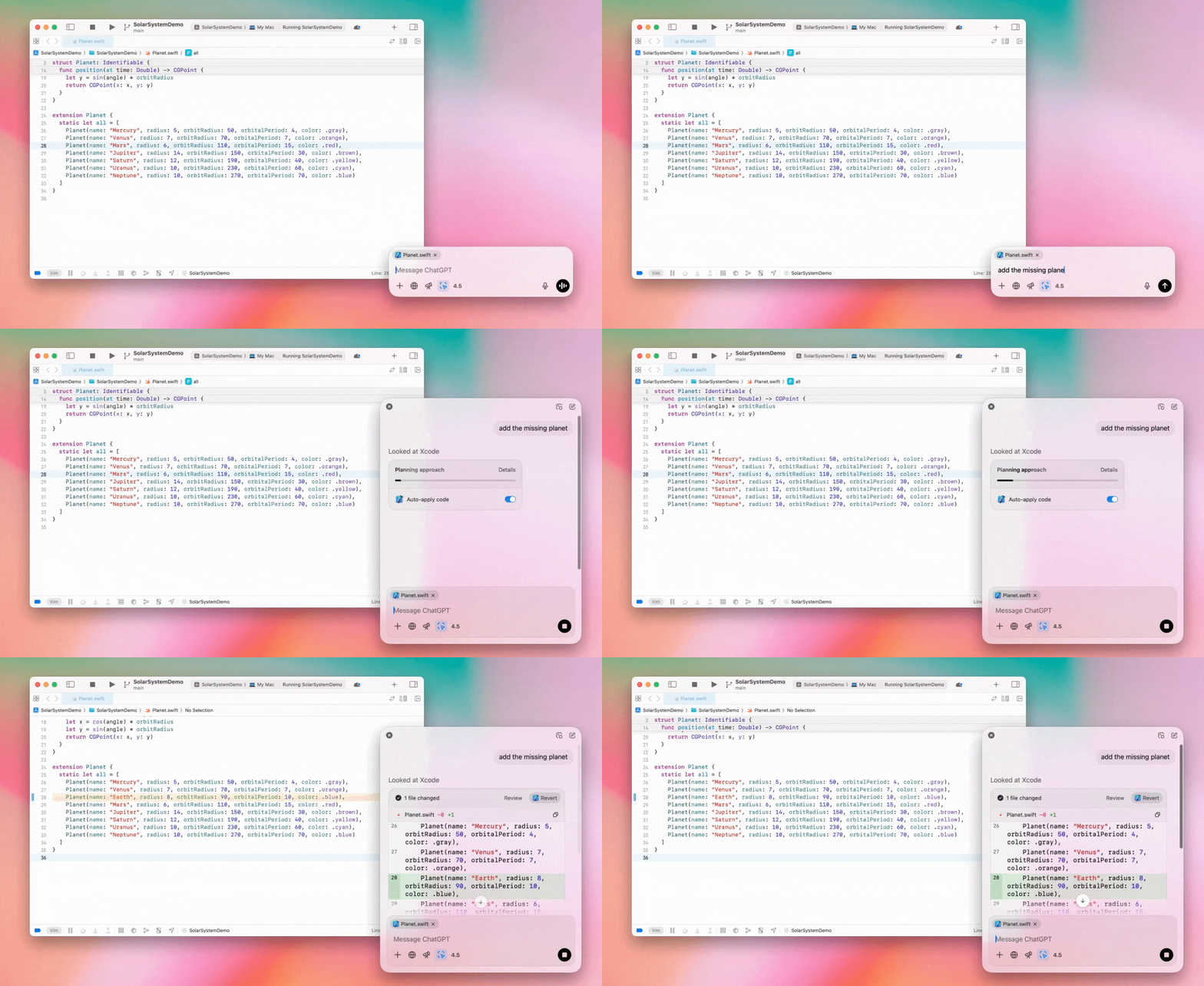
Enterprise-beheerders kunnen de schakelaar "Werken met apps" in hun beheerdersinstellingen uitschakelen om deze functie voor werkruimteleden uit te zetten.
GPT-4.5 in ChatGPT
Vanaf 13 maart 2025 kunnen gebruikers met Enterprise- en Edu-abonnementen ons GPT-4.5-model in ChatGPT gebruiken.
Zie GPT-4.5 in ChatGPT voor meer informatie.
10 maart 2025
Diepgaand onderzoek in de Naleving-API voor ChatGPT
Sinds 10 maart 2025 hebben Enterprise-klanten die de Naleving-API gebruiken onder meer de volgende opties:
Zoek naar de "algemene prompt voor diepgaand onderzoek".
Zoek in het antwoord naar de toolnaam {"tool_name":"deep_research"}.
25 februari 2025
Diepgaand onderzoek in ChatGPT
Diepgaand onderzoek in ChatGPT is nu beschikbaar voor gebruikers met het Enterprise-abonnement.
Met diepgaand onderzoek kan ChatGPT zelfstandig en asynchroon op internet zoeken om je professionele of persoonlijke werk uit te voeren.
Enterprise- en Edu-gebruikers krijgen tien zoekopdrachten voor diepgaand onderzoek per maand.
Bekijk onze veelgestelde vragen over diepgaand onderzoek voor meer informatie.
13 februari 2025
o1 pro-modus en o3-mini in ChatGPT
In ChatGPT is de o1 pro-modus nu beschikbaar voor Enterprise en o3-mini voor Enterprise Edu!
o3-mini: OpenAI o3-mini heeft o1-mini vervangen in de modelkiezer. Het is kostenefficiënter en biedt hogere volumelimieten met een lagere latentie. Het is een redenerend model en daardoor een uitstekende keuze voor programmeren, exacte vakken en het oplossen van logische problemen. o3-mini toont zijn gedachtegang en kan op internet zoeken.
o1 pro-modus: deze week wordt ook de o1 pro-modus beschikbaar in de modelkiezer. Het is ontworpen voor nauwkeurigheid en diepgang en blinkt uit in onderzoek, techniek, bedrijfsvoering en recht. Daarmee is het ideaal voor professionals die zeer complexe uitdagingen aanpakken. De o1 pro-modus denkt langer na over een probleem. Het kan daarom even duren voordat je een antwoord krijgt. Vanwege de hoge rekenintensiteit is elke gebruiker beperkt tot vijf zoekopdrachten per maand. Voor de meeste taken blijven o1, o3-mini en GPT-4o de beste keuzes.
Over bestandsuploads
Afbeeldingen, documenten en PDF's worden ondersteund in de modellen o1, o3-mini en o3-mini-high*. Geen spreadsheets (CSV/Excel).*
In de o1 pro-modus worden alleen afbeeldingen ondersteund. Geen documenten/PDF's en geen spreadsheets (CSV/Excel).
Canvas delen
Gebruikers van ChatGPT Enterprise en Edu kunnen nu een Canvas-item, zoals gerenderde React-/HTML-code, een document of code, met een andere gebruiker delen, net zoals je een gesprek deelt. Dit kan via de Canvas-werkbalk wanneer Canvas geopend is.
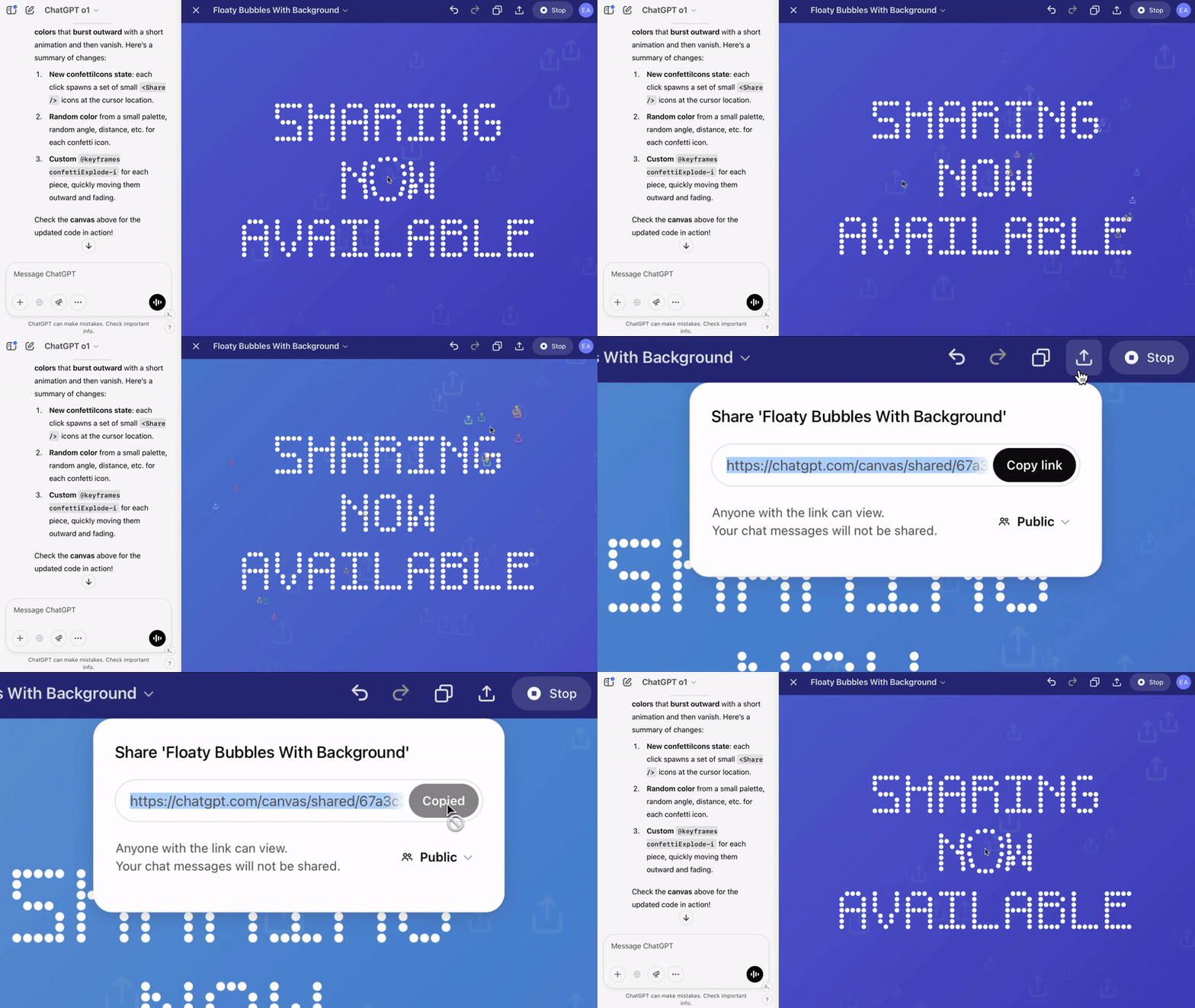
Lees voor meer informatie over Canvas in ChatGPT het bijbehorende artikel in het helpcentrum!
23 januari 2025
Projecten
Projecten zijn nu beschikbaar voor alle betaalde abonnementen, waaronder Enterprise en Edu.
Zie Projecten gebruiken in ChatGPT voor meer informatie.
16 januari 2025
Visueel ophalen (pdf's) voor ChatGPT Enterprise
ChatGPT Enterprise kan nu visuele elementen zoals afbeeldingen, grafieken en diagrammen in pdf-bestanden lezen en begrijpen. Gebruikers kunnen een pdf uploaden, waarna ChatGPT de tekst en visuele elementen in het bestand kan interpreteren.
Zie de veelgestelde vragen over visueel ophalen in pdf's voor meer informatie.
12 december 2024
o1
Vanaf vandaag hebben alle ChatGPT Enterprise-klanten via de modelkiezer toegang tot o1, dat o1-preview vervangt.
o1 kan nu redeneren over geüploade afbeeldingen. Dit maakt nieuwe toepassingen mogelijk doordat visuele weergaven gedetailleerder en nauwkeuriger worden geanalyseerd en uitgelegd. We hebben het model ook getraind om beknopter te denken, waardoor het sneller antwoordt dan o1-preview.
11 december 2024
Apple Intelligence met ChatGPT
ChatGPT-beheerders kunnen toegang tot Apple Intelligence nu in- en uitschakelen onder Verbindingen in de beheerdersinstellingen van hun werkruimte.
Als deze instelling is uitgeschakeld, kunnen gebruikers hun ChatGPT Enterprise-/Edu-werkruimte niet selecteren wanneer ze met hun OpenAI-inloggegevens inloggen.
10 december 2024
Canvas
Vandaag hebben we Canvas in 4o standaard beschikbaar gemaakt voor alle gebruikers, zowel met een gratis als een betaald abonnement. Daarnaast hebben we een aantal nieuwe Canvas-mogelijkheden gelanceerd, waaronder:
Canvas in GPTs: Canvas kan nu met GPTs worden gebruikt als dit in de GPT-maker is ingeschakeld. Deze optie is standaard ingeschakeld voor nieuw gemaakte GPTs.
Python-code uitvoeren: je kunt nu Python-code uitvoeren in een Canvas. ChatGPT probeert fouten in je code op te lossen en geeft uitleg bij de fouten. Houd er rekening mee dat bij het uitvoeren van Python externe netwerkverzoeken kunnen worden gedaan. Beheerders van Enterprise-werkruimten kunnen de uitvoering van Python-code uitschakelen via de instelling Canvas-code uitvoeren in hun beheerdersinstellingen. Dit is standaard uitgeschakeld voor alle Enterprise-accounts.
Canvas-snelkoppeling: je kunt nu content in ChatGPT plakken en deze direct in Canvas openen via een snelkoppeling rechtsboven in het invoerveld.
Canvas in de toolbox: Canvas is als optie aan de toolbox toegevoegd.
Beheerders van werkruimten kunnen nu via de Naleving-API Canvas-tekstdocumenten ophalen, weergeven en verwijderen.
De beheerdersinstelling om Canvas uit te schakelen is verwijderd, omdat deze functie niet meer in bèta is. Als Canvas eerder was uitgeschakeld, blijven we die instelling respecteren. Neem contact op met ons ondersteuningsteam via de chatballon rechtsonder op deze pagina.
3 december 2024
Werken met apps op macOS
Met Werken met apps op macOS kan ChatGPT nu inhoud uit je programmeerapps lezen en slimmere, nauwkeurigere antwoorden geven die op je werk zijn afgestemd. Lees meer over Werken met apps op macOS.
Enterprise-beheerders kunnen de schakelaar "Werken met apps" in hun beheerdersinstellingen uitschakelen om deze functie voor werkruimteleden uit te zetten.
22 november 2024
Updates voor ChatGPT op het web
We rollen de volgende updates de komende twee weken uit naar alle ChatGPT-gebruikers.
Nieuw ontwerp van de zijbalk
Nieuwe zwevende modus toegevoegd die discreet kan worden gesloten
De zijbalk toont nu een beperkt aantal recente gesprekken, met een uitklapvenster waarin je onbeperkt door alle gesprekken kunt scrollen
Recente en vastgemaakte GPT's worden nu onder de gesprekken weergegeven
Instellingen staan nu altijd onderaan de zijbalk
In bredere vensters wordt nu een klein instellingenpictogram weergegeven als de zijbalk gesloten is
Nieuwe overgangen zorgen voor een meeslependere ervaring
Andere updates voor ChatGPT op het web
De technische basis van de site is vernieuwd en biedt veel betere ondersteuning voor meer verschillende apparaten en schermformaten
Wanneer je een nieuw gesprek begint, wordt dit nu bovenaan het scherm in beeld gescrold
Wanneer je een nieuw gesprek begint, wordt tijdens het genereren van het bericht niet meer automatisch naar beneden gescrold
Een vastgemaakte zijbalk kan nu open blijven naast een actieve Canvas als er voldoende ruimte beschikbaar is
De berichteditor heeft een nieuwe vormgeving waarbij tijdens het scrollen de onderliggende inhoud vervaagt
De knop voor een nieuwe chat staat nu links van de modelkiezer en is daardoor makkelijker bereikbaar
Het systeempictogram in gesprekken is verwijderd om horizontaal meer ruimte te maken
De speciale DALL-E-weergave heeft een bijgewerkte indeling
GPT-maker heeft een bijgewerkte indeling
Verbeterde mobiele webervaring
De ervaring met het schermtoetsenbord op mobiele apparaten is sterk verbeterd op zowel iOS- als Android-apparaten
De nieuwe zijbalk staat altijd in de zwevende modus en sluit automatisch wanneer je van gesprek wisselt
Op de mobiele website krijgt de berichteditor niet meer automatisch de focus wanneer je van gesprek wisselt
Een probleem waardoor scrollen in bepaalde situaties vastliep, zou nu zijn verholpen
20 november 2024
Update voor GPT-4o
We hebben GPT-4o bijgewerkt voor ChatGPT-gebruikers met elk betaald abonnement. Deze GPT-4o-update verbetert de schrijfvaardigheid: teksten zijn natuurlijker, beter afgestemd op het publiek en relevanter en leesbaarder. Dit model werkt ook beter met geüploade bestanden en biedt diepere inzichten en uitgebreidere antwoorden.
19 november 2024
Geavanceerde spraakmodus voor ChatGPT op het web
Vanaf vandaag beginnen we met de uitrol van de geavanceerde spraakmodus op het web. Deze was al beschikbaar in de mobiele en desktopapps. Gebruikers kunnen nu op hun desktop een spraakchat starten via chatgpt.com en in realtime natuurlijke gesprekken met ChatGPT voeren terwijl ze bijvoorbeeld plannen maken, schrijven en brainstormen.
14 november 2024
Windows-app
De verbeterde Windows-app is nu via de Microsoft Store beschikbaar voor ChatGPT Enterprise- en Edu-werkruimten. ChatGPT-gebruikers die vertrouwd zijn met onze internetervaring kunnen de Windows-app naadloos integreren in alles wat ze op hun computer doen.
Gebruikerstoegang tot de ChatGPT Windows-app volgt het beleid van je IT-beheerder voor apps in de Microsoft Store. De komende weken kunnen IT-beheerders de app ook via MDM/MAM op apparaten van medewerkers implementeren in plaats van rechtstreekse downloads uit de Store toe te staan.
Zoals bij elke ChatGPT Enterprise-ervaring is de chatgeschiedenis van gebruikers beveiligd en wordt deze niet gebruikt om OpenAI's diensten te verbeteren.
Lees meer over de ChatGPT Windows-app.