
3 сентября 2026 г.
Плагины Zendesk и OneNote в ChatGPT и Codex [бета-версия]
Сегодня мы добавили плагины Zendesk и OneNote в каталог плагинов. Плагин Zendesk помогает командам просматривать обращения в службу поддержки и историю взаимодействия с клиентами, находить нужную информацию и готовить ответы в ChatGPT и Codex. Участники подключают собственные аккаунты Zendesk и работают с доступной им информацией службы поддержки.
Плагин OneNote помогает находить и обобщать заметки, собирать решения и задачи, а также создавать и обновлять заметки с помощью поддерживаемых действий в ChatGPT и Codex.
Подробнее: плагин Zendesk, плагин OneNote.
Делитесь Сайтами с людьми за пределами рабочей области
В соответствующих требованиям рабочих областях ChatGPT Enterprise владельцы Сайтов теперь могут предоставлять выбранным внешним пользователям доступ к опубликованным Сайтам. Получатели входят в аккаунт, которому предоставлен доступ, и могут просматривать Сайт, не присоединяясь к рабочей области. При этом права просмотра не позволяют редактировать или публиковать Сайт и не делают его общедоступным.
Владельцы и администраторы рабочей области могут разрешить выбранным ролям отправлять приглашения. Для этого в разделе Настройки рабочей области > Разрешения и роли нужно включить параметры Сайты и Разрешить участникам приглашать на сайты внешних посетителей. Это разрешение не связано с общедоступной публикацией. Подробнее об элементах управления см. в статье «Управление Сайтами ChatGPT в рабочей области».
Больше возможностей для управления браузером и компьютером
Новые настройки политик позволяют администраторам организаций точнее управлять использованием браузеров и нативных приложений в поддерживаемых клиентах для компьютеров. Администраторы могут задавать параметры по умолчанию и исключения для сайтов, ограничивать отправку и скачивание файлов, доступ к истории браузера и инструментам разработчика, а также управлять автоматической проверкой, сохраненными одобрениями и сроком действия одобрений для сайтов. Правила для нативных приложений позволяют разрешать или блокировать отдельные приложения macOS и Windows. Администраторы также могут ограничить импорт данных из другого браузера.
Если доступен редактор политик, откройте раздел Codex Policies and Configurations и измените требования политики в разделе Requirements. Эти элементы управления действуют в поддерживаемых клиентах и на поддерживаемых платформах. Разрешение сайта или приложения не отменяет другие политики и запросы на одобрение. Подробнее об управляемых элементах контроля использования браузера и компьютера.
1 сентября 2026 г.
Плагины для здравоохранения в ChatGPT и Codex
В соответствующих требованиям рабочих областях ChatGPT для Здравоохранения и ChatGPT Enterprise с поддержкой HIPAA теперь доступны два плагина для здравоохранения в ChatGPT и Codex:
Открытые данные здравоохранения: поиск по девяти открытым источникам данных о здравоохранении, включая медицинские исследования, клинические испытания, сведения о лекарственных препаратах, данные Medicare и записи о поставщиках медицинских услуг. Плагин работает только в режиме чтения и не имеет доступа к медицинским картам пациентов.
Epic: просмотр разрешенной информации о пациентах из электронной медицинской системы Epic вашей организации. Доступ предоставляется только для чтения. Для него требуются настроенное администратором приложение Epic EHR, индивидуальная учетная запись Epic и действующие разрешения на доступ к медицинским картам пациентов.
Администраторы управляют доступностью плагина и доступом к приложению отдельно. Не включайте защищенную медицинскую информацию в поисковые запросы, отправляемые в открытые источники данных о здравоохранении. Перед использованием Epic для работы с защищенной медицинской информацией убедитесь, что ваша организация заключила применимое соглашение с деловым партнером (Business Associate Agreement), а конфигурация рабочей области одобрена.
Подробнее: Использование открытых данных здравоохранения в ChatGPT и Codex и Использование плагина Epic с ChatGPT и Codex.
28 августа 2026 г.
Импорт и синхронизация магазинов плагинов из GitHub
Администраторы и владельцы рабочей области могут централизованно распространять магазины плагинов из общедоступных или частных репозиториев GitHub и поддерживать плагины в актуальном состоянии благодаря автоматической ежедневной синхронизации. Чтобы начать, откройте Настройки рабочей области > Плагины и выберите Добавить > Импортировать магазин. Чтобы запросить обновление магазина, выберите Синхронизировать сейчас.
В настройках рабочей области администраторы и владельцы определяют правила установки для соответствующих ролей и требования к доступу приложений. Значения политик репозитория не переопределяют эти настройки. Разрешения приложений и требования к аутентификации по-прежнему действуют. Подробнее о настройке магазина и поддерживаемых форматах и конфигурации.
27 августа 2026 г.
Централизованное управление идентификацией в консоли администратора
Соответствующие требованиям клиенты ChatGPT Enterprise и ChatGPT Edu теперь могут управлять дополнительными настройками рабочих областей и идентификации в консоли администратора:
Управляйте участниками, группами, ролями, разрешениями и общими настройками рабочей области.
Однократно синхронизируйте пользователей и группы с помощью централизованного SCIM для всего тенанта, а затем назначайте группы поддерживаемым рабочим областям ChatGPT или аккаунтам Ads.
Управляйте пользователями и ролями аккаунтов Ads, если эта возможность доступна.
Существующие конфигурации SCIM на уровне рабочей области по-прежнему поддерживаются.
Подробнее: Управление тенантом в консоли администратора и Подготовка пользователей и управление с помощью SCIM.
Управление доступом к моделям, настройки рабочей области и улучшения для Windows
Мы выпустили несколько улучшений для рабочих областей Enterprise/Edu:
Средства управления доступом к моделям позволяют владельцам рабочей области управлять доступом к поддерживаемым моделям на уровне рабочей области и отдельных ролей.
Разделы «Пользователи», «Группы», «Роли», «Разрешения» и «Общие настройки» теперь находятся в консоли администратора. Они по-прежнему доступны в настройках рабочей области: при нажатии существующих вкладок откроется консоль администратора. Существующие разрешения продолжают действовать. Подробнее см. в статьях: управление доступом на основе ролей и настройки рабочей области.
Улучшения Codex для Windows включают диагностику
codex doctor, удаленное управление другими устройствами из Windows и выбор предпочтительного дистрибутива Linux, если установлено несколько дистрибутивов WSL. Для управляемых устройств требуется сборка, одобренная администратором и предоставленная через MDM. Доступность зависит от рабочей области и сборки приложения. Подробнее см. в статье: Codex.
25 августа 2026 г.
Общие запланированные задачи и задачи, запускаемые вебхуками
Участники рабочих областей Enterprise, Edu и ChatGPT для Здравоохранения могут делиться настраиваемыми запланированными задачами в своей рабочей области. Администраторы также могут разрешить в режиме «Работа» задачи, запускаемые вебхуками, чтобы одобренные приложения показывали актуальные обновления без постоянных ручных проверок. В ChatGPT для Здравоохранения эти задачи не подпадают под действие Соглашения с деловым партнером (BAA), поэтому их нельзя использовать для передачи, хранения или обработки защищенной медицинской информации (PHI).
Поддерживаются вебхуки для новых сообщений Gmail, сообщений в каналах Slack и действий с pull request в GitHub.
Создание задач, запускаемых вебхуками
Участники с соответствующим доступом могут попросить режим «Работа» в веб-версии, на iOS и Android реагировать на новое сообщение Gmail, сообщение в канале Slack или поддерживаемое событие pull request в GitHub. Например, попросите ChatGPT обобщить отзывы клиентов из Slack или подготовить дальнейшие шаги после изменений в pull request на GitHub. Участникам необходим доступ к режиму «Работа» и одобренному приложению. Добавьте @ChatGPT в каждый отслеживаемый канал Slack. Администраторы Enterprise, Edu и ChatGPT для Здравоохранения должны сначала включить параметр «Разрешить запланированные задачи, запускаемые событиями» в разделе «Разрешения & роли > Работа». По умолчанию это разрешение отключено.
Предоставление доступа к запланированным задачам
Участники с соответствующим доступом могут делиться запланированными или запускаемыми вебхуками задачами с другими участниками той же рабочей области. Получатели смогут просматривать и настраивать инструкции и, когда применимо, расписание. Администраторы управляют общим доступом с помощью параметра Предоставлять доступ к чатам и запланированным задачам в рабочей области. Чтобы запланировать копию задачи, запускаемую вебхуком, также требуются разрешение Разрешить запланированные задачи, запускаемые событиями, доступ к режиму Работа и собственное одобренное подключенное приложение получателя.
Подробнее см. в статье Запланированные задачи в ChatGPT.
20 августа 2026 г.
Обновления корпоративных функций
Владельцы и администраторы рабочих областей могут использовать новые административные API на уровне рабочей области, чтобы автоматизировать управление приглашениями и участниками. API приглашений позволяют просматривать списки приглашений, получать сведения о них, создавать, повторно отправлять и удалять их. API пользователей позволяют получать сведения о принятых участниках, а владельцам рабочих областей — изменять встроенные роли или лицензии и удалять участников из рабочей области. Изменения, управляемые через SCIM, по-прежнему вносятся через поставщика удостоверений; также действует защита от удаления последнего владельца. Сведения о настройке и разрешениях см. в статье «Управление ключами администратора». Пути конечных точек и схемы см. в справочнике по Admin API.
В Глобальной консоли администратора теперь понятнее, с каким клиентом или рабочей областью вы работаете; кроме того, для поддерживаемых страниц добавлены URL, относящиеся к конкретным рабочим областям. Участники рабочей области могут просматривать аналитику только по собственной активности, а данные по другим пользователям по-прежнему доступны лишь авторизованным ролям. Настройки рабочей области ChatGPT остаются на прежнем месте. Подробнее о Глобальной консоли администратора.
Персональная аналитика поддерживает режим Работа и Codex в соответствующих требованиям рабочих областях Enterprise и Edu. После включения плагина администратором участники могут установить его в приложении ChatGPT для компьютера и запрашивать сведения об активности, связанной с их учетной записью, а также об агрегированных тенденциях рабочей области с защитой конфиденциальности. Эта функция доступна только для чтения и не показывает ни индивидуальную активность другого пользователя, ни данные другой рабочей области. Подробнее о Персональной аналитике.
Совместная работа над Сайтами ChatGPT (только для Enterprise). В рабочих областях Enterprise владельцы Сайта могут добавлять активных участников той же рабочей области в качестве редакторов. Редакторы могут изменять и сохранять Сайт, а после его первой публикации владельцем — публиковать последующие версии по тому же URL Сайта. Владельцы сохраняют контроль над общим доступом, настройками Сайта, аналитикой, правами собственности, восстановлением версий и доступом редакторов. При совместном редактировании используются существующие элементы управления Сайтами в рабочей области, отдельный переключатель RBAC не добавляется. Публичная публикация по умолчанию отключена и контролируется администратором. Подробнее об управлении Сайтами ChatGPT в рабочей области.
Использование приложения «Сообщения» Apple из Codex и ChatGPT Работа. На компьютерах Mac с процессорами Apple плагин приложения «Сообщения» Apple в приложении ChatGPT для компьютера может читать диалоги iMessage, SMS и RCS, выполнять по ним поиск, а также готовить и отправлять сообщения через приложение «Сообщения». По умолчанию перед отправкой ChatGPT просит пользователя подтвердить сообщение и получателей. Администраторы управляемых рабочих областей могут отключить приложение «Сообщения» Apple с помощью существующей настройки «Управление компьютером». Подробнее о плагине приложения «Сообщения» Apple.
Использование истории компьютера в новых регионах (только для Enterprise). История компьютера теперь доступна пользователям Enterprise в ЕЭЗ, Швейцарии и Великобритании в приложении ChatGPT для компьютеров с macOS. По умолчанию эта функция отключена, требует включенной Памяти и становится доступна участнику только после того, как ее включит администратор рабочей области. Подробнее об истории компьютера.
Публикация доступного только для чтения снимка чата Codex. Ссылки общего доступа рабочей области доступны только вошедшим в систему участникам исходной рабочей области. Администраторы могут отключать такие ссылки. Снимок не обновляется при изменении исходного чата. Codex скрывает известные шаблоны секретных данных, но пользователям следует проверить снимок, поскольку в нем могут остаться конфиденциальные пути, различия версий, изображения или другие материалы. Подробнее о публикации чата Codex.
Экспорт общедоступного каталога плагинов. Владельцы и администраторы соответствующих требованиям рабочих областей ChatGPT Enterprise могут экспортировать CSV-файл, выбрав Администрирование > Плагины > Общедоступные > Экспорт CSV. Данные экспорта могут быть неактуальны в течение 48 часов; плагины, созданные в рабочей области, в него не включаются. Подробнее об экспорте общедоступного каталога.
13 августа 2026 г.
Модель Чата по умолчанию
Владельцы и администраторы рабочей области могут настроить исходную модель Чата и уровень рассуждений в разделе Настройки рабочей области > Модели. Владельцы и администраторы могут задать для новых чатов значение по умолчанию, выбранное администратором, или разрешить вариант Последний выбор пользователя. Обратите внимание: настройки по умолчанию не предоставляют доступ к недоступным моделям и не отменяют обязательные требования рабочей области.
Чтобы новые элементы управления вступили в силу, обновите приложение ChatGPT для компьютеров до версии 26.812.10818 или более поздней.
Обновленный выбор модели для Enterprise и Edu
В рабочих областях Enterprise и Edu обновлены интерфейсы выбора модели и поля ввода сообщения. Теперь доступные варианты уровня интеллекта проще сравнивать, при этом сохраняются заданные в рабочей области доступность моделей и средства управления доступом.
Журналы аудита в глобальной консоли администратора
Владельцы и администраторы рабочей области теперь могут просматривать поддерживаемые события аудита в глобальной консоли администратора. Доступ и набор событий зависят от выбранной рабочей области и роли администратора. Подробнее.
Аддитивное управление доступом на основе ролей
Владельцы рабочих областей Enterprise и Edu теперь могут задавать для доступных разрешений в обычных пользовательских ролях значения По умолчанию, Вкл. или Выкл. При выборе По умолчанию наследуется настройка рабочей области, Вкл. явно предоставляет разрешение, а Выкл. запрещает доступ только через эту роль. ChatGPT оценивает все применимые обычные роли аддитивно: если хотя бы одна роль предоставляет разрешение явно или наследует включенную настройку рабочей области, участник сохраняет доступ. Значение Выкл. запрещает доступ только через эту роль. Если для всех применимых ролей выбрано Выкл., доступ запрещается. Режим блокировки оценивается отдельно и может дополнительно ограничивать возможности, использующие сеть. Подробнее об управлении доступом на основе ролей.
Данные об использовании и стоимости Работы и Codex
Участники соответствующих требованиям рабочих областей Enterprise с оплатой на основе кредитов могут просматривать расход кредитов за все время для каждого чата в Работе и Codex. Данные об использовании и оценочная стоимость предназначены для планирования и не являются счетами. Участники также могут просматривать ежемесячное использование и историю на вкладке Использование и оплата в приложении ChatGPT для компьютеров. Обычное использование Чата не учитывается. Для этой функции требуется ChatGPT для компьютеров версии 26.812.10818 или более поздней. Подробнее.
Плагин Personal Analytics
Плагин Personal Analytics доступен для соответствующих требованиям рабочих областей. После того как владелец или администратор рабочей области включит плагин, участники смогут установить его в ChatGPT для компьютеров и задавать вопросы о собственной активности в Работе и Codex, а также о доступных агрегированных тенденциях рабочей области. Подробнее.
Сервисные аккаунты Codex
В соответствующих требованиям рабочих областях можно создавать сервисные аккаунты без пользователей для автоматизации Codex. Владельцы и администраторы рабочей области могут назначать роли и группы, настраивать плагины, совместно управлять аккаунтом и выпускать токены доступа с ограниченной областью действия для средств выполнения CI и запланированных заданий. Подробнее.
Повышение производительности приложения для Windows
В приложении ChatGPT для компьютеров с Windows повышена производительность. Для использования этих улучшений требуется ChatGPT для компьютеров версии 26.803.41515 или более поздней.
История работы на компьютере для ChatGPT Enterprise
История работы на компьютере — это необязательная функция приложения ChatGPT для macOS, которая позволяет участникам Enterprise переносить в ChatGPT и Codex контекст из выбранных приложений и с сайтов. Она записывает события взаимодействия, но не снимки и записи экрана, звук с микрофона или системный звук. Действия в режиме приватного просмотра также не учитываются.
По умолчанию история работы на компьютере отключена. Администраторы Enterprise могут предоставить доступ к ней в зависимости от роли, после чего каждый участник самостоятельно решает, включать ли эту функцию. Участники могут приостанавливать запись истории работы на компьютере, выбирать учитываемые приложения и сайты, а также просматривать и удалять элементы хронологии. Обратите внимание: история работы на компьютере пока недоступна в ЕЭЗ, Великобритании и Швейцарии.
10 августа 2026 г.
Прекращение индивидуальной синхронизации подключенных приложений
С 10 августа новые индивидуально авторизованные подключения синхронизации станут недоступны. 14 августа существующие подключения индивидуальной синхронизации будут отключены и начнется удаление связанных синхронизированных данных. Синхронизация под управлением администратора не изменится. До 14 августа проверьте настройки коннекторов рабочей области и при необходимости выполните следующие действия:
| Коннектор | Необходимое действие администратора |
|---|---|
| Google Диск | Включите плагин Google Диска. Если требуются синхронизированные знания, настройте управляемую администратором синхронизацию Google Диска с делегированием на уровне домена. |
| SharePoint | Включите плагин SharePoint. Если требуются синхронизированные знания, настройте синхронизацию администратора. |
| GitHub | Включите плагин GitHub без синхронизации. |
| GitLab Issues | Мы скоро сообщим о доступности заменяющего плагина. |
| Azure Boards (Azure DevOps) | Мы скоро сообщим о доступности заменяющего плагина. |
| Basecamp | Мы скоро сообщим о доступности заменяющего плагина. |
| Help Scout | Определите затронутых пользователей и процессы и сообщите им о прекращении синхронизированного доступа. Мы активно работаем с партнером над заменой. |
| Zoho Desk | Определите затронутых пользователей и процессы и сообщите им о прекращении синхронизированного доступа. Мы активно работаем с партнером над заменой. |
| Teamwork | Определите затронутых пользователей и процессы и сообщите им о прекращении синхронизированного доступа. Мы активно работаем с партнером над заменой. |
| Aha! | Определите затронутых пользователей и процессы и сообщите им о прекращении синхронизированного доступа. Мы активно работаем с партнером над заменой. |
| Zoho CRM | Определите затронутых пользователей и процессы и сообщите им о прекращении синхронизированного доступа. Мы активно работаем с партнером над заменой. |
| Pipedrive | Определите затронутых пользователей и процессы и сообщите им о прекращении синхронизированного доступа. Мы активно работаем с партнером над заменой. |
7 августа 2026 г.
Файлы и проекты в Chat GPT Разговор
GPT-Live в Chat GPT Разговор теперь поддерживает загрузку файлов и проекты. Теперь в голосовом разговоре можно загрузить файл, проанализировать его содержимое или задать вопросы. Голосовой режим также можно использовать в проектах, обращаясь к недавним чатам, источникам и инструкциям проекта.
Live теперь используется в голосовом режиме по умолчанию
В рабочих областях Enterprise, Edu и Healthcare Live теперь используется по умолчанию, когда владелец включает голосовой режим. Включать ранний доступ к моделям больше не требуется. Владельцы рабочей области могут отключить голосовой режим в настройках рабочей области.
Подробнее о Chat GPT Разговор.
6 августа 2026 г.
Новые элементы управления обновлениями приложения для компьютера
Администраторы ChatGPT Enterprise, ChatGPT для Здравоохранения и ChatGPT Edu теперь могут отключать встроенные обновления приложения ChatGPT для компьютера в поддерживаемых сборках macOS и Windows. Это позволяет организациям проверять новые выпуски до их получения пользователями и развертывать утвержденные версии через существующий процесс управления устройствами.
Встроенное средство обновления приложения по умолчанию остается включенным. Организации, отключившие его, отвечают за своевременное развертывание новых выпусков и исправлений безопасности. OpenAI не предоставляет фиксацию версии, отдельный стабильный канал выпусков или расширенную поддержку старых версий. Подробнее.
4 августа 2026 г.
Во всех тарифах большие фрагменты текста теперь добавляются как вложения
С сегодняшнего дня длинные фрагменты текста, вставляемые пользователями ChatGPT Enterprise и версии для образовательных учреждений, обрабатываются в ChatGPT иначе.
Если вставить в поле ввода сообщения более 10 тыс. символов, ChatGPT автоматически преобразует содержимое во вложение, а не добавит его непосредственно в текстовое поле. Так поле ввода сообщения остается компактным, а большие фрагменты текста не занимают все контекстное окно.
Содержимое можно в любой момент вернуть в сообщение: нажмите Показать в текстовом поле, чтобы преобразовать вложение обратно во вставленный текст.
Эта функция уже доступна пользователям всех остальных тарифов.
Образовательные плагины для преподавания и обучения
В рабочих областях ChatGPT Edu теперь доступны три плагина с пошаговыми инструкциями в ChatGPT Работа и Codex: Преподаватель вуза, Школьный учитель и Студент вуза. В рабочих областях ChatGPT для учителей, управление которыми осуществляется через домен школьного округа, доступен плагин Школьный учитель. Эти плагины помогают преподавателям создавать учебные занятия, оценочные материалы и сообщения на основе материалов курса, а студентам — составлять планы подготовки и отрабатывать изучаемые понятия.
Преподаватель вуза: помогает преподавателям разрабатывать и обновлять курсы и учебные программы, создавать интерактивные материалы и мультимедийные задания для оценки знаний, адаптировать материалы для разных учащихся и готовить содержимое для системы управления обучением (LMS).
Школьный учитель: помогает создавать материалы к урокам, задания, критерии оценивания и учебные ресурсы. Контекст Learning Commons позволяет приводить материалы в соответствие с образовательными стандартами штата и этапами освоения программы.
Студент вуза: помогает использовать материалы курса и учебную цель, чтобы получать объяснения со ссылками на источники, выполнять задания с подсказками, составлять планы подготовки, проходить тесты, создавать карточки и получать наглядные объяснения.
Плагины доступны в каталоге плагинов, но по умолчанию не устанавливаются. Обратите внимание: эти плагины недоступны для учетных записей Enterprise. Администраторы рабочей области могут управлять доступностью плагинов и разрешениями. Подробнее см. в статье «Плагины в ChatGPT и Codex».
Переход с недельных лимитов использования на месячные
Теперь владельцы рабочих областей могут легко перевести недельные лимиты, настроенные в разделе «Разрешения и роли», в месячные. Откройте «Настройки рабочей области» → «Разрешения и роли», выберите любую роль, прокрутите страницу до раздела «Недельные лимиты», нажмите Перенести и подтвердите действие. Если запустить перенос из настроек любой роли, будут перенесены все оставшиеся недельные лимиты для ролей в рабочей области. В зависимости от размера рабочей области это может занять несколько минут.
15 августа в оставшихся рабочих областях ChatGPT Enterprise, где еще действуют недельные лимиты расходов для ролей, запланирован автоматический переход на месячные лимиты использования. Подробнее об управлении лимитами использования и расходами сверх лимита.
23 июля 2026 г.
Более естественное общение в Chat GPT Разговоре
В рабочих областях Enterprise и Edu начинается внедрение двух разных вариантов Chat GPT Разговора:
Голосовой режим в Чате: общайтесь естественно и в реальном времени, чтобы задавать вопросы, проводить мозговые штурмы и исследовать идеи. Голосовой режим в Чате работает на базе GPT-Live и поддерживает прерывания, уточняющие вопросы и такие возможности, как поиск в интернете, если он доступен. Он доступен в Чате в приложении для компьютера, а также в поддерживаемых версиях для браузера, iOS и Android.
Голосовой режим в Работе и Codex: в приложении для компьютера Chat GPT Разговор может управлять вашим компьютером и координировать работу нескольких агентов, активных разговоров и проектов. С его помощью можно запускать задачи, проверять ход выполнения, прерывать или перенаправлять работу и получать обновления, пока задачи выполняются в фоновом режиме. Доступно в macOS и Windows с сопряжённым удалённым доступом через iOS. Автономный голосовой режим в Работе и Codex недоступен в браузере и на мобильных устройствах.
В течение первых двух недель владельцы рабочих областей должны включить и Голосовой режим, и Ранний доступ к моделям, прежде чем участники смогут выбрать Live в настройках голосового режима. В этот период существующие разговоры в расширенном голосовом режиме не будут автоматически переключаться на Live.
После завершения периода раннего доступа Live станет голосовым режимом по умолчанию в рабочих областях, где включён Голосовой режим. Владельцы рабочих областей могут полностью отключить голосовой режим, выключив параметр Голосовой режим.
В рабочих областях с гибкой тарификацией голосовой режим в Чате расходует 5 кредитов в минуту. В рабочих областях Enterprise с оплатой кредитами голосовой режим в Работе и Codex расходует около 6 кредитов в минуту. Для рабочих областей Enterprise с прежними условиями в каждом пятичасовом окне доступны один час голосового режима, два часа Voice Mini и около 45 минут голосового режима в Работе и Codex. Задачи, делегированные через Работу или Codex, расходуют ресурсы из существующего общего пула использования по стандартным тарифам.
Подробнее о Chat GPT Разговоре и тарифах на голосовой режим для Business, Enterprise и Edu.
Включение Работы в ChatGPT
В рабочих областях ChatGPT Enterprise и Edu режим «Работа» по умолчанию включён для участников, если владелец или администратор рабочей области не отключит его. Настройки рабочей области и управление доступом на основе ролей по-прежнему определяют доступ каждого участника, в том числе в соответствующих требованиям рабочих областях Enterprise с включённым Enterprise Key Management.
Подробнее см. в статьях «Работа в ChatGPT и Codex» и «Управление настройками рабочей области в ChatGPT Enterprise».
Модели по умолчанию
В разделе «Настройки рабочей области» → «Модели» владельцы и администраторы рабочих областей могут задать начальную модель, уровень рассуждений, скорость и поведение нового чата для Работы и Codex. Эти настройки определяют начальные параметры работы. Они не предоставляют доступ к недоступным моделям и не заменяют средства управления доступными моделями, доступ на основе ролей или обязательные требования рабочей области.
Подробнее см. в статьях «Управление настройками рабочей области в ChatGPT Enterprise» и «Работа в ChatGPT и Codex».
Лимиты использования
Мы переносим лимиты использования из настроек рабочей области в глобальную консоль администратора. Владельцы и администраторы могут задать значение по умолчанию для рабочей области, создать исключения для групп и пользователей, просмотреть действующие лимиты и управлять запросами на увеличение объёма использования. В разделе «Лимиты использования» → «Рабочая область» администраторы могут оставить период по умолчанию «Ежемесячно», который сбрасывается в первый день каждого календарного месяца по UTC, или выбрать «По расчётному периоду», если этот вариант доступен.
Подробнее см. в статьях «Управление лимитами использования и превышениями» и «Глобальная консоль администратора».
Оценка использования и аналитика по группам
Для соответствующих требованиям рабочих областей рядом с кредитами могут отображаться ориентировочные суммы в долларах в разделах «Аналитика» и «Оплата», редакторах лимитов использования, Cost API и API аналитики Codex. Расчёты основаны на тарифе за превышение для выбранной рабочей области и предназначены для планирования. Окончательные начисления по-прежнему отражаются в разделе «Оплата» → «Счета». В рейтингах раздела «Аналитика» также появилась вкладка «Группы» с детализацией по группам, продуктам, тарифицируемым позициям и моделям.
Подробнее см. в статьях «Глобальная консоль администратора» и «Аналитика рабочей области».
July 22, 2026
OpenAI Presence and AI phone support updates
OpenAI Presence is now available in limited general availability as a managed platform for organizations building and operating governed AI agents for high-volume workflows. Presence supports voice or chat deployments with controls for testing, permissions, monitoring, and human escalation. Availability depends on workflow fit, implementation readiness, and delivery capacity. Contact your OpenAI account team to discuss access. Learn more about OpenAI Presence.
AI phone support, which uses OpenAI Presence, is no longer experimental. Users in the United States, Canada, and Australia can call without a ChatGPT account for routine product, account, and troubleshooting questions. This automated support channel cannot submit reports or requests, connect users with a live agent, initiate an escalation or account review, or guarantee follow-up. Learn more about AI phone support.
16 июля 2026 г.
Расширенные API для администраторов и аналитика
Теперь администраторы могут создавать ключи администратора с областью действия в пределах рабочей области и управлять ими в глобальной консоли администратора в разделе «Учетные данные > Ключи администратора». Эти ключи работают с поддерживаемыми API администрирования ChatGPT и Codex для управления группами, API контроля расходов, отчетности о расходах и аналитики. Доступные разрешения зависят от роли администратора в рабочей области, а ключи администратора нельзя использовать для инференса модели.
Глобальная консоль администратора теперь включает историю аналитики по кредитам и Codex сроком до 120 дней. Контроль расходов и вкладка «Лимиты использования» остаются в ChatGPT и не входят в этот запуск глобальной консоли администратора. Администраторы по-прежнему могут управлять лимитами использования, включая вариант «Без лимита» там, где он доступен, в разделе «Настройки рабочей области → Лимиты использования». Подробнее см. в статьях Управление лимитами использования и перерасходом в ChatGPT Enterprise и ChatGPT Edu и Глобальная консоль администратора.
Обновления интерфейса настольного приложения ChatGPT
Мы обновили настольное приложение ChatGPT: теперь проще выбирать между Чатом и Работой, находить свои беседы и проекты, а также продолжать работу на разных устройствах. Эти обновления уже доступны на macOS и Windows для всех планов.
macOS и Windows
Более понятная структура настольного приложения: глобальный переключатель позволяет выбирать между ChatGPT и Codex. В ChatGPT выберите Чат для быстрых вопросов и помощи в формате диалога или Работу, чтобы выполнять задачи от начала до конца.
Единый раздел «Недавние»: беседы в Чате и Работе теперь отображаются вместе в разделе «Недавние», где их можно сортировать, фильтровать и закреплять.
Проекты в настольном приложении: существующие проекты ChatGPT теперь отображаются в приложении. Вы можете начать беседу в Чате внутри проекта или создать тред в Работе, используя контекст проекта.
Продолжайте Работу на разных устройствах: облачные беседы в Работе теперь синхронизируются между веб-версией, мобильными устройствами и настольным приложением, поэтому можно начать на одной платформе и продолжить на другой. Локальные беседы остаются на вашем компьютере.
Codex остается без изменений: в рамках этого обновления Codex остается отдельным представлением, а его рабочие процессы и история не меняются. Быстрые чаты по-прежнему доступны для коротких бесед.
Элементы управления рабочей областью не меняются: существующие разрешения на доступ к рабочей области, настройки безопасности, механизмы управления и контроль расходов остаются прежними.
15 июля 2026 г.
Приложения с синхронизацией теперь поддерживают рабочие области EKM
Приложения с синхронизацией теперь доступны для рабочих областей ChatGPT Enterprise и Edu с включенным Enterprise Key Management (EKM). Это обновление относится ко всем приложениям с синхронизацией.
Подробнее см. в статьях Приложения ChatGPT с синхронизацией и Обзор OpenAI Enterprise Key Management (EKM).
9 июля 2026 г.
Представляем ChatGPT Работа
ChatGPT Работа — это агент для длительных и более сложных задач. Он умеет искать и анализировать информацию, работать с подключенными приложениями и файлами, а также создавать готовые документы, таблицы, презентации, отчеты и Сайты. В процессе работы вы можете следить за его действиями, отвечать на вопросы, корректировать направление и подтверждать важные операции.
Работа также помогает продвигать проекты с помощью запланированных задач: они могут выполняться однократно, повторяться по расписанию или при срабатывании триггера, а также отслеживать изменения.
В веб-версии и мобильном приложении Работа постепенно становится доступна на всех платных тарифах, кроме Free и Go. Первыми доступ получают пользователи Pro, Pro Lite, Enterprise и Edu, а в ближайшие дни — пользователи Plus и Business. Работа доступна во всех поддерживаемых регионах.
Для рабочих областей Enterprise и Edu в веб-версии и мобильном приложении предусмотрен двухнедельный период ознакомления. В этот период Работа по умолчанию отключена. Администраторы могут отказаться от нее до автоматического включения по окончании ознакомительного периода.
Кроме того, мы заменяем каталог приложений каталогом плагинов. Существующие подключения приложений продолжат работать без изменений. Плагины могут объединять навыки, приложения и шаблоны приложений для конкретных рабочих процессов. Они доступны в веб-версии и приложении ChatGPT для компьютера, в том числе в режимах Работа и Codex.
Подробнее о ChatGPT Работа и Codex.
Подробнее о плагинах и новом каталоге плагинов.
Навыки теперь общедоступны
Пользователи Enterprise и Edu могут найти навыки в разделе «Плагины» на боковой панели — на вкладке «Навыки» в каталоге плагинов.
Новое приложение ChatGPT для компьютера объединяет Чат, Работу и Codex
Новое приложение ChatGPT для macOS и Windows доступно по всему миру. В одном приложении объединены Чат для вопросов и общения, Работа для исследований и создания готовых материалов и Codex для разработки программного обеспечения.
На компьютере Работа может с вашего разрешения использовать локальные файлы и приложения. Встроенный браузер позволяет ChatGPT собирать информацию с сайтов и работать с поддерживаемыми веб-инструментами и файлами. Кроме того, в Codex появились встроенное редактирование в представлении различий, проверка pull request на боковой панели, более быстрое управление компьютером и поддержка нескольких репозиториев в одном проекте.
Если вы уже пользуетесь приложением Codex, обновите его обычным способом, чтобы перейти на новое приложение ChatGPT для компьютера. Если вы пользуетесь предыдущим приложением ChatGPT для компьютера, скачайте новую версию, следуя подсказке в приложении. Предыдущее приложение может остаться установленным под названием ChatGPT Classic. ChatGPT Classic продолжит получать обновления моделей, исправления ошибок, обновления безопасности и поддержку существующих возможностей Enterprise, а новые агентные функции, такие как Работа и Codex, будут доступны в новом приложении.
Подробнее о переходе на новое приложение ChatGPT для компьютера.
Представляем общедоступную бета-версию ChatGPT Сайты
ChatGPT Сайты позволяет превращать ваши наработки и идеи в интерактивные сайты или небольшие приложения, не выходя из ChatGPT. Вы можете создавать панели мониторинга, средства отслеживания проектов, календари запусков, прототипы, внутренние порталы и отчеты, а затем просматривать и дорабатывать результат вместе с ChatGPT перед публикацией.
Клиенты Business и Enterprise уже имеют доступ к Сайтам. С сегодняшнего дня они также могут публиковать Сайты в открытом доступе и делиться ими с любыми пользователями по URL, а не только с участниками своей рабочей области.
Чтобы создать Сайт, откройте ChatGPT Работа в веб-версии либо Работу или Codex в приложении ChatGPT для компьютера. Опишите, что хотите создать, добавьте необходимые материалы, файлы, данные, ссылки или ограничения и проверьте закрытую предварительную версию перед публикацией.
В рабочих областях Enterprise публичная публикация по умолчанию отключена: ее должен разрешить администратор. Общедоступная бета-версия Сайтов также постепенно становится доступна пользователям Pro, Pro Lite и Edu, а в ближайшие дни появится и у пользователей Plus. Сайты недоступны на тарифах Free и Go. На момент запуска публичная публикация и расширенная бета-версия недоступны в ЕЭЗ, Швейцарии и Великобритании.
Подробнее о создании ChatGPT Сайтов и управлении ими.
Прекращение поддержки групповых чатов в ChatGPT
С 9 июля пользователи веб-версии, iOS и Android больше не смогут создавать групповые чаты, преобразовывать в них существующие беседы или присоединяться к ним по ссылке-приглашению.
Существующие групповые чаты пока останутся доступными, и ими можно будет продолжать пользоваться. После перевода существующего группового чата в режим только для чтения пользователи сохранят доступ ко всем ранее опубликованным в нем сообщениям, файлам и изображениям. Это не повлияет на индивидуальные беседы в ChatGPT.
Прекращение поддержки Atlas
Мы прекращаем поддержку Atlas, перенося агентные возможности браузера в ChatGPT и Codex. Работа Atlas будет прекращена 9 августа 2026 года.
Мы хотим сделать этот переход максимально удобным. До этой даты перенесите из Atlas все данные, которые хотите сохранить. Данные браузера Atlas, включая закладки, открытые вкладки и историю, не будут перенесены автоматически. Файлы cookie и пароли можно экспортировать в приложение ChatGPT для компьютера, а закладки — в Chrome. До 9 августа обязательно сохраните все важные страницы и URL из открытых вкладок и истории браузера.
История бесед ChatGPT хранится отдельно и останется доступной в ChatGPT с учетом вашего тарифа, настроек рабочей области и доступа к учетной записи.
Используя опыт Atlas, мы создаем для ChatGPT более функциональный браузер с несколькими вкладками, скачиванием файлов, улучшенной навигацией и входом в учетные записи там, где он поддерживается. Для более сложной агентной работы в браузере попробуйте приложение ChatGPT для компьютера. Чтобы пользоваться помощью ChatGPT при работе в Chrome, попробуйте расширение ChatGPT для Chrome или боковую панель, если они доступны.
Подробнее о переходе с Atlas можно узнать в нашей статье Справочного центра.
6 июля 2026 г. ChatGPT для PowerPoint теперь общедоступен
ChatGPT для PowerPoint теперь общедоступен для рабочих областей Enterprise и Edu. Пользователи могут создавать и редактировать изменяемые презентации прямо в Microsoft PowerPoint, анализировать логику подачи и структуру презентации, а также использовать утвержденные Skills и приложения для работы с разрешенными источниками. Для сложного редактирования и подгонки под шаблон по-прежнему может требоваться проверка.
Администраторы могут включить надстройку в настройках рабочей области или развернуть ее через Microsoft 365, в том числе с доступом на основе RBAC там, где это применимо. Для подходящих рабочих областей ChatGPT для PowerPoint поддерживает применение политик рабочей области, доступ к источникам с заданной областью действия, учет промптов и ответов в Compliance API, резидентность инференса в ЕС и Enterprise Key Management. Подробнее о ChatGPT для PowerPoint.
Цены на Excel/Sheets и Агента рабочей области
Задачи ChatGPT для Excel/Sheets теперь тарифицируются для рабочих областей Enterprise и Edu по кредитам на основе токенов. Запуски Агента рабочей области для рабочих областей Enterprise также тарифицируются по кредитам на основе токенов. Использование кредитов рассчитывается по входным токенам, кэшированным входным токенам и выходным токенам, а не по фиксированной стоимости в кредитах.
ChatGPT для PowerPoint остается бесплатным для клиентов Enterprise до 6 августа 2026 г. После этой даты начнет действовать та же модель тарификации на основе токенов, что и для ChatGPT для Excel/Sheets. Подробнее см. в тарифной сетке ChatGPT.
26 июня 2026 г.
Упрощенное управление в меню выбора модели
Мы выпускаем обновленное меню выбора модели для ChatGPT Enterprise и ChatGPT Edu в веб-версии, на iOS и Android. С ним проще выбрать подходящий для задачи баланс скорости и усилий на рассуждения, не меняя базовые модели, доступные рабочей области.
Теперь меню выбора включает:
Мгновенный
Средний
Высокий
Очень высокий
Стандартный Pro
Расширенный Pro
«Средний» заменяет «Стандартное рассуждение», «Высокий» — «Расширенное рассуждение», а «Очень высокий» — «Глубокое рассуждение». «Стандартный Pro» и «Расширенный Pro» по-прежнему используют GPT-5.5 Pro. «Легкое рассуждение» больше недоступно.
Все шесть вариантов доступны рабочим областям ChatGPT Enterprise и ChatGPT Edu с учетом настроек доступа рабочей области. Параметр Доступ к моделям рассуждений управляет вариантами «Средний», «Высокий» и «Очень высокий». Параметр Доступ к моделям Pro управляет вариантами «Стандартный Pro» и «Расширенный Pro». Варианты, к которым у участника нет доступа, скрываются из меню выбора.
Параметр Перенаправлять Auto Router на Thinking mini не изменился и по-прежнему применяется только к автоматическим рассуждениям. На iOS и Android меню выбора отображается в верхней части беседы. В веб-версии оно отображается в поле ввода сообщения.
Элементы управления плагинами для администраторов ChatGPT Enterprise и ChatGPT Edu
Администраторы и владельцы рабочих областей теперь могут управлять плагинами в разделе Настройки рабочей области > Плагины. На этой странице поиск плагинов и управление ими объединены в одном интерфейсе, включая поиск и фильтры по статусу, политике установки, ролям, категории и каталогу. Кроме того, владельцы рабочих областей могут включать или отключать плагины для своей рабочей области или выбранных ролей в разделе Настройки рабочей области > Разрешения и роли.
Администраторы и владельцы могут задавать, доступны ли плагины участникам для установки или устанавливаются по умолчанию — для рабочей области или для отдельных ролей. Администраторы также могут просматривать приложения, которые использует плагин, и управлять плагином из этого представления. Подробнее: Плагины в Codex
25 июня 2026 г.
Улучшения Памяти для ChatGPT Enterprise и ChatGPT Edu
Мы выпускаем улучшенную Память для ChatGPT Enterprise и ChatGPT Edu. Когда Память включена, ChatGPT может использовать релевантный контекст из прошлых чатов, чтобы поддерживать память в актуальном состоянии и делать ответы более релевантными по мере изменения работы, а не полагаться только на сведения, сохраненные вручную.
Теперь пользователи могут:
Просматривать сводку Памяти с информацией, которую ChatGPT может использовать для персонализации ответов.
Просматривать раздел «Источники» под персонализированными ответами, чтобы видеть релевантный контекст из Памяти, прошлых чатов и пользовательских инструкций.
Исправлять данные Памяти, удалять чат, на который есть ссылка, отмечать источник как нерелевантный, отключать Память или возвращаться к прежним сохраненным воспоминаниям.
Сводка Памяти — это обобщенное представление релевантного контекста; она может включать не все, что ChatGPT способен запомнить или использовать в качестве ссылки.
Для ChatGPT Enterprise улучшенный интерфейс сначала будет доступен в рамках периода раннего доступа продолжительностью примерно две недели. Во время раннего доступа администраторы могут включить параметр «Использовать улучшенную память» в настройках рабочей области. После завершения раннего доступа он будет включен по умолчанию для подходящих рабочих областей, если администратор не откажется от участия. Администраторы и пользователи могут вернуться к прежним сохраненным воспоминаниям.
Это обновление не влияет на память Codex. Память только для проекта остается внутри каждого проекта и не использует воспоминания или беседы за его пределами. Эти улучшения доступны без дополнительной платы.
Подробнее об исследовании, лежащем в основе этих улучшений Памяти в ChatGPT.
Общая доступность Codex Remote и рабочие области DigitalOcean
Codex Remote теперь общедоступен пользователям в рабочих областях ChatGPT Enterprise и ChatGPT Edu. Из мобильного приложения ChatGPT пользователи могут начинать или продолжать работу на подключенном хосте Mac или Windows, проверять ход выполнения и подтверждать действия с телефона. Remote Control теперь использует аутентифицированное индивидуальное сопряжение по QR-коду между каждым поддерживаемым мобильным устройством и каждым хостом. Подключения, использовавшиеся с 8 июня, остаются сопряженными; более старые неактивные подключения нужно сопрячь заново. Выход из аккаунта отключает Remote Control, не удаляя существующие сопряжения.
Новый плагин рабочей области DigitalOcean Droplet также доступен пользователям ChatGPT Enterprise и ChatGPT Edu. Он позволяет Codex создать DigitalOcean Droplet, настроить доступ по SSH и подключить его к приложению Codex как удаленную рабочую область. Перед подключением пользователям следует обновить мобильное приложение ChatGPT и приложение Codex до последних версий. Подробнее об использовании Codex с тарифным планом ChatGPT.
19 июня 2026 г.
Действия коннектора Slack и одобрение областей доступа OAuth
Рабочие области Enterprise и Edu теперь могут включать действия коннектора Slack в ChatGPT. Помимо поиска в Slack, ChatGPT может выполнять поддерживаемые действия, например присоединяться к каналу, создавать напоминание, загружать файл или обновлять профиль пользователя Slack, если коннектор и соответствующие действия включены.
Администраторы могут просматривать Slack в разделе «Приложения» в ChatGPT и с помощью управления действиями задавать, какие действия доступны. Для некоторых действий могут потребоваться дополнительные области доступа Slack OAuth или одобрение администратора рабочей области Slack либо Enterprise Grid. Существующие возможности Slack, которым не требуются новые области доступа, продолжат работать, если дополнительные области доступа не будут одобрены. Подробнее см. в статье о приложении ChatGPT для Slack.
18 июня 2026 г.
Лимиты использования, биллинг и аналитика в Глобальной консоли администратора
У администраторов Enterprise и Edu появились новые инструменты для управления расходом кредитов и просмотра действий, связанных с биллингом. Лимиты использования в настройках рабочей области позволяют администраторам и владельцам задавать месячные лимиты кредитов для рабочей области, групп и пользователей, рассматривать запросы на увеличение лимитов и переходить с существующих недельных лимитов в разделе «Разрешения и роли».
В Глобальной консоли администратора для соответствующих рабочих областей также обновлены разделы «Аналитика» и «Биллинг»: аналитика по кредитам, представления использования Codex и ChatGPT, сведения о плане, балансы кредитов, операции с грантами, счета, оповещения об использовании и настройки лимитов перерасхода. Администраторы, владельцы и пользователи с правом просмотра аналитики могут просматривать данные об использовании и экспортировать данные по разным функциям и измерениям, например кредиты, использованные в Codex и ChatGPT, рейтинги пользователей и агентов, а также использование Codex и ChatGPT с разбивкой по функциям.
Подробнее: Настройка лимитов использования в ChatGPT Enterprise и Edu, Глобальная консоль администратора.
«Запись и воспроизведение» в Codex
«Запись и воспроизведение» — новая функция приложения Codex для macOS, с помощью которой пользователи Enterprise и Edu, имеющие доступ, могут один раз показать рабочий процесс и превратить его в навык для повторного использования. Она предназначена для стабильных, повторяемых рабочих процессов, которые проще показать, чем описать; созданный навык впоследствии может направлять Codex при выполнении похожих задач с доступными инструментами, такими как Computer Use, действия в браузере и установленные плагины.
Для «Записи и воспроизведения» функция Computer Use должна быть доступна и включена; на первом этапе функция недоступна в Европейском союзе, Великобритании и Швейцарии. В управляемых развертываниях Codex отключение Computer Use также отключает «Запись и воспроизведение» и связанные с ней потоки включения. Подробнее см. в руководстве по «Записи и воспроизведению».
17 июня 2026 г.
Экспорт данных для рабочих областей ChatGPT Edu
Участники рабочих областей ChatGPT Edu без настроенной резидентности данных теперь могут экспортировать данные своей рабочей области, если администратор рабочей области включит Экспорт данных. Участники могут запросить экспорт в разделе Настройки > Управление данными, скачать экспорт из полученного письма и загрузить включенный в него JSON разговоров в новую беседу в личном аккаунте ChatGPT для справки.
Экспорт данных по умолчанию отключен, и эта настройка применяется ко всем участникам рабочей области. Подробнее.
11 июня 2026 г.
Библиотека для рабочих областей Enterprise, Edu и Healthcare
Библиотека становится доступна в рабочих областях Enterprise, Edu и Healthcare, предоставляя участникам отдельное место для поиска и повторного использования файлов, загруженных или созданных в ChatGPT. К файлам в Библиотеке применяются правила хранения рабочей области.
Владельцы рабочей области могут управлять автоматическим использованием файлов Библиотеки в ответах ChatGPT. Отключение автоматического использования не удаляет Библиотеку и не мешает участникам самостоятельно просматривать, искать, открывать и прикреплять файлы. В рабочих областях Healthcare автоматическое использование по умолчанию отключено.
Также доступны специальные конечные точки Compliance API для экспорта и удаления файлов Библиотеки. Библиотека не добавляет новых возможностей внешнего обмена или совместной работы нескольких пользователей.
Подробнее о хранении файлов и Библиотеке в ChatGPT.
Обновления глобальной консоли администратора
В облачной консоли появились элементы управления доступом внешних приложений для функции «Войти через ChatGPT». Администраторы могут включать и отключать доступ внешних приложений для организации, требовать их предварительного одобрения и одобрять либо отключать отдельные приложения.
Обновления Codex
Мы выпустили несколько обновлений Codex, включая:
«Управление компьютером» для Windows на планах Enterprise. См. «Управление компьютером», «Управляемая конфигурация» и справочник по конфигурации.
Режим разработчика для работы с браузером в Chrome и встроенном браузере Codex там, где он доступен. Режим разработчика предоставляет Codex контролируемый доступ к Chrome DevTools Protocol (CDP) для профилирования производительности и углубленной отладки сетевого трафика, вывода консоли, ошибок среды выполнения, состояния DOM и примененных стилей. На уровне пользователя функция по умолчанию отключена; ее можно включить в настройках приложения Codex. Администраторы и владельцы могут отключить функцию для рабочей области в настройках облачной версии Codex, открыв панель «Политики и конфигурации». Подробнее.
В выпуск также добавлены команда /init в поле ввода приложения для создания каркаса AGENTS.md, настройка доступа отдельных приложений к функции «Управление компьютером» в Windows, более понятные ошибки о лимитах с рекомендациями для рабочей области и временем сброса, если оно доступно, а также новый раздел «Непрочитанные чаты» в меню команд. Подробнее.
8 июня 2026 г.
Разрешения приложений для подключенных приложений
Администраторы рабочей области теперь могут использовать разрешения приложений, где они доступны, чтобы выбирать, когда ChatGPT должен спрашивать участников перед использованием подключенных приложений. Администраторы могут задать стандартное разрешение для всей рабочей области и выбрать другое разрешение для отдельных приложений с такими вариантами, как Всегда спрашивать, Любые изменения и Важные действия.
«Важные действия» — это значение по умолчанию: оно позволяет ChatGPT автоматически читать данные из приложений, но запрашивать подтверждение перед действиями, которые могут существенно повлиять на что-то за пределами ChatGPT, раскрыть конфиденциальную информацию или быть сложными для отмены. Разрешения приложений заменяют прежнюю настройку согласия на действия там, где они доступны, а доступ к приложениям, RBAC и управление действиями остаются отдельными административными элементами управления.
Подробнее: Приложения в ChatGPT; Административные элементы управления, безопасность и соответствие требованиям в приложениях.
5 июня 2026 г.
Общий доступ к плагинам для рабочих областей Enterprise
В соответствующих требованиям рабочих областях ChatGPT Enterprise общий доступ к плагинам в Codex теперь включен по умолчанию. Пользователи могут делиться локальными плагинами с рабочей областью, чтобы коллеги устанавливали и использовали их из каталога плагинов Codex.
Администраторы могут отключить общий доступ к плагинам в requirements.toml с помощью MDM или облачной управляемой конфигурации. Подробнее: «Как поделиться локальным плагином с рабочей областью».
2 июня 2026 г.
Создавайте и развертывайте внутренние приложения рабочей области с помощью Сайтов
Предварительная версия ChatGPT Сайтов теперь доступна соответствующим требованиям рабочим областям ChatGPT Enterprise и Edu. С помощью плагина пользователи могут попросить Codex создать, доработать и развернуть легкое полнофункциональное веб-приложение на JavaScript/TypeScript с размещенным URL, доступом через «Войти с ChatGPT» и хранилищем данных и файлов, сохраняя доступ только внутри рабочей области.
ChatGPT Сайты по умолчанию отключены в рабочих областях Enterprise/Edu. Администраторы и владельцы могут управлять включением и доступом через настройки рабочей области и RBAC. ChatGPT Сайты можно включить в разделе «Настройки рабочей области > Разрешения и роли». Администраторы и владельцы могут отключать опубликованные сайты в разделе **«Настройки рабочей области > Сайты».
**Подробности о создании, развертывании, хранении, доступе и ограничениях см. в руководстве разработчика по Codex Сайтам.
Специализированные плагины для разных ролей в Codex
В поддерживаемых рабочих областях ChatGPT Enterprise постепенно появляются специализированные плагины для разных ролей в Codex. В первый набор входят плагины для продаж, анализа данных, дизайна продуктов, творческого производства, инвестиционно-банковской деятельности и инвестиций в публичные акции. Эти плагины объединяют специализированные навыки, интеграции приложений, стартовые промпты и рекомендации по процессам, чтобы команды могли использовать Codex для подготовки продаж, аналитики и панелей мониторинга, прототипов, творческих материалов и финансовых исследований.
В выпуск также вошли 66 плагинов для отдельных приложений, расширяющих набор интеграций Codex, включая Databricks, Salesforce, Hex и Clay. Пользователи могут добавлять доступные плагины из каталога Codex, а Codex поможет завершить настройку. Администраторы рабочей области управляют базовыми разрешениями приложений в настройках рабочей области. Для некоторых процессов, например работы с Databricks или Snowflake в анализе данных, администраторам может потребоваться настроить коннектор до начала использования плагина.
Подробнее: «Плагины в Codex».
Управление активными сеансами учетной записи
Мы запускаем «Активные сеансы» — новую функцию безопасности ChatGPT, с помощью которой пользователи могут проверять сеансы своей учетной записи и завершать незнакомые. Доступность: функция недоступна для учетных записей, связанных с единой аутентификацией (SSO) организации, включая SAML и OIDC. Это может относиться к учетной записи, даже если организация не требует SSO при каждом входе или пользователь вошел в текущий сеанс другим способом.
Пользователи с доступом теперь могут:
Просматривать сеансы собственных сервисов OpenAI в разделе «Настройки» > «Безопасность» > «Активные сеансы», включая доступные сведения об устройстве, приложении, примерном местоположении, времени входа, статусе доверенного устройства и текущем сеансе.
Завершать отдельные или все сеансы в разделе «Активные сеансы»
В разделе «Активные сеансы» отображаются известные системе управления сеансами сеансы, включая ChatGPT, Codex и Платформу API, если они доступны. Здесь нельзя управлять сеансами сторонних приложений, подключенными приложениями, сеансами «Войти с ChatGPT», используемыми только для сторонних сервисов, и сеансами Codex CLI.
Подробнее: «Управление активными сеансами в ChatGPT»
29 мая 2026 г.
Обновления Codex: использование компьютера и удаленное управление для Windows, поддержка шаблона приложения GitHub Enterprise
Codex теперь поддерживает Computer Use в Windows в приложении Codex. Пользователи с доступом к Codex могут использовать Computer Use, чтобы позволить Codex видеть, нажимать и вводить текст в приложениях Windows. С удаленным управлением пользователи также могут продолжать рабочие процессы Windows из ChatGPT на iOS или Android либо из Codex на Mac, чтобы проверять прогресс, отвечать на промпты и направлять работу вне рабочего места, при этом компьютер Windows остается хостом для файлов проекта, shell, сервера приложения и локального контекста.
Windows Computer Use и удаленное управление по умолчанию отключены для пользователей Enterprise. Чтобы включить, свяжитесь с представителем OpenAI по вашему аккаунту для подключения к раннему доступу.
Для репозиториев GitHub Enterprise Server, размещенных у клиента, администраторы рабочей области могут настроить и опубликовать приложение GitHub Enterprise из шаблона приложения ChatGPT, чтобы Codex мог использовать коннектор рабочей области для Codex Web, Code Review и Security Review.
Подробнее: Computer Use, удаленное управление, Настройка шаблона приложения GitHub Enterprise в ChatGPT.
28 мая 2026 г.
Новые средства управления и возможности агентов рабочих областей ChatGPT
Мы внедряем в Enterprise и Edu новые модели, средства администрирования, настройки доступа приложений и возможности ответов для агентов рабочих областей ChatGPT.
Агенты рабочих областей теперь поддерживают:
GPT-5.5 и настройку интенсивности рассуждений: при создании агента можно выбрать GPT-5.5 и задать используемую агентом интенсивность рассуждений. Мы также повысили скорость ответов всех агентов.
Разрешения на публикацию по ролям: администраторы могут определять, какие роли могут публиковать агентов в общем каталоге рабочей области.
Пошаговая настройка агентов: теперь ChatGPT задает уточняющие вопросы, помогая пользователям быстрее создавать полезных агентов.
Речевой вывод: теперь агенты могут создавать аудиофайлы в составе ответов.
Более умные ответы в ветках Slack: используемые в Slack агенты могут отвечать на уместные последующие сообщения в ветке после первого упоминания. Создатель может выбрать, будет ли агент отвечать на уместные сообщения в ветке или только на упоминания.
Шаблоны приложений для GitHub Enterprise, Snowflake и Databricks
Администраторы и владельцы рабочих областей Enterprise и Edu теперь могут создавать специализированные приложения для GitHub Enterprise, Snowflake и Databricks с помощью шаблонов приложений ChatGPT. Шаблоны предлагают пошаговую настройку параметров поставщика — учетных данных OAuth, URL обратного вызова, вебхуков, URL управляемых серверов MCP и доступа рабочей области — перед публикацией приложения для участников.
Новые руководства объясняют общий процесс и шаги для каждого поставщика: «Шаблоны приложений ChatGPT», «Шаблон приложения GitHub Enterprise», «Шаблон приложения Snowflake» и «Шаблон приложения Databricks».
После публикации администраторы могут управлять приложением в разделе «Настройки рабочей области > Приложения > Включено», включая доступ по ролям, управление действиями и их подтверждение.
May 22, 2026
Workspace agents are now generally available in ChatGPT Business, Enterprise, and Edu.
Workspace agents help teams get more done together across tools. They can own entire workflows on their own, follow team processes, and be shared across your team so people can build once and use together.
We’ve also added new admin controls and visibility:
Agent builders can set safeguards on which actions agents can take for each app enabled in their workspace.
Business, Enterprise, and Edu admins can view workspace agent activity and usage in the
.
We’ve extended the free period for workspace agents until July 6, 2026. Credit-based pricing will begin on that date. (edited)
21 мая 2026 г.
Обновления Codex: режим целей, улучшения браузера, удаленная работа после блокировки, аналитика для администраторов и статус общего доступа к плагинам
Codex предоставляет пользователям Enterprise и Edu новые способы работать над долгосрочными целями и вносить изменения в браузере, а соответствующие требованиям администраторы получают обновленную аналитику использования:
Функция Appshots в приложении macOS позволяет с помощью сочетания клавиш прикрепить окно приложения к ветке Codex вместе со снимком экрана и доступным текстом. Appshots уже доступны для учетных записей ChatGPT Edu; поддержка ChatGPT Enterprise появится в ближайшее время.
Режим целей общедоступен в приложении Codex, расширении IDE и CLI: пользователи могут задать результат и критерии успеха, после чего Codex продолжит работать над целью.
Аннотации во встроенном браузере позволяют точнее давать отзывы об оформлении при работе в браузере и над интерфейсом.
Работа на заблокированном компьютере позволяет Codex безопасно продолжать удаленную работу после блокировки Mac с учетом действующих региональных ограничений. Администраторы и владельцы могут отключить функцию, задав remote_computer_use = false в разделе «Политики и конфигурации» облачной версии Codex. Подробности см. в справочнике по конфигурации.
Улучшения работы в браузере включают расширенный режим аннотаций, ускоренное извлечение ресурсов, контекст JavaScript только для чтения, более удобную группировку вкладок, меньше лишних вкладок расширения Chrome и повышенную надежность.
В глобальной консоли администратора появилась аналитика Codex для администраторов Enterprise: активные пользователи, кредиты и токены, ветки и ходы, рейтинги пользователей, использование плагинов, принятые строки кода, использование моделей и согласованный с консолью интерфейс.
Общий доступ к плагинам позволяет командам делиться локально созданными плагинами с участниками рабочей области из приложения Codex. В ChatGPT Enterprise общий доступ к плагинам по умолчанию отключен. Чтобы узнать о включении функции, обратитесь к своему представителю OpenAI. Для учетных записей ChatGPT Edu общий доступ к плагинам включен по умолчанию.
Подробнее: режим целей, работа на заблокированном компьютере, аннотации во встроенном браузере и общий доступ к плагинам.
Агенты рабочих областей теперь общедоступны в ChatGPT Business, Enterprise и Edu.
Агенты рабочих областей помогают командам эффективнее работать вместе с разными инструментами. Они могут самостоятельно выполнять процессы целиком, следовать командным процедурам и быть доступными всей команде: достаточно создать один раз, чтобы пользоваться вместе.
Мы также добавили новые средства администрирования и мониторинга:
Создатели агентов могут задавать ограничения на действия агентов для каждого включенного в рабочей области приложения.
Администраторы Business, Enterprise и Edu могут просматривать активность и использование агентов рабочей области в
консоли администратора.
Мы продлили бесплатный период для агентов рабочих областей до 6 июля 2026 г. С этой даты начнет действовать тарификация на основе кредитов.
18 мая 2026 г.
Метка Beta удалена из каталога приложений и процесса создания приложений
Мы удалили метку Beta из каталога приложений ChatGPT в веб- и настольной версиях, а также из нового процесса создания приложений.
Это только обновление маркировки. Оно не меняет опыт каталога приложений, рабочие процессы создания приложений, возможности режима разработчика или существующие рекомендации по повышенному риску для режима разработчика.
15 мая 2026 г.
Приложение Microsoft Teams с управляемой администратором синхронизацией в ChatGPT
Приложение Microsoft Teams с управляемой администратором синхронизацией теперь доступно для соответствующих требованиям рабочих областей ChatGPT Enterprise и Edu. Владельцы и администраторы могут один раз подключить Microsoft Teams для рабочей области, чтобы ChatGPT мог ссылаться на поддерживаемые сообщения Teams и метаданные разговоров, к которым у участников уже есть доступ.
Владельцы и администраторы могут включить синхронизацию в Настройки рабочей области → Приложения, выбрать содержимое Teams через выбор области и необязательный фильтр меток чувствительности Microsoft Purview, а затем развернуть через Deploy to your team. Синхронизируемый опыт доступен только для чтения, может потребовать времени для полного заполнения после настройки и остается отдельным от обычного самостоятельного приложения Microsoft Teams.
14 мая 2026 г.
Удаленный доступ Codex и токены доступа для автоматизации
Codex теперь поддерживает удаленный доступ из мобильного приложения ChatGPT, позволяя пользователям оставаться подключенными к долгосрочной работе, отвечать на вопросы, перенаправлять выполнение, одобрять действия, проверять результаты и переключаться между подключенными хостами, пока Codex продолжает работать в базовом хосте Mac или подключенной удаленной среде. Мобильный опыт показывает живое состояние этой среды, включая контекст проекта, одобрения, снимки экрана, вывод терминала, diff и результаты тестов. Рабочие области Enterprise также могут использовать токены доступа Codex для доверенных неинтерактивных локальных рабочих процессов, которым нужна идентичность рабочей области ChatGPT и корпоративные элементы управления без входа через браузер.
Чтобы попробовать, обновите мобильное приложение ChatGPT и приложение Codex на macOS. Для мобильной настройки может потребоваться доступ Remote Control, включенный для рабочей области, а также шаги SSO, многофакторной аутентификации или passkey.
Кроме того, токены доступа доступны для рабочих областей ChatGPT Enterprise: администраторы могут управлять доступностью на уровне рабочей области, участники с разрешенными ролями — создавать собственные токены, а поверхности управления отражают активность токенов доступа там, где доступно.
Удаленное управление отключено по умолчанию, и администраторы/владельцы могут включить его в настройках рабочей области.
Подробнее в Remote connections, Access tokens, Admin setup и Governance.
7 мая 2026 г.
Агенты рабочей области ChatGPT теперь поддерживают рабочие области Enterprise с EKM
Агенты рабочей области ChatGPT теперь доступны для соответствующих требованиям рабочих областей ChatGPT Enterprise с Enterprise Key Management (EKM).
Агенты рабочей области позволяют организациям создавать и использовать агентов для повторяемых задач и бизнес-процессов в подключенных приложениях, включая ChatGPT и Slack. Агентов можно создавать по шаблонам или с нуля, предварительно просматривать перед публикацией, делиться ими в рабочей области и запускать по расписанию.
Соответствующие требованиям рабочие области EKM теперь могут создавать и использовать агентов рабочей области, подключать поддерживаемые инструменты и приложения, добавлять навыки, файлы и пользовательские серверы MCP, планировать повторяющиеся запуски, использовать агентов в подключенных каналах Slack и просматривать историю версий и аналитику.
Агенты рабочей области остаются отключенными по умолчанию. Администраторы могут включить создание, публикацию и использование агентов в Slack для подходящих рабочих областей через администраторские элементы управления.
6 мая 2026 г.
ChatGPT для Intune на iOS и iPadOS
Мы добавили ChatGPT для Intune в Apple App Store. ChatGPT для Intune — отдельное приложение iOS для организаций ChatGPT Enterprise, управляющих мобильным доступом через Microsoft Intune и Microsoft Entra. Приложение позволяет ИТ-отделам применять политики защиты приложений Microsoft и условного доступа к мобильной версии ChatGPT на iOS и iPadOS.
ChatGPT для Intune доступен только учетным записям Enterprise и требует предварительного подключения организации с помощью OpenAI. Владельцам и администраторам Enterprise следует обратиться к своему менеджеру OpenAI, чтобы начать подключение, а затем настроить необходимые параметры Microsoft Entra и Intune перед внедрением.
После подключения пользователи смогут скачать приложение из Apple App Store и войти с помощью корпоративной аутентификации Microsoft. Подробнее в статье «Настройка ChatGPT для Intune».
Упрощенный выбор модели в ChatGPT
Мы упрощаем выбор подходящей модели перед отправкой сообщения. Выбор модели теперь находится в поле ввода сообщения, поэтому искать и переключать модели можно там же, где вы пишете промпт.
Мы также переносим настройки интенсивности рассуждений в средство выбора моделей. При выборе модели Thinking или Pro уровень интенсивности рассуждений можно выбрать непосредственно в средстве выбора моделей.
Аналитика и агенты в глобальной консоли администратора
В глобальной консоли администратора появились новые разделы «Аналитика» и «Агенты». «Аналитика» предоставляет администраторам сводное представление внедрения и использования: тенденции по активным пользователям и сообщениям, а также детализацию по GPT, проектам, навыкам, пользователям, взаимодействиям с инструментами и коннекторами и состоянию рабочей области.
Раздел «Агенты» предоставляет администраторам сводное представление агентов рабочих областей во всей организации. Администраторы могут открыть агента и просмотреть его идентификатор, недавнюю активность, подключенные приложения, файлы памяти, расписания и аналитику — например, уникальных пользователей и число запусков в динамике, — либо перейти в Конструктор для редактирования. Владельцы рабочих областей могут открывать эти представления в глобальной консоли администратора. Подробнее.
5 мая 2026 г.
ChatGPT для Excel и Google Sheets
ChatGPT для Excel и Google Sheets теперь доступен глобально для рабочих областей Enterprise, Edu и K-12, предоставляя нативную для таблиц боковую панель ChatGPT в Excel и Google Sheets для создания, обновления, объяснения и проверки многостраничных таблиц. Он поддерживает Skills и приложения там, где они доступны, чтобы работа с таблицами опиралась на одобренные файлы, системы и источники данных.
Клиенты Enterprise, Edu и K-12 получают бесплатный предварительный доступ до 2 июня 2026 г.; после этого использование будет соответствовать кредитам и условиям использования. Опыт поддерживает элементы управления рабочей областью, включая RBAC, резидентность данных и инференса там, где доступно, Enterprise Key Management и покрытие Compliance API. Администраторы могут включить ChatGPT для Excel и Sheets в настройках рабочей области. Подробнее.
30 апреля 2026 г.
Обновления управляемой администраторами синхронизации SharePoint
Для управляемого администратором варианта синхронизации «Развернуть для команды» мы переводим запросы областей приложения ChatGPT SharePoint с делегированных областей на области приложений Microsoft. Миграция помогает ChatGPT синхронизировать выбранное содержимое SharePoint и оценивать разрешения SharePoint, включая членство в устаревших группах сайтов, не полагаясь только на файлы, видимые выполнившему настройку администратору. Кроме того, администраторы и владельцы могут настраивать метки конфиденциальности Microsoft Purview в параметрах приложения.
Чтобы новые функции стали активны, администратор Microsoft Entra должен одобрить новые области. Администраторы и владельцы могут повторно авторизовать приложение SharePoint: откройте «Настройки рабочей области > Приложения» и найдите вверху уведомление «Повторно подключите SharePoint для улучшенной синхронизации» либо найдите приложение SharePoint и нажмите кнопку «Требуется повторная авторизация». Это избавляет от отключения и повторного подключения, которое приводит к повторной синхронизации индекса.
Подробнее о приложении SharePoint в ChatGPT. Дополнительные сведения об управляемой администратором синхронизации см. в часто задаваемых вопросах.
22 апреля 2026 г.
Агенты рабочей области ChatGPT для Enterprise и Business
Агенты рабочей области ChatGPT постепенно развертываются в ближайшие несколько недель для рабочих областей ChatGPT Business и Enterprise.
Агенты рабочей области позволяют организациям создавать и использовать агентов для повторяемых задач и автоматизировать бизнес-процессы с использованием всех подключенных приложений; они могут работать в ChatGPT и/или Slack. Агентов рабочей области можно создавать, предварительно просматривать перед публикацией, делиться ими внутри рабочей области и запускать по расписанию.
Соответствующие требованиям рабочие области теперь могут:
Создавать агентов из шаблонов или с нуля.
Подключать агентов к инструментам и приложениям, таким как Google Drive, Google Calendar, Slack и SharePoint.
Добавлять навыки, файлы и пользовательские серверы MCP.
Делиться агентами приватно, по ссылке или в каталоге рабочей области.
Планировать повторяющиеся запуски в ChatGPT.
Использовать агентов в подключенных каналах Slack.
Просматривать историю версий и аналитику агентов.
Администраторы рабочей области также могут управлять доступом к созданию агентов, публикации и использованию Slack через администраторские элементы управления. Агенты рабочей области ChatGPT при запуске отключены по умолчанию, и администраторы могут включить их для подходящих рабочих областей.
Примечание. Агенты рабочей области ChatGPT при запуске недоступны для рабочих областей ChatGPT Enterprise с EKM.
Резидентность данных для приложений с синхронизацией в Японии
Все приложения с синхронизацией теперь поддерживают региональную резидентность данных в Японии для рабочих областей ChatGPT Enterprise/Edu. Ранее в Японии резидентность данных для приложений с синхронизацией была ограничена Google Drive и GitHub. Этот запуск расширяет поддержку резидентности данных в Японии на все синхронизируемые коннекторы. Подробнее о резидентности данных.
9 апреля 2026 г.
GPT-5.3 Instant mini в ChatGPT
Сегодня мы выпускаем в ChatGPT GPT-5.3 Instant Mini. Она заменяет GPT-5 Instant Mini в качестве резервной модели, на которую пользователи переходят после достижения лимита запросов GPT-5.3 Instant. Поскольку это резервная модель, она не отображается в средстве выбора моделей.
По сравнению с GPT-5 Instant Mini модель GPT-5.3 Instant Mini общается естественнее, лучше пишет и точнее учитывает контекст на протяжении чата. Она превосходит GPT-5 Instant Mini в целом ряде сценариев.
Управление видимостью групп SCIM при предоставлении общего доступа
Владельцы рабочих областей теперь могут определять, будут ли группы под управлением SCIM доступны для поиска при предоставлении общего доступа к проектам и GPT. Новый параметр «Доступны для поиска пользователям рабочей области» находится в разделе «Удостоверения и подготовка > Синхронизация каталогов (SCIM)» и по умолчанию включен для сохранения текущего поведения.
Если этот параметр отключен:
Группы под управлением SCIM перестанут отображаться при предоставлении общего доступа.
Если проект или GPT уже доступен одной или нескольким группам SCIM, при следующем обновлении проекта или GPT эти группы будут удалены из списка общего доступа.
Эта настройка помогает снизить риск случайного избыточного доступа и обеспечивает соответствие группового доступа централизованно управляемым политикам.
Дополнительные сведения см. в часто задаваемых вопросах об интеграции SCIM.
8 апреля 2026 г.
Действия с общими почтовыми ящиками и календарями Outlook
Приложения Outlook Email и Calendar для ChatGPT теперь поддерживают больше делегированных рабочих процессов Outlook для команд. При наличии нужных разрешений Microsoft пользователи могут попросить ChatGPT перечислять и читать сообщения общих почтовых ящиков, просматривать папки общих ящиков, отмечать общую почту прочитанной или непрочитанной, перемещать общие сообщения и отправлять письма в простом тексте из общего ящика или от его имени. ChatGPT также может создавать, обновлять, отвечать на приглашения, отменять, удалять и прикреплять небольшие файлы к событиям в общих календарях Outlook.
Владельцам и администраторам рабочей области следует проверить разрешения Microsoft Entra, доступ RBAC и элементы управления действиями приложения Outlook перед включением новых действий. Пользователям, ранее подключившим Outlook, может потребоваться переподключиться после включения новых действий рабочей областью; также может потребоваться одобрение Microsoft Entra. Подробнее.
2 апреля 2026 г.
Новые места Codex в ChatGPT Enterprise
Мы вводим новый тип места для ChatGPT Enterprise: место Codex на основе гибкого ценообразования. Места Codex дают доступ только к Codex — они не включают доступ к рабочей области ChatGPT и не имеют фиксированной стоимости за пользователя в месяц. Использование Codex требует кредитов рабочей области, а стандартные места ChatGPT продолжают включать ChatGPT и Codex с базовым доступом и необязательным гибким ценообразованием для использования сверх включенных лимитов запросов.
Подробнее о месте Codex и поведении типов мест здесь. Об управлении участниками, подготовке SCIM и изменении типа места участника см. Управление участниками, типами мест, ролями и доступом в ChatGPT Enterprise.
Мы также обновили таблицу тарифов Codex. Новые рабочие области ChatGPT Enterprise используют тарифы на основе токенов, а существующие Enterprise и новые/существующие рабочие области ChatGPT Edu, ChatGPT for Teachers и ChatGPT for Healthcare продолжают использовать устаревшие тарифы на основе сообщений до миграции. Если у вас есть вопросы о новых тарифах или сроках миграции, свяжитесь с представителем OpenAI.
27 марта 2026 г.
Обновленные приложения Box, Notion, Linear и Dropbox
Мы запускаем обновленные приложения Box, Notion, Linear и Dropbox в ChatGPT Enterprise и Edu. Обновления добавляют новые действия приложений, включая запись там, где она поддерживается, и внедряют в ChatGPT новейший интерфейс приложений.
Новые приложения по умолчанию отключены. Администраторы и владельцы могут просмотреть приложение и его действия в разделе «Настройки рабочей области > Приложения» и включить подходящие для своей рабочей области. Новые действия, например запись, могут требовать обновленных областей разрешений. Администраторам и владельцам следует изучить страницы приложений Box, Notion, Linear и Dropbox и одобрить необходимые области. Новые пользователи не смогут подключить эти приложения, пока области разрешений не будут одобрены или действия не будут включены либо отключены в соответствии с одобренными областями.
Чтобы начать пользоваться обновлениями, ранее подключившим приложения участникам может потребоваться повторное подключение после проверки администратором.
Добавляйте источники в проекты откуда угодно
Теперь в проектах проще создавать постоянно обновляемую базу знаний, добавляя источники из приложений, диалогов и быстрых текстовых записей. Можно вставить ссылку на канал Slack либо файл или папку Google Диска, чтобы добавить их как источник проекта; сохранить полезные ответы ChatGPT в проекте для повторного использования; или напрямую вставить в проект заметки, задания и справочные материалы.
В рабочих областях Enterprise и Edu доступ к приложениям регулируется настройками рабочей области. Администраторы и владельцы могут управлять доступностью приложений в разделе «Настройки рабочей области > Приложения» и назначать доступ отдельным ролям с помощью RBAC. Подробнее о проектах в ChatGPT.
26 марта 2026 г.
Плагины в Codex
Codex теперь включает курируемый каталог плагинов, который позволяет пользователям находить, устанавливать и использовать упакованные рабочие процессы, созданные из приложений и навыков, прямо в Codex. Плагины — это устанавливаемые пакеты для повторно используемых рабочих процессов Codex, упрощающие совместное использование одной настройки в проектах или командах. Плагины могут объединять навыки, необязательные интеграции приложений и конфигурации серверов MCP в одном месте. Подробнее.
Доступ к плагинам следует элементам управления приложениями рабочей области. Администраторы Enterprise и Edu могут управлять включенными приложениями в Настройки рабочей области → Приложения и использовать RBAC, чтобы назначать доступ к приложениям конкретным ролям.
25 марта 2026 г.
Объединение коннекторов Google Диска
Файловые коннекторы Google в ChatGPT теперь объединены в Google Диске — едином приложении для работы с Google Документами, Таблицами и Презентациями на Google Диске.
Новые действия Google Диска по умолчанию отключены в рабочих областях Enterprise/Edu. Администраторы и владельцы могут просматривать действия и управлять ими в разделе «Настройки рабочей области > Приложения». Найдите Google Диск и нажмите «Управление действиями».
Изменение не затронет нынешних пользователей приложений Google Диск, Документы, Таблицы и Презентации: ранее подключенные приложения продолжат работать. После включения новых действий администраторами или владельцами существующие пользователи могут повторно подключить Google Диск, чтобы использовать эти действия в ChatGPT. Новым пользователям достаточно подключить Google Диск, чтобы использовать действия Документов, Таблиц и Презентаций без подключения отдельных приложений.
Администраторам Google Workspace может потребоваться повторно одобрить области Google, соответствующие действиям приложения, иначе при подключении у пользователей могут возникнуть ошибки. Подробнее.
20 марта 2026 г.
Обновления опросов о влиянии в аналитике рабочей области
ChatGPT Edu
Опросы о влиянии теперь доступны не только для Enterprise, но и для ChatGPT Edu — со специальным набором вопросов для образовательных учреждений.
Экспорт
Результаты опросов о влиянии теперь можно экспортировать.
Опросы, созданные администратором
Владельцы рабочей области теперь могут запустить опрос «Создан администратором» на вкладке «Влияние». В отличие от регулярно проводимых опросов OpenAI, такие опросы позволяют владельцам запускать опрос о влиянии для своей рабочей области по запросу.
Обратите внимание: пользовательские наборы вопросов и ответов пока не поддерживаются.
Изменение даты начала опросов
Опросы о влиянии, созданные OpenAI, начнутся 31 марта 2026 г. или позднее, а не 26 марта 2026 г., как сообщалось ранее.
Подробнее см. в статье «Управление опросами о влиянии в аналитике рабочей области».
19 марта 2026 г.
Уведомление о выводе из эксплуатации устаревшего режима глубокого исследования
Устаревший режим глубокого исследования будет удален в четверг, 26 марта 2026 г. Это изменение затрагивает только устаревший режим; текущий опыт глубокого исследования останется без изменений.
Исторические разговоры и результаты останутся доступными.
Чтобы узнать больше о глубоком исследовании, см.: Глубокое исследование в ChatGPT.
18 марта 2026 г.
GPT-5.4 mini в ChatGPT
Мы выпускаем GPT-5.4 mini в ChatGPT. GPT-5.4 mini доступна пользователям Free и Go через функцию “Thinking” в меню +. Для всех остальных пользователей GPT-5.4 mini доступна как резервная модель при достижении лимита запросов для GPT-5.4 Thinking.
Для Plus, Pro и других платных пользователей GPT-5.4 mini будет использоваться как резерв для GPT-5.4 Thinking при достижении лимитов запросов, помогая сохранять доступ к возможностям рассуждения при высокой нагрузке. Клиенты Enterprise сохранят возможность по желанию направлять Auto-маршрутизацию по умолчанию к GPT-5.4 mini.
GPT-5.4 mini не будет отображаться как выбираемая модель в выборе моделей. Подробнее в нашем посте блога.
17 марта 2026 г.
Обновления средства выбора моделей в ChatGPT
Мы упростили средство выбора моделей, чтобы было легче подобрать нужный уровень рассуждений.
Пользователи планов Plus, Pro, Business, Enterprise и Edu увидят набор моделей, зависящий от плана, в том числе:
Быстрый — быстрые ответы на повседневные вопросы
Thinking — более глубокие рассуждения для сложных задач
Pro — самые передовые модели рассуждений
Чтобы воспользоваться функцией «Авто», нажмите «Настроить» в меню выбора моделей и выберите «Автоматически переключаться на Thinking». Этот параметр будет включен автоматически, если в последнем чате использовался режим «Авто».
Дополнительные настройки
Для более точного управления нажмите «Настроить», чтобы:
Включить или отключить автоматическое переключение между «Быстрый» и Thinking
Получить доступ к устаревшим моделям
Задать интенсивность рассуждений при выборе Thinking или Pro
Мы также упростили меню повтора: теперь ответы проще повторно генерировать моделями Thinking или Pro, нажав на три точки под ответом.
13 марта 2026 г.
Действия записи для приложений Google и Microsoft в ChatGPT
Мы обновили области разрешений и действия приложений Google и Microsoft в ChatGPT, добавив поддержку записи. Теперь можно использовать Microsoft Outlook для подготовки писем, Google Документы и Таблицы для создания документов и таблиц, а соответствующие приложения календаря — для планирования встреч.
Действия записи по умолчанию отключены, пока администраторы рабочей области не включат их отдельно для каждого приложения в разделе «Настройки > Приложения > Управление действиями». Для приложений Microsoft некоторым клиентам также может потребоваться одобрение обновленных областей администратором Microsoft Entra, прежде чем новые пользователи смогут успешно подключиться. Подробнее в Справочном центре: «Приложения в ChatGPT», «Приложение Microsoft Outlook для ChatGPT», «Приложение Microsoft Calendar для ChatGPT» и «Приложение Microsoft Teams для ChatGPT».
12 марта 2026 г.
Аналитика рабочей области
Обновленная система аналитики «Аналитика рабочей области» теперь доступна для ChatGPT Enterprise и Edu. «Аналитика рабочей области» заменяет «Аналитику пользователей» и помогает администраторам оценивать внедрение, вовлеченность и использование ChatGPT командами во всей организации.
Основные возможности:
Обновленная аналитика: новое оформление и навигация, включая вкладки со сведениями об использовании ChatGPT командами и получаемых результатах.
Сравнение с эталонными показателями: сопоставляйте показатели внедрения и вовлеченности с медианой по отрасли.
Влияние: оценивайте заявленные пользователями результаты — продуктивность, экономию времени, качество работы и удовлетворенность — с помощью опросов.
Аналитика задач: просматривайте агрегированные закономерности работы в ChatGPT, включая категории задач и темы диалогов.
Кроме того, новый тип пользователей — просматривающий аналитику — позволяет назначенным участникам просматривать аналитику рабочей области наряду с владельцами и администраторами.
Примечание.* Аналитика задач и опросы о влиянии, рассылаемые пользователям, *по умолчанию включены.* Администраторы и владельцы могут отказаться от одной или обеих функций. У рабочих областей *будет примерно 2 недели *после первоначального выпуска, чтобы отказаться от функции до возможной отправки опросов пользователям.
Дополнительные сведения и обзор функции «Аналитика рабочей области»* см. в статье «Аналитика рабочей области для ChatGPT Enterprise и Edu».
Рекомендации по практическому применению аналитики — сценарии, инициативы по внедрению и программы амбассадоров — см. в руководстве Академии: «Руководство по аналитике рабочей области ChatGPT Enterprise».
11 марта 2026 г.
Обновленные области доступа для приложений Microsoft
Мы обновили области доступа, запрашиваемые приложениями Outlook Calendar, Outlook Email, Microsoft SharePoint и Microsoft Teams, чтобы поддерживать дополнительные действия. Администраторам Microsoft Entra потребуется проверить и одобрить обновленные области доступа приложения, прежде чем новые пользователи подключатся; иначе пользователи могут столкнуться с проблемами подключения.
Обратите внимание, что новые области доступа не делают автоматически доступными (и не включают) новые действия для этих приложений, включая любые действия записи. Администраторы и владельцы рабочей области должны проверить доступные действия приложения, найдя запись приложения в Настройки рабочей области > Приложения, а затем нажав Manage actions.
Новые действия, когда они становятся доступными, отключены по умолчанию; администраторы/владельцы могут проверить и затем включить действия, если они подходят рабочей области.
Вывод моделей GPT-5.1 из эксплуатации
С 11 марта 2026 г. модели GPT-5.1 больше не доступны в ChatGPT.
Это относится к GPT-5.1 Instant, GPT-5.1 Thinking и GPT-5.1 Pro. Существующие разговоры, использовавшие GPT-5.1, автоматически продолжатся на соответствующей текущей модели: GPT-5.3 Instant, GPT-5.4 Thinking или GPT-5.4 Pro.
6 марта 2026 г.
Бета-версия навыков для ChatGPT Enterprise и Edu
Мы представляем Skills — новый способ для команд превращать проверенные рабочие процессы в повторно используемые инструкции, которые ChatGPT может применять автоматически. Навыки определяют, когда использовать рабочий процесс, какие шаги выполнять и в каком формате выдавать результат, чтобы команды получали стабильные результаты без повторения одних и тех же инструкций в каждом промпте.
Навыки можно распространять в рабочей области и автоматически применять в разговоре, когда это релевантно. Для Enterprise и Edu администраторы могут управлять тем, кто может создавать, делиться и устанавливать навыки, с помощью ролевых элементов управления. Навыки сейчас находятся в бета-версии и по умолчанию отключены для рабочих областей Enterprise и Edu. Администраторы могут включить их в любое время.
4 марта 2026 г.
Приложение Codex для Windows
Приложение Codex теперь доступно в Windows для рабочих областей ChatGPT Enterprise и Edu, в которых есть Codex. Участники могут запускать несколько агентов Codex параллельно с рабочего стола Windows, используя изолированные рабочие деревья и доступные для проверки diff, совместимые с Codex в CLI и IDE.
Администраторам не нужно настраивать отдельные разрешения для приложения. Разрешения Codex Local по-прежнему управляют локальным использованием, а разрешения Codex Cloud — делегированными облачными задачами из приложения и других облачных интерфейсов Codex. Подробнее: Использование Codex с вашим планом ChatGPT.
3 марта 2026 г.
Обновление GPT-5.3 Instant
GPT‑5.3 Instant дает более точные ответы, более насыщенные и лучше контекстуализированные результаты при поиске в интернете, а также сокращает ненужные тупики, оговорки и чрезмерно категоричные формулировки, которые могут нарушать ход разговора. GPT-5.3 Instant по умолчанию отключен для рабочих областей ChatGPT Enterprise и Edu — администраторы могут включить его переключателем Early Model Access в настройках рабочей области в разделе «Models».
Это обновление сосредоточено на тех частях опыта ChatGPT, которые люди ощущают каждый день: тоне, релевантности и плавности разговора. Это тонкие проблемы, которые не всегда видны в бенчмарках, но определяют, воспринимается ли ChatGPT как полезный или раздражающий. GPT‑5.3 Instant напрямую отражает отзывы пользователей в этих областях.
27 февраля 2026 г.
Обновления ChatGPT для веб-версии и Android: редактирование промптов с изображениями, ускоренная отправка и более плавные диалоги
Веб-версия
Редактирование сообщений с изображениями. Теперь можно редактировать сообщения с прикрепленными изображениями, не начиная заново, если нужно изменить промпт или повторно сгенерировать результаты.
Открытие результатов поиска в новой вкладке. Теперь нажатие Cmd+щелчок на панели поиска открывает результат в новой вкладке, позволяя изучать материалы, не теряя текущего места.
Ускоренная отправка. Делиться чатами стало проще и быстрее благодаря ускоренной загрузке меню отправки.
Экспорт визуальных материалов из блоков кода. Созданные в блоках кода блок-схемы, диаграммы и визуализации данных теперь можно экспортировать как изображения для повторного использования.
Android
Автоматическая прокрутка к последнему сообщению. Открытые ранее диалоги теперь автоматически прокручиваются вниз, чтобы можно было сразу продолжить общение.
Ускоренные действия на боковой панели. Действия на боковой панели, например переименование чатов, теперь выполняются быстрее и отзывчивее.
Улучшенное оформление диктовки. Интерфейс диктовки стал понятнее и лаконичнее: текст остается на экране и обновляется по мере того, как вы говорите.
Автоматическое открытие клавиатуры после прикрепления файлов. После прикрепления файла клавиатура теперь открывается автоматически, чтобы вы могли без паузы продолжить сообщение.
Исправления ошибок
Устранено увеличение числа ошибок потоковой передачи сообщений в GPT-5.2 Thinking
Устранено мерцание кнопки голосового режима при открытии диалога
Действия боковой панели в мобильной веб-версии больше не зависают при прокрутке
23 февраля 2026 г.
Проекты: вкладки «Чаты» и «Источники»
Мы добавляем в проекты новую структуру вкладок, чтобы источники были так же легко доступны, как и чаты:
В проектах теперь две вкладки: «Чаты» и «Источники»
Файлы проекта перенесены из настроек проекта на вкладку «Источники».
Файлы в разделе «Источники» теперь можно сортировать по новизне, давности или алфавиту.
20 февраля 2026 г.
Резидентность данных для приложений Google Drive и GitHub с синхронизацией
Приложения Google Drive и GitHub с синхронизацией теперь поддерживают региональную резидентность данных для ChatGPT Enterprise/Edu во всех поддерживаемых регионах резидентности данных. Ранее резидентность данных для этих приложений поддерживалась только в США. Этот запуск включает синхронизацию Google Drive с аутентификацией пользователя и синхронизацию с аутентификацией рабочей области. Подробнее о резидентности данных.
19 февраля 2026 г.
Вывод из эксплуатации устаревших моделей GPT-5
Как сообщалось ранее, мы также выводим из эксплуатации GPT-5 (Instant и Thinking), как сообщалось ранее. В API сейчас изменений нет. Подробности см. в нашем посте блога и Справочном центре.
Интерактивные Code Blocks в ChatGPT
Мы улучшили Code Blocks в ChatGPT, сделав их более интерактивными.
Вы можете писать, редактировать и просматривать код в ChatGPT — все в одном
месте:
Пишите и редактируйте текст прямо в строке
Просматривайте диаграммы и мини-приложения прямо в чате
Проверяйте код в режимах разделенного экрана
10 февраля 2026 г.
Обновления глубокого исследования
Мы вводим улучшения глубокого исследования в ChatGPT, чтобы помогать создавать более точные и надежные отчеты с большим контролем. Теперь можно фокусировать исследование на конкретных сайтах и более широком наборе подключенных приложений как доверенных источниках.
Обновленная точка входа в боковой панели и полноэкранный вид отчета упрощают запуск, просмотр и управление исследованием в одном месте. Создавайте и редактируйте план исследования до начала и отслеживайте прогресс с возможностью менять направление во время выполнения.
Для рабочих областей Enterprise и Edu это обновление не меняет текущие ролевые элементы контроля доступа (RBAC) или конфигурацию глубокого исследования по умолчанию.
Дополнительную информацию см. в нашей статье справочного центра: Глубокое исследование в ChatGPT
2 февраля 2026 г.
Представляем приложение Codex
Сегодня мы выпускаем приложение Codex для macOS — центр управления несколькими агентами программирования, работающими параллельно. Приложение позволяет выполнять длительные и фоновые задачи, просматривать аккуратные различия из изолированных рабочих деревьев, отслеживать ход работы и решения агентов, а также запускать многократно используемые навыки и автоматизации.
К приложению Codex применяются те же средства администрирования, что и к локальной и облачной версиям Codex. Чтобы участники могли пользоваться приложением Codex, необходимо включить локальную версию Codex. Администраторы и владельцы могут управлять доступом к Codex в разделе «Настройки рабочей области» -> «Разрешения и роли» с помощью RBAC, а также использовать Compliance API для управления использованием Codex и его журналирования.
В течение ограниченного времени пользователи Enterprise и Edu без гибкой тарификации получают удвоенные лимиты запросов Codex. Пользователям Enterprise и Edu с гибкой тарификацией доступно специальное предложение. Чтобы узнать больше, свяжитесь с отделом продаж.
Для начала скачайте приложение для macOS и узнайте больше о Codex.
30 января 2026 г.
Больше моделей для GPT с пользовательскими действиями
GPT с пользовательскими действиями теперь могут использовать больше моделей в выборе моделей, включая GPT-5.2 Instant и GPT-5.2 Thinking. Модели o-series и Pro не поддерживаются для пользовательских действий. Доступность моделей зависит от того, что ваш администратор включил для рабочей области.
Ранее GPT с пользовательскими действиями могли использовать только GPT-4o, GPT-4.1 и GPT-5 Instant.
18 декабря 2025 г.
Представляем каталог приложений в ChatGPT
Теперь вы можете просматривать и добавлять одобренные приложения в новом каталоге приложений. Приложения позволяют работать с вашими инструментами и данными прямо в разговоре — от интерактивных возможностей в чате до безопасных подключений, которые позволяют ChatGPT искать информацию в сторонних сервисах и ссылаться на нее.
В рамках этого обновления коннекторы теперь отображаются в каталоге как приложения, что упрощает управление всеми инструментами в одном месте. Ссылки в Справочном центре обновлены с учетом новой терминологии.
Для ChatGPT Enterprise и Edu приложения по умолчанию отключены. Администраторы и владельцы могут управлять доступными пользователям приложениями с помощью ролевого контроля доступа и задавать разрешенные действия каждого приложения через настройки рабочей области.
Приложения доступны всем вошедшим в ChatGPT пользователям; доступность и функции зависят от плана и региона. Некоторые приложения или возможности могут быть недоступны в отдельных регионах (включая ЕЭЗ, Великобританию или Швейцарию) либо требовать определенных уровней плана.
Кроме того, разработчики могут отправлять приложения на проверку и публикацию в каталоге приложений, делая одобренные приложения доступными более широкому кругу пользователей ChatGPT.
15 декабря 2025 г.
Обновление интерфейса администрирования приложений и коннекторов
Мы обновили раздел «Приложения и коннекторы» в настройках рабочей области для администраторов и владельцев: добавили вкладки «Включено», «Доступно» и «Черновик», упростили список, добавили поиск, фильтры и массовые действия — например, выбор нескольких приложений для управления ролями или отключения. Действия для включения, в том числе синхронизация, где она поддерживается, теперь находятся непосредственно в карточке каждого коннектора.
Доступно администраторам ChatGPT Enterprise/Edu в настройках рабочей области. Обратите внимание: приложения и коннекторы по умолчанию отключены на планах Enterprise/Edu. Включайте коннекторы на вкладке «Доступно», настраивайте синхронизацию, RBAC и действия MCP в зависимости от приложения или коннектора.
Подробнее о приложениях и коннекторах.
11 декабря 2025 г.
GPT-5.2 в раннем доступе для Enterprise
На этой неделе мы запускаем GPT-5.2 — нашу самую мощную серию моделей для профессиональной интеллектуальной работы. Она лучше создает рабочие материалы, включая таблицы, использует инструменты и извлекает данные из более длинного контекста. Как и в случае с GPT-5.1, мы продолжим регулярно улучшать основные модели для всех пользователей, делая их полезнее и приятнее в работе.
Мы выпускаем GPT-5.2 для рабочих областей Enterprise и Edu в рамках раннего доступа. Модель уже можно включить для рабочей области в настройках администратора, где также доступно управление устаревшими моделями. 12 января 2026 года мы переведем пользовательские GPT на GPT-5.2 и рекомендуем создателям GPT перейти как можно раньше. Подробнее о пользовательских GPT.
Стоимость GPT-5.2 в кредитах останется такой же, как у GPT-5. Актуальные цены приведены в тарифной таблице ChatGPT.
ChatGPT Compliance API теперь входит в Платформу журналов соответствия требованиям OpenAI
Платформа журналов соответствия требованиям OpenAI — это новый единый способ экспорта данных наблюдаемости и соответствия требованиям для предприятий через неизменяемые файлы журналов JSONL, разделенные по временным интервалам. В Платформе журналов соответствия требованиям теперь также доступны журналы аудита, аутентификации и Codex.
Она повышает надежность, обеспечивает задержку в несколько минут и единый способ приема данных для разных категорий журналов, включая новые журналы аудита и аутентификации ChatGPT и журналы использования Codex. Эти журналы позволяют проводить аудит изменений рабочих областей, отслеживать действия аутентификации и анализировать использование Codex. Подробнее.
3 декабря 2025 г.
Добавление коннектора MCP Atlassian Rovo
Мы добавляем Atlassian Rovo в список коннекторов MCP. Он подключает данные из Jira, Compass и Confluence, добавляя в чаты релевантный контекст проектов. Коннектор позволяет выполнять поддерживаемые действия записи в Jira прямо из ChatGPT — например, создавать задачи и запускать рабочие процессы — на основе ваших запросов и закономерностей, выявленных в данных проекта. Все действия инициируются, утверждаются и выполняются непосредственно в чате.
Администраторы могут просматривать действия и основные сведения о коннекторах в разделе Настройки рабочей области → Приложения, а также задавать разрешения пользователей с помощью RBAC. Пользователи могут добавить Atlassian Rovo в разделе Настройки → Приложения и коннекторы.
Коннектор Atlassian Rovo доступен клиентам Enterprise, Edu, Business, Pro и Plus, если в их рабочей области включены коннекторы.
25 ноября 2025 г.
Обновления моделей для Enterprise и Edu
GPT-5.1 Instant теперь доступна в средстве выбора моделей для рабочих областей ChatGPT Enterprise и Edu, а GPT-5.1 Auto и GPT-5.1 Thinking больше не предлагаются в раннем доступе.
GPT-5.1 Pro теперь доступна в рамках раннего доступа для Enterprise и Edu. Администраторы и владельцы могут включить доступ в настройках рабочей области. GPT-5.1 Pro предназначена для более сложных задач, где полезны дополнительные рассуждения.
В новых пользовательских GPT, создаваемых в Enterprise и Edu, моделью по умолчанию станет GPT-5.1. Существующие пользовательские GPT не изменятся, а их создатели по-прежнему смогут выбрать другую модель в зависимости от настроек рабочей области и роли.
24 ноября 2025 г.
Новые коннекторы MCP доступны уже сегодня
Мы запускаем новый набор коннекторов доступа MCP, созданных партнерами и проверенных OpenAI, включая Amplitude, Fireflies, Vercel, Monday.com, Stripe, Hex, Egnyte, Alpaca, BioRender, Semrush и Jam.dev. Они доступны клиентам Enterprise, Edu, Business, Pro и Plus, если в их рабочей области включены коннекторы. Эти коннекторы расширяют набор инструментов, которые клиенты могут подключать к ChatGPT; новые коннекторы будут добавляться постепенно.
Выпущенные сегодня коннекторы — это созданные с помощью MCP коннекторы доступа, которые получают содержимое по запросу пользователя. Администраторы по-прежнему управляют доступом к коннекторам с помощью RBAC. В планах Enterprise коннекторы по умолчанию отключены, а в планах Business — включены.
Администраторы могут просматривать Действия и другие основные сведения об этих коннекторах в разделе Настройки рабочей области → Приложения.
19 ноября 2025 г.
Пользовательские коннекторы в базе знаний компании
С сегодняшнего дня база знаний компании поддерживает пользовательские коннекторы MCP с функциями поиска и получения данных. Включенные для вашей организации пользовательские коннекторы, соответствующие этим критериям, появятся в базе знаний компании у допущенных пользователей. Это обеспечит команде более полный, точный и учитывающий специфику компании контекст.
Администраторы и владельцы могут и дальше управлять доступом к пользовательским коннекторам через RBAC в настройках рабочей области.
Подробнее о базе знаний компании и пользовательских коннекторах MCP.
12 ноября 2025 г.
GPT-5.1 в ChatGPT
Мы обновляем GPT-5 до GPT-5.1 Instant и GPT-5.1 Thinking, делая ответы умнее и естественнее. GPT-5.1 Instant теперь использует легкие адаптивные рассуждения для сложных вопросов, сохраняя быстродействие, а GPT-5.1 Thinking точнее регулирует время рассуждений для сложных задач и дает более понятные ответы без лишнего жаргона.
GPT-5.1 Auto продолжает направлять каждый запрос наиболее подходящей модели, а модели GPT-5 еще три месяца будут доступны в раскрывающемся меню устаревших моделей, чтобы вы могли сравнить их и перейти в удобном темпе.
Обратите внимание: по умолчанию доступ к GPT-5.1 в рабочих областях ChatGPT Enterprise отключен. Администраторы и владельцы могут включить доступ в настройках рабочей области.
13 ноября 2025 г.
Приложения и Apps SDK теперь доступны в планах Enterprise/Edu
Клиенты ChatGPT Enterprise/Edu теперь могут пользоваться приложениями ChatGPT. В приложениях доступны интерактивные интерфейсы — например, презентации, карты и плейлисты, — которые реагируют на естественный язык и адаптируются к беседе. Можно начать с маркированного плана и попросить Canva превратить его в профессиональную презентацию или преобразовать черновой набросок в диаграмму FigJam — и всё это, не покидая ChatGPT.
Наши пилотные партнеры, включая Figma, Canva, Booking.com, Coursera, Expedia, Spotify и Zillow, будут доступны клиентам Enterprise/Edu на рынках, где работают их сервисы. Сначала поддерживается английский язык, а затем появятся новые приложения.
Вы также можете создавать собственные приложения с помощью Apps SDK, а затем тестировать и развертывать их для команды в режиме разработчика. Начните с документации. Подробнее: «Приложения в ChatGPT и Apps SDK» и «Разработка с Apps SDK»
Обновления синхронизируемых коннекторов
В рабочих областях ChatGPT Enterprise/Edu теперь доступны коннекторы ChatGPT для Azure Boards, Basecamp и Zoho CRM. Они обеспечивают более быстрые и качественные ответы, особенно на требующие большого объема знаний промпты: например, при подготовке стратегических сводок, поиске политик и внутренних исследованиях.
В рабочих областях Enterprise/Edu коннекторы по умолчанию отключены. Администраторы и владельцы могут в любое время включить нужные коннекторы в настройках коннекторов рабочей области и настроить доступ через RBAC. Пользователи могут подключать включенные коннекторы в разделе Настройки > Приложения и коннекторы. После включения ChatGPT будет автоматически обращаться к проиндексированному содержимому, когда это уместно. Подробнее об использовании коннекторов — здесь.
6 ноября 2025 г.
Управление действиями пользовательских коннекторов
Администраторы и владельцы теперь могут включать и отключать отдельные действия пользовательских коннекторов (например, разрешить чтение, но запретить запись), а также вручную обновлять действия, чтобы получать изменения разработчиков. Это позволяет точнее контролировать возможности коннекторов в ChatGPT и упрощает проверку новых функций коннектора. Эти элементы управления находятся в разделе Настройки рабочей области → Коннекторы → Управление действиями и при публикации.
Доступно рабочим областям ChatGPT Enterprise и Edu, использующим пользовательские коннекторы. Переключатели действуют на уровне рабочей области. Новые действия по умолчанию отключены до утверждения, а измененные сохраняют прежнее состояние. Чтобы воспользоваться функцией «Обновить», администратор или владелец должен подключиться к коннектору как пользователь.
Подробнее об этих элементах управления — в статье Справочного центра.
27 октября 2025 г.
Обновления синхронизируемых коннекторов
В рабочих областях Enterprise и Edu теперь доступны коннекторы ChatGPT для Aha!, Asana, ClickUp, GitLab Issues, Help Scout, Teamwork.com и Zoho Desk. Синхронизируемые коннекторы обеспечивают более быстрые и качественные ответы, особенно на требующие большого объема знаний промпты: например, при подготовке стратегических сводок, поиске политик и внутренних исследованиях.
Администраторы и владельцы могут включать коннекторы в настройках коннекторов рабочей области и настраивать доступ пользователей с помощью RBAC. Коннекторы остаются отключенными по умолчанию, пока администратор или владелец не включит их. Пользователи могут подключать нужные включенные коннекторы в разделе «Настройки > Приложения и коннекторы». После включения ChatGPT будет автоматически обращаться к проиндексированному содержимому, когда это уместно. Подробнее об использовании коннекторов — здесь.
23 октября 2025 г.
Знания компании в ChatGPT
«Знания компании» — это новый способ объединить контекст из всех ваших подключенных инструментов, чтобы получать учитывающие специфику вашего бизнеса ответы с цитатами и ссылками на источники из приложений (например, Slack, SharePoint, Google Drive, GitHub, Notion, HubSpot, Zendesk, Azure DevOps, Asana и других).
«Знания компании» учитывают действующие разрешения вашей организации, поэтому ChatGPT получает доступ только к данным, которые уже разрешено просматривать конкретному пользователю. Функция соблюдает ролевые разрешения, заданные администраторами для каждого коннектора. По умолчанию OpenAI никогда не обучает модели на ваших данных. Подробнее о корпоративных программах OpenAI в области безопасности, соответствия требованиям и конфиденциальности данных.
Администраторы включают коннекторы для рабочей области и могут управлять доступом с помощью RBAC. Чтобы пользователь мог видеть «Знания компании», необходимо включить хотя бы один коннектор.
Чтобы воспользоваться функцией, начните чат, выберите «Знания компании» под полем ввода сообщения и задайте вопрос — вы увидите результаты из разрешенных коннекторов со ссылками на источники. Подробнее — в нашей статье Справочного центра.
17 октября 2025 г.
Создание, загрузка и публикация коннекторов MCP в ChatGPT [бета-версия]
Мы запускаем полную поддержку Model Context Protocol (MCP) с режимом разработчика, чтобы ваша организация могла создавать, тестировать и публиковать коннекторы на базе MCP с возможностями чтения и записи, позволяющими ChatGPT выполнять действия в ваших инструментах. Запускайте рабочие процессы, создавайте задачи управления проектами, обновляйте CRM или объединяйте коннекторы для более сложной оркестрации.
Администраторы могут проверять и публиковать коннекторы в рабочей области, а также с помощью RBAC определять, кто может разрабатывать, тестировать и использовать каждый коннектор. Создайте собственный коннектор MCP или загрузите надежные коннекторы сторонних разработчиков.
Подробнее — в нашей статье Справочного центра.
16 октября 2025 г.
Обновленные настройки рабочей области
Мы обновили настройки рабочей области, чтобы упростить и ускорить администрирование. Новая вкладка Общие объединяет настройки рабочей области (название, логотип, оформление и общие инструкции) и добавляет настраиваемое модальное окно политики ИИ, которое может регулярно напоминать пользователям о политиках вашей организации в отношении ИИ.
Мы также упростили навигацию: объединили раздел «Идентификация и подготовка учетных записей» со списками разрешенных IP-адресов на новой вкладке Идентификация и доступ, а раздел «Настройки и разрешения» переименовали в Разрешения и роли.
Подробности см. в статье «Какими настройками рабочей области можно управлять».
Корпоративное управление ключами (EKM)
Корпоративное управление ключами (EKM) теперь доступно клиентам Enterprise и Edu. Эта возможность позволяет организациям шифровать все содержимое клиентов с помощью собственной внешней системы управления ключами (KMS), обеспечивая больший контроль над безопасностью данных и соответствием требованиям.
EKM поддерживает интеграцию с Google Cloud Platform (GCP), Amazon Web Services (AWS) и Microsoft Azure.
Чтобы начать работу, прочитайте наш обзор корпоративного управления ключами OpenAI (EKM).
Обратите внимание: сначала EKM будет доступно для рабочих областей ChatGPT Enterprise и Edu, а в ближайшие недели появится и в API OpenAI.
13 октября 2025 г.
Представляем приложение и коннектор ChatGPT для Slack
Мы запускаем два новых способа объединить Slack и ChatGPT: коннектор, который добавляет контекст Slack в ChatGPT, и приложение ChatGPT для Slack — интеграцию, позволяющую общаться с ChatGPT прямо в Slack.
С приложением ChatGPT для Slack можно общаться с ChatGPT один на один на отдельной боковой панели Slack: задавать вопросы, превращать длинные обсуждения в списки действий, готовить ответы и искать доступные вам сообщения и файлы. Чаты, начатые в Slack, также появляются на боковой панели ChatGPT, поэтому к ним легко вернуться позже в веб-версии или на мобильном устройстве. Семантический поиск поддерживается для клиентов Slack с включенным ИИ на планах Business+ и Enterprise+; на остальных планах используется поиск по ключевым словам.
С коннектором ChatGPT для Slack можно безопасно добавлять контекст из каналов и личных сообщений Slack, делая ответы полезнее. Доступно в чате, глубоком исследовании и режиме агента. Администраторы могут включить коннектор в разделе «Настройки коннекторов рабочей области» и настроить доступ пользователей с помощью RBAC. Пользователи могут включить коннектор в разделе «Настройки > Приложения и коннекторы».
Приложение и коннектор доступны клиентам планов Plus, Pro, Business и Enterprise/Edu. Кроме того, для приложения ChatGPT для Slack требуется платная учетная запись Slack; доступность и возможность установки в рабочей области могут зависеть от ее настроек.
Для установки приложения коннектор должен быть включен для вашей учетной записи.
Чтобы приступить к установке, откройте страницу приложения ChatGPT для Slack.
Мы также добавили синхронизируемый коннектор Intercom, который позволяет получать доступ к данным Intercom и работать с ними, включая диалоги, заявки и материалы справочного центра.
9 октября 2025 г.
Обновления коннекторов
В рабочих областях Enterprise и Edu теперь доступен управляемый администратором синхронизируемый коннектор SharePoint. Администратор проходит аутентификацию один раз и развертывает коннектор для всей рабочей области, выбирая синхронизацию всех сайтов или отдельных папок через средство выбора файлов. При этом ChatGPT соблюдает действующие разрешения SharePoint. Пользователи сопоставляются по электронной почте и видят только уже доступные им файлы; отдельная настройка для каждого пользователя не требуется. Подключения можно в любое время включать, обновлять и удалять. Подробнее — в нашей статье Справочного центра о коннекторе SharePoint.
Мы также добавляем Notion и Linear в качестве синхронизируемых коннекторов, чтобы команды могли безопасно добавлять страницы Notion, а также задачи и обсуждения Linear в Чат для быстрых ответов и сводок.
Все три коннектора настраиваются в параметрах коннекторов администратора рабочей области ChatGPT, в разделе Синхронизируемые коннекторы (поддерживается RBAC). После включения ChatGPT будет автоматически обращаться к проиндексированному содержимому, когда это уместно.
6 октября 2025 г.
Обновления Codex
Мы запускаем новые возможности Codex, которые помогут командам эффективнее работать и создавать продукты: Codex теперь работает в Slack и поддерживает программное управление через Codex SDK. Мы также добавили новые средства администрирования и аналитики, чтобы администраторы могли управлять облачными средами Codex, задавать безопасные настройки по умолчанию для CLI/IDE и отслеживать использование на улучшенных панелях. Кроме того, обновлены тарифы Codex.
Подробнее см. в статье Справочного центра о Codex и документации Codex для разработчиков.
3 октября 2025 г.
Управление маршрутизацией рассуждений в GPT-5 Auto
Организации с гибкой тарификацией теперь могут настраивать обработку запросов на рассуждения в GPT-5 Auto. Если параметр включен, такие запросы будут направляться в GPT-5 Thinking Mini вместо GPT-5 Thinking.
Если GPT-5 Thinking включена для рабочей области или пользовательских ролей, участники по-прежнему могут в любое время выбрать ее вручную в средстве выбора моделей.
Подробнее о включении этого параметра см. в статье «ChatGPT Enterprise и Edu: модели и лимиты».
25 сентября 2025 г.
Представляем общий доступ к проектам
Сегодня мы объявляем об обновлении проектов в ChatGPT. Теперь проектами можно делиться с коллегами в рабочей области, совместно добавляя файлы и инструкции, чтобы направлять ответы ChatGPT к общей цели. Участники могут общаться в чате с учетом контекста проекта, сохраняя общее понимание по мере добавления новой информации и создавая материалы в едином стиле.
Общие проекты идеально подходят для длительной работы, например ведения клиентов, создания содержимого, подготовки отчетов и исследований.
Приглашайте участников рабочей области по личному или групповому адресу электронной почты либо по общей ссылке. Добавляйте и удаляйте участников, настраивайте разрешения, создавайте чаты, добавляйте и удаляйте файлы и разрешайте участникам переносить существующие чаты в проект. Память действует только в проекте, поэтому конфиденциальные данные безопасно остаются в его пределах.
Подробнее см. в статье Справочного центра об общем доступе к проектам.
Примечание. Для общих проектов предусмотрен четырехнедельный период раннего доступа до 23 октября 2025 года. В этот период они по умолчанию отключены. Вы можете в любое время включить доступ для определенных ролей с помощью ролевого управления доступом (RBAC) или оставить функцию отключенной для всей рабочей области в настройках. Если ничего не делать, по окончании раннего доступа функция включится для всех с учетом заданных настроек RBAC. Подробнее — здесь.
15 сентября 2025 г.
Обновления Codex
Мы добавляем GPT-5-codex — вариант GPT-5, оптимизированный для агентного программирования в Codex. Она доступна везде, где используется Codex: по умолчанию для облачных задач и проверки кода, а также как доступный для выбора вариант локальных рабочих процессов через Codex CLI и расширение IDE. Используйте GPT-5-codex для задач программирования в Codex и подобных средах, а GPT-5 — для общих задач, не связанных с кодом. Подробнее см. в объявлении в блоге.
Примечание. GPT-5-Codex сейчас не поддерживается в ChatGPT и API.
Чтобы узнать больше о Codex, посетите сайт для разработчиков и нашу общую справочную статью: «Использование Codex с планом ChatGPT».
4 сентября 2025 г.
Блокировка сайтов для агента ChatGPT
Владельцы рабочих областей Enterprise и Edu теперь могут запросить блокировку отдельных сайтов или целых доменов, включая все поддомены, для просмотра и действий агента ChatGPT.
Чтобы настроить список блокировки для рабочей области, обратитесь к директору по работе с клиентами OpenAI или менеджеру по сопровождению клиентов.
Если у вас нет команды по работе с клиентами, обратитесь в службу поддержки OpenAI.
Подробнее о блокировке сайтов для агента ChatGPT.
3 сентября 2025 г.
Синхронизируемый коннектор SharePoint
Рабочие области Enterprise и Edu теперь могут использовать синхронизируемый коннектор SharePoint, позволяющий участникам безопасно задавать вопросы и получать ответы непосредственно из файлов OneDrive и SharePoint. Подключения можно создавать, удалять и изменять в любое время. После включения ChatGPT будет автоматически обращаться к содержимому SharePoint, когда это уместно.
Администраторы рабочих областей ChatGPT Enterprise должны включить доступ к коннектору SharePoint и синхронизируемому коннектору SharePoint в разделе «Настройки коннекторов администратора». После включения каждый пользователь может подключить личную учетную запись, войдя в SharePoint через OAuth. Администраторы могут дополнительно настроить доступ с помощью RBAC.
Подробнее о настройке синхронизируемого коннектора SharePoint для рабочей области.
Список разрешенных IP-адресов
В рабочих областях Enterprise и Edu теперь можно включить список разрешенных IP-адресов, чтобы контролировать доступ к ChatGPT и Compliance API. После включения доступ получат только пользователи с указанных вами IP-адресов. Любой запрос с отсутствующего в списке IP-адреса будет заблокирован, даже если у пользователя есть действительные учетные данные.
Функция применяется ко всем конечным точкам ChatGPT, включая скачивание файлов с аутентификацией и ключи Compliance API. Для трафика Compliance API список разрешенных IP-адресов применяется всегда и не может быть отключен.
Примечание. Список разрешенных IP-адресов относится только к ChatGPT. Он не применяется к Платформе API (platform.openai.com).
Владельцы и администраторы могут управлять списками на новой вкладке «Список разрешенных IP-адресов» в разделе «Настройки рабочей области».
Инструкции по настройке и управлению см. в статье «Список разрешенных IP-адресов для ChatGPT».
28 августа 2025 г.
Доступ к коннекторам GitHub для Enterprise и Edu
Рабочие области Enterprise и Edu по всему миру теперь могут использовать в ChatGPT синхронизируемый коннектор и коннектор для чата GitHub в дополнение к коннектору GitHub для глубокого исследования.
Синхронизируемый коннектор заранее индексирует репозитории GitHub вашей организации, обеспечивая более быстрые и качественные контекстные ответы о коде, коммитах и запросах на слияние. Для повышения качества рекомендуется использовать именно его.
Подробные инструкции по настройке, включая исключение отдельных репозиториев, приведены в статье «Подключение GitHub к ChatGPT». Доступом к коннекторам можно управлять с помощью элементов управления RBAC для коннекторов в ChatGPT.
Подробнее о коннекторах.
RBAC для коннекторов
Ролевое управление доступом (RBAC) теперь распространяется на коннекторы. Рабочие области Enterprise и Edu могут назначать доступ к коннекторам непосредственно пользовательским ролям, повышая гибкость управления разрешениями для разных команд.
Пошаговые инструкции по настройке RBAC для коннекторов приведены в статье «Административное управление, безопасность и соответствие требованиям в коннекторах»
Подробнее о RBAC.
Коннекторы Gmail, Google Calendar и Google Contacts в ChatGPT
Gmail, Google Calendar и Google Contacts теперь можно подключать и использовать в чате. После включения ChatGPT будет автоматически обращаться к ним, когда это уместно, поэтому данные из этих инструментов можно быстрее и проще использовать в беседах без ручного выбора при каждом обращении.
Если Gmail или Google Calendar уже включены для глубокого исследования, теперь их можно использовать и в чате. Для использования в глубоком исследовании по-прежнему необходимо отдельно включить каждый коннектор и выбирать его при создании каждого нового запроса.
Подробнее о коннекторах.
27 августа 2025 г.
Обновления Codex
С сегодняшнего дня Codex помогает вам везде, где вы разрабатываете: в терминале или IDE, в веб-версии, на GitHub и даже в приложении ChatGPT для iOS. Учетная запись ChatGPT объединяет всё это, позволяя без потери состояния переходить между локальной средой и облаком Codex.
Представляем последние обновления Codex:
Расширение для IDE: новое расширение добавляет Codex в VS Code, Cursor и другие ответвления VS Code, позволяя удобно просматривать локальные изменения и редактировать код
Вход через ChatGPT: доступен в IDE и CLI, устраняет необходимость настраивать ключ API и предоставляет прямой доступ через ваш текущий план ChatGPT
Удобная передача задач между локальной средой и облаком: разработчики могут работать с Codex локально, а затем делегировать задачи облаку для асинхронного выполнения без потери состояния
Обновленный Codex CLI: новый интерфейс, новые команды и исправления ошибок
Проверка кода в GitHub: настройте Codex для автоматической проверки новых PR в репозитории или упомяните @codex в PR, чтобы получить проверку и предлагаемые исправления
В дальнейшем вся информация о продукте и обновления Codex будут публиковаться на новом сайте: developers.openai.com/codex. Руководство администратора Codex Enterprise теперь также доступно на этом сайте: developers.openai.com/codex/chatgpt-enterprise
На сайте можно подробнее узнать о новых функциях и ознакомиться с руководствами по началу работы.
Чтобы узнать больше о Codex, посетите новый сайт для разработчиков и нашу общую справочную статью «Использование Codex с планом ChatGPT».
22 августа 2025 г.
Память только для проекта
Теперь доступно улучшение для проектов. При создании проекта пользователи могут включить память только для проекта.
Когда включена память только для проекта, ChatGPT может использовать другие беседы из этого проекта как дополнительный контекст, но не будет учитывать сохраненные воспоминания из-за пределов проекта. Кроме того, информация из проекта не будет переноситься в будущие чаты за его пределами.
Так создается изолированное пространство для сосредоточенной работы. Это полезно для длительных или конфиденциальных задач, когда важно, чтобы ChatGPT учитывал только стиль, контекст и историю проекта.
Примечание:
Для использования этой функции необходимо включить Личную память.
Настройки -> Персонализация -> Память
Для использования этой функции необходимо включить Память рабочей области.
Владельцы могут включить ее в разделе Настройки рабочей области -> Память
Сначала функция будет доступна только на сайте ChatGPT и в приложении для Windows. Поддержка мобильных приложений (iOS и Android) и приложения для macOS появится в ближайшие недели.
Подробнее о памяти в проектах.
14 августа 2025 г.
Режим обучения
Режим обучения теперь доступен пользователям ChatGPT Enterprise. Режим обучения работает с любой моделью, доступной в ChatGPT на iOS, Android, в веб-версии и приложении для компьютера.
Режим обучения — это новый формат обучения в ChatGPT, который помогает глубже разобраться в любой теме. После его включения ChatGPT задаст интерактивные вопросы, чтобы понять ваши цели и уровень знаний, а затем поможет вам самостоятельно прийти к ответу.
В режиме обучения ChatGPT может:
Помогать разобраться в теме с помощью вопросов в духе сократического метода.
Разбивать понятия на понятные разделы, начиная с основ и постепенно повышая сложность.
Персонализировать ответы на основе прошлых чатов, если включена Память, используя подходящие вам примеры и советы.
Проверять ваше понимание с помощью открытых вопросов и обратной связи.
Работать с вашими материалами, используя загруженные изображения и PDF-файлы.
Режим обучения можно включить в любое время: выберите Инструменты в окне промпта, а затем пункт Учиться в раскрывающемся меню либо перейдите на chatgpt.com/studymode.
Режим обучения работает на основе специальных системных инструкций, поэтому в разных беседах его поведение может быть непоследовательным и возможны ошибки. Когда благодаря итерациям и отзывам пользователей мы поймем, что работает лучше всего, то планируем обучить этому поведению наши основные модели напрямую.
Подробнее о режиме обучения.
12 августа 2025 г.
GPT-5
GPT-5 в ChatGPT — наша следующая флагманская модель и новая модель по умолчанию для всех вошедших пользователей. Она упрощает ChatGPT до единой системы с автоматическим переключением, объединяющей лучшие качества предыдущих моделей в умной и быстрой модели.
В рабочих областях ChatGPT Enterprise и Edu можно гибко настраивать доступность устаревших моделей. Администраторы могут включить дополнительные устаревшие модели (GPT-4.1, GPT-4.5, OpenAI o3, o3-pro и o4-mini) для всей рабочей области в настройках администратора. Эти модели расходуют кредиты, поэтому их доступность контролирует администратор.
Подробнее о лимитах ChatGPT Enterprise.
11 августа 2025 г.
Дополнительные коннекторы
Подключайте к ChatGPT еще больше инструментов, чтобы получать в чате полезные и релевантные ответы.
Коннекторы Microsoft Teams, электронной почты и календаря Outlook теперь доступны для поиска в чате в дополнение к глубокому исследованию.
Чтобы включить их, откройте Настройки → Коннекторы и нажмите Подключить рядом с нужным приложением. Учтите, что коннекторы пока находятся в бета-версии и по умолчанию отключены в планах Enterprise и Edu. Администраторы могут включить их для рабочей области в Настройках.
Подробнее о коннекторах.
8 августа 2025 г.
Агент ChatGPT
Агент ChatGPT теперь доступен в планах Enterprise и Edu. Ранее, 17 июля 2025 года, он стал доступен пользователям Plus, Pro и Team.
Агент ChatGPT позволяет ChatGPT выполнять сложные задачи в интернете от вашего имени. Он легко переключается между рассуждениями и действиями: проводит глубокие исследования по общедоступным сайтам, загруженным файлам и подключенным сторонним источникам, таким как электронная почта и хранилища документов, а также выполняет действия вроде заполнения форм и редактирования таблиц, сохраняя за вами полный контроль.
Подробнее — в часто задаваемых вопросах об агенте ChatGPT.
6 августа 2025 г.
Режим обучения
Режим обучения теперь доступен пользователям ChatGPT Edu. Режим обучения работает с любой моделью, доступной в ChatGPT на iOS, Android, в веб-версии и приложении для компьютера.
Режим обучения — это новый формат обучения в ChatGPT, который помогает глубже разобраться в любой теме. После его включения ChatGPT задаст интерактивные вопросы, чтобы понять ваши цели и уровень знаний, а затем поможет вам самостоятельно прийти к ответу.
В режиме обучения ChatGPT может:
Помогать разобраться в теме с помощью вопросов в духе сократического метода.
Разбивать понятия на понятные разделы, начиная с основ и постепенно повышая сложность.
Персонализировать ответы на основе прошлых чатов, если включена Память, используя подходящие вам примеры и советы.
Проверять ваше понимание с помощью открытых вопросов и обратной связи.
Работать с вашими материалами, используя загруженные изображения и PDF-файлы.
Режим обучения можно включить в любое время: выберите Инструменты в окне промпта, а затем пункт Учиться в раскрывающемся меню либо перейдите на chatgpt.com/studymode.
Режим обучения работает на основе специальных системных инструкций, поэтому в разных беседах его поведение может быть непоследовательным и возможны ошибки. Когда благодаря итерациям и отзывам пользователей мы поймем, что работает лучше всего, то планируем обучить этому поведению наши основные модели напрямую.
Подробнее о режиме обучения.
24 июля 2025 г.
Коннекторы Canva и Notion
Пользователи Enterprise и Edu теперь могут подключать Canva и Notion для поиска в чате и глубокого исследования.
Подробнее о коннекторах, а также об административном управлении, безопасности и соответствии требованиям.
Поиск в чате для HubSpot и пользовательских коннекторов (MCP)
Пользователи Enterprise и Edu теперь могут использовать поиск в чате с HubSpot и пользовательскими коннекторами (MCP) в дополнение к глубокому исследованию.
Подробнее о коннекторах и о том, как создать пользовательский коннектор с помощью MCP.
17 июля 2025 г.
Новое ролевое управление доступом («RBAC») в настройках администратора
С сегодняшнего дня в рабочих областях Enterprise/Edu начнет появляться новое ролевое управление доступом.
Владельцы рабочих областей получат функции RBAC на странице chatgpt.com/admin/settings, где смогут:
Задать роль по умолчанию для участников, которым не назначена ни одна пользовательская роль
Создавать пользовательские роли с детальными разрешениями, переопределяющими роль рабочей области по умолчанию
Назначать группам одну или несколько пользовательских ролей
Просматривать пользовательские роли и управлять ими на единой вкладке
Функция должна быть доступна во всех поддерживаемых странах.
Все подробности приведены в нашей справочной статье о RBAC.
24 июня 2025 г.
Приоритетная обработка в API
Мы запускаем Приоритетную обработку для корпоративных пользователей API. Приоритетная обработка предлагает те же премиальные соглашения SLA по задержке и доступности, что и Уровень производительности, но с гибкой оплатой по мере использования и без требований к резервированию ресурсов. Она предназначена для чувствительных к задержке пользовательских нагрузок, где важна стабильно высокая скорость ответа.
На момент запуска Приоритетная обработка доступна для следующих моделей:
GPT-4o, GPT-4o mini
GPT-4.1, GPT-4.1 mini, GPT-4.1 nano
o3
o4-mini
Клиенты Enterprise могут выбирать Приоритетную обработку для каждого запроса с помощью параметра service_tier="priority". Использование оплачивается отдельно от обязательств по Уровню производительности. Для защиты производительности при резком росте трафика применяются лимиты скорости наращивания.
Подробнее о Приоритетной обработке и в часто задаваемых вопросах.
Увеличен лимит файлов в проекте
В проекты пользователей Enterprise и Edu теперь можно загружать до 40 файлов вместо прежних 20.
18 июня 2025 г.
Режим записи в приложении ChatGPT для macOS
Записывайте встречи, мозговые штурмы и голосовые заметки.
ChatGPT расшифрует и обобщит их, а затем создаст полезные материалы: последующие задачи, планы или даже код.
Доступно только в приложении для macOS
Во всех рабочих областях Enterprise и Edu режим записи по умолчанию отключен. Владелец рабочей области должен включить его в разделе «Настройки рабочей области -> Запись».
Подробнее о режиме записи ChatGPT.
Обратите внимание: режим записи стал доступен пользователям Team 4 июня. Сегодня он также включен на планах Enterprise и Edu.
OpenAI o3-pro заменяет o1-pro в средстве выбора моделей
OpenAI o3-pro заменит o1-pro в средстве выбора моделей для пользователей ChatGPT Enterprise и Edu. o3-pro — наша новейшая профессиональная модель, обеспечивающая более высокую эффективность при сложных запросах в области науки, программирования, бизнеса и образования.
Поддерживает просмотр веб-страниц, Python, анализ файлов и рассуждения по изображениям
Не поддерживает генерацию изображений, рабочее поле и временные чаты. Для этих функций продолжайте использовать GPT-4o, o3 или o4-mini
Подробнее об o3-pro.
Новые возможности проектов
Мы добавляем в проекты ChatGPT несколько обновлений, которые помогут сосредоточиться на работе.
Поддержка глубокого исследования и голосового режима
Общий доступ к чатам из проектов
Создание нового проекта прямо из чата
Загрузка файлов и доступ к средству выбора моделей на мобильных устройствах
Подробнее о проектах в ChatGPT.
Обратите внимание: эти улучшения стали доступны пользователям Plus, Pro и Team 12 июня. Сегодня они также включены для планов Enterprise и Edu.
Пользовательские GPT поддерживают все модели
Пользовательские GPT без действий будут поддерживать все модели, доступные в ChatGPT. Создатели GPT могут указать рекомендуемую модель, а пользователи смогут переключать модели во время работы.
GPT с пользовательскими действиями продолжат поддерживать только GPT-4o и GPT-4.1.
Подробнее о GPT.
16 июня 2025 г.
Расширенная поддержка моделей для пользовательских GPT
При создании пользовательских GPT пользователи Enterprise и Edu теперь могут выбирать из полного набора моделей ChatGPT (GPT-4o, o3, o4-mini и других), чтобы точнее настраивать производительность для разных задач, отраслей и рабочих процессов. Создатели также могут указать рекомендуемую модель для пользователей.
Основные сведения:
В GPT без пользовательских действий через средство выбора моделей доступны все модели, к которым имеет доступ пользователь.
GPT с пользовательскими действиями сейчас поддерживают GPT-4o и 4.1
Доступно в веб-версии
4 июня 2025 г.
Коннекторы в ChatGPT (бета-версия)
Клиенты теперь могут включать коннекторы, чтобы подключать к ChatGPT внутренние инструменты и содержимое.
Поддерживаемые коннекторы: Google Drive, SharePoint, Dropbox и Box
Доступ в реальном времени со встроенными ссылками на источники
Администраторы управляют доступом к коннекторам в настройках администратора (по умолчанию отключено)
Подробнее о коннекторах в ChatGPT.
Коннекторы в глубоком исследовании (бета-версия)
Используйте коннекторы в глубоком исследовании, чтобы создавать подробные ответы со ссылками на источники, включая внутренние инструменты вашей компании.
Поддерживаемые коннекторы: Google Drive, SharePoint, Dropbox, Box, Outlook, Gmail, Google Calendar, Linear, GitHub, HubSpot и Teams
Объединение внутренних и веб-источников для обобщения
Подробнее о коннекторах в ChatGPT.
Синхронизируемый коннектор Google Drive
Синхронизируемый коннектор заранее индексирует содержимое Google Drive вашей организации, обеспечивая быстрые и качественные ответы с учетом контекста.
Семантический поиск по Документам, Презентациям, Таблицам и другим сервисам в ChatGPT
Поддерживает o4-mini, o3 и GPT-4o
Настройка области доступа администратором для каждого пользователя
Подробнее о синхронизируемом коннекторе Google Drive.
Пользовательские коннекторы через Model Context Protocol (бета-версия)
Администраторы теперь могут создавать и развертывать пользовательские коннекторы для собственных систем с помощью Model Context Protocol (MCP).
Требуется удаленный сервер MCP
Доступно только в глубоком исследовании
Опубликованные администратором коннекторы отображаются в списке коннекторов у всех пользователей
Подробнее о создании пользовательских коннекторов с MCP.
Новая гибкая тарификация для планов ChatGPT Enterprise
Гибкая тарификация планов Enterprise предоставляет доступ к расширенным моделям и функциям ChatGPT за кредиты. Рабочие области Enterprise приобретают общий пул кредитов на уровне договора. Все пользователи рабочей области расходуют кредиты из этого пула при использовании расширенных функций. Индивидуальных лимитов запросов нет. Все пользователи сохраняют неограниченный доступ к основным моделям и функциям ChatGPT.
29 мая 2025 г.
Изменения интерфейса поля ввода в веб-версии
Мы упрощаем поле ввода сообщения. Вместо отдельных кнопок «Поиск», «Глубокое исследование» и других теперь в левом нижнем углу будет единое раскрывающееся меню Инструменты.
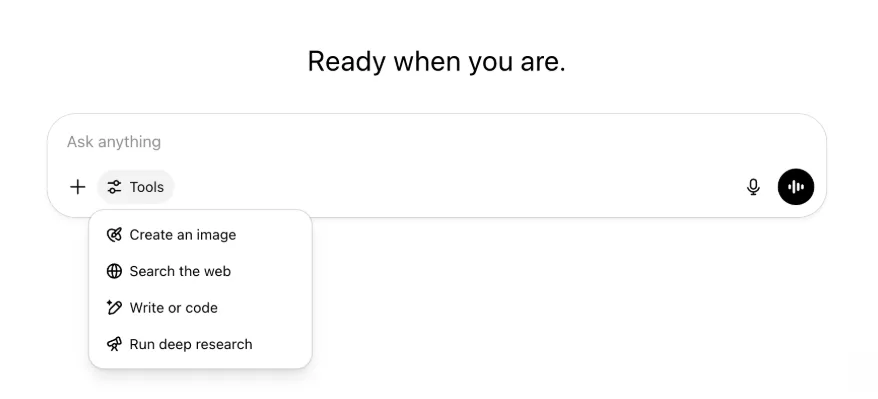
Все прежние возможности и инструменты сохраняются — теперь они аккуратно собраны в одном доступном меню.
22 мая 2025 г.
Выпуск GPT-4.1 в ChatGPT
С момента запуска в API в апреле GPT-4.1 стала одной из любимых моделей разработчиков. По многочисленным просьбам мы добавляем ее непосредственно в ChatGPT.
GPT-4.1 — специализированная модель, особенно эффективная в задачах программирования. По сравнению с GPT-4o она еще точнее следует инструкциям и лучше справляется с веб-разработкой, а для простых повседневных задач программирования служит альтернативой OpenAI o3 и OpenAI o4-mini.
С сегодняшнего дня пользователи Enterprise и Edu могут выбирать GPT-4.1 в раскрывающемся меню «Другие модели» средства выбора моделей. Для платных пользователей GPT-4.1 имеет те же лимиты запросов, что и GPT-4o.
Представляем GPT-4.1 mini, которая заменяет GPT-4o mini в ChatGPT
GPT-4.1 mini — быстрая, производительная и эффективная компактная модель. По сравнению с GPT-4o mini она значительно лучше следует инструкциям, программирует и демонстрирует более высокий общий уровень интеллекта. GPT-4.1 mini заменяет GPT-4o mini в разделе «Другие модели» средства выбора моделей для платных пользователей, а для бесплатных станет резервной моделью после исчерпания лимитов GPT-4o. Лимиты запросов не изменились.
Результаты оценок GPT-4.1 и GPT-4.1 mini изначально были опубликованы в статье блога, сопровождавшей их выпуск в API. Они также прошли стандартные оценки безопасности. Подробные результаты доступны в новом Центре оценок безопасности.
15 мая 2025 г.
Экспорт глубокого исследования в PDF
Теперь отчеты глубокого исследования можно экспортировать в хорошо оформленные PDF-файлы с таблицами, изображениями, ссылками на цитаты и источниками.
Для этого нажмите значок отправки и выберите «Скачать как PDF». Функция работает как для новых, так и для старых отчетов.
Объединение элементов поля ввода сообщения на мобильных устройствах (iOS/Android)
Мы убрали ряд отдельных значков инструментов из мобильного поля ввода и заменили его новым значком в виде ползунков, который открывает меню «Навыки». При нажатии снизу появляется меню с такими инструментами, как «Создать изображение» и «Поиск в интернете».
Ни один инструмент не выводится из эксплуатации: доступ к ним просто объединен, чтобы освободить место и уменьшить визуальную перегруженность.
8 мая 2025 г.
Аналитика пользователей в ChatGPT — общедоступная версия
Обновленная панель аналитики пользователей доступна в консоли Управление рабочей областью на вкладке Аналитика. Она предоставляет более полные данные об использовании, внедрении и вовлеченности, чем прежняя вкладка аналитики.
Улучшенная панель дает администраторам общее представление об использовании ChatGPT в организации. С ее помощью можно отслеживать внедрение и вовлеченность, анализировать использование популярных инструментов и GPT, а также выявлять сценарии применения и тенденции среди пользователей.
См. «Аналитика пользователей для ChatGPT Enterprise и Edu» и «Compliance API и аналитика пользователей в ChatGPT Enterprise/Edu».
2 мая 2025 г.
Генерация изображений 4o в GPT
GPT теперь могут использовать возможности ChatGPT по генерации изображений и создавать их по запросу пользователей.
Создатели GPT могут включить «Генерацию изображений 4o» в разделе «Настройка» редактора GPT, в подразделе Возможности.
1 мая 2025 г.
Глубокое исследование
Когда пользователи исчерпают месячный лимит стандартной модели глубокого исследования (10 задач в месяц), они автоматически получат еще 15 запросов на этот месяц с нашей облегченной и экономичной версией — до сброса месячного лимита.
Подробнее о глубоком исследовании.
Задачи в o3 и o4-mini
Теперь с o3 и o4-mini можно создавать запланированные задачи, позволяющие ChatGPT автоматически выполнять промпты и обращаться к вам по расписанию. Пункт «ChatGPT с запланированными задачами» удален из средства выбора моделей.
Подробнее о запланированных задачах в ChatGPT.
24 апреля 2025 г.
o3 и o4-mini
С появлением o3 и o4-mini / o4-mini-high они заменят в ChatGPT модели o1 и o3-mini / o3-mini-high соответственно.
OpenAI o3 — наша самая мощная модель рассуждений, расширяющая границы возможностей в программировании, математике, естественных науках, визуальном восприятии и других областях. Она устанавливает новый передовой уровень в тестах Codeforces, SWE-bench (без создания специальной обвязки для модели) и MMMU. Она идеально подходит для сложных запросов, требующих многостороннего анализа, когда ответ неочевиден. Она особенно сильна в визуальных задачах, таких как анализ изображений, диаграмм и графики. По оценкам внешних экспертов, o3 допускает на 20 процентов меньше серьезных ошибок, чем OpenAI o1, при решении сложных реальных задач и особенно хорошо проявляет себя в программировании, бизнесе и консалтинге, а также в поиске творческих идей. Первые тестировщики отметили ее аналитическую строгость в роли партнера по размышлениям и способность выдвигать и критически оценивать новые гипотезы, особенно в биологии, математике и инженерных дисциплинах.
OpenAI o4-mini — компактная модель, оптимизированная для быстрых и экономичных рассуждений. Для своих размера и стоимости она показывает выдающиеся результаты, особенно в математике, программировании и визуальных задачах. Она показывает лучшие результаты среди протестированных моделей в AIME 2024 и 2025. По оценкам экспертов, она также превосходит предшественницу o3‑mini в задачах вне STEM и в таких областях, как наука о данных. Благодаря эффективности o4-mini поддерживает значительно более высокие лимиты использования, чем o3, и отлично подходит для большого объема задач с высокой пропускной способностью, где полезны рассуждения.
10 апреля 2025 г.
ChatGPT Картинки
Генерация изображений в GPT-4o теперь доступна всем пользователям и используется в ChatGPT по умолчанию. Пользователи, которые предпочитают DALL·E, по-прежнему могут открыть его через GPT DALL·E.
Чтобы создать изображение в ChatGPT, просто попросите модель изобразить нужные детали или выберите «Создать изображение» в поле ввода сообщения. Подробнее.
31 марта 2025 г.
Аналитика пользователей в ChatGPT — открытая бета-версия
Обновленная панель аналитики пользователей доступна в консоли «Управление рабочей областью» на вкладке «Аналитика». Она предоставляет более полные данные об использовании, внедрении и вовлеченности, чем прежняя вкладка аналитики.
Улучшенная панель дает администраторам общее представление об использовании ChatGPT в организации. С ее помощью можно отслеживать внедрение и вовлеченность, анализировать использование популярных инструментов и GPT, а также выявлять сценарии применения и тенденции среди пользователей.
Подробности см. в статье об аналитике пользователей для ChatGPT Enterprise и Edu (открытая бета-версия).
20 марта 2025 г.
Обновление общих проектов
Мы откладываем запуск общих проектов с правами просмотра и редактирования, чтобы создать более удобную для совместной работы и полезную пользователям версию.
13 марта 2025 г.
Программирование с функцией «Работа с приложениями» в macOS
При работе в IDE можно попросить ChatGPT напрямую изменить открытые файлы — копировать и вставлять текст не нужно. В ответ на запрос об изменении ChatGPT создаст разницу версий, которую можно проверить и применить. Изменения также можно применять автоматически. Изменения легко отменить в интерфейсе ChatGPT или сочетанием CMD+Z в редакторе.
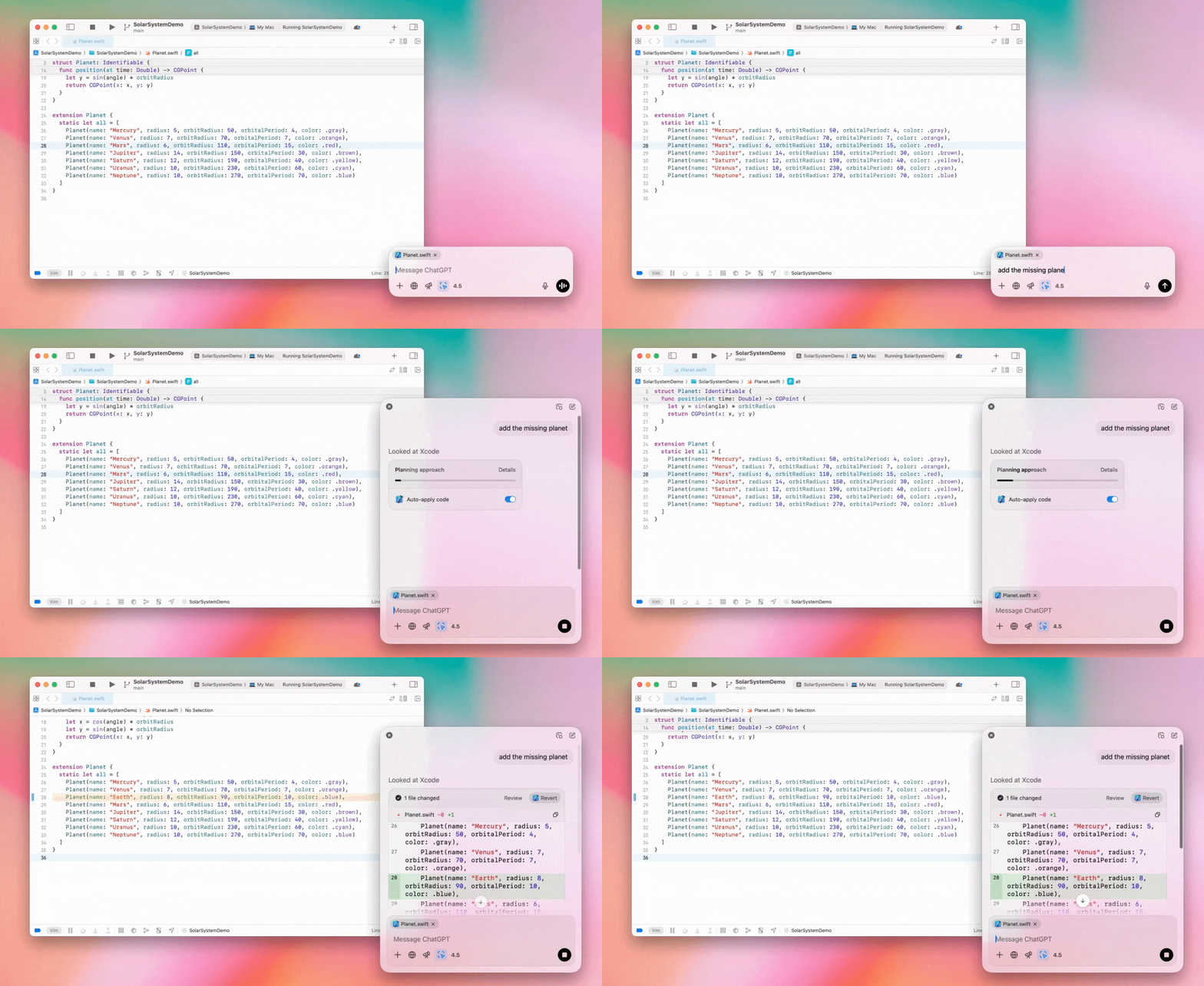
Администраторы Enterprise могут выключить переключатель «Работа с приложениями» в настройках администратора, чтобы отключить эту функцию для участников рабочей области.
GPT-4.5 в ChatGPT
С 13 марта 2025 года пользователи планов Enterprise и Edu могут использовать модель GPT-4.5 в ChatGPT!
Подробности см. в статье о GPT-4.5 в ChatGPT.
10 марта 2025 г.
Глубокое исследование в Compliance API ChatGPT
С 10 марта 2025 г. клиентам Enterprise, использующим Compliance API, доступны следующие возможности:
Искать «глобальный промпт глубокого исследования».
Искать в ответе имя инструмента {"tool_name":"deep_research"}.
25 февраля 2025 г.
Глубокое исследование в ChatGPT
Глубокое исследование в ChatGPT теперь доступно пользователям плана Enterprise.
Глубокое исследование позволяет ChatGPT автономно и асинхронно просматривать веб-ресурсы для выполнения ваших рабочих или личных задач.
Пользователям Enterprise и Edu доступно 10 запросов глубокого исследования в месяц.
Подробности см. в часто задаваемых вопросах о глубоком исследовании.
13 февраля 2025 г.
Режим o1 pro и o3-mini в ChatGPT
В ChatGPT режим o1 pro теперь доступен для Enterprise, а o3-mini — для Enterprise Edu!
o3-mini: OpenAI o3-mini заменила o1-mini в средстве выбора моделей. Она экономичнее, обеспечивает более высокие лимиты запросов и меньшую задержку. Это модель рассуждений, отлично подходящая для программирования, точных наук и логических задач. o3-mini показывает цепочку рассуждений и умеет просматривать веб-страницы.
Режим o1 pro: на этой неделе в средстве выбора моделей также появится режим o1 pro. Он создан для высокой точности и глубины и особенно эффективен в исследованиях, инженерии, бизнесе и праве — для специалистов, решающих очень сложные задачи. Режиму o1 pro требуется больше времени на обдумывание задачи. Поэтому ответы могут занимать некоторое время. Из-за высокой вычислительной нагрузки каждому пользователю доступно не более пяти запросов в месяц. Для большинства задач оптимальными вариантами останутся o1, o3-mini и GPT-4o.
О загрузке файлов
Изображения, документы и PDF поддерживаются моделями o1, o3-mini и o3-mini-high*. Электронные таблицы (CSV/Excel) не поддерживаются.*
В режиме o1 pro поддерживаются только изображения. Документы, PDF и электронные таблицы (CSV/Excel) не поддерживаются.
Общий доступ к рабочему полю
Пользователи ChatGPT Enterprise и Edu теперь могут делиться материалами рабочего поля — например, визуализированным кодом React/HTML, документом или кодом — так же, как диалогами. Это можно сделать на панели инструментов открытого рабочего поля.
Дополнительные сведения о рабочем поле в ChatGPT см. в соответствующей статье Справочного центра!
23 января 2025 г.
Проекты
Проекты теперь доступны во всех платных планах, включая Enterprise и Edu.
Подробности см. в статье «Использование проектов в ChatGPT».
16 января 2025 г.
Визуальный поиск в PDF для ChatGPT Enterprise
ChatGPT Enterprise теперь может читать и понимать визуальные элементы, встроенные в PDF-файлы: изображения, графики, диаграммы и другие материалы. Пользователи могут загрузить PDF, а ChatGPT интерпретирует текст и все визуальные элементы файла.
Подробности см. в часто задаваемых вопросах о визуальном поиске в PDF.
12 декабря 2024 г.
o1
С сегодняшнего дня все клиенты ChatGPT Enterprise могут выбирать o1 вместо o1-preview в средстве выбора моделей.
Теперь o1 может рассуждать о загруженных изображениях, открывая новые возможности благодаря более подробному и точному анализу и объяснению визуальных материалов. Мы также обучили модель рассуждать более лаконично, поэтому она отвечает быстрее, чем o1-preview.
11 декабря 2024 г.
Apple Intelligence с ChatGPT
Администраторы ChatGPT теперь могут включать и отключать доступ к Apple Intelligence в разделе «Подключения» административных настроек рабочей области.
Если этот параметр отключен, пользователи не смогут выбрать рабочую область ChatGPT Enterprise/Edu при входе с учетными данными OpenAI.
10 декабря 2024 г.
Рабочее поле
Сегодня рабочее поле стало по умолчанию доступно в 4o всем пользователям бесплатных и платных тарифов. Кроме того, мы добавили в рабочее поле ряд новых возможностей, в том числе:
Рабочее поле в GPT: теперь рабочее поле можно использовать с GPT, если включить его в конструкторе GPT. Для новых GPT этот переключатель будет включен по умолчанию.
Выполнение кода Python: теперь код Python можно выполнять в рабочем поле. ChatGPT попытается исправить ошибки в вашем коде и добавит комментарии к ним. Обратите внимание: при выполнении кода Python могут отправляться внешние сетевые запросы. Администраторы рабочих областей Enterprise могут запретить выполнение кода Python с помощью переключателя «Выполнение кода в рабочем поле» в настройках администратора. По умолчанию эта функция отключена для всех аккаунтов Enterprise.
Ярлык рабочего поля: теперь можно вставить контент в ChatGPT и сразу открыть его в рабочем поле с помощью ярлыка в правом верхнем углу поля ввода сообщения.
Рабочее поле в панели инструментов: рабочее поле добавлено в панель инструментов как отдельный вариант.
Теперь администраторы рабочих областей могут использовать Compliance API для получения, просмотра списка и удаления текстовых документов рабочего поля.
Обратите внимание: параметр администратора для отключения рабочего поля удален, поскольку эта функция вышла из стадии бета-тестирования. Если ранее эта функция была отключена, соответствующая настройка продолжит действовать. Свяжитесь с нашей службой поддержки с помощью значка чата в правом нижнем углу этой страницы.
3 декабря 2024 г.
Работа с приложениями в macOS
Благодаря функции «Работа с приложениями» в macOS ChatGPT теперь может читать содержимое приложений для программирования, предоставляя более точные и умные ответы с учетом вашей работы. Подробнее о функции «Работа с приложениями» в macOS.
Администраторы Enterprise могут выключить переключатель «Работа с приложениями» в настройках администратора, чтобы отключить эту функцию для участников рабочей области.
22 ноября 2024 г.
Обновления веб-версии ChatGPT
В течение следующих двух недель мы внедрим перечисленные ниже обновления для всех пользователей ChatGPT.
Обновление боковой панели
Добавлен новый плавающий режим с мягким закрытием
Число недавних диалогов на боковой панели теперь ограничено, а все диалоги доступны на раскрывающейся панели с бесконечной прокруткой
Недавние и закрепленные GPT теперь отображаются под диалогами
Настройки теперь всегда находятся внизу боковой панели
При закрытой боковой панели на больших экранах отображается небольшой значок настроек
Добавлены новые переходы, создающие эффект погружения
Другие обновления веб-версии ChatGPT
Основные компоненты сайта переработаны, что значительно улучшило поддержку разнообразных устройств и размеров экрана
При создании нового диалога он теперь прокручивается в область просмотра в верхней части экрана
При создании нового диалога экран больше не прокручивается автоматически вниз во время генерации сообщения
Если места достаточно, закрепленная боковая панель теперь может оставаться открытой одновременно с активным рабочим полем
Обновленная панель поля ввода сообщения теперь при прокрутке плавно затеняет находящееся под ней содержимое
Для удобства кнопка нового чата перенесена влево от средства выбора моделей
Для увеличения пространства по горизонтали из диалогов удален системный значок
Обновлено оформление представления DALL-E
Обновлено оформление конструктора GPT
Улучшенная мобильная веб-версия
Взаимодействие с экранной клавиатурой на мобильных устройствах iOS и Android значительно улучшено
Новая боковая панель всегда работает в плавающем режиме и автоматически закрывается при переключении между ветками
При переключении диалогов в мобильной веб-версии фокус больше не переходит в поле ввода сообщения
Устранена проблема, из-за которой прокрутка могла зависать в некоторых ситуациях
20 ноября 2024 г.
Обновление GPT-4o
Мы обновили GPT-4o для пользователей ChatGPT на всех платных планах. В обновлении GPT-4o улучшены возможности письма: тексты стали естественнее, лучше учитывают аудиторию, более уместны и легче читаются. Модель также лучше работает с загруженными файлами, предлагая более глубокий анализ и подробные ответы.
19 ноября 2024 г.
Расширенный голосовой режим в веб-версии ChatGPT
С сегодняшнего дня мы начинаем внедрять расширенный голосовой режим в веб-версии — он уже доступен в мобильных и настольных приложениях. Теперь пользователи могут начать голосовой чат на сайте chatgpt.com с компьютера и в реальном времени естественно общаться с ChatGPT при планировании, написании текстов и мозговом штурме.
14 ноября 2024 г.
Приложение для Windows
Улучшенное приложение для Windows теперь доступно в Microsoft Store для рабочих областей ChatGPT Enterprise и Edu. Пользователи ChatGPT, знакомые с веб-версией, могут легко встроить приложение для Windows в любые рабочие процессы на компьютере.
Доступ пользователей к приложению ChatGPT для Windows регулируется политиками ИТ-администратора для приложений из Microsoft Store. В ближайшие недели ИТ-администраторы также смогут развертывать приложение на устройствах сотрудников через MDM/MAM вместо разрешения прямой загрузки из магазина.
Как и во всех продуктах ChatGPT Enterprise, история чатов пользователей защищена и не используется для улучшения сервисов OpenAI.
Подробнее о приложении ChatGPT для Windows.