
3. septembra 2026
Doplnky Zendesk & OneNote v ChatGPT a Codex [beta]
Dnes sme do adresára doplnkov pridali doplnky Zendesk a OneNote. Doplnok Zendesk pomáha tímom kontrolovať tikety podpory a históriu zákazníkov, vyhľadávať relevantné informácie a pripravovať odpovede v ChatGPT a Codex. Členovia si prepoja vlastné účty Zendesk a môžu pracovať s informáciami podpory, ku ktorým majú prístup.
Doplnok OneNote vám pomáha vyhľadávať a sumarizovať poznámky, zhromažďovať rozhodnutia a úlohy a pomocou podporovaných akcií v ChatGPT a Codex vytvárať alebo aktualizovať poznámky.
Ďalšie informácie: Doplnok Zendesk, Doplnok OneNote.
Zdieľanie Webov s ľuďmi mimo vášho pracovného priestoru
Oprávnené pracovné priestory ChatGPT Enterprise teraz môžu vlastníkom Webov povoliť zdieľanie aktívnych Webov s konkrétnymi externými návštevníkmi. Príjemcovia sa prihlásia pomocou účtu, ktorému bol udelený prístup, a zdieľaný Web si môžu pozrieť bez toho, aby sa pripojili k pracovnému priestoru. Prístup návštevníka navyše neudeľuje práva na úpravy ani publikovanie a nesprístupňuje Web verejnosti.
Vlastníci a správcovia pracovného priestoru môžu povoliť pozvánky pre vybrané roly v časti Nastavenia pracovného priestoru > Oprávnenia a roly zapnutím možností Weby a Povoliť členom pozývať externých návštevníkov na weby. Toto oprávnenie je oddelené od verejného publikovania. Ďalšie informácie o ovládacích prvkoch nájdete v článku Správa Webov ChatGPT pre váš pracovný priestor.
Väčšia kontrola nad používaním prehliadača a počítača
Nové nastavenia zásad poskytujú podnikovým správcom väčšiu kontrolu nad tým, ako podporovaní klienti pre počítače používajú prehliadače a natívne aplikácie. Správcovia môžu nastaviť predvolené pravidlá a výnimky pre webové lokality, obmedziť nahrávanie, sťahovanie, históriu prehliadača a prístup pre vývojárov a riadiť automatické kontroly, uložené schválenia aj dĺžku platnosti schválení lokalít. Pravidlá pre natívne aplikácie môžu povoliť alebo zablokovať konkrétne aplikácie pre macOS a Windows. Správcovia môžu obmedziť aj import údajov z iného prehliadača.
Ak je k dispozícii editor zásad, otvorte položku Zásady a konfigurácie Codex a upravte Požiadavky danej zásady. Ovládacie prvky sa uplatňujú v podporovaných klientoch a na podporovaných platformách. Povolenie lokality alebo aplikácie neobchádza iné zásady ani výzvy na schválenie. Ďalšie informácie o spravovaných ovládacích prvkoch používania prehliadača a počítača.
1. septembra 2026
Zdravotnícke doplnky pre ChatGPT a Codex
Oprávnené pracovné priestory ChatGPT pre zdravotníctvo a ChatGPT Enterprise s podporou HIPAA teraz môžu v ChatGPT a Codex používať dva zdravotnícke doplnky:
Verejné zdravotnícke údaje: Vyhľadávajte v deviatich verejných zdravotníckych zdrojoch informácie o medicínskom výskume, klinických skúšaniach a liekoch, ako aj údaje zo systému Medicare a záznamy o poskytovateľoch. Doplnok umožňuje údaje iba čítať a nemá prístup ku kartám pacientov.
Epic: Prezerajte si autorizované informácie o pacientoch z elektronických zdravotných záznamov vašej organizácie v systéme Epic. Prístup umožňuje údaje iba čítať a vyžaduje aplikáciu Epic EHR nakonfigurovanú správcom, individuálne prihlásenie do systému Epic a existujúce oprávnenia na prístup ku kartám pacientov.
Správcovia spravujú dostupnosť doplnku a prístup k aplikácii samostatne. Do vyhľadávaní odosielaných do verejných zdravotníckych zdrojov nezahŕňajte chránené zdravotné informácie. Pred použitím systému Epic s chránenými zdravotnými informáciami si overte, či má vaša organizácia uzatvorenú príslušnú zmluvu s obchodným partnerom a schválenú konfiguráciu pracovného priestoru.
Ďalšie informácie: Používanie verejných zdravotníckych údajov v ChatGPT a Codex a Používanie doplnku Epic s ChatGPT a Codex.
28. augusta 2026
Import a synchronizácia trhovísk doplnkov zo služby GitHub
Správcovia a vlastníci pracovného priestoru môžu centrálne distribuovať trhoviská doplnkov z verejných alebo súkromných repozitárov GitHub a udržiavať doplnky aktuálne pomocou automatickej dennej synchronizácie. Začnite v časti Nastavenia pracovného priestoru > Doplnky výberom položky Pridať > Importovať trhovisko. Ak chcete vyžiadať aktualizáciu trhoviska, vyberte pri ňom možnosť Synchronizovať teraz.
Správcovia a vlastníci určujú v nastaveniach pracovného priestoru pravidlá inštalácie pre oprávnené roly aj požadovaný prístup k aplikáciám. Hodnoty pravidiel repozitára tieto nastavenia neprepíšu a naďalej platia povolenia aplikácií aj požiadavky na overenie totožnosti. Ďalšie informácie o nastavení trhoviska nájdete spolu s prehľadom podporovaných formátov a konfigurácie.
27. augusta 2026
Centralizovaná správa identít v Konzole správcu
Oprávnení zákazníci služieb ChatGPT Enterprise a ChatGPT Edu môžu teraz spravovať viac nastavení pracovných priestorov a identít v Konzole správcu:
Spravujte členov, skupiny, roly, povolenia a všeobecné nastavenia pracovného priestoru.
Synchronizujte používateľov a skupiny jednorazovo prostredníctvom centralizovaného systému SCIM pre celý tenant a potom priraďte skupiny k podporovaným pracovným priestorom ChatGPT alebo účtom Ads.
Spravujte používateľov a roly pre účty Ads, ak je táto možnosť k dispozícii.
Existujúce konfigurácie SCIM na úrovni pracovného priestoru sú naďalej podporované.
Ďalšie informácie: Správa tenantu v Konzole správcu a Zriaďovanie a správa SCIM.
Riadenie prístupu k modelom, nastavenia pracovného priestoru a vylepšenia pre Windows
Vydali sme niekoľko vylepšení pre pracovné priestory Enterprise a Edu:
Riadenie prístupu k modelom umožňuje vlastníkom pracovného priestoru spravovať prístup k podporovaným modelom na úrovni pracovného priestoru aj rolí.
Nastavenia Používatelia, Skupiny, Roly, Povolenia a Všeobecné sú teraz v Konzole správcu. Naďalej sú dostupné aj v nastaveniach pracovného priestoru a kliknutím na existujúce karty prejdete do Konzoly správcu. Existujúce povolenia zostávajú v platnosti. Ďalšie informácie nájdete v článkoch o riadení prístupu na základe rolí a nastaveniach pracovného priestoru.
Vylepšenia Codexu vo Windowse zahŕňajú diagnostiku
codex doctor, vzdialené ovládanie z Windowsu do iných zariadení a výber preferovanej distribúcie Linuxu, keď je nainštalovaných viac distribúcií WSL. Spravované zariadenia potrebujú zostavu schválenú správcom prostredníctvom MDM. Dostupnosť závisí od vášho pracovného priestoru a zostavy aplikácie. Ďalšie informácie nájdete v článku: Codex.
25. augusta 2026
Zdieľané naplánované úlohy a úlohy spúšťané webhookom
Členovia pracovných priestorov Enterprise, Edu a ChatGPT pre zdravotníctvo môžu vo svojom pracovnom priestore zdieľať prispôsobiteľné naplánované úlohy. Správcovia môžu v režime Work povoliť aj úlohy spúšťané webhookom, aby schválené aplikácie mohli zobrazovať relevantné aktualizácie bez opakovaných manuálnych kontrol. V službe ChatGPT pre zdravotníctvo sa na tieto úlohy nevzťahuje dohoda so zmluvným partnerom (BAA) a nesmú sa používať na prenos, uchovávanie ani spracúvanie chránených zdravotných informácií (PHI).
Podporované webhooky zahŕňajú nové správy v Gmaile, správy v kanáloch Slacku a aktivitu pull requestov na GitHube.
Vytváranie úloh spúšťaných webhookom
Oprávnení členovia môžu požiadať režim Work na webe, v systéme iOS alebo Androide, aby reagoval na novú správu v Gmaile, správu v kanáli Slacku alebo podporovanú udalosť pull requestu na GitHube. Môžu napríklad požiadať ChatGPT, aby zhrnul spätnú väzbu od klientov zo Slacku alebo pripravil ďalšie kroky po zmenách v pull requeste na GitHube. Členovia potrebujú prístup k režimu Work a schválenej aplikácii. Pridajte @ChatGPT do každého sledovaného kanála Slacku. Správcovia služieb Enterprise, Edu a ChatGPT pre zdravotníctvo musia najskôr povoliť možnosť Povoliť naplánované úlohy spúšťané udalosťou v časti Povolenia & roly > Work. Toto povolenie je predvolene vypnuté.
Zdieľanie naplánovaných úloh
Oprávnení členovia môžu zdieľať naplánované úlohy alebo úlohy spúšťané webhookom s ostatnými v rovnakom pracovnom priestore. Tí si môžu pokyny skontrolovať a prispôsobiť, prípadne upraviť aj plán. Správcovia ovládajú zdieľanie pomocou možnosti Zdieľať chaty a naplánované úlohy v pracovnom priestore. Naplánovanie kópie spúšťanej webhookom vyžaduje aj možnosť Povoliť naplánované úlohy spúšťané udalosťou, prístup k režimu Work a vlastnú schválenú pripojenú aplikáciu príjemcu.
Ďalšie informácie nájdete v článku Naplánované úlohy v ChatGPT.
20. augusta 2026
Novinky vo funkciách pre organizácie
Vlastníci a správcovia pracovných priestorov môžu pomocou nových správcovských rozhraní API pre pracovné priestory automatizovať správu pozvánok a členov. Rozhrania API pre pozvánky umožňujú zobrazovať zoznam, získavať, vytvárať, znova odosielať a odstraňovať pozvánky. Používateľské rozhrania API umožňujú získavať členov, ktorí prijali pozvanie, a vlastníkom pracovných priestorov tiež meniť vstavané roly alebo licencie a rušiť členstvo v pracovnom priestore. Zmeny spravované cez SCIM sa naďalej vykonávajú prostredníctvom poskytovateľa identity a platí ochrana posledného vlastníka. Informácie o nastavení a oprávneniach nájdete v článku Správa správcovských kľúčov. Cesty koncových bodov a schémy nájdete v referenčnej dokumentácii správcovského rozhrania API.
Globálna konzola správcu teraz jasnejšie ukazuje, v ktorom nájomníkovi alebo pracovnom priestore pracujete, a podporované stránky majú adresy URL špecifické pre pracovný priestor. Členovia pracovného priestoru si môžu prezerať analytické údaje obmedzené na vlastnú aktivitu, zatiaľ čo zobrazenia údajov viacerých používateľov sú naďalej dostupné iba oprávneným rolám. Nastavenia pracovného priestoru ChatGPT zostávajú na pôvodnom mieste. Ďalšie informácie o Globálnej konzole správcu.
Osobná analytika podporuje Work a Codex v oprávnených pracovných priestoroch Enterprise a Edu. Keď správca povolí doplnok, členovia si ho môžu nainštalovať v aplikácii ChatGPT pre počítače a pýtať sa na aktivitu spojenú s ich prihlásenou identitou aj na súhrnné trendy pracovného priestoru chránené z hľadiska súkromia. Funkcia je iba na čítanie a nemôže zobraziť individuálnu aktivitu iného používateľa ani údaje z iného pracovného priestoru. Ďalšie informácie o Osobnej analytike.
Spolupracujte na Weboch ChatGPT (iba Enterprise). V pracovných priestoroch Enterprise môžu vlastníci webu pridať aktívnych členov rovnakého pracovného priestoru ako editorov. Editori môžu web aktualizovať a ukladať. Keď ho vlastník prvýkrát zverejní, môžu na rovnakej adrese URL webu zverejňovať aj ďalšie verzie. Vlastníci si zachovávajú kontrolu nad zdieľaním, nastaveniami webu, analytikou, vlastníctvom, obnovovaním verzií a prístupom editorov. Spoločné úpravy využívajú existujúce ovládacie prvky pracovného priestoru pre Weby a nepridávajú samostatný prepínač RBAC. Verejné publikovanie zostáva predvolene vypnuté a pod kontrolou správcu. Ďalšie informácie o správe Webov ChatGPT vo vašom pracovnom priestore.
Používajte Apple Správy z Codexu a ChatGPT Work. Na počítačoch Mac s čipmi Apple môže doplnok Apple Správy v počítačovej aplikácii ChatGPT čítať a prehľadávať konverzácie iMessage, SMS a RCS a pripravovať alebo odosielať správy cez aplikáciu Správy. ChatGPT predvolene pred odoslaním požiada používateľa, aby schválil správu a jej príjemcov. Správcovia spravovaných pracovných priestorov môžu Apple Správy zakázať pomocou existujúceho ovládacieho prvku Používanie počítača. Ďalšie informácie o doplnku Apple Správy.
Používajte Históriu počítača vo viacerých regiónoch (iba Enterprise). História počítača je teraz dostupná používateľom Enterprise v EHP, Švajčiarsku a Spojenom kráľovstve v počítačovej aplikácii ChatGPT pre macOS. Predvolene je vypnutá, vyžaduje Pamäť a správca pracovného priestoru ju musí povoliť, aby si ju člen mohol zapnúť. Ďalšie informácie o Histórii počítača.
Zdieľajte snímku konverzácie v Codexe iba na čítanie. Odkazy na zdieľanie v pracovnom priestore sú obmedzené na overených členov pôvodného pracovného priestoru a správcovia ich môžu vypnúť. Snímka sa pri zmenách pôvodnej konverzácie neaktualizuje. Codex skryje známe vzory tajných údajov, používatelia by však mali snímku skontrolovať, pretože môže naďalej obsahovať citlivé cesty, diffy, obrázky alebo iný obsah. Ďalšie informácie o zdieľaní konverzácie v Codexe.
Exportujte verejný katalóg doplnkov. Oprávnení vlastníci a správcovia pracovných priestorov ChatGPT Enterprise môžu exportovať súbor CSV cez Správa > Doplnky > Verejné > Exportovať CSV. Exportované údaje môžu byť až 48 hodín staré a nezahŕňajú doplnky vytvorené v pracovnom priestore. Ďalšie informácie o exporte verejného katalógu.
13. augusta 2026
Predvolené nastavenia modelu režimu Chat
Vlastníci a správcovia pracovného priestoru môžu nastaviť počiatočný model režimu Chat a úroveň uvažovania v časti Nastavenia pracovného priestoru > Modely. Vlastníci a správcovia môžu pre nové chaty použiť predvolené nastavenie správcu alebo povoliť možnosť Posledná voľba používateľa. Predvolené nastavenia však neudeľujú prístup k nedostupným modelom ani neobchádzajú povinné požiadavky pracovného priestoru.
Aby sa nové ovládacie prvky uplatnili, aplikáciu ChatGPT pre počítače treba aktualizovať na verziu 26.812.10818 alebo novšiu.
Aktualizovaný výber modelu pre Enterprise a Edu
Členovia pracovných priestorov Enterprise/Edu majú aktualizované prostredie na výber modelu aj príkazový riadok. Výber uľahčuje porovnanie dostupných možností inteligencie a zároveň zachováva dostupnosť modelov a riadenie prístupu v pracovnom priestore.
Denníky auditu v Globálnej konzole správcu
Vlastníci a správcovia pracovného priestoru si teraz môžu prezerať podporované udalosti auditu v Globálnej konzole správcu. Rozsah prístupu a zahrnutých udalostí závisí od vybraného pracovného priestoru a roly správcu. Ďalšie informácie.
Aditívne riadenie prístupu na základe rolí
Vlastníci pracovných priestorov Enterprise a Edu môžu teraz oprávnené povolenia v bežných vlastných rolách nastaviť na Predvolené, Zapnuté alebo Vypnuté. Možnosť Predvolené preberá nastavenie pracovného priestoru, možnosť Zapnuté výslovne udeľuje oprávnenie a možnosť Vypnuté odopiera prístup iba prostredníctvom danej roly. ChatGPT vyhodnocuje všetky príslušné bežné roly aditívne: ak niektorá rola udeľuje oprávnenie výslovne alebo prevzatím zapnutého nastavenia pracovného priestoru, člen si zachová prístup. Nastavenie Vypnuté odopiera prístup iba prostredníctvom danej roly. Ak je každá príslušná rola nastavená na Vypnuté, prístup sa zamietne. Bezpečný režim sa vyhodnocuje samostatne a môže ďalej obmedziť funkcie využívajúce sieť. Ďalšie informácie o riadení prístupu na základe rolí.
Údaje o používaní a nákladoch pre Work a Codex
Členovia oprávnených pracovných priestorov Enterprise s fakturáciou na základe kreditov si môžu pozrieť celkovú spotrebu kreditov jednotlivých chatov v režimoch Work a Codex. Údaje o používaní a odhadované náklady slúžia na plánovanie a nie sú faktúrami. Členovia si môžu v ChatGPT pre počítače na karte Používanie & fakturácia pozrieť aj mesačné používanie a jeho históriu. Bežné používanie režimu Chat nie je zahrnuté. Táto funkcia vyžaduje ChatGPT pre počítače vo verzii 26.812.10818 alebo novšej. Ďalšie informácie.
Doplnok Osobná analytika
Doplnok Osobná analytika je k dispozícii pre oprávnené pracovné priestory. Keď vlastník alebo správca pracovného priestoru povolí doplnok, členovia si ho môžu nainštalovať v ChatGPT pre počítače a klásť otázky o vlastnej aktivite v režimoch Work a Codex aj o dostupných súhrnných trendoch pracovného priestoru. Ďalšie informácie.
Servisné účty Codex
Oprávnené pracovné priestory môžu vytvárať neosobné servisné účty na automatizáciu v Codex. Vlastníci a správcovia pracovného priestoru môžu priraďovať roly a skupiny, konfigurovať doplnky, zdieľať správu účtu a vydávať prístupové tokeny s obmedzeným rozsahom pre nástroje CI a naplánované úlohy. Ďalšie informácie.
Zvýšenie výkonu aplikácie pre Windows
Aplikácia ChatGPT pre počítače so systémom Windows prináša zvýšenie výkonu. Tieto zlepšenia vyžadujú ChatGPT pre počítače vo verzii 26.803.41515 alebo novšej.
História počítača pre ChatGPT Enterprise
História počítača je voliteľná funkcia aplikácie ChatGPT pre macOS, ktorá členom Enterprise umožňuje prenášať do ChatGPT a Codex kontext z vybraných aplikácií a webových lokalít. Zaznamenáva udalosti interakcií, nie snímky ani záznamy obrazovky, vstup z mikrofónu či systémový zvuk. Súkromné prehliadanie nie je zahrnuté.
História počítača je predvolene vypnutá. Správcovia Enterprise môžu udeliť prístup podľa roly a každý člen sa potom rozhodne, či túto funkciu zapne. Členovia môžu Históriu počítača pozastaviť, vybrať zahrnuté aplikácie a lokality a prezerať alebo odstraňovať položky časovej osi. Upozorňujeme, že História počítača momentálne nie je dostupná v EHP, Spojenom kráľovstve ani vo Švajčiarsku.
10. augusta 2026
Ukončenie synchronizácie pripojených aplikácií pre jednotlivých používateľov
Od 10. augusta už nebude možné vytvárať nové synchronizačné pripojenia autorizované jednotlivými používateľmi. Dňa 14. augusta sa existujúce synchronizačné pripojenia jednotlivých používateľov zakážu a začne sa odstraňovanie súvisiacich synchronizovaných údajov. Synchronizácie spravovanej správcom sa zmena nedotkne. Do 14. augusta skontrolujte nastavenia konektorov pracovného priestoru a podľa potreby vykonajte tieto kroky:
| Konektor | Požadovaný krok správcu |
|---|---|
| Disk Google | Povoľte doplnok Disk Google. Ak potrebujete synchronizované znalosti, nakonfigurujte synchronizáciu Disku Google spravovanú správcom pomocou delegovania v rámci celej domény. |
| SharePoint | Povoľte doplnok SharePoint. Ak potrebujete synchronizované znalosti, nakonfigurujte synchronizáciu správcom. |
| GitHub | Povoľte nesynchronizovaný doplnok GitHub. |
| GitLab Issues | Dostupnosť náhradného doplnku oznámime čoskoro. |
| Azure Boards (Azure DevOps) | Dostupnosť náhradného doplnku oznámime čoskoro. |
| Basecamp | Dostupnosť náhradného doplnku oznámime čoskoro. |
| Help Scout | Identifikujte dotknutých používateľov a pracovné postupy a oznámte im, že synchronizovaný prístup sa skončí. Aktívne spolupracujeme s partnerom na poskytnutí náhrady. |
| Zoho Desk | Identifikujte dotknutých používateľov a pracovné postupy a oznámte im, že synchronizovaný prístup sa skončí. Aktívne spolupracujeme s partnerom na poskytnutí náhrady. |
| Teamwork | Identifikujte dotknutých používateľov a pracovné postupy a oznámte im, že synchronizovaný prístup sa skončí. Aktívne spolupracujeme s partnerom na poskytnutí náhrady. |
| Aha! | Identifikujte dotknutých používateľov a pracovné postupy a oznámte im, že synchronizovaný prístup sa skončí. Aktívne spolupracujeme s partnerom na poskytnutí náhrady. |
| Zoho CRM | Identifikujte dotknutých používateľov a pracovné postupy a oznámte im, že synchronizovaný prístup sa skončí. Aktívne spolupracujeme s partnerom na poskytnutí náhrady. |
| Pipedrive | Identifikujte dotknutých používateľov a pracovné postupy a oznámte im, že synchronizovaný prístup sa skončí. Aktívne spolupracujeme s partnerom na poskytnutí náhrady. |
7. augusta 2026
Súbory a Projekty v ChatGPT Voice
GPT-Live v ChatGPT Voice teraz podporuje nahrávanie súborov a Projekty. V hlasovej konverzácii teraz môžete nahrať súbory a analyzovať ich obsah alebo sa naň pýtať. Hlas môžete používať aj v Projektoch a odkazovať na nedávne projektové chaty, zdroje a pokyny projektu.
Live je teraz predvolené hlasové prostredie
V pracovných priestoroch Enterprise, Edu a Healthcare je Live teraz predvoleným hlasovým prostredím, keď vlastník pracovného priestoru povolí Hlas. Zapnutie nastavenia Prednostný prístup k modelom už nie je potrebné. Vlastníci pracovného priestoru môžu Hlas vypnúť v nastaveniach pracovného priestoru.
Ďalšie informácie o ChatGPT Voice.
6. augusta 2026
Nové ovládacie prvky aktualizácií počítačovej aplikácie
Správcovia ChatGPT Enterprise, ChatGPT pre zdravotníctvo a ChatGPT Edu teraz môžu vypnúť aktualizácie priamo v počítačovej aplikácii ChatGPT v podporovaných zostavách macOS a Windowsu. Organizácie tak môžu skontrolovať nové vydania pred ich sprístupnením používateľom a nasadiť schválené verzie existujúcim procesom správy zariadení.
Vstavaný aktualizačný nástroj aplikácie zostáva predvolene zapnutý. Organizácie, ktoré ho vypnú, zodpovedajú za rýchle nasadzovanie nových vydaní a bezpečnostných opráv. OpenAI neposkytuje pripnutie verzie, samostatný stabilný kanál vydaní ani rozšírenú podporu starších verzií. Ďalšie informácie.
4. augusta 2026
Veľké vložené texty sa teraz vo všetkých programoch spracúvajú ako prílohy
Od dnešného dňa sa dlhé vložené texty používateľov ChatGPT Enterprise a Education spracúvajú v ChatGPT inak.
Ak do príkazového riadka vložíte viac ako 10-tisíc znakov, ChatGPT obsah automaticky skonvertuje na prílohu namiesto jeho priameho vloženia do textového poľa. Príkazový riadok tak zostane prehľadnejší a veľké vložené texty nespotrebujú celé kontextové okno.
Obsah môžete kedykoľvek vrátiť do správy kliknutím na Zobraziť v textovom poli, čím prílohu zmeníte späť na priamo vložený text.
Táto funkcia je už dostupná používateľom všetkých ostatných programov.
Vzdelávacie pluginy na výučbu a učenie
Pracovné priestory ChatGPT Edu majú teraz v ChatGPT Work a Codex prístup k trom riadeným pluginom: Vysokoškolský pedagóg, Učiteľ pre K–12 a Vysokoškolský študent. Pracovné priestory ChatGPT for Teachers spravované prostredníctvom nároku na doménu školského obvodu majú prístup k pluginu Učiteľ pre K–12. Tieto pluginy pomáhajú pedagógom vytvárať lekcie, hodnotenia a komunikáciu vychádzajúcu z materiálov kurzu a vysokoškolákom zostavovať študijné plány a precvičovať si učivo.
Vysokoškolský pedagóg: Pomáha vyučujúcim navrhovať a aktualizovať kurzy a osnovy, vytvárať interaktívne učebné materiály a multimediálne hodnotenia, prispôsobiť materiály rôznym študentom a pripraviť obsah pre LMS.
Učiteľ pre K–12: Pomáha učiteľom vytvárať materiály k lekciám, zadania, hodnotiace kritériá a učebné zdroje. Vďaka kontextu Learning Commons ich možno zosúladiť so štátnymi štandardmi a postupom učenia.
Vysokoškolský študent: Pomáha študentom využívať materiály kurzu a študijný cieľ na získanie vysvetlení založených na zdrojoch, riadeného precvičovania, študijných plánov, kvízov, kartičiek a vizuálnych vysvetlení.
Pluginy sú dostupné v adresári pluginov, ale predvolene nie sú nainštalované. Upozorňujeme, že tieto pluginy nie sú dostupné pre účty Enterprise. Správcovia pracovného priestoru môžu riadiť dostupnosť a oprávnenia pluginov. Ďalšie informácie nájdete v článku Pluginy v ChatGPT a Codex.
Prechod z týždenných limitov používania na mesačné
Vlastníci pracovného priestoru teraz môžu jednoducho previesť týždenné limity nastavené v časti Oprávnenia a roly na mesačné limity. Otvorte Nastavenia pracovného priestoru → Oprávnenia a roly, vyberte ľubovoľnú rolu, prejdite na Týždenné limity, zvoľte Migrovať a potvrďte. Spustením migrácie z ľubovoľnej roly sa presunú všetky zostávajúce týždenné limity podľa rolí v pracovnom priestore. V závislosti od jeho veľkosti to môže trvať niekoľko minút.
Na 15. augusta je naplánovaný automatický prechod zostávajúcich pracovných priestorov ChatGPT Enterprise s týždennými limitmi výdavkov podľa rolí na mesačné limity používania. Ďalšie informácie o správe limitov používania a prekročení.
23. júla 2026
Prirodzenejšie prostredie ChatGPT Voice
ChatGPT Voice sa zavádza do pracovných priestorov Enterprise a Edu v dvoch odlišných podobách:
Hlas v Chate: Veďte prirodzené konverzácie v reálnom čase, klaďte otázky, tvorte nápady a skúmajte možnosti. Hlas v Chate využíva GPT-Live a podporuje prerušenia, doplňujúce otázky a funkcie, ako je vyhľadávanie na webe, kde je dostupné. Je dostupný v Chate na počítači a v podporovaných prostrediach webu, iOS a Androidu.
Hlas vo Work a Codexe: ChatGPT Voice môže od počítačovej aplikácie ovládať počítač a koordinovať prácu viacerých agentov, aktívnych konverzácií a projektov. Používajte ho na spúšťanie úloh, kontrolu priebehu, prerušenie alebo presmerovanie práce a získavanie aktualizácií počas spracovania úloh na pozadí. Dostupné v macOS a Windowse so spárovaným vzdialeným prístupom z iOS. Samostatný Hlas vo Work a Codexe nie je dostupný na webe ani mobile.
Počas prvých dvoch týždňov musia vlastníci pracovného priestoru povoliť Hlas aj Prednostný prístup k modelom, kým si členovia budú môcť v nastaveniach Hlasu vybrať Live. Existujúce konverzácie v Pokročilom hlase sa počas tohto obdobia automaticky neprepnú na Live.
Po skončení prednostného prístupu sa Live stane predvoleným hlasovým prostredím pracovných priestorov so zapnutým Hlasom. Vlastníci pracovného priestoru môžu Hlas úplne vypnúť zakázaním možnosti Hlas.
V pracovných priestoroch s flexibilnými cenami spotrebuje Hlas v Chate päť kreditov za minútu. Hlas vo Work a Codexe spotrebuje v pracovných priestoroch Enterprise založených na kreditoch približne šesť kreditov za minútu. Staršie pracovné priestory Enterprise zahŕňajú jednu hodinu Hlasu, dve hodiny Voice Mini a približne 45 minút Hlasu vo Work a Codexe v každom päťhodinovom okne. Úlohy delegované cez Work alebo Codex čerpajú z existujúceho spoločného fondu používania podľa štandardných sadzieb.
Ďalšie informácie o ChatGPT Voice a cenách Hlasu pre Business, Enterprise a Edu.
Povolenie ChatGPT Work
V pracovných priestoroch ChatGPT Enterprise/Edu je Work pre členov predvolene zapnutý, kým ho vlastník alebo správca nevypne. Nastavenia pracovného priestoru a riadenie prístupu podľa rolí naďalej určujú prístup jednotlivých členov vrátane oprávnených pracovných priestorov Enterprise so zapnutou podnikovou správou kľúčov.
Ďalšie informácie nájdete v článkoch ChatGPT Work a Codex a Správa nastavení pracovného priestoru v ChatGPT Enterprise.
Predvolené modely
V časti Nastavenia pracovného priestoru → Modely môžu vlastníci a správcovia nastaviť počiatočný model, úroveň uvažovania, rýchlosť a správanie nového chatu pre Work a Codex. Tieto nastavenia určujú počiatočné prostredie. Neudeľujú prístup k nedostupným modelom ani nenahrádzajú ovládanie dostupných modelov, prístup podľa rolí či presadzované požiadavky pracovného priestoru.
Ďalšie informácie nájdete v článkoch Správa nastavení pracovného priestoru v ChatGPT Enterprise a ChatGPT Work a Codex.
Limity používania
Limity používania presúvame z nastavení pracovného priestoru do globálnej konzoly správcu. Vlastníci a správcovia môžu nastaviť predvolenú možnosť pracovného priestoru, vytvoriť výnimky pre skupiny a používateľov, kontrolovať platné limity a riadiť žiadosti o vyššie používanie. V časti Limity používania → Pracovný priestor môžu správcovia ponechať predvolené mesačné obdobie, ktoré sa obnovuje prvý deň každého kalendárneho mesiaca v UTC, alebo vybrať možnosť Zosúladené s fakturačným cyklom, ak je dostupná.
Ďalšie informácie nájdete v článkoch Správa limitov používania a prekročení a Globálna konzola správcu.
Odhady používania a analýza skupín
V oprávnených pracovných priestoroch sa môžu vedľa kreditov v Analýze, Fakturácii, editoroch limitov používania, rozhraní Cost API a analytickom API Codexu zobrazovať odhadované hodnoty v dolároch. Odhady používajú sadzbu za prekročenie vybraného pracovného priestoru a slúžia na plánovanie. Zdrojom vystavených poplatkov zostáva časť Fakturácia → Faktúry. Rebríčky analýzy teraz obsahujú aj kartu Skupiny s rozdelením podľa skupín, produktu, meranej položky a modelu.
Ďalšie informácie nájdete v článkoch Globálna konzola správcu a Analýza pracovného priestoru.
22. júla 2026
Aktualizácie OpenAI Presence a telefonickej podpory AI
OpenAI Presence je teraz v obmedzenej všeobecnej dostupnosti ako spravovaná platforma pre organizácie, ktoré vytvárajú a prevádzkujú riadených agentov AI na veľkoobjemové pracovné postupy. Presence podporuje hlasové alebo chatové nasadenia s ovládaním testovania, oprávnení, monitorovania a eskalácie na človeka. Dostupnosť závisí od vhodnosti pracovného postupu, pripravenosti implementácie a kapacity realizácie. O prístupe sa poraďte s tímom účtu OpenAI. Ďalšie informácie o OpenAI Presence.
Telefonická podpora AI, ktorá využíva OpenAI Presence, už nie je experimentálna. Používatelia v USA, Kanade a Austrálii môžu volať bez účtu ChatGPT s bežnými otázkami o produktoch, účtoch a riešení problémov. Tento automatizovaný kanál podpory nemôže odosielať hlásenia ani žiadosti, spojiť používateľov so živým agentom, spustiť eskaláciu alebo kontrolu účtu ani zaručiť následnú komunikáciu. Ďalšie informácie o telefonickej podpore AI.
16. júla 2026
Rozšírené rozhrania API správcu a analýza
Správcovia teraz môžu vytvárať a spravovať kľúče správcu vymedzené pre pracovný priestor v globálnej konzole správcu v časti Prihlasovacie údaje > Kľúče správcu. Tieto kľúče fungujú s podporovanými rozhraniami API na správu ChatGPT a Codexu pre správu skupín, rozhraním Spend Controls API, vykazovaním nákladov a analýzou. Dostupné oprávnenia závisia od roly správcu v pracovnom priestore a kľúče správcu nemožno použiť na inferenciu modelu.
Globálna konzola správcu teraz obsahuje až 120 dní histórie analýzy kreditov a Codexu. Ovládanie výdavkov a karta Limity používania zostávajú v ChatGPT a nie sú súčasťou tohto vydania globálnej konzoly správcu. Správcovia môžu naďalej spravovať limity používania vrátane možnosti Bez limitu, kde je dostupná, v časti Nastavenia pracovného priestoru → Limity používania. Ďalšie informácie nájdete v článkoch Správa limitov používania a prekročení v ChatGPT Enterprise a Edu a Globálna konzola správcu.
Aktualizácie prostredia počítačovej aplikácie ChatGPT
Aktualizovali sme počítačovú aplikáciu ChatGPT, aby ste si jednoduchšie vyberali medzi Chatom a Work, nachádzali konverzácie a Projekty a pokračovali v práci vo Work na rôznych zariadeniach. Aktualizácie sú už dostupné pre všetky programy v macOS a Windowse.
macOS a Windows
Prehľadnejšie rozloženie počítačovej aplikácie: Globálny prepínač umožňuje vybrať medzi ChatGPT a Codexom. V ChatGPT vyberte Chat na rýchle otázky a konverzačnú pomoc alebo Work na dokončenie úloh od začiatku do konca.
Zjednotené Nedávne: Konverzácie Chatu a Work sa teraz zobrazujú spolu v časti Nedávne, kde ich môžete triediť, filtrovať a pripínať.
Projekty v počítačovej aplikácii: Vaše existujúce Projekty ChatGPT sa teraz zobrazujú v aplikácii. V Projekte môžete začať konverzáciu Chatu alebo vlákno Work využívajúce kontext Projektu.
Pokračovanie vo Work na rôznych zariadeniach: Cloudové konverzácie Work sa teraz synchronizujú medzi webom, mobilom a počítačom, takže môžete začať v jednom rozhraní a pokračovať v inom. Lokálne konverzácie zostávajú vo vašom počítači.
Codex zostáva nezmenený: Codex v rámci tejto aktualizácie zostáva samostatným zobrazením a jeho pracovné postupy ani história sa nemenia. Rýchle chaty zostávajú dostupné na rýchle konverzácie.
Bez zmien ovládacích prvkov pracovného priestoru: Existujúce prístupové oprávnenia, nastavenia zabezpečenia, správa a ovládanie výdavkov zostávajú nezmenené.
15. júla 2026
Aplikácie so synchronizáciou teraz podporujú pracovné priestory EKM
Aplikácie so synchronizáciou sú teraz dostupné pre pracovné priestory ChatGPT Enterprise a Edu so zapnutou podnikovou správou kľúčov (EKM). Aktualizácia sa týka všetkých aplikácií so synchronizáciou.
Ďalšie informácie nájdete v článkoch Aplikácie ChatGPT so synchronizáciou a Prehľad podnikovej správy kľúčov OpenAI (EKM).
9. júla 2026
Predstavujeme ChatGPT Work
ChatGPT Work je agent na dlhšie a náročnejšie úlohy. Dokáže skúmať a analyzovať informácie, pracovať s pripojenými aplikáciami a súbormi a vytvárať hotové dokumenty, tabuľky, prezentácie, správy a Weby. Počas práce môžete sledovať jeho priebeh, odpovedať na otázky, meniť smer a schvaľovať dôležité akcie.
Work môže posúvať projekty vpred aj pomocou Naplánovaných úloh, ktoré sa vykonajú raz, opakujú podľa plánu alebo spúšťača či sledujú zmeny.
Work sa na webe a mobile zavádza do platených programov okrem Free a Go. Používatelia Pro, Pro Lite, Enterprise a Edu získajú prístup ako prví; Plus a Business budú nasledovať v najbližších dňoch. Work je dostupný vo všetkých podporovaných regiónoch.
Pracovné priestory Enterprise a Edu majú na webe a mobile dvojtýždňové obdobie ukážky. Počas ukážky je Work predvolene vypnutý a správcovia ho môžu odmietnuť pred automatickým zapnutím na konci ukážky.
Adresár aplikácií tiež nahrádzame Adresárom pluginov. Existujúce pripojenia aplikácií zostávajú nezmenené. Pluginy môžu združovať zručnosti, aplikácie a šablóny aplikácií pre konkrétne pracovné postupy a sú dostupné v ChatGPT na webe a počítači vrátane Work a Codexu.
Ďalšie informácie o ChatGPT Work a Codexe.
Ďalšie informácie o pluginoch a novom adresári pluginov.
Zručnosti sú teraz všeobecne dostupné
Používatelia Enterprise a Edu nájdu zručnosti pod položkou Pluginy na bočnom paneli, na karte Zručnosti v Adresári pluginov.
Nová počítačová aplikácia ChatGPT spája Chat, Work a Codex
Nová počítačová aplikácia ChatGPT je globálne dostupná pre macOS a Windows. V jednej aplikácii spája Chat na otázky a konverzácie, Work na výskum a hotové výstupy a Codex na vývoj softvéru.
V počítačovej aplikácii môže Work s vaším súhlasom používať lokálne súbory a aplikácie. Vstavaný prehliadač umožňuje ChatGPT získavať informácie z webových lokalít a pracovať s podporovanými webovými nástrojmi a súbormi. Codex pridáva aj úpravy priamo v rozdieloch, kontrolu žiadostí o zlúčenie na bočnom paneli, rýchlejšie používanie počítača a podporu viacerých úložísk v jednom projekte.
Ak už používate aplikáciu Codex, aktualizujte ju bežným spôsobom a prejdete na novú počítačovú aplikáciu ChatGPT. Ak používate predchádzajúcu počítačovú aplikáciu ChatGPT, podľa výzvy v aplikácii si stiahnite novú verziu. Predchádzajúca aplikácia môže zostať nainštalovaná ako ChatGPT Classic. ChatGPT Classic bude naďalej dostávať aktualizácie modelov, opravy chýb, bezpečnostné záplaty a podporu existujúcich funkcií Enterprise. Nové agentické funkcie ako Work a Codex budú dostupné v novej aplikácii.
Ďalšie informácie o prechode na novú počítačovú aplikáciu ChatGPT.
Predstavujeme ChatGPT Sites vo verejnej beta verzii
ChatGPT Sites vám umožňuje premeniť prácu alebo nápady na interaktívnu webovú lokalitu či odľahčenú aplikáciu bez opustenia ChatGPT. Môžete vytvárať informačné panely, sledovanie projektov, kalendáre uvedenia, prototypy, interné portály a správy a potom výsledok pred zdieľaním zobraziť a upraviť s ChatGPT.
Zákazníci Business a Enterprise už majú prístup k Webom. Od dnešného dňa môžu Weby aj verejne zverejňovať a zdieľať s kýmkoľvek cez adresu URL, čím sa Weby rozširujú aj mimo ľudí v pracovnom priestore.
Ak chcete vytvoriť Web, začnite v ChatGPT Work na webe alebo vo Work či Codexe v počítačovej aplikácii ChatGPT. Opíšte, čo chcete vytvoriť, pridajte relevantný obsah, súbory, údaje, odkazy alebo obmedzenia a pred zverejnením skontrolujte súkromnú ukážku.
V pracovných priestoroch Enterprise je verejné zverejňovanie predvolene vypnuté a musí ho povoliť správca. Weby sa vo verejnej beta verzii zavádzajú aj pre používateľov Pro, Pro Lite a Edu; používatelia Plus budú nasledovať v najbližších dňoch. Weby nie sú dostupné v programoch Free ani Go. Verejné zverejňovanie a rozšírené zavedenie beta verzie pri spustení nie sú dostupné v EHP, Švajčiarsku ani Spojenom kráľovstve.
Ďalšie informácie o vytváraní a správe ChatGPT Sites.
Ukončenie skupinových chatov v ChatGPT
Od 9. júla už používatelia na webe, v iOS a Androide nebudú môcť vytvárať nové skupinové chaty, meniť existujúce konverzácie na skupinové chaty ani sa k nim pripájať cez pozývací odkaz.
Existujúce skupinové chaty zostanú nateraz dostupné a možno ich ďalej používať. Keď sa existujúci skupinový chat zmení na iba na čítanie, používatelia si zachovajú prístup k správam, súborom a obrázkom, ktoré v ňom už boli zdieľané. Individuálne konverzácie ChatGPT zostávajú nezmenené.
Ukončenie Atlasu
Atlas rušíme, pretože agentické funkcie prehliadača prinášame do ChatGPT a Codexu. Atlas má prestať fungovať 9. augusta 2026.
Chceme tento prechod čo najviac uľahčiť. Dovtedy presuňte všetky údaje Atlasu, ktoré si chcete ponechať. Údaje prehliadača Atlas vrátane záložiek, otvorených kariet a histórie prehliadania sa neprenesú automaticky. Súbory cookie a heslá môžete exportovať do počítačovej aplikácie ChatGPT a záložky do Chromu. Pred 9. augustom si nezabudnite uložiť dôležité stránky alebo adresy URL z otvorených kariet a histórie prehliadania.
História konverzácií ChatGPT je oddelená a zostane dostupná v ChatGPT podľa vášho programu, nastavení pracovného priestoru a prístupu k účtu.
Na poznatkoch z Atlasu staviame schopnejšie prostredie prehliadača v ChatGPT vrátane viacerých kariet, sťahovania, lepšej navigácie a podpory prihlásenia do účtov, kde je dostupná. Na hlbšiu agentickú prácu v prehliadači vyskúšajte počítačovú aplikáciu ChatGPT. Ak potrebujete pomoc pri prehliadaní v Chrome, vyskúšajte rozšírenie alebo bočný panel ChatGPT pre Chrome, kde sú dostupné.
Ďalšie informácie o prechode z Atlasu nájdete v našom článku v Centre pomoci.
6. júla 2026 ChatGPT pre PowerPoint je teraz všeobecne dostupný
ChatGPT pre PowerPoint je teraz všeobecne dostupný pre pracovné priestory Enterprise a Edu. Používatelia môžu priamo v Microsoft PowerPointe vytvárať a upravovať editovateľné prezentácie, analyzovať príbeh a štruktúru prezentácie a pomocou schválených Zručností a aplikácií pracovať s autorizovanými zdrojmi. Pokročilé úpravy a prispôsobovanie šablón môžu naďalej vyžadovať kontrolu.
Správcovia môžu doplnok povoliť cez nastavenia pracovného priestoru alebo nasadiť cez Microsoft 365 vrátane prístupu založeného na RBAC, ak je relevantný. V oprávnených pracovných priestoroch podporuje ChatGPT pre PowerPoint presadzovanie zásad pracovného priestoru, vymedzený prístup k zdrojom, pokrytie príkazov a odpovedí rozhraním API na dodržiavanie súladu, rezidenciu inferencie v EÚ a podnikovú správu kľúčov. Ďalšie informácie o ChatGPT pre PowerPoint.
Ceny Excelu/Tabuliek a agentov pracovného priestoru
Úlohy ChatGPT pre Excel/Tabuľky teraz v pracovných priestoroch Enterprise a Edu používajú ceny kreditov založené na tokenoch. Spustenia agentov pracovného priestoru používajú v pracovných priestoroch Enterprise tiež ceny kreditov založené na tokenoch. Spotreba kreditov vychádza zo vstupných tokenov, vstupných tokenov vo vyrovnávacej pamäti a výstupných tokenov namiesto pevnej ceny v kreditoch.
ChatGPT pre PowerPoint zostáva pre zákazníkov Enterprise bezplatný do 6. augusta 2026. Po tomto dátume sa začne účtovať podľa rovnakého modelu cien založených na tokenoch ako ChatGPT pre Excel/Tabuľky. Ďalšie informácie nájdete v sadzobníku ChatGPT.
26. júna 2026
Zjednodušené ovládanie vo výbere modelu
Zavádzame aktualizovaný výber modelu pre ChatGPT Enterprise a Edu na webe, v iOS a Androide. Uľahčuje výber najvhodnejšieho pomeru rýchlosti a intenzity uvažovania pre danú úlohu bez zmeny modelov dostupných v pracovnom priestore.
Výber teraz zahŕňa:
Okamžite
Stredná
Vysoká
Extra vysoká
Pro – štandardná
Pro – rozšírená
Stredná nahrádza Thinking Standard, Vysoká nahrádza Thinking Extended a Extra vysoká nahrádza Thinking Heavy. Pro – štandardná a Pro – rozšírená naďalej používajú GPT-5.5 Pro. Thinking Light už nie je dostupný.
Všetkých šesť možností je dostupných pre pracovné priestory Enterprise a Edu podľa nastavení prístupu pracovného priestoru. Prístup k uvažovacím modelom riadi možnosti Stredná, Vysoká a Extra vysoká. Prístup k modelom Pro riadi možnosti Pro – štandardná a Pro – rozšírená. Možnosti, ku ktorým člen nemá prístup, sú vo výbere skryté.
Nastavenie Presmerovať automatický smerovač na Thinking mini sa nemení a naďalej platí iba pre automatické uvažovanie. V iOS a Androide sa výber zobrazuje v hornej časti konverzácie. Na webe sa zobrazuje v príkazovom riadku.
Ovládacie prvky správcu pre pluginy v ChatGPT Enterprise a Edu
Správcovia a vlastníci pracovného priestoru teraz môžu spravovať pluginy v časti Nastavenia pracovného priestoru > Pluginy. Táto stránka spája vyhľadávanie a správu pluginov na jednom mieste vrátane vyhľadávania a filtrov podľa stavu, zásad inštalácie, rolí, kategórie a katalógu. Vlastníci pracovného priestoru môžu navyše povoliť alebo zakázať pluginy pre celý pracovný priestor alebo vybrané roly v časti Nastavenia pracovného priestoru > Oprávnenia a roly.
Správcovia a vlastníci môžu určiť, či si členovia môžu pluginy inštalovať alebo budú predvolene nainštalované pre celý pracovný priestor či konkrétne roly. Správcovia môžu tiež zobraziť aplikácie používané pluginom a spravovať plugin priamo v tomto zobrazení. Ďalšie informácie: Pluginy v Codexe
25. júna 2026
Vylepšenia Pamäte pre ChatGPT Enterprise a Edu
Zavádzame vylepšenú Pamäť pre ChatGPT Enterprise a Edu. Keď je Pamäť zapnutá, ChatGPT môže využívať relevantný kontext z minulých chatov, priebežne ju aktualizovať a prispôsobovať odpovede zmenám v práci namiesto spoliehania sa iba na manuálne uložené podrobnosti.
Používatelia teraz môžu:
Skontrolovať súhrn Pamäte s informáciami, ktoré môže ChatGPT použiť na prispôsobenie odpovedí.
Zobraziť Zdroje pod prispôsobenými odpoveďami a pozrieť si relevantný kontext zo spomienok, minulých chatov a vlastných pokynov.
Opraviť Pamäť, odstrániť odkazovaný chat, označiť zdroj ako nerelevantný, vypnúť Pamäť alebo sa vrátiť k starším Uloženým spomienkam.
Súhrn Pamäte poskytuje celkový prehľad relevantného kontextu a nemusí obsahovať všetko, čo si ChatGPT dokáže zapamätať alebo na čo môže odkazovať.
V ChatGPT Enterprise začne vylepšené prostredie približne dvojtýždňovým obdobím prednostného prístupu. Počas prednostného prístupu môžu správcovia zapnúť Používať vylepšenú Pamäť v nastaveniach pracovného priestoru. Po skončení prednostného prístupu sa funkcia predvolene zapne pre oprávnené pracovné priestory, ak ju správca neodmietne. Správcovia a používatelia sa môžu vrátiť k starším Uloženým spomienkam.
Táto aktualizácia neovplyvňuje pamäť Codexu. Pamäť iba pre projekt zostáva uzavretá v jednotlivých projektoch a nepoužíva spomienky ani konverzácie mimo daného projektu. Tieto vylepšenia sú dostupné bez ďalších poplatkov.
Ďalšie informácie o výskume, ktorý stojí za týmito vylepšeniami Pamäte v ChatGPT.
Všeobecná dostupnosť Codex Remote a pracovné priestory DigitalOcean
Codex Remote je teraz všeobecne dostupný používateľom v pracovných priestoroch ChatGPT Enterprise a Edu. Z mobilnej aplikácie ChatGPT môžu používatelia začať alebo pokračovať v práci na pripojenom počítači Mac alebo Windows, kontrolovať priebeh a schvaľovať akcie z telefónu. Vzdialené ovládanie teraz používa overené párovanie pomocou QR kódu medzi každým podporovaným mobilným zariadením a hostiteľom. Pripojenia používané od 8. júna zostávajú spárované; staršie neaktívne pripojenia treba spárovať znova. Odhlásením sa Vzdialené ovládanie vypne bez odstránenia existujúcich párovaní.
Nový plugin DigitalOcean Droplet Workspace je dostupný aj používateľom ChatGPT Enterprise a Edu. Umožňuje Codexu zriadiť DigitalOcean Droplet, nastaviť prístup SSH a pripojiť ho k aplikácii Codex ako vzdialený pracovný priestor. Používatelia by pred pripojením mali aktualizovať mobilnú aplikáciu ChatGPT aj aplikáciu Codex na najnovšiu verziu. Ďalšie informácie o používaní Codexu s programom ChatGPT.
19. júna 2026
Akcie konektora Slack a schvaľovanie rozsahov OAuth
Pracovné priestory Enterprise a Edu teraz môžu v ChatGPT povoliť akcie konektora Slack. Okrem vyhľadávania v Slacku môže ChatGPT po povolení konektora a príslušných akcií vykonávať podporované akcie, napríklad pripojiť sa ku kanálu, vytvoriť pripomienku, nahrať súbor alebo aktualizovať profil používateľa v Slacku.
Správcovia môžu skontrolovať Slack v časti Aplikácie v ChatGPT a pomocou Ovládania akcií spravovať dostupné akcie. Niektoré akcie môžu vyžadovať ďalšie rozsahy Slack OAuth alebo schválenie správcom pracovného priestoru Slack či Enterprise Grid. Existujúce funkcie Slacku, ktoré nevyžadujú nové rozsahy, budú fungovať aj bez ich schválenia. Ďalšie informácie nájdete v článku o aplikácii ChatGPT pre Slack.
18. júna 2026
Limity používania, fakturácia a analýza v globálnej konzole správcu
Správcovia Enterprise a Edu majú teraz nové nástroje na správu používania kreditov a kontrolu činností súvisiacich s fakturáciou. Limity používania v nastaveniach pracovného priestoru umožňujú správcom a vlastníkom nastavovať mesačné limity kreditov podľa pracovného priestoru, skupiny a používateľa, kontrolovať žiadosti o zvýšenie a migrovať existujúce týždenné limity z časti Oprávnenia a roly.
Globálna konzola správcu teraz pre oprávnené pracovné priestory zahŕňa aj aktualizované časti Analýza a Fakturácia vrátane analýzy kreditov, prehľadov používania Codexu a ChatGPT, podrobností programu, zostatkov kreditov, aktivít pridelenia, faktúr, upozornení na používanie a nastavení limitov prekročenia. Správcovia, vlastníci a používatelia s rolou analytika môžu zobrazovať a exportovať údaje o používaní podľa funkcií a rozmerov, napríklad kredity použité Codexom a ChatGPT, rebríčky používateľov a agentov či používanie Codexu a ChatGPT podľa funkcií.
Ďalšie informácie: Nastavenie limitov používania v ChatGPT Enterprise a Edu, Globálna konzola správcu.
Nahrávanie a opakovanie v Codexe
Nahrávanie a opakovanie je nová funkcia aplikácie Codex pre macOS, ktorá oprávneným používateľom Enterprise a Edu umožňuje raz ukázať pracovný postup a premeniť ho na opakovane použiteľnú zručnosť. Je určená na stabilné, opakovateľné pracovné postupy, ktoré sa ľahšie ukážu než opisujú. Vytvorená zručnosť môže neskôr viesť Codex pri podobných úlohách pomocou dostupných nástrojov, ako sú Computer Use, akcie prehliadača a nainštalované pluginy.
Nahrávanie a opakovanie vyžaduje dostupnú a povolenú funkciu Computer Use. Spočiatku nebude dostupné v Európskej únii, Spojenom kráľovstve ani Švajčiarsku. Pri spravovaných nasadeniach Codexu sa vypnutím funkcie Computer Use vypne aj Nahrávanie a opakovanie a súvisiace postupy aktivácie. Ďalšie informácie nájdete v príručke Nahrávanie a opakovanie.
17. júna 2026
Export údajov pre pracovné priestory ChatGPT Edu
Členovia pracovných priestorov ChatGPT Edu bez konfigurácie rezidencie údajov teraz môžu exportovať údaje pracovného priestoru, ak správca zapne Export údajov. Členovia môžu požiadať o export v časti Nastavenia > Ovládanie údajov, stiahnuť ho z doručeného e-mailu a nahrať zahrnutý súbor JSON s konverzáciami do novej konverzácie v osobnom účte ChatGPT ako referenciu.
Export údajov je predvolene vypnutý a nastavenie platí pre všetkých členov pracovného priestoru. Ďalšie informácie.
11. júna 2026
Knižnica pre pracovné priestory Enterprise, Edu a Healthcare
Knižnicu zavádzame do pracovných priestorov Enterprise, Edu a Healthcare. Členovia v nej získajú vyhradené miesto na vyhľadávanie a opätovné používanie súborov, ktoré nahrajú do ChatGPT alebo v ňom vytvoria. Na súbory uložené v Knižnici sa vzťahujú pravidlá uchovávania pracovného priestoru.
Vlastníci pracovného priestoru môžu určiť, či má ChatGPT pri odpovedaní automaticky odkazovať na súbory v Knižnici. Vypnutím automatického odkazovania sa Knižnica neodstráni ani sa členom nezabráni v prehliadaní, vyhľadávaní, otváraní či pripájaní súborov. V pracovných priestoroch Healthcare je automatické odkazovanie predvolene vypnuté.
Na export a odstraňovanie súborov Knižnice sú k dispozícii aj koncové body rozhrania API na dodržiavanie súladu určené pre Knižnicu. Knižnica neprináša nové externé zdieľanie ani spoluprácu viacerých používateľov.
Prečítajte si viac o ukladaní súborov a Knižnici v ChatGPT.
Aktualizácie globálnej konzoly správcu
Cloudová konzola teraz obsahuje ovládacie prvky prístupu externých aplikácií pre funkciu Prihlásiť sa cez ChatGPT. Správcovia môžu organizácii zapnúť alebo vypnúť prístup externých aplikácií, vyžadovať schválenie aplikácií pred ich použitím členmi a schvaľovať alebo zakazovať jednotlivé aplikácie.
Aktualizácie Codexu
Vydali sme niekoľko aktualizácií Codexu vrátane týchto:
Ovládanie počítača vo Windowse pre plány Enterprise. Pozrite si témy Ovládanie počítača, Spravovaná konfigurácia a referenčná príručka konfigurácie.
Režim pre vývojárov na používanie prehliadača v Chrome a v prehliadači aplikácie Codex, kde je dostupný. Režim pre vývojárov umožňuje Codexu využívať riadený prístup k protokolu Chrome DevTools Protocol (CDP) na profilovanie výkonu a podrobnejšie ladenie sieťovej prevádzky, výstupu konzoly, chýb za behu, stavu DOM a použitých štýlov. Funkcia je na úrovni používateľa predvolene vypnutá a možno ju povoliť v nastaveniach aplikácie Codex. Správcovia a vlastníci môžu funkciu vypnúť pre svoj pracovný priestor v nastaveniach cloudu Codex otvorením panela Pravidlá a konfigurácie. Ďalšie informácie.
Vydanie tiež pridáva príkaz /init do príkazového riadka aplikácie na generovanie kostry súboru AGENTS.md, podporu konfigurácie prístupu jednotlivých aplikácií k ovládaniu počítača vo Windowse, zrozumiteľnejšie chyby limitov používania s pokynmi pracovného priestoru a časom obnovenia, ak je dostupný, a novú sekciu Neprečítané chaty v ponuke príkazov. Ďalšie informácie.
8. júna 2026
Oprávnenia pripojených aplikácií
Správcovia pracovného priestoru teraz môžu pomocou Oprávnení aplikácií, kde sú dostupné, určiť, kedy sa má ChatGPT opýtať členov pred použitím pripojených aplikácií. Správcovia môžu nastaviť predvolenú možnosť pre celý pracovný priestor a odlišné oprávnenie pre jednotlivé aplikácie. K dispozícii sú možnosti Vždy sa opýtať, Akékoľvek zmeny a Dôležité akcie.
Predvolenou možnosťou sú Dôležité akcie. ChatGPT môže automaticky čítať z aplikácií, no pred akciami, ktoré môžu významne ovplyvniť prostredie mimo ChatGPT, odhaliť citlivé informácie alebo sa ťažko vracajú späť, si vyžiada súhlas. Oprávnenia aplikácií nahrádzajú predchádzajúce nastavenie Súhlas s akciou, kde sú dostupné. Prístup k aplikáciám, RBAC a Ovládanie akcií zostávajú samostatnými ovládacími prvkami správcu.
Ďalšie informácie: Aplikácie v ChatGPT; Ovládacie prvky správcu, zabezpečenie a súlad v aplikáciách.
5. júna 2026
Zdieľanie doplnkov v pracovných priestoroch Enterprise
Zdieľanie doplnkov je teraz v Codexe predvolene dostupné pre oprávnené pracovné priestory ChatGPT Enterprise. Používatelia môžu zdieľať lokálne doplnky so svojím pracovným priestorom, aby si ich kolegovia mohli nainštalovať a používať z adresára doplnkov Codexu.
Správcovia pracovného priestoru môžu zdieľanie doplnkov zakázať v súbore requirements.toml pomocou MDM alebo cloudovej spravovanej konfigurácie. Ďalšie informácie: Zdieľanie lokálneho doplnku s pracovným priestorom.
2. júna 2026
Vytvárajte a nasadzujte interné aplikácie pracovného priestoru pomocou Webov
ChatGPT Sites je teraz k dispozícii v ukážkovej verzii pre oprávnené pracovné priestory ChatGPT Enterprise a Edu. Používatelia môžu prostredníctvom doplnku požiadať Codex, aby vytváral, iteratívne vylepšoval a nasadzoval nenáročné full-stack webové aplikácie v jazykoch JavaScript/TypeScript s hostovanými adresami URL, prístupom cez Prihlásiť sa cez ChatGPT a úložiskom údajov a súborov, pričom prístup zostane obmedzený na pracovný priestor.
ChatGPT Sites je v pracovných priestoroch Enterprise/Edu predvolene vypnutý. Správcovia a vlastníci môžu povolenie a prístup spravovať v nastaveniach pracovného priestoru a pomocou RBAC. ChatGPT Sites možno povoliť v časti Nastavenia pracovného priestoru > Povolenia a roly. Správcovia a vlastníci môžu zverejnené weby zakázať v časti **Nastavenia pracovného priestoru > Weby.
**Podrobnosti o vytváraní, nasadzovaní, úložisku, prístupe a obmedzeniach nájdete v príručke pre vývojárov Codex Sites.
Doplnky pre konkrétne pracovné roly v Codexe
V podporovaných pracovných priestoroch ChatGPT Enterprise zavádzame doplnky pre konkrétne pracovné roly v Codexe. Prvá súprava zahŕňa predaj, dátovú analytiku, produktový dizajn, kreatívnu produkciu, investičné bankovníctvo a investovanie do verejne obchodovaných akcií. Tieto doplnky združujú zručnosti špecifické pre danú rolu, integrácie aplikácií, úvodné príkazy a pokyny k pracovným postupom, aby tímy mohli Codex používať na prípravu predaja, analytiku a informačné panely, prototypy, kreatívne materiály a finančný výskum.
Toto vydanie pridáva aj 66 doplnkov pre jednotlivé aplikácie, ktoré rozširujú integrácie dostupné v Codexe vrátane nástrojov Databricks, Salesforce, Hex a Clay. Používatelia môžu dostupné doplnky pridať z adresára doplnkov Codexu a Codex im môže pomôcť dokončiť nastavenie. Správcovia pracovného priestoru ovládajú základné povolenia aplikácií v nastaveniach pracovného priestoru. Pri niektorých pracovných postupoch, napríklad pri používaní Databricks alebo Snowflake v dátovej analytike, môže byť potrebné, aby správcovia dokončili nastavenie konektora skôr, než používatelia začnú doplnok používať.
Ďalšie informácie: Doplnky v Codexe.
Ovládanie aktívnych relácií účtu
Zavádzame Aktívne relácie, novú bezpečnostnú funkciu v ChatGPT, ktorá používateľom pomáha kontrolovať relácie spojené s ich účtom a odhlásiť sa z relácií, ktoré nespoznávajú. Dostupnosť: Táto funkcia nie je dostupná pre účty prepojené s prihlásením cez SSO organizácie vrátane SAML alebo OIDC. Môže to platiť aj vtedy, ak organizácia nevyžaduje SSO pri každom prihlásení alebo ak sa používateľ do aktuálnej relácie prihlásil iným spôsobom.
Používatelia s prístupom teraz môžu:
Kontrolovať relácie priamo od OpenAI v časti Nastavenia > Zabezpečenie > Aktívne relácie vrátane dostupných údajov, ako sú zariadenie, aplikácia, približná poloha, čas prihlásenia, stav dôveryhodného zariadenia a informácia, či ide o aktuálnu reláciu.
Odhlásiť sa z jednotlivých alebo všetkých relácií v časti Aktívne relácie
Aktívne relácie zobrazujú relácie známe systému správy relácií vrátane relácií ChatGPT, Codexu a Platformy API, ak sú dostupné. Nespravujú relácie aplikácií tretích strán, pripojené aplikácie, relácie Prihlásiť sa cez ChatGPT používané iba pre služby tretích strán ani relácie Codex CLI.
Ďalšie informácie: Správa aktívnych relácií v ChatGPT
29. mája 2026
Aktualizácie Codexu: používanie počítača a vzdialené ovládanie pre Windows, podpora šablóny aplikácie GitHub Enterprise
Codex teraz podporuje Computer Use vo Windowse v aplikácii Codex. Používatelia s prístupom ku Codexu môžu pomocou Computer Use umožniť Codexu vidieť, klikať a písať v aplikáciách Windowsu. Pomocou vzdialeného ovládania môžu používatelia pokračovať v pracovných postupoch Windowsu z ChatGPT v iOS alebo Androide či z Codexu na Macu, kontrolovať priebeh, odpovedať na príkazy a usmerňovať prácu mimo stola. Počítač s Windowsom zostáva hostiteľom súborov projektu, shellu, aplikačného servera a lokálneho kontextu.
Computer Use vo Windowse a vzdialené ovládanie sú pre používateľov Enterprise predvolene vypnuté. Ak ich chcete povoliť, obráťte sa na zástupcu účtu OpenAI a požiadajte o zaradenie do prednostného prístupu.
Pre úložiská GitHub Enterprise Server hosťované zákazníkom môžu správcovia pracovného priestoru nastaviť a zverejniť aplikáciu GitHub Enterprise zo šablóny aplikácie ChatGPT. Codex tak môže používať konektor pracovného priestoru pre Codex Web, Kontrolu kódu a Kontrolu zabezpečenia.
Ďalšie informácie: Computer Use, Vzdialené ovládanie, Nastavenie šablóny aplikácie GitHub Enterprise v ChatGPT.
28. mája 2026
Nové ovládacie prvky a funkcie agentov pracovného priestoru ChatGPT
Pre agentov pracovného priestoru ChatGPT v plánoch Enterprise a Edu zavádzame nové modely, ovládacie prvky správcu, prístup k aplikáciám a možnosti odpovedí.
Agenti pracovného priestoru teraz podporujú:
GPT-5.5 a ovládanie intenzity uvažovania: Pri vytváraní agenta si tvorcovia môžu vybrať GPT-5.5 a nastaviť intenzitu uvažovania agenta. Zlepšili sme aj rýchlosť odpovedí všetkých agentov.
Povolenia na publikovanie podľa rolí: Správcovia pracovného priestoru môžu určiť, ktoré roly smú publikovať agentov do zdieľaného adresára pracovného priestoru.
Sprievodca nastavením agenta: ChatGPT teraz kladie otázky týkajúce sa nastavenia, aby používateľom pomohol rýchlejšie vytvárať užitočných agentov.
Hlasový výstup: Agenti teraz môžu v rámci odpovedí vytvárať zvukové súbory.
Inteligentnejšie odpovede vo vláknach Slacku: Agenti používaní v Slacku môžu po úvodnej zmienke odpovedať na relevantné nadväzujúce správy vo vlákne. Tvorcovia si môžu zvoliť, či agent odpovedá na relevantné správy vo vlákne alebo iba vtedy, keď ho niekto spomenie.
Šablóny aplikácií pre GitHub Enterprise, Snowflake a Databricks
Správcovia a vlastníci pracovných priestorov s plánmi Enterprise a Edu teraz môžu pomocou šablón aplikácií ChatGPT vytvárať aplikácie pre GitHub Enterprise, Snowflake a Databricks prispôsobené pracovnému priestoru. Šablóny aplikácií poskytujú sprievodcu konfiguráciou konkrétneho poskytovateľa, napríklad prihlasovacích údajov OAuth, adries URL spätného volania, podrobností webhookov, adries URL spravovaných serverov MCP a ovládania prístupu pracovného priestoru, skôr než správca aplikáciu zverejní členom.
Pomocou nových sprievodcov nastavením sa oboznámte so všeobecným postupom používania šablón aplikácií a krokmi pre jednotlivých poskytovateľov: Šablóny aplikácií ChatGPT, Šablóna aplikácie GitHub Enterprise, Šablóna aplikácie Snowflake a Šablóna aplikácie Databricks.
Po zverejnení môžu správcovia výslednú aplikáciu spravovať v časti Nastavenia pracovného priestoru > Aplikácie > Povolené vrátane prístupu podľa rolí, ovládania akcií a ich potvrdzovania.
22. mája 2026
Agenti pracovného priestoru sú teraz všeobecne dostupní v ChatGPT Business, Enterprise a Edu.
Agenti pracovného priestoru pomáhajú tímom spoločne zvládnuť viac práce naprieč nástrojmi. Môžu samostatne riadiť celé pracovné postupy, dodržiavať tímové procesy a zdieľať sa v tíme, takže ich stačí vytvoriť raz a používať spoločne.
Pridali sme aj nové ovládacie prvky a prehľad pre správcov:
Tvorcovia agentov môžu nastaviť obmedzenia akcií, ktoré smú agenti vykonávať v jednotlivých aplikáciách povolených v pracovnom priestore.
Správcovia Business, Enterprise a Edu môžu zobrazovať aktivitu a používanie agentov pracovného priestoru v
.
Bezplatné obdobie agentov pracovného priestoru sme predĺžili do 6. júla 2026. V tento deň sa začne účtovanie založené na kreditoch. (upravené)
21. mája 2026
Aktualizácie Codexu: režim cieľov, vylepšenia prehliadača, vzdialené používanie pri uzamknutí, analytika pre správcov a stav zdieľania doplnkov
Codex teraz používateľom Enterprise a Edu ponúka viac spôsobov, ako pracovať na dlhodobejších cieľoch a iteratívne upravovať obsah v prehliadači, zatiaľ čo oprávnení správcovia získavajú aktualizovanú analytiku používania:
Funkcia Appshots v aplikácii pre macOS umožňuje používateľom pomocou klávesovej skratky pripojiť okno aplikácie k vláknu Codexu vrátane snímky obrazovky a dostupného textu. Funkcia Appshots je dnes dostupná pre účty ChatGPT Edu. Podpora účtov ChatGPT Enterprise pribudne čoskoro.
Režim cieľov je všeobecne dostupný v aplikácii Codex, rozšírení IDE a rozhraní CLI. Používatelia môžu definovať požadovaný výsledok a kritériá úspechu a nechať Codex pokračovať v práci na ich dosiahnutí.
Anotácie v prehliadači aplikácie podporujú presnejšiu spätnú väzbu k štýlom pri práci v prehliadači a na front-ende.
Ovládanie uzamknutého počítača umožňuje používateľom nechať Codex pracovať vzdialene a bezpečne aj po uzamknutí Macu, s ohľadom na existujúce regionálne obmedzenia. Správcovia a vlastníci môžu túto funkciu vypnúť nastavením remote_computer_use = false v časti Pravidlá a konfigurácie v cloude Codex. Ďalšie podrobnosti nájdete v referenčnej príručke konfigurácie.
Vylepšenia používania prehliadača pridávajú pokročilý režim anotácií, rýchlejšie získavanie materiálov, kontext JavaScriptu iba na čítanie, jednoduchšie zoskupovanie kariet, menej kariet rozšírenia Chrome a vyššiu spoľahlivosť.
Globálna konzola správcu teraz obsahuje analytiku Codexu pre správcov Enterprise vrátane aktívnych používateľov, kreditov a tokenov, vlákien a interakcií, rebríčkov používateľov, používania doplnkov, prijatých riadkov kódu, používania modelov a rozhrania zladeného s konzolou.
Zdieľanie doplnkov umožňuje tímom zdieľať lokálne vytvorené doplnky s členmi pracovného priestoru z aplikácie Codex. Zdieľanie doplnkov je v ChatGPT Enterprise predvolene vypnuté. Podrobnosti o povolení funkcie vám poskytne kontaktná osoba pre váš účet OpenAI. V účtoch ChatGPT Edu je zdieľanie doplnkov predvolene povolené.
Ďalšie informácie: Režim cieľov, ovládanie uzamknutého počítača, anotácie v prehliadači aplikácie a zdieľanie doplnkov.
Agenti pracovného priestoru sú teraz všeobecne dostupní v ChatGPT Business, Enterprise a Edu.
Agenti pracovného priestoru pomáhajú tímom zvládnuť viac práce spoločne naprieč nástrojmi. Môžu samostatne prevziať celé pracovné postupy, riadiť sa tímovými procesmi a zdieľať sa v rámci tímu, takže ich stačí vytvoriť raz a potom používať spoločne.
Pridali sme aj nové ovládacie prvky a prehľady pre správcov:
Tvorcovia agentov môžu nastaviť bezpečnostné obmedzenia akcií, ktoré agenti smú vykonávať v jednotlivých aplikáciách povolených v pracovnom priestore.
Správcovia Business, Enterprise a Edu môžu zobraziť aktivitu a používanie agentov pracovného priestoru v
konzole správcu.
Bezplatné obdobie pre agentov pracovného priestoru sme predĺžili do 6. júla 2026. Od tohto dátumu sa začne účtovanie podľa kreditov.
18. mája 2026
Odstránenie označenia Beta z Adresára aplikácií a postupu vytvárania aplikácií
Odstránili sme označenie Beta z Adresára aplikácií v ChatGPT na webe a počítači aj z nového postupu vytvárania aplikácií.
Ide iba o zmenu označenia. Nemení prostredie Adresára aplikácií, pracovné postupy vytvárania aplikácií, možnosti vývojárskeho režimu ani existujúce upozornenia na zvýšené riziko vývojárskeho režimu.
15. mája 2026
Aplikácia Microsoft Teams so synchronizáciou spravovanou správcom v ChatGPT
Aplikácia Microsoft Teams so synchronizáciou spravovanou správcom je teraz dostupná pre oprávnené pracovné priestory ChatGPT Enterprise a Edu. Vlastníci a správcovia môžu raz pripojiť Microsoft Teams pre celý pracovný priestor, aby mohol ChatGPT odkazovať na podporované správy a metadáta konverzácií Teams, ku ktorým už členovia majú oprávnenie.
Vlastníci a správcovia môžu zapnúť synchronizáciu cez Nastavenia pracovného priestoru → Aplikácie, pomocou výberu rozsahu a voliteľného filtra označení citlivosti Microsoft Purview zvoliť obsah Teams a potom ho nasadiť cez možnosť Nasadiť pre tím. Synchronizované prostredie je iba na čítanie, po nastavení môže jeho úplné naplnenie chvíľu trvať a zostáva oddelené od bežnej samoobslužnej aplikácie Microsoft Teams.
14. mája 2026
Vzdialený prístup ku Codexu a prístupové tokeny na automatizáciu
Codex teraz podporuje vzdialený prístup z mobilnej aplikácie ChatGPT. Používatelia môžu zostať pripojení k dlhšie trvajúcej práci, odpovedať na otázky, presmerovať vykonávanie, schvaľovať akcie, kontrolovať výstupy a prepínať medzi pripojenými hostiteľmi, zatiaľ čo Codex pokračuje v práci na hostiteľskom Macu alebo v pripojenom vzdialenom prostredí. Mobilné prostredie zobrazuje živý stav daného prostredia vrátane kontextu projektu, schválení, snímok obrazovky, výstupu terminálu, rozdielov a výsledkov testov. Pracovné priestory Enterprise môžu používať aj prístupové tokeny Codexu pre dôveryhodné neinteraktívne lokálne pracovné postupy, ktoré potrebujú identitu pracovného priestoru ChatGPT a podnikové ovládacie prvky bez prihlásenia cez prehliadač.
Ak si to chcete vyskúšať, aktualizujte mobilnú aplikáciu ChatGPT aj aplikáciu Codex v macOS. Mobilné nastavenie môže vyžadovať prístup k Vzdialenému ovládaniu povolený pracovným priestorom a kroky SSO, viacfaktorového overenia alebo prístupového kľúča.
Prístupové tokeny sú dostupné pre pracovné priestory ChatGPT Enterprise. Správcovia môžu riadiť dostupnosť na úrovni pracovného priestoru, členovia s povolenými rolami môžu vytvárať vlastné tokeny a rozhrania správy podľa dostupnosti zobrazujú aktivitu tokenov.
Vzdialené ovládanie je predvolene vypnuté a správcovia alebo vlastníci ho môžu povoliť v nastaveniach pracovného priestoru.
Ďalšie informácie nájdete v článkoch Vzdialené pripojenia, Prístupové tokeny, Nastavenie správcu a Správa.
7. mája 2026
Agenti pracovného priestoru ChatGPT teraz podporujú pracovné priestory Enterprise s EKM
Agenti pracovného priestoru ChatGPT sú teraz dostupní pre oprávnené pracovné priestory ChatGPT Enterprise s podnikovou správou kľúčov (EKM).
Agenti pracovného priestoru umožňujú organizáciám vytvárať a používať agentov na opakované úlohy a pracovné postupy naprieč pripojenými aplikáciami vrátane ChatGPT a Slacku. Agentov možno vytvárať zo šablón alebo od základov, pred zverejnením zobraziť ich ukážku, zdieľať ich v pracovnom priestore a spúšťať podľa plánu.
Oprávnené pracovné priestory EKM teraz môžu vytvárať a používať agentov pracovného priestoru, pripájať podporované nástroje a aplikácie, pridávať zručnosti, súbory a vlastné servery MCP, plánovať opakované spustenia, používať agentov v pripojených kanáloch Slacku a zobrazovať históriu verzií a analýzu.
Agenti pracovného priestoru zostávajú predvolene vypnutí. Správcovia môžu pre oprávnené pracovné priestory povoliť vytváranie a zverejňovanie agentov aj ich používanie v Slacku pomocou ovládacích prvkov správcu.
6. mája 2026
ChatGPT for Intune pre iOS a iPadOS
Do obchodu Apple App Store sme pridali ChatGPT for Intune. ChatGPT for Intune je samostatná aplikácia pre iOS určená organizáciám ChatGPT Enterprise, ktoré spravujú mobilný prístup prostredníctvom Microsoft Intune a Microsoft Entra. Aplikácia umožňuje IT tímom uplatniť pravidlá ochrany aplikácií Microsoft a pravidlá podmieneného prístupu na mobilné prostredie ChatGPT v systémoch iOS a iPadOS.
ChatGPT for Intune je dostupný iba pre účty Enterprise a pred použitím vyžaduje registráciu organizácie v OpenAI. Vlastníci a správcovia Enterprise by mali kontaktovať svojho account directora v OpenAI, ktorý začne registráciu, a pred zavedením nakonfigurovať požadované nastavenia Microsoft Entra a Intune.
Po registrácii si používatelia môžu stiahnuť aplikáciu z obchodu Apple App Store a prihlásiť sa pomocou podnikového overovania Microsoft. Ďalšie informácie nájdete v článku Nastavenie ChatGPT for Intune.
Jednoduchší výber modelu v ChatGPT
Uľahčujeme výber správneho modelu pred odoslaním správy. Výber modelu sa teraz zobrazuje v príkazovom riadku, takže modely môžete vyhľadávať a prepínať na tom istom mieste, kde píšete príkaz.
Ovládanie intenzity premýšľania presúvame do výberu modelu. Keď vyberiete model Premýšľanie alebo Pro, úroveň intenzity premýšľania môžete zvoliť priamo vo výbere modelu.
Analytika a agenti v globálnej konzole správcu
Globálna konzola správcu teraz obsahuje nové oblasti Analytika a Agenti. Analytika poskytuje správcom súhrnný prehľad o prijatí a používaní vrátane trendov aktívnych používateľov a aktivity správ a podrobných údajov o GPT, projektoch, zručnostiach, používateľoch, interakciách s nástrojmi a konektormi a stave pracovného priestoru.
Agenti poskytujú správcom súhrnný prehľad o agentoch pracovných priestorov v celej organizácii. Správcovia môžu otvoriť agenta a skontrolovať údaje, ako sú ID agenta, nedávna aktivita, pripojené aplikácie, súbory pamäte, plány a analytika agenta vrátane jedinečných používateľov a spustení v priebehu času, alebo ho upraviť v nástroji Builder. Vlastníci pracovného priestoru majú k týmto zobrazeniam prístup z globálnej konzoly správcu. Ďalšie informácie.
5. mája 2026
ChatGPT pre Excel a Tabuľky Google
ChatGPT pre Excel a Tabuľky Google je teraz globálne dostupný pre pracovné priestory Enterprise, Edu a K-12. Prináša natívny bočný panel ChatGPT do Excelu a Tabuliek Google na vytváranie, aktualizovanie, vysvetľovanie a kontrolu tabuliek s viacerými kartami. Podporuje Zručnosti a aplikácie tam, kde sú dostupné, aby mohla práca s tabuľkami vychádzať zo schválených súborov, systémov a zdrojov údajov.
Zákazníci Enterprise, Edu a K-12 majú bezplatnú ukážku do 2. júna 2026. Potom sa používanie riadi podmienkami kreditov a používania. Prostredie podporuje ovládacie prvky pracovného priestoru vrátane RBAC, rezidencie údajov a inferencie, kde je dostupná, podnikovej správy kľúčov a pokrytia rozhraním API na dodržiavanie súladu. Správcovia môžu ChatGPT pre Excel a Tabuľky povoliť v nastaveniach pracovného priestoru. Ďalšie informácie.
30. apríla 2026
Aktualizácie synchronizácie SharePointu spravovanej správcom
V rámci možnosti synchronizácie „Nasadiť pre tím“ spravovanej správcom migrujeme požiadavky na rozsahy aplikácie ChatGPT SharePoint z delegovaných rozsahov na Microsoft application scopes. Migrácia pomáha ChatGPT synchronizovať vybraný obsah SharePointu a vyhodnocovať povolenia SharePointu vrátane členstva v starších skupinách lokalít SharePointu bez toho, aby sa spoliehal iba na súbory viditeľné správcovi, ktorý dokončil nastavenie. Správcovia a vlastníci môžu navyše v nastaveniach aplikácie konfigurovať označenia citlivosti Microsoft Purview.
Aby sa aktivoval nový súbor funkcií, nové rozsahy musí schváliť správca Microsoft Entra. Správcovia a vlastníci môžu aplikáciu SharePoint pohodlne znova overiť v časti Nastavenia pracovného priestoru > Aplikácie. V hornej časti zobrazenia vyhľadajú výzvu „Znova pripojte SharePoint pre lepšiu synchronizáciu“ alebo vyhľadajú aplikáciu SharePoint a kliknú na tlačidlo „Vyžaduje sa opätovné overenie“, čím získajú nové funkcie. Vďaka tomu nie je potrebné odpájať a znova pripájať aplikáciu, čo by spôsobilo opätovnú synchronizáciu indexu.
Prečítajte si viac o aplikácii SharePoint v ChatGPT a ďalšie informácie o možnosti synchronizácie spravovanej správcom nájdete v najčastejších otázkach.
22. apríla 2026
Agenti pracovného priestoru ChatGPT pre Enterprise a Business
Agenti pracovného priestoru ChatGPT sa budú počas nasledujúcich týždňov postupne zavádzať do pracovných priestorov ChatGPT Business a Enterprise.
Agenti pracovného priestoru umožňujú organizáciám vytvárať a používať agentov na opakované úlohy a automatizovať pracovné postupy pomocou pripojených aplikácií. Môžu fungovať v ChatGPT aj Slacku. Agentov pracovného priestoru možno vytvárať, pred zverejnením zobraziť ich ukážku, zdieľať ich v pracovnom priestore a spúšťať podľa plánu.
Oprávnené pracovné priestory teraz môžu:
Vytvárať agentov zo šablón alebo od základov.
Pripájať agentov k nástrojom a aplikáciám, ako sú Google Drive, Google Kalendár, Slack a SharePoint.
Pridávať zručnosti, súbory a vlastné servery MCP.
Zdieľať agentov súkromne, odkazom alebo v adresári pracovného priestoru.
Plánovať opakované spustenia v ChatGPT.
Používať agentov v pripojených kanáloch Slacku.
Zobrazovať históriu verzií a analýzu agentov.
Správcovia pracovného priestoru môžu pomocou ovládacích prvkov správcu riadiť aj prístup k vytváraniu a zverejňovaniu agentov a ich používaniu v Slacku. Agenti pracovného priestoru ChatGPT sú pri spustení predvolene vypnutí a správcovia ich môžu povoliť pre oprávnené pracovné priestory.
Poznámka: Agenti pracovného priestoru ChatGPT pri spustení nie sú dostupní pre pracovné priestory ChatGPT Enterprise s EKM.
Rezidencia údajov aplikácií so synchronizáciou v Japonsku
Všetky aplikácie so synchronizáciou teraz podporujú regionálnu rezidenciu údajov v Japonsku pre pracovné priestory ChatGPT Enterprise/Edu. Rezidencia údajov aplikácií so synchronizáciou bola v Japonsku predtým obmedzená na Google Drive a GitHub. Toto vydanie rozširuje podporu rezidencie údajov v Japonsku na všetky synchronizačné konektory. Ďalšie informácie o rezidencii údajov.
9. apríla 2026
GPT-5.3 Instant mini v ChatGPT
Dnes vydávame model GPT-5.3 Instant Mini v ChatGPT. Nahrádza GPT-5 Instant Mini ako záložný model, na ktorý sa používatelia prepnú po dosiahnutí limitov požiadaviek pre GPT-5.3 Instant. Keďže slúži ako záložný model, nezobrazí sa vo výbere modelu.
V porovnaní s GPT-5 Instant Mini pôsobí GPT-5.3 Instant Mini v konverzácii prirodzenejšie, lepšie píše a v priebehu chatov lepšie vníma kontext. V rôznych prípadoch použitia dosahuje lepšie výsledky než GPT-5 Instant Mini.
Ovládanie viditeľnosti skupín SCIM pri zdieľaní
Vlastníci pracovného priestoru teraz môžu určiť, či sa skupiny spravované cez SCIM dajú vyhľadať pri zdieľaní projektov a GPT. Nové nastavenie Viditeľné pre používateľov pracovného priestoru je dostupné v časti Identita a zriaďovanie > Synchronizácia adresára (SCIM) a je predvolene zapnuté, aby sa zachovalo existujúce správanie.
Keď je toto nastavenie vypnuté:
Skupiny spravované cez SCIM sa pri zdieľaní prestanú zobrazovať.
Ak sa projekt alebo GPT už zdieľa s jednou či viacerými skupinami spravovanými cez SCIM, pri nasledujúcej aktualizácii projektu alebo GPT sa tieto skupiny zo zoznamu zdieľania odstránia.
Toto nastavenie pomáha obmedziť neúmyselné nadmerné zdieľanie a zabezpečuje, aby zdieľanie podľa skupín zostalo v súlade s centrálne spravovanými pravidlami prístupu.
Ďalšie informácie nájdete v článku: Najčastejšie otázky o integrácii SCIM.
8. apríla 2026
Akcie zdieľanej poštovej schránky a kalendára Outlook
Aplikácie E-mail a Kalendár Outlook pre ChatGPT teraz podporujú viac delegovaných pracovných postupov Outlooku pre tímy. S príslušnými oprávneniami Microsoft môžu používatelia požiadať ChatGPT, aby zobrazil a prečítal správy zo zdieľanej schránky, prehľadal jej priečinky, označil správy ako prečítané či neprečítané, presunul ich a odoslal obyčajný text zo zdieľanej schránky alebo v jej mene. ChatGPT môže tiež vytvárať, aktualizovať, potvrdzovať, rušiť a odstraňovať udalosti v zdieľaných kalendároch Outlooku a prikladať k nim malé súbory.
Vlastníci a správcovia pracovného priestoru by pred povolením nových akcií mali skontrolovať oprávnenia Microsoft Entra, prístup cez RBAC a ovládanie akcií aplikácie Outlook. Používatelia, ktorí Outlook pripojili skôr, ho možno budú musieť po povolení nových akcií pracovným priestorom znova pripojiť. Môže sa vyžadovať aj schválenie Microsoft Entra. Ďalšie informácie.
2. apríla 2026
Nové licencie Codexu v ChatGPT Enterprise
Predstavujeme nový typ licencie pre ChatGPT Enterprise: licenciu Codex založenú na flexibilných cenách. Licencie Codex poskytujú prístup iba ku Codexu, nezahŕňajú prístup k pracovnému priestoru ChatGPT a nemajú pevnú mesačnú cenu za používateľa. Používanie Codexu vyžaduje kredity pracovného priestoru. Štandardné licencie ChatGPT naďalej zahŕňajú ChatGPT a Codex so základným prístupom a voliteľnými flexibilnými cenami za používanie nad zahrnuté limity požiadaviek.
Ďalšie informácie o licencii Codex a správaní typov licencií nájdete tu. Informácie o správe členov, poskytovaní cez SCIM a zmene typu licencie člena nájdete v článku Správa členov, typov licencií, rolí a prístupu v ChatGPT Enterprise.
Aktualizovali sme aj Sadzobník Codexu. Nové pracovné priestory ChatGPT Enterprise používajú sadzby založené na tokenoch. Existujúce Enterprise a nové aj existujúce pracovné priestory ChatGPT Edu, ChatGPT for Teachers a ChatGPT pre zdravotníctvo zostanú do migrácie na starších sadzbách založených na správach. Ak máte otázky o nových sadzbách alebo termíne migrácie, kontaktujte zástupcu OpenAI.
27. marca 2026
Aktualizované aplikácie Box, Notion, Linear a Dropbox
V ChatGPT Enterprise a Edu zavádzame aktualizované aplikácie Box, Notion, Linear a Dropbox. Tieto aktualizácie pridávajú nové akcie aplikácií vrátane nových možností zápisu tam, kde sú podporované, a prinášajú do ChatGPT najnovšie prostredie aplikácií.
Nové aplikácie sú predvolene vypnuté. Správcovia a vlastníci pracovného priestoru môžu aplikáciu aj jej akcie skontrolovať v časti Nastavenia pracovného priestoru > Aplikácie a povoliť tie, ktoré zodpovedajú potrebám pracovného priestoru. Nové akcie, napríklad zápis, môžu vyžadovať aktualizované rozsahy. Správcovia a vlastníci by si mali prečítať podrobnosti na stránkach aplikácií Box, Notion, Linear a Dropbox a autorizovať všetky potrebné rozsahy. Noví používatelia sa k týmto aplikáciám nemusia vedieť pripojiť, kým nebudú autorizované potrebné rozsahy alebo kým sa akcie nepovolia či nezakážu v súlade s autorizovanými rozsahmi.
Členovia, ktorí už tieto aplikácie pripojili, ich možno budú musieť po kontrole správcom pripojiť znova, aby mohli začať používať aktualizované prostredie.
Pridávajte zdroje do projektov odkiaľkoľvek
Projekty teraz uľahčujú budovanie priebežne aktualizovanej znalostnej databázy pridávaním zdrojov z aplikácií, konverzácií a rýchlo zadaného textu. Môžete vložiť odkaz na kanál Slacku alebo súbor či priečinok na Disku Google a pridať ho priamo ako zdroj projektu, uložiť užitočné odpovede ChatGPT do projektu, aby sa kvalitné výstupy stali opakovane použiteľnými znalosťami, a vložiť poznámky, zadania alebo referenčné materiály priamo do projektu.
V pracovných priestoroch Enterprise a Edu sa prístup k aplikáciám riadi ovládacími prvkami pracovného priestoru. Správcovia a vlastníci môžu spravovať dostupnosť aplikácií v časti Nastavenia pracovného priestoru > Aplikácie a pomocou RBAC prideľovať prístup k aplikáciám konkrétnym rolám. Prečítajte si viac o projektoch v ChatGPT.
26. marca 2026
Pluginy v Codexe
Codex teraz obsahuje spravovaný adresár pluginov, v ktorom môžu používatelia priamo v Codexe vyhľadávať, inštalovať a používať pripravené pracovné postupy vytvorené z aplikácií a zručností. Pluginy sú inštalovateľné balíky opakovane použiteľných pracovných postupov Codexu, ktoré uľahčujú zdieľanie rovnakého nastavenia medzi projektmi alebo tímami. Pluginy môžu na jednom mieste združovať zručnosti, voliteľné integrácie aplikácií a konfigurácie serverov MCP. Ďalšie informácie.
Prístup k pluginom sa riadi ovládacími prvkami aplikácií pracovného priestoru. Správcovia Enterprise a Edu môžu spravovať povolené aplikácie v časti Nastavenia pracovného priestoru → Aplikácie a pomocou RBAC priraďovať prístup ku konkrétnym rolám.
25. marca 2026
Zjednotenie konektorov Disku Google
Konektory súborov Google v ChatGPT sú teraz zjednotené pod Diskom Google, ktorý poskytuje jediné aplikačné prostredie na prácu s Dokumentmi, Tabuľkami a Prezentáciami Google na Disku Google.
Nové akcie Disku Google sú v pracovných priestoroch Enterprise/Edu predvolene vypnuté. Správcovia a vlastníci môžu akcie kontrolovať a spravovať v časti Nastavenia pracovného priestoru > Aplikácie. Vyhľadajte položku Disk Google a kliknite na Spravovať akcie.
Existujúcich používateľov aplikácií Disk Google, Dokumenty, Tabuľky a Prezentácie sa zmena nedotkne – už pripojené aplikácie budú naďalej fungovať. Keď správcovia alebo vlastníci povolia nové akcie, existujúci používatelia môžu znova pripojiť aplikáciu Disk Google a začať používať nové akcie v ChatGPT. Noví používatelia sa môžu pripojiť iba k aplikácii Disk Google a používať akcie Dokumentov, Tabuliek a Prezentácií bez pripájania samostatných aplikácií.
Správcovia Google Workspace možno budú musieť znova autorizovať rozsahy Google zodpovedajúce akciám aplikácie. V opačnom prípade sa používateľom pri pripájaní môžu zobraziť chyby. Prečítajte si viac.
20. marca 2026
Aktualizácie prieskumov vplyvu v analytike pracovného priestoru
ChatGPT Edu
Prieskumy vplyvu sú teraz okrem Enterprise dostupné aj pre ChatGPT Edu, so súborom otázok určeným pre Edu.
Export
Výsledky prieskumov vplyvu možno teraz exportovať.
Prieskumy vytvorené správcom
Vlastníci pracovného priestoru teraz môžu spustiť prieskum vytvorený správcom na karte Vplyv. Tieto prieskumy umožňujú vlastníkom pracovného priestoru spustiť prieskum vplyvu na požiadanie, na rozdiel od pravidelne plánovaných prieskumov vytvorených spoločnosťou OpenAI.
Vlastné súbory otázok a odpovedí momentálne nie sú podporované.
Zmena dátumu začiatku prieskumu
Prieskumy vplyvu vytvorené spoločnosťou OpenAI sa namiesto pôvodne oznámeného 26. marca 2026 začnú 31. marca 2026 alebo neskôr.
Ďalšie informácie o prieskumoch vplyvu nájdete v článku: Správa prieskumov vplyvu v analytike pracovného priestoru.
19. marca 2026
Oznámenie o ukončení staršieho režimu hlbokého výskumu
Starší režim hlbokého výskumu bude odstránený vo štvrtok 26. marca 2026. Zmena sa týka iba staršieho režimu; súčasné prostredie hlbokého výskumu zostane nezmenené.
Historické konverzácie a výsledky zostanú dostupné.
Ďalšie informácie o hlbokom výskume nájdete v článku Hlboký výskum v ChatGPT.
18. marca 2026
GPT-5.4 mini v ChatGPT
V ChatGPT zavádzame GPT-5.4 mini. GPT-5.4 mini je používateľom Free a Go dostupný cez funkciu „Thinking“ v ponuke +. Všetkým ostatným používateľom je GPT-5.4 mini dostupný ako záložný model po dosiahnutí limitu požiadaviek GPT-5.4 Thinking.
Používateľom Plus, Pro a ďalších platených programov poslúži GPT-5.4 mini ako záloha GPT-5.4 Thinking po dosiahnutí limitov požiadaviek a zachová prístup k uvažovacím funkciám pri vysokom používaní. Zákazníci Enterprise si môžu naďalej predvolene smerovať Auto na GPT-5.4 mini, ak to uprednostňujú.
GPT-5.4 mini sa nebude zobrazovať ako voliteľný model vo výbere modelu. Ďalšie informácie nájdete v našom blogovom príspevku.
17. marca 2026
Aktualizácie výberu modelu v ChatGPT
Zjednodušili sme výber modelu, aby ste si mohli ľahšie zvoliť správnu úroveň uvažovania.
Používatelia účtov Plus, Pro, Business, Enterprise a Edu uvidia podľa svojho plánu súbor možností modelov vrátane týchto:
Okamžite – rýchle odpovede na každodenné otázky
Premýšľanie – hlbšie uvažovanie pri zložitejších úlohách
Pro – najpokročilejšie uvažovacie modely
Funkciu Auto otvoríte kliknutím na možnosť Konfigurovať v ponuke výberu modelu a výberom možnosti „Automaticky prepnúť na premýšľanie“. Toto nastavenie sa automaticky zapne, ak bol váš posledný chat nastavený na Auto.
Konfigurácia pokročilejších nastavení
Ak chcete mať väčšiu kontrolu, kliknite na možnosť Konfigurovať a môžete:
Zapnúť alebo vypnúť automatické prepínanie medzi možnosťami Okamžite a Premýšľanie
Získať prístup k starším modelom
Nastaviť intenzitu premýšľania pri výbere možnosti Premýšľanie alebo Pro
Zjednodušili sme aj ponuku opakovania. Kliknutím na tri bodky pod odpoveďou teraz môžete jednoduchšie znova vygenerovať odpoveď pomocou modelov Premýšľanie alebo Pro.
13. marca 2026
Akcie zápisu pre aplikácie Google a Microsoft v ChatGPT
Aktualizovali sme rozsahy a akcie aplikácií Google a Microsoft v ChatGPT a pridali podporu akcií zápisu. Aplikácie, ako je e-mail Microsoft Outlook, teraz môžete používať na prípravu e-mailov, Dokumenty a Tabuľky Google na vytváranie dokumentov a tabuliek a príslušné kalendárové aplikácie na plánovanie stretnutí.
Akcie zápisu zostávajú predvolene vypnuté, kým ich správcovia pracovného priestoru nepovolia pre jednotlivé aplikácie v časti Nastavenia > Aplikácie > Spravovať akcie. Pri aplikáciách Microsoft môžu niektorí zákazníci potrebovať aj schválenie aktualizovaných rozsahov správcom Microsoft Entra, aby sa noví používatelia mohli úspešne pripojiť. Ďalšie informácie nájdete v Centre pomoci: Aplikácie v ChatGPT, Aplikácia Microsoft Outlook pre ChatGPT, Aplikácia Microsoft Calendar pre ChatGPT a Aplikácia Microsoft Teams pre ChatGPT.
12. marca 2026
Analytika pracovného priestoru
Pre ChatGPT Enterprise a Edu je teraz dostupné vynovené analytické prostredie s názvom Analytika pracovného priestoru. Analytika pracovného priestoru nahrádza Analytiku používateľov a prináša analytiku na úrovni pracovného priestoru. Správcom pomáha porozumieť miere prijatia, zapojeniu a spôsobu, akým tímy používajú ChatGPT v celej organizácii.
Hlavné novinky:
Vynovené analytické prostredie: Aktualizované vizuály a navigácia vrátane nových kariet, ktoré prinášajú prehľad o tom, ako tímy používajú ChatGPT a aké výsledky dosahujú.
Porovnanie s referenčnými hodnotami: Porovnajte metriky prijatia a zapojenia s mediánom odvetvia.
Vplyv: Pomocou prieskumov odosielaných používateľom zistite ich vlastné hodnotenie výsledkov, ako sú produktivita, ušetrený čas, kvalita práce a spokojnosť s prácou.
Prehľady úloh: Zobrazte súhrnné vzorce práce v ChatGPT vrátane kategórií úloh a tém konverzácií.
Nový typ používateľa, čitateľ analytiky, navyše umožňuje určeným členom pracovného priestoru prezerať analytiku pracovného priestoru spolu s vlastníkmi a správcami.
Poznámka:* Prehľady úloh a prieskumy vplyvu distribuované používateľom sú *predvolene povolené.* Správcovia a vlastníci pracovného priestoru môžu jednu alebo obe funkcie odmietnuť. Pracovné priestory *budú mať približne 2 týždne *od prvého vydania na odmietnutie funkcie, skôr než sa používateľom začnú odosielať prieskumy.
Ďalšie informácie a prehľad funkcie Analytika pracovného priestoru* nájdete v článku: Analytika pracovného priestoru pre ChatGPT Enterprise a Edu.
Pokyny na zavedenie týchto poznatkov do praxe, napríklad príručky, aktivity na podporu používania či programy ambasádorov, nájdete v našej príručke Academy: Príručka analytiky pracovného priestoru ChatGPT Enterprise.
11. marca 2026
Aktualizované rozsahy aplikácií Microsoft
Aktualizovali sme rozsahy požadované aplikáciami Kalendár Outlook, E-mail Outlook, Microsoft SharePoint a Microsoft Teams, aby podporovali ďalšie akcie. Správcovia Microsoft Entra musia aktualizované rozsahy aplikácií skontrolovať a schváliť pred pripojením nových používateľov. Inak sa môžu vyskytnúť problémy s pripojením.
Nové rozsahy automaticky nesprístupnia ani nepovolia nové akcie týchto aplikácií vrátane akcií zápisu. Správcovia a vlastníci pracovného priestoru musia skontrolovať dostupné akcie vyhľadaním aplikácie v časti Nastavenia pracovného priestoru > Aplikácie a kliknutím na Spravovať akcie.
Nové akcie sú po sprístupnení predvolene vypnuté. Správcovia a vlastníci ich môžu skontrolovať a povoliť, ak sú vhodné pre pracovný priestor.
Ukončenie modelov GPT-5.1
Od 11. marca 2026 už modely GPT-5.1 nie sú dostupné v ChatGPT.
Týka sa to modelov GPT-5.1 Instant, GPT-5.1 Thinking a GPT-5.1 Pro. Existujúce konverzácie, ktoré používali GPT-5.1, budú automaticky pokračovať na zodpovedajúcom aktuálnom modeli: GPT-5.3 Instant, GPT-5.4 Thinking alebo GPT-5.4 Pro.
6. marca 2026
Beta zručností pre ChatGPT Enterprise a Edu
Predstavujeme Zručnosti, nový spôsob, ako môžu tímy premeniť overené pracovné postupy na opakovane použiteľné pokyny, ktoré ChatGPT automaticky uplatní. Zručnosti určujú, kedy použiť pracovný postup, aké kroky vykonať a aký má byť formát výsledku. Tímy tak získajú konzistentné výstupy bez opakovania rovnakých pokynov v každom príkaze.
Zručnosti možno zdieľať v pracovnom priestore a automaticky používať v konverzácii, keď sú relevantné. V programoch Enterprise a Edu môžu správcovia pomocou ovládacích prvkov podľa rolí určovať, kto smie vytvárať, zdieľať a inštalovať zručnosti. Zručnosti sú momentálne vo verzii beta a v pracovných priestoroch Enterprise a Edu sú predvolene vypnuté. Správcovia ich môžu kedykoľvek povoliť.
4. marca 2026
Aplikácia Codex pre Windows
Aplikácia Codex je teraz dostupná v systéme Windows pre pracovné priestory ChatGPT Enterprise a Edu, ktoré zahŕňajú Codex. Členovia môžu z pracovnej plochy Windowsu súbežne spúšťať viacerých agentov Codexu s izolovanými pracovnými stromami a kontrolovateľnými rozdielmi, ktoré zostávajú kompatibilné s Codexom v CLI a IDE.
Správcovia nemusia nastavovať samostatné oprávnenia špecifické pre aplikáciu. Oprávnenia Codex Local naďalej riadia lokálne používanie a oprávnenia Codex Cloud riadia cloudové úlohy delegované z aplikácie a ďalších cloudových rozhraní Codexu. Ďalšie informácie: Používanie Codexu s programom ChatGPT.
3. marca 2026
Aktualizácia GPT-5.3 Instant
GPT‑5.3 Instant poskytuje presnejšie odpovede a bohatšie, lepšie kontextualizované výsledky pri vyhľadávaní na webe. Zároveň obmedzuje zbytočné slepé uličky, výhrady a príliš kategorické formulácie, ktoré môžu narúšať plynulosť konverzácie. GPT-5.3 Instant je v pracovných priestoroch ChatGPT Enterprise a Edu predvolene vypnutý. Správcovia ho môžu povoliť pomocou prepínača Prednostný prístup k modelom v časti „Modely“ v nastaveniach pracovného priestoru.
Táto aktualizácia sa sústreďuje na časti používania ChatGPT, ktoré ľudia vnímajú každý deň: tón, relevantnosť a plynulosť konverzácie. Ide o jemné problémy, ktoré sa v porovnávacích testoch nemusia vždy prejaviť, no určujú, či ChatGPT pôsobí užitočne alebo frustrujúco. GPT‑5.3 Instant v týchto oblastiach priamo zohľadňuje spätnú väzbu používateľov.
27. februára 2026
Aktualizácie webovej a androidovej verzie ChatGPT: úprava príkazov s obrázkami, rýchlejšie zdieľanie a plynulejšie konverzácie
Web
Úprava správ s obrázkami. Teraz môžete upravovať správy s obrázkovými prílohami, takže pri zmene príkazu alebo opätovnom generovaní výsledkov nemusíte začínať odznova.
Otváranie výsledkov vyhľadávania na novej karte. Kliknutie so stlačeným klávesom Cmd na paneli vyhľadávania teraz otvorí výsledky na novej karte, takže môžete jednoduchšie pokračovať v skúmaní bez straty aktuálnej pozície.
Rýchlejšie zdieľanie. Zdieľanie chatov je teraz jednoduchšie a rýchlejšie vďaka rýchlejšiemu načítaniu ponuky zdieľania.
Export vizualizácií z blokov kódu. Vývojové diagramy, schémy a vizualizácie údajov vytvorené v blokoch kódu možno teraz exportovať ako obrázky a jednoducho znova použiť.
Android
Automatické posunutie na najnovšiu správu. Existujúce konverzácie sa teraz automaticky posunú nadol, takže môžete ihneď pokračovať.
Rýchlejšie akcie na bočnom paneli. Interakcie na bočnom paneli, napríklad premenovanie chatov, sú teraz rýchlejšie a pohotovejšie.
Vylepšené zobrazenie diktovania. Diktovanie má teraz prehľadnejšie a jednoduchšie rozhranie, ktoré ponecháva text viditeľný a priebežne ho aktualizuje počas rozprávania.
Automatické otvorenie klávesnice pri pripájaní súborov. Po pripojení súboru sa teraz automaticky otvorí klávesnica, aby ste mohli plynule pokračovať v písaní správy.
Opravy chýb
Opravili sme zvýšený výskyt chýb pri streamovaní správ v GPT-5.2 Thinking
Opravili sme blikanie tlačidla hlasového režimu pri otváraní konverzácie
Akcie na bočnom paneli mobilného webu už pri posúvaní nezostávajú prichytené
23. februára 2026
Projekty: karty Chaty a Zdroje
Projekty aktualizujeme o nové rozloženie s kartami, aby ste mali jednoduchý prístup k zdrojom aj chatom:
Projekty majú teraz dve karty: Chaty a Zdroje
Súbory projektu sme presunuli z nastavení projektu na kartu Zdroje.
Súbory v Zdrojoch možno teraz zoradiť podľa možností Najnovšie, Najstaršie alebo Abecedne.
20. februára 2026
Rezidencia údajov pre aplikácie Google Drive a GitHub so synchronizáciou
Aplikácie Google Drive a GitHub so synchronizáciou teraz podporujú regionálnu rezidenciu údajov pre ChatGPT Enterprise/Edu vo všetkých podporovaných regiónoch rezidencie údajov. Rezidencia údajov pre tieto aplikácie bola predtým podporovaná iba v USA. Vydanie zahŕňa synchronizáciu Google Drive overenú používateľom aj pracovným priestorom. Ďalšie informácie o rezidencii údajov.
19. februára 2026
Ukončenie starších modelov GPT-5
Ako sme už oznámili, ukončujeme aj GPT-5 (Instant a Thinking), ako sme už oznámili. API sa momentálne nemení. Podrobnosti nájdete v našom blogovom príspevku a Centre pomoci.
Interaktívne bloky kódu v ChatGPT
Vylepšili sme bloky kódu v ChatGPT, aby boli interaktívnejšie.
Kód môžete písať, upravovať a zobrazovať jeho ukážku priamo v ChatGPT na jednom
mieste:
Písanie a úprava textu priamo na mieste
Ukážka diagramov a miniaplikácií priamo v chate
Kontrola kódu v rozdelenom zobrazení
10. februára 2026
Aktualizácie hlbokého výskumu
Vylepšujeme hlboký výskum v ChatGPT, aby vytváral presnejšie a dôveryhodnejšie správy a poskytoval väčšiu kontrolu. Výskum teraz môžete zamerať na konkrétne webové lokality a širšiu kolekciu pripojených aplikácií ako dôveryhodných zdrojov.
Prepracovaný vstup na bočnom paneli a zobrazenie správy na celú obrazovku uľahčujú spustenie, kontrolu a správu výskumu na jednom mieste. Pred začiatkom môžete vytvoriť a upraviť plán výskumu, sledovať priebeh a počas spracovania meniť smer.
V pracovných priestoroch Enterprise a Edu táto aktualizácia nemení existujúce riadenie prístupu na základe rolí (RBAC) ani predvolenú konfiguráciu hlbokého výskumu.
Ďalšie informácie nájdete v článku Centra pomoci: Hlboký výskum v ChatGPT
2. februára 2026
Predstavujeme aplikáciu Codex
Dnes vydávame aplikáciu Codex pre macOS, ktorá slúži ako riadiace centrum na paralelnú správu viacerých agentov na programovanie. Aplikácia umožňuje spúšťať dlhodobé úlohy a úlohy na pozadí, kontrolovať prehľadné rozdiely z izolovaných pracovných stromov, sledovať priebeh a rozhodnutia agentov a spúšťať opakovane použiteľné zručnosti a automatizácie.
Na aplikáciu Codex sa vzťahujú rovnaké ovládacie prvky správcu ako na lokálny a cloudový Codex. Ak majú členovia používať aplikáciu Codex, lokálny Codex musí byť povolený. Správcovia a vlastníci môžu ovládať prístup ku Codexu v časti Nastavenia pracovného priestoru -> Povolenia a roly, pomocou RBAC, a na správu a zaznamenávanie používania Codexu môžu využívať rozhranie API na dodržiavanie súladu.
Používatelia Enterprise/Edu bez flexibilných cien získajú na obmedzený čas dvojnásobné limity požiadaviek pre Codex. Používatelia Enterprise/Edu s flexibilnými cenami majú nárok na špeciálnu ponuku. Ďalšie informácie získate, keď kontaktujete obchodné oddelenie.
Začnite stiahnutím aplikácie pre macOS a prečítajte si viac o Codexe.
30. januára 2026
Viac modelov pre GPT s vlastnými akciami
GPT s vlastnými akciami teraz môžu vo výbere modelu používať viac modelov vrátane GPT-5.2 Instant a GPT-5.2 Thinking. Modely série o a modely Pro nepodporujú vlastné akcie. Dostupnosť modelov závisí od toho, čo správca povolil pre váš pracovný priestor.
GPT s vlastnými akciami mohli predtým používať iba GPT-4o, GPT-4.1 a GPT-5 Instant.
18. decembra 2025
Predstavujeme adresár aplikácií v ChatGPT
V novom adresári aplikácií teraz môžete prehľadávať a pridávať schválené aplikácie. Aplikácie vám umožňujú pracovať s nástrojmi a údajmi priamo v konverzácii – od interaktívnych zážitkov v chate po zabezpečené pripojenia, cez ktoré môže ChatGPT vyhľadávať informácie v službách tretích strán a odkazovať na ne.
V rámci tejto aktualizácie sa konektory teraz v adresári zobrazujú ako aplikácie, takže všetky nástroje môžete jednoduchšie spravovať na jednom mieste. Odkazy v Centre pomoci sme aktualizovali tak, aby zodpovedali novej terminológii.
V ChatGPT Enterprise a Edu sú aplikácie predvolene vypnuté. Správcovia a vlastníci môžu pomocou riadenia prístupu podľa rolí určovať, ktoré aplikácie sú používateľom dostupné, a cez nastavenia pracovného priestoru nastaviť, aké akcie smie každá aplikácia vykonávať.
Aplikácie sú dostupné všetkým prihláseným používateľom ChatGPT, pričom dostupnosť a funkcie sa líšia podľa programu a regiónu. Niektoré aplikácie alebo funkcie nemusia byť dostupné v určitých regiónoch (vrátane EHP, Veľkej Británie a Švajčiarska) alebo môžu vyžadovať konkrétnu úroveň programu.
Vývojári navyše môžu odoslať aplikácie na kontrolu a zverejnenie v adresári aplikácií, čím schválené aplikácie sprístupnia širšiemu okruhu používateľov ChatGPT.
15. decembra 2025
Aktualizácia rozhrania správcu aplikácií a konektorov
V nastaveniach pracovného priestoru sme pre správcov a vlastníkov vynovili sekciu Aplikácie a konektory a pridali prehľadnejšie rozloženie: karty Povolené, Dostupné a Koncepty, zjednodušené zobrazenie zoznamu, vyhľadávanie a filtre a hromadné akcie, napríklad výber viacerých aplikácií na správu rolí alebo ich zakázanie. Povolenie akcií vrátane synchronizácie tam, kde je podporovaná, je teraz dostupné priamo v zázname jednotlivých konektorov.
Dostupné správcom ChatGPT Enterprise/Edu v nastaveniach pracovného priestoru. Aplikácie a konektory sú v plánoch Enterprise/Edu predvolene vypnuté. Konektory povoľte na karte Dostupné, nastavte synchronizáciu, RBAC a nakonfigurujte akcie MCP podľa aplikácie alebo konektora.
Prečítajte si viac o aplikáciách a konektoroch.
11. decembra 2025
GPT-5.2 v prednostnom prístupe pre Enterprise
Tento týždeň zavádzame GPT-5.2, doteraz najschopnejšiu sériu modelov na odbornú znalostnú prácu. Lepšie vytvára pracovné výstupy, ako sú tabuľky, používa nástroje a načítava dlhší kontext. Tak ako pri GPT-5.1 pravidelne zlepšujeme hlavné modely pre všetkých, aby boli užitočnejšie a príjemnejšie na používanie.
GPT-5.2 vydávame pre pracovné priestory Enterprise a Edu v prednostnom prístupe. Pre pracovný priestor ho môžete zapnúť už teraz v nastaveniach správcu, kde možno spravovať aj prístup k starším modelom. Vlastné GPT prevedieme na GPT-5.2 dňa 12. januára 2026 a tvorcom odporúčame prejsť čo najskôr. Ďalšie informácie o vlastných GPT.
Počet kreditov pre GPT-5.2 zostane rovnaký ako pre GPT-5. Informácie o cenách nájdete v aktuálnom sadzobníku ChatGPT.
Rozhranie ChatGPT API na dodržiavanie súladu je teraz súčasťou Platformy protokolov potvrdzujúcich súlad OpenAI
Platforma protokolov potvrdzujúcich súlad OpenAI je nový zjednotený spôsob, ako môžu podniky exportovať údaje pozorovateľnosti a súladu prostredníctvom nemenných súborov protokolu JSONL rozdelených do časových okien. Platforma protokolov potvrdzujúcich súlad je teraz dostupná aj s protokolmi auditu, overovania a Codexu.
Prináša vyššiu spoľahlivosť, latenciu na úrovni minút a jednotný spôsob prijímania rôznych kategórií protokolov vrátane úplne nových protokolov auditu a overovania ChatGPT a protokolov používania Codexu. Tieto protokoly umožňujú auditovať zmeny v pracovných priestoroch, sledovať činnosti overovania a pochopiť používanie Codexu. Ďalšie informácie.
3. decembra 2025
Pridanie konektora Atlassian Rovo MCP
Do zoznamu konektorov MCP pridávame Atlassian Rovo, ktorý prináša informácie z Jira, Compass a Confluence a poskytuje relevantný kontext projektu v chatoch. Konektor umožňuje vykonávať podporované akcie zápisu v Jira priamo z ChatGPT, napríklad vytvárať problémy a spúšťať pracovné postupy podľa vašej požiadavky a vzorcov zistených v údajoch projektu. Všetky akcie sa spúšťajú, schvaľujú a dokončujú priamo v chate.
Správcovia môžu skontrolovať akcie a ďalšie základné informácie o konektoroch v časti Nastavenia pracovného priestoru → Aplikácie a nastaviť oprávnenia používateľov pomocou RBAC. Používatelia môžu pridať Atlassian Rovo v časti Nastavenia → Aplikácie a konektory.
Konektor Atlassian Rovo je dostupný zákazníkom Enterprise, Edu, Business, Pro a Plus, ktorí majú v pracovnom priestore povolené konektory.
25. novembra 2025
Aktualizácie modelov pre Enterprise a Edu
GPT-5.1 Instant je teraz dostupný vo výbere modelu v pracovných priestoroch ChatGPT Enterprise a Edu. GPT-5.1 Auto a GPT-5.1 Thinking už nie sú dostupné ako možnosti prednostného prístupu.
GPT-5.1 Pro je teraz v prednostnom prístupe dostupný pre Enterprise a Edu. Správcovia a vlastníci môžu prístup povoliť v nastaveniach pracovného priestoru. GPT-5.1 Pro je určený na zložitejšie úlohy, pri ktorých pomáha dôkladnejšie uvažovanie.
Nové vlastné GPT vytvorené v Enterprise a Edu začnú predvolene používať GPT-5.1. Existujúce vlastné GPT sa nezmenia a tvorcovia môžu naďalej vybrať iný model podľa toho, čo je povolené pre pracovný priestor a rolu.
24. novembra 2025
Nové konektory MCP dostupné od dnešného dňa
Zavádzame novú súpravu prístupových konektorov MCP vytvorených partnermi a skontrolovaných OpenAI vrátane Amplitude, Fireflies, Vercel, Monday.com, Stripe, Hex, Egnyte, Alpaca, BioRender, Semrush a Jam.dev. Sú dostupné zákazníkom Enterprise, Edu, Business, Pro a Plus, ktorí majú v pracovnom priestore povolené konektory. Konektory rozširujú súbor nástrojov, ktoré môžu zákazníci preniesť do ChatGPT, a priebežne budú pribúdať ďalšie.
Dnes vydané konektory sú prístupové konektory vytvorené pomocou MCP, ktoré načítajú obsah, keď používateľ položí otázku. Správcovia naďalej riadia prístup ku konektorom pomocou RBAC. Konektory zostávajú predvolene vypnuté v programoch Enterprise a zapnuté v programoch Business.
Správcovia môžu skontrolovať Akcie a ďalšie základné informácie o konektoroch v časti Nastavenia pracovného priestoru → Aplikácie.
19. novembra 2025
Vlastné konektory vo firemných znalostiach
Od dnešného dňa podporujú firemné znalosti vlastné konektory MCP s funkciami vyhľadávania a načítania. Vlastné konektory, ktoré spĺňajú tieto kritériá a sú povolené pre vašu organizáciu, sa oprávneným používateľom zobrazia vo firemných znalostiach. Pri používaní tejto funkcie tak váš tím získa úplnejší, presnejší a pre firmu špecifický kontext.
Správcovia a vlastníci môžu naďalej spravovať prístup k vlastným konektorom pomocou RBAC v nastaveniach pracovného priestoru.
Prečítajte si viac o firemných znalostiach a vlastných konektoroch MCP.
12. novembra 2025
GPT-5.1 v ChatGPT
Aktualizujeme GPT-5 na GPT-5.1 Instant a GPT-5.1 Thinking, aby boli odpovede inteligentnejšie a prirodzenejšie. GPT-5.1 Instant teraz pri náročnejších otázkach využíva ľahké adaptívne uvažovanie a pritom zostáva rýchly. GPT-5.1 Thinking presnejšie prispôsobuje čas uvažovania zložitým úlohám a odpovedá zrozumiteľnejšie a s menším množstvom žargónu.
GPT-5.1 Auto naďalej smeruje každú požiadavku na najvhodnejší model. Modely GPT-5 zostanú tri mesiace dostupné v rozbaľovacej ponuke Staršie modely, aby ste ich mohli porovnávať a prejsť na nové vlastným tempom.
Upozorňujeme, že prístup k GPT-5.1 je v pracovných priestoroch ChatGPT Enterprise predvolene vypnutý. Správcovia a vlastníci môžu prístup povoliť v nastaveniach pracovného priestoru.
13. novembra 2025
Aplikácie a Apps SDK sú teraz dostupné pre programy Enterprise/Edu
Zákazníci ChatGPT Enterprise/Edu teraz získajú prístup k aplikáciám ChatGPT. Aplikácie obsahujú interaktívne rozhrania, napríklad prezentácie, mapy a zoznamy skladieb, ktoré reagujú na prirodzený jazyk a prispôsobujú sa konverzácii. Môžete začať odrážkovou osnovou a požiadať Canvu, aby ju zmenila na profesionálnu prezentáciu, alebo premeniť hrubý náčrt na diagram FigJam – bez toho, aby ste opustili ChatGPT.
Naši pilotní partneri, napríklad Figma, Canva, Booking.com, Coursera, Expedia, Spotify a Zillow, budú dostupní zákazníkom Enterprise/Edu na trhoch, kde ponúkajú svoje služby. Najskôr v angličtine, pričom pribudnú ďalšie aplikácie.
Pomocou Apps SDK môžete vytvárať aj vlastné aplikácie a následne ich testovať a nasadzovať pre svoj tím pomocou vývojárskeho režimu. Začnite v dokumentácii. Ďalšie informácie: Aplikácie v ChatGPT a Apps SDK a Vytváranie pomocou Apps SDK
Aktualizácie synchronizovaných konektorov
Pracovné priestory ChatGPT Enterprise/Edu teraz môžu používať konektory ChatGPT pre Azure Boards, Basecamp a Zoho CRM. Tieto konektory poskytujú rýchlejšie a kvalitnejšie odpovede, najmä pri príkazoch náročných na znalosti, ako sú súhrny stratégií, vyhľadávanie zásad a interný výskum.
V pracovných priestoroch Enterprise/Edu sú konektory predvolene vypnuté. Správcovia a vlastníci ich môžu kedykoľvek povoliť v nastaveniach konektorov pracovného priestoru a prístup nastaviť pomocou RBAC. Jednotliví používatelia môžu pripojiť povolené konektory, ktoré chcú používať, v časti Nastavenia > Aplikácie a konektory. Po povolení bude ChatGPT automaticky odkazovať na indexovaný obsah, keď to bude relevantné. Ďalšie informácie o používaní konektorov nájdete tu.
6. novembra 2025
Ovládanie akcií vlastných konektorov
Správcovia a vlastníci teraz môžu zapínať alebo vypínať jednotlivé akcie vlastných konektorov (napríklad povoliť čítanie, ale nie zápis) a manuálne obnoviť akcie, aby získali aktualizácie od vývojárov. Umožňuje to presnejšie riadiť, čo môžu konektory v ChatGPT robiť, a jednoducho kontrolovať novopridané funkcie konektora. Tieto ovládacie prvky nájdete v časti Nastavenia pracovného priestoru → Konektory → Spravovať akcie alebo počas zverejňovania.
Dostupné pre pracovné priestory ChatGPT Enterprise a Edu, ktoré používajú vlastné konektory. Prepínače platia na úrovni pracovného priestoru. Nové akcie sú predvolene vypnuté, kým ich neschválite, a upravené akcie si zachovajú predchádzajúci stav. Ak chce správca alebo vlastník použiť možnosť Obnoviť, musí sa ku konektoru pripojiť ako používateľ.
Ďalšie informácie o týchto ovládacích prvkoch nájdete v článku Centra pomoci.
27. októbra 2025
Aktualizácie synchronizovaných konektorov
Pracovné priestory Enterprise a Edu teraz môžu používať konektory ChatGPT pre Aha!, Asana, ClickUp, GitLab Issues, Help Scout, Teamwork.com a Zoho Desk. Synchronizované konektory poskytujú rýchlejšie a kvalitnejšie odpovede, najmä pri príkazoch náročných na znalosti, ako sú súhrny stratégií, vyhľadávanie zásad a interný výskum.
Správcovia a vlastníci môžu konektory povoliť v nastaveniach konektorov pracovného priestoru a prístup používateľov nastaviť pomocou RBAC. Konektory zostávajú predvolene vypnuté, kým ich správca alebo vlastník nezapne. Jednotliví používatelia môžu pripojiť povolené konektory v časti Nastavenia > Aplikácie a konektory. Po povolení bude ChatGPT automaticky odkazovať na indexovaný obsah, keď to bude relevantné. Ďalšie informácie o používaní konektorov nájdete tu.
23. októbra 2025
Firemné znalosti v ChatGPT
Firemné znalosti predstavujú nový spôsob, ako spojiť kontext zo všetkých vašich pripojených nástrojov a získať odpovede zohľadňujúce vaše podnikanie, s citáciami a odkazmi na zdroje z aplikácií (napríklad Slack, SharePoint, Google Drive, GitHub, Notion, HubSpot, Zendesk, Azure DevOps, Asana a ďalšie).
Firemné znalosti rešpektujú existujúce firemné oprávnenia, takže ChatGPT má prístup iba k tomu, čo už daný používateľ smie zobraziť. Riadia sa oprávneniami založenými na rolách, ktoré správcovia nastavili pre jednotlivé konektory. OpenAI predvolene nikdy netrénuje na vašich údajoch. Získajte ďalšie informácie o programoch OpenAI pre zabezpečenie na podnikovej úrovni, súlad s predpismi a ochranu osobných údajov.
Správcovia povoľujú konektory pre pracovný priestor a môžu spravovať prístup pomocou RBAC. Aby používateľ videl firemné znalosti, musí byť povolený aspoň jeden konektor.
Ak ich chcete použiť, začnite chat, pod príkazovým riadkom vyberte firemné znalosti a položte otázku. Zobrazia sa výsledky s citáciami zo schválených konektorov. Ďalšie informácie nájdete v našom článku v Centre pomoci.
17. októbra 2025
Vytváranie, nahrávanie a zverejňovanie konektorov MCP v ChatGPT [beta]
Zavádzame úplnú podporu protokolu Model Context Protocol (MCP) s vývojárskym režimom, aby vaša organizácia mohla vytvárať, testovať a zverejňovať konektory využívajúce MCP s možnosťou čítania a zápisu, vďaka ktorým môže ChatGPT vykonávať akcie vo vašich nástrojoch. Spúšťajte pracovné postupy, vytvárajte úlohy riadenia projektov, aktualizujte CRM alebo kombinujte konektory do zložitejších orchestrácií.
Správcovia môžu kontrolovať a zverejňovať konektory v pracovnom priestore a pomocou RBAC určovať, kto môže jednotlivé konektory vyvíjať, testovať a používať. Vytvorte vlastný konektor MCP alebo nahrajte dôveryhodné konektory tretích strán.
Ďalšie informácie nájdete v našom článku v Centre pomoci.
16. októbra 2025
Aktualizované nastavenia pracovného priestoru
Aktualizovali sme nastavenia pracovného priestoru, aby bola správa prehľadnejšia a rýchlejšia. Nová karta Všeobecné sústreďuje prispôsobenie pracovného priestoru (názov, logo, vzhľad a pokyny pre celý pracovný priestor) a pridáva modálne okno zásad AI, ktoré môžete nastaviť tak, aby používateľom pravidelne pripomínalo zásady AI vašej organizácie.
Zjednodušili sme aj navigáciu: časť Identita a poskytovanie sme spojili so zoznamami povolených IP adries do novej karty Identita a prístup a časť Nastavenia a oprávnenia sme premenovali na Oprávnenia a roly.
Podrobnosti nájdete v článku Ktoré nastavenia pracovného priestoru môžem ovládať.
Podniková správa kľúčov (EKM)
Podniková správa kľúčov (EKM) je teraz dostupná zákazníkom Enterprise a Edu. Táto funkcia umožňuje organizáciám šifrovať všetok zákaznícky obsah pomocou vlastného externého systému správy kľúčov (KMS), čím získajú väčšiu kontrolu nad zabezpečením údajov a dodržiavaním predpisov.
EKM podporuje integrácie s Google Cloud Platform (GCP), Amazon Web Services (AWS) a Microsoft Azure.
Ak chcete začať, prečítajte si náš prehľad podnikovej správy kľúčov OpenAI (EKM).
Upozorňujeme, že EKM bude spočiatku dostupná pre pracovné priestory ChatGPT Enterprise a Edu a v nasledujúcich týždňoch aj pre OpenAI API.
13. októbra 2025
Predstavujeme aplikáciu a konektor ChatGPT pre Slack
Zavádzame dva nové spôsoby prepojenia Slacku a ChatGPT: konektor, ktorý prenesie kontext zo Slacku do ChatGPT, a aplikáciu ChatGPT pre Slack – integráciu, vďaka ktorej môžete chatovať s ChatGPT priamo v Slacku.
Pomocou aplikácie ChatGPT pre Slack môžete viesť individuálny chat s ChatGPT na samostatnom bočnom paneli Slacku. Môžete tam klásť otázky, zhrnúť dlhé vlákna do akčných krokov, pripravovať odpovede a vyhľadávať správy a súbory, ku ktorým už máte prístup. Chaty začaté v Slacku sa zobrazia aj na bočnom paneli ChatGPT, takže v nich môžete jednoducho pokračovať na webe alebo v mobile. Sémantické vyhľadávanie podporujeme pre zákazníkov Slacku s aktivovanou AI v plánoch Business+ alebo Enterprise+. Všetky ostatné plány používajú vyhľadávanie podľa kľúčových slov.
Pomocou konektora ChatGPT pre Slack môžete bezpečne preniesť kontext z kanálov a súkromných správ v Slacku, vďaka čomu budú odpovede užitočnejšie. K dispozícii v chate, hlbokom výskume a režime agenta. Správcovia môžu konektor povoliť v nastaveniach konektorov pracovného priestoru a prístup používateľov nakonfigurovať pomocou RBAC. Používatelia môžu konektor povoliť v časti Nastavenia > Aplikácie a konektory.
Aplikácia aj konektor sú dostupné zákazníkom s plánmi Plus, Pro, Business a Enterprise/Edu. Aplikácia ChatGPT pre Slack navyše vyžaduje platený účet Slack. Jej dostupnosť a inštalácia v pracovnom priestore môžu závisieť od nastavení vášho pracovného priestoru Slack.
Inštalácia aplikácie vyžaduje, aby bol vo vašom účte povolený konektor.
Ak chcete začať s inštaláciou, navštívte stránku aplikácie ChatGPT pre Slack.
Pridali sme aj synchronizovaný konektor Intercom, ktorý umožňuje pristupovať k údajom Intercomu vrátane konverzácií, požiadaviek a obsahu centra pomoci a pracovať s nimi.
9. októbra 2025
Aktualizácie konektorov
Pracovné priestory Enterprise a Edu teraz môžu používať synchronizačný konektor SharePoint spravovaný správcom. Správca sa overí raz a nasadí konektor v celom pracovnom priestore. Pomocou výberu súborov môže synchronizovať všetky lokality alebo konkrétne priečinky, pričom ChatGPT presadzuje existujúce oprávnenia SharePointu. Používatelia sa párujú podľa e-mailu a vidia iba súbory, ku ktorým už majú prístup, bez potreby individuálneho nastavenia. Pripojenia možno kedykoľvek povoliť, aktualizovať alebo odstrániť. Ďalšie informácie nájdete v našom článku Centra pomoci o konektore SharePoint.
Ako synchronizované konektory pridávame aj Notion a Linear, aby tímy mohli bezpečne prenášať stránky Notion a problémy či diskusie z Linearu do Chatu a získavať rýchle odpovede a súhrny.
Všetky tri konektory sa spravujú v nastaveniach konektorov správcu pracovného priestoru ChatGPT v časti Synchronizované konektory (podporuje sa RBAC). Po povolení bude ChatGPT automaticky odkazovať na indexovaný obsah, keď to bude relevantné.
6. októbra 2025
Aktualizácie Codexu
Zavádzame nové funkcie Codexu, ktoré tímom pomôžu lepšie pracovať a tvoriť: Codex teraz funguje v Slacku a podporuje programové ovládanie cez Codex SDK. Pridali sme aj nové ovládacie prvky správcu a analýzu, aby mohli správcovia pracovného priestoru riadiť prostredia Codex Cloud, nastavovať bezpečné predvolené možnosti používania CLI/IDE a sledovať používanie vo vylepšených informačných paneloch. Aktualizovali sme aj sadzby Codexu.
Ďalšie informácie nájdete v článku Centra pomoci o Codexe a vo vývojárskej dokumentácii Codexu.
3. októbra 2025
Ovládanie smerovania uvažovania v GPT-5 Auto
Podniky s flexibilnými cenami teraz môžu upraviť, ako GPT-5 Auto spracúva požiadavky na uvažovanie. Po povolení sa tieto požiadavky budú smerovať na GPT-5 Thinking Mini namiesto GPT-5 Thinking.
Ak má pracovný priestor alebo vlastné roly povolený GPT-5 Thinking, členovia ho môžu kedykoľvek manuálne vybrať vo výbere modelu.
Postup povolenia nastavenia nájdete v článku ChatGPT Enterprise a Edu – modely a limity.
25. septembra 2025
Predstavujeme zdieľanie projektov
Dnes oznamujeme aktualizáciu projektov v ChatGPT. Projekty teraz môžete zdieľať s kolegami v pracovnom priestore a spoločne pridávať súbory a pokyny, ktoré nasmerujú odpovede ChatGPT k spoločnému cieľu. Členovia môžu chatovať s kontextom projektu, zostať zosúladení pri pridávaní nových informácií a vytvárať výstupy s jednotným tónom.
Zdieľané projekty sú ideálne na priebežnú prácu, napríklad správu klientov, tvorbu obsahu, vykazovanie a výskum.
Pozývajte členov pracovného priestoru individuálnym alebo skupinovým e-mailom či zdieľaným odkazom. Môžete pridávať a odstraňovať členov, nastavovať prístupové oprávnenia, vytvárať chaty, pridávať a odstraňovať súbory a umožniť členom prenášať existujúce chaty do projektu. Pamäť je iba pre projekt, takže citlivé údaje zostávajú bezpečne v projekte.
Ďalšie informácie nájdete v článku Centra pomoci o zdieľaní projektov.
Poznámka: Zdieľané projekty majú štvortýždňové obdobie prednostného prístupu do 23. októbra 2025. Počas neho sú predvolene vypnuté. Prístup pre konkrétne roly môžete kedykoľvek povoliť pomocou RBAC alebo funkciu ponechať vypnutú pre celý pracovný priestor v Nastaveniach. Ak nič neurobíte, po skončení prednostného prístupu sa funkcia zapne všetkým podľa nastavení RBAC. Ďalšie informácie nájdete tu.
15. septembra 2025
Aktualizácie Codexu
Do Codexu pridávame GPT-5-codex, variant GPT-5 optimalizovaný na agentické programovanie. Je dostupný všade, kde používate Codex: predvolene pre cloudové úlohy a kontrolu kódu a ako voliteľná možnosť pre lokálne pracovné postupy cez Codex CLI a rozšírenie IDE. GPT-5-codex používajte na programátorskú prácu v Codexe alebo podobných prostrediach; GPT-5 používajte na všeobecné úlohy mimo programovania. Ďalšie informácie nájdete v oznámení na blogu.
Poznámka: GPT-5-Codex momentálne nie je podporovaný v ChatGPT ani API.
Ďalšie informácie o Codexe nájdete na stránke pre vývojárov a vo všeobecnom článku pomoci Používanie Codexu s programom ChatGPT.
4. septembra 2025
Blokovanie webových lokalít pre agenta ChatGPT
Vlastníci pracovných priestorov Enterprise a Edu teraz môžu požiadať o zablokovanie konkrétnych webových lokalít alebo celých domén vrátane všetkých subdomén pri prehliadaní a akciách agenta ChatGPT.
Ak chcete pre pracovný priestor nastaviť zoznam blokovaných lokalít, obráťte sa na svojho riaditeľa účtu OpenAI alebo manažéra úspechu zákazníkov.
Ak nemáte tím pre účet, kontaktujte podporu OpenAI.
Ďalšie informácie o blokovaní webových lokalít v agentovi ChatGPT.
3. septembra 2025
Synchronizovaný konektor SharePoint
Pracovné priestory Enterprise a Edu teraz môžu používať synchronizovaný konektor SharePoint, ktorý členom pracovného priestoru umožňuje bezpečne klásť otázky a získavať odpovede priamo zo súborov OneDrive a SharePoint. Pripojenia možno kedykoľvek vytvoriť, odstrániť alebo upraviť. Po povolení bude ChatGPT automaticky odkazovať na relevantný obsah SharePointu.
Správcovia pracovného priestoru ChatGPT Enterprise musia povoliť prístup ku konektoru SharePoint a synchronizovanému konektoru SharePoint v nastaveniach konektorov správcu svojho pracovného priestoru. Po povolení môže každý používateľ pripojiť svoj účet prihlásením do SharePointu prostredníctvom procesu OAuth. Správcovia môžu ďalej konfigurovať nastavenia prístupu pomocou RBAC.
Prečítajte si viac o nastavení synchronizovaného konektora SharePoint pre váš pracovný priestor.
Zoznam povolených IP adries
Pracovné priestory Enterprise a Edu teraz môžu povoliť zoznam povolených IP adries a určovať, ktoré IP adresy majú prístup k ChatGPT a Rozhraniu API na dodržiavanie súladu. Po povolení získajú prístup iba používatelia z vami určených IP adries. Každá požiadavka z neuvedenej IP adresy bude zablokovaná, aj keď má používateľ platné prihlasovacie údaje.
Táto funkcia sa vzťahuje na všetky koncové body ChatGPT vrátane overeného sťahovania súborov a kľúčov Rozhrania API na dodržiavanie súladu. Pri prevádzke Rozhrania API na dodržiavanie súladu sa zoznam povolených IP adries vždy vynucuje a nemožno ho vypnúť.
Poznámka: Zoznam povolených IP adries sa vzťahuje konkrétne na ChatGPT. Nevzťahuje sa na Platformu API (platform.openai.com).
Vlastníci a správcovia pracovného priestoru môžu zoznamy povolených adries spravovať na novej karte Nastavenia pracovného priestoru s názvom Zoznam povolených IP adries.
Postup nastavenia a správy zoznamu povolených IP adries nájdete v článku: Zoznam povolených IP adries pre ChatGPT
28. augusta 2025
Prístup ku konektoru GitHub pre Enterprise a Edu
Pracovné priestory Enterprise a Edu na celom svete teraz môžu v ChatGPT okrem konektora GitHub pre hlboký výskum používať aj synchronizovaný konektor a konektor pre chat GitHub.
Synchronizovaný konektor vopred indexuje úložiská GitHub vašej organizácie, čo umožňuje rýchlejšie a kvalitnejšie kontextové odpovede o kóde, potvrdeniach a žiadostiach o zlúčenie. Je preto odporúčanou možnosťou na zvýšenie kvality.
Podrobný postup nastavenia vrátane vylúčenia určitých úložísk nájdete v článku Pripojenie GitHubu k ChatGPT. Prístup ku konektorom možno spravovať pomocou ovládacích prvkov RBAC pre konektory v ChatGPT.
Ďalšie informácie o konektoroch.
RBAC pre konektory
Riadenie prístupu na základe rolí (RBAC) sa teraz vzťahuje aj na konektory. Pracovné priestory Enterprise a Edu môžu priradiť prístup ku konektorom priamo vlastným rolám, čo správcom poskytuje väčšiu flexibilitu pri správe oprávnení tímov.
Postup konfigurácie RBAC pre konektory nájdete v článku Ovládacie prvky správcu, zabezpečenie a súlad konektorov
Ďalšie informácie o RBAC.
Konektory Gmail, Google Kalendár a Kontakty Google v ChatGPT
Gmail, Google Kalendár a Kontakty Google teraz môžete pripojiť a používať v chate. Po ich povolení na ne bude ChatGPT v relevantných prípadoch automaticky odkazovať, takže informácie z týchto nástrojov môžete do konverzácií prenášať rýchlejšie a bez manuálneho výberu pri každom použití.
Ak už máte Gmail alebo Google Kalendár povolený pre hlboký výskum, teraz ich môžete používať aj v chate. Ak ich chcete používať v hlbokom výskume, každý konektor musíte naďalej povoliť samostatne a vybrať pri každej novej požiadavke na hlboký výskum.
Ďalšie informácie o konektoroch.
27. augusta 2025
Aktualizácie Codexu
Od dnešného dňa s vami Codex pracuje všade, kde tvoríte – v termináli alebo IDE, na webe, v GitHube a dokonca aj v aplikácii ChatGPT pre iOS. Všetko prepája váš účet ChatGPT, takže môžete plynulo prechádzať medzi lokálnym prostredím a cloudom Codexu bez straty stavu.
S radosťou predstavujeme najnovšie aktualizácie Codexu:
Rozšírenie IDE: Nové rozšírenie prináša Codex do VS Code, Cursoru a ďalších odnoží VS Code, takže môžete plynulo zobrazovať ukážky lokálnych zmien a upravovať kód
Prihlásenie cez ChatGPT: Dostupné v IDE aj CLI, odstraňuje potrebu nastavovať kľúč API a poskytuje prístup priamo cez existujúci program ChatGPT
Plynulý prechod medzi lokálnym prostredím a cloudom: Vývojári môžu spolupracovať s Codexom lokálne a potom delegovať úlohy do cloudu na asynchrónne vykonanie bez straty stavu
Vylepšené Codex CLI: Obnovené používateľské rozhranie, nové príkazy a opravy chýb
Kontroly kódu v GitHube: Nastavte Codex tak, aby automaticky kontroloval nové PR v úložisku, alebo v PR uveďte @codex a získajte kontrolu a návrhy opráv
Všetky budúce produktové informácie a aktualizácie Codexu budeme oznamovať na novej stránke: developers.openai.com/codex. Na tejto stránke je teraz dostupná aj príručka správcu Codex Enterprise: developers.openai.com/codex/chatgpt-enterprise
Pozývame vás preskúmať stránku, kde nájdete ďalšie informácie o nových funkciách aj návody, ako začať.
Ďalšie informácie o Codexe nájdete na novej stránke pre vývojárov a vo všeobecnom článku pomoci Používanie Codexu s programom ChatGPT.
22. augusta 2025
Pamäť iba pre projekt
Teraz je dostupné vylepšenie projektov. Pri vytváraní projektu môžu používatelia zapnúť pamäť iba pre projekt.
So zapnutou pamäťou iba pre projekt môže ChatGPT využívať ďalšie konverzácie v danom projekte ako doplnkový kontext, no pri tvorbe odpovedí nepoužije vaše uložené spomienky mimo projektu. Zároveň neprenesie nič z projektu do budúcich chatov mimo neho.
Vznikne tak sústredený, samostatný priestor vhodný na dlhodobú alebo citlivú prácu, pri ktorej má ChatGPT zostať pri tóne, kontexte a histórii daného projektu.
Poznámka:
Ak chcete používať túto funkciu, musí byť zapnutá Osobná pamäť.
Nastavenia -> Prispôsobenie -> Pamäť
Ak chcete používať túto funkciu, musí byť zapnutá Pamäť pracovného priestoru.
Vlastníci ju môžu zapnúť cez Nastavenia pracovného priestoru -> Pamäť
Funkcia bude spočiatku dostupná iba na webovej lokalite ChatGPT a v aplikácii pre Windows. Podpora mobilných aplikácií (iOS a Android) a aplikácie pre macOS pribudne v nasledujúcich týždňoch.
Ďalšie informácie o pamäti v projektoch.
14. augusta 2025
Režim štúdia
Režim štúdia je teraz dostupný používateľom ChatGPT Enterprise. Režim štúdia funguje s každým modelom dostupným v ChatGPT pre iOS, Android, web a počítače.
Režim štúdia je nový spôsob učenia v ChatGPT, ktorý vám pomôže lepšie pochopiť akúkoľvek tému. Keď ho zapnete, ChatGPT vám bude klásť interaktívne otázky, aby pochopil vaše ciele a úroveň vedomostí, a potom s vami spoločne nájde odpoveď.
So zapnutým režimom štúdia môže ChatGPT:
Pomáhať s porozumením pomocou otázok v sokratovskom štýle.
Rozdeliť pojmy na zrozumiteľné časti, začať jednoducho a postupne pridávať náročnosť.
Prispôsobiť odpovede podľa vašich predchádzajúcich chatov, ak je zapnutá Pamäť, a používať príklady a tipy šité na mieru.
Overovať vaše porozumenie otvorenými príkazmi a spätnou väzbou.
Pracovať s vašimi materiálmi pomocou obrázkov alebo súborov PDF, ktoré nahráte.
Režim štúdia môžete kedykoľvek zapnúť výberom položky Nástroje v okne príkazu a možnosti Študovať a učiť sa v rozbaľovacej ponuke alebo na stránke chatgpt.com/studymode.
Režim štúdia využíva vlastné systémové pokyny, preto sa môže v jednotlivých konverzáciách správať nekonzistentne a robiť chyby. Keď vďaka opakovanému vylepšovaniu a spätnej väzbe používateľov zistíme, čo funguje najlepšie, plánujeme toto správanie priamo natrénovať do našich hlavných modelov.
Ďalšie informácie o režime štúdia.
12. augusta 2025
GPT-5
GPT-5 v ChatGPT je náš ďalší vlajkový model a nová predvolená možnosť pre všetkých prihlásených používateľov. Zjednodušuje ChatGPT na jeden systém s automatickým prepínaním, ktorý spája to najlepšie z predchádzajúcich modelov do inteligentného a rýchleho modelu.
Pracovné priestory ChatGPT Enterprise a Edu si môžu flexibilne zvoliť, ako sprístupnia staršie modely. Správcovia pracovného priestoru môžu v nastaveniach správcu povoliť pre celý pracovný priestor ďalšie staršie modely (GPT-4.1, GPT-4.5, OpenAI o3, o3-pro a o4-mini). Tieto modely spotrebúvajú kredity, preto ich dostupnosť riadi správca.
Ďalšie informácie o limitoch ChatGPT Enterprise.
11. augusta 2025
Ďalšie konektory
Teraz môžete v ChatGPT pripojiť ešte viac nástrojov a získavať v chate užitočné a relevantné odpovede.
Konektory Microsoft Teams, e-mailu Outlook a kalendára sú teraz okrem hlbokého výskumu dostupné aj na vyhľadávanie v chate.
Ak ich chcete povoliť, prejdite do časti Nastavenia → Konektory → Pripojiť pri danej aplikácii. Konektory sú stále vo verzii beta a v programoch Enterprise a Edu sú predvolene vypnuté. Správcovia ich môžu pre pracovný priestor povoliť v Nastaveniach.
Ďalšie informácie o konektoroch.
8. augusta 2025
Agent ChatGPT
Agent ChatGPT je teraz dostupný pre programy Enterprise a Edu. Predtým bol 17. júla 2025 sprístupnený používateľom Plus, Pro a Team.
Agent ChatGPT umožňuje ChatGPT vykonávať vo vašom mene zložité online úlohy. Plynulo prepína medzi uvažovaním a konaním: vykonáva hĺbkový výskum na verejných webových lokalitách, v nahratých súboroch a pripojených zdrojoch tretích strán, ako sú e-mail a úložiská dokumentov, a vykonáva akcie, napríklad vypĺňa formuláre a upravuje tabuľky. Kontrolu pritom máte stále vy.
Ďalšie informácie nájdete v častých otázkach o agentovi ChatGPT.
6. augusta 2025
Režim štúdia
Režim štúdia je teraz dostupný používateľom ChatGPT Edu. Režim štúdia funguje s každým modelom dostupným v ChatGPT pre iOS, Android, web a počítače.
Režim štúdia je nový spôsob učenia v ChatGPT, ktorý vám pomôže lepšie pochopiť akúkoľvek tému. Keď ho zapnete, ChatGPT vám bude klásť interaktívne otázky, aby pochopil vaše ciele a úroveň vedomostí, a potom s vami spoločne nájde odpoveď.
So zapnutým režimom štúdia môže ChatGPT:
Pomáhať s porozumením pomocou otázok v sokratovskom štýle.
Rozdeliť pojmy na zrozumiteľné časti, začať jednoducho a postupne pridávať náročnosť.
Prispôsobiť odpovede podľa vašich predchádzajúcich chatov, ak je zapnutá Pamäť, a používať príklady a tipy šité na mieru.
Overovať vaše porozumenie otvorenými príkazmi a spätnou väzbou.
Pracovať s vašimi materiálmi pomocou obrázkov alebo súborov PDF, ktoré nahráte.
Režim štúdia môžete kedykoľvek zapnúť výberom položky Nástroje v okne príkazu a možnosti Študovať a učiť sa v rozbaľovacej ponuke alebo na stránke chatgpt.com/studymode.
Režim štúdia využíva vlastné systémové pokyny, preto sa môže v jednotlivých konverzáciách správať nekonzistentne a robiť chyby. Keď vďaka opakovanému vylepšovaniu a spätnej väzbe používateľov zistíme, čo funguje najlepšie, plánujeme toto správanie priamo natrénovať do našich hlavných modelov.
Ďalšie informácie o režime štúdia.
24. júla 2025
Konektory Canva a Notion
Používatelia Enterprise a Edu sa teraz môžu pripojiť ku Canve a Notionu na vyhľadávanie v chate aj hlboký výskum.
Ďalšie informácie o konektoroch aj o ovládaní, zabezpečení a súlade pre správcov.
Vyhľadávanie v chate pre HubSpot a vlastné konektory (MCP)
Používatelia Enterprise a Edu teraz môžu okrem hlbokého výskumu využívať aj vyhľadávanie v chate s HubSpotom a vlastnými konektormi (MCP).
Ďalšie informácie o konektoroch a o tom, ako vytvoriť vlastný konektor pomocou MCP.
17. júla 2025
Nové riadenie prístupu na základe rolí (RBAC) v Nastaveniach správcu
Od dnešného dňa sa v pracovných priestoroch Enterprise/Edu začne zavádzať nové riadenie prístupu na základe rolí.
Vlastníci pracovného priestoru získajú funkcie RBAC na stránke chatgpt.com/admin/settings, kde môžu:
Nastaviť predvolenú rolu členom, ktorí nemajú priradenú jednu alebo viac Vlastných rolí
Vytvárať vlastné roly s podrobnými oprávneniami, ktoré prepíšu predvolenú rolu pracovného priestoru
Priradiť skupinám jednu alebo viac Vlastných rolí
Zobrazovať a spravovať Vlastné roly na centrálnej karte
K funkcii by mali mať prístup všetky naše podporované krajiny.
Všetky podrobnosti nájdete v našom článku pomoci o RBAC.
24. júna 2025
Prioritné spracovanie v API
Spúšťame Prioritné spracovanie pre používateľov Enterprise API. Prioritné spracovanie ponúka rovnaké prémiové záruky SLA pre latenciu a dostupnosť ako úroveň škálovania, ale s flexibilnými priebežnými platbami a bez požiadaviek na rezerváciu kapacity. Je určené pre úlohy citlivé na latenciu, s ktorými pracujú používatelia a pri ktorých sú dôležité stabilne rýchle odpovede.
Pri uvedení je Prioritné spracovanie dostupné pre tieto modely:
GPT-4o, GPT-4o mini
GPT-4.1, GPT-4.1 mini, GPT-4.1 nano
o3
o4-mini
Zákazníci Enterprise môžu Prioritné spracovanie zvoliť pre jednotlivé požiadavky pomocou parametra service_tier="priority". Používanie sa účtuje oddelene od záväzkov úrovne škálovania. Na ochranu výkonu pri prudkom náraste prevádzky platia limity rýchlosti nábehu.
Ďalšie informácie o Prioritnom spracovaní a časté otázky.
Zvýšený limit súborov projektu
Projekty používateľov Enterprise a Edu teraz podporujú až 40 nahratých súborov namiesto predchádzajúceho limitu 20.
18. júna 2025
Režim nahrávania v počítačovej aplikácii ChatGPT pre macOS
Zachytávajte stretnutia, brainstormingy alebo hlasové poznámky.
ChatGPT ich prepíše, zhrnie a premení na užitočné výstupy, ako sú nadväzujúce úlohy, plány či dokonca kód.
Dostupné iba v počítačovej aplikácii pre macOS
Režim nahrávania bude predvolene vypnutý vo všetkých pracovných priestoroch Enterprise a Edu. Vlastník pracovného priestoru ho musí povoliť v časti Nastavenia pracovného priestoru -> Nahrávanie.
Prečítajte si viac o režime nahrávania ChatGPT.
Režim nahrávania sme používateľom Team sprístupnili 4. júna. Od dnešného dňa je povolený aj pre plány Enterprise a Edu.
OpenAI o3-pro nahrádza o1-pro vo výbere modelu
OpenAI o3-pro nahradí o1-pro vo výbere modelu pre používateľov ChatGPT Enterprise a Edu. o3-pro je náš najnovší model Pro, ktorý poskytuje lepší výkon pri zložitých otázkach z oblasti vedy, programovania, podnikania a vzdelávania.
Podporuje prehliadanie, Python, analýzu súborov a uvažovanie o obrázkoch
Nepodporuje generovanie obrázkov, canvas ani dočasné chaty. Na tieto funkcie naďalej používajte GPT-4o, o3 alebo o4-mini
Prečítajte si viac o modeli o3-pro.
Ďalšie funkcie pre projekty
Do projektov v ChatGPT pridávame niekoľko aktualizácií, ktoré vám pomôžu pracovať sústredenejšie.
Podpora hlbokého výskumu a hlasového režimu
Zdieľanie chatov z projektov
Vytvorenie nového projektu priamo z chatu
Nahrávanie súborov a prístup k výberu modelu v mobile
Prečítajte si viac o projektoch v ChatGPT.
Tieto zlepšenia sme používateľom Plus, Pro a Team sprístupnili 12. júna. Od dnešného dňa sú povolené aj pre plány Enterprise a Edu.
Vlastné GPT podporujú všetky modely
Vlastné GPT bez akcií budú podporovať všetky modely dostupné v ChatGPT. Tvorcovia GPT môžu určiť odporúčaný model pre svoje GPT a používatelia budú môcť počas používania prepínať modely.
GPT s vlastnými akciami budú naďalej podporovať iba GPT-4o a GPT-4.1.
Prečítajte si viac o GPT.
16. júna 2025
Rozšírená podpora modelov pre vlastné GPT
Používatelia Enterprise a Edu si teraz pri vytváraní vlastných GPT môžu vybrať zo všetkých modelov ChatGPT (GPT-4o, o3, o4-mini a ďalších), čo uľahčuje optimalizáciu výkonu pre rôzne úlohy, odvetvia a pracovné postupy. Tvorcovia môžu nastaviť aj odporúčaný model, ktorý používateľom uľahčí výber.
Hlavné podrobnosti:
GPT bez vlastných akcií si môžu vo výbere modelu zvoliť ktorýkoľvek model dostupný používateľovi.
GPT s vlastnými akciami momentálne podporujú GPT-4o a 4.1
Dostupné na webe
4. júna 2025
Konektory v ChatGPT (beta)
Zákazníci teraz môžu povoliť konektory a preniesť interné nástroje a obsah do ChatGPT.
Podporované konektory: Google Drive, SharePoint, Dropbox a Box
Prístup v reálnom čase s citáciami priamo v texte
Správcovia riadia prístup ku konektorom v Nastaveniach správcu (predvolene vypnuté)
Ďalšie informácie o konektoroch v ChatGPT.
Konektory v hlbokom výskume (beta)
Použite konektory v hlbokom výskume na vytváranie rozsiahlych odpovedí s citáciami, ktoré zahŕňajú interné nástroje vašej spoločnosti.
Podporované konektory: Google Drive, SharePoint, Dropbox, Box, Outlook, Gmail, Google Kalendár, Linear, GitHub, HubSpot a Teams
Kombinuje interné a webové zdroje do jedného výstupu
Ďalšie informácie o konektoroch v ChatGPT.
Synchronizovaný konektor Google Drive
Synchronizovaný konektor vopred indexuje obsah Disku vašej organizácie, čo umožňuje rýchle a kvalitné odpovede zohľadňujúce kontext.
Sémantické vyhľadávanie v Dokumentoch, Prezentáciách, Tabuľkách a ďalšom obsahu v ChatGPT
Podporuje o4-mini, o3 a GPT-4o
Správcovské vymedzenie podľa používateľa
Ďalšie informácie o synchronizovanom konektore Google Drive.
Vlastné konektory cez Model Context Protocol (beta)
Správcovia teraz môžu pomocou protokolu Model Context Protocol (MCP) vytvárať a nasadzovať vlastné konektory pre proprietárne systémy.
Vyžaduje vzdialený server MCP
Dostupné iba v hlbokom výskume
Konektory zverejnené správcom sa zobrazia v zozname konektorov všetkým používateľom
Ďalšie informácie o vytváraní vlastných konektorov pomocou MCP.
Nové flexibilné ceny pre programy ChatGPT Enterprise
Flexibilné ceny programov Enterprise prinášajú prístup k pokročilým modelom a funkciám ChatGPT založený na kreditoch. Pracovné priestory Enterprise si na úrovni zmluvy kupujú spoločný fond kreditov. Pri používaní pokročilých funkcií čerpajú z tohto fondu všetci používatelia pracovného priestoru. Neplatia žiadne individuálne limity požiadaviek. Všetci používatelia si zachovajú neobmedzený prístup k základným modelom a funkciám ChatGPT.
29. mája 2025
Zmeny webového rozhrania príkazového riadka
Zjednodušujeme príkazový riadok. Namiesto samostatných tlačidiel „Vyhľadávanie“, „Hlboký výskum“ a ďalších sa teraz v ľavom dolnom rohu zobrazí jedna rozbaľovacia ponuka Nástroje.
Všetky pôvodné funkcie a nástroje zostávajú dostupné, len sú prehľadnejšie usporiadané a ľahšie prístupné v jednej ponuke.
22. mája 2025
Vydanie GPT-4.1 v ChatGPT
Od uvedenia v API v apríli sa GPT-4.1 stal obľúbeným modelom vývojárov. Na základe veľkého záujmu ho sprístupňujeme priamo v ChatGPT.
GPT-4.1 je špecializovaný model, ktorý vyniká pri programovacích úlohách. V porovnaní s GPT-4o ešte lepšie presne dodržiava pokyny a zvláda úlohy vývoja webu. Pri jednoduchších každodenných programovacích úlohách predstavuje alternatívu k OpenAI o3 a OpenAI o4-mini.
Od dnešného dňa môžu používatelia Enterprise a Edu pristupovať ku GPT-4.1 cez rozbaľovaciu ponuku „ďalšie modely“ vo výbere modelu. GPT-4.1 má pre platiacich používateľov rovnaké limity požiadaviek ako GPT-4o.
Predstavujeme GPT-4.1 mini, ktorý v ChatGPT nahrádza GPT-4o mini
GPT-4.1 mini je rýchly, schopný a efektívny malý model, ktorý v porovnaní s GPT-4o mini prináša významné zlepšenia v dodržiavaní pokynov, programovaní a celkovej inteligencii. GPT-4.1 mini nahrádza GPT-4o mini pre platiacich používateľov vo výbere modelu v časti „ďalšie modely“. Bezplatným používateľom poslúži ako záložný model po dosiahnutí limitu používania GPT-4o. Limity požiadaviek zostávajú rovnaké.
Hodnotenia GPT-4.1 a GPT-4.1 mini boli pôvodne zverejnené v blogovom príspevku sprevádzajúcom ich vydanie v API. Prešli aj štandardnými hodnoteniami bezpečnosti. Podrobné výsledky sú dostupné v novom Centre hodnotení bezpečnosti.
15. mája 2025
Export hlbokého výskumu vo formáte PDF
Správy z hlbokého výskumu teraz môžete exportovať ako dobre naformátované súbory PDF vrátane tabuliek, obrázkov, prepojených citácií a zdrojov.
Kliknite na ikonu zdieľania a vyberte možnosť „Stiahnuť ako PDF“. Funguje to pri nových aj starších správach.
Zjednotenie príkazového riadka v mobilnom rozhraní (iOS/Android)
Z mobilného príkazového riadka sme odstránili rad samostatných ikon nástrojov a nahradili ho novou ikonou v štýle posuvníkov, ktorá otvára ponuku Zručnosti. Po ťuknutí na tlačidlo sa otvorí ponuka v spodnej časti obrazovky, kde si používatelia môžu vybrať nástroje ako Vytvoriť obrázok alebo Vyhľadať na webe.

Žiadne nástroje nevyraďujeme. Iba sme zjednotili prístup, aby sme uvoľnili priestor a obmedzili preplnenie obrazovky.
8. mája 2025
Analýza používateľov v ChatGPT – všeobecná dostupnosť
Prepracovaný informačný panel Analýza používateľov je dostupný v konzole Spravovať pracovný priestor na karte Analýza. Poskytuje komplexnejšie údaje o používaní, prijatí a zapojení než pôvodná karta analýzy.
Vylepšený informačný panel poskytuje správcom celkový pohľad na používanie ChatGPT v organizácii. Môžu sledovať prijatie a zapojenie, pochopiť vzorce používania najobľúbenejších nástrojov a GPT a identifikovať prípady použitia a trendy používateľov.
Pozrite si články Analýza používateľov pre ChatGPT Enterprise a Edu a Rozhranie API na dodržiavanie súladu verzus Analýza používateľov v ChatGPT Enterprise/Edu.
2. mája 2025
Generovanie obrázkov 4o v GPT
GPT teraz môžu využívať generovanie obrázkov ChatGPT a na požiadanie vytvárať obrázky pre používateľov.
Tvorcovia GPT môžu v časti Konfigurovať v editore GPT pod položkou Funkcie povoliť „Generovanie obrázkov 4o“.
1. mája 2025
Hlboký výskum
Používatelia, ktorí dosiahnu mesačný limit štandardného modelu hlbokého výskumu (10 úloh mesačne), automaticky získajú na daný mesiac 15 ďalších požiadaviek s našou odľahčenou a cenovo efektívnou verziou, kým sa mesačný limit neobnoví.
Ďalšie informácie o hlbokom výskume.
Úlohy v o3 a o4-mini
Teraz môžete vytvárať naplánované úlohy, vďaka ktorým ChatGPT s modelmi o3 a o4-mini automaticky spustí príkazy a podľa plánu vás proaktívne kontaktuje. Možnosť „ChatGPT s naplánovanými úlohami“ bola z výberu modelu odstránená.
Ďalšie informácie o naplánovaných úlohách v ChatGPT.
24. apríla 2025
o3 a o4-mini
Po uvedení modelov o3 a o4-mini/o4-mini-high v ChatGPT nahradia modely o1 a o3-mini/o3-mini-high.
OpenAI o3 je náš najvýkonnejší uvažovací model, ktorý posúva hranice v oblastiach ako programovanie, matematika, veda, vizuálne vnímanie a ďalších. Dosahuje nový špičkový výsledok v testoch vrátane Codeforces, SWE-bench (bez vytvorenia vlastnej infraštruktúry pre konkrétny model) a MMMU. Je ideálny na zložité otázky vyžadujúce mnohostrannú analýzu, pri ktorých odpoveď nemusí byť hneď zrejmá. Mimoriadne dobre zvláda vizuálne úlohy, napríklad analýzu obrázkov, grafov a vizualizácií. Podľa hodnotení externých odborníkov robí o3 pri náročných úlohách z reálneho sveta o 20 percent menej závažných chýb než OpenAI o1. Vyniká najmä v programovaní, podnikaní a poradenstve či tvorbe nápadov. Prví testujúci vyzdvihli jeho analytickú dôslednosť pri spolupráci a schopnosť vytvárať a kriticky hodnotiť nové hypotézy, najmä v biológii, matematike a technických odboroch.
OpenAI o4-mini je menší model optimalizovaný na rýchle a cenovo efektívne uvažovanie. Vzhľadom na svoju veľkosť a cenu dosahuje pozoruhodný výkon, najmä v matematike, programovaní a vizuálnych úlohách. Je najvýkonnejším testovaným modelom v AIME 2024 a 2025. V odborných hodnoteniach prekonáva svojho predchodcu o3-mini aj v úlohách mimo STEM a v oblastiach ako dátová veda. Vďaka efektívnosti podporuje o4-mini podstatne vyššie limity používania než o3, takže je vhodný na veľký objem otázok s vysokou priepustnosťou, ktorým prospieva uvažovanie.
10. apríla 2025
ChatGPT Images
Generovanie obrázkov v GPT-4o je teraz dostupné všetkým používateľom ako predvolený generátor obrázkov v ChatGPT. Používatelia, ktorí chcú naďalej používať DALL·E, k nemu majú prístup cez DALL·E GPT.
Obrázky môžete v ChatGPT generovať tak, že model jednoducho požiadate o vytvorenie obrázka s požadovanými detailmi alebo v príkazovom riadku vyberiete možnosť Vytvoriť obrázok. Ďalšie informácie.
31. marca 2025
Analýza používateľov v ChatGPT – verejná beta
Prepracovaný informačný panel Analýza používateľov je dostupný v konzole Spravovať pracovný priestor na karte Analýza. Poskytuje komplexnejšie údaje o používaní, prijatí a zapojení než pôvodná karta analýzy.
Vylepšený informačný panel poskytuje správcom celkový pohľad na používanie ChatGPT v organizácii. Môžu sledovať prijatie a zapojenie, pochopiť vzorce používania najobľúbenejších nástrojov a GPT a identifikovať prípady použitia a trendy používateľov.
Podrobnosti nájdete v článku Analýza používateľov pre ChatGPT Enterprise a Edu (verejná beta).
20. marca 2025
Aktualizácia zdieľaných projektov
Spustenie zdieľaných projektov s prístupom na zobrazenie a úpravy odkladáme, aby sme mohli vyvinúť lepšiu verziu spolupráce, ktorá bude pre používateľov prínosná.
13. marca 2025
Programovanie s funkciou Práca s aplikáciami v macOS
Pri práci s IDE môžete ChatGPT požiadať, aby priamo upravil otvorené súbory – bez kopírovania a vkladania. Keď požiadate o úpravu, ChatGPT vytvorí rozdiel, ktorý môžete skontrolovať a použiť. Úpravy možno použiť aj automaticky. Rozdiely možno jednoducho vrátiť späť v rozhraní ChatGPT alebo pomocou CMD+Z v editore.
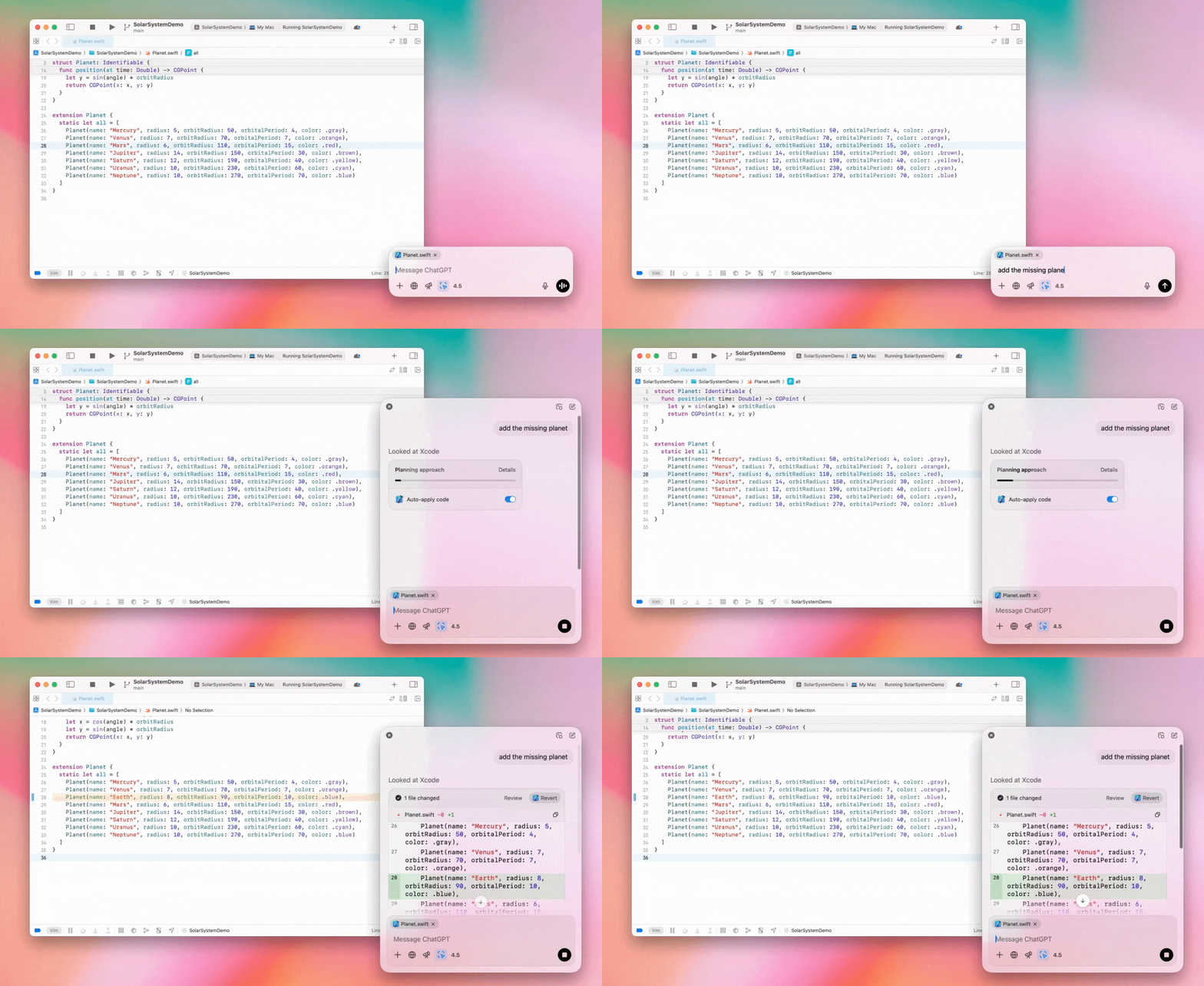
Správcovia Enterprise môžu v Nastaveniach správcu vypnúť prepínač „Práca s aplikáciami“ a zakázať túto funkciu členom pracovného priestoru.
GPT-4.5 v ChatGPT
Od 13. marca 2025 môžu používatelia programov Enterprise a Edu používať náš model GPT-4.5 v ChatGPT!
Podrobnosti nájdete v článku GPT-4.5 v ChatGPT.
10. marca 2025
Hlboký výskum v Rozhraní API na dodržiavanie súladu ChatGPT
Od 10. marca 2025 majú zákazníci Enterprise používajúci Rozhranie API na dodržiavanie súladu tieto možnosti:
Vyhľadajte „globálny príkaz hlbokého výskumu“.
V odpovedi vyhľadajte názov nástroja {"tool_name":"deep_research"}.
25. februára 2025
Hlboký výskum v ChatGPT
Hlboký výskum v ChatGPT je teraz dostupný používateľom plánu Enterprise.
Hlboký výskum umožňuje ChatGPT samostatne a asynchrónne prehľadávať web a dokončiť vaše pracovné či osobné úlohy.
Používatelia Enterprise a Edu budú mať k dispozícii 10 požiadaviek hlbokého výskumu mesačne.
Podrobnosti nájdete v našich najčastejších otázkach o hlbokom výskume.
13. februára 2025
Režim o1 pro a o3-mini v ChatGPT
V ChatGPT je teraz režim o1 pro dostupný pre Enterprise a o3-mini pre Enterprise Edu!
o3-mini: OpenAI o3-mini nahradil o1-mini vo výbere modelu. Je cenovo efektívnejší a ponúka vyššie limity požiadaviek pri nižšej latencii. Ide o uvažovací model, takže je výbornou voľbou na programovanie, úlohy STEM a riešenie logických problémov. o3-mini zobrazuje svoj reťazec úvah a dokáže prehľadávať web.
Režim o1 pro: Tento týždeň bude vo výbere modelu dostupný aj režim o1 pro. Bol navrhnutý s dôrazom na presnosť a hĺbku a vyniká vo výskume, technike, podnikaní a práve. Je ideálny pre profesionálov, ktorí riešia veľmi zložité výzvy. Režim o1 pro bude nad problémom premýšľať dlhšie. Vygenerovanie odpovede preto môže chvíľu trvať. Vzhľadom na vysokú výpočtovú náročnosť má každý používateľ limit päť požiadaviek mesačne. Pri väčšine úloh zostanú optimálnou voľbou o1, o3-mini alebo GPT-4o.
K nahrávaniu súborov
Obrázky, dokumenty a súbory PDF podporujú modely o1, o3-mini a o3-mini-high*. Tabuľky (CSV/Excel) nie sú podporované.*
V režime o1 pro sú podporované iba obrázky. Dokumenty, súbory PDF ani tabuľky (CSV/Excel) nie sú podporované.
Zdieľanie canvasu
Používatelia ChatGPT Enterprise a Edu teraz môžu s iným používateľom zdieľať výstup canvasu, napríklad vykreslený kód React/HTML, dokument alebo kód, podobne ako konverzáciu. Môžete to urobiť na paneli nástrojov canvasu, keď je canvas otvorený.
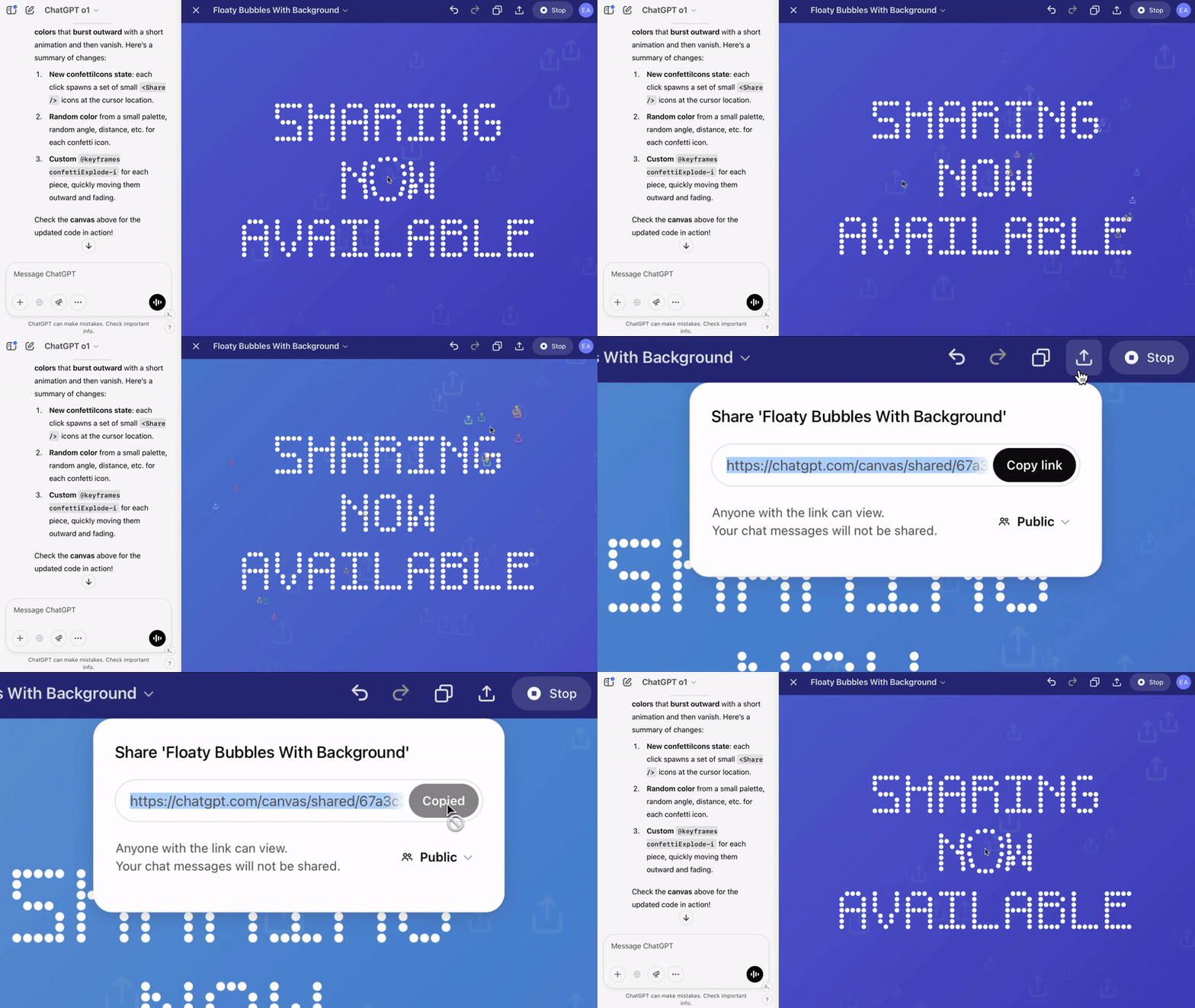
Ďalšie podrobnosti o funkcii canvas v ChatGPT nájdete v príslušnom článku Centra pomoci.
23. januára 2025
Projekty
Projekty sú teraz dostupné pre všetky platené programy vrátane Enterprise a Edu.
Podrobnosti nájdete v článku Používanie projektov v ChatGPT.
16. januára 2025
Vizuálne načítanie (PDF) pre ChatGPT Enterprise
ChatGPT Enterprise teraz podporuje čítanie a chápanie vizuálnych prvkov (obrázkov, grafov, diagramov a pod.) vložených v súboroch PDF. Používatelia môžu nahrať PDF a ChatGPT dokáže interpretovať text aj všetky vizuálne prvky v súbore.
Podrobnosti nájdete v častých otázkach o vizuálnom načítaní zo súborov PDF.
12. decembra 2024
o1
Od dnešného dňa budú mať všetci zákazníci ChatGPT Enterprise prístup k o1 cez výber modelu, kde nahradí o1-preview.
o1 teraz dokáže uvažovať o nahratých obrázkoch, čím otvára nové možnosti podrobnejšej a presnejšej analýzy a vysvetľovania vizuálnych zobrazení. Model sme tiež natrénovali, aby pri uvažovaní používal stručnejšie formulácie, vďaka čomu odpovedá rýchlejšie než o1-preview.
11. decembra 2024
Apple Intelligence s ChatGPT
Správcovia ChatGPT teraz môžu zapínať a vypínať prístup k Apple Intelligence v nastaveniach správcu pracovného priestoru v časti Pripojenia.
Ak je toto nastavenie vypnuté, používatelia pri prihlasovaní pomocou prihlasovacích údajov OpenAI nemôžu vybrať pracovný priestor ChatGPT Enterprise/Edu.
10. decembra 2024
canvas
Dnes sme canvas predvolene sprístupnili v modeli 4o všetkým používateľom s bezplatným aj plateným plánom. Okrem toho sme spustili niekoľko nových funkcií canvasu vrátane týchto:
Canvas v GPT: Canvas možno teraz používať s GPT, ak je povolený v nástroji na tvorbu GPT. Tento prepínač bude v novovytvorených GPT predvolene zapnutý.
Spúšťanie kódu Python: Teraz môžete spúšťať kód Python v canvase. ChatGPT sa pokúsi opraviť chyby vo vašom kóde a pridá komentáre k chybám. Upozorňujeme, že spúšťanie kódu Python môže odosielať externé sieťové požiadavky. Správcovia pracovného priestoru Enterprise môžu spúšťanie kódu Python zakázať prepnutím nastavenia Spúšťanie kódu v canvase v nastaveniach správcu. Táto možnosť je predvolene vypnutá vo všetkých účtoch Enterprise.
Skratka canvasu: Teraz môžete vložiť obsah do ChatGPT a pomocou skratky v pravom hornom rohu príkazového riadka ho okamžite otvoriť v canvase.
Canvas v paneli nástrojov: Canvas bol pridaný ako možnosť do panela nástrojov.
Správcovia pracovného priestoru môžu teraz pomocou Rozhrania API na dodržiavanie súladu získavať, zobrazovať a odstraňovať textové dokumenty canvasu.
Nastavenie správcu na zakázanie canvasu bolo odstránené, pretože táto funkcia už nie je v beta verzii. Ak ste ho v minulosti zakázali, toto nastavenie budeme naďalej rešpektovať. Kontaktujte náš tím podpory pomocou bubliny chatu v pravom dolnom rohu tejto stránky.
3. decembra 2024
Práca s aplikáciami v macOS
ChatGPT teraz môže pomocou funkcie Práca s aplikáciami v macOS čítať obsah z vašich programovacích aplikácií a poskytovať inteligentnejšie, presnejšie odpovede prispôsobené vašej práci. Ďalšie informácie o Práci s aplikáciami v macOS.
Správcovia Enterprise môžu v Nastaveniach správcu vypnúť prepínač „Práca s aplikáciami“ a zakázať túto funkciu členom pracovného priestoru.
22. novembra 2024
Aktualizácie webového prostredia ChatGPT
V priebehu nasledujúcich dvoch týždňov zavedieme pre všetkých používateľov ChatGPT tieto aktualizácie.
Nový dizajn bočného panela
Pridali sme nový plávajúci režim s nenúteným zatváraním
Počet nedávnych konverzácií na bočnom paneli je teraz obmedzený. Všetky konverzácie sú dostupné vo vysúvacom paneli s neobmedzeným posúvaním
Nedávne a pripnuté GPT sa teraz zobrazujú pod konverzáciami
Nastavenia sú teraz vždy v spodnej časti bočného panela
Vo väčších zobrazeniach sme pri zatvorenom bočnom paneli pridali malú ikonu nastavení
Pridali sme nové prechody, ktoré vytvárajú pôsobivejší dojem
Ďalšie aktualizácie webovej verzie ChatGPT
Prepracovali sme základnú technickú architektúru webu, ktorá teraz oveľa lepšie podporuje rôzne zariadenia a veľkosti obrazoviek
Po začatí novej konverzácie sa teraz zobrazenie posunie na jej začiatok v hornej časti obrazovky
Počas generovania správy sa zobrazenie novej konverzácie už automaticky neposúva nadol
Ak je k dispozícii dostatok miesta, pripnutý bočný panel môže teraz zostať otvorený aj pri aktívnom canvase
Nové rozloženie príkazového riadka pri posúvaní postupne prekrýva obsah pod ním a prináša aktualizovaný vzhľad
Tlačidlo nového chatu sme presunuli naľavo od výberu modelu, aby bolo dostupnejšie
Z konverzácií sme odstránili systémovú ikonu, čím sme získali viac vodorovného priestoru
Zobrazenie zamerané na DALL-E má aktualizované rozloženie
Nástroj na tvorbu GPT má aktualizované rozloženie
Vylepšené prostredie mobilného webu
Výrazne sme zlepšili prácu s klávesnicou na obrazovke mobilných zariadení so systémami iOS a Android
Nový bočný panel je vždy v plávajúcom režime a pri prepnutí vlákna sa automaticky zatvorí
Pri prepínaní konverzácií na mobilnom webe už automaticky neaktivujeme príkazový riadok
Opravili sme problém, ktorý v určitých situáciách spôsoboval zaseknutie posúvania
20. novembra 2024
Aktualizácia GPT-4o
Aktualizovali sme GPT-4o pre používateľov ChatGPT vo všetkých platených úrovniach. Aktualizácia GPT-4o prináša lepšie schopnosti písania: text je prirodzenejší, lepšie zohľadňuje publikum a je relevantnejší a čitateľnejší. Tento model tiež lepšie pracuje s nahratými súbormi a poskytuje hlbšie poznatky a dôkladnejšie odpovede.
19. novembra 2024
Pokročilý hlasový režim pre webovú verziu ChatGPT
Od dnešného dňa začíname zavádzať pokročilý hlasový režim na webe. Už je dostupný v mobilných a počítačových aplikáciách. Používatelia teraz môžu na počítači začať hlasový chat na stránke chatgpt.com a viesť prirodzené konverzácie s ChatGPT v reálnom čase pri plánovaní, písaní či brainstormingu.
14. novembra 2024
Aplikácia pre Windows
Vylepšená aplikácia pre Windows je teraz dostupná cez Microsoft Store pre pracovné priestory ChatGPT Enterprise a Edu. Používatelia ChatGPT, ktorí poznajú webové prostredie, môžu aplikáciu pre Windows plynulo začleniť do všetkého, čo robia v počítači.
Prístup používateľov k aplikácii ChatGPT pre Windows sa bude riadiť zásadami správcu IT pre aplikácie v Microsoft Store. V nasledujúcich týždňoch budú môcť správcovia IT nasadiť aplikáciu do zariadení zamestnancov aj cez MDM/MAM namiesto povolenia priameho sťahovania z obchodu.
Tak ako pri každom prostredí ChatGPT Enterprise, história chatov používateľov je zabezpečená a nebude sa používať na zlepšovanie služieb OpenAI.
Ďalšie informácie o aplikácii ChatGPT pre Windows.