
20 d'agost de 2026
Novetats de les funcions per a empreses
Els propietaris i administradors d'espais de treball poden utilitzar les noves API d'administració, circumscrites a l'espai de treball, per automatitzar la gestió d'invitacions i membres. Les API d'invitacions permeten llistar, consultar, crear, tornar a enviar i suprimir invitacions. Les API d'usuaris permeten consultar els membres que han acceptat la invitació i, als propietaris d'espais de treball, actualitzar els rols o les llicències integrats i cancel·lar la pertinença a l'espai de treball. Els canvis gestionats mitjançant SCIM es continuen fent a través del proveïdor d'identitat i s'apliquen les proteccions per evitar que l'espai es quedi sense propietari. Per obtenir informació sobre la configuració i els permisos, consulteu Gestionar les claus d'administració. Per consultar els camins dels punts finals i els esquemes, vegeu la referència de l'API d'administració.
La Consola d'administració global ara mostra amb més claredat en quin tenant o espai de treball esteu treballant i afegeix URL específics de l'espai de treball a les pàgines compatibles. Els membres de l'espai de treball poden consultar analítiques limitades a la seva pròpia activitat, mentre que les vistes de diversos usuaris continuen disponibles només per als rols autoritzats. La configuració de l'espai de treball de ChatGPT es manté a la ubicació actual. Més informació sobre la Consola d'administració global.
L'Analítica personal és compatible amb Work i Codex als espais de treball Enterprise i Edu aptes. Quan un administrador activa el connector, els membres poden instal·lar-lo a ChatGPT Desktop i fer preguntes sobre l'activitat associada a la identitat amb què han iniciat la sessió i sobre les tendències agregades de l'espai de treball, protegides per mesures de privadesa. És de només lectura i no pot mostrar l'activitat individual d'un altre usuari ni les dades d'un altre espai de treball. Més informació sobre l'Analítica personal.
Col·laboreu als Llocs de ChatGPT (només Enterprise). Als espais de treball Enterprise, els propietaris d'un Lloc poden afegir com a editors membres actius del mateix espai de treball. Els editors poden actualitzar i desar un Lloc i, després que el propietari el publiqui per primera vegada, publicar-ne versions posteriors al mateix URL del Lloc. Els propietaris mantenen el control sobre l'ús compartit, la configuració i les analítiques del Lloc, la propietat, la restauració de versions i l'accés dels editors. L'edició conjunta utilitza els controls d'espai de treball existents per als Llocs i no afegeix cap opció RBAC independent; la publicació pública continua desactivada de manera predeterminada i sota el control dels administradors. Més informació sobre com gestionar els Llocs de ChatGPT del vostre espai de treball.
Utilitzeu Missatges d'Apple des de Codex i ChatGPT Work. Als Mac amb xips d'Apple, el connector de Missatges d'Apple de l'aplicació d'escriptori de ChatGPT pot llegir i cercar converses d'iMessage, SMS i RCS, i preparar o enviar missatges mitjançant Missatges. De manera predeterminada, ChatGPT demana a l'usuari que aprovi el missatge i els destinataris abans d'enviar-lo. Els administradors d'espais de treball gestionats poden desactivar Missatges d'Apple mitjançant el control existent d'Ús de l'ordinador. Més informació sobre el connector de Missatges d'Apple.
Utilitzeu l'Historial de l'ordinador en més regions (només Enterprise). L'Historial de l'ordinador ja està disponible a l'EEE, Suïssa i el Regne Unit per als usuaris d'Enterprise que utilitzen l'aplicació d'escriptori de ChatGPT a macOS. Està desactivat de manera predeterminada, requereix la Memòria i un administrador de l'espai de treball l'ha d'activar abans que un membre pugui habilitar-lo. Més informació sobre l'Historial de l'ordinador.
Compartiu una instantània de només lectura d'un xat de Codex. Els enllaços per compartir de l'espai de treball es limiten als membres autenticats de l'espai de treball d'origen, i els administradors els poden desactivar. La instantània no s'actualitza quan canvia el xat original. Codex oculta els patrons de secrets coneguts, però els usuaris han de revisar la instantània perquè encara pot contenir camins, diferències, imatges o altres continguts sensibles. Més informació sobre com compartir un xat de Codex.
Exporteu el catàleg públic de connectors. Els propietaris i administradors d'espais de treball de ChatGPT Enterprise aptes poden exportar un CSV des d'Administració > Connectors > Públic > Exporta el CSV. Les dades exportades poden tenir una antiguitat màxima de 48 hores i no inclouen els connectors creats a l'espai de treball. Més informació sobre com exportar el catàleg públic.
August 13, 2026
Chat model defaults
Workspace owners and admins can configure the starting Chat model and reasoning level from Workspace settings > Models. Owners and admins can apply an admin default or allow User’s last choice for new chats - note that defaults do not grant access to unavailable models or override enforced workspace requirements.
The ChatGPT Desktop app should be upgraded to version 26.812.10818 or later for the new controls to take effect.
Updated model picker for Enterprise and Edu
Members in the Enterprise/Edu workspaces have updated model-picker and composer experience. The picker makes the available intelligence choices easier to compare while preserving workspace model availability and access controls.
Audit logs in the Global Admin Console
Workspace owners and admins can now review supported audit events from the Global Admin Console. Access and event coverage depend on the selected workspace and admin role. Read more.
Additive role-based access controls
Workspace owners in Enterprise and Edu workspaces can now configure eligible permissions in ordinary custom roles with Default, On, or Off. Default inherits the workspace setting, On explicitly grants the permission, and Off explicitly denies access. ChatGPT evaluates all applicable ordinary roles together: at least one role must grant the permission, and an explicit Off in any applicable role prevents access. Lockdown Mode is evaluated separately and can further restrict network-enabled capabilities. Learn more about role-based access controls.
Work and Codex usage and cost data
Members of eligible Enterprise workspaces with credit-based billing can review per-chat lifetime credit usage across Work and Codex. Usage figures and estimated costs are planning aids and are not invoices. Members can also review monthly usage and history from the Usage & billing tab in ChatGPT Desktop. Regular Chat usage is not included. This feature requires ChatGPT Desktop version 26.812.10818 or later. Read more.
Personal Analytics plugin
The Personal Analytics plugin is available for eligible workspaces. After a workspace owner or admin enables the plugin, members can install it in ChatGPT Desktop and ask questions about their own Work and Codex activity and available aggregated workspace trends. Read more.
Codex service accounts
Eligible workspaces can create non-human service accounts for Codex automation. Workspace owners and admins can assign roles and groups, configure plugins, share account management, and issue scoped access tokens for CI runners and scheduled jobs. Read more.
Windows desktop performance improvements
The ChatGPT desktop app for Windows includes performance improvements. These improvements require ChatGPT Desktop version 26.803.41515 or later.
Computer History for ChatGPT Enterprise
Computer History is an optional feature in the ChatGPT macOS app that lets Enterprise members bring context from selected apps and websites into ChatGPT and Codex. It records interaction events—not screenshots, screen recordings, microphone input, or system audio—and private browsing is not included.
Computer History is off by default, and Enterprise admins can grant access by role before each member chooses whether to opt in. Members can pause Computer History, choose included apps and sites, and inspect or delete timeline items. Note that Computer History is not currently available in the EEA, UK or Switzerland.
10 d'agost de 2026
Retirada de la sincronització per a usuaris individuals de les aplicacions connectades
A partir del 10 d'agost, ja no es podran crear connexions de sincronització noves autoritzades individualment. El 14 d'agost es desactivaran les connexions de sincronització existents d'usuaris individuals i començarà la supressió de les dades sincronitzades associades. La sincronització gestionada per administradors no es veu afectada. Abans del 14 d'agost, reviseu la configuració de connectors de l'espai de treball i feu les accions següents quan correspongui:
| Connector | Acció necessària de l'administrador |
|---|---|
| Google Drive | Habiliteu el connector de Google Drive. Si cal coneixement sincronitzat, configureu la sincronització de Google Drive gestionada per administradors mitjançant la delegació a tot el domini. |
| SharePoint | Habiliteu el connector de SharePoint. Si cal coneixement sincronitzat, configureu la sincronització d'administració. |
| GitHub | Habiliteu el connector de GitHub sense sincronització. |
| GitLab Issues | Aviat comunicarem la disponibilitat del connector substitut. |
| Azure Boards (Azure DevOps) | Aviat comunicarem la disponibilitat del connector substitut. |
| Basecamp | Aviat comunicarem la disponibilitat del connector substitut. |
| Help Scout | Identifiqueu els usuaris i fluxos de treball afectats i notifiqueu-los que l'accés sincronitzat finalitzarà. Treballem activament amb el soci per oferir una alternativa. |
| Zoho Desk | Identifiqueu els usuaris i fluxos de treball afectats i notifiqueu-los que l'accés sincronitzat finalitzarà. Treballem activament amb el soci per oferir una alternativa. |
| Teamwork | Identifiqueu els usuaris i fluxos de treball afectats i notifiqueu-los que l'accés sincronitzat finalitzarà. Treballem activament amb el soci per oferir una alternativa. |
| Aha! | Identifiqueu els usuaris i fluxos de treball afectats i notifiqueu-los que l'accés sincronitzat finalitzarà. Treballem activament amb el soci per oferir una alternativa. |
| Zoho CRM | Identifiqueu els usuaris i fluxos de treball afectats i notifiqueu-los que l'accés sincronitzat finalitzarà. Treballem activament amb el soci per oferir una alternativa. |
| Pipedrive | Identifiqueu els usuaris i fluxos de treball afectats i notifiqueu-los que l'accés sincronitzat finalitzarà. Treballem activament amb el soci per oferir una alternativa. |
7 d'agost de 2026
Fitxers i Projectes a ChatGPT Voice
GPT-Live a ChatGPT Voice ara admet la càrrega de fitxers i els Projectes. Ja pots penjar fitxers en una conversa de veu i analitzar-ne el contingut o fer-hi preguntes. També pots utilitzar la veu als Projectes i consultar els xats recents, les fonts i les instruccions del projecte.
Live és ara l'experiència de veu predeterminada
Als espais de treball Enterprise, Edu i Healthcare, Live és ara l'experiència de veu predeterminada quan un propietari activa Veu; ja no cal activar la configuració Accés anticipat als models. Els propietaris de l'espai de treball poden desactivar Veu des de la configuració de l'espai.
Més informació sobre ChatGPT Voice.
6 d'agost de 2026
Nous controls per a les actualitzacions de l'aplicació d'escriptori
Els administradors de ChatGPT Enterprise, ChatGPT per a l'assistència sanitària i ChatGPT Edu ja poden desactivar les actualitzacions internes de l'aplicació d'escriptori de ChatGPT en versions compatibles de macOS i Windows. Això permet a les organitzacions revisar les versions noves abans que les rebin els usuaris i desplegar les versions aprovades mitjançant el seu procés de gestió de dispositius.
L'actualitzador integrat de l'aplicació continua activat per defecte. Les organitzacions que el desactivin són responsables de desplegar ràpidament les versions noves i les correccions de seguretat. OpenAI no ofereix fixació de versions, un canal estable independent ni assistència ampliada per a versions antigues. Més informació.
4 d'agost de 2026
Els enganxaments llargs ara es gestionen com a fitxers adjunts en tots els plans
A partir d'avui, els enganxaments llargs es gestionen d'una altra manera a ChatGPT per als usuaris de ChatGPT Enterprise i Education.
Si enganxes més de 10.000 caràcters al camp de text, ChatGPT convertirà automàticament el contingut en un fitxer adjunt en comptes d'inserir-lo directament al camp. Això manté el camp de text més net i evita que els enganxaments llargs consumeixin tota la finestra de context.
Pots tornar a posar el contingut al missatge en qualsevol moment fent clic a Mostra al camp de text per reconvertir el fitxer adjunt en un enganxament directe.
Això ja està disponible per als usuaris de tots els altres plans.
Connectors educatius per a l'ensenyament i l'aprenentatge
Els espais de treball de ChatGPT Edu ja tenen accés a tres connectors guiats a ChatGPT Work i Codex: Docent universitari, Docent de primària i secundària i Estudiant universitari. Els espais de treball de ChatGPT for Teachers gestionats mitjançant la reclamació del domini d'un districte tenen accés a Docent de primària i secundària. Aquests connectors poden ajudar els docents a crear lliçons, avaluacions i comunicacions basades en els materials del curs, i els estudiants universitaris a preparar plans d'estudi i practicar els conceptes del curs.
Docent universitari: ajuda el professorat a dissenyar i actualitzar cursos i plans docents, crear materials d'aprenentatge interactius i avaluacions multimèdia, adaptar els materials a diversos perfils d'alumnes i preparar el contingut per al seu LMS.
Docent de primària i secundària: ajuda el professorat a crear materials didàctics, tasques, rúbriques i recursos educatius, amb el context de Learning Commons per alinear-los amb els estàndards estatals i les progressions d'aprenentatge.
Estudiant universitari: ajuda els estudiants a utilitzar els materials del curs i un objectiu d'estudi per obtenir explicacions basades en fonts, pràctica guiada, plans d'estudi, qüestionaris, targetes didàctiques i explicacions visuals.
Els connectors estan disponibles al Directori de connectors, però no s'instal·len per defecte. Tingues en compte que aquests connectors no estan disponibles per als comptes Enterprise. Els administradors de l'espai de treball poden gestionar la disponibilitat i els permisos dels connectors. Més informació a Connectors a ChatGPT i Codex.
Migració dels límits d'ús setmanals a mensuals
Els propietaris d'espais de treball ja poden migrar fàcilment els límits setmanals configurats a Permisos i rols a límits mensuals. Obre Configuració de l'espai de treball → Permisos i rols, selecciona qualsevol rol, desplaça't fins a Límits setmanals, tria Migra i confirma. Si inicies la migració des de qualsevol rol, es traslladen tots els límits setmanals per rol restants de l'espai de treball. El procés pot trigar uns minuts, segons la mida de l'espai.
El 15 d'agost, està previst que els espais de treball de ChatGPT Enterprise que encara utilitzin límits de despesa setmanals per rol passin automàticament a límits d'ús mensuals. Més informació sobre la gestió dels límits d'ús i els excessos.
23 de juliol de 2026
Una experiència de ChatGPT Voice més natural
ChatGPT Voice s'està desplegant als espais de treball Enterprise i Edu amb dues experiències diferenciades:
Veu a Chat: mantén converses naturals en temps real per fer preguntes, generar idees i explorar conceptes. Veu a Chat, basada en GPT-Live, admet interrupcions, preguntes de seguiment i funcions com la cerca web quan estigui disponible. Està disponible a Chat per a escriptori i a les experiències compatibles del web, iOS i Android.
Veu a Work i Codex: començant per l'aplicació d'escriptori, ChatGPT Voice pot controlar l'ordinador i coordinar la feina entre diversos agents, converses actives i projectes. Utilitza-la per iniciar tasques, comprovar-ne el progrés, interrompre o redirigir la feina i rebre actualitzacions mentre les tasques continuen en segon pla. Disponible a macOS i Windows, amb accés remot aparellat des d'iOS. Veu independent a Work i Codex no està disponible al web ni al mòbil.
Durant les dues primeres setmanes, els propietaris han d'activar Veu i Accés anticipat als models perquè els membres puguin seleccionar Live a la configuració de Veu. Les converses existents amb Veu avançada no canviaran automàticament a Live durant aquest període.
Després del període d'accés anticipat, Live es convertirà en l'experiència de veu predeterminada dels espais de treball que tinguin Veu activada. Els propietaris poden desactivar completament Veu desactivant Veu.
Als espais de treball amb preus flexibles, Veu a Chat utilitza 5 crèdits per minut. Veu a Work i Codex utilitza aproximadament 6 crèdits per minut als espais Enterprise basats en crèdits. Els espais Enterprise antics inclouen una hora de Veu, dues hores de Veu Mini i uns 45 minuts de Veu a Work i Codex per cada període de cinc hores. Les tasques delegades mitjançant Work o Codex consumeixen el fons d'ús compartit existent segons les tarifes estàndard.
Més informació sobre ChatGPT Voice i els preus de Veu per a Business, Enterprise i Edu.
Activació de ChatGPT Work
Als espais de treball de ChatGPT Enterprise/Edu, Work està activat per defecte per als membres, tret que un propietari o administrador el desactivi. La configuració de l'espai de treball i els controls d'accés basats en rols continuen determinant l'accés de cada membre, també als espais Enterprise aptes amb Gestió de claus empresarials activada.
Més informació a ChatGPT Work i Codex i Gestió de la configuració de l'espai de treball a ChatGPT Enterprise.
Models predeterminats
A Configuració de l'espai de treball → Models, els propietaris i administradors poden definir el model inicial, el nivell de raonament, la velocitat i el comportament dels xats nous per a Work i Codex. Aquesta configuració defineix l'experiència inicial. No concedeix accés a models no disponibles ni substitueix els controls de models disponibles, l'accés basat en rols o els requisits obligatoris de l'espai de treball.
Més informació a Gestió de la configuració de l'espai de treball a ChatGPT Enterprise i ChatGPT Work i Codex.
Límits d'ús
Estem traslladant Límits d'ús de la configuració de l'espai de treball a la Consola d'administració global. Els propietaris i administradors poden definir un valor predeterminat per a l'espai de treball, crear excepcions per a grups i usuaris, revisar els límits efectius i controlar les sol·licituds de més ús. A Límits d'ús → Espai de treball, els administradors poden mantenir el període mensual predeterminat, que es restableix el primer dia de cada mes natural en UTC, o triar Alineat amb el cicle de facturació quan l'opció estigui disponible.
Més informació a Gestió dels límits d'ús i excessos i Consola d'administració global.
Estimacions d'ús i analítica de grups
Als espais aptes, poden aparèixer imports estimats en dòlars al costat dels crèdits a Analítica, Facturació, els editors de límits d'ús, l'API de costos i l'API d'analítica de Codex. Les estimacions utilitzen la tarifa d'excés de l'espai de treball seleccionat i serveixen per a la planificació. Facturació → Factures continua sent la font dels càrrecs emesos. Les classificacions d'Analítica també inclouen una pestanya Grups amb desglossaments per grup, producte, element mesurat i model.
Més informació a Consola d'administració global i Analítica de l'espai de treball.
22 de juliol de 2026
Actualitzacions d'OpenAI Presence i l'assistència telefònica amb IA
OpenAI Presence ja està disponible amb disponibilitat general limitada com a plataforma gestionada per a organitzacions que creen i operen agents d'IA governats per a fluxos de treball de gran volum. Presence admet desplegaments de veu o xat amb controls per a proves, permisos, supervisió i derivació a persones. La disponibilitat depèn de l'adequació del flux de treball, la preparació de la implementació i la capacitat de lliurament. Contacta amb l'equip del teu compte d'OpenAI per parlar de l'accés. Més informació sobre OpenAI Presence.
L'assistència telefònica amb IA, que utilitza OpenAI Presence, ja no és experimental. Els usuaris dels Estats Units, el Canadà i Austràlia poden trucar sense un compte de ChatGPT per fer consultes habituals sobre el producte, el compte i la resolució de problemes. Aquest canal automatitzat d'assistència no pot enviar informes ni sol·licituds, connectar els usuaris amb un agent humà, iniciar una derivació o revisió del compte ni garantir un seguiment. Més informació sobre l'assistència telefònica amb IA.
16 de juliol de 2026
API d'administració i analítica ampliades
Els administradors ja poden crear i gestionar claus d'administració limitades a l'espai de treball des de la Consola d'administració global, a Credencials > Claus d'administració. Aquestes claus funcionen amb les API d'administració compatibles de ChatGPT i Codex per gestionar grups, amb l'API de controls de despesa, els informes de costos i l'analítica. Els permisos disponibles depenen del rol de l'administrador a l'espai de treball, i les claus d'administració no es poden utilitzar per a la inferència dels models.
La Consola d'administració global ara inclou fins a 120 dies d'historial d'analítica de crèdits i Codex. Controls de despesa i la pestanya Límits d'ús continuen a ChatGPT i no formen part d'aquest llançament de la Consola d'administració global. Els administradors poden continuar gestionant els límits d'ús, inclosa l'opció Sense límit quan estigui disponible, des de Configuració de l'espai de treball → Límits d'ús. Més informació a Gestió dels límits d'ús i excessos a ChatGPT Enterprise i Edu i Consola d'administració global.
Actualitzacions de l'experiència de l'aplicació d'escriptori de ChatGPT
Hem actualitzat l'aplicació d'escriptori de ChatGPT perquè sigui més fàcil triar entre Chat i Work, trobar les converses i els Projectes i continuar la feina de Work entre dispositius. Aquestes actualitzacions ja estan disponibles per a tots els plans a macOS i Windows.
macOS i Windows
Una disposició d'escriptori més clara: un selector global permet triar entre ChatGPT i Codex. A ChatGPT, tria Chat per fer preguntes ràpides i obtenir ajuda conversacional, o Work per completar tasques de principi a fi.
Recents unificats: les converses de Chat i Work ara apareixen juntes a Recents, on les pots ordenar, filtrar i fixar.
Projectes a l'aplicació d'escriptori: els teus Projectes existents de ChatGPT ara apareixen a l'aplicació. Pots iniciar una conversa de Chat dins d'un Projecte o començar un fil de Work utilitzant el context del Projecte.
Continua Work entre dispositius: les converses de Work al núvol ara se sincronitzen entre el web, el mòbil i l'escriptori, perquè puguis començar en una superfície i continuar en una altra. Les converses locals es mantenen al teu ordinador.
Codex no canvia: com a part d'aquesta actualització, Codex continua sent una vista independent i els seus fluxos de treball i historial no canvien. Els Xats ràpids continuen disponibles per a converses àgils.
Sense canvis als controls de l'espai de treball: els permisos d'accés, la configuració de seguretat, la governança i els controls de despesa existents no canvien.
15 de juliol de 2026
Les aplicacions amb sincronització ja admeten espais de treball amb EKM
Les aplicacions amb sincronització ja estan disponibles per als espais de treball de ChatGPT Enterprise i Edu que tenen activada la Gestió de claus empresarials (EKM). Aquesta actualització s'aplica a totes les aplicacions amb sincronització.
Per obtenir més informació, consulta Aplicacions de ChatGPT amb sincronització i Introducció a la Gestió de claus empresarials (EKM) d'OpenAI.
9 de juliol de 2026
Presentem ChatGPT Work
ChatGPT Work és un agent per a tasques llargues i complexes. Pot investigar i analitzar informació, treballar amb aplicacions i fitxers connectats i crear documents, fulls de càlcul, presentacions, informes i Llocs acabats. Podeu seguir-ne el progrés, respondre preguntes, canviar la direcció i aprovar accions importants mentre treballa.
Work també pot mantenir els projectes en marxa amb tasques programades que s'executen una vegada, es repeteixen segons una programació o activador, o supervisen canvis.
Al web i al mòbil, Work s'està desplegant als plans de pagament, excepte Free i Go. Els usuaris de Pro, Pro Lite, Enterprise i Edu hi accedeixen primer; Plus i Business hi accediran els pròxims dies. Work està disponible a totes les regions compatibles.
Al web i al mòbil, els espais Enterprise i Edu tenen un període de prova de dues setmanes. Work està desactivat per defecte durant la prova, i els administradors poden rebutjar-lo abans que s'activi automàticament en acabar-la.
També substituïm el Directori d'aplicacions pel Directori de connectors. Les connexions d'aplicacions existents no es veuen afectades. Els connectors poden agrupar habilitats, aplicacions i plantilles per a fluxos específics, i estan disponibles a ChatGPT al web i a l'escriptori, inclosos Work i Codex.
Més informació sobre ChatGPT Work i Codex.
Més informació sobre els connectors i el nou directori de connectors.
Les habilitats ja estan disponibles de manera general
Els usuaris d'Enterprise i Edu poden trobar les habilitats a Connectors, a la barra lateral, a la pestanya Habilitats del Directori de connectors.
La nova aplicació d'escriptori de ChatGPT reuneix Chat, Work i Codex
La nova aplicació d'escriptori de ChatGPT està disponible arreu per a macOS i Windows. Reuneix Chat per a preguntes i converses, Work per a recerca i lliurables acabats, i Codex per al desenvolupament de programari.
A l'escriptori, Work pot utilitzar fitxers locals i aplicacions amb el vostre permís. El navegador integrat permet que ChatGPT recopili informació de llocs web i treballi amb eines i fitxers web compatibles. Codex també afegeix edició integrada a les diferències, revisió de sol·licituds d'incorporació al tauler lateral, ús més ràpid de l'ordinador i diversos repositoris per projecte.
Si ja utilitzeu l'aplicació Codex, actualitzeu-la com sempre per passar a la nova aplicació d'escriptori de ChatGPT. Si utilitzeu l'aplicació d'escriptori anterior de ChatGPT, seguiu la indicació de l'aplicació per baixar la versió nova. L'aplicació anterior pot continuar instal·lada com a ChatGPT Classic. ChatGPT Classic continuarà rebent actualitzacions de models, correccions, pedaços de seguretat i suport per a les funcions Enterprise existents; les noves funcions agentives, com Work i Codex, estaran a l'aplicació nova.
Més informació sobre com passar a la nova aplicació d'escriptori de ChatGPT.
Presentem ChatGPT Sites en beta pública
ChatGPT Sites permet convertir la feina o les idees en un lloc web interactiu o una aplicació lleugera sense sortir de ChatGPT. Podeu crear taulers, seguiments de projectes, calendaris de llançaments, prototips, portals interns i informes, i previsualitzar i perfeccionar el resultat abans de compartir-lo.
Els clients Business i Enterprise ja tenen accés a Llocs. A partir d'avui, també poden publicar Llocs públicament i compartir-los amb qualsevol persona mitjançant una URL, més enllà de l'espai de treball.
Per crear un Lloc, comenceu a ChatGPT Work al web o a Work o Codex a l'aplicació d'escriptori de ChatGPT. Descriviu què voleu crear, afegiu contingut, fitxers, dades, enllaços o restriccions rellevants i reviseu la previsualització privada abans de publicar.
Als espais Enterprise, la publicació pública està desactivada per defecte i l'ha d'activar un administrador. Llocs també es desplega en beta pública per als usuaris de Pro, Pro Lite i Edu; els de Plus hi accediran els pròxims dies. Llocs no està disponible als plans Free ni Go. En el llançament, la publicació pública i l'ampliació de la beta no estan disponibles a l'EEE, Suïssa ni el Regne Unit.
Més informació sobre com crear i gestionar ChatGPT Sites.
Retirem els xats de grup de ChatGPT
A partir del 9 de juliol, els usuaris del web, iOS i Android ja no podran crear xats de grup, convertir-hi converses existents ni unir-s'hi mitjançant un enllaç d'invitació.
Els xats de grup existents continuaran disponibles i, de moment, es podran continuar utilitzant. Quan un xat de grup existent passi a ser de només lectura, els usuaris conservaran l'accés als missatges, fitxers i imatges que s'hi havien compartit. Les converses individuals de ChatGPT no es veuen afectades.
Retirem Atlas
Retirem Atlas mentre incorporem capacitats agentives basades en navegador a ChatGPT i Codex. Atlas deixarà de funcionar el 9 d'agost de 2026.
Volem facilitar al màxim aquesta transició. Abans d'aquesta data, traslladeu les dades d'Atlas que vulgueu conservar. Les dades del navegador Atlas, inclosos els marcadors, les pestanyes obertes i l'historial, no es transferiran automàticament. Podeu exportar les galetes i contrasenyes a l'aplicació d'escriptori de ChatGPT i els marcadors a Chrome. Deseu les pàgines o URL importants de les pestanyes obertes i de l'historial abans del 9 d'agost.
L'historial de converses de ChatGPT és independent i continuarà disponible a ChatGPT, segons el pla, la configuració de l'espai i l'accés al compte.
Aprofitem el que hem après d'Atlas per oferir una experiència de navegador més potent a ChatGPT, amb diverses pestanyes, baixades, navegació millorada i inici de sessió en comptes quan estigui disponible. Per a tasques agentives més avançades al navegador, proveu l'aplicació d'escriptori de ChatGPT. Per obtenir ajuda mentre navegueu per Chrome, proveu l'extensió o la barra lateral de ChatGPT, quan estiguin disponibles.
Podeu obtenir més informació sobre com deixar Atlas al nostre article del Centre d'ajuda.
6 de juliol de 2026 ChatGPT per al PowerPoint ja està disponible de manera general
ChatGPT per al PowerPoint ja està disponible de manera general per als espais de treball Enterprise i Edu. Els usuaris poden crear i revisar presentacions editables directament a Microsoft PowerPoint, analitzar la narrativa i l'estructura d'una presentació i utilitzar Habilitats i aplicacions aprovades per treballar amb fonts autoritzades. Les edicions avançades i l'adaptació a plantilles encara poden requerir revisió.
Els administradors poden activar el complement des de la configuració de l'espai de treball o desplegar-lo mitjançant Microsoft 365, incloent-hi l'accés basat en RBAC quan correspongui. Als espais de treball aptes, ChatGPT per al PowerPoint admet l'aplicació de polítiques de l'espai, l'accés limitat a fonts, la cobertura de l'API de compliment normatiu per a indicacions i respostes, la residència d'inferència a la UE i la Gestió de claus empresarials. Més informació sobre ChatGPT per al PowerPoint.
Preus d'Excel/Sheets i dels agents d'espai de treball
Les tasques de ChatGPT per a Excel/Sheets ara utilitzen preus de crèdits basats en segments per als espais de treball Enterprise i Edu. Les execucions dels agents d'espai de treball també utilitzen preus de crèdits basats en segments als espais Enterprise. L'ús de crèdits es basa en els segments d'entrada, els segments d'entrada emmagatzemats a la memòria cau i els segments de sortida, en comptes d'un cost fix en crèdits.
ChatGPT per al PowerPoint continuarà sent gratuït per als clients Enterprise fins al 6 d'agost de 2026. Després s'aplicarà el mateix model de preus basat en segments que a ChatGPT per a Excel/Sheets. Més informació a la taula de tarifes de ChatGPT.
26 de juny de 2026
Controls simplificats al selector de models
Estem desplegant un selector de models actualitzat per a ChatGPT Enterprise i Edu al web, iOS i Android. Facilita triar l'equilibri entre velocitat i esforç de raonament més adequat per a cada tasca sense canviar els models disponibles a l'espai de treball.
El selector ara inclou:
Instantània
Mitjana
Alta
Molt alta
Pro Standard
Pro Extended
Mitjana substitueix Thinking Standard, Alta substitueix Thinking Extended i Molt alta substitueix Thinking Heavy. Pro Standard i Pro Extended continuen utilitzant GPT-5.5 Pro. Thinking Light ja no està disponible.
Les sis opcions estan disponibles als espais de treball Enterprise i Edu, d'acord amb la configuració d'accés de l'espai. Accés als models de raonament controla Mitjana, Alta i Molt alta. Accés als models Pro controla Pro Standard i Pro Extended. Les opcions a les quals un membre no pot accedir s'oculten del selector.
L'opció Redirigeix l'encaminador Auto a Thinking mini no canvia i continua aplicant-se només al raonament automàtic. A iOS i Android, el selector apareix a la part superior de la conversa. Al web, apareix al camp de text per als missatges.
Controls d'administració dels connectors per a ChatGPT Enterprise i Edu
Els administradors i propietaris ja poden gestionar els connectors des de Configuració de l'espai de treball > Connectors. Aquesta pàgina reuneix la descoberta i la governança dels connectors en una sola interfície, amb cerca i filtres per estat, política d'instal·lació, rols, categoria i catàleg. A més, els propietaris poden activar o desactivar connectors per a tot l'espai de treball o per a rols concrets des de Configuració de l'espai de treball > Permisos i rols.
Els administradors i propietaris poden decidir si els connectors estan disponibles perquè els membres els instal·lin o si s'instal·len per defecte, per a tot l'espai de treball o per a rols específics. Els administradors també poden veure les aplicacions que utilitza el connector i gestionar-lo des d'aquesta vista. Més informació: Connectors a Codex
25 de juny de 2026
Millores de Memòria per a ChatGPT Enterprise i Edu
Estem desplegant una Memòria millorada per a ChatGPT Enterprise i Edu. Quan la Memòria està activada, ChatGPT pot utilitzar context pertinent de xats anteriors per mantenir-la actualitzada i adaptar les respostes als canvis de la feina, en comptes de basar-se només en dades desades manualment.
Els usuaris ja poden:
Revisar un resum de Memòria que mostra la informació que ChatGPT pot utilitzar per personalitzar les respostes.
Veure Fonts sota les respostes personalitzades per consultar context pertinent procedent dels records, els xats anteriors i les instruccions personalitzades.
Corregir la Memòria, suprimir un xat consultat, marcar una font com a no pertinent, desactivar la Memòria o tornar als Records desats antics.
El resum de Memòria és una visió general del context pertinent i pot no incloure tot el que ChatGPT pot recordar o consultar.
Per a ChatGPT Enterprise, l'experiència millorada començarà amb un període d'accés anticipat d'unes dues setmanes. Durant l'accés anticipat, els administradors poden activar Utilitza la Memòria millorada a la configuració de l'espai de treball. Després de l'accés anticipat, s'activarà per defecte als espais aptes, tret que un administrador la desactivi. Els administradors i usuaris poden tornar als Records desats antics.
Aquesta actualització no afecta la Memòria de Codex. La memòria només del projecte continua limitada a cada projecte i no utilitza records ni converses de fora d'aquest projecte. Aquestes millores estan disponibles sense cap cost addicional.
Més informació sobre la recerca que hi ha darrere d'aquestes millores de Memòria a ChatGPT.
Disponibilitat general de Codex Remote i espais de treball de DigitalOcean
Codex Remote ja està disponible de manera general per als usuaris d'espais de treball de ChatGPT Enterprise i Edu. Des de l'aplicació mòbil de ChatGPT, els usuaris poden iniciar o continuar treballant en un ordinador Mac o Windows connectat, revisar el progrés i aprovar accions des del telèfon. Control remot ara utilitza un aparellament QR autenticat i individual entre cada dispositiu mòbil compatible i cada ordinador amfitrió. Les connexions utilitzades des del 8 de juny continuen aparellades; les connexions inactives més antigues s'han de tornar a aparellar. Tancar la sessió desactiva Control remot sense eliminar els aparellaments existents.
El nou connector DigitalOcean Droplet Workspace també està disponible per als usuaris de ChatGPT Enterprise i Edu. Permet que Codex aprovisioni un DigitalOcean Droplet, configuri l'accés SSH i el connecti a l'aplicació Codex com a espai de treball remot. Abans de connectar-se, els usuaris han d'actualitzar l'aplicació mòbil de ChatGPT i l'aplicació Codex a les versions més recents. Més informació sobre l'ús de Codex amb un pla de ChatGPT.
19 de juny de 2026
Accions del connector de Slack i aprovacions d'àmbits OAuth
Els espais de treball Enterprise i Edu ja poden activar accions del connector de Slack a ChatGPT. A més de cercar a Slack, ChatGPT pot dur a terme accions compatibles, com unir-se a un canal, crear un recordatori, penjar un fitxer o actualitzar el perfil de Slack d'un usuari, quan el connector i les accions corresponents estan activats.
Els administradors poden revisar Slack a Aplicacions de ChatGPT i utilitzar Control d'accions per gestionar quines accions estan disponibles. Algunes accions poden requerir àmbits OAuth addicionals de Slack o l'aprovació d'un administrador de l'espai de treball de Slack o d'Enterprise Grid. Les funcions existents de Slack que no requereixen els àmbits nous continuaran funcionant encara que no s'aprovin els àmbits addicionals. Més informació a l'article sobre l'aplicació de ChatGPT per a Slack.
18 de juny de 2026
Límits d'ús, facturació i analítica de la Consola d'administració global
Els administradors d'Enterprise i Edu ja disposen de noves eines per gestionar l'ús de crèdits i revisar l'activitat relacionada amb la facturació. Els límits d'ús de la configuració de l'espai de treball permeten als administradors i propietaris establir límits mensuals de crèdits per espai, grup i usuari, revisar sol·licituds d'ampliació i migrar els límits setmanals existents de Permisos i rols.
La Consola d'administració global també inclou àrees actualitzades d'Analítica i Facturació per als espais de treball aptes, amb analítica de crèdits, vistes d'ús de Codex i ChatGPT, detalls del pla, saldos de crèdits, activitat de concessions, factures, alertes d'ús i configuració dels límits d'excés. Els administradors, propietaris i lectors d'analítica poden consultar i exportar dades d'ús de diferents funcions i dimensions, com ara els crèdits utilitzats per Codex i ChatGPT, classificacions d'usuaris i agents, i l'ús de Codex i ChatGPT desglossat per funció.
Més informació: Configuració dels límits d'ús a ChatGPT Enterprise i Edu, Consola d'administració global.
Enregistrament i reproducció a Codex
Enregistrament i reproducció és una nova funció de l'aplicació Codex per a macOS que permet als usuaris aptes d'Enterprise i Edu mostrar un flux de treball una vegada i convertir-lo en una habilitat reutilitzable. Està dissenyada per a fluxos de treball estables i repetibles que són més fàcils de mostrar que de descriure. L'habilitat generada pot guiar Codex en tasques semblants amb eines disponibles com Ús de l'ordinador, accions del navegador i connectors instal·lats.
Enregistrament i reproducció requereix que Ús de l'ordinador estigui disponible i activat. La disponibilitat inicial exclou la Unió Europea, el Regne Unit i Suïssa. En els desplegaments gestionats de Codex, desactivar Ús de l'ordinador també desactiva Enregistrament i reproducció i els fluxos d'activació relacionats. Més informació a la guia d'Enregistrament i reproducció.
17 de juny de 2026
Exportació de dades per als espais de treball de ChatGPT Edu
Els membres d'espais de treball de ChatGPT Edu sense configuració d'ubicació de les dades ja poden exportar les dades del seu espai quan un administrador activa Exportació de dades. Els membres poden sol·licitar una exportació des de Configuració > Controls de dades, descarregar-la des del correu electrònic que reben i penjar el JSON de converses inclòs en una conversa nova d'un compte personal de ChatGPT com a referència.
L'exportació de dades està desactivada per defecte i la configuració s'aplica a tots els membres de l'espai de treball. Més informació.
11 de juny de 2026
Biblioteca per als espais de treball Enterprise, Edu i Healthcare
La Biblioteca s'està desplegant als espais de treball Enterprise, Edu i Healthcare i ofereix als membres un lloc específic on trobar i reutilitzar els fitxers que pugen o creen a ChatGPT. Els fitxers desats a la Biblioteca segueixen les polítiques de conservació de l'espai de treball.
Els propietaris de l'espai de treball poden controlar si ChatGPT consulta automàticament els fitxers de la Biblioteca quan respon. Desactivar la consulta automàtica no elimina la Biblioteca ni impedeix que els membres explorin, cerquin, obrin o adjuntin fitxers pel seu compte. Als espais de treball Healthcare, la consulta automàtica està desactivada per defecte.
També hi ha endpoints de l'API de compliment normatiu específics de la Biblioteca per exportar i suprimir-ne fitxers. La Biblioteca no incorpora noves opcions de compartició externa ni de col·laboració multiusuari.
Obteniu més informació sobre l'emmagatzematge de fitxers i la Biblioteca a ChatGPT.
Actualitzacions de la consola d'administració global
La consola al núvol inclou ara controls d'accés d'aplicacions externes per a Inicia la sessió amb ChatGPT. Els administradors poden activar o desactivar l'accés d'aplicacions externes per a l'organització, exigir que s'aprovin abans que els membres les utilitzin i aprovar o desactivar aplicacions concretes.
Actualitzacions de Codex
Hem publicat diverses actualitzacions de Codex, entre les quals:
Ús de l'ordinador per a Windows als plans Enterprise. Consulteu Ús de l'ordinador, Configuració gestionada i la referència de configuració.
Mode de desenvolupador per utilitzar el navegador a Chrome i el navegador integrat de Codex, quan estigui disponible. El mode de desenvolupador permet a Codex utilitzar un accés controlat al protocol Chrome DevTools (CDP) per analitzar el rendiment i depurar més a fons el trànsit de xarxa, la sortida de la consola, els errors d'execució, l'estat del DOM i els estils aplicats. La funció està desactivada per defecte per a cada usuari i es pot habilitar des de la configuració de l'aplicació Codex. Els administradors i propietaris poden desactivar la funció per al seu espai de treball des de la configuració de Codex al núvol, al tauler Polítiques i configuracions. Més informació.
La versió també afegeix /init al camp de text de l'aplicació per generar una estructura d'AGENTS.md, permet configurar controls d'accés per aplicació per a l'ús de l'ordinador a Windows, mostra errors més clars sobre els límits d'ús amb orientacions de l'espai de treball i l'hora de restabliment quan està disponible, i incorpora una secció nova de Xats no llegits al menú d'ordres. Més informació.
8 de juny de 2026
Permisos de les aplicacions connectades
Els administradors de l'espai de treball ja poden utilitzar Permisos d'aplicacions, quan estigui disponible, per triar quan ChatGPT ha de demanar permís als membres abans d'utilitzar aplicacions connectades. Els administradors poden establir un valor predeterminat per a tot l'espai de treball i triar un permís diferent per a cada aplicació, amb opcions com Pregunta sempre, Qualsevol canvi i Accions importants.
Accions importants és l'opció predeterminada i permet que ChatGPT llegeixi automàticament les aplicacions, però demana permís abans d'executar accions que puguin tenir un efecte significatiu fora de ChatGPT, exposar informació sensible o ser difícils de desfer. Permisos d'aplicacions substitueix l'opció anterior Consentiment per a accions quan estigui disponible, mentre que l'accés a aplicacions, RBAC i Control d'accions continuen sent controls d'administració independents.
Més informació: Aplicacions a ChatGPT; Controls d'administració, seguretat i compliment normatiu a les aplicacions.
5 de juny de 2026
Compartició de connectors per als espais de treball Enterprise
La compartició de connectors ja està disponible per defecte a Codex per als espais de treball ChatGPT Enterprise aptes. Els usuaris poden compartir connectors locals amb l'espai de treball perquè els companys els instal·lin i utilitzin des del directori de connectors de Codex.
Els administradors poden desactivar la compartició de connectors a requirements.toml mitjançant MDM o una configuració gestionada al núvol. Més informació: Compartiu un connector local amb l'espai de treball.
2 de juny de 2026
Creeu i desplegueu aplicacions internes de l'espai de treball amb Llocs
ChatGPT Llocs ja està disponible en versió preliminar per als espais de treball ChatGPT Enterprise i Edu aptes. Disponible com a connector, permet demanar a Codex que creï, perfeccioni i desplegui aplicacions web JavaScript/TypeScript full-stack lleugeres amb URL de llocs allotjats, accés mitjançant Inicia la sessió amb ChatGPT i emmagatzematge de dades i fitxers, mantenint l'accés dins de l'espai de treball.
ChatGPT Llocs està desactivat per defecte als espais de treball Enterprise/Edu. Els administradors i propietaris poden gestionar-ne l'activació i l'accés mitjançant la configuració de l'espai de treball i RBAC. ChatGPT Llocs es pot habilitar des de Configuració de l'espai de treball > Permisos i rols. Els administradors i propietaris poden desactivar els llocs publicats des de **Configuració de l'espai de treball > Llocs.
**Per obtenir informació sobre la creació, el desplegament, l'emmagatzematge, l'accés i les limitacions, consulteu la guia per a desenvolupadors de Codex Llocs.
Connectors específics per a rols a Codex
S'estan desplegant connectors específics per a rols a Codex per als espais de treball ChatGPT Enterprise compatibles. Aquest primer conjunt inclou vendes, anàlisi de dades, disseny de producte, producció creativa, banca d'inversió i inversió en renda variable cotitzada. Aquests connectors agrupen habilitats específiques del rol, integracions d'aplicacions, indicacions inicials i orientacions sobre fluxos de treball perquè els equips utilitzin Codex en la preparació de vendes, les anàlisis i els taulers, els prototips, els recursos creatius i la recerca financera.
Aquest llançament també incorpora 66 connectors d'una sola aplicació que amplien les integracions disponibles a Codex, incloses eines com Databricks, Salesforce, Hex i Clay. Els usuaris poden afegir els connectors disponibles des del directori de connectors de Codex, i Codex els pot ajudar a completar la configuració. Els administradors de l'espai de treball controlen els permisos de les aplicacions subjacents des de la configuració de l'espai de treball. En alguns fluxos de treball, com ara l'ús de Databricks o Snowflake a l'anàlisi de dades, és possible que els administradors hagin de configurar el connector abans que els usuaris puguin utilitzar-lo.
Més informació: Connectors a Codex.
Controls de sessions actives del compte
Estem desplegant Sessions actives, una nova funció de seguretat de ChatGPT que ajuda els usuaris a revisar les sessions associades al seu compte i tancar les que no reconeguin. Disponibilitat: aquesta funció no està disponible per als comptes vinculats a l'inici de sessió SSO d'una organització, inclosos SAML i OIDC. Això pot ser aplicable encara que l'organització no exigeixi SSO en tots els inicis de sessió o que l'usuari hagi iniciat la sessió actual d'una altra manera.
Els usuaris amb accés ara poden:
Revisar les sessions pròpies d'OpenAI des de Configuració > Seguretat > Sessions actives, amb dades disponibles com el dispositiu, l'aplicació, la ubicació aproximada, l'hora d'inici de sessió, l'estat de dispositiu de confiança i si és la sessió actual.
Tancar sessions concretes o totes les sessions des de Sessions actives
Sessions actives mostra les sessions conegudes mitjançant la gestió de sessions, incloses les de ChatGPT, Codex i la Plataforma d'API quan estiguin disponibles. No gestiona les sessions d'aplicacions de tercers, les aplicacions connectades, les sessions d'Inicia la sessió amb ChatGPT utilitzades només per a serveis de tercers ni les sessions de la CLI de Codex.
Més informació: Gestió de sessions actives a ChatGPT
29 de maig de 2026
Actualitzacions de Codex: Ús de l'ordinador i control remot per a Windows, i compatibilitat amb plantilles d'aplicacions de GitHub Enterprise
Codex ja admet Ús de l'ordinador a Windows des de l'aplicació Codex. Els usuaris amb accés a Codex poden utilitzar Ús de l'ordinador perquè Codex vegi, faci clic i escrigui a les aplicacions de Windows. Amb el control remot, els usuaris també poden continuar els fluxos de treball de Windows des de ChatGPT a iOS o Android, o des de Codex al Mac, per comprovar el progrés, respondre a indicacions i orientar la feina lluny de l'escriptori, mentre l'ordinador Windows continua allotjant els fitxers del projecte, l'intèrpret d'ordres, el servidor d'aplicacions i el context local.
Ús de l'ordinador a Windows i el control remot estan desactivats per defecte per als usuaris d'Enterprise. Per activar-los, contacta amb el representant del teu compte d'OpenAI perquè t'inscrigui a l'accés anticipat.
Per als repositoris de GitHub Enterprise Server allotjats pel client, els administradors poden configurar i publicar una aplicació de GitHub Enterprise a partir de la plantilla d'aplicació de ChatGPT perquè Codex utilitzi el connector específic de l'espai per a Codex Web, Revisió de codi i Revisió de seguretat.
Més informació: Ús de l'ordinador, Control remot, Configuració de la plantilla de l'aplicació GitHub Enterprise a ChatGPT.
28 de maig de 2026
Controls i funcions nous per als agents de l'espai de treball de ChatGPT
Estem desplegant noves funcions de models, administració, accés a aplicacions i respostes per als agents d'espais de treball de ChatGPT a Enterprise i Edu.
Els agents de l'espai de treball ja admeten:
GPT-5.5 i controls de l'esforç de raonament: en crear un agent, els creadors poden triar GPT-5.5 i definir l'esforç de raonament que utilitzarà. També hem millorat la velocitat de resposta de tots els agents.
Permisos de publicació basats en rols: els administradors poden controlar quins rols poden publicar agents al directori compartit de l'espai de treball.
Configuració guiada d'agents: ara ChatGPT fa preguntes de configuració per ajudar els usuaris a crear agents útils més ràpidament.
Sortida de veu: els agents ja poden crear fitxers d'àudio com a part de les respostes.
Respostes més intel·ligents als fils de Slack: els agents utilitzats a Slack poden respondre als missatges de seguiment pertinents d'un fil després de la menció inicial. Els creadors poden decidir si un agent respon als missatges pertinents del fil o només quan se'l menciona.
Plantilles d'aplicacions per a GitHub Enterprise, Snowflake i Databricks
Els administradors i propietaris d'espais de treball amb plans Enterprise i Edu ja poden utilitzar plantilles d'aplicacions de ChatGPT per crear aplicacions específiques de l'espai per a GitHub Enterprise, Snowflake i Databricks. Les plantilles ofereixen un flux guiat per configurar dades específiques del proveïdor, com credencials OAuth, URL de retorn, dades de webhooks, URL de servidors MCP gestionats i controls d'accés de l'espai, abans que els administradors publiquin l'aplicació.
Utilitzeu les guies de configuració noves per conèixer el flux general i els passos de cada proveïdor: Plantilles d'aplicacions de ChatGPT, Plantilla de GitHub Enterprise, Plantilla de Snowflake i Plantilla de Databricks.
Un cop publicada, els administradors poden gestionar l'aplicació resultant des de Configuració de l'espai de treball > Aplicacions > Habilitades, inclosos l'accés per rols, els controls d'accions i la confirmació d'accions.
22 de maig de 2026
Els agents d'espai de treball ja estan disponibles de manera general a ChatGPT Business, Enterprise i Edu.
Els agents d'espai de treball ajuden els equips a fer més feina conjuntament entre diverses eines. Poden encarregar-se de fluxos de treball complets, seguir els processos de l'equip i compartir-se perquè una persona els creï i tothom els utilitzi.
També hem afegit nous controls i més visibilitat per als administradors:
Els creadors d'agents poden establir proteccions sobre les accions que els agents poden dur a terme en cada aplicació activada a l'espai de treball.
Els administradors de Business, Enterprise i Edu poden consultar l'activitat i l'ús dels agents d'espai de treball a la
.
Hem ampliat el període gratuït dels agents d'espai de treball fins al 6 de juliol de 2026. Els preus basats en crèdits començaran en aquesta data. (editat)
21 de maig de 2026
Actualitzacions de Codex: mode d'objectiu, millores del navegador, ús remot bloquejat, analítica d'administració i estat de la compartició de connectors
Codex ofereix ara als usuaris d'Enterprise i Edu més maneres de treballar per assolir objectius de llarga durada i iterar al navegador, mentre que els administradors aptes reben analítiques d'ús actualitzades:
Les Appshots de l'aplicació per a macOS permeten adjuntar una finestra d'aplicació a un fil de Codex mitjançant una drecera, amb una captura de pantalla i el text disponible. Les Appshots ja estan disponibles per als comptes ChatGPT Edu; la compatibilitat amb els comptes ChatGPT Enterprise arribarà aviat.
El mode d'objectiu està disponible de manera general a l'aplicació Codex, l'extensió de l'IDE i la CLI, perquè els usuaris defineixin un resultat i uns criteris d'èxit i deixin que Codex continuï treballant per assolir-los.
Les anotacions del navegador integrat permeten donar indicacions d'estil més precises per al treball al navegador i de front-end.
L'ús de l'ordinador bloquejat permet que Codex continuï treballant de manera remota i segura després que es bloquegi el Mac, subjecte a les restriccions regionals vigents. Els administradors i propietaris poden desactivar aquesta funció establint remote_computer_use = false a l'opció Polítiques i configuracions de Codex al núvol. Consulteu la referència de configuració per obtenir-ne més informació.
Les millores de l'ús del navegador afegeixen un mode d'anotació avançat, una extracció de recursos més ràpida, context de JavaScript de només lectura, millor ús de l'agrupació de pestanyes, menys saturació de pestanyes de l'extensió de Chrome i més fiabilitat.
La consola d'administració global inclou ara analítiques de Codex per als administradors d'Enterprise: usuaris actius, crèdits i segments, fils i torns, classificacions d'usuaris, ús de connectors, línies de codi acceptades, ús de models i una interfície coherent amb la consola.
La compartició de connectors permet als equips compartir amb els membres de l'espai de treball els connectors creats localment des de l'aplicació Codex. La compartició de connectors està desactivada per defecte a ChatGPT Enterprise. Contacteu amb el vostre representant d'OpenAI per saber com habilitar-la. Als comptes ChatGPT Edu, la compartició de connectors està habilitada per defecte.
Més informació: mode d'objectiu, ús de l'ordinador bloquejat, anotacions del navegador integrat i compartició de connectors.
Els agents de l'espai de treball ja estan disponibles de manera general a ChatGPT Business, Enterprise i Edu.
Els agents de l'espai de treball ajuden els equips a fer més feina conjuntament amb diverses eines. Poden encarregar-se de fluxos de treball sencers de manera autònoma, seguir els processos de l'equip i compartir-se amb tot l'equip perquè una persona els creï i tothom els utilitzi.
També hem afegit controls d'administració i visibilitat nous:
Els creadors d'agents poden establir mesures de protecció sobre les accions que els agents poden executar a cada aplicació habilitada a l'espai de treball.
Els administradors de Business, Enterprise i Edu poden consultar l'activitat i l'ús dels agents de l'espai de treball a la
consola d'administració.
Hem ampliat el període gratuït dels agents de l'espai de treball fins al 6 de juliol de 2026. Els preus basats en crèdits començaran a aplicar-se aquell dia.
18 de maig de 2026
S'elimina l'etiqueta Beta del Directori d'aplicacions i del flux de creació d'aplicacions
Hem eliminat l'etiqueta Beta del Directori d'aplicacions de ChatGPT al web i l'escriptori, i del nou flux de creació d'aplicacions.
És només una actualització de l'etiqueta. No canvia l'experiència del Directori d'aplicacions, els fluxos de creació, les funcions del mode de desenvolupador ni les recomanacions existents sobre el risc elevat d'aquest mode.
15 de maig de 2026
Aplicació Microsoft Teams amb sincronització gestionada per administradors a ChatGPT
L'aplicació Microsoft Teams amb sincronització gestionada per administradors ja està disponible per als espais de treball aptes de ChatGPT Enterprise i Edu. Els propietaris i administradors poden connectar Microsoft Teams una sola vegada per a tot l'espai de treball perquè ChatGPT pugui consultar els missatges compatibles i les metadades de converses de Teams als quals els membres ja tenen permís d'accés.
Els propietaris i administradors poden activar la sincronització des de Configuració de l'espai de treball → Aplicacions, triar el contingut de Teams que s'inclourà amb el selector d'abast i un filtre opcional d'etiquetes de confidencialitat de Microsoft Purview, i després desplegar-la amb Desplega al teu equip. L'experiència sincronitzada és de només lectura, pot trigar a emplenar-se completament després de configurar-la i es manté separada de l'aplicació Microsoft Teams habitual d'autoservei.
14 de maig de 2026
Accés remot de Codex i segments d'accés per a l'automatització
Codex ja admet accés remot des de l'aplicació mòbil de ChatGPT, perquè els usuaris puguin mantenir-se connectats a feines de llarga durada, respondre preguntes, redirigir l'execució, aprovar accions, revisar resultats i canviar entre ordinadors connectats mentre Codex continua operant al Mac amfitrió o a l'entorn remot connectat. L'experiència mòbil mostra l'estat en directe de l'entorn, incloent-hi el context del projecte, les aprovacions, les captures de pantalla, la sortida del terminal, les diferències i els resultats de les proves. Els espais de treball Enterprise també poden utilitzar segments d'accés de Codex per a fluxos locals de confiança i no interactius que necessiten la identitat de l'espai de treball de ChatGPT i controls empresarials sense iniciar sessió al navegador.
Per provar-ho, actualitza tant l'aplicació mòbil de ChatGPT com l'aplicació Codex a macOS. La configuració mòbil pot requerir que l'espai de treball tingui activat Control remot i pot incloure passos d'SSO, autenticació multifactor o clau d'accés.
A més, els segments d'accés estan disponibles per als espais de treball de ChatGPT Enterprise. Els administradors poden gestionar-ne la disponibilitat per a tot l'espai, els membres amb rols autoritzats poden crear els seus propis segments i les superfícies de governança mostren l'activitat dels segments d'accés quan estigui disponible.
Control remot està desactivat per defecte, i els administradors i propietaris poden activar-lo des de la configuració de l'espai de treball.
Més informació a Connexions remotes, Segments d'accés, Configuració d'administració i Governança.
7 de maig de 2026
Els agents d'espai de treball de ChatGPT ja admeten espais Enterprise amb EKM
Els agents d'espai de treball de ChatGPT ja estan disponibles per als espais aptes de ChatGPT Enterprise amb Gestió de claus empresarials (EKM).
Els agents d'espai de treball permeten a les organitzacions crear i utilitzar agents per a tasques repetibles i fluxos de treball empresarials en aplicacions connectades, incloent-hi ChatGPT i Slack. Els agents es poden crear a partir de plantilles o des de zero, previsualitzar abans de publicar-los, compartir dins d'un espai de treball i executar segons una programació.
Els espais de treball aptes amb EKM ja poden crear i utilitzar agents d'espai de treball, connectar eines i aplicacions compatibles, afegir habilitats, fitxers i servidors MCP personalitzats, programar execucions recurrents, utilitzar agents en canals de Slack connectats i consultar l'historial de versions i l'analítica.
Els agents d'espai de treball continuen desactivats per defecte. Els administradors poden activar la creació i publicació d'agents i l'ús a Slack per als espais aptes mitjançant els controls d'administració.
6 de maig de 2026
ChatGPT per a Intune per a iOS i iPadOS
Hem afegit ChatGPT per a Intune a l'Apple App Store. ChatGPT per a Intune és una aplicació independent per a iOS destinada a organitzacions de ChatGPT Enterprise que gestionen l'accés mòbil mitjançant Microsoft Intune i Microsoft Entra. L'aplicació permet als equips de TI aplicar polítiques de protecció d'aplicacions de Microsoft i d'accés condicional a l'experiència mòbil de ChatGPT a iOS i iPadOS.
ChatGPT per a Intune només està disponible per a comptes Enterprise i requereix que OpenAI incorpori l'organització abans d'utilitzar-lo. Els propietaris i administradors d'Enterprise han de contactar amb el seu director de compte d'OpenAI per iniciar la incorporació i, abans del desplegament, configurar les opcions necessàries de Microsoft Entra i Intune.
Un cop completada la incorporació, els usuaris poden baixar l'aplicació de l'Apple App Store i iniciar la sessió amb l'autenticació empresarial de Microsoft. Més informació a Configuració de ChatGPT per a Intune.
Selecció de models més fàcil a ChatGPT
Estem facilitant la selecció del model adequat abans d'enviar un missatge. La selecció de models apareix ara al camp de text perquè pugueu cercar i canviar de model al mateix lloc on escriviu la indicació.
També traslladem els controls de l'esforç de raonament al selector de models. Quan trieu un model Thinking o Pro, podeu seleccionar el nivell d'esforç de raonament directament al selector de models.
Analítica i Agents a la consola d'administració global
La consola d'administració global inclou ara àrees noves d'Analítica i Agents. Analítica ofereix als administradors una visió consolidada de l'adopció i l'ús, amb tendències d'usuaris actius i activitat dels missatges, i detalls de GPT, projectes, habilitats, usuaris, interaccions amb eines i connectors i estat de l'espai de treball.
Agents ofereix als administradors una visió consolidada dels agents dels espais de treball de tota l'organització. Els administradors poden obrir un agent per revisar dades com l'identificador, l'activitat recent, les aplicacions connectades, els fitxers de memòria, les programacions i analítiques com els usuaris únics i les execucions al llarg del temps, o bé obrir Builder per editar-lo. Els propietaris de l'espai de treball poden accedir a aquestes vistes des de la consola d'administració global. Més informació.
5 de maig de 2026
ChatGPT per a Excel i Google Sheets
ChatGPT per a Excel i Google Sheets ja està disponible arreu del món per als espais de treball Enterprise, Edu i K-12. Incorpora una barra lateral de ChatGPT nativa per a fulls de càlcul a Excel i Google Sheets que permet crear, actualitzar, explicar i revisar fulls amb diverses pestanyes. Admet Habilitats i aplicacions quan estiguin disponibles, perquè el treball amb fulls de càlcul es pugui basar en fitxers, sistemes i fonts de dades aprovats.
Els clients d'Enterprise, Edu i K-12 disposen d'una versió preliminar gratuïta fins al 2 de juny de 2026; després, l'ús seguirà les condicions de crèdits i ús. L'experiència admet controls de l'espai de treball com RBAC, ubicació de les dades i de la inferència quan estiguin disponibles, Gestió de claus empresarials i cobertura de l'API de compliment normatiu. Els administradors poden activar ChatGPT per a Excel i Sheets des de la configuració de l'espai de treball. Més informació.
30 d'abril de 2026
Actualitzacions de la sincronització de SharePoint gestionada per administradors
Estem migrant les sol·licituds d'àmbits de l'aplicació SharePoint de ChatGPT d'àmbits delegats a àmbits d'aplicació de Microsoft, per a l'opció de sincronització gestionada per administradors "Desplega al teu equip". La migració ajuda ChatGPT a sincronitzar el contingut seleccionat de SharePoint i avaluar-ne els permisos, inclosa la pertinença a grups de llocs antics, sense dependre només dels fitxers visibles per a l'administrador que ha completat la configuració. A més, els administradors i propietaris poden configurar les etiquetes de confidencialitat de Microsoft Purview des de la configuració de l'aplicació.
Un administrador de Microsoft Entra haurà d'aprovar aquests àmbits nous perquè s'activi el conjunt de funcions noves. Els administradors i propietaris poden tornar a autenticar fàcilment l'aplicació SharePoint des de Configuració de l'espai de treball > Aplicacions, cercant la indicació "Torna a connectar SharePoint per millorar la sincronització" a la part superior, o cercant l'aplicació SharePoint i fent clic al botó "Cal tornar a autenticar" per obtenir les funcions noves. Així s'evita haver de desconnectar i tornar a connectar, cosa que provocaria una nova sincronització de l'índex.
Obteniu més informació sobre l'aplicació SharePoint a ChatGPT i consulteu les preguntes freqüents sobre l'opció de sincronització gestionada per administradors.
22 d'abril de 2026
Agents d'espai de treball de ChatGPT per a Enterprise i Business
Els agents d'espai de treball de ChatGPT es desplegaran gradualment durant les setmanes vinents als espais de ChatGPT Business i Enterprise.
Els agents d'espai de treball permeten a les organitzacions crear i utilitzar agents per a tasques repetibles i automatitzar fluxos empresarials aprofitant totes les aplicacions connectades. Es poden executar a ChatGPT i/o Slack. Els agents d'espai de treball es poden crear, previsualitzar abans de publicar-los, compartir dins d'un espai i executar segons una programació.
Els espais de treball aptes ja poden:
Crear agents a partir de plantilles o des de zero.
Connectar agents a eines i aplicacions com Google Drive, Google Calendar, Slack i SharePoint.
Afegir habilitats, fitxers i servidors MCP personalitzats.
Compartir agents en privat, mitjançant un enllaç o al directori de l'espai de treball.
Programar execucions recurrents a ChatGPT.
Utilitzar agents en canals de Slack connectats.
Consultar l'historial de versions i l'analítica dels agents.
Els administradors també poden gestionar l'accés a la creació i publicació d'agents i al seu ús a Slack mitjançant controls d'administració. Els agents d'espai de treball de ChatGPT estan desactivats per defecte en el llançament, i els administradors poden activar-los als espais aptes.
Nota: en el llançament, els agents d'espai de treball de ChatGPT no estan disponibles als espais de ChatGPT Enterprise amb EKM.
Ubicació de les dades al Japó per a aplicacions amb sincronització
Totes les aplicacions amb sincronització ja admeten la ubicació regional de les dades al Japó per als espais de treball de ChatGPT Enterprise/Edu. Anteriorment, al Japó, la ubicació de les dades per a aplicacions amb sincronització es limitava a Google Drive i GitHub. Aquest llançament amplia la compatibilitat amb la ubicació de les dades al Japó a tots els connectors de sincronització. Més informació sobre la ubicació de les dades.
9 d'abril de 2026
GPT-5.3 Instant Mini a ChatGPT
Avui llancem GPT-5.3 Instant Mini a ChatGPT. Substitueix GPT-5 Instant Mini com a model alternatiu al qual accedeixen els usuaris quan arriben als límits de peticions de GPT-5.3 Instant. Com que serveix de model alternatiu, no apareixerà al selector de models.
En comparació amb GPT-5 Instant Mini, GPT-5.3 Instant Mini ofereix converses més naturals, una escriptura millor i una comprensió contextual més sòlida al llarg dels xats. Supera GPT-5 Instant Mini en diversos casos d'ús.
Control de la visibilitat dels grups SCIM als fluxos de compartició
Els propietaris de l'espai de treball ja poden controlar si els grups gestionats amb SCIM es poden trobar als fluxos de compartició, com els de projectes i GPT. Hi ha una opció nova, Visible per als usuaris de l'espai de treball, a Identitat i aprovisionament > Sincronització de directoris (SCIM), habilitada per defecte per mantenir el comportament actual.
Quan aquesta opció està desactivada:
Els grups gestionats amb SCIM deixaran d'aparèixer als fluxos de compartició.
Si un projecte o GPT ja es comparteix amb un o més grups gestionats amb SCIM, aquests grups s'eliminaran de la llista de compartició la pròxima vegada que s'actualitzi el projecte o el GPT.
Aquesta opció pot reduir la compartició excessiva accidental i garanteix que la compartició basada en grups continuï ajustant-se a les polítiques d'accés gestionades centralment.
Per obtenir més informació, consulteu: Preguntes freqüents sobre la integració amb SCIM.
8 d'abril de 2026
Accions de bústies i calendaris compartits d'Outlook
Les aplicacions Correu i Calendari d'Outlook per a ChatGPT ja admeten més fluxos de treball delegats d'Outlook per als equips. Amb els permisos adequats de Microsoft, els usuaris poden demanar a ChatGPT que enumeri i llegeixi missatges d'una bústia compartida, n'explori les carpetes, marqui els correus com a llegits o no llegits, mogui missatges i enviï correus de text sense format des d'una bústia compartida o en nom seu. ChatGPT també pot crear, actualitzar, respondre, cancel·lar i suprimir esdeveniments de calendaris compartits d'Outlook, i adjuntar-hi fitxers petits.
Els propietaris i administradors han de revisar els permisos de Microsoft Entra, l'accés RBAC i els controls d'accions de l'aplicació Outlook abans d'activar les accions noves. Els usuaris que ja havien connectat Outlook poden haver de tornar-lo a connectar després que l'espai de treball activi les accions noves; també pot caldre l'aprovació de Microsoft Entra. Més informació.
2 d'abril de 2026
Noves llicències de Codex a ChatGPT Enterprise
Presentem un nou tipus de llicència per a ChatGPT Enterprise: una llicència de Codex basada en preus flexibles. Les llicències de Codex només ofereixen accés a Codex: no inclouen accés a l'espai de treball de ChatGPT ni tenen un cost fix mensual per usuari. L'ús de Codex requereix crèdits de l'espai de treball, mentre que les llicències estàndard de ChatGPT continuen incloent ChatGPT i Codex amb accés bàsic i preus flexibles opcionals per a l'ús que superi els límits de peticions inclosos.
Consulta més informació sobre la llicència de Codex i el comportament dels tipus de llicència aquí. Per a la gestió de membres, l'aprovisionament SCIM i el canvi del tipus de llicència d'un membre, consulta Gestió de membres, tipus de llicència, rols i accés a ChatGPT Enterprise.
També hem actualitzat la taula de tarifes de Codex. Els espais de treball nous de ChatGPT Enterprise utilitzen tarifes basades en segments, mentre que els espais Enterprise existents i els espais nous o existents de ChatGPT Edu, ChatGPT for Teachers i ChatGPT per a l'assistència sanitària continuaran amb les tarifes antigues basades en missatges fins a la migració. Si tens preguntes sobre les tarifes noves o el calendari de migració, contacta amb el teu representant d'OpenAI.
27 de març de 2026
Aplicacions actualitzades de Box, Notion, Linear i Dropbox
Estem desplegant aplicacions actualitzades de Box, Notion, Linear i Dropbox a ChatGPT Enterprise i Edu. Aquestes actualitzacions afegeixen accions noves, incloses funcions d'escriptura quan són compatibles, i incorporen a ChatGPT l'experiència d'aplicacions més recent.
Les aplicacions noves estan desactivades per defecte. Els administradors i propietaris poden revisar l'aplicació i les seves accions a Configuració de l'espai de treball > Aplicacions i habilitar les que s'ajustin a les necessitats de l'espai. Les accions noves, com les d'escriptura, poden implicar àmbits actualitzats. Els administradors i propietaris han de consultar les pàgines de les aplicacions Box, Notion, Linear i Dropbox i autoritzar els àmbits necessaris. És possible que els usuaris nous no puguin connectar aquestes aplicacions fins que s'autoritzin els àmbits o s'habilitin o desactivin les accions d'acord amb els àmbits autoritzats.
És possible que els membres que ja havien connectat aquestes aplicacions hagin de tornar-les a connectar després de la revisió de l'administrador per començar a utilitzar l'experiència actualitzada.
Afegiu fonts als projectes des de qualsevol lloc
Ara els projectes faciliten la creació d'una base de coneixement dinàmica afegint fonts d'aplicacions, converses i entrades de text ràpides. Podeu enganxar un enllaç a un canal de Slack o a un fitxer o carpeta de Google Drive per afegir-lo directament com a font del projecte, desar respostes útils de ChatGPT al projecte perquè es converteixin en coneixement reutilitzable i enganxar-hi directament notes, informes o material de referència.
Als espais de treball Enterprise i Edu, l'accés a les aplicacions segueix els controls de l'espai de treball. Els administradors i propietaris poden gestionar la disponibilitat de les aplicacions a Configuració de l'espai de treball > Aplicacions i utilitzar RBAC per assignar l'accés a rols específics. Obteniu més informació sobre els projectes a ChatGPT.
26 de març de 2026
Connectors a Codex
Codex ara inclou un directori seleccionat de connectors que permet als usuaris descobrir, instal·lar i utilitzar directament a Codex fluxos de treball empaquetats creats amb aplicacions i habilitats. Els connectors són paquets instal·lables per a fluxos de treball reutilitzables de Codex, cosa que facilita compartir la mateixa configuració entre projectes o equips. Els connectors poden agrupar habilitats, integracions opcionals d'aplicacions i configuracions de servidors MCP en un sol lloc. Més informació.
L'accés als connectors segueix els controls d'aplicacions de l'espai de treball. Els administradors d'Enterprise i Edu poden gestionar les aplicacions activades a Configuració de l'espai de treball → Aplicacions i utilitzar RBAC per assignar-ne l'accés a rols concrets.
25 de març de 2026
Unificació dels connectors de Google Drive
Els connectors de fitxers de Google a ChatGPT s'han unificat a Google Drive, que ofereix una única experiència d'aplicació per interactuar amb Google Docs, Sheets i Slides a Google Drive.
Les accions noves de Google Drive estan desactivades per defecte als espais de treball Enterprise/Edu. Els administradors i propietaris poden revisar i gestionar les accions des de Configuració de l'espai de treball > Aplicacions. Cerqueu l'entrada de Google Drive i feu clic a Gestiona les accions.
Els usuaris actuals de les aplicacions Google Drive, Docs, Sheets i Slides no es veuen afectats: les aplicacions connectades anteriorment continuen funcionant. Quan els administradors o propietaris habilitin les accions noves, els usuaris actuals podran tornar a connectar l'aplicació Google Drive per començar a utilitzar-les a ChatGPT. Els usuaris nous només han de connectar l'aplicació Google Drive per utilitzar les accions de Docs, Sheets i Slides, sense haver de connectar les aplicacions per separat.
És possible que els administradors de Google Workspace hagin de tornar a autoritzar els àmbits de Google corresponents a les accions; si no, els usuaris poden trobar errors de connexió. Més informació.
20 de març de 2026
Actualitzacions de les enquestes d'impacte a l'analítica de l'espai de treball
ChatGPT Edu
Les enquestes d'impacte ja estan disponibles per a ChatGPT Edu, a més d'Enterprise, amb un conjunt de preguntes específic per a Edu.
Exportació
Ara es poden exportar els resultats de les enquestes d'impacte.
Enquestes creades per administradors
Els propietaris de l'espai de treball ja poden iniciar una enquesta creada per administradors des de la pestanya Impacte. Aquestes enquestes permeten als propietaris iniciar una enquesta d'impacte a demanda per al seu espai de treball, a diferència de les enquestes periòdiques creades per OpenAI.
Tingueu en compte que actualment no s'admeten conjunts personalitzats de preguntes i respostes.
Canvi de la data d'inici de les enquestes
Les enquestes d'impacte creades per OpenAI començaran el 31 de març de 2026 o més tard, en lloc del 26 de març de 2026 comunicat anteriorment.
Per obtenir més informació sobre les enquestes d'impacte, consulteu: Gestió de les enquestes d'impacte a l'analítica de l'espai de treball.
19 de març de 2026
Avís de retirada del mode de recerca profunda anterior
El mode de recerca profunda anterior es retirarà el dijous 26 de març de 2026. El canvi només afecta aquest mode; l'experiència actual no canviarà.
Les converses i els resultats històrics continuaran accessibles.
Per saber-ne més, consulteu: Recerca profunda a ChatGPT.
18 de març de 2026
GPT-5.4 mini a ChatGPT
Estem desplegant GPT-5.4 mini a ChatGPT. GPT-5.4 mini està disponible per als usuaris de Free i Go mitjançant la funció «Thinking» del menú +. Per a la resta d'usuaris, GPT-5.4 mini està disponible com a model alternatiu quan s'arriba al límit de peticions de GPT-5.4 Thinking.
Per als usuaris de Plus, Pro i altres plans de pagament, GPT-5.4 mini s'utilitzarà com a alternativa de GPT-5.4 Thinking quan s'arribi als límits de peticions, per mantenir l'accés a les funcions de raonament durant períodes d'ús elevat. Els clients d'Enterprise conservaran l'opció de dirigir per defecte l'encaminament Auto a GPT-5.4 mini, si ho prefereixen.
GPT-5.4 mini no apareixerà com a model seleccionable al selector. Més informació al nostre article del blog.
17 de març de 2026
Actualitzacions del selector de models de ChatGPT
Hem simplificat el selector de models perquè sigui més fàcil triar el nivell de raonament adequat.
Els usuaris amb comptes Plus, Pro, Business, Enterprise i Edu veuran diverses opcions de model segons el seu pla, com ara:
Instantània – respostes ràpides per a preguntes quotidianes
Thinking – raonament més profund per a tasques més complexes
Pro – els models de raonament més avançats
Podeu accedir a la funció Auto fent clic a Configura al menú del selector de models i triant "Canvia automàticament a Thinking". Aquesta opció s'activarà automàticament si l'últim xat estava configurat com a Auto.
Configureu opcions més avançades
Si voleu més control, feu clic a Configura per:
Activar o desactivar el canvi automàtic entre Instantània i Thinking
Accedir als models antics
Definir l'esforç de raonament quan seleccioneu Thinking o Pro
També hem simplificat el menú de reintent perquè sigui més fàcil regenerar respostes amb els models Thinking o Pro fent clic als tres punts sota la resposta.
13 de març de 2026
Accions d'escriptura per a les aplicacions de Google i Microsoft a ChatGPT
Hem actualitzat els àmbits i les accions de les aplicacions de Google i Microsoft a ChatGPT per admetre accions d'escriptura. Ara podeu utilitzar aplicacions com el correu de Microsoft Outlook per redactar correus, Google Docs i Sheets per crear documents o fulls de càlcul, o les aplicacions de calendari corresponents per programar reunions.
Les accions d'escriptura continuen desactivades per defecte fins que els administradors les habilitin per a cada aplicació a Configuració > Aplicacions > Gestiona les accions. En el cas de les aplicacions de Microsoft, és possible que alguns clients també necessitin l'aprovació d'un administrador de Microsoft Entra per als àmbits actualitzats abans que els usuaris nous s'hi puguin connectar. Més informació al Centre d'ajuda: Aplicacions a ChatGPT, Aplicació Microsoft Outlook per a ChatGPT, Aplicació Microsoft Calendar per a ChatGPT i Aplicació Microsoft Teams per a ChatGPT.
12 de març de 2026
Analítica de l'espai de treball
Ja està disponible per a ChatGPT Enterprise i Edu una experiència d'analítica renovada anomenada Analítica de l'espai de treball. Analítica de l'espai de treball substitueix Analítica d'usuaris i incorpora anàlisis de tot l'espai perquè els administradors entenguin l'adopció, la participació i l'ús que els equips fan de ChatGPT a l'organització.
Aspectes destacats:
Experiència d'analítica renovada: elements visuals i navegació actualitzats, amb pestanyes noves que mostren dades sobre com utilitzen ChatGPT els equips i els resultats que obtenen.
Comparacions de referència: compareu les mètriques d'adopció i participació amb la mediana del sector.
Impacte: coneixeu resultats autodeclarats com la productivitat, el temps estalviat, la qualitat de la feina i la satisfacció laboral mitjançant enquestes enviades als usuaris.
Informació sobre les tasques: consulteu patrons agregats de la feina feta a ChatGPT, incloses les categories de tasques i els temes de conversa.
A més, un tipus d'usuari nou, lector d'analítica, permet que determinats membres consultin l'analítica de l'espai de treball juntament amb els propietaris i administradors.
Nota:* La informació sobre les tasques i les enquestes d'impacte distribuïdes als usuaris estan *habilitades per defecte.* Els administradors i propietaris poden desactivar una d'aquestes funcions o totes dues. Els espais de treball *tindran aproximadament dues setmanes *des del llançament inicial per desactivar-les abans que es puguin enviar enquestes als usuaris.
Per obtenir més informació i una visió general de la funció Analítica de l'espai de treball*, consulteu: Analítica de l'espai de treball per a ChatGPT Enterprise i Edu.
Per saber com posar en pràctica aquesta informació —guies, mesures d'adopció i programes d'impulsors—, consulteu la guia de l'Academy: Guia d'analítica de l'espai de treball de ChatGPT Enterprise.
11 de març de 2026
Àmbits actualitzats per a les aplicacions de Microsoft
Hem actualitzat els àmbits que sol·liciten les aplicacions Calendari d'Outlook, Correu d'Outlook, Microsoft SharePoint i Microsoft Teams per admetre accions addicionals. Els administradors de Microsoft Entra hauran de revisar i aprovar els àmbits actualitzats abans que els usuaris nous es connectin; en cas contrari, poden trobar problemes de connexió.
Tingues en compte que els àmbits nous no posen a disposició ni activen automàticament accions noves per a aquestes aplicacions, incloses les accions d'escriptura. Els administradors i propietaris hauran de revisar les accions disponibles localitzant l'aplicació a Configuració de l'espai de treball > Aplicacions i fent clic a Gestiona les accions.
Quan estiguin disponibles, les accions noves estaran desactivades per defecte. Els administradors i propietaris podran revisar-les i activar-les si són adequades per al seu espai de treball.
Retirada dels models GPT-5.1
Des de l'11 de març de 2026, els models GPT-5.1 ja no estan disponibles a ChatGPT.
Això s'aplica a GPT-5.1 Instant, GPT-5.1 Thinking i GPT-5.1 Pro. Les converses existents que utilitzaven GPT-5.1 continuaran automàticament amb el model actual corresponent: GPT-5.3 Instant, GPT-5.4 Thinking o GPT-5.4 Pro.
6 de març de 2026
Beta d'Habilitats per a ChatGPT Enterprise i Edu
Presentem les Habilitats, una nova manera perquè els equips converteixin fluxos de treball provats en instruccions reutilitzables que ChatGPT pot aplicar automàticament. Les Habilitats defineixen quan cal utilitzar un flux de treball, quins passos s'han de seguir i quin format ha de tenir el resultat, perquè els equips obtinguin resultats coherents sense repetir les mateixes instruccions a cada indicació.
Les Habilitats es poden compartir en un espai de treball i aplicar automàticament a la conversa quan sigui pertinent. A Enterprise i Edu, els administradors poden gestionar qui pot crear, compartir i instal·lar habilitats mitjançant controls basats en rols. Actualment, les Habilitats estan en versió beta i desactivades per defecte als espais de treball Enterprise i Edu. Els administradors poden activar-les en qualsevol moment.
4 de març de 2026
Aplicació Codex per a Windows
L'aplicació Codex ja està disponible a Windows per als espais de treball de ChatGPT Enterprise i Edu que inclouen Codex. Els membres poden executar diversos agents de Codex en paral·lel des de l'escriptori de Windows, amb arbres de treball aïllats i diferències revisables que continuen sent interoperables amb Codex a la CLI i l'IDE.
Els administradors no han de configurar permisos específics per a l'aplicació. Els permisos de Codex local continuen regulant l'ús local, mentre que els permisos de Codex al núvol regulen les tasques delegades al núvol des de l'aplicació i altres superfícies de Codex al núvol. Més informació: Ús de Codex amb el teu pla de ChatGPT.
3 de març de 2026
Actualització de GPT-5.3 Instant
GPT-5.3 Instant ofereix respostes més precises, resultats de cerca web més complets i ben contextualitzats, i redueix els carrerons sense sortida, els matisos innecessaris i les formulacions massa categòriques que poden interrompre el flux de la conversa. GPT-5.3 Instant està desactivat per defecte als espais de treball de ChatGPT Enterprise i Edu. Els administradors poden activar-lo amb el commutador Accés anticipat als models de la secció «Models» de la configuració de l'espai de treball.
Aquesta actualització se centra en els aspectes de l'experiència de ChatGPT que els usuaris perceben cada dia: el to, la rellevància i la fluïdesa de la conversa. Són problemes subtils que no sempre es reflecteixen a les proves de referència, però que determinen si ChatGPT resulta útil o frustrant. GPT-5.3 Instant reflecteix directament els comentaris dels usuaris en aquests àmbits.
27 de febrer de 2026
Actualitzacions de ChatGPT al web i Android: editeu indicacions d'imatges, compartiu més de pressa i gaudiu de converses més fluides
Web
Editeu missatges amb imatges. Ara podeu editar missatges que incloguin imatges adjuntes, sense haver de tornar a començar per ajustar la indicació o regenerar els resultats.
Obriu els resultats de cerca en una pestanya nova. Ara, Cmd+clic al tauler de cerca obre els resultats en una pestanya nova, perquè pugueu explorar sense perdre el punt on éreu.
Ús compartit més ràpid. Ara compartir xats és més fàcil i ràpid gràcies a un menú de compartició que es carrega més de pressa.
Exporteu elements visuals dels blocs de codi. Ara podeu exportar com a imatges els diagrames de flux, els diagrames i les visualitzacions de dades creats en blocs de codi per reutilitzar-los fàcilment.
Android
Desplaçament automàtic fins al missatge més recent. Ara les converses existents es desplacen automàticament fins al final perquè pugueu reprendre-les de seguida.
Accions més ràpides a la barra lateral. Les interaccions de la barra lateral, com ara canviar el nom dels xats, són ara més ràpides i àgils.
Millores visuals en el dictat. El dictat té ara una interfície més clara i simplificada que manté el text visible i l'actualitza mentre parleu.
El teclat s'obre automàticament en adjuntar fitxers. Ara el teclat s'obre automàticament després d'adjuntar un fitxer perquè pugueu continuar el missatge sense interrupcions.
Correccions d'errors
S'ha corregit l'augment d'errors en la transmissió de missatges a GPT-5.2 Thinking
S'ha corregit un parpelleig que afectava el botó del mode de veu en obrir una conversa
Les accions de la barra lateral al web mòbil ja no queden fixades durant el desplaçament
23 de febrer de 2026
Projectes: pestanyes Xats i Fonts
Estem actualitzant els projectes amb una disposició de pestanyes nova perquè pugueu accedir fàcilment a les fonts juntament amb els xats:
Ara els projectes tenen dues pestanyes: Xats i Fonts
Els fitxers del projecte s'han traslladat de Configuració del projecte a la pestanya Fonts.
Ara els fitxers de Fonts es poden ordenar per Més recents, Més antics o Alfabèticament.
20 de febrer de 2026
Ubicació de les dades per a les aplicacions Google Drive i GitHub amb sincronització
Les aplicacions Google Drive i GitHub amb sincronització ara admeten la ubicació regional de les dades per a ChatGPT Enterprise/Edu a totes les regions compatibles. Anteriorment, la ubicació de les dades d'aquestes aplicacions només era compatible als EUA. Aquest llançament inclou tant la sincronització de Google Drive autenticada per l'usuari com l'autenticada per l'espai de treball. Més informació sobre la ubicació de les dades.
19 de febrer de 2026
Retirada dels models antics GPT-5
Com ja vam anunciar, també retirem GPT-5 (Instant i Thinking), tal com s'havia anunciat. Actualment no hi ha canvis a l'API. Per obtenir-ne més informació, consulta el nostre article del blog i el Centre d'ajuda.
Blocs de codi interactius a ChatGPT
Hem millorat els blocs de codi de ChatGPT perquè siguin més interactius.
Pots escriure, editar i previsualitzar el codi a ChatGPT, tot en un
sol lloc:
Escriure i editar text directament
Previsualitzar diagrames i miniaplicacions directament al xat
Revisar codi en vistes de pantalla dividida
10 de febrer de 2026
Actualitzacions de la recerca profunda
Introduïm millores a la recerca profunda de ChatGPT per ajudar a generar informes més precisos i fiables amb més control. Ara pots centrar la recerca en llocs web concrets i en un conjunt més ampli d'aplicacions connectades com a fonts de confiança.
Un nou punt d'entrada a la barra lateral i una vista d'informe a pantalla completa faciliten iniciar, revisar i gestionar la recerca des d'un sol lloc. Crea i edita un pla de recerca abans de començar i segueix-ne el progrés, amb l'opció d'ajustar-ne la direcció durant l'execució.
Als espais de treball Enterprise i Edu, aquesta actualització no modifica els controls d'accés basats en rols (RBAC) actuals ni la configuració predeterminada de la recerca profunda.
Per obtenir més informació, consulta el nostre article del Centre d'ajuda: Recerca profunda a ChatGPT
2 de febrer de 2026
Presentem l'aplicació Codex
Avui llancem l'aplicació Codex per a macOS, un centre de control per gestionar diversos agents de programació en paral·lel. L'aplicació permet executar tasques de llarga durada i en segon pla, revisar diferències netes d'arbres de treball aïllats, veure el progrés i les decisions dels agents i executar habilitats i automatitzacions reutilitzables.
L'aplicació Codex segueix els mateixos controls d'administració que Codex local i Codex al núvol. Cal habilitar Codex local perquè els membres puguin utilitzar l'aplicació Codex. Els administradors i propietaris poden controlar l'accés a Codex des de Configuració de l'espai de treball -> Permisos i rols, mitjançant RBAC, i poden utilitzar l'API de compliment normatiu per gestionar i registrar l'ús de Codex.
Durant un temps limitat, els usuaris d'Enterprise/Edu sense preus flexibles reben el doble de límits de peticions de Codex. Els usuaris d'Enterprise/Edu amb preus flexibles poden beneficiar-se d'una promoció especial. Contacteu amb l'equip de vendes per obtenir-ne més informació.
Per començar, descarregueu l'aplicació per a macOS i obteniu més informació sobre Codex.
30 de gener de 2026
Més models per als GPT amb accions personalitzades
Els GPT amb accions personalitzades ja poden utilitzar més models al selector, com ara GPT-5.2 Instant i GPT-5.2 Thinking. Els models de la sèrie o i els models Pro no són compatibles amb les accions personalitzades. La disponibilitat dels models depèn del que l'administrador hagi activat per a l'espai de treball.
Anteriorment, els GPT amb accions personalitzades només podien utilitzar GPT-4o, GPT-4.1 i GPT-5 Instant.
18 de desembre de 2025
Presentem el directori d'aplicacions de ChatGPT
Ja pots explorar i afegir aplicacions aprovades al nou directori d'aplicacions. Les aplicacions et permeten treballar amb les teves eines i dades directament dins d'una conversa, des d'experiències interactives al xat fins a connexions segures perquè ChatGPT pugui cercar i consultar informació de serveis de tercers.
Com a part d'aquesta actualització, els connectors ara apareixen al directori com a aplicacions, cosa que facilita gestionar totes les eines en un sol lloc. Les referències del Centre d'ajuda s'han actualitzat per reflectir aquesta nova terminologia.
A ChatGPT Enterprise i Edu, les aplicacions estan desactivades per defecte. Els administradors i propietaris poden controlar quines aplicacions estan disponibles mitjançant controls d'accés basats en rols i definir quines accions pot dur a terme cada aplicació des de la configuració de l'espai de treball.
Les aplicacions estan disponibles per a tots els usuaris de ChatGPT que hagin iniciat sessió, però la disponibilitat i les funcions varien segons el pla i la regió. Algunes aplicacions o funcions poden no estar disponibles en determinades regions (incloent-hi l'EEE, la Gran Bretanya o Suïssa) o poden requerir nivells de pla concrets.
A més, els desenvolupadors poden enviar aplicacions perquè es revisin i es publiquin al directori, de manera que les aplicacions aprovades arribin a més usuaris de ChatGPT.
15 de desembre de 2025
Renovació de la interfície d'administració d'aplicacions i connectors
Hem renovat la secció Aplicacions i connectors de la configuració de l'espai de treball per a administradors i propietaris amb una disposició més clara: pestanyes Habilitades, Disponibles i Esborrany; una vista de llista simplificada; cerca i filtres; i accions massives, com seleccionar diverses aplicacions per gestionar-ne els rols o desactivar-les. Ara les opcions per habilitar accions, inclosa la sincronització quan sigui compatible, es troben directament a la fitxa de cada connector.
Disponible per als administradors de ChatGPT Enterprise/Edu a la configuració de l'espai de treball. Tingueu en compte que les aplicacions i els connectors estan desactivats per defecte als plans Enterprise/Edu. Habiliteu els connectors des de la pestanya Disponibles, configureu la sincronització i RBAC, i configureu les accions MCP segons l'aplicació o el connector.
Obteniu més informació sobre les aplicacions i els connectors.
11 de desembre de 2025
GPT-5.2 en accés anticipat per a Enterprise
Aquesta setmana despleguem GPT-5.2, la nostra sèrie de models més capaç fins ara per al treball professional del coneixement, amb millores en la creació de materials com fulls de càlcul, l'ús d'eines i la recuperació de context més extens. Com amb GPT-5.1, continuem millorant regularment els nostres models principals per a tothom perquè siguin més útils i agradables d'utilitzar.
Publiquem GPT-5.2 per als espais de treball Enterprise i Edu en accés anticipat. Això significa que ja el pots activar per al teu espai des de la configuració d'administració, on també pots gestionar l'accés als models antics. El 12 de gener de 2026 migrarem els GPT personalitzats a GPT-5.2 i recomanem als creadors que canviïn tan aviat com sigui possible. Més informació sobre els GPT personalitzats.
Els crèdits de GPT-5.2 seran els mateixos que els de GPT-5. Consulta la taula de tarifes actual de ChatGPT per obtenir informació sobre els preus.
L'API de compliment normatiu de ChatGPT ara forma part de la plataforma de registres de compliment normatiu d'OpenAI
La plataforma de registres de compliment normatiu d'OpenAI és una nova manera unificada perquè les empreses exportin dades d'observabilitat i compliment normatiu mitjançant fitxers de registre JSONL immutables i delimitats per períodes de temps. La plataforma de registres de compliment normatiu també està disponible amb registres d'Auditoria, Autenticació i Codex.
Ofereix més fiabilitat, una latència de pocs minuts i un únic patró d'ingestió per a diverses categories de registres, com els nous registres d'Auditoria i autenticació de ChatGPT i els registres d'ús de Codex. Aquests registres permeten auditar els canvis als espais de treball, seguir les activitats d'autenticació i entendre l'ús de Codex. Més informació.
3 de desembre de 2025
Incorporació del connector MCP d'Atlassian Rovo
Afegim Atlassian Rovo a la llista de connectors MCP, fet que incorpora la informació de Jira, Compass i Confluence per aportar context pertinent dels projectes als teus xats. Aquest connector et permet dur a terme accions d'escriptura compatibles a Jira directament des de ChatGPT, com ara crear incidències i activar fluxos de treball, segons el que demanis i els patrons identificats a les dades del projecte. Totes les accions s'inicien, s'aproven i es completen directament al xat.
Els administradors poden revisar les accions i altra informació bàsica dels connectors a Configuració de l'espai de treball → Aplicacions i definir els permisos dels usuaris mitjançant RBAC. Els usuaris poden afegir Atlassian Rovo des de Configuració → Aplicacions i connectors.
El connector d'Atlassian Rovo està disponible per als clients d'Enterprise, Edu, Business, Pro i Plus que tinguin els connectors activats a l'espai de treball.
25 de novembre de 2025
Actualitzacions de models per a Enterprise i Edu
GPT-5.1 Instant ja està disponible al selector de models dels espais de treball de ChatGPT Enterprise i Edu, i GPT-5.1 Auto i GPT-5.1 Thinking ja no estan disponibles com a opcions d'accés anticipat.
GPT-5.1 Pro ja està disponible en accés anticipat per a Enterprise i Edu. Els administradors i propietaris poden activar-ne l'accés a la configuració de l'espai de treball. GPT-5.1 Pro està pensat per a tasques més complexes en què resulta útil un raonament més profund.
Els nous GPT personalitzats creats a Enterprise i Edu començaran a utilitzar GPT-5.1 com a model predeterminat. Els GPT personalitzats existents no canvien, i els creadors encara poden seleccionar un model diferent, segons els models activats per a l'espai de treball i el rol.
24 de novembre de 2025
Nous connectors MCP disponibles avui
Estem desplegant un nou conjunt de connectors d'accés MCP creats per socis i revisats per OpenAI, com ara Amplitude, Fireflies, Vercel, Monday.com, Stripe, Hex, Egnyte, Alpaca, BioRender, Semrush i Jam.dev. Estan disponibles per als clients d'Enterprise, Edu, Business, Pro i Plus que tinguin els connectors activats a l'espai de treball. Aquests connectors amplien el conjunt d'eines que els clients poden incorporar a ChatGPT, i se n'afegiran més progressivament.
Els connectors publicats avui són connectors d'accés creats amb MCP, que obtenen contingut quan un usuari fa una pregunta. Els administradors continuen regulant l'accés als connectors mitjançant RBAC. Els connectors continuen desactivats per defecte als plans Enterprise i activats per defecte als plans Business.
Els administradors poden revisar les Accions i altra informació bàsica d'aquests connectors a Configuració de l'espai de treball → Aplicacions.
19 de novembre de 2025
Connectors personalitzats al coneixement de l'empresa
A partir d'avui, el coneixement de l'empresa admet connectors MCP personalitzats amb funcions de cerca i obtenció. Els connectors personalitzats que compleixin aquests criteris i estiguin habilitats per a l'organització apareixeran a l'experiència de coneixement de l'empresa per als usuaris autoritzats, cosa que proporcionarà a l'equip un context més complet, precís i específic de l'empresa.
Els administradors i propietaris poden continuar gestionant l'accés als connectors personalitzats mitjançant RBAC a la configuració de l'espai de treball.
Obteniu més informació sobre el coneixement de l'empresa i els connectors MCP personalitzats.
12 de novembre de 2025
GPT-5.1 a ChatGPT
Estem actualitzant GPT-5 a GPT-5.1 Instant i GPT-5.1 Thinking perquè les respostes siguin més intel·ligents i conversacionals. GPT-5.1 Instant ara utilitza un raonament adaptatiu lleuger per a les preguntes més difícils sense perdre rapidesa, mentre que GPT-5.1 Thinking ajusta amb més precisió el temps de raonament per a tasques complexes i ofereix respostes més clares i amb menys argot.
GPT-5.1 Auto continua dirigint cada consulta al millor model, i els models GPT-5 es mantindran disponibles durant tres mesos al menú desplegable Models antics perquè puguis comparar-los i fer la transició al teu ritme.
Tingues en compte que l'accés a GPT-5.1 està desactivat per defecte als espais de treball de ChatGPT Enterprise. Els administradors i propietaris poden activar-ne l'accés a la configuració de l'espai de treball.
13 de novembre de 2025
Aplicacions i SDK d'aplicacions, ara disponibles als plans Enterprise/Edu
Els clients de ChatGPT Enterprise/Edu ja tenen accés a les aplicacions de ChatGPT. Les aplicacions inclouen interfícies interactives —com ara presentacions, mapes i llistes de reproducció— que responen al llenguatge natural i s'adapten a la conversa. Pots començar amb un esquema amb vinyetes i demanar a Canva que el converteixi en una presentació professional, o transformar un esbós en un diagrama de FigJam, tot sense sortir de ChatGPT.
Els nostres socis pilot —com Figma, Canva, Booking.com, Coursera, Expedia, Spotify i Zillow— estaran disponibles per als clients d'Enterprise/Edu als mercats on ofereixen els seus serveis, inicialment en anglès. Aviat hi haurà més aplicacions.
També pots crear les teves pròpies aplicacions amb l'SDK d'aplicacions i després provar-les i desplegar-les per al teu equip mitjançant el mode de desenvolupador. Comença amb la documentació. Més informació: Aplicacions a ChatGPT i l'SDK d'aplicacions i Crea amb l'SDK d'aplicacions
Actualitzacions dels connectors sincronitzats
Els espais de treball de ChatGPT Enterprise/Edu ja poden utilitzar connectors de ChatGPT per a Azure Boards, Basecamp i Zoho CRM. Aquests connectors ofereixen respostes més ràpides i de més qualitat, especialment per a indicacions amb molta informació, com ara resums d'estratègia, consultes de polítiques i recerca interna.
Als espais de treball Enterprise/Edu, els connectors estan desactivats per defecte. Els administradors i propietaris poden activar connectors concrets en qualsevol moment des de la configuració de connectors de l'espai de treball i configurar-ne l'accés mitjançant RBAC. Cada usuari pot connectar els connectors activats que vulgui utilitzar des de Configuració > Aplicacions i connectors. Un cop activats, ChatGPT farà referència automàticament al contingut indexat quan sigui pertinent. Consulta aquí més informació sobre com utilitzar els connectors.
6 de novembre de 2025
Controls d'accions dels connectors personalitzats
Els administradors i propietaris ja poden activar o desactivar accions concretes dels connectors personalitzats (per exemple, permetre llegir però no escriure) i actualitzar manualment les accions per incorporar les novetats dels desenvolupadors. Això ofereix un control més precís sobre què poden fer els connectors a ChatGPT i una manera senzilla de revisar les noves funcions que s'hi afegeixen. Trobaràs aquests controls a Configuració de l'espai de treball → Connectors → Gestiona les accions o durant la publicació.
Disponible per als espais de treball de ChatGPT Enterprise i Edu que utilitzen connectors personalitzats. Els commutadors s'apliquen a tot l'espai de treball; les accions noves estan desactivades per defecte fins que s'aproven, i les accions modificades conserven l'estat anterior. Per utilitzar Actualitza, un administrador o propietari ha de connectar-se al connector com a usuari.
Més informació sobre aquests controls al nostre article del Centre d'ajuda.
27 d'octubre de 2025
Actualitzacions dels connectors sincronitzats
Els espais de treball Enterprise i Edu ja poden utilitzar connectors de ChatGPT per a Aha!, Asana, ClickUp, GitLab Issues, Help Scout, Teamwork.com i Zoho Desk. Els connectors sincronitzats ofereixen respostes més ràpides i de més qualitat, especialment per a indicacions amb molta informació, com ara resums d'estratègia, consultes de polítiques i recerca interna.
Els administradors i propietaris poden activar connectors des de la configuració de connectors de l'espai de treball i configurar l'accés dels usuaris mitjançant RBAC. Els connectors continuen desactivats per defecte fins que un administrador o propietari els activa. Cada usuari pot connectar els connectors activats que vulgui utilitzar des de Configuració > Aplicacions i connectors. Un cop activats, ChatGPT farà referència automàticament al contingut indexat quan sigui pertinent. Consulta aquí més informació sobre com utilitzar els connectors.
23 d'octubre de 2025
Coneixement de l'empresa a ChatGPT
El coneixement de l'empresa és una nova manera de reunir el context de totes les teves eines connectades per obtenir respostes que coneixen el teu negoci, amb citacions i enllaços a les fonts de les teves aplicacions (per exemple, Slack, SharePoint, Google Drive, GitHub, Notion, HubSpot, Zendesk, Azure DevOps, Asana i més).
El coneixement de l'empresa respecta els permisos existents de la teva organització, de manera que ChatGPT només pot accedir al que cada usuari ja té autorització per veure. Segueix els permisos basats en rols que els administradors han configurat per a cada connector. Per defecte, OpenAI mai no entrena amb les teves dades. Més informació sobre els programes de seguretat, compliment normatiu i privadesa de dades de nivell empresarial d'OpenAI.
Els administradors activen els connectors per a l'espai de treball i poden gestionar-ne l'accés amb RBAC. Cal tenir almenys un connector activat perquè un usuari pugui veure el coneixement de l'empresa.
Per utilitzar-lo, inicia un xat, selecciona el coneixement de l'empresa sota el camp de text per als missatges i fes la teva pregunta per veure resultats citats dels connectors aprovats. Més informació al nostre article del Centre d'ajuda.
17 d'octubre de 2025
Crea, penja i publica connectors MCP a ChatGPT [beta]
Estem desplegant compatibilitat completa amb Model Context Protocol (MCP) i el mode de desenvolupador perquè la teva organització pugui crear, provar i publicar connectors basats en MCP amb funcions de lectura i escriptura que permetin a ChatGPT actuar a les teves eines. Inicia fluxos de treball, crea tasques de gestió de projectes, actualitza el CRM o combina connectors per a orquestracions més complexes.
Els administradors poden revisar i publicar connectors a l'espai de treball i utilitzar RBAC per controlar qui pot desenvolupar, provar i utilitzar cada connector. Crea el teu propi connector MCP o penja connectors de tercers de confiança.
Més informació al nostre article del Centre d'ajuda.
16 d'octubre de 2025
Configuració de l'espai de treball actualitzada
Hem actualitzat la configuració de l'espai de treball perquè l'administració sigui més clara i ràpida. Una nova pestanya General centralitza la personalització de l'espai de treball (nom, logotip, aparença i instruccions generals) i afegeix un quadre de diàleg de política d'IA configurable per recordar periòdicament als usuaris les polítiques d'IA de l'organització.
També hem simplificat la navegació combinant Identitat i aprovisionament amb les llistes d'IP permeses en una nova pestanya Identitat i accés, i canviant el nom de Configuració i permisos per Permisos i rols.
Consulta Quina configuració puc controlar per al meu espai de treball? per obtenir-ne més informació.
Gestió de claus empresarials (EKM)
La Gestió de claus empresarials (EKM) ja està disponible per als clients d'Enterprise i Edu. Aquesta funció permet a les organitzacions xifrar tot el contingut dels clients amb el seu propi sistema extern de gestió de claus (KMS), fet que els ofereix més control sobre la seguretat i el compliment normatiu de les dades.
EKM admet integracions amb Google Cloud Platform (GCP), Amazon Web Services (AWS) i Microsoft Azure.
Consulta la nostra Introducció a la Gestió de claus empresarials (EKM) d'OpenAI per començar.
Tingues en compte que EKM estarà disponible inicialment per als espais de treball de ChatGPT Enterprise i Edu, i arribarà a l'API d'OpenAI durant les setmanes vinents.
13 d'octubre de 2025
Presentem l'aplicació i el connector de ChatGPT per a Slack
Estem desplegant dues maneres noves d'integrar Slack i ChatGPT: un connector que incorpora el context de Slack a ChatGPT i una aplicació de ChatGPT per a Slack, una integració que permet conversar amb ChatGPT des de Slack.
Amb l'aplicació de ChatGPT per a Slack, podeu conversar individualment amb ChatGPT en una barra lateral específica de Slack: un espai per fer preguntes, resumir fils llargs en punts d'acció, redactar respostes i cercar missatges i fitxers als quals ja teniu accés. Els xats que inicieu a Slack també apareixen a la barra lateral de ChatGPT, de manera que és fàcil reprendre'ls més tard des del web o el mòbil. La cerca semàntica és compatible amb els clients de Slack que tenen la IA habilitada als plans Business+ o Enterprise+; la resta de plans utilitzen la cerca per paraules clau.
Amb el connector de ChatGPT per a Slack, podeu incorporar de manera segura el context dels canals i missatges directes de Slack perquè les respostes siguin més útils. Disponible al xat, a la recerca profunda i al mode Agent. Els administradors poden habilitar el connector des de la configuració de connectors de l'espai de treball i configurar l'accés dels usuaris mitjançant RBAC. Els usuaris poden habilitar el connector des de Configuració > Aplicacions i connectors.
Tant l'aplicació com el connector estan disponibles per als clients de Plus, Pro, Business i Enterprise/Edu. A més, l'aplicació de ChatGPT per a Slack requereix un compte de Slack de pagament; la disponibilitat i la instal·lació a l'espai de treball poden dependre de la configuració de l'espai de treball de Slack.
Per instal·lar l'aplicació, cal que el connector estigui habilitat al vostre compte.
Visiteu la pàgina de l'aplicació de ChatGPT per a Slack per començar la instal·lació.
També hem afegit el connector sincronitzat d'Intercom, que permet accedir a les dades d'Intercom i interactuar-hi, incloses les converses, les incidències i el contingut del centre d'ajuda.
9 d'octubre de 2025
Actualitzacions dels connectors
Els espais de treball Enterprise i Edu ja poden utilitzar un connector de sincronització de SharePoint gestionat per administradors. Els administradors s'autentiquen una sola vegada i fan el desplegament a escala de l'espai de treball, triant si volen sincronitzar tots els llocs o carpetes concretes amb un selector de fitxers, mentre ChatGPT aplica els permisos existents de SharePoint. Els usuaris es relacionen per correu electrònic i només veuen els fitxers als quals ja tenen accés, sense cap configuració individual. Les connexions es poden activar, actualitzar o eliminar en qualsevol moment. Consulta més informació al nostre article del Centre d'ajuda sobre el connector de SharePoint.
També afegim Notion i Linear com a connectors sincronitzats, perquè els equips puguin incorporar de manera segura pàgines de Notion i incidències o debats de Linear al Chat per obtenir respostes i resums ràpids.
Els tres connectors es gestionen des de la configuració de connectors d'administració de l'espai de treball de ChatGPT, a la secció Connectors sincronitzats (compatible amb RBAC). Un cop activats, ChatGPT farà referència automàticament al contingut indexat quan sigui pertinent.
6 d'octubre de 2025
Actualitzacions de Codex
Estem desplegant noves funcions de Codex per ajudar els equips a treballar i crear millor: Codex ja funciona a Slack i admet control programàtic mitjançant l'SDK de Codex. També hem afegit controls d'administració i analítica nous perquè els administradors puguin gestionar els entorns de Codex al núvol, establir valors predeterminats segurs per a l'ús de la CLI i l'IDE, i supervisar l'ús amb taulers millorats. A més, s'han actualitzat les tarifes de Codex.
Per obtenir més informació, consulta el nostre article del Centre d'ajuda sobre Codex i la documentació de Codex per a desenvolupadors.
3 d'octubre de 2025
Control de l'encaminament de raonament de GPT-5 Auto
Les empreses amb preus flexibles ja poden ajustar com gestiona les peticions de raonament GPT-5 Auto. Quan s'activa, aquestes peticions es dirigiran a GPT-5 Thinking Mini en comptes de GPT-5 Thinking.
Si el teu espai de treball o els rols personalitzats tenen GPT-5 Thinking activat, els membres encara el poden seleccionar manualment al selector de models en qualsevol moment.
Més informació sobre com activar aquesta opció a ChatGPT Enterprise i Edu - Models i límits.
25 de setembre de 2025
Presentem la compartició de projectes
Avui anunciem una actualització dels projectes a ChatGPT. Ara pots compartir projectes amb companys del teu espai de treball i afegir conjuntament fitxers i instruccions per orientar les respostes de ChatGPT cap a un objectiu comú. Els membres poden conversar amb el context del projecte per mantenir-se coordinats a mesura que s'afegeix informació i crear treballs amb un to coherent.
Els projectes compartits són ideals per a feines contínues com la gestió de clients, la creació de contingut, els informes i la recerca.
Convida membres de l'espai mitjançant un correu individual, un correu de grup o un enllaç compartit. Afegeix o elimina membres, defineix permisos d'accés, crea xats nous, afegeix o elimina fitxers i permet que els membres incorporin xats existents al projecte. La Memòria es limita al projecte, de manera que les dades sensibles s'hi mantenen de manera segura.
Per obtenir més informació, consulta el nostre article del Centre d'ajuda sobre la compartició de projectes.
Nota: els projectes compartits inclouen un període d'accés anticipat de quatre setmanes, fins al 23 d'octubre de 2025. Durant aquest temps estan desactivats per defecte. Pots activar-ne l'accés en qualsevol moment per a rols concrets amb controls d'accés basats en rols (RBAC), o mantenir la funció desactivada per a tot l'espai de treball des de Configuració. Si no fas res, la funció s'activarà per a tothom quan acabi l'accés anticipat, d'acord amb la configuració RBAC que hagis establert. Més informació aquí.
15 de setembre de 2025
Actualitzacions de Codex
Afegim GPT-5-codex, una variant de GPT-5 optimitzada per a la programació agentiva a Codex. Està disponible a tot arreu on utilitzes Codex: és el model predeterminat per a les tasques al núvol i la revisió de codi, i es pot seleccionar per als fluxos locals mitjançant la CLI i l'extensió d'IDE de Codex. Utilitza GPT-5-codex per a treballs de programació a Codex o entorns semblants, i GPT-5 per a tasques generals no relacionades amb la programació. Consulta l'anunci del blog per obtenir més informació.
Nota: actualment, GPT-5-Codex no és compatible amb ChatGPT ni amb l'API.
Per obtenir més informació sobre Codex, visita el lloc per a desenvolupadors i el nostre article d'ajuda general: Ús de Codex amb el teu pla de ChatGPT.
4 de setembre de 2025
Bloqueig de llocs web per a l'agent de ChatGPT
Els propietaris d'espais de treball Enterprise i Edu ja poden sol·licitar el bloqueig de llocs web concrets o dominis sencers, incloent-hi tots els subdominis, per a la navegació i les accions de l'agent de ChatGPT.
Si vols configurar una llista de bloqueig per al teu espai de treball, contacta amb el director del compte d'OpenAI o el responsable d'èxit del client.
Si no tens un equip de compte, contacta amb el servei d'assistència d'OpenAI.
Més informació sobre el bloqueig de llocs web a l'agent de ChatGPT.
3 de setembre de 2025
Connector de sincronització de SharePoint
Els espais de treball Enterprise i Edu ja poden utilitzar el connector sincronitzat de SharePoint, que permet als membres fer preguntes de manera segura i obtenir respostes directament dels seus fitxers de OneDrive i SharePoint. Les connexions es poden crear, suprimir o modificar en qualsevol moment. Un cop habilitat, ChatGPT consultarà automàticament el contingut de SharePoint quan sigui pertinent.
Els administradors d'espais de treball ChatGPT Enterprise han d'habilitar l'accés al connector de SharePoint i al connector de sincronització de SharePoint a la configuració de connectors d'administració de l'espai de treball. Un cop habilitat, cada usuari pot connectar el seu compte individual iniciant la sessió a SharePoint mitjançant un flux d'OAuth. Els administradors poden configurar més opcions d'accés mitjançant RBAC.
Obteniu més informació sobre com configurar el connector sincronitzat de SharePoint per al vostre espai de treball.
Llista d'IP permeses
Els espais de treball Enterprise i Edu ja poden habilitar una llista d'IP permeses per controlar quines adreces IP poden accedir a ChatGPT i a l'API de compliment normatiu. Quan s'habilita, només es permet l'accés als usuaris de les IP que especifiqueu. Es bloquejarà qualsevol sol·licitud procedent d'una IP que no figuri a la llista, encara que l'usuari tingui credencials vàlides.
Aquesta funció s'aplica a tots els endpoints de ChatGPT, incloses les baixades de fitxers autenticades i les claus de l'API de compliment normatiu. Per al trànsit de l'API de compliment normatiu, la llista d'IP permeses s'aplica sempre i no es pot desactivar.
Nota: la llista d'IP permeses és específica de ChatGPT. No s'aplica a la Plataforma d'API (platform.openai.com).
Els propietaris i administradors poden gestionar les llistes en una pestanya nova de Configuració de l'espai de treball anomenada Llista d'IP permeses.
Apreneu a configurar i gestionar la llista d'IP permeses al nostre article: Llista d'IP permeses per a ChatGPT
28 d'agost de 2025
Accés al connector de GitHub per a Enterprise i Edu
Els espais de treball Enterprise i Edu de tot el món ja poden utilitzar el connector sincronitzat i el connector de xat de GitHub a ChatGPT, a més del connector de GitHub per a la recerca profunda.
El connector sincronitzat preindexa els repositoris de GitHub de l'organització i ofereix respostes contextuals més ràpides i de més qualitat sobre codi, confirmacions i sol·licituds d'incorporació. Per això és l'opció recomanada per millorar la qualitat.
Per consultar els passos detallats de configuració, inclosa l'exclusió de determinats repositoris, consulta Connexió de GitHub a ChatGPT. L'accés als connectors es pot gestionar mitjançant els controls RBAC de ChatGPT per als connectors.
Més informació sobre els connectors.
RBAC per als connectors
Els controls d'accés basats en rols (RBAC) ara també s'apliquen als connectors. Els espais de treball Enterprise i Edu poden assignar l'accés als connectors directament a rols personalitzats, fet que ofereix als administradors més flexibilitat per gestionar els permisos dels equips.
Per consultar una guia pas a pas sobre com configurar RBAC per als connectors, consulta aquest article: Controls d'administració, seguretat i compliment normatiu als connectors
Més informació sobre RBAC.
Connectors de Gmail, Google Calendar i Contactes de Google a ChatGPT
Gmail, Google Calendar i Contactes de Google ja es poden connectar i utilitzar al xat. Un cop activats, ChatGPT hi farà referència automàticament quan sigui pertinent, cosa que facilita i agilitza incorporar informació d'aquestes eines a les converses sense haver-les de seleccionar manualment cada vegada.
Si ja tens Gmail o Google Calendar activats per a la recerca profunda, ara també els pots utilitzar al xat. Per utilitzar-los a la recerca profunda, encara hauràs d'activar cada connector per separat i seleccionar-lo cada vegada que iniciïs una sol·licitud nova.
Més informació sobre els connectors.
27 d'agost de 2025
Actualitzacions de Codex
A partir d'avui, Codex treballa amb tu allà on programes: al terminal o l'IDE, al web, a GitHub i fins i tot des de l'aplicació de ChatGPT per a iOS. El teu compte de ChatGPT ho connecta tot perquè puguis passar sense interrupcions de l'entorn local al núvol de Codex sense perdre l'estat.
Ens complau presentar les últimes actualitzacions de Codex:
Extensió per a IDE: la nova extensió incorpora Codex a VS Code, Cursor i altres derivacions de VS Code perquè puguis previsualitzar els canvis locals i editar codi sense interrupcions
Inicia sessió amb ChatGPT: disponible tant a l'IDE com a la CLI, elimina la configuració de claus d'API i ofereix accés directe mitjançant el teu pla de ChatGPT
Transferència fluida entre l'entorn local i el núvol: els desenvolupadors poden treballar amb Codex localment i després delegar tasques al núvol perquè s'executin de manera asíncrona sense perdre l'estat
CLI de Codex millorada: interfície renovada, ordres noves i correccions d'errors
Revisions de codi a GitHub: configura Codex perquè revisi automàticament les noves PR d'un repositori o esmenta @codex a les PR per obtenir revisions i suggeriments de correcció
A més, d'ara endavant tota la informació i les actualitzacions del producte Codex s'anunciaran al nostre lloc nou: developers.openai.com/codex. La Guia d'administració de Codex Enterprise també està disponible en aquest lloc: developers.openai.com/codex/chatgpt-enterprise
Et convidem a explorar el lloc per obtenir més informació sobre aquestes funcions noves i consultar guies per començar.
Per obtenir més informació sobre Codex, visita el nou lloc per a desenvolupadors i el nostre article d'ajuda general Ús de Codex amb el teu pla de ChatGPT.
22 d'agost de 2025
Memòria només del projecte
Ja està disponible una millora dels projectes. En crear un projecte, els usuaris poden activar la memòria només del projecte.
Amb la memòria només del projecte activada, ChatGPT pot utilitzar altres converses del projecte com a context addicional, però no farà servir els teus records desats de fora del projecte per elaborar les respostes. A més, no traslladarà res del projecte a futurs xats de fora del projecte.
Això crea un espai centrat i autònom, útil per a treballs de llarga durada o sensibles en què vols que ChatGPT es mantingui fidel al to, el context i l'historial del projecte.
Nota:
Cal tenir activada la Memòria personal per utilitzar aquesta funció.
Configuració -> Personalització -> Memòria
Cal tenir activada la Memòria de l'espai de treball per utilitzar aquesta funció.
Els propietaris poden activar-la des de Configuració de l'espai de treball -> Memòria
Inicialment, aquesta funció només estarà disponible al lloc web de ChatGPT i a l'aplicació per a Windows. La compatibilitat amb mòbils (iOS i Android) i l'aplicació per a macOS arribarà durant les setmanes vinents.
Més informació sobre la memòria als projectes.
14 d'agost de 2025
Mode d'estudi
El mode d'estudi ja està disponible per als usuaris de ChatGPT Enterprise. El mode d'estudi funciona amb qualsevol model disponible a ChatGPT en iOS, Android, el web i l'ordinador.
El mode d'estudi és una nova experiència d'aprenentatge de ChatGPT dissenyada per ajudar-te a comprendre més a fons qualsevol tema. Quan l'activis, ChatGPT et farà preguntes interactives per entendre els teus objectius i el teu nivell, i després treballarà amb tu per arribar plegats a la resposta.
Amb el mode d'estudi activat, ChatGPT pot:
Guiar la comprensió amb preguntes d'estil socràtic.
Dividir els conceptes en seccions fàcils de seguir, començant per allò més senzill i afegint complexitat a mesura que avances.
Personalitzar les respostes segons els teus xats anteriors, si la Memòria està activada, amb exemples i consells adaptats a tu.
Comprovar la teva comprensió amb indicacions obertes i comentaris.
Treballar amb els teus materials fent referència a les imatges o els PDF que pengis.
Pots activar el mode d'estudi en qualsevol moment seleccionant Eines a la finestra d'indicacions i triant Estudia i aprèn al menú desplegable, o bé anant a chatgpt.com/studymode.
El mode d'estudi funciona amb instruccions de sistema personalitzades i pot presentar comportaments incoherents i errors entre converses. Quan hàgim descobert què funciona millor mitjançant la iteració i els comentaris dels usuaris, preveiem entrenar aquest comportament directament als nostres models principals.
Més informació sobre el mode d'estudi.
12 d'agost de 2025
GPT-5
GPT-5 a ChatGPT és el nostre model insígnia de nova generació i el nou model predeterminat per a tots els usuaris que han iniciat sessió. Simplifica ChatGPT en un únic sistema de canvi automàtic que reuneix el millor dels nostres models anteriors en un model intel·ligent i ràpid.
Els espais de treball de ChatGPT Enterprise i Edu tenen flexibilitat per decidir com es posen a disposició els models antics. Els administradors poden activar models antics addicionals (GPT-4.1, GPT-4.5, OpenAI o3, o3-pro i o4-mini) per a tot l'espai de treball des de la configuració d'administració. Aquests models consumeixen crèdits, per la qual cosa la disponibilitat es controla en l'àmbit d'administració.
Més informació sobre els límits de ChatGPT Enterprise.
11 d'agost de 2025
Connectors addicionals
Connecta encara més eines a ChatGPT per obtenir respostes útils i pertinents al xat.
Els connectors de Microsoft Teams i del correu i el calendari d'Outlook ja estan disponibles per a la cerca al xat, a més de la recerca profunda.
Per activar-los, ves a Configuració → Connectors → Connecta a l'aplicació. Tingues en compte que els connectors encara estan en beta i desactivats per defecte als plans Enterprise i Edu. Els administradors poden activar-los per al seu espai de treball des de Configuració.
Més informació sobre els connectors.
8 d'agost de 2025
Agent de ChatGPT
L'agent de ChatGPT ja està disponible per als plans Enterprise i Edu. Anteriorment, es va posar a disposició dels usuaris de Plus, Pro i Team el 17 de juliol de 2025.
L'agent de ChatGPT permet que ChatGPT completi tasques en línia complexes en nom teu. Alterna fluidament entre el raonament i l'acció: fa recerca exhaustiva en llocs web públics, fitxers penjats i fonts de tercers connectades (com ara el correu electrònic i els repositoris de documents), i duu a terme accions com emplenar formularis i editar fulls de càlcul, sempre sota el teu control.
Més informació a les preguntes freqüents sobre l'agent de ChatGPT.
6 d'agost de 2025
Mode d'estudi
El mode d'estudi ja està disponible per als usuaris de ChatGPT Edu. El mode d'estudi funciona amb qualsevol model disponible a ChatGPT en iOS, Android, el web i l'ordinador.
El mode d'estudi és una nova experiència d'aprenentatge de ChatGPT dissenyada per ajudar-te a comprendre més a fons qualsevol tema. Quan l'activis, ChatGPT et farà preguntes interactives per entendre els teus objectius i el teu nivell, i després treballarà amb tu per arribar plegats a la resposta.
Amb el mode d'estudi activat, ChatGPT pot:
Guiar la comprensió amb preguntes d'estil socràtic.
Dividir els conceptes en seccions fàcils de seguir, començant per allò més senzill i afegint complexitat a mesura que avances.
Personalitzar les respostes segons els teus xats anteriors, si la Memòria està activada, amb exemples i consells adaptats a tu.
Comprovar la teva comprensió amb indicacions obertes i comentaris.
Treballar amb els teus materials fent referència a les imatges o els PDF que pengis.
Pots activar el mode d'estudi en qualsevol moment seleccionant Eines a la finestra d'indicacions i triant Estudia i aprèn al menú desplegable, o bé anant a chatgpt.com/studymode.
El mode d'estudi funciona amb instruccions de sistema personalitzades i pot presentar comportaments incoherents i errors entre converses. Quan hàgim descobert què funciona millor mitjançant la iteració i els comentaris dels usuaris, preveiem entrenar aquest comportament directament als nostres models principals.
Més informació sobre el mode d'estudi.
24 de juliol de 2025
Connectors de Canva i Notion
Els usuaris d'Enterprise i Edu ja es poden connectar a Canva i Notion tant per a la cerca al xat com per a la recerca profunda.
Més informació sobre els connectors i sobre els controls, la seguretat i el compliment normatiu per als administradors.
Cerca al xat per a HubSpot i connectors personalitzats (MCP)
Els usuaris d'Enterprise i Edu ja poden utilitzar la cerca al xat amb HubSpot i connectors personalitzats (MCP), a més de la recerca profunda.
Més informació sobre els connectors i sobre com crear un connector personalitzat amb MCP.
17 de juliol de 2025
Nous controls d'accés basats en rols ('RBAC') a la configuració d'administració
A partir d'avui, començarem a desplegar nous controls d'accés basats en rols als espais de treball Enterprise/Edu.
Els propietaris de l'espai de treball tindran funcions RBAC a chatgpt.com/admin/settings, des d'on podran:
Establir un rol predeterminat per als membres que no tinguin assignat cap rol personalitzat
Crear rols personalitzats amb permisos detallats que substitueixin el rol predeterminat de l'espai de treball
Assignar un o diversos rols personalitzats als grups
Veure i gestionar els rols personalitzats des d'una pestanya centralitzada
Aquesta funció hauria d'estar disponible en tots els països compatibles.
Per consultar tots els detalls, llegeix el nostre article d'ajuda sobre RBAC.
24 de juny de 2025
Processament prioritari a l'API
Estem llançant el Processament prioritari per als usuaris de l'API Enterprise. El Processament prioritari ofereix els mateixos SLA de latència i disponibilitat prèmium que el nivell d'escalat, però amb preus flexibles de pagament per ús i sense requisits d'aprovisionament. Està dissenyat per a càrregues de treball orientades als usuaris i sensibles a la latència, en què és important mantenir temps de resposta ràpids.
En el llançament, el Processament prioritari està disponible per als models següents:
GPT-4o, GPT-4o mini
GPT-4.1, GPT-4.1 mini, GPT-4.1 nano
o3
o4-mini
Els clients d'Enterprise poden seleccionar el Processament prioritari per a cada petició amb el paràmetre service_tier="priority". L'ús es factura per separat dels compromisos del nivell d'escalat. S'apliquen límits de velocitat d'escalat per protegir el rendiment durant augments ràpids del trànsit.
Més informació sobre el Processament prioritari i consulta les preguntes freqüents.
Augment del límit de fitxers dels projectes
Els projectes dels usuaris d'Enterprise i Edu ara admeten fins a 40 fitxers penjats, en comptes del límit anterior de 20.
18 de juny de 2025
Mode d'enregistrament a l'aplicació d'escriptori de ChatGPT per a macOS
Enregistreu reunions, sessions de pluja d'idees o notes de veu.
ChatGPT les transcriurà, resumirà i convertirà en resultats útils, com seguiments, plans o fins i tot codi.
Disponible només a l'aplicació d'escriptori per a macOS
El mode d'enregistrament estarà desactivat per defecte a tots els espais de treball Enterprise i Edu, i un propietari haurà d'habilitar-lo a Configuració de l'espai de treball -> Enregistrament.
Obteniu més informació sobre el mode d'enregistrament.
Tingueu en compte que el mode d'enregistrament es va desplegar per als usuaris de Team el 4 de juny. Avui també s'habilita als plans Enterprise i Edu.
OpenAI o3-pro substitueix o1-pro al selector de models
OpenAI o3-pro substituirà o1-pro al selector de models per als usuaris de ChatGPT Enterprise i Edu. o3-pro és el nostre model Pro més recent i ofereix un rendiment superior en consultes complexes de ciència, programació, empresa i educació.
Admet navegació, Python, anàlisi de fitxers i raonament sobre imatges
No admet la generació d'imatges, Llenç ni els xats temporals. Continueu utilitzant GPT-4o, o3 o o4-mini per a aquestes funcions
Obteniu més informació sobre o3-pro.
Més funcions per als projectes
Estem afegint diverses actualitzacions als projectes de ChatGPT perquè pugueu treballar amb més concentració.
Compatibilitat amb la recerca profunda i el mode de veu
Compartició de xats des dels projectes
Creació d'un projecte nou directament des d'un xat
Pujada de fitxers i accés al selector de models al mòbil
Obteniu més informació sobre els projectes a ChatGPT.
Tingueu en compte que aquestes millores es van desplegar per als usuaris de Plus, Pro i Team el 12 de juny. Avui també s'habiliten als plans Enterprise i Edu.
Els GPT personalitzats admeten tots els models
Els GPT personalitzats sense accions admetran tots els models disponibles a ChatGPT. Els creadors de GPT poden definir un model recomanat per al seu GPT, i els usuaris podran canviar de model mentre l'utilitzen.
Els GPT amb accions personalitzades continuaran admetent només GPT-4o i GPT-4.1.
Obteniu més informació sobre els GPT.
16 de juny de 2025
Compatibilitat ampliada amb models per als GPT personalitzats
Els usuaris d'Enterprise i Edu ja poden triar entre tots els models de ChatGPT (GPT-4o, o3, o4-mini i més) quan creen GPT personalitzats, cosa que facilita ajustar el rendiment per a diferents tasques, sectors i fluxos de treball. Els creadors també poden establir un model recomanat per orientar els usuaris.
Detalls principals:
Els GPT sense accions personalitzades poden utilitzar el selector de models per triar entre tots els models disponibles per a l'usuari.
Actualment, els GPT amb accions personalitzades admeten GPT-4o i 4.1
Disponible al web
4 de juny de 2025
Connectors a ChatGPT (beta)
Els clients ja poden activar connectors per incorporar eines i contingut interns a ChatGPT.
Connectors compatibles: Google Drive, SharePoint, Dropbox i Box
Accés en temps real amb citacions integrades
Els administradors controlen l'accés als connectors a Configuració d'administració (desactivat per defecte)
Més informació sobre els connectors a ChatGPT.
Connectors a la recerca profunda (beta)
Utilitza connectors a la recerca profunda per generar respostes extenses i amb citacions que incloguin les eines internes de l'empresa.
Connectors compatibles: Google Drive, SharePoint, Dropbox, Box, Outlook, Gmail, Google Calendar, Linear, GitHub, HubSpot i Teams
Combina fonts internes i del web per elaborar síntesis
Més informació sobre els connectors a ChatGPT.
Connector sincronitzat de Google Drive
El connector sincronitzat indexa prèviament el contingut de Drive de la teva organització, cosa que permet oferir respostes contextuals ràpides i de qualitat.
Cerca semàntica a Documents, Presentacions, Fulls de càlcul i més des de ChatGPT
Compatible amb o4-mini, o3 i GPT-4o
Abast d'administració per usuari
Més informació sobre el connector sincronitzat de Google Drive.
Connectors personalitzats mitjançant Model Context Protocol (beta)
Els administradors ja poden crear i desplegar connectors personalitzats per a sistemes propietaris mitjançant Model Context Protocol (MCP).
Requereix un servidor MCP remot
Disponible només a la recerca profunda
Els connectors publicats pels administradors apareixen a la llista de connectors de tots els usuaris
Més informació sobre com crear connectors personalitzats amb MCP.
Nous preus flexibles per als plans ChatGPT Enterprise
Els preus flexibles dels plans Enterprise introdueixen l'accés basat en crèdits als models i les funcions avançades de ChatGPT. Els espais de treball Enterprise compren un fons compartit de crèdits en l'àmbit del contracte. Tots els usuaris d'un espai de treball consumeixen aquest fons quan utilitzen funcions avançades. No hi ha límits de peticions individuals. Tots els usuaris mantenen accés il·limitat als models i les funcions principals de ChatGPT.
29 de maig de 2025
Canvis a la interfície del camp de text web
Estem simplificant el camp de text. En comptes de botons separats per a «Cerca», «Recerca profunda» i altres opcions, ara veuràs un únic menú desplegable Eines a l'extrem inferior esquerre.
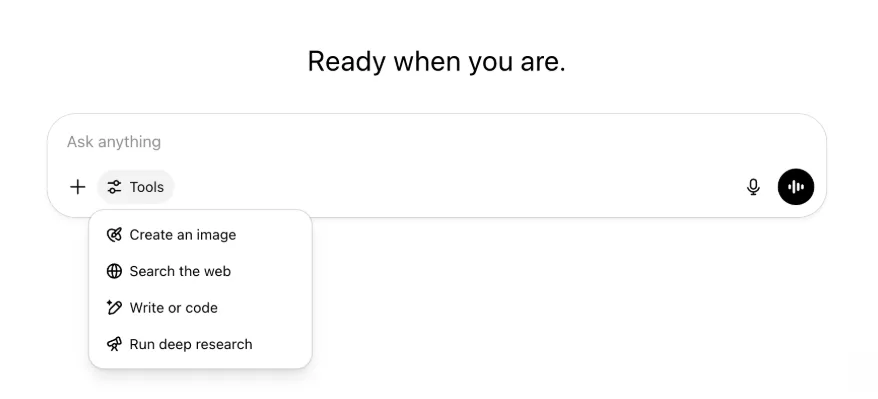
Totes les mateixes funcions i eines continuen disponibles, però ara estan més ordenades i són més fàcils d'utilitzar des d'un sol menú.
22 de maig de 2025
Llançament de GPT-4.1 a ChatGPT
Des del seu llançament a l'API a l'abril, GPT-4.1 s'ha convertit en un dels models preferits dels desenvolupadors. Arran de la demanda popular, el posem a disposició directament a ChatGPT.
GPT-4.1 és un model especialitzat que destaca en tasques de programació. En comparació amb GPT-4o, és encara millor seguint instruccions amb precisió i en tasques de desenvolupament web, i ofereix una alternativa a OpenAI o3 i OpenAI o4-mini per a necessitats de programació quotidianes més senzilles.
A partir d'avui, els usuaris d'Enterprise i Edu poden accedir a GPT-4.1 mitjançant el menú desplegable «més models» del selector. GPT-4.1 té els mateixos límits de peticions que GPT-4o per als usuaris de pagament.
Presentem GPT-4.1 mini, que substitueix GPT-4o mini a ChatGPT
GPT-4.1 mini és un model petit, ràpid, capaç i eficient que ofereix millores importants respecte de GPT-4o mini pel que fa al seguiment d'instruccions, la programació i la intel·ligència general. GPT-4.1 mini substitueix GPT-4o mini al selector de models, dins de «més models», per als usuaris de pagament, i serà el model alternatiu per als usuaris gratuïts quan arribin als límits d'ús de GPT-4o. Els límits de peticions no canvien.
Les avaluacions de GPT-4.1 i GPT-4.1 mini es van compartir inicialment a l'article del blog que va acompanyar el seu llançament a l'API. També van superar les avaluacions de seguretat habituals. Els resultats detallats estan disponibles al nou Centre d'avaluacions de seguretat.
15 de maig de 2025
Exporteu la recerca profunda com a PDF
Ara podeu exportar els informes de recerca profunda com a PDF ben formatats, amb taules, imatges, citacions enllaçades i fonts.
Per fer-ho, feu clic a la icona de compartició i seleccioneu "Baixa com a PDF". Funciona tant amb els informes nous com amb els anteriors.
Consolidació del camp de text de la interfície mòbil (iOS/Android)
Hem eliminat la fila d'icones d'eines individuals del camp de text mòbil i l'hem substituït per una icona nova semblant a uns controls lliscants que obre el menú Habilitats. En tocar-la, s'obre un menú inferior on es poden triar eines com Crea una imatge o Cerca al web.
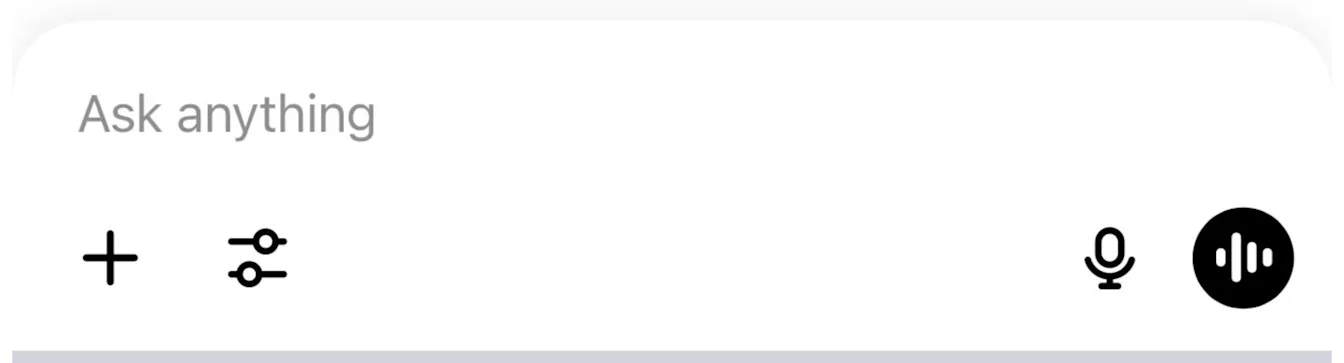
No es retira cap eina: simplement se'n consolida l'accés per alliberar espai i reduir la saturació visual.
8 de maig de 2025
Analítica d'usuaris a ChatGPT: disponibilitat general
Pots accedir al tauler renovat d'Analítica d'usuaris des de la consola Gestiona l'espai de treball, a la pestanya Analítica. Proporciona dades més completes sobre l'ús, l'adopció i la participació que la pestanya d'analítica original.
Aquest tauler millorat ofereix als administradors una visió general de com s'utilitza ChatGPT a tota l'organització. Utilitza'l per seguir l'adopció i la participació, entendre els patrons d'ús de les eines i els GPT principals i identificar casos d'ús i tendències dels usuaris.
Consulta Analítica d'usuaris per a ChatGPT Enterprise i Edu i API de compliment normatiu i Analítica d'usuaris a ChatGPT Enterprise/Edu.
2 de maig de 2025
Generació d'imatges amb 4o als GPT
Els GPT ja poden aprofitar les funcions de generació d'imatges de ChatGPT per crear imatges a demanda per als usuaris.
Els creadors de GPT poden activar «Generació d'imatges amb 4o» a la secció Configura de l'editor de GPT, sota Funcions.
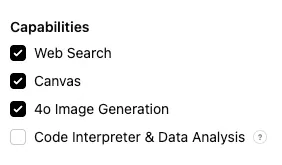
1 de maig de 2025
Recerca profunda
Els usuaris que arribin al límit mensual de 10 tasques amb el model estàndard de recerca profunda rebran automàticament 15 sol·licituds addicionals aquell mes amb la nostra versió lleugera i econòmica, fins que es restableixi el límit mensual.
Més informació sobre la recerca profunda.
Tasques a o3 i o4-mini
Ja pots crear tasques programades que permeten a ChatGPT executar indicacions automàtiques i contactar amb tu proactivament segons una programació amb o3 i o4-mini. S'ha eliminat l'opció «ChatGPT amb tasques programades» del selector de models.
Més informació sobre les tasques programades a ChatGPT.
24 d'abril de 2025
o3 i o4-mini
Amb la introducció d'o3 i o4-mini / o4-mini-high, aquests substituiran respectivament o1 i o3-mini / o3-mini-high dins de ChatGPT.
OpenAI o3 és el nostre model de raonament més potent i amplia l'avantguarda en programació, matemàtiques, ciència, percepció visual i molt més. Estableix un nou estat de l'art en proves de referència com Codeforces, SWE-bench (sense crear una estructura personalitzada específica del model) i MMMU. És ideal per a consultes complexes que exigeixen una anàlisi multidimensional i que poden no tenir una resposta evident. Ofereix un rendiment especialment destacat en tasques visuals, com ara analitzar imatges, gràfics i diagrames. En avaluacions d'experts externs, o3 comet un 20 % menys d'errors greus que OpenAI o1 en tasques difícils del món real, i destaca especialment en àmbits com la programació, els negocis i la consultoria, i la ideació creativa. Els primers avaluadors van destacar el seu rigor analític com a col·laborador intel·lectual i la seva capacitat per generar i avaluar críticament hipòtesis noves, especialment en biologia, matemàtiques i enginyeria.
OpenAI o4-mini és un model més petit optimitzat per oferir un raonament ràpid i econòmic. Aconsegueix un rendiment extraordinari per la seva mida i cost, especialment en matemàtiques, programació i tasques visuals. És el model amb millor rendiment a les proves AIME 2024 i 2025. En avaluacions d'experts, també supera el seu predecessor, o3-mini, tant en tasques no STEM com en àmbits com la ciència de dades. Gràcies a la seva eficiència, o4-mini admet límits d'ús considerablement més alts que o3, fet que el converteix en una opció sòlida per a grans volums i alt rendiment en preguntes que es beneficien del raonament.
10 d'abril de 2025
Imatges de ChatGPT
La generació d'imatges amb GPT-4o ja està disponible per a tots els usuaris com a generador d'imatges predeterminat de ChatGPT. Els usuaris que prefereixin continuar amb DALL·E encara hi poden accedir mitjançant el GPT de DALL·E.
Pots generar imatges amb ChatGPT demanant simplement al model que creï una imatge amb els detalls que vulguis, o seleccionant l'opció Crea una imatge al camp de text. Més informació.
31 de març de 2025
Analítica d'usuaris a ChatGPT: beta pública
Pots accedir al tauler renovat d'Analítica d'usuaris des de la consola Gestiona l'espai de treball, a la pestanya Analítica. Proporciona dades més completes sobre l'ús, l'adopció i la participació que la pestanya d'analítica original.
Aquest tauler millorat ofereix als administradors una visió general de com s'utilitza ChatGPT a tota l'organització. Utilitza'l per seguir l'adopció i la participació, entendre els patrons d'ús de les eines i els GPT principals i identificar casos d'ús i tendències dels usuaris.
Consulta Analítica d'usuaris per a ChatGPT Enterprise i Edu (beta pública) per obtenir-ne més informació.
20 de març de 2025
Actualització sobre els projectes compartits
Ajornem el llançament dels projectes compartits amb accés de visualització i edició per poder treballar en una versió més col·laborativa i útil per als usuaris.
13 de març de 2025
Programació amb Treballa amb aplicacions a macOS
Quan treballes amb IDE, pots demanar a ChatGPT que editi directament els fitxers oberts, sense haver de copiar i enganxar. Quan demanis una modificació, ChatGPT generarà una diferència que podràs revisar i aplicar. També hi ha una opció per aplicar automàticament els canvis. Les diferències es poden revertir fàcilment des de la interfície de ChatGPT o amb CMD+Z a l'editor.
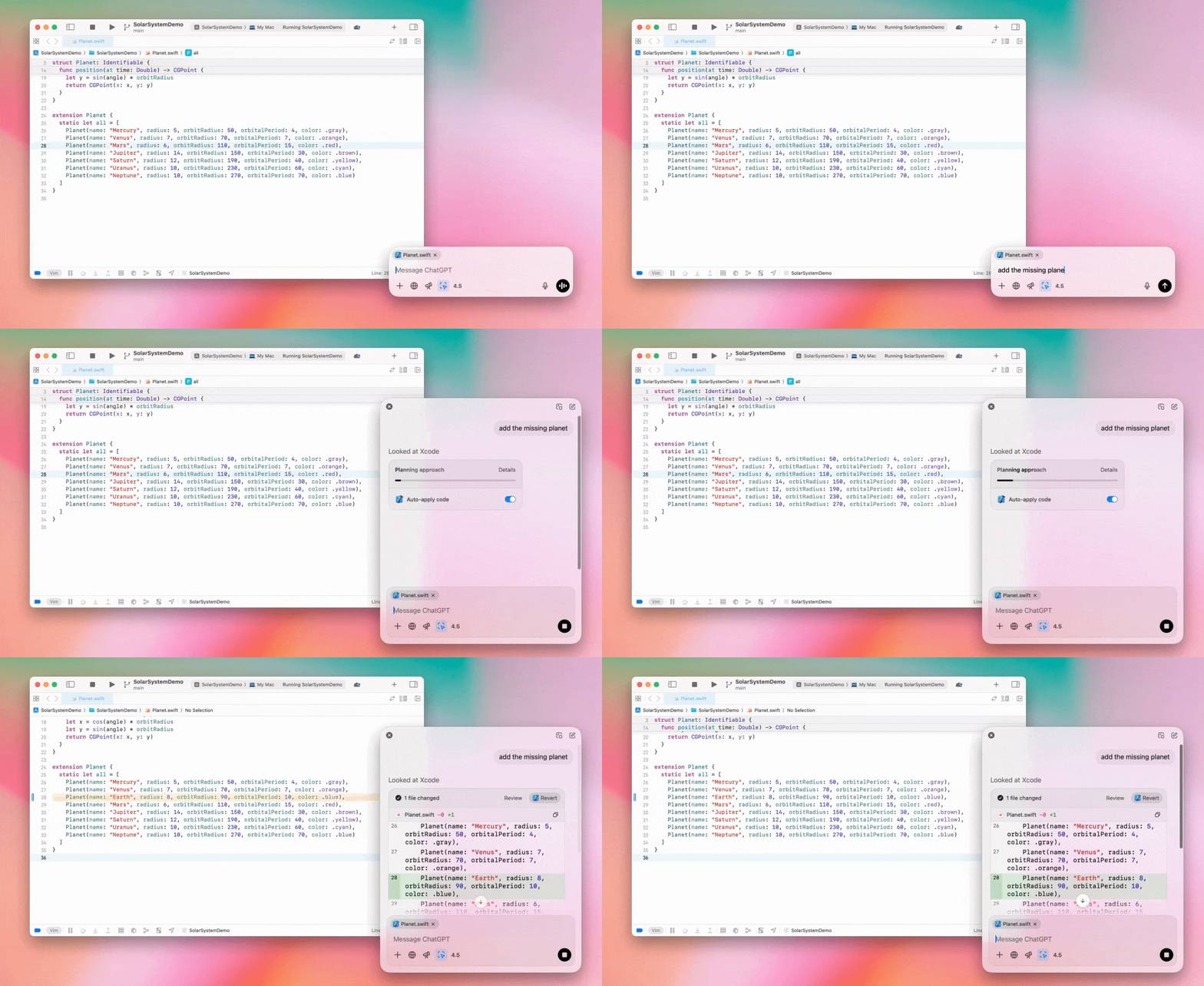
Els administradors d'Enterprise poden desactivar el commutador «Treballa amb aplicacions» a la configuració d'administració per impedir que els membres de l'espai de treball utilitzin aquesta funció.
GPT-4.5 a ChatGPT
A partir del 13 de març de 2025, els usuaris dels plans Enterprise i Edu podran utilitzar el nostre model GPT-4.5 a ChatGPT!
Consulta GPT-4.5 a ChatGPT per obtenir-ne més informació.
10 de març de 2025
Recerca profunda a l'API de compliment normatiu de ChatGPT
Des del 10 de març de 2025, els clients Enterprise que utilitzen l'API de compliment normatiu disposen d'aquestes opcions:
Cerqueu la "indicació global de recerca profunda".
Cerqueu el nom de l'eina a la resposta: {"tool_name":"deep_research"}.
25 de febrer de 2025
Recerca profunda a ChatGPT
La recerca profunda de ChatGPT ja està disponible per als usuaris del pla Enterprise.
La recerca profunda permet que ChatGPT navegui pel web de manera agentiva i asíncrona per completar tasques professionals o personals.
Els usuaris d'Enterprise i Edu disposaran de 10 consultes de recerca profunda al mes.
Consulteu les preguntes freqüents sobre la recerca profunda per obtenir-ne més informació.
13 de febrer de 2025
Mode o1 pro i o3-mini a ChatGPT
A ChatGPT, el mode o1 pro ja està disponible per a Enterprise, i o3-mini per a Enterprise Edu!
o3-mini: OpenAI o3-mini ha substituït o1-mini al selector de models. És més rendible i ofereix límits de peticions més alts amb una latència menor. És un model de raonament, una opció excel·lent per a tasques de programació, CTEM i resolució de problemes lògics. o3-mini mostra la seva cadena de pensament i pot navegar pel web.
Mode o1 pro: aquesta setmana també està disponible al selector de models el mode o1 pro. Dissenyat per oferir precisió i profunditat, destaca en recerca, enginyeria, empresa i dret, i és ideal per a professionals que afronten reptes molt complexos. El mode o1 pro trigarà més a raonar un problema. Per tant, les respostes poden tardar una estona. A causa de la seva intensitat computacional, cada usuari està limitat a cinc consultes al mes. Per a la majoria de tasques, o1, o3-mini o GPT-4o continuaran sent les opcions òptimes.
Sobre la pujada de fitxers
Els models o1, o3-mini i o3-mini-high* admeten imatges, documents i PDF. No admeten fulls de càlcul (CSV/Excel).*
El mode o1 pro només admet imatges. No admet documents, PDF ni fulls de càlcul (CSV/Excel).
Compartició de Llenç
Els usuaris de ChatGPT Enterprise i Edu ja poden compartir amb un altre usuari un recurs de Llenç, com ara codi React/HTML renderitzat, un document o codi, de manera semblant a una conversa. Podeu fer-ho des de la barra d'eines de Llenç quan estigui obert.
Per obtenir més informació sobre la funció Llenç de ChatGPT, consulteu l'article següent del Centre d'ajuda!
23 de gener de 2025
Projectes
Projectes ja està disponible per a tots els plans de pagament, incloent-hi Enterprise i Edu.
Consulta Ús de projectes a ChatGPT per obtenir-ne més informació.
16 de gener de 2025
Recuperació visual (PDF) per a ChatGPT Enterprise
ChatGPT Enterprise ja pot llegir i entendre elements visuals —imatges, gràfics, diagrames, etc.— incrustats en fitxers PDF. Els usuaris poden penjar un PDF i ChatGPT pot interpretar-ne el text i tots els elements visuals.
Per obtenir-ne més informació, consulta les preguntes freqüents sobre Recuperació visual amb PDF.
12 de desembre de 2024
o1
A partir d'avui, tots els clients de ChatGPT Enterprise podran accedir a o1 mitjançant el selector de models, en substitució d'o1-preview.
o1 ara pot raonar sobre les imatges penjades, fet que obre noves aplicacions mitjançant l'anàlisi i l'explicació de representacions visuals amb més detall i precisió. També hem entrenat el model perquè sigui més concís en el raonament, cosa que ofereix temps de resposta més ràpids que o1-preview.
11 de desembre de 2024
Apple Intelligence amb ChatGPT
Els administradors de ChatGPT ja poden activar i desactivar l'accés a Apple Intelligence des de la configuració d'administració de l'espai de treball, a Connexions.
Si aquesta opció està desactivada, els usuaris no poden seleccionar el seu espai de treball de ChatGPT Enterprise/Edu quan inicien sessió amb les credencials d'OpenAI.
10 de desembre de 2024
Llenç
Avui hem fet que el Llenç estigui disponible de manera predeterminada a 4o per a tots els usuaris, tant dels plans gratuïts com dels de pagament. A més, hem llançat diverses funcions noves per al llenç, com ara:
Llenç als GPTs: ara es pot utilitzar el Llenç amb els GPTs si s'activa al creador de GPTs. Aquesta opció estarà activada de manera predeterminada als GPTs que es creïn a partir d'ara.
Execució de codi Python: ara podeu executar codi Python en un llenç. ChatGPT intentarà corregir els errors del codi i us proporcionarà comentaris sobre els problemes detectats. Tingueu en compte que l'execució de Python pot fer sol·licituds a xarxes externes i que els administradors dels espais de treball Enterprise poden desactivar l'execució de codi Python mitjançant l'opció Execució de codi del Llenç de la configuració d'administració. Aquesta opció està desactivada de manera predeterminada en tots els comptes Enterprise.
Drecera del Llenç: ara podeu enganxar contingut a ChatGPT i obrir-lo immediatament en un llenç mitjançant una drecera situada a l'extrem superior dret del camp de text per als missatges.
Llenç a la caixa d'eines: s'ha afegit el Llenç com a opció a la caixa d'eines.
Ara els administradors dels espais de treball poden utilitzar l'API de compliment normatiu per obtenir, enumerar i suprimir documents de text del llenç.
Tingueu en compte que s'ha eliminat l'opció de la configuració d'administració que permetia desactivar el llenç, ja que aquesta funció ha deixat d'estar en fase beta. Si aquesta funció ja estava desactivada, continuarem respectant aquesta configuració. Poseu-vos en contacte amb el nostre equip d'assistència mitjançant la icona de xat de l'extrem inferior dret d'aquesta pàgina.
3 de desembre de 2024
Treballa amb aplicacions a macOS
ChatGPT ja pot llegir contingut de les teves aplicacions de programació mitjançant Treballa amb aplicacions a macOS, per oferir-te respostes més intel·ligents, precises i adaptades a la teva feina. Més informació sobre Treballa amb aplicacions a macOS.
Els administradors d'Enterprise poden desactivar el commutador «Treballa amb aplicacions» a la configuració d'administració per impedir que els membres de l'espai de treball utilitzin aquesta funció.
22 de novembre de 2024
Actualitzacions de l'experiència web de ChatGPT
Durant les dues setmanes vinents, desplegarem les actualitzacions següents per a tots els usuaris de ChatGPT.
Redisseny de la barra lateral
S'ha afegit un mode flotant nou amb tancament suau
Ara la barra lateral mostra un nombre limitat de converses recents i ofereix un desplegable amb desplaçament infinit per accedir a totes les converses
Ara els GPT recents i fixats apareixen sota les converses
La configuració ara sempre és a la part inferior de la barra lateral
S'ha afegit una icona petita de configuració a les pantalles grans quan la barra lateral està tancada
S'han afegit transicions noves per oferir una experiència més immersiva
Altres actualitzacions de ChatGPT al web
S'han renovat els fonaments del lloc per millorar considerablement la compatibilitat amb més dispositius i mides de pantalla
En iniciar una conversa nova, ara es desplaça fins a la part superior de la pantalla i queda visible
En iniciar una conversa nova, ja no es desplaça automàticament fins al final mentre es genera el missatge
Ara la barra lateral fixada pot continuar oberta amb un Llenç actiu si hi ha prou espai
La nova disposició de la barra del camp de text atenua el contingut que hi ha a sota durant el desplaçament i presenta un aspecte renovat
El botó de xat nou s'ha mogut a l'esquerra del selector de models perquè sigui més accessible
S'ha eliminat la icona del sistema de les converses per guanyar espai horitzontal
La vista centrada en DALL-E té una disposició actualitzada
El creador de GPT té una disposició actualitzada
Experiència web mòbil millorada
S'ha millorat considerablement l'experiència amb el teclat en pantalla dels dispositius mòbils iOS i Android
La barra lateral nova sempre està en mode flotant i es tanca automàticament en canviar de fil
Al web mòbil, ja no es posa el focus al camp de text en canviar de conversa
S'hauria d'haver resolt un problema que bloquejava el desplaçament en determinades situacions
20 de novembre de 2024
Actualització de GPT-4o
Hem actualitzat GPT-4o per als usuaris de ChatGPT de tots els plans de pagament. Aquesta actualització de GPT-4o millora les capacitats d'escriptura perquè siguin més naturals, tinguin més en compte el públic i s'adaptin millor per augmentar la rellevància i la llegibilitat. Aquest model també treballa millor amb els fitxers penjats i ofereix observacions més profundes i respostes més exhaustives.
19 de novembre de 2024
Mode de veu avançat per a ChatGPT Web
A partir d'avui, comencem a desplegar el mode de veu avançat al web, que ja està disponible a les aplicacions mòbils i d'escriptori. Ara els usuaris poden iniciar un xat de veu a chatgpt.com des de l'ordinador i mantenir converses naturals en temps real amb ChatGPT mentre fan tasques com planificar, escriure o generar idees.
14 de novembre de 2024
Aplicació per a Windows
L'aplicació millorada per a Windows ja està disponible a Microsoft Store per als espais de treball de ChatGPT Enterprise i Edu. Els usuaris de ChatGPT familiaritzats amb l'experiència web poden integrar fàcilment l'aplicació de Windows en qualsevol tasca que facin a l'ordinador.
L'accés dels usuaris a l'aplicació de ChatGPT per a Windows seguirà les polítiques de l'administrador de TI per a les aplicacions de Microsoft Store. Durant les setmanes vinents, els administradors de TI també podran desplegar l'aplicació als dispositius dels empleats mitjançant MDM/MAM, en comptes de permetre descàrregues directes de la botiga.
Com en qualsevol experiència de ChatGPT Enterprise, l'historial de xats dels usuaris és segur i no s'utilitzarà per millorar els serveis d'OpenAI.
Més informació sobre l'aplicació de ChatGPT per a Windows.