
20 серпня 2026 року
Оновлення функцій Enterprise
Власники й адміністратори робочих просторів можуть використовувати нові API адміністрування на рівні робочого простору, щоб автоматизувати керування запрошеннями й учасниками. API запрошень дають змогу переглядати списки запрошень, отримувати їх, створювати, надсилати повторно й видаляти. API користувачів дають змогу отримувати дані про учасників, які прийняли запрошення, а власникам робочих просторів — оновлювати вбудовані ролі чи робочі місця та скасовувати членство в робочому просторі. Зміни, керовані через SCIM, і надалі вносяться за допомогою постачальника посвідчень; також діє захист від видалення останнього власника. Інформацію про налаштування й дозволи див. у статті «Керування ключами адміністратора». Шляхи кінцевих точок і схеми див. у довіднику з API адміністрування.
У Глобальній консолі адміністратора тепер чіткіше видно, з яким клієнтом або робочим простором ви працюєте, а для підтримуваних сторінок додано окремі URL-адреси робочих просторів. Учасники робочого простору можуть переглядати аналітику лише власної активності, а перегляд даних різних користувачів доступний тільки авторизованим ролям. Налаштування робочого простору ChatGPT залишаються на своєму поточному місці. Докладніше про Глобальну консоль адміністратора.
Особиста аналітика підтримує Роботу й Codex у відповідних робочих просторах Enterprise та Edu. Після ввімкнення плагіна адміністратором учасники можуть установити його в ChatGPT для комп’ютера й запитувати про активність, пов’язану з обліковим записом, у який вони ввійшли, а також про сукупні тенденції робочого простору із захистом конфіденційності. Плагін працює лише в режимі читання й не може показувати індивідуальну активність іншого користувача чи дані іншого робочого простору. Докладніше про Особисту аналітику.
Спільно працюйте над ChatGPT Sites (лише для Enterprise). У робочих просторах Enterprise власники сайтів можуть додавати активних учасників того самого робочого простору як редакторів. Редактори можуть оновлювати й зберігати сайт, а після його першої публікації власником — публікувати наступні версії за тією самою URL-адресою сайту. Власники й надалі контролюють спільний доступ, налаштування сайту, аналітику, права власності, відновлення версій і доступ редакторів. Для спільного редагування використовуються наявні елементи керування Sites у робочому просторі без окремого перемикача RBAC; загальнодоступна публікація за замовчуванням вимкнена й контролюється адміністратором. Докладніше про керування ChatGPT Sites у вашому робочому просторі.
Використовуйте Apple Messages із Codex і ChatGPT Робота. На комп’ютерах Mac із процесорами Apple плагін Apple Messages у програмі ChatGPT для комп’ютера може читати й шукати розмови iMessage, SMS і RCS, а також готувати або надсилати повідомлення через Messages. За замовчуванням перед надсиланням ChatGPT просить користувача підтвердити повідомлення й одержувачів. Адміністратори керованих робочих просторів можуть вимкнути Apple Messages за допомогою наявного елемента керування «Використання комп’ютера». Докладніше про плагін Apple Messages.
Використовуйте Історію комп’ютера в більшій кількості регіонів (лише для Enterprise). Історія комп’ютера тепер доступна в ЄЕЗ, Швейцарії та Великій Британії для користувачів Enterprise у програмі ChatGPT для комп’ютера на macOS. За замовчуванням її вимкнено; для роботи потрібна функція «Памʼять», а адміністратор робочого простору має ввімкнути її, перш ніж учасник зможе погодитися на використання. Докладніше про Історію комп’ютера.
Поділіться знімком чату Codex, доступним лише для читання. Посилання для спільного доступу в робочому просторі доступні лише автентифікованим учасникам вихідного робочого простору, а адміністратори можуть вимкнути такі посилання. Знімок не оновлюється після змін в оригінальному чаті. Codex приховує відомі шаблони секретних даних, але користувачам слід перевіряти знімок, оскільки в ньому можуть залишитися конфіденційні шляхи, відмінності, зображення чи інший вміст. Докладніше про спільний доступ до чату Codex.
Експортуйте загальнодоступний каталог плагінів. Власники й адміністратори відповідних робочих просторів ChatGPT Enterprise можуть експортувати CSV-файл у розділі Адміністрування > Плагіни > Загальнодоступні > Експортувати CSV. Дані в експортованому файлі можуть бути давністю до 48 годин; плагіни, створені в робочому просторі, до нього не входять. Докладніше про експорт загальнодоступного каталогу.
August 13, 2026
Chat model defaults
Workspace owners and admins can configure the starting Chat model and reasoning level from Workspace settings > Models. Owners and admins can apply an admin default or allow User’s last choice for new chats - note that defaults do not grant access to unavailable models or override enforced workspace requirements.
The ChatGPT Desktop app should be upgraded to version 26.812.10818 or later for the new controls to take effect.
Updated model picker for Enterprise and Edu
Members in the Enterprise/Edu workspaces have updated model-picker and composer experience. The picker makes the available intelligence choices easier to compare while preserving workspace model availability and access controls.
Audit logs in the Global Admin Console
Workspace owners and admins can now review supported audit events from the Global Admin Console. Access and event coverage depend on the selected workspace and admin role. Read more.
Additive role-based access controls
Workspace owners in Enterprise and Edu workspaces can now configure eligible permissions in ordinary custom roles with Default, On, or Off. Default inherits the workspace setting, On explicitly grants the permission, and Off explicitly denies access. ChatGPT evaluates all applicable ordinary roles together: at least one role must grant the permission, and an explicit Off in any applicable role prevents access. Lockdown Mode is evaluated separately and can further restrict network-enabled capabilities. Learn more about role-based access controls.
Work and Codex usage and cost data
Members of eligible Enterprise workspaces with credit-based billing can review per-chat lifetime credit usage across Work and Codex. Usage figures and estimated costs are planning aids and are not invoices. Members can also review monthly usage and history from the Usage & billing tab in ChatGPT Desktop. Regular Chat usage is not included. This feature requires ChatGPT Desktop version 26.812.10818 or later. Read more.
Personal Analytics plugin
The Personal Analytics plugin is available for eligible workspaces. After a workspace owner or admin enables the plugin, members can install it in ChatGPT Desktop and ask questions about their own Work and Codex activity and available aggregated workspace trends. Read more.
Codex service accounts
Eligible workspaces can create non-human service accounts for Codex automation. Workspace owners and admins can assign roles and groups, configure plugins, share account management, and issue scoped access tokens for CI runners and scheduled jobs. Read more.
Windows desktop performance improvements
The ChatGPT desktop app for Windows includes performance improvements. These improvements require ChatGPT Desktop version 26.803.41515 or later.
Computer History for ChatGPT Enterprise
Computer History is an optional feature in the ChatGPT macOS app that lets Enterprise members bring context from selected apps and websites into ChatGPT and Codex. It records interaction events—not screenshots, screen recordings, microphone input, or system audio—and private browsing is not included.
Computer History is off by default, and Enterprise admins can grant access by role before each member chooses whether to opt in. Members can pause Computer History, choose included apps and sites, and inspect or delete timeline items. Note that Computer History is not currently available in the EEA, UK or Switzerland.
10 серпня 2026 року
Припинення синхронізації підключених застосунків для окремих користувачів
З 10 серпня нові індивідуально авторизовані підключення синхронізації більше не будуть доступні. 14 серпня наявні підключення синхронізації окремих користувачів буде вимкнено й розпочнеться видалення пов’язаних синхронізованих даних. Синхронізація, керована адміністратором, не змінюється. До 14 серпня перегляньте налаштування конекторів робочого простору й за потреби виконайте наведені нижче дії:
| Конектор | Обов’язкова дія адміністратора |
|---|---|
| Google Drive | Увімкніть плагін Google Drive. Якщо потрібна синхронізована база знань, налаштуйте керовану адміністратором синхронізацію Google Drive із делегуванням на рівні домену. |
| SharePoint | Увімкніть плагін SharePoint. Якщо потрібна синхронізована база знань, налаштуйте синхронізацію адміністратором. |
| GitHub | Увімкніть плагін GitHub без синхронізації. |
| GitLab Issues | Незабаром ми повідомимо про доступність плагіна на заміну. |
| Azure Boards (Azure DevOps) | Незабаром ми повідомимо про доступність плагіна на заміну. |
| Basecamp | Незабаром ми повідомимо про доступність плагіна на заміну. |
| Help Scout | Визначте користувачів і робочі процеси, яких це стосується, та повідомте їм про припинення синхронізованого доступу. Ми активно працюємо з партнером над заміною. |
| Zoho Desk | Визначте користувачів і робочі процеси, яких це стосується, та повідомте їм про припинення синхронізованого доступу. Ми активно працюємо з партнером над заміною. |
| Teamwork | Визначте користувачів і робочі процеси, яких це стосується, та повідомте їм про припинення синхронізованого доступу. Ми активно працюємо з партнером над заміною. |
| Aha! | Визначте користувачів і робочі процеси, яких це стосується, та повідомте їм про припинення синхронізованого доступу. Ми активно працюємо з партнером над заміною. |
| Zoho CRM | Визначте користувачів і робочі процеси, яких це стосується, та повідомте їм про припинення синхронізованого доступу. Ми активно працюємо з партнером над заміною. |
| Pipedrive | Визначте користувачів і робочі процеси, яких це стосується, та повідомте їм про припинення синхронізованого доступу. Ми активно працюємо з партнером над заміною. |
7 серпня 2026 року
Файли й проєкти в ChatGPT Voice
GPT-Live у ChatGPT Voice тепер підтримує завантаження файлів і проєкти. Тепер у голосовому діалозі можна завантажувати файли, аналізувати їхній вміст і ставити запитання. Також можна використовувати голос у проєктах, посилаючись на нещодавні чати, джерела й інструкції проєкту.
Live тепер є типовим інтерфейсом Voice
У робочих просторах Enterprise, Edu та Healthcare Live тепер є типовим інтерфейсом Voice, коли власник робочого простору вмикає Voice; вмикати ранній доступ до моделей більше не потрібно. Власники робочого простору можуть вимкнути Voice у налаштуваннях робочого простору.
Докладніше про ChatGPT Voice.
6 серпня 2026 року
Нові засоби керування оновленнями застосунку для комп’ютера
Адміністратори ChatGPT Enterprise, ChatGPT для охорони здоров’я та ChatGPT Edu тепер можуть вимикати оновлення всередині застосунку ChatGPT для комп’ютера в підтримуваних збірках macOS і Windows. Так організації можуть перевіряти нові випуски до їх отримання користувачами й розгортати схвалені версії через наявний процес керування пристроями.
Вбудований засіб оновлення застосунку за замовчуванням залишається ввімкненим. Організації, які його вимикають, відповідають за своєчасне розгортання нових випусків і виправлень безпеки. OpenAI не надає закріплення версії, окремого стабільного каналу випусків або розширеної підтримки старіших версій. Докладніше.
4 серпня 2026 року
Великі вставки тепер обробляються як вкладення в усіх планах
Відсьогодні для користувачів ChatGPT Enterprise та Education великі вставки в ChatGPT обробляються інакше.
Якщо вставити в поле введення понад 10 тис. символів, ChatGPT автоматично перетворить вміст на вкладення, а не додасть його безпосередньо в текстове поле. Так поле введення залишається охайнішим, а великі вставки не займають увесь ліміт контексту.
Вміст можна будь-коли повернути в повідомлення: натисніть Показати в текстовому полі, щоб знову перетворити вкладення на звичайну вставку.
Ця функція вже доступна користувачам усіх інших планів.
Освітні плагіни для викладання й навчання
Робочим просторам ChatGPT Edu тепер доступні три керовані плагіни в ChatGPT Робота та Codex: Викладач закладу вищої освіти, Учитель K–12 і Студент закладу вищої освіти. Робочим просторам ChatGPT for Teachers, якими керують через підтверджений домен шкільного округу, доступний плагін Учитель K–12. Ці плагіни допомагають викладачам створювати уроки, оцінювання та повідомлення на основі навчальних матеріалів, а студентам — складати плани навчання й практикувати поняття з курсу.
Викладач закладу вищої освіти: допомагає розробляти й оновлювати курси та навчальні програми, створювати інтерактивні матеріали й мультимедійні оцінювання, адаптувати матеріали для різних студентів і готувати вміст для LMS.
Учитель K–12: допомагає створювати матеріали уроків, завдання, критерії оцінювання та навчальні ресурси, використовуючи контекст Learning Commons для узгодження матеріалів зі стандартами штату й послідовністю навчання.
Студент закладу вищої освіти: допомагає використовувати матеріали курсу й навчальну мету для отримання пояснень із посиланнями на джерела, керованої практики, планів навчання, тестів, карток і візуальних пояснень.
Плагіни доступні в каталозі плагінів, але за замовчуванням не встановлені. Зверніть увагу: ці плагіни недоступні для облікових записів Enterprise. Адміністратори робочого простору можуть керувати доступністю плагінів і дозволами. Докладніше: Плагіни в ChatGPT і Codex.
Перехід від тижневих лімітів використання до місячних
Власники робочого простору тепер можуть легко перенести тижневі ліміти, налаштовані в розділі «Дозволи й ролі», у місячні. Відкрийте «Налаштування робочого простору» → «Дозволи й ролі», виберіть будь-яку роль, прокрутіть до розділу «Тижневі ліміти», виберіть Перенести й підтвердьте. Запуск перенесення з будь-якої ролі переносить усі решта тижневих рольових лімітів у робочому просторі. Залежно від його розміру це може тривати кілька хвилин.
15 серпня решту робочих просторів ChatGPT Enterprise, які досі використовують тижневі рольові ліміти витрат, заплановано автоматично перевести на місячні ліміти використання. Докладніше про керування лімітами використання та перевищеннями.
23 липня 2026 року
Природніша робота з ChatGPT Voice
ChatGPT Voice поступово стає доступним у робочих просторах Enterprise та Edu у двох різних форматах:
Voice у Чаті: ведіть природні розмови в реальному часі, щоб ставити запитання, проводити мозкові штурми й досліджувати ідеї. Voice у Чаті працює на GPT-Live і підтримує перебивання, уточнювальні запитання й такі можливості, як вебпошук, де доступно. Доступно в Чаті для комп’ютера, а також у підтримуваних вебверсіях і застосунках для iOS та Android.
Voice у Роботі та Codex: спочатку в застосунку для комп’ютера ChatGPT Voice може керувати комп’ютером і координувати роботу кількох агентів, активних розмов і проєктів. Використовуйте його, щоб запускати завдання, перевіряти перебіг, переривати або перенаправляти роботу й отримувати оновлення, поки завдання виконуються у фоновому режимі. Доступно в macOS і Windows зі сполученим віддаленим доступом через iOS. Окремий Voice у Роботі та Codex недоступний у вебверсії чи на мобільних пристроях.
Протягом перших двох тижнів власники робочого простору мають увімкнути Voice і Ранній доступ до моделей, перш ніж учасники зможуть вибрати Live у налаштуваннях Voice. У цей період наявні розмови в розширеному голосовому режимі не перемикатимуться на Live автоматично.
Після завершення раннього доступу Live стане типовим інтерфейсом Voice для робочих просторів із ввімкненим Voice. Власники можуть повністю вимкнути Voice, вимкнувши Voice.
Для робочих просторів із гнучким ціноутворенням Voice у Чаті використовує 5 кредитів за хвилину. Voice у Роботі та Codex використовує приблизно 6 кредитів за хвилину в робочих просторах Enterprise із кредитною оплатою. Застарілі робочі простори Enterprise отримують одну годину Voice, дві години Voice Mini й приблизно 45 хвилин Voice у Роботі та Codex на кожне п’ятигодинне вікно. Завдання, делеговані через Роботу або Codex, використовують наявний спільний пул за стандартними тарифами.
Докладніше про ChatGPT Voice і ціни Voice для Business, Enterprise та Edu.
Увімкнення ChatGPT Робота
У робочих просторах ChatGPT Enterprise/Edu Роботу за замовчуванням увімкнено для учасників, якщо власник або адміністратор її не вимкне. Налаштування робочого простору й рольове керування доступом і надалі визначають доступ кожного учасника, зокрема у відповідних робочих просторах Enterprise з увімкненим керуванням корпоративними ключами.
Докладніше: ChatGPT Робота та Codex і Керування налаштуваннями робочого простору в ChatGPT Enterprise.
Типові параметри моделей
У розділі «Налаштування робочого простору → Моделі» власники й адміністратори можуть установити початкову модель, рівень міркування, швидкість і поведінку нового чату для Роботи та Codex. Ці параметри визначають початковий інтерфейс. Вони не надають доступу до недоступних моделей і не замінюють засоби керування доступними моделями, рольовий доступ або обов’язкові вимоги робочого простору.
Докладніше: Керування налаштуваннями робочого простору в ChatGPT Enterprise і ChatGPT Робота та Codex.
Ліміти використання
Ми переносимо ліміти використання з налаштувань робочого простору до глобальної консолі адміністратора. Власники й адміністратори можуть установлювати типовий параметр робочого простору, створювати винятки для груп і користувачів, переглядати чинні ліміти й керувати запитами на збільшення використання. У розділі «Ліміти використання → Робочий простір» адміністратори можуть залишити типовий місячний період зі скиданням першого дня кожного календарного місяця за UTC або вибрати узгодження з платіжним циклом, якщо доступно.
Докладніше: Керування лімітами використання й перевищеннями і Глобальна консоль адміністратора.
Оцінки використання й аналітика груп
Для відповідних робочих просторів орієнтовні суми в доларах можуть відображатися поруч із кредитами в аналітиці, виставленні рахунків, редакторах лімітів, Cost API та API аналітики Codex. Оцінки використовують тариф перевищення вибраного робочого простору й призначені для планування. Розділ «Виставлення рахунків → Рахунки» залишається джерелом виставлених сум. Рейтинги аналітики тепер також містять вкладку «Групи» з розподілом на рівні груп за продуктом, тарифікованою позицією й моделлю.
Докладніше: Глобальна консоль адміністратора й Аналітика робочого простору.
22 липня 2026 року
Оновлення OpenAI Presence і телефонної підтримки на основі ШІ
OpenAI Presence тепер обмежено загальнодоступна як керована платформа для організацій, які створюють і використовують контрольованих ШІ-агентів у процесах із великим навантаженням. Presence підтримує голосові й текстові розгортання із засобами тестування, дозволів, моніторингу й передавання людині. Доступність залежить від відповідності процесу, готовності до впровадження й можливостей надання послуги. Щоб обговорити доступ, зверніться до команди OpenAI, яка супроводжує ваш обліковий запис. Докладніше про OpenAI Presence.
Телефонна підтримка на основі ШІ, що використовує OpenAI Presence, більше не є експериментальною. Користувачі у США, Канаді й Австралії можуть телефонувати без облікового запису ChatGPT із типовими запитаннями про продукт, обліковий запис і усунення несправностей. Цей автоматизований канал підтримки не може подавати звіти чи запити, з’єднувати користувачів із живим агентом, ініціювати ескалацію або перевірку облікового запису чи гарантувати подальший зв’язок. Докладніше про телефонну підтримку на основі ШІ.
16 липня 2026 року
Розширені API адміністрування й аналітика
Адміністратори тепер можуть створювати й керувати ключами адміністратора на рівні робочого простору в глобальній консолі адміністратора в розділі «Облікові дані > Ключі адміністратора». Ці ключі працюють із підтримуваними API адміністрування ChatGPT і Codex для керування групами, API контролю витрат, звітності про витрати й аналітики. Доступні дозволи залежать від ролі адміністратора в робочому просторі; ключі адміністратора не можна використовувати для виконання обчислень моделлю.
Глобальна консоль адміністратора тепер містить до 120 днів історії аналітики кредитів і Codex. Засоби контролю витрат і вкладка «Ліміти використання» залишаються в ChatGPT і не входять до цього запуску глобальної консолі адміністратора. Адміністратори й надалі можуть керувати лімітами використання, зокрема вибирати «Без ліміту», де доступно, у розділі «Налаштування робочого простору → Ліміти використання». Докладніше: Керування лімітами використання й перевищеннями в ChatGPT Enterprise та Edu і Глобальна консоль адміністратора.
Оновлення інтерфейсу застосунку ChatGPT для комп’ютера
Ми оновили застосунок ChatGPT для комп’ютера, щоб полегшити вибір між Чатом і Роботою, пошук розмов і проєктів та продовження Роботи на різних пристроях. Ці оновлення вже доступні для всіх планів у macOS і Windows.
macOS і Windows
Зрозуміліше компонування застосунку: глобальний перемикач дає змогу вибирати між ChatGPT і Codex. У ChatGPT виберіть Чат для швидких запитань і розмовної допомоги або Роботу для повного виконання завдань.
Об’єднані нещодавні: розмови Чату й Роботи тепер відображаються разом у розділі «Нещодавні», де їх можна сортувати, фільтрувати й закріплювати.
Проєкти в застосунку для комп’ютера: наявні проєкти ChatGPT тепер відображаються в застосунку. Можна почати розмову в Чаті всередині проєкту або створити гілку Роботи, використовуючи контекст проєкту.
Продовження Роботи на різних пристроях: хмарні розмови Роботи тепер синхронізуються між вебверсією, мобільними пристроями й комп’ютером, тож можна почати на одному пристрої та продовжити на іншому. Локальні розмови залишаються на вашому комп’ютері.
Codex не змінюється: у межах цього оновлення Codex залишається окремим поданням, а його робочі процеси й історія не змінюються. Швидкі чати й надалі доступні для коротких розмов.
Без змін у засобах керування робочого простору: наявні дозволи доступу, налаштування безпеки, керування й засоби контролю витрат не змінюються.
15 липня 2026 року
Застосунки із синхронізацією тепер підтримують робочі простори з EKM
Застосунки із синхронізацією тепер доступні для робочих просторів ChatGPT Enterprise та Edu з увімкненим керуванням корпоративними ключами (EKM). Це оновлення стосується всіх застосунків із синхронізацією.
Докладніше див. у матеріалах Застосунки ChatGPT із синхронізацією та Огляд OpenAI Enterprise Key Management (EKM).
9 липня 2026 року
Представляємо ChatGPT Робота
ChatGPT Робота — це агент для тривалих і складніших завдань. Він може досліджувати й аналізувати інформацію, працювати з підключеними застосунками та файлами й створювати готові документи, таблиці, презентації, звіти та Sites. Під час роботи можна стежити за перебігом, відповідати на запитання, змінювати напрям і схвалювати важливі дії.
Робота також може підтримувати проєкти за допомогою запланованих завдань, що виконуються одноразово, повторюються за розкладом чи тригером або відстежують зміни.
У вебверсії та на мобільних пристроях Робота поступово стає доступною в усіх платних планах, крім Free і Go. Першими доступ отримають користувачі Pro, Pro Lite, Enterprise і Edu; Plus і Business — протягом наступних днів. Робота доступна в усіх підтримуваних регіонах.
У вебверсії та на мобільних пристроях робочі простори Enterprise і Edu мають двотижневий ознайомчий період. Під час ознайомчого періоду Робота типово вимкнена. Адміністратори можуть відмовитися від неї до автоматичного ввімкнення наприкінці періоду.
Ми також замінюємо каталог застосунків каталогом плагінів. Наявні підключення застосунків не змінюються. Плагіни можуть об’єднувати навички, застосунки й шаблони застосунків для конкретних процесів і доступні в ChatGPT у вебверсії та на комп’ютері, зокрема в Роботі та Codex.
Докладніше про ChatGPT Робота й Codex.
Докладніше про плагіни й новий каталог плагінів.
Навички стали загальнодоступними
Користувачі Enterprise і Edu можуть знайти навички в розділі «Плагіни» на бічній панелі, на вкладці «Навички» в каталозі плагінів.
Новий настільний застосунок ChatGPT об’єднує Чат, Роботу й Codex
Новий настільний застосунок ChatGPT доступний у всьому світі для macOS і Windows. Він об’єднує в одному застосунку Чат для запитань і розмов, Роботу для досліджень і готових матеріалів та Codex для розробки програмного забезпечення.
На комп’ютері Робота може з вашого дозволу використовувати локальні файли й настільні застосунки. Вбудований браузер дає ChatGPT змогу збирати інформацію із сайтів і працювати з підтримуваними вебінструментами та файлами. Codex також додає вбудоване редагування різниць, перевірку запитів на злиття на бічній панелі, швидше керування комп’ютером і підтримку кількох репозиторіїв в одному проєкті.
Якщо ви вже користуєтеся застосунком Codex, оновіть його звичайним способом, щоб перейти на новий настільний застосунок ChatGPT. Якщо ви користуєтеся попереднім настільним застосунком ChatGPT, завантажте нову версію за підказкою в застосунку. Попередній застосунок може залишитися встановленим під назвою ChatGPT Classic. ChatGPT Classic і надалі отримуватиме оновлення моделей, виправлення помилок, оновлення безпеки й підтримку наявних функцій Enterprise, а нові агентні функції, як-от Робота й Codex, доступні в новому застосунку.
Докладніше про перехід на новий настільний застосунок ChatGPT.
Представляємо ChatGPT Sites у відкритій бета-версії
ChatGPT Sites дає змогу перетворювати роботу чи ідеї на інтерактивний вебсайт або легкий застосунок, не виходячи з ChatGPT. Можна створювати панелі, трекери проєктів, календарі запусків, прототипи, внутрішні портали й звіти, а потім переглядати й удосконалювати результат із ChatGPT перед поширенням.
Клієнти Business і Enterprise уже мають доступ до Sites. Відсьогодні вони також можуть публікувати Sites для загального доступу й ділитися ними з будь-ким через URL, а не лише з учасниками робочого простору.
Щоб створити Site, почніть у ChatGPT Робота у вебверсії або в Роботі чи Codex у настільному застосунку ChatGPT. Опишіть, що хочете створити, додайте доречний вміст, файли, дані, посилання чи обмеження й перегляньте приватний попередній варіант перед публікацією.
У робочих просторах Enterprise публічне розміщення типово вимкнене, і його має ввімкнути адміністратор. Sites також поступово стає доступним у відкритій бета-версії користувачам Pro, Pro Lite і Edu, а протягом наступних днів — користувачам Plus. Sites недоступний у планах Free і Go. На момент запуску публічне розміщення й розширена бета-версія недоступні в ЄЕЗ, Швейцарії та Великій Британії.
Докладніше про створення ChatGPT Sites і керування ними.
Припинення підтримки групових чатів у ChatGPT
Із 9 липня користувачі вебверсії, iOS та Android більше не зможуть створювати нові групові чати, перетворювати наявні розмови на групові чати або приєднуватися до них за посиланням-запрошенням.
Наявні групові чати поки залишаться доступними, і ними можна буде користуватися. Коли наявний груповий чат стане доступним лише для читання, користувачі збережуть доступ до вже опублікованих у ньому повідомлень, файлів і зображень. Окремі розмови ChatGPT не змінюються.
Припинення підтримки Atlas
Ми припиняємо підтримку Atlas, оскільки додаємо браузерні агентні можливості до ChatGPT і Codex. Atlas припинить працювати 9 серпня 2026 року.
Ми прагнемо максимально спростити цей перехід. До цієї дати перенесіть усі дані Atlas, які хочете зберегти. Дані браузера Atlas, зокрема закладки, відкриті вкладки й історія, не перенесуться автоматично. Файли cookie й паролі можна експортувати до настільного застосунку ChatGPT, а закладки — до Chrome. Обов’язково збережіть важливі сторінки або URL із відкритих вкладок та історії до 9 серпня.
Історія розмов ChatGPT зберігається окремо й залишиться доступною в ChatGPT відповідно до вашого плану, налаштувань робочого простору й доступу до облікового запису.
Спираючись на досвід Atlas, ми створюємо потужніший браузер у ChatGPT із кількома вкладками, завантаженнями, кращою навігацією й підтримкою входу в облікові записи там, де це доступно. Для складнішої агентної роботи в браузері спробуйте настільний застосунок ChatGPT. Для допомоги під час перегляду сайтів у Chrome спробуйте розширення ChatGPT для Chrome або бічну панель, де вони доступні.
Докладніше про перехід з Atlas читайте в нашій статті Довідкового центру.
6 липня 2026 року ChatGPT для PowerPoint тепер загальнодоступний
ChatGPT для PowerPoint тепер загальнодоступний для робочих просторів Enterprise та Edu. Користувачі можуть безпосередньо в Microsoft PowerPoint створювати й редагувати презентації, аналізувати їхню оповідь і структуру та використовувати схвалені навички й застосунки для роботи з дозволеними джерелами. Розширені зміни й узгодження із шаблонами все ще можуть потребувати перевірки.
Адміністратори можуть увімкнути надбудову в налаштуваннях робочого простору або розгорнути її через Microsoft 365, зокрема з доступом на основі RBAC, де це застосовно. Для відповідних робочих просторів ChatGPT для PowerPoint підтримує застосування політик робочого простору, обмежений доступ до джерел, охоплення запитів і відповідей Compliance API, локалізацію виконання обчислень у ЄС і керування корпоративними ключами. Докладніше про ChatGPT для PowerPoint.
Ціноутворення для Excel/Sheets і агентів робочого простору
Завдання ChatGPT для Excel/Sheets тепер тарифікуються за токенами й кредитами для робочих просторів Enterprise та Edu. Запуски агентів робочого простору також тарифікуються за токенами й кредитами для робочих просторів Enterprise. Використання кредитів залежить від вхідних токенів, кешованих вхідних токенів і вихідних токенів, а не від фіксованої вартості в кредитах.
ChatGPT для PowerPoint залишається безплатним для клієнтів Enterprise до 6 серпня 2026 року. Після цієї дати почне діяти та сама модель тарифікації за токенами, що й для ChatGPT для Excel/Sheets. Докладніше в таблиці тарифів ChatGPT.
26 червня 2026 року
Спрощене керування в засобі вибору моделі
Ми запускаємо оновлений засіб вибору моделі для ChatGPT Enterprise та Edu у вебверсії, на iOS і Android. Він полегшує вибір оптимального для завдання балансу між швидкістю та інтенсивністю міркування, не змінюючи базові моделі, доступні робочому простору.
Засіб вибору тепер містить:
Instant
Середній
Високий
Найвищий
Pro Стандарт
Pro Розширений
Середній замінює Thinking Standard, Високий — Thinking Extended, а Найвищий — Thinking Heavy. Pro Стандарт і Pro Розширений і надалі використовують GPT-5.5 Pro. Thinking Light більше не доступний.
Усі шість варіантів доступні робочим просторам Enterprise та Edu з урахуванням налаштувань доступу. Доступ до моделей міркування керує варіантами Середній, Високий і Найвищий. Доступ до моделей Pro керує варіантами Pro Стандарт і Pro Розширений. Недоступні учаснику варіанти приховуються із засобу вибору.
Параметр Переспрямовувати автоматичний маршрутизатор до Thinking mini не змінився й надалі застосовується лише до автоматичного міркування. На iOS та Android засіб вибору відображається вгорі розмови. У вебверсії він відображається в полі введення повідомлення.
Засоби адміністрування плагінів для ChatGPT Enterprise та Edu
Адміністратори й власники робочого простору тепер можуть керувати плагінами в розділі Налаштування робочого простору > Плагіни. Ця сторінка об’єднує пошук плагінів і керування ними, зокрема пошук і фільтри за статусом, політикою встановлення, ролями, категорією й каталогом. Крім того, власники можуть вмикати або вимикати плагіни для всього робочого простору чи вибраних ролей у розділі Налаштування робочого простору > Дозволи й ролі.
Адміністратори й власники можуть визначити, чи будуть плагіни доступні учасникам для встановлення або встановлені за замовчуванням для всього робочого простору чи певних ролей. Адміністратори також можуть переглядати застосунки, які використовує плагін, і керувати ним у цьому поданні. Докладніше: Плагіни в Codex
25 червня 2026 року
Покращення Памʼяті для ChatGPT Enterprise та Edu
Ми запускаємо покращену Памʼять для ChatGPT Enterprise та Edu. Коли Памʼять увімкнена, ChatGPT може використовувати доречний контекст із попередніх чатів, щоб підтримувати Памʼять актуальною й адаптувати відповіді до змін у роботі, а не покладатися лише на вручну збережені відомості.
Тепер користувачі можуть:
Переглядати стислий опис Памʼяті з інформацією, яку ChatGPT може використовувати для персоналізації відповідей.
Переглядати «Джерела» під персоналізованими відповідями, щоб бачити доречний контекст із Памʼяті, попередніх чатів і власних інструкцій.
Виправляти Памʼять, видаляти згаданий чат, позначати джерело як недоречне, вимикати Памʼять або повертатися до застарілих «Збережених спогадів».
Стислий опис Памʼяті — це загальний огляд доречного контексту, який може не містити всього, що ChatGPT здатний пам’ятати або згадувати.
Для ChatGPT Enterprise покращена функція спочатку буде доступна в межах приблизно двотижневого раннього доступу. Під час раннього доступу адміністратори можуть увімкнути «Використовувати покращену Памʼять» у налаштуваннях робочого простору. Після раннього доступу вона автоматично ввімкнеться для відповідних робочих просторів, якщо адміністратор не відмовиться. Адміністратори й користувачі можуть повернутися до застарілих «Збережених спогадів».
Це оновлення не впливає на пам’ять Codex. Пам’ять лише для проєкту залишається ізольованою в кожному проєкті й не використовує спогади чи розмови з-за його меж. Ці покращення доступні без додаткової плати.
Докладніше про дослідження, що лежить в основі цих покращень Памʼяті в ChatGPT.
Загальнодоступний Codex Remote і робочі простори DigitalOcean
Codex Remote тепер загальнодоступний користувачам робочих просторів ChatGPT Enterprise та Edu. У мобільному застосунку ChatGPT користувачі можуть починати або продовжувати роботу на підключеному комп’ютері Mac чи Windows, переглядати перебіг і схвалювати дії з телефона. Remote Control тепер використовує автентифіковане індивідуальне сполучення за QR-кодом між кожним підтримуваним мобільним пристроєм і хостом. Підключення, що використовувалися від 8 червня, залишаються сполученими; старіші неактивні підключення потрібно сполучити знову. Вихід з облікового запису вимикає Remote Control, не видаляючи наявних сполучень.
Новий плагін DigitalOcean Droplet Workspace також доступний користувачам ChatGPT Enterprise та Edu. Він дає Codex змогу підготувати DigitalOcean Droplet, налаштувати доступ SSH і підключити його до застосунку Codex як віддалений робочий простір. Перед підключенням користувачам слід оновити мобільний застосунок ChatGPT і застосунок Codex до останніх версій. Докладніше про використання Codex із планом ChatGPT.
19 червня 2026 року
Дії конектора Slack і схвалення областей OAuth
Робочі простори Enterprise та Edu тепер можуть вмикати дії конектора Slack у ChatGPT. Крім пошуку в Slack, ChatGPT може виконувати підтримувані дії, як-от приєднання до каналу, створення нагадування, завантаження файлу або оновлення профілю користувача Slack, коли конектор і відповідні дії ввімкнено.
Адміністратори можуть переглянути Slack у розділі «Застосунки» в ChatGPT і за допомогою керування діями визначити доступні дії. Для деяких дій можуть знадобитися додаткові області OAuth Slack або схвалення адміністратора робочого простору Slack чи Enterprise Grid. Наявні можливості Slack, які не потребують нових областей, і надалі працюватимуть, навіть якщо додаткові області не схвалено. Докладніше — у статті про застосунок ChatGPT для Slack.
18 червня 2026 року
Ліміти використання, виставлення рахунків і аналітика в глобальній консолі адміністратора
Адміністратори Enterprise та Edu отримали нові інструменти для керування використанням кредитів і перегляду дій, пов’язаних із виставленням рахунків. У розділі «Ліміти використання» налаштувань робочого простору адміністратори й власники можуть установлювати місячні ліміти кредитів для робочих просторів, груп і користувачів, розглядати запити на збільшення та переносити наявні тижневі ліміти з розділу «Дозволи й ролі».
Глобальна консоль адміністратора тепер також містить оновлені розділи «Аналітика» й «Виставлення рахунків» для відповідних робочих просторів, зокрема аналітику кредитів, перегляди використання Codex і ChatGPT, відомості про план, баланси кредитів, операції з надання кредитів, рахунки, сповіщення про використання й налаштування лімітів перевищення. Адміністратори, власники й користувачі з роллю перегляду аналітики можуть переглядати та експортувати дані про використання за різними функціями й параметрами, зокрема кредити, використані Codex і ChatGPT, рейтинги користувачів та агентів, а також використання Codex і ChatGPT за функціями.
Докладніше: Налаштування лімітів використання в ChatGPT Enterprise та Edu, Глобальна консоль адміністратора.
Запис і відтворення в Codex
«Запис і відтворення» — нова функція застосунку Codex для macOS, яка дає відповідним користувачам Enterprise та Edu змогу один раз продемонструвати робочий процес і перетворити його на багаторазову навичку. Вона призначена для стабільних повторюваних процесів, які легше показати, ніж описати. Створена навичка згодом допомагатиме Codex виконувати подібні завдання за допомогою доступних інструментів, як-от Computer Use, дії в браузері та встановлені плагіни.
Для «Запису й відтворення» функція Computer Use має бути доступною та ввімкненою. На початковому етапі функція недоступна в Європейському Союзі, Великій Британії та Швейцарії. У керованих розгортаннях Codex вимкнення Computer Use також вимикає «Запис і відтворення» та пов’язані процеси ввімкнення. Докладніше — у посібнику із запису й відтворення.
17 червня 2026 року
Експорт даних із робочих просторів ChatGPT Edu
Учасники робочих просторів ChatGPT Edu без налаштованих вимог до локалізації даних тепер можуть експортувати дані робочого простору, якщо адміністратор увімкне Експорт даних. Учасники можуть подати запит на експорт у розділі Налаштування > Керування даними, завантажити експорт за посиланням з отриманого листа й додати включений JSON розмови до нової розмови в особистому обліковому записі ChatGPT для довідки.
Експорт даних за замовчуванням вимкнено; це налаштування поширюється на всіх учасників робочого простору. Докладніше.
11 червня 2026 року
Бібліотека для робочих просторів Enterprise, Edu та Healthcare
Бібліотека поступово стає доступною в робочих просторах Enterprise, Edu та Healthcare. Тут учасники зможуть знаходити й повторно використовувати файли, завантажені або створені в ChatGPT. До файлів у Бібліотеці застосовуються політики зберігання робочого простору.
Власники робочого простору можуть визначати, чи має ChatGPT автоматично використовувати файли Бібліотеки у відповідях. Вимкнення автоматичного використання не видаляє Бібліотеку й не забороняє учасникам самостійно переглядати, шукати, відкривати або прикріплювати файли. У робочих просторах Healthcare автоматичне використання вимкнено за замовчуванням.
Для експорту й видалення файлів Бібліотеки також доступні спеціальні кінцеві точки Compliance API. Бібліотека не додає нових можливостей зовнішнього обміну чи спільної роботи кількох користувачів.
Докладніше про сховище файлів і Бібліотеку в ChatGPT.
Оновлення глобальної консолі адміністратора
Хмарна консоль тепер містить засоби керування доступом зовнішніх застосунків для функції «Увійти через ChatGPT». Адміністратори можуть вмикати або вимикати доступ зовнішніх застосунків для організації, вимагати їх схвалення перед використанням учасниками, а також схвалювати чи вимикати окремі застосунки.
Оновлення Codex
Ми випустили кілька оновлень Codex, зокрема:
Керування комп’ютером у Windows для планів Enterprise. Див. Керування комп’ютером, Керована конфігурація та Довідник із конфігурації.
Режим розробника для використання браузера в Chrome і вбудованому браузері Codex, де доступно. Режим розробника дає Codex контрольований доступ до Chrome DevTools Protocol (CDP) для профілювання продуктивності та поглибленого налагодження мережевого трафіку, виводу консолі, помилок виконання, стану DOM і застосованих стилів. На рівні користувача функцію вимкнено за замовчуванням; її можна ввімкнути в налаштуваннях застосунку Codex. Адміністратори й власники можуть вимкнути функцію для свого робочого простору в налаштуваннях хмарного Codex, відкривши панель Політики й конфігурації. Докладніше.
У випуску також додано /init у поле введення застосунку для створення каркаса AGENTS.md, налаштування доступу окремих застосунків до керування комп’ютером у Windows, зрозуміліші повідомлення про перевищення лімітів із рекомендаціями для робочого простору й часом скидання, якщо він відомий, а також новий розділ Непрочитані чати в меню команд. Докладніше.
8 червня 2026 року
Дозволи для підключених застосунків
Адміністратори робочого простору тепер можуть за допомогою дозволів застосунків, де це доступно, визначати, коли ChatGPT має запитувати згоду учасників перед використанням підключених застосунків. Адміністратори можуть установити типовий параметр для всього робочого простору й окремий дозвіл для кожного застосунку, вибравши Завжди запитувати, Будь-які зміни або Важливі дії.
«Важливі дії» — типовий параметр, який дає ChatGPT змогу автоматично читати дані із застосунків, але вимагає підтвердження перед діями, що можуть суттєво вплинути на зовнішні системи, розкрити конфіденційну інформацію або бути складними для скасування. Дозволи застосунків замінюють попереднє налаштування «Згода на дії», де доступно, тоді як доступ до застосунків, RBAC і керування діями залишаються окремими засобами адміністрування.
Докладніше: Застосунки в ChatGPT; Керування адміністратора, безпека й відповідність вимогам у застосунках.
5 червня 2026 року
Спільний доступ до плагінів у робочих просторах Enterprise
Спільний доступ до плагінів тепер за замовчуванням доступний у Codex для відповідних робочих просторів ChatGPT Enterprise. Користувачі можуть ділитися локальними плагінами зі своїм робочим простором, щоб колеги встановлювали й використовували їх із каталогу плагінів Codex.
Адміністратори робочого простору можуть вимкнути спільний доступ до плагінів у requirements.toml за допомогою MDM або хмарної керованої конфігурації. Докладніше: Надання робочому простору доступу до локального плагіна.
2 червня 2026 року
Створюйте й розгортайте внутрішні застосунки робочого простору за допомогою Sites
Попередня версія ChatGPT Sites тепер доступна для відповідних робочих просторів ChatGPT Enterprise та Edu. За допомогою плагіна користувачі можуть просити Codex створювати, удосконалювати й розгортати легкі повнофункціональні вебзастосунки на JavaScript/TypeScript із розміщеними URL-адресами сайтів, входом через ChatGPT і сховищем даних та файлів, зберігаючи доступ лише в межах робочого простору.
ChatGPT Sites за замовчуванням вимкнено для робочих просторів Enterprise/Edu. Адміністратори й власники можуть керувати ввімкненням і доступом у налаштуваннях робочого простору та через RBAC. ChatGPT Sites можна ввімкнути в розділі Налаштування робочого простору > Дозволи й ролі. Адміністратори й власники можуть вимкнути опубліковані сайти в розділі **Налаштування робочого простору > Sites.
**Відомості про створення, розгортання, зберігання, доступ і обмеження див. в посібнику для розробників Codex Sites.
Плагіни для окремих ролей у Codex
Плагіни для окремих ролей поступово стають доступними в Codex для підтримуваних робочих просторів ChatGPT Enterprise. Перший набір охоплює продажі, аналітику даних, дизайн продуктів, креативне виробництво, інвестиційний банкінг та інвестування в публічні акції. Ці плагіни об’єднують навички для конкретних ролей, інтеграції із застосунками, початкові запити й рекомендації щодо робочих процесів, щоб команди могли використовувати Codex для підготовки продажів, аналітики й інформаційних панелей, прототипів, творчих матеріалів і фінансових досліджень.
Цей випуск також додає 66 плагінів для окремих застосунків, які розширюють перелік інтеграцій у Codex, зокрема Databricks, Salesforce, Hex і Clay. Користувачі можуть додавати доступні плагіни з каталогу Codex, а Codex допоможе завершити налаштування. Адміністратори робочого простору керують базовими дозволами застосунків у його налаштуваннях. Для деяких робочих процесів, як-от використання Databricks або Snowflake в аналітиці даних, адміністраторам може знадобитися налаштувати конектор, перш ніж користувачі зможуть застосовувати плагін.
Докладніше: Плагіни в Codex.
Керування активними сеансами облікового запису
Ми впроваджуємо Активні сеанси — нову функцію безпеки в ChatGPT, яка дає користувачам змогу переглядати пов’язані з обліковим записом сеанси й виходити з тих, які вони не впізнають. Доступність: ця функція недоступна для облікових записів, пов’язаних із єдиним входом організації, зокрема через SAML або OIDC. Це може стосуватися користувача, навіть якщо організація не вимагає єдиного входу щоразу або якщо для поточного сеансу він увійшов іншим способом.
Користувачі з доступом тепер можуть:
Переглядати власні сеанси OpenAI у розділі Налаштування > Безпека > Активні сеанси, зокрема доступні відомості про пристрій, застосунок, приблизне місцезнаходження, час входу, статус довіреного пристрою та ознаку поточного сеансу.
Виходити з окремих або всіх сеансів у розділі Активні сеанси
У розділі «Активні сеанси» відображаються відомі системі керування сеансами сеанси ChatGPT, Codex і Платформи API, де доступно. Він не керує сеансами сторонніх застосунків, підключеними застосунками, сеансами «Увійти через ChatGPT», що використовуються лише для сторонніх сервісів, або сеансами Codex CLI.
Докладніше: Керування активними сеансами в ChatGPT
29 травня 2026 року
Оновлення Codex: Computer Use і віддалене керування для Windows, підтримка шаблону застосунку GitHub Enterprise
Codex тепер підтримує Computer Use у Windows у застосунку Codex. Користувачі з доступом до Codex можуть за допомогою Computer Use дозволити Codex бачити, натискати й вводити текст у застосунках Windows. Завдяки віддаленому керуванню користувачі також можуть продовжувати процеси Windows із ChatGPT на iOS чи Android або з Codex на Mac, щоб стежити за перебігом, відповідати на запити й керувати роботою далеко від столу, тоді як комп’ютер Windows залишається хостом для файлів проєкту, оболонки, сервера застосунку й локального контексту.
Computer Use і віддалене керування у Windows за замовчуванням вимкнені для користувачів Enterprise. Щоб увімкнути їх, зверніться до представника OpenAI для долучення до раннього доступу.
Для репозиторіїв GitHub Enterprise Server, розміщених клієнтом, адміністратори можуть налаштувати й опублікувати застосунок GitHub Enterprise із шаблону застосунку ChatGPT, щоб Codex використовував спеціальний конектор робочого простору для Codex Web, перевірки коду й перевірки безпеки.
Докладніше: Computer Use, Віддалене керування, Налаштування шаблону застосунку GitHub Enterprise у ChatGPT.
28 травня 2026 року
Нові засоби керування й можливості агентів робочого простору ChatGPT
Ми впроваджуємо нові моделі, адміністративні засоби, доступ до застосунків і можливості відповідей для агентів робочих просторів ChatGPT Enterprise та Edu.
Агенти робочого простору тепер підтримують:
GPT-5.5 і налаштування інтенсивності міркування: під час створення агента можна вибрати GPT-5.5 і встановити інтенсивність його міркування. Ми також підвищили швидкість відповідей усіх агентів.
Дозволи на публікацію на основі ролей: адміністратори робочого простору можуть визначати, які ролі мають право публікувати агентів у спільному каталозі.
Кероване налаштування агента: ChatGPT тепер ставить уточнювальні запитання, щоб допомогти користувачам швидше створювати корисних агентів.
Мовленнєвий вивід: агенти тепер можуть створювати аудіофайли як частину відповідей.
Розумніші відповіді в гілках Slack: після першої згадки агенти в Slack можуть відповідати на доречні подальші повідомлення в гілці. Автори можуть вибрати, чи відповідатиме агент на доречні повідомлення в гілці, чи лише коли його згадують.
Шаблони застосунків для GitHub Enterprise, Snowflake і Databricks
Адміністратори й власники робочих просторів Enterprise та Edu тепер можуть використовувати шаблони застосунків ChatGPT, щоб створювати спеціальні застосунки робочого простору для GitHub Enterprise, Snowflake і Databricks. Шаблони застосунків забезпечують керований процес налаштування параметрів постачальника, як-от облікові дані OAuth, URL-адреси зворотного виклику, дані вебхуків, URL-адреси керованих серверів MCP і засоби контролю доступу робочого простору, перш ніж адміністратор опублікує застосунок для учасників.
Скористайтеся новими посібниками, щоб дізнатися про загальний процес і кроки для кожного постачальника: Шаблони застосунків ChatGPT, Шаблон застосунку GitHub Enterprise, Шаблон застосунку Snowflake і Шаблон застосунку Databricks.
Після публікації адміністратори можуть керувати застосунком у розділі Налаштування робочого простору > Застосунки > Увімкнені, зокрема доступом за ролями, діями та їх підтвердженням.
22 травня 2026 року
Агенти робочого простору тепер загальнодоступні в ChatGPT Business, Enterprise та Edu.
Агенти робочого простору допомагають командам разом виконувати більше завдань у різних інструментах. Вони можуть самостійно виконувати цілі робочі процеси, дотримуватися командних процедур і поширюватися в команді, щоб створене один раз могли використовувати всі.
Ми також додали нові засоби адміністрування й прозорості:
Автори агентів можуть установлювати обмеження на дії агентів для кожного застосунку, увімкненого в робочому просторі.
Адміністратори Business, Enterprise та Edu можуть переглядати активність і використання агентів робочого простору в
.
Ми продовжили безплатний період для агентів робочого простору до 6 липня 2026 року. Із цієї дати почне діяти ціноутворення на основі кредитів. (відредаговано)
21 травня 2026 року
Оновлення Codex: режим цілей, покращення браузера, віддалена робота після блокування, аналітика для адміністраторів і стан спільного доступу до плагінів
Codex тепер пропонує користувачам Enterprise та Edu більше способів працювати над довготривалими цілями й удосконалювати результати в браузері, а відповідні адміністратори отримують оновлену аналітику використання:
Appshots у застосунку для macOS дають змогу за допомогою комбінації клавіш прикріпити вікно застосунку до гілки Codex разом зі знімком екрана й доступним текстом. Appshots уже доступні для облікових записів ChatGPT Edu, а підтримка ChatGPT Enterprise з’явиться незабаром.
Режим цілей став загальнодоступним у застосунку Codex, розширенні IDE та CLI: користувачі можуть визначити результат і критерії успіху та дозволити Codex продовжувати роботу над ними.
Анотації у вбудованому браузері дають змогу точніше коментувати оформлення для роботи в браузері й над інтерфейсом.
Керування заблокованим комп’ютером дає користувачам змогу безпечно й віддалено продовжувати роботу Codex після блокування Mac з урахуванням наявних регіональних обмежень. Адміністратори й власники можуть вимкнути цю функцію, установивши remote_computer_use = false у розділі Політики й конфігурації хмарного Codex. Докладніше див. в довіднику з конфігурації.
Покращення роботи з браузером додають розширений режим анотацій, швидше видобування ресурсів, контекст JavaScript лише для читання, зручніше групування вкладок, менше зайвих вкладок розширення Chrome і підвищену надійність.
Глобальна консоль адміністратора тепер містить аналітику Codex для адміністраторів Enterprise: активні користувачі, кредити й токени, гілки й репліки, рейтинги користувачів, використання плагінів і моделей, прийняті рядки коду та інтерфейс у стилі консолі.
Спільний доступ до плагінів дає командам змогу через застосунок Codex ділитися з учасниками робочого простору локально створеними плагінами. Спільний доступ до плагінів вимкнено за замовчуванням у ChatGPT Enterprise. Щоб дізнатися, як увімкнути функцію, зверніться до представника OpenAI. Для облікових записів ChatGPT Edu спільний доступ до плагінів увімкнено за замовчуванням.
Докладніше: Режим цілей, керування заблокованим комп’ютером, анотації у вбудованому браузері та спільний доступ до плагінів.
Агенти робочого простору тепер загальнодоступні в ChatGPT Business, Enterprise та Edu.
Агенти робочого простору допомагають командам ефективніше працювати разом у різних інструментах. Вони можуть самостійно виконувати цілі робочі процеси, дотримуватися командних процедур і бути доступними всій команді, щоб створене один раз використовували всі.
Ми також додали нові засоби керування й прозорості для адміністраторів:
Автори агентів можуть установлювати обмеження щодо дій, які агенти можуть виконувати в кожному застосунку, увімкненому в робочому просторі.
Адміністратори Business, Enterprise та Edu можуть переглядати активність і використання агентів робочого простору в
консолі адміністратора.
Ми продовжили період безкоштовного використання агентів робочого простору до 6 липня 2026 року. Із цієї дати почне діяти оплата кредитами.
18 травня 2026 року
Позначку «Бета» видалено з каталогу застосунків і процесу створення застосунку
Ми видалили позначку «Бета» з каталогу застосунків у вебверсії й застосунку ChatGPT для комп’ютера, а також із нового процесу створення застосунку.
Це лише зміна позначення. Вона не змінює каталог застосунків, процеси створення застосунків, можливості режиму розробника чи чинні рекомендації щодо підвищених ризиків цього режиму.
15 травня 2026 року
Застосунок Microsoft Teams із синхронізацією під керуванням адміністратора в ChatGPT
Застосунок Microsoft Teams із синхронізацією під керуванням адміністратора тепер доступний для відповідних робочих просторів ChatGPT Enterprise та Edu. Власники й адміністратори можуть один раз підключити Microsoft Teams для всього робочого простору, щоб ChatGPT посилався на підтримувані повідомлення Teams і метадані розмов, до яких учасники вже мають доступ.
Власники й адміністратори можуть увімкнути синхронізацію в розділі «Налаштування робочого простору → Застосунки», вибрати вміст Teams за допомогою засобу вибору області та необов’язкового фільтра міток конфіденційності Microsoft Purview, а потім розгорнути її через «Розгорнути для команди». Синхронізований режим доступний лише для читання, після налаштування може заповнюватися певний час і працює окремо від звичайного застосунку Microsoft Teams із самостійним підключенням.
14 травня 2026 року
Віддалений доступ Codex і токени доступу для автоматизації
Codex тепер підтримує віддалений доступ із мобільного застосунку ChatGPT, даючи користувачам змогу залишатися підключеними до тривалої роботи, відповідати на запитання, перенаправляти виконання, схвалювати дії, переглядати результати й перемикатися між підключеними хостами, поки Codex продовжує працювати на базовому Mac або в підключеному віддаленому середовищі. Мобільний інтерфейс показує актуальний стан цього середовища, зокрема контекст проєкту, схвалення, знімки екрана, вивід термінала, відмінності й результати тестів. Робочі простори Enterprise також можуть використовувати токени доступу Codex для надійних неінтерактивних локальних процесів, яким потрібні ідентифікація робочого простору ChatGPT і корпоративні засоби керування без входу через браузер.
Щоб спробувати, оновіть мобільний застосунок ChatGPT і застосунок Codex у macOS. Для мобільного налаштування може знадобитися ввімкнений у робочому просторі віддалений доступ, а також єдиний вхід, багатофакторна автентифікація або ключ доступу.
Токени доступу також доступні робочим просторам ChatGPT Enterprise: адміністратори керують їх доступністю на рівні робочого простору, учасники з дозволеними ролями створюють власні токени, а засоби керування відображають активність токенів, де доступно.
Віддалене керування за замовчуванням вимкнено; адміністратори й власники можуть увімкнути його в налаштуваннях робочого простору.
Докладніше: Віддалені підключення, Токени доступу, Налаштування адміністратора й Керування.
7 травня 2026 року
Агенти робочого простору ChatGPT тепер підтримують робочі простори Enterprise з EKM
Агенти робочого простору ChatGPT тепер доступні для відповідних робочих просторів ChatGPT Enterprise із керуванням корпоративними ключами (EKM).
Агенти робочого простору дають організаціям змогу створювати й використовувати агентів для повторюваних завдань і бізнес-процесів у підключених застосунках, зокрема ChatGPT і Slack. Агентів можна створювати із шаблонів або з нуля, попередньо переглядати перед публікацією, поширювати в робочому просторі й запускати за розкладом.
Відповідні робочі простори з EKM тепер можуть створювати й використовувати агентів робочого простору, підключати підтримувані інструменти та застосунки, додавати навички, файли й власні сервери MCP, планувати повторювані запуски, використовувати агентів у підключених каналах Slack і переглядати історію версій та аналітику.
Агенти робочого простору й надалі за замовчуванням вимкнені. Адміністратори можуть через засоби адміністрування ввімкнути створення й публікацію агентів та їх використання в Slack для відповідних робочих просторів.
6 травня 2026 року
ChatGPT для Intune на iOS та iPadOS
Ми додали ChatGPT для Intune в Apple App Store. ChatGPT для Intune — це окремий застосунок iOS для організацій ChatGPT Enterprise, які керують доступом із мобільних пристроїв через Microsoft Intune і Microsoft Entra. Застосунок дає ІТ-командам змогу застосовувати політики захисту застосунків Microsoft і політики умовного доступу до мобільної версії ChatGPT на iOS та iPadOS.
ChatGPT для Intune доступний лише для облікових записів Enterprise і перед використанням потребує підключення організації до OpenAI. Власникам і адміністраторам Enterprise слід звернутися до менеджера облікового запису OpenAI, щоб розпочати підключення, а потім налаштувати необхідні параметри Microsoft Entra та Intune перед розгортанням.
Після підключення користувачі зможуть завантажити застосунок з Apple App Store й увійти за допомогою корпоративної автентифікації Microsoft. Докладніше див. у статті Налаштування ChatGPT для Intune.
Простіший вибір моделі в ChatGPT
Ми спрощуємо вибір потрібної моделі перед надсиланням повідомлення. Вибір моделі тепер доступний у полі введення повідомлення, тож знаходити й змінювати моделі можна там само, де ви пишете запит.
Ми також переносимо налаштування інтенсивності міркування до засобу вибору моделі. Вибравши модель Thinking або Pro, можна безпосередньо в засобі вибору моделі встановити рівень інтенсивності міркування.
Аналітика й агенти в глобальній консолі адміністратора
У глобальній консолі адміністратора з’явилися нові розділи «Аналітика» й «Агенти». Аналітика надає адміністраторам зведене подання впровадження й використання: тенденції активності користувачів і повідомлень, а також деталізацію GPT, проєктів, навичок, користувачів, взаємодій з інструментами й конекторами та стану робочого простору.
Розділ «Агенти» надає адміністраторам зведене подання агентів робочих просторів у всій організації. Адміністратори можуть відкрити агента й переглянути його ідентифікатор, нещодавню активність, підключені застосунки, файли пам’яті, розклади й аналітику, як-от кількість унікальних користувачів і запусків із часом, або перейти до Конструктора для редагування. Власники робочих просторів можуть відкривати ці подання з глобальної консолі адміністратора. Докладніше.
5 травня 2026 року
ChatGPT для Excel і Google Sheets
ChatGPT для Excel і Google Sheets тепер доступний у всьому світі для робочих просторів Enterprise, Edu та K-12. Він додає до Excel і Google Sheets вбудовану бічну панель ChatGPT для створення, оновлення, пояснення й перевірки електронних таблиць із кількома вкладками. Де доступно, підтримуються навички й застосунки, щоб робота з таблицями спиралася на схвалені файли, системи та джерела даних.
Клієнти Enterprise, Edu та K-12 отримують безплатний попередній доступ до 2 червня 2026 року; після цього використання регулюватиметься умовами щодо кредитів і використання. Функція підтримує засоби керування робочим простором, зокрема RBAC, локалізацію даних і виконання обчислень, де доступно, керування корпоративними ключами та охоплення Compliance API. Адміністратори можуть увімкнути ChatGPT для Excel і Sheets у налаштуваннях робочого простору. Докладніше.
30 квітня 2026 року
Оновлення керованої адміністраторами синхронізації SharePoint
Для керованої адміністратором функції синхронізації «Розгорнути для команди» ми переносимо запити областей застосунку ChatGPT SharePoint із делегованих областей до Microsoft областей застосунку. Міграція допомагає ChatGPT синхронізувати вибраний вміст SharePoint і оцінювати дозволи SharePoint, зокрема членство в застарілих групах сайтів, не покладаючись лише на файли, видимі адміністратору, який виконав налаштування. Крім того, адміністратори й власники можуть налаштовувати мітки конфіденційності Microsoft Purview у параметрах застосунку.
Щоб новий набір функцій став активним, адміністратор Microsoft Entra має схвалити нові області. Адміністратори й власники можуть зручно повторно автентифікувати застосунок SharePoint: перейдіть до розділу Налаштування робочого простору > Застосунки й знайдіть угорі повідомлення «Повторно підключіть SharePoint для кращої синхронізації» або знайдіть застосунок SharePoint і натисніть кнопку «Потрібна повторна автентифікація», щоб отримати нові функції. Завдяки цьому не потрібно відключати й повторно підключати застосунок, що спричинило б повторну синхронізацію індексу.
Докладніше про застосунок SharePoint у ChatGPT. Додаткові відомості про керовану адміністратором синхронізацію див. в поширених запитаннях.
22 квітня 2026 року
Агенти робочого простору ChatGPT для Enterprise та Business
Протягом наступних кількох тижнів агенти робочого простору ChatGPT поступово ставатимуть доступними в робочих просторах ChatGPT Business та Enterprise.
Агенти робочого простору дають організаціям змогу створювати й використовувати агентів для повторюваних завдань та автоматизувати бізнес-процеси із залученням усіх підключених застосунків у ChatGPT і/або Slack. Агентів робочого простору можна створювати, попередньо переглядати перед публікацією, поширювати в робочому просторі й запускати за розкладом.
Відповідні робочі простори тепер можуть:
Створювати агентів із шаблонів або з нуля.
Підключати агентів до таких інструментів і застосунків, як Google Drive, Google Calendar, Slack і SharePoint.
Додавати навички, файли й власні сервери MCP.
Поширювати агентів приватно, за посиланням або в каталозі робочого простору.
Планувати повторювані запуски в ChatGPT.
Використовувати агентів у підключених каналах Slack.
Переглядати історію версій та аналітику агентів.
Адміністратори також можуть через засоби адміністрування керувати доступом до створення й публікації агентів та їх використання в Slack. На момент запуску агенти робочого простору ChatGPT за замовчуванням вимкнені; адміністратори можуть увімкнути їх для відповідних робочих просторів.
Примітка: на момент запуску агенти робочого простору ChatGPT недоступні для робочих просторів ChatGPT Enterprise з EKM.
Локалізація даних у Японії для застосунків із синхронізацією
Усі застосунки із синхронізацією тепер підтримують регіональні вимоги до локалізації даних у Японії для робочих просторів ChatGPT Enterprise/Edu. Раніше в Японії локалізація даних для застосунків із синхронізацією обмежувалася Google Drive і GitHub. Цей запуск поширює підтримку локалізації даних у Японії на всі синхронізовані конектори. Докладніше про вимоги до локалізації даних.
9 квітня 2026 року
GPT-5.3 Instant mini в ChatGPT
Сьогодні ми випускаємо GPT-5.3 Instant Mini у ChatGPT. Вона замінює GPT-5 Instant Mini як резервну модель, на яку переходять користувачі після вичерпання лімітів запитів GPT-5.3 Instant. Оскільки це резервна модель, вона не відображатиметься в засобі вибору моделі.
Порівняно з GPT-5 Instant Mini, GPT-5.3 Instant Mini спілкується природніше, краще пише й точніше враховує контекст упродовж чатів. Вона перевершує GPT-5 Instant Mini в різних сценаріях використання.
Керування видимістю груп SCIM під час надання спільного доступу
Власники робочого простору тепер можуть визначати, чи відображатимуться керовані через SCIM групи під час надання спільного доступу до проєктів і GPT. Новий параметр Видимі користувачам робочого простору доступний у розділі Ідентифікація й підготовка > Синхронізація каталогу (SCIM). Його ввімкнено за замовчуванням для збереження поточної поведінки.
Коли цей параметр вимкнено:
Керовані через SCIM групи більше не відображатимуться під час надання спільного доступу.
Якщо проєкт або GPT уже надано одній чи кільком керованим через SCIM групам, їх буде видалено зі списку спільного доступу під час наступного оновлення проєкту або GPT.
Цей параметр допомагає зменшити ризик ненавмисного надмірного поширення й узгоджує груповий доступ із централізованими політиками.
Докладніше див. у поширених запитаннях про інтеграцію SCIM.
8 квітня 2026 року
Дії зі спільними поштовими скриньками й календарями Outlook
Застосунки Outlook Email і Calendar для ChatGPT тепер підтримують більше делегованих робочих процесів Outlook для команд. За наявності відповідних дозволів Microsoft користувачі можуть попросити ChatGPT перелічити й прочитати повідомлення спільної скриньки, переглянути її папки, позначити спільну пошту як прочитану чи непрочитану, перемістити повідомлення та надіслати текстовий лист від імені спільної скриньки. ChatGPT також може створювати, оновлювати, приймати чи відхиляти, скасовувати й видаляти події в спільних календарях Outlook, а також додавати до них невеликі файли.
Перш ніж вмикати нові дії, власникам і адміністраторам слід перевірити дозволи Microsoft Entra, доступ RBAC і засоби керування діями застосунку Outlook. Користувачам, які раніше підключили Outlook, може знадобитися повторне підключення після ввімкнення нових дій у робочому просторі; також може бути потрібне схвалення Microsoft Entra. Докладніше.
2 квітня 2026 року
Нові місця Codex у ChatGPT Enterprise
Представляємо новий тип місця для ChatGPT Enterprise — місце Codex на основі гнучкого ціноутворення. Місця Codex надають доступ лише до Codex: вони не включають доступ до робочого простору ChatGPT і не мають фіксованої щомісячної вартості за користувача. Для використання Codex потрібні кредити робочого простору, тоді як стандартні місця ChatGPT і надалі включають ChatGPT та Codex із базовим доступом і необов’язковим гнучким ціноутворенням для використання понад включені ліміти запитів.
Докладніше про місце Codex і поведінку типів місць — тут. Про керування учасниками, підготовку через SCIM і зміну типу місця учасника див. Керування учасниками, типами місць, ролями й доступом у ChatGPT Enterprise.
Ми також оновили таблицю тарифів Codex. Нові робочі простори ChatGPT Enterprise використовують тарифи за токенами, а наявні Enterprise і нові та наявні робочі простори ChatGPT Edu, ChatGPT for Teachers і ChatGPT для охорони здоров’я до переходу зберігають застарілі тарифи за повідомленнями. Якщо маєте запитання про нові тарифи або терміни переходу, зверніться до представника OpenAI.
27 березня 2026 року
Оновлені застосунки Box, Notion, Linear і Dropbox
Ми впроваджуємо оновлені застосунки Box, Notion, Linear і Dropbox у ChatGPT Enterprise та Edu. Оновлення додають нові дії застосунків, зокрема можливості запису, де вони підтримуються, і впроваджують у ChatGPT найновіший інтерфейс застосунків.
Нові застосунки вимкнено за замовчуванням. Адміністратори й власники можуть переглянути застосунок і його дії в розділі Налаштування робочого простору > Застосунки та ввімкнути ті, що відповідають потребам робочого простору. Нові дії, зокрема запис, можуть вимагати оновлених областей дозволів. Адміністраторам і власникам слід переглянути сторінки застосунків Box, Notion, Linear і Dropbox та схвалити всі необхідні області. Нові користувачі можуть не мати змоги підключити ці застосунки, доки не буде схвалено потрібні області або дії не буде ввімкнено чи вимкнено відповідно до схвалених областей.
Щоб почати користуватися оновленою версією, учасникам, які раніше підключили ці застосунки, може знадобитися повторно підключити їх після перевірки адміністратором.
Додавайте джерела до проєктів звідусіль
Тепер у проєктах легше створювати динамічну базу знань, додаючи джерела із застосунків, розмов і коротких текстових записів. Можна вставити посилання на канал Slack, файл або папку Google Drive й додати їх безпосередньо як джерело проєкту, зберегти корисні відповіді ChatGPT у проєкті для повторного використання або вставити в проєкт нотатки, брифи чи довідкові матеріали.
У робочих просторах Enterprise та Edu доступ до застосунків визначається засобами керування робочого простору. Адміністратори й власники можуть керувати доступністю застосунків у розділі Налаштування робочого простору > Застосунки та призначати доступ до застосунків окремим ролям за допомогою RBAC. Докладніше про проєкти в ChatGPT.
26 березня 2026 року
Плагіни в Codex
Codex тепер містить упорядкований каталог плагінів, у якому користувачі можуть знаходити, установлювати й використовувати безпосередньо в Codex готові робочі процеси із застосунків і навичок. Плагіни — це встановлювані пакети багаторазових робочих процесів Codex, які полегшують використання однакової конфігурації в різних проєктах або командах. Плагіни можуть об’єднувати навички, необов’язкові інтеграції із застосунками й конфігурації серверів MCP. Докладніше.
Доступ до плагінів визначається засобами керування застосунками робочого простору. Адміністратори Enterprise та Edu можуть керувати ввімкненими застосунками в розділі «Налаштування робочого простору → Застосунки» й за допомогою RBAC призначати доступ певним ролям.
25 березня 2026 року
Об’єднання конекторів Google Drive
Файлові конектори Google у ChatGPT тепер об’єднано в Google Drive, що забезпечує єдиний інтерфейс застосунку для роботи з Google Docs, Sheets і Slides на Google Drive.
Нові дії Google Drive вимкнено за замовчуванням для робочих просторів Enterprise/Edu. Адміністратори й власники можуть переглядати дії та керувати ними в розділі Налаштування робочого простору > Застосунки. Знайдіть Google Drive і натисніть Керувати діями.
Для наявних користувачів застосунків Google Drive, Docs, Sheets і Slides нічого не змінюється: раніше підключені застосунки й надалі працюватимуть. Після ввімкнення нових дій адміністраторами або власниками наявні користувачі можуть повторно підключити застосунок Google Drive, щоб почати використовувати нові дії в ChatGPT. Новим користувачам достатньо підключити лише застосунок Google Drive, щоб використовувати дії Docs, Sheets і Slides без окремого підключення кожного застосунку.
Адміністраторам Google Workspace може знадобитися повторно схвалити області Google, що відповідають діям застосунку; інакше під час підключення користувачі можуть зіткнутися з помилками. Докладніше.
20 березня 2026 року
Оновлення опитувань про вплив в аналітиці робочого простору
ChatGPT Edu
Опитування про вплив тепер доступні не лише в Enterprise, а й у ChatGPT Edu — зі спеціальним набором запитань для Edu.
Експорт
Результати опитувань про вплив тепер можна експортувати.
Опитування, створені адміністраторами
Власники робочих просторів тепер можуть запускати опитування, створені адміністратором, на вкладці Вплив. На відміну від регулярних опитувань OpenAI, ці опитування дають власникам змогу за потреби запускати опитування про вплив у своєму робочому просторі.
Зверніть увагу: власні набори запитань і відповідей наразі не підтримуються.
Зміна дати початку опитувань
Опитування про вплив, створені OpenAI, тепер розпочнуться 31 березня 2026 року або пізніше, а не 26 березня 2026 року, як повідомлялося раніше.
Докладніше про опитування про вплив: Керування опитуваннями про вплив в аналітиці робочого простору.
19 березня 2026 року
Повідомлення про припинення підтримки застарілого режиму поглибленого дослідження
Застарілий режим поглибленого дослідження буде вилучено в четвер, 26 березня 2026 року. Зміна стосується лише застарілого режиму; поточна версія поглибленого дослідження не зміниться.
Попередні розмови й результати залишаться доступними.
Докладніше про поглиблене дослідження див. у статті «Поглиблене дослідження в ChatGPT».
18 березня 2026 року
GPT-5.4 mini у ChatGPT
Ми запускаємо GPT-5.4 mini у ChatGPT. GPT-5.4 mini доступна користувачам Free і Go через функцію «Thinking» у меню +. Для всіх інших користувачів GPT-5.4 mini доступна як резервна модель після досягнення ліміту запитів GPT-5.4 Thinking.
Для Plus, Pro та інших платних користувачів GPT-5.4 mini використовуватиметься як резервна для GPT-5.4 Thinking після досягнення лімітів, допомагаючи зберігати доступ до можливостей міркування за високого навантаження. Клієнти Enterprise й надалі зможуть за бажанням типово спрямовувати Auto до GPT-5.4 mini.
GPT-5.4 mini не відображатиметься як доступна для вибору модель у засобі вибору. Докладніше — у нашому дописі блогу.
17 березня 2026 року
Оновлення засобу вибору моделі в ChatGPT
Ми спростили засіб вибору моделі, щоб було легше обрати потрібний рівень міркування.
Користувачі облікових записів Plus, Pro, Business, Enterprise та Edu бачитимуть набір варіантів моделей залежно від плану, зокрема:
Instant — швидкі відповіді на повсякденні запитання
Thinking — глибше міркування для складніших завдань
Pro — найсучасніші моделі міркування
Щоб скористатися функцією Auto, натисніть Налаштувати в меню вибору моделі й виберіть «Автоматично перемикатися на Thinking». Це налаштування буде автоматично ввімкнено, якщо в останньому чаті було вибрано Auto.
Налаштування додаткових параметрів
Щоб отримати більше контролю, натисніть Налаштувати і виконайте потрібні дії:
Увімкніть або вимкніть автоматичне перемикання між Instant і Thinking
Отримайте доступ до застарілих моделей
Установіть інтенсивність міркування, коли вибрано Thinking або Pro
Ми також спростили меню повторної спроби: тепер відповіді легше повторно генерувати за допомогою моделей Thinking або Pro, натиснувши три крапки під відповіддю.
13 березня 2026 року
Дії запису в застосунках Google і Microsoft у ChatGPT
Ми оновили області дозволів і дії в застосунках Google і Microsoft у ChatGPT, додавши підтримку дій запису. Тепер можна використовувати такі застосунки, як електронна пошта Microsoft Outlook, для створення чернеток листів, Google Docs і Sheets — для створення документів або таблиць, а відповідні календарі — для планування зустрічей.
Дії запису залишаються вимкненими за замовчуванням, доки адміністратори робочого простору не ввімкнуть їх окремо для кожного застосунку в розділі Налаштування > Застосунки > Керування діями. Для застосунків Microsoft деяким клієнтам також може знадобитися схвалення оновлених областей адміністратором Microsoft Entra, перш ніж нові користувачі зможуть успішно підключитися. Докладніше в Довідковому центрі: Застосунки в ChatGPT, Застосунок Microsoft Outlook для ChatGPT, Застосунок Microsoft Calendar для ChatGPT і Застосунок Microsoft Teams для ChatGPT.
12 березня 2026 року
Аналітика робочого простору
Оновлена система аналітики Аналітика робочого простору тепер доступна для ChatGPT Enterprise та Edu. Аналітика робочого простору замінює Аналітику користувачів і допомагає адміністраторам зрозуміти рівень упровадження, залученість і те, як команди використовують ChatGPT в організації.
Основні нововведення:
Оновлена аналітика: нове оформлення й навігація, зокрема вкладки з даними про використання ChatGPT командами та отримані результати.
Порівняння з орієнтирами: порівнюйте показники впровадження та залученості з медіаною в галузі.
Вплив: дізнавайтеся про результати за самооцінкою, як-от продуктивність, заощаджений час, якість роботи й задоволеність нею, за допомогою опитувань користувачів.
Аналітика завдань: переглядайте узагальнені закономірності роботи в ChatGPT, зокрема категорії завдань і теми розмов.
Крім того, новий тип користувача — переглядач аналітики — дає призначеним учасникам робочого простору змогу переглядати аналітику разом із власниками й адміністраторами.
Примітка:* Аналітику завдань і опитування про вплив, що надсилаються користувачам, *увімкнено за замовчуванням.* Адміністратори й власники робочого простору можуть відмовитися від однієї або обох функцій. Робочі простори матимуть *приблизно 2 тижні *від початкового випуску, щоб відмовитися до можливого надсилання опитувань користувачам.
Докладніші відомості й огляд функції Аналітика робочого простору* див. тут: Аналітика робочого простору для ChatGPT Enterprise та Edu.
Рекомендації щодо практичного застосування цих даних — сценарії, заходи з упровадження та програми лідерів — див. в посібнику Academy: Посібник з аналітики робочого простору ChatGPT Enterprise.
11 березня 2026 року
Оновлені області доступу застосунків Microsoft
Ми оновили області доступу, які запитують застосунки Outlook Calendar, Outlook Email, Microsoft SharePoint і Microsoft Teams, щоб підтримувати додаткові дії. Адміністраторам Microsoft Entra потрібно перевірити й схвалити оновлені області застосунків до підключення нових користувачів, інакше можуть виникати проблеми з підключенням.
Зверніть увагу: нові області не роблять автоматично доступними й не вмикають нові дії цих застосунків, зокрема дії запису. Адміністраторам і власникам потрібно переглянути доступні дії: знайти застосунок у розділі Налаштування робочого простору > Застосунки й натиснути Керування діями.
Нові дії після появи за замовчуванням вимкнено. Адміністратори й власники можуть їх перевірити та ввімкнути, якщо це доречно для робочого простору.
Припинення підтримки моделей GPT-5.1
Від 11 березня 2026 року моделі GPT-5.1 більше не доступні в ChatGPT.
Це стосується GPT-5.1 Instant, GPT-5.1 Thinking і GPT-5.1 Pro. Наявні розмови, у яких використовувалася GPT-5.1, автоматично продовжаться на відповідній поточній моделі: GPT-5.3 Instant, GPT-5.4 Thinking або GPT-5.4 Pro.
6 березня 2026 року
Бета-версія навичок для ChatGPT Enterprise та Edu
Представляємо Навички — новий спосіб перетворювати перевірені командні процеси на багаторазові інструкції, які ChatGPT може застосовувати автоматично. Навички визначають, коли використовувати робочий процес, які кроки виконувати та яким має бути формат результату, щоб команди отримували узгоджені результати без повторення тих самих інструкцій у кожному запиті.
Навичками можна ділитися в межах робочого простору, а в розмові вони автоматично застосовуються, коли це доречно. В Enterprise та Edu адміністратори можуть за допомогою рольового керування визначати, хто може створювати, поширювати й установлювати навички. Навички наразі перебувають у бета-версії й за замовчуванням вимкнені в робочих просторах Enterprise та Edu. Адміністратори можуть увімкнути їх будь-коли.
4 березня 2026 року
Застосунок Codex для Windows
Застосунок Codex тепер доступний у Windows для робочих просторів ChatGPT Enterprise та Edu, до яких входить Codex. Учасники можуть паралельно запускати кілька агентів Codex у настільному інтерфейсі Windows, використовуючи ізольовані робочі дерева й доступні для перевірки відмінності, сумісні з Codex у CLI та IDE.
Адміністраторам не потрібно налаштовувати окремі дозволи спеціально для застосунку. Дозволи Codex Local і надалі регулюють локальне використання, а дозволи Codex Cloud — делеговані хмарні завдання із застосунку та інших хмарних інтерфейсів Codex. Докладніше: Використання Codex із планом ChatGPT.
3 березня 2026 року
Оновлення GPT-5.3 Instant
GPT‑5.3 Instant надає точніші відповіді, повніші й краще контекстуалізовані результати вебпошуку та рідше заходить у глухий кут, додає зайві застереження чи використовує надмірно категоричні формулювання, які порушують плин розмови. GPT-5.3 Instant за замовчуванням вимкнено в робочих просторах ChatGPT Enterprise та Edu. Адміністратори можуть увімкнути його перемикачем Ранній доступ до моделей у розділі «Моделі» налаштувань робочого простору.
Це оновлення зосереджене на щоденно відчутних аспектах ChatGPT: тоні, доречності та плинності розмови. Ці нюансовані проблеми не завжди помітні в тестах, але саме від них залежить, чи здається ChatGPT корисним або дратівливим. GPT‑5.3 Instant безпосередньо враховує відгуки користувачів щодо цих аспектів.
27 лютого 2026 року
Оновлення ChatGPT для вебверсії та Android: редагування запитів із зображеннями, швидший обмін і плавніші розмови
Вебверсія
Редагування повідомлень із зображеннями. Тепер можна редагувати повідомлення з прикріпленими зображеннями, тож для коригування запиту або повторної генерації результатів не доведеться починати спочатку.
Відкриття результатів пошуку в новій вкладці. Тепер натискання Cmd+клік на панелі пошуку відкриває результат у новій вкладці, щоб ви могли переглядати його, не втрачаючи поточного місця.
Швидший обмін. Ділитися чатами стало простіше й швидше завдяки прискореному завантаженню меню спільного доступу.
Експорт візуалізацій із блоків коду. Блок-схеми, діаграми й візуалізації даних, створені в блоках коду, тепер можна експортувати як зображення для зручного повторного використання.
Android
Автоматичне прокручування до останнього повідомлення. Наявні розмови тепер автоматично прокручуються донизу, щоб ви могли відразу продовжити спілкування.
Швидші дії на бічній панелі. Дії на бічній панелі, як-от перейменування чатів, тепер виконуються швидше й чутливіше.
Покращене оформлення диктування. Інтерфейс диктування став зрозумілішим і лаконічнішим: текст залишається видимим та оновлюється, поки ви говорите.
Автоматичне відкриття клавіатури після прикріплення файлів. Після прикріплення файлу клавіатура тепер відкривається автоматично, щоб ви могли безперешкодно продовжити повідомлення.
Виправлення помилок
Виправлено підвищену частоту помилок потокового передавання повідомлень у GPT-5.2 Thinking
Усунено мерехтіння кнопки голосового режиму під час відкриття розмови
Дії на бічній панелі в мобільній вебверсії більше не застрягають під час прокручування
23 лютого 2026 року
Проєкти: вкладки «Чати» й «Джерела»
Ми оновлюємо проєкти, додаючи новий макет із вкладками, щоб ви могли легко відкривати джерела поруч із чатами:
У проєктах тепер є дві вкладки: «Чати» й «Джерела»
Файли проєкту перенесено з налаштувань проєкту на вкладку «Джерела».
Файли в розділі «Джерела» тепер можна сортувати за новизною, давністю або алфавітом.
20 лютого 2026 року
Локалізація даних для застосунків Google Drive і GitHub із синхронізацією
Застосунки Google Drive і GitHub із синхронізацією тепер підтримують регіональні вимоги до локалізації даних для ChatGPT Enterprise/Edu в усіх підтримуваних регіонах. Раніше локалізація даних для цих застосунків підтримувалася лише у США. Запуск включає синхронізацію Google Drive з автентифікацією користувача й робочого простору. Докладніше про вимоги до локалізації даних.
19 лютого 2026 року
Припинення підтримки застарілих моделей GPT-5
Як повідомлялося раніше, ми також припиняємо підтримку GPT-5 (Instant і Thinking), як повідомлялося раніше. Наразі змін в API немає. Докладніше див. у нашому дописі блогу й Довідковому центрі.
Інтерактивні блоки коду в ChatGPT
Ми зробили блоки коду в ChatGPT інтерактивнішими.
Тепер можна писати, редагувати й попередньо переглядати код у ChatGPT в одному
місці:
Писати й редагувати текст безпосередньо
Попередньо переглядати діаграми й міні-застосунки прямо в чаті
Переглядати код у режимі розділеного екрана
10 лютого 2026 року
Оновлення поглибленого дослідження
Ми покращуємо поглиблене дослідження в ChatGPT, щоб створювати точніші й надійніші звіти з більшими можливостями керування. Тепер дослідження можна зосередити на певних вебсайтах і ширшій колекції підключених застосунків як надійних джерелах.
Оновлена точка входу на бічній панелі й повноекранний перегляд звіту полегшують запуск, перегляд і керування дослідженням в одному місці. Створюйте й редагуйте план дослідження до його початку, стежте за перебігом і за потреби змінюйте напрямок під час виконання.
Для робочих просторів Enterprise та Edu це оновлення не змінює поточне рольове керування доступом (RBAC) або типову конфігурацію поглибленого дослідження.
Докладніше див. у статті Довідкового центру: Поглиблене дослідження в ChatGPT
2 лютого 2026 року
Представляємо застосунок Codex
Сьогодні ми випускаємо застосунок Codex для macOS — командний центр для паралельного керування кількома агентами з розробки коду. У застосунку можна запускати довготривалі й фонові завдання, переглядати зрозумілі відмінності з ізольованих робочих дерев, стежити за перебігом роботи й рішеннями агентів, а також виконувати багаторазові навички й автоматизації.
До застосунку Codex застосовуються ті самі засоби адміністрування, що й до локальної та хмарної версій Codex. Щоб учасники могли користуватися застосунком Codex, потрібно ввімкнути локальну версію Codex. Адміністратори й власники можуть керувати доступом до Codex у розділі Налаштування робочого простору -> Дозволи й ролі за допомогою RBAC, а також використовувати Compliance API для керування використанням Codex і його журналювання.
Протягом обмеженого часу користувачі Enterprise/Edu без гнучкого ціноутворення отримують удвічі вищі ліміти запитів Codex. Користувачам Enterprise/Edu із гнучким ціноутворенням доступна спеціальна пропозиція. Щоб дізнатися більше, зверніться до відділу продажів.
Щоб почати, завантажте застосунок для macOS і дізнайтеся більше про Codex.
30 січня 2026 року
Більше моделей для GPT із власними діями
GPT із власними діями тепер можуть використовувати більше моделей у засобі вибору, зокрема GPT-5.2 Instant і GPT-5.2 Thinking. Моделі серії o та Pro не підтримують власні дії. Доступність моделей залежить від того, що адміністратор увімкнув для вашого робочого простору.
Раніше GPT із власними діями могли використовувати лише GPT-4o, GPT-4.1 і GPT-5 Instant.
18 грудня 2025 року
Представляємо каталог застосунків у ChatGPT
Тепер у новому каталозі застосунків можна переглядати й додавати схвалені застосунки. Застосунки дають змогу працювати з інструментами й даними безпосередньо в розмові: від інтерактивних функцій у чаті до захищених підключень, завдяки яким ChatGPT може шукати інформацію в сторонніх сервісах і посилатися на неї.
У межах цього оновлення конектори тепер відображаються в каталозі як застосунки, тож усіма інструментами легше керувати в одному місці. Посилання в Довідковому центрі оновлено відповідно до нової термінології.
У ChatGPT Enterprise та Edu застосунки за замовчуванням вимкнено. Адміністратори й власники можуть за допомогою рольового керування доступом визначати, які застосунки доступні користувачам, а в налаштуваннях робочого простору — дозволені дії кожного застосунку.
Застосунки доступні всім користувачам ChatGPT, які ввійшли в систему, але їхня доступність і функції залежать від плану й регіону. Деякі застосунки або можливості можуть бути недоступні в певних регіонах, зокрема в ЄЕЗ, Великій Британії чи Швейцарії, або потребувати певного рівня плану.
Крім того, розробники можуть подавати застосунки на перевірку й публікацію в каталозі, щоб схвалені застосунки стали доступними ширшому колу користувачів ChatGPT.
15 грудня 2025 року
Оновлений інтерфейс адміністрування застосунків і конекторів
Ми оновили розділ «Застосунки й конектори» в налаштуваннях робочого простору для адміністраторів і власників: додали зрозуміліший макет із вкладками «Увімкнені», «Доступні» та «Чернетки», спрощений список, пошук і фільтри, а також масові дії, як-от вибір кількох застосунків для керування ролями або вимкнення. Увімкнення дій, зокрема синхронізації, де вона підтримується, тепер доступне безпосередньо в записі кожного конектора.
Доступно адміністраторам ChatGPT Enterprise/Edu в налаштуваннях робочого простору. Зверніть увагу: для планів Enterprise/Edu застосунки й конектори вимкнено за замовчуванням. Увімкніть конектори на вкладці Доступні, налаштуйте синхронізацію, RBAC і дії MCP залежно від застосунку або конектора.
Докладніше про застосунки й конектори.
11 грудня 2025 року
Ранній доступ до GPT-5.2 для Enterprise
Цього тижня ми запускаємо GPT-5.2 — нашу найпотужнішу серію моделей для професійної інтелектуальної роботи, яка краще створює робочі матеріали, як-от електронні таблиці, використовує інструменти й отримує довший контекст. Як і з GPT-5.1, ми й надалі регулярно покращуватимемо основні моделі для всіх, щоб вони були кориснішими й приємнішими у використанні.
Ми випускаємо GPT-5.2 для робочих просторів Enterprise та Edu в межах раннього доступу. Її уже можна ввімкнути для робочого простору в налаштуваннях адміністратора, де також можна керувати доступом до застарілих моделей. 12 січня 2026 року ми переведемо власні GPT на GPT-5.2 і рекомендуємо авторам GPT перейти якомога раніше. Докладніше про власні GPT.
Вартість GPT-5.2 у кредитах залишиться такою самою, як для GPT-5. Відомості про ціни див. в актуальній таблиці тарифів ChatGPT.
Compliance API ChatGPT тепер є частиною Платформи журналів відповідності OpenAI
Платформа журналів відповідності OpenAI — це новий уніфікований спосіб експорту даних спостережуваності й відповідності для підприємств через незмінні файли журналів JSONL із часовими вікнами. Платформа журналів відповідності тепер також підтримує журнали аудиту, автентифікації та Codex.
Вона забезпечує вищу надійність, затримку на рівні кількох хвилин і єдину схему приймання для різних категорій журналів, зокрема нових журналів аудиту й автентифікації ChatGPT та журналів використання Codex. Ці журнали дають змогу перевіряти зміни в робочих просторах, відстежувати автентифікацію й аналізувати використання Codex. Докладніше.
3 грудня 2025 року
Додавання конектора Atlassian Rovo MCP
Ми додаємо Atlassian Rovo до списку конекторів MCP. Він додає інформацію з Jira, Compass і Confluence, щоб ваші чати враховували доречний контекст проєкту. Конектор дає змогу виконувати підтримувані дії запису в Jira безпосередньо з ChatGPT, наприклад створювати завдання й запускати робочі процеси, на основі вашого запиту та закономірностей у даних проєкту. Усі дії ініціюються, схвалюються й виконуються безпосередньо в чаті.
Адміністратори можуть переглядати дії та іншу основну інформацію про конектори в розділі Налаштування робочого простору → Застосунки і встановлювати дозволи користувачів за допомогою RBAC. Користувачі можуть додати Atlassian Rovo в розділі Налаштування → Застосунки й конектори.
Конектор Atlassian Rovo доступний клієнтам Enterprise, Edu, Business, Pro та Plus, якщо конектори ввімкнено для їхнього робочого простору.
25 листопада 2025 року
Оновлення моделей для Enterprise та Edu
GPT-5.1 Instant тепер доступна в засобі вибору моделі для робочих просторів ChatGPT Enterprise та Edu, а GPT-5.1 Auto й GPT-5.1 Thinking більше не доступні як варіанти раннього доступу.
GPT-5.1 Pro тепер доступна в ранньому доступі для Enterprise та Edu. Адміністратори й власники можуть увімкнути доступ у налаштуваннях робочого простору. GPT-5.1 Pro призначена для складніших завдань, у яких корисне глибше міркування.
Нові власні GPT, створені в Enterprise та Edu, почнуть використовувати GPT-5.1 як типову модель. Наявні власні GPT не зміняться, а їхні автори й надалі зможуть вибирати іншу модель залежно від того, що ввімкнено для робочого простору й ролі.
24 листопада 2025 року
Нові конектори MCP, доступні відсьогодні
Ми запускаємо новий набір конекторів доступу MCP, створених партнерами й перевірених OpenAI, зокрема Amplitude, Fireflies, Vercel, Monday.com, Stripe, Hex, Egnyte, Alpaca, BioRender, Semrush і Jam.dev. Вони доступні клієнтам Enterprise, Edu, Business, Pro та Plus, якщо конектори ввімкнено для їхнього робочого простору. Ці конектори розширюють набір інструментів, які клієнти можуть додавати до ChatGPT; надалі регулярно з’являтимуться нові.
Випущені сьогодні конектори — це конектори доступу на основі MCP, які отримують вміст, коли користувач ставить запитання. Адміністратори й надалі керують доступом до конекторів за допомогою RBAC. У планах Enterprise конектори за замовчуванням вимкнені, а в Business — увімкнені.
Адміністратори можуть переглядати Дії та іншу основну інформацію про ці конектори в розділі Налаштування робочого простору → Застосунки.
19 листопада 2025 року
Власні конектори в базі знань компанії
Відсьогодні база знань компанії підтримує власні конектори MCP із функціями пошуку й отримання даних. Увімкнені для вашої організації власні конектори, що відповідають цим критеріям, з’являться в базі знань компанії для користувачів із дозволеним доступом. Завдяки цьому під час використання функції ваша команда отримуватиме повніший, точніший і релевантний для компанії контекст.
Адміністратори й власники й надалі можуть керувати доступом до власних конекторів через RBAC у налаштуваннях робочого простору.
Докладніше про базу знань компанії та власні конектори MCP.
12 листопада 2025 року
GPT-5.1 у ChatGPT
Ми оновлюємо GPT-5 до GPT-5.1 Instant і GPT-5.1 Thinking, щоб відповіді стали розумнішими й природнішими. GPT-5.1 Instant тепер використовує легке адаптивне міркування для складніших запитань, зберігаючи швидкість, а GPT-5.1 Thinking точніше регулює час міркування для складних завдань і надає зрозуміліші відповіді з меншою кількістю жаргону.
GPT-5.1 Auto й надалі спрямовує кожен запит до найкращої моделі, а моделі GPT-5 залишатимуться доступними протягом трьох місяців у розкривному меню застарілих моделей, щоб ви могли порівняти їх і перейти у власному темпі.
Зверніть увагу: доступ до GPT-5.1 за замовчуванням вимкнено для робочих просторів ChatGPT Enterprise. Адміністратори й власники можуть увімкнути доступ у налаштуваннях робочого простору.
13 листопада 2025 року
Застосунки й Apps SDK тепер доступні в планах Enterprise/Edu
Клієнти ChatGPT Enterprise/Edu тепер мають доступ до застосунків ChatGPT. Застосунки містять інтерактивні інтерфейси — наприклад, презентації, карти й списки відтворення, — які реагують на природну мову та адаптуються до розмови. Можна почати з маркованого плану й попросити Canva перетворити його на професійну презентацію або перетворити чернетковий ескіз на діаграму FigJam — і все це, не виходячи з ChatGPT.
Наші пілотні партнери, зокрема Figma, Canva, Booking.com, Coursera, Expedia, Spotify і Zillow, будуть доступні клієнтам Enterprise/Edu на ринках, де надаються їхні послуги. Спочатку підтримуватиметься англійська мова, а згодом з’являться нові застосунки.
Ви також можете створювати власні застосунки за допомогою Apps SDK, а потім тестувати й розгортати їх для своєї команди в режимі розробника. Почніть роботу з документації. Докладніше: Застосунки в ChatGPT і Apps SDK та Створення за допомогою Apps SDK
Оновлення синхронізованих конекторів
Робочі простори ChatGPT Enterprise/Edu тепер можуть використовувати конектори ChatGPT для Azure Boards, Basecamp і Zoho CRM. Вони забезпечують швидші та якісніші відповіді, особливо на інформаційно насичені запити, як-от стислий виклад стратегії, пошук політик і внутрішні дослідження.
У робочих просторах Enterprise/Edu конектори за замовчуванням вимкнено. Адміністратори й власники можуть будь-коли ввімкнути певні конектори в налаштуваннях конекторів робочого простору та налаштувати доступ через RBAC. Окремі користувачі можуть підключити потрібні ввімкнені конектори в розділі Налаштування > Застосунки й конектори. Після ввімкнення ChatGPT автоматично посилатиметься на проіндексований вміст, коли це доречно. Докладніше про використання конекторів — тут.
6 листопада 2025 року
Керування діями власних конекторів
Адміністратори й власники тепер можуть вмикати або вимикати окремі дії власних конекторів (наприклад, дозволити читання, але не запис) і вручну оновлювати дії, щоб застосовувати зміни розробників. Це забезпечує точніший контроль над можливостями конекторів у ChatGPT і простий процес перевірки нових функцій конектора. Ці елементи керування розташовані в розділі Налаштування робочого простору → Конектори → Керування діями і доступні також під час публікації.
Доступно для робочих просторів ChatGPT Enterprise та Edu, які використовують власні конектори. Перемикачі діють на рівні робочого простору. Нові дії за замовчуванням вимкнено до схвалення, а змінені зберігають попередній стан. Щоб скористатися функцією «Оновити», адміністратор або власник має підключитися до конектора як користувач.
Докладніше про ці елементи керування — у статті Довідкового центру.
27 жовтня 2025 року
Оновлення синхронізованих конекторів
Робочі простори Enterprise та Edu тепер можуть використовувати конектори ChatGPT для Aha!, Asana, ClickUp, GitLab Issues, Help Scout, Teamwork.com і Zoho Desk. Синхронізовані конектори забезпечують швидші та якісніші відповіді, особливо на інформаційно насичені запити, як-от стислий виклад стратегії, пошук політик і внутрішні дослідження.
Адміністратори й власники можуть увімкнути конектори в налаштуваннях конекторів робочого простору й налаштувати доступ користувачів за допомогою RBAC. Конектори залишаються вимкненими за замовчуванням, доки адміністратор або власник їх не ввімкне. Окремі користувачі можуть підключити потрібні ввімкнені конектори в розділі «Налаштування > Застосунки й конектори». Після ввімкнення ChatGPT автоматично посилатиметься на проіндексований вміст, коли це доречно. Докладніше про використання конекторів — тут.
23 жовтня 2025 року
Корпоративні знання в ChatGPT
Корпоративні знання — це новий спосіб об’єднати контекст з усіх ваших підключених інструментів, щоб отримувати відповіді з урахуванням специфіки вашої компанії, цитатами та посиланнями на джерела із застосунків, як-от Slack, SharePoint, Google Drive, GitHub, Notion, HubSpot, Zendesk, Azure DevOps, Asana тощо.
Корпоративні знання враховують наявні дозволи вашої компанії, тому ChatGPT має доступ лише до того, що конкретному користувачеві вже дозволено переглядати. Функція дотримується рольових дозволів, установлених адміністраторами для кожного конектора. За замовчуванням OpenAI ніколи не навчає моделі на ваших даних. Докладніше про програми OpenAI корпоративного рівня із захисту даних, безпеки та дотримання вимог.
Адміністратори вмикають конектори для робочого простору й можуть керувати доступом за допомогою RBAC. Щоб користувач бачив корпоративні знання, потрібно ввімкнути принаймні один конектор.
Щоб скористатися функцією, почніть чат, виберіть корпоративні знання під полем введення повідомлення й поставте запитання, щоб побачити результати з посиланнями на схвалені конектори. Докладніше — у нашій статті Довідкового центру.
17 жовтня 2025 року
Створення, завантаження й публікація конекторів MCP у ChatGPT [бета-версія]
Ми запускаємо повну підтримку Model Context Protocol (MCP) із режимом розробника, щоб ваша організація могла створювати, тестувати й публікувати конектори на основі MCP із можливостями читання та запису, які дають ChatGPT змогу виконувати дії у ваших інструментах. Запускайте робочі процеси, створюйте завдання з керування проєктами, оновлюйте CRM або поєднуйте конектори для складнішої оркестрації.
Адміністратори можуть перевіряти й публікувати конектори в робочому просторі та за допомогою RBAC визначати, хто може розробляти, тестувати й використовувати кожен конектор. Створіть власний конектор MCP або завантажте надійні сторонні конектори.
Докладніше — у нашій статті Довідкового центру.
16 жовтня 2025 року
Оновлені налаштування робочого простору
Ми оновили налаштування робочого простору, щоб адміністрування стало зрозумілішим і швидшим. Нова вкладка Загальні тепер об’єднує налаштування робочого простору (назву, логотип, оформлення й загальні інструкції) та містить модальне вікно політики щодо ШІ, яке можна налаштувати для регулярного нагадування користувачам про політики організації щодо ШІ.
Ми також спростили навігацію: об’єднали розділи «Ідентифікація й підготовка» та «Списки дозволених IP-адрес» у нову вкладку «Ідентифікація й доступ», а «Налаштування й дозволи» перейменували на Дозволи й ролі.
Докладніше див. у статті Якими налаштуваннями робочого простору можна керувати.
Керування корпоративними ключами (EKM)
Керування корпоративними ключами (EKM) тепер доступне клієнтам Enterprise та Edu. Ця можливість дає організаціям змогу шифрувати весь клієнтський вміст за допомогою власної зовнішньої системи керування ключами (KMS), забезпечуючи більший контроль над безпекою даних і дотриманням вимог.
EKM підтримує інтеграції з Google Cloud Platform (GCP), Amazon Web Services (AWS) і Microsoft Azure.
Щоб почати, прочитайте наш огляд OpenAI Enterprise Key Management (EKM).
Зверніть увагу: спочатку EKM буде доступне для робочих просторів ChatGPT Enterprise та Edu, а в найближчі тижні з’явиться й для API OpenAI.
13 жовтня 2025 року
Представляємо застосунок і конектор ChatGPT для Slack
Ми впроваджуємо два нові способи поєднати Slack і ChatGPT: конектор, який додає контекст зі Slack у ChatGPT, і застосунок ChatGPT для Slack — інтеграцію, що дає змогу спілкуватися з ChatGPT безпосередньо в Slack.
У застосунку ChatGPT для Slack можна спілкуватися з ChatGPT один на один на окремій бічній панелі Slack: ставити запитання, перетворювати довгі обговорення на перелік завдань, складати відповіді та шукати повідомлення й файли, до яких у вас уже є доступ. Чати, розпочаті у Slack, також з’являються на бічній панелі ChatGPT, тому до них легко повернутися пізніше у вебверсії або на мобільному пристрої. Семантичний пошук підтримується для клієнтів Slack із функціями ШІ в планах Business+ або Enterprise+; в усіх інших планах використовується пошук за ключовими словами.
За допомогою конектора ChatGPT для Slack можна безпечно додавати контекст із каналів і особистих повідомлень Slack, щоб отримувати корисніші відповіді. Доступно в чаті, поглибленому дослідженні та режимі агента. Адміністратори можуть увімкнути конектор у налаштуваннях конекторів робочого простору та налаштувати доступ користувачів за допомогою RBAC. Користувачі можуть увімкнути конектор у розділі Налаштування > Застосунки й конектори.
Застосунок і конектор доступні клієнтам планів Plus, Pro, Business та Enterprise/Edu. Крім того, для застосунку ChatGPT для Slack потрібен платний обліковий запис Slack; доступність і можливість установлення в робочому просторі можуть залежати від його налаштувань.
Щоб установити застосунок, для вашого облікового запису має бути ввімкнено конектор.
Щоб почати встановлення, перейдіть на сторінку застосунку ChatGPT для Slack.
Ми також додали синхронізований конектор Intercom, який дає змогу отримувати доступ до даних Intercom і взаємодіяти з ними, зокрема з розмовами, заявками та вмістом довідкового центру.
9 жовтня 2025 року
Оновлення конекторів
Робочі простори Enterprise та Edu тепер можуть використовувати конектор синхронізації SharePoint під керуванням адміністратора. Адміністратори один раз проходять автентифікацію й розгортають конектор для всього робочого простору, вибираючи синхронізацію всіх сайтів або певних папок у засобі вибору файлів, а ChatGPT дотримується наявних дозволів SharePoint. Користувачі зіставляються за електронною адресою й бачать лише файли, до яких уже мають доступ; окреме налаштування для кожного користувача не потрібне. Підключення можна будь-коли вмикати, оновлювати або видаляти. Докладніше — у нашій статті Довідкового центру про конектор SharePoint.
Ми також додаємо Notion і Linear як синхронізовані конектори, щоб команди могли безпечно додавати сторінки Notion і завдання та обговорення Linear до Чату для швидких відповідей і стислих викладів.
Усі три конектори керуються в налаштуваннях конекторів адміністратора робочого простору ChatGPT у розділі Синхронізовані конектори (підтримується RBAC). Після ввімкнення ChatGPT автоматично посилатиметься на проіндексований вміст, коли це доречно.
6 жовтня 2025 року
Оновлення Codex
Ми запускаємо нові можливості Codex, щоб команди могли краще працювати й розробляти: Codex тепер працює в Slack і підтримує програмне керування через Codex SDK. Ми також додали нові засоби адміністрування й аналітику, щоб адміністратори могли керувати середовищами Codex Cloud, установлювати безпечні типові параметри для CLI/IDE й відстежувати використання на покращених панелях. Крім того, оновлено тарифи Codex.
Докладніше див. у статті Довідкового центру про Codex і в документації Codex для розробників.
3 жовтня 2025 року
Керування автоматичною маршрутизацією GPT-5 для міркування
Підприємства з гнучким ціноутворенням тепер можуть налаштовувати обробку запитів на міркування в GPT-5 Auto. Коли параметр увімкнено, ці запити спрямовуватимуться до GPT-5 Thinking Mini замість GPT-5 Thinking.
Якщо для робочого простору або власних ролей увімкнено GPT-5 Thinking, учасники й надалі можуть будь-коли вибрати її вручну в засобі вибору моделі.
Про ввімкнення цього параметра див. у статті ChatGPT Enterprise та Edu — моделі й ліміти.
25 вересня 2025 року
Представляємо спільний доступ до проєктів
Сьогодні ми оголошуємо про оновлення проєктів у ChatGPT. Тепер проєктами можна ділитися з колегами в робочому просторі, разом додаючи файли й інструкції, щоб спрямовувати відповіді ChatGPT до спільної мети. Учасники можуть спілкуватися з урахуванням контексту проєкту, залишатися в курсі нової інформації та створювати матеріали в узгодженому тоні.
Спільні проєкти ідеально підходять для тривалої роботи, як-от керування клієнтами, створення вмісту, звітність і дослідження.
Запрошуйте учасників робочого простору за індивідуальною чи груповою електронною адресою або спільним посиланням. Додавайте й видаляйте учасників, установлюйте дозволи, створюйте чати, додавайте й видаляйте файли та дозволяйте учасникам переносити наявні чати до проєкту. Пам’ять працює лише в межах проєкту, тому конфіденційні дані залишаються в ньому.
Докладніше див. у статті Довідкового центру про спільний доступ до проєктів.
Примітка: для спільних проєктів передбачено чотиритижневий ранній доступ до 23 жовтня 2025 року. У цей час вони за замовчуванням вимкнені. Ви можете будь-коли ввімкнути доступ для певних ролей за допомогою RBAC або залишити функцію вимкненою для всього робочого простору в налаштуваннях. Якщо нічого не робити, після завершення раннього доступу функція ввімкнеться для всіх з урахуванням установлених параметрів RBAC. Докладніше — тут.
15 вересня 2025 року
Оновлення Codex
Ми додаємо GPT-5-codex — варіант GPT-5, оптимізований для автономної розробки коду в Codex. Він доступний усюди, де ви використовуєте Codex: за замовчуванням для хмарних завдань і перевірки коду, а також як доступний для вибору варіант локальних процесів через Codex CLI й розширення IDE. Використовуйте GPT-5-codex для роботи з програмуванням у Codex або подібних середовищах, а GPT-5 — для загальних завдань, не пов’язаних із кодом. Докладніше див. у дописі з оголошенням.
Примітка: GPT-5-Codex наразі не підтримується в ChatGPT або API.
Щоб дізнатися більше про Codex, відвідайте сайт для розробників і нашу загальну довідкову статтю Використання Codex із планом ChatGPT.
4 вересня 2025 року
Блокування вебсайтів для агента ChatGPT
Власники робочих просторів Enterprise та Edu тепер можуть подати запит на блокування для агента ChatGPT перегляду й дій на певних вебсайтах або в цілих доменах, включно з усіма субдоменами.
Щоб налаштувати список блокування для робочого простору, зверніться до директора з роботи з клієнтами OpenAI або менеджера з успіху клієнтів.
Якщо у вас немає команди супроводу облікового запису, зверніться до служби підтримки OpenAI.
Докладніше про блокування вебсайтів для агента ChatGPT.
3 вересня 2025 року
Конектор синхронізації SharePoint
Робочі простори Enterprise та Edu тепер можуть використовувати синхронізований конектор SharePoint, який дає учасникам змогу безпечно ставити запитання й отримувати відповіді безпосередньо на основі файлів OneDrive і SharePoint. Підключення можна будь-коли створювати, видаляти або змінювати. Після ввімкнення ChatGPT автоматично використовуватиме ваш вміст SharePoint, коли він доречний.
Адміністратори робочого простору ChatGPT Enterprise мають надати доступ до конектора SharePoint і конектора синхронізації SharePoint у налаштуваннях конекторів адміністратора свого робочого простору. Після цього кожен користувач зможе підключити свій обліковий запис, увійшовши в SharePoint через OAuth. Адміністратори можуть додатково налаштувати доступ за допомогою RBAC.
Докладніше про налаштування синхронізованого конектора SharePoint для робочого простору.
Список дозволених IP-адрес
Робочі простори Enterprise та Edu тепер можуть увімкнути список дозволених IP-адрес, щоб контролювати, з яких IP-адрес можна отримувати доступ до ChatGPT і Compliance API. Після ввімкнення доступ матимуть лише користувачі з указаних вами IP-адрес. Усі запити з IP-адрес, яких немає в списку, блокуватимуться, навіть якщо користувач має дійсні облікові дані.
Ця функція застосовується до всіх кінцевих точок ChatGPT, зокрема до автентифікованих завантажень файлів і ключів Compliance API. Для трафіку Compliance API список дозволених IP-адрес застосовується завжди й не може бути вимкнений.
Примітка: список дозволених IP-адрес стосується лише ChatGPT. Він не застосовується до Платформи API (platform.openai.com).
Власники й адміністратори робочого простору можуть керувати списками на новій вкладці Список дозволених IP-адрес у розділі Налаштування робочого простору.
Про налаштування списку дозволених IP-адрес і керування ним читайте в статті: Список дозволених IP-адрес для ChatGPT
28 серпня 2025 року
Доступ до конекторів GitHub для Enterprise та Edu
Робочі простори Enterprise та Edu в усьому світі тепер можуть використовувати в ChatGPT синхронізований конектор і конектор чату GitHub на додачу до конектора GitHub для поглибленого дослідження.
Синхронізований конектор заздалегідь індексує репозиторії GitHub вашої організації, забезпечуючи швидші та якісніші контекстні відповіді про код, коміти й запити на злиття. Це рекомендований варіант для підвищення якості.
Докладні вказівки з налаштування, зокрема з виключення певних репозиторіїв, див. у статті Підключення GitHub до ChatGPT. Доступом до конекторів можна керувати за допомогою засобів RBAC для конекторів у ChatGPT.
Докладніше про конектори.
RBAC для конекторів
Рольове керування доступом (RBAC) тепер поширюється й на конектори. Робочі простори Enterprise та Edu можуть призначати доступ до конекторів безпосередньо власним ролям, забезпечуючи адміністраторам більшу гнучкість у керуванні дозволами команд.
Покрокові вказівки з налаштування RBAC для конекторів див. у статті Керування адміністратора, безпека й відповідність вимогам у конекторах
Докладніше про RBAC.
Конектори Gmail, Google Calendar і Google Contacts у ChatGPT
Gmail, Google Calendar і Google Contacts тепер можна підключати й використовувати в чаті. Після ввімкнення ChatGPT автоматично звертатиметься до них, коли це доречно, щоб ви могли швидше й легше додавати інформацію із цих інструментів до розмов без їх ручного вибору щоразу.
Якщо Gmail або Google Calendar уже ввімкнено для поглибленого дослідження, тепер їх також можна використовувати в чаті. Для використання в поглибленому дослідженні все одно потрібно окремо ввімкнути кожен конектор і вибирати його щоразу під час створення нового запиту на поглиблене дослідження.
Докладніше про конектори.
27 серпня 2025 року
Оновлення Codex
Відсьогодні Codex працює разом із вами всюди, де ви розробляєте: у терміналі чи IDE, у вебверсії, у GitHub і навіть у застосунку ChatGPT для iOS. Ваш обліковий запис ChatGPT об’єднує все це, тому можна безперешкодно переходити між локальним середовищем і хмарою Codex без втрати стану.
Раді представити останні оновлення Codex:
Розширення IDE: нове розширення додає Codex до VS Code, Cursor та інших відгалужень VS Code, щоб ви могли легко переглядати локальні зміни й редагувати код
Вхід через ChatGPT: доступний в IDE та CLI, не потребує налаштування ключа API й надає доступ безпосередньо через наявний план ChatGPT
Безперешкодне передавання між локальним середовищем і хмарою: розробники можуть працювати з Codex локально, а потім делегувати завдання хмарі для асинхронного виконання без втрати стану
Оновлений Codex CLI: новий інтерфейс, нові команди й виправлення помилок
Перевірка коду в GitHub: налаштуйте Codex на автоматичну перевірку нових запитів на злиття в репозиторії або згадайте @codex у запиті, щоб отримати перевірку й запропоновані виправлення
Надалі всю інформацію про продукт і оновлення Codex буде опубліковано на нашому новому сайті: developers.openai.com/codex. Посібник адміністратора Codex Enterprise також тепер доступний на цьому сайті: developers.openai.com/codex/chatgpt-enterprise
Запрошуємо переглянути сайт, щоб дізнатися більше про нові функції та ознайомитися з посібниками для початку роботи.
Щоб дізнатися більше про Codex, відвідайте новий сайт для розробників і нашу загальну довідкову статтю Використання Codex із планом ChatGPT.
22 серпня 2025 року
Пам’ять лише для проєкту
Тепер доступне покращення для проєктів. Під час створення проєкту користувачі можуть увімкнути пам’ять лише для проєкту.
Коли пам’ять лише для проєкту ввімкнена, ChatGPT може використовувати інші розмови із цього проєкту як додатковий контекст, але не використовуватиме ваші збережені спогади з-за меж проєкту для формування відповідей. Крім того, інформація з проєкту не переноситиметься до майбутніх чатів за його межами.
Це створює зосереджений, автономний простір, корисний для тривалої або конфіденційної роботи, де ChatGPT має дотримуватися тону, контексту й історії конкретного проєкту.
Примітка:
Щоб користуватися цією функцією, потрібно ввімкнути Особисту пам’ять.
Налаштування -> Персоналізація -> Памʼять
Щоб користуватися цією функцією, потрібно ввімкнути Пам’ять робочого простору.
Власники можуть увімкнути її в розділі Налаштування робочого простору -> Памʼять
Спочатку функція буде доступна лише на сайті ChatGPT і в застосунку для Windows. Підтримка мобільних пристроїв (iOS та Android) і застосунку для macOS з’явиться в найближчі тижні.
Докладніше про пам’ять у проєктах.
14 серпня 2025 року
Режим навчання
Режим навчання тепер доступний користувачам ChatGPT Enterprise. Режим навчання працює з будь-якою моделлю, доступною в ChatGPT на iOS, Android, у вебверсії та застосунку для комп’ютера.
Режим навчання — це новий формат навчання в ChatGPT, покликаний допомогти вам глибше зрозуміти будь-яку тему. Коли ви його ввімкнете, ChatGPT ставитиме інтерактивні запитання, щоб зрозуміти ваші цілі й рівень знань, а потім разом із вами шукатиме відповідь.
Коли режим навчання ввімкнено, ChatGPT може:
Допомагати зрозуміти матеріал за допомогою запитань у стилі Сократа.
Розбивати поняття на зрозумілі розділи: починати з простого й поступово ускладнювати матеріал.
Персоналізувати відповіді на основі ваших попередніх чатів, якщо ввімкнено Памʼять, і добирати приклади та поради саме для вас.
Перевіряти ваше розуміння за допомогою відкритих запитань і зворотного зв’язку.
Працювати з вашими матеріалами, посилаючись на завантажені вами зображення або PDF-файли.
Режим навчання можна ввімкнути будь-коли: виберіть Інструменти у вікні запиту, а потім — Навчатися у розкривному меню або перейдіть на chatgpt.com/studymode.
Режим навчання працює на основі спеціальних системних інструкцій, тому його поведінка в різних розмовах може бути непослідовною, а відповіді — містити помилки. Коли завдяки ітераціям і відгукам користувачів ми визначимо найкращий підхід, то плануємо навчити наші основні моделі такої поведінки безпосередньо.
Докладніше про режим навчання.
12 серпня 2025 року
GPT-5
GPT-5 у ChatGPT — наша наступна флагманська модель і нова модель за замовчуванням для всіх користувачів, які ввійшли в систему. Вона спрощує ChatGPT до єдиної системи з автоматичним перемиканням, яка поєднує найкращі риси попередніх моделей у розумній і швидкій моделі.
Робочі простори ChatGPT Enterprise та Edu можуть гнучко визначати доступність застарілих моделей. Адміністратори можуть у налаштуваннях адміністратора увімкнути для всього робочого простору додаткові застарілі моделі: GPT-4.1, GPT-4.5, OpenAI o3, o3-pro та o4-mini. Ці моделі витрачають кредити, тому їхню доступність контролюють адміністратори.
Докладніше про ліміти ChatGPT Enterprise.
11 серпня 2025 року
Додаткові конектори
Підключайте до ChatGPT ще більше інструментів, щоб отримувати корисні й доречні відповіді в чаті.
Конектори Microsoft Teams, електронної пошти й календаря Outlook тепер доступні для пошуку в чаті на додачу до поглибленого дослідження.
Щоб увімкнути, відкрийте Налаштування → Конектори → Підключити для потрібного застосунку. Зверніть увагу: конектори досі перебувають у бета-версії й за замовчуванням вимкнені в планах Enterprise та Edu. Адміністратори можуть увімкнути їх для робочого простору в налаштуваннях.
Докладніше про конектори.
8 серпня 2025 року
Агент ChatGPT
Агент ChatGPT тепер доступний у планах Enterprise та Edu. Раніше, 17 липня 2025 року, він став доступним користувачам Plus, Pro та Team.
Агент ChatGPT дає ChatGPT змогу виконувати складні онлайн-завдання від вашого імені. Він безперешкодно перемикається між міркуванням і діями: проводить поглиблені дослідження на загальнодоступних вебсайтах, у завантажених файлах і підключених сторонніх джерелах, як-от електронна пошта й сховища документів, а також виконує дії, зокрема заповнює форми й редагує електронні таблиці, залишаючи контроль за вами.
Докладніше — у поширених запитаннях про агента ChatGPT.
6 серпня 2025 року
Режим навчання
Режим навчання тепер доступний користувачам ChatGPT Edu. Режим навчання працює з будь-якою моделлю, доступною в ChatGPT на iOS, Android, у вебверсії та застосунку для комп’ютера.
Режим навчання — це новий формат навчання в ChatGPT, покликаний допомогти вам глибше зрозуміти будь-яку тему. Коли ви його ввімкнете, ChatGPT ставитиме інтерактивні запитання, щоб зрозуміти ваші цілі й рівень знань, а потім разом із вами шукатиме відповідь.
Коли режим навчання ввімкнено, ChatGPT може:
Допомагати зрозуміти матеріал за допомогою запитань у стилі Сократа.
Розбивати поняття на зрозумілі розділи: починати з простого й поступово ускладнювати матеріал.
Персоналізувати відповіді на основі ваших попередніх чатів, якщо ввімкнено Памʼять, і добирати приклади та поради саме для вас.
Перевіряти ваше розуміння за допомогою відкритих запитань і зворотного зв’язку.
Працювати з вашими матеріалами, посилаючись на завантажені вами зображення або PDF-файли.
Режим навчання можна ввімкнути будь-коли: виберіть Інструменти у вікні запиту, а потім — Навчатися у розкривному меню або перейдіть на chatgpt.com/studymode.
Режим навчання працює на основі спеціальних системних інструкцій, тому його поведінка в різних розмовах може бути непослідовною, а відповіді — містити помилки. Коли завдяки ітераціям і відгукам користувачів ми визначимо найкращий підхід, то плануємо навчити наші основні моделі такої поведінки безпосередньо.
Докладніше про режим навчання.
24 липня 2025 року
Конектори Canva й Notion
Користувачі Enterprise та Edu тепер можуть підключати Canva й Notion для пошуку в чаті та поглибленого дослідження.
Докладніше про конектори, а також про керування, безпеку й дотримання вимог для адміністраторів.
Пошук у чаті для HubSpot і власних конекторів (MCP)
Користувачі Enterprise та Edu тепер можуть використовувати HubSpot і власні конектори (MCP) для пошуку в чаті на додачу до поглибленого дослідження.
Докладніше про конектори й про те, як створити власний конектор за допомогою MCP.
17 липня 2025 року
Нове рольове керування доступом (RBAC) у налаштуваннях адміністратора
Відсьогодні нове рольове керування доступом починає поступово з’являтися в робочих просторах Enterprise/Edu.
Власники робочого простору отримають функції RBAC на сторінці chatgpt.com/admin/settings, де зможуть:
Установлювати типову роль для учасників, яким не призначено жодної власної ролі
Створювати власні ролі з детальними дозволами, що перевизначають типову роль робочого простору
Призначати групам одну або кілька власних ролей
Переглядати власні ролі й керувати ними на централізованій вкладці
Функція має бути доступною в усіх підтримуваних країнах.
Усі відомості див. у нашій довідковій статті про RBAC.
24 червня 2025 року
Пріоритетна обробка в API
Ми запускаємо Пріоритетну обробку для користувачів Enterprise API. Пріоритетна обробка пропонує ті самі преміальні угоди SLA щодо затримки й доступності, що й Рівень масштабування, але з гнучкою оплатою за фактом використання й без вимог до резервування ресурсів. Вона призначена для чутливих до затримки користувацьких навантажень, де важлива стабільно висока швидкість відповіді.
На момент запуску пріоритетна обробка доступна для таких моделей:
GPT-4o, GPT-4o mini
GPT-4.1, GPT-4.1 mini, GPT-4.1 nano
o3
o4-mini
Клієнти Enterprise можуть вибирати пріоритетну обробку для кожного запиту за допомогою параметра service_tier="priority". Використання оплачується окремо від зобов’язань за Рівнем масштабування. Для захисту продуктивності під час стрімкого зростання трафіку діють ліміти швидкості нарощування.
Докладніше про пріоритетну обробку та в наших поширених запитаннях.
Збільшено ліміт файлів у проєкті
Проєкти для користувачів Enterprise та Edu тепер підтримують до 40 завантажених файлів замість попереднього ліміту 20.
18 червня 2025 року
Режим запису в застосунку ChatGPT для macOS
Записуйте зустрічі, обговорення ідей або голосові нотатки.
ChatGPT створить транскрипцію й підсумок і перетворить запис на корисні результати: подальші дії, плани чи навіть код.
Доступно лише в застосунку для macOS
Режим запису буде вимкнено за замовчуванням у всіх робочих просторах Enterprise та Edu. Власник робочого простору має ввімкнути його в розділі Налаштування робочого простору -> Запис.
Докладніше про режим запису ChatGPT.
Зверніть увагу: режим запису став доступним користувачам Team 4 червня. Відсьогодні його також увімкнено для планів Enterprise та Edu.
OpenAI o3-pro замінює o1-pro в засобі вибору моделі
OpenAI o3-pro замінить o1-pro в засобі вибору моделі для користувачів ChatGPT Enterprise та Edu. o3-pro — наша найновіша професійна модель, яка забезпечує кращі результати для складних запитів у науці, програмуванні, бізнесі й освіті.
Підтримує перегляд вебсторінок, Python, аналіз файлів і міркування на основі зображень
Не підтримує генерацію зображень, Canvas і тимчасові чати. Для цих функцій і надалі використовуйте GPT-4o, o3 або o4-mini
Докладніше про o3-pro.
Розширення можливостей проєктів
Ми додаємо кілька оновлень до проєктів у ChatGPT, щоб допомогти вам працювати зосередженіше.
Підтримка поглибленого дослідження й голосового режиму
Спільний доступ до чатів із проєктів
Створення нового проєкту безпосередньо з чату
Завантаження файлів і доступ до засобу вибору моделі на мобільних пристроях
Докладніше про проєкти в ChatGPT.
Зверніть увагу: ці покращення стали доступні користувачам Plus, Pro й Team 12 червня. Відсьогодні їх також увімкнено для планів Enterprise та Edu.
Власні GPT підтримують усі моделі
Власні GPT без дій підтримуватимуть усі доступні моделі в ChatGPT. Автори GPT можуть визначити рекомендовану модель, а користувачі зможуть перемикати моделі під час роботи з ним.
GPT із власними діями й надалі підтримуватимуть лише GPT-4o та GPT-4.1.
Докладніше про GPT.
16 червня 2025 року
Розширена підтримка моделей для власних GPT
Під час створення власних GPT користувачі Enterprise та Edu тепер можуть вибирати з повного набору моделей ChatGPT (GPT-4o, o3, o4-mini тощо), щоб легше оптимізувати продуктивність для різних завдань, галузей і робочих процесів. Автори також можуть указати рекомендовану модель для користувачів.
Основні відомості:
У GPT без власних дій можна за допомогою засобу вибору моделі вибрати будь-яку модель, доступну користувачеві.
GPT із власними діями наразі підтримують GPT-4o та 4.1
Доступно у вебверсії
4 червня 2025 року
Конектори в ChatGPT (бета-версія)
Клієнти тепер можуть вмикати конектори, щоб додавати внутрішні інструменти й вміст до ChatGPT.
Підтримувані конектори: Google Drive, SharePoint, Dropbox і Box
Доступ у реальному часі з вбудованими посиланнями на джерела
Адміністратори керують доступом до конекторів у налаштуваннях адміністратора (за замовчуванням вимкнено)
Докладніше про конектори в ChatGPT.
Конектори в поглибленому дослідженні (бета-версія)
Використовуйте конектори в поглибленому дослідженні, щоб створювати розгорнуті відповіді з посиланнями на джерела й даними з внутрішніх інструментів компанії.
Підтримувані конектори: Google Drive, SharePoint, Dropbox, Box, Outlook, Gmail, Google Calendar, Linear, GitHub, HubSpot і Teams
Об’єднує внутрішні та вебджерела для синтезу інформації
Докладніше про конектори в ChatGPT.
Синхронізований конектор Google Drive
Синхронізований конектор заздалегідь індексує вміст Диска вашої організації, забезпечуючи швидкі та якісні контекстні відповіді.
Семантичний пошук у Документах, Презентаціях, Таблицях тощо безпосередньо в ChatGPT
Підтримує o4-mini, o3 та GPT-4o
Визначення доступу адміністратором для кожного користувача
Докладніше про синхронізований конектор Google Drive.
Власні конектори через Model Context Protocol (бета-версія)
Адміністратори тепер можуть створювати й розгортати власні конектори до внутрішніх систем за допомогою Model Context Protocol (MCP).
Потрібен віддалений сервер MCP
Доступно лише в поглибленому дослідженні
Опубліковані адміністратором конектори відображаються в списку конекторів для всіх користувачів
Докладніше про створення власних конекторів за допомогою MCP.
Нове гнучке ціноутворення для планів ChatGPT Enterprise
Гнучке ціноутворення для планів Enterprise надає доступ до розширених моделей і функцій ChatGPT за кредити. Робочі простори Enterprise купують спільний пул кредитів на рівні контракту. Усі користувачі робочого простору витрачають кредити із цього пулу під час використання розширених функцій. Індивідуальних лімітів запитів немає. Усі користувачі зберігають необмежений доступ до основних моделей і функцій ChatGPT.
29 травня 2025 року
Зміни інтерфейсу поля введення у вебверсії
Ми спрощуємо поле введення повідомлення. Замість окремих кнопок «Пошук», «Поглиблене дослідження» тощо в нижньому лівому куті тепер буде одне розкривне меню Інструменти.
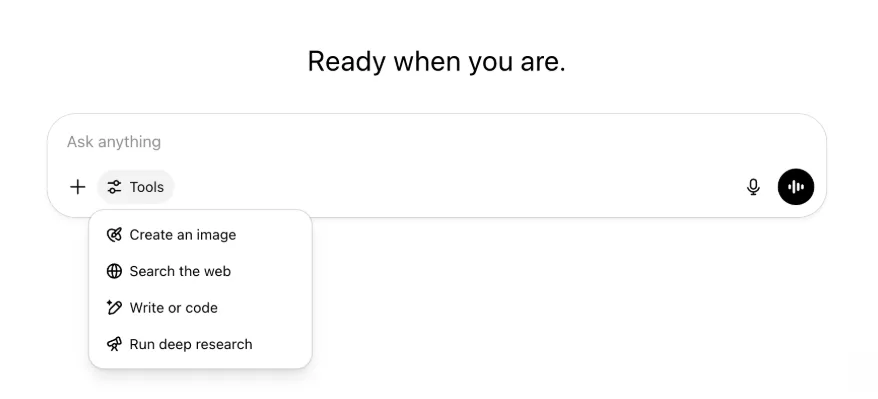
Усі можливості й інструменти залишилися — тепер вони лише впорядковані й доступніші в одному меню.
22 травня 2025 року
Випуск GPT-4.1 у ChatGPT
Від квітневого запуску в API GPT-4.1 стала улюбленою моделлю розробників. На численні прохання ми робимо її доступною безпосередньо в ChatGPT.
GPT-4.1 — спеціалізована модель, що особливо добре виконує завдання програмування. Порівняно з GPT-4o вона ще краще точно дотримується інструкцій і виконує завдання веброзробки, а для простіших повсякденних потреб програмування є альтернативою OpenAI o3 та OpenAI o4-mini.
Відсьогодні користувачі Enterprise та Edu можуть отримати доступ до GPT-4.1 через розкривне меню «Інші моделі» в засобі вибору моделі. Для платних користувачів GPT-4.1 має ті самі ліміти запитів, що й GPT-4o.
Представляємо GPT-4.1 mini, яка замінює GPT-4o mini в ChatGPT
GPT-4.1 mini — швидка, потужна й ефективна мала модель, яка значно перевершує GPT-4o mini в дотриманні інструкцій, програмуванні та загальному рівні інтелекту. GPT-4.1 mini замінює GPT-4o mini в меню «Інші моделі» для платних користувачів і стане резервною моделлю для безплатних користувачів після досягнення лімітів використання GPT-4o. Ліміти запитів не змінюються.
Результати оцінювання GPT-4.1 і GPT-4.1 mini спочатку було опубліковано в дописі блогу, присвяченому їх випуску в API. Вони також пройшли стандартні оцінювання безпеки. Докладні результати доступні в новому центрі оцінювання безпеки.
15 травня 2025 року
Експорт поглибленого дослідження у форматі PDF
Тепер звіти поглибленого дослідження можна експортувати як належно оформлені PDF-файли з таблицями, зображеннями, активними посиланнями на цитати й джерела.
Щоб скористатися функцією, натисніть піктограму спільного доступу й виберіть «Завантажити як PDF». Вона працює як для нових, так і для попередніх звітів.
Об’єднання елементів поля введення в мобільному інтерфейсі (iOS/Android)
Ми прибрали ряд окремих піктограм інструментів із мобільного поля введення й замінили його новою піктограмою у вигляді повзунків для відкриття меню Навички. Натискання цієї кнопки відкриває нижнє меню, де можна вибрати такі інструменти, як «Створити зображення» або «Пошук в інтернеті».

Жоден інструмент не вилучено — доступ до них просто об’єднано, щоб звільнити місце й зменшити захаращеність екрана.
8 травня 2025 року
Аналітика користувачів у ChatGPT — загальнодоступна версія
Оновлена панель аналітики користувачів доступна в консолі Керування робочим простором на вкладці «Аналітика». Вона надає повніші дані про використання, упровадження й залученість, ніж початкова вкладка аналітики.
Оновлена панель дає адміністраторам загальне уявлення про використання ChatGPT у вашій організації. Вона допомагає відстежувати впровадження й залученість, аналізувати використання найпопулярніших інструментів і GPT, а також виявляти сценарії використання та тенденції серед користувачів.
Див. Аналітика користувачів для ChatGPT Enterprise та Edu і Compliance API та аналітика користувачів у ChatGPT Enterprise/Edu.
2 травня 2025 року
Генерація зображень 4o у GPT
GPT тепер можуть використовувати можливості генерації зображень ChatGPT, щоб створювати зображення на запит користувачів.
Автори GPT можуть увімкнути «Генерацію зображень 4o» в розділі «Налаштувати» редактора GPT у підрозділі Можливості.
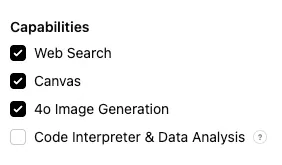
1 травня 2025 року
Поглиблене дослідження
Користувачі, які досягнуть місячного ліміту стандартної моделі поглибленого дослідження — 10 завдань на місяць, — автоматично отримають ще 15 запитів на цей місяць у нашій легкій та економній версії до скидання місячного ліміту.
Докладніше про поглиблене дослідження.
Завдання в o3 та o4-mini
Тепер за допомогою o3 та o4-mini можна створювати заплановані завдання, щоб ChatGPT виконував автоматизовані запити й самостійно звертався до вас за розкладом. Варіант «ChatGPT із запланованими завданнями» видалено із засобу вибору моделі.
Докладніше про заплановані завдання в ChatGPT.
24 квітня 2025 року
o3 та o4-mini
Після появи o3 та o4-mini / o4-mini-high вони замінять у ChatGPT моделі o1 та o3-mini / o3-mini-high відповідно.
OpenAI o3 — наша найпотужніша модель міркування, що розширює межі передових можливостей у програмуванні, математиці, науці, візуальному сприйнятті тощо. Вона встановлює новий найкращий результат у тестах, зокрема Codeforces, SWE-bench (без створення спеціального каркаса для конкретної моделі) і MMMU. Вона ідеально підходить для складних запитів, що потребують багатогранного аналізу й не мають очевидної відповіді. Модель особливо добре виконує візуальні завдання, як-от аналіз зображень, діаграм і графіки. За оцінками зовнішніх експертів, o3 припускається на 20% менше серйозних помилок, ніж OpenAI o1, у складних реальних завданнях, особливо у програмуванні, бізнесі й консалтингу та генеруванні творчих ідей. Перші тестувальники відзначили її аналітичну строгість як партнера для обмірковування та здатність створювати й критично оцінювати нові гіпотези, особливо в біології, математиці та інженерії.
OpenAI o4-mini — менша модель, оптимізована для швидких і економних міркувань. Для своїх розміру й вартості вона демонструє виняткові результати, особливо в математиці, програмуванні та візуальних завданнях. Це найрезультативніша протестована модель у AIME 2024 і 2025. За оцінками експертів, вона також перевершує попередницю o3‑mini у завданнях поза STEM і в таких галузях, як наука про дані. Завдяки ефективності o4-mini має значно вищі ліміти використання, ніж o3, тому є чудовим варіантом із великим обсягом і високою пропускною здатністю для запитань, що потребують міркування.
10 квітня 2025 року
ChatGPT Images
Генерація зображень у GPT-4o тепер доступна всім користувачам як типовий генератор зображень у ChatGPT. Користувачі, які віддають перевагу DALL·E, і надалі можуть користуватися ним через GPT DALL·E.
Щоб створити зображення за допомогою ChatGPT, просто попросіть модель створити його з потрібними деталями або виберіть «Створити зображення» в полі введення повідомлення. Докладніше.
31 березня 2025 року
Аналітика користувачів у ChatGPT — загальнодоступна бета-версія
Оновлена панель аналітики користувачів доступна в консолі «Керування робочим простором» на вкладці «Аналітика». Вона надає повніші дані про використання, упровадження й залученість, ніж початкова вкладка аналітики.
Оновлена панель дає адміністраторам загальне уявлення про використання ChatGPT в організації. Вона допомагає відстежувати впровадження й залученість, аналізувати використання найпопулярніших інструментів і GPT, а також виявляти сценарії використання та тенденції серед користувачів.
Докладніше див. у статті «Аналітика користувачів для ChatGPT Enterprise та Edu (загальнодоступна бета-версія)».
20 березня 2025 року
Оновлення спільних проєктів
Ми відкладаємо запуск спільних проєктів із доступом на перегляд і редагування, щоб створити більш орієнтовану на співпрацю версію, корисну для користувачів.
13 березня 2025 року
Програмування за допомогою «Роботи із застосунками» в macOS
Під час роботи з IDE можна попросити ChatGPT безпосередньо відредагувати відкриті файли — копіювати й вставляти нічого не потрібно. Коли ви попросите внести зміни, ChatGPT створить відмінності, які можна переглянути й застосувати. Також доступне автоматичне застосування змін. Відмінності легко скасувати в інтерфейсі ChatGPT або натиснувши CMD+Z у редакторі.
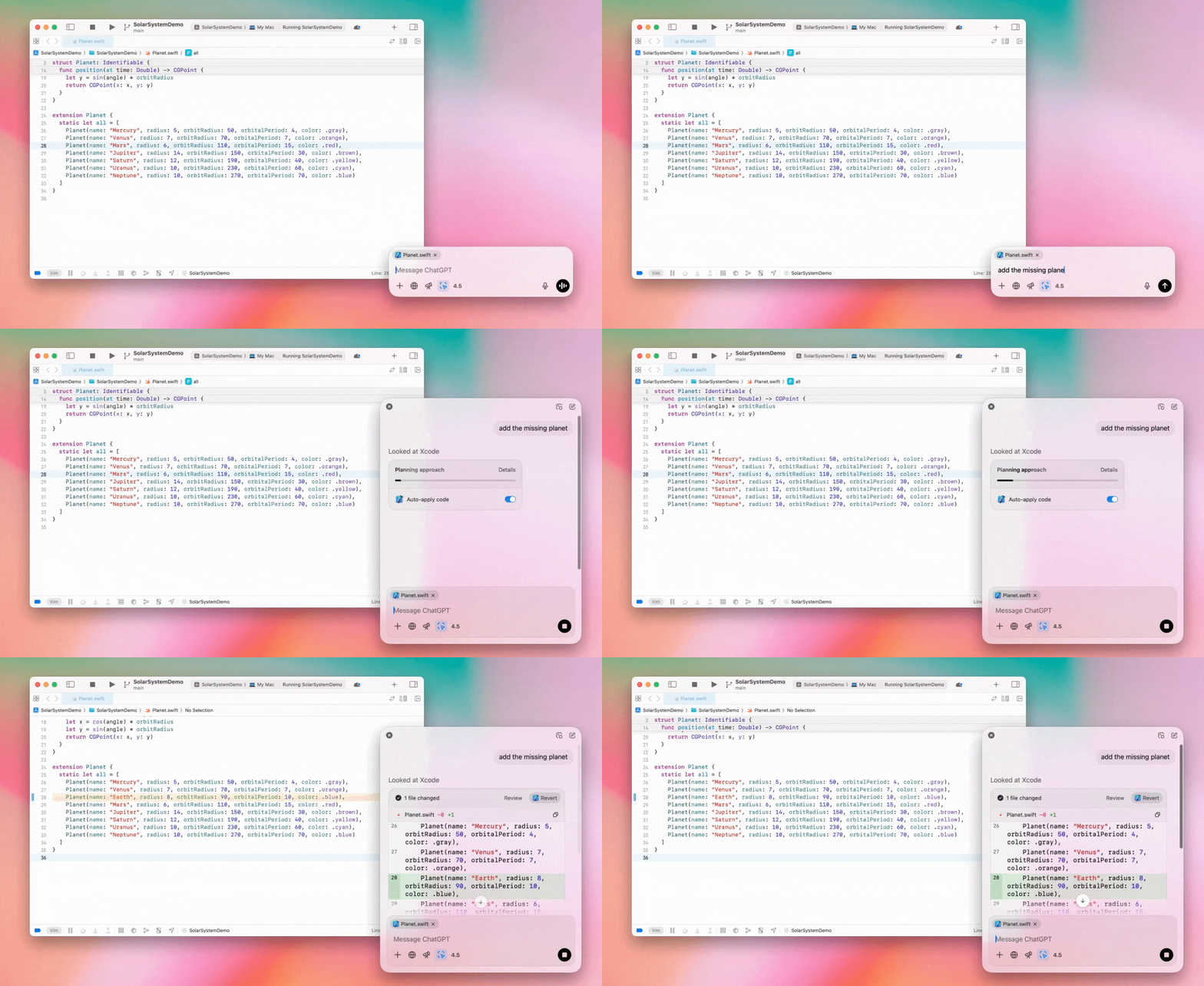
Адміністратори Enterprise можуть вимкнути перемикач «Робота із застосунками» в налаштуваннях адміністратора, щоб вимкнути цю функцію для учасників робочого простору.
GPT-4.5 у ChatGPT
Від 13 березня 2025 року користувачі планів Enterprise та Edu можуть використовувати нашу модель GPT-4.5 у ChatGPT!
Докладніше див. у матеріалі «GPT-4.5 у ChatGPT».
10 березня 2025 року
Поглиблене дослідження в Compliance API для ChatGPT
Станом на 10 березня 2025 року клієнтам Enterprise, які використовують Compliance API, доступні такі варіанти:
Знайдіть «глобальний запит поглибленого дослідження».
Знайдіть у відповіді назву інструмента {"tool_name":"deep_research"}.
25 лютого 2025 року
Поглиблене дослідження в ChatGPT
Поглиблене дослідження в ChatGPT тепер доступне користувачам плану Enterprise.
Поглиблене дослідження дає ChatGPT змогу автономно й асинхронно переглядати вебсторінки, щоб виконувати ваші професійні або особисті завдання.
Користувачам Enterprise та Edu доступно 10 запитів поглибленого дослідження на місяць.
Докладніше див. у наших поширених запитаннях про поглиблене дослідження.
13 лютого 2025 року
Режим o1 pro та o3-mini в ChatGPT
У ChatGPT режим o1 pro тепер доступний для Enterprise, а o3-mini — для Enterprise Edu!
o3-mini: модель OpenAI o3-mini замінила o1-mini в засобі вибору моделі. Вона економніша й пропонує вищі ліміти запитів із меншою затримкою. Це модель міркування, яка чудово підходить для програмування, завдань STEM і логічного розв’язання проблем. o3-mini показує ланцюжок міркувань і може переглядати вебсторінки.
Режим o1 pro: цього тижня в засобі вибору моделі також з’явиться режим o1 pro. Він створений для точності й глибини та чудово працює в дослідженнях, інженерії, бізнесі й праві — ідеально для фахівців, які розв’язують надзвичайно складні завдання. Режиму o1 pro потрібно більше часу для обмірковування проблеми. Тому відповідь може надійти не відразу. Через високу обчислювальну складність кожен користувач може надіслати не більше п’яти запитів на місяць. Для більшості завдань оптимальними й надалі будуть o1, o3-mini або GPT-4o.
Щодо завантаження файлів
Зображення, документи й PDF підтримуються в моделях o1, o3-mini та o3-mini-high*. Електронні таблиці (CSV/Excel) не підтримуються.*
У режимі o1 pro підтримуються лише зображення. Документи, PDF та електронні таблиці (CSV/Excel) не підтримуються.
Спільний доступ до Canvas
Користувачі ChatGPT Enterprise та Edu тепер можуть ділитися матеріалами Canvas, як-от відтвореним кодом React/HTML, документом або кодом, з іншим користувачем так само, як розмовою. Це можна зробити на панелі інструментів Canvas, коли його відкрито.
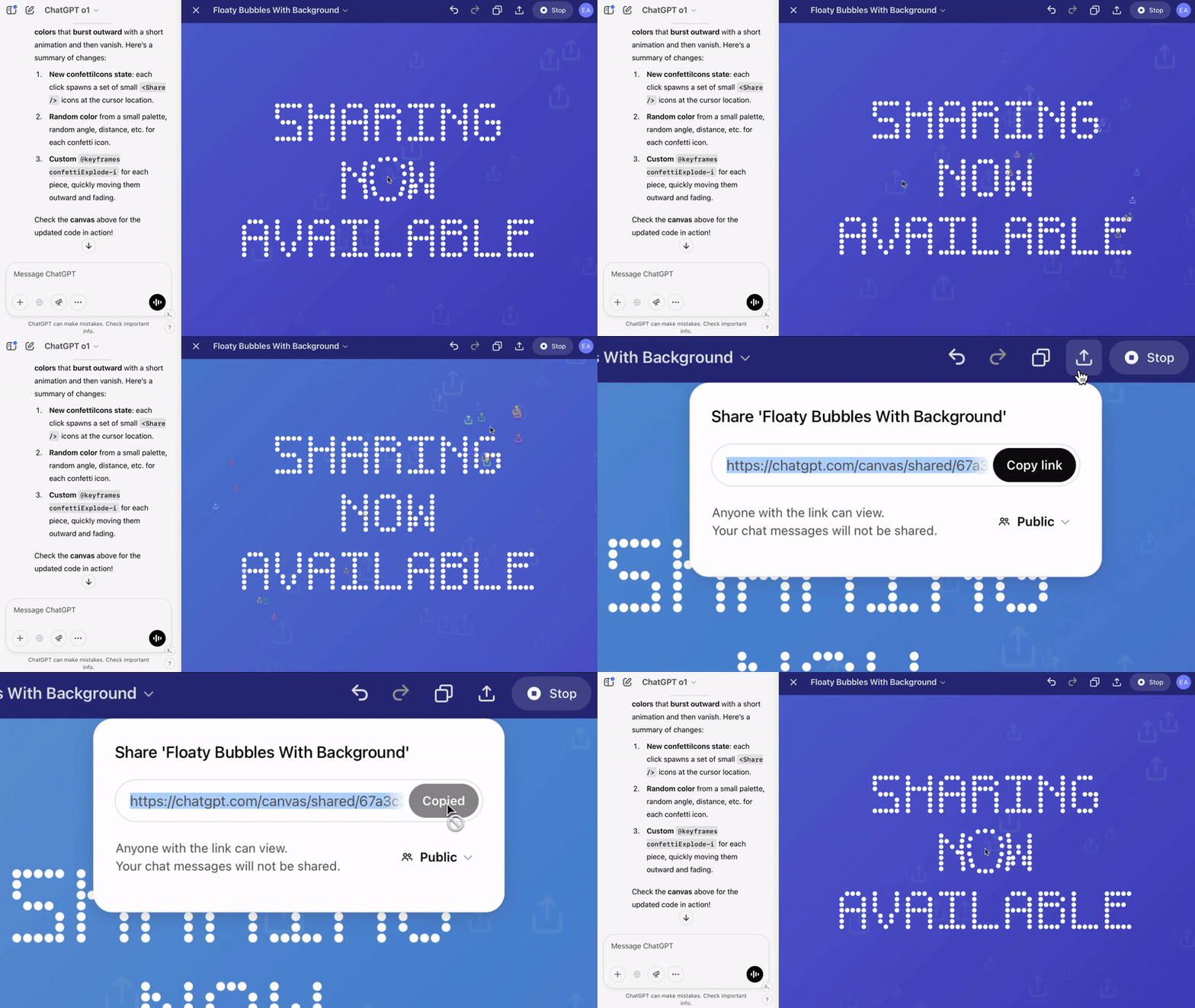
Докладніші відомості про Canvas у ChatGPT див. у відповідній статті Довідкового центру!
23 січня 2025 року
Проєкти
Проєкти тепер доступні в усіх платних планах, зокрема Enterprise та Edu.
Докладніше див. у матеріалі «Використання проєктів у ChatGPT».
16 січня 2025 року
Візуальне розпізнавання PDF-файлів у ChatGPT Enterprise
ChatGPT Enterprise тепер може читати й розуміти візуальні елементи — зображення, графіки, діаграми тощо — вбудовані в PDF-файли. Користувачі можуть завантажити PDF-файл, а ChatGPT інтерпретує текст і всі його візуальні елементи.
Докладніше див. у поширених запитаннях про візуальне розпізнавання PDF-файлів.
12 грудня 2024 року
o1
Відсьогодні всі клієнти ChatGPT Enterprise можуть вибрати o1 у засобі вибору моделі; вона замінює o1-preview.
o1 тепер може міркувати над завантаженими зображеннями, відкриваючи нові сценарії завдяки детальнішому й точнішому аналізу та поясненню візуальних матеріалів. Ми також навчили модель міркувати стисло, тому вона відповідає швидше за o1-preview.
11 грудня 2024 року
Apple Intelligence із ChatGPT
Адміністратори ChatGPT тепер можуть вмикати й вимикати доступ до Apple Intelligence у налаштуваннях адміністратора робочого простору в розділі «Підключення».
Якщо цей параметр вимкнено, користувачі не зможуть вибрати робочий простір ChatGPT Enterprise/Edu під час входу з обліковими даними OpenAI.
10 грудня 2024 року
Canvas
Сьогодні ми зробили Canvas доступним у 4o за замовчуванням для всіх користувачів — як безплатних, так і платних. Крім того, ми додали до Canvas низку нових можливостей, зокрема:
Canvas у GPT: тепер Canvas можна використовувати з GPT, якщо ввімкнути цю функцію в конструкторі GPT. Для нових GPT цей перемикач буде ввімкнено за замовчуванням.
Виконання коду Python: тепер ви можете виконувати код Python у Canvas. ChatGPT спробує виправити помилки у вашому коді й додасть коментарі щодо них. Зверніть увагу: під час виконання коду Python можуть надсилатися зовнішні мережеві запити. Адміністратори робочих просторів Enterprise можуть вимкнути виконання коду Python за допомогою перемикача Виконання коду в Canvas в налаштуваннях адміністратора. За замовчуванням цю функцію вимкнено для всіх облікових записів Enterprise.
Швидкий доступ до Canvas: тепер ви можете вставити вміст у ChatGPT і миттєво відкрити його в Canvas за допомогою кнопки у верхньому правому куті поля введення повідомлення.
Canvas на панелі інструментів: Canvas додано як опцію на панель інструментів.
Адміністратори робочих просторів тепер можуть використовувати Compliance API, щоб отримувати, переглядати списки й видаляти текстові документи Canvas.
Зверніть увагу: налаштування адміністратора для вимкнення Canvas видалено, оскільки ця функція вийшла з бета-тестування. Якщо раніше цю функцію було вимкнено, відповідне налаштування й надалі діятиме. Зверніться до нашої служби підтримки через значок чату в правому нижньому куті цієї сторінки.
3 грудня 2024 року
Робота із застосунками в macOS
За допомогою функції «Робота із застосунками» в macOS ChatGPT тепер може читати вміст із ваших застосунків для програмування й надавати розумніші, точніші та адаптовані до роботи відповіді. Докладніше про Роботу із застосунками в macOS.
Адміністратори Enterprise можуть вимкнути перемикач «Робота із застосунками» в налаштуваннях адміністратора, щоб вимкнути цю функцію для учасників робочого простору.
22 листопада 2024 року
Оновлення вебверсії ChatGPT
Протягом наступних двох тижнів ми впровадимо наведені нижче оновлення для всіх користувачів ChatGPT.
Оновлений дизайн бічної панелі
Додано новий плавучий режим із м’яким закриттям
Кількість нещодавніх розмов на бічній панелі тепер обмежена, а всі розмови доступні у висувній панелі з нескінченним прокручуванням
Нещодавні й закріплені GPT тепер відображаються під розмовами
Налаштування тепер завжди розташовані внизу бічної панелі
На великих екранах, коли бічну панель закрито, додано невелику піктограму налаштувань
Додано нові переходи для більшого ефекту занурення
Інші оновлення вебверсії ChatGPT
Основу сайту оновлено, що значно покращило підтримку ширшого спектра пристроїв і розмірів екрана
Після початку нової розмови вона тепер прокручується у видиму область у верхній частині екрана
Під час створення повідомлення нова розмова більше не прокручується автоматично донизу
Якщо достатньо місця, закріплена бічна панель тепер може залишатися відкритою разом з активним Canvas
Оновлена панель введення під час прокручування плавно затінює вміст під нею й має новий вигляд
Для зручнішого доступу кнопку нового чату переміщено ліворуч від засобу вибору моделі
Системну піктограму в розмовах видалено, щоб звільнити більше місця по горизонталі
Оновлено макет спеціального подання DALL-E
Оновлено макет конструктора GPT
Покращена мобільна вебверсія
Значно покращено роботу з екранною клавіатурою на мобільних пристроях iOS та Android
Нова бічна панель завжди працює в плавучому режимі й автоматично закривається під час переходу між гілками
У мобільній вебверсії під час перемикання розмов фокус більше не переходить у поле введення повідомлення
Має бути виправлено проблему, через яку прокручування іноді зависало
20 листопада 2024 року
Оновлення GPT-4o
Ми оновили GPT-4o для користувачів ChatGPT на всіх платних рівнях. Оновлення GPT-4o покращує написання текстів: вони стали природнішими, краще враховують аудиторію, а також мають вищу доречність і читабельність. Ця модель також краще працює із завантаженими файлами, надаючи глибші висновки й докладніші відповіді.
19 листопада 2024 року
Розширений голосовий режим для вебверсії ChatGPT
Відсьогодні ми починаємо впроваджувати розширений голосовий режим у вебверсії; він уже доступний у мобільному й настільному застосунках. Тепер користувачі можуть розпочати голосовий чат на chatgpt.com на комп’ютері й вести природні розмови з ChatGPT у реальному часі, плануючи, пишучи тексти чи обговорюючи ідеї.
14 листопада 2024 року
Застосунок для Windows
Покращений застосунок для Windows тепер доступний у Microsoft Store для робочих просторів ChatGPT Enterprise та Edu. Користувачі ChatGPT, знайомі з вебверсією, можуть легко інтегрувати застосунок для Windows у будь-яку роботу на комп’ютері.
Доступ користувачів до застосунку ChatGPT для Windows визначатиметься політиками ІТ-адміністратора щодо застосунків у Microsoft Store. У найближчі тижні ІТ-адміністратори також зможуть розгортати застосунок на пристроях працівників через MDM/MAM замість дозволу на пряме завантаження з магазину.
Як і в будь-якій функції ChatGPT Enterprise, історія чатів користувача захищена й не використовуватиметься для вдосконалення сервісів OpenAI.
Докладніше про застосунок ChatGPT для Windows.