
3. syyskuuta 2026
Zendesk- ja OneNote-lisäosat ChatGPT:ssä ja Codexissa [beeta]
Lisäsimme tänään Zendesk- ja OneNote-lisäosat lisäosahakemistoon. Zendesk-lisäosa auttaa tiimejä tarkastelemaan tukipyyntöjä ja asiakashistoriaa, löytämään olennaista tietoa sekä valmistelemaan vastauksia ChatGPT:ssä ja Codexissa. Jäsenet yhdistävät omat Zendesk-tilinsä ja käsittelevät tukitietoja, joihin heillä on käyttöoikeus.
OneNote-lisäosa auttaa etsimään ja tiivistämään muistiinpanoja, kokoamaan päätöksiä ja tehtäviä sekä luomaan tai päivittämään muistiinpanoja tuettujen toimintojen avulla ChatGPT:ssä ja Codexissa.
Lue lisää: Zendesk-lisäosa, OneNote-lisäosa.
Jaa Sites-sivuja työtilasi ulkopuolisille henkilöille
Ehdot täyttävissä ChatGPT Enterprise -työtiloissa Sites-sivujen omistajat voivat nyt jakaa julkaistuja Sites-sivuja nimetyille ulkopuolisille katsojille. Vastaanottajat kirjautuvat sisään tilillä, jolle käyttöoikeus on myönnetty, ja voivat tarkastella jaettua Sites-sivua liittymättä työtilaan. Katseluoikeus ei myöskään anna muokkaus- tai julkaisuoikeuksia eikä tee Sites-sivusta julkista.
Työtilan omistajat ja ylläpitäjät voivat sallia kutsut valituille rooleille ottamalla käyttöön asetukset Sites ja Salli jäsenten kutsua ulkopuolisia vierailijoita sivustoille kohdassa Työtilan asetukset > Käyttöoikeudet ja roolit. Tämä käyttöoikeus on erillinen julkisesta julkaisemisesta. Lue lisää hallintatoiminnoista artikkelista ChatGPT Sites -sivujen hallinta työtilassasi.
Selain- ja tietokonekäytön tarkempi hallinta
Uusien käytäntöasetusten avulla yritysten ylläpitäjät voivat hallita entistä tarkemmin selainten ja natiivisovellusten käyttöä tuetuissa työpöytäsovelluksissa. Ylläpitäjät voivat määrittää verkkosivustojen oletukset ja poikkeukset, rajoittaa lähetyksiä, latauksia, selainhistoriaa ja kehittäjäkäyttöä sekä hallita automaattista tarkistusta, tallennettuja hyväksyntöjä ja sivustojen hyväksyntöjen voimassaoloaikaa. Natiivisovellusten säännöillä voidaan sallia tai estää tiettyjä macOS- ja Windows-sovelluksia. Ylläpitäjät voivat myös rajoittaa tietojen tuontia toisesta selaimesta.
Jos käytäntöeditori on käytettävissä, avaa Codexin käytännöt ja määritykset ja muokkaa käytännön vaatimuksia. Hallintatoiminnot koskevat tuettuja sovelluksia ja alustoja. Sivuston tai sovelluksen salliminen ei ohita muita käytäntöjä tai hyväksyntäkehotteita. Lue lisää hallituista selain- ja tietokonekäytön asetuksista.
1. syyskuuta 2026
Terveydenhuollon lisäosat ChatGPT:hen ja Codexiin
Ehdot täyttävissä ChatGPT terveydenhuoltoon -työtiloissa ja HIPAA-tuetuissa ChatGPT Enterprise -työtiloissa voidaan nyt käyttää kahta terveydenhuollon lisäosaa ChatGPT:ssä ja Codexissa:
Terveydenhuollon julkiset tiedot: Hae yhdeksästä julkisesta terveydenhuollon tietolähteestä lääketieteellistä tutkimusta, kliinisiä tutkimuksia, lääketietoja, Medicare-tietoja ja terveydenhuollon palveluntarjoajien tietoja. Lisäosa on vain luku -tilassa, eikä se käsittele potilaskertomuksia.
Epic: Tarkastele organisaatiosi Epic-potilastietojärjestelmässä olevia potilastietoja, joihin sinulla on käyttöoikeus. Käyttöoikeus on vain luku -muotoinen ja edellyttää järjestelmänvalvojan määrittämää Epic EHR -sovellusta, henkilökohtaista Epic-kirjautumista sekä voimassa olevia potilaskertomusten käyttöoikeuksia.
Järjestelmänvalvojat hallitsevat erikseen lisäosien saatavuutta ja sovellusten käyttöoikeuksia. Älä sisällytä suojattuja terveystietoja julkisiin terveydenhuollon tietolähteisiin lähetettäviin hakuihin. Ennen kuin käytät Epiciä suojattujen terveystietojen käsittelyyn, varmista, että organisaatiollasi on sovellettava liikekumppanisopimus (Business Associate Agreement) ja hyväksytty työtilan määritys.
Lue lisää: Terveydenhuollon julkisten tietojen käyttäminen ChatGPT:ssä ja Codexissa ja Epic-lisäosan käyttäminen ChatGPT:ssä ja Codexissa.
28. elokuuta 2026
Tuo ja synkronoi lisäosamarkkinapaikkoja GitHubista
Työtilan järjestelmänvalvojat ja omistajat voivat jakaa julkisten tai yksityisten GitHub-repositorioiden lisäosamarkkinapaikkoja keskitetysti ja pitää lisäosat ajan tasalla automaattisella päivittäisellä synkronoinnilla. Aloita valitsemalla Työtilan asetukset > Lisäosat ja sitten Lisää > Tuo markkinapaikka. Voit myös pyytää markkinapaikan päivitystä valitsemalla Synkronoi nyt.
Järjestelmänvalvojat ja omistajat hallitsevat työtilan asetuksissa asennuskäytäntöjä, jotka koskevat tähän oikeutettuja rooleja ja vaadittua sovellusten käyttöoikeutta. Repositoriokäytännön arvot eivät ohita näitä asetuksia, ja sovellusten käyttöoikeuksia sekä tunnistautumista koskevat vaatimukset ovat edelleen voimassa. Lue lisää markkinapaikan määrittämisestä ja tutustu tuettuihin muotoihin ja määrityksiin.
27. elokuuta 2026
Keskitetty identiteetinhallinta hallintakonsolissa
Ehdot täyttävät ChatGPT Enterprise- ja ChatGPT Edu -asiakkaat voivat nyt hallita useampia työtila- ja identiteettiasetuksia hallintakonsolissa:
Hallitse työtilan jäseniä, ryhmiä, rooleja, käyttöoikeuksia ja yleisiä asetuksia.
Synkronoi käyttäjät ja ryhmät kerran keskitetyn, koko vuokraajan kattavan SCIMin kautta ja määritä sitten ryhmiä tuettuihin ChatGPT-työtiloihin tai Ads-tileihin.
Hallitse Ads-tilien käyttäjiä ja rooleja, jos toiminto on saatavilla.
Nykyisiä työtilakohtaisia SCIM-määrityksiä tuetaan edelleen.
Lue lisää: Vuokraajan hallinta hallintakonsolissa ja SCIM-käyttöönotto ja -hallinta.
Mallien käyttöoikeuksien hallinta, työtilan asetukset ja Windows-parannukset
Olemme julkaisseet Enterprise- ja Edu-työtiloihin vaikuttavia parannuksia:
Mallien käyttöoikeuksien hallinnan avulla työtilan omistajat voivat hallita tuettujen mallien käyttöä työtila- ja roolikohtaisesti.
Käyttäjät, ryhmät, roolit, käyttöoikeudet ja yleiset asetukset ovat nyt hallintakonsolissa. Ne ovat edelleen käytettävissä työtilan asetuksissa, ja nykyisten välilehtien napsauttaminen vie hallintakonsoliin. Nykyiset käyttöoikeudet ovat edelleen voimassa. Lue lisää: roolipohjainen käyttöoikeuksien hallinta ja työtilan asetukset.
Codexin Windows-parannuksiin kuuluvat
codex doctor-diagnostiikka, Windowsin Remote Control -toiminto muiden laitteiden etäohjaukseen sekä ensisijaisen Linux-jakelun valinta, kun asennettuna on useita WSL-jakeluita. Hallituissa laitteissa on käytettävä järjestelmänvalvojan MDM:n kautta hyväksymää koontiversiota. Saatavuus riippuu työtilastasi ja sovelluksen koontiversiosta. Lue lisää: Codex.
25. elokuuta 2026
Jaetut ajastetut tehtävät ja webhookin käynnistämät tehtävät
Enterprise-, Edu- ja ChatGPT terveydenhuoltoon -työtilojen jäsenet voivat jakaa mukautettavia ajastettuja tehtäviä työtilassaan. Ylläpitäjät voivat myös ottaa Workissa käyttöön webhookin käynnistämät tehtävät, jotta hyväksytyt sovellukset voivat tuoda olennaiset päivitykset esiin ilman jatkuvaa manuaalista tarkistamista. ChatGPT terveydenhuoltoon -palvelussa nämä tehtävät eivät kuulu liikekumppanisopimuksen (Business Associate Agreement, BAA) piiriin, eikä niitä saa käyttää suojattujen terveystietojen (PHI) siirtämiseen, tallentamiseen tai käsittelyyn.
Tuettuja webhookeja ovat uudet Gmail-viestit, Slack-kanavien viestit ja GitHubin pull request -tapahtumat.
Luo webhookin käynnistämiä tehtäviä
Ehdot täyttävät jäsenet voivat pyytää Workia verkossa, iOS:ssä ja Androidissa reagoimaan uuteen Gmail-viestiin, Slack-kanavan viestiin tai tuettuun GitHubin pull request -tapahtumaan. Voit esimerkiksi pyytää ChatGPT:tä tekemään yhteenvedon Slackissa saadusta asiakaspalautteesta tai valmistelemaan seuraavat vaiheet GitHubin pull request -muutoksen jälkeen. Jäsenet tarvitsevat Work-käyttöoikeuden ja hyväksytyn sovelluksen käyttöoikeuden. Lisää @ChatGPT jokaiselle seurattavalle Slack-kanavalle. Enterprise-, Edu- ja ChatGPT terveydenhuoltoon -työtilojen ylläpitäjien on ensin otettava käyttöön Salli tapahtumien käynnistämät ajastetut tehtävät kohdassa Käyttöoikeudet & roolit > Work. Tämä käyttöoikeus on oletusarvoisesti poissa käytöstä.
Jaa ajastettuja tehtäviä
Ehdot täyttävät jäsenet voivat jakaa ajastettuja tai webhookin käynnistämiä tehtäviä saman työtilan muille jäsenille. Vastaanottajat voivat tarkistaa ja mukauttaa ohjeita sekä tarvittaessa aikataulua. Ylläpitäjät hallitsevat jakamista asetuksella Jaa keskusteluja ja ajastettuja tehtäviä työtilassa. Webhookin käynnistämän kopion ajastaminen edellyttää myös asetusta Salli tapahtumien käynnistämät ajastetut tehtävät, käyttöoikeutta Work-palveluun sekä vastaanottajan omaa hyväksyttyä yhdistettyä sovellusta.
Lisätietoja: Ajastetut tehtävät ChatGPT:ssä.
20. elokuuta 2026
Enterprise-ominaisuuksien päivitykset
Työtilan omistajat ja järjestelmänvalvojat voivat automatisoida kutsujen ja jäsenten hallinnan uusilla työtilakohtaisilla Admin API -rajapinnoilla. Kutsurajapinnoilla voi luetella, hakea, luoda, lähettää uudelleen ja poistaa kutsuja. Käyttäjärajapinnoilla voi hakea kutsun hyväksyneet jäsenet. Lisäksi työtilan omistajat voivat päivittää sisäänrakennettuja rooleja tai käyttöpaikkoja ja poistaa työtilan jäsenyyksiä. SCIM-hallittuja muutoksia tehdään edelleen identiteetintarjoajan kautta, ja viimeisen omistajan poistaminen on estetty. Lisätietoja määrityksistä ja käyttöoikeuksista on artikkelissa Admin-avainten hallinta. Endpoint-polut ja skeemat ovat Admin API -rajapinnan viiteoppaassa.
Yleisestä hallintakonsolista näkee nyt entistä selkeämmin, missä vuokraajaympäristössä tai työtilassa työskennellään. Tuetuille sivuille on myös lisätty työtilakohtaiset URL-osoitteet. Työtilan jäsenet voivat tarkastella vain omaa toimintaansa koskevaa analytiikkaa. Useiden käyttäjien tietoja voivat tarkastella vain siihen valtuutetut roolit. ChatGPT-työtilan asetukset säilyvät nykyisessä sijainnissaan. Lue lisää yleisestä hallintakonsolista.
Henkilökohtainen analytiikka tukee Workia ja Codexia vaatimukset täyttävissä Enterprise- ja Edu-työtiloissa. Kun järjestelmänvalvoja on ottanut lisäosan käyttöön, jäsenet voivat asentaa sen ChatGPT-työpöytäsovellukseen ja kysyä kirjautuneeseen käyttäjätunnukseensa liittyvästä toiminnasta sekä työtilan yksityisyyttä suojaavista koostetuista trendeistä. Ominaisuus on vain luku -tilassa, eikä se voi näyttää toisen käyttäjän yksilöllistä toimintaa tai toisen työtilan tietoja. Lue lisää henkilökohtaisesta analytiikasta.
Tee yhteistyötä ChatGPT Sitesissa (vain Enterprise). Enterprise-työtiloissa Site-sivuston omistaja voi lisätä saman työtilan aktiivisia jäseniä muokkaajiksi. Muokkaajat voivat päivittää ja tallentaa Site-sivuston. Kun omistaja on julkaissut sen ensimmäisen kerran, muokkaajat voivat julkaista myöhemmät versiot samaan Site-URL-osoitteeseen. Omistajat hallitsevat edelleen jakamista, Site-asetuksia, analytiikkaa, omistajuutta, versioiden palauttamista ja muokkaajien käyttöoikeuksia. Yhteismuokkauksessa käytetään työtilan nykyisiä Sites-hallinta-asetuksia, eikä sille lisätä erillistä RBAC-valintaa. Julkinen julkaiseminen on oletusarvoisesti poissa käytöstä ja järjestelmänvalvojan hallinnassa. Lue lisää ChatGPT Sitesin hallinnasta työtilassasi.
Käytä Applen Viestit-sovellusta Codexista ja ChatGPT Workista. Applen suorittimilla varustetuissa Mac-tietokoneissa ChatGPT-työpöytäsovelluksen Applen Viestit-lisäosa voi lukea iMessage-, SMS- ja RCS-keskusteluja, tehdä niistä hakuja sekä valmistella tai lähettää viestejä Viestit-sovelluksella. Oletusarvoisesti ChatGPT pyytää käyttäjää hyväksymään viestin ja vastaanottajat ennen lähettämistä. Hallinnoitujen työtilojen järjestelmänvalvojat voivat poistaa Applen Viestit-sovelluksen käytöstä nykyisellä tietokoneen käytön hallinta-asetuksella. Lue lisää Applen Viestit-lisäosasta.
Käytä tietokonehistoriaa entistä useammilla alueilla (vain Enterprise). Tietokonehistoria on nyt Enterprise-käyttäjien saatavilla ETA-alueella, Sveitsissä ja Yhdistyneessä kuningaskunnassa macOS:n ChatGPT-työpöytäsovelluksessa. Ominaisuus on oletusarvoisesti poissa käytöstä ja edellyttää Muistia. Työtilan järjestelmänvalvojan on otettava se käyttöön, ennen kuin jäsen voi liittyä mukaan. Lue lisää tietokonehistoriasta.
Jaa Codex-keskustelusta vain luku -tilassa oleva tilannevedos. Työtilan jakolinkit toimivat vain alkuperäisen työtilan tunnistautuneille jäsenille, ja järjestelmänvalvojat voivat poistaa ne käytöstä. Tilannevedos ei päivity, kun alkuperäinen keskustelu muuttuu. Codex peittää tunnetut salaisuuksia vastaavat merkkijonot, mutta käyttäjien on tarkistettava tilannevedos, sillä siihen voi jäädä arkaluonteisia polkuja, diff-tiedostoja, kuvia tai muuta sisältöä. Lue lisää Codex-keskustelun jakamisesta.
Vie julkinen lisäosaluettelo. Vaatimukset täyttävien ChatGPT Enterprise -työtilojen omistajat ja järjestelmänvalvojat voivat viedä CSV-tiedoston kohdasta Hallinta > Lisäosat > Julkiset > Vie CSV. Vientitiedot voivat olla enintään 48 tuntia vanhoja, eivätkä ne sisällä työtilassa luotuja lisäosia. Lue lisää julkisen luettelon viemisestä.
13. elokuuta 2026
Chat-mallin oletusasetukset
Työtilan omistajat ja ylläpitäjät voivat määrittää uuden Chat-keskustelun aloitusmallin ja päättelytason kohdassa Työtilan asetukset > Mallit. Omistajat ja ylläpitäjät voivat käyttää ylläpitäjän oletusasetusta tai sallia uusissa keskusteluissa asetuksen Käyttäjän viimeisin valinta. Oletusasetukset eivät anna pääsyä malleihin, jotka eivät ole käytettävissä, eivätkä ohita työtilan pakollisia vaatimuksia.
Uudet hallintatoiminnot edellyttävät ChatGPT Desktopin versiota 26.812.10818 tai uudempaa.
Uudistettu mallivalitsin Enterprise- ja Edu-työtiloihin
Enterprise- ja Edu-työtilojen jäsenille on tarjolla uudistettu mallivalitsin ja viestikenttä. Valitsimessa käytettävissä olevia älykkyysvaihtoehtoja on helpompi vertailla, mutta työtilan mallien saatavuus ja käyttöoikeuksien hallinta säilyvät ennallaan.
Valvontalokit yleisessä ylläpitokonsolissa
Työtilan omistajat ja ylläpitäjät voivat nyt tarkastella tuettuja valvontatapahtumia yleisessä ylläpitokonsolissa. Käyttöoikeudet ja tapahtumien kattavuus määräytyvät valitun työtilan ja ylläpitäjäroolin mukaan. Lue lisää.
Roolipohjaisten käyttöoikeuksien yhdistäminen
Enterprise- ja Edu-työtilojen omistajat voivat nyt määrittää tavallisten mukautettujen roolien tuetuille käyttöoikeuksille arvon Oletus, Käytössä tai Ei käytössä. Oletus perii työtilan asetuksen, Käytössä myöntää käyttöoikeuden nimenomaisesti ja Ei käytössä estää pääsyn vain kyseisen roolin kautta. ChatGPT arvioi kaikki sovellettavat tavalliset roolit yhdessä: jos jokin rooli myöntää käyttöoikeuden suoraan tai perimällä käytössä olevan työtila-asetuksen, jäsen säilyttää käyttöoikeuden. Asetus Ei käytössä estää pääsyn vain kyseisen roolin kautta. Jos kaikkien sovellettavien roolien asetuksena on Ei käytössä, pääsy estetään. Lukitustila arvioidaan erikseen, ja se voi rajoittaa verkkoa käyttäviä toimintoja entisestään. Lue lisää roolipohjaisesta käyttöoikeuksien hallinnasta.
Workin ja Codexin käyttö- ja kustannustiedot
Krediittipohjaista laskutusta käyttävien, ehdot täyttävien Enterprise-työtilojen jäsenet voivat tarkastella keskustelukohtaista krediittien kokonaiskäyttöä Workissa ja Codexissa. Käyttöluvut ja kustannusarviot on tarkoitettu suunnittelun tueksi, eivätkä ne ole laskuja. Jäsenet voivat tarkastella myös kuukausittaista käyttöä ja käyttöhistoriaa ChatGPT Desktopin Käyttö ja laskutus -välilehdellä. Tavallisen Chatin käyttö ei sisälly tietoihin. Ominaisuus edellyttää ChatGPT Desktopin versiota 26.812.10818 tai uudempaa. Lue lisää.
Personal Analytics -lisäosa
Personal Analytics -lisäosa on saatavilla ehdot täyttäville työtiloille. Kun työtilan omistaja tai ylläpitäjä on ottanut lisäosan käyttöön, jäsenet voivat asentaa sen ChatGPT Desktopiin ja esittää kysymyksiä omasta Work- ja Codex-toiminnastaan sekä työtilan käytettävissä olevista koostetuista trendeistä. Lue lisää.
Codex-palvelutilit
Ehdot täyttävät työtilat voivat luoda Codex-automaatiota varten palvelutilejä, joita ei ole tarkoitettu ihmisille. Työtilan omistajat ja ylläpitäjät voivat määrittää rooleja ja ryhmiä, hallita lisäosia, jakaa tilin hallintavastuun sekä myöntää rajattuja käyttöoikeustokeneita CI-suorittimille ja ajastetuille töille. Lue lisää.
Windows-työpöytäsovelluksen suorituskykyparannukset
ChatGPT:n Windows-työpöytäsovelluksen suorituskykyä on parannettu. Parannukset edellyttävät ChatGPT Desktopin versiota 26.803.41515 tai uudempaa.
Tietokonehistoria ChatGPT Enterpriseen
Tietokonehistoria on ChatGPT:n macOS-sovelluksen valinnainen ominaisuus, jonka avulla Enterprise-jäsenet voivat tuoda valittujen sovellusten ja verkkosivustojen kontekstia ChatGPT:hen ja Codexiin. Se tallentaa vuorovaikutustapahtumia, ei kuvakaappauksia, näyttötallenteita, mikrofonisyötettä tai järjestelmän ääntä. Yksityinen selaus ei sisälly tallennukseen.
Tietokonehistoria on oletusarvoisesti poissa käytöstä. Enterprise-ylläpitäjät voivat myöntää käyttöoikeuden roolin perusteella, minkä jälkeen kukin jäsen voi itse päättää ominaisuuden käyttöönotosta. Jäsenet voivat keskeyttää tietokonehistorian tallennuksen, valita siihen sisällytettävät sovellukset ja sivustot sekä tarkastella tai poistaa aikajanan kohteita. Huomaa, ettei tietokonehistoria ole tällä hetkellä käytettävissä ETA:ssa, Isossa-Britanniassa tai Sveitsissä.
10. elokuuta 2026
Yhdistettyjen sovellusten käyttäjäkohtaisen synkronoinnin lopettaminen
Uusia käyttäjäkohtaisesti valtuutettuja synkronointiyhteyksiä ei voi enää luoda 10. elokuuta alkaen. Nykyiset käyttäjäkohtaiset synkronointiyhteydet poistetaan käytöstä 14. elokuuta, ja niihin liittyvien synkronoitujen tietojen poistaminen alkaa. Muutos ei vaikuta järjestelmänvalvojan hallitsemaan synkronointiin. Tarkista työtilasi yhdistinasetukset 14. elokuuta mennessä ja tee tarvittaessa seuraavat toimet:
| Yhdistin | Järjestelmänvalvojalta vaadittava toimi |
|---|---|
| Google Drive | Ota Google Drive -lisäosa käyttöön. Jos synkronoitua tietoa tarvitaan, määritä järjestelmänvalvojan hallitsema Google Drive -synkronointi koko verkkotunnuksen kattavalla delegoinnilla. |
| SharePoint | Ota SharePoint-lisäosa käyttöön. Jos synkronoitua tietoa tarvitaan, määritä järjestelmänvalvojan synkronointi. |
| GitHub | Ota synkronoimaton GitHub-lisäosa käyttöön. |
| GitLab Issues | Ilmoitamme korvaavan lisäosan saatavuudesta pian. |
| Azure Boards (Azure DevOps) | Ilmoitamme korvaavan lisäosan saatavuudesta pian. |
| Basecamp | Ilmoitamme korvaavan lisäosan saatavuudesta pian. |
| Help Scout | Tunnista muutoksen kohteena olevat käyttäjät ja työnkulut ja ilmoita heille, että synkronoitu käyttöoikeus päättyy. Kehitämme aktiivisesti korvaavaa ratkaisua kumppanin kanssa. |
| Zoho Desk | Tunnista muutoksen kohteena olevat käyttäjät ja työnkulut ja ilmoita heille, että synkronoitu käyttöoikeus päättyy. Kehitämme aktiivisesti korvaavaa ratkaisua kumppanin kanssa. |
| Teamwork | Tunnista muutoksen kohteena olevat käyttäjät ja työnkulut ja ilmoita heille, että synkronoitu käyttöoikeus päättyy. Kehitämme aktiivisesti korvaavaa ratkaisua kumppanin kanssa. |
| Aha! | Tunnista muutoksen kohteena olevat käyttäjät ja työnkulut ja ilmoita heille, että synkronoitu käyttöoikeus päättyy. Kehitämme aktiivisesti korvaavaa ratkaisua kumppanin kanssa. |
| Zoho CRM | Tunnista muutoksen kohteena olevat käyttäjät ja työnkulut ja ilmoita heille, että synkronoitu käyttöoikeus päättyy. Kehitämme aktiivisesti korvaavaa ratkaisua kumppanin kanssa. |
| Pipedrive | Tunnista muutoksen kohteena olevat käyttäjät ja työnkulut ja ilmoita heille, että synkronoitu käyttöoikeus päättyy. Kehitämme aktiivisesti korvaavaa ratkaisua kumppanin kanssa. |
7. elokuuta 2026
Tiedostot ja projektit ChatGPT Voicessa
ChatGPT Voicen GPT-Live tukee nyt tiedostojen lataamista ja projekteja. Voit nyt ladata tiedostoja äänikeskustelussa ja analysoida niiden sisältöä tai esittää kysymyksiä. Voit käyttää ääntä myös projekteissa ja hyödyntää viimeisimpiä projektikeskusteluja, lähteitä ja projektiohjeita.
Live on nyt oletusarvoinen Voice-kokemus
Live on nyt Enterprise-, Edu- ja Healthcare-työtilojen oletusarvoinen Voice-kokemus, kun työtilan omistaja ottaa Voicen käyttöön. Varhainen mallikäyttö -asetusta ei enää tarvitse ottaa käyttöön. Työtilan omistajat voivat poistaa Voicen käytöstä työtilan asetuksissa.
Lue lisää ChatGPT Voicesta.
6. elokuuta 2026
Työpöytäsovellusten päivitysten uudet hallintatoiminnot
ChatGPT Enterprisen, ChatGPT terveydenhuoltoon -palvelun ja ChatGPT Edun järjestelmänvalvojat voivat nyt poistaa ChatGPT-työpöytäsovelluksen sisäiset päivitykset käytöstä tuetuissa macOS- ja Windows-versioissa. Näin organisaatiot voivat tarkistaa uudet julkaisut ennen niiden toimittamista käyttäjille ja ottaa hyväksytyt versiot käyttöön nykyisellä laitehallintaprosessillaan.
Sovelluksen sisäinen päivitystoiminto on oletusarvoisesti käytössä. Jos organisaatio poistaa sen käytöstä, sen vastuulla on ottaa uudet julkaisut ja tietoturvakorjaukset nopeasti käyttöön. OpenAI ei tarjoa version lukitsemista, erillistä vakaata julkaisukanavaa eikä vanhojen versioiden laajennettua tukea. Lue lisää.
4. elokuuta 2026
Suuret tekstiliimaukset käsitellään nyt liitteinä kaikissa tilauksissa
Tästä päivästä alkaen pitkät tekstiliimaukset käsitellään ChatGPT:ssä eri tavalla ChatGPT Enterprise- ja Education -käyttäjillä.
Jos liität viestikenttään yli 10 000 merkkiä, ChatGPT muuntaa sisällön automaattisesti liitteeksi sen sijaan, että lisäisi sen suoraan tekstikenttään. Näin viestikenttä pysyy selkeänä eivätkä suuret tekstiliimaukset kuluta koko konteksti-ikkunaa.
Voit milloin tahansa siirtää sisällön takaisin viestiin valitsemalla Näytä tekstikentässä, jolloin liite muunnetaan takaisin tekstiliimaukseksi.
Tämä on jo muiden tilausten käyttäjien saatavilla.
Opetuksen ja oppimisen koulutuslaajennukset
ChatGPT Edu -työtiloissa voi nyt käyttää kolmea ohjattua laajennusta ChatGPT Workissa ja Codexissa: Korkeakouluopettaja, Perus- ja toisen asteen opettaja sekä Korkeakouluopiskelija. Oppilaitoksen verkkotunnuksen kautta hallituissa ChatGPT for Teachers -työtiloissa voi käyttää Perus- ja toisen asteen opettaja -laajennusta. Laajennukset auttavat opettajia laatimaan kurssimateriaaleihin perustuvia oppitunteja, arviointeja ja viestintää sekä korkeakouluopiskelijoita tekemään opiskelusuunnitelmia ja harjoittelemaan kurssin käsitteitä.
Korkeakouluopettaja: Auttaa suunnittelemaan ja päivittämään kursseja ja opetussuunnitelmia, luomaan vuorovaikutteisia oppimateriaaleja ja multimedia-arviointeja, mukauttamaan aineistoja erilaisille oppijoille ja paketoimaan sisällön oppimisympäristöön.
Perus- ja toisen asteen opettaja: Auttaa laatimaan oppituntimateriaaleja, tehtäviä, arviointikriteerejä ja opetusresursseja sekä kohdistamaan aineistot Learning Commons -kontekstin avulla alueellisiin standardeihin ja oppimisen etenemiseen.
Korkeakouluopiskelija: Auttaa hyödyntämään kurssimateriaaleja ja opiskelutavoitetta lähteisiin perustuvien selitysten, ohjattujen harjoitusten, opiskelusuunnitelmien, kyselyiden, muistikorttien ja visuaalisten selitysten saamiseen.
Laajennukset ovat saatavilla laajennushakemistossa, mutta niitä ei asenneta oletusarvoisesti. Huomaa, etteivät nämä laajennukset ole Enterprise-tilien saatavilla. Työtilan järjestelmänvalvojat voivat hallita laajennusten saatavuutta ja käyttöoikeuksia. Lue lisää: Laajennukset ChatGPT:ssä ja Codexissa.
Viikoittaisten käyttörajojen siirtäminen kuukausittaisiksi
Työtilan omistajat voivat nyt helposti muuttaa Käyttöoikeudet ja roolit -kohdassa määritetyt viikkorajat kuukausirajoiksi. Avaa Työtilan asetukset → Käyttöoikeudet ja roolit, valitse rooli, vieritä kohtaan Viikkorajat, valitse Siirrä ja vahvista. Siirron aloittaminen mistä tahansa roolista siirtää kaikki työtilan jäljellä olevat viikoittaiset roolipohjaiset rajat. Työtilan koosta riippuen tämä voi kestää useita minuutteja.
Jäljellä olevat viikoittaisia roolipohjaisia kulutusrajoja käyttävät ChatGPT Enterprise -työtilat on määrä siirtää automaattisesti kuukausittaisiin käyttörajoihin 15. elokuuta. Lue lisää käyttörajojen ja ylitysten hallinnasta.
23. heinäkuuta 2026
Luontevampi ChatGPT Voice -kokemus
ChatGPT Voice julkaistaan Enterprise- ja Edu-työtiloille kahtena erillisenä kokemuksena:
Voice Chatissa: Keskustele luonnollisesti reaaliajassa, esitä kysymyksiä, ideoi ja tutki ajatuksia. GPT-Liven käyttämä Voice Chatissa tukee keskeytyksiä, jatkokysymyksiä ja saatavuuden mukaan esimerkiksi verkkohakua. Se on saatavilla työpöydän Chatissa sekä tuetuissa verkko-, iOS- ja Android-kokemuksissa.
Voice Workissa ja Codexissa: Aluksi työpöytäsovelluksessa ChatGPT Voice voi hallita tietokonettasi ja koordinoida työtä useiden agenttien, aktiivisten keskustelujen ja projektien välillä. Sillä voi aloittaa tehtäviä, tarkistaa etenemisen, keskeyttää tai ohjata työtä uudelleen ja saada päivityksiä tehtävien jatkuessa taustalla. Saatavilla macOS:ssä ja Windowsissa sekä pariliitetyn iOS-etäyhteyden kautta. Erillinen Voice Workissa ja Codexissa ei ole saatavilla verkossa tai mobiilissa.
Ensimmäisten kahden viikon ajan työtilan omistajien on otettava käyttöön sekä Voice että Varhainen mallikäyttö, ennen kuin jäsenet voivat valita Liven Voice-asetuksissa. Nykyiset edistyneen äänen keskustelut eivät vaihdu automaattisesti Liveen tämän jakson aikana.
Varhaisen käyttöjakson jälkeen Livestä tulee oletusarvoinen Voice-kokemus työtiloille, joissa Voice on käytössä. Työtilan omistajat voivat poistaa Voicen kokonaan käytöstä poistamalla Voicen käytöstä.
Joustavaa hinnoittelua käyttävissä työtiloissa Voice Chatissa maksaa 5 krediittiä minuutilta. Voice Workissa ja Codexissa käyttää krediittipohjaisissa Enterprise-työtiloissa noin 6 krediittiä minuutilta. Vanhoissa Enterprise-työtiloissa kuhunkin viiden tunnin jaksoon sisältyy tunti Voicea, kaksi tuntia Voice Miniä ja noin 45 minuuttia Voicea Workissa ja Codexissa. Workin tai Codexin kautta siirretyt tehtävät käyttävät nykyistä yhteistä käyttövarantoa vakiohinnoilla.
Lue lisää ChatGPT Voicesta ja Voicen hinnoittelusta Business-, Enterprise- ja Edu-tilauksissa.
ChatGPT Workin käyttöönotto
ChatGPT Enterprise/Edu -työtiloissa Work on oletusarvoisesti jäsenten käytössä, ellei työtilan omistaja tai järjestelmänvalvoja poista sitä käytöstä. Työtilan asetukset ja roolipohjaiset käyttöoikeudet määrittävät edelleen kunkin jäsenen pääsyn, myös ehdot täyttävissä Enterprise-työtiloissa, joissa Enterprise Key Management on käytössä.
Lue lisää artikkeleista ChatGPT Work ja Codex sekä Työtilan asetusten hallinta ChatGPT Enterprisessa.
Mallien oletukset
Työtilan omistajat ja järjestelmänvalvojat voivat määrittää kohdassa Työtilan asetukset → Mallit Workin ja Codexin aloitusmallin, päättelytason, nopeuden ja uusien keskustelujen toiminnan. Asetukset määrittävät aloituskokemuksen. Ne eivät anna pääsyä malleihin, joita ei ole saatavilla, eivätkä korvaa mallien saatavuuden hallintaa, roolipohjaisia käyttöoikeuksia tai pakotettuja työtilavaatimuksia.
Lue lisää artikkeleista Työtilan asetusten hallinta ChatGPT Enterprisessa ja ChatGPT Work ja Codex.
Käyttörajat
Siirrämme käyttörajat työtilan asetuksista yleiseen hallintakonsoliin. Omistajat ja järjestelmänvalvojat voivat määrittää työtilan oletuksen, luoda ryhmä- ja käyttäjäkohtaisia poikkeuksia, tarkastella voimassa olevia rajoja ja hallita lisäkäyttöpyyntöjä. Kohdassa Käyttörajat → Työtila järjestelmänvalvojat voivat säilyttää oletusarvoisen Kuukausittain-jakson, joka nollautuu kunkin kalenterikuukauden ensimmäisenä päivänä UTC-ajassa, tai valita Laskutusjakson mukainen -vaihtoehdon sen ollessa saatavilla.
Lue lisää artikkeleista Käyttörajojen ja ylitysten hallinta ja Yleinen hallintakonsoli.
Käyttöarviot ja ryhmäanalytiikka
Ehdot täyttävissä työtiloissa krediittien vieressä voi näkyä arvioitu dollarimäärä Analytiikassa, Laskutuksessa, käyttörajojen muokkaimissa, Cost APIssa ja Codex-analytiikka-APIssa. Arviot perustuvat valitun työtilan ylityshintaan ja on tarkoitettu suunnitteluun. Laskutus → Laskut on edelleen virallinen veloitusten lähde. Analytiikan tulostauluissa on nyt myös Ryhmät-välilehti, joka erittelee ryhmätason tiedot tuotteen, mitattavan kohteen ja mallin mukaan.
Lue lisää artikkeleista Yleinen hallintakonsoli ja Työtila-analytiikka.
22. heinäkuuta 2026
OpenAI Presencen ja tekoälypuhelintuen päivitykset
OpenAI Presence on nyt rajoitetusti yleisesti saatavilla hallittuna alustana organisaatioille, jotka luovat ja käyttävät hallinnoituja tekoälyagentteja suurten volyymien työnkuluissa. Presence tukee ääni- ja keskustelukäyttöönottoja sekä testauksen, käyttöoikeuksien, valvonnan ja ihmiselle eskaloinnin hallintaa. Saatavuus riippuu työnkulun sopivuudesta, käyttöönottovalmiudesta ja toimituskapasiteetista. Keskustele pääsystä OpenAI-asiakkuustiimisi kanssa. Lue lisää OpenAI Presencestä.
OpenAI Presenceä käyttävä tekoälypuhelintuki ei ole enää kokeellinen. Yhdysvalloissa, Kanadassa ja Australiassa käyttäjät voivat soittaa ilman ChatGPT-tiliä tavallisissa tuote-, tili- ja vianmäärityskysymyksissä. Automaattinen tukikanava ei voi lähettää ilmoituksia tai pyyntöjä, yhdistää käyttäjiä ihmisagentille, käynnistää eskalointia tai tilitarkistusta eikä taata jatkotoimia. Lue lisää tekoälypuhelintuesta.
16. heinäkuuta 2026
Laajennetut hallinta-APIt ja analytiikka
Järjestelmänvalvojat voivat nyt luoda ja hallita työtilakohtaisia hallinta-avaimia yleisen hallintakonsolin kohdassa Tunnistetiedot > Hallinta-avaimet. Avaimet toimivat tuettujen ChatGPT:n ja Codexin hallinta-APIen kanssa ryhmien hallinnassa, Spend Controls APIssa, kustannusraportoinnissa ja analytiikassa. Saatavilla olevat oikeudet riippuvat järjestelmänvalvojan työtilaroolista, eikä hallinta-avaimia voi käyttää mallin päättelyyn.
Yleinen hallintakonsoli sisältää nyt jopa 120 päivän krediitti- ja Codex-analytiikkahistorian. Kulutuksen hallinta ja Käyttörajat-välilehti säilyvät ChatGPT:ssä eivätkä kuulu tähän yleisen hallintakonsolin julkaisuun. Järjestelmänvalvojat voivat edelleen hallita käyttörajoja ja saatavuuden mukaan Ei rajaa -vaihtoehtoa kohdassa Työtilan asetukset → Käyttörajat. Lue lisää artikkeleista Käyttörajojen ja ylitysten hallinta ChatGPT Enterprisessa ja Edussa ja Yleinen hallintakonsoli.
ChatGPT-työpöytäsovelluksen käyttökokemuksen päivitykset
Olemme päivittäneet ChatGPT-työpöytäsovellusta, jotta Chatin ja Workin välillä on helpompi valita, keskustelut ja projektit löytyvät nopeammin ja Work-työtä voi jatkaa eri laitteilla. Päivitykset ovat nyt käytössä kaikissa tilauksissa macOS:ssä ja Windowsissa.
macOS ja Windows
Selkeämpi työpöytäasettelu: Yleisellä vaihtimella voi valita ChatGPT:n tai Codexin. Valitse ChatGPT:ssä Chat nopeisiin kysymyksiin ja keskusteluapuun tai Work tehtävien suorittamiseen alusta loppuun.
Yhdistetyt viimeisimmät: Chat- ja Work-keskustelut näkyvät nyt yhdessä Viimeisimmät-kohdassa, jossa niitä voi lajitella, suodattaa ja kiinnittää.
Projektit työpöytäsovelluksessa: Nykyiset ChatGPT-projektisi näkyvät nyt sovelluksessa. Voit aloittaa Chat-keskustelun projektissa tai Work-ketjun projektin kontekstilla.
Jatka Work-työtä eri laitteilla: Pilvipohjaiset Work-keskustelut synkronoituvat nyt verkko-, mobiili- ja työpöytäversioiden välillä, joten voit aloittaa yhdellä ja jatkaa toisella. Paikalliset keskustelut säilyvät tietokoneellasi.
Codex ei muutu: Codex säilyy päivityksessä erillisenä näkymänä, eivätkä sen työnkulut tai historia muutu. Pikakeskustelut ovat edelleen saatavilla nopeisiin keskusteluihin.
Ei muutoksia työtilan hallintaan: Nykyiset työtilan käyttöoikeudet, tietoturva-asetukset, hallinnointi ja kulutuksen hallinta eivät muutu.
15. heinäkuuta 2026
Synkronoitavat sovellukset tukevat nyt EKM-työtiloja
Synkronoitavat sovellukset ovat nyt saatavilla ChatGPT Enterprise- ja Edu-työtiloissa, joissa Enterprise Key Management (EKM) on käytössä. Päivitys koskee kaikkia synkronoitavia sovelluksia.
Lisätietoja: ChatGPT:n synkronoitavat sovellukset ja OpenAI Enterprise Key Managementin (EKM) yleiskatsaus.
9. heinäkuuta 2026
ChatGPT Workin esittely
ChatGPT Work on agentti pitkiin ja monivaiheisiin tehtäviin. Se voi tutkia ja analysoida tietoja, työskennellä yhdistetyissä sovelluksissa ja tiedostoissa sekä luoda valmiita asiakirjoja, laskentataulukoita, esityksiä, raportteja ja Sites-sivustoja. Voit seurata sen etenemistä, vastata kysymyksiin, muuttaa suuntaa ja hyväksyä tärkeitä toimia työskentelyn aikana.
Work voi myös edistää projekteja ajastetuilla tehtävillä, jotka suoritetaan kerran, toistuvat aikataulun tai käynnistimen mukaan tai valvovat muutoksia.
Work otetaan käyttöön verkossa ja mobiililaitteilla kaikissa maksullisissa paketeissa Free- ja Go-paketteja lukuun ottamatta. Pro-, Pro Lite-, Enterprise- ja Edu-käyttäjät saavat käyttöoikeuden ensin. Plus- ja Business-käyttäjät saavat sen lähipäivinä. Work on saatavilla kaikilla tuetuilla alueilla.
Enterprise- ja Edu-työtilat saavat Workista kahden viikon esikatselujakson verkossa ja mobiililaitteilla. Work on esikatselun aikana oletusarvoisesti poissa käytöstä. Ylläpitäjät voivat kieltäytyä toiminnosta ennen kuin se otetaan automaattisesti käyttöön esikatselun päättyessä.
Korvaamme myös sovellushakemiston laajennushakemistolla. Muutos ei vaikuta nykyisiin sovellusyhteyksiin. Laajennuksiin voi koota taitoja, sovelluksia ja sovellusmalleja tiettyjä työnkulkuja varten. Ne ovat käytettävissä ChatGPT:n verkko- ja työpöytäversioissa, myös Workissa ja Codexissa.
Lue lisää ChatGPT Workista ja Codexista.
Lue lisää laajennuksista ja uudesta laajennushakemistosta.
Taidot ovat nyt yleisesti saatavilla
Enterprise- ja Edu-käyttäjät löytävät taidot sivupalkin Laajennukset-kohdasta, laajennushakemiston Taidot-välilehdeltä.
Uusi ChatGPT-työpöytäsovellus yhdistää Chatin, Workin ja Codexin
Uusi ChatGPT-työpöytäsovellus on saatavilla maailmanlaajuisesti macOS:lle ja Windowsille. Se yhdistää samaan sovellukseen kysymyksiin ja keskusteluun tarkoitetun Chatin, tutkimukseen ja valmiisiin tuotoksiin tarkoitetun Workin sekä ohjelmistokehitykseen tarkoitetun Codexin.
Työpöydällä Work voi käyttää paikallisia tiedostoja ja työpöytäsovelluksia luvallasi. Sisäänrakennetun selaimen avulla ChatGPT voi kerätä tietoja verkkosivustoilta sekä käsitellä tuettuja verkkotyökaluja ja tiedostoja. Codex lisää myös erojen sisäisen muokkauksen, pull requestien tarkistuksen sivupaneelissa, nopeamman tietokoneen käytön ja useiden tietovarastojen tuen samassa projektissa.
Jos käytät jo Codex-sovellusta, siirry uuteen ChatGPT-työpöytäsovellukseen päivittämällä se tavalliseen tapaan. Jos käytät aiempaa ChatGPT-työpöytäsovellusta, lataa uusi versio sovelluksessa näkyvän kehotteen avulla. Aiempi sovellus voi jäädä asennetuksi nimellä ChatGPT Classic. ChatGPT Classic saa jatkossakin mallipäivityksiä, virheenkorjauksia, tietoturvakorjauksia ja tuen nykyisille Enterprise-ominaisuuksilleen. Uudet agenttiominaisuudet, kuten Work ja Codex, ovat saatavilla uudessa sovelluksessa.
Lue lisää uuteen ChatGPT-työpöytäsovellukseen siirtymisestä.
ChatGPT Sites julkisena beetaversiona
ChatGPT Sites muuntaa työsi tai ideasi vuorovaikutteiseksi verkkosivustoksi tai kevyeksi sovellukseksi poistumatta ChatGPT:stä. Voit luoda koontinäyttöjä, projektiseurantoja, julkaisukalentereita, prototyyppejä, sisäisiä portaaleja ja raportteja sekä esikatsella ja viimeistellä tuloksen ChatGPT:n kanssa ennen jakamista.
Business- ja Enterprise-asiakkailla on jo Sites-käyttöoikeus. Tästä päivästä alkaen he voivat myös julkaista Sites-sivustoja julkisesti ja jakaa niitä URL-osoitteella kenelle tahansa työtilan ulkopuolelle.
Luo Site aloittamalla ChatGPT Workissa verkossa tai Workissa tai Codexissa ChatGPT-työpöytäsovelluksessa. Kuvaile, mitä haluat rakentaa, lisää olennainen sisältö, tiedostot, tiedot, linkit tai rajoitukset ja tarkista yksityinen esikatselu ennen julkaisemista.
Enterprise-työtiloissa julkinen julkaiseminen on oletusarvoisesti poissa käytöstä, ja ylläpitäjän on otettava se käyttöön. Sites otetaan julkisena beetaversiona käyttöön myös Pro-, Pro Lite- ja Edu-käyttäjille. Plus-käyttäjät saavat sen lähipäivinä. Sites ei ole saatavilla Free- tai Go-paketeissa. Julkinen julkaiseminen ja laajennettu beetakäyttöönotto eivät ole julkaisuvaiheessa saatavilla ETA-alueella, Sveitsissä tai Yhdistyneessä kuningaskunnassa.
Lue lisää ChatGPT Sites -sivustojen luomisesta ja hallinnasta.
ChatGPT:n ryhmäkeskustelujen poistaminen
Heinäkuun 9. päivästä alkaen verkko-, iOS- ja Android-käyttäjät eivät enää voi luoda uusia ryhmäkeskusteluja, muuntaa nykyisiä keskusteluja ryhmäkeskusteluiksi tai liittyä ryhmäkeskusteluun kutsulinkillä.
Nykyiset ryhmäkeskustelut säilyvät toistaiseksi saatavilla ja käytettävissä. Kun nykyinen ryhmäkeskustelu muuttuu vain luku -tilaan, käyttäjät voivat edelleen käyttää siinä aiemmin jaettuja viestejä, tiedostoja ja kuvia. Muutos ei vaikuta yksittäisiin ChatGPT-keskusteluihin.
Atlas poistuu käytöstä
Poistamme Atlasin käytöstä, kun tuomme selainpohjaisia agenttiominaisuuksia ChatGPT:hen ja Codexiin. Atlas lakkaa toimimasta 9. elokuuta 2026.
Haluamme tehdä siirtymästä mahdollisimman helpon. Siirrä ennen sitä kaikki Atlas-tiedot, jotka haluat säilyttää. Atlasin selaintiedot, kuten kirjanmerkit, avoimet välilehdet ja selaushistoria, eivät siirry automaattisesti. Voit viedä evästeet ja salasanat ChatGPT-työpöytäsovellukseen ja kirjanmerkit Chromeen. Tallenna kaikki tärkeät sivut ja URL-osoitteet avoimista välilehdistä ja selaushistoriasta ennen 9. elokuuta.
ChatGPT-keskusteluhistoriasi on erillinen ja säilyy ChatGPT:ssä pakettisi, työtilan asetusten ja tilisi käyttöoikeuksien mukaisesti.
Hyödynnämme Atlasista saatuja oppeja entistä monipuolisemman ChatGPT-selainkokemuksen rakentamisessa. Siihen kuuluvat useat välilehdet, lataukset, parempi navigointi ja tilikirjautumisen tuki siellä, missä se on saatavilla. Kokeile ChatGPT-työpöytäsovellusta vaativampaan selainpohjaiseen agenttityöhön. Kokeile selaamisen tueksi ChatGPT:n Chrome-laajennusta tai sivupalkkia siellä, missä ne ovat saatavilla.
Lisätietoja Atlasista siirtymisestä on ohjekeskuksen artikkelissa.
6. heinäkuuta 2026 ChatGPT PowerPointille on nyt yleisesti saatavilla
ChatGPT PowerPointille on nyt yleisesti saatavilla Enterprise- ja Edu-työtiloille. Käyttäjät voivat luoda ja muokata muokattavia esityksiä suoraan Microsoft PowerPointissa, analysoida esityksen kerrontaa ja rakennetta sekä hyödyntää hyväksyttyjä taitoja ja sovelluksia valtuutettujen lähteiden kanssa. Edistyneet muokkaukset ja mallipohjan sovittaminen voivat edelleen vaatia tarkistusta.
Järjestelmänvalvojat voivat ottaa apuohjelman käyttöön työtilan asetuksissa tai Microsoft 365:n kautta, tarvittaessa RBAC-pohjaisilla käyttöoikeuksilla. Ehdot täyttävissä työtiloissa ChatGPT PowerPointille tukee työtilakäytäntöjen noudattamista, rajattua lähteiden käyttöä, kehotteiden ja vastausten Compliance API -kattavuutta, EU-alueen päättelyn sijaintia ja Enterprise Key Managementia. Lue lisää ChatGPT PowerPointille -palvelusta.
Excel/Sheetsin ja työtila-agenttien hinnoittelu
ChatGPT for Excel/Sheets -tehtävissä käytetään nyt tokenpohjaista krediittihinnoittelua Enterprise- ja Edu-työtiloissa. Myös työtila-agenttien suorituksissa käytetään tokenpohjaista krediittihinnoittelua Enterprise-työtiloissa. Krediittien käyttö perustuu kiinteän krediittihinnan sijaan syötetokeneihin, välimuistissa oleviin syötetokeneihin ja tulostokeneihin.
ChatGPT PowerPointille pysyy Enterprise-asiakkaille maksuttomana 6. elokuuta 2026 asti. Sen jälkeen veloitus alkaa samalla tokenpohjaisella hinnoittelumallilla kuin ChatGPT for Excel/Sheetsissä. Lue lisää ChatGPT:n hinnastosta.
26. kesäkuuta 2026
Mallivalitsimen yksinkertaistetut hallintatoiminnot
Julkaisemme päivitetyn mallivalitsimen ChatGPT Enterpriselle ja Edulle verkossa, iOS:ssä ja Androidissa. Sen avulla tehtävään sopiva nopeuden ja päättelytehon tasapaino on helpompi valita muuttamatta työtilan saatavilla olevia taustamalleja.
Valitsimessa ovat nyt:
Nopea
Keskitaso
Korkea
Erittäin korkea
Pro, vakio
Pro, laajennettu
Keskitaso korvaa Thinking Standardin, Korkea Thinking Extendedin ja Erittäin korkea Thinking Heavyn. Pro, vakio ja Pro, laajennettu käyttävät edelleen GPT-5.5 Prota. Thinking Light ei ole enää saatavilla.
Kaikki kuusi vaihtoehtoa ovat Enterprise- ja Edu-työtilojen saatavilla työtilan käyttöasetusten mukaisesti. Päättelymallien käyttöoikeus hallitsee Keskitaso-, Korkea- ja Erittäin korkea -vaihtoehtoja. Pro-mallien käyttöoikeus hallitsee Pro, vakio- ja Pro, laajennettu -vaihtoehtoja. Vaihtoehdot, joihin jäsenellä ei ole pääsyä, piilotetaan valitsimesta.
Ohjaa automaattinen reititin Thinking miniin -asetus säilyy ennallaan ja koskee edelleen vain automaattista päättelyä. iOS:ssä ja Androidissa valitsin näkyy keskustelun yläosassa. Verkossa se näkyy viestikentässä.
Laajennusten hallintatoiminnot ChatGPT Enterpriselle ja Edulle
Työtilan järjestelmänvalvojat ja omistajat voivat nyt hallita laajennuksia kohdassa Työtilan asetukset > Laajennukset. Sivu kokoaa laajennusten löytämisen ja hallinnan yhteen näkymään. Siinä voi hakea ja suodattaa tilan, asennuskäytännön, roolien, luokan ja luettelon mukaan. Lisäksi työtilan omistajat voivat ottaa laajennuksia käyttöön tai pois käytöstä koko työtilalle tai valituille rooleille kohdassa Työtilan asetukset > Käyttöoikeudet ja roolit.
Järjestelmänvalvojat ja omistajat voivat määrittää koko työtilalle tai tietyille rooleille, voivatko jäsenet asentaa laajennuksia vai asennetaanko ne oletusarvoisesti. Järjestelmänvalvojat voivat myös tarkastella laajennuksen käyttämiä sovelluksia ja hallita laajennusta tässä näkymässä. Lue lisää: Laajennukset Codexissa
25. kesäkuuta 2026
Muistin parannukset ChatGPT Enterpriselle ja Edulle
Julkaisemme parannetun muistin ChatGPT Enterpriselle ja Edulle. Kun Muisti on käytössä, ChatGPT voi käyttää aiempien keskustelujen olennaista kontekstia pitääkseen muistin ajan tasalla ja vastaukset merkityksellisinä työn muuttuessa sen sijaan, että se käyttäisi vain manuaalisesti tallennettuja tietoja.
Käyttäjät voivat nyt:
Tarkastella muistiyhteenvetoa, joka näyttää tietoja, joita ChatGPT voi käyttää vastausten mukauttamiseen.
Tarkastella mukautettujen vastausten alla Lähteet-kohtaa ja nähdä muistojen, aiempien keskustelujen ja mukautettujen ohjeiden olennainen konteksti.
Korjata muistia, poistaa viitatun keskustelun, merkitä lähteen epäolennaiseksi, poistaa Muistin käytöstä tai palata vanhoihin Tallennettuihin muistoihin.
Muistiyhteenveto on yleiskatsaus olennaiseen kontekstiin, eikä se välttämättä sisällä kaikkea, minkä ChatGPT voi muistaa tai mihin se voi viitata.
ChatGPT Enterprisessa parannettu kokemus alkaa noin kahden viikon varhaisella käyttöjaksolla. Varhaisen käytön aikana järjestelmänvalvojat voivat ottaa työtilan asetuksissa käyttöön parannetun muistin. Varhaisen käytön jälkeen se otetaan oletusarvoisesti käyttöön ehdot täyttävissä työtiloissa, ellei järjestelmänvalvoja kieltäydy. Järjestelmänvalvojat ja käyttäjät voivat palata vanhoihin Tallennettuihin muistoihin.
Päivitys ei vaikuta Codexin muistiin. Vain projektin sisäinen muisti pysyy kunkin projektin sisällä eikä käytä projektin ulkopuolisia muistoja tai keskusteluja. Parannukset ovat saatavilla ilman lisämaksua.
Lue lisää ChatGPT:n muistiparannusten taustalla olevasta tutkimuksesta.
Codex Remoten yleinen saatavuus ja DigitalOcean-työtilat
Codex Remote on nyt yleisesti ChatGPT Enterprise- ja Edu-työtilojen käyttäjien saatavilla. ChatGPT-mobiilisovelluksesta käyttäjät voivat aloittaa tai jatkaa työtä yhdistetyllä Mac- tai Windows-isännällä, tarkastella etenemistä ja hyväksyä toimintoja puhelimellaan. Etähallinta käyttää nyt todennettua kahdenkeskistä QR-pariliitosta jokaisen tuetun mobiililaitteen ja isännän välillä. Kesäkuun 8. päivän jälkeen käytetyt yhteydet säilyvät pariliitettyinä. Vanhemmat passiiviset yhteydet on pariliitettävä uudelleen. Uloskirjautuminen poistaa etähallinnan käytöstä poistamatta nykyisiä pariliitoksia.
Uusi DigitalOcean Droplet Workspace -laajennus on myös ChatGPT Enterprise- ja Edu-käyttäjien saatavilla. Sen avulla Codex voi valmistella DigitalOcean Dropletin, määrittää SSH-yhteyden ja yhdistää sen Codex-sovellukseen etätyötilana. Käyttäjien kannattaa päivittää ChatGPT-mobiilisovellus ja Codex-sovellus uusimpiin versioihin ennen yhdistämistä. Lue lisää Codexin käyttämisestä ChatGPT-tilauksella.
19. kesäkuuta 2026
Slack-yhdistimen toiminnot ja OAuth-käyttöalueiden hyväksynnät
Enterprise- ja Edu-työtilat voivat nyt ottaa Slack-yhdistimen toimintoja käyttöön ChatGPT:ssä. Slack-haun lisäksi ChatGPT voi suorittaa tuettuja toimintoja, kuten liittyä kanavalle, luoda muistutuksen, ladata tiedoston tai päivittää käyttäjän Slack-profiilia, kun yhdistin ja kyseiset toiminnot ovat käytössä.
Järjestelmänvalvojat voivat tarkastella Slackia ChatGPT:n Sovellukset-kohdassa ja hallita saatavilla olevia toimintoja Toimintojen hallinnalla. Jotkin toiminnot voivat edellyttää Slackin muita OAuth-käyttöalueita tai Slack-työtilan tai Enterprise Gridin järjestelmänvalvojan hyväksyntää. Nykyiset Slack-ominaisuudet, jotka eivät edellytä uusia käyttöalueita, toimivat edelleen, vaikka lisäalueita ei hyväksyttäisi. Lue lisää ChatGPT:n Slack-sovellusta käsittelevästä artikkelista.
18. kesäkuuta 2026
Käyttörajat sekä yleisen hallintakonsolin laskutus ja analytiikka
Enterprise- ja Edu-järjestelmänvalvojilla on nyt uusia työkaluja krediittien käytön hallintaan ja laskutukseen liittyvän toiminnan tarkasteluun. Työtilan asetusten käyttörajoissa järjestelmänvalvojat ja omistajat voivat määrittää kuukausittaiset krediittirajat työtiloille, ryhmille ja käyttäjille, tarkastella korotuspyyntöjä ja siirtää nykyiset viikkorajat Käyttöoikeudet ja roolit -kohdasta.
Yleinen hallintakonsoli sisältää nyt ehdot täyttäville työtiloille päivitetyt Analytiikka- ja Laskutus-alueet, joissa näkyvät muun muassa krediittianalytiikka, Codexin ja ChatGPT:n käyttönäkymät, tilauksen tiedot, krediittisaldot, myönnetyt krediitit, laskut, käyttöhälytykset ja ylitysrajojen asetukset. Järjestelmänvalvojat, omistajat ja analytiikan tarkastelijat voivat tarkastella ja viedä käyttötietoja eri ominaisuuksista ja ulottuvuuksista, kuten Codexin ja ChatGPT:n käyttämistä krediiteistä, käyttäjien ja agenttien tulostaulukoista sekä ominaisuuskohtaisesta käytöstä.
Lue lisää: Käyttörajojen määrittäminen ChatGPT Enterprisessa ja Edussa, Yleinen hallintakonsoli.
Tallennus ja toisto Codexissa
Tallennus ja toisto on macOS:n Codex-sovelluksen uusi ominaisuus, jolla ehdot täyttävät Enterprise- ja Edu-käyttäjät voivat esitellä työnkulun kerran ja muuntaa sen uudelleenkäytettäväksi taidoksi. Se on tarkoitettu vakaisiin ja toistuviin työnkulkuihin, jotka on helpompi näyttää kuin kuvailla. Luotu taito voi myöhemmin ohjata Codexia vastaavissa tehtävissä käytettävissä olevilla työkaluilla, kuten Computer Use -toiminnoilla, selaintoiminnoilla ja asennetuilla laajennuksilla.
Tallennus ja toisto edellyttää, että Computer Use on saatavilla ja käytössä. Aluksi ominaisuus ei ole saatavilla Euroopan unionissa, Isossa-Britanniassa eikä Sveitsissä. Hallituissa Codex-käyttöönotossa Computer Use -toiminnon poistaminen käytöstä poistaa käytöstä myös Tallennus ja toisto -ominaisuuden sekä siihen liittyvät käyttöönottovaiheet. Lue lisää Tallennus ja toisto -oppaasta.
17. kesäkuuta 2026
ChatGPT Edu -työtilojen tietojen vienti
ChatGPT Edu -työtilojen jäsenet voivat nyt viedä työtilatietonsa, jos työtilassa ei ole tietojen sijaintipaikan määritystä ja järjestelmänvalvoja ottaa Tietojen viennin käyttöön. Jäsenet voivat pyytää vientiä kohdassa Asetukset > Tietojen hallinta, ladata viennin saamastaan sähköpostista ja lisätä mukana olevan keskustelujen JSON-tiedoston uuteen keskusteluun henkilökohtaisella ChatGPT-tilillä.
Tietojen vienti on oletusarvoisesti poissa käytöstä, ja asetus koskee kaikkia työtilan jäseniä. Lue lisää.
11. kesäkuuta 2026
Kirjasto Enterprise-, Edu- ja Healthcare-työtiloihin
Kirjasto otetaan käyttöön Enterprise-, Edu- ja Healthcare-työtiloissa. Se tarjoaa jäsenille oman paikan ChatGPT:hen ladattujen tai siellä luotujen tiedostojen etsimiseen ja uudelleenkäyttöön. Kirjastoon tallennettuihin tiedostoihin sovelletaan työtilan säilytyskäytäntöjä.
Työtilan omistajat voivat päättää, viittaako ChatGPT vastauksissaan automaattisesti kirjaston tiedostoihin. Automaattisten viittausten poistaminen käytöstä ei poista kirjastoa eikä estä jäseniä selaamasta, hakemasta, avaamasta tai liittämästä tiedostoja itse. Healthcare-työtiloissa automaattiset viittaukset ovat oletuksena poissa käytöstä.
Kirjaston omat Compliance API -päätepisteet ovat käytettävissä myös kirjastotiedostojen viemiseen ja poistamiseen. Kirjasto ei tuo uusia ulkoisen jakamisen tai monen käyttäjän yhteistyön ominaisuuksia.
Lue lisää tiedostojen tallennuksesta ja ChatGPT:n kirjastosta.
Yleisen hallintakonsolin päivitykset
Pilvikonsolissa on nyt ulkoisten sovellusten käyttöoikeuksien hallinta Kirjaudu ChatGPT:llä -toimintoa varten. Järjestelmänvalvojat voivat sallia tai estää ulkoisten sovellusten käytön organisaatiossa, edellyttää sovellusten hyväksymistä ennen jäsenkäyttöä sekä hyväksyä tai poistaa käytöstä yksittäisiä sovelluksia.
Codex-päivitykset
Olemme julkaisseet muutamia Codex-päivityksiä, kuten:
Tietokoneen käyttö Windowsissa Enterprise-tilauksilla. Tutustu tietokoneen käyttöön, hallittuun määritykseen ja määritysoppaaseen.
Kehittäjätila selaimen käyttöön Chromessa ja Codexin sisäisessä selaimessa, jos saatavilla. Kehittäjätilassa Codex voi käyttää hallitusti Chrome DevTools Protocolia (CDP) suorituskyvyn profilointiin sekä verkkoliikenteen, konsolitulosteen, suorituksenaikaisten virheiden, DOM-tilan ja käytettyjen tyylien tarkempaan virheenkorjaukseen. Ominaisuus on oletuksena poissa käytöstä käyttäjätasolla, ja sen voi ottaa käyttöön Codex-sovelluksen asetuksista. Järjestelmänvalvojat ja omistajat voivat poistaa ominaisuuden käytöstä työtilassaan Codex-pilven asetusten Käytännöt ja määritykset -ruudussa. Lue lisää.
Julkaisu lisää myös /init-komennon sovelluksen viestikenttään AGENTS.md-rungon luomista varten, tuen sovelluskohtaisten käyttöoikeuksien määrittämiseen Windowsin tietokonekäytössä, selkeämmät käyttörajoitusvirheet työtilaohjeineen ja mahdollisine nollausaikoineen sekä uuden Lukemattomat keskustelut -osion komentovalikkoon. Lue lisää.
8. kesäkuuta 2026
Yhdistettyjen sovellusten käyttöoikeudet
Työtilan järjestelmänvalvojat voivat nyt saatavuuden mukaan määrittää Sovellusten käyttöoikeudet -toiminnolla, milloin ChatGPT pyytää jäseniltä luvan yhdistettyjen sovellusten käyttöön. Järjestelmänvalvojat voivat määrittää koko työtilan oletuksen ja yksittäisille sovelluksille eri käyttöoikeuden. Vaihtoehtoja ovat esimerkiksi Kysy aina, Kaikki muutokset ja Tärkeät toiminnot.
Tärkeät toiminnot on oletus. Se sallii ChatGPT:n lukea sovelluksista automaattisesti mutta pyytää luvan ennen toimia, joilla voi olla merkittävä vaikutus ChatGPT:n ulkopuolella, jotka voivat paljastaa arkaluonteisia tietoja tai joita on vaikea kumota. Sovellusten käyttöoikeudet korvaavat saatavuuden mukaan aiemman Toimintojen suostumus -asetuksen. Sovellusten käyttö, RBAC ja toimintojen hallinta säilyvät erillisinä hallintatoimintoina.
Lue lisää: Sovellukset ChatGPT:ssä; Sovellusten hallintatoiminnot, tietoturva ja vaatimustenmukaisuus.
5. kesäkuuta 2026
Lisäosien jakaminen Enterprise-työtiloissa
Lisäosien jakaminen on nyt oletuksena käytettävissä Codexissa ehdot täyttävissä ChatGPT Enterprise -työtiloissa. Käyttäjät voivat jakaa paikallisia lisäosia työtilalleen, jolloin tiimin jäsenet voivat asentaa ja käyttää niitä Codexin lisäosahakemistosta.
Työtilan järjestelmänvalvojat voivat poistaa lisäosien jakamisen käytöstä requirements.toml-tiedostossa MDM:n tai pilvihallitun määrityksen avulla. Lue lisää: Paikallisen lisäosan jakaminen työtilallesi.
2. kesäkuuta 2026
Luo ja julkaise sisäisiä työtilasovelluksia Sitesilla
ChatGPT Sites on nyt saatavilla esikatseluna ehdot täyttäville ChatGPT Enterprise- ja Edu-työtiloille. Lisäosana saatavalla toiminnolla käyttäjät voivat pyytää Codexia luomaan, kehittämään ja julkaisemaan kevyitä JavaScript-/TypeScript-full stack -verkkosovelluksia, joissa on isännöidyt sivusto-URL-osoitteet, Kirjaudu ChatGPT:llä -käyttöoikeus sekä data- ja tiedostotallennus. Käyttö pysyy työtilan sisäisenä.
ChatGPT Sites on oletuksena poissa käytöstä Enterprise/Edu-työtiloissa. Järjestelmänvalvojat ja omistajat voivat hallita käyttöönottoa ja käyttöoikeuksia työtilan asetuksilla ja RBAC:llä. ChatGPT Sitesin voi ottaa käyttöön kohdassa Työtilan asetukset > Käyttöoikeudet ja roolit. Järjestelmänvalvojat ja omistajat voivat poistaa julkaistut sivustot käytöstä kohdassa **Työtilan asetukset > Sites.
**Lisätietoja luomisesta, julkaisusta, tallennuksesta, käyttöoikeuksista ja rajoituksista on Codex Sites -kehittäjäoppaassa.
Roolikohtaiset lisäosat Codexissa
Roolikohtaisia lisäosia otetaan käyttöön Codexissa tuetuissa ChatGPT Enterprise -työtiloissa. Ensimmäiseen valikoimaan kuuluvat myynti, data-analytiikka, tuotesuunnittelu, luova tuotanto, investointipankkitoiminta ja julkisiin osakkeisiin sijoittaminen. Näihin lisäosiin on koottu roolikohtaisia taitoja, sovellusintegraatioita, aloituskehotteita ja työnkulkuohjeita, jotta tiimit voivat käyttää Codexia myynnin valmisteluun, analytiikkaan ja koontinäyttöihin, prototyyppeihin, luovaan materiaaliin ja taloustutkimukseen.
Julkaisu lisää myös 66 yhden sovelluksen lisäosaa, jotka laajentavat Codexin integraatioita esimerkiksi Databricksin, Salesforcen, Hexin ja Clayn kaltaisilla työkaluilla. Käyttäjät voivat lisätä saatavilla olevia lisäosia Codexin lisäosahakemistosta, ja Codex voi auttaa asennuksen viimeistelyssä. Työtilan järjestelmänvalvojat hallitsevat sovellusten taustalla olevia käyttöoikeuksia työtilan asetuksissa. Joissakin työnkuluissa, kuten käytettäessä Databricksia tai Snowflakea data-analytiikassa, järjestelmänvalvojien on ehkä määritettävä yhdistin ennen kuin käyttäjät voivat käyttää lisäosaa.
Lue lisää: Lisäosat Codexissa.
Aktiivisten tili-istuntojen hallinta
Otamme käyttöön Aktiiviset istunnot -ominaisuuden. Tämä ChatGPT:n uusi tietoturvaominaisuus auttaa käyttäjiä tarkistamaan tiliinsä liittyvät istunnot ja kirjautumaan ulos tunnistamattomista istunnoista. Saatavuus: Ominaisuus ei ole käytettävissä tileillä, jotka on yhdistetty organisaation kertakirjautumiseen, kuten SAML- tai OIDC-kirjautumiseen. Tämä voi koskea käyttäjää, vaikka organisaatio ei edellyttäisi kertakirjautumista jokaisella kirjautumiskerralla tai käyttäjä olisi kirjautunut nykyiseen istuntoon muulla tavalla.
Ominaisuuden käyttäjät voivat nyt:
Tarkastella OpenAI:n omia istuntoja kohdassa Asetukset > Suojaus > Aktiiviset istunnot. Saatavilla voivat olla esimerkiksi laitteen, sovelluksen, likimääräisen sijainnin, kirjautumisajan ja luotetun laitteen tilan tiedot sekä tieto siitä, onko kyse nykyisestä istunnosta.
Kirjautua ulos yksittäisistä tai kaikista istunnoista kohdassa Aktiiviset istunnot
Aktiiviset istunnot näyttää istunnonhallinnan tuntemat istunnot, mukaan lukien ChatGPT-, Codex- ja saatavilla olevat API-alustan istunnot. Se ei hallitse kolmansien osapuolten sovellusistuntoja, yhdistettyjä sovelluksia, vain kolmansien osapuolten palveluissa käytettäviä Kirjaudu ChatGPT:llä -istuntoja eikä Codex CLI -istuntoja.
Lue lisää: Aktiivisten istuntojen hallinta ChatGPT:ssä
29. toukokuuta 2026
Codex-päivitykset: Computer Use ja etähallinta Windowsissa sekä GitHub Enterprise -sovellusmallin tuki
Codex tukee nyt Computer Use -toimintoa Windowsin Codex-sovelluksessa. Codex-käyttäjät voivat antaa Computer Use -toiminnolla Codexin nähdä, napsauttaa ja kirjoittaa Windows-sovelluksissa. Etähallinnalla Windows-työnkulkuja voi jatkaa myös ChatGPT:n iOS- tai Android-sovelluksesta tai Macin Codexista, seurata etenemistä, vastata kehotteisiin ja ohjata työtä poissa työpöydän äärestä. Windows-kone toimii samalla projektitiedostojen, komentotulkin, sovelluspalvelimen ja paikallisen kontekstin isäntänä.
Windowsin Computer Use ja etähallinta ovat oletusarvoisesti poissa käytöstä Enterprise-käyttäjillä. Ota yhteyttä OpenAI-asiakkuusedustajaasi päästäksesi varhaiseen käyttöön.
Asiakkaan isännöimissä GitHub Enterprise Server -tietovarastoissa työtilan järjestelmänvalvojat voivat määrittää ja julkaista GitHub Enterprise -sovelluksen ChatGPT-sovellusmallista. Codex voi käyttää työtilakohtaista yhdistintä Codex Webissä, koodikatselmoinnissa ja tietoturvakatselmoinnissa.
Lue lisää: Computer Use, Etähallinta, GitHub Enterprise -sovellusmallin määrittäminen ChatGPT:ssä.
28. toukokuuta 2026
Uusia hallinta-asetuksia ja ominaisuuksia ChatGPT:n työtila-agenteille
Otamme käyttöön uusia malleihin, hallintaan, sovellusten käyttöön ja vastauksiin liittyviä ominaisuuksia ChatGPT:n työtila-agenteille Enterprise- ja Edu-versioissa.
Työtila-agentit tukevat nyt seuraavia ominaisuuksia:
GPT-5.5 ja päättelypanostuksen hallinta: agenttia luodessaan tekijä voi valita GPT-5.5:n ja määrittää agentin käyttämän päättelypanostuksen. Olemme myös nopeuttaneet kaikkien agenttien vastauksia.
Roolipohjaiset julkaisuoikeudet: työtilan järjestelmänvalvojat voivat päättää, mitkä roolit voivat julkaista agentteja työtilan jaettuun hakemistoon.
Ohjattu agentin määritys: ChatGPT esittää nyt määrityskysymyksiä, joiden avulla käyttäjät voivat luoda hyödyllisiä agentteja nopeammin.
Puhetuloste: agentit voivat nyt luoda äänitiedostoja osana vastauksiaan.
Älykkäämmät Slack-ketjuvastaukset: Slackissa käytettävät agentit voivat vastata ketjun olennaisiin jatkoviesteihin alkuperäisen maininnan jälkeen. Tekijät voivat valita, vastaako agentti olennaisiin ketjuviesteihin vai vain silloin, kun se mainitaan.
Sovellusmallit GitHub Enterpriseen, Snowflakeen ja Databricksiin
Enterprise- ja Edu-tilausten työtilan järjestelmänvalvojat ja omistajat voivat nyt luoda ChatGPT-sovellusmalleilla työtilakohtaisia sovelluksia GitHub Enterpriseen, Snowflakeen ja Databricksiin. Sovellusmallit tarjoavat ohjatun määritysprosessin palveluntarjoajakohtaisille asetuksille, kuten OAuth-tunnuksille, takaisinkutsuosoitteille, webhook-tiedoille, hallittujen MCP-palvelimien URL-osoitteille ja työtilan käyttöoikeuksille, ennen kuin järjestelmänvalvoja julkaisee sovelluksen jäsenille.
Uudet määritysoppaat kuvaavat sovellusmallien yleisen prosessin ja mallikohtaiset vaiheet: ChatGPT-sovellusmallit, GitHub Enterprise -sovellusmalli, Snowflake-sovellusmalli ja Databricks-sovellusmalli.
Julkaisun jälkeen järjestelmänvalvojat voivat hallita sovellusta kohdassa Työtilan asetukset > Sovellukset > Käytössä, mukaan lukien roolien käyttöoikeudet, toimintojen hallinta ja toimintojen vahvistaminen.
22. toukokuuta 2026
Työtila-agentit ovat nyt yleisesti saatavilla ChatGPT Businessissa, Enterprisessa ja Edussa.
Työtila-agentit auttavat tiimejä saamaan enemmän aikaan yhdessä eri työkaluilla. Ne voivat hoitaa kokonaisia työnkulkuja itsenäisesti, noudattaa tiimin prosesseja ja olla koko tiimin käytettävissä, jotta ratkaisu tarvitsee rakentaa vain kerran.
Olemme lisänneet myös uusia hallintatoimintoja ja näkyvyyttä:
Agenttien tekijät voivat määrittää suojaukset sille, mitä toimintoja agentit saavat suorittaa kussakin työtilassa käyttöön otetussa sovelluksessa.
Business-, Enterprise- ja Edu-järjestelmänvalvojat voivat tarkastella työtila-agenttien toimintaa ja käyttöä
.
Olemme jatkaneet työtila-agenttien maksutonta jaksoa 6. heinäkuuta 2026 asti. Krediittipohjainen hinnoittelu alkaa kyseisenä päivänä. (muokattu)
21. toukokuuta 2026
Codex-päivitykset: tavoitetila, selainparannukset, lukittu etäkäyttö, hallinta-analytiikka ja lisäosien jakamisen tila
Codex tarjoaa nyt Enterprise- ja Edu-käyttäjille uusia tapoja edistää pitkäkestoisia tavoitteita ja kehittää ratkaisuja selaimessa. Ehdot täyttävät järjestelmänvalvojat saavat lisäksi päivitetyn käyttöanalytiikan:
macOS-sovelluksen Appshots-toiminnolla käyttäjä voi liittää sovellusikkunan Codex-ketjuun pikanäppäimellä. Liite sisältää näyttökuvan ja saatavilla olevan tekstin. Appshots on nyt saatavilla ChatGPT Edu -tileille. ChatGPT Enterprise -tilien tuki tulee pian.
Tavoitetila on yleisesti saatavilla Codex-sovelluksessa, IDE-laajennuksessa ja komentorivikäyttöliittymässä. Käyttäjä voi määrittää tavoitteen ja onnistumiskriteerit ja antaa Codexin jatkaa työskentelyä niitä kohti.
Sovelluksen sisäisen selaimen merkinnät mahdollistavat täsmällisemmän tyylipalautteen selain- ja käyttöliittymätyössä.
Lukitun tietokoneen käyttö antaa Codexin jatkaa turvallista etätyöskentelyä Macin lukitsemisen jälkeen nykyisten alueellisten rajoitusten mukaisesti. Järjestelmänvalvojat ja omistajat voivat poistaa ominaisuuden käytöstä asettamalla arvon remote_computer_use = false Codex-pilven Käytännöt ja määritykset -asetuksessa. Lisätietoja on määritysoppaassa.
Selaimen käyttöparannukset lisäävät edistyneen merkintätilan, nopeamman resurssien poiminnan, vain luku -muotoisen JavaScript-kontekstin, helppokäyttöisemmät välilehtiryhmät, vähemmän Chrome-laajennuksen välilehtisotkua ja paremman luotettavuuden.
Yleinen hallintakonsoli sisältää nyt Codex-analytiikan Enterprise-järjestelmänvalvojille. Siinä näkyvät aktiiviset käyttäjät, krediitit ja tokenit, ketjut ja vuorot, käyttäjien sijoitukset, lisäosien käyttö, hyväksytyt koodirivit, mallien käyttö sekä konsoliin yhtenäistetty käyttöliittymä.
Lisäosien jakamisen avulla tiimit voivat jakaa paikallisesti luotuja lisäosia työtilan jäsenille Codex-sovelluksesta. Lisäosien jakaminen on oletuksena poissa käytöstä ChatGPT Enterprisessa. Kysy OpenAI-yhteyshenkilöltäsi, miten ominaisuus otetaan käyttöön. ChatGPT Edu -tileillä lisäosien jakaminen on oletuksena käytössä.
Lue lisää: tavoitetila, lukitun tietokoneen käyttö, sovelluksen sisäisen selaimen merkinnät ja lisäosien jakaminen.
Työtila-agentit ovat nyt yleisesti saatavilla ChatGPT Business-, Enterprise- ja Edu-versioissa.
Työtila-agentit auttavat tiimejä saamaan enemmän aikaan yhdessä eri työkaluilla. Ne voivat hoitaa kokonaisia työnkulkuja itsenäisesti, noudattaa tiimin prosesseja ja olla koko tiimin jaettavissa, joten yksi ratkaisu voidaan luoda kerran ja ottaa yhteiseen käyttöön.
Olemme lisänneet myös uusia hallinta- ja näkyvyysominaisuuksia:
Agenttien tekijät voivat määrittää suojaukset sille, mitä toimintoja agentit saavat suorittaa kussakin työtilassa käyttöön otetussa sovelluksessa.
Business-, Enterprise- ja Edu-järjestelmänvalvojat voivat tarkastella työtila-agenttien toimintaa ja käyttöä
hallintakonsolissa.
Olemme jatkaneet työtila-agenttien maksutonta käyttöjaksoa 6. heinäkuuta 2026 asti. Krediittipohjainen hinnoittelu alkaa tuolloin.
18. toukokuuta 2026
Beta-merkintä poistettu sovellushakemistosta ja sovellusten luontiprosessista
Poistimme Beta-merkinnän ChatGPT:n verkko- ja työpöytäversion sovellushakemistosta sekä uuden sovelluksen luontiprosessista.
Muutos koskee vain merkintää. Se ei muuta sovellushakemiston käyttökokemusta, sovellusten luontityönkulkuja, kehittäjätilan ominaisuuksia eikä nykyisiä kehittäjätilan kohonneen riskin ohjeita.
15. toukokuuta 2026
Microsoft Teams -sovellus järjestelmänvalvojan hallitsemalla synkronoinnilla ChatGPT:ssä
Microsoft Teams -sovellus järjestelmänvalvojan hallitsemalla synkronoinnilla on nyt ehdot täyttävien ChatGPT Enterprise- ja Edu-työtilojen saatavilla. Omistajat ja järjestelmänvalvojat voivat yhdistää Microsoft Teamsin kerran koko työtilalle, jotta ChatGPT voi hyödyntää tuettuja Teams-viestejä ja keskustelujen metatietoja, joihin jäsenillä on jo käyttöoikeus.
Omistajat ja järjestelmänvalvojat voivat ottaa synkronoinnin käyttöön kohdassa Työtilan asetukset → Sovellukset, valita laajuusvalitsimella mukaan otettavan Teams-sisällön ja halutessaan Microsoft Purview -luottamuksellisuustunnisteen suodattimen sekä ottaa sen käyttöön valitsemalla Ota käyttöön tiimillesi. Synkronoitu käyttökokemus on vain luku -tilassa, sen täysi täyttyminen voi kestää määrityksen jälkeen, ja se on erillinen tavallisesta itsepalveluna käytettävästä Microsoft Teams -sovelluksesta.
14. toukokuuta 2026
Codexin etäkäyttö ja automaation käyttötokenit
Codex tukee nyt etäkäyttöä ChatGPT-mobiilisovelluksesta. Käyttäjät voivat pysyä yhteydessä pitkäkestoiseen työhön, vastata kysymyksiin, ohjata suoritusta uudelleen, hyväksyä toimintoja, tarkastella tuloksia ja vaihtaa yhdistettyjen isäntien välillä Codexin jatkaessa toimintaa taustalla olevalla Mac-isännällä tai yhdistetyssä etäympäristössä. Mobiilikokemus näyttää ympäristön reaaliaikaisen tilan, kuten projektikontekstin, hyväksynnät, näyttökuvat, päätetulosteen, muutokset ja testitulokset. Enterprise-työtilat voivat käyttää Codex-käyttötokeneita myös luotetuissa, ei-vuorovaikutteisissa paikallisissa työnkuluissa, jotka tarvitsevat ChatGPT-työtilan identiteetin ja yrityshallinnan ilman selainkirjautumista.
Kokeile päivittämällä sekä ChatGPT-mobiilisovellus että macOS:n Codex-sovellus. Mobiilimääritys voi edellyttää työtilassa sallittua etähallintaa sekä kertakirjautumista, monivaiheista todennusta tai todentamisavainta.
Käyttötokenit ovat saatavilla ChatGPT Enterprise -työtiloille. Järjestelmänvalvojat hallitsevat niiden työtilakohtaista saatavuutta, sallittujen roolien jäsenet luovat omat tokeninsa, ja hallintanäkymät näyttävät käyttötokenien toiminnan saatavuuden mukaan.
Etähallinta on oletusarvoisesti poissa käytöstä. Järjestelmänvalvojat ja omistajat voivat ottaa sen käyttöön työtilan asetuksista.
Lue lisää: Etäyhteydet, Käyttötokenit, Järjestelmänvalvojan määritys ja Hallinnointi.
7. toukokuuta 2026
ChatGPT:n työtila-agentit tukevat nyt EKM:ää käyttäviä Enterprise-työtiloja
ChatGPT:n työtila-agentit ovat nyt saatavilla ehdot täyttäville ChatGPT Enterprise -työtiloille, joissa käytetään Enterprise Key Managementia (EKM).
Työtila-agenttien avulla organisaatiot voivat luoda ja käyttää agentteja toistuviin tehtäviin ja liiketoiminnan työnkulkuihin yhdistetyissä sovelluksissa, kuten ChatGPT:ssä ja Slackissa. Agentteja voi luoda malleista tai alusta alkaen, esikatsella ennen julkaisua, jakaa työtilassa ja suorittaa ajastetusti.
Ehdot täyttävät EKM-työtilat voivat nyt luoda ja käyttää työtila-agentteja, yhdistää tuettuja työkaluja ja sovelluksia, lisätä taitoja, tiedostoja ja mukautettuja MCP-palvelimia, ajoittaa toistuvia suorituksia, käyttää agentteja yhdistetyillä Slack-kanavilla sekä tarkastella versiohistoriaa ja analytiikkaa.
Työtila-agentit ovat edelleen oletusarvoisesti poissa käytöstä. Järjestelmänvalvojat voivat sallia agenttien luomisen, julkaisemisen ja Slack-käytön ehdot täyttäville työtiloille hallintatoiminnoilla.
6. toukokuuta 2026
ChatGPT for Intune iOS:lle ja iPadOS:lle
Olemme lisänneet ChatGPT for Intunen Apple App Storeen. ChatGPT for Intune on erillinen iOS-sovellus ChatGPT Enterprise -organisaatioille, jotka hallitsevat mobiilikäyttöä Microsoft Intunella ja Microsoft Entralla. Sovelluksen avulla IT-tiimit voivat soveltaa Microsoftin sovellussuojaus- ja ehdollisen käytön käytäntöjä ChatGPT:n mobiilikokemukseen iOS:ssä ja iPadOS:ssä.
ChatGPT for Intune on saatavilla vain Enterprise-tileille, ja sen käyttö edellyttää organisaation käyttöönottoa OpenAI:n kanssa. Enterprise-omistajien ja -järjestelmänvalvojien tulee ottaa yhteyttä OpenAI-asiakkuusjohtajaansa käyttöönoton aloittamiseksi ja määrittää sitten tarvittavat Microsoft Entra- ja Intune-asetukset ennen julkaisua.
Käyttöönoton jälkeen käyttäjät voivat ladata sovelluksen Apple App Storesta ja kirjautua yrityksen Microsoft-todennuksella. Lue lisää: ChatGPT for Intunen määrittäminen.
Helpompi mallin valinta ChatGPT:ssä
Helpotamme sopivan mallin valitsemista ennen viestin lähettämistä. Mallivalinta näkyy nyt viestikentässä, joten voit etsiä ja vaihtaa malleja samassa paikassa, jossa kirjoitat kehotteen.
Siirrämme myös päättelypanostuksen säätimet mallivalitsimeen. Kun valitset Thinking- tai Pro-mallin, voit valita päättelypanostuksen tason suoraan mallivalitsimesta.
Analytiikka ja agentit yleisessä hallintakonsolissa
Yleiseen hallintakonsoliin on lisätty uudet Analytiikka- ja Agentit-alueet. Analytiikka tarjoaa järjestelmänvalvojille keskitetyn näkymän käyttöönottoon ja käyttöön. Se sisältää aktiivisten käyttäjien ja viestitoiminnan trendit sekä tarkemmat tiedot GPT:istä, projekteista, taidoista, käyttäjistä, työkalu- ja yhdistinvuorovaikutuksista ja työtilan kunnosta.
Agentit tarjoaa järjestelmänvalvojille keskitetyn näkymän organisaation työtila-agentteihin. Järjestelmänvalvojat voivat avata agentin ja tarkastella esimerkiksi agenttitunnusta, viimeaikaista toimintaa, yhdistettyjä sovelluksia, muistitiedostoja, aikatauluja sekä agenttianalytiikkaa, kuten yksilöllisten käyttäjien ja suoritusten määrää ajan mittaan, tai siirtyä Builderiin muokkaamaan agenttia. Työtilan omistajat voivat käyttää näitä näkymiä yleisessä hallintakonsolissa. Lue lisää.
5. toukokuuta 2026
ChatGPT Excelille ja Google Sheetsille
ChatGPT Excelille ja Google Sheetsille on nyt saatavilla maailmanlaajuisesti Enterprise-, Edu- ja K–12-työtiloille. Se tuo Exceliin ja Google Sheetsiin ChatGPT-sivupalkin, jolla voi luoda, päivittää, selittää ja tarkastaa monivälilehtisiä laskentataulukoita. Se tukee saatavuuden mukaan taitoja ja sovelluksia, jotta laskentataulukkotyö voi perustua hyväksyttyihin tiedostoihin, järjestelmiin ja tietolähteisiin.
Enterprise-, Edu- ja K–12-asiakkaat saavat maksuttoman esikatselun 2. kesäkuuta 2026 asti. Sen jälkeen käyttöön sovelletaan krediitti- ja käyttöehtoja. Kokemus tukee työtilan hallintaa, kuten RBAC:ta, tietojen ja päättelyn alueellista sijaintia saatavuuden mukaan, Enterprise Key Managementia ja Compliance API -kattavuutta. Järjestelmänvalvojat voivat ottaa ChatGPT:n Excelille ja Sheetsille käyttöön työtilan asetuksista. Lue lisää.
30. huhtikuuta 2026
Järjestelmänvalvojan hallitseman SharePoint-synkronoinnin päivitykset
Siirrämme ChatGPT:n SharePoint-sovelluksen käyttöoikeusaluepyynnöt delegoiduista käyttöoikeusalueista Microsoftin sovelluskäyttöoikeusalueisiin järjestelmänvalvojan hallitsemassa ”Ota käyttöön tiimillesi” -synkronointivaihtoehdossa. Siirto auttaa ChatGPT:tä synkronoimaan valittua SharePoint-sisältöä ja arvioimaan SharePoint-käyttöoikeuksia, kuten vanhojen SharePoint-sivustoryhmien jäsenyyksiä, ilman riippuvuutta vain määrityksen tehneelle järjestelmänvalvojalle näkyvistä tiedostoista. Lisäksi järjestelmänvalvojat ja omistajat voivat määrittää Microsoft Purview -luottamuksellisuustunnisteita sovellusasetuksissa.
Microsoft Entra -järjestelmänvalvojan on hyväksyttävä uudet käyttöoikeusalueet, jotta uudet ominaisuudet aktivoituvat. Järjestelmänvalvojat ja omistajat voivat todentaa SharePoint-sovelluksen uudelleen siirtymällä kohtaan Työtilan asetukset > Sovellukset ja valitsemalla näkymän yläosan kehotteen ”Yhdistä SharePoint uudelleen parempaa synkronointia varten” tai etsimällä SharePoint-sovelluksen ja napsauttamalla Uudelleentodennus vaaditaan -painiketta. Näin sovellusta ei tarvitse katkaista ja yhdistää uudelleen, mikä käynnistäisi indeksin uudelleensynkronoinnin.
Lue lisää ChatGPT:n SharePoint-sovelluksesta ja tutustu järjestelmänvalvojan hallitseman synkronoinnin usein kysyttyihin kysymyksiin.
22. huhtikuuta 2026
ChatGPT:n työtila-agentit Enterpriselle ja Businessille
ChatGPT:n työtila-agentit julkaistaan asteittain seuraavien viikkojen aikana ChatGPT Business- ja Enterprise-työtiloille.
Työtila-agenttien avulla organisaatiot voivat luoda ja käyttää agentteja toistuviin tehtäviin sekä automatisoida liiketoiminnan työnkulkuja yhdistettyjen sovellusten avulla ChatGPT:ssä ja/tai Slackissa. Työtila-agentteja voi luoda, esikatsella ennen julkaisua, jakaa työtilassa ja suorittaa ajastetusti.
Ehdot täyttävät työtilat voivat nyt:
Luoda agentteja malleista tai alusta alkaen.
Yhdistää agentteja työkaluihin ja sovelluksiin, kuten Google Driveen, Google Kalenteriin, Slackiin ja SharePointiin.
Lisätä taitoja, tiedostoja ja mukautettuja MCP-palvelimia.
Jakaa agentteja yksityisesti, linkillä tai työtilan hakemistossa.
Ajastaa toistuvia suorituksia ChatGPT:ssä.
Käyttää agentteja yhdistetyillä Slack-kanavilla.
Tarkastella agenttien versiohistoriaa ja analytiikkaa.
Työtilan järjestelmänvalvojat voivat hallita agenttien luomisen, julkaisemisen ja Slack-käytön oikeuksia hallintatoiminnoilla. ChatGPT:n työtila-agentit ovat julkaisun yhteydessä oletusarvoisesti poissa käytöstä. Järjestelmänvalvojat voivat ottaa ne käyttöön ehdot täyttävissä työtiloissa.
Huomautus: ChatGPT:n työtila-agentit eivät julkaisun yhteydessä ole saatavilla EKM:ää käyttäville ChatGPT Enterprise -työtiloille.
Synkronoitavien sovellusten tietojen sijaintipaikka Japanissa
Kaikki synkronoitavat sovellukset tukevat nyt alueensisäistä tietojen sijaintipaikkaa Japanissa ChatGPT Enterprise/Edu -työtiloille. Aiemmin synkronoitavien sovellusten tietojen sijaintipaikka oli Japanissa rajattu Google Driveen ja GitHubiin. Julkaisu laajentaa Japanin tietojen sijaintipaikan tuen kaikkiin synkronointiyhdistimiin. Lue lisää tietojen sijaintipaikasta.
9. huhtikuuta 2026
GPT-5.3 Instant Mini ChatGPT:ssä
Julkaisemme tänään GPT-5.3 Instant Minin ChatGPT:ssä. Se korvaa GPT-5 Instant Minin varamallina, johon käyttäjät siirtyvät saavutettuaan GPT-5.3 Instantin pyyntörajat. Koska se toimii varamallina, sitä ei näytetä mallivalitsimessa.
GPT-5 Instant Miniin verrattuna GPT-5.3 Instant Mini keskustelee luontevammin, kirjoittaa paremmin ja ymmärtää kontekstia vahvemmin koko keskustelun ajan. Se suoriutuu GPT-5 Instant Miniä paremmin useissa käyttötapauksissa.
SCIM-ryhmien löydettävyyden hallinta jakamisessa
Työtilan omistajat voivat nyt päättää, löytyvätkö SCIM-hallitut ryhmät esimerkiksi projektien ja GPT:iden jakamisessa. Uusi Työtilan käyttäjien löydettävissä -asetus on kohdassa Käyttäjätiedot ja valmistelu > Hakemistosynkronointi (SCIM). Nykyisen toiminnan säilyttämiseksi se on oletuksena käytössä.
Kun asetus on poissa käytöstä:
SCIM-hallitut ryhmät eivät enää näy jakamisessa.
Jos projekti tai GPT on jo jaettu yhdelle tai useammalle SCIM-hallitulle ryhmälle, ryhmät poistetaan jakamisluettelosta, kun projekti tai GPT päivitetään seuraavan kerran.
Asetus voi vähentää tahatonta liiallista jakamista ja varmistaa, että ryhmäkohtainen jakaminen noudattaa keskitetysti hallittuja käyttöoikeuskäytäntöjä.
Lisätietoja: SCIM-integraation usein kysytyt kysymykset.
8. huhtikuuta 2026
Outlookin jaettujen postilaatikoiden ja kalenterien toiminnot
ChatGPT:n Outlook Sähköposti- ja Kalenteri-sovellukset tukevat nyt useampia tiimien delegoituja Outlook-työnkulkuja. Oikeilla Microsoft-käyttöoikeuksilla käyttäjät voivat pyytää ChatGPT:tä luetteloimaan ja lukemaan jaetun postilaatikon viestejä, selaamaan kansioita, merkitsemään viestejä luetuiksi tai lukemattomiksi, siirtämään niitä sekä lähettämään tekstimuotoisia sähköposteja jaetusta postilaatikosta tai sen puolesta. ChatGPT voi myös luoda, päivittää, hyväksyä, peruuttaa ja poistaa jaettujen Outlook-kalentereiden tapahtumia sekä liittää niihin pieniä tiedostoja.
Työtilan omistajien ja järjestelmänvalvojien kannattaa tarkistaa Microsoft Entra -käyttöoikeudet, RBAC-pääsy ja Outlook-sovelluksen toimintojen hallinta ennen uusien toimintojen käyttöönottoa. Outlookin aiemmin yhdistäneiden käyttäjien on ehkä yhdistettävä se uudelleen työtilan otettua uudet toiminnot käyttöön. Myös Microsoft Entra -hyväksyntä voidaan vaatia. Lue lisää.
2. huhtikuuta 2026
Uudet Codex-käyttäjäpaikat ChatGPT Enterprisessa
Esittelemme ChatGPT Enterpriseen uuden käyttäjäpaikkatyypin: Codex-käyttäjäpaikan, joka perustuu joustavaan hinnoitteluun. Codex-käyttäjäpaikat antavat pääsyn vain Codexiin. Ne eivät sisällä ChatGPT-työtilan käyttöoikeutta, eikä niillä ole kiinteää kuukausittaista käyttäjähintaa. Codexin käyttö edellyttää työtilan krediittejä. Tavallisiin ChatGPT-käyttäjäpaikkoihin sisältyvät edelleen ChatGPT ja Codex perustason käytöllä sekä valinnainen joustava hinnoittelu sisältyvien pyyntörajojen ylittävään käyttöön.
Lue lisää Codex-käyttäjäpaikasta ja käyttäjäpaikkatyyppien toiminnasta täältä. Jäsenten hallinnasta, SCIM-valmistelusta ja jäsenen käyttäjäpaikkatyypin vaihtamisesta on lisätietoja artikkelissa Jäsenten, käyttäjäpaikkatyyppien, roolien ja käyttöoikeuksien hallinta ChatGPT Enterprisessa.
Olemme päivittäneet myös Codex-hinnaston. Uudet ChatGPT Enterprise -työtilat käyttävät tokenpohjaisia hintoja. Nykyiset Enterprise-työtilat sekä uudet ja nykyiset ChatGPT Edu-, ChatGPT for Teachers- ja ChatGPT terveydenhuoltoon -työtilat käyttävät siirtoon asti vanhoja viestipohjaisia hintoja. Jos sinulla on kysyttävää uusista hinnoista tai siirron ajankohdasta, ota yhteyttä OpenAI-edustajaasi.
27. maaliskuuta 2026
Päivitetyt Box-, Notion-, Linear- ja Dropbox-sovellukset
Otamme käyttöön päivitetyt Box-, Notion-, Linear- ja Dropbox-sovellukset ChatGPT Enterprise- ja Edu-versioissa. Päivitykset lisäävät uusia sovellustoimintoja, kuten uusia kirjoitusominaisuuksia tuettuihin sovelluksiin, ja tuovat uusimman sovelluskokemuksen ChatGPT:hen.
Uudet sovellukset ovat oletuksena poissa käytöstä. Työtilan järjestelmänvalvojat ja omistajat voivat tarkastella sovellusta ja sen toimintoja kohdassa Työtilan asetukset > Sovellukset ja ottaa työtilan tarpeisiin sopivat toiminnot käyttöön. Uudet toiminnot, kuten kirjoitustoiminnot, voivat edellyttää päivitettyjä käyttöoikeusalueita. Järjestelmänvalvojien ja omistajien tulee tarkistaa tiedot Box-, Notion-, Linear- ja Dropbox-sovellusten sivuilta ja hyväksyä tarvittavat käyttöoikeusalueet. Uudet käyttäjät eivät ehkä voi yhdistää näitä sovelluksia, ennen kuin käyttöoikeusalueet on hyväksytty tai toiminnot on otettu käyttöön tai poistettu käytöstä hyväksyttyjen käyttöoikeusalueiden mukaisesti.
Näitä sovelluksia aiemmin yhdistäneiden jäsenten on ehkä yhdistettävä sovellus uudelleen järjestelmänvalvojan tarkistuksen jälkeen voidakseen käyttää päivitettyä kokemusta.
Lisää projekteihin lähteitä mistä tahansa
Projekteissa on nyt helpompi luoda jatkuvasti päivittyvä tietopankki lisäämällä lähteitä sovelluksista, keskusteluista ja nopeista tekstisyötteistä. Voit lisätä Slack-kanavan tai Google Drive -tiedoston tai -kansion suoraan projektin lähteeksi liittämällä sen linkin, tallentaa hyödyllisiä ChatGPT-vastauksia projektiisi uudelleenkäytettäväksi tiedoksi sekä liittää muistiinpanoja, tiivistelmiä tai lähdeaineistoa suoraan projektiin.
Enterprise- ja Edu-työtiloissa sovellusten käyttö määräytyy työtilan hallinta-asetusten perusteella. Järjestelmänvalvojat ja omistajat voivat hallita sovellusten saatavuutta kohdassa Työtilan asetukset > Sovellukset ja määrittää sovellusten käyttöoikeuksia tietyille rooleille RBAC:n avulla. Lue lisää ChatGPT:n projekteista.
26. maaliskuuta 2026
Laajennukset Codexissa
Codex sisältää nyt kuratoidun laajennushakemiston, josta käyttäjät voivat löytää, asentaa ja käyttää suoraan Codexissa sovelluksista ja taidoista rakennettuja paketoituja työnkulkuja. Laajennukset ovat asennettavia paketteja uudelleenkäytettäviin Codex-työnkulkuihin, joten samojen määritysten jakaminen projektien ja tiimien välillä on helpompaa. Laajennus voi sisältää yhdessä paikassa taitoja, valinnaisia sovellusintegraatioita ja MCP-palvelimen määrityksiä. Lue lisää.
Laajennusten käyttö noudattaa työtilan sovellushallintaa. Enterprise- ja Edu-järjestelmänvalvojat voivat hallita käytössä olevia sovelluksia kohdassa Työtilan asetukset → Sovellukset ja määrittää sovellusten pääsyn tietyille rooleille RBAC:lla.
25. maaliskuuta 2026
Google Drive -yhdistimien yhtenäistäminen
Googlen ChatGPT-tiedostoyhdistimet on nyt yhdistetty Google Driven alle. Yksi sovellus tarjoaa pääsyn Google Drivessa oleviin Google Docs-, Sheets- ja Slides-tiedostoihisi.
Uudet Google Drive -toiminnot ovat oletuksena poissa käytöstä Enterprise/Edu-työtiloissa. Järjestelmänvalvojat ja omistajat voivat tarkastella ja hallita toimintoja kohdassa Työtilan asetukset > Sovellukset. Etsi Google Drive ja napsauta Hallitse toimintoja.
Muutos ei vaikuta nykyisiin Google Drive-, Docs-, Sheets- ja Slides-sovellusten käyttäjiin, vaan aiemmin yhdistetyt sovellukset toimivat edelleen. Kun järjestelmänvalvojat tai omistajat ovat ottaneet uudet toiminnot käyttöön, nykyiset käyttäjät voivat yhdistää Google Drive -sovelluksen uudelleen ja käyttää uusia toimintoja ChatGPT:ssä. Uudet käyttäjät voivat käyttää Docs-, Sheets- ja Slides-toimintoja yhdistämällä vain Google Drive -sovelluksen. Erillisiä sovelluksia ei tarvitse yhdistää.
Google Workspacen järjestelmänvalvojien on ehkä hyväksyttävä sovellustoimintoja vastaavat Googlen käyttöoikeusalueet uudelleen. Muutoin käyttäjät voivat kohdata yhteysvirheitä. Lue lisää.
20. maaliskuuta 2026
Vaikutuskyselyjen päivitykset työtilan analytiikassa
ChatGPT Edu
Vaikutuskyselyt ovat nyt Enterprisen lisäksi saatavilla ChatGPT Edussa, jossa on Edu-kohtainen kysymyssarja.
Vienti
Vaikutuskyselyjen tulokset voi nyt viedä.
Järjestelmänvalvojan luomat kyselyt
Työtilan omistajat voivat nyt käynnistää järjestelmänvalvojan luoman kyselyn Vaikutus-välilehdeltä. Näillä kyselyillä työtilan omistajat voivat käynnistää vaikutuskyselyn työtilassaan tarvittaessa, toisin kuin säännöllisesti ajoitetuissa OpenAI:n luomissa kyselyissä.
Mukautettuja kysymys- ja vastaussarjoja ei tällä hetkellä tueta.
Kyselyn aloituspäivän muutos
OpenAI:n luomat vaikutuskyselyt alkavat nyt aikaisintaan 31. maaliskuuta 2026, eivät aiemmin ilmoitettuna 26. maaliskuuta 2026.
Lisätietoja vaikutuskyselyistä: Vaikutuskyselyjen hallinta työtilan analytiikassa.
19. maaliskuuta 2026
Ilmoitus vanhan syvätutkimustilan poistamisesta
Vanha syvätutkimustila poistetaan torstaina 26. maaliskuuta 2026. Muutos koskee vain vanhaa tilaa. Nykyinen syvätutkimuskokemus säilyy ennallaan.
Aiemmat keskustelut ja tulokset säilyvät käytettävissä.
Lisätietoja syvätutkimuksesta: Syvätutkimus ChatGPT:ssä.
18. maaliskuuta 2026
GPT-5.4 mini ChatGPT:ssä
Julkaisemme GPT-5.4 minin ChatGPT:ssä. GPT-5.4 mini on Free- ja Go-käyttäjien saatavilla +-valikon ”Thinking”-ominaisuuden kautta. Muille käyttäjille GPT-5.4 mini toimii GPT-5.4 Thinkingin varamallina pyyntörajan täyttyessä.
Plus-, Pro- ja muilla maksullisilla käyttäjillä GPT-5.4 mini toimii GPT-5.4 Thinkingin varamallina pyyntörajojen täyttyessä, jotta päättelyominaisuudet pysyvät käytettävissä runsaan käytön aikana. Enterprise-asiakkaat voivat halutessaan edelleen ohjata Auto-reitityksen oletusarvoisesti GPT-5.4 miniin.
GPT-5.4 mini ei näy valittavana mallina mallivalitsimessa. Lue lisää blogikirjoituksestamme.
17. maaliskuuta 2026
ChatGPT:n mallivalitsimen päivitykset
Olemme yksinkertaistaneet mallivalitsinta, jotta sopivan päättelytason valitseminen olisi helpompaa.
Plus-, Pro-, Business-, Enterprise- ja Edu-tilien käyttäjille näytetään tilauksesta riippuva mallivalikoima, johon voi kuulua:
Nopea – nopeat vastaukset arkisiin kysymyksiin
Thinking – syvällisempi päättely monimutkaisiin tehtäviin
Pro – edistyneimmät päättelymallit
Automaattitoiminnon saa käyttöön napsauttamalla mallivalitsimen valikosta Määritä ja valitsemalla ”Vaihda automaattisesti Thinking-tilaan”. Asetus otetaan automaattisesti käyttöön, jos edellisessä keskustelussasi oli valittu Automaattinen.
Määritä lisäasetuksia
Jos haluat hallita asetuksia tarkemmin, napsauta Määritä. Voit:
Ottaa automaattisen vaihdon Nopea- ja Thinking-vaihtoehtojen välillä käyttöön tai pois käytöstä
Käyttää vanhoja malleja
Määrittää päättelypanostuksen, kun Thinking tai Pro on valittu
Olemme myös yksinkertaistaneet uudelleenyritysvalikkoa, jotta vastauksia on helpompi luoda uudelleen Thinking- tai Pro-malleilla napsauttamalla vastauksen alla olevaa kolmea pistettä.
13. maaliskuuta 2026
Kirjoitustoiminnot Googlen ja Microsoftin ChatGPT-sovelluksiin
Olemme päivittäneet Googlen ja Microsoftin ChatGPT-sovellusten käyttöoikeusalueet ja toiminnot tukemaan kirjoitustoimintoja. Voit nyt esimerkiksi luonnostella sähköposteja Microsoft Outlookilla, luoda asiakirjoja ja laskentataulukoita Google Docsilla ja Sheetsillä sekä sopia kokouksia vastaavilla kalenterisovelluksilla.
Kirjoitustoiminnot ovat oletuksena poissa käytöstä, kunnes työtilan järjestelmänvalvoja ottaa ne sovelluskohtaisesti käyttöön kohdassa Asetukset > Sovellukset > Hallitse toimintoja. Microsoft-sovelluksissa joidenkin asiakkaiden on ehkä hankittava Microsoft Entra -järjestelmänvalvojan hyväksyntä päivitetyille käyttöoikeusalueille, ennen kuin uudet käyttäjät voivat muodostaa yhteyden. Lue lisää ohjekeskuksesta: Sovellukset ChatGPT:ssä, Microsoft Outlook -sovellus ChatGPT:hen, Microsoft Calendar -sovellus ChatGPT:hen ja Microsoft Teams -sovellus ChatGPT:hen.
12. maaliskuuta 2026
Työtilan analytiikka
Uudistettu Työtilan analytiikka on nyt saatavilla ChatGPT Enterprise- ja Edu-versioissa. Käyttäjäanalytiikan korvaava Työtilan analytiikka auttaa järjestelmänvalvojia ymmärtämään ChatGPT:n käyttöönottoa, sitoutumista ja tiimien käyttötapoja koko organisaatiossa.
Tärkeimmät uudistukset:
Uudistettu analytiikka: päivitetyt visualisoinnit ja siirtyminen sekä uudet välilehdet, jotka tarjoavat tietoa tiimien ChatGPT:n käytöstä ja saavutetuista tuloksista.
Vertailu viitearvoihin: vertaa käyttöönotto- ja sitoutumismittareita toimialan mediaaniin.
Vaikutus: käyttäjille lähetettävillä kyselyillä voi arvioida itse ilmoitettuja tuloksia, kuten tuottavuutta, ajansäästöä, työn laatua ja työtyytyväisyyttä.
Tehtävätiedot: tarkastele ChatGPT:ssä tehdyn työn koostettuja malleja, kuten tehtäväluokkia ja keskusteluaiheita.
Lisäksi uusi käyttäjätyyppi, analytiikan tarkastelija, antaa nimetyille työtilan jäsenille oikeuden tarkastella työtilan analytiikkaa omistajien ja järjestelmänvalvojien rinnalla.
Huomautus:* Tehtävätiedot ja käyttäjille jaettavat vaikutuskyselyt ovat *oletuksena käytössä.* Työtilan järjestelmänvalvojat ja omistajat voivat poistaa toisen tai molemmat ominaisuudet käytöstä. Työtiloilla *on noin kaksi viikkoa aikaa* alkuperäisestä julkaisusta poistaa ominaisuudet käytöstä, ennen kuin kyselyjä voidaan lähettää käyttäjille.
Lisätietoja ja yleiskatsaus Työtilan analytiikka* -ominaisuuteen: Työtilan analytiikka ChatGPT Enterprise- ja Edu-versioissa.
Ohjeita näiden tietojen hyödyntämiseen käytännössä, kuten toimintamalleihin, käyttöönottoon ja lähettiläsohjelmiin, on Academy-oppaassamme: ChatGPT Enterprise -työtilan analytiikkaopas.
11. maaliskuuta 2026
Microsoft-sovellusten päivitetyt käyttöalueet
Päivitimme Outlook Kalenteri-, Outlook Sähköposti-, Microsoft SharePoint- ja Microsoft Teams -sovellusten pyytämiä käyttöalueita lisätoimintojen tukemiseksi. Microsoft Entra -järjestelmänvalvojien on tarkastettava ja hyväksyttävä päivitetyt sovelluskäyttöalueet ennen uusien käyttäjien yhdistämistä. Muuten käyttäjillä voi ilmetä yhteysongelmia.
Uudet käyttöalueet eivät automaattisesti tuo saataville tai ota käyttöön sovellusten uusia toimintoja, kuten kirjoitustoimintoja. Työtilan järjestelmänvalvojien ja omistajien on tarkistettava sovelluksen saatavilla olevat toiminnot etsimällä sovellus kohdasta Työtilan asetukset > Sovellukset ja valitsemalla Hallitse toimintoja.
Uudet toiminnot ovat saataville tullessaan oletusarvoisesti poissa käytöstä. Järjestelmänvalvojat ja omistajat voivat tarkistaa ne ja ottaa tarvittaessa käyttöön.
GPT-5.1-mallien poistaminen käytöstä
GPT-5.1-mallit eivät ole enää saatavilla ChatGPT:ssä 11. maaliskuuta 2026 alkaen.
Tämä koskee malleja GPT-5.1 Instant, GPT-5.1 Thinking ja GPT-5.1 Pro. GPT-5.1:tä käyttäneet nykyiset keskustelut jatkuvat automaattisesti vastaavalla nykyisellä mallilla: GPT-5.3 Instant, GPT-5.4 Thinking tai GPT-5.4 Pro.
6. maaliskuuta 2026
Taitojen beta ChatGPT Enterpriselle ja Edulle
Esittelemme Taidot, uuden tavan muuntaa toimiviksi todetut työnkulut uudelleenkäytettäviksi ohjeiksi, joita ChatGPT voi soveltaa automaattisesti. Taidot määrittävät, milloin työnkulkua käytetään, mitä vaiheita noudatetaan ja missä muodossa tulos annetaan. Näin tiimit saavat yhdenmukaisia tuloksia toistamatta samoja ohjeita jokaisessa kehotteessa.
Taitoja voi jakaa työtilassa, ja niitä voidaan käyttää keskusteluissa automaattisesti tarvittaessa. Enterprise- ja Edu-työtilojen järjestelmänvalvojat voivat hallita roolipohjaisesti, kuka saa luoda, jakaa ja asentaa taitoja. Taidot ovat tällä hetkellä beta-vaiheessa ja oletusarvoisesti poissa käytöstä Enterprise- ja Edu-työtiloissa. Järjestelmänvalvojat voivat ottaa ne käyttöön milloin tahansa.
4. maaliskuuta 2026
Codex-sovellus Windowsissa
Codex-sovellus on nyt saatavilla Windowsissa Codexin sisältäville ChatGPT Enterprise- ja Edu-työtiloille. Jäsenet voivat suorittaa useita Codex-agentteja rinnakkain Windows-työpöydältä eristetyissä työpuissa ja tarkastettavilla muutoksilla, jotka toimivat yhteen komentorivin ja IDE:n Codexin kanssa.
Järjestelmänvalvojien ei tarvitse määrittää sovellukselle erillisiä käyttöoikeuksia. Paikallisen Codexin käyttöoikeudet hallitsevat edelleen paikallista käyttöä, ja Codex-pilvipalvelun käyttöoikeudet hallitsevat sovelluksesta ja muista pilvipohjaisista Codex-käyttöliittymistä siirrettyjä pilvitehtäviä. Lue lisää: Codexin käyttäminen ChatGPT-tilauksella.
3. maaliskuuta 2026
GPT-5.3 Instant -päivitys
GPT-5.3 Instant tarjoaa tarkempia vastauksia ja verkkohauissa monipuolisempia, paremmin kontekstiin sovitettuja tuloksia. Se vähentää myös turhia umpikujia, varauksia ja liian ehdottomia ilmaisuja, jotka voivat katkaista keskustelun sujuvuuden. GPT-5.3 Instant on oletusarvoisesti poissa käytöstä ChatGPT Enterprise- ja Edu-työtiloissa. Järjestelmänvalvojat voivat ottaa sen käyttöön työtilan asetusten Mallit-osiossa Varhainen mallikäyttö -valinnalla.
Päivitys keskittyy ChatGPT-kokemuksen päivittäin tuntuviin osiin: sävyyn, olennaisuuteen ja keskustelun sujuvuuteen. Nämä vivahteikkaat ongelmat eivät aina näy vertailutesteissä, mutta ne ratkaisevat, tuntuuko ChatGPT hyödylliseltä vai turhauttavalta. GPT-5.3 Instant perustuu näitä alueita koskevaan käyttäjäpalautteeseen.
27. helmikuuta 2026
ChatGPT:n verkko- ja Android-päivitykset: muokkaa kuvakehotteita, jaa nopeammin ja keskustele sujuvammin
Verkkoversio
Muokkaa kuvia sisältäviä viestejä. Voit nyt muokata kuvaliitteitä sisältäviä viestejä, joten kehotteen muuttaminen tai tulosten luominen uudelleen ei edellytä alusta aloittamista.
Avaa hakutulokset uudessa välilehdessä. Hakupaneelin tulos avautuu nyt uuteen välilehteen komento-osoittamalla, joten voit tutkia sitä menettämättä nykyistä kohtaa.
Nopeampi jakaminen. Keskustelujen jakaminen on nyt helpompaa ja nopeampaa nopeammin latautuvan jakamisvalikon ansiosta.
Vie visualisointeja koodilohkoista. Koodilohkoissa luodut vuokaaviot, kaaviot ja datavisualisoinnit voi nyt viedä kuvina helppoa uudelleenkäyttöä varten.
Android
Automaattinen vieritys uusimpaan viestiin. Aiemmat keskustelut vieritetään nyt automaattisesti loppuun, jotta voit jatkaa heti siitä, mihin jäit.
Nopeammat sivupalkkitoiminnot. Sivupalkin toiminnot, kuten keskustelujen nimeäminen uudelleen, ovat nyt nopeampia ja reagoivat herkemmin.
Parannettu sanelunäkymä. Sanelun käyttöliittymä on nyt selkeämpi ja pelkistetympi. Teksti pysyy näkyvissä ja päivittyy puhuessasi.
Näppäimistö avautuu automaattisesti liitettäessä tiedostoja. Näppäimistö avautuu nyt automaattisesti tiedoston liittämisen jälkeen, jotta voit jatkaa viestiä sujuvasti.
Virheenkorjaukset
Korjattu GPT-5.2 Thinkingin lisääntyneet viestien suoratoistovirheet
Korjattu äänitilan painikkeen välkkyminen keskustelua avattaessa
Sivupalkin toiminnot eivät enää juutu vieritettäessä mobiiliverkkoversiossa
23. helmikuuta 2026
Projektit: Keskustelut- ja Lähteet-välilehdet
Päivitämme projektien asettelun välilehtipohjaiseksi, jotta lähteet ovat helposti käytettävissä keskustelujen rinnalla:
Projekteissa on nyt kaksi välilehteä: Keskustelut ja Lähteet
Projektitiedostot on siirretty projektin asetuksista Lähteet-välilehdelle.
Lähteet-välilehden tiedostot voi nyt lajitella uusimmasta vanhimpaan, vanhimmasta uusimpaan tai aakkosjärjestykseen.
20. helmikuuta 2026
Synkronoitavien Google Drive- ja GitHub-sovellusten tietojen sijaintipaikka
Synkronoitavat Google Drive- ja GitHub-sovellukset tukevat nyt ChatGPT Enterprise/Edu -palvelun alueensisäistä tietojen sijaintipaikkaa kaikilla tuetuilla alueilla. Aiemmin näiden sovellusten tietojen sijaintipaikkaa tuettiin vain Yhdysvalloissa. Julkaisu sisältää sekä käyttäjätodennuksella että työtilatodennuksella toimivan Google Drive -synkronoinnin. Lue lisää tietojen sijaintipaikasta.
19. helmikuuta 2026
Vanhojen GPT-5-mallien poistaminen käytöstä
Kuten aiemmin ilmoitimme, poistamme käytöstä myös GPT-5:n (Instant ja Thinking), kuten aiemmin ilmoitettiin. APIin ei tehdä tällä hetkellä muutoksia. Lisätietoja on blogikirjoituksessamme ja ohjekeskuksessa.
Vuorovaikutteiset koodilohkot ChatGPT:ssä
Paransimme ChatGPT:n koodilohkoja vuorovaikutteisemmiksi.
Voit kirjoittaa, muokata ja esikatsella koodia ChatGPT:ssä yhdessä
paikassa:
Kirjoita ja muokkaa tekstiä suoraan
Esikatsele kaavioita ja minisovelluksia suoraan keskustelussa
Tarkastele koodia jaetun näytön näkymissä
10. helmikuuta 2026
Syvätutkimuksen päivitykset
Parannamme ChatGPT:n syvätutkimusta, jotta voit luoda tarkempia ja uskottavampia raportteja entistä hallitummin. Voit nyt kohdistaa tutkimuksen tiettyihin verkkosivustoihin ja aiempaa laajempaan yhdistettyjen sovellusten valikoimaan luotettuina lähteinä.
Uudistetun sivupalkin aloituskohdan ja koko näytön raporttinäkymän ansiosta tutkimuksen aloittaminen, tarkastelu ja hallinta on helpompaa yhdessä paikassa. Voit luoda ja muokata tutkimussuunnitelmaa ennen tutkimuksen alkua, seurata etenemistä ja muuttaa suuntaa kesken suorituksen.
Enterprise- ja Edu-työtiloissa päivitys ei muuta nykyistä roolipohjaista käyttöoikeuksien hallintaa (RBAC) eikä syvätutkimuksen oletusmäärityksiä.
Lisätietoja on ohjekeskuksen artikkelissa Syvätutkimus ChatGPT:ssä
2. helmikuuta 2026
Codex-sovelluksen esittely
Julkaisemme tänään Codex-sovelluksen macOS:lle. Se on komentokeskus useiden koodausagenttien rinnakkaiseen hallintaan. Sovelluksella voi suorittaa pitkäkestoisia tehtäviä ja taustatehtäviä, tarkastella eristetyissä työpuissa tehtyjä selkeitä muutoksia, seurata agenttien etenemistä ja päätöksiä sekä suorittaa uudelleenkäytettäviä taitoja ja automaatioita.
Codex-sovellukseen sovelletaan samoja hallintakäytäntöjä kuin paikalliseen ja pilvipohjaiseen Codexiin. Paikallinen Codex on otettava käyttöön, jotta jäsenet voivat käyttää Codex-sovellusta. Järjestelmänvalvojat ja omistajat voivat hallita Codexin käyttöoikeuksia kohdassa Työtilan asetukset -> Käyttöoikeudet ja roolit sekä RBAC:n avulla. Codexin käyttöä voi hallita ja kirjata Compliance API:n avulla.
Enterprise- ja Edu-käyttäjät, joilla ei ole joustavaa hinnoittelua, saavat rajoitetun ajan kaksinkertaiset Codex-pyyntörajat. Joustavaa hinnoittelua käyttävät Enterprise- ja Edu-käyttäjät voivat hyödyntää erikoistarjouksen. Ota yhteyttä myyntiin ja kysy lisää.
Aloita lataamalla macOS-sovellus ja lue lisää Codexista.
30. tammikuuta 2026
Lisää malleja mukautettuja toimintoja käyttäville GPT:ille
Mukautettuja toimintoja käyttävät GPT:t voivat nyt valita mallivalitsimesta useampia malleja, kuten GPT-5.2 Instantin ja GPT-5.2 Thinkingin. O-sarjan ja Pro-malleja ei tueta mukautetuissa toiminnoissa. Mallien saatavuus riippuu järjestelmänvalvojan työtilallesi käyttöön ottamista malleista.
Aiemmin mukautettuja toimintoja käyttävät GPT:t tukivat vain malleja GPT-4o, GPT-4.1 ja GPT-5 Instant.
18. joulukuuta 2025
ChatGPT:n sovellushakemiston esittely
Voit nyt selata ja lisätä hyväksyttyjä sovelluksia uudessa sovellushakemistossa. Sovellusten avulla voit käyttää työkalujasi ja tietojasi suoraan keskustelussa. Ne tarjoavat niin vuorovaikutteisia keskustelukokemuksia kuin suojattuja yhteyksiä, joiden avulla ChatGPT voi hakea ja hyödyntää kolmansien osapuolten palvelujen tietoja.
Osana päivitystä yhdistimet näkyvät nyt hakemistossa sovelluksina, joten kaikkia työkaluja on helpompi hallita yhdessä paikassa. Ohjekeskuksen viittaukset on päivitetty uuden terminologian mukaisiksi.
Sovellukset ovat oletusarvoisesti poissa käytöstä ChatGPT Enterprisessa ja Edussa. Järjestelmänvalvojat ja omistajat voivat hallita roolipohjaisilla käyttöoikeuksilla käyttäjille saatavilla olevia sovelluksia sekä määrittää työtilan asetuksissa, mitä toimintoja kukin sovellus saa suorittaa.
Sovellukset ovat kaikkien sisäänkirjautuneiden ChatGPT-käyttäjien saatavilla, mutta saatavuus ja toiminnallisuus vaihtelevat tilauksen ja alueen mukaan. Jotkin sovellukset tai ominaisuudet eivät ehkä ole saatavilla tietyillä alueilla, kuten ETA:ssa, Isossa-Britanniassa tai Sveitsissä, tai ne voivat edellyttää tiettyä tilaustasoa.
Lisäksi kehittäjät voivat lähettää sovelluksia tarkastettaviksi ja julkaistaviksi sovellushakemistossa, jolloin hyväksytyt sovellukset tulevat laajemman ChatGPT-käyttäjäjoukon saataville.
15. joulukuuta 2025
Sovellusten ja yhdistimien hallintakäyttöliittymän uudistus
Olemme uudistaneet työtilan asetusten Sovellukset ja yhdistimet -osion järjestelmänvalvojille ja omistajille. Selkeämpi asettelu sisältää Käytössä-, Saatavilla- ja Luonnos-välilehdet, pelkistetyn luettelonäkymän, haun ja suodattimet sekä joukkotoimintoja, kuten useiden sovellusten valitsemisen roolien hallintaa tai käytöstä poistamista varten. Toimintojen, kuten tuetun synkronoinnin, käyttöönotto tapahtuu nyt suoraan kunkin yhdistimen luettelokohdassa.
Saatavilla ChatGPT Enterprise/Edu -järjestelmänvalvojille työtilan asetuksissa. Huomaa, että sovellukset ja yhdistimet ovat oletuksena poissa käytöstä Enterprise/Edu-tilauksissa. Ota yhdistimet käyttöön Saatavilla-välilehdeltä ja määritä synkronointi, RBAC ja MCP-toiminnot sovelluksen tai yhdistimen mukaan.
Lue lisää sovelluksista ja yhdistimistä.
11. joulukuuta 2025
GPT-5.2 Enterprisen varhaisessa käytössä
Julkaisemme tällä viikolla GPT-5.2:n, tähän mennessä kyvykkäimmän mallisarjamme ammattimaiseen tietotyöhön. Se luo aiempaa paremmin työtuloksia, kuten laskentataulukoita, käyttää työkaluja ja hakee pidempää kontekstia. GPT-5.1:n tavoin parannamme päämallejamme säännöllisesti kaikille, jotta niistä tulisi hyödyllisempiä ja miellyttävämpiä käyttää.
Julkaisemme GPT-5.2:n Enterprise- ja Edu-työtiloille varhaisessa käytössä. Voit ottaa sen käyttöön työtilallesi hallinta-asetuksissa, joissa voit hallita myös vanhojen mallien käyttöä. Siirrämme mukautetut GPT:t GPT-5.2:een 12. tammikuuta 2026, ja suosittelemme GPT:iden tekijöitä vaihtamaan mahdollisimman pian. Lue lisää mukautetuista GPT:istä.
GPT-5.2:n krediittimäärä säilyy samana kuin GPT-5:llä. Hinnoittelutiedot ovat nykyisessä ChatGPT-hinnastossa.
ChatGPT Compliance API on nyt osa OpenAI'n Säännösten noudattamislokien alustaa
OpenAI'n Säännösten noudattamislokien alusta on uusi yhtenäinen tapa, jolla yritykset voivat viedä havaittavuus- ja vaatimustenmukaisuustietoja muuttumattomina, aikaväleihin jaettuina JSONL-lokitiedostoina. Säännösten noudattamislokien alusta sisältää nyt myös auditointi-, todennus- ja Codex-lokit.
Se parantaa luotettavuutta, tarjoaa minuuttitason viiveen ja yhtenäisen tietojen vastaanottomallin useille lokiluokille, kuten uusille ChatGPT:n auditointi- ja todennuslokeille sekä Codexin käyttölokeille. Lokien avulla voi auditoida työtiloihin tehtyjä muutoksia, seurata todennustoimintaa ja ymmärtää Codexin käyttöä. Lue lisää.
3. joulukuuta 2025
Atlassian Rovo MCP -yhdistimen lisääminen
Lisäämme Atlassian Rovon MCP-yhdistimiimme. Se tuo Jira-, Compass- ja Confluence-tietosi keskusteluihin olennaiseksi projektikontekstiksi. Yhdistimellä voit suorittaa tuettuja kirjoitustoimintoja Jirassa suoraan ChatGPT:stä, esimerkiksi luoda tehtäviä ja käynnistää työnkulkuja pyyntöjesi ja projektitiedoista havaittujen mallien perusteella. Kaikki toiminnot aloitetaan, hyväksytään ja suoritetaan suoraan keskustelussa.
Järjestelmänvalvojat voivat tarkastella toimintoja ja muita yhdistimien perustietoja kohdassa Työtilan asetukset → Sovellukset sekä määrittää käyttäjäoikeuksia RBAC:lla. Käyttäjät voivat lisätä Atlassian Rovon kohdassa Asetukset → Sovellukset ja yhdistimet.
Atlassian Rovo -yhdistin on Enterprise-, Edu-, Business-, Pro- ja Plus-asiakkaiden saatavilla, jos yhdistimet on otettu heidän työtilassaan käyttöön.
25. marraskuuta 2025
Enterprise- ja Edu-mallipäivitykset
GPT-5.1 Instant on nyt ChatGPT Enterprise- ja Edu-työtilojen mallivalitsimessa, eivätkä GPT-5.1 Auto ja GPT-5.1 Thinking ole enää saatavilla varhaisen käytön vaihtoehtoina.
GPT-5.1 Pro on nyt Enterprise- ja Edu-tilausten varhaisessa käytössä. Järjestelmänvalvojat ja omistajat voivat ottaa pääsyn käyttöön työtilan asetuksissa. GPT-5.1 Pro on tarkoitettu monimutkaisiin tehtäviin, joissa perusteellisemmasta päättelystä on hyötyä.
Enterprise- ja Edu-työtiloissa luodut uudet mukautetut GPT:t alkavat käyttää oletusmallina GPT-5.1:tä. Nykyiset mukautetut GPT:t eivät muutu, ja tekijät voivat edelleen valita toisen mallin työtilan ja roolin käyttöön otettujen mallien mukaan.
24. marraskuuta 2025
Uusia MCP-yhdistimiä saatavilla tänään
Julkaisemme kumppanien luomia ja OpenAI'n tarkastamia MCP-käyttöyhdistimiä, kuten Amplitude, Fireflies, Vercel, Monday.com, Stripe, Hex, Egnyte, Alpaca, BioRender, Semrush ja Jam.dev. Ne ovat Enterprise-, Edu-, Business-, Pro- ja Plus-asiakkaiden saatavilla, jos yhdistimet on otettu työtilassa käyttöön. Yhdistimet laajentavat ChatGPT:hen tuotavien työkalujen valikoimaa, ja uusia yhdistimiä lisätään jatkuvasti.
Tänään julkaistavat yhdistimet ovat MCP:llä luotuja käyttöyhdistimiä, jotka hakevat sisältöä käyttäjän esittäessä kysymyksen. Järjestelmänvalvojat hallitsevat edelleen yhdistimien käyttöä RBAC:lla. Yhdistimet ovat oletusarvoisesti poissa käytöstä Enterprise-tilauksissa ja käytössä Business-tilauksissa.
Järjestelmänvalvojat voivat tarkastella yhdistimien Toimintoja ja muita perustietoja kohdassa Työtilan asetukset → Sovellukset.
19. marraskuuta 2025
Mukautetut yhdistimet yrityksen tietopankissa
Tästä päivästä alkaen yrityksen tietopankki tukee mukautettuja MCP-yhdistimiä, joissa on haku- ja noutotoiminnot. Nämä ehdot täyttävät ja organisaatiossasi käyttöön otetut mukautetut yhdistimet näkyvät yrityksen tietopankissa käyttäjille, joilla on siihen pääsy. Näin ominaisuus tarjoaa tiimillesi kattavamman, täsmällisemmän ja yrityskohtaisemman kontekstin.
Järjestelmänvalvojat ja omistajat voivat edelleen hallita mukautettujen yhdistimien käyttöoikeuksia työtilan asetuksissa RBAC:n avulla.
Lue lisää yrityksen tietopankista ja mukautetuista MCP-yhdistimistä.
12. marraskuuta 2025
GPT-5.1 ChatGPT:ssä
Päivitämme GPT-5:n malleihin GPT-5.1 Instant ja GPT-5.1 Thinking, jotta vastaukset olisivat älykkäämpiä ja keskustelevampia. GPT-5.1 Instant käyttää nyt kevyttä mukautuvaa päättelyä vaikeissa kysymyksissä nopeudesta tinkimättä. GPT-5.1 Thinking mukauttaa ajatteluaikansa tarkemmin monimutkaisiin tehtäviin ja vastaa selkeämmin ja vähemmällä erikoissanastolla.
GPT-5.1 Auto ohjaa edelleen jokaisen kyselyn parhaalle mallille. GPT-5-mallit säilyvät kolmen kuukauden ajan Vanhojen mallien valikossa, jotta voit vertailla ja siirtyä omaan tahtiisi.
Huomaa, että GPT-5.1:n käyttö on oletusarvoisesti poistettu käytöstä ChatGPT Enterprise -työtiloissa. Järjestelmänvalvojat ja omistajat voivat ottaa pääsyn käyttöön työtilan asetuksissa.
13. marraskuuta 2025
Sovellukset ja Apps SDK nyt Enterprise/Edu-tilauksissa
ChatGPT Enterprise/Edu -asiakkaat voivat nyt käyttää ChatGPT-sovelluksia. Sovellukset sisältävät luonnolliseen kieleen reagoivia ja keskusteluun mukautuvia vuorovaikutteisia käyttöliittymiä, kuten esityksiä, karttoja ja soittolistoja. Voit aloittaa luettelomuotoisesta hahmotelmasta ja pyytää Canvaa tekemään siitä ammattimaisen esityksen tai muuntamaan karkean luonnoksen FigJam-kaavioksi poistumatta ChatGPT:stä.
Pilottikumppanimme, kuten Figma, Canva, Booking.com, Coursera, Expedia, Spotify ja Zillow, ovat Enterprise/Edu-asiakkaiden saatavilla alueilla, joilla niiden palveluja tarjotaan. Aluksi kieli on englanti, ja uusia sovelluksia lisätään myöhemmin.
Voit myös luoda omia sovelluksia Apps SDK:lla sekä testata ja ottaa niitä käyttöön tiimillesi kehittäjätilassa. Aloita dokumentaatiosta. Lue lisää: Sovellukset ChatGPT:ssä ja Apps SDK sekä Sovellusten luominen Apps SDK:lla
Synkronoitujen yhdistimien päivitykset
ChatGPT Enterprise/Edu -työtilat voivat nyt käyttää ChatGPT-yhdistimiä palveluille Azure Boards, Basecamp ja Zoho CRM. Yhdistimet tuottavat nopeampia ja laadukkaampia vastauksia etenkin tietopainotteisiin kehotteisiin, kuten strategiayhteenvetoihin, käytäntöhakuihin ja sisäiseen tutkimukseen.
Yhdistimet ovat Enterprise/Edu-työtiloissa oletusarvoisesti poissa käytöstä. Järjestelmänvalvojat ja omistajat voivat ottaa niitä käyttöön työtilan yhdistinasetuksista ja määrittää pääsyn RBAC:n avulla. Käyttäjät voivat yhdistää haluamansa käyttöön otetut yhdistimet kohdassa Asetukset > Sovellukset ja yhdistimet. Kun yhdistin on käytössä, ChatGPT hyödyntää indeksoitua sisältöä automaattisesti tarvittaessa. Lue täältä lisää yhdistimien käytöstä.
6. marraskuuta 2025
Mukautettujen yhdistintoimintojen hallinta
Järjestelmänvalvojat ja omistajat voivat nyt ottaa käyttöön tai poistaa käytöstä mukautettujen yhdistimien yksittäisiä toimintoja (esimerkiksi sallia lukemisen mutta ei kirjoittamista) sekä päivittää toiminnot manuaalisesti saadakseen kehittäjien muutokset. Näin yhdistimien toimintaa ChatGPT:ssä voi hallita tarkemmin, ja uusien yhdistinominaisuuksien tarkistamiseen on helppo prosessi. Hallintatoiminnot löytyvät kohdasta Työtilan asetukset → Yhdistimet → Hallitse toimintoja ja julkaisun yhteydessä.
Saatavilla mukautettuja yhdistimiä käyttäville ChatGPT Enterprise- ja Edu-työtiloille. Valinnat koskevat koko työtilaa. Uudet toiminnot ovat oletusarvoisesti poissa käytöstä hyväksyntään asti, ja muutetut toiminnot säilyttävät aiemman tilansa. Päivitystoiminnon käyttö edellyttää, että järjestelmänvalvoja tai omistaja yhdistää yhdistimeen käyttäjänä.
Lue lisää näistä hallintatoiminnoista ohjekeskuksen artikkelista.
27. lokakuuta 2025
Synkronoitujen yhdistimien päivitykset
Enterprise- ja Edu-työtilat voivat nyt käyttää ChatGPT-yhdistintä palvelulle Aha!, Asana, ClickUp, GitLab Issues, Help Scout, Teamwork.com ja Zoho Desk. Synkronoidut yhdistimet tuottavat nopeampia ja laadukkaampia vastauksia etenkin tietopainotteisiin kehotteisiin, kuten strategiayhteenvetoihin, käytäntöhakuihin ja sisäiseen tutkimukseen.
Järjestelmänvalvojat ja omistajat voivat ottaa yhdistimiä käyttöön työtilan yhdistinasetuksista ja määrittää käyttäjien pääsyn RBAC:lla. Yhdistimet ovat oletusarvoisesti poissa käytöstä, kunnes järjestelmänvalvoja tai omistaja ottaa ne käyttöön. Käyttäjät voivat yhdistää haluamansa käyttöön otetut yhdistimet kohdassa Asetukset > Sovellukset ja yhdistimet. Kun yhdistin on käytössä, ChatGPT hyödyntää indeksoitua sisältöä automaattisesti tarvittaessa. Lue täältä lisää yhdistimien käytöstä.
23. lokakuuta 2025
Yritystieto ChatGPT:ssä
Yritystieto kokoaa kaikkien yhdistettyjen työkalujesi kontekstin yrityksesi tunteviksi vastauksiksi, joissa on viittaukset ja linkit sovellustesi lähteisiin (esimerkiksi Slack, SharePoint, Google Drive, GitHub, Notion, HubSpot, Zendesk, Azure DevOps ja Asana).
Yritystieto noudattaa organisaatiosi nykyisiä käyttöoikeuksia, joten ChatGPT pääsee käsiksi vain sisältöön, jonka tarkasteluun kullakin käyttäjällä on jo oikeus. Se noudattaa järjestelmänvalvojien kullekin yhdistimelle määrittämiä roolipohjaisia käyttöoikeuksia. OpenAI ei oletusarvoisesti koskaan kouluta mallejaan tiedoillasi. Lue lisää OpenAI'n yritystason tietoturva-, vaatimustenmukaisuus- ja tietosuojaohjelmista.
Järjestelmänvalvojat ottavat työtilan yhdistimet käyttöön ja voivat hallita pääsyä RBAC:n avulla. Vähintään yhden yhdistimen on oltava käytössä, jotta käyttäjä näkee yritystiedon.
Aloita keskustelu, valitse viestikentän alta yritystieto ja esitä kysymys. Näet hyväksytyistä yhdistimistä saadut tulokset lähdeviitteineen. Lue lisää ohjekeskuksen artikkelista.
17. lokakuuta 2025
Luo, lataa ja julkaise MCP-yhdistimiä ChatGPT:ssä [beta]
Julkaisemme Model Context Protocolin (MCP) täyden tuen ja kehittäjätilan, joiden avulla organisaatiosi voi luoda, testata ja julkaista MCP-pohjaisia yhdistimiä. Niiden luku- ja kirjoitustoiminnoilla ChatGPT voi toimia työkaluissasi. Käynnistä työnkulkuja, luo projektinhallintatehtäviä, päivitä CRM-järjestelmää tai yhdistä yhdistimiä monimutkaisemmiksi kokonaisuuksiksi.
Järjestelmänvalvojat voivat tarkastaa ja julkaista yhdistimiä työtilaan sekä hallita RBAC:lla, kuka saa kehittää, testata ja käyttää kutakin yhdistintä. Luo oma MCP-yhdistin tai lataa luotettujen kolmansien osapuolten yhdistimiä.
Lue lisää ohjekeskuksen artikkelista.
16. lokakuuta 2025
Päivitetyt työtilan asetukset
Olemme päivittäneet työtilan asetuksia, jotta hallinta olisi selkeämpää ja nopeampaa. Uusi Yleiset-välilehti kokoaa työtilan mukauttamisen (nimi, logo, ulkoasu ja koko työtilan ohjeet) yhteen paikkaan ja lisää määritettävän tekoälykäytäntöjen valintaikkunan, joka muistuttaa käyttäjiä säännöllisesti organisaatiosi tekoälykäytännöistä.
Olemme myös selkeyttäneet siirtymistä yhdistämällä Identiteetti ja valmistelu -kohdan ja IP-sallittujen luettelot uudeksi Identiteetti ja käyttöoikeudet -välilehdeksi sekä nimeämällä Asetukset ja käyttöoikeudet uudelleen muotoon Käyttöoikeudet ja roolit.
Lisätietoja on artikkelissa Mitä työtilani asetuksia voin hallita?
Enterprise Key Management (EKM)
Enterprise Key Management (EKM) on nyt Enterprise- ja Edu-asiakkaiden saatavilla. Ominaisuuden avulla organisaatiot voivat salata kaiken asiakassisällön omalla ulkoisella avaintenhallintajärjestelmällään (KMS), mikä parantaa tietoturvan ja vaatimustenmukaisuuden hallintaa.
EKM tukee Google Cloud Platformin (GCP), Amazon Web Servicesin (AWS) ja Microsoft Azuren integraatioita.
Aloita lukemalla OpenAI Enterprise Key Managementin (EKM) yleiskatsaus.
Huomaa, että EKM tulee aluksi ChatGPT Enterprise- ja Edu-työtilojen saataville ja lähiviikkoina myös OpenAI APIin.
13. lokakuuta 2025
ChatGPT:n Slack-sovelluksen ja -yhdistimen esittely
Otamme käyttöön kaksi uutta tapaa yhdistää Slack ja ChatGPT: yhdistimen, joka tuo Slack-kontekstisi ChatGPT:hen, sekä ChatGPT:n Slack-sovelluksen, jonka avulla voit keskustella ChatGPT:n kanssa Slackissa.
ChatGPT:n Slack-sovelluksella voit keskustella kahden kesken ChatGPT:n kanssa erillisessä Slack-sivupalkissa. Voit esittää kysymyksiä, tiivistää pitkiä ketjuja tehtäviksi, luonnostella vastauksia sekä hakea viestejä ja tiedostoja, joihin sinulla on jo pääsy. Slackissa aloittamasi keskustelut näkyvät myös ChatGPT:n sivupalkissa, joten niitä on helppo jatkaa myöhemmin verkko- tai mobiiliversiossa. Semanttinen haku on käytettävissä Slack-asiakkailla, joilla tekoäly on otettu käyttöön Business+- tai Enterprise+-tilauksessa. Muissa tilauksissa käytetään avainsanahakua.
ChatGPT:n Slack-yhdistimellä voit tuoda turvallisesti kontekstia Slack-kanavistasi ja yksityisviesteistäsi, mikä parantaa vastausten hyödyllisyyttä. Käytettävissä Chatissa, syvätutkimuksessa ja agenttitilassa. Järjestelmänvalvojat voivat ottaa yhdistimen käyttöön työtilan yhdistinasetuksissa ja määrittää käyttäjien käyttöoikeudet RBAC:n avulla. Käyttäjät voivat ottaa yhdistimen käyttöön kohdassa Asetukset > Sovellukset ja yhdistimet.
Sekä sovellus että yhdistin ovat Plus-, Pro-, Business- ja Enterprise/Edu-asiakkaiden käytettävissä. Lisäksi ChatGPT:n Slack-sovellus edellyttää maksullista Slack-tiliä. Saatavuus ja asentaminen työtilaan voivat määräytyä Slack-työtilasi asetusten perusteella.
Sovelluksen asentaminen edellyttää, että yhdistin on käytössä tililläsi.
Aloita asennus ChatGPT:n Slack-sovelluksen sivulta.
Lisäsimme myös Intercomin synkronoidun yhdistimen, jolla voit käyttää Intercom-tietojasi, kuten keskusteluja, tukipyyntöjä ja ohjekeskuksen sisältöä.
9. lokakuuta 2025
Yhdistinpäivitykset
Enterprise- ja Edu-työtilat voivat nyt käyttää järjestelmänvalvojan hallitsemaa SharePoint-synkronointiyhdistintä. Järjestelmänvalvoja todentautuu kerran ja ottaa yhdistimen käyttöön koko työtilassa. Hän voi tiedostovalitsimella synkronoida kaikki sivustot tai tietyt kansiot, ja ChatGPT noudattaa nykyisiä SharePoint-käyttöoikeuksia. Käyttäjät yhdistetään sähköpostiosoitteen perusteella, ja he näkevät vain tiedostot, joihin heillä on jo pääsy. Käyttäjäkohtaista määritystä ei tarvita. Yhteydet voi ottaa käyttöön, päivittää tai poistaa milloin tahansa. Lue lisää ohjekeskuksen SharePoint-yhdistinartikkelista.
Lisäämme myös Notionin ja Linearin synkronoiduiksi yhdistimiksi, jotta tiimit voivat tuoda Notion-sivuja sekä Linear-tehtäviä ja -keskusteluja turvallisesti Chatiin nopeita vastauksia ja yhteenvetoja varten.
Kaikkia kolmea yhdistintä hallitaan ChatGPT-työtilan järjestelmänvalvojan yhdistinasetusten Synkronoidut yhdistimet -osiossa (RBAC-tuki). Kun yhdistin on käytössä, ChatGPT hyödyntää indeksoitua sisältöä automaattisesti tarvittaessa.
6. lokakuuta 2025
Codex-päivitykset
Julkaisemme uusia Codex-ominaisuuksia, jotka auttavat tiimejä työskentelemään ja kehittämään paremmin: Codex toimii nyt Slackissa ja tukee ohjelmallista hallintaa Codex SDK:n kautta. Olemme myös lisänneet hallintatoimintoja ja analytiikkaa, joiden avulla työtilan järjestelmänvalvojat voivat hallita Codex-pilviympäristöjä, määrittää turvalliset oletukset komentorivi- ja IDE-käyttöön sekä seurata käyttöä parannetuilla koontinäytöillä. Lisäksi Codexin hinnat on päivitetty.
Lisätietoja on ohjekeskuksen Codex-artikkelissa ja Codexin kehittäjädokumentaatiossa.
3. lokakuuta 2025
GPT-5 Auton päättelyreitityksen hallinta
Joustavaa hinnoittelua käyttävät yritykset voivat nyt säätää, miten GPT-5 Auto käsittelee päättelypyyntöjä. Kun asetus on käytössä, pyynnöt ohjataan GPT-5 Thinking Minille GPT-5 Thinkingin sijaan.
Jos GPT-5 Thinking on käytössä työtilassasi tai mukautetuissa rooleissa, jäsenet voivat edelleen valita sen manuaalisesti mallivalitsimesta milloin tahansa.
Lue asetuksen käyttöönotosta lisää artikkelista ChatGPT Enterprise ja Edu – mallit ja rajat.
25. syyskuuta 2025
Projektien jakamisen esittely
Julkistamme tänään päivityksen ChatGPT:n projekteihin. Voit nyt jakaa projekteja työtilasi tiimin jäsenille sekä lisätä yhdessä tiedostoja ja ohjeita, jotka ohjaavat ChatGPT:n vastauksia kohti yhteistä tavoitetta. Jäsenet voivat keskustella projektin kontekstissa, pysyä ajan tasalla uusista tiedoista ja luoda sävyltään yhdenmukaista työtä.
Jaetut projektit sopivat jatkuvaan työhön, kuten asiakkuuksien hallintaan, sisällön luomiseen, raportointiin ja tutkimukseen.
Kutsu työtilan jäseniä henkilökohtaisella sähköpostiosoitteella, ryhmäsähköpostilla tai jaetulla linkillä. Voit lisätä ja poistaa jäseniä, määrittää käyttöoikeuksia, luoda keskusteluja, lisätä ja poistaa tiedostoja sekä sallia nykyisten keskustelujen tuomisen projektiin. Muisti on vain projektin sisäinen, joten arkaluonteiset tiedot pysyvät turvallisesti projektissa.
Lisätietoja on ohjekeskuksen projektien jakamista käsittelevässä artikkelissa.
Huomautus: Jaetuilla projekteilla on neljän viikon varhainen käyttöjakso 23. lokakuuta 2025 asti. Ne ovat tänä aikana oletusarvoisesti poissa käytöstä. Voit ottaa ne käyttöön tietyille rooleille milloin tahansa roolipohjaisilla käyttöoikeuksilla (RBAC) tai pitää ominaisuuden poissa käytöstä koko työtilassa Asetuksissa. Jos et tee mitään, ominaisuus otetaan varhaisen käytön päättyessä käyttöön kaikille määrittämiesi RBAC-asetusten mukaisesti. Lue lisää täältä.
15. syyskuuta 2025
Codex-päivitykset
Lisäämme GPT-5-codexin, joka on Codexin agenttipohjaiseen koodaukseen optimoitu GPT-5-versio. Se on saatavilla kaikkialla, missä käytät Codexia: oletuksena pilvitehtävissä ja koodikatselmoinnissa sekä valittavana paikallisiin työnkulkuihin Codex CLI:n ja IDE-laajennuksen kautta. Käytä GPT-5-codexia Codexin tai Codexin kaltaisten ympäristöjen koodauspainotteiseen työhön ja GPT-5:tä yleisiin muihin kuin koodaustehtäviin. Lisätietoja on julkistuksen blogikirjoituksessa.
Huomautus: ChatGPT tai API ei tällä hetkellä tue GPT-5-Codexia.
Lue lisää Codexista kehittäjäsivustolla ja yleisestä ohjeartikkelistamme Codexin käyttäminen ChatGPT-tilauksella.
4. syyskuuta 2025
Verkkosivustojen estäminen ChatGPT-agentilta
Enterprise- ja Edu-työtilojen omistajat voivat nyt pyytää tiettyjen verkkosivustojen tai kokonaisten verkkotunnusten aliverkkotunnuksineen estämistä ChatGPT-agentin selaukselta ja toiminnoilta.
Jos haluat työtilallesi estoluettelon, ota yhteyttä OpenAI-asiakkuusjohtajaasi tai Customer Success Manageriin.
Jos sinulla ei ole asiakkuustiimiä, ota yhteyttä OpenAI-tukeen.
Lue lisää verkkosivustojen estämisestä ChatGPT-agentilta.
3. syyskuuta 2025
SharePoint-synkronointiyhdistin
Enterprise- ja Edu-työtilat voivat nyt käyttää synkronoitua SharePoint-yhdistintä, jonka avulla työtilan jäsenet voivat turvallisesti esittää kysymyksiä ja saada vastauksia suoraan OneDrive- ja SharePoint-tiedostoistaan. Yhteyksiä voi luoda, poistaa ja muokata milloin tahansa. Kun toiminto on käytössä, ChatGPT viittaa automaattisesti olennaiseen SharePoint-sisältöösi.
ChatGPT Enterprise -työtilan järjestelmänvalvojien on sallittava SharePoint-yhdistimen ja SharePointin synkronointiyhdistimen käyttö työtilan yhdistimien hallinta-asetuksissa. Kun toiminto on käytössä, kukin käyttäjä voi yhdistää oman tilinsä kirjautumalla SharePointiin OAuth-prosessin kautta. Järjestelmänvalvojat voivat määrittää käyttöoikeusasetuksia tarkemmin RBAC:n avulla.
Lue lisää synkronoidun SharePoint-yhdistimen määrittämisestä työtilallesi.
IP-sallittujen luettelo
Enterprise- ja Edu-työtilat voivat nyt ottaa käyttöön IP-sallittujen luettelon ja hallita, mitkä IP-osoitteet voivat käyttää ChatGPT:tä ja Compliance API:a. Kun toiminto on käytössä, pääsy sallitaan vain määrittämistäsi IP-osoitteista. Kaikki luetteloon kuulumattomasta IP-osoitteesta tulevat pyynnöt estetään, vaikka käyttäjällä olisi voimassa olevat tunnukset.
Ominaisuus koskee kaikkia ChatGPT-päätepisteitä, mukaan lukien todennetut tiedostolataukset ja Compliance API -avaimet. Compliance API -liikenteessä IP-sallittujen luetteloa valvotaan aina, eikä sitä voi poistaa käytöstä.
Huomautus: IP-sallittujen luettelo koskee vain ChatGPT:tä. Se ei koske API-alustaa (platform.openai.com).
Työtilan omistajat ja järjestelmänvalvojat voivat hallita sallittujen luetteloita Työtilan asetusten uudessa IP-sallittujen luettelo -välilehdessä.
Lue artikkelistamme, miten IP-sallittujen luettelo määritetään ja miten sitä hallitaan: IP-sallittujen luettelo ChatGPT:ssä
28. elokuuta 2025
GitHub-yhdistimen käyttö Enterprise- ja Edu-tilauksissa
Enterprise- ja Edu-työtilat voivat nyt kaikkialla käyttää GitHubin synkronoitua yhdistintä ja keskusteluyhdistintä ChatGPT:ssä GitHubin syvätutkimusyhdistimen lisäksi.
Synkronoitu yhdistin indeksoi organisaatiosi GitHub-tietovarastot etukäteen ja tuottaa nopeampia, laadukkaampia kontekstuaalisia vastauksia koodista, commiteista ja vetopyynnöistä. Siksi sitä suositellaan laadun parantamiseen.
Yksityiskohtaiset määritysohjeet ja tiettyjen tietovarastojen poissulkeminen on kuvattu artikkelissa GitHubin yhdistäminen ChatGPT:hen. Yhdistimien käyttöä voi hallita ChatGPT:n yhdistimien RBAC-hallintatoiminnoilla.
Lue lisää yhdistimistä.
Yhdistimien RBAC
Roolipohjainen käyttöoikeuksien hallinta (RBAC) kattaa nyt myös yhdistimet. Enterprise- ja Edu-työtilat voivat määrittää yhdistimien käyttöoikeudet suoraan mukautetuille rooleille, mikä lisää järjestelmänvalvojien joustavuutta tiimien käyttöoikeuksien hallinnassa.
Ohjeet yhdistimien RBAC-määritykseen ovat artikkelissa Yhdistimien hallintatoiminnot, tietoturva ja vaatimustenmukaisuus
Lue lisää RBAC:sta.
Gmail-, Google Kalenteri- ja Google Yhteystiedot -yhdistimet ChatGPT:ssä
Gmailin, Google Kalenterin ja Google Yhteystietojen voi nyt yhdistää keskusteluun ja niitä voi käyttää siinä. Kun otat ne käyttöön, ChatGPT hyödyntää niitä automaattisesti tarvittaessa. Näin voit tuoda tietoja näistä työkaluista keskusteluihin nopeammin ilman, että niitä täytyy valita joka kerta erikseen.
Jos Gmail tai Google Kalenteri on jo käytössä syvätutkimuksessa, voit nyt käyttää niitä myös keskustelussa. Syvätutkimuksessa jokainen yhdistin on edelleen otettava erikseen käyttöön ja valittava aina uuden syvätutkimuspyynnön alussa.
Lue lisää yhdistimistä.
27. elokuuta 2025
Codex-päivitykset
Tästä päivästä alkaen Codex työskentelee kanssasi kaikkialla, missä kehität: päätteessä tai IDE:ssä, verkossa, GitHubissa ja jopa ChatGPT:n iOS-sovelluksessa. ChatGPT-tilisi yhdistää kaiken, joten voit siirtyä saumattomasti paikallisen ympäristösi ja Codex-pilvipalvelun välillä menettämättä tilaa.
Esittelemme uusimmat Codex-päivitykset:
IDE-laajennus: Uusi laajennus tuo Codexin VS Codeen, Cursoriin ja muihin VS Code -pohjaisiin ympäristöihin, joten voit esikatsella paikallisia muutoksia ja muokata koodia saumattomasti
Kirjaudu ChatGPT:llä: Saatavilla IDE:ssä ja komentorivillä. API-avainta ei tarvitse määrittää, ja saat käyttöoikeuden suoraan nykyisen ChatGPT-tilauksesi kautta
Saumaton siirto paikallisesta ympäristöstä pilveen: Kehittäjät voivat työskennellä Codexin kanssa paikallisesti ja siirtää tehtäviä pilveen asynkronisesti suoritettaviksi menettämättä tilaa
Uudistettu Codex CLI: Päivitetty käyttöliittymä, uusia komentoja ja virheenkorjauksia
Koodikatselmoinnit GitHubissa: Määritä Codex tarkastamaan automaattisesti tietovaraston uudet vetopyynnöt tai mainitse @codex vetopyynnössä saadaksesi katselmoinnin ja korjausehdotuksia
Jatkossa kaikki Codexin tuotetiedot ja päivitykset julkaistaan uudella sivustollamme: developers.openai.com/codex. Myös Codex Enterprisen järjestelmänvalvojan opas on nyt saatavilla sivustolla: developers.openai.com/codex/chatgpt-enterprise
Tutustu sivustolla uusien ominaisuuksien lisätietoihin ja aloitusoppaisiin.
Lue lisää Codexista uudella kehittäjäsivustolla ja yleisestä ohjeartikkelistamme Codexin käyttäminen ChatGPT-tilauksella.
22. elokuuta 2025
Vain projektin sisäinen muisti
Projekteihin on nyt saatavilla parannus. Projektia luodessaan käyttäjä voi ottaa käyttöön vain projektin sisäisen muistin.
Kun vain projektin sisäinen muisti on käytössä, ChatGPT voi hyödyntää projektin muita keskusteluja lisäkontekstina mutta ei käytä projektin ulkopuolisia tallennettuja muistojasi vastausten muokkaamiseen. Projektin tietoja ei myöskään siirretä projektin ulkopuolisiin tuleviin keskusteluihin.
Näin syntyy kohdennettu ja itsenäinen tila, joka sopii pitkäkestoiseen tai arkaluonteiseen työhön, jossa ChatGPT:n halutaan pitäytyvän projektin sävyssä, kontekstissa ja historiassa.
Huomautus:
Henkilökohtaisen muistin on oltava käytössä ominaisuuden käyttämiseksi.
Asetukset -> Mukauttaminen -> Muisti
Työtilan muistin on oltava käytössä ominaisuuden käyttämiseksi.
Työtilan omistajat voivat ottaa sen käyttöön kohdassa Työtilan asetukset -> Muisti
Ominaisuus on aluksi saatavilla vain ChatGPT:n verkkosivustolla ja Windows-sovelluksessa. Mobiili- (iOS ja Android) ja macOS-sovellusten tuki lisätään lähiviikkoina.
Lue lisää projektien muistista.
14. elokuuta 2025
Opiskelutila
Opiskelutila on nyt ChatGPT Enterprise -käyttäjien saatavilla. Opiskelutila toimii kaikilla ChatGPT:ssä saatavilla olevilla malleilla iOS:ssä, Androidissa, verkossa ja työpöytäsovelluksessa.
Opiskelutila on ChatGPT:n uusi oppimiskokemus, joka auttaa ymmärtämään mitä tahansa aihetta syvällisemmin. Kun otat sen käyttöön, ChatGPT selvittää tavoitteesi ja taitotasosi vuorovaikutteisilla kysymyksillä ja etsii sitten vastauksen yhdessä kanssasi.
Kun Opiskelutila on käytössä, ChatGPT voi:
Ohjata ymmärtämistä sokraattisilla kysymyksillä.
Jakaa käsitteet helposti seurattaviin osiin, jotka etenevät yksinkertaisesta monimutkaisempaan.
Mukauttaa vastauksia aiempien keskustelujesi perusteella, jos Muisti on käytössä, ja käyttää sinulle sopivia esimerkkejä ja vinkkejä.
Tarkistaa ymmärryksesi avoimilla kehotteilla ja palautteella.
Käsitellä aineistojasi hyödyntämällä lataamiasi kuvia tai PDF-tiedostoja.
Voit ottaa Opiskelutilan käyttöön milloin tahansa valitsemalla kehoteikkunasta Työkalut ja avattavasta valikosta Opiskele ja opi tai siirtymällä osoitteeseen chatgpt.com/studymode.
Opiskelutila perustuu mukautettuihin järjestelmäohjeisiin, joten sen toiminta voi vaihdella keskustelujen välillä ja siinä voi esiintyä virheitä. Aiomme kouluttaa tämän toimintatavan suoraan päämalleihimme, kun olemme iteroinnin ja käyttäjäpalautteen avulla selvittäneet, mikä toimii parhaiten.
Lue lisää Opiskelutilasta.
12. elokuuta 2025
GPT-5
ChatGPT:n GPT-5 on seuraava lippulaivamallimme ja uusi oletusmalli kaikille sisäänkirjautuneille käyttäjille. Se yksinkertaistaa ChatGPT:n yhdeksi automaattisesti vaihtuvaksi järjestelmäksi, joka yhdistää aiempien malliemme parhaat puolet älykkääksi ja nopeaksi malliksi.
ChatGPT Enterprise- ja Edu-työtilat voivat määrittää joustavasti, miten vanhoja malleja tarjotaan. Työtilan järjestelmänvalvojat voivat ottaa koko työtilalle käyttöön lisää vanhoja malleja (GPT-4.1, GPT-4.5, OpenAI o3, o3-pro ja o4-mini) hallinta-asetuksissa. Nämä mallit kuluttavat krediittejä, joten järjestelmänvalvoja hallitsee niiden saatavuutta.
Lue lisää ChatGPT Enterprisen rajoista.
11. elokuuta 2025
Lisää yhdistimiä
Yhdistä nyt entistä enemmän työkaluja ChatGPT:hen saadaksesi hyödyllisiä ja olennaisia vastauksia keskustelussa.
Microsoft Teams-, Outlook Sähköposti- ja Outlook Kalenteri -yhdistimiä voi nyt käyttää syvätutkimuksen lisäksi keskusteluhaussa.
Ota käyttöön siirtymällä kohtaan Asetukset → Yhdistimet → sovelluksen Yhdistä. Yhdistimet ovat edelleen beta-vaiheessa ja oletusarvoisesti poissa käytöstä Enterprise- ja Edu-tilauksissa. Järjestelmänvalvojat voivat ottaa ne työtilalle käyttöön Asetuksissa.
Lue lisää yhdistimistä.
8. elokuuta 2025
ChatGPT-agentti
ChatGPT-agentti on nyt Enterprise- ja Edu-tilausten saatavilla. Se julkaistiin aiemmin Plus-, Pro- ja Team-käyttäjille 17. heinäkuuta 2025.
ChatGPT-agentin avulla ChatGPT voi suorittaa puolestasi monimutkaisia verkkotehtäviä. Se vaihtaa saumattomasti päättelyn ja toiminnan välillä: tekee perusteellista tutkimusta julkisilla verkkosivustoilla, ladatuissa tiedostoissa ja yhdistetyissä kolmannen osapuolen lähteissä, kuten sähköposteissa ja tiedostovarastoissa, sekä täyttää lomakkeita ja muokkaa laskentataulukoita. Hallinta säilyy kuitenkin sinulla.
Lue lisää ChatGPT-agentin usein kysytyistä kysymyksistä.
6. elokuuta 2025
Opiskelutila
Opiskelutila on nyt ChatGPT Edu -käyttäjien saatavilla. Opiskelutila toimii kaikilla ChatGPT:ssä saatavilla olevilla malleilla iOS:ssä, Androidissa, verkossa ja työpöytäsovelluksessa.
Opiskelutila on ChatGPT:n uusi oppimiskokemus, joka auttaa ymmärtämään mitä tahansa aihetta syvällisemmin. Kun otat sen käyttöön, ChatGPT selvittää tavoitteesi ja taitotasosi vuorovaikutteisilla kysymyksillä ja etsii sitten vastauksen yhdessä kanssasi.
Kun Opiskelutila on käytössä, ChatGPT voi:
Ohjata ymmärtämistä sokraattisilla kysymyksillä.
Jakaa käsitteet helposti seurattaviin osiin, jotka etenevät yksinkertaisesta monimutkaisempaan.
Mukauttaa vastauksia aiempien keskustelujesi perusteella, jos Muisti on käytössä, ja käyttää sinulle sopivia esimerkkejä ja vinkkejä.
Tarkistaa ymmärryksesi avoimilla kehotteilla ja palautteella.
Käsitellä aineistojasi hyödyntämällä lataamiasi kuvia tai PDF-tiedostoja.
Voit ottaa Opiskelutilan käyttöön milloin tahansa valitsemalla kehoteikkunasta Työkalut ja avattavasta valikosta Opiskele ja opi tai siirtymällä osoitteeseen chatgpt.com/studymode.
Opiskelutila perustuu mukautettuihin järjestelmäohjeisiin, joten sen toiminta voi vaihdella keskustelujen välillä ja siinä voi esiintyä virheitä. Aiomme kouluttaa tämän toimintatavan suoraan päämalleihimme, kun olemme iteroinnin ja käyttäjäpalautteen avulla selvittäneet, mikä toimii parhaiten.
Lue lisää Opiskelutilasta.
24. heinäkuuta 2025
Canva- ja Notion-yhdistimet
Enterprise- ja Edu-käyttäjät voivat nyt yhdistää Canvan ja Notionin keskusteluhakua ja syvätutkimusta varten.
Lue lisää yhdistimistä sekä järjestelmänvalvojien hallinnasta, tietoturvasta ja vaatimustenmukaisuudesta.
Keskusteluhaku HubSpotille ja mukautetuille yhdistimille (MCP)
Enterprise- ja Edu-käyttäjät voivat nyt käyttää HubSpotia ja mukautettuja yhdistimiä (MCP) syvätutkimuksen lisäksi keskusteluhaussa.
Lue lisää yhdistimistä ja mukautetun yhdistimen luomisesta MCP:llä.
17. heinäkuuta 2025
Uusi roolipohjainen käyttöoikeuksien hallinta ('RBAC') hallinta-asetuksissa
Uuden roolipohjaisen käyttöoikeuksien hallinnan julkaisu Enterprise/Edu-työtiloille alkaa tänään.
Työtilan omistajat saavat RBAC-toiminnot osoitteessa chatgpt.com/admin/settings. Niillä voi:
Määrittää oletusroolin jäsenille, joille ei ole määritetty yhtä tai useampaa mukautettua roolia
Luoda tarkkarajaisia mukautettuja rooleja, jotka ohittavat työtilan oletusroolin
Määrittää ryhmille yhden tai useita mukautettuja rooleja
Tarkastella ja hallita mukautettuja rooleja keskitetyllä välilehdellä
Ominaisuuden pitäisi olla käytettävissä kaikissa tuetuissa maissa.
Kaikki tiedot ovat RBAC-ohjeartikkelissa.
24. kesäkuuta 2025
Prioriteettikäsittely APIssa
Julkaisemme Prioriteettikäsittelyn Enterprise API -käyttäjille. Prioriteettikäsittely tarjoaa samat korkeatasoiset viive- ja käytettävyystason palvelutasosopimukset kuin Skaalataso, mutta joustavalla käytön mukaan veloitettavalla hinnoittelulla ja ilman kapasiteetin varaamista. Se on tarkoitettu viiveherkkiin, käyttäjille näkyviin työkuormiin, joissa tasaisen nopeat vastausajat ovat tärkeitä.
Prioriteettikäsittely on julkaisun yhteydessä saatavilla seuraaville malleille:
GPT-4o, GPT-4o mini
GPT-4.1, GPT-4.1 mini, GPT-4.1 nano
o3
o4-mini
Enterprise-asiakkaat voivat valita prioriteettikäsittelyn pyyntökohtaisesti parametrilla service_tier="priority". Käyttö laskutetaan erillään Skaalatason sitoumuksista. Liikenteen nopeissa kasvuissa suorituskykyä suojataan kasvunopeusrajoilla.
Lue lisää Prioriteettikäsittelystä ja tutustu usein kysyttyihin kysymyksiin.
Projektien tiedostorajaa korotettu
Enterprise- ja Edu-käyttäjien projektit tukevat nyt enintään 40:tä ladattua tiedostoa aiemman 20 tiedoston sijaan.
18. kesäkuuta 2025
Tallennustila ChatGPT:n macOS-työpöytäsovelluksessa
Tallenna kokouksia, ideointitilaisuuksia tai äänimuistiinpanoja.
ChatGPT litteroi ja tiivistää ne sekä muuntaa ne hyödyllisiksi tuotoksiksi, kuten jatkotoimiksi, suunnitelmiksi tai jopa koodiksi.
Saatavilla vain macOS-työpöytäsovelluksessa
Tallennustila on oletuksena poissa käytöstä kaikissa Enterprise- ja Edu-työtiloissa. Työtilan omistajan on otettava se käyttöön kohdassa Työtilan asetukset -> Tallennus.
Lue lisää ChatGPT:n tallennustilasta.
Huomaa, että tallennustila otettiin käyttöön Team-käyttäjille 4. kesäkuuta. Tänään se otetaan käyttöön myös Enterprise- ja Edu-tilauksissa.
OpenAI o3-pro korvaa o1-pron mallivalitsimessa
OpenAI o3-pro korvaa o1-pron ChatGPT Enterprise- ja Edu-käyttäjien mallivalitsimessa. o3-pro on uusin pro-mallimme, joka suoriutuu aiempaa paremmin monimutkaisista tieteen, ohjelmoinnin, liiketoiminnan ja koulutuksen kysymyksistä.
Tukee selaamista, Pythonia, tiedostoanalyysia ja kuvapäättelyä
Ei tue kuvan luontia, canvasia eikä tilapäisiä keskusteluja. Käytä näihin ominaisuuksiin edelleen GPT-4o:ta, o3:a tai o4-miniä
Lue lisää o3-prosta.
Lisää ominaisuuksia projekteihin
Lisäämme ChatGPT:n projekteihin useita päivityksiä, jotka auttavat keskittymään työhön paremmin.
Syvätutkimuksen ja äänitilan tuki
Keskustelujen jakaminen projekteista
Uuden projektin aloittaminen suoraan keskustelusta
Tiedostojen lataaminen ja mallivalitsimen käyttö mobiililaitteella
Lue lisää ChatGPT:n projekteista.
Huomaa, että nämä parannukset otettiin käyttöön Plus-, Pro- ja Team-käyttäjille 12. kesäkuuta. Tänään ne otetaan käyttöön myös Enterprise- ja Edu-tilauksissa.
Mukautetut GPT:t tukevat kaikkia malleja
Mukautettuja toimintoja sisältämättömät GPT:t tukevat kaikkia ChatGPT:ssä saatavilla olevia malleja. GPT:n tekijät voivat määrittää GPT:lle suositellun mallin, ja käyttäjät voivat vaihtaa mallia käytön aikana.
Mukautettuja toimintoja sisältävät GPT:t tukevat jatkossakin vain GPT-4o:ta ja GPT-4.1:tä.
Lue lisää GPT:istä.
16. kesäkuuta 2025
Laajempi mallituki mukautetuille GPT:ille
Enterprise- ja Edu-käyttäjät voivat nyt valita mukautettuja GPT:itä luodessaan kaikista ChatGPT-malleista (GPT-4o, o3, o4-mini ja muut), mikä helpottaa suorituskyvyn hienosäätöä eri tehtäviin, toimialoille ja työnkulkuihin. Tekijät voivat myös määrittää käyttäjille suositeltavan mallin.
Keskeiset tiedot:
GPT:t ilman mukautettuja toimintoja voivat valita mallivalitsimesta minkä tahansa käyttäjän saatavilla olevan mallin.
GPT:t mukautetuilla toiminnoilla tukevat tällä hetkellä malleja GPT-4o ja 4.1
Saatavilla verkossa
4. kesäkuuta 2025
Yhdistimet ChatGPT:ssä (beta)
Asiakkaat voivat nyt tuoda sisäisiä työkaluja ja sisältöä ChatGPT:hen ottamalla yhdistimiä käyttöön.
Tuetut yhdistimet: Google Drive, SharePoint, Dropbox ja Box
Reaaliaikainen käyttö ja tekstinsisäiset lähdeviitteet
Järjestelmänvalvojat hallitsevat yhdistimien käyttöä hallinta-asetuksissa (oletusarvoisesti poissa käytöstä)
Lue lisää ChatGPT:n yhdistimistä.
Yhdistimet syvätutkimuksessa (beta)
Yhdistimien avulla syvätutkimus voi luoda pitkiä lähdeviitteisiä vastauksia, joissa hyödynnetään yrityksesi sisäisiä työkaluja.
Tuetut yhdistimet: Google Drive, SharePoint, Dropbox, Box, Outlook, Gmail, Google Kalenteri, Linear, GitHub, HubSpot ja Teams
Yhdistää sisäiset lähteet ja verkkolähteet kokonaisuudeksi
Lue lisää ChatGPT:n yhdistimistä.
Synkronoitu Google Drive -yhdistin
Synkronoitu yhdistin indeksoi organisaatiosi Drive-sisällön etukäteen, mikä mahdollistaa nopeat ja laadukkaat kontekstuaaliset vastaukset.
Semanttinen haku Docsista, Slidesista, Sheetsistä ja muista palveluista ChatGPT:ssä
Tukee malleja o4-mini, o3 ja GPT-4o
Järjestelmänvalvojan käyttäjäkohtainen rajaus
Lue lisää synkronoidusta Google Drive -yhdistimestä.
Mukautetut yhdistimet Model Context Protocolin kautta (beta)
Järjestelmänvalvojat voivat nyt luoda ja ottaa käyttöön omiin järjestelmiin tarkoitettuja mukautettuja yhdistimiä Model Context Protocolin (MCP) avulla.
Edellyttää MCP-etäpalvelinta
Saatavilla vain syvätutkimuksessa
Järjestelmänvalvojan julkaisemat yhdistimet näkyvät kaikkien käyttäjien yhdistinluettelossa
Lue lisää mukautettujen yhdistimien luomisesta MCP:llä.
Uusi joustava hinnoittelu ChatGPT Enterprise -tilauksille
Enterprise-tilausten joustava hinnoittelu tuo krediittipohjaisen pääsyn ChatGPT:n edistyneisiin malleihin ja ominaisuuksiin. Enterprise-työtilat ostavat sopimustasolla yhteisen krediittivarannon. Kaikki työtilan käyttäjät käyttävät tätä varantoa hyödyntäessään edistyneitä ominaisuuksia. Käyttäjäkohtaisia pyyntörajoja ei ole. Kaikilla käyttäjillä säilyy rajaton pääsy ChatGPT:n perusmalleihin ja -ominaisuuksiin.
29. toukokuuta 2025
Verkkoversion viestikentän käyttöliittymämuutokset
Selkeytämme viestikenttää. Erillisten ”Haku”-, ”Syvätutkimus”- ja muiden painikkeiden sijaan vasemmassa alakulmassa näkyy nyt yksi Työkalut-valikko.
Kaikki samat ominaisuudet ja työkalut ovat edelleen käytettävissä, mutta siistimmin ja helpommin yhdestä valikosta.
22. toukokuuta 2025
GPT-4.1:n julkaisu ChatGPT:ssä
GPT-4.1:stä on tullut kehittäjien suosikki sen huhtikuisen API-julkaisun jälkeen. Suuren kysynnän vuoksi tuomme sen nyt suoraan ChatGPT:hen.
GPT-4.1 on koodaustehtävissä erinomainen erikoismalli. GPT-4o:hon verrattuna se noudattaa täsmällisiä ohjeita ja suoriutuu verkkokehitystehtävistä vielä paremmin. Se tarjoaa myös vaihtoehdon OpenAI o3:lle ja OpenAI o4-minille yksinkertaisissa arkisissa koodaustarpeissa.
Enterprise- ja Edu-käyttäjät voivat tästä päivästä alkaen käyttää GPT-4.1:tä mallivalitsimen "lisää malleja" -valikosta. GPT-4.1:n pyyntörajat ovat maksullisille käyttäjille samat kuin GPT-4o:n.
GPT-4.1 mini korvaa GPT-4o minin ChatGPT:ssä
GPT-4.1 mini on nopea, kyvykäs ja tehokas pieni malli. Se parantaa GPT-4o miniin verrattuna merkittävästi ohjeiden noudattamista, koodausta ja yleistä älykkyyttä. GPT-4.1 mini korvaa GPT-4o minin maksullisten käyttäjien mallivalitsimen "lisää malleja" -kohdassa ja toimii ilmaiskäyttäjien varamallina, kun GPT-4o:n käyttörajat täyttyvät. Pyyntörajat säilyvät ennallaan.
GPT-4.1:n ja GPT-4.1 minin arvioinnit julkaistiin alun perin niiden API-julkaisun yhteydessä julkaistussa blogikirjoituksessa. Niille tehtiin myös tavanomaiset turvallisuusarvioinnit. Yksityiskohtaiset tulokset ovat uudessa turvallisuusarviointikeskuksessa.
15. toukokuuta 2025
Vie syvätutkimus PDF-tiedostoksi
Voit nyt viedä syvätutkimusraporttisi hyvin muotoiltuina PDF-tiedostoina, jotka sisältävät taulukot, kuvat, linkitetyt viittaukset ja lähteet.
Napsauta jakamiskuvaketta ja valitse ”Lataa PDF-tiedostona”. Toiminto toimii sekä uusissa että aiemmissa raporteissa.
Mobiilikäyttöliittymän viestikentän yhtenäistäminen (iOS/Android)
Olemme poistaneet mobiiliviestikentän yksittäisten työkalukuvakkeiden rivin ja korvanneet sen uudella säädinkuvakkeella, joka avaa Taidot-valikon. Painikkeesta avautuvassa alavalikossa käyttäjät voivat valita esimerkiksi Luo kuva- tai Hae verkosta -työkalun.

Mitään työkaluja ei poisteta käytöstä. Käyttö on vain koottu yhteen tilan vapauttamiseksi ja näytön selkeyttämiseksi.
8. toukokuuta 2025
Käyttäjäanalytiikka ChatGPT:ssä – yleisesti saatavilla
Uudistettu Käyttäjäanalytiikka-koontinäyttö löytyy Hallitse työtilaa -konsolin Analytiikka-välilehdeltä. Se tarjoaa alkuperäistä analytiikkavälilehteä kattavammat tiedot käytöstä, käyttöönotosta ja sitoutumisesta.
Uudistettu koontinäyttö antaa järjestelmänvalvojille yleiskuvan ChatGPT:n käytöstä organisaatiossa. Sen avulla voi seurata käyttöönottoa ja sitoutumista, tarkastella suosituimpien työkalujen ja GPT:iden käyttötapoja sekä tunnistaa käyttötapauksia ja käyttäjätrendejä.
Katso ChatGPT Enterprisen ja Edun käyttäjäanalytiikka ja Compliance API ja käyttäjäanalytiikka ChatGPT Enterprise/Edu -palvelussa.
2. toukokuuta 2025
4o-kuvan luonti GPT:issä
GPT:t voivat nyt hyödyntää ChatGPT:n Kuvan luonti -ominaisuuksia ja luoda kuvia käyttäjille pyynnöstä.
GPT:iden tekijät voivat ottaa "4o-kuvan luonnin" käyttöön GPT-editorin Määritä-osion Ominaisuudet-kohdassa.
1. toukokuuta 2025
Syvätutkimus
Kun käyttäjä saavuttaa vakiomallin kuukausirajan (10 tehtävää kuukaudessa), hän saa automaattisesti kyseiselle kuukaudelle 15 lisäpyyntöä kevyellä ja kustannustehokkaalla versiollamme kuukausirajan nollautumiseen asti.
Lue lisää syvätutkimuksesta.
Tehtävät o3:ssa ja o4-minissä
Voit nyt luoda ajastettuja tehtäviä, joissa ChatGPT suorittaa automaattisia kehotteita o3:lla ja o4-minillä ja ottaa sinuun ennakoivasti yhteyttä aikataulun mukaisesti. Mallivalitsimen ”ChatGPT ajastetuilla tehtävillä” -vaihtoehto on poistettu.
Lue lisää ChatGPT:n ajastetuista tehtävistä.
24. huhtikuuta 2025
o3 ja o4-mini
o3 ja o4-mini / o4-mini-high korvaavat ChatGPT:ssä vastaavasti mallit o1 ja o3-mini / o3-mini-high.
OpenAI o3 on tehokkain päättelymallimme, joka vie teknologian rajoja eteenpäin muun muassa koodauksessa, matematiikassa, tieteessä ja visuaalisessa hahmottamisessa. Se saavuttaa uuden huipputason muun muassa Codeforces-, SWE-bench- (ilman mukautettua mallikohtaista rakennetta) ja MMMU-vertailuissa. Se sopii monipuolista analyysia vaativiin monimutkaisiin kysymyksiin, joiden vastaukset eivät ole heti ilmeisiä. Se suoriutuu erityisen hyvin visuaalisista tehtävistä, kuten kuvien, kaavioiden ja grafiikan analysoinnista. Ulkopuolisten asiantuntijoiden arvioissa o3 teki vaikeissa tosielämän tehtävissä 20 prosenttia vähemmän merkittäviä virheitä kuin OpenAI o1 ja menestyi erityisesti ohjelmoinnissa, liiketoiminnassa ja konsultoinnissa sekä luovassa ideoinnissa. Varhaiset testaajat korostivat sen analyyttistä perusteellisuutta ajattelukumppanina sekä kykyä luoda ja arvioida kriittisesti uusia hypoteeseja etenkin biologian, matematiikan ja tekniikan aloilla.
OpenAI o4-mini on nopeaan ja kustannustehokkaaseen päättelyyn optimoitu pienempi malli. Se tarjoaa kokoonsa ja hintaansa nähden erinomaisen suorituskyvyn erityisesti matematiikassa, koodauksessa ja visuaalisissa tehtävissä. Se on AIME 2024- ja 2025 -vertailujen parhaiten suoriutuva testattu malli. Asiantuntija-arvioissa se ylittää edeltäjänsä o3-minin myös muissa kuin STEM-tehtävissä ja esimerkiksi datatieteessä. Tehokkuutensa ansiosta o4-minin käyttörajat ovat huomattavasti o3:a korkeammat, joten se sopii runsaaseen käyttöön ja suurta suoritustehoa vaativiin, päättelystä hyötyviin kysymyksiin.
10. huhtikuuta 2025
ChatGPT Images
Kuvan luonti GPT-4o:lla on nyt kaikkien käyttäjien saatavilla ChatGPT:n oletusarvoisena kuvageneraattorina. DALL·E:n käyttöä jatkavat käyttäjät löytävät sen edelleen DALL·E GPT:n kautta.
Voit luoda kuvia ChatGPT:llä pyytämällä mallia luomaan haluamasi kuvan ja kuvailemalla yksityiskohdat tai valitsemalla viestikentästä Luo kuva -vaihtoehdon. Lue lisää.
31. maaliskuuta 2025
Käyttäjäanalytiikka ChatGPT:ssä – julkinen beta
Uudistettu Käyttäjäanalytiikka-koontinäyttö löytyy Hallitse työtilaa -konsolin Analytiikka-välilehdeltä. Se tarjoaa alkuperäistä analytiikkavälilehteä kattavammat tiedot käytöstä, käyttöönotosta ja sitoutumisesta.
Uudistettu koontinäyttö antaa järjestelmänvalvojille yleiskuvan ChatGPT:n käytöstä organisaatiossa. Sen avulla voi seurata käyttöönottoa ja sitoutumista, tarkastella suosituimpien työkalujen ja GPT:iden käyttötapoja sekä tunnistaa käyttötapauksia ja käyttäjätrendejä.
Lisätietoja on artikkelissa ChatGPT Enterprisen ja Edun käyttäjäanalytiikka (julkinen beta).
20. maaliskuuta 2025
Jaettujen projektien päivitys
Lykkäämme katselu- ja muokkausoikeuksilla jaettujen projektien julkaisua, jotta voimme kehittää käyttäjille hyödyllisemmän ja yhteisöllisemmän version.
13. maaliskuuta 2025
Koodaus macOS:n Work with Apps -toiminnolla
IDE-ympäristössä voit pyytää ChatGPT:tä muokkaamaan avoimia tiedostoja suoraan ilman kopiointia ja liittämistä. Kun pyydät muokkausta, ChatGPT luo muutoksen, jonka voit tarkistaa ja ottaa käyttöön. Muutokset voi myös ottaa käyttöön automaattisesti. Muutokset on helppo kumota ChatGPT:n käyttöliittymässä tai editorin CMD+Z-komennolla.
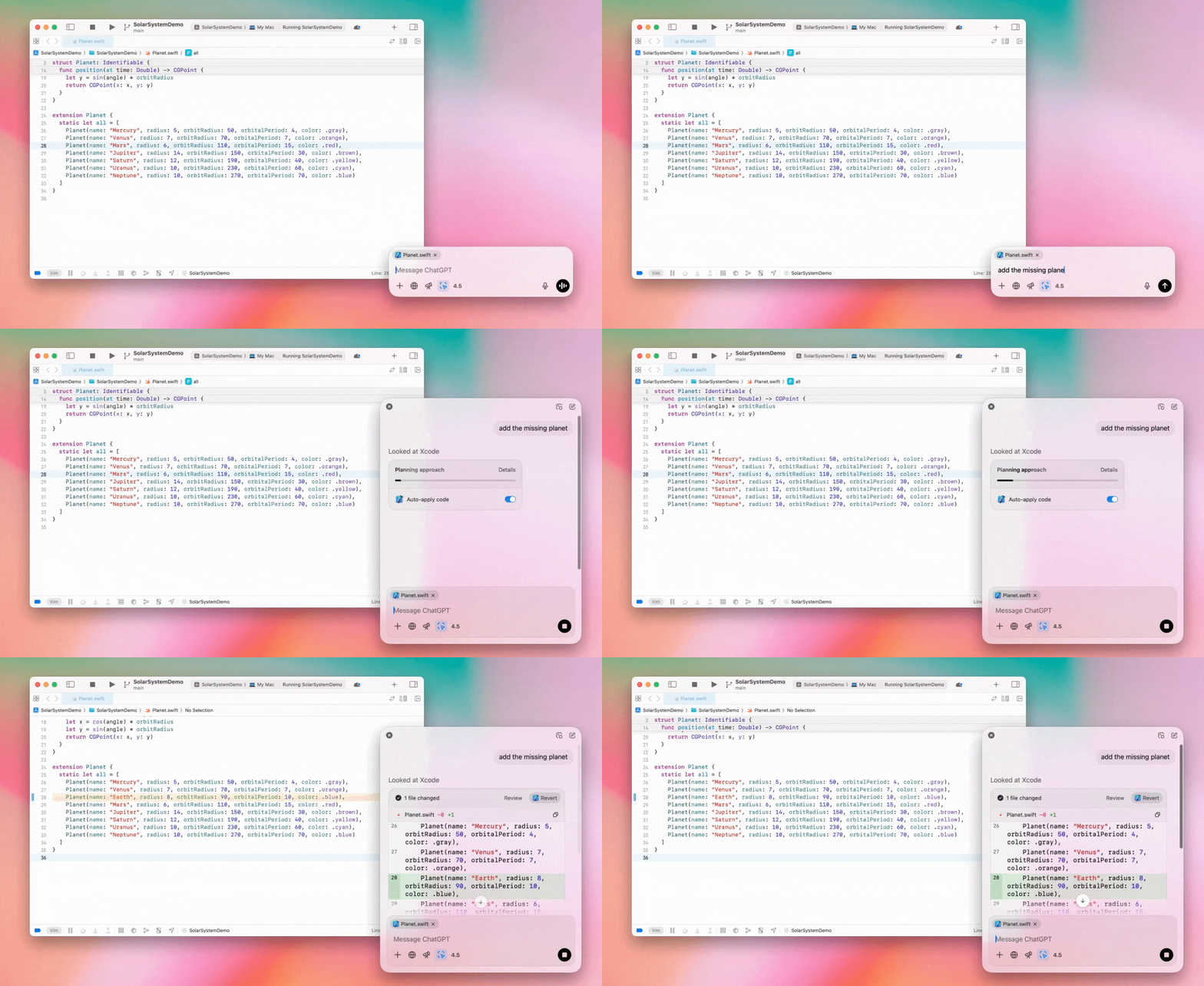
Enterprise-järjestelmänvalvojat voivat poistaa toiminnon työtilan jäseniltä käytöstä poistamalla hallinta-asetuksissa "Work with Apps" -valinnan käytöstä.
GPT-4.5 ChatGPT:ssä
Enterprise- ja Edu-tilausten käyttäjät voivat 13. maaliskuuta 2025 alkaen käyttää GPT-4.5-malliamme ChatGPT:ssä!
Lisätietoja on kohdassa GPT-4.5 ChatGPT:ssä.
10. maaliskuuta 2025
Syvätutkimus ChatGPT:n Compliance API:ssa
Compliance API:a käyttävillä Enterprise-asiakkailla on 10. maaliskuuta 2025 alkaen seuraavat vaihtoehdot:
Hae ”syvätutkimuksen yleiskehotetta”.
Etsi vastauksesta työkalun nimi {"tool_name":"deep_research"}.
25. helmikuuta 2025
Syvätutkimus ChatGPT:ssä
ChatGPT:n syvätutkimus on nyt Enterprise-tilauksen käyttäjien saatavilla.
Syvätutkimuksen avulla ChatGPT voi selata verkkoa agenttipohjaisesti ja asynkronisesti suorittaakseen työ- tai henkilökohtaisia tehtäviäsi.
Enterprise- ja Edu-käyttäjät saavat 10 syvätutkimuskyselyä kuukaudessa.
Lisätietoja on syvätutkimuksen usein kysytyissä kysymyksissä.
13. helmikuuta 2025
o1 pro -tila ja o3-mini ChatGPT:ssä
ChatGPT:n o1 pro -tila on nyt Enterprise-käyttäjien ja o3-mini Enterprise Edu -käyttäjien saatavilla!
o3-mini: OpenAI o3-mini on korvannut o1-minin mallivalitsimessa. Se on kustannustehokkaampi ja tarjoaa suuremmat pyyntörajat pienemmällä viiveellä. Se on päättelymalli ja sopii siksi erinomaisesti koodaukseen, luonnontieteisiin, tekniikkaan, matematiikkaan ja loogiseen ongelmanratkaisuun. o3-mini näyttää päättelyketjunsa ja voi selata verkkoa.
o1 pro -tila: myös o1 pro -tila tulee tällä viikolla mallivalitsimeen. Tarkkuutta ja syvällisyyttä varten suunniteltu malli loistaa tutkimuksessa, tekniikassa, liiketoiminnassa ja oikeustieteessä. Se sopii erittäin monimutkaisia haasteita ratkaiseville ammattilaisille. o1 pro -tilassa ongelman päättely kestää pidempään. Siksi vastausten saaminen voi kestää jonkin aikaa. Suuren laskentatarpeen vuoksi kukin käyttäjä voi tehdä enintään viisi kyselyä kuukaudessa. Useimpiin tehtäviin o1, o3-mini tai GPT-4o ovat edelleen parhaat vaihtoehdot.
Tiedostojen lataamisesta
Kuvia, asiakirjoja ja PDF-tiedostoja tuetaan malleissa o1, o3-mini ja o3-mini-high*. Laskentataulukoita (CSV/Excel) ei tueta.*
Vain kuvia tuetaan o1 pro -tilassa. Asiakirjoja, PDF-tiedostoja tai laskentataulukoita (CSV/Excel) ei tueta.
Canvasin jakaminen
ChatGPT Enterprise- ja Edu-käyttäjät voivat nyt jakaa toiselle käyttäjälle canvas-kohteen, kuten renderöidyn React-/HTML-koodin, asiakirjan tai koodin, samalla tavalla kuin keskustelun. Tämä onnistuu canvasin työkalupalkista, kun canvas on avoinna.
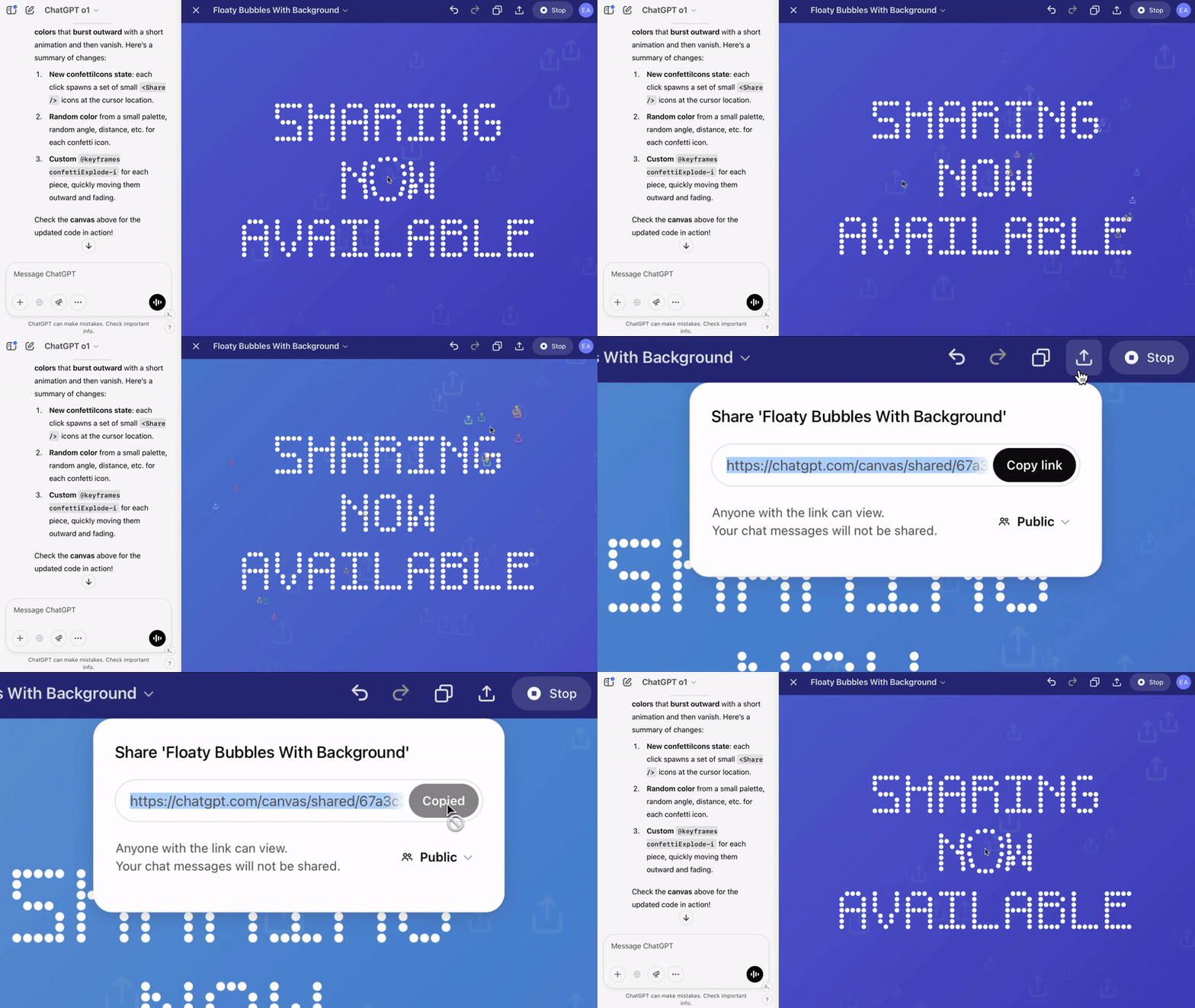
Lisätietoja ChatGPT:n canvas-ominaisuudesta on seuraavassa ohjekeskuksen artikkelissa!
23. tammikuuta 2025
Projektit
Projektit ovat nyt saatavilla kaikissa maksullisissa tilauksissa, myös Enterprisessa ja Edussa.
Lisätietoja on artikkelissa Projektien käyttäminen ChatGPT:ssä.
16. tammikuuta 2025
PDF-tiedostojen visuaalinen haku ChatGPT Enterprisessa
ChatGPT Enterprise osaa nyt lukea ja ymmärtää PDF-tiedostoihin upotettuja visuaalisia sisältöjä, kuten kuvia, kuvaajia ja kaavioita. Käyttäjä voi ladata PDF-tiedoston, ja ChatGPT tulkitsee sen tekstin ja visuaaliset elementit.
Lisätietoja on PDF-tiedostojen visuaalisen haun usein kysytyissä kysymyksissä.
12. joulukuuta 2024
o1
Tästä päivästä alkaen kaikki ChatGPT Enterprise -asiakkaat voivat käyttää o1:tä mallivalitsimesta o1-preview'n sijaan.
o1 voi nyt päätellä ladatuista kuvista, mikä mahdollistaa uusia käyttötapoja visuaalisten esitysten aiempaa yksityiskohtaisempaan ja tarkempaan analysointiin ja selittämiseen. Olemme myös kouluttaneet mallin tiivistämään ajatteluaan, minkä ansiosta sen vastausajat ovat o1-preview'ta nopeampia.
11. joulukuuta 2024
Apple Intelligence ja ChatGPT
ChatGPT-järjestelmänvalvojat voivat nyt sallia tai estää Apple Intelligencen käytön työtilan hallinta-asetusten Yhteydet-kohdassa.
Jos asetus on poissa käytöstä, käyttäjät eivät voi valita ChatGPT Enterprise/Edu -työtilaansa kirjautuessaan OpenAI-tunnuksillaan.
10. joulukuuta 2024
canvas
Tänään otimme canvasin oletuksena käyttöön 4o:ssa kaikille maksuttomien ja maksullisten versioiden käyttäjille. Lisäksi julkaisimme useita uusia canvas-ominaisuuksia, kuten:
Canvas GPT:issä: Canvasia voi nyt käyttää GPT:iden kanssa, kun toiminto otetaan käyttöön GPT:n luontityökalussa. Tämä valinta on oletuksena käytössä uusissa GPT:issä.
Python-koodin suorittaminen: Voit nyt suorittaa Python-koodia canvasissa. ChatGPT yrittää korjata koodisi ohjelmointivirheet ja antaa virheitä koskevia kommentteja. Huomaa, että Python-koodin suorittaminen voi lähettää ulkoisia verkkopyyntöjä. Enterprise-työtilan järjestelmänvalvojat voivat poistaa Python-koodin suorittamisen käytöstä muuttamalla Canvas-koodin suorittaminen -asetusta järjestelmänvalvojan asetuksissa. Tämä on oletuksena pois käytöstä kaikilla Enterprise-tileillä.
Canvas-pikavalinta: Voit nyt liittää sisältöä ChatGPT:hen ja avata sen heti canvasissa viestikentän oikeassa yläkulmassa olevalla pikavalinnalla.
Canvas työkalupakissa: Canvas on lisätty työkalupakin vaihtoehdoksi.
Työtilan järjestelmänvalvojat voivat nyt hakea, luetteloida ja poistaa canvas-tekstiasiakirjoja Compliance API:n avulla.
Huomaa, että canvasin käytöstä poistava järjestelmänvalvojan asetus on poistettu, koska ominaisuus ei ole enää beetavaiheessa. Jos ominaisuus oli aiemmin poistettu käytöstä, noudatamme tätä asetusta jatkossakin. Ota yhteyttä tukitiimiimme tämän sivun oikeassa alakulmassa olevan keskustelukuvakkeen kautta.
3. joulukuuta 2024
Work with Apps macOS:ssä
ChatGPT voi nyt lukea sisältöä koodaussovelluksistasi macOS:n Work with Apps -toiminnolla ja antaa työhösi mukautettuja, älykkäämpiä ja tarkempia vastauksia. Lue lisää macOS:n Work with Apps -toiminnosta.
Enterprise-järjestelmänvalvojat voivat poistaa toiminnon työtilan jäseniltä käytöstä poistamalla hallinta-asetuksissa "Work with Apps" -valinnan käytöstä.
22. marraskuuta 2024
ChatGPT:n verkkokäyttökokemuksen päivitykset
Otamme seuraavat päivitykset käyttöön kaikille ChatGPT-käyttäjille seuraavien kahden viikon aikana.
Sivupalkin uusi ulkoasu
Uusi kelluva tila, joka sulkeutuu huomaamattomasti
Sivupalkissa näytetään nyt rajallinen määrä viimeaikaisia keskusteluja. Kaikki keskustelut ovat käytettävissä loputtomasti vieritettävässä avautuvassa näkymässä.
Viimeisimmät ja kiinnitetyt GPT:t näkyvät nyt keskustelujen alapuolella
Asetukset ovat nyt aina sivupalkin alareunassa
Suuriin näkymiin on lisätty pieni asetuskuvake tilanteisiin, joissa sivupalkki ei ole avoinna
Uudet siirtymät tekevät käyttökokemuksesta mukaansatempaavamman
Muut ChatGPT:n verkkoversion päivitykset
Sivuston perusrakenne on uudistettu, joten se tukee entistä paremmin erilaisia laitteita ja näyttökokoja
Uuden keskustelun aloittaminen vierittää sen nyt näkyviin näytön yläosaan
Uuden keskustelun aloittaminen ei enää vieritä automaattisesti loppuun viestin luonnin aikana
Kiinnitetty sivupalkki voi nyt pysyä avoinna aktiivisen canvasin rinnalla, jos tilaa on riittävästi
Uudistetun viestikenttäpalkin alle vierittyvä sisältö häivytetään
Uuden keskustelun painike on siirretty mallivalitsimen vasemmalle puolelle, jotta sitä on helpompi käyttää
Järjestelmäkuvake on poistettu keskusteluista vaakasuuntaisen tilan lisäämiseksi
DALL-E-painotteisen näkymän asettelu on päivitetty
GPT:n luontityökalun asettelu on päivitetty
Parannettu mobiiliverkkokokemus
Näyttönäppäimistön käyttökokemusta on parannettu huomattavasti iOS- ja Android-mobiililaitteissa
Uusi sivupalkki on aina kelluvassa tilassa ja sulkeutuu automaattisesti keskustelua vaihdettaessa
Viestikenttää ei enää kohdisteta mobiiliverkkoversiossa keskustelua vaihdettaessa
Vierityksen jumiutumisen tietyissä tilanteissa pitäisi nyt olla korjattu
20. marraskuuta 2024
GPT-4o:n päivitys
Olemme päivittäneet GPT-4o:n kaikkien maksullisten ChatGPT-tilausten käyttäjille. GPT-4o:n kirjoitusominaisuuksia on parannettu: teksti on nyt luontevampaa, huomioi yleisön paremmin ja on aiempaa olennaisempaa ja luettavampaa. Malli käsittelee myös ladattuja tiedostoja paremmin sekä tarjoaa syvällisempiä havaintoja ja perusteellisempia vastauksia.
19. marraskuuta 2024
Edistynyt äänitila ChatGPT:n verkkoversiossa
Aloitamme tänään edistyneen äänitilan käyttöönoton verkkoversiossa. Se on jo saatavilla mobiili- ja työpöytäsovelluksissa. Käyttäjät voivat nyt aloittaa äänikeskustelun tietokoneellaan osoitteessa chatgpt.com ja keskustella ChatGPT:n kanssa luonnollisesti reaaliajassa esimerkiksi suunnittelun, kirjoittamisen ja ideoinnin aikana.
14. marraskuuta 2024
Windows-sovellus
Parannettu Windows-sovellus on nyt saatavilla Microsoft Storesta ChatGPT Enterprise- ja Edu-työtiloille. ChatGPT:n verkkokokemukseen tottuneet käyttäjät voivat integroida Windows-sovelluksen saumattomasti kaikkeen tietokoneella tekemäänsä.
ChatGPT:n Windows-sovelluksen käyttöoikeudet noudattavat IT-järjestelmänvalvojasi Microsoft Store -sovelluksia koskevia käytäntöjä. Lähiviikkoina IT-järjestelmänvalvojat voivat myös ottaa sovelluksen käyttöön työntekijöiden laitteilla MDM:n tai MAM:n kautta sen sijaan, että sallivat lataukset suoraan Storesta.
Kuten kaikissa ChatGPT Enterprise -kokemuksissa, käyttäjien keskusteluhistoria on suojattu eikä sitä käytetä OpenAI'n palvelujen parantamiseen.
Lue lisää ChatGPT:n Windows-sovelluksesta.