
3 กันยายน 2026
ปลั๊กอิน Zendesk และ OneNote ใน ChatGPT และ Codex [เบต้า]
วันนี้ เราได้เพิ่มปลั๊กอิน Zendesk และ OneNote ลงในไดเรกทอรีปลั๊กอิน ปลั๊กอิน Zendesk ช่วยให้ทีมตรวจสอบทิกเก็ตการสนับสนุนและประวัติลูกค้า ค้นหาข้อมูลความรู้ที่เกี่ยวข้อง และเตรียมคำตอบใน ChatGPT และ Codex ได้ สมาชิกเชื่อมต่อบัญชี Zendesk ของตนเองเพื่อทำงานกับข้อมูลการสนับสนุนที่ตนมีสิทธิ์เข้าถึง
ปลั๊กอิน OneNote ช่วยให้คุณค้นหาและสรุปบันทึก รวบรวมข้อสรุปและรายการที่ต้องดำเนินการ ตลอดจนสร้างหรืออัปเดตบันทึกผ่านการดำเนินการที่รองรับใน ChatGPT และ Codex
อ่านเพิ่มเติม: ปลั๊กอิน Zendesk, ปลั๊กอิน OneNote
แชร์ Sites กับบุคคลภายนอกเวิร์กสเปซของคุณ
เวิร์กสเปซ ChatGPT Enterprise ที่มีสิทธิ์สามารถอนุญาตให้เจ้าของ Site แชร์ Sites ที่เผยแพร่อยู่กับผู้ชมภายนอกที่ระบุชื่อได้แล้ว ผู้รับลงชื่อเข้าใช้ด้วยบัญชีที่ได้รับสิทธิ์ และดู Site ที่แชร์ได้โดยไม่ต้องเข้าร่วมเวิร์กสเปซ นอกจากนี้ สิทธิ์ของผู้ชมไม่อนุญาตให้แก้ไขหรือเผยแพร่ และไม่ทำให้ Site เป็นสาธารณะ
เจ้าของและผู้ดูแลเวิร์กสเปซสามารถอนุญาตให้บทบาทที่เลือกส่งคำเชิญได้ที่ การตั้งค่าเวิร์กสเปซ > สิทธิ์และบทบาท โดยเปิดใช้ Sites และ อนุญาตให้สมาชิกเชิญผู้เยี่ยมชมภายนอกมายัง Sites สิทธิ์นี้แยกจากการเผยแพร่สู่สาธารณะ ดูข้อมูลเพิ่มเติมเกี่ยวกับการควบคุมได้ที่ การจัดการ ChatGPT Sites สำหรับเวิร์กสเปซของคุณ
ควบคุมการใช้เบราว์เซอร์และคอมพิวเตอร์ได้มากขึ้น
การตั้งค่านโยบายใหม่ช่วยให้ผู้ดูแลระบบองค์กรควบคุมวิธีที่ไคลเอนต์เดสก์ท็อปซึ่งรองรับใช้งานเบราว์เซอร์และแอปแบบเนทีฟได้มากขึ้น ผู้ดูแลระบบสามารถกำหนดค่าเริ่มต้นและข้อยกเว้นสำหรับเว็บไซต์ จำกัดการอัปโหลด การดาวน์โหลด ประวัติเบราว์เซอร์ และสิทธิ์ของนักพัฒนา ตลอดจนควบคุมการตรวจสอบอัตโนมัติ การอนุมัติที่บันทึกไว้ และระยะเวลาที่การอนุมัติเพื่อเข้าถึงเว็บไซต์มีผล กฎสำหรับแอปแบบเนทีฟสามารถอนุญาตหรือบล็อกแอป macOS และ Windows ที่ระบุได้ ผู้ดูแลระบบยังสามารถจำกัดการนำเข้าข้อมูลจากเบราว์เซอร์อื่นได้ด้วย
หากมีเครื่องมือแก้ไขนโยบาย ให้เปิดนโยบายและการกำหนดค่า Codex แล้วแก้ไขข้อกำหนดของนโยบาย การควบคุมมีผลกับไคลเอนต์และแพลตฟอร์มที่รองรับ การอนุญาตเว็บไซต์หรือแอปจะไม่ข้ามนโยบายหรือข้อความแจ้งขออนุมัติอื่นๆ ดูข้อมูลเพิ่มเติมเกี่ยวกับการควบคุมการใช้เบราว์เซอร์และคอมพิวเตอร์แบบมีการจัดการ
1 กันยายน 2026
ปลั๊กอินด้านการดูแลสุขภาพสำหรับ ChatGPT และ Codex
เวิร์กสเปซ ChatGPT for Healthcare ที่มีสิทธิ์และเวิร์กสเปซ ChatGPT Enterprise ที่เปิดใช้ HIPAA สามารถใช้ปลั๊กอินด้านการดูแลสุขภาพ 2 รายการใน ChatGPT และ Codex ได้แล้ว:
ข้อมูลสาธารณะด้านการดูแลสุขภาพ: ค้นหาแหล่งข้อมูลสาธารณะด้านการดูแลสุขภาพ 9 แหล่งสำหรับงานวิจัยทางการแพทย์ การทดลองทางคลินิก ข้อมูลยา ข้อมูล Medicare และเวชระเบียนของผู้ให้บริการ ปลั๊กอินนี้อ่านข้อมูลได้อย่างเดียวและไม่เข้าถึงเวชระเบียนผู้ป่วย
Epic: ตรวจสอบข้อมูลผู้ป่วยที่ได้รับอนุญาตจากระบบเวชระเบียนอิเล็กทรอนิกส์ Epic ขององค์กรคุณ สิทธิ์เข้าถึงเป็นแบบอ่านอย่างเดียว และต้องมีแอป Epic EHR ที่ผู้ดูแลระบบกำหนดค่าไว้ การลงชื่อเข้าใช้ Epic รายบุคคล และสิทธิ์เข้าถึงเวชระเบียนผู้ป่วยที่มีอยู่แล้ว
ผู้ดูแลระบบจะจัดการความพร้อมใช้งานของปลั๊กอินและสิทธิ์เข้าถึงแอปแยกกัน อย่าใส่ข้อมูลสุขภาพที่ได้รับการคุ้มครองในการค้นหาที่ส่งไปยังแหล่งข้อมูลสาธารณะด้านการดูแลสุขภาพ ก่อนใช้ Epic กับข้อมูลสุขภาพที่ได้รับการคุ้มครอง โปรดยืนยันว่าองค์กรของคุณมีข้อตกลงผู้ร่วมธุรกิจที่เกี่ยวข้องและการกำหนดค่าเวิร์กสเปซที่ได้รับอนุมัติแล้ว
ดูข้อมูลเพิ่มเติม: การใช้ข้อมูลสาธารณะด้านการดูแลสุขภาพใน ChatGPT และ Codex และ การใช้ปลั๊กอิน Epic กับ ChatGPT และ Codex
28 สิงหาคม 2026
นำเข้าและซิงค์มาร์เก็ตเพลสปลั๊กอินจาก GitHub
ผู้ดูแลระบบและเจ้าของเวิร์กสเปซสามารถเผยแพร่มาร์เก็ตเพลสปลั๊กอินจาก Repository GitHub แบบสาธารณะหรือส่วนตัวได้จากส่วนกลาง และอัปเดตปลั๊กอินให้เป็นปัจจุบันด้วยการซิงค์อัตโนมัติทุกวัน ไปที่ การตั้งค่าเวิร์กสเปซ > ปลั๊กอิน แล้วเลือก เพิ่ม > นำเข้ามาร์เก็ตเพลส เพื่อเริ่มต้น หรือเลือก ซิงค์ตอนนี้ ในมาร์เก็ตเพลสเพื่อส่งคำขออัปเดต
ผู้ดูแลระบบและเจ้าของสามารถกำหนดนโยบายการติดตั้งสำหรับบทบาทที่มีสิทธิ์และสิทธิ์เข้าถึงแอปที่จำเป็นได้ในการตั้งค่าเวิร์กสเปซ ค่าของนโยบาย Repository จะไม่ลบล้างการตั้งค่าเหล่านี้ และยังคงต้องเป็นไปตามข้อกำหนดด้านสิทธิ์ของแอปและการยืนยันตัวตน ดูข้อมูลเพิ่มเติมเกี่ยวกับการตั้งค่ามาร์เก็ตเพลส และตรวจสอบรูปแบบและการกำหนดค่าที่รองรับ
27 สิงหาคม 2026
การจัดการข้อมูลประจำตัวจากส่วนกลางในคอนโซลผู้ดูแลระบบ
ขณะนี้ลูกค้า ChatGPT Enterprise และ ChatGPT Edu ที่มีสิทธิ์สามารถจัดการการตั้งค่าเวิร์กสเปซและข้อมูลประจำตัวเพิ่มเติมได้ในคอนโซลผู้ดูแลระบบ:
จัดการสมาชิก กลุ่ม บทบาท สิทธิ์ และการตั้งค่าทั่วไปของเวิร์กสเปซ
ซิงค์ผู้ใช้และกลุ่มเพียงครั้งเดียวผ่าน SCIM แบบรวมศูนย์ที่ครอบคลุมทั้ง Tenant แล้วกำหนดกลุ่มให้กับเวิร์กสเปซ ChatGPT หรือบัญชี Ads ที่รองรับ
จัดการผู้ใช้และบทบาทสำหรับบัญชี Ads ในพื้นที่ที่พร้อมใช้งาน
ระบบยังคงรองรับการกำหนดค่า SCIM ระดับเวิร์กสเปซที่มีอยู่
ดูข้อมูลเพิ่มเติม: การจัดการ Tenant ในคอนโซลผู้ดูแลระบบ และ การจัดสรรและการจัดการ SCIM
การควบคุมการเข้าถึงโมเดล การตั้งค่าเวิร์กสเปซ และการปรับปรุงสำหรับ Windows
เราได้เปิดตัวการปรับปรุงบางส่วนที่มีผลต่อเวิร์กสเปซ Enterprise/Edu ดังนี้:
การควบคุมการเข้าถึงโมเดลช่วยให้เจ้าของเวิร์กสเปซจัดการสิทธิ์เข้าถึงโมเดลที่รองรับได้ทั้งในระดับเวิร์กสเปซและระดับบทบาท
ขณะนี้การตั้งค่าผู้ใช้ กลุ่ม บทบาท สิทธิ์ และทั่วไปอยู่ในคอนโซลผู้ดูแลระบบแล้ว แต่ยังคงเข้าถึงได้จากการตั้งค่าเวิร์กสเปซ โดยเมื่อคลิกแท็บเดิม ระบบจะนำคุณไปยังคอนโซลผู้ดูแลระบบ สิทธิ์ที่มีอยู่ยังคงมีผลบังคับใช้ ดูข้อมูลเพิ่มเติมได้ที่: การควบคุมการเข้าถึงตามบทบาท และ การตั้งค่าเวิร์กสเปซ
การปรับปรุง Codex บน Windows ประกอบด้วยการวินิจฉัยด้วย
codex doctorการควบคุมอุปกรณ์อื่นจากระยะไกลผ่าน Windows และการเลือก Linux Distribution ที่ต้องการเมื่อติดตั้ง WSL Distribution ไว้หลายรายการ อุปกรณ์ที่มีการจัดการต้องใช้บิลด์ที่ผู้ดูแลระบบอนุมัติผ่าน MDM ความพร้อมใช้งานขึ้นอยู่กับเวิร์กสเปซและบิลด์ของแอปที่คุณใช้ ดูข้อมูลเพิ่มเติมได้ที่: Codex
25 สิงหาคม 2026
งานตามกำหนดเวลาที่แชร์ได้และงานที่ทริกเกอร์ด้วยเว็บฮุก
สมาชิกเวิร์กสเปซ Enterprise, Edu และ ChatGPT for Healthcare สามารถแชร์งานตามกำหนดเวลาที่ปรับแต่งได้ภายในเวิร์กสเปซของตน ผู้ดูแลระบบยังสามารถเปิดใช้งานงานที่ทริกเกอร์ด้วยเว็บฮุกใน Work เพื่อให้แอปที่ได้รับอนุมัติแสดงข้อมูลอัปเดตที่เกี่ยวข้องได้โดยไม่ต้องตรวจสอบด้วยตนเองซ้ำๆ ใน ChatGPT for Healthcare งานเหล่านี้ไม่อยู่ภายใต้ข้อตกลงผู้ร่วมธุรกิจ (Business Associate Agreement หรือ BAA) และห้ามใช้เพื่อส่ง จัดเก็บ หรือประมวลผลข้อมูลสุขภาพที่ได้รับการคุ้มครอง (Protected Health Information หรือ PHI)
เว็บฮุกที่รองรับ ได้แก่ ข้อความใหม่ใน Gmail ข้อความในช่อง Slack และกิจกรรมของ pull request ใน GitHub
สร้างงานที่ทริกเกอร์ด้วยเว็บฮุก
สมาชิกที่มีสิทธิ์สามารถสั่งให้ Work บนเว็บ, iOS และ Android ตอบสนองต่อข้อความใหม่ใน Gmail ข้อความในช่อง Slack หรือเหตุการณ์ของ pull request ใน GitHub ที่รองรับ ตัวอย่างเช่น ขอให้ ChatGPT สรุปความคิดเห็นของลูกค้าจาก Slack หรือเตรียมขั้นตอนถัดไปหลังจาก pull request ใน GitHub มีการเปลี่ยนแปลง สมาชิกต้องมีสิทธิ์เข้าถึง Work และแอปที่ได้รับอนุมัติ เพิ่ม @ChatGPT ลงในแต่ละช่อง Slack ที่ต้องการติดตาม ผู้ดูแลระบบ Enterprise, Edu และ ChatGPT for Healthcare ต้องเปิดใช้งานอนุญาตงานตามกำหนดเวลาที่ทริกเกอร์ด้วยเหตุการณ์ในสิทธิ์และบทบาท > Work ก่อน สิทธิ์นี้ปิดอยู่ตามค่าเริ่มต้น
แชร์งานตามกำหนดเวลา
สมาชิกที่มีสิทธิ์สามารถแชร์งานตามกำหนดเวลาหรืองานที่ทริกเกอร์ด้วยเว็บฮุกกับผู้อื่นในเวิร์กสเปซเดียวกัน โดยผู้รับสามารถตรวจสอบและปรับแต่งคำสั่ง รวมถึงกำหนดเวลาได้หากมี ผู้ดูแลระบบควบคุมการแชร์ได้ด้วย แชร์แชตและงานตามกำหนดเวลาในเวิร์กสเปซ การกำหนดเวลาให้สำเนาของงานที่ทริกเกอร์ด้วยเว็บฮุกยังต้องมีสิทธิ์ อนุญาตงานตามกำหนดเวลาที่ทริกเกอร์ด้วยเหตุการณ์ สิทธิ์เข้าถึง Work และแอปที่เชื่อมต่อซึ่งได้รับอนุมัติของผู้รับเอง
ดูข้อมูลเพิ่มเติมได้ที่ งานตามกำหนดเวลาใน ChatGPT
20 สิงหาคม 2026
อัปเดตฟีเจอร์สำหรับองค์กร
เจ้าของและผู้ดูแลเวิร์กสเปซสามารถใช้ Admin API ใหม่ที่ทำงานในระดับเวิร์กสเปซ เพื่อจัดการคำเชิญและสมาชิกโดยอัตโนมัติ Invitation API รองรับการแสดงรายการ เรียกดู สร้าง ส่งซ้ำ และลบคำเชิญ User API รองรับการเรียกดูสมาชิกที่ตอบรับแล้ว ส่วนเจ้าของเวิร์กสเปซยังสามารถอัปเดตบทบาทหรือสิทธิ์ใช้งานที่มีในระบบ และยกเลิกการเป็นสมาชิกเวิร์กสเปซได้ การเปลี่ยนแปลงที่จัดการผ่าน SCIM ยังคงดำเนินการผ่านผู้ให้บริการข้อมูลประจำตัว และมีมาตรการป้องกันไม่ให้เจ้าของคนสุดท้ายถูกนำออก ดูวิธีตั้งค่าและกำหนดสิทธิ์ได้ที่ การจัดการคีย์ผู้ดูแลระบบ ดูพาธของ endpoint และสคีมาได้ใน เอกสารอ้างอิง Admin API
ขณะนี้คอนโซลผู้ดูแลระบบส่วนกลางแสดงเทนเนนต์หรือเวิร์กสเปซที่คุณกำลังใช้งานได้ชัดเจนขึ้น พร้อมเพิ่ม URL เฉพาะเวิร์กสเปซให้กับหน้าที่รองรับ สมาชิกเวิร์กสเปซดูข้อมูลวิเคราะห์เฉพาะกิจกรรมของตนเองได้ ส่วนมุมมองที่ครอบคลุมผู้ใช้หลายคนยังคงจำกัดไว้สำหรับบทบาทที่ได้รับอนุญาตเท่านั้น การตั้งค่าเวิร์กสเปซของ ChatGPT ยังคงอยู่ในตำแหน่งเดิม ดูข้อมูลเพิ่มเติมเกี่ยวกับคอนโซลผู้ดูแลระบบส่วนกลาง
การวิเคราะห์ส่วนบุคคลรองรับ Work และ Codex ในเวิร์กสเปซ Enterprise และ Edu ที่มีสิทธิ์ หลังจากผู้ดูแลเปิดใช้ปลั๊กอินแล้ว สมาชิกสามารถติดตั้งปลั๊กอินใน ChatGPT Desktop และสอบถามเกี่ยวกับกิจกรรมที่เชื่อมโยงกับข้อมูลประจำตัวที่ใช้เข้าสู่ระบบ รวมถึงแนวโน้มโดยรวมของเวิร์กสเปซที่มีการคุ้มครองความเป็นส่วนตัว ฟีเจอร์นี้ใช้ดูข้อมูลได้อย่างเดียว และไม่สามารถแสดงกิจกรรมรายบุคคลของผู้ใช้อื่นหรือข้อมูลจากเวิร์กสเปซอื่นได้ ดูข้อมูลเพิ่มเติมเกี่ยวกับการวิเคราะห์ส่วนบุคคล
ทำงานร่วมกันบน ChatGPT Sites (เฉพาะ Enterprise) ในเวิร์กสเปซ Enterprise เจ้าของ Site สามารถเพิ่มสมาชิกที่ยังใช้งานอยู่ในเวิร์กสเปซเดียวกันเป็นผู้แก้ไขได้ ผู้แก้ไขสามารถอัปเดตและบันทึก Site ได้ และหลังจากเจ้าของเผยแพร่ครั้งแรกแล้ว ผู้แก้ไขก็สามารถเผยแพร่เวอร์ชันถัดไปไปยัง URL เดิมของ Site ได้ เจ้าของยังคงควบคุมการแชร์ การตั้งค่า Site ข้อมูลวิเคราะห์ ความเป็นเจ้าของ การกู้คืนเวอร์ชัน และสิทธิ์ของผู้แก้ไข การแก้ไขร่วมกันใช้การควบคุม Sites ที่มีอยู่ในเวิร์กสเปซ โดยไม่มีตัวเลือก RBAC แยกต่างหาก ส่วนการเผยแพร่สู่สาธารณะจะปิดไว้เป็นค่าเริ่มต้นและอยู่ภายใต้การควบคุมของผู้ดูแล ดูข้อมูลเพิ่มเติมเกี่ยวกับการจัดการ ChatGPT Sites สำหรับเวิร์กสเปซของคุณ
ใช้แอปข้อความของ Apple จาก Codex และ ChatGPT Work บน Mac ที่ใช้ชิป Apple silicon ปลั๊กอินแอปข้อความของ Apple ในแอป ChatGPT บนเดสก์ท็อปสามารถอ่านและค้นหาการสนทนาผ่าน iMessage, SMS และ RCS รวมถึงร่างหรือส่งข้อความผ่านแอปข้อความได้ โดยค่าเริ่มต้น ChatGPT จะขอให้ผู้ใช้ยืนยันข้อความและผู้รับก่อนส่ง ผู้ดูแลเวิร์กสเปซที่มีการจัดการสามารถปิดใช้แอปข้อความของ Apple ผ่านการควบคุมการใช้คอมพิวเตอร์ที่มีอยู่ได้ ดูข้อมูลเพิ่มเติมเกี่ยวกับปลั๊กอินแอปข้อความของ Apple
ใช้ประวัติคอมพิวเตอร์ได้ในภูมิภาคเพิ่มเติม (เฉพาะ Enterprise) ขณะนี้ประวัติคอมพิวเตอร์พร้อมให้ผู้ใช้ Enterprise ในเขตเศรษฐกิจยุโรป สวิตเซอร์แลนด์ และสหราชอาณาจักรใช้งานผ่านแอป ChatGPT บนเดสก์ท็อปสำหรับ macOS แล้ว ฟีเจอร์นี้ปิดไว้เป็นค่าเริ่มต้น ต้องใช้ความจำ และต้องได้รับการเปิดใช้โดยผู้ดูแลเวิร์กสเปซก่อน สมาชิกจึงจะเลือกเข้าร่วมได้ ดูข้อมูลเพิ่มเติมเกี่ยวกับประวัติคอมพิวเตอร์
แชร์สแนปช็อตแบบอ่านอย่างเดียวของแชท Codex ลิงก์แชร์ของเวิร์กสเปซจำกัดไว้สำหรับสมาชิกที่ยืนยันตัวตนแล้วในเวิร์กสเปซต้นทางเท่านั้น และผู้ดูแลสามารถปิดลิงก์แชร์ของเวิร์กสเปซได้ สแนปช็อตจะไม่อัปเดตเมื่อแชทต้นฉบับมีการเปลี่ยนแปลง Codex จะปกปิดรูปแบบข้อมูลลับที่รู้จัก แต่ผู้ใช้ควรตรวจสอบสแนปช็อต เนื่องจากอาจยังมีพาธ ดิฟฟ์ รูปภาพ หรือเนื้อหาละเอียดอ่อนอื่นๆ หลงเหลืออยู่ ดูข้อมูลเพิ่มเติมเกี่ยวกับการแชร์แชท Codex
ส่งออกแค็ตตาล็อกปลั๊กอินสาธารณะ เจ้าของและผู้ดูแลเวิร์กสเปซ ChatGPT Enterprise ที่มีสิทธิ์สามารถส่งออกไฟล์ CSV ได้จาก ผู้ดูแลระบบ > ปลั๊กอิน > สาธารณะ > ส่งออก CSV ข้อมูลที่ส่งออกอาจเก่ากว่าปัจจุบันได้ถึง 48 ชั่วโมง และไม่รวมปลั๊กอินที่สร้างในเวิร์กสเปซ ดูข้อมูลเพิ่มเติมเกี่ยวกับการส่งออกแค็ตตาล็อกสาธารณะ
13 สิงหาคม 2026
ค่าเริ่มต้นของโมเดล Chat
เจ้าของและผู้ดูแลเวิร์กสเปซสามารถกำหนดโมเดล Chat และระดับการให้เหตุผลเริ่มต้นได้จาก การตั้งค่าเวิร์กสเปซ > โมเดล เจ้าของและผู้ดูแลสามารถใช้ค่าเริ่มต้นที่ผู้ดูแลกำหนด หรืออนุญาตให้ใช้ ตัวเลือกล่าสุดของผู้ใช้ สำหรับแชทใหม่ โปรดทราบว่าค่าเริ่มต้นไม่ได้ให้สิทธิ์เข้าถึงโมเดลที่ไม่พร้อมใช้งานหรือลบล้างข้อกำหนดที่บังคับใช้ในเวิร์กสเปซ
ควรอัปเกรดแอป ChatGPT Desktop เป็นเวอร์ชัน 26.812.10818 หรือใหม่กว่า เพื่อให้การควบคุมใหม่มีผล
อัปเดตตัวเลือกโมเดลสำหรับ Enterprise และ Edu
สมาชิกในเวิร์กสเปซ Enterprise/Edu จะได้รับประสบการณ์ใหม่ในตัวเลือกโมเดลและช่องพิมพ์ข้อความ ตัวเลือกนี้ช่วยให้เปรียบเทียบระดับการคิดที่มีอยู่ได้ง่ายขึ้น โดยยังคงเป็นไปตามความพร้อมใช้งานของโมเดลและการควบคุมสิทธิ์เข้าถึงในเวิร์กสเปซ
บันทึกการตรวจสอบในคอนโซลผู้ดูแลระบบส่วนกลาง
ขณะนี้เจ้าของและผู้ดูแลเวิร์กสเปซสามารถตรวจสอบเหตุการณ์การตรวจสอบที่รองรับได้จากคอนโซลผู้ดูแลระบบส่วนกลาง สิทธิ์เข้าถึงและขอบเขตของเหตุการณ์ขึ้นอยู่กับเวิร์กสเปซที่เลือกและบทบาทผู้ดูแล อ่านเพิ่มเติม
การควบคุมสิทธิ์เข้าถึงตามบทบาทแบบสะสม
ขณะนี้เจ้าของเวิร์กสเปซ Enterprise และ Edu สามารถกำหนดค่าสิทธิ์ที่รองรับในบทบาทแบบกำหนดเองทั่วไปเป็น ค่าเริ่มต้น, เปิด หรือ ปิด ได้ ค่าเริ่มต้น จะรับค่าจากการตั้งค่าเวิร์กสเปซ ส่วน เปิด จะให้สิทธิ์อย่างชัดเจน และ ปิด จะปฏิเสธการเข้าถึงผ่านบทบาทนั้นเท่านั้น ChatGPT จะประเมินบทบาททั่วไปทั้งหมดที่เกี่ยวข้องแบบสะสม หากมีบทบาทใดให้สิทธิ์ ไม่ว่าจะโดยชัดเจนหรือโดยรับค่าจากการตั้งค่าเวิร์กสเปซที่เปิดใช้อยู่ สมาชิกจะยังคงมีสิทธิ์เข้าถึง การตั้งค่า ปิด จะปฏิเสธการเข้าถึงผ่านบทบาทนั้นเท่านั้น หากทุกบทบาทที่เกี่ยวข้องตั้งเป็น ปิด ระบบจะปฏิเสธการเข้าถึง โหมดล็อกดาวน์จะได้รับการประเมินแยกต่างหาก และอาจจำกัดความสามารถที่ใช้เครือข่ายเพิ่มเติม ดูข้อมูลเพิ่มเติมเกี่ยวกับการควบคุมสิทธิ์เข้าถึงตามบทบาท
ข้อมูลการใช้งานและค่าใช้จ่ายของ Work และ Codex
สมาชิกในเวิร์กสเปซ Enterprise ที่มีสิทธิ์และใช้การเรียกเก็บเงินตามเครดิต สามารถตรวจสอบเครดิตที่ใช้ตลอดอายุของแต่ละแชทใน Work และ Codex ได้ ตัวเลขการใช้งานและค่าใช้จ่ายโดยประมาณมีไว้เพื่อช่วยวางแผนเท่านั้น ไม่ใช่ใบแจ้งหนี้ สมาชิกยังสามารถตรวจสอบการใช้งานรายเดือนและประวัติได้จาก แท็บการใช้งานและการเรียกเก็บเงิน ใน ChatGPT Desktop ไม่รวมการใช้งาน Chat ตามปกติ ฟีเจอร์นี้ต้องใช้ ChatGPT Desktop เวอร์ชัน 26.812.10818 หรือใหม่กว่า อ่านเพิ่มเติม
ปลั๊กอิน Personal Analytics
ปลั๊กอิน Personal Analytics พร้อมใช้งานสำหรับเวิร์กสเปซที่มีสิทธิ์ หลังจากเจ้าของหรือผู้ดูแลเวิร์กสเปซเปิดใช้ปลั๊กอินแล้ว สมาชิกสามารถติดตั้งปลั๊กอินดังกล่าวใน ChatGPT Desktop และสอบถามเกี่ยวกับกิจกรรม Work และ Codex ของตนเอง รวมถึงแนวโน้มโดยรวมของเวิร์กสเปซที่มีให้ดูได้ อ่านเพิ่มเติม
บัญชีบริการ Codex
เวิร์กสเปซที่มีสิทธิ์สามารถสร้างบัญชีบริการที่ไม่ใช่บุคคลสำหรับระบบอัตโนมัติของ Codex ได้ เจ้าของและผู้ดูแลเวิร์กสเปซสามารถกำหนดบทบาทและกลุ่ม ตั้งค่าปลั๊กอิน แชร์การจัดการบัญชี และออก Token การเข้าถึงแบบจำกัดขอบเขตสำหรับตัวรัน CI และงานตามกำหนดเวลาได้ อ่านเพิ่มเติม
ปรับปรุงประสิทธิภาพของแอปเดสก์ท็อปสำหรับ Windows
แอป ChatGPT บนเดสก์ท็อปสำหรับ Windows ได้รับการปรับปรุงประสิทธิภาพ การปรับปรุงเหล่านี้ต้องใช้ ChatGPT Desktop เวอร์ชัน 26.803.41515 หรือใหม่กว่า
ประวัติคอมพิวเตอร์สำหรับ ChatGPT Enterprise
ประวัติคอมพิวเตอร์เป็นฟีเจอร์เสริมในแอป ChatGPT สำหรับ macOS ซึ่งช่วยให้สมาชิก Enterprise นำบริบทจากแอปและเว็บไซต์ที่เลือกมาใช้ใน ChatGPT และ Codex ได้ ฟีเจอร์นี้บันทึกเหตุการณ์การโต้ตอบ แต่ไม่บันทึกภาพหน้าจอ วิดีโอหน้าจอ เสียงจากไมโครโฟน หรือเสียงของระบบ และไม่รวมการท่องเว็บแบบส่วนตัว
ประวัติคอมพิวเตอร์จะปิดไว้โดยค่าเริ่มต้น ผู้ดูแล Enterprise สามารถให้สิทธิ์ตามบทบาท ก่อนที่สมาชิกแต่ละคนจะเลือกว่าจะเข้าร่วมหรือไม่ สมาชิกสามารถหยุดประวัติคอมพิวเตอร์ชั่วคราว เลือกแอปและเว็บไซต์ที่จะรวมไว้ รวมถึงตรวจสอบหรือลบรายการในไทม์ไลน์ได้ โปรดทราบว่าขณะนี้ประวัติคอมพิวเตอร์ยังไม่พร้อมใช้งานในเขตเศรษฐกิจยุโรป (EEA) สหราชอาณาจักร หรือสวิตเซอร์แลนด์
10 สิงหาคม 2026
ยุติการซิงค์สำหรับผู้ใช้รายบุคคลในแอปที่เชื่อมต่อ
ตั้งแต่วันที่ 10 สิงหาคม จะไม่สามารถสร้างการเชื่อมต่อซิงค์ใหม่ที่ผู้ใช้รายบุคคลอนุมัติได้อีกต่อไป วันที่ 14 สิงหาคม ระบบจะปิดการเชื่อมต่อซิงค์ของผู้ใช้รายบุคคลที่มีอยู่ และเริ่มลบข้อมูลที่ซิงค์ซึ่งเกี่ยวข้อง การซิงค์ที่ผู้ดูแลระบบจัดการไม่ได้รับผลกระทบ ภายในวันที่ 14 สิงหาคม โปรดตรวจสอบการตั้งค่าตัวเชื่อมต่อของเวิร์กสเปซและดำเนินการต่อไปนี้ตามความเหมาะสม
| ตัวเชื่อมต่อ | การดำเนินการที่ผู้ดูแลระบบต้องทำ |
|---|---|
| Google Drive | เปิดใช้ปลั๊กอิน Google Drive หากต้องใช้องค์ความรู้ที่ซิงค์ ให้กำหนดค่าการซิงค์ Google Drive ที่ผู้ดูแลระบบจัดการโดยใช้การมอบสิทธิ์ทั่วทั้งโดเมน |
| SharePoint | เปิดใช้ปลั๊กอิน SharePoint หากต้องใช้องค์ความรู้ที่ซิงค์ ให้กำหนดค่าการซิงค์ของผู้ดูแลระบบ |
| GitHub | เปิดใช้ปลั๊กอิน GitHub แบบไม่ซิงค์ |
| GitLab Issues | เราจะแจ้งความพร้อมใช้งานของปลั๊กอินทดแทนเร็วๆ นี้ |
| Azure Boards (Azure DevOps) | เราจะแจ้งความพร้อมใช้งานของปลั๊กอินทดแทนเร็วๆ นี้ |
| Basecamp | เราจะแจ้งความพร้อมใช้งานของปลั๊กอินทดแทนเร็วๆ นี้ |
| Help Scout | ระบุผู้ใช้และเวิร์กโฟลว์ที่ได้รับผลกระทบ และแจ้งว่าสิทธิ์เข้าถึงแบบซิงค์จะสิ้นสุดลง เรากำลังร่วมมือกับพาร์ทเนอร์อย่างใกล้ชิดเพื่อจัดหาตัวเลือกทดแทน |
| Zoho Desk | ระบุผู้ใช้และเวิร์กโฟลว์ที่ได้รับผลกระทบ และแจ้งว่าสิทธิ์เข้าถึงแบบซิงค์จะสิ้นสุดลง เรากำลังร่วมมือกับพาร์ทเนอร์อย่างใกล้ชิดเพื่อจัดหาตัวเลือกทดแทน |
| Teamwork | ระบุผู้ใช้และเวิร์กโฟลว์ที่ได้รับผลกระทบ และแจ้งว่าสิทธิ์เข้าถึงแบบซิงค์จะสิ้นสุดลง เรากำลังร่วมมือกับพาร์ทเนอร์อย่างใกล้ชิดเพื่อจัดหาตัวเลือกทดแทน |
| Aha! | ระบุผู้ใช้และเวิร์กโฟลว์ที่ได้รับผลกระทบ และแจ้งว่าสิทธิ์เข้าถึงแบบซิงค์จะสิ้นสุดลง เรากำลังร่วมมือกับพาร์ทเนอร์อย่างใกล้ชิดเพื่อจัดหาตัวเลือกทดแทน |
| Zoho CRM | ระบุผู้ใช้และเวิร์กโฟลว์ที่ได้รับผลกระทบ และแจ้งว่าสิทธิ์เข้าถึงแบบซิงค์จะสิ้นสุดลง เรากำลังร่วมมือกับพาร์ทเนอร์อย่างใกล้ชิดเพื่อจัดหาตัวเลือกทดแทน |
| Pipedrive | ระบุผู้ใช้และเวิร์กโฟลว์ที่ได้รับผลกระทบ และแจ้งว่าสิทธิ์เข้าถึงแบบซิงค์จะสิ้นสุดลง เรากำลังร่วมมือกับพาร์ทเนอร์อย่างใกล้ชิดเพื่อจัดหาตัวเลือกทดแทน |
7 สิงหาคม 2026
ไฟล์และโปรเจกต์ใน ChatGPT Voice
ขณะนี้ GPT-Live ใน ChatGPT Voice รองรับการอัปโหลดไฟล์และโปรเจกต์แล้ว ขณะนี้คุณอัปโหลดไฟล์ในการสนทนาด้วยเสียง แล้ววิเคราะห์เนื้อหาหรือถามคำถามได้ คุณยังใช้เสียงในโปรเจกต์โดยอ้างอิงแชต แหล่งข้อมูล และคำสั่งล่าสุดของโปรเจกต์ได้
Live เป็นประสบการณ์ Voice เริ่มต้นแล้ว
สำหรับเวิร์กสเปซ Enterprise, Edu และ Healthcare ขณะนี้ Live เป็นประสบการณ์ Voice เริ่มต้นเมื่อเจ้าของเวิร์กสเปซเปิด Voice โดยไม่ต้องเปิดการตั้งค่าการเข้าถึงโมเดลก่อนใครอีกต่อไป เจ้าของเวิร์กสเปซปิด Voice ได้โดยปิด Voice ในการตั้งค่าเวิร์กสเปซ
ดูข้อมูลเพิ่มเติมเกี่ยวกับ ChatGPT Voice
6 สิงหาคม 2026
การควบคุมใหม่สำหรับอัปเดตแอปเดสก์ท็อป
ขณะนี้ผู้ดูแลระบบ ChatGPT Enterprise, ChatGPT for Healthcare และ ChatGPT Edu ปิดการอัปเดตภายในแอปสำหรับแอป ChatGPT บนเดสก์ท็อปในรุ่น macOS และ Windows ที่รองรับได้ ช่วยให้องค์กรตรวจสอบรุ่นใหม่ก่อนส่งถึงผู้ใช้ และปรับใช้เวอร์ชันที่อนุมัติผ่านกระบวนการจัดการอุปกรณ์ที่มีอยู่
ตัวอัปเดตในตัวของแอปยังคงเปิดไว้โดยค่าเริ่มต้น องค์กรที่ปิดตัวอัปเดตมีหน้าที่ปรับใช้รุ่นใหม่และการแก้ไขความปลอดภัยโดยเร็ว OpenAI ไม่มีการตรึงเวอร์ชัน ช่องทางรุ่นเสถียรแยกต่างหาก หรือการสนับสนุนระยะยาวสำหรับเวอร์ชันเก่า ดูข้อมูลเพิ่มเติม
4 สิงหาคม 2026
ทุกแผนจะจัดการข้อความที่วางขนาดใหญ่เป็นไฟล์แนบแล้ว
ตั้งแต่วันนี้ สำหรับผู้ใช้ ChatGPT Enterprise และ Education การวางข้อความยาวใน ChatGPT จะได้รับการจัดการในรูปแบบใหม่
หากวางข้อความเกิน 10,000 อักขระในช่องพิมพ์ ChatGPT จะแปลงเนื้อหาเป็นไฟล์แนบโดยอัตโนมัติ แทนการแทรกลงในช่องข้อความโดยตรง วิธีนี้ช่วยให้ช่องพิมพ์เป็นระเบียบและป้องกันไม่ให้ข้อความขนาดใหญ่ใช้หน้าต่างบริบททั้งหมด
คุณย้ายเนื้อหากลับเข้าไปในข้อความได้ทุกเมื่อ โดยคลิก แสดงในช่องข้อความ เพื่อแปลงไฟล์แนบกลับเป็นข้อความที่วางโดยตรง
ฟีเจอร์นี้พร้อมให้ผู้ใช้แผนอื่นทั้งหมดใช้งานแล้ว
ปลั๊กอินการศึกษาสำหรับการสอนและการเรียนรู้
เวิร์กสเปซ ChatGPT Edu เข้าถึงปลั๊กอินแบบมีคำแนะนำสามรายการใน ChatGPT Work และ Codex ได้แล้ว ได้แก่ ผู้สอนระดับอุดมศึกษา, ครูระดับอนุบาล–มัธยมศึกษา และ นักศึกษาระดับอุดมศึกษา เวิร์กสเปซ ChatGPT for Teachers ที่จัดการผ่านการอ้างสิทธิ์โดเมนของเขตการศึกษาสามารถใช้ ครูระดับอนุบาล–มัธยมศึกษา ได้ ปลั๊กอินเหล่านี้ช่วยผู้สอนสร้างบทเรียน แบบประเมิน และการสื่อสารที่อิงเนื้อหาหลักสูตร รวมทั้งช่วยนักศึกษาวางแผนการเรียนและฝึกแนวคิดในรายวิชา
ผู้สอนระดับอุดมศึกษา: ช่วยคณาจารย์ออกแบบและปรับปรุงรายวิชาและประมวลรายวิชา สร้างสื่อการเรียนรู้แบบโต้ตอบและแบบประเมินมัลติมีเดีย ปรับสื่อให้เหมาะกับผู้เรียนที่หลากหลาย และจัดแพ็กเกจเนื้อหาสำหรับ LMS
ครูระดับอนุบาล–มัธยมศึกษา: ช่วยครูสร้างสื่อบทเรียน งานที่มอบหมาย เกณฑ์การให้คะแนน และทรัพยากรการสอน โดยใช้บริบทจาก Learning Commons เพื่อให้สอดคล้องกับมาตรฐานของรัฐและลำดับพัฒนาการเรียนรู้
นักศึกษาระดับอุดมศึกษา: ช่วยนักศึกษาใช้สื่อรายวิชาและเป้าหมายการเรียนเพื่อรับคำอธิบายที่อิงแหล่งข้อมูล การฝึกแบบมีคำแนะนำ แผนการเรียน แบบทดสอบ บัตรคำ และคำอธิบายด้วยภาพ
ปลั๊กอินมีอยู่ในไดเรกทอรีปลั๊กอิน แต่ไม่ได้ติดตั้งไว้โดยค่าเริ่มต้น โปรดทราบว่าปลั๊กอินเหล่านี้ไม่พร้อมใช้กับบัญชี Enterprise ผู้ดูแลเวิร์กสเปซจัดการความพร้อมใช้งานและสิทธิ์ของปลั๊กอินได้ ดูข้อมูลเพิ่มเติมใน ปลั๊กอินใน ChatGPT และ Codex
ย้ายลิมิตการใช้งานจากรายสัปดาห์เป็นรายเดือน
ขณะนี้เจ้าของเวิร์กสเปซย้ายลิมิตรายสัปดาห์ที่กำหนดในสิทธิ์และบทบาทไปเป็นลิมิตรายเดือนได้อย่างสะดวก เปิดการตั้งค่าเวิร์กสเปซ → สิทธิ์และบทบาท เลือกบทบาท เลื่อนไปที่ลิมิตรายสัปดาห์ เลือก ย้าย แล้วกดยืนยัน การเริ่มย้ายจากบทบาทใดก็ตามจะย้ายลิมิตตามบทบาทแบบรายสัปดาห์ที่เหลือทั้งหมดในเวิร์กสเปซ และอาจใช้เวลาหลายนาทีตามขนาดเวิร์กสเปซ
ในวันที่ 15 สิงหาคม เวิร์กสเปซ ChatGPT Enterprise ที่ยังใช้ลิมิตค่าใช้จ่ายตามบทบาทแบบรายสัปดาห์มีกำหนดย้ายเป็นลิมิตการใช้งานรายเดือนโดยอัตโนมัติ ดูข้อมูลเพิ่มเติมเกี่ยวกับการจัดการลิมิตการใช้งานและการใช้เกินกำหนด
23 กรกฎาคม 2026
ประสบการณ์ ChatGPT Voice ที่เป็นธรรมชาติยิ่งขึ้น
กำลังเปิดตัว ChatGPT Voice ในเวิร์กสเปซ Enterprise และ Edu พร้อมสองประสบการณ์ที่แตกต่างกัน:
Voice ใน Chat: สนทนาแบบเป็นธรรมชาติและเรียลไทม์เพื่อถามคำถาม ระดมความคิด และสำรวจแนวคิด Voice ใน Chat ขับเคลื่อนด้วย GPT-Live และรองรับการพูดแทรก คำถามต่อเนื่อง และความสามารถอย่างการค้นหาเว็บในพื้นที่ที่พร้อมใช้ พร้อมใช้ใน Chat บนเดสก์ท็อปและประสบการณ์เว็บ iOS และ Android ที่รองรับ
Voice ใน Work และ Codex: เริ่มจากแอปเดสก์ท็อป ChatGPT Voice สามารถควบคุมคอมพิวเตอร์และประสานงานระหว่างเอเจนต์ การสนทนาที่ใช้งาน และโปรเจกต์หลายรายการ ใช้เริ่มงาน ตรวจสอบความคืบหน้า ขัดจังหวะหรือเปลี่ยนทิศทางงาน และรับอัปเดตขณะที่งานดำเนินต่อเบื้องหลัง พร้อมใช้บน macOS และ Windows พร้อมสิทธิ์เข้าถึงระยะไกลจาก iOS ที่จับคู่ไว้ Voice แบบแยกใน Work และ Codex ไม่พร้อมใช้บนเว็บหรือมือถือ
ในสองสัปดาห์แรก เจ้าของเวิร์กสเปซต้องเปิดทั้ง Voice และการเข้าถึงโมเดลก่อนใคร สมาชิกจึงจะเลือก Live ในการตั้งค่า Voice ได้ การสนทนาโหมดเสียงขั้นสูงที่มีอยู่จะไม่เปลี่ยนเป็น Live โดยอัตโนมัติในช่วงนี้
หลังช่วงเข้าถึงก่อนใคร Live จะเป็นประสบการณ์ Voice เริ่มต้นสำหรับเวิร์กสเปซที่เปิด Voice เจ้าของเวิร์กสเปซปิด Voice ทั้งหมดได้โดยปิด Voice
สำหรับเวิร์กสเปซที่ใช้ราคาแบบยืดหยุ่น Voice ใน Chat ใช้ 5 เครดิตต่อนาที Voice ใน Work และ Codex ใช้ประมาณ 6 เครดิตต่อนาทีสำหรับเวิร์กสเปซ Enterprise แบบใช้เครดิต เวิร์กสเปซ Enterprise แบบเดิมได้รับ Voice หนึ่งชั่วโมง Voice Mini สองชั่วโมง และ Voice ใน Work กับ Codex ประมาณ 45 นาทีต่อช่วงห้าชั่วโมง งานที่มอบหมายผ่าน Work หรือ Codex จะใช้จากกองการใช้งานร่วมเดิมตามอัตรามาตรฐาน
ดูข้อมูลเพิ่มเติมเกี่ยวกับ ChatGPT Voice และราคา Voice สำหรับ Business, Enterprise และ Edu
การเปิดใช้ ChatGPT Work
สำหรับเวิร์กสเปซ ChatGPT Enterprise/Edu ระบบจะเปิด Work ให้สมาชิกโดยค่าเริ่มต้น เว้นแต่เจ้าของหรือผู้ดูแลเวิร์กสเปซปิด การตั้งค่าเวิร์กสเปซและการควบคุมสิทธิ์ตามบทบาทยังคงกำหนดสิทธิ์ของสมาชิกแต่ละราย รวมถึงเวิร์กสเปซ Enterprise ที่มีสิทธิ์และเปิด Enterprise Key Management
ดูข้อมูลเพิ่มเติมใน ChatGPT Work และ Codex และ การจัดการการตั้งค่าเวิร์กสเปซใน ChatGPT Enterprise
ค่าเริ่มต้นของโมเดล
ใน การตั้งค่าเวิร์กสเปซ → โมเดล เจ้าของและผู้ดูแลเวิร์กสเปซกำหนดโมเดลเริ่มต้น ระดับการให้เหตุผล ความเร็ว และพฤติกรรมของแชตใหม่สำหรับ Work และ Codex ได้ การตั้งค่าเหล่านี้กำหนดประสบการณ์เริ่มต้น ไม่ได้ให้สิทธิ์เข้าถึงโมเดลที่ไม่มี หรือแทนที่การควบคุมโมเดลที่มี สิทธิ์ตามบทบาท หรือข้อกำหนดเวิร์กสเปซที่บังคับใช้
ดูข้อมูลเพิ่มเติมใน การจัดการการตั้งค่าเวิร์กสเปซใน ChatGPT Enterprise และ ChatGPT Work และ Codex
ลิมิตการใช้งาน
เรากำลังย้ายลิมิตการใช้งานจากการตั้งค่าเวิร์กสเปซไปยังคอนโซลผู้ดูแลระบบส่วนกลาง เจ้าของและผู้ดูแลระบบกำหนดค่าเริ่มต้นของเวิร์กสเปซ สร้างข้อยกเว้นสำหรับกลุ่มและผู้ใช้ ตรวจสอบลิมิตที่มีผล และควบคุมคำขอเพิ่มการใช้งานได้ ใน ลิมิตการใช้งาน → เวิร์กสเปซ ผู้ดูแลระบบคงรอบรายเดือนเริ่มต้นซึ่งรีเซ็ตวันแรกของแต่ละเดือนตาม UTC หรือเลือกให้ตรงกับรอบเรียกเก็บเงินเมื่อมีตัวเลือกได้
ดูข้อมูลเพิ่มเติมใน การจัดการลิมิตการใช้งานและการใช้เกิน และ คอนโซลผู้ดูแลระบบส่วนกลาง
ค่าประมาณการใช้งานและการวิเคราะห์กลุ่ม
สำหรับเวิร์กสเปซที่มีสิทธิ์ อาจแสดงมูลค่าดอลลาร์โดยประมาณข้างเครดิตในการวิเคราะห์ การเรียกเก็บเงิน เครื่องมือแก้ไขลิมิตการใช้งาน Cost API และ API การวิเคราะห์ Codex ค่าประมาณใช้ราคาใช้เกินของเวิร์กสเปซที่เลือกและมีไว้เพื่อการวางแผน การเรียกเก็บเงิน → ใบแจ้งหนี้ ยังคงเป็นแหล่งข้อมูลค่าใช้จ่ายที่ออกแล้ว ขณะนี้กระดานอันดับการวิเคราะห์มีแท็บกลุ่ม พร้อมรายละเอียดระดับกลุ่มแยกตามผลิตภัณฑ์ รายการที่คิดค่าบริการ และโมเดล
ดูข้อมูลเพิ่มเติมใน คอนโซลผู้ดูแลระบบส่วนกลาง และ การวิเคราะห์เวิร์กสเปซ
22 กรกฎาคม 2026
อัปเดต OpenAI Presence และการสนับสนุนทางโทรศัพท์ด้วย AI
ขณะนี้ OpenAI Presence พร้อมใช้งานทั่วไปแบบจำกัดในฐานะแพลตฟอร์มที่มีการจัดการ สำหรับองค์กรที่สร้างและดำเนินงานเอเจนต์ AI ภายใต้การกำกับดูแลในเวิร์กโฟลว์ปริมาณมาก Presence รองรับการปรับใช้ผ่านเสียงหรือแชต พร้อมการควบคุมสำหรับการทดสอบ สิทธิ์ การติดตาม และการส่งต่อให้มนุษย์ ความพร้อมใช้งานขึ้นอยู่กับความเหมาะสมของเวิร์กโฟลว์ ความพร้อมในการนำไปใช้ และขีดความสามารถในการส่งมอบ ติดต่อทีมบัญชี OpenAI เพื่อหารือเรื่องสิทธิ์เข้าถึง ดูข้อมูลเพิ่มเติมเกี่ยวกับ OpenAI Presence
การสนับสนุนทางโทรศัพท์ด้วย AI ซึ่งใช้ OpenAI Presence พ้นระยะทดลองแล้ว ผู้ใช้ในสหรัฐอเมริกา แคนาดา และออสเตรเลียโทรสอบถามเรื่องผลิตภัณฑ์ บัญชี และการแก้ไขปัญหาทั่วไปได้โดยไม่ต้องมีบัญชี ChatGPT ช่องทางสนับสนุนอัตโนมัตินี้ไม่สามารถส่งรายงานหรือคำขอ เชื่อมต่อผู้ใช้กับเอเจนต์ที่เป็นบุคคล เริ่มการส่งต่อหรือการตรวจสอบบัญชี หรือรับประกันการติดตามผล ดูข้อมูลเพิ่มเติมเกี่ยวกับการสนับสนุนทางโทรศัพท์ด้วย AI
16 กรกฎาคม 2026
ขยาย API สำหรับผู้ดูแลระบบและการวิเคราะห์
ขณะนี้ผู้ดูแลระบบสร้างและจัดการคีย์ผู้ดูแลระบบที่มีขอบเขตระดับเวิร์กสเปซได้ในคอนโซลผู้ดูแลระบบส่วนกลางที่ข้อมูลประจำตัว > คีย์ผู้ดูแลระบบ คีย์เหล่านี้ใช้กับ API การดูแลระบบ ChatGPT และ Codex ที่รองรับ สำหรับการจัดการกลุ่ม API ควบคุมค่าใช้จ่าย การรายงานต้นทุน และการวิเคราะห์ สิทธิ์ที่ใช้ได้ขึ้นอยู่กับบทบาทในเวิร์กสเปซของผู้ดูแลระบบ และคีย์ผู้ดูแลระบบใช้สำหรับการอนุมานของโมเดลไม่ได้
ขณะนี้คอนโซลผู้ดูแลระบบส่วนกลางมีประวัติการวิเคราะห์เครดิตและ Codex สูงสุด 120 วัน การควบคุมค่าใช้จ่ายและแท็บลิมิตการใช้งานยังคงอยู่ใน ChatGPT และไม่รวมในการเปิดตัวคอนโซลผู้ดูแลระบบส่วนกลางครั้งนี้ ผู้ดูแลระบบยังจัดการลิมิตการใช้งาน รวมถึงตัวเลือกไม่จำกัดในพื้นที่ที่พร้อมใช้ ได้จากการตั้งค่าเวิร์กสเปซ → ลิมิตการใช้งาน ดูข้อมูลเพิ่มเติมใน การจัดการลิมิตการใช้งานและการใช้เกินใน ChatGPT Enterprise และ Edu และ คอนโซลผู้ดูแลระบบส่วนกลาง
อัปเดตประสบการณ์แอป ChatGPT บนเดสก์ท็อป
เราอัปเดตแอป ChatGPT บนเดสก์ท็อปให้เลือกระหว่าง Chat กับ Work ค้นหาการสนทนาและโปรเจกต์ และทำงาน Work ต่อระหว่างอุปกรณ์ได้ง่ายขึ้น อัปเดตเหล่านี้พร้อมใช้กับทุกแผนบน macOS และ Windows แล้ว
macOS และ Windows
รูปแบบเดสก์ท็อปที่ชัดเจนขึ้น: ตัวสลับส่วนกลางช่วยให้เลือกระหว่าง ChatGPT กับ Codex ใน ChatGPT เลือก Chat สำหรับคำถามสั้นๆ และความช่วยเหลือแบบสนทนา หรือเลือก Work เพื่อทำงานให้เสร็จตั้งแต่ต้นจนจบ
รายการล่าสุดแบบรวม: การสนทนาใน Chat และ Work จะแสดงรวมกันในรายการล่าสุด ซึ่งจัดเรียง กรอง และปักหมุดได้
โปรเจกต์ในแอปเดสก์ท็อป: โปรเจกต์ ChatGPT ที่มีอยู่จะแสดงในแอปแล้ว คุณเริ่มการสนทนา Chat ภายในโปรเจกต์หรือเริ่มเธรด Work โดยใช้บริบทของโปรเจกต์ได้
ทำงาน Work ต่อระหว่างอุปกรณ์: การสนทนา Work บนคลาวด์จะซิงค์ระหว่างเว็บ มือถือ และเดสก์ท็อป คุณจึงเริ่มบนช่องทางหนึ่งแล้วทำต่อบนอีกช่องทางได้ การสนทนาภายในเครื่องจะอยู่บนคอมพิวเตอร์ของคุณ
Codex ยังคงเดิม: ในการอัปเดตนี้ Codex ยังคงเป็นมุมมองแยก และเวิร์กโฟลว์กับประวัติไม่เปลี่ยนแปลง Quick Chats ยังคงพร้อมใช้สำหรับการสนทนาอย่างรวดเร็ว
ไม่มีการเปลี่ยนแปลงการควบคุมเวิร์กสเปซ: สิทธิ์เข้าถึง การตั้งค่าความปลอดภัย การกำกับดูแล และการควบคุมค่าใช้จ่ายของเวิร์กสเปซที่มีอยู่ยังคงเดิม
15 กรกฎาคม 2026
แอปที่มีการซิงค์รองรับเวิร์กสเปซ EKM แล้ว
ขณะนี้แอปที่มีการซิงค์พร้อมใช้กับเวิร์กสเปซ ChatGPT Enterprise และ Edu ที่เปิด Enterprise Key Management (EKM) แล้ว การอัปเดตนี้มีผลกับแอปที่มีการซิงค์ทั้งหมด
ดูข้อมูลเพิ่มเติมได้ที่ แอป ChatGPT ที่มีการซิงค์ และภาพรวม OpenAI Enterprise Key Management (EKM)
9 กรกฎาคม 2026
ขอแนะนำ ChatGPT Work
ChatGPT Work เป็นเอเจนต์สำหรับงานระยะยาวที่ซับซ้อนยิ่งขึ้น สามารถวิจัยและวิเคราะห์ข้อมูล ทำงานในแอปและไฟล์ที่เชื่อมต่อ และสร้างเอกสาร สเปรดชีต งานนำเสนอ รายงาน และ Sites ที่เสร็จสมบูรณ์ คุณติดตามความคืบหน้า ตอบคำถาม เปลี่ยนทิศทาง และอนุมัติการดำเนินการสำคัญระหว่างทำงานได้
Work ยังช่วยให้โปรเจกต์เดินหน้าด้วยงานตามกำหนดเวลา ซึ่งเรียกใช้ครั้งเดียว ทำซ้ำตามกำหนดเวลาหรือทริกเกอร์ หรือติดตามการเปลี่ยนแปลงได้
กำลังเปิดตัว Work บนเว็บและมือถือสำหรับแผนแบบชำระเงิน ยกเว้น Free และ Go ผู้ใช้ Pro, Pro Lite, Enterprise และ Edu จะได้รับสิทธิ์ก่อน ส่วน Plus และ Business จะตามมาในอีกไม่กี่วัน Work พร้อมใช้ในทุกภูมิภาคที่รองรับ
บนเว็บและมือถือ เวิร์กสเปซ Enterprise และ Edu มีช่วงทดลองใช้สองสัปดาห์ Work ปิดไว้โดยค่าเริ่มต้นระหว่างช่วงทดลอง และผู้ดูแลระบบเลือกไม่ใช้ได้ก่อนระบบเปิดอัตโนมัติเมื่อสิ้นสุดช่วงทดลอง
เรายังเปลี่ยนไดเรกทอรีแอปเป็นไดเรกทอรีปลั๊กอิน การเชื่อมต่อแอปที่มีอยู่ไม่ได้รับผลกระทบ ปลั๊กอินรวม Skills แอป และเทมเพลตแอปสำหรับเวิร์กโฟลว์เฉพาะได้ และพร้อมใช้จาก ChatGPT บนเว็บและเดสก์ท็อป รวมถึง Work และ Codex
ดูข้อมูลเพิ่มเติมเกี่ยวกับ ChatGPT Work และ Codex
ดูข้อมูลเพิ่มเติมเกี่ยวกับปลั๊กอินและไดเรกทอรีปลั๊กอินใหม่
Skills พร้อมใช้งานทั่วไปแล้ว
ผู้ใช้ Enterprise และ Edu ค้นหา Skills ได้ใต้ปลั๊กอินในแถบด้านข้าง ที่แท็บ Skills ในไดเรกทอรีปลั๊กอิน
แอป ChatGPT บนเดสก์ท็อปใหม่รวม Chat, Work และ Codex ไว้ด้วยกัน
แอป ChatGPT บนเดสก์ท็อปใหม่พร้อมใช้ทั่วโลกสำหรับ macOS และ Windows รวม Chat สำหรับคำถามและการสนทนา Work สำหรับการวิจัยและผลงานที่เสร็จสมบูรณ์ และ Codex สำหรับการพัฒนาซอฟต์แวร์ไว้ในแอปเดียว
บนเดสก์ท็อป Work ใช้ไฟล์ภายในเครื่องและแอปเดสก์ท็อปได้เมื่อคุณอนุญาต เบราว์เซอร์ในตัวช่วยให้ ChatGPT รวบรวมข้อมูลจากเว็บไซต์และทำงานกับเครื่องมือและไฟล์บนเว็บที่รองรับ Codex ยังเพิ่มการแก้ไขภายใน diff การตรวจสอบคำขอ pull ในแผงด้านข้าง การใช้คอมพิวเตอร์ที่เร็วขึ้น และการรองรับหลายที่เก็บในโปรเจกต์เดียว
หากใช้แอป Codex อยู่แล้ว ให้อัปเดตตามปกติเพื่อเปลี่ยนเป็นแอป ChatGPT บนเดสก์ท็อปใหม่ หากใช้แอป ChatGPT บนเดสก์ท็อปรุ่นก่อน ให้ทำตามพรอมต์ในแอปเพื่อดาวน์โหลดเวอร์ชันใหม่ แอปรุ่นก่อนอาจยังติดตั้งอยู่ในชื่อ ChatGPT Classic ChatGPT Classic ยังคงได้รับอัปเดตโมเดล การแก้ไขข้อบกพร่อง แพตช์ความปลอดภัย และการรองรับความสามารถ Enterprise ที่มีอยู่ ส่วนฟีเจอร์เอเจนต์ใหม่อย่าง Work และ Codex จะอยู่ในแอปใหม่
ดูข้อมูลเพิ่มเติมเกี่ยวกับการย้ายไปยังแอป ChatGPT บนเดสก์ท็อปใหม่
ขอแนะนำ ChatGPT Sites รุ่นเบต้าสาธารณะ
ChatGPT Sites ช่วยเปลี่ยนงานหรือแนวคิดเป็นเว็บไซต์แบบโต้ตอบหรือแอปขนาดเล็กโดยไม่ต้องออกจาก ChatGPT คุณสร้างแดชบอร์ด เครื่องมือติดตามโปรเจกต์ ปฏิทินเปิดตัว ต้นแบบ พอร์ทัลภายใน และรายงาน แล้วดูตัวอย่างและปรับปรุงด้วย ChatGPT ก่อนแชร์ได้
ลูกค้า Business และ Enterprise เข้าถึง Sites ได้อยู่แล้ว ตั้งแต่วันนี้ ลูกค้ายังเผยแพร่ Sites ต่อสาธารณะและแชร์กับทุกคนผ่าน URL ได้ ซึ่งขยาย Sites ไปนอกกลุ่มคนในเวิร์กสเปซ
หากต้องการสร้าง Site ให้เริ่มใน ChatGPT Work บนเว็บ หรือใน Work หรือ Codex ของแอป ChatGPT บนเดสก์ท็อป อธิบายสิ่งที่ต้องการสร้าง เพิ่มเนื้อหา ไฟล์ ข้อมูล ลิงก์ หรือข้อจำกัดที่เกี่ยวข้อง และตรวจสอบตัวอย่างแบบส่วนตัวก่อนเผยแพร่
ในเวิร์กสเปซ Enterprise การเผยแพร่ต่อสาธารณะปิดไว้โดยค่าเริ่มต้นและต้องให้ผู้ดูแลระบบเปิด กำลังเปิดตัว Sites รุ่นเบต้าสาธารณะให้ผู้ใช้ Pro, Pro Lite และ Edu ด้วย ส่วนผู้ใช้ Plus จะตามมาในอีกไม่กี่วัน Sites ไม่พร้อมใช้ในแผน Free หรือ Go เมื่อเปิดตัว การเผยแพร่สาธารณะและการขยายรุ่นเบต้ายังไม่พร้อมใช้ใน EEA สวิตเซอร์แลนด์ หรือสหราชอาณาจักร
ดูข้อมูลเพิ่มเติมเกี่ยวกับการสร้างและจัดการ ChatGPT Sites
ยุติ Group Chat ใน ChatGPT
ตั้งแต่วันที่ 9 กรกฎาคม ผู้ใช้บนเว็บ iOS และ Android จะสร้าง Group Chat ใหม่ เปลี่ยนการสนทนาที่มีเป็น Group Chat หรือเข้าร่วม Group Chat ผ่านลิงก์เชิญไม่ได้อีกต่อไป
Group Chat ที่มีอยู่จะยังคงพร้อมใช้และใช้งานต่อได้ในขณะนี้ เมื่อ Group Chat ที่มีอยู่เปลี่ยนเป็นอ่านอย่างเดียว ผู้ใช้จะยังเข้าถึงข้อความ ไฟล์ และรูปภาพที่แชร์ไว้ได้ การสนทนา ChatGPT รายบุคคลไม่ได้รับผลกระทบ
ยุติ Atlas
เรากำลังยกเลิก Atlas ขณะนำความสามารถแบบเอเจนต์บนเบราว์เซอร์เข้าสู่ ChatGPT และ Codex Atlas มีกำหนดหยุดทำงานในวันที่ 9 สิงหาคม 2026
เราต้องการให้การเปลี่ยนผ่านนี้ง่ายที่สุด ก่อนถึงวันดังกล่าว โปรดย้ายข้อมูล Atlas ที่ต้องการเก็บไว้ ข้อมูลเบราว์เซอร์ Atlas รวมถึงบุ๊กมาร์ก แท็บที่เปิด และประวัติการเรียกดู จะไม่โอนโดยอัตโนมัติ คุณส่งออกคุกกี้และรหัสผ่านไปยังแอป ChatGPT บนเดสก์ท็อป และส่งออกบุ๊กมาร์กไปยัง Chrome ได้ อย่าลืมบันทึกหน้าหรือ URL สำคัญจากแท็บที่เปิดและประวัติการเรียกดูก่อนวันที่ 9 สิงหาคม
ประวัติการสนทนา ChatGPT แยกจากกันและจะยังพร้อมใช้ใน ChatGPT โดยขึ้นอยู่กับแผน การตั้งค่าเวิร์กสเปซ และสิทธิ์บัญชี
เรากำลังต่อยอดสิ่งที่เรียนรู้จาก Atlas เพื่อสร้างประสบการณ์เบราว์เซอร์ที่มีความสามารถยิ่งขึ้นใน ChatGPT รวมถึงหลายแท็บ การดาวน์โหลด การนำทางที่ดีขึ้น และการรองรับการเข้าสู่ระบบบัญชีในพื้นที่ที่พร้อมใช้ สำหรับงานแบบเอเจนต์บนเบราว์เซอร์ที่ลึกขึ้น ลองใช้แอป ChatGPT บนเดสก์ท็อป หากต้องการความช่วยเหลือระหว่างเรียกดูใน Chrome ลองใช้ส่วนขยายหรือแถบด้านข้าง ChatGPT สำหรับ Chrome ในพื้นที่ที่พร้อมใช้
ดูข้อมูลเพิ่มเติมเกี่ยวกับการย้ายออกจาก Atlas ได้ในบทความศูนย์ช่วยเหลือ
6 กรกฎาคม 2026 ChatGPT for PowerPoint พร้อมใช้งานทั่วไปแล้ว
ขณะนี้ ChatGPT for PowerPoint พร้อมใช้งานทั่วไปสำหรับเวิร์กสเปซ Enterprise และ Edu แล้ว ผู้ใช้สร้างและแก้ไขงานนำเสนอที่แก้ไขได้โดยตรงใน Microsoft PowerPoint วิเคราะห์เรื่องราวและโครงสร้างของชุดสไลด์ และใช้ Skills กับแอปที่ได้รับอนุมัติเพื่อทำงานจากแหล่งข้อมูลที่ได้รับอนุญาตได้ การแก้ไขขั้นสูงและการจับคู่เทมเพลตอาจยังต้องได้รับการตรวจสอบ
ผู้ดูแลระบบเปิด Add-in ผ่านการตั้งค่าเวิร์กสเปซหรือปรับใช้ผ่าน Microsoft 365 ได้ รวมถึงสิทธิ์ตาม RBAC ในกรณีที่ใช้ได้ สำหรับเวิร์กสเปซที่มีสิทธิ์ ChatGPT for PowerPoint รองรับการบังคับใช้นโยบายเวิร์กสเปซ การเข้าถึงแหล่งข้อมูลตามขอบเขต ความครอบคลุมของ API สำหรับการปฏิบัติตามข้อกำหนดสำหรับพรอมต์และคำตอบ ถิ่นที่อยู่ของการอนุมานในสหภาพยุโรป และ Enterprise Key Management ดูข้อมูลเพิ่มเติมเกี่ยวกับ ChatGPT for PowerPoint
ราคาสำหรับ Excel/Sheets และเอเจนต์เวิร์กสเปซ
ขณะนี้งานใน ChatGPT for Excel/Sheets ใช้ราคาเครดิตตาม Token สำหรับเวิร์กสเปซ Enterprise และ Edu การเรียกใช้เอเจนต์เวิร์กสเปซก็ใช้ราคาเครดิตตาม Token สำหรับเวิร์กสเปซ Enterprise เช่นกัน การใช้เครดิตอิงตาม Token อินพุต Token อินพุตที่แคชไว้ และ Token เอาต์พุต แทนต้นทุนเครดิตคงที่
ChatGPT for PowerPoint ยังคงใช้งานฟรีสำหรับลูกค้า Enterprise จนถึงวันที่ 6 สิงหาคม 2026 หลังจากนั้นจะเริ่มเรียกเก็บตามโมเดลราคาแบบอิง Token เช่นเดียวกับ ChatGPT for Excel/Sheets ดูข้อมูลเพิ่มเติมในตารางอัตรา ChatGPT
26 มิถุนายน 2026
การควบคุมที่เรียบง่ายขึ้นในตัวเลือกโมเดล
เรากำลังเปิดตัวตัวเลือกโมเดลที่ปรับปรุงแล้วสำหรับ ChatGPT Enterprise และ Edu บนเว็บ iOS และ Android ช่วยให้เลือกสมดุลระหว่างความเร็วกับระดับการให้เหตุผลที่เหมาะกับงานได้ง่ายขึ้น โดยไม่เปลี่ยนโมเดลพื้นฐานที่เวิร์กสเปซเข้าถึงได้
ขณะนี้ตัวเลือกมี:
Instant
Medium
High
Extra High
Pro Standard
Pro Extended
Medium มาแทน Thinking Standard, High มาแทน Thinking Extended และ Extra High มาแทน Thinking Heavy Pro Standard และ Pro Extended ยังคงใช้ GPT-5.5 Pro Thinking Light ไม่พร้อมใช้งานอีกต่อไป
ทั้งหกตัวเลือกพร้อมใช้กับเวิร์กสเปซ Enterprise และ Edu โดยขึ้นอยู่กับการตั้งค่าสิทธิ์ของเวิร์กสเปซ สิทธิ์เข้าถึงโมเดลการให้เหตุผลควบคุม Medium, High และ Extra High สิทธิ์เข้าถึงโมเดล Proควบคุม Pro Standard และ Pro Extended ตัวเลือกที่สมาชิกไม่มีสิทธิ์จะซ่อนจากตัวเลือกโมเดล
การตั้งค่า เปลี่ยนเส้นทางเราเตอร์อัตโนมัติไปยัง Thinking mini ไม่เปลี่ยนแปลงและยังมีผลเฉพาะกับการให้เหตุผลอัตโนมัติ บน iOS และ Android ตัวเลือกจะปรากฏด้านบนของการสนทนา บนเว็บ ตัวเลือกจะปรากฏในช่องพิมพ์ข้อความ
การควบคุมปลั๊กอินของผู้ดูแลระบบสำหรับ ChatGPT Enterprise และ Edu
ขณะนี้ผู้ดูแลระบบและเจ้าของเวิร์กสเปซจัดการปลั๊กอินได้จาก การตั้งค่าเวิร์กสเปซ > ปลั๊กอิน หน้านี้รวมการค้นหาและกำกับดูแลปลั๊กอินไว้ในที่เดียว พร้อมการค้นหาและตัวกรองตามสถานะ นโยบายการติดตั้ง บทบาท หมวดหมู่ และแค็ตตาล็อก นอกจากนี้ เจ้าของเวิร์กสเปซเปิดหรือปิดปลั๊กอินสำหรับทั้งเวิร์กสเปซหรือบางบทบาทได้จาก การตั้งค่าเวิร์กสเปซ > สิทธิ์และบทบาท
ผู้ดูแลระบบและเจ้าของกำหนดได้ว่าจะให้สมาชิกติดตั้งปลั๊กอินเองหรือติดตั้งไว้โดยค่าเริ่มต้นสำหรับทั้งเวิร์กสเปซหรือบางบทบาท ผู้ดูแลระบบยังดูแอปที่ปลั๊กอินใช้และจัดการปลั๊กอินจากมุมมองนี้ได้ ดูข้อมูลเพิ่มเติม: ปลั๊กอินใน Codex
25 มิถุนายน 2026
ปรับปรุงความจำสำหรับ ChatGPT Enterprise และ Edu
เรากำลังเปิดตัวความจำที่ปรับปรุงแล้วสำหรับ ChatGPT Enterprise และ Edu เมื่อเปิดความจำ ChatGPT จะใช้บริบทที่เกี่ยวข้องจากแชตก่อนหน้าเพื่อให้ความจำเป็นปัจจุบันและปรับคำตอบให้เกี่ยวข้องตามการเปลี่ยนแปลงของงาน แทนการพึ่งเฉพาะรายละเอียดที่บันทึกด้วยตนเอง
ขณะนี้ผู้ใช้สามารถ:
ตรวจสอบสรุปความจำที่แสดงข้อมูลซึ่ง ChatGPT อาจใช้ปรับคำตอบให้เหมาะกับคุณ
ดูแหล่งข้อมูลใต้คำตอบที่ปรับให้เหมาะกับคุณ เพื่อดูบริบทที่เกี่ยวข้องจากความจำ แชตก่อนหน้า และคำสั่งที่กำหนดเอง
แก้ไขความจำ ลบแชตที่อ้างอิง ทำเครื่องหมายว่าแหล่งข้อมูลไม่เกี่ยวข้อง ปิดความจำ หรือกลับไปใช้ความจำที่บันทึกไว้แบบเดิม
สรุปความจำเป็นภาพรวมระดับสูงของบริบทที่เกี่ยวข้อง และอาจไม่รวมทุกสิ่งที่ ChatGPT จดจำหรืออ้างอิงได้
สำหรับ ChatGPT Enterprise ประสบการณ์ที่ปรับปรุงแล้วจะเริ่มด้วยช่วงเข้าถึงก่อนใครประมาณสองสัปดาห์ ระหว่างช่วงเข้าถึงก่อนใคร ผู้ดูแลระบบเปิดใช้ความจำที่ปรับปรุงแล้วได้ในการตั้งค่าเวิร์กสเปซ หลังช่วงเข้าถึงก่อนใคร ระบบจะเปิดโดยค่าเริ่มต้นสำหรับเวิร์กสเปซที่มีสิทธิ์ เว้นแต่ผู้ดูแลระบบเลือกไม่ใช้ ผู้ดูแลระบบและผู้ใช้สลับกลับไปใช้ความจำที่บันทึกไว้แบบเดิมได้
การอัปเดตนี้ไม่มีผลต่อความจำของ Codex ความจำเฉพาะโปรเจกต์ยังคงอยู่ภายในแต่ละโปรเจกต์ และไม่ใช้ความจำหรือการสนทนาจากนอกโปรเจกต์นั้น การปรับปรุงเหล่านี้พร้อมใช้โดยไม่มีค่าใช้จ่ายเพิ่มเติม
ดูข้อมูลเพิ่มเติมเกี่ยวกับงานวิจัยเบื้องหลังการปรับปรุงความจำเหล่านี้ใน ChatGPT
Codex Remote พร้อมใช้งานทั่วไปและเวิร์กสเปซ DigitalOcean
ขณะนี้ Codex Remote พร้อมใช้งานทั่วไปสำหรับผู้ใช้ในเวิร์กสเปซ ChatGPT Enterprise และ Edu แล้ว จากแอป ChatGPT บนมือถือ ผู้ใช้เริ่มหรือทำงานต่อบนโฮสต์ Mac หรือ Windows ที่เชื่อมต่อ ตรวจสอบความคืบหน้า และอนุมัติการดำเนินการจากโทรศัพท์ได้ ขณะนี้การควบคุมระยะไกลใช้การจับคู่ QR แบบหนึ่งต่อหนึ่งที่ผ่านการยืนยันตัวตนระหว่างอุปกรณ์มือถือที่รองรับแต่ละเครื่องกับแต่ละโฮสต์ การเชื่อมต่อที่ใช้ตั้งแต่วันที่ 8 มิถุนายนยังคงจับคู่อยู่ ส่วนการเชื่อมต่อเก่าที่ไม่ได้ใช้งานต้องจับคู่ใหม่ การออกจากระบบจะปิดการควบคุมระยะไกลโดยไม่ลบการจับคู่เดิม
ปลั๊กอิน เวิร์กสเปซ DigitalOcean Droplet ใหม่พร้อมให้ผู้ใช้ ChatGPT Enterprise และ Edu ใช้ด้วย ปลั๊กอินนี้ช่วยให้ Codex จัดสรร DigitalOcean Droplet กำหนดค่าการเข้าถึง SSH และเชื่อมต่อกับแอป Codex เป็นเวิร์กสเปซระยะไกล ผู้ใช้ควรอัปเดตแอป ChatGPT บนมือถือและแอป Codex เป็นเวอร์ชันล่าสุดก่อนเชื่อมต่อ ดูข้อมูลเพิ่มเติมเกี่ยวกับการใช้ Codex กับแผน ChatGPT
19 มิถุนายน 2026
การดำเนินการของตัวเชื่อมต่อ Slack และการอนุมัติขอบเขตสิทธิ์ OAuth
ขณะนี้เวิร์กสเปซ Enterprise และ Edu เปิดการดำเนินการของตัวเชื่อมต่อ Slack ใน ChatGPT ได้แล้ว นอกจากค้นหา Slack แล้ว ChatGPT ยังดำเนินการที่รองรับ เช่น เข้าร่วมช่อง สร้างการช่วยเตือน อัปโหลดไฟล์ หรืออัปเดตโปรไฟล์ Slack ของผู้ใช้ เมื่อเปิดตัวเชื่อมต่อและการดำเนินการที่เกี่ยวข้อง
ผู้ดูแลระบบตรวจสอบ Slack ใต้แอปใน ChatGPT และใช้การควบคุมการดำเนินการเพื่อจัดการว่ามีการดำเนินการใดได้บ้าง การดำเนินการบางอย่างอาจต้องใช้ขอบเขตสิทธิ์ Slack OAuth เพิ่มเติมหรือการอนุมัติจากผู้ดูแลเวิร์กสเปซ Slack หรือ Enterprise Grid ความสามารถ Slack เดิมที่ไม่ต้องใช้ขอบเขตสิทธิ์ใหม่จะยังทำงานต่อไป แม้ไม่ได้อนุมัติขอบเขตเพิ่มเติม ดูข้อมูลเพิ่มเติมในบทความแอป ChatGPT สำหรับ Slack
18 มิถุนายน 2026
ลิมิตการใช้งาน การเรียกเก็บเงิน และการวิเคราะห์ในคอนโซลผู้ดูแลระบบส่วนกลาง
ขณะนี้ผู้ดูแลระบบ Enterprise และ Edu มีเครื่องมือใหม่สำหรับจัดการการใช้เครดิตและตรวจสอบกิจกรรมที่เกี่ยวข้องกับการเรียกเก็บเงิน ลิมิตการใช้งานในการตั้งค่าเวิร์กสเปซช่วยให้ผู้ดูแลระบบและเจ้าของกำหนดลิมิตเครดิตรายเดือนตามเวิร์กสเปซ กลุ่ม และผู้ใช้ ตรวจสอบคำขอเพิ่มลิมิต และย้ายจากลิมิตรายสัปดาห์เดิมในสิทธิ์และบทบาท
คอนโซลผู้ดูแลระบบส่วนกลางยังมีส่วนการวิเคราะห์และการเรียกเก็บเงินที่ปรับปรุงแล้วสำหรับเวิร์กสเปซที่มีสิทธิ์ รวมถึงการวิเคราะห์เครดิต มุมมองการใช้ Codex และ ChatGPT รายละเอียดแผน ยอดเครดิต กิจกรรมการให้เครดิต ใบแจ้งหนี้ การแจ้งเตือนการใช้งาน และการตั้งค่าลิมิตการใช้เกิน ผู้ดูแลระบบ เจ้าของ และผู้ดูการวิเคราะห์สามารถดูและส่งออกข้อมูลการใช้งานในฟีเจอร์และมิติต่างๆ เช่น เครดิตที่ Codex และ ChatGPT ใช้ กระดานอันดับผู้ใช้และเอเจนต์ และรายละเอียดการใช้ Codex กับ ChatGPT แยกตามฟีเจอร์
ดูข้อมูลเพิ่มเติม: การตั้งลิมิตการใช้งานใน ChatGPT Enterprise และ Edu, คอนโซลผู้ดูแลระบบส่วนกลาง
บันทึกและเล่นซ้ำใน Codex
บันทึกและเล่นซ้ำเป็นฟีเจอร์ใหม่ของแอป Codex สำหรับ macOS ซึ่งช่วยให้ผู้ใช้ Enterprise และ Edu ที่มีสิทธิ์สาธิตเวิร์กโฟลว์หนึ่งครั้งแล้วเปลี่ยนเป็นทักษะที่นำกลับมาใช้ได้ ฟีเจอร์นี้ออกแบบมาสำหรับเวิร์กโฟลว์ที่เสถียร ทำซ้ำได้ และสาธิตได้ง่ายกว่าอธิบาย โดยทักษะที่สร้างขึ้นสามารถแนะนำ Codex ในงานคล้ายกันภายหลังด้วยเครื่องมือที่มี เช่น Computer Use การดำเนินการในเบราว์เซอร์ และปลั๊กอินที่ติดตั้งไว้
บันทึกและเล่นซ้ำต้องมีและเปิดใช้ Computer Use โดยช่วงแรกจะยังไม่พร้อมใช้ในสหภาพยุโรป สหราชอาณาจักร และสวิตเซอร์แลนด์ สำหรับการปรับใช้ Codex แบบมีการจัดการ การปิด Computer Use จะปิดบันทึกและเล่นซ้ำ รวมถึงขั้นตอนการเปิดใช้ที่เกี่ยวข้องด้วย ดูข้อมูลเพิ่มเติมในคู่มือบันทึกและเล่นซ้ำ
17 มิถุนายน 2026
การส่งออกข้อมูลสำหรับเวิร์กสเปซ ChatGPT Edu
สมาชิกเวิร์กสเปซ ChatGPT Edu ที่ไม่ได้กำหนดค่าถิ่นที่อยู่ของข้อมูล สามารถส่งออกข้อมูลเวิร์กสเปซได้แล้วเมื่อผู้ดูแลระบบเปิด การส่งออกข้อมูล สมาชิกขอส่งออกได้จาก การตั้งค่า > การควบคุมข้อมูล ดาวน์โหลดไฟล์จากอีเมลที่ได้รับ และอัปโหลด JSON การสนทนาที่รวมอยู่ไปยังการสนทนาใหม่ในบัญชี ChatGPT ส่วนตัวเพื่อใช้อ้างอิง
การส่งออกข้อมูลปิดไว้โดยค่าเริ่มต้น และการตั้งค่านี้มีผลกับสมาชิกเวิร์กสเปซทุกคน ดูข้อมูลเพิ่มเติม
11 มิถุนายน 2026
คลังสำหรับเวิร์กสเปซ Enterprise, Edu และ Healthcare
คลังกำลังทยอยเปิดให้เวิร์กสเปซ Enterprise, Edu และ Healthcare ใช้งาน เพื่อให้สมาชิกมีพื้นที่เฉพาะสำหรับค้นหาและนำไฟล์ที่อัปโหลดหรือสร้างใน ChatGPT กลับมาใช้ซ้ำ ไฟล์ที่บันทึกในคลังจะเป็นไปตามนโยบายการเก็บรักษาของเวิร์กสเปซ
เจ้าของเวิร์กสเปซควบคุมได้ว่าจะให้ ChatGPT อ้างอิงไฟล์ในคลังโดยอัตโนมัติเมื่อตอบหรือไม่ การปิดการอ้างอิงอัตโนมัติไม่ได้ลบคลังหรือห้ามสมาชิกเรียกดู ค้นหา เปิด หรือแนบไฟล์ด้วยตนเอง สำหรับเวิร์กสเปซ Healthcare การอ้างอิงอัตโนมัติจะปิดอยู่โดยค่าเริ่มต้น
นอกจากนี้ยังมีปลายทาง API สำหรับการปฏิบัติตามข้อกำหนดเฉพาะสำหรับคลัง เพื่อส่งออกและลบไฟล์ในคลัง คลังไม่ได้เพิ่มการแชร์ภายนอกหรือการทำงานร่วมกันแบบหลายคนรูปแบบใหม่
ดูข้อมูลเพิ่มเติมเกี่ยวกับพื้นที่จัดเก็บไฟล์และคลังใน ChatGPT
อัปเดตคอนโซลผู้ดูแลระบบส่วนกลาง
ตอนนี้ Cloud Console มีส่วนควบคุมสิทธิ์เข้าถึงแอปภายนอกสำหรับการลงชื่อเข้าใช้ด้วย ChatGPT ผู้ดูแลระบบเปิดหรือปิดการเข้าถึงแอปพลิเคชันภายนอกให้องค์กรได้ กำหนดให้แอปพลิเคชันต้องได้รับอนุมัติก่อนที่สมาชิกจะใช้ได้ และอนุมัติหรือปิดใช้แอปพลิเคชันแต่ละรายการได้
อัปเดต Codex
เราได้เผยแพร่อัปเดต Codex หลายรายการ ได้แก่
Computer Use สำหรับ Windows ในแผน Enterprise ดูการใช้คอมพิวเตอร์ การกำหนดค่าที่มีการจัดการ และข้อมูลอ้างอิงการกำหนดค่า
โหมดนักพัฒนาสำหรับการใช้เบราว์เซอร์ใน Chrome และเบราว์เซอร์ภายในแอป Codex ในพื้นที่ที่พร้อมให้บริการ โหมดนักพัฒนาช่วยให้ Codex ใช้สิทธิ์เข้าถึง Chrome DevTools Protocol (CDP) ที่ควบคุมได้ เพื่อทำโปรไฟล์ประสิทธิภาพและดีบักการรับส่งข้อมูลเครือข่าย เอาต์พุตคอนโซล ข้อผิดพลาดรันไทม์ สถานะ DOM และสไตล์ที่ใช้ได้ละเอียดยิ่งขึ้น ฟีเจอร์นี้ปิดอยู่โดยค่าเริ่มต้นในระดับผู้ใช้ และเปิดใช้ได้จากการตั้งค่าแอป Codex ผู้ดูแลระบบและเจ้าของปิดฟีเจอร์นี้ให้เวิร์กสเปซได้จากการตั้งค่า Codex cloud โดยไปที่แผงนโยบายและการกำหนดค่า ดูข้อมูลเพิ่มเติม
รุ่นนี้ยังเพิ่ม /init ในช่องพิมพ์ข้อความของแอปเพื่อสร้างโครง AGENTS.md รองรับการกำหนดสิทธิ์เข้าถึง Computer Use บน Windows แยกตามแอป แสดงข้อผิดพลาดเกี่ยวกับลิมิตการใช้งานให้ชัดเจนขึ้นพร้อมคำแนะนำสำหรับเวิร์กสเปซและเวลารีเซ็ตเมื่อมีข้อมูล และเพิ่มส่วนแชตที่ยังไม่ได้อ่านในเมนูคำสั่ง ดูข้อมูลเพิ่มเติม
8 มิถุนายน 2026
สิทธิ์แอปสำหรับแอปที่เชื่อมต่อ
ขณะนี้ผู้ดูแลเวิร์กสเปซใช้สิทธิ์แอปในพื้นที่ที่พร้อมใช้งาน เพื่อเลือกเวลาที่ ChatGPT ต้องขออนุญาตสมาชิกก่อนใช้แอปที่เชื่อมต่อได้ ผู้ดูแลระบบกำหนดค่าเริ่มต้นทั่วทั้งเวิร์กสเปซและเลือกสิทธิ์ต่างกันให้แต่ละแอปได้ โดยมีตัวเลือก เช่น ถามทุกครั้ง, เมื่อมีการเปลี่ยนแปลง และ การดำเนินการสำคัญ
การดำเนินการสำคัญเป็นค่าเริ่มต้น โดยอนุญาตให้ ChatGPT อ่านข้อมูลจากแอปโดยอัตโนมัติ แต่จะถามก่อนทำสิ่งที่อาจส่งผลสำคัญภายนอก ChatGPT เปิดเผยข้อมูลละเอียดอ่อน หรือย้อนกลับได้ยาก สิทธิ์แอปจะมาแทนการตั้งค่าการยินยอมให้ดำเนินการเดิมในพื้นที่ที่พร้อมใช้งาน ส่วนสิทธิ์เข้าถึงแอป RBAC และการควบคุมการดำเนินการยังคงเป็นการควบคุมของผู้ดูแลระบบที่แยกจากกัน
ดูข้อมูลเพิ่มเติม: แอปใน ChatGPT; การควบคุมของผู้ดูแลระบบ ความปลอดภัย และการปฏิบัติตามข้อกำหนดในแอป
5 มิถุนายน 2026
การแชร์ปลั๊กอินสำหรับเวิร์กสเปซ Enterprise
ตอนนี้การแชร์ปลั๊กอินเปิดใช้งานโดยค่าเริ่มต้นใน Codex สำหรับเวิร์กสเปซ ChatGPT Enterprise ที่มีสิทธิ์ ผู้ใช้แชร์ปลั๊กอินภายในเครื่องกับเวิร์กสเปซได้ เพื่อให้เพื่อนร่วมทีมติดตั้งและใช้ปลั๊กอินที่แชร์จากไดเรกทอรีปลั๊กอิน Codex
ผู้ดูแลระบบเวิร์กสเปซปิดการแชร์ปลั๊กอินใน requirements.toml ได้โดยใช้ MDM หรือการกำหนดค่าที่จัดการผ่านคลาวด์ ดูข้อมูลเพิ่มเติม: แชร์ปลั๊กอินภายในเครื่องกับเวิร์กสเปซ
2 มิถุนายน 2026
สร้างและนำแอปภายในเวิร์กสเปซขึ้นใช้งานด้วย Sites
ขณะนี้ ChatGPT Sites พร้อมให้ทดลองใช้ในเวิร์กสเปซ ChatGPT Enterprise และ Edu ที่มีสิทธิ์ ผู้ใช้สามารถขอให้ Codex สร้าง ปรับปรุง และนำเว็บแอป JavaScript/TypeScript แบบฟูลสแตกขนาดเล็กขึ้นใช้งานในรูปแบบปลั๊กอิน พร้อม URL ของไซต์ที่โฮสต์ไว้ สิทธิ์เข้าถึงผ่านการลงชื่อเข้าใช้ด้วย ChatGPT และพื้นที่จัดเก็บข้อมูล/ไฟล์ โดยจำกัดสิทธิ์ไว้ภายในเวิร์กสเปซ
ChatGPT Sites ปิดอยู่โดยค่าเริ่มต้นสำหรับเวิร์กสเปซ Enterprise/Edu โดยผู้ดูแลระบบและเจ้าของจัดการการเปิดใช้และสิทธิ์เข้าถึงผ่านการตั้งค่าเวิร์กสเปซและ RBAC ได้ เปิดใช้ ChatGPT Sites ได้จาก การตั้งค่าเวิร์กสเปซ > สิทธิ์และบทบาท ผู้ดูแลระบบและเจ้าของปิดใช้ไซต์ที่เผยแพร่แล้วได้จาก **การตั้งค่าเวิร์กสเปซ > Sites
**ดูรายละเอียดเกี่ยวกับการสร้าง การนำขึ้นใช้งาน พื้นที่จัดเก็บ สิทธิ์เข้าถึง และข้อจำกัดได้ในคู่มือนักพัฒนา Codex Sites
ปลั๊กอินเฉพาะบทบาทใน Codex
ปลั๊กอินเฉพาะบทบาทกำลังทยอยเปิดให้ใช้งานใน Codex สำหรับเวิร์กสเปซ ChatGPT Enterprise ที่รองรับ ชุดแรกประกอบด้วยงานขาย การวิเคราะห์ข้อมูล การออกแบบผลิตภัณฑ์ การผลิตงานสร้างสรรค์ วาณิชธนกิจ และการลงทุนในหุ้นมหาชน ปลั๊กอินเหล่านี้รวมทักษะเฉพาะบทบาท การผสานรวมแอป พรอมต์เริ่มต้น และคำแนะนำเวิร์กโฟลว์ เพื่อให้ทีมใช้ Codex เตรียมงานขาย วิเคราะห์และสร้างแดชบอร์ด ทำต้นแบบ สร้างชิ้นงาน และวิจัยทางการเงินได้
การเปิดตัวครั้งนี้ยังเพิ่มปลั๊กอินแบบแอปเดียว 66 รายการ ซึ่งขยายการผสานรวมใน Codex รวมถึงเครื่องมืออย่าง Databricks, Salesforce, Hex และ Clay ผู้ใช้เพิ่มปลั๊กอินที่พร้อมใช้ได้จากไดเรกทอรีปลั๊กอิน Codex และ Codex ช่วยดำเนินการตั้งค่าให้เสร็จได้ ผู้ดูแลระบบเวิร์กสเปซควบคุมสิทธิ์ของแอปที่เกี่ยวข้องในการตั้งค่าเวิร์กสเปซ สำหรับบางเวิร์กโฟลว์ เช่น การใช้ Databricks หรือ Snowflake ในการวิเคราะห์ข้อมูล ผู้ดูแลระบบอาจต้องตั้งค่าตัวเชื่อมต่อให้เสร็จก่อนที่ผู้ใช้จะใช้ปลั๊กอินได้
ดูข้อมูลเพิ่มเติม: ปลั๊กอินใน Codex
การควบคุมเซสชันบัญชีที่ใช้งานอยู่
เรากำลังทยอยเปิดตัวเซสชันที่ใช้งานอยู่ ซึ่งเป็นฟีเจอร์ความปลอดภัยใหม่ใน ChatGPT ที่ช่วยให้ผู้ใช้ตรวจสอบเซสชันที่เชื่อมโยงกับบัญชีและออกจากเซสชันที่ไม่รู้จัก ความพร้อมใช้งาน: ฟีเจอร์นี้ไม่พร้อมใช้งานสำหรับบัญชีที่เชื่อมโยงกับการลงชื่อเข้าใช้ SSO ขององค์กร รวมถึง SAML หรือ OIDC ข้อจำกัดนี้อาจมีผลแม้องค์กรจะไม่ได้บังคับใช้ SSO กับการลงชื่อเข้าใช้ทุกครั้ง หรือผู้ใช้จะลงชื่อเข้าใช้เซสชันปัจจุบันด้วยวิธีอื่น
ตอนนี้ผู้ใช้ที่มีสิทธิ์สามารถทำสิ่งต่อไปนี้ได้
ตรวจสอบเซสชันจาก OpenAI โดยตรงได้จาก การตั้งค่า > ความปลอดภัย > เซสชันที่ใช้งานอยู่ พร้อมรายละเอียดที่มี เช่น อุปกรณ์ แอป ตำแหน่งโดยประมาณ เวลาลงชื่อเข้าใช้ สถานะอุปกรณ์ที่เชื่อถือ และเซสชันปัจจุบัน
ออกจากระบบแต่ละเซสชันหรือทุกเซสชันจาก เซสชันที่ใช้งานอยู่
เซสชันที่ใช้งานอยู่จะแสดงเซสชันที่ระบบจัดการเซสชันรู้จัก รวมถึงเซสชัน ChatGPT, Codex และแพลตฟอร์ม API เมื่อมีข้อมูล ฟีเจอร์นี้ไม่จัดการเซสชันของแอปภายนอก แอปที่เชื่อมต่อ เซสชันการลงชื่อเข้าใช้ด้วย ChatGPT ที่ใช้เฉพาะกับบริการภายนอก หรือเซสชัน Codex CLI
ดูข้อมูลเพิ่มเติม: การจัดการเซสชันที่ใช้งานอยู่ใน ChatGPT
29 พฤษภาคม 2026
อัปเดต Codex: Computer Use และการควบคุมระยะไกลสำหรับ Windows พร้อมรองรับเทมเพลตแอป GitHub Enterprise
ขณะนี้ Codex รองรับ Computer Use บน Windows ในแอป Codex แล้ว ผู้ใช้ที่มีสิทธิ์ Codex ใช้ Computer Use เพื่อให้ Codex มองเห็น คลิก และพิมพ์ในแอป Windows ได้ ด้วยการควบคุมระยะไกล ผู้ใช้ยังทำเวิร์กโฟลว์ Windows ต่อจาก ChatGPT บน iOS หรือ Android หรือ Codex บน Mac ได้ เพื่อตรวจสอบความคืบหน้า ตอบพรอมต์ และกำกับงานเมื่อไม่ได้อยู่ที่โต๊ะ โดยเครื่อง Windows ยังคงเป็นโฮสต์ของไฟล์โปรเจกต์ เชลล์ เซิร์ฟเวอร์แอป และบริบทภายในเครื่อง
Computer Use และการควบคุมระยะไกลบน Windows ปิดไว้โดยค่าเริ่มต้นสำหรับผู้ใช้ Enterprise หากต้องการเปิดใช้ โปรดติดต่อตัวแทนบัญชี OpenAI เพื่อลงทะเบียนเข้าถึงก่อนใคร
สำหรับที่เก็บ GitHub Enterprise Server ที่ลูกค้าโฮสต์เอง ผู้ดูแลเวิร์กสเปซตั้งค่าและเผยแพร่แอป GitHub Enterprise จากเทมเพลตแอป ChatGPT ได้ เพื่อให้ Codex ใช้ตัวเชื่อมต่อเฉพาะเวิร์กสเปซสำหรับ Codex Web, Code Review และ Security Review
ดูข้อมูลเพิ่มเติม: Computer Use, การควบคุมระยะไกล, การตั้งค่าเทมเพลตแอป GitHub Enterprise ใน ChatGPT
28 พฤษภาคม 2026
ส่วนควบคุมและความสามารถใหม่สำหรับเอเจนต์ในเวิร์กสเปซ ChatGPT
เรากำลังทยอยเปิดตัวโมเดล ส่วนควบคุมผู้ดูแลระบบ สิทธิ์เข้าถึงแอป และความสามารถในการตอบรูปแบบใหม่สำหรับเอเจนต์ในเวิร์กสเปซ ChatGPT ของ Enterprise และ Edu
ตอนนี้เอเจนต์ในเวิร์กสเปซรองรับ
GPT-5.5 และส่วนควบคุมระดับการให้เหตุผล: เมื่อสร้างเอเจนต์ ผู้สร้างเลือก GPT-5.5 และกำหนดระดับการให้เหตุผลที่เอเจนต์ใช้ได้ เรายังปรับปรุงความเร็วในการตอบของเอเจนต์ทั้งหมด
สิทธิ์เผยแพร่ตามบทบาท: ผู้ดูแลระบบเวิร์กสเปซควบคุมได้ว่าบทบาทใดเผยแพร่เอเจนต์ไปยังไดเรกทอรีเวิร์กสเปซที่ใช้ร่วมกันได้
การตั้งค่าเอเจนต์แบบมีคำแนะนำ: ตอนนี้ ChatGPT จะถามคำถามสำหรับการตั้งค่า เพื่อช่วยให้ผู้ใช้สร้างเอเจนต์ที่มีประโยชน์ได้เร็วขึ้น
เอาต์พุตเสียงพูด: ตอนนี้เอเจนต์สร้างไฟล์เสียงเป็นส่วนหนึ่งของคำตอบได้
ตอบเธรด Slack ได้ฉลาดขึ้น: เอเจนต์ที่ใช้ใน Slack ตอบข้อความติดตามที่เกี่ยวข้องในเธรดได้หลังจากมีการกล่าวถึงครั้งแรก ผู้สร้างเลือกได้ว่าจะให้เอเจนต์ตอบข้อความที่เกี่ยวข้องในเธรด หรือตอบเฉพาะเมื่อมีการกล่าวถึง
เทมเพลตแอปสำหรับ GitHub Enterprise, Snowflake และ Databricks
ตอนนี้ผู้ดูแลระบบและเจ้าของเวิร์กสเปซในแผน Enterprise และ Edu ใช้เทมเพลตแอป ChatGPT เพื่อสร้างแอปเฉพาะเวิร์กสเปซสำหรับ GitHub Enterprise, Snowflake และ Databricks ได้ เทมเพลตแอปมีขั้นตอนการตั้งค่าแบบมีคำแนะนำสำหรับการกำหนดค่าเฉพาะผู้ให้บริการ เช่น ข้อมูลประจำตัว OAuth, URL เรียกกลับ รายละเอียด Webhook, URL เซิร์ฟเวอร์ MCP ที่มีการจัดการ และการควบคุมสิทธิ์เข้าถึงเวิร์กสเปซ ก่อนผู้ดูแลระบบเผยแพร่แอปให้สมาชิก
ใช้คู่มือการตั้งค่าใหม่เพื่อทำความเข้าใจขั้นตอนทั่วไปของเทมเพลตแอปและขั้นตอนเฉพาะผู้ให้บริการสำหรับแต่ละเทมเพลต: เทมเพลตแอป ChatGPT, เทมเพลตแอป GitHub Enterprise, เทมเพลตแอป Snowflake และ เทมเพลตแอป Databricks
หลังเผยแพร่ ผู้ดูแลระบบจัดการแอปที่สร้างขึ้นได้จากการตั้งค่าเวิร์กสเปซ > แอป > เปิดใช้แล้ว รวมถึงสิทธิ์ตามบทบาท การควบคุมคำสั่ง และการยืนยันคำสั่ง
22 พฤษภาคม 2026
เอเจนต์เวิร์กสเปซพร้อมใช้งานทั่วไปใน ChatGPT Business, Enterprise และ Edu แล้ว
เอเจนต์เวิร์กสเปซช่วยให้ทีมทำงานร่วมกันระหว่างเครื่องมือได้มากขึ้น เอเจนต์ดูแลเวิร์กโฟลว์ทั้งหมดได้เอง ปฏิบัติตามกระบวนการของทีม และแชร์ทั่วทั้งทีม เพื่อให้สร้างครั้งเดียวแล้วใช้ร่วมกัน
เรายังเพิ่มการควบคุมและการมองเห็นใหม่สำหรับผู้ดูแลระบบ:
ผู้สร้างเอเจนต์กำหนดมาตรการป้องกันว่าตัวเอเจนต์ดำเนินการใดกับแต่ละแอปที่เปิดในเวิร์กสเปซได้
ผู้ดูแลระบบ Business, Enterprise และ Edu ดูกิจกรรมและการใช้เอเจนต์เวิร์กสเปซได้ใน
.
เราขยายช่วงใช้ฟรีสำหรับเอเจนต์เวิร์กสเปซถึงวันที่ 6 กรกฎาคม 2026 และจะเริ่มคิดราคาแบบใช้เครดิตในวันดังกล่าว (แก้ไขแล้ว)
21 พฤษภาคม 2026
อัปเดต Codex: โหมดเป้าหมาย การปรับปรุงเบราว์เซอร์ การใช้งานระยะไกลขณะล็อก การวิเคราะห์สำหรับผู้ดูแลระบบ และสถานะการแชร์ปลั๊กอิน
ตอนนี้ Codex ช่วยให้ผู้ใช้ Enterprise และ Edu ทำงานเพื่อบรรลุเป้าหมายระยะยาวและปรับแก้งานในเบราว์เซอร์ได้หลายวิธีขึ้น ขณะที่ผู้ดูแลระบบที่มีสิทธิ์จะได้รับการวิเคราะห์การใช้งานฉบับปรับปรุง
Appshots ในแอป macOS ช่วยให้ผู้ใช้แนบหน้าต่างแอปเข้ากับเธรด Codex ด้วยปุ่มลัด พร้อมภาพหน้าจอและข้อความที่พร้อมใช้งาน Appshots พร้อมให้บัญชี ChatGPT Edu ใช้งานแล้ววันนี้ ส่วนบัญชี ChatGPT Enterprise จะรองรับเร็วๆ นี้
โหมดเป้าหมายพร้อมใช้งานทั่วไปในแอป Codex ส่วนขยาย IDE และ CLI ผู้ใช้จึงกำหนดผลลัพธ์และเกณฑ์ความสำเร็จ แล้วปล่อยให้ Codex ทำงานต่อเพื่อบรรลุเป้าหมายได้
คำอธิบายประกอบในเบราว์เซอร์ภายในแอปรองรับความคิดเห็นด้านสไตล์ที่แม่นยำขึ้นสำหรับงานบนเบราว์เซอร์และฟรอนต์เอนด์
การใช้คอมพิวเตอร์ขณะล็อกช่วยให้ผู้ใช้ปล่อยให้ Codex ทำงานระยะไกลต่อได้อย่างปลอดภัยหลังจาก Mac ล็อก โดยอยู่ภายใต้ข้อจำกัดตามภูมิภาคที่มีอยู่ ผู้ดูแลระบบและเจ้าของปิดฟีเจอร์นี้ได้โดยตั้งค่า remote_computer_use = false ในส่วน นโยบายและการกำหนดค่าของ Codex cloud ดูรายละเอียดเพิ่มเติมในข้อมูลอ้างอิงการกำหนดค่า
การปรับปรุงการใช้เบราว์เซอร์เพิ่มโหมดคำอธิบายประกอบขั้นสูง การแยกแอสเซ็ตที่เร็วขึ้น บริบท JavaScript แบบอ่านอย่างเดียว การใช้งานการจัดกลุ่มแท็บที่ดีขึ้น ลดความรกจากแท็บส่วนขยาย Chrome และปรับปรุงความน่าเชื่อถือ
ตอนนี้คอนโซลผู้ดูแลระบบส่วนกลางมีการวิเคราะห์ Codex สำหรับผู้ดูแลระบบ Enterprise ซึ่งแสดงผู้ใช้ที่ใช้งานอยู่ เครดิตและ Token เธรดและรอบสนทนา กระดานผู้นำผู้ใช้ การใช้ปลั๊กอิน บรรทัดโค้ดที่ยอมรับ การใช้โมเดล และ UI ที่สอดคล้องกับคอนโซล
การแชร์ปลั๊กอินช่วยให้ทีมแชร์ปลั๊กอินที่สร้างในเครื่องกับสมาชิกเวิร์กสเปซจากแอป Codex การแชร์ปลั๊กอินปิดอยู่โดยค่าเริ่มต้นสำหรับ ChatGPT Enterprise โปรดติดต่อผู้ประสานงานบัญชี OpenAI เพื่อขอรายละเอียดวิธีเปิดใช้ฟีเจอร์ สำหรับบัญชี ChatGPT Edu การแชร์ปลั๊กอินจะเปิดอยู่โดยค่าเริ่มต้น
ดูข้อมูลเพิ่มเติม: โหมดเป้าหมาย, การใช้คอมพิวเตอร์ขณะล็อก, คำอธิบายประกอบในเบราว์เซอร์ภายในแอป และการแชร์ปลั๊กอิน
เอเจนต์ในเวิร์กสเปซพร้อมใช้งานทั่วไปแล้วใน ChatGPT Business, Enterprise และ Edu
เอเจนต์ในเวิร์กสเปซช่วยให้ทีมทำงานร่วมกันผ่านเครื่องมือต่างๆ ได้มากขึ้น เอเจนต์ดูแลเวิร์กโฟลว์ทั้งหมดได้ด้วยตนเอง ทำตามกระบวนการของทีม และแชร์กับทั้งทีมได้ เพื่อให้สร้างครั้งเดียวแล้วใช้ร่วมกัน
เรายังเพิ่มส่วนควบคุมและการมองเห็นใหม่สำหรับผู้ดูแลระบบ
ผู้สร้างเอเจนต์กำหนดมาตรการป้องกันว่าการดำเนินการใดที่เอเจนต์ทำได้ในแต่ละแอปที่เปิดใช้ในเวิร์กสเปซ
ผู้ดูแลระบบ Business, Enterprise และ Edu ดูกิจกรรมและการใช้งานเอเจนต์ในเวิร์กสเปซได้ใน
คอนโซลผู้ดูแลระบบ
เราได้ขยายช่วงใช้งานเอเจนต์ในเวิร์กสเปซฟรีจนถึงวันที่ 6 กรกฎาคม 2026 และจะเริ่มคิดค่าบริการตามเครดิตในวันดังกล่าว
18 พฤษภาคม 2026
นำป้ายเบต้าออกจากไดเรกทอรีแอปและขั้นตอนสร้างแอป
เรานำป้ายเบต้าออกจากไดเรกทอรีแอปใน ChatGPT บนเว็บและเดสก์ท็อป รวมถึงขั้นตอนสร้างแอปใหม่แล้ว
นี่เป็นเพียงการอัปเดตป้ายกำกับ ไม่มีการเปลี่ยนแปลงประสบการณ์ไดเรกทอรีแอป เวิร์กโฟลว์การสร้างแอป ความสามารถของโหมดนักพัฒนา หรือคำแนะนำเดิมเกี่ยวกับความเสี่ยงที่สูงขึ้นของโหมดนักพัฒนา
15 พฤษภาคม 2026
แอป Microsoft Teams พร้อมการซิงค์ที่ผู้ดูแลระบบจัดการใน ChatGPT
ขณะนี้แอป Microsoft Teams พร้อมการซิงค์ที่ผู้ดูแลระบบจัดการพร้อมใช้สำหรับเวิร์กสเปซ ChatGPT Enterprise และ Edu ที่มีสิทธิ์แล้ว เจ้าของและผู้ดูแลระบบเชื่อมต่อ Microsoft Teams ให้เวิร์กสเปซเพียงครั้งเดียว เพื่อให้ ChatGPT อ้างอิงข้อความ Teams และข้อมูลเมตาการสนทนาที่รองรับ ซึ่งสมาชิกมีสิทธิ์เข้าถึงอยู่แล้ว
เจ้าของและผู้ดูแลระบบเปิดการซิงค์ได้จากการตั้งค่าเวิร์กสเปซ → แอป เลือกเนื้อหา Teams ที่จะรวมด้วยตัวเลือกขอบเขตและตัวกรองป้ายกำกับความละเอียดอ่อน Microsoft Purview ที่ไม่บังคับ แล้วปรับใช้ผ่านปรับใช้ให้ทีม ประสบการณ์แบบซิงค์เป็นแบบอ่านอย่างเดียว อาจใช้เวลาระยะหนึ่งจึงจะเติมข้อมูลครบหลังตั้งค่า และยังแยกจากแอป Microsoft Teams แบบบริการตนเองทั่วไป
14 พฤษภาคม 2026
สิทธิ์เข้าถึงระยะไกลของ Codex และ Token การเข้าถึงสำหรับระบบอัตโนมัติ
ขณะนี้ Codex รองรับสิทธิ์เข้าถึงระยะไกลจากแอป ChatGPT บนมือถือ ทำให้ผู้ใช้เชื่อมต่อกับงานระยะยาว ตอบคำถาม เปลี่ยนทิศทางการดำเนินการ อนุมัติการดำเนินการ ตรวจสอบผลลัพธ์ และสลับระหว่างโฮสต์ที่เชื่อมต่อ ขณะที่ Codex ทำงานต่อบน Mac ต้นทางหรือสภาพแวดล้อมระยะไกลที่เชื่อมต่อ ประสบการณ์บนมือถือแสดงสถานะแบบสดจากสภาพแวดล้อมนั้น รวมถึงบริบทโปรเจกต์ การอนุมัติ ภาพหน้าจอ เอาต์พุตเทอร์มินัล diff และผลการทดสอบ เวิร์กสเปซ Enterprise ยังใช้ Token การเข้าถึง Codex สำหรับเวิร์กโฟลว์ภายในเครื่องที่เชื่อถือได้และไม่ต้องโต้ตอบ ซึ่งต้องใช้ข้อมูลประจำตัวเวิร์กสเปซ ChatGPT และการควบคุมระดับองค์กรโดยไม่ต้องลงชื่อเข้าผ่านเบราว์เซอร์
หากต้องการทดลอง ให้อัปเดตทั้งแอป ChatGPT บนมือถือและแอป Codex บน macOS การตั้งค่าบนมือถืออาจต้องเปิดสิทธิ์การควบคุมระยะไกลในเวิร์กสเปซ และอาจมีขั้นตอน SSO การยืนยันตัวตนหลายปัจจัย หรือ Passkey
นอกจากนี้ Token การเข้าถึงพร้อมใช้สำหรับเวิร์กสเปซ ChatGPT Enterprise โดยผู้ดูแลระบบจัดการความพร้อมใช้ระดับเวิร์กสเปซ สมาชิกที่มีบทบาทที่อนุญาตสร้าง Token ของตนเอง และส่วนกำกับดูแลแสดงกิจกรรม Token การเข้าถึงในพื้นที่ที่มีข้อมูล
การควบคุมระยะไกลปิดไว้โดยค่าเริ่มต้น และผู้ดูแลระบบ/เจ้าของเปิดได้จากการตั้งค่าเวิร์กสเปซ
ดูข้อมูลเพิ่มเติมใน การเชื่อมต่อระยะไกล, Token การเข้าถึง, การตั้งค่าผู้ดูแลระบบ และการกำกับดูแล
7 พฤษภาคม 2026
เอเจนต์เวิร์กสเปซ ChatGPT รองรับเวิร์กสเปซ Enterprise ที่ใช้ EKM แล้ว
ขณะนี้เอเจนต์เวิร์กสเปซ ChatGPT พร้อมใช้ในเวิร์กสเปซ ChatGPT Enterprise ที่มีสิทธิ์และใช้ Enterprise Key Management (EKM) แล้ว
เอเจนต์เวิร์กสเปซช่วยให้องค์กรสร้างและใช้เอเจนต์สำหรับงานที่ทำซ้ำและเวิร์กโฟลว์ธุรกิจในแอปที่เชื่อมต่อ รวมถึง ChatGPT และ Slack สร้างเอเจนต์จากเทมเพลตหรือเริ่มจากศูนย์ ดูตัวอย่างก่อนเผยแพร่ แชร์ภายในเวิร์กสเปซ และเรียกใช้ตามกำหนดเวลาได้
เวิร์กสเปซ EKM ที่มีสิทธิ์สามารถสร้างและใช้เอเจนต์เวิร์กสเปซ เชื่อมต่อเครื่องมือและแอปที่รองรับ เพิ่ม Skills ไฟล์ และเซิร์ฟเวอร์ MCP แบบกำหนดเอง ตั้งเวลาเรียกใช้ซ้ำ ใช้เอเจนต์ในช่อง Slack ที่เชื่อมต่อ และดูประวัติเวอร์ชันกับการวิเคราะห์ได้แล้ว
เอเจนต์เวิร์กสเปซยังคงปิดไว้โดยค่าเริ่มต้น ผู้ดูแลระบบเปิดการสร้าง การเผยแพร่ และการใช้เอเจนต์ใน Slack สำหรับเวิร์กสเปซที่มีสิทธิ์ผ่านการควบคุมของผู้ดูแลระบบได้
6 พฤษภาคม 2026
ChatGPT for Intune สำหรับ iOS และ iPadOS
เราเพิ่ม ChatGPT for Intune ลงใน Apple App Store แล้ว ChatGPT for Intune เป็นแอป iOS แยกต่างหากสำหรับองค์กร ChatGPT Enterprise ที่จัดการสิทธิ์เข้าถึงบนอุปกรณ์เคลื่อนที่ผ่าน Microsoft Intune และ Microsoft Entra แอปนี้ช่วยให้ทีมไอทีใช้นโยบายการปกป้องแอปของ Microsoft และนโยบาย Conditional Access กับประสบการณ์ ChatGPT บนอุปกรณ์เคลื่อนที่ใน iOS และ iPadOS ได้
ChatGPT for Intune พร้อมใช้งานเฉพาะบัญชี Enterprise และองค์กรต้องเริ่มต้นใช้งานกับ OpenAI ก่อน เจ้าของและผู้ดูแลระบบ Enterprise ควรติดต่อผู้อำนวยการฝ่ายบัญชี OpenAI เพื่อเริ่มต้นใช้งาน จากนั้นกำหนดการตั้งค่า Microsoft Entra และ Intune ที่จำเป็นก่อนเปิดตัว
เมื่อเริ่มต้นใช้งานแล้ว ผู้ใช้ดาวน์โหลดแอปจาก Apple App Store และลงชื่อเข้าใช้ด้วยการตรวจสอบสิทธิ์ Microsoft ขององค์กรได้ ดูข้อมูลเพิ่มเติมในการตั้งค่า ChatGPT for Intune
เลือกโมเดลใน ChatGPT ได้ง่ายขึ้น
เรากำลังทำให้การเลือกโมเดลที่เหมาะสมก่อนส่งข้อความง่ายขึ้น ตอนนี้ตัวเลือกโมเดลปรากฏในช่องพิมพ์ข้อความ คุณจึงค้นหาและสลับโมเดลได้จากจุดเดียวกับที่เขียนพรอมต์
เรายังย้ายส่วนควบคุมระดับการคิดไปไว้ในตัวเลือกโมเดล เมื่อเลือกโมเดล Thinking หรือ Pro คุณเลือกระดับการคิดได้โดยตรงจากตัวเลือกโมเดล
การวิเคราะห์และเอเจนต์ในคอนโซลผู้ดูแลระบบส่วนกลาง
ตอนนี้คอนโซลผู้ดูแลระบบส่วนกลางมีส่วนการวิเคราะห์และเอเจนต์ใหม่ การวิเคราะห์ช่วยให้ผู้ดูแลระบบเห็นภาพรวมการนำไปใช้และการใช้งาน พร้อมแนวโน้มผู้ใช้ที่ใช้งานอยู่และกิจกรรมข้อความ รวมถึงดูรายละเอียด GPTs โปรเจกต์ ทักษะ ผู้ใช้ การโต้ตอบกับเครื่องมือ การโต้ตอบกับตัวเชื่อมต่อ และสถานะเวิร์กสเปซ
เอเจนต์ช่วยให้ผู้ดูแลระบบเห็นภาพรวมเอเจนต์ในเวิร์กสเปซทั่วทั้งองค์กร ผู้ดูแลระบบเปิดเอเจนต์เพื่อตรวจสอบรายละเอียด เช่น Agent ID กิจกรรมล่าสุด แอปที่เชื่อมต่อ ไฟล์ความจำ กำหนดเวลา และการวิเคราะห์เอเจนต์ เช่น จำนวนผู้ใช้ที่ไม่ซ้ำและการเรียกใช้ตามช่วงเวลา หรือไปยัง Builder เพื่อแก้ไขได้ เจ้าของเวิร์กสเปซเข้าถึงมุมมองเหล่านี้ได้จากคอนโซลผู้ดูแลระบบส่วนกลาง ดูข้อมูลเพิ่มเติม
5 พฤษภาคม 2026
ChatGPT สำหรับ Excel และ Google Sheets
ขณะนี้ ChatGPT สำหรับ Excel และ Google Sheets พร้อมใช้ทั่วโลกสำหรับเวิร์กสเปซ Enterprise, Edu และ K-12 โดยนำแถบด้านข้าง ChatGPT ที่ทำงานในสเปรดชีตโดยตรงมาสู่ Excel และ Google Sheets เพื่อสร้าง อัปเดต อธิบาย และตรวจสอบสเปรดชีตหลายแท็บ รองรับ Skills และแอปในพื้นที่ที่พร้อมใช้ เพื่อให้งานสเปรดชีตอิงไฟล์ ระบบ และแหล่งข้อมูลที่ได้รับอนุมัติ
ลูกค้า Enterprise, Edu และ K-12 ทดลองใช้ฟรีจนถึงวันที่ 2 มิถุนายน 2026 หลังจากนั้นการใช้งานจะเป็นไปตามข้อกำหนดเครดิตและการใช้งาน ประสบการณ์นี้รองรับการควบคุมเวิร์กสเปซ รวมถึง RBAC ถิ่นที่อยู่ของข้อมูลและการอนุมานในพื้นที่ที่พร้อมใช้ Enterprise Key Management และความครอบคลุมของ API สำหรับการปฏิบัติตามข้อกำหนด ผู้ดูแลระบบเปิด ChatGPT สำหรับ Excel และ Sheets ได้จากการตั้งค่าเวิร์กสเปซ ดูข้อมูลเพิ่มเติม
30 เมษายน 2026
อัปเดตการซิงค์ SharePoint ที่ผู้ดูแลระบบจัดการ
เรากำลังย้ายคำขอขอบเขตสิทธิ์ของแอป ChatGPT SharePoint จากขอบเขตสิทธิ์ที่มอบหมายเป็นขอบเขตสิทธิ์แอปพลิเคชันของ Microsoft สำหรับตัวเลือกซิงค์ “นำไปใช้กับทีม” ที่ผู้ดูแลระบบจัดการ การย้ายนี้ช่วยให้ ChatGPT ซิงค์เนื้อหา SharePoint ที่เลือกและประเมินสิทธิ์ SharePoint รวมถึงการเป็นสมาชิกกลุ่มไซต์ SharePoint แบบเดิม โดยไม่ต้องพึ่งเฉพาะไฟล์ที่ผู้ดูแลระบบซึ่งตั้งค่ามองเห็น นอกจากนี้ ผู้ดูแลระบบและเจ้าของกำหนดป้ายกำกับระดับความลับของ Microsoft Purviewได้จากการตั้งค่าแอป
ขอบเขตสิทธิ์ใหม่เหล่านี้ต้องได้รับอนุมัติจากผู้ดูแลระบบ Microsoft Entra ชุดฟีเจอร์ใหม่จึงจะทำงาน ผู้ดูแลระบบและเจ้าของตรวจสอบสิทธิ์แอป SharePoint ใหม่ได้อย่างสะดวก โดยไปที่ การตั้งค่าเวิร์กสเปซ > แอป แล้วค้นหาพรอมต์ “เชื่อมต่อ SharePoint ใหม่เพื่อการซิงค์ที่ดีขึ้น” ที่ด้านบน หรือค้นหาแอป SharePoint แล้วคลิกปุ่ม “ต้องตรวจสอบสิทธิ์ใหม่” เพื่อรับชุดฟีเจอร์ใหม่ จึงไม่ต้องยกเลิกแล้วเชื่อมต่อใหม่ ซึ่งจะทำให้ดัชนีซิงค์อีกครั้ง
ดูข้อมูลเพิ่มเติมเกี่ยวกับแอป SharePoint ใน ChatGPT และดูคำถามที่พบบ่อยเกี่ยวกับตัวเลือกซิงค์ที่ผู้ดูแลระบบจัดการ
22 เมษายน 2026
เอเจนต์เวิร์กสเปซ ChatGPT สำหรับ Enterprise และ Business
เราจะทยอยเปิดตัวเอเจนต์เวิร์กสเปซ ChatGPT ในเวิร์กสเปซ ChatGPT Business และ Enterprise ในอีกไม่กี่สัปดาห์
เอเจนต์เวิร์กสเปซช่วยให้องค์กรสร้างและใช้เอเจนต์สำหรับงานที่ทำซ้ำ ทำเวิร์กโฟลว์ธุรกิจอัตโนมัติโดยใช้แอปที่เชื่อมต่อทั้งหมด และทำงานใน ChatGPT และ/หรือ Slack ได้ สร้างเอเจนต์ ดูตัวอย่างก่อนเผยแพร่ แชร์ภายในเวิร์กสเปซ และเรียกใช้ตามกำหนดเวลาได้
เวิร์กสเปซที่มีสิทธิ์สามารถ:
สร้างเอเจนต์จากเทมเพลตหรือเริ่มจากศูนย์
เชื่อมต่อเอเจนต์กับเครื่องมือและแอป เช่น Google Drive, Google Calendar, Slack และ SharePoint
เพิ่ม Skills ไฟล์ และเซิร์ฟเวอร์ MCP แบบกำหนดเอง
แชร์เอเจนต์แบบส่วนตัว ผ่านลิงก์ หรือในไดเรกทอรีเวิร์กสเปซ
กำหนดเวลาเรียกใช้ซ้ำใน ChatGPT
ใช้เอเจนต์ในช่อง Slack ที่เชื่อมต่อ
ดูประวัติเวอร์ชันและการวิเคราะห์ของเอเจนต์
ผู้ดูแลเวิร์กสเปซยังจัดการสิทธิ์ในการสร้าง เผยแพร่ และใช้เอเจนต์ใน Slack ผ่านการควบคุมของผู้ดูแลระบบได้ เอเจนต์เวิร์กสเปซ ChatGPT ปิดไว้โดยค่าเริ่มต้นเมื่อเปิดตัว และผู้ดูแลระบบเปิดให้เวิร์กสเปซที่มีสิทธิ์ได้
หมายเหตุ: เมื่อเปิดตัว เอเจนต์เวิร์กสเปซ ChatGPT ยังไม่พร้อมใช้ในเวิร์กสเปซ ChatGPT Enterprise ที่มี EKM
ถิ่นที่อยู่ของข้อมูลสำหรับแอปที่มีการซิงค์ในญี่ปุ่น
ขณะนี้แอปที่มีการซิงค์ทั้งหมดรองรับถิ่นที่อยู่ของข้อมูลภายในภูมิภาคญี่ปุ่นสำหรับเวิร์กสเปซ ChatGPT Enterprise/Edu ก่อนหน้านี้ ในญี่ปุ่นถิ่นที่อยู่ของข้อมูลสำหรับแอปที่มีการซิงค์จำกัดเฉพาะ Google Drive และ GitHub การเปิดตัวนี้ขยายการรองรับถิ่นที่อยู่ของข้อมูลในญี่ปุ่นไปยังตัวเชื่อมต่อแบบซิงค์ทั้งหมด ดูข้อมูลเพิ่มเติมเกี่ยวกับถิ่นที่อยู่ของข้อมูล
9 เมษายน 2026
GPT-5.3 Instant mini ใน ChatGPT
วันนี้เราเปิดตัว GPT-5.3 Instant Mini ใน ChatGPT โมเดลนี้มาแทน GPT-5 Instant Mini ในฐานะโมเดลสำรองที่ผู้ใช้จะได้รับหลังใช้ GPT-5.3 Instant ถึงลิมิตการใช้งาน เนื่องจากเป็นโมเดลสำรอง จึงไม่ปรากฏในตัวเลือกโมเดล
เมื่อเทียบกับ GPT-5 Instant Mini แล้ว GPT-5.3 Instant Mini สนทนาได้เป็นธรรมชาติกว่า เขียนได้ดีขึ้น และเข้าใจบริบทตลอดแชตได้มากขึ้น โมเดลนี้มีประสิทธิภาพเหนือกว่า GPT-5 Instant Mini ในกรณีใช้งานหลากหลายประเภท
ควบคุมการค้นพบกลุ่ม SCIM ในขั้นตอนการแชร์
ตอนนี้เจ้าของเวิร์กสเปซควบคุมได้ว่าจะให้ค้นพบกลุ่มที่จัดการด้วย SCIM ในขั้นตอนการแชร์ เช่น โปรเจกต์และ GPTs หรือไม่ การตั้งค่าใหม่ ผู้ใช้เวิร์กสเปซค้นพบได้ อยู่ใน ข้อมูลประจำตัวและการจัดสรร > การซิงค์ไดเรกทอรี (SCIM) และเปิดอยู่โดยค่าเริ่มต้นเพื่อคงลักษณะการทำงานเดิม
เมื่อปิดการตั้งค่านี้
กลุ่มที่จัดการด้วย SCIM จะไม่ปรากฏอีกต่อไปในขั้นตอนการแชร์
หากโปรเจกต์หรือ GPT แชร์กับกลุ่มที่จัดการด้วย SCIM อย่างน้อยหนึ่งกลุ่มอยู่แล้ว ระบบจะนำกลุ่มเหล่านั้นออกจากรายการแชร์เมื่อมีการอัปเดตโปรเจกต์หรือ GPT ครั้งถัดไป
การตั้งค่านี้ช่วยลดการแชร์เกินความจำเป็นโดยไม่ตั้งใจ และช่วยให้การแชร์ตามกลุ่มสอดคล้องกับนโยบายสิทธิ์เข้าถึงที่จัดการจากส่วนกลาง
ดูข้อมูลเพิ่มเติมได้ที่ คำถามที่พบบ่อยเกี่ยวกับการผสานรวม SCIM
8 เมษายน 2026
การดำเนินการกับกล่องจดหมายและปฏิทิน Outlook ที่แชร์
ขณะนี้แอป Outlook Email และ Calendar สำหรับ ChatGPT รองรับเวิร์กโฟลว์ Outlook แบบมอบหมายเพิ่มเติมสำหรับทีม เมื่อมีสิทธิ์ Microsoft ที่เหมาะสม ผู้ใช้ขอให้ ChatGPT แสดงรายการและอ่านข้อความในกล่องจดหมายที่แชร์ เรียกดูโฟลเดอร์ ทำเครื่องหมายว่าอ่านแล้วหรือยังไม่ได้อ่าน ย้ายข้อความ และส่งอีเมลข้อความธรรมดาจากหรือในนามของกล่องจดหมายที่แชร์ได้ ChatGPT ยังสร้าง อัปเดต ตอบรับ ยกเลิก ลบ และแนบไฟล์ขนาดเล็กกับกิจกรรมในปฏิทิน Outlook ที่แชร์ได้
เจ้าของและผู้ดูแลเวิร์กสเปซควรตรวจสอบสิทธิ์ Microsoft Entra สิทธิ์ RBAC และการควบคุมการดำเนินการของแอป Outlook ก่อนเปิดการดำเนินการใหม่ ผู้ใช้ที่เคยเชื่อมต่อ Outlook อาจต้องเชื่อมต่อใหม่หลังเวิร์กสเปซเปิดการดำเนินการใหม่ และอาจต้องได้รับอนุมัติจาก Microsoft Entra ดูข้อมูลเพิ่มเติม
2 เมษายน 2026
สิทธิ์ใช้งาน Codex แบบใหม่ใน ChatGPT Enterprise
เราขอแนะนำประเภทสิทธิ์ใช้งานใหม่สำหรับ ChatGPT Enterprise คือสิทธิ์ใช้งาน Codex ซึ่งอิงการกำหนดราคาแบบยืดหยุ่น สิทธิ์ใช้งาน Codex ให้สิทธิ์เฉพาะ Codex ไม่รวมสิทธิ์เข้าถึงเวิร์กสเปซ ChatGPT และไม่มีค่าใช้จ่ายคงที่ต่อผู้ใช้ต่อเดือน การใช้ Codex ต้องใช้เครดิตเวิร์กสเปซ ส่วนสิทธิ์ใช้งาน ChatGPT มาตรฐานยังรวม ChatGPT และ Codex พร้อมสิทธิ์พื้นฐานและราคาแบบยืดหยุ่นที่เลือกได้สำหรับการใช้งานเกินลิมิตการใช้งานที่รวมไว้
อ่านเพิ่มเติมเกี่ยวกับสิทธิ์ใช้งาน Codex และพฤติกรรมของประเภทสิทธิ์ใช้งานได้ที่นี่ สำหรับการจัดการสมาชิก การจัดสรร SCIM และวิธีเปลี่ยนประเภทสิทธิ์ใช้งานของสมาชิก โปรดดู การจัดการสมาชิก ประเภทสิทธิ์ใช้งาน บทบาท และสิทธิ์เข้าถึงใน ChatGPT Enterprise
เรายังอัปเดตตารางอัตรา Codexด้วย เวิร์กสเปซ ChatGPT Enterprise ใหม่ใช้อัตราตาม Token ส่วนเวิร์กสเปซ Enterprise ที่มีอยู่และเวิร์กสเปซ ChatGPT Edu, ChatGPT for Teachers และ ChatGPT for Healthcare ทั้งใหม่และเดิมจะใช้อัตราตามจำนวนข้อความแบบเดิมต่อไปจนกว่าจะย้าย หากมีคำถามเกี่ยวกับอัตราใหม่หรือกำหนดเวลาการย้าย โปรดติดต่อตัวแทน OpenAI
27 มีนาคม 2026
อัปเดตแอป Box, Notion, Linear และ Dropbox
เรากำลังทยอยเปิดตัวแอป Box, Notion, Linear และ Dropbox ฉบับปรับปรุงใน ChatGPT Enterprise และ Edu อัปเดตเหล่านี้เพิ่มคำสั่งใหม่ของแอป รวมถึงความสามารถในการเขียนแบบใหม่ในแอปที่รองรับ และนำประสบการณ์แอปล่าสุดมาสู่ ChatGPT
แอปใหม่ปิดอยู่โดยค่าเริ่มต้น ผู้ดูแลระบบ/เจ้าของเวิร์กสเปซตรวจสอบแอปและคำสั่งของแอปได้ที่ การตั้งค่าเวิร์กสเปซ > แอป เพื่อเปิดใช้รายการที่ตรงกับความต้องการของเวิร์กสเปซ คำสั่งใหม่ เช่น คำสั่งเขียน อาจเกี่ยวข้องกับขอบเขตสิทธิ์ที่อัปเดต ผู้ดูแลระบบ/เจ้าของควรดูรายละเอียดในหน้าแอป Box, Notion, Linear และ Dropbox และอนุมัติขอบเขตสิทธิ์ที่จำเป็น ผู้ใช้ใหม่อาจเชื่อมต่อแอปเหล่านี้ไม่ได้จนกว่าจะอนุมัติขอบเขตสิทธิ์ครบ หรือเปิด/ปิดคำสั่งให้สอดคล้องกับขอบเขตสิทธิ์ที่อนุมัติ
สมาชิกที่เคยเชื่อมต่อแอปเหล่านี้อาจต้องเชื่อมต่อแอปใหม่หลังจากผู้ดูแลระบบตรวจสอบแล้ว จึงจะเริ่มใช้ประสบการณ์ฉบับปรับปรุงได้
เพิ่มแหล่งข้อมูลลงในโปรเจกต์ได้จากทุกที่
ตอนนี้โปรเจกต์ช่วยให้สร้างฐานความรู้ที่ปรับเปลี่ยนอยู่เสมอได้ง่ายขึ้น ด้วยการเพิ่มแหล่งข้อมูลจากแอป บทสนทนา และข้อความสั้นๆ คุณวางลิงก์ช่อง Slack หรือไฟล์หรือโฟลเดอร์ Google Drive เพื่อเพิ่มเป็นแหล่งข้อมูลของโปรเจกต์ได้โดยตรง บันทึกคำตอบ ChatGPT ที่เป็นประโยชน์ลงในโปรเจกต์เพื่อเปลี่ยนผลลัพธ์ที่ดีให้เป็นความรู้ที่ใช้ซ้ำได้ และวางบันทึก บรีฟ หรือเอกสารอ้างอิงลงในโปรเจกต์โดยตรงได้
ในเวิร์กสเปซ Enterprise และ Edu สิทธิ์เข้าถึงแอปจะเป็นไปตามการควบคุมของเวิร์กสเปซ ผู้ดูแลระบบและเจ้าของจัดการความพร้อมใช้งานของแอปได้ที่การตั้งค่าเวิร์กสเปซ > แอป และใช้ RBAC เพื่อกำหนดสิทธิ์เข้าถึงแอปให้บทบาทที่ระบุได้ ดูข้อมูลเพิ่มเติมเกี่ยวกับโปรเจกต์ใน ChatGPT
26 มีนาคม 2026
ปลั๊กอินใน Codex
ขณะนี้ Codex มีไดเรกทอรีปลั๊กอินที่คัดสรรแล้ว ให้ผู้ใช้ค้นหา ติดตั้ง และใช้เวิร์กโฟลว์แบบแพ็กเกจซึ่งสร้างจากแอปและ Skills ได้โดยตรงใน Codex ปลั๊กอินเป็นชุดที่ติดตั้งได้สำหรับเวิร์กโฟลว์ Codex ที่ใช้ซ้ำ ทำให้แชร์การตั้งค่าเดียวกันระหว่างโปรเจกต์หรือทีมได้ง่ายขึ้น ปลั๊กอินรวม Skills การผสานรวมแอปที่ไม่บังคับ และการกำหนดค่าเซิร์ฟเวอร์ MCP ไว้ในที่เดียวได้ ดูข้อมูลเพิ่มเติม
สิทธิ์เข้าถึงปลั๊กอินเป็นไปตามการควบคุมแอปของเวิร์กสเปซ ผู้ดูแลระบบ Enterprise และ Edu จัดการแอปที่เปิดใช้ได้ใน การตั้งค่าเวิร์กสเปซ → แอป และใช้ RBAC เพื่อมอบสิทธิ์แอปให้บทบาทเฉพาะได้
25 มีนาคม 2026
รวมตัวเชื่อมต่อ Google Drive เป็นหนึ่งเดียว
ตอนนี้ตัวเชื่อมต่อไฟล์ของ Google ใน ChatGPT รวมอยู่ภายใต้ Google Drive เพื่อมอบประสบการณ์แอปเดียวสำหรับโต้ตอบกับ Google Docs, Sheets และ Slides บน Google Drive
คำสั่งใหม่ของ Google Drive ปิดอยู่โดยค่าเริ่มต้นสำหรับเวิร์กสเปซ Enterprise/Edu ผู้ดูแลระบบ/เจ้าของตรวจสอบและจัดการคำสั่งได้จาก การตั้งค่าเวิร์กสเปซ > แอป ค้นหารายการ Google Drive แล้วคลิก จัดการคำสั่ง
ผู้ใช้แอป Google Drive, Docs, Sheets และ Slides เดิมจะไม่ได้รับผลกระทบ แอปที่เชื่อมต่อไว้ก่อนหน้านี้จะยังทำงานต่อไป หลังจากผู้ดูแลระบบ/เจ้าของเปิดใช้คำสั่งใหม่ ผู้ใช้เดิมอาจเชื่อมต่อแอป Google Drive ใหม่เพื่อเริ่มใช้คำสั่งใหม่ใน ChatGPT ผู้ใช้ใหม่เชื่อมต่อเฉพาะแอป Google Drive เพื่อใช้คำสั่ง Docs, Sheets และ Slides ได้ โดยไม่ต้องเชื่อมต่อแอปแยกต่างหาก
ผู้ดูแลระบบ Google Workspace อาจต้องอนุมัติขอบเขตสิทธิ์ของ Google ที่สอดคล้องกับคำสั่งของแอปอีกครั้ง มิฉะนั้นผู้ใช้อาจพบข้อผิดพลาดเมื่อพยายามเชื่อมต่อ อ่านเพิ่มเติม
20 มีนาคม 2026
อัปเดตแบบสำรวจผลกระทบในการวิเคราะห์เวิร์กสเปซ
ChatGPT Edu
ขณะนี้แบบสำรวจผลกระทบพร้อมใช้งานสำหรับ ChatGPT Edu นอกเหนือจาก Enterprise พร้อมชุดคำถามเฉพาะสำหรับ Edu
ส่งออก
ตอนนี้ส่งออกผลแบบสำรวจผลกระทบได้แล้ว
แบบสำรวจที่ผู้ดูแลระบบสร้าง
ตอนนี้เจ้าของเวิร์กสเปซเปิดแบบสำรวจที่ผู้ดูแลระบบสร้างได้จากแท็บผลกระทบ แบบสำรวจเหล่านี้ช่วยให้เจ้าของเวิร์กสเปซเริ่มแบบสำรวจผลกระทบให้เวิร์กสเปซได้ตามต้องการ ต่างจากแบบสำรวจที่ OpenAI สร้างซึ่งจัดส่งตามกำหนดเวลา
โปรดทราบว่าขณะนี้ยังไม่รองรับชุดคำถามและคำตอบแบบกำหนดเอง
เปลี่ยนวันเริ่มแบบสำรวจ
แบบสำรวจผลกระทบที่ OpenAI สร้างจะเริ่มในวันที่หรือหลังจาก 31 มีนาคม 2026 แทนวันที่ 26 มีนาคม 2026 ที่แจ้งไว้ก่อนหน้านี้
ดูข้อมูลเพิ่มเติมเกี่ยวกับแบบสำรวจผลกระทบได้ที่ การจัดการแบบสำรวจผลกระทบในการวิเคราะห์เวิร์กสเปซ
19 มีนาคม 2026
ประกาศยกเลิกโหมดการวิจัยเชิงลึกแบบเดิม
โหมดการวิจัยเชิงลึกแบบเดิมจะถูกนำออกในวันพฤหัสบดีที่ 26 มีนาคม 2026 การเปลี่ยนแปลงนี้มีผลเฉพาะโหมดเดิม ส่วนประสบการณ์การวิจัยเชิงลึกปัจจุบันจะไม่เปลี่ยนแปลง
ยังคงเข้าถึงการสนทนาและผลลัพธ์ที่ผ่านมาได้
ดูข้อมูลเพิ่มเติมเกี่ยวกับการวิจัยเชิงลึกได้ที่ การวิจัยเชิงลึกใน ChatGPT
18 มีนาคม 2026
GPT-5.4 mini ใน ChatGPT
เรากำลังเปิดตัว GPT-5.4 mini ใน ChatGPT ผู้ใช้ Free และ Go เข้าถึง GPT-5.4 mini ได้ผ่านฟีเจอร์ “Thinking” ในเมนู + สำหรับผู้ใช้อื่นทั้งหมด GPT-5.4 mini พร้อมใช้เป็นโมเดลสำรองเมื่อ GPT-5.4 Thinking ถึงลิมิตการใช้งาน
สำหรับผู้ใช้ Plus, Pro และแบบชำระเงินอื่นๆ ระบบจะใช้ GPT-5.4 mini เป็นโมเดลสำรองของ GPT-5.4 Thinking เมื่อถึงลิมิต เพื่อให้ยังเข้าถึงความสามารถด้านการให้เหตุผลได้ในช่วงใช้งานสูง ลูกค้า Enterprise ยังเลือกให้การกำหนดเส้นทาง Auto ใช้ GPT-5.4 mini เป็นค่าเริ่มต้นได้หากต้องการ
GPT-5.4 mini จะไม่ปรากฏเป็นโมเดลที่เลือกได้ในตัวเลือกโมเดล ดูข้อมูลเพิ่มเติมในบล็อกโพสต์ของเรา
17 มีนาคม 2026
อัปเดตตัวเลือกโมเดลใน ChatGPT
เราได้ปรับตัวเลือกโมเดลให้ง่ายขึ้น เพื่อให้เลือกระดับการให้เหตุผลที่เหมาะสมได้สะดวกกว่าเดิม
ผู้ใช้บัญชี Plus, Pro, Business, Enterprise และ Edu จะเห็นตัวเลือกโมเดลตามแผนของตน ซึ่งรวมถึง
Instant – ตอบคำถามทั่วไปได้รวดเร็ว
Thinking – ให้เหตุผลเชิงลึกสำหรับงานที่ซับซ้อนขึ้น
Pro – โมเดลการให้เหตุผลที่ล้ำหน้าที่สุด
เข้าถึงฟังก์ชัน Auto ได้โดยคลิก กำหนดค่า ในเมนูตัวเลือกโมเดล แล้วเลือก “สลับไปใช้ Thinking อัตโนมัติ” การตั้งค่านี้จะเปิดโดยอัตโนมัติหากแชตล่าสุดของคุณตั้งเป็น Auto
กำหนดการตั้งค่าขั้นสูงเพิ่มเติม
หากต้องการควบคุมเพิ่มเติม ให้คลิก กำหนดค่า เพื่อ
เปิดหรือปิดการสลับอัตโนมัติระหว่าง Instant กับ Thinking
เข้าถึงโมเดลรุ่นเก่า
กำหนดระดับการคิดเมื่อเลือก Thinking หรือ Pro
เรายังปรับเมนูลองใหม่ให้ง่ายขึ้น เพื่อให้สร้างคำตอบใหม่ด้วยโมเดล Thinking หรือ Pro ได้สะดวกโดยคลิกจุดสามจุดใต้คำตอบ
13 มีนาคม 2026
คำสั่งเขียนสำหรับแอป Google และ Microsoft ใน ChatGPT
เราได้อัปเดตขอบเขตสิทธิ์และคำสั่งในแอป Google และ Microsoft ใน ChatGPT ให้รองรับคำสั่งเขียน ตอนนี้คุณใช้แอปอย่าง Microsoft Outlook Email เพื่อร่างอีเมล ใช้ Google Docs และ Sheets เพื่อสร้างเอกสารหรือสเปรดชีต หรือนัดหมายการประชุมด้วยแอปปฏิทินที่เกี่ยวข้องได้
คำสั่งเขียนยังคงปิดอยู่โดยค่าเริ่มต้นจนกว่าผู้ดูแลระบบเวิร์กสเปซจะเปิดใช้แยกตามแอปใน การตั้งค่า > แอป > จัดการคำสั่ง สำหรับแอป Microsoft ลูกค้าบางรายอาจต้องได้รับอนุมัติจากผู้ดูแลระบบ Microsoft Entra สำหรับขอบเขตสิทธิ์ที่อัปเดต ก่อนที่ผู้ใช้ใหม่จะเชื่อมต่อได้สำเร็จ ดูข้อมูลเพิ่มเติมในศูนย์ช่วยเหลือ: แอปใน ChatGPT, แอป Microsoft Outlook สำหรับ ChatGPT, แอป Microsoft Calendar สำหรับ ChatGPT และ แอป Microsoft Teams สำหรับ ChatGPT
12 มีนาคม 2026
การวิเคราะห์เวิร์กสเปซ
ประสบการณ์การวิเคราะห์ฉบับปรับปรุงชื่อการวิเคราะห์เวิร์กสเปซพร้อมให้ใช้แล้วใน ChatGPT Enterprise และ Edu การวิเคราะห์เวิร์กสเปซซึ่งมาแทนการวิเคราะห์ผู้ใช้ เพิ่มการวิเคราะห์ระดับเวิร์กสเปซเพื่อช่วยให้ผู้ดูแลระบบเข้าใจการนำไปใช้ การมีส่วนร่วม และวิธีที่ทีมใช้ ChatGPT ทั่วทั้งองค์กร
จุดเด่นสำคัญ
ประสบการณ์การวิเคราะห์ฉบับปรับปรุง: ปรับภาพและการนำทาง รวมถึงแท็บใหม่ที่แสดงข้อมูลเชิงลึกเกี่ยวกับวิธีที่ทีมใช้ ChatGPT และผลลัพธ์ที่ได้รับ
การเปรียบเทียบเกณฑ์มาตรฐาน: เปรียบเทียบเมตริกการนำไปใช้และการมีส่วนร่วมกับค่ามัธยฐานของอุตสาหกรรม
ผลกระทบ: ทำความเข้าใจผลลัพธ์ที่ผู้ใช้รายงานเอง เช่น ผลิตภาพ เวลาที่ประหยัดได้ คุณภาพงาน และความพึงพอใจในการทำงาน ผ่านแบบสำรวจที่ส่งให้ผู้ใช้
ข้อมูลเชิงลึกของงาน: ดูรูปแบบการทำงานโดยรวมใน ChatGPT รวมถึงหมวดหมู่งานและหัวข้อบทสนทนา
นอกจากนี้ ผู้ใช้ประเภทใหม่คือผู้ดูข้อมูลการวิเคราะห์ ช่วยให้สมาชิกเวิร์กสเปซที่กำหนดดูการวิเคราะห์เวิร์กสเปซร่วมกับเจ้าของและผู้ดูแลระบบได้
หมายเหตุ:* ข้อมูลเชิงลึกของงานและแบบสำรวจผลกระทบที่แจกจ่ายให้ผู้ใช้จะ*เปิดอยู่โดยค่าเริ่มต้น* ผู้ดูแลระบบและเจ้าของเวิร์กสเปซเลือกไม่ใช้ฟีเจอร์ใดฟีเจอร์หนึ่งหรือทั้งสองฟีเจอร์ได้ เวิร์กสเปซ*จะมีเวลาประมาณ 2 สัปดาห์ *นับจากการเปิดตัวครั้งแรกเพื่อเลือกไม่ใช้ ก่อนที่จะมีการส่งแบบสำรวจให้ผู้ใช้
ดูข้อมูลเพิ่มเติมและภาพรวมของฟีเจอร์การวิเคราะห์เวิร์กสเปซ* ได้ที่ การวิเคราะห์เวิร์กสเปซสำหรับ ChatGPT Enterprise และ Edu
ดูคำแนะนำในการนำข้อมูลเชิงลึกเหล่านี้ไปใช้งานจริง เช่น คู่มือดำเนินงาน แนวทางส่งเสริมการใช้งาน และโปรแกรมตัวแทน ได้จากคู่มือ Academy ของเรา: คู่มือการวิเคราะห์เวิร์กสเปซ ChatGPT Enterprise
11 มีนาคม 2026
อัปเดตขอบเขตสิทธิ์สำหรับแอป Microsoft
เราอัปเดตขอบเขตสิทธิ์ที่แอป Outlook Calendar, Outlook Email, Microsoft SharePoint และ Microsoft Teams ขอ เพื่อรองรับการดำเนินการเพิ่มเติม ผู้ดูแลระบบ Microsoft Entra ต้องตรวจสอบและอนุมัติขอบเขตสิทธิ์ของแอปที่อัปเดตก่อนผู้ใช้ใหม่เชื่อมต่อ ไม่เช่นนั้นผู้ใช้อาจพบปัญหาการเชื่อมต่อ
โปรดทราบว่าขอบเขตสิทธิ์ใหม่ไม่ได้ทำให้การดำเนินการใหม่ของแอปเหล่านี้ รวมถึงการเขียน พร้อมใช้หรือเปิดโดยอัตโนมัติ ผู้ดูแลระบบและเจ้าของเวิร์กสเปซต้องตรวจสอบการดำเนินการที่มี โดยค้นหาแอปใน การตั้งค่าเวิร์กสเปซ > แอป แล้วคลิก จัดการการดำเนินการ
เมื่อมีการดำเนินการใหม่ ระบบจะปิดไว้โดยค่าเริ่มต้น ผู้ดูแลระบบ/เจ้าของตรวจสอบแล้วเปิดได้หากเหมาะกับเวิร์กสเปซ
ยุติการให้บริการโมเดล GPT-5.1
ตั้งแต่วันที่ 11 มีนาคม 2026 โมเดล GPT-5.1 จะไม่พร้อมใช้ใน ChatGPT อีกต่อไป
มีผลกับ GPT-5.1 Instant, GPT-5.1 Thinking และ GPT-5.1 Pro การสนทนาที่เคยใช้ GPT-5.1 จะดำเนินต่อโดยอัตโนมัติด้วยโมเดลปัจจุบันที่ตรงกัน ได้แก่ GPT-5.3 Instant, GPT-5.4 Thinking หรือ GPT-5.4 Pro
6 มีนาคม 2026
Skills รุ่นเบต้าสำหรับ ChatGPT Enterprise และ Edu
เราขอแนะนำ Skills วิธีใหม่ที่ช่วยให้ทีมเปลี่ยนเวิร์กโฟลว์ที่พิสูจน์แล้วเป็นคำสั่งที่ใช้ซ้ำและให้ ChatGPT นำไปใช้โดยอัตโนมัติ Skills กำหนดว่าจะใช้เวิร์กโฟลว์เมื่อใด ขั้นตอนที่ต้องทำ และรูปแบบผลลัพธ์ ทีมจึงได้ผลงานสม่ำเสมอโดยไม่ต้องระบุคำสั่งเดิมซ้ำในทุกพรอมต์
แชร์ Skills ทั่วทั้งเวิร์กสเปซและนำไปใช้ในการสนทนาโดยอัตโนมัติเมื่อเกี่ยวข้องได้ สำหรับ Enterprise และ Edu ผู้ดูแลระบบจัดการผู้ที่สร้าง แชร์ และติดตั้ง Skills ได้ด้วยการควบคุมตามบทบาท ขณะนี้ Skills อยู่ในรุ่นเบต้าและปิดไว้โดยค่าเริ่มต้นสำหรับเวิร์กสเปซ Enterprise และ Edu ผู้ดูแลระบบเปิดใช้ได้ทุกเมื่อ
4 มีนาคม 2026
แอป Codex บน Windows
ขณะนี้แอป Codex พร้อมใช้บน Windows สำหรับเวิร์กสเปซ ChatGPT Enterprise และ Edu ที่มี Codex สมาชิกเรียกใช้เอเจนต์ Codex หลายตัวพร้อมกันจากเดสก์ท็อป Windows ได้ พร้อม worktree ที่แยกกันและ diff ที่ตรวจสอบได้ ซึ่งยังทำงานร่วมกับ Codex ใน CLI และ IDE ได้
ผู้ดูแลระบบไม่ต้องตั้งค่าสิทธิ์เฉพาะสำหรับแอปแยกต่างหาก สิทธิ์ Codex Local ยังคงควบคุมการใช้งานภายในเครื่อง ส่วนสิทธิ์ Codex Cloud ควบคุมงานบนคลาวด์ที่มอบหมายจากแอปและส่วนอื่นของ Codex บนคลาวด์ ดูข้อมูลเพิ่มเติม: การใช้ Codex กับแผน ChatGPT
3 มีนาคม 2026
อัปเดต GPT-5.3 Instant
GPT‑5.3 Instant ให้คำตอบแม่นยำขึ้น ผลการค้นหาเว็บมีรายละเอียดและบริบทดีขึ้น อีกทั้งลดทางตัน คำสงวนท่าทีที่ไม่จำเป็น และการใช้ถ้อยคำฟันธงเกินไปซึ่งอาจขัดจังหวะการสนทนา GPT-5.3 Instant ปิดไว้โดยค่าเริ่มต้นสำหรับเวิร์กสเปซ ChatGPT Enterprise และ Edu ผู้ดูแลระบบเปิดได้ด้วยสวิตช์การเข้าถึงโมเดลก่อนใครในส่วน “โมเดล” ของการตั้งค่าเวิร์กสเปซ
การอัปเดตนี้มุ่งเน้นส่วนที่ผู้ใช้สัมผัสได้ทุกวันใน ChatGPT ได้แก่ น้ำเสียง ความเกี่ยวข้อง และความลื่นไหลของบทสนทนา ปัญหาเหล่านี้มีความละเอียดอ่อนและอาจไม่ปรากฏในเกณฑ์วัดเสมอไป แต่มีผลต่อการที่ ChatGPT จะให้ความรู้สึกว่ามีประโยชน์หรือน่าหงุดหงิด GPT‑5.3 Instant สะท้อนข้อเสนอแนะของผู้ใช้ในด้านเหล่านี้โดยตรง
27 กุมภาพันธ์ 2026
อัปเดต ChatGPT บนเว็บและ Android: แก้ไขพรอมต์รูปภาพ แชร์ได้เร็วขึ้น และสนทนาได้ลื่นไหลกว่าเดิม
เว็บ
แก้ไขข้อความที่มีรูปภาพ ตอนนี้คุณแก้ไขข้อความที่แนบรูปภาพได้แล้ว จึงไม่ต้องเริ่มใหม่เมื่อต้องการปรับพรอมต์หรือสร้างผลลัพธ์อีกครั้ง
เปิดผลการค้นหาในแท็บใหม่ ตอนนี้การกด Cmd+คลิกในแผงค้นหาจะเปิดผลลัพธ์ในแท็บใหม่ ช่วยให้สำรวจต่อได้ง่ายโดยไม่เสียตำแหน่งเดิม
แชร์ได้เร็วขึ้น การแชร์แชตทำได้ง่ายและรวดเร็วขึ้นด้วยเมนูแชร์ที่โหลดไวกว่าเดิม
ส่งออกภาพจาก Code Blocks ตอนนี้คุณส่งออกผังงาน แผนภาพ และภาพแสดงข้อมูลที่สร้างใน Code Blocks เป็นรูปภาพเพื่อนำไปใช้ซ้ำได้ง่ายๆ
Android
เลื่อนไปยังข้อความล่าสุดโดยอัตโนมัติ ตอนนี้บทสนทนาเดิมจะเลื่อนไปด้านล่างโดยอัตโนมัติ คุณจึงกลับมาสนทนาต่อได้ทันที
ใช้คำสั่งในแถบด้านข้างได้เร็วขึ้น การดำเนินการในแถบด้านข้าง เช่น การเปลี่ยนชื่อแชต ทำได้เร็วและตอบสนองดียิ่งขึ้น
ปรับปรุงภาพการป้อนตามคำบอก การป้อนตามคำบอกมีอินเทอร์เฟซที่ชัดเจนและกระชับขึ้น โดยแสดงข้อความของคุณไว้และอัปเดตขณะที่คุณพูด
เปิดแป้นพิมพ์อัตโนมัติเมื่อแนบไฟล์ ตอนนี้แป้นพิมพ์จะเปิดโดยอัตโนมัติหลังจากคุณแนบไฟล์ เพื่อให้พิมพ์ข้อความต่อได้อย่างราบรื่น
การแก้ไขข้อบกพร่อง
แก้ไขข้อผิดพลาดในการสตรีมข้อความที่เพิ่มขึ้นใน GPT-5.2 Thinking
แก้ไขปุ่มโหมดเสียงที่กะพริบเมื่อเปิดบทสนทนา
คำสั่งในแถบด้านข้างบนเว็บบนอุปกรณ์เคลื่อนที่จะไม่ค้างขณะเลื่อนอีกต่อไป
23 กุมภาพันธ์ 2026
โปรเจกต์: แท็บแชตและแหล่งข้อมูล
เรากำลังปรับโปรเจกต์ด้วยเลย์เอาต์แบบแท็บใหม่ เพื่อให้คุณเข้าถึงแหล่งข้อมูลควบคู่กับแชตได้ง่าย
ตอนนี้โปรเจกต์มีสองแท็บ ได้แก่ แชตและแหล่งข้อมูล
ย้ายไฟล์โปรเจกต์จากการตั้งค่าโปรเจกต์ไปยังแท็บแหล่งข้อมูลแล้ว
ตอนนี้จัดเรียงไฟล์ในแหล่งข้อมูลตามใหม่สุด เก่าสุด หรือตามตัวอักษรได้
20 กุมภาพันธ์ 2026
ถิ่นที่อยู่ของข้อมูลสำหรับแอป Google Drive และ GitHub ที่มีการซิงค์
ขณะนี้แอป Google Drive และ GitHub ที่มีการซิงค์รองรับถิ่นที่อยู่ของข้อมูลภายในภูมิภาคสำหรับ ChatGPT Enterprise/Edu ในทุกภูมิภาคที่รองรับ ก่อนหน้านี้ แอปเหล่านี้รองรับถิ่นที่อยู่ของข้อมูลเฉพาะในสหรัฐอเมริกา การเปิดตัวนี้ครอบคลุมทั้งการซิงค์ Google Drive ที่ผู้ใช้ยืนยันตัวตนและเวิร์กสเปซยืนยันตัวตน ดูข้อมูลเพิ่มเติมเกี่ยวกับถิ่นที่อยู่ของข้อมูล
19 กุมภาพันธ์ 2026
ยุติโมเดล GPT-5 เดิม
ตามที่ประกาศไว้ก่อนหน้านี้ เราจะยุติ GPT-5 (Instant และ Thinking) ด้วย ตามที่ประกาศไว้ก่อนหน้านี้ ขณะนี้ไม่มีการเปลี่ยนแปลง API ดูรายละเอียดในบล็อกโพสต์และศูนย์ช่วยเหลือ
บล็อกโค้ดแบบโต้ตอบใน ChatGPT
เราปรับปรุงบล็อกโค้ดใน ChatGPT ให้โต้ตอบได้มากขึ้น
คุณเขียน แก้ไข และดูตัวอย่างโค้ดได้ใน ChatGPT
ทั้งหมดในที่เดียว:
เขียนและแก้ไขข้อความในบรรทัด
ดูตัวอย่างไดอะแกรมและมินิแอปโดยตรงในแชต
ตรวจสอบโค้ดในมุมมองแบ่งหน้าจอ
10 กุมภาพันธ์ 2026
อัปเดตการวิจัยเชิงลึก
เรากำลังปรับปรุงการวิจัยเชิงลึกใน ChatGPT เพื่อช่วยสร้างรายงานที่แม่นยำและน่าเชื่อถือยิ่งขึ้น พร้อมให้ควบคุมได้มากกว่าเดิม ขณะนี้คุณเจาะจงการวิจัยไปยังเว็บไซต์และชุดแอปที่เชื่อมต่อซึ่งใหญ่ขึ้นเพื่อใช้เป็นแหล่งข้อมูลที่เชื่อถือได้
จุดเริ่มต้นในแถบด้านข้างที่ออกแบบใหม่และมุมมองรายงานเต็มหน้าจอช่วยให้เริ่ม ตรวจสอบ และจัดการงานวิจัยได้ง่ายขึ้นในที่เดียว สร้างและแก้ไขแผนวิจัยก่อนเริ่มงาน ติดตามความคืบหน้า และปรับทิศทางระหว่างดำเนินการได้
สำหรับเวิร์กสเปซ Enterprise และ Edu การอัปเดตนี้ไม่เปลี่ยนการควบคุมสิทธิ์ตามบทบาท (RBAC) หรือการกำหนดค่าการวิจัยเชิงลึกเริ่มต้นในปัจจุบัน
ดูข้อมูลเพิ่มเติมได้ในบทความศูนย์ช่วยเหลือ: การวิจัยเชิงลึกใน ChatGPT
2 กุมภาพันธ์ 2026
เปิดตัวแอป Codex
วันนี้เราเปิดตัวแอป Codex สำหรับ macOS ซึ่งเป็นศูนย์บัญชาการสำหรับจัดการเอเจนต์เขียนโค้ดหลายตัวพร้อมกัน แอปนี้ช่วยให้คุณเรียกใช้งานระยะยาวและงานเบื้องหลัง ตรวจสอบ diff ที่เป็นระเบียบจาก worktree ที่แยกจากกัน ดูความคืบหน้าและการตัดสินใจของเอเจนต์ ตลอดจนเรียกใช้ทักษะและระบบอัตโนมัติที่นำกลับมาใช้ซ้ำได้
แอป Codex ใช้การควบคุมสำหรับผู้ดูแลระบบแบบเดียวกับ Codex local และ Codex cloud ต้องเปิดใช้ Codex local สมาชิกจึงจะใช้แอป Codex ได้ ผู้ดูแลระบบ/เจ้าของสามารถควบคุมสิทธิ์เข้าถึง Codex ได้จาก การตั้งค่าเวิร์กสเปซ -> สิทธิ์และบทบาท โดยใช้ RBAC และใช้ API สำหรับการปฏิบัติตามข้อกำหนด เพื่อจัดการและบันทึกการใช้งาน Codex
ผู้ใช้ Enterprise/Edu ที่ไม่มีการกำหนดราคาแบบยืดหยุ่นจะได้รับลิมิตการใช้งาน Codex เพิ่มเป็น 2 เท่าในช่วงเวลาจำกัด ผู้ใช้ Enterprise/Edu ที่ใช้การกำหนดราคาแบบยืดหยุ่นมีสิทธิ์รับโปรโมชันพิเศษ โปรดติดต่อฝ่ายขาย เพื่อดูข้อมูลเพิ่มเติม
เริ่มต้นด้วยการดาวน์โหลดแอป macOS และดูข้อมูลเพิ่มเติมเกี่ยวกับ Codex
30 มกราคม 2026
โมเดลเพิ่มเติมสำหรับ GPT ที่มีการดำเนินการแบบกำหนดเอง
ขณะนี้ GPT ที่มีการดำเนินการแบบกำหนดเองใช้โมเดลในตัวเลือกโมเดลได้มากขึ้น รวมถึง GPT-5.2 Instant และ GPT-5.2 Thinking การดำเนินการแบบกำหนดเองไม่รองรับโมเดลตระกูล o และโมเดล Pro ความพร้อมใช้ของโมเดลขึ้นอยู่กับสิ่งที่ผู้ดูแลระบบเปิดให้เวิร์กสเปซ
ก่อนหน้านี้ GPT ที่มีการดำเนินการแบบกำหนดเองใช้ได้เฉพาะ GPT-4o, GPT-4.1 และ GPT-5 Instant
18 ธันวาคม 2025
ขอแนะนำไดเรกทอรีแอปใน ChatGPT
ขณะนี้คุณเรียกดูและเพิ่มแอปที่ได้รับอนุมัติในไดเรกทอรีแอปใหม่ได้แล้ว แอปช่วยให้คุณทำงานกับเครื่องมือและข้อมูลได้โดยตรงในการสนทนา ตั้งแต่ประสบการณ์โต้ตอบภายในแชตไปจนถึงการเชื่อมต่อที่ปลอดภัย ซึ่งช่วยให้ ChatGPT ค้นหาและอ้างอิงข้อมูลจากบริการภายนอก
ในการอัปเดตนี้ ตัวเชื่อมต่อจะปรากฏในไดเรกทอรีเป็นแอปแล้ว ทำให้จัดการเครื่องมือทั้งหมดได้ง่ายขึ้นในที่เดียว การอ้างอิงทั่วทั้งศูนย์ช่วยเหลือได้รับการปรับปรุงให้สอดคล้องกับคำศัพท์ใหม่นี้แล้ว
สำหรับ ChatGPT Enterprise และ Edu แอปจะปิดไว้โดยค่าเริ่มต้น ผู้ดูแลระบบและเจ้าของควบคุมแอปที่ผู้ใช้เข้าถึงได้ด้วยการควบคุมสิทธิ์ตามบทบาท และกำหนดการดำเนินการที่แต่ละแอปทำได้ผ่านการตั้งค่าเวิร์กสเปซ
แอปพร้อมให้ผู้ใช้ ChatGPT ที่เข้าสู่ระบบทุกคนใช้ โดยความพร้อมใช้งานและฟังก์ชันจะแตกต่างกันตามแผนและภูมิภาค แอปหรือความสามารถบางอย่างอาจไม่มีในบางภูมิภาค (รวมถึง EEA, GB หรือสวิตเซอร์แลนด์) หรืออาจต้องใช้แผนระดับที่กำหนด
นอกจากนี้ นักพัฒนาส่งแอปเพื่อรับการตรวจสอบและเผยแพร่ในไดเรกทอรีแอปได้ ทำให้แอปที่ได้รับอนุมัติเข้าถึงผู้ใช้ ChatGPT ได้กว้างขึ้น
15 ธันวาคม 2025
ปรับโฉม UI สำหรับผู้ดูแลระบบของแอปและตัวเชื่อมต่อ
เราได้ปรับโฉมส่วนแอปและตัวเชื่อมต่อในการตั้งค่าเวิร์กสเปซสำหรับผู้ดูแลระบบและเจ้าของให้ชัดเจนขึ้น โดยมีแท็บเปิดใช้แล้ว พร้อมใช้ และฉบับร่าง มุมมองรายการที่กระชับ การค้นหาและตัวกรอง ตลอดจนคำสั่งแบบกลุ่ม เช่น เลือกหลายแอปเพื่อจัดการบทบาทหรือปิดใช้ ตอนนี้การเปิดใช้คำสั่ง รวมถึงการซิงค์ในรายการที่รองรับ จะอยู่ในหน้ารายการของตัวเชื่อมต่อแต่ละรายการโดยตรง
พร้อมให้ผู้ดูแลระบบ ChatGPT Enterprise/Edu ใช้งานในการตั้งค่าเวิร์กสเปซ โปรดทราบว่าแอปและตัวเชื่อมต่อปิดอยู่โดยค่าเริ่มต้นสำหรับแผน Enterprise/Edu ให้เปิดใช้ตัวเชื่อมต่อจากแท็บพร้อมใช้ ตั้งค่าการซิงค์และ RBAC รวมถึงกำหนดคำสั่ง MCP ตามแอป/ตัวเชื่อมต่อ
อ่านเพิ่มเติมเกี่ยวกับ แอปและ ตัวเชื่อมต่อ
11 ธันวาคม 2025
GPT-5.2 เปิดให้ Enterprise เข้าถึงก่อนใคร
สัปดาห์นี้เรากำลังเปิดตัว GPT-5.2 ซึ่งเป็นชุดโมเดลที่มีความสามารถสูงสุดของเราสำหรับงานความรู้ระดับมืออาชีพ พร้อมปรับปรุงการสร้างชิ้นงาน เช่น สเปรดชีต การใช้เครื่องมือ และการเรียกค้นบริบทที่ยาวขึ้น เช่นเดียวกับ GPT-5.1 เรายังคงปรับปรุงโมเดลหลักเป็นประจำสำหรับทุกคน เพื่อให้มีประโยชน์และน่าใช้ยิ่งขึ้น
เราเปิด GPT-5.2 ให้เวิร์กสเปซ Enterprise และ Edu เข้าถึงก่อนใคร คุณจึงเปิดใช้ให้เวิร์กสเปซได้ทันทีในการตั้งค่าผู้ดูแลระบบ ซึ่งใช้จัดการสิทธิ์เข้าถึงโมเดลเดิมได้ด้วย เราจะเปลี่ยน GPT ที่กำหนดเองไปใช้ GPT-5.2 ในวันที่ 12 มกราคม 2026 และแนะนำให้ผู้สร้าง GPT เปลี่ยนโดยเร็ว ดูข้อมูลเพิ่มเติมเกี่ยวกับ GPT ที่กำหนดเอง
เครดิตสำหรับ GPT-5.2 จะยังเท่ากับ GPT-5 ดูข้อมูลราคาในตารางอัตรา ChatGPTปัจจุบัน
ขณะนี้ API สำหรับการปฏิบัติตามข้อกำหนดของ ChatGPT เป็นส่วนหนึ่งของ OpenAI Compliance Logs Platform
OpenAI Compliance Logs Platform เป็นวิธีใหม่แบบรวมศูนย์ที่ช่วยให้องค์กรส่งออกข้อมูลการสังเกตการณ์และการปฏิบัติตามข้อกำหนดผ่านไฟล์บันทึก JSONL ที่แก้ไขไม่ได้และแบ่งตามช่วงเวลา ขณะนี้ Compliance Logs Platform พร้อมใช้กับบันทึก Audit, Auth และ Codex ด้วย
ช่วยเพิ่มความน่าเชื่อถือ ลดเวลาแฝงเหลือระดับนาที และใช้รูปแบบการนำเข้าข้อมูลเดียวกันกับบันทึกหลายหมวด รวมถึงบันทึกการตรวจสอบและการยืนยันตัวตนของ ChatGPT กับบันทึกการใช้ Codex ที่เปิดตัวใหม่ บันทึกเหล่านี้ช่วยให้ตรวจสอบการเปลี่ยนแปลงในเวิร์กสเปซ ติดตามกิจกรรมการยืนยันตัวตน และทำความเข้าใจการใช้ Codex ได้ ดูข้อมูลเพิ่มเติม
3 ธันวาคม 2025
เพิ่มตัวเชื่อมต่อ Atlassian Rovo MCP
เรากำลังเพิ่ม Atlassian Rovo ในรายการตัวเชื่อมต่อ MCP ซึ่งจะนำข้อมูล Jira, Compass และ Confluence มาเป็นบริบทของโปรเจกต์ที่เกี่ยวข้องในแชต ตัวเชื่อมต่อนี้ช่วยให้คุณดำเนินการเขียนที่รองรับใน Jira จาก ChatGPT ได้โดยตรง เช่น สร้างปัญหาและเรียกเวิร์กโฟลว์ ตามคำขอและรูปแบบที่พบในข้อมูลโปรเจกต์ การดำเนินการทั้งหมดเริ่มต้น ได้รับอนุมัติ และเสร็จสิ้นโดยตรงในแชต
ผู้ดูแลระบบตรวจสอบการดำเนินการและข้อมูลพื้นฐานอื่นเกี่ยวกับตัวเชื่อมต่อได้ใน การตั้งค่าเวิร์กสเปซ → แอป และกำหนดสิทธิ์ผู้ใช้ด้วย RBAC ผู้ใช้เพิ่ม Atlassian Rovo ได้จาก การตั้งค่า → แอปและตัวเชื่อมต่อ
ตัวเชื่อมต่อ Atlassian Rovo พร้อมให้ลูกค้า Enterprise, Edu, Business, Pro และ Plus ที่เปิดตัวเชื่อมต่อในเวิร์กสเปซใช้
25 พฤศจิกายน 2025
อัปเดตโมเดลสำหรับ Enterprise และ Edu
ขณะนี้ GPT-5.1 Instant พร้อมใช้ในตัวเลือกโมเดลสำหรับเวิร์กสเปซ ChatGPT Enterprise และ Edu แล้ว ส่วน GPT-5.1 Auto และ GPT-5.1 Thinking ไม่พร้อมใช้เป็นตัวเลือกการเข้าถึงก่อนใครอีกต่อไป
ขณะนี้ GPT-5.1 Pro พร้อมให้ Enterprise และ Edu เข้าถึงก่อนใครแล้ว ผู้ดูแลระบบและเจ้าของเปิดสิทธิ์เข้าถึงได้ในการตั้งค่าของเวิร์กสเปซ GPT-5.1 Pro เหมาะกับงานที่ซับซ้อนยิ่งขึ้น ซึ่งการให้เหตุผลมากขึ้นจะเป็นประโยชน์
GPT ที่กำหนดเองรายการใหม่ซึ่งสร้างใน Enterprise และ Edu จะเริ่มใช้ GPT-5.1 เป็นโมเดลเริ่มต้น GPT ที่กำหนดเองซึ่งมีอยู่จะไม่เปลี่ยนแปลง และผู้สร้างยังเลือกโมเดลอื่นได้ตามที่เปิดใช้สำหรับเวิร์กสเปซและบทบาท
24 พฤศจิกายน 2025
ตัวเชื่อมต่อ MCP ใหม่พร้อมใช้แล้ววันนี้
เรากำลังเปิดตัวตัวเชื่อมต่อ MCP ชุดใหม่ที่พันธมิตรสร้างและ OpenAI ตรวจสอบแล้ว ได้แก่ Amplitude, Fireflies, Vercel, Monday.com, Stripe, Hex, Egnyte, Alpaca, BioRender, Semrush และ Jam.dev พร้อมให้ลูกค้า Enterprise, Edu, Business, Pro และ Plus ที่เปิดตัวเชื่อมต่อในเวิร์กสเปซใช้ ตัวเชื่อมต่อเหล่านี้เพิ่มชุดเครื่องมือที่ลูกค้านำมาใช้ใน ChatGPT ได้ และจะทยอยมีตัวเชื่อมต่อเพิ่มเติม
ตัวเชื่อมต่อที่เปิดตัววันนี้เป็นตัวเชื่อมต่อเข้าถึงข้อมูล ซึ่งสร้างด้วย MCP และดึงเนื้อหาเมื่อผู้ใช้ถามคำถาม ผู้ดูแลระบบยังคงกำกับสิทธิ์เข้าถึงตัวเชื่อมต่อด้วย RBAC ตัวเชื่อมต่อยังปิดไว้โดยค่าเริ่มต้นสำหรับแผน Enterprise และเปิดไว้โดยค่าเริ่มต้นสำหรับแผน Business
ผู้ดูแลระบบตรวจสอบการดำเนินการและข้อมูลพื้นฐานอื่นเกี่ยวกับตัวเชื่อมต่อได้ใน การตั้งค่าเวิร์กสเปซ → แอป
19 พฤศจิกายน 2025
ตัวเชื่อมต่อแบบกำหนดเองในองค์ความรู้ของบริษัท
ตั้งแต่วันนี้ องค์ความรู้ของบริษัทจะรองรับตัวเชื่อมต่อ MCP แบบกำหนดเองที่มีฟังก์ชันค้นหา/ดึงข้อมูล ตัวเชื่อมต่อแบบกำหนดเองที่ตรงตามเกณฑ์เหล่านี้และเปิดใช้ในองค์กรของคุณจะปรากฏในประสบการณ์องค์ความรู้ของบริษัทสำหรับผู้ใช้ที่ได้รับอนุญาต ช่วยให้ทีมได้รับบริบทที่ครบถ้วน แม่นยำ และเฉพาะเจาะจงกับบริษัทมากขึ้นเมื่อใช้ฟีเจอร์นี้
ผู้ดูแลระบบ/เจ้าของยังคงจัดการสิทธิ์เข้าถึงตัวเชื่อมต่อแบบกำหนดเองได้ผ่าน RBAC ในการตั้งค่าเวิร์กสเปซ
ดูข้อมูลเพิ่มเติมเกี่ยวกับองค์ความรู้ของบริษัทและตัวเชื่อมต่อ MCP แบบกำหนดเอง
12 พฤศจิกายน 2025
GPT-5.1 ใน ChatGPT
เรากำลังอัปเดต GPT-5 เป็น GPT-5.1 Instant และ GPT-5.1 Thinking เพื่อให้คำตอบฉลาดและเป็นธรรมชาติในการสนทนายิ่งขึ้น GPT-5.1 Instant ใช้การให้เหตุผลแบบปรับตัวระดับเบากับคำถามที่ยากขึ้นโดยยังคงความเร็ว ส่วน GPT-5.1 Thinking ปรับเวลาคิดให้เหมาะกับงานซับซ้อนได้แม่นยำขึ้น พร้อมตอบชัดเจนและใช้ศัพท์เฉพาะน้อยลง
GPT-5.1 Auto ยังคงส่งคำถามแต่ละรายการไปยังโมเดลที่เหมาะที่สุด และโมเดล GPT-5 จะยังอยู่ในเมนูแบบเลื่อนลงโมเดลเดิมเป็นเวลาสามเดือน เพื่อให้คุณเปรียบเทียบและเปลี่ยนผ่านได้ตามจังหวะของตนเอง
โปรดทราบว่าสิทธิ์เข้าถึง GPT-5.1 ปิดไว้โดยค่าเริ่มต้นสำหรับเวิร์กสเปซ ChatGPT Enterprise ผู้ดูแลระบบและเจ้าของเปิดสิทธิ์ได้ในการตั้งค่าเวิร์กสเปซ
13 พฤศจิกายน 2025
แอปและ Apps SDK พร้อมใช้ในแผน Enterprise/Edu แล้ว
ลูกค้า ChatGPT Enterprise/Edu เข้าถึงแอป ChatGPT ได้แล้ว แอปมีอินเทอร์เฟซแบบโต้ตอบ เช่น งานนำเสนอ แผนที่ และเพลย์ลิสต์ ซึ่งตอบสนองต่อภาษาธรรมชาติและปรับตามการสนทนาของคุณ คุณเริ่มจากโครงร่างแบบหัวข้อย่อยแล้วขอให้ Canva เปลี่ยนเป็นงานนำเสนอระดับมืออาชีพ หรือเปลี่ยนภาพร่างคร่าวๆ เป็นไดอะแกรม FigJam ได้โดยไม่ต้องออกจาก ChatGPT
พันธมิตรโครงการนำร่องของเรา เช่น Figma, Canva, Booking.com, Coursera, Expedia, Spotify และ Zillow จะพร้อมให้ลูกค้า Enterprise/Edu ใช้ในตลาดที่ให้บริการ โดยเริ่มจากภาษาอังกฤษ และจะมีแอปอื่นตามมา
คุณยังสร้างแอปของตนเองด้วย Apps SDK แล้วทดสอบและปรับใช้ให้ทีมผ่านโหมดนักพัฒนาได้ เริ่มต้นได้ในเอกสารประกอบ ดูข้อมูลเพิ่มเติม: แอปใน ChatGPT และ Apps SDK และ สร้างด้วย Apps SDK
อัปเดตตัวเชื่อมต่อแบบซิงค์
เวิร์กสเปซ ChatGPT Enterprise/Edu ใช้ตัวเชื่อมต่อ ChatGPT สำหรับ Azure Boards, Basecamp และ Zoho CRM ได้แล้ว ตัวเชื่อมต่อเหล่านี้ให้คำตอบเร็วขึ้นและมีคุณภาพสูงขึ้น โดยเฉพาะพรอมต์ที่ต้องใช้ความรู้มาก เช่น สรุปกลยุทธ์ ค้นหานโยบาย และวิจัยภายใน
สำหรับเวิร์กสเปซ Enterprise/Edu ตัวเชื่อมต่อจะปิดไว้โดยค่าเริ่มต้น ผู้ดูแลระบบและเจ้าของเปิดตัวเชื่อมต่อแต่ละรายการได้ทุกเมื่อจากการตั้งค่าตัวเชื่อมต่อของเวิร์กสเปซ และกำหนดสิทธิ์เข้าถึงผ่าน RBAC ผู้ใช้แต่ละรายเชื่อมต่อตัวเชื่อมต่อที่เปิดใช้และต้องการใช้ได้จาก การตั้งค่า > แอปและตัวเชื่อมต่อ เมื่อเปิดใช้แล้ว ChatGPT จะอ้างอิงเนื้อหาที่จัดทำดัชนีไว้โดยอัตโนมัติเมื่อเกี่ยวข้อง ดูข้อมูลเพิ่มเติมเกี่ยวกับวิธีใช้ตัวเชื่อมต่อได้ที่นี่
6 พฤศจิกายน 2025
การควบคุมการดำเนินการของตัวเชื่อมต่อแบบกำหนดเอง
ผู้ดูแลระบบและเจ้าของเปิดหรือปิดการดำเนินการแต่ละรายการของตัวเชื่อมต่อแบบกำหนดเองได้แล้ว (เช่น อนุญาตให้อ่านแต่ไม่ให้เขียน) และรีเฟรชการดำเนินการด้วยตนเองเพื่อรับอัปเดตจากนักพัฒนา ฟีเจอร์นี้ช่วยควบคุมสิ่งที่ตัวเชื่อมต่อทำใน ChatGPT ได้ละเอียดยิ่งขึ้น และมีขั้นตอนตรวจสอบที่ง่ายเมื่อเพิ่มความสามารถใหม่ ดูการควบคุมเหล่านี้ได้ที่ การตั้งค่าเวิร์กสเปซ → ตัวเชื่อมต่อ → จัดการการดำเนินการ หรือระหว่างเผยแพร่
พร้อมใช้ในเวิร์กสเปซ ChatGPT Enterprise และ Edu ที่ใช้ตัวเชื่อมต่อแบบกำหนดเอง สวิตช์มีผลระดับเวิร์กสเปซ การดำเนินการใหม่จะปิดไว้โดยค่าเริ่มต้นจนกว่าจะได้รับอนุมัติ ส่วนการดำเนินการที่แก้ไขจะคงสถานะเดิม หากต้องการใช้รีเฟรช ผู้ดูแลระบบ/เจ้าของต้องเชื่อมต่อกับตัวเชื่อมต่อในฐานะผู้ใช้
ดูข้อมูลเพิ่มเติมเกี่ยวกับการควบคุมเหล่านี้ในบทความศูนย์ช่วยเหลือ
27 ตุลาคม 2025
อัปเดตตัวเชื่อมต่อแบบซิงค์
ขณะนี้เวิร์กสเปซ Enterprise และ Edu ใช้ตัวเชื่อมต่อ ChatGPT สำหรับ Aha! ได้, Asana, ClickUp, GitLab Issues, Help Scout, Teamwork.com และ Zoho Desk ตัวเชื่อมต่อแบบซิงค์ให้คำตอบเร็วขึ้นและมีคุณภาพสูงขึ้น โดยเฉพาะพรอมต์ที่ต้องใช้ความรู้มาก เช่น สรุปกลยุทธ์ ค้นหานโยบาย และวิจัยภายใน
ผู้ดูแลระบบและเจ้าของเปิดตัวเชื่อมต่อได้จากการตั้งค่าตัวเชื่อมต่อของเวิร์กสเปซ และกำหนดสิทธิ์ผู้ใช้ด้วย RBAC ตัวเชื่อมต่อยังคงปิดไว้โดยค่าเริ่มต้นจนกว่าผู้ดูแลระบบหรือเจ้าของจะเปิด ผู้ใช้แต่ละรายเชื่อมต่อตัวเชื่อมต่อที่เปิดใช้และต้องการใช้ได้จาก การตั้งค่า > แอปและตัวเชื่อมต่อ เมื่อเปิดใช้แล้ว ChatGPT จะอ้างอิงเนื้อหาที่จัดทำดัชนีไว้โดยอัตโนมัติเมื่อเกี่ยวข้อง ดูข้อมูลเพิ่มเติมเกี่ยวกับวิธีใช้ตัวเชื่อมต่อได้ที่นี่
23 ตุลาคม 2025
ความรู้ของบริษัทใน ChatGPT
ความรู้ของบริษัทเป็นวิธีใหม่ในการรวบรวมบริบทจากเครื่องมือที่เชื่อมต่อทั้งหมด เพื่อให้ได้คำตอบที่เข้าใจธุรกิจของคุณ พร้อมการอ้างอิงและลิงก์กลับไปยังแหล่งข้อมูลจากแอป เช่น Slack, SharePoint, Google Drive, GitHub, Notion, HubSpot, Zendesk, Azure DevOps, Asana และอื่นๆ
ความรู้ของบริษัทเคารพสิทธิ์ที่มีอยู่ในบริษัท ChatGPT จึงเข้าถึงได้เฉพาะสิ่งที่ผู้ใช้แต่ละรายมีสิทธิ์ดูอยู่แล้ว ฟีเจอร์นี้ปฏิบัติตามสิทธิ์ตามบทบาทที่ผู้ดูแลระบบกำหนดให้ตัวเชื่อมต่อแต่ละรายการ ตามค่าเริ่มต้น OpenAI จะไม่นำข้อมูลของคุณไปฝึกโมเดล ดูข้อมูลเพิ่มเติมเกี่ยวกับโปรแกรมด้านความปลอดภัย การปฏิบัติตามข้อกำหนด และความเป็นส่วนตัวของข้อมูลระดับองค์กรของ OpenAI
ผู้ดูแลระบบเปิดใช้ตัวเชื่อมต่อสำหรับเวิร์กสเปซและจัดการสิทธิ์เข้าถึงด้วย RBAC ได้ ต้องเปิดใช้ตัวเชื่อมต่ออย่างน้อยหนึ่งรายการ ผู้ใช้จึงจะเห็นความรู้ของบริษัท
หากต้องการใช้ ให้เริ่มแชต เลือกความรู้ของบริษัทใต้ช่องพิมพ์ข้อความ แล้วถามคำถามเพื่อดูผลลัพธ์พร้อมแหล่งอ้างอิงจากตัวเชื่อมต่อที่ได้รับอนุมัติ ดูข้อมูลเพิ่มเติมในบทความศูนย์ช่วยเหลือของเรา
17 ตุลาคม 2025
สร้าง อัปโหลด และเผยแพร่ตัวเชื่อมต่อ MCP ใน ChatGPT [เบต้า]
เรากำลังเปิดตัวการรองรับ Model Context Protocol (MCP) เต็มรูปแบบพร้อมโหมดนักพัฒนา เพื่อให้องค์กรสร้าง ทดสอบ และเผยแพร่ตัวเชื่อมต่อที่ขับเคลื่อนด้วย MCP และมีความสามารถอ่าน/เขียน ซึ่งช่วยให้ ChatGPT ดำเนินการในเครื่องมือของคุณได้ เริ่มเวิร์กโฟลว์ สร้างงานจัดการโปรเจกต์ อัปเดต CRM หรือรวมตัวเชื่อมต่อเพื่อประสานงานที่ซับซ้อนยิ่งขึ้น
ผู้ดูแลระบบตรวจสอบและเผยแพร่ตัวเชื่อมต่อในเวิร์กสเปซ และใช้ RBAC เพื่อควบคุมผู้ที่พัฒนา ทดสอบ และใช้ตัวเชื่อมต่อแต่ละรายการได้ สร้างตัวเชื่อมต่อ MCP ของคุณเอง หรืออัปโหลดตัวเชื่อมต่อจากบุคคลที่สามที่เชื่อถือได้
ดูข้อมูลเพิ่มเติมในบทความศูนย์ช่วยเหลือของเรา
16 ตุลาคม 2025
การตั้งค่าเวิร์กสเปซที่ปรับปรุงแล้ว
เราอัปเดตการตั้งค่าเวิร์กสเปซเพื่อให้การดูแลระบบชัดเจนและรวดเร็วยิ่งขึ้น แท็บ ทั่วไป ใหม่รวมการปรับแต่งเวิร์กสเปซไว้ในที่เดียว (ชื่อ โลโก้ รูปลักษณ์ และคำสั่งทั่วทั้งเวิร์กสเปซ) พร้อมเพิ่มหน้าต่างนโยบาย AI ที่กำหนดค่าให้เตือนผู้ใช้ถึงนโยบาย AI ขององค์กรเป็นระยะได้
เรายังทำให้การนำทางง่ายขึ้น โดยรวมข้อมูลประจำตัวและการจัดสรรเข้ากับรายการ IP ที่อนุญาตในแท็บข้อมูลประจำตัวและการเข้าถึงใหม่ และเปลี่ยนชื่อการตั้งค่าและสิทธิ์เป็น สิทธิ์และบทบาท
ดูรายละเอียดใน ฉันควบคุมการตั้งค่าใดของเวิร์กสเปซได้บ้าง
การจัดการคีย์ระดับองค์กร (EKM)
ขณะนี้การจัดการคีย์ระดับองค์กร (EKM) พร้อมให้ลูกค้า Enterprise และ Edu ใช้แล้ว ความสามารถนี้ช่วยให้องค์กรเข้ารหัสเนื้อหาของลูกค้าทั้งหมดด้วยระบบจัดการคีย์ (KMS) ภายนอกของตนเอง ทำให้ควบคุมความปลอดภัยของข้อมูลและการปฏิบัติตามข้อกำหนดได้มากขึ้น
EKM รองรับการผสานรวมกับ Google Cloud Platform (GCP), Amazon Web Services (AWS) และ Microsoft Azure
อ่านภาพรวม OpenAI Enterprise Key Management (EKM)เพื่อเริ่มต้นใช้งาน
โปรดทราบว่าในระยะแรก EKM จะพร้อมใช้กับเวิร์กสเปซ ChatGPT Enterprise และ Edu และจะพร้อมใช้กับ OpenAI API ในอีกไม่กี่สัปดาห์
13 ตุลาคม 2025
เปิดตัวแอปและตัวเชื่อมต่อ ChatGPT สำหรับ Slack
เรากำลังเปิดตัวสองวิธีใหม่ในการใช้งาน Slack ร่วมกับ ChatGPT ได้แก่ ตัวเชื่อมต่อที่นำบริบทจาก Slack เข้าสู่ ChatGPT และแอป ChatGPT สำหรับ Slack ซึ่งช่วยให้คุณแชตกับ ChatGPT ได้จากภายใน Slack
เมื่อใช้แอป ChatGPT สำหรับ Slack คุณสามารถสนทนาแบบตัวต่อตัวกับ ChatGPT ในแถบด้านข้างเฉพาะของ Slack เพื่อถามคำถาม สรุปเธรดยาวๆ เป็นรายการสิ่งที่ต้องทำ ร่างคำตอบ และค้นหาข้อความกับไฟล์ที่คุณมีสิทธิ์เข้าถึงอยู่แล้ว แชตที่คุณเริ่มใน Slack จะปรากฏในแถบด้านข้างของ ChatGPT ด้วย จึงกลับมาสนทนาต่อภายหลังจากเว็บหรืออุปกรณ์เคลื่อนที่ได้ง่าย ลูกค้า Slack ที่เปิดใช้ AI ในแผน Business+ หรือ Enterprise+ จะใช้การค้นหาเชิงความหมาย ส่วนแผนอื่นทั้งหมดจะใช้การค้นหาด้วยคีย์เวิร์ด
เมื่อใช้ตัวเชื่อมต่อ ChatGPT สำหรับ Slack คุณสามารถนำเข้าบริบทจากช่องและ DM ใน Slack ได้อย่างปลอดภัย เพื่อให้คำตอบมีประโยชน์ยิ่งขึ้น พร้อมใช้งานในแชต การวิจัยเชิงลึก และโหมดเอเจนต์ ผู้ดูแลระบบเปิดใช้ตัวเชื่อมต่อได้จากการตั้งค่าตัวเชื่อมต่อของเวิร์กสเปซ และกำหนดสิทธิ์เข้าถึงของผู้ใช้ผ่าน RBAC ได้ ผู้ใช้เปิดใช้ตัวเชื่อมต่อได้จาก การตั้งค่า > แอปและตัวเชื่อมต่อ
ทั้งแอปและตัวเชื่อมต่อพร้อมให้บริการแก่ลูกค้า Plus, Pro, Business และ Enterprise/Edu นอกจากนี้ แอป ChatGPT สำหรับ Slack ต้องใช้บัญชี Slack แบบชำระเงิน โดยความพร้อมใช้งานและการติดตั้งในเวิร์กสเปซอาจขึ้นอยู่กับการตั้งค่าเวิร์กสเปซ Slack ของคุณ
การติดตั้งแอปกำหนดให้บัญชีของคุณต้องเปิดใช้ตัวเชื่อมต่อ
ไปที่หน้าแอป ChatGPT สำหรับ Slackเพื่อเริ่มติดตั้ง
นอกจากนี้ เรายังเพิ่มตัวเชื่อมต่อ Intercom แบบซิงค์ ซึ่งช่วยให้คุณเข้าถึงและโต้ตอบกับข้อมูล Intercom รวมถึงบทสนทนา ทิกเก็ต และเนื้อหาในศูนย์ช่วยเหลือ
9 ตุลาคม 2025
อัปเดตตัวเชื่อมต่อ
เวิร์กสเปซ Enterprise และ Edu ใช้ตัวเชื่อมต่อซิงค์ SharePoint ที่ผู้ดูแลระบบจัดการได้แล้ว ผู้ดูแลระบบยืนยันตัวตนครั้งเดียวและปรับใช้ทั่วทั้งเวิร์กสเปซ โดยเลือกซิงค์ทุกไซต์หรือบางโฟลเดอร์ผ่านตัวเลือกไฟล์ ขณะที่ ChatGPT บังคับใช้สิทธิ์ SharePoint ที่มีอยู่ ระบบจับคู่ผู้ใช้ด้วยอีเมล และจะแสดงเฉพาะไฟล์ที่มีสิทธิ์เข้าถึงอยู่แล้ว โดยไม่ต้องตั้งค่ารายบุคคล เปิด อัปเดต หรือลบการเชื่อมต่อได้ทุกเมื่อ อ่านเพิ่มเติมในบทความศูนย์ช่วยเหลือเกี่ยวกับตัวเชื่อมต่อ SharePoint
เรายังเพิ่ม Notion และ Linear เป็นตัวเชื่อมต่อแบบซิงค์ เพื่อให้ทีมนำหน้า Notion และปัญหา/การสนทนาใน Linear มาไว้ใน Chat อย่างปลอดภัย เพื่อรับคำตอบและสรุปอย่างรวดเร็ว
ตัวเชื่อมต่อทั้งสามรายการจัดการได้ในการตั้งค่าตัวเชื่อมต่อของผู้ดูแลระบบในเวิร์กสเปซ ChatGPT ที่ส่วน ตัวเชื่อมต่อแบบซิงค์ (รองรับ RBAC) เมื่อเปิดใช้แล้ว ChatGPT จะอ้างอิงเนื้อหาที่จัดทำดัชนีไว้โดยอัตโนมัติเมื่อเกี่ยวข้อง
6 ตุลาคม 2025
อัปเดต Codex
เรากำลังเปิดตัวความสามารถใหม่ของ Codex เพื่อช่วยให้ทีมทำงานและสร้างสิ่งต่างๆ ได้ดีขึ้น: Codex ใช้งานใน Slack ได้แล้ว และรองรับการควบคุมด้วยโปรแกรมผ่าน Codex SDK เรายังเพิ่มการควบคุมและการวิเคราะห์ใหม่ เพื่อให้ผู้ดูแลเวิร์กสเปซจัดการสภาพแวดล้อม Codex Cloud ตั้งค่าเริ่มต้นที่ปลอดภัยสำหรับ CLI/IDE และติดตามการใช้งานด้วยแดชบอร์ดที่ปรับปรุงแล้ว นอกจากนี้ อัตราของ Codex ได้รับการปรับปรุงแล้ว
ดูข้อมูลเพิ่มเติมได้ในบทความศูนย์ช่วยเหลือเกี่ยวกับ Codex และเอกสารสำหรับนักพัฒนา Codex
3 ตุลาคม 2025
การควบคุมการกำหนดเส้นทาง GPT-5 Auto สำหรับการให้เหตุผล
องค์กรที่ใช้การกำหนดราคาแบบยืดหยุ่นปรับวิธีที่ GPT-5 Auto จัดการคำขอการให้เหตุผลได้แล้ว เมื่อเปิดใช้ คำขอเหล่านี้จะส่งไปยัง GPT-5 Thinking Mini แทน GPT-5 Thinking
หากเวิร์กสเปซหรือบทบาทที่กำหนดเองเปิด GPT-5 Thinking สมาชิกยังเลือกโมเดลนี้ด้วยตนเองจากตัวเลือกโมเดลได้ทุกเมื่อ
ดูวิธีเปิดการตั้งค่านี้ใน ChatGPT Enterprise และ Edu - โมเดลและลิมิต
25 กันยายน 2025
ขอแนะนำการแชร์โปรเจกต์
วันนี้เราประกาศอัปเดตโปรเจกต์ใน ChatGPT ขณะนี้คุณแชร์โปรเจกต์กับเพื่อนร่วมทีมในเวิร์กสเปซได้ โดยเพิ่มไฟล์และคำสั่งร่วมกันเพื่อกำหนดทิศทางคำตอบของ ChatGPT ไปสู่เป้าหมายร่วม สมาชิกแชตโดยใช้บริบทของโปรเจกต์เพื่อให้เข้าใจตรงกันเมื่อมีข้อมูลใหม่ และสร้างงานที่มีน้ำเสียงสม่ำเสมอได้
โปรเจกต์ที่แชร์เหมาะกับงานต่อเนื่อง เช่น การจัดการลูกค้า การสร้างเนื้อหา การรายงาน และการวิจัย
เชิญสมาชิกในเวิร์กสเปซด้วยอีเมลรายบุคคล อีเมลกลุ่ม หรือลิงก์ที่แชร์ เพิ่ม/ลบสมาชิก กำหนดสิทธิ์ สร้างแชต เพิ่ม/ลบไฟล์ และอนุญาตให้นำแชตเดิมเข้าโปรเจกต์ได้ ความจำจะใช้เฉพาะโปรเจกต์ เพื่อให้ข้อมูลละเอียดอ่อนอยู่ภายในโปรเจกต์อย่างปลอดภัย
ดูข้อมูลเพิ่มเติมในบทความศูนย์ช่วยเหลือเกี่ยวกับการแชร์โปรเจกต์
หมายเหตุ: โปรเจกต์ที่แชร์มีช่วงเข้าถึงก่อนใคร 4 สัปดาห์จนถึงวันที่ 23 ตุลาคม 2025 และปิดไว้โดยค่าเริ่มต้นในช่วงนี้ คุณเปิดให้บทบาทเฉพาะได้ทุกเมื่อด้วยการควบคุมสิทธิ์ตามบทบาท (RBAC) หรือปิดฟีเจอร์สำหรับทั้งเวิร์กสเปซในการตั้งค่า หากไม่ดำเนินการใด ฟีเจอร์จะเปิดให้ทุกคนเมื่อช่วงเข้าถึงก่อนใครสิ้นสุด โดยเป็นไปตามการตั้งค่า RBAC ที่กำหนดไว้ ดูข้อมูลเพิ่มเติมที่นี่
15 กันยายน 2025
อัปเดต Codex
เรากำลังเพิ่ม GPT-5-codex ซึ่งเป็น GPT-5 รุ่นที่ปรับให้เหมาะกับการเขียนโค้ดแบบเอเจนต์ใน Codex พร้อมใช้ทุกที่ที่คุณใช้ Codex โดยเป็นค่าเริ่มต้นสำหรับงานบนคลาวด์และการตรวจสอบโค้ด และเลือกใช้กับเวิร์กโฟลว์ภายในเครื่องผ่าน Codex CLI และส่วนขยาย IDE ได้ ใช้ GPT-5-codex สำหรับงานที่เน้นการเขียนโค้ดใน Codex หรือสภาพแวดล้อมคล้าย Codex และใช้ GPT-5 สำหรับงานทั่วไปที่ไม่ใช่การเขียนโค้ด ดูข้อมูลเพิ่มเติมได้ในบล็อกประกาศ
หมายเหตุ: ขณะนี้ ChatGPT และ API ยังไม่รองรับ GPT-5-Codex
ดูข้อมูลเพิ่มเติมเกี่ยวกับ Codex ได้ที่เว็บไซต์สำหรับนักพัฒนาและบทความช่วยเหลือทั่วไป: การใช้ Codex กับแผน ChatGPT
4 กันยายน 2025
การบล็อกเว็บไซต์สำหรับเอเจนต์ ChatGPT
ขณะนี้เจ้าของเวิร์กสเปซ Enterprise และ Edu ขอให้บล็อกเว็บไซต์หรือทั้งโดเมนที่ระบุ (รวมโดเมนย่อยทั้งหมด) จากการเรียกดูและการดำเนินการของเอเจนต์ ChatGPT ได้
หากต้องการตั้งค่ารายการบล็อกสำหรับเวิร์กสเปซ โปรดติดต่อผู้อำนวยการฝ่ายบัญชีหรือผู้จัดการความสำเร็จของลูกค้าจาก OpenAI
หากไม่มีทีมดูแลบัญชี โปรดติดต่อฝ่ายสนับสนุน OpenAI
ดูข้อมูลเพิ่มเติมเกี่ยวกับการบล็อกเว็บไซต์ในเอเจนต์ ChatGPT
3 กันยายน 2025
ตัวเชื่อมต่อ SharePoint แบบซิงค์
ตอนนี้เวิร์กสเปซ Enterprise และ Edu ใช้ตัวเชื่อมต่อ SharePoint แบบซิงค์ได้แล้ว ซึ่งช่วยให้สมาชิกเวิร์กสเปซถามคำถามและรับคำตอบจากไฟล์ OneDrive และ SharePoint ของตนโดยตรงได้อย่างปลอดภัย คุณสร้าง ลบ หรือแก้ไขการเชื่อมต่อได้ทุกเมื่อ เมื่อเปิดใช้แล้ว ChatGPT จะอ้างอิงเนื้อหา SharePoint ของคุณโดยอัตโนมัติเมื่อเกี่ยวข้อง
ผู้ดูแลระบบเวิร์กสเปซ ChatGPT Enterprise ต้องเปิดสิทธิ์เข้าถึงตัวเชื่อมต่อ SharePoint และตัวเชื่อมต่อแบบซิงค์ของ SharePoint ในการตั้งค่าตัวเชื่อมต่อของผู้ดูแลระบบสำหรับเวิร์กสเปซ เมื่อเปิดใช้แล้ว ผู้ใช้แต่ละคนเชื่อมต่อบัญชีของตนได้โดยลงชื่อเข้าใช้ SharePoint ผ่านขั้นตอน OAuth ผู้ดูแลระบบกำหนดการตั้งค่าสิทธิ์เข้าถึงเพิ่มเติมด้วย RBAC ได้
ดูข้อมูลเพิ่มเติมเกี่ยวกับการตั้งค่าตัวเชื่อมต่อ SharePoint แบบซิงค์สำหรับเวิร์กสเปซ
รายการ IP ที่อนุญาต
ตอนนี้เวิร์กสเปซ Enterprise และ Edu เปิดใช้รายการ IP ที่อนุญาตเพื่อควบคุมว่าที่อยู่ IP ใดเข้าถึง ChatGPT และ API สำหรับการปฏิบัติตามข้อกำหนดได้ เมื่อเปิดใช้ เฉพาะผู้ใช้จาก IP ที่คุณระบุเท่านั้นจึงจะได้รับอนุญาตให้เข้าถึง คำขอจาก IP ที่ไม่อยู่ในรายการจะถูกบล็อก แม้ผู้ใช้จะมีข้อมูลประจำตัวที่ถูกต้อง
ฟีเจอร์นี้มีผลกับปลายทาง ChatGPT ทั้งหมด รวมถึงการดาวน์โหลดไฟล์ที่ผ่านการตรวจสอบสิทธิ์และคีย์ API สำหรับการปฏิบัติตามข้อกำหนด สำหรับการรับส่งข้อมูลของ API สำหรับการปฏิบัติตามข้อกำหนด ระบบจะบังคับใช้รายการ IP ที่อนุญาตเสมอและปิดไม่ได้
หมายเหตุ: รายการ IP ที่อนุญาตใช้เฉพาะกับ ChatGPT ฟีเจอร์นี้ไม่มีผลกับแพลตฟอร์ม API (platform.openai.com)
เจ้าของและผู้ดูแลระบบเวิร์กสเปซจัดการรายการที่อนุญาตได้ในแท็บใหม่ชื่อรายการ IP ที่อนุญาตภายในการตั้งค่าเวิร์กสเปซ
ดูวิธีตั้งค่าและจัดการรายการ IP ที่อนุญาตได้ในบทความของเรา: รายการ IP ที่อนุญาตสำหรับ ChatGPT
28 สิงหาคม 2025
สิทธิ์เข้าถึงตัวเชื่อมต่อ GitHub สำหรับ Enterprise และ Edu
เวิร์กสเปซ Enterprise และ Edu ทั่วโลกใช้ตัวเชื่อมต่อแบบซิงค์และตัวเชื่อมต่อแชตของ GitHub ใน ChatGPT ได้แล้ว นอกเหนือจากตัวเชื่อมต่อ GitHub สำหรับการวิจัยเชิงลึก
ตัวเชื่อมต่อแบบซิงค์จะจัดทำดัชนีที่เก็บ GitHub ขององค์กรล่วงหน้า ทำให้ตอบตามบริบทเกี่ยวกับโค้ด คอมมิต และคำขอ pull ได้เร็วและมีคุณภาพสูงขึ้น จึงเป็นตัวเลือกที่แนะนำเพื่อยกระดับคุณภาพ
ดูขั้นตอนการตั้งค่าโดยละเอียด รวมถึงวิธียกเว้นที่เก็บบางรายการได้ที่ การเชื่อมต่อ GitHub กับ ChatGPT จัดการสิทธิ์เข้าถึงตัวเชื่อมต่อได้ผ่านการควบคุม RBAC สำหรับตัวเชื่อมต่อของ ChatGPT
ดูข้อมูลเพิ่มเติมเกี่ยวกับตัวเชื่อมต่อ
RBAC สำหรับตัวเชื่อมต่อ
ขณะนี้การควบคุมสิทธิ์ตามบทบาท (RBAC) ครอบคลุมตัวเชื่อมต่อแล้ว เวิร์กสเปซ Enterprise และ Edu กำหนดสิทธิ์เข้าถึงตัวเชื่อมต่อให้บทบาทที่กำหนดเองโดยตรงได้ ช่วยให้ผู้ดูแลระบบจัดการสิทธิ์ระหว่างทีมได้ยืดหยุ่นยิ่งขึ้น
ดูคำแนะนำการกำหนดค่า RBAC สำหรับตัวเชื่อมต่อได้ในบทความ: การควบคุมของผู้ดูแลระบบ ความปลอดภัย และการปฏิบัติตามข้อกำหนดในตัวเชื่อมต่อ
ดูข้อมูลเพิ่มเติมเกี่ยวกับ RBAC
ตัวเชื่อมต่อ Gmail, Google Calendar และ Google Contacts ใน ChatGPT
ขณะนี้เชื่อมต่อและใช้ Gmail, Google Calendar และ Google Contacts ในแชตได้แล้ว เมื่อเปิดใช้ ChatGPT จะอ้างอิงเครื่องมือเหล่านี้โดยอัตโนมัติเมื่อเกี่ยวข้อง ทำให้นำข้อมูลจากเครื่องมือเข้าสู่การสนทนาได้เร็วและง่ายขึ้น โดยไม่ต้องเลือกด้วยตนเองทุกครั้ง
หากเปิดใช้ Gmail หรือ Google Calendar สำหรับการวิจัยเชิงลึกไว้แล้ว ขณะนี้คุณใช้ในแชตได้ด้วย หากต้องการใช้ในการวิจัยเชิงลึก คุณยังต้องเปิดตัวเชื่อมต่อแต่ละรายการแยกกันและเลือกทุกครั้งที่เริ่มคำขอวิจัยเชิงลึกใหม่
ดูข้อมูลเพิ่มเติมเกี่ยวกับตัวเชื่อมต่อ
27 สิงหาคม 2025
อัปเดต Codex
ตั้งแต่วันนี้ Codex ทำงานร่วมกับคุณได้ทุกที่ที่สร้างงาน ไม่ว่าจะในเทอร์มินัลหรือ IDE บนเว็บ ใน GitHub หรือแม้แต่จากแอป ChatGPT บน iOS บัญชี ChatGPT ของคุณเชื่อมทุกอย่างเข้าด้วยกัน จึงทำงานระหว่างสภาพแวดล้อมภายในเครื่องกับคลาวด์ของ Codex ได้อย่างต่อเนื่องโดยไม่สูญเสียสถานะ
เรายินดีนำเสนอการอัปเดตล่าสุดของ Codex:
ส่วนขยาย IDE: ส่วนขยายใหม่เพิ่ม Codex ใน VS Code, Cursor และโปรแกรมที่แยกสายมาจาก VS Code เพื่อให้คุณดูตัวอย่างการเปลี่ยนแปลงภายในเครื่องและแก้ไขโค้ดได้อย่างลื่นไหล
ลงชื่อเข้าใช้ด้วย ChatGPT: ใช้ได้ทั้งใน IDE และ CLI โดยไม่ต้องตั้งค่าคีย์ API และเข้าถึงได้โดยตรงผ่านแผน ChatGPT ที่มีอยู่
ส่งต่องานระหว่างเครื่อง ↔ คลาวด์อย่างลื่นไหล: นักพัฒนาทำงานร่วมกับ Codex ภายในเครื่อง แล้วมอบหมายงานให้คลาวด์ดำเนินการแบบอะซิงโครนัสได้โดยไม่สูญเสียสถานะ
อัปเกรด Codex CLI: ปรับโฉม UI เพิ่มคำสั่งใหม่ และแก้ไขข้อบกพร่อง
ตรวจสอบโค้ดใน GitHub: ตั้งค่าให้ Codex ตรวจสอบ PR ใหม่ในที่เก็บโดยอัตโนมัติ หรือกล่าวถึง @codex ใน PR เพื่อรับการตรวจสอบและข้อเสนอแนะในการแก้ไข
นอกจากนี้ ต่อไปจะประกาศข้อมูลผลิตภัณฑ์และอัปเดตทั้งหมดของ Codex บนเว็บไซต์ใหม่ของเรา: developers.openai.com/codex ขณะนี้คู่มือผู้ดูแลระบบ Codex Enterprise พร้อมใช้งานบนเว็บไซต์นี้แล้ว: developers.openai.com/codex/chatgpt-enterprise
ขอเชิญสำรวจเว็บไซต์เพื่อดูรายละเอียดเพิ่มเติมเกี่ยวกับฟีเจอร์ใหม่และคู่มือเริ่มต้นใช้งาน
หากต้องการเรียนรู้เพิ่มเติมเกี่ยวกับ Codex โปรดไปที่เว็บไซต์สำหรับนักพัฒนาใหม่และบทความช่วยเหลือทั่วไป การใช้ Codex กับแผน ChatGPT
22 สิงหาคม 2025
ความจำเฉพาะโปรเจกต์
ขณะนี้มีการปรับปรุงโปรเจกต์พร้อมใช้งานแล้ว เมื่อสร้างโปรเจกต์ ผู้ใช้เลือกเปิดความจำเฉพาะโปรเจกต์ได้
เมื่อเปิดความจำเฉพาะโปรเจกต์ ChatGPT จะใช้การสนทนาอื่นในโปรเจกต์นั้นเป็นบริบทเพิ่มเติมได้ และจะไม่ใช้ความจำที่บันทึกไว้จากนอกโปรเจกต์เพื่อกำหนดคำตอบ นอกจากนี้ ระบบจะไม่นำข้อมูลจากโปรเจกต์ไปใช้กับแชตในอนาคตที่อยู่นอกโปรเจกต์
จึงเกิดพื้นที่ทำงานที่มีจุดมุ่งหมายและแยกเป็นสัดส่วน เหมาะกับงานระยะยาวหรืองานละเอียดอ่อนที่ต้องการให้ ChatGPT ยึดน้ำเสียง บริบท และประวัติของโปรเจกต์นั้น
หมายเหตุ:
ต้องเปิด ความจำส่วนบุคคล จึงจะใช้ฟีเจอร์นี้ได้
การตั้งค่า -> การปรับให้เหมาะกับคุณ -> ความจำ
ต้องเปิดความจำของเวิร์กสเปซจึงจะใช้ฟีเจอร์นี้ได้
เจ้าของเวิร์กสเปซเปิดได้ที่ การตั้งค่าเวิร์กสเปซ -> ความจำ
ในระยะแรก ฟีเจอร์นี้จะพร้อมใช้เฉพาะเว็บไซต์ ChatGPT และแอป Windows การรองรับมือถือ (iOS และ Android) กับแอป macOS จะตามมาในอีกไม่กี่สัปดาห์
ดูข้อมูลเพิ่มเติมเกี่ยวกับความจำในโปรเจกต์
14 สิงหาคม 2025
โหมดเรียนรู้
ขณะนี้ผู้ใช้ ChatGPT Enterprise ใช้โหมดเรียนรู้ได้แล้ว โหมดเรียนรู้ใช้ได้กับทุกโมเดลที่มีใน ChatGPT บน iOS, Android, เว็บ และเดสก์ท็อป
โหมดเรียนรู้คือประสบการณ์การเรียนรู้รูปแบบใหม่ใน ChatGPT ที่ออกแบบมาเพื่อช่วยให้คุณเข้าใจทุกหัวข้อได้ลึกซึ้งยิ่งขึ้น เมื่อเปิดใช้ ChatGPT จะถามคำถามแบบโต้ตอบเพื่อทำความเข้าใจเป้าหมายและระดับทักษะของคุณ จากนั้นจะช่วยกันหาคำตอบไปพร้อมกับคุณ
เมื่อเปิดโหมดเรียนรู้ ChatGPT สามารถ:
ช่วยสร้างความเข้าใจด้วยคำถามแบบโสเครตีส
แบ่งแนวคิดเป็นส่วนที่เข้าใจง่าย โดยเริ่มจากพื้นฐานและเพิ่มความซับซ้อนตามความก้าวหน้าของคุณ
ปรับคำตอบให้เหมาะกับคุณโดยอิงจากแชตก่อนหน้าเมื่อเปิดความจำ พร้อมใช้ตัวอย่างและเคล็ดลับเฉพาะบุคคล
ตรวจสอบความเข้าใจด้วยพรอมต์ปลายเปิดและข้อเสนอแนะ
ทำงานกับสื่อของคุณโดยอ้างอิงรูปภาพหรือ PDF ที่อัปโหลด
คุณเปิดโหมดเรียนรู้ได้ทุกเมื่อ โดยเลือก เครื่องมือ ในช่องพรอมต์ แล้วเลือก เรียนและศึกษา จากเมนูแบบเลื่อนลง หรือไปที่ chatgpt.com/studymode
โหมดเรียนรู้ทำงานด้วยคำสั่งระบบที่ปรับแต่งไว้ จึงอาจมีพฤติกรรมไม่สม่ำเสมอและเกิดข้อผิดพลาดระหว่างการสนทนาได้ เมื่อเรียนรู้จากการปรับปรุงซ้ำและข้อเสนอแนะของผู้ใช้จนทราบว่าแนวทางใดได้ผลดีที่สุดแล้ว เรามีแผนจะฝึกพฤติกรรมนี้เข้าสู่โมเดลหลักโดยตรง
ดูข้อมูลเพิ่มเติมเกี่ยวกับโหมดเรียนรู้
12 สิงหาคม 2025
GPT-5
GPT-5 ใน ChatGPT คือโมเดลหลักรุ่นถัดไปของเราและเป็นค่าเริ่มต้นใหม่สำหรับผู้ใช้ที่เข้าสู่ระบบทุกคน โมเดลนี้ทำให้ ChatGPT เรียบง่ายขึ้นด้วยระบบเดียวที่สลับอัตโนมัติ โดยรวมจุดเด่นของโมเดลก่อนหน้าไว้ในโมเดลที่ฉลาดและรวดเร็ว
เวิร์กสเปซ ChatGPT Enterprise และ Edu มีความยืดหยุ่นในการกำหนดความพร้อมใช้ของโมเดลเดิม ผู้ดูแลเวิร์กสเปซเปิดใช้โมเดลเดิมเพิ่มเติม (GPT-4.1, GPT-4.5, OpenAI o3, o3-pro และ o4-mini) ให้ทั้งเวิร์กสเปซได้ในการตั้งค่าผู้ดูแลระบบ โมเดลเหล่านี้ใช้เครดิต ผู้ดูแลระบบจึงเป็นผู้ควบคุมความพร้อมใช้งาน
ดูข้อมูลเพิ่มเติมเกี่ยวกับลิมิตของ ChatGPT Enterprise
11 สิงหาคม 2025
ตัวเชื่อมต่อเพิ่มเติม
เชื่อมต่อเครื่องมือเพิ่มเติมใน ChatGPT เพื่อรับคำตอบที่มีประโยชน์และเกี่ยวข้องในแชต
ขณะนี้ค้นหา Microsoft Teams, Outlook Email และ Calendar ผ่านแชตได้แล้ว นอกเหนือจากการวิจัยเชิงลึก
หากต้องการเปิดใช้ ไปที่ การตั้งค่า → ตัวเชื่อมต่อ → เชื่อมต่อ ในแอป โปรดทราบว่าตัวเชื่อมต่อยังอยู่ในรุ่นเบต้าและปิดไว้โดยค่าเริ่มต้นสำหรับแผน Enterprise และ Edu ผู้ดูแลระบบเปิดให้เวิร์กสเปซได้ในการตั้งค่า
ดูข้อมูลเพิ่มเติมเกี่ยวกับตัวเชื่อมต่อ
8 สิงหาคม 2025
เอเจนต์ ChatGPT
ขณะนี้เอเจนต์ ChatGPT พร้อมใช้ในแผน Enterprise และ Edu แล้ว ก่อนหน้านี้เปิดให้ผู้ใช้ Plus, Pro และ Team เมื่อวันที่ 17 กรกฎาคม 2025
เอเจนต์ ChatGPT ช่วยให้ ChatGPT ทำงานออนไลน์ที่ซับซ้อนแทนคุณ เอเจนต์สลับระหว่างการให้เหตุผลกับการดำเนินการได้อย่างลื่นไหล ทั้งทำวิจัยเชิงลึกจากเว็บไซต์สาธารณะ ไฟล์ที่อัปโหลด และแหล่งข้อมูลภายนอกที่เชื่อมต่อไว้ เช่น อีเมลและคลังเอกสาร ตลอดจนดำเนินการอย่างกรอกแบบฟอร์มและแก้ไขสเปรดชีต โดยที่คุณยังควบคุมได้
ดูข้อมูลเพิ่มเติมในคำถามที่พบบ่อยเกี่ยวกับเอเจนต์ ChatGPT
6 สิงหาคม 2025
โหมดเรียนรู้
ขณะนี้ผู้ใช้ ChatGPT Edu ใช้โหมดเรียนรู้ได้แล้ว โหมดเรียนรู้ใช้ได้กับทุกโมเดลที่มีใน ChatGPT บน iOS, Android, เว็บ และเดสก์ท็อป
โหมดเรียนรู้คือประสบการณ์การเรียนรู้รูปแบบใหม่ใน ChatGPT ที่ออกแบบมาเพื่อช่วยให้คุณเข้าใจทุกหัวข้อได้ลึกซึ้งยิ่งขึ้น เมื่อเปิดใช้ ChatGPT จะถามคำถามแบบโต้ตอบเพื่อทำความเข้าใจเป้าหมายและระดับทักษะของคุณ จากนั้นจะช่วยกันหาคำตอบไปพร้อมกับคุณ
เมื่อเปิดโหมดเรียนรู้ ChatGPT สามารถ:
ช่วยสร้างความเข้าใจด้วยคำถามแบบโสเครตีส
แบ่งแนวคิดเป็นส่วนที่เข้าใจง่าย โดยเริ่มจากพื้นฐานและเพิ่มความซับซ้อนตามความก้าวหน้าของคุณ
ปรับคำตอบให้เหมาะกับคุณโดยอิงจากแชตก่อนหน้าเมื่อเปิดความจำ พร้อมใช้ตัวอย่างและเคล็ดลับเฉพาะบุคคล
ตรวจสอบความเข้าใจด้วยพรอมต์ปลายเปิดและข้อเสนอแนะ
ทำงานกับสื่อของคุณโดยอ้างอิงรูปภาพหรือ PDF ที่อัปโหลด
คุณเปิดโหมดเรียนรู้ได้ทุกเมื่อ โดยเลือก เครื่องมือ ในช่องพรอมต์ แล้วเลือก เรียนและศึกษา จากเมนูแบบเลื่อนลง หรือไปที่ chatgpt.com/studymode
โหมดเรียนรู้ทำงานด้วยคำสั่งระบบที่ปรับแต่งไว้ จึงอาจมีพฤติกรรมไม่สม่ำเสมอและเกิดข้อผิดพลาดระหว่างการสนทนาได้ เมื่อเรียนรู้จากการปรับปรุงซ้ำและข้อเสนอแนะของผู้ใช้จนทราบว่าแนวทางใดได้ผลดีที่สุดแล้ว เรามีแผนจะฝึกพฤติกรรมนี้เข้าสู่โมเดลหลักโดยตรง
ดูข้อมูลเพิ่มเติมเกี่ยวกับโหมดเรียนรู้
24 กรกฎาคม 2025
ตัวเชื่อมต่อ Canva และ Notion
ขณะนี้ผู้ใช้ Enterprise และ Edu เชื่อมต่อ Canva และ Notion เพื่อค้นหาในแชตและทำการวิจัยเชิงลึกได้แล้ว
ดูข้อมูลเพิ่มเติมเกี่ยวกับตัวเชื่อมต่อ รวมถึงการควบคุม ความปลอดภัย และการปฏิบัติตามข้อกำหนดสำหรับผู้ดูแลระบบ
การค้นหาในแชตสำหรับ HubSpot และตัวเชื่อมต่อแบบกำหนดเอง (MCP)
ขณะนี้ผู้ใช้ Enterprise และ Edu ใช้การค้นหาในแชตกับ HubSpot และตัวเชื่อมต่อแบบกำหนดเอง (MCP) ได้ นอกเหนือจากการวิจัยเชิงลึก
ดูข้อมูลเพิ่มเติมเกี่ยวกับตัวเชื่อมต่อ และวิธีสร้างตัวเชื่อมต่อแบบกำหนดเองด้วย MCP
17 กรกฎาคม 2025
การควบคุมสิทธิ์ตามบทบาท ('RBAC') ใหม่ในการตั้งค่าผู้ดูแลระบบ
ตั้งแต่วันนี้ เราจะทยอยเปิดตัวการควบคุมสิทธิ์ตามบทบาทใหม่ในเวิร์กสเปซ Enterprise/Edu
เจ้าของเวิร์กสเปซจะใช้ฟังก์ชัน RBAC ได้ใน chatgpt.com/admin/settings เพื่อ:
กำหนดบทบาทเริ่มต้นให้สมาชิกที่ไม่ได้รับมอบหมายบทบาทที่กำหนดเองอย่างน้อยหนึ่งรายการ
สร้างบทบาทที่กำหนดเองพร้อมสิทธิ์โดยละเอียด ซึ่งมีผลแทนบทบาทเริ่มต้นของเวิร์กสเปซ
มอบหมายบทบาทที่กำหนดเองหนึ่งรายการหรือหลายรายการให้กลุ่ม
ดูและจัดการบทบาทที่กำหนดเองในแท็บส่วนกลาง
ฟีเจอร์นี้ควรพร้อมใช้ในประเทศที่เรารองรับทั้งหมด
ดูรายละเอียดทั้งหมดในบทความช่วยเหลือเกี่ยวกับ RBAC
24 มิถุนายน 2025
การประมวลผลแบบเร่งด่วนใน API
เรากำลังเปิดตัวการประมวลผลแบบเร่งด่วนสำหรับผู้ใช้ Enterprise API การประมวลผลแบบเร่งด่วนให้ SLA ด้านเวลาแฝงและความพร้อมใช้งานระดับพรีเมียมเช่นเดียวกับระดับการรองรับการใช้งาน แต่มีราคาแบบจ่ายตามการใช้งานที่ยืดหยุ่นและไม่ต้องจัดสรรล่วงหน้า ออกแบบมาสำหรับเวิร์กโหลดที่ผู้ใช้โต้ตอบและไวต่อเวลาแฝง ซึ่งต้องการเวลาตอบสนองที่รวดเร็วสม่ำเสมอ
เมื่อเปิดตัว การประมวลผลแบบเร่งด่วนพร้อมใช้กับโมเดลต่อไปนี้:
GPT-4o, GPT-4o mini
GPT-4.1, GPT-4.1 mini, GPT-4.1 nano
o3
o4-mini
ลูกค้า Enterprise เลือกการประมวลผลแบบเร่งด่วนแยกตามคำขอได้โดยใช้พารามิเตอร์ service_tier="priority" การใช้งานจะเรียกเก็บแยกจากข้อผูกพันระดับการรองรับการใช้งาน มีการใช้ลิมิตอัตราการเพิ่มโหลดเพื่อรักษาประสิทธิภาพเมื่อปริมาณการรับส่งข้อมูลเพิ่มขึ้นอย่างรวดเร็ว
ดูข้อมูลเพิ่มเติมเกี่ยวกับการประมวลผลแบบเร่งด่วนและอ่านคำถามที่พบบ่อย
เพิ่มลิมิตไฟล์ในโปรเจกต์
ขณะนี้โปรเจกต์สำหรับผู้ใช้ Enterprise และ Edu รองรับไฟล์ที่อัปโหลดสูงสุด 40 ไฟล์ เพิ่มจากลิมิตเดิม 20 ไฟล์
18 มิถุนายน 2025
โหมดบันทึกเสียงในแอป ChatGPT บนเดสก์ท็อป macOS
บันทึกการประชุม การระดมความคิด หรือบันทึกเสียง
ChatGPT จะถอดเสียง สรุป และเปลี่ยนเป็นผลลัพธ์ที่เป็นประโยชน์ เช่น งานติดตาม แผน หรือแม้แต่โค้ด
พร้อมใช้งานเฉพาะในแอปบนเดสก์ท็อป macOS
โหมดบันทึกเสียงจะปิดอยู่โดยค่าเริ่มต้นสำหรับเวิร์กสเปซ Enterprise และ Edu ทั้งหมด และเจ้าของเวิร์กสเปซต้องเปิดใช้ใน การตั้งค่าเวิร์กสเปซ -> บันทึกเสียง
ดูข้อมูลเพิ่มเติมเกี่ยวกับโหมดบันทึกเสียงของ ChatGPT
โปรดทราบว่าโหมดบันทึกเสียงเปิดให้ผู้ใช้ Team เมื่อวันที่ 4 มิถุนายน และวันนี้เปิดใช้กับแผน Enterprise และ Edu แล้วเช่นกัน
OpenAI o3-pro มาแทน o1-pro ในตัวเลือกโมเดล
OpenAI o3-pro จะมาแทน o1-pro ในตัวเลือกโมเดลสำหรับผู้ใช้ ChatGPT Enterprise และ Edu o3-pro เป็นโมเดล Pro รุ่นล่าสุดของเรา ซึ่งมีประสิทธิภาพสูงขึ้นในการตอบคำถามซับซ้อนด้านวิทยาศาสตร์ การเขียนโปรแกรม ธุรกิจ และการศึกษา
รองรับการท่องเว็บ Python การวิเคราะห์ไฟล์ และการให้เหตุผลจากรูปภาพ
ไม่รองรับการสร้างรูปภาพ Canvas หรือแชตชั่วคราว โปรดใช้ GPT-4o, o3 หรือ o4-mini ต่อไปสำหรับฟีเจอร์เหล่านั้น
ดูข้อมูลเพิ่มเติมเกี่ยวกับ o3-pro
เพิ่มความสามารถให้โปรเจกต์
เรากำลังเพิ่มอัปเดตหลายรายการให้โปรเจกต์ใน ChatGPT เพื่อช่วยให้คุณทำงานได้อย่างมีสมาธิมากขึ้น
รองรับการวิจัยเชิงลึกและโหมดเสียง
แชร์แชตจากโปรเจกต์
เริ่มโปรเจกต์ใหม่จากแชตโดยตรง
อัปโหลดไฟล์และเข้าถึงตัวเลือกโมเดลบนอุปกรณ์เคลื่อนที่
ดูข้อมูลเพิ่มเติมเกี่ยวกับโปรเจกต์ใน ChatGPT
โปรดทราบว่าการปรับปรุงเหล่านี้เปิดให้ผู้ใช้ Plus, Pro และ Team เมื่อวันที่ 12 มิถุนายน และวันนี้เปิดใช้กับแผน Enterprise และ Edu แล้วเช่นกัน
GPTs แบบกำหนดเองรองรับทุกโมเดล
GPTs แบบกำหนดเองที่ไม่มีคำสั่งจะรองรับโมเดลทั้งหมดที่พร้อมใช้งานใน ChatGPT ผู้สร้าง GPT กำหนดโมเดลที่แนะนำให้ GPT ได้ และผู้ใช้จะมีตัวเลือกให้สลับโมเดลขณะใช้งาน
GPTs ที่มีคำสั่งแบบกำหนดเองจะยังคงรองรับเฉพาะ GPT-4o และ GPT-4.1
ดูข้อมูลเพิ่มเติมเกี่ยวกับ GPTs
16 มิถุนายน 2025
รองรับโมเดลสำหรับ GPT ที่กำหนดเองมากขึ้น
ขณะสร้าง GPT ที่กำหนดเอง ผู้ใช้ Enterprise และ Edu เลือกโมเดล ChatGPT ได้ครบทุกโมเดลแล้ว (GPT-4o, o3, o4-mini และอื่นๆ) จึงปรับประสิทธิภาพให้เหมาะกับงาน อุตสาหกรรม และเวิร์กโฟลว์ต่างๆ ได้ง่ายขึ้น ผู้สร้างยังกำหนดโมเดลแนะนำเพื่อช่วยชี้แนะผู้ใช้ได้ด้วย
รายละเอียดสำคัญ:
GPT ที่ไม่มีการดำเนินการแบบกำหนดเอง สามารถใช้ตัวเลือกโมเดลเพื่อเลือกทุกโมเดลที่ผู้ใช้เข้าถึงได้
ขณะนี้ GPT ที่มีการดำเนินการแบบกำหนดเอง รองรับ GPT-4o และ 4.1
พร้อมใช้งานบนเว็บ
4 มิถุนายน 2025
ตัวเชื่อมต่อใน ChatGPT (เบต้า)
ขณะนี้ลูกค้าสามารถเปิดใช้ตัวเชื่อมต่อเพื่อนำเครื่องมือและเนื้อหาภายในมาไว้ใน ChatGPT
ตัวเชื่อมต่อที่รองรับ: Google Drive, SharePoint, Dropbox และ Box
เข้าถึงแบบเรียลไทม์พร้อมการอ้างอิงในเนื้อหา
ผู้ดูแลระบบควบคุมการเข้าถึงตัวเชื่อมต่อในการตั้งค่าผู้ดูแลระบบ (ปิดไว้โดยค่าเริ่มต้น)
ดูข้อมูลเพิ่มเติมเกี่ยวกับตัวเชื่อมต่อใน ChatGPT
ตัวเชื่อมต่อในการวิจัยเชิงลึก (เบต้า)
ใช้ตัวเชื่อมต่อในการวิจัยเชิงลึกเพื่อสร้างคำตอบแบบยาวพร้อมการอ้างอิง ซึ่งครอบคลุมเครื่องมือภายในของบริษัท
ตัวเชื่อมต่อที่รองรับ: Google Drive, SharePoint, Dropbox, Box, Outlook, Gmail, Google Calendar, Linear, GitHub, HubSpot และ Teams
สังเคราะห์โดยรวมแหล่งข้อมูลภายในและบนเว็บ
ดูข้อมูลเพิ่มเติมเกี่ยวกับตัวเชื่อมต่อใน ChatGPT
ตัวเชื่อมต่อ Google Drive แบบซิงค์
ตัวเชื่อมต่อแบบซิงค์จะจัดทำดัชนีเนื้อหาใน Drive ขององค์กรล่วงหน้า ทำให้ตอบตามบริบทได้รวดเร็วและมีคุณภาพสูง
ค้นหาเชิงความหมายใน Docs, Slides, Sheets และอื่นๆ ผ่าน ChatGPT
รองรับ o4-mini, o3 และ GPT-4o
ผู้ดูแลระบบกำหนดขอบเขตตามผู้ใช้ได้
ดูข้อมูลเพิ่มเติมเกี่ยวกับตัวเชื่อมต่อ Google Drive แบบซิงค์
ตัวเชื่อมต่อแบบกำหนดเองผ่าน Model Context Protocol (เบต้า)
ขณะนี้ผู้ดูแลระบบสร้างและปรับใช้ตัวเชื่อมต่อแบบกำหนดเองกับระบบเฉพาะองค์กรได้โดยใช้ Model Context Protocol (MCP)
ต้องใช้เซิร์ฟเวอร์ MCP ระยะไกล
พร้อมใช้เฉพาะในการวิจัยเชิงลึก
ตัวเชื่อมต่อที่ผู้ดูแลระบบเผยแพร่จะปรากฏในรายการตัวเชื่อมต่อของผู้ใช้ทุกคน
ดูข้อมูลเพิ่มเติมเกี่ยวกับการสร้างตัวเชื่อมต่อแบบกำหนดเองด้วย MCP
การกำหนดราคาแบบยืดหยุ่นใหม่สำหรับแผน ChatGPT Enterprise
การกำหนดราคาแบบยืดหยุ่นสำหรับแผน Enterprise ให้สิทธิ์เข้าถึงโมเดลและฟีเจอร์ขั้นสูงของ ChatGPT โดยใช้เครดิต เวิร์กสเปซ Enterprise ซื้อกองเครดิตร่วมกันในระดับสัญญา ผู้ใช้ทุกคนในเวิร์กสเปซจะใช้เครดิตจากกองนี้เมื่อใช้ฟีเจอร์ขั้นสูง ไม่มีลิมิตการใช้งานรายบุคคล ผู้ใช้ทุกคนยังเข้าถึงโมเดลและฟีเจอร์หลักของ ChatGPT ได้ไม่จำกัด
29 พฤษภาคม 2025
การเปลี่ยนแปลง UI ช่องพิมพ์บนเว็บ
เรากำลังปรับช่องพิมพ์ให้เรียบง่ายขึ้น แทนที่จะมีปุ่มแยกสำหรับ “ค้นหา” “การวิจัยเชิงลึก” และอื่นๆ ตอนนี้จะมีเมนูแบบเลื่อนลง เครื่องมือ เพียงเมนูเดียวที่มุมล่างซ้าย
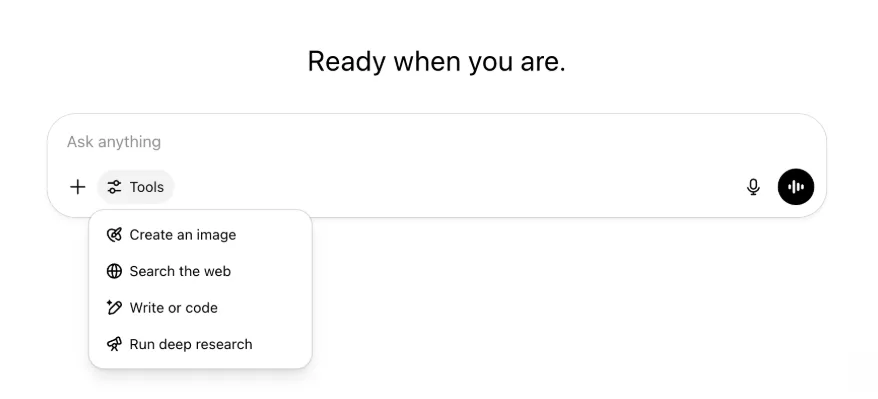
ความสามารถและเครื่องมือทั้งหมดยังคงอยู่เช่นเดิม เพียงจัดให้เป็นระเบียบและเข้าถึงง่ายขึ้นในเมนูเดียว
22 พฤษภาคม 2025
เปิดตัว GPT-4.1 ใน ChatGPT
นับตั้งแต่เปิดตัวใน API เมื่อเดือนเมษายน GPT-4.1 ได้รับความนิยมจากนักพัฒนาอย่างมาก เราจึงนำมาให้ใช้โดยตรงใน ChatGPT ตามคำเรียกร้อง
GPT-4.1 เป็นโมเดลเฉพาะทางที่โดดเด่นด้านงานเขียนโค้ด เมื่อเทียบกับ GPT-4o โมเดลนี้ทำตามคำสั่งอย่างแม่นยำและทำงานพัฒนาเว็บได้ดียิ่งขึ้น อีกทั้งเป็นอีกทางเลือกจาก OpenAI o3 และ OpenAI o4-mini สำหรับงานเขียนโค้ดทั่วไปที่ไม่ซับซ้อน
ตั้งแต่วันนี้ ผู้ใช้ Enterprise และ Edu เข้าถึง GPT-4.1 ได้จากเมนูแบบเลื่อนลง "โมเดลเพิ่มเติม" ในตัวเลือกโมเดล GPT-4.1 มีลิมิตการใช้งานเท่ากับ GPT-4o สำหรับผู้ใช้แบบชำระเงิน
ขอแนะนำ GPT-4.1 mini ซึ่งมาแทน GPT-4o mini ใน ChatGPT
GPT-4.1 mini เป็นโมเดลขนาดเล็กที่รวดเร็ว มีความสามารถ และมีประสิทธิภาพ โดยปรับปรุงจาก GPT-4o mini อย่างมาก ทั้งการทำตามคำสั่ง การเขียนโค้ด และความฉลาดโดยรวม GPT-4.1 mini จะมาแทน GPT-4o mini ในส่วน "โมเดลเพิ่มเติม" ของตัวเลือกโมเดลสำหรับผู้ใช้แบบชำระเงิน และเป็นโมเดลสำรองให้ผู้ใช้ฟรีเมื่อใช้ GPT-4o ถึงลิมิต ลิมิตการใช้งานยังคงเท่าเดิม
เดิมทีผลการประเมิน GPT-4.1 และ GPT-4.1 mini เผยแพร่ในบล็อกโพสต์ที่ออกพร้อมการเปิดตัวใน API โมเดลทั้งสองยังผ่านการประเมินความปลอดภัยมาตรฐานด้วย ดูผลโดยละเอียดได้ในศูนย์รวมการประเมินความปลอดภัยที่เพิ่งเปิดตัว
15 พฤษภาคม 2025
ส่งออกการวิจัยเชิงลึกเป็น PDF
ตอนนี้คุณส่งออกรายงานการวิจัยเชิงลึกเป็น PDF ที่จัดรูปแบบอย่างดี พร้อมตาราง รูปภาพ การอ้างอิงแบบลิงก์ และแหล่งข้อมูลได้แล้ว
วิธีใช้: คลิกไอคอนแชร์แล้วเลือก “ดาวน์โหลดเป็น PDF” ใช้ได้กับทั้งรายงานใหม่และรายงานเดิม
รวม UI ของช่องพิมพ์ข้อความบนอุปกรณ์เคลื่อนที่ (iOS/Android)
เรานำแถวไอคอนเครื่องมือแต่ละรายการออกจากช่องพิมพ์ข้อความบนอุปกรณ์เคลื่อนที่ และแทนที่ด้วยไอคอนรูปแถบเลื่อนแบบใหม่สำหรับเปิดเมนูทักษะ เมื่อแตะปุ่มนี้ เมนูแบบแผ่นด้านล่างจะเปิดขึ้นให้ผู้ใช้เลือกเครื่องมือ เช่น สร้างรูปภาพหรือค้นหาเว็บ
ไม่มีเครื่องมือใดถูกยกเลิก เพียงรวมจุดเข้าถึงเพื่อเพิ่มพื้นที่และลดความรกบนหน้าจอ
8 พฤษภาคม 2025
การวิเคราะห์ผู้ใช้ใน ChatGPT - พร้อมใช้งานทั่วไป
เข้าถึงแดชบอร์ดการวิเคราะห์ผู้ใช้ที่ปรับปรุงใหม่ได้ในคอนโซล จัดการเวิร์กสเปซ ที่แท็บการวิเคราะห์ แดชบอร์ดนี้ให้ข้อมูลการใช้งาน การนำไปใช้ และการมีส่วนร่วมที่ครอบคลุมกว่าแท็บการวิเคราะห์เดิม
แดชบอร์ดที่ปรับปรุงแล้วช่วยให้ผู้ดูแลระบบเห็นภาพรวมการใช้ ChatGPT ทั่วทั้งองค์กร ใช้ติดตามการนำไปใช้และการมีส่วนร่วม ทำความเข้าใจรูปแบบการใช้เครื่องมือและ GPT ยอดนิยม ตลอดจนระบุกรณีใช้งานและแนวโน้มผู้ใช้
ดู การวิเคราะห์ผู้ใช้สำหรับ ChatGPT Enterprise และ Edu และ API สำหรับการปฏิบัติตามข้อกำหนดเทียบกับการวิเคราะห์ผู้ใช้ใน ChatGPT Enterprise/Edu
2 พฤษภาคม 2025
การสร้างรูปภาพด้วย 4o ใน GPT
ขณะนี้ GPT ใช้ความสามารถด้านการสร้างรูปภาพของ ChatGPT เพื่อสร้างภาพตามคำขอให้ผู้ใช้ได้
ผู้สร้าง GPT เปิด "การสร้างรูปภาพด้วย 4o" ได้ในส่วนกำหนดค่าของเครื่องมือแก้ไข GPT ใต้ ความสามารถ
1 พฤษภาคม 2025
การวิจัยเชิงลึก
ผู้ใช้ที่ใช้โมเดลการวิจัยเชิงลึกมาตรฐานถึงลิมิตรายเดือน (10 งาน/เดือน) จะได้รับคำขอเพิ่มเติม 15 ครั้งในเดือนนั้นโดยอัตโนมัติด้วยเวอร์ชันที่เบาและคุ้มค่าของเรา จนกว่าลิมิตรายเดือนจะรีเซ็ต
ดูข้อมูลเพิ่มเติมเกี่ยวกับการวิจัยเชิงลึก
งานใน o3 และ o4-mini
ขณะนี้คุณสร้างงานตามกำหนดเวลาเพื่อให้ ChatGPT เรียกใช้พรอมต์อัตโนมัติและติดต่อคุณเชิงรุกตามกำหนดเวลาด้วย o3 และ o4-mini ได้ ตัวเลือก “ChatGPT with Schedules Tasks” ถูกนำออกจากตัวเลือกโมเดลแล้ว
ดูข้อมูลเพิ่มเติมเกี่ยวกับงานตามกำหนดเวลาใน ChatGPT
24 เมษายน 2025
o3 และ o4-mini
เมื่อเปิดตัว o3 และ o4-mini / o4-mini-high โมเดลเหล่านี้จะมาแทน o1 และ o3-mini / o3-mini-high ตามลำดับภายใน ChatGPT
OpenAI o3 คือโมเดลการให้เหตุผลที่ทรงพลังที่สุดของเรา ซึ่งยกระดับขีดความสามารถระดับแนวหน้าในด้านการเขียนโค้ด คณิตศาสตร์ วิทยาศาสตร์ การรับรู้ด้วยภาพ และอื่นๆ โมเดลนี้สร้างมาตรฐานระดับแนวหน้าใหม่ในเกณฑ์วัดต่างๆ รวมถึง Codeforces, SWE-bench (โดยไม่สร้างโครงรองรับเฉพาะโมเดล) และ MMMU เหมาะอย่างยิ่งกับคำถามซับซ้อนที่ต้องวิเคราะห์หลายแง่มุมและอาจไม่มีคำตอบที่เห็นได้ชัดในทันที ทำงานด้านภาพได้โดดเด่นเป็นพิเศษ เช่น การวิเคราะห์รูปภาพ แผนภูมิ และกราฟิก ในการประเมินโดยผู้เชี่ยวชาญภายนอก o3 ทำข้อผิดพลาดร้ายแรงน้อยกว่า OpenAI o1 ถึง 20% ในงานจริงที่ยาก โดยโดดเด่นเป็นพิเศษด้านการเขียนโปรแกรม ธุรกิจ/การให้คำปรึกษา และการคิดสร้างสรรค์ ผู้ทดสอบระยะแรกชื่นชมความเข้มงวดในการวิเคราะห์ในฐานะคู่คิด และเน้นความสามารถในการสร้างและประเมินสมมติฐานใหม่อย่างมีวิจารณญาณ โดยเฉพาะในบริบทด้านชีววิทยา คณิตศาสตร์ และวิศวกรรม
OpenAI o4-mini เป็นโมเดลขนาดเล็กที่ปรับให้เหมาะกับการให้เหตุผลอย่างรวดเร็วและคุ้มค่า โดยทำผลงานได้โดดเด่นเมื่อเทียบกับขนาดและต้นทุน โดยเฉพาะด้านคณิตศาสตร์ การเขียนโค้ด และงานด้านภาพ เป็นโมเดลที่มีผลการทดสอบดีที่สุดใน AIME 2024 และ 2025 ในการประเมินโดยผู้เชี่ยวชาญ ยังทำได้ดีกว่า o3‑mini รุ่นก่อนหน้าในงานนอกสาขา STEM และด้านต่างๆ เช่น วิทยาศาสตร์ข้อมูล ด้วยประสิทธิภาพนี้ o4-mini จึงรองรับลิมิตการใช้งานที่สูงกว่า o3 มาก และเป็นตัวเลือกที่เหมาะกับคำถามปริมาณมาก อัตราการประมวลผลสูง และได้ประโยชน์จากการให้เหตุผล
10 เมษายน 2025
ChatGPT Images
ขณะนี้การสร้างรูปภาพใน GPT-4o พร้อมให้ผู้ใช้ทุกคนใช้เป็นเครื่องมือสร้างรูปภาพเริ่มต้นใน ChatGPT แล้ว ผู้ใช้ที่ต้องการใช้ DALL·E ต่อไปยังเข้าถึงได้ผ่าน DALL·E GPT
คุณสร้างรูปภาพด้วย ChatGPT ได้ง่ายๆ โดยขอให้โมเดลสร้างภาพตามรายละเอียดที่ต้องการ หรือเลือกตัวเลือกสร้างรูปภาพในช่องพิมพ์ ดูข้อมูลเพิ่มเติม
31 มีนาคม 2025
การวิเคราะห์ผู้ใช้ใน ChatGPT - เบต้าสาธารณะ
เข้าถึงแดชบอร์ดการวิเคราะห์ผู้ใช้ที่ปรับปรุงใหม่ได้ในแท็บการวิเคราะห์ของคอนโซลจัดการเวิร์กสเปซ แดชบอร์ดนี้ให้ข้อมูลการใช้งาน การนำไปใช้ และการมีส่วนร่วมที่ครอบคลุมกว่าแท็บการวิเคราะห์เดิม
แดชบอร์ดที่ปรับปรุงแล้วช่วยให้ผู้ดูแลระบบเห็นภาพรวมการใช้ ChatGPT ทั่วทั้งองค์กร ใช้ติดตามการนำไปใช้และการมีส่วนร่วม ทำความเข้าใจรูปแบบการใช้เครื่องมือและ GPT ยอดนิยม และระบุกรณีใช้งานกับแนวโน้มผู้ใช้
ดูรายละเอียดใน การวิเคราะห์ผู้ใช้สำหรับ ChatGPT Enterprise และ Edu (เบต้าสาธารณะ)
20 มีนาคม 2025
อัปเดตโปรเจกต์ที่แชร์
เราจะยังไม่เปิดตัวโปรเจกต์ที่แชร์พร้อมสิทธิ์ดูและแก้ไข เพื่อพัฒนาเวอร์ชันที่รองรับการทำงานร่วมกันมากขึ้นและมีคุณค่าต่อผู้ใช้
13 มีนาคม 2025
เขียนโค้ดด้วย Work with Apps บน macOS
เมื่อทำงานกับ IDE คุณขอให้ ChatGPT แก้ไขไฟล์ที่เปิดอยู่ได้โดยตรง ไม่ต้องคัดลอกและวาง เมื่อขอให้แก้ไข ChatGPT จะสร้าง diff ให้คุณตรวจสอบและนำไปใช้ ทั้งยังมีตัวเลือกให้นำการแก้ไขไปใช้โดยอัตโนมัติ ย้อนกลับ diff ได้ง่ายใน UI ของ ChatGPT หรือใช้ CMD+Z ในเครื่องมือแก้ไข
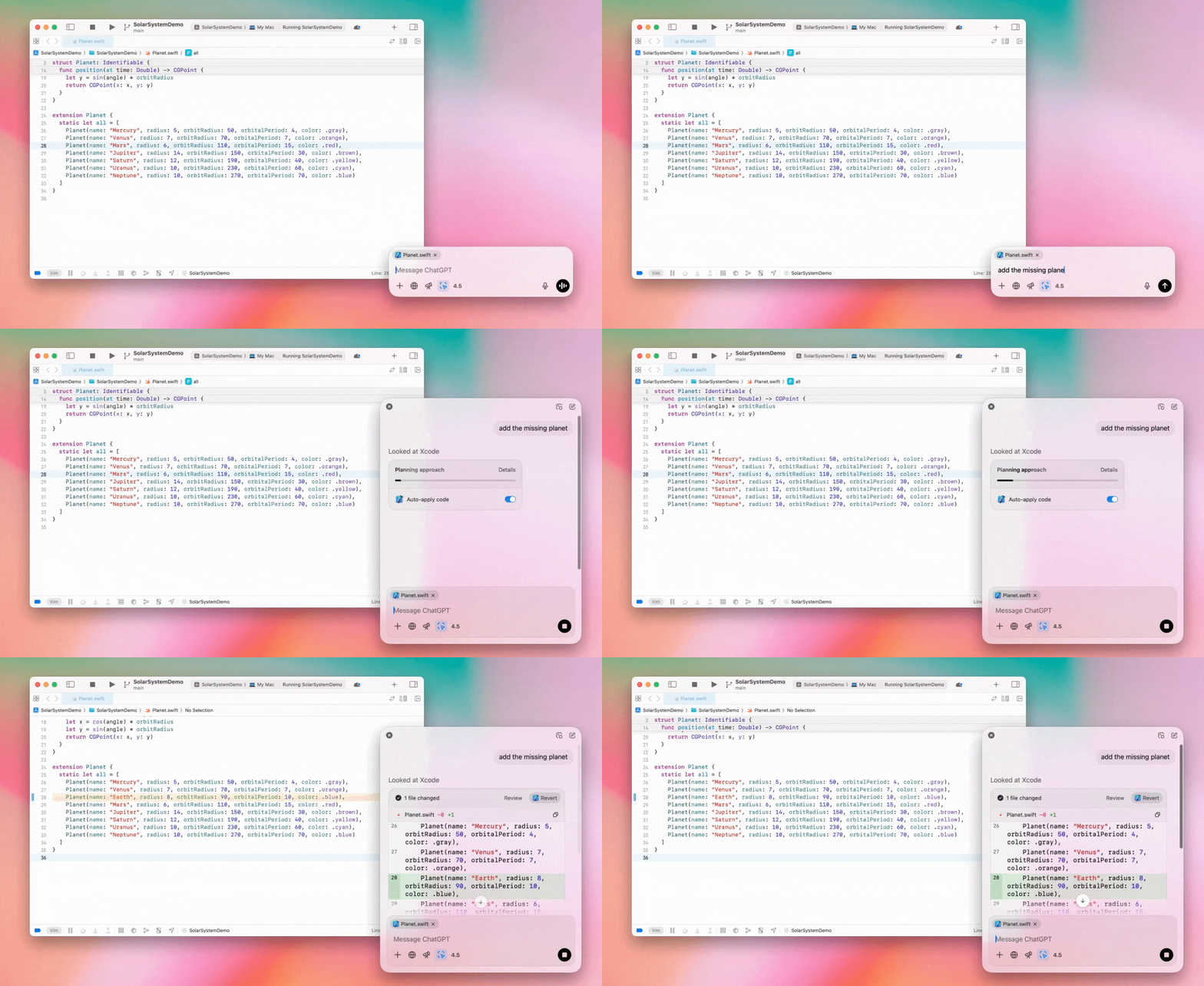
ผู้ดูแลระบบ Enterprise ปิดสวิตช์ "Work with Apps" ในการตั้งค่าผู้ดูแลระบบ เพื่อปิดฟังก์ชันนี้สำหรับสมาชิกเวิร์กสเปซได้
GPT-4.5 ใน ChatGPT
ตั้งแต่วันที่ 13 มีนาคม 2025 ผู้ใช้แผน Enterprise และ Edu สามารถใช้โมเดล GPT-4.5 ของเราใน ChatGPT ได้แล้ว
ดูรายละเอียดใน GPT-4.5 ใน ChatGPT
10 มีนาคม 2025
การวิจัยเชิงลึกใน API สำหรับการปฏิบัติตามข้อกำหนดของ ChatGPT
ตั้งแต่วันที่ 10 มีนาคม 2025 ลูกค้า Enterprise ที่ใช้ API สำหรับการปฏิบัติตามข้อกำหนดจะมีตัวเลือกดังนี้
ค้นหา “พรอมต์ส่วนกลางของการวิจัยเชิงลึก”
ค้นหาชื่อเครื่องมือในคำตอบ โดยมองหา {"tool_name":"deep_research"}
25 กุมภาพันธ์ 2025
การวิจัยเชิงลึกใน ChatGPT
ขณะนี้การวิจัยเชิงลึกใน ChatGPT พร้อมให้ผู้ใช้แผน Enterprise ใช้งานแล้ว
การวิจัยเชิงลึกช่วยให้ ChatGPT ท่องเว็บแบบเอเจนต์และไม่พร้อมกันเพื่อทำงานด้านอาชีพหรือส่วนตัวของคุณให้เสร็จ
ผู้ใช้ Enterprise และ Edu จะส่งคำขอการวิจัยเชิงลึกได้ 10 ครั้งต่อเดือน
ดูรายละเอียดในคำถามที่พบบ่อยเกี่ยวกับการวิจัยเชิงลึก
13 กุมภาพันธ์ 2025
โหมด o1 pro และ o3-mini ใน ChatGPT
ตอนนี้โหมด o1 pro ใน ChatGPT พร้อมให้ Enterprise ใช้งาน และ o3-mini พร้อมให้ Enterprise Edu ใช้งานแล้ว
o3-mini: o3-mini ของ OpenAI มาแทน o1-mini ในตัวเลือกโมเดลแล้ว ประหยัดค่าใช้จ่ายกว่า พร้อมลิมิตการใช้งานสูงขึ้นและเวลาแฝงต่ำลง เป็นโมเดลการให้เหตุผล จึงเหมาะอย่างยิ่งกับงานเขียนโค้ด STEM และการแก้ปัญหาเชิงตรรกะ o3-mini แสดงลำดับความคิดและท่องเว็บได้
โหมด o1 pro: อีกตัวเลือกที่จะพร้อมใช้งานในตัวเลือกโมเดลสัปดาห์นี้คือโหมด o1 pro ออกแบบมาเพื่อความแม่นยำและลึกซึ้ง มีประสิทธิภาพโดดเด่นด้านการวิจัย วิศวกรรม ธุรกิจ และกฎหมาย เหมาะสำหรับมืออาชีพที่ต้องรับมือกับความท้าทายซับซ้อนอย่างยิ่ง โหมด o1 pro จะใช้เวลาคิดแก้ปัญหานานขึ้น คำตอบจึงอาจใช้เวลาสักระยะ เนื่องจากต้องใช้การประมวลผลสูง ผู้ใช้แต่ละคนจึงส่งคำขอได้ไม่เกินห้าครั้งต่อเดือน สำหรับงานส่วนใหญ่ o1, o3-mini หรือ GPT-4o จะยังคงเป็นตัวเลือกที่เหมาะสมที่สุด
เรื่องการอัปโหลดไฟล์
โมเดล o1, o3-mini และ o3-mini-high* รองรับรูปภาพ เอกสาร และ PDF ไม่รองรับสเปรดชีต (CSV/Excel)*
โหมด o1 proรองรับเฉพาะรูปภาพ ไม่รองรับเอกสาร/PDF หรือสเปรดชีต (CSV/Excel)
การแชร์ Canvas
ตอนนี้ผู้ใช้ ChatGPT Enterprise และ Edu แชร์ชิ้นงาน Canvas เช่น โค้ด React/HTML ที่เรนเดอร์แล้ว เอกสาร หรือโค้ดกับผู้ใช้รายอื่นได้ คล้ายกับการแชร์บทสนทนา คุณทำได้จากแถบเครื่องมือ Canvas เมื่อเปิด Canvas อยู่
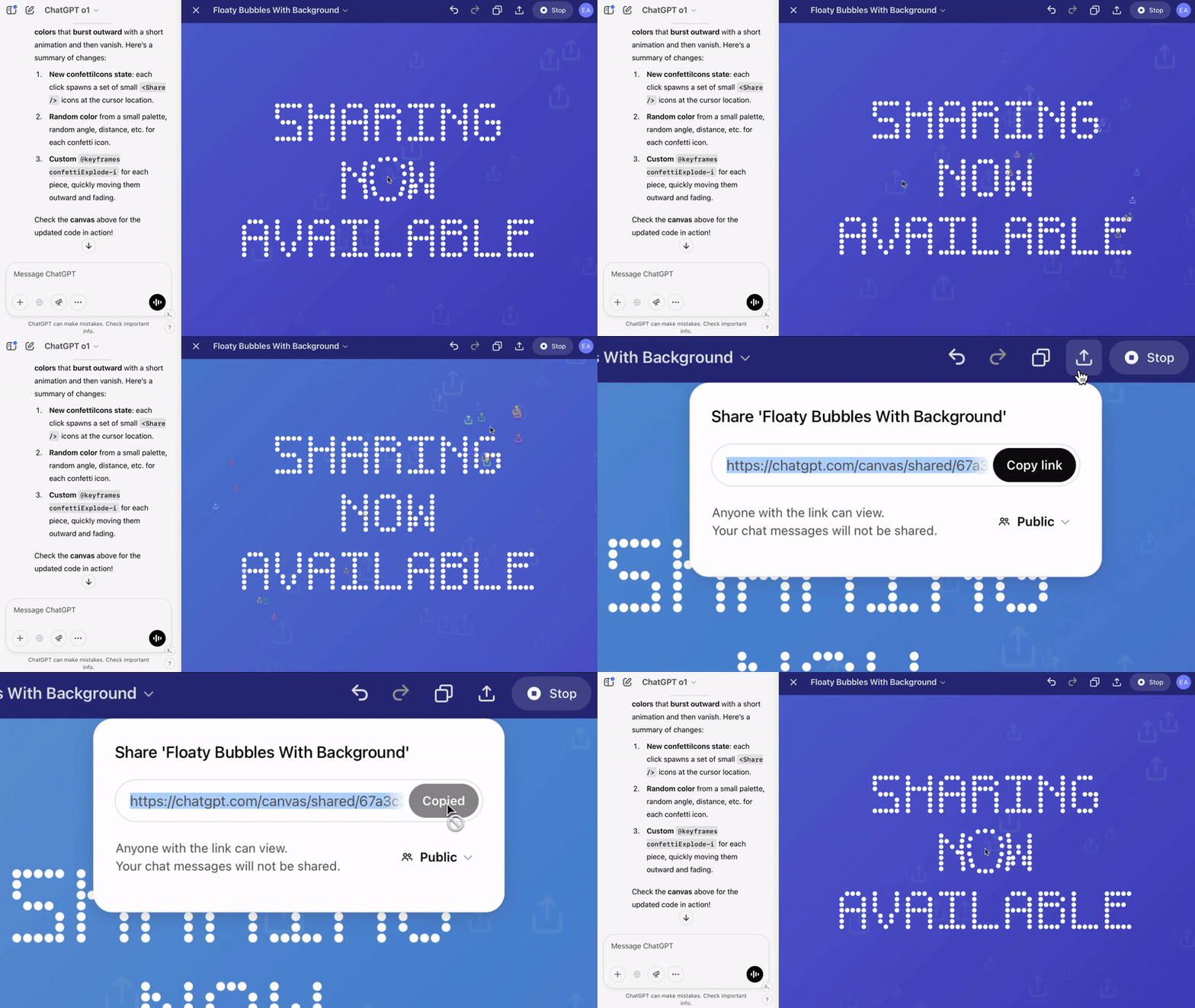
ดูรายละเอียดเพิ่มเติมเกี่ยวกับฟีเจอร์ Canvas ใน ChatGPT ได้จากบทความต่อไปนี้ในศูนย์ช่วยเหลือ
23 มกราคม 2025
โปรเจกต์
ขณะนี้โปรเจกต์พร้อมใช้ในแผนแบบชำระเงินทั้งหมด รวมถึง Enterprise และ Edu
ดูรายละเอียดใน การใช้โปรเจกต์ใน ChatGPT
16 มกราคม 2025
การเรียกค้นข้อมูลภาพ (PDF) สำหรับ ChatGPT Enterprise
ขณะนี้ ChatGPT Enterprise รองรับการอ่านและทำความเข้าใจภาพ (รูปภาพ กราฟ ไดอะแกรม ฯลฯ) ที่ฝังในไฟล์ PDF ผู้ใช้อัปโหลด PDF แล้วให้ ChatGPT ตีความข้อความและองค์ประกอบภาพในไฟล์ได้
ดูรายละเอียดในคำถามที่พบบ่อยเกี่ยวกับการเรียกค้นข้อมูลภาพจาก PDF
12 ธันวาคม 2024
o1
ตั้งแต่วันนี้ ลูกค้า ChatGPT Enterprise ทุกคนเข้าถึง o1 ผ่านตัวเลือกโมเดลได้ โดยมาแทน o1-preview
ขณะนี้ o1 ใช้ให้เหตุผลเกี่ยวกับรูปภาพที่อัปโหลดได้ เปิดทางสู่การใช้งานใหม่ด้วยการวิเคราะห์และอธิบายภาพได้ละเอียดและแม่นยำยิ่งขึ้น เรายังฝึกโมเดลให้คิดกระชับขึ้น จึงตอบได้เร็วกว่า o1-preview
11 ธันวาคม 2024
Apple Intelligence กับ ChatGPT
ขณะนี้ผู้ดูแลระบบ ChatGPT เปิดและปิดสิทธิ์เข้าถึง Apple Intelligence ได้จากส่วนการเชื่อมต่อในการตั้งค่าผู้ดูแลเวิร์กสเปซ
หากปิดการตั้งค่านี้ ผู้ใช้จะเลือกเวิร์กสเปซ ChatGPT Enterprise/Edu เมื่อลงชื่อเข้าด้วยข้อมูลประจำตัว OpenAI ไม่ได้
10 ธันวาคม 2024
Canvas
วันนี้เราเปิดให้ผู้ใช้ทุกคนทั้งแบบฟรีและแบบชำระเงินใช้งาน Canvas ใน 4o ได้โดยค่าเริ่มต้นแล้ว นอกจากนี้ เรายังเปิดตัวความสามารถใหม่หลายรายการสำหรับ Canvas ได้แก่:
Canvas ใน GPTs: ตอนนี้สามารถใช้ Canvas กับ GPTs ได้แล้วเมื่อเปิดใช้งานในเครื่องมือสร้าง GPT ตัวเลือกนี้จะเปิดใช้งานโดยค่าเริ่มต้นสำหรับ GPTs ที่สร้างขึ้นใหม่
การเรียกใช้โค้ด Python: ตอนนี้คุณสามารถเรียกใช้โค้ด Python ใน Canvas ได้แล้ว ChatGPT จะลองแก้ข้อบกพร่องในโค้ดของคุณและให้ความเห็นเกี่ยวกับข้อผิดพลาด โปรดทราบว่าการเรียกใช้ Python อาจส่งคำขอไปยังเครือข่ายภายนอกได้ และผู้ดูแลระบบเวิร์กสเปซ Enterprise สามารถปิดการเรียกใช้โค้ด Python ได้โดยสลับการตั้งค่า การเรียกใช้โค้ด Canvas ในการตั้งค่าผู้ดูแลระบบ ฟีเจอร์นี้จะปิดไว้โดยค่าเริ่มต้นสำหรับบัญชี Enterprise ทั้งหมด
ทางลัด Canvas: ตอนนี้คุณสามารถวางเนื้อหาลงใน ChatGPT แล้วเปิดใน Canvas ได้ทันทีผ่านทางลัดที่มุมขวาบนของช่องเขียนข้อความ
Canvas ในกล่องเครื่องมือ: เพิ่ม Canvas เป็นตัวเลือกในกล่องเครื่องมือแล้ว
ตอนนี้ผู้ดูแลระบบเวิร์กสเปซสามารถใช้ API สำหรับการปฏิบัติตามข้อกำหนดเพื่อเรียกดู แสดงรายการ และลบเอกสารข้อความใน Canvas ได้แล้ว
โปรดทราบว่าเราได้นำการตั้งค่าผู้ดูแลระบบสำหรับปิดใช้งาน Canvas ออกแล้ว เนื่องจากฟีเจอร์นี้พ้นช่วงเบต้าแล้ว หากก่อนหน้านี้คุณปิดใช้งานฟีเจอร์นี้ไว้ เราจะยังคงใช้การตั้งค่านั้นต่อไป โปรดติดต่อทีมสนับสนุนของเราผ่านไอคอนแชตที่มุมขวาล่างของหน้านี้
3 ธันวาคม 2024
Work with Apps บน macOS
ขณะนี้ ChatGPT อ่านเนื้อหาจากแอปเขียนโค้ดของคุณได้ผ่าน Work with Apps บน macOS จึงให้คำตอบที่ฉลาด แม่นยำ และเหมาะกับงานยิ่งขึ้น ดูข้อมูลเพิ่มเติมเกี่ยวกับ Work with Apps บน macOS
ผู้ดูแลระบบ Enterprise ปิดสวิตช์ "Work with Apps" ในการตั้งค่าผู้ดูแลระบบ เพื่อปิดฟังก์ชันนี้สำหรับสมาชิกเวิร์กสเปซได้
22 พฤศจิกายน 2024
อัปเดตประสบการณ์ ChatGPT บนเว็บ
เราจะทยอยเปิดตัวอัปเดตต่อไปนี้ให้ผู้ใช้ ChatGPT ทุกคนในช่วงสองสัปดาห์ข้างหน้า
ออกแบบแถบด้านข้างใหม่
เพิ่มโหมดลอยแบบใหม่ที่ปิดได้อย่างนุ่มนวล
แถบด้านข้างจะแสดงบทสนทนาล่าสุดจำนวนจำกัด พร้อมแผงลอยที่เลื่อนได้ไม่สิ้นสุดสำหรับบทสนทนาทั้งหมด
GPTs ล่าสุดและ GPTs ที่ปักหมุดจะแสดงอยู่ใต้บทสนทนา
การตั้งค่าจะอยู่ด้านล่างสุดของแถบด้านข้างเสมอ
เพิ่มไอคอนการตั้งค่าขนาดเล็กในหน้าจอขนาดใหญ่เมื่อไม่ได้เปิดแถบด้านข้าง
เพิ่มเอฟเฟกต์การเปลี่ยนฉากใหม่เพื่อให้รู้สึกมีส่วนร่วมมากขึ้น
อัปเดตอื่นๆ สำหรับ ChatGPT บนเว็บ
ปรับปรุงโครงสร้างพื้นฐานหลักของเว็บไซต์ เพื่อรองรับอุปกรณ์และขนาดหน้าจอที่หลากหลายได้ดียิ่งขึ้น
เมื่อเริ่มบทสนทนาใหม่ ระบบจะเลื่อนบทสนทนานั้นขึ้นมาให้เห็นที่ด้านบนของหน้าจอ
เมื่อเริ่มบทสนทนาใหม่ ระบบจะไม่เลื่อนไปด้านล่างโดยอัตโนมัติขณะกำลังสร้างข้อความอีกต่อไป
เมื่อปักหมุดแถบด้านข้างไว้ แถบจะยังคงเปิดอยู่ขณะใช้ Canvas ได้หากมีพื้นที่เพียงพอ
เลย์เอาต์ใหม่ของแถบช่องพิมพ์ข้อความจะทำให้เนื้อหาด้านล่างค่อยๆ จางลงขณะเลื่อน พร้อมรูปลักษณ์และสัมผัสแบบใหม่
ย้ายปุ่มแชตใหม่ไปทางซ้ายของตัวเลือกโมเดลเพื่อให้เข้าถึงง่ายขึ้น
นำไอคอนระบบในบทสนทนาออกเพื่อเพิ่มพื้นที่ในแนวนอน
ปรับเลย์เอาต์ของมุมมองที่เน้น DALL-E
ปรับเลย์เอาต์ของเครื่องมือสร้าง GPT
ปรับปรุงประสบการณ์เว็บบนอุปกรณ์เคลื่อนที่
ปรับปรุงประสบการณ์ใช้แป้นพิมพ์บนหน้าจออย่างมากทั้งบนอุปกรณ์ iOS และ Android
แถบด้านข้างใหม่จะอยู่ในโหมดลอยเสมอและปิดอัตโนมัติเมื่อสลับเธรด
เราจะไม่โฟกัสช่องพิมพ์ข้อความบนเว็บบนอุปกรณ์เคลื่อนที่เมื่อสลับบทสนทนาอีกต่อไป
แก้ไขปัญหาที่ทำให้การเลื่อนค้างในบางสถานการณ์แล้ว
20 พฤศจิกายน 2024
อัปเดต GPT-4o
เราอัปเดต GPT-4o สำหรับผู้ใช้ ChatGPT ในแผนแบบชำระเงินทุกระดับแล้ว การอัปเดต GPT-4o นี้ปรับปรุงความสามารถด้านการเขียนให้เป็นธรรมชาติ เข้าใจกลุ่มเป้าหมาย และเหมาะสมยิ่งขึ้น เพื่อเพิ่มความเกี่ยวข้องและความอ่านง่าย โมเดลนี้ทำงานกับไฟล์ที่อัปโหลดได้ดีขึ้น พร้อมให้ข้อมูลเชิงลึกและคำตอบที่ละเอียดกว่าเดิม
19 พฤศจิกายน 2024
โหมดเสียงขั้นสูงสำหรับ ChatGPT บนเว็บ
ตั้งแต่วันนี้ เราจะเริ่มทยอยเปิดตัวโหมดเสียงขั้นสูงบนเว็บ ซึ่งพร้อมใช้งานแล้วในแอปบนอุปกรณ์เคลื่อนที่และเดสก์ท็อป ตอนนี้ผู้ใช้เริ่มแชตด้วยเสียงบน chatgpt.com จากเดสก์ท็อป และสนทนากับ ChatGPT ได้อย่างเป็นธรรมชาติแบบเรียลไทม์ขณะทำงานต่างๆ เช่น วางแผน เขียน และระดมความคิด
14 พฤศจิกายน 2024
แอป Windows
ขณะนี้แอป Windows ที่ปรับปรุงแล้วพร้อมให้เวิร์กสเปซ ChatGPT Enterprise และ Edu ใช้ผ่าน Microsoft Store ผู้ใช้ ChatGPT ที่คุ้นเคยกับประสบการณ์บนเว็บสามารถผสานแอป Windows เข้ากับงานทุกอย่างบนคอมพิวเตอร์ได้อย่างลื่นไหล
สิทธิ์เข้าถึงแอป ChatGPT สำหรับ Windows ของผู้ใช้จะเป็นไปตามนโยบายแอปใน Microsoft Store ของผู้ดูแลระบบไอที ในอีกไม่กี่สัปดาห์ ผู้ดูแลระบบไอทีจะเลือกปรับใช้แอปไปยังอุปกรณ์ของพนักงานผ่าน MDM/MAM ได้ แทนการอนุญาตให้ดาวน์โหลดจาก Store โดยตรง
เช่นเดียวกับประสบการณ์ ChatGPT Enterprise อื่นๆ ประวัติแชตของผู้ใช้จะปลอดภัยและไม่นำไปใช้ปรับปรุงบริการของ OpenAI
ดูข้อมูลเพิ่มเติมเกี่ยวกับแอป ChatGPT สำหรับ Windows