
۱۰ سپتامبر ۲۰۲۶
افزونه Data در ChatGPT کار و Codex
افزونه Data به شما کمک میکند دادههای تجاری متصل را در ChatGPT کار و Codex تحلیل کنید. یک پرسش تجاری مطرح کنید، تغییرات را بررسی کنید یا یک داشبورد یا گزارش تعاملی بسازید. میتوانید با پرسشهای تکمیلی، تحلیل را دقیقتر کنید و تعاریف شاخصهای تیم و سایر اطلاعات زمینهای کسبوکارتان را نیز به آن بیفزایید.
مدیران میتوانند در مسیر تنظیمات فضای کاری > افزونهها، Data را انتخاب کنند تا خطمشی نصب آن را بررسی و دسترسی را براساس نقش یا گروه مدیریت کنند. افزونههای منابع داده و برنامههای آنها ممکن است به راهاندازی جداگانه نیاز داشته باشند. اعضا میتوانند با @Data شروع کنند؛ مجوزهای حساب متصل و کنترلهای دسترسی فضای کاری اعمال میشوند. بیشتر بدانید.
۹ سپتامبر ۲۰۲۶
مدلها و محدودیتهای استفاده بهروزشده در ChatGPT سخنگو
ChatGPT سخنگو اکنون میتواند هنگام نیاز به جستوجو یا استدلال درباره پرسشهای دشوارتر، از GPT-5.6 یا GPT-6 Astra استفاده کند. مدل و میزان تلاش برای استدلال را با همان کنترلهای چت متنی انتخاب کنید. مدلهای دردسترس و محدودیت استفاده از آنها به طرح و تنظیمات فضای کاری شما بستگی دارد.
قیمتگذاری و محدودیتهای استفاده روزانه GPT-Live را نیز بهروزرسانی میکنیم:
فضاهای کاری Enterprise با صورتحساب مبتنی بر میزان استفاده و به دلار آمریکا: ۰٫۰۵ دلار بهازای هر دقیقه.
فضاهای کاری Enterprise و Edu که از اعتبار استفاده میکنند: ۱٫۲۵ اعتبار بهازای هر دقیقه، بهجای ۵ اعتبار.
طرحهای قدیمی Enterprise و Edu: حداکثر ۳ ساعت با GPT-Live-1، بهجای سهمیههای قبلی Live و mini.
طرحهای قدیمی Enterprise و Edu پس از رسیدن به محدودیت Voice، دیگر به GPT-Live mini تغییر نمیکنند. استفاده از جستوجو و استدلال، جدا از استفاده از Voice، تابع محدودیتها و قیمتگذاری معمول مدل انتخابشده است.
با این بهروزرسانیها، سطوح جداگانه هوشمندی «فوری»، «متوسط» و «بالا» برای Voice منسوخ میشوند.
اطلاعات بیشتر: https://help.openai.com/en/articles/20001274-chatgpt-voice
اشتراکگذاری فایلها و پوشهها از کتابخانه
قابلیت اشتراکگذاری کتابخانه به شما امکان میدهد فایلها و پوشهها را در ChatGPT به اشتراک بگذارید، افراد دارای دسترسی را انتخاب کنید و در گفتگوهایتان مستقیماً با محتوای مشترک کار کنید.
تازهها
اشتراکگذاری با افراد مشخص. افراد را دعوت کنید و دسترسی «مشاهدهگر» یا «ویرایشگر» را به آنها بدهید.
اشتراکگذاری در سراسر فضای کاری. محتوا را در دسترس همه افراد فضای کاری خود قرار دهید.
مدیریت دسترسی. در پنجره اشتراکگذاری، افراد دارای دسترسی را بررسی کنید، مجوزها را تغییر دهید یا دسترسی را لغو کنید.
یافتن و استفاده از محتوای مشترک. به موارد موجود در بخش اشتراکگذاریشده با من دسترسی پیدا کنید و فایلهای مشترک را در گفتگوهای خود با ChatGPT به کار ببرید.
پوشههای مشترک و مالکیت
فایلهایی که در یک پوشه مشترک بارگذاری میشوند، متعلق به مالک آن پوشه هستند. همچنان ثبت میشود که چه کسی هر فایل را بارگذاری کرده است.
اگر فایلی را در پوشه مشترک شخص دیگری بارگذاری کنید و او بعداً دسترسی شما به پوشه را لغو کند، فایل در پوشه او باقی میماند و شما دیگر به آن دسترسی نخواهید داشت.
کنترلهای مدیر فضای کاری
مدیران میتوانند تعیین کنند که آیا اعضا اجازه ایجاد اشتراکگذاری از کتابخانه یا تغییر مجوزهای اشتراکگذاری را داشته باشند؛ این کنترلها برای فضای کاری و گروههای پیشفرض هر نقش ارائه میشوند.
غیرفعالکردن اشتراکگذاری کتابخانه، از اشتراکگذاریهای جدید و تغییر مجوزها جلوگیری میکند. محتوای مشترک موجود همچنان دردسترس میماند و اعضا میتوانند به محتوایی که با آنها به اشتراک گذاشته شده دسترسی داشته باشند.
تحقیق عمیق در ChatGPT کار و Codex
تحقیق عمیق در کار به اعضا کمک میکند پرسشهای پیچیده را در وب، فایلها و برنامههای مجاز و پشتیبانیشده بررسی کنند و سپس خروجی مستندی با ارجاعها تهیه کنند که قابل بازبینی و اصلاح باشد. اعضای دارای دسترسی به کار/Codex میتوانند در وب، دسکتاپ، iOS یا Android عبارت @Deep Research را تایپ کنند یا صریحاً تحقیق عمیق بخواهند.
مدیران مجوز «تحقیق عمیق» را از مسیر «تنظیمات فضای کاری» ← «مجوزها و نقشها» مدیریت میکنند. جستوجوی وب نیز باید فعال باشد. مجوزهای فضای کاری و منابع متصل همچنان اعمال میشوند. تحقیق عمیق از سهمیه یا اعتبار موجود کار/Codex استفاده میکند؛ محدودیتهای چت تغییری نکردهاند. درباره تحقیق عمیق و کنترلهای فضای کاری بیشتر بدانید.
۳ سپتامبر ۲۰۲۶
افزونههای Zendesk و OneNote در ChatGPT و Codex [بتا]
امروز افزونههای Zendesk و OneNote را به فهرست افزونهها اضافه کردیم. افزونه Zendesk به تیمها کمک میکند تیکتهای پشتیبانی و سوابق مشتریان را بررسی کنند، اطلاعات مرتبط را بیابند و در ChatGPT و Codex پاسخ آماده کنند. اعضا حساب Zendesk خود را متصل میکنند تا با اطلاعات پشتیبانی در دسترسشان کار کنند.
افزونه OneNote به شما کمک میکند یادداشتها را بیابید و خلاصه کنید، تصمیمها و موارد اقدام را گردآوری کنید و با استفاده از اقدامهای پشتیبانیشده در ChatGPT و Codex یادداشت بسازید یا بهروزرسانی کنید.
بیشتر بخوانید: افزونه Zendesk، افزونه OneNote.
سایتها را با افراد خارج از فضای کاری خود به اشتراک بگذارید
فضاهای کاری واجد شرایط ChatGPT Enterprise اکنون میتوانند به مالکان سایت اجازه دهند سایتهای فعال را با بینندگان خارجی مشخص به اشتراک بگذارند. گیرندگان با حسابی که به آن دسترسی داده شده وارد میشوند و میتوانند بدون پیوستن به فضای کاری، سایت مشترک را ببینند. افزون بر این، دسترسی بیننده اجازه ویرایش یا انتشار نمیدهد و سایت را عمومی نمیکند.
مالکان و مدیران فضای کاری میتوانند با فعالکردن سایتها و اجازه به اعضا برای دعوت از بازدیدکنندگان خارجی به سایتها در تنظیمات فضای کاری > مجوزها و نقشها، امکان ارسال دعوتنامه را برای نقشهای منتخب فراهم کنند. این مجوز از انتشار عمومی جداست. درباره این کنترلها در مدیریت سایتهای ChatGPT برای فضای کاری شما بیشتر بدانید.
کنترل بیشتر بر استفاده از مرورگر و رایانه
تنظیمات خطمشی جدید به مدیران سازمانی امکان میدهد نحوه استفاده کلاینتهای دسکتاپ پشتیبانیشده از مرورگرها و برنامههای بومی را بهتر کنترل کنند. مدیران میتوانند پیشفرضها و استثناهای وبسایتها را تعیین کنند، بارگذاری، دانلود، سابقه مرورگر و دسترسی توسعهدهندگان را محدود کنند و بازبینی خودکار، تأییدهای ذخیرهشده و مدت اعتبار تأیید سایتها را کنترل کنند. قواعد برنامههای بومی میتوانند برنامههای مشخص macOS و Windows را مجاز یا مسدود کنند. مدیران همچنین میتوانند واردکردن داده از مرورگری دیگر را محدود کنند.
در جاهایی که ویرایشگر خطمشی در دسترس است، «خطمشیها و پیکربندیهای Codex» را باز و «الزامات» خطمشی را ویرایش کنید. کنترلها در کلاینتها و پلتفرمهای پشتیبانیشده اعمال میشوند؛ مجازکردن یک سایت یا برنامه، سایر خطمشیها یا درخواستهای تأیید را دور نمیزند. درباره کنترلهای مدیریتشده استفاده از مرورگر و رایانه بیشتر بدانید.
۱ سپتامبر ۲۰۲۶
افزونههای حوزه سلامت برای ChatGPT و Codex
فضاهای کاری واجد شرایط ChatGPT ویژهٔ سازمانها و متخصصان حوزهٔ سلامت و فضاهای کاری ChatGPT Enterprise با قابلیت HIPAA اکنون میتوانند از دو افزونه حوزه سلامت در ChatGPT و Codex استفاده کنند:
دادههای عمومی حوزه سلامت: در ۹ منبع عمومی حوزه سلامت، درباره پژوهشهای پزشکی، کارآزماییهای بالینی، اطلاعات دارویی، دادههای Medicare و سوابق ارائهدهندگان خدمات جستوجو کنید. این افزونه فقط امکان خواندن اطلاعات را دارد و به پروندههای بیماران دسترسی پیدا نمیکند.
Epic: اطلاعات مجاز بیماران را از پرونده الکترونیکی سلامت Epic سازمان خود بررسی کنید. این دسترسی فقط برای خواندن است و به یک برنامه Epic EHR پیکربندیشده توسط مدیر، ورود به حساب شخصی Epic و مجوزهای موجود برای پرونده بیمار نیاز دارد.
مدیران، دسترسپذیری افزونه و دسترسی به برنامه را جداگانه مدیریت میکنند. اطلاعات سلامت حفاظتشده را در جستوجوهای ارسالی به منابع عمومی حوزه سلامت وارد نکنید. پیش از استفاده از Epic برای اطلاعات سلامت حفاظتشده، اطمینان یابید که سازمانتان توافقنامه شریک تجاری مرتبط و پیکربندی تأییدشدهای برای فضای کاری دارد.
بیشتر بدانید: استفاده از دادههای عمومی حوزه سلامت در ChatGPT و Codex و استفاده از افزونه Epic با ChatGPT و Codex.
۲۸ اوت ۲۰۲۶
وارد کردن و همگامسازی بازارهای افزونه از GitHub
مدیران و مالکان فضای کاری میتوانند بازارهای افزونه را بهصورت متمرکز از محلهای نگهداری عمومی یا خصوصی GitHub توزیع کنند و با همگامسازی خودکار روزانه، افزونهها را بهروز نگه دارند. برای شروع، به تنظیمات فضای کاری > افزونهها بروید و افزودن > وارد کردن بازار را انتخاب کنید؛ یا برای درخواست بهروزرسانی یک بازار، گزینهٔ اکنون همگامسازی شود را انتخاب کنید.
مدیران و مالکان، خطمشیهای نصب برای نقشهای واجد شرایط و دسترسی الزامی به برنامه را در تنظیمات فضای کاری کنترل میکنند. مقادیر خطمشی محل نگهداری، این تنظیمات را لغو نمیکنند و مجوزهای برنامه و الزامات احراز هویت همچنان اعمال میشوند. دربارهٔ راهاندازی بازار بیشتر بدانید و قالبها و پیکربندیهای پشتیبانیشده را مرور کنید.
۲۷ اوت ۲۰۲۶
مدیریت متمرکز هویت در کنسول مدیریت
مشتریان واجد شرایط ChatGPT Enterprise و ChatGPT Edu اکنون میتوانند تنظیمات بیشتری از فضای کاری و هویت را در کنسول مدیریت مدیریت کنند:
اعضای فضای کاری، گروهها، نقشها، مجوزها و تنظیمات عمومی را مدیریت کنید.
کاربران و گروهها را یکبار از طریق SCIM متمرکز و سراسریِ مستأجر همگامسازی کنید، سپس گروهها را به فضاهای کاری پشتیبانیشدهٔ ChatGPT یا حسابهای Ads اختصاص دهید.
در صورت دسترسبودن، کاربران و نقشهای حسابهای Ads را مدیریت کنید.
پیکربندیهای فعلی SCIM در سطح فضای کاری همچنان پشتیبانی میشوند.
بیشتر بدانید: مدیریت مستأجر در کنسول مدیریت و تأمین و مدیریت SCIM.
کنترل دسترسی به مدل، تنظیمات فضای کاری و بهبودهای Windows
بهبودهایی را منتشر کردهایم که بر فضاهای کاری Enterprise/Edu تأثیر میگذارند:
کنترلهای دسترسی به مدل به مالکان فضای کاری امکان میدهند دسترسی به مدلهای پشتیبانیشده را در سطح فضای کاری و نقش مدیریت کنند.
تنظیمات کاربران، گروهها، نقشها، مجوزها و عمومی اکنون در کنسول مدیریت قرار دارند. این موارد همچنان در تنظیمات فضای کاری نیز در دسترساند و با کلیک روی زبانههای فعلی به کنسول مدیریت هدایت میشوید. مجوزهای فعلی همچنان اعمال میشوند. برای اطلاعات بیشتر، به این مطالب مراجعه کنید: کنترل دسترسی مبتنی بر نقش و تنظیمات فضای کاری.
بهبودهای Codex در Windows شامل ابزار عیبیابی
codex doctor، کنترل از راه دور دستگاههای دیگر از Windows و انتخاب توزیع Linux دلخواه هنگام نصب چند توزیع WSL است. دستگاههای مدیریتشده باید نسخهای داشته باشند که مدیر از طریق MDM تأیید کرده است. دسترسپذیری به فضای کاری و نسخهٔ برنامهٔ شما بستگی دارد. برای اطلاعات بیشتر، به این مطلب مراجعه کنید: Codex.
۲۵ اوت ۲۰۲۶
وظایف زمانبندیشده اشتراکی و وظایف فعالشونده با وبهوک
اعضای فضای کاری Enterprise، Edu و ChatGPT ویژهٔ سازمانها و متخصصان حوزهٔ سلامت میتوانند وظایف زمانبندیشده و قابل سفارشیسازی را در فضای کاری خود به اشتراک بگذارند. مدیران همچنین میتوانند وظایف فعالشونده با وبهوک را در کار فعال کنند تا برنامههای تأییدشده، بدون نیاز به بررسیهای دستی مکرر، بهروزرسانیهای مرتبط را نمایش دهند. در ChatGPT ویژهٔ سازمانها و متخصصان حوزهٔ سلامت، این وظایف تحت پوشش قرارداد همکاری تجاری (BAA) نیستند و نباید برای انتقال، ذخیرهسازی یا پردازش اطلاعات سلامت حفاظتشده (PHI) استفاده شوند.
وبهوکهای پشتیبانیشده شامل پیامهای جدید Gmail، پیامهای کانال Slack و فعالیت pull request در GitHub هستند.
ایجاد وظایف فعالشونده با وبهوک
اعضای واجد شرایط میتوانند از کار در وب، iOS و Android بخواهند به یک پیام جدید Gmail، پیام کانال Slack یا رویداد پشتیبانیشده pull request در GitHub واکنش نشان دهد. برای مثال، از ChatGPT بخواهید بازخورد مشتریان در Slack را خلاصه کند یا پس از تغییر یک pull request در GitHub، گامهای بعدی را آماده کند. اعضا باید به کار و برنامه تأییدشده دسترسی داشته باشند. @ChatGPT را به هر کانال Slack که نظارت میشود اضافه کنید. مدیران Enterprise، Edu و ChatGPT ویژهٔ سازمانها و متخصصان حوزهٔ سلامت باید ابتدا «اجازه دادن به وظایف زمانبندیشده فعالشونده با رویداد» را در «مجوزها & نقشها > کار» فعال کنند. این مجوز بهطور پیشفرض غیرفعال است.
اشتراکگذاری وظایف زمانبندیشده
اعضای واجد شرایط میتوانند وظایف زمانبندیشده یا فعالشونده با وبهوک را با دیگران در همان فضای کاری به اشتراک بگذارند؛ آنها میتوانند دستورالعملها و، در صورت لزوم، زمانبندی را بررسی و سفارشیسازی کنند. مدیران با گزینه اشتراکگذاری چتها و وظایف زمانبندیشده در فضای کاری، اشتراکگذاری را کنترل میکنند. زمانبندی یک نسخه فعالشونده با وبهوک، همچنین مستلزم اجازه دادن به وظایف زمانبندیشده فعالشونده با رویداد، دسترسی به کار و برنامه متصل و تأییدشده خود گیرنده است.
برای اطلاعات بیشتر، ببینید: وظایف زمانبندیشده در ChatGPT.
۲۰ اوت ۲۰۲۶
بهروزرسانیهای قابلیتهای سازمانی
مالکان و مدیران فضای کاری میتوانند با APIهای مدیریتی جدید در سطح فضای کاری، مدیریت دعوتنامهها و اعضا را خودکار کنند. APIهای دعوتنامه از فهرستکردن، بازیابی، ایجاد، ارسال مجدد و حذف دعوتنامهها پشتیبانی میکنند. APIهای کاربر از بازیابی اعضایی که دعوت را پذیرفتهاند پشتیبانی میکنند و به مالکان فضای کاری امکان میدهند نقشهای داخلی یا جایگاهها را بهروزرسانی و عضویتها را از فضای کاری حذف کنند. تغییرات مدیریتشده با SCIM همچنان از طریق ارائهدهنده هویت انجام میشوند و سازوکارهای محافظتی مربوط به آخرین مالک نیز اعمال میشوند. برای راهاندازی و مجوزها، به مدیریت کلیدهای Admin مراجعه کنید. برای مسیرها و طرحوارههای نقاط پایان، به مرجع Admin API مراجعه کنید.
کنسول مدیریت سراسری اکنون مستأجر یا فضای کاری فعلی را واضحتر نشان میدهد و برای صفحههای پشتیبانیشده، نشانیهای اینترنتی ویژه هر فضای کاری ارائه میکند. اعضای فضای کاری میتوانند آمار تحلیلی محدود به فعالیت خودشان را ببینند؛ نماهای بینکاربری همچنان فقط برای نقشهای مجاز در دسترساند. تنظیمات فضای کاری ChatGPT همچنان در محل فعلی خود باقی میماند. درباره کنسول مدیریت سراسری بیشتر بدانید.
آمار تحلیلی شخصی در فضاهای کاری واجد شرایط Enterprise و Edu از کار و Codex پشتیبانی میکند. پس از فعالسازی افزونه توسط مدیر، اعضا میتوانند آن را در نسخه دسکتاپ ChatGPT نصب کنند و درباره فعالیت مرتبط با هویت واردشده خود و روندهای تجمیعی فضای کاری که از حریم خصوصی محافظت میکنند سؤال بپرسند. این قابلیت فقط خواندنی است و نمیتواند فعالیت فردی کاربری دیگر یا دادههای فضای کاری دیگری را نشان دهد. درباره آمار تحلیلی شخصی بیشتر بدانید.
در سایتهای ChatGPT همکاری کنید (فقط Enterprise). در فضاهای کاری Enterprise، مالکان سایت میتوانند اعضای فعال همان فضای کاری را بهعنوان ویرایشگر اضافه کنند. ویرایشگران میتوانند یک سایت را بهروزرسانی و ذخیره کنند و پس از نخستین انتشار آن توسط مالک، نسخههای بعدی را در همان نشانی سایت منتشر کنند. کنترل اشتراکگذاری، تنظیمات سایت، آمار تحلیلی، مالکیت، بازیابی نسخه و دسترسی ویرایشگران همچنان در اختیار مالکان است. ویرایش مشترک از کنترلهای فعلی فضای کاری سایتها استفاده میکند و گزینه جداگانهای برای RBAC نمیافزاید؛ انتشار عمومی نیز بهطور پیشفرض غیرفعال و تحت کنترل مدیر باقی میماند. درباره مدیریت سایتهای ChatGPT برای فضای کاری خود بیشتر بدانید.
از Apple Messages در Codex و ChatGPT کار استفاده کنید. در رایانههای Mac مجهز به Apple silicon، افزونه Apple Messages در برنامه دسکتاپ ChatGPT میتواند مکالمات iMessage، SMS و RCS را بخواند و جستوجو کند و از طریق Messages پیام آماده یا ارسال کند. ChatGPT بهطور پیشفرض پیش از ارسال، از کاربر میخواهد پیام و گیرندگان را تأیید کند. مدیران فضاهای کاری مدیریتشده میتوانند Apple Messages را از طریق کنترل فعلی «استفاده از رایانه» غیرفعال کنند. درباره افزونه Apple Messages بیشتر بدانید.
از سابقه رایانه در مناطق بیشتری استفاده کنید (فقط Enterprise). سابقه رایانه اکنون برای کاربران Enterprise در منطقه اقتصادی اروپا، سوئیس و بریتانیا، در برنامه دسکتاپ ChatGPT برای macOS در دسترس است. این قابلیت بهطور پیشفرض غیرفعال است، به حافظهها نیاز دارد و پیش از آنکه عضوی بتواند آن را فعال کند، باید توسط مدیر فضای کاری فعال شود. درباره سابقه رایانه بیشتر بدانید.
یک تصویر لحظهای فقطخواندنی از چت Codex به اشتراک بگذارید. پیوندهای اشتراکگذاری فضای کاری فقط برای اعضای احراز هویتشده همان فضای کاری قابل دسترسیاند و مدیران میتوانند این پیوندها را غیرفعال کنند. با تغییر چت اصلی، تصویر لحظهای بهروزرسانی نمیشود. Codex الگوهای شناختهشده اطلاعات محرمانه را پنهان میکند، اما کاربران باید تصویر لحظهای را بازبینی کنند؛ زیرا ممکن است مسیرها، تفاوتها، تصاویر یا محتوای حساس دیگری باقی مانده باشد. درباره اشتراکگذاری چت Codex بیشتر بدانید.
کاتالوگ عمومی افزونهها را صادر کنید. مالکان و مدیران فضاهای کاری واجد شرایط ChatGPT Enterprise میتوانند از مسیر Admin > Plugins > Public > Export CSV یک فایل CSV صادر کنند. دادههای خروجی ممکن است تا ۴۸ ساعت قدیمی باشند و افزونههای ایجادشده در فضای کاری را شامل نمیشوند. درباره صدور کاتالوگ عمومی بیشتر بدانید.
۱۳ اوت ۲۰۲۶
تنظیمات پیشفرض مدل چت
مالکان و مدیران فضای کاری میتوانند مدل آغازین چت و سطح استدلال را از مسیر تنظیمات فضای کاری > مدلها پیکربندی کنند. مالکان و مدیران میتوانند یک پیشفرض مدیریتی اعمال کنند یا برای چتهای جدید گزینه آخرین انتخاب کاربر را مجاز بدانند؛ توجه کنید که تنظیمات پیشفرض، دسترسی به مدلهای غیرقابلدسترس را فراهم نمیکنند و الزامات اجباری فضای کاری را نادیده نمیگیرند.
برای اعمال کنترلهای جدید، برنامه دسکتاپ ChatGPT باید به نسخه 26.812.10818 یا جدیدتر ارتقا یابد.
انتخابگر مدل بهروزشده برای Enterprise و Edu
تجربه انتخاب مدل و نوشتن پیام برای اعضای فضاهای کاری Enterprise/Edu بهروزرسانی شده است. این انتخابگر مقایسه گزینههای هوشمندی موجود را آسانتر میکند و در عین حال دسترسپذیری مدلها و کنترلهای دسترسی فضای کاری را حفظ میکند.
گزارشهای ممیزی در کنسول مدیریت سراسری
مالکان و مدیران فضای کاری اکنون میتوانند رویدادهای ممیزی پشتیبانیشده را در کنسول مدیریت سراسری. بررسی کنند دامنه دسترسی و رویدادها به فضای کاری انتخابشده و نقش مدیر بستگی دارد. بیشتر بخوانید.
کنترلهای دسترسی نقشمحور افزایشی
مالکان فضاهای کاری Enterprise و Edu اکنون میتوانند مجوزهای واجد شرایط را در نقشهای سفارشی عادی با گزینههای پیشفرض، روشن یا خاموش پیکربندی کنند. گزینه پیشفرض تنظیم فضای کاری را به ارث میبرد، روشن صراحتاً مجوز را اعطا میکند و خاموش فقط دسترسی از طریق همان نقش را رد میکند. ChatGPT همه نقشهای عادی مرتبط را بهصورت افزایشی ارزیابی میکند: اگر هر نقشی، چه صریحاً و چه با بهارثبردن تنظیم فعال فضای کاری، مجوز را اعطا کند، دسترسی عضو حفظ میشود. تنظیم خاموش فقط دسترسی از طریق همان نقش را رد میکند. اگر همه نقشهای مرتبط روی خاموش تنظیم شده باشند، دسترسی رد میشود. حالت قفل جداگانه ارزیابی میشود و میتواند قابلیتهای متصل به شبکه را بیشتر محدود کند. درباره کنترلهای دسترسی نقشمحور بیشتر بدانید.
دادههای استفاده و هزینه کار و Codex
اعضای فضاهای کاری واجد شرایط Enterprise با صورتحساب مبتنی بر اعتبار میتوانند مجموع اعتبار مصرفشده در هر چت را در کار و Codex بررسی کنند. ارقام مصرف و هزینههای برآوردی صرفاً برای برنامهریزی هستند و صورتحساب محسوب نمیشوند. اعضا همچنین میتوانند میزان مصرف ماهانه و سابقه را از زبانه مصرف و صورتحساب در ChatGPT Desktop بررسی کنند. استفاده عادی از چت شامل نمیشود. این قابلیت به نسخه 26.812.10818 یا جدیدتر ChatGPT Desktop نیاز دارد. بیشتر بخوانید.
افزونه تحلیل شخصی
افزونه تحلیل شخصی برای فضاهای کاری واجد شرایط در دسترس است. پس از فعالکردن افزونه بهدست مالک یا مدیر فضای کاری، اعضا میتوانند آن را در ChatGPT Desktop نصب کنند و درباره فعالیتهای خود در کار و Codex و روندهای تجمیعی موجود در فضای کاری پرسش بپرسند. بیشتر بخوانید.
حسابهای سرویس Codex
فضاهای کاری واجد شرایط میتوانند برای خودکارسازی Codex حسابهای سرویس غیرانسانی ایجاد کنند. مالکان و مدیران فضای کاری میتوانند نقشها و گروهها را اختصاص دهند، افزونهها را پیکربندی کنند، مدیریت حساب را به اشتراک بگذارند و برای اجراکنندههای CI و کارهای زمانبندیشده توکنهای دسترسی محدود صادر کنند. بیشتر بخوانید.
بهبود عملکرد نسخه دسکتاپ Windows
برنامه دسکتاپ ChatGPT برای Windows شامل بهبودهایی در عملکرد است. این بهبودها به نسخه 26.803.41515 یا جدیدتر ChatGPT Desktop نیاز دارند.
سابقه رایانه برای ChatGPT Enterprise
سابقه رایانه قابلیتی اختیاری در برنامه macOS ChatGPT است که به اعضای Enterprise امکان میدهد اطلاعات زمینهای برنامهها و وبسایتهای منتخب را به ChatGPT و Codex منتقل کنند. این قابلیت رویدادهای تعاملی را ثبت میکند، نه عکس یا فیلم صفحهنمایش، ورودی میکروفون یا صدای سیستم؛ مرور خصوصی نیز شامل نمیشود.
سابقه رایانه بهطور پیشفرض خاموش است و مدیران Enterprise میتوانند پیش از آنکه هر عضو درباره فعالکردنش تصمیم بگیرد، دسترسی را بر اساس نقش اعطا کنند. اعضا میتوانند سابقه رایانه را موقتاً متوقف کنند، برنامهها و سایتهای مشمول را برگزینند و موارد خط زمانی را بررسی یا حذف کنند. توجه کنید که سابقه رایانه در حال حاضر در منطقه اقتصادی اروپا، بریتانیا و سوئیس در دسترس نیست.
۱۰ اوت ۲۰۲۶
پایان همگامسازی تککاربره برای اپهای متصل
از ۱۰ اوت، اتصالهای همگامسازی جدید با مجوز فردی دیگر در دسترس نخواهند بود. در ۱۴ اوت، اتصالهای همگامسازی فردی موجود غیرفعال میشوند و حذف دادههای همگامشدهٔ مرتبط آغاز خواهد شد. همگامسازی تحت مدیریت مدیر تحتتأثیر قرار نمیگیرد. تا ۱۴ اوت، تنظیمات رابط فضای کاری را بازبینی کنید و در موارد مرتبط اقدامات زیر را انجام دهید:
| رابط | اقدام لازم مدیر |
|---|---|
| Google Drive | افزونهٔ Google Drive را فعال کنید. اگر دانش همگامشده لازم است، همگامسازی Google Drive تحت مدیریت مدیر را با تفویض اختیار سراسری دامنه پیکربندی کنید. |
| SharePoint | افزونهٔ SharePoint را فعال کنید. اگر دانش همگامشده لازم است، همگامسازی مدیریتی را پیکربندی کنید. |
| GitHub | افزونهٔ غیرهمگام GitHub را فعال کنید. |
| GitLab Issues | دسترسپذیری افزونهٔ جایگزین را بهزودی اعلام میکنیم. |
| Azure Boards (Azure DevOps) | دسترسپذیری افزونهٔ جایگزین را بهزودی اعلام میکنیم. |
| Basecamp | دسترسپذیری افزونهٔ جایگزین را بهزودی اعلام میکنیم. |
| Help Scout | کاربران و گردشهای کار تحتتأثیر را شناسایی و پایان دسترسی همگامشده را به آنها اطلاع دهید. برای ارائهٔ جایگزین، فعالانه با شریک مربوطه همکاری میکنیم. |
| Zoho Desk | کاربران و گردشهای کار تحتتأثیر را شناسایی و پایان دسترسی همگامشده را به آنها اطلاع دهید. برای ارائهٔ جایگزین، فعالانه با شریک مربوطه همکاری میکنیم. |
| Teamwork | کاربران و گردشهای کار تحتتأثیر را شناسایی و پایان دسترسی همگامشده را به آنها اطلاع دهید. برای ارائهٔ جایگزین، فعالانه با شریک مربوطه همکاری میکنیم. |
| Aha! | کاربران و گردشهای کار تحتتأثیر را شناسایی و پایان دسترسی همگامشده را به آنها اطلاع دهید. برای ارائهٔ جایگزین، فعالانه با شریک مربوطه همکاری میکنیم. |
| Zoho CRM | کاربران و گردشهای کار تحتتأثیر را شناسایی و پایان دسترسی همگامشده را به آنها اطلاع دهید. برای ارائهٔ جایگزین، فعالانه با شریک مربوطه همکاری میکنیم. |
| Pipedrive | کاربران و گردشهای کار تحتتأثیر را شناسایی و پایان دسترسی همگامشده را به آنها اطلاع دهید. برای ارائهٔ جایگزین، فعالانه با شریک مربوطه همکاری میکنیم. |
۷ اوت ۲۰۲۶
فایلها و پروژهها در ChatGPT سخنگو
GPT-Live در ChatGPT سخنگو اکنون از بارگذاری فایل و پروژهها پشتیبانی میکند. اکنون میتوانید در مکالمهٔ صوتی فایل بارگذاری کنید و محتوای آن را تحلیل کنید یا دربارهاش پرسش بپرسید. همچنین میتوانید در پروژهها از صدا استفاده کنید و به گفتوگوهای اخیر، منابع و دستورالعملهای پروژه ارجاع دهید.
Live اکنون تجربهٔ پیشفرض صداست
در فضاهای کاری Enterprise، Edu و Healthcare، وقتی مالک فضای کاری صدا را فعال کند، Live تجربهٔ پیشفرض صداست و دیگر نیازی به فعالسازی «دسترسی زودهنگام به مدل» نیست. مالکان فضای کاری میتوانند با غیرفعالکردن صدا در تنظیمات فضای کاری، آن را خاموش کنند.
دربارهٔ ChatGPT سخنگو بیشتر بدانید.
۶ اوت ۲۰۲۶
کنترلهای جدید برای بهروزرسانی برنامهٔ دسکتاپ
مدیران ChatGPT Enterprise، ChatGPT ویژهٔ سازمانها و متخصصان حوزهٔ سلامت و ChatGPT Edu اکنون میتوانند بهروزرسانی درونبرنامهای ChatGPT دسکتاپ را در نسخههای پشتیبانیشدهٔ macOS و Windows خاموش کنند. این کار به سازمانها امکان میدهد انتشارهای جدید را پیش از دریافت کاربران بررسی و نسخههای تأییدشده را با فرایند مدیریت دستگاه فعلی خود مستقر کنند.
بهروزرسان داخلی برنامه بهطور پیشفرض فعال میماند. سازمانهایی که آن را خاموش میکنند مسئول استقرار سریع انتشارها و اصلاحات امنیتیاند؛ OpenAI تثبیت نسخه، کانال پایدار جداگانه یا پشتیبانی طولانی از نسخههای قدیمی ارائه نمیدهد. بیشتر بدانید.
۴ اوت ۲۰۲۶
متنهای طولانیِ جایگذاریشده اکنون در همهٔ طرحها بهصورت پیوست مدیریت میشوند
از امروز، متنهای طولانیِ جایگذاریشده برای کاربران ChatGPT Enterprise و Education در ChatGPT بهشکلی متفاوت مدیریت میشوند.
اگر بیش از ۱۰ هزار نویسه را در بخش نوشتن یام جایگذاری کنید، ChatGPT بهجای درج مستقیم آن در کادر متن، محتوا را خودکار به یک پیوست تبدیل میکند. این کار بخش نوشتن یام را خلوت نگه میدارد و مانع میشود متنهای طولانی تمام پنجره زمینه را مصرف کنند.
همچنان میتوانید هر زمان با کلیک روی نمایش در کادر متن، پیوست را به متن جایگذاریشده برگردانید.
این قابلیت از قبل برای کاربران سایر طرحها در دسترس است.
افزونههای آموزشی برای تدریس و یادگیری
فضاهای کاری ChatGPT Edu اکنون به سه افزونهٔ هدایتشده در ChatGPT کار و Codex دسترسی دارند: مدرس دانشگاه، مدرس مدارس و دانشجوی دانشگاه. فضاهای کاری ChatGPT for Teachers که با دامنهٔ منطقهٔ آموزشی مدیریت میشوند، به مدرس مدارس دسترسی دارند. این افزونهها به مدرسان کمک میکنند درس، ارزیابی و پیامهایی مبتنی بر مطالب دوره بسازند و به دانشجویان در تدوین برنامهٔ مطالعه و تمرین مفاهیم درسی یاری میرسانند.
مدرس دانشگاه: به اعضای هیئت علمی در طراحی و بهروزرسانی دوره و سرفصل، ساخت مطالب تعاملی و ارزیابیهای چندرسانهای، سازگارکردن محتوا برای یادگیرندگان گوناگون و بستهبندی آن برای LMS کمک میکند.
مدرس مدارس: به معلمان در ساخت مطالب درس، تکالیف، معیارهای ارزیابی و منابع آموزشی کمک میکند و با زمینهٔ Learning Commons آنها را با استانداردهای ایالتی و روند پیشرفت یادگیری همسو میسازد.
دانشجوی دانشگاه: با استفاده از مطالب دوره و یک هدف مطالعه، توضیحات مستند، تمرین هدایتشده، برنامهٔ مطالعه، آزمون، فلشکارت و توضیحات بصری ارائه میکند.
افزونهها در فهرست افزونهها موجودند، اما بهطور پیشفرض نصب نمیشوند. توجه کنید که این افزونهها برای حسابهای Enterprise در دسترس نیستند. مدیران فضای کاری میتوانند دسترسپذیری و مجوزهای افزونهها را مدیریت کنند. در افزونهها در ChatGPT و Codex بیشتر بدانید.
انتقال محدودیت مصرف از هفتگی به ماهانه
مالکان فضای کاری اکنون میتوانند محدودیتهای هفتگی تنظیمشده در «مجوزها و نقشها» را بهآسانی به محدودیت ماهانه منتقل کنند. تنظیمات فضای کاری ← مجوزها و نقشها را باز کنید، نقشی را برگزینید، به «محدودیتهای هفتگی» بروید، انتقال را انتخاب و تأیید کنید. آغاز انتقال از هر نقشی، همهٔ محدودیتهای هفتگی باقیماندهٔ مبتنی بر نقش را جابهجا میکند و بسته به اندازهٔ فضای کاری ممکن است چند دقیقه طول بکشد.
در ۱۵ اوت، فضاهای کاری باقیماندهٔ ChatGPT Enterprise که هنوز محدودیت هزینهٔ هفتگی مبتنی بر نقش دارند، خودکار به محدودیت مصرف ماهانه منتقل میشوند. دربارهٔ مدیریت محدودیت مصرف و مصرف مازاد بیشتر بدانید.
۲۳ ژوئیهٔ ۲۰۲۶
تجربهای طبیعیتر با ChatGPT سخنگو
ChatGPT سخنگو با دو تجربهٔ متمایز برای فضاهای کاری Enterprise و Edu عرضه میشود:
صدا در چت: مکالمههای طبیعی و لحظهای برای پرسش، ایدهپردازی و کاوش ایدهها داشته باشید. «صدا در چت» با GPT-Live از قطعکردن صحبت، پرسشهای پیگیری و قابلیتهایی مانند جستوجوی وب در صورت دسترسپذیری پشتیبانی میکند. در چت دسکتاپ و تجربههای پشتیبانیشدهٔ وب، iOS و Android موجود است.
صدا در کار و Codex: از برنامهٔ دسکتاپ آغاز میشود و به ChatGPT سخنگو امکان میدهد رایانه را کنترل و کار را میان چند عامل، گفتوگوی فعال و پروژه هماهنگ کند. با آن وظیفه آغاز کنید، پیشرفت را ببینید، کار را متوقف یا هدایت مجدد کنید و هنگام ادامهٔ وظایف در پسزمینه بهروزرسانی بگیرید. در macOS و Windows، همراه با دسترسی راهدور جفتشدهٔ iOS، موجود است. «صدا در کار و Codex» بهصورت مستقل در وب یا موبایل موجود نیست.
در دو هفتهٔ نخست، مالکان باید هم صدا و هم دسترسی زودهنگام به مدل را فعال کنند تا اعضا Live را در تنظیمات صدا برگزینند. مکالمات موجود دستیار صوتی پیشرفته در این دوره خودکار به Live منتقل نمیشوند.
پس از دورهٔ دسترسی زودهنگام، Live برای فضاهایی که صدا فعال است تجربهٔ پیشفرض میشود. مالکان میتوانند با غیرفعالکردن صدا آن را کاملاً خاموش کنند.
در فضاهای دارای قیمتگذاری انعطافپذیر، صدا در چت دقیقهای ۵ اعتبار مصرف میکند. صدا در کار و Codex برای فضاهای Enterprise مبتنی بر اعتبار، حدود ۶ اعتبار در دقیقه مصرف میکند. فضاهای قدیمی Enterprise در هر بازهٔ پنجساعته یک ساعت صدا، دو ساعت Voice Mini و حدود ۴۵ دقیقه صدا در کار و Codex دارند. وظایف واگذارشده از طریق کار یا Codex با نرخ استاندارد از مخزن مشترک فعلی مصرف میکنند.
دربارهٔ ChatGPT سخنگو و قیمت صدا برای Business، Enterprise و Edu بیشتر بدانید.
فعالسازی ChatGPT کار
در فضاهای کاری ChatGPT Enterprise/Edu، کار بهطور پیشفرض برای اعضا فعال است، مگر مالک یا مدیر آن را خاموش کند. تنظیمات فضای کاری و RBAC همچنان دسترسی هر عضو را تعیین میکنند، از جمله فضاهای واجد شرایط Enterprise با مدیریت کلید سازمانی فعال.
در ChatGPT کار و Codex و مدیریت تنظیمات فضای کاری در ChatGPT Enterprise بیشتر بدانید.
پیشفرضهای مدل
در تنظیمات فضای کاری ← مدلها، مالکان و مدیران میتوانند مدل آغازین، سطح استدلال، سرعت و رفتار گفتوگوی جدید را برای کار و Codex تعیین کنند. این تنظیمات تجربهٔ آغازین را تعریف میکنند. این تنظیمات به مدلهای ناموجود دسترسی نمیدهند و جایگزین کنترل مدلهای موجود، RBAC یا الزامات اجباری فضای کاری نمیشوند.
در مدیریت تنظیمات فضای کاری در ChatGPT Enterprise و ChatGPT کار و Codex بیشتر بدانید.
محدودیت مصرف
محدودیت مصرف را از تنظیمات فضای کاری به کنسول مدیریت سراسری منتقل میکنیم. مالکان و مدیران میتوانند پیشفرض فضای کاری، استثناهای گروه و کاربر، محدودیت مؤثر و درخواست مصرف بیشتر را مدیریت کنند. در محدودیت مصرف ← فضای کاری، مدیران میتوانند دورهٔ ماهانهٔ پیشفرض با بازنشانی روز نخست هر ماه به وقت UTC را نگه دارند یا در صورت دسترسپذیری «همتراز با چرخهٔ صورتحساب» را برگزینند.
در مدیریت محدودیت مصرف و مصرف مازاد و کنسول مدیریت سراسری بیشتر بدانید.
برآورد مصرف و تحلیل گروه
برای فضاهای واجد شرایط، مبلغ تقریبی دلار ممکن است کنار اعتبار در تحلیل، صورتحساب، ویرایشگر محدودیت مصرف، Cost API و Codex analytics API نمایش داده شود. برآوردها از نرخ مصرف مازاد فضای منتخب استفاده میکنند و برای برنامهریزیاند. صورتحساب ← فاکتورها همچنان مرجع هزینههای صادرشده است. رتبهبندی تحلیل اکنون زبانهٔ گروهها را با تفکیک در سطح گروه بر اساس محصول، مورد اندازهگیریشده و مدل دارد.
در کنسول مدیریت سراسری و تحلیل فضای کاری بیشتر بدانید.
۲۲ ژوئیهٔ ۲۰۲۶
بهروزرسانی OpenAI Presence و پشتیبانی تلفنی AI
OpenAI Presence اکنون با دسترسپذیری عمومی محدود، بهعنوان پلتفرمی مدیریتشده برای سازمانهایی عرضه میشود که عاملهای AI قانونمند برای گردشکارهای پرحجم میسازند و اجرا میکنند. Presence از استقرار صوتی یا چت با کنترلهای آزمایش، مجوز، پایش و ارجاع به انسان پشتیبانی میکند. دسترسپذیری به تناسب گردشکار، آمادگی پیادهسازی و ظرفیت ارائه بستگی دارد. برای گفتوگو دربارهٔ دسترسی با تیم حساب OpenAI تماس بگیرید. دربارهٔ OpenAI Presence بیشتر بدانید.
پشتیبانی تلفنی AI که از OpenAI Presence استفاده میکند دیگر آزمایشی نیست. کاربران آمریکا، کانادا و استرالیا میتوانند بدون حساب ChatGPT برای پرسشهای عادی محصول، حساب و عیبیابی تماس بگیرند. این کانال خودکار نمیتواند گزارش یا درخواست ثبت کند، کاربر را به عامل انسانی وصل کند، ارجاع یا بررسی حساب آغاز کند یا پیگیری را تضمین کند. دربارهٔ پشتیبانی تلفنی AI بیشتر بدانید.
۱۶ ژوئیهٔ ۲۰۲۶
APIهای مدیریتی و تحلیل گستردهتر
مدیران اکنون میتوانند کلیدهای مدیریت محدود به فضای کاری را در کنسول مدیریت سراسری، زیر اعتبارنامهها > کلیدهای مدیریت، بسازند و مدیریت کنند. این کلیدها با APIهای مدیریتی پشتیبانیشدهٔ ChatGPT و Codex برای مدیریت گروه، API کنترل هزینه، گزارش هزینه و تحلیل کار میکنند. مجوزهای موجود به نقش مدیر در فضای کاری بستگی دارند و کلیدهای مدیریت را نمیتوان برای استنتاج مدل به کار برد.
کنسول مدیریت سراسری اکنون تا ۱۲۰ روز سابقهٔ تحلیل اعتبار و Codex را دارد. کنترل هزینه و زبانهٔ محدودیت مصرف همچنان در ChatGPT میمانند و بخشی از این عرضهٔ کنسول مدیریت سراسری نیستند. مدیران همچنان میتوانند محدودیت مصرف، از جمله گزینهٔ «بدون محدودیت» در صورت دسترسپذیری، را از تنظیمات فضای کاری ← محدودیت مصرف مدیریت کنند. در مدیریت محدودیت مصرف و مصرف مازاد در ChatGPT Enterprise و Edu و کنسول مدیریت سراسری بیشتر بدانید.
بهروزرسانی تجربهٔ برنامهٔ دسکتاپ ChatGPT
برنامهٔ دسکتاپ ChatGPT را بهروزرسانی کردهایم تا انتخاب میان چت و کار، یافتن گفتوگوها و پروژهها و ادامهٔ کار در دستگاههای مختلف آسانتر شود. این بهروزرسانیها اکنون برای همهٔ طرحها در macOS و Windows فعالاند.
macOS و Windows
چیدمان روشنتر دسکتاپ: انتخابگر سراسری امکان جابهجایی میان ChatGPT و Codex را میدهد. در ChatGPT، برای پرسشهای سریع و کمک گفتوگویی «چت» و برای انجام کامل وظایف «کار» را برگزینید.
موارد اخیر یکپارچه: گفتوگوهای چت و کار اکنون کنار هم در «موارد اخیر» نمایش داده میشوند و میتوانید آنها را مرتب، فیلتر و سنجاق کنید.
پروژهها در برنامهٔ دسکتاپ: پروژههای فعلی ChatGPT اکنون در برنامه نمایش داده میشوند. میتوانید درون پروژه گفتوگوی چت آغاز کنید یا با زمینهٔ پروژه رشتهٔ کار بسازید.
ادامهٔ کار در دستگاهها: گفتوگوهای ابری کار اکنون میان وب، موبایل و دسکتاپ همگام میشوند تا در یک محیط آغاز و در دیگری ادامه دهید. گفتوگوهای محلی روی رایانه میمانند.
Codex بدون تغییر میماند: Codex همچنان نمایی جداگانه است و گردشکارها و تاریخچهٔ آن تغییر نکردهاند. گفتوگوهای سریع همچنان برای مکالمات فوری در دسترساند.
بدون تغییر در کنترلهای فضای کاری: مجوزهای دسترسی، تنظیمات امنیتی، حاکمیت و کنترل هزینهٔ فعلی فضای کاری تغییری نکردهاند.
۱۵ ژوئیهٔ ۲۰۲۶
برنامههای دارای همگامسازی اکنون از فضاهای EKM پشتیبانی میکنند
برنامههای دارای همگامسازی اکنون برای فضاهای کاری ChatGPT Enterprise و Edu با مدیریت کلید سازمانی (EKM) فعال در دسترساند. این بهروزرسانی برای همهٔ برنامههای دارای همگامسازی اعمال میشود.
برای اطلاعات بیشتر، برنامههای ChatGPT دارای همگامسازی و مروری بر مدیریت کلید سازمانی OpenAI (EKM) را ببینید.
۹ ژوئیه ۲۰۲۶
معرفی ChatGPT کار
ChatGPT کار عاملی برای کارهای طولانیتر و پیچیدهتر است. میتواند اطلاعات را پژوهش و تحلیل کند، با برنامهها و فایلهای متصل کار کند و اسناد، صفحهگستردهها، ارائهها، گزارشها و سایتها را بهصورت نهایی بسازد. میتوانید هنگام کار، پیشرفتش را دنبال کنید، به پرسشها پاسخ دهید، مسیر را تغییر دهید و عملیات مهم را تأیید کنید.
کار همچنین میتواند پروژهها را با وظایف زمانبندیشدهای پیش ببرد که یکبار، طبق برنامه یا محرک تکرار میشوند یا تغییرات را پایش میکنند.
کار در وب و موبایل برای طرحهای پولی، بهجز Free و Go، عرضه میشود. کاربران ChatGPT Pro، Pro Lite، Enterprise و Edu نخست دسترسی میگیرند؛ ChatGPT Plus و Business طی روزهای آینده اضافه میشوند. کار در همه مناطق پشتیبانیشده در دسترس است.
فضاهای کاری Enterprise و Edu در وب و موبایل دوره پیشنمایش دوهفتهای دارند. کار در دوره پیشنمایش پیشفرض خاموش است و مدیران میتوانند پیش از روشنشدن خودکار در پایان دوره، انصراف دهند.
همچنین فهرست برنامهها را با فهرست افزونهها جایگزین میکنیم. اتصالهای فعلی برنامهها تغییری نمیکنند. افزونهها میتوانند مهارتها، برنامهها و الگوهای برنامه برای گردشکارهای خاص را بستهبندی کنند و در ChatGPT روی وب و دسکتاپ، از جمله کار و Codex، در دسترساند.
درباره ChatGPT کار و Codex بیشتر بدانید.
درباره افزونهها و فهرست جدید افزونهها بیشتر بدانید.
مهارتها اکنون بهطور عمومی در دسترساند
کاربران Enterprise و Edu میتوانند مهارتها را در نوار کناری، زیر افزونهها و در برگه مهارتهای فهرست افزونهها پیدا کنند.
برنامه جدید دسکتاپ ChatGPT، چت، کار و Codex را یکجا میآورد
برنامه جدید دسکتاپ ChatGPT در سراسر جهان برای macOS و Windows در دسترس است. این برنامه چت را برای پرسش و مکالمه، کار را برای پژوهش و خروجی نهایی، و Codex را برای توسعه نرمافزار یکجا ترکیب میکند.
در دسکتاپ، کار با اجازه شما میتواند از فایلهای محلی و برنامههای دسکتاپ استفاده کند. مرورگر داخلی به ChatGPT اجازه میدهد از وبسایتها اطلاعات جمع کند و با ابزارها و فایلهای وب پشتیبانیشده کار کند. Codex همچنین ویرایش درونخطی diff، بازبینی pull request در پنل کناری، استفاده سریعتر از رایانه و پشتیبانی از چند مخزن در یک پروژه را اضافه میکند.
اگر از برنامه Codex استفاده میکنید، آن را طبق معمول بهروزرسانی کنید تا به برنامه جدید دسکتاپ ChatGPT منتقل شوید. اگر از برنامه دسکتاپ قبلی ChatGPT استفاده میکنید، اعلان درون برنامه را برای دانلود نسخه جدید دنبال کنید. برنامه قبلی ممکن است با نام ChatGPT Classic نصب بماند. ChatGPT Classic همچنان بهروزرسانی مدل، رفع اشکال، وصله امنیتی و پشتیبانی قابلیتهای فعلی Enterprise را دریافت میکند؛ ویژگیهای عامل جدید مانند کار و Codex در برنامه جدید موجودند.
درباره انتقال به برنامه جدید دسکتاپ ChatGPT بیشتر بدانید.
معرفی سایتهای ChatGPT در نسخه آزمایشی عمومی
سایتهای ChatGPT به شما امکان میدهد بدون خروج از ChatGPT، کار یا ایدههایتان را به وبسایتی تعاملی یا برنامهای سبک تبدیل کنید. میتوانید داشبورد، پیگیری پروژه، تقویم عرضه، نمونه اولیه، پرتال داخلی و گزارش بسازید و پیش از اشتراکگذاری، نتیجه را با ChatGPT پیشنمایش و اصلاح کنید.
مشتریان Business و Enterprise از قبل به سایتها دسترسی دارند. از امروز میتوانند سایتها را عمومی منتشر کنند و با URL در اختیار همه بگذارند، فراتر از اعضای فضای کاری.
برای ساخت سایت، از ChatGPT کار در وب یا کار و Codex در برنامه دسکتاپ ChatGPT شروع کنید. آنچه میخواهید بسازید شرح دهید، محتوا، فایل، داده، پیوند یا محدودیت مرتبط را اضافه کنید و پیش از انتشار، پیشنمایش خصوصی را بررسی کنید.
انتشار عمومی در فضاهای کاری Enterprise بهطور پیشفرض خاموش است و باید مدیر آن را فعال کند. سایتها در نسخه آزمایشی عمومی برای کاربران ChatGPT Pro، Pro Lite و Edu نیز عرضه میشوند و ChatGPT Plus طی روزهای آینده اضافه میشود. سایتها در طرحهای Free یا Go در دسترس نیستند. انتشار عمومی و عرضه گسترده آزمایشی هنگام شروع در منطقه اقتصادی اروپا، سوئیس یا بریتانیا در دسترس نیست.
درباره ساخت و مدیریت سایتهای ChatGPT بیشتر بدانید.
بازنشستهکردن چت گروهی در ChatGPT
از ۹ ژوئیه، کاربران وب، iOS و Android دیگر نمیتوانند چت گروهی جدید بسازند، مکالمات فعلی را گروهی کنند یا با پیوند دعوت به چت گروهی بپیوندند.
چتهای گروهی فعلی فعلاً در دسترس و قابلاستفاده میمانند. وقتی چت گروهی فعلی فقطخواندنی شود، کاربران همچنان به پیامها، فایلها و تصاویر بهاشتراکگذاشتهشده دسترسی دارند. مکالمات فردی ChatGPT تغییری نمیکنند.
بازنشستهکردن Atlas
همزمان با آوردن قابلیتهای عاملمحور مرورگر به ChatGPT و Codex، Atlas را کنار میگذاریم. قرار است Atlas در ۹ اوت ۲۰۲۶ از کار بیفتد.
میخواهیم این انتقال تا حد ممکن آسان باشد. پیش از آن، هر داده Atlas را که میخواهید نگه دارید منتقل کنید. دادههای مرورگر Atlas، شامل نشانکها، برگههای باز و تاریخچه مرورگر، خودکار منتقل نمیشوند. میتوانید کوکیها و گذرواژهها را به برنامه دسکتاپ ChatGPT و نشانکها را به Chrome صادر کنید. پیش از ۹ اوت، صفحات یا URLهای مهم برگههای باز و تاریخچه مرورگر را ذخیره کنید.
تاریخچه مکالمات ChatGPT جداست و با توجه به طرح، تنظیمات فضای کاری و دسترسی حساب، در ChatGPT میماند.
بر پایه آموختههای Atlas، تجربه مرورگر توانمندتری برای ChatGPT میسازیم، شامل چند برگه، دانلود، پیمایش بهتر و پشتیبانی ورود به حساب در موارد قابلدسترسی. برای کار عاملمحور عمیقتر در مرورگر، برنامه دسکتاپ ChatGPT را امتحان کنید. برای کمک هنگام مرور در Chrome، افزونه یا نوار کناری ChatGPT برای Chrome را، در صورت دسترسی، امتحان کنید.
درباره خروج از Atlas در مقاله مرکز راهنمایی بیشتر بدانید.
۶ ژوئیهٔ ۲۰۲۶ ChatGPT برای PowerPoint اکنون بهطور عمومی در دسترس است
ChatGPT برای PowerPoint اکنون بهطور عمومی برای فضاهای کاری Enterprise و Edu در دسترس است. کاربران میتوانند مستقیم در Microsoft PowerPoint ارائههای قابلویرایش بسازند و بازبینی کنند، روایت و ساختار اسلایدها را تحلیل کنند و با مهارتها و برنامههای تأییدشده از منابع مجاز استفاده کنند. ویرایشهای پیشرفته و تطبیق الگو ممکن است همچنان به بررسی نیاز داشته باشند.
مدیران میتوانند افزونه را از تنظیمات فضای کاری فعال یا از طریق Microsoft 365، همراه با دسترسی مبتنی بر RBAC در موارد مربوط، مستقر کنند. برای فضاهای واجد شرایط، ChatGPT برای PowerPoint از اعمال سیاستهای فضای کاری، دسترسی محدود به منابع، پوشش Compliance API برای اعلانها و پاسخها، محل اقامت استنتاج در اتحادیهٔ اروپا و مدیریت کلید سازمانی پشتیبانی میکند. دربارهٔ ChatGPT برای PowerPoint بیشتر بدانید.
قیمتگذاری Excel/Sheets و عامل فضای کاری
وظایف ChatGPT برای Excel/Sheets اکنون در فضاهای کاری Enterprise و Edu از قیمتگذاری اعتبار مبتنی بر توکن استفاده میکنند. اجرای عامل فضای کاری نیز در فضاهای Enterprise از قیمتگذاری اعتبار مبتنی بر توکن استفاده میکند. مصرف اعتبار بهجای هزینهٔ ثابت، بر پایهٔ توکنهای ورودی، توکنهای ورودی ذخیرهشده و توکنهای خروجی است.
ChatGPT برای PowerPoint تا ۶ اوت ۲۰۲۶ برای مشتریان Enterprise رایگان میماند. پس از آن، هزینه با همان مدل مبتنی بر توکن ChatGPT برای Excel/Sheets محاسبه میشود. در جدول نرخ ChatGPT بیشتر بدانید.
۲۶ ژوئن ۲۰۲۶
کنترلهای سادهتر در انتخابگر مدل
انتخابگر مدل بهروزشدهای برای ChatGPT Enterprise و Edu در وب، iOS و Android عرضه میکنیم. این انتخابگر برگزیدن تعادل مناسب سرعت و تلاش استدلال برای هر کار را آسانتر میکند، بیآنکه مدلهای زیربنایی موجود در فضای کاری تغییر کنند.
انتخابگر اکنون شامل این موارد است:
فوری
متوسط
بالا
بسیار بالا
استاندارد Pro
پیشرفته Pro
متوسط جایگزین Thinking Standard، بالا جایگزین Thinking Extended و بسیار بالا جایگزین Thinking Heavy میشود. استاندارد Pro و پیشرفته Pro همچنان از GPT-5.5 Pro استفاده میکنند. Thinking Light دیگر در دسترس نیست.
هر شش گزینه با توجه به تنظیمات دسترسی فضای کاری برای Enterprise و Edu موجودند. دسترسی مدل استدلال، متوسط، بالا و بسیار بالا را کنترل میکند. دسترسی مدل Pro، استاندارد Pro و پیشرفته Pro را کنترل میکند. گزینههایی که عضو به آنها دسترسی ندارد از انتخابگر پنهان میشوند.
تنظیم هدایت Auto Router به Thinking mini تغییری نکرده و همچنان فقط بر استدلال خودکار اعمال میشود. در iOS و Android، انتخابگر بالای گفتوگو نمایش داده میشود. در وب، در بخش نوشتن یام نمایش داده میشود.
کنترلهای مدیریت افزونهها برای ChatGPT Enterprise و Edu
مدیران و مالکان اکنون میتوانند افزونهها را از تنظیمات فضای کاری > افزونهها مدیریت کنند. این صفحه کشف و حاکمیت افزونه را یکجا میآورد و جستوجو و فیلترهایی برای وضعیت، سیاست نصب، نقش، دسته و فهرست دارد. مالکان همچنین میتوانند افزونهها را برای کل فضا یا نقشهای برگزیده از تنظیمات فضای کاری > مجوزها و نقشها فعال یا غیرفعال کنند.
مدیران و مالکان میتوانند تعیین کنند افزونهها برای نصب اعضا موجود باشند یا بهطور پیشفرض برای کل فضا یا نقشهای خاص نصب شوند. مدیران همچنین میتوانند برنامههای مورد استفادهٔ افزونه را ببینند و افزونه را از همین نما مدیریت کنند. بیشتر بدانید: افزونهها در Codex
۲۵ ژوئن ۲۰۲۶
بهبود حافظه برای ChatGPT Enterprise و Edu
حافظهٔ بهبودیافته را برای ChatGPT Enterprise و Edu عرضه میکنیم. وقتی حافظه فعال باشد، ChatGPT میتواند بهجای اتکا فقط به جزئیات ذخیرهشدهٔ دستی، از زمینهٔ مرتبط گفتوگوهای گذشته استفاده کند تا حافظه بهروز بماند و پاسخها با تغییر کار مرتبطتر شوند.
کاربران اکنون میتوانند:
خلاصهٔ حافظهای را ببینند که اطلاعات احتمالی مورد استفادهٔ ChatGPT برای شخصیسازی پاسخها را نشان میدهد.
زیر پاسخهای شخصیسازیشده، منابع را ببینند تا زمینهٔ مرتبط از حافظه، گفتوگوهای گذشته و دستورالعملهای سفارشی مشخص شود.
حافظه را اصلاح کنند، گفتوگوی ارجاعشده را حذف کنند، منبعی را نامرتبط بدانند، حافظه را خاموش کنند یا به «حافظههای ذخیرهشده» قدیمی برگردند.
خلاصهٔ حافظه نمایی کلی از زمینهٔ مرتبط است و ممکن است همهٔ موارد قابلیادآوری یا ارجاع ChatGPT را شامل نشود.
برای ChatGPT Enterprise، تجربهٔ بهبودیافته با دورهٔ دسترسی زودهنگام حدوداً دو هفتهای آغاز میشود. در دورهٔ دسترسی زودهنگام، مدیران میتوانند «استفاده از حافظهٔ بهبودیافته» را در تنظیمات فضای کاری روشن کنند. پس از این دوره، برای فضاهای واجد شرایط پیشفرض روشن میشود، مگر مدیر انصراف دهد. مدیران و کاربران میتوانند به حافظههای ذخیرهشدهٔ قدیمی برگردند.
این بهروزرسانی بر حافظهٔ Codex اثری ندارد. حافظهٔ محدود به پروژه در همان پروژه میماند و از حافظه یا گفتوگوی بیرون آن استفاده نمیکند. این بهبودها بدون هزینهٔ اضافی در دسترساند.
دربارهٔ پژوهش پشت این بهبودهای حافظه در ChatGPT بیشتر بدانید.
عرضهٔ عمومی Codex Remote و فضاهای کاری DigitalOcean
Codex Remote اکنون بهطور عمومی برای کاربران فضاهای کاری ChatGPT Enterprise و Edu در دسترس است. کاربران میتوانند از برنامهٔ موبایل ChatGPT کار روی میزبان متصل Mac یا Windows را آغاز یا ادامه دهند، پیشرفت را ببینند و کنشها را با تلفن تأیید کنند. کنترل از راه دور اکنون برای هر دستگاه موبایل پشتیبانیشده و میزبان، از جفتسازی یکبهیک QR احرازشده استفاده میکند. اتصالهای استفادهشده از ۸ ژوئن همچنان جفت میمانند؛ اتصالهای قدیمی و غیرفعال باید دوباره جفت شوند. خروج از حساب، کنترل از راه دور را بدون حذف جفتسازیهای موجود خاموش میکند.
افزونهٔ فضای کاری DigitalOcean Droplet نیز برای کاربران ChatGPT Enterprise و Edu در دسترس است. این افزونه به Codex اجازه میدهد DigitalOcean Droplet فراهم کند، دسترسی SSH را تنظیم و آن را بهعنوان فضای کاری راهدور به برنامهٔ Codex متصل کند. کاربران باید پیش از اتصال، برنامههای موبایل ChatGPT و Codex را به تازهترین نسخه بهروزرسانی کنند. دربارهٔ استفاده از Codex با طرح ChatGPT بیشتر بدانید.
۱۹ ژوئن ۲۰۲۶
کنشهای رابط Slack و تأیید دامنههای OAuth
فضاهای کاری Enterprise و Edu اکنون میتوانند کنشهای رابط Slack را در ChatGPT فعال کنند. افزون بر جستوجوی Slack، در صورت فعالبودن رابط و کنشهای مربوط، ChatGPT میتواند کارهایی مانند پیوستن به کانال، ساخت یادآور، بارگذاری فایل یا بهروزرسانی نمایهٔ Slack کاربر انجام دهد.
مدیران میتوانند Slack را زیر برنامهها در ChatGPT بررسی و با «کنترل کنش» موارد موجود را مدیریت کنند. برخی کنشها ممکن است به دامنههای OAuth بیشتر یا تأیید مدیر فضای کاری Slack یا Enterprise Grid نیاز داشته باشند. اگر دامنههای اضافی تأیید نشوند، قابلیتهای فعلی Slack که به آنها نیاز ندارند همچنان کار میکنند. در مقالهٔ برنامهٔ ChatGPT برای Slack بیشتر بدانید.
۱۸ ژوئن ۲۰۲۶
محدودیت مصرف، صورتحساب و تحلیل در کنسول مدیریت سراسری
مدیران Enterprise و Edu اکنون ابزارهای تازهای برای مدیریت مصرف اعتبار و بررسی فعالیتهای مرتبط با صورتحساب دارند. محدودیت مصرف در تنظیمات فضای کاری به مدیران و مالکان امکان میدهد برای فضای کاری، گروه و کاربر سقف اعتبار ماهانه تعیین کنند، درخواست افزایش را بررسی کنند و محدودیتهای هفتگی موجود در «مجوزها و نقشها» را انتقال دهند.
کنسول مدیریت سراسری برای فضاهای واجد شرایط، بخشهای بهروز تحلیل و صورتحساب را نیز شامل میشود: تحلیل اعتبار، نماهای مصرف Codex و ChatGPT، جزئیات طرح، ماندهٔ اعتبار، فعالیت اعطا، فاکتورها، هشدارهای مصرف و تنظیم سقف مصرف مازاد. مدیران، مالکان و مشاهدهگران تحلیل میتوانند دادههای مصرف را ببینند و در ابعاد مختلف صادر کنند؛ از جمله اعتبار مصرفی Codex و ChatGPT، رتبهبندی کاربران و عاملها و تفکیک مصرف Codex و ChatGPT بر اساس قابلیت.
بیشتر بدانید: تنظیم محدودیت مصرف در ChatGPT Enterprise و Edu، کنسول مدیریت سراسری.
ضبط و بازپخش در Codex
ضبط و بازپخش قابلیت جدید برنامهٔ Codex برای macOS است که به کاربران واجد شرایط Enterprise و Edu اجازه میدهد گردشکاری را یکبار نمایش دهند و آن را به مهارتی قابلاستفادهٔ مجدد تبدیل کنند. این قابلیت برای گردشکارهای پایدار و تکرارشوندهای ساخته شده که نمایششان از توضیحشان آسانتر است. مهارت تولیدشده سپس میتواند Codex را در وظایف مشابه با ابزارهایی مانند Computer Use، کنشهای مرورگر و افزونههای نصبشده هدایت کند.
ضبط و بازپخش به فعالبودن Computer Use نیاز دارد و در عرضهٔ اولیه در اتحادیهٔ اروپا، بریتانیا و سوئیس موجود نیست. در استقرارهای مدیریتشدهٔ Codex، غیرفعالکردن Computer Use، ضبط و بازپخش و روندهای فعالسازی مرتبط را نیز غیرفعال میکند. در راهنمای ضبط و بازپخش بیشتر بدانید.
۱۷ ژوئن ۲۰۲۶
صدور داده برای فضاهای کاری ChatGPT Edu
اعضای فضاهای کاری ChatGPT Edu بدون پیکربندی محل اقامت داده اکنون، در صورت فعالکردن صدور داده توسط مدیر، میتوانند دادههای فضای کاری خود را صادر کنند. اعضا میتوانند از تنظیمات > کنترلهای داده درخواست صدور دهند، فایل را از ایمیل دریافتی بارگیری کنند و JSON گفتوگو را برای مراجعه در گفتوگویی تازه در حساب شخصی ChatGPT بارگذاری کنند.
صدور داده بهطور پیشفرض خاموش است و تنظیم آن برای همهٔ اعضای فضای کاری اعمال میشود. بیشتر بدانید.
۱۱ ژوئن ۲۰۲۶
کتابخانه برای فضاهای کاری Enterprise، Edu و Healthcare
کتابخانه درحال ارائه به فضاهای کاری Enterprise، Edu و Healthcare است و مکانی اختصاصی برای یافتن و استفادهٔ مجدد از فایلهای بارگذاریشده یا ساختهشده در ChatGPT در اختیار اعضا میگذارد. فایلهای ذخیرهشده در کتابخانه تابع سیاستهای نگهداری فضای کاریاند.
مالکان فضای کاری میتوانند تعیین کنند که ChatGPT هنگام پاسخگویی بهطور خودکار به فایلهای کتابخانه ارجاع دهد یا نه. خاموشکردن ارجاع خودکار، کتابخانه را حذف نمیکند و مانع مرور، جستوجو، بازکردن یا پیوست فایلها بهدست اعضا نمیشود. در فضاهای کاری Healthcare، ارجاع خودکار بهطور پیشفرض خاموش است.
نقاط پایانی ویژهٔ کتابخانه در Compliance API نیز برای برونبری و حذف فایلهای کتابخانه در دسترساند. کتابخانه اشتراکگذاری خارجی یا همکاری چندنفرهٔ جدیدی ایجاد نمیکند.
دربارهٔ ذخیرهسازی فایل و کتابخانه در ChatGPT بیشتر بدانید.
بهروزرسانیهای کنسول مدیریت سراسری
Cloud Console اکنون کنترلهای دسترسی اپهای خارجی را برای «ورود با ChatGPT» دربر دارد. مدیران میتوانند دسترسی اپلیکیشنهای خارجی را برای سازمان روشن یا خاموش کنند، تأیید اپلیکیشنها پیش از استفادهٔ اعضا را الزامی کنند و هر اپلیکیشن را جداگانه تأیید یا غیرفعال کنند.
بهروزرسانیهای Codex
چند بهروزرسانی Codex منتشر کردهایم، از جمله:
استفاده از رایانه در Windows برای طرحهای Enterprise. استفاده از رایانه، پیکربندی مدیریتشده و مرجع پیکربندی را ببینید.
حالت توسعهدهنده برای استفاده از مرورگر در Chrome و مرورگر درونبرنامهای Codex، در مکانهای پشتیبانیشده. حالت توسعهدهنده به Codex امکان میدهد برای پروفایلسازی عملکرد و اشکالزدایی عمیقتر ترافیک شبکه، خروجی کنسول، خطاهای زمان اجرا، وضعیت DOM و سبکهای اعمالشده، دسترسی کنترلشدهای به Chrome DevTools Protocol (CDP) داشته باشد. این قابلیت در سطح کاربر بهطور پیشفرض خاموش است و از تنظیمات اپ Codex فعال میشود. مدیران و مالکان میتوانند با مراجعه به بخش سیاستها و پیکربندیها در تنظیمات ابری Codex، این قابلیت را برای فضای کاری خود خاموش کنند. بیشتر بدانید.
این نسخه همچنین /init را برای تولید چارچوب AGENTS.md در نوشتن یام اپ، پشتیبانی از پیکربندی کنترل دسترسی جداگانهٔ هر اپ برای استفاده از رایانه در Windows، خطاهای واضحتر محدودیت مصرف همراه با راهنمای فضای کاری و زمان بازنشانی درصورت دسترسپذیری، و بخش جدید چتهای خواندهنشده در منوی فرمان اضافه میکند. بیشتر بدانید.
۸ ژوئن ۲۰۲۶
مجوزهای برنامه برای برنامههای متصل
مدیران فضای کاری اکنون، در صورت دسترسپذیری، میتوانند با «مجوزهای برنامه» تعیین کنند ChatGPT چه زمانی پیش از استفاده از برنامههای متصل از اعضا اجازه بگیرد. مدیران میتوانند پیشفرضی سراسری تعیین کنند و برای هر برنامه مجوز متفاوتی برگزینند؛ گزینهها شامل همیشه بپرس، هرگونه تغییر و کنشهای مهم است.
«کنشهای مهم» پیشفرض است و به ChatGPT اجازه میدهد خودکار از برنامهها بخواند، اما پیش از اقداماتی که بیرون ChatGPT اثر قابلتوجه دارند، اطلاعات حساس را آشکار میکنند یا بهسختی برمیگردند، اجازه میگیرد. مجوزهای برنامه در صورت دسترسپذیری جایگزین تنظیم قبلی «رضایت کنش» میشود، اما دسترسی برنامه، RBAC و کنترل کنش همچنان کنترلهای مدیریتی جداگانهاند.
بیشتر بدانید: برنامهها در ChatGPT؛ کنترلهای مدیریت، امنیت و انطباق در برنامهها.
۵ ژوئن ۲۰۲۶
اشتراکگذاری افزونه برای فضاهای کاری Enterprise
اشتراکگذاری افزونه اکنون بهطور پیشفرض در Codex برای فضاهای کاری واجد شرایط ChatGPT Enterprise در دسترس است. کاربران میتوانند افزونههای محلی را با فضای کاری به اشتراک بگذارند تا همتیمیها افزونههای مشترک را از فهرست افزونههای Codex نصب و استفاده کنند.
مدیران فضای کاری میتوانند با MDM یا پیکربندی مدیریتشدهٔ ابری، اشتراکگذاری افزونه را در requirements.toml غیرفعال کنند. بیشتر بدانید: اشتراکگذاری افزونهٔ محلی با فضای کاری.
۲ ژوئن ۲۰۲۶
ساخت و استقرار اپهای داخلی فضای کاری با سایتها
ChatGPT سایتها اکنون بهصورت پیشنمایش برای فضاهای کاری واجد شرایط ChatGPT Enterprise و Edu در دسترس است. این قابلیت بهشکل افزونه عرضه میشود و کاربران میتوانند از Codex بخواهند اپهای وب سبک و فولاستک JavaScript/TypeScript را با نشانی سایت میزبانیشده، دسترسی «ورود با ChatGPT» و ذخیرهسازی داده/فایل بسازد، تکمیل و مستقر کند؛ درحالیکه دسترسی درون فضای کاری باقی میماند.
ChatGPT سایتها در فضاهای کاری Enterprise/Edu بهطور پیشفرض خاموش است؛ مدیران و مالکان میتوانند فعالسازی و دسترسی را از تنظیمات فضای کاری و RBAC مدیریت کنند. ChatGPT سایتها را میتوان از تنظیمات فضای کاری > مجوزها و نقشها فعال کرد. مدیران و مالکان میتوانند سایتهای منتشرشده را از **تنظیمات فضای کاری > سایتها غیرفعال کنند.
**برای جزئیات ساخت، استقرار، ذخیرهسازی، دسترسی و محدودیتها، راهنمای توسعهدهندگان Codex سایتها را ببینید.
افزونههای ویژهٔ نقش در Codex
افزونههای ویژهٔ نقش درحال ارائه در Codex برای فضاهای کاری پشتیبانیشدهٔ ChatGPT Enterprise هستند. این مجموعهٔ نخست شامل فروش، تحلیل داده، طراحی محصول، تولید خلاقانه، بانکداری سرمایهگذاری و سرمایهگذاری در سهام عام است. این افزونهها مهارتهای ویژهٔ نقش، یکپارچهسازی اپها، اعلانهای آغازین و راهنمای گردش کار را یکجا فراهم میکنند تا تیمها از Codex برای آمادهسازی فروش، تحلیل و داشبورد، نمونهٔ اولیه، داراییهای خلاقانه و پژوهش مالی استفاده کنند.
این عرضه همچنین ۶۶ افزونهٔ تکاپی، از جمله ابزارهایی مانند Databricks، Salesforce، Hex و Clay، اضافه میکند که یکپارچهسازیهای موجود در Codex را گسترش میدهند. کاربران میتوانند افزونههای موجود را از فهرست افزونههای Codex اضافه کنند و Codex در تکمیل راهاندازی به آنها کمک میکند. مدیران فضای کاری مجوزهای اپهای زیربنایی را در تنظیمات فضای کاری کنترل میکنند. برای بعضی گردشهای کار، مانند استفاده از Databricks یا Snowflake در تحلیل داده، ممکن است مدیران پیش از استفادهٔ کاربران از افزونه، راهاندازی رابط را تکمیل کنند.
بیشتر بدانید: افزونهها در Codex.
کنترل نشستهای فعال حساب
درحال ارائهٔ نشستهای فعال هستیم؛ قابلیت امنیتی جدیدی در ChatGPT که به کاربران کمک میکند نشستهای مرتبط با حسابشان را بازبینی کنند و از نشستهای ناشناس خارج شوند. دسترسپذیری: این قابلیت برای حسابهای متصل به ورود SSO سازمان، از جمله SAML یا OIDC، در دسترس نیست. این محدودیت حتی اگر سازمان SSO را برای همهٔ ورودها الزامی نکرده باشد یا کاربر در نشست فعلی به روش دیگری وارد شده باشد نیز ممکن است اعمال شود.
کاربران دارای دسترسی اکنون میتوانند:
نشستهای متعلق به OpenAI را از تنظیمات > امنیت > نشستهای فعال بازبینی کنند؛ همراه با جزئیات موجود مانند دستگاه، اپ، موقعیت تقریبی، زمان ورود، وضعیت دستگاه مطمئن و اینکه نشست فعلی است یا نه.
از نشستهای جداگانه یا همهٔ نشستها در نشستهای فعال خارج شوند
نشستهای فعال، نشستهای شناختهشده از طریق مدیریت نشست را نشان میدهد، از جمله نشستهای ChatGPT، Codex و پلتفرم API درصورت دسترسپذیری. این قابلیت نشستهای اپهای شخص ثالث، اپهای متصل، نشستهای «ورود با ChatGPT» که فقط برای خدمات شخص ثالث استفاده میشوند یا نشستهای Codex CLI را مدیریت نمیکند.
بیشتر بدانید: مدیریت نشستهای فعال در ChatGPT
۲۹ مهٔ ۲۰۲۶
بهروزرسانیهای Codex: استفاده از رایانه و کنترل راهدور Windows، پشتیبانی از الگوی برنامهٔ GitHub Enterprise
Codex اکنون در برنامهٔ Codex از Computer Use در Windows پشتیبانی میکند. کاربران دارای دسترسی Codex میتوانند با Computer Use به Codex اجازه دهند برنامههای Windows را ببیند، کلیک و تایپ کند. با کنترل راهدور، کاربران میتوانند گردشکارهای Windows را از ChatGPT در iOS یا Android یا Codex در Mac ادامه دهند، پیشرفت را ببینند، به اعلانها پاسخ دهند و از میز دور باشند؛ درحالیکه رایانهٔ Windows میزبان فایلهای پروژه، پوسته، سرور برنامه و زمینهٔ محلی میماند.
Computer Use و کنترل راهدور Windows برای کاربران Enterprise بهطور پیشفرض غیرفعالاند. برای فعالسازی و ثبتنام در دسترسی زودهنگام با نمایندهٔ حساب OpenAI تماس بگیرید.
برای مخزنهای GitHub Enterprise Server میزبانیشده توسط مشتری، مدیران میتوانند از الگوی برنامهٔ ChatGPT یک برنامهٔ GitHub Enterprise بسازند و منتشر کنند تا Codex از رابط ویژهٔ فضا برای Codex Web، بازبینی کد و بازبینی امنیتی استفاده کند.
بیشتر بدانید: Computer Use، کنترل راهدور، راهاندازی الگوی برنامهٔ GitHub Enterprise در ChatGPT.
۲۸ مهٔ ۲۰۲۶
کنترلها و قابلیتهای جدید برای عاملهای فضای کاری ChatGPT
درحال ارائهٔ قابلیتهای جدید مدل، مدیریت، دسترسی اپ و پاسخگویی برای عاملهای فضای کاری ChatGPT در Enterprise و Edu هستیم.
عاملهای فضای کاری اکنون از این موارد پشتیبانی میکنند:
GPT-5.5 و کنترلهای تلاش استدلال: هنگام ساخت عامل، سازندگان میتوانند GPT-5.5 را انتخاب و میزان تلاش استدلال عامل را تعیین کنند. سرعت پاسخگویی عاملها را نیز بهبود دادهایم.
مجوزهای انتشار نقشمحور: مدیران فضای کاری میتوانند تعیین کنند کدام نقشها اجازه دارند عاملها را در فهرست مشترک فضای کاری منتشر کنند.
راهاندازی هدایتشدهٔ عامل: ChatGPT اکنون برای کمک به ساخت سریعتر عاملهای مفید، پرسشهای راهاندازی مطرح میکند.
خروجی گفتاری: عاملها اکنون میتوانند فایل صوتی را بهعنوان بخشی از پاسخ خود بسازند.
پاسخهای هوشمندتر در رشتهگفتوگوی Slack: عاملهای مورداستفاده در Slack میتوانند پس از اشارهٔ اولیه، به پیامهای پیگیری مرتبط در رشته پاسخ دهند. سازندگان میتوانند تعیین کنند عامل به پیامهای مرتبط رشته پاسخ دهد یا فقط هنگام اشارهشدن.
قالبهای اپ برای GitHub Enterprise، Snowflake و Databricks
مدیران و مالکان فضای کاری در طرحهای Enterprise و Edu اکنون میتوانند با قالبهای اپ ChatGPT، اپهای ویژهٔ فضای کاری برای GitHub Enterprise، Snowflake و Databricks بسازند. قالبهای اپ پیش از انتشار اپ برای اعضا، فرایند راهاندازی هدایتشدهای برای پیکربندی ویژهٔ ارائهدهنده، مانند اعتبارنامههای OAuth، نشانیهای بازگشت، جزئیات webhook، نشانی سرورهای مدیریتشدهٔ MCP و کنترلهای دسترسی فضای کاری فراهم میکنند.
برای آشنایی با فرایند کلی قالب اپ و مراحل ویژهٔ هر ارائهدهنده، از راهنماهای جدید استفاده کنید: قالبهای اپ ChatGPT، قالب اپ GitHub Enterprise، قالب اپ Snowflake و قالب اپ Databricks.
پس از انتشار، مدیران میتوانند اپ حاصل را از تنظیمات فضای کاری > اپها > فعال مدیریت کنند، از جمله دسترسی نقشها، کنترل عملیات و تأیید عملیات.
۲۲ مهٔ ۲۰۲۶
عاملهای فضای کاری اکنون در ChatGPT Business، Enterprise و Edu بهطور عمومی در دسترساند.
عاملهای فضای کاری به تیمها کمک میکنند در ابزارهای مختلف باهم کار بیشتری انجام دهند. میتوانند مستقل مسئول گردشکار کامل شوند، فرایندهای تیم را دنبال کنند و در تیم به اشتراک گذاشته شوند تا یکبار ساخته و مشترک استفاده شوند.
کنترلها و شفافیت مدیریتی تازهای نیز افزودهایم:
سازندگان عامل میتوانند برای کنشهای مجاز عامل در هر برنامهٔ فعال فضای کاری، محافظ تعیین کنند.
مدیران Business، Enterprise و Edu میتوانند فعالیت و مصرف عاملهای فضای کاری را در
ببینند.
دورهٔ رایگان عاملهای فضای کاری را تا ۶ ژوئیهٔ ۲۰۲۶ تمدید کردهایم. قیمتگذاری مبتنی بر اعتبار از آن تاریخ آغاز میشود. (ویرایششده)
۲۱ مهٔ ۲۰۲۶
بهروزرسانیهای Codex: حالت هدف، بهبود مرورگر، استفادهٔ قفلشدهٔ راهدور، تحلیل مدیریتی و وضعیت اشتراکگذاری افزونه
Codex اکنون راههای بیشتری برای پیگیری هدفهای طولانیمدت و تکرار در مرورگر به کاربران Enterprise و Edu میدهد و مدیران واجد شرایط نیز تحلیل مصرف بهروزشده دریافت میکنند:
Appshots در اپ macOS به کاربران امکان میدهد با کلید میانبر، یک پنجرهٔ اپ را همراه با نماگرفت و متن موجود به رشتهٔ Codex پیوست کنند. Appshots امروز برای حسابهای ChatGPT Edu در دسترس است و پشتیبانی از حسابهای ChatGPT Enterprise بهزودی ارائه میشود.
حالت هدف اکنون بهطور عمومی در اپ Codex، افزونهٔ IDE و CLI در دسترس است تا کاربران نتیجه و معیارهای موفقیت را تعریف کنند و بگذارند Codex پیوسته برای رسیدن به آن تلاش کند.
حاشیهنویسی مرورگر درونبرنامهای بازخورد دقیقتری دربارهٔ سبکدهی برای کارهای مبتنی بر مرورگر و فرانتاند فراهم میکند.
استفاده از رایانه در حالت قفل به کاربران امکان میدهد پس از قفلشدن Mac نیز Codex را از راه دور و بهطور امن فعال نگه دارند؛ با رعایت محدودیتهای منطقهای موجود. مدیران و مالکان میتوانند با تنظیم remote_computer_use = false در بخش سیاستها و پیکربندیها در فضای ابری Codex، این قابلیت را خاموش کنند. برای جزئیات بیشتر، مرجع پیکربندی را ببینید.
بهبودهای استفاده از مرورگر حالت پیشرفتهٔ حاشیهنویسی، استخراج سریعتر داراییها، زمینهٔ فقطخواندنی JavaScript، کاربری بهتر گروهبندی برگهها، کاهش شلوغی برگههای افزونهٔ Chrome و بهبود قابلیت اطمینان را اضافه میکند.
کنسول مدیریت سراسری اکنون تحلیل Codex را برای مدیران Enterprise دربر دارد، شامل کاربران فعال، اعتبار و توکنها، رشتهها و نوبتها، رتبهبندی کاربران، مصرف افزونه، خطوط کد پذیرفتهشده، مصرف مدل و رابطی هماهنگ با کنسول.
اشتراکگذاری افزونه به تیمها امکان میدهد افزونههای ساختهشدهٔ محلی را از اپ Codex با اعضای فضای کاری به اشتراک بگذارند. اشتراکگذاری افزونه برای ChatGPT Enterprise بهطور پیشفرض غیرفعال است؛ برای جزئیات فعالسازی قابلیت با رابط حساب OpenAI خود تماس بگیرید. برای حسابهای ChatGPT Edu، اشتراکگذاری افزونه بهطور پیشفرض فعال است.
بیشتر بدانید: حالت هدف، استفاده از رایانه در حالت قفل، حاشیهنویسی مرورگر درونبرنامهای و اشتراکگذاری افزونه.
عاملهای فضای کاری اکنون بهطور عمومی در ChatGPT Business، Enterprise و Edu در دسترساند.
عاملهای فضای کاری به تیمها کمک میکنند در ابزارهای مختلف کارهای بیشتری را با هم انجام دهند. آنها میتوانند کل گردشهای کار را مستقل انجام دهند، از فرایندهای تیم پیروی کنند و در سراسر تیم به اشتراک گذاشته شوند تا یکبار ساخته و گروهی استفاده شوند.
کنترلها و قابلیت مشاهدهٔ مدیریتی جدیدی نیز افزودهایم:
سازندگان عامل میتوانند برای اقداماتی که عاملها در هر اپ فعال فضای کاری انجام میدهند، تدابیر حفاظتی تعیین کنند.
مدیران Business، Enterprise و Edu میتوانند فعالیت و مصرف عاملهای فضای کاری را در
کنسول مدیریت ببینند.
دورهٔ رایگان عاملهای فضای کاری را تا ۶ ژوئیهٔ ۲۰۲۶ تمدید کردهایم. قیمتگذاری مبتنی بر اعتبار از همان تاریخ آغاز میشود.
۱۸ مهٔ ۲۰۲۶
حذف برچسب بتا از فهرست برنامهها و روند ساخت برنامه
برچسب بتا را از فهرست برنامهها در ChatGPT وب و دسکتاپ و روند تازهٔ ساخت برنامه حذف کردیم.
این فقط بهروزرسانی برچسب است. تجربهٔ فهرست برنامهها، گردشکار ساخت برنامه، قابلیتهای حالت توسعهدهنده یا راهنمای فعلی خطر بالاتر آن تغییری نمیکند.
۱۵ مهٔ ۲۰۲۶
برنامهٔ Microsoft Teams با همگامسازی مدیریتشده در ChatGPT
برنامهٔ Microsoft Teams با همگامسازی مدیریتشده اکنون برای فضاهای کاری واجد شرایط ChatGPT Enterprise و Edu در دسترس است. مالکان و مدیران میتوانند Microsoft Teams را یکبار برای فضای کاری متصل کنند تا ChatGPT به پیامها و فرادادهٔ گفتوگوهای پشتیبانیشدهای رجوع کند که اعضا از قبل مجاز به دسترسی به آنها هستند.
مالکان و مدیران میتوانند همگامسازی را از تنظیمات فضای کاری ← برنامهها فعال کنند، محتوای Teams را با انتخابگر دامنه و فیلتر اختیاری برچسب حساسیت Microsoft Purview برگزینند و سپس با «استقرار برای تیم» منتشر کنند. تجربهٔ همگامشده فقطخواندنی است، تکمیل دادهها پس از راهاندازی ممکن است زمان ببرد و از برنامهٔ عادی و خودخدمت Microsoft Teams جدا میماند.
۱۴ مهٔ ۲۰۲۶
دسترسی راهدور Codex و توکنهای دسترسی برای خودکارسازی
Codex اکنون از دسترسی راهدور در برنامهٔ موبایل ChatGPT پشتیبانی میکند تا کاربران به کارهای طولانی متصل بمانند، پاسخ دهند، اجرا را هدایت کنند، کنشها را تأیید و خروجیها را بررسی کنند و میان میزبانها جابهجا شوند، درحالیکه Codex روی Mac زیربنایی یا محیط راهدور ادامه میدهد. تجربهٔ موبایل وضعیت زندهٔ محیط را، شامل زمینهٔ پروژه، تأییدها، تصاویر صفحه، خروجی ترمینال، تفاوتها و نتایج آزمون، نمایش میدهد. فضاهای Enterprise همچنین میتوانند برای گردشکارهای محلی مورداعتماد و غیرتعاملی که بدون ورود مرورگر به هویت فضای کاری ChatGPT و کنترلهای سازمانی نیاز دارند، از توکن دسترسی Codex استفاده کنند.
برای آزمایش، برنامهٔ موبایل ChatGPT و برنامهٔ Codex در macOS را بهروزرسانی کنید. راهاندازی موبایل ممکن است به دسترسی کنترل راهدور فعال در فضای کاری و مراحل SSO، احراز هویت چندعاملی یا کلید عبور نیاز داشته باشد.
توکنهای دسترسی نیز برای فضاهای ChatGPT Enterprise موجودند؛ مدیران دسترسپذیری سراسری را مدیریت میکنند، اعضای دارای نقش مجاز توکن خود را میسازند و نماهای حاکمیت فعالیت توکن را در صورت دسترسپذیری نشان میدهند.
کنترل راهدور پیشفرض خاموش است و مدیران و مالکان میتوانند آن را از تنظیمات فضای کاری فعال کنند.
در اتصالهای راهدور، توکنهای دسترسی، راهاندازی مدیریت و حاکمیت بیشتر بدانید.
۷ مهٔ ۲۰۲۶
عاملهای فضای کاری ChatGPT اکنون از فضاهای Enterprise دارای EKM پشتیبانی میکنند
عاملهای فضای کاری ChatGPT اکنون برای فضاهای واجد شرایط ChatGPT Enterprise دارای مدیریت کلید سازمانی (EKM) در دسترساند.
عاملهای فضای کاری به سازمانها امکان میدهند برای وظایف تکراری و گردشکارهای تجاری در برنامههای متصل، از جمله ChatGPT و Slack، عامل بسازند و استفاده کنند. عاملها را میتوان از الگو یا از ابتدا ساخت، پیش از انتشار پیشنمایش کرد، در فضای کاری به اشتراک گذاشت و زمانبندی کرد.
فضاهای EKM واجد شرایط اکنون میتوانند عامل فضای کاری بسازند و استفاده کنند، ابزار و برنامه متصل کنند، مهارت، فایل و سرور MCP سفارشی بیفزایند، اجرای دورهای زمانبندی کنند، عاملها را در کانالهای متصل Slack به کار ببرند و تاریخچهٔ نسخه و تحلیل را ببینند.
عاملهای فضای کاری همچنان بهطور پیشفرض خاموشاند. مدیران میتوانند ساخت، انتشار و استفاده در Slack را برای فضاهای واجد شرایط از طریق کنترلهای مدیریت فعال کنند.
۶ مهٔ ۲۰۲۶
ChatGPT برای Intune در iOS و iPadOS
ChatGPT برای Intune را به Apple App Store افزودهایم. ChatGPT برای Intune اپ جداگانهای در iOS برای سازمانهای ChatGPT Enterprise است که دسترسی موبایل را با Microsoft Intune و Microsoft Entra مدیریت میکنند. این اپ به تیمهای فناوری اطلاعات امکان میدهد سیاستهای حفاظت از اپ Microsoft و دسترسی مشروط را بر تجربهٔ موبایل ChatGPT در iOS و iPadOS اعمال کنند.
ChatGPT برای Intune فقط برای حسابهای Enterprise در دسترس است و پیش از استفاده به راهاندازی سازمانی با OpenAI نیاز دارد. مالکان و مدیران Enterprise باید برای آغاز راهاندازی با مدیر حساب OpenAI خود تماس بگیرند و سپس پیش از عرضه، تنظیمات لازم Microsoft Entra و Intune را پیکربندی کنند.
پس از راهاندازی، کاربران میتوانند اپ را از Apple App Store دانلود کنند و با احراز هویت سازمانی Microsoft وارد شوند. در راهاندازی ChatGPT برای Intune بیشتر بدانید.
انتخاب آسانتر مدل در ChatGPT
انتخاب مدل مناسب را پیش از ارسال پیام آسانتر میکنیم. انتخاب مدل اکنون در نوشتن یام نمایش داده میشود تا مدلها را همانجایی که اعلان خود را مینویسید پیدا و عوض کنید.
کنترلهای تلاش برای تفکر را نیز به انتخابگر مدل منتقل میکنیم. هنگام انتخاب مدل تفکر یا Pro، میتوانید سطح تلاش برای تفکر را مستقیماً از انتخابگر مدل تعیین کنید.
تحلیل و عاملها در کنسول مدیریت سراسری
کنسول مدیریت سراسری اکنون بخشهای جدید تحلیل و عاملها را دربر دارد. تحلیل، نمایی یکپارچه از پذیرش و مصرف در اختیار مدیران میگذارد؛ شامل روند کاربران فعال و فعالیت پیامها و جزئیات GPTها، پروژهها، مهارتها، کاربران، تعامل با ابزارها و رابطها و سلامت فضای کاری.
عاملها نمایی یکپارچه از عاملهای فضای کاری در سراسر سازمان به مدیران میدهد. مدیران میتوانند یک عامل را باز کنند و جزئیاتی مانند شناسهٔ عامل، فعالیت اخیر، اپهای متصل، فایلهای حافظه، زمانبندیها و تحلیل عامل مانند کاربران یکتا و تعداد اجراها در طول زمان را ببینند، یا برای ویرایش به سازنده بروند. مالکان فضای کاری میتوانند از کنسول مدیریت سراسری به این نماها دسترسی پیدا کنند. بیشتر بدانید.
۵ مهٔ ۲۰۲۶
ChatGPT برای Excel و Google Sheets
ChatGPT برای Excel و Google Sheets اکنون در سراسر جهان برای فضاهای کاری Enterprise، Edu و مدارس در دسترس است و نوار کناری بومی صفحهگسترده را برای ساخت، بهروزرسانی، توضیح و بررسی فایلهای چندبرگی به Excel و Google Sheets میآورد. در صورت دسترسپذیری از مهارتها و برنامهها پشتیبانی میکند تا کار صفحهگسترده بر فایلها، سامانهها و منابع دادهٔ تأییدشده متکی باشد.
مشتریان Enterprise، Edu و مدارس تا ۲ ژوئن ۲۰۲۶ پیشنمایش رایگان دارند؛ پس از آن مصرف تابع شرایط اعتبار و مصرف است. این تجربه از کنترلهای فضای کاری، از جمله RBAC، محل اقامت داده و استنتاج در صورت دسترسپذیری، مدیریت کلید سازمانی و پوشش Compliance API پشتیبانی میکند. مدیران میتوانند ChatGPT برای Excel و Sheets را از تنظیمات فضای کاری فعال کنند. بیشتر بدانید.
۳۰ آوریل ۲۰۲۶
بهروزرسانیهای همگامسازی SharePoint تحت مدیریت مدیر
درحال انتقال درخواستهای دامنهٔ دسترسی اپ SharePoint در ChatGPT برای گزینهٔ همگامسازیِ تحت مدیریت مدیر «استقرار برای تیم» از دامنههای تفویضشده به دامنههای اپلیکیشن Microsoft هستیم. این انتقال به ChatGPT کمک میکند محتوای منتخب SharePoint را همگام و مجوزهای SharePoint، از جمله عضویت گروههای قدیمی سایت، را ارزیابی کند؛ بدون اتکای صرف به فایلهای قابلمشاهده برای مدیری که راهاندازی را تکمیل کرده است. همچنین مدیران و مالکان میتوانند برچسبهای حساسیت Microsoft Purview را از تنظیمات اپ پیکربندی کنند.
برای فعالشدن مجموعهقابلیت جدید، این دامنههای دسترسی باید به تأیید مدیر Microsoft Entra برسند. مدیران و مالکان میتوانند با رفتن به تنظیمات فضای کاری > اپها و یافتن اعلان «اتصال دوبارهٔ SharePoint برای همگامسازی بهتر» در بالای نما، یا با جستوجوی اپ SharePoint و کلیک روی دکمهٔ «احراز هویت مجدد لازم است»، اپ را بهآسانی دوباره احراز هویت کنند و مجموعهقابلیت جدید را دریافت کنند. با این کار نیازی به قطع و اتصال مجدد، که باعث همگامسازی دوبارهٔ نمایه میشود، نیست.
دربارهٔ اپ SharePoint در ChatGPT بیشتر بدانید و برای اطلاعات بیشتر دربارهٔ گزینهٔ همگامسازی تحت مدیریت مدیر، پرسشهای متداول را ببینید.
۲۲ آوریل ۲۰۲۶
عاملهای فضای کاری ChatGPT برای Enterprise و Business
عاملهای فضای کاری ChatGPT طی چند هفتهٔ آینده بهتدریج برای فضاهای ChatGPT Business و Enterprise عرضه میشوند.
عاملهای فضای کاری به سازمانها امکان میدهند برای وظایف تکراری عامل بسازند و با همهٔ برنامههای متصل، گردشکارهای تجاری را خودکار کنند؛ اجرا در ChatGPT و Slack ممکن است. عاملهای فضای کاری را میتوان ساخت، پیش از انتشار پیشنمایش کرد، در فضا به اشتراک گذاشت و زمانبندی کرد.
فضاهای واجد شرایط اکنون میتوانند:
عامل را از الگو یا از ابتدا بسازند.
عاملها را به ابزارها و برنامههایی مانند Google Drive، Google Calendar، Slack و SharePoint متصل کنند.
مهارت، فایل و سرور MCP سفارشی اضافه کنند.
عاملها را خصوصی، با پیوند یا در فهرست فضای کاری به اشتراک بگذارند.
اجرای دورهای را در ChatGPT زمانبندی کنند.
از عاملها در کانالهای متصل Slack استفاده کنند.
تاریخچهٔ نسخه و تحلیل عاملها را ببینند.
مدیران همچنین میتوانند دسترسی به ساخت، انتشار و استفاده در Slack را با کنترلهای مدیریت تنظیم کنند. عاملهای فضای کاری ChatGPT هنگام عرضه پیشفرض خاموشاند و مدیران میتوانند برای فضاهای واجد شرایط فعالشان کنند.
توجه: عاملهای فضای کاری ChatGPT هنگام عرضه برای فضاهای ChatGPT Enterprise دارای EKM موجود نیستند.
محل اقامت داده برای برنامههای همگامشده در ژاپن
همهٔ برنامههای دارای همگامسازی اکنون در ژاپن برای فضاهای کاری ChatGPT Enterprise/Edu از محل اقامت دادهٔ درونمنطقهای پشتیبانی میکنند. پیشتر در ژاپن، محل اقامت دادهٔ برنامههای همگامشده به Google Drive و GitHub محدود بود. این عرضه پشتیبانی محل اقامت داده در ژاپن را به همهٔ رابطهای همگامشده گسترش میدهد. دربارهٔ محل اقامت داده بیشتر بدانید.
۹ آوریل ۲۰۲۶
GPT-5.3 Instant mini در ChatGPT
امروز GPT-5.3 Instant Mini را در ChatGPT منتشر میکنیم. این مدل جایگزین GPT-5 Instant Mini بهعنوان مدل پشتیبان میشود که کاربران پس از رسیدن به محدودیت تعداد درخواست GPT-5.3 Instant به آن منتقل میشوند. چون مدل پشتیبان است، در انتخابگر مدل ظاهر نمیشود.
GPT-5.3 Instant Mini در مقایسه با GPT-5 Instant Mini گفتوگویی طبیعیتر، نگارشی بهتر و درک زمینهای قویتری در سراسر چتها دارد. این مدل در طیفی از کاربردها از GPT-5 Instant Mini بهتر عمل میکند.
کنترل قابلیت یافتن گروههای SCIM در فرایندهای اشتراکگذاری
مالکان فضای کاری اکنون میتوانند تعیین کنند گروههای مدیریتشده با SCIM در فرایندهای اشتراکگذاری مانند پروژهها و GPTها قابلیافتن باشند یا نه. تنظیم جدید قابلیافتن برای کاربران فضای کاری در هویت و تأمین دسترسی > همگامسازی فهرست (SCIM) موجود است و برای حفظ رفتار فعلی، بهطور پیشفرض فعال است.
وقتی این تنظیم غیرفعال باشد:
گروههای مدیریتشده با SCIM دیگر در فرایندهای اشتراکگذاری ظاهر نمیشوند.
اگر پروژه یا GPT از قبل با یک یا چند گروه مدیریتشده با SCIM به اشتراک گذاشته شده باشد، دفعهٔ بعد که پروژه یا GPT بهروزرسانی شود آن گروهها از فهرست اشتراکگذاری حذف میشوند.
این تنظیم میتواند اشتراکگذاری ناخواستهٔ بیشازحد را کاهش دهد و همراستایی اشتراکگذاری گروهی با سیاستهای دسترسیِ مدیریتشدهٔ مرکزی را تضمین کند.
برای اطلاعات بیشتر، ببینید: پرسشهای متداول یکپارچهسازی SCIM.
۸ آوریل ۲۰۲۶
کنشهای صندوق پستی و تقویم مشترک Outlook
برنامههای ایمیل و تقویم Outlook برای ChatGPT اکنون از گردشکارهای واگذارشدهٔ بیشتری برای تیمها پشتیبانی میکنند. با مجوزهای مناسب Microsoft، کاربران میتوانند از ChatGPT بخواهند پیامهای صندوق مشترک را فهرست و بخواند، پوشهها را مرور کند، پیام را خوانده یا نخوانده علامت بزند، جابهجا کند و از طرف صندوق مشترک ایمیل متن ساده بفرستد. ChatGPT همچنین میتواند رویدادهای تقویم مشترک Outlook را بسازد، بهروزرسانی کند، پاسخ دهد، لغو یا حذف کند و فایل کوچک به آنها پیوست کند.
مالکان و مدیران باید پیش از فعالکردن کنشهای تازه، مجوزهای Microsoft Entra، دسترسی RBAC و کنترل کنشهای برنامهٔ Outlook را بررسی کنند. کاربرانی که پیشتر Outlook را متصل کردهاند شاید پس از فعالشدن کنشهای جدید مجبور به اتصال دوباره شوند؛ تأیید Microsoft Entra نیز ممکن است لازم باشد. بیشتر بدانید.
۲ آوریل ۲۰۲۶
جایگاههای جدید Codex در ChatGPT Enterprise
نوع جایگاه تازهای برای ChatGPT Enterprise معرفی میکنیم: جایگاه Codex مبتنی بر قیمتگذاری انعطافپذیر. جایگاه Codex فقط دسترسی به Codex میدهد، شامل دسترسی فضای کاری ChatGPT نیست و هزینهٔ ثابت ماهانه برای هر کاربر ندارد. استفاده از Codex به اعتبار فضای کاری نیاز دارد. جایگاه استاندارد ChatGPT همچنان ChatGPT و Codex را با دسترسی پایه و قیمتگذاری انعطافپذیر اختیاری برای مصرف فراتر از محدودیت تعداد درخواست شامل میشود.
دربارهٔ جایگاه Codex و رفتار انواع جایگاه اینجا بیشتر بخوانید. برای مدیریت اعضا، تأمین SCIM و تغییر نوع جایگاه عضو، مدیریت اعضا، انواع جایگاه، نقشها و دسترسی در ChatGPT Enterprise را ببینید.
جدول نرخ Codex را نیز بهروزرسانی کردهایم. فضاهای کاری جدید ChatGPT Enterprise از نرخ مبتنی بر توکن استفاده میکنند؛ فضاهای فعلی Enterprise و فضاهای جدید یا فعلی ChatGPT Edu، ChatGPT for Teachers و ChatGPT ویژهٔ سازمانها و متخصصان حوزهٔ سلامت تا زمان مهاجرت با نرخ قدیمی مبتنی بر پیام ادامه میدهند. برای پرسش دربارهٔ نرخهای جدید یا زمان مهاجرت با نمایندهٔ OpenAI تماس بگیرید.
۲۷ مارس ۲۰۲۶
اپهای بهروزشدهٔ Box، Notion، Linear و Dropbox
درحال ارائهٔ نسخههای بهروزشدهٔ اپهای Box، Notion، Linear و Dropbox در ChatGPT Enterprise و Edu هستیم. این بهروزرسانیها عملیات جدید اپ، از جمله قابلیتهای نوشتن جدید در موارد پشتیبانیشده، را اضافه میکنند و تازهترین تجربهٔ اپ را به ChatGPT میآورند.
اپهای جدید بهطور پیشفرض غیرفعالاند و مدیران/مالکان میتوانند اپ و عملیات آن را در تنظیمات فضای کاری > اپها بازبینی کنند و موارد متناسب با نیاز فضای کاری را فعال کنند. عملیات جدید، مانند نوشتن، ممکن است به دامنههای دسترسی بهروزشده مربوط باشند؛ مدیران/مالکان باید برای جزئیات صفحات اپهای Box، Notion، Linear و Dropbox را بررسی و دامنههای لازم را مجاز کنند. تا زمان تأیید مجوز دامنهها یا فعال/غیرفعالشدن عملیات متناسب با دامنههای مجاز، ممکن است کاربران جدید نتوانند این اپها را متصل کنند.
اعضایی که قبلاً این اپها را متصل کردهاند، ممکن است پس از بازبینی مدیر برای استفاده از تجربهٔ جدید لازم باشد دوباره متصل شوند.
افزودن منبع به پروژهها از هرجا
اکنون با افزودن منابع از اپها، گفتوگوها و ورودیهای متنی سریع، ساخت پایگاه دانش پویای پروژه آسانتر شده است. میتوانید پیوند کانال Slack یا فایل یا پوشهٔ Google Drive را جایگذاری کنید تا مستقیماً بهعنوان منبع پروژه افزوده شود، پاسخهای مفید ChatGPT را در پروژه ذخیره کنید تا خروجیهای خوب به دانشی قابلاستفادهٔ مجدد تبدیل شوند و یادداشت، شرح مختصر یا منابع را مستقیماً در پروژه جایگذاری کنید.
در فضاهای کاری Enterprise و Edu، دسترسی اپ تابع کنترلهای فضای کاری است. مدیران و مالکان میتوانند دسترسپذیری اپها را در تنظیمات فضای کاری > اپها مدیریت کنند و با RBAC دسترسی اپ را به نقشهای مشخص اختصاص دهند. دربارهٔ پروژهها در ChatGPT بیشتر بدانید.
۲۶ مارس ۲۰۲۶
افزونهها در Codex
Codex اکنون فهرستی منتخب از افزونهها دارد که به کاربران اجازه میدهد گردشکارهای بستهبندیشده از برنامهها و مهارتها را مستقیم در Codex پیدا، نصب و استفاده کنند. افزونهها بستههای نصبشدنی برای گردشکارهای قابلاستفادهٔ مجدد Codex هستند و اشتراک یک تنظیم واحد میان پروژهها یا تیمها را آسان میکنند. افزونهها میتوانند مهارتها، یکپارچهسازی اختیاری برنامهها و پیکربندی سرور MCP را یکجا بستهبندی کنند. بیشتر بدانید.
دسترسی افزونه از کنترلهای برنامهٔ فضای کاری پیروی میکند. مدیران Enterprise و Edu میتوانند برنامههای فعال را در تنظیمات فضای کاری ← برنامهها مدیریت و با RBAC دسترسی را به نقشهای خاص اختصاص دهند.
۲۵ مارس ۲۰۲۶
یکپارچهسازی رابطهای Google Drive
رابطهای فایل Google در ChatGPT اکنون زیر Google Drive یکپارچه شدهاند و تجربهٔ اپ واحدی برای تعامل با Google Docs، Sheets و Slides در Google Drive فراهم میکنند.
عملیات جدید Google Drive در فضاهای کاری Enterprise/Edu بهطور پیشفرض خاموشاند. مدیران/مالکان میتوانند عملیات را از تنظیمات فضای کاری > اپها بازبینی و مدیریت کنند. ورودی Google Drive را پیدا کنید و روی مدیریت عملیات کلیک کنید.
کاربران فعلی اپهای Google Drive، Docs، Sheets و Slides تحتتأثیر قرار نمیگیرند و اپهای متصل قبلی همچنان کار میکنند. پس از فعالسازی عملیات جدید بهدست مدیران/مالکان، کاربران فعلی میتوانند برای استفاده از آنها در ChatGPT، اپ Google Drive را دوباره متصل کنند. کاربران جدید برای استفاده از عملیات Docs، Sheets و Slides فقط اپ Google Drive را متصل میکنند و نیازی به اتصال اپهای جداگانه ندارند.
ممکن است مدیران Google Workspace لازم باشد دامنههای دسترسی Google مربوط به عملیات اپ را دوباره مجاز کنند؛ درغیراینصورت کاربران هنگام اتصال با خطا روبهرو میشوند. بیشتر بخوانید.
۲۰ مارس ۲۰۲۶
بهروزرسانیهای نظرسنجی اثرگذاری در تحلیل فضای کاری
ChatGPT Edu
نظرسنجیهای اثرگذاری اکنون علاوه بر Enterprise، با مجموعهسؤال ویژهٔ Edu برای ChatGPT Edu نیز در دسترساند.
برونبری
اکنون میتوان نتایج نظرسنجی اثرگذاری را برونبری کرد.
نظرسنجیهای ساختهشده بهدست مدیر
مالکان فضای کاری اکنون میتوانند از برگهٔ اثرگذاری یک نظرسنجی ساختهشده بهدست مدیر راهاندازی کنند. برخلاف نظرسنجیهای دورهای ساختهشده بهدست OpenAI، این نظرسنجیها به مالکان امکان میدهند هر زمان لازم بود نظرسنجی اثرگذاری را برای فضای کاری خود اجرا کنند.
توجه کنید که درحالحاضر مجموعه سؤال و پاسخ سفارشی پشتیبانی نمیشود.
تغییر تاریخ آغاز نظرسنجی
نظرسنجیهای اثرگذاری ساختهشده بهدست OpenAI اکنون بهجای تاریخ اعلامشدهٔ قبلی، ۲۶ مارس ۲۰۲۶، از ۳۱ مارس ۲۰۲۶ یا پس از آن آغاز میشوند.
برای آشنایی بیشتر با نظرسنجیهای اثرگذاری، ببینید: مدیریت نظرسنجیهای اثرگذاری در تحلیل فضای کاری.
۱۹ مارس ۲۰۲۶
اعلام توقف حالت قدیمی تحقیق عمیق
حالت قدیمی تحقیق عمیق پنجشنبه ۲۶ مارس ۲۰۲۶ حذف میشود. این تغییر فقط بر حالت قدیمی اثر دارد و تجربه فعلی تحقیق عمیق بدون تغییر میماند.
مکالمات و نتایج گذشته همچنان در دسترس خواهند بود.
برای آشنایی بیشتر با تحقیق عمیق، ببینید: تحقیق عمیق در ChatGPT.
۱۸ مارس ۲۰۲۶
GPT-5.4 mini در ChatGPT
GPT-5.4 mini را در ChatGPT عرضه میکنیم. GPT-5.4 mini از طریق قابلیت «Thinking» در منوی + برای کاربران Free و Go در دسترس است. برای سایر کاربران، GPT-5.4 mini پس از رسیدن GPT-5.4 Thinking به محدودیت تعداد درخواست بهعنوان مدل پشتیبان در دسترس است.
برای کاربران Plus، Pro و دیگر طرحهای پولی، GPT-5.4 mini هنگام رسیدن GPT-5.4 Thinking به سقف مصرف بهعنوان پشتیبان استفاده میشود تا دسترسی به استدلال در مصرف بالا ادامه یابد. مشتریان Enterprise در صورت تمایل همچنان میتوانند هدایت Auto را بهطور پیشفرض روی GPT-5.4 mini بگذارند.
GPT-5.4 mini بهعنوان مدل قابلانتخاب در انتخابگر ظاهر نمیشود. در نوشتهٔ وبلاگ بیشتر بدانید.
۱۷ مارس ۲۰۲۶
بهروزرسانی انتخابگر مدل در ChatGPT
انتخابگر مدل را ساده کردهایم تا انتخاب سطح مناسب استدلال آسانتر شود.
کاربران حسابهای Plus، Pro، Business، Enterprise و Edu بسته به طرحشان مجموعهای از گزینههای مدل را میبینند، از جمله:
فوری – پاسخهای سریع برای پرسشهای روزمره
تفکر – استدلال عمیقتر برای وظایف پیچیدهتر
Pro – پیشرفتهترین مدلهای استدلال
برای دسترسی به قابلیت خودکار، در منوی انتخابگر مدل روی پیکربندی کلیک و «تغییر خودکار به تفکر» را انتخاب کنید. اگر آخرین چت شما روی «خودکار» تنظیم بوده باشد، این تنظیم خودکار روشن خواهد بود.
پیکربندی تنظیمات پیشرفتهتر
اگر کنترل بیشتری میخواهید، روی پیکربندی کلیک کنید تا:
تغییر خودکار بین فوری و تفکر را روشن یا خاموش کنید
به مدلهای قدیمی دسترسی پیدا کنید
هنگام انتخاب تفکر یا Pro، میزان تلاش برای تفکر را تنظیم کنید
منوی تلاش مجدد را نیز ساده کردهایم تا با کلیک روی سهنقطهٔ زیر پاسخ، تولید دوبارهٔ پاسخ با مدلهای تفکر یا Pro آسانتر شود.
۱۳ مارس ۲۰۲۶
عملیات نوشتن برای اپهای Google و Microsoft در ChatGPT
دامنههای دسترسی و عملیات اپهای Google و Microsoft در ChatGPT را برای پشتیبانی از عملیات نوشتن بهروز کردهایم. اکنون میتوانید از اپهایی مانند ایمیل Microsoft Outlook برای تهیهٔ پیشنویس ایمیل، از Google Docs و Sheets برای ساخت سند یا صفحهگسترده و از اپهای تقویم مربوطه برای تنظیم جلسه استفاده کنید.
عملیات نوشتن تا زمانی که مدیران فضای کاری آن را برای هر اپ در تنظیمات > اپها > مدیریت عملیات فعال کنند، بهطور پیشفرض غیرفعال میماند. برای اپهای Microsoft، ممکن است برخی مشتریان پیش از اتصال موفق کاربران جدید، به تأیید مدیر Microsoft Entra برای دامنههای دسترسی بهروزشده نیز نیاز داشته باشند. در مرکز راهنمایی بیشتر بدانید: اپها در ChatGPT، اپ Microsoft Outlook برای ChatGPT، اپ Microsoft Calendar برای ChatGPT و اپ Microsoft Teams برای ChatGPT.
۱۲ مارس ۲۰۲۶
تحلیل فضای کاری
تجربهٔ تحلیلی نوسازیشدهای با عنوان تحلیل فضای کاری اکنون برای ChatGPT Enterprise و Edu در دسترس است. تحلیل فضای کاری جایگزین تحلیل کاربر میشود و تحلیلهایی در سطح فضای کاری ارائه میدهد تا مدیران میزان پذیرش، مشارکت و شیوهٔ استفادهٔ تیمها از ChatGPT در سراسر سازمان را درک کنند.
نکات برجسته:
تجربهٔ تحلیلی نوسازیشده: نمای بصری و پیمایش بهروز، شامل برگههای جدیدی که دربارهٔ نحوهٔ استفادهٔ تیمها از ChatGPT و نتایج حاصل از آن بینش ارائه میدهند.
مقایسه با معیار مرجع: معیارهای پذیرش و مشارکت را با میانهٔ صنعت مقایسه کنید.
اثرگذاری: با نظرسنجیهای ارسالی برای کاربران، نتایج خوداظهاری مانند بهرهوری، زمان صرفهجوییشده، کیفیت کار و رضایت شغلی را درک کنید.
بینش وظایف: الگوهای تجمیعی کار در ChatGPT، از جمله دستههای وظایف و موضوعات گفتوگو را ببینید.
همچنین نوع کاربری جدید مشاهدهگر تحلیل به اعضای تعیینشدهٔ فضای کاری اجازه میدهد در کنار مالکان و مدیران، تحلیل فضای کاری را ببینند.
توجه:* بینش وظایف و نظرسنجیهای اثرگذاری توزیعشده میان کاربران *بهطور پیشفرض فعالاند.* مدیران و مالکان فضای کاری میتوانند از یک یا هر دو قابلیت انصراف دهند. فضاهای کاری از زمان عرضهٔ اولیه *حدود ۲ هفته فرصت دارند *پیش از آنکه نظرسنجیها برای کاربران ارسال شوند، انصراف دهند.
برای اطلاعات بیشتر و نمایی کلی از قابلیت تحلیل فضای کاری*، ببینید: تحلیل فضای کاری برای ChatGPT Enterprise و Edu.
برای راهنمای عملیاتیکردن این بینشها، مانند راهکارها، برنامههای توانمندسازی و برنامههای حامیان، راهنمای Academy را ببینید: راهنمای تحلیل فضای کاری ChatGPT Enterprise.
۱۱ مارس ۲۰۲۶
دامنههای بهروزشده برای برنامههای Microsoft
دامنههای درخواستی برنامههای Outlook Calendar، Outlook Email، Microsoft SharePoint و Microsoft Teams را برای پشتیبانی از کنشهای بیشتر بهروزرسانی کردیم. مدیران Microsoft Entra باید پیش از اتصال کاربران جدید، دامنههای بهروزشده را بررسی و تأیید کنند؛ وگرنه کاربران ممکن است با مشکل اتصال روبهرو شوند.
دامنههای جدید خودکار کنشهای تازهٔ این برنامهها، از جمله کنش نوشتن، را موجود یا فعال نمیکنند. مدیران و مالکان باید ورودی برنامه را در تنظیمات فضای کاری > برنامهها بیابند و روی مدیریت کنشها کلیک کنند تا کنشهای موجود را بررسی کنند.
کنشهای جدید هنگام عرضه پیشفرض غیرفعالاند؛ مدیران و مالکان میتوانند آنها را بررسی و در صورت تناسب فعال کنند.
بازنشستگی مدلهای GPT-5.1
از ۱۱ مارس ۲۰۲۶، مدلهای GPT-5.1 دیگر در ChatGPT در دسترس نیستند.
این تغییر شامل GPT-5.1 Instant، GPT-5.1 Thinking و GPT-5.1 Pro است. گفتوگوهای فعلی GPT-5.1 خودکار با مدل متناظر کنونی ادامه مییابند: GPT-5.3 Instant، GPT-5.4 Thinking یا GPT-5.4 Pro.
۶ مارس ۲۰۲۶
بتای مهارتها برای ChatGPT Enterprise و Edu
مهارتها را معرفی میکنیم؛ روشی تازه برای تبدیل گردشکارهای اثباتشدهٔ تیمها به دستورالعملهای قابلاستفادهٔ مجدد که ChatGPT خودکار اعمال میکند. مهارتها زمان استفاده از گردشکار، گامهای آن و قالب نتیجه را مشخص میکنند تا تیمها بدون تکرار دستورها در هر اعلان، خروجی یکدست بگیرند.
مهارتها را میتوان در فضای کاری به اشتراک گذاشت و در صورت ارتباط، خودکار در گفتوگو به کار برد. در Enterprise و Edu، مدیران میتوانند با کنترلهای مبتنی بر نقش مشخص کنند چه کسانی مهارت بسازند، به اشتراک بگذارند و نصب کنند. مهارتها اکنون در مرحلهٔ بتا هستند و در فضاهای کاری Enterprise و Edu بهطور پیشفرض خاموشاند. مدیران هر زمان میتوانند آنها را فعال کنند.
۴ مارس ۲۰۲۶
برنامهٔ Codex در Windows
برنامهٔ Codex اکنون در Windows برای فضاهای کاری ChatGPT Enterprise و Edu دارای Codex در دسترس است. اعضا میتوانند چند عامل Codex را همزمان از دسکتاپ Windows اجرا کنند، با درختهای کاری جدا و تفاوتهای قابلبررسی که با Codex در CLI و IDE سازگار میمانند.
مدیران نیازی به تنظیم مجوزهای جداگانهٔ ویژهٔ برنامه ندارند. مجوزهای Codex Local همچنان مصرف محلی و مجوزهای Codex Cloud وظایف ابری واگذارشده از برنامه و دیگر محیطهای ابری Codex را کنترل میکنند. بیشتر بدانید: استفاده از Codex با طرح ChatGPT.
۳ مارس ۲۰۲۶
بهروزرسانی GPT-5.3 Instant
GPT‑5.3 Instant پاسخهای دقیقتر و نتایج وب غنیتر و متناسبتر با زمینه ارائه میدهد و بنبستها، ملاحظات غیرضروری و عبارتهای بیشازحد قطعی را که روند گفتوگو را مختل میکنند کاهش میدهد. GPT-5.3 Instant در فضاهای کاری ChatGPT Enterprise و Edu پیشفرض خاموش است. مدیران میتوانند آن را با کلید دسترسی زودهنگام به مدل در بخش «مدلها»ی تنظیمات فضای کاری فعال کنند.
این بهروزرسانی بر بخشهایی از تجربهٔ ChatGPT تمرکز دارد که کاربران هر روز حس میکنند: لحن، ارتباط و روانی گفتوگو. اینها مشکلات ظریفیاند که همیشه در معیارها دیده نمیشوند، اما تعیین میکنند ChatGPT مفید یا آزاردهنده به نظر برسد. GPT‑5.3 Instant مستقیماً بازخورد کاربران در این زمینهها را بازتاب میدهد.
۲۷ فوریهٔ ۲۰۲۶
بهروزرسانیهای وب و Android در ChatGPT: ویرایش اعلانهای تصویری، اشتراکگذاری سریعتر و گفتوگوهای روانتر
وب
ویرایش پیامهای دارای تصویر. اکنون میتوانید پیامهای دارای پیوست تصویری را ویرایش کنید؛ بنابراین برای اصلاح اعلان یا تولید دوبارهٔ نتایج لازم نیست از ابتدا شروع کنید.
بازکردن نتایج جستوجو در برگهای جدید. اکنون Cmd+کلیک در پنل جستوجو، نتایج را در برگهای جدید باز میکند تا بدون گمکردن جای خود راحتتر کاوش کنید.
اشتراکگذاری سریعتر. با منوی اشتراکگذاری سریعتر، همرسانی چتها اکنون آسانتر و سریعتر است.
برونبری محتوای بصری از بلوکهای کد. اکنون میتوان فلوچارتها، نمودارها و مصورسازیهای دادهٔ ساختهشده در بلوکهای کد را برای استفادهٔ مجدد آسان، بهصورت تصویر برونبری کرد.
Android
پیمایش خودکار به جدیدترین پیام. گفتوگوهای موجود اکنون خودکار به پایین پیمایش میشوند تا فوراً ادامه دهید.
عملیات سریعتر نوار کناری. تعاملات نوار کناری، مانند تغییر نام چتها، اکنون سریعتر و پاسخگوترند.
نمای بهتر دیکته. دیکته اکنون رابطی واضحتر و سادهتر دارد که متن را قابلمشاهده نگه میدارد و همزمان با صحبت شما بهروزرسانی میشود.
بازشدن خودکار صفحهکلید هنگام پیوست فایل. اکنون پس از پیوستکردن فایل، صفحهکلید خودکار باز میشود تا پیام خود را بیوقفه ادامه دهید.
رفع اشکالها
افزایش خطاهای پخش جریانی پیام در GPT-5.2 Thinking برطرف شد
لرزش تصویری دکمهٔ حالت صوتی هنگام بازکردن گفتوگو برطرف شد
عملیات نوار کناری در وب موبایل دیگر هنگام پیمایش گیر نمیکنند
۲۳ فوریهٔ ۲۰۲۶
پروژهها: برگههای چتها و منابع
پروژهها را با چیدمان برگهای جدید بهروز میکنیم تا در کنار چتها بهآسانی به منابع دسترسی داشته باشید:
پروژهها اکنون دو برگه دارند: چتها و منابع
فایلهای پروژه از تنظیمات پروژه به برگهٔ منابع منتقل شدهاند.
فایلهای منابع اکنون براساس جدیدترین، قدیمیترین یا ترتیب الفبایی مرتب میشوند.
۲۰ فوریهٔ ۲۰۲۶
محل اقامت داده برای برنامههای همگامشدهٔ Google Drive و GitHub
برنامههای همگامشدهٔ Google Drive و GitHub اکنون در همهٔ مناطق پشتیبانیشدهٔ ChatGPT Enterprise/Edu از محل اقامت دادهٔ درونمنطقهای پشتیبانی میکنند. پیشتر محل اقامت داده برای این برنامهها فقط در آمریکا پشتیبانی میشد. این عرضه هم همگامسازی Google Drive با احراز هویت کاربر و هم احراز هویت فضای کاری را شامل میشود. دربارهٔ محل اقامت داده بیشتر بدانید.
۱۹ فوریهٔ ۲۰۲۶
بازنشستگی مدلهای قدیمی GPT-5
همانطور که پیشتر اعلام شد، GPT-5 (Instant و Thinking) را نیز، مطابق اعلام قبلی، بازنشسته میکنیم. در حال حاضر تغییری در API وجود ندارد. برای جزئیات، نوشتهٔ وبلاگ و مرکز راهنمایی را ببینید.
بلوکهای کد تعاملی در ChatGPT
بلوکهای کد در ChatGPT را تعاملیتر کردهایم.
میتوانید کد را در ChatGPT و در یک مکان بنویسید، ویرایش و پیشنمایش کنید:
نوشتن و ویرایش درونخطی متن
پیشنمایش نمودارها و برنامههای کوچک مستقیم در چت
بررسی کد در نمای دونیمه
۱۰ فوریهٔ ۲۰۲۶
بهروزرسانیهای تحقیق عمیق
بهبودهایی برای تحقیق عمیق در ChatGPT معرفی میکنیم تا گزارشهایی دقیقتر و معتبرتر با کنترل بیشتر تولید شود. اکنون میتوانید پژوهش را بر وبسایتهای خاص و مجموعهٔ بزرگتری از برنامههای متصل بهعنوان منابع مورداعتماد متمرکز کنید.
نقطهٔ شروع بازطراحیشده در نوار کناری و نمای تمامصفحهٔ گزارش، آغاز، بررسی و مدیریت پژوهش را در یک مکان آسانتر میکند. پیش از آغاز، برنامهٔ پژوهش را بسازید و ویرایش کنید و ضمن پیگیری پیشرفت، در میانهٔ اجرا مسیر را تغییر دهید.
در فضاهای کاری Enterprise و Edu، این بهروزرسانی کنترلهای فعلی RBAC یا پیکربندی پیشفرض تحقیق عمیق را تغییر نمیدهد.
برای اطلاعات بیشتر به مقالهٔ مرکز راهنمایی مراجعه کنید: تحقیق عمیق در ChatGPT
۲ فوریهٔ ۲۰۲۶
معرفی اپ Codex
امروز اپ Codex برای macOS را منتشر میکنیم؛ مرکز فرمانی برای مدیریت همزمان چند عامل کدنویسی. این اپ به شما امکان میدهد وظایف بلندمدت و پسزمینه را اجرا کنید، تفاوتهای مرتبِ worktreeهای مجزا را بازبینی کنید، پیشرفت و تصمیمهای عامل را ببینید و مهارتها و خودکارسازیهای قابلاستفادهٔ مجدد را اجرا کنید.
اپ Codex از همان کنترلهای مدیریتی Codex محلی و Codex ابری پیروی میکند. برای استفادهٔ اعضا از اپ Codex، باید Codex محلی فعال باشد. مدیران/مالکان میتوانند دسترسی به Codex را از تنظیمات فضای کاری -> مجوزها و نقشها و با RBAC کنترل کنند و برای مدیریت و ثبت استفاده از Codex از Compliance API بهره ببرند.
برای مدتی محدود، کاربران Enterprise/Edu که قیمتگذاری انعطافپذیر ندارند، دو برابر محدودیت تعداد درخواست Codex دریافت میکنند. کاربران Enterprise/Edu با قیمتگذاری انعطافپذیر واجد شرایط پیشنهاد ویژهای هستند؛ برای اطلاعات بیشتر با واحد فروش تماس بگیرید .
برای شروع، اپ macOS را دانلود کنید و دربارهٔ Codex بیشتر بدانید.
۳۰ ژانویهٔ ۲۰۲۶
مدلهای بیشتر برای GPTهای دارای کنش سفارشی
GPTهای دارای کنش سفارشی اکنون میتوانند مدلهای بیشتری، از جمله GPT-5.2 Instant و GPT-5.2 Thinking، در انتخابگر مدل به کار ببرند. مدلهای سری o و Pro از کنشهای سفارشی پشتیبانی نمیکنند. دسترسپذیری مدل به مواردی بستگی دارد که مدیر برای فضای کاری فعال کرده است.
پیشتر GPTهای دارای کنش سفارشی فقط میتوانستند از GPT-4o، GPT-4.1 و GPT-5 Instant استفاده کنند.
۱۸ دسامبر ۲۰۲۵
معرفی فهرست برنامهها در ChatGPT
اکنون میتوانید برنامههای تأییدشده را در فهرست برنامهها مرور و اضافه کنید. برنامهها امکان کار مستقیم با ابزارها و دادهها را در گفتوگو فراهم میکنند؛ از تجربههای تعاملی درون چت تا اتصالهای امنی که به ChatGPT اجازه میدهند اطلاعات خدمات شخص ثالث را جستوجو و به آنها ارجاع دهد.
در این بهروزرسانی، رابطها اکنون بهشکل برنامه در فهرست نمایش داده میشوند تا مدیریت همهٔ ابزارها در یک مکان آسانتر شود. ارجاعات سراسر مرکز راهنمایی برای بازتاب این اصطلاحات جدید بهروزرسانی شدهاند.
برنامهها برای ChatGPT Enterprise و Edu بهطور پیشفرض غیرفعالاند. مدیران و مالکان میتوانند با کنترل دسترسی مبتنی بر نقش، برنامههای در دسترس کاربران و از طریق تنظیمات فضای کاری کنشهای مجاز هر برنامه را تعیین کنند.
برنامهها برای همهٔ کاربران واردشدهٔ ChatGPT در دسترساند، اما دسترسپذیری و عملکردشان بسته به طرح و منطقه متفاوت است. برخی برنامهها یا قابلیتها ممکن است در بعضی مناطق، از جمله منطقهٔ اقتصادی اروپا، بریتانیای کبیر یا سوئیس، موجود نباشند یا به سطح طرح خاصی نیاز داشته باشند.
همچنین توسعهدهندگان میتوانند برنامهها را برای بررسی و انتشار ارسال کنند تا برنامههای تأییدشده در فهرست برنامهها در اختیار کاربران بیشتری از ChatGPT قرار گیرد.
۱۵ دسامبر ۲۰۲۵
نوسازی رابط مدیریت اپها و رابطها
بخش اپها و رابطها در تنظیمات فضای کاری را برای مدیران و مالکان با چیدمانی واضحتر نوسازی کردهایم: برگههای فعال، موجود و پیشنویس؛ نمای فهرست سادهتر؛ جستوجو و فیلتر؛ و عملیات گروهی مانند انتخاب چند اپ برای مدیریت نقشها یا غیرفعالسازی. فعالسازی عملیات، از جمله همگامسازی در موارد پشتیبانیشده، اکنون مستقیماً در فهرست هر رابط انجام میشود.
برای مدیران ChatGPT Enterprise/Edu در تنظیمات فضای کاری موجود است. توجه کنید اپها و رابطها در طرحهای Enterprise/Edu بهطور پیشفرض غیرفعالاند؛ رابطها را از برگهٔ موجود فعال کنید، همگامسازی و RBAC را راه بیندازید و بسته به اپ/رابط، عملیات MCP را پیکربندی کنید.
دربارهٔ اپها و رابطها بیشتر بخوانید.
۱۱ دسامبر ۲۰۲۵
دسترسی زودهنگام GPT-5.2 برای Enterprise
این هفته GPT-5.2، توانمندترین سری مدل ما برای کار حرفهای دانشمحور، را عرضه میکنیم؛ با ساخت بهتر خروجیهایی مانند صفحهگسترده، استفاده از ابزار و بازیابی زمینهٔ طولانیتر. مانند GPT-5.1، مدلهای اصلی را مرتب برای همه بهبود میدهیم تا مفیدتر و خوشایندتر شوند.
GPT-5.2 را با دسترسی زودهنگام برای فضاهای Enterprise و Edu عرضه میکنیم؛ اکنون میتوانید آن را در تنظیمات مدیریت فعال کنید و دسترسی به مدلهای قدیمی را نیز مدیریت کنید. در ۱۲ ژانویهٔ ۲۰۲۶، GPTهای سفارشی را به GPT-5.2 منتقل میکنیم و توصیه میکنیم سازندگان هرچه زودتر جابهجا شوند. دربارهٔ GPTهای سفارشی بیشتر بدانید.
اعتبار موردنیاز GPT-5.2 با GPT-5 یکسان میماند. برای قیمتها، جدول نرخ فعلی ChatGPT را ببینید.
Compliance API در ChatGPT اکنون بخشی از پلتفرم گزارشهای انطباق OpenAI است
پلتفرم گزارشهای انطباق OpenAI روشی یکپارچه و تازه برای صدور دادههای مشاهدهپذیری و انطباق سازمانها از طریق فایلهای گزارش JSONL تغییرناپذیر و زمانبندیشده است. پلتفرم گزارشهای انطباق اکنون با گزارشهای ممیزی، احراز هویت و Codex نیز در دسترس است.
این پلتفرم اطمینانپذیری بهتر، تأخیر چنددقیقهای و الگویی واحد برای دریافت چند دسته گزارش، از جمله گزارشهای جدید ممیزی و احراز هویت ChatGPT و مصرف Codex، ارائه میدهد. این گزارشها ممیزی تغییرات فضای کاری، پیگیری فعالیتهای احراز هویت و درک مصرف Codex را ممکن میکنند. بیشتر بدانید.
۳ دسامبر ۲۰۲۵
افزودن رابط MCP Atlassian Rovo
Atlassian Rovo را به فهرست رابطهای MCP میافزاییم تا اطلاعات Jira، Compass و Confluence شما را برای زمینهٔ مرتبط پروژه وارد گفتوگوها کند. این رابط به شما اجازه میدهد کنشهای نوشتن پشتیبانیشده را مستقیم از ChatGPT در Jira انجام دهید، مانند ساخت مسئله و آغاز گردشکار، بر اساس درخواست شما و الگوهای شناساییشده در دادههای پروژه. همهٔ کنشها مستقیم در چت آغاز، تأیید و تکمیل میشوند.
مدیران میتوانند کنشها و اطلاعات پایهٔ رابطها را در تنظیمات فضای کاری ← برنامهها بررسی و مجوز کاربران را با RBAC تنظیم کنند. کاربران میتوانند Atlassian Rovo را از تنظیمات ← برنامهها و رابطها اضافه کنند.
رابط Atlassian Rovo برای مشتریان Enterprise، Edu، Business، Pro و Plus که رابطها در فضای کاریشان فعال است در دسترس قرار دارد.
۲۵ نوامبر ۲۰۲۵
بهروزرسانی مدلها برای Enterprise و Edu
GPT-5.1 Instant اکنون در انتخابگر مدل فضاهای کاری ChatGPT Enterprise و Edu فعال است و GPT-5.1 Auto و GPT-5.1 Thinking دیگر گزینهٔ دسترسی زودهنگام نیستند.
GPT-5.1 Pro اکنون با دسترسی زودهنگام برای Enterprise و Edu موجود است. مدیران و مالکان میتوانند دسترسی را در تنظیمات فضای کاری فعال کنند. GPT-5.1 Pro برای وظایف پیچیدهتری طراحی شده که استدلال بیشتر در آنها سودمند است.
GPTهای سفارشی جدید در Enterprise و Edu از GPT-5.1 بهعنوان مدل پیشفرض استفاده خواهند کرد. GPTهای سفارشی موجود تغییری نمیکنند و سازندگان همچنان میتوانند بسته به مدلهای فعال برای فضا و نقش، مدل دیگری برگزینند.
۲۴ نوامبر ۲۰۲۵
رابطهای جدید MCP از امروز در دسترساند
مجموعهای تازه از رابطهای دسترسی MCP را که شرکا ساخته و OpenAI بررسی کرده عرضه میکنیم، شامل Amplitude، Fireflies، Vercel، Monday.com، Stripe، Hex، Egnyte، Alpaca، BioRender، Semrush و Jam.dev. برای مشتریان Enterprise، Edu، Business، Pro و Plus که رابطها در فضای کاریشان فعال است در دسترس قرار دارد. این رابطها مجموعهٔ ابزارهای قابلافزودن به ChatGPT را گسترش میدهند و رابطهای بیشتری نیز بهتدریج افزوده خواهند شد.
رابطهای امروز رابط دسترسی هستند که با MCP ساخته شدهاند و هنگام پرسش کاربر محتوا را دریافت میکنند. مدیران همچنان دسترسی به رابطها را با RBAC کنترل میکنند. رابطها برای طرحهای Enterprise پیشفرض خاموش و برای Business پیشفرض روشن میمانند.
مدیران میتوانند کنشها و اطلاعات پایهٔ رابطها را در تنظیمات فضای کاری ← برنامهها ببینند.
۱۹ نوامبر ۲۰۲۵
رابطهای سفارشی در دانش شرکت
از امروز، دانش شرکت از رابطهای سفارشی MCP با قابلیت جستوجو/دریافت پشتیبانی میکند. رابطهای سفارشیِ مطابق این معیارها که برای سازمان شما فعالاند، برای کاربران مجاز در تجربهٔ دانش شرکت ظاهر میشوند و هنگام استفاده از این قابلیت، زمینهای کاملتر، دقیقتر و ویژهٔ شرکت در اختیار تیم شما میگذارند.
مدیران/مالکان همچنان میتوانند دسترسی به رابطهای سفارشی را از طریق RBAC در تنظیمات فضای کاری مدیریت کنند.
دربارهٔ دانش شرکت و رابطهای سفارشی MCP بیشتر بدانید.
۱۲ نوامبر ۲۰۲۵
GPT-5.1 در ChatGPT
GPT-5 را به GPT-5.1 Instant و GPT-5.1 Thinking ارتقا میدهیم تا پاسخها هوشمندتر و گفتوگومحورتر شوند. GPT-5.1 Instant ضمن حفظ سرعت، برای پرسشهای دشوار از استدلال تطبیقی سبک استفاده میکند و GPT-5.1 Thinking زمان فکرکردن را برای کارهای پیچیده دقیقتر تنظیم میکند و پاسخهایی روشنتر و کماصطلاحتر میدهد.
GPT-5.1 Auto همچنان هر درخواست را به بهترین مدل هدایت میکند و مدلهای GPT-5 سه ماه در منوی «مدلهای قدیمی» میمانند تا با سرعت دلخواه مقایسه و مهاجرت کنید.
توجه کنید دسترسی به GPT-5.1 در فضاهای کاری ChatGPT Enterprise بهطور پیشفرض غیرفعال است. مدیران و مالکان میتوانند دسترسی را در تنظیمات فضای کاری فعال کنند.
۱۳ نوامبر ۲۰۲۵
برنامهها و Apps SDK اکنون برای طرحهای Enterprise/Edu در دسترساند
مشتریان ChatGPT Enterprise/Edu اکنون به برنامههای ChatGPT دسترسی دارند. برنامهها رابطهای تعاملی مانند ارائه، نقشه و فهرست پخش دارند که به زبان طبیعی پاسخ میدهند و با گفتوگوی شما سازگار میشوند. میتوانید با یک طرح کلی گلولهای آغاز کنید و از Canva بخواهید آن را به ارائهای حرفهای تبدیل کند، یا طرحی خام را به نمودار FigJam بدل کنید؛ همه بدون خروج از ChatGPT.
شرکای آزمایشی ما، مانند Figma، Canva، Booking.com، Coursera، Expedia، Spotify و Zillow، ابتدا به زبان انگلیسی و در بازارهای ارائهٔ خدماتشان برای مشتریان Enterprise/Edu در دسترس خواهند بود و برنامههای بیشتری نیز افزوده میشود.
همچنین میتوانید با Apps SDK برنامهٔ خود را بسازید و با استفاده از حالت توسعهدهنده آن را برای تیمتان آزمایش و منتشر کنید. برای شروع به مستندات مراجعه کنید. بیشتر بدانید: برنامهها در ChatGPT و Apps SDK و ساخت با Apps SDK
بهروزرسانی رابطهای همگامشده
فضاهای کاری ChatGPT Enterprise/Edu اکنون میتوانند از رابطهای ChatGPT برای Azure Boards، Basecamp و Zoho CRM استفاده کنند. این رابطها، بهویژه برای اعلانهای دانشمحور مانند خلاصهٔ راهبرد، جستوجوی سیاستها و پژوهش داخلی، پاسخهایی سریعتر و باکیفیتتر میدهند.
رابطها در فضاهای کاری Enterprise/Edu بهطور پیشفرض غیرفعالاند. مدیران و مالکان میتوانند آنها را از تنظیمات رابطهای فضای کاری فعال و دسترسی را با RBAC تنظیم کنند. کاربران میتوانند رابطهای فعال دلخواه را از تنظیمات > برنامهها و رابطها متصل کنند. پس از فعالسازی، ChatGPT در صورت ارتباط، خودکار به محتوای نمایهشده ارجاع میدهد. دربارهٔ استفاده از رابطها اینجا بیشتر بدانید.
۶ نوامبر ۲۰۲۵
کنترل کنشهای رابط سفارشی
مدیران و مالکان اکنون میتوانند کنشهای جداگانهٔ رابطهای سفارشی را فعال یا غیرفعال کنند، مثلاً خواندن را مجاز و نوشتن را ممنوع کنند، و برای دریافت بهروزرسانیهای توسعهدهنده کنشها را دستی تازهسازی کنند. این قابلیت کنترل دقیقتری بر کارهای مجاز رابطها در ChatGPT و مسیری ساده برای بررسی قابلیتهای تازهٔ رابط فراهم میکند. این کنترلها را در تنظیمات فضای کاری ← رابطها ← مدیریت کنشها یا هنگام انتشار بیابید.
برای فضاهای کاری ChatGPT Enterprise و Edu دارای رابطهای سفارشی در دسترس است. کلیدها در سطح فضای کاری اعمال میشوند؛ کنشهای جدید تا زمان تأیید پیشفرض غیرفعالاند و کنشهای اصلاحشده وضعیت قبلی خود را حفظ میکنند. برای استفاده از «تازهسازی»، یک مدیر یا مالک باید بهعنوان کاربر به رابط متصل شود.
دربارهٔ این کنترلها در مقالهٔ مرکز راهنمایی بیشتر بدانید.
۲۷ اکتبر ۲۰۲۵
بهروزرسانی رابطهای همگامشده
فضاهای کاری Enterprise و Edu اکنون میتوانند از رابط ChatGPT برای Aha! استفاده کنند، Asana، ClickUp، GitLab Issues، Help Scout، Teamwork.com و Zoho Desk. رابطهای همگامشده پاسخهای سریعتر و باکیفیتتری میدهند، بهویژه برای اعلانهای دانشمحور مانند خلاصهٔ راهبرد، جستوجوی سیاست و پژوهش داخلی.
مدیران و مالکان میتوانند رابطها را از تنظیمات رابطهای فضای کاری فعال و دسترسی کاربران را با RBAC تنظیم کنند. رابطها تا زمانی که مدیر یا مالک روشنشان کند پیشفرض خاموش میمانند. کاربران میتوانند رابطهای فعال دلخواه را از تنظیمات > برنامهها و رابطها متصل کنند. پس از فعالسازی، ChatGPT در صورت ارتباط خودکار به محتوای نمایهشده رجوع میکند. دربارهٔ استفاده از رابطها اینجا بیشتر بدانید.
۲۳ اکتبر ۲۰۲۵
دانش سازمانی در ChatGPT
دانش سازمانی روشی تازه برای یکپارچهکردن زمینهٔ همهٔ ابزارهای متصل شماست تا پاسخهایی آشنا با کسبوکارتان، همراه با استناد و پیوند به منابع برنامههایتان، مانند Slack، SharePoint، Google Drive، GitHub، Notion، HubSpot، Zendesk، Azure DevOps و Asana، ارائه شود.
دانش سازمانی مجوزهای فعلی شرکت را رعایت میکند؛ بنابراین ChatGPT فقط به مواردی دسترسی دارد که هر کاربر از قبل مجاز به مشاهدهٔ آنهاست. این قابلیت از مجوزهای مبتنی بر نقشی پیروی میکند که مدیران برای هر رابط تنظیم کردهاند. OpenAI بهطور پیشفرض هرگز با دادههای شما آموزش نمیبیند. دربارهٔ برنامههای امنیت، انطباق و حریم خصوصی دادهٔ سازمانی OpenAI بیشتر بدانید.
مدیران رابطها را برای فضای کاری فعال میکنند و میتوانند دسترسی را با RBAC مدیریت کنند. برای مشاهدهٔ دانش سازمانی، باید دستکم یک رابط برای کاربر فعال باشد.
برای استفاده، گفتوگویی را آغاز کنید، زیر بخش نوشتن یام «دانش سازمانی» را برگزینید و پرسش خود را بپرسید تا نتایج مستند از رابطهای تأییدشده نمایش داده شود. در مقالهٔ مرکز راهنمایی بیشتر بدانید.
۱۷ اکتبر ۲۰۲۵
ساخت، بارگذاری و انتشار رابطهای MCP در ChatGPT [بتا]
پشتیبانی کامل از Model Context Protocol (MCP) را همراه با حالت توسعهدهنده عرضه میکنیم تا سازمان شما بتواند رابطهای مبتنی بر MCP را با قابلیت خواندن و نوشتن بسازد، آزمایش و منتشر کند و ChatGPT در ابزارهایتان اقدام انجام دهد. گردشکارها را آغاز کنید، وظایف مدیریت پروژه بسازید، CRM را بهروزرسانی کنید یا رابطها را برای هماهنگیهای پیچیدهتر ترکیب کنید.
مدیران میتوانند رابطها را بررسی و در فضای کاری منتشر کنند و با RBAC مشخص کنند چه کسانی هر رابط را توسعه دهند، آزمایش و استفاده کنند. رابط MCP خود را بسازید یا رابطهای مورداعتماد شخص ثالث را بارگذاری کنید.
در مقالهٔ مرکز راهنمایی بیشتر بدانید.
۱۶ اکتبر ۲۰۲۵
تنظیمات بهروزشدهٔ فضای کاری
تنظیمات فضای کاری را بهروزرسانی کردهایم تا مدیریت روشنتر و سریعتر شود. زبانهٔ جدید عمومی سفارشیسازی فضای کاری، شامل نام، نشانواره، ظاهر و دستورالعملهای سراسری، را یکجا میآورد و پنجرهٔ سیاست AI قابلتنظیمی میافزاید تا سیاستهای AI سازمان را دورهای به کاربران یادآوری کند.
همچنین با ترکیب «هویت و تأمین» و فهرست مجاز IP در زبانهٔ تازهٔ هویت و دسترسی و تغییر نام «تنظیمات و مجوزها» به مجوزها و نقشها، پیمایش را سادهتر کردهایم.
برای جزئیات، کدام تنظیمات فضای کاری را میتوانم کنترل کنم؟ را ببینید.
مدیریت کلید سازمانی (EKM)
مدیریت کلید سازمانی (EKM) اکنون برای مشتریان Enterprise و Edu در دسترس است. این قابلیت به سازمانها اجازه میدهد همهٔ محتوای مشتری را با سامانهٔ مدیریت کلید خارجی خود رمزگذاری کنند و کنترل بیشتری بر امنیت و انطباق داده داشته باشند.
EKM از یکپارچهسازی با Google Cloud Platform (GCP)، Amazon Web Services (AWS) و Microsoft Azure پشتیبانی میکند.
برای شروع، مروری بر مدیریت کلید سازمانی OpenAI (EKM) را بخوانید.
توجه کنید EKM ابتدا برای فضاهای کاری ChatGPT Enterprise و Edu و طی هفتههای آینده برای API OpenAI در دسترس خواهد بود.
۱۳ اکتبر ۲۰۲۵
معرفی اپ و رابط Slack برای ChatGPT
دو روش جدید برای پیوند Slack و ChatGPT ارائه میکنیم: یک رابط که زمینهٔ Slack شما را به ChatGPT میآورد و اپ ChatGPT برای Slack که امکان گفتوگو با ChatGPT را از داخل Slack فراهم میکند.
با اپ ChatGPT برای Slack، میتوانید در نوار کناری اختصاصی Slack بهصورت دونفره با ChatGPT گفتوگو کنید؛ جایی برای پرسیدن سؤال، تبدیل رشتهگفتوگوهای طولانی به موارد اقدام، پیشنویس پاسخ و جستوجوی پیامها و فایلهایی که از قبل به آنها دسترسی دارید. چتهایی که در Slack آغاز میکنید در نوار کناری ChatGPT نیز ظاهر میشوند تا بعداً بهآسانی از وب یا موبایل ادامه دهید. جستوجوی معنایی برای مشتریان Slack دارای AI در طرحهای Business+ یا Enterprise+ پشتیبانی میشود؛ سایر طرحها از جستوجوی کلیدواژهای استفاده میکنند.
با رابط ChatGPT برای Slack، میتوانید زمینهٔ کانالها و پیامهای مستقیم Slack را بهطور امن وارد کنید تا پاسخها مفیدتر شوند. در چت، تحقیق عمیق و حالت عامل در دسترس است. مدیران میتوانند رابط را از تنظیمات رابطهای فضای کاری فعال و دسترسی کاربران را با RBAC پیکربندی کنند. کاربران میتوانند رابط را از تنظیمات > اپها و رابطها فعال کنند.
اپ و رابط هر دو برای مشتریان Plus، Pro، Business و Enterprise/Edu در دسترساند. علاوه بر این، اپ ChatGPT برای Slack به حساب پولی Slack نیاز دارد؛ دسترسپذیری و نصب در فضای کاری ممکن است به تنظیمات فضای کاری Slack شما وابسته باشد.
برای نصب اپ، رابط باید برای حساب شما فعال باشد.
برای شروع نصب، به صفحهٔ اپ ChatGPT برای Slack بروید.
همچنین رابط همگامشدهٔ Intercom را افزودهایم که امکان دسترسی و تعامل با دادههای Intercom، از جمله گفتوگوها، تیکتها و محتوای مرکز راهنمایی را فراهم میکند.
۹ اکتبر ۲۰۲۵
بهروزرسانی رابطها
فضاهای کاری Enterprise و Edu اکنون میتوانند از رابط همگامسازی مدیریتشده برای SharePoint استفاده کنند. مدیران یکبار احراز هویت میکنند و در مقیاس فضای کاری مستقر میسازند؛ میتوانند همهٔ سایتها یا پوشههای خاص را با انتخابگر فایل همگام کنند، درحالیکه ChatGPT مجوزهای فعلی SharePoint را اعمال میکند. کاربران با ایمیل تطبیق داده میشوند و بدون راهاندازی جداگانه فقط فایلهایی را میبینند که از قبل به آنها دسترسی دارند. اتصالها را هر زمان میتوان فعال، بهروزرسانی یا حذف کرد. در مقالهٔ مرکز راهنمایی رابط SharePoint بیشتر بخوانید.
همچنین Notion و Linear را بهعنوان رابطهای همگامشده میافزاییم تا تیمها صفحات Notion و مسائل و گفتوگوهای Linear را امن برای پاسخ و خلاصهٔ سریع به چت بیاورند.
هر سه رابط در بخش رابطهای همگامشده از تنظیمات رابطهای مدیریت فضای کاری ChatGPT مدیریت میشوند و از RBAC پشتیبانی میکنند. پس از فعالسازی، ChatGPT در صورت ارتباط خودکار به محتوای نمایهشده رجوع میکند.
۶ اکتبر ۲۰۲۵
بهروزرسانیهای Codex
قابلیتهای تازهای برای Codex عرضه میکنیم تا تیمها بهتر کار و تولید کنند: Codex اکنون در Slack کار میکند و از کنترل برنامهای با Codex SDK پشتیبانی میکند. کنترلها و تحلیلهای مدیریتی تازهای نیز افزودهایم تا مدیران محیطهای Codex Cloud را مدیریت کنند، پیشفرضهای امنی برای CLI/IDE بگذارند و مصرف را با داشبوردهای بهتر پایش کنند. همچنین نرخهای Codex بهروزرسانی شدهاند.
برای اطلاعات بیشتر، مقالهٔ مرکز راهنمایی دربارهٔ Codex و مستندات توسعهدهندگان Codex را ببینید.
۳ اکتبر ۲۰۲۵
کنترل هدایت خودکار GPT-5 برای استدلال
سازمانهای دارای قیمتگذاری انعطافپذیر اکنون میتوانند نحوهٔ مدیریت درخواستهای استدلال توسط GPT-5 Auto را تنظیم کنند. با فعالسازی، درخواستها بهجای GPT-5 Thinking به GPT-5 Thinking Mini هدایت میشوند.
اگر GPT-5 Thinking برای فضای کاری یا نقش سفارشی فعال باشد، اعضا همچنان هر زمان میتوانند آن را دستی از انتخابگر مدل برگزینند.
روش فعالسازی را در ChatGPT Enterprise و Edu — مدلها و محدودیتها ببینید.
۲۵ سپتامبر ۲۰۲۵
معرفی اشتراکگذاری پروژه
امروز بهروزرسانی پروژهها در ChatGPT را اعلام میکنیم. اکنون میتوانید پروژهها را با همتیمیهای فضای کاری به اشتراک بگذارید و با افزودن مشترک فایل و دستورالعمل، پاسخهای ChatGPT را به سوی هدفی مشترک هدایت کنید. اعضا میتوانند با زمینهٔ پروژه گفتوگو کنند تا با افزودهشدن اطلاعات تازه هماهنگ بمانند و خروجیهایی با لحن یکدست بسازند.
پروژههای مشترک برای کارهای مستمر مانند مدیریت مشتری، تولید محتوا، گزارشدهی و پژوهش مناسباند.
اعضا را با ایمیل فردی، ایمیل گروهی یا پیوند مشترک دعوت کنید. اعضا را اضافه یا حذف کنید، مجوزها را تعیین کنید، گفتوگو بسازید، فایل بیفزایید یا حذف کنید و اجازه دهید اعضا گفتوگوهای موجود را وارد پروژه کنند. حافظه فقط به پروژه محدود است تا دادههای حساس درون آن بمانند.
برای اطلاعات بیشتر، مقالهٔ مرکز راهنمایی دربارهٔ اشتراکگذاری پروژه را ببینید.
توجه: پروژههای مشترک تا ۲۳ اکتبر ۲۰۲۵ دورهٔ دسترسی زودهنگام چهارهفتهای دارند و در این مدت پیشفرض خاموشاند. میتوانید با RBAC هر زمان برای نقشهای خاص فعالشان کنید یا آنها را برای کل فضای کاری در تنظیمات خاموش نگه دارید. اگر اقدامی نکنید، پس از پایان دوره برای همه روشن میشوند و تنظیمات RBAC شما رعایت خواهد شد. بیشتر بدانید.
۱۵ سپتامبر ۲۰۲۵
بهروزرسانیهای Codex
GPT-5-codex، گونهای از GPT-5 بهینهشده برای کدنویسی عاملمحور در Codex، را میافزاییم. در همهجای Codex موجود است: پیشفرض وظایف ابری و بازبینی کد، و قابلانتخاب برای گردشکارهای محلی از طریق Codex CLI و افزونهٔ IDE. برای کارهای کدنویسیمحور در Codex یا محیطهای مشابه از GPT-5-codex و برای وظایف عمومی غیرکدنویسی از GPT-5 استفاده کنید. برای اطلاعات بیشتر اعلامیهٔ وبلاگ را ببینید.
توجه: GPT-5-Codex اکنون در ChatGPT یا API پشتیبانی نمیشود.
برای اطلاعات بیشتر دربارهٔ Codex به سایت توسعهدهندگان و مقالهٔ عمومی استفاده از Codex با طرح ChatGPT مراجعه کنید.
۴ سپتامبر ۲۰۲۵
مسدودسازی وبسایت برای عامل ChatGPT
مالکان فضاهای کاری Enterprise و Edu اکنون میتوانند درخواست کنند وبسایتها یا دامنههای خاص، شامل همهٔ زیردامنهها، برای مرور و کنشهای عامل ChatGPT مسدود شوند.
برای تنظیم فهرست مسدودسازی فضای کاری با مدیر حساب OpenAI یا مدیر موفقیت مشتری تماس بگیرید.
اگر تیم حساب ندارید، با پشتیبانی OpenAI تماس بگیرید.
دربارهٔ مسدودسازی وبسایت در عامل ChatGPT بیشتر بدانید.
۳ سپتامبر ۲۰۲۵
رابط همگامسازی SharePoint
فضاهای کاری Enterprise و Edu اکنون میتوانند از رابط همگامشدهٔ SharePoint استفاده کنند که به اعضا امکان میدهد بهطور امن سؤال بپرسند و مستقیماً از فایلهای OneDrive و SharePoint خود پاسخ بگیرند. اتصالها را هر زمان میتوان ساخت، حذف یا ویرایش کرد. پس از فعالسازی، ChatGPT در مواقع مرتبط خودکار به محتوای SharePoint شما ارجاع میدهد.
مدیران فضای کاری ChatGPT Enterprise باید دسترسی به رابط SharePoint و رابط همگامسازی SharePoint را در تنظیمات مدیریتی رابطهای فضای کاری فعال کنند. پس از فعالسازی، هر کاربر میتواند با ورود به SharePoint از طریق فرایند OAuth، حساب شخصی خود را متصل کند. مدیران میتوانند تنظیمات دسترسی را با RBAC بیشتر پیکربندی کنند.
دربارهٔ راهاندازی رابط همگامشدهٔ SharePoint برای فضای کاری خود بیشتر بدانید.
فهرست مجاز IP
فضاهای کاری Enterprise و Edu اکنون میتوانند فهرست مجاز IP را فعال کنند تا مشخص شود کدام نشانیهای IP به ChatGPT و Compliance API دسترسی دارند. پس از فعالسازی، فقط کاربرانِ IPهای تعیینشده اجازهٔ دسترسی خواهند داشت. هر درخواست از IP ثبتنشده، حتی با اعتبارنامهٔ معتبر کاربر، مسدود میشود.
این قابلیت برای همهٔ نقاط پایانی ChatGPT، از جمله دانلود فایل احراز هویتشده و کلیدهای Compliance API، اعمال میشود. برای ترافیک Compliance API، فهرست مجاز IP همیشه اجرا میشود و نمیتوان آن را خاموش کرد.
توجه: فهرست مجاز IP مختص ChatGPT است. این قابلیت برای پلتفرم API (platform.openai.com) اعمال نمیشود.
مالکان و مدیران فضای کاری میتوانند فهرستهای مجاز را در برگهٔ جدیدی با عنوان فهرست مجاز IP در تنظیمات فضای کاری مدیریت کنند.
در این مقاله با راهاندازی و مدیریت فهرست مجاز IP آشنا شوید: فهرست مجاز IP برای ChatGPT
۲۸ اوت ۲۰۲۵
دسترسی Enterprise و Edu به رابط GitHub
فضاهای کاری Enterprise و Edu در سراسر جهان اکنون علاوه بر رابط تحقیق عمیق GitHub، میتوانند از رابط همگامشده و رابط چت GitHub در ChatGPT استفاده کنند.
رابط همگامشده مخزنهای GitHub سازمان را از پیش نمایه میکند تا پاسخهای زمینهمند دربارهٔ کد، ثبت تغییرات و درخواستهای ادغام سریعتر و باکیفیتتر شوند؛ بنابراین گزینهٔ پیشنهادی برای کیفیت بهتر است.
برای مراحل کامل راهاندازی، از جمله کنارگذاشتن برخی مخزنها، به اتصال GitHub به ChatGPT مراجعه کنید. دسترسی به رابطها را میتوان با کنترلهای RBAC رابطها در ChatGPT مدیریت کرد.
دربارهٔ رابطها بیشتر بدانید.
RBAC برای رابطها
کنترل دسترسی مبتنی بر نقش یا RBAC اکنون رابطها را نیز پوشش میدهد. فضاهای کاری Enterprise و Edu میتوانند دسترسی رابط را مستقیماً به نقشهای سفارشی اختصاص دهند تا مدیران در مدیریت مجوزهای تیمها انعطاف بیشتری داشته باشند.
برای راهنمای پیکربندی RBAC رابطها به مقالهٔ کنترلهای مدیریت، امنیت و انطباق در رابطها مراجعه کنید.
دربارهٔ RBAC بیشتر بدانید.
رابطهای Gmail، Google Calendar و Google Contacts در ChatGPT
اکنون میتوان Gmail، Google Calendar و Google Contacts را متصل کرد و در چت به کار برد. پس از فعالسازی، ChatGPT در صورت ارتباط خودکار به آنها رجوع میکند تا بدون انتخاب دستی در هر نوبت، اطلاعات این ابزارها سریعتر و آسانتر وارد گفتوگو شود.
اگر Gmail یا Google Calendar را برای تحقیق عمیق فعال کردهاید، اکنون میتوانید در چت نیز از آنها استفاده کنید. برای استفاده در تحقیق عمیق همچنان باید هر رابط را جداگانه فعال و با آغاز هر درخواست تازه انتخاب کنید.
دربارهٔ رابطها بیشتر بدانید.
۲۷ اوت ۲۰۲۵
بهروزرسانیهای Codex
از امروز Codex هرجا که میسازید همراه شماست: در ترمینال یا IDE، وب، GitHub و حتی برنامهٔ iOS ChatGPT. حساب ChatGPT شما همهچیز را متصل میکند تا بدون از دستدادن وضعیت، میان محیط محلی و فضای ابری Codex جابهجا شوید.
با خوشحالی تازهترین بهروزرسانیهای Codex را معرفی میکنیم:
افزونهٔ IDE: افزونهٔ جدید Codex را به VS Code، Cursor و شاخههای دیگر VS Code میآورد تا تغییرات محلی را روان پیشنمایش و کد را ویرایش کنید.
ورود با ChatGPT: در IDE و CLI موجود است، نیاز به تنظیم کلید API را حذف میکند و از طریق طرح فعلی ChatGPT شما دسترسی میدهد.
واگذاری روان محلی ↔ ابری: توسعهدهندگان میتوانند محلی با Codex کار کنند و سپس وظایف را بدون از دستدادن وضعیت برای اجرای ناهمگام به ابر بسپارند.
Codex CLI ارتقایافته: رابط تازه، فرمانهای جدید و رفع اشکالها
بازبینی کد در GitHub: Codex را برای بازبینی خودکار PRهای جدید مخزن تنظیم کنید یا برای دریافت بازبینی و اصلاحات پیشنهادی در PRها به @codex اشاره کنید.
از این پس همهٔ اطلاعات و بهروزرسانیهای Codex در سایت جدید ما اعلام میشود: developers.openai.com/codex. راهنمای مدیریت سازمانی Codex نیز اکنون در این سایت موجود است: developers.openai.com/codex/chatgpt-enterprise
برای جزئیات بیشتر دربارهٔ این قابلیتها و راهنماهای شروع، سایت را کاوش کنید.
برای آشنایی بیشتر با Codex به سایت توسعهدهندگان و مقالهٔ عمومی استفاده از Codex با طرح ChatGPT مراجعه کنید.
۲۲ اوت ۲۰۲۵
حافظهٔ محدود به پروژه
بهبودی برای پروژهها اکنون در دسترس است. هنگام ساخت پروژه، کاربران میتوانند حافظهٔ محدود به پروژه را فعال کنند.
با فعالبودن حافظهٔ محدود به پروژه، ChatGPT میتواند برای زمینهٔ بیشتر از گفتوگوهای دیگر همان پروژه استفاده کند و حافظههای ذخیرهشده بیرون پروژه را در پاسخها به کار نمیگیرد. همچنین هیچ اطلاعاتی از پروژه را به گفتوگوهای آیندهٔ خارج از آن منتقل نمیکند.
این قابلیت فضایی متمرکز و مستقل میسازد که برای کارهای طولانی یا حساس، وقتی میخواهید ChatGPT به لحن، زمینه و سابقهٔ پروژه پایبند بماند، مفید است.
توجه:
برای استفاده از این قابلیت باید حافظهٔ شخصی فعال باشد.
تنظیمات -> شخصیسازی -> حافظه
برای استفاده از این قابلیت باید حافظهٔ فضای کاری فعال باشد.
مالکان میتوانند آن را از تنظیمات فضای کاری -> حافظه فعال کنند.
این قابلیت ابتدا فقط در وبسایت ChatGPT و برنامهٔ Windows در دسترس خواهد بود. پشتیبانی از موبایل، شامل iOS و Android، و برنامهٔ macOS در هفتههای آینده افزوده میشود.
دربارهٔ حافظه در پروژهها بیشتر بدانید.
۱۴ اوت ۲۰۲۵
حالت مطالعه
حالت مطالعه اکنون برای کاربران ChatGPT Enterprise در دسترس است. حالت مطالعه با همهٔ مدلهای موجود در ChatGPT در iOS، Android، وب و دسکتاپ کار میکند.
حالت مطالعه تجربهای جدید برای یادگیری در ChatGPT است که به شما کمک میکند هر موضوعی را عمیقتر درک کنید. وقتی آن را روشن کنید، ChatGPT با پرسشهای تعاملی اهداف و سطح مهارتتان را میسنجد و سپس همراه شما برای رسیدن به پاسخ پیش میرود.
با فعالبودن حالت مطالعه، ChatGPT میتواند:
با پرسشهایی به سبک سقراطی، درک شما را هدایت کند.
مفاهیم را به بخشهای ساده و قابلپیگیری تقسیم کند و با پیشرفت شما، پیچیدگی را افزایش دهد.
اگر حافظه روشن باشد، پاسخها را بر اساس گفتوگوهای قبلی و با مثالها و نکتههای متناسب با شما شخصیسازی کند.
با اعلانهای تشریحی و بازخورد، میزان درکتان را بسنجد.
با ارجاع به تصاویر یا PDFهای بارگذاریشده، روی مطالب شما کار کند.
هر زمان میتوانید با انتخاب ابزارها در پنجرهٔ اعلان و سپس مطالعه و یادگیری از منوی کشویی، حالت مطالعه را فعال کنید یا به chatgpt.com/studymode بروید.
حالت مطالعه با دستورالعملهای سیستمی سفارشی کار میکند و ممکن است در گفتوگوهای مختلف رفتارهای ناهماهنگ یا خطاهایی داشته باشد. پس از آنکه با تکرار و بازخورد کاربران بهترین روش را شناختیم، قصد داریم این رفتار را مستقیماً در مدلهای اصلی خود آموزش دهیم.
دربارهٔ حالت مطالعه بیشتر بدانید.
۱۲ اوت ۲۰۲۵
GPT-5
GPT-5 در ChatGPT مدل پرچمی بعدی ما و پیشفرض جدید همهٔ کاربران واردشده است. این مدل ChatGPT را به سامانهای واحد با جابهجایی خودکار تبدیل میکند که بهترین ویژگیهای مدلهای قبلی را در یک مدل هوشمند و سریع گرد میآورد.
فضاهای کاری ChatGPT Enterprise و Edu در نحوهٔ ارائهٔ مدلهای قدیمی انعطاف دارند. مدیران میتوانند مدلهای قدیمی بیشتری، شامل GPT-4.1، GPT-4.5، OpenAI o3، o3-pro و o4-mini، را برای کل فضای کاری در تنظیمات مدیریت فعال کنند. این مدلها اعتبار مصرف میکنند؛ بنابراین دسترسپذیری آنها در سطح مدیریت کنترل میشود.
دربارهٔ محدودیتهای ChatGPT Enterprise بیشتر بدانید.
۱۱ اوت ۲۰۲۵
رابطهای بیشتر
اکنون ابزارهای بیشتری را به ChatGPT متصل کنید تا در چت پاسخهای مفید و مرتبط بگیرید.
رابطهای Microsoft Teams، ایمیل Outlook و تقویم اکنون افزون بر تحقیق عمیق، در جستوجوی چت نیز موجودند.
برای فعالسازی، به تنظیمات ← رابطها ← اتصال در برنامه بروید. رابطها همچنان بتا و برای طرحهای Enterprise و Edu پیشفرض خاموشاند. مدیران میتوانند آنها را برای فضای کاری در تنظیمات فعال کنند.
دربارهٔ رابطها بیشتر بدانید.
۸ اوت ۲۰۲۵
عامل ChatGPT
عامل ChatGPT اکنون برای طرحهای Enterprise و Edu در دسترس است. این قابلیت پیشتر در ۱۷ ژوئیهٔ ۲۰۲۵ برای کاربران Plus، Pro و Team عرضه شده بود.
عامل ChatGPT به ChatGPT اجازه میدهد وظایف پیچیدهٔ آنلاین را از طرف شما انجام دهد. این عامل روان میان استدلال و اقدام جابهجا میشود؛ در وبسایتهای عمومی، فایلهای بارگذاریشده و منابع شخص ثالث متصل مانند ایمیل و مخزن اسناد پژوهش عمیق میکند و کارهایی چون تکمیل فرم و ویرایش صفحهگسترده را انجام میدهد، درحالیکه کنترل در دست شماست.
در پرسشهای متداول عامل ChatGPT بیشتر بدانید.
۶ اوت ۲۰۲۵
حالت مطالعه
حالت مطالعه اکنون برای کاربران ChatGPT Edu در دسترس است. حالت مطالعه با همهٔ مدلهای موجود در ChatGPT در iOS، Android، وب و دسکتاپ کار میکند.
حالت مطالعه تجربهای جدید برای یادگیری در ChatGPT است که به شما کمک میکند هر موضوعی را عمیقتر درک کنید. وقتی آن را روشن کنید، ChatGPT با پرسشهای تعاملی اهداف و سطح مهارتتان را میسنجد و سپس همراه شما برای رسیدن به پاسخ پیش میرود.
با فعالبودن حالت مطالعه، ChatGPT میتواند:
با پرسشهایی به سبک سقراطی، درک شما را هدایت کند.
مفاهیم را به بخشهای ساده و قابلپیگیری تقسیم کند و با پیشرفت شما، پیچیدگی را افزایش دهد.
اگر حافظه روشن باشد، پاسخها را بر اساس گفتوگوهای قبلی و با مثالها و نکتههای متناسب با شما شخصیسازی کند.
با اعلانهای تشریحی و بازخورد، میزان درکتان را بسنجد.
با ارجاع به تصاویر یا PDFهای بارگذاریشده، روی مطالب شما کار کند.
هر زمان میتوانید با انتخاب ابزارها در پنجرهٔ اعلان و سپس مطالعه و یادگیری از منوی کشویی، حالت مطالعه را فعال کنید یا به chatgpt.com/studymode بروید.
حالت مطالعه با دستورالعملهای سیستمی سفارشی کار میکند و ممکن است در گفتوگوهای مختلف رفتارهای ناهماهنگ یا خطاهایی داشته باشد. پس از آنکه با تکرار و بازخورد کاربران بهترین روش را شناختیم، قصد داریم این رفتار را مستقیماً در مدلهای اصلی خود آموزش دهیم.
دربارهٔ حالت مطالعه بیشتر بدانید.
۲۴ ژوئیهٔ ۲۰۲۵
رابطهای Canva و Notion
کاربران Enterprise و Edu اکنون میتوانند Canva و Notion را برای جستوجوی چت و تحقیق عمیق متصل کنند.
دربارهٔ رابطها و نیز کنترل، امنیت و انطباق برای مدیران بیشتر بدانید.
جستوجوی چت برای HubSpot و رابطهای سفارشی (MCP)
کاربران Enterprise و Edu اکنون علاوه بر تحقیق عمیق میتوانند از جستوجوی چت با HubSpot و رابطهای سفارشی MCP استفاده کنند.
دربارهٔ رابطها و ساخت رابط سفارشی با MCP بیشتر بدانید.
۱۷ ژوئیهٔ ۲۰۲۵
کنترلهای دسترسی مبتنی بر نقش جدید (RBAC) در تنظیمات مدیریت
از امروز عرضهٔ کنترلهای دسترسی مبتنی بر نقش جدید برای فضاهای کاری Enterprise/Edu آغاز میشود.
مالکان فضای کاری در chatgpt.com/admin/settings به قابلیت RBAC دسترسی مییابند و میتوانند:
برای اعضایی که نقش سفارشی ندارند، نقش پیشفرض تعیین کنند
نقشهای سفارشی با مجوزهای دقیق بسازند که نقش پیشفرض فضای کاری را لغو میکنند
یک یا چند نقش سفارشی به گروهها اختصاص دهند
نقشهای سفارشی را در زبانهای مرکزی ببینند و مدیریت کنند
این قابلیت باید در همهٔ کشورهای پشتیبانیشده در دسترس باشد.
برای جزئیات کامل، مقالهٔ راهنمای RBAC را ببینید.
۲۴ ژوئن ۲۰۲۵
پردازش اولویتدار در API
پردازش اولویتدار را برای کاربران Enterprise API عرضه میکنیم. پردازش اولویتدار همان SLAهای ممتاز تأخیر و دسترسپذیری رده مقیاسبندی را با قیمتگذاری انعطافپذیر پرداخت بهازای مصرف و بدون نیاز به تأمین ظرفیت ارائه میدهد. برای بارهای کاری حساس به تأخیر و روبهکاربر طراحی شده که سرعت پاسخ پایدار در آنها اهمیت دارد.
هنگام عرضه، پردازش اولویتدار برای مدلهای زیر در دسترس است:
GPT-4o، GPT-4o mini
GPT-4.1، GPT-4.1 mini، GPT-4.1 nano
o3
o4-mini
مشتریان Enterprise میتوانند با پارامتر service_tier="priority" پردازش اولویتدار را برای هر درخواست جداگانه انتخاب کنند. هزینهٔ مصرف جدا از تعهدات رده مقیاسبندی محاسبه میشود. برای حفظ عملکرد هنگام افزایش سریع ترافیک، محدودیت نرخ رشد اعمال میشود.
دربارهٔ پردازش اولویتدار بیشتر بدانید و پرسشهای متداول را بخوانید.
افزایش سقف فایل پروژه
پروژهها برای کاربران Enterprise و Edu اکنون تا ۴۰ فایل بارگذاریشده را پشتیبانی میکنند؛ سقف قبلی ۲۰ فایل بود.
۱۸ ژوئن ۲۰۲۵
حالت ضبط در اپ دسکتاپ macOS برای ChatGPT
جلسهها، ایدهپردازیها یا یادداشتهای صوتی را ضبط کنید.
ChatGPT آنها را رونویسی و خلاصه میکند و به خروجیهای مفیدی مانند پیگیریها، برنامهها یا حتی کد تبدیل میکند.
فقط در اپ دسکتاپ macOS در دسترس است
حالت ضبط در همهٔ فضاهای کاری Enterprise و Edu بهطور پیشفرض غیرفعال است و باید بهدست مالک فضای کاری در تنظیمات فضای کاری -> ضبط فعال شود.
دربارهٔ حالت ضبط ChatGPT بیشتر بدانید.
توجه کنید که حالت ضبط در ۴ ژوئن برای کاربران Team ارائه شد. امروز برای طرحهای Enterprise و Edu نیز فعال شده است.
OpenAI o3-pro جایگزین o1-pro در انتخابگر مدل میشود
OpenAI o3-pro برای کاربران ChatGPT Enterprise و Edu جایگزین o1-pro در انتخابگر مدل خواهد شد. o3-pro جدیدترین مدل حرفهای ماست و در پرسشهای پیچیدهٔ علمی، برنامهنویسی، کسبوکار و آموزش عملکرد قویتری دارد.
از مرور وب، Python، تحلیل فایل و استدلال تصویری پشتیبانی میکند
از تولید تصویر، canvas یا چتهای موقت پشتیبانی نمیکند. برای این قابلیتها همچنان از GPT-4o، o3 یا o4-mini استفاده کنید
دربارهٔ o3-pro بیشتر بدانید.
افزودن قابلیتهای بیشتر به پروژهها
چند بهروزرسانی به پروژهها در ChatGPT میافزاییم تا بتوانید متمرکزتر کار کنید.
پشتیبانی از تحقیق عمیق و حالت صوتی
اشتراکگذاری چتهای پروژهها
آغاز پروژهای جدید مستقیماً از یک چت
بارگذاری فایل و دسترسی به انتخابگر مدل در موبایل
دربارهٔ پروژهها در ChatGPT بیشتر بدانید.
توجه کنید این بهبودها در ۱۲ ژوئن برای کاربران Plus، Pro و Team ارائه شدند. امروز برای طرحهای Enterprise و Edu نیز فعال شدهاند.
GPTهای سفارشی از همهٔ مدلها پشتیبانی میکنند
GPTهای سفارشی بدون عملیات از همهٔ مدلهای موجود در ChatGPT پشتیبانی خواهند کرد. سازندگان GPT میتوانند مدلی پیشنهادی برای GPT خود تعیین کنند و کاربران هنگام استفاده امکان تغییر مدل خواهند داشت.
GPTهای دارای عملیات سفارشی همچنان فقط از GPT-4o و GPT-4.1 پشتیبانی خواهند کرد.
دربارهٔ GPTها بیشتر بدانید.
۱۶ ژوئن ۲۰۲۵
پشتیبانی گستردهتر مدلها برای GPTهای سفارشی
کاربران Enterprise و Edu اکنون هنگام ساخت GPTهای سفارشی میتوانند از مجموعهٔ کامل مدلهای ChatGPT، از جمله GPT-4o، o3 و o4-mini، انتخاب کنند تا عملکرد را برای وظایف، صنایع و گردشکارهای مختلف بهتر تنظیم کنند. سازندگان همچنین میتوانند مدلی پیشنهادی برای راهنمایی کاربران تعیین کنند.
جزئیات مهم:
GPTهای بدون کنشهای سفارشی میتوانند از انتخابگر مدل، همهٔ مدلهای در دسترس کاربر را انتخاب کنند.
GPTهای دارای کنشهای سفارشی در حال حاضر از GPT-4o و 4.1 پشتیبانی میکنند.
در وب در دسترس است
۴ ژوئن ۲۰۲۵
رابطها در ChatGPT (بتا)
مشتریان اکنون میتوانند رابطها را فعال کنند تا ابزارها و محتوای داخلی را به ChatGPT بیاورند.
رابطهای پشتیبانیشده: Google Drive، SharePoint، Dropbox و Box
دسترسی لحظهای با استنادهای درونمتنی
مدیران دسترسی رابطها را در تنظیمات مدیریت کنترل میکنند؛ پیشفرض غیرفعال است.
دربارهٔ رابطها در ChatGPT بیشتر بدانید.
رابطها در تحقیق عمیق (بتا)
از رابطها در تحقیق عمیق استفاده کنید تا پاسخهای بلند و مستندی بسازید که ابزارهای داخلی شرکتتان را نیز دربرگیرد.
رابطهای پشتیبانیشده: Google Drive، SharePoint، Dropbox، Box، Outlook، Gmail، Google Calendar، Linear، GitHub، HubSpot و Teams
منابع داخلی و وب را برای جمعبندی ترکیب میکند
دربارهٔ رابطها در ChatGPT بیشتر بدانید.
رابط همگامشدهٔ Google Drive
رابط همگامشده محتوای Drive سازمان را از پیش نمایه میکند و پاسخهای زمینهمند سریع و باکیفیت ارائه میدهد.
جستوجوی معنایی در Docs، Slides، Sheets و موارد دیگر در ChatGPT
پشتیبانی از o4-mini، o3 و GPT-4o
تعیین دامنه توسط مدیر برای هر کاربر
دربارهٔ رابط همگامشدهٔ Google Drive بیشتر بدانید.
رابطهای سفارشی با Model Context Protocol (بتا)
مدیران اکنون میتوانند با Model Context Protocol یا MCP، رابطهای سفارشی برای سامانههای اختصاصی بسازند و منتشر کنند.
به سرور MCP راهدور نیاز دارد
فقط در تحقیق عمیق در دسترس است
رابطهای منتشرشده توسط مدیر در فهرست رابطهای همهٔ کاربران ظاهر میشوند
دربارهٔ ساخت رابطهای سفارشی با MCP بیشتر بدانید.
قیمتگذاری انعطافپذیر جدید برای طرحهای ChatGPT Enterprise
قیمتگذاری انعطافپذیر طرحهای Enterprise، دسترسی مبتنی بر اعتبار به مدلها و قابلیتهای پیشرفتهٔ ChatGPT را فراهم میکند. فضاهای کاری Enterprise در سطح قرارداد یک مخزن اعتبار مشترک میخرند. همهٔ کاربران فضای کاری هنگام استفاده از قابلیتهای پیشرفته از این مخزن مصرف میکنند. محدودیت تعداد درخواست فردی وجود ندارد. همهٔ کاربران همچنان دسترسی نامحدود به مدلها و قابلیتهای اصلی ChatGPT دارند.
۲۹ مهٔ ۲۰۲۵
تغییرات رابط بخش نوشتن یام در وب
بخش نوشتن یام را سادهتر میکنیم. بهجای دکمههای جداگانه برای «جستوجو»، «تحقیق عمیق» و موارد دیگر، اکنون یک منوی کشویی ابزارها در گوشهٔ پایین چپ میبینید.
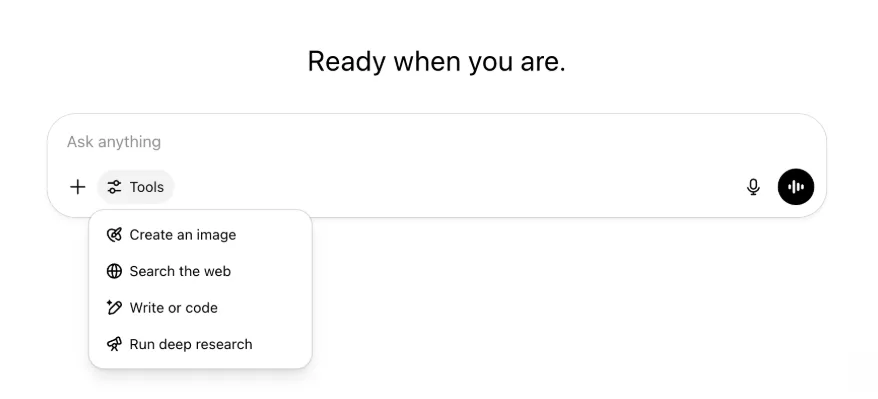
همهٔ قابلیتها و ابزارهای پیشین همچنان موجودند؛ فقط مرتبتر شدهاند و از یک منو آسانتر در دسترساند.
۲۲ مهٔ ۲۰۲۵
عرضهٔ GPT-4.1 در ChatGPT
GPT-4.1 از زمان عرضه در API در آوریل محبوب توسعهدهندگان شده و به درخواست فراوان، اکنون مستقیم در ChatGPT ارائه میشود.
GPT-4.1 مدلی تخصصی است که در وظایف کدنویسی میدرخشد. در مقایسه با GPT-4o، در پیروی دقیق از دستورها و توسعهٔ وب قویتر است و برای نیازهای ساده و روزمرهٔ کدنویسی، جایگزینی برای OpenAI o3 و OpenAI o4-mini بهشمار میرود.
از امروز کاربران Enterprise و Edu میتوانند از منوی «مدلهای بیشتر» در انتخابگر مدل به GPT-4.1 دسترسی یابند. GPT-4.1 برای کاربران پولی همان محدودیت تعداد درخواست GPT-4o را دارد.
معرفی GPT-4.1 mini بهجای GPT-4o mini در ChatGPT
GPT-4.1 mini مدلی کوچک، سریع، توانمند و کارآمد است که نسبت به GPT-4o mini در پیروی از دستور، کدنویسی و هوشمندی کلی پیشرفت چشمگیری دارد. GPT-4.1 mini برای کاربران پولی در بخش «مدلهای بیشتر» جایگزین GPT-4o mini میشود و پس از رسیدن کاربران رایگان به سقف مصرف GPT-4o، مدل جایگزین خواهد بود. محدودیت تعداد درخواست بدون تغییر میماند.
ارزیابیهای GPT-4.1 و GPT-4.1 mini ابتدا در نوشتهٔ وبلاگ همراه عرضهٔ API منتشر شدند. این مدلها ارزیابیهای استاندارد ایمنی را نیز گذراندهاند. نتایج کامل در مرکز ارزیابیهای ایمنی تازهراهاندازیشده موجود است.
۱۵ مهٔ ۲۰۲۵
برونبری تحقیق عمیق بهصورت PDF
اکنون میتوانید گزارشهای تحقیق عمیق خود را بهصورت PDFهای خوشقالب، همراه با جدولها، تصاویر، ارجاعات پیونددار و منابع، برونبری کنید.
برای استفاده، روی نماد اشتراکگذاری کلیک و «دانلود بهصورت PDF» را انتخاب کنید. این قابلیت برای گزارشهای جدید و قدیمی کار میکند.
یکپارچهسازی رابط نوشتن یام موبایل (iOS/Android)
ردیف نمادهای جداگانهٔ ابزار را از نوشتن یام موبایل حذف و با نماد جدید شبیه لغزندهها برای بازکردن منوی مهارتها جایگزین کردهایم؛ با لمس این دکمه، منویی از پایین باز میشود که کاربران میتوانند ابزارهایی مانند «ساخت تصویر» یا «جستوجوی وب» را انتخاب کنند.

هیچ ابزاری منسوخ نشده است؛ دسترسی صرفاً یکپارچه شده تا فضا باز شود و شلوغی صفحه کاهش یابد.
۸ مهٔ ۲۰۲۵
تحلیل کاربران در ChatGPT — انتشار عمومی
داشبورد بازطراحیشدهٔ تحلیل کاربران از بخش مدیریت فضای کاری و زبانهٔ تحلیل در دسترس است. این داشبورد نسبت به زبانهٔ تحلیل قبلی، دادههای جامعتری دربارهٔ مصرف، پذیرش و مشارکت ارائه میکند.
این داشبورد بهبودیافته نمایی کلی از نحوهٔ استفاده از ChatGPT در سازمان به مدیران میدهد تا پذیرش و مشارکت را پیگیری کنند، الگوهای مصرف ابزارها و GPTهای برتر را بشناسند و موارد استفاده و روندهای کاربران را بیابند.
به تحلیل کاربران برای ChatGPT Enterprise و Edu و مقایسهٔ Compliance API و تحلیل کاربران در ChatGPT Enterprise/Edu مراجعه کنید.
۲ مهٔ ۲۰۲۵
تولید تصویر 4o در GPTها
GPTها اکنون میتوانند از قابلیت تولید تصویر ChatGPT برای ساخت تصویر درخواستی کاربران استفاده کنند.
سازندگان میتوانند «تولید تصویر 4o» را در بخش پیکربندی و زیر قابلیتها در ویرایشگر GPT فعال کنند.
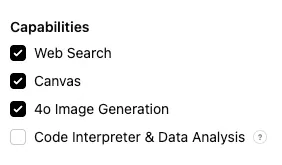
۱ مهٔ ۲۰۲۵
تحقیق عمیق
کاربرانی که با مدل استاندارد تحقیق عمیق به سقف ماهانهٔ ۱۰ وظیفه برسند، تا بازنشانی سقف ماهانه، خودکار ۱۵ درخواست دیگر با نسخهٔ سبک و مقرونبهصرفهٔ ما دریافت میکنند.
دربارهٔ تحقیق عمیق بیشتر بدانید.
وظایف در o3 و o4-mini
اکنون میتوانید با o3 و o4-mini وظایف زمانبندیشده بسازید تا ChatGPT اعلانهای خودکار را اجرا و طبق برنامه پیشدستانه با شما تماس بگیرد. گزینهٔ «ChatGPT با وظایف زمانبندیشده» از انتخابگر مدل حذف شده است.
دربارهٔ وظایف زمانبندیشده در ChatGPT بیشتر بدانید.
۲۴ آوریل ۲۰۲۵
o3 و o4-mini
با معرفی o3 و o4-mini / o4-mini-high، این مدلها در ChatGPT بهترتیب جایگزین o1 و o3-mini / o3-mini-high میشوند.
OpenAI o3 قدرتمندترین مدل استدلال ماست که مرزهای کدنویسی، ریاضی، علوم، ادراک بصری و حوزههای دیگر را پیش میبرد. این مدل در معیارهایی مانند Codeforces، SWE-bench بدون ساخت چارچوب سفارشی ویژهٔ مدل، و MMMU به بهترین سطح روز دست یافته است. برای پرسشهای پیچیدهای که به تحلیل چندجانبه نیاز دارند و پاسخشان فوری روشن نیست، ایدئال است. در کارهای بصری مانند تحلیل تصویر، نمودار و گرافیک عملکردی بسیار قوی دارد. در ارزیابی متخصصان بیرونی، o3 در وظایف دشوار دنیای واقعی ۲۰ درصد خطای عمدهٔ کمتری از OpenAI o1 داشت و بهویژه در برنامهنویسی، کسبوکار و مشاوره و ایدهپردازی خلاق درخشید. آزمایشکنندگان اولیه بر دقت تحلیلی آن بهعنوان همفکر و تواناییاش در تولید و ارزیابی نقادانهٔ فرضیههای نو، بهویژه در زیستشناسی، ریاضی و مهندسی، تأکید کردند.
OpenAI o4-mini مدلی کوچکتر و بهینه برای استدلال سریع و مقرونبهصرفه است که نسبت به اندازه و هزینهاش، بهویژه در ریاضی، کدنویسی و کارهای بصری عملکردی چشمگیر دارد. این مدل در معیارهای AIME 2024 و 2025 بهترین عملکرد را دارد. در ارزیابی متخصصان نیز در وظایف غیر STEM و حوزههایی مانند علم داده از مدل قبلی o3‑mini بهتر است. به لطف بهرهوری بالا، o4-mini نسبت به o3 محدودیت مصرف بسیار بالاتری دارد و برای حجم و توان عملیاتی زیاد در پرسشهای نیازمند استدلال گزینهای قوی است.
۱۰ آوریل ۲۰۲۵
ChatGPT Images
تولید تصویر در GPT-4o اکنون بهعنوان مولد تصویر پیشفرض ChatGPT برای همهٔ کاربران در دسترس است. کاربرانی که DALL·E را ترجیح میدهند همچنان از طریق GPT DALL·E به آن دسترسی دارند.
برای تولید تصویر با ChatGPT کافی است از مدل بخواهید تصویری با جزئیات دلخواهتان بسازد یا گزینهٔ «ایجاد تصویر» را در بخش نوشتن یام انتخاب کنید. بیشتر بدانید.
۳۱ مارس ۲۰۲۵
تحلیل کاربران در ChatGPT — بتای عمومی
داشبورد بازطراحیشدهٔ تحلیل کاربران از زبانهٔ تحلیل در کنسول مدیریت فضای کاری در دسترس است. این داشبورد نسبت به زبانهٔ تحلیل قبلی، دادههای جامعتری دربارهٔ مصرف، پذیرش و مشارکت ارائه میکند.
این داشبورد بهبودیافته نمایی کلی از نحوهٔ استفاده از ChatGPT در سازمان به مدیران میدهد تا پذیرش و مشارکت را پیگیری کنند، الگوهای مصرف ابزارها و GPTهای برتر را بشناسند و موارد استفاده و روندهای کاربران را بیابند.
برای جزئیات، «تحلیل کاربران برای ChatGPT Enterprise و Edu (بتای عمومی)» را ببینید.
۲۰ مارس ۲۰۲۵
بهروزرسانی پروژههای مشترک
عرضهٔ پروژههای مشترک با دسترسی مشاهده و ویرایش را به تعویق میاندازیم تا نسخهای مشارکتیتر و ارزشمندتر برای کاربران بسازیم.
۱۳ مارس ۲۰۲۵
کدنویسی با «کار با برنامهها» در macOS
هنگام کار با IDEها میتوانید از ChatGPT بخواهید فایلهای باز را مستقیم ویرایش کند؛ بدون نیاز به کپی و جایگذاری. با درخواست ویرایش، ChatGPT تفاوتی تولید میکند که میتوانید بررسی و اعمال کنید؛ گزینهٔ اعمال خودکار ویرایشها نیز وجود دارد. برگرداندن تفاوتها در رابط ChatGPT یا با CMD+Z در ویرایشگر آسان است.
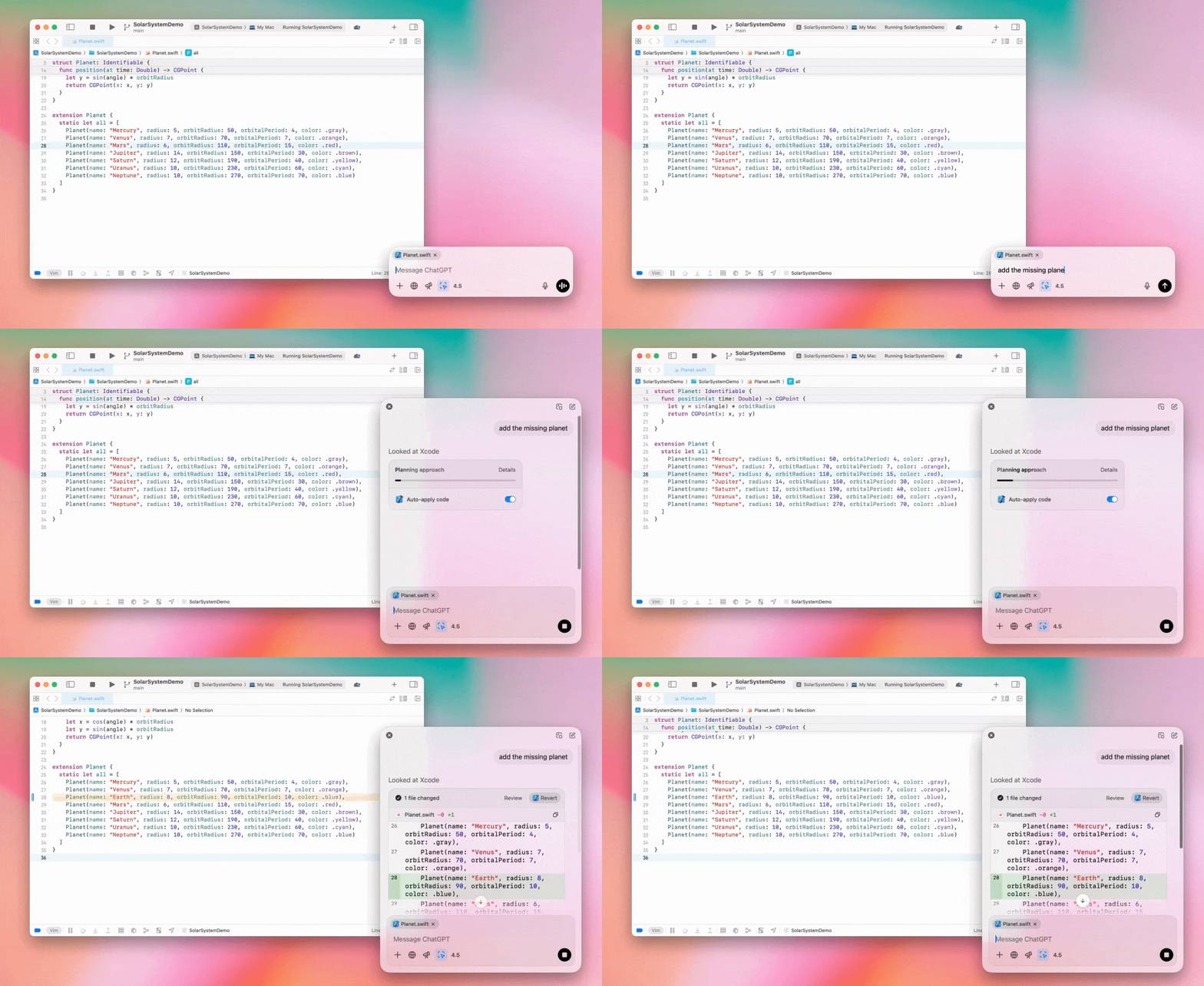
مدیران Enterprise میتوانند کلید «کار با برنامهها» را در تنظیمات مدیریت خاموش کنند تا این قابلیت برای اعضای فضای کاری غیرفعال شود.
GPT-4.5 در ChatGPT
از ۱۳ مارس ۲۰۲۵، کاربران طرحهای Enterprise و Edu میتوانند از مدل GPT-4.5 ما در ChatGPT استفاده کنند!
برای جزئیات، GPT-4.5 در ChatGPT را ببینید.
۱۰ مارس ۲۰۲۵
تحقیق عمیق در Compliance API برای ChatGPT
از ۱۰ مارس ۲۰۲۵، گزینههای مشتریان Enterprise استفادهکننده از Compliance API شامل موارد زیر است:
عبارت «اعلان سراسری تحقیق عمیق» را جستوجو کنید.
در پاسخ، نام ابزار {"tool_name":"deep_research"} را جستوجو کنید.
۲۵ فوریهٔ ۲۰۲۵
تحقیق عمیق در ChatGPT
تحقیق عمیق در ChatGPT اکنون برای کاربران طرح Enterprise در دسترس است.
تحقیق عمیق به ChatGPT امکان میدهد بهصورت عاملمحور و ناهمگام وب را مرور کند تا کارهای حرفهای یا شخصی شما را انجام دهد.
کاربران Enterprise و Edu ماهانه ۱۰ پرسوجوی تحقیق عمیق خواهند داشت.
برای جزئیات، پرسشهای متداول تحقیق عمیق را ببینید.
۱۳ فوریهٔ ۲۰۲۵
حالت حرفهای o1 و o3-mini در ChatGPT
در ChatGPT، حالت حرفهای o1 اکنون برای Enterprise و o3-mini برای Enterprise Edu در دسترس است!
o3-mini: مدل o3-mini از OpenAI جایگزین o1-mini در انتخابگر مدل شده است. مقرونبهصرفهتر است و محدودیت تعداد درخواست بالاتری با تأخیر کمتر ارائه میدهد. این مدل استدلال برای کدنویسی، علوم و فناوری و حل منطقی مسئله انتخابی عالی است. o3-mini زنجیرهٔ افکار خود را نشان میدهد و میتواند وب را مرور کند.
حالت حرفهای o1: این هفته حالت حرفهای o1 نیز در انتخابگر مدل در دسترس است. این مدل که برای دقت و عمق طراحی شده، در پژوهش، مهندسی، کسبوکار و حقوق عالی عمل میکند و برای متخصصانی که با چالشهای بسیار پیچیده روبهرو هستند مناسب است. حالت حرفهای o1 زمان بیشتری برای بررسی مسئله صرف میکند. بنابراین دریافت پاسخ ممکن است مدتی طول بکشد. بهدلیل نیاز محاسباتی بالا، هر کاربر به پنج پرسوجو در ماه محدود است. برای بیشتر وظایف، o1، o3-mini یا GPT-4o همچنان بهترین گزینهها خواهند بود.
دربارهٔ بارگذاری فایل
تصاویر، اسناد و PDFها در مدلهای o1، o3-mini و o3-mini-high* پشتیبانی میشوند. صفحهگسترده (CSV/Excel) پشتیبانی نمیشود.*
در حالت حرفهای o1 فقط تصاویر پشتیبانی میشوند. سند/PDF و صفحهگسترده (CSV/Excel) پشتیبانی نمیشود.
اشتراکگذاری canvas
کاربران ChatGPT Enterprise و Edu اکنون میتوانند یک محتوای canvas، مانند کد رندرشدهٔ React/HTML، سند یا کد را مانند گفتوگو با کاربر دیگری به اشتراک بگذارند. وقتی canvas باز است، میتوانید این کار را از نوار ابزار canvas انجام دهید.
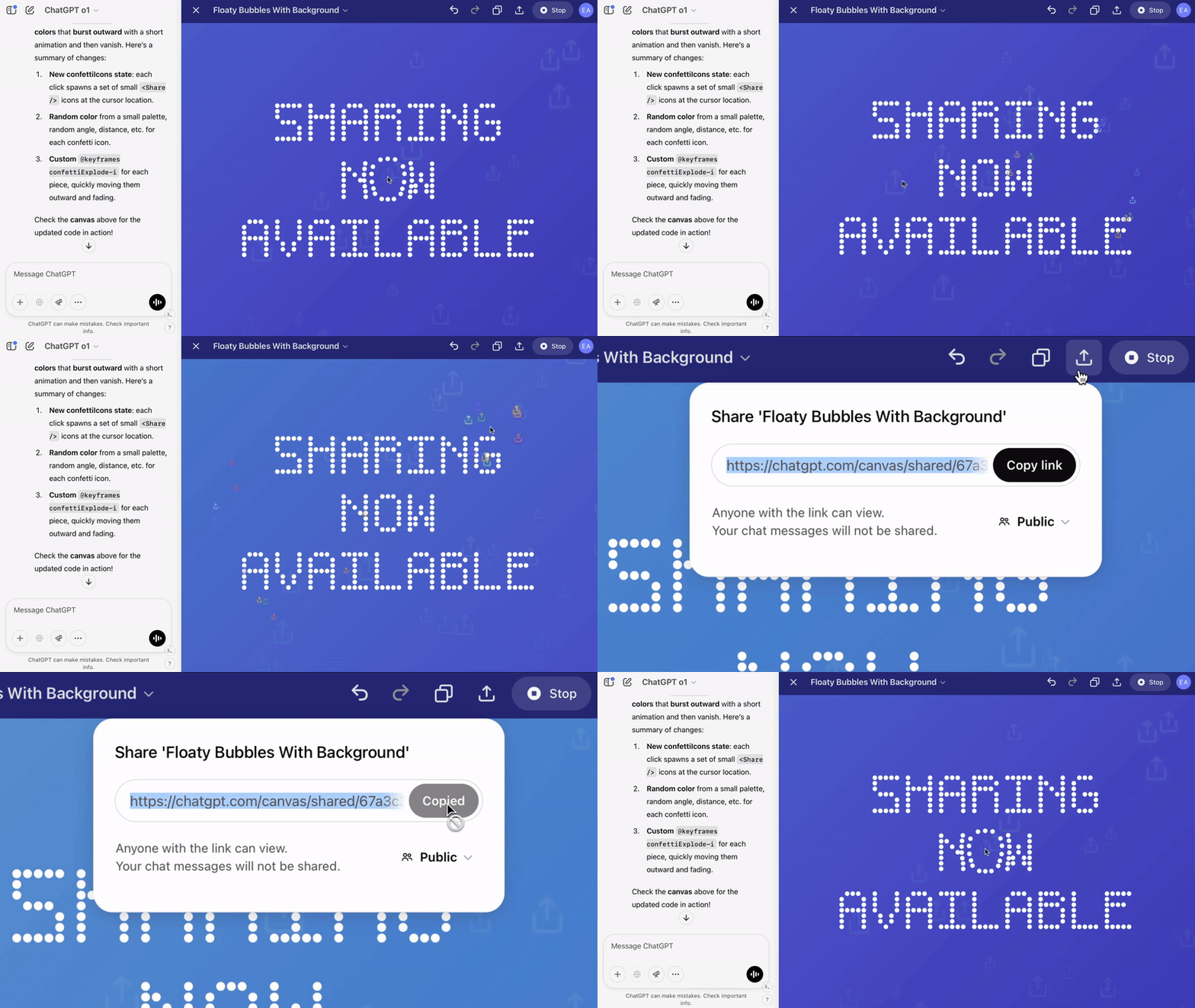
برای جزئیات بیشتر دربارهٔ قابلیت canvas در ChatGPT، مقالهٔ مرکز راهنمایی زیر را ببینید!
۲۳ ژانویهٔ ۲۰۲۵
پروژهها
پروژهها اکنون برای همهٔ طرحهای پولی، از جمله Enterprise و Edu، در دسترساند.
برای جزئیات، استفاده از پروژهها در ChatGPT را ببینید.
۱۶ ژانویهٔ ۲۰۲۵
بازیابی بصری PDF برای ChatGPT Enterprise
ChatGPT Enterprise اکنون از خواندن و درک عناصر بصری، مانند تصویر، گراف و نمودار، در فایلهای PDF پشتیبانی میکند. کاربران میتوانند PDF بارگذاری کنند و ChatGPT متن و عناصر بصری آن را تفسیر میکند.
برای جزئیات، پرسشهای متداول بازیابی بصری PDF را ببینید.
۱۲ دسامبر ۲۰۲۴
o1
از امروز همهٔ مشتریان ChatGPT Enterprise میتوانند از انتخابگر مدل به o1 دسترسی یابند؛ این مدل جایگزین o1-preview میشود.
o1 اکنون میتواند دربارهٔ تصاویر بارگذاریشده استدلال کند و با تحلیل و توضیح دقیقتر بازنماییهای بصری، کاربردهای تازهای فراهم سازد. مدل را همچنین برای تفکر موجزتر آموزش دادهایم؛ بنابراین پاسخها از o1-preview سریعترند.
۱۱ دسامبر ۲۰۲۴
Apple Intelligence با ChatGPT
مدیران ChatGPT اکنون میتوانند دسترسی به Apple Intelligence را در بخش اتصالهای تنظیمات مدیریت فضای کاری فعال یا غیرفعال کنند.
اگر این تنظیم خاموش باشد، کاربران هنگام ورود با اعتبارنامهٔ OpenAI نمیتوانند فضای کاری ChatGPT Enterprise/Edu خود را انتخاب کنند.
۱۰ دسامبر ۲۰۲۴
canvas
امروز canvas را بهطور پیشفرض در 4o برای همه کاربران طرحهای رایگان و پولی در دسترس قرار دادیم. همچنین، چند قابلیت جدید برای canvas عرضه کردیم، از جمله:
canvas در GPTها: اکنون اگر canvas در سازنده GPT فعال شده باشد، میتوان از آن در GPTها استفاده کرد. این گزینه برای GPTهای تازهساختهشده بهطور پیشفرض فعال خواهد بود.
اجرای کد Python: اکنون میتوانید کد Python را در canvas اجرا کنید. ChatGPT تلاش میکند اشکالات کدتان را برطرف کند و درباره خطاها توضیح میدهد. توجه داشته باشید که اجرای Python میتواند درخواستهایی به شبکههای خارجی ارسال کند. مدیران فضای کاری سازمانی میتوانند با تغییر گزینه اجرای کد در canvas در تنظیمات مدیریت، اجرای کد Python را غیرفعال کنند. این قابلیت بهطور پیشفرض برای همه حسابهای سازمانی غیرفعال است.
میانبر canvas: اکنون میتوانید محتوا را در ChatGPT جایگذاری کنید و با میانبری در گوشه بالا سمت راست کادر نوشتن پیام، فوراً آن را در canvas باز کنید.
canvas در جعبهابزار: canvas بهعنوان یکی از گزینههای جعبهابزار اضافه شده است.
اکنون مدیران فضای کاری میتوانند با استفاده از Compliance API، اسناد متنی canvas را دریافت، فهرست و حذف کنند.
توجه داشته باشید که تنظیم مدیریتی مربوط به غیرفعالکردن canvas حذف شده است، زیرا این قابلیت دیگر در مرحله آزمایشی نیست. اگر این قابلیت قبلاً غیرفعال شده باشد، همچنان آن تنظیم را رعایت خواهیم کرد. لطفاً با استفاده از حباب چت در گوشه پایین سمت راست این صفحه، با تیم پشتیبانی ما تماس بگیرید.
۳ دسامبر ۲۰۲۴
کار با برنامهها در macOS
ChatGPT اکنون با «کار با برنامهها» در macOS میتواند محتوای برنامههای کدنویسی شما را بخواند و پاسخهایی هوشمندتر، دقیقتر و متناسب با کارتان ارائه دهد. دربارهٔ کار با برنامهها در macOS بیشتر بدانید.
مدیران Enterprise میتوانند کلید «کار با برنامهها» را در تنظیمات مدیریت خاموش کنند تا این قابلیت برای اعضای فضای کاری غیرفعال شود.
۲۲ نوامبر ۲۰۲۴
بهروزرسانی تجربهٔ وب ChatGPT
طی دو هفتهٔ آینده، بهروزرسانیهای زیر را برای همهٔ کاربران ChatGPT ارائه میکنیم.
طراحی مجدد نوار کناری
حالت شناور جدید با رفتار بستهشدن نرم اضافه شد
تعداد گفتوگوهای اخیر در نوار کناری اکنون محدود است و همهٔ گفتوگوها در پنل بازشونده با پیمایش بینهایت و نامحدود نمایش داده میشوند
GPTهای اخیر و سنجاقشده اکنون زیر گفتوگوها نمایش داده میشوند
تنظیمات اکنون همیشه پایین نوار کناری قرار دارد
هنگامی که نوار کناری باز نیست، در نماهای بزرگتر نماد کوچک تنظیمات اضافه شده است
گذارهای جدید برای ایجاد تجربهای فراگیرتر افزوده شدند
سایر بهروزرسانیهای ChatGPT در وب
زیرساخت اصلی سایت بازطراحی شده و اکنون از طیف بسیار گستردهتری از دستگاهها و اندازهها پشتیبانی میکند
اکنون با آغاز گفتوگویی جدید، آن گفتوگو در بالای صفحه به دید میآید
هنگام تولید پیام در گفتوگویی جدید، صفحه دیگر خودکار به پایین پیمایش نمیشود
اگر فضای کافی باشد، نوار کناری سنجاقشده اکنون میتواند هنگام فعالبودن canvas باز بماند
چیدمان جدید نوار نوشتن یام هنگام پیمایش، محتوای زیر خود را محو میکند و ظاهر تازهای دارد
برای دسترسی آسانتر، دکمهٔ چت جدید به سمت چپ انتخابگر مدل منتقل شده است
برای ایجاد فضای افقی بیشتر، نماد سیستم از گفتوگوها حذف شده است
نمای ویژهٔ DALL-E چیدمانی بهروزشده دارد
سازندهٔ GPT چیدمانی بهروزشده دارد
بهبود تجربهٔ وب موبایل
تجربهٔ صفحهکلید روی صفحه در دستگاههای موبایل iOS و Android بسیار بهبود یافته است
نوار کناری جدید همیشه در حالت شناور است و هنگام جابهجایی بین رشتهگفتوگوها خودکار بسته میشود
هنگام جابهجایی بین گفتوگوها در وب موبایل، دیگر نوشتن یام را در کانون قرار نمیدهیم
مشکلی که در برخی موقعیتها باعث گیرکردن پیمایش میشد، باید برطرف شده باشد
۲۰ نوامبر ۲۰۲۴
بهروزرسانی GPT-4o
GPT-4o را برای کاربران همهٔ طرحهای پولی ChatGPT بهروزرسانی کردهایم. این بهروزرسانی توانایی نوشتاری GPT-4o را طبیعیتر، مخاطبمحورتر و متناسبتر کرده تا ارتباط و خوانایی پاسخها بهتر شود. این مدل در کار با فایلهای بارگذاریشده نیز بهتر شده و بینشهای عمیقتر و پاسخهای کاملتری ارائه میدهد.
۱۹ نوامبر ۲۰۲۴
دستیار صوتی پیشرفته برای وب ChatGPT
از امروز ارائهٔ دستیار صوتی پیشرفته را در وب آغاز میکنیم؛ این قابلیت از قبل در اپهای موبایل و دسکتاپ موجود است. کاربران اکنون میتوانند در رایانهٔ خود از chatgpt.com چت صوتی را آغاز کنند و هنگام انجام کارهایی مانند برنامهریزی، نوشتن و ایدهپردازی، گفتوگوهایی طبیعی و همزمان با ChatGPT داشته باشند.
۱۴ نوامبر ۲۰۲۴
برنامهٔ Windows
برنامهٔ بهبودیافتهٔ Windows اکنون از طریق Microsoft Store برای فضاهای کاری ChatGPT Enterprise و Edu در دسترس است. کاربران آشنا با تجربهٔ وب ChatGPT میتوانند برنامهٔ Windows را روان با هر کاری که در رایانه انجام میدهند یکپارچه کنند.
دسترسی کاربران به برنامهٔ ChatGPT در Windows از سیاستهای مدیر فناوری اطلاعات برای برنامههای Microsoft Store پیروی میکند. در هفتههای آینده، مدیران فناوری اطلاعات میتوانند بهجای اجازهٔ بارگیری مستقیم از فروشگاه، برنامه را با MDM/MAM روی دستگاههای کارکنان مستقر کنند.
مانند همهٔ تجربههای ChatGPT Enterprise، تاریخچهٔ گفتوگوی کاربران امن است و برای بهبود خدمات OpenAI استفاده نمیشود.
دربارهٔ برنامهٔ ChatGPT در Windows بیشتر بدانید.